#cinematics
1 messages · Page 10 of 1
 tight stone
 tight dawn
Yeah something like that, eventually the output segmentation does get converted COCO contours 😅
Current solution for occlusion (oustside of cinematics scope) considers the cubouid of the actors. But since not all actors are cubes it doesn't scale well
tight stone
It would probably be easiest to prototype in MRG with putting each object you want onto its own layer and rendering the object-id, and then rendering the full scene as object-id, and now you can actually count the pixels (because IDs should be stable across renders). Could save disk space by using only one rank (a single rgba instead of 3 of them). Not sure how many objects you're trying to do this for, or at what resolution, but might be worth a shot to see before you spend the weeks trying to implement ray tracing stuff
(this is definitely outside of the usual path though, so expect dragons everywhere)
tight dawn
It's a valid point 👀 for context we are on a UE version prior to MRG and even the changes to Compositing (5.2) and right now bumping versions would be a bigger pain than the ray tracing stuff since we've done that before for other tasks.
I assume what you suggesting can't be done through MRQ and Actor Layers ?
tight stone
Those are based on stencil cutouts so it renders the whole world and then clips based on stencil... Which is an interesting idea for you, if you don't have objects that you need to measure that overlap? Or maybe you can use the stencil mask like a bit field and get support for multiple objects overlapping? You'd need some sort of bounding box based occlusion logic that was dynamically changing the depth stencil value for each object to make them add together correctly, I don't think you can read from the stencil mask, add only your bit to the value and then write it again, not without an engine change to double buffer the stencil texture
But if you only have a few non objects you're trying to render that don't occlude each other then the stencil mask will avoid the depth clipping problem from earlier and will be entirely present behind the box
tight dawn
Or maybe you can use the stencil mask like a bit field and get support for multiple objects overlapping sounds interesting as well.
I think I got the gist of your recomendation. Not sure on the best way to go still, but good starting point regardless the approach.
Again, thanks @tight stone
 proper lantern
Hey all, has anyone got experience rendering with decent quality with chaos cloth? I'm trying to cache the cloth sim and the cache is just garbage, it records broken movement its seems unusable for keyframed movement. Pulling my hair out trying to render my current project as all my characters have cloth on them and render fine without samples, but for final quality settings nothing works. If anyones got any experience with this I would be in your debt for wisdom on this, losing my sanity 0_0
tight stone
proper lantern
Hey all, has anyone got experience rendering with decent quality with chaos clot...
Are you caching because simulation gets whacky when temporal sub samples are used?
 dusky path
Hello, is there a way of creating a cinematic camera with a very big "sensor" so that I can put it really close to an object and still have a relatively flat, almost orthographic perspective? I thought it was possible to do this by changing the size of the film back to be very big, but this is just creating very weird perspective. Is there a setting I'm missing somewhere to get this working?
proper lantern
tight stone
Are you caching because simulation gets whacky when temporal sub samples are use...
Exactly, my chaos cloth just stops dead the minute I added temp or spatial samples, my entire project is an animated short so its varied keyframed movement. Are there recommended render que settings for good quality where the cloth actually renders correctly?
proper lantern
For more clarity, I moved the project from 5.4 to 5.6 hoping for more stability and blimey I didn't find it, really don't want to have to redo all the cloth movement with Ncloth alembics out of maya -_-
tight stone
tight dawn
`Or maybe you can use the stencil mask like a bit field and get support for mult...
Had a random thought about this today, I think what we're discussing (figuring out stencil bits for overlaps) is a form of graph-coloring algorithms, which is a series of algorithms for "How can I choose colors from adjacent things and make sure no two touching ones choose the same color". I feel like this is sort of a form of that, you need each thing to pick a different stencil bit so that no two objects that are (visually) overlapping pick the same stencil bits. And you can change the stencil bits every frame during gameplay on Tick (probably set yourself to post-tick tickgroup though) to look at the camera frustum again, all of your relevant objects, and then project their bounding boxes into screen-space to decide if they overlap or not.
tight dawn
tight stone
Had a random thought about this today, I think what we're discussing (figuring o...
I partially considered doing it by first assigning a max amount of occlusions (8) and then cycling my mapped actors and through a combination of SetCustomDepthStencilWriteMask and SetCustomDepthStencilValue multiple reads of a custom SceneCaptureComp::ReadPixels (8) and updating its HiddenActor list ~. And updating the bit field value in between. Doesn't seem optimal but doable.
Bringing this back to MRQ and cinematics, was also wondering if this could be done through a custom RenderPass and a accumulator. Meaning I'd set my renderPass GetViewShowFlags or BlendPostProcessSettings with a custom PostProcess material for stencil rendering and on RenderSample_GameThreadImpl do the bit operation ~
tight stone
tight dawn
I partially considered doing it by first assigning a max amount of occlusions (8...
Are you planning on paying the cost of rendering every object that needs stenciling on it's own? It hasn't been clear if you need this for lots of objects or only a few per scene. If you do it with the existing customdepthstencil you can get that for "free" alongside your beauty render (you can add an Additional PPM to MRQ to read the stencil buffer). Custom render passes could work. You can submit a bunch of renders in a row on a single frame (though this stresses the memory somewhat because it has some allocations that don't get cleared until between frames) and read them back. You can technically change the world state between render passes (MRG does this with it's MovieGraphRenderLayerSubsystem) but there are downsides to this (ie: marking something invisible removes it from the Lumen scene).
proper lantern
@tight stone Is it as i feared, chaos cloth is just broken and theres no silver bullet fix even in 5.6?
tight stone
proper lantern
Exactly, my chaos cloth just stops dead the minute I added temp or spatial sampl...
Yeah I think this is just an unfortunate side effect. Euler integration for physics (the classic "pos += velocity; velocity += acceleration") is only considered first-order stable, which means with larger delta times there's a larger error. And unfortunately you end up tuning your physics values around the large delta times, and then when MRQ is run with temporal sub-sampling you get really small delta times.
So the "fix" is to cache the cloth (at 1/24) and play back an interpolated version. I don't really know what state caching is in the engine, I thought you could do it but I don't know that the UX is very fun. I also don't know if there's multiple cloth implementations, is Chaos cloth different than... regular/legacy cloth?
proper lantern
When you say cache at 1/24 care to elaborate? Does that mean cache'ing at play every frame type of thing? Any information is appreciated btw, im drowning on this atm
tight stone
https://forums.unrealengine.com/t/tutorial-cloth-caching-workflow/1284842 There's apparently a tutorial here... though the comments make it sound like it doesn't work so... ymmv.
But conceptually what you want to do is record your cloth at realtime framerates (24, 30, whatever matches your sequence) and then during a render only interpolate between the two frames, instead of re-simming. This isn't a perfect solution - if you render with 10 temporal sub-samples that's sort of equivilant to rendering a 24fps sequence at 240fps. So the cached cloth knows the position at frame 0 and frame 10 and then linearly interpolates between them on frame 5. But your actual character animation might have made a smooth arc instead of a linear one because they're effectively updating at different rates.

Epic Developer Community Forums
Simulated Chaos Cloth can be cached using the following document as reference. This is an Experimental workflow using the Take Recorder process which will be updated in the future to fix large cache sizes, refine the multi-step process as well as fix bugs. https://dev.epicgames.com/community/learning/tutorials/lEvy/unreal-engine-cloth-caching-...
But conceptually that's what caching wants to do - simulate in "realtime" where you get the physics behaving the way you want, and then during MRQ interpolate between cached frames instead of re-simulating to preserve the existing behavior.
The linked tutorial looks right - and the step about setting the Chaos Cache Manager off of Record mode also sounds right, but I've never done it myself so I can't actually say if it works or not.
proper lantern
@tight stone Thanks very much I'll take a look at this, see if its a viable solution, much appreciated for the help
 paper pine
rendered in unreal 5
 winged walrus
paper pine
rendered in unreal 5
winged walrus
paper pine
rendered in unreal 5
pretty cool!
But I think the lighting on the tiger is too bright, like on the rock its over exposured, could dim it and the tiger will look more into the environment 🙂
just a little kind feedback
proper lantern
Just wanted to chime back in for anyone experiencing this with chaos cloth and physics not working and cloth cache not being a viable system. I managed to get physics and chaos cloth to render at decent image quality by switching to EXR format and AA override set to none, temp samples 1, spatial samples 32, might help someone else down the line, but frankly what an absolute nightmare -_-
 cosmic hound
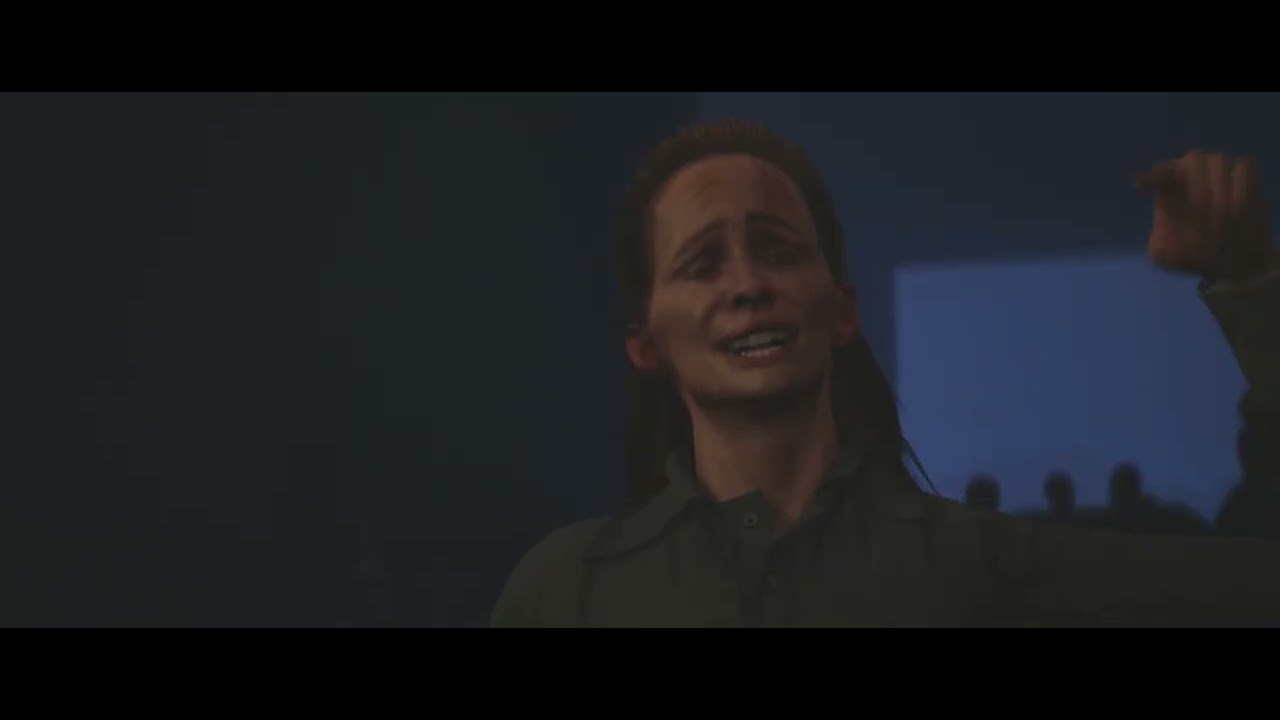
Massacre at Oak Hill is an animated feature film written and directed by Ben Adler.
Would love feedback on the trailer, all rendered out of UE
 undone geode
When using Sub Levels for different Lighting setups, do you enable or disable specific Sub Levels on render by changing the Streaming Method?
Or is there a better way?
 gray herald
any idea what may cause metahuman hair to generate these lines in renders?
 proper lantern
undone geode
When using Sub Levels for different Lighting setups, do you enable or disable s...
proper lantern
undone geode
When using Sub Levels for different Lighting setups, do you enable or disable s...
Try having the sub levels set to streaming as "Always loaded" and then add a level visibility track in the cinematic (assuming this is a linear video production and not a game)
undone geode
proper lantern
Try having the sub levels set to streaming as "Always loaded" and then add a lev...
Thanks. Yes seems to be the accepted method.
undone geode
I'm doing film quality Deferred renders from the CitySample project.
Any tips, CVARs etc to improve render quality?What would be the best anti aliasing settings to use?
And what warm up settings are best? I assume some type of warm up is necessary for the traffic, etc but not sure which settings to use.
 gusty heath
Hi!
Please check out my new animation - “It’s a Beautiful Day!” - a heartwarming and uplifting CGI music video featuring the inspiring song by Tim McMorris. This positive, kind, and joy-filled video continues the story of my best work, sci-fi movie "Animal Planet 2" ( https://youtu.be/Plvnc_Cg42k ), blending cinematic storytelling with breathtaking visuals and an unforgettable soundtrack. Completely animated using mocap.
MULTILINGUAL SUBTITLES AVAILABLE!
Including the song.

The wait is over – my biggest sci-fi dragon movie is finally here!
🔥 MULTILINGUAL SUBTITLES AVAILABLE! 🔥
🔥 Including the songs! 🔥
“Animal Planet 2” continues the epic story of “Animal Planet 1” and “Dragons of Winter”, but it’s designed as a thrilling standalone adventure. Five months of nonstop work – 6 AM to mid...

Welcome to “It’s a Beautiful Day!” – a heartwarming and uplifting CGI music video featuring the inspiring song by Tim McMorris. This positive, kind, and joy-filled video continues the story of my best work, sci-fi movie "Animal Planet 2" (👉 https://youtu.be/Plvnc_Cg42k ), blending cinematic storytelling with breathtaking visuals and a...
undone geode
Does anyone know of a way to easily batch render sequences with different CVAR settings?
Is this something easier to achieve using the Movie Render Graph?
 lament gull
My goal is to achieve a realistic daylight look, but I’m struggling with very dark shadows under foliage and trees — the ground and objects in shaded areas become almost black.
For Realistic exterior lighting in UE 5.6 with UDS
can anyone help me how to resolve that

 thick merlin
does anyone know what this border line is ?
 tight stone
Is it because you have an actor selected?
thick merlin
I dont know , it is also in render also
i tried deselecting the actor as your doubt but nothing changed.
undone geode
Anyone familiar with rendering Level Instances from Sequencer?
They don't seem very Sequencer friendly. ie you can't simply change the visibility or position of the parent Level Instance. You need to dive in and change all the child actors. Am I missing something?
 worthy ginkgo
Hi there
has anyone here ever worked with horses or specific with the Horse Anim.Set?
I can't get their tails to stop going crazy during render and I don't know why
worthy ginkgo
thick merlin
i tried deselecting the actor as your doubt but nothing changed.
Are you working on 5.6?
thick merlin
No 5.5 top down template but a new level @worthy ginkgo
worthy ginkgo
thick merlin
No 5.5 top down template but a new level <@211323227438448640>
Weird, do you have a post processing volume? Is the unbound check selected?
worthy ginkgo
lament gull
My goal is to achieve a realistic daylight look, but I’m struggling with very da...
Have you tried adding fog and fog cards?
 muted zinc
hi all. hoping someone have some insight on this question: we're trying to get the traffic simulation from the Unreal Engine City pack file to be recorded in the sequencer so it can be played back exactly the same each time for a short cinematic. thanks!🙏
 analog swift
when trying to render out a video file from a level sequence there are artefacty shadows that pop up on my landscape, especially on the starting few frames, any idea how to fix this ? (using nanite landscape displacement)
I've tried increasing the virtual memory pool and bumping up quality settings everywhere but nothing seems to affect those shadows
 tall glacier
I need some people who could help me with a cinematic trailer
 fickle oak
Hello. I need to turn off 'primary visibility' off for some actors. Is it right that there is no one-to-one equivalence in UE?
 brazen tartan
im looking for someone quite experienced in cinematics who can give me some tipps how to tackle this project im trying to do 😄 i cant get the camera to work how i want it 😄
worthy ginkgo
tall glacier
I need some people who could help me with a cinematic trailer
Is this a freelance offer? There is a channel just for that
 split mason
My cinematics team and I have being showing collaborators (behind closed doors) our newest cinematics pipelines for Unreal 5.6+ for games. We set out to film and finish a cinematic in 3 weeks to prove the efficiency of the pipeline and tools. Simultaneously we developed an IMAX workflow within Unreal. We built a special virtual IMAX camera rig to help us film it. If anyone wants to talk about it, feel free to reach out.


 prisma tulip
analog swift
when trying to render out a video file from a level sequence there are artefacty...
prisma tulip
analog swift
when trying to render out a video file from a level sequence there are artefacty...
Might be the same as what I'm noticing with nanite landscape - even in a barebones new level with a sculpted landscape. Ironically it disappears if I make a minor sculpting change, but comes back if I rebuild the nanite landscape.
 analog swift
prisma tulip
Might be the same as what I'm noticing with nanite landscape - even in a barebon...
analog swift
prisma tulip
Might be the same as what I'm noticing with nanite landscape - even in a barebon...
yeah I think that's probably it, weirdly in editor if fixes itself pretty easily by either moving the camera around or editing the landscape, but when recording a sequence I can't find any way to get it to behave
prisma tulip
analog swift
yeah I think that's probably it, weirdly in editor if fixes itself pretty easily...
I notice for me there's a range of camera positions it happens in (was about 50m to 450m). Any solution moving the camera closer or farther and getting the same frame via focal length - or will the difference in perspective kill things?
analog swift
prisma tulip
I notice for me there's a range of camera positions it happens in (was about 50m...
yeah I've been playing around with a bunch of VSM cvars to try and get that one shot to work but they don't seem to affect that specific artefact particularly well, it definitely looks like the easiest fix is just to change the shot.
in particular large large height changes when the light is at a glancing angle seem to make things worse, I'm going more for panning shots at the moment
 shy talon
Hey guys! 👋
This is a personal R&D project where I explored PCG combining Gaea and Unreal Engine.
I used procedural techniques (PCG) in unreal to drive tree scattering and foreground placement, experimenting with terrain masks and environment layout.
Generated splatmaps to directly drive tree scattering with PCG graph
Follow me on linkedin to see my next work: https://www.linkedin.com/posts/amatimarco_pcg-unrealengine-gaea-activity-7379492965007900672-KRDN?utm_source=share&utm_medium=member_desktop&rcm=ACoAADNlmPwBg-axdYrh6lMWd6BFaYCKzVIahes
 prisma tulip
analog swift
yeah I've been playing around with a bunch of VSM cvars to try and get that one ...
prisma tulip
analog swift
yeah I've been playing around with a bunch of VSM cvars to try and get that one ...
I did a bit of digging as well - found that's it raytraced shadows at least for me which is doing it. Try disabling that in project settings if you haven't tried that.
 gusty stag
tall glacier
I need some people who could help me with a cinematic trailer
gusty stag
tall glacier
I need some people who could help me with a cinematic trailer
Is it a paid job?
gusty stag
split mason
My cinematics team and I have being showing collaborators (behind closed doors) ...
Unreal engine cine camera has an Imax option inside it too. What do you mean by an Imax workflow?
undone geode
Thought I would share a rendering glitch and my theory as to the problem and solution.
I have an animated camera with keyframes every single frame.
The scene I am rendering has lots of virtual textures.
What I noticed initial 4k EXR renders is that the camera seems 'frozen' part way thru the render. No motion for a few frames!
I also noticed a brief popup when rendering about the same time as the render glitch stating that virtual texture pools were being adjusted. I forget the exact wording.
So my theory that there is CPU overhead happening in adjusting virtual texture pool size and this impacts the render and processing of keyframes. Seems like a bug to me.
tight stone
If you have a small repro project for that you should definitely submit it as a bug
split mason
gusty stag
Unreal engine cine camera has an Imax option inside it too. What do you mean by ...
Yes. We used the Unreal IMAX sensor as our base. But if you’ve ever used it, you’ll know immediately that it’s not usable as default out of the box. We developed the workflow for standardizing aperture settings and lenses for IMAX photography in unreal as well as different kinds of tools to help us for in camera/unreal and final render matching. We also built a special rig that could display large format for a viewfinder went on stage so that we can photograph the details in real time. And we built the special egg to help us achieve the large format style of cinematography and motion in the camera.
gusty stag
split mason
Yes. We used the Unreal IMAX sensor as our base. But if you’ve ever used it, you...
Sound interesting, I have used it for my movie, and it was usable out of the box! Maybe I do not have enough information about it.
I'm interested to know more about IMAX and your product. A video that describes what you achieved would be super useful. A video that demonstrates the differences between unreal build in Imax camera and your product.
split mason
gusty stag
Sound interesting, I have used it for my movie, and it was usable out of the box...
🙏🏽👍👍✊🏽🎉
For pure cinematics, there’s a little less technical to figure out. As long as you are familiar with how to calculate what focal length you need in unreal to match real world, large format, lenses, focal lengths, an additional compensation if you’re using anamorphic, but you should be generally fine. Diving a little deeper With differential factors such as the properties of a Zeis IMAX lens versus Panasonic IMAX lens, etc. etc. will go a long way as well. For Games, there’s also the rendering aspects that you need to figure out for whatever it is you’re making whether be a cinematic or something at runtime. The IMAX sensor is gonna have that shallow depth the field with those lenses and within certain properties have warp and then also it’ll start to affect your render clipping and shadow resolution because a lot of it is not supported for runtime cameras. So much so that epic actually advises people “not to use them” lolololol
 ionic elbow
When using the cineamtic assembly tools in 5.6 to set up my shots and folders it seems to not work with the sequence navigator. Is that correct or am I doing something wrong?
undone geode
Rendering a project with lots of large virtual textures.
Whenever I render I get a popup message Resizing Virtual texture Pools
The problem is when this happens I believe it causes drop frames.
ie if you happen to have an animated camera with keyframes every frame, for several frames the camera will 'freeze'. No keyframes processed and no motion!
Does anyone know how to stop resizing of Virtual Texture Pools when you render?
 tight stone
undone geode
Rendering a project with lots of large virtual textures.
Whenever I render I ge...
tight stone
undone geode
Rendering a project with lots of large virtual textures.
Whenever I render I ge...
Can you update the project settings with the values like it suggests, and see if the problem goes away?
tight stone
undone geode
Rendering a project with lots of large virtual textures.
Whenever I render I ge...
Set Slate.bAllowThrottling to 0 before your render
undone geode
tight stone
Set `Slate.bAllowThrottling` to 0 before your render
Thanks. Not aware of that CVAR
tight stone
undone geode
Thanks. Not aware of that CVAR
Yea this is weird but something about the slate notifications are seeing the editor is running slowly (because it's rendering a movie), so slate sets some throttling thing, which causes the world to get skipped for updates, but MRQ doesn't see that, it just assumes the world gets updated every time
So that cvar should disable the ability for throttling to happen, hope that helps
 waxen geyser
anyone know what settings i should be looking at to fix blotchy emissives and flickering volumetric fog in my render?
waxen geyser
well, fixed the emissives, but my fog still looks horrible. any help would be appreciated. googling isn't turning up any answers that fix my issue. im pretty convinced i set something up wrong or havent configured something, i just dont know where to start looking
 gaunt kelp
how can we use camera animation sequence as i have to use it in my heavy attack with camera blend
gusty stag
Which software do you use for editing your unreal rendered sequences? I personally use Edius but I'm thinking about using other softwares
I think Edius do not have all the tools I need
gaunt kelp
I want to do ingame cinematic
 frozen coyote
how do I change the page distance / radius to achieve a smoother transition or push it really far back for offline radius
 split mason

The First Winter - Full Fight Scene.
I've gotten a lot of questions about this test. I thought I'd share answers. Surprisingly, we shot almost all of the action sequence with the actors still wearing HMCs. Faceware HMCs to be precise. Our helmet rails have been modified to a single side dual-rail to better accommodate for actors holding weapons....
 obtuse narwhal
hi, any idea why stencil takes forever to render in unreal 5.6 ?
without stencil it's like 10min, then each stencil layer add around 20 minutes to render time.
If i remember well, in unreal 5.2 it wasn't that impactful to render a stencil
gusty stag
split mason
https://www.linkedin.com/posts/marc-morisseau-53731425_the-first-winter-full-fig...
Thanks for sharing
tight stone
Stenceils are complete copies of your scene
So the more complex your main render the more complex every stencil layer is
undone geode
Locking cameras in the Viewport? Is this possible? Seems like a missing feature!
winged walrus
undone geode
Locking cameras in the Viewport? Is this possible? Seems like a missing feature!
Open up a second viewport, that isn't the camera view, or set the current viewport to perspective
undone geode
winged walrus
Open up a second viewport, that isn't the camera view, or set the current viewpo...
Thanks but doesn't solve the root issue. I really think there needs to be a toggle to lock camera transforms.
 crimson mortar
undone geode
Thanks but doesn't solve the root issue. I really think there needs to be a togg...
crimson mortar
undone geode
Thanks but doesn't solve the root issue. I really think there needs to be a togg...
Just lock actor movement? (Right click on camera -> transform -> lock actor movement)
proper lantern
Hey everyone, quickie question, a wav track in a sequence, that sequence is rendered to mp4 with MRQ, now when that MP4 with the included audio track is added to da vinci, and the original wav track is added to another audio track below it, the audio that MRQ exported now no longer matches the timing of the wav file. So MRQ is doing something to mess with the timing at point of export has anyone got any ideas or experienced similiar? For context, sequence is 24fps, media in da vinci is imported and made sure to be set to 24fps aswell.
undone geode
Is Unreal Sequencer 1st frame inclusive and last frame exclusive? Or vice versa?
tight stone
Yes, it's [0, 1)
Because it's a real-time engine and there's sub-frames, so a "frame" is all the time from zero until 0.999999, which makes it much easier to treat as [0, 1) as integers in the UI 🙂
gusty stag
tight stone
Because it's a real-time engine and there's sub-frames, so a "frame" is all the ...
Wow, Interesting, I did not know that, thanks for sharing
undone geode
How can you suppress the rendering of a Level Instance? Visible and Hidden in Game flags don't work!
 raw leaf
anyone expert in color management can give me a hand pleasssse? I ran out of options here
 low shuttle
Hi! Does anyone know how to blend player transfrom from any player position to the start transform position in sequencer? I found only that there is pre-build system to blend camera in the same way in sequencer, but not the transform. I would be grateful for any ideas. I use Unreal Engine 5.6 sequencer and the character is already with dynamic binding and replacable parametrs
 potent wing
 undone geode
I'm experiencing occasional GPU D3D Device removed crashes, I think related to enabling Hardware Ray Tracing Support in Project Settings.
Is there any way to enable Hardware RayTracing Support only during rendering, perhaps via a CVAR?
gusty stag
undone geode
I'm experiencing occasional GPU D3D Device removed crashes, I think related to e...
Disabling ray tracing via CVars doesn’t unload the ray tracing pipeline—it just disables its effects. This means the GPU might still be under stress, potentially contributing to D3D device removal errors.
Anyway here are some of the related Cvars
r.RayTracing: Enables or disables ray tracing globally.
r.RayTracing.Reflections, r.RayTracing.Shadows, r.RayTracing.AmbientOcclusion: Toggle specific ray tracing features.
r.Lumen.UseHardwareRayTracing: Controls whether Lumen uses hardware ray tracing when available
undone geode
gusty stag
r.RayTracing: Enables or disables ray tracing globally.
r.RayTracing.Reflections...
Thanks
I went for a couple weeks without crashing with SWRT then when I enabled Support HWRT in Project Settings I experienced 3 or 4 random GPU crashes in 2 days!
undone geode
gusty stag
Disabling ray tracing via CVars doesn’t unload the ray tracing pipeline—it just ...
The problem with the CVAR approach is that there doesn't seem to be a CVAR to switch the 'Support Hardware Ray Tracing' option.
So even if r.Lumen.HardwareRayTracing is 'on' (set to 1) it will have no effect because it is dependent on the Support HardwareRayTracing option.
This is obvious in the attached since it is greyed out.
 undone geode
Here's a new one.
I'm using Level Instances to group actors in my level,
I am then keyframing these Level Instances in Sequencer to animate,
Scrubs back fine.
But I cannot seem to render these keyframed Level Instances.
Is this a known issue?
raw leaf
hey guys! How can I make the OCIO Display configs work on the Runtime as well, not only on the viewportt?
 crimson mortar
undone geode
The problem with the CVAR approach is that there doesn't seem to be a CVAR to sw...
crimson mortar
undone geode
The problem with the CVAR approach is that there doesn't seem to be a CVAR to sw...
"Support HW Raytracing" is just the r.raytracing.enable toggle, whereas "Use HW RT when available" is r.lumen.hardwareraytracing.
undone geode
crimson mortar
"Support HW Raytracing" is just the r.raytracing.enable toggle, whereas "Use HW ...
Very cool. Thanks! So apparently then you can enable Support Hardware RayTracing just when rendering!
How would you make an actor visible, but hidden in any reflections, either Screen Spaced or RayTraced? Is this even possible?
undone geode
crimson mortar
"Support HW Raytracing" is just the r.raytracing.enable toggle, whereas "Use HW ...
Just checked its r.RayTracing not r.RayTracing.enable
undone geode
crimson mortar
"Support HW Raytracing" is just the r.raytracing.enable toggle, whereas "Use HW ...
Unfortunately it is a read only command. I think you can only change it in Project Settings!
crimson mortar
Yes, that's what I thought.
I'd investigate why it crashes in the first place though.
undone geode
crimson mortar
Yes, that's what I thought.
I'd investigate why it crashes in the first place th...
OK could someone pleez tell me why Epic makes things soo complicated?
#1 r.Raytracing 1 (read only set in Project Settings (Support Hardware Ray Tracing)
#2 r.RayTracing.EnableOnDemand (requires #1 to be true, also read only, but unclear where this is set!)
#3 r.RayTracing.Enable 1 (Now Raytracing can be toggled at runtime!, launch, requires both 1 & 2 to be true)
 mortal gulch
Hey all. Does anyone know if its feasible to mirror a level sequence at runtime? The character and the camera animation. We dont have any props (thank god).
 limpid horizon
mortal gulch
Hey all. Does anyone know if its feasible to mirror a level sequence at runtime...
limpid horizon
mortal gulch
Hey all. Does anyone know if its feasible to mirror a level sequence at runtime...
if it's just a straight mirror, is adding a post process volume that flops the screen a possibility?
If you just want to mirror the animation over a particular axis then you might be able to either attach the items you want to mirror to a null actor and then set the scale to -100%, or add an additive transform track to the animated layers. Bear in mind that all these apart from the post process volume I'd be extra careful with, I've had instances where my original keyframes got messed up due to trying to attach them to something else. It'd be good to keep a backup of the project before you try doing stuff ><
 brittle notch
Can someone please for the love of Christ tell me how to bake a cinecameraactor animation into a sequence I can load onto another camera
It used to be so simple with "bake to animation sequence" or something but it has completely disappeared.
gusty stag
brittle notch
Can someone please for the love of Christ tell me how to bake a cinecameraactor ...
Instead of baking, you can easily copy paste the animation in sequencer
 brittle gale
Hi all, I'm really early on in my unreal learning. I am building a scene and I want to focus on lighting. I have built the outside world lights but for some reason inside this pipe the outside light is coming through. What can I so with my setting to make thos dark. I want to be able to light it myself. Thank you in advance

 low spindle
😊 Hello everyone! I develop Nkurunziza, an adventure game inspired by African culture, where a brave man seeks to free his wife and end the slave trade.
Here is the link to the WhatsApp channel if you want to follow the news and the backstage of the development 👇
🔗 [Link to your WhatsApp channel]https://whatsapp.com/channel/0029VbBWfnj6buMQZlTd8v0p

WhatsApp.com
NKURUNZIZA WhatsApp Channel. Nkurunziza — le courage d’un homme, la liberté d’un peuple.
Un jeu africain inspiré de nos racines, de nos héros et de la lutte contre la traite négrière.
✊🏾 Soutiens le projet et fais connaître notre histoire ! 51 followers
undone geode
Has anyone ever tried keyframing a Level Instance? I wish Epic would fix this!
Spent an afternoon keyframing several Level Instances. Scrubbed back fine so didn't anticipate any issue. However the animation does not render!
Even static keyframes if you want to simply rotate or offset a Level Instance don't seem to work.
Am I missing something?
gusty stag
low spindle
😊 Hello everyone! I develop Nkurunziza, an adventure game inspired by African c...
Is it a movie or a game?
low spindle
gusty stag
Is it a movie or a game?
is it a movie of my game😊
undone geode
If you need a deferred render without motion blur does this mean you simply set Temporal samples to 1 and crank up Spatial samples?
 worthy flint
Any one else experiencing crashing when trying to render multiple sequences in a row with the MRQ on local renders? I tried googling it and I can't really find out anything meaningful other than the possibility that the MRQ has memory leaks.
 light hearth
 toxic turret
hey yall! Having some really bad issues with the level sequencer, if anyone could help this would be greatly appreciated! Simply adding a facial animation causes the editor to completely crash! https://cdn.discordapp.com/attachments/1156016011611488317/1436352358501191680/8mb.video-hw9-PXcqNbEt.mp4?ex=690f4ae0&is=690df960&hm=3762623d8a1b3b5900b7e973b41081e5583e4459b9a7bfa765d6ca30dbc53a41&
 formal oasis
Hi everybody! Can somebody help me with setting up cloth sim for rendering? Caching gives bad results(
undone geode
Any COMP Nuke experts? What Crypto (ObjectID) passes do you typically render out of Unreal?
 wanton cairn
undone geode
If you need a deferred render without motion blur does this mean you simply set ...
wanton cairn
undone geode
If you need a deferred render without motion blur does this mean you simply set ...
i think it's the opposite right? No motion blur would be spatial and motion blur would be temporal?
 raven geyser
Hey everyone. Anyone knows how to play bk2 ( bink ) videos in Sequencer ?
For MP4 you would use the Media Player track but bink plugin does not seems to have anything like that ? For our project we wanna use bink to play pre-rendered videos on top of the camera with ImagePlate help, but I have no clue how to "trigger" the video trough sequencer like MP4 have it 🙁
 hollow shoal
[UE 5.5] CRITICAL: Groom Hair Flickering in MRQ - All Stabilizing Fixes Failed (S32/T64, CVar, S64)
I apologize for the length of this post, but I wanted to provide comprehensive details on a critical and persistent hair flickering issue.
Hello everyone,
I'm encountering a critical issue with hair groom flickering (shimmering) when rendering a cinematic sequence in Unreal Engine 5.5 using the Movie Render Queue (MRQ). The flickering persists despite using extremely high sampling rates, and all standard stability fixes have failed.
🎥 Problem Description
The hair (Groom) flickers severely, resembling intense temporal aliasing or pixel popping, especially when the camera or character is in subtle motion.
⚙️ Original/Target Render Settings (For Quality Consistency)
Engine Version: UE 5.5
Target Resolution: 2560x1080 (2.35:1)
Anti-Aliasing Method: TSR (Temporal Super Resolution)
Spatial Sample Count: 32 (S32)
Temporal Sample Count: 64 (T64)
undone geode
Way too many samples!
There is a high quality cinematic hair package in the Marketplace.
Basically a bunch of cvars. Check it out.
 toxic oyster
Is there anyone here who has a good solution to the weird rotations of the splines when a camera follows them? Theres like jagging to them
 old yacht
Has anyone had any luck using MRQ (movie render queue) to render nDisplay setups in a build? It works great for me in editor but throws all sorts of errors in a build
wanton cairn
toxic oyster
Is there anyone here who has a good solution to the weird rotations of the splin...
What’s your camera move? Is it more like an orbit or a moving path along a spline?
toxic oyster
wanton cairn
What’s your camera move? Is it more like an orbit or a moving path along a splin...
Moving along a path
gusty stag
Howmany cinematic projects have your ever done in Unreal?
wanton cairn
toxic oyster
Moving along a path
could you post a clip/gif? \
 nova rune
hollow shoal
[UE 5.5] CRITICAL: Groom Hair Flickering in MRQ - All Stabilizing Fixes Failed (...
nova rune
hollow shoal
[UE 5.5] CRITICAL: Groom Hair Flickering in MRQ - All Stabilizing Fixes Failed (...
Remember you only want to use spatial or temporal not both - probably temporal in this scene - just try 16? Watch the video by William faunchner to better understand why this is
 glass sail
Hi! Has it ever happened that when migrating a landscape from one level to another of two Unreal projects (changing version from 5.3/4 to 5.6) the landscape scaled and did not maintain its original shape?
 noble kraken
Hi guys

I'm using path tracing to render this image
but the result looks different from what I have in the editor, why?
noble kraken
I think it has something to do with the PP volume, because when I disable it, both editor and render look the same. But what could that be, I tried everything
undone geode
Does anyone know if there is some way to have your sky, whether its an HDR or Sky Atmosphere, reflected in objects, while at the same time hiding it in renders?
winged walrus
noble kraken
I think it has something to do with the PP volume, because when I disable it, bo...
are you using post on your camera or in the level (if you have post in level)
if you do have both, search blend in details tab on camera and post in level, set your main one to 1, and the other to 0. it might be getting confused
noble kraken
winged walrus
are you using post on your camera or in the level (if you have post in level)
I tried all of that and nothing worked
winged walrus
noble kraken
I tried all of that and nothing worked
hmmm, was your render exc, or png
noble kraken
This right now is PNG

and you can see the difference
if I render EXC, I get better results, but then my dark areas (shadows etc) look strange, blueish
ill show you in a sec
winged walrus
do you have auto exposure on?
noble kraken
winged walrus
do you have auto exposure on?
no, it's manual
noble kraken
yeah. I'm stuck on this for days ...
winged walrus
with the render preview, is it the same lighting if the red bar is full?
as its still rendering/processing
is your PP set to unbond?
noble kraken
winged walrus
is your PP set to unbond?
yeah
So this is EXR

it's better in terms of exposure/contrast, but now you can see that the dark areas , look darker and blueish
look at shadows/ asphalt for example
winged walrus
hmm, yeah definitely looks better as a exr
yeah slight tint of blue
could you edit the highlights n that, in photoshop or lightroom?
I know you probably would like it to be 100% in UE final render, but for cgi, usually edit it in those software, for final touches
noble kraken

when I look at the render preview, it looks identical I think, this is PNG
but the output image is changing
winged walrus
hmmm, do you have any overides in the render settings?
have you rendered as jpeg, but I'm guessing its the same result as the png render
noble kraken
winged walrus
have you rendered as jpeg, but I'm guessing its the same result as the png rende...
I haven't , I keep trying different things with PNG

this is the closest I can get it with PNG, but I still see some differences
winged walrus
yee
have you created a new PP, and just adjust one setting
just incase that PP is being dumb
and hide your current one
noble kraken
what i did is I went to the project settings, camera settings, post process and set the same exposure to all of them.
But why should I do that when my PP volume has higher priority and uses that
winged walrus
awww yeah, but how many settings did you play around in the PP
noble kraken
I also had to tweak some PP settings, for example make my scene darker, so the image comes out brighter etc
winged walrus
also, just a thought, do you have any type of fog in the level?
noble kraken
winged walrus
also, just a thought, do you have any type of fog in the level?
yeah
if you look at the editor image , it still has more contrast and darker areas
winged walrus
noble kraken
yeah
hmmm, that could be the issue, render without fog
noble kraken
ill try
winged walrus
the fog does some odd things in the final render, like for me it completely washed out my render, even though viewport looked fine
noble kraken
winged walrus
the fog does some odd things in the final render, like for me it completely wash...

I don't think the difference is that big, but I still think the output image looks a bit brighter
look at the shadows under the car
I don't know if that's very noticable to other people, but as I do the renders I can see it 😄
winged walrus
noble kraken
aww ye, hmm yeah it is a brighter than viewport
I think most peeps wouldn't notice it, I think only professional cgi artists might pick it up
but to be honest, it looks fine for me 🙂
but yeah, sadly I can't think of anything else, just only edit it in post
noble kraken
winged walrus
but yeah, sadly I can't think of anything else, just only edit it in post
do you have any other suggestion how to improve the scene overall? Lighting, PP, etc? to make it more photorealistic
When you watch this for example

Here is another scene that I want to improve
 winged walrus
noble kraken
do you have any other suggestion how to improve the scene overall? Lighting, PP,...
winged walrus
noble kraken
do you have any other suggestion how to improve the scene overall? Lighting, PP,...
hmmm, I'm still learning the cgi way still, but you could have more depth of field towards the car, like car blur into the back more
noble kraken
blur the background more?
winged walrus
noble kraken
Here is another scene that I want to improve
awww ye, the warm tone is nice
winged walrus
noble kraken
blur the background more?
nah, like the edges of the car at the front
noble kraken
I need to have the car clear ,
winged walrus
like just these areas slightly
 noble kraken
I see, and anything about the lighting?
winged walrus
I think the lighting is pretty good atm
but don't be afraid to adjust it slightly
you could make a duplicate level and play around, but then at least you do have your backup one, just incase 🙂
if you like, I could link you to the cgi discord sever, to get more feedback from pros
noble kraken
winged walrus
if you like, I could link you to the cgi discord sever, to get more feedback fro...
sure
winged walrus
I'll dm you, if that's cool
noble kraken
sure
Btw, I still feel that some how my post processes from the camera and volume are fighting each other
my volume has a higher priority. But when I change the exposure in the camera, it still changes it in the viewport ? tf
Also when I change the fog in UDS, it disables the fog from my PP volume ... lol
winged walrus
hmmmm, it is a odd one
what lighting are you using, but I don't it makes a difference, as seems to be PP
noble kraken
im using ultra dynamic sky
winged walrus
in the PP is the pathtracing setting on?
noble kraken
yes
winged walrus
noble kraken
im using ultra dynamic sky
hmm, yeah that is fine
maaan, I'm definitely running out of ideas what it could be 😅
undone geode
How do you totally remove ALL DOF from a camera render? Is there a CVAR I can use or?
nova rune
noble kraken
Also when I change the fog in UDS, it disables the fog from my PP volume ... lol
Yeah pretty sure you can’t use UDS and PPV together? As UDS behind the scenes is also using PPV together make its effects of course.
As in some things in UDS will override ur PPV settings
tight stone
undone geode
How do you totally remove ALL DOF from a camera render? Is there a CVAR I can us...
showflag.depthoffield 0
It's a command and not a cvar so you have to run it each time you launch the editor iirc
undone geode
tight stone
showflag.depthoffield 0
Thanks!
noble kraken
nova rune
Yeah pretty sure you can’t use UDS and PPV together? As UDS behind the scenes is...
but what about when my PPV has a higher priority?
nova rune
noble kraken
but what about when my PPV has a higher priority?
I haven’t tested this actually, does the PPV override UDS then?
noble kraken
nova rune
I haven’t tested this actually, does the PPV override UDS then?
yes. But then for some reason my PPV also fights with the camera post process lol. If I chance any PP settings on the camera, it overrides the one in the PPV
nova rune
Yeah that’s intentional
So you can have per camera effects
So think of your main PPV as global
And the camera ones you can use per shot
noble kraken
any of you have any tips how to improve? In terms of lighting, realism ?

 noble kraken
nova rune
Yeah that’s intentional
noble kraken
nova rune
Yeah that’s intentional
but once I touch the camera PP setting, then my PP volume settings no more work. Is there a way to disable the camer PP or something?
nova rune
noble kraken
any of you have any tips how to improve? In terms of lighting, realism ?
Glint on logo is nice - maybe turn off the emissivness on headlights during day shots?
Otherwise very nice shots
nova rune
noble kraken
but once I touch the camera PP setting, then my PP volume settings no more work....
I would probably just uncheck all the settings enabled on ur camera pp?
gusty stag
This is Unreal Engine 5.7 live which will show us all the new tools in UE 5.7 in details. Just wanted to share it with you too:
https://www.youtube.com/live/3PQga-2vLm4?si=RnAX4sdZCYK_httf

Unreal Engine 5.7 is now available! Build expansive, lifelike worlds filled with rich, beautiful details in real time; render high-fidelity layered and blend...

 obsidian goblet
https://www.youtube.com/watch?v=dkdFvvsCOq4&t=8s
Our latest episode!

The Barakan Elite slaughter their way through the Exogen as the battle in orbit intensifies. The investors aren't happy.
PART ONE: https://www.youtube.com/watch?v=R16idQ2l0CI
PART TWO: https://www.youtube.com/watch?v=xKDP1b_L5R4
This is the latest in the expanding MORNINGSTAR Universe. Be sure to LIKE, COMMENT and SUBSCRIBE (and now you can H...
 round frost
Hi everyone, I’m new to Unreal Engine cinematics. I created a scene and I’m trying to render it, but when I keep DOF enabled, the render comes out pixelated in some areas. How can I fix this?
 winged walrus
noble kraken
which one of those looks the best?
winged walrus
noble kraken
which one of those looks the best?
I think the 1st one, as it's lighter on the car, the others seem too dark with the shadow
noble kraken
I'm trying to do some scenes with HDRI now
but when I rotate my HDRI Sphere, the Source Cubemap Angle doesn't rotate and now the light angle and the HDRI are different.
Is there a fix to that or I have to try and match them manually
winged walrus
noble kraken
I'm trying to do some scenes with HDRI now
awww ye, usually with HDRI cube map you don't really need a sun, just a skylight I think
noble kraken
winged walrus
awww ye, usually with HDRI cube map you don't really need a sun, just a skylight...
yes but what if I wanna achieve a specific sun position/day time? Then I need to search for exactly the same HDRI and I might not find it
winged walrus
not necessarily, the skylight can pick it up, if the hdri is mapped to skylight, then should have the correct lighting
but you might need to adjust the exposure settings, as it works differently between sun, and hdri skylight
undone geode
Is anyone aware of any good test comparisons of the various noise reduction options for Path Tracing?
winged walrus
undone geode
Is anyone aware of any good test comparisons of the various noise reduction opti...
don't use denoise in path tracing, as it removes detail
nova rune
winged walrus
don't use denoise in path tracing, as it removes detail
???? Unless you want ridiculous render times gotta have some compromise
winged walrus
nova rune
???? Unless you want ridiculous render times gotta have some compromise
doesn't it reduce render times, as it doesn't have to do an extra step?
nova rune
Well think about the amount of samples you would have to use WITHOUT denoising to get a clear image using path tracing
Ofc depends on the situation
But denoising is essential to a clear image
winged walrus
nova rune
But denoising is essential to a clear image
but a few times its been washed out, and makes the render look fake, because there's no noise
but yes, depends what its used for
gusty stag
I have made a 44 min movie with Unreal, but the interesting thing is that I don't know what are the best places are to advertise it. I have a 2 min trailer.
I'm interested to know your opinions about advertising such a movie and gather your ideas. So, I appreciate if you share your opinion about this issue with me.
I have tried linkedIn but I'm not happy with it.
undone geode
Does anyone know of a way to save output resolution info with the Sequencer file?
This would be SO useful in a current project where almost every camera has a different overscan and resolution!!
 mossy drift
undone geode
Does anyone know of a way to save output resolution info with the Sequencer file...
mossy drift
undone geode
Does anyone know of a way to save output resolution info with the Sequencer file...
Not with sequencer, but you can save out presets in the render queue, there is even a way to control it using blueprings.
nova rune
gusty stag
I have made a 44 min movie with Unreal, but the interesting thing is that I don'...
Well what is the goal of the advertising? For people to watch for free? For investors/media people to pick it up into something commercial?
 devout imp
can movie render graph control if a light is on or off? e.g. disable a certain light, but only in one layer
gusty stag
nova rune
Well what is the goal of the advertising? For people to watch for free? For inve...
For people to buy it and watch it. I've uploaded it on internet and have a trailer on youtube. But the thing is for movie you need a lot of advertising which is not cheap.
So, I'm looking for creative ideas to advertsie my movie.
I tried reddit but I'm new to it and it does not allow me to post in it.
I also tried linkedin but it's users are limited and my post get lost among other posts.
nova rune
gusty stag
For people to buy it and watch it. I've uploaded it on internet and have a trail...
Eh tbh I would say what you are trying to achieve is very hard
Maybe it would have been better - or still is to maybe get some exposure on your name or the idea or topic, like at a local film festival etc
gusty stag
Yes, it's really hard, but it's possible. Around two years ago I decided to make a movie, I did not tell anyone since I knew they will disappoint me and tell me it's impossible. I spent around two years on it and did it step by step. I'm sure advertising it would be hard too, but it's possible to do it step by step and make it a success.
tight stone
undone geode
Does anyone know of a way to save output resolution info with the Sequencer file...
EXRs should store it as metadata when rendered with MRQ
undone geode
tight stone
EXRs should store it as metadata when rendered with MRQ
Thanks but not the issue.
Working on a project with many different camera resolutions.
So constantly need to double check and manually enter the proper custom resolution every time I render!
 unreal dock
Yo wait what exactly is a cinematic? Is it like a cutscene? Also, how much ram is good for it? Im gonna get a build with 32 gigs, is that enough?
nova rune
32 is reasonable - but depends what you are planning on doing, - what is also important is VRAM so I’d look at getting a good card
nova rune
unreal dock
Yo wait what exactly is a cinematic? Is it like a cutscene? Also, how much ram i...
And also cinematics is just a broad term - could be just for pure viewing use - like if you did VFX or some cgi piece with unreal, or if it was a cutscene inside a game as well
wanton cairn
gusty stag
Yes, it's really hard, but it's possible. Around two years ago I decided to make...
Maybe you could make a series talking about it? Elements of your process for writing directing how to do the hard parts of making it? Slowly build up your audience and eventually a bunch of people will wanna see it. You can do a patreon thing eventually with enough followers and paywall the film
gusty stag
wanton cairn
Maybe you could make a series talking about it? Elements of your process for wri...
Yes,I'm working on it, I'm going to make a series of Tutorials about each scene, from 3D modeling, to lighting, Camera movement and etc.
Thanks for you reply. I guess it will help many others to learn my process for this movie and also advertise my movie for me among UE users.
unreal dock
nova rune
And also cinematics is just a broad term - could be just for pure viewing use - ...
Yea im thinking a cutscene sorry for the confusion
wanton cairn
gusty stag
Yes,I'm working on it, I'm going to make a series of Tutorials about each scene,...
Best of luck! Growing the audience is hard but super rewarding!
undone geode
Another bottleneck issue.
Crashing on Path Traced renders!
Does anyone have any other good suggestions for reducing VRAM usage?
Texture streaming is already enabled.
Also curious, what is the difference between Deferred and Path Traced renders in terms of memory utilization during render?
I have zero issues with Deferred Renders. So Path Tracing must use memory much differently.
 dim lintel
Did you ever figure this out?
Same issue even in an empty level with just some lights, a camera, and a floor cube
 soft hatch
Hi all.
Inspired by Alien (1979).
please lmk, how you would improve this. (UE 4.27)
https://www.youtube.com/watch?v=203QRPNatME

 heavy lily
holy smokes, how did you achieve that skybox?
soft hatch
heavy lily
holy smokes, how did you achieve that skybox?
it's from this Marketplace pack: https://www.fab.com/listings/967505ae-397f-498a-ab4e-1166ff3d2978

Fab.com
FLYBY VIDEO: https://youtu.be/j9CVFAD6iZQAge of Flowmap is here! Now you can have the most epic skies with animation while keeping a great performance. Same use as in AAA games and Hollywood productions!This version of the acclaimed sky pack features incredibly high detailed, apocalyptic storm clouds. I can say this is the most detailed and epic...
soft hatch
heavy lily
holy smokes, how did you achieve that skybox?
updated the video link above with the added rain + lightning, also, I was not happy with the second camera movement.
 humble bramble
Heya
I am having a very weird issue where when i try to render out my movie render queue sequence, camera ignores my post processing
Like i have tried all possible solutions, my post processing is set to infinite and camera also properly supports it, but whenever i play the editor in simulate preview it works perfectly well as it should
In game mode pie it refuses to work properly at all. Please help i am out of any possible options. I am using UE 5.6
 wanton cairn
humble bramble
Heya
I am having a very weird issue where when i try to render out my movie rend...
wanton cairn
humble bramble
Heya
I am having a very weird issue where when i try to render out my movie rend...
Do you have camera settings that could be interfering?
humble bramble
wanton cairn
Do you have camera settings that could be interfering?
I figured its something with autoexposure settings. One minus is that i have to manually control it on camera. Instead i would rather prefer to have it automatically showcase as post processing does. This autoexposure thing is so silly and confusing
the way i foud is more of a workaround sadly
undone geode
Does anyone know of a way to automate the creation of a queue according to sequential frame 'chunks'?
ie first job frames 0-50
2nd 50-100
3rd 100-150 etc
soft hatch
humble bramble
I figured its something with autoexposure settings. One minus is that i have to ...
before starting on any lighting, drop a PPV into your scene and set Exposure min + max to the same value.
then go on from there.
humble bramble
soft hatch
before starting on any lighting, drop a PPV into your scene and set Exposure min...
got ya, thanks barsam 
 inland gale
Has anyone had similar issues with MRQ where the renders look all out of wack as in the images below?


Seems like every render attempt shows different errors
Done tons of MRQ renders but never had this kind of persistent issue before
Only seems to happen in a specific map
But there isn't anything special about it, only during the render it seems to break
soft hatch
this printing/msgs there reminds me of an error msg that shows up, when something with the Sky Dome is wrong
 inland gale
I had that specific issue before but that was solved
Now it looks like every part of the environment breaks at random
Sometimes no landscape, sometimes no foliage
Sometimes no lighitng
inland gale
Tested on another machine with no issues, really weird stuff..
crimson mortar
inland gale
But there isn't anything special about it, only during the render it seems to br...
Does it extend some culling distances to infinity (or farther than usual), leading to Nanite buffer overflows and.. bad things happening?
Just spitballing, but had this happen before.
inland gale
It's definitely not buffer overflow
Iv spent all night trying to figure this out
On my friends weaker machine it worked fine
But on my machine it's giving me these errors
I believe it worked in 5.7 from my brief tests so might just have to upgrade for the renders
 night pollen
MUCH simpler workflow for Unreal to Marvelous Designer in the latest release of MD by using Metahuman DNA https://youtu.be/9AqiFwsSY00

In this #tutorial #video want to showcase the latest update to my #marvelousdesigner and #metahuman workflow with the release of the latest version of MD which allows for DNA importing.
Also, I will showcase the features of the #ai pose creation tool, which can be fun and handy! And provides some great bloopers.
TIMESTAMPS
00:00 Introductio...
wanton cairn
inland gale
Has anyone had similar issues with MRQ where the renders look all out of wack as...
Is this texture streaming related? Like one of the textures breaking during renders
inland gale
wanton cairn
Is this texture streaming related? Like one of the textures breaking during rend...
No I don't believe so. I was able to fix it by deleting cache and doing a full recompile. No idea what was the problem in the end...
 mystic spire
Hey guys does anyone know how the cutscenes and cinematics in Destiny 2 are made? Like what program do studios use?
 fading belfry
hey what are the best settings to do a 10+ second video? mp4 or jpeg or png image sequence? here is the video in mp4 directly from unreal but the quality isnt that good
wanton cairn
fading belfry
hey what are the best settings to do a 10+ second video? mp4 or jpeg or png imag...
Depends on your goals but generally .exr is what most pro renders would be because it’s 10bit allows more color correction/grading
look up William fauchers updated rendering tutorial he explains everything in easy to understand detail
Movie Render Queue in Unreal Engine has been around for years now, so I have compiled the latest and greatest information to give you the best possible understanding of how things work, and the best renders.
Get EasyMapper, EasyFog, and EasySnow here on FAB: https://www.fab.com/sellers/William Faucher
Sale ends Friday, February 21st 2025.
FR...
wanton cairn
fading belfry
i think i had trouble with this method before
No worries! Hope that info helps!
fading belfry
but i dont have any tesselation on my landscape when i render a 2k video with mp4 just now, on the previous render it worked, any idea why?

it does that only in remote render, not in local
undone geode
When rendering out AOVs especially Object Id passes you need to disable any anti aliasing.
But what happens when anti aliasing is set to none, but you define Temporal Samples greater than 1?
undone geode
wanton cairn
https://youtu.be/fVg5ihB8Wdc?si=XCsySx4SBGEvN8jk
IMHO his original MRQ rendering tutorial was better as he covered things like Project Settings.
wanton cairn
undone geode
IMHO his original MRQ rendering tutorial was better as he covered things like Pr...
i agree i think it's helpful to honestly watch both gives a better rounded idea
 oak hornet
hey everyone.
how could i keyframing groom physics parameter in sequencer.
i'v been try to search about it but i don't understand any think about blueprint..
so if someone can make for me a video about
change hair gravity victor in sequencer
wanton cairn
oak hornet
hey everyone.
how could i keyframing groom physics parameter in sequencer.
i'v ...
You can mess with the simulation weights between animation and physics in sequencer but as for control of the gravity that would probably be something custom
oak hornet
wanton cairn
You can mess with the simulation weights between animation and physics in sequen...
yes it's something about "level sequence director blueprint"
but i don't get it.
undone geode
What is everyone using for warm up frames?
I've found in 5.6 I need to use a fairly high value, at least 48, but play it same and use 96.
I also need to check 'Render frames' so that lumen has time to stabilize and reach the proper exposure.
Unclear whether its better to set up the Camera Cut track for warm up frames or simply enable Engine Warm up in MRQ and define the number of warm up frames there.
undone geode
Is anyone using TSR for their renders? What are the advantages vs using 'None' and setting Spatial and Temporal samples?
wanton cairn
undone geode
Is anyone using TSR for their renders? What are the advantages vs using 'None' a...
Will faucher explains it pretty well here https://youtu.be/fVg5ihB8Wdc?si=7SjspiuKAWZohOg-
Movie Render Queue in Unreal Engine has been around for years now, so I have compiled the latest and greatest information to give you the best possible understanding of how things work, and the best renders.
Get EasyMapper, EasyFog, and EasySnow here on FAB: https://www.fab.com/sellers/William Faucher
Sale ends Friday, February 21st 2025.
FR...
undone geode
wanton cairn
Will faucher explains it pretty well here https://youtu.be/fVg5ihB8Wdc?si=7Sjspi...
Thanks but I think he glosses over TSR. A lot isn't mentioned. But I agree with one thing he says in that there is no one size fits all when it comes to render settings
wanton cairn
undone geode
Thanks but I think he glosses over TSR. A lot isn't mentioned. But I agree with ...
The unreal documentation for mrq is surprisingly decent too!
 vague stratus
I want to learn cinematics for game and filmmaking such as animated films. What's the best tutorial or course available?
oak hornet
oak hornet
hey everyone.
how could i keyframing groom physics parameter in sequencer.
i'v ...
Pleaseeee hellp!!
My project is completely on hold because of this specific step.
nova rune
oak hornet
Pleaseeee hellp!!
My project is completely on hold because of this specific step...
Can you describe your scene more in depth - is if a wind effect you want, or more just like zero gravity
undone geode
wanton cairn
The unreal documentation for mrq is surprisingly decent too!
Will have another read but in a nutshell, there are some edge cases where TSR is going to give better, more flicker free renders.
wanton cairn
vague stratus
I want to learn cinematics for game and filmmaking such as animated films. What'...
Bad decisions studio has a good beginner course for making a cinematic from scratch and has a tutorial project for it
vague stratus
wanton cairn
Bad decisions studio has a good beginner course for making a cinematic from scra...
Thank you!
undone geode
Does anyone have experience rendering out Object ID passes?
Experiencing some flickering in a specific Object ID (cryptomatte).
I googled but cannot find anything.
vague stratus
wanton cairn
Bad decisions studio has a good beginner course for making a cinematic from scra...
Made my first image render. Thanks for the suggestions


Can y'all give feedback on this?
wanton cairn
vague stratus
Made my first image render. Thanks for the suggestions
This is sick!! Glad it helped!!
vague stratus
wanton cairn
This is sick!! Glad it helped!!
Yeah, I used a mission to minerva pack from kitbash3d
wanton cairn
vague stratus
Yeah, I used a mission to minerva pack from kitbash3d
A fantastic kit to play around with I’m using some of it here in there in my halo fan film! What do you think of you render? What notes would you give yourself!
vague stratus
wanton cairn
A fantastic kit to play around with I’m using some of it here in there in my hal...
Yeah, I do know about game development and it's my first time working with cinematics. So I start with a concept in my mind, something like a story or the view I wanna make
wanton cairn
vague stratus
Yeah, I do know about game development and it's my first time working with cinem...
Well looks cool to me! Colors and composition are awesome too!
vague stratus
wanton cairn
Well looks cool to me! Colors and composition are awesome too!
Thank you!
i am looking forward to improve and make a small cutscene out of this
something like rover moving and then base showcase
undone geode
Any tips for troubleshooting a GPU shader compiler bug on render?
"Fault Description": "Executing a shader instruction caused an error.\nThis can be caused by a microcode corruption issue or a shader compiler bug."
I’d throw this in #graphics or maybe #ue5-general ?
A good tech art person would know for sure or rendering engineer
undone geode
Not sure but I added the cvar r.raytracing.nanitemode 1 with a deferred render just before the crashes started happening
Not sure if I should ask here or in graphics but I've narrowed down a AOV flicker issue to just one layer Actor Hit Proxy Mask layer.
It is only happening with one asset
Obvious flickering in just that layer when I scrub in DJV.
What affects the 'Actor Hit Proxy' on an actor? In this case its a packed level actor converted to Nanite.
 wooden cedar
I'm trying to record an actors metasound that's having it's inputs updated by the actor during rendering with the MRQ. But I can't even get the metasound to play the base sound.
I have a dynamic light actor that creates procedural sound. The light flicker is updating during the render but sound is nowhere .
I've added the MetaSound component to the level sequence. I have events that are playing and stopping it, and another continuous trigger event that is updating the metasound inputs.
There's multiple lights in the scene and only one of them should be playing at a time so it needs to be controlled. They're not set to play automatically.
I'm kind of running out of things to try. Anyone have suggestions?

 wanton cairn
wooden cedar
I'm trying to record an actors metasound that's having it's inputs updated by th...
wanton cairn
wooden cedar
I'm trying to record an actors metasound that's having it's inputs updated by th...
Can you share your render settings too?
wooden cedar
wanton cairn
Can you share your render settings too?
Sure, you mean like setting an audio output?
 wanton cairn
wooden cedar
Sure, you mean like setting an audio output?
wanton cairn
wooden cedar
Sure, you mean like setting an audio output?
Does it generate a wav for you post render? It’s just that the sounds are missing right?
Also it’s imperative to have the sounds IN ue playing? What’s the final format?
wooden cedar
Yea, I get other sounds. The player metasound footsteps were recorded during the take recorder. Most ambient sounds work. But these lights are completely procedural and update the metasounds based on intensity. Lighting is working but these sounds aren't playing
wanton cairn
I know some sounds may be spatially loaded too and don’t get culled unless close to camera
wooden cedar
Output is jpgs and one wav matching the total time
It's only one room scene, everything in the data layer is loaded during render
wooden cedar
I try there next, thanks. There's one more test I'm trying to setup now
wanton cairn
wooden cedar
I try there next, thanks. There's one more test I'm trying to setup now
Def post if it works!
wooden cedar
Looks like it's actually crashing the entire engine. I tried pulling in an extra metasound from the drawer and faking it. Crashes 3 times in a row
wooden cedar
Fake it until you make it xD
For some reason, trying to add the metasounds as spawned in the level sequence crashed the editor every time. I added the mss directly to the level, then to the sequence, then setup events to recreate the needed logic. Used the sequence's on begin to load the needed actors as variables and accessed everything needed to fake their procedural metasounds. Still balancing post processing, lighting and audio

 frozen coyote
whats with only some of my foliage dissapearing as my camera pans?
 copper sandal
Hey, my renders are drawing out black frames + displaying my game's UI, any quick fix?
wanton cairn
frozen coyote
whats with only some of my foliage dissapearing as my camera pans?
Is that a distance draw thing? Check your LOD settings for your foliage!
wanton cairn
copper sandal
Hey, my renders are drawing out black frames + displaying my game's UI, any quic...
You can track a game overrides tab to your MRQ that might help hide UI and such. For the black frames you might need to post more info or screenshots of your sequence for us to help you troubleshoot!
 twilit hinge
long shot but does anyone here know if you can properly target actors inside of Level Instances with sequencers yet?
I swear I read back during 5.4's release somewhere that it would be a feature of Sub-World Partitions, but I can't find anything relating to it in the roadmap anymore.
copper sandal
wanton cairn
You can track a game overrides tab to your MRQ that might help hide UI and such....
True! i'll post images next time, good idea xD. Overriding the gamemode worked, and also apparently the problem was that all the lights in my scene were out due to a script I forgot about LOL. A beginner's mistake but ah well, happens 🙂
Still, thanks for the advice! ^^
fading belfry
is there a way to have a better control on the curves?

i want my camera to do a big smooth rotation around my cathedral, maybe i should use a look at thing?

https://www.youtube.com/watch?v=4wHlUNhqrow first idea of the video, still wip, im not a fan of the movement of the cameras or the shots
 inland gale
Does anyone know why my DoF disappears from my shot when I put "Post Process Blend Weight" in the cine camera actor to 0?
Quite annoying, as I don't want any custom camera PP effects, just what already exists in the scene. I really can't figure out what setting is causing it.
 cobalt wren
best guide to cinematic on you tube
wanton cairn
fading belfry
i want my camera to do a big smooth rotation around my cathedral, maybe i should...
You can use the line graph editor! Or if you want an orbit style move, drop in an actor in the sequencer, the attach the camera to the actor (I think use preserve current), now you can rotate the actor wherever and the camera will orbit from that point
wanton cairn
cobalt wren
best guide to cinematic on you tube
Depends on what you’re trying to do but if you’re just getting started, lookup bad decisions studio they have a great tutorial series on making your first cinematic in UE
fading belfry
wanton cairn
You can use the line graph editor! Or if you want an orbit style move, drop in a...
well i used the lookat tracking and it seems to work well
with an empty actor
wanton cairn
Oh sick! Glad to hear it!
wanton cairn
fading belfry
https://www.youtube.com/watch?v=4wHlUNhqrow first idea of the video, still wip, ...
If it bothers you, start your keyframes 1 frame BEFORE the play head so you don’t see the easing of the move begin and then the camera will already be moving
 chrome ivy
Anyone ever had issues with GPU memory crashes when rendering with the Movie Render Graph? I'm attempting to render a single image that works fine when using the Movie Render Queue, but for some reason crashes when using the Movie Render Graph even though the settings are essentially identical.
Unreal version is 5.5.4 and am using the Path Tracer
vague stratus


can you tell me what else I can add in it or how it is?
Left : Fine tuned in photoshop after rendering
Right : fresh rendered
wanton cairn
vague stratus
What’s your goal with the render out of UE vs what you’ve done in photoshop? To try and match it?
vague stratus
wanton cairn
What’s your goal with the render out of UE vs what you’ve done in photoshop? To ...
Render out of UE was good inside UE but in the image it was too dark and after photoshop it does look like something from artstation or rdr2
wanton cairn
vague stratus
Render out of UE was good inside UE but in the image it was too dark and after p...
I’d play with your post process volume more if you want to lift those shadows more INSIDE UE if that’s your goal to get it closer out of the engine. But the photoshop touches look great!
vague stratus
wanton cairn
I’d play with your post process volume more if you want to lift those shadows mo...
Thank you! That's my first choice but I was tired of opening the Laptop again so I did it on the computer.
wanton cairn
So fair haha
undone geode
Experiencing a slight but noticeable flicker when rendering out Nanite assets (CitySample project) with Lumen.
It almost appears like the AO values are flickering over several frames>
have been troubleshooting for days.
Not visible in viewport.
I am thinking it might be some combination of Nanite +Lumen that is causing the issue and was hoping someone might suggest some CVAR I can try,
 neon notch
Uning the Movie Scene capture to push out tests and I'm not getting any of my shafts / volume coming through in renders- anyone have a setting I can try?
 neon notch
undone geode
Experiencing a slight but noticeable flicker when rendering out Nanite assets (C...
neon notch
undone geode
Experiencing a slight but noticeable flicker when rendering out Nanite assets (C...
have you tried toggling off the dynamic shadow distance?
wanton cairn
undone geode
Experiencing a slight but noticeable flicker when rendering out Nanite assets (C...
Yeah you can… KINDA fix it with more samples but it nanite will present a bunch of flickering
undone geode
neon notch
have you tried toggling off the dynamic shadow distance?
Thanks. Specifically where? In the PostProcess Volume or?
undone geode
wanton cairn
Yeah you can… KINDA fix it with more samples but it nanite will present a bunch ...
Thanks Alex. Don't think this is samples related. Going to try disabling nanite but keep everything else the same.
neon notch
undone geode
Thanks. Specifically where? In the PostProcess Volume or?
It's one of the light settings
fading belfry
how do i say when i render a video that i want my trees to not have world position offset disabled at a distance? right now its disabled at 15000 but for a movie id like the most realistic thing, when i do a traveling on top of a forest i dont want to see the wind transition being cut
i guess with a console command with movie render queue?
fading belfry
i think this one works "r.Nanite.Culling.WPODisableDistance"
neon notch
https://youtube.com/shorts/1Ue1yf-u4xQ?si=Tl_WCKz9Oq9CZZlG
OK i switched to MRQ and solved the issue- still having trouble balancing the anti-alias settings

Nanite,Lumen,PGC, Substrate and Niagara Caches
I checked all the buttons on this one, and the render is ok. Put some MobyGratis behind the pictures. :) Used a bunch of fab products to knock this together all from the free isle.
 velvet swift
I need a volumetric light type of a material that can take the shape of any mesh. Any tips?
The LightBeam materials offered by the engine only works in a cone like shape but I need a rectangular bright red glowing fog. Cranking up emission makes colors too light.
undone geode
If you have Motion Blue disabled in your level, can increasing Temporal Samples in your render still help with render quality?
 earnest saffron
The sides of the buildings here are flickering and I don't know how to fix it. I turned of everything i thought could maybe be the problem (Put roughness to max, turn of emissives and other light, raytracing, lumen, virtual shadow maps, all the fog). The flickering gets less the closer i am to the mesh, is there a way to fix this?
 elfin whale
earnest saffron
The sides of the buildings here are flickering and I don't know how to fix it. I...
elfin whale
earnest saffron
The sides of the buildings here are flickering and I don't know how to fix it. I...
I actually have the same problem right now lol, try playing around with anti aliasing in your project settings if you havent yet, didnt work for me but it might for you
but for my problem theres flickering for my pillars in the distance so if anyone knows how i can fix plz lmk
neon notch
@elfin whale @earnest saffron this looks like some depth fighting or clipping __
Are these actual Light Actors (Point/Spot/Rect) or emissive materials / Niagara sprites?
Does it flicker only when the camera moves, or even on a locked-off shot?
Are you using TSR or TAA in the render?
Lumen on (GI/reflections) or off?
undone geode
For highest quality Deferred renders I typically turn off all denoisers using CVARs.
r.AmbientOcclusion.Denoiser 0
r.AmbientOcclusion.Denoiser.TemporalAccumulation 0
r.DiffuseIndirect.Denoiser 0
r.Reflections.Denoiser 0
r.Reflection.Denoiser.TemporalAccumulation 0
r.Shadow.Denoiser 0
r.Shadow.Denoiser.TemporalAccumulation 0
r.GlobalIllumination.Denoiser.TemporalAccumulation 0
Does anyone know, will these influence PathTraced quality as well?
undone geode
And speaking of Denoising, are there any other options for reducing shadow noise without degrading image quality? What about Nvidia's DLSS? Is it useful for cinematics?
undone geode
Does anyone know if setting the Lumen Quality settings in the Post Process Volume higher than their maximum defaults makes any difference?
ie Final Gather Quality has a 4 default maximum but I've read online that some people believe the results are better when they set to 20.👀
elfin whale
neon notch
<@1374792492205080646> <@376123567756148736> this looks like some depth fighting...
My only light is the directional light, It flickers even when my camera is still, im using TSR and Lumen
 hollow sleet
Please heeeelp meee
Why does metahuman hairs looks like this in-front of fire VFX?
I've been trying to find a solution for like 4 days I can't understand it
 unreal lance
Any idea why my camera actor is looking like this? The lighting being entirely odd
 earnest saffron
neon notch
<@1374792492205080646> <@376123567756148736> this looks like some depth fighting...
earnest saffron
neon notch
<@1374792492205080646> <@376123567756148736> this looks like some depth fighting...
I was using TSR and then changed to TAA which looks better, but it is still somehwat flickering. If i switch to MSAA it only flickers when the camera moves. Lumen for GL and reflections are on, but i turned it off and it didn't really change anything
neon notch
elfin whale
My only light is the directional light, It flickers even when my camera is still...
dynamic shadow distance --a directional light setting turn this off, it was causing a lot of popping for me- and we hit the limit of what I have learned so far 🎥
elfin whale
neon notch
dynamic shadow distance --a directional light setting turn this off, it was cau...
Yeah nothings working 😔 Appreicate your effort for helping out tho, just did a little problem solving and covered the twitching pillars with buildings and decided i needed pillar variation anyway so I made a squareish pillar to replace the twitching ones in the middle
earnest saffron
elfin whale
Yeah nothings working 😔 Appreicate your effort for helping out tho, just did a ...
yeah ngl i also just fixed it by rotating the buildings a little xd
wanton cairn
hollow sleet
Please heeeelp meee
You might kick this to #metahumans if you haven’t!
 toxic tusk
Is there a good free video to Mocap for UE5? Something that does face and body mocap.
wanton cairn
There’s a lot of free trials that will get you started for body mocap (quickmagic, moveai, and marionette mocap) marionette does do face and body but it depends on if you’re using something with blend shapes already setup for the face.
There’s a built in video to face capture for meta humans already built into vanilla unreal 5.6+ now too @toxic tusk
neon notch
elfin whale
Yeah nothings working 😔 Appreicate your effort for helping out tho, just did a ...
Did you try #lighting , might be some answers there?
 toxic solar
https://youtu.be/FU_vGEKmC6o?si=i5Lq3_b0sBufHn2c
My new Cinematic
Lost in Space | UE 5 |

This Cinematic was made in Unreal Engine 5 using Sequencer.
Astronaut Lost in Space with dark sci-fi ambient atmosphere.
Portfolio - https://www.artstation.com/bakycineworks
Animated in Sequencer
Music - Tineidae Sky Burial
https://www.youtube.com/watch?v=duuA9Gzg46k&list=RDduuA9Gzg46k&start_radio=1
Tento Cinematic som vytvoril v Unreal Engi...
 spare frigate
any tips for camera anim sequences? transform seems to be off trying to use my cam sequence during a finisher montage.
wanton cairn
spare frigate
any tips for camera anim sequences? transform seems to be off trying to use my c...
Like the origin of the scene not lining up? Might help to post a pic or video!
undone geode
Does the MRQ Settings file take a snapshot of current active sublevels?
Could be wrong but this seems to be the case.
spare frigate
wanton cairn
Like the origin of the scene not lining up? Might help to post a pic or video!
yeah the camera position always seems to be in some random position higher or lower or offset from the stuff i key framed.
wanton cairn
spare frigate
yeah the camera position always seems to be in some random position higher or lo...
Are they separate level sequences? If they exist within the world, wherever they are dropped down acts as your 0,0,0 coordinates. So if you have multiple within the world, are they in different spots?
 inland girder
Does anyone know if you're able to control a landscape's layer alpha within Sequencer? Say I have a landscape layer that sculpts a hole and I want it to appear over time in a sequence.
I have the landscape added to sequencer but don't where I can track it's editable layers anywhere. :/
wanton cairn
I’m not one hundred percent sure I had a similar idea for a shot but all I can think to do is make a landscape layer into a skeletal mesh with bones that have weights on wherever you want the mesh to deform? @inland girder maybe ask #level-design or #visual-fx
inland girder
wanton cairn
I’m not one hundred percent sure I had a similar idea for a shot but all I can t...
Ohhh that is a good idea. And thanks I'll hit them up there as well.
Thanks for the help!
wanton cairn
inland girder
Ohhh that is a good idea. And thanks I'll hit them up there as well.
Thanks for...
Heck yeah! Even if that’s a terrible way to do it maybe it’s a good jumping off point or maybe someone else will jump in with an idea!
inland girder
wanton cairn
Heck yeah! Even if that’s a terrible way to do it maybe it’s a good jumping off ...
haha, those are the best kind of ideas!
 mint steeple
Guys, anyone knows how to fix this issue?
I have a bunch of subsequences as shots, but on MRQ it only loads the first cam/shot
I tried changing the cameras from spawnable to possasseble but doesn't really help 😫
 toxic solar
I’ve made this short sci-fi cinematic in UE5. Any Feedback please ?
Video

Outpost Helix is a short cutscene cinematic made in Unreal Engine 5 using only sequencer.
Learning and practicing skills in UE5 !
#animation #scifi #unrealengine #cinematic #sciencefiction #unrealengine5 #gamedev #game #gaming #animations #animated #film #movie #realtime #space #ship
neon notch
mint steeple
Guys, anyone knows how to fix this issue?
I have a bunch of subsequences as sho...
have you tried activiating this icon yet?
 wanton cairn
You might kick this to #visual-fx if you haven’t! They might have some better tips for ya!
 slender fiber
Can someone help me figure out why when I render my scene, my Niagara system is rendering like this..? The particle system is Fiery red and completely different than what it is supposed to look like compared to my viewport. I have tried messing with ColorBoost and Bloom settings. Lowering Bloom or turning it off did not change anything.
 noble kraken
is anyone using path tracing?
undone geode
noble kraken
is anyone using path tracing?
What is your question? As good as Lumen is it still is vastly inferior in terms of accurate GI, reflections and translucency, etc to Path Tracing.
noble kraken
undone geode
What is your question? As good as Lumen is it still is vastly inferior in terms...
I'm trying to use path tracing in my scene, but I have problems with the fog
it disappears
fog only shows when using volumetric fog, but then the result is not the same
 fervent furnace
Hey all!
New here and wanted to share teaser for my upcoming short:
 undone geode
noble kraken
I'm trying to use path tracing in my scene, but I have problems with the fog
undone geode
noble kraken
I'm trying to use path tracing in my scene, but I have problems with the fog
Is "Reference Atmosphere" enabled on your PPV?
noble kraken
undone geode
Is "Reference Atmosphere" enabled on your PPV?
yes
chrome ivy
chrome ivy
Anyone ever had issues with GPU memory crashes when rendering with the Movie Ren...
Still running into this issue when rendering. Has anyone had this problem using the Movie Render Graph in 5.4+ ?
winged walrus
noble kraken
I'm trying to use path tracing in my scene, but I have problems with the fog
depending which UE version you are using, as not all Pathtracing supports fog for the render
 south dust
How do I lock Viewport 2 to the Sequence camera cuts? I want to keep my main viewport for editing, and have my second viewport as the camera cuts track.
Edit: Got it
- Set viewport 2 to "cinematic camera"
- In the Sequencer, lock viewports to camera cuts
- In Viewport 1, in the camera dropdown, uncheck "allow cinematic control"
done
 honest plinth
Hello, I have been trying to layer some animations in sequencer. The animations in question, are exported from Maya and are localised to certain areas of the skeleton, things like head moves and gestures, but I want to be able to combine these with walking and locomotion animations.
I tried following this guide, but I cannot get the secondary animation to work with the assigned slot I created.
I feel like I am close, but if there are any ideas on how to achieve this desired result, please share

Epic Developer Community Forums
If you just simply want to have multiple animations overlapping and blending among them, that’s a “default behavior” of Sequencer. All you need to do is to adjust each weight of animation track. And, my post was to describe how to blend animations as filtering specific body parts in Sequencer. One thing that I’m not clear with your qu...
wanton cairn
honest plinth
Hello, I have been trying to layer some animations in sequencer. The animations ...
You might throw this to #animation if you haven’t!
 alpine garden
Hey everyone! I’m a game developer working on gameplay systems, AI, animation, and optimization. I specialize in bug fixing and problem solving. If you’re stuck on an issue, I can help fix it.or teach you how to overcome it yourself. Just DM me with your problem.
 arctic surge
runing into mrq having shimmering reflections vs viewport. any clue?
 noble kraken
I have a camera BP that for some reason does not work with any DOF values.
If I change it from the PP volume, it works, but once I enter the camera the effect is gone. If i try to adjust it in the camera settings, it doesn't work again
anyone know why?
gusty heath
noble kraken
anyone know why?
what settings do you adjust? aperture, focus?
gusty heath
arctic surge
runing into mrq having shimmering reflections vs viewport. any clue?
reminds me of bloom settings... what bloom settings does your ppv have? are there any console variables active that can alter that in MRQ?
arctic surge
gusty heath
reminds me of bloom settings... what bloom settings does your ppv have? are ther...
Using Bloom Convolution.
I noticed that when i set Antialiasing to none and use spatial or temporal I get those shimmers but when I disable those and use TAA I don't.
Not using any console variable in mrq. Tried a few that control reflections and roughness but doesnt change the output.
 wild kite
Hi guys. I'm new here and wanted to ask a question. I'm planning along with a friend to do an animated video . The idea is to gather assets and create a modeled 3d Character and then just go around with it, record that and render it for an immersive presentation. Is kinda like a music video for an album we're making. My question is, am I in the right direction if I gather/buy "worlds" and textures first, create the character and tweak everything from there? I'm pretty much new to Unreal, I've only been messing with it for a few months.
Thanks!!
wanton cairn
I would say you’re on the right track. It’s not a bad idea to have all that ahead of time so you’re being intentional and know what the final product is supposed to look like in advance! @wild kite
wild kite
@wanton cairn Thanks! I really appreciate the help. It's going to be a big mountain to climb but I'm excited. I'm looking on fab at some assets already like Calysto world 2.0. Is there something like an index/guide I should follow when gathering assets? like, if it is smarter to do it one way or another?
wanton cairn
wild kite
<@1114991896138371092> Thanks! I really appreciate the help. It's going to be a ...
Do your best to organize maps, props, characters, vehicles, etc into different folders! I’d say that’s the only tip you need for organizing. Don’t get lazy you lose time in the end searching for everything if you dump it into a catch all folder
 tidal kestrel
Been having a hard time with level sequence. Created a sequence with a BP Car (has Chaos). Used replace using director for the BP. Managed to get it working, except I wanted to have a transform track. When you add the Transform Track the Camera Target stopped working and I had popping issues with Actors attached to the Vehicle. I've pretty much given up on it at this point. Could someone tell me if using the Transform track is possible. (Please don't post - why would you want to use Transform Track). Thanks
wild kite
wanton cairn
Do your best to organize maps, props, characters, vehicles, etc into different f...
Thank you a lot!!!
brittle notch
Can anyone explain why when I simulate, my physics asset clothing item on the BP character will work for 1 second then it will crumble?
It crumbles in on itself by the characters feet
No idea what to do to fix it and I can't progress
undone geode
Having what appears to be a warm up frame issue that only affects PathTraced renders. Specifically with the complex road material in the City Sample project. No matter what permutation of warm up settings I try it ALWAYS takes roughly 20 frames for the cracks and blemishes in the road to appear.
If I keep identical warm up settings but switch to a Lumen/Deferred render, everything is fine.
There must be some CVAR or warm up setting specific to Path Tracing I am unaware of.
arctic surge
[Solved]
anyone came across movie render queue not loading assets? It loads in viewport in game mode. I dont have sublevels or data layers. The whole scene is in one persistent level set to always loaded.
not sure what causes it but combined all the coins and now it renders all of them.

 ornate dagger
not sure where to ask so i am trying at different channels but does anyone know how could i make something like these screens (anamorphic screens) in unreal i am not talking about anamorphic lenses but rather a screen in unreal
 undone geode
I need to break up a long render sequence when rendering into smaller 'chunks' ie instead of a single 200 frame long sequence, render in 25 frame jobs.
But when putting the final render together I always get a glitch or flicker every 25 frames!
Its almost like the render is re -initializing every time.
Can anyone think of a reason this is happening?
wanton cairn
undone geode
I need to break up a long render sequence when rendering into smaller 'chunks' ...
Is it warm up frames?
I always just add an extra frame in front and behind to try negate the weird glitch
 crude egret

ArtStation
undone geode
wanton cairn
Is it warm up frames?
Perhaps but you only define warmup frames once for the entire sequence.
I’m just duplicating the render settings and changing the frame start and end.
ie
1-25
25-50
etc
wanton cairn
undone geode
Perhaps but you only define warmup frames once for the entire sequence.
I’m just...
Let me know if you solve it because I get those frames a lot the smeary bit between the light on her face is the frame jumping
 brittle notch
Does anyone know why my cloth physics on a flag isn't working when rendering but works fine in simulations?
undone geode
Does anyone know of a way to apply post process bloom only to certain light actors?
 floral galleon
brittle notch
Does anyone know why my cloth physics on a flag isn't working when rendering but...
floral galleon
brittle notch
Does anyone know why my cloth physics on a flag isn't working when rendering but...
If its a sequencer, you might need to have it blueprint activated or if you have it, add the animation sequence to the sequencer
brittle notch
floral galleon
If its a sequencer, you might need to have it blueprint activated or if you have...
There is no animation sequence of the cloth flag to use
brittle notch
Weirdly it works during warm up frames but then stops on frame 0 of the render
brittle notch
Willing to pay someone for help now as this is ridiculous
undone geode
Using Virtual Textures with a large project (think City Sample). I am constantly crashing with longer (100+) 4k frame renders and getting the following error
"The paging file is too small for this operation to complete."
Is this a Windows 10 specific thing? How can I fix?
gusty heath
The city-sample windows "flicker" like crazy. How to get rid of that?
 upper mica
undone geode
Using Virtual Textures with a large project (think City Sample). I am constantly...
upper mica
undone geode
Using Virtual Textures with a large project (think City Sample). I am constantly...
that is you running out of ram
you need space on your pc to have a thing called a page file
if you don't have much space on disk and/or a tiny page file it can run out in some places
if you disabled your page file don't ever do that... unreal really needs it here
( I suppose the more effective thing here would be not using as much ram but I'm unsure what you can control here)
south dust
Does anyone know how to fix this motion blue issue when rendering? 64 samples, no AA. It's like there's this really weird biasing towards light pixels in front of dark ones causing insanely ugly motion blur. I've outlined two obvious parts but you can see it all through the grass with really jagged uneven blur

viewport frame for reference
 raw leaf
anybody able to apply OCIO settings to play mode? Whenever I hit play it runs without it
mystic spire
Hey guys I need some tips for animations I’d like to use in my cinematics where do you guys find them? Just some good looking door openings pushing animations and such
 vivid wolf
Hi I was wondering if anyone here could kindly help. I added my cine camera to the MRQ and set that all up but when I click on the Camera Cuts it's a little different. I deleted camera cuts and added a new one and then added the camera to this and again the same issue appears... the problem is that if I select the camera, in the viewport the focus is correct... when I select the Camera Cuts ready for rendering the view port goes a little blurry and doesn't look the same.. I have attached two images. The 1st is the selected camera in MRQ and the second is when I select Camera Cuts in MRQ. Please help, Google hasn't help this time.


The desired look is what I get when I select 'Camera Component'.

I've just posted the same question in Sequencer, sorry, I'm unsure where this question should go. Delete if needed.
I'm using UE5.6
 unreal swan
ei, guys! I'm beginner in Houdini/UE. I hope your feedback! thk. https://www.linkedin.com/posts/guti3d_houdini-unrealengine-proceduralgeneration-activity-7417258097628356608-Zivb?utm_source=social_share_send&utm_medium=member_desktop_web&rcm=ACoAAAPw-AsBKufPeNS2bovGy4shSd1f9yaeRGs

Super-fast asteroid creation using procedural modeling. Automatic export of the complete procedural setup to UE5 using Houdini Engine.
I experimented with AI tools (Kling 1.5 / Freepik) for characters animation, achieving improved cinematic results
Special thanks to the amazing TECHART WORLDS School for their mentorship and inspiration throug...
undone geode
Another advanced rendering issue when using Virtual Textures.
In MRQ the Game Overrides >Texture Streaming setting is set to 'Don't Override' ie streaming is enabled and set in Project Settings. Rendering out 16 bit EXRs.
At the beginning of each render I always have a slight 2 -3 frame 'glitch' or change in textures which is unrelated to any warm up settings.
99.9% certain it is virtual texture related!
I am already using the following 2 CVARs to help with virtual texture render issues
r.VT.PageFreeThreshold set to 60 (somewhat arbitrary but anything larger than default of 15 seems to help)
and
r.VT.ForceContinuousUpdate 1
Are there any other VT specific CVARs I should be looking at?
wanton cairn
vivid wolf
Do you have multiple cameras in your sequence? Maybe the camera cuts is bound to a duplicate?
 junior basin
For those who are running 5.7, how is it? Stable? How is DLSS? Is it all really temporal still or is the latest DLSS improving in that sense & less blurry?
raw leaf
anybody knows how to apply OCIO settings to play mode? Whenever I hit play it runs without it
undone geode
Virtual textures huge pita with renders!
If you’ve disabled streaming (MRQ> Game Overrides) .
but you still have a couple blurry textures, what is the next thing to try?
 untold prawn
Hi, I'm trying to render a still image with Path Tracer in MRQ, and for some reason, it will NOT render the resolution I specify! It keeps rendering what appears to be the viewport resolution. Can someone please help me render at the correct res? I've exhausted my googling ideas.


 nimble harness
Hey what happened
I create figurines 3d design like this, and also can modify your files to different poses, do you offer paid jobs as such at the moment?
nova rune
untold prawn
Hi, I'm trying to render a still image with Path Tracer in MRQ, and for some rea...
What’s the use of the camera setting?
 gaunt wadi
hey does anybody have any ideas on how to make this kind of cinematic combat camera in UE5?
 lethal mason
Hello i create gaming graphics and illustrations
if anyone is interested in getting work done feel free to message me privately.
 tranquil acorn
gaunt wadi
hey does anybody have any ideas on how to make this kind of cinematic combat cam...
tranquil acorn
gaunt wadi
hey does anybody have any ideas on how to make this kind of cinematic combat cam...
I have no idea how to do it, but this looks like its basic form is a modified version of the over the shoulder statically attached third person view, but from a lower and further angle. With triggers for a specific camera movement during special attack sequences (like the one initially shown) with the camera returning to the static placement after.
 dense mist
Anyone with experience using the Bink Media Player plugin know how to get audio playback to work? I converted my original MP4s that have audio to .bk2 but can't get in engine playback in full.
And since I use Linux, using the video player (both Windows and Linux versions) does play back the audio but it is cursed
untold prawn
@nova rune I guess it did nothing, haha. I finally got it rendering by removing all the console vars except to turn on Nanite, restarting, and not using any console commands in editor. I guess one of them was messing it up. Thanks!
nova rune
untold prawn
<@762896249522356225> I guess it did nothing, haha. I finally got it rendering ...
Yeah can defs happen like that lol
 past oak
Hi everyone, got a question about render passes. When i try to add an additional post process material (say scene depth). Renders out fine if its a JPEG Sequence. But when any format that has an alpha [EXR / PNG]. it renders out fully Alpha so i get a fully transparent image. Any fixes for this
PNG sequence also fails with any additional passes. I think its setting the alpha to fully on and is removing RGB data from those additional passes
Tutorials show it working just fine with multipass, but even in photoshop im gettung full alpha 1.
 brazen relic
 fading sluice
Does anyone have a solution to setting up the sequencer to play the same trailing particles I see in the play simulation. I have seen this in unrealfest demos, I can't find any guides to doing this. I would like to render the fracture with the same trailing particles I have setup perfectly in the simulation. And no, the chaos cache only identifies the fractured pieces and not the particles. Anyone???
 versed path
Anyone using Gameplay Camera Plugin in 5.7.2? It seems that overriding parameters from a Camera Rig Prefab in other Camera Assets using Camera Variable Collections doesnt work anymore? It was working in 5.7.1 tho... Anyone knows what happened?
brittle notch
Can anyone clarify for me what the deal is with color grading in unreal. I know we export EXR files, but William Faucher's workflow is to lightly color correct, he doesn't talk about LUTS or exporting work that can be sent to a colorist. What is the actual proper workflow?
undone geode
I need AAA film quality foliage for a Path Traced cinematic. So far the foliage has a bit of a opaque plastic look to it.
Does anyone know of any CVARs that improve the quality of Path Traced foliage? Especially with the new Nanite-voxel based trees in 5.7.
mystic spire
So unfortunately my unreal is being weird when I try to render the scene again it crops extremely weird


 undone geode
Is there some rule of thumb when deciding whether to use virtual textures for a large project?
ie only use SVTs when you start crashing on rendering due to lack of VRAM or?
In other words should the suggested texture approach be
1 first try regular MIP based textures
2 regular MIP based textures with streaming enabled (if experiencing GPU crashes on #1)
3 enable virtual texture support (if #2 doesn't work)
Or go straight from #1 to #3?
I know virtual textures can be like magic allowing rendering with limited VRAM but they come with their own issues, ie hard to troubleshoot flicker , blurry textures etc.
 thorn ibex
Can someone provide guidance on why Take Recorder isn't working for me (UE 5.4). It does record my character's movement, but won't record video that plays from a TV I set up in the game.
 mystic shadow
I’m having a strange shadow issue with a Media Plate / ImgMedia setup in UE5.
I’m using an EXR sequence with alpha (keyed greenscreen performance) on a Media Plate (SM_MediaPlateScreen).
The material is Masked and uses the alpha correctly. In the Material Editor preview, the character’s shadow looks correct.
In the level, the character is shown correctly (no background), and the shadow is cast on the floor, but the shadow is clipped at about hip height:
    Below the hips → shadow is visible down to the feet.
    Above the hips → no shadow at all.
Some observations:
If the Media Plate Actor scale is 1.0, the shadow looks fine.
I need to scale the actor by about 5.0 so the person has the right world size.
    At Scale 5.0, the upper part of the shadow disappears, even though the mesh is not intersecting the floor and Bounds Scale is increased.
I duplicated and enlarged the Static Mesh (SM_MediaPlateScreen) via Build Scale and also tested increased Bounds Scale → problem remains.
When I enable Dynamic Shadow in the Lightmass Settings of the Media Plate, a large rectangular shadow appears from the cutoff point, but that’s obviously just the plane’s full rectangle, not the person’s silhouette.
So:
Material preview shows correct per‑pixel shadow.
In the world, at higher actor scales, only the lower part of the character casts a shadow; upper body shadow is clipped.
Has anyone run into this with Media Plate / ImgMedia actors?
Is there a known limitation with shadows and scaled Media Plates, or a recommended way to get correct per‑pixel shadows from an alpha‑masked media plate at larger scales?

 undone geode
Great talk
https://youtu.be/ibmSyKY6pmQ
More of an advanced issue but Shaun just touches on the new Cinematic Pre-streaming plugin.
Is this ONLY for Virtual textures, and other than enabling it is there anything else you need to do?

When I say "Niagra" I mean "Nanite"
I want to take us all into a deep dive into Textures in Unreal Engine. Ingestion, compression, MIPS, streaming, where they are stored, and how they are loaded for rendering in your scene...
 spare jewel
does anyone know if its possible to control the current frame of a level sequence with a value being set at runtime? I have a float that represents my players progression through a level and id like to use it to play forwards or rewind a sequencer timeline
undone geode
Any quality tips when Path Trace rendering Nanite foliage?
Are there any material tweaks or cVARs to explore?
past oak
Hi all do does anybody know if it’s possible to get say an ao pass out of path tracer
past oak
undone geode
Any quality tips when Path Trace rendering Nanite foliage?
Are there any materia...
Nanite mode 1
 edgy sail
https://forums.unrealengine.com/t/mrq-memory-issue-in-regards-to-skeletal-mesh-description-into-5-4-what-to-do-and-best-practices-moving-forward-into-5-7-and-beyond/2700073 Has anyone here worked in massive unreal linear production can perhaps shed some light on this issue we are having with memory when using the MRQ. I currently see no option to even manually try to address this issue. the raw on disk size of the entire project is only like 300 GB we are not loading half of our project into memory for a single sequence so i believe this is some important issue on epic's end that's unresolved perhaps. I couldn't find a patch note on it either in 5.7

Epic Developer Community Forums
I am just looking for anyone with some expert opinion or those who have worked on very large projects in unreal to see how they handle the MRQ, or this is just throw money at hardware to fix kind of issue. All linear production throws optimization out the window but we are not even dealing with a lot in our smaller scope production for an indie ...
gusty stag
Is anyone in here working on realistic cinematics?
raven geyser
Hey guys, how would you handle procedural dripping blood splash on camera lens ?
edgy sail
raven geyser
Hey guys, how would you handle procedural dripping blood splash on camera lens ?
Render Texture
edgy sail
raven geyser
Hey guys, how would you handle procedural dripping blood splash on camera lens ?
It will always involve a postprocess pass as well. It ain't easy to do. The easiest form out here is just a sprite sheet overlay postprocess effect involving a render texture or not and just do it in a postprocess material in screen space UV.
Game Over blood drip effects are all pre-determined at least the majority are predetermined, the ones that look not so is just a bigger pre-determined panned or projected with a bit of UV manipulation.
If you are not doing this in realtime, Nuke or Fusion is your friend.
edgy sail
raven geyser
Hey guys, how would you handle procedural dripping blood splash on camera lens ?
https://realtimevfx.com/t/unity-vfx-graph-blood-procedural-shader/17925 Essentially do this in the UE equivalent manner make it write to a render texture and use it in the screen space UV 0-1.

Real Time VFX
Here’s how to create a Blood cut or splash effect with a procedural shader (no drawing required). It’s all made in Unity and it’s a pretty quick technique to get something like blood, radioactive waste or other liquids going on. Enjoy, have a nice day!
Which means if you get hit on left side you simulate that hit in a different place in the world on a flat plane on the ground then capture it using render texture.
It terms of the details of how to get there Claude Opus is your friend. It knows the way it may not get all the details correct but it will get you there 80% you just have to know when it is spewing bullshit.
If you want to do it the niagara 2D route you can also do this.
You can leveraging niagara for contact positions and velocity and direction then feeding those information into a shader to draw onto a render texture. after you've done that you can find a good 2D blood effects shader and copy it's effect onto your own "splatmap" shader.
All in all a lot of work you are going to put into this if you've never done it from scratch i estimate around 24 working hours of your own time at least to just understand what you can do then another 10-15 hours doing it and testing it.
raven geyser
edgy sail
If you are not doing this in realtime, Nuke or Fusion is your friend.
We were hoping to have procedural real time one with seed options but render texture might be the only option 🙁
raven geyser
edgy sail
If you want to do it the niagara 2D route you can also do this.
You can leveragi...
I don’t think Niagara gonna work on camera lens ? Or does it ? Like dirt mask/post process
edgy sail
When i say Niagara the fundamental is still on the render texture itself, Niagara is just another way to get something onto your render texture.
You can capture the velocity and position a particle makes contact with a surface for niagara particles. Depending on how fast and quick a particle makes contact with a surface you can use that information to determine how and where you want to draw onto the render texture.
 tough bronze
Hello everybody, i want some help on how to make an interactive cutscene to my game like the opening of god of war 2018
https://youtu.be/YCZXQGw7-8s?si=v4mxLP_NnTCJi9Xn

In the opening to God of War, Kratos and Atreus navigate a tragic situation and begin their long journey.
Subscribe to GameSpot! https://www.youtube.com/GameSpot?sub_confirmation=1
Visit all of our channels:
Features & Reviews - http://www.youtube.com/GameSpot
Video Game Trailers - http://www.youtube.com/GameSpotTrailers
Movies, TV, & Comics -...
 vital bloom
gusty stag
Is anyone in here working on realistic cinematics?
vital bloom
gusty stag
Is anyone in here working on realistic cinematics?
I am
gusty stag
vital bloom
I am
Could you please send me your portfolio or demo?
brittle notch
How could I improve this using UE? I am thinking of KickUpFX for some tire fx, but what else?
 lyric thorn
I captures some gameplay in GASP5.6 with the Take Recorder, and for some reason the Camera doesn't get the rotation.
I see there is a camera recorded that has the all information, I see the icon and motionpath in the scene, but for the life of me I can't get it to look through that camera.
What do I need to do ?

 wanton cairn
brittle notch
How could I improve this using UE? I am thinking of KickUpFX for some tire fx, b...
wanton cairn
brittle notch
How could I improve this using UE? I am thinking of KickUpFX for some tire fx, b...
The animation could use some more weight to it, maybe a touch more camera shake again to imply the hefty powerful vehicle
Maybe some particle/rocks/debris etc yeah
Also the impossible camera move makes it less pro, imagine more of a chase car vibe. The camera sort of unrealistically sticks to the car as it swerves
brittle notch
@wanton cairn Thank you kindly, I am completely new to animating cars so it's a fun learning progress
Here is the second try, camera needs more work but at 12gb of VRAM over my limit, it's a painful workflow even in unlit mode
wanton cairn
brittle notch
<@1114991896138371092> Thank you kindly, I am completely new to animating cars s...
I think you’re killing it by the way! Lighting is SICK! I’m right there with ya still learning barely scratching the surface in animation!
wanton cairn
brittle notch
<@1114991896138371092> Thank you kindly, I am completely new to animating cars s...
Yeah this one is looking way heavier I like it!! The particle are cool too!
brittle notch
Thanks so much man, good luck in your journey, try not to get too stressed like me 😄
wanton cairn
brittle notch
Thanks so much man, good luck in your journey, try not to get too stressed like ...
Haha you as well! Step away take a break play a game or something if it gets too stressful! Rome wasn’t built in a day’
 wooden torrent
 undone geode
I'm creating a forest for a Cinematic and targeting UE 5.6.
Using PathTracing.
Any issue with Pathtracing when going all Nanite for the foliage?
What are some specific CVARs to consider for optimum quality?
 fading egret
my heightmap at some space seem to have overlaping vertives how to fix

 compact sky
Cyberpunk style short film I made about the last Ninja escape some AI drones:

This project marks my 3rd year in the 3D space and also a culmination of everything I have learned across various platforms and programs.
This is a personal project that took months and months of hard work, setbacks and perseverance.
I'm very happy to finally be able to share it with you.
The two songs were strong sources of inspiration for...
undone geode
Creating a 4 camera camera rig in order to stitch together 360 pans outside of Unreal.
One thing I am confused about is the nodal point of Unreal cameras.
If you go by the pivot gizmo in the viewport, and the preview camera icon, the nodal point is at the very front of the lens.
This is not the same as a real world camera where the nodal point is where the sensor or film plane is.
Will my renders be correct if I assume the Unreal pivot gizmo represents the nodal point (front of lens in camera icon)?
undone geode
Is it possible to render a Cine camera nested inside a Blueprint Actor?
I've created a Blueprint Actor containing a Cine Camera. Dragged it to Sequencer, exposed the camera on a new Sequence layer, but Sequencer doesn't seem to recognize it.
 quaint sorrel

Workflow @UnrealEngine + @grok
Do you want know more about this project?
#unrealengine #grok #animation
 X
·
toxic solar
X
·
toxic solar
Môj ďalší Cinematic v Unreal Engine 5 Outpost Helix Lab
Junior Animácie
#game #gaming #unrealengine #unrealengine5 #cinematic #cinematicvideo #gamedev #cutscene #game #gamedevelopment #animations #animation #3d #3danimation #3dmodel #scifi #robot #sciencefiction #lab #laboratory #UE5
 burnt bone
I'm experimenting with a sort of motion-comic style animatic.
It's pose driven so instead of full animation poses are sequenced based on the characters action and intent.
However I'm kinda torn between insta snapping the characters pose and having a few frames of transitioning between the poses.
Here's a clip showcasing both at the same time and I'd love some feedback on how, if and why it does or does not work.
It's still rough so don't worry too much about detail, the pose to pose switch is my main focus at the moment.
If ya'll have any other tips or suggestions for this kind of style it's all appreciated! I have never worked in this style before so I got lots to learn.
Thanks! 👏
 foggy sundial
Hi all, im trying to find a better solution for icons which I want to be visible when I generate frames and in the viewport, currently using the Material Billboard component, it faces the camera and allows transparency, but for a constant 2d screen size it requires height and width values and if the aspect ratio changes the ratio would be wrong which is weird.
Any better solution for a 2d icon?
Any trick to let it render ontop of everything?
I prerender frames out of UE
Generally I composite these in after effects with the 3d camera but am exploring placing more in engine.
 grave sigil
Hi everyone! Did anyone run into the issue where hair is very blurry when using MRQ? It's mainly eyebrows and eyelashes, but it's visible even on the hair strand that's in front of the face
I have disabled DOF ('Focus: disabled' on the camera), and everything else is in clear focus (like the shirt, lips, ...) so I assume it's not DOF-related
I also don't think it's LOD-related, as I have Game Overrides (with defaults) enabled in MRQ settings that should force LOD0, then tried to use LODSync in the Metahuman to force LOD0 there, fiddled with LOD Bias on the eyebrows groom, then even deleted all LODs on the eyebrows groom except LOD0, nothing seems to help

For comparison this is what they look like when I get up close in viewport
 grave sigil
... after hours of trying everything under the sun, I found the culprit: MRQ Settings -> High Resolution -> Tile Count can't be higher than one. There is a warning that "tiling does not support all rendering features (bloom, some screen-space effects)" but why in the frick does hair fall under "screen-space effects" is beyond me. So I can say bye-bye to 4k renders, but at least have 1080p renders that don't look like utter garbage -_-
undone geode
Denoising and CVARs
Are the various denoising CVARs used with Deferred renders, or only for PathTracing?
ie
r.Shadow.Denoiser etc
toxic solar

Short Cinematic in UE5 Sequencer
We’ve Made It
Scifi space shots
#gaming #animation #animations #cinematic #cinematicvideo #unrealengine #unrealengine5 #scifi #space #universe #spaceexploration #3d #3danimation #ue5
My Scifi Cinematic in UE5 | Give me any Feedback 🫡🫡
chrome ivy
undone geode
Denoising and CVARs
Are the various denoising CVARs used with Deferred renders, ...
I am pretty sure those denoiser CVARs affect both, but I have never tested that
toxic solar
https://www.artstation.com/artwork/nJP0NX
My second cinematic created in Unreal Engine 5, featuring my own character animations and camera work.
.
#unrealengine5tutorial #Cinematic #cinematic #Animation #Cutscene #Sci-Fi #GameDev #UE5Sequencer #unrealengine #unrealengine5 #animation #animations #storytelling #story #storytime #cinematic #movie ...
My Cinematic inspired by Mass Effect 👌
brittle notch
 winged monolith
anyone had issues with foliage being messed up by game overrides? culling, changing lighting etc? strange as I always used this to prevent such things from happening and now it seems to actually cause the issues.
 spare lance
does anyone know how to get the XGEN Groom's pivot point to change? I tried going back into maya and exporting with the pivot closer to the hair in maya, but it still came in like this

I have a temp fix of just parenting it to another invisible object inside the blueprint and moving the parent, but I'm wondering if theres a real way to change the pivot on a groom asset
 split wagon
Throwback to a project very close to my heart.
Originally developed as a pilot for a 3D animated series in Unreal Engine, this was a bold creative adventure full of experimentation and ambition.
Although only a teaser was released, the dream is still alive.
We sincerely hope the director will find the right ears, the right partners and the right funding to bring this incredible project to completion.
Sometimes great ideas just need time.
Go check out our Behance right now ✊🔥
https://www.behance.net/gallery/243520543/BABIRU

In the rusted remains of a fallen megacity, only AIs remain, endlessly running on the last commands of their long-gone human creators. But when two delivery AIs uncover a lost artifact, they trigger a conflict that could change BABIRU foreverBuilt entir...
brittle notch
Does anyone know why my take recorder animation exports are not recording root motion?
I've tried clicking enable root motion and it's not working
fervent furnace
Little teaser for my personal project mini series.
Full episode: https://youtu.be/ptyaBYW-Th4?is=fBPoek8c2i2ZfNVQ

 unique condor
how can i use dlss and camera warm up at the same time?
 toxic solar
 boreal nymph
toxic solar
boreal nymph
toxic solar
Lens flare so much
winged walrus
boreal nymph
Lens flare so much
there isn't any lens flare lol.
its bloom and emission
 twin sand
Possible to set sequencer length based on character animation length? Do one animation cycle in render only?
 ebon widget
When putting together shots for rendering, this guy from youtube have these camera icons he can enable to make the renderer follow your shots. When I try to do it, I don't have those icons at all. I do have the shots completed and the camera follows there. But when I try to render it, it only renders spawn. Any ideas?
 unique condor
any idea why the groom physics only work at the starting and ending of the rendered movie? no issues on viewport.
 tall nebula
Hello there! Trying to get additional render passes in movie render queue using post process materials but whenever I try to render a pass it never outputs anything, and in a multilayer EXR the additional layer is created but is always empty.
I remember this working fine in the past, anyone have any ideas? Thank you!


 wise granite
Does anyone have any idea why my chaos cloth simulation explodes like this? My simulation mesh is on the left. (I'm using the old school cloth method because mutable doesn't support cloth assets just yet)

 wanton cairn
wise granite
Does anyone have any idea why my chaos cloth simulation explodes like this? My s...
wanton cairn
wise granite
Does anyone have any idea why my chaos cloth simulation explodes like this? My s...
You might throw this to #visual-fx #animation or #graphics
 broken mural
My cinematic work

PSN Store - https://store.playstation.com/en-th/concept/10018830/
Steam - https://store.steampowered.com/app/4467880/TRK__BORDER_LINE/?l=thai
This video takes place in a fictional world created for storytelling and does not represent any real country, person, or real-world event.
T.R.K: BORDERLINE is a modern military first-person shooter dev...

PSN Store - https://store.playstation.com/en-th/concept/10018830/
Steam - https://store.steampowered.com/app/4467880/TRK__BORDER_LINE/?l=thai
This video takes place in a fictional world created for storytelling and does not represent any real country, person, or real-world event.
T.R.K: BORDERLINE is a modern military first-person shooter dev...
 pseudo plank
@broken mural What is your game about?
broken mural
pseudo plank
<@629998861846315028> What is your game about?
Fps tactical Shooter!
pseudo plank
I sent you a message, would love to learn more! 🙂 @broken mural
 lavish dew
Hello everyone,
I’m new to Unreal Engine and currently learning it for animation and cinematic purposes (not game development).
I’m really interested in improving my skills in areas like Sequencer, MetaHuman, and character animation. If anyone has guidance, resources, or can help when I get stuck, I would really appreciate it.
Looking forward to learning and contributing to the community. Thanks!
wanton cairn
lavish dew
Hello everyone,
I’m new to Unreal Engine and currently learning it for animation...
Bad decisions studio had a really good babies first cinematic course on their YouTube! Beyond that watch William faucher videos and just experiment!
You have to do things wrong before you can learn to do them right!
 small horizon
hi guys i have a problem with my render, i don't know why but some of the frames are broken, like the image
do you know any solution?

so broken that even discord can't read it
here a screenshot of the frame
 wanton cairn
small horizon
hi guys i have a problem with my render, i don't know why but some of the frames...
wanton cairn
small horizon
hi guys i have a problem with my render, i don't know why but some of the frames...
What file type is it? It won’t upload if it’s an .exr
small horizon
png
 rancid terrace
OK I'm posting in Cinematics since I'm rendering a cinematic and my issue only shows up after MRQ rendering.
On the left is a screen cap of the viewport, on the right is the MRQ render.
Where has all the detail in the Heterogeneous volume gone?!
The nebula is a VDB in a Heterogeneous Volume with a custom material instance (different parameters but fundamentally the same as the Sparse Volume Texture shipped with Unreal).
There is no motion blur, no DoF and I have tried both with and without AA (same result).
The viewport scaleability is set to Cinematic.
I have tried a bunch of different cVars, but none seem to do much.
Any suggestions gladly received.

 worn quest
Good day. Noob here (full of noob questions), just joined this discord channel and recently discovered UE, and am using it for my cinematics production hobbie. I want to render a scene with path tracing but whenver I put the viewport in path tracing mode the smoke dissapears. In lit mode I see the smoke fine. I need the smoke to be Niagara, because I need it to be disrupted by another actor (and cards and vdbs dont interact). Any tips on how I can see my niagara smoke in path tracing mode? Thanks!
 rough minnow
Hey everyone! Just wanted to share our latest short film, SJOR . A 17-minute cinematic piece created in Unreal Engine 5 using Lumen and MetaHumans, made by my brother and me


In a distant future, an ancient artifact falls into the hands of a young girl, making her the only thing standing between an ambitious emperor and divine power.
SJOR is a fully CG-animated short film and the foundation of a much larger world.
Over the past year, a team of two, Antonis and Stavros, has pushed Unreal Engine 5 with LUMEN to its a...
undone geode
Seem to have come across a UE5.7 MRQ bug.
No matter what preset I try my render freezes when I start.
And yes I have waited for several minutes to see if it starts rendering.
Solution is to force quit and try again.
Might be a related issue
https://forums.unrealengine.com/t/movie-render-queue-stops-writing-frames-after-first-shot-when-changing-sequencer-fps-ue-5-7/2677837/12


Epic Developer Community Forums
Any workarounds besides what’s listed in the thread? Tried everything suggested and I am still getting the error I would just render 1 cut at a time but I need to render multiple shots overnight. For reference, changing tick rate, fps, and frames start position don’t resolve the bug. I am using Path Tracing so high AA is necessary, and ...
 burnt badge

To support join the Patreon
@CryingVictims
#pixelhorrorgame #horrorgame #gametrailers
 opaque spire

ArtStation
Like most good challenges, I came out of this one with a lot more learned than when I started.
I got interested in photogrammetry many years ago, but I didn´t quite experiment with it until a couple of years back. I enjoyed the process a lot on my spare time, and I figured out what worked and not, but at the end, I had no target to achieve wit...
 stone coral
I tried to do a test render with a metahuman (ignore the broken hands): But some weird thing happens at the edge of the metahuman. Does anybody know how to fix effects like that?
wanton cairn
stone coral
I tried to do a test render with a metahuman (ignore the broken hands): But some...
I think it’s a temporal vs spatial sample issue that I’m seeing? Buncha ghosting
undone geode
Does anyone know of a way to selectively apply Post Process Bloom?
I'm trying to add Convolution Bloom only to the exterior sun actor blueprint, but NOT the window rim.

 empty wadi
Guys is it an oversaturated niche if I make a VHS Found Footage Horror Cinematic? The basic concept is that there is a lake in the middle of a forest and now you can't leave cause the forest keeps changing and expanding


(Plus appreciate any critiques)
The 2nd image is how the actual "VHS" cam looks
 amber ether
Hello everyone,
so I’ve been trying out the MRQ recently, and I really enjoy it so far. Now for a Project I need to use an OCIO Config. I am also using the Apple ProRes 4444 Format. This is my current Setup where you can also see my OCIO Config Setup.
I enabled “allow OCIO” in deffered rendering. I also tried different File formats like png and h264. But none seemed to include the OCIO. When I use the regular Movie Render Queue there is no problem with the very same OCIO setup. I am a little lost here so if anyone got an idea on what i might be doing wrong please let me know.
Thanks in advance and have a great day!

 split ingot
rough minnow
Hey everyone! Just wanted to share our latest short film, SJOR . A 17-minute cin...
split ingot
rough minnow
Hey everyone! Just wanted to share our latest short film, SJOR . A 17-minute cin...
so good man!
split ingot
undone geode
Does anyone know of a way to selectively apply Post Process Bloom?
I'm trying to...
you can increase the threshold, it should be enough for this to work
 heady holly
does anyone have experience using image media source vs file media source when rendering MRQ EXR img sequences?
undone geode
split ingot
you can increase the threshold, it should be enough for this to work
Thanks. Will play with the threshold.
Another idea I had was a 2nd PostProcessVolume with Bloom enabled and a higher priority and local extent
But unclear with multiple PPV's whether the render camera has to be 'inside' the volume for it to have effect.
 sage juniper
is this cool (provided i fix the focus)
 chrome ivy
sage juniper
# is this cool (provided i fix the focus)
chrome ivy
sage juniper
# is this cool (provided i fix the focus)
Feels really dark
nova rune
sage juniper
Cool but a little bit jarring with the camera movements?
nova rune
sage juniper
I don’t know exactly the context but I assume it’s smth like a weapon reveal/unlock or viewing your arsenal? I think maybe with your use of emissiveness and the pedestals, it would be cool having them rise out of the ground upon player input?
 restive tendon
Hello, is it possible to render a VDB as a PNG sequence with alpha?
sage juniper
nova rune
I don’t know exactly the context but I assume it’s smth like a weapon reveal/unl...
its for the press kit or maybe the first gun choose arse
nova rune
restive tendon
Hello, is it possible to render a VDB as a PNG sequence with alpha?
Basically creating a flip book?
Not sure if that’s possible in ue5 - if you have Houdini that’d be much easier
restive tendon
nova rune
Not sure if that’s possible in ue5 - if you have Houdini that’d be much easier
Not really a flip book. I managed to render it out with MRQ but without writing to alpha.
stone coral
is there a way to transform the frame number into timecode format in sequencer preview top row. When I export it it has the recorded timecode embedded. but in sequencer it shows as a number

 grand sonnet
I'm having a strange issue with a LidarClippingVolume, it doesn't move when rendering through the MRQ. I've added it to my sequencer and added transform keyframes, which plays back in sequencer. Then doesn't move in the MQR. I went down some google rabbit holes and even asked Claude but haven't found a working solution. I even tried bringing in a blank actor and attaching the volume to that, also didn't work. What am I doing wrong? I'm mostly using UE5.5 to create fly-through animations in point clouds using the LiDAR point cloud plugin. It's been a great start and I'm excited to learn more! lmk if this belongs in another channel
 toxic glacier
not sure if this is the right channel for the question.. but does anyone know if there's a way to get Take Recorder to record Custom Events that are triggered during gameplay? For example we have npc's that are getting eliminated, and are triggering a Custom Event for their death animation/fx.. can't seem to find a way for take recorder to see those events/record them
brittle notch
How is anyone rendering anything on 5.7 when it only renders the first shot?
Is there a fix?
The fixes on the forums are completely bananas
Does anyone have any ideas?
brittle notch
Does it happen on 5.8?
or have they given up and rendering is a thing of the past now
brittle notch
It's doing it in 5.8 as well
when they said it was fixed
ffs
How is anyone rendering anything?!@!?!?1
 undone loom
dead chat
brittle notch
Unfortunately. I thought this would be a major issue for thousands of people
stone coral
I tried to export a clip with alpha mask by rendering a seperate layer. with exr it works and has alpha channel to it. But when I render proes 4444 hq it does not work although prores 4444 hq should support alpha channel saving. Is there somehing special I need to do for it to work?
wanton cairn
brittle notch
Unfortunately. I thought this would be a major issue for thousands of people
Hey! I am sorry I’m not experiencing that! I’ve been rendering out of 5.7 multiple shots for months🤷🏻♂️
brittle notch
wanton cairn
Hey! I am sorry I’m not experiencing that! I’ve been rendering out of 5.7 multip...
How? Argh
ornate dagger
Not sure where to ask this but any0one knows a way i can make a remissive render pass material for MRQ i have tried the usual scene texture subtract way it works in viewport but when adde4d in MRQ the results are black attached sc any help is appreciated
 wanton cairn
brittle notch
How? Argh
wanton cairn
brittle notch
How? Argh
What’s your pc spec? Would you by chance be running into memory dump or gpu issues? Or is it some crazy high render setting path tracing and all that?
brittle notch
wanton cairn
What’s your pc spec? Would you by chance be running into memory dump or gpu issu...
ihave 32gb of ram and 24gb of vram
but even in a test scenario of having 3 shots of a moving cube, it will not render the other shots
it processes them in the MRQ but it does not write them to disk
there are forums posts with people having the same issue, but the work arounds are unacceptable
then someone from epic says they are fixed in 5.8 but it isn't
wanton cairn
brittle notch
then someone from epic says they are fixed in 5.8 but it isn't
If you don’t have any crazy settings turned on maybe you could try a reinstall?🤷🏻♂️ that’s weird I haven’t ran into any weirdness!
brittle notch
tried that unfortunately
both 5.7 and 5.8
it is something to do with temporal samples
but why are they releasing new versions when both old and new are broken
and why the f is it always me that has this sh**
 fair yarrow
is god of war type seemless transition from gameplay to cinematics scences possible for us?how is that possible plz explain?
undone geode
Shutter timing - Frame Open vs Frame Center
When should you choose either? I typically just leave at Frame Center.
wanton cairn
fair yarrow
is god of war type seemless transition from gameplay to cinematics scences possi...
Heck yeah and it’s a relatively built in feature. You just have your third person camera blend into your takeover camera in sequencer and you can fade in between the two. There’s way more technicality than that, but start there and mess around!
fair yarrow
wanton cairn
Heck yeah and it’s a relatively built in feature. You just have your third perso...
you are a savior
undone geode
Anyone here comfortable with the MovieRender Graph?
Looking for an example of using AOVs and ObjectIds.
 lilac reef
Hey everyone! 🎬🔥
I’m working on an ambitious cinematic graduation short film in UE5 and wanted to share the vision.
About the Project: "The First Rebel"
- Genre: Visceral Dark Fantasy / Action (Diablo aesthetics & Elden Ring mood).
- Theme: Deeply rooted in Sumerian mythology and the Epic of Gilgamesh—focusing on a gritty quest for immortality.
- The Vision: A virtual production project integrating live-action physical performance directly into UE5 environments (real acting/choreography inside the engine).
- Current Progress: The script is locked, poetic narrative elements are ready, and our custom straight-blade sword design is complete.
About Me:
I’m a final-year Cinematic Directing student and actor based in Baghdad. I handle storytelling, direction, and physical action, but I am at day zero on the technical execution side of UE5.
Let's Connect:
If you love atmospheric, grim lighting, dark fantasy environment design (Set Dressing), or virtual production pipelines, I would love to connect and share more concept details with you. Let's make something legendary! 🖤✨
 tidal trail
Hey is there a way to have an object receive shadows but not actually be rendered in the final?
like effectively a plane thats only going to receive shadows
 mild forum
Hey everyone, I recently got back into UE cinematics and wanted to render a little sequence of 30 seconds.
I did a test render with my first 5 second shot and then extended it. But now it renders only the first shot even though the preview shows the full render process and the time is adjusted to the length. The file ends up being 5sec long.
Any ideas?
I’m using Unreal Engine 5.7.4 on Win11
 gusty stag
tidal trail
Hey is there a way to have an object receive shadows but not actually be rendere...
gusty stag
tidal trail
Hey is there a way to have an object receive shadows but not actually be rendere...
I knew a way for this but I don't remember it. Sorry about that. All I can say is that it's possible
tidal trail
No problem, all good
tidal trail
mild forum
Hey everyone, I recently got back into UE cinematics and wanted to render a litt...
if you're using multiple cameras, I think this button needs to be enabled, else it will only show one cam

basically it needs to use the camera cuts not the singular camera
mild forum
it was, i found this post which described my problem more in depth https://dredyson.com/how-i-solved-the-movie-render-queue-stops-writing-frames-after-first-shot-when-changing-sequencer-fps-in-ue-5-7-a-complete-step-by-step-fix-and-workaround-guide-for-developers/

I ran into this exact issue and spent hours figuring it out. Here's the complete solution that actually works.
 somber citrus
Any reason why my fire after rendering is so crazy?
wanton cairn
somber citrus
Any reason why my fire after rendering is so crazy?
Temporal or spatial samples being low I can’t remember which
gusty stag
wanton cairn
Temporal or spatial samples being low I can’t remember which
Temporal
somber citrus
wanton cairn
Temporal or spatial samples being low I can’t remember which
It seems the issue is still happening. For some reason when I increase the samples, it's actually moving my camera up or down? Super weird
somber citrus
I think I got it. It seemed to have something to do with motion blur changes in the post process and camera. Not sure why but setting it back to defaults seems to fix it
wanton cairn
somber citrus
I think I got it. It seemed to have something to do with motion blur changes in ...
That’s unreal for ya babyyyyyy🤷🏻♂️
Glad you found the fix!
somber citrus
wanton cairn
That’s unreal for ya babyyyyyy🤷🏻♂️
Glad you found the fix!
For sure lol , thanks for the support !
tight stone
Do Sequencer Audio Tracks not stop when you call Pause on the Sequence Player? The rest of my sequence seems to stop, but not the audio 😦
The workaround is apparently "call SetPlaybackPosition after calling Pause", this seems a little... unneeded 😦
 sweet hawk
hmm?
 foggy gull
Anyone seeing a strange mesh fade in problem when rendering sequences without using the "wait x frames" stuff?
(I don't remember that being in 4.17)
 green cloud
Heya, so I'm looking into using sequencer for some rendering.. and it seems still pretty tough to work with:
- Animated alembics (albeit in v0.1) is pretty much unusable for anything but looping animation. Can't trigger an animation properly, can't play from frame X, can't scrub.
- Events can't be called from timeline.
- I haven't looked into joint animation inside UE yet, but sounds like you have to add sequence functionality to every joint..
What's the best practices if you just want to render frames? Are my assumptions and findings above correct?
mossy drift
@green cloud I'm no expert but I just watched this series of tutorials https://www.youtube.com/playlist?list=PLZlv_N0_O1gaiA_sfpjATUprVW7B9FcK1 And I have been playing with it for a few hours today. To render frames you mean stills or sequences? To render sequences just change it to sequence instead of video when exporting. Something I found out is that the first few frames of my tests come out looking as if antialias is missing.

YouTube
Video Tutorial Series In this introduction to the Sequencer Editor and create a short cinematic sequence from beginning to end including character animation,...
The videos are short, and some of his stime is spent adjusting stuff so I did a lot of skipping. Also he talks kind of slow so I used a 1.5 speed on youtube.
foggy gull
@green cloud You can call events from the timeline using event tracks, it's a bit annoying to use though.
No idea what you mean by adding sequence functionality to every joint either.
If you've got several skeletal meshes in one actor (like body, head) you will need to add animation sequences for every part unless you're using the anim BP mode.
green cloud
@mossy drift Awesome, I'll check that out. And @foggy gull, yeah I might've gotten a few things mixed up from what I was told rather than digging in. Didn't have much time last week for digging in and had to get some stuff out the door. Thanks both for your input!
Another thing I forgot to ask about - are alphas meant to work as expected for exrs? ...as in, be there at all.
My output spat out fully white alphas no matter what. Hacking together your own alpha output into an RGB image by assigning fully white/black shaders is time consuming, and I don't know a good way to assign one shader to multiple items (and if I did transparency maps would still get lost).
 outer jay
https://docs.unrealengine.com/latest/INT/Engine/Sequencer/HowTo/GameplayAnimBlending/02_AnimCharacterBPs/index.html
trying to follow this tutorial, adding a setter for the interp float variable makes me unable to set the actual value in the sequencer (as in it's stuck at 0.0). Something I am missing? Everything works fine if I remove the setter function
In this step we set up our Character and Animation Blueprints to determine how we blend from gameplay to our Slot animation in Sequencer.
(4.17.2 btw)
 gleaming bear
@distant storm alpha channels on EXR should work, but i haven't tested
let me know if you run into any issues
(i assume you talk about playing them in UE4 - i haven't read the whole chat history)
 naive juniper
I can trigger events in a level sequence. How does this event get registered? How do I create or assign a blueprint that "listens" to this event? Or will each blueprint receive the message (the event)?
foggy gull
You right click the event track and choose the BP that should listen to the event.
@naive juniper
naive juniper
@foggy gull do you mean here? I can only select the camera for some reason
foggy gull
Yeah I think it only works with BPs that are actually spawned from sequencer.
Otherwise you will need to do stuff in the level BP.
naive juniper
@foggy gull How can I "spawn" a BP "from sequencer"?
Seems related (unanswered) https://answers.unrealengine.com/questions/567451/how-to-connect-a-blueprint-to-the-sequencer.html
foggy gull
There should be an Add button, you can choose a BP in the level there and Sequencer will take control of it.
naive juniper
ah, this thing. Thanks! @foggy gull
green cloud
@gleaming bear I actually meant alphas as in you render out from sequencer a single item, the alpha was not saved out with the exr. I should try with 4.18 soon..
gleaming bear
ah ok, i'm actually not sure if Sequencer writes out alpha yet. We did have support for this in a demo we did earlier this year, but I'm not sure if it made it into 4.18. Perhaps take a look at the 4.18 release notes.
 winged moon
A bit new to sequencer here - are you supposed to use root animations in sequencer or is there a way to use non-root animations and have the character stay at its "world location" at the end of the animation?
 stark hemlock
Ooh, my favorite topic.
winged moon
My sequencer is acting fine in editor but in my packaged build it acts as if there is some 'look at' sequencer running which I have no idea where it is from. Any thoughts?
winged moon
I've tried several different ways to play my sequencer (via blueprint play and auto-play check mark) and still for some reason my sequencer is starting with some form of 'look at' rotation instead of the cameras I have setup within. Any ideas?
And the sequence does play, but some how a 'lookat' settings is taking over.
Oh and this is only in packaged game, it works fine in editor.
winged moon
Anyone have any thoughts?
 valid wolf
Hey huys, how do I avoid Gimpal Lock when rotating a camera? I'm trying to set value manually to 220, but it changes it to -140,
 shadow python
in sequencer? I had the same problem. solved going to the graph editor and moving the key frame
mossy drift
That bug has been there for ages.. I wish they would fix it. First time I had that problem I placed a target for the camera so the rotation is more controllable. Now I either rotate the camera numerically in the sequencer transforms or in the graph editor.
 potent bronze
how to do a crossfade with 2 camera's (no senecamera2d)
 urban shadow
@ZixXer#2280 You can't do it out of the box without Sequencer
 patent cosmos
I wanted to ask a question about setting up the in-game camera a certain way, would this be the right place to ask?
Basically I want to lower my FOV without zooming into the center of the screen, because I wanted to do a game with an isometric perspective, yet found that I don't like the default FOV that much for the purpose, yet orthogonal seems a bit too flat, too. I know I could just place my camera further away the lower the FOV gets, but having the gameplay happen so far away from the camera kind of comes with its own sets of issues(some of the default LOD looks funky but maybe you can work around it when doing it yourself, but some of the post process effects don't look quite right also on such long distances, either). Is there some way to, say, increase the "surface area" of the camera in Perspective Mode, like how the orthogonal mode just lets you define the width of the area shown by the camera(I guess it would already help me a lot if I knew a proper term for something like that), or is the "moving further away the smaller the FOV" method really the most optimal solution for this, and I'm just supposed to work with it?
urban shadow
With a Camera Rig Setup, I have 3 Actors I have to key in Sequencer:
Camera, Camera Rig, Camera Crane
Is there an efficient workflow with Sequencer to create a Sequence from Scratch?
 sonic elk
Anyone know why my door would be instantly snapping back shut instantly after it plays its animation? Its something really simple i know, but ive not used this new sequencer and must be missing it. THe door opens up where i want it to, then snaps back to its original position as soon as animation played
Ah, i read some people say its a bug right now
sonic elk
Fixed my problem now just did same thing in the Matinee instead of the Sequencer
 wicked sinew
I would like to know how to record a facial animation made with the Faceware plugin in UE4 4.16 using the Unreal version 4.16 cinematographic tool if possible, or otherwise we would recommend to be able to record our animation please? We did not find any resources on this subject.
into the Sequencer
urban shadow
Cinematic Camera have a property to track actors.
How can I control which actor to track in the Sequencer?
urban shadow
Do I need more than a Camera Cut Track to capture a movie?
I try to render a Level Sequence with only one camera, but somehow the camera doesn't move when capturing
 quartz panther
can I get help on setting a shooting animation using a set key?
I'm trying to play various character animations by using a specific set of key combinations
gusty heath
Need someone to make a trailer for my video game
DM me if interested and for more info
 sand sierra
I'm trying to add a opening movie to my game build but cant get it to load ,the video opens on a blank new project so it must be something in my game stopping it but not sure where to look or what for.I was thinking maybe it was my gamemode blueprints or something (they come from an asset I bought so not totally familiar with them). Anyone have any idea where I should start to look / what might be stopping intro movie?
sand sierra
It was a pre-load type screen,with logo video.Added in movies section of project settings,the format is correct since it works on empty project so something must be blocking it starting,my guess was something in the gamemode but tried using default mode and no luck.
urban shadow
Does Sequencer allow to have sections which can be worked on separately, but have the same Camera?
I want to create a continous Shot,
but the Shot consists of multiple smaller sequences, which I want to edit separately from each other
 rare roost
@urban shadow Sure - if you add the camera (and camera cut track) to one sequence (the master sequence) then create new level sequences for each of the smaller sequences, you can add the smaller ones to the master sequence with a Sub Track
urban shadow
@rare roost I tried using Subscenes, but the state of the tracks is resetted after the Subscene ends.
Lets say I have a Track to change a Material Parameter Collection in Subscene A.
When Subscene A is finished and Subscene B starts, the Material Parameter Collection will have the value as it was before Subscene A
rare roost
You can change that behavior by right clicking on the MPC section, and going into its properties and choosing When Finished: Keep State instead of Restore State
rare roost
any time
 ashen perch
Man, I'm having a blast with Sequencer, but still have a LOT to learn 😂 https://media.giphy.com/media/3o6nUSxJM46W9n1sQM/giphy.gif

 urban shadow
@ashen perch when the camera goes around corners, I always slightly tilt (Roll-Axis) the camera.
Maybe you should try that too 😄

A Scene I am working on for a university project. It is meant to be an underground/magic city
early prototype
ashen perch
@urban shadow oh, good call! nice
 zenith trench
Anyone in here got experience with URLs for network streaming to a UE4 MediaPlayer?
I keep getting an error like this:
When I remove the quotes around the filename it can't seem to find the file at all.
But chrome can load the same URL:
Any ideas?
The video was just re-encoded in handbrake to be an H.264 30FPS MP4
zenith trench
Even the sameple video (https://docs.unrealengine.com/latest/attachments/Engine/MediaFramework/HowTo/StreamMediaSource/Infiltrator Demo.mp4) in the Media Framework documentation, gives me the same error.
gusty heath
I'm having the engine crash on me (without any crash log, just windows error), 9/10 times even before I'm trying to record a sequence. I hit pie, move over to the Sequence Recorder aaaand editor shuts down
I was wondering if there are any "dont's" that one should be aware of
gusty heath
Well I figured one of them out!
Don't have the (experimental) level sequence actor in the level while trying to record 😃
 lime rivet
hi guys i've made a video with some assets from the marketpalce! tell me if you like it 😃 https://www.youtube.com/watch?v=4X4rSMRdZiQ

In space, no one can hear you scream! For this video i used this packs: - CombatSuit: http://bit.ly/CombatSuit - Cyberzombie: http://bit.ly/Cyber_Zombie - Fu...
zenith trench
So; day 4 and I still have found nothing new on my streaming media URL/Video problem here, on the answerhub, or the forums. Has anyone used Stream Media Assets at all?
sand sierra
@zenith trench I'm not sure if it's related issue but I'm having issues with mediaplayer after updating to 4.18,keep getting errors about missing files when they're not
zenith trench
@sand sierra I know that there was a significant change to the Framework on 4.18, so you may have to look at the transition guide to 4.18
Updating projects containing Media Framework assets and playback logic to Unreal Engine 4.18
sand sierra
@zenith trench thanks that's exactly the issue I was having
zenith trench
NP.
Only been reading on the Media Framework for the past 4 days with no luck, so I practically already had it up
sand sierra
I'm wondering if media framework effects startup movies also? not familiar with it but still trying to get that to work
 dense dirge
When rendering out cloth in sequencer, the cloth completely spazzes out and clips out as soon as the shot starts
How can I "normalize" it before the shot starts
 grave sorrel
I have done only one sequencer scene
and it turned up OK
https://www.youtube.com/watch?v=y9cCjWtSoGQ a time lapse

This is an approx 4 hour work put in front of you in 17 mins Hope you people enjoy it
https://www.youtube.com/watch?v=NkHsVPgtigY and its showcase 😃

This is the show case of the Mystic Forest Time lapse View in 1080p with headphone for the best experience Hope you like it :)
Yes,It has a lot of mistakes
but,
this was my first every environment
😉
toxic oyster
Idk if this goes for here or blueprint, but how do i get the auto focus for bokehDOF?
or how to approach it
tried a line trace with distance calculation inputing the distance to focal distance
but thats not working correctly
 kind steeple
pls, somebody make it clear to me. it's possible to make simple animations within blueprints? let's say I want just simple cube up/down animation with keyframes? I don't want cinematic, I just want to animate componentes within blueprint and then put it to scene ( the bp should play the animation there )
kind steeple
Oh I found it, but is in experimental phase 😦 Anyway, it's working as excepted
gusty heath
@kind steeple
if you want simple cube going up and down you can use either timeline node in blueprint or Rotating movement component
kind steeple
@gusty heath cube was just an example. The goal is to use timeline/ keyframes for components in blueprint. So you can place the bp on the scene and all the local blueprint animations will be mantained
gusty heath
I'm not getting what exactly you want here 😕
maybe a gif or video example?
kind steeple
@gusty heath I don’t think video is needed. I just want animate components using timeline, keyframes right in the BP! Not on map level using level sequence.
gusty heath
Then use the timeline node as I said earlier in blueprints
If you still want to use level sequencers and manipulate keyframes in blueprints that's not possible afaik except for adding custom event in level sequencers and synching you event to be active for based in the position in the sequencer
 zinc crag
i need some help with rendering a sequence to a movie, it worked when i first tried it but crashed an now when i try to render my sequence it activates the game, says im on blue team and renders the camera without the animation
it also crashes after rendering for a minute or so
 untold ore
Does anyone of you know if there is the possibility to blend animations per bones in Sequencer? My problem is that I only know the detour via an animation blueprint, but then you obviously lose the visual feedback of the animation tracks in the sequencer, because then you only key variables fo state switches...
sweet hawk
Does anyone have problems with Sequencer Play Reverse?
This green button should turn red.. but it doesnt play Sequence in reverse...
Oh the Play Loop is breaking it
 devout parcel
hi. I try to record a projectile hitting a destructible wall. the projectile applys damage to the hit component on hit, but in the sequencer it is not visible. if i walk against the wall the destruction is recorded correctly. when doing it in the regular game the destructible works like expected
any ideas? it's my first sequencer stuff 😃
valid wolf
Hey guys! How do I handle 360 animation rotation when blending animation in sequence??
https://imgur.com/QCkxcj4
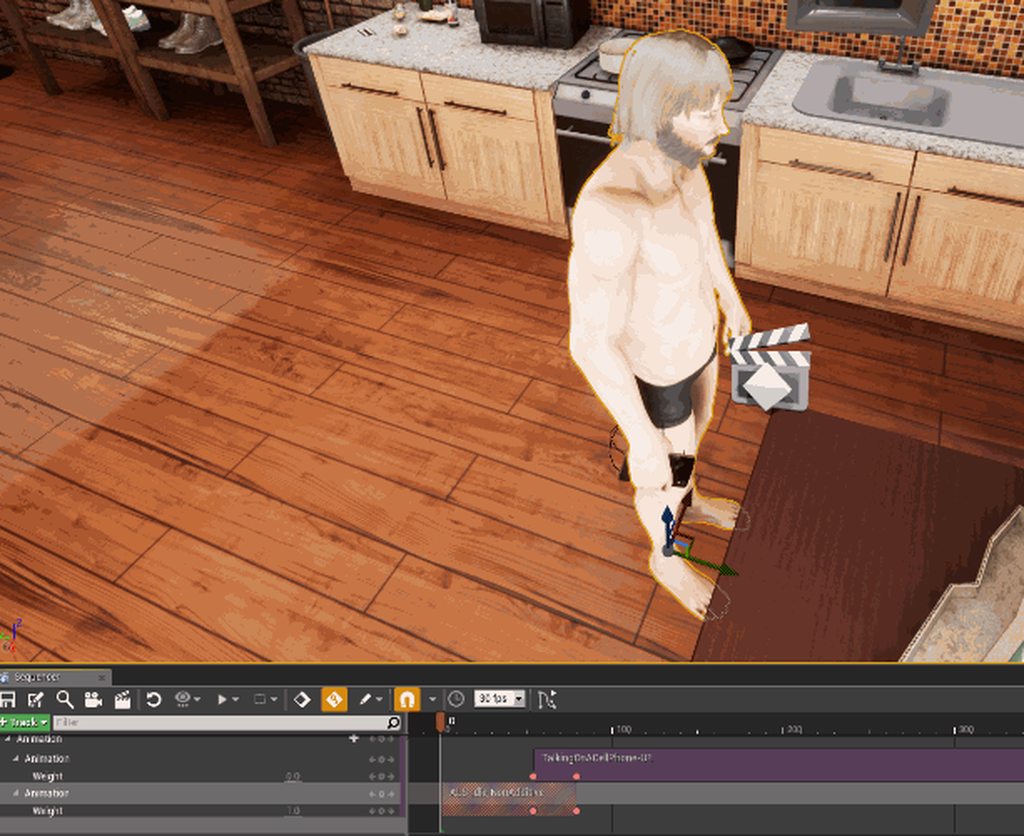
I could rotate the charater aswell, but that is some shitty workaround
devout parcel
can I record gameplay audio in sequencer? if i use the record feature it records the audio from my microfone ... which is not what I want
rare roost
You might be able to if you set the Recording Device in windows to the 'Stereo Mix' if you have one. Make sure it's set to 44.1K
devout parcel
Good point. thank you. Any Ideas for recording destructible? (my message above)
shadow python
@valid wolf just use the graph view to edit the rotation key frame. ...
I got some similar issues when trying to animate rotation in sequencer. needed to adjust the rotation values in the graph mode.
it's a know issue.
valid wolf
@gusty heathccas Schmigel#5513 Yes, I know I can rotate, but it is inside animation.. There were no keys for rotation inside that gif. Just like root inside animations has different rotation 0 and 360..
By the way, about rotation.. This issue also appears in graph. Sometimes you set the value, but it snaps back to opposite value.. I set it to 270, it snaps back to -90.
 misty smelt
Could someone help me understand how to autoplay a sequence on level start?
Im not doing anything fancy
just want the sequence to play when i play the game
I have a sequence
and Ive added it to the level blueprint with a play node on Event BeginPlay
but nothing happens
my camera stays at the player start
do I need to add something to the player blueprint?
potent bronze
hey guys i am making my first camera sequence
and i was wondering if without any other software if it would be posible to dont have the poping in, of things like reflections
or do i manaly have to cut and past tracks in aftereffects or so with extra camera tracks so it gets like 1 sec of realtime before the camera popsinto place
 errant estuary
didnt see any popping in seq, mayB use multiple cameras?
potent bronze
i am using multiple cameras and i'm pretty sure thats whre it goes wrong
if it cuts from 1 to the other
Is there a way where i can make the rendersmooth and highquality even when the fps is lower then the fps that i want to capture my video at
why is there no audio in the recording?
potent bronze
Hey guys, I found a way to make a crappy fps scene to run smooth, add a slomo 0.25 command to the level blueprint and then put your record fps to something like 8 then record and then when you edit make the vid 4x smaller for a verry smooth 32 fps framerate! this works if your normal fps is even around 10
 gritty shore
looking for some sequencer advice - I have a character, who has an attached weapon
I am able to record both from gameplay with the sequence recorder
the weapon has particle and audio components attached, and despite seeing triggers in the sequence, they don't seem to get played back
any ideas?
 fresh crystal
@potent bronze oh
that I never knew
I always assumed it would
Good to know for future
potent bronze
Same
Just record audio se0erate it does mean you also need a external edit software... I wanned to prefent that
gusty heath
@potent bronze
@fresh crystal
I remember there is a plugin (experimental) in there for recording audio for sequencer
potent bronze
awsome!
potent bronze
@Red Wolf#2029 i see how you can add audio but thats not the entire environment
gusty heath
what do you mean exactly?
I haven't used that plugin so don't konw what is there or missing :/
potent bronze
well the plugin was already enabled and even after adding a audio track with sounds that i clearly hear when recording there is NO audio when playing back the file
gusty heath
maybe you ar emissing something? i dont think there is a documentation for that tho 😦
potent bronze
Not that i could find only a bunch of complaning people
gusty heath
lol, then i guess it's better to write your plugin
there are plugins for ue that captures microphone data for sound vis or face tracking
you can use them maybe 🤔
 sage spire
hey guys
is there any way trigger level start from sequencer?
just to trigger all my anis in level
to record it
gusty heath
level start? open level?
you can use events in sequencer
idk if this helps https://docs.unrealengine.com/latest/INT/Engine/Sequencer/HowTo/TracksEvent/index.html
Shows how you can use the Event Track to call Custom Events with Custom Structs for use in Blueprint.
sage spire
well.. alright
i just have a bunch of blueprintsand looped in-level animations
looks like it's gonna be needed to rework in a sequence
 edgy lion
Does anybody know if it's possible to make a baked animation play back in the sequencer and have the ability to scrub through? Currently our animations only run when we play our level. This makes it difficult to plan complex camera movements.
 haughty quarry
 summer forum
let's say I have an actor with a skeletal mesh, is there a way to setup the animation track to use the animations on that skeletal mesh?
because if I just add a skeletal mesh actor it works fine, but not with my own actor
 hallow saffron
Hello can any one help me abit ? i have and issue and i found solution for it but iam not exactly sure how to implement it
"You can achieve this functionality by creating C++ base classes for all actors\components you want to be updated in Sequencer.
Make following modifications in the in c++ constructor:
//bWantsBeginPlay = true;
PrimaryComponentTick.bCanEverTick = true; bTickInEditor = true;
Then make new blueprint class inherited from this class.
Now your Event Tick always firing in editor."
where is C++ constructor and how do i modife it ?
gusty heath
That line of code would be in your .cpp file on top below header includes line
Just add the last line and you should be fine
 oblique cradle
yo my cinematic gang
oblique cradle
im having trouble - in termso f organizing sequences
subsequences - etc
seems that for some reason some tracks aren't doing what they supposed to be doing at run time
Im basically embedding sequences within sequences
and that appears to maybe be giving me problems ?
are there general rules I should be aware of?
it appears to be the way it's embedded in the Main Sequence
the sequence itself seems to work otherwise.
and works if i scrub along the Sequencer timeline
solved it by playing the Sequence through blueprint
still - couldn't figure out why it wouldn't play when embedded
 cunning snow
If creating a master sequence using the UE4 defaults creates several level sequences and references them in master's Shot track, why do you ALSO need to add a subscene for each cut as well? I discovered this when my master sequence worked fine in game but only the first shot got used when rendering out the sequence. Not very DRY
I can see the value of subscenes but if all you're using a sequence for is a camera setup AND the Shots track is enough to work in game seems a big undocumented logic gap
 atomic robin
Hello guys,
I'm working on a game where player can interact with NPCs . and according to player decision, other characters animation will be played ...
eg: if player fires ... then anim A should play on monster ... otherwise anim B
can we achieve this using sequencer ?
right now, I'm doing it using Animation blueprints ... which has become quite hectic since there are lots of characters and unique interaction.
i want to loop some animation as well, in certain cases .. and moved to next animation on specific action taken by player ..
atomic robin
simple question :
can we change sequencer shots/takes at runtime ?
gusty heath
Do Level Sequence events work for anybody?
Play works, but any kind of event doesn't even fire.
(this is in a Widget, but doesn't work in the GameMode either)
gusty heath
I'm not 100% sure but things like bind/assign on sequence finihsed/stop/paused/play etc should be there so use them
@gusty heath
gusty heath
💚
cunning snow
Yes they work for me. The sequence On Finished didn't fire quick enough for my liking so I've been using a custom event instead.
 smoky mantle
hey guys, can anyone tell me how to use ribbon trail particles for a static mesh?
 wheat flame
hi, i'm trying to create gameplay video in VR with sequencer recording . I Assigned actor, also possessed pawn, (smth shown after) but hands and some other objects still missing. Does anyone know how to fix it ?
gusty heath
Ok. Listen. I have a Spawner which creates cubes with random sizes. And I want to make a video about these random spawned cubes. When I use sequence recorder, I have to choose an actor. I tried choosing the Spawner as an Actor, but it doesn't get recorded. What should I do?
 jaunty violet
Greetings, looking for someone who has used an Image Plate File Sequence before. Using composure to play a background video, the example tutorial works, however my own plate sequence comes up blank (black/no frames).
Is there something special you must do for your image plate sequence other than changing the folder the images are in and changing the wildcard? (using .jpg)
jaunty violet
Figured it out, you just have to leave the wildcard blank. The sequence does play, however every other frame is a black/blank/blink frame. Has someone ever encountered that before?
gusty heath
I'm having a weird problem - I play my sequence in-editor and the camera works as intended. When I run the sequence in-game the camera doesn't move. I've checked and everything is in the same level file.
Even tried making a new camera cuts layer and copied the settings into a new camera - nada.
Anyone have any idea what might cause this?
Interestingly it moves the camera to the first position of the shot - it just doesn't actually play.
Figured it out - there was one asset that was in an unloaded level and that caused the sequence to fail on frame 0.
It would be nice if there was an error message for this.
 cinder falcon
Gday! I just joined up. I come from the Visual Effects/Animation world, and am interested in testing unreal as a renderer.
what are my options for soft shadowing on dynamic objects? For example, an animated face?
can you filter depth maps to blur shadows in Unreal?
 clever cradle
unreal is a pretty cool renderer, haven't tried any characters, but seems to be fine for zafari and the fortnite video
does anyone know how to parent a spawned object in a sequence?
 lean cape
hello everybody
has anyone an idea how to render particle effect but with translucent background?
clever cradle
how about rendering custom passes and just adding opacity?
clever cradle
so your particles are rendering their backgrounds as well?
clever cradle
yah I don't think I understand your question
lean cape
no problem i may explain
i got a particle effect rendering to png's
in a black level
the black shouldn't be rendered
makes sense Sir Voxelot? :S
clever cradle
is the particle shader set with opacity?
lean cape
yes
clever cradle
I've never tried that before
just rendering out particles with an alpha
but I'd approach it with rendering out custom passes
just render out baselayer
and maybe the separate translucencyRGB pass
then you'd have to alpha it out in post somewhere
lean cape
hmm i think i got you
clever cradle

I added snow from a youtube tutorial I followed
and i can clearly see it's alpha in the buffer visualization overview
clever cradle
no worries
 mild steeple
If I am lighting an enclosed environment (in a box) can I use directional lights with shadows ?
Or will the roof of the building shadow the whole environment ?
 humble venture
Hello I'm wondering if anyone can help me.
humble venture
Is there anyway to lock the Cinematic Camera Actor so I don't accidentally move it when previewing it?
mossy drift
good question, you could turn off autokey, but it would be nice if we found a way to lock it.
humble venture
Alternatively, is there a way to make my Camera Actor preview window huge and pull it onto my second screen? It currently sits in the corner of my main game window but ideally I want to move it to my second monitor. Sorry for the noob Q's.
 summer stump