#ue4-general
1 messages · Page 1180 of 1
 thin tendon
Cost less to render
 thin tendon
Its specific to each individual thing. But I can use an example of one I did recently.
I had rain. And I realised it was costing too much to have individual drop effects spawning and running down the screen. And the material was a little costly. So instead. I created sheets in this kind of shape * Around the player. With each sheet. Using a panning rain texture instead. This way instead of rendering individual drops. I was only rendering like 8 sheets with a texture.
thin tendon
In that case I recommend watching a bunch of tutorials on creating particles. Then once you get the hang of it. Look for ways to have it look the same but using less stuff to make it look that way.
 sick crane
ok ye it was a smoke partical I got online so u know but I will look into it ty for the help
 lilac stirrup
Didn't you say you already know how to make your material glow?
You used a node to determine the glow value inside the material editor right?
The "Parameter Name" is the name of that scalar/vector parameter node that you put to control your glow inside your material editor.
 hollow lodge
lilac stirrup
Didn't you say you already know how to make your material glow?
You used a node ...
hollow lodge
lilac stirrup
Didn't you say you already know how to make your material glow?
You used a node ...
oh ok thank you so much
 wraith oak
Hi guys. I'm writing a blueprint to set my point lights turn on/off by flipfloping hidden in game. However the lights doesn't immediately turn on, they often gradually get brighter. Do you have a fix to make the light immediately on? Similar to 11:21 in this clip https://youtu.be/mAyGCr0Z4-c

In today's video, I installed 8 LED high baby lights. I didn't include the last row because of the second level. I also installed some 15A receptacles and the lights are controlled by 2 3-way switches!
◆ Follow me on Instagram
https://www.instagram.com/handeeman_
◆ Follow me on Facebook
https://www.facebook.com/handeeman.official
◆ DIY Homest...
 clear isle
If you want a glow u need to use the node in the material, is "Fresnel" u add power and múltiply it with the color(vector3), if you want to learn more about "Set value/scalar parameter material" u can say me, aah, and I don't speak english, just a little
sick crane
Anyone know how to launch the project without it stating stuff in top left corner like lighting needs to be fixed and ect?
 granite lion
you can either build the lighting or make static lights movable
 drowsy snow
sick crane
Anyone know how to launch the project without it stating stuff in top left corne...
drowsy snow
sick crane
Anyone know how to launch the project without it stating stuff in top left corne...
Actually fix the errors?
 drowsy snow
 sinful pike
God I hope Paper2d gets an Overhaul this engine version
sinful pike
God I hope Paper2d gets an Overhaul this engine version
Nope.
Also 4.27 is final version of UE4
sinful pike
drowsy snow
Nope.
Also 4.27 is final version of UE4
I meant UE5, seeing as UE4 still doesn't support it well
And well, won't.
drowsy snow
sinful pike
I meant UE5, seeing as UE4 still doesn't support it well
But this isn't #ue5-general
sinful pike
I know, however it was relevant because I primarily use UE4.
So I was hoping I could update and get it expanded on.
lilac stirrup
sinful pike
I meant UE5, seeing as UE4 still doesn't support it well
Does UE5 even have plan for 2D support?
sinful pike
lilac stirrup
Does UE5 even have plan for 2D support?
No clue
UE4 Didn't originally
I'm making a 2.5d game, so eh
Works for me
Just a shame it's so undocumented, and old.
Paper2d is barely usable outside of flip books
lilac stirrup
With how heavy they're going for realism, it might be better to wait for a proper 2D plugin in the marketplace instead.
sinful pike
I'm aware alright
But what ticks me off is how they display these amazing 2.5d games at conferences and such proudly, yet absolutely refuse to update the features.
Like I love the idea of the beautiful lighting and reflection of Unreal being applied to sprites and tile maps blending the retro art with modern methods.
But it's just so impractical right now in both unreal versions

drowsy snow
sinful pike
But what ticks me off is how they display these amazing 2.5d games at conference...
I'm sure they deployed their own 2D flipbook sprite systems.
drowsy snow
I mean, it boils down to UV manipulation controlled by code
sinful pike
Paper2d isn't finished, it was canceled mid implementation
People just finished it for them.
Which is kind of lame that you have to do.
lilac stirrup
💰
drowsy snow
Well, personally I just make my own 2D sprite system in engine
Even though I only use it for UI elements lol
lilac stirrup
drowsy snow
Well, personally I just make my own 2D sprite system in engine
Showcase link?
sinful pike
drowsy snow
Well, personally I just make my own 2D sprite system in engine
Yeah, I get that.
But for newbies like me getting into retro looks, it's eternally frustrating to see unreal pander away from indie game's often retro looks
lilac stirrup
Spend years making 2d games here in other platforms, despite how I'd truly like to see a more well rounded spectrum of support in unreal, the engine never really did have their DNA in retro games, it's pretty far from their current roadmap as well.
drowsy snow
lilac stirrup
Showcase link?
Not yet
Besides I'm still using placeholder sprites from Final Fantasy
lilac stirrup
drowsy snow
Besides I'm still using placeholder sprites from Final Fantasy
The first one?
Don't tell me you're making a top down 2d classic rpg project on unreal...
drowsy snow
lilac stirrup
The first one?
Don't tell me you're making a top down 2d classic rpg project on ...
No, actually a 3D action RPG project.
Again, I'm just using the sprite system for UI elements (loading screen, shop menu, party menu)
lilac stirrup
drowsy snow
No, actually a 3D action RPG project.
Again, I'm just using the sprite system fo...
Ah, right.
Thought there was another who's rebellious enough to make full 2d in unreal.
Hope your 3D ARPG project works out nicely.
 fierce tulip
sinful pike
Which is kind of lame that you have to do.
fierce tulip
sinful pike
Which is kind of lame that you have to do.
paper2d was made by Michael in his spare time, epic never put a team on it.
when work took off due to fortnite and what not he did not have the time to continue working on it.
so its a lot less of "people just finished it for them" and a lot more "too bad Michael does not have the time to work on it"
lilac stirrup
fierce tulip
paper2d was made by Michael in his spare time, epic never put a team on it.
when...
Good guy Michael, thank you for the hard work.
First time hearing this story, guess that's pretty much why epic's support feels kind of second class when it comes to 2D.
fierce tulip
just a priorities thing
you can use the same approach you use for 3d to make 2d games though, no need to rely on paper2d at all
but agreed, a tool to help with it all is always a big plus
drowsy snow
lilac stirrup
Ah, right.
Thought there was another who's rebellious enough to make full 2d in ...
Well, last time people promote their 2D game in #released, it was found out to be either Unity or Godot
Which tbf Unity and Godot being barebone had the advantage on 2D game, but they promote it in the wrong server
 real bolt
Is it possible to fix the TAA ghosting that's happening on WPO foliage?
Well that's not really a solution )
But isnt there an option somewhere for materials to write motion vectors ?
Isnt the ghosting there due to the lack of them ?
drowsy snow
real bolt
Is it possible to fix the TAA ghosting that's happening on WPO foliage?
There is a way to minimise the ghosting. I believe it involves using velocity data, but I can't recall on the implementation
real bolt
Yeah just found out that you can use this console command r.VertexDeformationOutputsVelocity=True
The mesh must be set as movable or stationary though
 sharp crest
@real bolt@shy naceller u brothers or somehing?
 drowsy snow
They're not even the same characters, but I digress
 azure shore
theres lots of anime pfps here
 static raft
Hey, I'm having issues with an event executing while the game is paused. I have an audio component playing audio while the game is paused. I use the Audio End delegate to execute an event, however, the delegate only seems to shoot when the game gets unpaused and not when the audio ends while the game is paused. I have enabled tick for the audio component as well as its parent actor.
It seems the delegate isn't the problem but the actual event I'm calling within the parent actor, it won't execute while paused.
For anyone else having this issue, the problem is the Delay node, UE apparently requires you to have an event tick node present int he graph in order for delays to actually execute during a pause, even if you enable tickable while paused in the actor
drowsy snow
azure shore
theres lots of anime pfps here
Tech Otaku Rule The World ™️
 fossil nexus
I saw a tutorial that teach how to replace skeleton of skeletal mesh in like 20 seconds. Sadly i cant remember the name or find the link. It was like a ah-ha.
And cant reproduce. I only remember it involved deleting the skeleton file itself in the content browser, and then a window would pop up asking to force delete references. And a button to replace the skeleton (iirc).
Please how do i do this?
drowsy snow
fossil nexus
I saw a tutorial that teach how to replace skeleton of skeletal mesh in like 20 ...
Right click the skelmesh in content browser, you should have an option to assign the skeleton
 toxic haven
hello there! Anyone around here knows about a solution that allows, for a multiplayer game, a news feed with images and text? The idea is to show all players information that should not be tied to the build they have. The same way this kind of news pop up at the launch of a game client

 oak patio
toxic haven
hello there! Anyone around here knows about a solution that allows, for a multip...
oak patio
toxic haven
hello there! Anyone around here knows about a solution that allows, for a multip...
You would need to request the info from a server, not sure id steam api lets you pull game announcements like that, but if it doesnt you would need to set up your own backend servers for it
 white jungle
is this the channel where I can ask noob question?
white jungle
https://www.youtube.com/watch?v=FD0mfXq93bU&ab_channel=pinkpocketTV I was following this tutorial for making a cape, done the cape in Blender with a texture -when I try to join the cape with the character, the texture gets messed up. I searched online for workarounds but there seems to be none - you can only have ONE mesh linked to an armature - is that true? I just wanted to make sure before I export my character as an USD file with UDIMs instead of FBX

In this tutorial you will learn how to make character cloth in blender and then setup the cloth physics in unreal engine 4.
This is a step by step tutorial on how to make dynamic character cloth in unreal engine 4.
Instagram ►https://www.instagram.com/pinkpockettv/
Patreon ►https://www.patreon.com/pinkpockettv/
Timestamps ►
00:00 Introduction...
the cape and character have different textures, different materials
 crisp delta
it is okay to delete the binaries folder? i'm having an issue when cooking the project
lilac stirrup
crisp delta
it is okay to delete the binaries folder? i'm having an issue when cooking the p...
The binaries in your project folder?
Yes, you can rebuild that folder when required.
crisp delta
alright ty
but i have a packaging problem,
can you please take a look on #packaging ?
 limber mesa
is there a way to get an asset. likew filter out an asset? i want to create a dropdown of specific assets.
 plush yew
Hello, i'm trying to make the exact same system of battle from Undertale but i can't find any tutorial. Is there any blueprint or tutorial that you could recommend/help me with?

 brazen parrot
Hello, I have a problem. I had to fix the camera to the head, but the head movements in the animation I used are too much. I wonder if I have a chance to fix the head in the animation?
oak patio
plush yew
Hello, i'm trying to make the exact same system of battle from Undertale but i c...
unreal isnt great with 2d stuff in all honesty
and ye i dont imagine you would find an exact tutorial system
very specific needs such as this should be worked out rather than copied
 stable marlin
plush yew
Hello, i'm trying to make the exact same system of battle from Undertale but i c...
stable marlin
plush yew
Hello, i'm trying to make the exact same system of battle from Undertale but i c...
Well, is your project in 3D for like, a 3D remaster of Undertale or is it full 2D ?
because if its just in 2D i agree with @oak patio, Unreal is really not the thing to work with to make these projects
 tired island
so im saving up for a new computer, whats best for film making on unreal?
oak patio
i mean unreal can do 2d, but it is much nicer in unity or godot
tired island
like what computer do you recommend?
stable marlin
oak patio
i mean unreal can do 2d, but it is much nicer in unity or godot
yeah, or even a full 2D software like Game Maker Studio or something
tired island
thanks 
oak patio
eh i wouldnt use game maker studio tbh
drowsy snow
stable marlin
yeah, or even a full 2D software like Game Maker Studio or something
Which happens to be the engine of Undertale
stable marlin
Yup
oak patio
i dont have a reason, but i just prefer unity or godot
drowsy snow
oak patio
i dont have a reason, but i just prefer unity or godot
I'd be anything but Unity whenever possible
stable marlin
I tried Unity and Godot one time, i never opened them ever again lol
oak patio
unity can be pretty scuffed at times
oak patio
stable marlin
I tried Unity and Godot one time, i never opened them ever again lol
ya need to give em time, you aint gonna get any sort of efficiency from doing it once 😅
stable marlin
yeah i know lol, i want to try it some time in the future for a small project
a simple project that don't needs good graphics, like a Half-Life 1 style game or something
drowsy snow
stable marlin
a simple project that don't needs good graphics, like a Half-Life 1 style game o...
Of course a vortigaunt would want that
Sorry xD
 stable marlin
drowsy snow
Sorry xD
stable marlin
drowsy snow
Sorry xD
its okay lol xD
stable marlin
okay i've a question for you guys, if i want to make a VR game, what engine is better between UE4 or UE5 ?
oak patio
those are... the same engine
stable marlin
UE4 have premade hands, where UE5 it is the controllers and you have to make your own hands thing
stable marlin
okay i've not even seen it lol
oak patio
 oak patio
anyway
ue5 is pretty much 4.28
afaik in terms of vr theyre pretty much the same
and the new stuff dont work on vr im pretty sure anyway
stable marlin
yeah i know, i kinda prefer 4.26 vr template but UE5 is surely more efficient
so idk i will download UE 4.26 to see
oak patio
the teething issues of ue5 still scare me ngl
fierce tulip
lumen/nanite are useless in VR for the time being.
if you want stable, 4.27 might be good to go, if you like to ride the wave, just follow along with 5.
oak patio
but i have heard the source build is great
stable marlin
fierce tulip
lumen/nanite are useless in VR for the time being.
if you want stable, 4.27 migh...
yeah i think i will go to UE4 for that project
4.26/27
drowsy snow
stable marlin
4.26/27
4.27 if you want Oodle compression
stable marlin
Oodle compression ?
drowsy snow
Yes, the one that PS5 "hyped" about
(not really hyping, it's just big part of the Road to PS5 presentation)
For textures, it can be a tremendous space saver, but as for game dev goes, that's pretty much the big deal with 4.27
drowsy snow
limber mesa
is there a way to open up a asset from blueprints
Just make a reference to them?
limber mesa
so im making a combobox and when i select an element i want it to open it up
@drowsy snow this open asset is opening it up but there is something different about it

like click on a button and actually open up that asset
 late quartz
is it possible to change default animations of project? i just wanted to change the position and rotation of the character hand, to hold the object better
drowsy snow
 bleak wraith
Does anyone know if there's any blockchain SDK incorporation in 4.23?
limber mesa
@drowsy snow you know if there is a way?
@late quartz go into that animation and hit add key
after you apply transformation
or you can get the socket from the mesh and whenever you hold an object add a rotation or set it
plush yew
Hi, I’m new to Unreal and I’m trying to make a soccer game, I made an ‘Actor Blueprint’ of a ball with the necessary physics. The problem is the following:
I want to make it so that when the player gets close enough to the ball, it sticks to his feet so that it gives the feeling that he is running with the ball on his feet. The problem is that I can’t make this happen, if someone can help me I will be eternally grateful.
clear isle
plush yew
Hi, I’m new to Unreal and I’m trying to make a soccer game, I made an ‘Actor Blu...
research about "attachment" and "detachment" node, you need to attach the actor to the player's leg with that node
 ashen frost
they should add a channel where where we can pay people to make quick tutorials on our problems
clear isle
and you could create a box collision and stick it to the leg, for when he touches the ball call the attachment node and join
clear isle
ashen frost
they should add a channel where where we can pay people to make quick tutorials ...
Hehe, yeah
I had helped a lot but i'm not the creator or admin .-.
ashen frost
haha
clear isle
Sad
 limber bobcat
is now a good time to bump a question?
#ue4-general message
ashen frost
clear isle
Sad
i feel ur pain, would be good for new people like me to, who just want answers and dont mind paying as long as it doesnt cost arm and leg hahaha
clear isle
limber bobcat
is now a good time to bump a question?
https://discord.com/channels/187217643009...
I know more about niagra/materials, I cant help u with that
limber bobcat
no worries ;-;
ashen frost
clear isle
I know more about niagra/materials, I cant help u with that
do u know about BP
clear isle
ashen frost
i feel ur pain, would be good for new people like me to, who just want answers a...
Haha
clear isle
ashen frost
do u know about BP
Yeah, I know
ashen frost
kay give me a sec
limber bobcat
it's cool kid talk for "okay" 😎
clear isle
zD
ashen frost
clear isle
I don't speak english and u say "kay"
oh it means "okay"
ima record what am trying to do
clear isle
Ooh it's okay hehe
Very interesting
I only knew "lmao"
Haha
And idk
Idk = I don't know
zD
limber bobcat
hehehe >:)
limber bobcat
you make pretty things :O
limber bobcat
hehe xD
clear isle
zD
If I say in english =
She can
That sound like "chiken"
I hate it .-.
A lot haha
F
limber bobcat
oh no xD
clear isle
HahHa
ashen frost
so i want to apply a knock down effect on an enemy when the animation makes contact @clear isle
clear isle
Then I don't use american in that part, in british the "can" sound like a "ken"
She ken
F
I prefer say that Word in american
clear isle
ashen frost
so i want to apply a knock down effect on an enemy when the animation makes cont...
Is it the combat part? Or do u want than the enemy disappear?
The combat part with IA isnt my part
ashen frost
clear isle
Is it the combat part? Or do u want than the enemy disappear?
i want the enemy to fall down
ashen frost
clear isle
The combat part with IA isnt my part
oh no worries then, its actually for multiplayer but just testing with ai for now
clear isle
Hehe
 west bronze
hey there guys has anyone here had an issue getting crashes on opening mesh objects in edditor? This happens on all projects (even new created). All objects work as they should in maps, just cant open any mesh in editor. I tryed reinstalling unreal but that didnt help(working on unreal 4.27.2)

 spice ruin
Try resetting your layout
west bronze
it worked, thank you so much
spice ruin
Np
 harsh tiger
Does anyone know what the cause could be?
UATHelper: Packaging (Android (ASTC)): Z:\app\src\main\java\com\epicgames\ue4\GameActivity.java:2873: error: package com.oculus.svclib does not exist
Ahh, when I enable "For Distribution" it throws this error
 mortal isle
Have a question, should I do animations in blender and then import in ue or directly do in ue? I kind of get confused in ue so I want an opinion
Indeed it's kinda hell to work with what ue gives, ty for advice
drowsy snow
mortal isle
Have a question, should I do animations in blender and then import in ue or dire...
DCC tool should be more preferred, Control Rig + Sequencer is still rather limited
 fervent trout
Hi there, Im trying to export my skeletal mesh to UE4 from Maya (fbx) in centimeters, but the model is always 10 times smaller in UE. Somehow if I export it in obj format it works fine. Ive tried almost every option but cant figure out what to do. Any ideas or something to fix?
 umbral pasture
Can anyone think of games that use Unreal's built in audio engine rather than Wwise or FMOD other than Fortnite?
drowsy snow
umbral pasture
Can anyone think of games that use Unreal's built in audio engine rather than Ww...
Like majority of UE4 games from recent years?
umbral pasture
drowsy snow
Like majority of UE4 games from recent years?
That's not true at all. As a Sound Designer in the industry, I can confirm that almost all games use Wwise and a small handful use FMOD
I'm just interested to see if anyone knows any examples of built-in audio engine games
drowsy snow
umbral pasture
That's not true at all. As a Sound Designer in the industry, I can confirm that ...
If you're a Wwise salesmen, yeah, I guess
If indies and whatnot doesn't count and not valid
umbral pasture
How often do indie companies use UE though?
drowsy snow
umbral pasture
I'm just interested to see if anyone knows any examples of built-in audio engine...
Tell me you limit yourself on AAA games without telling you limit yourself on AAA games
umbral pasture
You're a very misguided and angry individual to be honest Makoto. I'm just trying to have a conversation about games and how they're made, but you're hellbent on pumping misinfo and throwing insults constantly
So I ask, if you think the majority of UE4 games use the built in engine then please provide examples
Which would answer my question that I asked in the first place
oak patio
Dont you have to pay for a commercial project with WWise?
 tender pecan
yep. and you have to pay for the studio software that comes with it too.
umbral pasture
Up to a certain limit. I think if your game's profits are under 1 mil then you don't need to pay. I'm pretty sure it's only 18K per year after that for the studio licenses but I could be wrong
If your game never reaches 1mil, you don't need to pay for Wwise though
tender pecan
Yeah I dont know either, I dont do the licenses. But I know its not free. 🙂 ( for us too I mean )
umbral pasture
Wwise software is free, it's just the licensing
oak patio
Cause i looked at the license terms and it saya free under 250k production, but also goes on to say the only free versions are non commercial
tender pecan
The audio dudes do that stuff, we just get the output from the WWise project. but every now and then we have to dig in there for something using the Wwise project studio software, and yeah, that aint free coz the licenses are provided
oak patio
In which case a lot of indies wont use it because price
umbral pasture
Yeah for sure, they tend to use FMOD in that case
oak patio
They dont
umbral pasture
Although it's fairly uncommon for Indie's to use UE though?
oak patio
I can guarantee a lot of indies have never heard of either
No a lot of indies use ue
Just look at the #released
umbral pasture
Comparatively to Unity, it's definitely much less i'm sure
oak patio
Again i wouldnt necessarily say that
Even if it was it doesnt mean you should discredit them
umbral pasture
Discredit? when are you suggesting I did that?
oak patio
Your question was asking if anyone uses built in audio, i said, yes a hell of a lot of people will do
umbral pasture
Just to correct, my question was asking about games other than fortnite that use the built in audio engine. You've added the discredit yourself in your paraphrase
I'm actually using it for a study in defence of the built in audio engine, so I don't know how you can think i've discredited it at all
oak patio
Oh it seemed you were trying to discredit the number of built in audio engine users by saying that unreal engine indies are a small amount
spice ruin
If Fortnite uses the built in stuff, it can't be all that bad.
oak patio
I can only name one person i know of in here using wwise and thats Atomik
umbral pasture
oak patio
Oh it seemed you were trying to discredit the number of built in audio engine us...
Perhaps you've introduced that yourself through the apparent stigma around it?
umbral pasture
spice ruin
If Fortnite uses the built in stuff, it can't be all that bad.
again, I am in defence of the system and haven't suggested otherwise at any point
oak patio
umbral pasture
Perhaps you've introduced that yourself through the apparent stigma around it?
I know no stigma of this and it really aint that deep 😅
spice ruin
umbral pasture
again, I am in defence of the system and haven't suggested otherwise at any poin...
I think I was saying it was good?
umbral pasture
spice ruin
I think I was saying it was good?
but at no point was I saying otherwise, I'm just asking what other games use it
spice ruin
I haven't said you were!
spice ruin
I think people just assume the built in stuff will be bad because it built in stuff generally tends to be.
That's why plugins exist
umbral pasture
Yeah the UE built in engine is very competent i've found
Wwise is far better, but of course costs
umbral pasture
(in AAA anyways)
umbral pasture
oak patio
I can guarantee most of the games released in <#479798887247511570> will use def...
Is that just a guess though?
oak patio
An educated guess
No one can surely know for sure without interrogating every indie dev
umbral pasture
I see your point, but most of the #released section is not showing released games, it's showing things like Metahuman or non-greenlit steam projects. I was hoping for more critically acclaimed games, but doesn't have to be AAA
oak patio
I mean i can only think of one criticalky acclaimed ue indie
And that does use wwise
But the point is still a lot of games will not use it, simply because they have no need for it
umbral pasture
63% of games that are released use Wwise. This is my whole study, to find out what studios are using the built in engine. If you don't know, that's fine. I didn't expect so much confusion from my question
oak patio
Im not confused, and can solidly tell you that a lot of small indie devs will not use
If youre scope is only critically acclaimed
Then the results are going to differ heavily
umbral pasture
Of course i'm looking for a threshold. You're describing a one-man dev creating a game that may or may not get released using UE built-in audio scenario, when I thinking indie as "Shovel Knight", "Limbo", "Bastion", etc.
Of course non of those games use UE, which is why I was aiming for more AAA because that's when you see UE used way more
oak patio
Yes im describing that because that is what answered the inital question, and is the example i could think of, i think you will be hard presses to find large studios or AAA studios not using it as it seems to be sort of the industry standard
umbral pasture
Yeah most AAA studios use Wwise, and as my question stated, i'm looking for games that just use the built in engine
for the point you've just said there
drowsy snow
Kena Bridge of Spirits might be one critically acclaimed (won game awards), but it's an indie title, so perhaps that doesn't count
umbral pasture
That's actually a great example, thank you
I can't see anything anywhere about what middleware they used so I can only assume it was the new built in UE5 one
drowsy snow
*UE4
umbral pasture
whoops
Actually no @drowsy snow Kena uses Wwise as well https://gyazo.com/cdb2b741f2912f4e842dfc42f5c40fd3
 drowsy snow
Okay, you got me into buying Wwise.
Not promise tho
umbral pasture
Free anyways tbf unless you're making big money.
Games :
https://www.audiokinetic.com/solutions/powered-by-wwise/
Wwise (Wave Works Interactive Sound Engine) is Audiokinetic's software for interactive media and video games, available for free to non-commercial users and under license for commercial video game developers. It features an audio authoring tool and a cross-platform sound engine.
Should read the list, it's super interesting
So in terms of Music, Wwise is far far stronger. Namely it has a streamlined BPM and Time Signature counter. It's "possible" in UE, but definitely not ideal.
I use Wwise because I find it's organisation is far stronger, and the RTPC controls in Wwise is much much better than what you can achieve in Unreal. It's more consistent i've found too, however UE's audio engine is far simpler to use so there's benefits to both
tender pecan
Wwise also has a powerful sdk that we use as well, that exposes built-in and custom functions for controling audio effects
and I dont just mean like dopler
drowsy snow
I felt sus tho
The free version doesn't seem to include source code, does that mean the plugin can't be compiled with source builds of UE4?
umbral pasture
Yeah i've heard really promising things about Quartz! I really feel that there could be a shift where more studios are using the built in engine because of that. I've yet to try it myself though
I find troubleshooting in Wwise is much friendlier as well to find out what the problems are. The algorithm for the pitch sounds nicer to me than the built in unreal one, and I don't know if anyone else has ran into this problem but occasionally sounds just don't fire in Unreal unless you delay them by 0.1 seconds. I do prefer Unreal's occlusion settings and how everything is visual as opposed to Wwise which isn't as much
Definitely split down the middle about it, but would favor Wwise over Unreal
but like both
crisp delta
how do i solve this i've been getting it for the past 3 days when cooking
 ashen frost
crisp delta
how do i solve this i've been getting it for the past 3 days when cooking
ashen frost
crisp delta
how do i solve this i've been getting it for the past 3 days when cooking
this might be a clue
 crisp delta
it was the .uproject file
but nothing is duplicated
and still doesnt work
my structure is something like this
 ashen frost
ur trying to package game?
crisp delta
ashen frost
ur trying to package game?
Pastebin
Pastebin.com is the number one paste tool since 2002. Pastebin is a website where you can store text online for a set period of time.
that's the full log
 crisp delta
alright ty.
ashen frost
yes, journey of game dev
 mortal cedar
I'm finding if I use the edit pivot tool it messes up the simple collision for the mesh
has anyone notice this/got a solution?
 lilac stirrup
@crisp delta
No idea what the problem might be, however, from what I found on the net, you can try the following.
- make sure blueprint nativization is disabled
- check if there is a duplicate plugin that is activated in both engine and your project, make sure there's only one.
- migrate your content to another project and test it clean there.
- try checking your git plugin for compatibility with your editor version.
Do note that I haven't tried any of these, but hopefully it can be a starting point that'll lead you to solution somewhere.
crisp delta
lilac stirrup
<@320985090022965258>
No idea what the problem might be, however, from what I f...
i dont have any git plugin installed, using native source control
i have a lots of plugins active in my .uproject
maybe if i remove them should work
ok doesnt work
lilac stirrup
crisp delta
i have a lots of plugins active in my .uproject
I don't know the actual issue in your case, but I'm kinda leaning towards this one if just by instinct, no guarantee though, relying on instinct for tech stuff is a bit farfetched.
 lilac stirrup
Try migrate to a new project?
Activate the plugin one by one afterwards on the new project.
Clean everything except content and config for each test.
lilac stirrup
Who knows?
If there really is, testing it one by one on a clean project might be the most controlled approach you can take.
crisp delta
deleted the whole config folder
lilac stirrup
Might be cumbersome, but you've been trying to find a solution for days anyway right?
No harm trying, just keep a backup ready in case things go south.
crisp delta
maybe there's a conflict
crisp delta
lilac stirrup
Might be cumbersome, but you've been trying to find a solution for days anyway r...
i have a external harddisk i knew something wont be good i did backup but not before this issue
wtf
i have no plugin enabled i still get error
lilac stirrup
On a new project?
lilac stirrup
Try another unreal version?
lilac stirrup
You mean you got an error in a new project without content?
 lilac stirrup
So, might not be your project after all?
lilac stirrup
Try uninstalling 4.27 and reinstalling it again probably.
crisp delta
last version which i uploaded to github (compiled) worked
idk i removed all possible plugins
although its weird how it outputs some files in a drive it doesnt store
lilac stirrup
Isn't really much choice left if it ends up being engine issue.
Either you reinstall, or use another version.
crisp delta
crisp delta
shitass bullshit
if you look D:\build even though its not connected
crisp delta
lilac stirrup
Isn't really much choice left if it ends up being engine issue.
Either you reins...
yeah reinstalling
will epic games add new versions for unreal engine 4?
Reinstalling ue4 and then letting you know
lilac stirrup
That I don't know, probably? Though I would probably lean towards them being too busy fixing things on UE5 than to update UE4.
But who knows, maybe if someone send them a pull request on github they might consider a new UE4 version.
crisp delta
what the fuck?!


restarting the launcher
yes worked
restarting the launcher now is downloading all fine
bro i was scared wtf was i downloading unreal 7?
harsh tiger
I need to disable these permissions. How can I do that?
<uses-permission android:name="- android.permission.WAKE_LOCK" />
<uses-permission android:name="- android.permission.WRITE_EXTERNAL_STORAGE" />
<uses-permission android:name="- android.permission.READ_EXTERNAL_STORAGE" />
<uses-permission android:name="- android.permission.ACCESS_MEDIA_LOCATION" />
 glacial cairn
hey guys, please does anyone know of sites for royalty free .wav game audio apart from freesound.com?
 fathom minnow
Anyone know of a good tutorial on adding "gem slots" to clothing/weapons.. Looking to make an augmentation system for the armor/weapons(add "fire gems" for resistances/buffs depending weapon or armor)
drowsy snow
glacial cairn
hey guys, please does anyone know of sites for royalty free .wav game audio apar...
Well, paid sound libraries.
lilac stirrup
crisp delta
yes worked
So, all good now?
crisp delta
Yep
 boreal echo
does anyone know if there's a way to de-select an object from a group in the editor?
 exotic swift
Hey guys, having issue with my project and I have no clue where it's coming from.
Basically project get stuck on loading at 75%, in logs the last message is Initializing bridge on interface.
The last thing I did is compiled some header for my struct and reverting changed back doesn't help it.
And before doing that i ofc did delete Binaries folder every time.
So I'm just stuck here and the project is on a damn deadline rn and I have to finish literally small changes in there.
 solar mulch
hi i am making a game about truck parking but I can't complete the parking system, after entering the parking area the process will continue if it is parked correctly but I don't know how I can do this can you help me please?
exotic swift
 still needle
and delete intermediate as well
still needle
and delete intermediate as well
did that as well, except intermediate folder, forgot about it, but I have figured that one of my Blueprints was causing the project to not load, not sure why.
oak patio
That unfortunately isnt much to go off
need a bit more description than what you gave @solar mulch
 velvet river
Quick question, when working with blueprints, is there a node that does nothing just so i can neatly lead the wire around in visually neat way?
solar mulch
oak patio
need a bit more description than what you gave <@461252766963073034>
I used an event tick to constantly check if the truck was parked properly, then I put a box around it to let it know if it was parked incorrectly, and if it was touching the outside box, the operation should not have been completed but I still couldn't solve the situation
oak patio
that still isnt much to go off of
solar mulch
I'm looking for a way idea to make this parking system
oak patio
we need a detailed explaination of what should happen when, pictures, diagrams, what you are doing that isnt working with pictures
solar mulch
oak patio
we need a detailed explaination of what should happen when, pictures, diagrams, ...
that's what i need to do, the truck will get inside of the box on right if it's not inside of left box the code will continue


i made box blueprints like this
and the main code on level blueprint
 spice ruin
Some sort of overlap check when the truck stops would do it.
solar mulch
spice ruin
Some sort of overlap check when the truck stops would do it.
how I can do this?
spice ruin
Check the truck's velocity on tick? Then check your bool there?
Simplest way
Maybe start a timer so the truck has to be stationary for a few seconds to register.
limber bobcat
i would like to bump my question please :3
#ue4-general message
solar mulch
spice ruin
Check the truck's velocity on tick? Then check your bool there?

I solved the problem, thank you
spice ruin
Np
limber bobcat
what is wrong with my question ;-;
spice ruin
Have you tried #packaging ?
You've got a very niche question.
99.999% of people won't know the answer.
limber bobcat
i see :o
 weary verge
Does anyone here know how to make translucency appear for a glass bottle in UE? I textured the asset to have translucency but it's not appearing correctly...
limber mesa
is it possible to get all assets of a specific class. Im assuming it is because of the filter button, how would i replicate that functionality?
glacial cairn
Thank youu
 runic grail
hello guys, does anyone know of good augmented reality course for ue4 ?
 night oar
Hi, Guys. need some help I want the design a fight mechanism in which the player knows from which direction the melee attack is coming from and then perform an action according to that direction. Any idea on how it can be achieved.
 tight crystal
Anyone know why this doesn't work I tried to remake the rig and all animations 3 times and swapped from ue5 to ue4 but still doesn't work when I press the key I have set to simulate it doesn't do anything unless I put set all bodies simulate and then it will just fall through the floor pls help


I was following a tutorial by PrismaticaDev called Physical Animation: The Ulimate Starter Guide [UE4/UE5]
 limber torrent
Hi guys. I have an original 3D character that I want to create poses with. The model is static with no rigs/bones. Is Unreal capable of letting you manipulate the 3D character to make still poses?
 lucid grove
Heya! I have a doors with simple witcher-3 like physics. With PhysicsConstrant all woking just great (opening and closing). Now i wonder is some of these settings can help me smoootly return door to original rotation (0,0,0).
 glacial cairn
Hi guys, I need help. I have in-game actors and when I click on them using the clickable interface in blueprint, I want to get their static mesh then spawn and attach a copy of that mesh on the player character
I've been able to get the specific actor I click on, I've tried some methods but it's not working
Does anyone know a good way to do this?
oak patio
tight crystal
Anyone know why this doesn't work I tried to remake the rig and all animations 3...
Take your screenshots on pc with win + shift + s
velvet river
Hi, im following a tutorial for learning to use blueprints, and its demonstrating setting up collision. However, now that its set up, whenever the pawn collides with a wall, it will not allow me to scoot along it by holding other buttons, it just sticks. Any way to set this up better?
Ill grab a screenshot of the blueprints

This is for the movement to be clear
Yeah this is the pawn its a little red cube
Im just following the tutorial
I see
Got any good beginner resources?
glacial cairn
Yeah?
velvet river
To be clear the event tick is multiplied with the delta seconds to account for varying framerates
 worn wasp

velvet river
Is this manny person above related to this at all?
Im not sure what third person thing youre referring to
Oh i see
Oh yeah i know about those
glacial cairn
She means the Mannequin in the third person BP
velvet river
See i was looking at the other projects to try and see their blueprints earlier but i couldnt really gleam anything from the first person one
And idk if i should just copy example movement if theres a better way to make it?
Ill check it out though
im more looking for more control over how movement in the game feels
Ok cool
Ill take a look at the 3rd person example rn
Alright thank you
glacial cairn
velvet river
Ill take a look at the 3rd person example rn
Also take a look at the documentation for the parameters
velvet river
Is there like documentation and dev comments inside the example project?
That makes sense. Ive just seen too many free-asset-amalgamation unreal games that i get self conscious about repurposing already made things TuT
Hmm alright
 vestal turret
any help with that will be appreciate https://youtu.be/geEpSjGmYtA

I'm working on a VR project and I use Instance Mesh and snap them together. It works fine for simple cubes but when I try other shapes like Tetrahedron I can't find the right vector/rotator math to apply to make it.
 wicked tundra
hey guys, I'm having some issues with unreal in the game that i am developing, every time that I try to exit a heavy level (with lots of meshes, complex code and illumination) to open another level, my game stops responding. It happens in the editor and in the packaged game. I think it has something to do with my computer because when I open de game in another pc It works fine. I already tried verifying the unreal version that I am using as well as updating the drivers of my graphics card. does any one has a clue of what might be happening?
tight crystal
oak patio
Take your screenshots on pc with win + shift + s
I know but I cba to at the time
oak patio
That doesnt help us if you cba to put a bit of effort into your request 😅
 strange arrow
Hey I just join I wanted help with my fan game anyone made fan games with unreal engine?
 winged path
Hey I'm having some issues when opening a project in UE 4.27.2, I'm getting stuck at 45% compiling shaders. Its running 30% CPU across 10 cores, and consuming 24 gigs of memory, and has been compiling for over 30 hours on this latest attempt, but the project simply wont open. I created a new folder and unzipped another copy of the project and opened it with UE 5.0.2 in seconds, and then was able to fully compile the shaders in seconds to minutes from there, but unfortunately my school requires the project to be done in 4.27.2. Any help would be appreciated.
 real heath
Try deleting or renaming your derived data cache, it's either in projectdir/deriveddatacache or in c:/users/youruser/appdata/local/unrealengine/common
winged path
I will give that a try in a minute, thanks!
oak patio
strange arrow
Hey I just join I wanted help with my fan game anyone made fan games with unreal...
if you want to hire people post to the job board #instructions
winged path
No luck, this is driving me nuts it is a pretty small project. Its a starter project at my game design school. Unfortunately I'm about to fail the class if I can't get this project working, I have several assignments due related to the project.
Well thank you anyways for the suggestion 😄
 dry frigate
winged path
Hey I'm having some issues when opening a project in UE 4.27.2, I'm getting stuc...
dry frigate
winged path
Hey I'm having some issues when opening a project in UE 4.27.2, I'm getting stuc...
I feel ya bro, I've got a deadline on Monday for my job. I have a similar problem, I can't open a metahuman blueprint for some reason in this version and I've been strugleing with this for 8+ hours now and it's almost 3 am here
drowsy snow
winged path
Hey I'm having some issues when opening a project in UE 4.27.2, I'm getting stuc...
Try making blank project and copy over the content folder
dry frigate
I've got some dlls missing for some reason, at least that's what the diagnostic file say
drowsy snow
Usually faulty USF on project load will crash
winged path
I will try that Makoto, thanks for the suggestion.
lilac stirrup
drowsy snow
Usually faulty USF on project load will crash
What's a USF?
winged path
I just wish the school would hurry and switch to UE5 or let me use UE5 for the project since I can't load UE4
drowsy snow
lilac stirrup
What's a USF?
Unreal Shader Files
lilac stirrup
Oh, ok
drowsy snow
winged path
I just wish the school would hurry and switch to UE5 or let me use UE5 for the p...
UE5 is still rough around the edges, surely they stick to UE4 because it's more stable in comparison
oak patio
Yeah UE5's teething issues are nto good to say the least
winged path
I get that
oak patio
and i doubt school computers have the space for the relatively stable source build
dry frigate
can unreal crash with only a metahuman, 1k res, with a gtx 750 ti 4gb?
I have older projects where it worked
drowsy snow
dry frigate
can unreal crash with only a metahuman, 1k res, with a gtx 750 ti 4gb?
What's the crash callstack?
dry frigate
I'll send u the whole log, it gave me. My vision is a little bit blurry after doing this fore hours and hours
dry frigate
drowsy snow
What's the crash callstack?
if that's okay
 twin prism
how many hierecially instanced static meshes can unreal engine handle?
each one is simple a cube
lilac stirrup
twin prism
how many hierecially instanced static meshes can unreal engine handle?
Not sure, it's probably better to just test it directly.
Different result depending on the capability of the hardware probably.
twin prism
lilac stirrup
Not sure, it's probably better to just test it directly.
Different result depend...
rough number though?
like a hundred or a thousand?
lilac stirrup
No clue, haven't tested.
oak patio
twin prism
rough number though?
depends entirely on your computer
twin prism
oak patio
depends entirely on your computer
yeah, but like i mean a general rule of thumb for how many max to spawn when building a game targeted for mid to high end computers
oak patio
again thats a very specific rule of thumb
that doesnt exist
depends entirely on what else you have
just test it
go for however many you need
then profile
test on other hardware
drowsy snow
twin prism
yeah, but like i mean a general rule of thumb for how many max to spawn when bui...
The answer is always depends, whether you like it or not.
twin prism
damn alright
night oar
Hi, Guys. Asked this question yesterday as well need some help I want the design a fight mechanism in which the player knows from which direction the melee attack is coming from and then perform an action according to that direction. Any idea on how it can be achieved.
dry frigate
drowsy snow
What's the crash callstack?
EpicAccountId:d8488b81d85249c284d40fac0bf7e9fc
Assertion failed: Skeleton [File:D:\Build++UE4\Sync\Engine\Source\Developer\MeshBoneReduction\Private\MeshBoneReduction.cpp] [Line: 366]
UE4Editor_Core
UE4Editor_Core
UE4Editor_MeshBoneReduction
UE4Editor_MeshUtilities
UE4Editor_MeshBuilder
UE4Editor_MeshBuilder
UE4Editor_Engine
UE4Editor_Engine
UE4Editor_Engine
UE4Editor_CoreUObject
UE4Editor_CoreUObject
UE4Editor_CoreUObject
UE4Editor_CoreUObject
UE4Editor_CoreUObject
UE4Editor_CoreUObject
UE4Editor_CoreUObject
UE4Editor_CoreUObject
UE4Editor_ContentBrowserAssetDataSource
UE4Editor_ContentBrowserAssetDataSource
UE4Editor_ContentBrowserAssetDataSource
UE4Editor_ContentBrowser
UE4Editor_ContentBrowser
UE4Editor_ContentBrowser
UE4Editor_ContentBrowser
UE4Editor_ContentBrowser
UE4Editor_ContentBrowser
UE4Editor_ContentBrowser
UE4Editor_Slate
UE4Editor_Slate
UE4Editor_Slate
UE4Editor_Slate
UE4Editor_ApplicationCore
UE4Editor_ApplicationCore
UE4Editor_ApplicationCore
UE4Editor_ApplicationCore
user32
user32
UE4Editor_ApplicationCore
UE4Editor
UE4Editor
UE4Editor
UE4Editor
UE4Editor
UE4Editor
kernel32
ntdll
Sorry for being late
 hallow dove
hi there, learning how to use ndisplay and was wondering how can i get it to work with the player character?
 stark talon
If i have 2 separate HISM actors (not instances of the same actor), with the same materials, will these materials consume more draw calls? or since they use the same materials they are the same draw call although they are different actors?
 spring delta
Where’s the help channel?
lilac stirrup
spring delta
Where’s the help channel?
The unofficial one?
You're in it.
 humble oak
Hey Every one,
How I can find the bottlenecks occurring due to the c++ code?
drowsy snow
humble oak
Hey Every one,
How I can find the bottlenecks occurring due to the c++ code?
Use Unreal Insights
night oar
yep thanks it worked
humble oak
drowsy snow
Use Unreal Insights
Is there any reference of unreal insights for C++.
I used unreal insights for C++ but it did not give me the proper information, guide me if I am doing some thing wrong.
umbral pasture
https://gyazo.com/0b369188ba5cd4e29c79b75d45dc170b Hello, i'm trying to make the character walk faster at a section of the game. Do you know what i'd put in the "target" section? Nothing seems to be working

 ashen brook
umbral pasture
https://gyazo.com/0b369188ba5cd4e29c79b75d45dc170b Hello, i'm trying to make the...
ashen brook
umbral pasture
https://gyazo.com/0b369188ba5cd4e29c79b75d45dc170b Hello, i'm trying to make the...
that would be the character movement component of your character class
you can just drag it from the components view, if in the same blueprint, or use Get Character Movement Component (or whatever it was renamed to) from the As First Person Character pin
 forest light
hello does anyone know why even if I have heavily mipped texture, in statistics it shows as fully loaded? I set relative mip value to 5, texture gets as blurry as mip 5, but in memory its full
 ashen brook
maybe because nothing else is demanding space in the streaming pool, no need to unload?
ashen brook
also I would try this in standalone or a dev build rather than in editor
and use memreport -full to check what is loaded in memory
forest light
in my full level I have 8k texture buildings, but even if they are very far or not visible in camera they eat up so much texture that memory get 4 gb over budget
and all other textures are lowest blurry mips then
umbral pasture
ashen brook
you can just drag it from the components view, if in the same blueprint, or use ...
Amazing!!! You're a legend, thank you so much!
ashen brook
forest light
in my full level I have 8k texture buildings, but even if they are very far or n...
you could set the max resolution of those 8k textures to 4k
forest light
in standalone or packaged game its mostly ok, however it makes work in editor impossible
I need those 8k textures
if player gets close to them its barely enough
ashen brook
what's your streaming pool size set to?
forest light
its a variable in settings
from 1500 on low to 4000 on ultra
like in packaged build I was barely able to run it on 760gtx with 2gb vram
ashen brook
and in editor? Are you using epic or cine scalability? Might help to set that higher
hmm
forest light
no I don't use "epic" or "high" scalability anymore
ashen brook
if you're targeting gpus that old, I would strongly question if using 8k textures is really such a good idea
forest light
I set that value directly
ashen brook
I see
forest light
no I mean that old way bellow minimum gpu was able to run it ok in packaged build
ashen brook
what if you set it higher in editor then?
in my experience the editor always requires a bit more gpu memory than packaged builds do, so I've seen this kind of texture issue quite a lot
forest light
then I get limited by my actual vram (usually I have other tools like maya, houdini, substance tons of others) running in background
forest light
yes, so if there is anything to make editor "flush" unused textures
restarting editor every time is indeed not productive
ashen brook
I don't think it can, it probably treats streaming differently than a build does
 pale ravine
Hello everyone, I'm just starting to work in ue4-27-2. There is a small problem, I'm trying to make a scene in which you can import the fbx of the runtime model. I found free plugins for loading the runtime model, but there are no manuals anywhere, or at least examples of use. Can you tell me what to do or what lessons to watch on my topic?
ashen brook
but that's a bit outside my expertise
forest light
ashen brook
I don't think it can, it probably treats streaming differently than a build does
for example I load some soft reference texture, paint it on target and remove it, in build it works fine, in editor I have instantly 2gb worth of textures hanging
ashen brook
maybe there's a console command to force GC in editor?
not sure
gotta run, sorry
meeting
forest light
ashen brook
but that's a bit outside my expertise
if you can recommend somebody who is experienced about this I would appreciate. Otherwise I usually get "increase pool memory" answers like I spent 10 minutes on the problem
 sleek fable
Hello guys I'm having issues with redirectors in UE4, I changed some texture locations in the content folder and renamed some assets, is there a healthy way other than 'Fix up redirectors in folder' option that you know. Because I'm having trouble packaging the project. Thanks in advance
 fallow mortar
Hi, I made a package and it works on old PCs but not works on new ones.
nothing else runs after this in Logs [LogPluginManager: Mounting plugin WmfMedia] 🤔
 silent wadi
Hello guy, is there a way to record and export gameplay ingame to like mp4?or is this just impossible with ue4?
real heath
There’s nothing in built for that. There’s an ansel plugin for photo capture/photography mode. There’s take recorder for recording sequences of gameplay to sequencer and you can render that out at high quality. Or you can use obs of course. If you are looking for the ability to record gameplay of users, I’d checkout if nvidia have a shadow play plugin, and if amd have their equivalent one.
umbral pasture
Is there an easy way to do checkpoints which will restart the level for when a character dies? I've got some complicated level sequences so was wondering what's the most straight forward way of doing it please
 shy granite
oh no
anyone has something similar to this?
Error MSB3073 The command ""C:\Program Files\Epic Games\UE_4.26\Engine\Build\BatchFiles\Build.bat" freeCodeCampTutorialEditor Win64 Development -Project="C:\Users\SSD\Documents\Unreal Projects\freeCodeCampTutorial\freeCodeCampTutorial.uproject" -WaitMutex -FromMsBuild" exited with code 6. freeCodeCampTutorial C:\Program Files (x86)\Microsoft Visual Studio\2019\Community\MSBuild\Microsoft\VC\v160\Microsoft.MakeFile.Targets 45
there's a solution: https://forums.unrealengine.com/t/solved-error-msb3073-version-4-26/156371 but I do not understand a single thing
Unreal Engine Forums
I’m trying to build the latest release branch and I’m getting this error: 3> Creating library D:\UE4\UnrealEngine\Engine\Plugins\Importers\USDImporter\Intermediate\Build\Win64\UE4Editor\Development\UnrealUSDWrapper\UE4Editor-UnrealUSDWrapper.lib and object D:\UE4\UnrealEngine\Engine\Plugins\Importers\USDImporter\Intermediate\Build\Win64\UE4Ed...
shy granite
I got this instead
 drowsy snow
silent wadi
Hello guy, is there a way to record and export gameplay ingame to like mp4?or is...
drowsy snow
silent wadi
Hello guy, is there a way to record and export gameplay ingame to like mp4?or is...
If you want to have something equivalent to GTA 5's rockstar editor, you'd have to set up your own sequence system by
piggybacking the replay system/demo net driver
enabling fixed frame rate
sync scene capture settings to the cameras
render out every scene capture frame to image sequence
sideload a video encoder stitch the image sequence together
delete the image sequences
Of course that is easier said than done.
tight crystal
Does anyone know why my mesh jitters when using set all bodies below physics blend weight??
granite lion
tight crystal
Does anyone know why my mesh jitters when using set all bodies below physics ble...
You probably have overlapping physics bodies
tight crystal
I just checked and none are overlapping
shy granite
shy granite
`Error MSB3073 The command ""C:\Program Files\Epic Games\UE_4.26\Engine\Bu...
oh god shoot me in the face! same issue with different versions! UE 4.27.2
Seems like I'm not the only one who had the same issue

is this the Unreal Engine experience?
for the love of god it's been 5 hours I can't begin to describe how mu aight I'm heading off
tight crystal
granite lion
You probably have overlapping physics bodies

when i turn down the physics blend weight to 0.1 its mostly the arms teleporting but the hole mesh still jitters
granite lion
Can you show us a short video perhaps?
granite lion
Does your sword has collision? Try removing it. Might be overlapping with the physics bodies
tight crystal
i just deleted it and it still happens
granite lion
Can you show me the bp?
tight crystal
granite lion
Does your sword has collision? Try removing it. Might be overlapping with the ph...
 granite lion
Btw. The physics bodies might be colliding with the capsule component
Try setting the collision of the capsule component such that it ignores physics bodies
tight crystal
granite lion
Try setting the collision of the capsule component such that it ignores physics ...
this is my mesh collisions and no mater what i change in the capsule it still does it
 tight crystal
granite lion
Try setting the collision of the capsule component such that it ignores physics ...
tight crystal
granite lion
Try setting the collision of the capsule component such that it ignores physics ...
its a bit better when i put my mesh to a pawn and capsule to ignore only pawn but the arms still jitter
well ima go for a walk so my brain might start working 🤣 @ me if you can think of anything
 distant siren
why when i export the game and go ahead the character trembles? inside unreal it doesn't happen.it's a packaged compression problem?
 autumn flame
shy granite
`Error MSB3073 The command ""C:\Program Files\Epic Games\UE_4.26\Engine\Bu...
autumn flame
shy granite
`Error MSB3073 The command ""C:\Program Files\Epic Games\UE_4.26\Engine\Bu...
Are you trying to build the engine, are you trying to compile a project?
Nvm project
Does it contain C++ code? Did you make it?
umbral pasture
Hey guys, when playing my UE4 game in the engine it works perfectly, however when I actually package the game non of the level sequences work at all. The weird thing is, no error messages come up, they just don’t work. Anyone seen this before?
tight crystal
i guess going for a walk help because its fixed now but i still dont know how i can make a pawn hit walls and be effected by it does anyone know
or othere pawns
i did some testing and it works fin when i use the set all bodies below simulate physics but not when i use set all bodies bellow physics blend weight
tight crystal
i swaped to make PhysicalAnimationData and it works fine but now my legs merge together😩
 tight crystal
im stumped😩 😂
drowsy snow
shy granite
Seems like I'm not the only one who had the same issue
Quitter ;)
 thick loom
Everyone knows unity is easier (at least until you need production level finish and optimization at the end of dev)
Fair. But it is easier during the prototyping phase.
I think it is largely on how much experience you have with UE and possibly the amount of custom tech you have access to
I have not looked at Unity 2022, though based on the trajectory when I left you are almost certainly correct
I'm remembering the version with excellent documentation and less than half the features deprecated
I stopped several years back. Right around when they rolled out the subscriptions
Mostly yes, but still a PITA when trying to ship product and running into features that don't scale to production
Oh yeah
I'm hoping I can hit Unity prototyping speeds when I finish my GAS + VR integration
ALS is cool, but I'm interested in VR
I worked at a company with source code licensing, but it never seemed worth the hassle to modify
I'm WAY more tempted to modify say the rendering pipeline with UE
thick loom
thick loom
I worked at a company with source code licensing, but it never seemed worth the ...
This is because the code I've seen is a train wreck
With their recent lay offs, time will tell if they can keep it going
 cyan cargo
Anyone have a good idea why when running VR, when I look in specific directions my entire view just goes black until I turn my head again?
 dreamy zenith
whenever my ai attack and my character is close to it, it goes flying, any tips?
plush yew
how do i make this shapkey set in the viewport
like if i have a character with a bunch of shapekeys, without launching the game can i just make the shapkey turn on in the viewport
spice ruin
What I do know is that cross posting isn't allowed.
plush yew
thanks this was super helpful
just what i was looking for
im asking in here becuase im using ue4 not ue5

basically i want to set this in the viewport of my project
without launching it as a game
 modest trench
dreamy zenith
whenever my ai attack and my character is close to it, it goes flying, any tips?
modest trench
dreamy zenith
whenever my ai attack and my character is close to it, it goes flying, any tips?
probably the weapon collision colliding with your character
give it a different object type that doesn't block pawns etc
modest trench
oh, you're welcome
tender pecan
plush yew
without launching it as a game
you can create a process in editor/game that reads from a data set ( like csv ), and applies those values to the morph targets, and simply modify the csv and set those values, without requiring to launch anything, other than a process to update the csv.
this is already possible and we do exactly this for our character and weapon customization pipelines.
shy granite
autumn flame
Are you trying to build the engine, are you trying to compile a project?
Compiling a C++ code
oh god please I can't compile! OH GOD!
 lucid grove
Hey fellas! I pressed some button and now my postprocess volumes not showing in editor, only in game.
 worldly sun
Hey, How would someone go about combining obj, mtl and textures into a singular model/mesh especially considering ue4 doesn't support .mtl files
oak patio
plush yew
just what i was looking for
Please dont be sarcastic, you broke the rulea and someone correctly pointed that out to you
oak patio
worldly sun
Hey, How would someone go about combining obj, mtl and textures into a singular ...
Use an fbx and remake the material in ue
 little star
Hi there, i have a quick question, why is it that my character & Horse rotate according to my camera? I have unticked "use pawn controll rotation" on the camera settings, however it dosent seem to work. Any help would be much appreciated.
worldly sun
oak patio
Use an fbx and remake the material in ue
If I use fbx then I can no longer use the .mtl file, I need it to store data for the materials on the model, is there any work around to this?
oak patio
worldly sun
If I use fbx then I can no longer use the .mtl file, I need it to store data for...
You can keep the materials bound to the model, you just need to remake them with the right texture files and import them into the engine
Then you just slot em into the right places
In fact if you are uaing maya or 3ds, they seem to be quite good at keeping the materials in the fbx, blender not so much
worldly sun
Also I cant manually put the materials in because I have like 50 materials for a bunch of models
oak patio
What models have 50 materials....
worldly sun
Im trying to import the simpsons hit and run map into ue4 with the right materials
worldly sun
I may not be explaining this properly but, I swear there's definitely a way because this guy that did a similar thing and didn't do materials for each model
https://www.youtube.com/watch?v=2PBIFunhha4 1:40
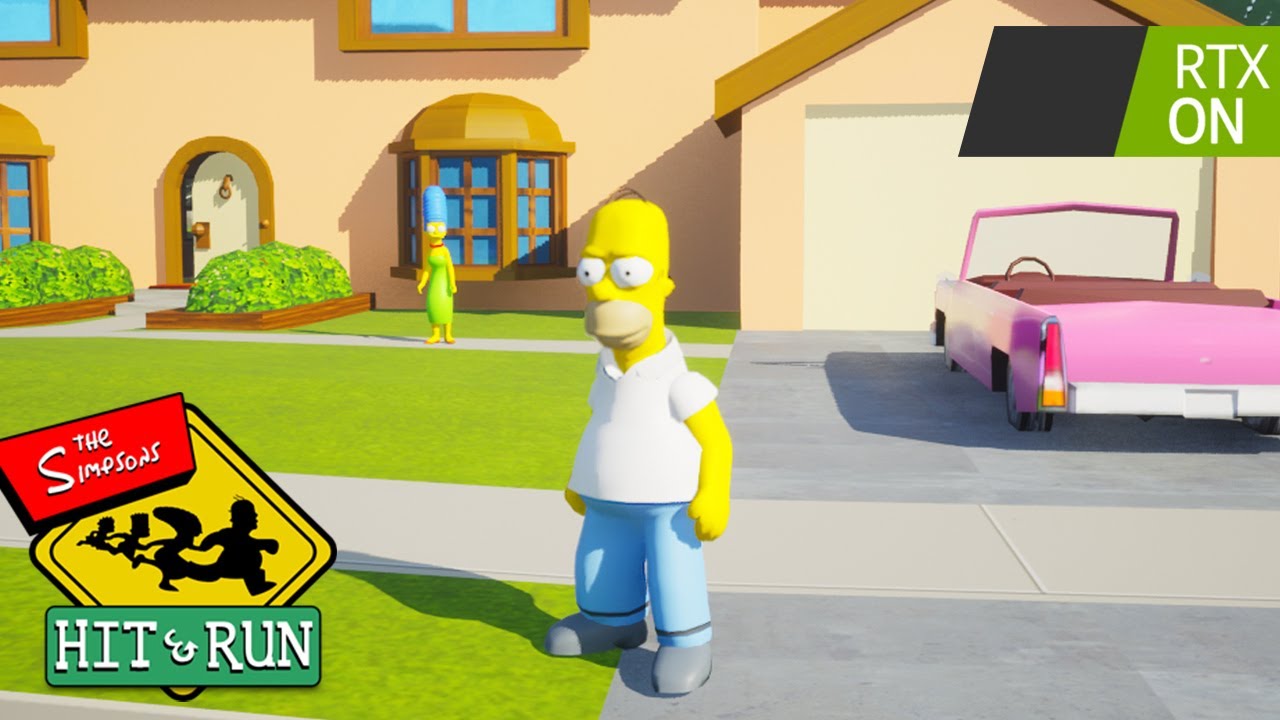
Try my C++ Survival Game Course:
http://bit.ly/unrealsurvival
Discord:
https://discord.gg/meFRZfm
0:43 - Remaking the Map
1:55 - Remastering the Map
3:44 - Creating Homer
4:57 - Adding the UI
5:52 - Gameplay
8:06 - Vehicles
9:24 - Missions
10:13 - Finishing Touches
10:48 - Gameplay Showcase
oak patio
Ive not found a way, and the consensus online is that there isnt a good way
Unreal Engine Forums
I have put together a basic MTL file scanning script. (Python 2.7, UE 4.2523). It will import the images referenced by the newmtl entry, make materials, and connect all nodes. If no image is detected, the diffuse color will be used as the base color. # MTL File Reader # (c) 2020 Atom # Reads the entries of an .MTL file and generates a materi...
Someone does seem to have made a script for making mtls into materials
worldly sun
damn, it seems promising
o just realised that codes not indented, thats going to be a pain to fix or properly indent
 harsh saffron
Hi there! Guys, I want to port my game to consoles and don't really understand how to do it.
As I understand it, it's impossible to just take and compile a project on a playstation or xbox. In Ue4 it is not even possible to select these platforms.
What should my next steps be? I saw that it is necessary to request access from Microsoft and Sony ... Then it seems that Epics will provide access to some tools. How to do all this and what will need to be changed in the engine?
drowsy snow
harsh saffron
Hi there! Guys, I want to port my game to consoles and don't really understand h...
Depending on your region and team size, it either will or won't be easy to get access to console SDK and get said extra source code.
If you're a solo dev, focus on developing for PC first with gamepad for testing, and then either hire a third party dev for porting your game or sign up for it yourself later on
 lime gull
Does anybody know why widget components are given random numbers? Seems weird to me
As an example something like Button_55 and Button_107
plush yew
hi guys, just started my journey with ue4, i have some questions, how could i make a horror game with multiplayer (maybe a tutorial or something), and maybe some article on the basics of this engine, thanks
autumn flame
Make it dark and spooky
 dusk nebula
plush yew
hi guys, just started my journey with ue4, i have some questions, how could i ma...
dusk nebula
plush yew
hi guys, just started my journey with ue4, i have some questions, how could i ma...
"how do I make this genre of game" is usually a question better suited to a youtube search. Also, check pins for general ue4 tutorials before you focus on making anything
So get baseline engine knowledge, multiplayer, horror game. Probably in that order
late quartz
is it possible to copy the movements of one animation and paste into another? keeping the animation skeleton as is
 astral heart
any way to lighten shadows in building without adding lights? or is there a way to make it so that shadows dont bake to a mesh?
Indirect lighting intensity is maxed at 6 already

i still want the building to cast shadow onto the landscape just no shadows inside
 jolly oak
astral heart
any way to lighten shadows in building without adding lights? or is there a way ...
jolly oak
astral heart
any way to lighten shadows in building without adding lights? or is there a way ...
You could probably have a post process volume bounds that is only inside the interior, and set the exposure higher while in the bounds.
astral heart
jolly oak
You could probably have a post process volume bounds that is only inside the int...
I tried that but when you look out the window it’s bright af outside lol. I’ll just stop being lazy and add the lights
jolly oak
if you want to add lights without actually adding meshes, you might be able to use rectangle lights facing towards the interior, and put them in the windows so its like the light from outside is lighting up the interior
 clever marsh
hey can anyone help rq im having like the dumbest problem ever
i am literally just adding 1 to this value and for some reason its adding 13

default value is 0, i add 1, and it adds 13 for some reason

i even have this to tell me, it just jumps to 13
nvm im dumb i added it to the loop body instead of the completed on my for each loop
jolly oak
I know there's an option to set components to not generate hit events, but is there a way to make specific components be ignored when checking for hits? I have a body with a collision sphere around it, and my projectile is triggering its hit event when it hits the sphere and not the body. Any help is appreciated.
*edit: I have figured it out, needed to make a new collision channel for the capsule
 grim ore
when that happens shift-f1 to escape the mouse, then you can eject and see what is clipping
 drowsy snow
 sleek girder
Where do I plug diffuse in?
sleek girder
Where do I plug diffuse in?
Base Color
 ripe flame
Hi all, I am wondering if it is possible to implement physics substepping in a blueprint project.
modest trench
ripe flame
Hi all, I am wondering if it is possible to implement physics substepping in a b...

Explanation of what Physics Sub-Stepping is and when to use it.
ripe flame
modest trench
https://docs.unrealengine.com/4.27/en-US/InteractiveExperiences/Physics/Substepp...
I actually read through that, did I miss something that talks about whether or not you can do it with blueprints?
modest trench
it's a project setting, doesn't seem to require anything done in C++ on your part
ripe flame
Yeah I have played with it a lot trying to get it to work, just no luck.
With the experience and info I've seen I am leaning towards the situation being: yes you can enable physics substepping with blueprints, but you can't really leverage the substeps themselves with blueprints.
Just wanted to confirm
jolly oak
Is there another alternative to set master pose/copy pose from mesh that keeps collisions? Set master pose disables collisions and copy pose from mesh isn't working for me no matter what I do. I'm trying to make a modular character's components all play the same animation.
drowsy snow
jolly oak
Is there another alternative to set master pose/copy pose from mesh that keeps c...
Copy Pose From Mesh
jolly oak
drowsy snow
Copy Pose From Mesh
Yeah I've been trying that, and have followed about 6 tutorials on it. Maybe I'm missing something, but my components don't play any animations still even when the blueprints are 1:1 to the guides.
plush yew
wsg
 pallid olive
hi
when making child actor from base weapon
why do variables doesnt come along with it
plush yew
hello guys i am trying to add restart game function but i cant find restart game with get game mode
pallid olive
im little bit new, in Project settings?
instant editable?
does that have effect on creating child clasa


 lament sonnet
ue4 dead channel
 tiny pawn

 jolly mason
this is a severe emergency, my ue4 just froze and closed itself and now the main actor many things derive from is no longer visible
plush yew
hello guys i am trying to add restart game function but i cant find restart game with get game mode
 wise knot
I have a question, what is the reason behind Unreal not fixing up redirectors automatically by itself?
https://docs.unrealengine.com/4.27/en-US/ProductionPipelines/Redirectors/
Why do I need to unhide the redirectors in content browser, then manually click on them and select "fix up"? To my understanding nothing should stop unreal from performing same action after moving or renaming asset.
Objects that are placed in packages to redirect references to moved assets to their current locations.
 tepid hollow
Anyone know how i can communicate widgets with the level blueprint?
plush yew
hey can anyone help me to make cloth texture
clever marsh
yo does anyone have experience with replication
wise knot
tepid hollow
Anyone know how i can communicate widgets with the level blueprint?
Depending on what you need to achieve with that, you can try to make level blueprint to pass a reference to itself as a variable to actor holding the widget. From there the actor can pass that reference into the widget.
Don't really know if that's possible though, I kind of forgot about level blueprint's existence, prefer to have actor-based logic system.
tepid hollow
im basically trying to hide an actor in the level by clicking a button in a widget
wise knot
tepid hollow
im basically trying to hide an actor in the level by clicking a button in a widg...
If the widget is referenced in a player pawn, you can do something like that to find it from any actor:

(and if it isn't, you probably should, if it's the HUD\GUI widget)
tepid hollow
im not sure tbh. All i want to do is make a new midget appear for my main menu when i click the settings button, but im unsure how to do it as it is a 3D widget
 clever marsh
yo does anyone have experience with replication
clever marsh
clever marsh
yo does anyone have experience with replication
all i need to know how to do is replicate was actor recently rendered, i need it for my horror game, but if you activate one of the monsters, it ignores that its being rendered by another player and just moves anyways
wise knot
tepid hollow
Ah, so its a main menu thing... what I did for that case was:
- Make the variable in the widget that references the actor that hosts it
- Make the actor to write itself into that widget on BeginPlay
- Make public variables in that actor for every other actor with widget it should be interacting with
- And pick them on the level directly.
So now when the button in widget is pressed you grab the actor variable, from it you grab the variable of actor with other widget you want to interact with, and from there you do whatever you want to it.
tepid hollow
wise knot
Ah, so its a main menu thing... what I did for that case was:
1. Make the variab...
thanks mate, ill give it a try now
 toxic wagon
Hey, I'm getting an error in UE4 where an asset failed to save, and it's not providing me any information as to why that's happening. Anyone have any ideas?
the file isn't read-only and it's not in use by any other application
dry frigate
I have no idea why, but my metahuman model falls apart like in this forum post: https://forums.unrealengine.com/t/metahuman-components-behaving-differently-in-editor-and-after-publishing/491519 , I've looked into the ConstructionScript in the blueprint and it's already uses Master Pose Component. Anyone has an idea why?

Unreal Engine Forums
I followed the official third person instructions here: Using a MetaHuman as a Third-Person Character in Unreal Engine | MetaHuman Creator Documentation to attach the skeletal component meshes (torso, legs, feet, etc.) to the character. In-editor, setting each component’s Anim Class to AnimPreviewAttachedInstance keeps the clothing attached to t...
toxic wagon
Okay, it looks like UE4 crashed, but didn't close completely and had reserved that asset
so when I restarted it the old process was hogging it
 queen summit
Anyone have any tips for optimizing a game with a large level?
late quartz
hello, i wanted to know if the collision boxes affect the game performance a lot
is there a more recommended way to detect when the player is close to something?
grim ore
@late quartzyou should not have to worry about it if you are using simple collision shapes, they are designed to be performant
thin tendon
@queen summit Optimisation is a balancing act. You want to reduce the complexity of your; materials, meshes, lighting, particles etc. Reduce them to the lowest point without sacrificing quality is my suggestion.
 trim pike
for some reason the fps drops significantly when just changing a parameter inside the material instance
why is that?
its never been this way before
drowsy snow
trim pike
why is that?
Are you changing it in the asset? Not a dynamic MI?
drowsy snow
Then it's expected, the dip happens if you modify params in the asset. It won't happen if you either modify dynamic MI or parameter collection used by a material
trim pike
but its always been smooth, why is it so slow now?
it drops to like 1 fps when dragging the sliders slowly
forest light
has anyone created texturegroups? I tried to follow this, but I cant find it in both engine.ini and defaultEngine.ini to rename

 ivory ridge
Hi all! We've nearly got our game rated as Supported for the Steam Deck, without access to an actual unit. However we're now hung up on a simple problem, the STEAM button apparently reports as a Keyboard key when pressed, which makes our UI show keyboard instead of Gamepad glyphs at an inappropriate time (which notches you down to Playable rating).
If someone who has access to a unit could tell us what key UE4 reports as being pressed when you do it, I would be immensely grateful 🙂
 stray drift
@arctic horizon sorz for the ping, but I think you had a Steam Deck?
 arctic horizon
I do
I don't know anything about this stuff though
Anything directly targeting the steam deck I'd expect to be using steam input which is going to report things differently.
The quick fix without full steam input support would be to just find out what keycode the steam button is and ignore it for the purposes of swapping input modes.
thin tendon
@ivory ridge An easy way to trouble shoot this. Is add event any key. Then get the name of the key pressed. And print the string out. For this you would need a steam deck though. I am curious as to why you would develop for a device you don't have access to though.
ivory ridge
@thin tendon That would be the ideal pipeline yep XD I'm fixing up a windows game we released a while back, it just had some unsupported videos and this problem to fix (pretty lucky really) after the valve review.
thin tendon
@ivory ridge If you can't find anyone here that knows the answer. A possible solution. Release a test build for one of the players reporting the issue. Use the above solution. To display the key on screen. Then delete the depot once you have your answer.
 potent reef
Good morning everyone!
I just try and playing Cesium for Unreal today. Its really good.. but am lost. Is Cesium support like building Custom Maps? Let say map of california etc. Like generating OSM road and building..
If cesium can’t, whats the easiest way to make road and building from OSM in Unreal?
Thanks b4!
autumn flame
forest light
has anyone created texturegroups? I tried to follow this, but I cant find it in...
Default is project, Base is Engine
Config folder
forest light
I figured it out thx
 still reef
My 4.26 installation apparently didnt install correctly so when I try to add a content pack or create a new project nothing besides the Scratch option exists rip lmao
oh I didnt have them selected in the installation rip
 fading wolf
Anyone know of a good replicated overhead health tutorial? I couldn't find any suiting what I want. and I'm really stuck on how to get it working
spice ruin
Add health variable to character, set it to replicated, create widget and bind health to it, create widget component and attach to the top of the character.
fading wolf
spice ruin
Add health variable to character, set it to replicated, create widget and bind h...
I think I've done all that, I already have on-screen health that updates when another player attacks but the health above the head doesn't update despite it using similar layout as the on-screen one
spice ruin
Is it bound to the correct health value?
fading wolf
Sorry I realise there's no binding at all. It updates like this

Maybe I've went the wrong direction and what you're suggesting it better?
fading wolf
i assume yes ? if adding a breakpoint is how you check

but I think my issue is that its not telling the server/other players the new number? since my event only shows on owning client?
 spice ruin
You shouldn't be changing the health on the client at all
 dull epoch
i have been trying to use the has entered foreground delegate event i was testing it out with just a print string so when i open back the game i get a string,but i am not getting the print

please can someone help
fading wolf
spice ruin
You shouldn't be changing the health on the client at all
I think its jsut updating the widget on the client since its UI.
I don't really have any other way of going about this, unless you know of a tutorial of what I'm after.
I did suceed in using the replicated health in updating the overhead widget but it's not updating

but as I think about it. Its probably because im not converting into a percent
so like 80 HP is 800%
so the numbers are correct but it still doesnt update.

okay something funky is happening. only client 2 was hit but client 1 sees no update, but client 2 and 3 see all players taking damage

 austere scroll
i recently uninstalled epic games launcher and reinstalled it, is there a way to locate the game engine instead of redownloading it. (tried google)
 lament sonnet
when i creating inside a body object above object it hover rather stay near to that 2nd object i check the collider shape as well it doesnt do any issue
why is that?
fading wolf
spice ruin
When you change health, do you do it on the server or the client?
its using the Event Any Damage thing which is only server
 spice ruin
Are you sure it's only on the server?
fading wolf
spice ruin
Are you sure it's only on the server?
Yes because only later does it tell the client what health it has so it can update the on-screen HUD
spice ruin
Alright.
fading wolf
The S is the server
 spice ruin
Seems to be working fine on that middle window?
Well, do.
Have you noticed, all of your overhead bars have the same health value?
They're all pulling from a single character, instead of their own characters.
fading wolf
no only one character has taken dmg so client 2 shouldnt see the other players' damaged HP
Yeah I think its my cast should be different
spice ruin
Exactly my point.
fading wolf
I thought it would be player controller but it doesnt like that
 spice ruin
One character has taken damage and yet, in your middle screenshot, every character has taken damage.
fading wolf
Yeah
spice ruin
Yeah that's not right.
it should be the getpawn or get controller method there, not get player controller 0
fading wolf
get pawn looks like it does the same.
and I cant use get controller

 spice ruin
I'm not sure the exact method.
fading wolf
Alrighty thanks for your help I'll try to figure it out 🙂
lament sonnet
can someone solve my problem
xxxx dead server never help me
always 3-4 days no answer
spice ruin
Feel free to find another.
dull epoch
dull epoch
i have been trying to use the has entered foreground delegate event i was testin...
can someone help me with this please
lament sonnet


why the xxx this spawn far from place
weight paint is completely assign to same bone
austere scroll
wieght painting is a booby trap(im sorry)
lament sonnet
i did accurate work but ue4 is throw all work to waste
austere scroll
lament sonnet
i did accurate work but ue4 is throw all work to waste
ue4 and game dev in general is not easy, and things wont go as expected which is the normal thing. you should expect mistakes not perfection
lament sonnet
the weight paint assign is correctly via selection
drowsy snow
Yeah, we're a bunch of 20+ years old kids who know crap.
Your question is rather lacking on context, mention your Blender unit scale, show the weight paint, does it happen with all animations or just certain animations, does it happen with other characters, or maybe if you even model that yourself or not
lament sonnet
do i show u proof on weight paint?
drowsy snow
Save time from hiding context away that could be used for troubleshooting.
lament sonnet
and the mesh is completely join to part
even after that it show far from place
i never saw such kind of error in life
drowsy snow
[context needed]

 lament sonnet
lament sonnet
lament sonnet
why this far even i (Join the mesh after that and transform it as well)
spice ruin
Tried not transforming it?
drowsy snow
What kind of rig is that? Your custom made rig? Weight paint isn't too shabby, but topology doesn't look good. Does it happen on other character?
What about Blender unit scale? Unreal use different unit scale, so it matters to match them.
lament sonnet
tested both already @spice ruin with transform and without it
lament sonnet
drowsy snow
What kind of rig is that? Your custom made rig? Weight paint isn't too shabby, b...
i already assign all mesh to 0.01 scale
i dont face this issue this is the first time i encounter such issue
lament sonnet
its a outfit issue yup all animations as well it like floating object
drowsy snow
Perhaps try weighting the outfit mesh all over again.
lament sonnet
tried that too as well
even after same result
i completely remove the weight paint of this image and select assign the weight paint i dont think its weight paint issue
it just like it acting some kind of collision without having a collision
drowsy snow
Physics Asset...
Do you happen to have breast jiggle system using physics asset?
(I think anim dynamics used physics assets, but I might be wrong)
lament sonnet
i tried to remove the jiggle breast effect as well
not able to make it work though
drowsy snow
Other than your rig to troubleshoot, I have nothing else to narrow down that you said you already tried.
There might be a slim chance that's not the truth, but I'm giving my benefit of the doubt.
lament sonnet
let me test on ue4 starting 3rdperson template
@drowsy snow is it possible it may can cause via virtual bone ?
drowsy snow
lament sonnet
<@325627930484932608> is it possible it may can cause via virtual bone ?
I doubt it's VB, as you can't weight them anyway, but maybe if you use it to drive weighted bone?
dull epoch
can anyone tell me how to find if the application is back in the foreground in windows
tight crystal
Hey can someone please explain why my child actor has been duplicate but the duplicated one has no parent socket and its not in my components so I can't delete it im not sure if it's a bug in ue4 or my game but my bp seems fine
And it stays when I deleted the none broken one
tight crystal
dull epoch
can anyone tell me how to find if the application is back in the foreground in w...
Have you checked task manager

Unreal Engine Forums
Still happening in 4.26.
plush yew
Guys how can i make the button in widget functionable
tight crystal
plush yew
Guys how can i make the button in widget functionable
https://www.youtube.com/watch?v=xJQybMSaODc i think it shows how to in this
Hello guys welcome back to another video in the Unreal Engine 4 Complete Begginers Guide. In this video we will focus on UMG or Unreal Motion Graphics. UMG is Unreal Engine's user interface system that allows you to create user interface for your game. You can create a wide variety of UI, all with blueprint!
plush yew
thanks
tight crystal
okay my brain hurts because i just deleted the second one from the world outliner but i think its a bug in ue4 not my bp


 exotic radish
I have an fps issue with running multiple standalone game instances at once. When all windows are unfocused FPS is distributed evenly but when I'm focusing on 1 window FPS on all other drops to 2-3. How do I fix this? Unchecking "Use Less CPU when in Background" doesn't work - it was always unchecked
dull epoch
tight crystal
Have you checked task manager
no i want to call a function when the application comes back to the foreground
tight crystal
oh i dont know
dull epoch
ok
lament sonnet
why show plugin content is empty ?
tender pecan
exotic radish
I have an fps issue with running multiple standalone game instances at once. Whe...
If this is the ticket. It's filed under Won't Fix.
https://issues.unrealengine.com/issue/UE-97530
 keen compass
Hi all. how to fix it ?

 drowsy snow
keen compass
Hi all. how to fix it ?
drowsy snow
keen compass
Hi all. how to fix it ?
Windows 7?
keen compass
drowsy snow
Windows 7?
yes
drowsy snow
keen compass
yes
Yeah, DX12 is not going to work, obviously.
 simple garnet
helo does anyone know what's the difference between Class and object in variable types in BP?
oak patio
An object refers to a specific instance a class does not
If you are unfamiliar with oop there are many great resources online
 dark laurel
Hey everybody! If I could get a quick bit of help please? Im importing an animation and on Mixamo the character is anchored to the ground, but in the export from mixamo it anchors to her hips instead, which is not useful. See pick for clarity. Thanks in advance!
 lament sonnet
@drowsy snow i found the resolve its actually not the ue4 issue i notice it is causing via blender
one object need to transfer weight data to another object even the blender community not answer correctly i look around some video and docs and find about data transfer
and i am really sorry what i have sayed to u people plz forgive me its my own lack of experience
simple garnet
oak patio
An object refers to a specific instance a class does not
no I get that but in the bueprint event graph , just doesnt make sence to me . like when adding a variable why should we add classes ? even if you are using c++ you work with instances not the class . (the class has some static functions )
oak patio
simple garnet
no I get that but in the bueprint event graph , just doesnt make sence to me . ...
A class variable can be useful for spawning, like pick a random class from this array and spawn it
simple garnet
oak patio
A class variable can be useful for spawning, like pick a random class from this ...
oh I get it now . for the first time trying to instanciate sth , we need the class . thanks
harsh tiger
Is there a way to remove permissions within project settings
 simple garnet
and just one more question : how can I find the funciton "Set" like here . There are lost of "set* "
I want it to do sth like this

here is my list of options

Can't I use anything alse the Alt+Drag the variable
oak patio
simple garnet
I want it to do sth like this
just set variableName
harsh tiger
simple garnet
Can't I use anything alse the Alt+Drag the variable
If you hold ctrl or alt while dragging a variable in to the graph. It will do a set or get node
 foggy orbit
Hi, need helps with this error (never encountered it in this package before) UATHelper: Packaging (Windows (64-bit)): ERROR: More than one Game project found for project:
mmm nevermind seems deleting intermediate files solved the problem
 arctic hazel
Hi guys!
Quick question, have anyone here had experience using dynamic navmesh using invokers? I've noticed tiny microstuttering when the new tiles are loaded in, and can't seem to find the solution to it. 🤔 It's very minor, but disappears as soon as I remove the navmesh.
Thankful for all suggestions!
stark talon
My character has many layers of clothes. Should this be avoided for videogame performance? Or unreal just ignores what is not on the surface?
https://cdn.discordapp.com/attachments/869803909953245246/993605982926155806/unknown.png
 fierce tulip
in theory, anything that's never seen should be removed.
a few hundred or even thousand polygons wont hit perf. much unless you are making the next uncharted and need to squeeze out the last ms to hit the performance budgets.
so i wouldnt worry about it, unless you are optimizing and have no other things to optimize that are easier than removing verts on your clothing.
simple garnet
thanks everyone . and for my last question for today 🙃 what is the "attach to " function equivillant of unreal engine 4.2 in unreal engine 4.26 ?(in the graph editor for Blueprints_ despit attachcomponenttocomponent ot actor )
 lean haven
Hello this is my first time asking here and i am a beginner so please bear with me
how do i import/combine projects?
Essentially I have 3 diffrent projects
which each have different aspect of a system completed
i want to combine it to one of them
how should i do that?
 dawn oracle
I have a reliable "run on server" event to spawn an actor for all clients, but that actor only spawns on the server and the client that called the RPC event, not any other clients. Any idea why?
Oh, and for the first second of the game it spawns on all clients
lime gull

If a custom event is plugged into a timer I cant set it to replicate? Hell I cant even edit it at all
Is there a reason for that?
sleek girder
i have a print string linked to an event acotrbegin overlap and when i collide with the static mesh, It doesnt register
 crimson solstice
How exactly should I set up my client policy for a User that uses OpenID and host's multiplayer matches?
 viral gorge
Any kind souls available to help me with this texturing issue on voice? I've been troubleshooting for a few hours now and it's killing me

The textures in the first image and scene are the exact same material as on the model below
The smoothing/lightmaps are fine,
I've rebuilt lighting several times
and moved/deleted lights
I can't fathom why it's appearing differently on both models, or even has such variety on that model (the trim brick is different on both arches and on both bottom trims even though they're the same material)
 granite garnet
Hello Guys, I hope you are well? 🙂
I am a UE newbie and am about to do my first project. I have recreated a castle from my neighborhood and now I would like to decorate the landscape with vegetation. For this I downloaded "Landscape Pro 2.0 Auto-Gen Material" from STF3D. I can place the individual trees and plants, but unfortunately not via FoliageSpawner.
As soon as I click on "Resimulate", the error message appears "unable to spawn instances. ensure a large enough surface exists within the volume". See screenshot
I hope you can help me. Thanks! 🙂

 celest coral
Hey guys, I just stumbled across this server during my research on glass dispersion. I’m looking to simulate the dispersion of glass for a real work art project, and came across this demonstration here:
Id be looking to build a similar simulation to this but with sunlight, multiple prisms and real architecture, but I’ve never used unreal before. Is this easy to do? Is there someone in here that might be interested to take this on as a small commission?
We’ve built a similar project already in the past and had big difficulties simulating the effect in 3D - it would be amazing for us to have a good solution to map this out before moving ahead with the project

Download free games from my website! ► https://www.bluedrake42.com
Get Steam keys for my games on Patreon! ► https://link.bluedrake42.com/patreon
★ Follow me off Youtube! ★
Buy my games on Steam! ► https://link.bluedrake42.com/drakelinglabs
My music on Spotify ► https://link.bluedrake42.com/johari
My Twitter Page ► https://link.bluedrake42.com/...

Not sure if this belongs to the UE4 or UE5 server anyway, but I thought I'll just start in here for now.



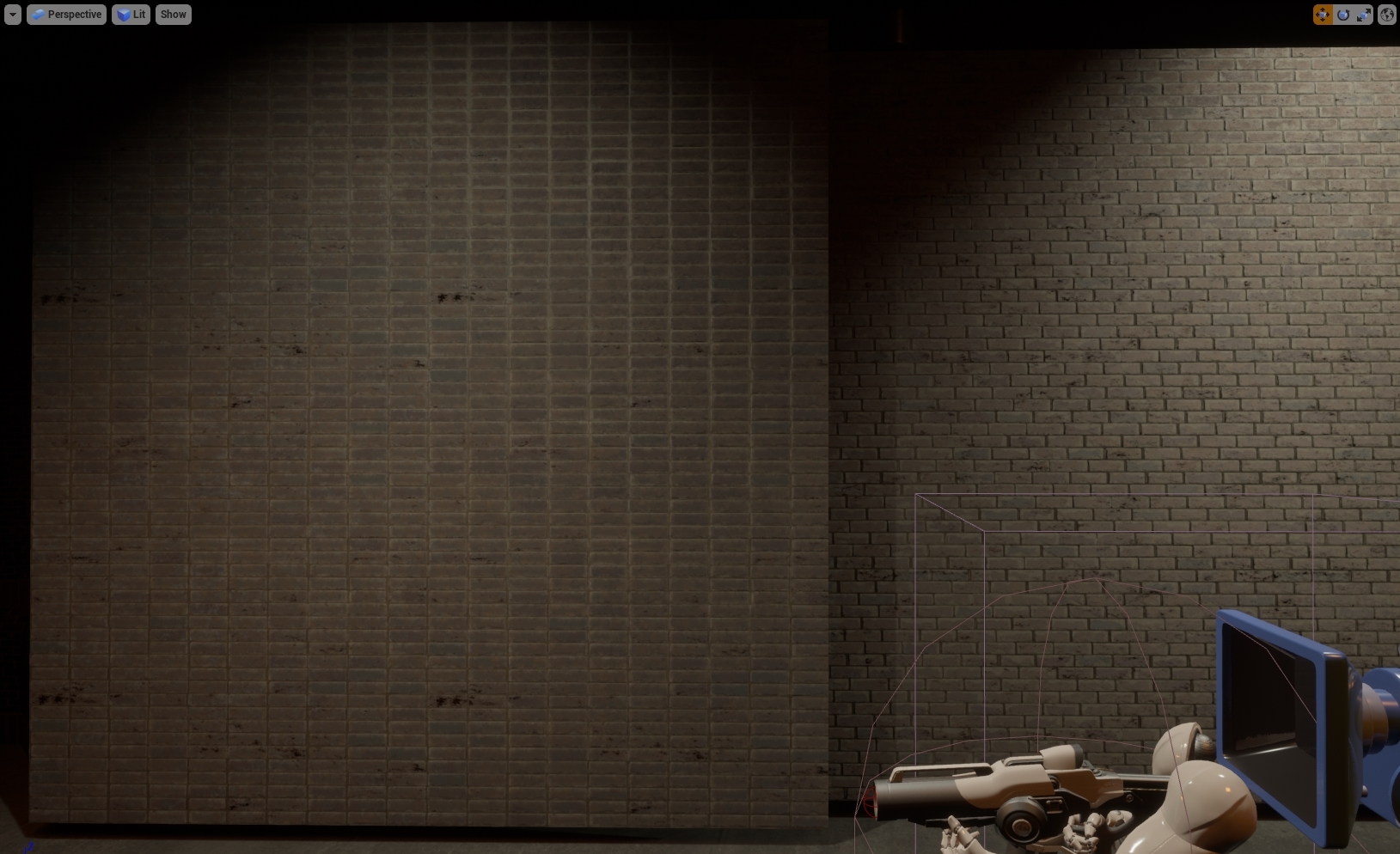
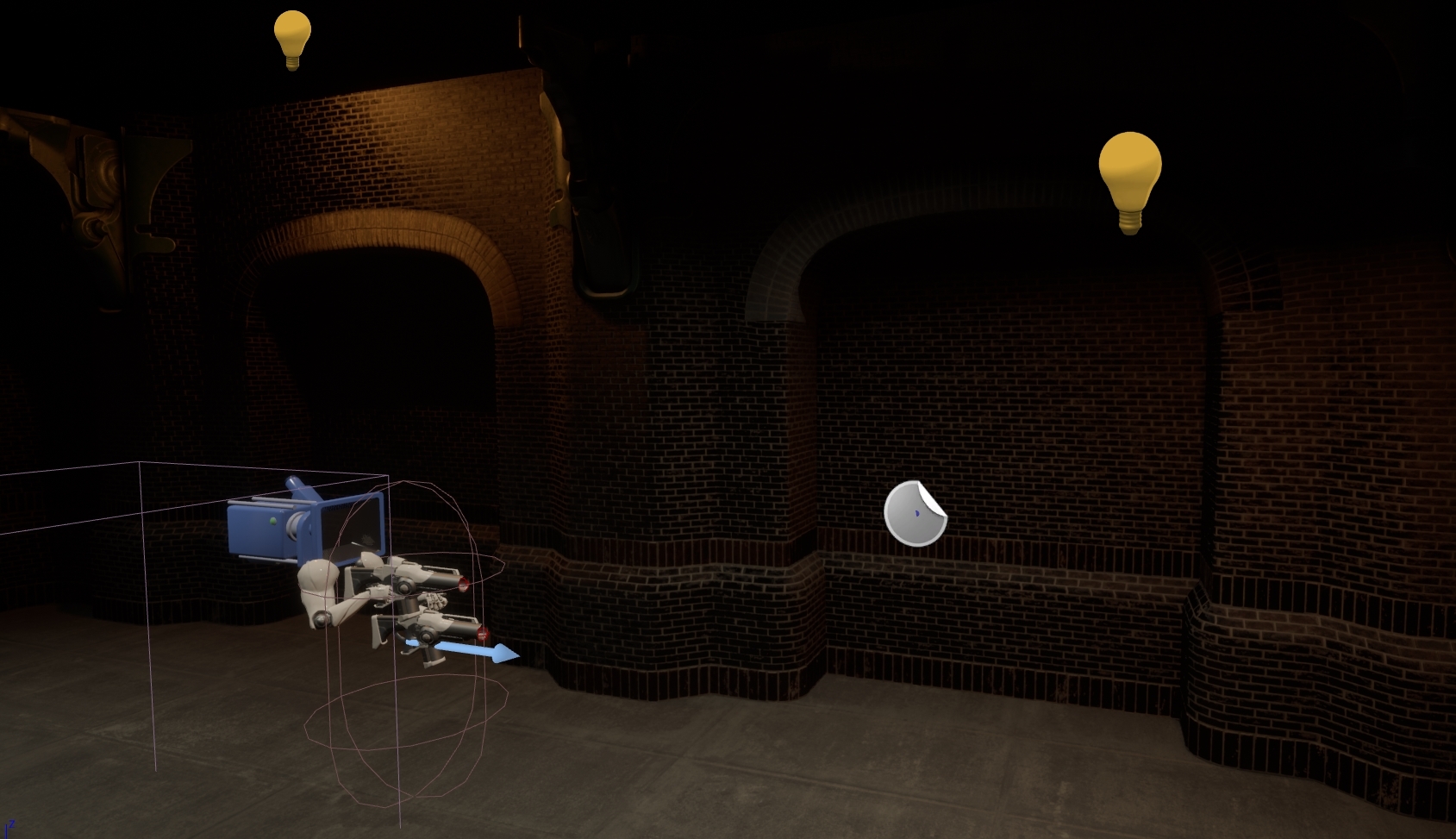 spice ruin
Is the gap big or is the ground really small?!
 cinder flare
the gap is noticeable, so yeah its big
im using static mesh for the ground
and use complex collision
tight crystal
how do i give my sword collisions so that it wont go in my physics based character but give him hit reactions instead when i put my sword to block all it make him just glitch away from the sword when i try hit
cinder flare
spice ruin
Is the gap big or is the ground really small?!
and look like because im scaling up the static mesh
tight crystal
i got it to do what i want but now when a enemy dies and ragdolls if my sword is close to the ragdoll it just goes flying😂
stark talon
I found a way to export from Blender to Mixamo with the materials on:
Export from Blender to fbx. Then import to unreal. Then export from unreal to fbx, and it will not bug in mixamo 🙂
lament sonnet
nvm found solution
 sterile acorn
guys is there a way to make the shadow physics of a character without ticking the cast shadow
i want to project the character on whatever surround my character based on the location of light and strength
drowsy snow
sterile acorn
guys is there a way to make the shadow physics of a character without ticking th...
You mean direct capsule shadows?
sterile acorn
i dont know what is this to tell u if i mean this
but to explain it more, i want to make a shadow for my character that can be controlled
drowsy snow
sterile acorn
but to explain it more, i want to make a shadow for my character that can be con...
So the shadows is not directly cast from the visible character?
sterile acorn
i want to project my character on to a 2d object
like wall on floor
and try to make it as a player that can be controlled
also the character could be invisible too
drowsy snow
sterile acorn
i want to project my character on to a 2d object
Do you have any example of games that implement such mechanics?
drowsy snow
I'm thinking of games like Compulsion where you control the character's shadows
sterile acorn
in the normal way like just cast shadow
drowsy snow
It's the same technique used for casting third person full body shadows in FPS
sterile acorn
if there is a way to cast shadow for invisible character i think that what do the trick
spice ruin
Are you using the exact same unreal version as the video?
Do you have an exact copy of their project to test?
 fierce agate
They are using unreal engine 4
fierce agate
spice ruin
Are you using the exact same unreal version as the video?
Yeah
Every time I place the ocean using the water plugin, it doesn't affect my landscape like on the video
Like this
This doesn't work for me

...
drowsy snow
fierce agate
Every time I place the ocean using the water plugin, it doesn't affect my landsc...
Do you have Landmass enabled?
sterile acorn
how to make the camera
which is parent to a mesh
move while the mesh is animating
idle animation
the head is just going up and down
 proper stump
https://itch.io/jam/epic-games-free-this-month Never finish a game? This one is for you.

itch.io
A game jam from 2022-07-05 to 2022-08-08 hosted by aviran. On the first Tuesday of every month, the powers that be (Epic Games) features several paid marketplace assets, free for the whole month. Link to asset...