#ue4-general
1 messages · Page 1178 of 1
 lilac stirrup
 tame marsh
Is there a way to migrate animations on the Mannequin skeleton to a differnt project with the same identical Mannequin skeleton without making a duplicate?
 fierce agate
lilac stirrup
The only thing that comes up to my mind whenever unreal starts spewing errors wi...
fierce agate
lilac stirrup
The only thing that comes up to my mind whenever unreal starts spewing errors wi...
All done.
But
Is there a way to prevent this?

 restive garden
tame marsh
Is there a way to migrate animations on the Mannequin skeleton to a differnt pro...
restive garden
tame marsh
Is there a way to migrate animations on the Mannequin skeleton to a differnt pro...
Just copy anymations fbx files, they will work.
 languid tapir
Anyone familiar with using houdini engine looking to put some houdini sims into unreal engine but anyone know a good tutorial to start with or any good info about it
 fierce tulip
@languid tapir scroll up a little, i just posted one from sideFX themselves
languid tapir
fierce tulip
<@400425243530887179> scroll up a little, i just posted one from sideFX themselv...
Oh no way we'll thats weird hahah
fierce tulip
it at least shows how to get a sim imported, and Glad explains very well
languid tapir
Ahhh thanks so much for this
fierce tulip
good luck!
fierce agate
fierce agate
.
 balmy dirge
hey guys
how to load level and its sublevels while loading screen is playing??
anyone knows any tutorial or way?
 thin tendon
@balmy dirge I'm not sure how other people do it. But what I do. I have room I built that holds the character in place. And acts as a loading screen by placing a widget over the player screen. I teleport the player to this room when loading maps. Then set the player position once the sub level I want has finished downloading.
 hot maple
Is there by chance a way to search all BP assets to see if they are referencing a certain cpp class?
tame marsh
hot maple
Is there by chance a way to search all BP assets to see if they are referencing ...
I think if you go to the file that contains the CPP class in the content browser, you should be able to view its references
of course if it's a built-in UE4 CPP class you might have to do some digging
 tough cedar
Hello everyone, has anyone done a fingerprint recognition system using minutia ?
hot maple
tame marsh
I think if you go to the file that contains the CPP class in the content browser...
opening the reference viewer on a cpp class doesn't show references for that specific class unfortunately. Seems the editor reference viewer only works for uassets 😦
tame marsh
hot maple
opening the reference viewer on a cpp class doesn't show references for that spe...
Ai, I know. Break the C++ code and see what else breaks
(not recommended)
 hollow lantern
having problems with my perspective camera. focusing on objects on the scene does not work. any help?

i also get this when opening the default file. Time and day

 granite lion
on perspective, select the chair in the outliner, then press F
lilac stirrup
fierce agate
Is there a way to prevent this?
Did you finished cooking the project yet?
Any error on the output log?
Might also wanna check this post.
https://forums.unrealengine.com/t/failed-to-load-map-appears-to-be-an-asset/57115
Unreal Engine Forums
Hey all, I’ve recently been assigned to a project and downloaded the source from Github. However, when I try to open the project, the editor produces a message claiming the .umap file failed to load as it appears to be an asset. It also doesn’t appear in the content browser, or the file browser (opened via ‘File → load level…’ etc). I’m using ...
 fallow hornet
Does anyone know how to stop disable realtime override from continually activating?

 nocturne kraken
if I create objects and characters in blender, for the game in Unreal, the lighting is created in Unreal, yes? it is useless to create in a blender when there is a great tool for it in Unreal??
fallow hornet
If you are bringing your character into unreal I would light it in UE, Blender's lights will not export to UE that I know of
I don't any DCC will export lights into UE, unless you are using vray and vrscene files
nocturne kraken
fallow hornet
If you are bringing your character into unreal I would light it in UE, Blender's...
yea now und..thanks!
fallow hornet
np
 limber mesa
hey, could anyone tell me if this is a glitch in the anim bp? after my update properties node i check if the owner is valid, is fires not valid but i can still move and animate my character
but when i put a break point on it it doesnt fire
Before this my computer had a interruption
granite lion
you must save the reference of the owner at begin play
limber mesa
the get pawn owner is showing up invalid
even when i try to make another bp its always invalid
even when i cast it
it fails
granite lion
did you try:
- at begin play, get pawn owner, then cast to whatever that pawn is, then save it as variable
- then at update, get the reference, then convert it to as validated get?
 grim ore
is this in the editor when previewing, or when you are playing?
limber mesa
so in the editor but animations play but the character ref is invalid
made another bp and it fails right from scratch
grim ore
so in the animation editor? not playing but the actual editor right?
 grim ore
well in the editor there is no pawn attached to it, so it will always fail in the editor
thats why I am asking that question
granite lion
yeah, the skeletal mesh that you are seeing in the preview is not your pawn. its just a skeletal mesh
limber mesa
But even if I try to make another anim be from scratch it still fails
And it never did that before
grim ore
in the editor? it should always fail on get pawn owner
limber mesa
Yes, I play it as well
So apologies if I’m miscommunicating but everything was working before and my computer interrupted and glitched a little then everything doesn’t work, my anim bp I believe is glitched because I get the animations playing in the game but when I toggle some bools it doesn’t work but the values that are from the character, including yaw pitch leaning functionality all work
I made another bp to test and no luck
grim ore
you might have to show us the new one that is failing
since i assume its a very small one with one small thing failing we might be able to see something,
but in the animation editor you cannot expect anything that gets anything from the world to work as this item does not exist in the world in the editor preview

 grim ore
you might have more than one blueprint running then
limber mesa
I have one anim bp that the character is using
grim ore
breakpoint it and make sure only one instance is running in the debug drop down in the top right
limber mesa
How would that be the case
grim ore
watching the preview you can see that one is valid node swapping back and forth?
limber mesa
Yea in the game preview
 midnight bolt
is it possible to open the Collections view in a new window, like you can open Content Browser?
 limber mesa
grim ore
limber mesa
grim ore
so that is with play in new window right?
grim ore
ok so go back to the animation blueprint while it is running and choose the active character and see what it is showing in the running blueprint
limber mesa
Chose the active character?
grim ore
the drop down in the top right in the animation blueprint lets you choose the current debug object, make sure its the one that says spawned
then you should see your code running on that character in the world and if its switching back and forth between valid and not
 grim ore
yes, and that is with nothing running
 grim ore
yes the last one says spawned
you want it to be selected or its not showing you the active one
grim ore
yep because you set one I assume
limber mesa
Interesting, why did that happen
grim ore
I assume you would want one on the print string for the not valid
limber mesa
Never had an issue with that before
I do have it there, but why did that issue occur
grim ore
mouse over the blue output from the get pawn owner and see what it shows
the one you are putting into the is valid that is failing
chances are the errors you are seeing is from the editor since it is still set to the debug version/preview version, you should be able to ignore it since its an editor thing
thats what that drop down is for so you can see what is being debugged
 obtuse crystal
I can move the camera with WASD keys how do I disable this
?
 novel pine
hello! I am trying to use vscode with UE4.27 and I am getting the following error on my includes after making a few new c++ UserWidget classes via the editor
cannot open source file "UBT_COMPILED_PLATFORM/UBT_COMPILED_PLATFORMPlatformTime.h" (dependency of "K:\GameDesignFolder\catgame\cathack\Blueprint\UserWidget.h")
Does anyone know what I have to do to fix that error? I have already modified my c_cpp_properties.json file and added escape slashes on the windows paths in the compilecommands.json so all my includes for the engine source are working.
IIRC, in Visual studio, the solution would be to right click the project in the nav bar, and select "rebuild" , right? What is the step I am missing for vscode?
UPDATE: ;; I clicked "File > refresh visual studio code project" and it deleted all my modifications to the c_cpp_properties.json file ;;

 magic ice
yo
i need help with sumn very simple
i just want my third person character to rotate with my camera
like rotate when i move my mouse
camera lock basically
granite lion
tick the inherit controller yaw
magic ice
im afraid that didnt work g
 leaden gale
Hello guys, when i export assets from quixel bridge it looks like this. When i drag the material onto it it still looks bad. It is supposed to look like the one on the right. Does anyone know how to fix this?

 hollow oar
Hey so im sorry if my question seems a bit odd, im just a beginner. so I'm using UE4 and I found a plugin for portals that someone made. i basically downloaded their project and copied the plugin from the plugins folder into my project's plugin folder and it shows up in Edit->plugins but the plugin's content doesn't show up on search classes
so basically i cant find the portals in it so i can place them and use them
i tried it on their project and it works fine it just doesn't work on my project
what am i doing wrong?
lilac stirrup
hollow oar
Hey so im sorry if my question seems a bit odd, im just a beginner. so I'm using...
Is the plugin checkbox enabled?
hollow oar
yeah
limber mesa
@magic ice try orient rotation to movement or use pawn control rotation
They are options that you check off
Bools
lilac stirrup
hollow oar
yeah
Should try contacting the developer of the plugin, they might know better.
hollow oar
lilac stirrup
Should try contacting the developer of the plugin, they might know better.
i tried going Content Browser -> View Options -> Show Plugin Content
and they showed up there
so hopefully they work
but its kinda weird how they dont just show up in the place actors tab
but thanks anyways! 😄
magic ice
SNOOP DOGG

 zinc topaz
Hey where could I get help. I created a character in Fuse, imported it into Mixamo, then from Mixamo into UE4. The eyebrows and beards are messed up and are like solid kinda, how could I solve this or where can I find someone to help solve this
 tough falcon
@zinc topaz pic?
 real heath
Download editor symbols through launcher for that to be useful. Also post ~20 lines above that from the lgo
log*
hollow lantern
granite lion
on perspective, select the chair in the outliner, then press F
nope doesn't work
granite lion
have you found the soln yet? it would be very difficult to tell from the pictures alone
 drowsy snow
Looks like your GPU is dying
Or maybe not, likely Vulkan in UE4 messing up
Yeah, note that Vulkan in UE4 is weird, and less reliable than even DX12.
Read my addendum after that reply
Just noticed you used Vulkan, evident by the callstack
So you're physically tampering your GPU?
 blissful trail
Anyone know a good tutorial series on how to create a voxel system with multiplayer support?
drowsy snow
blissful trail
Anyone know a good tutorial series on how to create a voxel system with multipla...
Not a tutorial series (because optimised voxel system is out of reach for meddling YouTube kids), but...

Voxel Plugin
Create infinite terrains procedurally using in-engine tools. Edit landscapes in realtime. Join an active community and benefit from frequent updates!
 urban basin
@wicked tiger Hello, I hope you are doing great, excuse me are you an unreal staff?
blissful trail
drowsy snow
Not a tutorial series (because optimised voxel system is out of reach for meddli...
I tried it but doesn't work over multiplayer unless I get the paid version which is like $600 :/
restive garden
Lets make 1001 clon of 7 days to die in Unreal 😀
fierce agate
What is this?
It keeps happening
I created a new lvl and my editing screen became black I put a Sky sphere to make it brighter but my meshes are black


This is what happens to my game yesterday
All those items are just migrated
Aight, I deleted my 2 games, Time to make one again and can someone help me to fix the problem
:((
fierce agate
lilac stirrup
Did you finished cooking the project yet?
Any error on the output log?
Might als...
I don’t know, how

 raw sapphire
Anyone got a clue how I could store microphone input as a variable in the first person character blueprint? I know that I can use audio capture component but how
 thick loom
blissful trail
I tried it but doesn't work over multiplayer unless I get the paid version which...
thick loom
blissful trail
I tried it but doesn't work over multiplayer unless I get the paid version which...
I could be mistaken, but I think Voxel Plugin 2.0 will NOT have multiplayer.
blissful trail
thick loom
I could be mistaken, but I think Voxel Plugin 2.0 will NOT have multiplayer.
Why
fierce agate
fierce agate
What is this?
It keeps happening
I created a new lvl and my editing screen becam...
.
fierce agate
lilac stirrup
Did you finished cooking the project yet?
Any error on the output log?
Might als...
What cooking do and how?
drowsy snow
fierce agate
What cooking do and how?
Making a food edible with heat.
 edgy quest
Hi! Can somebody help me? I am looking for specific tutorial on youtube, that covers main menu with character selection. The video was set ( from what I remember ) in bit cartoonish background, most probably the AssetVille Town and the author covered camera switching between three actors ( three guys ) to choose from

something similar
there were three people, and user could toggle between them with arrows
I need it, because it covers exactly the game mechanics I want to implement
drowsy snow
edgy quest
Hi! Can somebody help me? I am looking for specific tutorial on youtube, that co...
Have you made the main menu?
edgy quest
yeah
the game is going to early access very soon
but I cannot add the vehicle selection menu without it
I have created a vehicle selection menu ( level ) but there is no toggling between cars thingy
drowsy snow
edgy quest
I think I've seen this in a video too. Was the character low poly as well?
drowsy snow
And the channel went into complete meltdown these days?
edgy quest
I've spent a whole day looking for it
maybe
that's problable

I have the cameras spawned an set
but I need to implement the selection logic
and that tutorial was probably the perfect one I needed
drowsy snow
And now the tutorial's missing?
edgy quest
right
drowsy snow
Then it is what I think it is lmao
edgy quest
you think, that the channel is down ?
drowsy snow
Creator had personal drama, resulting in complete meltdown of the channel
That's really one of the risk of following YT tutorial ¯_(ツ)_/¯
drowsy snow
edgy quest
that's a pity
At this point your best bet is to improvise on your own, really.
fierce agate
drowsy snow
Making a food edible with heat.
🗿
tame marsh
Is there a way to disable all messages from Print nodes?
aside hunting each one down in bps
drowsy snow
tame marsh
Is there a way to disable all messages from Print nodes?
DisableAllScreenMessages
Though in effect it will also disable stat commands IIRC
tame marsh
I should have been more clear, also a way to disable them coming through into the Output Log
drowsy snow
Wasn't output log say where a BP print string come from?
tame marsh
Actually no it doesn't
lilac stirrup
drowsy snow
Making a food edible with heat.
(Drumroll)
There isn't any drumroll emoji is there?
lilac stirrup
Let's just pretend it ends with a cymbal sound~
lilac stirrup
fierce agate
What cooking do and how?
You're using ue4 right? (This is #ue4-general after all)
There should be a cooking option under File on the main viewport
tame marsh
Cooking, baking
What's next, stir frying?
There's smoking, that's when I'm compiling shaders on my computer
lilac stirrup
fierce agate
What cooking do and how?
If there is error on your project, it'll usually show up on the output log when cooking is done. Usually though, no guarantee it will, but at least it might worth the shot.
 torpid hinge
Hello, I am trying to generate a physics asset for ragdoll effects for a rigify armature + mesh exported from blender. I am running into basically this issue, related to scale + physics generation https://developer.blender.org/T47043. Has anybody in here successfully done this? The steps everyone outlines for scaling mesh + armature and then exporting don't seem to work for me and I'm really scratching my head.
 cosmic cove
tame marsh
Cooking, baking
cosmic cove
tame marsh
Cooking, baking
🤣
I bought a whole new computer about 3k. Just to process shaders about 40% faster lol
 glacial arch
Hey guys, we're having some completely off-the-wall random things start happening with our project, some Begin Play events don't fire, some text boxes started acting up - it seems completely random and unrelated to the work I'm actually doing on the side.
Is this a sign that it's time to do a full rebuild? Because some of these new things seem just... Entirely random
cosmic cove
Sounds like your potato pc isn't qualified to push play. And or shotty blueprints. You need to debug. Each of your events for possible reasons.
drowsy snow
glacial arch
Hey guys, we're having some completely off-the-wall random things start happenin...
Is it a C++ project?
 spice ruin
glacial arch
Hey guys, we're having some completely off-the-wall random things start happenin...
spice ruin
glacial arch
Hey guys, we're having some completely off-the-wall random things start happenin...
If you've been hot reloading, you should definitely stop doing that.
glacial arch
drowsy snow
Is it a C++ project?
Yup, the more complex stuff is all done in C++, with some lighter stuff on top with BP and UMG
drowsy snow
glacial arch
Yup, the more complex stuff is all done in C++, with some lighter stuff on top w...
Definitely do a full rebuild.
Also consider trying to cook and/or package from command line.
glacial arch
Thanks! Does the packaging step rely on anything in particular in the editor itself, or is a full rebuild package to a target platform enough to tell? Not that I'm lazy, I just got a bit of a time problem
glacial arch
spice ruin
If you've been hot reloading, you should definitely stop doing that.
yeah... Honestly it got a little wild there. Every time we'd package some random thing would break, its just nuts
glacial arch
spice ruin
Never hot reload.
Damn, it’s like that? What are the consequences of that?
glacial arch
Alright, I’ll keep that in mind. Would you mind expanding on exactly how that works? Like, the unfixable bit. Because it just seems a little wild
 oak patio
It just screws everything else
C++ isnt meant to he compiled while the program is running
Akways close editor, compile and reopen
glacial arch
And how might someone fix the project afterwards? Remake the blueprints?
lilac stirrup
oak patio
C++ isnt meant to he compiled while the program is running
I thought that was common sense, is c++ being treated like an interpreted language now or something?
real heath
Live coding works a bit better. But yeah cos it's patching in functions, replacing memory, moving stuff around it's easier for things to go wrong. It's ok to use with some care. Don't change headers, class and file definitions. Don't change blueprints after doing hot reloads. Iterate the function body you are working on and then close editor, full recompile and then launch editor again, and you minimise chances of things breaking
oak patio
lilac stirrup
I thought that was common sense, is c++ being treated like an interpreted langua...
Likely the unity devs, since the c# changes compile in editor as well
You just click save and it recompiles
real heath
glacial arch
And how might someone fix the project afterwards? Remake the blueprints?
Ideally use version control, and then at most you've lose up until the last check in
glacial arch
The idea of my whole project being busted is horrifying ngl
oak patio
Yeah you would have to completely remake the bp
real heath
Also, again, taking care to not modify blueprints after hot compiles reduces problems
oak patio
glacial arch
The idea of my whole project being busted is horrifying ngl
Exactly so use source control and dont hot reload
glacial arch
Welp, sure as hell ain’t gonna now
torpid hinge
drowsy snow
Definitely do a full rebuild.
Also consider trying to cook and/or package from c...
can definitely attest to this being helpful -- had a semi complex project involving linux dedicated server + windows client build and putting the build process into batch scripts helped so much
 plush yew
I get these "Cast failed" messages and I have no idea what blueprint or anything they're referencing, is there a way to find what they're talking about?
The output log doesn't seem to mention this at all
 oak patio
Take some courses on learn.unrealengine.com
That should be a fairly simple thing to do with a bit of planning and knowledge of the engine
 harsh tiger
Is there a "global" place I can check how much memory each asset is taking up? I know you can right click a asset and click size map. But is there a project wide size map?
restive garden
harsh tiger
Is there a "global" place I can check how much memory each asset is taking up? I...
Check Unreal console debug commands, there lot of info and tables
harsh tiger
restive garden
Check Unreal console debug commands, there lot of info and tables
Perfect, just out of curiosity. Do you happen to know off the top of your head what them console commands are?
 glacial cairn
Hey guys, I've got a number of meshes(12) and I wanna add a blueprint class to each of them to make them rotate...what would be the most optimized way to achieve this?
I don't wanna create multiple classes as that doesn't seem smart
restive garden
harsh tiger
Perfect, just out of curiosity. Do you happen to know off the top of your head w...
Here "Unreal Engine Kickstart for Developers", sorry cant find exact video, they talked how to find memory allocation, texture size etc. Probably it was in "Rendering"
https://learn.unrealengine.com/home/dashboard
restive garden
glacial cairn
I don't wanna create multiple classes as that doesn't seem smart
I used dumb solution, attached "rotator" component to the mesh (while made rotating pick up items, like HP, Ammo etc).
glacial cairn
Wow, I'll look into the rotator component. Thanks
harsh tiger
If I have a texture in my content browser. But it is never used in any level and I've specified which levels to be packaged. Will this texture still be inside the apk file?

 peak bloom
If I've made a 3D game but I want one level to be completely different, 2D classic arcade style, etc, how would I go about doing that?
I assume I would have to create a new gamemode and switch gamemodes between levels. but any idea how i go about creating this gamemode? would the best way be to open up a new project with the 2D side-scroller defaults and copy and paste it into my current project?
 shadow mural
Hi guys, i want two have two cameras to capture videos or images simultaneously and then save into my pc, can anyone help.
spice ruin
harsh tiger
If I have a texture in my content browser. But it is never used in any level and...
If an asset isn't referenced anywhere, it won't be packaged.
Unless you specifically tell it to be.
lilac stirrup
peak bloom
If I've made a 3D game but I want one level to be completely different, 2D class...
You can lock the camera to a side scroller perspective, and lock the movement axis of the character
peak bloom
lilac stirrup
You can lock the camera to a side scroller perspective, and lock the movement ax...
Ah, thank you. :)
 oblique patio
Hi! How can you fix the way the textures (lettering) are floating after importing from blender? thanks!

 topaz temple
Hi there all, I have an issue where I changed my static mesh of my UE4 player (UE4 mannequin) to another skeletal mesh from other assets pack, it does run around, have good animation, picks up items, drops, holds weapons and fire weapons, but when it comes to shooting other players it stop recording damage and doesnt hit other meshes, any clue?
lilac stirrup
topaz temple
Hi there all, I have an issue where I changed my static mesh of my UE4 player (U...
Check the mesh collision setting?
glacial cairn
restive garden
I used dumb solution, attached "rotator" component to the mesh (while made rotat...
What if I simply tweak the yaw, pitch and roll using an Frotator in C++? Will there be a lot of difference in compile time compared to using blueprint and adding relative rotator component?
Especially when there's a lot of rotating objects, say 500
restive garden
glacial cairn
What if I simply tweak the yaw, pitch and roll using an Frotator in C++? Will th...
I used only blueprints with 200 rotating items on screen, not found any difference in performance, probably Engine does some optimization
Only bad thing - when rotating item cast shadow, this very bad for FPS
glacial cairn
Did you create multiple blueprint actors or did you make a parent BP and made the others children BP?
glacial cairn
glacial cairn
Did you create multiple blueprint actors or did you make a parent BP and made th...
I'm guessing this only works when using similar static mesh
glacial cairn
restive garden
Only bad thing - when rotating item cast shadow, this very bad for FPS
Yeahh, maybe I'll turn that off
topaz temple
lilac stirrup
Check the mesh collision setting?
no collision settings look alright to me
restive garden
glacial cairn
Did you create multiple blueprint actors or did you make a parent BP and made th...
I used Main Parent + Children (Ammo, HP etc classes) because my items had different behavior. But it was only 5 additional classes, very small learning project.
Rotator added to the Main Parent class, and all Children inherited it.
glacial cairn
Okay, that seems like a logical solution if it doesn't really affect the fps
restive garden
Also you can do even simplier, only One class, but make Data Table where you put "Item name" = "Item Mesh", and when spawn specific item on level - look at that table and attach corresponding Mesh.
zinc topaz
Hey where could I get help. I created a character in Fuse, imported it into Mixamo, then from Mixamo into UE4. The eyebrows and beards are messed up and are like solid kinda, how could I solve this or where can I find someone to help solve this

 hard fjord
Does anyone know why material tessellation on our landscape disappeared after breaching the texture memory pool?
restive garden
zinc topaz
Hey where could I get help. I created a character in Fuse, imported it into Mixa...
Its easy to fix - check hair material transparency, now you have it without transparency. I had the same issue with models from Sketchfab.
zinc topaz
restive garden
Its easy to fix - check hair material transparency, now you have it without tran...
There is no transparency files
restive garden
hair texture itself has alpha channel, need to switch hair material to mode where supported alpha. You will see that hair became normal.
zinc topaz
like blend mode?
 zinc topaz
Didnt fix the mustache, beard or eyelashes. I did it on the beard and moustachematerials. I dont have an eyelash material
glacial cairn
restive garden
Also you can do even simplier, only One class, but make Data Table where you put...
Hmm, I don't fully understand
restive garden
glacial cairn
Hmm, I don't fully understand
I mean, swap mesh instead making separate classes with different meshes. Meshes names can be stored in DataTable. I you have 10000 items if will be easy to edit, DataTables can import CSV file.
zinc topaz
fixed the eyebrows, now gotta figure out beard
glacial cairn
restive garden
I mean, swap mesh instead making separate classes with different meshes. Meshes ...
But if I swap then does the former mesh stop being rendered?
Because the aim is to be able to render all at the same time and rotate
restive garden
glacial cairn
Because the aim is to be able to render all at the same time and rotate
Items spawned once on Begin Play (if remember correctly, event name). So after that they just rendered as usual.
If only few Items on level, its easy to put them all manually, but if level is big and many random items, its good idea to spawn them with blueprint based on logic. Less manual work.
zinc topaz
restive garden
Its easy to fix - check hair material transparency, now you have it without tran...
fixed it. thank you for telling me about the opacity mask and stuff cause I was able to look it up a little and solve it on my own
restive garden
Great that it worked. Hair always hard to set up. I often just look into Epic hair materials and copy 😆
glacial cairn
restive garden
If only few Items on level, its easy to put them all manually, but if level is b...
True
 burnt lichen
How do you target a BP Editor floating window to automatically dock/move with windows shortcuts? Calling it by the BP title doesn't work, like say "Calculator"
magic ice
hey

i want this to be in my viewport at all times
how tf
do i add it there
cuz shit aint working
grim ore
viewport in the editor, or in game when playing?
 versed surge
how do i change the defualt controls? they keep staying active even though i have my pawn possesed and everything
 rustic panther
isn't there a way to pull up the all classes list without having to make a blueprint?
 drowsy snow
rustic panther
isn't there a way to pull up the all classes list without having to make a bluep...
drowsy snow
rustic panther
isn't there a way to pull up the all classes list without having to make a bluep...
No, but what's the deal?
rustic panther
I thought there was a way, I believe I've seen it before
 loud berry
if anyone has the time please let me know. Working on an interactive inspectable 3d minimap. I've got the first step done however when the minimap spawns in it's not even close to the origin placement ball thing. I'm assuming it has to do with this bit of code(marked with blue):

it behaves how it's supposed to aside from being in the wrong location on spawn. Reason i'm doing it this way is because it was part of a tutorial, but also because that part of the code takes all the static meshes and scales them down so it can be a literal miniature of the current level.
this is the issue:

red is the origin (the white ball with the movement options) and blue is where it actually ends up
also, found an answer on the youtube video i was watching to do this:
"dont do the "transform location", take the location of the static mesh component + the actor location, then divide that with the "scale divider"."
but ive no fkn clue what they mean about actor location. If I use "get actor location" I don't know what node it should be hooked up too
torpid hinge
loud berry
also, found an answer on the youtube video i was watching to do this:
"dont do ...
get actor location would be hooked up to the outputs of the for each loop, would it not?
I don't know what you're doing with the GetWorldTransform stuff, I think you want to get the actor location instead
loud berry
instead of world transform?
torpid hinge
yes
loud berry
i can try it
torpid hinge
because you're just getting the location of each component
and then trying to scale them relative to eachother
loud berry
oh so the static mesh isn't actually one that physically exists, it's generated from the static meshes in the level
torpid hinge
I thought you were looping through objects in your level and then creating new meshes with a scaled position to put them on a minimap?
loud berry
no creating a minimap from all the objects
torpid hinge
how are you going to do that?
def createMinimap:
for object in objects:
# then what?
loud berry
torpid hinge
how are you going to do that?
sorry in multiple discords kinda spreading attention pretty thin. didnt mean to be absent.
So on event begin play im getting all the static actors, then creating a 3d world map.
on get all static actors events im getting all actors of class static mesh actor. For reach looping that to get static mesh components, getting the collision type for all object. if it's a worldstatic collision then im adding it to the 3d map world actors array.
finally creating the 3d world map, passing the array of the 3d map actors through an array and then getting the world transform of the static meshes. After that I'm scaling them down with a scale divider variable, dividing that into the scale of the final static mesh (which is the array of static mesh actors that have a worldstatic collision.) Getting the actor transform of those actors, passing it through a transform location where the collision object type, collision enable, and the final static mesh is created.
@_@
torpid hinge
yeah i guess that's ok, i'm still not really understanding the end result you are looking for
i think i would use an interface called "DisplayedOnMinimap" and then "get all objects with interface" and make an array of those locations, and then scale those locations to fit in a minimap and create new blueprint instances (BP_MiniMapObject) to represent the new minimap nodes
but it sounds like you might be doing something different than just showing a live map in a position on the screen
Or have a minimap blueprint with an event called "Add object" that just adds a static mesh component given an XYZ world location (and the minimap BP would handle the scaling to fit)
what you are doing strikes me as... overly complicated? but again, i'm not sure i'm really understanding the goal
 queen wasp
What is happening here? Hmm..

I just the last hours changed all my units (buildings/ships/drones/++) to use a FTimerHandle instead of ticks, as I heard some have said is better than using ticks.
I still have ticks enabled, some units still have some ticks I need to port.. to c++
This is an insane stall though, not sure what it is
 boreal sentinel
Could I possibly get some assistance with an issue im running into?
loud berry
torpid hinge
yeah i guess that's ok, i'm still not really understanding the end result you ar...
so im not looking for help with the end goal i was more looking for help as to why the static mesh would spawn way above where it was place in the level. but i think i figured it out, just got rid of the getactortransform and the transform location, seems to of fixed the location issue.
lilac stirrup
Unreal Engine Forums
I’m planing to buy a Macbook pro 2012 retina 15inch 16GB RAM intel i7 Quad core processor 512GB SSD and Nvidia 1GB GPU.Is it good enough to run Unreal Engine 4.I need a Mac for iOS app development and I’m learning Ue4 C++ to make simple games. Is it good to use a Mac for UE4.Is UE4 works well with Mac OS Metal API or should i need to use BootCam...
Not sure how much the price for that macbook, but you can probably build a pc with better spec using the same amount of money
Just a rough assumption, since apple usually put more price for something you can make in pc for less
Assuming you don't already own the mac
 clever marsh
yo can someone help me with this rq
so I have a running animation, and I have a pistol idle animation, and I wanna blend them together right, pretty simple, but all the tutorials ive seen have been using anim montages and I need this to be like a looping state not a montage
drowsy snow
clever marsh
so I have a running animation, and I have a pistol idle animation, and I wanna b...
Layered blend per bone
clever marsh
I tried a few different uses of layered blend per bone

tried
this

i had this set up but I need it to be a looping anim not a montage
montage plays once then stops and thats not what i need
i had my transitions flipped like an idiot nvm
drowsy snow
Use a state machine for the upper body.
If it's third person, you won't have to be concerned about different state for each weapon
clever marsh
how would i use that state machine
like if i had a state machine for my upper body anims how would i blend the state machines
if i understand you correctly
clever marsh
drowsy snow
Use a state machine for the upper body.
If it's third person, you won't have to...
nvm i got it thanks i didnt do what you recommended but you gave me a good idea of what to do so thanks
 grizzled oasis
Quick question: Does landmass or water system plugin work with level stream system ?
 spice glen
what is "bake to landscape" in unreal engine?
drowsy snow
grizzled oasis
Quick question: Does landmass or water system plugin work with level stream syst...
No.
 verbal citrus
How do I get a reference to my viewport so I can set focus to it?
 little falcon
any resource about making decal using RVT ?
 coarse jetty
does somebody work with simpleUGC here?im loosing my mind
little falcon
Is this possible to “bend” decal to spline shape? I know it is possible to bend static mesh like this, but I did not found a way to do the same thing with decals.
drowsy snow
little falcon
Is this possible to “bend” decal to spline shape? I know it is possible to bend ...
Not witt deferred decal, no.
little falcon
hummm
i was actually working on making a large scale road system, especially on the road marks generating.
my current solution was using spline + static mesh to generate road marks. however, when the scale gets big, the performance gets really bad
besides, i need to add collision for each single road mark, which make it really heavy
In order to make it run better, i came up with using decal for rather than static mesh, which should save some performance... but for curve road, the road mark decal won't bend and result in jagged looking which is really bad,, so i was wondering if any solution to bend the decals....
real heath
You can set your mesh to only render to the rvt, so it's not rendering constantly
fierce agate
lilac stirrup
If there is error on your project, it'll usually show up on the output log when ...
Oh this?

What’s gonna choose?
drowsy snow
🪟 + Shift + S
fierce agate
OhhhHHH Thank youu
peak bloom
Is level streaming a good idea? That's the thing where a level loads in parts when you get near them, right?
drowsy snow
peak bloom
Is level streaming a good idea? That's the thing where a level loads in parts wh...
If you want to load in sublevels, then yes. Difference is that streaming level won't trigger loading screen (but those without using C++ used it to jerry rig a loading screen system)
peak bloom
drowsy snow
If you want to load in sublevels, then yes. Difference is that streaming level w...
I don't have a loading screen anyway, I just have it where the player goes to an area and bam goes to the next Level.
But I just fear it's damaging GPU or something having such large levels loaded in at once.
drowsy snow
peak bloom
But I just fear it's damaging GPU or something having such large levels loaded i...
Just make sure you unload the previous sublevel once it's out of reach.
peak bloom
drowsy snow
Just make sure you unload the previous sublevel once it's out of reach.
sublevels are a thing with UE4, a part of the level streaming process?
Haven't heard of that before tbh, I guess I need to read about it haha.
drowsy snow
peak bloom
sublevels are a thing with UE4, a part of the level streaming process?
Yes.
Basically levels inside a persistent level.
Though you cannot nest sublevels in UE4.
peak bloom
drowsy snow
Though you cannot nest sublevels in UE4.
So I can have Sublevels in a Level but not Sublevels in a Sublevel? Makes sense.
drowsy snow
Correct.
peak bloom
Nice, thank you! :)
cosmic cove
Sub levels in sub levels would just be sub levels 🤣
lilac stirrup
drowsy snow
🪟 + Shift + S
Is that Windows key + Shift + S?
What does that do?
In relation to cooking the project.
drowsy snow
lilac stirrup
Is that Windows key + Shift + S?
What does that do?
In relation to cooking the ...
Not related to the cooking project, but if you're on Windows 10 Creators Update (if not Anniv Update) or newer, try it out yourself 😉
lilac stirrup
drowsy snow
Not related to the cooking project, but if you're on Windows 10 Creators Update ...
A printscreen using 3 buttons?What happened to the 1 button one?
lilac stirrup
fierce agate
Oh this?
Pretty sure that's Project Settings, not that one.
Find the cooking command under File
 empty dawn
so umm
I imported a car and it went into bazillion pieces

how can i import the whole model and not in parts?
empty dawn
yea that will be much helpful
Imported a building and it took like 15 mins to set everything together
xD
combine mesh is the same thing right?
 lilac stirrup
Yes, think it's that one
 distant thicket
Hi all!
I'm working on a tower defense project and we want to modify some variables (enemies strength, spawnlists, items costs etc) in packaged build without actually rebuilding the project. And to upload a simplified battle recording (events, shots fired, traps built etc) for us to analyse.
I actually managed to do that using Google Sheets and Runtime DataTables plugin, but it's very slow and sometimes doesn't work, clearing the whole sheet instead...
I'm thinking about setting up a database on our server, but maybe there are better options, like some cloud solutions, AWS or Google maybe?
Anyone tried something like that already maybe and have some ideas? I never set up a database before. I don't mind learning to do that but I prefer no to ;)
empty dawn
my camera is locked at one point and is not following the car movement
 empty dawn
my camera is locked at one point and is not following the car movement
empty dawn
empty dawn
my camera is locked at one point and is not following the car movement
nvm figured it out
 harsh tendon
Hey, I'm trying to setup GAS and im stuck here trying to edit AssetManager.cpp as explained here: https://github.com/tranek/GASDocumentation#:~:text=Starting with 4.24%2C it is now mandatory to call UAbilitySystemGlobals%3A%3AGet().InitGlobalData() to use TargetData. The Sample Project does this in UAssetManager%3A%3AStartInitialLoading(). See InitGlobalData() for more information I get this message. How do I edit this file? Thanks

 rotund valve
Were you able to solve the issue with the windows context menu for selecting engine version and generating visual studio project files? My teammate is encountering the same issue of no context menu appearing on their machine. Thanks! (and I'll post back if we discover a solution)
 sleek mirage
a very stupid question, i added projectile movement and a collision
why is it falling out of the world
https://cdn.discordapp.com/attachments/221798862938046464/987080955883843694/unknown.png
https://media.discordapp.net/attachments/221798862938046464/987080956219367514/unknown.png
https://media.discordapp.net/attachments/221798862938046464/987081135005765702/unknown.png
https://media.discordapp.net/attachments/221798862938046464/987081135274217562/unknown.png
how do these things work i forgor


oh im stupid af, the sprite is whats falling not the actor lmao
 trim pike
 patent field
Hello Everyone Does someone know Where I can find a Channel to post our work here I'm a new member of this server btw?
 lapis ore
In Session Frontend, what is "Exclusive Time"?
"Exclusive Time of this event, in milliseconds"
drowsy snow
patent field
Hello Everyone Does someone know Where I can find a Channel to post our work her...
See #instructions
cosmic cove
Here on planet earth we have gravity
spice ruin
Everywhere has gravity.
 sand ginkgo
Does anyone used the NvRTX branch?
cosmic cove
spice ruin
Everywhere has gravity.
Negative
spice ruin
Where doesn't have gravity?
The gravimetric field permeates the entire universe.
Since gravity travels at the speed of light, the only places that "don't have it" would be places well beyond our range and possibly, depending on your interpretation, lagrange points... but they are impossible to exist within
I would argue that lagrange points don't actually exist, just an approximation of them.
zinc topaz
Trying to set a texture for a geometry cylinder but i can only do 1 side at a time, how can I do all of them as the same material
drowsy snow
zinc topaz
Trying to set a texture for a geometry cylinder but i can only do 1 side at a t...
BSP brushes?
cosmic cove
He said gravity travels at the speed of light
drowsy snow
cosmic cove
He said gravity travels at the speed of light
If that the case, creatures won't be able to move until several evolutions
cosmic cove
Ue4 or ue5 creatures. 🤣
Oh and for the record. Let's not argue on things that don't exist. Code , patients, persistence, dedication, work ethic, will all be solutions to any ue4 + project
spice ruin
cosmic cove
He said gravity travels at the speed of light
It does, look it up!
Imagine it like rope. The gravity is always there (because it's been there for a very long time, it's been quite a while since it wasn't!) - if you make perturbations in one end, those perturbations travel at the speed of light outwards.
Like making a wave on one end of the rope, it takes a short time before the opposite end also wiggles.
...this is, of course, in real life, not UE.
 dusk nebula
has anyone used Data Assets before? They seem pretty powerful, but I'm wondering about using them to set properties before runtime, sort of like you can do with GAS AttributeSets
 weary verge
hello, I'm trying to create a smoke particle that's falls out of a cauldron and respects the mesh collision as it falls out. Anyone have any ideas on how to achieve that?
drowsy snow
weary verge
hello, I'm trying to create a smoke particle that's falls out of a cauldron and ...
So you want the smoke to be fluid sim?
weary verge
drowsy snow
So you want the smoke to be fluid sim?
Uh if I understand that correctly yes? I want it to rise up out of the mesh of the cauldron flow over the rim and cascade and fade down the cauldron
 twin mica
Anyone have any ideas for my first game i dont want it to be boring like pong or something i have like 5 other unfinished projects that i just get off track with so this is my commitment to finish this one
loud berry
if anyone who is experienced in ue4 has a while, maybe to voice chat, screen share, etc. plz lemme know... i will post the issue here but i can tell this isn't an issue that can be resolved by basic knowledge... plz lemme know.
https://www.youtube.com/watch?v=nHTWYqHb6Aw
followed this tutorial still getting "blow out" issues.
I'm wondering why, using base default 3rd person level. Very odd behavior.
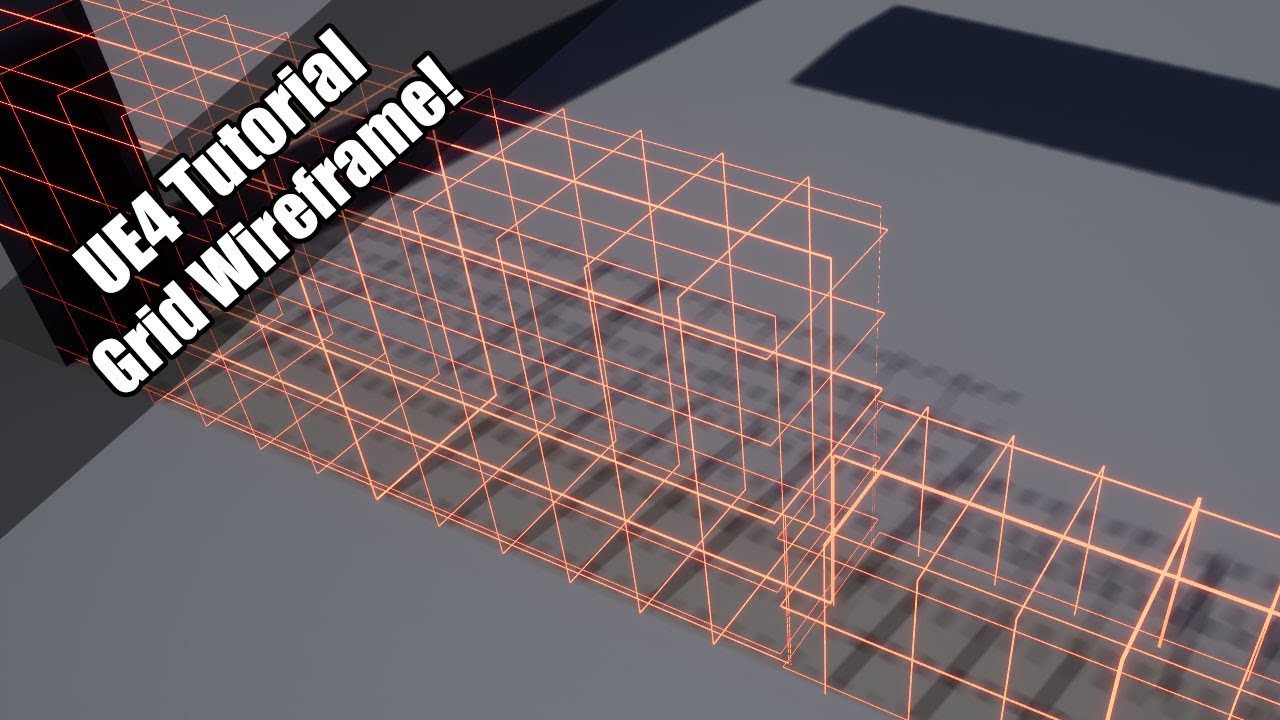
As seen in the livestream!
Twitter: https://twitter.com/Play_Ruff
Patreon: https://www.patreon.com/deanashford
Discord: https://discord.gg/gPnr339
Royalty Free Music by http://audiomicro.com/royalty-free-music
fierce agate
lilac stirrup
Pretty sure that's Project Settings, not that one.
Find the cooking command unde...
Ohh, thank you so much
Btw, which one Should I use visual studio 2019 or 2022?
little falcon
real heath
You can set your mesh to only render to the rvt, so it's not rendering constantl...
any more details?
loud berry
fierce agate
Btw, which one Should I use visual studio 2019 or 2022?
what's the concern here? if you use the most up to date, thing might be moved around a bit in the UI but generally still supports all of the previous version features
drowsy snow
weary verge
Uh if I understand that correctly yes? I want it to rise up out of the mesh of t...
Logically you won't use billowy smoke for that, and if you want it to be reacting to the environment, that'd require some more advanced shader programming knowledge
drowsy snow
fierce agate
Btw, which one Should I use visual studio 2019 or 2022?
VS2022, it's 64-bit, and things got lot faster.
drowsy snow
loud berry
what's the concern here? if you use the most up to date, thing might be moved ar...
It's more than just the UI.
loud berry
drowsy snow
It's more than just the UI.
what else?
it supports the previous version features, doesn't it?
drowsy snow
loud berry
it supports the previous version features, doesn't it?
Depends, really.
loud berry
i mean without going into the more up-to-date features
it's really just a UI change and an update, isn't it?
 loud berry
drowsy snow
loud berry
drowsy snow
u wanna t6ake this into - well shit there'
drowsy snow
For one, 64-BIT
loud berry
there's no general chat, but yeah im curious, wdym?
but that's a new feature isn't it?
drowsy snow
VS2022 is 64-bit, while VS2019 and prior somehow were still 32-bit.
loud berry
right yeah thats kinda what i gathered
drowsy snow
Also Intellisense with UE project got lot faster
loud berry
ah okay, is that a cpu optimization?
drowsy snow
loud berry
ah okay, is that a cpu optimization?

C++ Team Blog
In this blog post, we will detail how we worked with the Unreal Engine team to significantly speed up IntelliSense ready in Visual Studio 2022 by 18x.
loud berry
i rly just wanted a yes or no, not a document
😅
you seem software inclined, and I'm not exactly but i can get the general gist of things
remind me of a programmer friend i have actually

real heath
Your names are too damn similar!
loud berry
ah yeh, so coding efficiency which ultimately comes down to processing efficiency so yes
loud berry
real heath
Your names are too damn similar!
i thought so too, except one of us has an "O" or an "A" in place. So completely changes the game
lame server doesn't allow server emojis
drowsy snow
Makoto is an idol
Motoko is a cyborg
loud berry
drowsy snow
Makoto is an idol
Motoko is a cyborg
im assuming you have UE4 BP experience?
drowsy snow
loud berry
im assuming you have UE4 BP experience?
Yes, also a bit of C++
loud berry
drowsy snow
Yes, also a bit of C++
could i tug your ear for a bit of experience? I'm trans, idk if you are. be that as it may - it might take a bit of screen sharing/voice chat
drowsy snow
I'm not.
I also can't view screen shares at the moment.
 drowsy snow
Sorry, myself also in the middle of a work.
loud berry
drowsy snow
Sorry, myself also in the middle of a work.
excuse if this is offbase/out of line but when will you be free?
drowsy snow
loud berry
excuse if this is offbase/out of line but when will you be free?
At night, Far East time zone.
loud berry
drowsy snow
At night, Far East time zone.
how many hours for you? since hours kinda translate
drowsy snow
Don't hold your breath on me tho
loud berry
i might just as well suffocate, it's fine. I'm asking for help in multiple places but i reckon i won't get help from any
drowsy snow
loud berry
i might just as well suffocate, it's fine. I'm asking for help in multiple place...
Well, just ask it in here right away.
loud berry
drowsy snow
Well, just ask it in here right away.
i did a wireframe material tutorial through YT, and some of the materials it works great, others it doesn't. The ones with a seemingly default texture don't have UV maps but the solid blue ones... ??? Idk how to fix
 plush yew
Hi guys! Are there any good resources for implementing a flow field pathfinding in unreal?
empty dawn
Can you export data from unreal to a spreadsheet or word file?
empty dawn
Like I’m try to create a system where you are driving a car with 100 points and every collision (with anything )reduces your point by 2 and after ending a level it prints out your remaining points in word?
loud berry
empty dawn
Like I’m try to create a system where you are driving a car with 100 points and ...
so a health system basically
empty dawn
Yea somewhat but more detailed
loud berry
should be some way to keep track of that health value along with scores, etc. via the UI format
empty dawn
Like it will print out how many times you oversped in a lesson
 static viper
why do you want that in a word file tho?
empty dawn
static viper
from a datatable
That’s what I thought too but can’t find any tutorials
Excel would be fine too
empty dawn
I mean anything that will save it in a printable format
static viper
but for runtime youll need a code plugin
empty dawn
I’ve no idea where to begin xD
loud berry
empty dawn
I’ve no idea where to begin xD
begin at printing the health left after a run
empty dawn
Alright I’ll give it a try
loud berry
loud berry
i did a wireframe material tutorial through YT, and some of the materials it wor...
anyone who can help with this, epic gamer
 dusky vault
Hey 🙂 is there any way for my "Overall Settings" to not override my "Res Scale Settings"?
Thank you
loud berry
static viper
what is a wireframe material
everything should wireframe, some parts of the scene are unaltered that's due to them not having a UV map. But the parts that are a solid blue... not sure why that's happening
 ebon steppe
Hey guys how can I disable the spectator pawn or make it invisible
loud berry
ebon steppe
Hey guys how can I disable the spectator pawn or make it invisible
beep boop more details needed, what trying to do
 frosty island
Hey guys, can I specify a CVar at launch? Something like MyGame.exe MyVar=1
 fair dagger
Any idea how to fix invalid project name when trying to join your friend in Multi User editing?
 plush basin
anybody know how to fix this error?
 fierce agate
fair dagger
Any idea how to fix invalid project name when trying to join your friend in Mult...
fierce agate
fair dagger
Any idea how to fix invalid project name when trying to join your friend in Mult...
Maybe, the name should have not any spaces… use “_” every spaces
Try this
fair dagger
fierce agate
Maybe, the name should have not any spaces… use “_” every spaces
There wasn't any spaces
drowsy snow
loud berry
everything should wireframe, some parts of the scene are unaltered that's due to...
Maybe try making the wireframe effect with post process (scene depth).
loud berry
drowsy snow
Maybe try making the wireframe effect with post process (scene depth).
scene depth? is that niagra at all? I'm very new to this kinda stuff
drowsy snow
loud berry
scene depth? is that niagra at all? I'm very new to this kinda stuff
No, it's one of scene texture passes you can use in a post process material.
My thinking was to use that to create the wireframe effect, essentially the further you go away, the denser the grid is.
 frozen pond
hi, i have question about changing maps:
Let say i got village with a shop, i enter to shop (change level) to small room, where trade is, i do my stuff and want to go back, but when i change level from same doors again i will land on player start of this level, now how i could change that location after re entering level ?
 slow dock
Hey everyone, Im having an issue with my oculus quest 2 project when using a play area the character mesh doesn’t follow the headset. So the AI all face the origin point for the character mesh rather then the users physical movement. Is it possible to move the character pawn with users physical movements rather then just inputs
 obsidian steppe
In the editor, is the 4 viewport orthographic split only available in the main editor and not for a specific Blueprint viewport?
 atomic oriole
Hey I'm trying to add an ability where the player capsule gets squished down and physics is enabled, making it a ball. My problem is that when the player "unballs" the player is skewed at an angle, so how do I reset it's physics rotation or something?

 mental horizon
ok so, i use a framework called dash engine and in an older version normally when enter a camera volume you could set it up so that the camera moves like in 2D, but in the newer version the camera is static.https://streamable.com/orphr1

while trying to fix it i notice that there is an error in the dash camera blurring, apparently it is not accessing a part of the code.

here is the code

if someone can help me i would appreciate it
 soft tree
mental horizon
soft tree
mental horizon
what a terrible screenshot
mental horizon
?
mental horizon
soft tree
click on it
what's wrong with it? it's just a screenshot of the blueprint
ebon steppe
loud berry
beep boop more details needed, what trying to do
Nevermind, i figured it out :v
soft tree
mental horizon
what's wrong with it? it's just a screenshot of the blueprint
it's unreadable, open your screenshot. the res is so low you can't actually see anything. that won't help anyone debug your issue. help us help you
mental horizon
soft tree
it's unreadable, open your screenshot. the res is so low you can't actually see...
 ebon steppe
Guys what's the easiest to get the the Play window into Mad Mapper?
OBS Capture Display into Madmapper via Spout?
soft tree
mental horizon
much better 😄
lilac stirrup
@mental horizon
Is it this Dash Engine?
https://github.com/GalaxySoftwareStudio/DashEngine
No idea on what to fix, might be better if you contact the developer directly.
If it's just to suppress the error, you can always add an IsValid node to ensure the TargetPlayer is not null.
There is no guarantee that it will fix the behavior however, it might actually make things worse instead.

GitHub
DashEngine is a Sonic Engine/Framework for Unreal Engine 4 - GitHub - GalaxySoftwareStudio/DashEngine: DashEngine is a Sonic Engine/Framework for Unreal Engine 4
soft tree

TargetPlayer is null, and it's causing an error because you're trying to read values from it
You need to determine why TargetPlayer is null
mental horizon
lilac stirrup
<@757640329246671028>
Is it this Dash Engine?
https://github.com/GalaxySoftware...
yes, problem, he hasnt relly help me because "i don't entirely remember how dash works anymore"
lilac stirrup
mental horizon
yes, problem, he hasnt relly help me because "i don't entirely remember how dash...
I can understand why he would answer that way, he did leave the code with an MIT license after all.
Best I can give is some advice on where to find the null source.
Try to do a find reference on that variable and see all the possible usages in all the files?
@mental horizon
Try asking on this repo instead, it looks newer.
https://github.com/Nova-69/DashEngine1.2

GitHub
This is version 1.2 of Dash Engine. NOT COMPATIBLE WITH 1.1 - GitHub - Nova-69/DashEngine1.2: This is version 1.2 of Dash Engine. NOT COMPATIBLE WITH 1.1
soft tree
mental horizon
yes, problem, he hasnt relly help me because "i don't entirely remember how dash...
kinda infuriating, looks like the project is half BP and half c++
and unfortunately DashCameraActor is a BP, so can't see why it's failing here at work 🤷♂️
mental horizon
lilac stirrup
<@757640329246671028>
Try asking on this repo instead, it looks newer.
https://...
"no worries👌 unfortunately I haven't messed with dash in a while and even then I haven't touched anything camera spline related , so I can't really help"
ye didnt help
sleek mirage
how do i make the player go with the magnet, like its a moving platform

it has projectile movement and physics

 twin plinth
I want to use the particle system to create multiple beams between mesh objects to form a fence. What is the right approach? Creating multiple instances of the particle system or multiple emitters in a single particle system?
fierce tulip
what kind of fence are we talking about?
twin plinth
imagine a boxing ring but lasers instead of rope
weary verge
drowsy snow
Logically you won't use billowy smoke for that, and if you want it to be reactin...
Hmm okay, so in that case, what would be your recommendation in terms of coming close to this result, and simplifying the process? Or if there’s a tutorial I can follow that you know of? Again thank you for your time! 🎉
 acoustic flame
I'm trying to make a camera like Drakengard / NieR games where it moves with the movement of the character. I haven't find anything useful on forums and I'm not sure how should I search on youtube for a tutorial.

 covert haven
Hi
How can I publish an example project that is based on one of the engine's template projects (VRTemplate)? Can I just put it on GitHub, or is it illegal?
real heath
There's limits to how much epic code you can post publically, and only for help. You can probably publish a project on GitHub if it's entirely your work, but probably not if it's based on a template. But, read the EULA.
covert haven
real heath
There's limits to how much epic code you can post publically, and only for help....
oh, right, I forgot it was written in a readable language! looks like I'm good
You may Distribute Examples (including as modified by you) in Source Code or object code to any third party.
“Examples” means the code, artwork, or other content made available by us in the Samples and Templates folders in the install directory.
loud berry
acoustic flame
I'm trying to make a camera like Drakengard / NieR games where it moves with the...
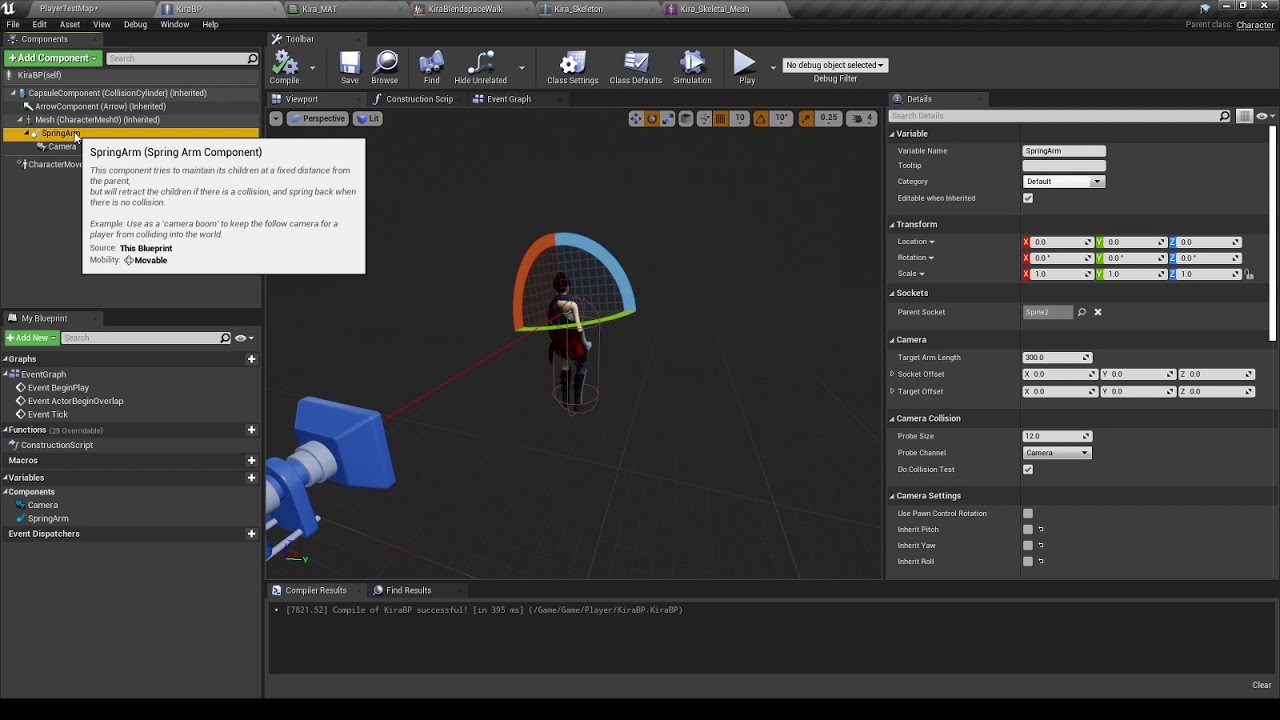
#ue4 #thirdpersoncamera
Notice how in NieR:Automata™ the camera sways a bit even when 2B is idle? Today we'll be taking a quick look at how to implement this mechanic in UE4 with just a couple clicks here and there.
acoustic flame
loud berry
https://youtu.be/3F3GY0ynAI4
I'll take a look, thanks!
fair dagger
How do i setup multi user editing?
Every time I try i join my friend it says invalid project name maybe im doing something wrong?
drowsy snow
fair dagger
How do i setup multi user editing?
Why not using source control?
fair dagger
drowsy snow
Why not using source control?
Source Control?
drowsy snow
fair dagger
Source Control?
Git, SVN, Plastic, P4
Those kind of thing that software devs use for collaboration
fair dagger
drowsy snow
Git, SVN, Plastic, P4
Those kind of thing that software devs use for collaborati...
Didn't know do you have a video for how to setup?
drowsy snow
fair dagger
Didn't know do you have a video for how to setup?
See pinned message on #source-control
 versed spindle
can anyone help me with moving an blender animated camera import away from the origin? I want to select all key frames and move them together retaining offset. Sequence was created so import worked properly. I can grab in viewport and drag individual keyframes but not select them all at once and move.
 indigo totem
anybody got a simple way for me to have an AI and or a player's material to change once killed
i have this so far lol

for example if the enemy was using camoflauge and mostly invisible, on death i want them to go back to normal
 autumn steppe
hey there anyone willing to do
flappy bird genetic algorithm with machine learning in UE4 with only blue print
i am familiar with ue4 but helping hand would be really good to have
oak patio
autumn steppe
hey there anyone willing to do
flappy bird genetic algorithm with machine lear...
good luck
blueprint only for machine learning?
if you wanna hire someone post to the job board
but that seems strictly c++ territory
empty dawn
can you flip a model inside UE4?
or I need to import it back to blender
static mesh
drowsy snow
empty dawn
can you flip a model inside UE4?
Set one of the scale axis to -1
Though be careful if you use static lighting
empty dawn
drowsy snow
Though be careful if you use static lighting
alright i will try
also one more thing
how can I keep the Collison on the pool while keep the below passable by vehicles?

I tried doing complex collison but its not working
it passes through the poll as wel
oak patio
make some custom collisions in blender
just make some boxes around the pole
rename the to UCX_[MeshNamInBlender]_XX where XX is the number of the collision
 drowsy snow
Well
#ue4-general message
 onyx viper
 queen wasp
When project settings suddenly change after a crash, I worry that the project file is corrupted or something. 5 times now I have turned off navigation "rebuild on load" and yet when I reopen the project it is back on..
(4.27.2)
And autosave turned back on, I managed to turn that off at least..
"welcome to complex systems"
I love Unreal Engine, and I know from 30+ years experience software dev can be tricky, so I am tolerant of issues anyways, just wish the project settings actually got saved
When I have weird issues and crashes in c++ that I can't figure out, delete some of Saved folder, delete Intermediate, rightclick uproject and generate files.. Recompile.. Restart machine..
Most of c++ crashes aren't that hard to fix though, but sometimes the FTimerManager or some class or variable is invalid when it shouldn't be and I have no clue why it is invalid.. so I get mem access errors..
../end rant 🙂
(making a multiplayer RTS solodev)
 mental shale
is there a reason that both of these levels refer to the same build data?

like, when I build the lighting for one level, it checks out the file for my teammates' level

Im not sure how to handle it
 static raft
Hey I'm trying to communicate with a WordPress API, does UE4 support HTTPS with SSL and is there any documentation or example I can follow?
 severe robin
Difference between Live Link and Datasmith DirectLInk?
granite lion
disable motion blur
languid tapir
anyone have any links to some really good unique assets or know where to look other than bridge?
 neon bough
languid tapir
anyone have any links to some really good unique assets or know where to look ot...
neon bough
languid tapir
anyone have any links to some really good unique assets or know where to look ot...
anything priced over $200 should be kind of unique
the higher the price the less likely you'll find them in the next game you play
neon bough
and hear me out, make them yourself if you want something really unique 😛
obtuse crystal
granite lion
disable motion blur
Thanks a lot
empty dawn
is it possible to disable light from a object/Decal?
these decals are reflecting light inside of my vehicle


any way to disable that?
plush yew
Is there a help section or can I just ask my question in here?
empty dawn
Just ask bro
plush yew
I posted in #animation since it's an animation specific question 
empty dawn
If you are not able to find a solution anywhere then ask on unreal forums
plush yew
Okay thank you very much
empty dawn
plush yew
Okay thank you very much
Did you ask in blender discord?
plush yew
Yes I did
They told me I was misdiagnosing
and said root can never be the top
this is the issue
the stag works perfectly fine but the other one is broken
empty dawn
I assume you tried reimporting already?
plush yew
I did yes, I also tried opening it in blender to remove the 'rig' above the 'root' but it wouldn't work. My work partner also exported the file with the Add LEaf Bones option disabled which should prevent this from happening
We're stumped
empty dawn
This is the first time I’ve seen this as well
I had somewhat same issue but reimporting fixed it
Happened with 4.25
Which version of unreal you on?
plush yew
I feel like I'm going crazy lol
I actually found one single reddit post with the same issue from 2 years ago with absolutely no answers to it and it's frustrating
I'm on
4.27.2 exactly
empty dawn
I’d advise you to ask on forums as this seems like a niche issue and something many folks won’t have any idea about
plush yew
Okay thank you so much for your help, you were a lot nicer to talk to ;-;
empty dawn
Have you tried importing this to any other software besides unreal and see if it works?
plush yew
Not yet, what other program should I try specifically?
However as far as I know this same FBX works perfectly fine on Unity
plush yew
Yeah however the stag is a store asset
The FBX I have is custom made from my work partner
empty dawn
Oh the dear stag asset?
plush yew
yes the deer is the stag asset, the other asset is a wolf
empty dawn
Try mailing the creator?
plush yew
Yeah she's just as stumped. We've both been trying to troubleshoot this
 kindred pier
Hi! I'm new. Um... What channel I can say I need help with something?
It's related with sonic.
My friend invited me here.
 mild raptor
yo im trying to make an animation in ue4 (i usually use blender) but its only 1 frame how do i add more?

 tardy junco
Confession time,
How long have you used unreal and how many projects you have actually finished?
tardy junco
tardy junco
Confession time,
How long have you used unreal and how many projects you have a...
^ question to all users
Also to answer your question, don't make animations in ue4 its a tedious process. Use blender that is kind off specialized for that (at least more than unreal)
mild raptor
i do use blender but sometimes it messes up lol
so i was gonna try use ue4 but its confusing
tardy junco
mild raptor
so i was gonna try use ue4 but its confusing
Exactly
But if you REALLY want to animate with ue4 (which I fully don't recommend) look into control rig
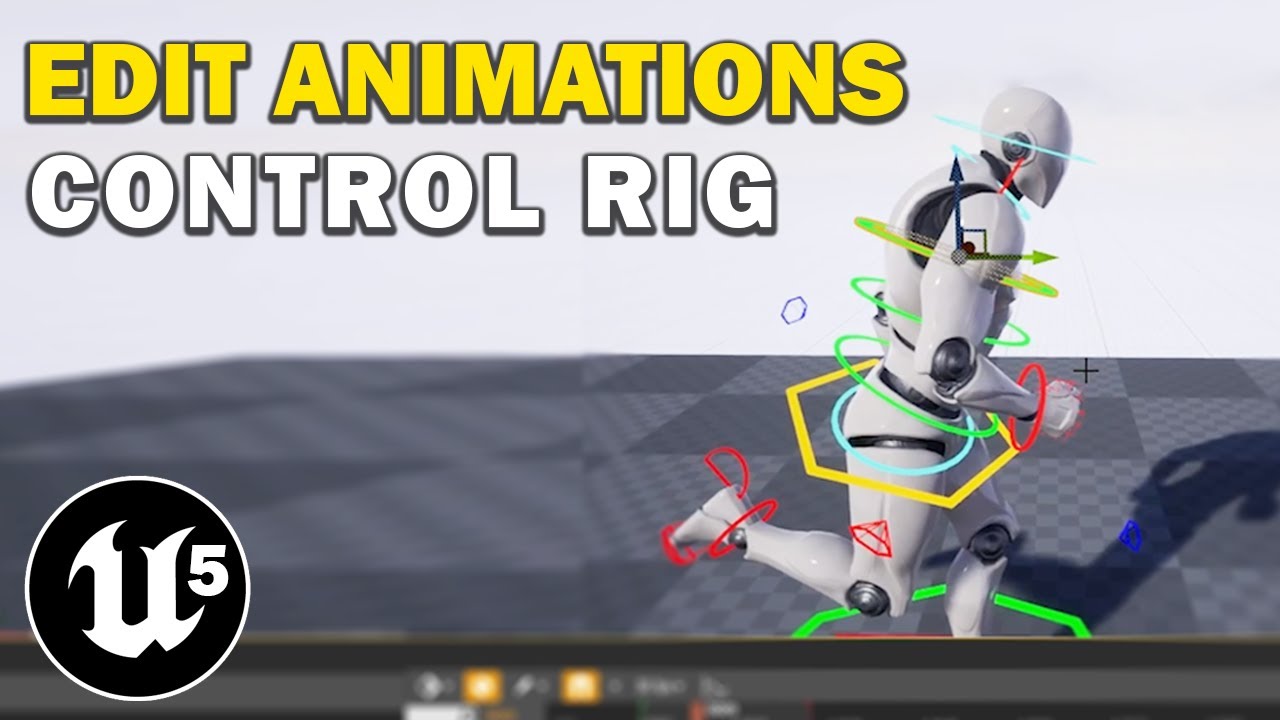
Hello guys welcome back to another video! Today I want to show you how you can edit animations inside of Unreal Engine, using Control Rig! You can follow this tutorial in Unreal Engine 4 or 5, as long as you enable the control rig plugin, or add the marketplace control rig character to your project! Let me know if you have any questions in the c...

Learn how to use Control Rig in Unreal Engine 5 (UE5) to rig and animate a character in engine with this tutorial that works as a complete introduction guide to Control Rig in Unreal Engine 5 (UE5). By the end of this Control Rig Tutorial you'll learn how to create animation sequences for any skeletal mesh using Control Rig in Unreal Engine 5 (U...
mild raptor
thanks
im following a tutorial rn for ai like attacking which is good but i would rather instead of it playing the animation in the gameplay view i would rather have it right in your face 😅
tardy junco
Fnaf jump scare?
mild raptor

FNAF: Secruity Breach - Scary Monty Jumpscares #shorts
i want to learn something like this tbh
 astral heart
how can i lighten up my shadows? i have indirect lighting intensity to 6 already. im using static directional lighting only.

 steel leaf
mild raptor
steel leaf
mild raptor
Blueprint Runtime Error: "Accessed None trying to read property CallFunc_GetBlackboard_ReturnValue". Blueprint: Monty_AI_Controller Function: Execute Ubergraph Monty AI Controller Graph: EventGraph Node: Set Value as Bool
can anyone help?
idk what to do to fix that
grim ore
is any part of that error clickable, to take you to the error blueprint / node?
mild raptor
 grim ore
so yes any of those items with the glass icon can be clicked on to take you to the error
 grim ore
Accessed None trying to read property CallFunc_GetBlackboard_ReturnValue
mild raptor
how would i fix that
grim ore
that means the Get Blackboard node is returning none
mild raptor
huh
grim ore
you have a node there that is called Get Blackboard
that node is not valid
its returning nothing
so what is that Get Blackboard node?
grim ore
well I dont see it in your list of components on the left
grim ore
yeah you might need to look at the code again in your tutorial, that node is bad
 grim ore
look on the left, your variables list does not match theirs
lilac stirrup
Aren't you supposed to connect the target to an actor?
grim ore
you have a black board component variable for some reason
mild raptor
thats for a different coding i think
grim ore
so then the next question, did you ever assign a blackboard to that AI?
 grim ore
so that is the behaviour tree, but is your AI using this?
mild raptor
yes
and yes
my ai roams normally its just not chasing me i think cuz of that errorr
grim ore
How many times does that error come up?
mild raptor
everytime i play the game
basically when the ai starts moving it shows up after i end the game
grim ore
does it only do it once tho?
mild raptor
ye
grim ore
its possible its false error, your only getting it once since its trying to run before the behaviour tree gets set on the player
grim ore
if you go in and out of the perception range it should trigger each time, if its only doing it once itmight be an order of operations error
mild raptor
like randomly it runs to my last location and not even all the time
grim ore
well if your ai is controlled by the behaviour tree you need to watch it running then
mild raptor
yeah you may be rihgt
grim ore
you can open the behaviour tree while the game is running and watch what it is doing
mild raptor
ye i have
it just never goes to the chasing side
but the ai just randomly ran towards the other side of the room even tho i wasnt there
grim ore
yep just might have to start learning to debug at this point, if it never triggers the right side you need to see if it can. after the perception updated node is called you can print out something and make sure its actually being called, it gets to that point
then just starting working from there. IF it gets called more than once then you verify if its seeing the player then you can do other things
grim ore
or you can try breakpointing on your set value as bool node and see how many times it gets called and check out each value as well
grim ore
can try
mild raptor
for my other ai, they use path points which is better. but anyways i want to make it so when the player touches the ai it plays an animation (jumpscare)
grim ore
so whats the question?
grim ore
you can use a collision item on the ai and when it overlaps the player you can do that
mild raptor
a collision item?
grim ore
yes, look up collision in UE4. you can use a collision component, like a sphere or a capsule or a box, in front of the AI and when it overlaps the player you can do your animation
mild raptor
where can i find the collision component
wait
nvm
found it
i added a collision box but how could i make it so it plays the animation when it overlaps
 static wharf
Any idea what could be causing this error when opening UE?
LogInit: Display: Running incorrect executable for target (C:/Program Files/Epic Games/UE_4.27/Engine/Binaries/Win64/UE4Editor.exe). Launching C:/Program Files/Epic Games/UE_4.27/Engine/Binaries/Win64/UnrealEditor.exe instead...
LogWindows: Warning: CreateProc failed: The system cannot find the file specified. (0x00000002)
LogWindows: Warning: URL: C:/Program Files/Epic Games/UE_4.27/Engine/Binaries/Win64/UnrealEditor.exe C:/Users/meowcat285/Documents/GitHub/absolutezero/Absolute_Zero.uproject -EpicPortal -epicusername=Meowcat285 -epicuserid=xxxxxxx -epiclocale=en -epicsandboxid=ue
LogCore: Engine exit requested (reason: EngineExit() was called)
LogExit: Preparing to exit.
 sinful gate
Hope this is the right area to ask this, I've got someone whos running into this issue on my packaged game. Seems like its only this one person.
 drowsy snow
sinful gate
Hope this is the right area to ask this, I've got someone whos running into this...
drowsy snow
sinful gate
Hope this is the right area to ask this, I've got someone whos running into this...
Seem to be more hardware related
sinful gate
I figured it was. I've just been digging around to see if I could find anything to help them with it
drowsy snow
If that person can't run other UE4 games, then it would be more on the hardware.
sinful gate
Appreciate the response!
plush yew
anywhere I can find documentation for pre-4.26?
I have a question in #virtual-reality that needs answering
 craggy ocean
Yo! Having some issues with packaging that I, for the life of me, can't figure out. Hope this is the place to ask! I am trying to package project for windows, and I immediately get taken to Unreal's documentation on Sharing and Releasing Projects for other platforms. I am unable to package at all because of this :0 Anyone know how to solve it?
drowsy snow
craggy ocean
Yo! Having some issues with packaging that I, for the life of me, can't figure o...
craggy ocean
Oops sorry! I'll move there!
 vocal night
Hi guys
im trying to make a Capybara game
but I cant find a good 3D model
enyone who was ideas?
Can you do it? 🥺
😦
 sacred moth
Hi everyone, I'm trying to animate exponential height fog color via sequencer for a scene, but for some reason, the height fog color just does not want to update correctly according to the timeline. Like this picture here, it suppose to be blue but it's orange. And the strange thing is that if I hide and un hide the layer in the outliner, then the color get updated correctly. What should I do to fix this?


 violet yoke
Guys my game has been packaging for an hour and still is. It has 2 small levels and constantly compiles shaders. After compiling 2k shaders, they start compiling again. It's very frustrating
Is it normal?
I thought it would take 10 mins max and the game jam deadline ended half an hour ago :/
drowsy snow
Next time try excluding editor content from getting cooked.
 drowsy snow
violet yoke
I thought it would take 10 mins max and the game jam deadline ended half an hour...
drowsy snow
violet yoke
I thought it would take 10 mins max and the game jam deadline ended half an hour...
Well, you could publish it on its own on itch.io, minus the small marketing boost from game jam listings
violet yoke
Damn
violet yoke
drowsy snow
Next time try excluding editor content from getting cooked.
I thought that was on by default....
drowsy snow
violet yoke
Damn
I mean, even if you won the compo, it's not getting more popular, until more prominent let's-players on YouTube picked it up by chance.
violet yoke
I guess
I have a question
I created and saved the game page as draft before the deadline ended
Can I upload the game on that page and make it public after the deadline?
drowsy snow
violet yoke
I thought that was on by default....
Well, it's not, and now you know.
You can also increase ShaderCompileWorker process priority in Task Manager and disable Windows's file indexing on the project directories.
real heath
Consult the rules of the comp. I doubt it though, usually game jam deadlines include uploads
drowsy snow
violet yoke
Can I upload the game on that page and make it public after the deadline?
Yes, but it won't be listed into the game jam entry list.
Don't get disheartened by missing the compo deadline, popularity boost from participating is not that huge.
Also I'm certain recruiters won't mind that much if it missed the deadline, if you include it as portfolio.
violet yoke
Thanks, it's just the fact that I tried so hard to finish it by the end just to find out that the export time will screw me up
drowsy snow
violet yoke
Thanks, it's just the fact that I tried so hard to finish it by the end just to ...
pats on your back
drowsy snow
violet yoke
Is it normal to have 2 shader compile workers in the task manager?
I think by default it's 3
Can't recall exactly where, but there should be a setting to adjust the SCW count
violet yoke
I can't seem to find the change priority setting
drowsy snow
It's on some .ini file, me thinks
plush yew
so i have been making a basic world and when i put two meshes together that are the same size, have the same material, same lighting etc the shadows dont come out correct
eg

does anyone know how i would go about making them look the same?
dusk nebula
plush yew
does anyone know how i would go about making them look the same?
This is after building lighting?
plush yew
dusk nebula
This is after building lighting?
yeah
dusk nebula
plush yew
yeah

Unreal Engine Forums
Silly question, but have you rebuilt the lighting?
plush yew
thanks
plush yew
dusk nebula
https://forums.unrealengine.com/t/why-am-i-getting-a-shadow-on-the-seam-of-my-tw...
it says "Generate\Compute Normals on Import" but seeing as im a noob, how would i enable this feature or is it not something you enable?>
oh wait is that something you do on importing a model, cuz this is just a standard cube built into the engine
dusk nebula
plush yew
it says "Generate\Compute Normals on Import" but seeing as im a noob, how would ...
Possibly, yeah. Why not just use one mesh instead of two?
I get that it's a bug or something, but in the majority of cases there's probably a relatively easy way to avoid it
plush yew
dusk nebula
Possibly, yeah. Why not just use one mesh instead of two?
because i was just getting the dimensions and i want to put a door in the middle with the rest of it looking like a single mesh
dusk nebula
plush yew
because i was just getting the dimensions and i want to put a door in the middle...
If there's a way to fix that specific lighting bug, then I don't know
plush yew
ok thanks
 heavy lion

 gentle carbon
Does anyone know what the hot key or where to go to select a BP animBP preview menu to scale or translate?

 fast lion
Hello.
vocal night
is there ENYBODY who wants to make a 3D model of a Capybara for free? just a SIMPLE AS POSSIBLE
BUT PLS
dusk nebula
vocal night
is there ENYBODY who wants to make a 3D model of a Capybara for free? just a SIM...
Lol
vocal night
What could i get for 30 cents?
dusk nebula
Imo even if you're making a meme game you should focus on actually making the game before asking for assets
loud berry
Is there any way to exclude certain static mesh actors when adding "Get all actors of class" to an array/for each loop?
dusk nebula
loud berry
Is there any way to exclude certain static mesh actors when adding "Get all acto...
It's more like you shouldn't be using get all in a case like this. What's the context, exactly? If it's a level BP, you can take references to those instantiated actors instead, and if it's something that's spawned at runtime you should be able to keep a reference to it
 mental dome
Where can i read up on all the ins and outs of... everything that isnt making the game in gamedev
stuff like marketing and minimum viable products and crowdfunding and shit
loud berry
dusk nebula
It's more like you shouldn't be using get all in a case like this. What's the co...
im getting all of the static mesh actors and adding them to an array if their collision type is worldstatic; to generate a miniature of the current level. There are certain static meshes that need a different scaling value for a material i'm applying because the material is generating differently for certain static meshes in the level.
So I need a way to exclude the static meshes where the material isn't applying correctly, and apply a different material to them with the correct scaling value (so it doesn't affect the material of everything else).
loud berry
mental dome
Where can i read up on all the ins and outs of... everything that isnt *making* ...
Thomas Brush on YT does a lot of great videos on the various subjects surrounding getting a game seen/successful
 fierce musk
i jus joined the Unitty Server and downloaded uniy but damn ppl in thatt server is RUDE
ue better💪
mental dome
loud berry
Thomas Brush on YT does a lot of great videos on the various subjects surroundin...
ill check it out
dusk nebula
loud berry
im getting all of the static mesh actors and adding them to an array if their co...
I have a couple alternatives to suggest. Either just create a miniature of the level, or reference those actors you want to duplicate in your level BP, as they're already spawned in the world
loud berry
dusk nebula
I have a couple alternatives to suggest. Either just create a miniature of the l...
lol I'm asking how to do that. I've already got a miniature of the level but theres just a couple static meshes causing issues with the material. So I was hoping there was some kind of "Exception" node I could plug into the for each loop
dusk nebula
loud berry
lol I'm asking how to do that. I've already got a miniature of the level but the...
I do believe you're missing what I'm saying. When you have an object selected in your level, you can open the level BP and then right click. In that menu, you'll be able to create a reference to that instance of the object. Just reference those to do what you need to do
Otherwise, just don't add those actors to the array. The "exception" in a for loop is to exclude things that shouldn't be acted on
loud berry

alright, i knew this was gonna be a pain in the ass just realized that creating another set of static meshes would mean i'd have to somehow get the meshes location where they were previously in the minimap... probably manually
dusk nebula
loud berry
alright, i knew this was gonna be a pain in the ass just realized that creating ...
You could somewhat automate it, maybe, by getting the transform of each actor, scaling the location of each down, and then translating them to a different position
I will say that you should do it in the level BP because you won't have to use "get all" or anything demanding like that
Also, the majority of games' minimap systems are just a generated image of the map, and that's because it's simply easier
loud berry
dusk nebula
Also, the majority of games' minimap systems are just a generated image of the m...
im aware but unfortunately 3d inspectable map is what the lead developer wants, and frankly I do as well. I'm getting the bare bone stuff down first before I move onto the actual rendering method. Needs to look alright before I can mess around with rendering methods.
when you say it's "demanding" how do you mean?
dusk nebula
"get all actors of class" is relatively taxing to use, and in the majority of cases it's used unnecessarily
dusk nebula
loud berry
im aware but unfortunately 3d inspectable map is what the lead developer wants, ...
What about finalizing your map layout, exporting it to a modeling software, and then generating it as one static mesh?
loud berry
dusk nebula
What about finalizing your map layout, exporting it to a modeling software, and ...
that was a potential work around I was thinking of... might be easier to do but i was hoping there might be a way to do it in BP. The other side to that option is I'm not sure how I'd make the behavior correct. I'd like to have some UI buttons you can click on while in the map view to zoom in to an isolated view of certain sections of the map. I guess I could potentially make those into 3d models as well... but also extracting a level as a model from unreal to blender seems like it may cause a lot of unwanted texture issues
dusk nebula
loud berry
that was a potential work around I was thinking of... might be easier to do but ...
You could do however many meshes you want, really. Just overlay them into floors, level of detail, whatever you might want. The main problem I see with it is if you change the level the map won't necessarily match
loud berry
dusk nebula
You could do however many meshes you want, really. Just overlay them into floors...
yeah that's another big issue... this current way automatically gets the current map and shrinks it down without having to make... 3+ models for every level/map
kind of a lot of overhead
dusk nebula
The way I see it, you've got 2 or 3 solutions with their own distinct advantages and disadvantages
loud berry
main issue im having right now is from a wireframe material i'm using. It's just not scaling right, if I could just fix that... I'd be able to move onto how i want to render it
dusk nebula
Sounds like you need to create a material instance and tile the MI
loud berry
the MI?
dusk nebula
Material instance
loud berry
dusk nebula
Material instance
ah okay, if you could send me a video or something on how to do that, i would appreciate it
dusk nebula
loud berry
ah okay, if you could send me a video or something on how to do that, i would ap...
It's honestly probably the first result if you look it up on YouTube
loud berry
material instance tiling?
dusk nebula
loud berry
material instance tiling?
Or just a material instance. I think tiling is something you can do in a material graph anyway
Basically all a material instance is it's like a child of the material and you can modify the properties that you expose
Much more efficient than duplicating the material because both pull from the same place. Like 80% less overhead from an instance vs new mat
mild raptor
does anyone know how i can make an ai play an animation when colliding with the player using a box collision?
 still needle
try playing a montage when their collision box's hit event fires?
Any simple way to represent a cone in editor? I might just et lazy and use an arrow component
fierce agate
Is the version 5.0.2 is still the engine 4?
 drowsy snow
fierce agate
Is the version 5.0.2 is still the engine 4?
drowsy snow
fierce agate
Is the version 5.0.2 is still the engine 4?
wut
fierce agate
drowsy snow
wut
I mean, is version 5.0.2 still the unreal engine 4 or 5?
drowsy snow
fierce agate
I mean, is version 5.0.2 still the unreal engine 4 or 5?
5.0.2 is UE5.
oak patio
fierce agate
I mean, is version 5.0.2 still the unreal engine 4 or 5?
The first number is the engine number, e.g. 4.27 will be unreal engine 4, whereas that 5.0.2 is unreal engine 5
empty dawn
How can you increase the font size and change where it appears on screen while using print string?
loud berry
dusk nebula
Or just a material instance. I think tiling is something you can do in a materia...
Thanks for the help, I just ended up converting the level into an fbx, porting to blender, converting to wireframe, and this was the result. Can't complain, was not hard to do at all
 dusk nebula
loud berry
Thanks for the help, I just ended up converting the level into an fbx, porting t...
dusk nebula
loud berry
Thanks for the help, I just ended up converting the level into an fbx, porting t...
very cool. I can only guess that's how it's done most of the time
loud berry
dusk nebula
very cool. I can only guess that's how it's done most of the time
Honestly I think it's done with some kinda VFX which I think would be more demanding, process wise. This seems pretty efficient
@drowsy snow thanks for your help also!
 ruby flax
hello, just quick question
does UE prefer 1 big texture, or 1 small texture with many udims
which is more "optimized"
drowsy snow
ruby flax
hello, just quick question
does UE prefer 1 big texture, or 1 small texture with...
Choose the one that take up the least VRAM possible.
 amber shuttle
trying to figure out why my game eats 99% GPU all the time
when you hide stuff from view it doesnt use any resources right?
only the rendered stuff
loud berry
Anyone know what the difference between unreal's render engine is and cycles/eevee in blender?
loud berry
amber shuttle
trying to figure out why my game eats 99% GPU all the time
What's ur gpu, and what are u rendering?
ruby flax
drowsy snow
Choose the one that take up the least VRAM possible.
yes, thats what i'm going to do, but which one takes up the least vram
 bronze badge
Hey! did you ever figure out what was wrong? im having the same issue atm 😄


 vocal night
Does enyone know a good turotial to show in first person the players arm?
i already removed the gun from the template but idk how to show the arm arm🙋
enyone
pls
oak patio
Be patient
drowsy snow
loud berry
Anyone know what the difference between unreal's render engine is and cycles/eev...
Unreal Engine: game ready realtime rendering (though you can go path tracing for pre-renders)
Blender Cycles: full path tracing, obviously not realtime
Blender Eevee: Sort of realtime, not path traced, but disregard game ready constraints.
 stiff bane
vocal night
Does enyone know a good turotial to show in first person the players arm?
stiff bane
vocal night
Does enyone know a good turotial to show in first person the players arm?
what you maen
that you can see the arms like this?https://youtu.be/YDOAo_4L2a8
Hey guys, in today's video I'm going to be showing you how to create a true first person camera for your characters in Unreal Engine 5. This is very easy to customise and adapt for your own personal preferences.
#UE5 #UnrealEngine5 #UE5Tutorial
00:00 - Intro
00:09 - Ove...
vocal night
stiff bane
that you can see the arms like this?https://youtu.be/YDOAo_4L2a8
its unreal 5
😦 i have unreal 4
drowsy snow
vocal night
😦 i have unreal 4
Show your current setup
vocal night
drowsy snow
Show your current setup
?
drowsy snow
vocal night
?
Show your current setup, the problematic part.
drowsy snow
vocal night
?
Okay, fine, show your BP and the issue in question. I need it for troubleshooting context
vocal night
i dont understand 🤣
stiff bane
screenshot your blueprint of the player blueprint
and tell me what it should be
@vocal night
vocal night
now
sorry i have to study but im on my pc so i have to do it sneaky
lol
i found this on the interne
t

something like this
see? the arm

like that
vocal night
drowsy snow
Okay, fine, show your BP and the issue in question. I need it for troubleshootin...
.
drowsy snow
vocal night
.
I mean, specifically your setup in your project.
No narrowing context, no further help
vocal night
drowsy snow
I mean, specifically **your setup** in **your project**.
No narrowing context, ...
dude
im a beginner
explain in normal terms
my gaming setup?
 fallow scroll
bruh
 oak patio
vocal night
my gaming setup?
oak patio
vocal night
my gaming setup?
Your setup, as in your attempt to solve the problem, as in what you have in your project
 wet obsidian
Hello, I really need your help!! I made a VR Keyboard for a project that i have for OQ2 devices but i can't create the functionality for the keyboard's "Delete" and "Enter" buttons. I tried the "Press And Release Key" t simulate the buttons but it doesn't worked (it is only for windows) and i tried to use the "Send Key Char" with the "/b" but it doesn't worked ether. Has anyone any idea?
 stiff bane
@vocal nightbro its not so hard all we want to see is your player blueprint, if you dont know what that is you really need to do some courses first
static viper
last i checked that was one of the BT key features
the ability to just cancel everything
static viper
there is a node called
StopLogic
can you look if you find that in your controller
mild raptor
i seen that
do i apply that in my ai controller
how would i tell it to only stop when the jumpscare code applies
 dreamy zenith
is it possible to make a 4 way anim into a 8 way?
thin tendon
bronze badge
Hey! did you ever figure out what was wrong? im having the same issue atm 😄
I tried a lot of other stuff first. I did fix the issue. I think what fixed it was instead of using a console command I had to use this. I had to have ignore restrictions off (otherwise it would still be an issue). I had to remove the reference to the specific player making sure that pin was empty (otherwise it would still be an issue). Then it finally worked for me. I think what was causing it was the player being referenced after it was trying to shut down.
 mild raptor
static viper
i have no idea what jumposcare code is
mild raptor
static viper
i have no idea what jumposcare code is
do i just create event and then in the controller when the event is called stop all logic?
bronze badge
thin tendon
I tried a lot of other stuff first. I did fix the issue. I think what fixed it w...
Ah, thank you
vocal night
I watched a tutorial on yt for a main menu
i did everything what he said
and i just get black screen
this is my blueprints for it

idk what i did wrong
 foggy orbit
 vocal night
vocal night
vocal night
i fixed it
but now i have another problem 😿

see? the main menu is not like in the centre of the screen en you can just see the character already 😥
static viper
please do some tutorial itsme
we are not your personal tutors
its nice if people help out
but these kinds of questions
take your questions into hand and type them into google
and do some ue4 courses
vocal night
I did the tutorial
static viper
do more