#ue4-general
1 messages · Page 1131 of 1
 sick patio
 dense wren
so you would still give me a hand so i can make it in ue4? since ue4 is what i been using
i dont have any plans of using unity, i just wanna use ue4, i would apreciate if you would still help me with some tips
if you want of course
sick patio
me? no, i'm a nub. but i've seen people try to develop 2d games and it was literally a bunch of work arounds
 drowsy snow
sick patio
i've played it, almost extensively, since all my neighbors play it and my opinio...
drowsy snow
sick patio
i've played it, almost extensively, since all my neighbors play it and my opinio...
You tell me if this is a Unity game or not
 sick patio
I watched a friend for months try to make a "2d" game, which, it looks 2d when you click play, but it was 3d, with the camera fixed in place, so for months it was a bunch of jerry rigging the system, because 3d is just so easy in ue4
drowsy snow
sick patio
I watched a friend for months try to make a "2d" game, which, it looks 2d when y...
That's the exact same thing with making 2D games in Unity 🤔
sick patio
clearly it's ue4, but this is what he's in for
 drowsy snow
You tell me if this is a Unity game or not
drowsy snow
drowsy snow
You tell me if this is a Unity game or not
Also I don't blame you for thinking if this is a Unity game @sick patio
sick patio
i'm a master at google, of course i found out it's ue4 😛
ok let's get back to my question
a MASETER blueprinter, could make the master ai system?
and maybe sequences that played while the character can still move around?
drowsy snow
sick patio
a MASETER blueprinter, could make the master ai system?
Yes, but at best it's a duct tape kind of system.
sick patio
so i just bought this computer, brand new, mega computer, and when i check how much of it's i'm using, i can barely see the little dot at the bottom of the charts. it said, it is used for AI
so i'm GUESSING, this would be the exact thing, this thing is used for
i don't know what it means, it's used for AI
and maybe that's why i got government links when looking it up?
I may have overbought, for unreal
but can you give me a hint to where to look to start making a master ai, in blueprint, ai tree or whatever?
blackboard?
 rain raft
Can anybody help me with animation modifiers ??😭 I’m a noob at UE . I’m working on distance matching locomotion and I’ve followed several tutorials on creating distance curve but no matter what I do, I also get no data in the curve animmodifier is applied . Pls help lol
 mental tartan
this might be a stupid question but
how do i make the base pose of the hit reaction from paragon wukong to idle from t-pose
sick patio
mental tartan
how do i make the base pose of the hit reaction from paragon wukong to idle from...
ask in #animation i think
mental tartan
nvm i found a way (i think)
 bright sigil
sick patio
so i just bought this computer, brand new, mega computer, and when i check how m...
bright sigil
sick patio
so i just bought this computer, brand new, mega computer, and when i check how m...
I think that means its meant to perform a lot of cpu tasks, unless it was specifically stated that it was to make Unreal AI which seems weird. I dont really work in the world of AI, but I assume cpu and ram are super important for running AI sims or whatever. If you ask over in #gameplay-ai I'm sure plenty of big brains can enlighten you, otherwise #hardware if you want to share specs to understand your machine
 zinc shore
can i do vector based UI in unreal
 torpid hinge
hello i have to dal with big data table 1200*1200 row
is it ok to make such massive size data table or i should use any thing else
i tried to save data as image then import to ue and read each pixel value
each pixel is unite row in data table
also i tried to save data in code
saved data in static variable which was in header file saved as 2d array
which best way to use??
 sterile sun
when i play level in editor , some default objects getting added automatically
how can i get rid of it

all objects mark in yellow color
are getting created at runtime automatically
sterile sun
in world outliner
sterile sun
sterile sun
?
bright sigil
i would guess you need to change it at the cpp level, probably with some of the base classes like game mode, but im really not sure
 dire parcel
question, i was following a tutorial for sprint system. I can only have one Event BeginPlay, and I need it to be connected to the "set walk speed" at the bottom right, but I already have the sequence already connected to it, what is a way around this?

 rough knoll
how do i stop my pawn from doing a full 360 when i interpolate rotation? video for example, code is in screenshot
 rough knoll
dire parcel
question, i was following a tutorial for sprint system. I can only have one Even...
rough knoll
dire parcel
question, i was following a tutorial for sprint system. I can only have one Even...
i'm not 100% sure if i get what you mean but im pretty sure you can just add another sequence pin or append it to the add to viewport node
bright sigil
dire parcel
question, i was following a tutorial for sprint system. I can only have one Even...
either add another pin or just add the set and the end of the execution chain. Event BeginPlay fires at the start of play so use to to set initial variables, doesn't matter if it's a long chain
dire parcel
bright sigil
either add another pin or just add the set and the end of the execution chain. E...
add another pin to the even begin play? ( sorry still new lol )
bright sigil
rough knoll
how do i stop my pawn from doing a full 360 when i interpolate rotation? video f...
thats how eulers work which is the default rotation handling method - eulers like to find the shortest rotation value. This is a matter for quaternions. But thats about all i know 🥲 i know when one is needed over the other, but i dont really work with them
 flint dagger
Pro-tip: DMing random people from here to get help faster is not the way to get help faster. XD
bright sigil
flint dagger
Pro-tip: DMing random people from here to get help faster is not the way to get ...
are you getting DMed by ppl?
flint dagger
Yep, happens nearly weekly at this point. I was foolish enough this morning without coffee to actually respond.
bright sigil
dire parcel
add another pin to the even begin play? ( sorry still new lol )
there's an "add pin" at the bottom of your sequence node
bright sigil
flint dagger
Yep, happens nearly weekly at this point. I was foolish enough this morning with...
i guess blocking DMs is out of the question... sucks to hear
sick patio
What does this mean, i'm looking at a sprite sheet: "You might need a separate alpha channl for the sprites, in which case I recommend just taking the existing files, and switching them to grayscale and using that as an alpha channel." @bright sigil
 low geyser
turn off dms for non friends ez
 primal tendon
I was trying to import Sword and Shield pack from mixamo and it says a lots of bones are missing from the bind pose....
 dire parcel
i guess people are inpatient 
flint dagger
Additional Pro-tip: trying to guilt trip the person you DM'd into helping, will definitely not get you help :p
flint dagger
low geyser
turn off dms for non friends ez
I need them on for other servers, unfortunately.
dire parcel
bright sigil
there's an "add pin" at the bottom of your sequence node
im looking for it but cant seem to find it even though its prob right in my face
sick patio
Mr. @bright sigil
dire parcel

flint dagger
bright sigil
i guess blocking DMs is out of the question... sucks to hear
Yep just block and move on :3
 bleak zodiac
dire parcel
i guess people are inpatient <a:madblob:676663514886307841>
bleak zodiac
dire parcel
i guess people are inpatient <a:madblob:676663514886307841>
stiil the unreal online?
bright sigil
dire parcel
im looking for it but cant seem to find it even though its prob right in my face
it is... its right in front of your face 🙂
dire parcel
bleak zodiac
stiil the unreal online?
nah started my own project with 2 others, just holding my own weight and not trying to fall behind lol
so im pushing myself as much as i can
flint dagger
low geyser
that might work?
Not sure that works, never works when I put that stuff on my door and still get advertisements in my letterbox :p
bright sigil
flint dagger
Yep just block and move on :3
i bet there are some good gifs that express your frustration about it that you could respond with 😛
 sick patio
@bright sigil did you see my question?
dire parcel
bright sigil
i bet there are some good gifs that express your frustration about it that you c...
here is one
https://media.discordapp.net/attachments/443522014934859787/787126035581763584/invisibleman.gif
 bright sigil
low geyser
that might work?
bright sigil
low geyser
that might work?
you can read my profile... but people still do it
bright sigil
sick patio
<@!568839944970174501> did you see my question?
ive seen many of your questions
bright sigil
dire parcel
here is one
https://media.discordapp.net/attachments/443522014934859787/78712603...
when you at me, i can actually see it XD
dire parcel
WAIT WHAT
flint dagger
bright sigil
when you at me, i can actually see it XD
I hate it too :p
low geyser
best way i could think of is changing your profile picture into a decent one like popular profile pictures such as fortnite player logos  100% will work
bright sigil
dire parcel
WAIT WHAT
lmao
low geyser
 bright sigil
at messages highlight in orange-ish
flint dagger
Its visible when you hover your mouse over the message jojo, because discord slightly darkens.
dire parcel
flint dagger
Its visible when you hover your mouse over the message jojo, because discord sli...
yes yes but i had @ him
so i think he seen it without like hovering
flint dagger
Oh, interesting, not sure :3
bright sigil
in no time at all, this became lounge....
low geyser
i use light theme on discord so i've seen it instantly
sick patio
What does this mean, i'm looking at a sprite sheet: "You might need a separate alpha channl for the sprites, in which case I recommend just taking the existing files, and switching them to grayscale and using that as an alpha channel." @bright sigil
flint dagger
Oh shoot, there is a lounge. I keep forgetting :p
 flint dagger
I'mma go drink my morning coffee there. :3
low geyser
but i'm used to it
bright sigil
you all owe it to yourselves to go to lounge and see the funny picture i put, its about shoes
bright sigil
sick patio
What does this mean, i'm looking at a sprite sheet: "You might need a separate a...
i didnt say that
sick patio
I didn't say you say it, i'm asking you about it
why everyone think i'm accusing them of something
bright sigil
oh lol, it looks like its a quote because my name is at the end
 flint dagger
You just need an alpha for your sprites, friend.
bright sigil
this place went south quick 😆
low geyser
flint dagger
Welp, this is what happens when I say something remotely not Unreal here. :p
Ya'll quickly devolve into Non-Unreal Androids with gifs for brains :3
 dire parcel
codekitten has inspired us to rebel the UE server
bright sigil
sick patio
the sprite
i assume the suggestion about the alpha is so you can mask it?
dire parcel

sick patio
you know i'm a noob right?
flint dagger
dire parcel
codekitten has inspired us to rebel the UE server
NO. No I did not. Stop it, No. :p
bright sigil
id actually like to help someone here about something related to unreal, which is the point of this channel
flint dagger
sick patio
you know i'm a noob right?
Quickest fix is in your material, drag off your Texture Sample Node, do a Desaturate node, and plug that into Opacity.
dire parcel
bright sigil
id actually like to help someone here about something related to unreal, which i...
okay back to me : :
i still cant find add pins
low geyser
this channel is unreal-engine o
dire parcel
probably because i am on 4 hours of sleep and its 2am.
bright sigil
dire parcel
i still cant find add pins
well its not in the gifs search, try looking for it in the engine 😄
 clever pasture
I want to learn how to use the Unreal engine
bright sigil
low geyser
this channel is unreal-engine o
yes, we walk a fine line here
sick patio
am i dragging from the rgb?
low geyser
but it is still from the section general so doesn't it mean that the sub-section of the general is also general channel which where we can discuss things are related to general things so general, general.
General.
bright sigil
sick patio
am i dragging from the rgb?
we can head to #graphics , better to discuss there anyways
dire parcel
clever pasture
I want to learn how to use the Unreal engine
start witht the unreal learning hub
bright sigil
low geyser
but it is still from the section general so doesn't it mean that the sub-section...
well we can ask a mod what they think 😉
clever pasture
I have the R7 5700g processor, my question is if it is enough to create a mobile game like fortnite mobile for example
low geyser
im just feeling glonky havent slept for a while, this'll get resolved immediately ! 
cant be certain though for the reason of this candies that i'm eating containing caffeine and lecithin

primal tendon
Hey I'm having some weird movements for forward and backward....
 haughty dock
Can someone help me with something? So when i use blender and like make a map using a cube in edit mode, when i export it to UE4 like it's a cube like i can see the things i edit but i can't walk on them and stuff i am just floating..
primal tendon
haughty dock
Can someone help me with something? So when i use blender and like make a map us...
You need to switch on collision...
 digital kayak
ok so im watching a tutorial but then he is using ue4 while im using ue5 and i got stuck in this one area
in blue prints he added float > float but i cant seem to find it in ue5
haughty dock
primal tendon
You need to switch on collision...
yeah i did like i made changes to the cube but like if i extend the edges of the cube to make walls i would be just floating in the air on a invisible floor like on the same level as the walls
low geyser
digital kayak
ok so im watching a tutorial but then he is using ue4 while im using ue5 and i g...
add float?
digital kayak
low geyser
add float?
it isnt there
low geyser
there issssss
digital kayak
i mean
bright sigil
digital kayak
ok so im watching a tutorial but then he is using ue4 while im using ue5 and i g...
i dont think its specific to float or int, so try searching for "compare" instead
digital kayak

 modest trench
might also by type promotion in BP math nodes
digital kayak
these are the only options for "<"
digital kayak
bright sigil
i dont think its specific to float or int, so try searching for "compare" instea...
ok
bright sigil
try search for "greater"
 digital kayak
 low geyser
o
bright sigil
i believe some of those nodes were changed to be more generic in ue5
digital kayak
 digital kayak
bright sigil
i believe some of those nodes were changed to be more generic in ue5
digital kayak
bright sigil
i believe some of those nodes were changed to be more generic in ue5

i tried searchin reddit
this is what i got
which also didnt work 😔
dire parcel
bright sigil
it is... its right in front of your face 🙂
i looked for it and i still cant find it brother
low geyser
they removed it !
bright sigil
digital kayak
i think you grab the less than and change it
digital kayak
bright sigil
i think you grab the less than and change it
it isn't working
primal tendon
primal tendon
Hey I'm having some weird movements for forward and backward....
Can anyone help me out with this?
modest trench
primal tendon
Hey I'm having some weird movements for forward and backward....
"world" direction. make it based on your control/character rotation
bright sigil
dire parcel
i looked for it and i still cant find it brother
hope it helps!
 digital kayak
bright sigil
hope it helps!
digital kayak
bright sigil
hope it helps!
lmfao
low geyser
AAAAAA ima just sleep, gonna strive for more brain damage tomorrow
primal tendon
modest trench
"world" direction. make it based on your control/character rotation
That's the weird part, I did one of this course and set it the same way and it worked in that project

 digital kayak
bright sigil
i think you grab the less than and change it
digital kayak
bright sigil
i think you grab the less than and change it
NVM IM VERY STUPID I FORGOT TO LINK IT
IM SORRY FOR THE TROUBLE
haughty dock
here someone help i edited this cube in blender and when it's in ue4 it's like this

can't walk on the surface i edited
just a cube
 modest trench
primal tendon
That's the weird part, I did one of this course and set it the same way and it w...
modest trench
primal tendon
That's the weird part, I did one of this course and set it the same way and it w...
well I guess this would work for a game with a locked camera direction
primal tendon
oh right....
modest trench
this is the regular ol third person setup
 bright sigil
haughty dock
bright sigil
haughty dock
so you fall through? needs collision then
rough knoll
bright sigil
thats how eulers work which is the default rotation handling method - eulers lik...
yeah i have no idea how to approach this i can't find anything on the internet about it lol
bright sigil
rough knoll
yeah i have no idea how to approach this i can't find anything on the internet a...
youd need to look into quats specifically and learn how to work with them. its not so much an unreal thing, but a math thing 🙃
rough knoll
bright sigil
youd need to look into quats specifically and learn how to work with them. its n...
ic
flint dagger
Quaternions, the black magic of math. xD
(Im not a designer, most rotation math is black magic to me) :p
 mental plank
How to edit the world composition layer (streaming distance)
 mental plank
How to edit the world composition layer (streaming distance)
mental plank
mental plank
How to edit the world composition layer (streaming distance)
Once I create the layer. Later I can't edit streaming distance. Can anyone say how should I do it?
haughty dock
bright sigil
so you fall through? needs collision then
no i don't i am just standing there
there is collision
bright sigil
haughty dock
no i don't i am just standing there
ohhh, so it has this hole, but the collision is a box
bright sigil
lol
haughty dock
lmaoo
bright sigil
you can make it complex instead of simple
bright sigil
great
rough knoll
bright sigil
youd need to look into quats specifically and learn how to work with them. its n...
from what i'm seeing there is a slerp function in c++ but not in blueprints
bright sigil
rough knoll
from what i'm seeing there is a slerp function in c++ but not in blueprints
there are quat nodes that you can use in bp
rough knoll
im not sure how to interpolate between them.. is that just more math i have to learn lmao
haughty dock
bright sigil
you can make it complex instead of simple
like this?
 rough knoll
from what i'm seeing there is a slerp function in c++ but not in blueprints
rough knoll
rough knoll
from what i'm seeing there is a slerp function in c++ but not in blueprints
what i mean by this is i see no equivalent to this c++ func in blueprints
 bright sigil
haughty dock
like this?
bright sigil
haughty dock
like this?
that will use the box collision and also per poly collision. You want the latter, i.e. "use complex as simple"
haughty dock
bright sigil
that will use the box collision and also per poly collision. You want the latter...
Ohh ok lema try it out
oh yeah
that worked
thank you so much
bright sigil
rough knoll
what i mean by this is i see no equivalent to this c++ func in blueprints
plenty of these nodes

 mossy basalt
i had a thirdpersoncharacter set up with FPS camera and I added it to a new level but for some reason when i hit play i spawn in the corner above the landscape and the only time i can move as my thirdperson character is on the aiming input i have set up (with an ADS camera). Any suggestions?
mental tartan
what in the world happened to the hitreact animation for wukong\

does anyone know how to fix it
rough knoll
bright sigil
plenty of these nodes
god i am confused
modest trench
you could even just implement your own little blueprint lib if all else fails
rough knoll
rough knoll
god i am confused
nevermind
rough knoll
modest trench
you could even just implement your own little blueprint lib if all else fails
i try to avoid using c++ by all means necessary because it means im gonna have to launch the project from visual studio every time and i hate that lmao
modest trench
no it doesn't, once you build the binary you can just launch the uproject
of course future c++ changes will require a code IDE though
drowsy snow
rough knoll
i try to avoid using c++ by all means necessary because it means im gonna have t...
You'll get used to it
Eventually
modest trench
your RAM is already forfeit!
drowsy snow
modest trench
your RAM is already forfeit!
Say no more!
https://downloadmoreram.com/
DownloadMoreRAM.com - CloudRAM 2.0
 drowsy snow
mental tartan
better but still weird
drowsy snow
mental tartan
better but still weird
What is this? 🤔
modest trench
no clue what we are looking for here
is the hitreact based on the hit direction? might be coming from the direction of the capsule and not he swing itself?
mental tartan
modest trench
is the hitreact based on the hit direction? might be coming from the direction o...
nop nothing like that
its just
the animation itself
oh nvm
imma put in animation channel]
 tiny zodiac
Im having trouble changing an animation. Whenever i change the animation, it applies to all characters in the game.
So if i change the position of the hand there and make a Key. Then all characters in the game will appear with the hand changed.
I need to change the hand only for a specific character.
How do i accomplish this without messing up all of them
 drowsy snow
tiny zodiac
Im having trouble changing an animation. Whenever i change the animation, it app...
drowsy snow
tiny zodiac
Im having trouble changing an animation. Whenever i change the animation, it app...
Why not non-destructively modify the animation in runtime with IK?
tiny zodiac
drowsy snow
Why not non-destructively modify the animation in runtime with IK?
Thank you for your answer.
Because IK cannot change the rotation of the hand 😦
modest trench
you can directly rotate bones in the animation BP afaik
drowsy snow
tiny zodiac
Thank you for your answer.
Because IK cannot change the rotation of the hand 😦
You can.
And Control Rig could make that significantly easier
tiny zodiac
drowsy snow
You can.
And Control Rig could make that significantly easier
@modest trench How do i do that with IK?
modest trench
I was just thinking of raw changing the bone in the anim bp 😅

HoodieGuy probably has a smarter solution
drowsy snow
tiny zodiac
<@!92824241472307200> How do i do that with IK?
At least in CR, you can transform the controls that moves the effector bone for the IK, just like any other transformable things
 real plank
Hlods does not work with hand painted foilage or procedural foilage, right? only static meshes.https://youtu.be/VjPLegMhm8I?t=573
From the vid above, hlods are not included for painted foilage, does this apply to procedural foilage too or nah

We’re revisiting this playable experience with a series of extended tutorials. Get stuck into these deep dives for a detailed look at the work involved in this atmospheric medieval village created in UE4.
Part 1: Performance Optimization https://youtu.be/uJVguudLrmw
Part 2: Lights & Shadows https://youtu.be/bkztcwD9UJE
Part 3: HLODs https://yo...
drowsy snow
real plank
Hlods does not work with hand painted foilage or procedural foilage, right? only...
Foliages are basically instanced static meshes.
real plank
drowsy snow
Foliages are basically instanced static meshes.
Does that mean they automatically group themselves together to reduce drawcalls like hlods because from the vid, since they don't work with hlods, the best way to improve performance is through cull distancing while using lods from certain distances to prevent quad overdraw.
tiny zodiac
modest trench
I was just thinking of raw changing the bone in the anim bp 😅
the transform bone is giving me a warning and its not working. It says it needs something in the rotation. But i put a value in there. What am i doing wrong?

changing the animation in animation with a key was working, the only problem was that it was applying to all characters in the game 😦
modest trench
yeah, they all share the same animation asset
tiny zodiac
😦 thats the problem. how do i fix that 😦
drowsy snow
tiny zodiac
😦 thats the problem. how do i fix that 😦
Are you in engine version older than 4.26?
drowsy snow
Well, because you can use Control Rig and non destructively modify anims in runtime
modest trench
tiny zodiac
the transform bone is giving me a warning and its not working. It says it needs ...
read the entire error message
tiny zodiac
modest trench
read the entire error message
Oh i see, replace
tiny zodiac
modest trench
read the entire error message
Thank you
modest trench
I actually had to try it myself because I've never done this before lol
I could find nothing on google for the error
worth mentioning that this solution is very simple and will only work if you just need to rotate a single bone a bit
a true ik/control rig setup might be required for anything actually complicated
from what I can guess
tiny zodiac
modest trench
I actually had to try it myself because I've never done this before lol
thank you @modest trench Its working. I know it feels like a quick improvised solution. But its working 🙂
 dense tartan
Hi. I want to animate the free subway available on epic store, just simulate lights passing through the windows. Any tutorial anywhere ?
 modest trench
you could probably make something pretty simple to do this by just lerping some lights around
or even in sequencer

 primal tendon
How to fix this jitter when moving? It seems to happen only when animation is assigned...
 primal tendon
digital kayak
primal tendon
digital kayak
Oh you are trying to set it into a variable, in fact that tutorial video is probably old version unreal engine, just skip connecting it to calculate direction and connect it to next one it says in tutorial
digital kayak

Hey guys, in today's video I'm going to be showing you how to use the new 'Calculate Direction' node in Ue4 since a lot of people have been asking me recently and are quite confused on how to use it.
Unreal Engine 4 Tutorials Playlist: https://www.youtube.com/playlist?list=PLQN3U_-lMANOnnjfvEEVeAPE8mfrGr_VH
Blender Tutorials Playlist: https://...
nvm i got it
primal tendon
primal tendon
How to fix this jitter when moving? It seems to happen only when animation is as...
I hope someone helps me with this one...
 icy plaza
Hey, I got a question. I'm working on making some stuff in vr. I deployed the first level, but for some reason the shaders are doing weird stuff. Does anyone have an idea why? I already googled the issue but couldn't find why. I'm working on the oculus quest 2 btw

 thorny river
who is using the weather system plugin here ?
 woven falcon
anyways

I'm whatever that is. Because I don't have months to do what requires mere hours in any other language.

 Twitter
·
Twitter
·
i found noodl on twitter

 astral verge
Hello Guys , I am working on the collab template . I want to add other modes like car mode or drone mode beside the original walking and flying mode , anyone know how to do that ?
 flint dagger
 timid meteor
is this a bobcat?
timid meteor
is this a bobcat?
Looks mostly like a Cheetah (they have long tails and thin legs). But your file says Cougar. But Cougars don't have spots.
@plush yew is right, Bobcats have larger/longer ears and usually really long fur on their cheeks.
 light goblet


 plush yew
I'm trying to get a close up of this object and animation but the mesh keeps dissapearing.
I have tried setting the bounds from 1,0 to 10 but no change in the situation. Any ideas?

 sinful monolith
Im sure this has been asked many times but how do I gain recontrol of the mannequin again?

 plush yew
are there any videos about this type of ammo count?

 pure void
woven falcon
https://twitter.com/MemoriesIn8Bit/status/1483742403911634948
pure void
woven falcon
https://twitter.com/MemoriesIn8Bit/status/1483742403911634948
Imagine this just being the level blueprint
woven falcon
pure void
Imagine this just being the level blueprint
we need moar 
 honest vale
plush yew
are there any videos about this type of ammo count?
honest vale
plush yew
are there any videos about this type of ammo count?
what do you mean?
plush yew
like i want the amom count text to stay with the gun
like in bright memory
but i dunno how
Hi, I have one steam game and I want to let user to launch another game from the source code of the first game. Do you know if steam sdk have function to do this? Or there is other way to run another game (e.g. via command line)?
 thick herald
plush yew
like i want the amom count text to stay with the gun
thick herald
plush yew
like i want the amom count text to stay with the gun
Attach a widget to the gun. That widget displays the ammo count.
drowsy snow
Or rather, Widget Component
plush yew
ah ty
 lofty iron
I'm a rube and I was wondering if y'all could point me in the right direction
I ended up with a Non fungible person I am wondering how to articulate it in real time. Any suggestions or starting points?
 pearl minnow
im getting numbers in the range of roughly 0.7 - 1.5 , how can i "dampen" them to get a value closer to one? i guess i could do -1, times 0.5, +1, but is there some other math function that i have forgotten from school? 😄
meh this seems to do okay at constraining it 😄

 wet plume
Hello everyone, im looking to start designing my own game and, well i know a lil bit about the field, i dont know enough to create a quality project. Im lookin to learn whatever i can and use that knowledge to make a great game.
 regal ferry
does anyone know why it says it already exists? I renamed everything or even deleted the .uasset on my folder but still shows that it still exists.
 pearl minnow
@regal ferry did you try restarting? I usually just work around that issue and make a new name, not worth the time worrying about it
regal ferry
Ahh didn't restart yet will try thank you!
 tame marsh
There's no way to have any of the asset editor windows (e.g. Blueprint Editor) as a panel in the main editor, right?
drowsy snow
tame marsh
There's no way to have any of the asset editor windows (e.g. Blueprint Editor) a...
What do you mean? Is this what you're looking for?
 tame marsh
For example, I have a BP editor docked here in the place of Content Browser 2
 plush yew
thick herald
Attach a widget to the gun. That widget displays the ammo count.
plush yew
thick herald
Attach a widget to the gun. That widget displays the ammo count.
how lol im dumb
oh got it
 small ridge
how can I display pop up points after an actor has been destroyed, what is the best way? should I spawn a widget at the desired location?
plush yew
got it working thanks

and engine crashed lul
What is the easiest way to create some differences in these textures. I have to texture 50 of those parts, but i dont want them all to look the same.
 thorny river
guys can someone help me with the weaather systerm plugin pls
drowsy snow
plush yew
What is the easiest way to create some differences in these textures. I have to ...
Either edit the UV map if it's a single object, so that each face won't occupy the same area, or use shader trickeries like triplanar projection
plush yew
drowsy snow
Either edit the UV map if it's a single object, so that each face won't occupy t...
Hmm not sure what the terminology means yet, But i followed this tutorial now i can scale and position the textures just like in C4D 🙂

Controlling UV Space in UE4
Twitter: https://twitter.com/Game_Dev_Man
Facebook: https://www.facebook.com/GameDevMan
drowsy snow
But how are you going to track the user's hand to begin with?
 north kelp
Hey everyone, I'm wondering what the right channel would be to ask a question on the material editor. I'm trying to convert a color curve to a vector 4 so I can change it dynamically. Any idea?
drowsy snow
north kelp
Hey everyone, I'm wondering what the right channel would be to ask a question on...
north kelp
thank you
 proper stump
Looking at a mesh, i want to edit the size of collision, to input the numbers, not using the UI tool... is that possible, cant locate that menu. UE5

 cosmic matrix
Hello,
I can't drop an animation in a aimoffset BP.
Message is "Should be additive" but when i m looking in setting i see Additive mode rotation-offset-mesh-space.
Any idea?
 dense wren
hello everyone. i need help on making a game like clash royale, anyone willing to give me a hand?
primal tendon
any way to convert root motion animation to inplace animation?
 oak linden
primal tendon
any way to convert root motion animation to inplace animation?
oak linden
primal tendon
any way to convert root motion animation to inplace animation?

Just a short video showing how to remove "root motion" from motion capture data so it can be used with blendspaces in Unreal Engine 4
Old video but method is the same
 buoyant graniteBOT
:triangular_flag_on_post: nndz#9514 received strike 1. As a result, they were muted for 10 minutes.
 wild dagger
Can someone shed some light at what I'm actually looking at here using stat memory? The first 2; StreamingTexturePool and TextureMemoryPool are always at 1000mb but is that memory actually being allocated or is it something else?
 small ridge
Ok let's say I have a Parent class (simple actor) that has a variable called ScoreValue. I have 3 different children that inherit from that class (still actors) . One of those children changes the ScoreValue based on the level I am in. Then let's say I have a widget that is a simple image. I need to change the brush of that image based on the ScoreValue with the binded function. I have a map for doing that. How do I do it? how do I get access to that variable? I don't have an easy reference to that actor and i tried to cast and it doesn't work because I don't know what reference I
should put in the object

so basically I want to change the sprite based on the values coming from my actors
 neat forge
 small ridge
ok , how should i do that?
 grim ore
@small ridgebinding might not be the right way to do this. You have things in the world that control the ui is the goal?
small ridge
Not really. I want to spawn that widget once a collectible has been collected. These collectibles have different values, and based on that value I would like the sprite to be different that was my thinking, but it seems to be completely off
grim ore
so your collectible should handle the spawning, or pass off that job to a central UI thingy it sounds like
small ridge
the collectibles only need to spawn the widget, they are not talking with the widget in any way
grim ore
is it different widgets per collectible, or 1 that changes based on some other info
small ridge
only 1, that I would like to change based on a variable inside an actor
grim ore
ok so then the collectible does need to talk to the widget when spawning it atleast
so, do you want something somewhere to handle this or just have the collectibles do the job
small ridge
just have the collectibles do the job i guess
grim ore
do you have anything spawning the widgets now?
small ridge
not yet, I thought it was best to create the widget itself first and then spawn it
grim ore
is this a widget in the normal viewport UI, or a in game (3d world) widget?
small ridge
Don't know the difference between the 2actually but I think it's a in game widget. It may help you contextualize that I am working on a pacman clone, using all the tools unreal gives me. I think the logic is still 3d. And right now I'm trying to make that when pacman eats a fruit a widget get spawned at a certain location .
grim ore
so if I was doing this I would roughly do it this way, this is the widget. It's value is set when it is created and when constructed its value is read and the correct texture is used.

having that Value variable set to expose on spawn allows me to set it when i create it

and in the other blueprint , when I collect this I do

which for me just make a random number and passes it to the create widget node. By using expose on spawn in the widget for the Value variable you can see it shows up when I create it. This allows me to pass that information to the widget easily
small ridge
So the key is to make so that I have that input pin in the actor that is spawning the widget?
grim ore
doing it this way yep, the expose on spawn lets that show up
small ridge
Ok, then i only need to figure out a slighty different logic. Is it best to use the select node or a map?
grim ore
you can use your map to feed the value into a select, or you can use a map and feed it into your set brush like you tried.
technically map might be better for memory use as this widget has all the textures hard associated with it
but I think a map would do the same unless you used soft reference
small ridge
Ok thank you very much I think I got it now. Also thank you for your videos, I'm a game design student and those are helping me a lot
bright sigil
Depends really...
 tired seal
Anybody knows how to hide the content browser in UE4 like how it works in UE5?
tired seal
Is there any hotkey?
grim ore
no hotkey that I know of, but if there is it's in the editor settings
tired seal
I haven't found it. Well it seems to be my reason to migrate to UE5, I really love the feature😆
bright sigil
tired seal
I haven't found it. Well it seems to be my reason to migrate to UE5, I really lo...
You want a hotkey to hide the content browser for more space?
tired seal
bright sigil
You want a hotkey to hide the content browser for more space?
Yes, I think it's useful
bright sigil
But you want to keep other menus right?
I might be wrong but i thought there are hotkeys to change between saved layouts
tired seal
Oh gosh that's the point, let me have a try
drowsy snow
this tbh
 clever marsh
yo so I have a probably really dumb question
so I made an AI system just a simple one where the AI follows the character if it is in it's peripheral vision, but when it follows the character, it's walking animations just don't work at all and it stays on idle
drowsy snow
clever marsh
so I made an AI system just a simple one where the AI follows the character if i...
Does the AI move at all?
clever marsh
it moves, it just doesn't use a walking animation
it's just a moving idle animation
bright sigil
clever marsh
it moves, it just doesn't use a walking animation
you got a blendspace hooked up in the animbp for it?
drowsy snow
clever marsh
it moves, it just doesn't use a walking animation
Then check the animBP, if you have the state and its transition rule working
 drowsy turtle
My game works fine when I play it on my PC after packaging for Windows 64 bit, but when my friend tries it, it crashes. Can I send log?
clever marsh
I originally had him as a 3d model for me but I turned it into an AI, the movement worked when I was pressing inputs but now it's not
drowsy snow
drowsy turtle
My game works fine when I play it on my PC after packaging for Windows 64 bit, b...
The callstack is typically enough, but since you mention packaged game, then the log it is.
drowsy turtle
drowsy snow
The callstack is typically enough, but since you mention packaged game, then the...
drowsy snow
clever marsh
I originally had him as a 3d model for me but I turned it into an AI, the moveme...
I felt like this is animBP issue, so #animation
clever marsh
here is the blueprints
 drowsy snow
decided to move this to #animation
drowsy turtle
drowsy turtle
so? @drowsy snow Any idea?
drowsy snow
I'm away from PC right now, someone else might able to check it.
 violet goblet
So i am folowing the aim offset tutorial:
https://docs.unrealengine.com/4.27/en-US/AnimatingObjects/SkeletalMeshAnimation/AnimHowTo/AimOffset/

Using an Aim Offset, a character aims a weapon in the direction of your mouse or controller.
at this step:
"In the Asset Browser, search for Aim, then drag the Aim_Center animation onto the graph in the center position as shown below."
i placed that "Aim_center", but its pose looks VERY WEIRD
that is the result:

i dont know whats the problem here :/
 tender obsidian
Wondering if anyone knows why my game is using like 100% GPU
It's a really lightweight game. Limiting FPS helps, but I don't see this sort of problem in other games.
Where do I input those commands?
drowsy snow
tender obsidian
Where do I input those commands?
Console command (push the ~ tilde key, just beside the number 1 and above Tab, below Esc)
tender obsidian
Will that keep for a packaged game though?
drowsy snow
tender obsidian
Will that keep for a packaged game though?
Not if you're packaging in Shipping configuration, hence making your own options menu.
violet goblet
O.O
the unreal documentation is pure horror
 violet goblet
 bright sigil
there's engine documentation?
grim ore
yep, all the .cpp and .h files 😉
grim ore
technically all of that is exposed on the public API section of the docs but its just scraped so no real extra info
violet goblet
anyone here ever used to make "aim offset"??
 fierce tulip
its funny how people complain about the unreal documentation, while compared to stuff like ableton, davinci resolve, and 3dsmax, its relatively perfect.
violet goblet
i compare it to programming language docs 😄
often it only feels wrong because the ui does change "a lot" so you cant find stuff or it is renamed etc..
bright sigil
fierce tulip
its funny how people complain about the unreal documentation, while compared to ...
they probably come from software that has only been in development for the last ten years and hasn't bloated as much as those from 30 years ago
fierce tulip
if only some of those had bloat instead of lacking basic info :p
violet goblet
xD
fierce tulip
granted, davinci's documentation pdf covers near 100% of it, but trying to solve errors... poohey
most forum threads end when someone says "RTFM"
and 3dsmax reports end with a moderator going "works here, closed"
violet goblet
"Aim offset" anyone?
bright sigil
violet goblet
"Aim offset" anyone?
never heard of it, maybe #animation
flint dagger
fierce tulip
if only some of those had bloat instead of lacking basic info :p
Documentation is pretty good, actual API documentation is a little to be desired though.
 lost lion
If I'm setting up left click to be both, an interaction and an auto attack, would it make more sense to have two different inputs for it in settings? Or just use the same input?
bright sigil
lost lion
If I'm setting up left click to be both, an interaction and an auto attack, woul...
its the same button being pressed, specifically, so it does both whether you have two action mappings for it or one. In either case, you would be checking for which to perform based on same condition (i.e. branch check)
I would guess it should be auto attack by default, unless there is something that changes this condition to instead pickup - not sure what kind of gameplay, but that could cause problems where the player wants to attack instead of pickup something, usually they are different input presses
 shell surge
hey guys, someone familiar with vehicles movement?
bright sigil
shell surge
hey guys, someone familiar with vehicles movement?
Adriel is, he's usually hanging around #legacy-physics so ask there, but only if its physics related
shell surge
yeah i think it's about physics
lost lion
bright sigil
I would guess it should be auto attack by default, unless there is something tha...
Yeah items won't really be on the ground. So I was planning on setting up a hover event of some sorts so that when the player is hovering over an actor (chest or door, ect) they will use it instead of auto attacking. Just running into a few problems with setting up blueprints. Trying to streamline my crap lol
bright sigil
lost lion
Yeah items won't really be on the ground. So I was planning on setting up a hove...
im sure someone will sigh heavily, but it sounds like a good case to use bpi. whatever kind of triggering effect it is, it needs to tell the input logic (wherever you have it) to switch from one mode to the other. So generically, the door, chest, pickup, whatever "interactive" entity it is, could broadcast through bpi to set that switch on the input logic.
lost lion
I'm sure someone would sigh at how I have things set up currently lol. Pretty much all of my character movement is setup on my pawn class.
bright sigil
lost lion
I'm sure someone would sigh at how I have things set up currently lol. Pretty mu...
there are a few people on this discord who's heart rate increases at the suggestion of bpi lol
lost lion
bright sigil
there are a few people on this discord who's heart rate increases at the suggest...
I assume that stands for blueprint interface?
bright sigil
yes
lost lion
Yeah i've seen a few videos about BPI's and well, I didn't really like them tbh. lol
Though I've been doing some research on proper character setup and I've been trying to determine where I should be storing the player's stats/gear. Would you want to be blueprinting that stuff on the Player Controller? and not the Pawn Class?
bright sigil
lost lion
Yeah i've seen a few videos about BPI's and well, I didn't really like them tbh....
haha, its a hard thing to wrap your head around, but they can be very helpful
bright sigil
lost lion
Though I've been doing some research on proper character setup and I've been try...
its sort of a question of save data i think too, no? you'd like to have this saved so the next time the game is launched you can fetch it?
lost lion
Yeah, I'd like that data to be saved for the user to return to. Though later on I'm going to have to setup SQL and everything most likely, since ya know. Building an MMORPG lol
Just trying to figure where best to have this information flow
bright sigil
oof
flint dagger
lost lion
Though I've been doing some research on proper character setup and I've been try...
I'm not a Technical Designer, or a designer in general so a grain of salt here. But the pawn class is the actor in the scene that represents the character, while the controller is basically consider like an actual plugged in controller. Separating out things like player stats makes sense to the controller, because you want to keep that data - say in a multiplayer - to that individual human player, but things that are more visible variables like "what clothes the pawn is wearing, materials, etc" would stay with the pawn.
This is because if say Player 2 takes over Pawn 1, you would want to update Pawn 1 with the stats of Player 2. It really comes down to separating them because a human player could theoretically possess any or all pawns.
bright sigil
lost lion
Yeah, I'd like that data to be saved for the user to return to. Though later on ...
im not too certain on that, advice from #multiplayer may help. Since you have game mode, game state, game instance, i think there is one other - pretty sure its best to put it in game mode (i could be getting it mixed up with game state, whichever one is server only lol)
lost lion
flint dagger
I'm not a Technical Designer, or a designer in general so a grain of salt here. ...
Makes sense to me. That's kind of what I was finding through my research.
flint dagger
shell surge
guys, how do I export a mesh with it's local pivot?
Move it to (0,0,0). Center of the 3Ds Max grid becomes the Pivot in Unreal. Though idk, I haven't used 3Ds Max in years, maybe there is a better way. @fierce tulip you know of any cool tools there? :3
shell surge
This is not what I meant
let's say I have a circle rotated at 45 degrees
and then I want to rotate that circle in a circle
does it makes sense lol
flint dagger
Yeah, it makes sense.
bright sigil
shell surge
and then I want to rotate that circle in a circle
0,0,0 becomes the pivot when exporting from max
you should be setting your object pivot to it
then Reset Xform or whatever
shell surge
 flint dagger
Place it in 0,0,0 and rotate it at whatever offset you want. The pivot for the transform is (0,0,0) in 3Ds Max. The offset rotation at whatever degrees is whatever you export it as relative to ground rotation.
shell surge
do you see my pivot right now, it's straight
I wanna have it go the same way as the mesh
and export it that way
the Y axis
bright sigil
shell surge
I wanna have it go the same way as the mesh
ohh, lol, then rotate your mesh
flint dagger
Is there a reason you didn't export your cylinder mesh straight up and rotate it in-engine?
shell surge
ahh damn i don't know how to explain this lol
it's a steering wheel
and it needs to steer while not being strraight
flint dagger
So rotate it straight up in Max, export to Unreal and rotate it there, will maintain your global as the local pivot.
bright sigil
shell surge
ahh damn i don't know how to explain this lol
there might be a way to preserve export rotation, but that's what import settings are for in unreal, you can put the rotation offset there. But you need to export it straight to work with its transforms cleanly
rough knoll
my navmesh is slightly off the ground and my ai does not move. are these connected?

or is it just because the dynamic navmesh is generating really, really slowly
rough knoll
rough knoll
or is it just because the dynamic navmesh is generating really, really slowly
nvm fixed it lol
it was because it was generating slowly
 timber grotto
Hey so im having a weird issue
i have an object go visible via a blueprint but it only goes visible when the camera is not looking at it
shell surge
can someone help me make a steering wheel rotate with the tires? im a bit stuck

 dark bough
Hi, I'm relatively new to using Unreal Engine but I have a quick question I know UE works in a default Length/Distance of cm and so I'm assuming that the default scaling values of 1.0 = 1cm so if I did the math correctly if I'm trying to build out a indoor replica of something like a house or building into imperial units would that mean for a floor (plane) that needs to be 12 feet wide for example would I put 368.3 representing the conversion to cm under the scale for X and that would be the best way to properly get a correct exact measurement starting point to then create the desired virtual environment/model I tried inputting that number into the scale for X but it ended up blowing the plan to an incredibly big size compared to the preview viewers perspective which indicates at least to me like I'm doing something wrong? Sorry if this is a really dumb question.
bright sigil
dark bough
Hi, I'm relatively new to using Unreal Engine but I have a quick question I know...
https://www.techarthub.com/scale-and-measurement-inside-unreal-engine-4/ i think you can just change to feet 😛
dark bough
bright sigil
https://www.techarthub.com/scale-and-measurement-inside-unreal-engine-4/ i think...
Oh wow I completely missed this I'm guessing if I change this into feet then I could directly input what ever measurements I have currently made directly into the scale X,Y,Z and then have it work off of that imperial or really any measurement metric of the available options without breaking existing models scales that have been most likely built off of other scaling metrics when they eventually will need to be imported later on in this project?
bright sigil
dark bough
Oh wow I completely missed this I'm guessing if I change this into feet then I c...
that all sounds like a recipe for disaster. Dont hack a way to compensate for unit scale. You should be working in metric to begin with if possible. Wherever these assets come from, set the unit scale to metric or do the math before bringing it into unreal.
drowsy snow
in a stand up comedy stage
"What's the deal with metric measurement?"
dark bough
bright sigil
that all sounds like a recipe for disaster. Dont hack a way to compensate for un...
Yeah that's why I initially ask this question because leaving it on metric I would need to do the unit conversion which I'm more then happy to do I've already done all the necessary imperial to metric conversions but in inputting them the scale of the shapes get's blown up to a proportion that seems like either it's supposed to be that massive and I should just spend the time taking my perspective viewer and repositioning it to fit the gargantuan scale of converting " to cm and then taking that number and inputting it to the scale X,Y,Z of said object or I'm doing this completely wrong and their is a better way to create near measurement perfect virtual environments
bright sigil
dark bough
Yeah that's why I initially ask this question because leaving it on metric I wou...
the scale thing you're doing is the specific problem that i see. metric or imperial, those are both supported by the engine
drowsy snow
dark bough
Yeah that's why I initially ask this question because leaving it on metric I wou...
But I think you should convert all of them to metric, for safety reasons.
And make sure your imperial to metric conversions actually consistent 
 rotund scroll
lost lion
Though I've been doing some research on proper character setup and I've been try...
rotund scroll
lost lion
Though I've been doing some research on proper character setup and I've been try...
player controller: anything player related. player character: anything character related
distinction: player can have achievements, progress etc., character can open doors etc.
bright sigil
rotund scroll
player controller: anything player related. player character: anything character...
its mp, i think its better that it gets stored specifically on server only
drowsy snow
dark bough
Yeah that's why I initially ask this question because leaving it on metric I wou...
Also for comparison, the default Manny (mannequin) is about 1.8 meters tall.
rotund scroll
bright sigil
its mp, i think its better that it gets stored specifically on server only
ah that might be down to UE4's MP architecture then
bright sigil
@rotund scroll #ue4-general message
rotund scroll
 rotund scroll
do not recommend 🚫
dark bough
drowsy snow
Also for comparison, the default Manny (mannequin) is about 1.8 meters tall.
Yeah I was going to start using something like that but didn't want to go through the hassle of incrementing that mannequin to get the exact measurement I wanted I guess I could create a "reference" shape matching the size of the mannequin and then doing the math from there to get the desired size but there has to be an easier way to do this while leaving UE in cm but being able to properly judge what is and isn't correctly scaled
rotund scroll
and here I thought people were past wanting to make a MMO alone
I thought it was all about 🍴 clones
lost lion
Eh like I said. I plan to have a team once I get the core mechanics down.
You'll see 🙂 in like. 15-20 years
bright sigil
lost lion
You'll see 🙂 in like. 15-20 years
remind me every so often, i may forget
rotund scroll
lost lion
You'll see 🙂 in like. 15-20 years
in 15-20 years nobody will play MMOs lol
meta🅱️erse will have taken over
bright sigil
dark bough
Yeah I was going to start using something like that but didn't want to go throug...
maybe you could block out some of the initial architecture with BSP/Geometry brushes in the engine to get things like doorways, halls, stairs, etc then export that as a mesh into your software to work from those designed dimensions
drowsy snow
lost lion
You'll see 🙂 in like. 15-20 years
Noble wishes, but that's too far of a reach 😬
Sure, wait for 15 years, but the problem is that you have to sell non-MMO games in the process first, to at least put the funds for the grand project
If you ever hear an underdog story with MMO game as their very first outing, either that's horse manure or massive oversimplification (e.g. the developer is a veteran in the industry, developer reached out by some South Korean company)
lost lion
I think you're massively misunderstanding my main goal to build this in the first place. It's purely for my entertainment of building something. The end goal isn't to have a sellable project.
If it ends up that way, sweet! If not, I am pretty much doing this for myself.
I'm having a lot of fun doing it and that's all I need.
I however, am not having a lot of fun people belittling my vision because it's "too big for a single person." while that isn't your intentions I'm sure of that. It comes off that way when you hear it constantly here.
I'm in it to learn a lot about game development, about unreal engine, and to increase my skills personally as a developer.
drowsy snow
lost lion
I think you're massively misunderstanding my main goal to build this in the firs...
Why do you want to build Massively Multiplayer Online game solely for "entertainment and personal purpose", and not for sale?
I mean, if you want experience, build single player games with replay replication in mind, or local multiplayer, and maybe consider working for a studio.
lost lion
Long story short, Dungeons and Dragons Online was a childhood game for me, and I loved the game to death. I would still be playing it today if it wasn't for the poor business practices and the destruction of the game via bad management.
I'm wanting to recreate that game in a better light.
drowsy snow
I'm just being more realistic here. I've seen those "indie" MMORPG projects are either fail with good intentions, or outright scam.
I know how you feel about childhood game or hero developer being ruined. I have it too - PopCap Games.
lost lion
I understand your viewpoint and I agree with it. Indie MMORPG's have historically never worked. But I'm not doing this to break that mold. I'm doing this because I want to. It's a hobby that I'm enjoying just as much as I enjoy my hobbies restoring classic cars.
dark bough
bright sigil
maybe you could block out some of the initial architecture with BSP/Geometry bru...
Yeah perhaps that would be best I really might just mess around with trying to create a reference object that can be imported and is scaled to an even number that I can quickly use as a reference to judge the size of said object to the degree my OCD requires when I'm working with measurements like these
flint dagger
Just want to point out you'll have severe difficulty forming a team to develop a game on the premise that it is a hobby project.
bright sigil
dark bough
Yeah perhaps that would be best I really might just mess around with trying to c...
i assure you that starting in the engine first will be less hassle
drowsy snow
lost lion
I understand your viewpoint and I agree with it. Indie MMORPG's have historicall...
We're not disbelievers, but I felt that's not the analogy. Restoring classic cars is more analogous to modding.
dark bough
bright sigil
i assure you that starting in the engine first will be less hassle
Oh no I intend to do all of this within the engine I absolutely agree with you it would be best to keep it contained for now as to not introduce any further variables of complication
flint dagger
Hobby projects are in general a red flag for most developers. Normally because they've been mismanaged, no time commitment, no descernable reason for release. I've stayed away from all hobby projects like the plague.
lost lion
I mean, the lot of you are just consistently shooting me down for doing something I'm having fun doing and it's frustrating constantly defending my view point on it when I'm also agreeing with your views that it's not easy. I never said it was and I understand the time investment.
bright sigil
dark bough
Oh no I intend to do all of this within the engine I absolutely agree with you i...
oh, sounded like earlier you had models of some scale that were made in software
lost lion
Almost all things start off as a hobby.
bright sigil
games industry started as a hobby
 main oak
Anyone know why World Position Offset can make the mesh look like this? I've checked and there shouldn't be any loose polygons.
 flint dagger
lost lion
I mean, the lot of you are just consistently shooting me down for doing somethin...
flint dagger
lost lion
I mean, the lot of you are just consistently shooting me down for doing somethin...
Not trying to shut you down darling, you do you and have fun doing it. We're just pointing out some things we have learned from similar experiences.
bright sigil
unless you want to reach back to the invention of backgammon and similar 3000+ year old games
lost lion
flint dagger
Not trying to shut you down darling, you do you and have fun doing it. We're jus...
It's one thing to point it out. It's another to constantly drill it into someone. That's my point.
flint dagger
It's advice, not something you need to defend.
drowsy snow
lost lion
I mean, the lot of you are just consistently shooting me down for doing somethin...
I'm sorry if you misinterpret our saying, but if you want to make your hobby meaningful, you have to actually dedicate yourself.
Experience of gamedev don't come from just developing MMORPG.
bright sigil
lost lion
I mean, the lot of you are just consistently shooting me down for doing somethin...
sorry for shooting you down
flint dagger
lost lion
It's one thing to point it out. It's another to constantly drill it into someone...
Sorry, I've sent three messages on the topic. Specifically relating to your comment on creating a team - I haven't "drilled" anything. Enjoy your project.
drowsy snow
main oak
Anyone know why World Position Offset can make the mesh look like this? I've che...
Are you trying to use WPO for micro details?
dark bough
bright sigil
oh, sounded like earlier you had models of some scale that were made in software
No really it's just creating the room to scale and then the only other models are Quixel which are just going to be used as quick stock decorations as I trust their scaling should be relatively close to where I need it to be as once I can get the room up and running the sense of scale it will give me will allow for me to easily on the fly create changed to compliment the size of the room
main oak
drowsy snow
Are you trying to use WPO for micro details?
Not really, I just want meshes to form a sillouette
drowsy snow
lost lion
It's one thing to point it out. It's another to constantly drill it into someone...
Honestly, I'd stop here. I'm going to assume you know what you're doing. Just know that experience of gamedev can be obtained through other means.
がんばって。
drowsy snow
main oak
Not really, I just want meshes to form a sillouette
#graphics it is then
lost lion
flint dagger
Sorry, I've sent three messages on the topic. Specifically relating to your comm...
All I'm saying is, for the past 3 days, everyone has constantly hounded me for wanting to build an MMORPG. I know it comes from a good place and everyone means well by it and is only wanting to give advice. But when you hear the same advice over and over and over. It becomes very frustrating. I'm not mad at you or anyone on here.
I merely am trying to say I understand and agree with all of you, but I'm going to do this regardless, because I am having fun with it and that's all that matters.
I'm dropping this there.
I appreciate all of you 🙂
flint dagger
Then enjoy it.
I know that it's frustrating, but you are working with a topic that has historically been difficult and been for newer developers.
You'll have to get used to unsolicited feedback and disregard it, or you'll drive yourself insane. Make it for you, and have fun with it.
This booster vaccine is trashing me, time to curl up. :3
drowsy snow
To be fair, I know how it feels to have mom saying the same stuff over the phone, every day.
main oak
drowsy snow
<#221799195806400512> it is then
Seems like softening the normals in maya before export solved it. 🙂
drowsy snow
main oak
Seems like softening the normals in maya before export solved it. 🙂
personally I don't use Maya (at least frequently), but hooray!
 ivory willow
Hello folks, is there anyway to get a component reference from a blueprint into behavior trees?
drowsy snow
ivory willow
Hello folks, is there anyway to get a component reference from a blueprint into ...
Through blackboard, no, but you may able to get the reference in the task or decorator
ivory willow
May i PM you?
drowsy snow
ivory willow
May i PM you?
No.
plush yew
anyone know why a hair groom might be doing this on simulation? it stretches harshly backwards as i run

 upper bison
I'm using a Character Creator as well as a RPG template...how do i get the Character creator to decide which class can be chosen by each race and have it take effect on game initiation.
Right now it is to where I can only associate 1 race and 1 gender per Class...not have a choice as to which is taken by the player
If i create a widget that allows the player to chose a Race/customize/ then choose class can I make it to where that is what the person playing the game would become as a persona
 distant totem
lost lion
All I'm saying is, for the past 3 days, everyone has constantly hounded me for w...
distant totem
lost lion
All I'm saying is, for the past 3 days, everyone has constantly hounded me for w...
There was another person making an MMORPG as a hobby, it turned into OWS, which has been funded twice now by epic, and the OWS framework may be integrated into UE5. The most important thing is your learning and loving it. Keep on keeping on. It may not look like it, but everyone here wants you to succeed, and was trying to give you some advice. This server has seen countless people try to re-create WoW or similar and never return to game development again, they had your best interests at heart. Just keep doing what your doing, because your doing great. Cheers, hope to keep seeing you around 🙂
 shadow osprey
I'm not sure where to post this, because there's no category for Unreal Script... but I was wondering if there's anyone around here that has worked with Unreal Script and can help me with this (https://stackoverflow.com/questions/70765747/how-can-i-position-a-pawn-inside-of-an-interface-and-have-it-rotate-in-unreal-sc)....

Stack Overflow
I know Unreal Script is old, but I'm hoping someone can help me... I'm trying to make a Pawn preview interface that basically shows a Pawn to a player and has it rotating. No matter where the player
drowsy snow
shadow osprey
I'm not sure where to post this, because there's no category for Unreal Script.....
Unreal Script is not available in UE4 onwards (and nobody made the interpreter)
This server isn't really covering UDK/UE3.
lost lion
distant totem
There was another person making an MMORPG as a hobby, it turned into OWS, which ...
I appreciate it 🙂 I know that everyone had good intentions 😛 No skin off my back. I appreciate massively the help I've received on here and I full plan on continuing this development. You'll see me here for a long time to come. hahaha
shadow osprey
I know, there's just so little resources out there (less and less all the time it seems) for Unreal Script (UE2/UDK) I figured maybe a UE4/5 community might have someone that has worked with it in the past that might be able to help.
drowsy snow
shadow osprey
I know, there's just so little resources out there (less and less all the time i...
Are you modding UT'04? If you use UDK to make original game in this day and age, what's the rationale?
 keen tulip
Hello, does anyone know how to enable the console command in a packaged game? I uploaded my game to steam and when I try to bring up the console command it will not show up.
distant totem
keen tulip
Hello, does anyone know how to enable the console command in a packaged game? I ...
Shipping builds don't have the console packaged with it, you would need to package a development build
 peak vigil
can i compile 4.27 using vs2022?
distant totem
keen tulip
Hello, does anyone know how to enable the console command in a packaged game? I ...
also you could make your own in game console
keen tulip
ok thanks
drowsy snow
peak vigil
can i compile 4.27 using vs2022?
Yes.
||But expect a lot of .NET Framework complications when making installed builds||
low geyser
 shadow osprey
@drowsy snow Just playing around with one of my old projects.
 crimson basalt
 hollow crescent
how do I work on projects over a network? Is it as simple as mapping a drive with my project folder?
drowsy snow
hollow crescent
how do I work on projects over a network? Is it as simple as mapping a drive wit...
Actually, no, sorry, I misinterpret your question.
Working over network drive is not going to work, if not unreliable at best
hollow crescent
drowsy snow
Actually, no, sorry, I misinterpret your question.
Working over network drive i...
but source control is an option, right?
drowsy snow
hollow crescent
but source control is an option, right?
Yes. You can have the server PC serving as a local git repository.
hollow crescent
drowsy snow
Yes. You can have the server PC serving as a local git repository.
that's what I'll do. thanks 🙂
 dense knoll
You cant store .uasset files and such, as the files can get large (At least on github)
hollow crescent
dense knoll
You cant store .uasset files and such, as the files can get large (At least on g...
I have a NAS i could use as a git server
dense knoll
go for it
drowsy snow
dense knoll
You cant store .uasset files and such, as the files can get large (At least on g...
I don't think that limitation imposed on local git repo server
dense knoll
ah
drowsy snow
Problem with Git LFS is largely on the hosting price.
I think Azure DevOps gave more LFS space for free
 dull flower
drowsy snow
Are you modding UT'04? If you use UDK to make original game in this day and age,...
dull flower
drowsy snow
Are you modding UT'04? If you use UDK to make original game in this day and age,...
Maybe they're doing it for performance reasons or they want to make a retro styled game with old style graphics
Though tbh I'd argue FTE (a modern quake engine derivative) + fbsp would probably be better for that since UE isn't exactly known for its great performance, it's obviously oriented towards big AAA type games
plush yew
isnt know for its great performance? it alawys runs fast for me
dull flower
Well I mean compared to other engines, it isn't exactly super slow but for me who isn't exactly on a high spec pc it's seeming like between the 3 big 3d engines (unreal unity and godot) I'm consistently getting the worst performance on UE4 so I guess that's partly where I get that notion from lol
low geyser
i dont agree with ue not being known for great performance 
dull flower
Not to mention I was messing around with it trying to figure things out the riehr day and I got a bluescreen from clicking a button on the default player actor 😂 Which I can't say has happened with the other 2
low geyser
just your pc man
dull flower
Yep it's pretty bad lol, I will upgrade it eventually
 gray basalt
Hi, i'm using a GC to display some effects, it works in the editor / standalone but not with a build, any idea what it could be ?
 errant cedar
Hey friends - I'm new to UE4, but not programming. I have been tasked with creating a mockup UI with working settings for my job. The task has been going relatively smoothly - I have added in graphics options and what not. What I'm currently trying to accomplish is allowing the user the option to move their game from one monitor to the other, assuming they have multiple monitors. I have searched the Google far and wide but have not found any concrete solutions or even much of a pointer. I did find this - https://docs.unrealengine.com/4.26/en-US/BlueprintAPI/DisplayCluster/Game/Getamountofscreens/ - but could not find how to effectively use the function.
I posted this in the forums (which was just approved as I typed this) - https://forums.unrealengine.com/t/get-monitor-count-and-change-display-output-of-monitor/273622
Thanks!
Get amount of screens

Unreal Engine Forums
Hey there, I’m somewhat of a new developer when it comes to UE4, so bare with me. Problems - can’t figure out how to grab amount of monitors and switch the game output between their monitors. The first goal is to grab the amount of monitors that the player has. I tried to use this method: Get amount of screens | Unreal Engine Documentation bu...
modest trench
errant cedar
Hey friends - I'm new to UE4, but not programming. I have been tasked with creat...
errant cedar
@modest trench I had also viewed that solution, but I guess I misunderstood the goal of that post. Where would that bit of code be placed?
modest trench
probably in a function called by pressing a button that switches monitors
the second answer seems more complete
dire parcel
hey, i am trying to implement a stamina system but when i play and im idle and click shift the stamina bar still goes down even without the player moving, any help?
 errant cedar
@modest trench Thanks! I'll continue to explore.
bleak zodiac
dire parcel
hey, i am trying to implement a stamina system but when i play and im idle and c...
singleplayer?
modest trench
errant cedar
<@!92824241472307200> Thanks! I'll continue to explore.
I would guess users expect a dropdown list of monitors to select from
dire parcel
this is what i came up with, it stops that problem i hope i made it right to what you said 😅
 errant cedar
I have the selection portion down, but I’m just having trouble actually getting the monitor count and what not, at least through BP and Graph, I’ll try to use the C++ solution.
dire parcel
bleak zodiac
singleplayer?
yes, once we get the first part of the level blockout done and we clean the project up more ( hands fitting on gun, shooting particles, and AI) i will show some things in the #work-in-progress brother
i will @ you
gray basalt
gray basalt
Hi, i'm using a GC to display some effects, it works in the editor / standalone ...
It seems some content is not included in the build, but i have no idea why
flint dagger
shadow osprey
I know, there's just so little resources out there (less and less all the time i...
Google search language is your help here.
type: "UnrealScript" before: 2005 into Google. You'll at least be able to show older searches, but most pages are dead for Unrealscript.
Beyond Unreal still has some legacy tutorials there, https://wiki.beyondunreal.com/Legacy:UnrealScript_Lessons.
Also that one hella useful book from Rachel Cordone is still available: https://www.amazon.com/-/es/Rachel-Cordone/dp/1849691924
dire parcel
okay after this i realized that now my speed when sprinting doesnt work

even when i click shift the sprint speed stays the same
i changed the speed on the variable and it still stays at 600
flint dagger
Are you updating the Max Walk Speed on the Character Move Component?
Yeah you have two problems, your Left Shift is setting the Max Walk Speed to Walk Speed (so whatever that is set to)
but then you're overriding that on Tick to always be 600 anyway if your stamina is less than 10.0f.
So regardless if you're holding it down, tick is going to be setting it to 600 every frame anyway.
dire parcel
flint dagger
Yeah you have two problems, your Left Shift is setting the Max Walk Speed to Wal...
oh jesus
flint dagger
Set your speeds only in one place.
dire parcel
i followed a tutorial and maybe i messed up in the video somewhere
flint dagger
Actually, whenever you're setting something - it's best to only do it in one place, prevents overriding and putting yourself into a corner by overriding overrides. :p
dire parcel
because the stamina and sprint was from two separate youtubers
flint dagger
Oh then, that's likely where your issue came from.
Implement the sprint first, stamina is just a simple check to see if < 10.0f.
And agreed with @plush yew (silly name btw :p) do the check on tick before you lower your stamina.
dire parcel
could you circle where in the screenshot for me im kinda confused now
dire parcel
flint dagger
Oh then, that's likely where your issue came from.
yes because i noticed a lot of things was not matching up with my sprinting so i had to basically use the knowledge i learned from ue4 hub and i think i did an alright job just a few errors but better where i was at before
flint dagger
dire parcel
yes because i noticed a lot of things was not matching up with my sprinting so i...
For sure! It happens :3
Integrating design and additional code correctly is a skill in itself 😉
dire parcel
okay the event tick is what you are referring to right

 rigid bridge
generally speaking how would an indie developer go about making a cosmetics shop
or even setup in app purchases if the target platform is windowas
 dawn gull
How can i make it so when I hover over a component in my widget I can have an information box pop up?
rigid bridge
dawn gull
How can i make it so when I hover over a component in my widget I can have an in...
on hover event
 undone magnet
Does anyone know how you can decouple mouse sensitivity from FPS?
dawn gull
rigid bridge
on hover event
I saw that part, but I was wondering more on the box aspect. Shouldve added that, I don't want to have to make a new widget just for the message box that pops up
When I hover over nodes there are boxes like this, never really looked into if theres a widget version
 rigid bridge

Learn how to create and implement your own custom tooltips for use in your games. Tooltips are graphics with information on them that appear at the mouse's location when they hover over something.
You can download the project files for the Tooltips on Patreon here: https://www.patreon.com/posts/39454897
Support me on Patreon and get access to ...
good tutorial
i like this guy
dawn gull
rigid bridge
https://www.youtube.com/watch?v=zLRMDtKHyzA
That'll work, thanks!
 drowsy wigeon
Hello, I am trying to have train wheels following the spline. I have rail mesh generated along the spline, but because of rail mesh geometry and length, rails are not always 100% following the spline (meaning spline is not always exactly in the middle of the rails). Curve on the screenshot is exaggerated to show this bias. I position train wheels by return of Get Location at Distance Along Spline, which works mostly fine, but wheels follows the real spline, not the bended mesh, which sometimes makes feel that wheels are floating left and right. My question is - can I somehow modify this to not get location at spline point, but actual location on deformed mesh?

Now I am thinking, I might actually generate second spline, with different spline points at points, where meshes ends and use meshe's start/end position/tangent as for those 2nd spline points. That should draw spline in the middle, right? Unless there is less difficult/more performant option.
 solemn halo
so, i have a forklift, that im trying to drive, but im having difficulties on how to do so. this model https://www.turbosquid.com/3d-models/electric-forklift-mecanum-wheels-3d-model-1224515
is rigged [ with joysticks ] and ive managed to load it in blender, get the correct textures, export it as fbx, import it into ue4, however, now im kinda stuck. was kinda hoping for some guidance

Royalty free 3D model Electric Forklift with Mecanum Wheels for download as obj and blend on TurboSquid: 3D models for games, architecture, videos. (1224515)
rigid bridge
solemn halo
so, i have a forklift, that im trying to drive, but im having difficulties on ho...
stuck on making it drive or collision issue?

In this tutorial you will learn how to rig a vehicle/car in blender and then setup the car blueprint and vehicle physics in unreal engine 4.
This is a step by step tutorial on how to make cars in unreal engine 4.
Download this project ► https://www.patreon.com/pinkpockettv
Instagram ► https://www.instagram.com/pinkpockettv
Timestamps ►
00:00 ...
this is a good tutorial
solemn halo
making it drive-able, ill focus on the collision later
rigid bridge
solemn halo
making it drive-able, ill focus on the collision later
watch what i sent
solemn halo
rigid bridge
watch what i sent
do i need joysticks if its rigged that way?
[ in blender ]
my goal is to teach an ai to control it, and not actually play myself
rigid bridge
solemn halo
do i need joysticks if its rigged that way?
idk man might have to play around with it
solemn halo
alright
dense wren
Hellow guys
My last message in bllueprint channel
Is my question
I dont wanna re send all here.m
dense wren
Can you tell me the exact rule?
Im on topic
Unreal engine - blueprint
I dont understand
fierce tulip
dont repost questions, be patient when asking a question.
dense wren
I didnt repost.
fierce tulip
dense wren
My last message in bllueprint channel
is also a form of that.
dense wren
Re posting, is posting the same post, i didnt..
fierce tulip
im not going into the semantics, please just read the #rules so it doesnt happen again :)
dire parcel
any tips on getting the hand more on the gun >

 celest storm
Hey all, new to the channel so not sure if im posting in the right place but was hoping I could get some advice regarding a stupid mistake ive made. I had to delete the thirdperson character off my environment cause i'd accidentally skewed the camera. I've reinsterted the third person character and the camera is fine however, when I press play now I spawn in a completely unrelated location to where he is located in my map, i'm very new to Unreal engine as you have probably gathered.
Any advice would really be appreciated as this is for a uni project due in tomorrow! yikes.
 somber stump
Hey Dan, so basically you need to check if either you're using the playerstart class in your map, and also if you go into the blueprint of your thirdperson character have a look for something called 'auto possess' and make sure it's set to player 0
dire parcel
yes this ^
celest storm
okay i'll take a quick look now cheers
Thats fixed it, thank you very much @somber stump 🙂
somber stump
I have a quick question myself, should be simple but it's giving me a hard time. I made a VR game for the quest 2 and no matter what it wont load beyond the default splash screen. As soon as it loads passed that the game just closes. I was wondering if it was something to do with my level streaming and whether my persistent level needs blueprint in it telling the game to load into my main menu
You're welcome man
Glad it's sorted 🙂

This is what I'm using
but I have a feeling the level loading is different for quest compared to index
and I'm new to level streaming so I have no idea if the persisten level needs to have any level blueprint at all
sick patio
QUESTION: I worked today for about an hour, imported several textures, created a folder (it's still there), created a material. Saved, and come back tonight and the folder is empty. is that normal?
somber stump
Did you select 'save all' or just save?
sick patio
yes
somber stump
Is the folder in your dir empty or in the game engine itself
sick patio
now I did a windows shutdown, without closing unreal launcher running in the background, but I did close the project
the folder, inside the project, I was working on today, is empty
oh
one thing
somber stump
go into your project folder, go into contents and have a look to see if there are any texture or material assets in there that you made
sick patio
when i imported the textures, it had a bunch of "this texture has been imported as a normal ... ok / cancel"
and i only had time to click one ok
somber stump
yea that's fine, aslong as you clicked ok
well it usually just defaults as ok anyway so don't worry
somber stump
odd situation, if they're completely gone then maybe they didn't save at all
sick patio
hmmm I'm not terribly worried, because it was only a little work, but was wondering if I did something wrong
i'll import 1 by 1
somber stump
No you don't need to, just drag them all in
click ok if it asks
Doesn't sound like you did anything wrong, just that the material you worked on didn't save or compile
sick patio
ok shut it down, relaunched it and everything there still. so that was just a strange one time thing?
low geyser
aaaaaaaaaaaaaaaaaaaaaaaAAAAAAAAAAAAAAAAAAAAAAAAAAAAA

imagine imagining what people can imagine just by imagining it hence imagine can also be imagined by imaginers. So imagine that
 molten prairie
my content browser is opening the folders inside of it and puting it in the parent folders.
 somber stump
sick patio
ok shut it down, relaunched it and everything there still. so that was just a st...
somber stump
sick patio
ok shut it down, relaunched it and everything there still. so that was just a st...
Sometimes UE has random bugs. For example, when I insert new sounds into my map and goto play test, they don't work. If I restart the engine, they suddenly work
I don't understand it myself but this particular bug is very consistent
sick patio
low geyser
imagine imagining what people can imagine just by imagining it hence imagine can...
I'm gonna need a lot more monster energy to sort this one out.
low geyser
gotta use your imagination
 sick patio
stop, you're going to make me spit out this monster energy
low geyser
 midnight cloak
When i move a folder in Ue4 ,i have to do something else for not break thing ?
bright sigil
black magic usually
midnight cloak
lol nothing with miscalenous or something like that?
 true ridge
I accidentally imported a mesh and had the wrong skeleton selected, now all the animations for that skeleton are stuck in a T pose. Is there any way to undo that and get all the animations working again? 😅
bright sigil
midnight cloak
lol nothing with miscalenous or something like that?
i will get some bs problems from trying to move folders, i wish i knew how to do all the magic without issue
i watch the files in file explorer while i do it in unreal, i use migrate because its suppose to be the cleanest, if things get left over i fix up redirects (spam this as much as you like from whatever folder you like), and if there are uassets with 1kb or 0kb left over, i check to see if they exist in the new location and delete those redirectors via file explore. Try at your own risk, back up your shit
 bright sigil
you should keep all your stuff within the content folder
pretty clear in the warning message
so any folders within content folder are fine
true ridge
true ridge
I accidentally imported a mesh and had the wrong skeleton selected, now all the ...
If anyone runs into this problem you can fix it by closing out of the editor WITHOUT SAVING and then reopen it to get all your files back.
 cerulean geyser
anyone knows how i can call an event from the level blueprint using level sequence?
sick patio
This just isn't working and i THINK it's because the resolution in the tutorial (2020) he says to set it to 512 resolution vs mine is 2048, but that doesn't work either. How do i get rid of this ... border?

@bright sigil help?
bright sigil
I looked at it. But i havent a clue
sick patio
it's supposed to be ice, and it's supposed to be looking INSIDE, to see stuff, while having that normal (blue box) on the surface to give the illusion of the outer shell of the ice
should i relocate to graphics?
 olive orchid
Is it possible to move landscape materials (I know this doesn’t make sense).. I have sculpted a mountain & I wanted to keep the exact shape but move it further from the point it sits currently.. Is this possible or do I have to flatten it out & redo the mountain?
If so, that’s fine. I just think they look good & wanted to keep them how they are
bright sigil
olive orchid
Is it possible to move landscape materials (I know this doesn’t make sense).. I ...
Read more about landscape. I recall there being a copy paste tool
olive orchid
Ok thanks.. Are u referring to the unreal documents in the program or do u have a specific article you’re referring to?
bright sigil
I think i saw this in docs
olive orchid
Sounds good.. I’ll look into that.. Thanks
Ah, yes.. Landscape Gizmos can do this.. I’m gonna read up on it just wanted to throw it in here for those might have wondered..
digital kayak
for some reason my recent projects arent showing up in projects browser
(UE5)
how can i fix this
celest storm
Anybody know of a quick way to simply replace the UE mannequins run with the walk animation?
cerulean geyser
celest storm
Anybody know of a quick way to simply replace the UE mannequins run with the wal...
yes, just change the max walk speed to 250
cerulean geyser
celest storm
Anybody know of a quick way to simply replace the UE mannequins run with the wal...
or just change the blendspace to not have the running animation
mental tartan
hello does anyone know how to set animation mode to anim blueprint immediatley after an animation playing
mental tartan
here is the code i used
 digital kayak
celest storm
Anybody know of a quick way to simply replace the UE mannequins run with the wal...
digital kayak
celest storm
Anybody know of a quick way to simply replace the UE mannequins run with the wal...
u can go to blendspace and replace the animations
celest storm
Changing the max walk speed has worked a treat thanks!
low geyser
BROOOOo my ue5 just crashed and i didn't saved my work
digital kayak
low geyser
BROOOOo my ue5 just crashed and i didn't saved my work
f
but it will autosave
u can restore that
low geyser
it didnt
digital kayak
😦
 digital kayak
sadge
digital kayak
low geyser
<a:blobHang:585726845576544256>
anyways
do you have any muzzle flashes
cause infinity blade : effects removed it 😦
low geyser


 digital kayak
low geyser
just wasted 5 hours of work
digital kayak
low geyser
just wasted 5 hours of work


 rocky epoch
low geyser
just wasted 5 hours of work
rocky epoch
low geyser
just wasted 5 hours of work
Have you checked the autosave files? Sometimes they are not loaded in the editor, but you can find them in the folder and manually copy it to its place.
rocky epoch
Fck
low geyser
rocky epoch
Lets be a glass half-full guy.
You solved once, you will solve it again and it will be much faster because you know what you did
low geyser
i already know what to do, it just took me 5 miserable hours which took 7 brain cells out of me
ima sleep

rocky epoch
I feel you
low geyser
heh. the emotions on this sleep will hit diff
rocky epoch
Sleep well and you can do it :)
low geyser
 frigid zinc
hey guys, listening to some tutorial forum post i found about Call in Editor events, i created a blueprint editor utility and added an event with Call in Editor enabled. however, i was led to believe that when you do that, a button to call that event appears in the Details section under DEFAULT, but no button is being created for me. i'm using ue5, is that the issue (not yet supported) or am i missing a step somewhere or not including plugins?
 hidden bloom
Hey Guys all the sudden my lighting isnt letting me click on it to do anything? using 4.26
 dire parcel
hey sorry @bright sigil for some reason my discord had the #work-in-progress showing upas #ue4-general
thats why i @ you there
bright sigil
a likely story
dire parcel
i have the custom discord thing
it bugs out a lot when i switch back to normal
but i needed help with the question i asked earlier about the stamina
with this, basically i was trying to set up a stamina system but after holding shift and the bar goes down the player doesn't run at all

like the speed stays at 600 and my sprint doesn't work
bright sigil
sorry, thats beyond me
bright sigil
let me know how you solve though, id like to know 🙂
dense tartan
Hi. Is there a way to color grade a material ? shadows / midtones / highlights adjustment ?
dire parcel
i got ya, probably something very very simple
bright sigil
dense tartan
Hi. Is there a way to color grade a material ? shadows / midtones / highlights a...
sounds like you are referring to what ppv can do, or even ppm
plush yew
has anyone used CG layers at all and understand why no matter what it drops the fps rate down to 35fps?
dense tartan
bright sigil
sounds like you are referring to what ppv can do, or even ppm
not postprocess no, really just a material
i'm adding green screen footage and the colors look off
i'd love to do the grading inside UE
i've found how to do contrast and saturation, but not color grading shadows / midtones / highlights
bright sigil
How are you doing contrast and sat?
mental tartan
hello does anyone know how to set animation mode to anim blueprint immediatley after an animation playing
bright sigil
mental tartan
hello does anyone know how to set animation mode to anim blueprint immediatley...
dense tartan
bright sigil
How are you doing contrast and sat?
SCurve node and desaturation node
bright sigil
In a ppm?
 dense tartan
color balance for shadows / midtones / highlights, yeah
like in final cut pro or premiere
bright sigil
Is it not possible to adjust the texture? The editor has some adjustment settings for textures
 static sun
hello everyone quick question, is it possible to generate an image outside the viewport? i have black borders when i constraint my aspect ratio and i wanted to fill those with images instead of the borders 🙂
 dusty solar
Hello everyone, are there any courses out there that will take me from being a noob to a pro in blueprints!?
drowsy snow
dusty solar
Hello everyone, are there any courses out there that will take me from being a n...
points to pinned message of this channel ↗️
bleak zodiac
dusty solar
Hello everyone, are there any courses out there that will take me from being a n...

Unreal Engine
Unreal Online Learning is a free learning platform that offers hands-on video courses and guided learning paths.
bleak zodiac
@dusty solar don't know really, just take your time, i also still learn, hope thar help
dusty solar
@bleak zodiac Thank you
true ridge
Would it be possible to have a reference to an actor within a struct?
modest trench
yep!!!
 true ridge
modest trench
true ridge
modest trench
That's what I thought, but it says I'm not able to change the default value to anything.
modest trench
yeah, it's a pointer to a thing in the world
 visual valley
After I apply my material on a character this happen (right picture).
Normals are OK, vertexes are OK, unwrap is OK
Tesselation on a shader is OFF
Can not find out what is happening, can somebody help me?
 modest trench
true ridge
That's what I thought, but it says I'm not able to change the default value to a...
modest trench
true ridge
That's what I thought, but it says I'm not able to change the default value to a...
it's an address in memory and not really something you can set to be a default value raw
if you want I guess you could set it to the actor you want when you first set the struct variable
true ridge
Guess I could just use the class. That's enough info to do what I need.
modest trench
oh yeah, if it's a "type" of thing you want that's the trick
 severe aurora
Hi all,
I am currently creating the very first open world game on Reunion Island, I want to know how to best optimize the level design since currently despite the machine I have ue4 is running at 20fps, it is difficult to be able to test the many NPCs quietly , Can you help me? any advice on level streaming?
thanks you in advance
drowsy snow
severe aurora
Hi all,
I am currently creating the very first open world game on Reunion Island...
Look into World Composition.
https://docs.unrealengine.com/4.27/en-US/BuildingWorlds/LevelStreaming/WorldBrowser/
System for managing large worlds including origin shifting technology.
 pale herald
Guys, can emissive material be a light source?
 heady quartz
HELP
 pale herald
I tried to use emissive material to light up the environment but didn’t work
pure void
pale herald
I tried to use emissive material to light up the environment but didn’t work
Emissive materials aren't light sources
They only seem like they glow
But you'd need to attach a light for it to light up
drowsy snow
pale herald
Guys, can emissive material be a light source?
No.
You have to help it with a "real" light source.
 hearty tinsel
Question:
I have a mesh that has 256 matierals on it that i took from a game

however i want to set all of these materials specular to 0
is there a automatic way to do this?
 pale herald
drowsy snow
No.
You have to help it with a "real" light source.
pale herald
drowsy snow
No.
You have to help it with a "real" light source.
Thx bro, what light source do u recommend?
I want the light source to be able to emit light to all directions from a point and I also want the light to be bright enough to reach to very far distance.
drowsy snow
hearty tinsel
Question:
I have a mesh that has 256 matierals on it that i took from a game
Holy shit. 256 mats? Make them all instanced every single one of them lmao
drowsy snow
pale herald
Thx bro, what light source do u recommend?
I want the light source to be able to...
Conveniently, Point Lights.
hearty tinsel
drowsy snow
Holy shit. 256 mats? Make them all instanced every single one of them lmao
do i have to manually? 😦
drowsy snow
hearty tinsel
do i have to manually? 😦
Yes. Each and everyone of them.
 obsidian nimbus
dont see how making those materials instanced is gunna help with anything
considerin its 256 materials it seems kinda specific for something thats not unreal related
what game is it from?
 blazing atlas
Why is my scene not lit up when i restarted the engine
 obsidian nimbus
wrong startup map?
blazing atlas
obsidian nimbus
wrong startup map?
What does that mean lol? im a beginner
obsidian nimbus
your stuff is in another map?
 obsidian nimbus
ur play button is grayed out, dunno when that happens
hearty tinsel
drowsy snow
Yes. Each and everyone of them.
do yo uknow if its possible to export a material from blender into unreal with the specular set to a black texture?
drowsy snow
obsidian nimbus
dont see how making those materials instanced is gunna help with anything
At least the default value can be propagated to all instances that aren't overriding it.
drowsy snow
hearty tinsel
do yo uknow if its possible to export a material from blender into unreal with t...
No, at least not with FBX.
obsidian nimbus
if you turn all 256 into instance nothing wil get overwrite
the question is why is it some many and why exactly 256
hearty tinsel
its an old game
obsidian nimbus
makes me think some grayscale rules them all
hearty tinsel
i think my best bet is to stitch them all into 1 texture
thick herald
Yup. Otherwise you'll have 256 texture look ups... not exactly performant
 candid grail
How do i unload all levels with a for loop?

The for loop doesn't wait for the "completed" event.
 tiny valley
Is there any way to get a texture from a trace, example trace a sphere and get its materials textures not the material itself
pearl minnow
how is it possible that a table row "out row" pin is undetermined? the datatable itself is based on a struct, surely that's enough to guarantee out row value and type?

is it because im inside a blueprint function library and not a usual blueprint or something?
 oblique whale
Does anyone know of any other atmosphere plugin or somehting out there where you can use it on mulitple planets and not only 1 like the skyatmosphere?
pearl minnow
eugh i fixed it, annoying. I had to select datatable from drop down, not attach my node variable of the table
small ridge
how can i write something with this logic? "during this time if colliding with that actor do this"
this is where i am now

 devout blaze
So… If I’m starting a new game project, do I use Unreal Engine 4 or 5?
drowsy snow
devout blaze
So… If I’m starting a new game project, do I use Unreal Engine 4 or 5?
In the meantime, UE4
thorny river
caca ?
 steep bobcat
Is there any way I can have colliders on for LOD0 and off for LOD1? Let's say for trees on the navmesh - the collider would be on if the player is close, and it would turn off when the tree switches to lower level LOD when the player goes away.
 tacit onyx
I'm curious about a potential localization thing. I've been reading that generally people use ≥ for Greater than or equal to. In coding I'm very used to >= for the same thing. What is generally the preferred player facing version and do Asian cultures tend to use the same symbols for number inequality operators?
 lethal shadow
guys which version is the most stable for mobile packaging? one without random errors when you export or package an empty project
 summer sluice
hi! any bps for moving spline points in runtime- through a click and drag motion rather than setting its new point position
lethal shadow
ty
 open eagle
is this the big sample project we've been talking about and waiting for? https://www.unrealengine.com/marketplace/en-US/product/stack-o-bot?sessionInvalidated=true

Unreal Engine
Get stuck in Stack’O’Bot, a small sandbox project that showcases a lean player controller, an expandable interaction system, and modular pieces you can build on. It also shows all the new features of Unreal Engine 5 in a practical vertical slice.
molten prairie
when I look in the parent folder of a different folder it shows the content of the chilled folder!!!
 cinder knot
anyone got a fix?
 grim ore
@molten prairieyes you have show folders disabled in the content browser options, settings in the top right
molten prairie
grim ore
<@!780866825373483068>yes you have show folders disabled in the content browser ...
wow thanks.
 dense bay
I have a class that inherits from ACharacter and does not change collision settings. I create one on BeginPlay from the gamemode in a new default level. When I hit play the character falls and lands on the floor as expected. But, if I travel to this level from my start menu, the character falls thru the floor?
 fallen stratus
anyone know a way to open an asset by running a command?
 main pewter
not sure if I should better ask in #lounge , if so please tell me, but does one of you with experience in larger and complexer software projects (not necesarrly onyl UE) can recommend me a good tool for designing, planning and documenting software architecture? I'm looking for something where I can drill down like from a user perspective (use cases) down to the class names and its member functions and maybe some database layout. I' trying structurizr atm but I guess I can't go deep enough with it. Also UML seems not really suitable for my case (maybe my UML Vodoo is not good enough 🙂 ) thanks for sharing any experience
main pewter
fallen stratus
anyone know a way to open an asset by running a command?
what do you mean by "open"? runtime/editor?
main pewter
fallen stratus
open it in editor
and command is some editor startup parameter? or from a bluetility eg?
main pewter
you can use "Open Editor for Assets" in a bluetility (inherit from EditorUtilityObject) and have editor scripting plugin enabled
fallen stratus
I cant find that action. I enabled the plugin
how do I inherit from EditorUtilityObject?
main pewter
fallen stratus
I cant find that action. I enabled the plugin
Create Blueprints that you can invoke by right-clicking an Asset in the Content Browser or an Actor in the Level.
Think this gets you started
and maybe have a look here: https://docs.unrealengine.com/4.26/en-US/BlueprintAPI/EditorScripting/AssetTools/OpenEditorforAssets/
Open Editor for Assets
fallen stratus
thanks 🙂
 timber mountain
is it possible to create a character by unreal character creator and use it in Unity engine ? has it a fbx export ?
 neon bough
metahuman? they are licensed to be used within unreal engine only
 unborn stone
Hi there, im working on my game and im working on the menu, i have almost finished the main design but just remembered that if i resize my screen, the UI is not DPI aware so that when i resize my screen the buttons are in a random place How can i fix this thanks 🙂
 drowsy snow
timber mountain
is it possible to create a character by unreal character creator and use it in U...
drowsy snow
timber mountain
is it possible to create a character by unreal character creator and use it in U...
Leeching MetaHuman for Unity is illegal.
drowsy snow
unborn stone
Hi there, im working on my game and im working on the menu, i have almost finish...
Wrap them with Scale Box (and before Scale Box, wrap them with Size Box if necessary) to get the aspect ratio preserved.
unborn stone
drowsy snow
Wrap them with Scale Box (and before Scale Box, wrap them with Size Box if neces...
alright thanks
drowsy snow
Do spies read licences? 🤔
unborn stone
how do i do that btw
timber mountain
drowsy snow
Leeching MetaHuman for Unity is illegal.
thanks
i havnt installed it yet so i havnt read it.
 lucid adder
I installed the source build of unreal engine from GitHub, but after setting it up it takes a ton of space (like 100+ gb). Is there any way to decrease this?
drowsy snow
timber mountain
i havnt installed it yet so i havnt read it.
If you want to have realistic characters for Unity, there are another solutions, albeit the good ones are paid.
timber mountain
drowsy snow
If you want to have realistic characters for Unity, there are another solutions,...
i think reallusion and mixamo are good choices. ofcourse mixamo isnt as real as CC.
dense wren
Hello guys, im trying to deploy a pawn actor from widget
drowsy snow
timber mountain
i think reallusion and mixamo are good choices. ofcourse mixamo isnt as real as ...
At least Mixamo still cares about Unity.
Fricking Adobe.
dense wren
- Sometimes it dont work,
- When it works it appears far at the left not under the mouse..
drowsy snow
lucid adder
I installed the source build of unreal engine from GitHub, but after setting it ...
The only way is to make installed build, and wipe off the cloned source repo.
Of course that means you won't be able to make modifications to the engine again, especially if you don't maintain your own fork
lucid adder
Actually that is what I need 🙂
drowsy snow
Go figure.
lucid adder
Does that mean I only need to keep the vs file or do I need other stuff
dense wren
Hello guys how do i drag and droo a pawn actor drom widget?
Drop?
Anyone can give me a step tutorial?
drowsy snow
Most of the time people asked about building from source just for vanilla dedicated server, as opposed to actually modifying the engine to their project needs.
dense wren
😃
plush yew
hey i am new to using unreal engine any thing i should know???
drowsy snow
plush yew
hey i am new to using unreal engine any thing i should know???
Basic understanding of how video game works under the hood.
And see pinned messages for learning resources.
plush yew
ok thank you
 marble leaf
back with another camera inquiry- I've offset my Spring Arm component in my third person character to be a slightly over the shoulder but when I walk my character walks at an angle towards the center of the screen. I'd like to make it so that they walk parallel to the camera but still have all of the other controls be the same- any help would be greatly appreciated!
It's a platformer so the movement gets weird for landing longer jumps when the trajectory is changed like that
do I need to maybe set up an offset in my character input for movement?
tiny zodiac
Im making a game that has 24 meta humans. I thought this was not much, but as it seems the game is lagging quite a bit. Is it normal for unreal to not handle this much?
My pc is modern and i bought it like a year ago. Is there anything i can do to fix this? Or will this be fine after i launch it?
drowsy snow
tiny zodiac
Im making a game that has 24 meta humans. I thought this was not much, but as it...
MetaHuman is like more than 100K polys, expected to be that heavy.
 pure cliff
I'm wanting to try and use Effekseer for a project, though when I follow the instructions on the help website the project doesn't compile. A lot of errors pop up in Visual Studio, but trying to fix one causes another to come up. I do not know enough about coding to fix them, so I'm hoping someone here might be able to help with that
(Engine version is 4.27.2, Effekseer is 1.62a)
fierce tulip
drowsy snow
MetaHuman is like more than 100K polys, expected to be that heavy.
its not so much the polycount as the amount of drawcalls, their complex shaders, and the strand-based hair thats the culprit.
yea, and many many textures to control normal map blending between expressions.
:X @buoyant granite textures
!8ball do you contain many textures?
buoyant graniteBOT
@fierce tulip, :8ball: Cannot predict now.
tiny zodiac
drowsy snow
MetaHuman is like more than 100K polys, expected to be that heavy.
So what should i do? Should i replace the metahumans by some other character? Maybe a Mixamo Character? Is that less impactful?
https://streamable.com/79zc6l
This the video. At first you can see its running fine but sometimes it kind of starts breaking 😦 😦


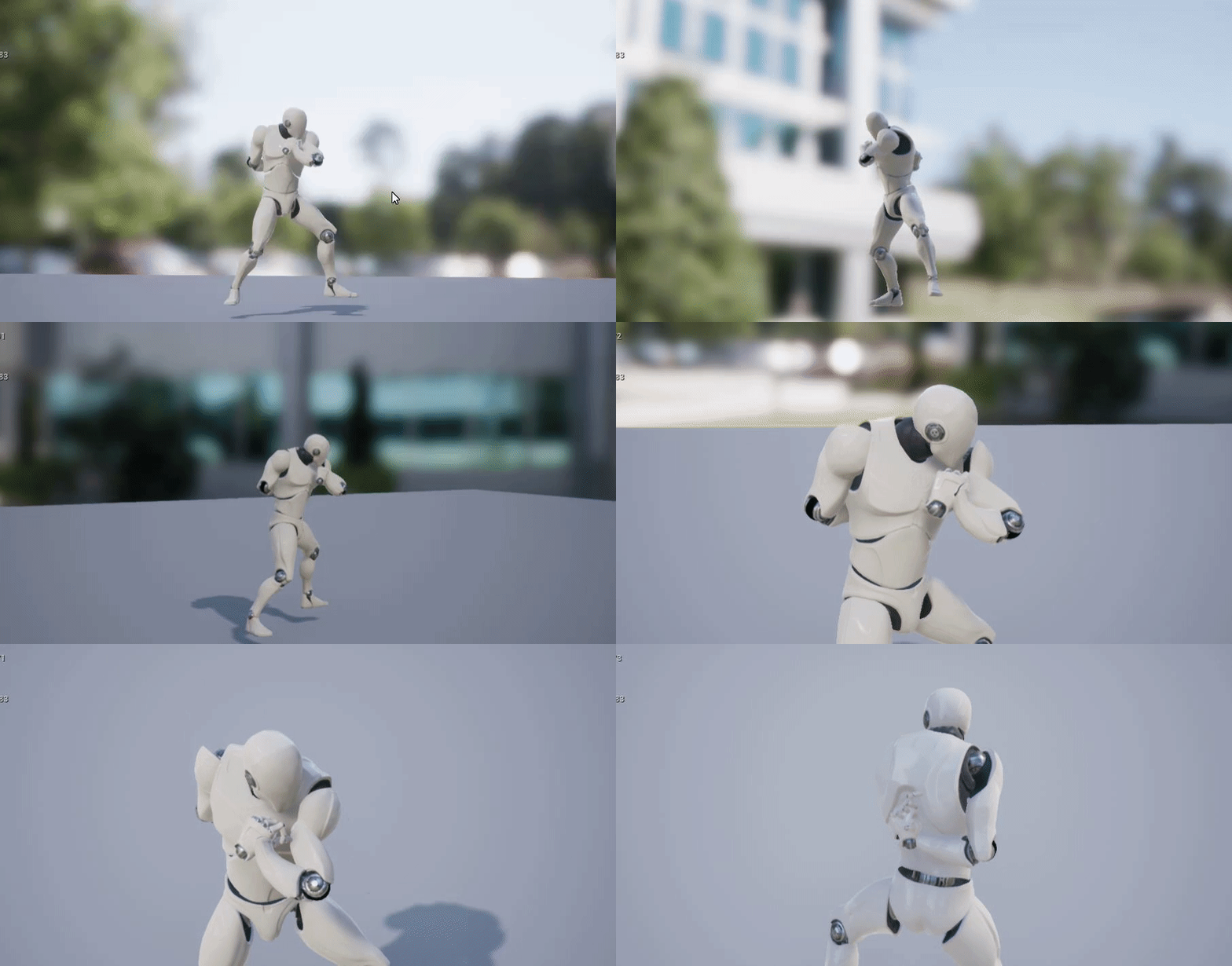 fierce tulip
you'll need to find ways to optimize content, especially when there is a lot of skel-chars being animated and controlled.
tiny zodiac
fierce tulip
you'll need to find ways to optimize content, especially when there is a lot of ...
Thank you. What do you suggest i look for? The key words to study this? Optimize content?