#ue4-general
1 messages · Page 1103 of 1
 thick herald
 shrewd rapids
How can I add rotation to this node tree? I've got it set up so the Skeletal Mesh ragdoll will react to audio but I'd like to set a constant value of rotation to the mix aswell

 kindred depot
shrewd rapids
kindred depot
shrewd rapids
are you using an Attenuation?

Reference for the various models available for controlling the attenuation of sounds.
this is a LOT simpler.
shrewd rapids
Yeah, should've added the vid first
kindred depot
That looks like a animation problem
character is stuck in a pose with physics enabled
casuing the legs and arms to do what they are doing
shrewd rapids
Basically what I
I'd like to achieve is that the character would still be in a ragdoll mode but would move around randomly triggered by sound
Like it's being puppeteered by it
shrewd rapids
Yup
kindred depot
IF so and so IS in rag doll Do action and is triggered by sound, YOU COULD do this as a physical material then when it collides with anything it will play sound.
 ebon palm
is it better for not high quality games to switch to 4.23 im now making my game on 4.27 and want to publish it to the web
 opal lark
hello all
I need some help please
This is my set up for AI But he walks in a diffrent direction to movement

Not the direction he facees
faces sorry
 worn flame
bro but what more i must conect ? i did many conections and nothing the splash sound is in ground every the character jump, and i want the sound only in the water.
 kindred depot
worn flame
bro but what more i must conect ? i did many conections and nothing the splash s...
kindred depot
worn flame
bro but what more i must conect ? i did many conections and nothing the splash s...
make the water a physical surface. add the sound when impacted.
 drowsy snow
ebon palm
is it better for not high quality games to switch to 4.23 im now making my game ...
drowsy snow
ebon palm
is it better for not high quality games to switch to 4.23 im now making my game ...
Depends on what you need, but native HTML5 export in Unreal always been more miss than hit.
It's not as robust as you might expect - I tried working around web dev requirement with building Unreal to HTML5 in the past to no avail, the application fails almost all the time.
 lean fable
hey i need a bit of help, what do you think its better for texturing? texturing with blender and import it in unreal or texture directly in unreal? i did it with blender and it looks a bit strange but idk if its something bad or idk
drowsy snow
lean fable
hey i need a bit of help, what do you think its better for texturing? texturing ...
Unreal don't really have procedural texturing tool.
Your best bet would be to bake your procedural texture from Blender.
kindred depot
ugh.... I hate when people sell assets like this.. do i need to add this to blender now to get rid of this stupid bone structure?
 lean fable
drowsy snow
Unreal don't really have procedural texturing tool.
Your best bet would be to ba...
lean fable
drowsy snow
Unreal don't really have procedural texturing tool.
Your best bet would be to ba...
how do i bake it?
kindred depot
lean fable
how do i bake it?
couple months ago there was the Easy Texture Creator
for free in the marketplace.
if you got it use it.
drowsy snow
kindred depot
couple months ago there was the Easy Texture Creator
Best not to assume on free for the month stuff, for equality.
kindred depot
drowsy snow
Best not to assume on free for the month stuff, for equality.
your right oops.
drowsy snow
lean fable
how do i bake it?
Should be googling for the how to at this point tbh
lean fable
drowsy snow
Should be googling for the how to at this point tbh
oke thnxs 😄
opal lark
Does anyone know the answer to my question please ?
kindred depot
opal lark
Does anyone know the answer to my question please ?

What is the Rotation from X Vector Node in Unreal Engine 4
Source Files: https://github.com/MWadstein/UnrealEngineProjects/tree/WTF-Examples
Note: You will need to be logged into your Epic approved GitHub account to access these examples files.
ebon palm
do somebody nows a short cut to import a 4.27 project into 4.23
drowsy snow
ebon palm
do somebody nows a short cut to import a 4.27 project into 4.23
No. You can't downgrade Unreal projects (automatically).
kindred depot
if anyone has any problems, bookmark this page and look thru all the resources. This helped me with so many questions. https://www.reddit.com/r/unrealengine/comments/f8ey4k/list_of_tools_for_ue4_users/
 drowsy snow
ebon palm
do somebody nows a short cut to import a 4.27 project into 4.23
drowsy snow
ebon palm
do somebody nows a short cut to import a 4.27 project into 4.23
The only feasible way is to recreate what you made in 4.27, inside 4.23
And again, HTML5 export is not as good as people often thought.
kindred depot
ebon palm
do somebody nows a short cut to import a 4.27 project into 4.23
You can migrate your assets but the nodes on everything will be detached. a lot has changed from 4.23 to 4.27.. a lot of materials will break.. almost 100% of your blueprints will be broken and a LOT will say failed.
drowsy snow
kindred depot
You can migrate your assets but the nodes on everything will be detached. a lot ...
His reason to downgrade is to get HTML5 export, which was stopped after around 4.23, and community effort to continue it stopped after 4.25.
kindred depot
drowsy snow
His reason to downgrade is to get HTML5 export, which was stopped after around 4...
Ohhh
ebon palm
kindred depot
Ohhh
yes but how can i do it fast
 lunar cape
how can I import a blender mesh in eu4 blueprint ?
kindred depot

GitHub
Contribute to UnrealEngineHTML5/Documentation development by creating an account on GitHub.
try to do this yourself.
drowsy snow
lunar cape
how can I import a blender mesh in eu4 blueprint ?
Questions about Europa Universalis 4 modding again?
ebon palm
i made a gmae in 4.27 and want to upload it to web and forget that i dont can packaging to html5 in 4.27
lunar cape
drowsy snow
Questions about Europa Universalis 4 modding again?
What ?
ebon palm
kindred depot
https://github.com/UnrealEngineHTML5/Documentation
i try it but it dont work
drowsy snow
ebon palm
i made a gmae in 4.27 and want to upload it to web and forget that i dont can pa...
If you want to make web games, consider doing it in Unity or Construct instead. (not sure about Godot)
ebon palm
drowsy snow
If you want to make web games, consider doing it in Unity or Construct instead. ...
ok
kindred depot
ebon palm
i try it but it dont work

This video shows how to recompile a plugin (in this sample case, the UE4Duino plugin for Arduino communications: https://github.com/RVillani/UE4Duino ) for Unreal Engine to avoid "built with different engine version" errors.
There is a "In About a Minute" version of this process here: https://youtu.be/sC0gnfYzFzU
give it a go
if it does not work then you are shit out of luck
drowsy snow
Unreal Engine export to native HTML5 is so unreliable, not even the community continued the effort after 4.25
drowsy snow
kindred depot
https://www.youtube.com/watch?v=2HHJ6AYnwFw
The HTML5 export is not a plugin BTW
it's more of a build configuration
kindred depot
drowsy snow
The HTML5 export is not a plugin BTW
it's more of a build configuration
it says this tho This is the documentation for the Community-supported HTML5 Platform Extension for Unreal Engine 4.
thats weird.
drowsy snow
kindred depot
it says this tho ```This is the documentation for the Community-supported HTML5 ...
Platform extension != plugin
 lunar cape
How can I import obj file into my blueprint ?
drowsy snow
It's like calling platform extensions to build for consoles a plugin / engine module, which is not.
drowsy snow
lunar cape
How can I import obj file into my blueprint ?
You don't directly import it to BP.
lunar cape
I made a switch and I want to put it into the blueprint, How can I do that ?
drowsy snow
Import the mesh first, then assign a static mesh component in your BP to use the mesh.
opal lark
Thanks
lunar cape
Alr
lunar cape
How can I turn on click events ?
ebon palm
kindred depot
https://www.youtube.com/watch?v=2HHJ6AYnwFw
it dont work
kindred depot
ebon palm
it dont work
then there is nothing you can do.
drowsy snow
ebon palm
it dont work
As I said above, Unreal Engine isn't exactly great for native browser application, as it doesn't have the greatest WebGL stuff and relies on Emscripten (also considering back in UE3 days they used Flash, but even in early 2010s Flash started to get attacked by webdevs)
Unity can do WebGL better than Unreal, and Construct itself is a HTML5 game engine.
opal lark
Hello again went through he tutorial didn,t help me out, any other ideas please.
kindred depot
opal lark
Hello again went through he tutorial didn,t help me out, any other ideas please.
if your AI is walking in the wrong direction your using the wrong direction for the vector.
opal lark
@kindred depot Figuired it mate, I had to disable yaw, and tick orientation of movement
kindred depot
opal lark
<@!887916264188694578> Figuired it mate, I had to disable yaw, and tick orientat...
🙂 there you go bud! Fixing your problems yourself is a huge achievement in ue dev!
 red prairie
Can someone confirm if comments in Niagara get deleted after reopening niagara asset? Emitter for example.
 random island
Does anyone know if it’s possible to use the WorldOutliner as a UMG in your own application?
opal lark
After an animation is played is there away to rever back to original for instance my ai walks over a spot smells, then i lose orignal animation,
I would like him to walk again
 cyan bronze
Why the objects i place or spawn dont have gravity? I have the "Enable gravity" ticked and my player is affected by gravity
They just float in the air

It has physicsAsset

Also i tried with other stuff like guns
Same thing
 wary wave
physics enabled component probably isn't the root component
 idle mantle
a friend want to learn ue is that better to start with ue5?
im still with ue4 personally
lunar cape
How can I diable collision of a part ?
drowsy snow
idle mantle
a friend want to learn ue is that better to start with ue5?
Go with UE4 first.
UE5's fancy new features are not necessary for getting started, as there's barely any difference on the basics from UE4. (unless you're a film people I guess)
 rancid lagoon
I have an old computer that i want to use to render some of my videos. Do i need to have anything specail for this?
ebon palm
i made a weapon switch to a pistol but how can i switch the skeletal to
drowsy snow
rancid lagoon
I have an old computer that i want to use to render some of my videos. Do i need...
Why is this relevant to UE?
drowsy snow
ebon palm
i made a weapon switch to a pistol but how can i switch the skeletal to
Get the skelmesh component and call its Set Mesh function.
rancid lagoon
drowsy snow
Why is this relevant to UE?
because i know you use render frams with UE but im not sure how to set it up
drowsy snow
rancid lagoon
because i know you use render frams with UE but im not sure how to set it up
Render farms? In most cases you don't need render farms to render something out of Unreal.
 weak hemlock
I really need some help here, did something change in 4.26? I can not paint any foliage whatsoever, neither on landscapes or meshes. Any ideas anyone? I'm not getting the brush visualizer
 rancid lagoon
drowsy snow
Render farms? In most cases you don't need render farms to render something out ...
rancid lagoon
drowsy snow
Render farms? In most cases you don't need render farms to render something out ...
you dont get it
nevermind
drowsy snow
rancid lagoon
you dont get it
Fine.
Look up Movie Render Queue, I think it's possible to outsource render power through networking.
rancid lagoon
drowsy snow
Look up Movie Render Queue, I think it's possible to outsource render power thro...
thank you. that is what i was looking for
drowsy snow
Provides a high level description and briefly describes how to use Movie Render Queue
 dense knoll
 pearl minnow
is it possible to get scancode of key in blueprint?
lunar cape
Why cant I see the viewport on my pawn ?
 drowsy snow
lunar cape
Why cant I see the viewport on my pawn ?
drowsy snow
lunar cape
Why cant I see the viewport on my pawn ?
Window > Viewport

 drowsy snow
lunar cape
And how do I get to this view instead of this one
drowsy snow
lunar cape
And how do I get to this view instead of this one
Click on Open Full Blueprint Editor
drowsy snow
Close and reopen it. Chances are it might go back to that view. Otherwise continue work as usual.
 cyan bronze
Why the objects i place or spawn dont have gravity? I have the "Enable gravity" ...
cyan bronze
cyan bronze
Why the objects i place or spawn dont have gravity? I have the "Enable gravity" ...
Can someone help with this?
wary wave
 wary dove
Hello guys.im getting this crash after building lights on level.what should i do...
wary dove
Hello guys.im getting this crash after building lights on level.what should i do...
you ran out of system memory.
cyan bronze
drowsy snow
https://discord.com/channels/187217643009212416/225448446956404738/9167515483511...
I think he means this right?

Its the root component
wary dove
wary wave
you ran out of system memory.
Should i render it with gpu then?
wary wave
if it's an option you can try, but tbh the most realistic options are to get more memory, or reduce the memory requirements of your map / lighting
cyan bronze
 wary dove
wary wave
if it's an option you can try, but tbh the most realistic options are to get mor...
wary dove
wary wave
if it's an option you can try, but tbh the most realistic options are to get mor...
I have 64 ram.what if i make everything movable?
wary wave
that'll probably be it
wary wave
wary dove
I have 64 ram.what if i make everything movable?
that would force it to use dynamic lighting, which would definitely reduce memory overhead at the expense of increasing performance costs
there are probably some decent articles or videos out there on the topic of reducing lightmaps sizes in your levels, so probably worth a google
wary dove
wary wave
there are probably some decent articles or videos out there on the topic of redu...
Thank you mate
cyan bronze
I dont
wary wave
if you want the object to be physically simulated, you do
the alternative is using some kind of movement component
cyan bronze
wary wave
if you want the object to be physically simulated, you do
But it does not change anything and also i dont have it enabled on my character and it works normally
wary wave
Characters have a movement component
which is responsible for all their physics behaviour in conjunction with their capsule
cyan bronze
Ok but sill it doesnt work
wary wave
in which case I'm less sure
it's hard to debug these things remotely, but it's almost certainly some kind of setting or something simple somewhere
cyan bronze
Yea i will keep looking
 steady siren
Anyone running 4.27 on a mac?
ebon palm
how do i import a project to a older version of unreal engine
drowsy snow
ebon palm
how do i import a project to a older version of unreal engine
You cannot.
I have repeatedly said this at least three times by now
drowsy snow
ebon palm
how do i import a project to a older version of unreal engine
Okay, I think you want more reassuring answer.
You can ||probably|| open a project made with newer version of Unreal Engine in older versions ||But DON'T expect all of the stuff to work at all, in particular with almost any asset types, BP included||
 zinc anvil
anyone know any good resources that explains what things make a game run better
Im not really sure how to phrase that well
 bright sigil
optimization and profiling
drowsy snow
zinc anvil
anyone know any good resources that explains what things make a game run better
Also worth mentioning that Unreal Engine has lots of optimisation and profiling tools BUILT-IN!
To get started, it's one console command (` or ~ key) away: stat unit
There's also other stat command and optimisation viewmodes (like GBuffer view, shader complexity, wireframe mode, etc.), and for CPU profiling, Unreal Insights.
zinc anvil
Im watching a UE presentation for that rn
drowsy snow
At least you don't have to go to Asset Store just for a super basic optimisation tools 🤭
ebon palm
drowsy snow
Okay, I think you want more reassuring answer.
You can ||probably|| open a proje...
i dont can i get this message "Unable to open this project, as it was made with a newer version of the Unreal Engine."
drowsy snow
ebon palm
i dont can i get this message "Unable to open this project, as it was made with ...
Go figure.
Hopefully I won't repeat it for the fourth time unironically.
ebon palm
drowsy snow
Go figure.
i found how i can do it
 fathom birch
Is there a way to set default values for a UPROPERTY in a USTRUCT, such that the default values will appear in details panel? I'm trying to do this for a struct that will exist in a TArray, if that matters.
(Accidently asked in #ue5-general before)
hmm, I tried both of those, and both gave values of 0.0 in the details panel when I created new array elements
drowsy snow
fathom birch
Is there a way to set default values for a `UPROPERTY` in a `USTRUCT`, such that...
I think you have to have a construct function for that.
Something like this, in your USTRUCT after you define the var types:
FYourStruct()
{
  SomeVar = 4;
  SomeOtherVar = TEXT("Lorem Ipsum is a cliche");
}
I tried that, too
I currently have
USTRUCT()
struct FTimedCamera
{
    GENERATED_BODY()

    UPROPERTY()
    AActor* Camera;

    UPROPERTY()
    float StayTime;

    UPROPERTY()
    float BlendTime;

    FTimedCamera() {
        StayTime = 2.0f;
        BlendTime = 0.75f;
    }
};
I've also tried it with and without UPROPERTY(EditAnywhere), with the same results
drowsy snow
fathom birch
I currently have
```cpp
USTRUCT()
struct FTimedCamera
{
GENERATED_BODY()
...
Are you going to use this in BP in any capacity?
 hidden knoll
Does anyone know why my game starts off with four split screens when there's only one player?
drowsy snow
fathom birch
I currently have
```cpp
USTRUCT()
struct FTimedCamera
{
GENERATED_BODY()
...
If you're going to use it on BPs at all, try replacing USTRUCT() with USTRUCT(BlueprintType)
fathom birch
drowsy snow
If you're going to use it on BPs at all, try replacing `USTRUCT()` with `USTRUCT...
I'm a beginner at UE, I'm just messing around with C++ coding (no BP). I'm mostly curious as to how I would provide reasonable defaults for public properties.
drowsy snow
fathom birch
I'm a beginner at UE, I'm just messing around with C++ coding (no BP). I'm mostl...
I think in a sense using details panel could count as using BP, so not hurt to try at least.
fathom birch
drowsy snow
I think in a sense using details panel could count as using BP, so not hurt to t...
alright I added that, but no change
 next sierra
How do I fix this? This is my first time setting up UE with CPP

 neon bough
use a path without special characters
next sierra
oh ok
 severe hound
Does anyone know best way to transform a bone on a separate skeleton from player mouse input on the skeleton?
 little breach
what?
little breach
severe hound
Does anyone know best way to transform a bone on a separate skeleton from player...
can you tell me your problem in a more detailed fashion?
severe hound
little breach
can you tell me your problem in a more detailed fashion?
I just want to rotate a bone in an AnimBP when player moves the mouse on the actor that has said AnimBP
drowsy snow
severe hound
I just want to rotate a bone in an AnimBP when player moves the mouse on the act...
severe hound
drowsy snow
<#221798806713401345>
people were spamming that channel.. but glad you guys stopped
drowsy snow
severe hound
people were spamming that channel.. but glad you guys stopped
Look, I will response if I know the answer, don't be salty.
 frozen pond
is chaos destruction included in 4.27 by default ?
drowsy snow
frozen pond
is chaos destruction included in 4.27 by default ?
No.
Actually let me rephrase that.
Well yes, but actually no. As you'd still need to have a separate build that actually enable the Chaos capability in the engine build configuration.
frozen pond
k, so apex then
drowsy snow
APEX destruction isn't that bad for UE4, and Chaos won't seem to be final by the time UE4 is done anyway (as in no major version developed anymore)
 safe osprey
What would a W texture map be, its like black green and red colors?
drowsy snow
safe osprey
What would a W texture map be, its like black green and red colors?
W is the third axis, should be for volume textures.
safe osprey
what are volume textures?
I'm doing this in blender because its easier for me to texture idk if that changes anything though?
drowsy snow
Probably not, if you're going to bake any procedural texture you made.
safe osprey
No its a models texture I got of the internet
There are like N which make sense but others like W and NS
and most look like normal maps so 😕
drowsy snow
Ah. Some of them establish their own naming convention, so it can get confusing, but I can assume it's a channel packed texture. So it's not what I thought it is, UVW mapping.
What I cannot assume is exactly what it is, but usually the channel packed properties are metallic and specularity.
safe osprey
How could i tell by the image?
like what properties to look out for to tell the difference
drowsy snow
safe osprey
How could i tell by the image?
Assuming from your somewhat vague description, green channel goes to roughness, and red channel goes to metallic (if the red is fully red)
Some 3D modellers do this channel packing thing to save on texture sampler limit imposed by graphics API used by game engines.
safe osprey
drowsy snow
Assuming from your somewhat vague description, green channel goes to roughness, ...
Ye I was guessing off by that
Thanks
I though it was originally but it made normal map errors
drowsy snow
safe osprey
I though it was originally but it made normal map errors
Does the texture have any sort of blue hue in it?
drowsy snow
Can you show it here?

 drowsy snow
safe osprey
drowsy snow
safe osprey
Aha, this is indeed a channel packed texture, not a normal map. Just as what I thought.
safe osprey
Is it any use?
drowsy snow
It could be any use for at most three properties.
safe osprey
ok
drowsy snow
But it seem to be a cloth texture...
safe osprey
ye it is
drowsy snow
Is the clothing have metallic bits?
drowsy snow
Metallic is defenestrated then.
That would left us with specular/roughness, or any other scalar (values being between 0 to 1) properties
frozen pond
I want to make spike trap, but not sure how to make physic effect like in the dark messiah

 sour tide
....when collide with spike, create spring arm between spike and the bodypart?
frozen pond
spring arm? isn't that for camera ?
 winged lava
Can anyone help me please?
I am trying to accept sdk for android export but it wont work
I agree and noting happens
sour tide
Might be the wrong tool, literally anything that will connect one to the other without like, completely welding them
winged lava
When I click agree sdk license nothing happens
frozen pond
it should weld skeletal mesh with static mesh on point, but dunno what component would work like that
drowsy snow
winged lava
Can anyone help me please?
I am trying to accept sdk for android export but it w...
winged lava
yeah
 charred blade
If I spawn an actor set to replicate, and that actor then spawn another actor not set to replicate, what happens
bright sigil
charred blade
If I spawn an actor set to replicate, and that actor then spawn another actor no...
exactly what you just said will happen
 rapid fiber
Anyone know what is wrong with my export? i exported the female model fbx fine but the male model is doing this:
 bright sigil
frozen pond
I want to make spike trap, but not sure how to make physic effect like in the da...
bright sigil
frozen pond
I want to make spike trap, but not sure how to make physic effect like in the da...
maybe there is a way to pin a bone and lock it in space while the rest of the bones simulate ragdoll
rapid fiber
doesnt matter what settings i check or uncheck it stays like that
drowsy snow
rapid fiber
Anyone know what is wrong with my export? i exported the female model fbx fine b...
He turned into crystal.
rapid fiber
ik lmao
i was hoping it was just a render bug in blender but it was the same in UE so idk what to do to fix it lol
frozen pond
bright sigil
maybe there is a way to pin a bone and lock it in space while the rest of the bo...
simulate ragdoll is fine but dunno how to pin body at certain point
bright sigil
uhhh, i think unreal has hinge actors?
 distant totem
rapid fiber
Anyone know what is wrong with my export? i exported the female model fbx fine b...
distant totem
rapid fiber
Anyone know what is wrong with my export? i exported the female model fbx fine b...
Follow the dropdown under root, and look for a UCX mesh, its a shitty collision mesh you can safely delete, its just called UCX_something
rapid fiber
distant totem
Follow the dropdown under root, and look for a UCX mesh, its a shitty collision ...
Is this under the export settings or mesh settings?
distant totem
rapid fiber
Is this under the export settings or mesh settings?
just check in blender, the screenshot you sent. click the dropdown next to root and see if there is a mesh or anything that says UCX
rapid fiber
Ok one second
rapid fiber
distant totem
just check in blender, the screenshot you sent. click the dropdown next to root ...
doesnt look like it, i expanded all drop downs and searched for it with no results
 tiny valley
Does ue4 server contain geometry
distant totem
rapid fiber
doesnt look like it, i expanded all drop downs and searched for it with no resul...
did you set your FBX export to 2020? instead of the default 2013?
 distant totem
rapid fiber
doesnt look like it, i expanded all drop downs and searched for it with no resul...
distant totem
rapid fiber
doesnt look like it, i expanded all drop downs and searched for it with no resul...
this is what I imported into blender, feel free to use it 🙂
rapid fiber
No, I left it 2013 and it worked for my female model fbx version. I have morph targets and I need to use the Autodesk converter 2013 before I can import it to blender with morph targets
distant totem
all I did was set the FBX export to 2020, the top setting when exporting from unreal
maybe it was a rare error? 2013 looks to be working for me as well
distant totem
Oh I'm sorry I thought you meant the male mannequin, I misread there
rapid fiber
But like I said the female version worked fine which is strange
distant totem
Ah sorry I'm not as keen on models and rigs
rapid fiber
It's ok, appreciate the help
sour tide
Ugggghhhh I hate nested projects. Want to do X, have to do Y, discover I have to do Z. I was getting into the groove of Wadstein's introductory videos but I have to relearn blender now
 opal cedar
thick herald
I've used World Machine and World Creator, I didn't get on well with WM and much...
opal cedar
thick herald
I've used World Machine and World Creator, I didn't get on well with WM and much...
Thanks man
 modest swan
Anyone have any good tutotials on making a GOOD br game
 dire sleet
Hello everyone, I am facing problems using Path Tracing in UE4.27.
After I render some frames sequencer, closing the Editor gives this crash:
LoginId:02b5b0414e51dad09cab08bf6df59736
EpicAccountId:20f7eba8ba6c405d995c564a0f2e5875
Unhandled Exception: EXCEPTION_ACCESS_VIOLATION 0x0000020d9f821460
D3D12Core
UE4Editor_D3D12RHI
UE4Editor_D3D12RHI
UE4Editor_D3D12RHI
UE4Editor_D3D12RHI
UE4Editor_RHI
UE4Editor
UE4Editor
UE4Editor
UE4Editor
UE4Editor
UE4Editor
kernel32
ntdll
Device:
Processor AMD Ryzen Threadripper PRO 3975WX 32-Cores 3.50 GHz
Installed RAM 64.0 GB (63.8 GB usable)
System type 64-bit operating system, x64-based processor
Windows 10 Pro
Nvidia Geforce RTX 2080 SUPER
I have tried the following:
- Changed the NVIDIA driver version, tested with Standard (462.59, 471.68, 472.12, 472.39, 472.47), with or without Geforce Experience, also tried with DCH driver version (don't know what DCH means) v.497.09 without Geforce Experience.
- Added Timeout Detection & Recovery (TDR) in Registry Editor to 60
- I have downloaded mpo_disable.reg from NVIDIA Website
None of the steps above helped.
I was working with Path Tracing and it was fine using my previous Intel computer.
Please help!
sour tide
Scrub question time. Working through Wadstein tutorials. So I create a brush to make a floor, convert that into a static mesh. Playtest... fall through the floor
It certainly appears to have collision on but I fall straight through it. What am I missing?
Like... I'm looking at this

It also appears to have the same collision settings as the walls, which are in the starter assets - those blocked me before and haven't been changed
bright sigil
in the static mesh editor, can you turn on the collision, is there something there? Pop up the little arrow at the bottom of Collision, it should be BlockAll
sour tide
In here?

hol up

I feel like it should have at least one box
since it is a big floor panel
(also it was on BlockAll already)
That was it. Somewhere in the conversion from brush to mesh it didn't create a collision
 open night
Correct me if I'm wrong but there is a social vr platform out there that uses UE, no?
bright sigil
sour tide
well this says there are no collision primitives, so there's an indication of needing one. I was referring to here though:
 bright sigil
sour tide
I feel like it should have at least one box
bright sigil
sour tide
I feel like it should have at least one box
assuming it is a box itself, you can use the menu Collision > Add Box Simplified Collision
 bleak zodiac
do you means you want to make a collision in editor or do you want a custom collision? if understand that
sour tide
Yeah, trying to make it show the collision manually made no changes, so I believe it had no collision. Adding a simple box to that one fixed it. But I have other objects (stairs and and a ceiling with a skylight) that I can't just add a box to so I need to redo those
hopefully will find the step that broke
bright sigil
sour tide
Yeah, trying to make it show the collision manually made no changes, so I believ...
for stairs, Collision Complexity could be changed to use Complex instead of Simple. This is per poly collision detection. Some would warn that it is more expensive, but it is quick until that becomes an issue
There is also the auto convex collision generation under the collision menu, it is better suited for organic shapes though
you can also edit colliders in that primitive section you found (spheres, boxes, capsules, convex, etc.) you can change size and location there or select the collider and manipulate it in the mesh editor
sour tide
Redoing things... yeah when I turn a brush into a static mesh it just doesn't create any collision apparently
bright sigil
bummer
sour tide
Seems unexpectedly menial. I feel like if I want to convert a brush to a static mesh for whatever reason then an immediate decision on what kind of collision I want on it should be part of the process rather than having to open it and set it in the editor immediately after
bright sigil
well you can convert them all to meshes, and the use Edit Via Bulk Matrix to give them all collision, but i think thats just Complex collision, not sure if you can generate a box for each that way
sour tide
I suspect the intended workflow is to convert, export, immediately edit, and reimport?
but if this is all temporary anyway it doesn't really matter if you're using automatic complex collisions for some of your map at a time?
 sharp tiger
hello so im using unreal 5 and when i click content and try to load quixel it keeps saying im offline for some reason even tho im signed in.
https://cdn.discordapp.com/attachments/846520322642411570/916886090919600128/unknown.png
 bright sigil
sour tide
but if this is all temporary anyway it doesn't really matter if you're using aut...
bright sigil
sour tide
but if this is all temporary anyway it doesn't really matter if you're using aut...
if this is all temporary, why are you converting to static meshes and not just leave them as bsp?
bright sigil
sharp tiger
hello so im using unreal 5 and when i click content and try to load quixel it ke...
pls move this to #ue5-general
sour tide
I don't know enough about the limitations of brushes to be able to answer that question, only that static meshes are preferable
bright sigil
hmm, was everything fine with bsp brushes? what spurred you into changing them to static meshes?
 round violet
ho is better for games dev C++ OR C# ?
drowsy snow
round violet
ho is better for games dev C++ OR C# ?
If you're using Unreal Engine, it's the question of BP vs C++.
C# is largely irrelevant in UE4 (particularly with game scripting) aside from build related stuff.
drowsy snow
Even then in UE4, you want to use BOTH BP and C++, combining the best of both worlds.
sour tide
bright sigil
hmm, was everything fine with bsp brushes? what spurred you into changing them t...
I'm just following the Wadstein MVP tutorial
on that note I'm trying to figure out when I broke the lighting

These don't... illuminate. At all
drowsy snow
Static lighting?
sour tide
yeah
Just a directional light
the ceiling and the wall next to it appear to have identical lighting settings in their details panel
(ok, I think that I actually am just trying to run ahead of the video and he's demonstrating the same issue)
 turbid jewel
helllloooo! Anyone good with the UE water systems??🌊 I'm trying to bring a water body custom into my world but it just shows up as a black plane, and for some reason it is tied to my cursor/movements??😕 When you see it going back and forth thats me pressing D and A to move around the world, but it moves the plane instead and follows wherever I go
 echo star
Hey all, I'm working with the procedural foliage spawner for the first time and trying to increase my performance. My foliage actors are all set up with static meshes currently and I'm trying to switch them to instanced static meshes. I've never worked with instanced SM before, and I'm not able to see the mesh in the viewport when I assign it or in world when placed. What's the process with setting up instanced meshes? Any helps greatly appreciated
 echo star
sharp tiger
hello so im using unreal 5 and when i click content and try to load quixel it ke...
echo star
sharp tiger
hello so im using unreal 5 and when i click content and try to load quixel it ke...
I've been having this same issue for the last week. I contacted Quixel support and they were less than useless. I'm completely locked out and have just given up working with mega scans for the time being as the Bridge standalone app is also useless at importing to UE5. If you do have any luck I would love to know
echo star
echo star
Hey all, I'm working with the procedural foliage spawner for the first time and ...
Solved : To any one who may need in future add instance through your construction script as attached 🙂

 plush yew
How to get night sky from this? Keeping all that foggy vibe and just adding night time. I have atmospheric fog, exponentialheightfog, directionallight, skylight and sky sphere. Adding dark sky box is the only way? Or can I tweak some settings to achieve it?

nvm, got it with post process somehow
charred blade
Print String with execute on server event only prints on clients, after a remote only switch. If I spawn actors clientside only on beginplay, they cannot call server events? If I remove the switch server prints also.
sour tide
ugh learning lighting and materials is tedium
I'm here for the programming and mechanics darn it
(but yes, I know how important lighting in particular is for the game feel, along with sound especially)
 rain badger
Quick question; Do panels use less resources than cubes?
 stable path
rain badger
Quick question; Do panels use less resources than cubes?
stable path
rain badger
Quick question; Do panels use less resources than cubes?
are you talking about widget panels vs 3d cubes?
 runic fern
Hello Guys ...
https://www.youtube.com/watch?v=RS3hqT8rGyo
How can i make the Winch swinging like this i've tried physics constraint but i cant control length in realtime

A tower crane blueprint with cable made with physic constraints to be released as asset for developers on the Epic (TM) Marketplace
Crane can be adjusted in height and can lift and drop items. Items can be simply created using a blueprint and any static mesh.
Demo for win 64 bits soon
 fossil basalt
which is the setting for opening items in the main window please?
 proven lake
ok guys I just started with unreal (after wasting my 7 years on Unity), I was trying to make a simple 2D character movement using UCapsuleComponent and no CharacterController, I succeeded somewhat but my character (or camera) jitters when it hits a wall and I keep giving it input in that direction, I was trying to serach online but everyone is just using characterController and I dont want to use it, can anyone please tell (or point me to a good source of info) how can I make my 2D character move without CharacterController
this is what I achieved till now
 robust lichen
just wondering, is it possible to use the viewport preview and the active game viewport at the same time?
for me, the preview just stops running, and editing things in it doesn't update the active game
 silk lantern
proven lake
ok guys I just started with unreal (after wasting my 7 years on Unity), I was tr...
silk lantern
proven lake
ok guys I just started with unreal (after wasting my 7 years on Unity), I was tr...
it may be because the camera is attached to the character try using a separate camera actor and set its position based on character position (and also use a lerp to make it smooth)
proven lake
silk lantern
it may be because the camera is attached to the character try using a separate c...
Thanks for the reply Morbal, let me try this
but do you know any proper way to move 2D characters, ofcourse without CharacterController ?
silk lantern
well without character controller you can use key events
for example when "D" key is pressed enable a boolean which allows character to move right in tick
you will need to multiply tick's delta time by a speed variable which you will manually set
and add the result to character's position in the correct direction( X or Y or Z) in each tick
and when "D" is released you set the boolean to false so character stops moving
i would send screenshot but

...............yeahhhhhh
im kinda busy staring at my screen right now 😄
fossil basalt
does anybody know where the setting is for ensuring new assets open up in the main window please?
proven lake
silk lantern
im kinda busy staring at my screen right now 😄
😂 ok ok, no problem, I am now trying your suggestion but now I am confused how can I reference the camera I added in the scene
proven lake
silk lantern
it may be because the camera is attached to the character try using a separate c...
Thank you Morbal, that camera trick worked, I also learned that camera in unreal needs player controller
plush yew

do you know guys what could be a reason for the lighting issues on the picture?
i did override lightmap res for 64 in all of them, as default it looked similair
silk lantern
proven lake
Thank you Morbal, that camera trick worked, I also learned that camera in unreal...
happy to help 🙂
proven lake
I am still having one issue here, as you can see in the above video my character seems like he is trying to go inside the collider of the wall when I give it input while he is blocked by wall collider @silk lantern
plush yew
https://streamable.com/5a3pmj
https://streamable.com/kj2gtl
I have a request, if someone walks me through converting my game from Unity to Unreal Engine I will not only give them a key for free but make them part of the dev team and add them to the patreon


Ive no idea what im doing
as soon as I started playing with Unreal I get the feeling collisions and physics are not its strong suite
 fierce tulip
have to say @plush yew thats rather borderline nsfw.
The only really good collision system ive seen for those kind of games is the custom collision that AdeptusSteve made for his game that I cannot mention publicly due to nsfw.
fossil basalt
is this enough to allow my character to walk up these stairs?

I have turned on that collission and my char is still walking through it
fierce tulip
gotta say, im fairly impressed already with that result.
fierce tulip
oh, this result in unity?
drowsy snow
inb4 retracting the compliment because of ||Unity||
fierce tulip
nahh
drowsy snow
fossil basalt
is this enough to allow my character to walk up these stairs?
That should be enough, but may cause stair step shaking.
drowsy snow
Now ideally you would want to have simple collision for actual navigation, and then complex collision for foot IK (if you have one)
fossil basalt
maybe it's because I created them from geometry tab?
I have followed tuts
not getting expected behavior at all unfortunately
I can get it to work for a simple block
but not those stairs
which where meant to be a nice place holder until those assets are designed
idle mantle
drowsy snow
UE5's fancy new features are not necessary for getting started, as there's barel...
THanks! 🙂
pearl minnow
hi y'all, im trying to add advancedSteamSessions. I added the folder to plugins and tried to rebuild the game in VS. I get this:

if i try to run the unreal project directly i get "try to build from source manually" error
 regal mulch
Is the Version of the Plugin matching the Engine Version you are using?
fossil basalt
is there a way to trim this collission box down?
 pearl minnow
@regal mulch im in 4.26. I don't know which version the plugin is for precisely but i looked in the plugin's source here. https://github.com/mordentral/AdvancedSessionsPlugin/blob/master/AdvancedSteamSessions/AdvancedSteamSessions.uplugin It does mention 4.27 , am I to take that as the version that it is compatible with?
regal mulch
Yeah
Which can totally mean that the Plugin has stuff from 4.27 that your 4.26 version doesn't have
And thus the compile fails
At the top left of the git repo
There is a drop down that currently says MASTER
You should be able to find 4.26 in there
winged lava
I am sorry if this is not the place to post but here goes. I am having a basic problem with packaging for android. I try to agree to sdk license and nothing happens and when I try to export my game it tells me to accept sdk lincense which I have done. Anyone care to restore my sanity plz?
regal mulch
winged lava
helpful
drowsy snow
pearl minnow
( wonder if i should just update to 4.27 🤔 )
Was about to mention 4.27 actually has a lot of changes in the back end side of things, maybe Online Subsystem is one of them (I didn't pay attention to it tbh, but judging by deep integration of EOS)
winged lava
no one ever answers in that place
drowsy snow
winged lava
no one ever answers in that place
You don't even seem to try asking on #mobile , which where people would deploy to mobile platforms.
drowsy snow
winged lava
I asked last night
(at least looking at your chat history in this server)

 forest holly
@fossil basalt might want to make a custom collision in blender or maybe use complex as simple since it's such a basic shape
fossil basalt
ok, will do
winged lava
how about u go there and have a look clever cloggs
pearl minnow
@drowsy snow thanks for the warning. wow now i look at it, they presenting 27 like a whole new thing 😄 it feels like 5
winged lava
Does anyone know I feel like such a n00b its really a basic question
drowsy snow
pearl minnow
<@!325627930484932608> thanks for the warning. wow now i look at it, they presen...
Yeah, so much so that I had to move to 4.27 from 4.26, mainly because of the sweet Oodle lol
I initially thought backporting Oodle from 4.27 to 4.26 would be as easy as pie, but then the error avalanche deeper into the engine code
fierce tulip
@winged lava if people know --and have the time-- they'll surely answer, if not, in the meantime try asking the question on answerhub/forums/reddit/etc
pearl minnow
drowsy snow
I initially thought backporting Oodle from 4.27 to 4.26 would be as easy as pie,...
oodle sounds great 😄
ill definitely consider destroying my project later today
winged lava
@fierce tulip Do u know the answer friend? 🙂
fierce tulip
if I did I would answer <_<
winged lava
ok m8
drowsy snow
pearl minnow
ill definitely consider destroying my project later today
From my packaging tests, Oodle reduce the pak size quite significant, from 4.26 with the default setup
regal mulch
winged lava
helpful
It is helpful, as the place to ask are these channels. (:
fossil basalt
grrrrrrrrrrrrrrr
drowsy snow
pearl minnow
like 20% or what? 😄
Can't really tell the percentage tbh, I added quite a lot of stuff in my project after the last packaging before, but I could say around 30% or so
fossil basalt
I can no longer see the pivot point in my mesh editor ... how can I get it back?
fossil basalt
gdon't see a change after pressing G
drowsy snow
Maybe even more if I went with more aggressive Oodle compression, but I don't have the time to test it for now.
fossil basalt
what am I supposed to see?
regal mulch
even if you press the big pivot button at the top?
fossil basalt
oh, maybe I am asking for the wrong thing
I can see the RGB lines but not the wee white ball
I really need to move it
right, I have learned how to change the pivot point for an asset in the world
but when I try to add another of the same, it's not remembering them
how can I change it for all of them rather than just 1?
drowsy snow
Oh snap, didn't notice this at all, whooooops
In case anyone wants to use Bink 2 videos in their Unreal Engine 4.27 (or UE5) project, the tool is located in Engine\Binaries\ThirdParty\Bink. Don't download the one from the RAD Tools website, as it'll give you the trial version of the tool.

 pearl minnow
😐

i was trying to package game, but was getting an error about some files, that were deleted a long time ago. So I deleted saved, intermediate, binaries folders and rebuilt the project. Now my whole level is gone and reset to the default 😐
wat
seriously wat the actual wat
the level didnt disappear per se just completely reverted
 glad loom
I created a new macro library, where I added a "for loop with delay", however if I try to use it in a blueprint, this is what I get:
 pearl minnow
just reverted in git, lost some progress but its ok i guess 😄
kindred depot
Quick Question about replication. IF i use 2 players as use them both as client and the character does what i programed him to do, does that mean that I wont have to worry about the replication of that in the future? I created a unique way to transform the player from idle to moving and what pose to use.
plush yew
how do you make games for casino? the simplest blueprint programming side for slot machine
also how many visuals you need to get that addictive feeling combined with 2-3 sound effects
i have bunch of addictive sounds so might give it a try
lol
drowsy snow
plush yew
also how many visuals you need to get that addictive feeling combined with 2-3 s...
This is largely a psychological question as opposed to more focused on UE.
drowsy snow
I'd say change the material to be blurry spin, and stop all of a sudden on a different image, even if the pattern don't make sense.
plush yew
mixed with background sound, spin sound, win sound and blank sound
drowsy snow
One of the key to casino success is to make the gambles to be as rigged as possible on the house's side, not the player's.
plush yew
yeah
drowsy snow
Even if it means faking the rotation, they won't notice. Not even Mario Party's slot machines makes much sense to its cube shapes.
 mint forum
Guys, I have a question.. can I translate courses into Russian from the Unreal Online Learning Courses website and upload them to the YouTube channel, leaving a link to the original course?
drowsy snow
mint forum
Guys, I have a question.. can I translate courses into Russian from the Unreal O...
Probably not.
Though maybe you can reach out to Epic about Russian translation inquiries for their courses.
plush yew
alright, might drop a slot machine in horror game for start
😄
can you do it so that it changes post process effects/visuals?
and displays text and plays sound
drowsy snow
plush yew
alright, might drop a slot machine in horror game for start
Oooh, PSA for stop gambling.
mint forum
drowsy snow
Probably not.
Though maybe you can reach out to Epic about Russian translation i...
thanks ^-^
charred blade
Should I be saving whole actors inside the game state or just a way to reference them? I can save variables painlessly inside game state but saving actors are null using same methods
plush yew
can you disable that shaking light effect on rect light?
im trying to use it to light up environment as it's not really supposed to but it looks nice
 tepid vector
Ok, so I made this using Unreal Engine 5, I want to know how to change the person from that to an actual person, how do I do that?


I tried doing something new again! Made a cool animation with @UnrealEngine 5. It is so easy to use. I got a little inspiration from @photoserge.
❤️🔄️appreciated!
#UnrealEngine #animation #3Danimation #UnrealEngine5 https://t.co/PLjJZ0TczF
 Twitter
·
Twitter
·
I FIGURED IT OUT
YAY
fossil basalt
thats a GREAT feeling! lol
 feral sierra
there is a way to be able to play with a PS4 controller on a UE build without tools like DS4 Windows?
kindred depot
feral sierra
there is a way to be able to play with a PS4 controller on a UE build without to...
only with ue5 with enhanced input
feral sierra
kindred depot
only with ue5 with enhanced input
ok cool, it's quite surprising UE doesn't have native PS4 controllers support
kindred depot
feral sierra
ok cool, it's quite surprising UE doesn't have native PS4 controllers support
Yeah it's AMAZING tho in ue5.

create your modifiers from here in your event graph
 civic cobalt
how do i interpolate with overshooting?
 dawn gull
Am I able to convert a World Location to an equivalent relative location for a component inside of an actor?
modest swan
Anyone have any good tutotials on making a GOOD br game
thick herald
Define GOOD 😄
plush yew
how is it possible to make massive open world games in ue4? is it done by splitting the whole level into smaller squared-like levels that load? or done with LOD?
modest swan
Something that works lmao
thick herald
dawn gull
Am I able to convert a World Location to an equivalent relative location for a c...
yes, there is a node for that. Transform something something
fossil basalt
I know one thing ... there is a LOT of shite out there
modest swan
thick herald
Define **GOOD** 😄
anything that would look good and be kind of fun
thick herald
That's not much help. What I find fun may not be same as yours.
 thick herald
In short, it's unlikely there is a tutorial that will give you everything you want, so you'll have to mix n match, come up with your own methinks @modest swan
dawn gull
plush yew
how is it possible to make massive open world games in ue4? is it done by splitt...
depends on the developer, you can do whatever you want and thats whats nice about game development. Most game developers use LOD and frustum culling though as it's easier to implement.
thick herald
plush yew
how is it possible to make massive open world games in ue4? is it done by splitt...
World Composition, level streaming in UE4, and World Partition in UE4 are the main tools
modest swan
thick herald
In short, it's unlikely there is a tutorial that will give you everything you wa...
Alright
Also. How can I learn to use ue5. Ive never made a actual game before and idk how to startt.
 wraith cosmos
hello everyone, i have a question, when should i use those for get player reference ? and what is the difference between those nodes ?
 kindred depot
thick herald
In short, it's unlikely there is a tutorial that will give you everything you wa...
thick herald
kindred depot
thick herald
In short, it's unlikely there is a tutorial that will give you everything you wa...
thick herald
Erm.. thanks? 😄
kindred depot
lol
you said there is nothing to give you everything you want everything here is what helped me in the longrun
thick herald
Did that help you make a good br game, as the op was asking? 😄
kindred depot
oh you want a good br game?
thick herald
No
kindred depot
he wants*
thick herald
He wants a tutorial on how to make a good br game
The other person was asking for open world tools. You got confused methinks 😄
kindred depot
the ONLY good tutorial was by BIG CAT, and he shut down and closed everything out. must of been hired.
google search you might find some videos 😉
thick herald
Yup, google has most of the answers to most of the questions asked here 😄
kindred depot
Unreal Engine 4 Game Develop: Battle Royale with Blueprint
pearl minnow
hi, i have sorta long-winded question - I have a game where there are no typical player characters, only a shared virtual keyboard that players manipulate with their real keyboards ( half the keyboard each ). Currently the ball in my game ( the game is like volleyball ) detects a HIT event with a goal, then calls "updateScore" on the gamemode interface. I realise now that gamestate has "players array" which also have playerstate. I'd like to connect the dots here, and update the players scores widget at the top of the screen. Which parts of this would you move around?
kindred depot
lol that seems not so simple.
pearl minnow
game looks like this for clarity

should I instead, from the ball detecting a "goal hit event" call a different function? something in the gamestate instead of the gamemode ? or just directly target one of the players and update their score state somehow? I'm so confused 😄
is there a best practice pattern i can follow for a collision triggering a score change, replicated to players and updating UI? or at least best practice for part of that?
I read that i should only do score calculation in gamemode, but now im following a guide for a scoreboard which is just doing all the logic in server-functions in the player controller. So i dunno what to think
 shrewd gust
when I import from blender, the mesh and rig appear correct but if I attach a static mesh to a bone on this skeletal mesh, the the attached mesh is not scaled properly (too big 100x). I think this is causing an issue with my vehicle because the physics wheel I set up (using the vehicle wheel component) won't attach to the bone, it defaults to the origin of the vehicle
proven lake
hi guys, I am in a bit of help here, I am trying to do AddForce in tick function but it is not working, when I did it in a function that was getting called from AxisBinding then it worked all fine but not in tick function

 late quartz
does the variable i define in the actor's blueprint work for all the objects i put on the map, or does each object have a different variable?
fossil basalt
if I do a delay in an event ... it only delays what coming in it's own event, right?
everything else runs as normal?
proven lake
late quartz
does the variable i define in the actor's blueprint work for all the objects i p...
each object have different variable
late quartz
thx
 buoyant graniteBOT
:triangular_flag_on_post: BlazeEscape#5603 received strike 1. As a result, they were muted for 10 minutes.
proven lake
proven lake
hi guys, I am in a bit of help here, I am trying to do AddForce in tick functio...
Can anyone please help me with this, I am stuck here
proven lake
ok
 dim narwhal
Heyyy!
So I consider myself a pretty intermediate UE4 C++ developer. I know my way around Unreal Engine pretty well, but there's one thing that I just can't figure out.
How do you make a story based game? For example, lets say I have a story for a game. A protagonist, antagonist, and maybe around 10 missions. How do I progress from mission 1 all the way till mission 10. Kinda like GTA how you finish one mission and that mission is gone, and you move on to the next mission. How can we achieve this progression in the engine. My idea was to have a custom object called mission manager, where you load the logic for your mission, and after each mission the previos logic gets deleted. buttt obviously there is lot more than just one blueprint for a game. For example, a person runs to a building, kills people, maybe loots something, next mission is to drive to a different building etc etc. I'm trying to explain as best as I can.
Any idea on how we can achieve this? Thank you 🙂
 spare kernel
well this would require a few things, you would need some way to define the mission, a manager to start the mission, some way to monitor the mission steps, and to tell the mission manager when the mission has finished/failed.
and a way of defining what missions to do (like a mission chain)
dim narwhal
Okay so my idea was, to essentially have a super long sequence node, but obviously won't be that good for the performance of the game.
So for the mission manager, it basically monitors to check if set objective is met at a given constraint for example time.
But, the main question here is, how do I move from one mission to another. like, for example in my game there's a safe house and is going to be the main place where all missions are started. How can i tell the engine So mission 1 has ended, move on to mission 2 Which will bring me to the question, what do I with the logic for the previous mission. Remove it to sorta make garbage collection easy and it doesn't cache too much data? And how do I move to mission 2 smoothly
 placid plover
Is it possible to blend/play multiple montage at once? If not how can i achieve playing a getting hit animation, at the same time as casting an ability? (they both use the same bones, so slotting is not an option)
 thorny kayak
I was trying to see if there's still official HTML5 release support. I think there was at some point, but I can't find anything HTML5 that was made with Unreal Engine.
spare kernel
its kinda long gone now
there are a few things on google search about HTML5 from third parties for UE. But officially, nothing
@placid plover a lot of games disable hit reacts when your doing some action
but you don't want to do hit reacts with a montage, you want to do some bone blending with an additive animation inside the animbp
placid plover
spare kernel
<@!221802092753321984> a lot of games disable hit reacts when your doing some ac...
I tried that, but feels like kinda bad, won't animbp get stopped while playing montage anyways?
 scarlet birch
placid plover
I tried that, but feels like kinda bad, won't animbp get stopped while playing m...
scarlet birch
placid plover
I tried that, but feels like kinda bad, won't animbp get stopped while playing m...
I use montages or animation blendspaces and additive blending. Usually I'm blending multiple animations together to achieve different angles. You can also do it more "procedurally" by affecting bones directly or blending a bit of physics into it.
placid plover
scarlet birch
I use montages or animation blendspaces and additive blending. Usually I'm blend...
I was under the impression that montages disable animation bps 'till they finished playing
scarlet birch
No. They can be blended into the animbp like any other animation.
placid plover
the montage need to use a different slot than the main bp in that case right?
scarlet birch

This page describes how animation montage assets work and how they can be used.
placid plover
gotcha, thanks!
 crimson depot
Any good 2.5D fighting game tutorials out there? I'm trying to make a street fighter / mortal kombat style game in UE. I found one from shawnthebro but that is about it.
 oak plover
Hello i am not sure if i am in the right place but i need some help with engine . i started learning it recently and come up with an issue that i cant solve on my own . So i have two objects player and this plate i have created what i want to do is to make it transparent when player character overlaps . i have already applied transparency all i need is to change object properties when they are overlapping . and i cant figure out how to call that plate object i created


 knotty heron
Is it possible to play two widget animations at the same time?
on the same component
 robust pier
Hi all !
My UE4 crashes when I build light (blocked at 4%) someone can help me please ?
knotty heron
oak plover
Hello i am not sure if i am in the right place but i need some help with engine ...
Use the level blueprint, not your character
thick herald
Try to avoid using the level BP, it encourages bad coding imo 😄
knotty heron
I mean dont wanna make a whole BP for a specific trigger
thick herald
Use volumes, that's what they are for 🙂
robust pier
This is the error Log :
Assertion failed: InShadingModel < MSM_NUM [File:D:\Build++UE4\Sync\Engine\Source\Runtime\Engine\Classes\Engine/EngineTypes.h] [Line: 499]
 finite crag
I just created a paper character but i cant figure out what im doing wrong to not take control of him when i press play
 wispy knoll
quick question, why are both the Game and GPU times almost equal to the frame time? not sure how stat unit works exactly

 ornate forge
What's the best way to implement speech recognition?
rancid lagoon
ornate forge
What's the best way to implement speech recognition?
plugin?
ornate forge
rancid lagoon
plugin?
Yeah, is there a good plugin for that maybe?
rancid lagoon
ornate forge
Yeah, is there a good plugin for that maybe?
not an official one but.....
rancid lagoon
ornate forge
Yeah, is there a good plugin for that maybe?
rancid lagoon
ornate forge
Yeah, is there a good plugin for that maybe?
not completely sure how good it is, but its worth a try
ornate forge
Thanks, I'll try it
I wonder if there's a plugin to use Windows.Media.SpeechRecognition
 drowsy valley
Heyo - I'm having calculating the offset for a vector.
Could you help me?
These shouldn't be angled but instead go down in 90°

FVector endpos = startpos + (BoxCollider->GetUpVector().Normalize() * -maxCompression);
I thought I'd be able to simply to this
get the upvector
normalize it
 night warren
Hey
I've got a quick question
Is it normal that it takes a while for a project to launch?

Mine is fairly big. And it's been around 10 minutes.
night warren
drowsy valley
```cs
FVector endpos = startpos + (BoxCollider->GetUpVector().Normalize() * -ma...
Haha i would help but this is too complex for me 😂
drowsy valley
👌 yeah sorry, can't help you either
 stray finch
plush yew
stray finch
plush yew
what is a possible solution for a navmesh that does not fit the map?
bright sigil
plush yew
what is a possible solution for a navmesh that does not fit the map?
how does it not fit?
drowsy valley
drowsy valley
Heyo - I'm having calculating the offset for a vector.
Could you help me?
The...
like, I really don't get where this angle comes from
 plush yew
i am building a low poly map and no matter how i set, some parts always get under the mesh.
bright sigil
drowsy valley
like, I really don't get where this angle comes from
perhaps from normalization?
drowsy valley
normalizing only changes the length of the vector, no?
bright sigil
plush yew
i am building a low poly map and no matter how i set, some parts always get unde...
lots of params to play with in the nav mesh settings of your project settings
plush yew
i noticed that lowering the mesh a bit, shows a okay navmesh generation, however it get rebuild into the new location
i tried to follow a suggestion on answer hub to stop that but it does not work
neon bough
why do you not just go for startpos - 200 on z or something?
bright sigil
plush yew
i am building a low poly map and no matter how i set, some parts always get unde...
its okay if the navmesh does not adhere exactly to the collision geometry, so long as the AI as the ability to project its location onto the navmesh, it can path
drowsy valley
neon bough
why do you not just go for startpos - 200 on z or something?
because that doesn't account for rotation ... i think
plush yew
bright sigil
its okay if the navmesh does not adhere exactly to the collision geometry, so lo...
hmm, what i tried is setting a height of 275 but then it forms a too steep and noisy path that makes the AI do not move correctly
neon bough
yea it doesn't
 rocky radish
drowsy valley
```cs
FVector endpos = startpos + (BoxCollider->GetUpVector().Normalize() * -ma...
rocky radish
drowsy valley
```cs
FVector endpos = startpos + (BoxCollider->GetUpVector().Normalize() * -ma...
could it be that BoxCollider is at 0,0,0?
neon bough
also, upvector should already be a normalized vector
drowsy valley
 drowsy valley
neon bough
also, upvector should already be a normalized vector
drowsy valley
neon bough
also, upvector should already be a normalized vector
ah ... that's probably the reason then
now I only need to figure out how to balance the addforce correctly
bright sigil
plush yew
hmm, what i tried is setting a height of 275 but then it forms a too steep and n...
noisy?
drowsy valley
            BoxCollider->AddForceAtLocation(
                -endpos * (UPhysicsSettings::Get()->DefaultGravityZ / (-0.25f)) * (maxCompression - compressionRate[i]) * 0.0001,
                startpos);
because this doesn't quite work out
0.25 because I have 4xAddforce
plush yew
bright sigil
noisy?
yeah, with the height too high it seems to not follow the mesh but various spikes (like mini mountains) in place where it should be mostly plane
drowsy valley
drowsy valley
```cs
BoxCollider->AddForceAtLocation(
-endpos * (UP...
In unity, funny enough, this code works 10/10
but unreal seems to be a little funny with its physics
By the way - has anyone here used the Python API for coding?
I'm used to programming python and there seems to be an official but experimental Python APi
I'd by miles prefer python over C++ but I'd need to know how well it works first
 grim ore
@night warrenyes, you sholdnt be using launch is why. launch is not for testing or packaging for normal people or uses.
 winter gate
When are December's free assets coming out?
plush yew

Welcome to an all new horror game, a new psycological horror games called EXP War Trauma. A Psychological Horror Experience about Traumas of a Soldier from WW2
#EXPWarTrauma #ScaryGame #Gameplay
Subscribe: http://bit.ly/sub2hollowpoiint
Twitter: https://twitter.com/HollowPoiint
Instagram: http://instagram.com/HollowPoiint
Facebook: https://Fac...
how was this effect at that moment achieved?
17:35
looks like chromatic aberration change back and forth
but how do you do shaking effect
and in general - how do you make visual effect blueprints that change graphical settings and are triggered by box trigger? any basic tutorials would be nice
oak plover
How do i do this if character overlaps roof destroy roof ? i cant pass bool variable to that function is there are another function i can use ?
 plush yew
thx
grim ore
@oak ploveryou dont use code in the level blueprint, this is an issue when doing that. You can make a blueprint that is just the trigger and it can handle it, or your roof can be a blueprint and handle itself.
oak plover
i tried to do in roofs but there was no blue print there is that means i need to create one for roof and do all in there ?
grim ore
yes
oak plover
okay thank you . also i am moving from C++ so those blue prints are basically class for each object ?
grim ore
basically
if you really want to do it in the level blueprint you can, there re events on static mesh actors you can access, but I dont think its going to do what you want

 robust pier
Anybody can help me please ? ^^
My UE4 crashes and this is the error : Assertion failed: InShadingModel < MSM_NUM [File:D:\Build++UE4\Sync\Engine\Source\Runtime\Engine\Classes\Engine/EngineTypes.h] [Line: 499]
 fringe pivot
From a widget blueprint, how do I get a reference of the character (AI) that created it?
grim ore
pass it in when you create the widget
fringe pivot
sure but I'm trying to figure how to access that variable
grim ore
do you have a variable in the widget?
fringe pivot
Yes
    statsWidgetComp->SetWidgetClass(statsWidgetCompClass);
    statsWidget = statsWidgetComp->GetUserWidgetObject();
    statsWidget->variable_name // not available (it's exposed on spawn)
do you understand the basics of blueprint communication? if so its the same way as getting and talking to anything. If not, you can set the variable to expose on spawn and it will show up when you create it
ah not using blueprints...
chances are you need to cast in there somewhere to your specific class for your widget so you can access the variable
expose on spawn makes the variable part of the create widget process
 fringe pivot
I used to know this, but I been idle for a year 😫
Yes, as stated, it's exposed on spawn
grim ore
yes but your not using blueprints to create it are you?
fringe pivot
No, I create the widget in the class constructor
grim ore
yep expose on spawn says "as a pin"
fringe pivot
Well I reference it there
grim ore
 fringe pivot
Ahh I see
grim ore
so your just going to need to talk to the widget like any normal class
so you create your widget object, then you need to get the variable from it. Im guessing your widget is just a widget and not a <class> widget which is what you need it as to get the variable from it
fringe pivot
it's an UUserWidget
grim ore
oh and this is a widget component isnt it, not just a widget?
so in blueprints so you can see the issue
 fringe pivot
There is also an UWidgetComponent, I could actually skip this as I don't need to render it over the character.
I copy/pasted it from a health bar from another project
grim ore
see how when you get your user widget object its just a user widget, not your exact class that has the variable
your statsWidget is just a reference to the User Widget Object class. I assume the class that holds your variable_name is a different class
in BP it would be this to get to the variable
 fringe pivot
alright ty, I'm going to rewrite this from scratch
fringe pivot
 eternal lava
And in fact, any engine
eternal lava
And in fact, any engine
how is it going?
eternal lava
fringe pivot
how is it going?
Well so far, thanks.
I'm following this:
https://www.youtube.com/watch?v=gQmiqmxJMtA
Unreal Engine 5 tutorial for beginners! In this free tutorial we will go over everything you need to know to get started in Unreal Engine 5. Specifically we will focus on Unreal's new features: nanite and lumen. You will learn how to install Unreal Engine, navigate the 3D viewport, create materials and worlds, sculpt landscapes, paint foliage, p...
I've just learned the basic interface and I'm going to proceed shortly
fringe pivot
nice, UE is amazing
robust pier
My UE4 crashes even with one plane..
grim ore
just keep in mind learning the engine with UE5 might not be the best way to learn it, UE5 is not finished and you may run into hard issues
eternal lava
grim ore
just keep in mind learning the engine with UE5 might not be the best way to lear...
I want to make a game based around lumen technology
fringe pivot
I think most youtubers add the UE5 tag just a click bait anyways.
But yeah, you should stick to the stable release
eternal lava
fringe pivot
But yeah, you should stick to the stable release
I need lumen or I would
 desert verge
why lumen?
eternal lava
I can't get into too many details just yet
but it's an exciting time to be a game developer
plush yew
ue5 looks nice and makes everything look smooth by default while with ue4 you need to tweak settings to achieve it all
fringe pivot
lumen does exist in UE4 IIRC
grim ore
even if you need lumen for your end resut, you dont need lumen to learn the engine.
"I need a 1500hp turbo engine in my car to learn how to drive"
drowsy snow
fringe pivot
lumen does exist in UE4 IIRC
Nope.
fringe pivot
too bad
fringe pivot
grim ore
so your just going to need to talk to the widget like any normal class
It was stupid what I was trying to do, obviously I have to inherit from UUserWidget and declare there the variable that holds the reference.
drowsy snow
eternal lava
I want to make a game based around lumen technology
No, you don't. Lumen is largely cosmetic.
fringe pivot
Communication between code and blueprints always turns a bit messy for me after being idle for a while.
But it's just common sense
robust pier
Okay guys it was just the "ImposterCaptureSwitch" node so if anybody has this UE4 crashes it might be come from this plugin (Imposter)! Thanks all ^^
drowsy snow
robust pier
Okay guys it was just the "ImposterCaptureSwitch" node so if anybody has this UE...
It do be kinda sus.
fierce tulip
@boreal wren it would be mighty awesome of you if you read the #rules, because that way you would know that job offers only go in the dedicated job-board channels.
 simple jewel
TBH the biggest use I got out of Lumen so far is nice previs with GI before I'd unwrap and bake everything.
And that is pretty cool.
Otherwise it's so freaking expensive that I don't think it's really worth it yet, unless you're specifically catering towards super high end machines
eternal lava
It's going to save my so much time in my workflow
eternal lava
simple jewel
TBH the biggest use I got out of Lumen so far is nice previs with GI before I'd ...
I am
drowsy snow
eternal lava
It's going to save my *so* much time in my workflow
GPU Lightmass is a thing, even though it does require RTX cards...
Personally I don't have faith on Lumen.
SSGI + LPV + Sky Atmo GI has been serving me well in UE4 (I might look into some custom GI implementation later, but it's not on my list rn) while keeping a fairly decent performance in lower end hardware.
hidden knoll
Does anyone know how to set a speed float in the anim bp as a negative or positive value from the player's velocity?
vector length only returns positive
eternal lava
I hope they optimize for m1 chip
simple jewel
hidden knoll
Does anyone know how to set a speed float in the anim bp as a negative or positi...
Why do you need this?
But if you really want it, you can do a dot operation between the actor's velocity normalized and its forward vector if the result is < 0 then it's moving in the opposite direction it's facing
eternal lava
I like that you asked them why they needed it. Too many people just blindly explain how to do something without asking if it's even the correct approach
hidden knoll
simple jewel
Why do you need this?
But if you really want it, you can do a dot operation bet...
I need this to edit the speed float variable on my blendspace, so it can play the animations that have the player moving backwards
I'll try the dot operation
simple jewel
Does your blendspace also include left and right?
hidden knoll
yes
I have the speed variable set the vertical axis and a direction variable for the horizontal
simple jewel
Yeah there are a couple of different ways to set this up, a dot wouldn't be right in this case because a 0 result could be both right and left
hidden knoll
oh
simple jewel
Let me find an example from my own codebase real quick
 plush yew
anyone know the best way i can setup like a workshop map system for my game? i tried the simple ugc plugin but it keeps failing.
simple jewel
hidden knoll
here's what it is right now
Oh well then you already have it set-up in a workable way, your blendspace is probably setup the wrong way here
Your direction would be in angles, so your blendspace axis would go from 0 to 360
hidden knoll
ooooh
hidden knoll
simple jewel
Oh well then you already have it set-up in a workable way, your blendspace is pr...
Should I have it go from 0 - max speed for the vertical axis?
simple jewel
Yes.
Alternatively, divide the vector length by max speed before asigning it to speed and then you can have the blendspace Y be 0-1
drowsy snow
plush yew
anyone know the best way i can setup like a workshop map system for my game? i t...
That's a difficult one, but depending on your mapping system, you could get away with as simple as generating JSON or any text file from your in-game editor.
 hoary rock
Hey, I have a problem with UE4 installation.
It's been stuck at this "installing" thing for the past 30 minutes. Normally it would say the amount of gigabytes remaining. Any way to fix it?
 plush yew
i mean like maps people create for my game
drowsy snow
plush yew
i mean like maps people create for my game
Depends on your map editor system.
drowsy snow
hoary rock
Hey, I have a problem with UE4 installation.
It's been stuck at this "installin...
What about your disk activity?
simple jewel
plush yew
i mean like maps people create for my game
In that example, you would implement a map editor as a part of your application and have it serialise into/from JSON.
plush yew
drowsy snow
Depends on your map editor system.
let me rephrase, how can i have something like simple ugc but without it failing
because it wont stop failing
drowsy snow
I personally don't even use the UGC plugin.
It's so confusing how end user would use it.
plush yew
i want to do it that way so people can upload the stuff to steam workshop and download it from there too.
drowsy snow
plush yew
i want to do it that way so people can upload the stuff to steam workshop and do...
Yeah, that depends on your in-game map system.
But for true editor, you'd have to ship a dumbed down version of UE4 Editor, and that's something that can't be distributed as part of the game
hoary rock
drowsy snow
What about your disk activity?
 drowsy snow
But for true editor, you'd have to ship a dumbed down version of UE4 Editor, and...
drowsy snow
drowsy snow
But for true editor, you'd have to ship a dumbed down version of UE4 Editor, and...
(see: ARK Survival Evolved)
plush yew
drowsy snow
But for true editor, you'd have to ship a dumbed down version of UE4 Editor, and...
yeah i would give a base map with spawns and the game mode stuff that's it
hoary rock
Update @drowsy snow
 drowsy snow
hoary rock
Update <@!325627930484932608>
drowsy snow
hoary rock
Update <@!325627930484932608>
Looks about right
simple jewel
plush yew
yeah i would give a base map with spawns and the game mode stuff that's it
You either use a robust modding support system provided by Epic (unwieldy for the user but the most powerful option) or make your own map editor
It really depends on what kind of game you're making
plush yew
simple jewel
You either use a robust modding support system provided by Epic (unwieldy for th...
the simple UGC was frome epic i think
drowsy snow
plush yew
the simple UGC was frome epic i think
Yeah, that one was the confusing part I talked about.
hoary rock
drowsy snow
Looks about right
Ok, any solutions to make it at least go faster?
drowsy snow
hoary rock
Ok, any solutions to make it at least go faster?
Install it on the fastest SSD
hoary rock
drowsy snow
Install it on the fastest SSD
Dang, don't think I have another. I have a laptop
hoary rock
drowsy snow
Install it on the fastest SSD
If I paused it then unpaused it, it goes fast then just goes back to this
 fading wolf

 blissful trail
is there a way to make this star material invisible when the sky is not black ??

 tidal shale
blissful trail
is there a way to make this star material invisible when the sky is not black ??
tidal shale
blissful trail
is there a way to make this star material invisible when the sky is not black ??
Just change the star brightness parameter to 0 in the Sky Sphere blueprint

Does anyone know how to fix this issue I am having here? I tried clearing the cache on the swarm agent and I also brought the lightmap density to .2 but it still doesn't work. Anything will help!

 next badger
Any Substance Painter experts?
hoary rock
Unreal engine not installing?
 charred blade
I have a texture library that reads "respect to one commercial Work, with up to a maximum of, as applicable, 2,000 sales of the Work or 20,000 monthly views of the Work." Can I use this product as a palette for a markeplace item
charred blade
Why not the limits can be lifted as needed
bright sigil
charred blade
I have a texture library that reads "respect to one commercial Work, with up to ...
sorry, whats the full license?
charred blade
bright sigil
and where did your texture libs come from?
charred blade
Im saying decals are meant to be put on things

ArtStation
Game Assets - 247 Cyberpunk Decals Vol-01, USD $12.00. This decal pack contains :- 194 unique Sci-Fi info graphic designs.- 53 bonus graphic shape elements.Suitable for Cyberpunk Concept art and 3D hard surface design...
bright sigil
so you made them?
charred blade
I was gonna decorate my products with them
bright sigil
read 4(c), maybe
 stark tinsel
anyone have experience creating anim sequences from control rig animations?
bright sigil
stark tinsel
anyone have experience creating anim sequences from control rig animations?
try #animation
bright sigil
charred blade
I was gonna decorate my products with them
maybe check with them directly. it sounds okay based on the legal mumbo jumbo, but its iffy
charred blade
what about ui textures for a gui project from the same site
Would be cool to animate some of the textures
 hybrid kite
Hi, how do you apply a texture to the entire object made from the Geometry tab? I try to drag the material to it, but it only applies to the face that I let go on
bleak zodiac
you are using Basic or Geometry? Geometry will have show material on on the face you put on it, Basic will have material on entire object, hope it helps
bright sigil
hybrid kite
Hi, how do you apply a texture to the entire object made from the Geometry tab? ...
you can use the material hook up in the details or select all faces (Shift+B i think) - you'll find a lot of useful tools inside the details of the BSP when it is selected. Be aware that selecting the wireframe is different than selecting its surface
 fading moth
Hi, I've installed UE5 and VS2022. But it says that I need VS2019 (I'm trying to create a C++ template project). Since I have VS2022, do I still need VS2019? And if yes, why? Thanks

 sonic quest
I'm the author. No, I cannot find whether you use it for personal or commerical.
I am indi-dev like you. If you in a position to pay, I assume you'd do it 😄
 manic aurora
Does anyone know if it's possible for the editor utility widget to directly edit a blueprint? e.g. a widget that changes the skeletal mesh of a blueprint to have hair or no hair. Trying to figure out if I'm just slamming my head against something that's not possible
tiny valley
I read somwehere we can resd and write entire video files jpegs and such to Dna what does this mean for artificial species development
 primal tendon
sonic quest
I'm the author. No, I cannot find whether you use it for personal or commerical....
primal tendon
sonic quest
I'm the author. No, I cannot find whether you use it for personal or commerical....
I'm not gonna use it for now so I'm not buying it.... I am using https://www.youtube.com/watch?v=3hmRN8bXMM0
currently...
In this video I will go into detail all the features of the Unreal Sensei AutoLandscape Material and how to properly use and customize the material.
Download the material here:
https://www.unrealsensei.com/autolandscape
Link to The Unreal Masterclass:
https://www.unrealmasterclass.com
Signup for the Unreal Sensei Newsletter:
https://www.unrea...
drowsy snow
primal tendon
I'm not gonna use it for now so I'm not buying it.... I am using https://www.you...
If you're using that, be warned that the material is kind of unoptimised.
I personally had to tinker with it a LOT to make it less aggressive on the instruction count and overall performance.
 grizzled oasis
why my rider option not showing in setting > source *** > (visual studio or clion ) but !RIDER
the plugin is rider integrate is enable.
and rider install
sonic quest
grizzled oasis
why my rider option not showing in setting > source *** > (visual studio or cli...
I think you don’t need to worry about it. Just open the unreal project file with rider. It will install everything needed.
 coarse wind
 Hello everyone. I'm new here and in UE in general , learning through the Epic games site now ( the Archviz course ). When I export Interior scene from 3dsMax, I get the :"Line____ UV channel #1 contains degenerated triangles, this can cause issues in Unreal. It is recommended to properly unfold and flatten exported UV data". I looked up online, and the solution I found is to use "ProOptimizer" on all the objects in the scene, collapse them and export again, it didn't help ☹️ . What should I do? sorry for the long question !
 patent cobalt
@coarse windI don't know how to fix it in Max but I can tell you what the problem means. You may have double vertices or double edges somewhere in your model, causing the triangles in the UV map to degenerate either to lines or to points. Usually there is a function to merge the double (or triple) vertexes as a way to cleanup the model.
coarse wind
patent cobalt
<@!917320760836653096>I don't know how to fix it in Max but I can tell you what ...
Thank you! I'll check with a specific model than.. it's weird though, I got the models from big sites like Evermotion, Sketchfab, 3dsky, etc
they should be good
plush yew
any way to fix a box that's resized with scale dragging instead of brush settings? so that I don't need to rebuild to apply textures without them being stretched out
drowsy snow
coarse wind
they should be good
I won't hold your breath for that if I were you.
drowsy snow
plush yew
any way to fix a box that's resized with scale dragging instead of brush setting...
If it's static mesh, you have to change the texture projection in your material.
drowsy snow
plush yew
It's a brush
Yeah, still apply.
But world projection isn't really good for practical game use, performance wise, so might as well fix the UV mapping.
drowsy snow
coarse wind
Thank you! I'll check with a specific model than.. it's weird though, I got the ...
Some commercial models still can have defective meshes, especially those that aren't built for game engine in mind.
coarse wind
drowsy snow
Some commercial models still can have defective meshes, especially those that ar...
Oh.. well that changes everything. So, what's the best solution if I got a scene that already was built for Vray rendering and not game engine? surly not fixing the objects one by one
drowsy snow
coarse wind
Oh.. well that changes everything. So, what's the best solution if I got a scene...
Have you tried using Unreal's Datasmith?
Datasmith is Unreal's importer that's geared more towards enterprise uses
coarse wind
drowsy snow
Have you tried using Unreal's Datasmith?
Yes, I'm not sure that's enough though. Those errors can be a problem later on (I think ?)
drowsy snow
coarse wind
Yes, I'm not sure that's enough though. Those errors can be a problem later on (...
Ah, well, coming from game dev myself, I'd arrange the scene directly in Unreal, with the interior pieces being separate meshes. Probably not what you want to do.
coarse wind
drowsy snow
Ah, well, coming from game dev myself, I'd arrange the scene directly in Unreal,...
if I have a sofa for example, the pillows are separate? I can do that, that's not a problem
drowsy snow
coarse wind
if I have a sofa for example, the pillows are separate? I can do that, that's no...
You can have the pillow part of the sofa mesh, but it could work.
 potent jungle
not sure where to post so let it be here
hello, fellows!
is there a workaround to the following problem: I painted trees with the foliage brush on the landscape, tweaked a couple of the trees for a good shot, and it took only a slightest change on the landscape for the tweaked trees to jump back to their original location ._.
very annoying, I've just realized I wasted 1h of my life
looks like the trees snap back to the landscape along z axis
if I pull down the tree lower the landscape and try to sculpt the hill, the tree will sink under the landscape
if it raise it high above the landscape and try to sculpt the hill, the tree will firstly snap back to the landscape and only then raise up as I sculpt

 worthy plaza
Usually epic after how long they reply if i send a license request?
drowsy snow
worthy plaza
Usually epic after how long they reply if i send a license request?
Expect several work days.
 ashen mantle
Does anyone know if it's possible to align axes between Maya and Unreal, and how? I've tried all sorts of exports and imports.. but this issue makes no sense to me atm. Examples:


Unreal adds some rotations.. to match Maya's Y up. I exported both as Z up and Y up in Fbx export
if I kill those rotations, my skeleton aligns correctly, but.... is 90 degrees rotated
sour tide
Doing Wadstein's MVP tutorial series. Hitting a strange disconnect between what I expect (and what his example shows) and my own stuff. The blueprint is simple: it's a button, there's a box collider on the top, when something (the player) touches it, it triggers the button descending and changing colour.
 ashen mantle
things get more complicated as I can't force a 90 degrees rotation in Maya.. if I do that, the skeleton is still for some reason exported at 000, same issues
sour tide
I decided I wanted it to change colour when it reached the bottom (rather than change colour as soon as it is touched). So far, so good. But when I make the timer "play from start" it doesn't do anything at all
ashen mantle
u did not connect to play from start..
sour tide
...yes. I know. This is the example of the layout that works
But if I attach to Play from Start instead, it just doesn't work
which is weird because that's the one Mathew uses
drowsy snow
ashen mantle
Unfortunately I used Blender, and never used Maya at all.
Didn't know Maya had such axis issue 🤔
sour tide
blender exporting lets you specify what axes you want everything to be
ashen mantle
oh it's Z up, so there would be no such issues
Maya is Y up, and that leads to this export problem I think.. but I was wondering if there's a way to go around it
I don't really understand what the Fbx Exporter does, it just rotates?
meaning... it changes the rotation values of my skeleton?
sour tide
OK, I'm not sure, but if I make the collider destroy itself immediately it also gives the correct behaviour. Like it was stuck playing frame 0 of an animation over and over (but, like, wrong word, not an animation, it was actually moving downwards). But then, why didn't it finish the descent when I stepped off? I tested for that
This video was made 5 years ago, maybe some things changed between then and now
worthy plaza
Hi, in this discord server there is a channel for Quixel? tried to receive help in their discord but no one replied yet
wary wave
you can try asking in a relevant content creation channel, but your mileage may vary
 hidden dew
still a little pleased that a couple of hours of refactoring last night... just worked
patent cobalt
@viral raptoryour TriggerBox needs to be part of a BP. When each players enters it you will get a separate begin overlap and you can count how many players are within it.
As usual there are many different ways of achieving the same result, this is one of them.
 woeful plank
Hallo i have problem with video, when i pack the game on my computer video play just fine but on another computer video dont play and give me white screen.
patent cobalt
@viral raptorok one step back. What do you want to happen when the two players are standing inside the TriggerBox?
Activate what?
Ok not sure what a sequence is for you, but let's make an example with a TriggerBox opening a door. The have the TriggerBox count how many players are within it, you want to turn it into an own Blueprint actor.
So this is how I would go about it. Make a new BP which is the door plus a collision box somewhere in front of it. The collision box can sense the overlap with the two players. Each time there is an overlap, you check which player is in it and add +1 to the counter. When the counter == 2 it means you have 2 players in it so you trigger the opening of the door.
You can achieve the same within the Level Blueprint but 1. it will be more complex because you need to communicate with multiple blueprints and 2. it is not good practice to do so in the Level BP and 3. if you do it in an own BP you can reuse it in multiple places in your level and it will still work
 patent cobalt
 limber badge
i want to achieve something like this
limber badge
i want to achieve something like this
I don't believe that is made using the Unreal Landscape tool. It is more likely something made in Blender/Maya/3DS and imported into Unreal.
limber badge
i know that, im just asking if thats possible with the unreal landscapes
patent cobalt
@limber badgeindeed it should be possible with a custom written material. Quick googling:
https://www.youtube.com/watch?v=3Zcz3_9chcY
Making Lowpoly landscapes in UE4 isn't as straight forward as it should be. In this quick tip, I will show you how to turn any landscape into beautiful low-poly scenery.
What's next? Comment down below.
Map download: https://drive.google.com/open?id=133Oc-4tEiMPtRBMLGFrkicWuulgPS0G0
Starting Material: https://drive.google.com/open?id=1sbuLNwF...
limber badge
patent cobalt
<@!500242563773759518>indeed it should be possible with a custom written materia...
yo thanks, for some reason i couldnt find that
woeful plank
Hallo i have problem with video, when i pack the game on my computer video play just fine but on another computer video dont play and give me white screen.
can anyone help PLEASE ?
patent cobalt
@woeful planktry on a third computer, then you will understand a bit better where the problem could be.
 prisma dagger
Hi ..How can I replace component in bp with static mesh ?
patent cobalt
@prisma daggerwhich type of component? At runtime or in the editor?
prisma dagger
in the editor @patent cobalt
patent cobalt
@prisma daggerand which type of component would you like to replace with a static mesh?
Does it show (inherited) in its name?
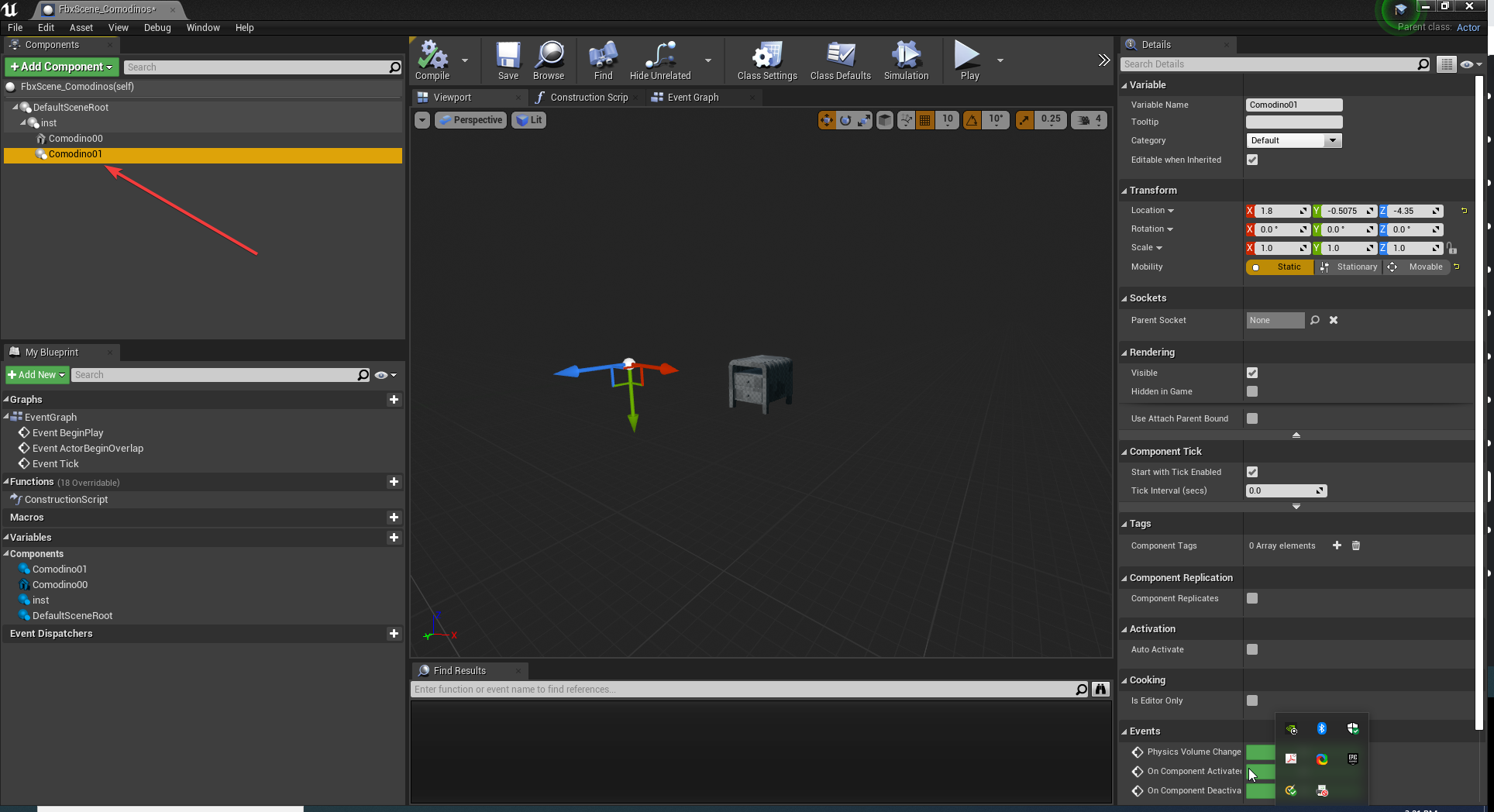

 patent cobalt
prisma dagger
Scene component
patent cobalt
prisma dagger
Scene component
you can just delete it and add a static mesh component with the + green button
make sure you click on the parent component before doing it
so it re-parents to it
prisma dagger
you are right but what if I have a lot of component and it has a position data
patent cobalt
you can copy the relative position from the details panel
right click / copy then you can paste to the new component
prisma dagger
yes that is good but again what if I have a lot of components and I want to do it fast like replacing static mesh with another
patent cobalt
what you are asking for then is editor automation
woeful plank
@patent cobalt i tryed it on third pc but still same
prisma dagger
I mean something like replace reference
 spark rune
Hi guys,
I would like to adjust Roughness map after done inside Substance Painter
Do you guys can advise me some node that will give me more advance adjust inside UE5
Thanks for your advise
patent cobalt
prisma dagger
I mean something like replace reference
there is such a functionality for actors in the level but not for components in an actor hierarchy, so either you do it manually or you build it yourself using editor scripting/automation: https://docs.unrealengine.com/4.27/en-US/ProductionPipelines/ScriptingAndAutomation/
Introduction to using Blueprints and Python to control the Unreal Editor programmatically.
@woeful plankthen the problem may be on how you package your project. The videos need to be in a specific folder.
 unique yacht
Hey guys sorry to jump in without context, but does anyone know where is unreal tournament editor located? Is it built-in in UE4?
unique yacht
On epic games store it's located under unreal tournament, though I only added it to my library and I don't know what's next
 dapper oak
unique yacht
On epic games store it's located under unreal tournament, though I only added it...
dapper oak
unique yacht
On epic games store it's located under unreal tournament, though I only added it...
if you search unreal tournament in the epic games store it should come up with both the game and the mod editor in the search box. If you click the editor it should take you to a mod page
prisma dagger
@patent cobalt it seems like a lot to study there 
unique yacht
@dapper oak is it okay if I pm you?
dapper oak
unique yacht
<@!241149394722750465> is it okay if I pm you?
i dont use the mod tool so im not too knowledgable of it i just know where to find it on the store. Sorry mate
patent cobalt
@prisma daggerwe are talking about extending a functionality of the editor, that doesn't come for free
unique yacht
dapper oak
i dont use the mod tool so im not too knowledgable of it i just know where to fi...
Aight thanks, I found it in the store and added it to my library, though I was wandering if it's in unreal tournament game, or UE4/5 as a plugin or somewhere in the engine content
patent cobalt
@prisma dagger maybe look through the many plugins on the marketplace, there could be some that fit your needs
 worn silo
Hello all, is there a channel where I can ask questions about Twinmotion as well?
 ember token
If I want to open-source my UE4 game project, and it contains free marketplace content from EpicGames, what should I remove?
woeful plank
@patent cobalt where i can specify it is preject settings - packeting ?
 raven estuary
Where do you guys go to get good trees?
Preferably pretty customizable
Is this marketplace? I just looked and didnt see it
 untold notch
raven estuary
Preferably pretty customizable
untold notch
raven estuary
Preferably pretty customizable
Try mega scans
fierce tulip
it doesnt
raven estuary
Yeah i was gonna say thats like the one things megascans doesnt have i want it to have
wary wave
pretty hard to scan an entire tree, tbh
untold notch
Oh I thought Quixel had em
patent cobalt
@woeful planksee my answer on AnswerHub: https://answers.unrealengine.com/questions/756566/videos-do-not-start-in-the-project-package-shippin.html
raven estuary
Dare i say year
untold notch
Make some pine trees in blender 🤷🏼♂️
raven estuary
Thats true i just started with unreal and im only using UE5 for better or worse and its great
untold notch
raven estuary
Thats true i just started with unreal and im only using UE5 for better or worse ...
It seems much easier to use
raven estuary
Really? Ive had good use granted im very new so i dont know enough to break it
untold notch
Does it still crash when using Metahumans?
raven estuary
Should i get the ue4 or cinema version if im doing only cinematics
Nevermind it says not compatable
Thats fair i think if youre doing purely games i wouldnt go for it but i just like making good looking images/videos and its not mission critical
dapper oak
so i just disabled a plugin that i started making in a project because i didnt need this specific one anymore yet now when i restarted the project it says my projects game module cant be loaded. How can I fix this without getting into the editor?
drowsy snow
raven estuary
Thats fair i think if youre doing purely games i wouldnt go for it but i just li...
Even good looking images/videos can still be achieved with UE4.
raven estuary
Is it worth working in Ue4 till 5 is fully released or?
drowsy snow
raven estuary
Is it worth working in Ue4 till 5 is fully released or?
For me, it's going to be still worth working in UE4, even after UE5 is fully released.
Until Nanite and Lumen can decently run on average student computers, I won't blow on UE5.
limber badge
is there anyway to remove the darkining effect when you look at the sun? i dont know what the effect is called so i cant google it
drowsy snow
limber badge
is there anyway to remove the darkining effect when you look at the sun? i dont ...
That's Auto Exposure.
limber badge
drowsy snow
That's *Auto Exposure*.
i couldnt find the settings in the directional light, so is there anyway to disable it?
raven estuary
limber badge
i couldnt find the settings in the directional light, so is there anyway to disa...
Post process volume
drowsy snow
limber badge
i couldnt find the settings in the directional light, so is there anyway to disa...
It's in post process/camera.
limber badge
oh thanks a lot
raven estuary
drowsy snow
Until Nanite and Lumen can decently run on average student computers, I won't bl...
I have a bit more then an average student computer but these are good points
coarse wind
hey guys, I have a strange problem when importing a scene from 3dsmax into Unreal - But only in a first person template ( by Epic ). you can see in the picture that when the objects from 3dsmax are hidden (Left) everything is working, but when they are not hidden (right) everything is dark. I did not exported Vray lights of anything like that. anyone knows something about it ? 🤔
 wary wave
just unhide them?
drowsy snow
Or just reload the level
coarse wind
wary wave
just unhide them?
When I'm unhiding them everything is dark, but I changed the exposure in the PostProcessVolume and it works, so nevermind 😅 sorry
wary wave
haha, classic
drowsy snow
The default auto exposure range is insanely wide tbf
coarse wind
drowsy snow
The default auto exposure range is insanely wide tbf
yeah, it's great
 lime temple
Hey guys, sorry to disturb but I was wondering if I could use the Unreal controller as an AR video source so I can just use it as a reference to get the floor to be the floor on UE4
pearl minnow
why might the client instance of the keyboard be missing the shadow?

something something keyboard generated in constructor?
 tame marsh
Is there a performance friendlier alternative to DrawDebugBox?
kindred depot
Okay very noobish question, but for some reason I can not solve this one. My capsule is going thru the floor, So when i create a crouch input the character then either try's to fly into the sky, ro go underneath the map. How do i adjust the location of the capsule? Or is there no way to do this? the only option i see is capsule half height.

this is adding a floor as a reference.
 coarse wind
Just wanted to say thanks to all the guys helping here in the Discord channel, you are awesome 👏🏽
 prisma brook
does anyone know why this has a translucent look?

i followed a tutorial for inserting images into UE but it explained that the decal blend mode needed to be translucent

Basically just want the images to appear as clear as possible
tepid vector
How do I make unreal engine use my Dedicated GPU and not my Internal GPU
drowsy snow
tepid vector
How do I make unreal engine use my Dedicated GPU and not my Internal GPU
If you're in laptop, make sure to set UE4Editor process to use High Performance in your laptop's profiling
tepid vector
drowsy snow
If you're in laptop, make sure to set UE4Editor process to use High Performance ...
from where?
drowsy snow
prisma brook
i followed a tutorial for inserting images into UE but it explained that the dec...
Why not put a plane and apply the texture?
drowsy snow
tepid vector
from where?
I dunno, I don't own your laptop.
It's kind of per manufacturer basis.
tepid vector
drowsy snow
I dunno, I don't own your laptop.
where would be a general place to find it
prisma brook
drowsy snow
Why not put a plane and apply the texture?
wow yeah that seems to work much better
Is there a way to create the plane to the exact size of the image?
prisma brook
prisma brook
Is there a way to create the plane to the exact size of the image?
so the image is not distorted
drowsy snow
prisma brook
Is there a way to create the plane to the exact size of the image?
Life hack: put in the pixel sizes as the scale, enable the vector lock, and scale it down
plush yew

In this tutorial, learn how Omniverse Drive allows you to update textures on the fly from popular texture creation applications, and how to configure Substance Painter by Adobe and Adobe Photoshop for this workflow. Omniverse Drive lets you see instantaneous updates to textures in your live and actively rendered scene.
NVIDIA Omniverse™ is an o...
855 views lol
why does it seem everyone is asleep on omniverse
omniverse is so great
drowsy snow
Omniverse is still confusing at best, especially those outside of the Green circle.
 obsidian nimbus
i dont have an RTX so omniverse is dead to me
plush yew
how is it confusing the intention behind it is making your apps easier to use together
you dont need RTX to use i
you only need RTX to use the rendering features
obsidian nimbus
i installed their face thing or something and it needs RTX
plush yew
you can even use cycles X and iray in omniverse create
I personally use Iray havnt touched the RTX stuff
obsidian nimbus
i doubt my AMD card wil be supported much
drowsy snow
I'm more concerned about how Red and Blu hold up to the Omniverse software.
Hardware diversity and equality, I say.
plush yew
i get that it being new makes it hard to adapt to but the documentation is really good, and once you get it working it makes everything so much easier
the main use of omniverse in game development is the ability to live link characters and enviorments from 3ds max maya and photoshop/substance painter to unreal engine
i mostly use it just for bringing in stuff from blender to unreal engine
obsidian nimbus
i just use blender for that 😛
drowsy snow
AMD's GPU Open programme is leaning towards that diversity, so everyone can breathe in relief when AMD announce new stuff to their GPU Open programme.
plush yew
and the ability to model everything in blender rig and animate in maya and days later say I wanna make a small change to a single texture i just open up photoshop and hit send and it updates it immediatly
its really great
drowsy snow
If it works for everyone else, it's way better in my book.
Hardware inclusivity has been my higher priority. That's one of the reason I still have no plan to put raytracing into my game.
plush yew
you can reimport things yeah but having it all live is so much easier
drowsy snow
Okay, that's a term I coined up.
Hardware inclusivity
Because everyone deserve a consistent experience across the board.
obsidian nimbus
dont think adding an exrta step is goin it make things smoother for me
also drive space is a bit of a thing
drowsy snow
PhysX is like one of the rare cases where NVIDIA stuff actually works for everyone
obsidian nimbus
PhysX has a bit of a history 😛
drowsy snow
Yeah, but I think it's until UE4 open up to public that NVIDIA kinda had to go "fine, b-baka" kind of tsundere and make PhysX 3.4 worked for everyone.
That is until PhysX 5 locked (again) to Omniverse, for whatever reason
 real moth
I'm currently making a First-Person Tower Defense game in UE4, it's going pretty well so far but I'm trying to think of how to indicate the enemies' health to the player. Health bars is an option, but I'm thinking there may be a more creative way to do it, any ideas?
Maybe I could only show the health bar of the enemy that the player is looking at?
so it doesnt clutter the screen?
drowsy snow
real moth
I'm currently making a First-Person Tower Defense game in UE4, it's going pretty...
I guess one way to do it is how injured the enemy looked by the physical appearance and animation (e.g. perfectly fit would be running and no blood stain; crit health would be limping and bloody)
real moth
drowsy snow
I guess one way to do it is how injured the enemy looked by the physical appeara...
Ah yes! Some sort of visual indicator like blood could be quite subtle yet informative