#ue4-general
1 messages · Page 1044 of 1
 pliant junco
 plush yew
@native tulip
 native tulip
i need you to focus CAREFULLY on what i say because i dont have anymore energy xd
tick event > branch that checks if moving on ground > if true > set IsReadyToParachute to true
thats for your tick event
for your slow down thingie
Left Shift > Pressed > Check if is ready to parachute > if true > set gravity scale to small
Left Shift > Released > Set Gravity Scale to big

 leaden flame
hello
why is it not possible to move the 3rd person character controller from 1 project to another?
plush yew
why not?
just goto your project folder and copy the thirdpersoncharacter and past it in the other project i think
native tulip
plush yew
but i am jumping higher too
forgot to mention that the gravity scale isnt being reset back to the original after its done
plush yew
but it only work
if you
hold down shift from the very begining
while flying it wont work
native tulip
i think it has a bit of issues but sorry im kinda busy
but as i said you should be looking into beginner tutorials because, no offense, but you seem to not know pretty much anything about the engine, im trying to help you not insult you.
 worthy plaza
Anyone know if there is a tutorial for the BP_Timeofday? (the one quixel use for the medieval village)
 thick herald
Not specifically for that, no. However there well may be something in https://www.unrealengine.com/en-US/onlinelearning-courses @worthy plaza . Also this will help you too @plush yew

Unreal Engine
Unreal Online Learning is a free learning platform that offers hands-on video courses and guided learning paths.
 rugged heron
Is there something similar to Houdini Engine that can be used to generate procedural assets at runtime? I am looking to create procedural terrains with height maps.
thick herald
making changes to the landscape during runtime is, at best, problematic. UE bakes everything down. Depending on your skills with cpp, you might be able to do something though.
Other options would be to use something like Voxel Plugin Pro
 tired abyss
Just curious if anyone has dabbled in calculated velocity required to reach from point A to B over X amount of time and taking things like character movement air control paramaters in to consideration
thick herald
Like ballistics?
tired abyss
Just talking in general, figuring the math out
before i go diving deep in to the character movement stuff
thick herald
I was going to suggest the easy ballistics plugin, dissecting that might help.
While it's not for a character, the maths should be similar.
 jade grotto
I have a technical question that I'm not sure where else to post it:
We've installed UE 4.26.2 on a couple computers here at the office using the admin accounts, but when any other (including other admin) accounts log into that windows machine and go to open Unreal, it insists that it's a different version, like 4.25.x or something. And when that user goes to the install a new version on those machines 4.26.x is just completely absent from the options, unless we delete the local install and download it again. Any idea why that would be?
plush yew
How to get walk speed? Not Max Walk Speed
 grim ore
You would get the velocity of the actor, assuming you are asking for the current speed of the object
plush yew
grim ore
You would get the velocity of the actor, assuming you are asking for the current...
I did it


But it takes another value
4000
whats that?
grim ore
@jade grottoconsidering the engine and launcher use the local users appdata directory for "stuff" I would think that might be it. you can use the unreal version selector.exe file (its in the launcher folder) and move copy it into the engine install folder for 4.26 and run it to associate that engine with the launcher. That might work?
what takes another value?
this is the code the third person template uses to get the current speed of the character, so we know this code works
 jade grotto
That does make sense. Hmm. Okay I'll give that version selector a shot on one of them next chance I get. Saves us re-downloading the same several GBs over and over. Thanks @grim ore
grim ore
yeah the file used to be in the engine folder but they removed it a few versions ago so the main copy is now in the launcher -> Engine -> Binaries -> Win64 folder
 winter wedge
having too much trouble getting simple animated objects into ue
i'm using fbx and there's no animation track for the object?
all i was using in blender was location rotation and scale
tired abyss
Does anyone know how many ue4 units you move per 1 velocity? is it a 1:1 RATIO?
grim ore
when you export it out, you export out the animation track as an fbx with just the animation
then you import that in as an animation sequence
grim ore
what does your code look like?
that second number is your velocity, that counter is something else you made
plush yew
That is the movement code

And that is the mouse code

The others are default fps template codes
I dont think it will affect but. I'm also using spring arm
And this one
 winter wedge
grim ore
when you export it out, you export out the animation track as an fbx with just t...
winter wedge
grim ore
when you export it out, you export out the animation track as an fbx with just t...
? how do you export location rotation and scale only and not with the object
grim ore
@winter wedgeyou might want to check out #animation
@plush yewthat counter is not this code, this code is fine. your counter is somewhere else
plush yew
grim ore
<@456226577798135808>that counter is not this code, this code is fine. your coun...
What it can be? I only changed these settings
winter wedge
i checked the pins there's nothing relating to this
tired abyss
This is prob not the way to handle this with velocity, any recommendations for moving a ACharacter from current location to target location
grim ore
you would normally use the AI nodes to move them along a navigation mesh
tired abyss
Sorry should of specified, no need for walking or anything, i want want to go straight from Point A to point B, no nav needed
Its just really about how i should correct execute to add input/movement
grim ore
you could use a timeline and a lerp to move it if its straight
tired abyss
Seems way to janky
grim ore
you dont need to use movement, you could just move it
you could point it towards point B then and add input just like you would be faking a key
plush yew
grim ore
You have another PRINT STRING somewhere in your code
There is not, maybe it's a bug. Maybe something triggers it, idk how to find it
worthy plaza
i've redeem'd this code but can't see what i've redemeed, anyone can help me? (https://learn.unrealengine.com/course/3765504)
grim ore
@plush yewwell there is, there literally is code somewere that is printing again.
disconnect that print string so it doesnt print. does both print strings (the counter and the velocity) both go away?
or just the one velocity
@worthy plazarestart the launcher, its a known issue, then it will show up in the library in the unreal engine tab
grim ore
yeah its... annoying
 toxic lily
Is there a node to kill all functions on an actor except for physics simulation?
Example, i have a enemy "flying drone" when killed with drop to the ground as a physics object and dissapear after 10 seconds, however it continues to fire
plush yew
grim ore
disconnect that print string so it doesnt print. does both print strings (the c...
Of course I tried that, yeah both it goes. I will use max walk speed value instead of that, I want to make something like that if float between 100-300 play walk camera shake etc. Which node is the word I call "float between"?
grim ore
less than and greater than, two checks
plush yew
grim ore
less than and greater than, two checks
Yeah actually I dont need a range node anymore
because max walk speed never can be "0" if I don't set it default 0
 pulsar bison
Got a question - is there a way to make scripted functions in the editor? Like for example, I have an ortho camera I use to take a screenshot of my world which I then convert to a texture for a minimap. Each time I make changes to my world, I have to do it by hand but it would be nice if I could make a function I could call in editor that would just automatically do it.
If so, does anyone have a link for documentation/tutorials I could take a look at?
 tiny sonnet
Is there any way to automate grass in a non-landscape situation?
grim ore
@pulsar bisonyou can look at Editor Utility Widgets or Blutilities
 rustic oasis
I don't know where to put this so I'll just go with general, whenever I try to update my mod made in unreal 4.18.3 as soon as the steam cmd opens it changes the workshop file ID from the one directing to the correct item, to a non existing one leading to nowhere giving me the "file not found" error.. anyone know how I could stop this from happening? each time after I manually changed the fileId in the .vdf file, the steamcmd used to upload it just changes it back again.. already tried making the vdf read only but that stopped the console from working
fixed.. I had to keep the vdf file open in notepad while uploading
 light thunder
Can't get my nav mesh to draw here - there's no nav modifiers to null on top, no other streamed levels visible - every actor nearby either has can aeffect nav to false or it has fill collision underneath for nav checked (like power line above)

and the nav mash is generally not there when I play, so it's not just a display issue
 fast trellis
I'm trying to debug some graph data. Usually I would do this by taking my points and feeding them into an image, creating a texture from the image and then sending this into a new viewport. What would be the workflow for something like this in Unreal?
Preferebly in c++ then pushed to the viewport after.
light thunder
baked lights and you moved something else or your UV lightmap is screwed up?
 nova yarrow
Hidden objects in level but cast shadows are on.
 deft talon
Hey, I just imported a project for a job interveiw, I cannot show the content, but I am encountering an issue that is not part of the test.
In the veiwport, it looks fine, but the second I play it, None of the environment static meshes show and the lighting does not work. I have tried rebuilding everything multiple times
plush yew
grim ore
<@456226577798135808>well there is, there literally is code somewere that is pri...
Hey Mathew I fixed it, I added landscape (or a normal mesh works too) and the character's velocity is normal now. Falling z axis was caused it. (It wasn't falling actually but my floor mesh is a have a problem about that I think. It has a fine collision, but whatever. The problem fixed, thanks for Thank you for your strive with my problem.
deft talon
There are no errors
 cyan bronze
Any idea why my Unreal Engine crashes when importing gun with animations. I have tried on UE5 and on UE4. Hand model with animations import works
grim ore
you would have to have the complete crash message with the debug symbols to know even where to guess
cyan bronze
grim ore
you would have to have the complete crash message with the debug symbols to know...
It goes into "not responding" and locks into the screen. Waited 1 hour and had to turn off and on the PC
cyan bronze
grim ore
you would have to have the complete crash message with the debug symbols to know...

 midnight cloak
why i have de inverte face orientation in blender for my mesh in UE4 have correct face??
 wet grotto
hello, does anyone know if it's allowed to bump threads on forums? I haven't found anything about it. Thanks!
thick herald
Doubt it, unless there is something to add to the subject.
wet grotto
thick herald
Doubt it, unless there is something to add to the subject.
ok, thank you
 shell surge
Hey guys, is there a way to reduce quality settings in the editor so it can run smoother ? My scene getting a bit heavy and I want to increase fps while still working on it
 drowsy snow
shell surge
Hey guys, is there a way to reduce quality settings in the editor so it can run ...
drowsy snow
shell surge
Hey guys, is there a way to reduce quality settings in the editor so it can run ...
 drowsy snow
shell surge
they are not on the same place in ue5
drowsy snow
shell surge
they are not on the same place in ue5
ue5
It's in the upper right corner
shell surge
yeah found it
 worthy forge
Has anyone ever received and solved this issue

 next nebula
how are we doing
have an issue here.
my actor is just flying through the ground.
physics are on.
shouldn't be phasing through things.
any ideas?
actually im not so sure because physics is greyed out.

 dawn gull
What would be the best way to get soft bodies in 4.25?
 ancient lotus
any idea whats going on with my rotator?
https://gyazo.com/259645b20ae9db05e5e3e03da568b3a8
 light thunder
WHY WOULD A BOX COLLISION STOP A 3D widget from being interacted with - even on this radial mesh, where I can normally move around the controller and it will highlight whatever it's pointing at, when I go into this volume on my level, it stops working - when i leave that volume, it works again
light thunder
this is a good idea
tiny sonnet
why is there as box in my editor
 light thunder
it's a simple collision box I use to generate overlap events
tiny sonnet
i cant move anything
light thunder
blaze drag a tab of one of the editors around and it will reset
tiny sonnet
i see
what does this message even mean, the level is clearly there in the editor but after packaging, it says it doesnt exist

 plush yew
hey
does anyone know what this "V2" stands for

i know the S is for scalar parameter
but for V2 and V3 im a bit lost on what nodes to look for
vector 2 and vector 3?
awesome thank you 🙂
wait
i look up vector and theres only 1 node, and its not called vector2
uhh
OH
CONSTANT VECTOR 2
got it
thanks!
 light thunder
This honestly one of the most baffling problems I've encountered in 3 years - we are checking everything logically - but even when I've disconnected all the overlap events (indeed, they don't even trigger breaks down) moving into this collision STILL stops any widget interaction from working - these are 3 different widget actors, 2 of which were untouched and the only variable is when they move into this volume - you can see on this radial menu - I'm not having to worry about a line trace - this visibility of the widget is controlled directly by controller rotation (thumb stick)
tiny sonnet
still doesnt work
i found a potential solution online, ill come back here if it works or doesnt
considering the packaging time has increased, it worked i assume, i had a empty directory in the packaging tab of project settings for directories to never cook
worthy forge
worthy forge
Has anyone ever received and solved this issue
Someone help me stop crying..kidding
 latent sonnet
Can anyone help me with packaging this project?
I'm getting errors but idk how to fix them.
 subtle lake
DefaultGame.ini
StagingDirectory=(Path="D:/aaa/bbb/Packaged")
is it able to use RelativePath for StagingDirectory in DefaultGame.ini ?
drowsy snow
latent sonnet
Idk what that means...
#packaging should know more about it
latent sonnet
Thank you
 mellow yarrow
I'm trying to 'Cast to a ListViewEntry' which would make stuff way simpler - anyone can give me a hint for the missing object?
-
Needed!
-
Just example showcase of passing down specific content
-
when closing 'management mode' it would require another more complex workaround.
Please help me to get the the correct object for #1.

Edit: solved - works over 'user object list entry' interface
 jolly steppe
May I ask how you got the shader to look so clean? The outlines look super nice. and I'd like to get the same effect.
 regal carbon
jolly steppe
May I ask how you got the shader to look so clean? The outlines look super nice....
regal carbon
jolly steppe
May I ask how you got the shader to look so clean? The outlines look super nice....
the Outline is an Inverted Hull, done in Blender with the solidify modifer with flipped normals and backface culling.
You can find more info on the technique on YT
so I'll skip the explanation
it's all over YT, there's at least 4 different tutorials on this
 weak urchin
Is it possible to trade the capsule component collision for collision on the skeletal mesh? I have a dragon character that doesn’t fit in the capsule component and make it bigger isn’t an option.
jolly steppe
aaah okay. I was hoping there was a way to do outlines without having to duplicate the mesh 😅 but it seems that's what a lot of people do for the outlines
drowsy snow
jolly steppe
aaah okay. I was hoping there was a way to do outlines without having to duplica...
Yeah, it's more foolproof, though I'm doing it in material as opposed to manually invert the normals.
jolly steppe
thanks though ^^
plush yew
can i ask for help here?
drowsy snow
plush yew
can i ask for help here?

plush yew
oki tyy
jolly steppe
drowsy snow
Yeah, it's more foolproof, though I'm doing it in material as opposed to manuall...
aaah I see. Is there a benefit to inverting with material instead of doing it manually or just preference?
plush yew
im was adding a bunch of foliage in UE5 and then everything went to shit
it started flickering and saying your scene contains a skydome mesh and some more stuff i cant remember in the scene
drowsy snow
jolly steppe
aaah I see. Is there a benefit to inverting with material instead of doing it ma...
Doing it in material is much faster and doesn't require separate skelmesh asset, thus reducing storage footprint and increase modularity.
drowsy snow
plush yew
it started flickering and saying your scene contains a skydome mesh and some mor...
Screenshot?
plush yew
yea 1 sec
drowsy snow
(though for all I know it might've been UE5 exclusive bug)

 drowsy snow
plush yew
drowsy snow
plush yew
Hard to tell what's going on, especially if you don't have the UE4 version of the scene
drowsy snow
jolly steppe
aaah I see. Is there a benefit to inverting with material instead of doing it ma...
I should point out that the method kind of falls short on pointy ends, like hairs.
drowsy snow
plush yew
if it helps it looks fine when i go rlly close
Also might worth asking in #ue5-general instead.
It might've been UE5 exclusive bug.
jolly steppe
drowsy snow
I should point out that the method kind of falls short on pointy ends, like hair...
Ahh I see. I didn't know you could do it in materials without a seperate mesh. I might have to try some different stuff to see what I like best.
drowsy snow
jolly steppe
Ahh I see. I didn't know you could do it in materials without a seperate mesh. I...
Well, you still need separate mesh, but you can have duplicate of the skelmesh component and using the same skelmesh asset.
jolly steppe
though I don't know how I would do it with Material, I did try a shader off the marketstore and I didn't like how to outline looked. It kinda would bleed into the model and would be too thick in some areas
ooooh I see
drowsy snow
Just the matter of changing the character materials into outline material.
jolly steppe
aaah
drowsy snow
jolly steppe
ooooh I see
Some test renders of said outline materials (and colour pass cel shading)
No post process blendables involved, just the exact trick I mentioned earlier, thus it plays nicely with vanilla UE4 post FX, including depth of fields.
 jolly steppe
oooh that does look nice! : )
 drowsy snow
 desert verge
why would a mac show up here?
desert verge
why would a mac show up here?
You could dismiss that 
toxic lily
hey all, thinking someone here might be able to help me. trying to get a projectile to interact with the health and damage system. i have a drone that fires projectiles at the player however it does not register any damage when taking a hit, and i feel the problem is in the projectile blueprint

just not sure what im missing
desert verge
drowsy snow
You could dismiss that <:shrugakko:320437357474217986>
should i be worried?
drowsy snow
desert verge
should i be worried?
Unless you're one of those hardline anti-Mac people, no.
desert verge
drowsy snow
Unless you're one of those hardline anti-Mac people, no.
oh i am
jk
Can i give you rep?
 kind dew
I want to create a drag and drop mechanic in UMG where an arrow is pointing to where I am dragging and dropping. Similiar to hearthstone when you drag a spell out and an arrow points to show you where the spell is going to land
drowsy snow
kind dew
I want to create a drag and drop mechanic in UMG where an arrow is pointing to w...
Then do it! 
plush yew
In unreal, i have a sound that plays loop. A node triggers it always. So i wanna make trigger waits to the audio finish. After finish, it Will loop again. Htf do i?
kind dew
drowsy snow
Then do it! <:btsThumbsUp:862731743178129409>
ha sorry. Didn't word that right. I'm wondering how. I'm familiar with how to create a drag and drop operation. But I have no idea where to start for creating an arrow like that
light thunder
Is there any problem with adding items to an array of actors to ignore for a linetrace and then deleting some of those actors?
 coarse apex
dumb question, what i render a sequence will it auto put it into cinamatic quality or will i have to do that myself? I want it to be at max quality when i render
drowsy snow
coarse apex
dumb question, what i render a sequence will it auto put it into cinamatic quali...
It's the latter.
 hollow egret
Hey guys I was wondering if someone could help me figure out why my third person character is stuck in idle sequence
kind dew
hollow egret
Hey guys I was wondering if someone could help me figure out why my third person...
check the animation blueprint. check the transition from idle state to moving state. It should be returning true when you are moving, it might be returning false which would make you stay in idle
or if it's just a blendspace, then your speed might not be getting set right
like this, your value of speed might always be 0, so make sure that you're setting it properly, if that's how your animbp is setup

 crimson peak
Hello. I'm looking for help and it would be greatly appreciated.
I would like to create a trigger event so when the player goes through a door and enters the room. The room whwre he came from changes to assets I merged for new rooms. Any tips?
pliant junco
i got this error Error: Not all files could be converted, look in console for more information when setting up rootbones
 midnight bolt
how can i change spherical preview on materials to cube/plane?
drowsy snow
coarse apex
so i rly need to have cinematic quality real time huh
Yeah, but realtime framerate doesn't matter much, just make sure your GPU not crashing when rendering the scene.
Alternatively (if your GPU crashed from high resolution) you can use Temporal Super Resolution* and lower the screen percentage.
*called as 5th Gen TAA in UE4, and can be enabled by console command r.TemporalAA.Algorithm 1
crimson peak
Nvm i figured it out myself
 surreal eagle
GUYS HELP ME
i need to apply a force i a particular angle relative to the player
i'm trying to make sliding
and i have a way to get angle and relative direction to apply force at
but idk how to apply it without bouncing
coarse apex
drowsy snow
Yeah, but realtime framerate doesn't matter much, just make sure your GPU not cr...
got thank you! if the render uses gpu is should be fine, just got a 3080! appreciate the help
pliant junco
is settingup Root Motion for Mixamo Animations using Blender Addon absolutely necessary?
plush yew
There's some keybinding in the editor that pops up a window where you can type names of blueprints/assets and it will show you the results of the search, what is that keybinding?
plush yew
plush yew
There's some keybinding in the editor that pops up a window where you can type n...
A keybind that searches all the content?

Or do you mean looking for actors in the world
all the content
Not sure. I just click on the content folder and search there. Hasn't really bothered me

 dusky inlet
plush yew
all the content
dusky inlet
plush yew
all the content
Ctrl P
 split timber
yo
everytime i try to compile too many arguments for function-like macro invocation ‘TEXT’
this error comes up
 drowsy gull
Texcoord has (0,0) on its upper left corner. UV's (0,0) is on its lower left corner . Why the output will be ok if I directly connect Texcoord to TextureSample's UVs input?
native tulip
my wall running system is ALMOST done
 young mirage
Is Post process higher cost than a UMG overlay?
 wary wave
that's not really an answerable question
"is a car faster than a motorbike"
it depends
but the two things are used for different purposes, so
 solemn schooner
Need a system and tutorials for inline/rollerblading game(s)
 ornate kelp
for some reason setting T0 as Reference pose for my imported blender model completely displaces the weapon placed in his hand for all the animations. If I don't check it, the animations are normal but i get the error telling me to check it
is this actually a problem or do I need to fix it?
surreal eagle
shadows
shell surge
surreal eagle
shadows
what exactly about shadows? This looks more like LOD but im not sure
when im up close it looks fine
surreal eagle
shell surge
what exactly about shadows? This looks more like LOD but im not sure
i'm a programmer not a level designer
sorry!
 granite spire
#ue5-general try here
I might focus my twitch on to do a "code miko" style tutorial, I keep seeing people are struggling with this, what do you all think?
 mental solar
how can I exit this face selection mode?
 drowsy snow
granite spire
I might focus my twitch on to do a "code miko" style tutorial, I keep seeing peo...
drowsy snow
granite spire
I might focus my twitch on to do a "code miko" style tutorial, I keep seeing peo...
As in a V-Tuber application?
granite spire
Yeah
I got ideas how to implement it, but i've talked to a bunch of people that struggle with it, even though there's plugins, it's still complicated apparently
twitch plugin, render target your desktop, VR your character, done
wonder if I could get mods working for people uploading their own VR chat and streaming thing
I might be oblivious to everything I think, but I might give it a shot
 hot beacon
Hey how do i alunch the player in the opposite direction of where the line trace by channel impact point hit
mental solar
mental solar
how can I exit this face selection mode?
.
 burnt mulch
I have a question as i am currently learning Unreal engine, should i simultaneously learn C++ or work around with blueprints itself?
drowsy snow
burnt mulch
I have a question as i am currently learning Unreal engine, should i simultaneou...
Mastering both is preferred, but if you're getting started, getting the hang of BP is fine. Unreal Engine set some new conventions when it comes to C++ scripting.
hot beacon
hood man
do you know how to launch the player in the opposite direction of the impact point of a trace by channel
 north shadow
Hello guys i use the topdowncharacter in ue4 and when i import a map and put my character i can't move, when i click left :/
granite spire
burnt mulch
I have a question as i am currently learning Unreal engine, should i simultaneou...
You can build loads with just BP, I'm a scrub know it all and that's all I bother with, because there's other game aspects to study, I just leave that to someone else while I carry everything else
drowsy snow
granite spire
I got ideas how to implement it, but i've talked to a bunch of people that strug...
Well, V-Tubers with more simpler setup gain a frick ton of money and following more than Code Miko and alike. I wager you could get away with simple (and janky) virtual avatar setup in Unreal, with iPhone X facial capture and maybe Kinect. Though I won't hold my breath for the latter - Microsoft discontinued it for years and the motion detection is prone to jank.
 tight raptor
The moon is just a sphere with high emissive color. Any idea how i get rid of this light beam thing ? Allready tried some stuff but I cant find the right checkbock for it
 pliant junco
guys i need help when it reaches 100% my character cannot jump anymore. How can i fix it?
drowsy snow
tight raptor
The moon is just a sphere with high emissive color. Any idea how i get rid of th...
Light Shaft?
granite spire
drowsy snow
Well, V-Tubers with more simpler setup gain a frick ton of money and following m...
ue4 is what codemiko uses
drowsy snow
granite spire
ue4 is what codemiko uses
I know, but the setup behind it is also almost crazy expensive (largely the xsens suit)
drowsy snow
granite spire
how much is that?
IIRC Sam Gorski (Corridor) mentioned in one of the BtS videos for the first Unreal short film project, that the setup costs around 20 grands. Might be changed nowadays, might misremember it.
tight raptor
@drowsy snow my problem is I have no clue where I can find that. post process, material settings, worldsetting, ...
drowsy snow
tight raptor
<@!325627930484932608> my problem is I have no clue where I can find that. post...
It's in the Light actor's details.
tight raptor
its just an fbx sphere with emissive color
drowsy snow
Are you sure it's not driven by a directional light? 🤔
tight raptor
ok, im stupid. the directional light behind the sphere causes it
so in the end it is kind of driven by a directional. thanks
granite spire
More users than ever before can get access to Xsens' precise motion capture starting at $3,790 (€3.490).
that's not too bad
considering what it is
make animations for a living with minimal cleanups, that would be an investment
drowsy snow
Guess they reduced the price tag
Though I'm still going "oldskool" with animating by hand, because of stylisation.
thick herald
granite spire
```More users than ever before can get access to Xsens' precise motion capture s...
The word starting is the important one here 😄
granite spire
yeah probably 10k for a full suit, i'll think about it if my contracts every get completed 
winter wedge
managed to export mesh with animation but location rotation and scales are misplaced for just some frames
i have applied all transforms in bledner
toxic lily

does anyone know how i can get this NPC that's spawning this projectile fire it like a fully automatic weapon or burst? even when delay is set to low its like, a good second between shots.
( had unplugged the delay node to test something)
north shadow
How to put a static mesh as a variable !?
drowsy snow
north shadow
How to put a static mesh as a variable !?
Just add a Static Mesh (object reference) variable. That easy.
 hidden dagger
can someone give me some help
how do i make an actor do a specific animation when approaching it
i use get distance to and an animation bp but it always stays in idle

 thick herald
YouTube has loads of tutorials on AI. Ryan Layey has a couple of series on it, worth looking into. There is also #gameplay-ai 🙂
 cedar wave
hidden dagger
can someone give me some help
how do i make an actor do a specific animation whe...
cedar wave
hidden dagger
can someone give me some help
how do i make an actor do a specific animation whe...
You need to set up the transition. It's those icons that are on the line going from state-to-state
 robust marten
Any way i can make destrucible mesh chunks have physics enabled?
plush yew
any clue why fire particles show when I have skylight+directional light and sky atmosphere

but when I use sun and sky they dont work
 worthy plaza
When i add something from quixel bridge it have default texture, anyone know if there is a fix? (ue5) created a new proejct too, but still have this issues
 light thunder
If I have a 'loading level" that I use, and I am loading in a big level to GO TO after that small level, how do I ensure you don't notice it's loading - do I want block on load ON or OFF?
thick herald
worthy plaza
When i add something from quixel bridge it have default texture, anyone know if ...
A friend had the same issue. In the end I emailed him the folder MSPresets. Have a look in there, there should be a load of folders etc. I'd also check out https://help.quixel.com/hc/en-us/community/topics/360000089018-Bridge-Support

Quixel Forum
Join the Quixel community. Connect, discuss, and get help from fellow Quixel users.
 harsh tiger
https://gyazo.com/4e497f27894cf32b3034b34e8aa0deeb any ideas as to why these are showing as none in the struct but they have something in place in the data table?

 light thunder
You are getting confused with an object CLASS and the object ITSELF
if it is in a data table - it doesn't exist in the world
those things come back as NONE because there are NONE in the world, like if you had a variable but you have never spawned it - that's why you use SPAWN ACTOR FROM CLASS
@harsh tiger
harsh tiger
So what I'm trying to achieve is impossible through 100% data table?
I've found a workaround using the game instance which works, but it's quite messy as it means having to do work outside the data table
light thunder
What are you trying to do?
harsh tiger
I have a menu where you can select different locations. Which will then change the row name on the data table. So different variables can be set to different things. It works with the media player or material for example. But not the media source or music like seen in the gif
 light thunder
you need to change your structure so those items are a class - then change it to spawn actor from class
from that, you can set those blue object variables if you need them
harsh tiger
I've made some progress haha. Thank you mate, I'll stick at it and get something working in the end 👍
 sick slate
Anybody knows why my sprite are in focus when the background isnt? i couldnt find anything online to fix it

if they are in focus range they are fine but why are they not affected by the depth of field?
pliant junco
how can i get these icons?
 light thunder
wtf - how did this happen? I had a crash due to low memory and now a map is corrupt?

I can't even right click to use perforce to restore it
plush yew
light thunder
wtf - how did this happen? I had a crash due to low memory and now a map is corr...
It's not corrupt but you are opening the project for some reason at older version of the engine, not at the version you used to create that project originally.
light thunder
Nope, that is not correct
plush yew
That's what it says
light thunder
it says most likely
plush yew
Which version you used to create it?
light thunder
the same one I'm currently using
4.25.4
this happened right after a crash, so somehow the map got corrupt - i'll restore from a backup but yeah
plush yew
Ah it probably have then got corrupted if you are sure that you are at 4.25.4.
light thunder
ugh, what's the right procedure for restoring the backup version?
i have it in the backup folder but I don't want to screw up references
light thunder
I am but my backup is newer in this case
wary wave
right - I mean in which case the backup version can just be pasted over the current one
light thunder
nothing crazy but I"ll take the autosave backup, it's just a day or two of difference
just in the windows file explorer?
wary wave
yup
that error message does only come up when the version check doesn't match though, which would be unusual through file corruption
light thunder
yeah I use perforce and was looking through it but it was like 2 days and this current backup is like 30 minutes old
I didn't delete the builtdata and maybe I should have
plush yew
o.o
 lofty stump
is there a discord for the upcoming jam?
cedar wave
wary wave
are you not using version control?
I like to live dangerously
 rocky galleon
can anyone recommend a really solid unreal 4 tutorial series / online course? doesn't have to be free im happy to pay for something high quality.
cedar wave
rocky galleon
can anyone recommend a really solid unreal 4 tutorial series / online course? do...
Tom Looman's Udemy course is a pretty solid starter imo. Ryan Layley is also pretty solid.
I would say Tom Looman over Ryan though.
plush yew
could someone enlighten me on how to setup a robot that drives on one wheel, in particular the movement and speed of the rotation of the wheel.
like movement speed converted to rotational speed?
do I use a rotator? a timeline? animation with playback speed?
 errant blade
I am having a major issue with UE4 4.26 which I need help with
every time I try to build lighting for my map (which worked fine in 4.22!)
it stays at 0% for a while
then my computer aggressively freezes
and when I say freeze I mean irrecoverable, fatal freeze
you can hear the sound scrrrrrrr- to a halt as if it was bluescreening but it just stays how it was last, can't move mouse, can't open task manager, can't do literally anything except cut power
grim ore
you will have to look at your output log for lightmass
errant blade
Sorry for my dumb questions but where can I find that?
grim ore
usually in the saved / logs folder in your project
 neon bough
rocky galleon
can anyone recommend a really solid unreal 4 tutorial series / online course? do...
neon bough
rocky galleon
can anyone recommend a really solid unreal 4 tutorial series / online course? do...
and for specific stuff https://www.youtube.com/c/MathewWadsteinTutorials/videos 🍅
errant blade
grim ore
usually in the saved / logs folder in your project
which log am I looking for?
grim ore
usually lightmass has its own log in there
assuming lightmass started, you can see if it does it makes an icon in the notification bar for swarm agent
errant blade
this is all i got
 grim ore
look at the latest one then before your last crash, see what it shows at the end
errant blade
that would be this one I think!
grim ore
theres not much in there besides the normal not using a lightmass importance volume. You might need to add one if you can, then when you start the build see if swarm agent is running and what its log shows itself
neon bough
i'm pretty sure you run out of system memory if your whole system freezes
errant blade
I have 32 gigs of memory
neon bough
which lightmap building can take up depending on your map/light setup
errant blade
How could I fix something like that...?
neon bough
increase swap file size
and move swap file when possible to an SSD
i end up with 78gb memory consumption for my current level -.-
errant blade
it's also odd because the map legit takes less than 10 seconds to load
neon bough
just start the lightmap build and watch your memory usage
you'll then notice if its a memory related issue (might take a while to take up all, tho)
errant blade
it doesn't lol, takes like 5 minutes to eat my pc
also it does it suddenly, not periodically
it doesn't even move from 0%
errant blade
neon bough
increase swap file size
Also i looked a bit into this but I have no idea what this means lol
errant blade
yep it is definitely a memory issue
it skyrockets to 100% as soon as i start building
is the swap a guaranteed fix? or are there any workarounds to not have to deal with this?
errant blade
considering it goes up to 100% ram at 0% lighting, i shudder to imagine how much swap it would need, if that means anything
I read somewhere about using dynamic lighting, but idk if that will kill my level's performance?
neon bough
and as MathewW suggested a lightmass importance volume could also help a bit
which should enclosure your area where you want good quality light build, everything outside will use cheaper light calculation and probably takes less memory to build
yes dynamic lighting increases your frame cost
errant blade
How much swap should I allocate?
first time doing something like this so not very experienced
neon bough
would start with what you can afford in terms of disk space, then watch how much it actually uses and adjust later
errant blade
would it be better to assign 50gb of free space in an SSD or 500gb in a HDD
neon bough
SSD
errant blade
nothing fatal can happen if i like
i assign 50gb
and then the disk fills up more
right?
neon bough
worst case is your light build fails 😛
errant blade
i've never seen it fail, it just completely freezes my pc so that'd be an improvement
neon bough
and don't see this as permanent solution, i would check how much memory it requires and upgrade your system memory if possible
swapping memory (even on SSD) makes the whole process of lightbuild kinda slow
errant blade
in 4.22 it worked fine with the memory I had...
I am really confused why a map with trees, 2 blocky buildings and a death star would do this
I think I even had a worse system back then? not sure tho
but this whole thing sounds odd since this is just an old map which i moved to the new version and always worked before
neon bough
yea, maybe a bug or something if it's really the same map as before
errant blade
literally identical
neon bough
anyways, can't change how things are, so all you can do is throw more ram at it 😄
or hope that someone knows why it suddenly uses way more memory
errant blade
well my system default had already allocated 43gb of my ssd as virtual memory
neon bough
could also be some light related world/project settings
errant blade
so allocating 50 won't make much of a difference probably
errant blade
neon bough
could also be some light related world/project settings
any ideas of what it could be? it feels like this would help more considering how hopeless the ram situation feels lol
neon bough
no idea
plush yew
How can i cook sub levels ?
errant blade
Wellp, no luck, I am literally unable to build at all
dynamic lighting it is i guess
neon bough
that's a tough decision 😄
errant blade
I literally don't have a choice
i already assigned virtually all my free space in the SSD
also there's a thread here
where it says it's a bug and gives a workaround, but I haven't been able to underestand the workaround
neon bough
they reduce the lightmap resolution, which results in less memory usage
let me start my editor and see what's up in my level 😄
errant blade
neon bough
they reduce the lightmap resolution, which results in less memory usage
yes, I underestood that much, but how?
Like, am I supposed to go through every mesh individually and reduce the settings? and how reduced is considered OK?
neon bough
depends on the size of your object in the world and your quality standards 😛
errant blade
quality standards are "Whatever just please work already  "
"
Is there a way to like change a global setting to reduce the quality of all the lightmass textures?
neon bough
haven't found one
well, you can select multiple meshs and use bulk edit to change them all to the same value
errant blade
how do I change those values in things like the foliage?
cause the map's pretty much just trees and 2 houses
but all the trees are merged together in one of those procedural foliage volumes
neon bough
what's a procedural foliage volume? some custom solution or did you use the foliage tool to "draw" them?
errant blade
it's a ue4 thing afaik, not third party
neon bough
ok
plush yew
Why adding and removing hierarchical instanced static meshes is so laggy?
errant blade

this all seems just hopeless, i don't feel like my settings are the problem considering it worked perfectly fine before, I think it's gotta be an engine issue
It also interacts with the ground materials so overall it's just a nice way of filling up the map with foliage without any manual work, while still having it look good and not random / bland
it was the best thing i could find back in 4.22 at least
neon bough
ah neat, i used to paint stuff like that...
anyways, that shouldn't be an issue, was just curious if its some 3rd party solution because UE4 internals foliage stuff has a lot of render optimization which others could lack
 wet sphinx
what happened with UFactory in 4.26 ? cant get them working, they were working fine in 4.23... is there some changes for that ?
robust marten
How would I get the bone count of an actor upon overlap? I know to use it like this but not sure which nodes to use next to actually count the bones.
 neon bough
robust marten
How would I get the bone count of an actor upon overlap? I know to use it like t...
neon bough
robust marten
How would I get the bone count of an actor upon overlap? I know to use it like t...
#blueprint i think theres something like get all socket names for the skeletal mesh component

that's probably the closest you'll get in normal BP (while the sockets also include all virtual bones)
and you still have to get the mesh, so you most likely have to cast the hit actor from the overlap event to a specific class to access it
or if you use physics on the skeletal mesh you may be able to cast the hit component to skeletal mesh component
desert verge
Does anyone here primary do VR dev?
I've been learning unreal for close to 3 months and just do standard dev
started VR yesterday and found it a blast
 bold cedar
hey everyone, trying to figure out something, and I'm fairly new to UE. In a multiplayer situation, i want the 1st player to have control over the Character. I want the 2nd player just to be a spectating camera that sees exactly what the controlling player sees. (Basically like the camera view when you die in a FPS and watch a player still in the fight). So I have the 1st player character who spawns once you start the game. I went and created a pawn with a camera of its own. But can't figure out how to "attach" this pawn to the main player. It might be something super simple and am just completely overlooking it.
I also found something that references -SpectatorOnly as a command-line parameter don't fully understand how it works since it doesn't have much documentation.
i basically just want 1 controller player, and everyone else to be a "spectator" with the same view as the controller player
any help is appreciated
 ocean narwhal
Hey, so i am new to UE4 and i would like to add a sci-fi kinda robot character to a game i am developing in blueprints, when i search on the internet all i find is ones you have to pay for, but i am 15 years old in school without a job so i cannot afford to pay for assets. Is there like a free character creator or a place i can get pre made ones, not mixamo as i dont like how they look xD. Much appreciated!
 autumn talon
how do i get perms to post in job board
 fierce tulip
read #instructions @autumn talon
@ocean narwhal beggars cant be choosers. so if there is nothing available on the marketplace in the free/permanently free/learning tab, you might have to use a replacement until you have money or it becomes free.
neon bough
or make your own
 fierce tulip
yea, get blender, learn yourself. you'll learn a lot by understanding blender.
 soft tree
dumb question.
I have an issue with an asset I bought.
creator suggested I do the following:
Hello, please go to the vertex paint settings and then click the garbage button and it will delete all the vertex colors. Error is occuring from the vertex painting.
where do I find these settings?
fierce tulip
what kind of asset
fierce tulip
maybe this helps
https://docs.unrealengine.com/4.26/en-US/BuildingWorlds/LevelEditor/Modes/MeshPaintMode/VertexColor/SelectingColors/
(and https://docs.unrealengine.com/4.26/en-US/BuildingWorlds/LevelEditor/Modes/MeshPaintMode/VertexColor/ )
An overiview of the process of color selection for Mesh Paint Mode.
Mesh Paint is a tool for interactively painting vertex colors on Meshes in the Editor Viewport.
 fierce tulip
well, if you need to reset the vert paint on them, you can use the mesh paint tool to reset them. it has that garbage button you are looking for.
soft tree
Yeah, thanks for that. I did follow through with that.
Very well could have solved one of the problems I was having with the asset
However a second underlying issue is happening.
About 5k lines in the output log of missing file warnings.
didn't think that would also solve those issues but 🤷♂️ never know.
fast trellis
edit: I have this in my c++ class with this Array I want to use in BP. When I create a BP based on the class I see it in details. ( I was looking under variables previously, oops)
 TArray<FVector2D> graphPoints; ```

Now I actually want to use this in my onPaintOverride BP, how can I move / expose it there ? thanks!BlueprintReadOnly vars will only show up in the new node menu and, as the name implies, it's not editable by the BP (thus making EditAnywhere flag redundant). If you want to make it appear on the list (and make it editable in BP), change it to BlueprintReadWrite.
 sterile tulip
 devout swift
Is it possible to play the game as standalone from the editor and still see the game's output log?

The output log window does not update when using standalone mode
 fast trellis
drowsy snow
`BlueprintReadOnly` vars will only show up in the new node menu and, as the name...
fast trellis
drowsy snow
`BlueprintReadOnly` vars will only show up in the new node menu and, as the name...
Ah ok, I see it in details now. Was expecting it would show up under the BP vars.
Anyway how can I expose this in my onPaintOverride BP. This is where I would like to draw the graph points. Cheers!
drowsy snow
fast trellis
Ah ok, I see it in details now. Was expecting it would show up under the BP vars...
As I point out in the same message, you could change it into BlueprintReadWrite, in your case would be this:
 UPROPERTY(BlueprintReadWrite, EditAnywhere)
    TArray<FVector2D> graphPoints;
BlueprintReadOnly flag makes EditAnywhere redundant, so it's likely you used the wrong RW flag.
drowsy snow
devout swift
Is it possible to play the game as standalone from the editor and still see the ...
Not sure if pressing ~ twice gives you that output log you need.
Though I'm not sure why BlueprintReadOnly and EditAnywhere used together 🤔
fast trellis
yup, The array is already populated in the c++ class, not sure how to expose it to the onPaintOverride BP of the Widget
fast trellis
drowsy snow
Though I'm not sure why `BlueprintReadOnly` and `EditAnywhere` used together 🤔
that was my noobness, pls ignore
drowsy snow
fast trellis
that was my noobness, pls ignore
It's fine, you learn new things nonetheless 🙂
split timber
kidwobble i need your noobness
what does C:\Users\andre\Desktop\BULLCOWGAME\BullCowGame-starter-kit\Source\BullCowGame\BullCowCartridge.cpp(89) : error C4002: too many arguments for function-like macro invocation 'TEXT'
mean
fast trellis
well too many args... maybe you need to make a text string out of your path?
split timber
idk wat that means
devout swift
drowsy snow
Not sure if pressing \~ twice gives you that output log you need.
pressing ~ twice only gives me the expanded in-console commands box but not the output log 😦
split timber
but sometiems if i must like PrintLine(TEXT(“Sorry that was incorrect but u still HAVE %i lives\nThe word is %i letters long”), Lives, HiddenWord.Len());
see the \n
is randomly works
mush
smoosh
two printlinestogether
split timber
ohhhh
it says the line
PrintLine(TEXT("BYE BYE\nYour word was %s", *HiddenWord));
whats wrong with that?
fast trellis
not sure how the TEXT macro works in this engine but why is there a pointer as the second argument?
split timber
idk wat a pointer is
fast trellis
if you get rid of the , and everything after does it work?
split timber
lemme check
nope
C:\Users\andre\Desktop\BULLCOWGAME\BullCowGame-starter-kit\Source\BullCowGame\BullCowCartridge.cpp(83) : error C4002: too many arguments for function-like macro invocation 'TEXT'
fast trellis
PrintLine(TEXT("BYE BYE\nYour word was %s");
fast trellis
thats how I would expect it to look, try without just to check
split timber
k
 worn granite
fast trellis
not sure how the TEXT macro works in this engine but why is there a pointer as t...
worn granite
fast trellis
not sure how the TEXT macro works in this engine but why is there a pointer as t...
that's invoking the dereference operator, which is overloaded on a custom string type and will return the raw cstr
split timber
now its sayign C:\Users\andre\Desktop\BULLCOWGAME\BullCowGame-starter-kit\Source\BullCowGame\BullCowCartridge.cpp(83) : error C4002: too many arguments for function-like macro invocation 'TEXT'
line 83
still
worn granite
FString::Printf (TEXT("Whatever here %s"), *ActualStringVariable); is well formed
worn granite
you have to remember to close the TEXT parentheses
split timber
do i revert PrintLine(TEXT("BYE BYE\nYour word was %s");
back to PrintLine(TEXT("BYE BYE\nYour word was %s", *HiddenWord));
?
yes
worn granite
otherwise the rest of the params you meant to push in the call to Printf will be interpreted as going to the macro
but the macro only supports one param
 stoic ridge
Is there someone that has aldready published his game in xbox?
split timber
yea i did that
worn granite
split timber
yea i did that
nah you haven't
worn granite

 vale grove
I have problem when i attack and switch pose to crouch or crouch walk it restart the attack how can i solve it
How can i solve it
worn granite
Ah, the second form with the enclosing parentheses is good
worn granite
but it's not PrintLine
drowsy snow
stoic ridge
Is there someone that has aldready published his game in xbox?
Console deployment is under NDA, so you may need to ask on the appropriate channel in the forums.
split timber
?
stoic ridge
drowsy snow
Console deployment is under NDA, so you may need to ask on the appropriate chann...
where?
worn granite
Are you attempting to format with FString?
drowsy snow
stoic ridge
where?
https://forums.unrealengine.com
Though console development channels only accessible if you actually have valid licence from the console manufacturer.
 stoic ridge
drowsy snow
https://forums.unrealengine.com
Though console development channels only accessi...
stoic ridge
drowsy snow
https://forums.unrealengine.com
Though console development channels only accessi...
how do I accquire a license? because when im buying it the finsh button doesnt appear
drowsy snow
stoic ridge
how do I accquire a license? because when im buying it the finsh button doesnt a...
Assuming you're getting into ID@Xbox, you should contact Xbox on resolving it.
worn granite
split timber
yes? i think
So you want FString::Printf which will give you a FString that contains the formatted text.
If you're trying to log to the output log or screen, you can instead use UE_LOG or GEngine->AddOnScreenDebugMessage
stoic ridge
drowsy snow
Assuming you're getting into ID@Xbox, you should contact Xbox on resolving it.
is there a way for contact?
worn granite
worn granite
So you want `FString::Printf` which will give you a FString that contains the fo...
and UE_LOG doesn't need Printf, you can just use the formatting string and formatting parameters.
UE_LOG(LogTemp, Error, TEXT("%s"), *SomeFString)
split timber
ohhh it works
wat
i changed PrintLine(TEXT("You have %i lives left", Lives));
to ur thing
then compiles
do i change all my code to that?
or j that one
also, thank you very much for ur help 🙂
light thunder
I'm getting occasional complete crashes - I am talking my computer completely shuts off and reboots - I've got my fans to max and my temps have never logged anywhere close to the thermal cutoff for my 1080ti - it is happening when I am doing a loading event (again, not everytime) and using VR, which is increased demands -
from what I can tell, it's related to some memory error - that just makes windows DIE - normally I would check a crash log or start with VS and debug through to catch the crash - but for this, I don't have anything...
**I'm lookiing through my most recent log now - what should I be looking for if this is a potential memory issue? **
Here's part of the log - [2021.08.05-21.51.14:022][ 20]PIE: Server logged in [2021.08.05-21.51.14:028][ 20]PIE: Play in editor total start time 1.326 seconds. [2021.08.05-21.51.14:607][ 21]LogLevel: Warning: Failed to find streaming level object associated with 'None' [2021.08.05-21.51.14:618][ 22]LogSourceControl: Attempting 'p4 fstat -Or E:/LiveSimMainline/Content/Maps/CurrentScenarios/Scenario1.umap' [2021.08.05-21.51.14:626][ 22]LogLevel: ActivateLevel /Game/Maps/UEDPIE_0_SuburbanLevel 1 1 0 [2021.08.05-21.51.15:411][ 25]LogStreaming: Display: UWorld::AddToWorld: updating components for /Game/Maps/UEDPIE_0_SuburbanLevel took (less than) 22.54 ms [2021.08.05-21.51.15:772][ 33]LogStreaming: Display: UWorld::AddToWorld: updating components for /Game/Maps/UEDPIE_0_SuburbanLevel took (less than) 23.10 ms
I'm checking to find why that streaming level object says none
BTW this is the second time that the attempt to stream into a level has caused the level itself to be corrupted
light thunder
Anyone recommend some system monitoring software that I can catch these logs? I have HWmonitor but I don't think it logs unless I hit save log but I can't do that when it crashes before then
 mossy tangle
I know, I know use static meshes... But where is the setting for the type of collision on a BSP? By default it has complex collision but can you set this anywhere?
ornate kelp
https://i.imgur.com/RzGLsa3.png yo im dumb how do I move this capsule down to fit the character without squishing the character
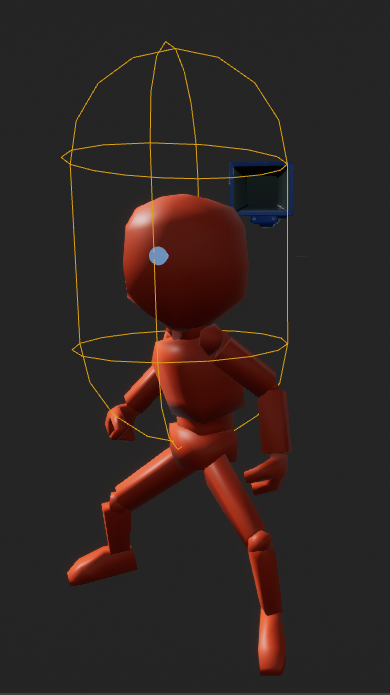
i can't for the life of me find the translate option
if i do that then he's floating in the gamemode
wait nvm he's not doing it anymore
you're a god thanks
drowsy snow
Did you mean licence, or attribution?
Oh, okay. I thought you're referring to the licence/attribution.
Because it's more common thing to brought up when it comes to assets in the marketplace.
In that case, yes. The only exception would be using original assets from other games.
 nova kernel
Anyone part of the Easy Survival RPG discord?
the discord link thats posted keeps popping up with an error


 drowsy snow
 prime willow
I return!
prime willow
I return!

prime willow

yeah Hoodie
i hate
sincerely hate using peoples assets
ive lost 3 weeks trying to figure out people assets from the marketplace
when i could of probably done it faster learning it from scratch...
 potent goblet
haha
drowsy snow
prime willow
when i could of probably done it faster learning it from scratch...
it's your choice to make things from scratch. Sometimes it's faster to use marketplace assets to get a playable prototype or getting into release, but your project might need something else.
prime willow
o.o i guess they just are way too complicated and pieced around all over
so i spend way more time trying to understand where each piece is and what each piece does than actually doing stuff
due to lack of documentation
drowsy snow
prime willow
o.o i guess they just are way too complicated and pieced around all over
Well, the thing is that the assets are mostly suited for general use, for developers to built upon it. Not specifically built for someone's project.
Saying this myself as I'm creating anim packs.
prime willow
yeah i want to build upon them and use them as foundations
but thats giving me a headache because of how confused i am x3
i might just use prebuilt stuff for simplier or more set in stone places idk..
and stick to creating stuff from scratch
latent sonnet
In my main menu my mouse cursor pops up fine but doesn't show up at all in the packaged game. Does anyone know how to fix?
potent goblet
latent sonnet
In my main menu my mouse cursor pops up fine but doesn't show up at all in the p...
If I was to guess, it might be something to do with these? idk, should be possible to find an answer if you search it
 potent goblet
Oh you're right, google does suck with finding the answer for this
nova kernel
how does one self update the Plugins from UE4 to UE5?
potent goblet
latent sonnet
What are those?
Basically, these are overrides (I guess that's the word?) for the cursor in-game. Mainly appearance I think. I think hardware is the better one but might not work in some cases like OpenGL? Anyway here's a video https://www.youtube.com/watch?v=3oSXhCeuu1Q

What is the Hardware Cursor and how do we use it in Unreal Engine 4
Source Files: https://github.com/MWadstein/UnrealEngineProjects/tree/WTF-Examples
Note: You will need to be logged into your Epic approved GitHub account to access these examples files. https://github.com/EpicGames/Signup
drowsy snow
nova kernel
how does one self update the Plugins from UE4 to UE5?
Recompile the plugin in your UE5 project. At least that's what I know.
There might be additional steps that I'm not aware of, and I didn't bothered to test it.
plush yew
It Hz when IP
latent sonnet
potent goblet
Basically, these are overrides (I guess that's the word?) for the cursor in-game...
Thanks man!
potent goblet
I assume it worked? 😅
 autumn grail
If i get a copy of an element of an array of BP references , is this copy a reference to the same object?

 buoyant graniteBOT
:clock2: dr.supervillain#6969 was muted for 5 minutes.
latent sonnet
potent goblet
I assume it worked? 😅
Nah not yet, I'm still working on it
 narrow igloo
autumn grail
If i get a copy of an element of an array of BP references , is this copy a refe...
narrow igloo
autumn grail
If i get a copy of an element of an array of BP references , is this copy a refe...
yes
with all non-object variables, you can either get-by-ref or get-by-copy, but objects only have get-by-ref, but the node is labeled like a get-by-copy for some reason
drowsy snow
@prime willow @restive granite Please keep unrelated spamming to minimum.
prime willow
Gomen gomen, i'll do much better~
devout swift
I was about to say, for a second I thought I accidentally had switch to one of my anime servers
light thunder
Every once in awhile, not enough for me to pin down a pattern, when I try to stream in one of my levels and move my pawn to that location, it just doesn't work - I've tried looking at the event, but it's pretty straight forward - it does seem to happen when I try to hit NEXT level (to move them there) - I don't have a boolean to see if the level is loaded or not first - my question, other than the general help on this issue, is **do I need that boolean check
"I've gotten by so far but I'd like to see an example of how this 4.26
neon bough
generally it would be a good idea to only move there if you are sure that it's loaded
also did you eject from game and moved to the location to see whats up there? navmesh fine, etc?
drowsy snow
Also I just figured out that Female Mannequin has proportions closer to humans.
devout swift
drowsy snow
Also I just figured out that Female Mannequin has proportions closer to humans.
UE comes with a female mannequin? I dont think I've ever seen it
 covert summit
light thunder
Every once in awhile, not enough for me to pin down a pattern, when I try to str...
covert summit
light thunder
Every once in awhile, not enough for me to pin down a pattern, when I try to str...
moving the pawn doesn't work or loading the level doesn't work
drowsy snow
devout swift
UE comes with a female mannequin? I dont think I've ever seen it
4.26 version of Control Rig template brought her into the Manny canon, and it's different from Jim Kroovy's edit in Mr Mannequin Tools.
TBH working with her gives me better reference for animating, more so than the beefy yet slightly disproportionate Manny.
plush yew
Does anyone have a tutorial to how I would go around making a 2d game, I just want to make a game slightly like flappy bird however its a rocket. Bare in mind I am very very new, thanks!
drowsy snow
drowsy snow
4.26 version of Control Rig template brought her into the Manny canon, and it's ...
Speaking of Mr Mannequin Tools, v1.4 also bundled with Epic's version of Female Mannequin, along with Jim Kroovy's version
 drowsy snow
plush yew
Does anyone have a tutorial to how I would go around making a 2d game, I just wa...
drowsy snow
plush yew
Does anyone have a tutorial to how I would go around making a 2d game, I just wa...
I think Epic used to have a Flappy Bird clone project back then, though it might've been removed by now 🤔
devout swift
drowsy snow
Speaking of Mr Mannequin Tools, v1.4 also bundled with Epic's version of Female ...
oh nice, is it still the same skeleton?
drowsy snow
devout swift
oh nice, is it still the same skeleton?
Still the same skeleton as Manny, just different proportion
plush yew
drowsy snow
I think Epic used to have a Flappy Bird clone project back then, though it might...
How do I find it, if it is still up?
 modest trench
if it's still around it would be in the learn tab
plush yew
Ok thanks man
modest trench
probably fairly outdated at this point
drowsy snow
plush yew
How do I find it, if it is still up?
 is your friend. Someone might still have the copy of it, but not sure.
plush yew
I am trying to make a game like his rocket game he made for phone
drowsy snow
It was from the early days of UE4 anyway.
plush yew
drowsy snow
<:google:751929732404346941> is your friend. Someone might still have the copy o...
I will check on UE4 now for it
if not then google it is
drowsy snow
plush yew
Have any of you seen the youtuber dani
I'm aware of him, but he's a Unity dev. I know Fat Dino, a UE4 dev, more than him.
plush yew
Yeah, I am aware he is a unity dev so things will be slighty different.
devout swift
drowsy snow
Still the same skeleton as Manny, just different proportion
I had actually never heard of these "Mr Mannequins Tools" but it looks pretty useful. Are there other blender add ons or tools you would recommend for someone getting started with using Blender for UE?
plush yew
The thing is with fat dino is his projects are amazing a way to advanced for me to even know whats going on
neon bough
in my experience you don't need anything else
plush yew
I have tried to make a game for about a year now and I just give up 😞
drowsy snow
devout swift
I had actually never heard of these "Mr Mannequins Tools" but it looks pretty us...
IMO it's hard to recommend any more Blender plugin specifically to ease to UE workflow.
plush yew
All the tutorials on youtube are runner 2d tutorials
drowsy snow
Even I'm having difficulty recommending Epic's official Blender plugins, due to how it's tied to certain collections, which makes things messy pretty quickly.
devout swift
I see, what do you mean by "collections"?
neon bough
just make an export profile for UE4 fbx export to fix the axis and you are pretty much set
drowsy snow
devout swift
I see, what do you mean by "collections"?
In pre-2.8 days, it was known as Layers.
drowsy snow
neon bough
just make an export profile for UE4 fbx export to fix the axis and you are prett...
Even then I started to question whether it's necessary to change the bone axis, because it caused me troubles when doing hard retargetting
neon bough
i meant for static mesh
devout swift
oh I see, these things right?
 neon bough
for armature, mr mannequin tools usually is the way to go
if you work with epic skeleton^
devout swift
i see, that makes sense, so far I've only used manny for my game prototype but I'm planning to eventualy model my own characters in blender and base them off the manny skeleton
the one thing I wonder is, can I make a dog skeleton based on the manny skeleton? or I'd have to start from scratch on that?
neon bough
i would do that from scratch, you don't have any particular benefits of using mannequin skeleton for it
unless your dog should walk on two legs
drowsy snow
plush yew
I have tried to make a game for about a year now and I just give up 😞

1/1/18 EDIT: Shuzo Matsuoka is a retired Japanese professional tennis player who does motivational speeches like this as a career and is a well known meme in the Japanese internets. HE IS NOT A JAPANESE FISHERMAN WHO ALWAYS FARMS ASIATIC CLAMS IN -10 DEGREE CELSIUS WEATHER AS SOCIAL MEDIA IS SUGGESTING. Sorry to burst some motivational bubbles b...
plush yew
drowsy snow
https://www.youtube.com/watch?v=KxGRhd_iWuE
aha lol
I just found a tutorial now
neon bough
that was the perfect moment to rick roll him
plush yew
I hope it teaches me a lot
drowsy snow
neon bough
that was the perfect moment to rick roll him
Rickrolling is so 2010s. Dame-roll is where its at.
light thunder
drowsy snow
https://www.youtube.com/watch?v=KxGRhd_iWuE
this is the greatest thing ever
devout swift
neon bough
unless your dog should walk on two legs
lol I see, and no I dont think it'll walk on 2 xd
were you saying "never give up" on regards to creating a manny dog skeleton? XD
neon bough
https://www.unrealengine.com/marketplace/en-US/product/animalia-german-shepherd-m that one is pretty decent, not sure if i would pay 96€ for it, but if your project focuses around the dog it might be worth it
devout swift
neon bough
<https://www.unrealengine.com/marketplace/en-US/product/animalia-german-shepherd...
oh nice! Somehow I even own that dog asset lol Must've been a monthly freebie and I totally forgot I had it hahah
what does it mean when they say:
Scaled to Epic Skeleton: Yes
Rigged to Epic Skeleton: No
wow what a good memory 😮
devout swift
neon bough
so that you don't end up with a 20m dog
I see, what about the "Rigged to Epic Skeleton: No" part?
neon bough
that it doesn't use the mannequin rig
devout swift
oh ok, which is expected, cool! I wasn't sure if that meant it was not ready to work in UE out of the box
neon bough
and even if you plan to make your own dog model, i would use that skeleton as base if you already own the asset, that way you can reuse the animations, which imho are really good
 shut lantern
hey all!
Anyone got good sources for BP tutorials (ideally for UE5, but UE4 is fine)
stuff like creating RPG characters, stats etc would be awesome
 echo oar
I'm guessing there are quite a few of us using Perforce over a VPN. How long does it take to do simple actions like creating a new material for example? It takes a minute or more for Unreal to become active again, it just freezes for 60 sec. while it "adds" this to the commit list.
I can't imagine that being normal
devout swift
yeah, those dog anims are fabulous!
echo oar
shut lantern
hey all!
Anyone got good sources for BP tutorials (ideally for UE5, but UE4 is f...
For that stuff the engine version doesnt actually matter the process is currently identical. But I would start with Epic's Youtube channel they really ahve great stuff and alot of it.
neon bough
wonder if they where made with mocap or manual rigging
devout swift
I have to say... a dog in a mocap suit... dont think I've ever seen that one lol
devout swift
WOW that's even cooler
echo oar
the camel was hard they ahd to bring in a female to entice him to act
if youve ever worked with camels
they are extremely stubborn
neon bough
devout swift
I have to say... a dog in a mocap suit... dont think I've ever seen that one lol
that's actually done a lot, theres plenty of videos on youtube
which reminds of this https://www.youtube.com/watch?v=uFJvRYtjQ4c which is worth watching if you are into animal locomotion 😄

We present a novel method for real-time quadruped motion synthesis called Mode-Adaptive Neural Networks. Our system is trained in an end-to-end fashion from unstructured motion capture data, without requiring labels for the phase or locomotion gaits. The system can be used for creating natural animations in games and films, and is the first of s...
devout swift
that looks very impressive 😮
neon bough
well, end of day you can get good results without all that neuronal network nonsense 😄
echo oar
Maybe not end of day. With a quadraped, maybe end of week 😄
Lots of complex body motion that we can only observe and not imitate so theres bit of a barrier. But yeah, good animators can nail that.
neon bough
also jpeg dog is one of my favorite memes 😄
 shut lantern
echo oar
For that stuff the engine version doesnt actually matter the process is currentl...
shut lantern
echo oar
For that stuff the engine version doesnt actually matter the process is currentl...
thank you for the reply! So do you mean Unreal Engine's youtube ?
neon bough
shut lantern
thank you for the reply! So do you mean Unreal Engine's youtube ?
yea their inside unreal videos are good for specific topics, also https://learn.unrealengine.com/ provides some tutorials which are more project related
echo oar
shut lantern
thank you for the reply! So do you mean Unreal Engine's youtube ?
Yes, I mean Unreal Engine's youtube. Also while a bit dry, Mathew Wadsteins channel on Youtube is helpful for very specific explanations about different aspect of unreal. It's just a good resource to help fill in information that tutorials, examples, and documentation lack.

YouTube
This channel is dedicated to exploring Unreal Engine 4 and the Blueprint programming language that it uses. You can think of it as a companion to the API documentation as I try to cover the how and why for what things are used for when using the Blueprint system.
The master project for these tutorials can be found at https://github.com/MWadste...
while learning it really helped fill in some blanks
neon bough
actually he explains what something does, while others explain how to archive a goal using this and that, while this and that often isn't explained
shut lantern
hmmmm
I think I would love if there were more hands on explanations, like building a simple prototype game
i don't see that in Mathew's channel so far
echo oar
so, thats hard be/c that already includes a lot of asumptions that you already know how to do the other things
starting with, a prototype is still putting the chicken before the egg.
neon bough
shut lantern
I think I would love if there were more hands on explanations, like building a s...
there are some on learn.unrealengine.com if im not wrong
echo oar
its like being handed a book and not learning the alphabet first
shut lantern
I mean, I do have some basic understanding of the engine, went through a couple tutorials on building basic gameplay things
I have some experience with Unity, but am looking to explore projects by myself and want to use UE for it
the problem is that i've done those tutorials almost 2 years ago and haven't touched the engine since, so i'm a bit lost now
said tutorials have been removed from Udemy as well, which sucks
shut lantern
neon bough
there are some on learn.unrealengine.com if im not wrong
hmm i saw a couple for basic puzzle games
echo oar
I would take Ben's advice and go through learn.unrealengine.com
neon bough
yea, you wont find a tutorial for more complex games probably because they would be weeks of video material
echo oar
start at the bgeining and skim through until you find what you need to learn. Picking where you left off after so long is always rough
shut lantern
yeah
i'm thinking of trying this:

Udemy
Create a Battle Royale game like Fortnite with the Industry Standard Unreal Engine 4
neon bough
and get used to the fact that you'll redo a lot of stuff anyways because you learn a new way which works better for your project 😄
shut lantern
very interested in learning those
 echo oar
you wil l do it constantly!
shut lantern
neon bough
and get used to the fact that you'll redo a lot of stuff anyways because you lea...
yeah for sure
echo oar
All I can say to totorials in general is try and find ones that use Unreal's built in systems. I see a lot of Unity cross development build systems from scratch that already exist in the engine
shut lantern
i have a few years of game design experience in the industry, but since i worked with big teams, the amount of hands-on stuff i would do on the engine is limited
echo oar
like theres an entire ability system built in
shut lantern
also it was (and is) all unity
echo oar
and i see so many devs ignore it
shut lantern
echo oar
All I can say to totorials in general is try and find ones that use Unreal's bui...
hmmm
shut lantern
ye, i feel compelled to learn UE
echo oar
and its all about understanding where and when to use each
shut lantern
it feels like it will be a better investment
shut lantern
short term the vast majority of game design jobs are in unity uhaha
echo oar
which means that what their hiring
shut lantern
but thats fine, i have enough experience with unity to keep getting those
i want to make my own stuff now
echo oar
well, i guess when i say hiring unreal i dont mean games specifically
unreal is in almost all markets now
shut lantern
yeah! unity is trying that too
echo oar
they just dont have the funding epic does
shut lantern
yeah epic is huge now
echo oar
they will not ever catch up at this point
not that the engine isnt capable they just wont provide the tools and support
shut lantern
i wouldn't mind being able to use the stuff i make in the engine for games to also make like scripted animations and/or cinematics
neon bough
sometimes it's better to focus on what you can do best, e.g. blender dropped their whole game "engine" stuff
neon bough
and blender 2.9 is really a major improvement over 2.7 (2.8 already was with eevee)
echo oar
Blender isnt as robust as maya but the stuff it does, alot of it is comprable or better than Maya
 blissful trail
is there a way to get any dark parts of a material and change the texture depending on the lightness/darkness?
potent goblet
blissful trail
is there a way to get any dark parts of a material and change the texture depend...
You mean the darker the texture is, the more of the other texture fades in?
For an example
pliant junco
doing the particle system but the particle doesn't change colour even tho i changed it
 potent goblet
blissful trail
is there a way to get any dark parts of a material and change the texture depend...
potent goblet
blissful trail
is there a way to get any dark parts of a material and change the texture depend...
I whipped up a quick thing for you as a starting point. Using Linear Interpolate, I can blend two textures together using one of them as an alpha. Is this what you are thinking?

Obviously you'll want to invert the texture (using OneMinus) before putting it into the lerp alpha if you want the darkness to have the other texture blended in
coarse apex
quick question, how would i make a smooth animation for a character? for example sitting in a chair, would I go into blender and make the animation and just guess the correct positions? also if i want my character to be holding onto a support railing how would i do that? i cant find a video on it so anything helps, thank you.
modest trench
Definitely check out the content examples animation section
drowsy snow
coarse apex
quick question, how would i make a smooth animation for a character? for example...
Yes, you would make the sitting animation in Blender, and then make necessary runtime adjustments in Unreal.
Also if you want the hand to hold onto something, you can use IKs for that, and as Megafunk said, Content Examples project (which can be found in the launcher's Learn section) has parts that demonstrates that.
modest trench
Inverse kinematics to be specific
It just means you move bones to a specific location and those bones move connected bones up the chain
Say, feet being moved to look like they are standing on a slope accurately move the knees as wheel
It sounds fancier than it is
coarse apex
got it thank you guys! ill check them out now
potent goblet
It's magic
 coarse apex
downloading that rn lol
blissful trail
im using a hierachical instance mesh to spawn "100,000" asteroids all with nanite enabled (would this effect performance much in play mode ?) in editor it only drops like 5 frames
 midnight bolt
how do i change material instance icon from sphere to plane like textures, globally in editor?
 pliant junco
anyone know how to make a lighting trail on my skeletal mesh like the flash have?
potent goblet
pliant junco
anyone know how to make a lighting trail on my skeletal mesh like the flash have...
You got the ContentExamples? Go to the Animation level and you'll find one of the actors has particles following its arms
Take a look at that
 pliant junco
potent goblet
You got the ContentExamples? Go to the Animation level and you'll find one of th...
pliant junco
potent goblet
You got the ContentExamples? Go to the Animation level and you'll find one of th...
wut is a contentexamples lol?
pliant junco
potent goblet
but yea wanna like add a lighting effect that trails my character and im having difficulties doing so
potent goblet
This thing
 drowsy snow
pliant junco
wut is a contentexamples lol?
drowsy snow
pliant junco
wut is a contentexamples lol?
Go to your Epic Games Launcher, then into the Unreal Engine section, then go to the Learn tab.
Find the Content Example project, then download it.
pliant junco
drowsy snow
Go to your Epic Games Launcher, then into the Unreal Engine section, then go to ...
so i look at those content example and i try to learn and adapt it to my mesh?
drowsy snow
pliant junco
so i look at those content example and i try to learn and adapt it to my mesh?
And on top of that, study on how to use Unreal Engine 4 features.
potent goblet
The whole content you want to look at is here

And I guess you'll want to know how sockets work too
You know what lemme find a video
pliant junco
potent goblet
~~<https://www.youtube.com/watch?v=33EOr431q7k>~~
so i can follow tht tutorial to my mesh?
drowsy snow
pliant junco
so i can follow tht tutorial to my mesh?
Not really. CGHOW's presentation is tad unclear many times, and I can't recommend is tuts for beginners.
potent goblet
Yeah I just checked the video, oopsies
pliant junco
https://www.youtube.com/watch?v=5HkghxEIXiU what about this?

AnimTrails are sheets of polygons driven by particles, which are emitted from the Sockets (or bones) of a Skeletal Mesh.
(00:04) - Intro and Persona
(01:57) - Creating the Material and Particle System
(05:14) - Creating the Anim Notify
(08:33) - Testing and Tweaking
(12:41) - Changing the Color Over Life
A link to the wiki for further notes is ...
drowsy snow
pliant junco
https://www.youtube.com/watch?v=5HkghxEIXiU what about this?
That's much better to follow, directly from Epic.
pliant junco
@potent goblet @drowsy snow is this anim sequence an older version of what we have in anim now?

is tht an older version of these?

or is it completely different?
potent goblet
It appears the interface has updated since 2014. Still, most things should be the same or close enough
pliant junco
potent goblet
It appears the interface has updated since 2014. Still, most things should be th...
so its the same thing?
potent goblet
It is the same asset type, yes.
You've screenshotted different animations, if that's what you mean instead
pliant junco
potent goblet
It is the same asset type, yes.
yea thats what i was looking for asset type idk what to call it lol
shell surge
is it just me or high res screenshots in UE5 look very bad?
hidden dagger
can someone give me some help
how do i make an actor do a specific animation when approaching it
i use get distance to and an animation bp but it always stays in idle
In the thansitions i use the value of the distance
but i think its because of the wildcard from simple ai but I have no idea what else to use than get player character
 severe brook
Hello! I turned to ray-tracing mode and disabled all the functions to increase the FPS but when i open the project i have to every time to enter this function "r.RayTracing.ForceAllRayTracingEffects 0"... how to set it by default?
And what does this mean, I get it very often?
 potent goblet
severe brook
And what does this mean, I get it very often?
potent goblet
severe brook
And what does this mean, I get it very often?
What is your graphics card, and how much vram does it have?
 pale snow
hey guys
I'm making myself a soul-like ARPG project
i notice that in most ARPG game they have a very responsive input system
like
i can input attack attack dodge or something and the character play the animation sequentially
in my project I saw that if you input something while an animation is playing, that input would not be recognized
how can i make a input queue (or buffer) system like that?
C++ or bluprint is ok
severe brook
potent goblet
What is your graphics card, and how much vram does it have?
GTX 1660 6gb
 clever axle
Hi guys! I'm trying to load a streaming level with LoadStreamLevel (by name) and that seems to be working but the Completed pin does not trigger. Anyone know why this is?
Or only does it if I block on load
potent goblet
severe brook
GTX 1660 6gb
Damn. Well you can try checking the log for what happened but other than that it's a tricky issue to solve it looks like. Driver stuff probably.
hidden dagger
Please someone help me i've been stuck on this for 2 days now
hidden dagger
hidden dagger
can someone give me some help
how do i make an actor do a specific animation whe...
.
I have no idea what to do now and its frustrating
 unreal temple
Hello guys does anyone recoginize this error?
I've been having this issue for two days now and can't find a way to fix it
 plush yew
hidden dagger
Please someone help me i've been stuck on this for 2 days now
plush yew
hidden dagger
Please someone help me i've been stuck on this for 2 days now
By approach you mean within a certain distance?
Also, you're setting the distance but then what are you doing with that variable?
hidden dagger
one second

when enters attack animation

and this when it goes back to idle
but i dont think it gets the distance right because of thw object wildcard from simpleAI
hidden dagger
plush yew
By approach you mean within a certain distance?
yes
plush yew
Well sorry, but I'm really rusty with using the animation blueprint :(. Wouldn't want to say anything stupid or misleading, Hopefully that extra info should help if anyone else helps
hidden dagger
Alright no worries thanks for trying👍
 pulsar ruin
What are the topics of mathematics,physics that I should cover for programming games, especially in the field of animation and movement, for unreal engine?
 frozen stratus
Anyone had problem with Bridge where Bridge says export successful but UE receives no files? I have this weird situation where I can import something to UE once, or if multiple files then only one of the files go through, and any further export from Megascans says it is successful, but UE fails to receive. If I change new project on UE I can again receive one asset and after that it doesn't work
It was working perfectly before. I have no idea what changed
winter wedge
well well...
 covert summit
frozen stratus
Anyone had problem with Bridge where Bridge says export successful but UE receiv...
covert summit
frozen stratus
Anyone had problem with Bridge where Bridge says export successful but UE receiv...
no such problems, but sounds like an issue with the bridge UE plugin
 vocal herald
How do I disable Error/warning popouts in Editor? Don't say "just fix the error"
severe brook
What does this mean?
 modest trench
seems like you have virtual textures disabled while trying to use one
severe brook
is that right?
 modest trench
no idea!
I'm just reading what the error says
no what you are doing and I'm not sure how virtual texture assets work exactly
just enabling them and seeing what happens is probably a good start
severe brook
ok
plush yew
Why do i get this error when i duplicate the level?
 thick herald
@hidden dagger You'd be better off doing that sort of thing using AI Perception & Behaviour Trees check out Ryan Laley on YouTube 🙂
 real vector
Guys I've a sequence render problem. I've created a sequence on the level. After that I've saved the level as a new level and removed all foliage then applied procedural foliage. But now, my sequence renders isn't working. All cameras and keys are at their places as they should be, but when I render, it only renders a 5 sec video with the camera at the start location with no movements. Any idea about why? Working on UE5 btw
modest trench
Kudos for posting your solution
plush yew
Guys, how difficult is it to convert a simple singleplayer game in UE4 to multiplayer?
The game only containing things like combat, experience (level system) and inventory
 drowsy snow
plush yew
Guys, how difficult is it to convert a simple singleplayer game in UE4 to multip...
drowsy snow
plush yew
Guys, how difficult is it to convert a simple singleplayer game in UE4 to multip...
Mainly comes down to making your stuff to be net replicatable, and server/client only events
plush yew
plush yew
Guys, how difficult is it to convert a simple singleplayer game in UE4 to multip...
Here are some sources to start with. It's pretty simple in concept, it's figuring it out how to make it work that can be tricky :P https://docs.unrealengine.com/4.26/en-US/InteractiveExperiences/Networking/
Setting up networked games for multiplayer.
Some decent video tutorials as well https://www.youtube.com/playlist?list=PL4G2bSPE_8umObhv-XMFueHzJWVEV3Ono

YouTube

An overview of the essential concepts for writing multiplayer game code in Unreal, in under 25
minutes or your money back.
Sample project: https://github.com/awforsythe/Repsi/
Patreon: https://patreon.com/alexforsythe
Twitter: https://twitter.com/alexforsythe
00:00 - Introduction
01:24 - Net Mode
03:33 - Replication System Basics
05:13 - Acto...
plush yew
plush yew
Here are some sources to start with. It's pretty simple in concept, it's figurin...
Thanks man! Reading the Network Compendium by Cedric rn
drowsy snow
plush yew
Thanks man! Reading the Network Compendium by Cedric rn
BTW he's one of the moderators in this server, so if you find the guide useful, you should send him some thanks in this server :3
plush yew
Shouldn't have said that, now I'll bother the guy to death with questions 😅
drowsy snow
plush yew
Shouldn't have said that, now I'll bother the guy to death with questions 😅
Feel free to ask them in #multiplayer if you have MP related questions :3

 atomic meadow
severe brook
Hello! I turned to ray-tracing mode and disabled all the functions to increase t...
atomic meadow
severe brook
Hello! I turned to ray-tracing mode and disabled all the functions to increase t...

On Windows, this window will appear if Substance 3D Painter detects that the current TDR value is below a specific limit (10 seconds)....
atomic meadow
atomic meadow
why my movie render queue is render like this xd
any help ? xd
 wise trail
Silly question but as a category would you lump sound fx in with fx? Say for organising a project for example. I imagine its up to developer as well just curious what other people do.
drowsy snow
wise trail
Silly question but as a category would you lump sound fx in with fx? Say for org...
I'd keep particle effects stored separately from sound effects, if that's what you're asking,
wise trail
Yes
Thats exactly the kind of thing im looking for
I'm a bit green so im trying to keep things as simple as possible while keeping things up to standard.
 regal mulch
When working with SoftReferenced DataAsset, does one move the data from the DA over to the Actor (so have properties duplicated) or does one save a softref to the DA and pull info from that all the time?
wary wave
we don't soft reference data assets, we soft reference things from inside data assets
regal mulch
An example would be the Slot an Item should be in. The Slot is defined on the DA, but should i have another Slot var on the actual ItemActor?
wary wave
sounds like an organisational / hierarchy issue? I don't see why the data would need to be duplicated in this instance?
regal mulch
Me neither, despite the fact that the DA is SoftRef, which I won't change
At least not for initializing
Could keep it loaded in the ItemActor afterwards
plush yew
@regal mulchCould I have permission to share screen?
We're discussing blueprints and it would be really helpful 🙂
drowsy snow
plush yew
<@!94211915902889984>Could I have permission to share screen?
message @buoyant granite with the command !stream
 glacial frigate
Hi guys
How would I go about making an nft game?
I know how to make a game it's just the code for the smart contract etc as well as multiplayer I'm not sure on
drowsy snow
glacial frigate
How would I go about making an nft game?
That's up to you. We generally don't talk about NFT or crypto trading implementations in here.
glacial frigate
Understood
Where would be best to discuss it. We have a smart contract created 😊
drowsy snow
glacial frigate
Where would be best to discuss it. We have a smart contract created 😊
Certainly not in this server.
glacial frigate
Understood
 sterile lichen
plush yew
Guys, how difficult is it to convert a simple singleplayer game in UE4 to multip...
sterile lichen
plush yew
Guys, how difficult is it to convert a simple singleplayer game in UE4 to multip...
if it is simple then fine. difficult if it is a complex game, unless it has been designed with multiplayer in mind
plush yew
sterile lichen
if it is simple then fine. difficult if it is a complex game, unless it has been...
Pop into Unreal Hangout voicechat?
wary wave
it's almost guaranteed you'll end up rewriting most of the game code


 native tulip
i think you can also use get player pawn
clever axle
Hi! I have a master level that includes my sub levels. If I do get actor of class on something that is in a sub level, I'm getting none. How am I supposed to work this?
 steel charm
hi i have a question regarding the houdini plugin for unreal engine
slideFX announced that devs would now be able to use the unreal plugin for free, would i be able to use the plugin on their houdini apprentice application ?
plush yew
Anyone else wanna join in voice? we chillin
pliant junco
What does a texture stream poole mean?
drowsy snow
pliant junco
What does a texture stream poole mean?
Basically textures residing in VRAM to be shown at any given moment
 rapid spade
hey is the unreal engine game jam just for unreal user not for unity users??
wary wave
...what do you think?
drowsy snow
rapid spade
hey is the unreal engine game jam just for unreal user not for unity users??
So you're a  spy
spy

 potent bridge
How do I remove the camera moving closer to the player when going behind a block?
uhh. pulled it off, no idea how
rapid spade
drowsy snow
So you're a <:unity:693779695749300234> spy
no my computer (in which i have unreal) is not working
i am a unreal user
drowsy snow
potent bridge
uhh. pulled it off, no idea how
I'm sure you're disabling collision check in your spring arm component.
drowsy snow
rapid spade
no my computer (in which i have unreal) is not working
If the repair won't be done quick, perhaps consider not joining. There'll always be other game jams for you to do some speedrun game dev.
pliant junco
drowsy snow
Basically textures residing in VRAM to be shown at any given moment
so i have too many high res texs?
potent bridge
drowsy snow
I'm sure you're disabling collision check in your spring arm component.
Chances are, yeah
drowsy snow
pliant junco
so i have too many high res texs?
If you have warning about it, most of the time it because you have too much mesh present in a level.
plush yew
Yo ehm, how would I create different skills?
As in, what type would a skill be in blueprints, for example woodcutting or smithing
I would obviously need some SkillsComponent storing all the skills of the players, but what type would the actual skills be?
rapid spade
drowsy snow
If the repair won't be done quick, perhaps consider not joining. There'll always...
ohk
 bright tulip
is there anybody who submit application for Megagrant?

mine keep fail to submit with those red errors
 woven elk
Hi guys, Im pretty new to Unreal. Tried to turn on AO from the postProcessVolume by using the starter content starter map. Nothing happens. Did I miss some steps?
