#ue4-general
1 messages · Page 1033 of 1
 drowsy snow
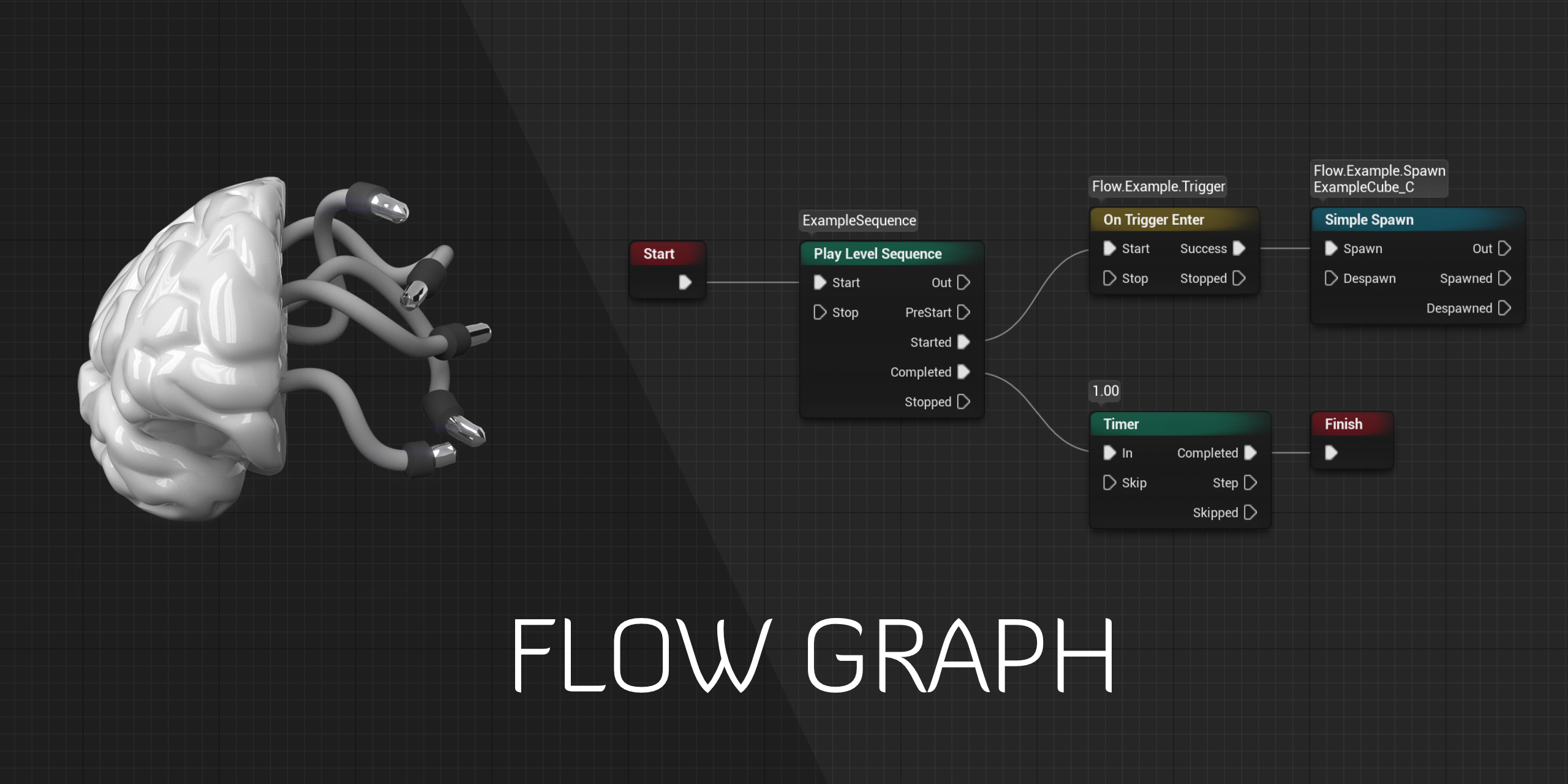
Anyway, give Flow Plugin a try:
https://github.com/MothCocoon/FlowGraph
GitHub
Design-agnostic node system for scripting game’s flow in Unreal Engine - MothCocoon/FlowGraph
 covert summit
a pure blueprint like graph, but one that is built around dialog paths gets super messy really quick
let me find the video it was gdc I think

In this 2019 GDC session, Obsidian Entertainment's Carrie Patel & David Szymczyk discuss how narrative designers and game writers can get the most use out of conversation editors and how tools programmers can design software that allows for robust conversation design.
Register for the all-digital GDC 2021: https://gdconf.com/passes-prices?_mc=s...
highly recommend for background
obsidian games are all about dialog so there's a lot of good tidbits in there, even if dialog is not a central thing for your project
they cover how their tool has evolved over the years
drowsy snow
Also this:
https://www.youtube.com/watch?v=chf3REzAjgI
In this 2016 GDC session, CD Projekt Red's Piotr Tomsinski explains the process for creating the dialogue animation system of The Witcher 3.
GDC talks cover a range of developmental topics including game design, programming, audio, visual arts, business management, production, online games, and much more. We post a fresh GDC video every weekda...
covert summit
and some of the pitfalls
but when it comes to saving state to the game save, it's boring :-)
drowsy snow
Saving state is as simple as storing bunch of world changing bools 😛
 celest blaze
Obsidian really does like their dialog that's for damn sure. lol
covert summit
yeah lol
drowsy snow
And The Outer Worlds is a UE4 game.
covert summit
I didn't actually know that, cool
celest blaze
drowsy snow
And The Outer Worlds is a UE4 game.
did not know that. hmmmmmmmmmmmmmm 🤔
covert summit
well, I guess what were they gonna use, the creation engine? 🤣 outer worlds definitely has ladders sooooo
in fact there's a fun story about ladders in outer worlds
celest blaze
and the flow nodes plug-in is bookmarked for later. good link
covert summit

The Outer Worlds' developer shared the bizarre story of how a certain in-game bug was fixed.
oh god sorry for amp link
drowsy snow
celest blaze
and the flow nodes plug-in is bookmarked for later. good link
It's what I use for my action RPG project. Definitely worth it.
celest blaze
covert summit
https://www.google.com/amp/s/www.vg247.com/2019/12/16/the-outer-worlds-dead-comp...
That's a good one.
celest blaze
drowsy snow
It's what I use for my action RPG project. Definitely worth it.
Anything that makes the making go faster is cool to me. lol
I also totally forgot Obsidian did Stick of Truth
covert summit
theres this little hope in the back of my mind that now that obsidian and bethesda are both MS studios that MS will give fallout 4 to obsidian
in a true twist of fate for todd howard
celest blaze
lol I can dig it
covert summit
it would just be so perfect
hand fallout back to the team that originally made it
hey, they are super busy over there at bethesda figuring out that "future technology" required for ES6 (aka "ladders")
celest blaze
bahahahahah
covert summit
tbf starfield or whatever they call it seems interesting
celest blaze
It does, but the ED:O burn is till fresh so I'm not holding out hope on space games for now.
So speaking of Dialogue trees and node based stuff. I was actually trying to use the Not Yet plug-in, but couldn't figure out how to implement it. Every example ties it to first or third person with player overlaps, when I want to just use a button to initiate dialogue. OR they tie it to the level BP which from what I know is not a smart way of doing it.
I asked in their discord but got no response and I just left it in the dust after that.
¯_(ツ)_/¯ is what it is
drowsy snow
celest blaze
So speaking of Dialogue trees and node based stuff. I was actually trying to use...
Well, the Flow Graph is not strict to level BP, which is super useful because I'm adapting open world level (and it's fine for single player games)

Flow plug-in on GitHub
https://github.com/MothCocoon/FlowGraph/
Discuss things related to the plugin on dedicated Discord server.
https://discord.gg/zMtMQ2vUUa
Timestamps
00:00 Introduction
01:01 Flow Subsystem
01:33 Flow Nodes
02:49 Flow Graph
03:31 What's wrong with blueprints?
04:25 Level blueprints
05:58 Event actors
08:06 Flow Graph - cle...
celest blaze
Yeah. I'm gonna have to look into that more closely.
celest blaze
Also this made me cry laughing.
 drowsy snow
celest blaze
Also this made me cry laughing.
drowsy snow
celest blaze
Also this made me cry laughing.
You haven't seen worse:
https://blueprintsfromhell.tumblr.com/
 celest blaze
Oh that's priceless
 violet goblet
i recently tried out to create a "toon shader"
after viewing that video:
https://www.youtube.com/watch?v=p8m8F3Y-WHA
i copy pasted that shader:
https://blueprintue.com/blueprint/ouq8_ywz/
into unreal, but after applying that, all kinda shakes around, and i dont know why? 😩
How to make a flexible and high-performing three-tone toon shader using post-processing. Special thanks to David Lancaster for the original method. Topics covered: Toon shaders, material graphs, post-processing.
SUPPORT:
PayPal - https://www.paypal.me/JBunderscore
Gumroad - https://gumroad.com/jackmadethat
Patreon - https://www.patreon.com/unde...

No description provided
 drowsy snow
violet goblet
i recently tried out to create a "toon shader"
after viewing that video:
https:...
drowsy snow
violet goblet
i recently tried out to create a "toon shader"
after viewing that video:
https:...
I won't do outline in post process if I were you.
Not only the performance drawbacks is quite high, it's disrupting the vanilla post FX pipeline and possibly particle effects as well.
violet goblet
oh okay, thanks for noticing that one 🙂
beginner here 🙂 gald for that info
but can i use it for toon shading (without outlines?) with less performance drawbacks? @drowsy snow
drowsy snow
violet goblet
but can i use it for toon shading (without outlines?) with less performance draw...
You could, though I'm also doing toon shading as shading model, without touching any post FX.
violet goblet
oh no i got it, i dont really need any post process volume here
yeah, thanks! it just "cleared" up 😄 thanks alot!
drowsy snow
violet goblet
oh okay, thanks for noticing that one 🙂
beginner here 🙂 gald for that info
As for the outline, I'm just going for the old flipped normal trick. That means you have to be more generous with the poly count due to 2x increase (and I should research into light manipulation), but it works for now with modest performance.
 violet goblet
thanks alot!
drowsy snow
And also it works with post FX pipeline and blends with particle effect.
drowsy snow
 frigid bear
plz
frigid bear
frigid bear
plz
frigid bear
oh thnx sorry
 dusky slate
Does anyone know how World Composition and Level Loading works?
drowsy snow
dusky slate
Does anyone know how World Composition and Level Loading works?
World Compositon = automated open world level streaming, determined by active camera position
Level Loading = normal level travel
dusky slate
okay maybe someone knows a quick answer to my question, when i enable World Composition and Load into my Level, i am in a Standalone Level without all the World Comp stuff.
is there a way to load the World Composition and a sublevel in which i want to spawn?
drowsy snow
dusky slate
okay maybe someone knows a quick answer to my question, when i enable World Comp...
Load the master World Composition worked fine on me, even from Main Menu level.
Though in standalone, the engine doesn't wait for sublevel to load, by default.
dusky slate
so basically, i need my Main Menu to be the Persistent Level for the World Comp, and then i can Load the Levels and will still be inside the World Composition?
drowsy snow
dusky slate
so basically, i need my Main Menu to be the Persistent Level for the World Comp,...
Nope.
dusky slate
the problem with that is, i instantly load the World Composition Level (cause it only has the Skylight etc.) and while the other level is loading i am floating in mid air
until the level gets loaded
covert summit
oh god no don't do world comp on your menu
drowsy snow
dusky slate
the problem with that is, i instantly load the World Composition Level (cause it...
I saw you encounter this issue from miles away 
There is a C++ trick that allows the engine to wait for the level streaming to be finished:
void UIsekaiGameInstance::LoadComplete(const float LoadTime, const FString & MapName)
{
    Super::LoadComplete(LoadTime, MapName);

    // Flush world composition on level loading to prevent the player from falling though the ground,
    // and also to prevent sublevels from popping up around the player.
    USystemFunctionLibrary::FlushWorldComposition(this);
}
With UIsekaiGameInstance replaced by your Game Instance class.
dusky slate
when i do that, my Engine crashes when it loads the other levels
drowsy snow
drowsy snow
There is a C++ trick that allows the engine to wait for the level streaming to b...
Oh right, almost forgot
LoadComplete is a function you define in your Game Instance class header.
 covert summit
please this
drowsy snow
drowsy snow
Oh right, almost forgot
`LoadComplete` is a function you define in your Game Ins...
The definition is pretty simple:
virtual void LoadComplete(const float LoadTime, const FString & MapName) override;
 iron violet
drowsy snow
https://www.dontasktoask.com
iron violet
drowsy snow
https://www.dontasktoask.com
how to place light?
drowsy snow
iron violet
how to place light?
Drag point light from Place Actors panel to the viewport
iron violet
but it still pitch black
drowsy snow
iron violet
but it still pitch black
You have nothing in your level that can be lit up.
covert summit
lighting does nothing without a surface to bounce off
thats not even unreal or game engine specific
iron violet
yes i alredy do that
drowsy snow
Though it's interesting that UE3 logos still remain if the level template is missing
 covert summit
drowsy snow
Though it's interesting that UE3 logos still remain if the level template is mis...
covert summit
drowsy snow
Though it's interesting that UE3 logos still remain if the level template is mis...
nice, add that to ue trivia night
covert summit
iron violet
yes i alredy do that
screenshot of your light in the level?
drowsy snow
Also unlit view for sanity check
iron violet
Thanks guys now my project filled with light
 covert summit
well technically.......
oh never mind. just don't go placing sky spheres wherever you want to put a light
just one of those :-)
 quartz reef
Does Unreal support export FBX with materials / textures ? I have a skeletal mesh that i need to cut the head off and i can't get the materials/ textures to export with the skeletal mesh
covert summit
not sure about materials but you can definitely export a skeletal mesh to FBX
 frozen stratus
Need some help... when I apply Angular Impulse below 24 the actor in question turns and then stops after having turned that much. If I apply angular impulse of 24 or greater, the actor keeps turning at matching speed, never stops as I believe it should do. Damping is zero, physics is enable, gravity is off. Basically the actor is floating in the air. I have no problem with regular Add Impulse with small values but for some reason rotation stops
 covert summit
iron violet
how to rebuild
covert summit
iron violet
how to rebuild
but for best performance and quality, static lighting (ie prebuilt lighting) is ideal for many types of scenes
to build use the Build button to build everything, or Build -> Build Lighting Only to just build lighting
iron violet
covert summit
but for best performance and quality, static lighting (ie prebuilt lighting) is ...
how to make it to realtime?
covert summit
for your simple scene it will be fairly quick but for big scenes it can take a looooong time
if you dont have lighting built, the editor will treat it as dynamic mostly
you can change the movability of a light to change whether the editor considers it for static lighting build
but if you decide to opt out of static lighting entirely then this isnt the way to do it
instead use Force No Precomputed LIghting in the level settings
honestly though
well it depends on what you are doing
if you have a day night cycle, you basically have to use fully dynamic
i use it for most of my levels, lighting perf is not a bottleneck
but if its not a day/night cycle, the perf gain and quality gain you get is worth it
even if lighting builds are the bane of all UE devs existence
if you happen to have an RTX 30 series GPU, then UE4 has GPU Lightmass which will use the raytracing cores to speed it up
its still... is it beta or experimental right now, but thats not necessarily a reason to absolutely not use it
covert summit
iron violet
how to make it to realtime?
to sum it up though, just use regular static lighting and build lighting every once in awhile- probably when you are asleep
until you know that you need fully dynamic lighting
iron violet
covert summit
to sum it up though, just use regular static lighting and build lighting every o...
ok thanks for advice
drowsy snow
covert summit
if you have a day night cycle, you basically have to use fully dynamic
Laughs in UE4 SSGI
covert summit
the editor and even packaged builds will still work fine without building that lighting btw, but the message will remain (in development packaged builds)
oh and also nice little "preview" indicators on your shadows just to remind you that youve not actually finished it
but while working on the game its fine
lmao
i was really hoping that was a "simulator game" like carwash simulator but for doing unreal dev but written in unity
drowsy snow
Also Unity (sort of) banned lightmapper plugin not a long ago
covert summit
lol
here's to our ssgi/lumen/gpu lightmass/no-more-light-builds-kindof-probably future
covert summit
if you ask them really really really nicely.... then no
drowsy snow
Though it's not a problem since Unreal's lightmapper is solid out of the box 😛
 quaint fox
im trying to preload some levels using the asset manager when entering the main menu, but it's causing multi-second stuttering in the menu until done... Can i put a limit on the loading speed somehow, so it's slower but more responsive?
drowsy snow
quaint fox
im trying to preload some levels using the asset manager when entering the main ...
That's what loading screens are meant to mitigate.
quaint fox
doing it in the loading screen kinda defeats the purpose of preloading it though
drowsy snow
quaint fox
doing it in the loading screen kinda defeats the purpose of preloading it though
So you want to have level switch a la Valley of the Ancient demo?
quaint fox
well, mostly i just wanna spend idle cpu time in the main menu to decrease the loading time when the player does finally press new/load game
but it seems to either be assigning too many threads to do the loading, or giving them too high priority
because its killing the main thread too
frigid bear
i tried many videos they arent working
because in those thay have made it only for highscore, i want it for time minutes time seconds and time miliseconds
drowsy snow
frigid bear
because in those thay have made it only for highscore, i want it for time minute...
Why not having yout time as seconds float?
You know that something like 1m30s is basically 90 seconds, right?
drowsy snow
quaint fox
but it seems to either be assigning too many threads to do the loading, or givin...
The problem with that method is that you'll never know which level the player is going to load from their save data.
frigid bear
i have my time minutes time seconds and time miliseconds as int
quaint fox
that wont be a problem, im only loading assets/levels the player is guaranteed to use... but though its working, its kinda frustrating having the mouse freeze for up to a couple of seconds at a time
drowsy snow
frigid bear
i have my time minutes time seconds and time miliseconds as int
That's not a good practice for actually storing time data.
You could make an int struct for the time separation, only if it's cosmetically done.
frigid bear
i converted em to floats...
drowsy snow
frigid bear
i converted em to floats...
Why not the other way around? Having the time data as seconds float is much more elegant and efficient than having it as int struct.
dusky slate
Okay, so i got my World Composition working, now the question is, can i only load one level via Blueprint at a time? like Level Streaming, cause when i spawn, ALL levels load at the same time and i only want a single level to load.
frigid bear
drowsy snow
Why not the other way around? Having the time data as seconds float is much more...
sorry. I converted them now but still the highscore is not working
drowsy snow
frigid bear
sorry. I converted them now but still the highscore is not working
What's not working? All you have to improvise is just reverse the comparison operation, it's like low score.
frigid bear
ill try
drowsy snow
dusky slate
Okay, so i got my World Composition working, now the question is, can i only loa...
Create a new WC layer and adjust the streaming distance (in Unreal unit / centimetres)
dusky slate
the problem is, the first level is part of the second level. so when i'm in the first level i am automatically in the second, so the streaming distance doesnt matter
drowsy snow
dusky slate
the problem is, the first level is part of the second level. so when i'm in the ...
Well, the bounds are overlapping. Remember that World Composition streams levels in open world manner.
dusky slate
but is it possible to load/unload levels in World Composition?
drowsy snow
dusky slate
but is it possible to load/unload levels in World Composition?
Not selectively.

 drowsy snow
dusky slate
okay, so level streaming it is?
drowsy snow
dusky slate
okay, so level streaming it is?
If your game isn't open world or connected by corridors, then level streaming is fine.
dusky slate
okay, thanks for the info
drowsy snow
covert summit
all hail the coming of world partition
People seem to forget how World Composition sucks when viewed in high altitude.
The problem is that at one quest (not included in the demo), the airship has to soar high enough that it goes through the volumetric clouds.
 icy quest
Would using skookumscript and converting my project mean I could run the exe without C++?
drowsy snow
I don't know if World Partition is going to work in high altitude.
drowsy snow
icy quest
Would using skookumscript and converting my project mean I could run the exe wit...
Nope.
drowsy snow
You're still going to need Visual C++ redist regardless.
icy quest
What if I use a plugin to shift my language to python or something
That's so depressing
drowsy snow
icy quest
What if I use a plugin to shift my language to python or something
Doesn't matter.
You're still going to need Visual C++ redist regardless.
icy quest
Ok thx anyway
 drowsy snow
Don't play games in school computer, kids.
 light thunder
How do I get all actors of a class, including CHILDREN of that class?
 forest holly
<@&213101288538374145> Could Control Rig get its own channel? It's an entire scripting system now and it's rigging more than animation
 ashen brook
please don't ping us for this, use the #server-feedback channel
I can see that making sense though
 fierce tulip
^ on both accounts
drowsy snow
I swear I will working on blog post series dedicated to Control Rig.
I just need more testing before settling into the articles.
 hidden cairn
quick Q. Im casting to a blueprint from inside a widget - what is my object reference going to be for that cast?
the widget is called byt he bp and I want to send back a value
 rich spoke
Is it possible to backup your UE4 projects?
And use them after reinstalling Windows 10
drowsy snow
hidden cairn
quick Q. Im casting to a blueprint from inside a widget - what is my object ref...
How about this. Your BP spawns a widget, with the widget having a variable of your BP class object reference exposed on spawn.
hidden cairn
wil ltry that 🙂 thanks
drowsy snow
rich spoke
Is it possible to backup your UE4 projects?
Not putting them in C: drive should be fine. Reinstalling Windows typically only mess with C: drive and not any other drives.
rich spoke
drowsy snow
Not putting them in C: drive should be fine. Reinstalling Windows typically only...
Huh
I will backup 'em still
im afraid of it
drowsy snow
I said typically, because wiping other drive from setup is going to happen only if you deliberately delete all partitions of your disks.
And by deliberately, I mean trying so hard for it.
drowsy snow
rich spoke
I will backup 'em still
If you're so paranoid of it, even if it's outside of C: drive, just copy the entirety of your project folder somewhere else or push them to your repo.
 north shadow
Hey guys i'm learning about HUD and menu and when i want to open a level with button "start" my lvl don't wanna be play but the other are playable ... Why..


 crimson basin
Hey, how do people tend to work in UE4/5 (mainly as an artist / level designer)? Are you making one UEproject for all your levels / art projects? Or 1 project for each peice of art / level? Using 1 project would help with Megascans and not having copies all over the place. Are there any tech downsides to having multiple levels in 1 project?
drowsy snow
crimson basin
Hey, how do people tend to work in UE4/5 (mainly as an artist / level designer)?...
Largely depends on your project.
crimson basin
Thanks Lorash, obviously if you need to work on a real time / baked lighting each project would need to be different. Do huge terrains slow down an entire project if they exist in an unloaded level?
drowsy snow
But then it shouldn't be matter if it's just going to be used for renders.
crimson basin
Cool, this quesiton came about as i had a sanbox / testbed project and adding a level with a huge terrain made other smaller levels almost unuseable.
 pale verge
So I made boxes in my game that are like the ones you can find in crash bandicoot but when I jump near the boxes they jump with me. Why is it doing this?
 eager marsh

this line doesnt work for some reason
the object has Recharge tag
but it cant detect it for some reason
if i set it to !otherActor-otherActor->ActorHasTag("Recharge")
then it prints collided with
am i doing somethign wrong with the tag
 cedar fern
hey uh, i downloaded the epic games launcher to try UE5 but now i can't access any of my games... do i need to download a different thing or??
yeah uhm...

uh yeah
 dreamy zenith
cedar fern
yeah uhm...
dreamy zenith
cedar fern
yeah uhm...
That's possible??
 vocal herald
How can I minimize my In Game View to be like 1/5 of a Screen and be at a bottom right corner?
 plush yew
is this a good chat to ask stuff about unreal engine in general? just general stuff ?
ok, so, im assuming i can do landscapes and everything there for scenery, is there such a thing as already pre-made characters that i can just load them and use them? because all i would like to do, at lesat for now is create stuff, and then look at it from a player's perspective, is this possible?
why unreal UI (border specifically) keeps changing brush tint color to default after setting it to a certain value and then hitting compile+save, is it a bug?
ok, also, how easy is it to create anything scenery wise with just UE?
plush yew
plush yew
ok, also, how easy is it to create anything scenery wise with just UE?
provided u have 3D models, extremely easy.
ah so i have to model them outside?
i see
ok so what can i do with just UE scenery wise? without any models?
UE's inside modeller is primitive for specific tasks, it isn't bad but it's quite unintuitive to use. u can see what's being done with that on youtube.
it's nothing to scoff at but if you want proper looks, u need 3D assets for scenery.
vocal herald
Does anyone know how to do this? Right now my UI is rendered over in Game View. I need to have my In Game View in a corner and scaled down.
 plush yew
it's nothing to scoff at but if you want proper looks, u need 3D assets for scen...
plush yew
plush yew
it's nothing to scoff at but if you want proper looks, u need 3D assets for scen...
what about terrain?
yah what lorash said, i'd only add that only reason i often use unreals terrain editor is convenience whenever i want primitive enough terrain, that it can be done there.
which is more than 50% of times, third party 3D modelling software, still highly reccomended. U can only go so far without either using assets or dedicated 3D modelling soft.
hmm
but if i model and texture something outside UE, then its just loading the thing, and put any character in it just to walk on it right?
plush yew
plush yew
but if i model and texture something outside UE, then its just loading the thing...
no it's not that simple, you might wanna check several beginner tutorials about colliders and UCX imports.
fierce tulip
beginner tutorials in general
plush yew
you definitely won't get how whole pipeline works by asking question after question about it, that's for sure, been there, done that, it doesn't work that way.
fierce tulip
points at the pinned messages in this channel for beginner documentation/tutorials
plush yew
unf...
 marble tiger
I'm pretty new to ue4 and i'm trying to make a car game and my wheels apparently have no collision, i can't figure out why
plush yew
ok and considering all of this, which unreal engine do you recomend? i have a pretty good computer, but its not the best in the world
fierce tulip
ue4 until ue5 is ready for production. anything you learn in 4 will be usable in 5, minus a few differences
plush yew
latest stable 4 version, 5 isn't coming out for a while...
pale verge
anyone know why if I have stacked boxes and I jump near them the boxes jump with me?
plush yew
@marble tiger double click on wheel mesh and there see complex and simple collision, if complex collision is present there, switch to "use complex as simple" option. it might not have simple collisions.
im asking because i heard UE is quite heavy in general...
it isn't rlly, it needs half decent PC unless u dabble in professional hyperrealistic realtime renders
it's just UE engine has tendency of seeming "heavy" under certain treshold of PC rig, just a lil bit above that treshold - and it works like a charm.
my min specs would be: 16GB ram, GTX 1070, 6 core CPU
marble tiger
plush yew
<@!735079079920795649> double click on wheel mesh and there see complex and simp...
Eh, now my wheels have capsule hitboxes? And when i try to regenerate it as single convex hull, they completely disappear.
pale verge
@plush yew What other information do you need?
plush yew
for now, i dont wanna make any specific game, idk any coding to do games
pale verge
this is what I currently have setup. When I stack them and move my character near them and jump they jump with me.
 plush yew
i just wanna model things, and explore them on a player's perpective
plush yew
marble tiger
Eh, now my wheels have capsule hitboxes? And when i try to regenerate it as sing...
adjust them accordingly, or even better, model ur own collisions outside and pack them with original mesh in FBX with UCX prefix.
marble tiger
I just wanted collision on my wheels... and it doesn't even collide with the ground.
plush yew
marble tiger
I just wanted collision on my wheels... and it doesn't even collide with the gro...
i offered as much of help as i could based on information u gave me, i don't know whether wheels are properly imported, properly setup, whether they are ready for unreal or not, whether they are optimized for simple collision nor complex, whether they come with their own UCX or not. I assume they aren't optimized to be used with unreal, so i offered you one way of doing that - creating ur own collisions via UCX way.
if i was to make a game on it, for pc, where woudl you guys recomend me to start?
plush yew
plush yew
if i was to make a game on it, for pc, where woudl you guys recomend me to start...
if you want to go solo - from personal experience, i'd reccomend to learn game design and those high level stuff for a while before dabbling into technical stuff, that would set up good groundwork for you to grow into a proper developer.
also u will be more equipped for deciding whether to use engine or not at all.
i have some ideas, but i guess i should start simple :V
@plush yew let me ask you a question to understand where you coming from more clearly, so are you looking for lowest, easiest step to get into game development industry without any specific deadlines or aims in mind or do you want to make something specific and you want easiest entry point into doing that?
pale verge
@plush yew Did my previous post give enough info?
plush yew
i do have game ideas, but most of them are not fully developed ideas, so i guess the first thing @plush yew
@plush yew then that would be getting good at game design from personal experience, i had atleast 100-200 game ideas with all the systems written down of paper before i even picked engine to use, for me it translated very well into knowing exactly which engine i needed and what i needed to learn first. since around 80% of my game ideas were either first person or third person, it was quite easy to go with unreal engine and then since i had clear plans of how many features i have in my game for example or what mechanics i have - it was easy to google and research them one by one - for example - oh i need subtitle system, oh i need doors that open after a certain amount of time, oh i need jump that feels like mario etc. etc.
in my personal opinion, trying to learn how to technically make games without learning how games work and how to design them, is like learning grammar without the knowledge of the language. it's possible but it will be too many "where do i go now"-s in the way.
Youtube channel i would reccomend that taught me alot would be extra credits (only the videos before their main guy left thought), after that it became less about games imo.
hmm
well the easiest game i can think of that i wanan do would be in 3rd/1st person
simple as this: a man gathering wood from trees, then he has to go process it a few timse in a few machines, load it into a truck, deliver it and sell it
go to the same again so he can buy better trucks, upgrade machines and upgrade the axe
there is such a game on android
called woodcutter frenzy or something
it's quite fun and streamlined game
u buy better axes, more storages, factories to develop interior items and sell them at higher profit, etc.
basically IKEA simulator.
u can find it and try to analyze it, see where it works and where it fails, etc - for starters.
i have one called lumber inc
but my biggest problem in all of this is coding...
i cant learn it :v
yup that's the one
lol where the fuck "woodcutter frenzy" came from
😄
and about coding yeah, i absolutely can't write code aswell, that was second reason i decided to go with unreal and its blueprints. i make everything in blueprints.
they're quite easier to understand the execution flow but you still need to have "programming logic mindset" - there's no way around it.
 gritty inlet
Am I the only one who finds code easier than blueprints
I swear when I look at blueprints I get a headache
I am a bit biased I suppose, as I am a software engineer
plush yew
gritty inlet
Am I the only one who finds code easier than blueprints
well you're the lucky one, i can say that for sure. whenever i look at the code, i don't understand shit about execution order. zero! nada! 😆
gritty inlet
My issue with blueprints is not really understanding all the inputs and outputs of the modules
I don't know how to hook it up properly
it looks like gibberish to me
 spare kernel
You should try CryEngines flow graph 
plush yew
@plush yew and can i make like that, but in first/third person with those blue prints?
plush yew
plush yew
<@456226577798135808> and can i make like that, but in first/third person with ...
you can make everything u need with blueprints, same as u can with code and then some more.
marble tiger
Ah nice, apparently my wheel is being set to the wrong bone, and i can't scale the bone because fuck me i used the wrong unit system in Blender.
plush yew
@marble tiger why wheels are on the bone at all?
marble tiger
plush yew
<@!735079079920795649> why wheels are on the bone at all?
Dude i don't know i just followed a tutorial
plush yew
oh i see
so considering all of this, what youtube videos do you recomend? @plush yew
Extra Credits from start till the point where narrator changes.
after that you'll know which part to pick and start working on first, whether to use assets or not, whether to learn 3D or not and what are the game genres and how difficult it is to make each genre compared to others.
once u know that, u will know all the terms like vertical slice, animation, rigging, character movement with blueprints, inventory system, datatables (etc etc what u might need) to search tutorials for by yourself.
this advice should be written above every page or channel that's somehow related to game development. 😆
hmm 😦
pale verge
sorry I figured it out, its been a long night for me, thanks for trying.
Sure! So I had a movable box that is also serving as a destructible. It has a box collider on it as well and all that good stuff. I have a spin mechanic that is a lot like Crash Bandicoot, where if you jump you perform a smaller spin to destroy the box in the middle of three boxes. The issue I was running into was that when you would put your character next to the boxes the collider tied to the player was colliding with the collider on the boxes and it would pull it up with it. Now they are locked to the X and Y axis and I just didn't have custom collision setup.
I was honestly just getting frustrated.
vocal herald
IsHovered return false if I click on a widget
Is there a way to check if my mouse is over a widget without it turning to false when I click on it?
 sick parcel
I'm having soo much fun with the landscape tools
first time I use them, I'm 12 again.
frigid bear
hello guys, i have question
do you know how in titanfall 2 or apex when you crouch the gun tilts... i want to replicate that but i cant find any videos...
 sick lichen
I feel like I should be asking this in a beginners chat or something.
I want to try and make a Wargame boardgame similar to 40k.
I've watched a number of Turn based RPG tutorials but they're not quite what I'm looking for. Any tips or recommendations?
I don't want to do a hex/square based movement system. I want to be able to move troops a distance in inches.
I'm still learning UE to be able to accurately gauge distances and sizes so any tips on regards to that too
 exotic thicket
sick lichen
I feel like I should be asking this in a beginners chat or something.
I want t...
exotic thicket
sick lichen
I feel like I should be asking this in a beginners chat or something.
I want t...
For flat areas you can just take two points and calculate the distance
frigid bear
frigid bear
do you know how in titanfall 2 or apex when you crouch the gun tilts... i want t...
please
exotic thicket
frigid bear
please
Just adjust the gun's orientation when crouching
 agile tree
hello everyone! 🙂 i've got a little question. i'm currently using in console command "showflag.wireframe 1" is there a way for me to see this for all actors while in game on a development build for QA?
basically i'd like to see all characters meshes within game across the map
 dusky thorn
Hi everyone, im new here, im a fullstack programmer, and im really wanna start with unreal engine, i know the basics about the interface, but im need a start project idea. anyone can help me to start with this.?
 cedar wave
Make GTA6
 gloomy ginkgo
Guys I need help.
How do i create a simple muzzle flash particle that spawn and destroys itself after few milliseconds?
 fallen gust
dusky thorn
Hi everyone, im new here, im a fullstack programmer, and im really wanna start w...
fallen gust
dusky thorn
Hi everyone, im new here, im a fullstack programmer, and im really wanna start w...
Make a Doom clone to familiarize yourself with the API.
 winter gate
gloomy ginkgo
Guys I need help.
How do i create a simple muzzle flash particle that spawn and ...
winter gate
gloomy ginkgo
Guys I need help.
How do i create a simple muzzle flash particle that spawn and ...
You can setup your particle system in the blueprint with the player / gun or whatever and have it hidden by default. Then you can call an event and set Actor Hidden in Game (false) >>> Delay >>> Actor Hidden in Game (true)
 burnt horizon
Can anyone help me
winter gate
Just ask a question. Don't ask to ask.
burnt horizon
I have a advance battleroyal template and I have to merge it advance inventory and weapon system
Advanced inventory and weapon system I will watch toutrial in YouTube I have to merge this template with Al's v4 the merge it with advanced Battleroyal template
gloomy ginkgo
winter gate
You can setup your particle system in the blueprint with the player / gun or wha...
But i want my particle to be like the starter content exploding particle which explodes and destroys itself automatically
How caN I do that?
agile tree
does anyone know the UE4 console command for being able to see all character wireframes (bones?) throughout the level/map/area. when i do "showflag.bones 1" it only shows it for myself and nearby actors. but im not able to see through walls for all actors within the area. do i have to increase the render distance for this command ?
 grim ore
why not copy the starting particle if you like it?
gloomy ginkgo
but I don't understand how it is made
grim ore
well have you looked at the documentation, or watched any tutorials on that system? if not.... of course you dont understand how its made
if its a cascade particle, the required section has "Kill on Completed"
it also has duration which determines if it loops or runs once
winter gate
Oh wow just discovered that within the starter content there's a blueprint called BP_LightStudio and clicking on it or dragging into my level causes UE5 to crash.
Cant even right click on it either.
grim ore
weird, no issues here in 4.26.2
 fresh shoal
burnt horizon
Advanced inventory and weapon system I will watch toutrial in YouTube I have to ...
fresh shoal
burnt horizon
Advanced inventory and weapon system I will watch toutrial in YouTube I have to ...
try learning instead of copy pasting it will then be easier to you to merge both

 dense knoll
UE4 stuck on this

 plush yew
@plush yew i searched the guy you said, but he has a lot of playlists :V can you send me the right one?
eager marsh
can anyone help me out with tags on collision
for some reason it cant detect that the object has the right tag and keeps printing false
fresh shoal
#legacy-physics no?
north shadow
Hey guys do you know why when i import an fbx in mixamo there are no texture ?
:/
Help me :-:
covert summit
 arctic path
wow that worked 😮
arctic path
wow that worked 😮
wow microsoft has really been putting that AI into the office suite-- now its making games
arctic path
eager marsh
for some reason it cant detect that the object has the right tag and keeps print...
did you type the tag name into the correct spot?
arctic path
covert summit
wow microsoft has really been putting that AI into the office suite-- now its ma...
 eager marsh
@arctic path figured it out watched a tutorial and he placed the tag on the collider box and it still worked i coudlnt see tag component for actor so used blueprint to just set the tag manually and that did the job
arctic path
eager marsh
<@!460505725978804237> figured it out watched a tutorial and he placed the tag o...
dont forget to make sure you set up the capsule as well with no collision or linetrace wont go thru
eager marsh
@arctic path when i try to set the capsule to no collision but mesh to blocking the character just falls through the floor is that how its supposed to work
arctic path
eager marsh
<@!460505725978804237> when i try to set the capsule to no collision but mesh to...
hold on there you set it to custom and let me look real quick did this yesterday 🙂
eager marsh
so capsule is set to custom overlapping everything
mesh is custom blocking everything
but character still falls through the floor
arctic path
hold on a sec
eager marsh
i was thinking maybe its because mesh is child of capsule but thats how its setup and dont think i can change it
it works fine for other objects though
arctic path
your doing this is in the child and not the main? thats not very smart lol
eager marsh
its default for blueprint class for character
since its defualt i kinda went with it
this is how bp class sets it up on its own

 eager marsh
its setup similar only diffrence is it fires of overlap events
arctic path
thats weird then something is not right
eager marsh
it seems since capsule component is the root it is the only collision that is being checked
im trying to find out how to override or change that
From what i read thats just how the defaul character class is setup so I’ll have to make my own custom pawn and add character movement on my own
arctic path
Yeah do that becuase i did this all the other day.
#work-in-progress message
Do a BASECHARACTER_BP
and make 2 childs or how many you want for it for teams
only add the code to the base bp
eager marsh
yeah just started unreal a day ago so figuring how it works out
winter gate
Is it better to complete one level or one character in its entirety before moving onto the next? Or is it better to sort of work on all at once with lots of iterations until the whole game is finished?
I'm working on one level and multiple characters at once. Seems like it's the way to go.
dense knoll
How do you change the material of UE Hair? Im not getting a n option
 north badger
Any thoughts on how to fix this material flickering?
north shadow
Hey guys do you know why my animation is not taking the size of my character ?
north badger
@plush yew any thoughts on the flickering?
 barren ocean
Getting this error message before UE crashes. I'm using GPU Lightmass, a couple stationary spot lights and one sphere reflection probe.
Do you have an idea what I could be doing wrong here? Or do you know where I find the log file mentioned in the error message?
 drowsy snow
barren ocean
Getting this error message before UE crashes. I'm using GPU Lightmass, a couple ...
drowsy snow
barren ocean
Getting this error message before UE crashes. I'm using GPU Lightmass, a couple ...
Try running in DirectX 11 mode.
barren ocean
drowsy snow
Try running in DirectX 11 mode.
Ok, currently "Default RHI" is set to "DirectX 12", I'll try your suggestion and set it to 11. Maybe my graphics card is too old? Got a GTX1060..
Unfortunately it didn't help 😭
drowsy snow
barren ocean
Ok, currently "Default RHI" is set to "DirectX 12", I'll try your suggestion and...
DX12 is unfortunately broken with the editor.
drowsy snow
barren ocean
Unfortunately it didn't help 😭
Maybe increasing TDR delay? I doubt it'll solve the problem, but Substance users have success mitigating it.
barren ocean
Hmm, it seems like I can't use GPU Lightmass if I don't switch to DX12.
 barren ocean
drowsy snow
Maybe increasing TDR delay? I doubt it'll solve the problem, but Substance users...
barren ocean
drowsy snow
Maybe increasing TDR delay? I doubt it'll solve the problem, but Substance users...
I might try and see if CPU lightmass behaves the same or not. Thank you for your help @drowsy snow 🙂
 narrow mauve
stop being so lazy UE jeez

 chrome beacon
Hello everybody. A lot of assets which are normally installed in their own proper folders do not show up within the engine's browser. How do I fix that?
fresh shoal
barren ocean
Ok, currently "Default RHI" is set to "DirectX 12", I'll try your suggestion and...
Got a GTX1060
- Cries in Intel UHD 620 *
fresh shoal
chrome beacon
Hello everybody. A lot of assets which are normally installed in their own prope...
make sure to import them not just put them in the folder
chrome beacon
are .uasset files and their own folders, they cannot be manually imported
fierce tulip
where did the uassets come from?
how did you move them?
what ue4 version did they came from, and in what version did you try to add them?
 stuck linden
Im getting this crash when trying to join a session anyone know why
 chrome beacon
are all of the same version of those the editor does show in the browser, I'm using 4.26.2
fierce tulip
that only answers my last question
chrome beacon
are from an old project I had in another drive after I got an SSD and i was forced to add them manually with the entire project
fierce tulip
that properly answers the first question :p
what do you mean with manually in this case?
chrome beacon
cut&paste
fierce tulip
was the folder structure identical?
chrome beacon
yep
fierce tulip
then basically the only reason for them not showing up is probably them being from a newer version, else there is no reason for them not showing up.
the only other thing I can think of is accidentally opening the wrong or duplicate project
chrome beacon
what I don't understand is why some files and folders are showing up and why others dont
so, how should I fix that?
can I?
the files are definitely from the same version of the engine
fierce tulip
iunno, i would have just opened the old project and migrated.
you can try and delete saved/intermediate folder, see if that helps but... iunno.
chrome beacon
didn't help, the issue persists
fierce tulip
then im out of suggestions
chrome beacon
Thanks anyway
 quaint snow
is there a way to set vertices position of a sphere brush through blueprint? as if I were modeling it as usual, but via blueprint nodes
drowsy snow
quaint snow
is there a way to set vertices position of a sphere brush through blueprint? as ...
BSP brushes? No, you can't.
quaint snow
drowsy snow
BSP brushes? No, you can't.
yeah, BSP brushes 😦
oh could you elaborate a bit how could I go for it?
fierce tulip
it might help explaining why you try to do it, in case someone knows a better approach
so now what you are trying to do, but why.
quaint snow
the idea is that I have a set of X,Y,Z coordinates that defines some geometries, so I'd like to set each of these X,Y,Z to the vertices of a BSP brush so this brush will be shaped the way I'd like it to be, you know?
drowsy snow
quaint snow
the idea is that I have a set of X,Y,Z coordinates that defines some geometries,...
But why?
Any specific reason not to use Procedural Meshes?
quaint snow
honestly that's the first time I hear about Procedural Meshes 😶
i was googling stuff like "how to edit geometry brushes via blueprints"
drowsy snow
http://www.gradientspace.com/tutorials/2020/10/23/runtime-mesh-generation-in-ue426
http://www.gradientspace.com/tutorials/2020/11/11/procedural-mesh-blueprints-in-ue426

gradientspace
In my last tutorial , I showed you how to use the new experimental GeometryProcessing plugin in UE4.26 to do useful meshy things like mesh generation, remeshing, simplification, and Mesh Booleans (zomg!). When people first learn that we are building these capabilities in Unreal, one of their immed

gradientspace
In my previous tutorial , I showed you how to do runtime mesh manipulation in Unreal Engine 4.26 using various components ( UStaticMeshComponent , UProceduralMeshComponent , and USimpleDynamicMeshComponent ) by way of the GeometryProcessing plugin’s mesh editing capabilities and a sort of “wrap
quaint snow
drowsy snow
http://www.gradientspace.com/tutorials/2020/10/23/runtime-mesh-generation-in-ue4...
thank you bro, i'll have a look at these 👍🏼 😄
 steady hound
Heyo I started using unreal and do enjoy it so far but I have been annoyed at the performance.
The editor it painfully slow. Like un usable.
I type stuff in the blueprint editor and it takes a whole minute to register it and then lags out too much to properly be able select stuff.
Drop downs also take a minute to open.
And I'm running very high end hardware.
So my conclusion is that unreal is bottle necked.
So question is how do I fix it?
Is there some settings screen somewhere? (I checked preferences but didn't find any settings regarding performance)
My PC specs.
processor Intel(R) Core(TM) i7-6700 CPU @ 3.40GHz 3.40 GHz (A bit low end for now)
Ram 16,0 GB
64 bit OS
GPU Nvidia GeForce RTX 3060
drowsy snow
steady hound
Drop downs also take a minute to open.
Downgrade your driver.
i know, I know, you're told to always keep drivers up to date, but new NVIDIA drivers are oddballs, and don't work properly with UE4 editor.
At least according to so many reports from other NVIDIA GPU users.
(I'm main on AMD)
 versed bluff
steady hound
Is there some settings screen somewhere? (I checked preferences but didn't find ...
versed bluff
steady hound
Is there some settings screen somewhere? (I checked preferences but didn't find ...
Settings > Engine Scalability Settings

But yeah it's probably a driver issue, with those specs UE4 shouldn't run that bad
steady hound
Thanks for the help will have a look shortly 😄
Also how can I prevent oculus hub from launching when unreal does?
Like if I close it the engine seems to not start.
drowsy snow
Get rid of the VR stuff I guess
My knowledge when it comes to dealing with VR stuff is completely empty, so I would might as well ditch it entirely.
burnt horizon
I have a advance battleroyal template and I have to merge it advance inventory and weapon system
Advanced inventory and weapon system I will watch toutrial in YouTube I have to merge this template with Al's v4 then merge it with advanced Battleroyal template
drowsy snow
burnt horizon
Advanced inventory and weapon system I will watch toutrial in YouTube I have to ...
what?

burnt horizon
I have merge my marketplace content
anyone help me
I have a two template that have not good animations but in Als v4 have a very good animation but they didn't have any pickup
item in advance weapon and inventory system template there have pickup so I have got a toutrial I am merge Al's v4 with advanced inventory and weapon system but I also have advanced Battleroyal template there animation is very bad so I have to merge advance inventory and weapon system with advanced Battleroyal template
drowsy snow
burnt horizon
I have a two template that have not good animations but in Als v4 have a very go...
Took me 10 or so times to decipher your mess of a message, but that aside...
How long you've been actually learning Unreal editor?
drowsy snow
burnt horizon
I have a two template that have not good animations but in Als v4 have a very go...
Because by no means Advanced Locomotion System is meant to be plug and play, nor it is beginner friendly. It's super complicated to be integrated or merged with other templates or custom needs, but if you know what you're doing, it's going to be worth it.
It's what it says on the tin: Advanced Locomotion System
You're also attempting to use Advanced Battle Royale Template or something, and judging by that alone, I can safely assume you're jumping the gun too early from your early Unreal learning journey (in other words, you're not experienced enough)
 marsh swallow
Is there a to create buttons and add them to a horizontal box inside the UI via PreConstruction script?
drowsy snow
Attempting to make Battle Royale game is a super common newcomer trap.
drowsy snow
marsh swallow
Is there a to create buttons and add them to a horizontal box inside the UI via ...
You could, but I'd recommend that the buttons are contained within a User Widget, with your own Set Text logic and other stuff.
marsh swallow
i kinda wanted to stay away from sub widgets due to the way i have to set it up
:/ but i dont think you can create them dynamically.
at least i cant see it via BP
burnt horizon
@drowsy snow no I will already merge Al's v4 with advanced inventory and weapon system but after I have to merge advance inventory and weapon system with advanced Battleroyal template
This video analyzes the final result of combining the systems -ALS v4 and "Advanced Inventory and Weapon". This build is unique in that it allows you to create a unique third-person shooter with cool systems such as weapon selection, inventory and equipment components.
Marketplace page:
https://www.unrealengine.com/marketplace/en-US/product/adv...

The new engine version 4.25 just dropped and so I took the chance to improve some things, added the ability to revive teammates, a better session search system, air drops, an admin panel and more.
Get the BR template here: https://www.unrealengine.com/marketplace/en-US/product/battle-royale-template-inventory-minimap
I have to merge this two template can anyone help me
drowsy snow
burnt horizon
I have to merge this two template can anyone help me
Because merging marketplace templates is not something a beginner would do...
How long you've been actually learning Unreal editor?
burnt horizon
I am learning from 3 months
That I need help from other I will give this template free but anyone merge it then get me project back
drowsy snow
burnt horizon
That I need help from other I will give this template free but anyone merge it t...
Redistributing non-free marketplace assets for free is not legal.
burnt horizon
No anyone make me merge it
drowsy snow
burnt horizon
I am learning from 3 months
And that's the problem.
You need to learn more about the editor and the Blueprints system, and actually get hang of it, before attempting to merge marketplace templates. 3 months of experience from nothing isn't enough.
Master the workings of Blueprints and anim BPs first, then come back to merging both templates once you're getting hang of it.
Again, merging marketplace template is not a beginner matter, and wildly differ from one template to another.
Be patient when learning. Nothing is instant.
burnt horizon
But I have to merge in this month
Can anyone tell me the process of merging
Ok I will give you demo of merging advanced Battleroyal template + ultimate shooter kit
In my timetable
drowsy snow
burnt horizon
But I have to merge in this month
Who set you the deadline?
burnt horizon

FAQ - Did you use assets to make this game?
Answer - Yup, we used more than 200 assets to make this. Also, if you think this is wrong then mind you, FAUG too used it and it's not wrong to do so. Khane se phele khane ka ingredients nahi puchte ho na. bas waise hi...
Also, the map used is just for showing the game's fuctionality.
Video is un...
drowsy snow
We have similar case like this where someone attempting to alibi on "their project manager" for jumping the gun too early as a beginner.
burnt horizon
The new engine version 4.25 just dropped and so I took the chance to improve some things, added the ability to revive teammates, a better session search system, air drops, an admin panel and more.
Get the BR template here: https://www.unrealengine.com/marketplace/en-US/product/battle-royale-template-inventory-minimap
=

Discord Server- https://discord.gg/kQjgSuYE
Demise Game Gdrive Link
https://drive.google.com/file/d/1Pqb_dheEf09OV9OL0Hcx6up4Kxr6dBR3/view?usp=sharing
Demise Game leak
https://youtu.be/LM0Tt-IgqL8
Thug Game Details
https://youtu.be/a1WtHoI9b5I
How to Earn Money With DEMISE Indian Game
https://youtu.be/LigD7WRxw1Y
Biggest Youtube Scammer R...
winter gate
Im also new but its my understanding that "template merging" isn't actually a thing that's directly built into unreal. It's more of a manual step by step process of trying to implement aspects of both games into one. So it's just game dev, you just have to figure it out and learn it. Like 菊地真 said, I'd also recommend starting with getting a better understanding of blueprints.
burnt horizon
I only need player movement and pickup from advanced inventory and weapon system to advanced Battleroyal template
winter gate
Sounds easy enough, good luck 😄
@burnt horizon Watch these videos ---> https://www.youtube.com/c/MathewWadsteinTutorials/videos
drowsy snow
burnt horizon
I only need player movement and pickup from advanced inventory and weapon system...
Well, if you're know what you're doing, then do it. Good luck.
 potent cypress
Guys can anyone help we with this error, I am panicking
LogEditorServer: Warning: Failed to find the world in already loaded world package /Game/Level-1/level-1! Referenced by:
Package /Game/Level-1/level-1 is not currently reachable.
drowsy snow
burnt horizon
https://youtu.be/EHu2TndWFX0
Maybe <@&213101288538374145> could help clean the unnecessary embed previews/YT, starting after Darinius's message
 weary basalt
Why?
potent cypress
potent cypress
Guys can anyone help we with this error, I am panicking
LogEditorServer: Warning...
Can anyone help me with this issue? I am panicking
drowsy snow
weary basalt
Why?
It felt cluttered and spammy.
But I maybe wrong for asking for little cleanup.
weary basalt
Why didnt you ask him to remove the embeds?
drowsy snow
potent cypress
Guys can anyone help we with this error, I am panicking
LogEditorServer: Warning...
What are you exactly doing when the error hapoens?
potent cypress
drowsy snow
What are you exactly doing when the error hapoens?
This message showed up after launching the Engine
drowsy snow
potent cypress
This message showed up after launching the Engine
So it's in editor?
potent cypress
I can see the .umap file in the explorer, but the engine is not loading it
potent cypress
drowsy snow
So it's in editor?
Yeah, my map is not being loaded by the editor
 flat pewter
Is there a "FarClippingPlane" option for camera rendering in UE4?
I only see NearClippingPlane
drowsy snow
potent cypress
Yeah, my map is not being loaded by the editor
You can't open it at all?
potent cypress
drowsy snow
You can't open it at all?
There's no map file to open, I can see it in the windows explorer but I can't see it in the editor
drowsy snow
flat pewter
Is there a "FarClippingPlane" option for camera rendering in UE4?
Far Clipping Plane doesn't really exists.
drowsy snow
flat pewter
Is there a "FarClippingPlane" option for camera rendering in UE4?
The closest thing you're looking for would be Culling Volumes.
drowsy snow
potent cypress
There's no map file to open, I can see it in the windows explorer but I can't se...
Probably associated version data in the .umap got mismatched/the file itself got corrupted.
Try recovering from autosaved if there's any.
potent cypress
drowsy snow
Try recovering from autosaved if there's any.
I am verifying the engine from the Epic launcher
To see if there's anything corrupt
drowsy snow
potent cypress
Guys can anyone help we with this error, I am panicking
LogEditorServer: Warning...
/Game root directory has nothing to do with engine files.
It's project level root Contents directory.
potent cypress
drowsy snow
`/Game` root directory has nothing to do with engine files.
So the map file is corrupt?
drowsy snow
potent cypress
So the map file is corrupt?
Likely so.
potent cypress
drowsy snow
Likely so.
Is there any fix for it?
 stuck spade
What's the best resource in regards to learning about capturing microphone input?
I'm new to unreal engine (worked with unity a bit before), but am familiar with c++. Issue is documentation hasn't been great so far
drowsy snow
potent cypress
Is there any fix for it?
I'm afraid not, if you don't have the autosaves or the backup in repo
potent cypress
drowsy snow
I'm afraid not, if you don't have the autosaves or the backup in repo
Ok if I start a new level, is there any way to prevent this from happening again?
drowsy snow
potent cypress
Ok if I start a new level, is there any way to prevent this from happening again...
Just hope that there's no cosmological mishaps with your disk's I/O
drowsy snow
stuck spade
I'm new to unreal engine (worked with unity a bit before), but am familiar with ...
Are you going to use it for voice chats?
potent cypress
Thanks for the help
stuck spade
drowsy snow
Are you going to use it for voice chats?
Eventually yes? My situation is a bit weird. I'm trying to do in game NPC that will listen to microphone input, and respond with their own text-to-speech, similar to siri. Right now I have a webserver that takes a linear16 encoded .wav and returns a lienar16 encoded .wav, but eventually I want to stream the buffer to the server
to start off though, I'd be happy with just saving the audio locally and then sending the POST to the server, rather than worry about streams rn
drowsy snow
stuck spade
Eventually yes? My situation is a bit weird. I'm trying to do in game NPC that w...
That's quite sophisticated. Try asking about your specific use case in #audio.
stuck spade
drowsy snow
That's quite sophisticated. Try asking about your specific use case in <#2217988...
Ignore the other parts of it for now, how can I record a .wav from microphone?
arctic path
so @burnt horizon your just taking things and copy and pasting them into your game with out knowing what each thing does? im sorry bud, but your game will be awful. Your not doing anything here, but just straight up stealing even tho things are paid for. This is not how you dev, you need to be creative. This is not creativity.
chrome beacon
A long night trying to figure out how to finally manage to have all folders and file showing up inside the editor's browser and couldn't fix that. Any working suggestion anyone? I really need some help with this, I'm out of options right now. Thanks!
covert summit
chrome beacon
A long night trying to figure out how to finally manage to have all folders and ...
what do you mean
a statement like that makes me think you are adding assets to a project in File Explorer (ie outside the engine)
chrome beacon
I was forced to do so.
covert summit
why?
chrome beacon
I couldn't open the project anymore so I had to create a new one.
chrome beacon
I had some trouble withthe new drive, an SSD
covert summit
ohhh
chrome beacon
was corrupted somehow
covert summit
what was the error you got trying to open it after being corrupted?
chrome beacon
I don't remember, I was quite nervous by the fact some drives were suddenly disappearing, with Windows not detecting them nymore
 hazy raft
is this where i ask questions about game development in ue5
covert summit
hazy raft
is this where i ask questions about game development in ue5
nope, #ue5-general
covert summit
chrome beacon
I don't remember, I was quite nervous by the fact some drives were suddenly disa...
ok, so then you copied whatever you could out before you couldnt anymore?
chrome beacon
sort of, I did all scared of further troubles
covert summit
well im assuming you dont have the original uproject and folder structure or something
otherwise you could try it right now and see what the error is
chrome beacon
I kept it as it was, I did a straight Cut&Paste so the structure was perfectly the same as it was
covert summit
i see, but then when opening it after cut&paste it didnt have everything in it?
chrome beacon
usually I make a screenshot of the error messages I get but I was doing everythong on the rush
Windows' browser shows everything, the moving was complete
in the editor browser some folders and files are showing up correctly, others don't appear at all
arctic path
You cant copy and paste anything like this, you need to migrate it. or advanced migrate it. the only way for something to work is if the root is the content folder.
 frosty osprey
Hello guys, my cars r sliding and shaking like this in unreal engine, can someone help to fix this?
drowsy snow
frosty osprey
Hello guys, my cars r sliding and shaking like this in unreal engine, can someon...
Please remux it to MP4 first.
arctic path
Thats like copying a material to a folder with out the texture, its going to break because it can not find where the reference to the base texture is.
frosty osprey
drowsy snow
Please remux it to MP4 first.
remux?
covert summit
arctic path
You cant copy and paste anything like this, you need to migrate it. or advanced ...
cant do it
frosty osprey
convert...?
drowsy snow
convert.
arctic path
covert summit
cant do it
then give up all together, you wont learn anything.
frosty osprey
which software should I use to do that?
covert summit
arctic path
then give up all together, you wont learn anything.
watch the names of people replying, im helping, not the reporter
frosty osprey
can a drive link work?
arctic path
covert summit
watch the names of people replying, im helping, not the reporter
sorry then just reading out of context.
chrome beacon
arctic path
Thats like copying a material to a folder with out the texture, its going to bre...
I understand that, but all the related items are there...
drowsy snow
frosty osprey
can a drive link work?
Don't make us download video of someone's issue. Discord only have in-app player for MP4 videos and nothing else.
chrome beacon
what I don't understand is how some stuff was correctly detected and why others weren't
arctic path
chrome beacon
I understand that, but all the related items are there...
Right click on the folder, click migrate, do advanced migrate. thats it.
becuase you are copy and pasting things to a folder that is not the content folder! you cant do this with out an advanced mirgrate......
covert summit
arctic path
Right click on the folder, click migrate, do advanced migrate. thats it.
no read the context
frosty osprey
alr m converting
covert summit
they cannot load the original project at all
frosty osprey
there u go
arctic path
    "FileVersion": 3,
    "EngineAssociation": "5.0EA",
    "Category": "",
    "Description": "",
    "TargetPlatforms": [
        "Lumin",
        "Windows",
        "Mac"
    ]
}```boom.
covert summit
arctic path
```{
"FileVersion": 3,
"EngineAssociation": "5.0EA",
"Category": "",...
wtf
chrome beacon
arctic path
Right click on the folder, click migrate, do advanced migrate. thats it.
how can I migrate something that the editor doesn't show up... if they did show up there was no need of a migration. it would migrate only the items it does detect...
arctic path
im going to take a leave of absence from this conversation. This is just so simple stuff.
frosty osprey
frosty osprey
there u go
@drowsy snow here it is
covert summit
arctic path
im going to take a leave of absence from this conversation. This is just so simp...
yeah no its not
covert summit
chrome beacon
what I don't understand is how some stuff was correctly detected and why others ...
ok when you load the new project with your old assets put in place, what does the output log tell you
frosty osprey
frosty osprey
there u go
Can someone help me with this...?
covert summit
frosty osprey
Can someone help me with this...?
patience my friend
chrome beacon
I don't get any message saying that something didn't load
frosty osprey
covert summit
patience my friend
ok
covert summit
chrome beacon
I don't get any message saying that something didn't load
close your editor, open it and load your new project, go to window -> developer tools -> output log, and paste the result
drowsy snow
frosty osprey
there u go
This looks like friction issue to me. 
frosty osprey
so.. how can I fix it?
drowsy snow
frosty osprey
so.. how can I fix it?
First, how do you setup the tire physics?
frosty osprey
I found these vehicles from the marketplace
It has tire config friction set to 1.5
 chrome beacon
Alright... the file is huge. Basically it has a long list of assets, marked in red, which it says are too new but I don't see how that can be possible
drowsy snow
frosty osprey
It has tire config friction set to 1.5
Then the friction is out of the question.
Does it slide sideways in a completely flat plane?
frosty osprey
yes
but while m driving it, it shakes but doesnt slide
I have another car which lifts its front up a little bit when entered game but doesn't slide or shake
frosty osprey
frosty osprey
I have another car which lifts its front up a little bit when entered game but d...
like the tires aren't touching the ground
frosty osprey
frosty osprey
I have another car which lifts its front up a little bit when entered game but d...
that was bcuz of the front tire size, I fixed it.
but not the truck sliding and shaking
arctic path
frosty osprey
but not the truck sliding and shaking
look for vehicle game in ue4 learn, and use that for a reference.
covert summit
chrome beacon
Alright... the file is huge. Basically it has a long list of assets, marked in r...
too new, or they have no editor version
frosty osprey
arctic path
look for vehicle game in ue4 learn, and use that for a reference.
the vehicle was already premade, found in marketplace
I just added possess
arctic path
frosty osprey
the vehicle was already premade, found in marketplace
did you ever add the correct surface to the material?
covert summit
covert summit
too new, or they have no editor version
paste just one of the errors @chrome beacon
frosty osprey
I have tried making one from scratch and that also has the same problem (in a different project)
frosty osprey
arctic path
did you ever add the correct surface to the material?
which material?
arctic path
frosty osprey
which material?
landscape.
frosty osprey
correct surface... idk what u mean
 modern sinew
So currently, my moving carpets accelerate whatever goes on it, and also I use failed casts to check what type of object it is, which probably not a good technique; anyone up to help me fix either or both of those?
arctic path
you need to add a physical material to the material.
frosty osprey
 frosty osprey
frosty osprey
frosty osprey
this is the landscape material.
frosty osprey
arctic path
whats the pack.
which pack? ;-;
arctic path
where the vehicle came from
arctic path
Vehicle Variety Pack?
 arctic path
adding it hold on
covert summit
chrome beacon
Alright... the file is huge. Basically it has a long list of assets, marked in r...
When time passes in these cases it seems like a lightbulb has clicked on how to work around it, I hope that is the case for you, it sucks hard to lose work in this case but it just underscores the importance of always having 2 recent local copies and ideally something off site if you can
or better have source control to off site
arctic path
this pack comes with the vehicles and no player pawn lmfao no wonder why it was free
frosty osprey
yeah
arctic path
sorry bud but that does not work in ue5, therefore i can not help. the blueprints break.
frosty osprey
ohh
 haughty burrow
hello i am having trouble duplicating film grain onto another project of mine, here is a picture of it working
 covert summit
wait a vehicle pack does not need to come with a player pawn
haughty burrow
this is my other project where its not working
 arctic path

drivable vehicles with interiors for you to drop and use in your projects.
no player pawn but drag and drop into world settings lmfao
covert summit
"into world settings" wtf
arctic path
easy to implent, but still false advertisement.
arctic path
covert summit
"into world settings" wtf
bro do you even use unreal engine?
everything you are saying is like russian
frosty osprey
not only that vehicle pack, I created a vehicle too and that also has the same problem in a separate project.
arctic path
frosty osprey
not only that vehicle pack, I created a vehicle too and that also has the same p...
that is a setting that you have that is breaking something then. gravity, physics. something you did
covert summit
arctic path
bro do you even use unreal engine?
everything you are saying is Russian my friend
you never drag and drop into world settings that makes no sense
frosty osprey
arctic path
that is a setting that you have that is breaking something then. gravity, physic...
everything is stock except I disabled motion blur m pretty sure

 snow crown
@arctic path chill out bud
arctic path
frosty osprey
everything is stock except I disabled motion blur m pretty sure
give me a second let me look at this
frosty osprey
ok
 maiden swift
@arctic path Lay off the insults and stick to spreadsheets, please.
arctic path
maiden swift
<@!460505725978804237> Lay off the insults and stick to spreadsheets, please.
lol will due bud. The man does not know ue lingo. Drives me mad xD
covert summit
hmmmmm
maiden swift
arctic path
lol will due bud. The man does not know ue lingo. Drives me mad xD
We were all major newbies at some point. 🙂
frosty osprey
maiden swift
We were all major newbies at some point. 🙂
I am rn ._.
arctic path
true i should not get mad at that
frosty osprey
can't get a car to work properly, have been facing this issue for 2 months
covert summit
I'll assume you mean drag and drop into the world. The world settings is a different thing and it just doesn't make sense to drag and drop anything there
maiden swift
covert summit
I'll assume you mean drag and drop into _the world_. The world settings is a dif...
I'm not sure if this is true for anything in World Settings, but you can in fact drag and drop some assets onto properties, such as materials or meshes.
arctic path
covert summit
I'll assume you mean drag and drop into _the world_. The world settings is a dif...
you can drag and drop a player controlled blueprint into the world settings once you set your gameplay override.
frosty osprey
can we move on from this debate...?
arctic path
monster hold on debuging the asset pack gimme a sec.
chrome beacon
covert summit
When time passes in these cases it seems like a lightbulb has clicked on how to ...
Not fixed at all, unfortunately. I was just googling around again to find a damn solution
covert summit
all that is fair, sorry if I missed the context, but @arctic path we can all be friends without the anger, sorry if I spurred it with my responses
arctic path
covert summit
all that is fair, sorry if I missed the context, but <@460505725978804237> we ca...
all good bud, i was just losing my crap for no reason 🙂 we are here to help each other.
covert summit
did seem that way, but it's all good :-)
arctic path
frosty osprey
might work for u, but idk why no cars work for me in any projects
works perfect in there default map. make a video of enter exit vehicle
chrome beacon
frustration runs wild at times but, at least from my side, is always directed to objects and other not alive stuff not to people... I guess is the same for almost everybody 😄
frosty osprey
arctic path
works perfect in there default map. make a video of enter exit vehicle
ok
arctic path
I have made in my 3 years of ue, about 30 projects. each time i wanted to do it better, then scrapped everything. Now I have all this knowledge in my mind, once in a while you slip up and just lose your crap. (today was that day lol)
covert summit
I'm not stressing, you've got more experience than I but I'm here mainly to share my knowledge too, and I love when folks teach me things :-)
chrome beacon
covert summit
I'm not stressing, you've got more experience than I but I'm here mainly to shar...
Jonathan Livingston Seagull would be proud of your words 😄
frosty osprey
chrome beacon
Anyway... at this point I see no solution for my problem
covert summit
chrome beacon
Anyway... at this point I see no solution for my problem
did you post a sample error?
 frosty osprey
ok
arctic path
you need to set that for the landscape.
frosty osprey
so what now?
frosty osprey
arctic path
you need to set that for the landscape.
ok
I watched a video, created a physics material with friction 1 and set that to landscape material
still same
 arctic path
open up the demo tutorial level
set your player pawn into the gamemode pawn setting
and see if the same thing happens.
frosty osprey
gamemode pawn setting....
 frosty osprey
ok
chrome beacon
is a long list, all saying the same thing I can summarize in "LogAssetRegistry: Error: Package filepath/filename.uasset is too new"
 frosty osprey
ok
chrome beacon
but I don't see how that is happening, especially if it doesn't happen with everything but just some things instead of others
arctic path
chrome beacon
but I don't see how that is happening, especially if it doesn't happen with ever...
make a new project, drag and drop all your stuff into content folder.
frosty osprey
It takes like 5 mins to load a level :/
 jolly anchor
Hi, I made a build with the use of Livelink. How do you use the build on another computer? It doesn't seem to detect the iPhone/Livelink if its ported to another PC.
frosty osprey
ok opened
chrome beacon
arctic path
make a new project, drag and drop all your stuff into content folder.
That's what I did and as far as I know... that's bad, even if no alternative seems can be found
covert summit
chrome beacon
but I don't see how that is happening, especially if it doesn't happen with ever...
assuming you haven't upgraded the engine from the one used for the old project this would seem to mean "unreal doesn't understand this file"
 young quartz
I am very new to unreal engine and learning from basic. Anyone expert in realistic rendering? Are there any tutorials to follow? Can any expert hit me in DM to help me learn the basic or just answer some basic questions?
frosty osprey
I did it
covert summit
chrome beacon
but I don't see how that is happening, especially if it doesn't happen with ever...
perhaps the ones that errored were the ones corrupted :-/
 paper ginkgo
so i was trying out the kitbash3d free neo city. i downloaded it for pc but was unable to open the uproject. but when i tried it on my mac it opened right up. any reason behind it?
chrome beacon
covert summit
assuming you haven't upgraded the engine from the one used for the old project t...
I love UE but that part, the way it doesn't always recognize things and forces to re-download everything is a real bad pain in the axe, as somebody's used to say...
frosty osprey
@arctic path I dragged it in and it is sliding.
arctic path
frosty osprey
<@!460505725978804237> I dragged it in and it is sliding.
so its your cars blueprint then 🙂 something is not set up correctly
covert summit
chrome beacon
I love UE but that part, the way it doesn't always recognize things and forces t...
so normally you can actually pull in uasset into another project. You shouldnt, (and instead use migrate) but if you have to it should mostly work, though you are almost guaranteed to run into problems with those assets down the road. but if you could load them you can then rebuild them with a reference for problems you run into
unfortunately if you did have a catastrophic failure resulting in corruption of a lot of files, well
unreal can't just fix that for you
frosty osprey
arctic path
so its your cars blueprint then 🙂 something is not set up correctly
I followed a tutorial on YT to set up the possess.
chrome beacon
covert summit
so normally you can actually pull in uasset into another project. You _shouldnt,...
what I don't get is why it says those assets are if newer version of the engine when they're not
arctic path
frosty osprey
I followed a tutorial on YT to set up the possess.
Watch the video again, you might of missed something very very miniscule. A simple tick on something, or connection to node.
chrome beacon
covert summit
unfortunately if you did have a catastrophic failure resulting in corruption of ...
I guess that's the case here, sadly
covert summit
chrome beacon
what I don't get is why it says those assets are if newer version of the engine...
my guess here is that either the version indicator in the uasset format is corrupted to be a random value greater than what's expected, or that unreal is saying I can't read it at all, and thus it must be newer
frosty osprey
arctic path
Watch the video again, you might of missed something very very miniscule. A sim...
U know the red sports car right, I possessed that first by watching video. That works fine and doesn't slide. Then I pretty much copy pasted the blueprints on the truck but that is sliding.
chrome beacon
At this point all I can do is find the way to recover the source files from the uasset and redo everything from tere. It's a huge work to do but at least not everything is lost. I just hate that
frosty osprey
But Ill still recheck.
chrome beacon
covert summit
my guess here is that either the version indicator in the uasset format is corru...
Yeah, that makes sense
 lavish spruce
Hi there, maybe someone here is able to help me out. We are using a Repo to share our project in our team and so far it worked without any issues. All of them had clean installs, loaded the repo project and it worked just fine. We just provided the project to a new member (clean UE4 install), but for him the Pawn does not spawn at all. We are using a Player Start, but neither in the Editor or when launched UE is spawning a Player, just the controller and he ends up in coordinates 0,0,0 with his camera. We are really confused how this is possible after it worked out for two other people in our team but the for the third one its behaving differently.
arctic path
frosty osprey
But Ill still recheck.
weird that it works for me tho.
this truck or the one in front me me ahve zero sliding
frosty osprey
arctic path
weird that it works for me tho.
but why not for me ;-;
arctic path
frosty osprey
but why not for me ;-;
retrace your steps bud, delete it all and redo the tutorial.
frosty osprey
ok
arctic path
frosty osprey
ok
stop and start the video over and over again, to make sure everything is correct.
frosty osprey
yeah, m doing that.
arctic path
udemy courses in a nutshell LOL
chrome beacon
arctic path
weird that it works for me tho.
that looks like a "Trucks - Cars-Cracker" or "Trucks - Feast Of Destruction" game 😄
arctic path
chrome beacon
that looks like a "Trucks - Cars-Cracker" or "Trucks - Feast Of Destruction" ga...
I wish i knew how to do all of that. vehicle destruction is WAY WAY out of my pay grade even tho i used to love those type of games as a kid.
chrome beacon
I can imagine
arctic path
free btw

Gumroad
An unreal engine 4 project that has destructible cars in them. Use this project to just play around and have fun, expand upon it or learn how it was made. Just credit me when you redistribute it.Thank you for downloading and have fun!
chrome beacon
There is almost everything out there... 😄
my next goal is making a dragon mountable to fly and burn things down
haven't found any tutorial for that yet
arctic path
simple to do that just make a line trace to where the projectile is, then on impact do destruction.
frosty osprey
I watched the full video again, I didn't miss anything
chrome beacon
yeah, the mounting part is the thing I need to crack up. I have the Dragon IK plugin and the RidingSystem plugin but I still have to dig into them
arctic path
frosty osprey
I watched the full video again, I didn't miss anything
so weird my dude 😦
wait did you look at the physics asset tho!
 rancid lynx

Notice! If you are using 4.24 or newer, control events must be setup through the Input section of your Project Setings.
Support the VR Expansion plugin: https://www.patreon.com/join/mordentral
A quick overview of the core concepts of the VR Expansion plugin's gripping system.
Helpful links for this video:
Blueprint Communication: https://www...
how does he move the item in this video when he picks it up. when i attach actor my my controller is passes through walls if i move my hand into walls. his object does not move through other collisions. is he attaching the actor to the controller, with some sort of ohysics constraint? or is he not attaching? how is he moving the item. i know how to attach and detach.
paper ginkgo
alright, so ive been trying to get kitbash3d project working on my pc. everytime i try and open the UProject it gets to 75% and then closes, even if i let it sit for an hour nothing
i eventually tried doing this on my mac, which has worse specs in everything. and it opened on the first try
i tried packinging it from my mac and sending it to my pc but was still unable to open it. anyone know what the cause might be?
i mean i dont really get why im able to open it almost right away on my mac but not pc, ive opened other projects from the web before
covert summit
paper ginkgo
alright, so ive been trying to get kitbash3d project working on my pc. everytime...
this sounds a little inconsistent of a description. If the loading window just stays open at 75% it's definitely shader compilation. If it gets to 75% and the loading window disappears then it's not, it's probably some kind of crash. If that's the case check the logs to see if it's indicating some kind of problem. Normally UE will give you the good ole crash window but perhaps it's not able to?
 regal mulch
Would check the log files
arctic path
paper ginkgo
i mean i dont really get why im able to open it almost right away on my mac but ...
dont open kitbash uproject lol, paste the contents into a new project's content folder. btw kitbash materials are trash as well xD very very bad port to ue.
covert summit
._.
 paper ginkgo
covert summit
this sounds a little inconsistent of a description. If the loading window just s...
paper ginkgo
covert summit
this sounds a little inconsistent of a description. If the loading window just s...
it gets to 75% and then dissapears, but not getting a crash window
frosty osprey
Hi, m back
paper ginkgo
arctic path
dont open kitbash uproject lol, paste the contents into a new project's content ...
how do you mean?
 gray sable
If i start the game i have colors
arctic path
paper ginkgo
how do you mean?
make a new project, take the folder in content of kb and drag it into the folder content of new project.
from there let shaders compile
paper ginkgo
arctic path
make a new project, take the folder in content of kb and drag it into the folder...
i meant with the materials being trash and alright ill try that
gray sable
Anyone help me
arctic path
i forgot what they did, but it was something really stupid when i bought a pack from them
gray sable
Anyone can help me with the colors?
covert summit
gray sable
Anyone help me
change from the Detail Lighting view mode to Lit
gray sable
covert summit
change from the Detail Lighting view mode to Lit
How? 😄
covert summit
gray sable
Anyone can help me with the colors?
And omg patience
frosty osprey
arctic path
wait did you look at the physics asset tho!
I checked rn and the front of car is being lifted into air :/
covert summit
look in the upper left for Detail Lighting and change it to Lit
arctic path
frosty osprey
I checked rn and the front of car is being lifted into air :/
theres your issue then physics asset, this is not something i know how to fix lol
frosty osprey
 arctic path
at least you know the problem now
frosty osprey
yeah I guess
gray sable
covert summit
look in the upper left for Detail Lighting and change it to Lit
THANK YOU!!!!!!!!!!!!!!!!!!!!
frosty osprey
but in the previous car, the physics asset was fine and still it was sliding and shaking.
covert summit
gray sable
THANK YOU!!!!!!!!!!!!!!!!!!!!
yeah these are just visualizations of your scene. Lit is how it's displayed in game
gray sable
covert summit
yeah these are just visualizations of your scene. Lit is how it's displayed in g...
Can I have an other question?
covert summit
gray sable
Can I have an other question?
don't ask to ask, just ask :-)
gray sable
I turned off all light but my game have a light.

How can I turn it off?
or delete it
paper ginkgo
arctic path
i forgot what they did, but it was something really stupid when i bought a pack ...
alright well that worked. do have one more question so in the folder under actors there are 9 blueprints and eahc one has an image of a building on it but when i drag it in to the world its empty and i need to go in to Meshes and materials and choose to add ones. is that how blueprints work?
covert summit
gray sable
I turned off all light but my game have a light.
toggle off the sky sphere too, if its still lit, then search for "light" and toggle all that off too
frosty osprey
@arctic path Hey, I findled with the physics asset a bit and the truck seems to work fine now. Thanks dude
gray sable
covert summit
toggle off the sky sphere too, if its still lit, then search for "light" and tog...


IDK what is the problem
covert summit
exposure compensation probably
arctic path
paper ginkgo
alright well that worked. do have one more question so in the folder under actor...
the blueprints have everything merged together, the single assets dont
gray sable
How can i chage it? Sorry i'm stupid in the light settings
covert summit
gray sable
IDK what is the problem
do you have a post process volume actor in the level?
arctic path
frosty osprey
<@!460505725978804237> Hey, I findled with the physics asset a bit and the truc...
np dude 🙂 im glad we fixed this
gray sable
covert summit
do you have a post process volume actor in the level?
I don't have
Maybe the water
covert summit
nah its not the ue 4.26 water body actor
paper ginkgo
arctic path
the blueprints have everything merged together, the single assets dont
so althought the picture of the blueprint has an image on it dragging in to the open world wont import whats in the pciture?
arctic path
paper ginkgo
so althought the picture of the blueprint has an image on it dragging in to the ...
the blueprints are so broken my dude, lol i dont think kitbash even knows what they are doing when it comes to ue
covert summit
gray sable
I don't have
i dont know how you acquired this project, whether you started it from scratch or what, but regardless, UE has exposure compensation on by default, and it can be controlled by the project settings under Engine -> Rendering -> Default Settings -> Auto Exposure or just search "exposure" in there
you can also place a post process volume in this level to override that, usually by setting Infinite Extent (Unbound) to true and then modifying the exposure settings on it
paper ginkgo
arctic path
the blueprints are so broken my dude, lol i dont think kitbash even knows what t...
lol alright, is there somewhere else that provides asset packs for walls and stuff? the KB stuff is still better than anything i could make
arctic path
paper ginkgo
lol alright, is there somewhere else that provides asset packs for walls and stu...
like what tho?
gray sable
covert summit
i dont know how you acquired this project, whether you started it from scratch o...
THANK YOU!!!!!!!!!!!!!!!!!!!!!! VERY MUCH
UR MY MAN
paper ginkgo
idk, just like anything? just some well made assets so i can focus on animation and vfx lol
arctic path
i use this and modular snap to make almost everything when it comes to mapping. https://www.unrealengine.com/marketplace/en-US/product/blockout-tools-plugin

Unreal Engine
A lightweight set of tools to quickly block out levels.
covert summit
gray sable
UR MY MAN
np, auto exposure / exposure compensation is not the enemy but you should definitely know its there and how to control it
gray sable
Thank you!!
arctic path
just use megascans materials paste to walls bam, AAA.
unless you want to create your own material base for all your materials for scaling and allowing overlapping 🙂
paper ginkgo
hm so it seems none of the texture materials actually have textures attached to them lol
arctic path
lmfao I TOLD YOU
i waisted 400 dollars on 2 packs from them, and they never worked for me but the meshes where beautiful.
paper ginkgo
and im not seeing any easy way to link the 67 materials to their 120 various textures
arctic path
LOL
paper ginkgo
i might buy one just because its still better content than i could make and eh whats life without some difficulties 
thanks for the help
arctic path
honestly
just buy what you want from the marketplace, look at reviews before you buy them. i spent about 4,000 just on the ue marketpace on things that someday ill use.
if you think your game will make it, its worth the investment.
paper ginkgo
alright ty, do need to decide what i actuallt wanna make, still on the beginner learning curve
arctic path
we have all been there. i learned how to set up materials in 10 days. trying to understand the logic.... i hated that
UMG is worse
paper ginkgo
its a lot of stuff, remembering everything is tricky lol

 sullen sonnet
Anyone know why the virtual bone off set? It supposed to end where the right hand is.

normal here
 frosty osprey
Hi
so... I have another project in which the wheels r moving but the car body is stuck at one place but if the character hits it, it starts to float away like massless and the turning or braking of wheels doesn't affect the body.
so I think I have disabled or enabled some option that I dont know which or it is something else idk
It wasn't like this before
rancid lynx
Notice! If you are using 4.24 or newer, control events must be setup through the Input section of your Project Setings.
Support the VR Expansion plugin: https://www.patreon.com/join/mordentral
A quick overview of the core concepts of the VR Expansion plugin's gripping system.
Helpful links for this video:
Blueprint Communication: https://www...
when he picks up the item in game, it does not pass through walls. how is he doing that ? when i use attach actor to my VR controller, the items will pass through other static objects, all collisions are set to block. i understand attach and simulat well enough. is he using attach sohere to controller actor and physics constrains or something? or spring arms? i dont understand
maybe the spheres actors root as a soring arm or physics actor? i dont j derstand those well either
drowsy snow
hidden cairn
Is there a set upper limit to people in the collab project?
Not only knowing how to use source control beneficial for collab work, it can also save your butt in the most devastating crashes or data loss.
See the pinned message about Git.
hidden cairn
thanks man
 outer zephyr
can anyone tell me when i put a decimal number on a float it simply puts the old number?
i put it with a coma
and i press enter
okay it was beacause it was a coma
sry i am just stupid
 solid swan
Hi, do you know how can I render the deep channel from unreal?
drowsy snow
solid swan
Hi, do you know how can I render the deep channel from unreal?
As in the scene depth?
fierce tulip
kinda sounded like unreal had a darkweb-like channel
solid swan
drowsy snow
As in the scene depth?
i need to export exr. for compositing department with a layers, the deep channel is something in addition to Z-depth, i think
fierce tulip
in the 22 years ive used unreal, this is the first time I am hearing about "deep channel"
you might wanna figure out what you really meant @solid swan
drowsy snow
Same, I never heard that "deep channel", now that you mention it's an "addition to Z-depth".
I've done few compositing / video editing gigs, but never heard of that specific term nor ever brought out in any video editing capacity.
 obsidian mist
did someone used WebUI plugin and if yes is it worth being recommended / using ? For me it should be a lot easier to design UI in html
drowsy snow
obsidian mist
did someone used WebUI plugin and if yes is it worth being recommended / using ?...
Never used web stuff for UI (I despise web dev lol), but better watch out for the CEF overhead.
I think Slate (and UMG to some extent) is easier on performance because of it being native to UE4 renderer.
obsidian mist
it's yet to consider, i think i won't aim for extravagant ui, but rather something simple alike portal 2 menu
fierce tulip
in that case following a few umg tutorials should get you where you need to be.
drowsy snow
obsidian mist
it's yet to consider, i think i won't aim for extravagant ui, but rather somethi...
Portal 2 was made before Valve used Panorama, and Panorama itself isn't a true WebUI.
||It was Scaleform||
#cpp or #packaging
 civic mauve
oh couldn't find the packaging
obsidian mist
drowsy snow
Portal 2 was made before Valve used Panorama, and Panorama itself isn't a true W...
yep it was later used in cs go, but i mean making it in native solution than web
frigid bear
Hi its me again, I tried many highscore tutorials but none of them seem to have worked, this the only thing left before i release my game, please hel[
obsidian mist
does the embedding ue in another window has any real use case, i cant think of the use case it could really help
frigid bear
im trying to make it so that whenever my player completes the game it shows if they completed it faster than other people hae, and if so then its updates
drowsy snow
obsidian mist
does the embedding ue in another window has any real use case, i cant think of t...
Oh yes, definitely. One example thing is custom editors.
And I hope the next version of Quixel Mixer use embedded UE renderer.
Currently it's been built with Unity, and the memory usage is so absurd compared to Blender with some nodes.
drowsy snow
frigid bear
Hi its me again, I tried many highscore tutorials but none of them seem to have ...
As I said sometime ago, just flip the check condition for the high score logic.
Some pseudo code to give you idea (not a real code):
if (CurrentTime < RecordTime)
{
 SetNewRecord(CurrentTime);
}
Fastest time record is basically high score, but instead of more than, it's less than.
I hope you understand this ultra simple improvisation.
frigid bear
oh im making the game in blueprints not by code...
drowsy snow
frigid bear
oh im making the game in blueprints not by code...
Doesn't matter. It's a pseudo code just to get my point across.
frigid bear
I know but I'm very very bad with arrays and save games and widgets
obsidian mist
frigid bear
I know but I'm very very bad with arrays and save games and widgets
what exactly bothers you in arrays
drowsy snow
This still one of the most devastating bamboozle for me.

Shame that this one slide didn't age well, and OF/A ended up being a UE5 exclusive feature 
frigid bear
So I have made an array for the high score and I have also made an array for my time min time sec time milisec
Now I want to make it so that the array of highscore shows the value of my timer when I win the game
drowsy snow
frigid bear
So I have made an array for the high score and I have also made an array for my ...
Remember what I told you about the time variable?
drowsy snow
frigid bear
Now I want to make it so that the array of highscore shows the value of my timer...
You can tell me which part that you don't get about storing time data as seconds float, and cosmetically turn it into timestamp in widgets.
I'm trying to simplify your overcomplicating approach here.
obsidian mist
drowsy snow
This still one of the most devastating bamboozle for me.
what does it mean
young quartz
anyone good with megascans surface.. please dm me
obsidian mist
just umaps? i understand that actor is definition for any game object that is in world ?
drowsy snow
obsidian mist
just umaps? i understand that actor is definition for any game object that is in...
In short:
Actors placed in the level is stored as individual files on disk instead of consolidating them all in a single map file.
obsidian mist
drowsy snow
In short:
Actors placed in the level is stored as individual files on disk inste...
ok that's clear, so deleting actor's file result in actor being deleted from the scene
drowsy snow
It could be a huge helping hand for level streaming, and it's a shame that Epic promised it for 4.26 in that silde (from this video: https://youtu.be/w3tTbVNkuwA?t=2049) but ended up being a UE5 exclusive feature.
Also the roadmap for 4.27 doesn't seem to mention OFPA anywhere, which is extra bummer.

This talk by Epic Games Principal Technical Artist Ryan Brucks covers how the Fortnite team at Epic Games used the new and updated worldbuilding tools in Unreal Engine to create Chapter 2 of the chart-topping game.
Tools covered include the layered landscape system, custom brushes for procedurally editing height fields, scattering tools, grid-b...
Also yeah, .umap files can get big real quick, and everyone sworn not to use Git LFS.
frigid bear
drowsy snow
You can tell me which part that you don't get about **storing time data as secon...
So should I put this in the event begin play of the level blue print or the game mode blueprint
drowsy snow
frigid bear
So should I put this in the event begin play of the level blue print or the game...
Depends on where you're keeping track of the time.
The idea here is that the seconds float is the real, actual time variable.
The timestamp struct is fake.
frigid bear
So I have made three time variables called timemin timesec and time milisec...
Storing in the gamemode
drowsy snow
frigid bear
So I have made three time variables called timemin timesec and time milisec...
This is wrong.
Instead of tracking the time as this
4:20.69
You should track the time as this
260.69
frigid bear
Lol
Lemme send you a pic of my time code
In my widget, I have made it like this, I have taken my time variables and then used "format" to display them
I have also made it so that it shows how much time it took to complete the game in my win scene


 frigid bear
drowsy snow
Instead of tracking the time as this
`4:20.69`
You should track the time as this...
frigid bear
drowsy snow
Instead of tracking the time as this
`4:20.69`
You should track the time as this...
ok i did it like you said
ik iin the photos it seems different but i just did it


 drowsy snow
frigid bear
ik iin the photos it seems different but i just did it
drowsy snow
frigid bear
ik iin the photos it seems different but i just did it
This is redundant.
 frigid bear
why?
drowsy snow
Because the seconds float already have the decimals, the miliseconds.
frigid bear
how do i use them?
drowsy snow
You don't need another float for miliseconds.
drowsy snow
frigid bear
Also, there are better ways to handle this.


 drowsy snow
frigid bear
the second isnt going up
drowsy snow
frigid bear
the second isnt going up
This is a better way of doing it. Delay is not needed.

(The NOT node is largely for my convenience)
frigid bear
drowsy snow
This is a better way of doing it. Delay is not needed.
ill try this one sec
drowsy snow
I'm assuming they're working on a Time Attack mode, of which my setup above could work.
drowsy snow
If you want it to start at 0 seconds, then 0.0
frigid bear
k super ill try
i feel like the miliseconds should go faster
the fractional value is 0
drowsy snow
frigid bear
i feel like the miliseconds should go faster
Delta seconds is basically how many seconds it take from previous frame.
Also world delta seconds, if you're implementing slow mo and want it to affect the timer.
frigid bear
ok it might be correct but im very stupid sooo... but thnx a lot im very thankful
now i can just use this value when my game is paused and show it... but when i open my pause menu it pauses the game
i want it to continue again when i unpause my game
drowsy snow
frigid bear
i want it to continue again when i unpause my game
Because the World Delta Second node puts time dilation into account, the timer should be halted so long as the game is paused. It'll continue right away when it's not paused.
frigid bear
drowsy snow
Because the World Delta Second node puts time dilation into account, the timer s...
oh ok super
drowsy snow
It is Real Time Seconds.
young quartz
any one expert in megascans or realistic renders join #vc-unreal-hangout
frigid bear
i can use my time sec variable like the highscore variable they use in youtube videos right?
they use it like pickups....
yeah
but i will be able to use like that rihgt?
(i suck at spelling)
drowsy snow
frigid bear
i can use my time sec variable like the highscore variable they use in youtube v...
 frigid bear
the default value for the record time is 0 right
drowsy snow
frigid bear
the default value for the record time is 0 right
It should be something higher.
frigid bear
the first time somebody plays that will make that rubnn the high score
drowsy snow
Probably 10 minutes minus one, depending on your game.
(which is 599.99 seconds)
frigid bear
is this in gamemode?
no celebration but i want to put my new record tim in one text box
drowsy snow
I normally won't do this in game mode though, just not my habit.
frigid bear
what woul you put this in
and the record time is a variable from a save game
sorry too many questions
drowsy snow
frigid bear
and the record time is a variable from a save game
I'd store the record in a Game Instance, before making save/load operation somewhere else.
frigid bear
i dont have agame istance cus i dont have levels i have only one level
drowsy snow
My approach isn't exactly comprehensible by complete beginner, but Game Instance serves like the memory, to store unsaved stuff that can be written into a save slot.
cedar wave
frigid bear
i dont have agame istance cus i dont have levels i have only one level
All UE games have a Game Instance
frigid bear
where is it though?
frigid bear
drowsy snow
My approach isn't exactly comprehensible by complete beginner, but Game Instance...
im going to make a save gae function