#ue4-general
1 messages · Page 1031 of 1
 obsidian mist
i shoot projectile at object and i want to register only first hit, but i got for example 3 , it happens because the projectile pushes object and there more hits are registered in this time?
 light thunder
obsidian mist
i shoot projectile at object and i want to register only first hit, but i got fo...
light thunder
obsidian mist
i shoot projectile at object and i want to register only first hit, but i got fo...
correct - I'd recommend Ryan Laley's FPS tutorial series - but if you are trying to do just the first one, you could have a branch that fires only after a certain delay is reached - note that this is probably a hacky way to do it
obsidian mist
i choose as solution to have hitonce boolean in projectile
but yet i have to find how to access it in the place when hit is handled
light thunder
that's why I recommend those youtube tutorials, they are very good and they cover complex things like line trace hits and how to manage them
obsidian mist
i also think that delay is hacky
 light lagoon
For material-related questions, should I ask in #visual-fx or #graphics ?
obsidian mist
what lightmass crashed means?
 drowsy snow
light lagoon
For material-related questions, should I ask in <#375020523240816640> or <#22179...
drowsy snow
light lagoon
For material-related questions, should I ask in <#375020523240816640> or <#22179...
 plush yew
Anyone?
drowsy snow
plush yew
Anyone?
I'm sure you'll find it quick in UE website.
 rancid lagoon
how do i do AR image tracking in 4.26?
 fierce tulip
@jolly wind we have dedicated ue5 channels
 jolly wind
ok, thanks. Not sure if its a UE5 issue or not, but i just mentioned it in case. 🙂
 next badger
Is there a way to convert many actors to static meshes w/o merging them in to one?
next badger
well, actor merging can make them in to instance meshes, but it will be a single actor then
 ember geode
Ah. Didn't fully read your question.
 obsidian nimbus
just turn off tick
ember geode
Try rebooting.
next badger
@obsidian nimbusi need them to be static meshes
obsidian nimbus
they are called static mesh actors
so if u drop a static mesh in the level its an actor
it holds stuff like world location and other things
next badger
@midnight bolt
 next badger
obsidian nimbus
so if u drop a static mesh in the level its an actor
next badger
obsidian nimbus
so if u drop a static mesh in the level its an actor
yep, in my case they are BP that generate themselves
obsidian nimbus
somesort of construction script lvl edit tool?
next badger
obsidian nimbus
somesort of construction script lvl edit tool?
no, they just conform to landscape
obsidian nimbus
destroy and spawn i guess
next badger
and i want to convert them in to static meshes in the shape they are now
 high sundial
hi
whats a normal age to start with ue4
i have kinda good knowledge
i really want to loearn it
and i like it
i am 13 btw
fierce tulip
we have a few kids/young teens here, as long as you understand that you'll have to study and learn a lot there is no age requirement
high sundial
i do understant but only video's doest work for me
fierce tulip
in same cases beggars cant be choosers, but there is a lot of written documentation as well
high sundial
also dont worrk i need someone to ask questions to in needed
fierce tulip
then you might have a hard time, unless you got money to burn
high sundial
i'll just try my best then
fierce tulip
more importantly, have fun
drowsy snow
high sundial
i'll just try my best then
Dedicate your time learning, don't afraid to experiment and break your Unreal projects, and have fun in the process.
God knows how many Unreal projects I have destroyed over the past few years...
drowsy snow
Also check out pinned messages in this channel, it has few useful links for you to get started.
Once you have basic understanding of the engine and the editor, and Blueprinting, feel free to ask here if you have specific issues.
drowsy snow
high sundial
what is better to start with or witout template
Starting up with templates and mess around with it won't hurt.
high sundial
oke ty
drowsy snow
high sundial
oke ty
UE4 templates are playable, even if it's barely a gameplay, to give you general idea of how things work, and chance to dissect through the BPs.
And if you break something up, there's always the undo button, the "add feature or content pack", and the new project dialogue with the same template lists.
 formal cedar
hi im looking for a answer to a question that has been bothering me a lot
 tough falcon
what folders can i delete to reduce my project size? intermediate and saved?
drowsy snow
tough falcon
what folders can i delete to reduce my project size? intermediate and saved?
Just Saved
formal cedar
anyone here have experience on changing engines?
drowsy snow
tough falcon
what folders can i delete to reduce my project size? intermediate and saved?
Deleting Intermediate would require you to recompile the entire project, which will create that folder again.
tough falcon
ty
drowsy snow
formal cedar
anyone here have experience on changing engines?
Like upgrading from older to newer version?
formal cedar
no like from unity to unreal
drowsy snow
Not really, in my experience, nothing I (barely) learned from Unity carried over to Unreal.
Your kilometremileage may vary, though.
formal cedar
my question can also be that, how much time goes to coding everything together in the engine with all the needed assets being made already ??
lets say you have the full experience with the engine you are trying to change to
drowsy snow
formal cedar
my question can also be that, how much time goes to coding everything together i...
Depends on how far the Unity project goes prior to switching.
While I prefer Unreal Engine over Unity by a gigantic margin, if your Unity project has gone far into development, I don't recommend switching the engine.
formal cedar
i know its never good changing engine if the game is already made, but ignore that fact
drowsy snow
Unreal's high level BP + low level C++ scripting could throw off your "muscle" memory with Unity's high level C# scripting.
Though that being said, if you know what you're doing, and don't have much specialised Unity assets (like particles), then by all means.
Again, some assets like materials and particle systems are not interchangeable. You have to recreate those assets that already made in Unity, from scratch in Unreal.
formal cedar
lets set the scale of the game be like apex
ignore all the challenges that well be ahead how much time would it take ??
would it take more than 6 months? with 100 devs that are experienced with both the engines
drowsy snow
I'm afraid to compare with Duke Nukem Forever, which went through engine change hell for 13 years...
formal cedar
thats a devs team used to a engine that refuses to change
im aware of the hell it is
13 years for changing a engine is kinda stupid
like i said not everyone agrees on engine changing, no one wants to get out the thing that they have been using for years
thats what they are comfortable with, i bet if it was made by a different team they would have done it in less than year, but then the game would not feel the same and stuff, im aware of the issues
next badger
@drowsy snowhave not seen anyone used "low level C++" much in ue4...it is indeed useful, but most people are far from using some advanced c++
drowsy snow
next badger
<@!325627930484932608>have not seen anyone used "low level C++" much in ue4...it...
Save for AAA UE projects (or some smaller but advanced UE projects)
I feel like Add Feature or Content Pack was meant to be used for marketplace stuff back in the early UE days and more primitive Epic launcher...
This option is as useless as a zit in more recent versions.

 grim ore
how is it useless? I use it all the time to add stuff to existing projects
keep in mind its not just epic content that can be added, you can (and companies do), create their own packs
drowsy snow
Well, in my practices, I'd migrate things from one project to another, or copy from one Content folder to another, even non-marketplace packs were distributed via repos or zipped copy of the project.
Even so marketplace assets were added through the launcher and weren't stored in the content packs.
obsidian nimbus
think i used that option once, i also rather use migrate
making a few of ur own templates on the other hand can save a lot of time
they moved the import option to somewhere less obvious, since then i allways drag my files into the editor
too each their own tho 🙂
 severe garnet
Just started a project on a fresh install of engine version 4.26 and got the following error: "The expected Unreal Level Editor layout version is "LevelEditor_Layout_v1.2", while only version "LevelEditor_Layout_v1.1" was found. I.e., the current layout was created with a previous version of Unreal that is deprecated and no longer compatible.
Unreal will continue with the default layout for its current version, the deprecated one has been removed.
You can create and save your custom layouts with "Window"->"Save Layout"->"Save Layout As..."."
Is this something I should care about?
grim ore
nope
severe garnet
Got it, thanks!
 grave wigeon
where can i ask about textures?
ok
ill just ask here
im trying to use quixel mixer but it wont open
it just loads for forever
i couldnt fine one
but kk, ill look again
drowsy snow
Given that it's a Unity app, you might have complications loading Mixer.
Make sure the RAM usage is good, and it's on foreground at all times. Unity doesn't really like being put in background.
grave wigeon
drowsy snow
Given that it's a Unity app, you might have complications loading Mixer.
Make su...
im fairly sure quixel is actually closer with unreal engine because its owned by epic i belive. but either way
 mint hill
iv been getting the classic D3D crash for the past three days. i have updated my GPU drivers and disabled ray tracing in the project settings so im not sure where to go from here. i am also using UE 4.26.2.
drowsy snow
grave wigeon
im fairly sure quixel is actually closer with unreal engine because its owned by...
I mean...
 mint hill
the crashing also dies down for a few hours randomly but then starts back up again at random points
drowsy snow
mint hill
iv been getting the classic D3D crash for the past three days. i have updated my...
Try using DirectX 11.
DX12 in UE is somehow prone to crashing.
mint hill
where would i change it to that?
oh think i found it, in the project settings correct?
drowsy snow
mint hill
where would i change it to that?
 mint hill
 ty for the help! and now time to pray that this works lol
drowsy snow
drowsy snow
I mean...
BTW ignore the folder number, it's actually Mixer 2021, as you may see from date modified.
grave wigeon
the one that i have is beta, is there a non beta version of quixel?
drowsy snow
grave wigeon
the one that i have is beta, is there a non beta version of quixel?
Nope.
(probably would never leave beta until it got out of Unity shell)
grave wigeon
crap
also its so odd that its in unity shell even though its owned by epic now which also owns unreal
sadness
it would be cool to have unreal and quixel be integrated closely together
drowsy snow
grave wigeon
it would be cool to have unreal and quixel be integrated closely together
Bridge has native UE5 browser, for one thing.
Though UE4.27 roadmap mentions about Unreal as DLL implementation, which theoretically allows embedded UE player inside a native app.
This might be pushed for a little distant future versions of Mixer.
 vocal sorrel
Hey everyone. Does anyone know how to have my mesh change between 2 different materials when I press a key through the BP editor?
drowsy snow
They mentioned disabling raytracing, so likely DX12 related.
vocal sorrel
What do you mean by “key event” @plush yew Sorry i’m not too familiar with the BP editor enough to know what I’m doing
I understand it on a very basic level but I’m just having a hard time visualizing what you meant. I’ll look into it though, thanks for the reply!

 woven falcon
 celest viper
is it an emissive material?
weird question:
I'm trying to learn blueprints.
Do you think offering people in #volunteer-projects free 3d models and in return the ability to annoy them all day long with my noob questions could work? 
shit like "how do i make a bunch of actors and get them into umg when i wanna make an inventory" 
like real annoying shit
i sadly don't have a budget to hire a teacher right now 
woven falcon
there is- and i've done 2 tutorials by now-
And they're all minecraft 
But i want skyrim.
no stupid limited amount of slots.
i wanna have unlimited slots.
 soft tree
woven falcon
there is- and i've done 2 tutorials by now-
And they're all minecraft <:rooMad:7...
soft tree
woven falcon
there is- and i've done 2 tutorials by now-
And they're all minecraft <:rooMad:7...
You have to learn from the tutorials. you have to learn to extrapolate the informaiton so you can use them
fierce tulip
if you learn from them, you can apply what you learned to expand stuff.
soft tree
otherwise all you are doing is copy/pasting code basically, and not learning anything from them
woven falcon
soft tree
You have to learn from the tutorials. you have to learn to extrapolate the infor...
yeah, problem is i get stuck on questions such as "If i set a bunch of buttons in this tutorial - what would i have to do in order to generate unlimited amounts?"
And then someone sends me their code - and i can annoy them about what they did and why it works
soft tree
yup, exactly. 🙂 just ask those questions away
woven falcon
because like.. "how to generate umg buttons based on an expanding variable i guess" isn't exactly something i can google 
soft tree
sure it is, if you pick and choose your words correctly
"Dynamically create UMG widget"
but i get it. a struggle is not knowing what you don't know, so you can't even google it
drowsy snow
A little experiments wont hurt
Be a Blueprint Scientist who dare to experiment.
(no .uprojects were "harmed" in the making of this statement)
woven falcon
drowsy snow
A little experiments wont hurt
Be a **Blueprint Scientist** who dare to experim...
trust me, plenty of .uprojects got deleted after i screwed around in them
soft tree
on the bright side: I'm sure you learned a bit from each one of those
woven falcon
i still feel dumb. 
soft tree
I'm sure we all do at times
grim ore
@woven falconyou dont need to google that question if you have the question. break the question apart. generate UMG button. variable. creating more than one thing. and then you have the answers
woven falcon
grim ore
<@!359809433771180033>you dont need to google that question if you have the ques...
You seem to know your stuff - you're not per chance in need of 3d models? 
grim ore
nopers
woven falcon
dangit
drowsy snow
woven falcon
You seem to know your stuff - you're not per chance in need of 3d models? <:LUL:...
Not me either.
woven falcon
stupid epic games making quixel megascans free... now nobody needs 3d models anymore
drowsy snow
I already commissioned someone to make some original models for the demoing purposes.

soft tree
i need me some 3d models 🤔
fierce tulip
borderline job offerings here <_<
woven falcon
soft tree
i need me some 3d models 🤔
we should be friends
woven falcon

soft tree
woven falcon
we should be friends
🤣
woven falcon
fierce tulip
borderline job offerings here <_<
that means wisdom in itself is payment

how wise
fierce tulip
that means im warning people.
drowsy snow
woven falcon
that means wisdom in itself is payment
cough
#hire-a-freelancer
cough
woven falcon
fierce tulip
that means im warning people.
we get it, we get it.
I was just making joke, not being "rebellious" against your authority 
drowsy snow
woven falcon
we get it, we get it.
I was just making joke, not being "rebellious" against you...
That being said, who knows if you might be the next person to contribute or getting commissioned for the 3D modelling work. 
drowsy snow
Wait, really? I tested it with 250 Z scaling no problem, though I should test it even more 🤔
drowsy snow
Landscape, but the complexity is green? 

I actually disabled RVT in Low BTW :3
Enabling RVT height blending in Medium brings te complexity to brownie and closer to red
 vocal sorrel
Hey again, how would I active my Post-Process Volume after a certain amount of time in my Blueprint Level Editor? Maybe add a delay and something else?
grim ore
while your game is running?
vocal sorrel
Yeah, Right now my post process is setup to look like an infrared scene and for the first few seconds I want the game to just be at its normal colors and then the Post Process gets turned on
grim ore
then yes, you can use a delay node to do that
vocal sorrel
do I just get a reference to my Post Process and do something like Event Begin Play -> Delay -> (What goes here?)
obsidian mist
what should be done in order to achieve transparent TextRender, i tried multiplying value from lerp -90,90, but the effect wasnt satisfying
 vale grove
How to run Windows UE binaries using the terminal?
drowsy snow
vale grove
How to run Windows UE binaries using the terminal?
The editor?
Just UE4Editor.exe
vale grove
Oh
drowsy snow
Oh right, the location, relative to your engine folder:
/Engine/Binaries/Win64/UE4Editor.exe
vale grove
Thanks
 paper ginkgo
so last night before i closed i made sure to go up and hit save all, closing the app i didnt get any notice that something needed to be saved. but when i reopned today i got a message that unreal detected it didnt shut down cleanlyy and asked if i wanna restore. hitting restore i got an error saying some things couldnt be restored and opening my project revealed that all my audio, and my HUD widget were gone
anyone know why this is happening?
drowsy snow
paper ginkgo
so last night before i closed i made sure to go up and hit save all, closing the...
I think the autosave only works if either the files have saved before, or the project has source control enabled.
light thunder
What am I missing here? - I used to be able to do this - I'm getting an overlapped actor - this actor I'm looking for is one of the child BP's of the the class I'm checking against - but it doesn't go through
 paper ginkgo
drowsy snow
I think the autosave only works if either the files have saved before, or the pr...
paper ginkgo
drowsy snow
I think the autosave only works if either the files have saved before, or the pr...
they had been saved before, i did the save all up in File before closing down and didnt get a message saying i had anything unsaved
is there someway to go in to my autosaves?
drowsy snow
paper ginkgo
they had been saved before, i did the save all up in File before closing down an...
Then it's the latter, though the autosaved files are inside the Saved folder and you could rename them manually.
If the project didn't have any source control enabled, the autosave system can be a bullshit at times.
paper ginkgo
how do i enable source controller?
 late verge
does anyone know of a way i can upsample my viewport? i tried using the screen percentage parameter in my PPV, but it appears it only works once you go into PIE.
unfortunately the SDK of the project i'm working on won't allow me to disable temporal upsampling, which makes it so the DOF on my cinematic cameras are wildly inaccurate
if i take a high-res screenshot of my viewport (2.0 multiplier), i can see what my DOF will truly look like once i render out my cinematic
nvm, found it!
 heady quartz
Hi, if i have a decently sized mesh (covers 75% of screen) and it has some transparent/masked areas, should i separate the materials or use 1 material for everything?
Since opaque is better for performance but separating the materials into opaque and transparent materials will result in more draw calls im kinda confused
 lapis finch
anyone up for a question?
 dreamy zenith
does anyone know how to add a velocity node to a spawn actor class?
paper ginkgo
anyoone here use kitbash before? i downloaded the free neo city but im not able to open it. the loading screen goes to 75% and then closes
one thing i found when going in to content folder is everything is a .uasset and when i try and drag it to my project i get an error and when i looked the error up it said it meant that it was for a diff version.
grim ore
.uassets are imported assets, you cannot reimport them. so that is reason 1
if they are alread in .uasset it sounds like they are in a project, and loading it up (which you are doing) is correct. 75% is normal and might take a while to compile shaders, but it should not just close the project
if it is, check the logs in the saved folder
 sand ibex
Can anyone help me find my lost Polygon Editing tab? It's enabled, I've restarted a dozen times, it's just not there


 nova shadow
can anyone help me with a window material? not sure if its just me or unreal simply cannot do decent reflections.......
I dont need refraction or anything
 buoyant graniteBOT
:clock2: Jessee#9822 was muted for 1 minute.
paper ginkgo
grim ore
if they are alread in .uasset it sounds like they are in a project, and loading ...
so there are documents in the log and im not seeeeing any errors but still nothing has opened yet there is a folder in my CrashReportClient that lines up with each time i tried to open
 idle needle
anyone know why they removed unreal 4.26? i see it says chaos next to it lol
 heavy fulcrum
Anyone know how to quickly test root motion anims? I have anims set with RM that work in the preview window and I have no idea how to get them to work in the actual play. I thought maybe just an input->play anim would work like in unity but it doesnt
drowsy snow
idle needle
anyone know why they removed unreal 4.26? i see it says chaos next to it lol
Chances are you already have one installed.
idle needle
Yupyup I have had 4.26 for a while just saw the installer telling me i didnt have 4.25 installed and 4.26 disappeared as one to pick from the launcher on my 'installed' list.
So was just curious if anyone knew any more info besides the fact in the launcher in the drop down 4.26 has 'chaos' next to it lol
 hushed mulch
I keep getting a lowlevelfatalerror when trying to run a way out
I can’t play with my brother
drowsy snow
...what?
hushed mulch
Lowlevelfatalerror something about D3D device not being found
I tried uninstalling all drivers with a ddu software thing
drowsy snow
Have you checked the driver and tried running the editor in DX11?
hushed mulch
Oh no im trying to start the game
sand ibex
sand ibex
Can anyone help me find my lost Polygon Editing tab? It's enabled, I've restarte...
anyone have any ideas?
hushed mulch
Im not trying to edit anything
drowsy snow
What game? Fortnite?
hushed mulch
A way out
drowsy snow
hushed mulch
Lowlevelfatalerror something about D3D device not being found
Also <@&213101288538374145> crosspost across channels
hushed mulch
Im sorry whay does crosspost mean
 grave aspen
:: let's pfist handle it ::
 maiden swift
hushed mulch
Im sorry whay does crosspost mean
maiden swift
hushed mulch
Im sorry whay does crosspost mean
It means please don't post the same question in multiple channels at once.
drowsy snow
 maiden swift
Share more information. What exactly does the error message say? What were you trying to do when it appeared?
The more you tell us, the more likely someone can help you. 🙂
drowsy snow
maiden swift
Share more information. What exactly does the error message say? What were you t...
They're trying to play a UE4 game, not dealing with the editor.
hushed mulch
It shows the opening credits and stuff then as soon as it starts loading
This happens
maiden swift
Oh. In that case, it sounds like your computer may not meet the game's minimum system requirements.
hushed mulch

My laptop is an alienware laptop so i don’t think thats it
It also a pretty new one
drowsy snow
hushed mulch
That's definitely driver problem.
hushed mulch
Oof
I tried using ddu to uninstall everything
Then i reinstalled with gefore expirience
But it always says i have the same driver update available
drowsy snow
Try older NVIDIA game driver.
We have heard too many reports about newer NVIDIA driver doesn't play nice with UE4 even in editor.
maiden swift
Yeah. I'm on an older driver myself thanks to some weird bugs.
drowsy snow
grave aspen
Google "Haze1 Game"
They're trying to play A Way Out, which is a UE4 game.
grave aspen
yea, the reesults come up for that game
hushed mulch
My gpu is a specific one that for some reason i can’t find on the nvidia driver site
Its like 2080 max q design
grave aspen

I am playing Vincent. My wife is playing Leo. We get to the construction site where we are chasing the Foreman. When I begin to lower the crane the game freezes for my wife playing Leo. Eventually the "LowLevelFatalError" is displayed. My wife is playing on an i5 and Nvidia 660TI. We have ens...
hushed mulch
Yes
I followed that thing
Didnt work
It crashes as soon as the opening credits end
Should i send a video?
drowsy snow
hushed mulch
It crashes as soon as the opening credits end
Installing driver version 460.89 something or below might fix the problem.
hushed mulch
Can i know how to do that?
grave aspen
i see, unfortunately we're not really a tech support discord for games (or any particular game as we're a Unreal Engine Development Discord), so i wouldn't expect an answer from here if i'm honest, but the best I can personally do is what i've done thus far, I wish you good luck ^_^
drowsy snow
hushed mulch
Can i know how to do that?
Googling for that specific version should yield you the result.
heavy fulcrum
id literally pay to figure out how to get root motion to work lol
hushed mulch
Ok
heavy fulcrum
cant figure this out to save my life
hushed mulch
drowsy snow
Installing driver version 460.89 something or below might fix the problem.
Wait but i realised my brother has the latest drivers
drowsy snow
RTX 2080 isn't really new, so older driver should work.
hushed mulch
Should i still download it?
drowsy snow
hushed mulch
Should i still download it?
Not hurt to try 🤷
grave aspen
Root motion can feel un-intuitive at first as when you're previewing it, it feels like it's not working, but in game it does. Root motion isn't really an unreal thing specifically, it's a general 3d animation concept, so don't limit your learning to Unreal Engine only, DCC tools, and other game engines also have the same concept and you can use their learning materials as well to get a deeper grasp on the topic @heavy fulcrum
heavy fulcrum
I bought some anims with root enabled and when I preview with root motion calculation enabled they work
I just dont know how to trigger root anim in game
in unity I just turned on physics and they pretty much worked, having some struggles since I just came to unreal a week ago
grave aspen
highly depends on how you're attempting to use it, is your character teleporting back to it's starting position at the end of the root motion animation?
heavy fulcrum
Yes, the capsule doesnt seem to be moving
drowsy snow
hushed mulch
Should i still download it?
Though, again, this server isn't necessarily tech support for UE4 game, this is more for developers dealing with UE4 editor.
If older drivers for whatever reason didn't work, your best bet would be trying other UE4 games, and we can only apply what's being known to cause problems with the editor, not per game basis.
heavy fulcrum
My goal is literally just to left click to play an anim with root anim
grave aspen
hushed mulch
I downloaded it should i restart my laptop
heavy fulcrum
ive seen that thread
hushed mulch
I mean i can play slime rancher?
heavy fulcrum
process root motion moves the root
grave aspen
I looked over the thread briefly, it seems to do a good job answering the question, unless i'm misunderstanding the problem
heavy fulcrum
I just dont know how to translate that into game
drowsy snow
drowsy snow
Though, again, this server isn't necessarily tech support for UE4 game, this is ...
@hushed mulch
drowsy snow
I don't know if replies don't appear in IRC/Compact mode
grave aspen
contacting support for the specific game you're attempting to get support for might be a start
sand ibex
drowsy snow
Though, again, this server isn't necessarily tech support for UE4 game, this is ...
im glad you mentioned that, could you take a look at this? #ue4-general message
grave aspen
but there might be a dedicated discord server for fans of the game that also might be able to assist in the mean time
drowsy snow
sand ibex
im glad you mentioned that, could you take a look at this? https://discord.com/c...
Never dealt with Polygon Editing.
hushed mulch
Should i just refund the game? Is it fixable?
 grave aspen
what version of UE are you using @sand ibex ?
drowsy snow
hushed mulch
Should i just refund the game? Is it fixable?
but there might be a dedicated discord server for fans of the game that also might be able to assist in the mean time
sand ibex
Sorry 菊地真, i read your first comment and thought you were telling me not to deal with it
sand ibex
grave aspen
what version of UE are you using <@!741468628809154570> ?
4.26, Windows 10. It's driving me nuts. I've had it before. I did remove starter content? Think that might be it?\
 drowsy snow
sand ibex
Sorry 菊地真, i read your first comment and thought you were telling me not to deal...
drowsy snow
sand ibex
Sorry 菊地真, i read your first comment and thought you were telling me not to deal...
No, I just never doing anything with it, nor knowing about it.
And no, FeaturePack folder shouldn't affect the engine's Plugin folder. It's outside the Engine folder.
sand ibex
Thats mesh editing
grave aspen
oh sorry, was i misunderstanding what you were looking for?
sand ibex
scrunched, but the Modeling tab. It's the Polygon Editing plug in. I have it installed, restarted-- but its just MIA
 drowsy snow
sand ibex
Thats mesh editing
drowsy snow
sand ibex
Thats mesh editing
I wager disabling Legacy Editor Mode UI might help
grave aspen
I think you need like 4 or 5 plugin enabled
it's broken into different plugins for w/e reason
With Unreal Engine 4.25 Preview released, there are a full scoop of new features and today we would take a look at a walkthrough on how to get started with poly modeling in unreal engine, we would also take a look at some few tips.
Hey there.
Let me know what you think in the comment section and if you love, like or even learned something from ...
sand ibex
I enabled Legacy hoping maybe it would fix it acctually, you might be right squiggly lines
yep looking into that now, i remember something like that
thanks guys
grave aspen
I'd ensure you have the correct ones active, and all the ones needed, this video does a pretty indepth dive into getting started with it, including getting it working
hopefully that helps
sand ibex
it was something i tried out last year, but was waiting for updates before actually pursuing, but then i didnt feel like taking the 10min to export it to blender and redoing UVs so then I spent 2hrs trying to get this plug in to work
you know, normal slacker stuff
grave aspen
also you can call me Mippi, so to not be confused with other squiggly lines, pink squiggly lines is "Hoodie Guy" ^_^
good luck ^_^ and hope that fixes it for you
sand ibex
think it was this butthead. restarting now
 drowsy snow
Fingers crossed.
sand ibex
thats a bingo. thanks again guys
 grave aspen
❤️
 elder vortex
Hi who knowl how to make rig in blender so that it works in  ue4 CONTROL RIG inverse kinematics ?
my rig doesn`t ..
 kindred iris
is it possible to set this to -1 in blendspace? It's not letting me go below 0.01.

 dire fjord
anyone know how to assign launch options to multiple branches in the steam backend? In the "beta branch" field, can you just enter multiple branches separated by a comma?
plush yew
helllo , I downloaded a map from my friend. How can I insert this map into an unreal engine?
kindred iris
plush yew
helllo , I downloaded a map from my friend. How can I insert this map into an un...
Is it a map or a project file?
 dire fjord
 thorny patrol
how does one use a camera in a level without it freezing once I press play?
thorny patrol
how does one use a camera in a level without it freezing once I press play?
try #blueprint if you're using blueprints
plush yew
kindred iris
Is it a map or a project file?
github
kindred iris
plush yew
github
What’s the file extension?
plush yew
kindred iris
What’s the file extension?
its a folder , not one file
kindred iris
Look for the folder that has Content, Config, etc. and there should be a project file you can open
plush yew
kindred iris
Look for the folder that has Content, Config, etc. and there should be a project...
Send the download link in your dm?
dire fjord
Just look in the folder and see if you see other folders named "content", config , etc
plush yew
Someone knows about metapets?
 shell compass
@plush yew That was an April fools thing.
kindred iris
plush yew
Send the download link in your dm?
Yeah send the GitHub link
drowsy snow
plush yew
Someone knows about metapets?
It's an April Fools thing 
shell compass
With the rate of things being developed and integrated into UE4 I wouldn't be surprised if something like that did show up in a few years though
There's always going to be some demand for realistic animals in games after all
drowsy snow
Nah, i think animals don't have to be realistic, unless it's a simulation aims for accuracy
shell compass
Yeah but many beginner devs will aim for "Everything must be 100% realistic!"
"I need Lumen, Nanite and MetaHumans!"
drowsy snow
Our minds focused on human faces more than animal topologies.
drowsy snow
shell compass
"I need Lumen, Nanite and MetaHumans!"
Pfft, who cares about overambitious beginner devs. 
shell compass
True, it's not as high priority as realistic humans. But animals are still common in our world and something we can currently tell if something feels "off" with them. Not as much of an uncanny valley effect, but something like that.
Anyway I could use some help with an optimization thing and I hope this is the channel for that.
I want to have my various physics objects dynamically play attached looping sounds (for example sound of rolling or being dragged across the ground).
So I have no idea what would be the best way to achieve this and still have decent performance.
The alternatives I'm considering right now is to either have a base physical object that has a special audio component, or to have a pool of audio components attached to a dummy actor in the world, and then attach them to anything that moves and then de-attach them when the object sleeps
But audio components are scene components, and I heard it's no good to have too many scene components in the world. And it's also no good to dynamically spawn and destroy them
drowsy snow
shell compass
I want to have my various physics objects dynamically play attached looping soun...
More of an #audio thing, but you could simply adjust the volume of the frictional sound, and pause (or even destroy) the sound source when the object isn't touching any solid surface.
shell compass
Frictional sound isn't really a thing by default though I guess? That's what I'm trying to implement
drowsy snow
Yeah, but it could be achieved by simple On Hit event and adjust the frictional sound volume and even swap around the audio according to the physical material.
shell compass
The best way I can imagine would be to have a manager/pool actor that spatializes the sound to where the sliding/rolling actor is every frame without using any components in the picture.
drowsy snow
Adjusting sound volune every frame is generally fine, just don't spawn a new sound source every frame
shell compass
I already have customized my Collision Handler, so whenever there's a collision in the world, I already add an impact sound specific to the physics materials colliding. So things are fine for instantaneous impacts. The problem is the sliding part. I don't want to trigger a new sound every frame for when things slide so I have a minimum threshold set.
But I need a way to have one specific sound follow that specific actor and a handle to it to be able to adjust the volume based on speed etc.
And that's the problem 😛
 wary wave
unless you have thousands of actors doing this, I don't see a problem with just having a component in the actor
if you do have thousands of actors doing this, you have other problems
shell compass
@wary wave there won't be thousands at the same time at least
But for optimal performance I don't want to statically add audio components for all potential physics objects
(I would imagine.)
wary wave
the cost will be pretty small / borderline non-existent if they aren't doing anything
shell compass
There's also the thought overhead of having to add that to any new BP that could potentially be physical
but yeah, might be the easiest solution still
At least it would make it easy to specify the rolling sound on an object by object basis rather than by material as a manager/pool would do
After all, a soda can and a passenger jet probably sound pretty different when rolling around, even though both are made of aluminium 😛
 chilly geyser
Anyway I could pair an Image to each of the Input Action Keys?? Im trying to dynamically get an image for each Key Bind. Perhaps an Array of structs?
drowsy snow
chilly geyser
Anyway I could pair an Image to each of the Input Action Keys?? Im trying to dyn...
Alternatively you could use data table, which is practically read only array of struct variables.
shell compass
 idle needle
Has anyone experienced a bug in 4.26 where the game mode parent class keeps disappearing?
If I create a new game mode and add a parent. That BP looks fine. Save All and close.
Re open the BP is missing its parent class and if I attempt to reparent all game modes including default engine ones are missing from the parenting options O_O
drowsy snow
idle needle
Has anyone experienced a bug in 4.26 where the game mode parent class keeps disa...
Never had that issue, at least in 4.26.0
Might be an undocumented regression in later hotfixes
idle needle
Totally strange, attempting work arounds by just making new classes or BP and nothing seems to work around it.
Considering grabbing the last 4.25.4 but haven't gone back to a previous version so not sure if it would be too involved.
drowsy snow
idle needle
Totally strange, attempting work arounds by just making new classes or BP and no...
Try making a copy for 4.27 instead
idle needle
saw that one mentioned (Preview) at the name of the version got hesitant lol
drowsy snow
If you're mostly working with BPs and not deal with a lot of C++, generally it's fine to make a copy of your project to be converted to preview versions like 4.27
idle needle
95% c++ but i'll keep an eye on what might be going on here. Very curious.
Thanks for the advice though, 4.27 will soon enough hopefully just be a normal build.
drowsy snow
One thing that I notice went changed in the C++ API is mainly the camera shake handling and added support for RAD tools.
chilly geyser
@drowsy snow thank you, I am trying that as it seems it is a better way!

 karmic ermine
completely unrelated in a way, but my disk in task manager maxes to 50% but in processes but states its on 100% in performance, any idea?
drowsy snow
karmic ermine
completely unrelated in a way, but my disk in task manager maxes to 50% but in p...
Compiling shaders?
karmic ermine
not even in the engine, it happens whilst out of it
drowsy snow
Busted thermals maybe
karmic ermine
you think?
plush yew
drowsy snow
I'm sure you'll find it quick in UE website.
Didn't find it, so I came here.
drowsy snow
karmic ermine
you think?
Can't say for sure without the task manager view
karmic ermine
i’ll send it soon
 proud narwhal
Is there any way to export multiple objects to blender with their correct locations?
 stiff bane
how to i turn off SSGI for 1 scene and not every scene
shell compass
Is it possible to just disable a placed actor to prevent it from spawning in when playing the level other than to delete it completely?
Would be handy for development to be able to avoid having a bunch of things not related to what you're testing start doing their things and interfering
drowsy snow
shell compass
Is it possible to just disable a placed actor to prevent it from spawning in whe...
Set Active or something along that line.
shell compass
@drowsy snow I meant in the Details panel or World Outliner. But I've looked around and I don't think there's anything like that.
drowsy snow
Maybe Auto Activate?
shell compass
No hits when searching the Details panel for anything with Activate :/
Oh! I found something!
Under the advanced settings of the Cooking area in the details panel, there's "Is Editor Only Actor". Check that and it won't show up when playing.
Oh, it still spawns, but it's just invisible -_- exactly the same as "Actor Hidden In Game" then.
 boreal basalt
Is possible to use Pixel Streaming in a Client-Server environment ?
 whole abyss
How'd i do movement with more than one collission capsule/sphere?
i wanna have 2 spheres when my character is crawling
drowsy snow
whole abyss
How'd i do movement with more than one collission capsule/sphere?
Shrink down the main capsule, and activate your horizontal capsule collision?
 vale silo
how can I stop ragdoll simulating after it settled ?
whole abyss
drowsy snow
Shrink down the main capsule, and activate your horizontal capsule collision?
seems there's no easy way to just do another collission capsule atleast with the charactermovementcomponent
imma try and make my own tho
 snow harness
hey guys
I am not quite sure where to ask or how to find it, but I am searching for a fade out level transition. Like, when I click [next level] it gives me a smooth fade to black and then a fade in to the next lvl.
paper ginkgo
i have a question that might be either animation/BT or c++ issue, what chat do i post in lol
 fleet sparrow
Get Data Table Row
fleet sparrow
paper ginkgo
i have a question that might be either animation/BT or c++ issue, what chat do i...
#cpp for C++
 robust pier
drowsy snow
robust pier
drowsy snow
 sinful whale
Found an interesting microbug, the in-comment docs for FJsonValue::AsObject() claim that it THROWS an error when it, like all its sibling functions, only logs and returns a null pointer
 stray smelt
Is there no way to use Screen Alignment for beam particles?
 kind dew
i'm trying to do a pick up animation for when the player loots an item off the ground. I want to be able to do this while running/swimming/etc but its not working. I set it up as additive. Here's the results:
https://gyazo.com/20bac3c3a56779e0697649f819658c85
 gloomy ginkgo
I've impprted my animations from blender to ue4 but for some reason they are empty
There is no mesh
But the bones move
How do I scale it?
Do i have to scale it up in blender?
 maiden sundial
Is there a console command to simulate lags, or is it only possible with the .ini settings ?
 kind mulch
maiden sundial
Is there a console command to simulate lags, or is it only possible with the .in...
kind mulch
maiden sundial
Is there a console command to simulate lags, or is it only possible with the .in...
Network latency or lag in terms of FPS? In the case of FPS you can try this, although it's just simulating low FPS. Not necessarily really a 'laggy experience' I suppose. https://forums.unrealengine.com/t/how-to-cap-framerate-30fps-or-60fps-for-example/44785

Unreal Engine Forums
Is it possible to cap the frame rate some how? The “fixed frame rate” doesn’t seem to have any effect. The engine floats between 30fps and 140fps regardless of what the “fixed frame rate” is set to. Thanks
maiden sundial
kind mulch
Network latency or lag in terms of FPS? In the case of FPS you can try this, alt...
In my case Network latency ^^
Should've asked more clear here, my bad xD
kind mulch
Forget what I just said, there's a much simpler way. In the "advanced settings" at the bottom in the editor you can change packet latency etc.


@maiden sundial ^ 🙂
maiden sundial
Thanks, that will work for now.
Just had the hope that it's possible via the console commands since this would be editable at runtime and not only at the start up ^^
kind mulch
Just curious, but why do you want it changed at runtime?
maiden sundial
Just to test things a bit quicker without the need of starting it again with a small difference with the values
kind mulch
Ah alright, they may exist. But I'm not sure 😅
maiden sundial
Don't worry, your way helps me already enough 😄
kind mulch
👍
 blissful briar
Hi there
Can someone help me with a question for Unreal Engine 4?
Is this the right channel ?
maiden sundial
Sure
blissful briar

I am trying to have the spotlight go through this curtain
like light shafts
or god rays
but I know that spotlight and pointlight does not support light shafts
I have a moving Red light outside the window
fierce tulip
unless the room itself is super foggy, i would not expect lightshafts anyways
 loud knoll
@blissful briar it would be easier to use fake light shafts that are included in the engine
heavy fulcrum
anyone have any resources on how to get root motion animations to work with a basic third person character controller/mover? I have an attack anim with functioning root anim and for the life of me I can't get it to work in the actual play mode - the capsule doesnt move alongside/with the char
loud knoll
@blissful briar make sure you can see engine content and search for "beam" this will bring up some low res content created by epic for adding "fake" light shafts which you can use to learn to make your own you have much more control because even if you get the sun to create the effect you want.
 blissful briar
loud knoll
<@!245609351384006658> make sure you can see engine content and search for "beam...
blissful briar
loud knoll
<@!245609351384006658> make sure you can see engine content and search for "beam...
Thank you, I will try this
But would this enter through meshes as well?
I wouldn't want that
loud knoll
I use them all the time and move through them it does a pretty good job
only thing is the fake fog is low res so I created my own to increase the res
also have different colors and instances so I can tie to the light better
blissful briar
Okey I will try, thank you
kind mulch
It's also a lot better for your FPS I imagine then using real volumetric lights, but obviously the downside of meshes is that the lights don't actually get blocked by objects. They are meshes after all that don't do much except sit there. Although what I've seen some developers do is fade out the mesh when you get close to it.
loud knoll
yeah exactly you fade it out but at a distance you can boost lights up and over lay it with the single volumetric light
volumetric light are super expensive for my game I am only using them in non game play areas
blissful briar
The idea is that i have a drone with a spotlight attached to it and when it moves, i want to have light shafts coming through the curtain
loud knoll
well attach the sun to the drone
or directional light
i wanted the same thing for some AI and used this fake light shafts because they work at a distance and are easier to see
blissful briar
If I attach the directional light to the drone it will affect the whole scene
Because i have an out world as well
kind mulch
What you could do if it's 1 specific window and not a whole bunch of them is have some fake volumetric meshes that rotate with the drone's position, it could maybe do the trick as well.
But that would obviously need some testing to see if it that actually helps, I'm not sure 🙂
loud knoll
@blissful briar have you used IES texture profiles?
loud knoll
I think this will be better for you
@blissful briar better then then fake models I suggested before look for Light Profiles they also include content for it then you get this
 loud knoll
@blissful briar this section of spot light
 loud knoll
yeah profiles are the way to go you attach a material to the light and it will fade out at distance
plush yew
hello , i downloaded map and how import map to unreal engine ?
blissful briar
@loud knoll can you check out the video I've posted?
grim ore
@plush yewwhat map from where and what format is it in?
loud knoll
@blissful briar if you check the market they have a free IES light profile pack https://www.youtube.com/watch?v=eQiTz19vivU do a search for IES

50 custom IES lighting profiles
18 custom Light functions
Visit my store here: https://www.unrealengine.com/marketplace/profile/Construct Games
 sturdy wave
How can I make a starfield in UE?
blissful briar
💯 💯 💯
plush yew
grim ore
<@456226577798135808>what map from where and what format is it in?
i sended map your dm
celest viper
Is UE 4 still fine to use
And if i make 100k on a game. What kind of fees are involved?
Do i have to pay tax?
All i know of is the 5% UE gets
grim ore
taxes are on you, not on epic. that is based on you and you
@plush yewI dont have DM's turned on
 prime willow
celest viper
Is UE 4 still fine to use
prime willow
celest viper
Is UE 4 still fine to use
either learn the extensive tax code or find a tax ogarnaizeation or firm who'll handle it for a fee
the fee is also written off as an tax deduction as conducting business with other individuals properly are an expense your game had to make to make a profit and or pull from its profit beforer and or after the game makes a profit
also you might want to look into llc's and or s-corp etc if you think youll make over 100k as this can lighten the taxable amount by anywhere between 10% to 85% ish if you set it up proper and utiltize the systems in place to keep your business afloat
just google really and itll give you quite a few means to achieve proper tax payments and safekeeping of your assets
plush yew
grim ore
<@456226577798135808>I dont have DM's turned on
but i sended your pv and please check your pv : )
prime willow
 prime willow
plush yew
but i sended your pv and please check your pv : )
prime willow
plush yew
but i sended your pv and please check your pv : )
he's not going to check hence his private messages turnt off
if you have an issue ask here and someone will assist you if possible and or willing to do so
until than i advise you to either google the issue and forum hop for answers and or experiement on your own waiting for an answer for fix to your problems here isnt a very wise move long term for any project regardless of size
plush yew
prime willow
he's not going to check hence his private messages turnt off
if you have an issu...
ok
plush yew
prime willow
until than i advise you to either google the issue and forum hop for answers and...
I was looking for a short answer
So anyone who can give a short answer can help me
prime willow
plush yew
I was looking for a short answer
Again ask here the specifics of your issue and someone will assist if they want to since it isnt owed support or if they can, if they dont they probably wish not to assist and or cannot
plush yew
prime willow
Again ask here the specifics of your issue and someone will assist if they want ...
ok
prime willow
regardless waiting for someone to fix your game isnt a long term strategy if you want to make progress learning to make and fix your game is paramount during this journey, so forum and message board hop/youtube and experiment during such times and see what you can find on your own
waiting isnt going to help you move forward ❤️
plush yew
plush yew
ok
But I ask twice
prime willow
ask what?
"can someone help me" isnt the issue in nature that requires assistence
its a plea for assistance to god forbid what all else x3
plush yew
https://github.com/GameDev4K/unreal-openland how import to unreal engine ?
GitHub
OpenSource Landscape Toolkit for Unreal Engine. Contribute to GameDev4K/unreal-openland development by creating an account on GitHub.
prime willow
have you tried reading instructions
their kind of important to learning how to process information :3
 grim ore
^^ , the instructions tell you what to do
prime willow
lol yup
 prime willow
did the posted link get you to that screen?
plush yew
prime willow
did the posted link get you to that screen?
yes but 403 error
prime willow
well that's fine your project asset
tells you how to install it o-o
just read the link you posted needing help for
my link was screen shotting your instructions to your asset
@plush yew

 drowsy snow
Welp, I'm confused with Blender's bone orientation, again.
plush yew
its supposed to create a crosshair
and a menu
it does it fine on the template
but it dosnt work on my project
drowsy snow
Asked about the bone issue in a Blender group, got responded by "use superior UPBGE lmao"
grim ore
@plush yewwell we cant be much help without knowing your setup, but that blueprint looks fine. Are you actually using it anywhere? where is that code
grim ore
that screenshot is code, where is that screenshot from? what blueprint
 grim ore
so that code is in the game mode blueprint?
grim ore
ok, for the crosshair none of that code actually adds it to the screen
grim ore
as for the rest of the code, I dont know how its supposed to be shown
something has to call the ShowStartMenu event
 grim ore
is that the start menu widget?
plush yew
uh
grim ore
how does the code call that event, its not our template so we dont know how it was designed
plush yew
where is that?
grim ore
we wouldnt know, we didnt create it. Are there no instructions with it?
any reason you couldnt use the template for your project, I assume it was designed for that purpose
plush yew
its a photorealistic pack for archviz
drowsy snow
Where did you get it from?
grim ore
if its a template you should be using it as such, if its not then they assume you know what you are doing if you are using it or copying it
if you cant do any of that, you can try to go to the template and use the find in blueprint feature to find who calls the ShowStartMenu event
plush yew

What's up... I would Like to share This Complete Project Pack ( R2 House ) That we just Release.
This is a Very very special Archviz Pack!! Perfect to do "Reverse engineering" and Learning a lot of things!!
This pack have Two Versions Included ( UE4 Version and UE5 Version )
This Pack Contains :
Complete Photorealistic Levels
UE4 Project / UE...
@grim ore ok let me try that
grim ore
from the description heh "Perfect to do "Reverse engineering" and Learning a lot of things!!"
plush yew
im getting visual studio rn
grim ore
shouldnt need it
plush yew
shouldve had it from the beginning either way
yeah
but im not used to the blueprints yet
like i dont know where the find blueprint feature is
but like u said
shouldnt need it


 grim ore
from the looks of what you showed us, yes
when you click the find in all blueprints, what does it find
grim ore
it should pop open the find in all blueprints menu

this shows my event in the blueprint that holds it, and the blueprint that is calling it
grim ore
its the button I have highlighted with the words heh
 grim ore
it looks like your level blueprint opens the main menu, you can double click on it to go to that blueprint and code
so you would need to duplicate that part(s) in your level blueprint
grim ore
sure but again, its not going to be needed or used
plush yew
i was gonna ask that
so by code
can i code inside blue prints?
or did you mean just copy the nodes as if it was a code line
grim ore
Blueprints are visual coding yes
grim ore
you can also copy paste
plush yew
let me try to open up that blueprint
/Game/DVIZ_R2HOUSE/DVIZ_R2HOUSE/BluePrints/BP_DvizGameMode.BP_DvizGameMode
this is the one ur saying opens the menu correct?
grim ore
that is your game mode, look at the name of it
plush yew
oh
grim ore
thats where the ShowStartMenu event is at, that shows the main menu
grim ore
yes, that is the level blueprint for the sample level I would assume
plush yew
in itself
grim ore
no, but a level has a blueprint attached to it called the level blueprint
plush yew
ok
got it opened i think

I see the load start menu nodes
Can I get web output from unreal engine?
drowsy snow
plush yew
Can I get web output from unreal engine?
As in what?
plush yew
drowsy snow
As in what?
what is your mean ?
drowsy snow

prime willow
👀
drowsy snow
plush yew
<@!354742992382328834> got it working
...you're pinging the wrong person 
plush yew
plush yew
Can I get web output from unreal engine?
Does anyone know?
plush yew
drowsy snow
As in what?
I want to get web output from my game
plush yew
drowsy snow
As in what?
Example : krunker.io
drowsy snow
plush yew
I want to get web output from my game
So you want to port your game to the web?
Is that what you mean?
plush yew
drowsy snow
So you want to port your game to the web?
i have cpanel web hosting and yes I want to transfer my game to cpanel
Is there a way?
drowsy snow
Not anymore, unless you're a turbo nerd and inventing your own wrapper/build config to get to WebGL (I know someone did that, not sure if he's making it public at all)
Older UE4 used to have the option to build for HTML5, but don't even bother looking for it - Emscripten's success rate with UE4 is close to zero.
 sick parcel
what would be a good start for making a RTS game, but simpler.
I've found a few very old tutorials, there is one even from Epic, discontinued
for now I feel like learning each individual part and just make it myself will be better than trying to adapt a deprecated idea.
 odd barn
where can i go to learn about chaos in ue5?
plush yew
I wonder how this game ( krunker.io ) got the web output
drowsy snow
plush yew
I wonder how this game ( krunker.io ) got the web output
It's not a UE game.
plush yew
drowsy snow
It's not a UE game.
i know but I had asked a friend before and he said that this can be done with an unreal engine
drowsy snow
plush yew
i know but I had asked a friend before and he said that this can be done with an...
Does he ever worked with UE4 before?
plush yew
drowsy snow
Does he ever worked with UE4 before?
It has a YouTube channel called unreal academy
plush yew
plush yew
It has a YouTube channel called unreal academy
https://www.youtube.com/channel/UCFZTCrvYwKVruryKXsUQw7w/videos and yes he ever worked with ue4 Because he is an unreal teacher but he said that in the future, she may teach it, but for now she has not

YouTube
سلام دوستان عزیز، خیلی خوش اومدید به کانال یوتیوب آکادمی آنریل.
توی کانال قراره هر پنجشنبه یک ویدیو رایگان بازی سازی قرار داده بشه
و یه چیز جذاب و مهم دیگه اینه که توی سایت آکادمی یه دوره ی حرفه ای بازی سازی قرار داده شده که شما با عضویت توی اون دوره می تونید هم در سطح بین المللی یه بازی ساز کامل و موفق بشید و هم در آمد داخلی و بین المللی فوق ال...
but I want to know before he teaches
I never wait to understand
drowsy snow
Pronoun confusion aside...
Not anymore.
plush yew
drowsy snow
Pronoun confusion aside...
Not anymore.
what ?
drowsy snow
drowsy snow
Not anymore, unless you're a turbo nerd and inventing your own wrapper/build con...
This.
 unkempt python
yo how do I rotate a skeletal mesh component of a pawn asset? can't click the rotate widget in the viewport but it's oriented incorrectly so that WS move sideways instead of forward and AD move forward instead of sideways.

there's got to be some simple answer that I'm just too new to know
googling just seems to get me a bunch of results about blueprint rotation instead of the actual object orientation
drowsy snow
unkempt python
yo how do I rotate a skeletal mesh component of a pawn asset? can't click the ro...
Your skel mesh is the root component of the Pawn, of course the skelmesh transform = the actor transform itself.
unkempt python
so do I need to change the rotation of the skeletal mesh itself instead of the pawn component?
drowsy snow
unkempt python
so do I need to change the rotation of the skeletal mesh itself instead of the p...
Either that, or alternatively put a dummy scene component or a hidden billboard component and set it as the root component.
 hollow plank
drowsy snow
...you're pinging the wrong person <:YayoiPing:808693236172324874>
hollow plank
drowsy snow
...you're pinging the wrong person <:YayoiPing:808693236172324874>
I will now change my name
 cedar snow
on begin overlap make a TimerHandle, store it in a var
when the timer is done, do your thing and delete/null the timer handle
on end overlap stop and remove the timer/handle
grim ore
probably not but you can look up how timers work
cedar snow
A How To Guide for Using Timers for Gameplay in Unreal Engine 4.
heady quartz
what is happening?! Lighting gets missed up when i press play but when i restart the project it goes back to normal
 hardy granite
fuck i had the same thing happen to me before, i think you hvae some built lighting and some unbulit lighting, having both can fuck up the consisincy of it all
@heady quartz
 nova shadow
how can I box deselect the faces circled? do I have to deselect them individually? :/

 silver hamlet
Anyone that can help me with this one; ClassDefaults of a Child Class shows up empty. When getting the ClassDefaults of the Parent the pin is populated just fine

 grim ore
the second screenshot the class defaults knows what class you are getting (using the cast)
does it know what class you are getting in the first one?
 loud meadow
guys
in a widget i put an image in front of a button but the button don t work when i remove the image it work what i nedd to do
 prime willow
what does one do
if material shaders fail to load textures that are right in the same place unmoved
it seems i have to reapply all of my textures again to every meshes material ._.
silver hamlet
grim ore
the second screenshot the class defaults knows what class you are getting (using...
Thanks for the reply! i happened to solve it by just removing the get class from actor part and get the array directly from the actor ref
light thunder
How do I open up another editor utility widget from another one? I tried using run editor utility and that didn't work
 grim ore
@loud meadowmake the image a child of the button, or set the visibility of the image infront of the button to not be hit testable
and your nickname sucks to reply to
light thunder
f 
prime willow
👀
i solved it
the parent material got mixed with some base one for all material instances ._.
ember geode
Does anyone know if selling models using megascans textures is allowed?
light thunder
ember geode
Does anyone know if selling models using megascans textures is allowed?
Most likely not
you can probably showcase it but you'd need to say that those textures are not included
ember geode
Ya. That be too good to be true.
light thunder
But it's not that uncommon to for someone to showcase something but say that one asset is not included, depending on the type of model
ember geode
More for freelancing stuff but I would doubt it too.
ember geode
Youtube
 winter gate
Is there a way to automatically clean up (delete) just the unused assets from a marketplace download? For example I've only used a few materials from this download and a few static meshes from that one but I'm too lazy to manually go through and make my own copy of everything I used.
rancid lagoon
if you have them in your project, just uninstall them from your library.
 arctic pebble
How do I close that "preview" help pls, I'm new
 rancid lagoon
winter gate
Is there a way to automatically clean up (delete) just the unused assets from a ...
rancid lagoon
winter gate
Is there a way to automatically clean up (delete) just the unused assets from a ...
but if you want to use other meshes or textures then you will need to reinstall them
winter gate
rancid lagoon
if you have them in your project, just uninstall them from your library.
Well I cant because I dont have enough disk space to have them all installed at once
rancid lagoon
arctic pebble
How do I close that "preview" help pls, I'm new
pretty sure its a check mark in settings or details that allows you to hide the preview
winter gate
I guess the proper work flow is to copy and paste the assets I use from a library and then remove the entire library from my project after I've used it so I can download and implement some assets from another one.
rancid lagoon
winter gate
Well I cant because I dont have enough disk space to have them all installed at ...
no
arctic pebble
rancid lagoon
pretty sure its a check mark in settings or details that allows you to hide the ...
Can't find it dude
2 weeks ago that preview didn't show, same project
rancid lagoon
winter gate
I guess the proper work flow is to copy and paste the assets I use from a librar...
in the Epic games launcher go to library, then find the asset that you want to get rid of (make sure you saved your Unreal Project) then once you do that click on the downwards arrow button and click remove local content. That gets rid of the asset on your computer, but the stuff you used is still in your project
please watch your language
rancid lagoon
arctic pebble
2 weeks ago that preview didn't show, same project
let me check my project
arctic pebble
rancid lagoon
please watch your language
Sorry, but it is indeed tedious
I deleted
winter gate
@rancid lagoon "That gets rid of the asset on your computer, but the stuff you used is still in your project." Yea? I was afraid to press that button lol didn't know if that's what would happen or not, thank you for confirming.
rancid lagoon
winter gate
<@!572079810411757568> "That gets rid of the asset on your computer, but the stu...
np
rancid lagoon
arctic pebble
Sorry, but it is indeed tedious
arctic pebble
rancid lagoon
try this https://answers.unrealengine.com/questions/823674/how-do-i-disable-the-...
yes pls thanks
 random violet
hello all - i've tried googling but I can't seem to find an answer for this - is there a way to find out what specific blueprint class a particular actor class is using. Basically, I'm trying to merge an inventory system w/ a weapon system. I need to be able to assign my equipped weapon's blueprint class to a variable called "Gun." I know how to find out what weapon is equipped using the inventory system - it has a macro that returns an Actor for the equipped weapon. But I can't assign the Actor to the "Gun" variable, I need to grab the Actor's BP Class and assign that to the gun variable. Is that possible?
 covert summit
hi
covert summit
random violet
hello all - i've tried googling but I can't seem to find an answer for this - is...
First, "blueprint class" and "actor class" refer to the same thing. Actors can be made in Blueprint or C++ so "actor class" is more generic. A blueprint actor class can inherit from another blueprint actor class, or a C++ actor class, and C++ actor classes can inherit from any other C++ actor class
If the question is how to figure out what class a blueprint actor class inherits from, click Class Settings on that blueprint
plush yew
Can someone help me? I'm new to Unreal Engine and after creating a class I get all these errors in Visual Studio. Also it only creates the header file, not the .cpp file.
 covert summit
plush yew
Can someone help me? I'm new to Unreal Engine and after creating a class I get a...
covert summit
plush yew
Can someone help me? I'm new to Unreal Engine and after creating a class I get a...
there is #cpp that can help more than this general channel, but it sort of looks like youve added some code from the actual engine into your own project? Either that or something's quite misconfigured
if you are using a source build of the engine you might misunderstand how to use it within your project
plush yew
covert summit
there is <#221799439008923648> that can help more than this general channel, but...
I just clicked create class in a blank project. And I downloaded unreal from the epic games launcher.
covert summit
delete your new class (both the .h and .cpp if they were made, and you need to check both Private and Public folders) in Visual Studio
then build the solution
if you have no other C++ by default that should build fine
once it builds, then you know you are in the right state to make new classes 🙂
If you do not have programming experience and you chose the C++ option when making the new project, you should consider using Blueprint as the option instead
You can always add C++ to a Blueprint project, or add Blueprints to a C++ project 🙂
(in fact you have to use Blueprints for C++ projects technically)
plush yew
Hey guys, I have a problem with my water in 4.26, the water is above the terrain and I cant adjust the height of the surface of the water, any tips? Is this the right channel?
If not, will delete
covert summit
plush yew
Hey guys, I have a problem with my water in 4.26, the water is above the terrain...
This is a perfect place for this, I love 4.26 water 😄
covert summit
plush yew
Hey guys, I have a problem with my water in 4.26, the water is above the terrain...
You can change the height of the water by moving the water actor position up in the Z positon
plush yew
covert summit
This is a perfect place for this, I love 4.26 water 😄
If you want to help, I'll DM you about it with some screenshots showing the problem, don't want to crowd up the channel too much
covert summit
however there are some considerations
covert summit
plush yew
If you want to help, I'll DM you about it with some screenshots showing the prob...
No, no, post it here
That way others can learn 😄
plush yew
covert summit
You can change the height of the water by moving the water actor position up in ...
Tried that, didn't work oddly enough
covert summit
Yes there's probably a reason for that
plush yew
Also manually typed in a different Z position, no effect
plush yew
covert summit
once it builds, then you know you are in the right state to make new classes 🙂
I tried building the solution before creating a class and still got all those errors
And unreal engine only creates a header file no .cpp
covert summit
plush yew
And unreal engine only creates a header file no .cpp
Well that's probably because it expects you to know to make a .cpp under the Private folder of your app's module
You should consider doing Blueprint. If you just picked C++ from a menu and didn't know why, you made the wrong decision
plush yew
covert summit
Yes there's probably a reason for that
Screenshot

As you can see, the water is above the vertices
pretty weird
covert summit
Is it a lake or an ocean
plush yew
It's a lake, technically a canal but using the lake volume
covert summit
Gotcha. Do you have a Water Brush Manager actor in your scene right now?
plush yew
covert summit
Gotcha. Do you have a Water Brush Manager actor in your scene right now?
yep
covert summit
And this means you must (though I will still ask), does your landscape have Edit Layers enabled?
plush yew
covert summit
Well that's probably because it expects you to know to make a .cpp under the Pri...
Perhaps I misunderstood how creating a class works. I assumed it would create both a header and source file. I'm familiar with c++ but not unreal engine.
 plush yew
covert summit
And this means you must (though I will still ask), does your landscape have Edit...
plush yew
covert summit
And this means you must (though I will still ask), does your landscape have Edit...
Yep, and also the terrain is above 0 on the Z axis
covert summit
And you only have one landscape (actor) right?
its ok if its multiple but it will change the answer 🙂
plush yew
covert summit
And you only have one landscape (actor) right?
yep just 1
covert summit
Yep, and also the terrain is above 0 on the Z axis
This doesn't mean much in terms of making it work, though you do have to have your primary landscape actor at the default position (which i believe is 0,0,0) or else water will malfunction
has your landscape actor been moved from its original position?
plush yew
covert summit
And you only have one landscape (actor) right?
Also the water surface seems to match where the unreal grid is.
 covert summit
let me know on that position for the landscape actor, ue 4.26 water does not support landscapes that do not have the standard origin (0,0,0) if youve moved them elsewhere in the coordinate system it wont work-- they want to fix this in a future release
plush yew
covert summit
let me know on that position for the landscape actor, ue 4.26 water does not sup...

Location of terrain
covert summit
well that's not zero
plush yew
So X, Y and Z should all be 0?
covert summit
let me check my project
though you can certainly try it


aka compiling shaders 🙂
 dreamy zenith
How would you guys handle having multiple sockets so the weapon that you equip will go to a specific one?
covert summit
this is why i wanted to check @plush yew -- here's my landscape hosting a lake, a river, and an ocean

note that there's only the one in the map despite landscape8 name
dreamy zenith
dreamy zenith
How would you guys handle having multiple sockets so the weapon that you equip w...
for example if you equip a rifle and a shotgun they would go on your back but the second you add a pistol it replaces either the shotgun or rifle and goes on your hip
covert summit
its not zero location, i think because it goes from the low-X/low-Y point to define actor location
but it is a fair bit less -- if you add water features closer to zero, see if that is working for you
i think you are running into the same issue i am with coordinates
wait a minute
see here

its actually doing better than before, so i wonder if restarting the engine when you get this far will at least avoid problems
but that red line is the bounds of the ocean volume
i cant make it bigger
beyond that it is just rendering the far ocean mesh, not the actual ocean simulation
you could be hitting this, but with a lake placed outside this area
covert summit
dreamy zenith
for example if you equip a rifle and a shotgun they would go on your back but t...
name them
you can have as many sockets as your heart desires
plush yew
I just tried creating a new class on another blank project and still had a bunch of errors even though I looked through the documentation regarding class creation and followed it exactly. Is this a problem with unreal engine or visual studio itself?
covert summit
dreamy zenith
for example if you equip a rifle and a shotgun they would go on your back but t...
if you mean how do i make it so if i equip something to a specific slot thats already inhabited, well the sockets feature is just meant for attaching meshes to the right bone of a skeletal mesh. It's up to you to handle some kind of logic above this. If you equip more than one it will equip both. Make your own logic to limit this
covert summit
plush yew
I just tried creating a new class on another blank project and still had a bunch...
are you in UE5 or UE4.26?
plush yew
4.26
dreamy zenith
covert summit
if you mean how do i make it so if i equip something to a specific slot thats al...
very well, thanks
covert summit
Well, first of all, if you pick Blueprint then you dont need Visual Studio at all
plush yew
I didn't click blueprint
covert summit
i told you that if you dont know C++ you should pick Blueprint
plush yew
I know c++
plush yew
I don't see what I'm doing wrong all I did was follow the documentation
covert summit
Documentation isn't always great, they will help 😄
plush yew
I assumed the docs were the official and most reliable source
covert summit
they are haha
still could be something on your end that isnt pointed out in the docs as a gotcha
probably is-- dont worry
plush yew
covert summit
but it is a fair bit less -- if you add water features closer to zero, see if th...
Is there any way to adjust the height of the water plane?
 dusk fern
question:
what type of splines do epics use in UE4?
I thought it was cubic but it is not ...
using the example of constructing a circle with a radius of 1
tangent of cubic splines of length = 0.5522847498307933 //(-4 + 4*sqrt(2))/3
https://i.imgur.com/hTAX3gK.png
tangent in UE4, length = 1.66
https://i.imgur.com/9FBUXbF.png
???
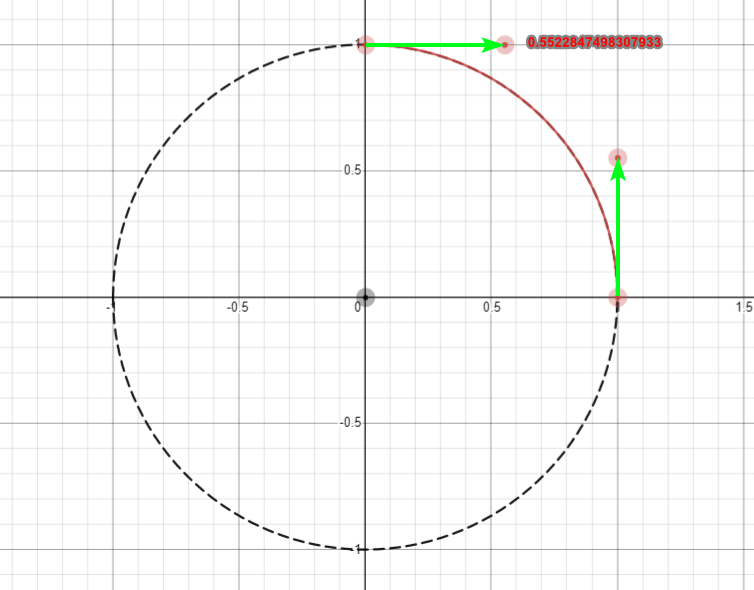
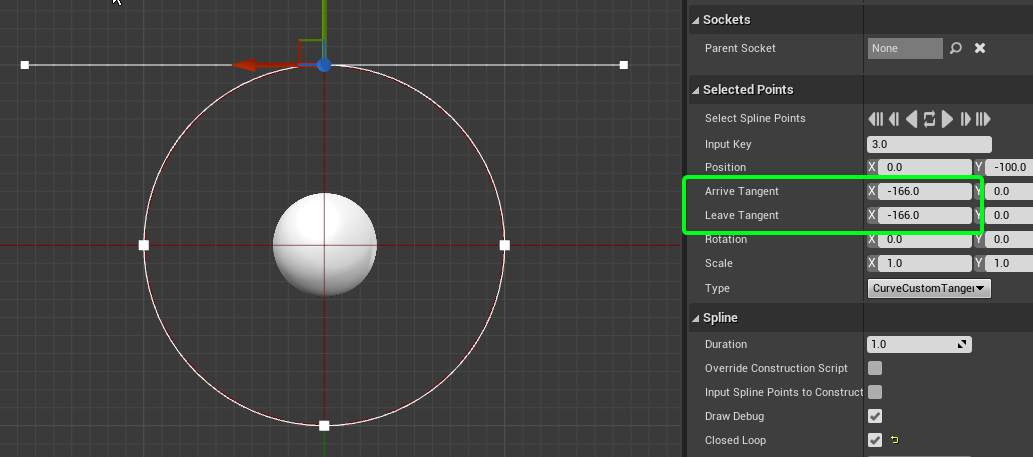 covert summit
plush yew
Is there any way to adjust the height of the water plane?
covert summit
plush yew
Is there any way to adjust the height of the water plane?
yes generally you can just change the height of the water body actor you want to change
plush yew
covert summit
yes generally you can just change the height of the water body actor you want to...
not working @ all
covert summit
lol wait for it
plush yew
covert summit
still could be something on your end that isnt pointed out in the docs as a gotc...
I don't think so. I've also watched multiple tutorials so I can visually see that I'm doing nothing wrong.
covert summit
im not sure i want the editor to do this for this demonstration but oh well
 plush yew
All I do is create a project and then a new class, that's all
covert summit
mistakes were made
 plush yew
covert summit
lol wait for it
plush yew
covert summit
lol wait for it
Oddly enough, I created a new water brush manager and it works
covert summit
plush yew
Oddly enough, I created a new water brush manager and it works
that is not surprising actually
its really buggy about creating a water brush manager for you
if you add a water body and then enable edit layers, then thats why
literally everybody gets stuck on that one
plush yew
covert summit
that is _not_ surprising actually
It works but now I have flickering water
covert summit
wow please remind me not to save this horrible edit of my map 🙂
when 23k navigation cells finish building
but
height was able to be changed lol
 plush yew
It works but now I have flickering water
plush yew
plush yew
It works but now I have flickering water
fixed
grim ore
@plush yewwhen you created the new class, what was the parent class and did you move it to another folder when creating it?
plush yew
grim ore
<@456226577798135808>when you created the new class, what was the parent class a...
Character, and I just left it in the default location
grim ore
whats the error?
covert summit
plush yew
grim ore
whats the error?
 grim ore
was this a blank c++ or BP project?
and what did you name the project and character class?
grim ore
yep its not the engine, that should all work fine
after it created it, VS loads up and you see that?
plush yew
Yup I just see that and the header file
covert summit
gave up on letting it rebuild that navmesh and killed it 🙂
 grim ore
yeah Ive seen that before when using custom folders when creating classes, but that shouldnt be causing it this time
plush yew
Got my canals to work
grim ore
I wonder if your C++ is on crack for some reason
plush yew
Thanks
Also, The river body brush that's supposed to be non-destructively editing the terrain isn't carving any rivers in my terrain and I have edit layers on, not sure why.
covert summit
plush yew
Also, The river body brush that's supposed to be non-destructively editing the t...
so there is a control on the landscape to enable disable specific edit layers but otherwise it should show up. this can be buggy though
also the settings of each water body actor and what their root position is matters
plush yew
I might just have to reinstall unreal engine and visual studio
plush yew
covert summit
so there is a control on the landscape to enable disable specific edit layers bu...
is it here?
 covert summit
yeah you should see a second edit layer
the one that's there looks like your own edits
when it's all working, there should be two, one for your edits and one from the water brush manager
 covert summit
when it's working you can toggle the blueprint brush on and off
plush yew
bottom right is my "river" lol
covert summit
and you'll see your automated water brush edits disappear when you toggle it off
plush yew
what the hell is wrong with the river to paint that far below the terrain lmao
I'm new to 4.26
But this is some previous stuff I did @covert summit
 covert summit
Water is experimental and buggy. One tip for you once it's working, is watch out for your foliage
the edits to terrain is non-destructive, but foliage is not right now
plush yew
covert summit
Water is experimental and buggy. One tip for you once it's working, is watch out...
Right now have no foliage on this terrain, just greyboxed buildings for the concept phase
covert summit
so if you get it working and place all your foliage, then edit settings on the water body that cause the foliage to drop to zero, it is gone
plush yew
No real meshes, only terrain painting layers are set up, etc.
covert summit
this was an annoying problem for me in a "bay/dock" environment
in that case i wanted to carefully tweak the falloff distances from the ocean spline that defined the continent
i also wanted to play with the depths that the ocean had
so here, see the spline that is white outline
 plush yew
covert summit
so if you get it working and place all your foliage, then edit settings on the w...
plush yew
covert summit
so if you get it working and place all your foliage, then edit settings on the w...
good to know for later, though
But yeah, I can't get this to move no matter what I do
kindred iris
Does anybody know how to check the uv map of a mesh that I have? I think it's mapped wrong in unreal engine but want to make sure
covert summit
but i wanted to tweak the underwater portion of the ocean

 covert summit
the cells that water renders is depending on a lot of stuff you cant control
plush yew
But it's below the terrain
covert summit
make it work in an "origin zero map"
plush yew
like, by 500meters
covert summit
prove to yourself that its working, then make it work in your wide open world
because you will probably find that you are hitting the origin limitation
in which case, hit up epic 🙂
plush yew
covert summit
prove to yourself that its working, then make it work in your wide open world
???
 sinful mesa
I have a question
About occlusion culling in UE maybe someone knows
It works great for normal placed actors in the world
But I cant find a way to make it work for foliage and trees spawned either by procedural tools or by painting with foliage tool
I am speaking about this Z buffer GPU occluder
so it tests what objects are visible and renders them
sadly the trees grass and foliage in general are still rendered even beeing behind objects completly not visible to camera
plush yew
Also I tried it in another map , same issue
 uncut vigil
Whats the best way to handle collision for something like an empty barrel? Use many non-concave pieces?
drowsy snow
uncut vigil
Whats the best way to handle collision for something like an empty barrel? Use m...
Complex Collision as Simple?
 heavy quail
How Much Data Is used For the Installation of UE4
heavy quail
heavy quail
How Much Data Is used For the Installation of UE4
Please , Anyone
uncut vigil
drowsy snow
Complex Collision as Simple?
I think so, also found out I can use a lod as that collision, seems like the best way
 coarse turtle
When I import a FBX then choose an existing skeleton, why it updates the skeleton and animations? Is there an option?
 pine void
What does this mean?
 drowsy snow
heavy quail
Please , Anyone
drowsy snow
heavy quail
Please , Anyone
196 GB for 6 different copies of UE.
 heavy quail
drowsy snow
196 GB for 6 different copies of UE.
heavy quail
drowsy snow
196 GB for 6 different copies of UE.
Ty , But I meant , How Much GB we have to download for UE4 , After Downloading The Epic games launcher...Like I'm in a Capped Internet and I ain't got a Wifi , So can't just download the whole thing at once , Btw Does The Installer have Pause-Continue Support ??
 stray ruin
its like 15-17gb
drowsy snow
heavy quail
Ty , But I meant , How Much GB we have to download for UE4 , After Downloading T...
Depends on components and dependencies you're installing, UE4.26 download size averaged to just 8 GB. You can pause the download at any time, and can be resumed at any time (unless a new hotfix landed)
heavy quail
drowsy snow
Depends on components and dependencies you're installing, UE4.26 download size a...
Oh I see...Ty Ty
elder vortex
whats the problem? my IK in CONTROL RIG are glitchy and starts with the wrong bone

 last topaz
Hi, is there such a thing as "fog mask" where you input a noise texture to add random amounts of fog in the level?
plush yew
have a question about online feature. Is it okay if i code game with online from the start but i release it as single player and then later if online feature is needed/ make some money from it to afford, i'll buy and add servers and such?! or will it create unforseen problems?
drowsy snow
plush yew
have a question about online feature. Is it okay if i code game with online from...
It's fine to have your single player game "future proof" for multiplayer. You could set high standards for your project with it and benefit from it.
My project is mainly single player, but I put some multiplayer replication design to make it compliant to Unreal's demorec/replay system
plush yew
thnx for easing my mind
my options are coding game with online included right from the start vs implement it later when i can afford servers
and i'm afraid second option would turn out even bigger pain in the ass
since i've never developed online, i'm just assuming things
 vale bone
Hi, when I upload new builds to Steam is seems to take 20 mins+ to patch them, even if the change is only a few mb. Can anyone think of a reason for this?
 bronze badge
Morning everyone! My packaged game runs at 30fps in super slowmo for some users while others have no issue? any guesses to what i have done wrong? 😄
drowsy snow
bronze badge
Morning everyone! My packaged game runs at 30fps in super slowmo for some users ...
Do you have Fixed Frame Rate enabled in the Project Settings?
 drowsy snow
plush yew
my options are coding game with online included right from the start vs implemen...
drowsy snow
plush yew
my options are coding game with online included right from the start vs implemen...
If you're not planning to develop MMO or just stick to LAN multiplayer, peer to peer networking is fine, and you don't need dedicated server for it.
 haughty timber
Where can i ask for help?
bronze badge
drowsy snow
Do you have Fixed Frame Rate enabled in the Project Settings?
Yeah had it set to 60fps 🤔
drowsy snow
bronze badge
Yeah had it set to 60fps 🤔
Well, Fixed Frame Rate is the framerate that your game runs at normal speed, not for capping it. If the framerate is lower than 60 FPS, it'll also slow down the entire game.
bronze badge
Aha
drowsy snow
It's kinda similar to emulator framerates where 60 FPS means full speed, not the framerate the game runs at.
plush yew
drowsy snow
If you're not planning to develop MMO or just stick to LAN multiplayer, peer to ...
i'm making soulslike, i think it runs on servers, not 100% sure though
bronze badge
@drowsy snow ah, thanks for that explaination
haughty timber
Guys, when i edit an animation and save it, when i start the game it doesnt change
Why
drowsy snow
bronze badge
<@325627930484932608> ah, thanks for that explaination
If you're looking to cap the framerate, use console command:
t.MaxFPS y
With y being the desired framerate cap in integer, and ≤ 0 for uncapped.
By default, the engine framerate caps at 120 FPS.
haughty timber
haughty timber
Guys, when i edit an animation and save it, when i start the game it doesnt chan...
Anyone know how to fix?
bronze badge
@drowsy snow does that follow to the packaged game aswell?
bronze badge
haughty timber
Anyone know how to fix?
Editing those are a bit fiddly, you cant just drag stuff to edit, think you might need to watch a yt tutorial on how to edit animations
drowsy snow
bronze badge
<@325627930484932608> does that follow to the packaged game aswell?
Yes, and I think you can add it to the GameUserSettings data.
Though the console command interface are omitted in shipping builds, so you may need to provide additional menu for the players to change the framerate cap.
However, Execute Console Command node still going to work regardless of the build configuration.
plush yew
Guys why does it happen in my scene? How get rid of these pixels?


in substance designer it's ok

 supple knoll
Oh sorry
heavy quail
I Wanted To ask That , I have an Clip ( taken from a game )and It's Kinda Shitty , So I am Thinking to Create Mesh ( idk what its called in UE ) above The Video ,So Can It be Done In UE ??
I am New in The World Or Unreal so Idk...
 frozen stirrup
Hi all,
I'm an experienced modeller but have very limited UE4 knowledge. I want to make an interactive animation where a user can disassemble a piece of equipment in any order they like. For example, when all screws are removed in any order, an animation for a panel falling away is triggered.
"World of Guns" gameplay is similar to what I'm trying to achieve.
Are there any tutorials about how to set this up in UE4? I'm a bit lost!
 forest holly
@heavy quail my UE4 4.26 folder is 70 GB but I probably have downloads and plugins in there that increase it
Argh... I need help... How do I uninstall an engine plugin? It's not working so I wanted to re-install it but deleting it alone doesn't tell the launcher that I don't have it installed
derp I just found it
At the launch window using the arrow next to 4.26
 lucid grove
Yo
I have main bp that have two variables - Sound and Name

Child actors take those and i just change Item Name and Sound for my needs
But for some reason Item Name catches correctly, but Sound no longer works.
Just to clarify its simple play sound variable

 vapid karma
any low poly skeleton that i can run on 8 gb ram ?? to practice animation state and stuff
**
 bold bay
How does this happen? I cant figure out how to correct it.
It happened after retarget to the ue4 skeleton.
Every bone relates just fine, except the arms.
 plush yew
how to fix this t-rex arms? i used mixamo to rig and retarget'd it for ue


and the twisted arm
bold bay
plush yew
how to fix this t-rex arms? i used mixamo to rig and retarget'd it for ue
explain please

 dusk fern
question:
what type of splines do epics use in UE4?
I thought it was cubic but i...
dusk fern
dusk fern
question:
what type of splines do epics use in UE4?
I thought it was cubic but i...
0.5522847498307933 * 3 = 1.65685424949238 VS 1.66
 teal badger
Where can I find all the math functions that can be used in the Math Expression node? e.g. sin, clamp, etc
I've read that "Blueprint pure functions that are in a coded function library should all be available". Is there a way to find those in the source code, not knowing them by name in advance? I just want the know what functions can be used
bold bay
@plush yew For some reason my character mesh animates just fine in Mixamo.
However how do i export it back in the editor properly?
plush yew
bold bay
<@456226577798135808> For some reason my character mesh animates just fine in Mi...
its ue4 anim starter pack not mixamo animations just rig
bold bay
i dont understand why my character deforms his arm when using UE4 skeleton
 plush yew
same but mine is animation
 safe field
Is there a reason DLSS 2.0 can't be used as a shader like GLSL?


 random violet
did you ever get this figured out? I'm getting the same thing too and it just started a couple days ago out of nowhere. Really hoping it's not a dying GPU. Those things are not easy to replace now :/
 brazen mirage
random violet
did you ever get this figured out? I'm getting the same thing too and it just st...
brazen mirage
random violet
did you ever get this figured out? I'm getting the same thing too and it just st...
nope
 dense knoll
Assertion failed: MaxSubjectZ > MinSubjectZ [File:D:/Build/++UE4/Sync/Engine/Source/Runtime/Renderer/Private/ShadowSetup.cpp] [Line: 810] MaxSubjectZ -nan(ind) MinSubjectZ -1048576.000000 SubjectBounds.SphereRadius 0.000000
random violet
so frustrating
dense knoll
ue keeps crashing with this error