#ue4-general
1 messages · Page 1029 of 1
 grim ore
 peak oxide
The package is for windows, it goes into a folder, the Content > Movies folder has all the image sequences that I have in the project.
grim ore
the Movies folder is a special folder that is always packaged, so yes that one will
 covert summit
(Movies yes as MathewW said but) more generally, no, only the stuff you use is included
peak oxide
covert summit
(Movies yes as MathewW said but) more generally, no, only the stuff you use is i...
Thanks, my project is heavy on movies but lite on the other assets.
Good to know, I'll work a bit smarter in this regard.
grim ore
if you want to try and reduce possible extra files, yes you can remove them, but like they said its pretty smart to include what you use. in project settings is a packaging section and you can specifically call out maps to package and it will try and just package those maps and its required files (same with excluding stuff)
covert summit
i would see if you can put your stuff in other folders and still access it -- i would assume various ways of using that movie would actually participate in the packaging "trim" process
peak oxide
covert summit
i would see if you can put your stuff in other folders and still access it -- i ...
I was happy to see that it did still package my image sequences even though it was outside of the project structure. It did throw up warnings about these links, but it didn't fail.
covert summit
ahh no you definitely want everything used by your project in your Content folder
or the Data folder
(or... is Movies outside of Content actually?)
but i mean to say, if content is loaded from outside your project, it could just be working because the game is looking outside itself
definitely avoid that
it wont work when run on other machines if its not in the package
grim ore
yep all content for the project in the content folder, content/movies is just special
peak oxide
covert summit
it wont work when run on other machines if its not in the package
Thanks for the heads up, I'll be sure to check and adjust that.
peak oxide
covert summit
(or... is Movies outside of Content actually?)
my movies content is outside of my projects folder structure, but you're right in thinking that It only doesn't fail for me on my PC, and it likely will be a problem for any other machine.
covert summit
yeah im not sure how it handles pathing [so testing that its indeed not going to work elsewhere would require steps]
but its just best to keep everything in your project folder, and by default that means Content until theres a special case like Data or something
oh wait, just checked, no Data's in there too. Everything in Content!
and always import via Content Browser in Unreal, and not file manager (until and unless that is not an option)
 uncut vigil
 paper ginkgo
ah ty
 robust spoke
Hiho i try to send a unpaid-gig, but there will not be Posted anything of my post xD
 coral shoal
Is AMD's fidelityFX fsr available for ue4 somewhere already?
Edit: It's here: https://gpuopen.com/unreal-engine/#features
 lyric sapphire
for it was 1/4 of my actual fps
 regal mulch
robust spoke
Hiho i try to send a unpaid-gig, but there will not be Posted anything of my pos...
regal mulch
robust spoke
Hiho i try to send a unpaid-gig, but there will not be Posted anything of my pos...
@maiden swift is responsible for the Job Board. Not sure what's going on, but you might be able to DM him and ask. Make sure to post your chat history of the bot to make sure there are no errors on input side.
 restive zinc
hey guys how does entity cramming work in UE4, I've seen it in minecraft and wondered how it will work in UE4 are mobs in minecraft physics actors that clump up on each other.
covert summit
restive zinc
hey guys how does entity cramming work in UE4, I've seen it in minecraft and won...
if your pawns collide with each other they will shoot out in whatever direction they can to resolve it, they will not cram like in Minecraft. But often pawns are set to not collide with other pawns, so they'll just occupy the same space. It depends how you configure collision, but by default there is no collision mode I know of that will work like Minecraft's cramming
cramming in Minecraft is effectively a feature, not a bug, but most physics doesn't work like that
if you wanted to do it in unreal you could use overlap on pawns, and then apply ambient movement away from the overlap
you would want to use physics forces to have the same "explosive" effect that Minecraft contraptions leverage
probably would do it by having an actor push other overlaps away with a small but constant force, and have pawns generally not collide physically with other pawns
that way, the effect of many actors colliding with a mob contributes to a greater force
you'd also want to limit it to X/Y iirc in Minecraft that is the case (mobs don't shoot upwards)
you could prototype it in ue fairly quickly, just have a key that drops the pawns into a confined space, and another key to "open the door" with the expected effect that they would shoot out when the door is open
 dim seal
Hi guys, I'm getting this error while building engine from source. Any ideas what may be wrong?
 covert summit
^^ haha yeah i said the same in #engine-source
nah not your bad
but i did get a jab in at how damn long it takes to build this thing
covert summit
dim seal
Hi guys, I'm getting this error while building engine from source. Any ideas wha...
recommend just posting to the most specific forum you can, and waiting patiently for a reply. if no one is around after awhile, you can bring it here, but try for a specific subtopic first
 analog vale
I am not sure what you mean ,are you trying to use the collision of a skeletal mesh ?
 oak token
question guys, why if when i set the "Capsule half height" of my capsule component to a lower number, the actor shrinks down to the ground
covert summit
oak token
question guys, why if when i set the "Capsule half height" of my capsule compone...
because the location of the capsule is the center
if you shrink it, it will not collide with the ground, and gravity will pull it down
it will then settle at its new location based on its height, with the location being at the center of the capsule
unless you mean your mesh automagically shrinks
that shouldnt happen
it would just clip with the ground in most default template setups
because the collision is at the capsule, and the mesh isnt directly doing collision
oak token
covert summit
because the collision is at the capsule, and the mesh isnt directly doing collis...
any tips to fix the clipping through the ground?
also thanks for the response
covert summit
well why are you changing the capsule height at runtime (i assume)?
oak token
for crouching
covert summit
ahh yes
well your character's animation should be accomodating for having less of a height
oak token
ah so that's the same conclusion, huh
covert summit
if your character is animating to the crouch animation, but the reduction in the capsule size is making them clip into the ground, then your adjusting the capsule too much
its worth noting i do believe that character movement can automatically resize the capsule for you
you still have to tell it how much but its a nice touch
oak token
covert summit
its worth noting i do believe that character movement can automatically resize t...
oh yes, going to use that if this doesn't work out but unfortunately you can't set the size at runtime
can only get the variable, not set it, unfortunately
oak token
should be the one-size-fits all then
covert summit
but its worth noting that despite the capsule being centered, i havent had an issue with crouch animations going "under ground" as it were
including resizing the capsule so you have a lower profile
covert summit


this is the default setting, characters in my game override the capsule half height and the crouched half height as needed but
very little massaging needed
you can see though that im offsetting the mesh negative on the Z to align it with the bottom of the capsule
 hybrid cradle
i ned a help, in my scene there is no AO, why?
covert summit
hybrid cradle
i ned a help, in my scene there is no AO, why?
ahhg! noooooooo -- did you turn it off?

 hybrid cradle
 covert summit
hybrid cradle
its on everywhere, and never saw AO in first place
covert summit
hybrid cradle
its on everywhere, and never saw AO in first place

this is the default
hybrid cradle
wait, so i have to turn these off? cuz these are checked
covert summit
no if you want AO then leave them checked
but
the postprocess volume can override it
 covert summit
if you have a post process volume that is in effect in your camera location, or it is unbounded
then it will override it
here i apparently have it entirely off
but you can have it on
hybrid cradle
 covert summit
hybrid cradle
covert summit
hybrid cradle
check
 hybrid cradle
its unvound in post process, and i am using cinematic cam actor
covert summit
oh check your show flags then
oak token
 snow harness
Hey people
snow harness
Hey people
hey grag
hybrid cradle
show flags?
snow harness
I need to create a small VR experience in ue4 and I am searching for a good series of videos that can go thru basically every aspect from the basics to the delivering of such vr experience. It doesnt have to be anything fancy, it's an academy project for prove of concept.
has someone such sources on hand?
covert summit
hybrid cradle
show flags?
on the cine cam actor
you can control a lot of render features there, might be disabled perhaps
hybrid cradle
so when i click on cinecam there is no such thing as show flags, i must be missing somethign
hybrid cradle
 covert summit
well you could search ambient occlusion anyway
hybrid cradle
is that what you are talking about? where my cursor at
oops it did not show my cursor
snow harness
No one got an answer for me?
hybrid cradle
this is show button
 covert summit
hybrid cradle
is that what you are talking about? where my cursor at
covert summit
hybrid cradle
is that what you are talking about? where my cursor at
ok it doesn't call them show flags but yeah I think I see it
search ambient occlusion on cine cam and play with those
see if that enables it

 fierce tulip
be nice if you kept UE5 stuff in the UE5 channels, thanks
hybrid cradle
ok sorry
covert summit
this is not unreal 5 specific
hybrid cradle
thanks bro
fierce tulip
now you know why I suggested to keep ue5 stuff in ue5
covert summit
yeah gotcha. this is getting confusing
snow harness
Where can I ask question without getting ignored?
covert summit
there was someone stuck trying to teleport to an actor
had been posting for days
turned out to be in ue5 in world partition, and the cell wasn't loaded
fierce tulip
@snow harness if someone knows the answer, and you are asking it in the right channel, it wont be ignored.
covert summit
no one saw it coming
snow harness
fierce tulip
<@!196359844280795147> if someone knows the answer, and you are asking it in the...
Well, I am searching for a video series of VR ue4 beginner development.
covert summit
snow harness
has someone such sources on hand?
it's kind of broad for me, but hopefully someone can help
snow harness
I want to learn how to create a vr project from the beginning to the end
Youtube seems to be not helping much
fierce tulip
if you dont have much experience with ue4 in general I'd start with learning the regular workflows and learn how to use the tools before moving onto vr, because tackling both is just asking for troubles
snow harness
I already know the basics and I already have created the enviroment, the problem is i dont know how to actually package it up, so i can run it standalone without having ue4 editor open
fierce tulip
no point asking how to paint the mona lisa if you dont know how to hold a brush so to speak
covert summit
snow harness
I already know the basics and I already have created the enviroment, the proble...
ohhh well that's another matter. you just use File menu -> Package, but more specific package questions are good in #packaging
fierce tulip
^
https://www.youtube.com/watch?v=Wjzjnv9E5SU (that whole playlist is good to get started)

This is episode 61 of my unreal engine 4 beginner tutorial series, in today's episode we use the settings shown in the previous video to package our game into an executable game folder allowing us to run the game outside of the editor.
We target the windows platform however this tutorial can be used to package and publish onto Android, Mac, PS4...

 surreal cloak
Hey, I'm importing height-maps info ue4.
What do they look like?
This.
Whats the answer that everyone gives as to why it looks like minecraft, "Oh!, that means its 8-bit!"
But what do the height maps I've used indicate?
16-bit and 32-bit


(so whats the real answer, this is ridiculous)
 lucid grove
Hey fellas, cant figure out why scene capture 2d not rendering beard on my chaaracter

Checked LODs and stuff, its ok on level, but not rendering on scene capture
 drowsy snow
surreal cloak
Hey, I'm importing height-maps info ue4.
What do they look like?
This.
Whats...
drowsy snow
surreal cloak
Hey, I'm importing height-maps info ue4.
What do they look like?
This.
Whats...
You're kinda making it confusing, and omits necessary details about your PNG files from your question.
Heightmaps are generally 16-bit greyscale images, no colour information necessary.
fierce tulip
(and converting an 8-bit to 16 bit does not magically add more detail)
drowsy snow
surreal cloak
On further inspection, those resolutions definitely not typical for Unreal landscape, and since 32-bit greyscale doesn't really exist, it seems like you're attempting to use RGBA8 PNG as a heightmap.
Though Windows Properties view can be misleading for this kind of inspection anyway.
 young quartz
I am getting an error " the following modules are missing or built with a different engine version:
UnrealEnginePython
PythonConsole
PythonEditor
Engine modules cannot be compiled at runtime. Please build through your IDE"
surreal cloak
I used heightMapper, but it produced the same results.
I also tried terrain.party but it's completely broken. upon hitting the download button, I consistently produces a website error. (test it for yourselves maybe you have different results)
So Terrain.party was out fo the question, so instead I found a website that is a forked github repo (i think) that functions as an alternative to terrain.party.
Here is the link - https://cs.heightmap.skydark.pl/
As you can see, I have tried every option I know, but nothing is working...
young quartz
I am very new to unreal engine... can any1 help
drowsy snow
Sorry, missed the question 😛
drowsy snow
young quartz
I am getting an error " the following modules are missing or built with a differ...
What UE version are you using?
young quartz
4.26.2
drowsy snow
young quartz
4.26.2
Are you building from source code? Vanilla engine plugin shouldn't require recompiling.
young quartz
I am totally new to unreal engine.. I am just double clicking on my project
drowsy snow
So it's a project downloaded from somewhere else?
young quartz
no I created it
I was adding megascan bridge. And after that I face this error. I dont get it how to fix it.. or add those modules manually
drowsy snow
young quartz
I was adding megascan bridge. And after that I face this error. I dont get it ho...
Try verifying your engine installation from the launcher
young quartz
done.. bt no help
didnt work*
okay I fixed it
just deleted the pythoneditor from plugins folder
 lucid egret
How do I get the option to change the Unreal Engine version here? (ignore that it's in Finnish)

 robust tree
 lucid egret
How do I get the option to change the Unreal Engine version here? (ignore that i...
lucid egret
lucid egret
How do I get the option to change the Unreal Engine version here? (ignore that i...
The file association to Unreal
fierce tulip
normally you get that when you installed the launcher and at least two unreal engine versions
(iirc)
lucid egret
oh, so if I have only 1 engine version I won't need it?
fierce tulip
dont think so?
 wary wave
file type also has to be associated in windows
It's really dependant on how you want player collision to behave
in our case it's a little greater than shoulder width, which theoretically means we clip through scenery sometimes, but also it makes it much easier for the player to navigate tight spaces
lucid egret
how do I install a custom engine?
what I'm trying here is to install the Respawn engine
I got the engine .rar and extracted it
Respawn Entertainment's engine
wary wave
doesn't sound Unreal related
lucid egret
The ones who made Jedi Fallen Order
wary wave
Respawn doesn't publicly distribute their engine that I'm aware of
lucid egret
wary wave
Respawn doesn't publicly distribute their engine that I'm aware of
I think they do
wary wave
I'm pretty sure they do not
lucid egret
but can you advice me in installing it?
wary wave
no.
lucid egret
why
wary wave
because it sounds like what you have obtained is illegal
 obsidian nimbus
souns to me like u downloaded some malware 😛
wary wave
haha, probably
obsidian nimbus
engine.rar?
lucid egret
the guide i use says this:
How to gain access and use the Respawn Engine Version
I can not legally make the custom engine version public to all as it is against Epics TOS. However it is extremely easy to get access to it.
wary wave
nobody will help you in here
lucid egret
so you're telling me what I'm trying to do is against the epic TOS?
wary wave
what you've been doing is probably against the law
fierce tulip
and against respawns TOS
wary wave
yup
lucid egret
I've been told that it's 100% legal what I'm doing
wary wave
you could put a bridge in bridge
lucid egret
turns out, the engine is technically not respawn's
obsidian nimbus

Quixel Megascans
Discover a world of unbounded creativity. Explore a massive asset library, and Quixel’s powerful tools, plus free in-depth tutorials and resources.
lucid egret
lucid egret
turns out, the engine is technically not respawn's
yeah it's like a copy of it
drowsy snow
lucid egret
turns out, the engine is technically not respawn's
Jedi Fallen Order engine is UE4.
lucid egret
yes
drowsy snow
But I'm not going to question how you even get confidential fork of theirs without permission
lucid egret
this guy made a mimic of Respawn's custom UE4 for modding
I didn't get anything from them, I got the engine from here https://github.com/FallenOrderModding/UnrealEngine-Respawn
 zinc flume
Guys is it possible for me with 0 experience create survival game better than muck lol and where can I learn everything about ue4 I wanna be good game dev
fierce tulip
without experience you cant even.
just start with getting started tutorials.
points at pinned message in this channel
drowsy snow
zinc flume
Guys is it possible for me with 0 experience create survival game better than mu...
https://dev.epicgames.com/community/learning
(some courses that are available in https://learn.unrealengine.com/ are missing in the Epic Dev Community site)

Epic Developer Community
Epic Developer Community Learning offers tutorials, courses, demos, and more created by Epic Games and the developer community.Learn UE and start creating today.
If you're in desktop, it's up there besides the search box. If you're in mobile, it's in the right side menu.
fierce tulip
drowsy snow
https://dev.epicgames.com/community/learning
(some courses that are available in...
wary wave
certain Youtube tutorials should probably come with warnings to never follow them
fierce tulip
XD
i saw one recently where they said the character was moving when he was moving the camera around.
zinc flume
Bro I want to learn but I feel it's too hard
fierce tulip
no, just base pose at 0.0.0
wary wave
my favourite was when some guy came in here trying to follow an inventory tutorial, and the entire thing was handled by juggling integers around
type of item? integer
slots? no idea, integers
integers for all data types, why need anything else, ever?
drowsy snow
wary wave
*certain* Youtube tutorials should probably come with warnings to never follow t...
also long winded tutorials with a lot of dead air and no editing
drowsy snow
zinc flume
Bro I want to learn but I feel it's too hard
It's going to be hard if you don't want to learn.
zinc flume
I want
wary wave
if you don't want to learn, you've picked the wrong thing tbh
zinc flume
But it's looking hard
wary wave
because I can tell you that after 14 years of doing this, I still have to learn things all the time
obsidian nimbus
i see a tut where he said nullpointers are fine as long as they dont affect performance
drowsy snow
Though granted I started as modder since 2006, and game SDKs are no stranger, so your mileage may vary.
obsidian nimbus
also he had no idea u could check isvalid
fierce tulip
some of us have been doing this for 20 years, and it does not get any easier
zinc flume
@fierce tulip I'm not even 20 yrs old lol
wary wave
I usually recommend trying to make simple arcade games for first projects
Missile Command, Snake, Brick-Breaker style games
yup
though Pong is annoyingly multiplayer 😄
obsidian nimbus
but than again learning bad practices is better than nothing , its not like u cant unlearn stuff
wary wave
and that's a whole other hole you don't want to fall down on day zero
drowsy snow
zinc flume
<@220596777034711040> I'm not even 20 yrs old lol
I'm 22. There's a ton of youngins in the game dev space nowadays.
Try practicing by making simple games, get hang of the editor.
Don't even think about making survival or battle royale games. Don't think about the profit right away. Just hone your damn skills first.
zinc flume
Yea I wanna create game in the future like cool cartoony comic looking survival game with nice style grass and environment with cool comic looking enemies and yeah multi-player mode too that would be awesome it's not a next gen graphic game it's just simple lovely looking game but still very good that's my goal


This or this style
Ik
wary wave
yup, you'd be learning for a few years just to be able to contribute to projects of that scale
fierce tulip
take small steps, keep your goals small, and have fun.
wary wave
hehe
drowsy snow
zinc flume
Ik
Don't forget to check the link I posted, and other resources in the pinned message. The mods already pin helpful links for you to get started.
Have fun!
 drowsy snow
Oh right, almost forgot, @zinc flume
Take your time learning. Nothing in this world is instant. It's normal to take 1 or more years to get hang of the editor and Blueprints.
 blissful atlas
Hi everyone, can anybody help me? Im using this blueprint for switch cameras, but when i switch is blinking my media. Does anyone know what node can i use in place of "Set view target with blend" ?

 forest holly
I feel like in most cases I wouldn't want to change cameras but to change the location of the camera I'm using already
But that's not super helpful... I'd try posting it in #blueprint
blissful atlas
forest holly
I feel like in most cases I wouldn't want to change cameras but to change the lo...
ill do it, thank you!
obsidian nimbus
@blissful atlas blend time is 0
blissful atlas
obsidian nimbus
<@!265810897488838656> blend time is 0
but if increase stop blinking my media when switch camera?
 rare tapir
Does anyone know why the shadows keep flickering in my render

video to show u what i mean ^^^
 loud meadow
guys who can help me in my game i have lot of problemes
drowsy snow
loud meadow
guys who can help me in my game i have lot of problemes
Per #rules no. 7:
- No spam. This includes phishing, scams, unsolicited Discord invites, unsolicited direct messages asking for help, cross-posting in multiple channels, and use of excessive mentions, emoji, or repeated messages
Also per #rules no. 2:
- Be patient when asking for help. This isn't an official Epic Games support channel so we can't guarantee a response. Don't ping people unless you're replying to them. If someone can help, they will. If not, come back in a few hours and consider rephrasing your question or adding more details.
 versed lion
What would you add to make this look cooler? more appealing, more dramatic

 delicate oar
fog
 tiny grove
DOES LIGHT NOT AFFECT WORLD IN MOBILE PREVIEW?
IM TRYING TO MAKE A TORCH LIKE THING IN CHARACTER`S HAND AND IT IS WORKING FINE IN VIEPORT AND EVERYWHERE BUT NOT IN MOBILE PREVIEW
oh my caps lock was on....
this is in play in viewport

this is in mobile preview...

 sturdy smelt
versed lion
What would you add to make this look cooler? more appealing, more dramatic
sturdy smelt
versed lion
What would you add to make this look cooler? more appealing, more dramatic
ITs more than just Assets / placing Naturally, u need a lot of Knowledge, for Lightning etc, Color Grading and more Stuff, try LUTS; learn about Enviroment Lightning etc, theres a lot to Learn for Composite.
Try an FOG / + an Special LUT, for more faster Dramatic Look, and try to get more Depth
also DOF would be nice
versed lion
@sturdy smelt I am using asset for practice ^^, I will try look for the lighting, I will research what's DOF and LUTS, its mainly practice of lighting and pp
but thx for the response!
sturdy smelt
versed lion
<@!143780188814049280> I am using asset for practice ^^, I will try look for the...
Color LOOKUPTable and DEPTHOFFIELD, and dont worry, anyone started as Rookie , yw
forest holly
Anyone know of any online courses for UE4 Blueprint or C++? Not video tutorials, but with an instructor
tiny grove
tiny grove
this is in mobile preview...
could abyone reslve my issue too?🙄🙄🙄
versed lion
@forest holly Unreal engine hosts a live training videos with many instructors, you might wanna look into that
sturdy smelt
tiny grove
could abyone reslve my issue too?🙄🙄🙄
try to read https://docs.unrealengine.com/4.26/en-US/SharingAndReleasing/Mobile/Lighting/// not fan of Mobile , but good Luck
Setting up lighting for mobile games.
sturdy smelt
tiny grove
could abyone reslve my issue too?🙄🙄🙄
aHH probably its this: -> By default, support for Movable Spotlights on mobile devices is disabled. To enable this feature go to Project Settings > Rendering > Mobile Shader Premutations Reduction and then check the box next to the Support Movable Spotlights option to enable them. Once enabled you will then need to re-start the UE4 Editor before you are able to use them.
tiny grove
sturdy smelt
try to read https://docs.unrealengine.com/4.26/en-US/SharingAndReleasing/Mobile...
this is taking forever to load...
tiny grove
sturdy smelt
aHH probably its this: -> By default, support for Movable Spotlights on mobile...
lemme try this
tiny grove
sturdy smelt
aHH probably its this: -> By default, support for Movable Spotlights on mobile...
it worked, thanks man
tiny grove
sturdy smelt
try to read https://docs.unrealengine.com/4.26/en-US/SharingAndReleasing/Mobile...
thank you
sturdy smelt
tiny grove
thank you
yw Bro 
 narrow mauve
are you not supposed to be able to add instanced foliage static meshes this way?

 wanton bloom
Can i stop timeline where it is, when i trying stop its finish timeline and after that stopping
 devout swift
what does this "orbit mode" do in the particle effect window?
 analog vale
versed lion
What would you add to make this look cooler? more appealing, more dramatic
analog vale
versed lion
What would you add to make this look cooler? more appealing, more dramatic
post proccesing
versed lion
@analog vale Messin with the settings to try and make it more appealing, Thanks!
analog vale
versed lion
<@!502553402039861258> Messin with the settings to try and make it more appealin...
you should try finding a good LUT
analog vale
something with a blue tint would look cool
wanton bloom
wanton bloom
Can i stop timeline where it is, when i trying stop its finish timeline and afte...
is any fixing this?
versed lion
@devout swift Changing the camera movement, by turning it off you will control the camera like a normal viewport
devout swift
versed lion
<@!217441989937987595> Changing the camera movement, by turning it off you will ...
what do you mean? when I turn it on or off my camera still moves the same way
versed lion
In the default particle system it is the same, with niagra it changes it. I don't know why isn't it effecting the default one
Orbit mode is like where the camera moves around in circles i guess you can say
The material viewport using orbit mode for example

@devout swift Hope you got it
devout swift
versed lion
In the default particle system it is the same, with niagra it changes it. I don'...
I see, is this Niagara or the default system?

 devout swift
versed lion
If you want to try niagra install it under the plugins tab
devout swift
versed lion
If you want to try niagra install it under the plugins tab
oh I see, thanks!
versed lion
np 🙂
 fierce tulip
without installing the icons the crash is a generic report and we cant tell what is causing it.
 light thunder
I have an AI traffic system that is using tick to box trace for actors in front of the vehicle and update movement, etc - is this terribly expensive - I can't think of any easy way to refactor ALL of his logic, it's the initial sequenced tick event (I'm even leary of using a looping timer because that might throw things off)
 plush yew
hey guys i am looking for some one that can mod a game for me , nothing big just enable demorec / demoplay
wary wave
so there's a number of problems here;
Firstly, I doubt anybody is just going to make a mod for you, but if you wanted to recruit someone for such a task you should be using the job boards, as per #rules and #instructions.
Secondly, if the game doesn't already support it, it probably doesn't actually work.
wary wave
demo recording and playback is usually pretty easy to 'enable', but for it to actually work, the networking has to have been written with it in mind
plush yew
i mean it kinda works but it makes me stuck in game
drowsy snow
Unreal Engine's replay system relies on MP replication.
wary wave
you mean you can call the console commands, but when you start playback, it goes screwy?
(and yes, it should also be noted that the replay system doesn't do anything at all on singleplayer games)
plush yew
yes it replays it but i cant move
wary wave
what do you mean you can't move?
it's a replay, I would not expect you to be able to move
plush yew
i can't move the camera ore look around i am stuck
 upbeat tendon
hi, i've just reinstalled windows and tried to install epic launcher, the store and my library have vanished, anyone know how to fix this?

oh sorry it was a setting
 glass rapids
Can I remove the TAB key from trying to focus on a widget?

 unreal frost
oh hi!
 last topaz
Hi, should several different FoliageTypes based on the same mesh/materials cause more drawcalls than just 1 FoliageType if the same amount was painted?
say 5 instances of 1 FT vs. 5 instances of 5 identical but unique FTs
you would think that as long as the source mesh of the FTs is the same it should act as the same and not add more drawcalls
but from the tests i'v done it seems to be the case
 sick patio
my laptop is a ryzen 3 with no GPU can i fully do unreal engine projects on a remote online pc? like with aws or something?
 whole fern
sick patio
my laptop is a ryzen 3 with no GPU can i fully do unreal engine projects on a re...
whole fern
sick patio
my laptop is a ryzen 3 with no GPU can i fully do unreal engine projects on a re...

NVIDIA
Access the most demanding workstation applications from anywhere
just remember that they aren't cost efficient. If they were cost efficient every cryto miner would be using them instead of making GPU farms
and there's some latency issues with it
 fast pendant
https://docs.unrealengine.com/4.26/en-US/BlueprintAPI/Math/Rotator/FindLookatRotation/ how is this function implemented?
Find Look at Rotation
 serene birch
is there a "Free for the month" package in the marketplace yet? did I miss it for this month?
wary wave
Tuesdays
sick patio
whole fern
just remember that they aren't cost efficient. If they were cost efficient every...
latency shouldn't really apply to me no?
sick patio
serene birch
is there a "Free for the month" package in the marketplace yet? did I miss it fo...
first tuesday of every month
 civic charm
glass rapids
Can I remove the TAB key from trying to focus on a widget?
civic charm
glass rapids
Can I remove the TAB key from trying to focus on a widget?
Are you able to find out?
glass rapids
no I couldnt
I have everything not focusable so it doesn't focus on the big box but it still focuses on my text box
civic charm
look up for bool in option and there is focusable option there put that to false
civic charm
glass rapids
I have everything not focusable so it doesn't focus on the big box but it still ...
oh
glass rapids
I have a text box where you can put in the message to put in chat but I can't set it to not focus
civic charm
glass rapids
I have a text box where you can put in the message to put in chat but I can't se...
oh
give me min
glass rapids
okay
civic charm
glass rapids
I have a text box where you can put in the message to put in chat but I can't se...
if user type something then it gonna unfocus
glass rapids
what do you mean by that? is the set focus a toggle? I Don't really understand how the focus stuff works.
covert summit
(few do lol, its a mess)
glass rapids
I use the enter key to open and close the chat but when it is still in Input mode game and I press the tab key it can still somehow focus on the chat and I can type in it
covert summit
glass rapids
Can I remove the TAB key from trying to focus on a widget?
oh wow
that is literally what i just faced
everything online tells you to remove focus from everything but yeah obviously that wouldnt work for text boxes, or also if you wanted to use gamepad navigation, like in my case
glass rapids
Have you figured it out? It's so weird
covert summit
i have but its hacky and it might not work in your case
depending on what you want
so for me, i dont have textboxes, i just have one UserWidget that contains a button, and i use that button for all my buttons
I want gamepad navigation, and I want the TAB key to open my in game menu- i also want hitting TAB again to close that in game menu
so what i did was used the Navigation controls on the button:

the "Next" one is what is used for Tab
now none of the options will actually disable Tab
however you can hijack it
if you use Custom and add a blueprint function, if you return nothing then tab will not work anymore
but you wont then be able to get the TAB event because its been consumed
but, the function could act as a TAB event....

now since these properties are per focusable widget you would need to do this on any widget that has user focus if you want TAB to not switch widgets
unfortunately the internet is right that short of editing the engine source yourself or completely opting out of focus, you wont be able to turn off that tab behavior
unless you do something hacky like this
glass rapids
Idk if it would apply but this is what I am trying to do. I have made a chat system so a player can press (ENTER) and then this pops up and they can type. then once they are done typing the can press (ENTER) and it will send the message. But if I press (TAB) it does a thing where it does that focus outline but now it does it on the text box because there is no focusable option on text boxes.
 covert summit
so you just want to disable the TAB behavior on this box so it doesnt go into a weird state?
then yeah, set Custom on the Next property of Navigation on the text box, implement a BP event that returns nothing
should be golden
glass rapids
yeah, The weird state is where it is invisible and you still can type because the only way to view the chat is by pressing enter. Okay, I will try that.
covert summit
you might want to see how it works with arrow keys and Shift+tab as well
those are the keys that activate Back/Up/Left/Down/Previous
(though other keys can also do it like gamepad left thumbstick etc)
i think arrow keys should be fine because the text box consumes them though
glass rapids
okay, I have never done this stuff I so I have a lot to learn. Thank you so much
 clever drum
I am having trouble installing unreal engine 5 early access, any help?
 broken heath
STATE THE PROBLEM
clever drum
 fast pendant
https://docs.unrealengine.com/4.26/en-US/BlueprintAPI/Math/Rotator/FindLookatRot...
fast pendant
fast pendant
https://docs.unrealengine.com/4.26/en-US/BlueprintAPI/Math/Rotator/FindLookatRot...
bump :3
 vagrant hornet

why does the light bleed through like this

why does it night change brightness at different times of the day
 vagrant hornet
clever drum
vagrant hornet
clever drum
reinstall
covert summit
fast pendant
bump :3
do you mean "how do i use this function" or should i go rummaging through the engine source to find out?
clever drum
broken heath
alright thanks a lot
covert summit
fast pendant
what calculations are applied there?
well it probably takes the vector difference between start and target (start - target), then builds a rotator where that resulting vector is the X vector of the rotation
oh wait its target - start rather
but yeah
oh hey its literally what it does 😛

 storm venture
hey so i found a pretty nasty bug that exists in both ue4 and ue5. when compiling a bp, the construction script runs on instances of the actor contained in closed levels.
fast pendant
covert summit
oh hey its literally what it does 😛
yoo can i have a link?
nvm
already found by myself
storm venture
it's 100% not. instances of actors in unloaded levels should not be executing anything.
 broken grotto
Please explain why you think that would be intended?
covert summit
yes this is entirely expected
the construction script runs at editor time to prepare a blueprint actor in the level
if you use it, it will need to re-execute construction script across all uses of that blueprint across your project (when recompiling)
i would guess the misunderstanding might be: you might think construction script runs at runtime to initialize the blueprint but it does not
yeah inheritance is another factor
it also just makes sense that you would pay the price of re-running construction scripts once instead of having to have a complex system to check whether construction scripts need to be re-ran at level load time (when loading in the editor i mean)
and if you are playing in standalone (editor) that logic would also need to be handled at game runtime
and also be duplicated or at least factored in at packaging time too
obsidian nimbus
i never had many instances of the same bp with a huge construction script so i could care less 😛
altho base classes often have a bunch of construction goin on, it doesnt really add up too much
 sinful whale
Following up on my previous adventures, it is ENTIRELY possible to make a Blueprint class based on a SceneComponent. You just have to actually tell Unreal you want to do it. Your UCLASS declaration needs to include Blueprintable and possibly BlueprintType if you want to be able to use it as a variable
obsidian nimbus
cant you just create bp and select scene component from base classes?
covert summit
sinful whale
Following up on my previous adventures, it is ENTIRELY possible to make a Bluepr...
oh interesting
but why is that required for SceneComponent when its not for a regular actor subclass?
 obtuse siren
guys general question - if I start a project in UE4 when UE5 fully releases I would be able to transfer my UE4 project to UE5 right?
covert summit
here i have no Blueprintable. Is it just because ACharacter is special in some way? It cant be that ACharacter has Blueprintable, because SceneComponent is also Blueprintable
 covert summit
obsidian nimbus
cant you just create bp and select scene component from base classes?
covert summit
obsidian nimbus
cant you just create bp and select scene component from base classes?
their goal was to have a C++ subclass of SceneComponent and create a Blueprint from that
covert summit
obtuse siren
guys general question - if I start a project in UE4 when UE5 fully releases I wo...
absolutely, youll be able to upgrade your UE4 project to UE5
obsidian nimbus
ahh k
obtuse siren
covert summit
absolutely, youll be able to upgrade your UE4 project to UE5
awesome thanks was just making sure 🙂
covert summit
yeah good to know ahead of time, i had the same question when EA came out 🙂
obtuse siren
yeaaaaaaa, it would suck to start something awesome then being unable to move it over
covert summit
mmhmm
sinful whale
Yeah I wanted to make a SceneComponent that spanned C++/BP
It seems like it's based on use case
Like you might have a lot of C++ SceneComponents or UObjects that you want to make available to Blueprint but just to use, not to subclass - and you don't want your Blueprint "new class" list to be enormous, so you have to "opt-in" to Blueprint subclassing for only when you think it's appropriate
But for some types they just kinda presume it's always useful so it's on by default?
covert summit
i guess
 dreamy zenith
So im tryin to make it so a grenade makes a character ragdoll upon exploding, any tips?
 kindred iris
ANyone know how I'd get a connection like the red line I drew? I get this message to change the node I use but am not sure how to connect them.
Usage of 'Set Brush Size' has been deprecated. Use SetDesiredSizeOverride() instead
 drowsy snow
kindred iris
ANyone know how I'd get a connection like the red line I drew? I get this messag...
drowsy snow
kindred iris
ANyone know how I'd get a connection like the red line I drew? I get this messag...
Split the Desired Size input pin.
kindred iris
drowsy snow
Split the Desired Size input pin.
What would THe name be for a node for that?
drowsy snow
kindred iris
What would THe name be for a node for that?
Just right click on the Desired Size input.
kindred iris
ohhh I see it mb
covert summit
splitting is super handy
covert summit
yeah you can also drag off from Desired Size and type Make
if that comes in handy elsewhere
all structures (or at least most grr) have Make and Break nodes for them
 meager tiger
does any know how to get unreal groom hair to reflect in a planar reflection capture?
drowsy snow
meager tiger
does any know how to get unreal groom hair to reflect in a planar reflection cap...
#graphics
Though I'd wager that Groom Hairs are way too expensive for planar reflections.
fast pendant
is it possible to use UKismetMathLibrary out of the ue4 project?
fast pendant
but if im not gonna share it
covert summit
check the unreal engine terms and conditions to be sure what you want to do is allowed
but probably not
is this about look at rotation? there are tons of vector libs out there
fast pendant
covert summit
is this about look at rotation? there are tons of vector libs out there
yea
covert summit
not sure why you would need unreal's specifically, it's not magically better then any other one
 dreamy prairie
Does anyone know how to make a digital alarm clock in Unreal Engine.
fast pendant
looking for some analogue of findlookatrotation
drowsy snow
dreamy prairie
Does anyone know how to make a digital alarm clock in Unreal Engine.
By alarm clock, do you mean clock prop, or actually functioning clock app?
meager tiger
drowsy snow
<#221799195806400512>
Though I'd wager that Groom Hairs are way too expensive f...
i have a few more questions about groom hair, what channel would be appropriate for that?
drowsy snow
meager tiger
i have a few more questions about groom hair, what channel would be appropriate ...
meager tiger
okie thank you
 rose tree
Does anyone know how to unlock the viewport so I can move around in it? Right now it's only allowing me to zoom in and out.
 pliant mauve
guys why is there no Classes/Components/StaticMeshComponent.h when I try to include it ? I just began learning unreal
rose tree
pliant mauve
guys why is there no Classes/Components/StaticMeshComponent.h when I try to incl...
#include "Components/StaticMeshComponent.h"
https://docs.unrealengine.com/4.26/en-US/API/Runtime/Engine/Components/UStaticMeshComponent/
StaticMeshComponent is used to create an instance of a UStaticMesh.
pliant mauve
rose tree
#include "Components/StaticMeshComponent.h"
https://docs.unrealengine.com/4.26/e...
fml I was doing 'component"s"' xD
thank you
 drowsy snow
 strong smelt
how do you get this gizmo for a directional light?
strong smelt
how do you get this gizmo for a directional light?
Hold Ctrl + L in viewport.
It's only for directional light tagged as atmospheric light.
strong smelt
drowsy snow
It's only for directional light tagged as atmospheric light.
Thank you!
rose tree
Does anyone know how to fix the viewport so I can use RMB to rotate the viewport camera?
drowsy snow
rose tree
Does anyone know how to fix the viewport so I can use RMB to rotate the viewport...
See the Editor Preferences.
 fast pendant
Could smone implement find look at rotation at without unreal engine or gimme a already ready-to-use library with this func in it? Thank u
 fast pendant
Could smone implement find look at rotation at without unreal engine or gimme a ...
fast pendant
fast pendant
Could smone implement find look at rotation at without unreal engine or gimme a ...
or explain step by step what i need to do

 dire spindle
Guys i need some advice i want to start learning c++ now but the thing is i want to make a survival ish game but i cant find like any tutorials online or something like that... Any advice?
drowsy snow
fast pendant
Could smone implement find look at rotation at without unreal engine or gimme a ...
What, for your own engine? Or Unity?
fast pendant
drowsy snow
What, for your own engine? Or Unity?
kinda my own hahah
i need only this one func
rose tree
fast pendant
kinda my own hahah
I would go look at the UE source code for it
rose tree
dire spindle
Guys i need some advice i want to start learning c++ now but the thing is i want...
Do you know how to use BP?
fast pendant
FVector const NewX = XAxis.GetSafeNormal(); // normalize vector

FVector const UpVector = ( FMath::Abs(NewX.Z) < (1.f - KINDA_SMALL_NUMBER) ) ? FVector(0,0,1.f) : FVector(1.f,0,0);

const FVector NewY = (UpVector ^ NewX).GetSafeNormal();
const FVector NewZ = NewX ^ NewY;

return FMatrix(NewX, NewY, NewZ, FVector::ZeroVector);
i don't know how to turn FMatrix into Rotator vector
dire spindle
rose tree
Do you know how to use BP?
yeah
fast pendant
Rotator*
dire spindle
rose tree
Do you know how to use BP?
I've made some small games here and there
rose tree
dire spindle
yeah
Have you started the project already using BP?
fast pendant
fast pendant
i don't know how to turn FMatrix into Rotator vector
i need to get yaw from it
dire spindle
rose tree
Have you started the project already using BP?
No, The project me and my friend trying to work on rn is c++
Because i wanna work in a coding enviorment when i grow older and i think maybe learning how to make games in c++ now will hlep me in the future
rose tree
dire spindle
No, The project me and my friend trying to work on rn is c++
I would suggest starting with BP and then port things to C++ as needed
C++ is a very large topic with a lot of concepts. It's also rather poorly documented for UE TBH
dire spindle
I have gotten some like inspiration from rust etc
yeah @rose tree I understand
I found courses but they are paid but really good so i might maybe save up to that or something
(Its a course of a survival game where you can drive cars etc) so it might actually help me
The thing is i dont know if its a good idea or not
rose tree
I'm guessing you are talking abut the Tom Looman C++ course
drowsy snow
There's also Reuben Ward's C++ courses.
dire spindle
I saw "reubs" course, he has remade Modernwarfe fare etc
rose tree
You will get a lot out of just porting a couple BP's that you already have working to C++
I thought that the Tom Looman one was some open world multiplayer game thing
dire spindle
yeah, the thing is the "reub" guy he has everything im looking for, Like items for scopes and stuff like that (attachments to weapons) how to make a driveable car and stuff like that. What i've learned from his videos is that he is explaining pretty well in my opinion and i want to know if it will help me to learn c++ etc
drowsy snow
dire spindle
yeah, the thing is the "reub" guy he has everything im looking for, Like items f...
He has reputable track record teaching Unreal C++
rose tree
I would still suggest just starting with porting over some BP's for the games you already have. It's not a bad spot to start.
It's how I learned a bit of BP
dire spindle
yeah i understand
dire spindle
drowsy snow
Even before his viral remake videos.
But when you purchase the patreon do you get accses to all his tutorials?
The thing why i want to learn c++ in coding pretty fast is because my brother is a really good modeller, He has made some money of it and i wanna kinda make a game with him where he is doing the models and i make the rest of it and yeah thats why i want to learn how to code in c++
rose tree
You don't need C++ to make a game in UE though
dire spindle
I know, But of what i've heard and stuff like that is if you learn c++ everything will become easy and idk but c++ was faster or something i cant remember what he said but something in that direction
rose tree
C++ executes faster and is more performant then BP, it's also way way more difficult to pickup. I 100% suggest picking it up. I just wouldn't suggest waiting until you learn C++ before starting your game.
Learn C++ while you make your game. You will likely pick it up faster that way. What you can do is implement something in BP and get it working. Then port part of it or all of it over to C++.
It's much easier and it will likely feel way more rewording
dire spindle
Yeah i understand
drowsy snow

How to determine whether or not you should be using Blueprints or C++.
rose tree
drowsy snow
TL;DR:
https://www.youtube.com/watch?v=flEtQBPtBTc
I love this video
forest holly
am I too tired or is the blueprint channel gone
rose tree
You are too tired
 pine dawn
it is under programming
devout swift
is there a setting to make the output log focused when I run the game in the editor?
Kinda of annoying to always be switching between output log and content browser...

 misty gazelle
I have a building system in place where the player can pick an item and spawn it in, and then attach it to another object. I have a base mesh that will be like a frame that the player can build off of. I want to make it so that the player can add wheels on their own to any point on the vehicle. However, every tutorial I have found follows the same four-wheel vehicle component and I cannot find what I am looking for. How would I go about making a car that's movement is influenced by its wheels, similar to games like robocraft or crossout? Thanks in advance!
 indigo totem
how would i get text to pop up on my screen after interacting with something?
grim ore
@indigo totemyou would use UMG and either add it to your viewport or spawn in a blueprint with a widget component if you want it in the world. Or the widget component can be part of the item you interact with and it could be made visible.
 strong jasper
Would I run into any issues following a ue4 tutorial while using ue5?
indigo totem
cool thx mathew, another thing. How do i make a trigger box only work once. I want it to be disabled after youve gone through it
grim ore
@indigo totemdisable it if its a component (set it to not active), or use a do once code after the trigger (disable is probably better). If its an actor, destroy the actor
@strong jasper you might, it depends on the tutorial. You should not be learning UE5 if you re learning Unreal Engine, learn UE4 first with UE4 tutorials
strong jasper
Alright, thanks
 quick shell
how good of a game could be made in blueprints? could a AAA game be made using them?
plush yew
grim ore
at a certain point games should be using a mix of BP and C++
can i go all the way possibly without c++?
grim ore
well I dont know what all the way is, so maybe?
plush yew
my c++ hasnt really been used since i was 13 learning to hack and make sites..
like to completion
and ship
to customers xD
grim ore
well we have no idea what your game is so again, maybe?
plush yew
well its a multiplayer arena fighters with possible pve if i can make the pvp just right after launch or so
so sumfin like dragon ball xenoverse 2 for example
gotcha force
etc
 celest trout
Well, I know people who are using BluePrints to create entire projects, which are quite great.
plush yew
yeah i can never find the definite answer to
can you use just blueprints or c++
it always goes to use whatcha want or use both based on effiecency of project needs
grim ore
what do you mean you cant find the answer?
that is the answer
you literally use what you want to use and should use based on the project
plush yew
o.o
celest trout
It would depend on how you want to structure, organize, and create your project.
BluePrints are great for Single-Player projects, so I do not think it would be a great idea to use BluePrints for Multiplayer projects.
plush yew
so you can just use blueprints xD
grim ore
you want to use only blueprints, then use only blueprint.
plush yew
hmm
strong jasper
Is the process of converting a blueprint into raw c++ easy?
plush yew
celest trout
It would depend on how you want to structure, organize, and create your project....
why wouldnt blueprints be good for multiplayer?
grim ore
every blueprint node has C++ behind it, so converting is not difficult
celest trout
plush yew
why wouldnt blueprints be good for multiplayer?
I think replication and multiplayer is quite difficult and tough in BluePrints, however you, might, not think so.
It would depend on how well you understand the Multiplayer aspect of Bueprints, in projects.
plush yew
well i used to do java scripting and c++ and xmtl <- probably spelling it wrond as a teenager
i havent touched it since and even than id make mistakes during writing code up
and i feel like that can have problems when doing c++ in unreal
grim ore
if your goal is to start with multiplayer, set aside a few years to do it all wrong and learn before you expect your project to get to completion
plush yew
whilst blueprints feel like an easy mode version of c++
plush yew
grim ore
if your goal is to start with multiplayer, set aside a few years to do it all wr...
yes i have heard that that's what going to happen to me and im putting time aside every night to study more multiplayer and replication stuff
grim ore
if you dont know ue4, learn ue4 and single player. then after you have that all memorized, work on learning multiplayer
plush yew
yeah im still learning blueprints and the basics of unreal even 1 years later
and everytime i look into some aspect of unreal i find such cool nodes and systems
plush yew
celest trout
I think replication and multiplayer is quite difficult and tough in BluePrints, ...
so that's kind of what im figuring out with the culling ranges, and such but its alot of fun and i have time so im messing around and figuring it out
which nodes I should take a look when trying to set an blendspace like, position hand on C, position hand on D#, ... all the octave notes; then set it to, play C for 2 seconds then play D# for 4 seconds
i typically come here when i have a question i think some of the veterans might know if google and youtube arent helping or making it clear x3
celest trout
Overall, my greatest advice is to keep the motivation, drive, momentum, and work. Everyone is going to tell you things and it is up to you if you want to use the advice or not, and whether that advice applies to you.
Work.
Continue the work, and keep creating your vision, into reality.
plush yew
yup yup its another reason why i ask the questions i do
i know it can be frustrating and i apologize that *
but alot of people here and on forums have tons of experience and knowledge and can give you some perspective you havent even or would be able to grasp far in advance
honestly the most exciting part of my journey so far is that ive been able to figure out fixes and solutions for issues that i couldnt find online and didnt even check online for
and i feel thats a really good step in the right direction when youre able to backwards or forward solve issues and ideas on your own without any hand holding :3
celest trout
Yeah, do not apologize, it is not frustrating to answer, anything.
Sometimes people keep asking questions and they work through the answers that others give to them. Sometimes, people do not think about what the projects they want to create.
Life and work is not about the answers that others give to you, even though it is helpful.
Life and work is about making the solutions and the answers that will help you to create your vision into reality.
 celest trout
Yeah.
plush yew
okie im off to nap with my samoyed hes getting antsy
take care you guys and thanks again~
celest trout
Yeah, no problem.
plush yew
plush yew
which nodes I should take a look when trying to set an blendspace like, position...
any better way?

actually should be a float since it is the input of blendspaces, alright?
I will compose a lot on top of this, should I create a blueprint only for that or set it on the character?
 polar hawk
A simple tool for converting Frames Per Second to and from Milliseconds.
 elder zenith

YouTube
Snappy Guru's (Will and Jordan) are your go to Educational Source for software such as Unreal Engine, Blender, Substance Painter/Designer/Alchemist, SpeedTree, GitHub. We serve as a one-stop-shop for any of you amateur developers out there!
Any suggestions for videos can be left in the comments or sent to our email.
 gusty wren
Thanks
 rain herald
Help! 🙂 Does anyone ever found this error: ERROR: No target name was specified on the command-line
Im trying to package an Hololens app with Unreal 4.26
Following this tutorial https://www.unrealengine.com/en-US/onlinelearning-courses/hololens-2-mixed-reality-production-for-unreal-engine

Unreal Engine
In this learning path, you’ll learn how to create mixed reality experiences for the Microsoft HoloLens 2 using Unreal Engine.
upbeat tendon
i've got a really weird problem, i compiled my code on my old dev box, copied the code over to the a new better system, when i compile it complains that 'AresDamageStatics': 'struct' type redefinition - this is odd as the code still compiles on the old box, the only that that would have changed is a fresh VS 2019 installation
wary wave
#rules (number 8), #instructions
 tardy wing
why can't i write on #u#volunteer-projects
upbeat tendon
doh, i should have cleaned the project before building it after copying it over
dreamy prairie
tardy wing
I searching someone to free help with converting flash game to UE5
I don't think thats possible
tardy wing
It is rather possible ... Only a lot of work is there
upbeat tendon
the word covert is the problem, you mean redevelop
i wouldn't have thought ue4 would have been a good option either
dreamy prairie
What flash game did you want?
upbeat tendon
probably find an html5 engine is about the best thing to convert a flash game into
dreamy prairie
tardy wing
I searching someone to free help with converting flash game to UE5
This work Iv'e done this before with e papa pizzeria games https://www.youtube.com/watch?v=HwZNdl56V1E

how to play flash games on your desktop
it basicly does what you want
tardy wing
The point is, the game is Multiplayer
dreamy prairie
then you would have to recreate the game
tardy wing
Yes
I go to recreate
I did all the game files just looking for someone to help me migrate from Actionscript to UNREAL Engine 5
upbeat tendon
i need to express my joy in the upgrade i've had, i went form a 6 year old laptop to a custom build ryzen 9, my landscape shaders took something like 3 hour to compile, i just watched it all complete in a couple of mins
plush yew
what's wrong with that?
 drowsy snow
tardy wing
I did all the game files just looking for someone to help me migrate from Action...
drowsy snow
tardy wing
I did all the game files just looking for someone to help me migrate from Action...
#instructions on how to post a job listing
tardy wing
I send on #volunteer-projects
plush yew
plush yew
what's wrong with that?
 drowsy snow
lucid egret
how do I set file association to a custom engine?
drowsy snow
lucid egret
how do I set file association to a custom engine?
Right click on the .uproject -> Switch Unreal Engine version...
lucid egret
I don't have that option

because for some reason .uproject files aren't associated to UE4 on my computer
plush yew
can someone help me? i want the knife to not move when im going up and down
lucid egret
lucid egret
because for some reason `.uproject` files aren't associated to UE4 on my compute...
finally figured this out after two days..
 narrow wave
Hey everyone I really dont know whats causing this and I coudnt find anything online
narrow wave
my quixel materials look blurry with the wrong uvs

and wrong texture

as soon as i click on it
the texture switches to the correct one and I cant check what was going on
 shrewd moth
Can someone tell me what this is called? Please and thank you! I am trying to do a tutorial
 narrow wave
yes
oh really
ffs
thank you so much
do you have any more info so I can follow up on this, would be really appreciated
 buoyant graniteBOT
:triangular_flag_on_post: Ulfric#6969 received strike 1. As a result, they were muted for 10 minutes.
narrow wave
thank you so much!
you just saved my ass (assignment ends in a couple of hours), do you have paypal I want to buy you a coffe
☕
❤️

 primal oasis
Hey need some advice - is it possible to record position of touch when a umg button is pressed on mobile/ios? for me the button seems to prevent that information from being available
 oblique tangle
Hey guys! Anyone know how I can go about clamping the edges (X,Y) of a circular widget?
So, making sure say a child widget cant move outside the edges of the circle?
 astral seal
Is Flurry as the Analytics Provider limited to only iOS and Android packaging/deployment/builds/whatever?
whole fern
sick patio
latency shouldn't really apply to me no?
Of course it applies. Normal keyboards and mice have a latency of 1-2ms when cabled into a machine, if you are going to use a virtual machine, internet lantency will add ontop of that, assuming a latency of 15ms, then your inputs will have a latency of 17ms from typing or moving or placing objects, with a latency of 90ms then that input lag will be 92s etc. Packet loss is also a thing. When you send data and it's not received by the server, so it would have to be resent doubling any existing latency.
wary wave
There's actually more latency than that, since UE4's input processing etc adds additional latency
I don't know precisely how much latency there is by default, but it is significant
UE3 onwards introduced significant input latency for games though, it's worth noting
it's a contributing factor as to why UT3 feels like wading through invisible lead soup when playing with the mouse
drowsy snow
What are you talking about? FBX is 3D object, while TGA is 2D image file.
tardy wing
Hi i searching someone to help for free: #volunteer-projects
plush yew
plush yew
can someone help me? i want the knife to not move when im going up and down
PLEASE
plush yew
plush yew
PLEASE
Just Connect it to the camera, or maybe you can try to enable "use pawn control rotation" in the character blueprint self
plush yew
plush yew
Just Connect it to the camera, or maybe you can try to enable "use pawn control ...
HOW DO I CONNECT IT TO THE CAMERA?
wait why am i writing in caps lol
 meager stag
Is there any way to see which an asset like material has on a mesh uasset file? I need to import the bunch of files but they all are losing references and I cant figure out what the original folder structure was. Surely old reference that must be saved somewhere in file 😭
nvm, found it kinda
plush yew
plush yew
HOW DO I CONNECT IT TO THE CAMERA?
?
fierce tulip
@plush yew stop rebumping your questions. last warning.
light thunder
Am I reading this component bounds correctly? I thought it was the same thing as the size/dimensions - so I did it on this mesh, (which says 799 on the X) but when I print this to screen, it only says 200


LogBlueprintUserMessages: [AI_Car_Source_ChildHatchback1_C_31] X=200.137 Y=106.793 Z=76.216

Why does that not say X= 799
wary wave
bounds != extent
I assume the approximate size also takes into account collision geometry, if any
 civic cobalt
if i have 10 material instances on 10 meshes with different textures, does unreal make 10 draw calls?
light thunder
wary wave
bounds != extent
So the Box Extent from the Component Bounds ! = Extent????
fierce tulip
civic cobalt
if i have 10 material instances on 10 meshes with different textures, does unrea...
yes
wary wave
light thunder
So the Box Extent from the Component Bounds ! = Extent????
it's the extent of the bounds, it is not the size of the object
light thunder
This is why you will see people put multiple textures/decals on a single texture and just UV Map different elements to different parts, so they can all use the same texture
like this
 wary wave
the extent is just the maximum distance from the root in each axis
light thunder
@civic cobalt
wary wave
(of the bounds, which may be axis aligned)
civic cobalt
thank you for the answers
light thunder
wary wave
the extent is just the maximum distance from the root in each axis
Okay, I'm trying to scale up a collision box based on the mesh size - it works fine but I can't seem to set the relative location of the collision to match up
civic cobalt
im thinking how to make my 10 different tree types do 2 drawcalls, one for trunk, one for leaves
i could put all leaves in one texture
plush yew
ok, ty
civic cobalt
but how do i deal with tiling trunk textures?
light thunder
civic cobalt
but how do i deal with tiling trunk textures?
Just only map the UV's of the truck to the area on your texture that is leaves and tile it horizontal (you'd put the leaves literally above it) something like that
light thunder
civic cobalt
thank you for the answers
This works to get the mesh bounds of the car and resize this collision box to match it
 light thunder
civic cobalt
im not quite sure what you mean?
light thunder
civic cobalt
im not quite sure what you mean?
It's better to try to find an example of something and see how they did it, like those signs - I haven't been into tilable materials in awhile
civic cobalt
can i tile my uv inside one square?
 light thunder
civic cobalt
can i tile my uv inside one square?
light thunder
civic cobalt
can i tile my uv inside one square?
I think so I just can't remember, sorry #graphics is good for in depth things but they might take awhile, not as busy as general
civic cobalt
thank you
light thunder
@wary wave Sorry I replied to the wrong person - so I am matching this collision volume to the bounds of a mesh in this actor's construction script
works great, but during game I am scaling up that same collision due to velocity
(for longer stopping distance)
That also works, but the location doesn't get updated correctly and I'm having trouble figuring out the math
wary wave
I mean it will be correct if the origin of the mesh is centered
if it isn't, then there's not much you can do
but it sounds like you're doing something really bizarre anyway
light thunder
well shit
lol
So, I'm using this AI Traffic pack and the guy is ticking out box traces for collision checking
I wanted to see if I could make it more event based and so I put some new collision volumes on the meshes to trigger overlaps

Does that seem a unnessary thing?
wary wave
ah, it's not centered around the mesh anyway
okay, so your problem is literally just a failure to calculate the offset correctly
light thunder
correct
wary wave
I mean, this is as simple as math gets
light thunder
Right after I scale it to the mesh (but not the in-game velocity0
wary wave
you know the origin of the component before scaling, you know how much bigger it is, so.... just adjust the location
light thunder
I get the relative location and save it in the construction script
 solid stump
Hi everyone
I have a problem with some shader And decal when ray tracing is on
Someone can guide me
 wary wave
light thunder
I get the relative location and save it in the construction script
wary wave
light thunder
I get the relative location and save it in the construction script
right, well you're not actually using it in your calculation above
plush yew
i want a wacom tablet for sketching and modelling does anyone has reccomendations !
plush yew
wary wave
<#821821368017485885>
ohh i forgot ty
light thunder
wary wave
right, well you're not actually using it in your calculation above
Okay so I know there's going to be some /2 here

And in the construction script I am taking the new box extent (which is the size of the mesh/new collision) and I'm setting that to my "Original Front Collision Size" (before it gets scaled for velocity)
I also take that same thing's relative location and save it to a variable
And I agree with you, this should be simple math
originally I thought I had to take the scaling up and divide that by 2 and multiply 3 but I can't remember why
sorry, not multiply by 3, but by the original relative location
Like this -

What do you mean exactly, what's your use case?
Just make a bool on your anim_BP right by the function that your notify is supposed to do
then when you want to ignore the notify, just set that bool to false
Beyond setting another notify on the same animation that signifies the end of it, but yeah I get what you mean I think
 whole abyss
For crawling, What'd be a good way to deal with collisions?
Till now all my movement has been with the collision capsule
 light thunder
whole abyss
light thunder
whole abyss
Modify your collision capsule when the crouching happens
whole abyss
yes, but if crawling, would i need more than one capsule then?
light thunder
You could do that too, and just set collision enabled on it when you crawl and disable the other one
whole abyss
I'm wondering if it'd cause problems if i rotated the capsule or not?
What i'd want, is visually, the upper body and lower body. Kinda move separetly

 vocal flume
Generic Question: Does lot of unused nodes in my blueprints affect my project size or performance? I tend to do a lot of trial and error and sometimes I just leave like huge network of nodes without a connection to a trigger node so it is just there. never executed.
whole abyss
Sure, but it'd be best results if my animations sorta ligned up with the collissions
otherwise the legs will clip into walls
vocal flume
Does it increase package size though?
light thunder
There is an AI traffic system that uses tick to update its movement and box traces for collision avoidance
fierce tulip
things not connected get cooked out @vocal flume
whole abyss
I'll see if i can maybe implement this.

sorta got wall hugging working btw. It's just the animations that need refinement really
 plush yew
does anybody know a good free pack of knives in the marketplace?
how do i set this blueprint to the main one?

here it is, im not swapning in it

ok. ill search it
wheres is that?
i can not find it
ok, thank you

im still in this blueprint

this knife is the blueprint i wanna spawn in

what do i do?
storm venture
covert summit
yes this is entirely expected
i can tell you for a fact that it's not intended. this behaviour doesn't happen when saving properly and switching levels, but the bug is easily reproducible when you try switching levels before saving (and the "would you like to save the following levels" prompt pops up), then the bug exists for all levels that were saved with the popup prompt. even if you're right and it was intended (which it definitely is not), then the flip-side of it is the bug (when the save prompt doesn't pop up)
essentially, if you try switching levels and the save prompt pops up, then every time you compile the bp, the construction script runs on all the closed levels that you just saved. of course it should run the construction script on OPEN levels, but it makes zero sense to run on closed levels. what if the construction script requires getting references to other actors? it breaks, because the level is closed.
wary wave
closing a level doesn't unload it, FYI
it probably should, but once an asset has been loaded it tends to stay loaded
surreal cloak
Hey, I'm importing height-maps info ue4.
What do they look like?
This.
Whats the answer that everyone gives as to why it looks like minecraft, "Oh!, that means its 8-bit!"
But what do the height maps I've used indicate?
16-bit and 32-bit

 surreal cloak
no you didnt
wary wave
 plush yew
hey, i set the player blueprint as the main one, but i still get spawned in the old one, what should i do
fierce tulip
yes we did, but then you started about the generator which has nothing to do with heightmaps themselves, just how you generate em
surreal cloak
people responded, but it was not an answer that I could use
the properties of the file on the left of the picture says 16 bit. So how is that not an adequate file?
wary wave
16 bit does not mean 16 bit greyscale
whole abyss
what does that mean?
plush yew
btw, how do i disable the default fire(the balls)
surreal cloak
Can height maps be properly used in UE4 without using image editing tools like Gimp, Photoshop?
plush yew
plush yew
btw, how do i disable the default fire(the balls)
this

 brisk nimbus
Hey,
We´re starting work on a TV show soon and will need some world creation tools.
I´ve looked at a couple of them, not all of them offer trials, so I´m wondering if you can suggest what to use...
Our requirements:
- Ease of use/Learning curve must be low.
- Export to Unreal 5
- Support/Tutorials.
- Import of real world locations/heightmaps.
What are your experiences?
plush yew
why can not i place that?
 surreal cloak
Hey guys... I just went into gimp and turned my heightmap into a greyscale. Yes it's 16 bit.
But do you want to know what the end result looks like?
 fierce tulip
just converting an 8 bit to a 16 bit does not magically add the grayscale color between those values.
surreal cloak
it's 16bit image
fierce tulip
i'd suggest you to write in #graphics with a detailed description on what you did, what went wrong, what you expect the result to be. because with the limited information that you are giving we'll be in an infinite loop of the same question and the same answers.
fierce tulip
i just told you. "a detailed description of what you did, what went wrong, what you expect the result to be"
surreal cloak
All I want is my levels to look normal like this -

Not like this...

Is there a resource I could be directed towards that can solve this weird blocky effect, forget the materials, I just dont want minecraft maps...
wary wave
if you have a 16 bit, RGB image then you have just 5 bits of data in the first channel
it doesn't matter how you resave that image, you only ever had 5 bits of data
putting 1 litre of water into a 5 litre bucket doesn't give you 5 litres of water
where-ever you're generating that heightmap from originally is where you're going to need to change that output
surreal cloak
So you mean that some of the channels are empty?
wary wave
well, perhaps not empty, but definitely useless
you only want one channel, and you want all 16-bits of information in that channel
so you want a 16-bit greyscale image
surreal cloak
Do you have a recommendation as to where I can generate these height maps?
 astral dust
guys im having problem with packaging the game

this is what my logs say

my build target is empty in the project settings
im suspecting its because I changed my project name and it messed up my config folder but i dont know how to solve it, looked it up but no solutions seem to work
blissful atlas
Hi guys, im having 2 problems in my scene. First when i put some static mesh and build make error “enable error coloring to visualize UE4” i already tried make lightmap index to 1. But didnt work. My second problem is when i click IN some texture that i import UE4 crashes. Someone know how to solve this problems?
My static mesh
 astral dust
i tried to validate the files and this is what i got
 whole abyss
fierce tulip
that goes into <#479798887247511570>
whole abyss
fierce tulip
that goes into <#479798887247511570>
sorry
grim ore
@astral dustyou are not packaging correctly, you need to package to a platform (like windows 64 bit)

 grim ore
@astral dusthow did you rename the project?
astral dust
I just renamed the project folder then the project file
forgot to rename it within the config file
but added the line [URL]
GameName=DeathRealm
still didnt work
grim ore
just renaming those 2 things shouldnt cause an issue, is this a C++ project?
 grave pollen
Mathew knows a lot more than me but do you have an issue when you play? check the logs in your saved folder ?
astral dust
its a blueprint project
plush yew
i can not place that for some reason, any ideas?
 grim ore
@plush yewsomeone linked you the documents on that earlier, its not something that goes in the world
@astral dustyou might need to migrate all of your content to a new project, that target option should not be showing up. renaming a folder and the project name should not cause this issues (it will still package)
plush yew
grim ore
<@456226577798135808>someone linked you the documents on that earlier, its not s...
i didn't found anything bout it, maybe i skipped it.. i thought this thing is the "Player Start"
astral dust
i see
grim ore
does it say player start?
astral dust
well time to do it i guess
grim ore
#ue4-general message Game Mode Docs, linked earlier
 cedar wave
I have a very hard time believing you didn't find anything about a GameMode inside the GameMode docs
grim ore
Player Start is a Player Start

@astral dustyou could always make sure you remove all temp folders and try opening the project and building again before doing that. just leave the .uproject, Config and Content folders
if you want to get weird you can always delete the Config folder as well, those are just defaults
astral dust
i could try that (i think i alrdy did) but the issue is with the BuildTarget=UE4Game being auto added in the config file
grim ore
well it shouldnt be , make a copy and delete all but the Content and .uproject
and open that copy up
astral dust
alright
grim ore
renaming the project folder should have 0 impact on the project, renaming the .uproject might but normally no issue if its BP only.
astral dust
yeah it never happend to me before
 brittle tundra
hello, I don't know where I should post this, but I have an instant crash if I try to go to landscape mode in one of my level:

any ideas ?
 pulsar finch
I'm getting a failed package (playing through the editor is fine) with the following error
PackagingResults: Error: Cannot create SoftObjectPath with short package name '0.000000'! You must pass in fully qualified package names
I don't know of any object named 0.000000 so the error isn't really helpful. Any idea on how I can figure this out?
whole abyss
https://i.imgur.com/065lHFJ.png There wouldn't be a way to have more control over animation interpolation here would there?
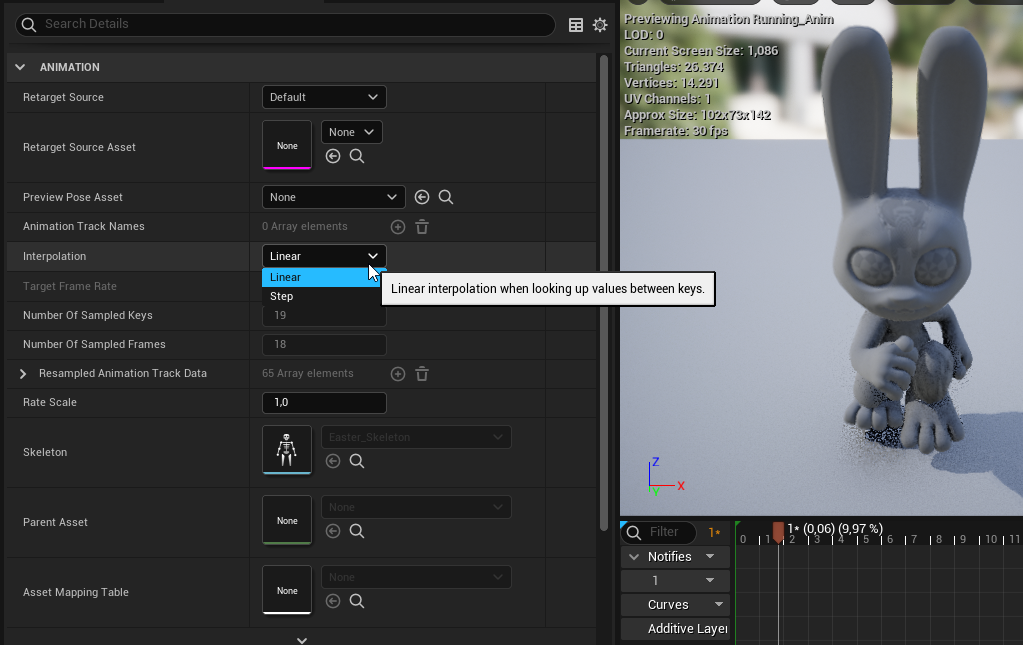
https://www.youtube.com/watch?v=LNidsMesxSE I watched this again, and got curious, if i could maybe cheat by only having animations with 2-6 keyframes each, and just author how the keyframes get interpolated

In this 2014 GDC session, indie developer David Rosen explains how to use simple procedural techniques to achieve interactive and fluid animations using very few key frames, with examples from indie games like Overgrowth, Receiver and Black Shades.
GDC talks cover a range of developmental topics including game design, programming, audio, visual...
covert summit
storm venture
essentially, if you try switching levels and the save prompt pops up, then every...
if your construction script cannot access other world actors when it runs on levels that are not currently open in the editor that are accessible when the construction script runs when the level is open, then it's a bug, but I have a hard time believing that, because if it were true then unreal itself wouldn't even know what actors were in that level in order to run the construction script on them in the first place
again, and forgive me if you understand this, but construction scripts don't run at runtime, so they can only access statically placed actors (the ones in world outliner)
but are we talking about sublevels here as opposed to a level being a world?
storm venture
If you place an instance of MyActor in both Level_1 and Level_2, and you open Level_1 when currently in Level_2 (after saving), then when you compile MyActor (in Level_1), it will run the construction script on a generic version of MyActor along with Level_1's version of MyActor. Level_2's version of MyActor is not touched. This is the normal and intended behaviour in UE4 and UE5.
If you place an instance of MyActor in both Level_1 and Level_2, and you open Level_1 when currently in Level_2 (without saving, so it pops up a prompt and saves for you), then when you compile MyActor (in Level_1), it will run the construction script on a generic version of MyActor along with Level_1's version of MyActor AND Level_2's version of MyActor. This is not the normal and intended behaviour in UE4 and UE5.
storm venture
covert summit
again, and forgive me if you understand this, but construction scripts don't run...
Also, construction scripts do run at runtime

 pulsar finch
I'm getting a failed package (playing through the editor is fine) with the follo...
pulsar finch
pulsar finch
I'm getting a failed package (playing through the editor is fine) with the follo...
Can anyone point me to some good resources for debugging the editor? I've now built the engine via source, but I'm finding that when I run the editor in debug from VS, once it launches I don't seem to have a link to the code any more, though the Editor does show it's in Debug.
This could be very much a noob issue on my side as I don't have much experience with debugging projects like this.
My goal is to trace whatever is causing the package build to fail as the log doesn't provide enough information.
blissful atlas
blissful atlas
Anyone know how to stop this emissive lighting when i go further in viewport?
Emits light *
grim ore
what do you mean by stop emitting light? is the material on that object set to unlit? or is it using the emissive channel on it
plush yew
how do i teleport to a specific cord? i need the action name
 whole abyss
plush yew
how do i teleport to a specific cord? i need the action name
whole abyss
plush yew
how do i teleport to a specific cord? i need the action name
Just change their position
plush yew
 plush yew
whole abyss
Just change their position
plush yew
whole abyss
Just change their position
how to?
pulsar finch
You need a reference to the actor you want to set the location of.
plush yew
pulsar finch
You need a reference to the actor you want to set the location of.
get Player or sum?
this will work i guess
 covert summit
storm venture
Also, construction scripts *do* run at runtime
covert summit
storm venture
Also, construction scripts *do* run at runtime
No, they do not. However, it will run for spawned actors that arent placed statically in the level
I just tested this
I got a construction script print message for my player character (which is spawned) and nothing else
However, when I modify my construction script and recompile, i see the print message in the editor for all of my characters in the level
(this is a common character base class)
The construction script runs at editor time unless the actor is spawned in which case it happens at spawn

An overview of the Blueprints example level, example 1.4: ConstructionScript
plush yew
how can i know the cords of the player?
covert summit
plush yew
how can i know the cords of the player?
GetPlayerCharacter -> GetActorLocation
pulsar finch
plush yew
how can i know the cords of the player?
Get Location from the reference
plush yew
no, i wanna get the specific cords of the block im standing in at the moment
covert summit
we dont know what a "block" is in your game
plush yew
just the cords
pulsar finch
plush yew
no, i wanna get the specific cords of the block im standing in at the moment
Not sure I follow. What Rez said is how you get the location. Unreal doesn't use blocks
covert summit
is it a 2d game, or.... do you mean the 2D location on the ground plane or something?
or do you mean the component of the landscape you are standing on
plush yew
ill explain better
covert summit
or do you mean the world composition cell
plush yew
i want to press a button and see my cords, can i do that?
covert summit
im assuming "cords" means "Coordinates" but yeah im doubtful im correct
plush yew
grim ore
define coords, then you can
i want the x, y and the z, arent they default?
plush yew
covert summit
im assuming "cords" means "Coordinates" but yeah im doubtful im correct
yes
grim ore
X Y Z of WHAT
covert summit
thats the Location
grim ore
W H A T
plush yew
grim ore
X Y Z of **WHAT**
of the player
covert summit
yes
grim ore
they told you how, get the location...
covert summit
GetPlayerCharacter node, connect it to GetActorLocation
grim ore
you said no I want the coords of the block they are on
covert summit
that is literally how you get the X, Y, Z
grim ore
then we went down this stupid rabbit hole
covert summit
@grim ore breathe, lets be nice
pulsar finch
Take the value from the GetActorLocation and put it into the string of the Print String. That will print the current location to string. If you want to be able to do that at any time then you need to hook something like a Press key event into the logic so you can run it during play.
covert summit
^^ yep
plush yew
ok, i thought i can just see the cordinates on the screen. i'll use a custom event and a print action for it. thank you
covert summit
well Print String will render it on the screen
grim ore
during runtime, in the editor, in the blueprint viewport,?
WHERE do you want to see the coordinates
plush yew
grim ore
**WHERE** do you want to see the coordinates
just on the screen. i dont care where
grim ore
also WHEN
plush yew
anytime
covert summit
yeah then Print String will do it for you, it prints in the upper left in blue text
grim ore
then just click on the item and you can see it in the details panel
covert summit
it only works in development, not when your game ships
pulsar finch
plush yew
ok, i thought i can just see the cordinates on the screen. i'll use a custom eve...
It's not a continuous event, it'll just fire once. You could use the Tick event which would spam the results to screen. Not a very graceful solution though.
plush yew
covert summit
it only works in development, not when your game ships
yeah, i just want to see the cords of a soecific place
plush yew
pulsar finch
It's not a continuous event, it'll just fire once. You could use the Tick event ...
i know, event is okay for me
grim ore
click on the item, look at details panel, look at location
covert summit
plush yew
this will work i guess
context

so your ultimate goal is to teleport still or is this different?
grim ore
location of player, magic.

again this is what I meant by rabbit hole, we need a clear definition of what they want in the first place
plush yew
covert summit
so your ultimate goal is to teleport still or is this different?
i want to make a command, that teleports to a specified place, i wanted to get the cords of this place
covert summit
oh ok so you dont want the coordinates of the player, but instead of another actor in your level, so that you can teleport your player there hey?
plush yew
grim ore
now how do you define this "specific place"
this is a place in the map, because of that i need the cords
covert summit
usually folks will make an actor in their level to "mark" where they want to go
that way you dont have to hardcode the coordintes to teleport to
grim ore
define problem, break down problem into clear things, make it work

 pulsar finch
plush yew
i want to make a command, that teleports to a specified place, i wanted to get t...
pulsar finch
plush yew
i want to make a command, that teleports to a specified place, i wanted to get t...
You could put an actor at the location you want to teleport to if it's something known before hand. Then you could place it in the editor and then use GetActorLocation of that and pipe it into the SetActorLocation of the player. Then you can move the object around if you need to change the teleport point.
grim ore
problem is "I want to go somewhere when I press a button". Next step is "where is this somewhere". we are on this step now. how do YOU know where this somewhere is?
covert summit
rare tapir
why unreal do this???
what you dont like pure quality? its a PNG sequence, you can also render to AVI but its quality isnt very good
plush yew
grim ore
problem is "I want to go somewhere when I press a button". Next step is "where...
a specific place on this huge map
 plush yew
pulsar finch
You could put an actor at the location you want to teleport to if it's something...
plush yew
pulsar finch
You could put an actor at the location you want to teleport to if it's something...
im trying, ty
grim ore
ok again.. how do you know where this place is?
plush yew
grim ore
ok again.. how do you know where this place is?
this is what im trying to do
cedar wave
So just any random point?
covert summit
i think what they want is pretty clear at this point
rare tapir
covert summit
what you dont like pure quality? its a PNG sequence, you can also render to AVI ...
it put the camera under the world!!! and its annoying me
grim ore
im asking you as the dev, how are you saying "this is the place I want to go to"
covert summit
rare tapir
it put the camera under the world!!! and its annoying me
oh haha
grim ore
is it something you look at? is it random? is it a coin block?
plush yew
grim ore
is it something you look at? is it random? is it a coin block?
it is the highest place in the map, i want to get it cords and make a teleport command to there
grim ore
drag something into the world from your place actors tab, say a cube
move the cube to that spot, look in your details panel, look at the location. now you have the location. you can put that into your set actor location for your teleport command.
plush yew
grim ore
drag something into the world from your place actors tab, say a cube
got it, thank you
 grim ore
delete your placeholder cube when you are done as well
plush yew
sorry for being rude
grim ore
you can also right click the word location and copy it, then paste it in your set actor location node
you arent being rude, you just need to try and think through the problem if you want help that helps
it just took us a while to figure it out since your actual question was not very clear
plush yew
plush yew
got it, thank you
this worked
covert summit
🎉
plush yew
grim ore
it just took us a while to figure it out since your actual question was not very...
ok, thank you for that
plush yew
covert summit
🎉
: D