#ue4-general
1 messages · Page 1027 of 1
 plush yew
Provided your computer is powerful enough
Yesterday I wanted to use a project in a new version but I give up
Because I get blueprint errors
Hm
My project was for version 4.25
that's the problem
plush yew
plush yew
Because I get blueprint errors
That's beyond my knowledge
So, I will do another one and migrate the terrain
Thanks for the help!
plush yew
plush yew
Because I get blueprint errors
What kind of errors? I believe it’s possible to upgrade/migrate to ue5 or something
Animation, assets
But I never said UE5
4.26?
Yes
Do you still have the errors or did you start a new one?
 sick parcel
basic question, I'm not getting the way objects size is calculated
there is a scale, but objects (meshes, etc) have like their original dimensions, that I can't see in the details panel
so if I want to make a cube to be the same height as another model, how do I go about it?
plush yew
plush yew
Do you still have the errors or did you start a new one?
I have the errors
 odd geode
Hello!
Looking to see if anyone could help out with something possibly basic. I just started using Unreal Engine the other day, but do have experience with programming in general.
Question: While using "Move Component To" in the way of a coin toss motion, it seems that the rotation is acting up. When trying a 360 degree flip, it works the first time, but then only flips to 180 and back down to 0 degrees concurrently. Is there anyone who knows if there are any constraints that is the cause of this?
Version: UEv4.26.2
Attachment: Blueprint flow for the coin toss, as an actor component. It takes the inputs for how high to flip, how many flips, and how fast it will do the motion.
Appreciate any and all help, especially since I am still learning!

Here is a gif of the action happening: https://i.gyazo.com/067304b3a747486bda168e7065d0c4dc.mp4
plush yew
odd geode
Hello!
Looking to see if anyone could help out with something possibly basic. I...
spagget
 drowsy snow
odd geode
Hello!
Looking to see if anyone could help out with something possibly basic. I...
drowsy snow
odd geode
Hello!
Looking to see if anyone could help out with something possibly basic. I...
Try enabling "Force Shortest Rotation Path"
Rotators in UE have gimbal locks, where an axis would wrap around from 180 to -180. This is fine for hard-setting the rotation, preventing floating point errors, but can be issue with interpolations.
odd geode
Oh, I thought that forcing shortest path would cause it to not move if I have 0 degrees go to 360 degrees for example
 mild phoenix
Hello everyone who know what's going here?
plush yew
fix your spaghetti code, itll help you in the long run when you start getting more complex

 drowsy snow
odd geode
Oh, I thought that forcing shortest path would cause it to not move if I have 0 ...
drowsy snow
odd geode
Oh, I thought that forcing shortest path would cause it to not move if I have 0 ...
Shortest Path in rotation interps means that it's rotating with quaternion interpolation (so to speak), so that when it wraps around, the motion won't going around.
drowsy snow
mild phoenix
I package my game for android
odd geode
drowsy snow
Shortest Path in rotation interps means that it's rotating with quaternion inter...
Yeah, that caused it to flip half up, flip half down always
 grave pollen
Anyone have any resources on free/cheap books for ue4/blueprints/cpp?
I’m trying this new weird concept called reading
drowsy snow
grave pollen
Anyone have any resources on free/cheap books for ue4/blueprints/cpp?
Try look for it in bookstores.
Unreal Engine updates more frequently than many other DCC software contemporaries, so web articles are more preferred.
drowsy snow
grave pollen
I’m trying this new weird concept called reading
I don't know but there's this buzz about web article or something.
 steady hull
So circled in blue is a separate cube with the material from quixel. Notice how it has a reflectiveness. Outside of the blue box (which is also currently selected) is a custom landscape material i made using the same textures from quixel. I can't seem to figure out how to get the reflectiveness quality to come up with the custom landscape material. Anyone have any ideas?

 woeful dawn
Does anyone have an example or a resource of any kind on how I can completely separate my client and server as two build targets and communicate using something like ENet? I want to bypass Unreal's replication stuff entirely to experiment with a much larger number of players in a slow-paced game
 ashen frost
wish i could help 
drowsy snow
 vagrant hornet
When I rotate the sun below the terrain how do I make stars appear?
vagrant hornet
When I rotate the sun below the terrain how do I make stars appear?
With Sky Atmo's material nodes, you use them in your skydome material.
 granite spire
@whole abyss ahh yeah
 spare kernel
Not really unreal related at all. Maybe ask in a unity discord server.
If you want to discuss doing this inside Unreal Engine, then sure, ask.
could always use #lounge @grave kettle
 grave kettle
ok thanks
 winter rain
What causes a child actor blueprint class to override a parent function?
 soft tree
winter rain
What causes a child actor blueprint class to override a parent function?
soft tree
winter rain
What causes a child actor blueprint class to override a parent function?
just calling the function will override it. if you don't want to override it, call the parent function first (Right click the function > Add Call To Parent Function)
odd geode
plush yew
fix your spaghetti code, itll help you in the long run when you start getting mo...
Like this?
 winter rain
soft tree
just calling the function will override it. if you don't want to override it, ca...
winter rain
soft tree
just calling the function will override it. if you don't want to override it, ca...
Okay, thanks
soft tree
odd geode
Like this?
That looks neat!
you could clean it up and make it easier on yourself if you turn all of those into a function, and save the variables coming from the event as local variables
then you can just simply grab the node each time you need it, instead of those branched wires
soft tree
what do you mean cant?
 elder viper
Hi All! I am having trouble with UE5 projects showing up in the Unreal Launcher library. I created a new project but its not visible in the library so I can't add any other addon's to it
odd geode
@plush yew what else would you do? I cant break it down into functions due to the Move to Component
plush yew
for such a short bp it works okay, but id make the floats into variables
wich also makes it easier to change them later on
you dont really want node highways lol
basically what @soft tree said! lol I didnt see that my bad
odd geode
I guess that goes according to preference... I think in a coding perspective, as initializing a new variable in a method/constructor just to store the input variable is sloppy. In this case the code makes most sense to me as I read it as if I am doing a method call of FlipIt for the object.
plush yew
its cause you have like 4 nodes in that bp
once you have like 30 40 nodes for one function and have wires running everywhere youll be crying lol
odd geode
I wonder what they do on backend for the C++ generation 🤔 if that local variable created is not actually created and it just references the input var
plush yew
also making speed height and flips into variables makes it so much easier to change them cause you can create other function to SET those variables
and just call upon that variable instead of running wires from it
odd geode
Imagine this as a method call, the inputs are what its supposed to do, its just an action
If I needed to change speed or whatever else, I'd do it on that actor level
and create vars there
before calling to flip it
plush yew
sure man, if you end up having a blueprint looking like this

cause you dont wanna make variables
we warned you lol
odd geode
I consider that sloppy because what that does is create a giant class and not have reusable code
soft tree
odd geode
I wonder what they do on backend for the C++ generation 🤔 if that local variabl...
odd geode
soft tree
<https://www.youtube.com/watch?v=VMZftEVDuCE&t> 🙂
tyty 🙂
I've been having an issue with UE not pulling up the visual c++
would make my life a bit easier if it let me, rather then have to hunt in the directories
soft tree
I believe if you start your project off as a BP only project, it doesn't open the C++ classes
soft tree
odd geode
I've been having an issue with UE not pulling up the visual c++
If you do begin the project however as a C++ proj, then it does seem to bring them up. I haven't really converted a BP into a C++ proj before, but it may be as simple as just creating a C++ file in your project. I believe that creates the necesary generated VS files which will allow you to then open the engine provided C++ classes
drowsy snow
soft tree
I believe if you start your project off as a BP only project, it doesn't open th...
You can create C++ classes from a BP project, and in turn converting it to c++ project.
soft tree
oh cool, then it is just as simple as I described?
odd geode
Cool, though blueprints are a nice visual, but seems to take more time in some areas for me D:
soft tree
odd geode
Cool, though blueprints are a nice visual, but seems to take more time in some a...
I usually prototype in blueprints, and then move what makes sense into C++
odd geode
Yeah, I figure once I get into rest calls for db info is where that will matter
soft tree
prototyping is way quicker in BP with it's instant compile time, and you can properly debug
 brittle berry
Guys I am beginner to Unreal engine what should i prefer blueprints or c++
plush yew
do you know c++?
brittle berry
No I don't know c++
odd geode
Blueprints are in the aspect of high level design, C++ is low level, for people that do not know much about coding, it is stated you should start with blue prints and will be able to migrate pretty easily.
If you want to know more, look at @soft tree provided link: https://www.youtube.com/watch?v=VMZftEVDuCE
It's not an either/or decision. Learn what makes C++ and Blueprints different, what they have in common, and how to use them together effectively. We'll also learn a thing or two about performance optimization and some basic software design concepts.
Read the article version: http://awforsythe.com/unreal/blueprints_vs_cpp/
00:00 - Introduction...
brittle berry
Oh thank you soo much
soft tree
General consensous seems to be: even if you're comfortable in programming, you probably want to start off with BP so you can get a handle of everything that is available, and get a general understanding of how to couple systems together.
If you've never programmed before, I'd personally HIGHLY suggest they don't even attempt C++ until they are fairly comfortable with BPs
but I'm no expert so don't take my word for it :). I'm still learning unreal as much as the next guy in here.
odd geode
I definitely agree with that, because I am actually a Software Engineer for business applications, and working in a physics engine is an entirely different beast 😛
Working with BPs are definitely helping paint a picture for me, but this is just day 2 of me starting
soft tree
EE here with plenty of experience in programming. started off with Unreal++ (C++ but really, let's be honest.. its Unreal++ 🤣 ) and was stumped and lost.
Spent a lot of time with BPs and got way more comfortable
odd geode
Electrical? Cool stuff, spent the first half of my life with Electrical
soft tree
i should clarify. EE background but not a fully qualified EE. more like jr EE
and bored af in the field. Would much rather do game dev 🙂
odd geode
Ah gotchya, was an Electrician growing up, joined the military and was a nuclear engineer, then decided I wanted to do something more warm and went for software
soft tree
oh dang. impressive.
odd geode
Game Dev is what I originally wanted to do, but I don't think it would be as fulfilling as making one's own
What company would you like to work for? or are you speaking of your own game?
soft tree
Yeah. just looking to do indie dev for the most part
I've been playing around with game dev for a few years, and now just settling down for the first "real" project
soft tree
odd geode
What company would you like to work for? or are you speaking of your own game?
@'d you in #lounge since convo's prob more appropriate there
 quiet token
how to finish spacegame im work on it almost 3 year now
drowsy snow
quiet token
how to finish spacegame im work on it almost 3 year now
Don't ask the server, ask your own planning and design document

quiet token
lmao ive been winging it this whole time
soft tree
quiet token
lmao ive been winging it this whole time
Let's see some gameplay 😄
 dreamy zenith
is there a way to attach a part of a mesh to the bone so it goes with the animation?
 light thunder
Does it matter if these wheels are like this in the physics asset?
 plush yew
I'm trying to open 4.26 project in UE5
But I get blueprint errors
😦
Who can help me with that?
It says that project shoudn't be more than 20 characters
Is that the reason? I will rename the folder.
Errors in first person character

What's wrong?
vagrant hornet
Can I easily convert a project written in blueprints to C++? Or do I have to remake the entire thing?
quiet token
playslotanimation must have been renamed to something else
quiet token
yes the red means the function doesnt exist
vagrant hornet
https://allarsblog.com/2015/11/05/converting-bp-project-to-cpp/
Would this convert the blueprint code?
Allar's Blog
This document covers how to convert a Blueprint Only project to a C++ project without writing any C++ code using Windows. This isn't intended to fold down your Blueprint Logic to C++, it is meant only to wrap your Blueprint Project with a C++ project. Some plugins and engine features
quiet token
epic must have renamed it in ue5
quiet token
we must find out what play slot animation has been renamed or updated to
plush yew
Alright, thanks
quiet token
that too its prob just a saved hash mismatch, right click the node and press refresh
plush yew
But do you think is a problem if name project has more than 20 characters?
I renamed it to a short name
drowsy snow
vagrant hornet
Can I easily convert a project written in blueprints to C++? Or do I have to rem...
You have to manually translate BP logic to C++ script.
There's a reason why Epic ditched Nativisation in UE5.
drowsy snow
vagrant hornet
https://allarsblog.com/2015/11/05/converting-bp-project-to-cpp/
Would this conv...
And as the description says, no, it's not converting BP logic to C++. It's only converting BP only project to C++ enabled one.
plush yew
any better way to get variables out of break hit results?
I mean, the first person character is not even working
Should I recreate it? @plush yew
How do I open the error console?
I don't see it now
quiet token
PlaySlotAnimationAsDynamicMontage look for that
its changed to that in ur5
dang i see it
what is gunAnimationBP ?
i would just try putting a new PlayslotAnimation node down
plush yew
I refreshed nodes
What should I do now?
Oh
My project is working now!
I just removed the animations
I will just add new one
Thanks for the help!
 neat shale
hey guys do you think i should use this vehicle system for the physics in my game

Unreal Engine
System for quickly building multiplayer ready physics based vehicles
or this system for the destruction and details

Unreal Engine
GTA style Advanced driveable car system including car improved physics, damage and deformation, drift sound and marks, enter/exit animations, surface detection and much more!
 teal badger
I hope this question belongs here
I have tons of assets in some directories. I want to delete them, but some are referenced elsewhere. This I know because the engine warns me about it. However, there's no option to tell it "don't delete those". No way to "uncheck" or remove them from the "to be deleted" list.
I've seen this and similar questions posted around. What's the solution to this problem?
 fierce tulip
there is a cheap marketplace pack that can show unused assets for easy removal. (though even with that I would rather back-up first)
teal badger
Mmmh. Sounds like a missing feature. Thanks for the quick answer!
 exotic thicket
 hidden sparrow
Hey, I have and editable text box that needs a password. How do I make it check if the password is correct when the player hits ENTER on his keyboard? When I make a Enter Pressed node it works only when the player clicks his mouse out of the text bar.
 silent sentinel
Hello, my name is Itai,
I wanted to ask if there is a list of all the indie games developed at unreal?
I am currently conducting research about some games and a list of indie games made in unreal or indie company that are developing in unreal will help a lot.
fierce tulip
did you google? because there are quite a few lists
fierce tulip
try "list of unreal indie games"
silent sentinel
It only shows games in unreal but not indie
fierce tulip
https://en.wikipedia.org/wiki/List_of_Unreal_Engine_games
contains AAA as well as indies, though its incomplete.
https://www.indiedb.com/engines/unreal-engine-4/games contains all indie games that where submitted to indiedb, but is incomplete and a lot are abandoned
This is a list of notable games using a version of the Unreal Engine.
though with so many users, there will probably never be a complete list
silent sentinel
fierce tulip
though with so many users, there will probably never be a complete list
thank you
teal badger
teal badger
Mmmh. Sounds like a missing feature. Thanks for the quick answer!
If someone is interested in an alternative answer: I basically tracked the references whenever I was deleting something that was being used in the level of interest. So it's basically trial and error hitting "cancel" on the delete dialog window, then selecting/unselecting holding Ctrl to add/remove from the "delete list".
It's a pain in the ass, though
hidden sparrow
Wow it works thank you so much
odd geode
@soft tree yep, sorry about that, just stepped away for some food and whatnot... as for me with unreal, too many ideas, just need to focus on one 😛
 idle mantle
hello please is there a lot of difference between ue4 and ue5?
for learning UE, u4 is better?
Thanks, Ue4 then
 grim ore
@idle mantlelearn ue4, learn how it works and get comfortable with it, then read the notes when ue5 comes out on how to migrate to it, then use 5.
 grave osprey
@grim ore is there a tips to optimize code ?
grim ore
uh... probably?
drowsy snow
grave osprey
<@218779540359479297> is there a tips to optimize code ?
Use stat commands, don't abuse event ticks, use event timers if you can
grim ore
^^ generally profile your code, thats how you learn what needs to be optimized
hidden sparrow
Hey I was just wondering, is there a way to do that with other keys? For example with the F3 key. It doesnt work when I am typing in the textbox.
 grave wigeon
wtf this is so weird, i just looked at a blueprint and actually understood what and how its doing.
thought this day would never come
 prime willow
@grim ore where can i learn about profiling my code o-o
 gloomy stratus
uhm.. i'm not sure where to ask for help regarding this issue, I feel incredibly stupid but I cannot for the life of me figure out how the levels work in unreal.. every time I make a new level, whatever I add to it shows up in my other level. how do I fix this?

also maybe it's worth mentioning when I hit play the contents from the other level don't show up
grim ore
go to window -> levels and see what is in that window
gloomy stratus
 gloomy stratus
that is main level
grim ore
ok so where do you want the items to be loaded into, and any reason for using level streaming?
gloomy stratus
i wasn't even aware that I was using level streaming
grim ore
it looks like you are based on that, you have a main level then your dungeon level is a sub level in it
gloomy stratus
oh I see, how do I make it its own level?
grim ore
which one? the main level or the dungeon level
gloomy stratus
I want them both to be separate, and they'll be accessible through blueprints later on
grim ore
right click on the dungeon level and remove selected
gloomy stratus
is it going to remove the level entirely?
grim ore
it will remove it as a sub level
if you need to move items into it that you put in the other level, you should move them first
gloomy stratus
okay sweet thank you
i wish it was a bit more clear but maybe i just didn't understand it
when I created the level it automatically did that, weird
but nvm thank you!!
grim ore
well if you just loaded up levels then it should never have done that
i dont think it can do it by itself
 merry gazelle
I know the source control method, I was wondering if making copies of a project is also a valid way to backup?
 covert summit
no inside unreal today?
light thunder
What's a quick and dirty way to animate that texture there?

I can make those faces a new element in blender just need a quick material function
 tall mountain
Testing Iphone 12 with NDI HX wireless to unreal
covert summit
light thunder
What's a quick and dirty way to animate that texture there?
you could use the Time function in the material to change the texture offset over time
covert summit
tall mountain
Testing Iphone 12 with NDI HX wireless to unreal
nice to see NDI being useful in more than just broadcast 😄
going to do a virtual performance type thing?
light thunder
covert summit
you could use the Time function in the material to change the texture offset ove...
If I know the area of the texture UV wise, how would I single that area out?
 quiet raft
uͤ
 primal oasis
Excuse my ignorance but hopefully have a simple question - I am displaying a photograph in an image in a widget. But I need the photo to change after an event. What type of variable do I use to store a photo for use as an image in a widget?? Is Texture2D appropriate? I’m having problems with it and wondering if something else is a wiser choice as a variable type?
Any advice is welcome
 torn summit
primal oasis
Excuse my ignorance but hopefully have a simple question - I am displaying a pho...
torn summit
primal oasis
Excuse my ignorance but hopefully have a simple question - I am displaying a pho...
As i am Understand it correctly , try to make 2 Pictures and work with Visibility , this is the best choice i use always ,too
primal oasis
torn summit
As i am Understand it correctly , try to make 2 Pictures and work with Visibili...
I need one of the pictures to be stored in a variable because it’s going to be selected from a group of photos stored in a data table. I just need to make sure I’m storing the photos as an appropriate variable type
Texture2D is what I use for icons etc but I’m not sure it’s right for photos etc too
And I am often getting the “power of 2” error with the photos used because photos typically don’t conform to an aspect ratio that uses numbers that fit power of 2
primal oasis
Does power of 2 apply universally then?
covert summit
not sure there's a better asset type for non power of two textures
primal oasis
Sure, thanks
Photos typically don’t use an aspect ratio that fits power of 2 numbers
covert summit

Unreal Engine Forums
On mobile the textures do not display at all. Well that is what happened to me when using non power of two. I had to then make it power of two with some blank areas to accommodate i.
 primal oasis
So they’re gonna have to either be cropped weirdly or have white space added I guess
covert summit
are you sure its not a warning
primal oasis
On iOS it’s just replacing the photos with a power of 2 error msg
But only ones loaded in using a variable
covert summit
ah well that forum post hit it on the head
primal oasis
If I just add it manually to the widget it’s fine
covert summit
i would venture a guess that its the limitations of OpenGL ES
covert summit
oh here we go
primal oasis
Yeah that forum post is the same scenario
covert summit
@primal oasis
This is badly documented, however for UI you can make non-power of two textures work on iOS by setting texture’s compression to UserInterface2D
-- https://forums.unrealengine.com/t/using-non-power-of-2-image-sizes-for-umg-widgets-on-mobile-ios/127482/2

Unreal Engine Forums
Digging a bit deeper I see that I can create materials from my padded textures and set the UV coordinates to crop the padding, but this seems like a lot of extra work for what should be a simple thing. And elsewhere I see recommendations to not use materials for UMG widgets. Update: It seems I can use TexturePacker to create a sprite sheet tha...
so there ya go
 sinful whale
Interesting question - why can I make a C++ class that's a child of USceneComponent and I can make a Blueprint class that's a child of USceneComponent but I can't make a Blueprint class that's the child of a C++ class that's a child of USceneComponent?
covert summit
@sinful whale definitely wouldnt expect that limitation
yet ive run into other bizarre limitations on blueprint classes myself
are you sure you have annotated the UCLASS correctly in C++ though?
primal oasis
covert summit
<@!736510439533576284>
> This is badly documented, however for UI you can make ...
This looks promising!! Some options to try. Thanks!
sinful whale
I'm not 100% sure I've done that, but I also have just taken the auto-generated C++ and tried this so I haven't even touched the UCLASS annotation that was given to me
covert summit
eh im not sure there is a specific annotation needed, just that it is, infact, a UCLASS
sinful whale
Well that it definitely is
covert summit
@sinful whale if the UCLASS was compiled while you are in the editor its possible hot reload failed
sinful whale
To be honest I'm not sure if subclassing SceneComponents is the right thing to do here because it's been really difficult to understand, really, the correct use cases for Actors vs Components
covert summit
in which case restarting the editor may make it show up
or, as in my case, when i compile my C++, the editor helpfully crashes during hot reload, ensuring that i always have the latest up to date version when it comes back!!
covert summit
bummer
sinful whale
Tried compiling and rebuilding the project as well
This gives me the vibe that I'm doing something that most people don't do or shouldn't do
covert summit
well i mean if you have it built, then surely you can add the C++ scene component to a blueprint itself right?
if that works, then yeah its in the editor
sinful whale
Oh yes, that works just fine
But from what I've seen there's a strong paradigm of components having both a C++ segment for hard logic and a Blueprint segment for scripting and higher-level interactions
covert summit
ehh
as a programmer of 20 years, who is seasoned in C++ and many other languages, i prefer blueprint and i have yet to hear a good reason for why to use c++ over blueprint with only two exceptions: performance and "im used to it already"
performance is all fine and dandy, but more often then not blueprint (which is compiled to C++) will be OK
sinful whale
Honestly, as someone in the same boat, I'm quite impressed by Blueprint
covert summit
as for "im used to it", more power to ya
sinful whale
For a lot of stuff I don't see why I wouldn't use it, but I do feel a little bit silly doing loops and math and other more basic programming things with giant blocks 😦
covert summit
yeah i have managed to write 90% of my project in blueprint, proudly
there is C++, as i started from actionrpg, and sometimes you just have to even if it makes no sense
in those cases i try to punt to blueprint as much as i can, and only change it out when the perf is an issue
sinful whale
I'm doing a pretty basic 2D project so I don't think I'm going to be anywhere near any perf issues
covert summit
if you strive to be event-driven and not just use tick all the time, and especially you avoid casts during your per-tick blueprints, you can go very far
but i did have another idea
sinful whale
I should be just about entirely event-driven as well
covert summit
what if you make a SceneComponent BP and then use Class Settings -> Parent Class to reparent to the C++ base class?
maybe?
if that works, then the base class not showing up in New Blueprint is a bug for sure
primal oasis
covert summit
if you strive to be event-driven and not just use tick all the time, and especia...
Is casting particularly expensive then?
covert summit
@primal oasis so i have a very "systems heavy" project, where there is one BP base class for all characters, which has patrol logic, sense logic, etc. player characters are just that base character class as well (subclassed to add specific meshes and anim BPs etc). i have towns in my game that have hundreds of characters
i made the mistake of handling a lot of that patrol stuff per tick (still working my way out of that)
primal oasis
Ah I see
covert summit
i also had a bp lib that had a Get Game Mode BP and Get Game Instance BP (pretty sure i inherited these from ActionRPG from Epic ironically) which does Get Game Mode -> Cast to GameModeBP
my towns with hundreds of characters were getting 15fps on my Skylake i7-7700/GTX 1080Ti
primal oasis
What’s your target platform?
covert summit
the only change i did was to eliminate the "on demand fetch and cast" and replace with storing a casted reference to the Game Mode / Game Instance / Player Character / Player COntroller
bam, 60fps
i found out via profiling that each cast costs 0.009ms
primal oasis
That sounds smart
covert summit
primal oasis
What’s your target platform?
PC
sinful whale
covert summit
if that works, then the base class not showing up in New Blueprint is a bug for ...
Hmm doesn't work but I found something kind of interesting re: registering...https://forums.unrealengine.com/t/proper-use-of-uscenecomponents-and-registercomponent/29235
Unreal Engine Forums
Problem I’ve created a custom class inheriting from USceneComponent. When I use it, I need to call RegisterComponent on it after I create it with CreateDefaultSubobject. If I don’t, it doesn’t work properly when viewing it in the Blueprint Editor Viewport. The viewport just shows a blank gray screen, no grid, no components, nothing. But it does...
I'm going to investigate a bit more
I'm done with my paid software work for the day, time to do some unpaid work 😛
covert summit
same boat as me my friend 🙂
primal oasis
Is any guide available for profiling to get that kind of granular perf info btw?
covert summit
addicted to learning unreal
Yes! There are a few great guides in Inside Unreal playlist on the Unreal Engine youtube
let me see if i can fish some out
i have watched almost all of Inside Unreal, highly recommend
https://www.youtube.com/results?search_query=inside+unreal+profiler
the Unreal Insights stuff is useful, I think I either used that or the older profiler
sinful whale
This project has been a long time going, but hey I've learned a whole ton of things
covert summit
i found it with Window -> Developer Tools -> Session Frontend -> Profiler
sinful whale
Interesting so I cannot make a Blueprint that is parented by ANY child of USceneComponent even the ones that are already part of the engine
covert summit
Might I ask what the goal is though? what's going into this scene component?
sinful whale
Except the Blueprint class I already made that's a child of USceneComponent
Super weird, there's a pretty firm wall here
So basically I have a card game with 4 players. Each player has a hand and a discard pile and there are graphics to display each of those things. I'd like to make my graphical component that does that once and place four of them on the screen in four different positions in 4 different orientations
Given that the logic for all the state changes (draw/discard/etc) and animations will be the same for each of them, it's just a matter of putting them on the screen
covert summit
and the Scenecomponent would live on which actor?
sinful whale
I imagined I could have a single Actor representing the whole playfield to control them all - then each hand is a SceneComponent and then the hands have a bunch of PaperSpriteComponents as their children (so they're transformed in relative space)
It is entirely possible that I am not understanding how to utilize these constructs correctly because the docs are SUPER vague about what should REALLY be used for what
covert summit
simpler option would just be to have each player be an actor though
would be better encapsulation of the logic
also would easily let you scale to 5 players
sinful whale
Heh scaling to 5 will never happen due to the rules of the game, but I can definitely see how doing each player as an Actor would work just fine
covert summit
yeah the docs are very vague about what the right delineations are
i think its mainly because there are no agreed upon delineations
lol
sinful whale
TBH it's probably because this engine has been developed for YEARS and the lines have moved a lot and been made super blurry by people who tried/needed to push them at times
As always happens with long-term/large-scale projects
covert summit
oh yes absolutely, if a licensee needs something, or epic needs something, or a licensee upstreams stuff that epics ok with etc
lots of hands
covert summit
and look at where it's gone, thanks todd howard!
😛
still cant climb ladders though
reddit
41 votes and 22 comments so far on Reddit
anyway, i definitely dont think you would need to go C++ for perf for a card game, and also doing a more straightforward implementation with multiple actors that each have their own scene components should be easier and faster to implement and net the same result, unless you are doing some crazy stuff 🙂
sinful whale
I am really trying to avoid crazy stuff
TBH I wrote all this already in Pixi.JS (which is a lot simpler and 2D only) so I know it's not a huge deal
But trying to get a good handle on all the paradigms involved has left me more worried than I should be about painting myself into a corner
covert summit
oh it's programming like anything else
anything can be refactored :-)
though I have legitimately spent days doing the refactors, all with very tedious work
I used to have different base classes for different kinds of characters (something I inherited from actionrpg btw)
so I had PlayerCharacter, EnemyCharacter, NPC
but this is a terrible idea for a big systems based game
so when I decided that it was the wrong path I had to meticulously collapse all the behaviors down into one base Character class
the payoff was amazing, because now I can possess any character in the game, and all of the games systems work the same
enemy, NPC, player character, party member whatever
that allowed me to build a gameplay inspection in angular/nodejs with a web socket plugin, so now I can see all characters and their stats, status etc and possess them, kill them, etc. it has been instrumental in development
can play as the cow in the field if you want
covert summit
very useful for debugging issues with the patrol system, as the characters have full day night schedules
sinful whale
I was able to get huge functionality improvements out of rewriting my game server (Typescript -> Rust). Perf increase from the language change, which was nice, but mostly just...doing it again with a better picture of what I wanted
covert summit
sinful whale
They say you write everything three times
yep, grateful to have the chance to
i have rust on my to-do to get into, but I love typescript too much and have got good at milking perf out of nodejs
sinful whale
I adore TypeScript, was lucky enough to work somewhere that was really big into it (because, interestingly enough, they were REALLY big into C++ and felt TypeScript kinda "fixed" JS for them)
covert summit
it does fix JS honestly
when i run into a package on github written in plain old JS it bothers me
if i need to use it and they arent maintaining it, i fork it and refactor to TS 🙂
sinful whale
When it comes to servers, tho, I've taken a strong liking to Rust - I've been working with it for a few years now so I'm comfortable with it and I can write code that is INSANELY reliable. Being able to pinpoint every possible crash and be assured of no memory leaks is a godsend....dynamic languages can have trouble with that
covert summit
comes down to perf mainly -- if you need to soak every instruction out of as few servers as possible, then a systems language will win, and you dont have the GC randomly interspersing "zone outs" every so often
the kind of memory leaks you can get in GC'ed languages are the same you can get in rust ironically, the ones where you keep a reference
though rust will force you to decide that you are sharing that reference
and then shame you for it 🙂
sinful whale
Hahahah quite aggressively
covert summit
anyone else with general Qs feel free to jump in, dont let our banter stop you 🙂
sinful whale
LOL yeah just tech babble 🙂
covert summit
but yeah in my case it took me about a year to really get comfortable with UE and gamedev, and every step of the way i was doubtful that i could actually do what i wanted
then i put it down for six months, and during the pandemic i booted up the project i had and said "damn this is pretty good" and got hooked in, learning everything i can, tackling every feature that i wanted
huge ups to Inside Unreal, without victor and the folks at epic doing those live streams I don't think I would've hit the point where "i think i can do this for real" was a reality
sinful whale
I've been working on this overall project off and on for several years
I'm finally at the point where building a client is something worth doing
covert summit
so have you considered just using replication here though?
the server can be unreal too
sinful whale
I think that ends up being really wasteful TBH
covert summit
you might be right for something logically serializable like a card game
sinful whale
I have a very small amount of state data that needs replicating and some really basic events to send back and forth
covert summit
plus you could imagine having different clients
sinful whale
I think Unreal server would end up being overkill for that
Yeah multiple clients are a strong possibility
 vale flare
Does anyone know how to use the same clothing data for multiple LODs on a single clothing asset?
covert summit
vale flare
Does anyone know how to use the same clothing data for multiple LODs on a single...
clothing being static meshes with APEX cloth?
vale flare
skeletal meshes with the Nvidia cloth solver i believe
i think it's newer than the APEX cloth
might still be apex but a different solver for it, i'm not sure, not too used to it
covert summit
that would make sense, i know little about this, just that APEX is/was the way to do cloth- what "clothing data" needs to be provided? things like stiffness or so to inform the solver?
vale flare
well so, yeah it's basically just parameters for how to cloth physically functions in reference to movement or other forces
but since i need to have LODs for my clothing, because otherwise it would impact performance too much, i need to replicate the clothing settings for it
covert summit
kind of surprised there's not a "#meshes", indeed also surprised theres not "#lighting" but ill be sure to bring it to #server-feedback at some point
vale flare
alright i'll try to fiddle with it some more and post there if i can't get it, if anyone else knows anything i'd appreciate any help
covert summit
vale flare
alright i'll try to fiddle with it some more and post there if i can't get it, i...
but in any case, i would guess that whatever DCC package you are using, you have to export the cloth information per LOD that you export. If you don't want to explicitly do the LOD in the DCC package, you can use LOD groups / automated LOD within the editor (which is amazing) and im sure that handles scaling the cloth data for you, but your mileage may vary because its an algorithm [you may be surprised what it can do]
 arctic drum
For the longest time I was using Unreal version 4.21 just cause thats what all my old projects were built on. Recently I moved up to 4.26 to try ray tracing since I have an rtx 2060, but now the engine takes about 8 minutes to load and sometimes when saving or adjusting materials I get "GPU Crashed or D3D Device Removed". Anyone know why these things might be happening on newer versions of UE4?
covert summit
@arctic drum what CPU do you have?
drowsy snow
covert summit
kind of surprised there's not a "#meshes", indeed also surprised theres not "#li...
Meshes and Lighting belongs to #graphics
covert summit
drowsy snow
Meshes and Lighting belongs to <#221799195806400512>
great, i guessed correct then 🙂
arctic drum
Intel i7 9750h @covert summit
covert summit
ok its not skylake, so its not my specific issue, but I had "d3d device removed" when the graphics driver crashed
and it crashed for me, because AVX512 instructions are bugged on Skylake CPUs
you are on Coffee Lake, so it shouldnt be the same issue (though a related one could exist)
It was one of many issues I faced that were solved with a BIOS update which enabled the Intel microcode update to work
you can check Windows Event Viewer to see if your driver crashed and was automatically restarted
it is crazy how often that happens on it's own without you knowing
arctic drum
where can I find windows event viewer
do I need to install this or is this on the control panel somewhere?
arctic drum
nope
covert summit
i dont have an example of what you would expect to see if your graphics driver crashed
arctic drum
cant find it
covert summit
oh, just "event viewer" sorry 🙂
arctic drum
ak ok thanks
covert summit
 arctic drum
where do I go to see if it crashed or not?
covert summit
this is a bit outside the scope here, so you should do some googling, but the left has categories of events that windows records (things like System, Applications etc), and when you choose one you can see all the events recorded for your system. Look through the categories and take a look at the red error messages that show up. You should see something related to NVIDIA in one of the categories (probably System but don't assume so) if the driver crashed
check what it says, often it says "the device driver for device MY GPU was restarted"
drowsy snow
arctic drum
For the longest time I was using Unreal version 4.21 just cause thats what all m...
Try using older drivers.
Also, DX12 in UE4 is prone to crashing, for whatever reason.
arctic drum
would updating the BIOS possibly fix these issues?
covert summit
oh yeah if there's a control to tell the editor itself to use DX11 (i think there is) you can try that
covert summit
arctic drum
would updating the BIOS possibly fix these issues?
only update your bios if you have a good expectation that this is the cause
drowsy snow
covert summit
oh yeah if there's a control to tell the editor itself to use DX11 (i think ther...
just use the arg -dx11 when running UE4Editor.exe
covert summit
its error prone, and if you are not careful, you can brick your machine, and sometimes there is no way to recover, though most modern motherboards provide a way
arctic drum
ok, how would I know? I think I tried updating my computer's bios when I was like 12 years old and it somehow f*cked my hardrive up
arctic drum
covert summit
its error prone, and if you are not careful, you can brick your machine, and som...
yeah
drowsy snow
arctic drum
ok, how would I know? I think I tried updating my computer's bios when I was lik...
As I said earlier, just try downgrading your GPU driver.
drowsy snow
BIOS has nothing to do with this.
arctic drum
drowsy snow
As I said earlier, just try downgrading your GPU driver.
alright, ill also first try dx11 cause that fix makes the most sense.
I had to update my drivers for VR.
covert summit
normally its fine to use the newest drivers but when problems occur and it looks like the drivers are crashing, its a good troubleshooting step
im on game ready for 3080 Ti
everything's fine
arctic drum
cool cool
arctic drum
drowsy snow
just use the arg `-dx11` when running `UE4Editor.exe`
Does there have to be quotations when I put in the -dx11 command into the target thing in ue properties?
arctic drum
kk
Damn I used the dx11 command and my project opened up in under a minute
I was waiting like 5-10 minutes previously
Any lag spikes I was getting were gone, Ill report back if it crashes again. Kinda weird that dx12 was so unstable and is the default setting especially if they're done updating UE4 now that UE5 is out.
arctic drum
yep, thanks @covert summit and @drowsy snow for the help!
covert summit
I can't imagine there aren't others in here with rtx 2060 who are in dx12 just fine
yeah maybe they just broke the latest drivers though
arctic drum
yeah, for total context im using an omen laptop with rtx 2060, i7 9750h, 16 gb ram, and 500 gb ssd with 2tb hdd though both have under 100 gbs left. Also the 2060 might be a mobile version rather than the full rtx 2060.
covert summit
yeah actually that could be it
I'd say that's almost definitely it, most users of unreal being on desktop, maybe not finding the driver bug
arctic drum
?
ah
Yeah also me not knowing whether I have a mobile version or not might be an issue cause I know they have slightly different drivers but for some reason my control panel and device manager doesn't tell me if its mobile or not. Just calls it an RTX 2060. So I assume they somehow got to fit the entire card in here or why else would they not say that.
I might try the mobile version of the driver just for kicks to see if that solves anything big or small
though might just break stuff, we'll see.
covert summit
but yeah for future reference for all (I've seen reports of this around), "direct3d device lost" means the device provider (the driver) ended the directx device session unexpectedly, which is a gfx driver crash
the Nvidia drivers are universal for the most part
arctic drum
hm, that doesn't sound normal. Yeah if issue persists next i'll install an earlier version. Then after that try mobile drivers.
covert summit
if you choose the wrong entry in the driver download wizard webpage, you will know because it will tell you
arctic drum
ah good to know, then the normal rtx drivers must be fine cause I never had any issue installing them.
guess they really fit an entire rtx card in a laptop
covert summit
that thing has mainly existed for quadro versus GeForce, but things could've changed
and I have evidence to say it has changed
arctic drum
huh, yeah and I can't imagine me using a laptop being the issue then because a desktop with the same specs could be easily built with no differences unless they have a special laptop motherboard or the powersupply is somehow messing things up.
covert summit
I installed that 3080ti yesterday, from a 1080ti before it, and yeah I got basic adapter at first until I downloaded a new driver
covert summit
arctic drum
huh, yeah and I can't imagine me using a laptop being the issue then because a d...
nah it's probably the gpu itself
arctic drum
how so do you think then? Cause if im not getting any errors when installing the drivers then I have the same rtx 2060 a desktop would have right?
so why would a laptop be getting more errors?
covert summit
because this particular code path hadn't had enough field testing, because it's probably hit by the editor itself, which does more granular interactions with the gpu than any consumer game would
arctic drum
interesting
covert summit
so it crashed, and Nvidia barely knows it's a problem because two few people are hitting it on mobile gpus and submitting the error reports
arctic drum
are they really completely coming out with ue4 versions or do you think this will somehow get fixed? Cause it kinda seems like a big issue
I can't be one of the only people doing ue4 stuff on a laptop
covert summit
you should actually tell them about it if dx11 is great and dx12 nets you "DX device lost" then they should fix it
you'll need to give them enough info to reproduce it
arctic drum
customer service? I've been sending the crash reports
 modest trench
there's a fix for the rtx flickering issue if either of you have it https://nvidia.custhelp.com/app/answers/detail/a_id/5157
covert summit
there's an unreal bug tracker if you Google for it, but if you post it to Answers epic staff will route it
covert summit
modest trench
there's a fix for the rtx flickering issue if either of you have it https://nvid...
is this the whole "editor turns white for a frame" situation? because yeah that had come up in the last day
modest trench
more like the context menu disappearing etc
covert summit
interesting, maybe related
arctic drum
Ill keep working for tonight, if issues arise again i'll try other fixes, either way Ill set a reminder to post there in the morning with all information.
covert summit
or my new gpu is bunk but let's hope not
arctic drum
did you bite the bullet and buy from a scalper or did they restock?
covert summit
I got 3080ti ftw3 on Amazon direct sold from Amazon for 1400 which is MSRP
arctic drum
nice.
arctic drum
A friend of mine's gpu died when they came out and he said "ill just get one of the new 30 series"
rip to him
covert summit
oh no
arctic drum
I think he only just recently ordered a 3070
but he talked about buying one like a month and a half ago.
Been using integrated graphics and looking up LowSpecGamer videos
covert summit
The 3080Ti is overkill and overpriced unless you are doing gamedev, but 3090 would be better
that double VRAM is worth it for unreal editor
arctic drum
Yeah he mostly does blender as a hobby, and uses his 3d art student roommate's computer for rendering
covert summit
yeah DCC is certainly another reason to justify the ludicrous expenditure
but 3070 is going to be great compared to anything lower so, shrug
arctic drum
yeah, well I gotta get back to some things, thanks for the help guys!
covert summit
the 1080Ti got me a whole year of unreal dev but man was I praying I could use the new hw accelerated light baking-- ironically the project has evolved and with the day night cycle, it makes more sense to go full dynamic
still there are levels with no day/night that would benefit from static lighting-- for now the accelerated baking path will be useful, but with lumen looming...
it is the meme, its either light baking or cooking, but your hardware will be doing it while you sleep
more probably both
 mint raptor
is there a way to have a packaged game stay alive and not throttle itself down when it's window loses focus?
covert summit
yes
in fact you shouldnt have that happen in packaged iirc
but it will happen with Play In Editor (PIE)
mint raptor
oh interesting, so a packaged game should be running and using resources the same active or inactive (focused or not)?
covert summit
i believe so
the editor itself does this
due to this editor pref:

Play In Editor is literally in the editor, so it will do that. But if you play Standalone or a packaged build, that shouldnt happen on its own
not that it would be unreasonable for it to happen by default with a project-level preference but i dont believe it does that by default, are you experiencing that?
mint raptor
My issue must be something else then
covert summit
hey i could be wrong, maybe it does this in packaged too
mint raptor
I'm trying to understand myself
Stat unitgraph and stat fps don't seem to indicate a performance drop
I think it might be something else
 icy cobalt
Hey (Correct me if incorrect channel),
I was having trouble importing an asset I created in blender, it was appearing inside out or something. Any suggestions?
mint raptor
I'm not an expert with 3D modling tools but is it possible you can try flipping the normals in blender?
plush yew
Hello, I have a question, how do I make my character move by itself in a cinematic?
covert summit
icy cobalt
Hey (Correct me if incorrect channel),
I was having trouble importing an asset ...
inside out in the sense that you had to put the camera inside to see the faces?
icy cobalt
yes
 spring arch
You need to flip normals on the mesh
icy cobalt
can you do that once imported in UE?
covert summit
will have a perf impact, but acceptable if its not very high polygon
spring arch
But its more correct to flip normals inside blender
mint raptor
plush yew
Hello, I have a question, how do I make my character move by itself in a cinemat...
I'm pretty sure you can execute game function with sequencer
icy cobalt
I checked flip on import, didnt seem to change anything yet tho.. I also couldn't get usd export to work, so just using fbx currently
plush yew
mint raptor
I'm pretty sure you can execute game function with sequencer
yes, i need to make path animation
mint raptor
You can use splines to make paths
plush yew
hmm, you have a tutorial o something?
mint raptor
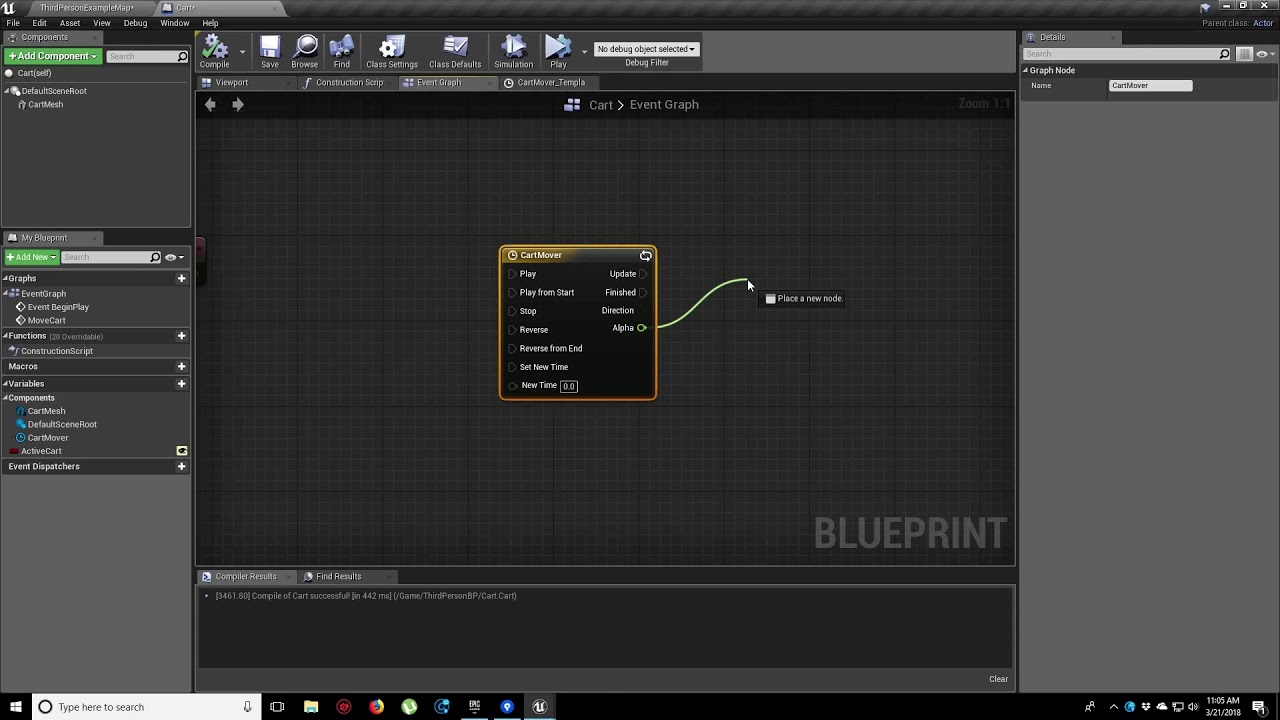
In this video, we show you how to make an object move along a set path using Splines. We also show you how to control the speed of the object, it’s starting position and looping options.
Once you can get that cube to follow a path
you can execute it and record it
in your case a character but with animations playing
plush yew
oh, thanks bro
mint raptor
Assuming you know how to make a character animate etc..
plush yew
yeah, thanks
covert summit
alternatively, if you already have it set up to use AI / MoveTo / navmesh, you could trigger that too, but the timing is harder
mint raptor
True ^
covert summit
on the plus side, you would be moving responsibility for foot sliding to a system that is built for it
mint raptor
You can make Waypoints and have your AI move to those waypoints
But assuming you've made an AI
Which for making a navmesh and using "Move To" isn't too bad
@plush yew https://www.youtube.com/watch?v=B6KK0WaZwLI

What is the AI Move To Node in Unreal Engine 4
Source Files: https://github.com/MWadstein/wtf-hdi-files
plush yew
oh thanks, but... a lot of nodes XD
mint raptor
Think you can mix it up the spline can offer points to "move to"
 cobalt orbit
is there a way to take the content from one of your projects and putting it in another one? i have the map being made in one world, but i want to move it over the the VR template once building it is done. Is that do-able?
mint raptor
Projects or map?
covert summit
yes you can use the Migrate option in the Content Browser to copy* an asset and all associated assets to another project
mint raptor
For projects yes, if you wan tto move from one map to another map in the same project you can just copy objects from one map's world outliner then open your new map and paste
covert summit
^^ yep
Sounds like you just want to build a world with a certain template (like fps or 3rd person shooter) so that you can play your map and then port it into a VR game and yes no worries on that
 odd barn
for some reason i have 2 folders for the engine install. is this a problem?

i'm having trouble installing quixel bridge and i'm wondering if that the problem
covert summit
ahhhhmmmm that does seem weird
need to check mine though
yeah no that isnt normal

perhaps you changed a setting somewhere
but quixel bridge asks you what engine to install to
odd barn
i'm gonna try uninstalling and reinstalling
covert summit
^^ go for it -- but quixel bridge itself should ask you to pick an engine folder and if you pick the inner folder it should install it into that
if all else is working quixel shouldnt be the weak link
odd barn
yeah idk
covert summit
i think quixel also allows you to install its plugin into project, you could do that and skip the issue entirely
if you do that, then as long as the unreal editor starts up it should be fine
odd barn
everything else works its just when i try to export from quixel it says the engine isn't running
odd barn
well somehow i think i made the engine think i was installing it to the engine folder
because when i just started reinstalling the file location was set to ue 4.26
covert summit
but enjoy the free stupidly dense assets, I have :-D
looking forward to seeing this new in engine version in ue5
mint raptor
Quixel has given me troubles even in 4.26. Have to manually download the files from site, no fix worked for me
covert summit
interesting
mint raptor
UE5 got me excited for the integration there but it still gave me issues
covert summit
huh. it was really easy to set up for me
mint raptor
Well it would download but I didn't know where it was putting it and never found where it downloaded them
so that is probably a user error
Haven't spent too much time with UE5 though
covert summit
ohhh
it's supposed to offer you an export option after download, via the quixel bridge unreal plugin
you just do one more step after download and bam
mint raptor
I thought it would put the files in the folder I was performing the operation in
It would be like download and I never saw it
covert summit
in quixel bridge with ue4 it's an extra step, afaik in ue5 it should be drag drop
mint raptor
I'm off to bed now good night everyone
covert summit
mint raptor
I'm off to bed now good night everyone
take care!
cobalt orbit
mint raptor
For projects yes, if you wan tto move from one map to another map in the same pr...
ah awesome tysm
its like a festival so thought it would be good to make it for vr
 shell compass
You know what would be nice for UE4? And I don't know if it already has this feature and I just haven't found it...
Marking any BP variable as "watch" to get them to show up on-screen while playing. Maybe even have some nice visualizations like histogram for floats and axises for Vectors and such.
Adding a print text node and printing a value to screen in order to judge how it updates is like the most common thing I do probably.
 wraith fog
can someone give me a hint
https://answers.unrealengine.com/questions/1035380/view.html


 final moth
I keep getting crashes when I try to assign a material into the material slot
UE 4.26.2
also, when I try to report a bug on https://epicsupport.force.com/unrealengine/s/?language=en_US when I click "Submit Bug Report" nothing happens. Is this normal?
I can see this server is really busy 😄
 grim plank
final moth
also, when I try to report a bug on https://epicsupport.force.com/unrealengine/s...
grim plank
final moth
also, when I try to report a bug on https://epicsupport.force.com/unrealengine/s...
thats also a bug
final moth
should I report this bug also on the page which has a bug? 😄
 civic charm
final moth
I keep getting crashes when I try to assign a material into the material slot
civic charm
final moth
I keep getting crashes when I try to assign a material into the material slot
Try to delete save folder from your project file (don't delete it just move somewhere another place so you have backup)
final moth
I noticed that crash is caused only by particular material
civic charm
oh
final moth
If I put another material in the slot, the crash doesn't happen
final moth
but funny thing is that the problematic material works fine on another asset
civic charm
final moth
but funny thing is that the problematic material works fine on another asset
yha
final moth
so if you ask me, the ugly bug is in question which UE folks have to figure out.
civic charm
dk
final moth
but this is also not going to happen since their bug report form is also buggy 😄
civic charm
righty
 civic charm
your screen resolution is low that's why it not showing
 regal ravine
:/ Not having too money yet to buy a good resolution screen
civic charm
regal ravine
:/ Not having too money yet to buy a good resolution screen
its laptop right?
regal ravine
yes laptop bro
 civic charm
regal ravine
😮 wow! i covers everything
civic charm
regal ravine
😮 wow! i covers everything
yha
regal ravine
Yeah trying to do
plush yew
any tips for designing a good main menu like I suck at it
civic charm
regal ravine
Yeah trying to do
keep up bro
regal ravine
civic charm
keep up bro
THankssss brother
civic charm
plush yew
any tips for designing a good main menu like I suck at it
hm...
plush yew
civic charm
hm...
yes
 plush yew
civic charm
thinking <a:Buffring:854018921938419722>
plush yew
civic charm
thinking <a:Buffring:854018921938419722>
load fast
plush yew
civic charm
sorry using i3
I guess the person using it is slow
civic charm
plush yew
I guess the person using it is slow
bro?
civic charm
plush yew
I guess the person using it is slow
nevermind can i call you?
plush yew
civic charm
nevermind can i call you?
nope sorry me and my internet are both slow
plush yew
civic charm
bro?
just kidding
 plucky grove
Hello!
I am using a .bat file that launches my project as standalone executable (by pointint to the unreal editor and the project path)
Does someone know of a way to write the .bat so that one click on it will open two instances of the application and puts them side by side?
civic charm
plush yew
just kidding
Can i
plush yew
civic charm
Can i
what
civic charm
plush yew
what
nevermind forgot
plush yew
civic charm
nevermind forgot
u tell me solution if u know
civic charm
plush yew
u tell me solution if u know
Try to avoid image and use materials for user interface that what i can say
plush yew
civic charm
Try to avoid image and use materials for user interface that what i can say
oh
civic charm
plush yew
oh
great
 short obsidian
I dont't know if it's good place but can you scale skin asset in the editor? I cant find the option for it
civic charm
short obsidian
I dont't know if it's good place but can you scale skin asset in the editor? I c...
hmm.........
plush yew
How can i cast to animbp from level blueprint? Whatever i do it is not working
And should i enable public for variables?
regal ravine
Why can i not connect to GameManager Variable?

 late grotto
I have a problem with textures and tessellation. Which channel is the right one to ask for help? Im new to UE and this discord ^^
late grotto
okay thanks ^^
regal ravine
I also created a "GameManager" by Actor class. :/ But its referenced variable does not have any target pin
Following this tutorial to ceate screen widgets. 🙂

 viral marten
how could I line trace my actor which is static and doesn't simulate physics?
I tried setting custom collision to overlap "Visibility" in my actor's static mesh component as shown in the picture
and this is what I tried in code:
GetWorld()->LineTraceSingleByChannel(HitResult, Location, ReachingEnd, ECollisionChannel::ECC_Visibility, CollisionQueryParams);
but it doesn't hit an actor
 plush yew
ah the market place is down, meaning its that time of the month.
free assets are being cooked now.
civic charm
regal ravine
Why can i not connect to GameManager Variable?
Are you able to find it out?
 autumn latch
i am trying retarget to my robot character from mannequin, but something goes wrong. Can someone help me pls about this.
civic charm
viral marten
how could I line trace my actor which is static and doesn't simulate physics?
I ...
you mean line trace not able to hit actor right?
viral marten
civic charm
you mean line trace not able to hit actor right?
yes
civic charm
viral marten
yes
do block it will work
civic charm
autumn latch
i am trying retarget to my robot character from mannequin, but something goes wr...
What you can do is reposition gun
it will work i think
viral marten
civic charm
do block it will work
oh, I thought it should overlap instead of blocking to work. But I got it, after you told me. It works now, thanks :)
civic charm
viral marten
oh, I thought it should overlap instead of blocking to work. But I got it, after...
Np
regal ravine
civic charm
Are you able to find it out?
Not yet! 1hours+ still trying
regal ravine
civic charm
can i call you
My english is not so good. Wait a minute
civic charm
regal ravine
My english is not so good. Wait a minute
same here
regal ravine
ok call me. we can try
civic charm
autumn latch
arm positions change
i will come to you give me min
autumn latch
okey
civic charm
autumn latch
okey
i am saying try to rechange the position of gun
plush yew
what would be a better practise. Creating one camera shake bp and changing the values when needed. Or create seperate camerashakes for each event?
 small vault
Does anyone know what to do with the 'r values that need to be versioned' list in the cooker settings? I get the impression that I could use it to vary these settings in builds but I'm not sure how? Do I need to expose my ini file so I can change them or something?
 broken heath
Any method for moving folders without breaking out materials and linking and ruining the project? It all works normally till i restard my project and realize it lost all materials applied to meshes
fierce tulip
only move them trough the content browser, fix up redirectors afterwards. else you gonna have a bad time
drowsy snow
Inb4 "incompetent million dollar company" message cliche because of it
broken heath
fierce tulip
only move them trough the content browser, fix up redirectors afterwards. else y...
Thats exactly what i do , and it still breaks materials and whole project :/
drowsy snow
broken heath
Thats exactly what i do , and it still breaks materials and whole project :/
Do you forgot to fix up redirectors? It's not automatically done.
broken heath
No I didn’t
I did fix up redirectors
But
I think i will do the manual relinkings and fixes as it’s not too complicated
autumn latch
civic charm
i am saying try to rechange the position of gun
i do that and i am change translation retargeting this fix my problem
 hard escarp
I just installed a source copy of 4.26,2 and when I try to build it I'm getting this error..
Build started...
1>------ Build started: Project: UE4, Configuration: Development_Editor x64 ------
1>Using 'git status' to determine working set for adaptive non-unity build (E:\UE4.26.2).
1>Creating makefile for UE4Editor (no existing makefile)
1>Creating makefile for ShaderCompileWorker (no existing makefile)
1>Building UE4Editor and ShaderCompileWorker...
1>Using Visual Studio 2019 14.29.30037 toolchain (C:\Program Files (x86)\Microsoft Visual Studio\2019\Community\VC\Tools\MSVC\14.29.30037) and Windows 10.0.18362.0 SDK (C:\Program Files (x86)\Windows Kits\10).
1>Building 5 actions with 8 processes...
1> [1/5] UE4Editor-EngineMessages.lib
1>E:\UE4.26.2\Engine\Intermediate\Build\Win64\UE4Editor\Development\EngineMessages\EngineMessagesModule.cpp.obj : fatal error LNK1106: invalid file or disk full: cannot seek to 0x6AF7
1> [2/5] UE4Editor-EngineMessages.dll
1>E:\UE4.26.2\Engine\Intermediate\Build\Win64\UE4Editor\Development\EngineMessages\EngineMessagesModule.cpp.obj : fatal error LNK1106: invalid file or disk full: cannot seek to 0x6AF7
1>C:\Program Files (x86)\Microsoft Visual Studio\2019\Community\MSBuild\Microsoft\VC\v160\Microsoft.MakeFile.Targets(45,5): error MSB3073: The command "....\Build\BatchFiles\Build.bat -Target="UE4Editor Win64 Development" -Target="ShaderCompileWorker Win64 Development -Quiet" -WaitMutex -FromMsBuild" exited with code 6.
1>Done building project "UE4.vcxproj" -- FAILED.
========== Build: 0 succeeded, 1 failed, 2 up-to-date, 0 skipped ==========
Anyone have any ideas?
no
wish it was that
drowsy snow
 bleak ginkgo
 sudden plover
How long does it take to insert a script in ue5, for me it stays stuck on compiling for 30 minutes
drowsy snow
Just put the Player Start actor into the map.
drowsy snow
sudden plover
How long does it take to insert a script in ue5, for me it stays stuck on compil...
I don't know what script you're referring, but at least in UE4, compiling BP is instant, and Live Coding compiles pretty much the time it took to drink a glass of water.
Yes.

Hi! You're probably here because you've used Hot Reload in UE4. So… don't use Hot Reload in Unreal Engine 4 because: Data corruption in Blueprints: it can reset and mangle any variable at whim.
 past basin
they are the same class just renamed it right?
light thunder
How do I override a construction script if it takes place AFTER the child's construction script???
 haughty slate
UE4 - I added a new trace channel and suddenly a whole bunch of stuff broke. It looks like what happened is that all my box and line traces lost their previously assigned trace channels, essentially getting bumped down the list and replaced with something else. Is this a known issue? Something I should have done when adding the trace channel to prevent this from happening?
grim ore
not that I have seen, and no it should not happen
plush yew
are there any videos or guides on sound design? in ue4 or in general I guess?
 narrow mauve
Is there not a way to increase the line thickness of the collisions :..they are hard to see at the scales I have. Drawing a debug sphere lags tf out of my computer
drowsy snow
Have you get multiplayer replication working?
grim ore
you are in the third person example map, the one with the stairs?
haughty slate
grim ore
not that I have seen, and no it should not happen
Thanks, perhaps I changed the trace channels in the incorrect nodes whilst on a mind wander. Pretty sure I didn't though, odd!
grim ore
ok so which one are you trying to get this working in lol...
drowsy snow
Do you actually know about multiplayer replication, and get it working?
grim ore
your project or the third person template
drowsy snow
Because if you don't have multiplayer replication working, you're not going anywhere with the multiplayer mode.
grim ore
you just need player starts and the engine will handle spawning in your default pawns at those starts
thats it


sample map, 3 players starts, 6 clients all spawning where they should be
I did nothing special
do you have a default pawn set up?
do you have players starts?
you do it the same way in the sample project as you would any project, nothing special
so your map has multiple player starts in the level?
but...
yeah you only have 1 player start..
how can you expect to fix it if you arent using more than 1
your player start is in your place actor menu in the top left, you would drag them in or you can copy one in your level
haughty slate
I'm noticing that when I hover over a float output in the blueprint editor with a live debug filter, it sometimes reads the value correctly and at other times it says "variable out of scope". A print of the float is reading the expected value. Is this something I need to be concerned about?
grim ore
ok so thats a player start
also
that looks like ue5
so why are you in the unreal engine channel?
drowsy snow
Okay, I think I know your problem
drowsy snow
Set your Net Mode as "Play As Client"
 grim ore
so then why are you asking about multiplayer lol?
Im trying to direct you to the correct channel
drowsy snow
To be fair, most likely scenario to use replication in single player game is to use replay system.
plush yew
AttachTo: '/Game/FirstPersonBP/Maps/UEDPIE_0_FirstPersonExampleMap.FirstPersonExampleMap:PersistentLevel.FirstPersonCharacter_C_1.FirstPersonCamera' is not static (in blueprint "FirstPersonCharacter"), cannot attach '/Game/FirstPersonBP/Maps/UEDPIE_0_FirstPersonExampleMap.FirstPersonExampleMap:PersistentLevel.FirstPersonCharacter_C_1.Mesh2P' which is static to it. Aborting.
what is this?
trying to fix it but I cant figure it out
grim ore
but they arent
 grim ore
what is the mobility of the mesh you are attaching to it?
plush yew
it says mesh is ''static'' but no way to toggle it to movable
grim ore
how are you creating the mesh?
plush yew
its just there, its the Mesh2p
grim ore
where is there...
plush yew
 grim ore
is it a component in the BP? change it there. Is it a static mesh actor in the world? change it there. do you spawn it in? change it after you spawn it in before attach
plush yew
I must of pressed something
 drowsy snow
Also, please, UE4 in the meantime if you're just starting out.
light thunder
I'm trying to override a variable on a parent BP - but I want to do it in the construction script it possible - but I know this can cause crashes due to making an infinite loop using the construction script - I don't think I am doing it but I am getting crashes - I'm changing a simple float variable that changes a material parameter amount (basically the light intensity of a turn signal) - I wanted to be able to change that intensity based on the child, because some of them need more brightness than others - but unless there is some way to run a "get variable from child BP if it is using this parent currently" I'm not sure which way to go about it
They are trying to help you, take their advice and focus on 4 if you are starting out
drowsy snow
As a beginner, you have no concern about the lack of Nanite/Lumen and more advanced animation tech (which some of them already exists in UE4)
plush yew
any idea guys? 😩
light thunder
I can just about guarantee you I am more determined than you are - but UE5 is simply not ready - this is one of those rare times where it's not you, it's the engine
drowsy snow
If I were you, I'd just yeet the UE5 away from the storage, and install UE4.26 instead, and then use it for learning.
light thunder
and only some really, really experience UE4 developer is going to recognize what is missing in UE5
grim ore
they are not interested in learning ue, just playing with it. best to just leave them alone\
drowsy snow
No (it's less than 1 MB/s), but I've downloaded and installed UE4 since a long while.
plush yew
@grim oreyou got any idea what I messed up? I cant seem to fix it
drowsy snow
And it's not really hard - you can use the built in damage system to reduce the target's health point.
light thunder
Well shit - The moment I clicked on the instance in here, the editor crashed - 3 times now -
 drowsy snow
One option is to cast a line trace (length depending on the weapon), and check if it hits a player class before actually applying damage event.
grim ore
@plush yewwhen do you get this error?
drowsy snow
You got a long way to go.
Learn with UE4 in the meantime (UE5 won't be production ready until sometime next year)
plush yew
instantly, and it moves my character down the floor aswell
drowsy snow
The problem is that there are some strange UE5 exclusive errors that weren't present in UE4.
light thunder
What's the way to find out the offending PIN in this error Assertion failed: OutPin->LinkedTo.Num() == 1 [File:D:/Build/++UE4/Sync/Engine/Source/Editor/GraphEditor/Private/BlueprintConnectionDrawingPolicy.cpp] [Line: 506]
plush yew
its mesh2p but I dont know whats wrong with it lol
 light thunder
You guys tried
plush yew
obviously its static but I got no idea how to NOT make it static
light thunder
plush yew
its mesh2p but I dont know whats wrong with it lol
pull off and set mobility to mvable
drowsy snow

light thunder
make sure you set it to movable before the joint creation is attempted
 drowsy snow
I have warned them, at least.
light thunder
drowsy snow
I have warned them, at least.
Your conscience is clear, I thought you made a noble attempt
plush yew
tried that aswell man
it just aint there lol
thats why I'm so confused
its telling me. oi! its static you dummy
but I cant change it to movable
drowsy snow
If it's a mesh spawned in runtime, it should be movable already.
plush yew
yea I mean its just the default firstpersoncharacter
drowsy snow
plush yew
yea I mean its just the default firstpersoncharacter
Like there's absolutely no reason for a mesh spawned in runtime to be static.
Though at this point, I'd just try to "reset" the template's FP character BP.
plush yew
yea its completely broken now
spawning under the floor
cant move
fuck me lol
barely touched it
drowsy snow
Guess try copying from the template folder, or using the barely used "Add Feature or Content Pack", or make new project with FP template.
light thunder
There's a reason why - it's not ready yet
you are trying to fly a plane that isn't finished being built yet
if you are a great and experienced pilot, you will probably make it get somewhere - but if you aren't, you are going to crash, quite literally
UE4, in this context, is as finished as you are going to find
Dude I AM a fox
drowsy snow
Cut the roleplay, and start with UE4.
plush yew
dudes just a failed troll, just stop pleas
drowsy snow

light thunder
@drowsy snow This is a weird editor crash - the moment I click on a particular function in a blueprint when the game is running, it crashes - (if it is targeting an instance)
Just don't say that I (and several others here) haven't warned you.
You have the option to use UE4 in the meantime, and move to UE5 once it's fully released.
light thunder
I think there is a marketplace Plugin for it @plush yew
grim ore
while in camera move mode, scroll the mouse wheel to adjust the speed
drowsy snow
I bloody told you. 
light thunder
I actually think Ian was right about the trolling
drowsy snow

light thunder
drowsy snow
<:ShihoSip:808677233145282580>
I actually need some help here - this blueprint connection drawing policy crash has stopped me dead in my tracks
I've tried undoing the changes to that function
drowsy snow
light thunder
I actually need some help here - this blueprint connection drawing policy crash ...
Okay, but what's the crash? You stopped at triple tilde.
light thunder
next step I'm literally going to delete the function itself and copy all the blueprints from the last perforce revision
plush yew
youre not learning, youre on here being annoying
drowsy snow
Learning means accepting advice from others who know better, and follow it. Not being an egoistic arsehole.
light thunder
You do realize though, that everytime you have a comment/line on here, it pushes up any questions people have so that they are less likely to be answered, right? doesn't mean you can't have a general chat but it's something to consider if people are asking questions, they have #lounge and other places to chill
Assertion failed: OutPin->LinkedTo.Num() == 1 [File:D:/Build/++UE4/Sync/Engine/Source/Editor/GraphEditor/Private/BlueprintConnectionDrawingPolicy.cpp] [Line: 506] @drowsy snow
Then stop asking for it.
drowsy snow
light thunder
```Assertion failed: OutPin->LinkedTo.Num() == 1 [File:D:/Build/++UE4/Sync/Engin...
Oh snap, Assertion failed... This is super random.
grim ore
You...Are..A...Bad...Person.
drowsy snow
light thunder
```Assertion failed: OutPin->LinkedTo.Num() == 1 [File:D:/Build/++UE4/Sync/Engin...
This could be anything for all I know.
How about the crash log?
light thunder
@grim ore Assertion failed: OutPin->LinkedTo.Num() == 1 [File:D:/Build/++UE4/Sync/Engine/Source/Editor/GraphEditor/Private/BlueprintConnectionDrawingPolicy.cpp] [Line: 506] how do I fix this blueprint editor crash - happens when I switch to the FUNCTION that that blueprint is on, but only when I'm targeting an instance during gameplay
 buoyant graniteBOT
:clock2: ♡♡#5261 was muted for 2 minutes.
light thunder
wow
spare kernel
Please keep conversations chill. 🙂
light thunder
drowsy snow
This could be anything for all I know.
How about the crash log?
Looking up now - interestingly enough, when I simply deleted the function, the editor did not crash
but when I pasted it back, it crashed
drowsy snow
light thunder
Looking up now - interestingly enough, when I simply deleted the function, the e...
What kind of function is that? 
grim ore
@light thunderyou might not be able to, it might just be a bug. without running a source build and crashing it in the editor you cant see what exactly causes it
light thunder
just toggles on material parameters to switch on turn signals
light thunder
grim ore
<@!273265779175194624>you might not be able to, it might just be a bug. without...
Yeah, I'm pretty confident it's related to the BP assist plugin
I've had this happen once before and it was literally an execution reroute pin that wasn't connected to anything
and the editor/BP assist were not happy about that
lol I thought of that too
drowsy snow
Try disable any project specific plugins, especially the one you have suspicions on.
Again, assertion failure error could mean anything - it could stab the wrong code or processes.
light thunder
but considering I rarely have to mess with my wires and they are all laid out cleanly, I'll take it
plush yew
@plush yewhow old are you? did you just start with making games?
drowsy snow
Folks, let's dismiss them this time.
plush yew
how old are you? @plush yew
 gaunt abyss
You are walking on a thin line, I advise you to calm down
I even just warned you instead of striking you and yet you are continuing
plush yew
sounds to me youre not even old enough for discords tos lol
drowsy snow
 gaunt abyss
Ok lets switch topics
 copper holly
Why is there no tutorials/documentation on Mannequin Rig? Anyone know of any?
 inland flicker
Lol muted for asking for help. This channel makes me giggle every time I check it
light thunder
inland flicker
Lol muted for asking for help. This channel makes me giggle every time I check i...
Scroll up and judge for yourself
copper holly
The free rig of mannequin
light thunder
inland flicker
Lol muted for asking for help. This channel makes me giggle every time I check i...
warning, you'll be scrolling for awhile
copper holly
Ill check that one out
but yes it does. The Control Rig, of the Mannequin Control Rig.
You can create your own Control Rigs, but they released a free mannequin control rig, animating with that etc is severely under documentated
inland flicker
@light thunder Unless some of their messages were deleted, it's pretty simple to judge but thanks for the heads up
drowsy snow
It works for weird rigs as well, even MMD standard rigs.
copper holly
Thanks
drowsy snow
inland flicker
<@!273265779175194624> Unless some of their messages were deleted, it's pretty s...
Long story short: egoistic responses to advices.
inland flicker
drowsy snow
Long story short: egoistic responses to advices.
I am able to read, thank you
drowsy snow
copper holly
You can create your own Control Rigs, but they released a free mannequin control...
Animating it is just like animating any other movable objects in Sequencer.
copper holly
drowsy snow
Animating it is just like animating any other movable objects in Sequencer.
Thanks, is there a way to animate with Control rig inside stand alone sequencers, not a level sequencer?
drowsy snow
copper holly
Thanks, is there a way to animate with Control rig inside stand alone sequencers...
Level sequencer is the sequencer.
You can however bake it into animation sequence assets.
copper holly
Ya with create linked animation sequence, but once its a sequence asset can you animate further while having the Control Rig?
drowsy snow
copper holly
Ya with create linked animation sequence, but once its a sequence asset can you ...
If you're talking about runtime application - yes.
copper holly
ok thanks. I can't seem to get animations to run in the level sequencer on the mesh, it just animates the bones but i think that link might help I think I have to bake the animation in
drowsy snow
Fairly old presentation, but general points still applies:
https://www.youtube.com/watch?v=TYSdxW2WHcI
Control Rig is a highly flexible tool based on Blueprint that can be used to drive animation inside UE4. In this Unreal Engine Learning Theater session by Epic’s Wes Bunn during GDC 2019, you will get a look at the Control Rig system and learn how to set up a Control Rig Blueprint to drive and animate a Skeletal Mesh, illustrate how Control Rigs...
copper holly
but half the time baking destroys the Rig etc or crashes
Ok ill watch that too, most just seem to go over how to create a rig for like an hour lol
drowsy snow
copper holly
but half the time baking destroys the Rig etc or crashes
I never experience those, and I use control rig quite extensively
(though sometimes it tripped my GPU driver in older Windows 10 updates for some reason)
copper holly
Its probably cause I was mashing it together
drowsy snow
copper holly
Its probably cause I was mashing it together
I have a research/machinima project where I tested Control Rig extensively, and with modular characters no less. The crashes would only because of D3D Device Hung after working with CR for an hour or so (which somehow not happening in Windows 11 dev builds)
copper holly
Well you should make a Youtube tutorial on your understandings cause severely lacking lol
drowsy snow
copper holly
Well you should make a Youtube tutorial on your understandings cause severely la...
My equipment wasn't good for recording one 😅
light thunder
@drowsy snow LogBlueprintUserMessages: Warning: SetTimer passed a bad function (TurnSignalOnOff) or object (AI_Car_Source_ChildSportscar_2)
What does it mean to "pass a bad function" if you aren't overriding it at all?
copper holly
=/= actually
drowsy snow
light thunder
<@!325627930484932608> ```LogBlueprintUserMessages: Warning: SetTimer passed a b...
Try asking it in #blueprint , I have no idea based on your description
drowsy snow
copper holly
=/= actually
Sometimes article get straight to the point quicker than YT videos, but it's personal preference.
Though I might consider writing a tutorial for UE4 CR in my blog
copper holly
there you go 😉
even articles can't find poop on animating specifically with a control rig, let alone the provided mannequin control rig
have to slow down a video of someone showing himself animating at 5x speed lol
drowsy snow
I know for a fact that there are gimbal lock problems with a control that doesn't use Euler Transform, which can cause issues with in-engine animating process.
I wrote about this in UE forums, but I should make a more extensive writing on it, maybe tomorrow.
copper holly
basically ya.. slow down that 14 seconds because the guy went over it like its common knowledge which is probably is so i understand but ya fun
This is my first test with the new control rigs in Unreal Engine4. I'm using the Sequencer to animate, but there is a lot of missing feature commonly use in other program.
The process is little more complicate than Blender but you can still use to create simple animations.
If you want this rig, please let me know.
#ue4 #animation #controlrig
only video i found on the actual workflow
drowsy snow
I swear the older live streams used to be shorter and more concise, especially the era that I'd like to call "Alex era"

copper holly

Let's explore the latest animation features available in Control Rig for Unreal Engine 4.26! The team will cover updates to the Control Rig Mannequin Sample that's available on the Marketplace, rig sharing with Control Rig Components and Setup Graphs, attaching multiple Control Rigs for animation authoring, Slope Warping breakdown with post-proc...
thats where I came from cause it doesn't work the way he explained, you can't just add an animation like he did it doesn't animate
There isn't, but ok.
Control Rig is a highly flexible tool based on Blueprint that can be used to drive animation inside UE4. In this Unreal Engine Learning Theater session by Epic’s Wes Bunn during GDC 2019, you will get a look at the Control Rig system and learn how to set up a Control Rig Blueprint to drive and animate a Skeletal Mesh, illustrate how Control Rigs...
this one is good though
drowsy snow
copper holly
this one is good though
There's a reason I keep referring to that video time to time
copper holly
drowsy snow
There's a reason I keep referring to that video time to time
at 21:28 he explains the missing link basically with actually adding the rig in properly while others just kinda gloss over that they already did that or something
drowsy snow
But yeah, I'm prepping to write some tuts on using control rig.
copper holly
👍 thanks
thanks this ones good too at https://youtu.be/SIp4vFoU_d8?t=3176

Control Rig is a scriptable rigging system that is based on Blueprint and is mainly designed for controlling properties to drive animation. This week on Inside Unreal Helge and Jeremiah will break down the Mannequin Control Rig example from the Marketplace, show how to use Control Rig with Sequencer to animate a character, give tips on how to de...
although he still just adds an animation without baking or anything dunno how it just works automatically mine doesn't
sounds expensive lol
everything seems expensive but unreal always finds a way to optimize it
Like ALS just run time IK?
locomotion rather
drowsy snow
In a related note, I feel like this inspires Control Rig, and can give you idea on the applications:
https://www.youtube.com/watch?v=KLjTU0yKS00

In this 2016 GDC talk, Ubisoft's Alexander Bereznyak breaks down the basics of IK Rig technology for animators, and explains how it can be used for everything from video games to feature films.
Register for GDC: http://ubm.io/2gk5KTU
Join the GDC mailing list: http://www.gdconf.com/subscribe
Follow GDC on Twitter: https://twitter.com/Officia...
(removed my time mark)
copper holly
drowsy snow
In a related note, I feel like this inspires Control Rig, and can give you idea ...
Thanks ya this helps
 drowsy snow
 elder crest
so i got 6 out of 8 guns working. would anyone like to see?
elder crest
so i got 6 out of 8 guns working. would anyone like to see?
#work-in-progress
elder crest
oh that was just an epic picture i took. nothing to do with live streaming each gun
copper holly
elder crest
Looks great
elder crest
thanks
i have 2 more attachments i gatta work on but before that im thinking about moving onto hit boxkes and health
copper holly
https://youtu.be/SIp4vFoU_d8?t=3213 anyone know how to add "additive control rig", this way doesn't work anymore it seems, additive control rig doesn't exist seems
Control Rig is a scriptable rigging system that is based on Blueprint and is mainly designed for controlling properties to drive animation. This week on Inside Unreal Helge and Jeremiah will break down the Mannequin Control Rig example from the Marketplace, show how to use Control Rig with Sequencer to animate a character, give tips on how to de...
haughty slate
I'm comparing line trace results to an array of physical material > surface type. When getting a reference from this array, should I be concerned that in the blueprint editor it says "variable is not in scope" when in-game everything appears to be running fine? Values are printing correctly etc
(this is with debug filter running)
grim ore
so your not pausing it right, just showing the variable while running?
haughty slate
Yeah just switching window to bp editor
grim ore
yeah thats fine, its not in realtime and it might be in a function. if the result is fine, then your fine. You can always breakpoint it to verify for sure (but your data is good so your fine)
haughty slate
Ok great, thanks for the reassurance. I just get very nervous when things feel unstable somehow!
dreamy zenith
does anyone know how to troubleshoot animation BP ?
plush yew
anyone here making a game similar to 2d Sonic?
drowsy snow
plush yew
anyone here making a game similar to 2d Sonic?
Nah, I'm more into recent Final Fantasy games.
plush yew
drowsy snow
Nah, I'm more into recent Final Fantasy games.
do you think 2d Sonic clones are overplayed these days?
drowsy snow
dreamy zenith
does anyone know how to troubleshoot animation BP ?
It's practically the same as debugging normal BP, except breakpoints. Select the actor instance that you want to use for debugging.