#ue4-general
1 messages · Page 990 of 1
 prisma seal
 rich spoke
I don't see particles channel so I will ask here if you don't mind
How can I make particles spawn immediately. Like, all emmiters have to spawn at the same time
 drowsy snow
It's not like you can't dock the Output Log tab with other tabs in the same panel anyway.

 fierce tulip
@rich spoke if cascade > #visual-fx if niagara #niagara
 chrome hedge
drowsy snow
It's not like you can't dock the Output Log tab with other tabs in the same pane...
chrome hedge
drowsy snow
It's not like you can't dock the Output Log tab with other tabs in the same pane...
I have it floating all the time on different monitors and sometimes I close it by accident or can't find it 😛
drowsy snow
chrome hedge
I have it floating all the time on different monitors and sometimes I close it b...
One other way is you can use the Ctrl+Tab menu to bring it back.
 chrome hedge
drowsy snow
One other way is you can use the Ctrl+Tab menu to bring it back.
chrome hedge
drowsy snow
One other way is you can use the Ctrl+Tab menu to bring it back.
thanks
 dull swan
Anyone know why Megascans textures arnt appearing on after importing them with displacement enabled and applying them to a model?
 merry bison
Oh? But everyone says that geometry should not be used in a final product, because of performance issues.
 ember shadow
Hello all, how would i fix these
 drowsy snow
merry bison
Oh? But everyone says that geometry should not be used in a final product, becau...
drowsy snow
merry bison
Oh? But everyone says that geometry should not be used in a final product, becau...
That's why you replace them with static meshes once your blocked level is finalised.
drowsy snow
ember shadow
Hello all, how would i fix these
merry bison
drowsy snow
That's why you replace them with static meshes once your blocked level is finali...
But then again, it sounds to me that creating static meshes from the start and use them as "lego" to build your level should be a smarter way to work. I mean, the static meshes needs to be created at some point anyway according to you. So building geometry first and then build meshes after doesn't sound effective.
drowsy snow
merry bison
But then again, it sounds to me that creating static meshes from the start and u...
Not really.
Blocking your levels with BSP is a way to settle on the level design and navigability, before using the BSP geometries to piece together the static meshes.
That's also why you would need concept arts as well, no matter how rough that is.
merry bison
drowsy snow
Not really.
Blocking your levels with BSP is a way to settle on the level desig...
Ok, I'll try your suggestion then. BSP it is. Thanks man.
 vale silo
I need some help with aim offset making anims out of sync, please https://forums.unrealengine.com/t/aim-offset-and-animation-out-of-sync-how-do-i-fix/227999

Unreal Engine Forums
I finally figured out my AI anims for both non-combat and combat mode, and I combined usage of anim montage for torso and aim offset. However, I am now in a pickle - anims are out of whack(sync?) when I plug in aim offset: UE4 aim offset anims syncing issues - YouTube What am I doing wrong and how can I fix this (UE 4.26.2) ? Thanks
 fading wraith
Hope this is alright to ask here, but I have this system working to fetch dialogue and put it into a dialogue box Widget. Im trying to figure out how to be able to edit "MyDialogue" after fetching it though. For example in a language like C I could easily do "MyDialogue = Enemy %f meters away" and then designate %f as whatever. Right now MyDialogue at index 0 has "Enemy meters away" so after fetching that how can I edit it before moving it to the Widget to add the distance away to the string? Or literally any value at all just for testing purposes? is that possible?

 grim ore
once you get it, you have it. what you are asking about is setting parameters inside the string (replacing the %f for example)
your original string doesnt have that, so you cant "replace" it.
fading wraith
so I can legit just add %f to MyDialogue and then replace it in blueprints?
grim ore
you want to create a custom parser to do what you want, your source string could have <ENEMY> for example. then once you get it you can just look for the replace option for a string (going to have to convert the text -> string since your array is text or swap that array to string)
 digital hinge
Is there a way to import these into another project? I tried migrate but it doesn't work [SOLVED]
 grim ore
but yep its doable, just make a custom function that does it for you and call it on the output
fading wraith
never messed with parsers before, Ill look into that now thank you for the advice
grim ore
it shouldnt be too hard, your function takes in the "string" your working on then can take in any variables (your replacement text) then it just calles the replace blueprint node with those 2 things and returns your output string that is updated, then your function returns that back out with your updated string. You can have it "replace" multiple things in a row in the same function if you just want to chain it together
fading wraith
yooo that's actually so helpful for way more things than just this current task im working on
thank you so much 🙏
grim ore
you need to contact epic and go thru the EGS stuff, this is not really support or info for that
 tough pagoda
Why I can't change location of UCameraComponent Instance in BP?
I made UCameraComponent in C++.

I can change only in code location?
 plush yew
The landscape image is
 merry bison
tough pagoda
I can change only in code location?
merry bison
tough pagoda
I can change only in code location?
try ask in #cpp
plush yew
and when i import it it became
 tough pagoda
merry bison
try ask in <#221799439008923648>
tough pagoda
merry bison
try ask in <#221799439008923648>
No answer.
plush yew
can anyone answer mine
fierce tulip
dont ask repetitively please
drowsy snow
- Be patient when asking for help. This isn't an official Epic Games support channel so we can't guarantee a response. Don't ping people unless you're replying to them. If someone can help, they will. If not, come back in a few hours and consider rephrasing your question or adding more details.
Also consider that not everyone here have spare time to look through the questions, decipher the poorly explained ones, reproducing the problems, and answer them accordingly. Don't treat this server like your personal tutor that sit besides you 24/7.
 upbeat tendon
ive written a plugin, i want to tidy up the UI , should i group by environment, Release,etc or another way?
 plush yew
anyone has an idea what H as a texture is it looks like a displacement one but im not sure
fierce tulip
height
fierce tulip
np
 steel shell
is it possible to see the fps in vr preview?
 brazen venture
how to make calculate direction blue?

 exotic otter
chrome hedge
I have it floating all the time on different monitors and sometimes I close it b...
exotic otter
chrome hedge
I have it floating all the time on different monitors and sometimes I close it b...
souds familiar xD
drowsy snow
brazen venture
how to make calculate direction blue?
The "pureness" of a function is "hardcoded", so you can make a "shell" function containing the pure function inside an exec function.

 unreal venture

 knotty heron
How do I cast to a camera actor from the character BP?
 acoustic wraith
What object are you casting? Do you have a reference to it in your character class?
knotty heron
It's just a camera actor placed in the level, how would I get it to set the reference?
 kindred viper
if its placed in the level you need to get actor of class (with camera type).
 fossil spade
I rendered the light which caused this weird "effect" of certain parts of the building to become slightly darker. How do I fix this issue?
 plush yew
ohhhh
i want UE 5 right now.
and i want a good photogrammetry tool which only needs 10 pics or so. and works with reflective objects
 desert ocean
When i export my Game and click host i loads the Game Level but switches instantly back to the Main Menu, but if i try it in the editor it works
kindred viper
@plush yew nice to know. What is the question? 😄
I could send you to Blender or Maya for those things. Then you don't have to wait 😄
plush yew
future is not now.
kindred viper
I wouldn't wait if I were you. I'd start going externally for your photogrammetry and setting it up for when the time comes. Its going to be months yet.
The engine is just the rendering part right? So you can use other apps to manage it for now
plush yew
there is nothing to set up if the new photogrammetry science can make models with just 10 pics.
no there are no other products u can use for GI. rtxgi is bad.
kindred viper
I've not heard of that being in Unreal 5 though.
And you can use GI in a lot of apps.
plush yew
PG isnt in ue5. its a different thing.
kindred viper
I know thats my point.
plush yew
what apps?
kindred viper
Blender, Maya, any app that lets you add external code bases.
plush yew
they dont offer global illumination for ue4!?
kindred viper
if you absolutely need realtime, you can even use UE4 for it
there are several flavours of GI for UE
kindred viper
you can use anything you want to implement with UE. It has the support for external code. The options you mention (and including VXGI and others) are realtime options that will never be as good as offline renderers because they don't need to be. They just need to be good enough for realtime. There is a price for realtime to pay. Quality is often it. UE5 won't change that.
It would be nice if we had offline quality in realtime, but then all those offline renderers would become obsolete.
kindred viper
yeah one day perhaps it will become a reality. It has to happen at some point 🙂
plush yew
rtxgi would be fine if you could import quixel assets into lol
but u cant. rtxgi stops working once u import em
kindred viper
that would need specific material setups to enable the RTX flag I guess?
plush yew
i gues
kindred viper
check that out. It might be the issue. Nothing I run supports RTXGI until I enable it manually.
plush yew
ok thanks 😄 i mean u a right in the end
kindred viper
only problem is it can be a mammoth task with some assets
plush yew
ue5 will give same performance as rtxgi most likely if GI is on?
kindred viper
the property matrix can let you bulk edit so thats good.
plush yew
even tho ue5 wont use ray tracing
kindred viper
I couldn't say really. I would hope so
plush yew
ok love u
plush yew
kindred viper
I couldn't say really. I would hope so
what settings do you change there?
kindred viper
the RTX flag
plush yew
never seen that
kindred viper
This videos covers everything that you need to know to get set up for ray tracing in Unreal Engine. We cover video cards that support ray tracing (including tips for purchasing them cheaper), graphics drivers, what version of windows you need, and what version of Unreal you should using. Finally we go over the settings in the engine to enable ...
plush yew
isnt that for dxrtx
kindred viper
it would depend what you have support for.
desert ocean
desert ocean
When i export my Game and click host i loads the Game Level but switches instant...
This is only if i use the Steam Subsystem
plush yew
i use rtxgi. meaning its from nvidia
kindred viper
most things in UE are interfaced. So it's entirely possible one flag enabled can manage several different supported modules.
the Nvidia RTX branch is a separate build right? I would check those docs specifically. I haven't used it myself because im still on a 1080ti
kindred viper
I barely use that in all honesty. Using RTX on a 1080ti is like swimming in sand.
plush yew
Ouh.
kindred viper
Most of my RTX stuff is offline rendered
 distant cobalt
Are there one or two people here who would like to exchange ideas? From programming and unreal engine knowledge? Would be interested in learning good things from others. Is always exciting
kindred viper
does it pay?
 short willow
what's the most recent content examples updated with?
I saw it updated but didn't know what parts are added/changed?
short willow
I already saw insects before this update(like 2~3 days ago)
I guess I can always create different project to compare/migrate what I have in the old ones
short willow
I check the Niagara advanced map nothing new is added
also checked the maps, no new maps are added.
 mortal cedar
whats a good way to deal with ai's getting knocked off nav meshes?
 lean mauve
So.. I am pretty new in RVT stuff. I am trying to create new blending material for landscape. Material is taken from megascans site. Looks like they changed the way they have built materials and because of that now it looks like this. The question is, how can I add "Runtime Virtual Texture Output" to it?

 pure sorrel
Why I get this message when I want to use the C++ helper
Command 'Create Implementation' resulted in an error (command 'cpp-helper.create-implementation' not found)
 spare kernel
maybe ue4 sourcebase does not support C++ helper (whatever that is?)
plush yew
why is my brush not appearing in mesh paint when i try to vertex paint with my combined megascans meshes, im following this tutorial https://www.youtube.com/watch?v=j_3_lYyydgA&t=447s

In this video, Josh Powers shows you how to set-up and use the completely revamped Vertex Blend Material within the Megascans Unreal Plugin. You can leverage this material to add a tremendous amount of detail to your static objects with just a few clicks. So, be sure to download Bridge and take advantage of this free, and incredibly easy-to-use ...
pure sorrel
spare kernel
maybe ue4 sourcebase does not support C++ helper (whatever that is?)
fixed it
had to install the C++ helper unreal extension, instead of only the C++ helper
kindred viper
@plush yew maybe if you ask a 4th time someone will help :p Honestly I have no idea. If you are following a tutorial I would presume you did it wrong.
plush yew
well no one was answering so how do i know if anyone even saw it maybe they have a suggestion
kindred viper
in that amount of time between asking, you could have gone and redone the entire tutorial or even read the documentation or used the Unreal learning portal. Just sayin'. Nobody is here to do it for you.
plush yew
kindred viper
in that amount of time between asking, you could have gone and redone the entire...
i did and i looked it up nothing...
kindred viper
as usual
 analog tusk
What's the best way to sell a small game? I'm making a simplistc hack n slash for mobile and PC, don't know if I should sell it for $1-$2 or put in ads that you have to view to unlock stages and character colors.
plush yew
kindred viper
as usual
its not that hard also it doesn't seem like a very common problem
how can i see more water from the river ? 😄

 autumn latch
how can i disable fog only client
plush yew
what happens to my landscape? 😮

i did days on this map please anyone help me i dont want it to be ruinµ
autumn latch
autumn latch
how can i disable fog only client
.
 thick nebula
anyone know how to remedy this LogPlayerManagement: Warning: UGameViewportClient::MapCursor: Could not find cursor to map to 1.
I get it as a repetitive warning


 fallow hornet
what hotkey did i fat finger to active these controls

and how do i get it back to the other?
this mode won't let me change between local and world space transforms
autumn latch
what is "is locally controlled"?
 devout whale
Is it possible to create a system where if you press a button or something similar the world can go old or even modern? So like once the button is pressed the environment become very modern so like making the whole environment go in 3020 maybe, and pressed again the world goes back to present time ? Ectt
@ me if your reply. Thanks
kindred viper
@devout whale funny you should ask as I was considering doing that for some animation im working on right now. I asked and the general consensus was world composition could work. I've not tested it yet as im not upto there but another consideration was to have materials/shaders so the blending animation work. That might be more effective if you are a material hero, which I am not 😄
devout whale
Oh really? Thanks this helps me alot. I'm no material expert either but what you have said gave me a few ideas thanks 🙌🏽🙌🏽
 kindred viper
@kindred laurel self explanatory error message right there.
plush yew
can i get anywhere near the works done with c++ with blueprints?
kindred viper
yes
plush yew
because c++ is pretty hard
kindred viper
its not really. Not with Unreal. Dont be scared homie.
 kindred laurel
kindred viper
<@!463414314452385822> self explanatory error message right there.
kindred laurel
kindred viper
<@!463414314452385822> self explanatory error message right there.
sorry im new to unreal just confused about the PIE etc
kindred viper
its the path to the map that is wrong.
plush yew
kindred viper
its not really. Not with Unreal. Dont be scared homie.
i just know python and some java
i guess i gotta start with blueprints
and then later some c++
kindred viper
if you know python and java you can handle C++ with Unreal. You don't have to worry about some of the caveats of learning native C++ as its handled for you. You just need to understand the structure of how to access things mostly.
And its quite reflective in its blueprint counterparts anyway
plush yew
yeah i hope so
do i gotta know something like blender
for models and stuff
or can i do those on unreal
kindred viper
it helps yeah. You wouldn't want to make models in unreal. You can do basic shapes but its not a complete tool for it. Blender and Maya are the two obvious choices. If you can afford Maya, use that. If not, use Blender.
plush yew
im newly getting into game making
i just used to do some minecraft plugins and programming
the model making and stuff was always hard for me
my older brother used to do cool stuff on source engine
but i guess source is old now
drowsy snow
If you have experience with Source modding, the basics can be applied to Unreal.
Also consider taking your time learning from the learning resources provided in the pinned message, and even Epic's official Unreal online learning courses, which are free to access.
 versed burrow
plush yew
i just know python and some java
versed burrow
plush yew
i just know python and some java
I'm pretty sure u can use python with unreal
But if you know some stuff about blueprints I'd say learn that because it's the same as coding and if you learn that you will be able to learn c++ easily
drowsy snow
versed burrow
I'm pretty sure u can use python with unreal
Python in Unreal is geared more towards editor scripting.
versed burrow
Ohh
 dapper swift
Hi, how do you remove a re-routing node without deleting the connection?
kindred viper
make a new connection
drowsy snow
dapper swift
Hi, how do you remove a re-routing node without deleting the connection?
Redo the connection.
As far as the editor concerned, the reroute node is just another BP node with no functions.
 hot timber
How to fix player walk through buildings ?
 kindred viper
you goto learn.unrealengine.com and start learning the core basics
hot timber
which lesson ? It is not numbered, I can not specify @kindred viper
kindred viper
like I mentioned earlier. Do them all.
start with the introduction tutorials and keep going.
plush yew
Best time you'll spent all year round :3
kindred viper
its so good, even the professionals use it.
plush yew
Or just Google whatever you want or need to learn based on the aspects your project needs to be completed than back track and pick up other stuff
Granted I've mapped out my project from an centimeter to centimeter basis so it makes making the game infinitely easier when you dont have to think of what to do next or what is needed for each step until time to sell said project
Just learn said function make it move on lol
kindred viper
aye writing everything down helps a lot. However if you don't know how the structure is made, or how to use blueprints or collision in engine, then writing it down is like guessing on paper.
plush yew
^ pretty darn much
I spent a silly amount of time about a year really finding put how to make the most complex systems and functions into mere slaps of a button with mechanics and systems dating back as far as the atari or neogeo
As I hope unreal engine can replicate any mechanoc or system done in old 80's to early 2000 consoles especially if made on unreal engine lol
kindred viper
someone emulated the Apple II in Unreal
plush yew
Its about 700+ pages long and alot of it is to be cut for free dlc content updates but it means I don't have to even process a thought with how mapped it is I just got to learn how to make the mechanics done before for over 30 years
how to make grapple system like no mercyfrom Nintendo 64 or smash bros melee and swamp animations to more martial art like forms
How do I make swimming combat like monster hunter tri from wii
Or older dreamcast games etc etc
Wait Apple 2?
Thats weird... xD
However learning the basis is super important its helped me in more ways than I thought it ever could lol
Its like learning to walk i guess
Turn Based or ARPG?
Arpg
Way more engaging
If built with action in mind
 thin tendon
Anyone else having troubles with the steam subsystem? I upgraded from 4.25-4.26 a while back. Without changing any steam stuff. It now activates fails to create instance and then shuts down the subsystem
To update this now even the old build of my game (played through the steam store / library) which uses unreal 4.25 won't use steam overlay either. Steam says on my profile that I am playing my game. But I can't access any steam stuff from in game
 tidal wigeon
Having a problem with redirectors - we're trying to replace all our old Substance materials with equivalent material instances we've created. Replace references on the old MAT files seems to work, and Unreal seems to claim that you can do this sort of cross-class replacement for the various materials classes, but any asset using the redirector fails to load the new material instance. The MI itself is fine, and you can manually change a material in one of the referencing assets and it all works fine. It also works if an asset happens to be open when the replace references operation is done on the substance MAT it uses, which is apparently special-cased. The redirector appears to be fine, the reference viewer shows all the expected references (asset references old MAT redirector references new MI asset). But the MIs fail to import when the mesh object is opened in the editor, and the mat selection shows as the generic world material. The issue appears to be that we're trying to redirect from a regular material to a material instance. This is supposed to work, but it does not. Anyone have a notion how we can fix this? We have far too many assets and materials to want to do this at the referencing asset end
 sudden olive
So I have a gun that is 7/32 and everytime i pick ammo it goes 7/40 7/48 etc
What I want is to 32 max ammo
Whenever I have for example 7/30 it goes back to 7/32 not 7/38
 drowsy snow
Drag around another tab to refresh the snapping frame
plush yew
thanks bro
sudden olive
what logic do i have to make to not picking up more than max ammo (32)

 next dome
hi guys, when i try to paint with foliage tool, it would not let me paint, its megascans assets btw, when i try to paint, it just goes through the megascans mesh as if it was invisible and paint on a plane mesh that is under it. anyone know why?
 paper sphinx
Hey, is there any way to make make a light only light certain objects, but not effect others?
 pseudo pulsar
I'm struggling with some weird visual errors, and I'm not too sure why.

I tried doing a clean install of my graphics driver since it was outdated, but that didn't seem to be it.
brazen venture
drowsy snow
i need that blue node for
this

 pastel ginkgo
I downloaded this RTGI petra demo someone made and I want to open in in unreal and play around with the map. Is this possible with the exe?

ArtStation
You can download the version 0.7 of this demo for free here :
https://drive.google.com/file/d/1uIoiH5F4Fux1k2O3V67RFMc05CMNPMId/view?usp=sharing
The light is fully dynamic, sky light and global illumination are ray traced, and you can move the sun with the mouse buttons.
This demo features :
- High quality assets
- High resolution textures (...
drowsy snow
brazen venture
i need that blue node for
this
Just create variables for the Rotation (type Rotator) and Velocity (type Vector)
 woven patrol


how would I link my health system to the health display
also if ur reading this look at the messages above if u wanna help out, some dude has a deadline and I dont wanna push his message up and have no one see it
pastel ginkgo
Where do you add "DISABLEALLSCREENMESSAGES" to the config file so messages don't show up every time you open?
 rough knoll
is it possible to create 60fps cinematics when you can't run the scene in the viewport at 60fps? sorry if this is a stupid question
need to create a cinematic and the scene i've created is quite tolling
 honest vale
yes
 umbral ferry
what you think about this course https://www.udemy.com/course/dungeon-crawler-rpg-unreal-engine-4-co-op/ ?

Udemy
Create a Co-op Dungeon Crawler Hack and Slash Game with Console Support in Unreal Engine 4!
 main pewter
rough knoll
is it possible to create 60fps cinematics when you can't run the scene in the vi...
main pewter
rough knoll
is it possible to create 60fps cinematics when you can't run the scene in the vi...
yes, use the render queue. personally I'm a fan of 24fps cinematics 🙂 don't like the gaming look with higher fps....
 prime willow
does something like eyebrows as a mesh need its own physics assets
 half drum
is it a seperate asset?
prime willow
i plan to make it a seperate mesh slapped on the actors face
i ask because making small bones seem to not work so well with tiny mesh pieces x-x
in engine i mean
half drum
you probably don't need it
prime willow
i still want the eyebrow to have several bones
so it can bend and twist to make different expressions
will no physics asset be ok if that happens
half drum
you don't need physics asset for non-physics animation
prime willow
ah okie :3
half drum
check the animation channel for better help
prime willow
thank you thanks you
paper sphinx
Is there any way to make a light only affect a single object and keep the others dark?
paper sphinx
How do i do that?
paper sphinx
ok thanks. So do i put the light in the depth buffer as well?
half drum
not sure, I just know it's possible 😄
paper sphinx
ok awesome
thank you
just a quick question
because i may not need to do
it
i may as well tell you what im trying to do
half drum
sure
paper sphinx
Im trying to get an effect like this (The bottom picture is photoshopped combining the ground from the left picture and the planet from the right picture)
 half drum
Can't you just add a giant distant sprite or mesh that is textured and make it unlit?
paper sphinx
yeah, i guess i could do that. but the shader on the planet is made in unreal engine
how would I bake the shader onto a texture?
paper sphinx
yes it is dynamically lit
but the angle wont change
its for an animation that goes for 5 seconds
so it stays in the same position
but i dont know how to bake the lighting onto a texture in unreal
is that possible?
 hallow cradle
can any1 help me with some animation stuff?
@ me
woven patrol
@hallow cradle u animating on blender?
half drum
hallow cradle
can any1 help me with some animation stuff?
@ me
check the animation channel
 harsh tiger
Hi everyone, I have a problem with my VR game. The left hand is basically the right hand by with a -1 scale. This is fine until I pick up an object with my left hand as it inverts the model it's holding. Does anyone know of a workaround for this?
hallow cradle
half drum
check the animation channel
dead
hallow cradle
woven patrol
<@!319495725840990209> u animating on blender?
nah its when i need to implement the animations to the character so it moves accordingly
woven patrol
hallow cradle
nah its when i need to implement the animations to the character so it moves acc...
I meant what animating software are you using
hallow cradle
woven patrol
I meant what animating software are you using
im new so its jjust the free starter character (third person) animations from the marketplace
the extra ones
with crouch etc
half drum
@paper sphinx
option 1. - Make a light only effecting the planet
option 2. - photoshop baked lighting
option 3. - maybe you can bake lighting of the planet by extracting the level lightmap of a level with only the planet and the light
option 4. - make a black to white gradient go from top to bottom, the rotate it to look at the light source and use the gradient to effect your shader instead of the scene lighting. Might require your planet material to be unlit
half drum
hallow cradle
dead
Post your issue there in detail and then someone could help you solve the issue. This is a chat forum, not support, so don't expect instant help from people
hallow cradle
aight 👍
main pewter
paper sphinx
how would I bake the shader onto a texture?
maybe https://www.unrealengine.com/marketplace/en-US/product/bakerman can help you. I'm not sure if it was on the freebies or is....you could use that plugin for baking in engine. there was also some baking BP shipped with the engine content if I remember far way back in my brain....
a there is something in the docs: https://docs.unrealengine.com/en-US/RenderingAndGraphics/RenderToTextureTools/index.html

Unreal Engine
Bakerman brings easy and extensible in-editor texture asset generation and manipulation.
Page that lists multiple links to pages that expand on the Render to Texture Blueprint tool
exotic otter
I use SceneColor(HDR) with inv opacity as capture mode, how can I apply post processing to this. I cant use FinalColor cause then my opacity channel is fully white which it shouldnt be, with the otherr one it masks what I want
The problem I am having is even if I use a rendertarget with alpha fully transparent, as soon as I render in LDR to it(even empty scene) the whole alpha becomes opaque
BBut I want LDR + post process while only pixels that actually have meaning be opaque, so only actual actors in the scene
 sharp crest
sometimes my UE4 tooltips get randomly disabled, how can I reenable without restarting the editor?
the editor ones don't work + in game ones
paper sphinx
Thank you guys so much for all the help.
 lone flame
Hey, an animator here looking for a little help.
I just simply can't figure out, nor find a tutorial on youtube how I make a BP to toggle visibility of an actor in my scene when I press "V" key, as I have set it as an input to do so.
I don't want to have a trigger box etc. just a key to press to set an object/actor visible-invisible.
harsh tiger
harsh tiger
Hi everyone, I have a problem with my VR game. The left hand is basically the ri...
any ideas on this?
 proud narwhal
Getting a crash [2021.05.07-11.19.16:276][ 0]LogSockets: Error: Unable to read full network header
when I try to launch to a headset
drowsy snow
harsh tiger
any ideas on this?
proud narwhal
thanks
 ashen brook
lone flame
Hey, an animator here looking for a little help.
I just simply can't figure out...
ashen brook
lone flame
Hey, an animator here looking for a little help.
I just simply can't figure out...
create a new actor class, on begin play call enable input on it for player controller 0, then add a V key press event to it and do whatever you want there
simplest way, but not the most flexible
 marble monolith
is UE4 performance and memory friendly for mobile hypercasual games?
fierce tulip
that mainly depends on how good the developers are at optimization
lone flame
ashen brook
create a new actor class, on begin play call enable input on it for player contr...
Thx! I maybe got it!
 brisk gyro
hi guys! If anyone could give me an advice that would be awesome. I want to create a little shortfilm (star wars theme) thats 100% CGI. For that I thought of spaceships that would be animated and fly through the scene. I want to build the environment in unreal but I dont know much about animating in unreal. Should I animate instead in maya and import it into unreal or should I do all in unreal. If anyone have done something like this before and can help me that would be insane!
 sleek kiln
How do I replace the default character with a new character
 storm burrow
I apologise, I wasn't aware that I shouldn't post this. Had no bad intentions.
fierce tulip
no worries at all, just a precaution
 oak lance
Any Idea how to make planar reflection render only on a specific static mesh? In my example I have a wall with 4 mirrors near each other and want to use only 1 planar reflection instead of 4 for each mirror and so it won't render on the wall and the other props on the planar reflection area
umbral ferry
what you think about this course https://www.udemy.com/course/dungeon-crawler-rpg-unreal-engine-4-co-op/ ?

Udemy
Create a Co-op Dungeon Crawler Hack and Slash Game with Console Support in Unreal Engine 4!
drowsy snow
marble monolith
is UE4 performance and memory friendly for mobile hypercasual games?
If you really want to, you could disable viewport rendering and make a game entirely using UMG.
plush yew
how to setup discord presence in unreal engine
drowsy snow
plush yew
how to setup discord presence in unreal engine
Refer to Discord's Game SDK documentation.
https://discord.com/developers/docs/game-sdk/sdk-starter-guide
Discord Developer Portal
Integrate your service with Discord — whether it's a bot or a game or whatever your wildest imagination can come up with.
plush yew
i saw the video and did all things but didn't worked
hey people i started to do some stuff with blueprints
but if i wanna also learn c++ in windows
what should i download
Visual Studio 2019 & Game C++ ?
i did this from og epic games website https://forums.unrealengine.com/t/activating-discords-rich-presence-in-unreal-engine/112875
Unreal Engine Forums
Today, we are going to be putting Discord’s Rich Presence into our Unreal Engine project (tested in 4.20, should work in everything). But first? Why and what? Learn here: https://discordapp.com/rich-presence Video version: https://www.youtube.com/watch?v=-P0qbcW60Fc Text version: http://kitatus.co.uk/2018/06/29/acti…unreal-engine/ Discord ...
but didn't worked
drowsy snow
plush yew
i did this from og epic games website https://forums.unrealengine.com/t/activati...
The old Rich Prescence has been phased out.
Discord consolidates the Rich Presence functions into the newer Discord Game SDK
plush yew
ohhh ty
 autumn flame

GitHub
Plugin for integrating Discord Rich Presence. Contribute to ryanjon2040/Discord-UE4 development by creating an account on GitHub.
marble monolith
drowsy snow
If you really want to, you could disable viewport rendering and make a game enti...
My game is 3d so that’s not a option
plush yew
is there anything like this
 kindred viper
that discord UE4 annoys me because I wanted to be the first to do that and Discord wouldn't give me SDK access. So now I hate them. I hate them like peas.
plush yew
how to get arrows while scaling object in blender
how to get arrows
any shortcut key to do that instead of pressing shift+tab
 raw salmon
I'm studying cloth sim in Content examples project and I'm looking into Owen character set up. Seems like it uses these blue spheres for cloth collision. What are they? I cant see them in skeleton three
 raw salmon
 digital anchor
open the physics asset editor
digital anchor
open the physics asset editor
Yeah, but as I said there is no any thing like them in Skeleton Tree in Physics asset. Or I'm missing something
digital anchor
check your 'show' settings, they are there
raw salmon
digital anchor
check your 'show' settings, they are there
I see blue spheres when I turn on Character -> Clothing -> Collisions
digital anchor
ah, youre poiting to the blue sphere not the capsule
raw salmon
I dont understand what's going on here 😄
There is these capsules, but it doesn't seem like cloth is colliding with them
 raw salmon
digital anchor
ah, youre poiting to the blue sphere not the capsule
raw salmon
digital anchor
ah, youre poiting to the blue sphere not the capsule
Exactly
I'm just trying to figure out how to properly set up cloth sims
drowsy snow
Not all the cloth vertices actually have cloth physics.
raw salmon
Yes, I know. But bottom part of his coat masked with 100 value and it seems like it's colliding with these blue spheres

 trail crater
my actor is not spawning at the player start. It's giving the following error:
"LogSpawn: Warning: SpawnActor failed because of collision at the spawn location [X=36280.000 Y=49580.000 Z=132.000] "
"LogGameMode: Warning: SpawnDefaultPawnAtTransform: Couldn't spawn Pawn of type Vehicle2_C at Rotation: Pitch 0.000000 Yaw 0.000000 Roll 0.000000
Translation: 36280.000000 49580.000000 132.000031".
How do i fix this?
plush yew
which is the best thing to do between this
creating environments in blender
or
using assets
trail crater
i don't see my player start colliding with anything
No
how do you do that? Sorry I am new
i did that however it still stays the same
oh ok thanks for your help though
 tight needle
help me
ue4 is being a b#%!^
with cpp
I need to add C++
but it wont let me
the option just isnt there
and when I add a c++ content pack the project breas
*breaks
 sudden olive
I have gun that is 7/32 ammo
tight needle
And yes i have visual studio installed
sudden olive
everytime when i pick up ammo box
tight needle
Wait what
 tight needle
I know how to fix that
sudden olive
what logic do i put here
tight needle
add a clamp node
between set and +
clamp it to the max ammo
and have it get current ammo and set current ammo
not max ammo
also add a get actor location to the spawn sound at location
weird
il try it
autumn latch
not working, why?
 sudden olive
@tight needle Could you show me that on ur bp? i messed up sth and not working
 lucid grove
Hey fellas, i think im overplaying myself but cant understand where
Simple add to array function

Its impact point from trace
When i print it from here - its showing me last index, vector data and etc
But when i do it outside function its showing me epmty results

Whats wrong with it? Cant figure out
plush yew
what was the command for fps limit can anyone tell me once again
kindred viper
t.maxfps 60
fallow hornet
I have faceting/aliasing occurring on a light texture that is showing up in the reflection on an object. The light texture i am using is a 2k texture that i created in photoshop. When inspecting in PS no faceting/aliasing is occurring. Mips in the texture setting are set to Blur4 to produce the best results but It makes the curve in the light texture more present.
Anyone have an idea how to smooth this out, or is it a matter of up-resing the texture
tight needle
The c++ class isnt appearing in my ue4
Wdym rebuild
and it is on
like rebuild the editor from source?
or the project
because i dont have the editor source
oh good
generate visual studio project files?
or do i press build in the editor
sorry its been a long time since i have done this kinda shit
the sln file?
 finite dew
This is getting annoying now. I cannot find
Get velocity. Please help
 tight needle
you have to select a component i think
so do get capsule or something like that
or get mesh
finite dew
Oh I'll try now thanks
tight needle
let me know if it works
finite dew
I wrote get mesh and get capsule nothing comes up
tight needle
your casting to the wrong thing then
hot timber
tight needle
you have to select a component i think
can you help me ? how to scale material size !
 finite dew
I'm following a youutbe video and it's working. Yeah
tight needle
Ok
so first
create a child material
then go into the original material
on the texture sample
add a texture coordinate node
and add a param to the texture coord
then you should be able to scale it in the child mat
hot timber
tight needle
create a child material
okey how to create a child material ?
tight needle
right click on the normal material
create child material
or something like that
im very tired
its 12pm
hot timber
Material instance ?
hot timber
okey i will try from here thanks bro
hot timber
np
 vernal compass
hello everyone. Does someone here worked/works with cesium world in unreal engine?

 tight needle
Can anybody help me
plush yew
Hey, does anyone know a workaround for naming folders with a space? I just dont love having to give everything a _ instead of a space.
grim ore
you are not opening a material, you are opening a material instance @hot timber
grim ore
@plush yew don't use spaces, spaces are bad, just don't use them. That is the workaround
grim ore
did you rebuild the project?
grim ore
well you would know, you would have opened it up in visual studio
grim ore
close the editor, open the visual studio solution, right click your project in the top right in the solution explorer, build, wait for it to be success, then open the project back up
then in the editor in the content browser make sure show C++ is enabled
raw salmon
raw salmon
Yes, I know. But bottom part of his coat masked with 100 value and it seems like...
These blue spheres are collision objects from mesh.
Does anyone know how to import collision object together with character? Docs say something about prefixes for meshes like "UCX", but when I name mesh like this nothing happens and it imports like regular mesh attached to a bone
hot timber
grim ore
you are not opening a material, you are opening a material instance <@!599667352...
bro every material i download it .. it's a material instance ! .. i am downloading from Bridge
grim ore
show a screenshot?
@hot timber if you scroll down in the instance, it will show the parent material.
tight needle
Ignore that it says Hello Neighbour at the top (I know its pathetic im making a hn fan game)

thats when i open the sln file
grim ore
yep that solution file looks bad
 gilded needle
It's not pathetic, make what you enjoy.
tight needle
do i regenerate it?
Should i d e l e t e the old one and then r e g e n e r a t e it
To late already doing it
done
grim ore

This is what it should look like, with a Games folder for your C++ module(s) for your project
so do you have any actual C++ code added thru the editor to your project
tight needle
yes
hot timber
the parent not like instance! It is completely different

 grim ore
then your project is bad, you have no valid module or C++ code
tight needle
still hapened
grim ore
@hot timber open the parent material
tight needle
How can i get a valid module then?
hot timber

 grim ore
that is your parent material you can edit it in there
those are not C++ code, that is just build files
tight needle
I know
grim ore
what is in the Source folder?
 hot timber
grim ore
that is your parent material you can edit it in there
hot timber
grim ore
that is your parent material you can edit it in there
but why it looks different ?
 grim ore
@hot timber because it is using material functions and material attributes
its a complicated material
gilded needle
Did you add a C++ file through the editor or just create a source folder and put some C++ files in it?
grim ore
@tight needle you are going to need to start over or add a proper C++ class. Your code is wrong. its just wrong

 gilded needle
Okay, well I don't work here and you have 9000 messages I am not reading through.
 grim ore
this is my source folder where you can see the target files, then in the module folder (tpptest) it has the source code for the module and the source for the actor
grim ore
that is EXACTLY how ue4 created my actor when I added it thru the editor
grim ore
delete the source folder, go into the .uproject and remove the module
tight needle
I did
grim ore
then start over and dont move anything in the create C++ dialog
 cinder flare
 tight needle
deleted
 tight needle
do i delete the sln to?
grim ore
@tight needle then you need to move files and folder to the correct place, you can see exactly how it should be. or create a new project and move them in
tough pagoda
tough pagoda
BP:
cpp child BP Actor:
 tough pagoda
tight needle
im starting the uproject
tough pagoda
tight needle
im starting the uproject
If you deleted .sln, need to generate new.
tight needle
good
tough pagoda
 tough pagoda
I didn't say it.
tight needle
i know
tough pagoda
:3
tough pagoda
Emotions?
tight needle
because i am stupid lmao
tough pagoda
Hm...
tight needle
idk how i got 1k on yt tbh

 autumn latch
when i am jumping upper physics object, my character throwing to space why
 pulsar ruin
how i can sculpt or smooth a blueprint object with unreal world building system
 weak sorrel
shadow quality changes super abruptly when I get further form an object. I'm using a movable directional light at the moment (eats less draw calls than the stationary one). Been trying to play with Cascade shadowing, anisotropic filtering, etc... and changes nothing

I'm okay having something not optimized at the moment I just want that my game doesn't looks like Stalker which was terrible for this kind of thing (great game tho)
thanks in advance
 mint raptor
Did you ever find out what causes this?
tight needle
Help me
tight needle
grim ore
did you rebuild the project?
Can you help me please
versed burrow
Guys is it better to code an ai with blueprint or c++ ?
 little breach
 cold ruin
Anyone have a quick console command fix for this landscape material issue? In the rural Australia maps, after enabling ray tracing it looks like the landscape material has some radius prohibiting proper illumination.
autumn latch
cold ruin
Anyone have a quick console command fix for this landscape material issue? In t...
how can u open that radius
cold ruin
Moving the atmosphere directional light? CTRL-L
 silver cedar
@cursive stone I channeled your advice, took my time, found the unreal engine default animation pack, and it comes with a backwards walk. I messed with it and figured out how to use it.
 fervent verge
Having issues getting my unreal builds to cool on an offline network is there a work around for it?
 terse zealot
fervent verge
Having issues getting my unreal builds to cool on an offline network is there a ...
terse zealot
fervent verge
Having issues getting my unreal builds to cool on an offline network is there a ...
is the issue that your cook can't use Swarm?
fervent verge
terse zealot
is the issue that your cook can't use Swarm?
That is my issue keeps giving me a libcurl 6 error
terse zealot
fervent verge
That is my issue keeps giving me a libcurl 6 error
what error are you running into?
fervent verge
terse zealot
what error are you running into?
libcurl 6 couldn't resolve host
 brittle tundra
hey guys would someone be able to send me the ue4 startup movie Logo from https://epicgames.ent.box.com/s/t94yqy3lxb3mlytmqf5znrr2pobus3fm ?
it appears the login doesnt work for me ... don't know why
tight needle
My c++ classes arent showing up in ue4
 steady violet
has anyone had any trouble loading the AnswerHub lately?
Did you add the C++ classes from the editor? File -> New C++ class? @tight needle
finite dew
Can anyone tell my why my animation keeps repeating it self ?
 tight needle
steady violet
Did you add the C++ classes from the editor? File -> New C++ class? <@!340731012...
tight needle
steady violet
Did you add the C++ classes from the editor? File -> New C++ class? <@!340731012...
yes its all i could do
there werent any other option
*options
spare kernel
@finite dew #animation and that screenshot will help no one.
steady violet
you have to compile after that, and it they should show up if your project compiles
finite dew
spare kernel
<@!397046303764512779> <#221798806713401345> and that screenshot will help no on...
Tried to post a video but its too large apparently
spare kernel
It's like asking "why is my car making a funny noise", and sending a picture of the car
finite dew
Lol
spare kernel
you can upload videos or use some capture program like gyazo to make small gifs
finite dew
I'll try now
tight needle
steady violet
you have to compile after that, and it they should show up if your project compi...
but i cant see the c++ classes tab
 steady violet
There's a little eyeball in the bottom right corner called View Options. Make sure "Show C++ classes" is checked
spare kernel
closed the editor and loaded it again right?
 spare kernel
Please dont spread fake info around.
tight needle
i know its a joke ok
 neat carbon
Awww thats no fun 😦
spare kernel
but people will not know its a joke, and we get influx of people saying its out
tight needle
spare kernel
but people will not know its a joke, and we get influx of people saying its out
oh damn i didnt know you were a mod
for real tho do any of you have any idea how to fix it
yes
nothing
i have been having the c++ issue for over a month
wdym
finite dew
@spare kernel its here

 worn granite
Kinda weird if you
- close editor
- close and re-open VS
- build/rebuild (don't do rebuild if you have a source build)
- open editor
and that doesn't let you see the C++ classes.
worn granite
Can you make a derived type from your C++ type?
 narrow mauve
I haven't actually tried this yet..but would it work you think to use multiple virtual texture volumes for a tiled landscape...... ..the virtual texture size just doesn't have enough resolution for gigantic worlds
worn granite
You don't need it to be in the content browser to use it in BP
worn granite
Have you tried removing your intermediate/ddc?
spare kernel
ah that be the problem
worn granite
Just an empty file without anything?
spare kernel
you need a UObject derived class
tight needle
oh no
worn granite
Oh man
tight needle
wait a sec
``// Fill out your copyright notice in the Description page of Project Settings.
#pragma once
#include "CoreMinimal.h"
#include "AIController.h"
#include "SosedAIController.generated.h"
/**
*
*/
UCLASS()
class HELLONEIGHBOUR_API ASosedAIController : public AAIController
{
GENERATED_BODY()
};
``
tight needle
worn granite
Show header file
so?
worn granite
Modkit?
tight needle
worn granite
Modkit?
????
worn granite
I'm doing other things
Okay, well, if you had been using their modkit you can't C++ at all
If you're going to ping, let's have all the pertinent details.
worn granite
If I would have to ask a follow up question at your next ping, I'm moving on with my day
tight needle
do i change it
to something else
ok
now im having a different problem

CompilerResultsLog: Creating makefile for HelloNeighbourEditor (no existing makefile)
CompilerResultsLog: Parsing headers for HelloNeighbourEditor
CompilerResultsLog: Running UnrealHeaderTool "G:\HelloNeighbourPrototype\HelloNeighbour\HelloNeighbour.uproject" "G:\HelloNeighbourPrototype\HelloNeighbour\Intermediate\Build\Win64\HelloNeighbourEditor\Development\HelloNeighbourEditor.uhtmanifest" -LogCmds="loginit warning, logexit warning, logdatabase error" -Unattended -WarningsAsErrors -abslog="C:\Users
\Ciaran - thxtnt\AppData\Local\UnrealBuildTool\Log_UHT.txt" -installed -FailIfGeneratedCodeChanges
CompilerResultsLog: ERROR: 'G:/HelloNeighbourPrototype/HelloNeighbour/Intermediate/Build/Win64/UE4Editor/Inc/HelloNeighbour/SosedAIController.generated.h': Changes to generated code are not allowed - conflicts written to 'G:/HelloNeighbourPrototype/HelloNeighbour/Intermediate/Build/Win64/UE4Editor/Inc/HelloNeighbour/SosedAIController.generated.h.conflict'
LogMainFrame: MainFrame: Module compiling took 10.001 seconds
LogSlate: Window 'Message' being destroyed
Message dialog closed, result: Yes, title: Message, text: Successfully added class 'SosedAIController', however you must recompile the 'HelloNeighbour' module before it will appear in the Content Browser. Failed to automatically compile the 'HelloNeighbour' module.
Would you like to open the Output Log to see more details?
LogSlate: Window 'Add C++ Class' being destroyed
that was when i tried to add a new cpp class
i deleted the old one
ok
also
ponkkis
what were the dependencies of unreal in visual studio
i forgot
i think i have them all
but im not sure
!!!!!!!!!!!!!!!!!!!!!!!!!!!!!!!!!!!!!!!!!!!!!!

wtf
Help
please
i have an idea
wait a sec
terse zealot
@tight needle usually when you change C++ files manually, you'll want to (essentially) clean and recompile. Usually for me, that's removing my Intermediate folder, generating projects, compiling.
It's a difficult process but you get the hang of it.
terse zealot
that works, glad you were able to find a resolution 👍
plush yew
How to install dmx plugin..I did tht by enabling it .but it's still unavailable in my project file
 plush yew
Didn't they say how ue5 demo will be out early 2021? and the full version late 2021 is that still valid, or was it delayed due to covid
fierce tulip
generally with this kinda thing it'll be ready when its ready.
plush yew
I see
but like as it seems ue5 wont be that big of a change like ue3 to ue4 for example
morel like multiple updates together
plush yew
I mean im really exited for Lumin that seems cool
 graceful sentinel
Guys, after 20-30 minutes working with unreal engine, the menus stop working, even if i right click, i see it for a milisecond, and then dissapears...
I'm using 4.26.2, any fix for that?
fierce tulip
check the pinned messages, should be two about nvidia
graceful sentinel
thanks
next dome
hi guys, when i try to paint with foliage tool, it would not let me paint, its megascans assets btw, when i try to paint, it just goes through the megascans mesh as if it was invisible and paint on a plane mesh that is under it. anyone know why?
spare kernel
@tight needle please calm down with the amount of one /two word messages. It is really spammy.
merry bison
fierce tulip
check the pinned messages, should be two about nvidia
I have the same issue - where's the pinned messages at?
fierce tulip
https://i.gyazo.com/3bff090a04a39f32f8c56315b601aedf.png that pin-thingy top right

 runic iron
merry bison
runic iron
merry bison
thanks
drowsy snow
 ornate bobcat
do ue4 games in general heat the pc
ornate bobcat
do ue4 games in general heat the pc
It's the latter - you're likely too bad in optimisation.
UE4 provides a robust optimisation tools, so most UE4 games are well optimised compared to Unity games.
 sweet axle
13gigs of Paragon Arora and monolith assets plus around an average of 2 - 3 gigs for all the characters. And it was a mobile game? That is optimization.
each character, not all jeez, i wish
 neon bough
https://github.com/EpicGames/UnrealEngine/commits/4.27 those are the news
 modest trench
favourite 4.27 feature: loading splash screen shows what it's doing
paper sphinx
Quick quesiton. If im making a cinematic and using quixel assets, should I use LOD 0 or should I use the High poly source?
drowsy snow
paper sphinx
Quick quesiton. If im making a cinematic and using quixel assets, should I use L...
If your GPU can handle high poly count in real-time, then go for high poly source. Otherwise, go for LOD 0.
Unreal's method of pre-rendering is different compared to offline renderers, in a sense that if your GPU isn't up for rendering the assets in real time, UE will crash right away with little to no tolerance.
paper sphinx
drowsy snow
If your GPU can handle high poly count in real-time, then go for high poly sourc...
Even with movie render queue? will it crash if it doesnt keep up?
paper sphinx
drowsy snow
Yes.
ok, and if i import it and it crashes is there any way I can get my scene back?
paper sphinx
drowsy snow
Yes.
Like how will i be able to remove it if it crashes when i open the scene?
drowsy snow
paper sphinx
Like how will i be able to remove it if it crashes when i open the scene?
If the asset cause the crash, you can remove it from Windows file explorer directly. Look for the offending .uasset file and get rid of it.
The asset will be gone from your level, but the level itself will load if not crashed upon saving it.
paper sphinx
drowsy snow
If the asset cause the crash, you can remove it from Windows file explorer direc...
Ok thank you. 🙂
pastel ginkgo
Just want to give a shout out to [PF] The Hoodie Guy for helping all us newbs. Every time I get on here you're helping someone out. Thank you for what you do
narrow mauve
perforce or git
drowsy snow
narrow mauve
perforce or git
Up to you.
If you can pay for it, Perforce. Otherwise, GitHub is cheaper.
narrow mauve
isnt perforce free for a certain number of users in a team
drowsy snow
narrow mauve
isnt perforce free for a certain number of users in a team
The setup isn't as straightforward as GitHub tbh
But I won't stop you from using Perforce if you so desire.
 amber dune
i have the ultimate solution for people people working in teams
stop working in teams, and work alone
if you need some kinda team software to keep you going
meh
github or nothing, dont reinvent the wheel
narrow mauve
10-4
amber dune
working as a team is rare enough in real life, why chase that in an online world?
drowsy snow
amber dune
stop working in teams, and work alone
That's very egoistic and cynical. But if your game is a passive game (walking sim type), and you can create all the assets and gameplay by yourself, then by all means go alone.
Just so you know that Bing Yang ended up creating a team for his UE4 game, Lost Soul Aside, that he used to worked on it by himself.
drowsy snow
Egoistic.
amber dune
its just true
drowsy snow
Most of the one man projects I know of still have other contributors making assets or working on other related stuff to the game.
That's basically teamwork.
amber dune
not really
thats just someone with a skill thinking they can put their mark on something they already see as good
one man projects dont just happen
when they go viral people wanna help
drowsy snow
We can continue the debate like gentlemen in #lounge . This is no longer related to UE.
amber dune
"can we leave this empty room, so we dont clutter it?"
makes no sense to me
what debate?
prime willow
if i setup virtual bones for IK FK stuff
and i have 14 meshes that use the same skeleton
do i have to set it up once on said skeleton
or 14 times per mesh ._.
drowsy snow
prime willow
do i have to set it up once on said skeleton
Once on the skeleton.
prime willow
this makes me infinitely content :3
oh hoodie guy!
my creation system almost done
i can almost finally move on to combat and movement ;O;
drowsy snow
Can't wait to take a look at it, oh Snowie!
BTW heads up for those. If you want to have enemies with different skeleton (like quadruped or bird monsters), you'd eventually have to redo the virtual bones setup for their IK foot placements.
prime willow
yeshhhh :d
its ok
i have uefy for blender so i shouldnt have any issues with sabertooth mouses or Turle lions >O>
drowsy snow
Uefy?
instant rigify nightmare flashbacks
 craggy umbra
hey guys, I just downloaded Unreal today, following a tutorial, and the tutorial says to import a height map, i dont know what that means, and i dont want to pay for anything yet as im just messing around.
gilded needle
You can use something like tangrams heightmap https://tangrams.github.io/heightmapper/#10.29167/25.1846/-77.0638 doesn't cost anything.
craggy umbra
thanks
drowsy snow
prime willow
percisely that ;O;
I swear I wasted 1 month just to struggle with Rigify complications
short willow
Is there a better rigger now?
(not a animator so was pretty not aware of all the rigging situation)
drowsy snow
short willow
(not a animator so was pretty not aware of all the rigging situation)
UE4 skeleton compliant rig + control rig is a better option, especially for animating in engine.
Mr Mannequin Tools for Blender is also a good option
short willow
Yeah make sense for any bipeds.
I like that some of those werid paragon char still use the same rig. But if you have say like a vehicle, what would you use for rigging?
drowsy snow
Rigify has this one nasty unfixed error where some of the ORG bones are marked as deform bones, thus screwing up automatic weighting and importing to Unreal due to it detected as multiple root bones.
prime willow
i barely used the rigify add on so i dont even know that that existed D:
drowsy snow
short willow
I like that some of those werid paragon char still use the same rig. But if you ...
I'd often make vehicle rigs from scratch in Blender.
drowsy snow
prime willow
i barely used the rigify add on so i dont even know that that existed D:
I wasted 1 months of finding for workaround, failed, and eventually bailed out to use normal UE4 compliant rig + Control Rig (and ended up delaying the demo date), so you don't have to.
 surreal eagle
how do i fuse bones iinue4
 icy egret
#level-design message
someone please help me?
narrow mauve
Anyone else having issues with the editor windows dissappearing, not moving to other monitors..
 rancid lynx
Do I need to be careful about spamming "scene" components in a VR game? or are they nearly free? i know they are basically free but.. if all my actors have 2 or 3 extra "scene" locations, Im not sure how free they are

i like to throw extra "scene" markers in blueprint actors for easy access and faster math on this like line trace and spawn from class.
 vocal nimbus
anyone know how I can increase sampling in UE 4 render?
 modest gate
Hi All, im new to this forums and also not a programmer.. joined her to ask for some guidance on the technical feasibility on using unreal engine for a company that i want to start and am preparing to pitch to some investors..
I want to build an application running on unreal engine + cesium for unreal with some of the following features
- a gui to add information (basic text field, date, numbers etc) and tag it to a particular location on a photogrammetry model
- this data would be stored in a database such as sql, mysql or even a geospatial db
Yea so just for these 2 features first would be the base of my application.
Would really appreciate any developers input and if there is any interest to collaborate (and be paid of course) please do reach out.
 copper mesa
Hi guys
Any chance of using sublevels in sublevels?
Is it even possible?
And if there is any workarounds?
 hybrid brook
Hi, on 4.26 when i migrate a project to a other project he messup the collisionchannels any idea how to fix this
 vague vapor
editor freezing at 13% when importing an 80k tri plane as a skeletal mesh
nvm worked with 40k tri
plush yew
im not able to get live cinematic preview during editing sequence..how to fix tht
 loud fiber
anyone knows the best way to do an open world map? dynamic shadows really cost allot of performance
 hot thistle
Hi, does anyone here have some experience with the Composure plugin? Could use some help
 maiden sundial
Hey uh, does it make any sense to make equippable rings(Which are also visible on the hand) as skeletal mesh so that you can set the master pose component on it ?
Or should i make it a simple static mesh where i attach it to a socket ?
 surreal vector
hello everyone i have a problem, i can only change the directional light of my scene in the editor, when i run the game the intensity or color doesnt change and when i restart ue4 all the settings restart too
drowsy snow
hot thistle
Hi, does anyone here have some experience with the Composure plugin? Could use s...
drowsy snow
maiden sundial
Hey uh, does it make any sense to make equippable rings(Which are also visible o...
It's a good practice to have it as skeletal mesh and do set master pose component on it.
maiden sundial
drowsy snow
It's a good practice to have it as skeletal mesh and do set master pose componen...
Alright, the problem is just that the ring will disappear after setting the master pose component here for whatever reason 😅
It works for things like the harness, the helmet and such though
autumn latch
can anyone know plugin or something like "multi user editig" for level designer
drowsy snow
maiden sundial
Alright, the problem is just that the ring will disappear after setting the mast...
Try enabling Use Attach Parent Bound in the ring skelmesh inside your BP.
maiden sundial
Now it doesn't disappear anymore 😄
But it's still not going to the right location
 drowsy snow
Is the Set Master Pose Component working?
maiden sundial
This here is how i use it.
It works for all parts, but not for the ring

(Also tried it with Force Update = true)
I guess i have done something wrong in Blender
drowsy snow
Ah yes. Try to check if Blender screw up your bones in the ring mesh.
maiden sundial
drowsy snow
Ah yes. Try to check if Blender screw up your bones in the ring mesh.
The bones are the same as for the harness e.g.
So i think it's something else
drowsy snow
Doesn't really matter in Play mode tbh
drowsy snow
maiden sundial
The bones are the same as for the harness e.g.
So i think it's something else
I suggest check the bone orientation in the FBX, see if it aligns with the harness's skeleton.
maiden sundial
Looks exactly the same.
I kinda feel like it has something to do with how i set the parent inside of Blender
Like only the rings are giving me this black line

 hardy nacelle
Hi i was having huge problems with setting up Chaos Vehicle for over a week. I was trying everything, and now I have read that Chaos isn't working after some update in UE4 4.26.
Does anyone set up working Chaos Vehicle in current UE release?
drowsy snow
maiden sundial
Like only the rings are giving me this black line
I presume you don't have the transform applied
maiden sundial
Any chance that you could tell me how to apply it ? 😅
Actually, maybe it's also something else
I haven't used the automatic bone weight
drowsy snow
If kliksphilip say "Valve please fix"
I would say "Blender please fix"
I'm bringing up again a small but nasty bug in Rigify have yet to be fixed in 2.92 and 2.93 preview.
Guess they got too carried away implementing the new features
drowsy snow
Imagine having one Blender bug that stalled you for a month
I tried to make a workaround script, but bpy has not much access to the bone system.
distant cobalt
why comes that

 waxen parcel
distant cobalt
why comes that
waxen parcel
distant cobalt
why comes that
you don't have plugin)
drowsy snow
distant cobalt
why comes that
If you're installing from Epic launcher, try verifying your engine installation.
drowsy snow
waxen parcel
you don't have plugin)
PythonScriptPlugin is a built-in engine plugin for editor scripting with Python.


 maiden sundial
yikes
 thick nebula
hi guys, quick question, should a portal check for player touch or player for portal touch?
maiden sundial
thick nebula
hi guys, quick question, should a portal check for player touch or player for po...
The portal should check that imo
thick nebula
Not sure if it's that important, or which would be better so I figured why not ask around
Cheers Yinsei!!
singleplayer - 3D - just messing around learning unreal
maiden sundial
I mean, if you keep the mindset of the player should check all things you quickly end up with the player being bloat af cuz duh it checks all things xD
thick nebula
yeah, it makes sense, but at the same time you have everything in one place if u can organise properly :d
maiden sundial
No way to organise that properly
drowsy snow
The tilted photos makes me dizzy ngl
 finite dew
Srry
drowsy snow
Computer gods invented direct screenshooting not without a reason
maiden sundial
You should take use of OOP.
Like the player don't even have to know about portals while the portal should know about players walking into it @thick nebula
thick nebula
Actually, the more I think about it, I think portal Script was on portals, so they did their own thing
it was 2 years ago, I mad a masters degree for a friend
project
Yeah, I see your point, and it makes a lot of sense, I'll go with that logic now
Thank you
maiden sundial
Np
drowsy snow
finite dew
Sorry, I refuse to help with overexposed and tilted photos of the screen taken from phone. I just can't read it without feeling dizzy.
Consider direct screenshot with Windows' own Snip & Sketch or Snipping Tools, or using third party tools like Gyazo, and post them via the Discord app or website on PC.
 obsidian nimbus
some keyboards have a print scrn button
maiden sundial
On Windows you can also do this key combination
Shift + Win + S
To select an area
 steel leaf
Hi, if I want to make a 2d game, should I have big actors that contains everything in my level, or just a lot of little actors in a level ?
maiden sundial
If you want to make a 2D game you should consider to not use UE at all xD
drowsy snow
steel leaf
Hi, if I want to make a 2d game, should I have big actors that contains everythi...
Consider using Unity, Godot, GameMaker Studio, or even Clickteam Fusion for 2D games.
But in case of you insist, the way it works is just like the 3D games counterpart - it's the latter.
drowsy snow
maiden sundial
If you want to make a 2D game you should consider to not use UE at all xD
I mean, I still make 2D minigame inside Unreal so yeah
maiden sundial
So really in paper2D or 2,5D ?
steel leaf
@maiden sundial, @drowsy snow I know ue4 isn't the best enine to make 2d games, but I was starting to code so I thought blueprint was easier to learn 🙂
drowsy snow
steel leaf
<@!446584068746772480>, <@!325627930484932608> I know ue4 isn't the best enine t...
Well, BP is indeed easier to learn.
drowsy snow
maiden sundial
So really in paper2D or 2,5D ?
Paper 2D + UMG
maiden sundial
I've tried Paper2D, but it was really a pain in the butt
Like UE was just never made for 2D xD
steel leaf
So i should have a lot of little actors right ?
drowsy snow
steel leaf
So i should have a lot of little actors right ?
Yes, each with their own codes and behaviours.
The level will contain them for you.
steel leaf
Okay thank you!
vernal compass
hello. does anyone here has the cesium plugin in unreal engine?
 weary hull
anyone know if ue4 projects will load into ue5 when it comes out, or will you need to restart a project to make it work?
fierce tulip
if you did not edit the source code, in theory (and hopefully in practice) it should be like downloading a new ue4 version and opening your project in it.
waxen parcel
drowsy snow
PythonScriptPlugin is a built-in engine plugin for editor scripting with Python.
yep) But he doesn't have it))
 tame bobcat
steel leaf
<@!446584068746772480>, <@!325627930484932608> I know ue4 isn't the best enine t...
tame bobcat
steel leaf
<@!446584068746772480>, <@!325627930484932608> I know ue4 isn't the best enine t...
If your only reason for using UE is blueprints, then why not use Godot? It has node based system and visual programming. Most importantly, it's 2D pipeline is one of the best you can find. I think using UE for 2D isn't economical , though possible.
But if you're planning to move to 3D sometime then you can stay with UE.
 limpid spade
Heyo guys, just wondering, if I hide the visibility of an object, if anything happens to that object is it going to affect the performance of the game more/less than usual?
ie, if i had like 144 hidden objects moving as the player moves around is it going to murder my performance 
tame bobcat
limpid spade
Heyo guys, just wondering, if I hide the visibility of an object, if anything ha...
I'm not sure but I think it'll make the scene less demanding in terms of graphics ... Definitely there are less objects to render ryt?
Logic wise, I think there will be no change in number of calculations per frame, just by turning off visibility.
limpid spade
So it'd just be safer to destroy and figure out how to spawn as required, makes sense
Just wanted to confirm, thanks ^^
fierce tulip
whether to despawn/make invisible, or destroy really depends on the objects, the scene, the gameplay, and what is the most performant friendly approach. (the latter can only be found out by testing each and profiling em)
pulsar ruin
how i can sculpt a blueprint object? in unreal landscape mode
finite dew
Not sure how to say this but when I play my character is runs everywhere not walks.
steel leaf
tame bobcat
If your only reason for using UE is blueprints, then why not use Godot? It has n...
I didn't know godot had node scripting when I started my project... Thanks anyway for the advice!
plush yew
i made my first ever game
tame bobcat
plush yew
i made my first ever game
So you did absolutely nothing related to game dev before?
tame bobcat
plush yew
yes
That's cool, I started with the same thing today. Let's see how our learning progress compares from time to time.
plush yew
tame bobcat
That's cool, I started with the same thing today. Let's see how our learning pro...
yeah
 noble palm
Anyone had this issue when loading any kind of virtual camera in? You can see it's massively effecting the hair, but seems to be other things in the scene as well. The hair is using groom and I am using ray tracing.
kindred viper
@noble palm yeah I've noticed that any movement or reset of positioning that enters the scene can move the physics of the hair grooms. However it tends to reset itself when you hit play (or possibly simulate but I didn't try that). If it doesn't, then I manually do a quick rotation of the head rig control to reset it
noble palm
kindred viper
<@!227537098524196864> yeah I've noticed that any movement or reset of positioni...
It seems to keep continuing in both the view port and the camera output until i remove the camera and then it goes away
kindred viper
have you tried pressing play?
kindred viper
ahh ok I didn't notice in tiny mode 🙂
It seems to me to be some kind of anisotropy flicker but Im not sure how to fix it because its not my area
noble palm
If i remove the virtual camera from the scene and I press play it doesn't happen
noble palm
kindred viper
It seems to me to be some kind of anisotropy flicker but Im not sure how to fix ...
No problem 🙂 looks to be like Temporal AA is being turned off when I press play but I have nothing in the scene that should be making that happen
kindred viper
yeah it might be worth testing with a couple of different materials or a post process to see how it affects it so we can get to the bottom of it
noble palm
kindred viper
yeah it might be worth testing with a couple of different materials or a post pr...
Ill try a few tests, Thanks!
trail crater
When i spawn an actor using player start, it gives me a collision error. When i move the player start to a high altitude it spawns. However before falling on the ground it gets stuck in air. I can control the actor in air. How do i fix this?
i checked. Its collision preset is set to 'no collision'
kindred viper
when you say you can control it, do you mean you can move the camera? ie. Camera moves but player does not. And does not animate.
If so, it's probably not possessing correctly and I would double check your settings.
trail crater
kindred viper
when you say you can control it, do you mean you can move the camera? ie. Camer...
i can move the actor
kindred viper
this seems like we need more of a visual clue. Can you post a gif/video?
distant cobalt
drowsy snow
If you're installing from Epic launcher, try verifying your engine installation.

is that the fix?
idk
hardy nacelle
Is there a way to install plugin (UI navigation) for ue 4.26chaos, when it's only aviable for 4.26 ?
drowsy snow
distant cobalt
You could set the "Enabled" flag to false, or remove the entry entirely.
drowsy snow
hardy nacelle
Is there a way to install plugin (UI navigation) for ue 4.26chaos, when it's onl...
Install it like you would to normal UE4.26. The only thing different from normal UE4.26 is the build config, adding Chaos modules.
 weak harness
For some reason when running UBT -projectfiles it doesn't update the uproject engine version. Ideas?
drowsy snow
distant cobalt
i must have it yk
Have you even tried to verify the installation via the Launcher?
drowsy snow
Try deleting the PythonScriptPlugin folder from the engine (or cutting it somewhere), and verify again. Just to trigger the launcher.
hardy nacelle
drowsy snow
Install it like you would to normal UE4.26. The only thing different from normal...
I can't even choose UE 4.26 chaos, in plugin page in epic. Maybe I should install it somehow directly (not using Epic) ?
distant cobalt
drowsy snow
Try deleting the PythonScriptPlugin folder from the engine (or cutting it somewh...
I get it only at the Github so for a dedicated server you understand?


by this
drowsy snow
hardy nacelle
I can't even choose UE 4.26 chaos, in plugin page in epic. Maybe I should instal...
UINavigation is also available on GitHub, so you could install it directly.
hardy nacelle
Ok thanks for the help. Have a nice day 🙂
drowsy snow
distant cobalt
I thought you're using binary builds from the launcher.
Well, now it depends on how you setup the local repo and how you build it.
Consider asking on #engine-source shall you need more assistance on this.
kindred viper
UE4 isn't the startup project in that solution. I'd fix that first
 flint trench
Anybody know if UE4 has support for Multi-GPU with DX12?
https://developer.nvidia.com/explicit-multi-gpu-programming-directx-12
kindred viper
It's not likely until UE5 (and not even sure if it will then) as it has virtually no benefit to the way UE rendering systems work (afaik)
drowsy snow
kindred viper
It's not likely until UE5 (and not even sure if it will then) as it has virtuall...
Practically nobody use realtime game renderer with multi GPU.
(by practically nobody, I mean less than 10% of the general PC gaming audience)
kindred viper
yeah especially when it's hard enough to buy one GPU right now 😄
but in terms of programming for them, its probably over-doing it for no real benefit
trail crater
kindred viper
this seems like we need more of a visual clue. Can you post a gif/video?
will a screenshot do?
flint trench
I see that SLI has Alternate Frame Rendering, I figured DX12 Multi-GPU would support it too
drowsy snow
trail crater
will a screenshot do?
Recording would be way more helpful to analyse.
trail crater
drowsy snow
Recording would be way more helpful to analyse.
um the problem is that i don't have one and secondly when i record i'll get an extremely low fps coz i am running it on integrated graphics
flint trench
Aye, I was hoping it would be as simple as a dropdown box hehe, If not then yeah not worth it for me
drowsy snow
trail crater
um the problem is that i don't have one and secondly when i record i'll get an e...
Just set the graphics to Low/Medium, use lower screen percentage, and use the new TAA.
flint trench
those are either some rly big crash barriers or rly small trees

did u make 3D outrun
drowsy snow
flint trench
those are either some rly big crash barriers or rly small trees
It's huge crash barriers to me lol
trail crater
um i suck at graphics so yea

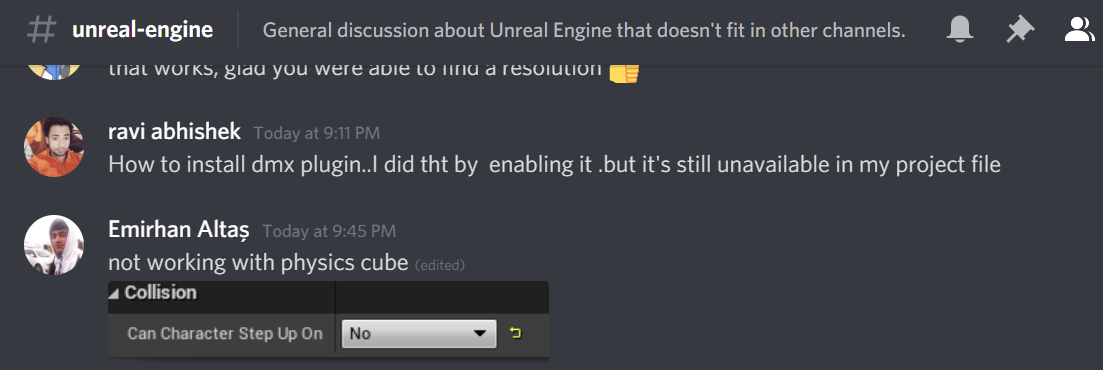 drowsy snow
Honestly I still can't get much info of what's going on from this frame.
trail crater
drowsy snow
Honestly I still can't get much info of what's going on from this frame.
what do u feel the issue is
kindred viper
the issue is you aren't showing any information. You could have said "car flying" and covered that screenie. Better to have a gif or video with some more information on the settings you are using for it
Try cover the setup, or the detail panel with relevant information. Perhaps show the collision of the meshes in the viewport
drowsy snow
^
Again, lower the engine scalability settings, lower the screen percentage, and use Temporal Upsampling, so that you can record it with a measly iGPU.
kindred viper
Also, FYI, Outrun sucked. :p
 next badger
FU**...Undo system in UE4 is SH !
Made some changes.
Undoed them.
Saved the asset.
And ue4 saved the asset with the changes!
drowsy snow
next badger
FU**...Undo system in UE4 is SH !
Made some changes.
Undoed them.
Saved the asse...
Also fuck dodgy autosave system in UE4
next badger
@drowsy snowoh! that may still have the asset saved there!
 rigid belfry
any references on creating advanced animation blueprints?
drowsy snow
rigid belfry
any references on creating advanced animation blueprints?
ALS is one quasi-official reference.
rigid belfry
does it have any documentation?
next badger
@rigid belfry study Advanced Locomotion System (it's free and it's overcomplicated)
rigid belfry
i have als but reading other people's code is not really soemthing i wanna do on my free time