#ue4-general
1 messages · Page 919 of 1
 lusty carbon
 stark ledge
Can I disable crash reporter via cmd line?
 still hollow
Hi Everyone,
I'm having an issue with the widget switcher it won't let me change which widget I'm editing. I'm trying to make a main menu for a multiplayer game but whenever i try to change the widget so i can edit it resets to 0 has anyone found a way to fix this problem
 lucid grove
Hey! Is there a way to make Additive Layer Track work with root motion on anim montages?
Its working ok on animation itself, but doesnt make any difference on anim montages
I have simple Z higher up on root bone
its working great
but on anim montage - no effect with root motion enabled
 plush yew
hi guys
i have walking sound effects for
wood and grass
and i added it on my project
how can i make
when player go to grass place
grass sound effect will play
when player go to wood place
wood sound effect will play
?
 thick herald
Plenty of tutorials can be found in Youtube / google search
lucid grove
In short:
You can either use boxes to tell game in which territory you are and using animnotify with different sound outputs based on INT for example (switch on int)
or
You can check physics material of your terrain and change footsteps sound based on that
probably there is more ways to do that
 fallen flower
Anyone got nice brushed metals using 4.26 anisotropy? Marketplace maybe?
 clever axle
Why can my Character walk through this?
 wary wave
my guess is the mesh asset itself has no collision
clever axle
the mesh has the same collision settings (WorldStatic)
wary wave
yes, but does the asset have collision geometry?
clever axle
hm, ok.. I don't know what I would need to do. The Mesh asset itself has BlockAll as well
wary wave
open up the static mesh editor and see if the mesh has any collision geometry
clever axle
primitives is empty
fallen flower
Yeah, so go Collision -> add Simplified Box
fallen flower
great!
 vast pawn
Where in UE4 can I find the speed of the default gravity?
 wanton lotus
vast pawn
Where in UE4 can I find the speed of the default gravity?
wanton lotus
vast pawn
Where in UE4 can I find the speed of the default gravity?
Project Settings->Physics->Default Gravity Z
vast pawn
I'll check
wanton lotus
From an old post, but hopefully still relevant.
Otherwise, just open project settings and type "gravity" in the search.
Should be -980, which is Earth gravity.
vast pawn
yep got it
thanx @wanton lotus
@wanton lotus are you familiar on how to use Blueprints espeically with the Physics linear velocity node?
wanton lotus
vast pawn
<@!291620720243376129> are you familiar on how to use Blueprints espeically with...
I'm not good at working with physics. One of the things I really need to learn.
I know the math, just not how everything is done in UE4.
vast pawn
I was wondering if that node overrides the default gravity z?
wanton lotus
If it literally does what its name implies, it sounds like it would, you just need to disable gravity for whatever needs to use it. You can also use an AddForce Node to constantly accelerate the physics body in one direction.
There are also free plugins to customize gravity (hmm search link failed, listed individually):
https://www.unrealengine.com/marketplace/en-US/product/directional-planet-gravity
https://www.unrealengine.com/marketplace/en-US/product/character-dynamic-gravity
https://www.unrealengine.com/marketplace/en-US/product/ninja-character-plugin

Unreal Engine
Free vector gravity for planets and directions. GravityMovementComponent allows you to control gravity direction and force for physics and movement.

Unreal Engine
Dynamic Gravity for the Character

Unreal Engine
A plugin that provides a controllable character that supports any gravity direction! Other gravity-related goodies are also available.
 dire lantern
I've literally waited 10 mins in front of the screen so i can write (I'm brand new to this server)
Hi there guys!
 warm fractal
hey guys is it possible to move a selected animation in sequencer by 1 frame forward or bw with a keyboard shortcut ?
found it ! (Ctrl + Left Arrow)
wanton lotus
dire lantern
I've literally waited 10 mins in front of the screen so i can write (I'm brand n...
You could have made a game in that time! 😜
dire lantern
Hey could someone kindly help me out with this so-called jumpscare animation
@wanton lotus i'm pretty much a rookie ahah but i hope one day i could
wanton lotus
dire lantern
Hey could someone kindly help me out with this so-called jumpscare animation
Can you move down to #animation and give a little more details on the problem there. If I know the answer, I will help you out in that channel.
Also, If I don't, other animation experts can find your question easier.
dire lantern
Bet! But I'm not really sure if its an animation though
wanton lotus
Ah, then here is ok to ask.
dire lantern
Here, I followed this tut - https://www.youtube.com/watch?v=GUtQEABBxlw&t=7s
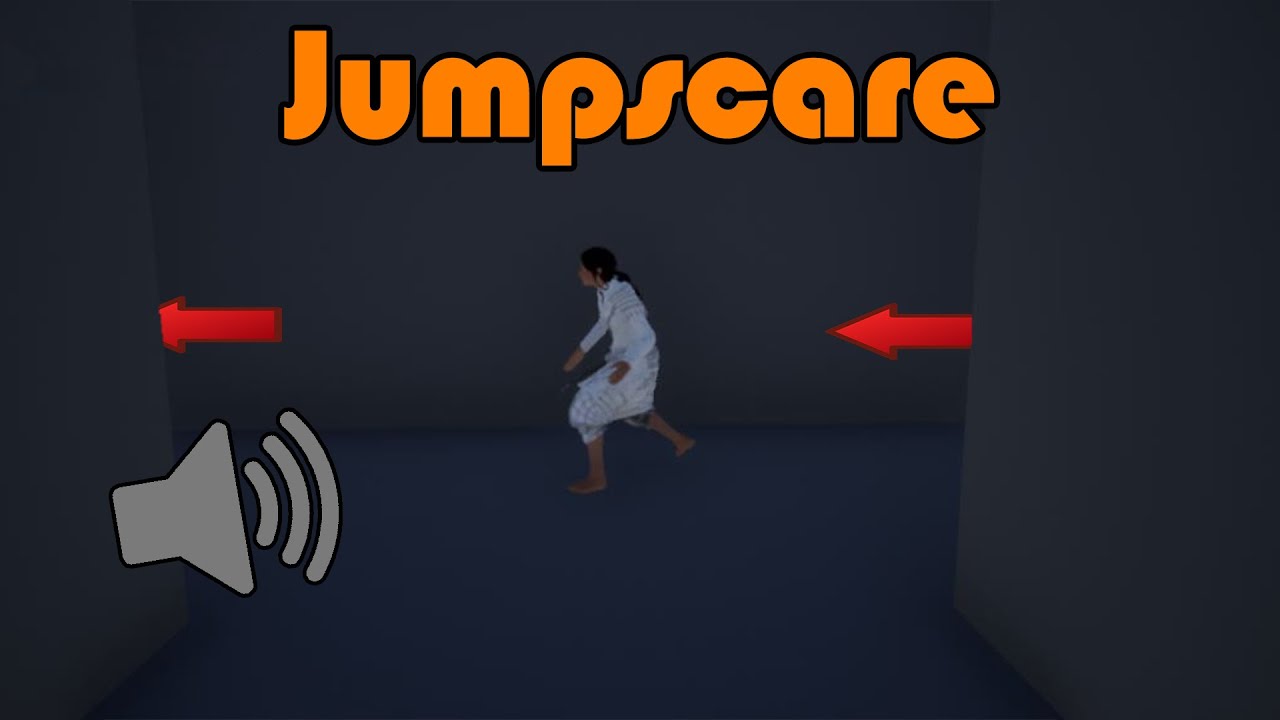
Hey guys, in today's video I'm going to be showing you how to create a jumpscare for your horror game. This example is of a ghost girl running through a corridor in front of the player. However, this can be easily adapted to whatever you like.
Ghost Mesh: https://drive.google.com/drive/folders/1iEyADR1Hptw87J25DUskJZU3Rtfpbg-v?usp=sharing
Jumps...
So basically the problem is I did everything except when I trigger the box the character either fades away or the speed is too fast (because my level is pretty small scale based)
The scale caused me a lot of problems but i somehow managed to go through them for now... i tried lowering the speed but i dont really think im doing it right or either the problem is somewhere else
wanton lotus
Why do people love using the "Get All Actors of Class" node? Why not save a direct reference to that actor when it is first added to the world? Sorry, just checking out that tutorial, haha.
dire lantern
Ahahah no problem!
wanton lotus
So seems like you just need to edit the ghost's movement speed if it is too fast.
The tutorial is so basic, they just have the ghost already in game and the trigger box just uses the "move to" node. So it is all based on the character's (ghost) max walk speed.
dire lantern
Another quick note: You probably notice how he adds that ''Nav mesh bound volume'' and then his character starts moving, but in my case the character stood still (in one place) and when i plugged the ''Get a copy'' into the Target Actor in ''AI move to'' node
Yeah you're probably right!
So when i plugged it, it worked the character was moving
But too fast I guess
I really tried changing the speed but I dont think I'm doing it properly
wanton lotus
Open the blueprint of your character (ghost in the tutorial). On the left side, you will see the component list. Select the "Movement Component", then in its "details" you need to search for "walk speed" and set that much lower. I think the default is 600, you may want it at like 200 or 300.
dire lantern
Yes I did that, didn't work 😦
I even lowered it to 0. something
Because of my small scale level
wanton lotus
dire lantern
Because of my small scale level
What exactly do you mean by "small scale"? Like you changed the scale settings of the objects in your level?
dire lantern
Pretty much yes, everything is really small, that's why I had problems with the scaling and walking speed of my own character but i fixed them somehow.
wanton lotus
dire lantern
Pretty much yes, everything is really small, that's why I had problems with the ...
Ahah, setting scale really low does cause problem for this. What you should be doing is setting the scale of everything else really large to make it look like certain things are small.
dire lantern
I know :/ but the scene was already huge to change everything back into it's big scale
So I followed along with things
wanton lotus
Floating point numbers can only be so accurate and when doing math with really small numbers, you will lose a lot of accuracy and run into many strange bugs.
dire lantern
Reference on how small my scene is lol
wanton lotus
Those icons, haha
dire lantern
My camera speed is set to 1 and its still fast xD
wanton lotus
You really will need to make everything larger.
clever axle
I have an actor on the server. When I create it, I bind to an event (die). Later on the server, the Character realizes it has no health left and calls his Die event dispatcher. (this is on the server too) but the player controller who bound to that event on creation doesn't fire the associated event. any idea why?
 hybrid furnace
hi i have a project that keeps crashing on startup wondering if there's somewhere i should post about that on here?
dire lantern
@wanton lotus thanks for your support & help! Really appreciated!
plush yew
Hello guys... quick question, how do I use the node “set game paused” without pausing the inputs? Because I can’t leave the option menu.
wanton lotus
hybrid furnace
hi i have a project that keeps crashing on startup wondering if there's somewher...
You try removing the "Intermediate" folder? Or just move it outside your project folder if you don't want to delete it for testing.
hybrid furnace
just tried that, no luck 😦
 flat pewter
Hey, can anyone help me? I moved some files around and some maps broke. Resetting to a previous commit doesn't fix it either
I can see the files in explorer but not in the editor..
 buoyant graniteBOT
:triangular_flag_on_post: TRON1X#0193 received strike 1. As a result, they were muted for 10 minutes.
 elder haven
Hi, How can I increase the quality when Ιm in game mode. For example when I navigate normally in my scene I see my stuff as intended. When I press play its like the quality drops and everything have some kind of blur compared to the more crisp edit mode.
wanton lotus
hybrid furnace
just tried that, no luck 😦
Have you opened this project before? If so, what recently changed before the crashes started? Any new plugins? If so, you can edit your uproject file and disable the plugins in there.
wanton lotus
flat pewter
Hey, can anyone help me? I moved some files around and some maps broke. Resettin...
You moved the files within the editor or using explorer? Also, not sure why reverting to a previous commit didn't work, unless that commit was also bad.
flat pewter
moved in editor.. then opened the levels and they didnt have some of the assets
reset --hard with git, same thing
 median hound
elder haven
Hi, How can I increase the quality when Ιm in game mode. For example when I navi...
median hound
elder haven
Hi, How can I increase the quality when Ιm in game mode. For example when I navi...
settings then scalability
hybrid furnace
wanton lotus
Have you opened this project before? If so, what recently changed before the cra...
I literally just woke up this morning and it wouldn't open. Was fine last night
it's alright I'm new to Unreal, had put a day of work into it I probably did something weird. Just gonna start fresh
wanton lotus
flat pewter
deleted maps and assets ,reset --hard again
Clone project to a new directory?
elder haven
median hound
settings then scalability
cool ill try that
wanton lotus
Damn, that is odd, any of what you tried should have reverted it back, heh.
flat pewter
I just reset to an old commit that Im sure works
Maps are in the explorer as well, but still not showing up in the editor
wanton lotus
flat pewter
Maps are in the explorer as well, but still not showing up in the editor
Engine version mismatch? Did you try to recently upgrade your project to a newer version of the engine?
flat pewter
not at all :/
 fringe bane
Hi, so let's say I have a game with over a 100 items of two types: loot and consumables. Consumables restore health and mana on use via a granted ability. Is it better to use data tables or data assets, or does it depend on the project? All official unreal examples seem to use data assets, but they all have a small number of items.
 silver mulch
anyone know why the widget interaction Show Debug would not show any sort of line? it was working fine for awhile, then suddenly it stopped working. Just tried in a whole new FPS project, set up the widget interaction with Show Debug checked within the FP character graph, but its still missing the debug trace line. not sure what could of happened
 gaunt tide
Show bp in #blueprint and I’ll help you out a bit! @silver mulch
gaunt tide
fringe bane
Hi, so let's say I have a game with over a 100 items of two types: loot and cons...
For all of my items I made a data struct than turned it into a data table. I have enumerators which tell me what type of item is it and than a master object that sets all of the variables when the object is spawned
silver mulch
was testing it in a new project since it suddenly stopped working in my current main project
 ocean grove
Hey I'm getting a weird error when I go to play my game EDIT: Saving the level gets rid of the error?
silver mulch
fringe bane
@gaunt tide that is what I have right now, but was just wondering what the benefits of data assets where and if I should switch.
silver mulch
gaunt tide
fringe bane
<@!241705563753283595> that is what I have right now, but was just wondering wha...
Unreal Engine Forums
Hi all,
My game is very data driven, i need to store a large amount of data with the same structure, and i'm stuck between using DataTables with structs, or a
fringe bane
@gaunt tide year I've read that, but thought to ask to get more input. Thanks!
gaunt tide
Yeah sorry I don’t know too much about it either because I just used a data table for the first time about a month ago lol
fringe bane
oh, I see
data assets seem way more flexible with a custom asset manager from what I have seen
clever axle
Is this excessive foliage or all good?
gaunt tide
Whoops. I like data tables because it allows me to store and easily edit variables for all of my items. I have only 1 master object BP that sets the variables of each item based off its name when it is spawned and if I need to change any variables I know it’ll transmit properly to the items
And if I edit the data struct associated with that data table it also adds the new variable to my data table for me to input variables and all I have to do is created a new “set (variable)” node inside the master object bp and to me that gives me less time spent editing multiple objects and more time focused on other thing
clever axle
clever axle
Is this excessive foliage or all good?
light build is taking forever
gaunt tide
clever axle
Is this excessive foliage or all good?
I feel like for that scene the foliage looks nice
Also what is the size of your light mass importance volume?
clever axle
its basically the bounds of the island and Z to the max height
highest point on the island I mean
gaunt tide
That could be why because light mass importance volumes should really only be used on parts that need detailed lighting. If you’re using it for an entire landscape it will take ages to build light
Meaning the light bounces multiple times inside the importance volume and only once outside. So for the entire scene it is having to calculate the light bouncing multiple times across the landscape and all the assets on it
gaunt tide
I mean I’m not saying you can’t do it for an entire landscape but it will take some time to build the lighting 🙂
clever axle
ok. I just took a small chunk in the center now for testing
Lighting complete but the foliage shadows are all whack
that was better before I built the lighting :/
InstancedFoliageActor_0 The total lightmap size for this InstancedStaticMeshComponent is large, consider reducing the component's lightmap resolution or number of mesh instances in this component
InstancedFoliageActor_0 Instanced meshes don't yet support unique static lighting for each LOD. Lighting on LOD 1+ may be incorrect unless lightmap UVs are the same for all LODs.
I'm still getting this though which is why I asked if this is too much foliage
gaunt tide
Ahh okay. Yeah I usually use dynamic lighting with the sky sphere. I wish I could help more. What I do is do a search on google with reference to your issue if someone else hasn’t commented on it in a little bit
plush yew
can you important clothing simulation from a different program
into unreal engine
or do you have to reapply the clothing simulation via unreal engine
D:
gaunt tide
You should be able to do I think
plush yew
o.o really now
 inland aurora
I finished the save game object, it's actually pretty easy if you mess around with it 👍
 midnight gate
so im makinig a game about seals and so far i have fun fishing and socializing mechanics, but i want to make the game more focused on raising seal pups, any idea how can i make that fun? a seal pup raising simulator? how would you guys go about this idea? any recomendations? how do i make the player feel rewarded for having a seal pup without stat buffs or smth
 potent kraken
Hello everyone, I need to get the Health value of the other client in 1vs1 seting to display it on the HUD as "Enemy HP".
How do I go about doing that? Currently I just have a replicated health variable in my player_bp, how would I go about binding the enemy HP on the ui text?
 patent grove
hey guys, for some reason since installing unreal engine on my C: drive, i all of a sudden have 0 space on it. before installing UE4 i had around 270GB left, has anyone had this issue?
clever axle
@gaunt tide yes, I'll do that but I wanted to know if that is excessive folaige anyway
thanks for your help though
wanton lotus
midnight gate
so im makinig a game about seals and so far i have fun fishing and socializing m...
In simulation games, simply seeing the characters grow is reward enough. Seal pups can maybe begin to develop their skills (fishing and socializing) by tagging along with the parent and gaining "experience". Will be quite some AI work, but your seal pups can start to become more and more autonomous as the player progresses.
plush yew
@midnight gate well think back to tomagachi or the pokemon play features or something akin to the nintendogs, research how they give the feeling of companionship and such pet to owner feelings and incorperate that in basic AI tree behavior with interactivity built into such a feature x3
midnight gate
i guess watching the seal pup grow up and go thought seal puberty would be kinda fun? but what would happen after they grow up?
plush yew
i mean if you really sell the illusion of the seals being baby seals with a bunch of complex and engaging interactivities im sure it'll pan out nicely
feeding, playing, cleaning, swimming, dressing them in outfits idk the skies the limit really
wanton lotus
midnight gate
i guess watching the seal pup grow up and go thought seal puberty would be kinda...
Ever play Ancestors? The player could then maybe switch to playing the pup (now adult) and begin the next generation of seals.
plush yew
that too ^
wanton lotus
Ancestors did have a reason for that though, since evolution was the main goal of the game.
 patent flower
hi
im having some issues with unreal
can someone help?
midnight gate
@plush yew omg dressing them in outfits seems like a fantastic idea
plush yew
;D
you can even have the seals give the player gifts i know my kitties as a child would give me pet birbs for giving them lots of luff
wanton lotus
patent flower
hi
im having some issues with unreal
can someone help?
Gotta know what you need help with specifically.
plush yew
@wanton lotus is there a limit to what the chaos level destruction addons can well
destroy >O>
patent flower
i put a material on my landscape
midnight gate
@plush yew that is also a nice idea and i already have a costumization system in place for that
patent flower
it then went black but rhere is no option to put the layers in
wanton lotus
plush yew
<@!291620720243376129> is there a limit to what the chaos level destruction addo...
Have not used chaos yet, so unfamiliar with that, sorry.
plush yew
@midnight gate 
patent flower
ive done it before but its not working now
patent flower
@wanton lotus also the foliage tool no longer works either
and just genraly things are not working anymore
like ive come back on after a week break and it keeps breaking
midnight gate
hmmmmmm
wanton lotus
Is the editor doing something right now? Like maybe compiling shaders?
patent flower
nope
its not
it just refuses to pick up the layers on the material
i did it today but its stopped working
 grim ore
show the material setup for the layer blends?
and the compile ok message in the log if you have it. Also did you change platforms perhaps? trying it on mobile or linux?
 autumn flame
Connect that to Normal
grim ore
the pivot? using the new modeling tools you can otherwise you adjust it in your external program or cheat and make it part of a blueprint
warm fractal
I've tried with alt + mw button but insta gets back to its original point (like in the image)
grim ore
yes that is temporary
 blazing belfry
someone speaks Spanish?
patent flower
no hablo espanol
blazing belfry
ok does not matter
warm fractal
@grim ore any idea how I could fix that ? in external program the animation of the object has its pivot point set right
grim ore
the pivot point when importing from an external program will be the origin or 0,0,0 point in the program
grim ore
did you try doing what the error suggested?
grim ore
just exporting out the mesh and bringing it back in does not cause this issue so its something you did in your dcc program
grim ore
digital content creation, blender in your case
plush yew
Maybe I forgot to weight paint the dress maybe?
I added a material too it and joined it than exported it
grim ore
#animation would know for sure but try what the error suggests with the import options or make sure those bones are weighted in the 0 frame of the animation
 ruby ocean
Anyone have a good reference for snap groups and snap flags?
gaunt tide
?
ruby ocean
It’s for modular building pieces
gaunt tide
Its fun lemme tell you. You want at runtime or in editor type thing?
ruby ocean
A photo reference would do just fine, if there’s any documentation on it
gaunt tide
Runtime or in editor...
ruby ocean
Runtime
gaunt tide
Do your meshes have sockets associated with their points you want them to snap?
ruby ocean
Just to make it clear, I’m not using UE4 proper, I’m using the Ark Dev Kit which is not up to date with UE4 now. The way snap points work in the kit, is that you make a new snap point, position it where you want (xyz) then enter in the snap flags/groups.
gaunt tide
Yeah never used that before. Im currently working on a socket building system in 4.26 :/
ruby ocean
Ah okay, thank you. Good luck!
gaunt tide
Thank you, Good luck to you as well!
 winter gale

Buy Me a Coffee
Struct viewer can be used to list all the structs available in your project (including Engine structs too). You can right click in any of th...
 nimble warren
So I’m having an issue in 4.26 with Apex Destruction, in editor half the time apply damage gets triggered the editor crashes, in a packaged build when it’s triggered the object that hit either goes through it and then the destroy component gets triggered after a few seconds or literally nothing happens and the destroy component gets triggered. Anyone know a fix?
 sterile tulip
 light thunder
Um, these used to be much more transparent, but I can't remember what changed - what should I investigate - I'm pretty confident I didn't mess with the main material/sub uv
 forest zinc
Hey guys, I'm having some trouble with a flashlight. I have two lights on my player character, a first person light and a 3rd person which I'm toggling on and off with the light. My third person lights display the pointlight correctly with an IES texture, but my first person light wont display the IES texture. Any ideas or help would be appreciated
light thunder
Actually, it IS the material but it won't let me change it
 dense shadow
How can I check if some text inside a string variable is inside a tag for example. "This is a sample text<a>TextToGet<a/> etc, etc". And I can get the TextToGet
grim ore
https://docs.unrealengine.com/en-US/BlueprintAPI/Utilities/String/index.html look at like the contains or the split nodes
there are also rich text objects you can use if you are trying to format text like that for ui
 tropic pilot
would be SOOO awsome if one could code for ESP32 (microcontroller) via UE4 blueprint and upload it!!! 😄
 mystic ledge
What mode do I need to activate to see these vertex handles like in this screenshot?
dense shadow
@grim ore I am not sure on how to make this.
grim ore
so you just want the item inside the tags?
dense shadow
I don't want to print the tags and get the item inside them
grim ore
so you just want the text inside of the tags?
dense shadow
I am going to have a text effect on the text inside the tags. But I still want to print the entire text later without the tags
grim ore
yep... soo... lol
are you trying to just remove the tags, you want just the text inside the tags, you want it all to be caps....
like literally what is the goal
"this is <a>some test text</a> we are testing with" becomes.....
dense shadow
Ok for example " This is example text <a>TextToAddEffectTo<a/>"
And printed "This is example text TextToAddEffectTo" But TextToAddEffectTo will have a shaky text animation
dense shadow
cmon man
grim ore
well the engine cant do the shaky text out of the box, there are no nodes to do just that
dense shadow
English is not my first language
grim ore
I understand the goal but not what you want to get there
this code turns "This is the <A>TEST TEXT STRING</A> that we want to pull out" into "TEST TEXT STRING"
 rugged fjord
anyone knows how I can let an actor blueprint class basically fall and stuff?
dense shadow
@rugged fjord enable gravity?
rugged fjord
It is enabled
dense shadow
can you send screenshot
rugged fjord
I want to like let this slide down over a rail
dense shadow
@rugged fjord make the object that has simulated gravity the root
plush yew
when i try to import the dress i made
it forces me to regenerate the skeleton
turning the unreal manniquin and dress into a single bone called cube
and it wont stop being retarded until it forcefully adds cube as the single bone ._.
 ripe apex
Ok, how to fix this error?
LogObj: Error: LoadConfig (/Script/Engine.Default__RendererSettings): import failed for bEnableAlphaChannelInPostProcessing in: False
Seems like it's caused by transfer of my project from 4.21 to 4.23, but I'm not sure about that
elder haven
Can I duplicate foliage ? Fore example can I create the exact copy of all of my mashes that I have made with foliage ?
 spiral burrow
I'm trying to set a URL in an ini file. It seems to cut the value at the first forward slash (/). How should I include a URL in INI? Any kind of escape cahracter, er?
Maybe quotes?
ripe apex
spiral burrow
I'm trying to set a URL in an ini file. It seems to cut the value at the first f...
Try quotation marks
spiral burrow
Yeah just occurred to me. 🙂 Ty
grim ore
you just need to read the error and fix the issue
 smoky junco
i genuinely cant see whats wrong with it
grim ore
your character variable is probably null
smoky junco
well youre right there haha thats exactly it, but i cant modify it because its a Class Default
so idk how to fix it
smoky junco
this is inside of a component attached to the character, its trying to get the character
grim ore
if its the player character, the one being controlled, you can always use "get player character" or you need to pass in the attached character into the component when you create it
wanton lotus
If this is inside the component, that exists on the character, Get Owner node can get the character.
smoky junco
wanton lotus
If this is inside the component, that exists on the character, Get Owner node ca...
that isnt compatible with Set Control Rotation
wanton lotus
smoky junco
that isnt compatible with Set Control Rotation
Get Owner would just replace your "Character" variables and then would need to cast to character or pawn.
plush yew
This is what I get when I attempt to import an outfit with skeleton from ur4 attached
 foggy shuttle
hi everyone, any clue why in Buffer Viz - Ambient Occlusion everything is white even if it's clear that I have ambient occlusion from materials and from SSAO?
wanton lotus
As stated above though, if you know it is the player character, you can use "Get Player Controller" instead.
plush yew
And it forces itself into having something called dress as its skeleton ._.
I've followed 3 different tutorials for adding clothing to the game and this keeps happening
 static wharf
Any idea why unreal engine always gets stuck at this when launching?
grim ore
yes it is compiling shaders, you just have to wait
static wharf
Ah ok, it didnt use to get stuck here for like 3 hours on a new project tho
plush yew
:<
hybrid furnace
ok so now my new project i started today is continually crashing
Houdini Engine caused it to crash I think that may be the issue
any suggestions on how to approach that? as of right now i can't open the project
gaunt tide
@thorn topaz So honestly. Been messing around for a bit with this. Do I need to apply an offset to the attached actor?
 bitter orchid
Anyone have a good site where I can find a collection of audio for video game creation? I use lots of sites that have collections of game sprites and animations to download. Do they have sites like that for audio?
 crisp elm
Can I use a material created by Epic that was given away for free with my own textures for a character that I want to publish on the marketplace? The material is way too advanced for me to re create. I just want the recipe, I hope that makes sense
 gentle trout
Hey anyone can help me in DM with the widgets?
 late verge
hey everyone!
how can i increase the draw distance of my point/spot lights?
after a certain distance, they stop having an effect
 maiden sundial
Can anyone recommend me a tutorial for making a outline/highlighting effect with post-processing ?
Anything i found on youtube seems really eeh to me :s
plush yew
@maiden sundial try inverted hull method
gives pretty amazing outline quality and control
takes about 20 seconds to setup as well
maiden sundial
I'll try to find this method ^^
plush yew
no need
@maiden sundial https://www.youtube.com/watch?app=desktop&v=2k-YdMnqWUU

#b3d #blender #secrets #tutorial
Visit my website: https://www.blendersecrets.org/book
e-Book bundle (20% Discount) : https://gumroad.com/l/IxofeY
there ya go
maiden sundial
Wait, is this a method where you have to do this on every mesh where you wanna use it ?
plush yew
mhm
maiden sundial
Cuz of blender
plush yew
yes
maiden sundial
That's sadly not really a option for me :s
I'd need a more generic method
 maiden sundial
Doing this for every mesh seems insane in my case xD
plush yew
its about 3 clicks per mesh x3
thats a blessing in game design
ive been stuck on importing an outfit for 8 hours
after trying 12 methods c:
maiden sundial
Can you even turn it on and off with the blender method ?
plush yew
i believe so not sure though
maiden sundial
Cuz if i understand it correctly i'd have a mesh with and without the outline
plush yew
Hello guys how could I make something happen randomly with a % ?
its just a click to turn it on and off not so sure about in engine though
possibly yeah
 fluid root
How do you actually get a google play license key?
plush yew
and import to engine and switch it out on the fly
maiden sundial
@plush yew In C++ or BP ?
wanton lotus
plush yew
its just a click to turn it on and off not so sure about in engine though
There is a marketplace asset that claims to do this, so it should be possible.
plush yew
maiden sundial
<@456226577798135808> In C++ or BP ?
Same thing
I prefer in C++
But if u know how to do in BP is ok
wanton lotus
You just want weighted random?
plush yew
@wanton lotus ;3;
maiden sundial
In C++ it's basically just smth like
bool Result{ FMath::RandRange(0, 5) <= 1 };
Such a terrible fate to behold
wanton lotus
plush yew
<@291620720243376129> ;3;
I have always had problems importing assets into UE.
grim ore
There is a weighted bool node in bp so chances are the function it uses is usable in c++
wanton lotus
grim ore
There is a weighted bool node in bp so chances are the function it uses is usabl...
That is genius, didn't know that existed.
plush yew
@wanton lotus I just want to slap Clothing on a model so I ca. Test something kind of retarded xD
 foggy pasture
ok i am still very new to ue4 so when i disable colission on the inherited capsule collider my character falls trough the ground and i have set every other collider as a pawn does anyone know why this is happening
plush yew
I don't even care what outfit or program I have to buy as long as it can slip clothing into the engine without bone exploding
maiden sundial
grim ore
There is a weighted bool node in bp so chances are the function it uses is usabl...
Also didn't knew about that one, thanks 😄
wanton lotus
plush yew
I don't even care what outfit or program I have to buy as long as it can slip cl...
So you are exporting a character model, importing that into external program, adjusting clothing to fit correctly, then exporting from external and re-import then fails?
grim ore
@foggy pasture the capsule is the root for a character and where it does it’s movement collision checks and such. It should be kept
plush yew
Best boi has been providing emotional support since 8am by tugging and borking in my ear ;3;
foggy pasture
grim ore
<@636821359309226006> the capsule is the root for a character and where it does ...
then how can i like make my own hitbox
plush yew
@wanton lotus nuuu
grim ore
You can still make your own just have your line traces only trace against your custom hit box collision channels.
plush yew
Importing a dress i downloaded amd added vertex groups on from the exported unreal mannequins
I just wanna see if clothing simulation can combine with other game engine mechanics
Because if so I might be able to create something truly incredible :>
I exported the mannequins added a dress than reimported and cloth sim and It worked but adding the clothing on its own under unreal skeleton gets glitchy as heck
Won't let use the unreal skeleton for physics and it keeps trying to regenerate the skeleton than it crashes the program or it keeps at it whilst renaming it to whatever the dresses bones were ._.
Followed by failed to merge bones error posted above
I was thinking maybe importing the clothing as a basic mesh
Than somehow adding unreal skeletons to it might fix it
Idk ;3;
 pastel yarrow
Guys, is there a way to disable specific input, like I dont want the player to be able to move but he should be able to interact
median hound
foggy pasture
ok i am still very new to ue4 so when i disable colission on the inherited capsu...
i would use linetrace then make it ignore the capsule and hit the mesh or the hitboxes i made
plush yew
:C
wanton lotus
pastel yarrow
Guys, is there a way to disable specific input, like I dont want the player to b...
Can always set max walk speed to 0 for as long as you want the player to stay still.
pastel yarrow
wanton lotus
Can always set max walk speed to 0 for as long as you want the player to stay st...
I managed to do it with a variable, thanks tho
plush yew
ue5?
 uneven hemlock
Just downloaded the procedural ecosystems PACK and Im not disapointed
all of the grass and trees and rocks are procedurally placed
based off slopes and materials
playing it at 100fps with a rtx 2060
amazing lod transitions and dense grass without preformance loss
the rock material is generated based off slope
plush yew
@uneven hemlock grass fade distance?
uneven hemlock
plush yew
<@!465671183379988481> grass fade distance?
ya
plush yew
how much
plush yew
how many lods per grass
uneven hemlock
not sure yet I downloaded it today
I think 2-3 tho
theres also seasons btw
like winter
and they come with procedural foliage spawners. all the forests and rocks and grass is procedural
 fierce tulip
this sounds too much like promotion over a discussion, plus its a marketplace pack so the discussion should have been in #fab and even then its not even discussing the pack but borderline promo
wanton lotus
62fps on a GTX 1060? What would they get if I actually added AI to the game?
The pack looks real nice, but you are basically stuck with an exploration game at that point.
plush yew
yay still cant fix this failed to merge bone thing :>
wanton lotus
plush yew
yay still cant fix this failed to merge bone thing :>
I'm getting crashes when I try to merge ALS skeleton and Scanned 3D People skeleton. It will let me retarget, but when I try to switch skeletons and merge the bones, it crashes.
wanton lotus
array out of bounds crash every time.
plush yew
im trying to merge the outfits bones with ur4 skeleton
and it just explodes~
i just wanted to test out a cool possible mechanic XD
and instead and struggling violently to do part 1 of 2
wanton lotus
Got it to finally work, but had to go about the opposite way. I wanted to replace the 3D people skeleton with the ALS skeleton, but it crashed every time, however, it allowed me to replace ALS skeleton with 3D people skeleton. I think it may have to do with references to the ALS skeleton??
plush yew
wait what
 lime gull
So quick question, I just need a loose answer. If I wanted to have a party system in Unreal, how would I save each characters equipment separately?
 spare kernel
@gleaming narwhal Are you going to post any other QA's with Dave Ratti answers or were they all pretty much covered in the stream?
 gleaming narwhal
@spare kernel He said he'll chime in later - he was just busy today. We'll see 🙂
spare kernel
ah cool, i do owe him and you a coffee though 😄
gleaming narwhal
When the pandemic is over I'll throw a large meetup in Raleigh - everyone's welcome
spare kernel
Michael did well, some of those QA's were tough
gleaming narwhal
Yeah he's great - He has more topics that we're going to cover this year
spare kernel
and for being new to it, he actually knew quite a lot which was good
gleaming narwhal
He's one of the folks working on the documentation for it
spare kernel
i really do want that stream on AssetManager though, would be awesome 😛
anyway thanks for the stream and all the work you and the team do 🙂
spare kernel
np, i enjoy helping 😛
plush yew
does anyone here use character creator 3
if so im wondering if with character creator 3 can you add on modular bits to them as you would with any old mesh or such in unreal engine
o-o;
 thorn topaz
gaunt tide
<@!209383767322656768> So honestly. Been messing around for a bit with this. Do ...
thorn topaz
gaunt tide
<@!209383767322656768> So honestly. Been messing around for a bit with this. Do ...
You should position your scene components at your "socket" locations and attach to those components. That will effectively handle the offset
gaunt tide
thorn topaz
You should position your scene components at your "socket" locations and attach ...
Ahh. Okay yeah I dont have scene components attached to the mesh. How would I relate the scene component to the socket? I did earlier add a scene component for each socket that I had on the mesh but it wouldnt let me assign a socket to it in the details panel.
wanton lotus
My thoughts exactly. There are no game systems, it is just environment. You start to build a game around that and those frames will drop well below suitable ranges for that hardware.
fierce tulip
our eyes dont even see in "fps" so that whole thing is moot
 dark depot
^
gaunt tide
Rip
 dusky inlet
I wrote a tutorial for async Blueprint nodes and how to use them to smoothly lerp a component from one socket to another without using timelines or spaghetti nodes. In which channel can I share it? Guide didn't really give me pointers here.
wanton lotus
#blueprint? Then ask for it to be pinned.
dusky inlet
async BP nodes can only be written in C++; I was thinking more along the lines of share your work  but I think this is for ue4 projects, not tutorials
 rancid lynx
if we use a lot of LANDMASS Splines, do those get baked in and removed in the final build? or do they lag up the final product also ? anyone know ? im not SURe they cause lag, but ive heard they can, and I build VR, so I need to be extra careful.
thick herald
Correct, they are baked.
rancid lynx
do you know if they cause editor lag ? i havent tested using 50 of them yet
just curious
prob not much editor lag, but maybe some annoying vr editor lag. idk. guess ill test it when ive got time . ty
 heavy ether
hey all ltns 🙂 trying to get up to speed on how AI/Animation work together in the modern day Unreal.. The person who put together my Anim Blueprint tied in a couple of custom event triggers, which work real nice inside the blueprint viewer... but.. how do i access them from somewhere? specifically, a Behavior Tree ?
 clear patrol
are 3d skies a thing in Unreal? if so is there a guide someone could point me to on how to do it
gaunt tide
Should be with the new clouds they introduced with 4.26
clear patrol
well I'm completely new to Unreal and I just want to know if you can easily place a 3d camera and have it project as a skybox
gaunt tide
Have the camera itself project a skybox?
gaunt tide
Camera and texture renderer on a skybox
clear patrol
Do you know what a 3d camera is?
you would have your skybox in a different area and then have a camera inside of it facing multiple directions and it would project it as the skybox
like this
 empty isle
Is there a built-in or straightforward way to bind a key to a console command such that it works in PIE and Edit mode (so can't be a key event in an actor or level BP)?
 bitter iris
upgraded engine version, and it says my structures are broken, but when i open them theyre fine? the heck
 acoustic wraith
What's the error?
bitter iris
mostly failed to find reference in BP with the structure but i looked in the BP and struct and its fine
but compiles fine and no errors so no idea what ue4s on about
acoustic wraith
The only thing I can think of is fixing up redirectors, but I'm not sure.
acoustic wraith
Yeah, sorry 😦
bitter iris
np thanks anyways
 gloomy nimbus
hello. Q: I did the guide on YouTube from official Unreal Engine channel how to build a demo in 2D Paper. One of the first things I did was to change resolution size since I deal with pixels. Main question is, does this make the game file and source-material execution lighter + faster to render?
Thanks
 azure sierra
i noticed that in the epic launcher there is an option to download source code. Does that mean that you can build a dedicated server without having to download from gitlab and build yoouself now?
azure sierra
yeah
bitter iris
hmm i might try compile a basic mp game
if it works itll save so much time and file space 😄
azure sierra
bitter iris
weird, i can only see the option to build server in source version
i just opened up 4.26 default and cant see that option
azure sierra
thats unfortunate i was excited
bitter iris
they really need a way to package it all in the one
 cloud latch
hi all, so the megascans plugin has a bunch of bad presets in it (remember the whole connection disappearing issue for materials that's been there in UE4 off and on? Theirs all have done that). Anyone know if someone's already gone and patched this up and shared it?
azure sierra
bitter iris
they really need a way to package it all in the one
the extra process of building source, changing files, adding targets. It never made a lot of sense to me. I mean its basically a headless version of the game so why so much extra work?
 kindred viper
@cloud latch megascans has issues all over the place. They are not the best assets. But they can be useful. If you are using them for a game, you are going to have to do some work. Especially if you are using 8K versions which tend to have more errors in from what I can tell.
plush yew
hey guy do you know how to merge static meshes and thier own material ?
cloud latch
Thanks @kindred viper Yeah, I've already tended to bring stuff into Houdini to process and get in the state I want. Guess I may as well stick with that workflow 🙂
kindred viper
I would. Especially if you are used to it
cloud latch
Also appears they don't pack the channels for AO, roughness, and metalness
kindred viper
@plush yew you can combine them in engine and it should make a new material for purpose.
@cloud latch I think they have them but they are not on by default with the exporter. OR it might be a case by case basis
plush yew
kindred viper
<@456226577798135808> you can combine them in engine and it should make a new ma...
i did combine static mesh, but it didnt create any material
just two slots of material in the static mesh
kindred viper
ahh perhaps it keeps them seperate then . Im confused a little because im working with Chaos and destruction handles that. Figured it would in the other parts too
You should take it to Blender and combine the meshes then. Perhaps re-assign the materials by hand.
plush yew
kindred viper
<@456226577798135808> you can combine them in engine and it should make a new ma...
is that a new feature ? because i am using ue4.22
plush yew
kindred viper
You should take it to Blender and combine the meshes then. Perhaps re-assign the...
oh okay, thank you so much ❤️
kindred viper
I dunno about 4.22. That is rather old now
cloud latch
@kindred viper Yeah, I saw you can create your own (at least in mixer, so I'm betting I could in bridge, too). I'll go for that. Thanks again 🙂
 sly spruce
I have a question with compress data in ue4
how to compress a string using gzip method in ue4
kindred viper
compress a string?
you compress from a binary format I believe which means the string would be stored in a binary format and that would be compressed,. But dont quote me on that.
 native bough
I have a question how to implement online resources download like in PUBG you have to download skins texture after running game.. How this online or cloud downloading system worls6
kindred viper
check out the mod information with UE4. It's not vast because its only just getting serious attention as a requirement
PUBG has a special arrangement though, so they can do a bit more with some of the tech I guess.
native bough
I want this system to implement on my game not want any type of modding
kindred viper
The method currently being used would require exporting/shipping of Editor tools that isn't allowed under the EULA. But that doesn't mean its not available for licensees
Well you are talking about loading assets on the fly so I just call that modding.
native bough
I just want to know how to download assets[skins] online within the game
kindred viper
I just told you too. You need to check out the modding information. Or you can implement your own system that avoids any Editor code
native bough
I will try to again explain my self....... I want to implement a system in my game so that game my game initial size didn't increase too much i place one map initially and if player want to play on other map he can download.... And please help me how this online downloading for user implement
thorn topaz
gaunt tide
Ahh. Okay yeah I dont have scene components attached to the mesh. How would I re...
You can use scene components or sockets. Doesnt matter. Sockets might be better performance
kindred viper
@native bough Well I understood you, I replied, take it to the bank or forget I said anything. It's upto you.
 mild merlin
plush yew
mild merlin
plush yew
where should I start if I have 0 experience in coding C++?
native bough
Modding is something related to preexisting game🙄🤔.... I just want to know use Google drive to link my assets of games online so that players can download 🤔
 split garden
Hey, I'm having bit of a nightmare in regards to a project I may or may not have deleted. It's a uni assignment that's due in less than a couple days so was wondering if anyone could help me out at all? 😅
I believe I have a backup autosaved, but not entirely sure.
kindred viper
@plush yew C++ for dummies. That isn't a jibe or a joke. Im serious. The Dummies books are poorly named but very useful
@native bough ok just put your assets in some webspace and link it in game. You can use hyperlinks in the engine, there is rich text support, and there is a rather poor web browser but it's good enough for browsing to a site.
The assets wont work until the game is reloaded though. If you wanted it to install it whilst the game was running, then refer to my previous answer.
@split garden First I am going to give you some advice that will help for the rest of your life. Listen carefully and take heed. Learn how to use Source Control software. Both server and client. You will use it in the future if you are into game dev or any kind of asset creating or programming. Second, how did you delete it? Was it on an SSD disk or a mechanical drive or a USB stick? When you say autosave, do you mean you copy/pasted a backup, or that you have some autosave information remaining in a folder?
dire lantern
Hi there, where can I find any good explainable Object Inspection Tutorials?
split garden
kindred viper
@dire lantern depends how you want to do it really. Can you explain how you want it to work?
split garden
I have this, which is an autosave of my map before I broke everything 😅
dire lantern
@kindred viper Absolutely, give me a sec I'll send you a pic
split garden
Cool if I DM you @kindred viper just for clarity sake?
native bough
kindred viper
<@!668446210650013745> ok just put your assets in some webspace and link it in g...
Thanks a lot I will search and learn about this a whole day 😘
kindred viper
@split garden no need to. Better to have other eyes and ears on the problem
Did you try loading that umap file?
split garden
Yeah I've tried importing it through the means that I would any other asset but I figured it's not that simple.
Apologies, I'm bit of a novice with all this ://
kindred viper
its ok we all were
some of the pros still are with some things. It's how it is. Can't know everything until you know it 🙂
dire lantern
A simple object (In my case a cube with material applied), I want the player to be able to rotate it around, a simple text below would be handy too but that's optional, and ofc the blurred background.
kindred viper
@dire lantern if you have that system to play with, can't you just access the selected object in view and apply rotations based on input?
dire lantern
@kindred viper Sadly that's not my scene it's just an example image
 lusty scaffold
is there a way to stretch a timeline biased on a variable?
kindred viper
@dire lantern ahh you doing this from scratch for yourself?
dire lantern
@kindred viper Yep 😦
kindred viper
@lusty scaffold Right there is set new time. Just store a variable with the "stretched" value there, or in the middle of your calculation within the timeline
 next badger
@plush yew this is a good course for people who have 0 c++ knowledge
https://www.udemy.com/course/unrealcourse/
But i'm not sure it's updated to latest ue4.

Udemy
Created in collaboration with Epic Games. Learn C++ from basics while making your first 4 video games in Unreal
kindred viper
@dire lantern I'd have to go through a tutorial on the subject to recommend a specific one but I might be able to find a trusted source, gimme a minute
it's kind of a simple setup tbh. But there are two ways to manage it. In world and In UMG
dire lantern
That's my scene, and i was thinking about when you press ''E'' you can inspect the object and when the same key is pressed again eventually to be put back in it's place
kindred viper
ok that seems like more of a world approach
dire lantern
@kindred viper That's lovely man, I really appreciate it!
kindred viper
unless you don't have the arm animations. Then you can use either
dire lantern
No I want it as simple as Item Inspect Rotation
I don't really have any arms while playing FPS
split garden
To hopefully clarify my problem a little I was deleting the startup and test VR maps from this menu to cut down on my file size. I had saved copy of the level I was working on with a more appropriate name and deleted the other which in turn deleted both. I'm now stuck with neither. I do have my assets still, but I have a black viewport with nothing in and no level blueprint that I'd made.
kindred viper
ahh. I guess you would be better with a world approach then. The UMG approach takes on a few methods that require some knowledge of various areas with materials and render targets etc. @dire lantern https://www.youtube.com/watch?v=L01csBwiFls I speed-watched this and it's probably enough to start.

project Files : https://www.patreon.com/posts/35152293
This is a special request tutorial from one of the patrons.
The objective is to implement an item inspection system. In the last episode, I implemented a way to highlight the object when the mouse hovering the object. Now, I am going to move the object closer to the camera to inspect the ob...
dire lantern
Oh yeah I already watched that but it doesn't show how you could make the item rotatable when pressed with certain key along with blurred background
split garden
YOOO I fixed it 🎉
Thanks for the pointers though, crisis averted.
kindred viper
@split garden the .UMAP is just your level file. Think of it as "the world" but the actors in it are mostly instances. So they need the files to load them up.
excellent.
I hate to see people lose data. I lost 4 years of my early days to a hard disk failure. I feel the pain.
split garden
For sure man, this would've been my degree down the drain so I'll try and be a little more careful moving forward. 😅
kindred viper
@dire lantern That is as simple as rotating a character. You just need the reference to the object you selected. Which you already have
dire lantern
https://www.unrealengine.com/marketplace/en-US/product/horror-engine# - @kindred viper I found this it has fully editable item inspection system, I'm not really sure how to use it though lol
 kindred viper
Yeah I have that one. I believe they gave it away for free one month.
dire lantern
It's free now
kindred viper
cool
See I can't say how they did it, because I haven't used it myself. But that's because this system is actually a really small set of basics strung together. Get object, move object, rotate object. The blur part can be done with a PostProcess volume or if you are using UMG, there is a blur widget.
You could even go as far as using a shader/material to blur. But Post Processing in the world seems more appropriate with some depth of field etc
dire lantern
At this point I don't even know where to begin or how, I began learning UE4 2 months ago
I have multiple problems with my scene but thats a different discussion, i'm more into the artistic field, my background is in offline rendering as 3d artist
And all of a sudden i decide to do complex stuff which requires nodes which im not so well welcomed with
plush yew
next badger
<@456226577798135808> this is a good course for people who have 0 c++ knowledge
...
oh wow, thank you
I will take my time on this
 inner flume
how do I point the launcher to my engine directories?
plush yew
next badger
<@456226577798135808> this is a good course for people who have 0 c++ knowledge
...
lots of good reviews
and what a time for them to do promotion
plush yew
inner flume
how do I point the launcher to my engine directories?
I think you should install your engine first
next badger
@plush yew this course been there for ages, i've watched it so i can tell it's quite good for novice ue4 dev, some people didin't like how slow paced it is, but it's better than skipping parts
inner flume
plush yew
I think you should install your engine first
had them on different drive
i copied them from my old PC
plush yew
next badger
<@456226577798135808> this course been there for ages, i've watched it so i can ...
you've watched it?
next badger
@plush yew yep, few years ago iirc
plush yew
this will get me to a solid start, won't it?
next badger
not sure about solid, but you will make 3 games using ue4, all with c++...it starts with pure c++, no ue4 involved, but this part is relatively short
 cobalt isle
plush yew
this will get me to a solid start, won't it?
cobalt isle
plush yew
this will get me to a solid start, won't it?
i can answer this i just started unreal engine and use that course yea it helps a lot
recently finished it
plush yew
then lucky me
I was about to start on C++
which is why Blueprint learning is not an option
cobalt isle
but i did have a bit python and godot script knowledge
cobalt isle
plush yew
which is why Blueprint learning is not an option
oh
cobalt isle
plush yew
I was about to start on C++
yea they have a section for just explaining c++ basics
next badger
@plush yew keep in mind, that ue4 can not be purely c++ (it's hard to make it work this way), it's how actors work
plush yew
next badger
<@456226577798135808> keep in mind, that ue4 can not be purely c++ (it's hard to...
I am aware of that
I can't go pure C++
cobalt isle
plush yew
not too clear
it is fine the first section will explain it and u will be using lots of functions repeatedly so u will understand properly and u even use blueprints in the course for some stuff
plush yew
I just want to enhance my C++ languages
cobalt isle
cobalt isle
it is fine the first section will explain it and u will be using lots of functio...
blueprints for stuff like ui
cobalt isle
plush yew
I just want to enhance my C++ languages
then this course is good
next badger
if you want to learn c++ only, i can look for a website with a very good learning process, if it still exist
plush yew
cobalt isle
then this course is good
I will purchase the course in a moment
plush yew
next badger
if you want to learn c++ only, i can look for a website with a very good learnin...
I want to learn both actually
cobalt isle
plush yew
I will purchase the course in a moment
dont hurry it if u feel like u need more time u could go searching more stuff
cobalt isle
then go for it
plush yew
and this seems to receive positives rating
plush yew
cobalt isle
then go for it
thank you, and wish me luck
cobalt isle
good luck
 rough finch
hey so I have a question
when creating Animations by using a Skeleton
is there a way to import objects as reference?
or should I use something like Blender to create an animation?
cobalt isle
idk im not good with animation
cobalt isle
rough finch
or should I use something like Blender to create an animation?
but rigging in blender maybe better idk
plush yew
I heard that you can import Blender's work to Unreal Engine
perhaps
a lot of people use Blender for 3D stuffs
I don't know how they import that to Unreal Engine tho
kindred viper
@rough finch There is an experimental plugin called SendToUnreal that utilizes Rigify within Blender if that is of use to you. Otherwise, you can use Mr.Mannequin for UE4 skeleton anims, or go full custom. https://github.com/epicgames/blendertools
Animation in Blender is nice. But you can do stuff in UE4 too now with a combination of Control Rig and Sequencer + Retargetting
plush yew
kindred viper
Animation in Blender is nice. But you can do stuff in UE4 too now with a combina...
wait, you can actually do that?
 broken heath
Why we use opacity masks in games, why not an image with an alpha, is it to reduce file size
plush yew
please help i enable virtual textures now my project stuck at 45%
kindred viper
@plush yew yeah I was doing it earlier this year without the retargetting bit. But now they added retargetting animations to the rig/sequencer, it's pretty much the start of in-engine animating like a DCC.
only the start tho
@plush yew let it ride. It is compiling shaders. Check your task manager. It should show (under the UE4Editor.exe) a bunch of shader compiler workers running a shared percentage of your procesor/cores
plush yew
kindred viper
<@456226577798135808> let it ride. It is compiling shaders. Check your task mana...
ohh ok this in the task manager
kindred viper
ok just playing the waiting game then. Dont panic 🙂
plush yew
kindred viper
ok just playing the waiting game then. Dont panic 🙂
ok thx
 sonic quest
next badger
<@456226577798135808> this is a good course for people who have 0 c++ knowledge
...
sonic quest
next badger
<@456226577798135808> this is a good course for people who have 0 c++ knowledge
...
@plush yew this is a good one as well: https://www.unrealengine.com/en-US/onlinelearning-courses/converting-blueprints-to-c
I think it's from the same author but inside Unreal Learning platform.
To summarize: I took this course & build a plugin - https://github.com/GameDev4K/unreal-fetch
I only used C++ in the uni. (a decade ago I guess)

Unreal Engine
This course teaches you how to convert a Blueprint project to C++, explaining the core concepts of using C++ in Unreal Engine. Learn how to create an AI agent that senses, reacts to, and navigates the world around them.

GitHub
The Fetch API inspired HTTP client for Unreal Engine. Supports both Blueprints & C++. - GameDev4K/unreal-fetch
plush yew
oh damn
this can be very helpful
thank you so much
hi guys
how can i import rigged character (made with blender) to unreal engine
it gives error when i try importing it normally
 fallen sphinx
I need some money, I am thinking of freelancing as unreal engine blueprints developer. So I have no idea which website I should refer anyone here with any idea please help.
 robust palm
I really need some help. I have been working on my first game and have been creating a level select menu for it with levels being locked until you have gotten to that level, the issue is the locks reset after if you go back to previous levels. For example if I am on level 4 I can go to level 4 and play level 4 but if I go to the level select menu and go back to level 2 then complete the level I then cannot return back to level 4 unless I beat level 3 again. I think the issue has to do with my "create save game object" but at the same time I have no idea. I followed a youtube tutorial for making these locked levels and people in the comments were having the same issue and I can't find the resolution to it anywhere. I even had to set Level unlocks in further levels because before if I hit level 4 and it unlocked level 5 I could not return to levels 1-4 I could only select level 5. Please help me if you can I am trying to get this game on the app store and I really would like this done before I hit my deadline, here is a snapshot of one of these "next level teleporters" that have my save game nodes inside of them.
I tried to find another option to avoid "creating" a new save and instead just saving the progress to the current save but I couldnt find one that the Set level unlocks could cast to.
I was going to link the video I followed to get to this point but the rules said not to link anything so the name of the videos I followed upto this point is "Creating Level Unlocking Setup in Unreal Engine" Parts 1-3
Like I said I don't really know where the issues lies so I will attach other images of the save game properties so it can be inspected to possibly find a solution to this issue.
 kindred patio
Hey guys, quick question. I'm doing a material tutorial on youtube, and I was wondering what the best way to share/make that material available for others to copy over would be?
I know you can copy the nodes into a text file, but where could I host/upload that txt file to?
robust palm
@kindred patio most people that I see do it just throw it in a google drive
kindred patio
Alright, thanks!
clever axle
@robust palm You create a new savegame and set those levels to unlocked. I haven't worked with savegames before but can you load/alter the current savegame, unlock the level and save it again?
robust palm
@clever axle The issue has been resolved by @hardy tartan instead of creating a new save you simply place a load save that way when you beat older levels they dont override your previous saves getting rid of your further data.
 sharp violet
sonic quest
sharp violet
sonic quest
@sharp violet you need to change the material & reduce the tiling.
Check here: https://answers.unrealengine.com/questions/54168/view.html
Or search Google for UE4 UV tiling
I hope there are a ton of videos related to this.
 hardy tartan
I wonder is there any way to get all actor references in sequence blueprint? I want to loop call some function in these actors
wary wave
there will be, but you'll need to be in native code to do it
hardy tartan
I can't code C++ so I looking for any node or some way
kindred viper
pray for some kind of editor utility widget but even then, you are doing it the wrong way. The actors in that sequence are already in the world right? They have to be to get added. So just get them from the world by class or tag or something else.
wary wave
they can be spawned from sequencer too
but there is no node for this, such a thing would not be easily possible
it's currently C++, or not at all
hardy tartan
these actors already in the world, because if in sequence had many actors to add a tag, it will be nightmare
kindred viper
not really. You can update tags from the Property Matrix all at once if they share the same class or you know the naming convention I guess
kindred viper
or an interface. Depends what you need. Tag if you just want to find them. Sometimes though, an interface is good if you want it to register itself into some array upon construct etc
wary wave
interface is a good option
hardy tartan
I know interface, interface still need reference actor so I just need all reference actor in each sequence, my goal is made a tool like software "Depence2" but in UE4
These sequence I use for timeline to control there actor to do some event happen in specific time
1 sequence will be 1 pack of event, and main sequence will active them at the time they want
So I want to call to all actors in each sequence they are in. Because some project could be 100-200 actor light, can't call evertick all of them to update the light
 clever vault
wait UE_LOG don't need ;?
kindred viper
not sure. It's a macro tho so perhaps not.
 honest vale
check what the macro expands to
inland aurora
is there a way to cut an array, or I need to make a complicated for loop just for that ;-;
 inland aurora
maybe you messed up with your windows
also what class is this, I have never seen it
plush yew
hello does anyone know how to add a fire on a torch in als v4 i tried to use bp but i dont know how
plush yew
inland aurora
also what class is this, I have never seen it
mee too
inland aurora
well first of all, does it have fire on the torch by default
Cause I don't think i ever saw him open the torch fire in the demo
plush yew
inland aurora
well first of all, does it have fire on the torch by default
nope
they have torch but no fire
inland aurora
then search how you can make a torch in ue4?
plush yew
no in yt
inland aurora
?
 brave shard
can someone tell me the basics or where i should look into to modify a mesh in-game?
for example a blacksmith hammer that models a ingot
plush yew
@fierce tulip so some game studios already have ue5?
fierce tulip
not sure why you are tagging me, but yes
fierce tulip
i think everyone has interest in ue5
plush yew
nah. not if you dont need full dynamic light 🤷♂️
or ultra mega super efficient auto double auto lods
lods22th century ™
how can i solve
lighting needs to be rebuilt
isn't there anything other building it ?
fierce tulip
rebuild your lighting
 willow seal
Hello, when I try to create a project it ue says this : ERROR: Could not find NetFxSDK install dir; this will prevent SwarmInterface from installing. Install a version of .NET Framework SDK at 4.6.0 or higher.. Anyone knows how to fix this?
kindred viper
install a version of .NET framework SDK at 4.6.0 or higher.
kindred viper
it needs the 4.x.x version
willow seal
oh ok
kindred viper
they are really seperate
willow seal
kindred viper
they are really seperate
tysm it's working
 sudden zinc
Anyine know how to make it change drives
winter gale

Buy Me a Coffee
In this 100th tip, you will see how to make rotating progress bar using Material Editor and without using any textures.Below is the screensh...
buoyant graniteBOT
:triangular_flag_on_post: SnakeInMyBoots#5923 received strike 1. As a result, they were muted for 10 minutes.
 pure gulch
sudden zinc
Anyine know how to make it change drives
pure gulch
sudden zinc
Anyine know how to make it change drives
try clone?
 short frost
Hello, i'm new here, which channel can i use to ask for help?
plush yew
short frost
Hello, i'm new here, which channel can i use to ask for help?
what would that question be specifically?
 strong schooner
Hi when I hit play on the unreal viewport, does the "game" use the resolution my desktop? Like I am currently using a 4k resolution, so if I hit play even on the viewport it takes a part of the resolution on my screen? Engine scalability is set to cinematic, sceen resolution 100%.
short frost
@plush yew nvm, i think i got it
 real moth
Does anyone like the sound of game like satisfactory but kinda to do with magic and runes and stuff like that?
fierce tulip
im sure there are people who would prefer that over mechanical stuff
pure gulch
Does anyone know how to rank the marketplace by the number of scores or how to quickly what you want?
stark ledge
Anyone know what cmd line I can use to create a AutomationWorker that sits there waiting to run tests?
plush yew
pure gulch
Does anyone know how to rank the marketplace by the number of scores or how to q...
?
plush yew
pure gulch
Does anyone know how to rank the marketplace by the number of scores or how to q...
You mean the ranking of best stars?
pure gulch
plush yew
You mean the ranking of best stars?
Yes, too many pages
plush yew
Hello guys, I am currently using the “high detail” lod preset in ue4. The problem is that in the game I don’t see any difference when I am far or near. Could you tell me how to check if it’s working?
 patent cobalt
@plush yew there is a LOD coloration view mode in the Editor
If you activate it and move closer/further you will see the color change according to the LODs, provided they are set up properly
plush yew
pure gulch
Yes, too many pages
There is non i think-
plush yew
patent cobalt
If you activate it and move closer/further you will see the color change accordi...
Ok thx I’ll try that
sonic quest
winter gale
https://www.buymeacoffee.com/ryanjon2040/unreal-tip-100
Try pasting your BP node code here: https://blueprintue.com/
(I'm not sure they support material nodes)
Anyway, the blog post looks spammy.
BlueprintUE
BlueprintUE.com is a tool for sharing, rendering and rating blueprints for Unreal Engine 4. UE4 is a game engine which use visual scripting called blueprint.
Another tip is to use https://gist.github.com/ & embed it or just add a link.
 half panther
Hey,
Got some trouble with installing marketplace content.
My version is 4.26.0 (Chaos Preview) and I want to install some marketplace content, but the launcher doesnt find my any projects. Can I somehow specify where to look?
Could be because I moved the files a while ago, but I dont know how to point UE4 to the new direction.
If I start UE4, I can still select the project, the issue is the install marketplace content option. It is also not because of the version, "Show all" didnt help.
 tacit pumice
can somone help me with a survival inventory system?
plush yew
half panther
Hey,
Got some trouble with installing marketplace content.
My version is 4.26.0 ...
Can you share your screen in PM? I wanna see it
tacit pumice
can somone help me with a survival inventory system?
plush yew
tacit pumice
can somone help me with a survival inventory system?
Eh ok since I have an inventory uproject
Let my find the Bp
half panther
plush yew
Can you share your screen in PM? I wanna see it
if you open your pms
plush yew
half panther
if you open your pms
I didnt receive anything
half panther
yeah, seems like only friends can message you
plush yew
Try again
ocean grove
@half panther is your vault cache location different from your project folder?
half panther
yes
ocean grove
Can you not just copy paste between the two?
half panther
Initially had both on my SSD, then I moved them to my HDD and then the Projects only to the SSD
half panther
ocean grove
Can you not just copy paste between the two?
If it is possible, I want to keep it this way since I only want to have engine and projects on the SSD, not all the content that only gets copied from there once or twice
 clever bone
has anyone noticed the flickering in the SunSky light when it's animated?
ocean grove
I would think copy + paste would work, but you might have to import the files in manually instead of adding them from the epic launcher
Actually you'll want to migrate them. https://www.youtube.com/watch?v=i59AKLodlAM this might help.

This was made to show how to add content from a complete project downloaded from the marketplace to any project you wish.
 civic mauve
Hey guys i wanna make these faces in a mountain, how i am supposed to make them?
pls help
plush yew
Blender
civic mauve
how
plush yew
it will be hard since I am not a designer myself
civic mauve
i need to sculpt these mountains in a 3d software?
plush yew
civic mauve
i need to sculpt these mountains in a 3d software?
that'd be the case
plush yew
still 3D tho
short frost
Maybe you can find free model online
civic mauve
oh
plush yew
civic mauve
is there any way i can do it inside ue?
unreal does not support 3d modeling it is a game engine not a 3D software for making 3d models
civic mauve
oh
plush yew
huh, I guess I was wrong
you will have to make all that yourself in a different software
civic mauve
i thought i can sculpt this in engine
plush yew
I thought it would be Unity-like
civic mauve
plush yew
you will have to make all that yourself in a different software
yea, that will take a lot of effort 
civic mauve
thanks so much
fierce tulip
keep in mind that its copyrighted
civic mauve
https://sketchfab.com/3d-models/mount-rushmore-2b0516bd02094b0dbbf51fecf30b849e i found this one is also cool

Mount Rushmore rests amidst South Dakota’s Black Hills and exhibits the faces of four of America’s most important leaders: George Washington, Abraham Lincoln, Teddy Roosevelt, and Thomas Jefferson. This 3D model provides one-of-a-kind perspective on this enormous feat of engineering. - Mount Rushmore - 3D model by CyArk (@CyArk) [2b0516b]
oh thank you so much dude
short frost
How can i destroy actor and run the rest of this code, it doesn't work this way, but i want it destroyed before the delay?
should i make a separate function for it?
plush yew
@civic mauve being an indie game developer is a lot harder then working with a team (depending on how much experience you have) for me and probably most people, low poly or mid poly is best if your working alone it wont take up so much time putting every detail in it, so if your just getting started low poly is probably best
civic mauve
plush yew
<@!574885916578021388> being an indie game developer is a lot harder then workin...
Sure bro, thanks for the advice and thank you for the model too 🙂
 abstract relic
@civic mauve

Voxel Plugin
Create infinite terrains procedurally using in-engine tools. Edit landscapes in realtime. Join an active community and benefit from frequent updates!
civic mauve
oh
what does this plugin do/>
ohh
just like procedural folliage tool?
ohh
sounds great
lemme find some tutorial on this
next badger
@civic mauve keep in mind, only paid version has support for foliage
gaunt tide
Would it be a bad thing to use a foreachloop in my masterbp to create an overlap volume on each socket of my mesh?
 still moat
Who doesnt need it lol
gaunt tide
That’s descriptive lol
plush yew
guys i need help #vc-feedback-support
next badger
@gaunt tide there is nothing wrong with loops. but it depends on how often they run...
@gaunt tide as example even very heavy loop can be run once on creation, this creation may take place at the beginning of the level, the you can pause the tick of actor and hide it...and unhide when needed
gaunt tide
next badger
<@!241705563753283595> there is nothing wrong with loops. but it depends on how ...
Yeah it would have to run for each item when it is created. I’m using sockets to connect two objects together but have no way of telling which socket I intend to click on bedsides in my bps where I set the socket integer I want to connect to but it will only connect to that specific socket on each mesh. So I was thinking about creating overlap volume for each socket so when my mouse hovers over it, it gives me the socket it’s attached too
 glad stone
guys anyone knows why I still get a 404error on Epic's Github page for Blendertools ?
I linked my accounts already but these tools will not show up
next badger
@gaunt tide don't fall in to the pit of early optimisation...
glad stone

Unreal Engine
Unreal Engine is the world’s most open and advanced real-time 3D creation platform for photoreal visuals and immersive experiences.
could someone check if this link is working ?
next badger
@glad stone once the account is linked you will see EpicGames as your company in the github
here in the github left side
glad stone
it says its connected
theres no email about a teaminvite
no invites on GitHUB afaik
plush yew
Hello guys, how do I remove some lods? I’d like to skip lod 0 and start with lod 1
next badger
@glad stone
glad stone
moment, im testing it out with a new account
next badger
@haughty ledge it won't be listed there
oh...i wonder what's this app is for
well, it its' not required for GH access

GitHub
GitHub is where people build software. More than 56 million people use GitHub to discover, fork, and contribute to over 100 million projects.
glad stone
alright it works with a new account! strange
but thanks for the help
I never got the teaminvite email
no big issue
next badger
no way
glad stone
anyone here using Blender <> Unreal ?
im looking for a method to export my scene "In Place" while keeping their individual origins
grim ore
so you want say a candle to have its pivot/origin at the bas of the item but still be 100cm to the left and up in the scene if the entire scene was brought in?
you can try importing it as a scene https://docs.unrealengine.com/en-US/WorkingWithContent/Importing/FBX/FullScene/index.html or I would suggest datasmith but you are using blender. As far as I know without extra tools it wont do what you want as the origin for the object is based on the 0,0,0 point when you export the individual mesh from blender
short frost
Can someone help me with this, I want to make an object hidden after my character touches it, but this makes all instances of the object invisible, how can I make it, so it only hides one?
glad stone

Gumroad
Brigge for Meshes is the best way to import your 3D models from Blender into Unreal Engine in seconds. They’ll always look exactly the way you designed them without any extra work.Product BenefitsLayout a scene in Blender, bring it into Unreal all at onceEach object can be edited independently and keeps its own origin (AKA "pivot point" in UE4) ...
@grim ore Hello sir, this is the only add-on I found to do the job
but it is expensive and non-official which makes me wary to use it
yes exactly as you say: I want my object to be correctly placed in worldspace but have its pivotpoint correctly setup
grim ore
@short frost if this is in the power up, and you want that item when the begin overlap fires, to be hidden you would use SELF as the input target
short frost
@grim ore it gave me this error
grim ore
your trying to hide the entire thing right?
you probably want to use the "Set actor hidden in game" node then not just the mesh component
 tawny hollow
Movie Render Queue using 64 temporal samples does some crazy stuff with hair physics. Any way to fix this? Not a lot of documentation on the AA settings and physics.
grim ore
do you plan on letting them get this power up again later?
 harsh tiger
i changed my "preview rendering level" to Android ES3.1. An this crashed my engine. Now everytime I open my project I get a crash. How can i fix this?
short frost
@grim ore yes, it's an endless runner, i tried destroy actor, but i cant use that,i have a delay after that and that code doesn't work if it's after destroy actor
grim ore
well set actor hidden in game should do it then if you plan on re using it
harsh tiger
harsh tiger
i changed my "preview rendering level" to Android ES3.1. An this crashed my engi...
is there a setting i can change in a config somewhere?
grim ore
well preview level is only temporary, it should reset when you re open the project
 silver crown
It's not - I had a similar issue
short frost
@grim ore i tried it and it made other instances of object invisible also again
silver crown
Had to hack the value in the debugger to get a successful start
next badger
@glad stone if it uses the pivot offset to place a mesh in world it's a bad decision, as ue4 uses extension volumes for fast culling
grim ore
@short frost then that event is triggering for all of them then. do a print string in that part and see how many times it fires
harsh tiger
silver crown
Had to hack the value in the debugger to get a successful start
do you know where about I can find this?
next badger
@harsh tiger you can set the shading model in the config
 brittle flower
what are the common ways someone would exclude a texture from being packaged for a certain platform?
harsh tiger
next badger
<@!186600576820314112> you can set the shading model in the config
do you know which one specifically? i opened these and dont ctrl + f and searched for preview and come up with nothing
clever vault
    InputComponent = GetOwner()->FindComponentByClass<UInputComponent>();
    if (InputComponent)
    {
        InputComponent->BindAction("Grab", IE_Pressed, this, &UGrabber::Grab);
    }
    else
    {
        UE_LOG(LogTemp,Warning,TEXT("idk"))
    }
}

void UGrabber::Grab()
{
    UE_LOG(LogTemp,Warning,TEXT("Grabber pressed"))
}```i am getting idk
    UInputComponent* InputComponent = nullptr;

void Grab();```was there a problem or question there?
clever vault
a problem
grim ore
@harsh tiger look at this file
harsh tiger
grim ore
<@!186600576820314112> look at this file
this is all thats inside mine?
should it have more stuff?
grim ore
wrong one, look at the path. its in your saved folder
harsh tiger
sorry mate, got the right one!
should i just delete that file and reopen the project so it generates a new one?
grim ore
@clever vault debug it, do you have an input component component on the item this code is on?
nah look at the top section, there should be 3 lines related to preview rendering. you can delete them or just disable it
clever vault
yes
grim ore
well the code says you don't
next badger
@harsh tiger
\Saved\Config\Windows\EditorPerProjectUserSettings.ini
[/Script/UnrealEd.EditorPerProjectUserSettings]
PreviewFeatureLevel=1
PreviewShaderFormatName=GLSL_ES3_1_ANDROID
clever vault
wait what?
grim ore
that code says "if I don't have an input component then print idk and you said it's printing idk. set a breakpoint on the first line in that code snippet and see what happens when you step thru it
 ebon marlin
Anyone know of a fast, accessible way to calculate the volume of a rigid body?
 short frost
@grim ore it's ok, i kinda made it work, thank you for your help
next badger
@harsh tiger every setting in the Saved folder can be just deleted, ue4 will restore it to a default one
harsh tiger
settings that to false has fixed it mate. the project just opened! just got 15k shaders to compile haha
this has appeared now though, so when the shaders compile i'll give it a click and see if it crashes again
grim ore
@clever vault yep then see what it shows in the hover tooltip for the get owner and the input component when on that line, then step to the next and see what it shows for the input component then.
harsh tiger
i'm making lighting changes and currently after a few changes i would package the project and put it on the oculus quest 2 to test. each time it was taking around 5-10 minutes. so i'm hoping this will allow me to see the changes directly in the editor to save me some time
clever vault
fixed thanks
brittle flower
what are the common ways someone would exclude a texture from being packaged for a certain platform?
rugged fjord
Anyone knows how I can prevent the item from doing this when playing?
https://gyazo.com/6cf347643f9928642f4018acd2c0ffa4
next badger
@rugged fjord check your collision meshes
next badger
you can viw collisions in the top left dropdown, player collision/visibility collision
 dawn gull
Does anybody know how I would be able to procedural add craters to a sphere?
I already have a procedural mesh component that makes a sphere I just don't know how I would generate the craters and apply them to the planet
I can only find this video, but it's for Unity and in a compute shader
https://www.youtube.com/watch?v=lctXaT9pxA0

Trying to generate some simple little moons and planets to fly about and explore.
Inspired by the (incredible!) game Outer Wilds.
Project Files:
The Unity project is available on github here: https://github.com/SebLague/Solar-System/tree/Episode_02
If you'd like to support my work and get early access to new projects, you can do so here on Patr...
rugged fjord
next badger
you can viw collisions in the top left dropdown, player collision/visibility col...
The collisions of the mesh are set to complex, but it still uses the simple ones which aren't checked
 fringe pivot
There is some tool in the marketplace called voxel plugin, it may be able to do that
@dawn gull
fringe pivot
¯_(ツ)_/¯
 naive glade
You can just do craters yourself with voxel plugin?
ist just a sphere remove operation
I played around with it and it pretty awesome imho, have done some cellular automata stuff
 heavy acorn
Hey guys am new here can someone help me
fringe pivot
This is why always try to avoid this channel
"How can I do X"
"You can do it with Z"
"Z can't do X"
But he doesn't even bothers to check what Z is
heavy acorn
@fringe pivot what
fringe pivot
@heavy acorn just ask
dawn gull
Hmmm, that says it uses noise. I already have a system in place for applying noise, how do you think I could make my own?
heavy acorn
So i know nothing about coding so i have few question
First can u build a game without coding by just blueprints
🤔
dawn gull
Yeah.
 small shuttle
Where would I get help here with a really stupid packaging error
I have no clue where to start
heavy acorn
Second question is how can u add skin to my character
naive glade
skin shading or skin as in different look templates?
next badger
@fringe pivot is crater noise available in free version of the plugin?
small shuttle
pretty sure he means changing the skeleton/mesh/etc
next badger
@rugged fjord if you need to use physics, you cant use complex collisions
small shuttle
UE4 > Unity
next badger
small shuttle
UE4 > Unity
 small shuttle
heavy acorn
Second question is how can u add skin to my character
small shuttle
heavy acorn
Second question is how can u add skin to my character

Hey. In this quick tutorial, I am going to teach you how to create a True First Person Character using Unreal Engine 4. The character will lean properly to follow the players' camera movements, as well as playing proper turn animations.
This works well for First-Person and Third-Person games
Project File: https://drive.google.com/open?id=1GDjhx...
Project Files : https://www.patreon.com/CodeLikeMe/posts?tag=source code
In this episode, I am going to show you how to easily replace the mannequin character we have in unreal third person template easily with a different character mesh. For this I am going to use a character i downloaded from mixamo and then re-target the complete mannequin ...
heres some videos i've used when i started
dawn gull
@tidal hawk hold up, arent you the guy who made the orbit plugin?
oh, yeah brain fart
Cool
small shuttle
screams internally because of these packaging issues
I already fixed one because I had "test" in my projects name and that caused all sorts of issues
 silk lintel
why does the frame rate feel so laggy even in an empty project? tried with and without fixed framerate, value of 240
dawn gull
Are you on a laptop
dawn gull
So it's just doing nothing?
dawn gull
Yeah I dunno
 agile aurora

 silk lintel
Hey same question as earlier but I have screenshots this time. My editor should be running at 240 fps but it's at 100 fps. Also, why is my framerate 48 fps in game regardless of vsync? in game:
in editor:
ok apparently the hardware just isn't there yet for ray tracing 😢
plush yew
Yo guys anyone know how to avoid exponential height fog to cover the sky without removing it?
I can’t even see the blue of the basic sky sphere, it’s all white
I tried setting it to 0.01 and still too much
 plain vapor
I'm having the strangest issue. I cannot get gravity to work on my pawn. I'm using 4.26 and I've never run into this in other versions. Gravity is on. Collisions are on. I'm at a loss. Anyone know what's going wrong?
**Edit: i figured it out. I need to change the movement to run without a controller.
ocean grove
@silk lintel what GPU?