#vc-feedback-support
1 messages · Page 5 of 1
 static wave
i didnt fix it lol
so when my mesh forcefully rips away
the camera rips away too
 smoky jewel
Okay, so what I want you to do is to add a slomo button function, that could at least help a bit in debugging
static wave
how o.o
smoky jewel
Hold on, lemme open my BP editor
static wave
found it!
smoky jewel
Oh, you beat me to it XD
static wave
:3
smoky jewel
Do a Flip flop before that
First one set to 0.1 (or something)
Second one set to 1.0
0.0 paused it completetly
The delay node isn't necessary there
hmm... Gotta disable the motion blur in the meantime 🤔
static wave
how :3
smoky jewel
Project Settings -> find for Motion Blur
The sphere seem to be gone the second time around...
static wave
hmmm?
smoky jewel
With that part open, try do the mantle again
static wave
do it again?
static wave
that?
 static wave
any idea whats wrong x-x
smoky jewel
The trace node's debug view for the vertical wall run lingers too long
Also try give more space to the BP editor
static wave
so what if i made a check so after the function occurs the trace is killed?
smoky jewel
No, just disable the debug view for the vertical wall run.
Though I suspect the stutter was because the code got confused between mantle and wall run...
static wave
that one?
smoky jewel
Yeah
static wave
is that the problem right there?
smoky jewel
No, but the debug capsule all over the place is kinda distracting :<
static wave
oh
smoky jewel
Though I think the problem is again the code confused between wall run and mantle
static wave
you mean my wall running?
i seperated the code and made it so wall run forcefully ends when mantle or ledge starts
wait
maybe if i put it in the beginning too
smoky jewel
So, it's working now? O~O
static wave
youre
way
too
fucking
smart
;-;
thank you
it was literally wall run
during mantle
not ledge
wdafshj
thank you
❤️
no more mass warping
 static wave
now i just need to fix my ledging so it holds on active
than press to translate into mantle
thank you so much ❤️
my movement systems
almost
done
~
smoky jewel
No probsies ❤️
static wave
well for the base lol
youre more than welcome to stay as i fix my ledge hold but if youre busy i wont keep you ❤️
smoky jewel
Well, I gotta fix my VRoid rig (again xD), and seems like it's just the two of us here, so yeah...
smoky jewel
Oh, okay, feel free to talk about it in DM then.
Mind if I pull from the stream?
smoky jewel
Alright, see ya later~
 rare cosmos
yo does anyone know a way i could program stuff to help with disabled people that like to play rocketleague?
 marsh mulch
 stone raft
Hi everyone!
I'm Alejandra Ramirez - Resources Manager at Shapes + Forms: Studio Located in LA. We are looking for some Unreal Environment artists for a really cool project. Where I can post this request?
Thank you and Happy Monday!
 short grotto


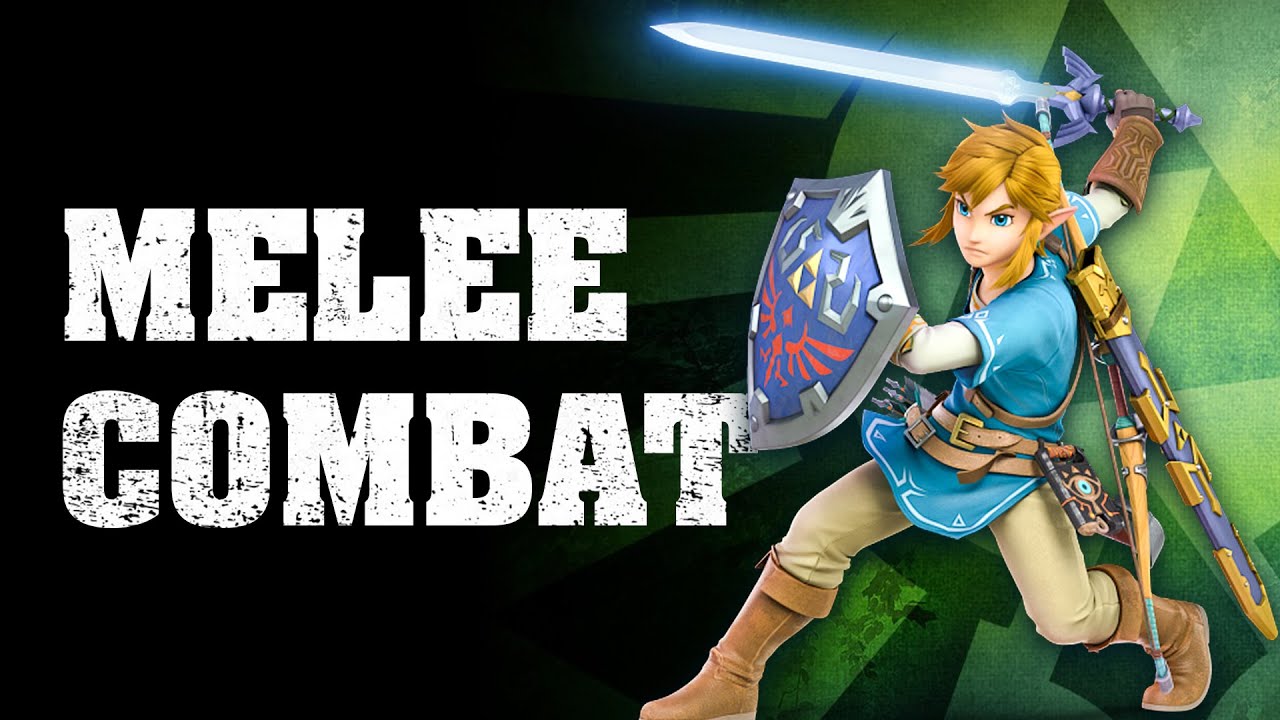
Hello guys! It's DevSquad, and welcome to a new video. Want to create a character with melee combat but not sure where to start?
This is a beginner friendly video, teaching advanced topics on how to setup an attack that deals damage and kills enemies.
You'll cover all the knowledge ranging from working with animation blueprints, setting up a s...
 short grotto


 short grotto
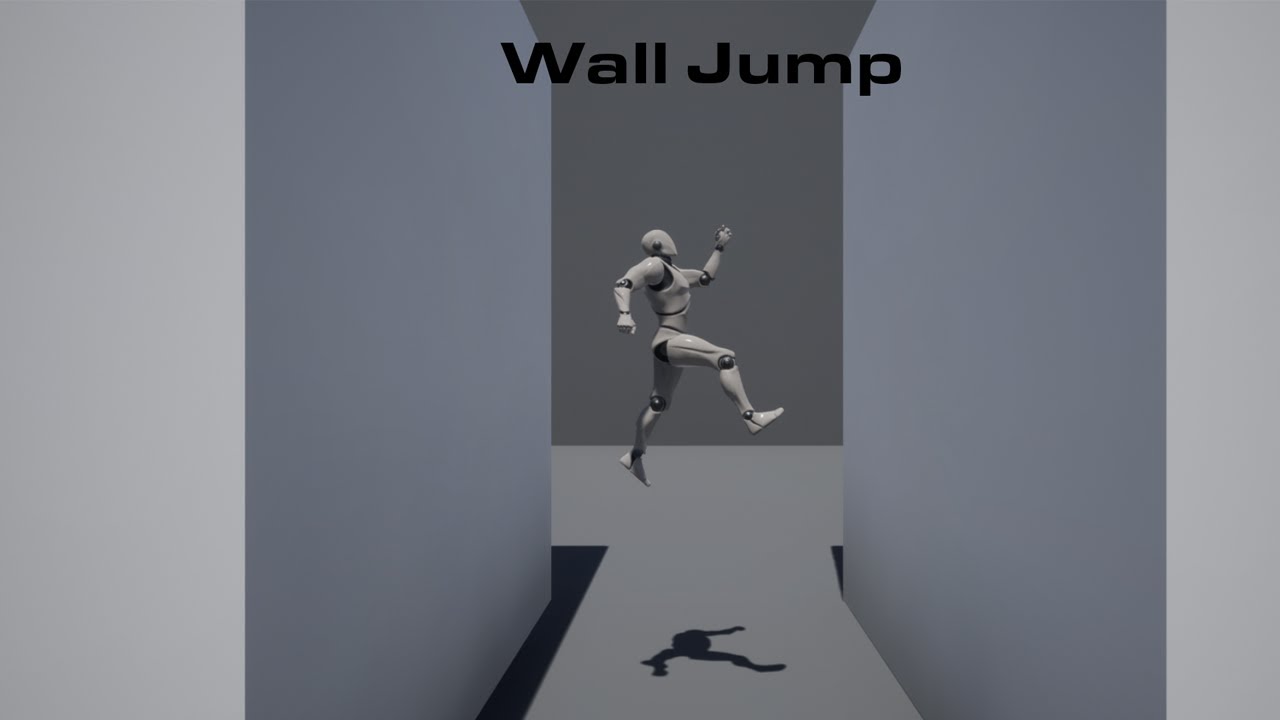
In this video I go over how to make wall slide and jump in Unreal Engine 4 using this are player will be able to wall slide and jump off walls.
Wall Slide Animation : https://uisco.itch.io/wallslideanimationue4mannequin
Check Out My Website For a FREE 3D Model and more of my content: https://www.uisco.dev/
Join My Discord Server (100+ gamede...
short grotto

ArtStation
I've been a huge fan of Arvalis (RJ Palmer) for a long time now, and I finally decided I was going to do everything in my power to become as great an artist as he is, but in 3D! Decided to leave it incomplete as my current workflow caused some issues that I wasn't sure how to easily resolve without having to restart an additional time


 copper abyss
 feral thistle

Quixel
Discover a world of unbounded creativity. Explore a massive asset library, and Quixel’s powerful tools, plus free in-depth tutorials and resources.
 potent plover
 tawny goblet

itch.io
Relive the first few hours of the PS4 classic, rebuilt with PS1 aesthetics!
 lapis orbit

Taken from Aphex Twin’s ‘Cheetah EP’, out now on Warp Records.
Directed by Ryan Wyer, aged 12, of Rush, County Dublin.
Buy/Stream: https://aphextwin.lnk.to/CheetahEPYD
 gusty vigil


 misty hamlet
The Alchemist

Find out more about our team - https://www.youtube.com/watch?v=KcVa0cL7_XQ
Behind the scenes of making the film - https://www.cutmedia.com/blog/2018/4/11/behind-the-scenes-danny-macaskill-the-ridge
A film by @Cut Media
The Ridge is the brand new film from Danny Macaskill... For the first time in one of his films Danny climbs aboard a mountai...
misty hamlet

 coral dagger


 undone locust
For some reason quixel bridge only shows a white screen. Its for over a week now and on all ue projects.

 valid kindle
hey guys i need help with animating a simple door in a cinematic and i'm struggling with it, it's like inherited by the building it's in and in the sequencer it won't let me animate it
valid kindle
anyone? please
 umbral badge
Packaging (Windows): N:\Github\raveballarena-test\Source\MyProject\SpectralVisualizer.h(21): error C3668: 'ASpectralVisualizer::PostEditChangeProperty': method with override specifier 'override' did not override any base class methods UATHelper: Packaging (Windows): N:\Github\raveballarena-test\Source\MyProject\SpectralVisualizer.cpp(53): error C2039: 'PostEditChangeProperty': is not a member of 'AActor' UATHelper: Packaging (Windows): N:\UE_5.0EA\Engine\Source\Runtime\Engine\Classes\Engine/LocalPlayer.h(28): note: see declaration of 'AActor' UATHelper: Packaging (Windows): Took 2.3513767s to run UnrealBuildTool.exe, ExitCode=6 UATHelper: Packaging (Windows): UnrealBuildTool failed. See log for more details. (C:\Users\Owner\AppData\Roaming\Unreal Engine\AutomationTool\Logs\N+UE_5.0EA\UBT-MyProject-Win64-Development.txt) UATHelper: Packaging (Windows): AutomationTool exiting with ExitCode=6 (6) UATHelper: Packaging (Windows): BUILD FAILED
 opal aspen
I am following the process to build a Behavior tree here:
https://learn.unrealengine.com/course/3318392/module/6661211?moduletoken=UHxxnDLPW8Smu4xLZK6lfYmcp9eQ1jwhzkQbIOdzGuj~661q5ur5Id3QE7LOqsJg&LPId=0
There are a couple things that seem off that I am having troubles following.
- Around time stamp 2:54-2:55 the Vector I just created is no longer showing in the example.
- Time stamp 7:44-7:45 it shows that the steps previously taken should show in a Behavior Tree but mine still comes back blank.
NOTE: Not sure if this matters, but I am running all of this in UE5Preview. Everything is working up to this point.
NOTE2: Also, at the 7:45 timestamp the Vector that went missing around time stamp 2:55 is once again showing.
opal aspen
After discussed, I was able to create the tree. Then I found a mistake. I had set the first option to SelfActor when it needed to be TargetLocation
Once I fixed that, the AI is running around lost again! Yay! - Thank you! - Onto the next video.
SIDE NOTE: Considering this is a tutorial for beginners it may help to explain the actual creation if the Behavior tree, where currently it seems like it should just appear, but doesn't. You need to click and drag and select Sequence Etc...
Without being ion this discord, some people may get stuck here. I know I would have been.

 subtle sleet


 golden mason
Hey guys, if anyone is up to help. you can join me and my buddy in the voice channel. 😄
I have a static mesh colliding even tho collider is uncheck
 solar sapphire

NOTE UE4.24 seems to set all engine scalabilty settings to medium. To make the fog appear you have to at least set the shadows to high!NOTE END
Seems that not many people know that UE4 supports not only global but also local volumetric Fog.
So I am showing in this tutorial video 1 of 3 how to create it.
PART TWO: https://www.youtube.c...

 solar sapphire


If you would like to support me, check out my latest title on Steam: https://store.steampowered.com/app/1602350/MENOS_PSISHATTER
You can find me on Twitter here: https://twitter.com/ActuallyGoddard
#UnrealEngine #UE4 #Gamedev #Indiedev
misty hamlet
TheCGBros Presents "UE4 Real-Time Rendering Short Film: Rebirth Introducing Photorealism in UE4" by Quixel - Introducing Rebirth, a real-time cinematic produced by Quixel, harnessing the power of Unreal Engine and real-world scans from the Megascans Icelandic collection. With photorealistic results rivaling traditional offline renderers, Rebirth...
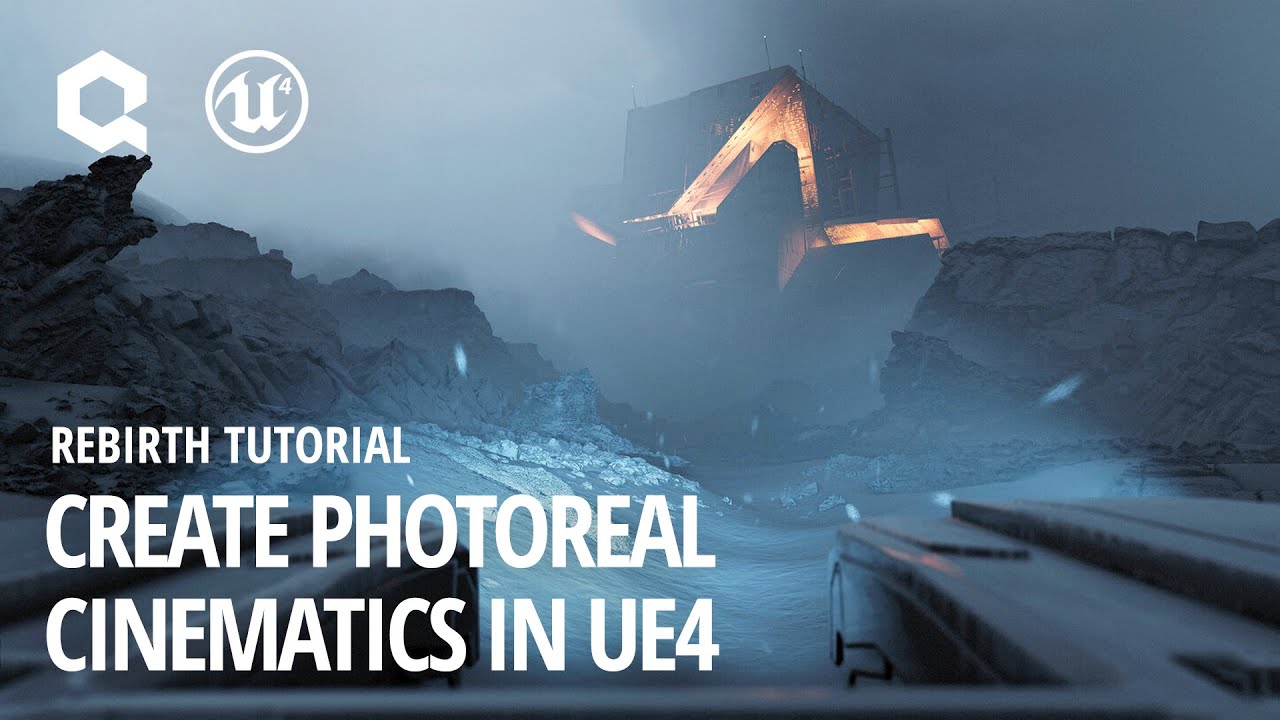
This in-depth tutorial goes through the entire production process for ‘Rebirth’, a cinematic produced by Quixel using Unreal Engine 4. Beyond its visual process, Rebirth serves as a benchmark and kickstarter for virtual production workflows.
Read more about the project on Medium: http://bit.ly/rebirthmedium
Watch Rebirth: https://youtu.be/9fC20...
@copper lynx
TheCGBros Presents "UE4 Real-Time Rendering Short Film: Rebirth Introducing Photorealism in UE4" by Quixel - Introducing Rebirth, a real-time cinematic produced by Quixel, harnessing the power of Unreal Engine and real-world scans from the Megascans Icelandic collection. With photorealistic results rivaling traditional offline renderers, Rebirth...
This in-depth tutorial goes through the entire production process for ‘Rebirth’, a cinematic produced by Quixel using Unreal Engine 4. Beyond its visual process, Rebirth serves as a benchmark and kickstarter for virtual production workflows.
Read more about the project on Medium: http://bit.ly/rebirthmedium
Watch Rebirth: https://youtu.be/9fC20...
lapis orbit

I managed to snap this before he deleted the tweet. omg, whut?

 Twitter
·
Twitter
·
 crisp breach

Because a gem like this can't just disappear.
This is what HD was meant for.
 ionic flint
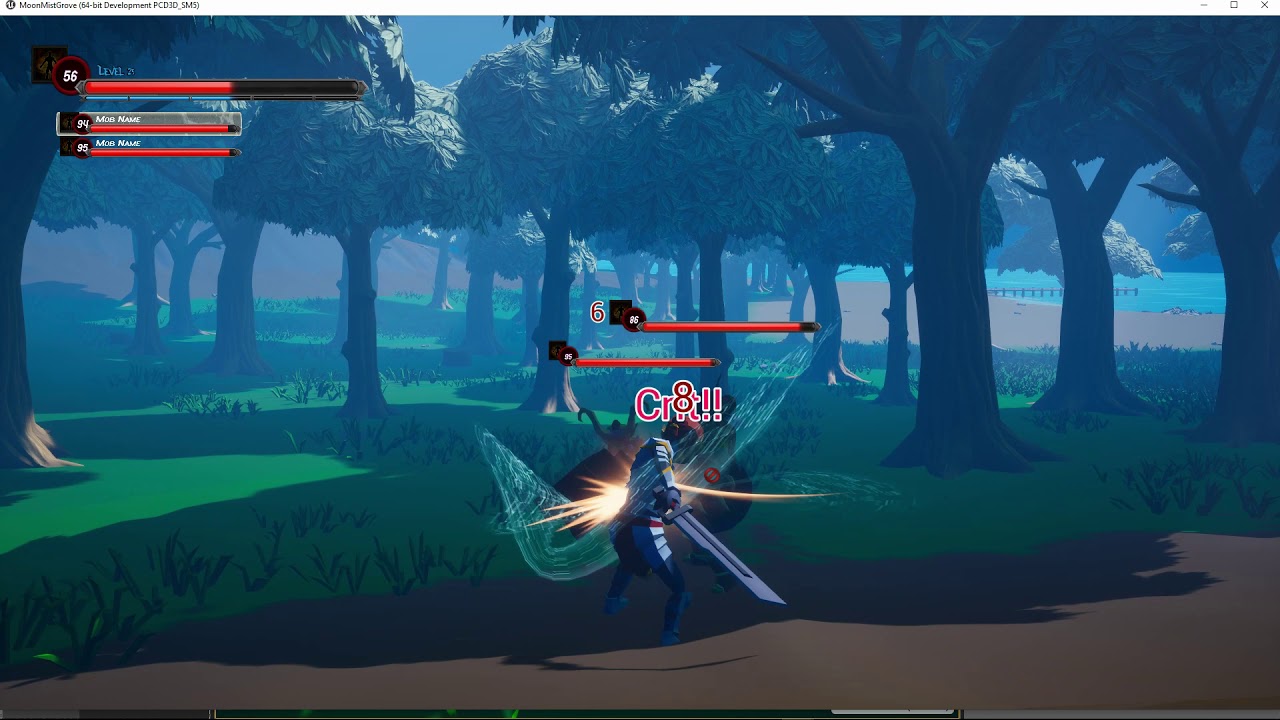

Getting back to work after some time off. I've mostly been working on a rope swing and overall look and feel this week. Still need to do the animations for the swing and clean up the physics but most of the functionality is there. This is a quick run I setup to test changing from a few of the movement states. I still have 3 more movement states ...
ionic flint

Unreal Engine
Unreal Engine is the world’s most open and advanced real-time 3D creation platform for photoreal visuals and immersive experiences.
 knotty tartan


GitHub Copilot
GitHub Copilot works alongside you directly in your editor, suggesting whole lines or entire functions for you.
lapis orbit
knotty tartan
holly shit /// getting my CPU Crazy
 knotty tartan

YouTube
 obsidian sorrel
I actually had this open in my browser
 solar lintel
@chrome cloak Here's the Fluid Flux system for water you asked about:
https://www.youtube.com/watch?v=EfzhMqZyilI

I've started this project one year ago and now it is time to show some progress.
New features:
- unconditionally stable simulation with mass conservation
- ragdoll floating and boat/ball buoyancy
- second detailed ripple simulation on top of the surface
- dynamic caustics and wetness
- improved underwater material and smooth waterline
- fluid c...
 fair path
 zinc ether
fair path
https://discord.gg/W6cPQnjx
zinc ether
fair path
https://discord.gg/W6cPQnjx
this is approved to be posted based on context of a conversation
 chrome cloak
fair path
https://discord.gg/W6cPQnjx
chrome cloak
fair path
https://discord.gg/W6cPQnjx
thanks man it helps a lot
 fleet spade
@zinc ether https://www.youtube.com/watch?v=-yZGXt3eRzg

[English/Japanese subtitles supported and recommendation]
[英/日 字幕対応・推奨]
※The ceremony will be conducted in English.For Japanese, please use Youtube's subtitle function!
※本結果発表会は英語音声をベースに進行致します。日本語は字幕機能をご利用下さい!
The Worldwide VFX Design Contest,
"WWVFX CONTEST FOR GAMES 2021" has finally revealed its judging results!
What will be the work that ...
 mystic coral
 crisp breach
Mythrealm
 knotty tartan
@crisp breach when everyone said "3D Artist", I hear "3D autist" xD
crisp breach
😂
knotty tartan
"What's this thing" can be translate in french : Qu'est-ce que c'est que cette chose là ?
and literal translate of french is : What is this that this is that thing there
 main trench
https://www.youtube.com/watch?v=bsCN0Yx2Vbs
@crisp breach

The exact same brick texture is in dozens of Nintendo 64 and PlayStation games. From Super Mario 64, Banjo-Kazooie, and Final Fantasy 7, to Turok, Conker, and Mortal Kombat 3.
"cobble_stone" is the most overused game graphic you never noticed. Why were competing studios sharing the same graphics? 'Texture Archaeology' gives us the answer.
The...
this video blew my mind..
main trench
You must watch it honestly, it's quite inspirational. : )
crisp breach
Gonna watch it! 😉
main trench
Thanks man, I think you will honestly love it.
knotty tartan
Any sufficiently advanced technology is indistinguishable from magic

We invited several authors to explain what this quote by Arthur C. Clarke conjures up for them.

@ionic flint
Science fiction (sometimes shortened to sci-fi or SF) is a genre of speculative fiction which typically deals with imaginative and futuristic concepts such as advanced science and technology, space exploration, time travel, parallel universes, and extraterrestrial life. It has been called the "literature of ideas", and it often explores the potential consequences of scientific, social, and technological innovations

 zinc ether
zinc ether
https://dev.epicgames.com/community
zinc ether
zinc ether
zinc ether
https://dev.epicgames.com/community

 zinc monolith


 bronze ether
Hey ya'll. Is anyone avail to help me with an issue where my character movement isn't working correctly when I tick 'orient rotation to movement' on. Thank you so much in advance!
--based on the Stackobot Unreal tutorial.


When I play it, the player is locked to an axis for some reason.
When I left click the character follows where cursor is. All good. This is suppose to make the character turn to the cursor. It's not working. Followed tutorial three times, can't figure it out.
bronze ether
--figured it out. Was the Class Defaults> turn off 'use controller rotation yaw'
Not sure why they didn't touch on that in the tutorial.
undone locust
I am watching a video on making my first ai enemy. i have trouble to get my BT work properly and execute a task. i am not sure what the problem is, might be the nav mesh maybe. At the end i get a random position but the "Move to" Task does not execute

 sterile fractal
you mean in the dev community?
 floral knoll
UStaticMesh* UUtility::LoadMeshFromPath(FName& path)
 tiny hare
 fleet spade
@lapis orbit I thought to bake ue5 sim to texture and use it in ue4, but can't
lapis orbit
never tried, so cant help you
 wispy nexus


 safe pivot

itch.io
Demo of a mixed initiative WFC implementation.
fleet spade
@lapis orbit can u use cosine instead of that texture sample for distort?
or it should be a texture for that case?

ok, thanks
i heard u say mipi
yeeah)
🤣

Expressions that perform mathematical operations on one or more inputs.
hi
fleet spade
@lapis orbit trying to make it going from puple to fire and synchronized with light?
lapis orbit
nahh, just goofing
 fleet spade
@ionic flint if multiply this by 5 get same result i guess
@sour kettle try to find smoke emitter and with arrows on keyboard shift it before fire emitter
ok
 magic grail

 patent bough
LogInit: Display: LogBlueprint: Error: [AssetLog] E:\Unreal_Projects\Grotto\Content\FirstPersonGame\Components\BP_InventoryComp.uasset: [Compiler] Can't connect pins  Object  and  Return Value : This cast has an invalid target type (was the class deleted without a redirect?). from Source: /Game/FirstPersonGame/Components/BP_InventoryComp.BP_InventoryComp
LogInit: Display: LogBlueprint: Error: [AssetLog] E:\Unreal_Projects\Grotto\Content\FirstPersonGame\Components\BP_InventoryComp.uasset: [Compiler] In use pin  As BP Player  no longer exists on node  Bad cast node . Please refresh node or break links to remove pin. from Source: /Game/FirstPersonGame/Components/BP_InventoryComp.BP_InventoryComp
LogInit: Display: LogBlueprint: Error: [AssetLog] E:\Unreal_Projects\Grotto\Content\FirstPersonGame\Components\BP_InventoryComp.uasset: [Compiler] Can't connect pins  Return Value  and  Object : This cast has an invalid target type (was the class deleted without a redirect?). from Source: /Game/FirstPersonGame/Components/BP_InventoryComp.BP_InventoryComp
Warning/Error Summary
 dry shadow
@potent plover can I stream my screen to the group?
x! stream @potent plover
!stream @potent plover
 umbral pelican
Would anyone be able to help me in the Feedback and Support chat? I have a problem with a changing materials blueprint
zinc ether
 solar lintel
@merry tapir This is a great learning path for you to explore:
https://dev.epicgames.com/community/learning/paths/yG/stack-o-bot

Epic Developer Community
Stack-O-Bot is a great project for those picking up Unreal Engine for the first time or for developers looking to try out all the new features in Unreal...
@merry tapir For multiplayer, check this out:
https://dev.epicgames.com/community/learning/paths/Z4/lyra-starter-game

Epic Developer Community
Lyra Starter Game is a sample gameplay project built alongside Unreal Engine 5 development to serve as an excellent starting point for creating new game...
solar lintel
@shrewd saffron The Mighty Mouse, an open-source 3d mouse:
https://github.com/mattogodoy/mighty-mouse

GitHub
An open source 3D mouse. Contribute to mattogodoy/mighty-mouse development by creating an account on GitHub.
solar lintel
@safe pivot Here's the Unreal docs:
https://docs.unrealengine.com/5.0/en-US/BlueprintAPI/WaveFunctionCollapse/

Wave Function Collapse
 tribal silo
Hi, i wish you are doing awesome.
Does anyone here has work with VR hands and know how to handle motioncontroller rotation for match hand mesh?
tribal silo
Anyone who want to come to feedback channel?
 pearl echo
I am fairly new to unreal engine and I am having trouble with animations, I am in feedback & support if anyone is willing to help.
solar lintel
@short sable This is a great intro to Paper2D:
https://learn.unrealengine.com/course/3769722
solar lintel
@vivid raptor This should get you started on migration:
https://dev.epicgames.com/community/learning/paths/vQ/transitioning-from-ue4-to-ue5

Epic Developer Community
Resources to help you migrate projects from Unreal Engine 4 to Unreal Engine 5
solar lintel
@pearl echo Great course from Epic on retargeting animations:
https://dev.epicgames.com/community/learning/courses/xm/animation-for-virtual-production/VXq/introduction-to-in-engine-animation-for-virtual-production

Epic Developer Community
In this course, you’ll learn the process of animating characters for virtual production in Unreal Engine from end to end—without the need to jump in and...
@calm marsh Good starting point for game dev:
https://dev.epicgames.com/community/learning/paths/yG/stack-o-bot
Epic Developer Community
Stack-O-Bot is a great project for those picking up Unreal Engine for the first time or for developers looking to try out all the new features in Unreal...
solar lintel
@calm marsh Good starting point for hardware:
https://www.logicalincrements.com/newuserguide

Helping you build a PC, at any budget.
@calm marsh Here's an example of one of those open courses:
https://ocw.mit.edu/courses/6-s096-introduction-to-c-and-c-january-iap-2013/
MIT OpenCourseWare is a web-based publication of virtually all MIT course content. OCW is open and available to the world and is a permanent MIT activity
sterile fractal
@true juniper I heard the fullsail before, one of moderator also study at there before 👍
 snow wave
 trim ledge
Rotate Vector (Quat)
mystic coral

Stack Overflow
I have two vectors u and v. Is there a way of finding a quaternion representing the rotation from u to v?
 haughty shale
whats everyone working on?