#blueprint
402296 messages · Page 851 of 403
 bold wasp
I thought that if I added the interface to all the blueprint classes I wanted to be affected, then I called an interface function from the Level Blueprint, they would all receive it ... does it work like that? Like the pub sub pattern if you've encountered that before
 solar sequoia
bold wasp
I thought that if I added the interface to all the blueprint classes I wanted to...
solar sequoia
bold wasp
I thought that if I added the interface to all the blueprint classes I wanted to...
I don't understand the reference, but yeah that's roughly how they work
the limitation of BPIs is that they only work for classes that they're defined to, which can be advantageous in some cases
I like to use Event Dispatcher, but it doesn't make a huge difference
bold wasp
solar sequoia
bold wasp
https://en.wikipedia.org/wiki/Publish%E2%80%93subscribe_pattern
yeah, okay, so that's correct
bold wasp
Ok cool thanks I'll check the event dispatchers too
solar sequoia
event dispatcher's advantages are more specific but it's generally better once you get a handle on it
bold wasp
Unfortunately this direct-instance-reference approach has some problems, the Niagra System I'm referencing seems to be replaced by Niagra Actors at runtime and it breaks the references
solar sequoia
does that system destroy itself once it fires or something?
I don't know much about Niagara, but I've seen a parameter for that when using them
solar sequoia
I honestly couldn't tell you, then
bold wasp
No worries
solar sequoia
you just have a particle system that's not connected to anything, though?
if it were me I'd probably make it a component on an actor
bold wasp
Maybe that would work
solar sequoia
for example, a campfire would be the actor, and there could be a particle system component for the smoke that's contained within that actor
just recontextualize that with whatever purpose the particle system would serve in your level
bold wasp
Yeah, since this is using sequencer it's a lot more convenient to just leave it as a top-level niagra emitter (since I can control the params from sequencer directly) but I think you're right I have to make it a blueprint
Because all the params set in sequencer seem to reset when it's done
solar sequoia
bold wasp
Yeah, since this is using sequencer it's a lot more convenient to just leave it ...
in all honesty, I don't know if you have to. Visuals aren't really my thing
bold wasp
So I need to hide this cinematic stuff in the game
Yeah it's all good I'm still super new to Unreal so just hacking around stuff
solar sequoia
bold wasp
Yeah it's all good I'm still super new to Unreal so just hacking around stuff
try asking in the niagara channel if it's relevant to that
bold wasp
It's cool the blueprint approach you recommended worked
solar sequoia
bold wasp
It's cool the blueprint approach you recommended worked
keep in mind that's only good for things that are placed before play begins, basically. If you wanted to include enemies that are spawned after, as an example, you'd need to devise some way to store maybe an array of references and then call those references from the level
bold wasp
Yeah I figure the event dispatcher would work better there
solar sequoia
bold wasp
Yeah I figure the event dispatcher would work better there
also a good option, yeah
I don't know if I already said it, but the Event Dispatcher excels when you want things to conditionally bind or unbind
bold wasp
Uhh I'm not really sure what you mean there
Like you would dispatch the event and the receiver would decide whether or not it cares right
solar sequoia
bold wasp
Like you would dispatch the event and the receiver would decide whether or not i...
not quite
there's a node for "bind to event", and another called "unbind from event" that you would use under various circumstances
the event that you bind it to is what's actually called, and in theory you could use that under various conditions
bold wasp
Ok yeah I think I have to watch some youtube on that
solar sequoia
if you just look into it it's gonna make more sense
so "whether or not it cares" is actually determined by if it's bound or not
so in a pub sub example, binding an event to an event dispatcher would be "subscribing" and unbinding is the opposite
solar sequoia
bold wasp
ok yeah that's confusing, not your fault though
maybe this helps to clear it up

except I got it backwards dammit
solar sequoia
solar sequoia
maybe this helps to clear it up

the red line effectively selects the event to be bound or unbound
 flat raft
hiya! Can someone do me a favor, please? Can you create a Animation Curve Compression file/asset, set it to UniformIndexable and save, and send it to me please? 4.27 please
bold wasp
Oh I see you're using events to bind and unbind other events @solar sequoia cool thanks
bold wasp
Is there a way to define global events? E.g. when the sender and receiver don't know who each other are
 gritty elm

What is a Blueprint Interface in Unreal Engine 4 Blueprints?
Source Files: https://github.com/MWadstein/wtf-hdi-files
 grave relic
Anyone that can help me see the problem? Tring to make a custom collider for a turret. Ive put in all the collisions setting to what works with a normal collider. But right now the collider never prints out a overlap

 surreal peak
Please ensure your AI overlaps with WorldDynamic
@grave relic
CMC with NavWalking might ignore it (automatically set when starting, even if you set the defaults differently)
Also, unrelated tip: Don't use hardcoded strings for your check
Your Enemies should have a shared parent class
Cast the OtherActor to that if you need to know if it's an enemy.
Otherwise try to setup the Collision so that only enemies cna overlap anyway
If you need multiple things that don't share a parent, try to utilize Interfaces
grave relic
I have a shared parent class for my enemies, that print string is to check why the overlap is not working. Changed WorldDynamic to Overlap, still did not work.
grave relic
ah
surreal peak
Can you play in the Editor Viewport, press on Pause and Eject
Go to your Enemy and check the Collision Settings on the Capsule in the Details Panel?
grave relic
Okey i see, it sets the self actor to this. But it set the capsule component to @surreal peak

CapsuleComponent

 woven ermine
hello guys
what am I supposed to connect to this ?

I mean if i just connect "other actor" to "object" it always fails, so I can just pull from "cast failed" and it works
surreal peak
grave relic
Okey i see, it sets the self actor to this. But it set the capsule component to ...
And that's the runtime variable from the one that is in your scene?
grave relic
surreal peak
And that's the runtime variable from the one that is in your scene?
Yes, thats when i check after ejecting
surreal peak
Hm okay
grave relic
This is why i find the problem so weird, cause seems like it should work from my pov
surreal peak
Can you, just for the sake of this not being ignored, use something else for the turret as a type?
surreal peak
woven ermine
what am I supposed to connect to this ?
The Object you wish to cast. You struggle with this, because you probably have no idea what casting and pointers are.
Which is also not so easy to explain in a 2 minuten chat :P
Please try to look up some tutorial about Pointers/Refs and Casting in Blueprints
woven ermine
Yeah I struggle but most of the time I can make it work
woven ermine
I know
surreal peak
You won't get around learning it
I don't know what you are trying to do there, but just from the nodes, you are trying to interact with some sort of Foliage Mesh Actor. So you need a reference to one of them.
If OtherActor (whatever you overlap with) is not a such an Actor, or a Child of one, then the Cast will fail.
Using the Failed Pin of the Cast only tells you that the Object you are casting is NOT that type of an Actor
So not sure how helpful that is
woven ermine
well I have my player pawn, which, when overlapping said foliage needs to get slowed down a lot
surreal peak
You can see Casting as a way to determine "somethings" type.
Like in the realworld, you have an object in front of you. You have no idea what it is.
Casting it would tell you if the thing you are casting to is that.
E.g. cast the object to an Apple. If it's an Apple, it will succeed.
If it's a Cat it will fail.
Casting also gives you access to the Objects properties and functions if it succeeds.
If you know it's an Apple, you can call Eat on it.
If you know it's a Cat you can call Sleep on it, get the FurColor property etc.
woven ermine
like this
 surreal peak
The OtherActor pin is of type Actor by default. So you only know it's an Actor (which is the base class of things placed into the world). You can access all the Actor Functions and Properties, but not more. If you need access to e.g. the FoliageMeshActor functions, you need to cast it. Which will only succeed if Actor is actually a FoliageMeshActor. If it's a cat that you overlapped, it will fail
Hope that makes sense
woven ermine
surreal peak
You can see Casting as a way to determine "somethings" type.
Like in the realwor...
so if I understand this correctly - I should cast from my player pawn; but when I do that i get that error
surreal peak
It's a bit of a "I expect this to be xyz" situation
woven ermine
surreal peak
The OtherActor pin is of type Actor by default. So you only know it's an Actor (...
I`ll have to read this 5 times but I hope it helps
surreal peak
And the Cast is the Test if that's correct
If you have an Overlap event in your Character
And you run into a Cat
The OtherActor pin will hold the reference to that Cat, but with Type Actor, as you can always put Instances of a Class into a Pointer/Reference Variable of that Type or of a Parent Type. So at that point you know "I ran into an Actor, not sure which one, but at least it's an Actor." And then you could cast the Actor to "Apple" and it fails, cause it's a Cat.
Then you could cast to "Cat" and it would succeed, and you can use the "As Cat" pin on the Cast node to access its properties
If you expect a lot of different Classes and you want to generically interact with them, you would use Interfaces, but that's a different story
grave relic
surreal peak
Can you, just for the sake of this not being ignored, use something else for the...
Yeah guess ill have to do it something like that, but just wanted to simply use the static mesh as the collider haha its never easy
surreal peak
Does your Static Mesh have a collision set up?
In the Static Mesh Editor?
Does the same setup work with a simple sphere collision component?
grave relic
Yeah in the static mesh editor it matches. And i had a sphere collision for my range previously but wanted to change it to a triangle. Copied the settings, but when i use it with the static mesh it just dosent work. And when i change back to sphere it works again @surreal peak
 surreal peak
I don't see any collision though
The Mesh itself is not the collision
The Collision is made up from Primitives or a Convex Hull
You can display them with the toolbar buttons at the top
grave relic
 surreal peak
What is the collision setting on the right in terms of Simple vs Complex?
Idk if you can use complex collision for overlaps like this
But that object is simple enough to have a convex hull
grave relic
Sight, had forgoten about that, now it works...
Thx for the help, had completly forgotten
surreal peak
Cheers
 agile hinge
Can someone please help me with my inventory system? I'm trying to use a listview in a widget to display a list of items, however, I'm having issues with modifying the items in the list, more specifically, stacking the same item together. (rn im just trying to stack the 2nd item)


 past wyvern
Is there a simple way to have multiple timers executing in parallel on a single actor? Or any other way to have multiple delayed/latent callback
For instance in this example I like to achieve 5 Hellos and then (delayed) 5 corresponding Goodbyes. However in reality, it provides 5 Hellos and 1 Goodbye.
I'm assuming the Timer by Event has the same "feature" as Delay node where if you call it again during countdown it is ignored.

 edgy badger
agile hinge
Can someone please help me with my inventory system? I'm trying to use a listvie...
edgy badger
agile hinge
Can someone please help me with my inventory system? I'm trying to use a listvie...
Index 0 is the first element, not index 1. You are trying to stack the second item so you should compare it with index 0.
 edgy badger
agile hinge
<@!948514701569052673> THANK YOU
edgy badger
agile hinge
<@!948514701569052673> THANK YOU
You're welcome
edgy badger
past wyvern
Is there a simple way to have multiple timers executing in parallel on a single ...
You are using the same SetTimerByEvent node, which basically have the same timer handle everytime, so it will override the existing timer.
past wyvern
Ah I assumed if I didn't cache the handle it would return a new timer each time. I'm guessing there's no timer node built in that would do that
edgy badger
What you are trying to achieve, can be done with just single timer instead since the for loop executes in a single frame, so basically what you should do is on forloop completed, you can set the timer which will later run the for loop again and print individual hello.
Separate timer should be set when each have to execute in different frames. You want to set 5 different timers in the same frame which eventually is useless.
past wyvern
I was just trying to illustrate the issue in a generic case, in reality it would be delayed response to input related actions
thanks for confirming the timer node has some kind of handle burnt into it!
edgy badger
past wyvern
I was just trying to illustrate the issue in a generic case, in reality it would...
What you can do is make a function and then call set timer by event since function have their own scope, and doesn't cache between different function calls.
edgy badger
edgy badger
You are using the same SetTimerByEvent node, which basically have the same timer...
This is the case when using timer nodes in the event graph.
 modest gulch
is there simple way to get actor that uses given actor component inside of that component?
edgy badger
modest gulch
is there simple way to get actor that uses given actor component inside of that ...
GetOwner()
modest gulch
thanks
 robust kelp
im having a little trubble with basic movement.. i want my camera to move with my pawns rotation.. atm it sits still while my character spins in circles
all the tutorials guides i find are on mouse movement tuyrning etc.. i dont want player to touch the mouse.. well excpect for adjusting look up so they can see in front of them.. turning i want done threw keyboard
surreal peak
Disable the UsePawnControlRotation on the Camera
And make sure it inherits Yaw
Starts from there
Or sorry
On the SpringArm
Not the Camera
robust kelp
oh ok
 agile hound
I’m just brainstorming here away from my computer to test things out. If i have a spline actor that i want to call with a specific event and i want my spline point 0 to be connected to Actor 1 and spline point 2 to be connected to actor 2… how would i do that? Set location at spline point?
(I also want my spline point 1 to be in the middle and a bit higher than the other 2… but that’s a problem to solve after 😂)
surreal peak
Put Actors into an Array
agile hound
Trying to make a targeting system similar to ff12 for a turned based rpg
 robust kelp
surreal peak
Disable the UsePawnControlRotation on the Camera
robust kelp
surreal peak
Disable the UsePawnControlRotation on the Camera
thank you./. gota fix my movement now.. not sure whats going on..
surreal peak
And then add new ones
Just call AddSplinePoint or so
And pass in the Actor location
agile hound
Not sure i understand :S
surreal peak
Given you have a SplineComponent and the two Actors in question
Clear the Points on the SplineComponent
Add 3 new ones
And then these would be your points you can add:
FirstPoint = Actor1.ActorLocation
SecondPoint = ((Actor1.ActorLocation + Actor2.ActorLocation) / 2) + ZOffset
ThirdPoint = Actor2.ActorLocation
Make sure when calling AddSplinePoint on the Component that you add them as World ones
robust kelp
so its odd everytime i push w it turns my character to face the move direction noirth and moves forward.. when i turn right i dont turn i turn right thenj mopve forward all holding turn right key... wtf?
surreal peak
Sorry, what?
Can you rephrase that
Also please explain what you actually want
Otherwise it's hard to help
surreal peak
Normally is not helpful
Normal is a lot of things
Explain exactly what they are supposed to do
robust kelp
ah ok my bad
i want to push w move forward. i want to push s move backwards. i want to push a and d and turn left and right then move forward with w
atm i dont know how to explain what is going on besides how i did
surreal peak
So the Character is always with their back to the camera?
robust kelp
yes
surreal peak
Try disabling "OrientRotationToMovement" on the CharacterMovement Component
robust kelp
ok that made it so my character dont turn/move right/left
feel like i need to change rotation somehow with input from a/d
agile hound
Cedric, when you mentioned loop over it earlier… you ment “for loop” right?
Of “For each Loop”, i’m guessing this is the one since you can plug in an array?
Aven’t worked alot with loops so far 😂 i feel like it would be a non stop loop that would be expensive on performance haha will for each loop create the 3 spline points only and then stop? Sorry if it’s a dumb question haha
surreal peak
You can ignore the for loop stuff
I wasn't aware of what exactly you wanted
For loops don't loop forever
So yeah they would only call once per entry (ForEach at least)
agile hound
Aw ok so it would only be add spline points based on my actors location (and the one in the middle with the offset)
surreal peak
robust kelp
feel like i need to change rotation somehow with input from a/d
Yeah, usually via AddControllerYawInput
Also make sure the Character itself has "UseControllerRotationYaw" set to true
agile hound
Perfect thanks you’re awesome 🙂
robust kelp
surreal peak
Yeah, usually via AddControllerYawInput
Thank you mate.. 🙂 that ended up being simple but my brain melted and dident want to think :(.. thank you for the help and pachents
 paper galleon
Hello, quick question here.
You know how you can have collision presets for static mesh assets?
I want a static mesh component in an actor to use the presets from the asset as I will be changing the static mesh on the component at runtime.
I expected it to be automatic but it doesn't seem to work.
Can anyone help me out?
 tawdry surge
I'm pretty sure you can only change if it's doing physics or query or none at runtime. Don't think you can set trace and object channels.
Not 100% tho
paper galleon
tawdry surge
I'm pretty sure you can only change if it's doing physics or query or none at ru...
I can change the collision object type and response name for the component at runtime. But I can't seem to pull off (use) the ones in the static mesh asset itself
 random plaza
is there any easy-ish way to search a stuct array to see if one variable in it is the same? i have an ID variable i need to match with objects.
paper galleon
random plaza
is there any easy-ish way to search a stuct array to see if one variable in it i...
You want to compare variables?
random plaza
yeah, i want to compare a specific variable of a workshop already in the world with one in my save file's array to set the contents of it
basically, if the id matches just copy the entire struct to the existing one
paper galleon
You can use a for each loop
random plaza
i'll try that
 dawn gazelle
If it's something in a save game, then you may want to consider using a Map variable rather than an array. With the map you can use some form of ID as a key to look up the specific value you may be looking for.
 rustic sonnet
Would anyone know how to increase the brake strength or increase the deceleration of a vehicle?
 wise remnant
Hi Guys, please excuse if I cant post here but I'm trying to set up a spring arm that rotates around a fixed point when interacting with an object, I've set it to get its initial rotation and add 360 to its Yaw but for some reason it only goes a short distance before ending...any BP experts willing to help? I cant work out why
 paper galleon
wise remnant
Hi Guys, please excuse if I cant post here but I'm trying to set up a spring arm...
paper galleon
wise remnant
Hi Guys, please excuse if I cant post here but I'm trying to set up a spring arm...
What is the time for rotation?
wise remnant
paper galleon
What is the time for rotation?
Its a Float Track Value: 0 - 1 over Time: 0 - 20
So I did have this set as being set at the point of interacting with the object and then called the variable on the first image, is that not chached?
 paper galleon
wise remnant
So I did have this set as being set at the point of interacting with the object ...
paper galleon
wise remnant
So I did have this set as being set at the point of interacting with the object ...
Oh, sorry about that. You're right.
wise remnant
paper galleon
Oh, sorry about that. You're right.
No worries, im just totally baffled why it goes maybe 90 degrees around then ends the animation 😦
paper galleon
Yep, weird
 storm pivot
wise remnant
No worries, im just totally baffled why it goes maybe 90 degrees around then end...
storm pivot
wise remnant
No worries, im just totally baffled why it goes maybe 90 degrees around then end...
Does it take complete 20 seconds to reach 90 degrees?
wise remnant
storm pivot
Does it take complete 20 seconds to reach 90 degrees?
No its ending before the 20 seconds, good point hmm
wise remnant
storm pivot
Does it take complete 20 seconds to reach 90 degrees?
Doh I just realised what happened
wise remnant
storm pivot
Does it take complete 20 seconds to reach 90 degrees?
I had set the key to the right time but not the track length, I cant believe I was so dumb sorry everyone
paper galleon
wise remnant
I had set the key to the right time but not the track length, I cant believe I w...
Oh lmao. I run into that a few times.
wise remnant
paper galleon
Oh lmao. I run into that a few times.
Lesson learned, sometimes we look at a problem for so long we miss the obvious
storm pivot
wise remnant
I had set the key to the right time but not the track length, I cant believe I w...
You can check UseLastKeyframe in the timeline to avoid such issues.
wise remnant
storm pivot
You can check UseLastKeyframe in the timeline to avoid such issues.
Thanks for the Tip, kicking myself for something so obvious now lol
 rose elbow
at the moment I have everything that affects my player character in the character blueprint i.e. grapple movement, melee combat, is it better practice to have these separate blueprints then make a reference to them? Or does it not really matter?
are BP interfaces a good solution for this?
paper galleon
rose elbow
at the moment I have everything that affects my player character in the characte...
It depends on the scale of your game and your view on modularity.
I prefer a very modular approach to my design. That's why I use the Gameplay Abilities System.
You have ability classes separate from the character that can contain logic for whatever you want. All you need to to is just grant those abilities when needed.
GAS is a bit daunting to get into so an alternative that I can think of if you want a modular approach is components. Abstract the logic into components the add those components based on the type of character blueprint. Maybe players can grapple but enemies can not, don't add the grapple component to the enemy blueprint
 slow pewter
hey any chance,to Save textures for Later use with BP?; looks like its only Work with Code
 echo salmon
This question bothers me a lot. Is how BP communicate with each other, i know that we have cast to , interfaces , event dispatchers etc. In the following image whats the best way for BP_Actor2 to access BP_Actor1 functions and variables ?

 frail pilot
How do I get that value?

 odd ember
frail pilot
How do I get that value?
odd ember
frail pilot
How do I get that value?
what are you trying to do?
because that does not look like something you want to do
dawn gazelle
echo salmon
This question bothers me a lot. Is how BP communicate with each other, i know th...
By getting a reference to the object you want to access, whether it be through line traces, exposed variables, overlap events, etc. One blueprint needs to know about the other one in order to communicate across them. Once you have that reference, then you can do casts, interfaces, event dispatchers etc.
odd ember
echo salmon
This question bothers me a lot. Is how BP communicate with each other, i know th...
you should never want to access another actor's functions and variables. it's the wrong kind of thinking
actors, and all objects really, should have a responsibility only for themselves
not for other actors
echo salmon
@odd ember it just a general question about object reference . As @dawn gazelle mentioned , so either from exposed variables overlaps and line traces. That what solve my question. I thought it was bad practice to get an object reference via exposed variables
odd ember
it is
odd ember
odd ember
actors, and all objects really, should have a responsibility only for themselves
this is the golden rule
echo salmon
Ok lets say if my player overlap BP_Actor2 i want to change the color of the cube of BP_Actor1 .how would you approach this ?
odd ember
the cube with the color checks all actors on overlap, if it determines it to be the player, it changes color
the player does not care about the cube
echo salmon
yes but you dont have the reference of BP_Actor1
odd ember
you do if you use collision overlaps
echo salmon
you need the reference to change its color for example
odd ember
echo salmon
you need the reference to change its color for example
the cube know its own color
and which color choices it has
the player doesn't change the cube's color
the cube does so itself
dawn gazelle
There's 3 objects he's talking about here though.
The player, Actor1 and Actor2.
He wants it so when the player overlaps Actor2, Actor1 is changed.
echo salmon
@dawn gazelle correct. But if the one cube is an explosive and the other is a coin ? and for a reason i want an some sort of an interaction between them ?
odd ember
echo salmon
<@!218956378654507008> correct. But if the one cube is an explosive and the othe...
you can make interlevel connections like these
the question you should ask yourself is why you would want that to happen
echo salmon
i see
odd ember
because if it's hard to correctly in code
chances are it's not a common case in reality either
you can of course link one trigger to an actor between them, and this can happen in for instance the level BP. but ideally each object's own trigger is enough
echo salmon
i see, maybe my thinking of how to approach this is wrong
odd ember
yep
there's a right way of doing things and there is a quick way
and those two are opposed
if you do things the quick way you set yourself up for having to do more work later on
if you do things the right way you make it easier for yourself later on
echo salmon
in my current stage learning UE i cant clarify which one is better
odd ember
it's not learning UE
these are fundamental programming principles
it's the same whether you use BP or CPP or work in a different game engine all together
 trim marsh
'Sup guyys , i have this problem , and really idk how to solve it, how can i translate a X,Y coords(2D) in screen to World(3D), i have a widget and want to put it in world , like a indicator

 fair magnet
will adding a return node there break the for loop?
 fair magnet
trim marsh
'Sup guyys , i have this problem , and really idk how to solve it, how can i tra...
fair magnet
trim marsh
'Sup guyys , i have this problem , and really idk how to solve it, how can i tra...
World widget
Just create an actor with a widget component
trim marsh
fair magnet
Just create an actor with a widget component
ty
 left carbon
fair magnet
will adding a return node there break the for loop?
left carbon
fair magnet
will adding a return node there break the for loop?
Yes, return node breaks a loop and exit from a function.
 trim matrix
I have a confusing problem with my multiplayer game. There is a Sphere, that spawns when 2 players or more joined the game. The sphere moves in a fixed speed with event tick-> Set Actor Location. it works all fine, when i test it in unreal engine. Even if i run the game twice on my pc it works normally. But as some other computer or network joins the game with me the ball starts moving way faster.
Does someone has a clue?
odd ember
I bet #multiplayer would know
storm pivot
trim matrix
I have a confusing problem with my multiplayer game. There is a Sphere, that spa...
Can you show your graph for how you are setting the actor location?

 storm pivot
Can you show your adjust direction node?
 storm pivot
You can try these two things -
- Normalize the direction vector again in move ball forward.
- Multiply with delta time to make it frame independent.
trim matrix
I will try it thank you!
Hey 🙂 Does anyone know of a better way to do this? I'm trying to play random sounds in a behaviour tree as the enemy looks for me, but I'm having trouble https://blueprintue.com/blueprint/g-kp3abm/

No description provided
I want it to have some delay after the initial sound delay, so that it doesnt play as soon as it ends
 unique harness
Is there a node that converts FDateTime to string?
solar sequoia
unique harness
Is there a node that converts FDateTime to string?
try just plugging the float into a string input
unique harness
FDateTime is a struct
solar sequoia
ah
 maiden wadi
You can get Text that you could ToString
AsDate, and AsDateTime, and AsTime all have UTC variants.
solar sequoia
I'll make something rq to show you
maiden wadi
They're in the KismetTextLibrary
solar sequoia
nvm there's just a node for it
 scenic rivet
Hi, I have a postprocess that does the outline stroke, but it changes the colour of the water. The postprocess itself is apply to the entire map. Is there any way to not apply it to specific objects on the map?
trim matrix
trim matrix
Hey 🙂 Does anyone know of a better way to do this? I'm trying to play random so...
^
unique harness
When you set IsSoundPlaying to false, do it with a timer and you'll have a delay before the next sound starts
trim matrix
I tried that but I cannot get the duration
unique harness
Where do you set IsSoundPlaying to false?
trim matrix
after I do Play Sound At Location
I'm sorry if this is a dumb question, I just want to be an expert at Unreal so I can make good games
unique harness
Well assuming the play was successful, the IsSoundPlaying is going to be true
Is IsSoundPlaying a local variable?
trim matrix
Yes
maiden wadi
Sounds like something you'd use a service for.
Drop a service on the same node/sequence/selector that runs while the AI is searching, set it's tickrate to like 0.1. when the sound is played, save a current game time and randomize a float if you want it to not be same length every time. In the tick check if CurrentGameTime > SoundPlayedtime+RandomizedTime
If that returns true, play another sound, save the current time, etc etc.
 glass stump
Is it a good idea to create a blueprint with a lamp mesh and about 5 lights and place this BP everywhere or will that slow down my game?
Cause I've kind of done that and when it gets to this bit the game feels.... sluggish slightly.
storm pivot
glass stump
Is it a good idea to create a blueprint with a lamp mesh and about 5 lights and ...
If the light is static then it won't have any runtime performance impact.
storm pivot
storm pivot
If the light is static then it won't have any runtime performance impact.
Just turn their cast shadow off.
glass stump
storm pivot
Just turn their cast shadow off.
Ah, thank you I'll check this! Good to know. :)
trim matrix
Hi everyone, i have a question, i'm trying to get all the component by class, and would like to remove the 1st one.. i have a remove Index, but not sure how to use it and connect it

how can i use it before the EachLoop?
solar sequoia
trim matrix
Hi everyone, i have a question, i'm trying to get all the component by class, an...
you would plug it in before the for each loop, and plug everything that's currently going into the loop into the remove index node
the node removes the array value at "int" index, which in this case would be the first one because 0 is the first number
trim matrix
awesome! trying it!
solar sequoia
 trim matrix
like this?
 solar sequoia
looks right to me
although you have multiple things plugged in for the first screenshot. Might want to make sure everything that's supposed to fire it still does
trim matrix
awesome! it's odd that the way it's connected as there is not INDEX output.. but seems to work!!
solar sequoia
wym index output?
the node takes an index int as an input so it knows which to remove
if there are 5 things in an array, they will be numbered 0, 1, 2, 3, 4 in the order they're added
trim matrix
but in the forEachLoop, the Array input is coming from GetComponent
i mean, it's working great! thanks @solar sequoia !
solar sequoia
it looks weird because visually it comes from the same place, but after you modify the array all future references to it will return the modified version
trim matrix
sounds good!
agile hound
If i want to add component on my character just to keep track of a position what would you recommend? So that i can spawn an actor at that exact location. I was thinking about arrow component and the get it’s location… is there anything better?
solar sequoia
agile hound
If i want to add component on my character just to keep track of a position what...
are you saying you want a component in a specific location on the actor?
sounds like you should just use a vector variable for the location
agile hound
Yeah well for example we can put a widget component for hp bars etc… but i would just need anything to be there to keep track of it’s location. And i want to put something that is made for that and is cheap on the performance haha
So i could just make a variable with the location and not in the viewport.
solar sequoia
yeah just use a variable if you need to store a value
agile hound
Yeah hahahha just z 150 or something and it should be good hahaha
Feel dumb for not thinking about it before hahahha
Thanks
trim matrix
trim matrix
like this?
actually i would like to to get an array name and delete it.. is it possible? (arrays are GetComponentByClass, and i would like to delete only 1 array name == CUBE)
do you know if that's possible?
solar sequoia
yeah you'd use "remove item" and plug a reference into the node
trim matrix
trying!
solar sequoia
that's how the node is used

 south plaza
SO.... I need some help from someone who can decipher world/local space rotations on an actor if someone could lend a hand quickly.....
trim matrix
ok!! trying right now
solar sequoia
fyi the output from the get all node is an array and the individual variables within it are array elements
solar sequoia
south plaza
SO.... I need some help from someone who can decipher world/local space rotation...
what's the question here?
south plaza
let me copy and paste my forum question. its a lot of information
solar sequoia
solar sequoia
fyi the output from the get all node is an array and the individual variables wi...
specifically, an array is a collection of variables of one type, often object references, and you usually need to operate on individual array elements
south plaza
I'm literally just trying to get the Barrel Fuselage to rotate flat over the top of my tank, even when the tank goes over hills and changes its pitch/roll.
The tank has a fuselage that hold the barrel on top of the tank body
https://gyazo.com/bd3e9fdc0a16be398823792bed7632e6
I'm trying to get this so that the fuselage stays perfectly flat over the tank body and rotates along its local Z axis to face where my camera is currently pointing, BUT....
I'm not fully understanding how to manipulate ONLY the local z of the fuselage over the tank body when the tank body's world rotation is constantly changing, driving over hills, bumps etc.
This is what happens...
https://gyazo.com/adbd7adefa9b8affb2cc07576da0ca50
But obviously it works fine on level ground, when there are no changes to pitch and roll.
https://gyazo.com/97bb76e3424e8af3220b00c973292d8a
What am I doing wrong? How to apply the Z rotation of the fuselage around the tank bodies local UpVector while keeping the WORLD roll and pitch of the tank body on the fuselage?
📷
https://gyazo.com/c9cf1bda08ec037fd44dd02f8991af50
Called every frame.


 trim matrix
solar sequoia
that's how the node is used
trim matrix
solar sequoia
that's how the node is used
actually i tried like this but does not work.. :§
 solar sequoia
trim matrix
actually i tried like this but does not work.. :§
solar sequoia
trim matrix
actually i tried like this but does not work.. :§
try putting a branch after the return value on the remove node to see if it finds the object
solar sequoia
south plaza
I'm literally just trying to get the Barrel Fuselage to rotate flat over the top...
yeah so you're setting the world rotation, meaning that the rotation of the component is effectively changing on a flat plane parallel to the floor. You need to set the relative rotation of that component instead
south plaza
so ive done that as well, and it usually returns the near exact same result
ill show you now
solar sequoia
a way to understand the relationship between world and relative transforms is to consider that the world has an xyz axis that never changes, and individual objects have their own relative rotation
so you want to set the rotation of the component relative to the actor
 maiden wadi
trim matrix
actually i tried like this but does not work.. :§
maiden wadi
trim matrix
actually i tried like this but does not work.. :§
This won't work unless you cache the return before removing. You're calling a pure node twice here that returns an array. You're getting a copy of the array, removing an item from it, and then getting a new copy of the array where the item has not been removed and iterating on it.
solar sequoia
@south plaza pretty sure you just need to use relative rotation instead of world

again if an actor's world rotation is +90 degrees and you set one of its components relative rotation to +90 the component will be 180 in world space
trim matrix
storm pivot
You can try these two things -
1. Normalize the direction vector again in move b...
It works perfectly fine now!!! Thanks
storm pivot
trim matrix
It works perfectly fine now!!! Thanks
You're welcome
south plaza
I'll do it right now and show you what happens
trim matrix
maiden wadi
This won't work unless you cache the return before removing. You're calling a pu...
ooh! and how do you cache the resturn before removing?
*return
solar sequoia
trim matrix
ooh! and how do you cache the resturn before removing?
promoting it to a variable is one way
then you just modify the variable
trim matrix
ok trying
maiden wadi
Probably cleanest to drop it into a function. Avoids polluting your graph variable list with extra properties.
Function allows a local array that exists only in that function and gets cleaned up afterwards
south plaza
solar sequoia
<@!108308073461870592> pretty sure you just need to use relative rotation instea...
so ive done it and set relative rotation does exactly what i need, BUT now when any outside source spins the parent component (The Tanks Body) the offset of the fusilage is mangled
https://gyazo.com/e1f618241638d79d24781451f02b77e3
omg i fixed it by subtracting the relative yaw of the tank body from the control rotation yaw
solar sequoia
there you go
 glass stump
How do I just save a game in it's entirely (or level?) and load it up? I'm seeing so many tutorials but they seem to just save like one aspect of a game or something. I just want the entire thing like a normal save.
maiden wadi
That would be useful. If you find a way, let me know.
solar sequoia
glass stump
How do I just save a game in it's entirely (or level?) and load it up? I'm seein...
control shift s
glass stump
solar sequoia
control shift s
:P
maiden wadi
But really, there's not. Savegame data is extremely game specific. There is no easy way to just save everything and reset it's state. This is something you have to plan for in your development process
solar sequoia
glass stump
:P
you wanted to know how to save all BPs, right?
glass stump
Hmmm interesting. It's such a common thing in games I thought there'd be a node for it or something. xD
glass stump
solar sequoia
you wanted to know how to save all BPs, right?
That might work sure.
solar sequoia
if you mean for an actual save-game, you have to define what is saved in the save game object
glass stump
And I do that with variables?
solar sequoia
ctrl + shift + s is for the editor, not the save game object
so save games use a save game object, and that object has a set of variables
the variables are user-defined, so you may save a character's health, position, inventory etc
and everything that's not saved but appears the same is just kinda "the lie of game design" where it's not actually saved, but procedural
glass stump
ah, i see
so, let's say i wanted to save the position of a character, i would go into the character's BP and create some kind of variable, right? or would i create the variable in the game save instance?
*or save game object whatever it's called
solar sequoia
save game
glass stump
ah ok
solar sequoia
you make a BP for the save game and a vector, probably, for the character's position
and then when you call for the game to be saved to a slot, you would get the character's location and input that into the save game's vector variable parameter
glass stump
ah, i see.
solar sequoia
I'll give you an example
this is within the save game BP

so those are the variables I've created for things I want to be persistent, whether that's between levels or save-quits
this is in my player controller, because I need to get the sensitivity from the save game to set it within the controller

you have to put the cart before the horse, so to speak, and create/load a save game before anything can be saved to it
still within the controller, just after that top row's execution
 glass stump
ahh this is really good
thank you, you're helping me understanding it way better than the many tutorials i've watched! xD
solar sequoia
not a problem
glass stump
i was so confused about how to set it in the controller
solar sequoia
I've barely used saves, though, and I just got what I have so far from a tutorial
solar sequoia
glass stump
i was so confused about how to set it in the controller
another example would be something like a player inventory array that's being pulled from a save. Maybe at BeginPlay, or just when the inventory is opened for the first time, you'd get the game mode to call that variable from within the character
glass stump
ah yeah
and for a position of a door i could perhaps use a state machine to declare whether a door is open or closed and save that as a variable.
solar sequoia
yeah, pretty much
most old games' save files are just a series of variables in a text-type file
postal 2, for example, is a lot of "BHasDone'X'Thing = 0/1"
glass stump
ah yeah, i hadn't considered how old games used to do that, for some reason i thought it was like such a simple thing.
solar sequoia
this is what I use inside of a sensitivity slider/text box widget, for example

 solar sequoia
glass stump
ah yeah, i hadn't considered how old games used to do that, for some reason i th...
solar sequoia
glass stump
ah yeah, i hadn't considered how old games used to do that, for some reason i th...
so if you have a good handle on object references and instantiation, you'll notice that it takes a reference to a save game object and more or less just copies each of its values from what the object has to the save game slot
I see now that I cast to the game mode for no reason, not sure what's up with that. Haven't touched this project since October
some of the things I'm doing here may or may not be good practice as well, like maybe I should be promoting some of these cast return values instead of casting multiple times
glass stump
Yeah I should get really familiar with references, there's still a lot I don't know about them, which I think is an obstacle to me.
solar sequoia
once you understand casting and inheritance it's pretty easy
glass stump
solar sequoia
some of the things I'm doing here may or may not be good practice as well, like ...
ah yeah, I get what you mean I've been doing some stuff currently and thinking 'this probably isn't the best way to do it but it works....'
I guess over time improvement comes.
 modern willow
Hey all, I'm having some trouble hard setting the first person cameras rotation through blueprints. Am I missing something?
 solar sequoia
modern willow
Hey all, I'm having some trouble hard setting the first person cameras rotation ...
solar sequoia
modern willow
Hey all, I'm having some trouble hard setting the first person cameras rotation ...
yeah, so you shouldn't set the camera rotation
the camera is anchored to the player pawn and will transform with it, so you just set the control rotation and it will apply to the pawn

or if you need to set the rotation to an absolute value, just use SetRotation on the actor
 modern willow
Hmm, so I need to specifically set it to look at the selected position of a cursor so that the view is centered. Even using set actor rotation doesn't seem to be working
solar sequoia
 modern willow
I've got controller desired on

Yeah, I've got the logic down for it I believe, but it's not affecting my camera at all
solar sequoia
you'd find the look at rotation from your actor's location to the target location and then set the actor's rotation to that
modern willow
 solar sequoia
try disabling controller-desired rotation to test it
I can't remember if that would interfere
nvm
 modern willow
So it's making my camera twitch, a little but not working how I'd expect
solar sequoia
did you try setting the control rotation?
I think otherwise the actor is being set back to the control rotation if you change the actor's rot
modern willow
Doing this, just seems to do nothing
 solar sequoia
try my thing rq
solar sequoia
np
ctrl rot is basically overriding actor rotation constantly so just set control rotation if there's a controller used
maiden wadi
Depending on the pawn settings. Pawns can be set to not use control rotation. Common cases are third person rpg styles where character turns towards movement direction and control rotation is used for the camera direction only.
modern willow
I'm using it to spin a first person player towards an object, seems to be working well
 topaz wigeon
hi there, im trying to set up a character movement by pressing a key and each time its pressed the character moves like 100 units on Y, but i cant make it... anyone could help me ?
solar sequoia
topaz wigeon
hi there, im trying to set up a character movement by pressing a key and each ti...
do you want to move the character in world space or should it be able to rotate?
if rotation is not important, you can just do it in world space like this

otherwise, you would need to get the forward or right vector, depending on which direction you want to move
topaz wigeon
yes but the problem its that the actor should be able to walk not teleport
 idle rivet
Hey guys, I'm trying to control a parameter on a MID with BPs, this worked before but we recently implemented material layers, now it seems to not work at all, are there specific nodes for material layers? is it not supported at all?
This parameter is on the material layer blend*

 solar sequoia
topaz wigeon
yes but the problem its that the actor should be able to walk not teleport
solar sequoia
topaz wigeon
yes but the problem its that the actor should be able to walk not teleport
 solar sequoia
solar sequoia
solar sequoia
it seems like you're just asking how to do character movement, right?
alternatively,
just use a lerp node to interpolate the two positions over time
topaz wigeon
yes would be character movement, id like to do a bomberman
solar sequoia
just interpolate it then
topaz wigeon
like put it between break vector and make vector?
solar sequoia
topaz wigeon
like put it between break vector and make vector?
yeah, if you don't want to move diagonally that works fine
odd ember
I believe CombineRotators exists
glass stump
What's the best way to temporarily make an input action not working?
so the player can't spam it basically. like press it once then they can't do it again for 10 seconds or whatever.
maiden wadi
Depends on the use case. What is the input for?
 earnest tangle
Do Once into Delay I guess?
odd ember
right but... is it that an ability is on cooldown, and if so, is that cooldown shared with other abilities?
maiden wadi
What does the key do?
odd ember
can you reuse the button for another ability or function?
glass stump
Oh I see! It just spawns a particle emitter briefly
maiden wadi
Purely cosmetic with no gameplay actions?
glass stump
Yeah, purely cosmetic
odd ember
delay, probably
glass stump
I just don't want the player to be able to spam making tons of particle emitters
maiden wadi
I like tracking game time floats, but a delay would work too.
glass stump
Oh a delay would work? I was thinking about that but didn't think it'd actually prevent the player from pressing it again
odd ember
maiden wadi
I like tracking game time floats, but a delay would work too.
too cost efficient
maiden wadi
Yeah. 😄
earnest tangle
glass stump
Oh a delay would work? I was thinking about that but didn't think it'd actually ...
You would probably need a combination of Do Once with Delay. Calling a Delay multiple times does not reset it, but I'd assume you want to trigger the action immediately the first press
So you set it up so that you have Do Once -> Perform Action -> Delay (connected to the Reset pin on Do Once)
glass stump
earnest tangle
So you set it up so that you have Do Once -> Perform Action -> Delay (connected ...
Ahh, yeah! That might do it! Thank you guys!
odd ember
for the record, comparing game time is probably the more cost efficient version of this
you'd need to compare game time at press, and if it's above a certain value, allow it to set the game time to a variable
but for a prototype DoOnce will do fine
glass stump
compare game time.... hmm....
odd ember
make it work first
you can optimize later
if it works with the DoOnce and you're not satisfied
you can consider improving it
glass stump
Just tried it with DoOnce now and yeah it works perfectly. :)
odd ember
👍
glass stump
But what you say seems like some more advanced stuff I should learn.
To make it better.
Thank you all btw! :)
modern willow
Hey all, has anyone ever implemented Bresenham's line algorithm for spawning objects in a grid and able to point me to a video/resource that may be able to help me along?
trim matrix
hi, ive been sitting here for hours now trying to get each specific rock from a class (hope that i described it correctly) to lose health when Hit detected by the players tool, so i essencially want each rock from that class to have its own health bar, kinda like in muck , is an interface a good idea for his? or an array? any input would be apreciated

i tied a variable called "health" to the class and managed to get hit detection of each individual object, but i just cant seem to get a way to save each rock's health
the string tells me the exact name of the rock actor im hitting
dawn gazelle
Delete this node and add it back in.

It's stuck with an "Actor" reference indicating you connected it before defining the class on the GetOverlappingActors node. If you connect it after setting the class, then you'll have the appropriate object type coming out without needing to cast at all.
 pine trellis
does anyone else think 4.27.2 is very unstable? I am starting to see things dissapear from my maps after crashes and all weird kind of stuff
has anyone else had bad expirence with 4.27
trim matrix
tried to delete the get copy window and still cant connect to the target node at the set health node
tawdry surge
4.27 works fine for me
dawn gazelle
trim matrix
tried to delete the get copy window and still cant connect to the target node at...
Make sure you connect the left (array) side first. If you connected on the output side first, then you may not have the right reference type on the node again.
trim matrix
hm, tried to do it the other way around aswell and im getting the same message

the other way around i get the same problem

thank you very much tho
 foggy escarp
Convert the float to actor
Or I mean it's just not the same variable
Cast to your object your setting and from there u will have access to the variable
trim matrix
ill try thanks interesting idea
omg it works
thanks ur a legend

damn there we go 😄
now i can sleep well 🙂
thank you guys very much ❤️
was sitting on this blueprint for like 3 days, overall project like 10 days and was about to scrap it lool
dawn gazelle
Argh... The GetOverlappingActors node doesn't set the correct reference type, sorry about that.
Thought it did.
 dreamy kindle
Hello, does anyone know how to get an ice cream sound .wav file to play from this truck BP as it travels down a sequencer timeline?
Is the sound in level BP or sequencer? Thanks

 sonic briar
Hey, beginner question here.
So, as far as I know GameInstances are use to store persistent data, but only one GameInstance can be active at a time.
Let's say e. g. a marketplace asset wants to store its own persistent data, like e. g. an inventory. If it required using its own GI, it would not be compatible with other assets that require an own GI, so that obviously doesn't work.
If the individual systems store data elsewhere, e. g. in actors, they wouldn't be level-persistent. So how is this handled in such cases? Would they require manual implementation, or is there an easier way?
 quartz mauve
dreamy kindle
Hello, does anyone know how to get an ice cream sound .wav file to play from thi...
quartz mauve
dreamy kindle
Hello, does anyone know how to get an ice cream sound .wav file to play from thi...
You can add an event track to sequencer to activate the sound in your TruckBP
flat raft
Anyone know if I can write the character velocity to file? (Graph)
agile hound
How do i bring my actor info into a widget… trying to cast, get actor etc… never works :S
I do seem to get access to everything … variables etc… but it always gives me an error
tawdry surge
@sonic briar game instance is a persistent object, so you can store information there and it will stay between levels. That's not really a good practice though and your better off learning to use save game objects
@agile hound what actor and how is it related to the widget? Casting requires a reference to the specific actor you are trying to manipulate
agile hound
@tawdry surge I’m doing a turned based rpg and i want a target spline to appear from the caster to the target. I have a BP_target spline, but now i want that to communicate with my target window when choosing who to attack for example.
 tropic pecan
Hey there, can I ask anybody who knows a way to avoid at least the first array while getting the others? I'm setting up a spawn where the leader spawns first but the others spawn in a few moments but my problem is they are spawning along with the spot the the leader is at and I don't want that. I've attempted trying to edit the get array with what I could think of but no success for far. So, does anybody know a way to avoid the first part of the array but go for the others?


 tawdry surge
When you do the click to select your target you must be getting a reference to it right?
agile hound
Yes
tawdry surge
Ok, so you would just use that and pass whatever to the widget
agile hound

Right now when i’m hovering i’m printing the targets name. If i click, the caster attacks the enemy

Then i want to clear the spline points and add 3 spline points. I have all my locations…
It’s the spline i don’t have to connect
Target can’t be self since i’m in my widget lol
agile hound
Bp_targetspline
tawdry surge
Are you placing it in the level? Or spawning it at runtime?
agile hound
Trying to spawn it at runtime 😂
tawdry surge
So you have to call spawn actor of class and spawn one
Then you can save the return value to a variable. That way you have a reference to it for later
Like when you want to add or remove points
agile hound
So i would put it as a pre construct i guess?
It’s the first thing i tried tho tonight… maybe i missed something i’ll try again
tawdry surge
No. Id put it in my controller. Widget shouldn't be actually doing anything.. Just displaying information it gets from other blueprints
agile hound
Spawn transform can be anywhere i guess? Lol
tawdry surge
Yeah
agile hound
Awwwww
Altho… if i don’t want the BP in my level after wards… can i or should i delete the actor i’ve just spawned to create my reference?
tawdry surge
If you want.
Then just spawn a new one next turn
agile hound

So this is in my controller
Now in my target window widget… i cast to my controller to get my spline?
tawdry surge
Right

 tawdry surge
Whats the warning say?
agile hound
Is it cause i’m in the widget and he’s trying to create my spline in the widget instead of in the world or something?
Lol
My locations are in the world lol
 whole coral
Hello there
tawdry surge
The spline is spawned in the world too, you should just be passing positions to the spline
whole coral
Could anyone help me
agile hound
Or before adding spline points, do i also need to spawn the actor first (in the widget event)
Yeah….
Hummmm
whole coral
I have a praoblem
whole coral
Is there a good way to open/load levels while the character is not loaded
for the basic thirdperson character
agile hound
Haha 2am i know how you feel hahaha good night 🙂
agile hound
Sorry Teemo, i’m just learning but i know that Ryan Laley did a tutorial on youtube called level travelling… i didn’t watch it yet but might be helpful. He’s great
agile hound
tawdry surge
Whats the warning say?
It says the spline is not static??
agile hound
I’ve set my spline mesh to be movable, no longer get an error, but it doesn’t move :S
 wispy fiber
I'm getting this error when I nativize blueprints and try to package my project, anybody seen something similar/have suggestions?
UATHelper: Packaging (Windows (64-bit)):   LogInit: Display: LogOutputDevice: Error: begin: stack for UAT
UATHelper: Packaging (Windows (64-bit)):   LogInit: Display: LogOutputDevice: Error: === Handled ensure: ===
UATHelper: Packaging (Windows (64-bit)):   LogInit: Display: LogOutputDevice: Error:
UATHelper: Packaging (Windows (64-bit)):   LogInit: Display: LogOutputDevice: Error: Ensure condition failed: EPropertyAccessOperator::None != AccessOperator [File:D:/UnrealMigrateVersions/UnrealEngine-4.26/Engine/Source/Developer/BlueprintCompilerCppBackend/Private/BlueprintCompilerCppBackendValueHelper.cpp] [Line: 84]
is there a way to attach the visual studio debugger to the packager so I can add a break point on that line and see what it's doing?
 gentle urchin
 gray chasm
Does anyone know of an existing method to backtrack from the closest point on a spline to the time offset for that point?
eg. Say I have an actor and I want it to trace along a spline from an external position ... I can move it up to the spline by finding the closest point, but there doesn't seem to be an obvious way to then 'join' the spline at that point.
Obviously a single world point can be multiple time values on the surface of the spline, I only care about finding a single matching point.
 limpid cedar
how do you make an a projectile movement component go straight (same direction as character)?
gentle urchin
Remove its affection by gravity
 fathom spindle
Hi all, general flow control question: if you have something like a trace firing every x times a second to check if something is intersecting or not how do you convert this to an event that fires only when there is a change in that value?
 stoic palm
One message removed from a suspended account.
 grim peak
hello all.
I have created a splash screen which i have setup in my
project settings so it plays a mp4 (movie) on start.
Then it goes into my Playerselect, but I'm loosing my mouse on screen.
When I just load Playerselect map it works with mouse, but not if I start up my
splashscreen. I'm testing in Standalone mode. Or do I need set this up again
worldsettings? Thanks.
 last abyss
stoic palm
One message removed from a suspended account.
last abyss
stoic palm
One message removed from a suspended account.
do you have animations in your anim bp's asset browser?
stoic palm
last abyss
do you have animations in your anim bp's asset browser?
One message removed from a suspended account.
 torpid hound
stoic palm
One message removed from a suspended account.
torpid hound
stoic palm
One message removed from a suspended account.
Which graph are you in? I think that node is really specific to state machines
 eternal saddle
I need help with something. In the game that im working on, i made a spectating widget, but the game is multiplayer and when one person dies
it gives it to both people


 last abyss
eternal saddle
it gives it to both people
last abyss
eternal saddle
it gives it to both people
overlap event happens on both clients, so you need to do something like other actor == get player controller 0 before you run that code
or use the Is locally controlled node if your actor is of pawn type or inherits from it
stoic palm
torpid hound
Which graph are you in? I think that node is really specific to state machines
One message removed from a suspended account.
One message removed from a suspended account.
torpid hound
stoic palm
One message removed from a suspended account.
I mean which graph in the animation blueprint. There are many. That screenshot you posted, it's in the state machine transition graph, right? I think that the node you're looking for is limited to a very small number of graphs
agile hound
Hey Everyone 🙂
I need some help with my spline.
I’ve created a reference in my controller (spawn actor) and now am casting to my controller in a widget. Everything works fine, i’m able to change my spline material, getting some needed info when i print string etc… the problem is i’m trying to clear spline points and then add spline points at specific locations but nothing happens.what could i be missing? The spline remains at the spawn location unmodified. I’m trying to make a spline appear between the caster and the target to show who i’m targeting when i hover over the enemy names in my widget (target window).
Thank you for helping. 🙂
 tight pollen
what is the max when it comes to the number of widget animations?
when i play 30 widget animations, performance go from 60 fps to 45 fps ;p
 dapper forum
Hey Guys, my camera is starting facing towards the PlayerStart's direction, how can I make it work with the camera I've attached to my Default Pawn instead?
My custom pawn is definitely being possessed
gentle urchin
tight pollen
when i play 30 widget animations, performance go from 60 fps to 45 fps ;p
Sounds like you've hit the limit
Its sorta hard to answer tho
How fast does a car go ?
Well.. what is a car... what engine does it have? Weight, aerodynamic coeffixient and whatnot...
Whats your target spec?
tight pollen
but widget animations have such an impact on performance?
i have laptop i7 6 core 16gb ram gtx1660ti
and i use ue5
i run only 30 animations in same time
gentle urchin
Sounds like ur object is not an actor
gentle urchin
tight pollen
i run only 30 animations in same time
What in the world requires 30 anims 😅
 split dagger
30 legged cyber spider
earnest tangle
30 animations using the UMG timeline? Or what kind of animations?
tight pollen
begin play >> play animation >> Num Loops To Play 0
earnest tangle
Right so it's an animation inside your widget using the UMG timeline?
tight pollen
yep
earnest tangle
What is the purpose of the animation anyway? It seems a bit unusual to need 30 animations in UI at the same time
gentle urchin
30 sounds a lot
earnest tangle
The reason I'm asking is there are some other methods of animating things which may perform better, depending on your use-case
 digital lantern
Hey, I currently have in my project, two bars that manage my "fear" and my "energy" in float, but my Progress Bar empties/fills in a jerky way, could someone help me to make my Progress Bar fill in a fluid way? (All this is managed in float)
agile hound
Sorry for reposting :S 😂 Hey Everyone 🙂
I need some help with my spline.
I’ve created a reference in my controller (spawn actor) and now am casting to my controller in a widget. Everything works fine, i’m able to change my spline material, getting some needed info when i print string etc… the problem is i’m trying to clear spline points and then add spline points at specific locations but nothing happens.what could i be missing? The spline remains at the spawn location unmodified. I’m trying to make a spline appear between the caster and the target to show who i’m targeting when i hover over the enemy names in my widget (target window).
Thank you for helping. 🙂
tawdry surge
@digital lantern progress bar takes a value between 0-1. Use an finterp or a timeline to move it smoothly
Define not working
digital lantern
tawdry surge
<@269602778135920640> progress bar takes a value between 0-1. Use an finterp or ...
Do you have a small example? I am still a beginner in UE4 ^^
tight pollen
earnest tangle
The reason I'm asking is there are some other methods of animating things which ...
what are these ways
earnest tangle
You can use material based animations instead of the UMG timeline
tawdry surge
I'm not at my pc but watch any video about opening doors to see the timeline way
Or Mathew Wadstein is bound to cover it too
@trim matrix try printing the bool value off the get asset from path to make sure you're even finding it to begin with
 sly relic
It's printing the class of the actual asset itself not the class that the asset is defining.
So its looking at the actual Blueprint uasset file on disk
Not sure, but I'll see if I can work it out, I haven't used the asset registry before
 icy dragon
gentle urchin
Skeletalmesh doesnt sound like an actor ?
icy dragon
gentle urchin
Skeletalmesh doesnt sound like an actor ?
It's getting asset type, hence SkeletalMesh printed
earnest tangle
@trim matrix the reason it prints blueprint is that blueprints are saved as blueprints :) "Blueprint" is basically a type the engine uses, and the actual class is created based on the data stored in it
I don't know how much of it is exposed to BP nodes, but in C++ a UBlueprint has data such as GeneratedClass, and GetBlueprintClass()
There are many ways to do that, you could for example linetrace towards the attack direction to determine what was hit, and apply the knockback (which you can for example calculate from attack direction and some amount of force)
What I said :)
sly relic
I think I've found a solution, porting some C++ code I found online to BP
I just tested it and it spawned the actors from the folder
I based it on the C++ I found here https://forums.unrealengine.com/t/spawning-actor-from-asset-registry/148717/3
https://blueprintue.com/blueprint/os6bm8nt/ Copy and paste this
There's also an Async version of Load Class Asset that you might want to use instead
 earnest tangle
👍
 loud atlas
Hello, I am working with Spline meshes, and I can't seem to get rolling the mesh to work properly. If the mesh isn't a twisty twizzler hell, the meshes don't line up where they bank. Am I misunderstanding how spline points work? I am setting the start roll of the current mesh to the end roll of the previous mesh. I would think the pieces should line up. Does anybody have some insight?


 gentle urchin
Cant you get its roll directly instead of calculating manually?
Using splinemesh youd just use the tangents
loud atlas
The intention is to roll the track based on the angle of the turn.

I figured if I took normalized world direction vectors from each point direction and calculated the angles, that would allow me to adjust the roll accordingly.
gentle urchin
Ah i see
loud atlas
I think I'm misunderstanding how the roll works, because a spline point has a start and an end roll. Wouldn't that mean that as long as the start roll is the same as the last points end roll, the pieces should mesh correctly?
sly relic
No problem, glad to be of help 🙂
 gritty trout
What does this mean when I try to open the blueprint function? Nothing happens after I double click it
 tawdry surge
Its code is in c++ most likely and you don't have a source build
 bright harbor
so i have a setup for finding the point on a spline closest to where the player is, and i want to make it so the player moves from that point along the splines rotation and points from that start point, i have the move along a spline part setup via a timeline, and i have the point the player is closest to, i just can't figure out how to make it start from the point the player is closest to
 neat stream
Hey there maybe someone can explain something to me
gentle urchin
bright harbor
so i have a setup for finding the point on a spline closest to where the player ...
Is this some zipline?
neat stream
I don't get why when I drag and drop a NPC in my navmesh bound volume it works really good and if a I save and reload the map they are all glitching
bright harbor
gentle urchin
Is this some zipline?
rail grinding, but they would run on the same general principle i suppose
trim matrix
guys i have a bit of a challenge.. i'm adjusting location of 400 component actors using blueprint to be in a sphere volume..
issue is there is some overlap.. how could i avoid each actor to overlap each other?
this is the setup i'm using to position them dynamically
 gentle urchin
bright harbor
rail grinding, but they would run on the same general principle i suppose
gentle urchin
bright harbor
rail grinding, but they would run on the same general principle i suppose
So you want to go from playerloc on spline towards whichever spline end in the best relative direction of the player ?
With some treshold for falling off ?
bright harbor
not exactly, i want the player to move from closest exact point on spline to end of spline unless they choose to jump off, and at the end make them jump
i'm not making a skateboarding game, this is more of a mobility mechanic
this is what i have, the problem being it doesn't start from where i place the player


 bronze reef
Hello everyone. So I am trying to animate a door but my code causes the door to just disappear when a player triggers the collision overlap. Any thoughts?

 gentle urchin
bright harbor
this is what i have, the problem being it doesn't start from where i place the p...
gentle urchin
bright harbor
this is what i have, the problem being it doesn't start from where i place the p...
You wanna lerp from distance along spline to spline end
bright harbor
how do i get the distance along the spline from the player
bright harbor
none of those would let me input the player location and output a float value for the lerp node, unless i'm missing something
gentle urchin
It would
Distance at spline point
So you need to find spline point form location
bright harbor
i don't see such a node, do you mean creating a function that would find the closest point index to the player location?
gentle urchin
Youd need to combine two of them yes
Using location for either spline point or distance
Not at pc atm so cant check..
odd ember
sly relic
I think I've found a solution, porting some C++ code I found online to BP
I just...
this looks dubious
a blocking call inside a loop?
maiden wadi
@bright harbor
 trim matrix
Hey everyone, i'm trying to remove an array item, but does not seems to work properly..

am i doing it right?
odd ember
trim matrix
Hey everyone, i'm trying to remove an array item, but does not seems to work pro...
nope
what do you want to achieve by doing this?
bright harbor
gentle urchin
Hed need distance at input key
hmmm... that is what i would need but all i could find is the exact opposite, taking the distance and outputting the input key
trim matrix
odd ember
nope
my bad was making a mistake! all working now! thank you!
bright harbor
bright harbor
hmmm... that is what i would need but all i could find is the exact opposite, ta...
im very sorry for being a bother, i didn't think this would be so tricky
bright harbor
bright harbor
hmmm... that is what i would need but all i could find is the exact opposite, ta...
nvm i found it, ill see if it works
maiden wadi
I'd also recommend ditching timelines for this. They're just going to severely complicate things. Should just be a simple ActorComponent that acts like a secondary movement component.
bright harbor
maiden wadi
I'd also recommend ditching timelines for this. They're just going to severely c...
gotcha, i'll look into making the switch, but in the meantime i did manage to get it working properly!
gentle urchin
bright harbor
hmmm... that is what i would need but all i could find is the exact opposite, ta...
Authaers solution works when you swap the second node for distance at spline point
bright harbor
gentle urchin
Authaers solution works when you swap the second node for distance at spline poi...
i figured it out, thank you both so much for your help!!
 shrewd oar
Hello 🙂 I think ive got a logic problem that I would like help with.
Ive got a simple building system for my project that works fine. i added a snapping points to building(Wall to wall for no gap- ech)using collision on the actor. the problem is when im trying to rotate while its snapping. if its not snapping the rotation working fine, but if its in the snapping point its not rotate, its stuck. any ideas? (the rotation in on the character while pressing key its changing the building rotation)
maiden wadi
Sounds like your snapping code is overwriting your rotation. You should probably change it to account for a "DesiredRotation" on the building actor and change that rotation on key press. Your other placement code can try to use that desired rotation to set it's rotation
shrewd oar
maiden wadi
Sounds like your snapping code is overwriting your rotation. You should probably...
Interesting. Ill definitely gonna check it out, Thanks
 wary shadow
Hello there, is there a way to fix the HMD to a camera?
I would like to take this camera as FOV for the VR


I tried with this BP node, but the HMD POV is shifted among the z axis
 flat raft
wary shadow
Hello there, is there a way to fix the HMD to a camera?
flat raft
wary shadow
Hello there, is there a way to fix the HMD to a camera?
You might get better answers in the vr channel. #virtual-reality
flat raft
shrewd oar
Hello 🙂 I think ive got a logic problem that I would like help with.
Ive got a ...
Your destination snappoint needs to send its transform to the target object. Then it will align. Alittle bit of linear algebra is needed.
shrewd oar
flat raft
Your destination snappoint needs to send its transform to the target object. The...
so the rotation that rn happened in the player bp. shouldn't be there? it should be in the Building component? because it yet to work
Im missing something
flat raft
shrewd oar
so the rotation that rn happened in the player bp. shouldn't be there? it should...

I put the info in the pieces not the character
shrewd oar
Ok, so the character only have the rotation. all the other snapping going with the building component (Bp component that connect with each of the object)
because he have the input in his bp..
flat raft
Rotation is on the destination snap point
Well, depends on what you're making. I was making a kerbal space program type system.

My final looked like this.
If you are doing a base building type thing, then might be different.
VR, also different.
Search YouTube, there are a few tutorials on building systems
shrewd oar
flat raft
Search YouTube, there are a few tutorials on building systems
I did, I have. funny is there was couple who had the same problem as me and just skipped because they dont really need any rotation while in snapping
Ill look into it more. Ill see what else I can do
Thank you for your time
 high frost
I have two actors with collisions that on overlap load level from level object reference property. Any of 2 levels load fine at first entrance but on the second (no matter from which level to which) I get this error. wtf is this and how do I fix it?
 maiden wadi
Are you trying to ServerTravel in PIE?
If it's not in PIE, chances are your build didn't include the maps the client is trying to travel to in package settings.
surreal peak
Given the Error talks about PIE and is from the Editor (UI) it's probably not a build?
idk
high frost
maiden wadi
Are you trying to ServerTravel in PIE?
I don't even know what server travel means. I'm not doing anything with replication yet. I just do this in BP
 surreal peak
Is it a Multiplayer game?
high frost
no
surreal peak
Then don't worry about ServerTravel and Replication :P
high frost
I just want the teleports to work every time and not break on 2nd usage
surreal peak
Does the same happen if you use OpenLevel with the name directly? I never used those ObjectReference OpenLevel nodes
maiden wadi
I would initially assume weirdness with the variable. UWorld soft ref isn't meant to be a blueprint variable.
You can cheat it with the promote to variable, but I've hear weird things about it.
echo salmon
Hello all , is there any component that is being used to get its location ?
That is not visible in the world
high frost
surreal peak
Does the same happen if you use OpenLevel with the name directly? I never used t...
doesn't work with level names either
again, on second entrance
oh yeah also this line shown up
 maiden wadi
echo salmon
Hello all , is there any component that is being used to get its location ?
maiden wadi
echo salmon
Hello all , is there any component that is being used to get its location ?
Scene Components have a transform, but no visuals.
echo salmon
ty Authaer !
surreal peak
maiden wadi
Scene Components have a transform, but no visuals.
@echo salmon Keep in mind, that SceneComponents still need to be updated Transform-wise every time the parent moves. This is not cheap.
If you just need a visual point in the Editor that you can move around, make a Vector or a Transform and click on the "InstanceEditable" and "3D Widget" checkboxes
You get a small diament like shape in the Editor that you can move around if you select the Actor itself first.
surreal peak
high frost
oh yeah also this line shown up
Any more lines that you are cropping?
Is your map actually located in that folder?
high frost
surreal peak
Any more lines that you are cropping?
none that matter
 surreal peak
Alright
high frost
surreal peak
Is your map actually located in that folder?
yeah that failed url points to a valid location
echo salmon
@surreal peak oh yeah is what i was looking for
surreal peak
high frost
yeah that failed url points to a valid location
How exactly are you playing? What button do you press to start?
Just to make sure there isn't anything special going on
high frost
this one
 surreal peak
So just Play in Viewport?
high frost
yeah. the configuration is debug game-editor
surreal peak
Hm alright, that should be fine
echo salmon
@surreal peak Is it possible to see visual a point in the editor to change location ?
surreal peak
As I said, if you mark the Variable as Instance Editable and 3D Widget, then it should show up if you selected the Actor in the Scene
echo salmon
much love man
high frost
surreal peak
Maybe that's your issue
well it says "won't fix" so what do i do now lol?

however someone suggested launching the game via launch instead of play. I'll try that
maiden wadi
Random curiosity, does it stop breaking if you throw in like a 1 second delay before OpenLevel?
high frost
maiden wadi
Random curiosity, does it stop breaking if you throw in like a 1 second delay be...
right after collision event is triggered?
maiden wadi
Yeah. Collision->Delay->OpenLevel
high frost
1 moment
maiden wadi
Wondering why it seems to be a problem specifically with collision events and if skipping some frames would solve it.
But yeah. In general PIE is hit or miss on some things. Great for testing single levels, but it's level transitioning is bad. Can't even test loading screens in it. Generally best to stick with launch, or at least even Standalone.
surreal peak
high frost
well it says "won't fix" so what do i do now lol?
Not sure, I mean, you usually barely travel anyway unless you test that exact feature while working.
But yeah, Won't Fix is an issue if you need this. I never heard about this, but I also usually don't load a level after an overlap :D
high frost
how do you change levels then?
high frost
maiden wadi
Yeah. Collision->Delay->OpenLevel
didn't work
maiden wadi
Odd. I'm not sure, I just threw together a quick test and I can OpenLevel just fine from one of my game levels to main menu and back multiple times with no issues.
 main pollen
I'm trying to move my character along the spline that uses array of vectors as a reference. I know that the array works well but not sure about the spline. Nothing happens. Timeline thing is just 0 to 1 in one second. Can someone help

 high frost
maiden wadi
Odd. I'm not sure, I just threw together a quick test and I can OpenLevel just f...
high frost
maiden wadi
Odd. I'm not sure, I just threw together a quick test and I can OpenLevel just f...
🤔 launching it via launch (which as I understood does something like packaging project) worked
whatever. I'll get back to it later. at least I know that it should work and works under some circumstances
 slow pewter
any chance to reduce Texture Resolution , on Runtime?, like For Extern Imported Images?
 torpid pine
How would you solve a gun shooting basically sideways when your line trace is too close to a wall?
Here's an example from GASShooter for reference
 latent osprey
I'm new to UE4, but not to programming. Are there any sources you guys would recommend to learn the game engine and various types/genres of games or common game features (like inventories or grid-based movement or other things like that) entirely through blueprints?
I've discovered from the tutorial I am currently following (the Gamedev.tv blueprint course) that I really like working with blueprints.
trim matrix
guys i need your thoughts.. i'm trying to replicate a wedge tool in BP.
so basically, have 2 loops.
Loop A increment, then Loop B runs entirely
Loop A increment, then Loop B runs entirely
etc.. until Loop A lenght is done..
any ideas? should i use loop with break in order to do that?
 quick lance
Why does an inherited pawn sense component not have the ability to override the OnSeePawn and OnHearNoise events?
odd ember
trim matrix
guys i need your thoughts.. i'm trying to replicate a wedge tool in BP.
so basic...
you need to specify that in a more readable way
what is a wedge tool
why do you need loops? what are you trying to do with the loops?
trim matrix
odd ember
you need to specify that in a more readable way
trying to do this
get what wedges from houdini do
trim matrix
so everytime i hit a button in unreal, i want to see all variations i can get
sure
one sec

In part 2 of this hands on tutorial we will rebuild the same simulation using a TOP centric workflow instead of a Houdini workflow.
basically i have different shape of cubes, and different colors of the cubes, and when i hit the button, i want for each types of cubes to be shows in all the different colors
odd ember
I can't really see it from the video
it just instructs you on how to do it
not what it is
anyway if you're looking to make some sort of mesh tool you have to know the dimensions of the mesh you're working with and stack it appropriately
all of this needs to be in the construction script as well
and then add dynamic material instances with parameters as you wish
but UE cant make wedges for you
trim matrix
ok great, thank you will have a look
odd ember
trim matrix
ok great, thank you will have a look
just be aware that you're never going to have blueprints replace houdini
there's a reason the tools are used in tandem
trim matrix
of course, but wedges PDG are totally doable in BP.
I have an issue with a camera I am using for a 3D menu. When I transition from the Title screen camera to the menu it does it but at the end when it finishes it pops into place. it's weird and I cannot find out what is going on. I tried different blend types but it's none of those. can anyone help?
odd ember
trim matrix
of course, but wedges PDG are totally doable in BP.
I don't know what PDG is but yes you can spawn wedges. not really much more than that though
you don't have access to vertex data etc.
so unless you're wanting to dip your toes into cpp and get it from the renderer whatever you do will be heavily limited. the best thing is like I said using the mesh's measurements to stack them on top of each other and have material parameters
if you're wanting to spawn individual faces
I wouldn't recommend that at all
earnest tangle
TIL you can zoom in in the BP graph if you hold down Ctrl and use mouse wheel
more than you normally can
 terse ivy
I'm in a bit of a dead end, I have this scenario seen in the image ( https://imgur.com/a/9yqzJb0 ). I'd like to replace the key (Righ/Left Mouse Button) in "Is Input Key Down" with inputs in Project Settings, just to ensure re-binding keys won't be a problem later on along the road. Anyhow, if I get InputAction component and get just the "Key" from that, UE4 shows an error message when compiling. Any advice?
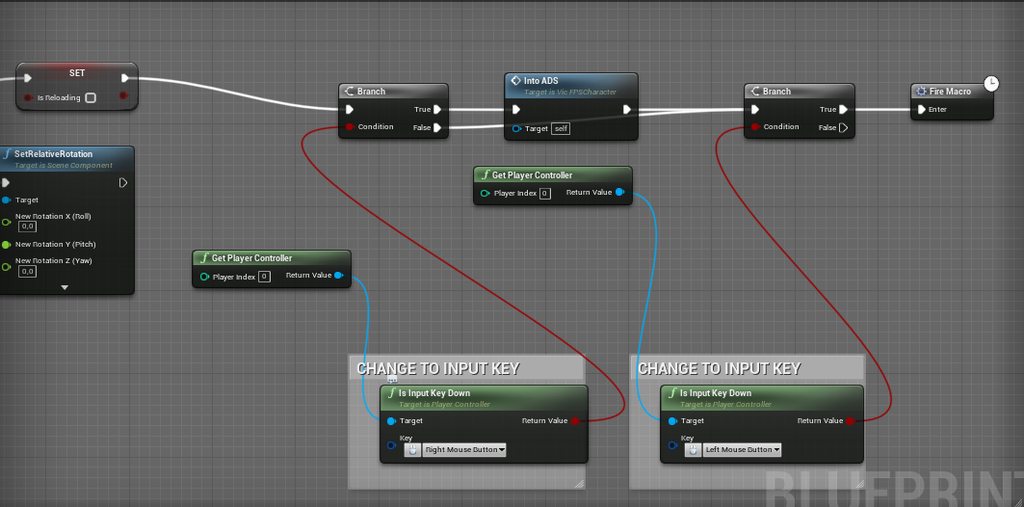 trim matrix
guyz do you know how to "restart" a simulation in a blueprint?
is it actually possible?
surreal peak
terse ivy
I'm in a bit of a dead end, I have this scenario seen in the image ( https://img...
Set a boolean from your Input Binding and check that one?
Usually you execute your specific code when the key is pressed
It's rare that you have to check constantly if the key is down
terse ivy
Ok, so it's not possible without adding a variable? Or is there other way to get boolean for that?
surreal peak
Don't think so
terse ivy
Ok, thank you very much! 🙂
surreal peak
Again, usually you execute your code from the input event itself
ADS can totally be done with just that
Also firing
trim matrix
Is it possible to add someone to a ue4 project so they can help you make a game? Like a builder and a coder
surreal peak
trim matrix
Is it possible to add someone to a ue4 project so they can help you make a game?...
You use #source-control for that
terse ivy
Oh, I gotta take a look. I'm still quite novice with all of this so I'm a bit lost 😂
trim matrix
surreal peak
You use <#375019235853729805> for that
🧑🏿🎤
trim matrix
surreal peak
You use <#375019235853729805> for that
Can u jus answer my question
surreal peak
I did
You asked if it is possible. I told you source control is for that
It's a central server that holds your project and users can submit changes and get those. There are multiple solutions like perforce or git, which all fall under the same term: source control
trim matrix
trim matrix
Can u jus answer my question
yeah he answered your question. You can use perforce + sourcecontrol to have multiple people to work on the same UE project.
does anyone knows how to use ResetLevel or RestartGame?
i don't know what to plug in the Input
 wicked crag
Hello I have a question. I followed a tutorial on how to make an inventory system. But the inventory system is allocated to my Third person character BP. I want to make the inventory into an actor component so that I can assign it to loot boxes etc. how involved would that be to make happen? Does anyone have an idea?
odd ember
roight
gentle urchin
You should be able to mostly translate it to a component directly with a few casts and reroutes , as a first lesson kinda thing
odd ember
yeah it should fairly straightforward
the entire idea behind a component is that you can add it at will to any actor
now whether the inventory is setup to work with other inventories is another matter
 short pawn
trim matrix
guyz do you know how to "restart" a simulation in a blueprint?
short pawn
trim matrix
guyz do you know how to "restart" a simulation in a blueprint?
You could set what ever variables you have back to the original setting
trim matrix
short pawn
You could set what ever variables you have back to the original setting
thank you!
sonic briar
I made a spline actor that places planes along is as a path. Collision is enabled, but no navmesh is being generated there.
Does anyone know what could be the cause?
https://blueprintue.com/blueprint/0e2hwokp/

No description provided
odd ember
sonic briar
I made a spline actor that places planes along is as a path. Collision is enable...
have you set your navmesh to be dynamically generated? look up your scene hierarchy for a recast navmesh actor
sonic briar
odd ember
have you set your navmesh to be dynamically generated? look up your scene hierar...
Is there no way to do this statically with such splines?
odd ember
sonic briar
Is there no way to do this statically with such splines?
well it's not really a property of the splines
the navmesh being dynamic has to be set for the entire level
if this is all editor time, you can just rebuild navmesh
or have that be done automatically
if it's dynamic during runtime
you'll have to touch the recast navmesh actor
sonic briar
And there is no way to fix this just for the spline, right?
 pale flare
Hello im trying to apply damage over time any easy way to do it?
 bleak swift
Some entry-level spaghetti to handle network errors
 odd ember
sonic briar
And there is no way to fix this just for the spline, right?
odd ember
sonic briar
And there is no way to fix this just for the spline, right?
how do you mean?
sonic briar
odd ember
how do you mean?
I was just a bit confused, I think I understand now.
odd ember
sonic briar
I was just a bit confused, I think I understand now.
ok! well let me know if you have issues
pale flare


how do i get the first blueprint to input burn damage
like cast it to the damage type
wicked crag
odd ember
now whether the inventory is setup to work with other inventories is another mat...
It’s connected to my third person character, every thing put in the data table shows up in my inventory as if I’m a loot box
odd ember
wicked crag
It’s connected to my third person character, every thing put in the data table s...
perhaps it's worth considering that the inventory should not have a linked data table by default
but rather it should be a loot table
wicked crag
I’m not that experienced as to know how to make certain changes in the code. I do know a good amount though, still learning. Would you know if anyway I could acquire some help, either through payment or someone just wanting to assist me?
odd ember
wicked crag
I’m not that experienced as to know how to make certain changes in the code. I ...
I can't say based on the information given. I'd imagine it's solveable if you want to put some effort towards it. other than that I got nothing
sonic briar
Why does the Break Box node have two outputs, min and max? Is this for special actors that have weird bounding boxes, or why are there two results?
https://docs.unrealengine.com/5.0/en-US/BlueprintAPI/Utilities/Struct/BreakBox/

Break Box
 bronze breach
Can't I call a collapsed node from another object just like any other variable or function?
trim matrix
Not sure if anyone has any suggestions, but this is the third time I posted this same message with no help
#ue4-general message
storm pivot
trim matrix
Not sure if anyone has any suggestions, but this is the third time I posted this...
Seems like you have multiple pins plugged into AddToViewport function.
storm pivot
bronze breach
Can't I call a collapsed node from another object just like any other variable o...
No you can't
It is just a cosmetic thing
bronze breach
storm pivot
No you can't
That sucks
storm pivot
bronze breach
That sucks
Why don't you make that an event or a function if you need to call it from outside?
bronze breach
Because I need a delay node on it
storm pivot
Then make an event, you can add delays.
bronze breach
As in "Add custom event"?
storm pivot
bronze breach
As in "Add custom event"?
Yes
You can also then collapse the event content if you wish to organize it as such.
bronze breach
Alright ty
 true valve
Anybody know how to paginate loaded data from a data-table?
wicked crag
odd ember
I can't say based on the information given. I'd imagine it's solveable if you wa...
Okay, I’ll put the effort in…But the reason I don’t really know how is because of all of the other code involved outside of the third person BP. So do I apply all that code to the actor component?
storm pivot
wicked crag
Hello I have a question. I followed a tutorial on how to make an inventory syst...
Why is it a big deal? Just shift all the variables & functions to the ActorComponent.
dawn gazelle
wicked crag
Okay, I’ll put the effort in…But the reason I don’t really know how is because o...
Ideally there wouldn't really be any interface between the inventory and the character. Everything should be handled within the component itself. When dealing with the UI aspect of it, you know that the component exists on the character, so if you can get a ref to the character, you can then get the inventory component and call whatever functions you need to. Same thing with picking up items, instead of calling the pickup function on the character, you'd get the component from the character and run whatever pickup function you have.
bleak swift
So I have a Software Cursor hooked up with this wombo jumbo system that creates animation effects for hovering and stuff though even if I call the function through a cast in my main menu Hover Button it doesn't do anything. I don't know if I'm plainly doing something wrong or if Software Cursors can just not do that

It should play that code to do the Hover Animation from Default to Hand though all it doe's is act as a still image
https://gyazo.com/66525bee241481216485bb94f5ab9533

 charred gale
Hi everyone.
I'm trying to learn blueprint scripting in Unreal.
Wanted to make a pizza game kinda thing.
How do I write what ingredients I need to make a certain EPizzaType?
Thank you and have a good one.
 icy dragon
charred gale
Hi everyone.
I'm trying to learn blueprint scripting in Unreal.
Wanted to make...
icy dragon
charred gale
Hi everyone.
I'm trying to learn blueprint scripting in Unreal.
Wanted to make...
Array of EPizzaTopping (including pineapples)
wicked crag
storm pivot
Why is it a big deal? Just shift all the variables & functions to the ActorCompo...
The big deal is that I did not know it was that simple. I’m working on the project solo so I need to be careful not to break anything. Now that I know that’s how to do it I will go for it and I just learned something new,so thank you.
bleak swift
bleak swift
So I have a Software Cursor hooked up with this wombo jumbo system that creates ...
Everything seem's right
odd ember
wicked crag
Okay, I’ll put the effort in…But the reason I don’t really know how is because o...
that's how you want it to be. the component handles the relevant code. there might be some independent hook ins for the actor. a character will needs access through player input, but a box with an inventory only needs access when a player requests it
 celest sierra
Currently, I'm only able to look left and right, and walk around. My pitch is apparently not working at all. Any info? (newbie here)

 pale flare
Hey is it better to use a blueprint interface for damage or just the built in apply damage?
odd ember
pale flare
Hey is it better to use a blueprint interface for damage or just the built in ap...
never use interfaces unless you are forced to
 obsidian moon
odd ember
never use interfaces unless you are forced to
obsidian moon
odd ember
never use interfaces unless you are forced to
Huh?
You cast to everything?
You do know what this does to your performance right?
And dependancies
odd ember
casts are cheaper than interfaces
interfaces were never a replacement for casts. they have distinct use cases
obsidian moon
Sure but casting to everything creates a huge footprint
odd ember
yeah well
it's not correct to say that interfaces are good and cheap and you should use them all the time
you should not use interfaces outside of the few use cases where they are relevant
they are not a replacement for casts
they are not a replacement for event dispatchers
if you do some digging you'll find that interfaces in cpp don't exist per default, so what epic did was turn a bunch of virtual functions into "interfaces"
and that comes at the cost of virtual functions, which aren't cheap compared to everything else
obsidian moon
But I’ll just say casting to classes to call events that can be handled via interfaces isn’t smart as a cast literally loads all objects of the casted class and creates a huge dependency footprint … if your needing to pull from the object for vars or gets or whatever then sure but if your casting to check objects on hits, overlaps and using cast for everything that an interface can do without creating a hard dependency then it’s not good advice
odd ember
obsidian moon
But I’ll just say casting to classes to call events that can be handled via inte...
this is incorrect
if you're 1000 objects per tick it might become relevant, but a cast in BP costs a little more than a branch
obsidian moon
But to the original question the apply damage is a great way to handle damage
No need to reinvent the wheel
odd ember
the reason why casts should be considered before making them is because casts require the object to be fully loaded. however, in BP you are only dealing with such objects
odd ember
it doesn't create something that doesn't exist already
you're not going to make a coupling argument here
interfaces in their original form were only created to bridge hierarchies
and yet somehow people using BP think the best way of doing things is to use them for everything
odd ember
well using them far beyond how they should be used
doesn't matter the size of the project
what matters is how you've setup your code
obsidian moon
.... look i don't know you and you don't know me... I'm not going to assume anything about your experience but I will say that this is an area I'll have to respectfully disagree
celest sierra
Uh...mmm... can someone help me make my mouse work? lmfao
celest sierra
celest sierra
Currently, I'm only able to look left and right, and walk around. My pitch is ap...
This
obsidian moon
have you been working with the engine for over a decade?
odd ember
obsidian moon
do you know what a hard reference is?
I don't know what a hard reference is because that's a word you've made up. I suggest not to listen to udemy tutorials
obsidian moon
odd ember
I don't know what a hard reference is because that's a word you've made up. I su...
I made it up huh
I teach UE4 courses