#blueprint
402296 messages · Page 835 of 403
 odd ember
 gentle urchin
It is clear who is toxic among us imo 🙂
 hollow inlet
bye, felicia
 earnest tangle
You're not much better, expecting hand holding for your problems for free
 maiden wadi
@hollow inlet As a fair warning. Being sour in public is really unbecoming. Even people who are willing to try to help you more are much more likely to avoid helping you in the future when you act like this. This is a public forum, you're free to ignore the first person that responds to you if you don't like their answer and simply ask again.
earnest tangle
He's not wrong that some people here are being overly snarky and sarcastic with their "help"... but that's a matter for the moderators to figure out I think..
gentle urchin
Honest question, was my asnwer snarky?
odd ember
no
 keen wedge
So.. if you wanted your GameInstance to be able to Bind to an event from a GameMode... how would one go about that? The game instance is generated before the gamemode, so at the moment, its kinda missing it... any thoughts?
gentle urchin
If it is percieved as snarky, surely i can... add a smiley to it ?
maiden wadi
keen wedge
So.. if you wanted your GameInstance to be able to Bind to an event from a GameM...
Have your GameState tell the GameInstance to do it's finding through an event.
odd ember
I think it's fair to expect an answer without a lengthy explanation
gentle urchin
90% of the askers simply wants thr answer anyway
earnest tangle
Sure, expecting free help to be elaborate and handholdy is not right
keen wedge
I've had to drop gamestate because its lost when the level changes...
gentle urchin
And if not, the real explanation can be way above their current skill level, so explaining it could gain very little...
maiden wadi
Doesn't really matter in the end. You can't control the way other people are in public, only yourself. 🤷♂️
earnest tangle
It doesn't mean the response to it should be similarly unfair
odd ember
maiden wadi
Doesn't really matter in the end. You can't control the way other people are in ...
this is the way
keen wedge
maiden wadi
Have your GameState tell the GameInstance to do it's finding through an event.
Would that be in the form of a direct function call though... e.g. GameState say "Ok, now do those late bindings you couldn't do before"... then I run that function on GameInstance to do the bindings etc..
maiden wadi
Sure. All you need is an event in your GameInstance. Have your GameState's beginplay call it.
odd ember
keen wedge
So.. if you wanted your GameInstance to be able to Bind to an event from a GameM...
could you maybe give some context for what you're intending to do?
maiden wadi
Can pass itself through if you want to, or get it globally, doesn't so much better.
keen wedge
maiden wadi
Sure. All you need is an event in your GameInstance. Have your GameState's begin...
Thats what I thought... but I was trying to avoid that direct calls and use the bindings/event dispatchers instead... if I need to add a direct function call to say "Do the late bindings" I may as well just have the thing call a function to do the original task etc... equally what I was trying to avoid... wanted to avoid the number of "fingers in pies" so to speak..
keen wedge
gentle urchin
Or let gameinstance bind up gamemode
it can't because it tries to do this too earlier before the game mode is ready...
(that would have been my preferred approach tho)
odd ember
the game mode can register itself onto the game instance
gentle urchin
Sorry, i missread it ! Reversed yes
keen wedge
odd ember
the game mode can register itself onto the game instance
How would I go about that please?
maiden wadi
Are you trying to avoid casting or?
odd ember
keen wedge
How would I go about that please?
on game mode begin play, get game instance and have something like a Register(GameMode) function
keen wedge
odd ember
on game mode begin play, get game instance and have something like a `Register(G...
But again thats a direct function call isn't it?
 coarse cipher
Thanks a lot for this insight, I'll try this asap
maiden wadi
Cause honestly, there's no need to avoid casting in this case. It's code classes. Cast to them all. Your memory footprint isn't going to do anything.
odd ember
keen wedge
But again thats a direct function call isn't it?
yes but it's to a manager class
coarse cipher
It's just what i needed 😄
keen wedge
odd ember
yes but it's to a manager class
..but then, potentially anything else could hit that same function...
maiden wadi
I had fun with it. 😄 I was doing what you're doing in reverse, made a reversal spell.
odd ember
keen wedge
..but then, *potentially* anything else could hit that same function...
sure you could register multiple game modes in this way. but if you only need to register one, no problem
but the same process is used when e.g. registering interactions for the player, or registering AI pawns to an AI director
 weak zealot
My mouse isn't updating while i'm moving for some reason, causing my pointer to lag behind
keen wedge
maiden wadi
Cause honestly, there's no need to avoid casting in this case. It's code classes...
It wasn't so much about avoiding the casting... just getting around the order of events again...
odd ember
I don't actually know what the pattern is called but I'm pretty sure it is a pattern
keen wedge
Perhaps if I summarise what it is I'm trying to achieve it might help...
odd ember
just maybe not GoF
maiden wadi
weak zealot
My mouse isn't updating while i'm moving for some reason, causing my pointer to ...
What code are you using for this?
odd ember
keen wedge
Perhaps if I summarise what it is I'm trying to achieve it might help...
always helpful

 odd ember
well there is #legacy-physics
keen wedge
GameInstance is holding a data item that needs to be persisted across level changes
The main menu has three "modes" of play, each uses a unique GameMode.
When the level is complete for each GameMode I want to report back that the level is complete and update the data item in the GameInstance.
Each GameMode has a "PlayModeCompleted" event dispatcher.
I wanted to fire that and then have the GameInstance respond to it accordingly. In this specific case, it effectively "unlocks" the next mode of play (this is for an experiment where the participant works through a series of tests).
Ordinarily I would set a reference , create the binding, and all good... but because the GameInstance is created first, the GameMode doesn't quite existing yet, and thus it doesn't create the binding. If I add a Delay node (shudder), I can create the binding, or at least, it looks like it does, no casting errors, print node indicates the binding was complete, but it still doesn't fire - which leads me to believe it didn't quite create it in time.
I would prefer that rather than having direct calls to functions in the GameInstance, it just listened for updates, and then responded etc.
I looked at using GameState, but because that's lost at the end of each level change, I can't persist the data item across all levels.
maiden wadi
weak zealot
To get the pointer:
Instead of doing the world location of the mouse here. Use a LinePlaneIntersection(Origin&Normal). You're looking for a point on a plane that is the turret's location, facing UpVector in world.
 tight pollen
How do make the capsule for 1st person view to a different capsule height from the 3rd person capsule in multiplayer?
odd ember
keen wedge
GameInstance is holding a data item that needs to be persisted across level chan...
the correct way of doing it is registering game modes to the game instance
"correct"
maiden wadi
@weak zealot
 tight pollen
the character in the first person must have a different capsule height
 dawn gazelle
Yeah I think I'd still use a function on the game instance and let the game mode say "hey I'm here!"
odd ember
exactly
keen wedge
odd ember
you could also have the game instance poll for game modes
I did wonder about that... I was going to have it sit there effectively "waiting" but it still then needs to know when its been created....
odd ember
keen wedge
I did wonder about that... I was going to have it sit there effectively "waiting...
polling would imply you check every frame
keen wedge
dawn gazelle
Yeah I think I'd still use a function on the game instance and let the game mode...
beginning to feel like my approach with the event dispatcher stuff isn't the right way... and I'm really struggling with sooooo many things all just being public and having their claws into everything else... I get that "it works so move on" etc... but it just feels I dunno... a bit wrong to have so many things able to talk to sooo many other things...
odd ember

O’Reilly Online Learning
keen wedge
odd ember
polling would imply you check every frame
Yeah, that'd be a bit heavy I guess... although I suppose it would be "ready" fairly quickly...
odd ember
keen wedge
Yeah, that'd be a bit heavy I guess... although I suppose it would be "ready" fa...
well the point isn't even the heaviness, it's just that it's not as elegant as the self registration
polling handles exactly 1 case, whereas self registration handles a handful of cases at least
keen wedge
dawn gazelle
Yeah I think I'd still use a function on the game instance and let the game mode...
So if I do that though, with the Register(GameMode) approach as @odd ember suggested, e.g. a direction function call... is there still actually any benefit over not just making the call directly to the GameInstance from the object in the first place that needed to update the value? e.g. why not just let everything talk to it in that manner?
keen wedge
odd ember
well the point isn't even the heaviness, it's just that it's not as elegant as t...
Does it matter then that my 3 GameModes are all inerhited from a base gamemode (my own, not the default) and its only that one that has the event dispatcher I planned to fire (done via the derived GameModes), e.g I'd only really be registering one
odd ember
keen wedge
So if I do that though, with the Register(GameMode) approach as <@!2245717818626...
you can but generally you only want to couple where it is relevant to couple. so game instance <> game mode makes sense. and game mode <> actor makes sense in terms of hierarchy. but if a level can have multiple game modes, then you may have issues understanding under which game mode context you need a certain actor to register
keen wedge
odd ember
you can but generally you only want to couple where it is relevant to couple. so...
I think this is part of my problem, I've been trying to make everything not coupled... and then having a massive BALL ACHE in trying to achieve this...I should add... with a couple of minor exceptions (widgets created by playercontroller etc)
odd ember
so I don't know the full context of what you're doing
but if it wasn't game mode picking up on those actors, it should probably be another actor or object that you wrap as a "globals" or "savegame" object
quotation marks because it doesn't have to be derived from any such class
weak zealot
maiden wadi
<@!415724936871542797>
Trying this out, gimme a moment
keen wedge
odd ember
so I don't know the full context of what you're doing
You'll probably hate me when I've wasted this much of your time for the "one" variable that is a structure holding effectively which "mode of play" is unlocked... I figured GameState initially, then moved to GameInstance when I realised the persistence issue... I avoided the SaveGame because I figured it only matters each time the game is run, e.g. if the game is run a second time, the whole thing is wiped and starts afresh anyway (new participant etc). So I thought just holding the progress through the modes of play in the GameInstance would work.
I'll give the Register(GameMode) approach a whirl.. I know it'll work as the direct function call thing will obviously avoid the execution order/timing issue
Thanks @odd ember / @maiden wadi / @dawn gazelle - appreciate your replies and especially your time 🙂
weak zealot
The issue persists. Also i haven't used this node, not sure what it's doing exactly, can't debug it right away
Also it looks like i'm getting some gimble lock too 😮💨
coarse cipher
@maiden wadi It worked!!! It feels like magic after just following your instructions 😄
maiden wadi
Love that function. I use it a lot.
coarse cipher
I am just curious about getting the lapsed time
I did this

But I don't really know if it's a good practice to do this
maiden wadi
Nah. Ditch the float. Just promote the return variable on the timer and use the handle to get elapsed time.
And set the timer to the length you want it to play.
Or just use tick and it's deltatime to count it, either way, but don't use small numbered timers like that.
coarse cipher
Thank you 👍
 leaden niche
Having an issue with a texturerendertarget2D. The scenecapturecomponent2D is attached to my BP character and is coded in the character to only show the mesh component. The issue that I'm having is that the background is still blue and I require it to be translucent. I've messed around with the alpha but it doesn't appear to effect in. If anyone has any solutions please let me know.

 small halo
how do i reset ragdoll when i respawn in through a checkpoint
right now, when i respawn (teleport to the checkpoint) it doesnt teleport me
 true valve
How can you make your camera maintain the same distance when you rotate it in third person view?
 shadow merlin
Is there a way to make this color transition smooth? Other than doing some animation bc I might want to take the current state into account to make it more procedural.

I think some subroutine that waits and repeats until the color is lerped, to avoid the event tick, but idk how that is done in unreal
gentle urchin
Just use the tick
Or an animation
Or a timeline
Depending on which class this is in
 opaque river
real stupid question but im not used to UE5, when making a widget how do i go to designer mode seems locked in graph mode
shadow merlin
I found this: "You create a trigger for which to call the Timer Event, and you set it to update by a loop which uses DeltaTime. But because the Timer Event itself will only be ran once you have to make sure that the function you are calling can pause and clear the timer itself!"
I think that's ok?
https://forums.unrealengine.com/t/what-is-the-equivalent-of-coroutines-in-ue4/286754/5

Unreal Engine Forums
Old Question but I thought I would provide an approach I use that has the same effect. If blueprinting, create a custom event in the Event Graph. Perform whatever scripting you want and then add a delay node. This delay node acts like a co-routine, as it won't prevent the rest of the event graph from processing. Co-routines are something I do mi...
 wicked shoal
hey all. i've got some expierence with setting up vehicles in UE4 but wanted to try and use Chaos. but it doesn't seem to like me. the car falls down and the wheels just flop in place as if it was simulated. am i missing something here?
 gentle urchin
shadow merlin
I found this: "You create a trigger for which to call the Timer Event, and you s...
gentle urchin
shadow merlin
I found this: "You create a trigger for which to call the Timer Event, and you s...
Yeah thats reasonable, but if the timer is to infrequent, it will be very visible
And the gains vs tick is... questionable?
Timeline would work as a 'limited duration' tick, with curves to play with for more refined behaviour
shadow merlin
gentle urchin
And the gains vs tick is... questionable?
I found another reply in the link above:
"For those who is still looking.
Here is the most effective and lightweight solution how to achieve a similar result like it is in Unity’s coroutines (no timers, no delay nodes, no timelines, not inside tick with a bunch of checks). In Unreal the same functionality is easily achieved by using Latent Actions.
In order to make it happen and to use it in your blueprints, you will need to write a code in C++[...]"
Yeah, the problem is I might control some property like scale with some other action, and when hovering I might want to inccrease it even more, so unless I can overlay animations I might prefer it
gentle urchin
Wont argue over latent, but I'm not seeing much of a gain for something like this..
A few lerps on a relatively limited tick, is not something id worry about
shadow merlin
gentle urchin
A few lerps on a relatively limited tick, is not something id worry about
Thank you!, I'll stay event tick in that case then, at least till I learn how or I see I need other method
gentle urchin
Animated stuff needs to be updated close to every frame for it to be smooth, not much getting around that at the end of the day
If it were heavy calculations and native (c++ tick) wasnt enough to reduce the immediate cost, then id probably consider a co-routine for it
Atleast thats my take on it.
 feral ice
This is super weird. Look at this. I created my own collision channel named grass so whatever the box hits that has the collision grass should get its position (0, 0, 0)

It gets it, but as soon as i change the collision channel in box trace it will set the position
 shadow merlin
gentle urchin
If it were heavy calculations and native (c++ tick) wasnt enough to reduce the i...
shadow merlin
gentle urchin
If it were heavy calculations and native (c++ tick) wasnt enough to reduce the i...
Good to know, I'm coming from unity and C++ is hard and scary, I have to see how blueprints perform, hopefully not too diferent, maybe better? 😅
feral ice
when i set it to visibility instead of grass this happens
 gentle urchin
shadow merlin
Good to know, I'm coming from unity and C++ is hard and scary, I have to see how...
gentle urchin
shadow merlin
Good to know, I'm coming from unity and C++ is hard and scary, I have to see how...
Depends on what you're doing ^^ i got an 80% gain from converting identical code from bp to c++
Blueprints offer way faster iteration tho, so atleast for now id just stick with that. Can always convert it later :)
gentle urchin
feral ice
when i set it to visibility instead of grass this happens
How is the grass spawned
dawn gazelle
Whatever your base item class is. If you intend on doing this same thing with all items, then you probably want to use a class that is a parent to your "weapon" class.
 tranquil abyss
I dont have it like that
odd ember
time to refactor then
tranquil abyss
not again
odd ember
😔
feral ice
gentle urchin
How is the grass spawned
I just spawn a lot of lines and wherever it hits it will spawn grass 😄
dawn gazelle
If you don't do it now, you're going to be kicking yourself later that you have to refactor even more.
 feral ice
gentle urchin
How is the grass spawned
feral ice
gentle urchin
How is the grass spawned
 tranquil abyss
Default sword is the parent
dawn gazelle
Ok, and what is the parent of Default Sword?
odd ember
tranquil abyss
that's not too bad. just create a parent class called weapon, and let the parent class of weapon be item
dawn gazelle
So, make an "Item" actor class. It should contain any variables that are common to all items.
odd ember
almost as if there's some sort of logic to this
tranquil abyss
because Higher rarities or tiers would just be a multible for those values
I think
feral ice
gentle urchin
So... you're spawning grass, and removing grass?
Yeah i want to remove the grass where i want to spawn the stones
odd ember
tranquil abyss
because Higher rarities or tiers would just be a multible for those values
no harm in having an enum for rarity if you need it
but don't let me dictate how you want to do things
dawn gazelle
Then you may want to create a subclass, "Equipment" - basically any items you could "equip".
This should contain variables that are relating to being able to be equipped... LIke an enumerator for the equipment slot it would go into... Durability/Max Durability.
tranquil abyss
lol I dont know how to do things so that part of the problem
dawn gazelle
Then you make a subclass of that "Weapon" - this can have variables relating to damage.. Like damage amount, damage type, etc.
gentle urchin
feral ice
Yeah i want to remove the grass where i want to spawn the stones
Sounds like you should try and spawn the stones initially instead of having to spawn things you dont want
dawn gazelle
Then finally, you may have a "Base Sword" class.
tranquil abyss
dawn gazelle
Then you make a subclass of that "Weapon" - this can have variables relating to ...
that is kinda what I have already
I have dynamic values in the item database
and stock in the actor itself
or static I should say
feral ice
gentle urchin
Sounds like you should try and spawn the stones initially instead of having to s...
Yeah but if i do that i can spawn grass next to it and bc the pivot point of the grass is in middle some of the grass from the mesh will end up glitching through the stone
tranquil abyss
tranquil abyss
I have dynamic values in the item database
so I can pull into inventory and reconstruct the item basically when I use it
gentle urchin
feral ice
Yeah but if i do that i can spawn grass next to it and bc the pivot point of the...
Spawn stones first
Only spawn grass if the trace does not hit stone
feral ice
gentle urchin
Spawn stones first
Yeah but my question still remains like what tha hell did even happen. I just changed the channel it didnt work. You have any clue?
feral ice
i cant use material cuz i am not working with landscapes
odd ember
feral ice
i cant use material cuz i am not working with landscapes
you could use physics material
just a thought
feral ice
To spawn the grass?
odd ember
to determine where grass can be spawned
 odd ember
 long whale
what will happen if the parent actor is destroyed?
long whale
what will happen if the parent actor is destroyed?
try it?
long whale
sure
feral ice
odd ember
try it?
Yeah but like this is what happens

its still outside but its still inside
so i cant place the grass after. I have to place the grass first
odd ember
feral ice
so i cant place the grass after. I have to place the grass first
just make your traces larger?
odd ember
feral ice
its ugly ah
1 trace per grass instance
feral ice
For what?
I am already doing that with spawning of the grass
Do you mean for the rocks?
odd ember
if you spawn the rocks first, then trace with traces that are slightly larger than each grass instance, you'll get grass that is neatly filtered around the edges of the rocks
 fierce stump
AI's currently in development. There's a lot that I actually need to learn here, though
 feral ice
odd ember
if you spawn the rocks first, then trace with traces that are slightly larger th...
feral ice
odd ember
if you spawn the rocks first, then trace with traces that are slightly larger th...
Like this
 feral ice
green means spawn red means ignore
odd ember
feral ice
green means spawn red means ignore
which is the opposite of the default unreal coloring 😂
feral ice
Oh yeah that was 100% on purpose haha
But like if it spawns here becuase the pivot point is in the middle some of the grass will glitch trough the stone
 odd ember
feral ice
But like if it spawns here becuase the pivot point is in the middle some of the ...
odd ember
feral ice
But like if it spawns here becuase the pivot point is in the middle some of the ...
the point is if the trace is slightly larger (for a single grass instance), then it simply won't place it there
feral ice
odd ember
the point is if the trace is slightly larger (for a *single* grass instance), th...
What do you mean by slightly larger?
How can a trace have a size?
 feral ice
Oh you mean to spawn the grass with a box trace or capsule not line trace
odd ember
yes
the alternative is to spawn a sphere trace at the end of the line trace to check if anything is blocking it
but the same principle applies
feral ice
yeah smart, that way i wont spawn unnecessary instances
 bleak swift
Doe's anyone know a free Voice Chat Plugin?
 icy dragon
Wasn't there one built in with EOS in 4.27?
bleak swift
icy dragon
Wasn't there one built in with EOS in 4.27?
I don't know
dawn gazelle
tranquil abyss
that is kinda what I have already
At the very least, you want to have a base item class that all "item" type objects in your game inherit from that contains some basic data about said item and will house basic functionality of your items (such as your overlap showing the display name of the item).
You may not need to have a class for every single sword in your game if you're intending to use a datatable for item management, but at most then you should have only the "base sword" which is parented to "base item" - then when you're spawning a sword in, you already have the "base sword" class to work with and just populate it's values/change it's appearance based on the data in the data table for the actual item you're trying to spawn. There is no sense in creating a bunch of "sword" subclasses if you have a data table that contains all the data about your swords. If your data table doesn't contain all the data for your swords or can't, then you may want to rethink how you're handling them otherwise you're going to have to be setting values in two different places.
bleak swift
icy dragon
Wasn't there one built in with EOS in 4.27?
Seems to be for C++
dawn gazelle
dawn gazelle
At the very least, you want to have a base item class that all "item" type objec...
Further to this, making subclasses means you don't have to keep reprogramming similar functionality into every "copy" of an item that exists as its own class.
And if that functionality needs to change, well, now you only need to change it in one place instead of 500.
weak zealot
Ughh, i've googled everywhere, can't find a solution to this weird problem. seems other's are having the same problem i've found after searching "mouse lag" here. I have my object rotating towards my mouse pointer, but whenever i move the object seems to push away in the opposite direction i'm moving, almost like it's being effected by force. I plugged the cord of my ConvertMouseLocationToWorldSpace node and whenever i'm moving it stops updating properly
odd ember
weak zealot
Ughh, i've googled everywhere, can't find a solution to this weird problem. seem...
show code?
weak zealot
odd ember
show code?
Someone else here had me calculate the mouse position differently, but it had the same issue

 odd ember
weak zealot
Someone else here had me calculate the mouse position differently, but it had th...
odd ember
weak zealot
Someone else here had me calculate the mouse position differently, but it had th...
this seems correct
how does the lag manifest?
is it the character's rotation that lags? or the cursor itself?
weak zealot
odd ember
how does the lag manifest?
i'd say less than a second
weak zealot
odd ember
is it the character's rotation that lags? or the cursor itself?
I'll send a video
odd ember
weak zealot
I don't see any lag in the video?
weak zealot
odd ember
I don't see any lag in the video?
Look at the "barrel" of my makeshift tank
That's what i meant by lag, it should be pointing directly at my mouse pointer
"Lagging behind" suits what i mean better
tranquil abyss
Im not able to get the widget in the new Item class I made, I tried using it as a variable but that also wont connect

@dawn gazelle
odd ember
weak zealot
"Lagging behind" suits what i mean better
you mean when it moves?
weak zealot
odd ember
you mean when it moves?
Yup
dawn gazelle
tranquil abyss
Im not able to get the widget in the new Item class I made, I tried using it as ...
You need the widget component to plug into the "Get User Widget Object"
bleak swift
bleak swift
Doe's anyone know a free Voice Chat Plugin?
There isn't any I can see
odd ember
weak zealot
Yup
try disabling tick while moving
weak zealot
odd ember
try disabling tick while moving
Wont that just completely stop tracking the barrel? (If you're saying Event Tick
odd ember
bleak swift
There isn't any I can see
you're probably asking in the wrong channel. #ue4-general or #fab might be able to help you out
tranquil abyss
dawn gazelle
You need the widget component to plug into the "Get User Widget Object"
yeah but How are you pulling that into the blueprint
As a variable? bc that wont connect
odd ember
weak zealot
Wont that just completely stop tracking the barrel? (If you're saying ``Event Ti...
it will but the tracking is correct
dawn gazelle
tranquil abyss
yeah but How are you pulling that into the blueprint
It is a component in your blueprint yea?
weak zealot
odd ember
it will but the tracking is correct
Hmm.. yeah but that means you can't aim and move at the same time
Not exactly what i'm looking for
tranquil abyss
dawn gazelle
It is a component in your blueprint yea?
oh im trying to put it in the base Items class
im dumb
for the 3th time today
dawn gazelle
(which it probably should be in the base item class)
odd ember
weak zealot
Hmm.. yeah but that means you can't aim and move at the same time
between the two pieces of code you've shown only one of them affects the turret rotation
my guess is if you move the tank while moving the mouse it's OK
tranquil abyss
dawn gazelle
(which it probably should be in the base item class)
I fix

This makes it when I use other items that are not weapon it will also work
weak zealot
odd ember
my guess is if you move the tank while moving the mouse it's OK
I don't quite understand this, if i turn off Event Tick while i'm moving, I turn off what's rotating the barrel.. so it'd be locked into position while you're moving, snapping back when you aren't
odd ember
weak zealot
I don't quite understand this, if i turn off ``Event Tick`` while i'm moving, I ...
yep, but basically you're not a fan of the lag, so you can test if it lags if you move the mouse AND move the tank. if there is no issue then (which I suspect), then you probably want to lock the rotation as long as there is no mouse delta
disabling tick while moving would be a test to see if it fixes the lag at all (which again, it should)
weak zealot
odd ember
yep, but basically you're not a fan of the lag, so you can test if it lags if yo...
moving the mouse and tank at the same time presents the same problem
odd ember
weak zealot
moving the mouse and tank at the same time presents the same problem
can you test if you move the mouse around the tank itself if the turret actually follows the mouse at that point?
weak zealot
odd ember
can you test if you move the mouse around the tank itself if the turret actually...
Moving or still?
odd ember
weak zealot
Moving or still?
both moving
weak zealot
odd ember
both moving
When it's not moving, it's fine, when it is, it isn't.. if that's what you're asking. (Moving the pointer around the tank a few times)
Not sure if i understood what you were asking 100%
 torpid hound
Another test: lock the camera in place, let the tank move and see if it's better. IMO you probably have things updating in the wrong order.
odd ember
weak zealot
When it's not moving, it's fine, when it is, it isn't.. if that's what you're as...
I'm asking if the turret follows the mouse if the tank is moving, even if the mouse has moved over to the other side of the tank
torpid hound
You need to have:
- Tank move
- Camera move
- Get the current mouse world position with new camera
- Turret moves
weak zealot
torpid hound
You need to have:
1. Tank move
2. Camera move
3. Get the current mouse world pos...
I'm moving everything at once really, since it's just a player object
torpid hound
Yeah, but you aren't
They are updating in some order and if that order is wrong, bad things happen
If you work out where the mouse pointer is before the camera moves, you will get the wrong data
weak zealot
torpid hound
Yeah, but you aren't
(to my knowledge)
How could i change this order? manually code it in?
odd ember
in which class is the mouse tick event happening?
torpid hound
CE is right that you should try isolating things. Isolate each of those steps above and see which combinations of th break. Can you move and point without camera. Can you pan camera and point without moving
That will show you which bit is happening at the wrong time
torpid hound
So strip it back and take baby steps and you'll get there :)
torpid hound
weak zealot
How could i change this order? manually code it in?
Exactly. On some level you already are, you're just not aware of it. You can't do all those steps at once, they have to be in some order. The trick is working out what order they are in and why
odd ember
you can try and do print statements to see if there is a consistent order to your events in relation to the event tick as well
ideally you would get a consistent order of either tick first, or input event first
torpid hound
Inputs normally happen very early on
odd ember
it's a question of how far along the tick update I suppose. I don't know, that's why I would test it to be sure
weak zealot
I removed my camera from my player object, then just put it in the scene.. because i wasn't sure how to lock it into place since everything in the player object is moved (Targeting Self:).. and it's further broken. Not sure why
odd ember
weak zealot
I removed my camera from my player object, then just put it in the scene.. becau...
I don't see any ghosting anymore
weak zealot
odd ember
I don't see any ghosting anymore
Yeah, seems that issue solved itself
But it's really weird now
torpid hound
It seems offset somehow
Can you draw a debug sphere or something for where the tank thinks it's pointing at in world space?
weak zealot
torpid hound
Can you draw a debug sphere or something for where the tank thinks it's pointing...
Pushed it down on the z axis because it was almost inside the camera
torpid hound
Oh, I think you might not be converting from screen space to world space?
 magic parcel
This is a long shot... but I figured it is worth asking
Anybody know if a BP that has animation timeline curves for moving elements is more/less performant than a skeletal mesh object with animations and anim bps?
i am trying to make an open chest object, but there are a few ways to do this
animations seems a bit overkill unless I am wanting to do somethign crazy with it.... So the more likely and easier option (from what I can tell) is the BP + timeline curves
however, I dont know if that is better or worse than a skeletal mesh that has an ANIM BP
 thin panther
my money is on the timeline if you just want to open and close a lid
rigging and animating a chest with an anim bp seems like overkill
magic parcel
right?
i mean if i wanted some scale or something like that.... yeah
but I dont, so my thoughts are to go with the timeline curve. Just wasnt sure if that was performant.
thin panther
i mean you can do scale on a timeline as well, at the end of it, a timeline is just a float over time
you can even add events if to a track if you want things to execute over time
magic parcel
nice
yeah, I know niagra could do the same
so... looks like im going to go with that then 😉 thanks for the answer
 trim matrix
I am having an issue with my ball isn't bouncing properly off the walls. I tried using projectile movement and that didn't work properly. I tried using Physical materials but it doesn't work at all. does anyone know why it don't work?
odd ember
magic parcel
Anybody know if a BP that has animation timeline curves for moving elements is m...
timeline with alpha value float with a rotation lerp?
odd ember
trim matrix
I am having an issue with my ball isn't bouncing properly off the walls. I tried...
have you asked in #legacy-physics ?
trim matrix
i did and I apologize for coming here
trim matrix
ok
thin panther
damn why is doing level designs on paper so fun
 green linden
Okay
okay okay
I think I'm getting close, I thought hours ago
The speedup works wonderfully, the only issue now is that it keeps picking really odd, arbitrary directions in which to up speed.
Weirdly always veering slightly right, and going exponentially the wrong way the more I turn, doesn't matter how or where I look or what direction I walk in.

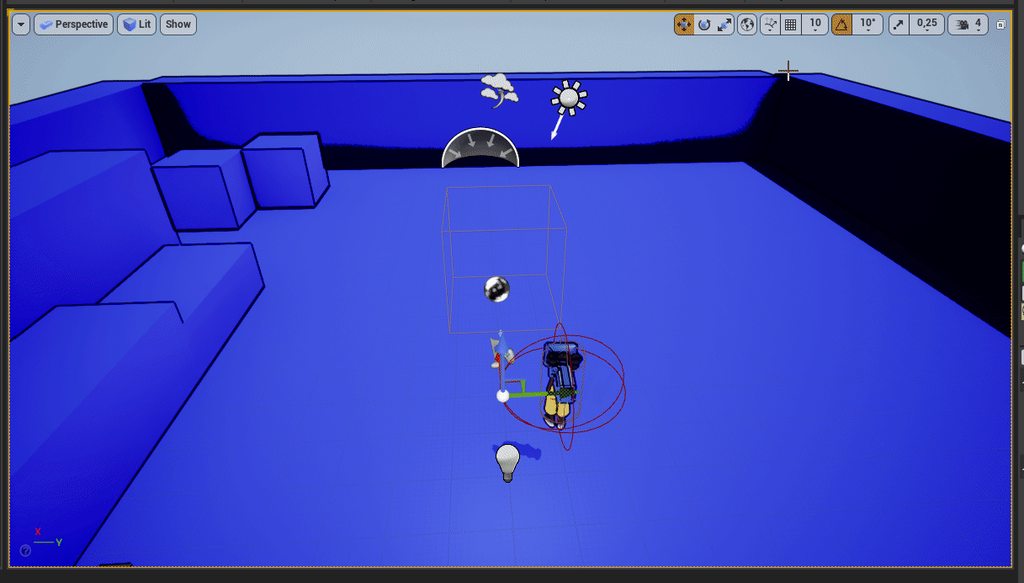 odd ember
green linden
Okay
okay okay
I think I'm getting close, I thought hours ago
The speedup works...
odd ember
green linden
Okay
okay okay
I think I'm getting close, I thought hours ago
The speedup works...
you don't want to be dividing with the direction you're moving in
remove all the rotation nonsense and just use GetActorForwardVector. multiply that onto your float, then add that to GetActorLocation and use the result to SetActorLocation
green linden
That..
is unsurprisingly elegant, I'm just stitching things together from my other node clusters atm 😓
I'll try that, cheers !
bleak swift
Would anyone have a good idea on how I'd go on making a push to talk system
 bleak swift
Would anyone have a good idea on how I'd go on making a push to talk system
bleak swift
bleak swift
Would anyone have a good idea on how I'd go on making a push to talk system
I'm a little baffled because it needs to only stop the audio coming from the player using push to talk
Not from every player.
I tried this with no luck

Thought it'd work because the Voice Generated I think is coming from the client so then checking for push to talk and then if it is true capturing that data and sending it or if false just sending blank data
magic parcel
odd ember
timeline with alpha value float with a rotation lerp?
yeah

Does this logic make sense
the bool i am creating is to find out....
is usable + is used (not) then fire TRUE
after true, set isUsed to TRUE so that it cant fire again adn will fail
logic seems to work in my head, but dont know if there is a better/easier way to do it
and I tested the logic and it works, so... barring anybody saying I did it wrong 😛
tranquil abyss
When you break a for each loop with break does it signal completed
hollow inlet
tranquil abyss
When you break a for each loop with break does it signal completed
yeah it should go to the completed pin
 dusk dust
Im trying to setup a quadtree in ue4, and so far I have it dividing continuously, but the problem is the location of each node becomes innacurate after the 1st division and im not sure why. Here is how I determine the 4 new node locations and here is the problem in action


it starts as one big grid, then when it subdivides it turns into 4 separate grids, but in this image I only enabled one of those 4 grids to make it easier to see the problem
InLocation represents the center of the previous node or "parent" node
dawn gazelle
If you're hoping if that's possible to do in C++ then #cpp would probably be the best place to ask.... If you're just looking for a blueprint solution then two easy options I can think of... GameplayTags or Enumerators. Gameplay Tags are a little easier to work with, but you have to deal with the full hierarchy of all the gameplay tags you have (see screenshot) but they can be converted to strings or used with switch nodes.. Enumerators you have to have all the options defined in an enumerator to begin with but they can be converted to their friendly name and used as a string.

 obsidian ridge
How do i grab another actors location? For example I have this one actor that is always moving. I want to make this other actor move towards using IntgerControlPoint
small halo
is there anyway of doing 'ai cone of vision is less than''?
dusk dust
@obsidian ridgeyou could create a variable in your original actor that has the type set to actor reference, and then get the location from it. To specify the actor, make it public and select the actor of choice in your level
 wet adder
can anyone help with @small halo question please, Idk how to
obsidian ridge
dusk dust
<@!295732011182587916>you could create a variable in your original actor that ha...
Would i use on tick to constantly update it?
wet adder
@obsidian ridge u got any ideas on how to do ai cone of vision less then?
 wet adder
anyone pls
dawn gazelle
best not to spam asking for help.
dusk dust
@wet addersomeone will answer when they know
its best to wait
if there is no answer in an hour, post the question again
dusk dust
no problem
wet adder
super sorry
obsidian ridge
dusk dust
here is an example
I will test this out once I get back home thank you
Has to step out since what I wanted to accomplish was not working out
dusk dust
np
before you go one more step

in the editor, you can select the object you want and set it in actor 1
here I grabbed actor 2, an entirely different actor and chose it inside actor 1. Now in actor 1 I am able to get the location of actor 2
 tardy flax
In animation blue print. How can I set my mesh to disappear and reapper
dusk dust
tardy flax
In animation blue print. How can I set my mesh to disappear and reapper
set visibility
dusk dust
 tardy flax
And if its two or more meshes
dusk dust
you would figure out the conditions needed to set the visibility, then call this function
dusk dust
tardy flax
And if its two or more meshes
you can plug them into one set visibility node

like here
or different ones
tardy flax
well this is more of switching the model for facail expression in the game
dusk dust
they dont have to share one set visibility node
hm
you could set the visibility of the first mesh to false and set the visibility of the second mesh to true
ill try to make an example
tardy flax
ok. Lets try that
dusk dust

@tardy flax
you need to figure out the conditions for switching
but this is how it could work
dusk dust
can you screenshot your blueprint
tardy flax
It empty
dusk dust
you are sure these arent in ue5?
tardy flax
set vis is no where found
tardy flax
yes
tardy flax
well I do havbe a event graph and it has that so let me try
dusk dust
tardy flax
well I do havbe a event graph and it has that so let me try
couldnt you just set the size of mesh 1 to be 0,0,0 and the size of mesh 2 to be whatever it needs to be?
tardy flax
no because they are rigged to the same bone
 pale blade
Is there a way to have a bunch of reusable events?
I have a bunch of events I use often in different places:
- Multicast_Play_AnimMontage
- Multicast_Spawn_Particle
- Multicast_Play_Sound
- Client_Play_Sound
etc.
I don't want to copy and paste the same implementation in multiple places
I basically want to use them similarly like a Blueprint Function Library (use them anywhere independently), but I know events cannot be used as functions.
weak zealot
@odd ember Fixed my problem, and future problems by ditching the mouse pointer in its entirety and just using an object

Thanks for all the help
dawn gazelle
pale blade
Is there a way to have a bunch of reusable events?
I have a bunch of events I us...
Well, one way would be by using a parent class to whatever blueprints you're working with? Like, if this was for an ability system, you'd make one parent "Ability" class that contains those events, then you can just use them wherever you want in any child classes. Apart from that you can't really re-use events as they are tied to the class they are being used in.
pale blade
dawn gazelle
Well, one way would be by using a parent class to whatever blueprints you're wor...
Do you mean inheritance?
dawn gazelle
Yep
pale blade
dawn gazelle
Yep
Ah, unfortunately the BPs that use it differ too much to have a common parent
I was thinking... have all the events in a BP called BP_CommonEventsUtility
Then in any other BPs that need those events just spawn that BP_CommonEventsUtility and use its events
In software dev, it's like instantiating a utility class in the place you want to use it at
What do you think of this?
wet adder
is there a way for an object, actor etc not effect the ai perception?
like so it doesnt block it?
odd ember
doesn't AI perception have a choice of which channel it scans?
if so... just have the channel be ignored?
wet adder
if i had an enemy ai, i dont want them blocking each other, will this effect them seeing the player?
odd ember
I don't know. I don't use the AI perception system. I made my own instead. I'm sure you can make that happen, but given most of the AI module is made for cpp, you might have to dive into code to make it work properly
but I would check which channels the AI perception uses
dawn gazelle
pale blade
Ah, unfortunately the BPs that use it differ too much to have a common parent
I ...
I'm not 100% sure, but I think it's probably a bad idea? Like you'd need to spawn one of those actors for each player as each player would need their own so they can be set as owner in order for the player to receive any of the executed RPC events.
odd ember
and see if you can change that
wet adder
okay thank you for your time
 tight schooner
pale blade
Is there a way to have a bunch of reusable events?
I have a bunch of events I us...
tight schooner
pale blade
Is there a way to have a bunch of reusable events?
I have a bunch of events I us...
BP Component is a way to have reusable code that can be slapped on any actor class
tight schooner
And components can be used in an interface-like way cuz from any actor ref, you can check if it has that component or not
And then call functions on it w/o casting to the actor class etc
pale blade
Hmm.. yeah, actually currently I have all the events in a BPC which is attached to BPs that need that functionality
However, I have other BPCs attached to the same BP that need those events..
So I pass in the BPC_CommonEventsUtility reference into the other attached BPCs in the BP
It works but it feels messy
I was just wondering if there was a cleaner way anyone happened to know about
odd ember
more context usually means better solutions
it sounds like you just threw everything into a component
usually you want to keep components to a certain functionality theme
e.g. health component manages the health of a character
stats component could manage stats of a character
etc.
pale blade
Hmm, okay
I was just wondering if there were other options in reusing events
But looks like BPC is the way to go
Thanks guys
tight schooner
Kind of related question... In my current project I end up using event dispatchers mostly, in which case components can decide whether they want to bind to each other's events. Is that a normal way of making components talk to each other and the host actor?
... Within a structure of one host actor with many components, I mean
dusk dust
dusk dust
Im trying to setup a quadtree in ue4, and so far I have it dividing continuously...
Hello, can someone take a look at this please?
small halo
hi
when i spawn my ai using the spawn actor node, it spawns the ai with 0 health
however, if i manually place the bp of the ai into the world, the health is 100
i dont understand whats conflicting with it
tranquil abyss
it isnt working yet but this make you die inside a little less now 😂


@dawn gazelle
dawn gazelle
tranquil abyss
it isnt working yet but this make you die inside a little less now 😂
Absolutely XD
tranquil abyss
I just move the pain somewhere else
I feel like im still doing a stupid elsewhere tho
This is the constructor for the base weapon class

I just could not wrap my head around the other way
but I feel like this is less awful
Now i really dont get why I can cast to this instance of the widget and set values in it for that object

 echo agate
How do I detect when the player is in a pill collider? I want the player to take damage when when not in light and I figured the best way to do that was to create a pill collider in its own bp and tag it, then attach the bp to any lights I use and set it to about the lights throw distance. If this is the hard way of doing this, I would love to hear another way.
 brazen merlin
this mechanic, specifically from the thief game, would check the lightmap value at the player's feet
dawn gazelle
tranquil abyss
Now i really dont get why I can cast to this instance of the widget and set valu...
You need to do the "Get User Widget Object" before the cast.
(I'm guessing)
obsidian ridge
dusk dust
np
The actor moves in a completely different location to it

Will someone be able to quickly voice chat with me?
 tulip mason
Get actor location is t relative, it's world
obsidian ridge
I resolved that
But i've came into another issue. The actor I want to follow in grouped with another one, and it location is relative to that actor
So when that actor is rotated my object moves to the original location and not not follow it because it's location does not change
Hopefully that makes sense
I have a rotation on the star
The gray ball needs to move with it
Using those points attached to the star
Although once it rotates those positions don't update

 rough warren
Hi! I've got a bit of a problem. I'm trying to send the players Pitch, to the server which then sends it to other players, but it's only affecting the other persons rotation in the server view

 dawn gazelle
rough warren
Hi! I've got a bit of a problem. I'm trying to send the players Pitch, to the se...
dawn gazelle
rough warren
Hi! I've got a bit of a problem. I'm trying to send the players Pitch, to the se...
You need to pass values through RPCs. It can't read the value from another execution path.
rough warren
 rough warren
dawn gazelle
You need to pass values through RPCs. It can't read the value from another exec...
rough warren
dawn gazelle
You need to pass values through RPCs. It can't read the value from another exec...
RPC's?
dawn gazelle
Remote Procedure Calls (what you're trying to do)
The events that say "Run On Server" and "Runs on All" or "Runs On Client" are RPCs.
You can put inputs on them to pass values to the server, and from the server to clients.
 rough warren
That's what I do though don't I?
dawn gazelle
No. Part of the issue is calling "Get Control Rotation" on a controlled character in multiplayer is that the value is actually stored in the player controller of the character, which doesn't exist on other clients. So when you're doing the "Executes On All" it's trying to read a value from the player controller that doesn't exist on the client trying to read it.
rough warren
Oh I think I understand
dawn gazelle
You only really need to have an input on the "Executes on All" event and pass the GetControlRotation value to it.
Then you use that value on any clients that need it.
dawn gazelle
No - server already knows about the client's control rotation, so you don't really need to tell the server the value.
rough warren
Alright I'll try that thanks!
dawn gazelle
(So yea, you may still need a "Run On Server" RPC to trigger the process, just that you don't need to pass the value through it!)
obsidian ridge
I found a better way to phrase my question
I need help with location. World vs relative**
I have an object grouped with a rotating object. I want get the location of the object connected to the rotating object as it rotates
How can i do that
dusk dust
dusk dust
Im trying to setup a quadtree in ue4, and so far I have it dividing continuously...
can someone try to answer this? Maybe we could vc so you can get a more in depth look
@obsidian ridge"transform location" and "inverse transform location" converts a relative location to a world location and a world location to a relative location respectively
obsidian ridge
dusk dust
<@!295732011182587916>"transform location" and "inverse transform location" conv...

Like this?
dusk dust
i think the transform has to be from another component, such as the actor itself
obsidian ridge
Star locations are actors
 sweet terrace
Is there a way to store the result of the pure function node (green one) without storing it to a variable?
I realised that even though I'm using the same wire from random node, it returns different result when fed into two consecutive print strings.
dusk dust
so get actor transform(self) goes into T and star location 1 goes into location
but if you want to turn relative into world, you use transform location instead of inverse transform location
obsidian ridge
Okay so I did that, and it still does not follow it's location
It goes off screen
dusk dust
sweet terrace
Is there a way to store the result of the pure function node (green one) without...
Im not too knowledgeable on this, but i think the only way to store stuff is through variables, otherwise just directly drag off the pure function output
dusk dust
obsidian ridge
Okay so I did that, and it still does not follow it's location
hm
try all the different combinations
im not sure which one is the right one to use
obsidian ridge
dusk dust
im not sure which one is the right one to use

This is what I have
I have other location that are variables, that I had previously
I'm trying to make it work while the actor it follows rotates
dusk dust
ill have to think on this, im really not sure what to do now
@obsidian ridgewhat is this for? there could possibly be an easier way to what you are doing
 faint pasture
wet adder
<@!295732011182587916> u got any ideas on how to do ai cone of vision less then?
faint pasture
wet adder
<@!295732011182587916> u got any ideas on how to do ai cone of vision less then?
What does that even mean
obsidian ridge
I can screen share if you'll like
dawn gazelle
dusk dust
can someone try to answer this? Maybe we could vc so you can get a more in depth...
My guess would be that you may be running into floating point math accuracy issues... You start to lose accuracy with floating point numbers once you're getting too big or to small.
So if you're starting at 1 and diving down by a quarter each time, after 5 divisions you're already at 0.0009765625 which cannot properly be represented by a 32 bit float as they can only accommodate about 7 decimal places (and unreal will actually display 0.000977 if you try to input this number anywhere)
dawn gazelle
Ok, even still... Problem still exists. 1000 /4 (5 times) 0.9765625 which unreal will only represent as 0.976562.
dusk dust
hm
dawn gazelle
The way floating point numbers work is that they cannot contain every possible number combination, so you're going to lose accuracy somewhere.
Which can even happen in larger numbers.
obsidian ridge
dusk dust
<@!295732011182587916>what is this for? there could possibly be an easier way to...
Need to move with the star so i can aim and shoot it
faint pasture
@dusk dustThat looks WAY too fast to be floating point problems
It happens after like 2 iterations right?
like it's visibly way off
faint pasture
dusk dust
it starts to fall apart after 1 subdivision
Print your grid sizes, what results are you getting
dusk dust
dawn gazelle
Which can even happen in larger numbers.
i see
dusk dust
faint pasture
Print your grid sizes, what results are you getting
okay one sec
obsidian ridge
I appreciate it I've been on this for such a long time
faint pasture
@obsidian ridgeReal quick, what exactly are you trying to do?
obsidian ridge
faint pasture
<@!295732011182587916>Real quick, what exactly are you trying to do?
Ive sent a video a few messages up
faint pasture
That doesn't exactly explain it. You want the star to always be in front of the camera and facing it?
obsidian ridge
The gray circle needs to move with the star when it rotate
I have a few actors working as locations attached too it
gentle urchin
dusk dust
Im trying to setup a quadtree in ue4, and so far I have it dividing continuously...
Im not sure what im looking at with the photo? The grid looks odd, but way more than accuracy? So i thought it was intended...
faint pasture
Why not just attach the grey circle to it
obsidian ridge
Although the locations are relative with the star and I cant get the actor to move too it
It moves everything
And it becomes offset
obsidian ridge
faint pasture
Why not just attach the grey circle to it
Scratch that it does not move everything, but it does not move to the set locations, it is very offset
faint pasture
Attach the circle to the star and use set relative location or add local offset to move it
faint pasture
dusk dust
okay one sec
?
dusk dust
im setting up the print
i messed up something so im trying to fix it before printing the values @faint pasture
okay well ive ruined it, its now doing something else

anyway ill print the values
cant make sense of this but here

0 subdivisions

1

2

3

4
dawn gazelle
at least it looks like it's being more accurate, just not in the right spot now 😛
dusk dust
shouldnt it be from there?
 dusk dust
okay okay
so
it turns out
for some reason I was subtracting the nodes position by the actors position, which caused it to flip direction when subdividing
dawn gazelle
interesting
gentle urchin
well good find i suppose
dusk dust
yes
gentle urchin
i tend to stay all positive when doing things like this
dusk dust
though i wonder if the other problems disappear with this
gentle urchin
to avoid things like that 😄
dusk dust
lol
gentle urchin
so actor root is at the corner, and not center
 obsidian ridge
faint pasture
Why not just attach the grey circle to it
obsidian ridge
faint pasture
Why not just attach the grey circle to it
Okay I got it working with every location set at 0,0,0. Although If i move the main object in the group it messes up

Once I move it the previous location stays and does not follow it's new location
Although I'll figure that out tomorrow
faint pasture
@dusk dust Why are you doing this weird operation and not the classic quadtree?
What's the use case?
 hexed glade
Got some trouble with this code. I've been trying to rotate the forward vector (only the vector as it is required for the rest of the code) of my character towards an AI character, but no success so far. Any idea of what could be done?

 fair magnet
Is there any benefit of using Blueprint interfaces over Parent Inheritance?
fair magnet
hexed glade
Got some trouble with this code. I've been trying to rotate the forward vector (...
is there a reason for you getting the location of your skeletal mesh instead of "GetActorLocation" ?
gentle urchin
fair magnet
Is there any benefit of using Blueprint interfaces over Parent Inheritance?
Flexibility across classes that dont nicely blend in a hieriarchy
fair magnet
gentle urchin
Flexibility across classes that dont nicely blend in a hieriarchy
Would you suggest to rather use that If I'm not sure if I will need it or not?
hexed glade
fair magnet
is there a reason for you getting the location of your skeletal mesh instead of ...
I thought I needed the world location in order to make the rotation work properly.
fair magnet
hexed glade
I thought I needed the world location in order to make the rotation work properl...
Actor location is world location :o
gentle urchin
fair magnet
Would you suggest to rather use that If I'm not sure if I will need it or not?
I tend to not use it but my setup is probably weird in more places than one 😄 i often rely on inheritance
It'd be interesting to see an in depth "proper" setup using probably what ends as a combination of the two
 spice lynx
gentle urchin
I tend to not use it but my setup is probably weird in more places than one 😄 i...
spice lynx
gentle urchin
I tend to not use it but my setup is probably weird in more places than one 😄 i...
Composition beats inheritance every time. Also locking yourself into a parenting hierarchy everywhere does seem weird 😄
Fight me! 😄
I mean it's a generalization of course given the environment is 100% inheritance
hexed glade
Tried searching, but could you explain a bit what "target-start" is?
gentle urchin
target location - actor location
gentle urchin
spice lynx
Composition beats inheritance every time. Also locking yourself into a parenting...
So i've been told, yet i keep coming back to inheritance 😄 And keep ditching the interfaces
spice lynx
gentle urchin
So i've been told, yet i keep coming back to inheritance 😄 And keep ditching th...
There are other ways than interfaces
Class members, components, subsystems
There are various ways to structure your functionality more modulary and not 100% relying on inheritance
It's about picking the right tool for the right job, how it makes the most sense to structure your work
gentle urchin
I feel fairly flexible in my setup. Then again my master class mostly is just an interface
Im probably just using actual interfaces wrong tho
like trying to use them as i would use inheritance or smth
hexed glade
Managed to figure it out. Using get unit direction now gives the vector I needed from the character to the AI character.
 wicked shoal
My chaosvehicle is setup. and works. but it moves backwards. and i can't seem to find what causes this. anyone know what could be the problem?
fair point.
 sharp rapids
Is there a way to 'clip' a widget's bounds?
For example, I have an Image which is 512x512 in size. But I want it to be treated only as 200x200 in a grid panel.
Is this possible?
maiden wadi
@sharp rapids Actual clip, or shrinking? Because if you set the brush itself to 200x200, it'll shrink the image.
 sturdy herald
Hello. I have a mesh component (child of another mesh). I want to enable physic sometime for falling, after that i have an option to put it back to it's place for this i use AttachComponentToComponent. After that if nothing holds it (a bool component give the information) should fall again. The problem is here, that after the Timeline finished in Falling custom event, the mesh will stop in air, he dont care about simulating the Physics (at first fall it works). I thought there is a problem with attaching, so before simulating i used DetachFromComponent node, but changed nothing.
Here is my Falling event:

and the reattachment.

(before reattachment i disable physics)
oh , before i disabled the collision to test something and i forget to enable collision back before attachment. Nvm, it works.
sharp rapids
maiden wadi
<@!604222443887919115> Actual clip, or shrinking? Because if you set the brush i...
Actual Clip
I want to show the whole image, just only clip the bounds. Right now, the image occupies 512x512 space in a grid panel. I want it to occupy a lesser size (for e.g. 200x200), but not shrink the image in the process.
I've managed to get it working using the Transform of the Image
Put it in a grid panel, reduced it's size, it shrunk the image then I scaled it back up using the Scale property in the Transform section
maiden wadi
Hmm. For something dynamic on that you'd probable need something like a canvas wrapped in a sizebox.
Anchor the image to 0.5 on alignment and anchors in the canvas, and then set the sizebox wrapping the canvas to your 200x200
sharp rapids
maiden wadi
Anchor the image to 0.5 on alignment and anchors in the canvas, and then set the...
Yep, that works and is a better solution that what I've been doing
Thank you 👍
Green is the actual image, dotted is the Size box

 hybrid ether
correct way to return all 3 value arrays appended?

 obtuse herald
hybrid ether
correct way to return all 3 value arrays appended?
obtuse herald
hybrid ether
correct way to return all 3 value arrays appended?
Append?
hybrid ether
like make one array that contains all 3 arrays
 dire oyster
hello, how can we get the spline length between two spline points
GetDistanceAlongSplineatSplinePoint BP function starts from point zero till some index
 warped quail
dire oyster
GetDistanceAlongSplineatSplinePoint BP function starts from point zero till some...
warped quail
dire oyster
GetDistanceAlongSplineatSplinePoint BP function starts from point zero till some...
If that's the only function at your disposal, you could measure the distance from point zero to each of the two indices, then subtract the lower distance from the higher to get the distance between those two points
dire oyster
thanks
 vapid ibex
When I'm applying Physics Constraint component to the actor blueprint, the constraint refuses to move with the actor, so static mesh stays in one place. what causes this?


 remote obsidian
If anyone has used the remote control web interface before
- Is it possible to set the value shown in the web interface from the app? Or is it 1 way only (Web controls app only)
I'm trying to set the exposed property based on actions in the app but it's not reflecting in the web interface
wicked shoal
wicked shoal
My chaosvehicle is setup. and works. but it moves backwards. and i can't seem to...
It does it in 4.27 as well fully rebuilt the code. it makes no sense
It even switched gear in "reverse" so the car is backwards.
trim matrix
Using Steam Advanced Sessions plugin - Specifically Advanced Voice.
What is the difference between a Remote talker and a Local talker?
 pine hatch
Hi.. i wonder is there a easy way to get a pawn speed ? i tried to get velocity and get vector length from that but it doesnt work only when i add force to the mesh
 crude dew
How would I go about spawning multiple mesh instances if for example I wanted to generate a 4000x4000 map of squares please?
This is as far as i got.

I cant seem to find a way to do while X < Rows then spawn an instance of the static mesh
obtuse herald
crude dew
How would I go about spawning multiple mesh instances if for example I wanted to...
If it consists of only one mesh see https://docs.unrealengine.com/4.27/en-US/BlueprintAPI/Components/InstancedStaticMesh/
Else just spawn a new mesh at X * Spacing, Y * Spacing
 mild crystal
how can i use a end of a animnoti state to be the condition to change to other animation in AnimBp
crude dew
When i drag off the Static Mesh I cant find a Create Instance, or Create a Instance Static Mesh theres no options for that.
obtuse herald
It's a component
crude dew
Ahh i have it as a Variable in the blueprint and not a component.
should i use it as a Component and not just a Variable?
Was thinking as a variable I could change the floor mesh and then generate a different floor.
obtuse herald
InstancedStaticMesh is a component
You can still use a mesh variable to set the mesh
crude dew
So the variable sends the mesh to the instanced mesh component and then use the Instanced Mesh Component to create X number of meshes right?
obtuse herald
Yes
crude dew
Thank you
obtuse herald
You ofc need to 'send' the mesh variable to the component by yourself
You'll still need a loop tho
 tawdry surge
@mild crystal get time remaining in current animation and if it's less the .1 switch
 rancid cloud
Question: If "b" is an instance actor of my actor "A"... why does b has smaller disk size than A when using asset audit?
crude dew
While loop to create a tower of floors 20px apart? I think this looks right.
 rancid cloud
Question: If "b" is an instance actor of my actor "A"... why does b has smaller ...
rancid cloud
rancid cloud
Question: If "b" is an instance actor of my actor "A"... why does b has smaller ...
I thought it should be larger
crude dew
@rancid cloud I,m no pro but I guess its because Instance B is reusing the assets from instance A instead of duplicating them it points to them in memory.
I could be wrong though 🙂
crude dew
wahoo I did learn something in about 8mths xD
obtuse herald
crude dew
While loop to create a tower of floors 20px apart? I think this looks right.
20uu yeah. Do you know the existence of for-loops?
obtuse herald
Yes
rancid cloud
Thanks guys. I thought it was weird earlier 😂
crude dew
I used these in PHP and C# a bit.
obtuse herald
Bp has that aswell
crude dew
Ahh i,ll see if i can find it 😄
Sometimes its hard to translate things into BP form
I assume its this
 rancid cloud
crude dew
<@!591040575772557382> I,m no pro but I guess its because Instance B is reusing ...
rancid cloud
crude dew
<@!591040575772557382> I,m no pro but I guess its because Instance B is reusing ...
Sorry... just realized... It's not an instance but a child blueprint. Would this be the same case?
obtuse herald
crude dew
I assume its this
Yes
crude dew
@rancid cloud I think a child blueprint is "inherited" from it,s parents so likewise I would imagine the compiler takes what it can from the parent before creating new footprints in memory for child.
obtuse herald
rancid cloud
Sorry... just realized... It's not an instance but a child blueprint. Would this...
Disk size yeah, memory size I'm not so sure
tawdry surge
Yeah
crude dew
I like to take guesses at these types of questions as someone will tell me if im wrong 🙂
rancid cloud
tawdry surge
Yeah
Could you elaborate this one? 😂
crude dew
The UE documentation is horrible for beginners to understand lol
tawdry surge
The child class is inherited from the parent, so logic/data inside the parent is referenced by the child. The size of the child on disk is just gonna be whatever you added to the child above what exists on the parent
crude dew
This look better?

Ok seems my GPU doesnt like that I used the Starter Content floor 400x400 and it pegs my GPU at 100% when i move the camera lol
I have a GTX 1070 ti
not sure why if its adding "instances" of X mesh and not creating actual meshes as such.
obtuse herald
crude dew
not sure why if its adding "instances" of X mesh and not creating actual meshes ...
that should only increase performance
the component is made for exactly that
try clearing all instanecs before you start generating if you calling it in-editor
crude dew
ok ty will try it
rancid cloud
tawdry surge
The child class is inherited from the parent, so logic/data inside the parent is...
Thank you 😀
 versed sun
 tawdry surge
Why are you launching rather then using some sorta Vinterp or physics constraint to pull the character to the destination?
obtuse herald
launching gives you additional problems like drag etc. that you would normally not have when using a grappling hook
yes
 dense yew
any particular reason this is happening every time I open up unreal?
(Using the sun position plugin from epic)

 dense yew
no
that's the thing
super weird
if I refresh the nodes it'll come back to life
but it's happening every time I restart the editor
obtuse herald
do you save after refreshing?
dense yew
yes
obtuse herald
idk, try reconnecting the stuff
dense yew
this is annoying af, ugh
 slow pewter
Okay Guys, anyone know Why , this happens?
My Index 1 is Correctly in Array, but When it try to get Index 1 , its look like all empty?
But on Debugging u can clearly See it should work
tawdry surge
@swift pewter looks like they're jumping b4 the interp to avoid colliding with the ground
trim matrix
what I need to add to make door open with e?

compared to this

i tried to copy paste it but got errors
also the doors in second image are kinda buggy
 neon jolt
I'm getting something weird using widget, when I click on a button my player is supposed to teleport to a location on the map, it's working in standalone but when using it online with the correct RPC the buttons are absolutly useless
The prints works just fine when I fire the teleport but the player doesn't move
 jolly inlet
Im looking for some one who can teach me blueprint. \
neon jolt
The same blueprint that is supposed to teleport the player work perfectly using a box trigger, am I doing something wrong ?
 vapid grotto
Any Know how to fix >> "Attempting to move a fully simulated skeletal mesh ItemMesh. Please use the Teleport flag"
gentle urchin
Sounds like checking teleport as it suggests would be a way
vapid grotto
gentle urchin
Sounds like checking teleport as it suggests would be a way
I'm sorry, but I'm not sure what you're talking about.
maiden wadi
jolly inlet
Im looking for some one who can teach me blueprint. \
You should start with some basic tutorials. There are a few on youtube. They'll teach you bad habits in a lot of cases, but you need to learn to navigate the engine before you can begin understanding it. If you want an actual tutor, be prepared to pay for it and post an add using #instructions. If you have specific small questions, feel free to ask them here.
gentle urchin
Bad habbits for sure. But in time, one can learn from it 😄
Enough reference material gets you forward!
vapid grotto
i understood it check box in BP node but i don't have idea in editor
maiden wadi
Personally started watching this series. little dated, but it was nice considering how little I knew. Helped me piece a lot of things together. https://www.youtube.com/watch?v=FZK5T-vAVFA
vapid grotto
thanks
gentle urchin
Think i've visited that one a few times
Most of the starting tuts i did was rpg focused ^^
"Advanced inventory" stuff etc
Before it spiralled into everything else
maiden wadi
neon jolt
The same blueprint that is supposed to teleport the player work perfectly using ...
Chances are you are either not referencing something correctly from the button's click or you are doing something slightly different that breaks it.
Ugh. Inventory.
<@&213101288538374145>
gentle urchin
Damn, got a macro for that? 😂
maiden wadi
Nah. Just quick. 😄
gentle urchin
Yeah inventory was troublesome
Add a crafting menu, drag and drop ui and equipment system and we're good to go
For a newbie the entire thing was quite a handfull
 celest mortar
is it possible to create a function to trigger a timeline animation? in bp?
gentle urchin
Especially with the recursive functions
gentle urchin
celest mortar
is it possible to create a function to trigger a timeline animation? in bp?
Yes
 frozen spear

YouTube
This channel is dedicated to exploring Unreal Engine 4 and the Blueprint programming language that it uses. You can think of it as a companion to the API documentation as I try to cover the how and why for what things are used for when using the Blueprint system.
The master project for these tutorials can be found at https://github.com/MWadste...
@jolly inlet
He has playlist of intro to ue4, and other amazing content. Check him out, he's a bit of a legend.
 brazen pike
Anybody know of a way to keep an actor exactly on the mouse cursor faster than a linetrace on tick? I'm running into the problem where, if the player turns too fast, the linetrace can't keep up and it lags behind meaning the actor is not on the cursor for a short time. If anyone wants to see how I've got it setup currently: https://blueprintue.com/blueprint/f-u_bfmh/ is for the linetrace and then setting its position:

Actually this is not on tick atm, but on a delay that should, in theory, be faster than tick
gentle urchin
Delay faster than tick?
odd ember
brazen pike
Anybody know of a way to keep an actor exactly on the mouse cursor faster than a...
if you look up someone had this problem yesterday
gentle urchin
Have you made a delay that can substep?
odd ember
I think the solution was to create an empty actor at the point of the mouse cursor that your actor can move towards
brazen pike
gentle urchin
Delay faster than tick?
well, I didn't think it was faster. But I assumed that a tick at 120fps would be 0.00833~ so a delay of 0.001 would be faster
wasn't the case
odd ember
brazen pike
wasn't the case
any delay that is less than delta time will happen on the next tick
brazen pike
I see
brazen pike
odd ember
if you look up someone had this problem yesterday
I'll take a look, thanks
obtuse herald
neon jolt
I'm getting something weird using widget, when I click on a button my player is ...
Widgets only exists locally, meaning replication does not work for them
celest mortar
gentle urchin
Yes
and bind to a webremote controller?
tranquil abyss
What are some reason a text widget is now showing up
Atm I just have a plain text over an actor but it wont show
Hidden in game is false
show in game is true
or visible in game
gentle urchin
Plain text? Or widget component .
 gentle urchin
Whats the problem?
tranquil abyss
it wont show
gentle urchin
Not showing up when added to viewport?
 formal bronze
Is there anyway to change how editor events show up? Like change the category or give it a tooltip?
 odd ember
formal bronze
Is there anyway to change how editor events show up? Like change the category or...
odd ember
formal bronze
Is there anyway to change how editor events show up? Like change the category or...
events have categories the same way all other variables do
tranquil abyss
gentle urchin
Not showing up when added to viewport?
It was working before and it was neven being added to viewport
now im confused
formal bronze
odd ember
events have categories the same way all other variables do
Hmm. Not sure where you change it though
 odd ember
formal bronze
Hmm. Not sure where you change it though
odd ember
formal bronze
Hmm. Not sure where you change it though
that's strange. I know I've done this before
 fleet cobalt
how can i have two things happening in event begin to play
formal bronze
fleet cobalt
how can i have two things happening in event begin to play
Use Sequence node
formal bronze
odd ember
that's strange. I know I've done this before
Yeah I'm in 4.27.2 and I can't find anything online about it. If it doesn't exist it really seems like there shouldn't be a technical reason they couldn't add it
gentle urchin
It cant be a function, can it ?
Functions can probably not be callable from editor directly.. pretty sure i've seen this aswell tho
odd ember
I'm at work now so I can't check
obtuse herald
formal bronze
Yeah I'm in 4.27.2 and I can't find anything online about it. If it doesn't exis...
yeah you can't do that
you can however do it for functions and call them in editor
(you can right-click on an CE and convert it)
formal bronze
obtuse herald
you can however do it for functions and call them in editor
Oh alrighty awesome. Sounds great thank you!
 rose citrus
I am making a Blueprint actor for a trigger box to put in front of buildings I want to enter. On begin play, I use the trigger box to find an overlapping actor of BP Building class and set it as a variable so I can call it later. The problem is, Overlap actor doesn't get the blueprint actor. I don't understand what I'm doing wrong. I set the trigger box to enable overlap events as well as BP Building Base to enable overlap events. Does anyone have any idea?
gentle urchin
Wouldnt it be easier to add some sockets or whatever to the building doors
Andnin the building beginplay spawn triggervolumes at the socket locations?
Providing self as a reference, if needed
Or just binding up to the callback directly (the event overlap)
rose citrus
I'm doing this in paper 2d. I suppose I could just put this all in the parent blueprint for the building
tranquil abyss
tranquil abyss
It was working before and it was neven being added to viewport
idk if that is the issue but when Should I be adding a widget to view port for an actor, the idea is when An AI drops a weapon and you stand over it the name show up in a widget set maybe on construction of the actor
oof
replied to the wrong thing
I had it working
then I added a parent class and now nothing is showing up at all
maiden wadi
Chances are if you just added a parent class and broke it, you did something like move logic to the parent class, kept the event in blueprint, and didn't call the super.
Example, Beginplay in blueprint doesn't call Beginplay on parents unless the child doesn't use it. If the child uses it, it'll override it and you have to directly add a call to the parent's Beginplay. Most blueprint events are like this.
gentle urchin
In the parent?
tranquil abyss
yes

parent

child
Ive been on displaying name of item player is standing on for 4 straight days now 😭
 thorny lily
Hey Guys I am having trouble with referencing a variable,
When the player grabs a gun i trigger an event in the gun that gives over an variable that is used on recoil handling. The OnGripGun gets only called at that point once and the variable only gets set at that point too, and the variable can only be used after the OnGripGun event. When i print things out everything seems properly even the set variable in the gun always prints the right name.
However this variable in the gun fires accessed none errors in play mode, the really weird thing recoil gets applied on the first gun i pick up even with the errors, but on the second it doesnt work at all. I already set the variable to instance editable on & off, no ideas what else i could do to make sure the gun has the right variable reference since it is still printing out the right name. :/


 balmy vessel
guys, i have a huge problem atm
i've made a custom Scene Component class called SC_GridSystemBase, this has a few child components, a Box Collision (GridBoundBox) is currently the main issue
it's stuck at 0,0,0 and won't follow the transform of the root scene component and I cant find/edit it's transform


have i setup the attachment incorrectly?
sturdy herald
Hello. I have a conveyor with a spline on it. I want a mesh to fall on conveyor (the location of hit its not fixed) after the fall i want the cube to attach to spline, but i dont know how to continue after get the closest location on spline. Hove can i get a distance along spline from a location on spline?
 tranquil abyss
When I added the new parent The space was set to world and not screen
and the object was oriented in a way where i could not see it at all
 slender bane
hi guys everytime im moving my mouse to the right the camera doesnt move the char itself moves do u know any fixes?
 tawdry surge
Is the player BP set to follow control rotation
 cerulean cloak
Hello everybody.
Can some1 please explain me where do i access the code for this function?
 tawdry surge
There shouldn't be anything inside it. Its just a call to kick off an event in another BP
cerulean cloak
how do i find the BP which will execute this?
dawn gazelle
cerulean cloak
Hello everybody.
Can some1 please explain me where do i access the code for this...
That is an event dispatcher - there can be many other blueprints that hook into it to run code based on when that event is fired.
You can do a search for Reset Pressed to try and find them
tawdry surge
Where did you assign the delegate?
cerulean cloak
tawdry surge
Where did you assign the delegate?
i didnt, its the Handheld template project
cerulean cloak
dawn gazelle
That is an event dispatcher - there can be many other blueprints that hook into ...
thanks, will try
tawdry surge
Oh, yeah search
slender bane
tawdry surge
Is the player BP set to follow control rotation
this?
 tawdry surge
Yeah
obsidian ridge
Is anyone able to voice chat with me really quick? I have a question about InterpControlPoint movement and location stuff
cerulean cloak
dawn gazelle
That is an event dispatcher - there can be many other blueprints that hook into ...
is there a way to do a global search , or do i need to search BP by BP?
dawn gazelle
Press the binoculars on the far right of the search bar.
 cerulean cloak
dawn gazelle
Press the binoculars on the far right of the search bar.
cerulean cloak
dawn gazelle
Press the binoculars on the far right of the search bar.
thank you very much
slender bane
tawdry surge
Yeah
thx but why is it moveing the full char on top down pos?
 dawn gazelle
That looks like you may have turned on all the "Use Controller Rotation" options. You want them off if you don't want the character to rotate with the camera.
slender bane
just have the pitch and yaw on
tawdry surge
I think you just want yaw
balmy vessel
balmy vessel
i've made a custom Scene Component class called SC_GridSystemBase, this has a fe...
Any help with this?
slender bane
tawdry surge
I think you just want yaw
no have a up input too
 dawn gazelle
Again if you only want the camera to move, you need to turn off all the "use control rotation" options.
slender bane
then nothing working
obsidian ridge

Is the position i feed not able to be updated once given?
For example if the position is moved from the last variable given?
Like chasing a moving object
 paper karma
Is there a way to have an OnComponentBeginOverlap for a actor BP ignore a specific object on my player character? I have a collision sphere on my character for one purpose and I don't want it triggering other things in the level.
dawn gazelle
slender bane
then nothing working
So when you have all 3 options turned off, the camera is not moving at all?
slender bane
dawn gazelle
So when you have all 3 options turned off, the camera is not moving at all?
no
this is what it looks like if i just enable camera rotation

only the cam is rotating not the mesh
dawn gazelle
Your original question: hi guys everytime im moving my mouse to the right the camera doesnt move the char itself moves do u know any fixes?
Isn't the intended behavior then that you want the camera to move, and the character to stay stationary?
slender bane
no sry for explaining it wrong. I just want a normal third person char movement with the cam
dawn gazelle
So you want both the camera and the character to rotate?
But the character only rotate on yaw of course.
slender bane
I just have the left right rotation. It works good. The updown rotation is working too but the problem i have with the pitch rotation is this
 dawn gazelle
Turn off the Use Control Rotation Pitch
slender bane
now just the yaw rotation works
dawn gazelle
Which is what you were looking for, yes?
slender bane
no im trying to use both yaw and pitch
dawn gazelle
You want your character to rotate on both yaw and pitch?
slender bane
yeah
dawn gazelle
Thats what this is.

If you have stuff set up like this:

Camera Boom:

Then your character will rotate only on yaw, but the camera will be able to rotate up and down, and the character will follow the camera yaw.
If you enable Use Controller Rotation Pitch, then the character will dip down like you have in your image.
slender bane
oh okay well i think i have to watch more character tuts
but thank you very much for ur help
dawn gazelle
Are you trying to get the character to look up or something?

 chilly geyser
How do I get a different item out of an array each time a button is pressed without changing the array index
(non repeat)
 mild moon
chilly geyser
(non repeat)
mild moon
chilly geyser
(non repeat)
Try to use a random int in range
chilly geyser
mild moon
Try to use a random int in range
the next time i run it it will not repeat any previous returns?
mild moon
you need random item or just not different to before?
chilly geyser
The way I did it before was to get a random item from array, then just remove that item. But when I did that. It changed the array index.
both
random and not from before
 blissful grail
As in, you can only grab an item once in the entire array's lifetime?
dawn gazelle
slender bane
yeajh
Ok, that's a more complex topic. These basic nodes only feed information into the rotation of the character. What you're wanting to do would need to take that control rotation and apply rotation in the animation graph to make the mesh look up and down. An example of how to do it can be seen in ALSV4 but that's a pretty complicated example and it's not exactly easy to grasp as there's lots to get lost on.
chilly geyser
blissful grail
As in, you can only grab an item once in the entire array's lifetime?
yeah only want to grab once, until i reset it (only use each item once and randomly)
hollow inlet
you might want to make a second array that you can draw and remove values out of
blissful grail
Put a boolean on the item, bWasGrabbedFromArray - when you copy the reference to the item, flip that boolean. Check that boolean each time you get a random index from the array.
blissful grail
No other way around it.
I was going to suggest the 2nd array idea first, but figured this was another one of those cases where you were strangely restricted to a single array.
chilly geyser
I don't need to be restricted to one array if there's a way to make a new array
as long as 1 on array 1 is still 1 on array 2
blissful grail
It won't be.
No guarantee
If you grab index 3 for your first grab, that's going to be index 0 on the second
hollow inlet
make an array like [1,2,3,4] if the array you don't want to change has 4 things. like make an array of indexes. then choose one randomly and remove it from the pool
mild moon
Instead, there is a method to ignore an actor from being hitted from an instance of an actor?
dawn gazelle
chilly geyser
yeah only want to grab once, until i reset it (only use each item once and rando...
This would work, assuming you don't change the arrays after the fact.
 chilly geyser
its an array of actors though
mild moon
mild moon
Instead, there is a method to ignore an actor from being hitted from an instance...
Like, i need my projectile to ignore the player that shoot, but for all other actor need to hit
hollow inlet
actors = [actor1, actor2, actor3, actor4], choices = [1,2,3,4]
blissful grail
mild moon
Like, i need my projectile to ignore the player that shoot, but for all other ac...
Set up new collision layers.
mild moon
blissful grail
Set up new collision layers.
And if the player actor is the same to the enemy actor?
hollow inlet
so the location of 4 in choices will move, but it doesn't matter
then when you reset, remake the choices array
blissful grail
mild moon
And if the player actor is the same to the enemy actor?
You'd be creating a whole new collision layer. Why would you put them as the same
chilly geyser
 blissful grail
And if you don't want to deal with collision layer shenanigans, just check if what you are overlapping or colliding with is the player, if it is, just ignore it.
mild moon
blissful grail
And if you don't want to deal with collision layer shenanigans, just check if wh...
ok thx
chilly geyser
hollow inlet
so the location of `4` in `choices` will move, but it doesn't matter
How would I make that work if the game won't know what's in the array before it runs?
hollow inlet
with 'out actors', measure the length, then create the array for choices
chilly geyser
ah length! XD ty
hollow inlet
you're close i can feel it 🙂
dawn gazelle
chilly geyser
its an array of actors though
Same difference. Japherwocky and I are recommending the same thing.
 chilly geyser
dawn gazelle
Same difference. Japherwocky and I are recommending the same thing.
chilly geyser
dawn gazelle
Same difference. Japherwocky and I are recommending the same thing.
oh sweet! didnt realize you did the whole thing out! Thanks again! 😄
 limber wing
Has anyone ever made a blueprint to simulate tire wear for the chaos wheels? It doesn't need to be anything fancy. Simply losing friction over time would work well.
tawdry surge
That would be a physics material thing
 high sapphire
Struggling with getting the inventory system working
First screenshot is with an empty inventory
Second screenshot is when I pick up 3 Health Potions


(Technically the first screenshot is an older version, but same behavior)
 maiden wadi
Well, you icon seems to be working?
high sapphire
Yeah, the icon is working
But not the item name, not the amount, not the effect text
The UI shows x0 even though it shouldn't
And the debug text shows double the amount that should be in the player's inventory - I pick up 1 potion, it says 2, I pick up 3 potions, it says 6
Am I making a mistake with the tracking of the counter?

Or maybe in the actual picking up of the item?

 gentle urchin
Not seeing the function updating the widget tho
high sapphire
Based off the List View guide I followed, the Construct event should be doing that
 gentle urchin
Probably dont need a forloop in the add to inv either but i suppose it does the job ^^
high sapphire
high sapphire
Based off the List View guide I followed, the Construct event should be doing th...
The other Construct event, in the widget that the List spawns
 high sapphire
gentle urchin
Probably dont need a forloop in the add to inv either but i suppose it does the ...
high sapphire
gentle urchin
Probably dont need a forloop in the add to inv either but i suppose it does the ...
I mainly did that to account for if I wanted to give the player 2+ of something
gentle urchin
Wouldnt you just add 2 to the current amount in slot, and update the slot once?
Probably just pass the entire struct to the listview widget aswell
Id slap together an example, but not at pc in a while :-/
high sapphire
Maybe it's because I'm a little tired, but I'm having a little difficulty fully picturing what you're meaning (for some things I'm more of a visual learner), sorry
gentle urchin
Nothing to be sorry about, im not doing a good job elaborating properly
maiden wadi
My point was more that you've set the item's icon correctly from somewhere. So it's possible that you need to set the name and amount there as well.
high sapphire
high sapphire
The other Construct event, in the widget that the List spawns
This is where the icon gets set, which is where it's supposed to set the name & amount
high sapphire
For context, this is the guide I followed:
https://forums.unrealengine.com/t/listview-getting-started-in-bp/123626
maiden wadi
Where is that name pulled from and placed in the struct in the inventory?
This thing here has the correct Item Name?
 high sapphire
It's pulling from the inventory array in the character Blueprint

And the character's inventory array starts out with 0 array elements, but apparently that gets counted as an element since even with an empty inventory it shows an entry for an item
 maiden wadi
This thing here has the correct Item Name?
maiden wadi
maiden wadi
This thing here has the correct Item Name?
Start at the beginning. You're picking up this item. Does it have the correct name?
In the Item struct.
high sapphire
Yeah, it does.
 maiden wadi
Right here. Put a print right after the SetItemCounter inside of the LoopBody. Print out the element's name using a format text and PrintText node. Format it to say ItemInLoop - {Item}

See if all of your entries, specially the last has the correct name.
trim matrix

so, I have this thing that multiplies the current velocity by something and adds it to the velocity on hit
the thing is can I call back to the function every hit and keep adding speed?
using the same multiplier and everything
high sapphire
maiden wadi
Right here. Put a print right after the SetItemCounter inside of the LoopBody. P...
 maiden wadi
Huh..
high sapphire
I'm also confused about why it's saying there's 6 in the inventory when I only picked up 3
maiden wadi
Oh
Actually that is the issue. I didn't notice that til now. 😄
You're creating a widget, but never adding it to screen, you're using ListView. You don't actually create Widgets directly to use in a ListView, you create small UObjects and populate them with data and send those to the listview.
The Listview will create it's own widgets to handle, what you pass to it is just a data object for it to use.
high sapphire
The guide shows doing this:
 high sapphire
So me doing that is (at least part of) the problem?
maiden wadi
Most likely. Your widget you're passing data to isn't actually doing anything with it. Lemme show you how listview is actually supposed to be used. That guide is basically bringing a dump truck full of objects to do what a shovel could fill.
high sapphire
Ah. I figured ListView was the easiest way to dynamically show more of the widgets whenever the player picks up new items
 spark steppe
maiden wadi
What the fucksticks?
spark steppe
maiden wadi
What the fucksticks?
not sure if sticks or ticks
maiden wadi
It is. And it's fine to use Listview, but you definitely don't need to create a full huge UserWidget class to pass data do it.
high sapphire
Ah
 vague dome
I think i need some math help here, im currently working on a UI element for my sailing game, but im struggling with finding how to project the wind direction in relation to the ship
