#blueprint
402296 messages · Page 777 of 403
 willow cedar
 sharp rapids
Can you show the structure you are using for Party Members?
You should be able to do this in your 'Spawn Party Member' function itself
 sonic crow
I have been playing around with ue4 blueprints for a few days and I am having no luck getting my desired affect to work. I am trying to spawn a bomb with a deactivated collision at first, that even with a deactivated collision it does not allow another bomb to spawn on top of it and a collision that activates once the player. Set collision object type did not seem to help.

Does anyone know how to check for this, spawn bombs have no collision but gain collision when player mesh leaves it, also making sure you cant plant bombs on tiles with other bombs etc....i am happy to scrap my entire logic perspective to this, i feel this should be basic, should I be using tags or a different system where i just reference the palyer etc....I dopnt want to use time delays because that would be an ugly solution that would not work as well as the actual solution and I did play around with collision object type node with no luck....what is the best way forward (Ideally clean code of blueprints)
 gentle urchin
Just block the bomb trigger untill player has stopped overlapping
sonic crow
gentle urchin
Just block the bomb trigger untill player has stopped overlapping
What do you mean bomb trigger?
oh i see that makes sense for the bomb stacking
cool
 spiral sand
@sonic crow have the collision set to ignore the player
 maiden wadi
@sonic crow I don't think you want to spawn them with no collision. This sounds more like a state setup issue than a collision one. Theoretically you could just leave collision alone because you need it to detect bomb placement and character overlap. So changing collision is going to get messy. Instead, you could just make some state variables. For starts, when you spawn a bomb, give it a pawn or playerstate reference that refers to the player/ai who set it down.
For example. If you take your BeginOverlap and EndOverlap events, and on both of them run the same function. This function checks if one state has been set. Lets call it bBombArmed. So If bBombArmed = true do nothing here, it's been set. If bBombArmed is false, then check if it's owner's pawn is overlapping still. If it is, do nothing. If the owner's pawn is not overlapping, set it to armed.
spiral sand
have it so the player has to be slightly off from the center of the square and spawn it with an offeset...
or use begin and end overlap like Authaer and Squize have suggested. (There be many solutions yo)
maiden wadi
What is supposed to happen after the bomb is armed?
gentle urchin
For bomb placing id just do a linetrace for the tile ahead of the player
Centered so it'd hit any obstacle/item there
Possibly 2 linetraces.. one straight forward first^^
For walls
spiral sand
or an alternative to Squize's idea a detection radius around the player instead of a linetrace, or an offset. Like seriously the list goes on for how to solve this sort of issue.
sonic crow
maiden wadi
<@!911103970104193036> I don't think you want to spawn them with no collision. T...
Just need to confirm two things, how do you check if it is overlapping correctly, is my blueprint correct (it did not work but perhaps checking the overlap worked), secondly what do you mean is armed... the bomb detonates within 2 seconds regardless of where the player is.
sonic crow
spiral sand
or use begin and end overlap like Authaer and Squize have suggested. (There be m...
I prefer spawning it perfectly in the center of the tile each time, I did use an offset but I prefer not to as it goes against the strategy around bomberman....ie) if i plant it infront of me I am less likely going to trap myself and kill myself.
spiral sand
offset from the player
not the title centre
the player has to be x-UU from the centre, it spawns at the centre.
sonic crow
gentle urchin
For bomb placing id just do a linetrace for the tile ahead of the player
the bomb placing is working perfectly, it is more about the collision state of the bomb when spawned interacting with the player making it look glitchy compared to the traditional bomberman
gentle urchin
Havnt played bomberman so dont have a good reference on it
If it explodes after 2 sec regardless,
Whats the collision for?
sonic crow
spiral sand
or an alternative to Squize's idea a detection radius around the player instead ...
Bomb placing is already setup to spawn inside of the player, but centered towards a tile. I do not want to change bomb placing
sonic crow
spiral sand
offset from the player
I originally did this last week but the game play was not as good as the Bomberman game
sonic crow
gentle urchin
Whats the collision for?
it is if you plant a bomb and move in the wrong direction you could trap yourself and die from your own bomb
sonic crow
gentle urchin
Havnt played bomberman so dont have a good reference on it
Literally purchased the game recently myslef and I had to change a lot to my game after experiencing it
maiden wadi
So you want it to ignore player collision until player leaves, and then player should not be able to walk over the bomb again?
sonic crow
maiden wadi
So you want it to ignore player collision until player leaves, and then player s...
Yes, but this would be the relationship to the player and bomb only because the player cannot walk into walls etc... thats why I thought it might make sense to make the rule on the bomb and not the players collision
gentle urchin
But...
The 2 seconds
Will overrule?
Or do you want to delay those 2 seconds untill the player leave ?
sonic crow
The bomb will detonate regardless, I do not want to change the player collision only the bomb collision because it would make more sense
maiden wadi
I feel like this might be better done on the player than the bombs.
gentle urchin
I feel dumb for not understanding th use of collision here
sonic crow
If it is done on the player I am happy to give it ago, but if i plant a bomb and I am next to a wall and my player has no collision I would most likely be able to walk into that wall
maiden wadi
At bomb placement, get overlapping characters, and set their collision to bombs to none. On character's end overlap, if they are overlapping no bombs, set their collision to block bombs.
gentle urchin
The bomb detonates 2 sec after placement. Collision is a non-issue
Ohhhh
I see, thanks Authaer.
That made sense
sonic crow
maiden wadi
At bomb placement, get overlapping characters, and set their collision to bombs ...
thanks i will paly around with this 🙂
maiden wadi
Bombs should have a different collision than walls/floors. The bombs and the end overlap would only change the collision channel the bombs themselves are specifically using.
This would keep your bomb collision on the bomb left alone, so no bugs with placement stuff, and let your players walk out of any bomb paths they find themselves in without being able to walk through walls.
sonic crow
maiden wadi
Bombs should have a different collision than walls/floors. The bombs and the end...
assuming you talking about my bombs collision capsule, that i have to specifically reference it
 languid linden
Does anyone know how to save and get material of a object. im storing material in material interface but it fails when material is not default material.

 sonic crow
maiden wadi
Are you using a Character base for the player character?
sonic crow
maiden wadi
Are you using a Character base for the player character?
I am using my TopDownCharacter blue print to have a bomb function to spawn the bomb location, otherwsie I am not sure what you mean
maiden wadi
I would start by making your bombs collision only block one channel. By default, player capsule should also block this channel. Directly after spawning a bomb, check if player is overlapping the bomb, and if so set their collision to ignore the bomb channel. On player's end overlap, check if player is overlapping any bomb types, if so do nothing, if not set that collision channel back to block.
It should eliminate most of your cases.
sonic crow
When you say channels I assume you mean the collision capsule (I removed collision and physics from all other 'channels' including bomb sphere, sphere collision)
 sonic crow
maiden wadi
I would start by making your bombs collision only block one channel. By default,...
sonic crow
maiden wadi
I would start by making your bombs collision only block one channel. By default,...
just confimring that I understand what you mean by channel you referring to the specific component where the collision effect is set?

 sonic crow
maiden wadi
Collision channels.
sonic crow
maiden wadi
Collision channels.
thanks 🙂 I will read all the docs I am familiar with this menu section, the terminology of calling it a channel is a new one for me but it makes sense.
 hoary junco
Im trying to make a inventory hotbar for the player but this "Select" button doesnt want to be called from the "Hotbar" widget.
This pic is from the inventory widget

This is from the hotbar widget

Im calling it in 2 different widgets and it only works on the inventory
maiden wadi
Where are you calling Select's OnClicked delegate?
hoary junco
maiden wadi
Where are you calling Select's OnClicked delegate?
OnClicked delegate?
maiden wadi
Your hud object has an object named Select in it. Select has a delegate named OnClick that you're binding in both of those places, but where are you calling it?
hoary junco
maiden wadi
Your hud object has an object named Select in it. Select has a delegate named On...
Is it not just calling it when it clicked
Or what do you mean
Because the Use, Drop and Select works in the inventory widget but then I cant replicate it to the hotbar widget for some reason
Its not calling the "SelectClicked" when clicking the select
 surreal peak
What Authaer means is that they just want to see where you call the delegate.
And that's meant literal. But I assume you placed the call into your custom button widget when you click the native button?
If a click doesn't work, try using the Widget Reflector to see if there is something overlapping your button
maiden wadi
It's a little odd that one of those bindings would run and the other not, unless those are actually two different instances of the same widget class.
 lavish marlin
hey, im new to unreal and im making a 3rd person platformer. At the moment i am using the default camera settings, is there a way to edit the sensitivity of the camera?
 icy dragon
lavish marlin
hey, im new to unreal and im making a 3rd person platformer. At the moment i am ...
icy dragon
lavish marlin
hey, im new to unreal and im making a 3rd person platformer. At the moment i am ...
In your third person BP, change the turn rate variables (that's for thumbstick controls)
 tawdry surge
I think if you change them in the controller it's more universal
hoary junco
The actual button works just fine because it calls the function on the other widget but not in the other
 trim matrix
I am trying to make vents, that when player interacts with in he will go into it, but the problem is that for some god damn reason I have Warning on linetrace by chanel and I don't know what the reason might be...

 umbral ginkgo
Trying to make an array, assign the index to a variable, and print the index to the screen but it only prints 0. What am i doing wrong?
 tawdry surge
You're never setting index because it's not connected to any execution pins
umbral ginkgo
What would I connect it to then?
tawdry surge
The white line is the flow of logic
umbral ginkgo
Yes...
tawdry surge
So the set isn't connected.
Connect it b4 the print
umbral ginkgo
in set?
tawdry surge
Since you want the print to use the index you set
It has to be set b4 you print
tawdry surge
If you are trying to return the element at the random index you'll wanna set the index b4 " the chosen one"
Then you can just plug the output into the get and clean it up a little

 tawny hedge

 tawdry surge
Connect the back too..
tawdry surge
Everything starts from an event node and flows along the white line through the connected nodes. If it isn't attached to the chain it won't happen
umbral ginkgo
Ok got it
 drifting condor
Hello, is there a better way to add constraints to the key pressed function? I'm trying to invert the direction of my character but both the w and s key have the same function rather than the character facing forwards and s would invert the direction an vice versa.
 icy dragon
drifting condor
Hello, is there a better way to add constraints to the key pressed function? I'm...
icy dragon
drifting condor
Hello, is there a better way to add constraints to the key pressed function? I'm...
You'd better end up using Axis Input mapping instead, and have MoveForward mapped to both W (with 1.0 axis) and S (with -1.0 axis)
drifting condor
ok ill try that. thank you!
trim matrix
trim matrix
I am trying to make vents, that when player interacts with in he will go into it...
Anyone knows what I have to do here?
icy dragon
trim matrix
Anyone knows what I have to do here?
What's the warning message?
trim matrix
 icy dragon
trim matrix
icy dragon
trim matrix
🤔 🤔 🤔
Tried recompiling it?
 supple dome
you are using the results of the trace before it even execute, the sequencer node executes top first then bottom
try not having the second sequence node, and place the line trace before the timeline
icy dragon
Shit, didn't even notice it due to cable spaghetti
trim matrix
I did that but it didnt work, but I found out what was the reason

I didnt check this

 mild flare
Hello 🙂
it might sound weird, but is there another, elegant way to check if a certain bone was hit (with projectile) using a branch for that right now
 maiden wadi
Not sure what else you'd want?
I mean if you have specific bones you always check for, you could make a switch for it. But if it's just a single bone check, an if statement or branch is your only choice really.
mild flare
reason why i ask is, i have a chain that checks if the killing shot of the instigating player was a headshot and then it fires an event in the playerstate that just counts up, to keep track on the players performance. now there is an issue, on the client-side everything is being calculated perfectly fine but the server just counts it once and even if the last (lethal) projectile hitting the head-bone it doesnt fire it again. so i am looking for a solution and was trying to workaround the branch to find the issue
maiden wadi
Not sure I'd know how to help with that. Personally any damage would simply pass in what it hit and that would fire off whatever needs to be handled visually afterwards. Saving the last hit bone and calling the damage application or visual application elsewhere and referencing that saved variable sounds messy to me.
mild flare
hmm people always told be to save individual player related data inside the playerstate? is that not correct?
maiden wadi
In a very vague sense that is correct. But something like the last damaged location doesn't quite sound right. That's character specific data that doesn't really need saved in most cases.
For instance. High level walkthrough of a character being shot in the leg with animation affects and floating damage numbers.
mild flare
hmmm i will re-work then and just send the calculated numbers like "Headshot Kill Score" do the owning playerstate, ya?
maiden wadi
Line trace, you hit the target. You get what bone was hit. You call a function saying "This bone was hit for this amount of damage." This could be a server call or local. Server might do checks after this call to see if it's relatively capable. But leaving that stuff out. You would simply check total health, subtract, if player is still alive, set leg damage state, the animgraph looks at this and polls from it. Then a multicast from this character that calls HUD to spawn a floating health widget for the damage display.
This is all assuming no prediction. This topic turns from five minutes to five days when that gets added. 😄
maiden wadi
The point being that nothing is saved here besides the things that need to be. Two health variables. One for overall and one for the leg that animgraphs can use to check if the player might need to play a limping effect if you want that detailed. Everything else is passed through the chain of events and never actually written to a variable. It just happens and discards it or passes it along.
trim matrix
hey guys
Im trying to make it so that if my character is crouched and tries to jump or sprint , it will bring him back to idle
instead of jumping or sprinting right away

I did this for now
but doesn't work
gentle urchin
trim matrix
You dont need to compare bool to true
Plugging it right into the branch gives the same result
If you want to invert it for any reason, then there's a "not" node
trim matrix
gentle urchin
Plugging it right into the branch gives the same result
I cant plug 2 bools in the condition branch
gentle urchin
Yes , with a ==
sonic crow
Not sure what I am missing, these are all default nodes in unreal. I am trying to check collision between player and bomb and once the overlap ends i want to change the state to block. The first image i thought should make it work because we are inside the bomb bp, we casting it to the palyer controller and then changing the collision response based on the overlap ending. Also i am now getting errors linked to my physics and collision not sure why or how to fix


 swift mauve
Has anyone run into issues on 4.27 where certain key presses aren't fired if Shift is held down?
sonic crow
swift mauve
Has anyone run into issues on 4.27 where certain key presses aren't fired if Shi...
not really perhaps your keyboard is faulty, i had the same issue with my older xbox controller
trim matrix
gentle urchin
Yes , with a ==
ok I did that but still didnt work
maiden wadi
swift mauve
Has anyone run into issues on 4.27 where certain key presses aren't fired if Shi...
In input actions/axis or UMG keydown stuff?
Not really. If you're adding it in the construction script anyhow, why not just add it to the actor and edit it in the construction script?
sonic crow
anyone know why this code does not work at all?

you can get this affect with construction script, as you can see my grid was made in my construction script and editable in the viewport

is this error bad? Constraint in '/Game/TopDownBP/Maps/UEDPIE_0_TopDownExampleMap.TopDownExampleMap:PersistentLevel.BP_BasicBomb_C_1.PhysicsConstraint' attempting to create a joint between objects that are both static. No joint created.
i can and i can procedurally change the length the number of tiles the color etc...
sonic crow
sonic crow
i can and i can procedurally change the length the number of tiles the color etc...
my grid is technically an actor
creating editable features they show this in this light tutorial https://www.youtube.com/watch?v=z1SD-d9yJmQ&ab_channel=UnrealEngine
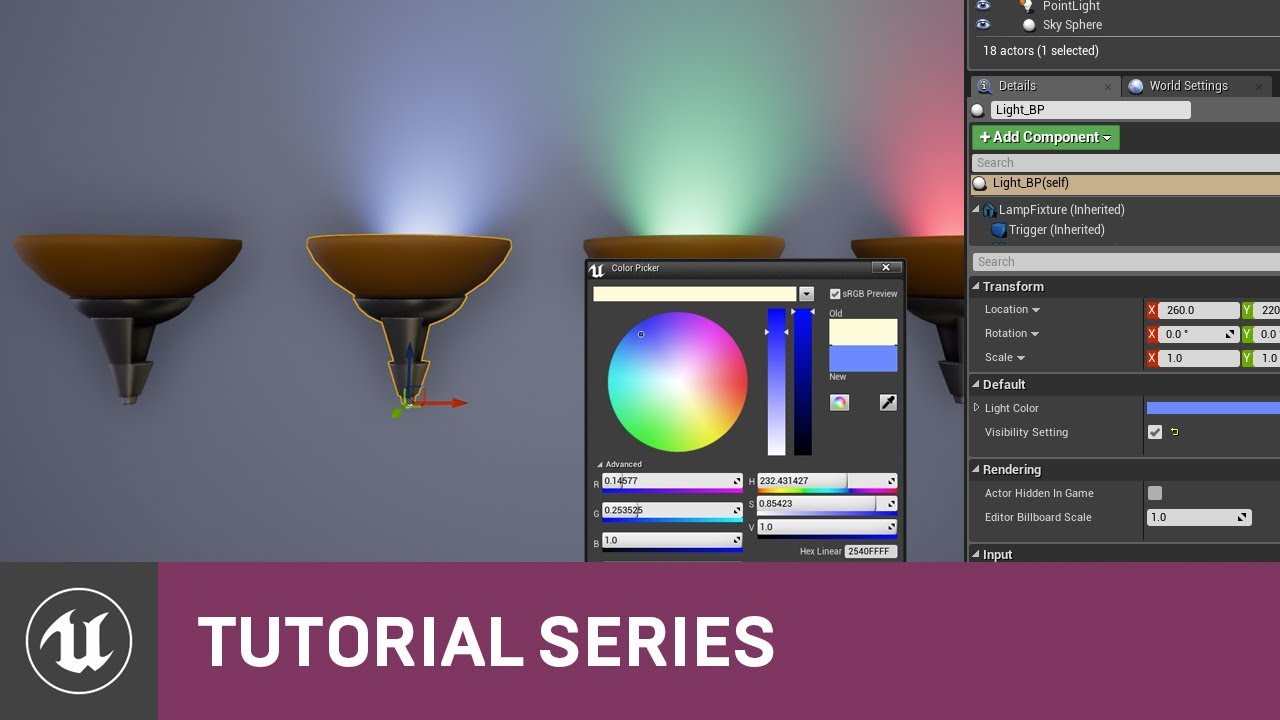
Here in this video, we work inside our Light Blueprint on the Construction Script which we then use to expose parameters of our Blueprint that we can adjust inside the Level Editor. This makes it easy for us to have custom settings for each individual instance of our Light Blueprint in our level.
I have two custom events, neither one works, was wondering if i am mising something obvious
 sonic crow
maiden wadi
<@!911103970104193036> These two docs should help.
https://docs.unrealengine.com...
sonic crow
maiden wadi
<@!911103970104193036> These two docs should help.
https://docs.unrealengine.com...
I read all the documents including this one https://answers.unrealengine.com/questions/469027/spawn-actor-without-collision-and-enable-collision.html , not sure what i am missing, i created a new custom channel called bombspawn that is default set to overlap, and i am trying to change it to blocked
 faint pasture
sonic crow
I have two custom events, neither one works, was wondering if i am mising someth...
faint pasture
sonic crow
I have two custom events, neither one works, was wondering if i am mising someth...
The other actor will never be a player controller
maiden wadi
I'm fairly certain that Matty is looking to edit all of the component's properties and be able to drag it around in the actor's viewport as if it was a default component and such. It's a little different than being able to edit properties on the actor and have those update the components.
You may be able to do this via some form of editor tools. But that is some deep dark territory of Unreal that you're not going to find many tutorials on.
@sonic crow The bomb doesn't need to know anything about the player here. The bomb just needs to exist and explode and call like Apply Damage on stuff it hits. When the character sets a bomb down, the character themselves should check if they're overlapping the bomb and if so set their collisions. And on the character's end overlap, check if they're overlapping any bombs, and if not set the collision channels back to normal.
sonic crow
maiden wadi
<@!911103970104193036> The bomb doesn't need to know anything about the player h...
I moved the info to my character, it still does not do anything. The problem sounds like you want me to change the collision of my character and not of the bomb, i read all the info you sent me and i am not sure why you would not do this to the bomb over the person, although at this stage i guess it does not matter because the nodes do not do anything either way
 sonic crow
faint pasture
The other actor will never be a player controller
sonic crow
faint pasture
The other actor will never be a player controller
thanks i changed it but i am not sure why not? Do I have to specify the mesh of the character instead?
 rigid fractal
im doing a damage system and wanted to get the object that entered the player collision box, how i can only get the element that entered this area and not all actors with the 'enemy' class? im using the 'on component begin overlap' event
 velvet smelt
rigid fractal
im doing a damage system and wanted to get the object that entered the player co...
velvet smelt
rigid fractal
im doing a damage system and wanted to get the object that entered the player co...
Use tags
rigid fractal
velvet smelt
Use tags
does each enemy have a different tag?
faint pasture
sonic crow
thanks i changed it but i am not sure why not? Do I have to specify the mesh of ...
Check if it's a Pawn or Character or YourCharacter. The PlayerController doesn't really move around in the world.
faint pasture
rigid fractal
im doing a damage system and wanted to get the object that entered the player co...
Get the overlapping actor, and you got it.
rigid fractal
faint pasture
Get the overlapping actor, and you got it.
this?
 faint pasture
rigid fractal
this?
faint pasture
rigid fractal
this?
Other Actor is the actor that just entered the overlap
Other Comp is the component on the Other Actor that actually triggered the overlap
sonic crow
faint pasture
Check if it's a Pawn or Character or YourCharacter. The PlayerController doesn'...
character is a pawn, bomb is BombSpawn
i am pretty sure there is something wrong here, how do i get my overlap to read the correct information
 mild flare
I really need some help, asked yesterday already but no response
context: I want to count headshot-kills and non-headshot-kills by players (FPS), I am storing these information in the individual playerstate.
In the chain I basically check if the last bone hit name = head and therefore count it as a headshot-kill, it works perfectly fine for the client.
but the server side never gets the check passed even if it was a headshot.
is there anything i have to re-think when it comes to store information in the playerstate on the server-side?
screenshot shows the check
i am stuck with this problem for many many hours now, re-worked the chain multiple times, tried setting this to reliable with no different outcome, hope someone can point out my mistake

 worthy frost
send the hit bone
in the server function
likely the server hits a complete different bone
trim matrix
hey guys Im trying to make it so that when my character is jumping he cant jump before the landing animation
worthy frost
server can hit differently than the client
mild flare
hmm good call, will check the projectile/weapon blueprint
trim matrix
rigid fractal
faint pasture
Other Comp is the component on the Other Actor that actually triggered the overl...
alright, im saving this Other actor in a variable of type Actor, but what action do i use to access this actor's values, such as variables?
 faint pasture
rigid fractal
alright, im saving this Other actor in a variable of type Actor, but what action...
faint pasture
rigid fractal
alright, im saving this Other actor in a variable of type Actor, but what action...
You cast it to the specific type you want and then you have access
What are you trying to do to it?
Say it was a Character, you'd go
Other Actor -> Cast to Character -> Launch Character or whatever
If it was NOT a character, the cast would fail
faint pasture
sonic crow
i am pretty sure there is something wrong here, how do i get my overlap to read ...
You made that event, we don't know what you want Target to be
sonic crow
faint pasture
You made that event, we don't know what you want Target to be
The target is the collision component state of thecollision bomb box
 trim matrix
pls somebody help me
sonic crow
trim matrix
pls somebody help me
what is your objective
trim matrix
Im trying to make it so that when my character is jumping he cant jump before the landing animation
faint pasture
@trim matrixYou want to delay setting CanJump to true until the landing animation is done
trim matrix
faint pasture
Right now you're setting it instantly
 sonic crow
trim matrix
Im trying to make it so that when my character is jumping he cant jump before th...
sonic crow
trim matrix
Im trying to make it so that when my character is jumping he cant jump before th...
did you break you animation into 3 jump segments, jump up, jump air and jump down/land inside of your animation state machine?
 rigid fractal
faint pasture
You cast it to the specific type you want and then you have access
rigid fractal
faint pasture
You cast it to the specific type you want and then you have access
im making a system where the player attacks enemies, but he is taking life from all enemies at the same time

 sonic crow
trim matrix
sonic crow
trim matrix
I think you should use the time remaining node , https://www.youtube.com/watch?v=HtIUtIJZqhg

What is the Does Timer Exist Node in Unreal Engine 4
Source Files: https://github.com/MWadstein/wtf-hdi-files
mild flare
@worthy frost check for the Last Hit Bone Name it is the same on client and server-end, any other idea?
trim matrix
He told me I need to use the Event on Landed node @sonic crow
sonic crow
trim matrix
He told me I need to use the Event on Landed node <@!911103970104193036>
This would be a hit event....here is something that might help https://answers.unrealengine.com/questions/290871/view.html
 marble summit
Not sure if this is the right spot for it, but does anyone know what "factory" is in the Create Asset? I'm trying to do some easy asset creation w/ an editor utility widget and can't find any data on what factory is
 sonic crow
Not sure which way is the best way to make this work

Just to Confirm (EndOverlap) am i referencing the character mesh and the bomb correctly, alos should i put this in the level bp, how do i know if the BP is working
here are some of the notes I followed created the BP "Instead of setting collision on and off, you can add or remove collision channels to your bomb, or update it's characteristics (switch them between block, overlap or ignore).
The idea is that your bomb, for the channel where your pawn lives, should be overlapping first (collisions on but on overlap, not ignoring the pawn), and then update that channel to block. If you need, take advantage of the custom collision channels.
The node that you would be using for that end is the Set Collision Response to Channel, that will give you fine grained control on the collision response between bomb and pawn.
Also remember that in order for End Overlap to work you need to have a collision between your bomb and your pawn, but one that is set to overlap on that particular channel. After you end the overlap, you can then update that collision channel to block. But if you don't have it set to overlap first, it won't do anything (it's not overlapping as far as the engine is concerned, so there is no event)."
swift mauve
maiden wadi
In input actions/axis or UMG keydown stuff?
Input Actions. I think it may stem from parent class implementing some inputs and the child class adding in additional input handlers, but I have no idea why this would affect it
e.g., parent class implements shift input action event for sprinting, child class implements an action with the F key. If you hold down shift, pressing F doesn't trigger the event in the child class
Wasn't an issue in 4.24, recently upgraded to 4.27, so not sure if it's a new feature/functionality or if something just got corrupted with the conversion process (or not converted correctly)
actually, scratch that, there is functionality that doesn't work simply at all/fire the event in the parent class when the shift key is held
 sly forge
how do i delete a node from a blueprint without opening the editor?
i disabled a plugin and forgot to delete the nodes it uses before disabling it now it keeps crashing everytime i try to open the project
swift mauve
@sly forge You have to afaik. They are binary files. You can re-enable the plugin by opening the *.uproject file in notepad and setting the plugin to enabled.
sly forge
swift mauve
<@!304332932364107777> You have to afaik. They are binary files. You can re-enab...
Thank you so much, one last question, is there a way to delete all nodes from that plugin without having to look in each function/blueprint i have?
 tidal wren
udemy courses vs youtube tutorial
which is best for learning unreal engine
dont care money
which one i shold prefer
 raven geode
tidal wren
udemy courses vs youtube tutorial
raven geode
tidal wren
udemy courses vs youtube tutorial
I'm also a beginner, but I would say work through some of the official video and text tutorials on the Unreal website. If you are able to complete many of those tutorials and guides, then you should be able to progress by searching for more specific and advanced guides. If you find the tutorials hard to follow, then search for a youtube or udemy course that works for your learning style.
tawdry surge
Depends on the course or channel.
Both can be good and both can suck
raven geode
I'm invoking SetActorLocation and SetActorRotation from a child actor blueprint. The latter is working, but the former doesn't seem to do anything. Any thoughts as to why?
tawdry surge
Is the actor movable?
raven geode
The parent actor, its static mesh, and the child actor component itself are all set to movable
as are the DefaultSceneRoot and StaticMesh of the blueprint
tawdry surge
Well set actor should be moving the whole actor.
You probably want the set world or relative location nodes to mess with individual components.
It'd be easier to tell with screenshots tho
tidal wren
raven geode
I'm also a beginner, but I would say work through some of the official video and...
Thanks
raven geode
tawdry surge
Well set actor should be moving the whole actor.
You probably want the set world...
This is what I'm doing in the child actor blueprint

And this is the parent hierarchy
 swift mauve
sly forge
Thank you so much, one last question, is there a way to delete all nodes from th...
swift mauve
sly forge
Thank you so much, one last question, is there a way to delete all nodes from th...
Not sure on that one but did think I saw some plugin for something similar to that
tawdry surge
Ok. Im not sure what the goal is but it for sure shouldn't be on tick.
And you are setting the relative location so you're moving it 30cm forward on the local y axis. You also are just grabbing a random instance of the component instead of the one you are currently using
So that's why it isn't moving
rigid fractal
rigid fractal
im making a system where the player attacks enemies, but he is taking life from ...
help?
 brazen merlin
Sphereoverlapactors
rigid fractal
brazen merlin
Sphereoverlapactors
this is for me?
brazen merlin
Yes
rigid fractal
oh yes, but what is this for exactly?
brazen merlin
To get all actors around the player
 oak fiber
i cant for the life of me figure out how to take control of a paper character
rigid fractal
brazen merlin
To get all actors around the player
but i want to allow the player to attack only one enemy at a time, so im saving it to a variable
he is attacking everyone
brazen merlin
Please explain, in as much detail possible
rigid fractal
brazen merlin
Please explain, in as much detail possible
im doing a melee damage system, where the player attacks enemies, so i used a collision box on the player to detect every time an enemy approaches and save that enemy in a variable, so far so good
the problem is that when i attack a close enemy, the others that are far away also take damage, and that wasnt supposed to happen
rigid fractal
rigid fractal
im making a system where the player attacks enemies, but he is taking life from ...
the blueprint is currently like this
but when there is already an enemy saved in the variable and approaches it does not save the other i imagine, it just replaces the value of the variable
and what do i use to check if the variable is valid?
alright, i will test
 distant scroll
can someone help?
i just dont get it, how is that something can be created in Construction Script yet doesn't work, only in Event Graph as Begin Play? here is in the picture what is it actually

maybe i forget a Check button somewhere? cause i thought Construction Script would be reasonable here cause its more like in the map-building phase, and not on actual gameplay start
however, because its connected to physics/collision, maybe thats the reason?
rigid fractal
like this?
 raven geode
tawdry surge
Ok. Im not sure what the goal is but it for sure shouldn't be on tick.
And you a...
raven geode
tawdry surge
Ok. Im not sure what the goal is but it for sure shouldn't be on tick.
And you a...
Thanks for the notes. It's in tick because this movement will eventually depend on time.
Also I fixed it... my initial idea (preceding the one I shared above) was actually correct.. the change in position I used had just been too small to see 🤦
(in addition to the fact that it didn't reflect in the details menu as I had expected)
 rigid fractal
its not changing the value of the variable, that branch always goes to true
ah wait
tawdry surge
@raven geode unless it's being run by an input, you should pry use a timeline
raven geode
tawdry surge
<@176489871131672578> unless it's being run by an input, you should pry use a ti...
Ah cool, that'll be something to look into. I've only been learning unreal for a few days, so I'm just messing around with as many features as I can.
rigid fractal
is actually working, but when i press an attack key nothing happens
is this correct?

 wispy star
Greetings, is there a way to get KillZ value from World settings in the BP?
rigid fractal
it actually worked, sometimes it goes and sometimes it doesnt
but anyway its taking the lives of all enemies at the same time :/
@swift pewter
brazen merlin
wispy star
Greetings, is there a way to get KillZ value from World settings in the BP?
What are you trying to do?
tawdry surge
Quickest way I know for sure is get all actors of class->world settings class and get the first one.
But I think you can pry get it from the level BP too
wispy star
brazen merlin
What are you trying to do?
spawn a particle on killz level
 round shale
could someone help me with a spawning predicament im trying to figure out?
brazen merlin
wispy star
spawn a particle on killz level
When the player reaches killz spawn particle?
wispy star
brazen merlin
When the player reaches killz spawn particle?
enemy
brazen merlin
wispy star
enemy
would the enemy also spawn the same particle if they die by some other means?
wispy star
brazen merlin
would the enemy also spawn the same particle if they die by some other means?
no, also enemy doesn't die on killz, but player needs to think it's gone
brazen merlin
wispy star
no, also enemy doesn't die on killz, but player needs to think it's gone
probably better to make your own killz volume that to use the world settings. Just set the world settings KillZ to something even lower. I recommend not disabling what world settings killz does (the only way to is in cpp anyways) as it is a failsafe for any possible physics glitches. Using your own killZ allows you more cutomization
rigid fractal
rigid fractal
im doing a melee damage system, where the player attacks enemies, so i used a co...
@brazen merlin can you help pls?
brazen merlin
help... maybe, propose a new solution, preferably
 glad compass
my AddCharacterPitchInput isnt working, I know I am getting a value when I move my mouse, but it isnt turning my character. AddCharacterYawInput works just fine.

No description provided
mild flare
need a little advice here,
context: i am building an fps and I store the player performance info like kills, headshots etc in the playerstate.
now i want to build a winning screen where the game displays the best performers in these categories, do i let the gamestate handle that? makes sense, right?!
brazen merlin
mild flare
need a little advice here,
context: i am building an fps and I store the player ...
it might. store variables that need to exist across levels in your game instance class
mild flare
the info will only last as long as the match goes and into the end screen so i will keep my hands off the game instance now, thanks!
brazen merlin
still might be better to store them there and clear them when a new round starts
 unreal quail
how am I supposed to interpto between two variable transforms with a timeline when it doesn't give the deltatime?
mild flare
@brazen merlin hmm you are probably right
gentle urchin
unreal quail
how am I supposed to interpto between two variable transforms with a timeline wh...
Even with a timeline you can get world delta seconds
unreal quail
wouldn't it not be the timeline's deltasecond tho?
gentle urchin
What would the difference be ?
unreal quail
timelines can tick at a lower rate than the world afaik
gentle urchin
If so thats new to me
Thought only physics could have sub frame steps
Another question would be
unreal quail

Unreal Engine Forums
Hello Everyone, I’ve heard that excessive use of the Event Tick can be harmful to your FPS and performance. I am currently optimizing and cleaning up my project to make it a lot more manageable. I was wondering if a loopable timeline set to update every few seconds or so would be a replacement. Will having lots of timelines hinder performance? ...
unreal quail
gentle urchin
Thought only physics could have sub frame steps
it's not sub frame but rather more than one tick
gentle urchin
Lets say it did, for the sake of the argument
unreal quail
the interp wouldn't be executed correctly if deltatimes are wrong
if I have an interp that's supposed to be over 2 seconds but I fire it every 0.5 seconds 4 times but I tell it I fired it every 0.25 seconds then it'll stop halfway
glad compass
glad compass
my `AddCharacterPitchInput` isnt working, I know I am getting a value when I mov...
I saw that I can set the actor rotation, but that causes some glitches with multiplayer.
gentle urchin
unreal quail
if I have an interp that's supposed to be over 2 seconds but I fire it every 0.5...
Im not seeing a scenario where this would happen, nor anything in the forum post beyond "i think...." comments (much like mine)
Why would delta be wrong ?
unreal quail
...
because it's the deltatime of the world not the timeline
here's another good example
brazen merlin
unreal quail
https://forums.unrealengine.com/t/optimization-event-tick-vs-timeline/18302
this forum post is not conclusive on which is performant or accurate
unreal quail
brazen merlin
this forum post is not conclusive on which is performant or accurate
Unreal Engine talk about using timelines instead of tick all the time
I can link you that if you want
gentle urchin
Thats all good and fine
unreal quail
and that is SPECIFICALLY because timelines don't tick as often as "tick"
which means their deltatime isn't the same
brazen merlin
even though ive heard in multiple epic videos that timeline is just a heavier timer
unreal quail
actually I wanted a timer...
thanks for reminding me of it's name
but timeline is still more performant than tick
brazen merlin
i would recommend a timer over anything else, but many ppl on here believe it is not accurate enough as tick
gentle urchin
Nobody argued its performance
unreal quail

This in-depth presentation from Unreal Indie Dev Days 2019 outlines CPU and GPU-related overheads, identifying bottlenecks, and how to plan optimization strategies and pipelines early and as a team. Learn the tools and how to employ them to identify key performance problems as well as engine features that can help you improve performance in your...
brazen merlin
gentle urchin
Nobody argued its performance
not today, in many times over the past few weeks when this sort of topic comes up
unreal quail
gentle urchin
Nobody argued its performance
this forum post is not conclusive on which is performant or accurate
gentle urchin
Even in the forum post you posted theres a comment about its ram usage. Wether thats better or worse compared to another performance metric is dependent on many other things
If you care about optimization tho,
Go cpp.
brazen merlin
unreal quail
https://youtu.be/EbXakIuZPFo?t=832
from the text, it suggests cases to replace tick, which i agree with, but this does state if tick is more performant, only if it is used too much. Same could be said about timelines
gentle urchin
Theres missing context to it. What you do on tick is more important than if you use tick or some other tick-like method
Doing 1m linetraces is heavy regardless of if you do it on tick or on a timeline.
unreal quail
gentle urchin
Go cpp.
I'm using almost full C++ I'm just trying to do some visual stuff on blueprint to not have to recompile on every visual change
brazen merlin
i agree that a tick should not be run to decide when to do something or not, only for updating a value constantly because it needs to be. The video's suggestion of replacing tick functions with a timer or timeline are sound, thats what i would do. Tick is my last resort; usually timers are used instead
unreal quail
that's why I'm lost when using bp
brazen merlin
i prioritize it as timer, then timeline, then tick
it depends on control needed as well
aside from theoretical performance difference, each also have slightly different features
gentle urchin
They all serve their needs as i see it
Tick is perfect for things that are relevant on a frame to frame basis
unreal quail
well in any case it's a single lerp executed every turn change so I don't really care about performance
gentle urchin
Updating a transform faster than it can be rendered makes little sense to me
brazen merlin
if i could only have the last 30 minutes of my life back
unreal quail
gentle urchin
Updating a transform *faster* than it can be rendered makes little sense to me
I don't think you get it
for the 4th time
unreal quail
if your timeline ticks less often than the world, and you use interpto it's going to end too soon
and therefore your final transform will be only at 80% of the way
gentle urchin
And if it ticks more often, you're bugged out aswell
So doing interp on tick is good, in conclusion
Or on tick-like :p
To invent a new term
brazen merlin
i think some offness will happen regardless, its unfortunately called lag - best to set the location target at the end once the ticking/timeline finishes to account for it
unreal quail
gentle urchin
So doing interp on tick is good, in conclusion
no, using a lerp with a float value timeline is better
gentle urchin
Yepp
unreal quail
for me at least
brazen merlin
its a different setup
unreal quail
brazen merlin
i think some offness will happen regardless, its unfortunately called lag - best...
not at all?
brazen merlin
not sure if better (vague) but for your needs, sure better
both of you just stated cases where it could
unreal quail
I mean with a timeline that has a float value the last update will always have the max value
gentle urchin
Yeah
unreal quail
which means it'll never be off
gentle urchin
Id imagine a lerp being clamped anyways ?
brazen merlin
on the finish exec of the timeline, why not set the desired value as insurance?
thats all im saying
gentle urchin
If you're going the road of not trusting your code or a lerp we're in for a whole world of pain😅
Way out of scope for this convo tho
gentle urchin
Was mostly for the sake of the argument, but fair enough^^
Personally i find myself using tick way more often than i use timelines or timers really 🥲
unreal quail
brazen merlin
on the finish exec of the timeline, why not set the desired value as insurance?
it'd jump to that value at the end
doesn't look nice to me
unreal quail
brazen merlin
https://discord.com/channels/187217643009212416/221798862938046464/9171723499781...
my argument was specifically against using a timeline and getting the world's deltatick as a timeline doesn't tick as often as the world
gentle urchin
Did you test this? Im surprised if thats true ^
brazen merlin
unreal quail
it'd jump to that value at the end
it wouldnt if it was already at the destiniation - its making sure it does if this offness happens, as proposed
unreal quail
but as I said a lerp with a float value going from 0 to 1 in a timeline already fixes it
brazen merlin
and what is uglier? it being off from the actual destination or a snap at the very end in case it is off
unreal quail
gentle urchin
Did you test this? Im surprised if thats true ^
I'd probably have to overload my main thread and my game is currently empty so I don't think I can test it
it's an edge case but well
gentle urchin
Just setting low fps should do the trick no?
unreal quail
brazen merlin
and what is uglier? it being off from the actual destination or a snap at the ve...
idk but I'd rather have neither
brazen merlin
gentle urchin
Personally i find myself using tick way more often than i use timelines or timer...
only thing using tick is my player character, everything else are timers otr AI BT
unreal quail
😅
brazen merlin
unreal quail
idk but I'd rather have neither
same 😛
unreal quail
I don't use any tick whatsoever
it's kinda shit that timelines don't give you their deltatime tho
gentle urchin
All movement is tick related :p
Its shit if its not the same as tick delta
If they are equal then its fine
brazen merlin
gentle urchin
All movement is tick related :p
ah, you see where i was going there 😄
unreal quail
yeah true
ok guys we can talk about the semantics of my sentence but I was hoping you'd get my point
if the engine didn't tick there would be no game
so let's not play on words
brazen merlin
lerp on a timeline, do it
gentle urchin
Already ahead of you lol
unreal quail

this is what I ended up doing in case you were curious
nothing too fancy but it allows setting custom curves on the speed of the animation so it could be fun to play with
gentle urchin
Yeah timelines are great for that
You could achieve it with the interp aswell but more work for the same result
brazen merlin
That was the start of the convo 😋
 hybrid ether
I have AI that have run behaviour tree. When I spawn those AI's to level their controller's beginplay doesn't execute. Image from controller and that print string doesn't execute why?

If I place that AI to level and press simulate it executes but if I use spawner (spawn actor from class) it doens't.
gentle urchin
brazen merlin
That was the start of the convo 😋
Part of it, but not with curves 😎
unreal quail
gentle urchin
You could achieve it with the interp aswell but more work for the same result
if I had something convenient that could spew me it's deltatime yes
gentle urchin
Event tick 😏
As they say, dont optimize before you need to optimize :p altho, i also try to stay ahead of it to atleast some degree.
unreal quail
gentle urchin
Event tick 😏
ah yes, but of what
I'm doing that on the level blueprint
I'll create a new actor called "handle camera interp" just to use it's tick
 gentle urchin
If you plan on controlling some camera in such a way id probably just make an actor with a camera and do it on its own tick :p
Could set up pretty flexible control methods that way
rigid fractal
brazen merlin
help... maybe, propose a new solution, preferably
i did not understand
i literally explained the entire system, i just need a solution
brazen merlin
rigid fractal
i did not understand
Because you are doing melee attack, i suggest looking at the action rpg project from epic
round shale
can someone help me make a spawner that does the following pattern
spawn both of 2 types of enemies, with random x number of enemy 1 and random y number of enemy 2, as long as x + y = z being the total amount of enemies i want spawned
i starting to get familiar with arrays but i have no idea how i could implement them in this kind of spawner
 tight schooner
round shale
can someone help me make a spawner that does the following pattern
spawn both of...
tight schooner
round shale
can someone help me make a spawner that does the following pattern
spawn both of...
Random Float —> save to a new variable. This variable will be your ratio of enemy type 1 (x) and type 2 (y). In your formula, z is the total enemies to spawn.
Quantity of enemy type 1 to spawn = round(ratio * z)
Quantity of enemy type 2 to spawn = round((1 - ratio) * z)
round shale
thank you, and i also figured out if im just doing 2 types of enemies i just need to use the random array of 1 enemy type and use the remaining total index for the amount of the other enemy type
tight schooner
Yeah, lots of ways to do it
Could also put a branch in the loop driven by a random boolean, which then spawns one type of enemy or the other
round shale
for example im getting 7 enemies and number of enemy 1 is randomly chosen at 4, you already know there are gonna be 3 second enemies
so i dont need to randomly choose for the last enemy type
gentle urchin
While loop (condition = amount to spawn >0) -> spawn actor from class (class = select class from bool(random))
faint pasture
@gentle urchin@unreal quail Y'all need to get big brain.

Then you can just fly the camera around however you want by changing those variables on PlayerController
gentle urchin
Thats neat^^
unreal quail
faint pasture
<@!231467939734355969><@!167122174467899393> Y'all need to get big brain.
how does that make the rotation smooth in any way 😆
unreal quail
gentle urchin
If you plan on controlling some camera in such a way id probably just make an ac...
I'm sorry but tick is haram I can't do that
actually jokes aside I have a simple spectator pawn but I don't want to hardcore the transforms on it, it'd be too ugly
and I don't want to make some kind of hacky tag based or class based FindAllActorsByX just to find the two different positions the camera could get at
so Level Blueprint seemed to be the place to do that
faint pasture
unreal quail
I'm sorry but tick is haram I can't do that
If you want anything smooth it's using tick. Level BP is horrible for anything besides level specific stuff.
unreal quail
faint pasture
If you want anything smooth it's using tick. Level BP is horrible for anything ...
hold my timeline
and LevelBP is good to get the specific instances of the two camera actors to swap between that are placed in it
faint pasture
Timeline is just a temporary tick, really. Yeah Level BP is where I'd do a level specific thing like "camera swoops from this point to that point" but if it's a common thing just make an event that works on any level.
Typically cameras are moving every frame or at least have the capability so camera being controlled on tick is perfectly ok
gentle urchin
^ Exactly , anything thats relevant on a frame to frame basis is suitable to be updated on tick. Thats one of the best use cases for it i can think of.
Movement is one of those things
The cost of the movement is equal to the operation itself regardless of shere you put it. Event tick has overhead, and timeline has overhead. C++ version of tick got much less overhead.
 lost solstice
Im trying to condense some of my event graph down into functions but when running the function version of a blueprint cluster it doesnt work properly but when called from the event graph it works fine. The function is being called off a thumbstick axis if that changes anything?
 sharp temple
is it possible to make a login/registration system in blueprints for MongoDB without the plugin?
 minor wolf
hey i have a class in C++ which im trying to map to blueprints, but im unable to use the Spawn Actor from Class node. my class derives from AActor which i thought could use that node. am i missing something?
minor wolf
oh nice. i restarted the editor after i built. i built again with the editor closed and it works now? i guess the hotreload stuff was breaking it
 honest palm
Hey there, I'm so confused, there's values going into these arrays but when I print the contents of the struct afterwards (or watch their values in the debugger) apparently they didn't get added, I have no idea why. Does it not actually change the arrays in the struct? I.e. does add array make a copy of the arrays from the struct rather than a ref? It just seems to add nothing.


It's meant to have these 4 numbers in each of the elements in the struct

I tried changing the get to a ref as it was copy before but that makes it worse, the debugger can't even seem to track it anymore
 gentle urchin
honest palm
I tried changing the get to a ref as it was copy before but that makes it worse,...
gentle urchin
honest palm
I tried changing the get to a ref as it was copy before but that makes it worse,...
You're working on a copy yes
There's a set members in struct node that works with struct references
So you'd need to feed the new arrays into it
faint pasture
honest palm
Hey there, I'm so confused, there's values going into these arrays but when I pr...
You have to set the struct, you can't just modify in place
honest palm
faint pasture
You have to set the struct, you can't just modify in place
Set Array Elem?
faint pasture
You can't get a struct and modify its fields, you need to actually set the struct.
honest palm
Oh god, ok
Ok finally it works, thank you very much for your help both of you :)
Darn, UE5 really does not like an array of structs of arrays lol
 violet crystal
how do i like
see what a widget can do
I dont even know if thats the right question to ask because I'm really at my wits end with this
the widget in question must also have a class specified
i didnt start this code so I dont even know what that class is supposed to be or what constitutes one in blueprints
i just want to make a texture pop up when my player steps near a button
and also allow them to press the button
ive given up on making it so it only happens when the player is near the button and looking in its general direction because the less time i spend in blueprints the better for my sanity
legit should have just ignored my proffesors and learned cpp, and i'd probably be so much farther down the line by now
faint pasture
violet crystal
i just want to make a texture pop up when my player steps near a button
Define "texture pop up"
If you want to display an image in the HUD, spawn a UMG Widget and add it to the viewport
faint pasture
violet crystal
whats a umg widget

A guide to using Unreal Motion Graphics to create UI elements.
violet crystal
thnks
 frozen spear
thank you, you solved my issue...i was having an issue getting a custom cone collision to return actors...it was not detecting actors that were not currently moving...turned out using this monstrosity of an auto generated collision for my custom shape was the actual answer for me as well
 ionic crescent
Hello I am making an endless running for learning practice. I want to be able to go under obstacles, I have a duck down animation but as you can see my capsule component just collides instead of my character. Is there a way for me to use my characters mesh as collision for my objects? I have tried to alter the obstacle and the character collision settings to no avail.

If i make the capsule component shorter i can go under things but then i will always go under them, not because i ducked but because the capsule is just smaller. i wanna be able to duck under
Thank you very much for any help
 brazen merlin
ionic crescent
If i make the capsule component shorter i can go under things but then i will al...
brazen merlin
ionic crescent
If i make the capsule component shorter i can go under things but then i will al...
i helped someone with this similar problem, #ue4-general message
read around that area
 foggy escarp
violet crystal
and also allow them to press the button
foggy escarp
violet crystal
and also allow them to press the button
If your unwilling to struggle through blueprints, what's going to make cpp different?
Just my thaught.
violet crystal
i already know c++ and i'm used to coding with scripts
faint pasture
You are not going to make a game without ANY amount of blueprint work so just deal with it.
violet crystal
with blueprints im not just new to unreal but also new to any kind of visual scripting
umbral ginkgo
I’m trying to temporarily disable all of the actors of a class with the exception of one that is chosen by an array. Does anyone know where to even begin with this?
Sorry if im slow to respond
trim matrix
hey guys
Im trying to make it so that if my character is crouched and tries to jump or sprint , it will bring him back to idle
instead of jumping or sprinting right away
I did this for now
but doesn't work

 regal fulcrum
One thing I am not seeing in the UserWidget's PlayAnimation is a way to get the total time in BP. I am looking through the code and most of the methods are not exposed to BP at all... what I am I missing?
I want to fire off some logic after the widget animation has finished playing
I could just write some code to expose it in BP, but it feels like there has to be a built-in way to do this already
 twin scaffold
Hi, can I ask a question about an error I'm having? Google wasn't much help for this one.
twin scaffold
ionic crescent
If i make the capsule component shorter i can go under things but then i will al...
Change the size of the collision capsule when the character ducks. That is the more efficient approach.
sonic crow
i am trying to check if items overlap (i have two examples in the image neither works) not sure why it is not working or how to check if it is working
 twin scaffold
umbral ginkgo
I’m trying to temporarily disable all of the actors of a class with the exceptio...
twin scaffold
umbral ginkgo
I’m trying to temporarily disable all of the actors of a class with the exceptio...
Use the "For Each" block to check every actor. You can use variable or a tag on the one you don't want to disable.
umbral ginkgo
K thx
twin scaffold
trim matrix
hey guys
Im trying to make it so that if my character is crouched and tries to ...
It looks like you are currently trying to check if you are crouching when you try to crouch.
For the code that activates when the character jumps or sprints, check if you are in crouch position. If you are, then set the state you want.
trim matrix
Do I put this in the event graph of my character
or the third person character?
@twin scaffold
twin scaffold
trim matrix
Do I put this in the event graph of my character
I'm not sure. It depends how you have your code set up. Look for the section where controls activate things. Look for the activation to change to sprint mode
twin scaffold
sonic crow
i am trying to check if items overlap (i have two examples in the image neither ...
I'm not sure what you are trying to do, but I can give you an example.
Here I am using a collision component of my character to check if it collides with the object "rope"

The selected component is the one I'm using for the check.
Here is the component in the viewport
 twin scaffold
umbral ginkgo
K thx
twin scaffold
umbral ginkgo
K thx
You're welcome
Now for my question:
I'm destroying an Actor and getting "pending kill" runtime errors for the various components. I even used IsValid blocks:

 sonic crow
twin scaffold
I'm not sure what you are trying to do, but I can give you an example.
Here I am...
sonic crow
twin scaffold
I'm not sure what you are trying to do, but I can give you an example.
Here I am...
I am trying to check if my character and an item bomb overlap, and if it no longer overlaps the object gets a collision effect state change. This image has two ways I went about it neither works was wondering if anyone knows what i did wrong. The middle one is based on your feedback it still does not work i am not sure what i am missing
 twin scaffold
sonic crow
I am trying to check if my character and an item bomb overlap, and if it no long...
twin scaffold
sonic crow
I am trying to check if my character and an item bomb overlap, and if it no long...
Which object needs to be aware of the end of overlap? or do both the player and bomb need to be aware?
sonic crow
twin scaffold
Which object needs to be aware of the end of overlap? or do both the player and ...
I am in my CharacterBP, I am referencing my BP_Bomb collision capsule. My character by default can walk through the bomb, once my character no longer overlaps, the bomb overlap changes to collision component type that blocks my character (from overlay to block). This would be to have the same effect as the Bomberman game, you plant a bomb once planted there is no collision until the character moves away from the bombh and then the collision box appears on the bomb preventing the character to overlay or walk through the bomb
sonic crow
twin scaffold
Which object needs to be aware of the end of overlap? or do both the player and ...
my character needs to be aware of the overlap, and then it needs to change the collision response of the bomb based on the outcome of the end overlap
brazen merlin
sonic crow
I am in my CharacterBP, I am referencing my BP_Bomb collision capsule. My charac...
So the setup I would go for:
Player has collision channel Pawn - note that it is the capsule collision we care about, not the mesh
Bomb spawns with collision channel BombSoft - similar to player, we should have a sphere or box collider with collision settings, not the mesh
Because the bomb spawns in Player location, BombSoft ignores Pawn channel. The Bomb's collider used EndOverlap to change its collision channel from BombSoft to BombHard - BombHard blocks Pawn channel.
trim matrix
twin scaffold
I'm not sure. It depends how you have your code set up. Look for the section whe...
 twin scaffold
brazen merlin
So the setup I would go for:
Player has collision channel Pawn - note that it i...
twin scaffold
brazen merlin
So the setup I would go for:
Player has collision channel Pawn - note that it i...
Hmm... I am not familiar with collision channels. I would first suggest using "Print String" to validate if the code is running or not. If it's not working then:
- Select the bombs collision you want to use
- Scroll to the bottom of the details and add the event "On Component End Overlap"
- On the output of the event use "Cast To <player object name>" to check for only the player overlapping.

 twin scaffold
trim matrix
twin scaffold
trim matrix
Unfortunately I am unfamiliar with that control feature. It looks like something else is setting those variables. So you must dig deeper.
trim matrix
fml
twin scaffold
IsCrouch -> Set Crouch is very strange 🤔
trim matrix
ive been on this shit for hours
twin scaffold
trim matrix
ive been on this shit for hours
You got this. I believe in you! 
Find what's setting those variables and add your own conditions!
You may want to research however this works:

That may be the key
trim matrix
oh I know dw
twin scaffold
prolly good to know how it works anyways. Could be good utility in the future.
sonic crow
brazen merlin
So the setup I would go for:
Player has collision channel Pawn - note that it i...
I have created two custom collision type one called bombsoft and the other called bombhard, i made the default one bombsoft and set it to ignore instead of overlap as you mentioned, and i tried to reference the overlap (not sure i did it correctly) and at end overlap i set it to bombhard that is set to block. I did this inside of my character BP, MY character collision capsule is on for collision and set to pawn. Print string does nothing. The main thing I need is to know if I am doing the overlap check correctly, pretty sure everything is wrong at this point

 twin scaffold
If print string does nothing, then the problem is with your collision setup. Why is there an _Event_0 at the end?
sonic crow
twin scaffold
If print string does nothing, then the problem is with your collision setup. Wh...
The end overlap is meant to only trigger at the end of the overlap, meaning you spawn a bomb that is overlapping the character collision capsule and only once the character moves the tick event of end overlap occurs.
twin scaffold
sonic crow
The end overlap is meant to only trigger at the end of the overlap, meaning you ...
right. Wanna meet in Programmer Parlor?
sonic crow
twin scaffold
right. Wanna meet in Programmer Parlor?
no idea what that is
twin scaffold
It's a voice channel.
brazen merlin
sonic crow
I have created two custom collision type one called bombsoft and the other calle...
i might have stated something incorrectly, so i apologize. BombSoft would be set to overlap as that is the only way to know when the player has ended overlap
sonic crow
twin scaffold
It's a voice channel.
you legend thank you so much
sonic crow
brazen merlin
i might have stated something incorrectly, so i apologize. BombSoft would be set...
all gravy problem solved
twin scaffold
sonic crow
no idea what that is
I think I mentioned this before, but it may be better practice if you want the bomb to change it's profile, run the code in the bomb instead. It will make things easier.
twin scaffold
sonic crow
you legend thank you so much
you're welcome dude 👍
 twin scaffold
trim matrix
<@!336654604655656963>
twin scaffold
trim matrix
<@!336654604655656963>
sorry, I'm not sure what to do.
trim matrix
@sonic crow hey bro
twin scaffold
twin scaffold
Now for my question:
I'm destroying an Actor and getting "pending kill" runtime ...
I was able to fix my issue. The solution was to have the object destroy itself instead of a different object destroying it.
gentle urchin
regal fulcrum
One thing I am not seeing in the UserWidget's PlayAnimation is a way to get the ...
Isnt there both the delegate option and the anim event option?
trim matrix
can somebody pls help me
 plush storm
does anyoneen have a bp tutorial that they know actually works for multplayer (not on the same lan)
 plucky copper
trim matrix
can somebody pls help me
plucky copper
trim matrix
can somebody pls help me
what u tryna do
trim matrix
plucky copper
what u tryna do
Im trying to make it so that if my character is crouched and tries to jump or sprint , it will bring him back to idle
instead of jumping or sprinting right away
marble summit
Does anyone know of any good sources for learning editor utility widgets? I'm trying to find a way for a widget to edit the components of a blueprint, e.g. change the skeletal mesh hair on a blueprint
I've found how to do it on instance level actors but not in a way to save it out
brazen merlin
plush storm
does anyoneen have a bp tutorial that they know actually works for multplayer (n...
I learned most of my shit from https://www.youtube.com/watch?v=09yWANtKmC8 and Neukirchen's Compendium
plush storm
brazen merlin
I learned most of my shit from https://www.youtube.com/watch?v=09yWANtKmC8 and N...
can i host servers?
regal fulcrum
trim matrix
Im trying to make it so that if my character is crouched and tries to jump or s...
Wouldn't you just check in the space bar action input if they are crouched, and if so, don't call jump?
brazen merlin
plush storm
can i host servers?
plush storm
brazen merlin
i think this https://www.youtube.com/watch?v=ngBI40tjirE&list=PLZlv_N0_O1gYqSlbG...
dm me
trim matrix
regal fulcrum
Wouldn't you just check in the space bar action input if they are crouched, and ...

here?
regal fulcrum
plush storm
can i host servers?
If you have to ask that question, then you are in for a world of pain to try to take that on. A simple listen server setup might be a better first step.
plush storm
regal fulcrum
If you have to ask that question, then you are in for a world of pain to try to ...
i just want to host a server
regal fulcrum
trim matrix
here?
Yes, instead of calling jump, you would just stop crouching
trim matrix
yeah I want it to go back to idle
regal fulcrum
Yes, that's where you would do it
trim matrix
 icy dragon
The pseudocode:
if (bIsCrouching)
{
   StopCrouching();
}
else
{
   Jump();
}
anyone know how i can get event graph blueprints to function the same way if they were inside a function. It does all sorts of wack things inside the function but works fine outside
gentle urchin
You should show some code that could highlight the problem
there's no immediate reason for a function to behave different from a correctly setup function
It being the case could be anything from wrong use of variables to wrong use of functions 😛
plucky copper
@trim matrix this
 gentle urchin
the last one makes more sense^
plucky copper
much more lol
gentle urchin
also, i think there's an existing bool for crouching

in the cmc
makes sense to use that instead
plucky copper
yeah I think he already made a diff one from earlier post thou
gentle urchin
Yeah, I noticed. I'd suggest sticking to the state of the state handler ( the cmc) instead of trying to make ones own system that works in parallel ... imagine the pain when crouch gets invoked from elsewhere and the states are not updated properly etc due to this sort of thing
brazen merlin
gentle urchin
also, i think there's an existing bool for crouching
i think the bool is needed to talk to the anim bp
plucky copper
make sure set whatever bool you made after jump
gentle urchin
brazen merlin
i think the bool is needed to talk to the anim bp
cant the anim bp reflect on the same cmc bool ?
plucky copper
prly is jumping
brazen merlin
gentle urchin
cant the anim bp reflect on the same cmc bool ?
oh snap
brazen merlin
gentle urchin
cant the anim bp reflect on the same cmc bool ?
honestly never worked with crouch ever 😅
brazen merlin
gentle urchin
It's early, im still drinking my coffee lol
lmao, not like that, on snap - you have a great point
 brazen merlin
use that one all the time
trim matrix
ffs mate
lost solstice
gentle urchin
You should show some code that could highlight the problem
Sorry that would hey wouldnt it.
basically im trying to copy the vr template code for teleport and this is how i've fit it in which works. The last image is how i want it to be in my event graph and that bit chunk of blueprints has been put into that function..

 brazen merlin
and for my needs, i also distinguish between jumping up and falling down with the apex event
lost solstice
lost solstice
Sorry that would hey wouldnt it.
basically im trying to copy the vr template cod...
 brazen merlin
lost solstice
brazen merlin
lost solstice
and the functions


 brazen merlin
lost solstice
Sorry that would hey wouldnt it.
basically im trying to copy the vr template cod...
brazen merlin
lost solstice
Sorry that would hey wouldnt it.
basically im trying to copy the vr template cod...
its possible, but you copied the "isaxisgreaterthandeadzone" branch which i think breaks it
trim matrix
I broke my jumping animation
might have to do a bunch of CTRL-Z
ffs
im fkin sick of this shit
 trim matrix
I know its easy that's why im so mad that I cant get it to work fk man
lost solstice
brazen merlin
and the functions
these are all the function inside


 brazen merlin
honestly more confusing with them in functions
lost solstice
all this blueprints when its on the event graph works yet when its in the function it doesnt. it would just be easier to leave it on the event graph though wouldnt it
 trim matrix
plucky copper
trim matrix
plucky copper
lol
so
my jumping animation works
but
I CANT LAND ANYMORE!!!!
ARGHHHHHHHHHH
brazen merlin
lost solstice
all this blueprints when its on the event graph works yet when its in the functi...
i guess that's why its in the event graph
lost solstice
probably
plucky copper
its probably you have wrong transition rules in animation bp
gentle urchin
trim matrix
I CANT LAND ANYMORE!!!!
Try using the cmc values instead.
brazen merlin
lost solstice
probably
get motion controller data is not getting the same data, it doesn't have the Select node like in the graph version
gentle urchin
I bet the values is not updated properly by the custom logic
plucky copper
lol
lost solstice
brazen merlin
get motion controller data is not getting the same data, it doesn't have the Sel...
I changed that just recently but it was the same before hand. I'll just leave it in the event graph it would be much less to worry about
plucky copper
you can do one more thing I think
trim matrix
HAHA BRO
plucky copper
is change transition rule for start jumping to is falling instead of is jumping
if you know what that means
then u can remove the bool at end
 brazen merlin
lost solstice
I changed that just recently but it was the same before hand. I'll just leave it...
brazen merlin
lost solstice
I changed that just recently but it was the same before hand. I'll just leave it...
that aint the same as what you got
 plucky copper
or just leave it if you want
plucky copper
lol
trim matrix
somebody give this guy a special role
plucky copper
gl on ur journey
lost solstice
brazen merlin
that aint the same as what you got
i recently changed it. its the same thing and still works

 trim matrix
plucky copper
gl on ur journey
trim matrix
plucky copper
gl on ur journey
thanks bro you 2
brazen merlin
lost solstice
i recently changed it. its the same thing and still works
lol ok
gentle urchin
Love it when x works, y doesnt work, and whatever z is sent in screenshot is not what x looks like , but was changed at some point in time
Whats the point in spotting mistakes in something that deliberatly is different due to reasons?
brazen merlin
gentle urchin
Whats the point in spotting mistakes in something that deliberatly is different ...
wish there was a way to look over bp in a less picture piece kind of way
gentle urchin
That sounds like a plugin one could make !
brazen merlin
and no one here seems to know about the FREE Blueprint Snapshot plugin which can snapshot any size graph at full res
gentle urchin
Yeah that one is golden
lost solstice
i didnt even know that exists
lost solstice
gentle urchin
Whats the point in spotting mistakes in something that deliberatly is different ...
also sorry
round shale
ok i need help here badly, i followed a tutorial to make an animbp for an enemy character.
this works fine for the single spawned character, but when i have the character spawn an actor to do the same thing i get an infinite loop error here
 gentle urchin
lost solstice
also sorry
gentle urchin
lost solstice
also sorry
No worries, it's very common, and is generally a positive thing from a learning perspective. It suggests that the person tried to fix it themself, which in turn show interest to learn.
Just hard to help directly without walking up the same avenues that you've already visited
brazen merlin
round shale
this works fine for the single spawned character, but when i have the character ...
something tells me "having the character spawn an actor to do the same thing" is the real problem
round shale
its just spawning an actor with the same bp but im trying to find a way to have the same animation bp apply to every spawned actor
 timber knoll
That should be default if you set it in your blueprint
 glass crypt
What's the fastest way to do interactive foliage? Whenever I chop a tree and the instance is removed there's a performance drop for about a second.
timber knoll
I think you might want to just not use foliage in that case 🤔
gentle urchin
Does it have to be removed?
How about just scaling it to 0?
At some amount of instances it may pay off to split it in several components aswell
brazen merlin
yo thats a good point, set hidden wont hitch as much as a destroy because of gc
gentle urchin
Cant toggle an instance hidden afaik
brazen merlin
sorry, i meant scale 0, in my head that means set hidden
i mean, it achieves the same as set hidden
gentle urchin
Makes sense. Yepp^^
brazen merlin
gunna be heading to bed soon lol
round shale
ok i solved my issue by making an external spawner
glass crypt
Ahh cool. I'll try scaling to 0. Thanks!
 dreamy basin
Can anyone help me with any tutorial or any documentation for how to setup a laser blueprint with the help of line trace i am trying to make a laser beam gun
gentle urchin
https://www.youtube.com/watch?v=OodeAOKBH_8 there's a ton of hits on yt
brazen merlin
dreamy basin
Can anyone help me with any tutorial or any documentation for how to setup a las...
you also have the content examples project, it would probably be the line emitter
dreamy basin
gentle urchin
<https://www.youtube.com/watch?v=OodeAOKBH_8> there's a ton of hits on yt
Thanks
dreamy basin
brazen merlin
you also have the content examples project, it would probably be the line emitte...
Thanks
 rapid robin
Hi all, I've added controller bindings to our steam game, however when I test it out, it only works with an Xbox Controller, not a PS4 (or PS5, apparently) controller.
So Xbox: fine in editor and fine in dev build.
However, when testing with the PS4 controller, the buttons/sticks do absolutely nothing, until you hold down the PS button. Then with that held down, some buttons do something (generally not what they're supposed to...).
Anyone else had this weirdness going on? I have a vague feeling that Steam Big Picture is trying to do something clever and is overriding bindings somewhere??
icy dragon
rapid robin
Hi all, I've added controller bindings to our steam game, however when I test it...
More likely Steam's controller system is to blame here.
rapid robin
icy dragon
More likely Steam's controller system is to blame here.
That's what I suspect. Any thoughts in how to handle? And why would it be messing up the PS4 (/5) controllers, and not Xbox?
I take that back, just testing in editor with PS4 controller, and it's doing the same behaviour...... What have I done to deserve this?
 jaunty pond
Hi all, I've created small vehicle system, how ever when I go and hit a car, its not simulating physics on the hitting car, all though it registers the hit. Anyone have an idea about this ?

 atomic salmon
@jaunty pondif the actor being hit is not simulating physics at the moment the collision happens, it won't react to it
you need to manually Add an Impulse to it after you have turned on the physics
you can use the information from the Hit Results (Hit pin) to get the Impact Normal and add an impulse along it
jaunty pond
thanks will try
 civic herald
Ended up figuring it out, I just had to resave like 30 assets. Now the shader compiles are gone. I guess if they aren't saved correctly they won't be able to be added to shader map and it'll just get recompiled every start up or something.
rapid robin
Update: I just launched the default ThirdPersonExample map in 4.27.1, and can control the dude straight away by plugging in an Xbox controller. Plug in a PS4, and nothing. Anyone any ideas what a dev needs to do to get PS4 controllers supported?
atomic salmon
@rapid robinhttps://letmegooglethat.com/?q=ue4+ps4+controller

LetMeGoogleThat.com
For all those people that find it more convenient to bother you with their question than to google it for themselves.
😉
icy dragon
I'd say go with your damage type enum.
That being said, if you do use Unreal damage, you may also make a derivative class out of it containing the enum for the damage type.
jaunty pond
atomic salmon
<@!619555701689417729>if the actor being hit is not simulating physics at the mo...
The physics are turned on but the car still wont react getting hit by another car

this is only happening with the skeletal meshes
atomic salmon
@jaunty pondto which component are you applying the impulse?
jaunty pond
I just want the car to react to getting hit by another car. Adding impulse is not ideal. When I hit a static cube or any other static mesh it reacts accordingly. But for whatever reason when I collide with a skeleton mesh the object never reacts.
 hard crypt
Hey all, I'm following a tutorial updating my character Blueprint and for some reason I don't have the 'Integer + Integer' action (Tutorial on right and my screen on left) 🤔
 supple dome
hard crypt
Hey all, I'm following a tutorial updating my character Blueprint and for some r...
supple dome
hard crypt
Hey all, I'm following a tutorial updating my character Blueprint and for some r...
ue5 now has generic add nodes instead of add float, add int, etc..
hard crypt
supple dome
ue5 now has generic add nodes instead of add float, add int, etc..
Thank you! I should be able to use the generic add node in it's place hey ?
atomic salmon
@swift pewterdifficult to tell by only reading your code. What you want to do is start adding some Print String to log some key quantities and check what happens when you have the double damage.
Is it because the event is called twice? Is it because the damage actor array has double entries? etc.
Irregular bugs are the most difficult to diagnose. That why you need to log the key values and, when it happens, go back and see what came with it.
That very likely happens because the event is called twice. You have to figure out why that is the case.
is it possible that something you are doing inside the loop re-triggers the event?
gentle urchin
@swift pewter it would seem you're trying to manipulate an array in a struct. you have to set the struct again for that to work, since you're effectively just working on a copy
 rose elbow
So If you have root motion enabled does any code that affects the movement of the character become useless?
 tidal marlin
Hello. How i can fix Execution Stack Overflow
I need collect many objects. And if i save project it crash
rose elbow
So with this code I was assuming it would move the player from its current location to 0, 0, 0 over time but instead it just teleports the player and I don't event have that selected?
 gentle urchin
The alpha must be changed over time
In this scenario you'd want a timeline
If you hover the teleport bool you can see what its for
rose elbow
how would you connect the timeline to the Alpha value though? theres no kind of float output
rose elbow
oh yeah ofc
gentle urchin
you must also cache start position if you want it to move according to the timeline with proportional speed
and it could be wise to block input once the move has been started
something like that
 rose elbow
gentle urchin
something like that
rose elbow
gentle urchin
something like that
that works great, thanks 🙂
 wary tinsel
is there a fast way to know where I have a compile error in all my bps without opening one at the time???
icy dragon
wary tinsel
is there a fast way to know where I have a compile error in all my bps without o...
Try to play in editor, (in newer engine versions) you should be presented with a list of all problematic BPs.
wary tinsel
GetVectorParameterValue called on MyMaterialCollection with invalid ParameterName 'None'. This is likely due to a Blueprint error.
because I get this as a warning, results is two different behaviour in editor and standalone
hybrid ether
Why this AI is stopping to trigger? Turret have trigger to check actors in side or outside range. But Ai move to stops to that trigger. In video I set runtime trigger radius smaller then you can see Ai goes further in.

 willow phoenix
is there a way to "group" (ctrl+G) an actor to another via blueprints?
willow phoenix
hybrid ether
Why this AI is stopping to trigger? Turret have trigger to check actors in side ...
seems like the ai is set to run into the sphere and attack. they are not set to "attack and keep walking"
 strange solar
does anybody whether its possible to get a dropdown for the names of a datatable to be passed via a function?
i have to manually write the name if i plug this into the functions input

 gentle urchin
strange solar
does anybody whether its possible to get a dropdown for the names of a datatable...
gentle urchin
strange solar
does anybody whether its possible to get a dropdown for the names of a datatable...
only if you do datatablerowhandle or go by gameplaytags
 quick kettle
Are there any more detailed bp api manual?
strange solar
gentle urchin
only if you do datatablerowhandle *or* go by gameplaytags
ah okay how would you assign the handle? because for me the text is still only writable without a dropbox
 gentle urchin
strange solar
ah okay how would you assign the handle? because for me the text is still only w...
gentle urchin
strange solar
ah okay how would you assign the handle? because for me the text is still only w...
seem the functions dont support it , my bad. It works with default values
gameplay tag seem tow rok tho

altho, you'd probably want the row name as a default value, not as a function input dropdown ?

If so you can just input the entire row handle
 strange solar
gentle urchin
seem the functions dont support it , my bad. It works with default values
strange solar
gentle urchin
seem the functions dont support it , my bad. It works with default values
im honest with you i have no idea what im looking at 😄 how do you get the tag to the row name?
i need a function that searches out of the datatable so thats why i wanted to pass the row name
 subtle nova
I'm sure this has been asked many times, but I can't seem to find an answer anywhere. I have an NPC that's a skeletal mesh, who needs to ride on a moving platform, but they're not moving with it. Having the skeletal mesh as a child of the platform doesn't do anything.
 wheat herald
Hello, so using the fps template, i made a simple level blueprint that spawns an element (SpawnActor node) when i hit the play button. But i want this spawning event to repeat every time I shoot the element. Anyone has an idea how i can achieve that ?
gentle urchin
strange solar
i need a function that searches out of the datatable so thats why i wanted to pa...
if you have the rowname dropdown, it must already exist in the db, so whats to search for?
atomic salmon
@subtle novaif your NPC is a Character the ability to ride a platform is built inside the Character Movement Component.
@wheat heraldthere are few ways of doing it. One way is to have the "element" you are shooting at recognized when it is being hit and re-spawn itself.
I assume it is not re-spawning itself exactly as is and in the same location. You probably want it to re-spawn in a different location each time if this is a kind of shooting game.
strange solar
gentle urchin
if you have the rowname dropdown, it must already exist in the db, so whats to s...
my player should call a function on a different player and pass the row name as input so the other player can read the variables and perform a task accordingly. thats why i pass the row name.
 fossil skiff
Hey guys does anyone know how to do a system where when you are falling and you detect a ledge, you auto climb it like the als?
wheat herald
atomic salmon
I assume it is not re-spawning itself exactly as is and in the same location. Yo...
Actually within the element i've already configured it so that every time i hit the play button, it spawn on random location. my bp : Event BeginPlay node > Random Location Spawn nodes > SpawnActor node
 sage dune
getting an infinite loop error here but...why ? what am I not seeing here
 atomic salmon
@wheat heraldin this case your actor only spawns on Begin Play. To generalize, you can create a custom Event called Spawn Me or similar. Then you can call it from Begin Play and from the Event Hit, after which you can destroy your current actor because it has been hit by the player
The effect is that your actor will spawn randomly on Begin Play and each time it is hit by the player
willow phoenix
subtle nova
I'm sure this has been asked many times, but I can't seem to find an answer anyw...
did you set it to "movable"? :>
willow phoenix
sage dune
getting an infinite loop error here but...why ? what am I not seeing here
why are you not using a timeline for this? is this running from "event tick"?
sage dune
willow phoenix
why are you not using a timeline for this? is this running from "event tick"?
oh lord, I forgot about Timelines 😅 Picked up this old project after a year and a half of Unity so admittedly I'm quite rusty. But yeah Timeline should be the way to go.
But for the sake of understanding this pesky issue, what is wrong with this logiocally? I just tried recreating what I've been doing in Unity with coroutines and this doesn't seem wrong logically?
willow phoenix
not 100% sure, but i would check if the thing you want to set a parameter on is "valid", because it seems you are destroying something later
where is your function called?
sage dune
DestroyVFX is a function in c++ that just destroys the pieces once they've faded out. Probably not the reason it gives an infinite loop error I think
willow phoenix
oh and the delay breaks your neck i guess.
sage dune
yeah
willow phoenix
you could set a timer by event on begin play
then you don't have to use a timeline
sage dune
yeah...I'll just do that then. Although it is going to bother me a while why this is happening. But yeah that settles it, thanks for the help!
willow phoenix
because you are making something dependend on something that you _wait for it are setting a little later
imagine the delay would be 2 seconds
you are running something of > 0 but you adapt it after the delay
so the script still runs, gets delayed and set to below 0
well i have no fkn clue, but thats my vague guess 😄
sage dune
aaaah yesss. I was looking at this in a very Unity kind of way. Of course, coroutines there yield the execution during wait, but not here.
Thanks mate, I can be at peace now
willow phoenix
thats the coolest thing somebody have ever said in here to me ❤️
subtle nova
atomic salmon
<@!532927885711769611>if your NPC is a Character the ability to ride a platform ...
It's not a Character, it's an Actor with a skeletal mesh so it can do animations.
atomic salmon
@subtle novaok then it doesn't have that capability built in. You will need to write some code to track the platform and have it move with it.
subtle nova
Hmmm, ok. I'll see what I can do! I was hoping there was an easy way to just lock the skeletal mesh to the moving object.
atomic salmon
@subtle novawell you can attach it to it at runtime, but it may not look good. It may work though.
 daring adder
Dunno if anyone else had this kind of dilemma but I've been trying to figure out a good approach to showing/hiding widgets with a key press while simultaneously preventing the actual gameplay from handling other inputs. For example: when you open a character screen you shouldn't be able to move with WASD. The most obvious solution would be the SetInputModeUIOnly. But then the widgets won't be able to react to key presses unless all of them are already created and listening. Seems like a big overhead when dealing with a large project. The input handling logic would also need to be implemented separately in each and every one of them since they each use different action mappings.
So far all of the show/hide logic is in my player controller and the widgets are created once they are needed, not all at once. This approach however causes my abilities, camera etc. to be able to be interacted with while a full-screen widget is visible and InputModeGameAndUI is set.
Does anybody have a guideline for this kind of situation?
Edit: Forgot to add that widgets don't seem to be able to listen for inputs while in InputModeUIOnly. This makes it even harder because now it would be tied only to keys and not action mappings.
atomic salmon
@subtle nova Check out Attach To Component
icy dragon
daring adder
Dunno if anyone else had this kind of dilemma but I've been trying to figure out...
If you use Character class, or using Character Movement Component in your Pawn, you can set the Movement Mode to None when you spawn the widget.
daring adder
icy dragon
If you use Character class, or using Character Movement Component in your Pawn, ...
Yeah sure. Right now I'm actually doing it using my own systems. This was just an example to show what type of actions I might want to block out. This would basically mean that I'd need to block each and every single action separately. Which I might do if I find no better way of doing all this.
icy dragon
daring adder
Yeah sure. Right now I'm actually doing it using my own systems. This was just a...
Though IIRC you can disable receive input on Pawn as well
daring adder
Wouldn't that cause the controller to stop receiving input regarding UI open/close?
Or is that pawn-only?
icy dragon
That's pawn only.
Unless you somehow handle the UI input in the same pawn class.
daring adder
So that would mean that only the controller receives all input presses... Hmmm... That might actually be good! It would help me separate all of the game logic from the controller logic.
I'll test that out. If you remember anything else, feel free to tag me again
Thank you for your help 😄
Edit: Seems to be working nicely. Doesn't even interfere with my other input systems that I have in place. I think that was it!
 vagrant flicker
Hey. Can I get little help? I am trying to make a sphere that on hitting object spawns an explosion and destroy itself.
When my character is standing still its working, but when it's moving it glitches and spawns the explosion to the character itself.
https://imgur.com/a/2g0Mymd
Here are the BP's:
https://blueprintue.com/blueprint/6mas0-y_/ - Push Spell
https://blueprintue.com/blueprint/or3m8n5m/ - Explosion
https://blueprintue.com/blueprint/njbqd98s/ - Third Person Character
No description provided
No description provided
No description provided
What am I missing?
faint pasture
@vagrant flicker Make the sphere not collide with the character that spawns it.
vagrant flicker
@faint pasture Oh... I am feeling so stupid right now. Thank you very much! It worked!
I thought I had some BP issues
Any thoughts how can I make the actor to destroy after seconds even if did not hit the objects?
Cannot find a way to make "if hit" else " "
The event hit does not have pin for the statements
daring adder
Sure, that's easy
Just set a timer when you fire it (on its BeginPlay for example)
When the timer finishes, destroy the actor
If the actor is destroyed early you might need to clear the timer but I'm not sure if it doesn't clear automatically already
Just for safety I'd add a ClearTimer node before DestroyActor
vagrant flicker
I may just add "delay node" that way maybe I wont clear the timer
instead of timer, is it good practice?
OnBeginPlay -> Delay 3 sec -> Destroy Actor
daring adder
Depends on where the engine keeps the delay info. If it's the same actor then it would be cleared along with it. I might be wrong but I think delays are kept separate so deleting the actor would then result in the delay refering to a null
Why don't you just test both solutions and see how they work? They're both really simple to implement
You'll get some experience from it as well 😄
vagrant flicker
Thank you very much!
 uncut lark
How taxing are dynamic material instances? Im thinking about recreating the animations sort of like how Fear Effect did the faces and such where the texture just changes on the face
icy dragon
uncut lark
How taxing are dynamic material instances? Im thinking about recreating the anim...
Probably not much. I think all materials got converted to MID in runtime anyway.
uncut lark
gotcha
okay, Ill try messing with it and profile it a bit. Just a passing thought is all
brazen merlin
vagrant flicker
I may just add "delay node" that way maybe I wont clear the timer
You dont need to add a lifetime. Actors have that already - initial life span
vagrant flicker
Nice, so instead destroy actor after delay i can just say set life span
languid linden
im trying to get all the static mesh components but it keep giving me actor components :<
 maiden wadi
languid linden
im trying to get all the static mesh components but it keep giving me actor comp...
maiden wadi
languid linden
im trying to get all the static mesh components but it keep giving me actor comp...
It's giving you static mesh components as an array of actor components. Just cast them back to static mesh components in the loop.
brazen merlin
languid linden
im trying to get all the static mesh components but it keep giving me actor comp...
i think you want to Cast it to the specific actor and from that cast, access the specific component
faint pasture
brazen merlin
i think you want to Cast it to the specific actor and from that cast, access the...
You don't need to bring actors into this at all. If it's just returning an array of actor components, cast them to static mesh components and you're all set.
maiden wadi
It's just that whoever wrote the function forgot the specifier for the auto cast on the array. 🤷♂️
languid linden
thanks bro
brazen merlin
faint pasture
You don't need to bring actors into this at all. If it's just returning an array...
honestly dunno what they're doing
languid linden
finally got working, i was struck on this for week. you guys are real god send help.
🥰 👍
vagrant flicker
Is there a way for the sphere to collide with the object that "simulate physics" is off? I am experiencing troubles, my so-called projectile (the sphere) collides only with "simulate physics" objects and pass through others
Tried different collision presets for the ball and objects that are unticked simulate physics, nothing worked
faint pasture
vagrant flicker
Is there a way for the sphere to collide with the object that "simulate physics"...
Show the Collision settings for the two objects that should be colliding and are not
vagrant flicker


This is the sphere, and the pillar. Sphere goes through the pillar.
The sphere collides only with the object that are ticked with "simulate physics" and ignores my character
wheat herald
atomic salmon
<@!404115988804534272>in this case your actor only spawns on Begin Play. To gene...
So i created a Custom Event in the Level blueprint, connected it just after BeginPlay. Now in the projectile bp, how can i import the Custom Event node i just created ? Also when i create a DestroyActor node in the projectile bp, how can i specify the spawning element as the target.
faint pasture
@vagrant flicker I'm pretty certain that projectile movement component likes to move the root component. Replace the default scene root with your sphere collider
atomic salmon
wheat herald
So i created a Custom Event in the Level blueprint, connected it just after Begi...
Why in the level BP?
wheat herald
where should I have created it?
atomic salmon
I understood you had a shoot at target spawning and re-spawning itself
vagrant flicker
@faint pasture Thank you! It worked. Now the sphere is bigger than usual, but I'll try to adjust the radius
atomic salmon
wheat herald
where should I have created it?
Show your spawning code pls
wheat herald
this is the level bp, here i've added the custom event as you said @atomic salmon

and this is the projectile bp, where i added the last node trying to destroy the object, but i can't target it

 dawn gazelle
brazen merlin
i think you want to Cast it to the specific actor and from that cast, access the...
dawn gazelle
brazen merlin
i think you want to Cast it to the specific actor and from that cast, access the...
@languid linden This isn't the answer... The thing is if you hook up an array of a specific type to the loop which takes a wildcard array, it'll set the type that gets output for each object.
You can see in the first screenshot that it's giving me "Instanced Static Mesh Component" on the array output because I connected the array pin to the foreach loop after choosing the component type.
In the second screenshot, I've selected "Skeletal Mesh Component", but the output pin on the array is still an "Instanced Static Mesh Component".
What likely happened is you hooked up your Get Component By Class node to your loop before selecting the class.
The proper way to fix the problem would be to disconnect everything from the input and output of the array, set the class on your Get Component By Class, then reconnect your array output pin to the array. You'll then have the appropriate object type being output in the loop, with no need to cast.

 brazen merlin
dawn gazelle
<@!268914782910808064> This isn't the answer... The thing is if you hook up an a...
brazen merlin
dawn gazelle
<@!268914782910808064> This isn't the answer... The thing is if you hook up an a...
wow didn't realize id get heat about this, this is also not what i was recommending, Adriel already explained this and i think its solved
dawn gazelle
Sorry, not meant to be offensive in any way.
languid linden
brazen merlin
i think you want to Cast it to the specific actor and from that cast, access the...
btw i have tried multiple time it still give actor component object refrence.
comrad solution is right to cast to static mesh and it works https://www.youtube.com/watch?v=YE1cE3yzTRg

Was struck on this month, finally it is working. thanks to unreal slacker discord. :D
dawn gazelle
The cast works, sure, but it's completely unnecessary if you connect the loop pins after selecting the class of the component you're looking for.
brazen merlin
languid linden
btw i have tried multiple time it still give actor component object refrence.
to risk any more heat, when you cast the object to the specific actor, drag off the pin and get the component you want (i assume the mesh) do not use the get components node you are using. Its in fact quite different from what you are doing, but sounds like (from what i guess) what you want to do
 modern musk
Hey, probably a bit of a noobie question, but I've read that avoiding excessive use of casting in blueprints is a good idea, as when you cast to a specific class it calls all instances of that class (rather than just the single instance you may be attempting to access). I was just wondering if getting a reference to the class via an interface avoided this problem or not (i.e., if instead of casting from object A to Actor class B, I implement an interface called "GetActorB" on Actor B and plug a "Self" node into it, then call that interface on Object A)?
 quick grove
guys do u know how can I use a delay in a function?
dawn gazelle
quick grove
guys do u know how can I use a delay in a function?
Functions are not latent and it's not possible. You can use the function to call an event which can have a delay in it.
languid linden
brazen merlin
to risk any more heat, when you cast the object to the specific actor, drag off ...
Well that doesn't work when that actor has multiple static meshes or skeletal mesh, i need to run a loop for all the components, get materials for each one of them.
quick grove
ok thanks!
dawn gazelle
languid linden
btw i have tried multiple time it still give actor component object refrence.
Make sure to disconnect both the array and the output pin from the loop.


 indigo bough
Forgive me if this is an easy math question, but I want to set the position of the root component (the middle block) to be an exact (variable) distance from the furthest left point, while also being center between the other two points on the right. Is there a way?

(Ignore my terrible 'straight' lines)...

 velvet dagger
plz healp
tawdry surge
@modern musk yes. That's kinda the point of interfaces and event dispatchers/delegates
Does anyone know if the launch character node is dependent on anything?
I'm using it for a walljump and it seems to only work a fraction of the time
faint pasture
@indigo bough Here I'm calling the 3 points left to right as Point1, Point2, Point3. The center of your 2 right points is Point4 = (Point2 + Point3)/2 And your TargetPoint is Point1 + Distance * Normalize(Point4 - Point1)
I'm sure there's algabraic ways to simplify it to one expression but I'm doing this on a phone.
faint pasture
tawdry surge
Does anyone know if the launch character node is dependent on anything?
I'm usin...
Are you sure you aren't just immediately hitting something?
 austere cliff
So I have a projectile that when it hits a player I get the bone name and so on, but the problem is my capsule component is in the way, is there a way to make my projectile ignore my capsule component
willow phoenix
how much details do you need? what are you struggling with? if you just need the gravity, its under "character movement"
velvet dagger
willow phoenix
how much details do you need? what are you struggling with? if you just need the...
Just trying to make it where the player slowly descends, then after a small bit they speed up and hit the ground
I'll mess about with the gravity thing though, thank you :]
willow phoenix
there is a function called "is falling"
use this and the "and" bool, check if jump key is pressed
maiden wadi
austere cliff
So I have a projectile that when it hits a player I get the bone name and so on,...
You need to change your projectile's collision profile to ignore the things that the capsule blocks, and block what the player mesh does.
austere cliff
Will look into that thanks
indigo bough
faint pasture
<@95540280085712896> Here I'm calling the 3 points left to right as Point1, Poin...
Thank you!

 tawdry surge
@faint pasture If you were asking if I'm sure I'm not immediately hitting something
I shouldn't be. It's supposed to make the player launch backwards while climbing on the wall, so I'm up off the ground when it's fired.
 autumn plover
Most of my project is done in rpc, but I noticed when emulating latency clients input begins to to delay and becomes less responsive. Is there an easy fix or do I have to change all server rpc's to client then server?
 lofty smelt
hello guys
i followed a tutorial on a dialog system a while back
and everything worked fine up until recently when i edited some stuff
i just checked the full video again
everything seems the same but isnt functioning the same way
does anyone have any idea on what i did wrong or is anyone willing to walk through the system with me to see what the issue is?
please im genuinely freaking out lmao, this was for a school project which was due last week
and its decisive for my final exam
willow phoenix
lofty smelt
hello guys
my glassorb says "you are fked"
lofty smelt
willow phoenix
my glassorb says "you are fked"
so does mine 😭
willow phoenix
but its impossible to help if you do not even provide any information besides "im doooomed"
lofty smelt
IM DOOMED
mr
its quite a few things

i need somebody who's actually willing to help with all this
no im actually looking for someone to join vc with me
so i can share my screen
bcs uploading this in screenshot aint an option
velvet dagger
willow phoenix
<@!761315328654573608>
Ackkk, how do you get the set gravity scale? Can't find anything related to the players gravity :(
willow phoenix
velvet dagger
Ackkk, how do you get the set gravity scale? Can't find anything related to the ...
just drag that into your graph

and from there you can get/set gravity
lofty smelt
okay so basically
this behavior tree should be ran

but i just get the first part
and cant skip through
nothing
willow phoenix
well, its running from left to right /top to bottom, depending on what you expect the "ai" to do
lofty smelt
ye ye i know that
willow phoenix
if you would zoom a little further out, i think i could reach that tree from here
😄
willow phoenix
x doubt. pretty sure you fucked something up
willow phoenix
well, if you are too lazy to provide some screenshots and a description, im not wasting my time trying to help you lol
lofty smelt
its not about being lazy here
its just too much
because i dont know where the issue lies
i can send screenshots of everything i have
it will take ages for them to upload already
its a dialogue system
i press on a character
it shows dialogwidget
i can reply
this is all defined in the behavior tree
 warm swallow
Is there a more organized and clean way to do this?
 willow phoenix
warm swallow
Is there a more organized and clean way to do this?
willow phoenix
warm swallow
Is there a more organized and clean way to do this?
do you really want to set them on begin play?
you can just set them in the default settings?
warm swallow
I could
willow phoenix
if you have to, just go right click these and collapse nodes. problem solved 😄
warm swallow
Oh yeah, thanks
willow phoenix
im in good form today lol
damn you katniss, my nemesis! :reeeeee:
xD
What mental illness does Katniss have?
Katniss's symptoms suggest that she might have post-traumatic stress disorder (PTSD), as well as Major Depressive Disorder (MDD).26 Mar 2015
you activated my trap card!

best part is
 mild flare
quick question!
i have a scoreboard where the players appear depending on the team they are playing for. how do i sort them or put them in order depending on how many points/kills a player has? like player with most kills is on top?
willow phoenix
good optimaziation tips here

i made it exactly 9000, so vegeta can still bugfix scan it
willow phoenix
mild flare
quick question!
i have a scoreboard where the players appear depending on the t...
quick grove
guys do u know how can I create a lava material which is animated?
mild flare
@willow phoenix ty! will try to make it work 🙂
@willow phoenix you set it in the gamemode, its also possible to to that in the gamestate, right? or whats the difference here?
willow phoenix
quick grove
guys do u know how can I create a lava material which is animated?
simple lava
 willow phoenix
mild flare
<@!335835599191670784> you set it in the gamemode, its also possible to to that ...
willow phoenix
mild flare
<@!335835599191670784> you set it in the gamemode, its also possible to to that ...
i saved my leaderboard and ported to android. and android 11 is.. very special. i had to use the gamemode to save and load my savefile because if i went down in hirachy.. hiraachi.. hama... wait hierarchy, it did not work (on android)
leave blueprints alone! >:/
mild flare
ok lel, thank you! do you mind if i ask questions as i try to copy your bp? 😛
willow phoenix
i know, made me look up c++ xD
willow phoenix
mild flare
ok lel, thank you! do you mind if i ask questions as i try to copy your bp? 😛
go for it
mild flare
@willow phoenix already have a question to the input you did on the beginning of the function, what type is that input?
willow phoenix
i made a struct where i put all of the stuff i needed in my leaderboard
names, score, deathes etc
mild flare
oh ok
willow phoenix
it really was.
stuff kept breaking and when i was done i just wanted to save it. and after that i wanted to limit my scoreboard
and this was the moment i decided, im going to be a unemployed youtube-consumer
youtube removes dislike button? no problemo, just download some plugin that connects to the api and shows the publicly saved dislikes they now hide
youtube fixes this fauxpas? just add random numbers from 1-5000 as dislikes
willow phoenix
quick grove
guys do u know how can I create a lava material which is animated?
wait overread that "animated" part

here you go mate
quick grove
do u know a place to find HD lava textures for UE4?
willow phoenix
quick grove
do u know a place to find HD lava textures for UE4?
just use a noise texture :3