#blueprint
402296 messages · Page 776 of 403
 south bone
south bone
south bone
ok thanks
 odd ember
 umbral ginkgo
I really didn't think it could be that simple
umbral ginkgo
I really didn't think it could be that simple
it usually is very simple
watch the tutorial
umbral ginkgo
Yep, probably going to watch bits of it now and over the weekend
seems really helpful
thx as usual
 balmy silo
Hi. I was wondering if anyone else has an issue with actor BP's. I have use an interact button (F) to toggle on/off laser visibility, and want to use the same button to toggle on/off collision boxes on a different actor BP. They both have Event BeginPlay > Enable input with the player controller attached. However the interact button only works on the last actor BP I compiled, and won't work with the other one. I can't seem to find a solution and have been driving myself insane for the last 4 hours trying out a whole bunch of different methods, nodes, etc with no progress. Am I just leaving out one certain thing to use the F key on 2 different actor BP's at the same time?
odd ember
you need a better way of handling input than to use button inputs like that
look into making an interaction system
use inputaction instead of raw keys
balmy silo
in my project settings > input I made an interact button and set it as F
odd ember
cool
now you want to only ever use that in your character or player controller
the best way to go around it is either to use triggers (more expensive, but reliable) or traces (cheap but unreliable)
 tropic pecan
Hey there, can I ask someone for solutions for setting up destroy actor on a spawned unit? I've set up my spawning from a controller blueprint and I've connected to a widget cause I want to make party members to spawn and de-spawn such as for playing rolls. I've managed to figure out how to make the exact character to spawn thanks to some of the help I got earlier here and now, I'm trying to make a de-spawning which I believe destroy actor is including in this but I'm having trouble with it. I do also need to make it in a way to confirm a character is selected such as like it will show in the menu widget and others.
 maiden wadi
@balmy silo The likely reason that this only works in the one actor is because by default input is consumed. To stop this, you'd need to go into every actor with this input enabled and disable consume input on the red input event node.
odd ember
maiden wadi
<@!232867735703519232> The likely reason that this only works in the one actor i...
yeah but this is an absolutely terrible way of doing this
and it will come back to bite them in the behind
 modern musk
Hey, I've got an inventory system I made in BP that involves a component, when I was first starting out I decided that I would just ape that functionality for each of my item slots on my character (e.g., a head component for the helmets, torso component for body armour, etc.). Now that I feel a bit more confident in my abilities and workflow, I'm also feeling that having 6 components that essentially do the same thing to be redundant. I'm wondering if anyone has any input on how they've segmented similar systems in the past? Essentially, I feel like I want some level of differentiation as it allows me to more easily dictate where an item is being placed, if it's the right item type, if the storage container is full, etc. But I feel like I would want this differentiation to all exist inside a single inventory component, but I'm having trouble accomplishing that. Maybe condensing them isn't necessary it just seems like a lot of components for each character.
maiden wadi
Probably. But understanding things is a messy process that doesn't always follow the most efficient path.
odd ember
it shouldn't mean we should give those answers without also having them understand the consequence of their choice
if we're setting them up for fail we should at least let them know
maiden wadi
To be honest, I don't have a problem with input enabling in other actors. Maybe not for lightswitches and such as that's basic interaction interface territory, but non pawn/controller input is extremely useful for separating logic out of the pawn/controller classes that doesn't really need to be there.
odd ember
modern musk
Hey, I've got an inventory system I made in BP that involves a component, when I...
I mean it might be overkill if all your characters are humanoid. but if you're having weird species that have two heads, 4 arms etc. it makes sense
modern musk
They're definitely humanoid
Three edits to stop spelling like a moron 😄
odd ember
maiden wadi
To be honest, I don't have a problem with input enabling in other actors. Maybe ...
there are tons of better ways to separate logic out, most notably any half decent interaction system
maiden wadi
I have a building tool actor that I enable input on when using it. I don't want dozens of input keys in my controller or pawn that reroute to that when I can make one key that enables the thing and sets input.
modern musk
I contemplated creating an object and then creating child objects for each type and then constructing and storing those objects on the component, but I don't know if that's any better.
odd ember
modern musk
They're definitely humanoid
Three edits to stop spelling like a moron 😄
just have an item body slot for each space you can have items on
well what you probably want
is a data asset
so you can have just the data on your character when you're wearing it
 faint pasture
modern musk
Hey, I've got an inventory system I made in BP that involves a component, when I...
faint pasture
modern musk
Hey, I've got an inventory system I made in BP that involves a component, when I...
In our inventory component, a slot can be marked as being storage or equipment. So a weapon held in your hands is actually still in the inventory. It is just in a slot for the hands
Basically a character with one hand slot and a pocket has two slots total, one is storage, one is equipped
odd ember
maiden wadi
I have a building tool actor that I enable input on when using it. I don't want ...
I don't know where you get the dozen of input keys from. it's all the same input keys as you would have otherwise. good architecture doesn't dictate the amount of things, it just dictates how you access it
yeah so the storage <> equipment dichotomy can work for something like a data asset essentially. but I mean you can just as well have a struct
and potentially wrap it in a class
maiden wadi
I use almost the entire left side of my keyboard in that building component. How else would you recommend I handle that without putting input bindings in that actor and enabling input, given that it's not a controller or pawn?
modern musk
Both of those ideas are super helpful, I haven't looked at data assets before, currently I've got item actors (for when they're in the world waiting to be picked up) and item objects (for storing the data when they're in an inventory).
modern musk
Then I've got an inventory component, that holds arrays of the item objects, and determines their position on my grid based inventory.
odd ember
you could also do it through the pawn class and have input routed through the pawn itself
faint pasture
modern musk
Both of those ideas are super helpful, I haven't looked at data assets before, c...
That can work. In our case we have the spawned actor in addition to the object in the inventory component. It's just like the Avatar of the object.
odd ember
so you just possess whichever pawn and it gives access to input through that
there's plenty of good architecture for this
without needing to resort to shortcuts
odd ember
modern musk
Both of those ideas are super helpful, I haven't looked at data assets before, c...
data assets are essentially fancy structs
balmy silo
okay thanks @odd ember and @maiden wadi! I got it working eventually.
maiden wadi
Again. Why? Why would I make a bunch of extra input in the pawn, just to talk to this other actor to have the other actor do something when actors themselves are already designed to handle this?
odd ember
because you're setting yourself up for nonscalable approaches
if there's an issue with an input key you now have 2 places you have to go through inputs in order to find out what's wrong, instead of one
architecture doesn't exist to make it hard
it exists to not shoot yourself in the foot
maiden wadi
Non scalable in what way? If the building tool is enabled, it consumes input. If not, it does not and the pawn/controller does.
odd ember
let's say you decide to add extra keys. you have to add them on both actors now, since they are separate, but require the same functionality. if those keys are the same and they suddenly require changes, you now have to change them in two places instead of one
this is basic system architecture
modern musk
@faint pasture Yeah that's similar to what I'm currently doing, just for some reason 8-month ago me thought doing it for each different equipment type with its own component was the way to go 😆 . I hadn't considered just marking it as "equipped" when it was dropped into an equipment slot though, that might actually work. Thanks for the help!
@odd ember I was just watching a youtube tutorial on them to get a sense of how they work. I'm not sure that I'd benefit much from moving from a struct to that currently, but it's super useful to know about for future systems!
Thank you both for the input!
maiden wadi
Why do I need to add them in both places? If I need another building tool key, I add it there. If I need another pawn input, I add it there.
odd ember
I don't why you need anything per se, I am telling you what makes sense to do in case you need similar input for instance. I don't know your systems or your game, but I'm already giving you a problem that you would have in your current iteration
tbh you can take it or leave it
it's your system, do what you want
maiden wadi
I don't have a problem in my currently iteration. Cause I know how to handle input just fine with the "Architecture" that Epic literally created to handle this exact issue.
odd ember
but I would not recommend these things to other people if you don't also inform them that this might bite them in the behind
and no, it's not architecture, it's shortcuts
 dusk cave
I'm trying to get my AI to follow another on sight. My AI can detect other AIs (tested by using print string) but they stop after seeing one.

 odd ember
next time you'll tell me GetAllActorsOfClass is part of Epic's "architecture"
maiden wadi
Why would epic allow adding input to actors as a default part of their class?
odd ember
for the same reason they enable tick by default
to make it "user friendly" and accessible
maiden wadi
And you don't think that input needs to be user friendly and accessible?
odd ember
which is all fine until people end up having issues with performance or scalability because they find out they've painted themselves into a corner with how they've done things
 tawdry surge
Allowing input just extends it to have some pawn behavior.. Why would you be restricted from adding functionality to a class?
odd ember
I don't think having a shortcut is user friendly in this case
much like I don't think having a GetAllActorsOfClass is user friendly either
it's a hacky way of getting what you want, but in BP as in any programming language, everything comes at a cost
if you have a small prototype then you may be able to field that cost
but if you're growing your game and adding things to scale, you suddenly end up in a situation where you have to go back and remove the built up tech debt until that point
maiden wadi
So you would rather spam many input bindings in a class that doesn't even use them, to tell another object what to do. Rather than having that object be entirely self sufficient? Which then in turn means that these objects require each other. You can now not turn around and use this object in another place without that pawn or controller. Which in itself is shit design.
odd ember
I generally think that Epic hasn't done a good enough job of making people understand how their choices of use impacts e.g. performance or scalability
and it accounts for about what, 80% of problems in this channel?
odd ember
maiden wadi
So you would rather spam many input bindings in a class that doesn't even use th...
do you not know how to setup input bindings correctly or are you just pulling a strawman?
odd ember
dusk cave
I'm trying to get my AI to follow another on sight. My AI can detect other AIs (...
get your behavior tree tab in a separate window and look at how it's progressing as you play. it'll give you a lot of insight
maiden wadi
I just explained that I know how to set input bindings just fine. Both in Blueprint and C++. I know how to consume, and not consume specific input both through the input components and in UMG. I'm exceptionally aware of how input works in the engine. I'm also aware of how to avoid making two classes co dependent when they really don't need to be.
odd ember
so why are you pulling a strawman on me?
dusk cave
odd ember
get your behavior tree tab in a separate window and look at how it's progressing...
I'm looking at it and it's flickering or something
odd ember
dusk cave
I'm looking at it and it's flickering or something
let's head to #gameplay-ai
maiden wadi
Because I answered someone's question about specifically why only one actor is consuming input which you did not answer and in turn just gave them a useless lecture about using input actions instead of specific keys which had nothing to do with their current problem. Like somehow using input actions was actually going to fix their issue. Which it would not because they still consume input in the same manner. And for whatever reason you decided that I needed a lesson in how to teach people and apparently that I'm using my own input wrong.
odd ember
maiden wadi
Because I answered someone's question about specifically why only one actor is c...
"wrong" isn't the correct word to use, but it is setting them up for fail. you say that you shouldn't have coupling between classes, but you are somehow OK with having coupling between inputs on classes. OK, weird distinction to make
maiden wadi
I really don't see how there's coupling between input on those classes?
The only link is the playercontroller base class when input is enabled.
odd ember
are you saying that you are suddenly not using input on your builder actor class or whatever?
because if you are, that's a coupling
maiden wadi
You're aware that all you're doing when you enable input is creating a component and giving it to the controller to call things on?
There is no necessity to have inputs in the pawn or controller, and another pointer to an actor that needs to be upkept in your custom pawn/controller to send input through, while also branching off logic. You simple disable input on one component and enable it on another and you have a whole new keyset to use.
No connecting it to your custom classes, no having to upkeep having a ton of bindings in a class that doesn't even use half of them.
odd ember
I don't know how you've set up your inputs but I don't branch any logic on my input for interaction
maiden wadi
Neither do I. Because I just disable and enable input when necessary.
odd ember
I do it without having to enable and disable inputs
because why go through that extra step
I mean already it's more work
maiden wadi
I'd be curious to know how you would handle something like using W in a pawn to walk forward as well as selecting something when in a different mode.
odd ember
without looking input it, probably some sort of input buffer
but I don't know how dual inputs like that are desirable generally. perhaps for stuff like satisfactory like games or factorio. I can't really see where you'd have shining use cases for this
maiden wadi
No Man's Sky has a similar input method. Stops character movement and you use WASD controls to select through things.
Some RTS games WASD moves camera, but some selection modes require QWERASDFZXCV keys for selecting buildings and such after being enabled.
odd ember
so you're not talking about using two keys simultaneously, just about how they do something different depending on mode?
in which case simplest way would be a state machine, if there's no parallel execution between states/modes
 modern willow
Hey all, how would I go about detecting foliage instance static mesh components? I'm using voxel free terrain and UE4 foliage. I'm trying to destroy the foliage in the area I destroy the voxels, however can not seem to get any hit results for The foliage. Any help is really appreciated. (Screenshot of the logic once colliding with the terrain, adds the terrain to actors to ignore and I've attempted a for each loop printing hit components names to try and see if I'm picking up any foliage, but with no luck.)

 quick lance
I'm trying to get a character to play an animation and at the same time they're being impulsed, but the animation is being overridden by the add impulse doing a walk anim. Does anyone know how I'd solve that?
 icy dragon
quick lance
I'm trying to get a character to play an animation and at the same time they're ...
icy dragon
quick lance
I'm trying to get a character to play an animation and at the same time they're ...
How's your BP setup?
quick lance
icy dragon
How's your BP setup?
It's kinda a lot, but the ability applies damage and then calls knockback. Sure I could do them in reverse order and that might solve the problem in this instance, but if I have something like a gravitational field(which i do) that applies impulse regularly, it wouldn't solve that issue


I just don't want the character to do the move/walking animation when impulsed, is there a way to temporarily turn it off or something?
I need like a different animstate for being knocked back or something
odd ember
modern willow
Hey all, how would I go about detecting foliage instance static mesh components?...
wouldn't it make sense to have actor foliage in this case so you could put logic onto them? I'm not sure if conventional foliage allows for that
modern willow
So just make a custom spawning script for it you mean?
odd ember
no I mean. you can have foliage as actors, that have logic inside of them
conventional foliage doesn't
 trim matrix
hey guys
So I just imported a dance animation and added it to my character
its assigned to the key 1
so everytime I press 1 it plays the animation but the issue is whenever I crouch or jump
after those animations are done it goes back to the dancing animation
and for the walking it simply stays on the dancing animation


I tried to do something like this


this is in the thirdperson character
 dawn gazelle
#animation but otherwise, you probably want to set your Dance boolean false whenever you crouch or jump. Same when you start moving at all, set it false.
odd ember
yeah it looks like you might be setting it to true and then just keep setting it to itself
so it never gets to be false again
trim matrix
dawn gazelle
<#221798806713401345> but otherwise, you probably want to set your Dance boolean...
I do this in the event graph?
dawn gazelle
In your character where you're pulling the variable from.
odd ember
you should always contain your animation logic in your animBP graph
otherwise your animations run on the game thread
modern willow
odd ember
conventional foliage doesn't
Ahh, got you. So I've created a static mesh foliage, and assigned its component class to a new class. I'm running the check now in the sphere cast but still getting not getting it
 odd ember
modern willow
Ahh, got you. So I've created a static mesh foliage, and assigned its component ...
odd ember
modern willow
Ahh, got you. So I've created a static mesh foliage, and assigned its component ...
I don't know UE5, and it might be buggy, but I can't see where you have the logic for the actor class?
modern willow
odd ember
I don't know UE5, and it might be buggy, but I can't see where you have the logi...
Ahh, haven't considered that. The logic is contained in here
 odd ember
modern willow
Ahh, haven't considered that. The logic is contained in here
odd ember
modern willow
Ahh, haven't considered that. The logic is contained in here
where's the components tab?
ah it's not an actor foliage
you just made another statich mesh foliage
that's not what you need
you need an actor class
 tired sparrow
I have a proble
trim matrix
dawn gazelle
In your character where you're pulling the variable from.
or in my main character

or here
tired sparrow
So I have an enemy, and each time you shoot it, it takes 1 damage and I set it to have 12 hitpoints. But it seems to die after a pretty random amount of hits (sometimes 4-6-8). Also, it should play a death animation before being destroyed, but it instantly gets destroyed
trim matrix
trim matrix
or in my main character
because I do not know how to put my dance variable to off without a set
in the transitions in the animBP
modern willow
odd ember
you need an actor class
I've finally touched grass! 🙂 Thank you for enduring through that, I got a bit twisted with 6 different classes made while attempted. Deleting it all and starting a fresh and I'm good to go. Thanks again.
 trim matrix
can somebody help me pls?
 fossil skiff
Can someone help me?
this code set location code only works properly when in like one direction. it is broken in other directions
 maiden wadi
@fossil skiff You generally should not mix world and relative locations/rotations
fossil skiff
the rotation works fine its just a problem with location
this is the problem
this is what happens at one direction
maiden wadi
fossil skiff
this is the problem
With this here, what happens if you just do NewLocation = Vector of 0x,50y,0z?
No make or adding to world locations I mean.
fossil skiff
so?
 maiden wadi
Oh, right. You're basing it on the spring arm. Is the spring arm attached to the capsule?
 maiden wadi
They are. Camera Boom is a SpringArmComponent named CameraBoom
maiden wadi
I'm semi certain you need to get the spring arm's right vector. Multiply that by 50. Then add that to the capsule's world location and set world location on the capsule.
Then depending on whether you're leaning left or right, you can inverse the right vector by multiplying it by -1
fossil skiff
world location right not relative
maiden wadi
Yeah.
maiden wadi
Should look something like this. Should set the character slightly to the right of where the camera is looking.

 patent verge
Hello, I have a system that uses trigger volumes to determine which section of the map a character is currently in using "Get Overlapping Actors" and using the trigger volume in the class filter drop down. The problem with this is that I wont be able to tailor the trigger volume to match more complex shaped rooms. Any better ideas on going about this?
My current system only works with rooms shaped like blue and red but fall flat when it comes to green and pink.
 trim matrix
what would be the best way to make an interactable object ie a door? similar to other games where if you're close enough and looking at it, pressing E would do something, is there some kind of "collision ray" I can emit a certain distance from the player to act as a check?
fossil skiff
u can just make a box collision in front of the door
trim matrix
but I want it to check im looking at it first
is there a collision "ray" of some kind I can emit?
not visible in game but just extends up to 2m infront of the camera and whatever it collides with will be the "target" when I press my interact button
trim matrix
give me a sec, ill draw something up
fossil skiff
ok
patent verge
trim matrix
what would be the best way to make an interactable object ie a door? similar to ...
I used a line trace in my project with a set distance. I can try and find the tutorial I used for this

It essentially just shoots out a ray thats a few meters infront of the player and if it collides with a interactable object it reacts
fossil skiff
but i think he wants it to be visible
trim matrix
no not visible
fossil skiff
i guess he could like a particle system and add it to the trace start and end
trim matrix
oh cool thats a thing? I've only just finished downloading UE4 again, ill have a look at what I can find
patent verge
here is a decent video https://www.youtube.com/watch?v=OFxGs5WlBYk

In this video, we will be creating a Line trace and an Interaction Interface so that we can interact with objects with the press of a button.
Since we have already created a battery pick up we can switch out the Overlap Event with the Interaction Event and be able to pick up the Battery as apposed to running over it.
With this Interaction Int...
fossil skiff
@patent verge would a line trace or a collsion work better
cuz i think a collision would be simpler
patent verge
I think it kinda depends on what he wants to do, in my game I need it to be a line trace because I have elevator key pads and such.
trim matrix
a line trace sounds like what I was thinking of
fossil skiff
ok then
trim matrix
but thanks both of you
 quartz mauve
https://www.unrealengine.com/marketplace/en-US/product/custom-shape-volumes
There is also a custom volume someone has done. I haven't tried it, but it might work for you.

Unreal Engine
Quickly create custom shaped volumes that can trigger behavior for when your player enters the area.
 hidden sandal
I'm totally clueless about UE4 and I've been assigned to fix this issue where I can't use the grip button in our project, when I check the BP_motioncontroller this error message,
all that I know so far is that this project seems to be using an older version of UVRF, not the 2.0 ones, because the project was made about 2 years ago I believe.
and yes, I've tested the grip and it works just fine in regular VR template or other games.
Thank you in advance.
 trim matrix
how do I open the "viewport" for the blueprint that shows all the components

 brazen merlin
Window > Reset Layout
trim matrix
how do I make this shutup
 brazen merlin
Dismiss
 velvet dagger
Had this really cool idea, is it possible to have a game ask you for your location so it can send that information to a website that gets the weather for that location, then the weather information is sent back to the game where it can trigger certain events in-game? For example, if I were to get the weather for your location, and it's raining there, I would be able to make it rain in-game as well. Is this doable? Just sounds awesome
maiden wadi
It's doable. But do be warned about people's paranoia. Between having to share location data and also letting third party weather services send information to their game, I can see the reviews about viruses now.
icy dragon
velvet dagger
Had this really cool idea, is it possible to have a game ask you for your locati...
I would hate your game so much if that's going to be the case.
velvet dagger
Lmaooo whyyy
icy dragon
Sorry, but I'm just being honest. I don't want to expose location data to third party firm if it doesn't provide actual use case, like navigation.
velvet dagger
maiden wadi
It's doable. But do be warned about people's paranoia. Between having to share l...
Sooo true
 sudden ember
hey there, how can I iterate all gameplay attributes?
velvet dagger
icy dragon
Sorry, but I'm just being honest. I don't want to expose location data to third ...
It's just an ideaaa, not really anything I've delved much in to
maiden wadi
sudden ember
hey there, how can I iterate all gameplay attributes?
Iterate in what way?
sudden ember
I mean is there any function like getAllAttributes
maiden wadi
If you're talking about your own stuff, you need to make that yourself. Though it sounds like you're looking for something that may be related to #gameplay-ability-system ?
 pine idol
I'm trying to play a sound from the server, onto all clients at a location. I do this by pulling the sound cues from a datatable and sending it as a multicast to everyone. THe server sees the sound cue, but the clients don't seee it. Even though I'm passing it as a variable?
maiden wadi
pine idol
I'm trying to play a sound from the server, onto all clients at a location. I do...
Odd. Clients should be able to resolve a pointer to an asset like that. At least I know they can with meshes, I wouldn't have thought sounds would have been any different. If all else fails you could link them to some form of variable like an FName. Have them mapped for lookup. 🤷♂️
pine idol
maiden wadi
Odd. Clients should be able to resolve a pointer to an asset like that. At least...
yeah i'm very confused. tried sending the row data, or just the handle. neither worked. even restarted the editor.
maiden wadi
What are you passing exactly?
pine idol
tried passing sound cues, row handles, and row data.
i dunno, i'll sleep on it maybe. lol
maiden wadi
Dunno. I've never had to network a sound in that manner. If I had to do multiple sounds from one type of RPC I'd probably either pass an FName or a GameplayTag and have it looked up from a map of those with the data being a soft pointer to sounds.
Usually sounds are just a client's reaction to the server sending some other form of data. Server sends a chat message for instance, and client plays a locally set sound. Or server sends updates that a pawn is moving, but it's anim blueprint's notifies locally play footsteps, sort of thing.
 topaz plover
in my blueprints i have some loops which build up a grid of cubes like this

if i try to click on / inspect a cube it jumps to the parent actor which generated them, i cant inspect them. is it possible to get a "solid" inspectable static version of the generated cubes ?
brazen merlin
topaz plover
if i try to click on / inspect a cube it jumps to the parent actor which generat...
i think you want to go into the details of that selected object where you will find it's "components" which should be the BP_Keys
topaz plover

inside the viewport for the actor and in the worldspace the "details" looks pretty bare
brazen merlin
topaz plover
ah, now i getcha, the'yre spawned
topaz plover
yes sorry i shoulda mentioned that
brazen merlin
i read grid of cubes but saw keys, naw it shoulda clicked
topaz plover
is possible to bake em ? or inspect em individually?
its just a "nice to have" i dont desperately need this just curious
brazen merlin
cant say ive ever tried to look at the attached child of an actor before, but yet i feel like i simply clicked it.
hmmm, i just tried now, i can select the attached actor of my parent @topaz plover

i am using attachActorToComponent. HT_Ground is the parent in this case
topaz plover
did you spawn it or was it originally attached?
trim matrix
um
i wanna help with
in app purchases blueprint
how to use and connect the app puchases blueprint
 fierce geyser
I have a Character (CbCameraController), and a PlayerController (CbPlayerController)
In the CbCameraController's BP, I created a custom event callled CustomOrbit
In the CbPlayerController's BP, I have set up things like so:

now, I'd like to connect the Cast to CbPlayerController to CustomOrbit, but CustomOrbit doesn't show up in the drop down list of possible things I can connect?
I've made sure I've saved and compiled
ah, it's because I've ticked Context Sensitive

according the tutorial I'm following though, I can keep that ticked...
nvm, I'm casting incorrectly
hmm, even when casting correctly, it doesn't show up unless I untick Context Sensitive
 weak zenith
Okay any one know how to set physics ore projectile movement? to a looping actor?
 dapper bramble
Does someone know how I could get ahold of the current active camera inside a level sequence?
I basically want to animate the player camera a bit but since its attached to the player which only exists after spawn I am not sure how to add that camera to a level sequence to further work with it
icy dragon
dapper bramble
Does someone know how I could get ahold of the current active camera inside a le...
Why not animate it with Timeline node?
dapper bramble
Because there is a bunch of other things I want to animate simultaneously and I figured a nice level sequence is easier for me to manage that all
 fleet heron
Guys i have a problem. I can not configure correctly LineTraceForObjects. I did this, but the trace does not pass through the mouse, it is lower or higher. I bind the start to the bone, but I tried to bind to GetWorldLocation... same result. how can I configure it so that it always passes through the mouse?


 sly forge
Yo, is there a simple way to convert a structure variable to string? without converting each variable in the structure separately?
maiden wadi
@fleet heronTo do this correctly, you need to use ConvertMouseLocationToWorldSpace Use those values for a LinePlaneIntersection(Origin & Normal). The PlaneOrigin will be your character's location. The PlaneNormal would likely be a 0,1,0 vector if your game runs along the Y vector.
maiden wadi
sly forge
Yo, is there a simple way to convert a structure variable to string? without con...
Not really. You need to write this function yourself. A lot of Unreal structs have a ToString() function on them which are written for that struct type specifically.
 vast crow
I can set this variable from editor UI, but not in the blueprint. They somehow made it const for no reason. Is there a way to set it?

Oh, it's not const in C++, I'll just set it from there. But would be nice to know if there is a way of setting such variables other than in pre-created component
maiden wadi
vast crow
I can set this variable from editor UI, but not in the blueprint. They somehow m...
Judging from the way it's marked in it's UPROPERTY it looks like it wasn't meant to be changed at runtime. But yeah, it's public and can be set from C++.
 cobalt atlas
Heya! I've got an audio BP moving a ragdoll but I'd like to have a bit more control over it

How could I add location oscillation to the BP aswell?
weak zenith
Any 1 know how to move this actor from the right/left
 cobalt atlas
 mild flare
Hello dear people 🙂
This blueprint is to detect if the killing shot was a headshot and count it towards the player (PS). Weird thing is that the client is working perfectly fine but for some reason the server itself is only counting the headshot only once, every other headshot kill is not being triggered - what might cause this issue?
its a server event already

i only had the event that is being called to add headshot points as reliable for debugging, I realised it can only trigger that event again if the server player died - and it only fires once -- as stated before its perfect for the client
 rapid robin
Quick Saturday bonus question: How do you get an actor's forward velocity? (Note I'm interested in forward velocity only, not forward+Strafe!)
 earnest tangle
You could maybe try transforming it into the actor's local space which should make it so that X in the velocity vector is your forward speed
and you can ignore Y and Z
 gritty elm
get velocity and then break vector to get only x-axis (https://answers.unrealengine.com/questions/128996/how-to-get-linear-velocity-in-a-specific-direction.html)
fleet heron
maiden wadi
<@!284739774311432192>To do this correctly, you need to use ConvertMouseLocation...
I will not find any information about LinePlaneIntersection(Origin & Normal) and how to use it. can you tell me how to use this node?
 formal wren
Anybody knows this library? There a some really interesting functions like 'RemoveUnusedVariables'. How can I use this? https://docs.unrealengine.com/5.0/en-US/BlueprintAPI/BlueprintUpgradeTools/

Blueprint Upgrade Tools
rapid robin
Could you please elaborate?
rapid robin
Actor > Get Velocity (or Get forward vector) > Multiply by cosine of actor's forward angle
?
formal wren
Dot product gives the length of vector A's shadow on Vector B
rapid robin
My head's brained out
maiden wadi
fleet heron
I will not find any information about LinePlaneIntersection(Origin & Normal) and...
It's fairly straight forward. You use the bottom two parameters to make a plane. You use the top two parameters to make a line. The output is where the line intersects the plane.
formal wren
Okay my trig knowledge is a little limited
but dot product projects a vector A on vector B
so vector B must at least be the same length as vector A
rapid robin
Yup that works, thanks @trim matrix and @formal wren
formal wren
otherwise it would be clamped, right?
@trim matrix

Ah okay. I wasn't aware of that
I always visualize it like this in my head and it feels counterintuive that B's shadow is longer than A 😄
mild flare
First Screenshot is BP_Char_Master, the Event after the branch is only being called once by the server-player even if everything else applies. on client side it fires correctly (multiple times). 2nd screenshot is in the Playerstate (the function that is being called)
what am i doing wrong?

 faint pasture
@formal wren nothing gets clamped. The dot product is a multiplication taking into account alignment. Assuming both vectors align, the dot product is equal to the product of their lengths.
formal wren
Thanks for elaborating this for me
faint pasture
Honestly you really don't even need trig that much, but you should 100% know dot product and cross product very well. They are super handy for anything in 3D
You want to know how direct a hit was, Dot product. You want to know which direction should be forward when your camera is slightly tilted, cross product.
icy dragon
lmao
faint pasture
Lmao who looks like a dummy now?
I used to be worried about AI but if this is as good as Google can make their voice to text, we have nothing to worry about.
icy dragon
I thought we're blasting on Craig products or Craiglist.
formal wren
Now I hate myself for not paying more attention in math class xD
icy dragon
Craigonometry
faint pasture
formal wren
Now I hate myself for not paying more attention in math class xD
Just go watch a vectors 101 course that goes over dot product, cross product, and you'll be good. It's super intuitive
formal wren
Did that. That's where I got my mental image from xD But I didn't bother to refresh my knowledge about the most basic trigonometry xD
faint pasture
But the simple explanation is that the dot product returns a scalar (single value) representing how much two vectors align. The cross product returns a vector (3 values) whose magnitude will be based on how much the two input vectors are perpendicular
Honestly trig is pretty crap. If you could do it in vector space, do it. The only time I ever use trig is turning a vector into a pitch and yaw for animation etc and even then I just use the built-in unreal functions
formal wren
Funny thing is I use dot and cross product extensively in materials and blueprints xD
faint pasture
formal wren
Funny thing is I use dot and cross product extensively in materials and blueprin...
Here's some fun practice. If you only had the camera forward vector, how would you calculate the camera right vector
You already have one lol
faint pasture
Yes but that and the global coordinates are enough to drive any of the other directions
The cross product of camera forward and global up is camera right
formal wren
I would calculate Camera Forward X Camera Up
faint pasture
Assuming you don't roll you have everything. A camera forward vector doesn't give you enough information to determine roll
formal wren
but know I am not sure if this would give me the left or right vector^^
faint pasture
Yeah I never remember which way it goes but it's always one of them. No, you don't need a camera up vector to determine camera right, just global up, assuming the camera is not rolled
faint pasture
If it's pointing exactly face down then camera Direction vector is not enough information, gimbal lock
formal wren
yup
faint pasture
What I'm talking about is mostly used for third person character movement. Your forward backward movement directions should be cross product of camera right and global up
Otherwise if you're looking down you will try to walk into the ground
Yeah but I would say this is probably the most common situation people will run into where they will want a cross product
Well if you're going to go like that then technically you don't have a camera up available. You need at least two directions available to determine anything else and all you have from my original setup was camera pointing Direction and global coordinates
But yes if you go full six degrees of freedom things can get hairy real quick
Anyways, I'll do a problem. What would be the approach to make a system where my designer can edit a tile-based level, press a button, and save the tile map into a data table or data asset?
 dusky topaz
So I've run into a bit of a sneaky ninja issue. I have a camera actor that follows my character, and as soon as I enter combat, the player controller's view target changes to the player controller (indicated by the yellow print in the video), for no apparent reason. And searching my blueprints for any calls to change the view target gives me one result, which is in the camera actor itself, and that's done on begin play. So I am kind of at my wit's end about what could cause this view target switch. Anyone have any pointers?
 faint pasture
@dusky topaz show what you do at the beginning of combat. Do you possess anything?
You can turn off auto manage view Target in the player controller if you are doing some possession or something. You'll have to make sure you are manually setting the view Target to your camera actor
dusky topaz
faint pasture
<@95246408881274880> show what you do at the beginning of combat. Do you possess...
I suppose I do set my player character to be possessed by an AI Controller, so perhaps it's that my Player Controller is losing its pawn that is causing it?
dusky topaz
faint pasture
You can turn off auto manage view Target in the player controller if you are doi...
Ah yeah, the auto possession after losing the pawn does indeed seem to have been the issue, thanks for the help 
faint pasture
Yes, turn off auto manage view Target or Auto manage camera or whatever it's called
 dim robin
is there any way to feed a texture parameter from a file source string path?
(through blueprint or custom coding snippet)
 misty crystal
What would be the best way to calculate the delta of a float?
 plucky harness
is there a good way to get random row from a data table? right now im using random int in range where i need to define range manually, but this is prone to errors due to forgetting to update range after adding or removing things in DT Maybe there is a way to get max rows in data table?
dim robin
use length
plucky harness
i dont see such node for data table
dim robin
 plucky harness
ty will try it out

 left carbon
Hi! How do I get an actor I'm currently looking through? I mean camera actor or a pawn's camera/
 rare gale
If an array of widgets reports a length of 10, does that not mean that it has 10 valid versions of that widget? I'm printing the length before running a ForEach loop that fails on every instance due to found None errors. Why?
rare gale
left carbon
Hi! How do I get an actor I'm currently looking through? I mean camera actor or ...
Not sure you can get a generic reference to an unknown camera, but you could set a variable for CurrentCamera when you switch to a new one. Depends how you set up your character. Are you using something custom or one of the starter projects?
trim matrix
it says i am on read only mode
left carbon
rare gale
Not sure you can get a generic reference to an unknown camera, but you could set...
After a game I use Set View Target With blend to switch view to another camera (reward screen). But in lobby I use pawn's camera. So I want to get the camera I'm using, whenever it is an actor or a pawn.
rare gale
I think when you switch, you should be able to set the camera as a variable to get later so you know which is active. I
'm not aware of a way to get "what's the current camera I'm looking through" although it certainly may be possible
left carbon
rare gale
I think when you switch, you should be able to set the camera as a variable to g...
Yes, but in order to set a variable, I need to get a actor reference
rare gale
Don't you have to tell the SetViewTarget which camera to use? I believe you can also activate or enable a camera.
left carbon
rare gale
Don't you have to tell the SetViewTarget which camera to use? I believe you can ...
I switch o another camera using SetViewTarget, but then I want to go back. So before switch I need to set a variable. But in order to set it, I need an actor reference. I cannot set this before, because this can be any camera or any pawn.
Looks like I need to get current view target using c++ here 😦
rare gale
Sorry, @trim matrix Might want to post in the #animation
 gentle urchin
Cameramanager doesnt help you either ?
rare gale
Hold on @left carbon I've done something similar before... opening that project to see if it might help
gentle urchin
If you're 'bRemoteCam' you simply set new view to player pawn
left carbon
gentle urchin
Cameramanager doesnt help you either ?
Camera manager do store view target, but it looks like there is no API to get it from blueprints
odd ember
trim matrix
gentle urchin
left carbon
Camera manager do store view target, but it looks like there is no API to get it...
But what do you need to know it for?
You wanna switch back to the pawn dont you?
left carbon
gentle urchin
You wanna switch back to the pawn dont you?
Yes, back to the previews camera, whenever it is a pawn or another camera.
gentle urchin
Ah
So on setviewtarget with blend, promote the viewtarget input to a variable
'Lastviewtarget'
faint pasture
misty crystal
What would be the best way to calculate the delta of a float?
Float - OldFloat
I mean what are you asking for, that's trivial.
rare gale
@left carbon On my timeline, I swap to different cameras with the Swat to Quest Cam function (second shot)

 left carbon
gentle urchin
So on setviewtarget with blend, promote the viewtarget input to a variable
left carbon
gentle urchin
So on setviewtarget with blend, promote the viewtarget input to a variable
Yeah, but where do I get last view target? I do not know what it is. It may be a pawn, or a spectator camera, or reward screen camera, or any other.
rare gale
Cameras are components in your BP so you can reference them directly
faint pasture
left carbon
Yeah, but where do I get last view target? I do not know what it is. It may be a...
Store that somewhere.
gentle urchin
All viewtargets are atleast actors, are they not?
odd ember
left carbon
Yeah, but where do I get last view target? I do not know what it is. It may be a...
do you need just the last one or do you need a history of previous cameras?
left carbon
faint pasture
Store that somewhere.
It is already stored in CameraManager, I just thought there is a way to get it in Blueprints
left carbon
Yes
faint pasture
left carbon
It is already stored in CameraManager, I just thought there is a way to get it i...
Just cache the current view target before going to the new onr
misty crystal
@faint pasture I ended up solving it by creating a custom tick event
faint pasture
Set LastVirwTarget or whatever.
gentle urchin
New viewtarget is bound to be an actor, so thats the variable type you wanna save it as
left carbon
faint pasture
Just cache the current view target before going to the new onr
That was the question.. How do I cache it, if I do not know what camera i'm using?
odd ember
an actor variable?
faint pasture
left carbon
That was the question.. How do I cache it, if I do not know what camera i'm usin...
Are you manually setting view targets or are you just possessing and letting the auto manager Auto manage
left carbon
faint pasture
Are you manually setting view targets or are you just possessing and letting the...
Both
gentle urchin
When you possess, its the pawn
left carbon
This is an item preview screen. I switch to it using a widget. But I'm not able to switch my camera back, as I do not know, what it was before
gentle urchin
So what id do is :
On possess, null out the viewtarget reference
faint pasture
left carbon
This is an item preview screen. I switch to it using a widget. But I'm not able ...
Where do you do the camera switching?
gentle urchin
Then when you wanna swap back, check the viewtarget ref,
And if its null, just move back to your pawn
If its valid, swap to viewtarget ref
faint pasture
left carbon
This is an item preview screen. I switch to it using a widget. But I'm not able ...
Just set view target to be the pawn again
It'll use it's camera
gentle urchin
I assumed flakky possessed some actor who was not a pawn in some obscure way, but if not, then pawn is gold ^
faint pasture
FWIW we don't do any of this shit, just manually fly the camera around with the Player camera manager.
left carbon
 faint pasture
Yeah I would never unpossess my pawn to look at an item
left carbon
This is what I mean
faint pasture
@left carbon what actor does all that live in
left carbon
I want to set a variable, but I do not know, how to get current view target.
I can NOT set it anywhere else, because there are many places I switch cameras
faint pasture
Your PC or PlayerCameraManager should hold keep track of that stuff
Only switch camera through your player controller or player camera manager. It can keep a history
The history of length 1 is basically just last camera
left carbon
faint pasture
Your PC or PlayerCameraManager should hold keep track of that stuff
I've checked cpp code, and camera manager DO store view target. But what I wanted to know, if anybody know how to get it from blueprints
faint pasture
You can make a blueprint camera manager and give it an event to change the view target.
 surreal peak
Do you still have a Character in that situation?
If so, I would not switch the ViewTarget at all
gentle urchin
It helps to localize the swap to be handled inside the controller atleast
left carbon
surreal peak
Do you still have a Character in that situation?
No, I might not have a character
gentle urchin
So whoever sets it, does it via the controller
odd ember
dusky topaz
So I've run into a bit of a sneaky ninja issue. I have a camera actor that follo...
@left carbon if you look here there's a getter function for this
gentle urchin
^ 😅
faint pasture
Lol. There you go, you're good. But for the love of God save that somewhere central. Don't have every individual actor that can be a view Target do the handling of switching back. That sounds spaghetti as f***
Just make events ViewNewTarget and ViewOldTarget in your PC or PlayerCameraManager and you're all set
left carbon
Yeah, but Camera Manager already solve's that. Looks like Epic's simply did not expose that into Blupeirnts..
faint pasture
Does Camera manager store your previous view Target right now? Does it have a current view Target and old view target?
left carbon
faint pasture
Does Camera manager store your previous view Target right now? Does it have a cu...
It stores current one, as far as I can see. So can use it to cache using a variable. But it looks like I have to create a cpp function to get current view target
surreal peak
And if at all the pending one for blending
faint pasture
It sounds like you're trying to make this as hard on yourself as possible but whatever, have fun. This would literally be like 30 seconds of blueprint to implement
left carbon
 odd ember
left carbon
It stores current one, as far as I can see. So can use it to cache using a varia...
odd ember
left carbon
It stores current one, as far as I can see. So can use it to cache using a varia...
it's exposed

literally just did this
left carbon
Oh..
surreal peak
You were already linked an image with that before
:P Try to follow up on what peeps here suggest you
left carbon
odd ember
it's exposed
The comment for this function is wrong.. So I thought it is not what I'm looking for
But it looks like it is what I need
odd ember
left carbon
The comment for this function is wrong.. So I thought it is not what I'm looking...
dude I showed you twice what the function was called. come on now
left carbon
You did? Haven't noticed that.. Sorry
odd ember
left carbon
You did? Haven't noticed that.. Sorry
I think that's the core of the issue. you're not listening
anyway just take the function
and use it
surreal peak
There is at least two things you can use to figure out if something is available or not:
- Search for a Symbol in your Code.
- Uncheck Context Sensitivity in BP and search for it there.

And then you can also check the API online and search there
left carbon
 maiden wadi
For a non PlayerController, that will return the pawn the controller is possessing. For A playerController, it will get that player controller's view manager and call GetViewTarget on the manager.
left carbon
Or simply my English is too bad to understand.. Anyway, thank you guys. Sorry for my inattention
surreal peak
The override of the PlayerController is different
odd ember
/** Get the actor the controller is looking at */
    UFUNCTION(BlueprintCallable, Category=Pawn)
virtual AActor* GetViewTarget() const;```The comment is correct
Just that PlayerController does something else
AActor* APlayerController::GetViewTarget() const
{
    return PlayerCameraManager ? PlayerCameraManager->GetViewTarget() : NULL;
}
But at that point you sometimes have to check the source code sadly
left carbon
Get the actor the controller is looking at
To me, it sounds like it will return the actor in front of a controller's view.
odd ember
the controller isn't a camera though
surreal peak
Ya, it's still kinda vague
left carbon
surreal peak
But you could check the code and ignore Epic's bad comments
Yeah, I just did. I just wasn't expecting it there because of a comment.
Thank you guys anyway
icy dragon
As in detecting the localisation or active language/culture, or parsing words?
maiden wadi
What is your use case for this? Normally you don't check specific words, you check the locale the game is set to.
odd ember
yeah I mean you can't really check if something is in any language given that multiple words exist in multiple languages
icy dragon
Even machine translators got shit wrong with auto detect language.
odd ember
anyway checking locale or which string table it's derived from is probably the best way of doing it
assuming 1 string table per language
maiden wadi
I mean it is possible to detect a language from words, but it's not cheap and it's very convoluted, complex, and also guesswork.
odd ember
you... can't really. that's what we're saying
maiden wadi
There is, but you do that based on the selected locale.
icy dragon
Font asset allows you to change the font according to language/locale.
odd ember
well if you can't check which language it is...
 random plaza
how do devs usually store cutscene data? like, where to teleport players and stuff. im using instances of a NPC class i created.
trying to do it in the most time efficient way
icy dragon
random plaza
how do devs usually store cutscene data? like, where to teleport players and stu...
In Unreal Engine, you can use Sequencer.
odd ember
you may get more apt help in #cinematics about sequencer as well
icy dragon
I should also mention that you can set character range to be mapped by different font.
Say that you have your English font not supporting Japanese/Chinese letters, you can assign unicode range to use different font with Sub Font Family.
surreal peak
left carbon
Thank you guys anyway
No worries, glad to help
icy dragon
In your Font asset (NOT Font Faces), add a new Sub Font Family and you can assign character range or culture/locale to it.

(also I know I should use different font for Hangul, but Korean translation isn't in my priority list rn)
 digital palm
Hi all, little problem about a linetrace in multiplayer. I try to put 2 sockets in start point and end point, but it gives me the following error. it's a multi fps, I guess the error comes from the target of my base character but not much idea

 odd ember
sounds like your character isn't valid
 tulip yoke
figure this would be the best place to ask, but has anyone else had an issue with JumpCurrentCount, it seems it never wants to go above 1 (despite multiple jumps being allowed)
maiden wadi
digital palm
Hi all, little problem about a linetrace in multiplayer. I try to put 2 sockets ...
Is this inside of a weapon actor?
 lusty shard
Can I use blueprints to visualize data, to create line or timeline charts?
A friend wants me to make an app for their zoo and im curious if we can use ue4 for it.
Wants to keep track of feeding and cleaning times
digital palm
maiden wadi
Is this inside of a weapon actor?
the parent class is just a Actor
maiden wadi
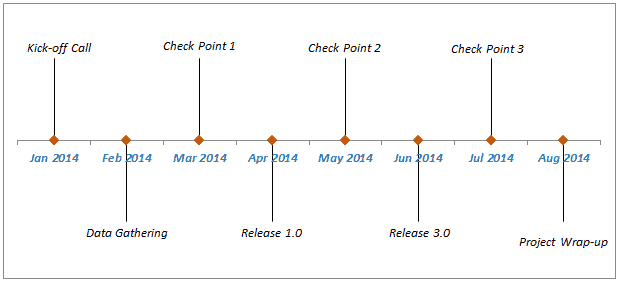
@lusty shard Something like this, except in hours/minutes instead of days, or...https://blog.happioteam.com/wp-content/uploads/2019/11/Milestone-chart-in-Excel-Pic.png

Something more like this?
https://pryormediacdn.azureedge.net/blog/2015/03/Fred-Pryor-Seminars_Excel-Timeline-Chart_figure-1.jpg

 glass crypt
Is there a way to print a formatted string in blueprint? Like I have a health variable in my BP and I'd like to print: "Health is {Health}"
 meager spade
glass crypt
Is there a way to print a formatted string in blueprint? Like I have a health v...
meager spade
glass crypt
Is there a way to print a formatted string in blueprint? Like I have a health v...
You can append

 wind sequoia
glass crypt
Is there a way to print a formatted string in blueprint? Like I have a health v...
wind sequoia
glass crypt
Is there a way to print a formatted string in blueprint? Like I have a health v...
pretty sure u use print text
glass crypt
ah ok, thanks!
maiden wadi
Yeah. Print Text or PrintString with a convert to string, either way.
meager spade
Feeling dumb rn, didn't even know print text was a thing
maiden wadi
I've started using it a lot. It's soooo much cleaner to make a formattext node instead of appending five things together. 😄
meager spade
I can imagine
maiden wadi
Funny enough I like the syntax for it in C++ too. I find it a lot easier to just use FText::Format instead of %s string stuff.
 surreal peak
SetRelativeScale or SetWorldScale3D?
 quick grove
it's a box in a blueprint actor and I'd like to increase it (+1) each second
surreal peak
And then only touch the Z axis and feed x and y back into it from the getter
lusty shard
@maiden wadi yep. The 2nd one is more preferred. The powerful effect of showing your numbers in a compatible way is a great way to encourage replayability.. so yea lol. The 2nd one. I could just use the slider for that, but what If I want a line chart similar to age of empires results screen.

 maiden wadi
lusty shard
maiden wadi
lusty shard
This is actually easiest. This is nothing more than a bunch of data converted into some line paint data.
lusty shard

I have used stamps or decals in the level editor to create something similar lol
but no idea where to start within widgets
is there a line with a point A and Point B value or somehting?
maiden wadi
Every Userwidget has an OnPaint function. It's similar to tick, except that it runs on the rendering thread. Requires const data.

 late blaze
Is it possible to send information from a Widget Blueprint like calculations, to a Game Instance blueprint? Because when I try to print a string of what is being sent from the widget bp to the game instance, it shows up blank.
maiden wadi
late blaze
Is it possible to send information from a Widget Blueprint like calculations, to...
Should be fine. Anything that can get a reference to world should be able to GetGameInstance and do whatever you need with it.
 onyx violet
is there an easy way to have a float round to a certain decimal point? I want a value from a slider to only be 0.01, not 0.01235664 whatever number like that
also without using the 'mouse uses step' setting on the slider
maiden wadi
onyx violet
is there an easy way to have a float round to a certain decimal point? I want a ...
Sort of, yes. Is this for display, like in text, or do you need to actual value rounded?
brazen merlin
im having flashbacks
float * 100 to move the decimal, Round to convert to int, int/100 which converts it back to float - as some others have also done this same thing, do be aware that floats are not all the precise. I think the hundreds place wont be that bad though; should be relatively correct
 safe iron
Hey, so I've been coding this key requirement feature for doors, more specifically I want to make it so picking up a key turns a Is [Key name] Owned boolean on in the Character Blueprint, these multiple booleans will make an array, and then, when a player opens the door, it checks whether the boolean assigned to the determinate index in the Keys Array is true or false, and if it's true, it opens the door, but I'm getting an error on the array and I can't understand why, suggestions?
 late blaze
maiden wadi
Should be fine. Anything that can get a reference to world should be able to Get...
late blaze
maiden wadi
Should be fine. Anything that can get a reference to world should be able to Get...
Right, well essentially what I trying to do is get the selected option of a combo box and feed it into a Print String, but that wont show for some reason.
safe iron
safe iron
Hey, so I've been coding this key requirement feature for doors, more specifical...
More specifically, when I connect something to the Input Exec of the Branch connected to the get node, I get an error when I compile, while nothing is connected, no errors
brazen merlin
late blaze
Is it possible to send information from a Widget Blueprint like calculations, to...
in your widget bp, on its Construct event, get game instance and cast it to your game instance class and store the cast as a variable, reference that variable in your widget's update function and pass or set the value to the GI
maiden wadi
late blaze
Right, well essentially what I trying to do is get the selected option of a comb...
Odd. The option selected should show whatever the options string was when you added it to the box. Would need to see some logic to know why that would fail.
late blaze
maiden wadi
Odd. The option selected should show whatever the options string was when you ad...
 brazen merlin
safe iron
Hey, so I've been coding this key requirement feature for doors, more specifical...
brazen merlin
safe iron
Hey, so I've been coding this key requirement feature for doors, more specifical...
did you compile your character bp?
maiden wadi
Append into the printstring with some extra data, make sure it's actually printing something. If it's not, then either that get isn't valid, or your table row wasn't found.
safe iron
brazen merlin
did you compile your character bp?
Wait, I'll check
late blaze
maiden wadi
Append into the printstring with some extra data, make sure it's actually printi...
I'll try that
safe iron
brazen merlin
did you compile your character bp?
The dumbass I am didn't compile... Thanks for telling me
Now it works
And I feel dumb...
onyx violet
maiden wadi
Sort of, yes. Is this for display, like in text, or do you need to actual value ...
actual value
maiden wadi
Mostly just a matter of knowing where you want to clamp it. At hundredth or thousandths place for instance.
brazen merlin
onyx violet
actual value
Read up i gave you the answer
maiden wadi
For instance, the math to clamp the number you displayed.
0.01235664 * 100 = 1.235
1.235 rounded is 1
1 / 100 is 0.01
onyx violet
brazen merlin
float * 100 to move the decimal, Round to convert to int, int/100 which converts...
ok ty for this
onyx violet
maiden wadi
For instance, the math to clamp the number you displayed.
0.01235664 * 100 = 1.2...
thanks
 thorn trellis
Just in case someone else runs across this log warning Audio Load On Demand requires Audio Streaming to be enabled in project settings in addition to selecting one of the options for loading in the audio file object: #blueprint message
 red narwhal
Anyone know if there's a way to check if an actor is entirely within a trigger box.
Rather than simply overlapping it a bit?
gentle urchin
Get the actors extent, compare to the edge of the collision volume
 lunar flower
Hey how can I split a string like this RX20RY32RZ30T22 to end up with only the numbers?
RX = 20
RY= 32
RZ= 30
T= 22
?
gentle urchin
Parse -> split when isnumeric and was not numeric, and visa versa
umbral ginkgo
Whats the best way of making it so that when an event is called, the blueprint gets all actors of a certain class and randomly selects one
I tried using arrays but being completely honest idk how they work
gentle urchin
Array -> get(random int in range(min=0, max=length(array))
umbral ginkgo
gentle urchin
Array -> get(random int in range(min=0, max=length(array))
The thing is I cant have the array do its thing when the event is called
gentle urchin
umbral ginkgo
The thing is I cant have the array do its thing when the event is called
How so?
 gentle urchin
O.o
icy dragon
umbral ginkgo
<@!231467939734355969>
...that's not how you do it in the first place.
umbral ginkgo
😮
faint pasture
safe iron
Hey, so I've been coding this key requirement feature for doors, more specifical...
Do keys by just adding the keyid to an array
MyKeys = [KeyA, KeyC]
Pass MyKeys to a lock when trying to open it. The lock will decide if it will open by checking if the passed array contains MyKeyID
icy dragon
Actually hold on, let me pop up my editor real quick, for cross checking
umbral ginkgo
k
icy dragon
umbral ginkgo
k
This is how you should do it.

Of course, define the class in Get All Actors Of Class first, but afterwards, that should be the setup.
gentle urchin
If no more actors spawn dynamically, you can just save the array but prob doesnt matter in this case
icy dragon
umbral ginkgo
what does Length and get do?
Length is basically fetching the total count of items in the array, Get is getting a copy of reference of the item in an index.
umbral ginkgo
Ok thx
icy dragon
Though I think Length starts from 1, so maybe you need to give it subtraction by one before passing it into Max value.
umbral ginkgo
Ok
gentle urchin
I think random handles that? Max - 1?
Doesnt it say in description/tooltip text
If not then lastindex is an option to use
icy dragon
It's less than or equal, so it can hit exactly the max number
 gentle urchin
Ah mb then^^
icy dragon
Yeah, so @umbral ginkgo replace the Length node with Last Index, resulting to this
 icy dragon
No probsies, also shoutout to @gentle urchin for reminding me of Last Index node lol
umbral ginkgo
@gentle urchin thx for helping 菊地真 help me
gentle urchin
Good times
 tall imp
i have a ton of these errors but cant find why... they appear when closing the Play mode

its the same error but all for a diffrent branch
gentle urchin
Trying to access some null reference
Probably on tick by the looks of it
Your variable "myplayercontroller" is invalid
You need to set it,
umbral ginkgo
icy dragon
Yeah, so <@!564968907413258267> replace the Length node with Last Index, resulti...
Uhh whered you get that set node
icy dragon
tall imp
i have a ton of these errors but cant find why... they appear when closing the P...
Or alternatively use Get Player Controller directly if this is single player.
icy dragon
umbral ginkgo
Uhh whered you get that set node
Make a new variable out of the Array Get node.
gentle urchin
Definetly ^ i assumed custom pc
tall imp
gentle urchin
You need to set it,
ohhh ye forgot to do that thx
 fluid stratus
Alittle lost in how level transitions work. I was about to put some update stuff out. But decided to do a test, I use portals to go from level to level (open level by name). But only in a packaged game it fails to load the level and goes to the main menu.
 foggy escarp
fluid stratus
Alittle lost in how level transitions work. I was about to put some update stuff...
foggy escarp
fluid stratus
Alittle lost in how level transitions work. I was about to put some update stuff...
Do u think you have the levels set in the package settings?
fluid stratus
foggy escarp
Do u think you have the levels set in the package settings?
I am not sure to be honest 🤔 . I am checking now, fingers crossed this may work.
hmmm how many might there be allowed? I am abit lost as to how to add more then the main menu, starting map. I hope to add sub levels and maybe be branching off if possible.
foggy escarp
As many as you need
There should be an array you can add them to in the project settings
tawdry surge
You should handle changing levels from within the levels themselves.
Either with streaming volumes or in blueprint
trim matrix
Hey, I am extremely new to this whole unreal engine and doing stuff scene. I am learning it as a hobby so if it looks like I am asking dumb questions then I am sorry that is the reason lol. anyway lol, I would like to know how to set up my start menu, main menu, and options menu blueprints. like I would like when you are at the start menu you and if you push a key then you go to main menu, then when you want to go to options menu you go to options. I would like to understand how to set them up accordingly. I have each of the separate BP ready made, I just need to learn how to make it work together the way I need it to. any help is appreciated thank you.
icy dragon
trim matrix
Hey, I am extremely new to this whole unreal engine and doing stuff scene. I am ...
Basically you have a bunch of widget:
- Start menu widget, destroy (Remove From Parent) if player presses a key (this can be done by either passing input from Pawn or done directly in the widget BP), and spawn the main menu widget (by spawning, I mean creating a widget and immediately add it to viewport)
- Main menu widget, with at least a simple vertical box for the buttons. On Options Menu button clicked, destroy the main menu widget and spawn the options menu widget
- Options menu... This really depends on your game, but for the back button, destroy the widget itself, and spawn back the main menu widget.
trim matrix
I have another question on that
so
let's say I start it up
I would like to have the main menu without me controlling the person. I saw a tutorial on how to make a main menu but when I made it I was controlling the character. How can I make it that I am nothing when trying to select menus then turn into something when playing the game?
umbral ginkgo
new scene
umbral ginkgo
Just make a new scene with no player spawn
icy dragon
trim matrix
I would like to have the main menu without me controlling the person. I saw a tu...
Simply make a Pawn with a camera in it, and have it spawn the Start menu on BeginPlay.
Also setting the control to UI only.
umbral ginkgo
listen to @icy dragon hes smarter than I
trim matrix
lol
you all are great
thank you for the help
if I have more questions (which I definitely will) then I will ask
umbral ginkgo
If you have any simpler questions chances are I might be able to help
icy dragon
trim matrix
thank you for the help
Also don't forget to have the pawn auto possess to Player 0.
icy dragon
Player 0 = basically you, the player. Indexing is start from 0.
trim matrix
also
umbral ginkgo
You can change it in project settings
gentle urchin
Personally i just used spectator pawn for the main menu i think,
trim matrix
should i make the start menu thing in Level blueprint?
gentle urchin
And used level beginplay to add the widgets
icy dragon
trim matrix
should i make the start menu thing in Level blueprint?
I won't advise using level BP.
trim matrix
is level blueprint just for gamemode stuff?
 dusky harbor
Hi everybody.
I am trying to control the character movement (Keyboard Inputs: W, S, A, D) with Touchdesigner.
I want something like: Press Button in Touchdesigner and this button press the "W, S, A, D" on the keyboard the character moves.
Does anybody know how can i achieve this?
Does anybody have any experience with OSC and character movement?
I managed to make a location transform, but this moves the location from the character and there is no right movement.
I would like very thankful if anybody could help me!!
 trim matrix
ooooh that guy is working on intense stuff. I feel very intimidated by that.
umbral ginkgo
trim matrix
is level blueprint just for gamemode stuff?
just dont use level bp
trim matrix
ok
umbral ginkgo
its just annoying to use
icy dragon
trim matrix
is level blueprint just for gamemode stuff?
Game Mode is its own thing. Level BP is basically a BP tied to one level/map
This could be a problem, if say, you have multiple levels for main menu (e.g. different backgrounds everytime player start the game or go to main menu)
gentle urchin
Actually, i used the pc *
Had a pc _ main menu
Thats how i did the widgets. Sry for the deception
trim matrix
Thank you @icy dragon I appreciate the help
icy dragon
Also for disambiguation, PC here means Player Controller
umbral ginkgo
I was confused
i really need to learn the terminolgy
i came here to ask a question and ended up attempting to answer some
faint pasture
trim matrix
Hey, I am extremely new to this whole unreal engine and doing stuff scene. I am ...
I like to do it with an enum. You make an enum with all the states (In-game, Main, Options, Pause) and give the PlayerController or HUD an event UpdateMenuState that passes over the new state. In that event, using the new state and the current state, you spawn/show/hide widgets
faint pasture
So for me, showing the options menu is just getting the PlayerController and calling UpdateMenuState(Options)
Nah it all can live in the PlayerController or HUD
gentle urchin
So you're always in the main level?
tawdry surge
Don't say "Don't use the level blueprint" it's not bad it just has particular use cases..
If you're doing a menu system on it's own level, there's no real reason not to set it up in the level bp
gentle urchin
Erh, game level or whatever
faint pasture
It has nothing to do with the level.
gentle urchin
It doesnt and yet it does
faint pasture
LevelBP is a noob trap 99% of the time.
In our project you only ever have 1 HUD, but you can do the same thing a mliom other ways
The main idea is to make a state driven. Then have all the rules for whether or not you spawn a widget or just show a widget that already exists or whatever wrapped up inside of whatever is managing this state.
icy dragon
Also reusability.
faint pasture
It's a state machine basically, with the state wrapped up as an enum
So you could actually make a transition called back, which will make it go back to whatever widget was shown before. Super simple
icy dragon
Obvious case point: Options menu should be reused in pause menu. Constrain that to level BP, and you'd have to do the same thing again on an actor BP in-game.
faint pasture
Menu widgets should never live anywhere besides player controller or HUD imo
umbral ginkgo
Back with another array related question; how do I get a reference to the variable chosen in an array?
gentle urchin
Thats the out from the get node
If you need the index you must cache it first(from the random node)
tawdry surge
You don't have any sequences in your game?
No level or sub level specific logic for when a certain area has been completed?
faint pasture
tawdry surge
You don't have any sequences in your game?
No level or sub level specific logic ...
Who?
umbral ginkgo
gentle urchin
If you need the index you must cache it *first*(from the random node)
Can you explain what the index is?
icy dragon
tawdry surge
You don't have any sequences in your game?
No level or sub level specific logic ...
No strictly level specific logic, thanks to open world system.
dawn gazelle
umbral ginkgo
Can you explain what the index is?
The index is the number you use to reference the specific item in the array.
gentle urchin
The array is a bunch of elements in a 'list'
The index is which item , counted from start, you want
Or got.. or whatever you wanna call it
So if the array had 3 elements: apple, banana, orange, they'd belong to the indexes 0,1 and 2. Doing a 'get' from the said array with an index of 1 would gice you 'banana'
umbral ginkgo
Ok got it
trim matrix
hmmmm
umbral ginkgo
You mind me asking how I cache it?
trim matrix
so, I'll test both to see which is easier on my tiny brain
gentle urchin
Save it in a temporary variable
trim matrix
thank you all so much
icy dragon
umbral ginkgo
You mind me asking how I cache it?
Put the resulting random number in a variable.
gentle urchin
The random node picks a random value each time you read from it
umbral ginkgo
For once that actually kinda makes sense
gentle urchin
So if you say tried to get an index from the random, then get what would appear to be the same index afterwards, it would've returmed a new value
icy dragon
trim matrix
so, I'll test both to see which is easier on my tiny brain
You should find doing it in actor BP instead of level BP easier. Godspeed.
trim matrix
oh, gotcha I was gonna stay away from the level BP stuff lol
now i know it's a weird thingy
uhm....if i have any trouble I will ask more questions
wait I have uno mas question
lol
soooo, I am the type of person who needs to make one thing at a time to focus on stuff. Like for example I would love to focus on the start menu widgets because they are simple and then branch off into other things like making a character and so on and so forth. But do I have to make a character first in order to make the start menu thingy? or in better terms is it possible to focus that or does it need other variables to work? like a character in order to spawn in controlling a character. BTW I am starting from scratch to get the hang of things.
also, I am bad with words
gentle urchin
You can totally start with only widgets
trim matrix
ok thank you so much
gentle urchin
The only thing you need to handle from the 'putside' is spawning the widget, and making the miude appear, assuming you wanna play around with it on the computer with a regular mouse
Thats the easiest place to start for umg imo
trim matrix
ok
thank you
@icy dragon when you said earlier about "spawn the main menu widget" what do you mean by putting it in the viewport? Also, when I put the options menu to remove from parent then from that exec I put cast to OptionsMenu_BP but it asks for the object and I don't have an a player on screen created nor anything else besides atmosphere and a light. what do I do there?
umbral ginkgo
trim matrix
soooo, I am the type of person who needs to make one thing at a time to focus on...
I suggest working on menus last. I consider them more of as a polish thing. Its a good habbit to focus on one system at a time tho
trim matrix
I am trying to focus on one thing and I wanna get the hang of doing BP but I am confused on a lot when trying to understand BP and when I look at help people just say "play around with the blueprints". So, I'm trying to do little things at a time to get a hang of them.
umbral ginkgo
gentle urchin
If you need the index you must cache it *first*(from the random node)
Would I do that by promoting random to a variable
brazen merlin
This is what I usually make for a main menu since it's separate from the actual gameplay
 gentle urchin
umbral ginkgo
Would I do that by promoting random to a variable
gentle urchin
umbral ginkgo
Would I do that by promoting random to a variable
Yepp
umbral ginkgo
trim matrix
I am trying to focus on one thing and I wanna get the hang of doing BP but I am ...
I think thats a good idea. Start small, get the hang of it
focus on what you want to do
trim matrix
yep
umbral ginkgo
@gentle urchin thx
icy dragon
trim matrix
<@!325627930484932608> when you said earlier about "spawn the main menu widget" ...
By putting it in the viewport, I mean after creating your widget with Create Widget node, it won't immediately appear on screen, from the resulting created widget output, you have to add it to viewport with Add to Viewport node.
I'm still unclear about the second question. A screenshot of your BP setup could help here.
umbral ginkgo
Ok I have a new question (last one, I promise) how would I print the index (Using print string node)?
brazen merlin
all you need in the Controller
 trim matrix

that is my main menu
thingy lol
nowww I have a question about the start menu
geez I feel annoying
sorry guys
umbral ginkgo
pro tip: shorten your questions as much as possible, makes you feel like less of nuisance
trim matrix
you are not wrong lol
umbral ginkgo
umbral ginkgo
Ok I have a new question (last one, I promise) how would I print the index (Usin...
^^?
gentle urchin
The found index?
If you cached it, you can just print the cached variable
Int to string will auto convert if you try:)
trim matrix
I assigned a key for a dance animation
but it wont play it , instead it makes my character go to a T-pose
 brazen merlin
trim matrix
brazen merlin
trim matrix
what's inside the Dancing state of your anim graph
also, please remove your post in the other channel
umbral ginkgo
General rule of thumb, only post in one place
trim matrix

@brazen merlin this works but when the animation is done
its just stuck on the last frame
brazen merlin
"what's inside the Dancing state of your anim graph"


 brazen merlin
thats the transition logic from and to the the node i am asking about
what's in this


 brazen merlin
if the IsDancing condition is true, it will play the animation inside the Dancing node of your anim graph. Calling play animation is not needed. It will not transition out of the Dancing animation because IsDancing is not set to false as far as I can tell
 brazen merlin
should be
brazen merlin
" It will not transition out of the Dancing animation because IsDancing is not set to false as far as I can tell"
gentle urchin
You can make it go back if remaining montage playtime is <0.05 or whatever the value is
There wss a getter for that..
brazen merlin
i dont want to detract from this, but montages serve most one-off animation issues like this. Mainly because in the montage, you can set an Anim Notify event which, when it first, does something. So in this case, you can have the montage of the dance animation, set an Anim Notify event near the end of the dance, that event gets called which then turns off that bool. I believe you would also need to cache the pose for a separate slot. Yes a lot of work to setup, but if you plan on other one-off animations, you've done the setup work and its just making the Anim Notifies at that point.
gentle urchin
Toggle the bool off at key released. The transition is blocked by remaining time^^
Once transitioned, itll check the new condition to transition further(in this case back to the previous state idle)
Notifyers is also a very valid option. More stuff to setup and getting used to but well worth it
trim matrix
ouf
brazen merlin
yeah, if its just for this one, its possible to hack in a delay of the time the animation is to then turn off the bool
gentle urchin
I think you can do it instantly
brazen merlin
InputAction Dancing > Set IsDancing > Delay > SetIsNotDancing
gentle urchin
Dancing pressed -> dancing = true
Dancing released -> dancing = false
Then transition to dance on dancing = true
brazen merlin
to what Squize is saying, it would be ideal to have some additional logic to not allow this to fire while dancing is happening. And alternatively, to use this input as Squize suggests
gentle urchin
Would it matter if it did?
Holding dance would make it loop back in
Pressing it while dancing would do nothing
Atleast, i dont think it would
brazen merlin
gentle urchin
Would it matter if it did?
im in full agreement with your proposition
gentle urchin
I cant find the node im thinking of tho , for transitioning back
trim matrix
 gentle urchin
Sorry to hijack it btw. Didnt mean to. Your proposal was perfectly valid from my pov
trim matrix
this doesnt work at all
brazen merlin
scroll up Squize
trim matrix
thanks for the tip guys
brazen merlin
trim matrix
this doesnt work at all
ok then
gentle urchin
Avtually the our could be both is not dancing and montage near end
But oh well
Just so it transitions at a fixed anim position
brazen merlin
trim matrix
thanks for the tip guys
it might also be important to test if the player can move when the dance is happening 🙂
fierce geyser
is it worth having the following hierarchy for camera control: PlayerController -> Character (which has a camera + spring arm)
if yes, why?
brazen merlin
regarding third person or first person?
fierce geyser
third person
brazen merlin
the template has it setup in the ideal way
fierce geyser
actually, not quite third person either
brazen merlin
OTS?
fierce geyser
no
brazen merlin
top down?
fierce geyser
it's for a city builder/RTS/puzzle game like thing
so there is no central character
the central character is invisible
brazen merlin
uhh, try the... whats the template
top down template
that should have the right setup
fierce geyser
okay, ty, let me have a look
brazen merlin
i do believe its like the tps character but with some different control settings
you still control a character though
you'd have to find tutorials that cover camera control for rts style games which is quite a deep subject, cameras are trickier than they lead on
fierce geyser
i'm following this tutorial for that: https://www.youtube.com/watch?v=b5dYlaeriyo

In the first episode of this City Building Game series set in Unreal Engine I'm going to create our basic framework and implement some basic camera movement, rotation and zooming to navigate our world with
0:00 Intro
2:30 Pawn Setup
4:00 Adding Movement Input
14:00 Camera Zoom
-------------------------------------------------------------------...
and in this, they set up an intermediate character ("camera controller"), and a player controller
I don't understand why they are doing what they're doing though
velvet dagger
Hello peoplesss, I need some help. Trying to make a flutter like ability in a game. So like, you jump once, then you jump again, and now you can hold a button to slowly fall, but over time the fall speed will stop being slow. Sooo, I can't find a way to manipulate the gravity of the character nor the floatiness of it, so what can I dooo? Help would be much appreciated. :)))
brazen merlin
fierce geyser
i'm following this tutorial for that: https://www.youtube.com/watch?v=b5dYlaeriy...
although they are both called controller, there is a pawn and controller class used
brazen merlin
yes, characters can be controlled by controllers
fierce geyser
right
brazen merlin
why not just have a camera that flys around?
fierce geyser
there is another tutorial, for an RTS
which does not use the Character intermediate
brazen merlin
well, remember, although these are all tutorials and they achieve what they set out to do, they are solved by people without any form of prior review process. It is simply posted online and called a tutorial. I've seen many that show bad practices, are hacky, etc. It makes sense to find conflicting info
fierce geyser
that makes sense, and i suppose that is part of why i want to understand their decisions
rather than blindly follow them
but i can't figure out how to verify/vet what they are doing
brazen merlin
i compare them against my design needs
for example, you should consider all behaviors you want out of your camera - relating to a game you've experienced in is a good start. itemize what is possible and see if that information is out there
fierce geyser
brazen merlin
for example, you should consider all behaviors you want out of your camera - rel...
sure, but even if i make a list of what possible behaviours i want, there might be say, 5 different ways to implement that
but surely there must be some way to figure out best practices, for something like camera control?
or do I just experiment, and go with whatever happens to work?
I'm fine with doing that too, I just have to change my expectations (for example: maybe stop questioning what a tutorial is teaching, and just go with it, if it gives me the desired behaviour)
by the way, the top down template does not give me any of the types of camera behaviour i want
(e.g. zoom, scrolling, WASD camera movement)
 bright harbor
dumb question but how would i check if an array is empty
or to be more specific, by using the get overlapping actors node, how do i see if no actor is overlapping
foggy escarp
You can use the get length node after getting all overlapping actors
brazen merlin
fierce geyser
sure, but even if i make a list of what possible behaviours i want, there might ...
there will be multiple ways to do something. games are interconnected systems, therefore considering what is needed in full dictates that direction. It sounds like you've not made games much, so the usual advice is to start with a small project or copy another simple game to learn what is going on with the systems in how you solve them. You've started by wanting to make a technically harder game coupled with no inherent support by this engine. Templates are great start points as they handle some of the more complex systems that would otherwise be coded from scratch.
bright harbor
foggy escarp
You can use the get length node after getting all overlapping actors
would i just check if it's 0?
fierce geyser
brazen merlin
there will be multiple ways to do something. games are interconnected systems, t...
sure, but I do not want to make FPS/TPS/TopDown etc. games...that's just not anything that motivates me.
I did find some information on setting up cameras using a pawn: https://docs.unrealengine.com/4.26/en-US/ProgrammingAndScripting/ProgrammingWithCPP/CPPTutorials/PlayerCamera/
Learn to manipulate a Camera and a Pawn at the same time, using player input.
but it is CPP only, not blueprints based
which is fine, but I was told yesterday in general chat that "Blueprints just do things better/are more streamlined"
anyway, I guess googling for "unreal blueprint camera control" gives me some relevant hits, even if they do not point to Unreal documentation
and at least the incomplete bit of documentation above does validate using character + spring arm as a way to manage the camera
umbral ginkgo
Trying to make an array, assign the index to a variable, and print the index to the screen but it only prints 0. What am i doing wrong?

Also there are only 2 actors of that class
fierce geyser
What is the motivation behind the name Add Movement Input ?
Add Movement Input
add movement vector received from vector to pawn's coordinates?
docs just say "add movement input", but not to what
 worthy fern
Getting the absolute worst crash when trying to drag something out of an actor from GetActorFromClass. Happens every single time and didn't yesterday. What could be causing this?
[2021.12.05-02.40.19:862][269]AssetCheck: New page: Asset Save: MenuHover_InGame
[2021.12.05-02.40.19:862][269]LogContentValidation: Display: Validating Blueprint /Game/Blueprints/MenuWidgets/MenuHover_InGame.MenuHover_InGame
[2021.12.05-02.40.23:652][363]LogWindows: Error: === Critical error: ===
[2021.12.05-02.40.23:652][363]LogWindows: Error:
[2021.12.05-02.40.23:652][363]LogWindows: Error: Fatal error!
[2021.12.05-02.40.23:652][363]LogWindows: Error:
[2021.12.05-02.40.23:652][363]LogWindows: Error: Unhandled Exception: EXCEPTION_ACCESS_VIOLATION reading address 0x0000000000000000
[2021.12.05-02.40.23:652][363]LogWindows: Error:

[2021.12.05-02.40.23:652][363]LogWindows: Error: [Callstack] 0x00007ff85ac1aca7 UE4Editor-BlueprintGraph.dll!BlueprintActionFilterImpl::IsNotSubClassCast() [D:\Github\UnrealEngine-Custom\Engine\Source\Editor\BlueprintGraph\Private\BlueprintActionFilter.cpp:1567]
[2021.12.05-02.40.23:652][363]LogWindows: Error: [Callstack] 0x00007ff85ac19283 UE4Editor-BlueprintGraph.dll!FBlueprintActionFilter::IsFilteredByThis() [D:\Github\UnrealEngine-Custom\Engine\Source\Editor\BlueprintGraph\Private\BlueprintActionFilter.cpp:2083]
[2021.12.05-02.40.23:652][363]LogWindows: Error: [Callstack] 0x00007ff85ac1911b UE4Editor-BlueprintGraph.dll!FBlueprintActionFilter::IsFiltered() [D:\Github\UnrealEngine-Custom\Engine\Source\Editor\BlueprintGraph\Private\BlueprintActionFilter.cpp:2024]
 brazen merlin
probably not meeting with the base of your capsule collider
use an orthographic view in the bp to check
 vocal bobcat
Can I make a parameter like this for a custom bp function? I'd like to have a dropdown like this for the correct type. I don't see the type of enum that I can use for this.

 sharp rapids
vocal bobcat
Can I make a parameter like this for a custom bp function? I'd like to have a dr...
sharp rapids
vocal bobcat
Can I make a parameter like this for a custom bp function? I'd like to have a dr...
Create a variable of the type you want, it'll show the dropdown automatically
 sharp rapids
Create a variable of the type you want, it'll show the dropdown automatically
sharp rapids
sharp rapids
Create a variable of the type you want, it'll show the dropdown automatically
For e.g. If you create a 'Texture2D' variable, it'll let you select all the Textures in the project
vocal bobcat
sharp rapids
Create a variable of the type you want, it'll show the dropdown automatically
Geez, thank you. Sorry for my stupidity 😆
brazen merlin
trim matrix
can you take a screen shot using the front or side view instead of the perspective?
trim matrix
 brazen merlin
alternatively, this could be an issue with the characters physics asset, the feet might have overly large collision - change it there or simply turn of all collision for the character mesh as the capsule collider, in most cases, is sufficient
trim matrix
 brazen merlin
there does seem to be a tiny bit, but that doesnt look like as much as in the earlier shot, so perhaps the physics asset
try turning off collision for the mesh here in this bp
 brazen merlin
yeah, because the capsule collider will handle general collision
trim matrix
ya it does change anything
brazen merlin
really
trim matrix
Im in the physic asset now
brazen merlin
feet look normal or..?
trim matrix
 brazen merlin
hmm, those feet capsules
trim matrix
 brazen merlin
kinda looks like the cause
trim matrix
damn yo
brazen merlin
can you select both and move them up a little?
trim matrix
what the hell happened
brazen merlin
dunno, looks like default physics asset generation
feet and hands are typically boxes
 brazen merlin
hope it works lol
trim matrix
¸nope lol
trim matrix
yeah
brazen merlin
beats me
trim matrix
maybe is something in my blueprint

so I guess brought my character down in the capsule window
and now my feet are in the ground lol
well
the issue is that it keeps snapping when I move the character down
would be great if there was a way to just move it without snaps
brazen merlin
trim matrix
i think thats the phsyics asset
trim matrix
it worked
brazen merlin
turn that off for no snaps
 trim matrix
thanks for the help dude
brazen merlin
np
tropic pecan
Hey there. Once again, I ask to anybody for any solutions of how to set up controls for unit spawns. I've managed to set it up to spawn and de-spawn, now I'm trying to rig the controls. I did find one way cause I had to find out if my structures were wrong but I found they weren't. For some reason, the control structure I've set up or so would not cooperate for some reason. I ask anybody for solutions.

I've attempted to use Flip Flop but it won't de-spawn the character after being spawned. Please, does anybody know any solutions?
 dark crow
Are you trying to just spawn a class?
tropic pecan
dark crow
Are you trying to just spawn a class?
First spawn a class, then de-spawn a class after if it's already there while using the same key.
dark crow
Why not use a InputAction Key in the first place?
tropic pecan
dark crow
Why not use a InputAction Key in the first place?
InputAction Key? Is that supposed to be in the project settings?
dark crow
Yes
And you can just normally spawn it, hold it in a ref, next time you press it destroys it instead
You can check for validity of the ref or whatevs to determine
Dunno what you trying to achieve so just wild guess
Cause in the end if you want multiple units there's plenty of ways to handle this
tropic pecan
dark crow
Dunno what you trying to achieve so just wild guess
It's a little hard to explain. I have a base for my Widgets that contain button setups. The Event Menu custom events are from the widget base that contains the buttons. I'm trying to set up a party system and it sure is a struggle. For some reason, they won't work with the flip flop for spawning and de-spawning.
dark crow
Are you trying to spawn a unit in the party or just a widget?
tropic pecan
dark crow
Are you trying to spawn a unit in the party or just a widget?
I'm trying to use a widget to trigger a spawn, which I've done and I've managed to make a de-spawning structure. For some reason, they won't work with a Flip Flop in the widget. I used the "Was Input Key Just Pressed" just to see if my structures were not right but that doesn't seem to be the case. I'm recommended not to make use of that for final results. So what I'm saying is I'm trying to rig the controls to spawn and de-spawn from the widget.
dark crow
Well, to keep it short
You can test it in the widget, but if the game is gonna be multiplayer then you gotta move stuff around
Widget Button Pressed -> Spawn Unit -> If you have Widget representation of Unit: Store identifier in the Widget -> Button Pressed Again -> Remove from party using the identifier aka destroy
tropic pecan
This is what's in my widget base for the buttons.
 dark crow
I think you are overcomplicating a spawn from Widget xD
tropic pecan
dark crow
I think you are overcomplicating a spawn from Widget xD
This was originally made by someone else and I've been re-editing it. It's from a JRPG Turn based blueprint found at the market. I plan to remake a game called Persona 5 cause I was extremely fond of it and I want to make it better.
 pale blade
In Materials: Is there a way to set Speed as a variable that can be controlled in blueprint?
I know you can create parameters for like Coordinate and Time, but what about the things inside the Rotator (like Speed)?
 tropic pecan
dark crow
I think you are overcomplicating a spawn from Widget xD
tropic pecan
dark crow
I think you are overcomplicating a spawn from Widget xD
I'll just keep looking for now. Thank you for at least replying.
dark crow
Just seems a odd way of doing it, i don't know what's happening in the code in the bigger scale so can't give a proper reply
tropic pecan
dark crow
Just seems a odd way of doing it, i don't know what's happening in the code in t...
I would have made it bigger but then you wouldn't be able to see what was used.
brazen merlin
pale blade
In Materials: Is there a way to set Speed as a variable that can be controlled i...
time is speed, should be able to use a param * time and plug that in to use
pale blade
brazen merlin
time is speed, should be able to use a param * time and plug that in to use
I think I'd have to use like a timeline to continually modify Time via float parameter
Is there like a way to just set the Speed directly? It'd be way more convenient

 tight schooner
Yeah if there's something that uses the Time node as an input to drive an animation in the material graph, multiplying time is how you control the speed of the animation
If you want to have timeline drive it, then you need to have timeline setting a parameter. It'd be a simple float (scalar) ramp that goes from 0 to 1 or whatever and you plug that directly into the Rotator node's time input. The Time node in the material graph is equivalent to Get Time Seconds in BP AFAIK
So, you know, it's just a floating point number that goes up by 1 every second @pale blade
pale blade
Ah, I see
Got it, it works
Thanks
But I guess there isn't a way to change the "Material Expression Constant" (like speed) directly though then
brazen merlin
pale blade
Ah, I see
Got it, it works
Thanks
But I guess there isn't a way to change the "M...
uhhh, what i posted is what is done within the node, so its the same thing but instead of it being a static variable, its a parameter
it must be of certain param types to be affect by bp - SetScalarParemeter, SetVectorParameter, etc.
there wouldnt be any specific material param calls like SetRotatorSpeedParam
Bp needs to know the name of the param, and a rotator cannot be converted into a param
pale blade
Oh.. I just meant literally directly changing the "Speed" as a variable
But your time * param works good
brazen merlin
to change the speed of rotation?
pale blade
Yeah
 brazen merlin
i guess it would help to understand why you want to do this
pale blade
Change speed as like a param, directly
brazen merlin
are you rotating the image indefinately?
pale blade
In a blueprint, there is a duration that counts down like 10s -> 0s
It spins slower the closer it gets to 0s (faster the closer it is to 10s)
So in the blueprint, I'll set the speed variable
So I was hoping to change the Speed directly, but your Time * Param works too
brazen merlin
does the image you are rotating need to start in the same position each time?
brazen merlin
to clarify the formula, what's going on in the rotator node is (time * Speed) so what you adjust in that node is not exposed as a parameter
what I showed you is (time * param) so its the same formula, but allow for parameter reference
i cant think of any other way to access the Speed value of this Rotator than that formula
glad to know it works for your needs as well
pale blade
Yeah I think I understand
Thanks for the clarification
brazen merlin
sure thing
 willow cedar
In UE4, are Blueprint Components able to be added at Runtime in a game, or do they need to be on the character Blueprint as a component beforehand?