#blueprint
402296 messages · Page 717 of 403
 trim matrix
 void comet
Wonder if anyone can help me. This is my shooting BP. Takes position and rotation of an arrow I have set up to follow mouse, to set up the spawn direction and rotation and I set the velocity in that direction multiplied by my charge meter. Problem is that spawned projectiles spawn further away from my character the longer I charge. Any one can work out why? and how I can fix it?
 trim matrix

 vocal elm
can you really not search the world outliner during a breakpoint?
vocal elm
void comet
Anyone able to help me?
in your offset, I think it looks like its adding the forward vector into the offset, the more you charge, the more it will add to the start position since the position include the forward vector
big word is i think though
void comet
Figured it was to do with offset. How best you think to fix it?
vocal elm
separate the forward vector from the charging so it doesn't add to it
 subtle falcon
Hi, i am facing the weirdest problem ever had…
void comet
Not sure where that is happening. The charge is just a float made by a timeline
Ah no I see. But what can I use instead of forward vector to calculate the offset?
Will using right vector and rotating it work?
Using right vector seems to just do same
Anyone got an idea what to try next?
I can see the problem but not sure how else to calculate the position without the forward vector
Now I have gone back to thinking that cant be the problem. I am increasing velocity by the charge after its been spawned. How can that change the spawn point?
vocal elm
your multiplying your forward vector by 120, thats then getting applied to the spawn transform, try adding it instead of multiplying
void comet
I already tried that, it doesnt make difference
the forward vector is from the arrow i am using to visualise direction of mouse, which I use to make the transform. None of that is connected in any way to the velocity change that happens after
Weird thing is how increasing the charge increases spawn location in any way...just dont get it
How does increasing velocity of the projectile after its spawned change the spawn location..its just so weird
 atomic salmon
void comet
How does increasing velocity of the projectile after its spawned change the spaw...
atomic salmon
void comet
How does increasing velocity of the projectile after its spawned change the spaw...
With a projectile movement component you need to set a spawn location and a direction. The projectile will be spawned at that location and will be given that direction. The velocity of the projectile after it is spawned is set within the projectile movement component itself.
It will be shot along the direction you have set on spawn, unless you uncheck the option to use a local velocity.
In your code you seem to offset the spawn location, which makes the projectile “appear” further and further away depending on the offset. You want to use a “fixed” spawn location instead and change the projectile velocity depending on the charge.
void comet
But isnt the offset the same each time?
 woven arrow
hey, whats the best way to make enemy movement frame independent? I was trying to work off of delta seconds in the event tick, but i have some people trying the game on better pcs than mine and the enemies move way too fast, so i know i screwed up somewhere
void comet
The offset is just the forward vector of an arrow multiplied by a float which is 150 each time..why does increasing velocity of my rocket change the offset?
 south merlin
Is there like a math node that makes whatever it encounters a positive number? I'm getting back a -0.00, and Scale3D does not like the negative
void comet
It seems people keep thinking that the arrow is my projectile but its is not...its is just a arrow i have connected to my player that rotates in the direction of my mouse cursor
south merlin
(I expect 0, just not negative 0)
void comet
@atomic salmon All my offset is doing is increasing my spawn location along the forward vector of my arrow so that it spawns a little distance away from my character...is there another way i can as you say make it "fixed"? Altho I still can't see how setting my velocity after spawning is changing the spawn location
atomic salmon
void comet
<@!399916238098137098> All my offset is doing is increasing my spawn location al...
Your code is not very straightforward so be patient while I try to understand it. One thing you have to realize is the following. The components of a direction vector change as the vector rotates. If you want to just scale the vector but maintain its direction you need to multiply all components by the same amount, otherwise you rotate it.
void comet
Nps Marco thx for help as usual
atomic salmon
I believe your problem originated from all the braking of the vectors and the acting on the single components
void comet
Pretty sure I had the problem before I broke them....was trying to fix it
atomic salmon
Start by spawning your projectile at the arrow
So you need the arrow world location and world rotation
And just compose them in a transform, then pass it to the spawn node
void comet
Isnt that what I have there?
atomic salmon
Do it without braking the vectors
You can add the adjustments later with vector math
void comet
The thing that is confusing me is the only thing changing when I charge the weapon is the velocity of the projectile AFTER it has spawned. There doesnt seem to be any relation between that and the spawning
atomic salmon
Is your projectile simulating physics?
void comet
no
atomic salmon
Ok so it is kinematic
Try this
Make an spawn velocity vector variable in your projectile
Check expose on spawn
In the construction script for the projectile take its value and assign it to the initial velocity
void comet
Yes it doesnt work this line
atomic salmon
In your code, pass the desired spawn to the spawn node
void comet
pretty sure i tried this b4
but ill try again
problem I had was the calculation for setting the velocity happens after the projectile spawns so cant enter it as a variable
get a null error
atomic salmon
Ok. Can you check if the projectile movement component has a Set Velocity node. Can’t recall right now
void comet
ive tried it ticked and nonticked
atomic salmon
Set Velocity in Local Space
void comet
oh thought u meant the boolean.....ive tried replacing set velocity with set velocity in local sapace and didnt seem to make any difference
Yer just tried it now. Still same problem
atomic salmon
what do you do with the projectile speed passed to the spawn node?
and did you change any default settings in the projectile movement component?
void comet
nothing atm...was my attempt at what you mentioned a bit ago
ive changed a lot, trying diff things
nothing unusual is ticked i dont think
atomic salmon
I am pretty sure you can set the initial velocity of the projectile on spawn and make it work that way
Not sure why it doesn't work for you
can you use just the forward vector of the arrow as is, without changing its component, to plug into the part where you set the velocity of the projectile after the spawn
 distant heath
can someone explain why i might use one of these over the other generally?
 void comet
Well to get the projectile movement componenet the projectile needs to be spawned
atomic salmon
ok let me do a quick test
atomic salmon
I am doing a quick test on the FPS template
void comet
k man thx
atomic salmon
void comet
k man thx
works for me
set set an Initial Speed float var (not a vector as I wrongly state above)
 fast lintel
hi guys
i cant wrap my head around on how to have a combat system, in which when i have a weapon in hand my attack animation is different than if i have an axe..
i want to throw punches if i have nothing in my hand, but axe slashing attacks if i have it wielded
anyhelp i can get?
atomic salmon
@void comet make it instance editable and expose to spawn
your construction script should look like this
void comet
Ah yer I told you before I cant set initial speed because velocity takes precedence and I am calculating my own gravity
 dark crow
distant heath
can someone explain why i might use one of these over the other generally?
dark crow
distant heath
can someone explain why i might use one of these over the other generally?
iirc Pure one aka first everytime it's called it will generate a new RandomLocation for where it's pinned into
Second one aka Impure will keep the RandomLocation consistent after the call
atomic salmon
 void comet
If you could make it work with Velocity instead of initial speed it might help me
distant heath
dark crow
iirc Pure one aka first everytime it's called it will generate a new RandomLocat...
thank you!
atomic salmon
@void cometwhen you use Initial Speed, Velocity is a direction vector in local space
so you don't need to set the Velocity as long as the projectile needs to fly in the direction of the arrow
void comet
Initial Speed literally does nothing in my game. No matter what number it is...does nothing. I found out because velocity overrides it
atomic salmon
When initial speed is set to something != 0 velocity is treated as a direction vector. That's what the code does.
Maybe you can try yourself within a blank FPS template.
void comet
In a blank template yer but literally doesn nothing in mine
I am setting my own gravity for the projectiles here

This seems to break initial speed
Which is why I am forced to do it with velocity
fast lintel
guys can i mirror an animation? so that i make an attack thats for a left handed stance be right stance?
void comet
If I dont multiplly the Charge by the velocity in my BP the missiles work fine. My offset works perfectly. Spawns the projectiles infront of the arrow......soon as i add the charge bit the offset screws up
vocal elm
fast lintel
guys can i mirror an animation? so that i make an attack thats for a left handed...
try in #animation 🙂
I'm having an issue, I have 1 blueprint, a cube with sphere collision. and 1 event I want to fire on overlap in the cubeBP. If I have 2 of the same actor in the world and touch them together, they both attempt to fire the event. How can I check the actor by its instance so I can fire the event on just 1 of them? For example, I want to set my held cube as the current instance. I'm trying to attach 2 actors together. I can attach actor A to actor B,C,D,E,F ect.. but I can't attach actor A to A because they try to fire the same logic on eachother
fast lintel
hi guys
i cant wrap my head around on how to have a combat system, in which when i have a weapon in hand my attack animation is different than if i have an axe..
i want to throw punches if i have nothing in my hand, but axe slashing attacks if i have it wielded
anyhelp i can get?
atomic salmon
@void comet tried changing the gravity of the projectile on spawn and still works
even random gravity
void comet
the initial speed?
atomic salmon
both work
void comet
hmmm
atomic salmon

1 file sent via WeTransfer, the simplest way to send your files around the world
here is the test project, have a look. I need to call it a day now. Bed time.
Gn.
void comet
Gnight and thx again man
 soft scaffold
Hi! I had attempts to calculate the angle between the 2 vector, but all calculate was wrong somehow. Any idea?
 woven arrow
hello again, i posted this question above, but another conversation was going on, so i'm going to post again and hope someone might be able to help me.
whats the best way to make enemy movement frame independent? I was trying to work off of delta seconds in the event tick, but i have some people trying the game on better pcs than mine and the enemies move way too fast, so i know i screwed up somewhere
fast lintel
hi everyone i need help, i'v set the sheath and unsheath to key R, but in the tutorial video he sets it to left click, so when not attacking he unsheaths with click, and if ready to attack he left clicks again and attacks..
thing is
i want letter R to be the equip and unequip, and i want to attack with left click
but i cant find a way to incorporate the left click input to the R input of sheathing and unsheathing sword
woven arrow
sorry, this is in addition to the post i made above

 sharp sigil
How come I can't add rows to my DataTable? I derived it from a struct and there's no reason it shouldn't be editable
this is what it looks like

Nevermind, figured it out. It's a composite table
 runic urchin
How would I go about switching a Spawn Actor BP with a input action?
 pale blade
Anyone also experiencing a bug with trying to add DateTime with TimeSpan? The moment I drag the TimeSpan into the bottom input of the Add, it just changes to TimeSpan + TimeSpan

 minor lynx
if im making a multiplayer survival game is the playerstate class the best place to store health or should that stick to the pawn?
im thinking stays with pawn but things like xp and levels would be stored in playstate since that persists past death
 dawn gazelle
pale blade
Anyone also experiencing a bug with trying to add DateTime with TimeSpan? The mo...
dawn gazelle
pale blade
Anyone also experiencing a bug with trying to add DateTime with TimeSpan? The mo...
I think you're misreading what you're seeing. You have a date time plugged into the top pin of the +, and you appear to be hovering over the bottom pin of the + which would show timespan structure.

 dawn gazelle
minor lynx
if im making a multiplayer survival game is the playerstate class the best place...
dawn gazelle
minor lynx
if im making a multiplayer survival game is the playerstate class the best place...
Normally I would think hit points are attributed to the pawn itself rather than the playerstate. Eg. Does a player's state need to have hitpoints if they don't have a pawn they are controlling?
pale blade
dawn gazelle
I think you're misreading what you're seeing. You have a date time plugged into...
I tried it out in UE4, it works
But it doesn't work in UE5
- Drag DateTime into the top of Add
- Drag Timespan into the bottom of Add
- Confirm that the DateTime automatically disconnects from the Add node
- Confirm that the Add node automatically turns into TimeSpan + TimeSpan
 maiden meteor
Hi !
Can someone help me with changing all materials indexes to one (aka make the whole mesh have the same material even tho it's broken into elements?
 maiden wadi
@maiden meteor Why not just apply the same material to all of the mesh's material indexes?
 burnt nest
maiden meteor
Hi !
Can someone help me with changing all materials indexes to one (aka make th...
burnt nest
maiden meteor
Hi !
Can someone help me with changing all materials indexes to one (aka make th...
You would need to do that in a modelling program like Blender. It can't be done in UE.
 brazen stirrup
can u replicate aim offset with control rigs and blueprint?
trim matrix
Hey everyone, having issues with creating a first person freelook system. I’ll do my best to explain because my internet is out currently so no video, unless you want phone quality
So I have freelook done, I set my min and max yaw and pitch so you can’t look at stupid angles or see stuff you aren’t supposed to, upon releasing your view is back to full 360 turning, so that works.
My problem is that let’s say you load in team A facing 12, you press the freelook key, you can look 90 degrees left, right, up like I designed
But if you turn to look at 9 then press the key, you can turn zero degrees left, but 180 to the right. If you spawn opposite team B, you spawn it looking at 6, so you automatically snap looking toward 12. I'm not sure why it doesn't go off your own rotation. Also, Wherever you look, once you stop holding the key, you automatically snap to that, I ideally would like to revert back to the original.
does anyone know how to remedy this? Thanks for your time, either tag or PM me so I don't miss a message.
I'm going off a very simple system of Activate and deactivate my regular and freelook camera as no youtube tutorial worked for this particular project (it did on others)
 light token
What can it be if a mesh doesn't recognize collisions? I have a lightsaber blade and a droid skeletal mesh. Both have collisions enabled and set to BlockAll. I added a print method to both on component hit events but none fires.
 fiery swallow
light token
What can it be if a mesh doesn't recognize collisions? I have a lightsaber blade...
fiery swallow
light token
What can it be if a mesh doesn't recognize collisions? I have a lightsaber blade...
Are you sure it's skeletal mesh or static?
If it's skeletal mesh you should be using a capsule I believe
light token
Yes it's a skeletal mesh
I'm going to check the collision settings.
It has capsule collision enabled
@fiery swallow
fiery swallow
light token
<@!135505411779461120>
Did you check generate overlap events?
It's a checkbox
fiery swallow
Is what you're trying to overlap also generating overlap events as well?
light token
yes
I added it on both the droid and the lightsaber blade
Strange thing is when I hit it with the lightsaber hilt it generates overlap events
but the blade isn't
 storm falcon
hey there, im new to unreal engine,I have actually covered materials chapter,. Im trying to learn more abt blueprints rn, can you guys suggest any online TUT's please/
fiery swallow
light token
but the blade isn't
And its all the same capsule?
light token
The blade is a child of the hilt
I don't know if its the same capsule. How can I check that?
fiery swallow
If that's the case it's the same capsule
You just need to set the parents capsule to be the size long enough for the blade
 fiery swallow
Or override the parent capsule and make a new collision capsule for each individual blade
light token
This was in my construction script 😦
light token
Thanks for your dedication
atomic salmon
storm falcon
hey there, im new to unreal engine,I have actually covered materials chapter,. I...
On learn.unrealengine.com you can find some basic and advanced blueprint courses.
brazen stirrup
@atomic salmon are you familiar with control rigs?
 candid nest
hey i am creating action buttons for my androdi game which is multiplayer i am using events so how to make it replicated so that those buttons work propely in all players
like i have to choose run on server or run on client or any other thing
 dreamy basin
hey i created a countdown of 30 sec in my gamemode i need to make like when the countdown become zero i need to show a animation which i made in sequencer and also stop the countdown but i dont knw how to do i can anyone help me
maiden wadi
@candid nestUI is local only. It should be used to call actions in replicated actors that can inform the server of what that client is trying to do.
candid nest
dreamy basin
hey i created a countdown of 30 sec in my gamemode i need to make like when the ...
hey watch matt aspland vedio it can help u or just add play anim montage when timer = o by branch
candid nest
maiden wadi
<@!838706580450574356>UI is local only. It should be used to call actions in rep...
so i should use run on owning clinent
maiden wadi
No.
Run on OwningClient is an RPC to call from the server to the client that owns the actor. The input is coming from the client.
candid nest
okay thanku man i didnt know that
 gentle urchin
Is it possible to return the amount of damage taken via the BP node Apply Damage?
void comet
@atomic salmon Well it turned out in the end that all I needed to do was when setting the velocity after spawning, I had to just multiply my charge by deltatime. Super easy fix in the end that I would be interested finding out why that fixes it if you mind. When your about anyway. Thx for help
light token
Hello. I've got a problem. I made a sliding door using a timeline. And a button to open the door. Now when I press the button the door teleports to world location 0.0.0. The animation is working but the door is teleported to the wrong location. It doesn't stay in place. Can anybody help me? This is my blueprint.

 tight schooner
@light token is the component it's parented to at the origin (location 0,0,0)?
OR is the static mesh component set to absolute mode instead of relative mode in the Details — Transform rollout?
light token
Let me check
tight schooner
The static mesh component isn't the root component right?
light token
It is
I dont know how to check the transform rollout
Should it be in the right panel of the blueprint?
tight schooner
Oh well it can't move relative to another component if it's the root component
light token
Ahhh
tight schooner
Add a new "scene component" and make that the root, and attached the static mesh component to it
light token
Great! Going to try that! Thanks a lot!
dreamy basin
@light token https://youtu.be/rjJj_uT85Eo i hope it will help u

Hey guys, in today's video, I'm going to be showing you how to open doors using a timeline, meaning you can place down the same blueprint (door) as many times as you want, and use the same door opening and closing animation, without having to re-make it every time.
Unrea...
light token
Thanks! For all the help people. I think I know what to do now.
Will check that tut. It looks a bit like the one I'm currently using.
 unreal iron
Hi, Can anyone Help me with a Problem ?
light token
It's working now! Thanks again!
unreal iron
Question: Is there any way to Disable Stencil value on PostProcess when a Character is not seen ? Like when i see the actor it'll glow ,But when im behind a wall i cant see him glow .... Anyone know how to do it?
 reef badge
Hi! Looking for some guidance with my Rolling Template. I've added a simple node group for camera rotation, but I want the forward vector of my ball to follow the rotation of my camera. Would an arrow component help? i've tried a few node groups i've found on forums, but I can't figure it out.
 spice furnace
hello i need help with this thing am tryin to make
i m tryin to put pickable object inside the drawer


anyone
gentle urchin
fiery swallow
<@!231467939734355969>
Yeah, sry had to go to the office... the event any damage yes :) it has a return value but i cant find a way to use it / return it
fiery swallow
gentle urchin
Yeah, sry had to go to the office... the event any damage yes :) it has a return...
It works like BPinterface if that helps, or maybe I don't really understand what you mean.
 fast blaze
hi all what is more correct rotate a capsule component or a mesh only inside? thx
gentle urchin
fiery swallow
It works like BPinterface if that helps, or maybe I don't really understand what...
When you do "apply damage" to an actor, that function has a return value with "actual damage inflicted". Im wondering how I can return that value (if i can at all, or whatever magic happens to calculate this)
atomic salmon
@fast blazethe Character Movement Component assumes to be working with an upright capsule, so rotating the capsule may cause some side effects. Rotating the skeletal mesh inside of it is harmless.
 pure plank
Hey everyone, I was recently asked how to create and use Blueprint components in a project so I put together a tutorial showing three different ways. Re-usable code is good code.
Hope it helps some people out.

#UnrealEngine #VR #VirtualReality
► Description
How to create and work with blueprint components In UE4/UE5 and three different ways to use them.
If you're new to VR and want to get started with Oculus Quest development, I recommend watching these videos first.
- Installing UE4 from Source code (contains more up to date Quest features)
htt...
 iron heron
how would i go about setting or changing the mesh of a skeletal mesh component from blueprint code
i want to change it based on some events
 winged thicket
ERROR: System.Exception: Couldn't update resource
packaging to windows 64 bits, i cant find anything that can help me in google or stack overflow
help please
pure plank
iron heron
how would i go about setting or changing the mesh of a skeletal mesh component f...
I believe you can get a reference to the skeletal mesh from your component list and then use set. I think, im not currently at my pc sorry.
iron heron
i couldn't find any set function i knew how to get ther reference
subtle falcon
Hello, I am facing a major problem, which seems very simple and completely illogical at the same time, it has been preventing me from working for 5 days, and my game having already been published is a real disaster for me. 5 Steam keys to my video game for whoever helps me find the solution. Basically, the mouse doesn't influence the movement of the camera, except, I put it in the upper left corner of the screen, and drag the cursor along the screen. After that it goes back to functioning normally, then deactivates again when the same movement is made. Here is a video that shows the phenomenon with the cursor visible.
 desert rover
I have a problem. I have duplicated the original side scroller character so I can have two players one controls with keyboard and mouse and the other one with a xbox controller, In the level bp I have a create player node and in the level I have 2 player starts. How can I assign the different characters to their own player start?
 earnest tangle
@desert rover there's a function in game mode which you can override that controls where the pawns are placed. Not 100% sure, but that might be what you need to do here to customize the behavior
desert rover
whats the function called?
earnest tangle
Choose Player Start or something like that
desert rover
okay so should i go an try learn this then
earnest tangle
It's worth a try :)
desert rover
okay thanks
fast blaze
atomic salmon
<@!745716964550246440>the Character Movement Component assumes to be working wit...
Marco thank you. the question is grow from mechanics like shooting character from the ramps, so the capsule should be vertical, but mesh could follow the curvature of the surface? solution 1 is better?

black - is char mesh
 indigo bough
I know this is not strictly blueprints, but not sure where else to post about water.
Created a custom Gerstner Wave Generator class, which I'm selecting in my water body actor in the level.
However when I hit play/simulate, it reverts to the default generator option. Anyone come across this before, or knows what might be happening? I tried to set the generator at begin play, but that option is not exposed in blueprints.


 deep warren
I have a HierarchicalInstancedStaticMesh component attached to my actor, when I set the actor location the hism location(and instances) won't update but if I move it in the editor with the arrows it does, I forgot to set something?
atomic salmon
@fast blazeyes, the capsule can stay vertical and the mesh rotated, just mind the fact that the launch direction will be based on the capsule
fast blaze
atomic salmon
<@!745716964550246440>yes, the capsule can stay vertical and the mesh rotated, j...
understood thank you
and another one. is it possible to have a collision at the same time on the character and on the attached bp component to it, in my case skateboard underneath, it seems unreal is not working well especially when physics on when phys assets are intersecting...
earnest tangle

 chilly jetty
Hi there
I might be having a brain fart

Keypad is a child actor component on this safe actor I have
I'm trying to get the cleared default bool but either forgot how or don't know how
atomic salmon
@fast blazeif you are moving an actor kinematically with sweep enabled, only the root component is checked for collisions
so if you want your skateboard to also be checked for collisions, you need to make it an independent actor "following" the main one
you can also make it a physics actor and attach it to the character with a physics constraint
there is no perfect solution, it all depends on your gaming logic

 willow breach
how do i play an animation and then when the anim is done it returnes to the animbp's animations
willow breach
subtle falcon
Hello, I am facing a major problem, which seems very simple and completely illog...
did u accidentaly set "show mouse cursor" to true in one of your blueprints?
 void needle
does anyone know why my game gets lighter over time?
willow breach
willow breach
did u accidentaly set "show mouse cursor" to true in one of your blueprints?
if yes and dont know which, just put in the event tick in ur level, put "set show mouse cursor" to false, hope that fixes your problem :D
maiden wadi
@willow breachGenerally you don't. Normally you'll use an Montage for this sort of thing.
@willow breachI strongly recommend reading through these two docs. They're directly related to what you're asking for.
https://docs.unrealengine.com/4.26/en-US/AnimatingObjects/SkeletalMeshAnimation/AnimMontage/UserGuide/
https://docs.unrealengine.com/4.26/en-US/AnimatingObjects/SkeletalMeshAnimation/AnimHowTo/AdditiveAnimations/
iron heron
void needle
does anyone know why my game gets lighter over time?
there is an Auto Exposure shader feature in the Project settings, or because you're using raytracing and that's just the nature of it
if u do the latter you should read yourself a bit deeper into the technology to understand it
willow breach
maiden wadi
<@!423103426801696769>Generally you don't. Normally you'll use an Montage for th...
i tried but it wont let me put the mesh in target
 maiden wadi
That is because a Skeletal Mesh Component is not a Character type.
maiden wadi
Judging by your other nodes there, you're in a character class already and Mesh is the default skeletal mesh inherited from Character. So either just call Play Anim Montage with a Self target. Or call GetAnimInstance on the Mesh, and then call PlayMontage on that.
The Play Anim Montage does the same thing, just specifically with the character's Mesh component.
maiden wadi
Then it's likely that your montages and/or animgraph isn't set up correctly.
subtle falcon
willow breach
did u accidentaly set "show mouse cursor" to true in one of your blueprints?
No, i set it to true to see his behavior but i fixed my problem since
willow breach
k
fast blaze
atomic salmon
<@!745716964550246440>if you are moving an actor kinematically with sweep enable...
thank you for the detailed answer.
runic urchin
I am trying to swap the an Actor based on the input action and I'm running into a bit of trouble
these are my input actions


This is my event begin play
with what I have setup I am able to swap the actions between the rifle and shotgun but it is not visibly swapping the mesh
Only changing the fire rate and damage rate
earnest tangle
Hide the equipped gun before you replace the variable's value, then afterwards show the new gun
 hasty ravine
hello, Im trying to animate camera control by OSC input. when there is one cinematic its functioning properly. Play, Pause, reverse all working. but when there is 2 or more cinematic, after playing one cinematic other cinematic is not working, not even loading. is there any way to fix it?

 wintry karma
this is probably not that complicated but im fairly new to this and I need help. Trying to make it so when an NPC is talking, the flipbook changes but Im having a bit of trouble (especially with what to put as the object)
 willow breach
maiden wadi
Then it's likely that your montages and/or animgraph isn't set up correctly.
willow breach
maiden wadi
Then it's likely that your montages and/or animgraph isn't set up correctly.
wdym
willow breach
wintry karma
this is probably not that complicated but im fairly new to this and I need help....
the object is the character itself, so try "get actor of class" and choose bp_racoondog, then on the return value plug that into the object
maiden wadi
To correctly play Montages, you blend them into your other animations using layers. The two links I posted have all of the information regarding how to do them correctly.
candid nest
hey do anybody know how to remove nav mesh from paricular area
wintry karma
willow breach
the object is the character itself, so try "get actor of class" and choose bp_ra...
it worked! thank you very much
candid nest
hey i created a nav mesh and a coin system my nev mesh get remove from the place where i add coin can anybody help
 snow harness
When you use the AttachActorToComponent. Does that attached actor become a child of that attached to actor? Like can I use the GetOwner node in for an attached actor?
 velvet mist
snow harness
When you use the AttachActorToComponent. Does that attached actor become a child...
velvet mist
snow harness
When you use the AttachActorToComponent. Does that attached actor become a child...
You'd want to use GetAttachParentActor. GetOwner is for network ownership.
snow harness
velvet mist
You'd want to use GetAttachParentActor. GetOwner is for network ownership.
Ah okay. Thank you very much. That explains why that hadn't worked.
candid nest
candid nest
hey i created a nav mesh and a coin system my nev mesh get remove from the place...
hey plz help here too
snow harness
candid nest
hey i created a nav mesh and a coin system my nev mesh get remove from the place...
Ensure everything in your coin actor has collision only set to Query. The coin collision is likely being detected as an obstacle.
candid nest
okay

 candid nest
ya got it thanks man and can u tell me how to disable nav mesh at certain point
snow harness
candid nest
ya got it thanks man and can u tell me how to disable nav mesh at certain point
You can add a Navigation Modifier to the level, change it's bounds, and set it to Null to remove navigation mesh in that spot
candid nest
okay thnks again man
 crude cradle
hey! urgent question since i'm working on the UE indie game jam and i'm super stressed about it haha
I'm using Open level with options blueprint, but on Cooked builds it doesn't seem to work, doesn't recognise the parameters.
In PIE it works beautifully, but after packaging for windows it doesn't!
willow breach
how do i set a scale of an object in thirdpersoncharacter blueprint? (the object is in components)
willow breach
wintry karma
it worked! thank you very much
no problem
south merlin
if I want to call a custom even in a behavior tree, should I have the custom event in my character pawn or in it's AI controller?
 halcyon laurel
i have this zoom functions in my character , and i am zooming with my mouse , i want to make button to zoom in and another button to reverse , how can i do all this functions in a widget with the time line

 dire sonnet
hello there
does anybody know a way how to properly navigate through BPs with a touchpad?
earnest tangle
What do you mean by "navigate through BPs"?
 hybrid ether
What is problem? I'm trying to create crafting system. this finds items to craft weapon and it works. But "find" node doesn't find anything but 0. Even if I have key:6 and key:9 in my inventory.

 stuck plaza
sorry for posting it here, I couldn't find apropriate channel for this. Is there any paper on how to integrate stuff from marketplace to your own project? I wanted to get SuperGrid to work (https://www.unrealengine.com/marketplace/en-US/product/supergrid-starter-pack) but i feel a little lost on how to install it.

Unreal Engine
Super Grid is a pack of materials and modular meshes designed to make level prototyping faster and easier!
 verbal mural
Hey question
I started a blank UE4 project so i can get better acquainted with the engine. I'm now wondering how would i add in a first person controller. Thanks in advance.
I'd use the FPS template but I also don't know how to change things for it
dawn gazelle
stuck plaza
sorry for posting it here, I couldn't find apropriate channel for this. Is there...
For copying BPs, materials, meshes, use the Migrate option within the content browser. As far as integrating marketplace content into your project, that's up to you and your needs.
 candid nest
stuck plaza
sorry for posting it here, I couldn't find apropriate channel for this. Is there...
candid nest
stuck plaza
sorry for posting it here, I couldn't find apropriate channel for this. Is there...
it is free just use it and in file explore just copy paste the content to your game contont browser or u can migrate which suits u better
hey does anybody know that how i can travel from 1 place to another in same level when i overlap some actor or like that thing
dire sonnet
earnest tangle
What do you mean by "navigate through BPs"?
with a touchpad you can only zoom in and zoom out, there is no middle button so you cant really move the grid
earnest tangle
Do a right click and drag
dire sonnet
ohh, aight
earnest tangle
Middle click actually does nothing in the BP editor :P
 mild shell
Why when I Draw Trianlgles on Canvas it has no color? Draw line works fine
Should have left Render Texture parameter empty
 lofty thicket
I'm trying to place a bunch of cube-like objects at specific areas in the world while keeping a relative distance to an existing (original) cube. The cubes all have the same width and length (800) and I'm placing them at a distance of n*800, so if there were cubes placed between the origin cube and the new ones, they would all fit snugly. This works fine when the original cube is rotated (yaw) 0, 90, 180, or 270 degrees, but if it is rotated any other amount then the alignment all goes wrong.
Is there any way of rotating the new cube to match the rotation of the original cube while keeping the correct alignment and spacing and staying as close to the new cube's location as possible? I've tried using functions like RotateVector and RotateVectorAroundAxis, and those work for very short distances, but at large distances they aren't precise enough and they move the new cube extremely far from where I had placed it.
I understand this may be more of a math question, and if anyone has a suggestion of a better place to ask, I'd appreciate it. Thanks
 rancid steppe
i need help how to drop weapon

 gritty elm
DetachFromComponent
and then set simulate physics of sword to true, so it will fall on the floor
halcyon laurel
this is my functions for zooming in ,it work perfect but there is an error after i exit the game i wanna know how to solve it

this is the error
 rancid steppe
gritty elm
and then set simulate physics of sword to true, so it will fall on the floor
rancid steppe
gritty elm
and then set simulate physics of sword to true, so it will fall on the floor
awwww thank you so much
halcyon laurel
and this is the node
 gritty elm
halcyon laurel
and this is the node
gritty elm
halcyon laurel
and this is the node
use "Is valid" function after true branch of line trace, the object will be your fps character
https://www.youtube.com/watch?v=dY5XSFpqkos&ab_channel=DevSquad @halcyon laurel
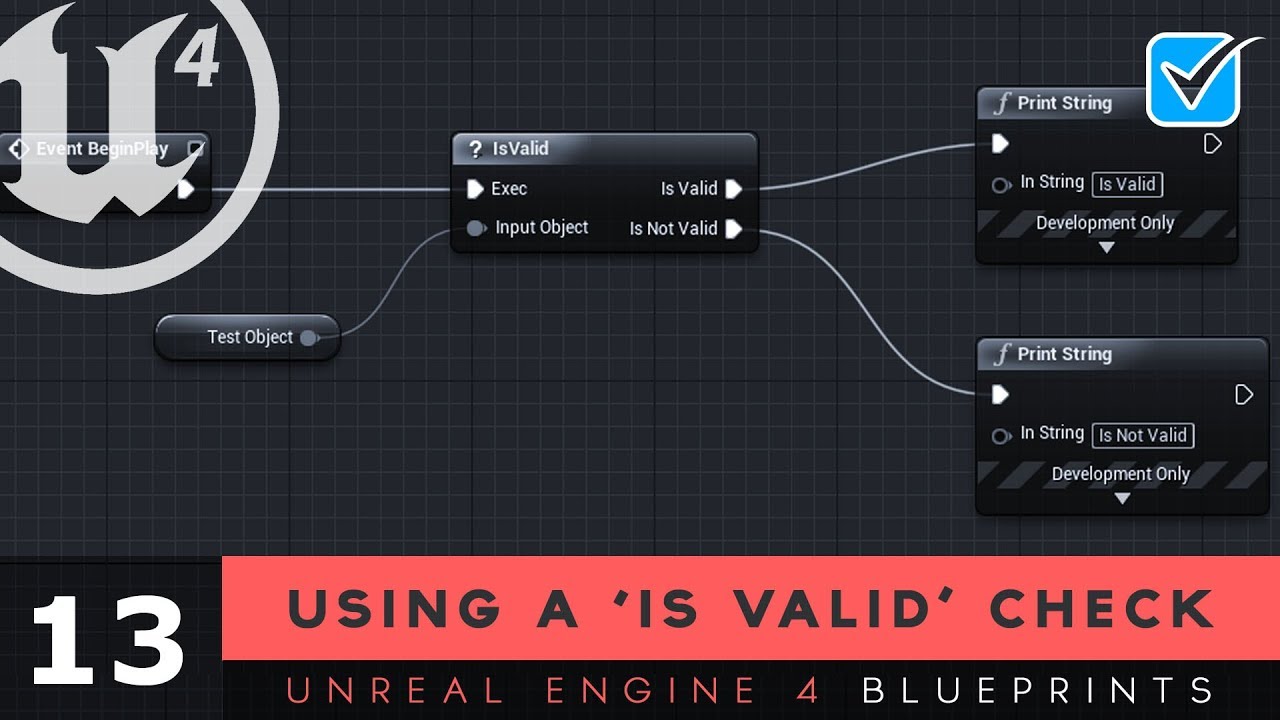
Here we show you how you can use the 'Is Valid' node within Blueprints to check to see whether or not objects are accessible to avoid crashes within your scripts.
Unreal Engine 4 Level Design Series: https://www.youtube.com/watch?v=GNjpkQpN6HE&list=PLL0cLF8gjBpo3EUz0KAwdZrDYr6FzfLGG
♥ Subscribe for new episodes weekly! http://bit.ly/1RWCVIN
♥...
 gritty elm
yes
input object will be your fps character object
or any object you want
see which object shows error in output log?

 halcyon laurel
then chose first person character
gritty elm
gritty elm
input object will be your fps character object
Yes
let me know if your issue solved
halcyon laurel
its the same unluckly
 halcyon laurel
 gritty elm
remove "get owning player pawn"
and use "get player character" instead and let me know if it works
well, you are still doing it wrong
halcyon laurel
the same
halcyon laurel
gritty elm
well, you are still doing it wrong
how 🥲
 halcyon laurel
its a widget with a slider
so this is the only way i know to get first person charaters camera
gritty elm

do like this
don't get reference from axis event
like this

it looks like you still needs to clear your programming and blueprint concepts
dawn gazelle
halcyon laurel
this is my functions for zooming in ,it work perfect but there is an error after...
It's also bad practice to use values from one execution path on another.
halcyon laurel
dawn gazelle
It's also bad practice to use values from one execution path on another.
u mean the more than one camera i used?
dawn gazelle
Accessing the value from this cast...

In these two events

Eg. Are these DOFUpdate being called on tick? If so, the event that would trigger the cast won't happen until you fire the event where it exists (moving the slider)
halcyon laurel
pre construct
@dawn gazelle@gritty elm i am realy dumb af , i am still learning cooding with cpp and blueprints
thats why am bad
but thank god what u told me guys work
and the error have gone
much love @dawn gazelle@gritty elm❤️
dawn gazelle
You're not dumb... If you're new, and learning, no one expects you to be perfect. That's sort of what this Discord is for anyway 😛
gritty elm
you can search at google for tutorials, here you can learn the best course : https://www.pluralsight.com/courses/unreal-engine-4-blueprints-fundamentals
https://www.udemy.com/course/unrealblueprint/
https://www.youtube.com/playlist?list=PLZlv_N0_O1ga2b_ZaJoaR5dLHOFw4-MMl

Learn to use the incredibly powerful Unreal Engine 4 by applying the fundamentals of the Unreal Blueprint system to create a fully interactive experience from scratch.

Udemy
Code Your First Video Game in 100 minutes with Visual Scripting. Created in collaboration with Epic Games.
 halcyon laurel
thank u guys so much
@gritty elmits been a month since i worked on unreal and all that time i didnt see a single curse thats why i am so messy
gritty elm
halcyon laurel
<@!577937996712509440>its been a month since i worked on unreal and all that tim...
it is course, not curse @halcyon laurel
crude cradle
crude cradle
hey! urgent question since i'm working on the UE indie game jam and i'm super st...
i'd like to bump this, can anyone help with it? i'm mind boggled
willow breach
how do i set a scale of an object in thirdpersoncharacter blueprint? (the object is in components)
 stable dagger
Guys i need a little bit of help 😭, i'm trying to create a "server browser" (using advanced session) and i'd say it almost works perfectly, if i play it inside UE... But when i package the project it doesnt create the widget with the informations (like server name, current player/maxplayer and so on)..
Inside the DefaultEngine.ini i already put the settings needed
In the screen i marked green the things that works, and red (i dont know for which arcane reason) those that dont works 😭

 dense void
Hello, I'm making a character than can shoot where i'm looking at. The problem is that it can shoot behind itself and i don't want that. I thought i could get the value of the angle of the fire point and make my character unable to shoot if this value is above 90 degree or under -90 degree relative to where my character is facing. But with this I'm just getting the rotation of my camera relative to the world and idk how to do what i want
 gentle urchin
stable dagger
Guys i need a little bit of help 😭, i'm trying to create a "server browser" (us...
gentle urchin
stable dagger
Guys i need a little bit of help 😭, i'm trying to create a "server browser" (us...
You seem to be breaking the loop on first creation? Is this intentional? To only show the first server?
stable dagger
gentle urchin
You seem to be breaking the loop on first creation? Is this intentional? To only...
yea i just want to test it to show at least 1 server, but it doesnt when it's packed
 untold hollow
hi guys i,m new here, and i already have a problem to discuss
 vagrant kelp
Hey does someone know a way to switch smooth between splines ? With a moving Actor. Like A-B C-D act the Actor is Jumping/Teleport weird and its kinda more messy than working. Pm pls or @ since iam very busy.
 arctic cradle
Hello, all. Hope you are well. Had a question: which comes first? Save Game or Game Instance? I realize that without saving, the instance will be lost when the game quits-- but from my understanding, I should be storing my health, items etc in the GI. Should it go Game > GI > Save game? Is there a more common explanation I'm not getting? Just asking, because I just saw a tutorial and he was storing the health and levels in Save Game, where I figured I was supposed to be storing it in GI.
 rough blade
Is it possible to change a players Character Movement Mode back and forth from nav mesh walking to walking at runtime?
 kindred rover
Hey guys, I'm trying to feed a post process material into a render target to material texture baker and having trouble, anyone done this before?
 modest gulch
Hello, I want to set property of certain Cue (Volume multiplier) using blueprints (that's it, at runtime, not in editor). Is it even possible to do?
crude cradle
is there a way to restart level, or open level but still keep the game mode consistent?
earnest tangle
only game instance remains between levels
crude cradle
Ah nice! that was just what i was looking for
earnest tangle
so you either need to store data in there, or make some kind of other mechanism like using save games
 crisp geode
I recently updated a question on reddit. I'm really stuck, there is someone who can give me a hand? https://www.reddit.com/r/unrealengine/comments/peq8qd/help_with_client_movement/?utm_source=share&utm_medium=web2x&context=3
 atomic salmon
You could use a multi box trace and then use the normal to the plane splitting the box into two parts to check whether each point lays on one side or the other
What would be the use case for that though?
 proper umbra
Does anyone know a good guide for making an item inventory system similar to Castle Crashers?
atomic salmon
crisp geode
I recently updated a question on reddit. I'm really stuck, there is someone who ...
Better to ask in #multiplayer
crisp geode
atomic salmon
Better to ask in <#221799385611239424>
Also did, thanks man
atomic salmon
 sharp wraith
Hi, do you know a tutorial or we teach skills to a trainer?
sharp wraith
Hi, do you know a tutorial or we teach skills to a trainer?
Sorry can’t understand what you are asking
sharp wraith
What would be the use case for that though?
@atomic salmon buying skills from a trainer
atomic salmon
modest gulch
Hello, I want to set property of certain Cue (Volume multiplier) using blueprint...
You mean within the asset browser? Not in the level. It should be possible with BP based editor automation, but I never tried manipulating sound cues with it. Need some research on that.
atomic salmon
sharp wraith
> What would be the use case for that though?
<@399916238098137098> buying skill...
Sorry that was answering another question (the one of box trace)
But I understand you need someone to run some trainings? You could post it in the job section
There are few other Unreal Authorized Instructors on this Discord. Maybe someone is available.
 azure lion
Opening a door. Rather than having it rotating, I want to essentially slide the door up. So adjusting the location. However, I can't seem to make the transition smoothly. I've tried a few different ways but no joy.
Any help would be appreciated.
 sharp wraith
There are few other Unreal Authorized Instructors on this Discord. Maybe someone is available.
@atomic salmon
I am not a teacher. I'm looking to program a npc that sells me skils like in wow
gritty elm
azure lion
Opening a door. Rather than having it rotating, I want to essentially slide the ...
why you are using "Rinterp to"?. Use "Lerp rotator" instead and plug the alpha into lerp node
atomic salmon
sharp wraith
> There are few other Unreal Authorized Instructors on this Discord. Maybe someo...
Ha. Got it. Completely misunderstood your question, sorry. You may have more luck asking in #gameplay-ai since what you are after involves behavior trees and the like.
atomic salmon
gritty elm
https://answers.unrealengine.com/questions/411604/rinterp-to-doesnt-work.html
RInterpTo needs to be used on tick and Current needs to be updated at each tick for it to work properly.
gritty elm
Hi @atomic salmon, Yes exactly
atomic salmon
So RInterpTo does not work if… you don’t use it properly. 😉
gritty elm
right
atomic salmon
azure lion
Opening a door. Rather than having it rotating, I want to essentially slide the ...
If you want to slide the door up you need to Interp a position vector not a rotation vector. As a matter of fact you just need to interp its Z coordinate.
You can do it directly from the timeline by driving the world Z location of your door.
modest gulch
atomic salmon
You mean within the asset browser? Not in the level. It should be possible with ...
I mean during gameplay. But I used soundclass workaround, fortunately I did not need to set like 100 sounds each with different volumes dynamically so that worked out.
 signal warren
hi
is there anyway to make custom collision component?
i want to something function like this Collision Sphere but in a custom degree (like cutting a part of a cake)
 modest gulch
signal warren
is there anyway to make custom collision component?
modest gulch
signal warren
is there anyway to make custom collision component?
I can think about indirect way - create fbx with collisions only (though I do not know if it will load correctly without mesh, you could always put cube there and make it invisible)
signal warren
modest gulch
I can think about indirect way - create fbx with collisions only (though I do no...
thank for your answer
i have no knowledge or experience in modelling or anything like that tho
gonna find another way then
modest gulch
well then I dont know unfortunately
you could always learn basics of Blender 😉
I wouldnt be surprised if there is way to make custom collision meshes in unreal itself tho
 unreal token
how do i add a 3 2 1 start to my game? after they press play and before the level starts
modest gulch
you can make simple collisions on mesh in UE editor
atomic salmon
signal warren
gonna find another way then
Search for Unreal FBX pipeline
Look into importing UCX
trim matrix
hey does anybody know how i could make a working time line for animation like mayas or blenders?
and does anybody know how to do the keyframe system and the trastlate and rotate and scale gizmos
if this helps it looks like this in game
 trim matrix
i am but i wanna remake it
becuase im making an animation software
kinda hard to i only learned coding yester day lol
i was hoping there was way you could send me to recourses to help
the only reason im learning to code i to make this
if i could i would hire people for free
i wouldnt need to learn to code this since im an aimator
not a coder
thi stuff to complex for me lol
i wanna make my own animation oftware
so i can have all the features i want
to help witht he progress
if i could i would use control rig but control rig never works for me
so
oh
umm
yeah ik
if control rig want so bad i wouldnt need to deiging a software]
i cant get ik 2 work with control rig
thats the only thing
ive watched them
but the mesh messes up so badly
it sometimes scales or it moves weridly or it disappers
oh ok
lets hope it tell me how
watched that one
i have before
i jut got ingorned
 heady burrow
How do you get a reference to a spline mesh component
added using

do I need to manually store them in an array to then access them when I loop trough the spline?, seems a bit convoluted
tight schooner
@heady burrow you can store the "return value" of that node however you want, but an array is the most straightforward approach
heady burrow
seems kind of strange
 fleet cedar
How can I flip a range of 0-1 to 1-0
heady burrow
I would think that if you have a "spline mesh" component there should be a way to attach it to a spline
like, having slots
oh well
 daring vapor
Am I misunderstanding how to use the == node? Ultimately the goal is to have an event fire when a specific actor crosses into a volume. So my though is to use an ==. Check out the video to see the issue I'm running into. All help is welcome. Many thanx.
 errant snow
fleet cedar
How can I flip a range of 0-1 to 1-0
errant snow
fleet cedar
How can I flip a range of 0-1 to 1-0
Uh: output = 1.0 - input?
 silk hinge
Hey I'm strugling with something to look for a specific Item into the inventory system i'm using.
I want to look into in to find a specific actor but I dont know how to loop into the inventory to find a specific item I came out with this but This is not working
Probably by the fact that I dont look into the Grind widget or something ? To be honest this kind of codes with maps and array is beyond me, i'm trying tho 😄


 tacit void
daring vapor
Am I misunderstanding how to use the == node? Ultimately the goal is to have an ...
tacit void
daring vapor
Am I misunderstanding how to use the == node? Ultimately the goal is to have an ...
I could be wrong, but I think it's checking a specific instance of that actor. So even though the object class is the same, they are different objects. Have you tried casting the object to ThirdPersonCharacter instead? That way if the cast is succesful, you can do one thing, and then assume it is not of that class if the cast fails?
daring vapor
tacit void
I could be wrong, but I think it's checking a specific instance of that actor. S...
Hmmm, interesting. That could work, though for the end goal I would like to avoid casting if I can. I'll give that a try. Thanx. 🙂
 grave swan
How do you switch between sublevels?
daring vapor
grave swan
How do you switch between sublevels?
In game, or in editor?
grave swan
In game, i want it so when the player collides with an object it seemlesly transitions in real time from one level to another
daring vapor
tacit void
I could be wrong, but I think it's checking a specific instance of that actor. S...
I ended up using the "Actor Has Tag" trick to make it work.
 daring vapor
grave swan
In game, i want it so when the player collides with an object it seemlesly trans...
daring vapor
grave swan
In game, i want it so when the player collides with an object it seemlesly trans...
You can use one of these

This will allow you to stream in a level
Or...
You can create an Actor Blueprint that opens level (see below image)
This second one will unload the current level your player is in, and open the level you want. It's a clean wipe, so beware if you have any items saved you will want to load them in as you load in the new level.
Hope that helps.

There are a few other ways to do this, but these should do the trick.
 mossy bronze
Any reason my character wouldn't be moving in the direction I'm turned?
Here's my character BP

found the solution here https://answers.unrealengine.com/questions/438450/view.html
 azure sparrow
 peak crater
how do I set a scene component to not move with the player?

I want this LoadoutSpawnPoint to always be at a given world location
mossy bronze
Why isn't this interpolating over time? I'm confused... It kinda just dampens my zoom amount (the zoom speed * CameraZoom axis value)... I'm trying to smooth the change out, but instead it isn't doing anything other than lowering my zoom amount

 surreal peak
mossy bronze
Why isn't this interpolating over time? I'm confused... It kinda just dampens my...
surreal peak
mossy bronze
Why isn't this interpolating over time? I'm confused... It kinda just dampens my...
Hm I think you can cut the interp out of this
Maybe
mossy bronze
How's that?
Maybe some mathematical function to smooth floats? I know linear interpolation, but it holds the same issue... Maybe I just don't know how the Get World Delta Seconds function works
 wise swan
is it possible to access FJsonObject in bp?
mossy bronze
even tried putting the interp in tick... this is extremely frustrating. what am i doing wrong?

Am I somehow supposed to recycle the return value of the finterp to function into itself? If so, how? Would I just add the output (as a referenced variable) to the zoomtargetvalue variable?
ill try it
if it doesn't work, i think im giving up for now
peak crater
I need to be able to access it from the player so I can move inactive weapons there
Basically on equip/unequip I move weapons between that spot and my hand
I figured it might give me a small performance boost if the weapons were just stationary when not being used
Instead of following the players around the map
But maybe not
I guess each map could have one of these points and I just get all actors of class to grab it from my character
 opaque blade
wise swan
is it possible to access FJsonObject in bp?
opaque blade
wise swan
is it possible to access FJsonObject in bp?
i think there is an blueprint function library on the marketplace, other than that no - atleast in 4.26
opaque blade
mossy bronze
even tried putting the interp in tick... this is extremely frustrating. what am ...
the output should be the new target other than that it just does a single interpolation step
or use a Lerp for Current to Target and increment the Alpha each tick
opaque blade
peak crater
how do I set a scene component to not move with the player?
you can set the location to absolute in the Transform in the Details Panel,
For more advanced solutions (but this one would require a tiny bit of C++) I would advice using a subsystem for that spawner - as they are easily accessible in BP (even player) but are more decoupled
opaque blade
depends on scope and type of project
peak crater
Say I have 32 player mp matches
opaque blade
reading into it is definitely worth it though
its not about performance just about code quality and structure
 sullen shale
- Maybe I need to ask it here but I need some help and im new to UE4. I have a big project going on and if people want to help it is appreciated. If you help me out a lot maybe I can give u something. Maybe I can explain the project if we voice call.
This is one question:
So I want to make my static mesh component glow. I already have a material and also made a postprocess material named glow. Nut what I want to do is make it glow on a curtain time. Do I need a sequencer to make that trigger at a time?
If somebody knows how to do this (it is very simple i guess xd)
It is hard to find help and that is why I ask it here.
 open peak
Im trying to use Get Viewport Size but i get 0, 0, why?
 tidal marlin
Hello. Can i turn off the visibility for floor?
 earnest tangle
@tidal marlin on the right you have preview scene settings, scroll that down and under environment it has "show floor"
 whole dune
Any Idea how i can hook it up so it moves smoothly instead of just snapping to the location?
 indigo bough
Just wondering, is there any method to determine the percentage of screen space that is occupied by a particular surface/volume? Even better, how much in a spherical region around the player? I'd rather not fire thousands of traces and return hit results for averages 😄
 hidden coral
Hi everyone, I'm having trouble when I want to get my NPCs to point their heads in my direction. I followed some pretty basic tutorials that work fine with the default UE4 Mannequin, but I'm using my own models, which have dozens of bones in the head (jaw, lips, eyelids), when the head turns, only the "head" bone moves, the rest of the facial bones stay fixed, is there a way to parent them to my head bone?


 uneven thunder
Anyone run into this problem with the SunSky actor? Once every 60 seconds (solar time) the sun directional light will twitch a little bit, the elevation and azimuth that get output by Get Sun Position are offset by a few degrees for about 3 frames
 jaunty dome

how do I go about setting these values in behavior tree randomly when AI is spawned ?
open peak
are the values in local variables persistent across calls?
 reef lagoon
Hi everyone, i struggle extremely with a BP problem, where i use a basic score system with destroyed physic actors by a rilfe. But whatever i try to do, its counting also the destroyed actors by a triggerbox or life span that i dont want.
My BP setup:
- Character BP - Fire Weapon Control
- Weapon BP (child of Char) - complete Fire Weapon Interface Function & Destroy Events of the targeted physic actors
- Gamemode BP - doing the math to count the points
- PhysicActor BP (no direct relation to Char/Weapon) - updating the score by a Binded Event on Destroyed
//I should have put the destroying function directly into this actor, but I dont know the workaround without messing everything up - separate RandomActor SpawnerBox BP is spawning the physic actors
- separate DestroyActor Triggerbox to cleanup the hidden physic actors with Begin Overlap Function
-> Is there any way to prevent the DestroyedActors by the Triggerbox being counted too without messing everything up?
I have tried it with e.g. a boolean check, score updating in the Weapon/Char, but the relations are still not working. After a full day trying to fix it I reached a Trial and Error point without any success yet. XD
Hopefully someone can give me a hint to make progress with this issue. I could post all the BPs and Sub functions here but i think its a general relation understanding issue.
subtle falcon
hello, white reflections appeared on the in-game items for no reason or change, do you know how to remove them?
without

with

without

with

with
 fast lintel
yo can i copy your game?
hi everyone, im trynna equip my axe on the back and my sword in the pelvis
but
when i pick up the sword, it do go to the pelvis,
but when i press R to sheath, character picks it up from the back,
not from pelvis
 heady zenith
This is a little extrange but, I can't make visible or invisible a component trought blueprints

In UE5
 mild jacinth
hi does someone know if its possible to spawn water via blueprint in construction script?
brazen stirrup
mild jacinth
hi does someone know if its possible to spawn water via blueprint in constructio...
Is it an actor?
mild jacinth
im talking about the water plugin which is by epic games, released for 4.26 - i can make a blueprint actor and then in construction script call SpawnActor with target ocean body, and set its location, but the water is completely invisible, thatswhy i was asking
 brazen stirrup
Hmmm idk then
south merlin
jaunty dome
in your AI controller, create the random values you want. (I guess a world position. You could get a random point around the player and save that as a variable). Then in the task, just get that variable and use it for the initial face player.
silk hinge
Hey I have a weird issu with a Branch, it never happend to me before :
I'm checking into each cells of my spacious inventory to see if there is a specific type of magazins, the magazin is not on the first cell so looping continue to check into inventory returning "False" on this condition since the magazin in not there, It does return False and True without any problem and yet I got the error every time it returns False, and no error if it returns true, Spawn the Mag, remove from inventory.
Any Ideas ?
 gentle urchin
Are you sure the item is valid ?
Get item class requires a valid input. Looks to be a custom function, and if so, it could contain the isvalid check aswell if you want
 crimson hornet
Does anyone know what I need to add at the object of the cast to bp enemybase? I tried pawns and actors but it doesn't work.
 crimson hornet
Does anyone know what I need to add at the object of the cast to bp enemybase? I...
crimson hornet
crimson hornet
Does anyone know what I need to add at the object of the cast to bp enemybase? I...
this is for setting target points for the AI
jaunty dome
south merlin
in your AI controller, create the random values you want. (I guess a world posi...
thanks that worked
south merlin
crimson hornet
Does anyone know what I need to add at the object of the cast to bp enemybase? I...
You need to give it the object for the cast to work. So you need to get the object you spawned and cast it to the enemy base
crimson hornet
I tried this but it still doesn't work.
 south merlin
check to see if the cast if failing
silk hinge
gentle urchin
Are you sure the item is valid ?
hey you were right about the is valid,I have some other errors but related to the fact that animations get fired even without a mag ^^
So thanks Branch is no longer buggy
 rugged wigeon
I'm looking to create a "cover" system where players can post up against a wall corner and peek out / hide on predefined slots. I'm wondering what the most reasonable way to handle this is. Specifically how to add these slots to my objects. Everything can be a prefab. So the "cover slot" will basically be a box collider and a few stateful variables.
Is there any way I can attach this as a component to actors directly? I'd prefer not to use child actor components.
 frank salmon
hey, does anybody know a possible way to fix an issue?
I have a character that is rotating based on my mouse position
I have a condition to make it rotate only if can rotate, my issue is that when i play a full body animation montage i would like the character to stop rotating and the way I am doing it does not work
 rugged wigeon
where's the montage

 rugged wigeon

use play montage. Disable rotation on the first pin (immediately) and enable it on completed
Possibly on interrupted depending on what you're doing
frank salmon
I am not using any of the character movement rotation variables
that shouldn't matter, right?
rugged wigeon
I can't see in your screenshot what you're doing after your montage call, but I would have assumed you're setting "Can Rotate" to False
frank salmon
 rugged wigeon
Don't use notifies like you're doing. Use the node I showed you. The first pin can replace your notify at the beginning. The "On Completed" node can replace your notify at the end.
If you want to trigger a notify, make sure it's a "Montage Notify" when you add it, and handle it based on the On Notify Begin pin instead. I find calling notifies by name to be pretty terrible. You can switch on the notify name pin if you have to.
 subtle nova
Quick question (I hope). I'm trying to figure out how to reference an Actor Component that is on a Child Actor Component of a BP. Is this possible?
I have a BP that's meant to do some stuff.
That BP has a child BP inside it.
That child BP has an actor component that I want to talk to.
I can't seem to figure it out.
 ionic glacier
Hey, I am making a rig of a car using the plugin control rig, with ue5. I 'am trying to create a boolean controller that enable or diseable headlight. But the values that i set in the rig in the sequencer, like dont affect the boolean, + my construction script dont update on rig modification (like setting the boolean value). I've already enabled "Run construction script in sequencer" in the class settings tab in the control rig window.


 rugged wigeon
subtle nova
Quick question (I hope). I'm trying to figure out how to reference an Actor Comp...
rugged wigeon
subtle nova
Quick question (I hope). I'm trying to figure out how to reference an Actor Comp...
child actor component -> get child actor -> cast to (class that it should be) -> get (whatever component you want)
basically the child actor component is just a container. Calling get child actor returns the actual actor.
trim matrix
Whats a good way to move a character or enemy a certain distance?
Launch character ia buggy and has no way to change parameters
rugged wigeon
launch means like literally launch them with physics
do you want them to walk somewhere?
rugged wigeon
launch could be a decent choice. What do you mean you cannot change the parameters
subtle nova
rugged wigeon
child actor component -> get child actor -> cast to (class that it should be) ->...
I tried that but it fails the cast because the component inherits from ActorComponent not Actor.
trim matrix
Launch kinda sucks tho, cant change speed or distance
And its wonky when youre moving
rugged wigeon
@subtle nova show me the graph including the list of components. If Person has a child Actor Sword and you want to get the Sword's collider component.
Person.Sword_Child_Actor_Component -> Get Child Actor -> Cast to Sword -> Get Collider
You do control the speed. It's the magnitude of the vector.
trim matrix
But speed is tied to distance
rugged wigeon
Launch works, I assume, as "launch the character in the direction of the vector at {vector.length} cm / some unit of time"
If it feels bad, make sure there's a bit of upward velocity so they actually get off the ground, if only for a bit
frank salmon
@rugged wigeon your way worked fine. much appreciated
subtle nova
rugged wigeon
<@!532927885711769611> show me the graph including the list of components. If Pe...
This is what it's doing. The Button is an Actor BP that I added to a BP, and it has an Actor Component on it I'm trying to access.
 rugged wigeon
You want the base interact component that is on some sort of button right?
subtle nova
yeah
rugged wigeon
Button BP -> Get Child Actor outputs the Button. The original thing is just a child actor component. Like a container for the actual button.
So you need to cast to the button class
then get the base interact component of the button after it has been casted.
subtle nova
Interestingly, I can't call any of the functions on the button from the parent bp, which could be part of the issue. I just drag-and-dropped the Actor into the parent.
 subtle nova
rugged wigeon
then get the base interact component of the button after it has been casted.
subtle nova
rugged wigeon
then get the base interact component of the button after it has been casted.
gotcha, I'll give that a try
rugged wigeon
trim matrix
What node can I use othet then launch?
ehhh idk. I would use launch. Add force might work.
subtle nova
Seems like a roundabout way of doing it, but I seem to be able to access stuff now. Thanks! @rugged wigeon
hybrid ether
Hello! I have level with day/night system in my level. (Sun rotates). And I have some dungeons and those are different levels. If I go to dungeon and come back to main level sun rotation of course reset. I want that sun rotation saves trough levels. What would be best way to do it? "I go to dungeon when morning and be here 5 seconds and come back to main level and there are night" 😄
Saving it event tick would be really bad for performance I think.
tight schooner
@hybrid ether Maybe have the GameInstance class keep track of the time of day, because that class persists between level loads
hybrid ether
Thanks! Ended up doing it like this 😄

 brisk mortar
Is there anyone on here that can help me? I'm starting with blueprints and i'm trying to recreate this tutorial,
I want my player to look in the direction of the mouse but it just looks at a single point on the map https://www.youtube.com/watch?v=fOjAaskzquc

As requested, I am making some tutorials about enhancing top down blueprints. In this part, I covered the rotation of the pawn according to the mouse position on the screen.
Sorry for the music noise on the background and overall length of the tutorial :)
Here is the thread about ray intersection:
https://answers.unrealengine.com/questions/168...
all it does is this
this is the blueprint code

in player controller
proper umbra
Hey. I'm trying to make a function that spawns multiple projectiles at once, and have them move in multiple locations. However, when I play the function with the forloop, all of the actors are spawned with the same transform.

 left fulcrum
Hey there, I am working on something but the thing broke and I cant figure out why, it was working just fine but I realized I was using the wrong sky (I made my own so I was referencing the wrong thing) but now it is saying that the object I am trying to reference is none and I dont understand why. A simple variable made to be an object reference for BP Sky Sphere and it just says it is referencing none everytime

It is supposed to be a weather system and it worked fine until this broke, anyone got any ideas?
 midnight kiln
@left fulcrum Where is sky being set? I also see a variable for new sky in there, is there a chance that you are using an old variable?
left fulcrum
No the new sky was an attempt to fix things, but that might be the issue, I am looking and I think I deleted where I set the sky by mistake
brisk mortar
i cant believe i had to go back to june of 2020 to find an answer
and the answer was just times something by 5000

midnight kiln
proper umbra
Hey. I'm trying to make a function that spawns multiple projectiles at once, and...
Did you add a print node to check if all your rotations are the same? The issue could possibly be in the projectile itself, depending on how it is set up, they could all be being sent in the same direction.
gritty elm
proper umbra
Hey. I'm trying to make a function that spawns multiple projectiles at once, and...
Yes because you are giving location of sphere for spawning, no matter how many times you spawn, it will always spawn at the sphere location
well, to spawn at random location, you can do this

add random integer to x,y,z coordinates, max and min random value @proper umbra
the other method is to multiply the for loop index with sphere x,y,z location
trim matrix
I have collision question
I have 3 static mesh and one player and I wish that each sec pass information actually which mesh it is currently being in contact among the 3
 broken wadi
s + click (sequence), d + click (delay), f + click (for each loop), g + click (gate), c + click (comment), b + click (branch), n + click (do n), m + click (multigate)
but why doesn't p + click make a print string node 😦
 hallow sentinel
Question about 2.5D games. Currently using the default character and I am running into issues if they are not facing left/right. Running into some goofy interactions if they are looking towards or away from the camera. Any ideas on how to lock their rotation based on the last direction moved?
 zealous moth
@hallow sentinel in the character class i dont remember if it is in the movement component but you can set the rotation speed for turns. Set it real high
gritty elm
hallow sentinel
Question about 2.5D games. Currently using the default character and I am runnin...
save last direction into a variable for later use, and if it is your character, then maybe disable yaw, pitch, roll input, make a bool variable and then set that variable to true when you want to lock?
zealous moth
@broken wadi iirc you can make your own shortcuts in the preferences
gritty elm
trim matrix
I have 3 static mesh and one player and I wish that each sec pass information ac...
does it single mesh? and have 3 mesh objects?, so you need to set collision for your mesh to complex :https://docs.unrealengine.com/4.26/en-US/InteractiveExperiences/Physics/SimpleVsComplex/

Reference about collision complexity flags and when to use them.
 orchid star
Is there a way to force a texture to be power of two in the editor
we have an issue with someone that they have tons of textures with high res
but not power of two
so we cant reduce them via editor
earnest tangle
Do you not have the originals?
It should be possible to export a file from the texture if you right click, it's under asset actions or something iirc
orchid star
probably not, needs manual export/import
yes I know
but there is around 1.4k texture
so
yeah
earnest tangle
oof :P
I guess it might be possible to write a script to do it in editor, but it would probably be quite nontrivial
zealous moth
You could make a mastrr material and make the texture a variable parameter. In the material change the resolution
orchid star
but thats not the point
shitty optimized project
that loads entire project
causing high ram usage
zealous moth
Use an atlas for texture then
orchid star
so trying to cheat it with lowering the required memory
zealous moth
Power up photoshop and stitch several textures together
@orchid star when you optimize is it the cpu or gpu that hogs most?
gritty elm
orchid star
Is there a way to force a texture to be power of two in the editor
Yes it is possible to apply these settings to all textures at once
 mild pecan
Anyone have thoughts on how to get the average velocity of a motion controller over a few frames?
gritty elm
@orchid star
 zealous moth
@mild pecanmake a map a t 0 and tx and update each time. Get the value.
gritty elm
there is an option called "Bulk edit", if you select multiple assets, you can do this, and change any properties of multiple assets with single click @orchid star
gritty elm
well, try to select some assets, not all at once. but this is how you edit multiple assets at once.
orchid star
what I meant wass
I have bunch of textures which are not 1024x1024
such as 633x722
and I cant change their size via unreal because of this
I was looking to make them clamp/ fit automatically into the closest power of 2 or something
which there isnt
an option for I think
earnest tangle
there's a checkbox called force power of two, have you tried that?
 earnest tangle
ah yeah that's the one I was thinking of

 solemn dust
is there any built-in, or easy way to evenly distribute x objects within a circle?
 heady terrace
solemn dust
is there any built-in, or easy way to evenly distribute x objects within a circl...
heady terrace
solemn dust
is there any built-in, or easy way to evenly distribute x objects within a circl...
I do not know of any built-in solutions. The best idea I can come up with is to use radial coordinates whose origin is the center of your circle.
 jaunty solstice
Have a fairly complex Construction script that instances thousands of static meshes at once that should be totally random but sometimes 'twins' happen. ie 2 of the same static messh are instanced side by side.
I thouhgt if i could somehow slow down the instancing process It would help greatly in debugging.
Is there some way to insert a delay in a For Each loop?
heady terrace
jaunty solstice
Have a fairly complex Construction script that instances thousands of static mes...
Why not use breakpoints? Put a breakpoint in the for loop and cycle through each call to the Construction script?
Learning how to use breakpoints is important.
solemn dust
heady terrace
I do not know of any built-in solutions. The best idea I can come up with is to ...
Thanks. I found this online: https://medium.com/@vagnerseibert/distributing-points-on-a-sphere-6b593cc05b42 which is good enough for me (there is a mention about 2D distribution)

Medium
While trying to automatically place 3D objects in a scene, I stumbled upon the following problem: How to evenly distribute points on a…
heady terrace
Ok, so I have a problem in my own work. I use a Timeline to move my character when a mantling animation runs (I can't use the root motion unfortunately), and it works properly but the character can't move in the x, y, or z direction for the next few seconds after the Timeline is complete. I know it is reading my inputs properly because the animations run correctly. I have also set the character back into the "Walking" Movement State, too.
solemn dust
do you set the movement state back to walking when the timeline ends? maybe your timeline is longer than you think? i usually have problem with that, because the timeline is not over when it reaches the last keyframe, but it has a length you can set
heady terrace
A length you can set? That's probably part of the issue (or the whole issue). Where can I set it?
solemn dust
 heady terrace

Ahhh, I see... I was too busy to notice it was there. 0.0
I was assuming it would be in the curve object's UI or something.
Yes, everything works now! I had a feeling it might have been the Timeline, I just was not sure!
 supple dome
i think you will have to rethink (or clarify) your rules, the only place the same distance from two points is a line in the middle of them, and if both are at the same place, any point in the world is the same distance from both
now if you actually want that, a perpendicular line between two points (p1 + p2) / 2 will have infinite points that are same distance to both
 quasi frost
When I add a widget to my uniform grid why is it putting this massive space between them? (See cards in hand at bottom of screen)

I'm not adding it to the grid in any special way
Ok figured it out, the overlay it was inside of needed a scale box to contain it
 drifting bronze
im trying to get a widget to pop up on screen when i hover over a button (just press E to interact) this is my current blueprint but its not working and im not quite sure why

anyone help me?
dark crow
Uhm, cause it's not connected
drifting bronze
ive connected it every which way and it wont display
 drifting bronze
im trying to get it to display when the linetrace overlaps the collision box
dark crow
It's not connected on the execution flow
drifting bronze
in another test it was
i sent the wrong picture
if i connect it it displays after i press e
i want it to display as soon as the crosshair hovers over the button
dark crow
Then you need a check on tick or so, constantly fire a trace that constantly checks if it overlaps something
drifting bronze
alright one min

like this?
still not working @dark crow
used the wrong line trace but stull not working

fixed it now but wont display

 wise edge
Hi im trying to recreate the camera from top down games like alien swarm or the ascent where the mouse moves towards the location of the cursor. This code below is working but when the magnitude gets high, (ie: the mouse is far away from the player) The camera becomes jumpy. If i reduce the multipliers that i've got around this logic, it may smooth out but barely moves.
Can someone help me improve this logic?
Also, when i open up 4 clients, the camera becomes super jumpy with this logic enabled
 drifting bronze
@dark crow it displays now but i cannot get it to remove from screen
wise edge

There is an awsome free CO-OP VALVE game that I never touched up until recently, strangely enough the same counted for most of my friends. So we changed that, we had a look at Alien Swarm and Alien Swarm: Reactive Drop!
Alien Swarm: Reactive Drop on Steam:
https://store.steampowered.com/app/563560/Alien_Swarm_Reactive_Drop/
Follow us on Twi...
drifting bronze
im getting accesed none at remove from parent
 wind void
drifting bronze
wind void
drifting bronze
if you are using this, BP still, that is because Return Value isn't set when it loops back around and finds out it needs to remove it.
few suggestions to remove your widget,
wind void
if it's the sole widget thats being shown the easiest: Remove all widgets
 wind void
Make Return Value a variable, and then access it later.

You prob want to check if My Widget is valid before you remove it, just in case SOMEHOW it trys to remove it twice.

 wind void
Yep
drifting bronze

didnt work
still displaying after i look away
i want it to show when i hover over button, and remove from screen when i look away

thats what i have currently
drifting bronze
the vector math is just setting the interaction space so you cant interact from just anywhere
drifting bronze
HA
your right!
lmao
so how would i fix that then lol
im really confused now
wind void
oh, well
would you like only 1 widget being made?
or would like hundreds and just removed them all at once
drifting bronze
only one, but i need it to be made again if i mouse over again

this works but not if i want it to display again
wait!
i got it!

thats all i needed haha
god that was so frustrating lol
thank you for your help lol
wind void
Np
wise edge
wise edge
Hi im trying to recreate the camera from top down games like alien swarm or the ...
Hey any chance of a hand with this my code lords?
 craggy crow
Anyone know how to prevent a slider to get higher values but it can go lower ? Thanks! 🌴
 plucky fractal
Is there an event or function I could override for when a widget becomes visible? I want to select the first child of a scroll box each time its made visible.
plucky fractal
so if its collapsed, then set to visible, construct is called again?
 twilit heath
think so, it gets called when added to a parent even if not instantiated just then
easy enough to test
plucky fractal
looks like it gets called when the widget is created, but if you make it collapsed, then switch back to visible it doesn't call it again. perhaps i could make a function and just add that in after i set it to visible again
thanks anyway 🙂
plucky fractal
that's seemed to have done the trick, thanks again
 eager field
hi so i have normalized this float value to range 0.0 to 1.0 for a reason, what I wanna do is if the return value is high then I want to convert it as a lower value and if the return value is low i want it to be high, is there a way i can do that??
 gentle urchin
like inverting it?
regular one minus 🙂
1 - return value
if return is low, it will stay high. if return is high, it'll go low
 outer goblet
Hey guys, wonder if anyone might know what the problems is. For my project i been playtesting win/lose conditions endlessly and in editor everything is fine but when i package the project everything gets messed up. What can cause this?
 serene galleon
Does anyone have any idea on how I can return to the distance from an actor INSIDE of a volume to the nearest edge of that volume?
earnest tangle
outer goblet
Hey guys, wonder if anyone might know what the problems is. For my project i bee...
There's a million things. You'd need to explain precisely what behavior differs between PIE and packaged, and how it differs
earnest tangle
serene galleon
Does anyone have any idea on how I can return to the distance from an actor INSI...
Not sure if it's the most efficient way, but perhaps you could treat the edges of the volume as planes, and calculate distance to plane
gentle urchin
serene galleon
Does anyone have any idea on how I can return to the distance from an actor INSI...
location of actor - location of volume gives you the actors relative location to the volume
then you can check the bounds of the volume to calculate which edge is nearest, and return that, or its location, as needed
earnest tangle
^sounds better than my idea :)
outer goblet
earnest tangle
There's a million things. You'd need to explain precisely what behavior differs ...
Basicly its a simple best out of 3 race. After each round the winner is determined and the appropriate music is played. In pie its all perfect but in package round 3 messes up. I have a simple small melody playing after round 1 and 2 and if you or the ai win then a win or lose track is played, After round 3 though only the win/lose track must play but in package the somple melody and the win/lose track plays.
earnest tangle
interesting, nothing really stands out from that as something that has been a problem with changes in packaged 🤔
you probably should add some debug logging into it, packaged builds should still produce logs
outer goblet
I have a feeling its to do with tick. I created an intro widget with animation which i spent some time working out when to show and hide widgets based on the music. but when i do the package its slightly off
And i'm guessing that becuase i'm determining winner on tick then its probably not setting its sets too late or something. i think i saw something about framerate and tick somewhere but cant remember.
wait. Let me add a fade in and delay before the intro starts playing. Maybe that will help.
 broken furnace
Anyone have time to help me figure out why my exact replication of a tutorial isnt working?
gentle urchin
How about using animation with triggers instead? maybe its alot more work tho, so possibly not a great solution
Like for the intro you'd start an anim montage on the "main camera", which would have triggers for starting the music, stopping it, moving over to the actual player camera, starting the lap , hiding widgets etc
Also, the goal probably should have a collision volume and react to overlap instead of checking on tick?
outer goblet
gentle urchin
Also, the goal probably should have a collision volume and react to overlap inst...
It does use overlap but i use tick to set the bool in gamemode. Gonna take a closer look at the win/lose in round 3 cos it seems thats the only part that has problems. winning or losing the event in round 2 is still fine but if its tie you go to 3 and then inpackage thats where it goes wonky
gentle urchin
How come tick and not event driven if you're already triggering from overlap?
Nvm that i guess, i just imagine it being a potential issue
outer goblet
I'll figure out somehow. TBH it took me like three days to get the stopwatch to work right and it was a serious headache and i think thats where the problem ibeing created. Too much to calculate and bools to set on tick once the overlap is triggered.
I dont hasve enough time to redo it so gonna look at using a delays or something in round 3 or set the bool another way.
 limpid saffron
Is there any shortcut way to insert keyboard events like for 'E' key, don't wanna search in the list for all letters, there should be fastest way!! (eg. press B left click give you branch node!) thnks..
broken furnace
Input actions^
outer goblet
gentle urchin
Nvm that i guess, i just imagine it being a potential issue
Thanks for helping 🙂
wind void
Hey, I coulda sworn there was a BP node that let you run quick animations on actors or components, like rotating it 90 degrees into a .5s animation. Anyone familiar with that?
 boreal ether
limpid saffron
Is there any shortcut way to insert keyboard events like for 'E' key, don't wann...
boreal ether
limpid saffron
Is there any shortcut way to insert keyboard events like for 'E' key, don't wann...
You can type "e key event"
I would recommend adding custom input bindings in your project settings instead of using specific keys though
limpid saffron
@boreal ether thanks man good one
limpid saffron
boreal ether
I would recommend adding custom input bindings in your project settings instead ...
any specific reason? Can you please explain why a little bit!
boreal ether
If you plan on releasing anything it makes it easier to make a menu to customize key bindings
If that doesn't matter to you I guess you can do either
Or if you want to release for multiple platforms you can use the same event
limpid saffron
actual goal is secret key combination to pop up secret image on the screen
boreal ether
If you need to use those specific keys then it's fine
 serene galleon
gentle urchin
location of actor - location of volume gives you the actors relative location to...
serene galleon
gentle urchin
location of actor - location of volume gives you the actors relative location to...
Not sure if I fully follow. My trigger volume is fairly complex in shape so the actor bounds is not a reliable way to accurately get the closest point.
brazen stirrup
what does the clamp node do?
serene galleon
brazen stirrup
what does the clamp node do?
Forces the input to the specified min and max at output
gentle urchin
serene galleon
Not sure if I fully follow. My trigger volume is fairly complex in shape so th...
Is the shape uniformed?
I'd think its not since you said "complex" ... if so then true, my suggested method wouldn't work
brazen stirrup
serene galleon
Forces the input to the specified min and max at output
arrrigatto
now can I ask something about the animbp here?
serene galleon
gentle urchin
Is the shape uniformed?
It is not 😦
brazen stirrup
I want to blend a control rig with a locomotion, what blend do you think I should use?
gentle urchin
serene galleon
It is not 😦
Not sure if I can think of many other methods.. tracing for it is not very practical..
Why such an odd shape if i may ask?
 gentle urchin
Is it possible to make a "variable pointer" in bp?
Or do i have to read it from its original location?
gentle urchin
tried, but its not easy to find 😛
mostly they show results about setting and updating variables
Seems it must be with c++
brazen stirrup
huh
I think you can use a bp in cpp though
like make your bp as far as it can go, and when needed, convert the variable to cpp
or vice versa
gentle urchin
Yeah
It's not life or death needed, just sometimes seem to be handy 🙂 altho pointers can be frustrating to working with aswell
brazen stirrup
do u know anything about animbps?
 true valve
So I 've an item blueprint which when I pick it up , I want to store it in a variable then destroy it.
How do I create another instance of that actor
gentle urchin
true valve
So I 've an item blueprint which when I pick it up , I want to store it in a var...
Store a reference to it? Or its class?
brazen stirrup
like to populate your game with the item?
gentle urchin
brazen stirrup
do u know anything about animbps?
Not that much, also I think this is more suited in the #animation tab
true valve
gentle urchin
Store a reference to it? Or its class?
I tried storing its object ref but when I delete original then the ref is lost as well
gentle urchin
Because the object ref is a pointer to an object, which you destroy
brazen stirrup
welp, no one replies there
true valve
gentle urchin
Because the object ref is a pointer to an object, which you destroy
sp what's the solution. store class ref?
gentle urchin
true valve
sp what's the solution. store class ref?
Either save its class, or save its data if the data is beyond the normals for that class
brazen stirrup
true valve
I tried storing its object ref but when I delete original then the ref is lost a...
make a variable for the object, give it to your char class or something, then store that value in another one so it doesnt get lost
true valve
gentle urchin
Either save its class, or save its data if the data is beyond the normals for th...
Let' say I store its class then how do you get the object ref
gentle urchin
By spawning the actor by class again
true valve
maybe GetActor of class- I don't want to spawn it into the world
gentle urchin
Not get actor...
the actor is already destroyed
If you want it back in the world, you must spawn it
true valve
No i don't want it back. Using the ref, I want to get some info from that actor such as animations, etc to play them
 brazen stirrup
does my solution work for u @true valve ?
true valve
No - squize's solution works.
true valve
gentle urchin
If the class itself holds these , then you can get the class defaults
it works but I get Get Class Defaults has an unsafe connection to the ...
earnest tangle
Depending on what you're doing you could just not destroy the actor and simply hide it
earnest tangle
What warning are you getting?
gentle urchin
check if the class is valid probably
 fallen glade
does anyone know why my project takes a long time to play the first time each time the engine is opened? Can this be alleviated?
fallen glade
my bet it's that it's loading everything the first time or something like that, I do not have a brand new PC anymore so could be that
gentle urchin
That could be, and my pc is in the same condition as yours (or worse), but even so! It was not like this not long ago
I can't really recall when it started tho..
fallen glade
in my case it's getting worse the more I add to the game
gentle urchin
Game in total, or the currently selected play map ?
 tacit maple
How do you specify what type of Nav Agent a certain pawn will be? Currently I have two agents Large and Default. But my smaller units seem to be pathing using the large agent. Am I missing something? Thanks.
fallen glade
tacit maple
How do you specify what type of Nav Agent a certain pawn will be? Currently I ha...
the best size it assigned based on capsule size
this can be changed in the capsule parameters (I think)
tacit maple
@fallen glade thanks, I read about this but it seems like the capsule size isn't making a difference for me. My capsule sizes are matching the default capsule size, but they still picking the large agent which is roughly 300.
Perhaps it doesn't pick the closest but rather a range so anything <=144 is default and anything 144<=x<=300 is considered large? I'll try play around and see what happens!
fallen glade
yeah play around, there are also some inconsistencies as far as I remember, some numbers take into account radius, others diameter, again, might be wrong I haven't touched that stuff in a while
 steel sequoia
anyone know how to "AllowDebugViewmodes"?
in the packaged version of the game?
I found this to no help "https://docs.unrealengine.com/4.27/en-US/API/Runtime/RenderCore/AllowDebugViewmodes/2/"
fallen glade
steel sequoia
anyone know how to "AllowDebugViewmodes"?
I would like to know too... I mean, there are ways around it though, what view do you need?
void needle
does anyone know, is it possible to make actor undestroyable by any conditions?
gentle urchin
What do you mean exactly?
void needle
one of my actor destroyes everything it touches, but can i make one of my actor not destroyable for it
gentle urchin
The actor that destroys it must check for that actor and not destroy it if its that actor
i assume you're using some sweep, or collision overlap or hit
gentle urchin
you can also make it ignore the collision in the first place
void needle
i made it like this, but it doesnt work
 gentle urchin
Is it the topdownchar you dont want it to destroy?
void needle
yes
void needle
ty, it worked
zealous moth
fallen glade
I would like to know too... I mean, there are ways around it though, what view d...
You can use the F buttons like F1 and F2, do you mean those?
fallen glade
zealous moth
You can use the F buttons like F1 and F2, do you mean those?
no like metallic, base color etc, I know you can get there by using a custom post processing material but that's annoying to do
steel sequoia
@fallen glade I want to use unlit for the perfomance boost

 fallen glade
steel sequoia
<@!458765232911810570> I want to use unlit for the perfomance boost
fallen glade
steel sequoia
<@!458765232911810570> I want to use unlit for the perfomance boost
I think you would have to disable stuff in code to stop the engine producing the the required buffers? I'm not sure, do you need this for testing or art style?
zealous moth
open peak
https://i.imgur.com/FfMuCT6.png
Are you using a spline or a spline mesh?
zealous moth
steel sequoia
<@!458765232911810570> I want to use unlit for the perfomance boost
then use the F1 F2 F3 keys. You can change the view also in the editor
 open peak
zealous moth
Are you using a spline or a spline mesh?
open peak
zealous moth
Are you using a spline or a spline mesh?
Spline, but i figured it out by setting the start and end roll of the spline mesh component
zealous moth
open peak
Spline, but i figured it out by setting the start and end roll of the spline mes...
ah good!
steel sequoia
@zealous moth i mean for the packaged game
once packaged debug view modes are inaccessible via console
it says see "AllowDebugViewmode()"
which is not a console command
 jolly island
Hello, is it possible to trigger an event in the character blueprint when a task is executed in the behaviour tree?
open peak
Is it possible to raycast down and get the roll of the surface below?
the surface doesn't necessarily have a collision
 small token
Do anyone know if there Hundreds inside array using struct trying use for each loop equal to equal by name then find specific name can cause game freeze about 10 seconds then finally load? Either if it there no name found. Still 10 seconds specific. Is there another way not to use For each loop. It need to search every struct
 proper vale
Hi guys!
Could you tell me please,
How can I find the reason why i can't see blueprint library in a list of blueprint libraries on Right-click in a blueprint?
I'm trying to find the Take recorder Blueprint Library and use it for my project, but I can't find it
light token
Hello. I have a question. I spawn a blueprint but the blueprint has a public variable. Is there a way to set that variable when the actor spawns?
 bright frigate
Begin Play?
light token
Can I do that? It needs to be set to another blueprint instance
earnest tangle
If you need to set is when it spawns, you can set the variable to "expose on spawn"
this will make a pin for it in the spawn node
earnest tangle
I'm not quite sure what you mean
If you're spawning a new actor, then it wouldn't exist so getting it by class wouldn't do anything
light token
Nah this wasn't working
I have two borders
which need to rise up
I have an item
if it drops on a plane
it should raise the borders
but I cant get a ref to those borders
earnest tangle
well provided the borders exist when it's called, get actors by class with the border class should get them
light token
Hmm it isn't working. I;ll continue debugging