#blueprint
402296 messages · Page 714 of 403
 fierce birch
 orchid star
where do you respawn
fierce birch
in the spawner
orchid star

you bind it on inital spawn
after getting killed
you only call the spawn function
you are not binding it again
bruh
fierce birch
ok would this work?
 fierce birch
works sometimes as well
@orchid star is it because i set actor lifespawn in the acotor?
orchid star
cant say much
 fierce birch
i changed set actor life span to destroy actor and it worked more
is it a garbage collection problem?
 zealous moth
No it is because you destroyed it while it is still in use elsewhere
fierce birch
@zealous moth when the health is 0 the event dispatcher is called before it destroyed
 jovial dirge
Hey all, I'm using proximity voice chat in my game using VOIP, I followed this tutorial... the only issue is- everyones mic is going to the capsule collision, where the (attenuation is) so you can hear anyone if you're near 1 player

How to add VOIP to your Steam Multiplayer Game in Unreal Engine 4 (UE4). A nice, simple tutorial that will make you happy hehe xd
SUBSCRIBE RIGHT NOW OR I WILL END YOU!
►Check out my Unreal Engine courses right here: https://devaddict.teachable.com
►Subscribe if you enjoy! https://www.youtube.com/channel/UCGxt9c_CREmnquHjPEknHYw?sub_confirmat...

I am setting the atten settings to the capsule component of the player BP
 somber quail
hey i really need someones help im trying to look though a array for 2 items but i can only find 1
well i think i found the problem but i dont know how to fix it
its not going through the array
its just looking at the first slot in the array
the array is a group of slots in the players inventory and item in the inventory will go into that array
any of you guys know how to fix that
 astral stirrup
id use a for each loop
if you connect your array to it it should go through all the entries
 astral stirrup
i think its the return although im not sure
somber quail
no i have tried many different ways
they all have the same result
have it not in a function have it in where its getting the array have it in the crafting system have it in the player
 somber quail
strange
astral stirrup
try to include functionality in the body
somber quail
im not using a instance or anything like that im just using a array that is object reference
astral stirrup
i might be wrong since im still quite green with ue, but using a return within a loop breaks it in other coding languages
thats why it might be happening, does one, breaks
astral stirrup
instead of returning the value try setting a variable
yea its not really an error
could be intended behavior 🙂
astral stirrup
1am 😄
 astral stirrup
glad i managed to crack something 😄
somber quail
i hate this
i did the exact same thing befor
now it works
now watch it break when i add the second item
astral stirrup
probably some node unconnected or something stupid i do it all the time
somber quail
yeah nah not working anymore
once i added the second item
how would i add the second item tho
just add another =
or do another for each loop
astral stirrup
you have an array with a list of items, where are u adding it to, like a ui?
somber quail
kinda it is checking through the array and if the player has 2 items it will make a button visible
zealous moth
Look up my message from today i did a count function
astral stirrup
they have different classes yea?
astral stirrup
if u need to check for a different class u can use the OR bool
astral stirrup
yea coz its a for each loop
somber quail
i think its trying to find both items on the same slot
astral stirrup
it will already go through all
so it will never reach a case where both are true
coz its looking at em one at a time
astral stirrup
or bool
somber quail
 astral stirrup
then u could create an int
that would keep track of the item count
and increment it by 1 on true
and from completed in the for each loop u could do another check if that int is equal or greater than 2
if so show button
and u can run that loop every time u pick up an item
so it only checks when its actually needed
somber quail
ill do what you said befor see if that works if it dosnt ill use the int idea
im using boolian so when it finds the correct item it will just make the boolian true
then it will try and find the other item when it does it will make another boolian true
then ill just use a and and put the 2 together
astral stirrup
happy days 🙂
somber quail
its a bad way of doing it there is another way of doing this but for now
this is the way
astral stirrup
maybe looks messy but booleans and math are actually quite fast
somber quail
ooohhhh thank god now i gotta get the craft button working and to minus the items in the player inventory
hmm
tru
the items needed are glow slime and normal slime to make a slime potion and if you eat the glow slime it makes you glow
 astral stirrup
thats cool, you will prob have more of those at some stage
somber quail
wdym
astral stirrup
diff recipes
somber quail
ohh
yeah
if you mix glow slime and normal slime i want it to make a slime potion that turns the player into a slime making them immune to any slime attacks
slime
astral stirrup
trying to think of a good way of implementing this
so that when u want to add a new one its quick and easy
astral stirrup
heh yeah its a bit late for this
wanted to ask my question but its a ghost town 😄
can always try i guess, im trying to create thumbnails dynamically using the 2d capture component, i think i figured out how to save them correctly but no clue how to access them from elsewhere
this is my saving bit
 somber quail
wt wait im not that advanced yet are you able to dumb it down a bit
so
your trying to make a image and save it?
astral stirrup
yeah im hoping maybe someone good with ui will see it 🙂 yes there is a component in ue4 that allows to project a camera on a 2d surface, can use it for many things but i want to save the results in engine as material instances and use them later for thumbnails, cant seem to find a way to reference them
somber quail
i would just use the scene capture
then tell it where you put the image
then make the image a material
bam
no fancy code needed
jovial dirge
Hey all, I'm using proximity voice chat in my game using VOIP, I followed this tutorial... the only issue is- everyones mic is going to the capsule collision, where the (attenuation is) so you can hear anyone if you're near 1 player
https://www.youtube.com/watch?v=cndbrTOAQD4
How to add VOIP to your Steam Multiplayer Game in Unreal Engine 4 (UE4). A nice, simple tutorial that will make you happy hehe xd
SUBSCRIBE RIGHT NOW OR I WILL END YOU!
►Check out my Unreal Engine courses right here: https://devaddict.teachable.com
►Subscribe if you enjoy! https://www.youtube.com/channel/UCGxt9c_CREmnquHjPEknHYw?sub_confirmat...
I am setting the atten settings to the capsule component of the player BP
 mint wraith
".uasset' has been saved with empty engine version. The asset will be loaded but may be incompatible."
after upgrade from 4.26 to 4.27, there are many these warnings for the uasset. should i re-open/save all uaaset after upgrade the UE? if it was, is there automatic way to do this?
 sand shore
jovial dirge
Hey all, I'm using proximity voice chat in my game using VOIP, I followed this t...
sand shore
jovial dirge
Hey all, I'm using proximity voice chat in my game using VOIP, I followed this t...
Not at all familiar with that video, so I have no idea if this will be applicable.
Does the video suggest using the nodes GetPlayerCharacter(0) or GetPlayerController(0) ? If so, head on over to #multiplayer, and study up a bit on the Game Framework. I wouldn't recommend using those two functions at any point in multiplayer unless you know what ULocalPlayer does
it's one of the most common noob traps, and there's no reason to tutorialize its usage.
 daring musk
Hi guys, i'm currently working on learning a bit of blueprints for gameplay, and want to know if you know a way to make a trigger box, to check if the asset is cuttable, and with the press of a key trigger the transformation in an asset (i want to be able to cut grass that's the idea).
I tried making a Bool variable, named iscutable?, and get it from the level map blueprint and get that variable into the character blueprint, from that I used the press of a key to check if the variable iscutable? is true and do the transformation but for now it doesn't work


 sand shore
Not everything is connected
daring musk
Aaa little mistake, I connected it but still doesn’t work
Thanks for responding 😄

Here is how it looks now
astral stirrup
u are casting ur character to the trigger box
daring musk
Yes, i searched how to get a variable from another blueprint in google, and that's the way google showed me haha
astral stirrup
the way casting works is u give it a class, when its a match it succeeds, if not it fails and u have no logic for the fail
if u want to get the triggerbox use get actor of class
and cast that
daring musk
Ok, i'll try that, thaaanks ❤️
astral stirrup
np hopefully it does the job
somber quail
nneewww probblleemm
it checks for the item it finds it
but as soon as i added that if it cant find the item it turns off the boolian it broke
now it never turns on
 somber quail
here is the story i thought that it finds the item
makes the bool true
but then it goes to the next one
finds the wrong item
turns off the bool
astral stirrup
yea dont break it when it doesnt find
only if it does i think
although i still think that for each loop was a better idea
somber quail
can you pls dm me what ever you think or something i have to go and i might not see this
thank you
daring musk

Thanks for the help, solved it with your help, but i needed to keep a constant check on the overlap of the trigger so i used the event tick node!
sand shore
somber quail
can you pls dm me what ever you think or something i have to go and i might not ...
only break if you're done searching
Then use the completed pin to do other things
 red grail


Hello, I need some advice on a more efficient way to expand this interact functionality. I have 8 statues with unique tags and I need to have unique images pop up when I interact with them. I could expand this by adding "Forth Artist", "Fifth Artist"... and so on, but that seems like a bad way to do it if I have a ton of individual statues. Any other way to somehow create a loop or something like that? If you need more images of the blueprint let me know. Help/advice would be really appreciated!
 void comet
Hey mates. I am setting up projectiles in my project and am having trouble getting overlaps working. Have the projectile blueprint with a sphere collision set as parent with On Component Begin Overlap that checks tag and destroys projectile. Works for actors I have made with the tag but I have no idea why it wont work on my player character. Nothing I try has the sphere collision trigger when it overlaps player. The player has the usual capsule component and I have tried adding a new capsule with no luck. Tried custom collision and every other option. Should be simple, projectile sphere overlaps Pawn and player capsule overlaps WorldDynamic and have tried using hit events also to no avail. And yes, Generate Overlap Events are ticked for both. Any ideas?
 maiden wadi
@red grail If I'm understanding correctly, that looks like something you would use a Datatable for. Create a single actor that is a mesh, and has the ability to add that widget to the screen, make an instance editable variable of a Name type. Create a datatable with the mesh, materials applied to the mesh, image, and text lines you need like the CreatureName, ArtistName, Description, SecondDescription, etc. Then all you need to do is line trace and interact with one object type, call the function on it and it can show you what you want. Then in your level all you need to do is drop one of those actors in, write the correct lookup name from the datatable in the dropped actor's instance editable Name variable.
red grail
maiden wadi
<@!499570903521165328> If I'm understanding correctly, that looks like something...
That definitely sounds like the right way to do it. Might be out of my capabilities tho 😅
I'll save this somewhere and do some more research. Thanks a lot for the detailed write up! @maiden wadi 😁
maiden wadi
It's a fairly easy method. But I know how new things can be to connect the dots sometimes. 😄 Just a sec and I can give you a quick example.
maiden wadi
@red grail This might help. Start by making a struct, then a Datatable.


Then make an actor. In the Construction script, set up it's world visual from the table. Here I just did mesh and materials.

Same actor in the Event Graph. I cheated and did OnClick. You would likely make a CustomEvent and call it from your line trace.

Then your Widget is easy after that if you pass in an instance editable exposeonspawn value.


Then all you need to do is drop an instance of the actor in the level, find the ArtName value you're using to look up in the Datatable on the actor's details. Like here I have the cube version selected, it says CubeArt. If you look back at the Datatable, that was the lookup name I gave that entry.
 red grail
@maiden wadi I think I get the overall idea behind it. That's really fancy! I'll have to spend some time with this over the next couple of days. Thanks a lot for all the effort that you put into showing me an example! I genuinely appreciate it 😁
maiden wadi
Tag me here if you have any questions on it.
red grail
Alright, will do!
maiden wadi
wat?
@valid gyroLike, you want to just spawn one of each node you can have in a blueprint, or?
That would be a lot of functions. 😄
I doubt it though. That's mostly what the right click menu is for.
 surreal kite
i want to make a camera for a 3rd person shooter game does anyone have idea how to do it or any tutorial ?
 pale orbit
what is the best way to make a vehicle getting hit by another one get impulsed?
using Chaos Vehicle plugin
 glacial eagle
Should already do that as part of the physics sim
pale orbit
glacial eagle
Should already do that as part of the physics sim
how do i modify the values for it tho
 onyx token
anyone know how i can snap this cube to the left hand too? 

like i read somewhere apparently you gotta use the IK node? But that doesn't make alot of sense, that sounds more like you want to snap the hand to the cube, not rotate the cube to look at the hand 

i wanna rotate the cube tho
 surreal peak
Usually your animation holds the cube already correct and you indeed snap the other hand

onyx token
 but then i gotta fiddle around with hand rotations and stuff
surreal peak
You can add a socket to the hand bone and rotate it
And then attach the cube to that
onyx token
like rotate it on every frame of the animation? 
surreal peak
Will pierce the hand though
onyx token
there must be a simpler solution..
surreal peak
No the socket holds a rotation
glacial eagle
pale orbit
how do i modify the values for it tho
Just change the relative masses of the objects usually
onyx token
yea, and the animation points the socket, and thus the cube, in weird directions
Now i can either go into every single frame and hand-fix the rotation
or i'm thinking, just make a lookat thingy for the cube 
surreal peak
Again usually you have fitting animations
onyx token
ok what if i don't? 
surreal peak
Idk. The normal idle and run animations aren't made to hold a tick in both hands. Make a pose of the hands being stretched out and blend them into the normal locomotion
Yeah or that. Update the bones of the arms with IK to be on the stick. The stick would need to be attached to something else then though
onyx token
well i just quickly copied the paragon animations because i wanna test around an combat system idea i had
https://cdn.discordapp.com/attachments/847253861403197471/879671592626573343/NSzFY4j9BC.mp4
and it annoys me that it doesn't fit right
so i'm thinking - can't i just scuff together a lookat thingy
but lookat didn't work, it just rotated the cube weirdly 
and i don't wanna go in, export the animations, import them into blender, fix all the fbx import shit, add a rig, fix them, export them, apply them to the character-
Just to in the end find out that my combat system idea was dumb from the getgo
surreal peak
Hm
onyx token
like it can weird in the normal idle and run animations, don't care.
I just need to know how i can point a cube from 1 socket to another
surreal peak
Maybe this is more suited for #animation then
onyx token
rly? Pointing an object from 1 socket to another socket? Alright... i'll go to #animation
onyx token
what do you mean?
 turbid thicket
Hey everyone! I want to save and load presets for my editor utility widget. I need a way to name / save / load and delete presets in my widget. I tried using savegames but I failed. In the unreal forum someone recommended using Primary Data Assets but I dont get how these could help me. I guess its possible to save and load variables but I dont get how to create and name new presets.
I'd like to know if what I am trying to do is possible at all. If I cant make it work its also an option to hire a developer.
(I'm an artist with basic blueprint knowledge but this is nothing I can just do following a tutorial)
 gentle urchin
onyx token
like rotate it on every frame of the animation? <:rooWtf:537540397036208129>
gentle urchin
onyx token
like rotate it on every frame of the animation? <:rooWtf:537540397036208129>
When the socket is added it follows the relative location to its root bone. Then the socket can have relative offset and rotation to that .. in case it was unclear... maybe this cleared it up a tad
onyx token
no sure, i get that i can rotate the socket
question is how do i make it look at another socket
gentle urchin
Usually one offset/rotation fits the entire animation
onyx token
or alternatively - if i can't rotate the socket, can i rotate the cube that's attached to it
pale orbit
does anyone have any idea why this is not working (game state btw)
 gentle urchin
the cube can have yet another rotation based on this I think, altho it sounds like fixing the animation would be the proper way to do it
@pale orbit Usually spawning is handled in GameMode .. can't say why yours is not working... is it being called properly? does it have an input? Debug print string to the default output could be helpfull etc
pale orbit
its being called froom a widget @gentle urchin
 gentle urchin
widget cant talk to server, so you gotta go via the controller I believe
maiden wadi
It's not going through the Widget, it's being RPCed through GameState.
You should put some prints in. See if it's actually running on the server, and see what integer is going through.
Oh
I'm dumb.
gentle urchin
Didnt think widget could call the RPC directly regardless but i'm not super versed with it
maiden wadi
The RPC would work, except that it's GameState.
GameState is owned by server. Client Can't RPC through it no matter what calls it.
 tight schooner
turbid thicket
Hey everyone! I want to save and load presets for my editor utility widget. I ne...
tight schooner
turbid thicket
Hey everyone! I want to save and load presets for my editor utility widget. I ne...
Fwiw I'll say that I use savegame files in an editor utility widget, although I only try to read them and not write to them in the editor. Is it the saving part that you can't get working?
Data assets are like a non-actor blueprint that can't be modified at runtime; they only hold fixed data and functions, iirc. (https://youtu.be/hcwo5m8E_1o) It would be a logical approach to housing "presets" though I never tried creating BP classes within a utility widget before so idk if that's possible offhand. But data assets would be simple enough to make in the editor itself apart from the utility widget. And then once you make them, your widget can read the assets.
 mortal breach
Blueprint Runtime Error: "Attempted to assign to None". Blueprint:
pale orbit
Show BP @mortal breach
surreal kite
guys i want to make a 3rd person shooter mouse movement does anyone knows how or have a tutorial please ?

 surreal kite
guys i want to make a 3rd person shooter mouse movement does anyone knows how or...
surreal kite
surreal kite
guys i want to make a 3rd person shooter mouse movement does anyone knows how or...
pls somebody answer this
pale orbit
mortal breach
Im assuming target is returning that error right?
mortal breach
yes
pale orbit
Show where you are calling the widget creation from
pale orbit
surreal kite
pls somebody answer this
ThirdPersonCharacter on Unreal
mortal breach
stream url1 in actor
surreal kite
pale orbit
ThirdPersonCharacter on Unreal
im doing a blank project and the unreal third person project is suck ngl
pale orbit
mortal breach
stream url1 in actor
Are you telling the widget who is Target? Its why its returning none
Widget doesnt have a clue whos target since it has no references to it
mortal breach
ok
surreal kite
@pale orbit can u read ?
mortal breach
@pale orbit thanks look at that
surreal kite
why my character look like that ? the camera on the right hand why ?
 onyx token
surreal kite
why my character look like that ? the camera on the right hand why ?
onyx token
surreal kite
why my character look like that ? the camera on the right hand why ?
because you rotated the camera 90°
onyx token
i don't wanna pm
surreal peak
@surreal kite repeatedly asking for help is against the #rules and will sooner or later result in strikes. Please be more patient. If no one answers you then no one has time or knows the answer.
No idea what you mean. Just follow the rules. Cheers
 wild moth
Hello 🙂
Does an AND statement abort if it hits a false statement?
surreal peak
In Blueprints: No
wild moth
T_T
surreal peak
In C++: Yes
wild moth
Thanks
 atomic salmon
surreal peak
In Blueprints: No
atomic salmon
surreal peak
In Blueprints: No
Shame on the BP Virtual Machine. 😉
@surreal kite you can learn a lot just by looking into the Third Person Template project. If you open the ThirdPersonCharacter BP you will note that the skeletal mesh for the mannequin is rotated by 270 degrees respect to the capsule. That is because the mannequin skeletal mesh normally faces the Y direction while you need it to face the X direction. Check that it isn't the same for your character.
astral stirrup
good afternoon, im trying to make dynamic thumbnails to use in a UI, im using a scenecapturecomponent2d and would like to make dynamic materials with the captures, one for each composite mesh stored in an array, currently have a for each loop running from EventBeginPlay, experimenting with RenderTargetCreateStaticTexture node but the textures come out black even though the component works if i just project it as is.
 loud cipher

hey all
my linetrace is always blocked by the capsule component
hnowever it seems to fix when i uncheck world static
What can i do to fix this?
 olive sedge
Can I switch out the pawn camera for a different one? (I got a cine camera and I want to play with it in the intro level instead of the normal one)
 raw orbit
is it possible to enable tick on client but not on the server?
surreal peak
astral stirrup
good afternoon, im trying to make dynamic thumbnails to use in a UI, im using a...
You mean you are trying to make UI Icons from Meshes, right?
astral stirrup
@surreal peak yes, i think i got one step further, capture worked finally, i found the CaptureScene node 🙂
surreal peak
So, this is a bit older, but maybe it helps you figuring stuff out (or you just use it): https://github.com/CelPlays/UnrealThumbnailGenerator
astral stirrup
@surreal peakcheers checking out now
 frosty crane
Is there a way I can write documentation for conventions I've established say in the construction script node editor of a blueprint? Multiline comment blocks seem buggy. What do people do for documentation?
surreal peak
Usually outside the Engine
On whatever service you use to handle your projects and documentation
 feral ice
how to copy all the componenets without making one parent and the other children? I am just pressing "Ctrl+C and "Ctrl+V"

 feral ice
yes
surreal peak
Pretty sure you should use the Foliage system for that
feral ice
what is that?
no i dont want to use landscape stuff
i am going to give this platform a random location and i cant use landscape for that cuz landscpes re static of what i knoe
but do you have answer to my question
surreal peak
No I don't
This will give you horrible performance
At least use an InstancedStaticMeshComponent
 surreal peak
Because each of those Components is a draw call
While ISMC makes it only one
That's also why one uses foliage for this in the first place, if possible
 surreal peak
You can add instances in the settings on the right too
 simple imp
Does UE4 blueprint have an easy way to remove all non alphanumeric characters from a string?
 jaunty field
 surreal peak
Make sure the AnimMontage has a Slot Setup
And the AnimBlueprint is using that Slot
jaunty field
surreal peak
Make sure the AnimMontage has a Slot Setup
there is a slot
 surreal peak
And the AnimMontage is using that slot?
frosty crane
Is there a way in a blueprint at begin play to get all blueprint assets extending a base blueprint class in order to instantiate them dynamically? Trying to use asset registry with no luck.
Basically what I'm trying to do is create extensions of a blueprint, assign gameplay tags to them to categorize them, then using colliders with those same tags, implement some procedural spawning.
I learned how to create custom blueprint nodes in C++ so I'm wondering if there's a way to do it in C++ if there's no blueprint api capable of doing it.
 tired cypress
frosty crane
Is there a way in a blueprint at begin play to get all blueprint assets extendin...
tired cypress
frosty crane
Is there a way in a blueprint at begin play to get all blueprint assets extendin...
I don't know if there's a method for this. But wouldn't you run into the issue that nearly all of the base BPs are extended in some way? I would think you would want to create, say, an array of your classes that apply.
frosty crane
tired cypress
I don't know if there's a method for this. But wouldn't you run into the issue t...
Yeah true .. hmm. I guess that's the purpose of an "object library" however I cannot seem to reference this inside of blueprints either. I guess a static array somewhere that I can pull into any blueprint event graph would work.
loud cipher

anyone know how i can change the physical material for individual bones on the mesh
instead of the whole character?
tired cypress
I don't know skeletals very well but you may have to cast that mesh to the skeletal mesh object so you can access its individual bones
loud cipher
okay ill try that ty
 clever cedar
I'm trying to create an asset in editor. There is a node for it, but I can't figure out how to create the factory input. Can this be done?
 orchid star
clever cedar
I'm trying to create an asset in editor. There is a node for it, but I can't fig...
orchid star
clever cedar
I'm trying to create an asset in editor. There is a node for it, but I can't fig...

 dawn gazelle
clever cedar
I'm trying to create an asset in editor. There is a node for it, but I can't fig...
dawn gazelle
clever cedar
I'm trying to create an asset in editor. There is a node for it, but I can't fig...
In case you can't find it, the "Create Object" node the person is using in the screenshot above is part of the Low Entry Extended Standard Library plugin.
 proven shadow
Hi hi, how can I get an event for if a certain button is pressed?
As a type of trigger
Currently I only have an event for if the dialogue is clicked on, but I also want to have one for if a key is pressed
No key press events seem to show when I type in keyboard

For some reason it doesn't show up in the dialogue BP, while it does in the character BP
 surreal peak
proven shadow
For some reason it doesn't show up in the dialogue BP, while it does in the char...
surreal peak
proven shadow
For some reason it doesn't show up in the dialogue BP, while it does in the char...
I think only Actors can have Inputs in Blueprints? Maybe Components. The dialogue is a uobject i guess
proven shadow
I think only Actors can have Inputs in Blueprints
Isn't it strange that [Is mouse button down] is usable?

 spark steppe
surreal peak
Because each of those Components is a draw call
spark steppe
surreal peak
Because each of those Components is a draw call
unreal does auto instancing for quite some time (that was regarding to the ISM recommendation for the guy with the grass as static meshs...)
feral ice
Whats the best way of getting the rotation of a point? If I shoot a line trace down in the ground and want to get the rotation of that point how do I do that?
spark steppe
proven shadow
No key press events seem to show when I type in *keyboard*
you'll probably have to override the onKeyPressed event (if it's an widget)
@feral ice the impact normal is all you can get
which is the "angle" of the surface/collider at which the line trace hit it
feral ice
Impact normal is a rotation?
spark steppe
it's an vector which you could convert to a rotation
feral ice
How did they do that?
 bronze quiver
are there any good resources for transitioning from C# coding in Unity to swaping to visual like unreal?
 heady terrace
Hey I have a question. If I make any modifications to an Actor object in the level editor or the Actor's Viewport, does the engine regenerate it? Because I have a Character whose Constructor keeps running and reinstancing some classes. I think it is causing a memory leak.
spark steppe
yea every change in the leveleditor/viewport runs the construction script again
heady terrace
@spark steppe That means I should add those classes to something like the Game Mode Blueprint instead, huh? That doesn't regenerate does it?
spark steppe
i assumed construction script because we are in #blueprint :p
heady terrace
So in BP is it "OnConstruction?" Or is the OnConstruction function a feature of UCLASS?
So evenvthough it is a construction script it is still not a constructor.
Because defaults are provided in the blueprint and not visible in c++, right?
No I'm c++ and blueprints. Some things are in bp.
Many are moved to c++ classes and a funxtion library.
spark steppe
huh? defaults defined in the class aren't available in the c++ constructor?
then what does the constructor do when nothing is available? 😄
idk if we are talking about the same thing....
class UFoobar extends UActor {
float huh = 10;

  UFoobar(){
    printf("%d", huh);
  }
}
that wouldn't be 10?
yea sorry, i did mostly java the last years 😄
heady terrace
Got it! You meant defaults in the bp subclass won't be read in the C++ Constructor.
spark steppe
good to know, i would have banged my head when running into this
heady terrace
That makes sense considering BP stuff can't be read in C++. Even BP classes and variables aren't understood by C++ code. You'd have to reimplement them in C++ first.
spark steppe
but wait
heady terrace
"leave some blanks?"
spark steppe
if my subclass makes it 20, it's still 20 in the constructor of my subclass, isn't it?
heady terrace
You mean leave variables that can be filled in Blueprints after the constructors are finished?
spark steppe
what the frick
heady terrace
The Constructor runs first, C++ runs before blueprints do. [edit]Right?[/edit]
spark steppe
oh wait, it'll probably throw an error anyways if i define the same variable in the subclass
 regal crag
Anyone got this crash message before?-
"Assertion failed: SceneContext.CustomDepth && SceneContext.CustomStencilSRV [File:D:/Build/++UE4/Sync/Engine/Source/Runtime/Renderer/Private/PostProcess/SceneRenderTargets.cpp] [Line: 2350]"
you mean custom depth and custom stencil?
ok thank you
ill check those out
heady terrace
I'll move the instancing of those classes into a GameMode blueprint instead. It won't try to rebuild itself if I modify the level or any actors, will it?
spark steppe
i wonder what you are doing if you consider to move it to something which should be unrelated
maybe the beginPlay event is an option for you, as it only runs once you start the game/level
heady terrace
Well I'm creating instances of state machine classes in the Character.
And every time I modify a spline in the Character, the Construction function runs and those classes are reinstantiated. I don't know if that's a memory leak, but I know UE5 has been crashing.
It's not real development, I'm just experimenting.
It's something for a demo reel.
And that's why I'm here.
spark steppe
which seems to like to keep a lot of things 😄
heady terrace
Trust me, I don't store variables or objects globally. You don't consider storing objects in the "Game Mode" object to be the same as "storing globally" do you?
spark steppe
yes
heady terrace
Then maybe I should move the construction of these state classes to the BeginPlay event after all?
spark steppe
do you store references to them on the character?
because you could check them while running the construction script
and even just stupidly wipe them when the construction script runs
i guess that would pretty much avoid your "memory leak"
heady terrace
Right now they're all stored in a C++ child of the character class. The ThirdPersonCharacter is a child of that class.
spark steppe
just make an array<MyStateThingyClass> on your character and store references of them in there
heady terrace
The abstract class for the state machine is C++. The child classes are Blueprints. This allows me to prototype game logic in blueprints and I can move frequently used game logic into libraries or the ACharacter child class.
spark steppe
then in the first step of the construction script run over the array and destroy everything in there
heady terrace
I have.
I am unsure if I want to make them global. There might be a simpler solution, but I'd love to hear about subsystems.
(or do you just want me to google them? >.>)
I wanted to use them both to learn them both while I build the controls for a platforming system. Like in Zelda or Uncharted.
spark steppe
the problem is that he seems to create objects, that aren't wiped, and he keeps creating them everytime the construction script runs
heady terrace
I do not know if they are wiped or not.
spark steppe
that sounds like a homebrew memory leak
if you don't wipe them, they won't be wiped
heady terrace
That sounds like what's happening.
 runic plinth
Hope im not stopping any topic. I'm trying to make something fall by 300 units with a timeline but the actor just zaps through the ground. Can someone tell me what's wrong?

 arctic moat
is anyone here able to private message? I have questions about how to implement spawn protection into my game
 dreamy river
Why my event is not firing up? I call it from another widget and I checked with print that its calling it.
Dispatcher is also created correctly, just nothing happens after event is called.
 runic plinth
Thanks solved. But I don't understand why you need to do it
 heady terrace
(I'll try solving my problem with @spark steppe 's BeginPlay idea. If that works, I'll get back to you).
runic plinth
But the actor is already "living" in a set vector in the map, so in my mind why would you need to "reconfirm" its vector
aaaahh
this
heady terrace
A and B have to remain the same for lerp to work properly.
runic plinth
Now makes sense, It's kinda of a pain to making lots of variables, but oh well it is what it is. Thanks for the explanation 🙂
heady terrace
Ok now that the code is in BeginPlay, everything works a lot better. Thanks @trim matrix, thanks @spark steppe
The big thing is I originally worked in Unity, where ScriptableObjects did not need to be initialized at runtime and could be plugged into Components attached to the Actor (GameObject). Here, I need to instantiate the classes at runtime and put them into a TMap to get the same features.
spark steppe
i think the problem is just that changing stuff does rerun the construction script, but NOT recreate the actual actor
so the actor is still somehow referencing what you created in a bunch of construction script runs
the way around this is to wipe what you created
heady terrace
Yes I know, but from what I read Data Assets do not have access to visual editing. And I would like to have that instead of rebuilding the C++ code every time I make a change.
well, what I have works for now. I will re-examine Data Assets at a future date. It's been great talking with you guys!
loud cipher
anyone know how you can have a system where if you shoot a ai
it plays a animation of the character being shoved backwards
like a hit reaction
But only on the first hit, so the character doesnt get spammed with a animation of being hit
if the weapon is full auto
 plucky copper
loud cipher
plucky copper
loud cipher
Okay thanks
 mossy jolt
Is it possible to reparent a BP when the class doesn't exist anymore ? I can't open it
 hard charm
Guys, how would it be to make a locomotion for different weapons that my character can take
It would be to put it in an array the animations and there take the animations that correspond to me or it would be to create a super state machine
mossy jolt
Well, i will recreate everything and never refactor again i guess :p
sand shore
mossy jolt
Is it possible to reparent a BP when the class doesn't exist anymore ? I can't o...
no, but if you have another class which is memory & layout compatible you can redirect old -> new
But it only works if you have the same fields & functions & stuff (the new class can have extra)
mossy jolt
Hum should i use the path ?
sand shore

Core Redirects enable remapping classes, enums, functions, packages, properties, and structs at load time.
mossy jolt
I saw that yep, i tried +ClassRedirects=(OldName="OldProjectName",NewName="NewProjectName", MatchSubstring=true)
 glossy glade
Is there a way to create a reusable color that can be referenced in blueprints and materials?
 real tree
I got a question. I moved the third-person camera to a separate blueprint and I'm using it as a child blueprint on my pawn, so I don't have to duplicate logic between multiple pawns, but I'm having an issue where the Add Controller Pitch and Yaw Inputs no longer work, and the camera is locked behind the player. How would I go about fixing this?
sand shore
glossy glade
Is there a way to create a reusable color that can be referenced in blueprints a...
Yes, several, and which method to use is mostly up to your use case. What are you trying to do
glossy glade
I want to have reference to an Ally and Enemy color for use in HUDs, decals and the like
And If I want to adjust one of the colors I don't want to go chasing down everywhere I show them
glossy glade
sand shore
Yes, several, and which method to use is mostly up to your use case. What are yo...
So whichever method is lightweight and can be referenced in blueprints, materials and ideally material instances
sand shore
make a blueprint function library and in that make a function. It should take either a Gameplay Tag or an Enum or whatever, and should return a FLinearColor
It can be pure
You can then use that wherever you like in BP to push material params. Have any material that needs it take a color param which you can set by name from BP
You almost could use a material parameter collection but would still need to tell every material which field to use (what team they're displaying)
Now, your game systems can keep using whatever they were already for team identity and you have a centralized place to handle team colors
plus you can either make that library a TeamHelpers lib and also provide team names and icons in this way, or you can lean into that function library providing utilities for setting up material instances in general (a portion of which is the team color)
There's a more scalable alternative but it's quite heavy and nowhere near this simple.
downside is that you have to use material instances and can't ever just use basic materials or textures
runic plinth
I have a spline drawn in "S" and sometimes when following the player it jumps on the curves and doesn't keep up with the player. Is there a way to improve this behavior?
jovial dirge
what is wrong with my logic? This isn't working

(to get the amount of rooms entered)
 sour ridge
If in example in an Array For Each Loop, inside the loop body you do Remove Index for the array you are using for the loop, does it fuck with the For Each Loop since you remove an index from it? or the loop continues normally.
jovial dirge
@sour ridge Not entirely sure what you mean, but did some more testing and randomly the value would reset to it's default
sour ridge
so in example, this screenshot am I better off doing a 2nd loop which removes index to not temper with the For Each Loop of the first one? https://gyazo.com/6c8956475acca7e8f905260f3a7d1fa1
 jovial dirge
so I would just do the same for the amount of rooms entered?
Why wouldn't this work?
 sour ridge
@jovial dirge your goal is to add +1?
sour ridge
is it adding more than 1?
if so check your box collision to maybe not trigger on any actor collision
jovial dirge
no, sometimes it adds none ... or I think it might be getting set to default amount
No it's not the boxcollision becuase everything else after that is executed fine
sour ridge
maybe it collide with all actors
I see
if it adds +0 does the rest of the bp works? or all of it doesnt work for you?
jovial dirge
Yes it always works it's only the integer that is messing up
I think it's getting reset to it's default value
sour ridge
if you want to check where else you are using that variable, you can right click it, find reference, if no reference shows up in the same BP, you can click the binoculars to find it in another blueprint (Gotta check if its the same variable of the variable you right clicked (applies if you create same variable with same name elsewhere)
jovial dirge
Yeah there's no other instances of it unfortunately
sour ridge
@jovial dirge I don't necessarily see how it would fail except checking your collision settings or posting a bit more all of the blueprint that function does
just showing Variable = Variable + 1, itself it should work
also the first post I made wasn't an answer to your post XD more like a question I was asking also 😛
 brazen pike
jovial dirge
I think it's getting reset to it's default value
brazen pike
jovial dirge
I think it's getting reset to it's default value
Try printing when it's executed to see what amount is added and another print to see what number it's being set to
jovial dirge
Hello I had another quick question if you don't mind
I need to get all of the undead monsters and then perform a check every tick for when the amount of them is = 0 how would I accomplish this?
 gentle urchin
On monster spawn -> Subscribe (add self) to a list in whatever actor that needs to check the amount.
On monster death, unsubscribe (remove self) from the list
Why must you check every tick?
If you wanna start respawn stuff then you can do a timer/delayed respawn in the monster actor itself, or via said actor that controls this
surreal peak
;_; Please don't do whatever this cursed image is showing
 pliant tendon
is it possible to make control rotation rotate around a specific axis, for example say my player is upside down, how do i make it so that the control rotation is upside down too?
gentle urchin
Add rotation to the input vector direction
surreal peak
By calculating it yourself instead of using "AddRotation" for example.
But this smells like you'll soon face gimbal lock
gentle urchin
Dont think thats needed when using the "get forward" vector tho
surreal peak
I only ever did this stuff with Quats
pliant tendon
gentle urchin
Add rotation to the input vector direction
to the control rotation?
 bright surge
hello! I need help, I don't know anything about blueprint, how can I link the location of point lights or any spot light to the Skylight angle?

I don't know what to do now
gentle urchin
Nvm, i misunderstood the question 100% 😛
 pine herald
bright surge
hello! I need help, I don't know anything about blueprint, how can I link the lo...
pine herald
bright surge
hello! I need help, I don't know anything about blueprint, how can I link the lo...
I didn't understand what to do with the lights ... Do you always want to have a light that follows the character?
pliant tendon
gentle urchin
Nvm, i misunderstood the question 100% 😛
and i was excited that someone found a solution xd
bright surge
I want when the skylight rotate its angle, the spot lights that I created follow
 pine herald
Do you just want a light that revolves around your character? To your magnificent character, congratulations ;D
bright surge
yeah I want the lights that go around the character
with the skylight change its angle too :p
pine herald
bright surge
yeah I want the lights that go around the character
mhh
pine herald
bright surge
with the skylight change its angle too :p
Have you already created the variable? I think you have to make a variable and that the light follows those coordinates that change precisely from the variable
IDK
😅
||https://www.youtube.com/watch?v=TNkX3DdwhQw&ab_channel=Uisco||
You should do something similar
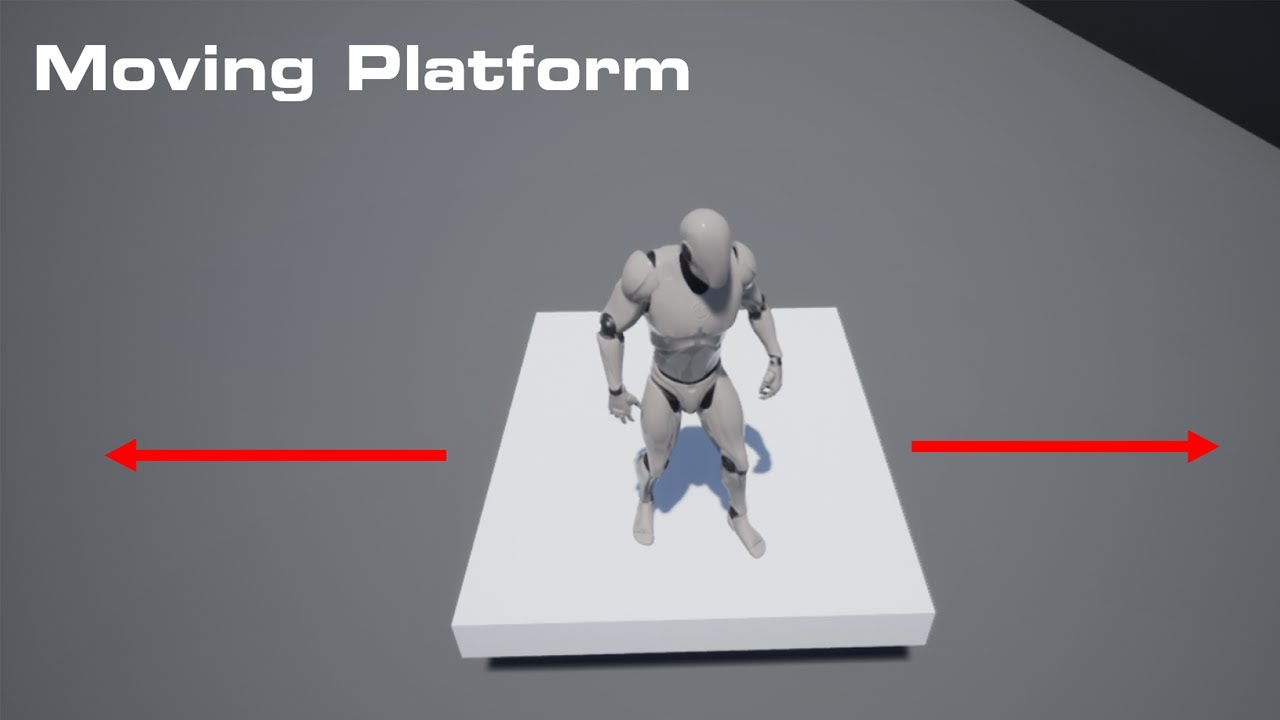
In this video I go over how to make a moving platform how to control where goes and how fast it moves
Check Out My Website For a FREE 3D Model and more of my content : https://www.uisco.dev/
Join the discord : https://discord.gg/WybzV92BKJ
bright surge
hey thanks a lot man, I will watch this
pine herald
bright surge
hey thanks a lot man, I will watch this
Hope it can help you
pliant tendon
is having too many branches bad?
pine herald
pliant tendon
is having too many branches bad?
To me personally yes, I try to summarize everything
I guess I also scam the pixels of the monitor
pliant tendon
pine herald
To me personally yes, I try to summarize everything
im using about 12 branches, 4 of which are in tick
is it bad for performance?
gentle urchin
Not by itself
pliant tendon
and 2 linetraces and some simple maths
gentle urchin
no prob
pine herald
pliant tendon
is it bad for performance?
I have no idea, I don't even know UE5 so I don't know if the game does when I put too many branches ...
For ticks it seems to me that you can only put 1 for Blueprint, so I think that's fine
gentle urchin
branches are very cheap by itself... they're just "jumps" in the code
pine herald
They are events
pliant tendon
nice thanks 🙂
gentle urchin
How are they events? They're not callable by any means
pine herald
gentle urchin
How are they events? They're not callable by any means
I meant
Event begin play
Event tick
Custom event
and everybody else, bro get yourself a chamomile!
Here you are, drink and calm your minds
 gentle urchin
Right, but he asked about branches , if they were bad for performance 😛
pliant tendon
thanks for the chamomile mmm tasty
pine herald
gentle urchin
Right, but he asked about branches , if they were bad for performance 😛
And we both answered him 😝
pine herald
pliant tendon
thanks for the chamomile mmm tasty
It wasn't for you, but I'm glad you liked it 😂
pliant tendon
there were two cups sorry 😛
pine herald
In Italy, however, I'm only good at making pizza 🤷
 barren whale
When I create a new blueprint I can't find it in the place actors window, if I place it from the content browser into the level then it appears. When I restart the engine then it doesn't show up in the place actor window until I use my test blueprint. Is this only happening for me? I tried googling about it but I can't find anyone mentioning this issue.
 pine herald
barren whale
When I create a new blueprint I can't find it in the place actors window, if I p...
pine herald
barren whale
When I create a new blueprint I can't find it in the place actors window, if I p...
🤷♂️
surreal peak
barren whale
When I create a new blueprint I can't find it in the place actors window, if I p...
Isn't that just a list of recently placed actors?
barren whale
is it? My c++ actors always show up in this window (even when I've never used them yet) so I just assumed it was a list of placeable actors
 tropic pagoda
Hi all, Any idea how to update a post-process material parameter in Blurprint?
 random orbit
how can I make a sliding effect where when you slide you have 0 control, like on ice
 fiery swallow
Someone please share a better method. This feels completely unacceptable. And I can't think of anything https://gyazo.com/8085a55c341ccffdb8515e7bafa1a1a1

I am referring to the branch branch branch
 trim matrix
- Question * Why Can't I see my TextBox Multiline as blueprint variable? I've checked Is Variable tick box but it still doesn't work, with other widgets that I don't need it works seamlessly.
trim matrix
Hi guys, a newbie question, i want to start an action when the game start but the event begin play it's already fired in this blueprint, how can i start the logic?

i want to fire the linetrace when the game start
fiery swallow
Option 1. Add it to the end of the beginplay line,
Option 2. Create a sequence after beginplay that calls everything you need
 solar sleet
trim matrix
solar sleet
trim matrix
add a sequence node or put it after the 'should rotate event' node
fiery swallow
 trim matrix
a ok, so the logic is that the begin play can be called only once in a blueprint
solar sleet
Yes
 barren flower
Hey guys, I have a weird one
I want to be able to draw on any surface I shoot with a line trace
I just want to change single pixels, or very small anyway
So point gun at wall, shoot a line trace, that spot turns red
Now, I understand render targets can do this, but does that mean I need a render target on every single surface on every single object in the entire game?
Can I incorporate a RT into a material and make it an instance or will all of them update at once?
Really appreciate the insight!
gentle urchin
ping pong
Minesweeper, tertris etc
relatively simple. Involves some spawning, some UI, some bounce at a constant velocity etc
orchid star
barren flower
Can I incorporate a RT into a material and make it an instance or will all of th...
In theory yes
but Im not expert on material coding
Or you can maybe try decals
but it might not be optimal im not sure
barren flower
Yeah its rough, decals might work but I dont think they are going to be performant. I actually am currently spawning sprites, but again, I want to be able to draw to the material/texture directly to use it as a mask later
runic plinth
Joining in for some ideas, how would I set up a box collision to be static and yet detect physics / hit collision to output the player velocity? (basically detect how hard the player hits the wall) I keep getting this warning but I don't want the box to move.
 barren flower
On overlap - > is player -> get velocity or whatever
Calculating physics is expensive, you shouldnt have some random box doing physics calcs. Just use overlap triggers!
runic plinth
But I need to know how hard player hit the wall ..
barren flower
Right
runic plinth
 barren flower
So you are currently doing that by having the player add impulse to the box, right?
Right, so you are getting the component velocity
runic plinth
No idea I just enabled physics on the box and get the velocity
barren flower
So instead of on hit, use on overlap
Wait even on hit should work, why are you adding impulse to the box if you dont want it to move
runic plinth
How am I adding impulse to the box?
barren flower
You tell me, you're the one with 5000 errors telling you thats what you are doing
barren flower
runic plinth
Joining in for some ideas, how would I set up a box collision to be static and y...
Literally read this
runic plinth
That's the problem. I don't know how supposedly set that on, I just pressed enable physics and changed some collision settings
barren flower
Also you are getting the component velocity of the box, not the actor hitting the box
Right, so disable physics on the immobile object
Get the velocity of the other component, not your own
runic plinth
something along those lines?
 barren flower
put a branch in there in case that cast fails if you want graceful errors, but yeah
runic plinth
That only gives me the direction player is facing when rubbing the wall
barren flower
No, it should give you the velocity of the player
Try running into the wall really hard
runic plinth
If I running dead center I get close to 0 values if I am "side rubbing" I get up to 90?
not sure if velocity is what I need
 warped quail
Hi, since a long time this is all we see in our Blueprint Debugger call stack anytime we want to use it. Any ideas why?

 random quail
What is the reason why 'Get Class Defaults' node for the field of type TArray<UDataAsset*> (editable uprop) triggers @@ has an unsafe connection to the @@ output pin that is not fully supported at this time. and are there any workarounds or a way to silence warn since it is a read-only use?
 heady burrow
Holy shit, I spent a long time trying to understand why my char wont move to a specific point..
it happens that, there was a box there.
had no clue that he wouldn't even walk there if the place was occupied
what a polite character
 astral epoch
Is it possible to open a map from an url link? Say if I have a server that hosts all levels?
I'm posting this to both Blueprint and CPP chats because I'm happy to use either option.
 earnest tangle
Hmm, is there no way to reference a level asset directly in BP's? It's mildly annoying sometimes that it's a string
 fleet mauve
Hi everyone. I'm currently trying to switch cameras in a level blueprint by pressing a button. I've gotten the first part to work (switching to the second camera), but when I press the button again I want it to go back to my first person camera. Does anyone know how to reference the first person camera in a level blueprint? Or how to switch back to the first person character. Here's the code I have in my level blueprint at the moment. Again, part A works, just need help with part B.
 fiery swallow
fleet mauve
Hi everyone. I'm currently trying to switch cameras in a level blueprint by pres...
fiery swallow
fleet mauve
Hi everyone. I'm currently trying to switch cameras in a level blueprint by pres...
I think you'll need to cast to your character and get the camera from there
fleet mauve
fiery swallow
I think you'll need to cast to your character and get the camera from there
I just took your advice, but my first person camera won't connect to the "New View Target"
 fiery swallow
fleet mauve
I just took your advice, but my first person camera won't connect to the "New Vi...
fiery swallow
fleet mauve
I just took your advice, but my first person camera won't connect to the "New Vi...
zzz... I see "New View Target" Is looking for an actor, not a camera. You need to plug your controlled pawn into new view target
 fleet mauve
fiery swallow
zzz... I see "New View Target" Is looking for an actor, not a camera. You need t...
fleet mauve
fiery swallow
zzz... I see "New View Target" Is looking for an actor, not a camera. You need t...
Hmm just tried it and it doesnt seem to be working
fiery swallow
fleet mauve
Hmm just tried it and it doesnt seem to be working
I just tried it in my project and it worked fine, could it be because of the blend settings you set?
New view target just needs to be whatever actor you want to get the camera of
gentle urchin
Thea_currency_test
in this case i think
but not really,
since its a controller, and shouldnt have a camera
You could do "get player camera manager" tho
fleet mauve
I probably shouldve sent a screenshot of what i did . Here's what i have so far
 fiery swallow
I tried the one and it didn't work, getting controlled pawn worked, or casting to an actor
gentle urchin
Input mode UI only also blocks input to the pawn...
Pretty sure im using camera manager in my project.... ..
fiery swallow
Set Input mode ui only.. can you disable that and try again?
fiery swallow
gentle urchin
Pretty sure im using camera manager in my project.... ..
Perhaps, im not saying you're wrong. I'm just saying that didn't work when I tried it
pale orbit
How can i handle different game modes on the same map?
fleet mauve
fiery swallow
Perhaps, im not saying you're wrong. I'm just saying that didn't work when I tri...
Yess it worked!
I guess the input UI was causing issues
fiery swallow
Yeah you'll just need to re enable input after you're done with ui stuff
Or have the ui automatically place the camera back to normal
fleet mauve
Yeah the reason I had that there was so the player wouldnt move around when going to that second camera
But im just happy its working as of now ill cross that bridge when i need to lol thanks again
gentle urchin
Just checked , and you're right Moxie ^^
PlayerCameraManager seem to hold the current camera ref, nothing else
never really used the manager beyond such a test 😛
 sacred minnow
guys i made a fully working stamina system and i works fine, now i'm trying to add a simple feature, every time the stamina bar is full i want to hide the stamina bar, and only make it visible when the bar is below the value 95 (100 being the max), im bad at BP's,

so i suppose i need to and a branch with (if integer <= 95) to set visibility) and connect it to return node?
thanks in advance
gentle urchin
I'd suggest doing it on an event based setup and not using the bindings but...
if you like bindings then you can add another binding for visibility
and as you say, just do a is Health >= 95 boolean, connected to a select into the visibility
Or branch and hardcoded visibilities
fiery swallow
pale orbit
How can i handle different game modes on the same map?

Unreal Engine Forums
Hmm, was unaware of the built in ‘options string’. Thanks for that info. I did a print string and it get’s the whole string ‘listen?game=xxxx’ … unfortunately I am unable to figure out how to set what gamemode I want for the loaded level even if I break that info out and get the XXXX. As each level loads with the ‘default’ game level. ...
gentle urchin
think the latter is less expensive
sacred minnow
ok let me try, thank you
 icy pilot
Doubt
random quail
why you would think so?
feral ice
hello i have been strugling how to get this to work. Spawning a lot of line traces just shooting down and center is the red.

I came up with this

but when i just drag the location away from 0(in y axis) the distances bwtween each line in y axis gets larger. It should always stay the same

like this
 maiden wadi
@feral ice I would recommend something like this to simplify your math a little. Should also do what you want with the same inputs you're using.

The above will also rotate with the actor if you need it to.
 rugged wigeon
does ue4 have any built in bp funcs that take an integer, increment it, and if it's greater than some threshold, going back to a min value? Or more literally, incrementing through an array and hitting the first element if it's at the end?
don't need guidance on how to do that. just curious if there's something built in.
 last abyss
feral ice
like this
last abyss
feral ice
like this
it keeps increasing because of: distance between each + temp y + actorlocation(Y) = temp y so if actorlocation Y is 20 and say distance between each is 20
20 + 0 + 20 = 40, first time
20 + 40 + 20 = 80, second time
20 + 80 + 20 = 120 third time
etc. basically the actor location drives the distance, not the distance between each using that method. all you really have to do to fix it is move the + node before setting the temp y to the make vector Y to fix your problem.
 white field
 runic plinth
So my AI goes through walls like they don't exist. Walls block the player but not the AI. Kinda first time I work with AI, for what and where should I look?
gentle urchin
rugged wigeon
does ue4 have any built in bp funcs that take an integer, increment it, and if i...
Nothing built in for that
dawn gazelle
rugged wigeon
does ue4 have any built in bp funcs that take an integer, increment it, and if i...
There is the "wrap" node that will take any value and map it to between a start and end value, but it doesn't seem to work correctly (it'll give starting index +1 when at the max+1) (Min at 0, Max at 100, input value is 101 it'll return 1)
I did make myself a function in a library that works though:

So say you have Min at 0, Max at 100, and your input value is 101, it'll return 0. 102, it'll return 1. etc.
feral ice
last abyss
it keeps increasing because of: **distance between each + temp y + actorlocatio...
ok thank you for the solution!
feral ice
last abyss
it keeps increasing because of: **distance between each + temp y + actorlocatio...
how do you mean? Move which +?
trim matrix
Hi everyone, so i was cleaning up and moving some stuff into my project, i'm very new so i was trying to not broke everything lol, i was almost done everything is ok aside the thirdpersoncharacter blueprints
get messed up a bit
 last abyss
feral ice
how do you mean? Move which +?
last abyss
feral ice
how do you mean? Move which +?
hopefully this makes sense, the same at the bottom make vector
 trim matrix
this is actually my thirdperson BP location
 feral ice
last abyss
hopefully this makes sense, the same at the bottom make vector
feral ice
last abyss
hopefully this makes sense, the same at the bottom make vector
it kinda worked still some bugs but your solution solved it. But how do i add an instance at each point?
 last abyss
that wasn't my solution, but if that works its better right?
feral ice
last abyss
that wasn't my solution, but if that works its better right?
i just replaced all your "make literal" with variables.
but you see the points where it hits here. I want to spawn a grass mesh on each point. How do i do that?

it spawns it out of place and spawns a lot of them in the right corner

 pearl beacon
Im having some issues on my inventory function for dropping a item from slot, so when its dropped, it spawns the item into the world, but as long as there is no item actor in the world from scratch it does not spawn it, anyone have a clue why?
maiden wadi
@feral iceThat node uses a difference space. If you want to do it off of the return location of the trace, use AddInstanceWorldSpace. Otherwise you need to convert the trace location into the local space of the ISM Component.
 cyan schooner
Any reason why my animation blueprint would break after migrating to another project where I have the same skeleton, anims and statemachines setup ?
feral ice
maiden wadi
<@!303956598794092544>That node uses a difference space. If you want to do it of...
ah i see! It worked
maiden wadi
Most ISM or HISM component stuff is optimized to work in the local space of the component.
dawn gazelle
trim matrix
Hi everyone, so i was cleaning up and moving some stuff into my project, i'm ver...
Copy and pasting between blueprints can sometimes do this as the referenced objects / variables don't exist.
You just need to fix up the issues you have by reviewing the errors and resetting the values that aren't correct.
Eg. This first node here no longer has the save game object class set in it.

And that has a cascading effect on the rest of your issues.
And this one here, you need to recreate the cast to the appropriate save game class.

 odd roost
Hi All, does anyone know how to fix this issue? I have 3 component sections of my landscape where it's visually just off from the other component sections

 jolly delta
🤣
tight schooner
I have an esoteric question. I made a blueprint child class of a Hierarchical Instanced Static Mesh Component that has some mesh & material & collision settings pre-configured. (It's a data-only BP.)
I can do that, right? Like UE4's not gonna explode?
Are there limits to BP-subclassing things like mesh components? Like, could I put functions in there?
brazen pike
tight schooner
Are there limits to BP-subclassing things like *mesh components*? Like, could I ...
That's something I wanna know too... I'm sure it's possible because it would be stupid if not
tight schooner
The UI seems to suggest I could put functions in a mesh component subclass. My question is whether I should 
trim matrix
dawn gazelle
Copy and pasting between blueprints can sometimes do this as the referenced obje...
thank you a lot,yep i found the issue that is linked to my custo my save system
feral ice
how do i get the rotation of hit result in line trace


 tight schooner
pearl beacon
Im having issues with a error reading following
tight schooner
pearl beacon
Im having issues with a error reading following
"Accessed none" means there's no data. Your "get actor of class" node isn't finding an ItemBP
pearl beacon
tight schooner
"Accessed none" means there's no data. Your "get actor of class" node isn't find...
Okey i switched it to cast to ItemBP, made a variable ItemRef, and set the type to Item BP, but it still reads none, why is that?
tight schooner
The basic issue seems to be there's no ItemBP spawned into the world; it can't get an actor that doesn't exist.
That's all I can say from my end
If an ItemBP does exist at some point, maybe you're calling GetActorOfClass at the wrong time, like before it exists or after it's destroyed; idk.
pearl beacon
Does it require an actor to be in the world at all times?
tight schooner
Only when the node GetActorOfClass is called, and any of the nodes using the reference that pops out of it.
The reference becomes invalid if you destroy the actor ofc, but it seems like GetActorOfClass isn't finding an actor to begin with

 pearl beacon
tight schooner
The reference becomes invalid if you destroy the actor ofc, but it seems like Ge...
pearl beacon
tight schooner
The reference becomes invalid if you destroy the actor ofc, but it seems like Ge...
ye i traded it out for a "Cast to ItemBP" instead,
but the ItemRef is not finding anything
tight schooner
All that "Cast" does is check if a supplied object reference is of a certain class or not... it won't do a better job at finding an actor than GetActorOfClass per se
pearl beacon
Okey so im better off just using Get Actor of Class and just storing a itembp underneath the map to tackle the issue?
tight schooner
Maybe. I don't know anything about your project, but if an ItemBP is hand-placed into the level and you use GetActorOfClass, it'll return a reference to whatever ItemBP happens to exist in your world.
(If there are multiple, it arbitrarily picks one.)
pearl beacon
Nah, i got one but im trying to make it so that upon the function to "dropfromslot" is triggered, it will clear out hte slot, and pass the variables over to an item that is to be spawned into the world
tight schooner
I'm kind of baffled looking over your screenshot... It looks like you got a function in ItemBP that spawns an ItemBP
but ItemBP #1 can't spawn an ItemBP #2 because ItemBP #1 doesn't exist yet
pearl beacon
Yea, i am i supossed to keep it in ThirdCharacterBP?
Oooh, so i need to pass that functionality over to my characters bp?
tight schooner
Yeah, or otherwise something that already exists in the world needs to execute the spawning code
Can't really say structurally where it should go cuz I never made an inventory system myself
pearl beacon
Oooh ok, my bad, i will do this now then, cheers
tight schooner
feral ice
You should debug it; make sure every part of that node graph is doing what you expect; producing the values you expect etc... I can't debug it myself merely by looking at your screenshot.
pearl beacon
welp, now its just picking it up at once when dropping it
 cursive path
I have question abount widget how to make it so big and move inside it by mouse
pearl beacon
cursive path
I have question abount widget how to make it so big and move inside it by mouse
What do you mean? you can resize it as a window, inside the ui editor, and you can use "Set Show Mouse Cursor" to get the cursror active
cursive path
I know this but i mean that i want to be like window when i move up
Similar to scroll to all side
Seem i bad in explaining
pearl beacon
Yea, its a little hard to understand you mate, my bad 😅
cursive path
Do you know salt and sanctuary game?
pearl beacon
i dont im afraid
cursive path
You can check on youtube the skill tree
 whole marlin
How do I set the view target with blend in multiplayer with a camera that is in a level?
for multiplayer
 odd sun
Hi sorry in advance for the very NOOB question but I am trying to cast to my Behavior Tree service to get access to a function. Question is, what do I use as an object for the service cast. I tried a Blackboard reference, no joy... so what to use. Thanks
 coral sand
how could i access or generate the average of the 3 vertices of the current primitive in a material
 upbeat otter
How can I "save" a variable to another level such as a simple text string in a widget containing a url
earnest tangle
If you're opening them as separate levels, easiest way to do it is probably have a variable on your game instance class and save it there, since the game instance persists between levels
upbeat otter
earnest tangle
If you're opening them as separate levels, easiest way to do it is probably have...
yeah i tried it and it working but I just dont know how to replicate it now, thanks for your help though
 iron heron
runic plinth
iron heron
runic plinth
Anyone has ideas on why Do Once node doing twice?
dawn gazelle
runic plinth
Anyone has ideas on why Do Once node doing twice?
Once on server, once on client (if it's multiplayer?)
runic plinth
Single player
 idle monolith
Yo
It's possible recreate this thing with the BP?
https://www.youtube.com/watch?v=OFDt2L9EIv0&t=132s&ab_channel=OfficialTF2Wiki

A video demonstrating the Flame Thrower.
https://wiki.teamfortress.com/wiki/Flame_Thrower
Damage
Flame damage (close): 13.0 / particle (100%)
Flame damage (far): 6.5 / particle (70%)
Critical: 20-39 / particle
Mini-crit: 9-18 / particle
Afterburn: 4 / tick (60 total)
Afterburn (mini-crit): 5 / tick (80 total)
Function times
Attack interval: 0....
I making a TF2 fan game and I need to know how recreate the flamethrower of the original game
whole marlin
Trying to do an onclicked for an actor. Static mesh works but skeletal mesh wont, how can I fix this?
 signal warren
hi
i'm currently having a Player Character who can equip/unequip a sword actor
should i use child actor or just use actor?
i've read that child actor is more expensive than traditional actor and have limitations (i've have to change my bp graph to fit with the child actor function)
fiery swallow
signal warren
should i use child actor or just use actor?
Well if you have multiple swords you really should be going with child actors... And what limitations?
runic plinth
if anyone here, how would I simulate higher velocity for hit events if I won't allow sprint? I was thinking something like get distance traveled in a straight line and get that value to add into the normal player velocity but I think it's redundant. Any ideas?
 civic briar
How can I make the debug capsule follow the rotation of my characters pawn?

 shadow root
civic briar
How can I make the debug capsule follow the rotation of my characters pawn?
shadow root
civic briar
How can I make the debug capsule follow the rotation of my characters pawn?
try doing the same thing you're doing with the location but with rotation. get the capsule component rotation and plug it into the draw debug rotation
atomic salmon
civic briar
How can I make the debug capsule follow the rotation of my characters pawn?
Or just directly make your capsule component visible in game
civic briar
I did that but im creating an offset from the capsule
If i move the capsule itself it moves everything because its the root component
i tried to draw it from the camera itself.... but take a look at my problem in #ue4-general
shadow root
are you adding a value to the rotation the same way as the location? that could be what's causing it to spin
atomic salmon
Yes I see that now. The debug capsule is always in world space, so if you are trying to have it displaced to the right of your character you need to use its right vector to offset it
civic briar
All I did was plug in the relative rotation from the capsule to the rotation in the draw debug
@atomic salmon I am using the right offset based off the relative location of the capsule component. When i try to get the relative pos from the camera, it doesnt use the camera im specifying
weird
 atomic salmon
If the capsule component is the root, its relative location is in world space
civic briar
This works using the capsule component location but it does not work for the relative pos of the camera for some reason
image above does everything but rotate around the capsule in the direction of the camera (which is what i am trying to achieve

Can someone tell me where the random Camera Actor is coming from ?
atomic salmon
Are you possessing your pawn?
civic briar
yes

everything works fine as well
unless i try to reference the camera in BP
it gets the wrong camera ? even though it says it is getting the one inherited from the cpp class

 young oriole
I'm following a tutorial and I notice his SplineMesh is under his arc_spline but is not. and it won't let me drop in there. Does this matter at all?
 atomic salmon
Is that derived from Character or a custom class?
civic briar
Custom class


whats weird.... if i (get) the camera relative location and print the position... it shows the correct position
atomic salmon
There may be something in code which activates and external camera
civic briar
Could the camera be automatically spawned from the character movement component ? I used a Character class when creating this

Maybe i didnt answer you correctly to begin with
atomic salmon
The standard Character doesn’t have an “external” camera.
civic briar
hmm.... then wtf is happening lol
atomic salmon
Unless it’s using a spectator mode
civic briar
 atomic salmon
But you need to transition the player to spectator specifically for that to activate
civic briar
I am using this in the cpp to auto possess
 atomic salmon
Something strange is going on. That part should be fine.
civic briar
 atomic salmon
Where does the CameraActor come from?
civic briar
noooo idea lolll
i have the camera in the .h and then i set it up in the constructor in the cpp
atomic salmon
I would create a separate test level, place just your character in it and test it there
Or delete the CameraActor from this one if you don’t need it
 tawdry raft
Sorry to barge in here but anyone know how I can make a actor rotation loop whenever I'm locked onto a target?
civic briar
i cant delete the camera actor because its automatically spawned; if we are talking about the same camera
atomic salmon
tawdry raft
Sorry to barge in here but anyone know how I can make a actor rotation loop when...
FindLookAtRotation on tick
atomic salmon
civic briar
i cant delete the camera actor because its automatically spawned; if we are talk...
Ok spawned by what?
 tawdry raft
atomic salmon
FindLookAtRotation on tick
tawdry raft
atomic salmon
FindLookAtRotation on tick
Where would I place that in here?
 atomic salmon
Then it is spawned by your character @civic briar
atomic salmon
tawdry raft
Where would I place that in here?
You already have it
But it is linked to an input
If you want to lock onto your target that code needs to be called on tick
civic briar
I don't understand. I have a camera component on the character BP in the scene. This is other camera is separate and i have no clue how its getting spawned
atomic salmon
@tawdry raft As long as you want to maintain the lock
tawdry raft
I want it to maintain the entire time the camera is locked on, but now that I think about it, I will instead go for when the button is held

 atomic salmon
tawdry raft
I want it to maintain the entire time the camera is locked on, but now that I th...
atomic salmon
tawdry raft
I want it to maintain the entire time the camera is locked on, but now that I th...
So from the button you set a locked Boolean to true when pressed and too false when released. Then from tick you run that code if the Boolean is true
civic briar
Get this when i try to delete it from the scene at runtime
tawdry raft
Alright, gonna give that a try!
civic briar
Where does PlayerCameraManager come from
atomic salmon
civic briar
Get this when i try to delete it from the scene at runtime
Ok, do you have a custom player controller?
Or a custom game mode
civic briar
When you say "custom" do you mean... made from c++ NONE or c++ Character class and i created all the functionality myself
Also, i created a BP gamemode derived from the default
 civic briar
Okay maybe its coming from here
 atomic salmon
All I can think of being 4 AM here is that there is something wrong in your custom character which triggers some default code somewhere
Maybe you can try with a default character and see if it still does it?
atomic salmon
tawdry raft
You need an On Tick Event
From the input event you just set the Boolean
Then from On Tick you check if that Boolean is true with a Branch
If it is true you run your rotation code
If it is false you do nothing because you are not locked to the target
 atomic salmon
That’s the standard Camera Actor, but usually it doesn’t spawn by itself. Looks like something is spawning it.
civic briar

This is default. I think its referring to the Character class camera
But like you said. It shouldnt be auto spawning
atomic salmon
I think the camera manager is spawning that camera actor because it doesn’t recognize the camera within your character
civic briar
Potential UE5 Bug ?
 tawdry raft
Did you mean Event Tick?
 atomic salmon
civic briar
unless i am doing it wrong and dont know
atomic salmon
civic briar
unless i am doing it wrong and dont know
That’s why I was suggesting to try with a standard character
civic briar
thats the only place
atomic salmon
tawdry raft
Did you mean Event Tick?
Yes
tawdry raft
I already have that for the camera targeting attached to a sequencer, but it's fine if I copy it and paste it for the SetActorRotation?
civic briar
Actually idk if its my character class calling it. I check in a new level and changed the gamemode back to default and to use the spectator gamemode and the random camera actor still spawned in the scene
atomic salmon
tawdry raft
I already have that for the camera targeting attached to a sequencer, but it's f...
Yes. Just make sure you don’t break the sequencer part of the code
civic briar
Seems to be a known issue
atomic salmon
It happens when the camera manager cannot find a player camera
civic briar
I see
 atomic salmon
Need to catch some sleep now sorry
civic briar
Thanks for the help though
tawdry raft
Thank you, I'll get this working eventually
civic briar
Ill hit you up when i find it lol


 burnt citrus
Hey I need help
I'm making FPS with TP Mesh
Then I have to make FP weapon and TP weapon effects synchronized
but I have no idea... is there good idea?
atomic salmon
@vocal urchinyou can issue a show splines from the console at runtime.
Or use a Execute Console Command node and do it from code
 vocal urchin
atomic salmon
<@!108801101762981888>you can issue a `show splines` from the console at runtim...
vocal urchin
atomic salmon
<@!108801101762981888>you can issue a `show splines` from the console at runtim...
Good call, thanks 🙂
astral stirrup
hello, good morning. im having some issues referencing a texture2d by name. i have a few exr files created by unreal, with some numbers in the name and using import file as texture 2d and giving it a full path (as a string) doesnt seem to work for me in this instance
 void needle
does someone know why everything reflects light, and how ti fix it?
 astral stirrup
classic, when i finally ask i figure it out somehow 🙂 seems my export was a bit off, changed min alpha, and set it to ui element. one of these worked for me
void needle
okay, i fixed it
 amber rock
hi people, I trying to set default value for inherited variable in constructor, but i can't figure out how to do that? is it even possible ?
i had config and i want to transfer some varibales from config to blueprint. I created same variable in base blueprint class, and trying to find a way to set default vaules in cgild classes as copy of config values
astral stirrup
one last question on the matter, do i have to use the ImportFileAsTexture2D if the file is already an asset or is there a faster way of doing it? even with 10 icons it causes a hickup every time i open the menu
 vernal ore
Does anything look wrong here? My vehicle wont move at all
 astral stirrup
do u have ur axis defined in project settings>input?
 astral stirrup
the only other thing that comes to mind is some setting in the vehicle movement component
but maybe someone with more knowledge could help more
 stable fjord
how to turn off foliage movement in UE4 for whole project?
 lost solstice
how would one go about properly using a player controller component... It seems a bit complicated just looking at it
 lofty hound
Whats the logic for determining crit chance? i have a character with 5% chance to crit, how do i implement via BP?
astral stirrup
@lofty hound try RandomIntegerInRange node
combined with a branch node to test against your chance
fiery swallow
lost solstice
how would one go about properly using a `player controller` component... It seem...
Are you talking about just playercontroller blueprint?
lost solstice
fiery swallow
Are you talking about just playercontroller blueprint?
yeah that one
like why is there a camera and such
fiery swallow
The camera in the player controller I believe is what allows the actual player to see through camera actors, or pawns that have camera components. It's not really something you need to worry about unless you plan to switch viewing cameras between different pawns
fiery swallow
I don't think he meant an actual camera, but there is something like it in there
earnest tangle
iirc it has a camera manager or something like that, which is used for the purposes you mentioned yeah
fiery swallow
@lost solstice
It's not really that complicated though, it's mostly the same as a regular character blueprint, It just has different blueprints you can use that are specific to the controller... You could actually script everything in controller the same way you can do everything in an actor... It's not really a good idea though
 sacred current
Guys How Can I get the previous tick of a float variable on tick event and store it?
earnest tangle
Depends on what the variable is really
astral stirrup
@sacred current have 2 variables, before u set the current one, set the value of the 2nd one to what the first one is
earnest tangle
You need to save its value somewhere before you change it
astral stirrup
if that makes sense
sacred current
basically I have my speed char variable and I want to check when the speed is not increasing so i can trigger a stop animation state
earnest tangle
Yeah just stick it into a variable and compare
iirc there's a way to get the previous velocity from character movement comp as well
if you use that
astral stirrup
true u dont need the var for the speed coz the movement comp has one already
just save that value probably around the end of your tick event
to compare that when it fires again
i got a bit of an issue too, do i have to use the ImportFileAsTexture2D if the file is already an asset or is there a faster way of doing it? even with 10 icons it causes a hickup every time i open the menu
this is sort of what im doing atm

should i just bite the bullet, and keep using the import, just refresh the image whenever actual changes are made (since it runs every time the menu opens atm)
earnest tangle
I think the import func is for image files
so if you already have the files imported in the editor, you don't need to import them again
astral stirrup
how would i access them through this name lookup?
i feel like i went through the entire node list and couldnt find anything
earnest tangle
iirc if you want them in this fashion you'd need to use the asset registry
I'm not sure how much of that is exposed to BP's but at least some of it should be
alternatively an easier method might be to just have an array of textures in your widget, and assign your textures into it in the editor
it's a bit of manual management but it's the most straightforward way to do it
astral stirrup
ah fantastic thank you looking into it now
 quiet stag
guys i am trying to use ALT MIDDLE MOUSE to move the PIVOT and its not moving the piviot point its moving the ENTIRE thing...in the blueprint
I GOT IT 😛
astral stirrup
trying to get it to work with a data table and i cant reference them now for some reason, made a struct for it, holding the setups and the appropriate image (texture2d object ref - same as in the import which worked) the rows in the data table are being found correctly, but the texture doesnt load

 south merlin
I must of spent 5 or 6 hours trying to debug why AI Move To wasn't working with a flying enemy. Only to discover flying enemies dont' work with nav meshes. LOL
 rich crown
Hello, This might be a noob question , but the default tab seems to be missing on the right, i want to add a mesh.
 lofty hound
Any idea why this is working? right numbers are coming out but bool is always set to false?
 last abyss
because everytime u run an execute node you get a different value from the random float in range
so when you print string it gives a random float in range, then when you branch it gives another random float in range.
 willow yacht
Anyone else having that UMG bug... When you add a user-created widget inside another widget then you update something in the user-created widget it doesn't update unless you remove it and add it back again or restart the engine? (4.26.2)
 burnt nest
willow yacht
Anyone else having that UMG bug... When you add a user-created widget inside ano...
burnt nest
willow yacht
Anyone else having that UMG bug... When you add a user-created widget inside ano...
#umg might know 🙂
willow yacht
burnt nest
<#221799467689574410> might know 🙂
what do you mean might know? I'm talking about the widget blueprint class
burnt nest
I mean that if you don't get any help here, you might try in #umg since it's UMG related. 🙂
earnest tangle
it's called Component Begin Overlap or something like that
it'll probably look something like "Event Component Begin Overlap (Name of your static mesh component is here)"
 fallen glade
 earnest tangle
or that :)
fallen glade
does anyone know how to fix this error? Do I have to keep the scale to like 0.00001

np
earnest tangle
Yeah I don't think you can scale to 0 🤔
What do you need that for? Are you trying to hide it or something?
fallen glade
yeah it's just a mesh that i make appear disappear, an attack of opportunity marker if you're familiar with rpgs
 fallen glade
earnest tangle
Yeah probably just hide it the regular way
fallen glade
earnest tangle
Yeah probably just hide it the regular way
fair enough, thanks! 🙂
done this to keep the animation


