#blueprint
402296 messages · Page 713 of 403
 twin abyss
Whatever, im looking for someone to help me with spawning an actor on a player with the hit of a keyboard key.
 maiden wadi
As someone who has offered to help people asking for help vaguely, and then getting chewed out for not being helpful.. that site isn't even slightly cranky.
 earnest tangle
twin abyss
Whatever, im looking for someone to help me with spawning an actor on a player w...
earnest tangle
twin abyss
Whatever, im looking for someone to help me with spawning an actor on a player w...
do you have a specific problem with that what isn't working? or what is the problem you're facing with it?
@maiden wadi I dunno, it puts an awful lot of pressure on the person who simply might not be familiar with how these types of channels work :)
twin abyss
earnest tangle
do you have a specific problem with that what isn't working? or what is the prob...
Ill show you what i've done so far. I know you guys are like experts so just bare with my incompetence
earnest tangle
Like I doubt most people who ask to ask are trying to make people doubt their skills like what is that even about...
twin abyss
 earnest tangle
twin abyss
Ill show you what i've done so far. I know you guys are like experts so just bar...
earnest tangle
twin abyss
Ill show you what i've done so far. I know you guys are like experts so just bar...
no worries, if people don't like basic questions they just won't talk to you lol
maiden wadi
That looks fine. Which class is this blueprint?
twin abyss
maiden wadi
That looks fine. Which class is this blueprint?
Wdym?
maiden wadi
What does the blueprint say in the top right, Parent Class?
 magic jackal
Have anyone made any "mod" for UE where blueprints gets orthogonal connections instead of spline connections? I really hate not being able to pull traces vertically w/o them making S-shapes
twin abyss
maiden wadi
What does the blueprint say in the top right, Parent Class?
Sorry maybe im just dumb but idk what you mean by that
this?

 supple dome
 twin abyss
 magic jackal
supple dome
ya theres a few on marketplace
magic jackal
supple dome
ya theres a few on marketplace
Any closer name? 🙂
 twin abyss
twin abyss
twin abyss
@maiden wadi hopefully this helps
 torn kettleBOT
:no_entry_sign: Tanjiro#3308 was banned.
twin abyss
Damn what happpened there?
maiden wadi
Spammers.
And no. The top left of your editor when you have the blueprint open. Takain posted a screen of what I as asking. It'll show the class of the parent.
like Parent Class: Actor, or Parent Class: PlayerController, etc.
magic jackal
supple dome
Thank you!, Need to negotiate with my co devel if ok to use it, since the blueprints might end up looking like a mess for they
twin abyss
maiden wadi
like Parent Class: Actor, or Parent Class: PlayerController, etc.
isnt that what i sent?
supple dome
twin abyss
character should have input enalbed by default
use the debugger or debug strings to see if its being called
twin abyss
Man im just dumb, imma need to learn blueprints a bit more before asking so many questions
maiden wadi
Nothing in your screenshot says Parent Class. Look at Takain's screenshot.
 maiden wadi
Ah. My bad. I missed that one. I kept seeing the other one.
Is this the class your GameMode has set as the default pawn?
twin abyss
I think so yes
maiden wadi
Do you have any E keyboard bindings in any other blueprints?
Map Blueprint, Controller Blueprint, any other actors?
magic jackal
Can that tool also ensure that connection points line up with the grid? 🙂
 runic plinth
real quick question, where can I find the animated mesh component in the player character?
twin abyss
maiden wadi
Do you have any E keyboard bindings in any other blueprints?
Ah that was it, thanks
My level had a secret lil thing hidden away
How do i make it only repeat once tho
twin abyss
maiden wadi
Do you have any E keyboard bindings in any other blueprints?
literal life saver, been doing that almost all day with no idea why it didnt worjk
maiden wadi
By default, your controls will take input in an order and consume it. You can disable the consuming to make it work in all if you want. Default order I believe is Controller, then LevelBlueprint, then Pawn.
Also other actors can have input enabled on them as well, they'll run before anything else.
twin abyss
Oh fr
Thanks
Is there a way to make it only repeat once. its currently constantly repeating in one spot
maiden wadi
DoOnce could work.
 maiden wadi
Before the spawn node. DoOnce acts like a gate. The white execution line goes in, runs, sets an internal true/false, and further attempt to run it will stop it from working until it's reset execution line is triggered to reset the internal true/false.
twin abyss
Ah gotcha, i did try that at first and it didnt work either
Ah ok i figured out what doonce does to it
It only allows me to do it once, not stop it from repeating
 native ferry
hey guys is it possible to change the text size in a widget?
i have a lantern with a widget that looks like this: (first image) but as you can see, the text is too big, so i went to the widget bp and set the text block to "is variable" and did this: (second image) so i can change it in the lantern bp but it doesn't seem to be working, can someone help?


 still panther
hey does anyone know how to make a variable that can be seen by every blueprint everywhere
native ferry
you can use a blueprint instance, there are a lot of tutorials on this
still panther
thx
 tired cypress
still panther
hey does anyone know how to make a variable that can be seen by every blueprint ...
tired cypress
still panther
hey does anyone know how to make a variable that can be seen by every blueprint ...
I use the GameInstance for this. You can retrieve your game instance from any BP and reference variables inside of it.
 loud cipher

Hey all

I have my default mannequin that im trying to replace
With my custom soldier that is rigged to ue4 skeleton
I have assigned the custom character with the same mannequin skeleton, the animation transfers nicely but the cameras location and rotation resets
Anyone know why this is or what i can do to fix this
Its as if the sockets are not transferring even though they share the same skeleton
 jaunty solstice
The problem I'm having is none of the properties on the PostProcessVolume are exposed when you create a reference to the parent PostProcessVolume in a Blueprint.
I’ve tried 2 ways. Creating a reference to an existing PPV in my scene, and adding a PPV component to my Blueprint.
Can anyone suggest a workaround?
 true valve
Why character moves after ragdolling?
 floral bramble
I have a question and im fairly new to UE4, I have a BP for a menu and a BP for a class, I want to pass a variable between then and I tried interfaces but it doesnt seem to be working, can anyone point me in the right direction? I have set up an interface with an input and output.
 obtuse herald
floral bramble
I have a question and im fairly new to UE4, I have a BP for a menu and a BP for ...
obtuse herald
floral bramble
I have a question and im fairly new to UE4, I have a BP for a menu and a BP for ...

Blueprint Interfaces allow Blueprints to call functions in different types of targets, if they also implement the interface.
floral bramble
I was reading that, it doesnt make a lot of sense to me for what im trying to do
 dark crow
It can be done different ways but your description is not very explicative of your intentions
floral bramble
I have a variable in one BP class, the one for my UP. and I need to get that variable (sring) to my gameinstance BP class
or at least the value of it
dark crow
Well, you can always access your GameInstance with GetGameInstance and Cast to your custom class and call a function passing your string
Ooor you can use an Interface and avoid Casting
Don't really know what you're trying to achieve with it so
 midnight ravine
@floral bramble generally if you need your GI to have access to something, define it in the GI and set the value on BeginPlay or OnInit and retrieve it from your GI whenever you need it.
floral bramble
I am trying to use an interface as a get/set. I have a variable in my GUI BP class. I want to pass that variable on a button click to my GI class
@midnight ravine Its a variable not a static
dark crow
Then yeah, have the Get / Set implemented in the GI
When you need to access it from somewhere Call the interface function with GetGameInstance
dark crow
I can provide an example if you want
floral bramble
im pretty sure i got it
 storm vigil
Hi. what is the best way in implementing a different run speed or disable run when doing strafing (A,D) and moving backwards (S)? I wanted that during strafing or moving forward I am not in a running state.
I initially tried using bools and/or using the is/was key pressed released as additional conditions, and setting the speed. However, if I hold W (move forward) and press the A, D, S, it sorts of escapes from the logic. Thank you
 lofty quartz
I have all players connected to the same session lobby in a waiting map. When the server clicks the ready button, I want all connected clients and the listen server to go to the new level together. How would I accomplish this? (feel free to @ or dm me)
 trim matrix
Is it possible to get variables from the past that have been running on tick? Like if I wanted to know what the variable was one second ago for example
 lost solstice
storm vigil
Hi. what is the best way in implementing a different run speed or disable run wh...
lost solstice
storm vigil
Hi. what is the best way in implementing a different run speed or disable run wh...
you can make a boolean called IsStrafing and whenever your move left or right function runs or moving backwards (this might be linked to input axis so you would have to do a float value check for that) you set the bool to true. Then if the character is moving forward and right you check if that bool is true or not. If it is, sprint is disabled, else the player can sprint...
 hazy linden
Yes,but the crouch function causes problems. When I crouch, I go up and down into the the ground for some reason, rather than just reducing the capsule height.
 fiery swallow
loud cipher
Its as if the sockets are not transferring even though they share the same skele...
fiery swallow
loud cipher
Its as if the sockets are not transferring even though they share the same skele...
That's exactly the case, the sockets likely didn't transfer, go check the bones
 peak crater
anyone know why SpawnEmitterAtLocation would return None?

the emitter template going in points to the right particle system
 astral monolith
Hello guys , I am trying to shoot projectile . But I only want that projectile to go World X axis direction , not actor forward direction . How can i do that ?
 grave jungle
peak crater
anyone know why SpawnEmitterAtLocation would return None?
grave jungle
peak crater
anyone know why SpawnEmitterAtLocation would return None?
I am guessing its something to do with WorldContextObject not being passed in? 🤔
 gentle urchin
astral monolith
Hello guys , I am trying to shoot projectile . But I only want that projectile t...
gentle urchin
astral monolith
Hello guys , I am trying to shoot projectile . But I only want that projectile t...
I think you can lock a projectile components movement to each plane
or axis
 atomic salmon
@astral monolithuncheck Initial Velocity In Local Space within the Projectile Movement Component.
 vast crow
Changing container variable type is always so annoying, why can't generalized nodes refresh automatically...
 maiden wadi
Because flagging an error is infinitely more easy and safer than trying to change types of multiple nodes.
vast crow
It's definitely easier, but doing this correction is trivial too. Don't see how such transformation can be more "unsafe" than pointing out these errors
 worthy tendon
there are cases that this change is not trivial. and I guess deciding whether this change is trivial or not is very hard if not impossible. so better to be safe than sorry. @vast crow
maiden wadi
Personally. I wouldn't want it to auto correct. If I change something somewhere, and it happens to break three other classes, I want to know why and make sure they're fixed correctly than relying on someone's assumption.
For instance. Engine's seamless travel has a crash when it assumes that because a package is loaded, that it's map is. Rather than checking both, they make an assumption, cause that's how it' 'should' be.
vast crow
maiden wadi
Personally. I wouldn't want it to auto correct. If I change something somewhere,...
It will show different errors in places where it broke something. This is a type error. Types are not assumptions, they are proofs (there are decades of research on that)
vast crow
maiden wadi
For instance. Engine's seamless travel has a crash when it assumes that because ...
And this is an application logic, which is based on assumptions. Blueprint's type system is not powerful enough to allow encoding of such things in it
 native willow
why don't you write it yourself and make a pull request then?
vast crow
native willow
why don't you write it yourself and make a pull request then?
I'll think about it, thanks
worthy tendon
vast crow
Changing container variable type is always so annoying, why can't generalized no...
I don't count this as trivial, because type of bottom pin must be changed as well, and it can go a long chain of changing types? that's crazy
vast crow
worthy tendon
I don't count this as trivial, because type of bottom pin must be changed as wel...
Why is it crazy? It would traverse only connected generalized nodes. All errors would be highlighted to, for example, when function input doesn't match
trim matrix
Im using anim notifiers to mark when in my animation the hurtbox is active
altho right now im using 2 bools, start and end
is there a simpler way to do it?
vast crow
native willow
why don't you write it yourself and make a pull request then?
Because this is the first time when I thought that reconnecting Add's inputs and outputs could be automated, and poured my emotions here. No one supported it or believed that this could work, so I assume no one would want it
trim matrix
hello so im getting this problem were when i shoot the chars arms just breaks, when i look at the shooting animation its does look close to the problem:

animation:

how can i fix this and thank you
runic plinth
where can I find the animated mesh component in the player character?
 prime bone
Can you not use keyboard input events in an object blueprint?
maiden wadi
Input is for Actors and above.
 surreal peak
At least not in BPs I guess
In C++ you actively bind an event to the Input, where you can choose the Object and Function.
trim matrix
i pressed reimport animation but its the same
 raw orbit
anyone know how to manipulate tree view members? ive used this sort of method before to populate vertical boxes but the tree view seems to not want to listen to any input
 raw orbit
figured it out for now, need to pass the variables through an object and the interface function instead
 trim matrix
How are you supposed to make a Neural Network in UE4? From my understanding right now you would need an array of weights for each neuron, this would mean for example 28 arrays for just one very simple neural network. Am i doing something wrong?
 delicate quail
trim matrix
How are you supposed to make a Neural Network in UE4? From my understanding righ...
delicate quail
trim matrix
How are you supposed to make a Neural Network in UE4? From my understanding righ...
How would you program this in any other language/situation? It's been a minute since I've learned about NN but if you know how you'd organize your data and don't know how to do it effectively in BP I might be able to help
 dreamy river
Question related to optimization: Is it ok to spawn let's say 20 actors from the same class every time when player enters Shop? And when he quits destroy all those actors.
maiden wadi
Depends on the implementation. Is your shop a 3D level?
 tight schooner
If you're worried about garbage collection, you could run GC manually after the actors are destroyed... (https://docs.unrealengine.com/4.26/en-US/BlueprintAPI/Utilities/Platform/CollectGarbage/)
it would cause a slight hitch on the frame that GC is called
dreamy river
@maiden wadiNo, it's 2D widget + RenderTarget Image for selected item
maiden wadi
What are the 20 actors for then?
 tidal yew
does anybody know how to set up a blueprint for holding left shift to run and releasing to walk? I can only get left shift to toggle run on/off but the hold doesn't work
delicate quail
tidal yew
does anybody know how to set up a blueprint for holding left shift to run and re...
create a variable called isSprinting or somesuch and an input action called sprint, on input action sprint pressed, set it to true, on release, set it to false. I'm in the feedback/support voice channel if any of that didn't make sense.
 sacred minnow
guys im trying to make something simple but for some reason i cant do it
on my level i have the fog set to 0.2, im trying to make when the player is inside the trigger box the fog is set to 0
how do i make the fog fade out/in slowly?
loud cipher
fiery swallow
That's exactly the case, the sockets likely didn't transfer, go check the bones
Ahhh yesss. What can i do to make the sockets transfer?
Or can i at all?
 last abyss
sacred minnow
how do i make the fog fade out/in slowly?
last abyss
sacred minnow
how do i make the fog fade out/in slowly?
use a timeline
sacred minnow
last abyss
use a timeline
i am, i simply dont know how to use time lines :/
so my fog is set to 0.2, i start with a value of 0.2 then i go down to 0 in 3 seconds
set the frames in to auto
last abyss
https://www.youtube.com/watch?v=v7bdcvGlgIg if you don't know how to use timeline i'd recommend this

What is a Timeline in Unreal Engine 4.
Source Files: https://github.com/MWadstein/wtf-hdi-files
sacred minnow
ty
 analog hill
tidal yew
does anybody know how to set up a blueprint for holding left shift to run and re...
analog hill
tidal yew
does anybody know how to set up a blueprint for holding left shift to run and re...
On input press set max walk speed “500”, on input release set max walk speed “300” … or some other numbers that make sense for your game.
tidal yew
@analog hill Thank you, someone else got to me earlier and explained this. I can't believe it was so simple after watching countless videos leading me down a rabbit hole haha
fiery swallow
loud cipher
Ahhh yesss. What can i do to make the sockets transfer?
you can copy and paste them or readd them yourself
loud cipher
Okay thank you my man
last abyss
¯_(ツ)_/¯ expose as variable, spawn actor and on beginplay of the actor set all the variables u need to have copied if it is valid i guess
 tawny river
yeah, that's no good, that would mean writing code to manually recreate any possible actor, which is madness
 zenith trout
There’s a node but it stops all a sync functions
Would have to be done c++ side otherwise
 sinful saffron
Anyone ever got a problem where trigger would not stop working?
I made a light with sphere collision to turn off and on when you walk over it. Then I made a copy where i turned off that trigger, but worked, so I deleted trigger from blueprint but it still worked.
So I have a blueprint with a light with no trigger that triggers when you get close.
atomic salmon
@sinful saffronwhat matters is what is in the level. It is likely that the BP in the level is still the one with the trigger volume.
sinful saffron
nope, i deleted that instance and threw another one
atomic salmon
@sinful saffronhow did you "turn off" the trigger volume?
 zealous moth
At this stage, with no details, i could guess you put it on tick with a while overlap bool.
still panther
hey, everyone
i have a question
how can i change the player camera
baysicly forsing the player to ba a seperate camera
zenith trout
still panther
baysicly forsing the player to ba a seperate camera
Set view target
zealous moth
Blend view target is superior
zenith trout
Use get controller in the character
Then cast
And use set view target with blend
Or just do it from the controller
still panther
with blueprints?
zenith trout
Yes
 still panther
 still panther
the player
zenith trout
Ok
still panther
 zenith trout
Search for get controller
still panther
i want to be the camera
zenith trout
Also you need a reference to that camera actor
still panther
 zenith trout
I think this will help better
How do I use the Set View Target with Blend node to change cameras during gameplay using Unreal Engine 4 Blueprints.
Source Files: https://github.com/MWadstein/wtf-hdi-files
zenith trout
Np
sinful saffron
no, I add the collision sphere and from it I added begin on overlap event and from that event I added change light intensity to light it off and on
Then, i made a copy of this bluepring, and in copy I added in constructor set note to change parameter "trigger overlap event"
that did not work, so I deleted that from constructor and just made variable editable and added if branch to overlap event
still did not work so I deleted trigger collision and code from blueprint
trigger still works
delicate quail
sinful saffron
trigger still works
This sounds like PEBKAC - are you using the original BP in your level and mistaking it for the copy?
sinful saffron
I....wait, i deleted all original from level
delicate quail
or you deleted the code from the original when you thought you were deleting it from the copy, lol
sinful saffron
nope, i change their names
delicate quail
if you call me you can stream
sinful saffron
solved it
delicate quail
it was max draw radius 😛
sinful saffron
turns out I...that up there, when I was playing with limiting draw in the room, probably
 light parrot
hello, just curious , do u make custom function to restart game or using already added node Restart Game in GM? were there any problems with this node?
 swift jay
Hey everyone, not sure if I should post it here or in animations but I was thinking since it's a mathematical/logical issue I think here would fit better.
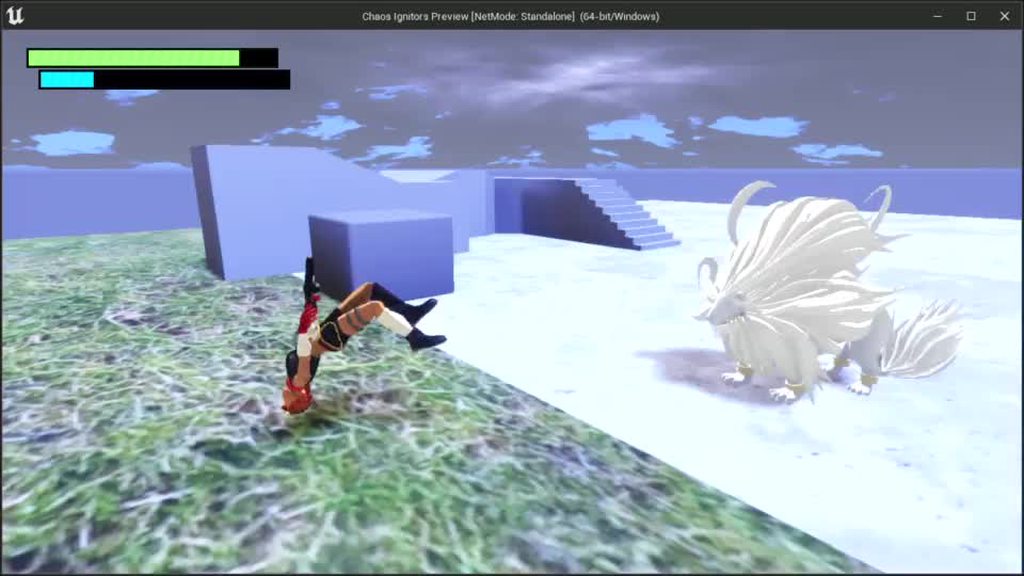
I've created an Aim Offset for a third person character, however my math brain is having a hard time figuring it out. It should be aiming at the locked on target, but as shown in the GIF, that's now what's happening, anyone have any ideas on how to implement an Aim Offset properly?
 delicate quail
swift jay
Hey everyone, not sure if I should post it here or in animations but I was think...
delicate quail
swift jay
Hey everyone, not sure if I should post it here or in animations but I was think...
It's just the dodging you're unhappy with, right?
dreamy river
@maiden wadi I'm making slider with all the weapons in the shop. I need to spawn them to show data like current ammo, etc.
swift jay
delicate quail
It's just the dodging you're unhappy with, right?
Nah it's mostly the gun pointing incorrectly
Because right now my logic goes like this...

 delicate quail
I think you could be using find look at rotation for this
but I'm so sleep deprived and not really an animation expert at all that I'm probably not going to be helpful for this
swift jay
That's ok, any sort of hint can help out, if you need to rest, go and rest 😄
swift jay
Dang, that sucks 😦
delicate quail
If the character is always facing the target, the gun should always be pointing the right when it comes to the horizontal axis
vertically is the only thing you need to fix, right?
swift jay
Yeah seems to be vertical that's messed up
delicate quail
because if the character is pointing forward correctly, then the arm just needs to be straight
so you can make a 2d aim offset for up and down
and just get the height discrepancy between you and the target maybe
atomic salmon
I see a potential mix up in your Make Rotator node
atomic salmon
If the naming logic holds, Horizontal angle should be Yaw
Vertical angle should be Pitch
swift jay
atomic salmon
I see a potential mix up in your Make Rotator node
... You know what... I haven't really thought of it lol
atomic salmon
That said, the most common way to do it would be to use FindLookAtRotation as already suggested
 whole dune
Sorry, it‘s me again :^)...
I was too dumb to understand why my bone isnt rotating by itself... if i unplug the Get Alpha it does rotate by itself but not following the spline. Just rotating weirdly

 raw dew
anyone knows of some tutorial to generate hexagon tile movement? i can only do squares and thats boring
 turbid valley
how can i get statick mesh from "as inspectable" to new mesh? inspectable is parent actor and it has childs that have different static meshes
 atomic salmon
@whole duneI would start by plugging the rotator out of the spline rotation directly in your bone rotation; see what happens then. The bone will follow to rotation but it may be transversal to the spline because if its base rotation. With that, you need to find a Rotator to compose with that one so the train is properly rotated respect to the slide
zenith trout
turbid valley
how can i get statick mesh from "as inspectable" to new mesh? inspectable is par...
Get the specified static mesh
And from that get mesh
whole dune
atomic salmon
<@!684826679050502197>I would start by plugging the rotator out of the spline ro...
I already tried that. But then the mesh is flipped for some reason. So i had to adjust X
But maybe i can adjust that with location
atomic salmon
@whole duneit's flipped because of the original bone orientation. You can change that in Blender/Maya/... if useful
whole dune
Ok.. I‘ll do some experimenting
atomic salmon
Otherwise you need to apply a local Rotator which first rotates your bone so that the X of the bone points toward the X of the mesh (and the same for the other axis), then apply the rotation from the spline
That is what I was suggesting above
whole dune
I mean the bone is correctly positioned in the viewport only when i plug the rotation in rotation X gets flipped to -270
Or i understood wrong
atomic salmon
@whole dunemaybe share a short video of how it behaves now, it may be easier to understand and help you
 blazing moth
Ok, so I'm trying to cast to my player and find the closest spawn location, so I can remove it from the list of allowable spawn locations, but the change is not being made to the array, am I doing something wrong here?
 atomic salmon
@blazing moth when you iterate over an array and remove items from it as the same time, you need to use a Reverse For Each
blazing moth
Ok, so what all actually needs to go into the loop body? just the remove node I presume?
atomic salmon
I assumed this may be the issue because it is one of the most commons when arrays do not seem to behave. Inside the loop you use a Branch to check whether you need to remove the current element and then call Remove Index
blazing moth
so compare the index of the closest to the current loop, then remove that.
It still is not working, did I just wire it up wrong?
 atomic salmon
@blazing mothcan you take the index which is output by the find and store it in a local variable, then use that variable if inside the Reverse loop for comparison?
blazing moth
Is there a reason why I shouldn't just take the wire across?
atomic salmon
You are iterating over the array, looking for elements in it and modifying it all the same time
blazing moth
ah
It still isn't actually removing the index, do i need to save the others as a separate array?
atomic salmon
no, it should work
try with a fixed index to see if it works
also print out the index from the Find, to make sure that part works too
blazing moth
Is there a reason to print vs watch value?
it is properly updating though, just that it still doesn't appear to actually remove from the array
I checked with the print node
blazing moth
It's not working even with a clear node
 atomic salmon
@blazing moth when you have these situations you have to go back a bit in your code and start debugging from there. Use Break points and Print String
It is very unlikely that this is a bug in the engine, it is probably some logic in your code
blazing moth
Ok, so I've determined that my routine for finding the current closest works, which leaves me with it being an option with how I initialize the array, or with how I save to the array, right?
or how I call the array when I'm randomizing from within its values
it was the set node, I was missing it
argh, that should have been easier to notice
atomic salmon
that's what debugging is for
atomic salmon
you are welcome
still holds the fact that when iterating over an array and removing elements from it at the same time, you need to use a Reverse iteration
blazing moth
It doesn't collapse the array automatically? From the testing I've just done, it seems like that's the case
atomic salmon
If you are removing only one item over the whole iteration it will still work fine
also with the Forward iteration
 covert arrow
 fervent jolt
Hey, Im trying to use the ingame level editor that was given for free a while back in the monthly,
When I possess the camera and hit q and or e which should rotate a block no input seems to go to them and instead moves the camera vertically up or down.
this also occurs with the key H which should bring out a help menu thing,
what could cause this?
Ok so I had to go in the inputs in the blueprint and set it to auto recieve from player 0
 mortal breach
Can I make blueprint models to work on server side to talk to clients ?
loud cipher

Hi all i have a simple linetrace that adds impulse to any component it hits
I have a cube simulated physics and moveable
that works
however if i shoot something that isnt it gives me an error telling it to set it moveable
how can i make it ignore these instead of giving me warnings
maiden wadi
@loud cipher On the hit component IsAnySimulatingPhysics = true, add impulse, else don't.
loud cipher
Thank you so much! :)
native ferry
hey can someone can tell me how can i get the node connected to the text block? i saw a screenshot on google
 maiden wadi
@native ferryLooks like someone got the TextBlock's Font variable and split the struct.
loud cipher
I have a weapon linetrace
and i have a doorbp with physics constrains
i want to know

How can i have it detect if the linetrace has hit my static mesh?
maiden wadi
@loud cipherTypically it can be best to do this with something like Point Damage if this line trace from the weapon is already dealing damage to other things. Use the Hit Component and test if it was a hinge, if so, do what you need.
loud cipher
Oh okay
What would i use to start off then @maiden wadi
Im a little confused
Component Hit doesnt even begin to recognise my linetrace
maiden wadi
Your line trace already done this.

Do this instead.

You're already doing something like the top one in this next image. So just move it to the bottom.

In short, this will just pass along the hit component in your damage events and you can check if that was the hinge, and break it if it was.
trim matrix
anyone knows why am i getting these artefacts in my production game? (yellow messages like AiController and green navmesh)

 zealous galleon
Hello, i need help: I have done that if there are two players in the elevator, 5 seconds later I teleport them, everything works correctly, but when they teleport, only one teleport instead of two and one becomes invisible until I move a key of keyboard, what am I doing wrong?

 whole marlin
How can I get player controller in a world blueprint for multiplayer. Trying to set view blendspace to a different camera, and it keeps giving errors.
 spark steppe
zealous galleon
Hello, i need help: I have done that if there are two players in the elevator, 5...
spark steppe
zealous galleon
Hello, i need help: I have done that if there are two players in the elevator, 5...
did you spawn your test actor in the elevator? because the overlap wont fire then
zealous galleon
mmm what
maiden wadi
I'd be willing to bet that his upper player's pawn on the lower player's machine is getting set at 0,0,0
spark steppe
nvm, haven't seen the whole video
zealous galleon
I have "player start"
 maiden wadi
Oh. I didn't see the video.
zealous galleon
so what is the error?
spark steppe
i've watched the video for 5minutes now and its a pain ....
post screenshots of the blueprints, instead of forcing someone to try and follow your logic while panning over the blueprint nodes
zealous galleon


Image 4 is how teleportation is done
(everything works correctly except teleportation)
maiden wadi
Pretty sure this is just a CMC update issue.
spark steppe
yea because the character appears as soon as he presses the keyboard
you can try to disable the character movement component before teleport, and reactivate it afterwards
maiden wadi
I can glitch out the same way with a simple 3 sec delay on beginplay. Teleport's two characters forward. Initially it looks like this from top down on client.
 spark steppe
in my experience the character glitched through the floor and fell to the void, but who knows...
maiden wadi
the minute I move mouse.

 spark steppe
that part is indeed a weird solution to a problem
get the actor position and modify their z-position, x/y can be unchanged
imho
 ocean radish
thats what i meant but dont think it will work as the others have said
zealous galleon
So there is no solution?
spark steppe
did you try to disable the character movement component as i said?
spark steppe
before the teleport node
grab the character from the for loop and search for deactivate character movement component
or rather for loop => get character movement component (CMC) => deactivate, then teleport, then CMC => activate
zealous galleon
@maiden wadi:)
maiden wadi
It is interesting that I can't get this to happen when I run this only on Server. But you're also running it only on server.
zealous galleon
well, I'll keep working with my project tomorrow, I'll try tomorrow! thanks authaer & ben
maiden wadi
Pretty sure Ben is saying to try this.
 zealous galleon
maiden wadi
Pretty sure Ben is saying to try this.
zealous galleon
maiden wadi
Pretty sure Ben is saying to try this.
^ @spark steppe
spark steppe
yes, but you would get the character movement component from the character of the current for loop iteration
you may have to cast it to third person character first, i think the for loop just gives you a actor reference which wont show the character movement component
 quick lance
I'm trying to get a projectile to fire at a players location a short time after it has spawned. On tick, I'm updating it's rotation to the target(I have an arrow showing that the rotation is updating). The ProjectileMovement component is disabled until I'm ready to fire it. Upon calling Activate on the component, the projectile doesn't fire towards the new location. I'm using InitialVelocityInLocalSpace and a velocity value of x=6000. Does anyone have any ideas on why this isn't working?
maiden wadi
Dunno, but you're making things hard on yourself. You should try to use the homing system if you're already using a ProjectileMovementComponent.
quick lance
I don't want it to home. I just want it to fire in the direction of the target.
maiden wadi
Oh. I misread. You mean to spawn it. Have it's rotation follow the player for a small time and then fire towards it?
spark steppe
VelocityInLocalSpace sounds like theres room for failure when it's child of something
or doesn't it fire at all?
quick lance
I spawn it, then after a delay, I want it to go forward based on its rotation
It fires, it just doesn't move based on its new rotation. When I set it's initial rotation to the player target, it goes towards where they were
maiden wadi
Er InitialVelocityInLocalSpace is a variable? I think you want to call SetVelocityInLocalSpace
 fathom shore
how to use a keyboard event in a widget blueprint?
quick lance
InitialVelocityInLocalSpace is a bool that you can set.
maiden wadi
Override OnKeyPressed
atomic salmon
maiden wadi
Er InitialVelocityInLocalSpace is a variable? I think you want to call SetVeloci...
It’s a property of the projectile movement component
quick lance
It's the only way I can get projectiles to work. I'm not sure why.
ocean radish
is it using the initial direction when its spawned?
maiden wadi
Not sure what it does. But from the sounds of it, he's looking to call SetVelocityInLocalSpace. If you call that with an X velocity, it should fire in the direction the projectile actor is facing.
atomic salmon
It uses the local orientation of the root component
quick lance
If I set the local velocity to x=50 y=0 z = 0, will it always fire in the same direction regardless of rotation?
Based on my other projectiles, the answer should be no.
maiden wadi
That's world space velocity.
atomic salmon
If you check that flag yes, but it also matters the transform used to spawn the projectile
quick lance
lets make this easier.


The projectile moves based on the Spawn Transform values passed in, despite the rotation being updated before the Projectile Movement component is activated
maiden wadi
Disable that, and call SetVelocityInLocalSpace when you're ready for it to fire.
native ferry
is there a way to have a collision that block the line trace but doesn't block the player?
atomic salmon
That’s why you typically spawn it using the transform of the muzzle end
maiden wadi
He wants it to spawn, but not move first.
quick lance
yes
atomic salmon
maiden wadi
He wants it to spawn, but not move first.
That’s a bad idea with a projectile simulating physics
quick lance
atomic salmon
That’s a bad idea with a projectile simulating physics
Why is that a bad idea?
atomic salmon
Because you need to freeze it in place and if there is a rotation in the meantime you need to manually carry it along
maiden wadi
It's not simulating physics though, it's using a PMC
fathom shore
how do i use a key event in a widget blueprint?
quick lance
PMC's do some weird physics sim on their own
maiden wadi
He's just spawning it. Rotating it to face a target on tick for a small time, then he wants it to shoot at that target after a delay.
quick lance
But it's kinda working Authaer, I just need to turn off gravity on it I think
atomic salmon
PMC supports both kinematic and physics projectiles
quick lance
it works! thanks!
atomic salmon
I would just attach a projectile mesh until it is ready to spawn the real one
But if it works it works 😉
quick lance
The projectile is like materializing over a short time before it's ready to fire.
Hence the delay
 quick lance
Yeap!
atomic salmon
quick lance
The projectile is like materializing over a short time before it's ready to fire...
Got it. It’s just that you have the whole PMC ticking but doing nothing until you fire.
But it is ok
quick lance
atomic salmon
Got it. It’s just that you have the whole PMC ticking but doing nothing until yo...
I can have it not auto activate and then call activate on it when I'm ready to fire though right?
atomic salmon
That would be an improvement yes
maiden wadi
Fun curiosity. I wonder if Homing turns the projectile in place if it has no velocity?
atomic salmon
maiden wadi
Fun curiosity. I wonder if Homing turns the projectile in place if it has no vel...
Never checked that.
maiden wadi
Could entirely ditch the actor's tick if it does.
atomic salmon
The PMC has its own simulation code, including substepping iirc
Unless the projectile is simulating physics, then the physics engine handles the simulation
maiden wadi
It's on tick too, sure, but it's C++. If you're using Blueprint, even a couple of nodes are already slower than a decently sized C++ vector math function in most cases. Blueprint function overhead is brutal.
 elder shadow
hey, i just started ue4 and i made a Third Person Template. the character works all fine but when I click "Edit ThirdPersonCharacter" to view the blueprint, there are no nodes (ive attached a screenshot), if anyone could quickly explain to me whats happened ill be very thankful
 atomic salmon
elder shadow
hey, i just started ue4 and i made a Third Person Template. the character works ...
atomic salmon
elder shadow
hey, i just started ue4 and i made a Third Person Template. the character works ...
Are you sure you didn’t take the C++ template instead of the Blueprint template? Did it open Visual Studio at a certain point?
elder shadow
atomic salmon
Are you sure you didn’t take the C++ template instead of the Blueprint template?...
ah crap i may have done that, can i change that now or do i have to start a new project
atomic salmon
elder shadow
ah crap i may have done that, can i change that now or do i have to start a new ...
The latter
elder shadow
atomic salmon
The latter
well crap, thanks for helping me though
atomic salmon
Np
If you have added BP actors to your project you can migrate them to the new project though
elder shadow
i havent added anything, i just following this video showing the basics of unreal and what everything does etc
thank you
atomic salmon
Ah ok. Then I suggest you start over from the BP template instead
Otherwise you are missing all the BP code to play with
 spare wave
Am I able to do blueprint to blueprint communication from an Actor Blueprint to a PlayerController Blueprint?
I know that you normally need to set what instance of the BP you want to reference
But in the player controller it doesn't seem like I can add that
spark steppe
you can get the controller of a pawn, and try to cast it to player controller, and you can make your own player controller class, and i guess you can also get the controlled pawn on the controller (not sure about the last one)
spare wave
Hmm, let me be a bit more specific
Basically I'm doing a puzzle game, where you can "shoot" a ball similar to the mechanics of pool. You "shoot" by clicking on the ball, dragging in a direction, and it's supposed to shoot the ball in that direction, and apply a force that gets higher the farther you drag the mouse
I started by trying to put the logic within the BP of the sphere itself, but that wouldn't work because the click events only fired if you kept your cursor over the sphere object
So I figured that moving it to the player controller would work better
And in this case there is no pawn
Hmmm, maybe I should make the ball object the pawn
spark steppe
the "stick" would be the pawn
spark steppe
idk the english term of the stick of pool billiard (queue?)
spark steppe
ok, hmmm
spark steppe
well on your playercontroller you would do a line trace then when the mouse button is released
spare wave
Or I guess to say, mouse input simulating force against the ball object
spark steppe
and add the velocity to the ball if the trace hits a ball
runic plinth
Could anyone give me some ideas. I slowed the crouch speed but now the crouch animation doesn't fire and the character only floats...
zealous moth
??? What did you do @runic plinth
 jovial dirge
I have an actor I would want to destroy after a set period of time say, 1 hour... how would I accomplish this?
zealous moth
In the actor properties it has a lifespan or lifetime
0 means indefinite
Otherwise you can do a timer function and after x seconds destroy it.
At least you can pause it
jovial dirge
zealous moth
In the actor properties it has a lifespan or lifetime
If I set it would it just get destroyed after ?
fiery swallow
It'll automatically be destroyed after the lifespan time ends


 fierce birch
@flint vector what was the player's default speed
 flint vector
70
fierce birch
why dont you use max walk speed?
fierce birch
yea theres a variable in character movement called max walk speed
flint vector
apparently i subconsciously decided to torture myself
fierce birch
could anyone help me out with a event dispatcher issue. when an enemy dies it calls a dispatcher and the spawner is supposed to recognize it

@flint vector yea max walk speed is alot easier. im assuming its with the way you scaled from the input axis
flint vector
that shouldn't affect anything
flint vector
fierce birch
could anyone help me out with a event dispatcher issue. when an enemy dies it ca...
jovial dirge
fiery swallow
It'll automatically be destroyed after the lifespan time ends
Say I have multiple of these actors, when they are created would they also all follow the same lifetime destroy time?
 noble cape
 fiery swallow
jovial dirge
Say I have multiple of these actors, when they are created would they also all ...
fiery swallow
jovial dirge
Say I have multiple of these actors, when they are created would they also all ...
If you spawn them all at the same time, they all become destroyed at the same time. If you don't spawn them all at the same time, they don't all become destroyed at the same time. Is that your question?
jovial dirge
Yes, thanks 🙂
 vocal urchin
How do I get the angle off-axis of a vector normal? I can get the angle between two vector normals no problem, but it's always positive. I need to know the Z difference, either +/-, depending on the direction the first vector normal is facing.
vocal urchin
Ah, nevermind. The Delta (Rotator) node does it.
 mortal cradle
Whats better for hitboxes in a shooter, using skeletal mesh to register hits (and check which bone got hit) or adding a bunch of collisions that will mimic the shape of a skeletal mesh?
 bleak merlin
mortal cradle
Whats better for hitboxes in a shooter, using skeletal mesh to register hits (an...
bleak merlin
mortal cradle
Whats better for hitboxes in a shooter, using skeletal mesh to register hits (an...
I think it depends on what kind of shooter and what type of gun play you are going for. FPS, Third Person, XCOM like strat shooter etc.
mortal cradle
@bleak merlin FPS
bleak merlin
mortal cradle
<@!261622381905313792> FPS
Are you wanting to have different damage based on location?
mortal cradle
Yes
bleak merlin
Does anyone have any experience with replication and multiple character meshes? Currently implementing a character select screen with multiplayer and not sure where the best place to store the selected character mesh so that the correct one gets replicated correctly. Right now all client characters will be the same and all server characters will be the same e.g. client 1 all meshes are whatever mesh they picked, server meshes are whatever the server choose. Currently storing the character meshes in a game instance but it isnt replicated so I think that is the issue
bleak merlin
mortal cradle
Yes
There is a tutorial i saw where they setup damage per bone but i think it will depend on yourskeleton that you are using. Using your own or UE4 built in?
mortal cradle
I'm using a default ue4 skeleton, I already made a system that works with hitting bones just wondering if there is a better way to set it up or if this is pretty much the way
bleak merlin
I think there are a few ways you can do it. I think you have to qualify what you mean by better way. Better how? More accurate?
 pale orbit
what do i do to compare variables from actors in the same array?
 maiden wadi
In what way? What is the comparison check for?
pale orbit
when the character enters the area it needs to check whos in the area and their team and if its another team the area should turn into contested
i been stuck on this the last hour
 slow valve
can anyone tell me how to remove the numbers that is being displayed in the left
 maiden wadi
@pale orbit First off, I wouldn't do that on Clients. Do the check on the server, and set a value that can replicate to clients for the state of the area. As for the test, you just need to do a loop. Get the first actor's team. Save it. Start Loop, if LoopIteration > 0 then test if the saved team integer != this actor's team integer. if true, return that the area should be contested. If the loop finishes in that function, there is no contest going on.
@slow valveThose are Print Strings. If you open the message log, you can see what it is coming from.
slow valve
maiden wadi
<@!856800854690758657>Those are Print Strings. If you open the message log, you ...
ok i will see. Thanks
pale orbit
maiden wadi
<@!220688976527360000> First off, I wouldn't do that on Clients. Do the check on...
If its not asking much can you give me a visual example?
 fair sun
is there a way to get custom primitive data from a niagara particle?
 fiery swallow
pale orbit
when the character enters the area it needs to check whos in the area and their ...
fiery swallow
pale orbit
when the character enters the area it needs to check whos in the area and their ...
Can you explain? How is the "area" determined?
gentle urchin
Sounds like capture the flag kinda area
pale orbit
fiery swallow
Can you explain? How is the "area" determined?
Just a normal capture area
 late cave
how do I get the parent construct back?
 fiery swallow
What I mean is how do you plan on detecting when a new enemy enters the area @pale orbit
fiery swallow
late cave
how do I get the parent construct back?
right click the event and click add parent call function
late cave
fiery swallow
right click the event and click add parent call function
Super, thank you!
pale orbit
fiery swallow
What I mean is how do you plan on detecting when a new enemy enters the area <@!...
On Box Collision Overlap
it adds the actor to the array of people who are inside the capture area
and on end it removes it
 coarse flicker
Why cant I add this node inside a function? it only works in the base event graph
 fiery swallow
pale orbit
On Box Collision Overlap
fiery swallow
pale orbit
On Box Collision Overlap
don't need a custom array, box collisions have one built in for getting all overlapping actors
 astral stirrup
good morning guys! quick question, i have a UI displaying stats of selected pawn, but its throwing the "accessing actor pending kill" error. is there a better way of doing it than throwing a bunch of is valid nodes in every calculation/display?
gentle urchin
coarse flicker
Why cant I add this node inside a function? it only works in the base event grap...
Cuz its a latent function (clock up in the right corner)
coarse flicker
I see, functions cannot use these types of function? only macros?
gentle urchin
Correct
Just like delays and stuff cant exist within a function
A function is expected to return instantly :)
vast crow
My skeletal meshes placed on a big top down level have some rendering scale issues until I zoom in to them. For some reason, attached static meshes appear 30 times bigger flying over the map like giant spaceships, and are updated to correct scale when I put camera where skeletal mesh is visible.
These skeletal meshes have animbp with some bones scaled using variables, but it's done at skeletal mesh creation
Any way to workaround this without hiding meshes until they are expected to be seen?
fiery swallow
astral stirrup
good morning guys! quick question, i have a UI displaying stats of selected pawn...
Is this multiplayer? Because that usually happens on a dedicated server
astral stirrup
not yet anyway @fiery swallow
nothing major since it updates correctly next frame
astral stirrup
just every time i close the sim get flooded with errors of that one frame where was destroyed but ui didnt update yet to the new target
fiery swallow
astral stirrup
just every time i close the sim get flooded with errors of that one frame where ...
are you updating the UI on event tick?
astral stirrup
and wondering if putting a lot of is valid nodes every update in every box is the way to go
@fiery swallow i have many small functions tied to the ui
where values refresh
 fiery swallow
It is possible that what you're doing might not be the best method. Can you show me an example?
astral stirrup
the ui is made in the designer and has functions tied there
 fiery swallow
Can I see what's inside of the function
 fiery swallow
how is the actor being destroyed?
 surreal kite
astral stirrup
surreal kite
astral stirrup
destroy actor node
then the ui switches to either the next player or clears target
@surreal kite you should be able to do it with a branch node, make a boolean isJumping?, in your jumping bit change its state then check for it in the crouch bit
fiery swallow
surreal kite
just ask the question
fiery swallow
I'm actually helping like 3 ppl rn sorry if slow responding
surreal kite
astral stirrup
<@!846577998140669993> you should be able to do it with a branch node, make a bo...
do u have a tutorial for it ? cause im a bit new to ue4
surreal kite
fiery swallow
I'm actually helping like 3 ppl rn sorry if slow responding
its oke <3
when i jump
i can crouch in the air
how i can stop that
fiery swallow
astral stirrup
then the ui switches to either the next player or clears target
it switches to the next player? is this single multiplayer? I'm confused because UI's are client only
astral stirrup
@fiery swallow yea sorry i misspoke, moves to the next player pawn if its the one thats destroyed, or clears the target ui if its an enemy that was destroyed as they inherit from the same parent
fiery swallow
@surreal kite https://gyazo.com/f3cf2704e2250b8636d86c9c5b5f4ae1

 fiery swallow
astral stirrup
<@!135505411779461120> yea sorry i misspoke, moves to the next player pawn if it...
fiery swallow
astral stirrup
<@!135505411779461120> yea sorry i misspoke, moves to the next player pawn if it...
So when the actor dies you can create an event dispatcher that the UI is subscribed to, when it's called you can automatically get the next pawn or clear the target UI.
fiery swallow
surreal kite
thats my jump crouch nodes
correct, add that to your Input jump action
If you want you can put it into a function to make it shorter but not recommended unless you pplan on using it oftenhttps://gyazo.com/83398c714663a51b5469638515731c42

 dusk flame
Simple question, hard to google: Is it possible to provide a tooltip for a UPROPERTY category?
For example, you can group properties together using Category = "MyThing". Is there some way to make a popup when you mouse over "myThing"
astral stirrup
@fiery swallowyes and there seems to be one frame where the ui is trying to get the info of a dead actor, which is fixable by putting is valid nodes in every calc for the ui as shown on the screenshot. that way no errors are thrown, just wondering if its fast enough to throw into every update
fiery swallow
astral stirrup
<@!135505411779461120>yes and there seems to be one frame where the ui is trying...
Honestly, I think you should use a timer instead of calling it on event tick. Event tick is for things that need to be updated immediately... I can give you an alternative that I use by default
astral stirrup
would be great, always interested in good practices
fiery swallow

@astral stirrup You can set up everything you need in your UI like this
This example updates everything every 0.3 seconds, ofcourse you can do it in a function if you want too, or put them in different events with different timers
But it's not really necessary to update UI every frame unless the game is based around some sort of UI gameplay
And this way, Health UI is updated 3 times a second rather then 100+ times a second
astral stirrup
oh cool ill play around with this for sure, thank u!
prime bone
can someone explain to me what the target input of stuff should be it always comes back as an error and idk what to do
astral stirrup
u should have the target just below the node name@prime bone
 astral stirrup
 astral stirrup
never worked with those im afraid, sorry
prime bone
alg
 brazen pike
prime bone
can someone explain to me what the target input of stuff should be it always com...
brazen pike
prime bone
can someone explain to me what the target input of stuff should be it always com...
You have to set what its changing
where is that "set flipbook" node?
what blueprint
brazen pike
Do you mind screenshotting the whole blueprint? What else you have in there?
 brazen pike
And it doesn't give an error when you compile?
Currently you are setting it to nothing too
brazen pike
haha
brazen pike
at the bottom of your tab, you should see a section which details the errors
brazen pike
Okay... what are you expecting it to do when simulate the level?
prime bone
I have a simple coin and i have a flipbook created where the coin has a simple animation
It isnt playing the animation when I start the level
brazen pike
Personally, I've never used 2D stuff before but it should follow the same principles as 3D maybe so give this a try...
Make a "Play animation" node right after, then you want to feed in the target which the animation will play on and feed in the animation you want to be played
this isn't a good solution long term but see if it works
brazen pike
probably
prime bone
is a montage just an animation?
brazen pike
pretty sure this a scam, don't click
 nimble vortex
already got it :p
brazen pike
prime bone
is a montage just an animation?
basically... from my understanding its an animation that plays a certain amount of times. I don't understand its complexity fully but all I know is that it doesn't cause issues with animations not starting once its done
brazen pike
nimble vortex
already got it :p
Im sure you guys already know, but a bunch of mods still dont so just in case remember these accounts are just hacked accounts of real people. Don't ban them as they will only post scam links once. Plus when the real person gets their account back they aren't banned from the server
but im sure you guys already knew
nimble vortex
our bot sends them a dm about it, and they can appeal
brazen pike
ah nice
prime bone
i might just give up tbh this shit is hard
brazen pike
Are you following a tutorial?
prime bone
no
brazen pike
well that might be a tough then
prime bone
yeah
nimble vortex
its better to let them know, and perhaps change their password/do a scan on their pc/whatever.
hence the (temp) ban.
brazen pike
prime bone
yeah
This one might help you out https://www.youtube.com/watch?v=UH_ZJ1mxr5Q&ab_channel=DevEnabled

This Video:
We turn our 2D Textures into Paper2D Flipbooks.
UE4 2D Platformer:
In this playlist, we'll create a simple 2D platformer in UE4 using the Paper2D systems inside of the Unreal Engine.
Consider supporting the channel on Patreon: https://www.patreon.com/devenabled
Chapters:
00:00 - Intro
00:05 - Extracting Sprites
01:31 - Creating ...
prime bone
thanks
brazen pike
even if its not the exact type of game you wanna make, I follow similar tutorials then edit them once I understand what it all does
runic plinth
Any ideas on why the animation doesn't trigger and the character just floats after I decreased the crouch walk speed in the character movement component ?
fiery swallow
runic plinth
Any ideas on why the animation doesn't trigger and the character just floats aft...
I'm not understanding the question
runic plinth
fiery swallow
I'm not understanding the question
can I invite you to check the animation channel where I uploaded a video.
runic plinth
fiery swallow
I'm not understanding the question
Oh by the way, can I ask you another question. What's "world origin shifting"?
I asked days ago in the graphics channel why random meshes in my level randomly change location by like 1 to 5 units everytime I open the project and someone said that expression but couldn't find any further explanation
fiery swallow
Pretty sure that changes the location of the 0.0.0 XYZ of the world
which means everything will have an offset after it
gentle urchin
Why would that change by reopening a project tho?
fiery swallow
I'm pretty sure it doesn't
unless there's something I don't know
but I've never heard of that happening
runic plinth
Random single pieces of ceiling or floor or wall that it's all neatly joined together and a day later there's a 5 unit gap in the X or Y axis and I tweak it. Sometimes day after that same piece becomes unaligned again by those same 5 units I fixed before.
gentle urchin
Are you using some deadly precise location ?
runic plinth
or I m stupidly blind and miss those 5 units or the UE is playing games 😅
gentle urchin
If so i'm thinking rounding issues
5 units (uu) is alot more than rounding issues tho.. atleast at normal scale
runic plinth
What do you mean by deadly precise location?
gentle urchin
like fixing a location to be X.00000002 f.ex
runic plinth
Ah yeah I was also wondering why some actors get their transform like that. I.e. I press 180º rotation and it goes to 179.9989 ects. Is it related?
 strong flame
Has anyone done any tests on the relative performance to BP vs doing something in CPP??
gentle urchin
There's been a few on YT, but its very case specific
runic plinth
98% of my level was built with a 5 or 10 grid, so it's easy to spot when there's gaps. Hope it doesn't export with those. Thanks for the help 🙂
gentle urchin
Np : ) Not sure i helped all that much 😛
fathom shore
how do i use a key event in a widget blueprint?
maiden wadi
@fathom shore What are you trying to do? Detect key presses in the Widget?
fathom shore
maiden wadi
<@!591184093249798145> What are you trying to do? Detect key presses in the Widg...
i have that widget that is created on the beginplay of a level

i want to do something when i press space
but i can only find the space bar key event in the level blueprint
maiden wadi
This is a semi complicated thing. But the short version is to do this.

Override OnKeyDown, and do what I just pasted.
fathom shore
what should that onkeydown be
maiden wadi
You override it.
maiden wadi
 fathom shore
i see
maiden wadi
Can't show too much in work editor, but click that override. It'll create a dropdown. Somewhere about 2/3rds down is OnKeyDown.
fathom shore
maiden wadi
i didnt even know that override button existed
maiden wadi
That is the easy part though.
fathom shore
I still dont understand what it does
maiden wadi
Do you know what class inheritance is?
 maiden wadi
Drag from the other pin and ==
You've created a child class of UserWidget. Userwidget has a bunch of functions in it that are overridable. Meaning that they do things by default. Mostly nothing. But in your child class, you can choose to have these functions do something else.
 dapper kayak
I don't know if this is the right channel, but as I am using blueprint I figure it might fit.
In my (multiplayer) game I have a set of balls which save a reference to the player they were hit by (PlayerRef). When a ball hits another ball, this reference gets passed in the Hit-Event to the other ball (and vice-versa).
The "vice-versa"-part is my problem. If I set the PlayerRef of Ball2 to the value of the PlayerRef of Ball1, the original value fromm Ball2 gets lost and I can't in turn give it to Ball1. So I have a second reference in each ball (PlayerRefNew) I put the references in when they hit another ball. But now I need to put the value of PlayerRefNew into PlayerRef at some point. My question is: when and where? Is there an event I can call after all Hit-Events of all balls have been executed?
fathom shore
whats that handled for
 maiden wadi
That's a semi complex topic. If you have multiple widgets that need to all do something when you press space, you would return unhandled if they're all in a specific hierarchy. In short, returning handled will stop the execution from looking for more widgets to run OnKeyDown on.
fathom shore
maiden wadi
That's a semi complex topic. If you have multiple widgets that need to all do so...
tried that

didnt work
oh wait
maiden wadi
Yep, that's where this being the easy part comes in.
Your widget needs focus to allow key presses.
fathom shore
nvm still didnt work
fathom shore
maiden wadi
Your widget needs focus to allow key presses.
so i set focus?
maiden wadi
Go back to the Designer tab. In the bottom left there's a tree of widgets you've used in this Userwidget. You want the very top one. Click it. Search in the details panel for Focus, and enable IsFocusable
fathom shore
maiden wadi
Go back to the Designer tab. In the bottom left there's a tree of widgets you've...
 maiden wadi
The [Warning]
maiden wadi
It can also be useful to do this. Keeps the widget in focus just incase.
 maiden wadi
Dramatically simplifying it, when you press a key, Unreal first goes through your widgets in viewport based on the one that has focus. It first goes from the ViewportRoot checking Preview Keys, and then back checking OnKeyDown. If all were unhandled, then it sends that input to the PlayerController's Input Component for processing into the things it has bindings in.
So, for instance. If you have a Keyboard E key in your Controller blueprint, but you do what you just did in a widget and return Handled, the key will never reach the controller, the Widget consumes it until it loses focus.
fathom shore
so the key won't work in the controller because the widget consumed it?
maiden wadi
In your case, you create a widget, set it to be focused, it gets focused, you press space and remove it from screen. It no longer exists in the viewport, so the second press of Space would go to the controller.
fathom shore
maiden wadi
In your case, you create a widget, set it to be focused, it gets focused, you pr...
what if another widget is focused too
will it do it for both?
surreal peak
You can only focus one widget per local user
Focusing another takes the focus away from the first one
maiden wadi
It can be a tricky thing to handle. 😄 UI programming really is undervalued.
fathom shore
so i cant do the same for another widget?
 maiden wadi
Sure you can, but the one focused takes the first key press. If it removes itself or allows loss of focus after that, then your second widget will do it.
fathom shore
maiden wadi
Sure you can, but the one focused takes the first key press. If it removes itsel...
well what if that first widget didnt remove itself
surreal peak
Honestly, you really want to think through your UI setup before adding any focus stuff
maiden wadi
Then it would just consume input unless it loses focus.
surreal peak
Focus is a shitshow
maiden wadi
It really is. 😄
surreal peak
It's easy to lose focus
Which means it somehow focused something that your gamepad can't navigate from
You need to have some sort of general setup that prevents this
Randomly adding focus code to widgets is not the way
I never got this to work without C++ work
We have a custom FocusableWidget (UUserWidget) that handles focus
And I even have a PreProcessor for Input in Slate that handles shit
It's not straight forward
maiden wadi
That's why I was suggesting the keyboard focus on tick. It's a single widget on screen as a warning and removed. It's an easy use case for focus. It's safer than using the FocusLost events for beginners.
surreal peak
Maybe
fathom shore
maiden wadi
That's why I was suggesting the keyboard focus on tick. It's a single widget on ...
well i hope i wont have to deal with this again in the same project
 broken cobalt
Hi, I'm new in unreal engine, I made a trampoline mechanics, it threw me up in the air when I'm walking on it, but when I'm landing on it OnComponentBeginOverlap() called but I'm still on the ground. I don't know what it wrong it just worked like a normal jump pad. Can somebody help me
fathom shore
broken cobalt
Hi, I'm new in unreal engine, I made a trampoline mechanics, it threw me up in t...
so it doesnt throw you again once you are thrown once?
broken cobalt
fathom shore
so it doesnt throw you again once you are thrown once?
Exactly 👍
broken cobalt
fathom shore
so it doesnt throw you again once you are thrown once?
It threw me up again only if I'm landing on the ground first
fathom shore
broken cobalt
It threw me up again only if I'm landing on the ground first
so if you get thrown up and you dont touch the floor it doesnt throw you but if you do touch the floor and touch the trampoline it throws you?
broken cobalt
fathom shore
so if you get thrown up and you dont touch the floor it doesnt throw you but if ...
Yes, it doesn't threw me up again if I'm landing on the trampoline
But OnComponentBeginOverlap called
My Trampoline setup:
UBoxComponent triggerBox
Collision setup:
CollisionEnable: QueryOnly
ObjectType = WorldStatic
CollisionResponses overlap on Pawn only
 surreal peak
Timelines are components
Check your Variable list on the left
It should show the timeline as a component you can interact with


 zealous galleon
i have to create a new variable?
zealous galleon
surreal peak
yes, i know
surreal peak
Yeah then expand it
zealous galleon
and in that variable what should I add?
surreal peak
No you don't need to create the variable. Just open up the Components list
It's collapsed atm
Press the little arrow next to it
zealous galleon
 surreal peak
Correct

 surreal peak
There are probably even more functions, more directed at the timeline functionality itself
But yes, that's correct
zealous galleon
It does not work, I had already tried it, it is not disabled, it continues to work
 loud violet
 surreal peak
zealous galleon
It does not work, I had already tried it, it is not disabled, it continues to wo...
surreal peak
zealous galleon
It does not work, I had already tried it, it is not disabled, it continues to wo...
Again, there are functions that are for the timeline itself
E.g. Stop
 zealous galleon
It does not work, I had already tried it, it is not disabled, it continues to wo...
zealous galleon
zealous galleon
It does not work, I had already tried it, it is not disabled, it continues to wo...
What I try is that when two players teleport, the elevator will not open (deactivate the timeline)
zealous galleon
surreal peak
Again, there are functions that are for the timeline itself
mmm i will try it
nope
Works the same
 surreal peak
I'm not 100% sure what you are trying to achieve. Even with the Video and the text below it.
The node will stop the Timeline. If it's not working then you are doing something else somewhere that breaks it for you
zealous galleon
When there are two players in the elevator, it closes, after 5 seconds it teleports them, when that happens I want the elevator not to reopen (because there will no longer be two people inside the elevator)
In the video you can see it
surreal peak
The code that triggers the timeline has to also make sure it doesn't trigger it again
Stop will only stop the current ongoing run
I don't think Timelines have any code in them that stops them from working
zealous galleon
zealous galleon
When there are two players in the elevator, it closes, after 5 seconds it telepo...
To achieve that I think I should disable the timeline in some way or something else
surreal peak
Just block the exec via a branch and boolean

 paper galleon
oh boy
trim matrix
How to get an actor from a class reference
brazen pike
I have this setup in my level blueprint to determine my time of day. What I'm noticing is that my directional light local rotation will sometimes stop at 90 degrees (midnight) for an indeterminate amount of time.... Anyone know why is that?
 paper galleon
trim matrix
How to get an actor from a class reference
paper galleon
trim matrix
How to get an actor from a class reference
To the best of my knowledge, you can only get the class default object. Which wouldn't generally be useful to you in most cases
trim matrix
Hmm
paper galleon
Yeah. Depends on what you're trying to achieve. Quick info. though, you can get class from object reference
 novel gull
Hi, I am looking at creating a mechanic where I can change the mesh of the object I have picked up via UMG Button. So far I can change the mesh but getting to attach to the physics handle is proving difficult any ideas?

 south merlin
Blueprints in the UMG will basically fire off as if they are on Event tick right? So if I'm getting values from the player, any casting to the my player BP is happening like every tick right? That seems bad to me. Should I cast once on widget creation, and save that as a variable and just use it? Or does that just do the same work? Am I worrying over nothing?
 undone path
Is there a way to get a list of the sections of a montage? I'm trying to write a blueprint that works with a number of montages that may consist of varying number of sections but I cant find a way to see how many sections there are or what the names of all the sections are...
IE here
On the top right, you can see logic that sets the next section based on the current section but this only works if there are only two light attacks. If I add another montage that has 3 animation sets, it will only play the first two
The only thing I can think to do is loop through all of them in beginplay and store them somewhere but this is a silly way of doing it...
 gentle urchin
south merlin
Blueprints in the UMG will basically fire off as if they are on Event tick right...
gentle urchin
south merlin
Blueprints in the UMG will basically fire off as if they are on Event tick right...
Widget bindings work as if on tick -ish , regular custom events does not
south merlin
So take a simple call to get player ammo and display an ammo counter. That's not like firing every single tick?
gentle urchin
Depends on what logic is calling that
If its a binding, then yes
The ammo should get updated by the "fire weapon" logic , when the ammo is subtracted from the magazine
So like
Try to fire gun -> check all relevant criteria (not reloading, ammo in mag etc etc) -> actually fire gun -> subtract ammo -> update hud
Something like thay
That
south merlin
ok, I hadn't done anyting in UMG really, I figuered as much
magic jackal
Is it possible to make Text Render Component text bent or follow an spline? So the text can be arced
zealous moth
is there a way to count how many times a value appears in an array?
surreal kite
my character mouse dont go up or down

don't look up
help plz
just go left and right

solved by me :-:
zealous moth
gentle urchin
Loop it, check it, increment it, return it
well let's say I do floats and I wanna know how many times each float appears
 winged thicket
i think you have to do: for each loop - float == float - branch
zealous moth
I'm actually trying a map
@winged thicket @gentle urchin

this appears to be a good option
spark steppe
it's ok if that map is a local variable
winged thicket
zealous moth
<@!763210239734054912> <@!231467939734355969>
btw, why does your blueprint looks like that, and how
zealous moth
it's a function
winged thicket
?
spark steppe

Unreal Engine
Improve the wire style of Blueprint, Material, Animation, Niagara, Control Rig and Gameplay Ability editors.
winged thicket
12$? lmao
zealous moth
oh right, you meant the lines or the purple inputs?
winged thicket
the lines
zealous moth
ah yeah
zealous moth
sure, let's go with that 😉
zealous moth
😐 different strokes for different folks
gentle urchin
comparing floats can have its issues with rounding etc
i mean, you can do it, and it could work, but often it fails for this very reason
guess it depends on the usecase
zealous moth
yeah however the counting part is doing fine on its own. I mentioned floats because it was the first thing that came to mind but I meant an infinite context
with that function, it can technically count an unlimited amount from the array
 ocean kayak
Maybe weird question but anytime I build my project my media player files are there on my computer but not on others. I think this is because it doesnt recognize the source url how would I go arround that to make it so it can reach it url and make them work after I package
spare wave
Can you do blueprint to blueprint communication between a Blueprint of the actor class and the Player Controller?
Normally, I create a variable that's a reference to an actor blueprint, then you specify the instance that you want to reference
I can't seem to set the instance in the Player Controller, so I get the "BP instance returned: none" error
 keen goblet
@spare wave I know you can do that the other way around -- you can call GetPlayerController in your actor BP
spare wave
So the player controller I've found to be a bit funky for my use case
I'm not sure exactly how to explain it, but I don't have a pawn that gets possesed since I'm using the Puzzle Template
And it messes up the camera when I do that I think
Let me try this method, the "Get Actor of Class" function
I guess what I'm wondering is if I should be putting my movement mechanics in the Player Controller blueprint in the first place
But that seems like the best place 
ocean kayak
I tried kinda doing what they did their @trim matrix but it didnt work for me
anybody has any ideas
its not really error
give me a sec will show you whats happening

this is what the videos in the game look like on other pcs

this is how they look like on the pc that it has been build on
its like it cant find the video on other devices
probably because its url
think I might have found the solution keep you guys updated
ocean kayak
nope
fixed it 😄
created a movie folder
put that as file path
then it worked
unreal is just picky :p
 dawn gazelle
spare wave
I guess what I'm wondering is if I should be putting my movement mechanics in th...
dawn gazelle
spare wave
I guess what I'm wondering is if I should be putting my movement mechanics in th...
Your movement controls for player controlled pawns should normally be in the pawn as this will allow you to have different controls based on the type of pawn the player is controlling - eg. You may have a humanoid pawn and a vehicle pawn and they are likely to respond very differently to player input. Even different humanoid characters may respond differently to input - like fighting games where you have several humanoids to choose from, so it's best to put the controls within the pawn itself.
Generally what I've been doing is using the player controller for any "common" controls that any pawn may need access to do.
zealous moth
dawn gazelle
Your movement controls for player controlled pawns should normally be in the paw...
As you should 😉
Otherwise you will have a lot of "no pawn found" errors propping up all over the place.
spare wave
This makes sense
But what in the case of a top down puzzle game?
Where you don't control a specific pawn...
zealous moth
you can make a stand-in pawn that takes your controls
OR use a constant boolean that checks if your puzzle can use it
spare wave
So in that case it's an invisible pawn that exists in the level and passes the controls to the various objects in the level?
zealous moth
yup
spare wave
Hmm
zealous moth
and if it doesn't exist, the controls simply wont do anything while also not triggering errors
mvvm bro
spare wave
So in that case I could have the player activate an above camera, and have the pawn just be a nothing object right?
I was messing with it before but the camera view always got messed up
Probably because I had a camera in the pawn I was using
That makes sense
zealous moth
ah you need to possess the camera. Add a camera to your pawn
spare wave
But what's different about putting the controls in an invisible pawn vs. the player controller? Isn't that kind of the same thing?
Oh I could just put the pawn in the center of the level
Since it doesn't move it wouldn't be an issue
zealous moth
So i did this mistake several months ago and basically this is the conclusion i came up with:
Unless you controls are consistently ALWAYS used, go with a pawn that has different controls each time. Otherwise you will have to manage your inputs in your player controller at all times to avoid errors
example
spare wave
That makes sense
spare wave
I think I was going to go the route of the later, where the controls are always the same
But the pawn method seems a lot more scalable
zealous moth
well, imagine you also have different game modes or pawns in the same game mode... now you have to boolean the crud outta your controls. At this stage, you are increasing complexity for nothing
spare wave
Yeah, that makes sense.
zealous moth
increased complexity = increased chances of errors/breaking
spare wave
Right

Perfect thank you for the help
I will try using an invisible pawn and see if things go better
Ah just a random thing tho
If I add a camera to the pawn
What happens when each level is a different size
I guess I could use a construction script to move the camera based on the level size?
spare wave
Top down, the object you control is like a pool ball, and you shoot it to complete puzzles
Like the first level would be bounce it off a wall to get into a goal, something like that
zealous moth
you can change the camera scope and properties to zoom in or out or make/get a topdown physics camera
i forget what it is called, sec
this thing

and using trigonometry you can calculate the frustrum
fierce birch
hello all, working on a enemy respawn system.when the enemy dies it calls a event dispatcher to the spawner. it works some times but it cant access the dispatcher. could anyone advice?
 spare wave
Ah nice
Okay yeah that makes a lot more sense
As opposed to using a separate camera actor
 broken wadi
fierce birch
hello all, working on a enemy respawn system.when the enemy dies it calls a even...
broken wadi
fierce birch
hello all, working on a enemy respawn system.when the enemy dies it calls a even...
Try checking is valid? after you cast and before the bind.
fierce birch
a couple of the refs arent valid? how would i fix that @broken wadi
broken wadi
fierce birch
a couple of the refs arent valid? how would i fix that <@!718923652137222205>
Not exactly sure on your specific scenario, but I had similar issues with spawning and they went away once I started using is valid? https://www.youtube.com/watch?v=5d87aoNt-Dg
gentle urchin
If the casted object is invalid, the cast will fail
broken wadi
That too ^
gentle urchin
meaning, if cast succeeds, the object passed into it is already validated
fierce birch
@gentle urchin when i hook up a print string onto the castfailed nothing gets printed to the screen
gentle urchin
Sounds like the cast succeeding
 gentle urchin
Initially, or respawn?
fierce birch
respawn
fierce birch
when the enemies health is 0
 gentle urchin
when the enemy respawns, it doesnt connect back up to the dispatcher...
so it would only respawn once
fierce birch
should i unbind?
 orchid star
its probably because of delay maybe
if you call the same function again before delay
it gets reset
therefore losing one
are you sure
if event is not fired
or not working properly
fierce birch
ok the event fires
orchid star
then delay
is your problem
it gets reset before it finishes its last one
chances are you are killing multiple enemies at once ?
fierce birch
how would i set a custom respawn time then?
add an int then subtract the value after each delay?
orchid star
no
every enemy has to have its own timer
instead of spawner handling 100s of timers
your enemies can instead of setting their life span
can create a timer of their own to handle their respawn
fierce birch
ok