#blueprint
402296 messages · Page 684 of 403
 shut hinge
 tame grotto
best practice do the normalize inside the bind. And health dedutcion inside your actor BP
shut hinge
i'm don't have a programming background to know all these terms. I only have basic laymen knowledge of the blueprints...
 zinc wasp
Don't use it than.
Do you know how to get a percent?
What your doing is just jumping right into it without knowing what your doing and you'll have all these problems. Its best to learn one thing at a time.
I'm sure you watch some video somewhere that showed you how to put this all together but without understanding what it does.
shut hinge
I've had issues with bp's since the first day that I started building my game in the engine from my document.. So I'm used to all the problems.... Now I only have a few bugs now instead of having a hundred.
zinc wasp
Normalizing is making making a value easier to read by changing its min value to 0 and its max value to 1
So if I had a range between 0 - 1000
and I normalized it. 0 would = 0 and 1000 would = 1
shut hinge
ok so its like a clamp.
zinc wasp
Now if I had a range between 0 - 12341234
0 would = 0
and 1 would = 12341234
0.5 would = half of 12341234
It just puts the number into 0-1 range for easier reading.
Your health does not need it, since its simple enough to read.
 jolly carbon
hm I did something and I'm not sure what it was, I no longer spawn as my character but as a spectator camera?
shut hinge
ok well this is what i ended up with in the alien plant BP that is supposed to deplete the health bar.
 zinc wasp
jolly carbon
hm I did something and I'm not sure what it was, I no longer spawn as my charact...
zinc wasp
jolly carbon
hm I did something and I'm not sure what it was, I no longer spawn as my charact...
Probably changed the gamemode
jolly carbon
tried setting it back to the right game mode but it didn't change anything :/
jolly carbon
yeah my default pawn is set to First Person Character
zinc wasp
shut hinge
ok well this is what i ended up with in the alien plant BP that is supposed to d...
Ok almost got it but your not adding the damage value into your health
tame grotto
shut hinge
ok well this is what i ended up with in the alien plant BP that is supposed to d...
i think you missing the basics in the variable manipulation. You need to subtract from your current health, set the current health with the new value and then hook the current health into the value input
zinc wasp
 tame grotto
jolly carbon
yeah my default pawn is set to First Person Character
tame grotto
jolly carbon
yeah my default pawn is set to First Person Character
check the gamemode override in the map details
shut hinge
 zinc wasp
shut hinge
zinc wasp
shut hinge
Attaboy!
tame grotto
yep
shut hinge
now the widget bar itself is still not changing so there's something else still to do.
zinc wasp
Lol, I suppose to be working on my own project...
shut hinge
maybe its a child parent problem because that widget bar won't update or change on the screen
Unreal engine is known to be buggy with widgets
I remember corrupting one project when I had deleted the bp actor AFTER I first removed the bp instance actor from out of the gameworld before deleting the BP from the browser but there was code still connected up to the construction script when I deleted it. And that corrupted the project. causing all construction scripts in all bp's to all slow the engine down and crash it when trying to add new nodes to any construction script.
That's why I don't delete any blueprint actors now if they have got code connected to the construction graph.
 brisk turtle
using the editor's 'migrate' thing doesn't work either just clears parent class and defaults var types to object
 proper vale
Hi, Guys!
I have two ThirdPersonCharacters on a scene.
The Char-1 is controlled by keyboard via WASD, Char-2 should repeat all movement from Char-2.
How can I duplicate all the animation and movement of Char-1 to Char-2?
So far I've been able to do this through Add Movement Input, but I want to record array of Transforms of character bones, not as records of control through the keyboard
shut hinge
I thought you just duplicate or make a child of char 1 and just rename it to char 2..
brisk turtle
you want some ai that copies you?
proper vale
shut hinge
I thought you just duplicate or make a child of char 1 and just rename it to cha...
How it can help me to record animation of char-1 and run this animation on char 2?
proper vale
brisk turtle
you want some ai that copies you?
I want make a replay of char 1, but record only animation(or bones movements). It's similar with replay system, but more controllable i guess
 open crypt
Yet another collision failure - what am I missing - this is the collision volume that I'm trying to trigger -

here is the capsule component of the pawn I'm trying to get to trigger this
 zinc wasp
proper vale
How it can help me to record animation of char-1 and run this animation on char ...
zinc wasp
proper vale
How it can help me to record animation of char-1 and run this animation on char ...
 proper vale
zinc wasp
proper vale
zinc wasp
Awesome!
Is it possible to put this data to char-2?
Can't find node "Set Socket Transform" 😦
 mortal cradle
Are tasks from behavior trees slower than standard blueprints?
zinc wasp
proper vale
Awesome!
Is it possible to put this data to char-2?
Can't find node "Set Socket ...
I never done such a thing but I'd imagine its done in animation bp
tame grotto
proper vale
Awesome!
Is it possible to put this data to char-2?
Can't find node "Set Socket ...
i dont think you can set transform sockets in runtime in BP
brisk turtle
found something that might help you https://www.youtube.com/watch?v=VYuBIFSv7KM
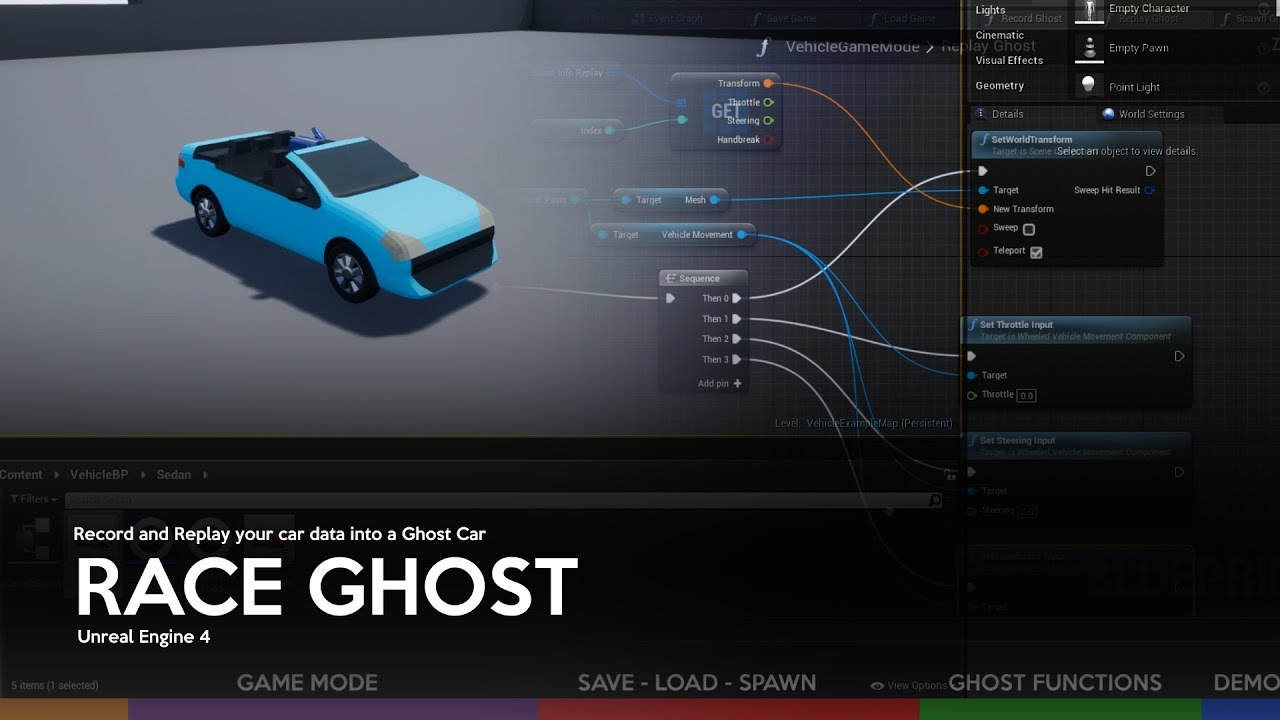
This tutorial addresses one of several possible ways to create a Ghost Car system on Unreal Engine 4.
Software Required:
-Unreal Engine 4 + Vehicle Base Project
Topics:
-Creating required classes
-Configuration of Pawns
-Variables and basic functions
-Functions of Ghost
-Test
Download Project: http://www.mediafire.com/file/8d4s8dlr1medrqb/R...
if you want the replay type of thing
or .. if you want to control 2 playercontrollers maybe this one https://www.youtube.com/watch?v=5o1ObbpQoPI

Learn how to spawn and control two characters simultaneously in the Unreal Engine 4. This tutorial starts from scratch with the 3.person template. This part 1 covers the setup and spawning of the characters.
i don't know if they'd work in multiplayer just found it on a quick search
zinc wasp
Would it be easier to just save the keyboard inputs?
brisk turtle
or if they're good, or anything really
proper vale
brisk turtle
found something that might help you https://www.youtube.com/watch?v=VYuBIFSv7KM
Already seen it 🙂 Thank you) There is a recording of game play, not transform of bones
zinc wasp
Nah that wouldn't make sense.
brisk turtle
well.. if you're doing certain animations
can't you record what animation they're doing, and at what time while recording
and just run the animation at the time on replay
like play montouge or w/e it is you're doing
zinc wasp
That and keep track of actors transform
zinc wasp
Ya, I know games like Street Fighter actually records your inputs for replays.
But thats for a fighting game
brisk turtle
kind of depends on how complex your system is too
if you have more things going on , rng, physics, etc
proper vale
zinc wasp
Ya, I know games like Street Fighter actually records your inputs for replays.
I guess they can replay animation back. hm... but may be I don't need to animate my characters back... I should figure out
brisk turtle
how are you doing animations now?
o maybe it's a vr game?
lol
or some mocap thing
that would be more annoying
proper vale
brisk turtle
how are you doing animations now?
I am planning to play by character. start recording this character. stop recording. Start play this records and see that new character repeate my movement.
zinc wasp
I really think time of animation and transform should work.
proper vale
After this? I can record new animation of my character the same (Start, Stop, Play), And there are two characters on the scene, with my main character
zinc wasp
Just add a notify at each beginning of animation.
proper vale
zinc wasp
Just add a notify at each beginning of animation.
Guess it should be work
brisk turtle
Describes the Transform Modify Bone control which can be used to modify the transform of a specified bone.
save each bone by name and position
then set it back lol
i donno just a guess
zinc wasp
Lol. Ya at least it's a start
brisk turtle
ah here
Set Bone Transform by Name
probably is a getter method for it too to record
doing it this way you will also capture free movement vr users can do
tame grotto
what about just possessing multiple characters with one controller?
brisk turtle
maybe that other video would shed some light on that
by part 3 i think he controls 2 but it's with 2 different touch inputs on the screen
proper vale
Thanks Guys!
I will come back with updates 🧐
brisk turtle
guessing you can link 1 to the two controllers
zinc wasp
proper vale
Thanks Guys!
I will come back with updates 🧐
Ya. I'd like to know how it turns up.
brisk turtle
it should work just... would be computationally expensive
lol
maybe on play back you'd want to do a lerp between the last and next transform save points
the more save points you make the more accurate it will look, but also the more space it will take up in memory
proper vale
brisk turtle
the more save points you make the more accurate it will look, but also the more ...
Yeap, Right
brisk turtle
turns out you can't just go in and hex edit the uncooked uassets lol
yea yea it was a stupid idea... but goddamn i really don't want to go through all that shit and reparent everything just because the path changed x.x they should have made a better way
mortal cradle
Is there a way to change box collisions shape in just one axis (ie. on -X but not X)?
 icy dragon
mortal cradle
Is there a way to change box collisions shape in just one axis (ie. on -X but no...
icy dragon
mortal cradle
Is there a way to change box collisions shape in just one axis (ie. on -X but no...
Not without changing its pivot point, no.
mortal cradle
I'm gonna experiment with pivot points then, thank you
shut hinge
got this issue now
Blueprint Runtime Error: "Accessed None trying to read property AxleHealthPorbar". Blueprint: Bulbous Function: Execute Ubergraph Bulbous Graph: EventGraph Node: Set Percent
but if i connect the on overlap code to the event tick the health starts decreasing (text value only) not the progress bar. But if I connect it to the overlap node only then the value doesn't decrease, I don't get it.
 cyan roost
so I'm trying to put a custom model in the vehicle setup in UE4.26, I've set up everything according to this page https://docs.unrealengine.com/4.26/en-US/InteractiveExperiences/Vehicles/VehicleUserGuide/ and this page https://docs.unrealengine.com/4.26/en-US/InteractiveExperiences/Vehicles/VehicleContentCreation/
but basically, when I hit Play, the car doesn't move with input and it falls to the ground like if it had no wheels.
The Unreal Engine 4 Blueprint Vehicle User Guide.
How to setup the art assets for a vehicle in Unreal Engine 4.


 shut hinge
ref problem Blueprint Runtime Error: "Accessed None trying to read property CallFunc_Array_Get_Item_1". Blueprint: Bulbous Function: Execute Ubergraph Bulbous Graph: EventGraph Node: Set Percent
Health value is working, but progress bar not working because of ref error.
shut hinge

This is not working to try to set troublesome variable in the widget construct bp itself

So while health value is changing, the Progress bar remains all red and empty because of this reference error. because I don't know how to set it properly. I thought it just goes in the construction node of the widget.
shut hinge
How do I resolve the progress bar error?
how do I fix the progress bar to stop this error popping up
 foggy escarp
Would anyone know how to use the sun position calculator plug-in to get the position or rotation?
I'm working on a trace for detecting if an actor is in direct sunlight.
I tried using the calculated rotation but It's not clear to me how the plug-in even works.

I'm not seeing much content on sun light detection, but I would have thought i would just be getting the sun position for the line trace. I guess it's not that easy though.
I guess in my calculation i wasn't sending the forward vector far enough. makes since to me now though. Here's the trace bp im using that seems to work:

 shut hinge
does anyone know why my health float decreases value, but the progress bar widget is not changing on the screen.
 dawn gazelle
shut hinge
does anyone know why my health float decreases value, but the progress bar widge...
dawn gazelle
shut hinge
does anyone know why my health float decreases value, but the progress bar widge...
Based on your last screenshot, it's because you're putting the health value directly into your progress bar set percent node. The value going in should be between 0 and 1, so you have to take your health / maxhealth and plug it in there.
 shut hinge
like this?

but its stil not changing the progress bar on the screen.
so progress bar is still reading 0 (empty) dark red....
here's the progress bar binding

getting this problem now why progress bar is not changing

this is what's in the event construct of the widget with the progress bar
 dawn gazelle
Get rid of everything in the Bulbos after the "Set Health Current" node. You don't need to be setting the UI directly like that if you have a bind that is updating the health.
Basically, you don't need this.

Or this
 shut hinge
i deleted get widgets of class. still no change in progress bar
a progress bar shouldn't be this difficult to try to set up.
dawn gazelle
This is completely unnecessary. You are in the Axle UI blueprint, you don't need to get a copy of the blueprint itself then set the Axle Health Porbar value to itself.
 shut hinge
i don't know what Im doing and only guessing which nodes to insert in to try to get it to work.
when it comes to widgets, i don't know how to properly set them up to update them. I've always had that difficulty with the progress bars..
I can create them, toggle them with validated get to turn them on or off, but can't seem to easily update them.
this don't look right, shouldn't the percentage node be there?
 shut hinge
well for some reason the progress bar reads empty instead of full when starting the game.
 gentle urchin
Healthcurrent should be plugged in "value" not min
shut hinge
reason why i persevered with trying to do this game is because the voice actors who volunteered were putting pressure on me to get the game done..
dawn gazelle
Widgets are just like any other objects. When you use the "Create Widget" node, the return value gives you a reference to the widget you've created. You can access functions and variables that the widget contains from that return value.
I personally like to keep my widgets on my player controller just so I know for sure that there is only one copy of the widget being created. If you create widgets on a character and you happen to have more than 1 of that character spawned in, you could end up creating multiple copies of the widgets without realizing it.
You don't really want other objects manipulating your Widget. Your widget should be manipulating your widget, so if it needs to get values from somewhere it should mostly be doing it itself, like getting the player's health, and setting the percentage of the health bar based on that.
And Squize is right... health current needs to be put into value.

Min should probably be set to 0.
shut hinge
well i couldn't set the health from the game instance so i could have the health carry over different level maps.... Print string wouldn't show anything from the game instance.
gentle urchin
Fsir points you bring along aswell Datura. Letting the widget do the work about updating itself makes all the sense in the world
Saving and loading must be done between levels
shut hinge
well i'm not sure what goes here since i deleted the percentage node
 dawn gazelle
shut hinge
well i'm not sure what goes here since i deleted the percentage node
dawn gazelle
shut hinge
well i'm not sure what goes here since i deleted the percentage node
Thats all that needs to be done - you're just subtracting some health from the player character.
shut hinge
yeah, only the widget progress bar stays all red - empty. is not draining on the screen.
gentle urchin
Did you fix the clamp?
shut hinge
what clamp are you talking about?
gentle urchin
The clamp in thr healthbar binding.
shut hinge
this is whats in the healthbar binding
 gentle urchin
And its wrong..
dawn gazelle
In the "Normalize to Range" node, the "Current Health" needs to be plugged into "Value" and "Range Min" should be set to 0.
 shut hinge
ok that has now caused the health bar to fill up with the green. but its not draining the bar yet.
but the health values are decreasing
 gentle urchin
The binding simply updates the bar relative to currenthealth
shut hinge
i need the progress health bar to decrease also not just only the text value.
dawn gazelle
What's your max health value?
shut hinge
6000
dawn gazelle
On your bulbos thing, it's subtracting only 0.02
shut hinge
ill increase it
gentle urchin
0.02 is not vety visible relative to 6000
You could multiply it instead
Currenthealth * 0.95 = currenthealth
Chopping 5 %
shut hinge
ok I increased the value now to 10, now I'm seeing the decrease. This is when its attached to the tick, I'll see if I can get it to decrease when I walk into the on overlap trigger.
soon as I take it off the tick and do it through just on overlap, value decreases down each time i walk into the trigger but strangely the widget stays all full.
so the value decreases but the widget bar remains unchanged so when i attach the tick event to it only then does the widget bar change. but i only want it to change when I'm near the plant, not when starting off the game.
gentle urchin
Ur probably not updating it correctly from outside the widget.
zinc wasp
Is your game instance even set in the project settings?
shut hinge
well I'm not sure how to update it outside the widget. that's what i ran into trouble with.
zinc wasp
Learn how to set variable
shut hinge
I've now changed the instance class in project settings from game instance to tpo game instance.
so the widget is not updating without being connected to the tick, that's all i know.
does the widget have to be updated with the construct event node in the widget itself.
gentle urchin
The widget can be updated by any event updating it.
Construct is non-callable so i'd use something else.
shut hinge
how do you update it because this is an area I have not much knowledge in
 trim trout
Hello friends, i’m trying to make a master blueprint for my weapons and i have a quick question. I’m trying to have multiple weapons like ak and ar, i would have to make a master bp for each weapon and then a child class right? Or is there a way to have one master weapon bp with child classes you can modify per instance. Not sure if thats a dumb question but i just can’t wrap my head around it
gentle urchin
Same way you update other variables. Through some triggerable event with some valid references to the object your pulling data from
shut hinge
i only know the component levelling system for the XP bars, not the health bar. Health bar is different to the component levelling system.
dawn gazelle
If your concern is that your widget isn't updating the health bar, then your concern should be with updating the health value on the player character. When you have it set up as a bind, the value is always going to be whatever the referenced value of the bind.
shut hinge
not sure I follow because i set the widget reference of the progress bar in the Axle UI widget. not in the player's blueprint
dawn gazelle
But your widget is getting the player character's health value.
and using that to update the progress bar.

That's what this is doing. Get reference to player character -> Cast to Appropriate Class -> Reference Health Values -> Set Progress bar to calculated value.
shut hinge
yes but i put the widget is valid in the axle UI widget

so its not in the player's blueprint
gentle urchin
....
dawn gazelle
You're not getting it. That code you just pasted is completely useless. (not trying to be mean here, sorry)
Get rid of it.
dawn gazelle
That wasn't doing anything for you as you are in the Axle UI widget already. Getting a copy of the first instance of the Axle and checking if something is valid within it, effectively does nothing at all.
The Axle widget has the progress bar in it already.
The bind is set up within the Axle widget.
The bind is calling Get Player Character 0 (which is a reference to the character that is being controlled by the player), so it is getting the character and setting the value of the progress bar to whatever value is stored for the character's health.
If you want to update the widget in that sense, you must update the health of the character. Just like you did with the Bulbous thingy - you were setting the value to -0.02, then you changed it to -10. You were updating the health on the player character.
shut hinge
the widget should only update decreasing health when you walk near the plant. that's why i tried updating it from the bulbos bp.
dawn gazelle
So if you're doing it on overlap, the overlap event only triggers once, unlike tick. So again, if you're subtracting 10 from 6000 on the overlap, it may not be very noticeable. It's less than 1%.
shut hinge
ok
dawn gazelle
If your intention was to have it continually drain, then you'll need to do a bit more to start and stop the effect.
shut hinge
well you're right, 10 is not enough so i set it to 200, now the bar is working when i walk into the on overlap. the next thing is to smooth out the scaling of the plant because its not smooth, it needs a finterp or something..
i need a smooth transition when scaling it, i don't have pulsating animations for the plant, so i have to use set transform instead..
at the moment i have all this junk to try to make it pulsate

which worked, but its all jerky and not smooth transition.
 nova belfry
@jolly carbon There is a node for latest input movement direction, if you want to use that instead of the direction the character is facing. I'd probably wrap it more neatly up in a jump function as well but well done :D!

 grave apex
here's a video explaining my problem...

here's what's spawning the particle system
I dont know what to plug into the rotation to make the emitter face the right direction
zinc wasp
I think you need to normalize it
with a delta
I forgot, unless the particle has some sort of Z flow to it
 jolly carbon
thank you! @nova belfry I'll look into that tomorrow 😄
zinc wasp
If that doesn't work see what happens if you hard code the rotation side ways
manually put in the rotation
grave apex

I tried every variation of 90/-90 with 1 in each of the axis's
still not rotating right
zinc wasp
rotation from x vector node
zinc wasp
gets the x and makes a rotation from it
if that fails draw a debug axis and see what the rotation is doing
grave apex
oh "Make Rot from X"? what node should I use with it's output??
 grave apex
how should I manually adjust that?
do you mean manually adjust the rotator? or the vector?
dawn gazelle
Plug impact normal into a "RotationFromXVector" node (not the same as Make Rot from X node) which goes into your Spawn Emitter node.
 grave apex
dawn gazelle
Plug impact normal into a "RotationFromXVector" node (not the same as Make Rot f...
grave apex
dawn gazelle
Plug impact normal into a "RotationFromXVector" node (not the same as Make Rot f...
doing this...

got me this...
zinc wasp
 grave apex
lemme try this next...
 surreal peak
I used from z last time
But you will need 2 axis i assume
Just to cover edge cases
 chilly jetty
grave apex
cool!
chilly jetty
grave apex
cool!
sorry to bother you but whats that mirror scope thing?
shut hinge
uh oh, how do I package the blueprint project I'm not using C++
UATHelper: Packaging (Windows (64-bit)): WARNING: No Visual C++ installation was found. Please download and install Visual Studio 2017 with C++ components.
PackagingResults: Warning: No Visual C++ installation was found. Please download and install Visual Studio 2017 with C++ components.
UATHelper: Packaging (Windows (64-bit)): ERROR: Visual Studio 2019 must be installed in order to build this target.
PackagingResults: Error: Visual Studio 2019 must be installed in order to build this target.
grave apex
chilly jetty
sorry to bother you but whats that mirror scope thing?
I mean, what about the scope?
ooh!
do you mean that ball?
chilly jetty
grave apex
I mean, what about the scope?
Oh I was wondering what is it? Is it camera projection with a zoomed in fov?
Yeah the glass ball looking thing
grave apex
ah
it was me trying out post process effects to try to get a good effect for a scope
but I ended up using a different method
chilly jetty
Ah I see
shut hinge
hmm dialog seems to be adding widget again to screen as the timer cycles
 icy dragon
shut hinge
uh oh, how do I package the blueprint project I'm not using C++
UATHelper: Pack...
icy dragon
shut hinge
uh oh, how do I package the blueprint project I'm not using C++
UATHelper: Pack...
You need to have VS2019 to compile and package stuff. Doesn't even matter in the slightest if your project is BP only.
 wraith dragon
Can you anyone tell how to do this : Ai Follow Another Ai with Ai Move To Blueprint Code . If can me message me
 opaque blade
shut hinge
uh oh, how do I package the blueprint project I'm not using C++
UATHelper: Pack...
opaque blade
shut hinge
uh oh, how do I package the blueprint project I'm not using C++
UATHelper: Pack...
You only need to install the SDKs - aka BuildTools for Visual Studio 2019 (with the proper packages)
https://visualstudio.microsoft.com/de/downloads/ Tools for Visual Studio 2019, then use C++ Build Tools and .NET Desktop Build Tools
We use it so other people on the team can use VSCode to compile their projects or Rider for Unreal
shut hinge
thatmakes no sense since I aint using Visual studio 2019. he drive I have only has 90 gigs left. I can't install visual studio on top of that.
icy dragon
shut hinge
thatmakes no sense since I aint using Visual studio 2019. he drive I have only...
The VS2019 stuff is around 3 GB installed. Build Tools should be less than that.
shut hinge
that's why i didn't install the debug symbols since that was about 8-9 gigs..
icy dragon
Debug symbols are largely useful in the event of crashing. You'd only need to download the source code for compiling, which is about 2 GB.
shut hinge
i'm using a p03 and well that has an issue with nividia.
 olive sedge
https://i.imgur.com/xiALrfL.png
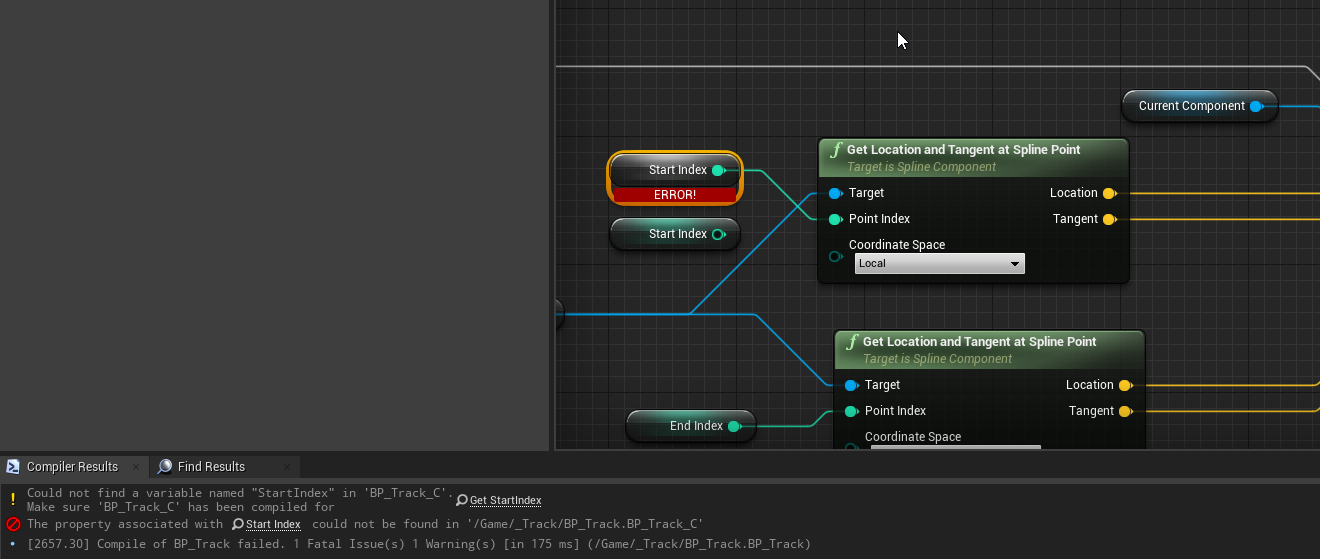
I am having trouble using local variables in collapsed nodes. Am I supposed to use these with their own namespace or should I be able to access the surrounding scope? It does work, I can access them but only with trouble. If I rename the collapsed node graph or copy/paste a variable, I'm getting errors. Am I doing it wrong?
 urban forum
I'll preface this with I'm still very new.
Are BP more cost effective than just banging static meshes in to a level?
i.e say i want to create a wall section to be duplicated around the map.
A) put the meshes in, group them and generate a single static mesh.
B) create the same mesh composition in a BP.
icy dragon
urban forum
I'll preface this with I'm still very new.
Are BP more cost effective than jus...
Doesn't make a difference if you disable Tick in the BP. It's particularly useful if you want to have a duplicate of the set/instance in another map / somewhere in the same map.
If you ever used Unity before, think of it like prefabs.
shut hinge
do you know how to resolve a random black screen issue with p03 machines. After a while screen turns black, says HDMI cannot find video signal.
icy dragon
urban forum
I'll preface this with I'm still very new.
Are BP more cost effective than jus...
Static Meshes placed in the map are basically an Actor class containing a single Static Mesh Component.
icy dragon
shut hinge
do you know how to resolve a random black screen issue with p03 machines. Afte...
Probably you want to ask it in #hardware instead.
 last spade
Hey everyone
So i tried to give my Metahumen some animations (from the manequin) and it kinda works. But the torse/shirt doesn't animate at all. The hands, Head, Leggs, Feets al are working properly but the shirt/torso realy doesn do anything. Does someone knows a fix?
 smoky belfry
Hello everyone. I have a newb question. How do I make a character respawn or reposition the character on the player start?
olive sedge
@smoky belfry not sure if this is the best solution but I think I would GetActorOfClass the PlayerStart and then SetActorWorldLocation the Character
smoky belfry
@olive sedgeHi. Thanks for this. ^^
 shell wyvern
Hey, does someone have an idea how to be able to launch a game in dx11 or dx12 and especially give the user via Ui or in some other way the possibility to switch it. I know you can add an argument like -dx12 behind the exe file (restart is needed anyway )
icy dragon
shell wyvern
Hey, does someone have an idea how to be able to launch a game in dx11 or dx12 a...
Often times this is done through a separate launcher, not via in-game settings
shell wyvern
okay, I take a look on it
 barren salmon
hello i am facing a situation where my save slot does not exist

is there away to make sure that a saveslot is created if there is none?
 fiery swallow
barren salmon
is there away to make sure that a saveslot is created if there is none?
fiery swallow
barren salmon
is there away to make sure that a saveslot is created if there is none?
You can't use an isvalid node to make sure it's valid? and if it isn't then create one?
barren salmon
issue is i dont know how to create one
before i just thought all i needed was to save data in a slot and give it a name then load but none of them are working
it was working but deleting kind of broke everything so oof

my code works like this basically
and all i do is have a button which will delete save game if player presses it but doing so breaks whole thing https://blueprintue.com/blueprint/2jjfr2xk/ this is how my save system works and i have a seperate way to delete in a widget desgined to just load data
BlueprintUE
ooooooooooh i get what you mean now
my bad so all i had to do was this

😅 i wasted a lot of time last night freaking out over it and it gets fixed in a few seconds after asking oof
 burnt nest
barren salmon
😅 i wasted a lot of time last night freaking out over it and it gets fixed in...
burnt nest
barren salmon
😅 i wasted a lot of time last night freaking out over it and it gets fixed in...
Hey, better than being stuck on it another week huh 😎
dawn gazelle
barren salmon
my bad so all i had to do was this
This is the proper way to create a new save game object (ie. saving for the first time). If you just have a reference to a save game object and the object is not defined, I think you'll run into problems trying to actually set values and save it.

 primal smelt
Concerning Get All Actors With Tag - am I correct in saying that this is only for actors that are tagged in the editor and not something set in the blueprint? If for example I had a whole bunch of instances of an actor (inherited) in my level and wanted the equivalent of a blueprint-wide tag, I'd need to instead use Get All Actors with Interface. Is that right?
 worthy frost
you can set tag in the blueprint
Tags is just an array on the actor which is editable in the BP or instances in the world.
primal smelt
Basically I've tried using a Get All Actors of Class with the intent of excluding self and then combing with an object actor array for a box trace to ignore. Problem is I can't combine references of a particular class with actor object arrays so I am looking at alternatives.
worthy frost
Interfaces make sense if you don't know what class it is
but tags work if you only care about it being an actor
primal smelt
I must admit I haven't added any channels for my project yet/ I know how to do that but I'm not sure what else I can do with that, would this involve changing the channel of the actor when player is possessing it?
primal smelt
worthy frost
Tags is just an array on the actor which is editable in the BP or instances in t...
Where abouts is this sorry? I could only find tags for individual components
Yeah this is my first time of using a Get All Actors node as I've heard it's not very performant. As there should only be half a dozen or so instances of this actor at any one point I thought it might not be so bad here. I think I should have a look at channels though, can always switch back if later down the line I need more channels for other things
 warm ermine
Anyone know about blending by enum? I have a setup that allows for single (Rapier) and double(Dual Rapier) enum animations in different equipment slots. But I want to mix two different enums (Rapier/Buckler). Anyone know how I can fill in that last part?
dawn gazelle
primal smelt
Yeah this is my first time of using a Get All Actors node as I've heard it's not...
It doesn't matter how many instances of that one class of actor. The Get All Actors of Class loops through all actors spawned checking if they're the right class and adding them to the output array.... So the more things that exist in your world, the worse performance you get.
primal smelt
dawn gazelle
It doesn't matter how many instances of that one class of actor. The Get All Ac...
Ah gotcha, thanks
I can't set trace responses on the fly can I? Other than changing collision preset?
 frank valley
(Very nooby question)
I have a BP set up like this because the mesh' origin is wrong and I need to offset it relative to the actor's root. But I also want to apply a force to the actor (via the mesh I thought) and have the entire actor move, so I added a PhysicsConstraint.
But applying a force to the mesh now does nothing. What am I doing wrong?
 primal smelt
frank valley
(Very nooby question)
I have a BP set up like this because the mesh' origin is w...
primal smelt
frank valley
(Very nooby question)
I have a BP set up like this because the mesh' origin is w...
Can't you make the mesh the root? That would keep he actor's origin in sync with the mesh.
frank valley
Yes that would be the easiest option but unfortunately the artist exported the mesh with the origin far away from the object itself
primal smelt
frank valley
Yes that would be the easiest option but unfortunately the artist exported the m...
You can adjust this in the mesh editor
lemme refresh my memory
frank valley
primal smelt
You can adjust this in the mesh editor
Uh I'll try
 orchid mica
Hey guys 🙂 Good morning/afternoon/evening
primal smelt
frank valley
Uh I'll try
Double click on your static mesh in the content browser and scroll down in details panel to "Import Settings" - "Import Translation" allows you to set an off-set for the origin point
orchid mica
Was wondering if this is the right place to ask this, but, here it goes
If it's not and if you could direct me to the right place, it would be much appreciated
primal smelt
frank valley
Uh I'll try

It's obviously better to get the origin point correct in your modelling software but this is a good fix if that isn't possible
frank valley
primal smelt
It's obviously better to get the origin point correct in your modelling software...
Yeah it would be alright but I can't figure out how to show the origin point in the mesh preview
I have to eyeball it
orchid mica
I'm making a 3rd person hack/slash game. I'm making the basic functions of movement right now and my issue is with the running. I've setup a camera shake for the character when he starts running, and a stop camera shake when he stops. The trigger for both is, naturally, the Shift button. So when pressed = camera shake will start (alongside movement changes, etc), and when it's released, the speed goes back to walk speed and the camera shake stops. That's working fine so far, my problem is when I stop moving but I hold the Shift button - the camera doesn't stop shaking. Anybody knows how we can maybe "update" this while not releasing the button?

Sending a picture for additional clarity
primal smelt
frank valley
Yeah it would be alright but I can't figure out how to show the origin point in ...
Yeah I'm not sure if you can but you could always do a blank bp and add the mesh as child to root as a reference. Might have to keep compiling after you make adjustments for it to update but it's going to be much easier doing this now than writing code to accommodate for such a massive offset
frank valley
primal smelt
Yeah I'm not sure if you can but you could always do a blank bp and add the mesh...
You're absolutely right! I'll do it asap
primal smelt
orchid mica
One thing you could do is get player's movement speed and plug that into the scale pin. Might want to clamp the value so it can't go above 1 or below 0.
You could also put in a branch ahead of the camera shake node to check if player is moving
burnt nest
Yep, check if movement input or speed is >0.

 hybrid ether
Hi. I have rideable horse and when start riding it attaches player actor to horse back. But when I dismount how re attach player to none?
primal smelt
hybrid ether
Hi. I have rideable horse and when start riding it attaches player actor to hors...
You'd have to use detach from actor and set world location
primal smelt
orchid mica
Would this be the best way to check?
It's hard to say which method is the best for any given project but that should work
orchid mica
Right. I could setup that condition before the camera shake. The problem then becomes this:
Shift button was pressed, camera starts shaking only after character moves. However, if I stop moving (no more WASD), but I still continue to hold the Shift button, it doesn't know how to re-check if my character is moving now or not. It will stop at the previous setup which was = character moved before, so camera will start shaking.
I'd need to check again or reupdate the condition after it was initiated somehow
primal smelt
frank valley
You're absolutely right! I'll do it asap
Also you should be able to make it a bit easier for yourself when eyeballing it to the root component by using the transform location in the blueprint editor window (details panel). Just make a note of how far you moved it in each axis to line it up there and apply the same difference in the mesh editor window
 sacred estuary
does anyone know how I stop my pawn from "moving" when I walk into walls and such? right now when I hold down W/walk forwards, the pawn will slowly move to the left/right. it's especially prevalent if the object is an uneven surface
primal smelt
orchid mica
I'd need to check again or reupdate the condition after it was initiated somehow
Is EM_Run being triggered by shift being pressed and then EM_RunStop is triggered on release of shift?
 faint pasture
sacred estuary
does anyone know how I stop my pawn from "moving" when I walk into walls and suc...
faint pasture
sacred estuary
does anyone know how I stop my pawn from "moving" when I walk into walls and suc...
Dig around in the character movement component and see if there are some settings for sliding
orchid mica
That's right, let me show that
frank valley
primal smelt
Also you should be able to make it a bit easier for yourself when eyeballing it ...
Your method worked perfectly. I made a temp blueprint and moved it with the gizmos. Then you can right-click > "Copy" on the transform, and when you import the mesh again you can paste on the "Import translation" field
orchid mica
 frank valley
Now I can finally use that mesh as the actor's root 😂
 runic bison
I am using a landscape material to place grass models in my level (using landscape grass type), but it is coming up through the floor of houses.
How can I suppress the landscape material objects where the placed grass intersects with other assets? There are very limited options by default.
Also, having a hard time getting the exposure looking right going between interior and exterior. Outside looks super overexposed, and inside looks foggy...
 sacred estuary
you could always just add a brush that has your landscape texture without grass models
primal smelt
orchid mica
I would be tempted to put these on tick. Otherwise you could fire off an event when releasing WAS which disables run as well, but you'd probably want a check before each WASD input to see if shift is being held (you can use IsInputKeyDown) to fire off the running event again
runic bison
sacred estuary
you could always just add a brush that has your landscape texture without grass ...
Except then I need to paint out grass manually, rather than have it adapt to where I move colliding objects to.
 latent arch
Hey guys, does anyone know why my line trace isnt picking up my mesh? ive set the mesh to "blockAll". Im trying to measure its height 🙂
 runic bison
latent arch
Hey guys, does anyone know why my line trace isnt picking up my mesh? ive set th...
runic bison
latent arch
Hey guys, does anyone know why my line trace isnt picking up my mesh? ive set th...
Just check object properties in the infobox (N) in the top right. Oops, wrong server... that's in Blender...
latent arch
well the thing is i want to get its height and then scale to a new specified height
orchid mica
@primal smelt hmm... I will try that, though how would you do the check before each WASD with a standard InputAxis MoveLeft and MoveForward (-1.0 and 1.0) with Add Movement INput:
primal smelt
orchid mica
<@!365397632870383646> hmm... I will try that, though how would you do the check...
Ah apologies, it would be a branch immediately after to the inputaxis node. Could potentially have issues with the player for some reason decides to hold both directions, releasing one and pressing it again etc. On tick it would be much easier to control.
orchid mica
@primal smelt indeed; I'm just concerned about overall performance later with a check every second for that... haven't used tick before if I could help it... I thought a timer would also work for this situation but admittedly I don't know how to set it up or if it would work. Any thoughts on timer?
primal smelt
orchid mica
<@!365397632870383646> indeed; I'm just concerned about overall performance late...
Don't be afraid to use tick! With experience you'll get a better understanding of when it is or isn't a good idea but for something like this it'll hardly cost anything as the project grows.
orchid mica
@primal smelt Thanks, I really appreciate. If I need to reuse tick for something else later, would it be advisable to use a sequence?
primal smelt
orchid mica
<@365397632870383646> Thanks, I really appreciate. If I need to reuse tick for s...
Sequences are fine, just be aware that they do execute in pin order (and if you have a delay node on one execution line it will begin executing the next pin in line when that is triggered). You may not need to use a sequence node, there are many different methods of flow control including gates and switches which negates the need to have your blueprint branching off in all directions!
 maiden wadi
@latent archYou may have an easier time just getting the component's bounds, and getting the Z from the box extent, and doubling it. Should give you the height of the component.
orchid mica
@primal smelt thanks a lot good sir!
latent arch
yeah i dont want to do that as unfortunately that will blow out the height die to antenas
@maiden wadi 🙂
due*
 fallow citrus
Ello friends, sorry to cut through the conversation, i'm new so apologies if im interrupting!. My problem is I want this little mushroom (1) to receive the wind from the tree trunk (2) so i can create a bunch of prefab blueprints with different setups of things on the trunks of trees. How could I achieve this? Right now the trunk sways in the wind but the mushroom remains static.

 sonic gull
The first question would be how the wind is done. Skeletal mesh animation, vertex shader, speedtree?
 sinful zealot
Is there a way to get a hold of a ASCCI char variable in BPs? (For the purpose of concatenating strings such as Goblin_A, Goblin_B, etc )
e.g.
char c;
EDIT: Boy I did not expect this to be so difficult, looping and incrementing 'A', 'B' and so is much more challenging than I anticipated. (I just assumed I could achieve all the C++ equivalents here)
fallow citrus
sonic gull
The first question would be how the wind is done. Skeletal mesh animation, verte...
i believe its a simple grass wind
 sonic gull
You need to use the same vertex animation on the mushroom. Since Object Position and Object Scale are different for the Mushroom, the animation is going to be out of sync though, so you have to change the material to not use these nodes anymore
fallow citrus
ah i see. is this a complicated affair? which nodes specifically? how do i proceed exactly?
If i were to remove the object position and object scale nodes, how would this affect my trees?
and what would i replace these nodes by in the graph
 ebon olive
When AddLocalRotation is for rotation movement, can anyone tell me whats the code for a linear movement, for example a falling piano
gentle urchin
AddActorLocation? Or enable physics :p
ebon olive
yea that would help on that example true :D actually wanting to make spikes come up from the ground which is not just 1 line of blueprints lol.. its all good youtube and internet is my friend here
 vivid vapor
What is the best way to animate a first person camera? I've tried many different approaches but they all have drawbacks. Such as animating a head bone in maya. Best case scenario would be for me to be able to have the player control the camera directly with input and then being able to layer animations made in maya on top somehow.
zinc wasp
latent arch
Hey guys, does anyone know why my line trace isnt picking up my mesh? ive set th...
Are you using line trace by object or Linetrace by channel?
gentle urchin
ebon olive
yea that would help on that example true :D actually wanting to make spikes come...
Depends on how you want them to show up. If they just 'erupt' then a simple timeline with triggers could be your friend
zinc wasp
vivid vapor
What is the best way to animate a first person camera? I've tried many different...
Ya. This is one of those question only you could solve and if you already tested multiple times than you should already know your options.
vivid vapor
zinc wasp
Ya. This is one of those question only you could solve and if you already tested...
I guess I'll have to do everything in maya then, which is annoying since even aiming up/down must be done with an aim offset blendspace
zinc wasp
What about level sequencer?
vivid vapor
well level sequencer are suitable for cut scenes and stuff but I want to animate the fps camera during gameplay
for example tilting the camera when moving etc
zinc wasp
Tilting can be done in sequencer though? Or did you mean player controled.
vivid vapor
well I want to do more than just tilting etc so I'm better off just animating it in maya I think
zinc wasp
Ok, but just saying level sequencer can animate all transform of a camera, including dof, postprocessing and all that jazz.
vivid vapor
but can it be put on top of a player controlled camera without taking away the player's input?
zinc wasp
You yes.
vivid vapor
then it could be worth a look
zinc wasp
You could just level sequence the player camera.
vivid vapor
but is the level sequence not tied to the level?
Say I want a weapon equip animation that also moves the player camera a bit
I want that to be able to happen throughout my entire game
 burnt sage
If I want to WASD a camera the way it's done in editor, what approach should I use? Multiplying transform with a change matrix or is there something built-in?
zinc wasp
I wouldn't use it for that.
I'd just move the camera location.
I'm not sure how you have your player setup and how your camera is attached.
But if it's like the fps template, you could just move the canera component forward.
burnt sage
With Impulse?
I have it attached on a spring arm that's attached to my creature back
I'm making a small critter game where my critter has ability to ignore gravity. I turn the gravity off, but impulse then propels me indefinitely. I turn the physics off, then I need to move the actor (pawn) itself, but not sure how. To just move mesh (my root component) by multiplying transforms, since addforce and addimpulse won't work?
I'd love to move him only as long as keys are pressed.
My pawn is: Mesh-SpringArm-Camera hierarchy.
zinc wasp
Are you trying to make itnfly?
olive sedge
Hey guys! Anyone an idea why my timeline's Finish should sometimes not fire?
burnt nest
olive sedge
Hey guys! Anyone an idea why my timeline's `Finish` should sometimes not fire?
Sure, plenty of ideas! Idea 1.. because it doesn't finish? 🤔
burnt sage
zinc wasp
Are you trying to make itnfly?
Yes, but ignore physics. I want it to behave like editor camera when having right click pressed, just without needing the right click.
zinc wasp
burnt sage
Yes, but ignore physics. I want it to behave like editor camera when having righ...
Not on my PC but very simple. There's a setting in the character movement that you can change to fly.

www.Tesla-Dev.com
Learn how to utilize the flying movement mode to create some basic jetpack movement
burnt sage
zinc wasp
Not on my PC but very simple. There's a setting in the character movement that y...
Thanks, ❤️
burnt nest
burnt sage
Yes, but ignore physics. I want it to behave like editor camera when having righ...
My top-down camera only moves in 2D (so not up and down), but I'm sure you could adapt it and add mouse look.
 olive sedge
@burnt nest I like the idea but I don't know why it wouldn't finish. It's just a second long
burnt sage
Trying to add mouse axises to rotate camera and that should give me direction. Then I guess somehow I could move in the vector direction that's forward vector at any time, right?
burnt nest
olive sedge
<@!246621213638656002> I like the idea but I don't know why it wouldn't finish. ...
Put a print string in it, as well as in the finish event, so you can see if it goes all the way and if the finish runs. 🙂
olive sedge
@burnt nest Oh man. I added a print string of the float value and then it works. when I remove that, it fails again
this is very very odd.
zinc wasp
burnt sage
Trying to add mouse axises to rotate camera and that should give me direction. T...
Just need to add the Z axis control. Everything should work fine if using one of the ue templates
GetUpVecotr I think it's called.
olive sedge
I'll restart the editor and hope that fixes it
zinc wasp
Ya the good old, did you try resetting it?
olive sedge
this
there's a german rhyme meme: reboot tut gut. Basically restarting/rebooting helps
 odd plume
I have a widget that I am casting to, inside of an actor/bp, This is a part of the hud, this widget. How can I get the wildcard object referance?
 zinc wasp
odd plume
I have a widget that I am casting to, inside of an actor/bp, This is a part of t...
zinc wasp
odd plume
I have a widget that I am casting to, inside of an actor/bp, This is a part of t...
Did you try resetting it?
odd plume
Its code, not a Dell Optiplex
olive sedge
Well.. Restarting helped \o/
faint pasture
odd plume
I have a widget that I am casting to, inside of an actor/bp, This is a part of t...
That's where you'd plug in your widget ref. You need to back up and make sure you understand what you're doing
burnt nest
odd plume
I have a widget that I am casting to, inside of an actor/bp, This is a part of t...
You're a bad man, Arthur Morgan.
 faint pasture
odd plume
I have a widget that I am casting to, inside of an actor/bp, This is a part of t...
faint pasture
odd plume
I have a widget that I am casting to, inside of an actor/bp, This is a part of t...
Save a reference to the widget when you create it if you're only going to have one of them. If it's something where you have to, say, get all the widgets of a certain class that exist, then you could do the other approach. But for a HUD, save the ref
burnt nest
Is not spaghetti, Adriel. 😦
faint pasture
Doing stuff like that will lead to spaghetti. It might not be spaghetti yet, but it's a noodle.
faint pasture
odd plume
I have a widget that I am casting to, inside of an actor/bp, This is a part of t...
Also since you already know the widget class when you save the widget reference, you don't need to do any casting. Casting is for checking if a arbitrary wild card object is of a certain class, and then returning a reference of that class type to the object
zinc wasp
Making spaghetti is a skill.
odd plume
The main thing, is that I am doing this in the weapon class, which has no native ref to the WB_gameplay
burnt nest
My philosophy is that most people here want a quick fix to their current problem to allow them to keep going with their project, which allows them to keep making mistakes and learn better ways. I just keep their ball rolling. 🙂
zinc wasp
odd plume
The main thing, is that I am doing this in the weapon class, which has no native...
Ok, pass it on the game mode and get the ref from there.
Is this for your halo UI?
faint pasture
odd plume
The main thing, is that I am doing this in the weapon class, which has no native...
Please describe what exactly the end result you're after is.
 rustic yacht
How would you guys go about having stuff in the world react to being hovered/clicked?
I'm working on something grid-based, and I want to keep track of the tile that's being hovered over etc.
Would you guys use "On Begin Cursor Over" inside of the tile blueprint and keep references to the player controller for each tile? Or would you guys run something like "Get Hit Result Under Cursor by Channel" on tick in the player controller instead?
I'm not sure which would be cleaner/easier to work with in the long run...
zinc wasp
burnt nest
My philosophy is that most people here want a quick fix to their current problem...
Ya there's many. They just want to copy paste the code and call themselves a "dev"
odd plume
faint pasture
Please describe what exactly the end result you're after is.
When you reload, it calls the function in the hud class
faint pasture
odd plume
When you reload, it calls the function in the hud class
For ammo count or whatever?
odd plume
ye
burnt sage
Not most. I'm trying to learn. I'm trying now to implement my own camera, movement of the pawn and learn how stuff works.
I'm a student in a class and I know how to do it in pure OpenGL, but I have a bit of a hard time actually doing stuff in Unreal. Nothing seems to be as direct as we learned about 3D, everything is layered by Unreal systems.
zinc wasp
I need help making director AI. Can someone copy and paste code into https://blueprintue.com/, thanks.
burnt sage
So, in "clean" 3D you'd translate your camera position in a world across frames (interpolated across multiple frames according to frametime), but in Unreal I'm completely lost.
faint pasture
odd plume
ye
Easiest would be to just get HUD -> cast to your HUD class -> call Update
But you can also use bindings
Or pass the HUD ref when you make the weapon
burnt sage
And in the forum I asked, people tend to laugh at me for being a girl 😦
zinc wasp
burnt sage
And in the forum I asked, people tend to laugh at me for being a girl 😦
Don't sweat it, I laugh at myself for being a guy.
faint pasture
burnt sage
So, in "clean" 3D you'd translate your camera position in a world across frames ...
You can do that very easily in unreal. What specifically are you trying to do?
zinc wasp
burnt sage
And in the forum I asked, people tend to laugh at me for being a girl 😦
Not really sure how unreal works but the character movement is based on framerate.
zinc wasp
odd plume
Would you recommend learning OpenGL?
OpenGL is a code? I thought it was some outdated directx
faint pasture
zinc wasp
OpenGL is a code? I thought it was some outdated directx
I mean you can call writing opengl coding, it's all programming. With unreal you don't need to directly write opengl or DirectX or Vulcan code, your materials get compiled down to whatever API your target is using.
zinc wasp
faint pasture
I mean you can call writing opengl coding, it's all programming. With unreal you...
Ah, make sense. Is coding material a thing for ue4? I know the material editor is pretty much flawless but I wonder if there are things that can't be done with it.
faint pasture
Yeah you can write custom hlsl
 elfin hazel
@rustic yacht I would use an interface and a linetrace. The controller for example could handle un-highlighting unhovered objects and track "selected" objects. seems the most practical to me.
rustic yacht
elfin hazel
<@!203957097803546624> I would use an interface and a linetrace. The controller ...
Alright, thanks!
burnt sage
Well, OpenGL is an API that is used for rendering stuff. Unreal supports it too. It's like DirectX11 for example.
I feel silly because - I can code my own engine, but I'm lost in Unreal 😄 because it has so much stuff already done that it's hard to find way. Also it's huge.
olive sedge
Anyone an idea how to dejitter this without sacrificing too much follow speed?
burnt sage
@faint pasture I'm trying to create my own character pawn, camera, with movement, rotation and similar. So far I've added movement based on physics and binding axises and implementing adding force and impulses.
But, I want my character to fly around too, ignoring gravity (it's a creature from another dimension).
Intuitively I would calculate transforms (multiply matrices) to translate my camera around the world and I would do it by splitting my movement interpolated across frames in a what Unreal calls Tick.
In Unreal I have zero idea what to do.
I've searched for "TranslateTransform", tried GetTransform multiplied with a vector and then tried to set it back... but it's a bit messy.
Trying to do it in Blueprint to learn it for fast prototyping. But I'm all but fast 🙂
 violet wagon
olive sedge
Anyone an idea how to dejitter this without sacrificing too much follow speed?
violet wagon
olive sedge
Anyone an idea how to dejitter this without sacrificing too much follow speed?
You can try to add in camera lag, which will make your camera track the character slower, but smooth it out
olive sedge
violet wagon
You can try to add in camera lag, which will make your camera track the characte...
I've tried interping it but it's just still very jittery
I think it's the position as well
violet wagon
olive sedge
I think it's the position as well
oh because it attached to your character. Might be harder but you could manually spawn in a camera in the world and have a scene on your character that it should interp to
olive sedge
hm, yes.. I'll try interping both rotation and location
rustic yacht
burnt sage
<@!127902729677963264> I'm trying to create my own character pawn, camera, with ...
IIRC, the MovementComponent that characters come with have a few different movement modes. IIRC, a character will ignore gravity if set to "flying"
burnt sage
rustic yacht
IIRC, the MovementComponent that characters come with have a few different movem...
I know, but that's an easy way out. I need it done manually 🙂
This is what I need:
I need my 3rd person view (done)
I need my pawn move with WASD (done)
I need my camera bound to my mouse for camera rotation
I need my camera to become also pawn rotation when I press right click just like in 3rd person template is default (or be free look instead if defaults is pawn rotation with it unpressed)
ebon olive
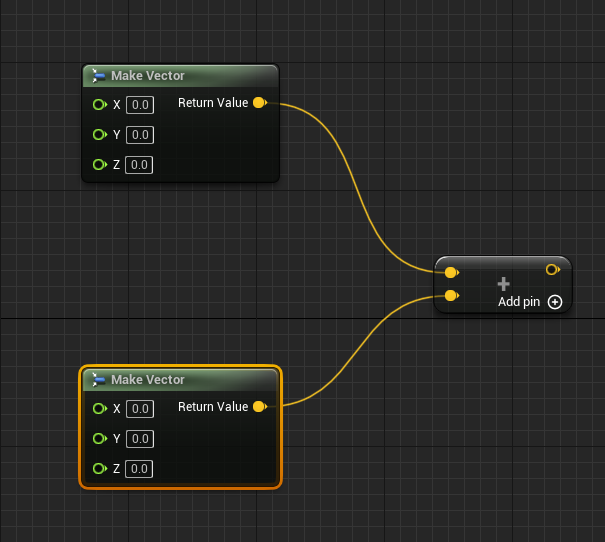
whats the UE5 replacement for vector + vector?
olive sedge
@ebon olive it's vector + vector
 olive sedge
oh. I though I had used it when I tried it out but I just checked and it's not there, my bad
ebon olive
well good then its not buggy on my end at least
 ebon olive
you mean top left?
what do i type then lol
AAH just add? :D
lol
Jep got it much love!!
 ancient atlas
hey guys a pretty simple question which i cant seem to understand. In some blueprint layouts in following they are multiplying something by 5000 but when i add a multiply node the only options it gives me are x y or z coordinates. am i missing something simple? Thankyou
elfin hazel
@ancient atlas If you drag off a vector variable, and type Multiply, or *, you can choose what to multiply with - float, int or vector.
 elfin hazel
Yeah, so how would you like to manipulate the direction? With a float I suppose? Choose the float option.
And I think you want to add that result to location, not direction.
ancient atlas
im following someone who is creating way for the top down character to rotate with the mouse as it moves around.
On his multiply node his second little node on the left is green and he has typed in 5000
burnt nest
Yup. So search for multiply by float.
ancient atlas
the only options i can find when typing multiply (with context turned off) is multiply or multiply by pi
elfin hazel
Are you on 4.27 or something?
ancient atlas
im on 5, maybe thats it?
burnt nest
You can still do it, we just don't know how. 🙂
ancient atlas
🙂
elfin hazel
Well.. I'm sure there should be possible to multiply by float but I wouldn't know what it looks like.
ancient atlas
yeah im not sure, oh well i dont NEED to have the character follow my mouse but it would have been neat lol
elfin hazel
There's a UE-5 general channel.
ancient atlas
will try in there thanks
ebon olive
These spiky boys are rising from the ground at the same time. Is there a simple way to give one of them a delay or something?

 narrow kelp
There is a delay node in blueprints
ebon olive
But then it delays both of them
ebon olive
jep random float worked. looks great for now
 tame moon
my brain is melting , i am attaching a mesh as a component to a bone but the rotation is wack , i have been trying to fix it by using the set relative rotation node but i cant find the correct numbers
gentle urchin
You can preview it in the bone editor
Add a preview mesh on a socket to find a relative transform (and/or attach it directly to said bone)
tame moon
gentle urchin
You can preview it in the bone editor
i did with the preview mesh feature
 ancient atlas
ah great i will try that, what is that node called you have added
tame moon
this is it in preview but its different in the game
 zinc wasp
Ya I'm sure they justed wanted to let people play with lumen and nanite.
tame moon
in the game
 zinc wasp
Looks like animation is doing something.
narrow kelp
I'd recommend making a socket that has the desired transform
zinc wasp
What he said.
tame moon
this is the code

i added a socket and changed location and rotation but changing one rotation axis influences others
Thanks ,i was trying to use VBs, the sockets work much better and turns out i had pressed keep world location,its fixed now
ebon olive
Is there a way to change the 'X, Y, Z' axis thingy? I'd like to put it at one of the hammer-ends so I could rotate it not from the middle but from one of the ends

 proud sable
I duplicated my character blueprint so I could make some major changes to it and keep the old version around as reference. I'm mostly finished now and ready to use the new one but for some reason I can't hook the new one up to this set array node. Any idea how I can figure this out? "Not compatible" is kind of vague.
(NVM I forgot I made the original one, promote to variable. I thought I manually created the array 😅)
 ebon olive
thanks
 surreal delta
Im trying to setup a rotation constraint for my buoy with the water plugin's buoyancy feature. Not sure what property would need to be changed for a max rotation value - basically want the buoy to be able to rotate in any direction the water pushes it, but not tip over obv
 tame moon
ebon olive
Is there a way to change the 'X, Y, Z' axis thingy? I'd like to put it at one of...
tame moon
ebon olive
Is there a way to change the 'X, Y, Z' axis thingy? I'd like to put it at one of...
if you are willing to reimport the model and have blender installed you can modify the pivot from there
ebon olive
guys when I change the pivot in/on the map, and save, it still doesn't change the pivot in blueprints, and when I do blueprint stuff... am I doing something wrong?
even when I click the save offset and stuff, like the teach in the tut's
If its changable inside UE5(for blueprints), just tell me so, and Ill figure it out
 mortal stirrup
hey! how to stop character being deleted once left area
 sand shore
Leaving the area, going downhill/downward?@mortal stirrup
mortal stirrup
going down, but ive figured that out as just had brain wave. now just need collision to work
sand shore
Yeah Kill Z can trip people up, heh
You could override Fell Out Of World (I think that's possible in BP)
mortal stirrup
it was in world settings lol, it annoying lol.
yeah for some reason kept spawning me in the middle of the floor and falling even though I moved it twice (obviously didn't move it enough)
but thanks for the help
 runic parrot
Hi! quick question for testing.
Any quick way to pick a random texture from my content path? (i have 6 icons, i want to pick one of them at random).
 oak oxide
how can I invert input?
i am making a jump and i want my character to go back instead of going front
how to do that?
tame grotto
runic parrot
Hi! quick question for testing.
Any quick way to pick a random texture from my ...
you can either make an array of them or if you want to actually be able to scan the folder it can be done through blutility, but not in the runtime i think
proud sable
If I make an array then later change the values within the array, is there a way to return those values to the original variables? I assumed that's what get ref was for but it seems like I misunderstood
I know I can get the value from the array and manually set the original variable like that again, just wondering if there's some functionality I'm missing
zinc wasp
ebon olive
Is there a way to change the 'X, Y, Z' axis thingy? I'd like to put it at one of...
It sure if you fixed this yet but make a it attached to another scene component and try rotating the scene component instead. If that don't work than you'll need a 3d program to fix it.
zinc wasp
proud sable
I know I can get the value from the array and manually set the original variable...
If you change the array it's gonna be replace. Ref is just getting its value not actually changing it. But if you want a backup than you'll have to make a second array with default values.
proud sable
zinc wasp
If you change the array it's gonna be replace. Ref is just getting its value not...
I didn't want a backup, kind of the opposite. I wanted to feed variables into an array for convenience sake, then have any changes to the array update the original variables. Simple enough to fix with "set > orginal variable" but I was hoping for a way to do it automatically

 north hedge
Anyone know why on Post Login when I get the Character and add them to the array it ignores player 2?
https://i.imgur.com/pnJkRdo.png

It ignores everyone who isn't player 0 👀
narrow kelp
@proud sable You could use an index instead
proud sable
narrow kelp
<@!226309675912658947> You could use an index instead
Could you explain that a little more? Not sure what you mean
narrow kelp
You want to keep your value in one place
Not have duplicates
Not sure your situation, but if you're storing stuff in an array, you can use the item's index to keep track of where it is
rather than have a copy
If you're using an array of abilities, you could change them to objects or structures
proud sable
Mainly I just wanted to have a set of macros that take a single array input, do all the math inside and update the original variable values. The way I created my project I have a lot of references to the original variables in other blueprints, updating all of those with Get Array is (was, technically) a huge pain
Something like this, with the last node line showing what I wanted to update

But you're right, in future I should definitely have used structs or objects
tame grotto
usually its best to use a struct rather than an array if you dont plan to add or remove variables in runtime
dawn gazelle
north hedge
Anyone know why on Post Login when I get the Character and add them to the array...
If you're testing this in editor, the "OnPostLogin" event gets called pretty much simultaneously for all players, but any previous calls to it are overwritten so the value stored in the "NewPlayer" on it will disappear with each new player that joins and reaches the OnPostLogin. As you have a loop there if the character is not valid, it could potentially be looping back before it goes valid for each player, so it skips any players until the most recent that joined goes valid.
proud sable
Yeah, I learned my lesson through this 😅 . Definitely gonna focus on structs next time, especially since I have more than just floats I wanted to store. I've been learning what tools are available as I go so a lot of my older blueprint choices are pretty bad.
north hedge
dawn gazelle
If you're testing this in editor, the "OnPostLogin" event gets called pretty muc...
Yeah I had to write a stupid jank tick Do Once check that looks awful. It happened across both PIE and Standalone with a dedi server
dawn gazelle
north hedge
Yeah I had to write a stupid jank tick Do Once check that looks awful. It happen...
Probably the best way to avoid the issue would be to have the "Get Character from Controller" code run on the player controller itself instead (on the server only) and have controller report back to the game mode to update and do whatever is required after the controller has their valid pawn.
north hedge
Yeah Im trying to do a server teleport for all clients in 1 go
so I need to have them in an array
Which Post Login seemed like a logical way to do
 fiery lark
How can I make my AI jump over an obstacle?
dawn gazelle
north hedge
so I need to have them in an array
You can use the game state's "Player Array" which gives you the player states of all connected players, and you can get their controllers as the owner of player state is player controller, and then you can get their controlled pawns.
 north hedge
Yeah, I finally got it working. I spent a few weeks on/off trying to fix that and now I'm mad that it was just that Post Login issue 😐
Cheers 😄
 faint spire
north hedge
faint spire
north hedge
Now I just need to figure out how to replicate lip sync without sending almost 20,000 bytes of data per frame 😄
 vocal elm
why does running this increment the return value of the load game each time? is it because GetDisplayName makes a unique editor name each time its called? even when clearing the saves the number still gets incremented from where it left off

each run will output
SaveGame_C1
SaveGame_C2
SaveGame_C3
ect
even after deleting the saves
dawn gazelle
vocal elm
why does running this increment the return value of the load game each time? is ...
Each time you're loading a save game object into memory. So each time it is called the name will increment as it would be considered a new save game object in memory..
 lament ginkgo
Trying to do an ActorBeginCursorOver event on an actor. I've enabled mouse over events in my controller, but when I mouse over the actor nothing happens. Do I need a collision volume on the actor? If so, do I need to set specific collision values?
tame grotto
lament ginkgo
Trying to do an ActorBeginCursorOver event on an actor. I've enabled mouse over...
change trace channel in the controller, same panel where you activated mouse over events
 manic knot
Hey so is this possible from my AnimBP? Im trying to change a variable on the Camera Shake class
 tame grotto
manic knot
Hey so is this possible from my AnimBP? Im trying to change a variable on the Ca...
tame grotto
manic knot
Hey so is this possible from my AnimBP? Im trying to change a variable on the Ca...
what kind of actor is this CameraShake? Is it your default player pawn?
lament ginkgo
tame grotto
change trace channel in the controller, same panel where you activated mouse ove...
Awesome, thank you
lament ginkgo
tame grotto
change trace channel in the controller, same panel where you activated mouse ove...
If I made a new trace channel, for a mouse over should it be an overlap I assume?
tame grotto
lament ginkgo
If I made a new trace channel, for a mouse over should it be an overlap I assume...
yeah
vocal elm
manic knot
Hey so is this possible from my AnimBP? Im trying to change a variable on the Ca...
yes you can get the player controller, then player camera manager as the object
 vocal elm
dawn gazelle
Each time you're loading a save game object into memory. So each time it is cal...
vocal elm
dawn gazelle
Each time you're loading a save game object into memory. So each time it is cal...
Thank you! I was wondering where this gets loaded, since deleting the saves would continue to increment where it left off. Restarting the project resets the number. I thought it shouldn't increment since it loads into memory once, and should have been getting that same value in memory, instead of overriding it with a new object. that makes sense I just wanted to understand what is happening under the hood there, I understand (as noted in the tooltip) that you shouldn't use get display name for referencing or anything
lament ginkgo
Wait, do I still need a raytrace with an ActorBeginCursorOver?
tame grotto
lament ginkgo
Wait, do I still need a raytrace with an ActorBeginCursorOver?
you can make a line trace from your cursor but it doesnt needed for cursor over events
 tacit lake
alright yall I'm straight up stumped can't even lie
I have an actor blueprint which has a box collision which is supposed to activate an outline effect on the actor. It does do this, but the other seperate actors which have the same post processing effect are all enabled at the same time. Is there any remedy to this?
 static charm
depends which method you used to highlight. assuming you used a tutorial, just check the comments/notes for using it on single objects
i believe some methods can't do single objects. so you might have to change the highlight method/material
tacit lake
It wasn't a popular tutorial, so it didn't have many comments, I looked through them all.
It used customdepth, which I think is inferior to customstencil but I couldn't find a good one to do. So that might be why it is that way
static charm
there's probably a way to just only apply the post process when you want to highlight. or change the material.
tame grotto
tacit lake
I have an actor blueprint which has a box collision which is supposed to activat...
if you want a specific actor to highlight, you can do it via an interface or event dispatcher
tacit lake
By interface do you mean like UI?
tame grotto
tacit lake
By interface do you mean like UI?
Blueprint Interface
https://docs.unrealengine.com/4.26/en-US/ProgrammingAndScripting/Blueprints/UserGuide/Types/Interface/
Blueprints that declare functions to define an interface between Blueprints.
manic knot
tame grotto
what kind of actor is this CameraShake? Is it your default player pawn?
Its a Matinee Camera Shake Class. Im using a custom pawn
manic knot
vocal elm
yes you can get the player controller, then player camera manager as the object
It appears I cannot access it that way? It warns it is not inherited from the camera manager class
 tame grotto
manic knot
Its a Matinee Camera Shake Class. Im using a custom pawn
tame grotto
manic knot
Its a Matinee Camera Shake Class. Im using a custom pawn
this camera inside your player pawn? If so cast straight to the player
or to your controller if you want camera manager
manic knot
@tame grotto I am using The Player Camera Manager, not a regular camera. I am trying to modify a variable in the Matinee Camera Shake Class
@tame grotto Yeah I just cant seem to find out how to modify the ShakeScale variable in the Camera Shake Class on runtime. I have a Player Setting called Head Bob I am trying to control it with. I cannot seem to access the Settings from within the Camera Shake Class so I am trying the other way around
tame grotto
manic knot
<@!448154870403563521> Yeah I just cant seem to find out how to modify the Shake...
try casting with this node
 dawn gazelle
 tame grotto
dawn gazelle
tame grotto
dawn gazelle
he wants to do it through anim notify inside anim bp
manic knot
@dawn gazelle @tame grotto Yes or Player Camera Manager. The main reason is I'm trying to use this Save Game var to modify the Shake Scale, but it is not accessible from the Camera Shake Class. So I'm thinking I could modify it from the Anim BP, or Camera Manager or Player?
 dawn gazelle
The above is how you would change the value of the shake scale of a camera shake at run time. The point being, the return value is a reference to the shake that is happening. It doesn't specifically matter where you're trying to do it, just that you need to use the return value of when you're starting the shake to update it.
You cannot manipulate a class default value at runtime as far as I'm aware. You can manipulate values of an object after it is spawned.
 manic knot
@dawn gazelle I see. So there is no way to dynamically modify the Scale setting of a Cam Shake fired from an AnimNotify? Would it be better to clear out the Class field and make an AnimNotify Event and Play the Cam Shake from there?
 dawn gazelle
manic knot
<@!218956378654507008> I see. So there is no way to dynamically modify the Scale...
dawn gazelle
manic knot
<@!218956378654507008> I see. So there is no way to dynamically modify the Scale...
You would do it in the notify I imagine.
Do you have an object called "CameraShake_Notify"?
 smoky lava
is it safe to ship a project with passwords/API keys as regular private variables?
smoky lava
So I should use C++?
 elfin acorn
I am not sure if FParse is availalble for BP.
https://docs.unrealengine.com/4.26/en-US/API/Runtime/Core/Misc/FParse/
But I use it to pares starting argument such as secret api key for dedicated server.
smoky lava
Thanks I really appreciate the info
Do you think this is the same?: https://docs.unrealengine.com/4.26/en-US/BlueprintAPI/GameOptions/ParseOption/
Parse Option
elfin acorn
smoky lava
Do you think this is the same?: https://docs.unrealengine.com/4.26/en-US/Bluepri...
Not sure, you can give it a try
FParse::Value(FCommandLine::Get(), TEXT("AWS_ApiKey-"), AWS_ApiKey);
That will parse this
GameServer.exe -AWS_Apikey-123123123
lament ginkgo
Ok, I have no idea what I'm doing wrong. I have an actor with a sprite and ollision. Made a new trace type called Item_Pickup, set the collision on the actor to overlap all (Item_Pickup is overlap all as well), turned on mouse over events. Still will not register
smoky lava
elfin acorn
That will parse this
GameServer.exe -AWS_Apikey-123123123
Much appreciated, thank you. I'll look into it
violet wagon
in my behavior tree im casting to get variables from my AI. Is there a better way of doing this so i dont have to cast multiple times every frame?
 cedar perch
violet wagon
in my behavior tree im casting to get variables from my AI. Is there a better wa...
cedar perch
violet wagon
in my behavior tree im casting to get variables from my AI. Is there a better wa...
Save a reference on Receive Activation AI and get your values from that, I'm not sure if it's any different from casting but it works

Don't know where to ask this, does anyone know if there is an alternative to camera shakes for more advanced camera animations on gameplay?
Camera Shakes are too basic for what I need, there is the option of adding to them a "Camera Anim" which works, but it's a really old thing that uses Matinee and has a warning that it will be deleted someday, and besides that, they are a hassle to work with
And crashes sometimes 😅
maiden wadi
@violet wagonThere's nothing wrong with casting every frame. Blueprint casting adds an IsValid check, which has a minuscule performance cost. This cost requires hundreds of thousands of uses every frame to make a real dent in performance. The few you're doing are not going to affect anything. The only issue with casting is the same issue you're going to face with saving the pointer, which is hard memory reference. Which you're only ever going to have a problem with on badly structured, very large projects.
TLDR, you can simplify it with an interface, or a base class, but that won't change your performance. Fix it when it's a problem.
 silk reef
Hi everyone. I'm quite new to Unreal (but not new to programming), and I'd like to build an RTS-like camera system, with a camera that I can translate up/down left/right when the mouse hovers/touches the screen borders.
Does anybody have some resources they can point me to to implement something like this in Unreal (BP/C++ doesn't matter to me).
I'm not looking for "the logic" on how to do this in general, I know that, but being new to Unreal I'm not sure what are most of the names of the functions I would need, what are best practices with regards to balancing BP and C++, where to put the camera control code (in some controller? in the camera actor? can I use the default camera? in some component? etc.).
 devout geyser

In this series we are creating the common mechanics found in RTS games, everything from unit selection, AI combat, and base building.
In Part 1 we create our RTS based camera which allows us to have edge detection for panning the camera.
SUPPORT ME
Patreon I https://www.patreon.com/ryanlaley
Buy Me a Coffee I buymeacoffee.com/RyanLaley
Donatio...
You will understand most of your questions watching this ^
silk reef
devout geyser
<@!731488443703492620> https://www.youtube.com/watch?v=rLe6Jrdqu3w&ab_channel=Ry...
Thanks a lot. Yes, it's exactly what I was looking for!
devout geyser
glad to help 🙂
silk reef
Another question: is there some step function in Unreal, like a Heaviside theta, or a Sign?
I know I can simply write a Heaviside with: if x >0 => 1, else => 0. But I was wondering if it was already there
 lean nexus
Hey! I found this discord because I have been trying to find out how to implement common mechanic in a game but not having any luck finding sources (I’m pretty new)
I’m going to set up a day and night cycle and want to have certain enemies/characters spawn at night. What’s the best way to go about that?
icy dragon
lean nexus
Hey! I found this discord because I have been trying to find out how to implemen...
Have an in-game clock that you can easily keep track on.
lean nexus
Okay, I’m gonna start learning about ai and all that today but I was just looking into the concept and couldn’t find anything. I would assume I would just need to check for a specific time and trigger an event then. Thanks
 lost solstice
What would be the difference between using Grab Component at Location with Rotation and Attach to Component
burnt nest
I'm not familiar with the first one, but the second one is pretty self explanatory.
 sick sapphire
I have setup an enter and exit vehicle system for my multiplayer game.
When entering, make the player invisible and no collision, and possess the vehicle
when exiting, set player location to next to the vehicle, set player pawn visible and has collision, then possess it
However, im not sure how to do a passenger system where the player will be able to be in a car another player is driving, and only have control over a camera.
Does anyone know a way to do this?
grave apex
anyone know why my last input vector is showing up with a length of zero??


this is what im inputting
its just showing up as a singular point in space
nvm, i ended up using getVelocity to get the same effect, still dont get why the first way didnt work tho...
 burnt nest
sick sapphire
I have setup an enter and exit vehicle system for my multiplayer game.
When ente...
burnt nest
sick sapphire
I have setup an enter and exit vehicle system for my multiplayer game.
When ente...
I haven't created a passenger system before, but I'd say I know unreal's tools enough to have some ideas.. I think you could attach a passenger pawn to the vehicle with just a camera and controls? Spawn it and attach it in the vehicle blueprint on BeginPlay.
sick sapphire
burnt nest
I haven't created a passenger system before, but I'd say I know unreal's tools e...
ok ill try that
 true valve
How do you get rotation to work with BlendSpace that takes Speed and direction?
 rustic pond
I have a widget with a tileview. I create the tiles using create widget node. Somehow my passed data is NULL or default once passed through the create widget. Is this not yet supposed to be set when the construct node fires?
 burnt nest
rustic pond
I have a widget with a tileview. I create the tiles using create widget node. So...
burnt nest
rustic pond
I have a widget with a tileview. I create the tiles using create widget node. So...
The GameplayItem comes out null? Yeah, I had that same issue recently. Try restarting the editor. I had to try something else, and then redid the same solution later on and then it worked. 🤷♂️
rustic pond
I'll try again but I've already restared the engine multiple times. It now even crashes on that print string somehow
burnt nest
You should use an "IsValid" on the gameplay item either way, in case it hasn't been set to avoid errors. That doesn't fix the issue, but will prevent crashing.
rustic pond
Yeah thats true. It no longer crashes. But it's still NULL. I can confirm it has the data before passed on to the create widget and just to make sure I've implemented a copy constructor in C++. But sadly to no avail.
burnt nest
I would try deleting the create widget node and redo it. Maybe even restart before replacing it. But the "expose on spawn" for widgets sure seems mysterious. 😩
sick sapphire
burnt nest
I haven't created a passenger system before, but I'd say I know unreal's tools e...
it worked thanks mate
 formal dagger
hey guys, i have a little issue here and dunno how to handle it. My character is holding an item and when overlapping another actor has to play an animation. Everything works well IF my character isn't moving. If i walk over the overlapping actor instead of stop and then press action, it messes the entire code : doesn't play the animation, never end the overlapping even if the character is at 50m of the actor and can't even drop the item she had in hands before the overlap event. Any idea how i could fix it? I don't even know how to research this on youtube
burnt nest
formal dagger
hey guys, i have a little issue here and dunno how to handle it. My character is...
Sounds like quite an in-depth problem, I'm not really sure where to begin. Sounds like some debug methods are in order to see what it does and doesn't execute.
Anyway I suppose your animation call and your animation blueprint might be interfering with each other, at the very least.
formal dagger
burnt nest
Sounds like quite an in-depth problem, I'm not really sure where to begin. Sound...
yeah... so fun
warm ermine
Anyone familiar with adding left-handed blueprint with my current right-handed blendspace? I don't know how to call left-hand blendspace properly through my current equipment system yet
 broken roost
Hi I've got weird bug. So the pawn in PC for some reasons is null BUT only, during the execution of functions clientSetup (it is called client but still I'm debbuging it locally: 1 player, no server) . I've checked it in tick - and the pawn is valid. Here is 3 screens that represents 3 steps in debug. How it it possible?


 burnt nest
warm ermine
Anyone familiar with adding left-handed blueprint with my current right-handed b...
burnt nest
warm ermine
Anyone familiar with adding left-handed blueprint with my current right-handed b...
Is that a VR question? Otherwise, wouldn't you just check if the player is wielding something with the left or right hand in the animation blueprint, and then use the appropriate animations?
warm ermine
@burnt nest I was told for what I'm trying to achieve , I had to create two a left hand and right hand blueprint for my equipment system. But I only know how to use one blueprint at a time xD Currently equipping anything in the left hand plays right hand animations
 burnt nest
warm ermine
<@!246621213638656002> I was told for what I'm trying to achieve , I had to crea...
burnt nest
warm ermine
<@!246621213638656002> I was told for what I'm trying to achieve , I had to crea...
I'm afraid I'm not experienced enough with animations. 🙂 I could have a look at your animation blueprint setup, or you can wait for an animator to wake up and keep researching. 😄
warm ermine
I appreciate that help greatly - Thank you 😄 I'll send it to you now
broken roost
Never mind now it is working so some reasons. like why wouldn't it work in first place. Like my pawn was broken and now it work but i did nothing. wtf?
 opal ivy
Couple of quick questions: A) When setting a mesh to Collision Type of Simple and Complex, what does that do exactly? And B) how are arrays handled with Replication?
burnt nest
opal ivy
Couple of quick questions: A) When setting a mesh to Collision Type of Simple an...
It means your character won't be able to walk through walls, and will also be able to push objects simulating physics.
Sorry, I read it too quickly I think. 🤔
Simple collisions are boxes and the like. Complex collisions are by polygon.
opal ivy
I'm about to revisit my first experiment with UE of turning a heightmap (well, an array of heights stored in a CSV in my case) into a low poly terrain
Right, I get the difference between them mechanically, but in this case, I'll be putting a bunch of instances into some HISMs, and I'm curious if I should/need to do anything as far as creating more simplistic/complex colliders for them
burnt nest
Depends on what you need. Let's say you got a fence. Simple collision is fine for preventing a player from walking through it. But when your player tries to shoot between the planks - you'll want complex collision to let the bullets through. Complex collision you don't need to set up, it is just the model itself.
 halcyon grove
Is there a node to delete a reference? As in a reference you get from casting? In order to clear the reference?
burnt nest
Just casting doesn't save anything. As for clearing a variable referencing an actor for example, you can set it to nothing.
halcyon grove
ah yea thats what i mean
how I set to nothing... is it just set variable and hook nothing into it?
burnt nest
Yup!
burnt nest
Seems to me like you caught on pretty quick. 😉
halcyon grove
thats why I come here to ask instead of google stuff because i forget things
 placid wren
i am trying to make animations work on multiplayer, this seems to work for a client but if a server starts the animation the client can't see it?

 wind sequoia
placid wren
i am trying to make animations work on multiplayer, this seems to work for a cli...
wind sequoia
placid wren
i am trying to make animations work on multiplayer, this seems to work for a cli...
That’s not how anims work btw
Will move to multiplayer tho
 spare wyvern
Okay it’s been awhile and I’m really rusty. What am I missing?
Just trying to make her disappear with the F key..


 dark crow
It's not gonna fire
sand shore
you can't just have arbitrary actors respond to input without a bit if legwork
dark crow
If you have the Input Key not on yourself
iirc there's an option to enable that or you can just communicate you pressing the key to her
sand shore
You can get the controller of the pawn that overlapped the BP, and then manually call Enable Input - remember to reverse the process.
generally I recommend against this and in favor of an interface and a dedicated component to handle all interact logic.
spare wyvern
Okay so maybe retry the code on the main characters BP?
 golden fiber
is there any way to get object bounds with offset if the object is not centered to zeroes and got offset? Not relative inside blueprint, but in model
spare wyvern
What I did something like this on the main character?
 burnt nest
spare wyvern
What I did something like this on the main character?
burnt nest
spare wyvern
What I did something like this on the main character?
Are you taking photos of your screen with your phone? 😅
Yes, that would work, so long as you get a reference to her to cast to. You might give her an overlap box that will display a "Press F" prompt when you overlap it, as well as give your character a reference to her.
tacit lake
Would it be possible that someone could assist me with an inventory system I created from a tutorial? I must be missing something but the tutorial doesn't have many comments so they are very little help
I have a keybind set up to add an item, the command is received to change the icon according to an entry in a datatable, but the icon or quantity never shows up.
 trim matrix
How could I have all instances of one specific mesh component in a given blueprint? get all actors + for each loop isnt working because it only works on actors.... Does something similar exist with mesh components?
 civic spruce
Hi everyone, when I start testing my game it doesn't focus on my character but on one random position instead, without any kind of input
I was trying to understand the reason and I found that player pawn and player character was none

Someone knows why that?
burnt nest
trim matrix
How could I have all instances of one specific mesh component in a given bluepri...
GetComponentsByClass
burnt nest
civic spruce
Hi everyone, when I start testing my game it doesn't focus on my character but o...
You either place your character in the level and set Auto Possess to player 0, or you set the pawn you want to use here and place a Player Start in the level.
 burnt nest
tacit lake
Would it be possible that someone could assist me with an inventory system I cre...
burnt nest
tacit lake
Would it be possible that someone could assist me with an inventory system I cre...
Show a screenshot of the blueprint setup and I'll have a look.
tacit lake
On it boss
Kinda complicated though so it might take quite a few screenshots; do you want me to just dm them to you?
burnt nest
That'd be fine.
civic spruce
burnt nest
You either place your character in the level and set Auto Possess to player 0, o...
I've checked everything and the Auto Possess but still not working... I already figure out how to fix it by spawning and possessing the character

I only wanted to know why my project had this problem from nothing
burnt nest
You should probably look at some tutorials on how to set up a project. Spawning and possessing the correct character in the right location automatically is a pretty fundamental thing you shouldn't try to circumvent.
civic spruce
Right, I will keep spending some time to try to understand why that happened
 dense tulip
My Sequencer seems to be broken, all i get is an empty panel. How can i fix that ?
 civic spruce
Do you have any sequencer on your level?
dense tulip
Not sure
trim matrix
@burnt nest hmm it gets only the first component mesh and not the other instanced one... tried to also connect it with a for each loop and it still just give one
dense tulip
I do have animations working
civic spruce
@dense tulip if you add any sequence to the level it will appear the UI
burnt nest
trim matrix
<@!246621213638656002> hmm it gets only the first component mesh and not the oth...
Make sure you got GetComponentsByClass and not GetComponentByClass. There's an s at the end there.
elfin hazel
So say I have a chess-like board, but each tile is a level that is streamed in when player is on a neighboring tile. Now, each level has some objects that the player can pick up (physics objects, physics handle). But as the player moves away from a tile that an object was picked up from, the object disappears when the level unloads. Any thoughts on how to get around that?
trim matrix
@burnt nest I've tried GetComponentsByTag and it still doesn't work .... hmm but thanks anyways!
dense tulip
@civic spruce Thank you, that worked
burnt nest
trim matrix
<@!246621213638656002> I've tried GetComponentsByTag and it still doesn't work ....
Do they have a tag, though? Also, if one mesh is instanced and one is not, they might not be the same class, which might be why get by class is not working 🤔
trim matrix
@burnt nest ok so basically I have spawned a blueprint of actor type with multiple components meshes in a level. each have same tags because they have are the same component mesh. They are also in the same class....
burnt nest
trim matrix
<@!246621213638656002> ok so basically I have spawned a blueprint of actor type ...
Right. So what are you trying to do with the array that is returned?
civic spruce
dense tulip
<@!292326927665201164> Thank you, that worked
good to know 🙂
trim matrix
burnt nest
Right. So what are you trying to do with the array that is returned?
then I use a flip flop to hide them by a key press
dense tulip
Wish i had more experience lol
civic spruce
Same ahaha
dense tulip
Yup, work, learn and try things !
burnt nest
trim matrix
then I use a flip flop to hide them by a key press
Can you show me this?
trim matrix
burnt nest
Can you show me this?
done in pms
ebon olive
This barrel moves in and out REALLY quick. When its stationary, I cant walk through it and I can walk on it and stuff.. collision is normal, but when I'm in front of it, it doesn't push me or YEET me at all... Is there a simple way to make it throw me?

i 'CAN' walk through it I mean
I can walk on it, not through omg rofl... collision is normal when its stationary but doesnt throw me
I'm using Timeline 'vector' to make it move
trim matrix
Anybody have tips on creating a recoil pattern (think counter strike or valorant) for guns? Ive tried using camera shake but it doesnt seem to affect where the line traces end
burnt nest
ebon olive
This barrel moves in and out REALLY quick. When its stationary, I cant walk thro...
Your character needs to be simulating physics to be affected by... physics.
dawn gazelle
trim matrix
Anybody have tips on creating a recoil pattern (think counter strike or valorant...
I know you can use "Set Control Rotation" to adjust what the player is aiming at which is probably what you're looking for. As an example something like below forces the aim upwards randomly while jittering slightly left and right while holding down the mouse button. You can fine tune it by tweaking the values in the random floats, and you could call Set Control Rotation whenever you're actually firing a bullet rather than using the gate & tick.
 opal ivy
HISM instance IDs are GUIDs, aren't they?
I don't suppose there's an efficient way to get instances by location?
 next kite
Hey guys
just a few questions
how would soemeone go about implementing the need for speed camera? (NFS2015, NFS: The run, NFS Heat)
opal ivy
Get Instances Overlapping Box appears to be what I'm after.
ebon olive
burnt nest
Your character needs to be simulating physics to be affected by... physics.
Lol makes sense. I've already made my whole level without it, so I guess I'm screwed here unless I wanna remake the whole map lol
civic spruce
OKay...when I start the game my cast is failed so doesnt show me the correct position of the character neither the viewport

I didn't touch in Auto Possess or something like that
but the GetPlayerCharacter is returning None
trim matrix
dawn gazelle
I know you can use "Set Control Rotation" to adjust what the player is aiming at...
thanks ill try smoothing it out with some timelines
runic parrot
Hi! i'm using blueprint and i'm having this problem when i'm trying to edit a struct, the engine just crashes every single time.
Anyone knows a workaround for it? thanks!
opal ivy
https://i.imgur.com/6iBoYz3.png is this going to set the relative transform of all 5 scene components that I'm attaching to the Target pin?
 runic parrot
yes
opal ivy
dope, I think
runic parrot
runic parrot
Hi! i'm using blueprint and i'm having this problem when i'm trying to edit a st...
Found a workaround, when changing one of the variables of the struct, click the variable (like as if you were to edit the name of change the type) WAIT a few seconds and then edit, probably something related to the references
fiery lark
Does anyone have any resources for learning how to do procedural terrain generation? I want to do random maps for a survival game and I don't know where to start
runic parrot
there's quite a few on youtube
but from what i have been learning about that recently... go 1 BY 1
1 step at a time and keep adding steps to your generation
also tech no procedural generation with tiles
fiery lark
Alright, thank you!
opal ivy
Is there any blueprint node for int.MinValue or int.MaxValue?
 severe turret
@opal ivy probably a clamp would do the job
opal ivy
I was more looking to get the maximum and minimum values that an int can hold, but it's fine. I'll just check my range and do 1 less and 1 more than the used range
Is there a way to make a single node that has all the parameters in a function, or do I need to have a node for each?
 hollow panther
@opal ivy You could select all of the nodes right click and select collapse nodes. Don't know if that is what you meant though.
opal ivy
https://i.imgur.com/gqMq8Cz.png was wanting to clean this up a bit, but oh well, the function is done at this point
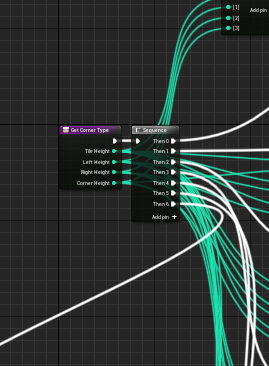
 calm cobalt
What am I doing wrong? I am scanning a directory for all files .mp3. This is working fine. I then take that array and For Each to a Media Playlist. This sort of works fine as well. The issue is every time i run the game it adds the files to the playlist without the original run being cleared.


I cant find a function to clear the list before rebuilding it. This is persisting over play sessions
calm cobalt
So the playlist is only persisting in the editor. Standalone it wipes it...
tacit lake
see if anyone else has any input on this... I have an inventory widget which is supposed to house, you guessed it, items. However, the icons don't appear and the quantity number somehow appears underneath the widget.

shown there ^

This is pretty much how it's supposed to look (minus the small amount of slots and such)
The X is supposed to be replaced with the quantity
opal ivy
Can I not give an ActorComponent other child components?
opal ivy
apparently what I'm wanting to do is Composable Blueprints.
 cerulean raft
Can anyone explain what's happening here?
I know MapRangeClamp takes for ex 5 in 1-10 to output range say 1-100 and returns 50, but what will happen if the input value is 5 and our in range is 10-20.
Also what this function overall does?
Here is what I understood, we take x and y value as input(input value varies between -1 and 1) and for x output we multiply it with new y map range(1-1.2) and clamp between -1 to 1. And in y map range we get absolute value meaning our input for Map range clamped is in range 0-1 but again why map it between 0-0.6
 opal ivy
So, I've got a Blueprint Actor Component, that has variables that are HISM Object References. But I don't have any way too actually set those HISMs up
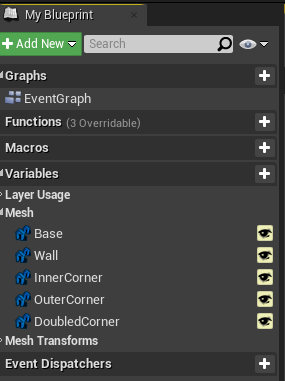
Is there any way to get this working without having to manually add 5 HISM components to my main actor manually, then use my construction script to set them to these variables?
 rugged wigeon
I would like to spawn enemies around the player character, but not within a certain radius so they don't often see the enemies appear. The enemies need to appear on a navmesh. How can I pick a random location that is between X and Y meters away from the player, on the navmesh?
tame grotto
rugged wigeon
I would like to spawn enemies around the player character, but not within a cert...
 rugged wigeon
That only uses an upper bound
I need a lower bound also
Since the only bp methods available seem to use upper bounds only, I'm guessing my best option is to just pick a random direction, then pick a random point within (x-y)/2 meter radius circle that is (x+y) / 2 meters away from the character... Feels a little dumb
tame grotto
what do you mean upper and lower bound? X and Y?
rugged wigeon
Pick a random point that is between 5 and 10 meters away from the character
tame grotto
you can do some rand math on vector before you plug it into this node
you get your player location in the world as a vector
and manipulate it as you need
rugged wigeon
wait, how does this node work exactly? My sense was that any pure nodes don't cache their result. So if the return value bool is False, and I want to validate that it's a valid coordinate first, isn't the vector result lost?
Like, you can't check that the return value outputs == True and then use the result of random location without rerunning the nav query right?
tame grotto
it only returns you a vector point on navmesh, its a pure node it doesnt change anything. And if as an origin point insert your player location it won't fail

 tame grotto
into the radius you can hook clamped random float and it will do exactly what you need
rugged wigeon
@tame grotto What I mean is in this scenario

The function is going to be called twice per my understanding, and the bool value used to validate the point isn't related to the vector printed in the second step
tame grotto
leave the bool alone. If you have one default navmesh, you shouldn't even concern yourself with it
just hook the vector output to the spawn actor logic that you want to implement
rugged wigeon
I feel like that's going to result in a lot of actors getting spawned at 0,0,0 because the coordinate is invalid.
tame grotto
why o.o.o? You said you wanted to spawn around the player so as a point of origin get your player's location vector
radius as i said just clamped random float
or random float in range
rugged wigeon

Player is red dot. Brown is inaccessible area. Light green is where I'd like to spawn the enemy.
dawn gazelle
If you're using a random value in the node, then store the random value rather than inputting it directly so that the call will pull the same value.
Err I understand
The issue is on the output side.
rugged wigeon
My tangential issue with not understanding how to use two outputs from a pure node, yes :p
tame grotto
why do you need two outputs? You mean two vectors from the node?
dawn gazelle
The issue is the node has two outputs.

And because it's a pure node, each one of these fires the node when called.
Use this instead.
 tame grotto
i have a hard time understanding what you want
rugged wigeon
I think Datura's suggestion is better here. I'll try one more time to define the larger problem.
tame grotto
but the pure node can also be called without touching the bool output
dawn gazelle
Buttercup wants to validate that an appropriate random location is called, so the "Return Value" boolean on the node tells you that it is valid. If it's not valid, then it's going to return 0,0,0 or perhaps a non-valid location. The issue arises that if you use the boolean call first and it returns true, the location being returned won't necessarily be the one that was validated.
I believe those pure nodes are getting removed in the future as I do recall there was a discussion on here before about it.
rugged wigeon
I want to spawn an enemy in the green donut area. Not too close, not too far. All random point functions only let you choose what is too far. I can sort of get around this by choosing a random point within the middle of the green donut. Middle meaning between the inner and outer edges, at some random rotation. Then from this point, choosing a random point within a radius that keeps me within the bounds of the donut.
But in the picture above, there's a big brown wall. If I randomly tried to choose a point here, I would not be able to find a valid navigable point, so the function would return (0,0,0) and False.
But if I can cache the return value and the coordinate... I guess I can check if the coordinate is valid, and if so, use it, and if not, try again with a different rotation.
Though this feels only mildly better than picking random points within the outer radius until I get one that is beyond the inner radius.
tame grotto
first of all, you can also choose not too close by clamping the float radius as i said. Second - now i see your point with the bool. Is there still a navmesh in the brown area?
say your inner radius is 20uu so you clamp the minimum to 20
or wait
yeah i think i'm wrong here lol
rugged wigeon
ah ok, had me confused. np
tame grotto
yeah sorry lol
rugged wigeon
thanks for trying. I'm not thrilled with this solution but it seems good enough for something done somewhat infrequently.
tame grotto
you can make some sort of collision sphere and destroy anything that spawns inside it, that way you can kinda limit the radius
but i think its a sloppy way
dense tulip
Is there a way to snap splines points to vertices of a different object ?
rugged wigeon
@cerulean raft I'm not totally sure but at a glance I would guess that's trying to scale analog stick inputs so that if you hold it diagonally, you're not pushing inputs of 0.5, 0.5.
cerulean raft
rugged wigeon
<@!702555071556223076> I'm not totally sure but at a glance I would guess that's...
Does the axis input return other values than -1, 0 and 1?
so it can return 0.5?
opal ivy
I have ended up resorting to changing my component into a full blown actor, and using Child Actor Components
feelsbad
opal ivy
199,600 array elements. Does this number have any relevance to anyone?
proud sable
I have some spell projectiles that spawn in a random location behind my character using the camera's rotation but I need them to converge on a single point, how can I do that? I have an actor where the projectiles should end but I'm not sure how to get the converging effect.
The screenshot is what I have so far but it just sends them straight ahead, so almost none of them ever hit the cursor target
 dawn gazelle
rugged wigeon
thanks for trying. I'm not thrilled with this solution but it seems good enough ...
dawn gazelle
rugged wigeon
thanks for trying. I'm not thrilled with this solution but it seems good enough ...
Here.... This seems to be working well.

Things are spawning around the player within a defined hollow circle within the navigation range 🙂
proud sable
I think I figured it out 😅 Tried something similar before and it didn't work, but it seems to now
 opal ivy
composing transforms makes my brain hurt
 muted comet
anyone got knowledge in gamesaves BPs?
 wicked magnet
I'm playing a level sequence from my blueprint that uses a standard cine camera, and for some reason my 3rd person player camera doesn't switch to the cine camera. It animates objects in the scene, but just stays on my 3rd person camera. Any idea what could be preventing the switch between cameras?
muted comet
not a clue
opal ivy
https://i.imgur.com/ZpPaeV7.png Transform math 👍
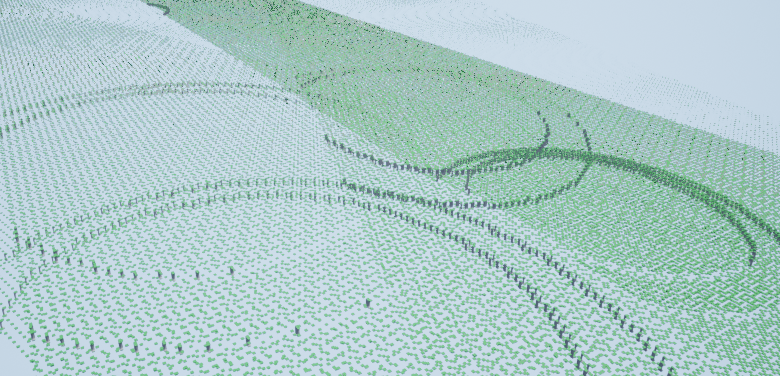


 muted comet
I'm attempting to make a collectibles thing and it requires boolean's being saved in the game save PB, and in a certain world it checks if you have these variables ticked so it it determined to show the collected items or not. at first i thought it worked, but after i turned my game off and on i found that collectibles that were found were missing, i have other things in the game save file that save but every time i try to save these ones, after turning off and on the game it resets the bools to default. anyone got a clue why?


this is the process it goes in
all in my player character
i save other things in this savegame BP like sound settings and graphic settings, it all works fine, but its the artifact finding/saving that dosnt work

this is what is in my savegame vari, ignore the array at the bottom
lament ginkgo
Looking for a best practice suggestion. If I have an array on my player character which is his inventory, and I want to add an actor to it - what do I do with the actor in world? Do you generally set visibility to false? I tried destroying it, but of course then you just get a null reference.
And if you do toggle visibility, do you just leave the item where it is, or do you generally attach it to the character or some invisible object to just get it out of the 'level'?
faint pasture
lament ginkgo
And if you do toggle visibility, do you just leave the item where it is, or do y...
Most inventory systems have a struct representing the item and an actor representing it in the world.
Make the struct, remove the actor or vice versa
lament ginkgo
Why a struct over an array?
dawn gazelle
muted comet
I'm attempting to make a collectibles thing and it requires boolean's being save...
So let's say you collected an artifact. After you reload the game, if you tried printing out the AF1 boolean from your save when loading it, it returns false?
muted comet
let me try something for you but yes that's what keeps happening, i have been able to confirm it works, the artifacts appear in the level, but after turning the game off and on the artifacts disappear
ye tried print string to confrim it went to false after turning it off and on
and can confrim, it resets
ok the red is the artifact bool and the light orange color is my volume apon starting the game. to show i can save stuff

 muted comet
dawn gazelle
So let's say you collected an artifact. After you reload the game, if you tried...
muted comet
dawn gazelle
So let's say you collected an artifact. After you reload the game, if you tried...
yeah a little stumped by it
dawn gazelle
muted comet
yeah a little stumped by it
You are getting the message here right? (Either saved or failed to saved?)
 muted comet
yeah, i get saved
dawn gazelle
muted comet
Can you show where the original value comes from that you're plugging in for this save game object?
 muted comet
yep
muted comet
dawn gazelle
Can you show where the original value comes from that you're plugging in for thi...


thats the details for the save node
dawn gazelle
Get rid of this cast.

If you're feeding in the right class of object it should be fine.
muted comet
yep, it was not there before but since it wasnt working i was willing to try anything
dawn gazelle
Ok so are you calling "Which Artifact" in SPExplorer when you're collecting the artifact?
muted comet
yep
so thats a simple line cast that gets the objects tag to determine which artifact it os
is*
gentle urchin
Are you sure the tag returns true ?
And would it not be easier to just save the tag ?
compared to making it into.. 9 different bools
muted comet
ye it does cozz it should get to the save point if it didnt
gentle urchin
the bool part is also not very flexible..
muted comet
it makes it all the way to the save point and even saves, but after restarting the game it resets the artifacts
not volume tho
opal ivy
When I Compose Transforms, it blows one of them way out of control and I'm not sure why.
gentle urchin
Personally i'd probably just add the tag to an array. Then check if it exists in the array,... flexible, simple...
muted comet
i did attempt using a array but i read they have trouble saving, hence why i just left it for now, turns out saving is just not working in general so i gotta find a fix for that first
gentle urchin
I'm saving just fine so i guess it gotta be on your end then 😛
2 sec ill try saving an array also, just for the kicks
muted comet
i mean ye, obiously lol
dawn gazelle
Can you show the logic you were using to print these?
 muted comet
dawn gazelle
Can you show the logic you were using to print these?
muted comet
dawn gazelle
Can you show the logic you were using to print these?
this is a function that loads on event init in the game instance, it loads all the necacary stuff like volume and graphics quality
 dawn gazelle
Ok so you started a game -> collected AF1 -> quit game -> then screenshot'd the outputs... Just to make sure, your load save game in your game instance is referring to the same save game slot name right (which is "Settings" within the SPExplorer)?
muted comet
dawn gazelle
Ok so you started a game -> collected AF1 -> quit game -> then screenshot'd the ...

yep it should be
dawn gazelle
I'm getting somewhat stumped myself @_@
muted comet

just to clarify that it does
i thought i had this 100%
it works, i go into the level where it will display the artifacts and it displays if you find them, then you close the game and start up again to find they are gone
in theory anyways
would it have anything to do with saving game settings within a character BP
dawn gazelle
Shouldn't.
muted comet
it has to do with the restart point of the game sure
dawn gazelle
... are you by chance saving when quitting the game?
muted comet
ye
muted comet
wot
dawn gazelle
You have a save game object reference in Game Instance irght?
And that's what you're saving?
dawn gazelle
So that save game object isn't the same one you've modified and saved.
dawn gazelle
So... Probably best to do the control of the saving within the save game instance - pass the info to the game instance instead and let it do its thing with it.
and it can just keep using the same object.
lament ginkgo
I'm trying to debug a blueprint but when the blueprint runs, it seems to be completing REALLY fast, like half a second; I can't see the full trace, does anyone know why it does this?
 mental swallow
About the Water System introduced in 4.26. I have a WaterBodyRiver and when trying to stretch it to a certain location, the water wasn't fully created. I tried to create another WaterBodyRiver and noticed that on some areas on my landscape water doesn't get spawned. I can see that the WaterBody is effecting the landscape, but yeah, it's missing the water.
Is there something I have to setup somewhere? So I can work with a bigger landscape?
dawn gazelle
lament ginkgo
I'm trying to debug a blueprint but when the blueprint runs, it seems to be comp...
Execution paths exec effectively instantaneously unless you happen to put in delays or really large loops. If you put in some break points (select a node and press F9) then you can test to see where the flow is going.
lament ginkgo
dawn gazelle
Execution paths exec effectively instantaneously unless you happen to put in del...
Thanks, I guess before I had smaller paths so it was easier to read
fiery lark
Can anyone help me with my progress bar? I fill it up and it works perfectly but when it gets to 100 the bar disappears
gentle urchin
fiery lark
Can anyone help me with my progress bar? I fill it up and it works perfectly but...
Hard to guess whats going on from so little info
fiery lark
I figured it out lol, it was just shitting itself when I converted from integer to float
 fair sun
how do I set my map element to a new one? an equivalent to
Map[Key] = value
"Add" will overwrite an existing value, or make a new one if one doesn't already exist
fair sun
thanks
 sand yacht
How do I make the sphere cover the entire mesh? I can't move them individually since it's inherited and it's parented to the mesh
 burnt nest
sand yacht
How do I make the sphere cover the entire mesh? I can't move them individually s...
burnt nest
sand yacht
How do I make the sphere cover the entire mesh? I can't move them individually s...
Since it's a child of the mesh, you can move it. The location in the top right.
sand yacht
that automatically moves the mesh with it for some reason
burnt nest
Huh. Did you select the sphere? Because the mesh is selected in the screenshot
 tired chasm
Hey yall! I got a question. If I do a line trace and hit an object like a Cube, is there a way to get the local hit location of the cube I hit? The important part is that it has to be local to the cube.
gentle urchin
removing actor location should give you local
So HitLocation - ActorLocation (of hit actor) gives you the hit relative to itself
tired chasm
I'm trying it, where do I get "of hit actor"? and by hitlocation did you mean the impact point here?
