#blueprint
402296 messages · Page 682 of 403
 sand yacht
right after the tick?
 gentle urchin
Y
If the bool has other functionality, you can combine them for the branch
If physicshandleactive AND IsValid then...
gentle urchin
Drag of from your physics handle and search for isvalid. Should return two results
The bool cant be validated
sand yacht
oh right.. was confusing the bool with the actual physics handle sorry
This is what I have now. It moved the error to another part of the code so I'll look into that now. thanks for the help :)

 slender escarp
can TOctree be implemented in blueprints?
sand yacht
Fixed it, thanks!
 proud sable
Thanks, that's how I'm seeing it too. I'm guessing I just plug the image into "isvalid", then use that as a branch condition and ignore the false output?
*Just realized there's multiple isvalid nodes, I think I understand a bit better now actually. Thanks again!
gentle urchin
No prob! 👌
 runic urchin
I am trying to move parts of an actor blueprint and keep getting cannot attach static components to movable ones. How do I get around this?
nvm, just answered my own question
runic urchin
If that was to me the workaround was to select moveable on the mesh
 autumn plover
Got a kill feed that removes itself after the delay. When the kill feed is triggered rapidly it interrupts the delay for removing kill feed and the kill feed just stays in place. Anyone know a work around?
autumn plover
?
 hallow sentinel
https://youtu.be/FiC6Nj7UWGE
Anyone have any idea what would cause this sort of interaction? Watch the ball when the plunger hits it, the first time it works perfectly, the second time all of its momentum is lost almost immediately.
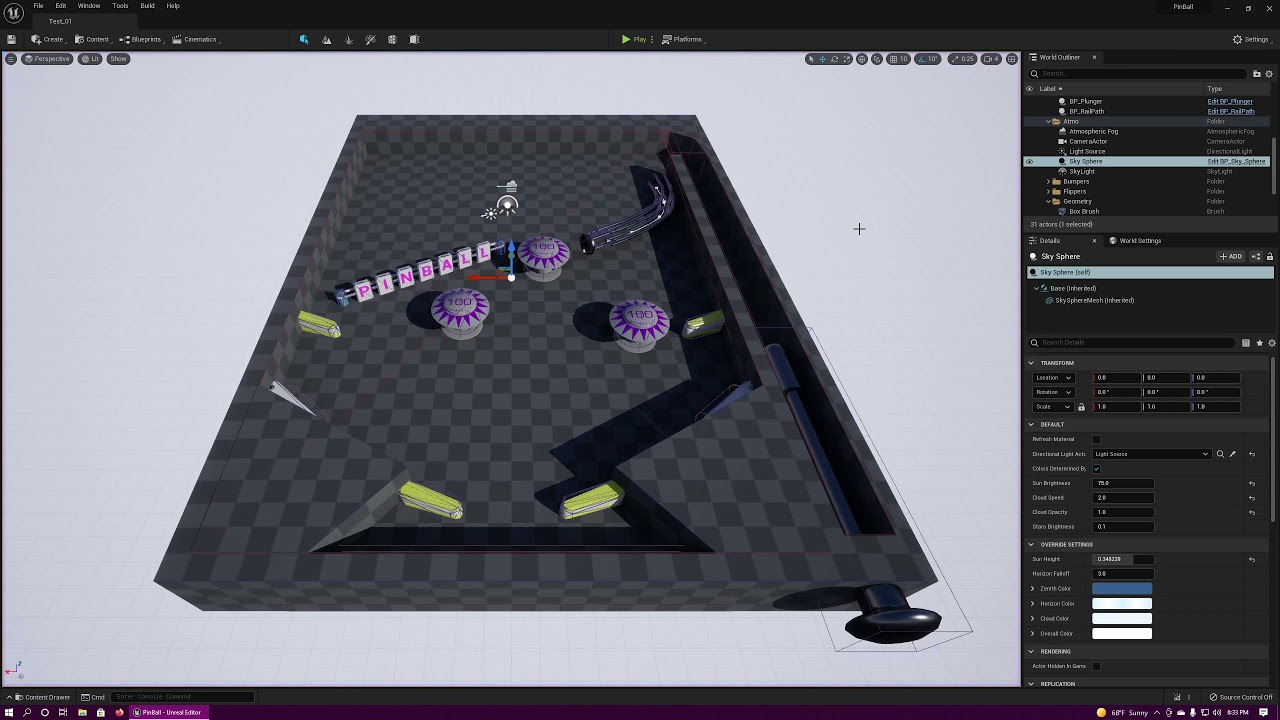
oop im blind thank you
 wet cape
Hi all. I have a blue print (started with the old fence blueprint from the example content) where i'm using it to make walls. But I'd like to be able to specify a second wall piece, not to randomize the repetitions but to specifically alternate the wall pieces so there is a constant pattern. You can see in the ref pic, a row where every other one is a different mesh.
If anyone can point me to a good tutorial i would be greatly appreciative.

 warm ermine
Anyone familiar with blending by enums? Does anyone know how I can make two enums trigger a blendspace?
 maiden wadi
Check one, and then the other.
warm ermine
I don't know what you mean exactly - but basically when I equip a piece of gear, the last blendspace is played instead of for example rapier + shield
 maiden wadi
What is your other enum?
warm ermine
I have my enums set to play based on which equipment slot its in. The tricky part is I don't know how to trigger it using two different slots 😮
 maiden wadi
You just need your function setting it to check that. On slot changed, check both slots and make your control paths lead where you need to set the enum correctly.
 rapid gazelle
so i was following a tutorial which had a hud in it but it doesnt work
here is my blueprint for it


it isnt showing
 frozen shoal
@rapid gazelle set owning player to player controller otherwise its going to no ones viewport
 stark tide
is there anyway to get the dimension of this static mesh variable?

 frozen shoal
top one yes
is the class youre creating set to visible by default in the class
or is it hidden
You also have to set what your default player controller is if you havent already


 dawn gazelle
stark tide
is there anyway to get the dimension of this static mesh variable?
dawn gazelle
stark tide
is there anyway to get the dimension of this static mesh variable?
Try these
 stark tide
i was able to connect to a break box node
but how to get the exact xyz dimension
i dont know what does min and max do
looks like the get component bounds does give the exact xyz dimension but it wont allow me to connect the static mesh
 cerulean raft
Hi, I'm new to Unreal and blueprint, I was following a tutorial and made a small game, when I came to packaging, I came to know I need visual studio for that, after installing it and trying to make a new c++ project, I get this:
Running C:/Program Files (x86)/UE_5.0EA/Engine/Binaries/DotNET/UnrealBuildTool/UnrealBuildTool.exe -projectfiles -project="E:/Unreal/MyProject4/MyProject4.uproject" -game -rocket -progress
A fatal error occurred. The required library hostfxr.dll could not be found.
If this is a self-contained application, that library should exist in [C:\Program Files (x86)\UE_5.0EA\Engine\Binaries\DotNET\UnrealBuildTool].
If this is a framework-dependent application, install the runtime in the global location [C:\Program Files\dotnet] or use the DOTNET_ROOT environment variable to specify the runtime location or register the runtime location in [HKLM\SOFTWARE\dotnet\Setup\InstalledVersions\x64\InstallLocation].
The .NET Core runtime can be found at:
I have downloaded .netsdk 3.1.410 but I'm still getting this message
maiden wadi
@cerulean raftYou might have better luck in #packaging And on a side note. You don't need visual studio for packaging.
 tight hound
Hi. I have a question.
Blueprint classes that inherit CPPs become as strange as pictures. So if you Reload it, it'll be fine. What's the cause?
(I'm not good at English. I'm sorry)
 cerulean raft
maiden wadi
<@!702555071556223076>You might have better luck in <#402958499660955658> And on...
cerulean raft
maiden wadi
<@!702555071556223076>You might have better luck in <#402958499660955658> And on...
ohh, Thanks for letting me know
tight hound
tight hound
Hi. I have a question.
Blueprint classes that inherit CPPs become as strange as ...
- After Reload

 trim matrix
hey im so confused i have it so if the render of an image of the widget and another image of the widget gets near each other it does an action however it seems when i am trying to test the values of the coordinates of the difference there is a a bit of extra movement for no reason when the image got close to the other image at the start it was at 90 difference but when its the same thing but going down its at - 200 which makes almost a 300 difference for no reason

the y values for an odd reason always work though
its just the x that is acting weird
 icy dragon
tight hound
Hi. I have a question.
Blueprint classes that inherit CPPs become as strange as ...
icy dragon
tight hound
Hi. I have a question.
Blueprint classes that inherit CPPs become as strange as ...

Hi! You're probably here because you've used Hot Reload in UE4. So… don't use Hot Reload in Unreal Engine 4 because: Data corruption in Blueprints: it can reset and mangle any variable at whim.
trim matrix
if you all need more screen shots i can but that is the majority of it
 narrow kelp
@trim matrix It might help to clean up the graph - it will make it easier for others to read and might clarify some things for yourself too
trim matrix
i mean what do you need clarifying?
i took the vector of an image in a widget and compared it with the vector of the player
if the vector for the player x is less and or the players y is less than the x and y value of the image then it inputs an action
 wooden owl
Is there a way to lock a slider within a certain range? For example i may have a slider that has (0-100) range, but want the user to only slide it between 0 and 20
trim matrix
that action is set render translation down 200 and left 200


@narrow kelp here you go cleaned it up
 sonic pine
Hiho I have a little problem. I'm trying to translate my game. It also works very well, the only problem is that I do the translation piece by piece. So I have different lists in different areas.
Login_menu
NPC_Quest
EQ_rings
Now I have already translated Login_menu, just like EQ_Rings.
But both lists now appear again in the third list. This shouldn't be the case.
If this continued like this, a summary of all lists would appear in list 20 and I would have translated each list x times ...
Does anyone have an idea?

 narrow kelp
@trim matrix Its very hard for me to tell whats going on there, but you could try it without the delay nodes. Maybe the values are changing between them. If you think your math is off, add break points and step through the code.
icy dragon
sonic pine
Hiho I have a little problem. I'm trying to translate my game. It also works ver...
Make sure to look out for placeholder FText you add and disable localisation on them.
trim matrix
@narrow kelp how is it hard to tell whats going on there im confused
without the delay nodes there is no regulation at all
and tbh theres not much math going on its basically just go down 200
which is why its surprising to know the values keep changing despite its just a simple translation render

 upbeat otter
sorry for late response this chat moves fast, I am trying to get child class inside of a parent class. its for a reload animation apparently I cant get the child mesh to play the animation thru the parent so I decided to do this instead
gentle urchin
trim matrix
<@!327736798958845952> how is it hard to tell whats going on there im confused
One reason for it to be hard to see whats going on is because the screenshot is low res. Also not sure why you'd need a delay to check if to move an image based on how close it is to something.. Also not sure why its a 3d vector.
 pastel pollen
anyone have any ideas of how to implement a system where a copy of the player would follow the players movement exactly trying to catch them. such as the from celeste or mario galaxy
gentle urchin
I tried this a while ago with no luck (altho with phsyics driven cars, so no wonder it failed)
What i did was logging the players input on tick, and replicate it for the ghost . Probably not the best method
pastel pollen
hm yeah
narrow kelp
Only problem with that is if something blocks the ghost, then it could get out of sync. I guess it depends on the rest of the game
pastel pollen
yeah i would it need it to just copy the animations and movenemt without being blocked
gentle urchin
Well nothing was blocking it , so i was sort of hoping for the same outcome, but it always missed. identical start location etc etc. It was based on Epics racecar template
pastel pollen
is there a way to log position and animations and then play them back on a different actor?
gentle urchin
I would think it could work in your case tho.
narrow kelp
If you're using montages you could make a time stamp every time you start one
along with a location
pastel pollen
montages?
sonic pine
icy dragon
Make sure to look out for placeholder FText you add and disable localisation on ...
Hiho what do you mean?
in this settings?
 narrow kelp
Montages are like single-play animations for skeletal meshes
pastel pollen
oh then i think im using them.
narrow kelp
This must be for a class or something because I've seen several people ask about it
the ghost following thing
narrow kelp
My mistake 🙂
narrow kelp
You could try just logging the location every x ticks
or on velocity change from the player
gentle urchin
The benefit of doing just the inputs is that the rest of the logic will remain the same,
animations will be handled etc etc
pastel pollen
yea thats true
gentle urchin
So that + a verification vector for location should get you a long way
pastel pollen
yeah ill look into both
gentle urchin
Feel free to let me know if it works !
pastel pollen
im new to a lot of this though how would i log input data for the pawn to use?
gentle urchin
What i did was on input change, save a timestamp along with what changed
narrow kelp
If you're using characters with momentum, especially in 3d, it might actually get kind of complicated
trim matrix
@rapid gazelle if someone didnt answer your question you need player character not player controller
narrow kelp
If you're worried about getting out of sync
gentle urchin
^true that
Im not sure if a verification vector would look very nice either but atleast you'd sync it from time to time
then it would be about playing with how to lerp the actual location with the verification location etc
I just cant imagine trying to sync animations and locations manually is gonna be any easier... I could be wrong tho
pastel pollen
is there a way to delay a characters actions? ive seen people connect 2 player characters to the same inputs maybe i can just add a delay to one of them
i know delay node
i might test this
trim matrix
gentle urchin
One reason for it to be hard to see whats going on is because the screenshot is ...
regulation delay to make it sure it doesnt go 500 miles per hour you could do it without a delay but then you would have to make the increment of the the vectors go by a small decimal and who wants to deal with that
sorry my bad Will wrong person
now as for the 3d vector meh
why not
gentle urchin
sure. But then why not use the most practical node of them all? Distance
trim matrix
wdym
gentle urchin
Sounds a hell of a lot easier than checking all the vectors your already checking
and dealing with small increments is just a lerp
nothing fancy
trim matrix
but lerp itself is a bit messy in my opinion I want to be in control of each coordinate and analyze it
gentle urchin
So its just something along the lines of
If distance < 50 then Lerp(currentlocation + offset)
trim matrix
do i have to do a lerp?
gentle urchin
ofc not. You can do whatever you like
If you wanna do it manually, you're free to do so
trim matrix
alright and huh theres a distance node
gentle urchin
just not sure what exactly it will achieve, but im not 100% sure what you're doing either
trim matrix
never knew that
gentle urchin
distance for vectors
trim matrix
yeah
gentle urchin
so i guess you got a benefit from using 3d vector
gentle urchin
Probably now that you mention it
yet i failed to use it when i did something similar, with 2d vector 😛
trim matrix
oh sweet i obviously cant talk too much in detail for what it does cause idk how far the nda would allow me to say
gentle urchin
No worries
trim matrix
but bruh if i knew distance was a node it would make one of the blueprints i made slightly easier
but are you sure it would fix the whole coordinates being unaligned?
gentle urchin
It's hard for me to say for certain what issues could arise in your specific scenario
its not obvious to me that this is a solid solution solving everything.
gentle urchin
I probably wouldnt delete the original code untill the new code is tested.
gentle urchin
It comes with some challenges for sure. That's what I like about it tho.
trim matrix
same
i mean ive been intro programming for like close to 8 years
hey mind if i pm you i got another question
gentle urchin
Sure, if you think i can answer it lol
 fiery lark
I have a problem, whenever I build my lighting, the lighting from point lights I placed disappear. They're set to static
icy dragon
fiery lark
I have a problem, whenever I build my lighting, the lighting from point lights I...
fiery lark
Alright Ill ask there
 restive dagger
Morning everyone
I am wondering on how to spawn the first class from a class array https://gyazo.com/707cfae8be6e574801d1dbbacf523ba3

Now, they spawn randomly(which may spawn the floating floor class as the first floor)
restive dagger
Yeah that's what I'm doing
Thing is, floating floor has an empty space in the beginning, so if it spawns as the first floor the player is gonna fall in the void
narrow kelp
You could use a loop to add valid floors to a new array, and pick random from that
add or remove, whichever works best for you
restive dagger
hmm
narrow kelp
If you only have two floors you don't really need an array tho
restive dagger
Nah I'm gonna add more
Loop doesn't seem to work with the current architecture of the code
narrow kelp
You can make a function to get a random valid starting floor
restive dagger
thing is, once I spawn the class I can't set the last index again...
Oh thank u so much
 gaunt oyster
hello. you guys talking about arrays: I have a question.
to avoid spam here is original: basically trying to drag and drop multiple scene objs into array. how to? #ue5-general message
trim matrix
Anyone knows how to get LOD on skeletal mesh work?
mine shows up fine in the viewer but when placed in the world, the skeletal mesh always show the lowest LOD
icy dragon
trim matrix
mine shows up fine in the viewer but when placed in the world, the skeletal mes...
fiery lark
icy dragon
<#221799195806400512>
restive dagger
@gaunt oyster https://gyazo.com/e039d17b56490af5007b727c019dbd5a

Place the actor in the world -> in the world outliner parent the actor to the walls
 shut hinge
how do we fix a socket problem with the parent in this engine? The parent's socket is facing the wrong way, so on the parent (the Commander) his weapon is facing all in reverse in the game even though in the 3d viewport it is facing the right way. But on the children their weapons are facing the right way. but not on the parent. And if I change the socket in the parent to try to fix the direction of the socket with the skeleton editor, then all the sockets of the children end up facing the wrong way in the game and only the parent socket be facing the right way.
 wary tinsel
any idea of why this is not working? I need to play this animation from a widget
 shut hinge
On your aninmation drag off that and type get end time and connect that into a delay node.
sand yacht
not sure whether to ask this in animation or blueprint so I'm going to ask it in both:
I have set up my character to be animated by physics. I want only the hands to be excluded from the physics and still follow the preset animations.
How would I do this considering this blueprint?:
 wary tinsel
shut hinge
On your aninmation drag off that and type get end time and connect that into a ...
wary tinsel
shut hinge
On your aninmation drag off that and type get end time and connect that into a ...
it works if I call this with an Event Dispatcher but not with the interface I don't know what is wrong
shut hinge
I did mine off the event construct in the widget itself in order to get a movie to play in the widget.
 timid nimbus

This is my 1st ever code in blueprint
But it works
so if i press jump it changes the gravity
to what ever i want
sand yacht
Why are you changing the gravity when jumping?
timid nimbus
sand yacht
Why are you changing the gravity when jumping?
To make me fly, I'm pretty sure there is a better way of doing it but I'm just testing
sand yacht
Dont forget to set the gravityscale back to normal when you've landed
timid nimbus
But i want to change the gravity by clicking Ctrl
gentle urchin
shut hinge
how do we fix a socket problem with the parent in this engine? The parent's sock...
If you're dynamically adding the weapon to the socket, you can adjust it individually per parent/child by using overrides
trim matrix
I have managed to somehow hide a blueprint , meaning whenever I add it to the scene it shows as hidden first. How I do change this inside of the BP? Cant seem to find it.
timid nimbus
How can i set a key to change the scale?

k
How can i use the "floating pawn movement"
??

Like character movement

as a target
??
gentle urchin
promote it to a variable
 fallen glade
how do you deal with actors ticking outside the screen area? I can know if an object is visible like this but if I stop it from ticking completely it won't trigger again
 timid nimbus
gentle urchin
promote it to a variable
timid nimbus
gentle urchin
promote it to a variable
k
timid nimbus
gentle urchin
promote it to a variable
How do i do that?
 restive dagger
I'm trying to figure this out since 2 days, I set simulate physics to true, I made a baloon that flies up like this https://gyazo.com/ab688d96b6fa282903680d295b126a6f
 fallen glade
doesn't look like a baloon to me
restive dagger
Now when I press shift( I attach the baloon to the character)
the character doesnt fly
why is that?
fallen glade
welded physics volumes? not enough force?
 fallen glade
is you charcter simulating physics?
restive dagger
yeah only the capsule component right?
fallen glade
so what happens when you do that?
restive dagger
nothing, the baloons are attached and they try to fly away but the character is holding them (fall)
fallen glade
so do the baloons stay attached ? I don't think you can achiave floating this way but might be wrong
restive dagger
yeah
they float that way
with any other static mesh actor
but with the character they dont
timid nimbus
@gentle urchin how do i do that?
fallen glade
probably best for you to post in physics @restive dagger
gentle urchin
timid nimbus
<@!231467939734355969> how do i do that?
Someone already told you how to do it.
sand yacht
is there a way to only enter the hit event when something is thrown?
Right now im trying this but this doesnt work

have an idea on how to check for this?
through a sphere trace for objects

thats where I pick up a certain object
and with left mouse button you throw, tried making an is thrown variable and checking for that in the other blueprint, doesnt work

ah right im seeing the problem now, for some reason its not acually retrieving the velocity of the object. It's always at zero even when falling/being thrown. any ideas why this could be?
 primal smelt
I'm working on a 'quick grab' mechanic where I have two box traces pointing from the centre of pawn to a short distance either side of it (with an overlap in the middle for now), the player has an input action for grabbing either left or right. Box traces will store a reference of the actor they overlap and are instructed to ignore what is in reference for the opposite side's box trace. This causes issues because right now I am not clearing the actor references. I can store an empty actor when box trace isn't overlapping anything just fine, i've got a print string checking each tick which prints an empty value and no errors are reported. I've seen a couple of forum posts describing this as being a bad thing without really going into much detail why. Am I correct in saying that as long as appropriate checks are placed before attempting to use that reference in any meaningful way (like getting or setting transform for example), I should be fine? Or are there other less apparent reasons for storing an empty actor value? Set object nodes don't have an empty field when a variable isn't plugged in so I guess it made me a bit paranoid that I'm in ill advised territory.

 eternal roost
Hi
I am facing an issue please correct me if I am doing this wrong.
I am trying to detect collision while stay in editor mode not in PIE or simulation.
It worked in PIE and Simulation but not working in Editor mode.
thanks
 pastel rivet
Is there anyway to have an event, function or macro as a variable?
 fiery swallow
pastel rivet
Is there anyway to have an event, function or macro as a variable?
fiery swallow
pastel rivet
Is there anyway to have an event, function or macro as a variable?
A variable can only store a value or characteristic. I can't see why you'd want to ever do that though, can you provide context?
pastel rivet
@fiery swallow
I basically want to create a custom actor where you can switch functions based on key input
Public array provided by a structure which contains the event and key input
fiery swallow
@pastel rivet a switch wouldn't work for this?
pastel rivet
any key would provide the key input, and each event will be changeable by an droplist
pastel rivet
fiery swallow
<@!208637930661478410> a switch wouldn't work for this?
You mean switch like using index or name? To much different inputs, we are creating functions for each project with the keyboard, but using the same ue4 project.
We want to have an easy remap actor
fiery swallow
instead of storing functions in a variable why not just create a function library, and then store your functions there?
pastel rivet
fiery swallow
instead of storing functions in a variable why not just create a function librar...
Because this still means we have to manually change input keys to the different functions each time right?
fiery swallow
Manually would depend on how you write your scripts
pastel rivet
It would be neat if i could fetch functions from a function library as a variable. Instead of branching, i could simply change the input like a remapper.
Like if we have multiple uses for the numpad, and then we want to change our input on those, we would need to use an extra key for changing this
primal smelt
pastel rivet
It would be neat if i could fetch functions from a function library as a variabl...
You may need to re-write your functions to accommodate, but have you tried using a switch on enum?
fiery swallow
he said a switch won't work
But that's what I'm saying. Create a system to automatically handle switching functions so you won't have to do it manually yourself
primal smelt
pastel rivet
Like if we have multiple uses for the numpad, and then we want to change our inp...
It's hard to get a picture with what you're after but it sounds like you wish to modify actions of the player based on what key they're holding down?
primal smelt
fiery swallow
he said a switch won't work
Yeah but without seeing the code it sounds like the what they have written for the functions needs to be more adaptable
fiery swallow
primal smelt
Yeah but without seeing the code it sounds like the what they have written for t...
no I agree
pastel rivet
Its hard to explain without showing visually.
Imagen this
- Structure with two elements (key, event)
These are public variables on a actor in editor.
When you select the key, you can also from a list select what event the key will trigger.
Its either this, or we have to go with our master player controller with main functionality and using child player controllers per map for custom controllers
pastel rivet
primal smelt
Yeah but without seeing the code it sounds like the what they have written for t...
If only budget paid for dynamic and adaptable coding! Alot of it is, but some are rapid solutions as well
gentle urchin
Wait, why cant you fetch functions as a variable? pure functions does this afaik
primal smelt
gentle urchin
Wait, why cant you fetch functions as a variable? pure functions does this afaik
Wouldn't a pure function be to get whatever variables are stored from a function without running the code that would potentially change those variables?
pastel rivet
gentle urchin
Wait, why cant you fetch functions as a variable? pure functions does this afaik
I want certain or all event/functions/macros in a dropdown list like an enum list etc
gentle urchin
True, pure functions doesnt change stuff
but from what i read, that wasnt needed either
 olive sedge
Hi!
I don't know where else to ask:
I want my vehicle to always stay even to the ground, even if it twists and bends or goes in loopings
I've been at this for days now and I just can't figure it out
gentle urchin
pastel rivet
Its hard to explain without showing visually.
Imagen this
- Structure with two e...
If you by key mean any input key, and by function you mean whatever function /event you've mapped it to I'm pretty sure that's achievable already with not to much work
primal smelt
pastel rivet
I want certain or all event/functions/macros in a dropdown list like an enum lis...
It might be a good idea to post screenshots, I must confess I'm struggling to picture what you're after. I'm also not a veteran dev or anything and am fairly new to Unreal myself so it may just be my own limits making it difficult to understand!
gentle urchin
^This. I agree. Its hard to know what you really mean
pastel rivet
hmm okay lets see
gentle urchin
Like... im using custom keybindings... ? Is that what you're after?
Switched on enum
makes it super easy to map keys to new events in new actors
then again, i could totally misunderstand what you want 😛
pastel rivet
Like this image etc
 primal smelt
olive sedge
I want my vehicle to always stay even to the ground, even if it twists and bends...
primal smelt
olive sedge
I want my vehicle to always stay even to the ground, even if it twists and bends...
I'm a little rusty so can't really help from memory but do some google-fu for something like "rotate actor based on surface normal"
pastel rivet
You see that i have an array structure with an actor and a key
 olive sedge
@primal smelt that's what I've been doing for days :/
primal smelt
olive sedge
<@!365397632870383646> that's what I've been doing for days :/
Actually I may be able to screenshot something as I think I have a test blueprint laying about on this project. Hold on
pastel rivet
Imagen the actor array isnt an actor array in the structure, but a dropdown list with references to spesific events instead
fiery swallow
@olive sedge can you provide some context
gentle urchin
So that you could pick actor and then event in that actor?
pastel rivet
yes etc
gentle urchin
Not sure what scenario you'd want to control several actors at the same time
pastel rivet
dont think to much about actors, but an spesific actor instead

 gentle urchin
Replace ThirdpersonChar with MasterPawn
and you can easily override any input you'd like.
pastel rivet
okok sorry i got what you meant by a switch, ive been developer for years but this totally went around my head lol
olive sedge
@primal smelt ok cool
primal smelt
olive sedge
<@!365397632870383646> that's what I've been doing for days :/
This was a test I was doing on a simple cube (stick an arrow on it for a visual aid too). This will orient the cube so it is rotated relative to the slope it's on. Should hopefully be a good starting point for you. Obviously if you're using physics you'll need to take that into account
 gentle urchin
So the Playercontroller doesnt really care about which pawn you're controlling. Pawn decides what to do with the inputs
olive sedge
@fiery swallow I want my vehicle to always stay oriented parallel to the ground and I just can't figure it out. something always breaks
primal smelt
olive sedge
<@!365397632870383646> ok cool
The rinterp node is unplugged but would be used if you wanted a transition from one rotation to another
pastel rivet
gentle urchin
So the Playercontroller doesnt really care about which pawn you're controlling. ...
Ill try the switch method thanks!
olive sedge
because I think I had something like this before but could never get the steering right @primal smelt
just combining in a yaw rotator works but only until I go downhill :/
gentle urchin
pastel rivet
Ill try the switch method thanks!
I'm not sure if it works with analog inputs. Might need some magic there
primal smelt
olive sedge
just combining in a yaw rotator works but only until I go downhill :/
When you say it doesn't work downhill, is it because the direction of the yaw changes?
pastel rivet
gentle urchin
I'm not sure if it works with analog inputs. Might need some magic there
Analog inputs are set to be the way they are, so thats no issue. Its only keyboard functionality for now
olive sedge
@primal smelt I don't think so.. it's not even always when downhill I think
just in certain angles
I'll try to show
primal smelt
olive sedge
<@!365397632870383646> I don't think so.. it's not even always when downhill I t...
I must admit I didn't actually end up using this for anything and didn't try giving the player input to this actor so I'm not sure the best way to go about using it to move a vehicle. I could foresee running this on tick could cause conflicts with a rotation applied elsewhere, you'd need to take into account the player's input as stored variables and add/subtract based on that.
primal smelt
olive sedge
I'll try to show
I would recommend keeping this video bookmarked - handy reference point which I've certainly came back to when dealing with calculating slope angles in relation to actors and things like that. https://www.youtube.com/watch?v=O9pkcjFfKNQ

Many of you have requested a way to leave me a tip so I've created a PayPal and a Patreon.
PayPal: https://paypal.me/reidschannel?locale.x=en_US Patreon: https://www.patreon.com/reidschannel
Discord: https://discord.gg/PdvudWx
Hey! In this tutorial I'll be going over some essential math operations for game developers including:
- Vector subtract...
Could help in your situation


 dusky topaz
So I have an ability system in which you get access to abilities through your equipment, and as you fight battles with the items equipped, you gain mastery with the abilities granted by the item. Unequipping the item before reaching maximum mastery with it means you lose access to the ability, and reequipping the item means starting off at the same point you left off at. Once mastered, the ability will always be available.
My question is how to set up the mastery system in the best way. Initially I thought of having a struct with an ability(another struct) and a mastery value, but that causes problems when putting them into multiple arrays, as each entry in an array is a unique struct. Second idea was to have a map with an Ability -> Mastery(int), but that didn't go very far as I realized you can't have structs as keys in a map. Anyone have any other ideas as to how you could do this?
gentle urchin
pastel rivet
Analog inputs are set to be the way they are, so thats no issue. Its only keyboa...
Sweet. Wasnt sure if the any key would override(which would be stupid now that i think about it)
 gentle urchin
Exactly ! Works like a charm like that @pastel rivet 👍
pastel rivet
gentle urchin
Exactly ! Works like a charm like that <@208637930661478410> 👍
This will work nicely, thanks, needed to get some feedback as i was thinking way to advanced for a simple solution haha
dawn gazelle
dusky topaz
So I have an ability system in which you get access to abilities through your eq...
You could create an enumerator as a means of referencing the specific ability, then you could have a struct with the details about said ability, and create a map using the enumerator as the key. The struct can contain whether or not the current ability is available, the mastery level, etc.
dusky topaz
Preloading all abilities into an array and looping through them to check which ones are available sounds kinda heavy. And purely because I don't want to create an enum with potentially hundreds of entries, I don't think the enum route is how I would want to go about it.
Perhaps adding an ID to each ability and making a map that has ID as key and mastery level as value could work.
wet cape
sorry for the bump, but i'm really stumped here. I can't find anyone trying to do the same thing.
I have a blue print (started with the old fence blueprint from the example content) where i'm using it to make walls. But I'd like to be able to specify a second wall piece, not to randomize the repetitions but to specifically alternate the wall pieces so there is a constant pattern. You can see in the ref pic, a row where every other one is a different mesh.
If anyone can point me to a good tutorial i would be greatly appreciative.
 dawn gazelle
You wouldn't need to loop through them nor preload them. You'd have an enumerator map or an "ID" map (either name, text, integer, whatever you want which is basically the same thing as using an enumerator but enums are usually more memory efficient while remaining easy to read while working with them), and when something grants you the ability, you add it to your map and set in the struct that it is enabled. When removing the item that grants the ability, you use the "Find" node for a map and you can gain access to the struct, set it as disabled and re-add it to the map.

 warm condor
Level streaming performance problem: Would anyone be able to help me troubleshoot framerate hitches (game thread shoots up to 160ms and there is a significant stutter in gameplay) when loading and unloading streaming levels? I'm seeing most of the cost is in CPU stall time but I'm not sure what it's waiting for.

 icy pilot
Just wondering, is there a way to make an enum literal node, or are you really forced to make it a variable ?
A no would've been enough 😄
I meant it more as in

Just for e.g. ESlateVisibility
xD
Just that it isn't a build-in thing :sadge:
 peak cipher
Guys Im trying to save player last location and when im loading its not working player always spawns at PlayerStart
so the reason is because of PlayerStart right?
 runic parrot
Just a quick question guys, i need a small brainstorm (?)
if you have 2 characters that atack every X seconds, both have the same atack speed and only one can atack at the same time.
How would you resolve wich one atacks first?
i'm thinking right now as a rule, the atacker always goes first
icy dragon
runic parrot
Just a quick question guys, i need a small brainstorm (?)
if you have 2 characte...
Depends on your game design.
runic parrot
 severe turret
if the both attack at the same time, they are both the attacker
severe turret
if the both attack at the same time, they are both the attacker
i explained it wrongly, by atacked i mean "the one who initiated the battle"
runic parrot
icy dragon
Depends on your game design.
yeah, just scrapping for diferent ideas to see if someone has one that is better suited
severe turret
honestly there is a rare window of opportunity for them to attack at the exact same time. Milliseconds matter.
If it did happen, I'd flip a coin
runic parrot
not really in this case, if both atack every 1 second, they will both end up atacking at the same time
hmm flip a coin is not a bad idea
severe turret
the automatiion of attacks would presume that could happen more than if it was player induced so yeah I see your point
icy dragon
If it's something like "normal" action RPG, I'd give the player some slack by having their attack landed first.
If it's something Soulsborne-like RPG, always give the enemy the upper hand, as its design doesn't allow high pain chance for the enemy.
runic parrot
it's for a turn base yeah, but i want it to be as much fair as posible, since it has multiplayer on it
flip coin seems like a really fair option
don't know why i didn't tought about that one -.-
icy dragon
I can't make any sense of turn based multiplayer RPG.
runic parrot
travian
icy dragon
AFAIK, even Final Fantasy XI is semi action RPG.
runic parrot
summoner's war, and those alike, most of them are mobile
i think it automated turn based fits well those type of games because you can figth people even if they are offline
icy dragon
Granblue Fantasy is turn based, but the raids are semi real-time IIRC.
rapid gazelle
trim matrix
<@!526905617496145940> if someone didnt answer your question you need player cha...
where would i put that in the blueprint
 runic parrot
on the player controller should work just ok
if you are doing it in there, maybe your problem is not that.
Would you mind showing your HUD widget?
maybe it's being added, but you are not seeing it
rapid gazelle
this?

oh the graph
i was following https://www.youtube.com/watch?v=pu56eOqtlQ0&list=PLL0cLF8gjBpqA8DcrhL_O9kD4jsUqhDR6&index=3

Today we take a look at how we can set up the health and mana variables to use later on in the series.
In addition to the above, we also create UI bars for both the health & mana and get them displayed on the screen.
Unreal Engine 4 Beginner Tutorial Series:
https://www.youtube.com/playlist?list=PLL0cLF8gjBpqDdMoeid6Vl5roMl6xJQGC
Blueprints C...
i followed all the steps
it isnt showing
runic parrot
weird, try this please. create a new widget blueprint. Open it, leave it as it's and only add one button to the center of the screen.
than go to begin play of your player controller and add to viewport (same as you did on the first picture) and add that new widget class
just to check if the problem is on the widget or in the player controller
rapid gazelle
ok i will try that when i have time i have to something now but thanks. i will do that
@rapid gazelle
just a bookmark
runic parrot
if that doesn't work, run your game and check on the editor if you are actually using that same player controller.
good luck
rapid gazelle
runic parrot
than go to begin play of your player controller and add to viewport (same as you...
that was under ThirdPersonCharacter, is that where it should be?
 rapid gazelle
does this look right?
 runic parrot
that is the character, you need the controller.
go to the content window and type "controller", you should have one already there if you are using a template
rapid gazelle
?

 lost canyon
Hey all, Really big question here, Is there anyway to Re-Build Reflection captures on run-time?
 burnt nest
rapid gazelle
?
burnt nest
rapid gazelle
?
he means you should open the player controller blueprint and do what you've done there instead. you are in the third person character blueprint.

 runic parrot
oh, are you using a template?
rapid gazelle
im using the third person template
runic parrot
rapid gazelle
nvm, i just watched the tutorial. Go with what the tutorial says, use the character.
with that, using the character, it's not working when you run the editor?
runic parrot
lost canyon
Hey all, Really big question here, Is there anyway to Re-Build Reflection captur...
isn't that what lumen does on unreal 5?
lost canyon
@runic parrot we're not using UE5 for this, we're on 4.26
runic parrot
i'm not familiar with lighting, just asking to check : P
lost canyon
ah ok 😄
 burnt sage
Hi there. A damme in distress I could call myself now 😂.
Can't figure out how to fix this.
May I ask if anyone here got an idea about how to actually activate a camera shake from a BP via CameraShakeSource component?
CameraShakeSourceActor placed in the level works, in inspector and game.
But when I want to do it from a BP with CameraShakeSource component attached to some spawned components (ammo boxes), by feeding it to the StartCameraShake node or just Start node, it doesn't trigger/work.
Am I missing something here?
(Of course, I've used both here just for display)
 runic parrot
i think lumen is only on shadows and not in light reflection, is that right?
sand yacht
how would i go about creating healthbars for a local multiplayer game?
runic parrot
sand yacht
how would i go about creating healthbars for a local multiplayer game?
i'm studying multiplayer setups for my game currently. I don't think i can fully answer that one, but maybe this can help.
I highly advice to watch this vide fully.
https://www.youtube.com/watch?v=UmJzuRO4Qjs&t=1329s

Try my C++ Survival Game Course:
http://bit.ly/unrealsurvival
Discord:
https://discord.gg/meFRZfm
Today I do my best to teach the basics of networking to you in under 30 minutes. Enjoy!
Business Email: contact@reubs.io
sand yacht
Thanks will do
does it cover local multiplayer as well?
yeah its like a singleplayer indeed
runic parrot
sand yacht
does it cover local multiplayer as well?
yeah, it covers in really simple ways all the features of multiplayer that unreal provides, local multiplayer is in there.
runic parrot
sand yacht
yeah its like a singleplayer indeed
I don't think so.
Single player would be stand alone game.
Local Multiplayer would be play as client
Server Multiplayer (like mmos) would be play as server.
you can change the setups by clicking on the "down arrow" on the left of the "Play" button and check for Net Mode
sand yacht
I never said that though, I meant I wanted to set up health bars for a max of four players playing locally (on the same system)
runic parrot
Oh he said singleplayer? i tought it was multiplayer local
i didn't reach that part yet, but i think that StandAlone would do the work for single player.
And when playing with others, you can switch to "As client" so someone hosts the server and the others can join.
not sure if maybe you can go always with "As client" and UE4 handles it for you if you are alone.
sand yacht
I just need a seperate healthbar for every player
runic parrot
yeah, my bad.
as many player controllers as you want and on the UI bind the diferent health bars to the Info of the characters on each diferent player controller
sand yacht
runic parrot
as many player controllers as you want and on the UI bind the diferent health ba...
hold up
ill send the code for handling 4 players
then it might make some more sense


 runic parrot
you can approach it in many diferent ways. The most simple is just add multiple HealthBars and bind the percent of the progress bar to each player character. Show/Hide if character is not setup.
sand yacht
isn't there something like a health component which you can bind to every player?
So that it updates only for the character being hit
instead of having 1 health variable for every character
runic parrot
yap
sand yacht
oh right
this is basically what im doing now, but this updates health for every player
 sand yacht
runic parrot
you can approach it in many diferent ways. The most simple is just add multiple...
sand yacht
runic parrot
you can approach it in many diferent ways. The most simple is just add multiple...
Having trouble understanding how to actually implement this
runic parrot
Well, to do it the most simple posible.
Add a variable on your characters for "health current" and "health max".
Than go to your UI and add a progress bar, after that go to the percent box on the details of the progress bar, click the "Bind" button, than "Create Binding".
and in there, get your logic to reach to each diferent player
Get player character (INDEX X) -> Get player character -> Get Health Bar Variable (Current and max), divide Current By Max and return that for the biding of your progress bar.
if you want to advance it a litle bit, i would create a separate widget "HealthBar".
Add a variable of "Character" type on that so that i have it cached, than pretty much the same and would show/hide/create as many of those new widgets on your main HUD as you need.
sand yacht

Sorry if I'm not understanding. It's my first time making stuff with more than 1 player
runic parrot
that would do it for the player character 0
you can add multiple progress bars and setup a diferent binding for each one.
or create a diferent widget and control in there, like a variable "player index" and let the widget handle it
sand yacht
runic parrot
that would do it for the player character 0
I have 1 blueprint for my characters. It just assigns a new controller slot for every new player
runic parrot
but you do create a new character for each new controller, right?
runic parrot
yeah, the blueprint is not the point, when you create each new character (from the same blueprint) you would assign them to each diferent PlayerCharacter and PlayerController.
sand yacht
I believe that's what I'm doing
runic parrot
so if you do "Get Player character (index 2) you would get back your "Third" player character
runic parrot
where are you stuck?
runic parrot
oh, you are adding the progress bar on each character and not on the HUD?
 runic parrot
if that is the case, i would add a "characterRef" variable on the HealthWidget, make the binding check for the health on that variable
sand yacht
 indigo cave
pitch roll and yaw
indigo cave
pitch roll and yaw
 runic parrot
and than make sure you setup that ref correctly.
When player begin play, get HealthWidget and setup "CharacterRef" = self.
or a better way would be, on begin play of HealthWidget -> Get Owner -> Cast to PlayerCharacterBluePrint(to make sure the owner is a character) and setup the ref
indigo cave
sand yacht
very helpful 👍 :)
sand yacht
runic parrot
and than make sure you setup that ref correctly.
When player begin play, get Hea...
ok I think that makes sense to me
Oh I now see I had already set up a reference whilst watching a tutorial

I think I'll be able to make it work now. Thanks for your time :) @runic parrot
runic parrot
No proble, reach if you get stuck
sand yacht
will do
 icy saddle
what does this icon at the top left of BP nodes mean?

 gusty shuttle
Anyone have this error before when exiting from PIE?
Pure virtual function being called while application was running (GIsRunning == 1).
burnt nest
icy saddle
what does this icon at the top left of BP nodes mean?
i could be wrong, but i believe it's a function that the blueprint has access to and that doesn't require a "target" plugged into it.
unlike the "f" for "function" icon, which can have a target, but doesn't necessarily require one if the blueprint calling it is of the right type.
icy saddle
oh interesting, do you have an example of something like that besides the image I posted above which are input and return/output nodes?
burnt nest
the construction script uses the same icon. that's in every blueprint. functions like "create widget", "add component" or "create event" as well. and they're all an internal part of the BP that calls it, as far as i can gather on what they have in common
 mortal isle
Guys I have this actor component which has this function in it and I am trying to call it from my actor's construct function but it is not working, any help?

 runic parrot
just to check, add a "print" at the start of "Construct" and run it, maybe it's running but not doing what you expect
sand yacht
Hey Mase, I got the healthbar working separately now, but the characters are damaging themselves now
runic parrot
that sounds funny as hell
burnt nest
mortal isle
https://cdn.discordapp.com/attachments/225448446956404738/854410777246957588/unk...
the construction script runs when your blueprint is constructed. so you're trying to spawn an actor at a time when the game is not up and running. you should do that in "begin play" instead. and your blueprint needs to be placed in the level as well to work.
sand yacht
sort of.. feeling like helping me out on this one?
mortal isle
burnt nest
the construction script runs when your blueprint is constructed. so you're tryin...
i did place it in the level
still not working
when I run the game it does not spawn as well
burnt nest
well, did you do the other part i mentioned?
because you can't spawn stuff in the construction script.
mortal isle
event begin?
burnt nest
yes
mortal isle
event begin works
but I want to be able to control its parameters and see the results
runic parrot
sand yacht
sort of.. feeling like helping me out on this one?
How are you dealing damage?
sand yacht
I created a triggerbox on top of the character since it swings its head forward which becomes visible when attacking

this is how i got the seperate healthbars to work

the triggerbox is parented to the head bone*
runic parrot
sand yacht
I created a triggerbox on top of the character since it swings its head forward ...
This overlap event is on the receiving end or the deliverer ?
sand yacht
both, as there is only one character blueprint
runic parrot
okey, so that Overlap is triggered when you "receive" damage ?
sand yacht
it should, but it doesnt
runic parrot
show where the collision box is placed on your blueprint
sand yacht
if you look closely you can see the triggerbox above the players head
runic parrot
i think the problem is that you are dealing damage to yourself when triggering it instead of to "other actor"
burnt nest
yup
sand yacht
runic parrot
i think the problem is that you are dealing damage to yourself when triggering i...
yep, exactly. My problem is that I dont know how to transfer that damage to the other actor
runic parrot
same as you are doing now
 desert juniper
@sand yacht I'd recommend reworking the way your handling your health attribute
runic parrot
but grab the "health widget" from the "other actor"
desert juniper
the UI should only be responsible for visually indicating the health, not for storing the health
sand yacht
runic parrot
but grab the "health widget" from the "other actor"
not exactly sure what you mean by this
runic parrot
desert juniper
the UI should only be responsible for visually indicating the health, not for st...
+1, i recommend to later rework it when you are more familiar with it
runic parrot
sand yacht
I created a triggerbox on top of the character since it swings its head forward ...
in this picture you cast "other actor" to "Third person character"
from third person character node, click on the blue point and type "Get Health Widget"
sand yacht
desert juniper
<@!146239551164252160> I'd recommend reworking the way your handling your health...
I agree, I will as soon as I understand this subject a little better
burnt nest
looks to me like health is being stored both in the character itself and the widget. so 🤷♂️
sand yacht
runic parrot
from third person character node, click on the blue point and type "Get Health W...
this is what it looks like when im only using the health from the widget
 desert juniper
so here's an easier way to think of it
everytime you update your player health, instead of telling widgets what to do specifically, just send out an event letting anyone listening know that the player's health changed
sand yacht
runic parrot
from third person character node, click on the blue point and type "Get Health W...
like this?
 sand yacht
desert juniper
everytime you update your player health, instead of telling widgets what to do s...
sand yacht
desert juniper
everytime you update your player health, instead of telling widgets what to do s...
good to know would be that its running on one machine, not using listen servers
desert juniper
the UI widget would be listening to it, and update the displayed value. this way you decouple the UI from the player
burnt nest
you were changing the health values on the attacker rather than the character being "overlapped".
desert juniper
sand yacht
good to know would be that its running on one machine, not using listen servers
this is independent of singleplayer, or multiplayer
sand yacht
ah ok
sand yacht
burnt nest
you were changing the health values on the attacker rather than the character be...
yep I know, trying to figure out how to make it work that way
since the blueprint of the attacker and receiver are the same
desert juniper
sand yacht
yep I know, trying to figure out how to make it work that way

You're not using the Other actor reference
runic parrot
You have only one colission box on each blueprint? (show us the components on your blueprint please)
 runic parrot
if you only have one colission component, when the head hits the other character head, it's gonna trigger the overlap event on both
 sand yacht
runic parrot
You have only one colission box on each blueprint? (show us the components on yo...
sand yacht
runic parrot
You have only one colission box on each blueprint? (show us the components on yo...
"Widget"component is the healthbar widget
 runic parrot
okey, there is your problem
you are registering the atacks with the same colission box.
So one head clash with the other and both trigger that overlap event.
You need a Colission for the head "the weapon" and one colission for the body.
you make sure that head and body can collide, than you run that logic of yours to reduce the HP when the body overlap event is triggered.
it doesn't have to be a body, you can literally copy and paste a new "box" component.
but you need one for weapon and one for body
You can do it the other way and check on the box overlap event (the weapon) and change the values of "other actor" component . (i think that's what you are trying to do on the first picture)
sand yacht
alright gotcha
the print string now shows the correct value for each independent player
now i just have to link that value for every healthbar
runic parrot
One quick question, i'm doing something wrong with the timer handler and i don't know what it's.
This is my character blueprint, the focus is the "AtackTimer".

later on, i want to pause/unpause that timer.
This loop is of "character" type.
I want to either pause or unpause that atack timer, but i only get invalidate option.

weirdly, if i just grab the timer from the character blueprint, i can pause/unpause.
 sand yacht
wish I could help you with this
runic parrot
don't worry jaja
I just replaced it with a "Timer by function" and later on i check on the character " Pause/unpause timer by function name" but i would really like to be able to handle it the other way
sand yacht
now all I gotta do is update the widget individually. Not sure on how to do this
 runic parrot
i think it's gonna be easy to understand if you create a function "Receive damage" with an "amount" parameter.
inside of that function put all the logic for updating the health of that same character
then when your "head" collision overlap triggers, you get the "other actor" and call "Receive damage".
sand yacht
oh ma lawd i fixed it
runic parrot
nice, good work jaja
sand yacht
thanks a lot for the help man
icy saddle
burnt nest
the construction script uses the same icon. that's in every blueprint. functions...
I looked at the UE source files located at Engine\Content\Editor\Slate\Icons and found that the icon in question is considered just the "blueprint node" icon. Maybe this is just the icon that gets used for anything that's not considered a function such as constructors and input/output nodes?
 burnt nest
icy saddle
I looked at the UE source files located at `Engine\Content\Editor\Slate\Icons` a...
burnt nest
icy saddle
I looked at the UE source files located at `Engine\Content\Editor\Slate\Icons` a...
could be! i don't really pay much attention to it anymore. the icons are really just there to give you an idea of what the node does, or where it comes from, which you'll already know in most cases as you get used to them.
icy saddle
burnt nest
could be! i don't really pay much attention to it anymore. the icons are really ...
that makes sense, I tend to get too obsessed with little things 😅
 native beacon
is it possible to drag and drop elements into an array?
I am currently making an item system and I think my wrist is about to die
 orchid hare
Is it possible to bind a font in a widget?
icy dragon
orchid hare
Is it possible to bind a font in a widget?
As in setting the active font face?
orchid hare
Yes
native beacon
ok it looks like you can't drag and drop soft object references into an array from the content browser but normal object references are just fine
The trick is to drag them in under an object reference array and then switch the variable type to a soft object reference after the data has already been placed inside
runic parrot
interesting
peak cipher
How do you guys handle respawning actor after destroy? (I want enemy to respawn after 5 seconds from me killing it)
runic parrot
depends on how your game goes, maybe you just don't destroy it and just change a flag to "it's alive" and make the transform invisible
or save a copy of your character before destroying it and later add it again
if you are asking by the respawn time, you can (somewhere) bind an event "respawn enemy" with a delay of 5 secs, and bind it to an event distpatcher on the enemy, wich is called "OnDestroyed" event
peak cipher
@runic parrot I like the invisible idea ill give it a shot thanks a lot
orchid hare
icy dragon
As in setting the active font face?
is this doable?
 fleet cedar
Hey smart people, can somebody help me to understand what this would be used for?
 narrow kelp
that is checking if Velocity is mostly going the opposite direction from the characters move component acceleration
fleet cedar
Hmm. So if I ignore the "<", what does the dot product of those two mean exactly? Sorry this is new to me (animator)
That is to say, what does it tell me?
 fiery glen
https://www.falstad.com/dotproduct/ DOT product produces a float that changes based on the difference between the two directions
see the green number in that link?
sand yacht
is it possible to: -get all actors from class- > -for each loop- > -check if in any of the instances a certain boolean is set to true- ?
fleet cedar
fiery glen
https://www.falstad.com/dotproduct/ DOT product produces a float that changes ba...
Oh that's neat
Argh my brain
I need to go back to high school
fiery glen
so in that example they are probably trying to see if the character is accelerating backwards? that's my guess
also sorry if that page doesn't work on modern browsers, it's a little old
DOT 1 = both directions are the same way
DOT 0 = perpendicular
DOT -1 = opposite direction
fleet cedar
I think that's exactly what it's doing... where did you learn this?
fiery glen
I had to use this for some UI code and googled it
fiery glen
sand yacht
is it possible to: -get all actors from class- > -for each loop- > -check if in ...
is this something you are doing at runtime (playing the actual game) or in the editor?
desert juniper
fiery glen
is this something you are doing at runtime (playing the actual game) or in the e...
Why cast it immediately after instead of looking for the specific class to begin with?

 torpid blade
So I have this BP that I dragged into my level so I could interact with it to start another level. The thing is, when I strat the game directly to the level this BP spawns, but when I go ttought the play button and go trought my menu it doesnt spawn anymore. Does anyone know what Im doing wrong? im kinda new


Idk if blueprints even work like this
stark tide
i have a simple question, what are the difference between these2, how should they be used

my understanding is one makes instance and the other makes full copy?
sand yacht
fiery glen
is this something you are doing at runtime (playing the actual game) or in the e...
I fixed it already, thanks anyway
 slim vector
aye bois, i've got a question for you shader geeks

how would i reproduce an effect like this? take the alpha information of text so that I can change it at runtime and then use that as a mask or inverted mask
 little garden
ask in the graphics section for a better chance of a helpful answer probably
since that would be a material question instead of a blueprint one
icy saddle
how do you disable a node? FOr example, I accidentally enabled BeginPlay but I want it to go back to being disabled like the ones below it
 dawn gazelle
stark tide
i have a simple question, what are the difference between these2, how should the...
dawn gazelle
stark tide
i have a simple question, what are the difference between these2, how should the...
Each static mesh gets its own draw call. Instanced static meshes get only 1 for all instances of that mesh.
 obsidian meteor
I'm getting an error, just wondering if anyone's familiar with this:
LogScript: Warning: Switch statement failed to match case for index property Temp_int_Variable_73
PC_[controllerClass]C /Game/Levels/MoonLandscape/Maps/Overview/UEDPIE_0_Moon.Moon:PersistentLevel.PC[controllerclass]C_0
Function /Game/Framework/PC[controllerClass].PC_[controllerClass]C:ExecuteUbergraph_PC[controllerClass]:61B70
I seem to get this warning many multiple times per frame, immediately, and without fail, and consistently. is there anything I can glean from the code at the end of the Ubergraph portion of the warning?
I have a bunch of switches and I have no idea what Temp_int_Variable_XX might be (the number changes)
fiery swallow
icy saddle
how do you disable a node? FOr example, I accidentally enabled BeginPlay but I w...
Just delete it?
rapid gazelle
runic parrot
with that, using the character, it's not working when you run the editor?
i have exactly what the tutorial says and it isnt working...
here are the images


 fiery swallow
rapid gazelle
fiery swallow
rapid gazelle
Progress bars go from 0 to 1
Just slapping mana in there isn't gonna work assuming you didn't already convert it
rapid gazelle
 fiery swallow
@rapid gazelle you need to divide your mana by 100 in your function
rapid gazelle
how would i do that?
fiery swallow
In the get mana percent 0 function you have
Drag off mana and type in /
That's the division symbol
rapid gazelle
remove the bind?
 rapid gazelle
i feel so stupid
i have no clue how to do anything
even the simplest things
How do i divide it?
I feel I am asking the stupidest questions
dawn gazelle
Click and hold on the green dot where it says mana (or health), drag off from it and let go, you'll get a prompt asking you what you want to do. Type "/" and you should see float / float.
 icy saddle
fiery swallow
Just delete it?
icy saddle
fiery swallow
Just delete it?
that makes it disappear though instead of going back to the disabled/ghost state

 fiery swallow
icy saddle
that makes it disappear though instead of going back to the disabled/ghost state
fiery swallow
icy saddle
that makes it disappear though instead of going back to the disabled/ghost state
It's the same thing though, the first thing people do is usually delete all 3 of those the moment they make a new blueprint. I assume you want it because it looks cool then? I don't think there's an option for that. But please let me know if you find out there is
fiery swallow
rapid gazelle
that correct?
correct, just divide it by 100 and plug it in
rapid gazelle
like that?
 fiery swallow
you gotta plug the end result of the division into the return value my guy
fiery swallow
yes where it says return value
rapid gazelle
that seem good?
 fiery swallow
-.-
rapid gazelle
ok
fiery swallow
replace the mana pin -> return value with division pin -> return value
 eager agate
anyone know why box collision component doesnt work on my player? nothing happens when i go through it 

 fiery swallow
yes there you go
rapid gazelle
and this is what i have in ThirdPersonCharacter
 fiery swallow
eager agate
anyone know why box collision component doesnt work on my player? nothing happen...
fiery swallow
eager agate
anyone know why box collision component doesnt work on my player? nothing happen...
Is it returning anything ever?
rapid gazelle
aaaand it still isnt showing
fiery swallow
rapid gazelle
aaaand it still isnt showing
print out the value of your mana going down as you use it so I can see where the issue is
eager agate
fiery swallow
Is it returning anything ever?
nope
 fiery swallow
rapid gazelle
the entire bar isnt showing
fiery swallow
rapid gazelle
the entire bar isnt showing
is it properly aligned on the screen where you want it to be?
rapid gazelle
 fiery swallow
eager agate
nope
fiery swallow
eager agate
nope
check to make sure whatever it's suppose to overlap generates overlap events
 rapid gazelle
the progress bar is centered
fiery swallow
rapid gazelle
one sec I am creating a widget
rapid gazelle
kk
icy dragon
rapid gazelle
Try testing your game in full screen
eager agate
fiery swallow
check to make sure whatever it's suppose to overlap generates overlap events
thanks mate
rapid gazelle
icy dragon
Try testing your game in full screen
THANK YOU
that was it
it was there
but wasnt
fiery swallow
I literally said
rapid gazelle
i had to full screen it
icy dragon
Change the anchor.
fiery swallow
bruh
fiery swallow
fiery swallow
is it properly aligned on the screen where you want it to be?
lol
rapid gazelle
i had to change the anchor
i am so glad that i have people to help me
tysm everyone
obsidian meteor
does anyone know if there's a way to narrow down 'Ubergraph' errors and warnings in the output log?
autumn plover
spectator pawn currently blocking my players.. how to make it overlap?
 open crypt
Is there anyway to copy the DEFAULT values of a variable to another blueprint, natively, or am I using something like the property transfer tool
fiery swallow
autumn plover
spectator pawn currently blocking my players.. how to make it overlap?
change the collision to no collision
autumn plover
do i have to do this in c++?
fiery swallow
or overlap whatever you want it to overlap
no the editor has a built in system for collision
autumn plover
cant open spectator pawn in editor
hmm guess ill make my player its own collision type then
fiery swallow
open crypt
Is there anyway to copy the DEFAULT values of a variable to another blueprint, n...
default values of a variable?
open crypt
I have an array that has like 40 asset references in it
and I don't want to have to recreate them
 dark crow
Copy and Paste of the variable literally transfers over Default Values too
fiery swallow
option 3, if applicable, would be to make that a parent of the desired blueprint
open crypt
dark crow
Copy and Paste of the variable literally transfers over Default Values too
Are you sure about that?


copied over and it didn't do that
 narrow kelp
Could be worth considering using a data table for that kind of thing
rapid gazelle
so
is this the correct place to ask a question about an error message i got while importing a character
open crypt
Nope, this hero is a goddamn hero
 open crypt
Important question - those two pins are both different values right? or is each one coming off the same random value?

 dapper kiln
@open crypt It's the same value but you can always use a print string to confirm it. I'm not sure how you have the rest of your logic setup.
I'm having a strange issue. So I made a new variable and set it to type "actor" then made it an array. I then made it instance editable and expose on spawn, but when I go into the level editor and try and add actors to my array it won't let me select anything. 😦 I don't get why? I've done this a million times before but now it won't let me. https://i.gyazo.com/2edad08b56c434eb89d1c003f11f047e.gif
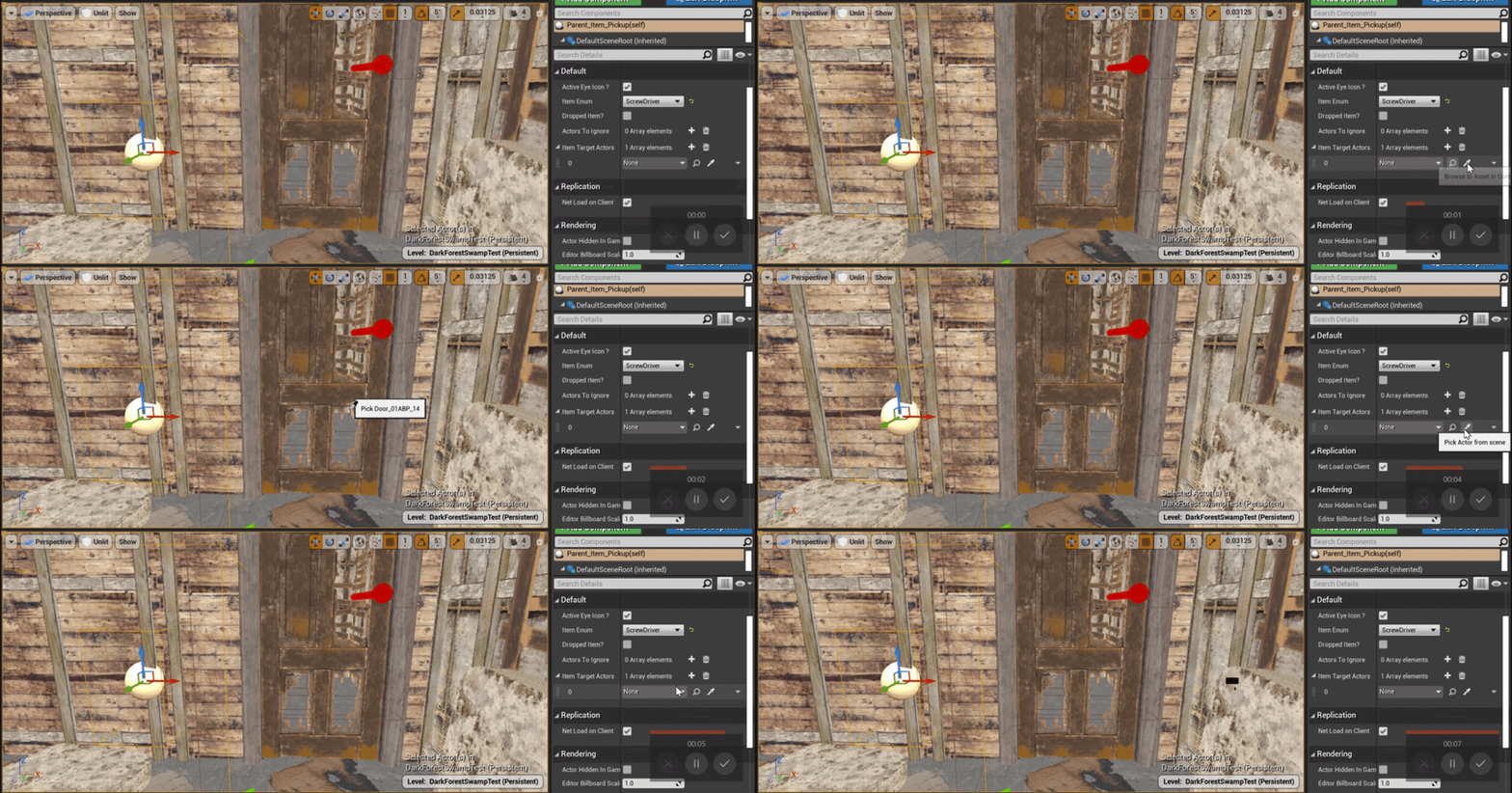
Now I can create a new blueprint actor and make a new variable just like above and it doesn't let me still. 😦
narrow kelp
I dont think it actually is the same value.. I believe pure functions get called every time they're used
You can assign to a var first tho, then it will be the same
open crypt
narrow kelp
You can assign to a var first tho, then it will be the same
this is true and what I had to do
narrow kelp
@dapper kiln Just a wild guess, but maybe whatever is constructing the pickup is overriding the array with none during constuction
open crypt
dapper kiln
<@!273265779175194624> It's the same value but you can always use a print string...
are you in a different editor mode, like landscape?
dapper kiln
No it's not the construction stuff, that's what I thought but It's not the case. I even made a new actor with nothing inside and it isn't working. There is nothing but a variable of type actor. I'm not understanding what's going on. I tried restarting the engine but nothing changed
 dapper kiln
I just figured it out. 🤦♂️ So if an actor is inside a sublevel you can't reference it, even if it's loaded all the time.
dapper kiln
You can if both actors are in the same level but not different ones. Oh at least i'm not going crazy. I was so confused for a sec
open crypt
not blueprint but while i got people here, why is my animation not playing on this?
I first when to the mesh, and then found it's skeleton, then I found an animation that uses it, and I am first setting in to the mesh, then playing it with looping set on - no errors
 narrow kelp
Maybe you need to set up your animation blueprints
open crypt
i'm trying to just loop a sequence (walking in this case)
narrow kelp
You probably still need an anim blueprint
open crypt
 dapper kiln
Double check that it's playing the animation in the viewport of your character blueprint. The animation might be referencing a different mannequin and skeleton.
 peak goblet
Not sure if I should ask this in #plugin-dev or here, but anyone who has experience with Epic's Enhanced Input plugin who can give me a pointer? I have a player controller and I have a player pawn. If I try to add a mapping context in the pawn by doing Begin Play->Get Controller->Cast as Player Controller->Get Enhanced Input Subsystem->Add Mapping Context this works perfectly fine. If I go to the player controller instead and do Begin Play->Get Enhanced Input Subsystem->Add Mapping Context it doesn't seem to work. Is there a reason for this?
I would have thought that it would work when added directly to the controller, considering what the pawn does is call it on the controller anyway. Unless my understanding is backwards of course.
icy saddle
fiery swallow
It's the same thing though, the first thing people do is usually delete all 3 of...
yeah I just wanted it because it's a nice way to let new people that I would be working with that those events are available
 wicked magnet
Would anyone have any idea what could cause me being unable to play an animation or animation montage from within my character blueprint? When I try to play an animation using Play Animation, my character just turns into a T pose. If I try to play a montage, nothing happens.
I went back to an older version of the same template I'm using and I was able to get animation and montage playback working fine there, so I'm now back tracking to figure out what has led to the current issue. My montage is setup correctly with a default state, and the animations look fine in preview.
Animations triggered via the animation blueprint also work fine - it's just calling Play Animation or Play Montage within the player blueprint.
After some poking around I determined I am able to use Play Animation to play my montage, but Play Montage using the same montage doesn't work. I need Play Montage's more sophisticated play controls so that is necessary.
fiery lark
Okay guys, I have an AI, but it won't alter it's navigation once I delete an object. How can I make it recalculate its navigation once the object is deleted?
icy dragon
fiery lark
Okay guys, I have an AI, but it won't alter it's navigation once I delete an obj...
Have you tried using Navigation Invokers?
fiery lark
I've never even heard of that, what is it?
 zinc wasp
fiery lark
I've never even heard of that, what is it?
zinc wasp
fiery lark
I've never even heard of that, what is it?
There's a setting in project settings, search build navigation at runtime or something like that.
 dusky harness
How can i make a timeline to be not affected by global time dilation?
Oh, sorry, found it

And it's also in timeline settings as well
fiery swallow
@timid nimbus set visibility and on overlapped
timid nimbus
fiery swallow
<@!551914556247506989> set visibility and on overlapped
I'm vary new to unreal, how do i do that?
fiery swallow
 timid nimbus
fiery swallow
https://gyazo.com/73fd74feefa7d5df5ad909224d298fa2
timid nimbus
fiery swallow
https://gyazo.com/73fd74feefa7d5df5ad909224d298fa2
Ok then?
fiery swallow
timid nimbus
Ok then?
there's a node like "event overlapped"
timid nimbus
fiery swallow
there's a node like "event overlapped"
cant find it


 golden fiber
Guys, any idea where are screenshots and saved files are stored for packed builds?
Can't find them lol
Oh, gotta check it, thanks!
 lime karma
running into a minor issue that I'm sure I'm just missing something. I'm building a rudimentary turret that basically just always looks at the player and shoots bullets at them. I'm using the "Find Look At Rotation" node to rotate it towards the player, and it seems to be working as I want at first. But I realized it only seems to rotate the Yaw (Z-axis rotation) correctly
if the player is above the turret, instead of looking up at the player as I would have expected, it rotates sideways for some reason
and doesn't look up at all
this is what I've done so far

to demonstrate what I'm saying, it normally looks like this, rotating towards the player as expected (programmer test art pls forgive lol)

but then if I jump like this, the gun turns sideways

and I wanna have it rotate to look up at the player
I know I can split up the rotator so that I could say only rotate in the Z-Axis, which at least makes it so that it doesn't rotate weirdly, but that makes it so that it can only look horizontally
trim matrix
Hey real quick question I already have a combat system that is not completely done but the youtube I was following quit yt I found someone named code like me do you think it will be easy to branch off to his tuts??
icy dragon
trim matrix
Hey real quick question I already have a combat system that is not completely do...
I won't recommend his tutorials, as his presentation of the subject matter is rather messy and hard to follow.
trim matrix
Ok well do you have any good reccomendation?I need a whole series I can follow
fiery swallow
trim matrix
Ok well do you have any good reccomendation?I need a whole series I can follow
Dev addict makes really good tutorials if you don't mind the fact that most of his videos are 2 - 3x longer then they need to be
Ryan laley makes great tutorial content. they are straight to the point and barebones. It's really up to you to build on what he presents and make it better. He explains the core concept and doesn't spend an extra 20 minutes making the end result look pretty
trim matrix
Ok thank you @fiery swallow
restive dagger
when I start the game heres what my camera looks like https://gyazo.com/e88a213419fc0f8338c766768d1dac0c

but in blueprint its like this https://gyazo.com/874ee599565f1b894585b0b149105ef7

Any reason for that?
Oh
So I
u see the playerstart? I spawn under the colored cube https://gyazo.com/e87fe9dcd9c32642b382e4d6ee3e6864

Theres only this playerstart in the whole map
theres nothing
everything is normal


I checked the cpp, nothing related to spawning
it was normal before I change the character to pawn
Yeah I cant change the names since its in cpp
I figured something out watch

the problem is with inheritance I guess
Yeah, fixed
Thank u Lorash

 fallen glade
🤨 i didn't get any of that. I've only used stencil value with default write mask. Is there any practical use to change that ? @trim matrix
thank you for the links by the way
 tough coyote
Does anyone have an attack BluePrint or tutorial? type Press the mouse button so that the character attacks and similar...
I have animations and everything but the code dksadka
lime karma
I think I figured out some of my rotation woes
I think it has to do with the fact that the gun spawns in sideways for whatever reason, and if I don't modify the rotation to make it face the player on the ground, then the rotation makes sense, it's rotating the side of the gun to always face the player, so when I corrected the rotation by just adding 90 degrees, that fixed one axis, but not the others
so to actually correct it I'd have to apply a rotation to the gun, relative to where the player is I guess
but that requires real vector math and I don't know how to do that lol
icy dragon
tough coyote
Does anyone have an attack BluePrint or tutorial? type Press the mouse button so...
Old tutorial (used to follow this in my early UE4 days), but the basics still largely applicable to this day.
In this video we add combo attacks and setup the animation blueprint for handling animation montages.
If you have any questions or comments please let us know. If you like the video and want to see more, go ahead and subscribe. Or consider supporting us on patreon https://www.patreon.com/titanicgames for more great tutorials and games to come!
trim matrix
I am not able to launch my project and am getting the error "The following modules are missing or built with a different engine version: FPS Would you like to rebuild them now" and when I click yes I get "FPS could not be compiled try rebuilding from source" I looked online and every one having this issue was using C++ but I am using blueprint and everything was working fine before I shut down the project. This is only affecting one project non others.
 surreal peak
Did you change the Engine version?
You can try to rightclick your uproject file and click the switch unreal engine version button and select the original one
trim matrix
I updated the version to 4.26.2 but this was happenign before
I will try that
I just did that and it failed "Running E:/UE_4.26/Engine/Binaries/DotNET/UnrealBuildTool.exe -projectfiles -project="C:/Users/max_000/Documents/Unreal Projects/FPS/FPS.uproject" -game -rocket -progress -log="C:\Users\max_000\Documents\Unreal Projects\FPS/Saved/Logs/UnrealVersionSelector-2021.06.16-07.15.36.log"
Discovering modules, targets and source code for project...
WARNING: Visual Studio 2019 is installed, but is missing the C++ toolchain. Please verify that the "VC++ 2019 toolset" component is selected in the Visual Studio 2019 installation options.
ERROR: Visual Studio 2019 must be installed in order to build this target."
tough coyote
icy dragon
Old tutorial (used to follow this in my early UE4 days), but the basics still la...
thxx man
surreal peak
Chandler, please use the Job Board. It's not allowed to search outside of it.
@fleet quest
 fleet quest
Fineeee
surreal peak
The Crossposting was also not allowed. Keep in mind that 3 Strikes are a ban, so try to stick to the #rules (:
 astral estuary
I am away from my unreal and can't find the docs for the ++ and -- node.
Are they post increment or pre increment? (AKA What do they return?)
i++ returns the value before incrementing.
++i returns the incremented value.
I know it writes the i variable but I am curious on what the return value of the node is
so, it returns the incremented value 😄
thx
 spring magnet
hey, i'm looking for some info on this Generate Const Class option, anyone know what this is?

I found through trial-and-error that i need this enabled for this UObject to show up in Structs
 gritty plover
Hey, stupid question but... How do i add a delay to a ForLoop node? So that it does it all in order, rather than all at once.

 obtuse herald
gritty plover
Hey, stupid question but... How do i add a delay to a ForLoop node? So that it d...
obtuse herald
gritty plover
Hey, stupid question but... How do i add a delay to a ForLoop node? So that it d...
Copy the ForLoop Macro and add an delay node there
 brittle plinth
I'm trying to add a timeline node to a function in an actor but Unreal doesn't let me. What is a nice way to increment a value from for example 0 to 1 (float).
gritty plover
I... Don't know what you mean by that.
 errant snow
gritty plover
Hey, stupid question but... How do i add a delay to a ForLoop node? So that it d...
errant snow
gritty plover
Hey, stupid question but... How do i add a delay to a ForLoop node? So that it d...
You really shouldn't do this. Any Latent node (like Delay) in a for-loop is asking for a world of hurt.
What do you mean by "in order" vs "all at once"? The Loop body exec will happen in order from First to Last index.
gritty plover
Lemme grab a picture
Essentially, I'm trying to make a spline actor that spawns an explosion at each point along the spline

When I execute it on that "ForLoop" just raw like that, it spawns all the explosions at once.

Whereas I want it to go 1 by 1, with a short delay between each explosion.
errant snow
I would suggest a timer or a manual loop (one that creates a physical exec line that goes back to the start of your "loop" body). Either way you'd need to track the spline point index with a member variable.
errant snow
It's alright... one second
The top one is the manual loop. The lower one is with a timer. The Delay value in the first example would be equivalent to the Time value of the Timer node.
 gritty plover
Ooooh alright
Thank you. I'll try that right now.
The Index there is a new variable, right? In the "Set Index" at the start?
As well as Max Index?
errant snow
Yes
 rough blade
In my actors, I have alot of components that tick. Does this affect performance?
 unkempt valley
could someone help me make a blueprint that makes my ALS character go into first person when they enter a building, and back to third once they leave it
rough blade
@unkempt valley I can help - dm me what you are hoping to achieve. Most likely you will want a trigger (collision box would be easiest) to tell your character to adjust a spring arm length
burnt nest
rough blade
In my actors, I have alot of components that tick. Does this affect performance?
Yes. Tick is called every single frame, so if you're doing anything that doesn't have to happen all the time, try to avoid using tick.
rough blade
@burnt nest Say I have a character with a static mesh component (helmet) that doesnt do anything but sit pretty. If component tick is enabled, this will cause extra ms?
burnt nest
rough blade
<@!246621213638656002> Say I have a character with a static mesh component (helm...
This is a common discussion... and it's not entirely clear if just having it enabled without using it actually does anything. Either it doesn't, or you're looking at zero impact until you get to at least the tens of thousands of objects with empty ticks.
 dreamy mulch
Howdy all, working on a turn based strategy game. When I click the turn button a series of blueprints runs to process the AI moves and processes the data for the turn. Sometimes a turn can take a second or 2 to process.
I am noticing that if I hit the turn button several times very quickly that the code will mess up and jump a turn, etc, likely because it is still processing the last turn.
I have attempted to add a bool check for when the turn button is pressed to set a processing bool to true and not proceed with processing a turn. However I am still getting weird outputs when I hit the turn button in rapid succession.
Any thoughts on how to address this?
Thanks!
burnt nest
dreamy mulch
Howdy all, working on a turn based strategy game. When I click the turn button a...
You should disable the button upon pressing it. Then figure out when your turn processing is finished, and then enable the button again.
rough blade
@burnt nest Thank you!
dreamy mulch
@burnt nest I have tried this but will try it again and see if I can get it work this. It just seemed almost like UE4 just ran an execute for blueprints and set the end bool to complete even though there was stuff running.
burnt nest
dreamy mulch
<@!246621213638656002> I have tried this but will try it again and see if I can ...
That's possible. Depending on how you've set it all up, where you should set it to allow the button again will depend.
maiden wadi
Things ran on the GameThread run in order. That cannot happen unless your logic is out of order or you've managed to cause your check to run outside of the GameThread , which is unlikely in default blueprint.
dreamy mulch
I will give this a go and report back if I run into anything. Thank you all again.
proud sable
How could I set a boolean to true if any number of X input booleans are true? E.G. I have "Is Casting Ability 1", "Is Casting Ability 2" etc. variables and want a general "Is Casting" variable to be true if any of the previous ones are. I know I could go through and do it manually but is there a simple way of doing it?
dawn gazelle
Use an "OR" node.
proud sable
Thanks, I forgot which logic gate would apply here 😅 Gotta brush up on them again I guess
dreamy mulch
I tried disabling the button and seeing if I could ever get a failed turn, i.e. the button is disabled and can't process a turn. I slammed the turn button down many times and I am still having the issue. My initial code for the turn looks like this.

Oh and the failed print string never files which to me says that the button never disables.
 tight schooner


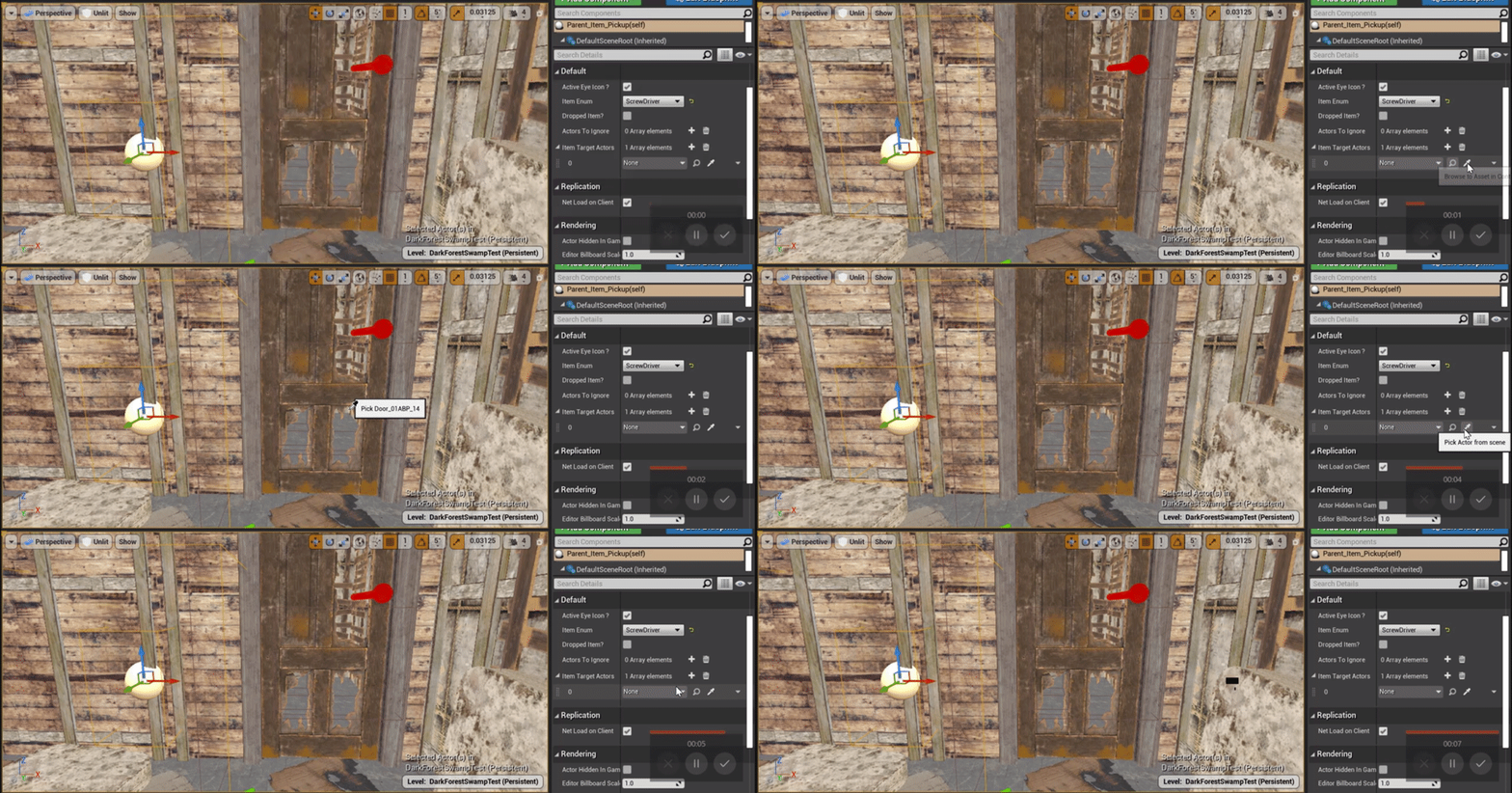
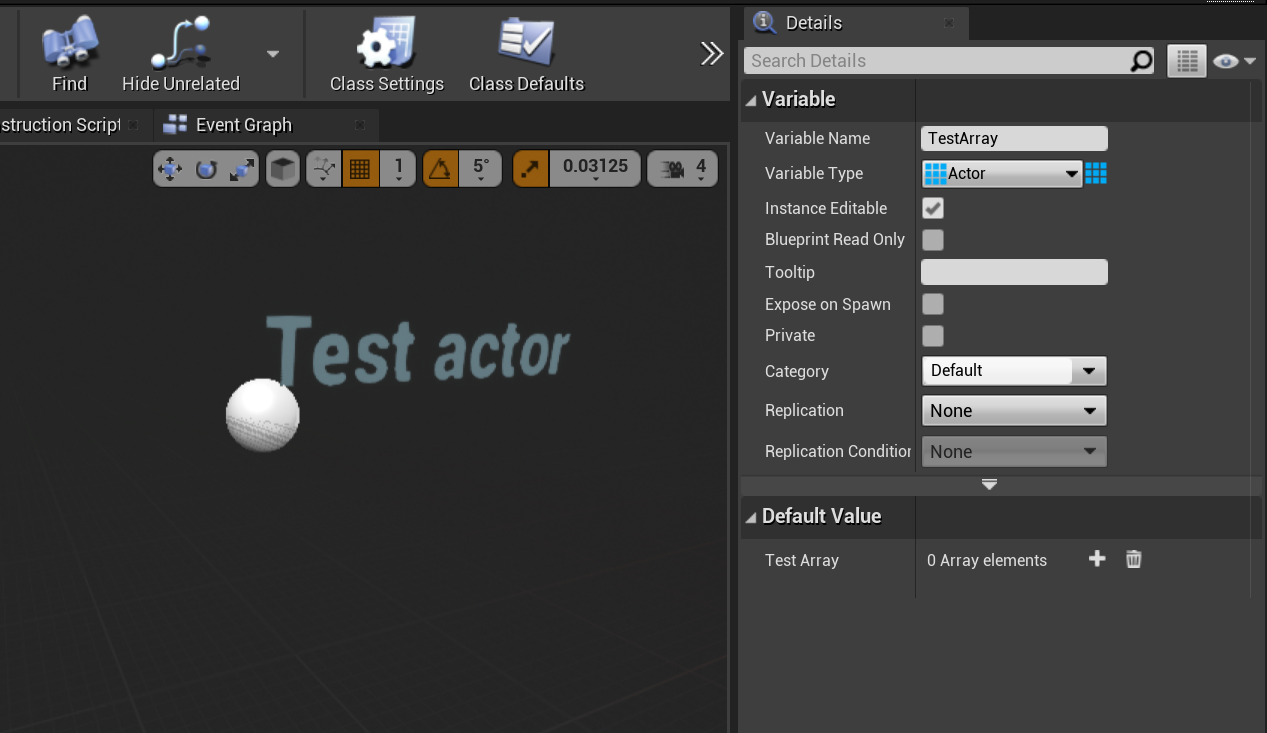
Such a cool way to explain logic gates. https://t.co/6Wgu2ZKFCx
Retweets
14216
Likes
41656
 Twitter
·
brittle plinth
Twitter
·
brittle plinth
I'm using this logic to detect whether or not the player is moving and the player is not mid-air. I'm doing this so that when the player is not mid-air it plays footstep sounds. But it seems like this method is flawed and provides unreliable results. Is there a better way to tackle this?
 burnt nest
brittle plinth
I'm using this logic to detect whether or not the player is moving and the playe...
burnt nest
brittle plinth
I'm using this logic to detect whether or not the player is moving and the playe...
Google anim notify, you can add footstep sounds to the moment your character's foot hits the ground in your animation, and since you should be playing a different animation when in the air, it will eliminate that problem as well.
brittle plinth
burnt nest
Google anim notify, you can add footstep sounds to the moment your character's f...
but, my player is just a capsule with no animations.
torpid blade
This Game User Settings returns the settings definied before the game lauches right?

Cause I change them ingame and then when I want to get the settings again later on the game they return something else
 exotic jasper
gritty plover
Essentially, I'm trying to make a spline actor that spawns an explosion at each ...
exotic jasper
gritty plover
Essentially, I'm trying to make a spline actor that spawns an explosion at each ...
How did you get this awesome cel-shading look here?
maiden wadi
@torpid bladeNo. That getter will return the current setting that the user has applied to their ini files. If you want defaults of those, there should be a getter for it somewhere, but I'm not sure if it's blueprint exposed.
torpid blade
maiden wadi
<@!355443939081322517>No. That getter will return the current setting that the u...
I want to preserve the changes I make to those settings just when the game is running. is there anyway to modify the user's ini files?
Cause I change them in main menu and then when ingame they return something else
maiden wadi
Are you calling Apply or Save after altering them?
torpid blade

This is the onyl thing im doung
doing*
I thought when I execute sg.ShadowQuality it would change it permantly and later on when need, the Get Game User Settings would return the value I used in sg.ShadowQuality
But it doesnt
It just get's the ini options
maiden wadi
Uncertain. Not used to changing them that way. Try to get the game user settings and apply or save them. May work.
gritty plover
exotic jasper
How did you get this awesome cel-shading look here?
Inefficiently, tbh. It's a post processing effect. There's a tutorial for it on Youtube.
torpid blade
maiden wadi
Uncertain. Not used to changing them that way. Try to get the game user settings...
Ok I just used this and it seems to sstay that way

I guess it works right hahahahha
its working atleast
 dense citrus
hey, just a short question, i'm working on a game with multiple characters, and i'm just wondering if there's a better way to do this, or if the way i'm doing this seems right (note, im making multiple characters, and it doesn't need to be perfectly efficient as the character will be selected before the player loads into a level, but i do want to make sure i'm doing this the best i can before i get crazy with it and waste too much time)?

(also, ik this is only 1 variable rn, but i plan to have like 15+ so i just wanna check)
narrow kelp
You could consider using a data table instead
 raven pilot
any ideas on how to add the impulse effect to a chaos destruction object?
 dense citrus
@narrow kelp thanks for making me aware of those, can i change the variables in it akin to standard variables that are in the "my blueprint" tab?
narrow kelp
You can set the initial values, but not during gameplay
At least I dont think you can..
I use them for character and item stats
dense citrus
yeh, i just looked it up and apparently it isn't, so i think i'm probably going to avoid using a data table for this as i don't feel like it'll flexable enough for what i'm planning to do
worst case scencerio, i can just make one after, and use this to keep the variables flexable enough for me to work with without a headache, to thx heh
narrow kelp
You would only use them to set initial values. It can also be nice to separate that stuff so designers don't need to manipulate actor assets
 soft scaffold
Hi! Can I set the Lock Rotation via blueprints?
maiden wadi
@dense citrusSubclasses are also a good way to handle this. Create a base class with the handling, create child classes with different values that the default handling uses.
dense citrus
maiden wadi
<@!837263332406591498>Subclasses are also a good way to handle this. Create a ba...
that is a fair point, what i think i'm going to do is get everything to work cleanly in a single script, then split the script into subclasses so wew lel
dense citrus
soft scaffold
Hi! Can I set the Lock Rotation via blueprints?

here's how i did it with mine, hopefully it works with you
soft scaffold
dense citrus
via blueprints
dense citrus
mb, other then abusing an event tick, i'm sorry i wouldn't know
soft scaffold
dense citrus
mb, other then abusing an event tick, i'm sorry i wouldn't know
No problem 🙂
torpid blade
I supposed this resolution in stored in a .ini file right? If so, what's the node to change it?


ok idk why it doesnt preview
rapid gazelle
so i was following https://docs.unrealengine.com/4.26/en-US/ProgrammingAndScripting/Blueprints/QuickStart/ and i did everything they said to do and it isnt working
Get up and running by creating your first Blueprint.
rapid gazelle
what did i do wrong?
narrow kelp
How could anyone possibly know that
rapid gazelle
forgot about that
 narrow kelp
Well if you did it exactly like that tutorial, the collision was supposed to be on the Box collider, rather than the Cube mesh
so you could change that
rapid gazelle
how do i change that?
narrow kelp
I'm just guessing based on the names btw
rapid gazelle
ik but how do i change it from the cube mesh to the box collider
narrow kelp
go into your blueprint, click on the box collision, then click the green + under Events called On Component Begin Overlap
you probably did that, but with the Cube selected instead
Then move that stuff over there instead
rapid gazelle
that?
 narrow kelp
Yeah
 jaunty solstice
I am instancing several hundred static meshes for a crowd and I need to some how change the properties of thes meshes before or immeditely after they are instanced.
If I drag a single Static Mesh to the stage these are the properties in Details panel I needs to change
1 Mobility set to Movable
2 Cast Shadow enabled
3 Distance Field Indirect Shadow enabled
4 Dynamic Shadow enabled
5 Affect Distance Field Lighting enabled.
How can this be done from the Blueprint when all of my static meshes are defined inside arrays?
 flat raft
Howdy! Is there a way to set all variables in a Bp class to be private by default?
@jaunty solstice change them before you place them on stage.
shut hinge
Does anyone know why the parent BP Player when attaching a child actor weapon then causes all the children BP weapons to be all oversized.
dawn gazelle
jaunty solstice
I am instancing several hundred static meshes for a crowd and I need to some how...
Instanced meshes don't work the same way as standard static meshes. You don't get a reference of the mesh to add to an array, just an integer reference to the # in the instance that the new instance is. There is no manipulating a single mesh's properties - all you can change is the transform of the instance.

 mortal cradle
Is it better to get a reference from an existing reference or cast? ie. Let's say that I'm in a "BP_Test" and I already have a reference to BP_AI_Character and in that BP_AI_Character I have a reference to BP_AI_Controller, if I want to communicate with a BP_AI_Controller wihin BP_Test, should I cast to BP_AI_Controller or take the already existing reference BP_AI_Character and from this get the reference to the BP_AI_Controller without casting?
 mossy bronze

so i have this
I also have a binding to a variable within that widget
how would I go about assigning the variable within this blueprint?
Let me show what I've tried so far
it's literally working now
what
flat raft
mortal cradle
Is it better to get a reference from an existing reference or cast? ie. Let's sa...
Cast
mossy bronze
nvm sorry lol, i just tried the same thing and its working apparently. ue4 is strange
 sand shore
mortal cradle
Is it better to get a reference from an existing reference or cast? ie. Let's sa...
sand shore
mortal cradle
Is it better to get a reference from an existing reference or cast? ie. Let's sa...
if you're trying to get the controller of the pawn, it is fine to use the reference the pawn already cached. Just make sure you clear that reference if the pawn is ever unpossesed.
otherwise you can get a controller that is no longer associated with the pawn (which may or may not happen or be important)
Also the difference is not sufficiently great that you should bother - you're technically asking whether resolving an indirect member is cheaper than performing a cast, and I don't know off the top of my head but you're writing BP and maybe it's just worth continuing to write the game however you feel most comfortable (so long as it isn't objectively bad)