
#blueprint
402296 messages · Page 658 of 403
 severe geyser
severe geyser
severe geyser
and then connect loop body or completed?
 faint pasture
Body
Body runs number of items in array times and provides a reference to each item
severe geyser
like this?
 faint pasture
Yeah but put destroy actor after the complete or else it'll only damage one Target and then destroy itself
 jaunty solstice
Has anyone tried to translate the logic from another application entirely into UE? I'm trying to understand when it makes sense to various types of BP communication, direct vs interfaces vs event dispatchers.
severe geyser
it's killing multiple enemies but doesn't seem to be getting all of them in the radius
faint pasture
severe geyser
it's killing multiple enemies but doesn't seem to be getting all of them in the ...
Make the sphere visible so you can double check that
severe geyser
@faint pasture it's working, but not as expected. It seems to be killing some and ignoring others.
I think it fires the impulse which puts a few outside the box, so when it checks to see which actors are overlapping, it's not applying damage to the ones that got bumped up
 keen pendant
hey guys - trying to get a new pawn to spawn and replace the current character I have. running into errors wondering if i could get help

 white field
a skeletal mesh has to be visible for it's sockets to be available?
 last abyss
keen pendant
hey guys - trying to get a new pawn to spawn and replace the current character I...
last abyss
keen pendant
hey guys - trying to get a new pawn to spawn and replace the current character I...
well you're not feeding the possess node a pawn to possess
keen pendant
@last abyss isn't that done by spawning an actor? I don't understand.
Here is my initial reference - they did this as a system, but I am looking to do it just for ONE instance, not an array.
last abyss
keen pendant
<@!131341150136172544> isn't that done by spawning an actor? I don't understand...
the possess node's target is a controller and you're plugging in the bp sphere reference into the target.
keen pendant
Worth mentioning, in their version 4.21 it didn't automatically create this TARGET: LAST HIT BY node.
 violet flax
Hello, i don't understand something inside one of my blueprints. I was starting to create a "Event ActorBeginOverlap". I need two Arrays that are created at the beginning of the game. Just to check if i get something out of the arrays i use a "print String".
https://blueprintue.com/blueprint/a83ce7y6/
Here you can see my blueprint.
The bottom one with "Spawn Field Array" is working. The Top one "Field Array" is giving me "accessed None" Error.
Why is one working and one not if they are coming from the same blueprint?
I checked if the top array is functioning and in the blueprint where it comes from it does work and give me something with Print String.
BlueprintUE
last abyss
keen pendant
Worth mentioning, in their version 4.21 it didn't automatically create this TARG...
https://prnt.sc/11xkx86 this is what you're looking for I suppose. For reference, titan is a pawn so I can take the return value on the spawn and plug that into the possess node. Target of the possess node has to be a controller, so you Get Controller of the current player and plug that in. You're getting the error because you're plugging in a reference that doesn't derive off of the controller object reference into the pin that's expecting a controller object reference. In other words: you're telling the 'Last Hit By' reference to run a function that it, or its parents, doesn't have.
as it turns out, when you plug a pawn into a controller pin it actually auto generates 'Last Hit By' which will give you the controller object reference of the pawn's controller that last hit the pawn? although I'm not sure what this refers to it is unlikely that it refers to the controller your current pawn is using in this case.

 warm summit
I am using Midi input. I have it working in a BP but, I have found I can only seem to get one BP at a time to listen to the input. If I have 2 BPs listening for input from the same Device ID only one will work.
Is there a way around this? Is this exactly where a BP Inteface is meant to be used?
via a BP interface?
I don't know why... but I really don't understand BPIntefaces... not a programmer by background but some how they flumox me
I am currently taking the input and having the result of using it get to other BPs via casting and calling custom events
ok, I have done OOP
last abyss
violet flax
Hello, i don't understand something inside one of my blueprints. I was starting ...
if it's giving an accessed none error that means that the variable doesn't have a default, or doesn't get set before this event is ran.
warm summit
i get confused by the idea that they are "functions in name only..." which Matt W called them in his vid. I sorta got it,but where would I build the initial input receiving and filtering?
 icy dragon
Interfaces are meant to pass through information between blueprints.
warm summit
yea and he says, Interfaces are sets of fuctions "in name only" and they make sure all BPS that implement it, have those functions.... I have made a function library I am using.
all those functions are available to my bps...
ah...
I am having to cast to get to these other BPS I am sending data too and calling events in. But also I have heard that a BPI lets you talk to many at once, I actually only want to talk to one BP at a time often. is that still possible with BPI too?
@trim matrix Guess I will go do some more BPI tutorials, till it "sinks in"
thats what I am doing now
violet flax
last abyss
if it's giving an accessed none error that means that the variable doesn't have ...
Thanks for your answer, but the two arrays are set at the start of the level and my event fires only if i do it. So this to variables are set.
In my example i have a variable for "SetField" which is my other blueprint, but because it is a class blueprint. I can't assign a Default Value for it.
warm summit
and its working well, but thinking to make a separate BP for another part of the project that I could control via midi too...
@trim matrix thanks 🙂
 barren salmon
Hello i have this really werid teleport bug where it will only run on startup but it wont do anything when it is being played
keen pendant
@last abyss - thank you very much for helping. For context I am creating a lightning dash effect where the manniquin transforms into a ball and can fly around. It's mostly for fun and not production - still trying to figure out how to apply movement to a niagara system BP, but I'll figure it out!

 cinder shell
hey guys! Can someone please help me to figure out how to append more than two arrays together? I'm trying this way, but it's just adding the first one
 faint pasture
cinder shell
hey guys! Can someone please help me to figure out how to append more than two a...
faint pasture
cinder shell
hey guys! Can someone please help me to figure out how to append more than two a...
Swap pin order
I think. Isn't the output array the bottom one?
 devout geyser
Ai move to node doesn't work... I have a character which is the player's and i wanna click on world location in-order for it to move towards it, and it doesn't, is there any settings i need to check?
(The event gets fired but the node doesn't do anything)
 severe geyser
I am now using Apply Radial Damage to deal the damage for an explosion. I want it to damage all enemies within the radius, but it seems the enemies closest to the overlap are blocking the explosive damage to those in front
I need the damage to damage everything within the radius
any ideas?
devout geyser
get overlapping actors, and apply damage
the get overlapping actors will get every actor within the radius ( if that's collision )
severe geyser
I tried it that way but it seems it was still blocking
here is what I have. It's not killing all enemies within the damage radius. It seems the enemies in the front are blocking the damage

 sand shore
That doesn't make sense, overlapping shouldn't care about occlusion
do the impulse last
or get the array before the impulse
sand shore
faint pasture
I think. Isn't the output array the bottom one?
No?
It should modify the top input (A contains both the contents of A and a copy of all content in B; B is not modified)
severe geyser
impulse at the end did not help
sand shore
severe geyser
impulse at the end did not help
are there checks before applying the damage?
it would have been a little odd for end-impulse to have affected it, but without more context we're just guessing here
Two other suggestions:
Print the display name of every actor as you call Apply Damage
Toggle on show collision, verify everything is within the radius
Also, if this is a 2d game, keep in mind the 3d nature of a sphere- off plane enemies have to be in a smaller radius to get affected by the sphere
severe geyser
its not 2d
severe geyser
what kind of checks?
sand shore
@cinder shell are all those references valid at the time you call?
sand shore
severe geyser
what kind of checks?
it is your game. Stuff like line of sight to the damage causer is often enough a feature. But not default in the engine
sand shore
sand shore
<@118491516229386244> are all those references valid at the time you call?
if any of them are null and you expect them to be valid, you wouldn't copy from them and will see an error about "accessed none"
severe geyser
how would I check that? My regular melee attack used a line trace to know when it's hit and deals damage
severe geyser
there's only one attack in my game right now, and it's that

 sand shore
What of your On Damage functions (been a long time, those might be named differently)
the other side of Apply Damage
severe geyser
nothing is on the other side of apply damage
sand shore
So, then, what makes the health go down?
Where are you decrementing health, or incrementing damage, or otherwise applying the failure state of your simulated opponents?
severe geyser
I have an Event AnyDamage setup
severe geyser
no that all works fine. Attack enemy, decrease health, die. Enemies are still dying from the explosive damage but I just need it to kill all in the radius, not get blocked by the ones in front. I figure it's because I have the enemies set to "block" the trace responses?
sand shore
it isn't like a light source, anything in the radius should be in that list
severe geyser
so bizarre
sand shore
mhm
a sphere trace may have been blocked
Multi Overlap test or even regular passive trigger volumes should get everything
last abyss
severe geyser
no that all works fine. Attack enemy, decrease health, die. Enemies are still ...
boxtrace will get the first hit and then stop. to hit everything you'd want multiboxtrace?
severe geyser
@last abyss Hey Kira, here is the one I am trying to fix. For the regular attack that is using the boxtrace. that's all good. It's the explosive damage that is causing me trouble
this one
 last abyss
its likely that either the damage sphere doesn't have collision enabled or the damage sphere doesn't overlap with other enemies if the others are not taking damage. Otherwise that should work completely fine
severe geyser
I've got it working now. It's sloppy, but it's working... take a look

now I just need to make it so it cannot damage the player
no it's still blocking
man my brain is scrambled
 trim matrix
Hello, I need some help here.
My character get drinks something like "energy drinks" and as soon as he gets them they "disappear" so it makes him big for a while but he needs to get back to his normal size.
I don't know how exactly, any help?
Thank you.😚

 dawn gazelle

Put this in your Third Person Character blueprint.
Drag a pin from the cast you have in your PowerCup_BP and call the "BigTimer" event - this will start the timer.
When the timer runs out, the "BigTimerEnd" event will be called - here you can reverse the mesh change you did with the item.
trim matrix
@dawn gazelle Oh Ok thank you very much 👍
 rose flare
Hi guys. Any idea if it is possible to sample Level Sequence track values at specific time manually from Blueprint? What I would like to do is sample certain track for example 10 frames in the past and future from current play head position (Like TimeShift in Houdini) ?
 vapid ibex
So the code based on converting them to strings to pass as variables will begin to fail in the build versions?
sand shore
vapid ibex
So the code based on converting them to strings to pass as variables will begin ...
yeah it easily will
unless you convert from the enum to the string to get the string you compare other enum values to
vapid ibex
Well this sucks
sand shore
you can do it, but it isn't trivial
Much easier to not rely on the string representation
basically, within a build, if you concatenate
EnumName.EnumValue - it will compare correctly
vapid ibex
sand shore
unless you convert from the enum to the string to get the string you compare oth...
Um, to string table you mean?
sand shore
but if you author a buncha switch statements or something, they'll break. maybe
sand shore
vapid ibex
Um, to string table you mean?
nah that's a localization thing
vapid ibex
Basically I have a list of character names that I put in the enum for ease of use. These names are actually ID handles for taking actual names out of XML file (because localization, and I do not understand how the native unreal solution is supposed to work). I pass enum user-friendly value to the function that retrieves the said entries in XML
sand shore
if what I'm suggesting makes no sense, just abandon the enum -> string entirely
 opal crane
how the hell do you guys do this all day, props to the dedication
sand shore
either do a gameplay tag or do an enum
that is a use case for just plain strings!
you want combo box support?
vapid ibex
Yeah but I don't want to retype same thing over and over and over again in hundred places (Specifically - in dialogues). So if an alternative to enums that's also displayed as a drop-down list would be possible...
sand shore
opal crane
how the hell do you guys do this all day, props to the dedication
I didn't. I also did some chores and played some games.
But I don't really have lots going on in my life besides being really good at ue
opal crane
sand shore
I didn't. I also did some chores and played some games.
But I don't really hav...
the skill and experience shows mate 🤙🏾
sand shore
So it's nice if I can provide clever solutions or help someone get a specific thing working
opal crane
sand shore
So it's nice if I can provide clever solutions or help someone get a specific th...
and its making you look godsent lmao
sand shore
vapid ibex
Yeah but I don't want to retype same thing over and over and over again in hundr...
Well, you can make a selection widget for players, and technically also yourself if you lean hard into editor utility widgets
have like a database or array and go over the entries and populate a combo box
opal crane
sorry to interrupt, last thing: where did you learn all your craft immutable?
vapid ibex
sand shore
Well, you can make a selection widget for players, and technically also yourself...
No, no players, it's for internal use and coding in a whole editor addon for such trivial task as "make a variable a dropdown list" seems like a total overkill.
sand shore
Ah, see, you want this for regular variables?
String table might be it, but it's not the best solution because it uses loc
tryna change casing might be awkward and I don't know how much you can script from BP
dawn gazelle
I'm a bit interested in this topic myself... So doing something like this is not wise?
 sand shore
dawn gazelle
I'm a bit interested in this topic myself... So doing something like this is not...
sand shore
dawn gazelle
I'm a bit interested in this topic myself... So doing something like this is not...
That might cook as NewEnunerator_0, Authored Name, or AuthoredName
vapid ibex
sand shore
String table might be it, but it's not the best solution because it uses loc
What's "loc"?
sand shore
vapid ibex
No, no players, it's for internal use and coding in a whole editor addon for suc...
Gameplay tag also doesn't solve casing.... though you can run a script to push the xml characters to a ini file and automatically get tags
something like characters.internal_name
vapid ibex
Why casing would be problem, if it'll be pulled for uses out of a single place?
sand shore
opal crane
sorry to interrupt, last thing: where did you learn all your craft immutable?
not having a life, googling
opal crane
sand shore
not having a life, googling
how many years
and nah, you have a life
just a different one 👍🏾
vapid ibex
Enums suddenly looks a lot less useful an necessary to use.
opal crane
much of my respect to you
 maiden meteor
hi, noobie here
I downloaded a plugin 'Horror Engine' and now I'm having trouble with animating a character I added into the first person viewport. I can't seem to get him to play the 'running animation' while MoveForward is true
 sand shore
vapid ibex
Enums suddenly looks a lot less useful an necessary to use.
sand shore
vapid ibex
Enums suddenly looks a lot less useful an necessary to use.
Yeah, for this? Absolutely
I'd still recommend internal names fully lowercase
vapid ibex
sand shore
Yeah, for this? Absolutely
In general. If they are not to be trusted to cook correctly, why not use just an int then?
maiden meteor
I've added him in the viewport here
 dawn gazelle
Trying to remember what int represents what can be a real pain in the ass if you're dealing with several different things that require different int values representing things.
sand shore
You could do a switch or select in the enum and pick a string
but then ... gameplay tags are much more dynamic as you can just dump stuff into an ini and open the editor and bam. Tags all set up and ready to connect in content
vapid ibex
sand shore
You _could_ do a switch or select in the enum and pick a string
I suppose I'll need to do that. A pure function that converts particular enum to strings)
sand shore
you could have an automated python thing adding new tags
can't do that with enums
(then, I guess I'm expecting things you might not actually need)
vapid ibex
I'm pretty sure you do) Those names are not for the gameplay functionality, simply to display a text in UI
sand shore
BP enum display names aren't meant to be fully deterministic
sand shore
vapid ibex
I'm pretty sure you do) Those names are not for the gameplay functionality, simp...
for the player?
Well.
Map Enum -> FText lok
lol*
it'll cook and cook right
btw.
loc = localization /internationalization
aka translating the game
vapid ibex
Google says Ftext is a part of the unreal's horrible internal localization feature?
sand shore
as are string tables
vapid ibex
I thought string tables are a type of an asset that can be used anywhere in the game.
I quite like my solution where you just need to change the path to the xml file to change language of the game, and in the future maybe I'll even add a functionality to search for xml's in the folder to dynamically determine languages the game can use. I'm not sure that you can add a language to unreal's native system without repackaging the game
sand shore
@opal crane anyway. How far up the wall did you get?
@vapid ibex somewhere I missed that you were replacing a loc system
vapid ibex
I find Unreal's version very convoluted and hard to use. A separate menu where you need to do a lot of things to just get the list of used entries, no dynamic edit as well.
sand shore
I think trying to do it with an enum is clunky, better to just use a string table I guess but FText is the only thing I know of that gives you a nice editor for referencing them
vapid ibex
For now I think just making a function that converts enum to string via just "chose" with predetermined string values will be best for me. =) It's worse than just enum because I'll need to update two assets instead of one (enum and the function) to add a name, but that's better than nothing I guess.
sand shore
Editor Utility Widgets are makeable in UMG only and can do a lot out of the box. It's probably not as hard as you think to make an editor to author content string refs but it would be added friction because it wouldn't be integrated into the details
Anyway. I think all avenues have been explored. good luck
vapid ibex
Thanks!
dawn gazelle
I really thought I was being clever... XD
 vapid ibex
dawn gazelle
I really thought I was being clever... XD
vapid ibex
dawn gazelle
I really thought I was being clever... XD
It seems this part will always return only the current state of StatIndex, so why the chose node?
dawn gazelle
There's a bit of magic happening. I'm using just a byte on the stat index, and each of these are converting that byte to a specific enum.

and based on that enum, the string output would be different depending on the stat type that was fed in.
It was basically a way I could get the name without having to specifically define which enum was being used. I just needed the value of the enum, and based on the stat type it would output the appropriate text.

 spark steppe
which BP is suitable for doing game initialization stuff, like loading global user audio settings, etc.?
dawn gazelle
Probably game instance?
 plucky copper
game instance sounds about right
plucky copper
you can make one
dawn gazelle
Correct. You'll need to create one, and then it has to be defined in your project settings as well.
plucky copper
yeah its not the same as gamemode
dawn gazelle
 spark steppe
thanks guys
it's actually doing already some loading stuff 😄 my projects is growing over my head
 novel phoenix
https://docs.unrealengine.com/en-US/BlueprintAPI/Utilities/GetAttachedActors/index.html
Reset array? What does it do?
Get Attached Actors
 earnest tangle
Probably clears the array
Looks like it yeah - if you don't set it to true, it won't clear out the contents of the array, and it'll just add the attached actors into whatever's already in the array
 strange finch
quick question, how to adjust distz in path following? my character cannot finish moving
 trim matrix
Hello, I need more help here.
My character get drinks something like "energy drinks" and as soon as he gets them they "disappear" so it makes him big for a while but he needs to get back to his normal size.
I'm confused
I don't know how exactly, any help?
Thank you.😚
 trim matrix
@trim matrix and BigTimerEnd where should this be connected?
Can you show me a sample on Delay node?
@trim matrix Something like that?

@trim matrix These must have a common targer?
That doesn't seem to work.

@trim matrix It still doesn't seem to work while there's no error.

@trim matrix Oh okay then I understand.
If you're in the mood to help me more and explain, please send friend request.
Thank you.
 tight cobalt
Hi I was wondering which system is better to use for things like cahracter object climb, moving along the edge, jumping from one cliff to other etc..
Should I use character blueprint and then create custom events/conditions and then move the capsule while playing animation,
Or
Should i do it through the state machine/anim_bp
Or both?
 mint comet
hey guys, just wanted to ask, how are dot products usually used in BPs?
 keen seal
Hi, I'm trying to make the Arrow1 rotate towards the GunPickUp.
Maybe I'm accessing it wrong? All the pick ups are children of that blueprint, I want to access whatever one is currently spawned in the level

 maiden wadi
@mint comet Not really sure what you're asking? All a DotProduct does is compare how closely two directional vectors are pointing in relation to one another.
mint comet
yeah was reading about it and i was wondering how it'd be used or what it would be used for
one of which i thought would maybe be field of vision for AIs or something
 burnt berry
Hey does anyone know why my custom SceneComponent ticks even when the game is not playing?
maiden wadi
There are a lot of uses for it. Just depends on the application type. Camera stuff is very common with it. Another one is checking the dot product of UpVector vs a trace or sweep movement hit result to see if they can be considerd a "floor"
For instance. If the sweep hit result's surface vector dot product to UpVector(Which is 0,0,1) is < 0.5 or something, it might mean that you wouldn't want the object to be able to be stationary on that point because it's too steep of a slope.
mint comet
ah I see
maiden wadi
Maybe you want to create a penetration/ricochet system? If the bullet path is perpendicular enough to the wall, try to penetrate, otherwise make it ricochet. You can easily test that with the hit location's surface normal dot product to the inverse of the bullet path.
mint comet
oh, that makes a lot more sense. thanks for the insight
 twilit heath
vector reflected of the surface, for example, is IncomingVector - 2 * IncomingVector DOT ImpactNormal
mint comet
twilit heath
vector reflected of the surface, for example, is IncomingVector - 2 * IncomingVe...
thanks as well for the add-on Zlo
 tough halo
hihi all!
I use realtime mocap in AnimBP. But I want to smooth a bit mocap data in order to remove unnecessary noise in the mocap data.
With the ARKit Iphone, everything is simple. You take the data, break it down into coordinates, put it together and have data that you can smoothly smooth out.
The Wrnch mocap that I am currently using does not give me its date so easily. And most likely it won't.
The idea is this. I want to refer to the data of the skeleton (which is already working with the mocap data) and smooth them out.
But here's how to refer to the skeleton of the same AnimBP in the event graph?
maiden wadi
@tough halo You'll probably get better help with that in #animation
@keen seal The Owner of a gun is usually a Character or Pawn. If you have set that GunActor pointer correctly, I'm fairly certain that is what you need to get the world location of for the look at rotation, not it's Owner.
 coral canyon
Hi everyone, with UE v4.26, is there a secret to updating a Widget Component during runtime when the underlying Widget updates? Trying everything I can find. The on screen widget is updating, but component is not. Seems the Widget Component only references the class and not the instance
maiden wadi
@coral canyon What are you needing the component to do?
coral canyon
@maiden wadi The component is referencing an engine plugin class for displaying player stats data in graph form on screen, and I'm trying to display the data as/on a mesh. The component is referencing a widget blueprint
maiden wadi
Generally speaking, the widget will have no ability to talk to the component. You could get around this by making a base class for the widgets and having the component update the widget with a pointer to itself.
coral canyon
Thanks for the insight into it @maiden wadi. I see a Widget Component references a widget class, but how does one initialize the component to allow for updates? Construct node seems incompatible. Is this where a base class comes into the mix? edit: noticed i can make the component the owner of construct node
 spice sequoia
I am having some problems while using 'Get Actor' at Begin Play in a BP - Sometimes it is coming back null - I assume it is because it is referencing an actor that does not exist yet (even though the actor is there on Begin Play) - I can test this because if I add a delay it never returns a Null and works. What is the proper way to loop 'get actor' until it finds one. Is using a 'While Loop' combined with an 'Is Valid' node an appropriate way to do this? So it keeps looping until it finds the actor. Should I be doing this across the board with any BP's referencing another actor?
keen seal
maiden wadi
<@!257802317472989185> The Owner of a gun is usually a Character or Pawn. If you...
I'm trying to access the gunpickup actor, not the gunactor.
 void cobalt
does anyone know why my enemies dont move after i launch my project through a main menu level?
i have 2 levels, 1 is the lobby menu
and when u press host game it launches the world
when i play straight up with the world, it works fine
but when i launch it thru the lobby, the AI doesnt move
keen seal
void cobalt
but when i launch it thru the lobby, the AI doesnt move
Make sure that Auto Possess AI is set to this.
 trim matrix
Hello! I need some help.
Here the objects spawn continuously what I could do to spawn very thinly like one every 3 minutes.

 summer bolt
trim matrix
<@456226577798135808> It still doesn't seem to work while there's no error.
summer bolt
trim matrix
<@456226577798135808> It still doesn't seem to work while there's no error.
Won't setting it to 0 scale make it like existent
Use a timer by event or delay
keen seal
trim matrix
Hello! I need some help.
Here the objects spawn continuously what I could do to ...
Set a timer by event
 trim matrix
Thank you guys I'm done with this problem I fix it timer by event its done
summer bolt
👍
trim matrix
trim matrix
Hello! I need some help.
Here the objects spawn continuously what I could do to ...
About this
void cobalt
keen seal
Make sure that Auto Possess AI is set to this.
where do i find that setting
ah nvm i found it
keen seal
void cobalt
where do i find that setting
Get your AI character blueprint.
The very top option
 keen seal
void cobalt
they still stand still
keen seal
void cobalt
they still stand still
Maybe it's a problem with the AI?
Does the character start moving on BeginPlay?
 violet flax
Quick Question, when i use "For Each Loop" and i use an "Equal" with a "Branch", and lets say i have 1,2,3,4,5 in my Array and im looking for 4. Should my Branch that i have after For Each Loop got out False three times and then True?
earnest tangle
If you mean the branch is in the loop body, then yes
I mean that's literally the whole point of the loop so I'm not quite sure if there's something else you were looking for with that question
violet flax
I'm sitting here for one hour to find my mistake and shortly after asking here i find it. I had a Branch after "For Each Loop" and when it was False i wanted it to check the second Array Index wit another Branch, but that wouldn't work because im still in the same "first" Loop, so the second Branch would check again with the First Index from my Array and not the Second.
earnest tangle
Yeah it would indeed do that if you use the same index variable
opal crane
anybody willing to tutor me on this game im making? (im comfortable with ue4 somewhat but only know super basic things in blueprint)
spark steppe
violet flax
I'm sitting here for one hour to find my mistake and shortly after asking here ...
you are aware that you can get any item by it's array index?
 warm epoch
hi, is there a way to check all the blueprints that implement an interface? (please ping me if you respond)
 burnt nest
warm epoch
hi, is there a way to check all the blueprints that implement an interface? (ple...
burnt nest
warm epoch
hi, is there a way to check all the blueprints that implement an interface? (ple...
Actors have "Get all Actors with Interface", Widgets have "Get all Widgets with Interface", etc.
warm epoch
sorry i should have specified it better, i want to see the blueprints in the editor, though getting them with code is also useful
burnt nest
warm epoch
sorry i should have specified it better, i want to see the blueprints in the edi...
Then right click the interface in the content browser and click on reference viewer and it'll show you every blueprint that depends on it / uses it 🙂
warm epoch
nice thanks
trim matrix
Hello! I need some help.
Here the objects spawn continuously what I could do to spawn very thinly like one every 3 minutes.
 burnt nest
trim matrix
Hello! I need some help.
Here the objects spawn continuously what I could do to ...
burnt nest
trim matrix
Hello! I need some help.
Here the objects spawn continuously what I could do to ...
Someone already told you how. I can help if you needed more info.
 long schooner
Hi, is there a way to disable footsteps sound when the character speed is 0?
I have an issue with the blend animations, I though I can just hard code that you can't hear that sound if the speed=0
icy dragon
trim matrix
Hello! I need some help.
Here the objects spawn continuously what I could do to ...
I guess creating your own For Each loop with delay will work.
It's a bit hacky though.
burnt nest
long schooner
Hi, is there a way to disable footsteps sound when the character speed is 0?
There is, and it depends on how you've implemented it. I think you could do it through anim notifies, then you could make the sound play when the foot hits the ground in the animation, which would automatically only happen if you're moving.
long schooner
Let me show you what I did


I have that animations in a blend
so, the issue is that the blend is not clean enough, cuz it need a 0.3 interpolation time to look good
and that interpolations, is making me that sound issue
icy dragon
long schooner
Hi, is there a way to disable footsteps sound when the character speed is 0?
Have you tried creating anim notify and feed the speed inside the BP?
Also, you may want to give some threshold so that the footstep sound won't trigger on Speed less than, say, 10 instead of exactly equal to 0.
 long schooner
I haven't cuz I have no idea about programing stuff, thanks, I will try it
sand shore
icy dragon
I guess creating your own For Each loop with delay will work.
It's a bit hacky t...
For loop with delay is a common macro, should be standard IMO.
The compiler ought to have a mode to detect delays in loops and sequences to warn people off
because the delay doesn't cause them to wait or anything
and people get caught in a noob trap
 cyan surge


I don't understand Lmao, for the record it doesn't trigger the breakpoint!

It does call the set percentage function aswell
And well this is all code from inside the UI, aswell
icy dragon
cyan surge
Maybe try validate Character REF CPP first?
The error message doesn't refer to Health Bar variable.
cyan surge
It does, and the character is valid, I've checked that
 stray island
Anyone tried poseable mesh component before?
And is it really an outdated useless feature
cyan surge

@icy dragon you can see it's valid,

And if that's not good enough for you, that's the object it self
icy dragon
cyan surge
It does, and the character is valid, I've checked that
But the IsValid in your screenshot checks for Health Bar as opposed to the Character Ref CPP.
The error must've been signify that the Set Percent node tries to get the health value, but the owner isn't valid.
Just try IsValid on Character Ref CPP before HealthBar. Report back if the error persist.
 icy dragon
cyan surge
<@!325627930484932608> Are you happy now?
icy dragon
cyan surge
<@!325627930484932608> Are you happy now?
Yes.
How about the error message?
cyan surge
cyan surge
I posted it first, might be a bit small so I don't blame you for missing it
icy dragon
cyan surge
I don't have myopia, thank you very much.
cyan surge
Your so aggressive man, chill please 🙂
icy dragon
I don't see any reference to Health Bar, and it pointed to Character Ref CPP.
cyan surge
@icy dragon Thanks for your help 🙂
 sudden spear
Hi there 🙂
Does anybody know if there is a way to detect if one triggervolume overlap's with another?
 ebon rune
On NavPreviewing: Wondering if there is an exposed way to get the nav mesh edges used by the editor viewport on show navigation. When you disable translucency it gives a new view I wanted to take a capture of but the radius for the draw on those edges cuts short of where I want it.
So far from what I can see you can't adjust this radius in some sort of settings config, so now I'm just trying to see how I can hijack whatever implementation is avail on nav mesh to do my own.
 amber nova
hi there , so i followed a tutorial on how to create enemy ai but the tutorial , they just used the same character. mesh so i was wondering , is there a way for a 2 different character mesh which are rigged to the same rig to use the same animation blueprint or do i have to redo everything i setup in the animation blueprint
 earnest matrix
amber nova
hi there , so i followed a tutorial on how to create enemy ai but the tutorial ,...
earnest tangle
earnest matrix
amber nova
hi there , so i followed a tutorial on how to create enemy ai but the tutorial ,...
earnest tangle
as long as they use the same skeleton that should be possible
maiden meteor
can someone assist me with a blueprint? I am noob, trying to learn on already made template
 final snow
Hi, I am brand new to the unreal engine and am trying to make an ability system using blueprints. I’ve been following these videos https://www.youtube.com/watch?v=I6qeD6PIpgU but have ran into a roadblock that I don’t know how to fix.
When I press an ability on the quickbar, the castbar shows up, but the progressbar on it does not show progress, and starts at 100% complete. The screenshot provided is (maybe?) where the problem should be, but honestly I’m quite lost since I’ve been following the video exactly.

In this series we go through how to create an ability system using only blueprints, including projectiles, area of effects, buffs and debuffs.
Download the project files here: https://patreon.com/posts/33229729
Download resources for this series: https://1drv.ms/u/s!AvfMAVHw1KCiptMwpQdt9Wa3OcA1Lw?e=c4Qx6H
Part 3 goes through how to create a c...
burnt nest
sudden spear
Hi there 🙂
Does anybody know if there is a way to detect if one triggervolume o...
Shouldn't be any different than an actor overlapping a trigger volume, so long as their collision settings are set to react to overlap to each other's types. But if an object spawns inside of a trigger volume, which would be the case too if you place two trigger volumes within each other, I don't think overlap will trigger. In that case you'd probably have to do some sort of hack, like do a box trace on Begin Play or something.
 robust condor
I wrote this code to move the object to the hand but there is a problem. The object moves to the correct location but when you also change the object's rotation to match with the hand, it rotates wrong. This is probably because im rotating the actor along it pivot point. Is there a way to rotate the actor along a custom pivot, determent by a vector?
sudden spear
burnt nest
Shouldn't be any different than an actor overlapping a trigger volume, so long a...
That's interesting! Thanks 🙂
 odd jackal
I am attempting to set relative transform of a skeletons bone

unfortunately it only lets me select objects like a camera, is there any way to select an objects bone?
 solar raptor
no
 void oyster
odd jackal
void oyster
odd jackal
If you can't find a node when dragging off of your Skeletal Mesh (I'm unsure myself), this might help:
Describes the Transform Modify Bone control which can be used to modify the transform of a specified bone.
earnest matrix
Is there an easy way to do "static" singleton components where I can just get a quick reference to it without caching it on everything
Currently I just have a variable I store the reference into and populate it when the game starts
odd jackal
@void oyster I can't really make it work, but I'll keep trying
void oyster
odd jackal
<@!220952293992955904> I can't really make it work, but I'll keep trying

1/1/18 EDIT: Shuzo Matsuoka is a retired Japanese professional tennis player who does motivational speeches like this as a career and is a well known meme in the Japanese internets. HE IS NOT A JAPANESE FISHERMAN WHO ALWAYS FARMS ASIATIC CLAMS IN -10 DEGREE CELSIUS WEATHER AS SOCIAL MEDIA IS SUGGESTING. Sorry to burst some motivational bubbles b...
novel phoenix
icy dragon
I don't have myopia, thank you very much.
Microaggression!
 wispy fiber
if I have an input mapping for the 'A' key and an input mapping for 'CTRL + A', how can I prevent the A event from firing when they player pressed CTRL+A? Is the only way to just set some state variable to true on the CTRL+A event and check it when A is pressed?
barren salmon
i have an issue where two bits of my code have split off however i have no idea how i could combine them back into one is there a way to have a function have two exec pins?
 earnest tangle
barren salmon
i have an issue where two bits of my code have split off however i have no idea ...
earnest tangle
barren salmon
i have an issue where two bits of my code have split off however i have no idea ...
There is a node called sequence which does that
 soft halo
Hi, any one knows a way to Make player jump automatically on land if jump button was pressed in air within 0.2 sec before landing.
 azure knot
@soft halo since a jump can be short or long depending on where the player jumps from and lands, I wouldn't try to do it by timing, you're better off probably jumping > firing a raycast down until it hits ground and measuring the length of the ray and when the length of the ray is below some threshold check for jump input and store it in a bool or something then on land/grounded read that bool and if so then force another jump.
barren salmon
earnest tangle
There is a node called sequence which does that
i tried to do that but that does not work
i thought maybe i could try and use a cast instead

however i cant use get controlled pawn
or stuff like that which is now the only thing stopping me

this is the error i am receiving now so my only option is to try and fix this cast error for my code to work
 keen goblet
@soft halo You could do this with a Gate that starts closed. When the player presses the jump button while in the air, Open the gate, then delay 0.2s, then Close the gate. When the player lands, Enter the gate and call your Jump script off of the gate's Exit pin
Conceptually, this is you having the player pawn always try to do an automatic landing jump, which you can allow (by opening the gate) or disallow (by closing the gate) whenever you want
soft halo
thanks
dawn gazelle
barren salmon
i have an issue where two bits of my code have split off however i have no idea ...
It's not very clear what you're asking. You can join two exec paths like you've done on the return node, or on any other node. You can also use reroute nodes.
 barren salmon
dawn gazelle
It's not very clear what you're asking. You can join two exec paths like you've...
barren salmon
dawn gazelle
It's not very clear what you're asking. You can join two exec paths like you've...
my issue is that when i do that it will not excute any code
for the fucntion
ik i can do it but doesnt work on UMG return node it just refuses to run unless sparate
what i mean is if i were to do that

it wont ever excute but if i break it a part and only run one
it does

hence my problem hope that helps to explain my issue more
earnest tangle
That makes no sense. It should work when it's connected 🤔
Are you sure the problem isn't somewhere else in the code? Like where this function is being called from?
barren salmon
well i have tried it but it fails and i know where it is being called from is working
earnest tangle
Set a breakpoint on the two nodes when it's connected and see if they get triggered
They most definitely should
barren salmon
ok so i've added it ima test now


 barren salmon
so the break point passed
hm let me re add my orignal code then real quick
wont take too long
so this is werid#
that other bug of it not showing it up when i walk over the collsion box zone is a new one and i know how to fix that still talking about getting it to work with the two branches thing
 atomic prairie
Hey! I'm using a 4.22 version of UE4 but i need a similar node of ''Get Actor Of Class'', someone've an idea? I need to target a BP in my ThirdPersonCharacterBP
barren salmon
atomic prairie
Hey! I'm using a 4.22 version of UE4 but i need a similar node of ''Get Actor Of...
get all actors of class then just get a copy
if that is what you need
 atomic prairie
With Get All Actors of Class i cant target
barren salmon
nvm my code is working now
atomic prairie
 barren salmon

oof was a simple change of the bool from true to false but me panicking meant i overcomplicated things again
my bad
dawn gazelle
Just a heads up Get All Actors of Class or Get Actor of Class are considered computationally heavy nodes - they get all the actors in the scene and loop through them checking each one if they are the appropriate class, with the "Get Actor of Class" stopping at the first one it finds, where "Get All Actors of Class" goes through all of them. It's ok if you only have a few actors in your scene, but once you start adding more, you could end up looping through thousands of actors, and it gets even worse if you're using those nodes within a loop or on tick.
atomic prairie
Thanks
But is there another node that does the same thing without doing so many loops?
dawn gazelle
You could manually spawn the camera BP where you need it, and when doing so, you get the reference to it.
As an example.
 hearty meadow
@atomic prairie you can implement that yourself. Make the class add itself to a globally accessible array or set on BeginPlay. And don't forget to remove it on EndPlay.
dawn gazelle
You can have the BP reference something on its begin play (game mode, game state, player controller, whatever) and have it pass its reference to that object.
Lots of different ways one can get a reference to something.
wispy fiber
Anyone know why the input release event doesn't work for CTRL + Key input actions? For example, if my input actual is CTRL + A, it only sends the release event if I release A before CTRL, not the other way around
 native ice
Hello quick question what would be a good way to implement a turn system that takes all the current units and displays their turn order i would also like to make it dynamic so that a units turn changes based on what they did in their turn
dawn gazelle
native ice
Hello quick question what would be a good way to implement a turn system that t...
Probably just keep track of which actor's turn it is in an array. Then you can manipulate where actors are within the array and when a turn starts you just get the actor at index 0, and when it ends, you remove them from index 0 and add them to the array again which will add them to the end.
Then using other array functions you can manipulate where any actor is within the array.
native ice
ok should i make the array its own actor or should i ad it in the lvl bp?
dawn gazelle
Probably have it within game state
 chrome locust
Hey,
When you change something inside a user-created widget (eg. custom button template ) & compile
It doesn't change that widget anywhere unless you replace it with a new one, or you restart the engine.
I don't know if it's a known bug or ...? UE 4.26.2
vapid ibex
You're looking for this?

It works with arrays too, suddenly. 0_o

Well yeah, you plop the animation you want to play in there, duh
Animations don't show up in the drop down menu?
weird, they show up for me, for every skeleton I have in the game
Something like that I guess?

Well with forloop you don't need arrays anymore, you need to get the mesh component of each actor anyway
 surreal swallow
vapid ibex
It works with arrays too, suddenly. 0_o
surreal swallow
vapid ibex
It works with arrays too, suddenly. 0_o
This is cool as hell
 severe turret
bear in mind, get all actors of class isn't suggested for use too often. You can get away with it here and there but it's considered slow, so using it in a "preload" situation is something to think about. ie. first thing on BeginPlay before game logic truly kicks off.
 faint condor
vapid ibex
Something like that I guess?
faint condor
vapid ibex
Something like that I guess?
you do that in a function in your character or controller
then u get the mesh from the actor
and from your widget you call that function ..
@iron vale
because there was only 1 mesh?
are they actors?
 iron vale
what i do now
faint condor
hmmm
so you selected get all actors of class (character) ?
bruh why in the widget?
i did actors instead of characters and its working fine...

i made that function in my player controller then i get player controller and call it from umg widget
 ember veldt
vapid ibex
It works with arrays too, suddenly. 0_o
ember veldt
vapid ibex
It works with arrays too, suddenly. 0_o
I believe any function call to a class works with arrays of that class, but you have to do it from a single object first. Same with interface messages!
mint comet
heyo, can i ask for help understanding event dispatchers? having a tough time wrapping my head around it
 dusky harness
Can someone quickly help me? I can't remember the name of the BP function that combines 2 text variable into one text
 earnest shard
@dusky harness append ?
dusky harness
That works for strings but i can work with that. Thank you
sand shore
if it is text, Format Text
dusky harness
Is that ok if i just convert text to strings, append them and convert back the result?
dawn gazelle
Isn't using text generally better for anything being displayed? For simplicity of localization?
sand shore
But. It is okay to make a string if you don't want to translate your game OR if the text you make is never stored as a source text
because it is runtime, if you translate the original strings it should be fine... until a culture appends in the opposite order or something
dawn gazelle
mint comet
heyo, can i ask for help understanding event dispatchers? having a tough time wr...
An event dispatcher allows you to set up an event that other instances of blueprints can bind to. When you call the event dispatcher, any active instance of blueprints that are bound to the dispatcher will fire their bound event.
Example:
I have a widget that contains only a button. In that widget, I've set up an event dispatcher that provides data that is stored in the widget. When the button is clicked, I call the event dispatcher and feed the data from the widget through the event dispatcher.

I have another widget that contains that widget, and in it I bind to the event dispatcher, and I can then do what I want from when that event is triggered.
 sand shore
What is nice about that kinda setup, is you can dynamically spawn buttons and bind on clicked
makes it possible for modals to work well, but any number of setups benefit
https://www.youtube.com/watch?v=EM_HYqQdToE is the usual recommendation
 mortal cradle
Is there any difference for the engine when it comes to naming the variables/ events/ functions/ macros? If I name something "Function_X", "Function X", "FunctionX" etc, is it all the same as long as the engine accepts the name?
sand shore
You could make all of those and they would all be unique names but display basically identically
Not sure if you'd run into any issues later though.
If you can package the game and all 3 work still, then they're all distinct even in shipping
mortal cradle
thank you
severe geyser
hey folks, hope all is well. I am looking to use a progress bar as a 2 minute timer on my main UI. Is there a simple way to do this?
dawn gazelle
 severe geyser
❤️
 smoky nacelle
I just managed some more performance out of the foreach node. So I was wondering,
is there's a way to replace a node project wide, or if I should just to replace the one in standard macros?
summer bolt
I wanna make a tower defense game and I think I can make most of it but I don't have a clue about making a placing system
Does anyone have some pointees
 gentle urchin
Curious how you managed that Azure
smoky nacelle
Ah, so this is what I've got going on now.
The only real difference is that I've done away with the the second local int and moved Assign to false with the -1

Pretty much the only thing that changes performance is it not having to hit Assign on that second int every loop.
But that was still about 15% in PIE on an empty loop for 500 iterations, gap didn't change much with more
 finite flax
what's wrong with this? it's supposed to be a looping animation but after one loop, ,it just teleports to timeline 1 and only plays that one every second
 smoky nacelle
A lot of assumptions have to be made here on my part since I'm not sure how you have the animation set up
But if you're using loop check box in the timeline, it's most likely because you have that delay after timeline 0 that fires off after a second
and keeps repeating since you're going into Play from Start on the timeline

 finite flax
smoky nacelle
A lot of assumptions have to be made here on my part since I'm not sure how you ...
finite flax
smoky nacelle
A lot of assumptions have to be made here on my part since I'm not sure how you ...
where is that loop checkbox?
oh nvm'
no, that's not checked
smoky nacelle
Ya found that dang quick. Anyway, that should be a pretty big boon to ya, now you could use just one timeline and mirror it if the needs this simple
finite flax
smoky nacelle
Ya found that dang quick. Anyway, that should be a pretty big boon to ya, now yo...
wdym?
yeah my first solution was just playing the first animation backwards but that was even snappier

like this
smoky nacelle
With the ramp like this you should be fine with a single loop since when it loops it's the same value
 finite flax
this is what it does atm with the reverse animation
finite flax
smoky nacelle
With the ramp like this you should be fine with a single loop since when it loop...
hmm ok I will try
smoky nacelle
or did you want it to go back in forth?
finite flax
Yeah I want it to go back and forth
finite flax
smoky nacelle
With the ramp like this you should be fine with a single loop since when it loop...
tried it, it's also just snapping
oh no nvm
it works now


ty
uhm now when I place it in the level it teleports to the 0,0 of the level
how do I fix that
smoky nacelle
🤔 it's most likely not this that's doing it since it's only the relative location being set here, check the construction script
smoky nacelle
Also you can remove that delay since it shouldn't need it anymore with looping but you'll want to make sure you don't have any extra length in the timeline.
Back to the problem at hand though

Do you have any actors in the world, or things in the level BP that influence actor position?
smoky nacelle
Is it only when you place it it's at 0,0 but you can still drag it from there?
finite flax
btw, without the delay it just stay's still so I do need it I'm prtty sure
finite flax
smoky nacelle
Is it only when you place it it's at 0,0 but you can still drag it from there?
when I try do drag it during play it instantly teleports back
smoky nacelle
it should just loop so long as the length in the timeline is set to 2
sounds like you may have something on tick somewhere then
 smoky nacelle
do you mean "during play" that the game is running?
finite flax
smoky nacelle
do you mean "during play" that the game is running?
yes
smoky nacelle
Unless you've got a something fancy to help, you can't do that by default. Also actors placed mid play don't stick
finite flax
smoky nacelle
Unless you've got a something fancy to help, you can't do that by default. Also ...
I just ejected and tried to drag it, not so fancy....
When I unplug the animation, it does stay in it's original position
trim matrix
Hello, I started a tutorial and encountered a Accessed None trying to read property PlayerCameraRef (I detailled everything here: https://answers.unrealengine.com/questions/1026454/accessed-none-trying-to-read-property-playercamera.html)
I think it's a very basic n00b issue, so if you can take a look and give me a clue that would be great 🙂 Thanks guys !
Basically getPlayerPawn does not return anything
smoky nacelle
Can't seem to open the link, getting access denied for some reason. But this used to be problem I used to have too
as you most likely know it only happens when there isn't something to reference.
So if you have PlayerCameraRef set after a delay node and trying to use it somewhere else on event begin play you'll get this

 smoky nacelle
as input (especially axis mappings) may be a bit special, give me minute to test this out
 round merlin
axis mappings run on tick
round merlin
trim matrix
I think I set it before trying to access it:
i dont think you need to cast to the player camera. that should be something accessible by default
either that or the camera manager
round merlin
please keep in mind that i have no idea what you are trying to do. anyway, the controller should have access to the "get camera manager" function. maybe off of that you could cast to the player camera
i think
smoky nacelle
Also my bad, I was thinking the axis mapping tick was like the animation BP tick which it is not so that not the problem
Also just to be clear is that failure print string you have showing up?
trim matrix
I'm following this tutorial atm: https://www.youtube.com/watch?v=MpKXKr9alqY&list=PLDnygpcOYwFW2XtNyiandrLDG__OAZs7Q&index=3

In this episode we create our camera pawn which we will use to view and move around in the world with. We also set up some basic functionality in our begin play node as well as setup our forward and backwards movement of our camera. We create a couple macros as well as a custom function. Enjoy!
★ Images from this Episode: http://imgur.com/a/...
So we create a playerCamera ( our topdown, controllable camera) and add a script to move it on the axis

and we set it up as player controller in the configs:

 smoky nacelle
the player pawn isn't the player camera but the top down character so get player pawn should give that if I'm not mistaken
give me a minute to get look over the video a bit more
yeah you should change the default pawn to the player camera pawn and it should be right on the money
smoky nacelle
Great to hear!
 livid vessel
I don't know if this might be a bug, but when I use set static mesh the new one is used, but the old one is not overwritten and remains 😇
maiden wadi
Sounds like you have multiple of the same static mesh there?
 charred breach
Hello! I was wondering if there is a way to bypass this:

I mean the player need to install it so my game can run. And I want to run immediately. (The player don't have to install it)
livid vessel
maiden wadi
Sounds like you have multiple of the same static mesh there?
No only one and I dont spawn a new one
maiden wadi
Dunno without seeing what you're doing then. Haven't encountered that myself. Although after seeing the static mesh component source code, it somehow would not surprise me.
 livid vessel
maiden wadi
Dunno without seeing what you're doing then. Haven't encountered that myself. Al...
livid vessel
maiden wadi
Dunno without seeing what you're doing then. Haven't encountered that myself. Al...
This setup should override the existing mesh but it dont
 maiden wadi
And you're certain that you only have one actor at the location?
One actor with one mesh component. No doubles on either? If you can debug that from your world outliner, or some overlap tests, I'd consider bug reporting it.
 fading raptor
Anyone know how to have a smooth transition between these animations?
 maiden wadi
Sounds like something you might use a montage for? Play the montage, then let it blend back into the other animation.
 fading raptor
dang, i hoped i wouldnt have to do that cuz its annoying, ty though!
 unique hollow
how would I change a specific value in a map?

I have this
but now I want to set the value of the string I found
ty
 calm gull
I'm getting a strange error (see picture). I thought the IsValid node was supposed to help me with this case, not cause this error. Any idea what might be wrong? UE_4.26.1

 dark crow
Means you're trying to access it while it's getting Destroyed
calm gull
But I'm doing a "IsValid"-check on it
dark crow
Show
calm gull
 dark crow
Well ofc
You're checking if it's Valid while it's getting Destroyed
Would still throw the error
calm gull
Care to enlighten me on how to prevent this?
dark crow
Is the Destroy Actor right before the Save Current Tool?
calm gull
It is destroyed in a different blueprint, so potentially, yes
dark crow
Could be that it's trying to check for it in the same frame as it's getting destroyed
calm gull
From the IsValid implementation:
 earnest tangle
ShareX is also very handy for screenshots and short video clip recordings :)
calm gull
dark crow
Try to convert Equiped Tool into a Validate Get
That seems to work perfectly. Thanks! 🙂
 little cosmos
Hi! If I want to have Next and Previous buttons in my Widget to display information.. Just cycle through images, how should I go about doing it? Different widgets that open seems like the wrong way, what's the trick here?
 spring cosmos
Widget switcher
You can use it to switch between panels in a widget.
How do I get started with using the Widget Switcher in UMG in Unreal Engine 4 Blueprints?
Source Files: https://github.com/MWadstein/wtf-hdi-files
spring cosmos
little cosmos
Hi! If I want to have Next and Previous buttons in my Widget to display informat...
this should help you
little cosmos
Interesting, Thanks!
 brittle spade
how can I create a widget from the engine? like image?
earnest tangle
you need to use Construct Object for those
if you mean you want to create one at runtime via BP
brittle spade
yea, thanks
 drifting socket
Hi, im having trouble with projectiles and scene root. Im trying to make a projectile but if i keep the default scene root then the projectli just goes through the floor and if i override it with the projectile mesh itself then i cant edit the shape of it
little cosmos
Trying to check if widget is visible and close it if yes, this isn't working (From PlayerController)

 arctic sapphire
Hello, I'm currently trying to build a little inventory system. When I pick up, lets say, "Item 1", it gets added to the inventory like it should be. When I add another "Item 1", it adds 1 to the Item Count of that item and does not add another one to the Inventory, as it should. If I now pick up "Item 2", a different item, it gets added to the Inventory aswell, as it should. When im now picking up "Item 2" for the second time, it does not find the already exisiting item of that in the array and behaves like its a new Item thats not in the inventory yet. Why is it doing that? Can someone spot the problem in the blueprint? If there are any questions, just let me know. I hope you can help!

 mystic aspen
Hiya, i'm trying to create an arcade feeling jeep vehicle, I've been tweaking the 4w vehicle movement component and Tyre settings for over 6 hours and just can't get it to feel arcady, I want it to be very grippy, Anyone here that has some experience using the vehicle component that could help me out ? 
coral canyon
Hi fam, I hope everyone is doing well today. I'm trying to replicate this glass shader for chromatic abberation, but stuck at an undefined material function named ping-pong used to "ping-pong the screen-space UVs to stop them going out of range" https://forums.unrealengine.com/t/simple-refraction-with-chromatic-aberration/71065/4. Any tips? I'm still really new


 keen pendant
Is there another way to animate a material parameter over time in a blueprint besides using a timeline node? Its been pointed out to me that the update tick of a timeline node will also affect the spawn rate of niagara systems which come afterwards.
 white field
are cables cheaper than skeletal physics animations with/out collisions?
unique hollow
so I have this child actor called "Weapon"


it's class is a weapon BP I made for this
and it has a variable called promptly "Ammo"

is there anyway I could retrieve it and set it through my player class?
tried that before and it was really wack in many ways
bugs that should never happen
I'll do without it somehow
oh boy, the bugs were plentiful, like, if I tried to spawn in with a weapon, it'd sometimes spawn in with absolutely 0 ammo for no reason
completely random and happened for no reason
I don't remember cause I scrapped it in favor of something hopefully cleaner

I did it like this
 coarse sigil
if you create a blueprint project in UE4 can you add C++ to it or should you instead make a C++ project and add blue prints, or is it that you should keep projects separate entirely?
unique hollow
It's already set to something by default
 sharp sigil
Hello good people. I am working on a grid-based system where I spawn tiles which are essentially blocks which are actors. Currently, I am trying to spawn tile actors based on a list of coordinates I give to a separate tilemanager actor. Currently, I am trying to spawn these actors from the construction script which isn't working. Should I instead make these actors a child, or a component of my tilemanager? Thanks in advance
I'd prefer to have them in the editor because I want to work on the layout
ember veldt
A cone trace with a distance sort would be a quick and dirty solution.
sharp sigil
I'm afraid I don't understand
maiden wadi
@swift pewter Could be mistaken, but that looks like a simple SphereOverlapsActors with the baseclass of your enemies. Then remove anything that doesn't have a dot product of > 0. Then distance check and return the closest.
Get the unit direction from the blue dot on your drawing to the red dot. Compare the dot product of that to the blue dot's facing direction. remove if <=0. That makes sure that the array no longer contains anything that is behind the blue dot's facing.
You can do == Rotators for that and input half of the degrees for it. DotProduct is 1 to -1
For instance, both of these should return roughly the same thing.
 sharp sigil
Can I make a perlin noise map in blueprint and use it? I'd like to map the intensity to offset the Z location of actors in a coordinate space
 fast orchid
I create an actor when the game starts. and now for some reason my main character ( third person character ) isn't being possessed when the game starts. here is my code
 ember veldt
fast orchid
I create an actor when the game starts. and now for some reason my main characte...
ember veldt
fast orchid
I create an actor when the game starts. and now for some reason my main characte...
You're trying to get the controller of the actor you're trying to possess it looks like, not the actual player controller the player uses
 tough ocean


 swift pewter
maiden wadi
<@!314032776032813057> Could be mistaken, but that looks like a simple SphereOve...
swift pewter
maiden wadi
<@!314032776032813057> Could be mistaken, but that looks like a simple SphereOve...
Btw, can this also be done with AIPerception? Instead of SphereOverlapsActors
coral canyon
I'm looking for messages I can answer to help out, but I'm still very new
 wild moth
Hello,
Let's say that I have an actor component acting as a UnitsManager, and a Unit actor. Would it be better to put things like static data variables (Min-Max of Energy for example) in the Manager? and CurrentEnergy in the Unit actor?
maiden wadi
@swift pewter Should be able to do it with anything, as long as you have the target's location and the users rotation/location.
ember veldt
wild moth
Hello,
Let's say that I have an actor component acting as a `UnitsManager`, and ...
Variables should reside in the actor or component they are relevant to in most cases
wild moth
It is a global constant variable, that is why I'm thinking that it is best suited in a single instance which can be accessed by all actors + UI
maiden wadi
Possibly. It's not the cheapest method. An array of enemies to query is pretty cheap.
ember veldt
wild moth
It is a global constant variable, that is why I'm thinking that it is best suite...
Perhaps a data asset might be more suited to this role for global constants. It should be easier to access as well
Sphere overlaps are not terribly expensive afiak. Its best to profile it and see how much it eats up. Traces i know are dirt cheap though. The logic of sorting will probably end up being the most expensive part
wild moth
I will have a look, thanks :)
 drowsy jetty
Hi everyone. How lock camera rotation around specific axis ?
 quaint bough
Is there a easy way to make Matrices (1x2, 2x2, 2x1) ? I dont understand what the make matrix node does because the documentation is legit non existent and i find no examples for blueprint
 soft peak
i am dumb ^^
how can i "reuse" the "exec" of "InputAxis Turn"?
once i used it in "2", i cannot use it in "3" (because "2" does loose it again)
i think its a logic failure i have in the understanding
 gentle urchin
Either do a sequence, or continue from the first branch (both false and true)
gentle urchin
Npnp
burnt nest
sharp sigil
It just selects the parent
Click on it in the list in the World Outliner? If it doesn't allow you to select it it's probably part of a group or something.
sharp sigil
Yeah it automatically just goes to the parent
burnt nest
Then my guess is they are grouped. 🙂
 hollow jasper
Hi, I'm trying tutorial. but i dont know how to create this set node.

 gritty elm
@hollow jasper right click on vertices and then click promote to variable
here is first method

and this is the second method
 soft peak
How to check a boolean during gameplay?
hollow jasper
gritty elm
<@!570903394299150346> right click on vertices and then click promote to variabl...
it works, Thanks a lot !
gritty elm
soft peak
How to check a boolean during gameplay?
what you mean exact?
do you want to read value of bool?
ok, you need a node called "Branch" @soft peak
soft peak
i try to explain what i try to realize... 😄
gritty elm

this is the way you can do check using bool
my bool variable is a type of bool variable, if it's value is false, the false statement will be executed
if true then true statement will be executed
soft peak
is there a event which runs permanently? (for the "exec" pin?)
gritty elm
so you want to use an event that keep running?
soft peak
YES, thanks! that was what i am looking for 😄
gritty elm
Yes you can use event called event tick, if you want to check the specific thing per frame, so the event will continuously run to check status
like this
 soft peak
"event tick" that sounds good! thanks alot
gritty elm
sure
 soft peak
i am so sorry, as a programmer, blue prints feels so weird ^^
how would you compare two booleans?
i need to check:
is "Val1" true AND "Val2" false
gritty elm
@restive dagger are you setting the "level 1" variables to false somewhere?
 restive dagger
yes when it ends overlap
gritty elm
yes so that's why it become false
try to add breakpoint where you are setting it to false
and check if it is setting to false
 dawn gazelle
Don't need to do it that way. logical AND requires true statements.
gritty elm
if we do in c++, it will look like this :
{
// do stuff
}
else
{ // if it is false
}```or if you do it more efficiently
if (val1 && !val2)
 gritty elm
yes you can also do it explicitly, there are multiple ways, but it is your personal preference, there is not any performance impact on this, use any method
 gritty elm
@soft peak sure, if you are new to unreal blueprint programming, please watch this complete playlist, this is what you are looking for : https://www.youtube.com/watch?v=BVpy7kvz_yg&list=PLL0cLF8gjBpqRUy7r0DtVY3Fcdgq5Wk-h&ab_channel=DevSquad
Want to be a video game programmer, but not too sure where to start? Throughout this series you'll learn the fundamentals of programming with Blueprints inside of Unreal Engine 4.
You'll create games with advanced mechanics and features, powered by Unreal Engine 4's robust visual scripting interface Blueprints... of which you'll learn just like...
faint pasture
soft peak
i am so sorry, as a programmer, blue prints feels so weird ^^
how would you com...
Drag off a boolean and use an and operator
Just drag off and type AND, you'll find it
trim matrix
Hello guys. I need some explanation.
A ground where it's spawn short, I want to make it some kind of fade in.
 faint pasture
trim matrix
Hello guys. I need some explanation.
A ground where it's spawn short, I want to ...
faint pasture
trim matrix
Hello guys. I need some explanation.
A ground where it's spawn short, I want to ...
Well it's up to you to decide what fading in should even look like
 wary tinsel
is it possible to spectate a camera placed inside an actor? I tried with set view target with blend but it's not working
gritty elm
@trim matrix if the actor that you are spawning is static mesh object, it should have materials, so you can set the material opacity of object to 0 when spawn or by default and when spawned you did a interpolate from 0 to 1 using timeline or lerp method to set it's opacity, so you have fade effect
gritty elm
wary tinsel
is it possible to spectate a camera placed inside an actor? I tried with set vie...
you first need to get reference to your actor and from that actor you get the reference to camera component and then set view target
wary tinsel
did that but it's not working
gritty elm
can you post here a screenshot of your blueprint
so i can see are you doing it correct or wrong.
tough halo
hihi all!
I use realtime mocap in AnimBP. But I want to smooth a bit mocap data in order to remove unnecessary noise in the mocap data.
With the ARKit Iphone, everything is simple. You take the data, break it down into coordinates, put it together and have data that you can smoothly smooth out.
The Wrnch mocap that I am currently using does not give me its date so easily. And most likely it won't.
The idea is this. I want to refer to the data of the skeleton (which is already working with the mocap data) and smooth them out.
But here's how to refer to the skeleton of the same AnimBP in the event graph?
sharp sigil
Where is the Convert Actor to Static Mesh setting? I can't find it at all
 turbid siren
Guys mayor problem here. Convert Mouse Location To World Space gets more "space" between movement when moving away from 0,0,0.
So if im at 0,-120000,87000 the X location moves in bigger steps, as if its snapping. The Z always stays accurate.
Any ideas?

You can see the steps it takes here and the location im at top left

Here you can see its more accurate. Less bigger steps And this is at almost 0.0.0
 coral canyon
Hi fam, I hope everyone is doing well today. I'm trying to replicate this glass ...
coral canyon
coral canyon
Hi fam, I hope everyone is doing well today. I'm trying to replicate this glass ...
Troubleshooting why this appears fine in the blueprint editor, but black in the scene.. it must be something simple
ember veldt
turbid siren
You can see the steps it takes here and the location im at top left
Likely a floating point precision issue, large floats begin losing precision, and start "snapping"
turbid siren
@ember veldt What do you think would be the solution?
Ive already tried to move the player controller to the location to see if it helped getting accuracy back. But that did not work.
ember veldt
turbid siren
<@!176135130245496832> What do you think would be the solution?
Origin shifting is one way to deal with it i believe but I dont know how much support exists for multiplayer if that's a factor
turbid siren
Multiplayer is not a factor, i will look into it, but from what i already read is it impacts all actors in the world, and not just the mouse.
And thanks ofcourse 🙂
soft peak
"ImageA"


the maximale "x" from "Get Mouse Position" is about 1500
the "x" from "Get ViewportSize" is 800,
shouldnt it be 800 too?
native ice
Hey so im working on a turn based game and i need a but of help setting up the turn system mainly i need help figuring out how to generate ids for units when the get put into my turn array so that i can keep track of which units turn it is
dawn gazelle
Can't you just store the actor reference in the turn array?
ie. make your array an array of actor objects.
Otherwise, you can generate GUIDs which are basically guaranteed unique IDs.
 native ice
ok im not used to unreal so im not sure wat i can and cant do
im still trying to figure out how to manipulate the array in the way i want
atomic prairie
Hello! I'm looking for a node for get 2 random numbers out of 3 numbers (3 place, select 2 place with random)
earnest tangle
it does not exist
if you have an array of the numbers, just pick two numbers from it using the random nodes that are available for arrays
 earnest tangle
Right - so save the array you create into a variable, pick one number from it, then remove the number, and pick another
Note that you need to save the picked numbers into variables as well - due to how nodes with no exec pins work, all separate connections from them would pull a new random number
atomic prairie
Thx i'm gonna check that!
earnest tangle
if you're on 4.26 there is also a random node that gets a random value from an array directly
atomic prairie
No i'm on 4.22
earnest tangle
ah okay yeah in that case what you have is the way to go :)
dawn gazelle
A little function that can help you randomly choose multiple items from an array without duplicating a choice.
 atomic prairie
Oh thanks
dawn gazelle
Still could use a bit more in terms of validation (like, if the num to choose is < 0 then it'll still break)
devout geyser
In montage tracks, you can add a notify ( Notify is like a call for event in a certain time in a montage ) than you can access it from there ( i think )
trim matrix
devout geyser
In montage tracks, you can add a notify ( Notify is like a call for event in a c...
Can you show me a sample?
icy dragon
tough halo
hihi all!
I use realtime mocap in AnimBP. But I want to smooth a bit mocap data ...
I've seen you spamming the exact same question over and over again across the server. I decided to jump in.
First, I don't use Wrnch, so I have no idea about Wrnch specific cases.
Here's the thing: you can't refer every single skeleton that uses one particular animBP, but there are few workarounds:
- you could just get the skeletal meshes that you "hardcoded" to use that one animBP
- You could also use Set Master Pose Component to make one skeletal mesh match another skeletal mesh's anim instance verbatim
- Create a new animBP and make it follow the parent - this will make the skeletal mesh follow the pose of the skeletal mesh it parented with, while retaining anim post process BP or physics driven bones.
sharp sigil
Literally the most satisfying collapse to function

 limber seal
can anybody help me troubleshoot why my guided missile launcher isnt working? I followed a tutorial online, and everything compiles with no errors, but when I press the keyboard key I assigned it to, it doesn't launch the missile lmao
 bleak apex
😦
soft peak


the maximale "x" from "Get Mouse Position" is about 1500
the "x" from "Get ViewportSize" is 800,
shouldnt the maximale "x" from "Get Mouse Position" be 800 too?
dawn gazelle
This node seems to get what you want.


 dawn gazelle
soft peak
<@!218956378654507008> all i see in the "ThirdPersonCharacter-Blueprint" is that...
dawn gazelle
soft peak
<@!218956378654507008> all i see in the "ThirdPersonCharacter-Blueprint" is that...
Uncheck context sensitive. The node also requires a player controller reference.
icy dragon
Is splitting Switch on Int node a good practice at all?
My colleague insisted on using this method:
 soft peak
dawn gazelle
Uncheck context sensitive. The node also requires a player controller reference...
soft peak
dawn gazelle
Uncheck context sensitive. The node also requires a player controller reference...
thanks alot
dawn gazelle
icy dragon
Is splitting Switch on Int node a good practice at all?
My colleague insisted o...
It can work but it makes it a bit hard to follow what is happening. Enums are usually great with switch nodes as you know what it is you're switching by thanks to their friendly names, and the values are transferred around as bytes (8 bits) rather than an integer's 32 bits.
So technically, you could save some memory too.
The limitation of course is that enums can only go up to 255 values, where an int can be between +/-2.1-odd billion.
icy dragon
dawn gazelle
It can work but it makes it a bit hard to follow what is happening. Enums are u...
We can't use Enum for this case as the UI framework uses int to make the switch more agnostic to the context and reusable in other widgets.
Also we have some widgets with "procedural" content, that, depends on the player, the population can go above int8 restrictions.
dawn gazelle
There's also the possibility of having another enum to control and using generic byte variables converted to the appropriate enum for use....
So your widget can contain a known enumerator value that can be used for context, and based on that context, you can switch after converting a byte value to an enum.
Example here I have a known "Stat Type" enum, then I'm converting a Byte variable into another enum depending on the path taken.
Not sure if this would be helpful in your case if you are dealing with procedural stuff.

 dense tulip
Hi guys, i know this will sound like a noob question but, what is the need for a DefaultSceneRoot ? I Have the habit of overriding it !
icy dragon
dense tulip
Hi guys, i know this will sound like a noob question but, what is the need for a...
It's just a default root in case of you don't override it.
It could be useful to select the BP in the map if your BP don't have any meshes.
You could also replace it with a billboard component and use your own sprite for icon.
dense tulip
Thanks for the information, really appreciate. The case with no mesh is something i had not thought of!, Thanks again !
dense tulip
There is a rotating component stock with UE4, is there a wobbling one, like moving an item up and down slowly ? Or do i need to make a animation ?
icy dragon
dense tulip
There is a rotating component stock with UE4, is there a wobbling one, like movi...
If you want to do it in pure math, sine trigonometry could work.
dense tulip
But its not the standard way, right?
icy dragon
Depends on your purpose, really.
There are times when sine math is a viable option, there are times when predefined curve is a more viable option, there are even times when using Control Rig tricks is a more viable option.
dense tulip
i'm on a side scroller project, i want to have a key wobble up and down slowly as this is an item i can pick, like getting health or losing life, etc
its the wobbling i want to get
dawn gazelle
Is this the effect you're going for?
 violet wagon
dense tulip
i'm on a side scroller project, i want to have a key wobble up and down slowly a...
violet wagon
dense tulip
i'm on a side scroller project, i want to have a key wobble up and down slowly a...
The easiest way I think would be to use a timeline to change the Z location over time.
dense tulip
Sounds like what i am trying to do, i'll see what i can do
 tight schooner
Prototyping that animation w BP is fine but eventually you'll want to learn how to do it in the material graph @dense tulip
so that the CPU doesn't have to update every powerup position every frame
dense tulip
Thanks for the help, finally got my timeline 🙂
dawn gazelle
The movement of the blue shield mesh in my example above is done entirely through the material. Super performant, doesn't require tick or timelines.

 fossil ferry
I am trying to get the camera to spawn as the background of the menu but it is not triggering:

 mighty sinew
how do i fit a player start into transform?
 fossil ferry
mighty sinew
how do i fit a player start into transform?
fossil ferry
mighty sinew
how do i fit a player start into transform?
make transform i think is what i just used @mighty sinew
dawn gazelle
You'd need a reference to the player start to get its transform.
mighty sinew
how do i do that
dawn gazelle
Extremely basic way is "Get Actor of Class" and select player start.
 unique rapids
Hi guys, do you have any idea why my collisions stops working in runtime?
I have a case, that when I'm on VR and I grab a valve, then times to times collisions stops working. Raycasting is still visible, box colliders too but none of them call the events anymore.
I can see traces which are no longer "colliding" with anything
Do you have any idea what may cause that strange behaviour?
Any small lead which could point me in right direction? I have absolutely no idea what may be happening there...
 raw stream
Hi there, how could I say to unreal that all these object are from the same "family" ? I mean, i want to display the name of the object that appear in my scene but not the numbers.. I have many object and I wonder if i could say easily to unreal that all the "Borde N" are named "Borde" ?

I hope I could be understand by someone haha
 fiery ridge
I understand it's easy to make RNG for 10%, 20%, 30% etc. But how about say 5% or 17% or 73%?
The way I'm thinking is, if I want say 5%, i make 1 to 100 random number and then compare it with 5 different random numbers within that range. All of those 5 numbers have a 5% chance, right?
icy dragon
fiery ridge
The way I'm thinking is, if I want say 5%, i make 1 to 100 random number and the...
I would approach it as 1/x or one in a number, instead of percentile.
fiery ridge
how so?
icy dragon
Just have one particular number in between few numbers.
 arctic junco
why is destructible mesh not working
im press on Fracture Mesh button and nothing changed
 fiery ridge
Is there any particular reason the Switch On Int node doesn't let you manually change the output values?
icy dragon
fiery ridge
Is there any particular reason the Switch On Int node doesn't let you manually c...
wdym by Output values?
dawn gazelle
Personally, I find switching on int very cumbersome. Without knowing what those integers represent it's not clear what the intention is in the execution path (like, why does 0 make the character spin around, but 1 makes them bend over). If you really needed to, you could do something like this which would use up a small amount more CPU time than comparing numbers directly.
 icy dragon
Using particular numbers?
 fiery ridge
dawn gazelle
Personally, I find switching on int very cumbersome. Without knowing what those...
fiery ridge
dawn gazelle
Personally, I find switching on int very cumbersome. Without knowing what those...
That's very clever lol. I love it thanks
 supple plank
Would anybody know how i could create an expanding hollow circle parallel to the ground? i want it to represent a soundwave
quaint bough
maybe circle function and increase radius over time
supple plank
what is this circle function? i can only find a debugging one
quaint bough
i mean this but forget what i said haha
 supple plank
Oh i see
quaint bough
you can make a circle mesh that is hollow and increase the x, y scale
supple plank
I guess that would work, but it wouldn't be able to collide with walls then..
spark steppe
you can make a material with 2 sphere gradients and use the smaller one to mask out the inner part of the bigger one
 inner cypress
yo if i have a map filled with sawned actor references, they are a ref and not a copy right?
spark steppe
imho theres no real reason for a mesh, that can be made with a masked material on a plane which should be cheaper to render
dusky harness
How can i add weapon sway to my arms if my camera is attached to arms head socket?
coral canyon
Good morning everyone, I’ve got a softball question... Why would a translucent surface material that’s default lit with volumetric lighting appear translucent in the blueprint but black in a scene?
quaint bough
im trying to interpolate a height map with bilinear interpolation. i go over 4x4 areas i think i do it right but somehow i rotate the 4x4 result by 180° when putting it back into my array and i dont find the mistake.
here is my blueprint
https://blueprintue.com/blueprint/m92exll7/

BlueprintUE
ok nvm i found it 😄
 zenith pond
If I want to make some animated background cars that just follow splines, at what would you go from procedurally animated mesh moving along spline, to a simulated car with AI?
When I'm thinking about features like rotating and turning the tires, snapping to ground, faking some suspension, it starts to add up in complexity real quick
 slender idol
Hey guys! I've got a bit of an issue, in my game, I randomly generate some platforms for the player, these all inherit from c++ base classes into different types of platforms, now I'd like to re-use these platforms (they are bp's in the end) instead of spawning/destroying them, what would you recommend for this approach? Is spawning a lot of them of different types in order to move them around whenever I need them going to be worth the performance increase from no longer spawning/destroying them constantly?
drowsy jetty
Hello everyone. Are there blueprint freelancers here?
The task is to correct the control of the character of a 2D game.
thank
trim matrix
Hello, I'm trying to get the default character blueprint to spawn with a random name and color. I am correctly generating the values, but the set is not done. What am I missing ?

Used in this way:

And created with a cheat code:
 dawn gazelle
trim matrix
Hello, I'm trying to get the default character blueprint to spawn with a random ...
dawn gazelle
trim matrix
Hello, I'm trying to get the default character blueprint to spawn with a random ...
Is your default character a "Unit Master"?
 thick parrot

Identical
Has this been removed?
Never even saw it in 6 years of UE4 (haven't searched it either till now, but still, feels weird that i cannot find it anywhere)
dawn gazelle
 trim matrix
dawn gazelle
Is your default character a "Unit Master"?
trim matrix
dawn gazelle
Is your default character a "Unit Master"?
My default character is the camera
soft peak
inside the third-person-character-blueprint class
there is this:

can i edit this "function?"
(i try to limit the rotation of the player, so the mesh can only move slightly to the left or right)
dawn gazelle
trim matrix
My default character is the camera
So what I'm seeing here is that you're spawning in a "Unit Master" with your V key there, and you're setting the "Unit Profile" structure within the Unit Manager itself, so there's no real indication that you're trying to set any values within your default character - you're just spawning another actor and setting some random values in it.
trim matrix
Yes, that's it. The goal is to spawn a unit with a given set of characteristics
This is for a top-down RTS style
so here I'd like to spawn the class and assign a random name and skin to the character
dawn gazelle
Ok so after spawning the Unit Master, how do you know the values are not being set? What you've done is valid and should be getting the values set on the Unit Master actor that gets spawned.
 pseudo tusk
Hello :) I am currently experiencing this error with crashing whenever I open certain collapsed nodes
"Assertion failed: OutPin->LinkedTo.Num() == 1 [File:D:/Build/++UE4/Sync/Engine/Source/Editor/GraphEditor/Private/BlueprintConnectionDrawingPolicy.cpp] [Line: 506]"

 dawn gazelle
Not in scope doesn't mean there's no value. After the set, break the structure and put the name into a print string node.
trim matrix
ok the name seems to be set after all; Thank you !
soft peak
is it even possible to "limit" the rotation of the player while using the pre-made
"third-person-character-blueprint class"?
maiden wadi
@soft peak What kind of limit? As in how far the camera can rotate in certain directions?
soft peak
@maiden wadi no, i mean the player-mesh
by default the animation "run" is playing (and mesh is facing forward)
when i press left, the mesh should rotate only "a little" to the left
maiden wadi
That highly depends on your animation setup.
soft peak
what i got is that:
https://i.gyazo.com/5e8548b180fc896ba655bf5a89771d76.gif

the "animation"-clip should be the same
maiden wadi
Is this for like endless runner style movement?
soft peak
the mesh only rotates, but i think i can limit the amount of that rotation
yeas exactly
maiden wadi
I would just disable the pawn's rotations. Both orient towards velocity, and using control rotation, and then just set it yourself on tick based on the velocity, with your directional clamp.
soft peak
uh 😄 what....^^
ok i think i will fail on the first step, i will try to solve it like you said,
i will come back when i am lost 🙂
maiden wadi
How are you doing it now? OrientRotationToVelocity?


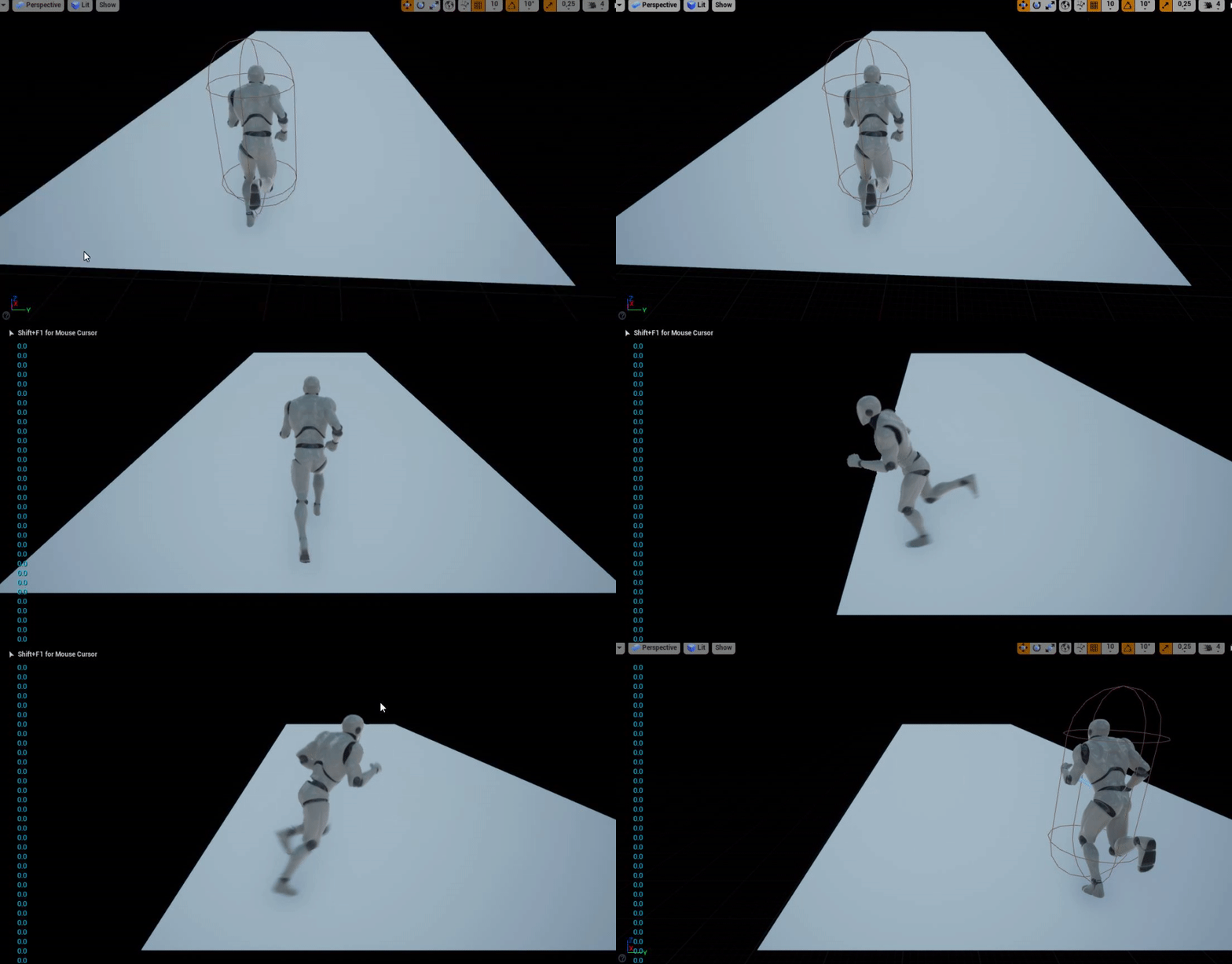 maiden wadi
Open the character, and select the CharacterMovementComponent.

In details, find this. Does it look like these settings?
 soft peak
yes
maiden wadi
Kay. Just make sure both of those are unchecked. After that you should have zero rotation while moving.
soft peak
oh wow you are right 🙂
maiden wadi
What world direction does your runner go in? +X or +Y
soft peak
+X i guess
maiden wadi
@soft peak Alrighty. Something like this is likely what you're after I think.

Only affects Yaw rotation, since you don't normally want to pitch or roll a character.
soft peak
woah thanks alot @maiden wadi!!!
i will give it a try!
maiden wadi
Alter the bottom left vector to change the world direction you want it clamped to. Alter the +45 to alter the rotation's clamp. And alter the InterpSpeed on FInterpTo to affect how fast it rotates.
soft peak
dumb question, but how did you "expand" the "SetActorRotation?" so you have 3 separate pins instead one?
maiden wadi
Realized a small mistake. You'll want to change the math to this, otherwise it'll break if you change that vector away from 1,0,0

Er. Man I'm slow today. This one is correct. Haha.
 arctic sapphire

Hello, I'm currently trying to build a little inventory system. When I pick up, lets say, "Item 1", it gets added to the inventory like it should be. When I add another "Item 1", it adds 1 to the Item Count of that item and does not add another one to the Inventory, as it should. If I now pick up "Item 2", a different item, it gets added to the Inventory aswell, as it should. When im now picking up "Item 2" for the second time, it does not find the already exisiting item of that in the array and behaves like its a new Item thats not in the inventory yet. Why is it doing that? Can someone spot the problem in the blueprint? If there are any questions, just let me know. I hope you can help!
maiden wadi
Yeah. Right click the purple pins and break the struct.
dawn gazelle
arctic sapphire
The one thing I think I can see is that your first loop, you're not really iterating over the entire inventory - you're only looking at the very first item in it and based on that judging if it's a new item or not as you have that branch there, and both of the paths lead to the break of the loop.
soft peak
haa, oh god, thats hidden!! 😄 thanks so much!!
arctic sapphire
dawn gazelle
The one thing I think I can see is that your first loop, you're not really itera...
Oh I think I see something ,,wrong" there aswell. My idea behind it was that it should look through all the items and as soon as it hits a matching one it should set the bool to false because it wouldnt be a new item and then break etc., but it wont work like that because its basically already breaking after the first ,,result", no matter what. How could I achieve that tho? That it looks through the whole inventory, sets and breaks at the matching array item and will only set it as a ,,new item" if theres really no match in the whole array?
dawn gazelle
Set "New Item" default to true. If the items ID match, set new item false and break the loop. If false, do nothing (let it continue to loop)
Doing this should also allow you to skip the inventory length check prior to the loop.
If there's nothing in the inventory, then the loop will automatically complete, so it would be a new item, and continue to do what a new item does.
Your new item code will also run into problems as everything you're doing on the "Completed" portion of that loop is pulling the array index of the last object in the array and manipulating values of that inventory item (which you shouldn't be if you're adding a new item).
arctic sapphire
I tried it out and now its not recognizing any new items anymore. Probably because it sees everything as a not-new item because the bool wont get set to true anywhere if theres no match in the array?
dawn gazelle
The bool should be set to true by default.
arctic sapphire
It is, but if it once gets set to false, itll stay like that unless set to something else again?
dawn gazelle
It's not a local variable set within a function?
arctic sapphire
Its basically just a variable in the blueprint
I fixed it btw, just added another set at the false branch
 gusty shuttle
Hey folks, is it possible to extract your data table and make it a excel file?
maiden wadi
I don't know about an excel file specifically but you can export it to a CSV, which I'm sure can be imported to excel.
gusty shuttle
Cool, I need to learn how to do that haha @maiden wadi
dawn gazelle
gusty shuttle
Hey folks, is it possible to extract your data table and make it a excel file?
Yes, find your table in the content browser, right click and select Export as CSV (shoudl be at the top)
arctic sapphire
dawn gazelle
Your new item code will also run into problems as everything you're doing on the...
Whats the problem there? It takes the last item because I thought the new item would get added at the end of the array, and therefore I want to manipulate the last index (which would be the newly added item)?
gusty shuttle
Done and done, thanks @dawn gazelle @maiden wadi
 dawn gazelle
arctic sapphire
Whats the problem there? It takes the last item because I thought the new item w...
dawn gazelle
arctic sapphire
Whats the problem there? It takes the last item because I thought the new item w...
Ah I missed the add before it happens.... Well, really, you shouldn't necessarily be looping just to manipulate the values of the last item of the array... Just use a last index node with reference to your array.
 arctic sapphire
dawn gazelle
Ah I missed the add before it happens.... Well, really, you shouldn't necessaril...
arctic sapphire
dawn gazelle
Ah I missed the add before it happens.... Well, really, you shouldn't necessaril...
Oh thanks, I didnt know that node existed! Are there other optimization possibilities besides that? Im still fairly new and dont know whether the way im doing it is the ,,best" or even the right one
gusty shuttle
My next question is, how many rows is too many rows for npc dialogue before you start seeing slower response times?
In a Data Table that is
dawn gazelle
arctic sapphire
Oh thanks, I didnt know that node existed! Are there other optimization possibil...
You could probably skip that whole last bit entirely as you could be using a "Make Item" node to add the values before adding it to the array (or as you've already done, use the set members in item node)
arctic sapphire
dawn gazelle
You could probably skip that whole last bit entirely as you could be using a "Ma...
I think imma just stick to the Set Members node, but thanks for your help and advice btw!
dawn gazelle
And really, you should be trying to compartmentalize your code into functions - this gives you access to use local variables that can have their own default values that will be reset on each execution (like the boolean we were talking about) and functions can take input values that you can also access like standard variables within the function (so you don't have to have tons of wires all over the place).
arctic sapphire
dawn gazelle
And really, you should be trying to compartmentalize your code into functions - ...
Functions like ,,Pick up new item" and ,,Pick up already existing item"? I once looked into the topic of functions, but it seemed a bit complicated to me, but I will try to look into it a bit more, I can definitely imagine it looking nicer than the current setup!
dawn gazelle
arctic sapphire
Functions like ,,Pick up new item" and ,,Pick up already existing item"? I once ...
Yes, very much like that. It makes it easier to follow along and is a way of preventing duplicate code that does similar things.
And then when you want to get more advanced, you can make components... An inventory is one such thing that works great as a component because maybe you want other things that act like inventories in your game.... Like storage, or a reward chest.... Then you can attach those components to other actors so that they can have their own inventories that you can interact with, without having to recode your entire inventory system into another blueprint.
arctic sapphire
dawn gazelle
And then when you want to get more advanced, you can make components... An inven...
Oh yeah, Ive actually thought about doing something like that, but I wouldve just pasted the code I guess. Do you talk about these Blueprint Interfaces or am I mixing something up?
dawn gazelle
Not sure what you mean. Talk about what blueprint interfaces?
arctic sapphire
Just a normal blueprint interface you can add to other blueprints, I heard about it being good for adding systems like an inventory to other stuff, but you probably meant something else with ,,components"?
dawn gazelle
Interfaces are usually used for communication between blueprints. A component is something that is added to a blueprint, like a Skeletal Mesh Component... In this example, I have a "MainInventory" component and a "MissionManager" component.

These are attached to my player controller... and within the component contains the code for what it needs to do on its own.

And since this is a component, it can be added to any other actors you may want, you just build out how it works with that particular actor within the actor's blueprint.
thick parrot
Is "still there" or is now there?
cause I'm on 420 and that is not a thing
so guess is new
was pretty weird that that could have possibily been removed since it would have broken many projects
so yes, the more senseful reason is that it's a new thing
never saw it in past and it's not on 420
so guess that's it
arctic sapphire
dawn gazelle
And since this is a component, it can be added to any other actors you may want,...
That looks interesting! Would you mind if Id send you some of my other gameplay ,,systems" to get some more advice on optimization or stuff like that later? Id appreciate it!
 gleaming oar
Hi guys ! Can someone help me, i'm trying to attach a spline point to a socket, or at least update spline point world location depending on socket world location but I can find a way to make it works ? Thank you

 fallen glade
How do I get my pawn self in a function library? do I have to cast to self?

 hollow cape
the target is already self @fallen glade , if the call is on the pawn you don't need to connect anything to the Target pin
fallen glade
I guess it can be fed directly, this is the error I get with no self @hollow cape
 hollow cape
Well yeah, that's being called on a class that doesn't inherit from pawn, so self wouldn't be appropriate
You could add a pawn reference as an input, and feed it Self when calling it on a pawn
fallen glade
yeah i've done that
dawn gazelle
arctic sapphire
That looks interesting! Would you mind if Id send you some of my other gameplay ...
Post your questions or requests for help here. If I catch it and I can answer it, I will.
fallen glade
Could someone explain to me what this "WorldContextObject" is please? I'm confused

it's popping up everywhere in my function library
twilit heath
static libraries don't have a world context
fallen glade
so just leave empty?
twilit heath
so they can't use functions that require world
fallen glade
?
twilit heath
no, it will at best, give bad return, but more likely crash
fallen glade
.... what do you mean "world" ?
twilit heath
the functions that use other functions requiring world context need to take a UObject* as a parameter
fallen glade
what shoud I plug in?
fallen glade
so if I plug the actor using the function it should be fine right?
fallen glade
ok thank you! what did you mean before by "world"? what is it?
fallen glade
I don't get it but thank you
twilit heath
and anything that has to be able to read from the world - nav, line traces, getting gamestate/gamemode
needs a world context to work
fallen glade
oh I think I sort of get it now
twilit heath
normally
when you call those functions from an actor
actor is a valid world context itself
so blueprint just hides the WorldContextObject pin
fallen glade
wouldn't that work if I use a function from a library? Why can't it collect the actor is trying to use it?
anyway I get it, thank you for your time
twilit heath
it doesn't know which actor is trying to use it
unless you send it as a function parameter
fallen glade
I see,, thank you so much, very helpful as usual 🙂
severe geyser
hey folks, Datura shared this with me to create a progress bar timer. I didn't have a chance to try and implement it. I am working on it now, but I am not sure where to construct this? Would it be in the event graph of the widget, or the progress bar bind?
 keen pendant
Hey so I'm trying to create an overlap effect where when one BP (player character) hits another BP (bowling pins) they get launched in the air and disappear. I've set up a material on the 'bowling pins' to dissolve a parameter via timeline. This works great for a single pin, but since I'm replicating the same BP - it ends up only running a single instance. How can I get each BP to trigger its only dissolve fade when overlapped?


 onyx palm
anyone able to tell me reall quick where i can change it to add more frames to Level Sequencer...from 200
burnt nest
keen pendant
Hey so I'm trying to create an overlap effect where when one BP (player characte...
Just spontaneously, I'm thinking you need to assign a dynamic material instance so that they're each unique.
 trim matrix
Im trying to play a camera shake. This is the settings for the shake and Im using the play world camera shake node with the shake put in as the class, but the camera shake isnt playing. And I used a print string so i know that the play world camera shake is being called. What am i doing wrong?
 supple plank
I'm trying to make a circular wave that expands and would act as showing the line of sight of the player, does anybody have an idea of how i could make this circle hollow and make it expand? it's made with an environment query

 nova ledge
Hello everyone! I'm trying to make it where my character's head turns to a certain degree by having it follow the camera. I did follow a video on how to do it, however, when I play in the world test thing and click ESC, I get a "Bluprint Runtime Error: "Accessed None trying to read property FollowCamera". Blueprint: AnimBP, Function: Head Rotation Func 1, Graph: HeadRotationFunc1, Node: Set." Everything works fine when I play it, but this still concerns me. What exactly does it mean and how do I fix it? Or is there a better way to do this? Here's what I got right now...
 trim matrix
nova ledge
Hello everyone! I'm trying to make it where my character's head turns to a certa...
trim matrix
nova ledge
Hello everyone! I'm trying to make it where my character's head turns to a certa...
use an is valid with your camera
nova ledge
trim matrix
use an is valid with your camera
Where would I put that exactly? I tried that but then the head rotation won't work
trim matrix
drag off of your camera and get the is valid with the question mark icon and put it after your cast. it should still work if its working already
if not then idk im stupid
nova ledge
Oof, I swear I did that earlier XD anyway, it works now. Thank you!
burnt nest
trim matrix
Im trying to play a camera shake. This is the settings for the shake and Im usin...
Have you tried a positive value for the roll amplitude? I'm not sure why you'd put in a negative amplitude.
trim matrix
so it would rotate the other direction. I figured it out though. Needed to set put the actor location in for the epicenter
 coarse forge
Question about destroying and spawning actors
I'm getting Blueprint Runtime Error: "Attempted to access Axe_BP_2 via property K2Node_CustomEvent_ActorToDrop, but Axe_BP_2 is pending kill". Blueprint: MainCharacter_BP Function: Execute Ubergraph Main Character BP Graph: EventGraph Node: Branch
so I destroy the actor.. after storying it in a variable on the character
then later an event if you press the button 'drops' the actor or spawns it
from that variable
I'm guessing its keeping a reference or pointer to the original actor?
soft peak
@maiden wadi helped me to realize completing the "third person blueprint class", so the player can only rotate to a min/max to left or right while "a" or "d" is pressed,
this is what it currently looks like (sadly it does not work as expected, "a/d" doesnt trigger anything)
and since i actually dont know what i made up (i just copied from the screenshot he kindly served) i do not see any errors...
 maiden wadi
InterpSpeed is zero.
trim matrix
coarse forge
Question about destroying and spawning actors
You are destroying the reference you made you need to find a way to get rid of your actor without destroying it
coarse forge
trim matrix
You are destroying the reference you made you need to find a way to get rid of y...
like set actor hidden in game?
trim matrix
i mean yeah you will also have to disable collision as well
coarse forge
why doesn't destroy and spawn work
or.. better question.. how to spawn a new instance of that actor
trim matrix
you're storing a refernce to the actor in the variable then destroying the reference
soft peak
oh you are right @maiden wadi -.- (dumb me)
but still it doesnt trigger a thing
coarse forge
trim matrix
you're storing a refernce to the actor in the variable then destroying the refer...
So instead of the get class here.. just choose the actor bp I want to spawn
