
#blueprint
402296 messages · Page 659 of 403
 soft peak
soft peak
soft peak
maybe there is a misunderstanding @maiden wadi the mesh isnt actually running forward, it just "pretends" it (it just plays the run animation)
(sorry maybe i didnt said that)
 maiden wadi
@soft peak Why is MoveRight unhooked? Tick if the node you want. It runs at the same frequency as Axis events. Once per frame drawn to the screen.
soft peak
@maiden wadi yes, indeed 😄 the mesh moving again left/right
but still without any rotation (i am so sorry for asking so much, i find it really hard to digest all that blueprint stuff)
 native ice
question whats the best way to go about getting what my player clicked on? What i mean is i need to be able to tell if they clicked on a location of if the clicked on a unit and then i need to get said location or object reference
 coarse forge
Are you looking for this?
 maiden wadi
@soft peak Hmm. Bump InterpSpeed up to something like 100. Should be overkill, but if that doesn't turn at all. I might have to revisit that. Seems like it should work.
soft peak
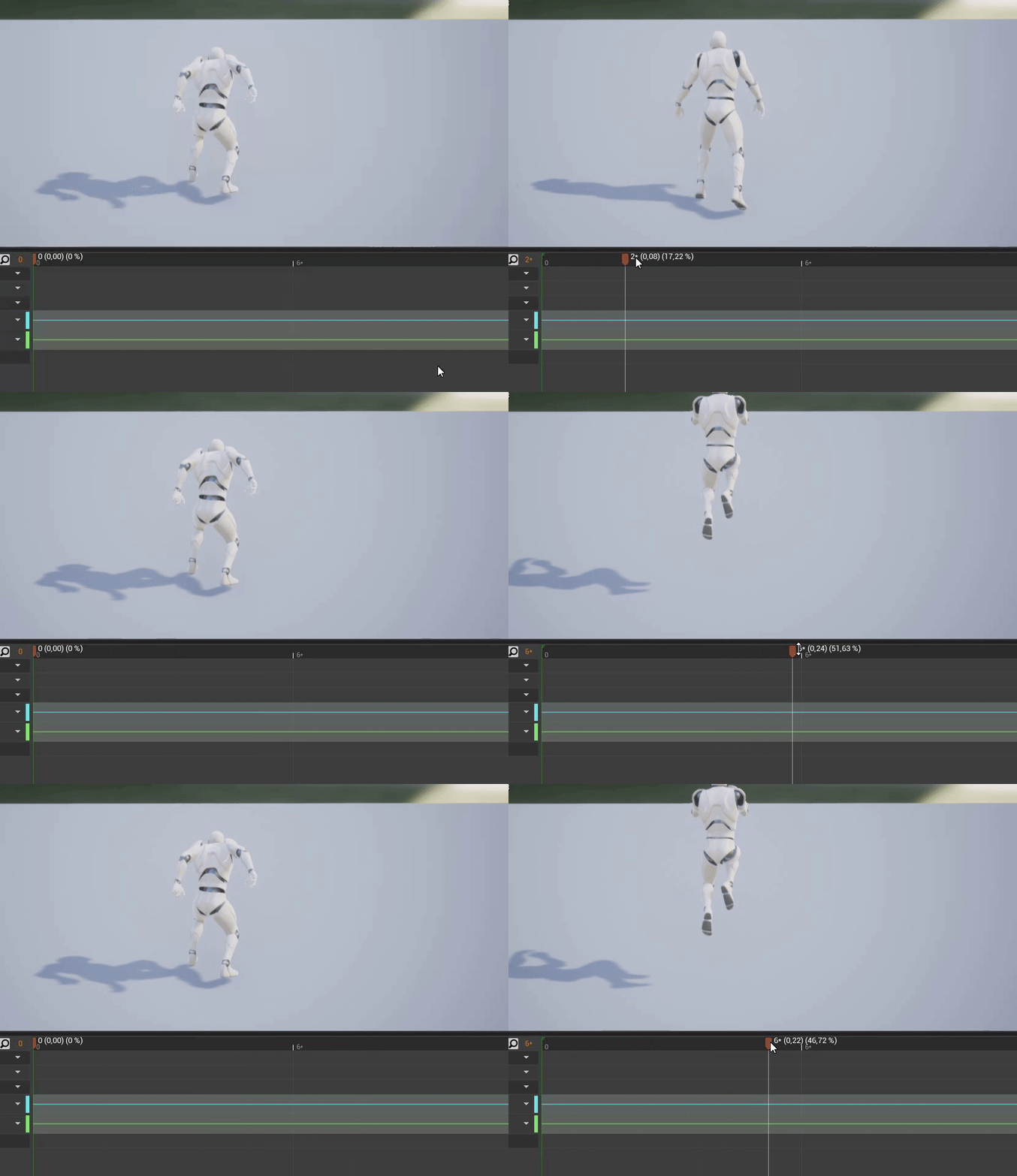
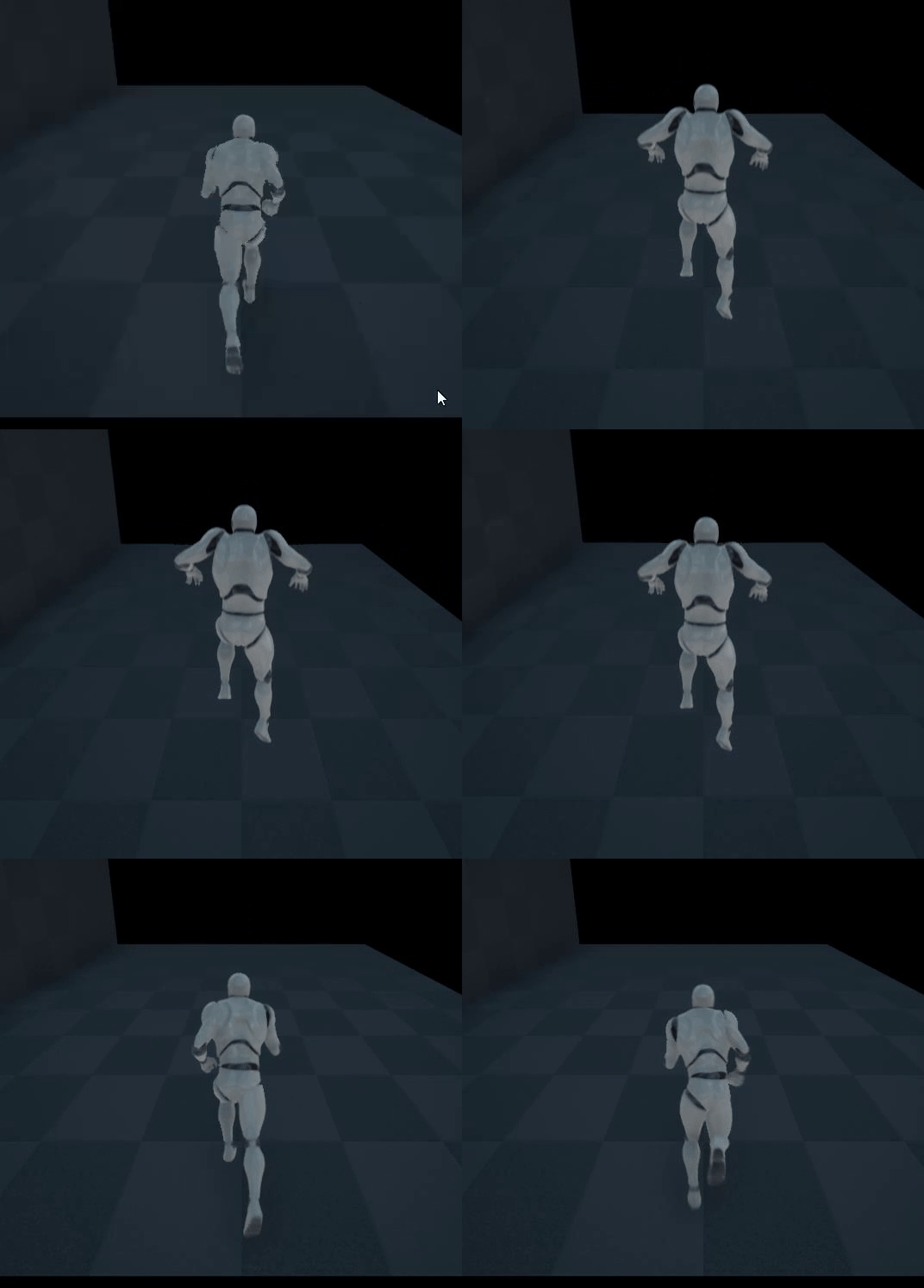
i actually just did that, it turns straight into a direction (but without any "interpolation"-feeling 🙂 )
coarse forge
Okay so hiding and showing actor seems to work.. minus.. it doesn't update the actor location when it un hides.. I've tried reversing the set actor hidden and set actor location nodes. I've tried the get actor location of my character vs get world location of my character mesh.. what am I missing here?
 maiden wadi
Mess with the Interp speed a bit then. InterpToConstant might also serve a little better for more consistent rotation speeds.
 burnt nest
coarse forge
Okay so hiding and showing actor seems to work.. minus.. it doesn't update the a...
burnt nest
coarse forge
Okay so hiding and showing actor seems to work.. minus.. it doesn't update the a...
Try setting the mesh visibility to false instead. If the location doesn't update, I imagine that Hidden In Game is not what you want.
soft peak
maiden wadi
Mess with the Interp speed a bit then. InterpToConstant might also serve a littl...
InterpToConstant didnt worked at all (also not with increasing the interp speed),
also increasing the interpSpeed for "FInterpTo" isnt quite working
the higher the interpSpeed the "lower" the rotation-radius the mesh is doing

 trim matrix
I Have some "arrows objects" that just spawn, I don't know how to make them spawn with some kind of physical animation.
 maiden wadi
@soft peak That's odd.. I wonder if it would cooperate better by moving the clamp to the other side of the interp.
 sand shore
How's it goin?
maiden wadi
@soft peak How about something like this?
 soft peak
works much better now!
thanks so much!
https://i.gyazo.com/32c24a7c52618c43806818a3b90d9b19.gif

 keen pendant
@burnt nest shoutout - the MID works like a charm. Thanks mate!
 glad coral
Hey guys i need some help. I want to spawn fire based on the character's location and rotation..But if i just get his rotation and connect it,also location(x,y) and make some vec+vec to get a little distance forward ,when the character is rotated the fire is spawned on my side not straight.I want to only spawn the fire in front of me and little bit distanced forward from the current position.Has somebody any idea how i can make that(to spawn the fire always in front of me and a little bit distanced forward?
 gentle urchin
Get forward vector * distance
 restive needle
My child actor component has public vector as a 3D widget. It doesn't appear when I drop the actor that creates it in the level.
Am I doing this wrong?
 limber seal
hoping somebody can help me, I am trying to make a very basic missile launcher that simply spawns a missile actor every second which then flies over to the player. The missile works separately without the launcher as intended, but this blueprint for the launcher is causing issues. Im trying to have it spawn a missile above the launcher, which is the "MissileSpawnPoint" sphere component I have added to the LauncherBP. When I press play it gives the following error and nothing ever spawns:
blueprint runtime error: accessed none. blueprint: spawnmissile Function: execute ubergraph spawnmissile

 elfin hazel
So this is in a behaviour tree. Be sure that the "launcher ref" has been set.
limber seal
When I try to select the actor in the world to represent the Launcher on the tree it doesnt select it and it just stays set to None. Probably a beginner mistake so I apologize
elfin hazel
I'm not sure what to suggest. If the variable clears to none, then it's going to be none when you try it. But why would it do that? I'm not sure.
 ember plinth
blueprint guides?
elfin hazel
How are you trying to set the variable though That's what I don't get. How you're trying to add an instanced actor directly to a BB value.
glad coral
gentle urchin
Get forward vector * distance
I've fixed it on easier and different way.It wasn't working with the forward vector idk why but i fixed it getting the world transform of a arrow component which i made distanced,i've breaked it in location and rotation and plugged in.Anyways thanks a lot.
keen pendant
My skeletal mesh seems to just fall over whenever I click the simulate physics box. How can he remain in his idle pose until something bumps him?
limber seal
I create a new variable in the BT task and set it to type Launcher Object Reference, which is my missile launcher object that has the sphere component on it representing where I want my missiles to spawn. That sphere is called MissileSpawPoint which I then get the location within the world of
but on this screen at the top right that drop down has Launcher as the only option which is what I want but if i choose it, it just styas as none. it makes no sense

 earnest tangle
It most likely does not allow you to put refernces to objects in the level into it
since there's no guarantee it'd exist when the BT runs
you would need to assign it into the blackboard and read it from there
burnt nest
keen pendant
My skeletal mesh seems to just fall over whenever I click the simulate physics b...
Simulating physics is mainly for ragdoll, not for your typical walking person. If you need something more in between sort of like Fall Guys or some other physics game, look for some tutorials on constraints and such or ask around in #legacy-physics 🙂
 strange stream
Hey guys, tips for adding a simple knockback in a 2d game?
 earnest tangle
calculate direction from source to target being knocked back, then apply force or movement into that direction on the target
 late marsh
Hey guys, been messing about with physical animations which are working fine. Only issue is when the character is meant to interact with forces such as the radial impulse on my bomb it doesnt "move" the player.
Any ideas on how to fix this, happy to send screenshots
It effects limbs and makes them bug out but theyre rooted to my pelvis
ie the pelvis is not effected by the radial force thus making he character unable to move

Bone variable set to "pelvis"
late marsh
My pelvis has to have simulate physics enabled but this will ruin my physical animaions
 charred latch
Why do I lose the ability to input anything and even lose my hud widgets when switching from GameStateBase to just GameState in project settings?
 twilit heath
because both GameMode and GameState have to be Base, or neither can be Base
can't mix and match them
your output log did print some warnings about that, too
your BeginPlay never got called on the World because you did
 earnest pendant
Is there any reason an OnHit and OnBeginOverlap won't trigger during a Montage?
native ice
is there a way to tell if a player has clicked on an actor/pawn or if they just clicked on the ground? (im working in top down)
 faint pasture
native ice
is there a way to tell if a player has clicked on an actor/pawn or if they just ...
faint pasture
native ice
is there a way to tell if a player has clicked on an actor/pawn or if they just ...
You trying to use the actual click interface or just get what's under cursor when button is pressed?
native ice
rn ive got a left mouse click input set up but im really just looking for anything thats efficient
@faint pasture
coarse forge
burnt nest
Try setting the mesh visibility to false instead. If the location doesn't update...
thx trying now
well that didn't work at all
still confused why this doesn't work.. when I go to drop my axe bp actor.. the new location is correct to the new location of my player character.. but the axe bp character never moves to that location.. its always back at the original location

I tried set visibility of the mesh.. it didn't work at all
so went back to this, but I don't understand why the actor doesn't move
faint pasture
native ice
rn ive got a left mouse click input set up but im really just looking for anythi...
Get Hit Result Under Cursor
it should return the actor
faint pasture
coarse forge
still confused why this doesn't work.. when I go to drop my axe bp actor.. the n...
Is the root component of your grabbed actors the part that's simulating physics?
coarse forge


is the second screenshot check box supposed to be true?
the mesh is simulating physics
the root component doesn't seem to have any settings for it
lol..
so
if i remove physics on the mesh
it works
so physics doesn't allow you to relocate a hidden actor
interesting...
thx @faint pasture
 flint vector
how would i spawn/fade in a particle effect on the character
earnest pendant
Literally none of these will fire during my Montage

 worthy frost
why would they ?
earnest pendant
They are intercepting my enemy with this collission
 worthy frost
if its a sword should you not be doing overlaps rather than blocks?
earnest pendant
hrm, weird overlap wasnt working earlier, but now it is. well, thanks
 pseudo tusk

hi im experiencing this error whenever 2 of my custom events come into picture in the blueprint view
flint vector
how would i spawn/fade in a particle effect on the character
i want a trail to appear when a button is pressed and disappear when pressed again
 north hedge
@pseudo tusk Open the log file inb the Click Here To View Your Directory" and throw it in here/read through it. Also use breakpoints to see any issues beforehand
north hedge
Does it crash the editor on launch?
pseudo tusk
no just when i open the containing graph
or if i expand the graph when i move the blueprint window towards it
north hedge
Sounds like its invalid or corrupt
north hedge
flint vector
how would i spawn/fade in a particle effect on the character
sorry Panda
Im answering you now
pseudo tusk
older version of it works fine though and ive had some success moving over the older functionality with is identical i guess
it crashed earlier when i tried that again
unsure of exactly what is causing it
corruption i'd assume or faulty wiring of blueprints
i use blueprint assist and it can sometimes make some weird wiring decisions
flint vector
were you replying to me every time?
pseudo tusk
im currently rebuilding the engine to see if i can disable that check that crashes the engine
other than that a temporary solution at the moment is me just using an older version of the functionality
flint vector
ohhh i thought i was going crazy because discord kept giving me notifs
north hedge
To spawn a particle effect system just add an On Hit > if ParticleEmitterActive is False > spawn particle emitter, then set a boolean to true for your ParticleEmitterActive bool
On False just destroy the reference to the particle emitter
pseudo tusk
but i dont believe this strictly to be my fault and it might be an internal engine bug, ive seen someone else on the forum with the same issue
north hedge
What are you doing that requires you to build engine from source?
There'd be an easier way but today is chaos, so I'm not going to try (Pandahero)
flint vector
ok
pseudo tusk
in the internal C++ code for the blueprint connection drawing policy theres a "check" thats crashing the engine
north hedge
Did you throw a breakpoint on it and run through the call stack to see where it leads to?
pseudo tusk
nah i shouldve
north hedge
If you can fix it absolutely PR it on the Github
pseudo tusk
all i did was comment it to see if that fixes it

that check() function is whats crashing it
north hedge
That looks like a coor bit of BP
Yeah, check isn't crashing it
Check is checking its == 1
and its not
 dawn gazelle
What's probably happened is that there's an execution pin somewhere connected to more than 1 other pin when it's not supposed to. Sure sign of BP corruption.
pseudo tusk
nah its corruption or something i'd assume
because i have an older version of the project with the exact same functionality
no crash
north hedge
Did you upgrade the project?
pseudo tusk
nah but i tested it on 4.24 and 4.26 because i have 2 versions of the same project
same thing
the only thing that fixed it was going back to an archive from february i have and taking the functionality from there
nothings been changed with the functionality since february though
so its most likely corruption
im unsure if disabling the check will fix it
probably not
worth a try tho
for the meantime using the older functionality works fine i guess
since its identical but its a bit scary if its gonna happen again
dawn gazelle
Do you have custom nodes made in C++?
pseudo tusk
no
dawn gazelle
Use function libraries at all?
pseudo tusk
not in this situation
it has to be project specific corruption
because its only happening on versions of our project post march
february version isnt experiencing the issue in that blueprint region despite the functionality not changing
dawn gazelle
I've come across this problem myself before and I think it boiled down to I modified a node that was connected already in a blueprint, and after the change, the exec pins were no longer valid so the blueprint attempted to reconnect the pins and failed at doing so correctly :/
pseudo tusk
hmmm
i copied over the older functionality tho and it works
the copy paste might've refreshed it i guess
most of these are just internal nodes though in these 2 specific functions
dawn gazelle
Yeah so probably not exactly the same problem I had. Real PITA when a BP goes rogue.
pseudo tusk
theyre both about a year old though and quite poorly programmed
prototype functionality that never got replaced

example of one of the 2 crashing sequences
the common trait between the 2 crashing blueprint sequences is that they both use reroute nodes heavily
sand shore
@pseudo tusk you might be able to dodge that check, but are likely to get issues with bytecode gen
To fix this you wanna audit everything to do with knot connections (even things like the post paste function, among other funcs I can't remember the name of)
the problem is whatever caused the corruption, so unless you wanna resolve the many linked pin by dropping one of the connections and marking it dirty ...
 little cosmos
Is there a way to make UMG run on object without opening on screen?
ie. my UMG is shown on TV screen
 trim matrix
Hey guys, i am having a little issue with a sphere trace. I am using it to check if my attack has hit enemy and then apply a specific amount of damage, the problem is that during the animation the trace overlaps multiple times with the enemy and it applies the damage for each of the overlaps, is there a way to apply it only once?
regardless of the times it overlaped*
 stuck fossil
trim matrix
Hey guys, i am having a little issue with a sphere trace. I am using it to check...
stuck fossil
trim matrix
Hey guys, i am having a little issue with a sphere trace. I am using it to check...
Oh I might actually know this one. Are you using a Sphere Trace by Channel node?
trim matrix
yeah
stuck fossil
trim matrix
yeah
So at the very bottom, what is your draw time set at?
trim matrix
5.0
stuck fossil
trim matrix
5.0
So let me re-open my old project to double check but I think you have to set that really low, maybe even zero
stuck fossil
trim matrix
one sec
I should probably still double check because Im not sure Im right about that but I definitely had a similar problem before.
trim matrix
draw time 0 still got me 4 hit results back
stuck fossil
trim matrix
draw time 0 still got me 4 hit results back
Oh you know what, I apologize, I actually ended up solving that by setting up a delay and a boolean after it was hit so it would only be able to register the first hit and have a second or so where the remaining hits wouldn't register, and that seems incredibly messy
I apologize, I thought I had an actual answer for once but it appears I jumped the gun
trim matrix
Still its a solution, ill give that a go for now
thanks mate
question I know how making widget but I don't know how to add icon material to my list
 stuck fossil
trim matrix
Still its a solution, ill give that a go for now
stuck fossil
trim matrix
Still its a solution, ill give that a go for now
Of course. Something with a gate might be a slightly cleaner option if you try that out. Somebody else said a "do once" node might also be cleaner
trim matrix
i tried the do once, it didnt work for some weird reason
stuck fossil
Thats odd, Ive never actually used do once myself but I feel like thats how that should work lol
trim matrix
from what i can tell from the results i am getting back, it reports all successful hits at the same time and applies the damage that X amount of times once regardless of the do once node. Ill keep looking into it 😛
stuck fossil
trim matrix
from what i can tell from the results i am getting back, it reports all successf...
Do you have the "do once" node set up in your sphere trace or in the code registering the hit?
 young stratus
Like " Phasmophobia " ?
trim matrix
i had it right before the apply damage node
stuck fossil
Oh thats really weird then
trim matrix
i got the trace to keep firing when i play the anim montage but only trigger the damage once
young stratus
Phasmophobia have that system
" When you talk, the ghost come to you "
stuck fossil
trim matrix
i got the trace to keep firing when i play the anim montage but only trigger the...
Yeah the best I can think is to have a gate that closes when hit and reopens at the end of yyour anim-montage or something to that effect
I might have just explained that backwards but
trim matrix
I havent thought of gate.. could work
stuck fossil
trim matrix
I havent thought of gate.. could work
I feel like it would at least be cleaner than delays and booleans lol so maybe that would do the trick
young stratus
Hey everyone! I have a problem here, i already take off the shadows off my all " Foliage " and is all the time the same problem
 stuck fossil
young stratus
Hey everyone! I have a problem here, i already take off the shadows off my all "...
stuck fossil
young stratus
Hey everyone! I have a problem here, i already take off the shadows off my all "...
My understanding is that warning basically just means that whatever you painted with the foliage brush will only support lightmaps for the base LOD, and not any lower LODs. If I'm correct, this basically just means that the static lighting wont be great at lower LODs when you get further away but I dont think it's anything that would cripple your game. The last warning is just for light importance volumes.
If Im correct, basically the shadows just wont look great when you're further away, but if youre further away I doubt you'd see shadows anyways
 spark steppe
is there some way to force unload an asset in editor (which seems to stay cached for editor purposes)
as currently my grooms keep eating my vram when testing around 😭
young stratus
Wow i see now, i was thinking " resolve " this because when i build my lights my project crash all the time, i already try find help on forums and i already did what they said
And appears the same problem
stuck fossil
young stratus
Wow i see now, i was thinking " resolve " this because when i build my lights my...
Its possible adding your importance volume will help with lighting crashes
But as far as I can tell these warnings alone wouldn't cause crashes when building lighting
I dont think at least
young stratus
PostProcessVolume is not the same thing?
I have one in my all map because of the light
 ancient topaz
Hi all! I have a problem. I have a cut scene, where one of the objects is just moved a few meters away, but when the playback of the levelsequence ends, the object goes back into place. Is there any way to make it so that after playing levelsequence all objects stay in their new places and not go back to the beginning?
 stuck fossil
young stratus
I have one in my all map because of the light
stuck fossil
young stratus
I have one in my all map because of the light
Nah, theres a thing called something like "Light Importance Volume," youll wanna just scale that to fit your scene
young stratus
ancient topaz
Hi all! I have a problem. I have a cut scene, where one of the objects is just m...
Wow ok, i will try that then, thanks @stuck fossil
By the way, you are portuguese?
stuck fossil
young stratus
Wow ok, i will try that then, thanks <@!353056042805886976>
By the way, you are...
nah Im from the US, Im just a night owl lol. Hopefully that will help you out some
young stratus
I have LevelSequence on my project and i mark all the time the " Pause at the end "
If the levelsequence have the same think try to mark and see what happens @ancient topaz
young stratus
stuck fossil
nah Im from the US, Im just a night owl lol. Hopefully that will help you out so...
I was asking because of your name aha
stuck fossil
young stratus
I was asking because of your name aha
haha that makes sense. Nah I was just trying to combine "Bear" and "Turtle" in different languages lol
ancient topaz
young stratus
I have LevelSequence on my project and i mark all the time the " Pause at the en...
Thank you!
German
young stratus
stuck fossil
haha that makes sense. Nah I was just trying to combine "Bear" and "Turtle" in d...
Ok then, nice idea 🙂
 tropic oracle
hey this should be and easy thing but i can't find how to do it how can i update the size over time and not instantly?
 stuck fossil
tropic oracle
hey this should be and easy thing but i can't find how to do it how can i update...
stuck fossil
tropic oracle
hey this should be and easy thing but i can't find how to do it how can i update...
You could try a timeline node
 stuck fossil
Hmm. I dont have it loaded up in front of me but is there a different node called "Set Actor Relative Scale 3D" Instead of just a "Set Actor Scale 3d?" That might be part of it
Oh wait maybe Im thinking of Set World Scale 3D, hold on let me open it up real quick
stuck fossil
tropic oracle
alright ty very much!
Oh okay I think I know what's going on.
Yeah
I dont exactly know what this discords policy is on posting youtube videos but I think I found something that would help soooooo....

#ue4 #beginner #blueprint #shrink #gun
How to create a gun that will miniaturize anything you want in your world!
tropic oracle
tysm ❤️
stuck fossil
This guy set up a shrink ray type thing but the last section of code he does there I think is about what you're looking for
tropic oracle
yes i could use this to reverse it and enlarge the items 🙂
stuck fossil
Yeah, exactly. I hope that helps some
spark steppe
you can post videolinks when they are relevant to a problem
tropic oracle
great
stuck fossil
Ah okay cool, thanks for the clarification
I didnt want to get in trouble but still lol
 torpid iron
Is there a way to have media widget play only once when the game opens and not every time i go to that level
little cosmos
Hi! I am trying to make a continuous 3D widget where you place multiple instances of the same 3d widget in the level and they sync
Currently not working
stuck fossil
torpid iron
Is there a way to have media widget play only once when the game opens and not e...
So I actually do have a kinda solution for that but it might be a bit messy. If you store a variable in the game state, you can call that game state in your widget and check that variable, so like if you made a simple Boolean for "Is this the first time this level is loaded?" and you tick it after that media finishes the first time, then you can check that variable when the widget is created and tell it not to play the media again if you're coming back to the level.
Thats how I did mine at least. It works but there might be cleaner solutions for it
im sorry Game Instance not game state
 dense bough
Heya! What are some gotchas when refactoring blueprint based projects?
i.e, when renaming events
torpid iron
stuck fossil
So I actually do have a kinda solution for that but it might be a bit messy. If ...
Thanks
soft peak
i tried to learn blueprint via tutorial + trial&error
yesterday with the help of a user i achieved that the player can move via keyboard only within a limited rotation-angle....yeyy 🙂
today i want to make that:
my mesh (player) is centered in the middle of the screen (and "running-anim is playing by its own),
now when the user is looking in a direction (only need the y-axis (like left-right)), i want the mesh to
- change its location based on the mouse-direction (left-right, or +y/-y)
should i fake the mouse direction as "get mouse position"?
and "max-y" == screenWidth
and center-y == screenWidth/2
and min-y == 0
what would be your approach to this?
young stratus
@stuck fossil I was thinking that this was going to work, but crashed again. Sad moment aha
 trim matrix
Is there a way to pause a linetrace after the initial overlap or set it to ignore an actor after the initial overlap?
adding a branch with a bool between the tick and the trace would work as a "stop" kind of thing though?
young stratus
You are talking about the files?
trim matrix
Thanks
young stratus
ok, give-me 1 minut
 worn nebula
Hey guys, I have a Event AnyDamage, what's the best way to get the hit location from it? I tried using point damage but that doesn't really seem to work, it doesn't deal any damage so I was wondering if there was a way to do it with AnyDamage?
young stratus
I think this can help
 icy dragon
If your engine folder is huge, chances are it has PDB files.
Oh right.
My stripped engine build has similar vague callstacks.
young stratus
I already tried take off all the shadows of the " Foliage " to see what happens. I have a GTX 1060 6G @trim matrix
I´m building the light again to get the file
I cant find the file to send
young stratus
@trim matrix This contain all the files of the error
 zenith pond
I feel like I'm over thinking this, I want to animate a car along a spline while avoiding sliding, so using a somewhat realistic center of rotation. Pointing the front wheels are easy enough, look a bit ahead and point to where you want to go, and the rear wheels are just following behind, but how do I realistically rotate the car for a moving pivot point that exists far outside the path? I feel like there's some averaging to do or some delayed straighting out of something that should work
young stratus
Thanks, soory for the ping.
 pale pecan
Hey guys, I'm struggling rotating an actor.
So in an RTS style game I want to move a unit with a right mouse click, all works fine. Now, I also want to hold right mouse and drag in order to make the unit face a desired direction once it has moved.
I am able to get the mouse position on click as well as on release and get a rotation using those, however I can't for the life of me get the actor to turn! Trying to input the rotation into rotate actor in various places in my code and its just not happening.
pale pecan
@trim matrix thanks. Didn't even cross my mind to check settings! 😫
 cursive brook
Got a bit of a problem so I was hoping someone here could help me out
So imagine your project no longer responds to any keyboard/gamepad input. What are all the things you would double check? I'm basically out of ideas at this point.
burnt nest
Also make sure input mode in the player controller is set to Game, or Game and UI. And that you are possessing the player pawn/character.
cursive brook
So I'm trying an empty actor BP with only an input event. Made it auto receive input from player 0 and dropped it in the scene. Nothing happens. Isn't that just weird in itself?
The input event overrides parent bindings and executes when paused
It's only related to this project, so yeah
Editor related inputs still work, like ~ ; and '
Well I've localized the problem to my player controller cpp class, so I have a lead!
Thanks for your help!
 fiery ridge
https://gyazo.com/8c70c22e7ffaf35a653c6771012a333f
I'm using orthographic camera but there are black bars on the sides. How do I remove them?
 pale pecan
@trim matrix I'm looking at settings and I can't see anything obvious that I need to change
character
they were exactly what I looked at and it all looks good to me
ok, thanks
I can't find any matching settings in the controller though
 dark prism
Can someone please help me with blueprints? I am at my wits end here. I have this movement blueprint, and it works fine, but it's a bit slow. I figure that, just like unity, multiplying the axis value by a speed variable will speed it up. First I just do a really simple Float * Float, where I'm taking the axis value and multiplying it by 5 (fourth pic), that doesn't work, so I set up a speed float (third pic), and then multiply axis value by speed (second pic), and it still doesn't work. No matter what I do with float times float, the character's speed NEVER changes. I'm assuming that the issue is it's not taking float times float, it's just taking the axis value, and spitting it out without bothering to multiply it by the speed value. How would I fix this?
Edit: sorry, they uploaded out of order


Oh my god. Thank you so much
 lapis lynx
Hi guys, wondering if anyone can help me with this issue, totally stumped.
In my game the player talks to NPC's and can sometimes select from a list of response boxs. These boxs have 2 forms, the normal one (on the left) and a shop variant (on the right).

What makes a normal VS a shop response box depends on if something is typed into the secondary field for a response. (the Shop Line will be recognised as a shop response, due to the 1 inside the subtext)

The problem I’m having is controller support. Normal response boxes work great and the player can focus on each and select between them as normal.
But if there are response boxes that have the shop variant, i cant move the focus between the responses. (in this screenshot im STUCK on the bottom shop line, i cant move up to 'normal line'.)

Here is the code for the focus (the same on both normal response and shop response). Is there something i’m missing?

Any help would be greatly appreciated!!! ❤️
The weird thing is, on this example where its a combo of 3 shop varients and one normal, I can ONLY focus between "Pimp" and "Cog". I cant focus on Nevermind or Puzzle Piece.

 white radish
strange (probably simple) issue I'm having. Rotating my spring arm is adding roll even though I add 0 roll to it. Anyone know why this might be happening?

stupid gimbals :p
icy dragon
white radish
strange (probably simple) issue I'm having. Rotating my spring arm is adding rol...
Use quaternions instead
white radish
I guess I can use Quats
icy dragon
Average rotator enjoyer: 😲
Average quaternion enjoyer: 💪
lapis lynx
Hmm any idea what might be going on with the foucs issue? @trim matrix
 vapid ibex
My head isn't quite working correctly lately, can somebody say how to find if fall will damage the player?
I have height of the ledge (so distance of the fall) and player's velocity threshold float variable beyond which they'll start getting damage.
So to find player velocity at the end of the fall to compare it with the threshold I need to just multiply fall distance by gravity strength, right?
 sharp sigil
Hi, I'm setting color based on coordinates in a blueprint in its construction script. The coordinate is set by another actor (lets call it actorspawner) in its construction script. For some reason the coordinate is returning the default, even though actorspawner is supposed to already have set the coordinate. Can someone let me know what to do?
ancient topaz
@vapid ibex Maybe if your speed >= X, And distantion to ground = Y, then damage = Z?
Or If your Flying speed >= X, then Damage = 50
If your Flying speed >= Y, then Damage = 100
vapid ibex
ancient topaz
<@!165539945526722561> Maybe if your speed >= X, And distantion to ground = Y, t...
No, I need to see if the speed will exceed threshold in advance.
ancient topaz
Do you have a flying speed variable?
dawn gazelle
vapid ibex
My head isn't quite working correctly lately, can somebody say how to find if fa...
There's a variable in the character movement component called "Get Last Update Velocity" which you'll probably need as you'd need to detect the player when they are landing in which case their velocity will already be 0 in the Z direction and the last update should be the frame before the landing.
vapid ibex
dawn gazelle
There's a variable in the character movement component called "Get Last Update V...
It's evaluated before player jumps off. Player's character not directly controllable, so I need to set up it so that they aborted pathfinding if ledge is too tall to jump off safely.
dawn gazelle
Then velocity shouldn't really factor into it? If you have a maximum height, just define the damage delt by a curve.
vapid ibex
I don't care about damage
It should be a bool that feeds into "if" that defines if path is traversible or no
dawn gazelle
"I have height of the ledge".... If height of the ledge >= "Minimum height for damage"
 upper adder
If i shoot my projectile it's always just exactly as fast as the initial velocity, but I'd like to have it add up with the character speed or you just run into the projectile.. how can i do that?
vapid ibex
 upper adder
If i shoot my projectile it's always just exactly as fast as the initial velocit...
upper adder
upper adder
If i shoot my projectile it's always just exactly as fast as the initial velocit...
Because here is no "Add Force" or "Add impulse" for a projectile..
burnt nest
upper adder
If i shoot my projectile it's always just exactly as fast as the initial velocit...
Just make the projectile faster than the player. Otherwise you could shoot when standing still, and then start running to overtake it anyway.
vapid ibex
dawn gazelle
"I have height of the ledge".... If height of the ledge >= "Minimum height for d...
The problem is that my fall damage model is velocity-based, not height-based
upper adder
burnt nest
Just make the projectile faster than the player. Otherwise you could shoot when ...
but it's a axe you throw so it needs to be slow
burnt nest
Then I challenge you to try and outrun a thrown axe. 😆
dawn gazelle
What happens then if you throw the axe while running backwards?
vapid ibex
dawn gazelle
"I have height of the ledge".... If height of the ledge >= "Minimum height for d...
Basically what I need is "if pawns enters freefall, what velocity will it have after falling [x] distance" equation
dawn gazelle
sqrt(2 * g * height)
This will tell you the velocity of something at impact falling at gravity g from a certain height.
 formal wren
Is it possible to create a template from a blueprint instance? For example I have dropped character blueprint into the world and set a lot of parameters on it... like size, health, armor, colors.... and I want to add that character variation in another map without setting all the parameters agein
Or do I have to create a child BP all the time?
 crimson sage
formal wren
Is it possible to create a template from a blueprint instance? For example I hav...
crimson sage
formal wren
Is it possible to create a template from a blueprint instance? For example I hav...
I think you can copy paste it into your other level
 winged totem
Anyone knows how to let gamepad joystick be more that 8 directions locked?
spark steppe
formal wren
Is it possible to create a template from a blueprint instance? For example I hav...
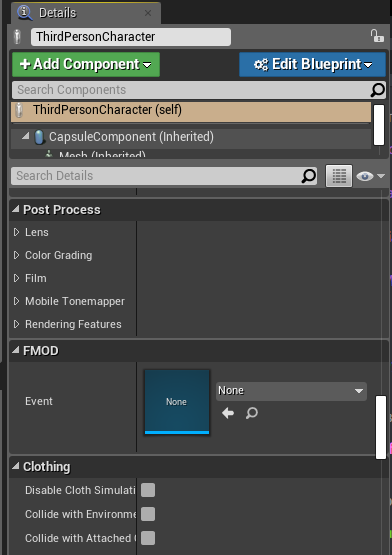
you can specify the settings as default, maybe also as new instance, not sure
when you select your actor in the world, check the dropdown menue in the details panel where it says "edit blueprint"
https://alessandrofama.de/wp-content/uploads/fmod-ue4-event-details.png the blue button on the top right in this screenshot
 formal wren
spark steppe
you can specify the settings as default, maybe also as new instance, not sure
formal wren
spark steppe
you can specify the settings as default, maybe also as new instance, not sure
Ah okay! Will try! Thanks 🙂
trim matrix
Hello, I have an issue with the Get Actors in Selection Rectangle: My coordinates seem correct but no pawn is returned. Is there something I'm missing ? Thanks a lot for the help !
Coordinates are top left
 icy dragon
winged totem
Anyone knows how to let gamepad joystick be more that 8 directions locked?
icy dragon
winged totem
Anyone knows how to let gamepad joystick be more that 8 directions locked?
Aren't thumbsticks not locked to binary 8 locations already? It's not like fake analog sticks in ancient controllers.
winged totem
icy dragon
Aren't thumbsticks not locked to binary 8 locations already? It's not like fake ...
Yes but i dont know why in Unreal for me is working as locked in 8 directions...
icy dragon
I assume it's your gamepad drivers or mappers (if you use non Xbox controller mapped to XInput in software) being weird or misconfigured.
Although there's also a possibility that you misconfigure the input mappings in Unreal, by assigning binary thumbstick directions in Action Mapping...

...instead of the usual Axis Mapping

 main lake
Could someone help me with my problem that's a mis between a blueprint problem and a UMG problem please ? Check #umg and ping me if any answer
 outer sparrow
How can I make an object to be movable just by being hit by a bullet?
I mean, when the character touches it, the object must stay static, but when the bullet touches it, it must move.
maiden wadi
@outer sparrow Sounds like a good use for the damage interface.
@main lake Your issue is that you likely created an empty variable and have not set it to anything. Try GetPlayerPawn cast to your type, if it's the player's controlled pawn.
faint pasture
outer sparrow
I mean, when the character touches it, the object must stay static, but when the...
Well, how do you want it to move when it gets hit?
outer sparrow
in a straight line
faint pasture
Is that it? No collision, no gravity, just move in a straight line for X distance? You need to think about the SPECIFICS of how you want it to move and decide on your approach.
main lake
@maiden wadi I created a variable in the wich is an integer, and gave it a default value of 1, to access it I created a variable inside my Widget BP actor and called it GestionVariableRef and set it to BP_GestionVariable, and used that in there to access to "CurrentPlayer" variable, but it looks like it's not like that that I'm supposed to do. I can't cast it to my GetPlayerPawn thing because the variable isn't on the playerpawn class
maiden wadi
Where is the integer?
main lake
CurrentPlayer is an integer, and it's in GestionVariable wich is an actor
maiden wadi
@outer sparrow For real though. Just make the bullet apply point damage, and in the things you want to move, handle it on EventPointDamage. You have all of the variables you need in that event to apply force in a direction. And for anything else, you can use EventAnyDamage for simpler cases.
outer sparrow
thanks
maiden wadi
@main lake Your widget needs a way to get the GestionVariable. You usually do this by setting that somewhere when you spawn the actor and getting it from there. The Blueprint Communication videos are a pretty good source for this stuff.
main lake
@maiden wadi Already watched multiple of them but it doesn't help me, at first I wanted to just call a function inside my widget BP called SetText and send to it a string as parameter and use the binding functionality to change the text inside my textbox UI thing, but look like binding functions refuse to get parameters.
 marble oak
Does anyone know what's going on here? The lighting looks really shitty and a lot of models have these black ridges / fuzzy spots:
 main lake
@maiden wadi I tried using casting but it gives me a note at the bottom about being useless
 maiden wadi
@main lake I'm not really sure what to say besides to try those videos. The sky blue variables in blueprint are called memory pointers. They point to a specific type of object. Like your GestionVariableRef. You've created a pointer named BPGestionVariable. It starts empty. You have not told it WHICH BPGestionVariable to point to. So right now it's pointing at nothing. These pointers point to specific locations in your RAM. If you try to get access to them before setting them, or after you've destroyed them, they will return null or invalid. You have to get a reference to your BPGestionVariable that you've spawned somewhere or placed in the level.
For instance. Where are you creating this Gestion thing? Is it being spawned from another class, or is it placed in level?
main lake
At first I needed to track wich player is playing (it's a local multiplayer game where 1 player plays after another "on the same computer") so I created a variable called "Current Player" in my Level blueprint, but looks like my Widget BP (and any actors) can't access variables inside the Level BP, so I asked my teacher and he told me that I could create an actor just to save variables to access them from other actors, that what I did but it causes me problems as you can see. So I created a variable called "CurrentPlayer" inside GestionVariable
marble oak
@zenith pond hmm yes apparently it was, I set my skylight to stationairy and that 'fixed' it for now
main lake
@maiden wadi Maybe this is the problem, I can't change the default value in the bottom of my BP_GestionVariables inside my UMG BP
 maiden wadi
You're not supposed to. You need to get an instance of it and set it there at runtime.
Populating pointers like that only works if stuff is dropped in the level, and you can't drop your widget in the level.
main lake
Could you show me how to do that then please ?
main lake
I solved half of the problem, but putting the "CurrentPlayer" variable inside the PlayerCharacter, and just have to cast to the player character and access the variable
but now I still have this @maiden wadi
 maiden wadi
Realistically, the variable should probably go in the GameState. Since it's the value of the current player that is supposed to be playing. GameState is meant to hold information about the state of the game.
Not to mention it's easily accessible with GetGameState->CastToYourGameStateSubclass.
main lake
I don't have a gamestate yet, as it's a small project for school that I have to submit by next Tuesday, so I'm in a learning phase and didn't see someone using the GameState yet on video tutorials, so I think I'm gonna put it there for this project 🙂 But still can't find the solution for what's above @maiden wadi
white radish
I'm now rotating my spring arm with a quaternion to prevent gimbal lock. How would I go about preventing the pitch from going beyond Vertical (so it does not go upside down)
 queen urchin
Hi guys. How can I attach actor (bow arrow) to actor so that arrow will move along with actor?
Rn Im attaching it to mesh and for some reason its not moving and just stuck in the air
 pine trellis
can someone help? I have a blue print function in C++ and I am trying to move it over from one project to another but its not showing up in the new project

is there anything else I need to do
white radish
@pine trellis Did you move the actual file of just the things in visual studio?
maiden wadi
@pine trellis Quite likely you need to change some includes, and possibly the API name in the blueprint class.
 severe geyser
hey folks, I purchased Force Shields pack from the marketplace (good sale). The shields are like energy bubbles that I want to surround my character when the button is pressed. There wasn't any documentation so I've just been poking around with it. Looks like they are actors. Any advice on the best way to have this shield activate around my character when the shift key is pressed? I've been toying with attach actor to actor but I haven't figured it out
earnest tangle
having not used it it's a bit hard to say, but perhaps you can spawn the shield actor and then just attached it as you said
 boreal tundra
I have a problem, whenever I try to recheck if the player is sprinting or not so I can let him fire again, I get infinite loop detected, although the automatic firing loop is working fine
 faint pasture
boreal tundra
I have a problem, whenever I try to recheck if the player is sprinting or not so...
faint pasture
boreal tundra
I have a problem, whenever I try to recheck if the player is sprinting or not so...
Why are you checking if sprinting twice?
boreal tundra
so I can get the player to fire when he undresses the sprint key
faint pasture
so if he unpresses sprint while fire is held down, fire?
boreal tundra
lets say the player was pressing both the sprint and the fire button, he can't fire while he is sprinting, but I want him to be able to right away if he undresses the sprint key
boreal tundra
faint pasture
so if he unpresses sprint while fire is held down, fire?
yes
faint pasture
You need the sprint key to also enter that logic then
the event that fires it off is SprintKeyReleased
boreal tundra
but that way I have to do the same loop but instead of checking if he is sprinting I'd have to check if he is firing, and than I'd run to the same infinite loop
I just don't understand why the loop is infinite I just want it to check if SprintTrue is actually true
faint pasture
because it'll loop continuously until you release sprint. You can't just have a loop like that, it'll have to check over time OR be event driven
I would make it event driven
Do you want sprinting to block firing or firing to stop sprinting?
boreal tundra
what is that, and if I add a delay will it work?
boreal tundra
faint pasture
Do you want sprinting to block firing or firing to stop sprinting?
both, and I have it that way
faint pasture
Don't do it that way, it's bad
so if you're sprinting and press fire, what should happen?
boreal tundra
it disables sprinting and fires
faint pasture
I would make seperate events FireStart and FireStop
When you press Fire, set bSprinting to false, call FireStart
When you release Fire, check if sprint key is held down, if so, set bSprinting to true, call FireStop
When you press Sprint, call FireStop, set bSprinting to true
When you release Sprint, check if firing key is held down, if so, call FireStart, set bSprinting to false.
boreal tundra
I'll try that, thank you
dawn gazelle

 royal badger
Hi, im trying to use the "set static mesh" node to change one model from the other, but the static mesh being changed has a physics constraint added to it, which stops working once the mesh has been changed out. Any ideas?
 flat quartz
I need help: My pawn spawns stuck in the air when I spawn it

 dim stump
Lord have mercy on the person who created the "Cannot read property from __"
Like I just want to reference hp
But nope
most useless runtime error
 ashen snow
I keep seeing Control M on the internet but it does nothing. Right click menu only has tangent stuff
maiden wadi
@dim stump Sounds like you are trying to access an invalid pointer.
dawn gazelle
ashen snow
I keep seeing Control M on the internet but it does nothing. Right click menu on...
The CTRL+M thing is only for when dealing with an animation timeline in the widget editor. Not for timelines within a blueprint. The closest thing I can see to scaling keys is selecting a single key, then performing math with the value (so if you have 3 as say the value, you could have 3*3 which would then make the value 9)
You could make it use an external curve which will convert what you have currently in the timeline into a curve at which point you can open the curve and use CTRL+M to get the scaling tool.
 olive ingot
From what I have tested, this function only returns a copy of the array. I can't actually change the variable directly from the return value. Is there a way to do that?
 sand shore
you could try a select node, not sure if that works with containers
olive ingot
sand shore
you could try a select node, not sure if that works with containers
I'll try it out
olive ingot
sand shore
you could try a select node, not sure if that works with containers
It works 👍 Thanks a lot
sand shore
np
 austere copper
Anyone know if its possible to send a function message from the first-person character to the level blueprint? I followed this tutorial (https://cybereality.com/tutorial-how-to-make-a-cube-roll-on-a-grid-in-unreal-engine-4/) but instead of using keys to drive the movement Id like it to work off of a line trace by the Fpc. Custom events, nor a bpi seem to work
vapid ibex
dawn gazelle
sqrt(2 * g * height)
Awesome, thanks!
 haughty temple
i feel so dumb.. i can never figure out what to use as wildcard, i understand how it works with player character n whatnot but since i dont fully understand it i have no idea what to use in random cases. im just trying to dynamically adjust text on widget to say the damage of the gun it found(for one not even sure if itll work on the base yet, might have to be to actual gun. then i wouldnt be able to dynamically change with different guns so i hope not) anyway any help would be greatly appreciated
 trim matrix
Hello, I have an issue with the Get Actors in Selection Rectangle: My coordinates seem correct but no pawn is returned. Is there something I'm missing ? Thanks a lot for the help !
Coordinates are top left

The goal is to have an RTS like controller
 summer bolt
haughty temple
i feel so dumb.. i can never figure out what to use as wildcard, i understand ho...
summer bolt
haughty temple
i feel so dumb.. i can never figure out what to use as wildcard, i understand ho...
If your casting to an actor
Get all actors of class
Chose the class to the actor your casting to
And plug the array into a get node
Leave the index at 0
And make sure your actor is in level
Take the get node
And plug it in the object/wildcard node
haughty temple
im using a hit marker widget and setting it up on that maybe its not the right way to do it? im new to all this so just trying to figure things out xD should i call to my player character get my equipped gun and do it that way? rather than trying to call the the gun base bp
gentle urchin
Get all actors of class sounds abusive in that case imo
If you're interacting with the gun already you should already be able to pull the actor ref from there
Also, using a binding for a static text element is not the wisest idea
You'd be better of making a custom event in the widget updating it with the relevant info, either by passing along the actor reference directly, or passing along the necessary variables
the actor directly can cause unnecessary dependencies, so it could be preferable to just pass along the variables instead
trim matrix
Hello, is there a "best way" to get all actors under a HUD rectangle, RTS style ? I'm trying Get actors in Selection Range but it does not seems to do the trick
gentle urchin
Box trace possibly ?
searching for the right project..
but box trace from hit location to drag location should be along the lines of what you could do

Z being set to levelbounds or whatever you seem necessary for min/max z
Start location is the hit under the cursor when the first click (and probably hold) is done, while End location is .. the end location, where the drag ends
trim matrix
ah ok, so this should be cast on the world, not the 2d HUD right ?
I'll try it, thank you 🙂
gentle urchin
Yeah, this is relative to the world
you can use the Draw Debux Box to help you debug the locations/z values
trim matrix
Guys, sorry for stupid question, is it possible to store object link at savegame blueprint?
gentle urchin
as an object/actor reference ?
queen urchin
Still looking for how to make arrows stuck into character. Any1 knows it?
trim matrix
Hey guys, im working on my video settings like shadows with this node.
And in game and in build it does not work.
But it changes value correctly, and im using apply settings node at the end
 gentle urchin
If its with actor, maybe using a socket on the related bone with offset to hit location and attach it that way?
queen urchin
Nvm, I just noticed that "SocketName" in "AttachActorToComponent" can take "HitBoneName". So now Im just attaching it to bone
queen urchin
gentle urchin
If its with actor, maybe using a socket on the related bone with offset to hit l...
That would cause a lot of sockets needed to be created or bad looking moving, imho. Found better way
little cosmos
Hey, So I wanna make my 3D widgets take keyboard input. How can I do that?
More specifically my buttons be mapped to some keys
gentle urchin
@queen urchin "a lot" , well.. 10 should get a long way. Wasn't sure if it could take bone name directly, but surely that's easier yes 🙂
queen urchin
gentle urchin
<@!226762750301437953> "a lot" , well.. 10 should get a long way. Wasn't sure if...
I was kinda surprised too 😄 Tried to do it all day before :/
soft peak
i am playing around with "third person template" -> animation-blueprint:
the "jump start"-anim looks like that (notice the arms how they swing back a little):
https://i.gyazo.com/c7aafa700a7fb4a5ad8cf6c8a0f37bd8.gif
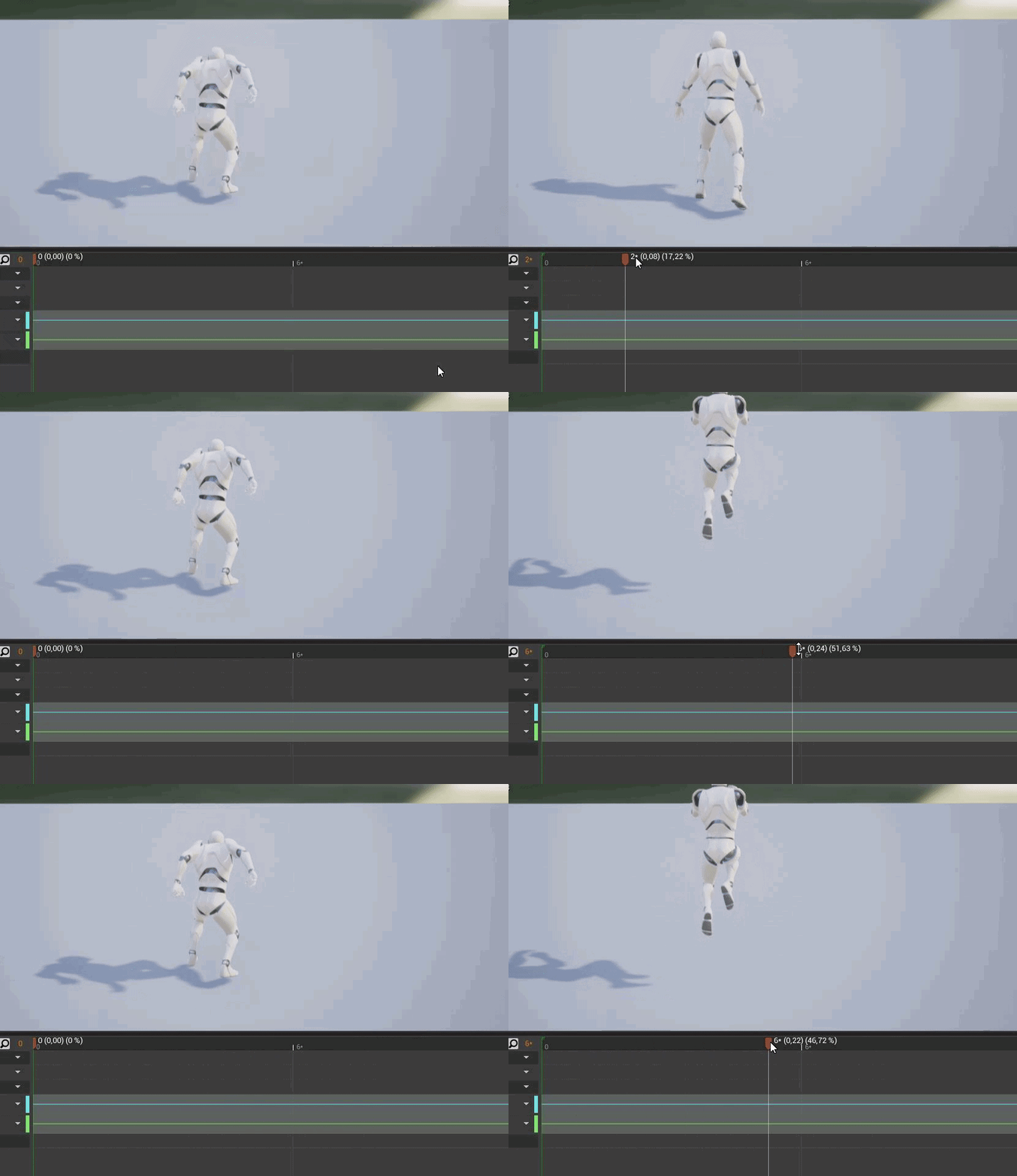
now in-game, when i jump it looks like it skipps alot of the first couple of frames:
https://i.gyazo.com/e548e88a6f351648f91ab0504fcb19fe.gif

how can this be? is this somewhere defined inside the blueprint?
queen urchin
I think its cause of blend time
soft peak
(i just noticed it plays the "jumpLoop" instead)
soft peak
yes, it looks like jump start is skipped
 soft peak
(^^, where is that hidden?)
 wary fern
That means that once the Jump_start has only .1 (10% or less) time remaining in the animation, it sets that boolean to allow another transition to occur
soft peak
thanks for the explanaition, still courious where this is located 🙂
wary fern
go into the state machine
animation blueprint > state machine > it's probably in like "jumping"
soft peak
it looks like those "rules" (bettwen the states, next to the arrows
but all i got is that:
 wary fern
it looks like, in that picture, you're immediately going into the falling animation lol
i don't even see the jumping animation
 boreal tusk
Tried action & axis mapping inputs to set up left thumbstick of xOne controller.
My issue. Despite setting the dead zone for the stick to 0.9. The axisMap input event will fire every tick. & the actionMap input will fire as soon as I touch the stick.
Am I missing something?
soft peak
wary fern
it looks like, in that picture, you're immediately going into the falling animat...
that is exactly what i was thinking, still there is no where defined that the "jump-start"-anim should only play "0.1"
wary fern
do you know how to do all that your self? @soft peak
if not we can hop into a private chat and maybe i can help but tbh im not 100% on anims
dawn gazelle
trim matrix
Hey guys, im working on my video settings like shadows with this node.
And in ga...
Maybe requires apply and/or restarting?
 wary fern
maybe it's this crazy robot string plugin you all seem to use haha
trim matrix
yeee it is working fine now @dawn gazelle just i did not saw the changes on shadows XD
soft peak
i have a little understanding of animation blueprint, and the rules, but its just that litte thing that bothers me XD
(also it is the template from unreal, so i guess they must have defined it somewhere)
wary fern
@trim matrix u can't give me a shoutout did my DM help? im kidding glad it works
trim matrix
o sorry i did not notice your dm's sorry ❤️
wary fern
we're still friends for now
trim matrix
Hello, I have an issue with the Get Actors in Selection Rectangle: My coordinates seem correct but no pawn is returned. Is there something I'm missing ? Thanks a lot for the help !
Coordinates are top left. Is there a way to debut inside this method to see what is going on ?
 trim matrix
It did, but I would like to understand why this one does not. It seems to be the "default" way so I would like to keep it if possible, to futurproof
little cosmos
little cosmos
Hey, So I wanna make my 3D widgets take keyboard input. How can I do that?
Anyone?
gentle urchin
you'd need to direct the input flow to the relevant widgets i suppose
What sort of 3d widgets are we talking about? Generic ones or just a main menu thing?
@trim matrix https://www.youtube.com/watch?v=faWyB-Vmk1w
little cosmos
Generic 3d widgets around my level. There are simple buttons that I want to control with key press rather than mouse. Once I stand in front of a widget (with trigger box) I wanna enable key presses for the buttons in that particular 3d widget
Not sure how to go about it
gentle urchin
Dispatchers could be one
the buttons subscribing (and unsubscribing) to the specific input event
Could also do it directly (inform the char/playercontroller about the button by setting a button ref), with a branch on the input checking if said buttonref is valid, and if so, forward the input event to the buttonref
You could also enable input directly on said actor, but this could cause unwanted behavior
little cosmos
Ok ill look into that
 little cosmos
@gentle urchin No idea how to do that man
I can't get the umg blueprint to know about the dispatcher I made in the lvl bp
gentle urchin
You used a triggerbox?
little cosmos
ye
gentle urchin
triggerbox has actor input, being the player pawn in your case
little cosmos
a trigger volume i mean
gentle urchin
playerpawn either knows about the widget, or knows about the playercontroller who knows about the widget
not sure about triggervolume, but one would think it would be the same
little cosmos
ok and?
I don't know where to operate all this - should I use lvl bp? PC? where do I even create the dispatcher?
note this is about a 3d widget, that is, a widget component inside an actor BP
gentle urchin
avoid lvl bp for sure
little cosmos
So I have a few of them at the level but instead of interacting with them via widget interaction component I need to use keyboard
but the trigger volumes must be created in the level dont they
and access with lvl bp
gentle urchin
give me a minute, opening a project
where do you store your widgets?
pawn or pc?
little cosmos
So player enters trigger volume #1 - it lets him control widget #1 with keyboard, once he leaves the volume he no longer controls it and so on
gentle urchin
You're saying its a 3d widget, but it does sound more like an interactable actor (button)
 gentle urchin
Right, my bad. The widget is in the BP you're trying to interact with
little cosmos
it's not a regular widget you add to viewport etc
right now i can interact with them using Widget Interaction Component on my player pawn
But it requires me to aim cursor and actually press it with mouse
I need to control those Next and Back buttons with keyboard events
gentle urchin
understood
 latent junco
What is the best way of tracking a Characters state when multiple combination of states can be true at the same time (ex: running + shooting, or jumping + shooting)
trim matrix
gentle urchin
Ah ok, I need to call it in the draw rect ! Damn thank you so much
thanks a lot @gentle urchin 😄
gentle urchin
@little cosmos There's probably 100 things wrong with this setup, im no delegate master 😂 But this is what i'd do

^ this is in the actor that has the widget and the related buttons
Then, in whatever actor handles your input (pawn in this example case) Set up dispatchers , and call them during relevant action

then in the Widget itself we've just created 4 events for handling the bindings

Ofc you'd need to add logic in the widget to make them look pressed or whatever, but this would allow you to catch the input event from the playercontrolled actor
little cosmos
I'll look into it soon after lunch, thanks
boreal tusk
Tried action & axis mapping inputs to set up left thumbstick of xOne controller.
My issue. Despite setting the dead zone for the stick to 0.9. The axisMap input event will fire every tick. & the actionMap input will fire as soon as I touch the stick.
Am I missing something? How do I get the mapped input to only fire once the threshold exceeds the dead-zone?
boreal tusk
oh ok I see. Yea was using a do once right now.
wanted to double check if I missed a setting 🙂
gentle urchin
A gate will still allow it to run on tick once it's passed the treshold, just fyi
boreal tusk
thanks for the tip 😉
gentle urchin
 boreal tusk
@gentle urchin Yea had it setup like this.

The stick becomes a alt input for buttons. So trying to find a good way to have this working smoothly. User can now double tabb to que-up one movement action with fast inputs. (or cancel)
Using a action mapping instead of the axis would be ideal. But the return feels inconsistent =/
gentle urchin
Not sure if im grasping it correctly, but can you not 'translate' the axis input to an action event yourself ?
Should provide pretty consistent result
dawn gazelle
You are trying to set up a double tap on an input axis?
 boreal tusk
Oh yea using a custom event in that case deuuu XD.
Yea I was looking at the action mappings. But that works.
But I see what I need to do I think. Drop the delay. reset the do once once the axis is smaller than the valid value.
dawn gazelle
http://www.rioki.org/2014/04/13/axis-double-tap.html I'm using this way of doing a double-tap on an axis myself. Works very well,
boreal tusk
that way I have a button like behavior
My Doubble move workse something like this.

I move the player. should there be a quick extra input during movment. execute a aditional move.
The thing that screwed me was that the axis running on tick would always trigger the double input. But thanks for the rubber ducking 😉

 fringe lagoon
This is quite a basic question but i couldnt find any answer anywhere so...Ive put a character in and tried making a blueprint for the movement(using arrowkeys and space bar) but the character does not move.
Could someone please help me.
 little cosmos
@gentle urchin So this is all nice, but the box trigger isn't part of the BP that contains the widget, I wanna place it in the level
gentle urchin
The same thing can be done anyways


just make sure to update the buttonActor with the triggervolumeref manually
main lake
Does anyone know how can I access methods of a WidgetBlueprint from a simple BP_Actor please ? As I can't reference the widget blueprint in that actor as the WBP can't be placed in the world to get a reference for it
little cosmos
@gentle urchin What kind of event is this? input?
 gentle urchin
Just a custom event
with a target reference input (pawn or playercontroller)
latent junco
@main lake store the actor in the WBP when the WBP gets created
spark steppe
main lake
Does anyone know how can I access methods of a WidgetBlueprint from a simple BP_...
how do you add the widget?
main lake
@spark steppe Inside a level blueprint when the game starts
spark steppe
is it some kind of HUD?
main lake
Yeah it's just a text saying who's the winner between player 1 & 2
spark steppe
so you spawn it on level start, but only display it when the round is done?
latent junco
when the WBP is created, promote it to a variable, then later use that stored variable to call a method on it and feed it the winning player as a variable
main lake
display it only when one of the player wins (it's a game where you should click on the right object to win (randomely chosen))
spark steppe
latent junco
when the WBP is created, promote it to a variable, then later use that stored va...
you can't really get hands on variables in the level blueprint from outside
main lake
that's not really possible in my case as alot of my logic thing is inside a BP_Actor
spark steppe
however you could store a reference to the widget in the gameinstance
latent junco
^ yeah, something like that
main lake
never used a gameinstance
spark steppe
is that BP_Actor kinda the game manager, and decides when the round is won?
latent junco
or GameMode
spark steppe
i would add something like that
main lake
Do you know this game ?
 spark steppe
or use the game instance/game mode
little cosmos
@gentle urchin God im so confused
spark steppe
yea
latent junco
Yeah, handle that logic on a GameMode, not on the BP_Actor

 spark steppe
is the crocodile a actor?
main lake
so I have an actor called BP_Tooth, that contains 2 boolean (selected and clicked), selected is if it's that one wich was selected randomely and that makes you loose, and clicked is to prevent people from clicking multiple time on the Tooth, so each Tooth has that
spark steppe
or whatever it is in your game 😄


 gentle urchin
little cosmos
I don't have these 2 inputs
gentle urchin
little cosmos
I don't have these 2 inputs
Doesn't seem like you've created the same events as I did. The "Next slide" event is ment to be the binding event. Basically when you move inside the trigger it will register the events in the widget to the action events from the pawn
main lake
I have a BP_Tooth actor, A Widget BP actor for the UI, a BP_character and a BP_PlayerController
spark steppe
the actual logic way is to add the tooth to an actor (crocodile), so the tooth tell the crocodile who clicked which tooth, the crocodile then would check if it's the "magic" tooth, if so, it would spawn your widget which shows the winner
little cosmos
right I noticed but still not working
gentle urchin
Your events aren't the same as i made (even with different names as far as i can tell)
main lake
But I already did that part inside the BP_Tooth as each tooth has to be checked on its own
 little cosmos
ofc diff names for my context
spark steppe
well, the tooth could also spawn your widget
little cosmos
wait still tryina wrap my head around it it is so confusing
spark steppe
instead of spawning it on game start
 dark crow
Lil question Diversity, is the game local, multiplayer or what?
main lake
but how do I make sure to not spawn it 13 times (as there are 13 teeth) ?
spark steppe
only the magic tooth would spawn it once, when it gets clicked
gentle urchin
little cosmos
wait still tryina wrap my head around it it is so confusing
In the Widget blueprint, this is what's setup. The Target reference is of the pawntype i'm using
 spark steppe
any other tooth should never spawn it
main lake
the magic tooth is chosen when the game starts not when the player clicks
Here it is in the Level BP
 spark steppe
yea, but once a player clicks it the game is over, that's when you need the widget to create and show
little cosmos
I made it work. Cast failed, Need to plug Get Player Controller and not Other Actor to the cast node
 gentle urchin
If the OtherActor is the pawn and you're looking for the playercotnroller, then you should get owning controller from the incoming pawn to make sure its the player
little cosmos
It's the player controller (PC) im dealing with not Pawn
gentle urchin
Right, but the pawn is the player representation, thus thats what you'd wanna check if entered the area
little cosmos
No other options so I guess it works for me
gentle urchin
So in the pawn i'd usually then set up a fixed variable for the controller to avoid casting twice everytime i need access to it from the pawn
main lake
@spark steppe It works perfectly, Thank you so much 😄
gentle urchin

and then have the PC ref as an input to the widget
This would then be the button part

The issue with your setup is that you could have a case of some random actor moving inside the trigger , and triggering the overlap event
then the player inputs would bind up at some seemingly random location
This is solved by checking that the overlapping actor (Other Actor input-pin) is actually the players pawn
 simple dragon
someone know how to create a instance of asset data for run time
 sand thicket
How can I find out how much a normal points up? In the picture for some reason the dot product gives 0.7 even tho the up vector is 0,0,1.

I wanna know why its 0.7 coz that doesnt make any sense to me. It should be 0.75 right?
simple dragon
normal is a (hit location + collider face direction)
dot is returning angle/weight
for 45* is 0.707
when a is fixed x+ and b is moving
around z
if wont to cheek if is in angle use look at 😉
sand thicket
I ended up using "RotationFromXVector" node.
sand thicket
simple dragon
when a is fixed x+ and b is moving
What do you mean by "a x+ and b"?
simple dragon
a,b in input for dot product 😄
sand thicket
:/ ok
fiery ridge
So if I want a variable to be subtracted by 1 each tick, how do I use delta seconds to make it frame independent?
fiery ridge
yeah, each frame rendered
gentle urchin
What is tick in your case then
fiery ridge
just a variable, -1 each frame rendered
gentle urchin
then you dont need deltaseconds involved at all
fiery ridge
okay, how do i make it frame independed then
gentle urchin
deltaseconds tells you how long its been since the last tick,
So if you were counting seconds f.ex, you'd use deltaseconds to keep the seconds independent to the fps
gentle urchin
floatvariable = floatvaribale + deltaSeconds
IF Floatvariable > 2 THEN
fiery ridge
thanks dude
fiery ridge
I found someone explaining it like this: When you multiply something with delta time that value becomes "units per second".
That put things into perspective
spark steppe
are you sure about that? if you get 30 ticks, you'll subtract 30 times with different fractions of a second, or not?
e.g. -0.9 * 50 and -0.95 * 50
so you would end up with more than -50 for a second
so it's the delta time from the last tick?
not from the current second
ah ok, gotcha
then it works, yea
soft peak
this is more a Blueprint+Math problem:
what i try to make:
i have a variable i call "WALK_SPEED"
when user looks left/right, the camera is rotating into the direction, and that rotation i call now CAM_ROT
(CAM_ROT is alway a positive value since i convert it via "absolute-node")
now, the more the user is looking left/right, the lower the "WALK_SPEED" should be
so i somehow have to subtract "CAM_ROT" from "WALK_SPEED" somehow to slow down the player....
i just dont know how i should make a meaningfull calculation
gentle urchin
sounds like a linear interpolation of the walkspeed
little cosmos
Is there a console command to disable all collisions in lvl?
faint pasture
soft peak
this is more a Blueprint+Math problem:
what i try to make:
i have a variable i ...
Map range clamped is great for that.
Input is Cam_Rot, output is walk speed
soft peak
gentle urchin
sounds like a linear interpolation of the walkspeed
sry for the late rsponse, i will have a look into it
oh also thnks @faint pasture
i will give that a try
faint pasture
soft peak
oh also thnks <@!127902729677963264>
With map range you just define what you want the output to be given the input. So maybe rot 0 = speed 400, and rot 90 = speed 200.
soft peak
oh yeah that sounds like what i need
oh that ends in a "predefined" value as it looks?
faint pasture
You set the 2 value limits. So its a linear interp over that range. Map range unclamped extrapolates it out.
Basically, map range clamped would never output a speed under 200 with those values I gave earlier. Map range unclamped would output a value UNDER 200 if input was OVER 90.
gentle urchin
^Indeed, thats the node! Made for the job 😄
faint pasture
Yeah I use that node all the time.
gentle urchin
For some reason i keep forgetting about it
soft peak
cool!
ok, dumb me does have to look out for a "map range" tutorial first ^^
faint pasture
soft peak
cool!
ok, dumb me does have to look out for a "map range" tutorial first ^^
Just mess with the pins. Basically it will output output high if the input is at input high. And correspondingly at the lows. In between, it'll interpolate. So for example, with the numbers I gave previously, it would output 300 if the input was 45
 storm vigil
is this possible with the blueprints of unreal engine if someone will make a plugin similar to this one on blender?
https://blendermarket.com/products/node-preview

Blender Market
A Blender addon that displays rendered thumbnails above Cycles shader nodes.
soft peak
i am not sure if this fits in here, so i ask straight away:
my run animation looks like that (it looks like the foot is touching the ground (like in "real life") ):
https://i.gyazo.com/a24d17e6e0cc9e8d587d983c254f98c6.gif
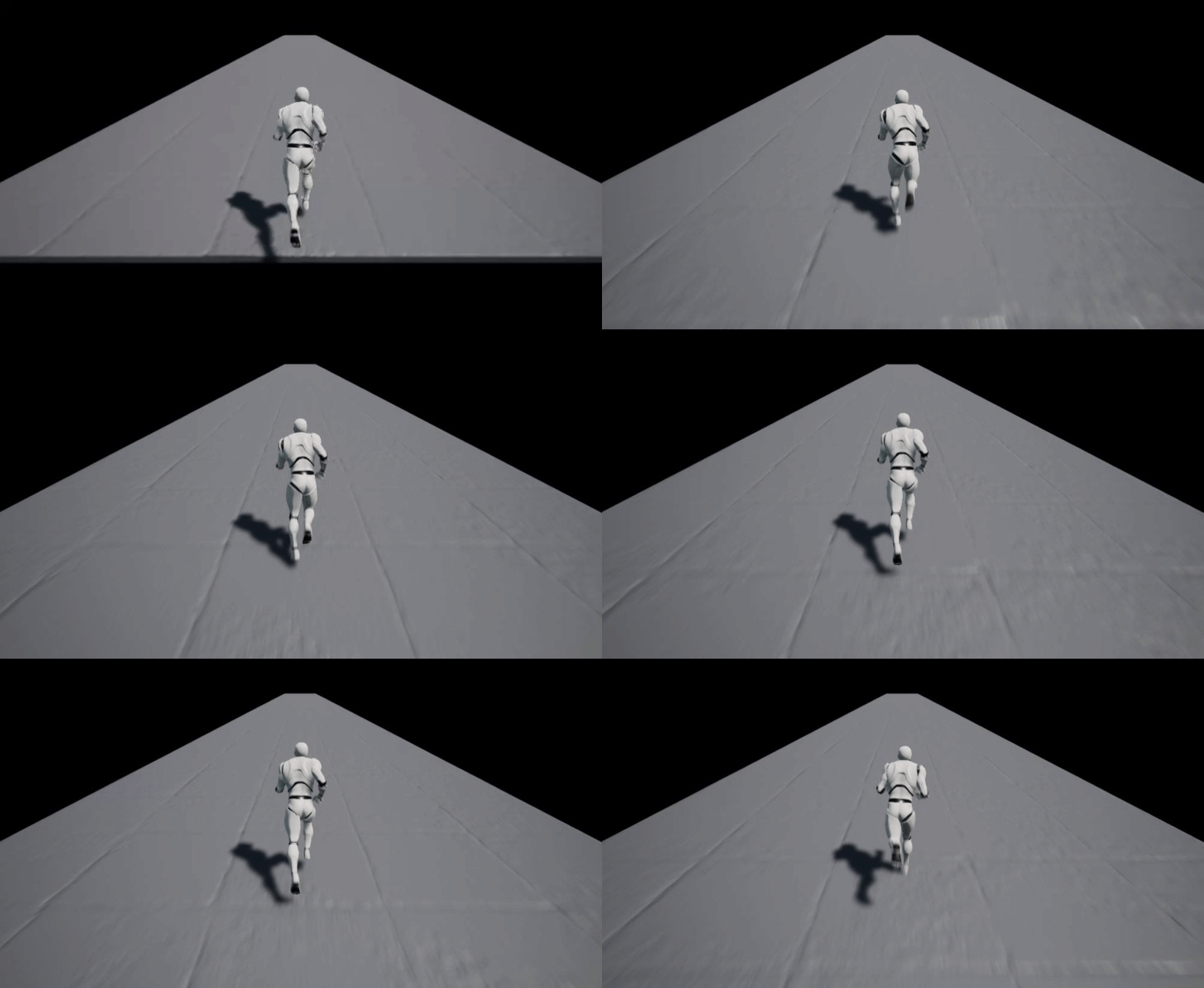

as soon i am change direction you can clearly spot it that the steps are "floating above":
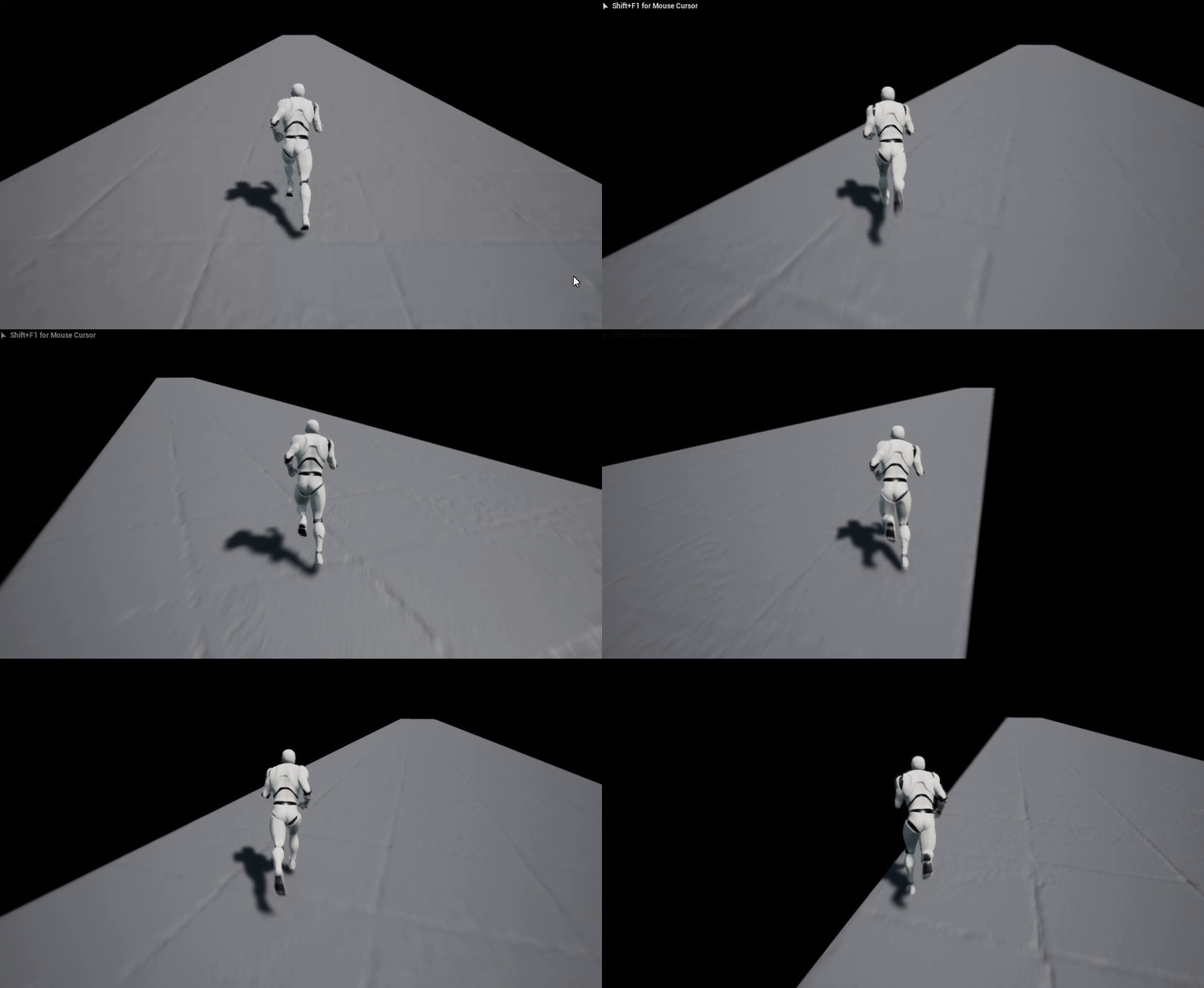

 pulsar arrow
Hey, some of the line traces pass through the objects, it's rare but it's still happening. What could be the reason?

The hit object is Hierarchical Static Mesh. Is there any way to make sure nothing passes through the object?
soft peak
how would you avoid that "obvious floating" thing?
faint pasture
soft peak
how would you avoid that "obvious floating" thing?
Lower the mesh in the bp
If your run and stand animations don't agree on the floor Z then that's a whole other problem.
 ruby meadow
How to lock camera location?
faint pasture
@pulsar arrow do you think you have enough traces there? lol. The ones that go through are probably hitting a joint at some oblique angle or something.
soft peak
faint pasture
If your run and stand animations don't agree on the floor Z then that's a whole ...
just noticed i fu*ked up somewhere in BP, i "worked against" something wich was already working ^^
faint pasture
ruby meadow
How to lock camera location?
Just don't move the camera.
faint pasture
soft peak
just noticed i fu*ked up somewhere in BP, i "worked against" something wich was ...
Check in the BP that your dude stands with his feet at Z = 0. I'm betting he doesn't, offset the mesh so that he does
soft peak
ruby meadow
How to lock camera location?
like that maybe? i locked here the rotation
 pulsar arrow
@faint pasture I can easily reduce the number of traces, I was debugging and noticed some of the traces missing the building model. What would you suggest? Collision is pretty simple by the way.
faint pasture
pulsar arrow
<@!127902729677963264> I can easily reduce the number of traces, I was debugging...
Make sure the collision shape is fully watertight and check if there's any thing in common between all the traces that go through the object.
pulsar arrow
Thank you for the answer. I just noticed sometimes the IK trace misses the floor building model. (Which I'm spawning every frame) I guess I have to carefully examine the situation.
 misty island
Hi, is there a way to use the projectile movement component and the rotation movement component at the same time?
When the projectile shoots it doesn’t rotate
faint pasture
misty island
Hi, is there a way to use the projectile movement component and the rotation mov...
What are you trying to accomplish?
misty island
A throwing axe
faint pasture
I would use a sphere collider as root and then just manually rotate the axe model on tick
unless it's somehow important whether the blade or handle hits something
so logically it's a flying sphere, but visually it's a spinning axe mesh
misty island
Only the blade should stick in the wall
faint pasture
so what happens if the handle hits, just bounce off?
misty island
i’m not sure yet but I would say yes
It looks weird when the handle stick in the wall but the blade doesn’t
faint pasture
k then I'd just check mesh rotation on hit, if the mesh is rotated such that the blade is oriented right to stab in, stop movement and attach. Otherwise bounce.
Although if you're going this deep in simulation I'd just use physics
misty island
Ok I was hoping that I can just let the axe rotate while it’s moving with the rotation movement component
faint pasture
misty island
Ok I was hoping that I can just let the axe rotate while it’s moving with the ro...
just add to local rotation on tick, not that hard.
that's pretty much all the rotation movement component does
misty island
I’m using Rama’s Melee Plugin. It works very good but it seems that the collision is detecting a bit to late when rotating via tick
*too
faint pasture
Trying to simulate a thrown axe as anything other than just a projectile sounds like a recipe for frustration
half the time the blade won't even hit something so it's like a 50% chance to not even do damage
misty island
lol
faint pasture
just treat it as a projectile like a COD knife throw or any of 1000 other games do it
faint pasture
completely top down or at a slight angle/
It depends on how you want to do things but the root of the approach is a masked material with alpha being driven by pixel distance from pawn location
3d distance would be a sphere mask
2d distance (X and Y) would give you a cylindrical mask
just check if PositionWS - PawnPosition is less than some cutoff
You'd want to write PawnPosition to a Material Parameter Collection so it's globally available
it does'nt get the objects, gets the pixels. Do you intend for the WHOLE object to fade or just mask them out where they're in the way?
then do the line trace approach
it'll look weird tho IMO
However you want to do it. Might look weird if you have a giant wall for example
In that case I would make an interface to tell the object to fade, and do a multi line trace from pawn to camera and call a msg on that interface for all actors hit
if they don't implement the interface, they'll do nothing
severe geyser
hey folks, I am having a small issue with my attack trace. I notice it's firing in the direction the camera is facing, not the direction the character is facing. This means my character is able to damage enemies that are behind him if the camera is pointing that way. Below are my Get Attack Trace Start and End functions. Anyone have some advice so that the trace only happens in the forward direction the mesh is facing?


 rare gale
Is it possible to re-point a data table to a different struct after creation? I made a copy of a struct to split my player data from enemy data. Same fields and setup, just a different BP reference.
severe geyser
here is the trace itself
 dawn gazelle
severe geyser
dawn gazelle
severe geyser
Using control rotation = camera. You want to get the actor's rotation.
severe geyser
Datura to the rescue again.
that did it, you beauty
if I ever complete this thing, Dat is getting a big fat thank you in the credits
summer bolt
uh
can someone tell me how to make a line trace out the player
because i forgot how and nothing online is working lol
severe geyser
I've got one more for you @dawn gazelle Is there a simple way to have a collision ignore my third person character and not my enemies? I'm still troubleshooting this Force Shield I bought from the UE4 Marketplace. The only way I am able to get the shield to spawn around my character is to set to NoCollision. Obviously it looks beautiful, but there is no "shield" functionality without collision. When collision is on and it spawns, it sends my third person character soaring into the sky
maybe when the shield spawns, I disable my third person character's collision, and reenable when the shield disappears
crimson sage
Anyone know a way to convert the local location of the transform widget to world?
earnest tangle
"transform widget" being what exactly?
crimson sage
the one where you can have a variable in an actor and when you select it shows a widget that you can move around
and set its value by that
earnest tangle
Right
Get Actor Transform -> Transform Location
this converts a location from the actor's local coordinates into world coordinates
crimson sage
I did that but doesnt seem to work
Now I just have a scene component that I just get its world location
 nova ledge
I'm trying to rotate my character's mesh with the camera (it's a flying character) to make the movement function like a griffon from ARK (make it tilt up and down but keep the flight movement the same as if the character was completely level). I tried experimenting on my own and looking up videos, but I can't figure it out. Does anyone know how to do this?
crimson sage
earnest tangle
this converts a location from the actor's local coordinates into world coordinat...
Nvm I messed up. Thx for the help appreciate it
earnest tangle
👍
 mint turtle
it's going good
 faint pasture
nova ledge
I'm trying to rotate my character's mesh with the camera (it's a flying characte...
faint pasture
nova ledge
I'm trying to rotate my character's mesh with the camera (it's a flying characte...
Have the MESH copy the pitch and yaw from the control rotation
Assuming you're using control rotation
You might have better luck using an overlap shape.
Then you can call HideYourself on overlap and call UnhideYourself on EndOverlap
fiery ridge
mint turtle
it's going good
Please tell me that's only for memeing purposes
spark steppe
it probably also runs on event tick
mint turtle
fiery ridge
Please tell me that's only for memeing purposes
Yes, do you know a page called "Blueprints from hell"?
 gloomy cypress
mint turtle
it's going good
gloomy cypress
mint turtle
it's going good
i literally dont see anything wrong here
mint turtle
gloomy cypress
i literally dont see anything wrong here
Me too
gloomy cypress
right on brother
spark steppe
me neither, because it's all covered with wires
gloomy cypress
it honestly looks like an old telecom switchboard lmao
boreal tusk
Someone know a good way to smooth precise aiming for a 360 top-down setup?
Have the weapon rotation smoothly rotate towards stick axis rotation. But aiming at a faraway object still feels finicky.
Thought about some sort of auto-aim help. But don't think that would work well in a top-down setup where a lot can line up in any given axis rotation.
fiery ridge
mint turtle
Yes, do you know a page called "Blueprints from hell"?
no, is that a subreddit :D?
mint turtle
fiery ridge
no, is that a subreddit :D?
Tumblr
fiery ridge
thx, this is amazing
faint pasture
mint turtle
it's going good
Buddy WTF
Did you unroll your entire project into one graph? Lol
faint pasture
boreal tusk
Someone know a good way to smooth precise aiming for a 360 top-down setup?
Have ...
Just Rinterp AimRotation towards DesiredAimRotation
But ppl might hate that
mint turtle
faint pasture
Did you unroll your entire project into one graph? Lol
No???
faint pasture
@boreal tusk does your game have a concept of aiming down sights? Or otherwise have some sort of a precise aiming mode?
In our project we have an ADS mode which among other things changes the sensitivity
dark crow
mint turtle
it's going good
 faint pasture
We also have a crosshair in the world and rotation sensitivity is constantly adjusted such that the crosshair moves in space with constant sensitivity instead of constant angle sensitivity
That is, a flick moves it x meters instead of x degrees
boreal tusk
@faint pasture The player drives on a highway. dodging civilians. shooting badys.
faint pasture
@boreal tusk do they have a crosshair in the world or just an aim direction?
Also is this for mouse or controller?
faint pasture
For example, does holding left aim left or does it rotate the aim towards the left?
boreal tusk
As far as I can see I have 2 options. limit look/rotation to set axises & make use of that as a game mechanic.
or something of a snap to nearest or hirarchy enemy.
faint pasture
How is camera rotation managed?
boreal tusk
right now it is just the left stick.
using buttons to rotate felt too slow. not quick enough.
faint pasture
Then just have aim be relative to camera at all times. That is, if you press up on your right stick, it should aim toward the top of the screen
Just like a twin stick shooter
boreal tusk
cam is for now fixed. will only be moved by the game to focus on stuff.
mint turtle
dark crow
https://blueprintsfromhell.tumblr.com/
Yes, i said here
boreal tusk
jep
faint pasture
@boreal tusk If you're already doing that, I'd suggest having AimRotation lerp towards DesiredAimRotation and have it move faster the further it is from it.
boreal tusk
But I want one of the main mechanics to be to avoid civilians. So I cant have the player spam bullets in general directions XD
faint pasture
Should make fine aiming feel good but not feel sluggish doing big aim changes
boreal tusk
yeah tried something like that. One sec
boreal tusk

bottom portion is what I tried to change the smoothing value on the go. Maybe I have to play with the values but it felt off =/
faint pasture
@boreal tusk Rinterp to should be fine just as is
Just dial in the speed
It already is nonlinear
If you need more fine-grained control then just a static speed, then change the speed based on rotation delta.
And you'll probably want to just make a curve for it instead of trying to do math without being able to visualize it
Or use a map range clamped
faint pasture
I would start with finding speeds that feel good with small adjustments and big adjustments, and then make a curve between those two if they're drastically different
boreal tusk
@faint pasture Will do. Thanks for the feedback & your time 😉
 teal nexus
So, I am in a pickle here. Trying to get AI to use Aim Offset and getting yaw based on one of those aim offset tutorials for AI from youtube doesn't work.
basically I get AI's handbone, get player's camera and find rotator. Split it and get yaw.
the problem is that yaw comes up aligned to the word, so to speak and not to the AI's controller
my Aim Offset is -45 to +45 with 0 being aiming square at player (or rather target actor)
how can I get yaw angle for aim offset ?
 unreal token
is it called pedestrian splines, to have the people walk on the sidewalk?
like gta people
faint pasture
teal nexus
So, I am in a pickle here. Trying to get AI to use Aim Offset and getting yaw ba...
You should set up your pawns to be driven the exact same way whether driven by AI controller or player controller
 zealous moth
I made a regular actor with a box collider and this. I cannot make it print string... any ideas?

 lime ridge
I am just trying to match two media players together using a Get Time and following that by a Seek node. It seems that seeking is not allowed for this media player, is there any way to allow this?

 grand sinew
why is the scene ( socket ) in the air or not in the right location
teal nexus
faint pasture
You should set up your pawns to be driven the exact same way whether driven by A...
Why would I do that?
AI needs to stand still and aim with upper body. When it reaches 45 deg, turn legs in place to fully face player.
faint pasture
teal nexus
AI needs to stand still and aim with upper body. When it reaches 45 deg, turn le...
They aren't characters that can move around, just like the player has?
Any case, AI should just output the desired aim rotation. It's the pawns job to handle turn in place.
faint pasture
It would calculate it. it would look at the world and select a target and determine aim rotation from their position
 proven mason
I'm trying to destroy an physics object whenever it begins to overlap a zone.
I've created a BP object with the following blue print and settings

Collision settings for the actor

and it's component

PROBLEM: when the ball overlaps it, it doesn't disappear. Why?
 robust cliff
is there a way to restrain the character to only being able to move in the z-axis(up and down)
torpid iron
How do I change the material of a spline with bp?
royal badger
Can these constraints in a static mesh component be accessed in blueprint?

 visual echo
Hey guys I am trying to create a main menu but i have a problem when I try to quit the game. So I press no to confirm to quit and then when I click on resume a new widget pops up and everything gets bugged. These are my two blueprints


 mental sail
Trying to understand how Level Streaming works: It seems that unless I add a level to this list, "Load Stream Level" doesn't work... (is this correct? Or am I missing something?)
 proven mason
k somehow when I switch from overlap to collision and called on Event Hit instead of EventActorBeginOverlap, the balls literally vanished which is what I want.
trim matrix
My sky looking something like that.
I want to create pink clouds everywhere.
Someone help?
 charred latch
Can I used a float from delay to display a timer for widgets, or do i need to use something else?
icy dragon
trim matrix
My sky looking something like that.
I want to create pink clouds everywhere.
So...
If you're in 4.26, you could just drop in a single Volumetric Cloud actor in the level
trim matrix
icy dragon
If you're in 4.26, you could just drop in a single Volumetric Cloud actor in the...
I'm in 4.25
icy dragon
In that case, you could create your own skybox. There's a lot of ways to create one.
 keen goblet
@royal badger SetConstraintMode sort of does that, but it's not as versatile. Not sure if there's another function that gives full access
royal badger
Damn that sucks, in the meantime i managed to fix my problem with physics constraints though
keen goblet
@robust cliff Definitely! Using the constraint drop-down menu to lock your character's X and Y location could work. A bad solution would be something like setting the actor's X,Y world location on Tick to a certain value
trim matrix
icy dragon
In that case, you could create your own skybox. There's a lot of ways to create ...
Can you help me with that?
 sand bloom
hmm i'm confused, unreal is saying they can't access something but it works fine ingame lol. Here's the blueprint for changing my ui progress bar

as you can see it updates in game

and yet this endlessly happens

i'm not sure why because it works ingame
dawn gazelle
Single player?
sand bloom
yes the game is single player
dawn gazelle
You could be calling Hud Percentage event before the Waterhud exists. Try putting an IsValid node before the Set Percent and plug in the Water Hud reference to it.
sand bloom
hmm I'll try that, but i'm not quite sure how
 dawn gazelle
there's a different isvalid node that has execution paths on it.
sand bloom
ohhh
huh
that fixed it thanks a lot dude 😄 So I guess it was calling hud percentage before waterhud exists somehow. Maybe I should have created the hud widget regardless instead of on overlap, and then just make the add to viewport node related to the begin overlap instead
 mortal nacelle
Has anyone here found good resources on designing complex Behavior Trees? Everything I found so far is very intro level. But I'm looking to take it to a more complex level. For example, a boss who has multiple abilities and phases.
I think it would be useful to see talks / videos / articles that demonstrate real examples of more complex BTs out there in the wild.
gentle urchin
Wouldnt that be a regular BT with abilities blocked by f.ex healthpercent ?
If hp >70 then avaliable abilities = A and B
If hp <70 and hp > 30 then avaliable abilities = C and D
Else
Avaliable Abilities = e f and g
 marble violet
I can't find AcknowledgePossession in blueprint, any idea?
UE documentation says it's in PlayerController
Returns true if input should be frozen (whether UnFreeze timer is active)
but I can't find it
marble violet
@gentle urchin I see... okay, someone suggested me to create the HUD in AcknowledgePossession after possessed the character, so is there any Blueprint way for doing that?
gentle urchin
could they mean OnPossesed ?
marble violet
cause currently I use delay, and it doesn't sound smart way of approaching/solving the problem
gentle urchin
 marble violet
yeah, but that happen on Server and since character is no possessed in client the pawn will be null
that's where i add delay
gentle urchin
What is the issue exactly
marble violet
which i'm trying to avoid usign delay
okay, what i'm doing is that spawning each players in GameMode and create HUD for them in Multiplayer mode
but it works nicely on Server side
but not on client side, cause Server creating the character and client haven't received it yet
so if I try to create HUD OnPossess it will return Null on client side
I then add delay for 0.5 and then create HUD
which is not a smart way and not using unreal workflow
gentle urchin
I dont have a delay, and it works just fine afaik
probably some flaws in my setup (been a while since i fiddled with it)
Using the HandlestartingNewPlayer to create the pawn, and possess it for the playercontroller
Then i straight up initialize them
 marble violet
does the HUD created on client from Server?
gentle urchin
yeah
marble violet
 gentle urchin
im doing it via GS tho
gentle urchin
dunno if its the right place to do it, but seing as this is a cooperative multiplayer, (and its my first multiplayer attempt) i figured it could work
thats the last part of the start new player;


 marble violet
i see.. I haven't try updating player HUD from GS yet
but where do you call the GS? when character possessed?
in character i mean
gentle urchin
This has provided me with consistent results atleast
RepNotify calls the Create HUD event (Clinet_Update_HUD)
marble violet
I see... okay, that make sense, let me try that
gentle urchin
Dont quote me on it if it doesnt work tho, as mentioned, its probably a flawed way of doing it
👀
marble violet
yeah, but worth trying
gentle urchin
Best of luck!
marble violet
thanks for the help 🙏🏽
worn nebula
Does anyone know why my animation isn't being replicated? I can see it client side but not on the server, I have a interface on the animbp setting "State"

Print strings show that the client and server is calling true on state, so not sure why the anims aren't showing
trim matrix
Why does this not work, the bp_bomp object does not get destroyed on overlap
 marble violet
@trim matrix it could happen only on client side and it doesn't have Authority to destroy it.
Server only has the authority to destroy it
 waxen rose
why when i try link btw reference and action not work@?>
 marble violet
@waxen rose Cube is child of Static Mesh Component class and Actor is Actor
there is different between Component and Actor
if you want to set location of StaticMeshComponent use SetWorldLocation
and if you want to set location relative to where it is, use SetRelativeLocation
waxen rose
gr8 i got it
but when i try get actor location not working for me

i want use get actor location and print it
dark crow
Use a Print String
Suggest looking into a blueprint tutorial to understand the flow beforehand
little cosmos
How can I reference a BP that's in my level inside my player controller BP?
It won't let me choose it
 maiden wadi
You can't. PlayerController isn't instantiated inside of the level until later. What do you need to do to the TV?
little cosmos
turn it on with click
I am line tracing from PC
checking if actor hit is TV and if so, turn it on
 smoky socket
Hi, I want to make a tool that read skeletal mesh bone positions make some calculations and export data to json files. Can it be achieved with blueprints?
so it's not a runtime rather an in editor tool
also need a minimal UI to set some parameters
spark steppe
is there any way to get rid of the default ArrowComponent from the Character class? When i set it to invisible in construction script the engine complains that its a Editor Only element, and doing stuff with it will break a packaged build
 pale orbit
How do i deal damage to a character? I was using my enemie BP as a "SkeletalMeshActor" and it was working, when i switched to Character it doesn't work anymore bullets go right thru him
pale orbit
Left "Character" right "SkeletalMeshActor

I'm only using traces for now
haven't added bullets @trim matrix
but as u can see everything can pass thru a "Character"

this helps?
should i change it?
 fossil crystal
Hello all. How can I add my motion controller pawn as a reference to my level?
pale orbit
Where can i find that
spark steppe
the problem is that the ArrowComponent doesn't have a details panel
unreal does it in c++, my character stuff is all blueprint, might just add a small extra layer between them to hide it
it just annoys me in the level sequencer to have the arrow there, small detail xD
pale orbit
I fixed it by puting it collision as PhysicsActor ty @trim matrix
fossil crystal
is there a way to expand this to see whats in here

 supple dome
its from the reference viewer, top left settings allows more nodes to show up
pale orbit
so the character has a head bone but when i hit it the head it says i've hit Spine4 any idea why ?

or what i could do to fix
fossil crystal
ty
so i made a game with a friend, worked great. he converted the project to VR and running into a ton of issues. im thinking the way he converted it over was incorrect
feels like he slapped a VR label on a regular map
maiden wadi
@pale orbit AFAIK, that return will return based on the polygon hit, that has the highest weight on the hit poly.
pale orbit
So how should i do headshots then? Physics? @maiden wadi
maiden wadi
Update it in the modelling program, usually. I don't know if there's a way around that easily. I mean Head is a child bone of Spine4 it looks like.