
#blueprint
402296 messages · Page 650 of 403
 fresh sand
 earnest tangle
Yeah that looks correct... not sure what you're connecting it to at the end though
fresh sand
Oh that's just the rest of the crafting, after it checks that the player has 5 of set wood it removes it and gives you a sword
Which works just fine
earnest tangle
Right - so you'd want to connect that into the Completed pin
fresh sand
Yeah
earnest tangle
If you connect it directly into the logic that runs in the loop body it'd run multiple times
fresh sand
Yeah, also how do I do the containing part now, do I just add a "Contains Item" and hook it up to the "Wood" item and Player Inventory?
earnest tangle
Just compare if the wood total >= quantity
also if this is in the event graph, remember to set the value of wood total to 0 before the for each loop, otherwise it will remember the values from before and will be wrong later
 charred breach
Hello, I am having a widget that I want to modify variable in a Blueprint. I made a reference variable and then from it I set the other variable, but when I tested it the var in the BP never changed and if I try Print String it says "0"
Please help!
earnest tangle
what do you mean "reference variable"?
charred breach
I mean this:
 earnest tangle
Ah right, so you're doing a set some variable on EggPlayer?
charred breach
yes
earnest tangle
that sounds like it should work... have you verified the correct code actually runs?
charred breach
 fresh sand
Make sure you got Instance Editable Checked
 charred breach
 fresh sand
Btw Zomg it doesn't work, it gives me the item even when i got 2 wood
 earnest tangle
Did you reset the value of wood total to 0 before the loop?

 charred breach
Did you make the textures yourself? They're really good!
fresh sand
No someone else made them
charred breach
np
earnest tangle
@fresh sand ohh right - you're adding the wrong value into the total :)
charred breach
keep it up!
fresh sand
They give them out for free on the unreal market
earnest tangle
you need to add the quantity from the looped struct, not from the wood variable
fresh sand
earnest tangle
<@!491342135677812737> ohh right - you're adding the wrong value into the total ...
oo
fresh sand
earnest tangle
you need to add the quantity from the looped struct, not from the wood variable
The for each loop right?
earnest tangle
Yeah
 earnest tangle
Yeah
charred breach
Can you please help me with my problem when you finish? 🙂 Take as long as you need BTW 🙂
fresh sand
This should be right
 earnest tangle
tbh it's kinda hard to say why your logic isn't working @charred breach - I think you might need to verify that the code runs when expected, and then that the egg actor is the right one and not some other actor
charred breach
I am sure 😦
earnest tangle
@fresh sand not quite... remember that the array index is from 0 to array max, it has nothing to do with the number of items in your inventory slot. The break struct for the array element is the inventory slot data
fresh sand
Oh my bad so I just take the value from the Break struct that connects to the loop?
earnest tangle
Yep
charred breach
Idk I want to change the limit via a widget in the start of the level 🙂
 fresh sand
Try using >= instead of == because you might be getting a value extra and it gets messed up
Actually nvm I didn't look at it corrently
charred breach
Idk
fresh sand
Try using a Get (Name of the Int) instead of using the Set version
@earnest tangle Btw it works Thank you
earnest tangle
nice :)
 fresh sand
What do you want it to do?
charred breach
I have eggs in the level
They are BP
And it gives 1 point. When it get to "Need Eggs" it should stop and tell you win

@fresh sand
fresh sand
Does it trigger when you have 5 eggs or when you click a button?
fresh sand
charred breach
What is the actual trigger for it?

 fresh sand
Oh ok so when a player picks up and egg it triggers the branch and checks if you got 5
charred breach
yes
fresh sand
Alright so give me a second
charred breach
ok
 charred breach

So on play in the level you have 2 buttons
5 and 10 and if you click 5 you should get 5 eggs and if you click 10 you should collect 10 eggs
After the number of eggs is done it should tell you win
@fresh sand
 fresh sand
@earnest tangle Sorry to disturb but could you check that screenshot out
The branch isn't working
 astral estuary
does the array clear node reset it's size? or what does it do? (in my specific case, in an integer array)
fresh sand
wdym
charred breach
@astral estuary
 maiden wadi
@astral estuary Clearing an array will simply remove any entries it has. It will resize the array to zero size and all data in it will be lost.
 pastel garnet

How come this doesn't work?
It worked on the other project.
I have a NavMeshBoundsVolume in the level
 spark steppe
did you build the navmesh and does it show up when you enable navmesh (hotkey p)?

 sand shore
I don't think the ai can be retrieved from "get player pawn"
pastel garnet
It doesn't
 oblique frigate
Player pawn isnt ai
pastel garnet
I used character and it worked
 elfin hazel
Structs such as the "rich image row" can be chosen as a variable type, but can not access any of its members. I kind of need to, how do I go about it?
Can not access its members as in "break" or "make" that is.
 surreal peak
FRichImageRow looks like it only has one member and that is exposed to BPs
Actually, it might only be available when editing the member in a class
Not actively getting it from the struct
elfin hazel
Yeah, that's what I'm seeing. It has a sub member called "brush"
elfin hazel
Big oof
surreal peak
Don't get me wrong, but this is pretty common with UE4. BPs are limited. You'll find those limits everywhere.
BP-only is possible until you hit a limitation. Some never hit them, some constantly hit them.
Learning C++ to at least make some static function library functions would be good
 dry valley
how can i continously print when inside a collider?
 olive ingot
Are blueprint interfaces heavy to use?
I've heard that casting can be heavy to use. What about interfaces?
 slender hawk
@olive ingot I've heard casting is heavier, but you can just save a reference in a variable and you should be good.
I also believe interfaces are supposed to be pretty good.
sand shore
casting is heavy because you have to pull in references to your concrete classes. You could set up abstract base classes in BP, but it is easier to implement interfaces for most people.
when you boil down what a cast is, a cast and an interface call have very similar overhead. It is only through the knock on effects that casting can be heavy
 trim matrix
My blueprint windows start disappearing and flickering after a while and I have to restart UE4, this started to happen after I updated my nvidia drivers to the 465.89 version, is anyone else having the same issues?
slender hawk
Yeah I have the issue, it's super annoying. I've heard rolling your drivers back a few versions will fix it. Not sure which versions specifically though.
trim matrix
I tried several previous versions, from february and january, still no idea how to fix it. Didn't find any solution on the forums neither
slender hawk
Strange, I heard others saying rolling back fixed it for them - I've just haven't bothered myself.
If you haven't, you could try using Display Driver Uninstaller before reinstalling to make sure there aren't some left over files sticking around and causing the issue.
trim matrix
Maybe its that, I will try moving back and checking for uninstalling everything again
 untold rose
I'm looking for opinions on the better ways to solve this:
The problem:
there will be many Blueprint Actors that will need a couple common events. Each one is implemented by each Blueprint itself. The classic job for a Blueprint Interface. But basically everything will need this, and some of these events are actually the tick (basically, a tick that does some part of the code, and another tick for another part, but they should be pauseable separately).
Basically, im scared that having to need 1 central blueprint to keep a huge array of references to every blueprint with each of these interfaces, and keeping it updated during play, will be a mess in terms of performance efficiency.
The question:
Is there a simple way to call an Interface function on EVERYTHING that has it implemented?
Should i use a component instead?
Is there another option?
earnest tangle
you can get everything that implements a certain interface
similar to get by class
although I don't know why you'd need to get all of them
if you need to run stuff on tick you can just do that?
 livid vessel
Do any of you have experience with sockets in connection with instanced meshes? Because my problem is that it cannot find the sockets of in-game spawned instances but of those that I added manually in the details pannel beforehand.
livid vessel
livid vessel
Do any of you have experience with sockets in connection with instanced meshes? ...
OK, I can narrow down the problem even further, it detects the sockets from the mesh but takes those from the original [0] and not the ones from the spawned one. Any Fix ideas or is this engine related?
ok new knowledge he doesn't notice the difference between the different blocks because he sees them all as one component. How can I then query which Instanced Mesh was hit and then get its sockets?
 rancid quartz
Hello, I have a maths question.
I'd like to get a float value representing how much a given point on a spline is "facing" another point on the screen.
I imagine I have to get the dot product of two values here but I'm not quite sure how. My attempts so far have just returned zero.
Any advice on how I might do this would be appreciated.
 sleek pecan
@rancid quartz Points don't have facing / orientation. The dot product may be what you need to use to do what you want to do. It allows you to measure the angle between two vectors, or if you're thinking about it in 3d space, it allows you to measure the angle between two lines that share a common point
So you would have to start by answering the question of what are the two vectors that you're comparing against each other? And as the angle between them shrinks or widens, is that the right information for you to be able to answer the question you're trying to solve for in your code?
 swift parrot
noobie question. How can I see variable in MY_Character blueprint when variable is set for example in Player_Controler blueprint?
rancid quartz
sleek pecan
So you would have to start by answering the question of what are the two vectors...
I guess what I don't understand is why I need a second vector. It seems to me that I should just need one vector and then a point for that vector to face towards.
In this case, I'm trying to get the dot product between a vector on a spline to the corner of the screen (-2500, 0, 2800).
sleek pecan
The simplest answer is that you need a second vector because the dot product compares the angle between two vectors
in vector math, all vectors are originating from the origin
so let's say you have a vector that represents your "point" on your spline (even though points don't have facing)
you have a vector representing the orientation / facing of some part of your spline
rancid quartz
Thanks. So then why might the dot product between {-0.6, 0, 0.75} and {0, -1, 0} be 0?
sleek pecan
if you translate that vector around on your screen, its orientation isn't changing, but its relationship to the upper corner of your screen is
so we can see from that that one vector and one point is not enough information for what you need
you're also working across two different contexts it sounds like and you need to sort that out
you're talking about the upper portion of your screen"
but your spline doesn't necessarily exist in screen space, and you're also using 3d vectors, but screens are 2d
so the question is, are you talking about screen space or world space?
maiden wadi
On a side note. Most screenspace stuff is done on X/Y, not X/Z. Most conversions to vector to vector2D will mess up if you're using Z as the up/down for your screen. Should be Y
 uncut condor
hello, is there a way for the Rotating angle jump from 0 degree to 180 without passing other degrees?
rancid quartz
World space. In this case I've been working in 3D. I have a fixed camera and the corner of the screen is at {-2500, 0, 2800}.
And my spline is 3D as well.
maiden wadi
Ah, fair. Sidescroller.
uncut condor
 rancid quartz
I really thought I'd need to calculate a dot product but maybe it is this FindLookAt function.
maiden wadi
Well. Partially the reason might be your vector orientations.
sleek pecan
Is the "point" on your spline a vector or is it a point in space?
maiden wadi
For instance. AnyNumber,0,Anynumber compared to 0,1,0 or 0,-1,0 will be 0.
rancid quartz
It can be either. I've been trying to work with GetRightVectorAtDistanceAlongSpline.
maiden wadi
the first is always going to be perpendicular to either of the second two no matter what.
rancid quartz
Yeah, that makes sense.
sleek pecan
I think you may want this https://docs.unrealengine.com/en-US/BlueprintAPI/Spline/GetDirectionatDistanceAlongSplin-/index.html
Get Direction at Distance Along Spline
Not sure why you'd want the Right Vector
also, I believe you'll need to use the World Coordinate space, not Local
then, you need your second vector to compare against, which should be the line between the "corner of your screen" and that point on your spline
the way you calculate that vector is by subtracting the origin of the point your measuring from (the point on your spline) from location / origin of the "corner of your screen"
I don't think it's absolutely necessary but you should probably normalize that vector once you've calculated it
at that point you have your two vectors to throw into the dot product
order matters. You want to provide the vector from your spline first
rancid quartz
Thanks, that was my next question about the order.
sleek pecan
you'll want to reference this https://docs.unrealengine.com/en-US/BlueprintAPI/Spline/GetLocationatDistanceAlongSpline/index.html
Get Location at Distance Along Spline
That will give you the shared point between the two vectors
rancid quartz
The reason I was using RightVector was because I want to find out how much the spine is facing the corner, not just a location on the spline.
sleek pecan
I'm not entirely sure what you're going for with using the right vector there, but all I can say is I don't think that has anything to do with it
maiden wadi
Easiest method is just going to be using both and getting a unit direction. GetDirection along spline, get point along spline, get unit direction from point along spline to top right of screen, dot product the return of that with the direction along spline.
Otherwise you're looking at some extra conversions.
sleek pecan
yes ☝️ that is a shorter description of exactly what I was trying to spell out
I'd recommend you check out this video to understand the dot product in greater detail. I struggled with 3d math (still do in big ways) for many years, and I found this video series to be extremely helpful in demistifying some of this stuff. https://www.youtube.com/watch?v=LyGKycYT2v0
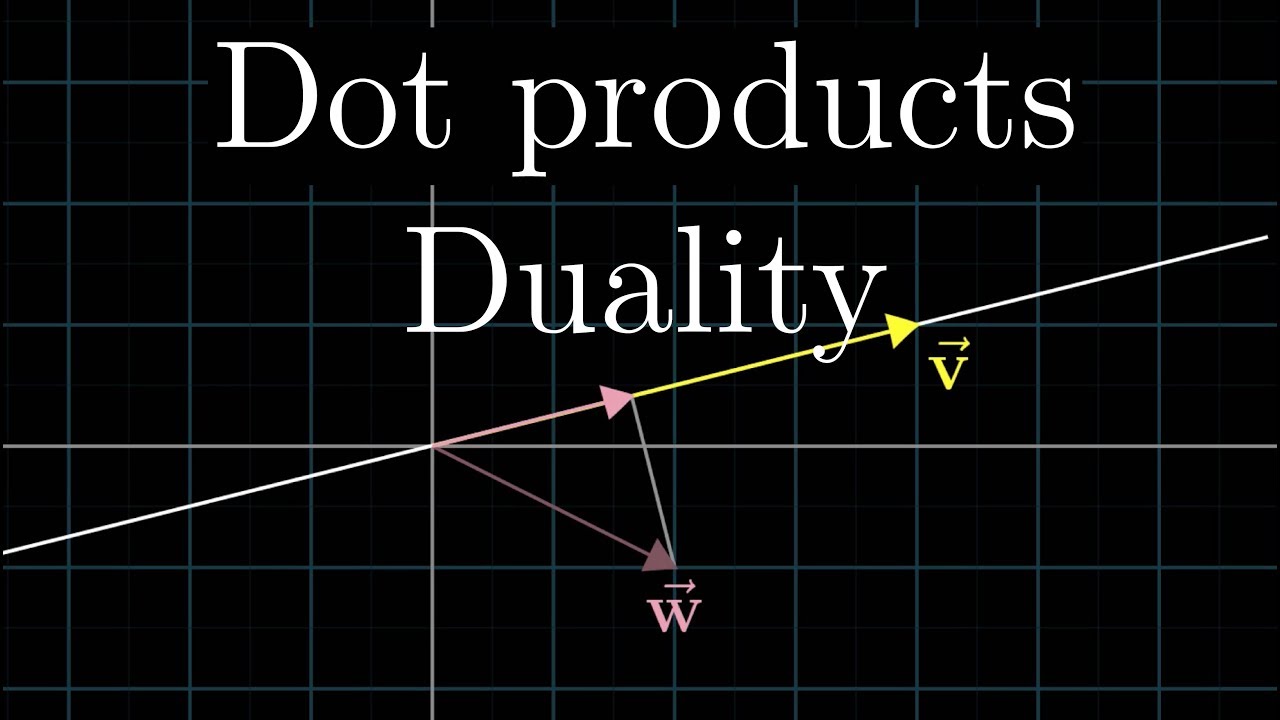
Why the formula for dot products matches their geometric intuition.
Enjoy these videos? Consider sharing one or two.
Home page: https://www.3blue1brown.com/
Dot products are a nice geometric tool for understanding projection. But now that we know about linear transformations, we can get a deeper feel for what's going on with the dot product, ...
 clever steppe
suggestions on how to increase a flight handling working off character movement?
propulsion is already working well, but i want to be able to make sharper turns
rancid quartz
This is kind of what I'm envisioning.
 maiden wadi
 rancid quartz
Thanks so much for your patience, guys. And Thanks for the videos, I will watch that.
sleek pecan
also apparently I misspoke. order doesn't matter (figured that out by reviewing the video I sent haha)
rancid quartz
That blueprint does the trick, Authaer. Thank you both for your time. I have a lot to learn about basic math. 😅
maiden wadi
It's not so basic. Maybe to a math grad.
sleek pecan
@rancid quartz One more thing. I believe you don't merely want the dot product. I think you want to take the inverse cosine of the dot product
using this as reference https://www.wikihow.com/Find-the-Angle-Between-Two-Vectors
rancid quartz
Why would I need to use that?
sleek pecan
Look at the very last step listed there. it says "(the dot product of A and B) is equal to the magnitude of A times the magnitude of B times cosine of theta where theta is the angle between the two vectors" (theta is what we're solving for)
if you've properly normalized your vectors, by definition their magnitude is 1, so multiplying 1 by 1 is 1, so we can ignore that part about the magnitudes
so we're left with "(the dot product of A and B) is equal to cosine theta"
trim matrix
I am trying to put mini icons on my train. Train has a speed and my icon looks like this
 sleek pecan
if you want to solve for theta the way you get rid of the cosine is by taking the inverse cosine of both sides
rancid quartz
Okay, I think I'm following.
sleek pecan
so what we're left with is "the inverse cosine of the dot product equals theta"
rancid quartz
Sorry, so the result of this formula will be different than just the dot product?
And if we have A and B (in my case the location on my spline and the corner of the screen), that means we can calculate the dot product which is theta, no?
maiden wadi
@trim matrix Either render it on screenspace, or remove motionblur from your post process.
sleek pecan
@rancid quartz The dot product is not theta. Look at steps 5 and 6 of the reference I linked you to

the left hand side IS the dot product
rancid quartz
This reads Vector A * Vector B = (Length of A * Length of B) * Cos * Theta? Something like that?
sleek pecan
it reads "the dot product of a and b is equal to the length of a times the length of b times cosine of theta"
rancid quartz
Okay, this is going to take me some time to pick through. I'll see if I can figure it out though. 😅
sleek pecan
go check out the 3blue1brown series. it's truly great. helped me a ton and I had already taken "algebra 2" in high school and linear algebra in college, and this stuff still confused me
3blue1brown broke it down in super straightforward and geometric ways that really allowed me to begin to wrap my head around it
rancid quartz
That's what I think I need, yeah.
Sometimes small questions lead to great tutorials. Thank you.
maiden wadi
Out of curiosity, what are you doing with the comparison of the spline direction to the screen corner?
rancid quartz
Well, wouldn't you like to know. 😛
I'd like my enemy's tail to curve accordingly as they fly along the spline. I figured that by figuring out the dot product I could assume that the more away from the corner they're facing, the more their tail should be curved, and then I could do an interpolation frame by frame.
I don't know if this is the best way to curve a tail with grace but it's what I'm trying.
 waxen arrow
Hey guys, I'm currently struggling with velocities and was seeking some help/info- I'm making a little ship have physics based movement with velocity and add force. However since this is global X Y Z I cannot rotate the ship (and it's velocity) so that it'll always go forward I've been messing around with rotatevectoraroundaxis but it just doesn't seem to be working like how I intend it to do.
For an example I add force in the X direction, when I rotate the ship it remains in the global X direction- I want this to be local so that X is always in front of the ship. Any ideas?
maiden wadi
@waxen arrow Get used to transforming your locations and directions via the ship's transform.
If you want to add force in the ship's X direction. Simply make a vector of ForceAmount,0,0(x,y,z). And InverseTransform that into world space.
waxen arrow
Alrighty, also transforming locations and directions? Do you mean switching off of the physics based movement?
I'm still pretty new to UE so I don't really know the 'correct' way to create movement
 tidal venture
Throwing an error/warning with stack trace (BP and function references) from within a UFUNCTION - I have been looking for it for a while but I just can't figure it out, I found that there is:
FBlueprintCoreDelegates::ThrowScriptException
Which pretty much does what I want but it is only used inside DEFINE_FUNCTION contexts and also it is only used in core code and found no references to it by anyone using it in their code. Since it requires a Stack variable I can also not really test it in my code so easily
What I want is just to UE_LOG my problem + throw a reference to the UFUNCTION that encountered the issue and know which BP this is used in
OK I just found something new FDebug::DumpStackTraceToLog() trying it
maiden wadi
@waxen arrow Something like this. This would apply force as if wind pushing the ship from behind.
 maiden wadi
Alternatively. You can also simply get the ship's forward vector and multiply it.
But it's nice to know about local to world and world to local transforms when starting to deal with vector math stuff.
waxen arrow
And this will always push the ship forward?
Regardless of direction?
(Or rather create the vector that will)
maiden wadi
It should. Assuming that your ship's local forward vector is on it's X vector, which most objects are in Unreal.
Oh, I mixed those up. Should be Transform. not invserse.
 waxen arrow
Ahh
maiden wadi
But alternatively. Just use GetActorForwardVector. It'll return the same thing as the first three nodes, and you can multiply that by your force.
waxen arrow
Bruh, I wish I knew about that command earlier xD
I've been basically getting my velocity, breaking it then multiplying it
That's awesome, thanks man
I don't get the reason for each of the blueprint functions there but I can look that up pretty easy
Reverse engineering is my specialty
I'm guessing you make a vector, use the transform to rotate it to be forward facing?
maiden wadi
There are some things you can do that may benefit when working with ship physics. For instance, you may not actually want to add force directly in the ship's forward vector, but it's lateral facing vector. Can play nicer with gravity.
waxen arrow
Interesting, why would forward vectors mess with it's gravity?
Compared to lateral vectors*?
maiden wadi
If the ship hits a large wave. It's forward vector might face more upwards. Without a decent amount of gravity checks and whatnot, it may fly over the wave more than intended. Sails won't propel a ship movie style over waves like that before the sails rip free. So it can look and feel a bit better to level the vector with the horizon before adding force.
waxen arrow
O-oh
Uhhhh
My bad
The kind of ship that isn't on water... Spaceship
I completely forgot about water based ships haha
maiden wadi
Haha, fair enough. In that case, definitely forward vector.
maiden wadi
Too much Valheim lately.
waxen arrow
And good to think about
Dude, you know it
Well thanks for the insight, that really helps
I wasn't aware of all of these components
 odd arch
Hi, I have a explosion that call radial damage.
In another blue print I have a Even RadialDamage node.
Sometime the event work but sometime don't.
from the print I know the explosion always work but its only my BP with the event radialdamage that is not always trigger


 unreal jetty
hey so this question probably has an easy answer, how do I make a component of a blueprint a physics object without that component moving away from the root? Specifically im trying to make something based on the VR cube pickup that has a skeletal mesh component under it that can ragdoll. Basically I want to make a ragdoll you can pick up in VR.
earnest tangle
child components that simulate physics need to be attached using a physics constraint component or such
unreal jetty
alright I guess ill just look into what a physics constraint is. (im kinda new to UE4)
waxen arrow
@maiden wadi So I just tested the picture out and added it to a addforce and uhhh, it's still making me move global X
How do I check if my ship local forward vector is on it's X vector?
maiden wadi
Show me what you have?
waxen arrow
Sure thing

Ignore the detached code
I'll send a gif of what happens as well
It's strafing when it's meant to head towards the pillar.
 harsh zephyr
Hi
We want to set a price for the products we will sell in our store, and artificial intelligence, that is, customers will buy the products we sell at the price we set.
Note: Player will set the price for the products in the game
Can somebody tell me how can i do that ?
waxen arrow
@maiden wadi I figured it out, I am an idiot forgot to attach the make transform to the actual ship
For some reason I thought it'd do it magically itself, haha.
unreal jetty
earnest tangle
child components that simulate physics need to be attached using a physics const...
hey so whenever I use a physics constraint component it just sends my physics object to the middle of the world, how do I use this thing? I cant find any good youtube videos on it.
earnest tangle
I don't remember it off the top of my head... You gotta set Component 1 to the physics enabled component and component 2 to the component you want it attached to. The rest of the settings should just affect the result of that
unreal jetty
no matter what I set component name 2 to its the same result...
unreal jetty
FINALLY difured it out. Apparently component 2 needs the "collision enabled (query and physics)" option.
 fluid rover
When Casting to something spawned at runtime, how do you determine what it Inherits from?
 supple dome
you cant, if you have same behavior on many classes, you probably want to put that behavior on a component/interface
whats the use case?
fluid rover
long story short:
- Working with Wave VR on Vive Focus +
- Calling their teleport function requires an X/Y/Z location to send you.
- Their controller has a "laser" and I'm trying to call the hit location of said laser.
- However, it appears to be something that's spawned by their ControllerLoader, and I can't seem to acquire the right stat off of it.
Documentation: https://hub.vive.com/storage/docs/en-us/UnrealPlugin/Unreal_wavevr_linepointer.html#introduction

image is my current attempt, Warning indicates that it doesn't inherit from Controller (which I then stripped)
 brittle sky
would anyone take 5 mins to help a first year student with casting
or should i just post the problem
here
fluid rover
@brittle sky You can feel free if you so choose, I'd appreciate further understanding. Should I blanket statement "rookie, not a programmer, just a 3D artist trying to understand"? lol
brittle sky
I haven't touch anything to do with programming since college"sixth form" but still have some knowledge of a OOP and im currently a game artist student creating some simple interactions
fluid rover
Oh I see, I think I misunderstood you, but carry on!
supple dome
fluid rover
long story short:
- Working with Wave VR on Vive Focus +
- Calling their telepo...
looks like its a variable on the player controller, GetPlayerControlller > Cast to WaveVR_Controller > Get WaveVR_LinePointer > Get Curr Impact Point
brittle sky
So i have two blueprints , one which contains a boolean that controls whether a interaction can happen called "CanInteract" and i need to reference it in a separate blueprint
and im struggling with the object reference past of the cast
supple dome
whenever you spawn the first blueprint, you need to save a reference somewhere that can be accessed by the second blueprint
for example, if you spawned on your gamestate, you save a variable there, then on the second blueprint, you can just GetGameState > GetMyFirstBlueprint > Can Interact
brittle sky
so the variable would be the reference
okay i get that
would i set the variable type to be the blueprint if that makes sense
supple dome
yeah
fluid rover
@supple dome Well I'll be damned, looks like that inheritance works. Thanks!
 thin raft
Hii, days ago i was playing with splines bp but now i have a problem and i don't remember what i have done last time 😓 this is the spline bp

the mesh spawn, but when i click the rectangle white, i can only "stretch" the spline
but don't spawn the other meshes
brittle sky
im abit confused about the game state thing you mentioned
i have created the reference
but what could i use instead of gamestate
for the second bp
every article or tutorial i read it on shows people using player controller or something player for it
supple dome
you can save references to anything from anywhere
if its something related to the player, use the player
waxen arrow
Hey guys, just wondering why/if it is bad to use Set Velocity rather than Add force for a player spaceship that moves?
Even UE4 warns against using Set Velocity
But wouldn't setting velocity be easier to use in some cases as it would be much easier to set a max speed rather than adjusting for acceleration?
Or is it entirely just user preference?
maiden wadi
@waxen arrow I think it's more about common ease of use. The idea of setting velocity is like firing a bullet. Explosion style stuff. The point for adding force is that you would generally add the same force over and over as if by a thruster. This would continually increase velocity in that direction. Where as to do the same thing via set velocity, you would continually need to compute the velocity required to not make it jerky. Which AddForce and the physics engine already does for you.
 vale pine
Yea my guess is they warn you against it because it doesn't act like natural physics reactions. I'm using a bunch of Get/Set Physics Linear Velocity for my character controller with no unpleasant surprises so far.
maiden wadi
So. If you have like an impulse engine like Firefly style where you'd charge up. Set Velocity most likely, or more likely AddImpulse. For more gradual controls, AddForce.
waxen arrow
That makes sense, from the warning inside the editor that advises to not use it I thought it was prone to like..
Break the engine or something
Hahaha, thanks for the clarification.
maiden wadi
Haha. No. It won't implode Unreal. Just may be buggy if they've put warnings on it. Developer's way of saying "We didn't test how this works, use at your own risk."
 sharp sigil
I'm working on a buff/debuff system and I'm wondering how to resetting stats back to normal. For example, if I set character's movement speed, how would I reset it back to normal? Do I have to store the player's normal movement speed in a variable before I set it?
maiden wadi
Realistically, you would store the character's default runspeed on the character as a hardcoded variable. Then make a function that passes in something like modifiers that alter that. So in your debuff component, have a function that would consider all of your debuffs, and get the correct amount to modify the speed by. Pass that to the character's function to modify the speed. So if character normally walks at 300 units per second, and they get frost debuffed for -20% move speed, pass in -0.2. NormalCharMoveSpeed + (NormalCharMoveSpeed * PassedInValue) = NewMovementSpeed. Passed in value * NormalMoveSpeed = -60. So -60 + NormalMoveSpeed = 240.
Then you can also alter your debuff logic easily from the debuff function. Do you want to stack some buffs? Or do more WoW style where the largest current slow is the one that gets picked. Doesn't matter how you decide to go in and change the logic there in the future and it'll work.
trim matrix
Hey, I need a queue system for links for a project, but I'm not sure how I'd do that
elfin hazel
To make a queue, all you need is an array. add new members in one end and pull from the other. Unless I'm missing something.
pastel garnet
Quick advice: If i wanted to make a name display when someone is in certain area, do I make a collision box like this around the player and check if anybody is overlapping and if it is, it will show up for them?
 vale pine
waxen arrow
That makes sense, from the warning inside the editor that advises to not use it ...
vale pine
waxen arrow
That makes sense, from the warning inside the editor that advises to not use it ...
I Forgot one important thing. When you set velocity as an acceleration (every frame), you'll want to multiply it by the world delta seconds so the vel is the same at different frame rates.
If I'm not mistaken, Add Force accounts for that automatically, but Set Linear Physics Velocity don't.
 shell void
In Unreal, the Default Scene Root that all actors start with has a visible sphere that is visible in the editor viewport, but not in game. This makes it easy to click on.
When replacing that, even with another Scene Component, the sphere disappears, and its impossible to directly click on the actor in the viewport.
How do I go about adding back in that clickable sphere?
Visible

Not Visible
 waxen arrow
vale pine
I Forgot one important thing. When you set velocity as an acceleration (every fr...
waxen arrow
vale pine
I Forgot one important thing. When you set velocity as an acceleration (every fr...
Ah, it really does seem quite troublesome compared to simply adding force- good info thanks
 tired cypress
shell void
Not Visible
tired cypress
shell void
Not Visible
I guess I hadn't noticed this before. I always just click on the Scene Root in the left-hand menu. One thing you could do is add a Sphere component as the Scene Root, then it would always be there.
You could then set that sphere as "Not Visible in game" via the checkbox under Rendering
 formal prairie
hey all, so i'm trying to activate a bool through an array, but it dosen't work, the index is correct i checked it with a print, but it just can't manage to enable the bool at the index... the GET is a ref

i also tried with a Set Array element, didn't work either
tired cypress
pastel garnet
Quick advice: If i wanted to make a name display when someone is in certain area...
As long as your use case has those names only showing up when you get pretty close, this solution seems like it would work. You'd want to test to make sure performance was okay at your desires range.
 haughty crypt
@formal prairie why not set array element
elfin hazel
@formal prairie What's probably happening is that the boolean value does change, but it's the value of the member in the array. IE, the array member does not point to the variable in the savegame.
formal prairie
elfin hazel
<@!362670489933709312> What's probably happening is that the boolean value does ...
aaah maybe... so how can i tell it to apply in the source variable itself ?
formal prairie
haughty crypt
<@!362670489933709312> why not set array element
it didn't work when i tried either
elfin hazel
hmm I'm not sure to be honest. I think a Select node would have the same issue, though you could try it. The only real way I can think of is with a branch, really. Which should be fine with just 2 values but doesn't scale.
formal prairie
nah i'm going to have a lot of values later on... if a branch is the only option then ...
elfin hazel
Could the booleans in the savegame be in an array?
elfin hazel
Then you'll know which index to change, and if it's going to scale anyway, I think that's the way to go.
formal prairie
it works flawlessly, i'm so happy !! thanks a ton !
elfin hazel
Nice!
 shrewd summit
I need some help with line traces, I have a box collision around an AI's head and basically if the player's line trace (from their gun) hits it then I basically want to set the bullet damage to 100, I don't exactly know how I get the box collision, would I use hit actor or hit component (from the break hit result), and how would I do a target and also what it's meant to hit?
 river pasture
I'm fairly new to blueprinting and I was wondering how you would go about recreating something from this clip. I essentially want my character, when they fall off a ledge or what not, to move them back to the last known approximate location before they fell. https://media.giphy.com/media/LPVnN4nKcbtlDM7She/giphy-downsized-large.gif
 vale pine
@river pasture Almost seems like they have placed designated "safe return" spots based on how the camera moves to the side and then forward.
But I've also seen this in Mario Odyssey when you play the assist mode and fall into a pit, but I THINK that one's a little smarter than just waypoints.
 raw current
Hi, I'm still very new to BPs and unreal here is my BP for picking up and dropping an object but it does not work when pressing E red lines seems to form from the characters body? would anyone know why this is? by the way I want to program it so he can pick up by controller but unsure how?
 tired cypress
shrewd summit
I need some help with line traces, I have a box collision around an AI's head an...
tired cypress
shrewd summit
I need some help with line traces, I have a box collision around an AI's head an...
I wouldn't use line trace for this. I'd probably actually test to see if the projectile hits the head box.
tired cypress
river pasture
I'm fairly new to blueprinting and I was wondering how you would go about recrea...
I would use a CollisionBox that went around your ledge that has an overlap event that would place you back in the world. There's some complexity to this though since you will need the closest point to return to.
vale pine
river pasture
I'm fairly new to blueprinting and I was wondering how you would go about recrea...
I played a little assist mode in odyssey and my best guess is there is a "safe position" set on every frame that mario is grounded. When you jump, the position is not updated. So if you jump into a pit, you'll come back exactly at your jump point. That's the straightforward part.
For slipping off a ledge, the best I can tell is that there's some kind of trace around or in front of mario. If it detects a pit (possibly a ledge), it stops updating the "safe position."
As an example, I walked to a ledge, then went into the "ledge climb" mode and shuffled to the side a very large distance. When I finally released and fell into the pit, it brought me WAY back to the spot right before I first started the ledge climb mode.
I believe the safe position also doesn't update on moving platforms because there's no guarantee they'll be there when you return.
river pasture
vale pine
I played a little assist mode in odyssey and my best guess is there is a "safe p...
Understood, I'll give it a go and see what I come up with. Thank you very much for your time and consideration. 🙂
 sonic pine
Hiho i have a little question about item structures and item classes. Before i have started with the Item Structure i wathed a video about that. In this Video was every Itemclass his own Item. Herb was a bush, Stone was a pickupable stone and so on.

My question about that:
Shouldn´t be an Item Structure Class an Item Classs like
- Consumables
- tools
- weapons
So in every class could be more that one item and for example the weapon class have a secon class like swords, shields, minigun and so on
maybe i will think to complicated but i know that classes from old rpg´s like kingdom hearts, Final Fantsy and so on
 torpid iron
how would I check that an object in a collision capsule is a player
 dark crow
If you want to test a certain class in particular you could cast to it
torpid iron
Ok
torpid iron
dark crow
If you want to test a certain class in particular you could cast to it
This is what I am doing now

 north hedge
@torpid iron Cast to FirstPersonController or whatever controller you're using.
Last I tried (1.14 iirc) it would only successfully cast to classes directly and not classes that inherit from others like Pawn
torpid iron
Ok
north hedge
That is if it isn't working still, if it works then ignore me
sand shore
north hedge
<@!414972416352321538> Cast to FirstPersonController or whatever controller you'...
what does this mean?
You know casting doesn't actually coerce the type, right?
If your cast to pawn fails, it is because you had a reference to a non-pawn actor.
Casting always works as intended, but I wonder what your setup is that you didn't change anything else except the cast but then your logic worked
 sand shore
you haven't cast a reference for four years?
north hedge
I have but I haven't encountered that issue because I just directly cast to the type
what I meant was, I assume you'd be able to cast to a class like APawn when you have a class that has an APawn parent class, but when I did that years ago it didn't work. So the fix was to just directly cast to the class you want.
It could have been a bug or something on my end
north hedge
It works in C++ fine now, so I assume it works fine in BP, I've just never gone back to check
torpid iron
I dont think it worked
north hedge
Whats it look like?
vale pine
Very dumb debug questions:
-Can I print warnings or errors or something in blueprint? Something that the user would need to dismiss?
-How do I make a single line of text that updates a variable value instead of printing a million of the same message with Print String?
-Is there a boolean somewhere that indicates I'm in the editor and not a production build?
north hedge
You can create a widget that allows you to input text values like Windows MessageBox function, just a simple Create Widget -> Add To Viewport and then custom function that sets the text for the title of the box and the contents within it
Set PrintString timer to 0.0 to have it run and destroy (only show up once) per-frame, otherwise call a custom function and don't run the Print in Tick
From memory there is no Blueprint IsPlayInEditor bool but there is in C++, there's also the VictoryPlugin library which has a bunch of C++ stuff exposed to Blueprint which does have the GetWorld()->IsPlayInEditor function, which can be found
https://forums.unrealengine.com/development-discussion/blueprint-visual-scripting/4014-39-rama-s-extra-blueprint-nodes-for-you-as-a-plugin-no-c-required
vale pine
north hedge
You can create a widget that allows you to input text values like Windows Messag...
Thanks!
 zenith kindle
im drawing circles using a circleTexture on planes, it works ok but theres the problem where bigger circle = thicker lines due to the plane's large scale
is there a better way ?

 blissful grail
Is there a way to make sure the function for Set Timer by Function Name gets called at least once?
north hedge
zenith kindle
im drawing circles using a circleTexture on planes, it works ok but theres the p...
Easiest way would be to make a singular texture that you've set the scale to exactly what you want for multiple circles, otherwise you can use maths
 mystic lantern
probably better to do within a material using maths yea
north hedge
maths would allow you to add as many as you want vs a single texture which restricts you
zenith kindle
this is a material using radialgradient, your saying control the thickness based on scale in the material ?
north hedge
Yeah
mystic lantern
i remember doing a weird sine wave looking pulse before in a material. wasn't too complicated iirc. would most likely control how big the ring will get. i used it for relatively small things so im not sure what would happen on a larger scale. my bet is it would be alright though
north hedge
I've got an example, let me shoot it over
zenith kindle
this is relatively small scale, the farthest circle is only 300 unreal units from the center
north hedge
Yeah

You'd want to make the radius a scalar value as well
but thats from a web-based example for a loading bar
north hedge
blissful grail
Is there a way to make sure the function for `Set Timer by Function Name` gets c...
How are you calling the timer?
If you call it once off then it should just call the function but you can use a Print String to ensure it worked
blissful grail
north hedge
How are you calling the timer?
I'm setting up my firearm shooting. Using this to do automatic fire. It works fine in my C++ code, but in BP, sometimes the function doesn't fire off.
If I tap the fire button, it doesn't fire. There is a slight delay before the first firing of the function, which gives time for the StopFire event to to clear the timer.
north hedge
Do you have the initial start delay to 0?
Also try SetTimerByEvent or as a simple failsafe you can just put a "hasFired" bool in, but thats jank and may cause issues in the future
I'd also run with breakpoints to see what the Timer is doing in BP
blissful grail
Yes - start delay is 0. And how would the timer by event node change the expected behavior? Curious question.
north hedge
I'm not sure, its just a safer method of calling timers (it probably changes some stuff but I can't look into it at the moment), but I'm just curious about what could be causing it
blissful grail
This is the setup currently. What's happening is, when I tap the fire button, it goes into StartFire. Then because I released it immediately, it clears the timer. It's like it aborts the function before it can even begin or something like that.
I'm currently trying this workaround, where I call Fire at least once, before going into the looping of Fire. (I'll end up changing this with semi, burst, and full-auto down the road).

My biggest concern with this approach is a "double shot" so to speak.
So one pull of the trigger could potentially fire 2 rounds, instead of the intended 1.
It hasn't happened yet in my testing, but I'm still concerned about it.
north hedge
You can create a reference to the timer and run an Is Valid and Time Remaining on it to ensure that when the player fires again it won't double up
If the timer is valid or has time remaining they're still shooting
 pine ledge
blissful grail
This is the setup currently. What's happening is, when I tap the fire button, it...
pine ledge
blissful grail
This is the setup currently. What's happening is, when I tap the fire button, it...

Here is my macro for what you need
You can't spam shooting, depending your time shoot
north hedge
Seems as though it should be as simple as
OnFire
  If Timer.TimeRemaining <= 0.0f or Timer.IsValid == false
    Timer = SetTimerByFunction
    FireWeapon
Yeah if you do that you can spam multi shot
north hedge
But the timer would be valid and have time remaining
If the first thing you do after the if check is set the timer then you'd have to be almost frame-perfect to mash the fire button before it started returning false
pine ledge
Example 0.5s for each shoot if hold, but you dont hold, just spam click. It still allow you shot without 0.5s delay
north hedge
It shouldn't if you're using a timer
because it would be returning false because the timer isn't finished
pine ledge
Oh, i didnt expect that 
north hedge

Thats how I kind of have my FPS template code laid out
Although thats a 30 second job so its not going to be fantastic
but you shouldn't have/need to clear the timer On Release
you can clear it on reloading, but on release just leads down a path of many issues that can easily be avoided by just letting the timer run out naturally
pine ledge
Hmm, i'll check it
blissful grail
north hedge
you can clear it on reloading, but on release just leads down a path of many iss...
Such as? The weapon should only have a single timer.
north hedge
It does only have a single timer
pine ledge
I only can use blueprint without any knowledge code C++ or anything else.
blissful grail
Well I prefer C++, but I'm using BP to learn about networking more. Faster iteration times.
pine ledge
I thought C++ will be better in network
blissful grail
north hedge
When you click, if the timer already exists it just doesn't run the timer code
But that's why I clear it on release.
north hedge
You shouldn't need to clear it on release
blissful grail
pine ledge
I thought C++ will be better in network
It is. But you can still do the basics of networking in BP. And that's what I need.
pine ledge
Nice, should try it sometime. I'm stuck at network because i thought it will need C++
north hedge
So the reason I do IsValid and > 0.0 is to ensure that if the timer still exists that the time remaining is zero, that way if it still exists then you're 100% sure its not going to stop an already running timer. You're just reusing a timer thats run out already
 latent arch
Hey all, any ideas why im getting this when trying to use a macro froma macro library i jave made?

also, i really want to make a macro in a library that contains a delay ndoe, but i cant sem to?
i want to set up a macro with a delay node i can use in other BP's but doesnt seem possible?
 upbeat otter
hey asked earlier about changing "auto possess ai" thru nodes does anyone by chance know how to do that?

 thorny marsh
trim matrix
thorny marsh
trim matrix
How do you make a menu anchor child stretch to be the anchor's size?
spark steppe
latent arch
i want to set up a macro with a delay node i can use in other BP's but doesnt se...
you cant. delay can only be called from events
latent arch
ok thanks, i feared as much
 opaque blade
@Morkrah#0118 actually your macrolibrary needs to "inherit" from Actor to do that
As Delay requires a World Context
Then the macro can be used on any actor ( but not Object )
@latent arch
However those macros / latent functions can only be used in event graph not in functions (but functions can call events doing latent stuff)
latent arch
@opaque blade ahh sweet thanks for that, my macro library is inheriting from "object" at the moment
i will change and see 🙂
opaque blade
your second branch will always fail
Other object always will equal the object of the cast when the cast is successful
The first execute path only will run if the cast is successful (aka the resulting object is non-null) so also no need to do the check there
opaque blade
just remove the second branch
then your logic basically is
"Did I collide with myself?"
No? Continue; otherwise we are done
Did I collide with anyone of class "EnemyCharacter"
Yes? Continue; otherwise we are done
Destroy myself
however if you shoot walls your projectiles still wont get destroyed
just saying
maiden wadi
Even the walls are enemy characters. 😮
 swift pewter
Why wouldn't it get destroyed when hitting walls?
maiden wadi
Cause you're casting the hit thing to enemy character.
opaque blade
"the enemy of my enemy is also my enemy", or so
and walls often are the enemy of the ai ... would be so much easier without walls
maiden wadi
No point in casting then.
untold rose
Is there an easy way to create 2 "pause groups" that can be paused / unpaused individually?
Context: the game has a normal play mode, and a "scanner view" mode that pauses what happens in the real world, but still lets you fly around a simulation of the level and place markers etc. I could just make everything regarding the scanner ignore pausing, but i would like a pause menu to actually pause everything.
maiden wadi
@untold rose Not by default. Pause game will stop everything. Setting the global time dialation will affect everything. Some people have mentioned doing custom reverse time dialiation by setting like very low global time dialation on everything and then mathematically reversing that to a very high number on things that remain unpaused, like your scanner movement. However, having tried that, it's glitchy and really doesn't work for solid gameplay. Realistically, you need to make yourself a custom timescale value somewhere like GameMode, or GameState and that needs to be set to alter time and everything done in your game should be multiplied by this similar to delta seconds.
untold rose
Timescale 0 is actually 0.000002 from my testing, so thats not an option, plus anything physics based freaks out when jumping from low to normal timescale
Thanks for the answer, i guess i'll just make the scanner stuff not pause, if anything responds with time in there i can always make some custom code to replicate pausing behavior
 pulsar valley
hey guys, is there any way to determine if an Actor is a 'client' in a multiplayer project?
I know that there's the "authority" check, but it's a different thing, since I basically need to execute a node if it's a 'remote' object (i.e. a client) OR if it's standalone. So using the 'authority' check I'm not able to do it, since if I use the 'remote' pin in the authority switch it would not be executed while in standalone

 sonic pine
Hiho somone know the UE Plug In VaRest to create a Login ?
I cant find good totrials from 2020 or 2021. So ist VaRest a good way to create a Login are there better alternatives?
Someone know a good tutorial to connect mySQL Database with the UE?
Thanks for help!
pastel garnet
raw current
Hi, I'm still very new to BPs and unreal here is my BP for picking up and droppi...
Red lines are the line traces, once they overlap something it should become green on the other end.
maiden wadi
@pulsar valley
 dark crow
 elder gulch
idk why am i getting this errors
elder gulch
idk why am i getting this errors
That happens when you destroy the actor and try to do something on it while it's pending the destruction
elder gulch
dark crow
That happens when you destroy the actor and try to do something on it while it's...
owhhhhhhhh
fresh sand
Is there a way to gain Gamemode Info like Booleans and Int's while the gamemode isn't even running? if so how? (I wanna use info from one Gamemode to Another)
maiden wadi
@fresh sand If an object does not exist. You cannot get information from it or do anything do it. Two GameModes never exist in the same game. If you have two different game modes and one needs information from a previous map, store it in a SaveGame or the GameInstance.
maiden wadi
Going to need a little more to work with?
raw current
pastel garnet
Red lines are the line traces, once they overlap something it should become gree...
Overlap? Do you mean the object I am trying to pick up?
charred breach
@maiden wadi I have a variable in the Game Mode for the Actual Game. And I want to change it from the Main Menu which has other GameMode 🙂
maiden wadi
Well, like I said before. Your choices are generally storing it in a SaveGame file and loading that up on the actual game mode and getting the value, Putting it on the Gameinstance before map loading and pulling it from there, or you can pass it as an options string when you open the level.
charred breach
@maiden wadi Can we message privet so don't spam the other people in the server?
pastel garnet
raw current
Overlap? Do you mean the object I am trying to pick up?
I mean like, the red lines are the actual line traces.
maiden wadi
Not really a fan of private messaging. And there's been a total of eleven messages in the last hour in here. Not really that busy.
pastel garnet
Line traces are used to detect if anything is in its way, and if it is then you can do something about it
charred breach
Ok so as I said I have a Game Instance and what should I do so I can change variable in one game mode from a level with different one?
 primal smelt
Hello all. I am putting together code for a wheelchair to handle downhill velocity which involves a line trace getting impact normal of surface and using cross product (impact normal and Z=1), the output of which goes into another cross product node (1st cross product and impact normal) which then goes into a dot product (2nd cross product and component velocity). Apologies, maths isn't my strong suite and I could have expressed that a lot better! So far this is working very well with additional code handling how much force using this data is applied to the wheelchair.
Right now I am trying to write code that will detect if the forward vector of the wheelchair is perpendicular to the direction of the ramp (going downhill). With my current setup with how friction is handled, the wheelchair will slide sideways if starting at the top of a steep slope from a slow position. I want it so if the wheelchair is perpendicular then torque will begin to apply flipping the wheelchair over. I do not want to rely on component velocity for this though, if the player has somehow managed to stop themselves on a very steep incline I want them to tip over even if stationary. I may need to first establish a ramp's "forward position" (these are not actors, just static mesh which is why I am using the normals) so downhill is always "forward" so no matter the rotation of the ramp the relative angle of the wheelchair should give me consistent values.
Could I pick some brains for ideas please?
 maiden wadi
Just get the game instance. Cast it to your custom game instance type. Set the variables you want to set. Then in your other game mode, you can GetGameInstance, Cast to your game instance type, and get the same variables. Using game instance, these will be reset if you close the game.
charred breach
What is custom game instance type?
maiden wadi
Your game instance class type.
raw current
pastel garnet
I mean like, the red lines are the actual line traces.
Thank you for the help but, I am not at the point to know what line traces is? Is there anyway you could simplify it?
 pastel garnet
raw current
Thank you for the help but, I am not at the point to know what line traces is? I...
pastel garnet
raw current
Thank you for the help but, I am not at the point to know what line traces is? I...
Line trace = red line
red line = a literal line that goes forward (what you are doing)
a literal line that goes forward = checks if anything is in its way
checks if anything is in its way = do what you want with it
Let’s say a bullet is a line trace, it is a straight line shot from the camera to an offset/distance, if the line trace overlaps a player, it will damage it
You can also use it for buttons, if you press (for example) E on a button, it will fire a line trace (literal line that goes forward) and if it collides with the button, it will fire whatever code you want
Simplest terms I can get
charred breach
BTW does anyone know how to use Background Blur for mobile?
raw current
pastel garnet
Simplest terms I can get
Thank you I do understand this more, I used the line trace for picking up and dropping an object was this correct do you think?
astral estuary
Super dumb question: can you group actors via blueprint? (group as in "ctrl + g" in the editor)
pastel garnet
raw current
Thank you I do understand this more, I used the line trace for picking up and dr...
Ofcourse
I did it the same way
untold rose
How do i make a particle system run anyways while the game is paused? Putting it in a BP and setting that to tick when paused doesnt solve this.
raw current
pastel garnet
I did it the same way
great thank you for your help much appreciated just need to fix the character movement all problems solved 🙂
pastel garnet
raw current
great thank you for your help much appreciated just need to fix the character mo...
Np :)
primal smelt
This always happens, I'll spend a day or two tinkering around, researching online but it is only after I ask a question in discord that I immediately find the answer myself online! For anybody curious about how I solved my problem (scroll up a bit), here it is. The ACOS node!
And for other people mathematically challenged like I am, this video has some neat tips for newbies like myself: https://www.youtube.com/watch?v=O9pkcjFfKNQ


Many of you have requested a way to leave me a tip so I've created a PayPal and a Patreon.
PayPal: https://paypal.me/reidschannel?locale.x=en_US Patreon: https://www.patreon.com/reidschannel
Discord: https://discord.gg/PdvudWx
Hey! In this tutorial I'll be going over some essential math operations for game developers including:
- Vector subtract...
primal smelt
Actually I just realised it still isn't quite what I'm after and isn't all too dissimilar to methods I'd tried before. It can tell me if the wheelchair is going down the slope forwards or backwards but when sideways there is no positive or negative value to determine which side is going down first. Hmmm, the search continues it seems
 quiet tinsel
raw current
quiet tinsel
raw current
Any know why my character walks by itself? I think it’s dead zone or the BP but unsure? And after moving the character he turns around a faces me?
fluid rover
Basics question here: I have 2 Blueprints. How do I pull an attribute from one (a Vector, specifically), and reference it in another?
 snow harness
fluid rover
Basics question here: I have 2 Blueprints. How do I pull an attribute from one (...
snow harness
fluid rover
Basics question here: I have 2 Blueprints. How do I pull an attribute from one (...
Event Begin Play, Get all actors of class <blueprint actor>, Cast To <blueprint actor>, pull off from that, Get <name of vector variable>
sand shore
snow harness
Event Begin Play, Get all actors of class <blueprint actor>, Cast To <blueprint ...
or you could say "Check the pins, watch Blueprint Communication" instead of proliferating bad practice
snow harness
sand shore
or you could say "Check the pins, watch Blueprint Communication" instead of prol...
roasted.
fluid rover
@snow harness Will this function even if the Blueprint I'm pulling the info FROM isn't present in the scene until runtime?
snow harness
fluid rover
<@!144405831826407424> Will this function even if the Blueprint I'm pulling the ...
You can wait to trigger it until after it is present, then you won't get a Null error
sand shore
sand shore
or you could say "Check the pins, watch Blueprint Communication" instead of prol...
this covers delegates, which could be used to notify external systems that your actor has spawned
snow harness
fluid rover
Basics question here: I have 2 Blueprints. How do I pull an attribute from one (...
What @sand shore is very kindly referring to, there are various ways in how Blueprints can communicate. Using casting and creating saved references is technically a bad practice, as in larger projects it can cause performance issues, and makes scaling up the implementation more tedious. There is a proper way to do it, but Cast To will get you going fine too, particularly if you're not making a larger commercial product.
 minor pagoda
Hi, does anyone knows how to switch between a main camera and a childActorComponent camera in a pawn blueprint?
snow harness
minor pagoda
Hi, does anyone knows how to switch between a main camera and a childActorCompon...
You may of already seen this, but this forum post goes over some options. I personally haven't had to switch cameras before. https://forums.unrealengine.com/development-discussion/blueprint-visual-scripting/1536601-how-to-switch-between-2-camera-s-in-the-player-pawn-camera-viewport-tab
Unreal Engine Forums
Is it possible to add a second camera to the pawn/actor so I have a total of 2 camera's in my third person game. One camera behind my character. The second
sand shore
Cast To isn't the issue. Casting to concrete classes is what brings in bloat. You can cast to abstract classes (that's what interfaces are) and be fine.
Get All Actors is the thing I didn't like.
minor pagoda
i already saw it, but i could not get a camera reference from my child actor, so i can´t deactivate and activate it
snow harness
sand shore
Cast To isn't the issue. Casting to concrete classes is what brings in bloat. Yo...
Using Get All Actors in certain contexts can for sure be very bad. I don't see any issue with using it to grab one actor though. Yeah interfaces would be better.
fluid rover
lol well thank you both @snow harness @sand shore , I'll experiment with these.
Basically, my controllers spawn & attach a LinePointer blueprint to my Controller on runtime. I'd like the PlayerPawn, which handles teleportation to an X/Y/Z by default, to pull that X/Y/Z location from the LinePointer's Trace End or similar attribute when a trigger is pulled, effectively Teleporting to where I'm pointing my laser. (VR by the way, probably should have led with that).
sand shore
snow harness
Using Get All Actors in certain contexts can for sure be very bad. I don't see a...
it is architecturally lazy and was immediately discounted due to initialization timing
Anyway, plenty to dig into for Soco
fluid rover
Yes indeed. I'm a 3D artist by trade but got pulled into developing VR content, so this is what I'm wrestling with as an Unreal pseudo-rookie.
snow harness
sand shore
it is architecturally lazy and was immediately discounted due to initialization ...
Depending on your skill level, those kinds of considerations are a bit outside of scope early days when just experimenting. It's easy to scare people off. But yes, you are correct.
snow harness
fluid rover
Yes indeed. I'm a 3D artist by trade but got pulled into developing VR content, ...
Awesome! good luck with hopping in head first
sand shore
you do make a solid point
fluid rover
@snow harness Thanks! Just doin' what I can. Standalone headsets are a bear compared to the desktop-bound ones, at least so far.
 blissful gull
ive got a blueprint that derives from a C++ class and every time i open and close the editor the blueprint messes up
like it keeps saying it derives from an invalid class after i close and open it
sonic pine
Hiho somone know the UE Plug In VaRest to create a Login ?
I cant find good totrials from 2020 or 2021. So ist VaRest a good way to create a Login are there better alternatives?
Someone know a good tutorial to connect mySQL Database with the UE?
Thanks for help!
 gritty elm
@sonic pine you can watch this tutorial of varest login and see how it works : https://www.youtube.com/watch?v=-_7a1jf_b9M&ab_channel=TotallyUnreal
also this : https://www.google.com/search?q=ue4+varest+login&oq=ue4+varest+logi&aqs=chrome.0.0j69i57.3978j0j7&sourceid=chrome&ie=UTF-8
https://forums.unrealengine.com/community/community-content-tools-and-tutorials/66149-free-varest-login-system-with-php-and-mysql
blissful gull
i tried creating another blueprint that derives from my class and i placed it in this map
and i get these weird errors
 gritty elm
@blissful gull https://answers.unrealengine.com/questions/463310/warning-createexport-failed-to-load-outer-for-reso.html
https://forums.unrealengine.com/development-discussion/blueprint-visual-scripting/1364757-failed-to-load-outer-for-resource-on-opening-a-persistent-level
https://answers.unrealengine.com/questions/605484/createexport-failed-to-load-outer-for-resource-2.html?sort=oldest
https://answers.unrealengine.com/questions/390832/failed-to-load-outer-resource-error.html?sort=oldest
Unreal Engine Forums
For the past few weeks, I am getting these Failed to load Outer warnings when opening a specific persistent level in my project. I tried troubleshooting it
blissful gull
i'll try this out. thank you!!!
 languid lion
How would one go about making a spline based movement system for AI?
As in LD can make a spline to define a patrol path
but the enemy can have multiple such patrol paths that it alternates between
I mean, I've thought of grabbing spline points at location
trim matrix
Whenever i try to package my project it says unkown error how do i fix that?
 vague lake

is there anyway to ingnore collision box left hand when right hand puching?
but i want it to turn for one montage only
turn off

this one?
 tawdry surge
Cross posting this from #animation in case some here is better equipped to help me out.
Hey everyone, I'm working on a physics simulated Locomotion. My issue is how to make them fall down properly. Since I'm not simulating the pelvis it holds the player up. Obvious solution is to transition to a rag doll or a falling animation.
I'm just not sure how to determine that my character is off balance and should fall now?
tawdry surge
Which category do you feel it best falls under?
 worthy frost
tawdry surge
worthy frost
tawdry surge
I'm not really asking about the physics tho.
More about what condition I should be checking to determine my character is off balance and should fall down.(whether it's from being hit, tripping/slipping in the environment)
I'm thinking either the angle of both the player's feet in relation to the normal direction of the geometry they are standing on, or a height check to see if they are both off the ground and as long as the player didn't jump first then they fall
upbeat otter
is there a way to migrate a city that you designed in one project and move it to a different project that has the same map?
basically how do i move just objects
 rugged wigeon
Right click, asset actions, migrate
 mellow hinge
im a complete beginner, is there a way to detect a collision with a pawn
i have a navmesh driven pawn that keeps spawning as the games goes on, i want to make it so that if the player collides with the pawn it switches to a death scene
i have the death scene already
 faint pasture
@mellow hinge start with event hit or event overlap depending on if they hit or overlap and go from there.
 timid tusk
The third person project sample content moves the camera view with the mouse. What do I need to do to have the camera view change with the mouse AND the left mouse button down?
I think I need to do "If input axis turn AND input action mouse button down"
faint pasture
@timid tusk start with playing with SetInputMode
And ShowCursor or whatever it's called
That is if your desired default mouse axis is to move the cursor.
timid tusk
It's this I want to modify:

I need to see if blueprint has an if node thing
branch node
yeah
timid tusk
This isn't working...I'm doing something wrong...

 winter garnet
Hey - I wonder, is there a built-in event to detect when a given key is pressed?
I can of course use the event tick and check the PlayerController's IsInputKeyDown but since that's too obvious I believe UE4 already offers something out of the box?
Oh, side note: outside of the PlayerController Blueprint
(It can be a plug-in as well)
vale pine
winter garnet
Hey - I wonder, is there a built-in event to detect when a given key is pressed?...
Typically you map keys/buttons in ProjectSettings>Input
Say you made a mapping called "Jump" and assign it to spacebar
In the player controller, you could then call "Jump" as an event, which supports pressed and released events.
https://docs.unrealengine.com/en-US/BlueprintAPI/Input/EnableInput/index.html
EnableInput lets you use these outside of PlayerController and PlayerPawn BPs
It's a little limited, though. I had to make my own stuff for buttons being held and also "held for x seconds"
Enable Input
 past urchin
Does anyone have a solution for this glitchiness? I can't delete this delegate. Can't rename the Event Dispatcher to anything else. Can't rename the node to Hfu On Key Pressed. Can't find anyway to delete this sucker

 tight silo
Hi all, I am a super noob with a lot of mograph knowledge, looking for a fairly easy tutorial to interactively change the blocks color/texture on/off when touching each block on my template scene with my top down character
faint pasture
@timid tusk all right, let me reiterate, what do you want to have happen when you are not moving the camera with the mouse?
Is the mouse a cursor on screen or what?
Also both of those inputs are events. To do it the way you're thinking you'll want to set a bool when clicked and I set when released. Then use the bool in the axis logic chain.
uncut condor
any clever way to re-spawn enemy after it getting destroyed?
 fading raptor
Im having trouble finding a tutorial for the Player following an AI, kind of like an Assassins creed mission where the player follows a certain AI
And the AI stops or slows down when the player is too far
fading raptor
uncut condor
any clever way to re-spawn enemy after it getting destroyed?
Maybe instead of destroying it you set its visibility, then reverse the visibility to respawn it
 runic parrot
Hi everybody! does anyone know if there's a way to get the length of a specific montage section?
runic parrot
uncut condor
any clever way to re-spawn enemy after it getting destroyed?
What do you mean? to reuse the same object or spawn a new one of the same class?
vale pine
Does unreal have a unity equivalent of SetActive, where all rendering, physics and script execution are disabled in one function, or would I need to build that myself?
 chrome fog
how do I switch from this view to Data only view for a blueprint?

 tawdry ore
Is there a way to get the character to move to the place where the animation ends? For example I have a sword swinging animation and in the animation the character takes a step forward but without root animation enabled it just awkwardly glides back into the original position.
vale pine
chrome fog
how do I switch from this view to Data only view for a blueprint?
I think it may do that automatically if you don't put anything in the event graph. Try closing and reopening it again?
chrome fog
I tried, that blueprint is used to open as data only first, but now it opened in full view
I don't remember changing anything
vale pine
In that case, I am unsure
 vale pine
Perhaps?
 pastel garnet
^
chrome fog
nvm, I opened the wrong BP
 hazy fulcrum
Hey chaps quick one, no idea if I'm just missing something here but
I'm using the spring arm as a camera boom for a third person shooter, and I've noticed that the spring arm will retract into its origin, which currently is in the centre of my character's collision capsule, with the socket offset adjusted so the camera is positioned above the character mesh's right shoulder
Is there a setting to adjust where the spring arm actually retracts to? I'd ideally like it to stay over the shoulder without it zooming into the character's back, but I've noticed that simply placing the spring arm there causes collision issues
 onyx token
can i add pins to a not-equal ?

I need to check if a bunch of floats are not 0
to continue, otherwise it's supposed to not do anything
and i could make a bunch of "AND"'s but that'd look stupid...
trim matrix
Multiply them all
onyx token
that's actually a pretty smart idea
thanks 😄
oh yeah, i'd have to have a bunch of "not equal" tho
but multiplying works well
basically i was looking for a "if any of these are > x"
 dawn gazelle
onyx token
basically i was looking for a "if any of these are > x"
dawn gazelle
onyx token
basically i was looking for a "if any of these are > x"
If you have a lot of values to check, you can put them into an array and loop through them.

 signal phoenix
This seems to be a fairly common problem, but I havn't found a "single" solid solution yet... has anyone run into generating "loops" and "corkscrews" via splines that don't "knot" on themselves when going over 180 degrees?
 rigid tartan
Not sure if this is the best place to ask: I have a blueprint that handles my login menu UI (UMG), and the blueprint uses a C++ component I created to handle the actual auth functionality. However, since the request is async, I can't simply return a value to the blueprint from my C++ function when the auth finishes. Since the C++ component class is separate from the UMG widget, I don't think I can use anything like a BlueprintImplementable to tell the blueprint to do something, so I'm wondering if there's any workaround for this.
 iron lodge
I'm trying to change the color of my enemy character (uses the same model as the player), and yet this isn't changing the color at all. what am I doing wrong?

 dawn gazelle
Usually this too - your material probably has a specific "color" parameter you'd want to set.
 north hedge
^
Make sure you're using Material Instances and you can just assign that via the material component name you've set
As far as I'm aware UE doesn't work like Unity where you can just say Material.Color = Color.Red and it'll change that instance
Also @dawn gazelle How do you change the angle of your BP connectors/pins? The sharp edges look really nice
dawn gazelle
It's a paid Marketplace plugin called "Electronic Nodes"
north hedge
Ahh cheers
iron lodge
north hedge
I've been following an official Unreal tutorial to do all this, and this is all they had, so that's where most of my confusion has been coming from
 north hedge
Strange, they should be assigning a base material
iron lodge
also I tried everything suggested, and it either didn't work or I couldn't figure out how to make it work
north hedge
Set a Source Material and a material parameter like Datura said and it should fix it
iron lodge
I made the source material, but what do I do with the Param. name?
iron lodge
it's the UE4Man_Body Texture on the UE4 man asset
 zinc tinsel
I need to get the actor that was clicked and plug it into that set node. How would I do that?
 north hedge
To fix it Will, you should be able to find the Color value in the material, when you find the color value get its name and set the Parameter Value to that, that'll allow you to change the color.
Basically what you're doing is telling Source Material to find a variable with Parameter Name and then set the value of it to your Enemy Color value
north hedge
zinc tinsel
I need to get the actor that was clicked and plug it into that set node. How wo...
As far as I know there isn't an event/function for directly clicking on actors unless you're using/referencing UMG elements.
The easiest way I can think of is OnClick > Line Trace from the mouse to the world space position below it and then set the Hit Actor based on that
GetHitResultUnderCursorByChannel
dawn gazelle
rigid tartan
Not sure if this is the best place to ask: I have a blueprint that handles my lo...
If you're still able to access and modify your C++, you should be able to create a delegate that you'd be able to bind to in blueprint. Basically your C++ event calls an event dispatcher that you can bind to in Blueprint.
Example (custom C++ nodes):

If you'd like the C++ for this, I have a fairly basic example of how to do it that I can DM you.
iron lodge
north hedge
To fix it Will, you should be able to find the Color value in the material, when...
Sorry, I'm still not quite understanding all this. Could you show me a visual example?
for reference I'm just using all of the defaults on the UE4 man
 sharp sigil
Why can't I spawn an actor from within a class that's a child of the Object class?
north hedge
iron lodge
for reference I'm just using all of the defaults on the UE4 man
Let me create a new TPC project
See how there is the Parameter called BodyColor?

Thats your Parameter name for the color of the character
so for a basic example I did
iron lodge
north hedge
See how there is the Parameter called BodyColor?
I have two different objects (ie. player and enemy) that use the same texture, and I want them to be different colors without having to make another texture
north hedge

I know
Create Dynamic Material Instance creates an instance of the material that is unique to the character
This is the result of that script I just sent
 iron lodge
It started working, but for some reason it's now only changing the emblem color, and not the body color. . .
north hedge
Screenshot what your code looks like now
iron lodge
 north hedge
You don't need to use MakeColor, I was using that to add a random color, also you still need to set the parameter name
iron lodge
how about this


 iron lodge
ooooh that did the trick, thanks a million
 mild anvil
Not sure where to post this but does anyone know of a way to get the location of a ragdolled actor? Like kill an enemy and get its ragdoll location to spawn loot?
north hedge
I assume getting the position of the ragdolled mesh and add a safety height offset to it would do, have you had any issue with it so far?
mild anvil
It seems to default to the mesh's position before it ragdolls. I tried adding a "loot" socket and getting its location to spawn a loot actor at it but again it seems to default to the socket's position pre-ragdoll...🙃
north hedge
Hmm strange
 royal trellis
is it possible to change variables in child bps?
i cant see any overrides for variables
dawn gazelle
Should be on the right hand side.
Otherwise, you just call them in BPs like you would as if the blueprint has the variables.
 stuck hedge
Any way to narrow down which "get player controller" is throwing this error? Unlike most normal blueprint errors I get, clicking these don't take me to the actual node. Clicking isvalid and branch take me inside the "isvalid" macro itself, clicking the droneinstance or executure ubergraph drone instance just take me to the blueprint in general. This error is only thrown when testing some multiplayer with 2 clients.
 north hedge
Breakpoints should work
dawn gazelle
GetPlayerController usually isn't the best thing to use in multiplayer. Each local player controller is always PlayerController 0 and they don't have access to other player controllers, only the server does.
stuck hedge
Yeah, I managed to just find it now with some. I was hoping there might be another trick. I don't get these kinds of errors often but once in awhile I get these errors that don't actually link to the node that was causing the issue.
stuck hedge
dawn gazelle
GetPlayerController usually isn't the best thing to use in multiplayer. Each lo...
It's not being used in multiplayer, it was the main menu when the game started.
It just happened that that error only kicked up when I started 2 clients at once.
it's basically an editor error as there was some delay where the player controllers weren't ready as soon as the game instance ran.
dawn gazelle
If you're testing multiplayer in editor, then it is in multiplayer, even if it's on your main menu.
Each client automatically connects to the host if you're doing Play As Listen Server or to the Dedicated Server when you do Play as Client.
Glad ya found the issue tho 🙂
 weak gulch
Hi everyone, trying to figure out another math issue. I want to increase a multiplier every time one of these inputs is triggered, but keep them unique. So if player does 2 Speed inputs, that still counts as a x1 Multiplier. But a Speed and Crew is x2 Multiplier, etc up to 5.
I can't figure out a good way to do this. I tried Bools, and an array adding Unique Ints, but neither seems to work. Been wracking my brain all day on this - can anyone lend a hand?
 stuck hedge
So you have 4 states and a variable amount?
or are all the speed/etc amounts also variable?
weak gulch
stuck hedge
or are all the speed/etc amounts also variable?
All the individual inputs for the event are variables and passed thru the player's BP with the amount each individual one should be.
stuck hedge
2 Speed inputs, that still counts as a x1 Multiplier in this kind of situation, what I'd do it is have it so that my input set the value to 1 (not added) and if there were duplicate inputs, then they'd be ignored because they'd just be setting it to 1.
if speed input then set speed = 1. Then if they duplicate that and do more, it'll just be set to 1 and always be 1 as long as they do it once.
if they never do it, it'll remain 0.
Then you can just add them up at the end.
weak gulch
So for every player action that is Speed, set a Speed variable to 1, then use that for the multiplication later? With the default value of 0.
stuck hedge
Yes.
if you do speed = speed + 1 then it'll keep incrementing it.
but if the max is 1 and a single action sets it to 1, then just have it set it and not add it.
do that for each one and then add them at the end.
and you won't have any duplicates.
later, if you want to allow more than 1 but the highest value from a single action you can do: if (NewSpeedAmount > old speed amount) {speed = newspeed amount} and that way it'll just set it to your highest multiplier.
so if it's currently 0 and thew newspeedaction is worth 1, it'll set it to 1, but if they later do something that would set it to 2, then it'll see that 2 is bigger than 1 and set it to 2.
weak gulch
@stuck hedge Thank you, sir. Seems to be working good.
Not sure if this is exactly what you meant, but it's working out so far.
 stuck hedge
Something simple like this will do the trick


and then add in all your multipliers to that function
make it a pure function
 lusty elk
hello people, pls i need ur help on a small question... what do i have to connect in the marked pin?

i know it should be the object im casting to
in this case the BP_ player
but cant make the reference
pls help
dawn gazelle
GetPlayerCharacter ?
lusty elk
gives a warning when compiling
dawn gazelle
What is the warning? That it will always fail?
lusty elk
"doeas not inherit from... would always fail"
dawn gazelle
What does BP_jugador inherit from?
lusty elk
bp_jugador its a pawn blueprint
dawn gazelle
Get Player Controller > Get Controlled Pawn > To your cast
lusty elk
dawn gazelle
Get Player Controller > Get Controlled Pawn > To your cast
thank u very much
dawn gazelle
lusty elk
but now idk why is not reflecting the score on the widget
Perhaps verify that your cast is actually succeeding. If your player is not controlling a BP_jugador pawn, then the cast will fail.
 dawn gazelle
It could be. Try putting a print on the cast fail path.
surreal peak
What did you connect to that cast node on the left
lusty elk
 surreal peak
Do you have any accessed none warnings when stopping to play?
dawn gazelle
Player Character isn't the same thing as Player Controller. Remove the "Get Player Character" and the "Last hit by" node.
Then put in a "Get Player Controller" node.
surreal peak
Or use GetPlayerCharacter directly?
surreal peak
Is there no GetPlayerPawn?
 surreal peak
He could, if feeling fancy, also make sure that he passes in the correct controller when creating the widget. Widgets have functions to get controller and pawn based on that
There is a pin on the create widget node that expects a playercontroller
But if it is working now, then leave it
lusty elk
thank u guys for helping 🙂
trim matrix
How do I add this node? If I hold L and click I get a Lerp(0, 1, 0.5) which gives error when trying to connect stuff to it..

 leaden goblet
it depends on what you want to lerp
if you need texture on right you cant just lerp two floats
type lerp and it should be there
trim matrix
leaden goblet
if you need texture on right you cant just lerp two floats
I'm trying to do an outline material, following some guy on youtube.

This is what I need to do
leaden goblet
and what error you have?
trim matrix
[SM5] (Node LinearInterpolate) Arithmetic between types float2 and float3 are undefined
[SM5] (Node LinearInterpolate) Coercion failed: Material.VectorExpressions[1].rgb: float3 -> unknown
[SM5] (Node LinearInterpolate) Coercion failed: (float4(View.OneOverPreExposure.xxx, 1) * Local0).rgba.rg: float2 -> unknown
when connecting it to emissive color
leaden goblet
all info is here
you are trying to lerp between float 2 and float 3
check your values
trim matrix
I have no idea what I'm doing here so I don't know what do check exactly 😅
leaden goblet
Hey, i have a problem with struct variable containing actor component in it.
Use Case: In **MyActor I have a variable FS_SplineVent. This struct has 3 variables in it, two AActor and one USplineComponent. These variables are set by my script in editor (not in runtime).
Problem: After recompiling blueprint of MyActor all instances of **MyActor *loose reference in my struct to USplineComponent. Reference to Actors is still there, but spline is null. Any idea why this happens?
Info: **USplineComponent **is part of MyActor, its not created in runtime or something.
 severe bane
okay so can anyone please tell me how to reset the transforms after attaching an actor to a component?
the problem is i use the set relative location and rotation of the actor to set it to a particle place but it is instead going at some random place.
i used snap to target option in location and rotation.

 trim matrix
Ahh I didn't have B ticked for my mask, now it works.
severe bane
severe bane
okay so can anyone please tell me how to reset the transforms after attaching an...
ok i figured it out
i used detach from component node
onyx token
dawn gazelle
If you have a lot of values to check, you can put them into an array and loop th...
ooh that's neat! thanks!
also your nodes look really clean and i'm jealous
 tiny meteor
is it a world space widget
widgetcomponent?
if there are two independent actors and you want to pass data between them, you can use an interface
 barren belfry
Hello, I get an error saying that "it can't acces xActor because it is pending for kill", but I only reference that actor to tell which actor to kill.


As seen in the screenshot, that is not the case.
barren belfry
Resolved.
 timid arch
Hello all. I'm new to the Discord. Hope you're all doing well.
I am working on a VR Game and am trying to set an object rotation to work properly. For this purpose, I have the setup from the screenshot bellow. I am trying to get it to rotate properly, based on Start Location and End Location, but at some point in the rotation, the object resets to it's default location and starts rotating again. The print screen at the end is to show weather the object it rotated left, or right, based on + and -. Also, the print screen should be showing between -360 and 360, but it breaks at about 300. I hope this makes sense. I'll be happy to clarify if there are any questions.
 languid lion
Does a looping timer with world delta time give me a custom tick
or does it give me a timer that runs on whatever the world delta time was AT THE TIME the looping timer was created?
 round basin
I'm not sure it's the right place to ask but, When my character walk down a slope it flies. Can you help me?

(don't mind the purple box, it's an overlap collision)


when I walk up the ramp it works fine
also when I put this at about 10 I fall down the ramp
 round basin
languid lion
Does a looping timer with world delta time give me a custom tick
round basin
languid lion
Does a looping timer with world delta time give me a custom tick
To wait a frame you need to set a timer at 0.0sec
leaden goblet
Hey, i have a problem with struct variable containing actor component in it.
Use Case: In MyActor I have a variable FS_SplineVent. This struct has 3 variables in it, two AActor* and one USplineComponent*. These variables are set by my script in editor (Call in Editor, not in runtime).
Problem: After recompiling blueprint of MyActor all instances of MyActor loose reference in my struct to USplineComponent. Reference to Actors* is still there, but spline is null. If i restart editor, this spline variable is null too, and actors are fine. Same problem.
Info: USplineComponent is part of MyActor, its not created in runtime or something.
languid lion
round basin
To wait a frame you need to set a timer at 0.0sec
I'm waiting a frame on BeginPlay with a delay node at 0.0
What I'm trying to ask is if a looping timer fetches the timer value each time it's initialized or uses the same value as when the timer was created?
So basically if I'm putting in a dynamically varying float as the timer, is it getting an updated value each time or nah?
round basin
languid lion
What I'm trying to ask is if a looping timer fetches the timer value each time i...
Ohh okay
I think the value used is the value when the timer was called
languid lion
Figured as much
So probably not best to use WorldDeltaTime that way on BeginPlay right? In case someone has bad frametimes when the game is starting for some reason?
Or is it completely fine to use it like that after skipping a frame?
round basin
I think if someone has 10 fps the delay will be a 1/10 of a second, so I think it's the same
round basin
round basin
I'm not sure it's the right place to ask but, When my character walk down a slop...
Can someone help me on this 😶
 pastel rivet
If you had two scene nodes.
Scene_Parent
Scene_Child
I can currently move the parent around. XYZ
Now i want to move the Scene_Parent, but use the Scene_Child center pivot as main origin for the movement, without changing the hierarchy.
How can i achieve this?
 covert kestrel
Is there any reason why this array in my game instance is working the first time it's run but not the second time? A blueprint actor on a mouse click fires it off the first time it is run, but the second time it is run, for instance after having returned to the main menu and then back into the level to interact with it, it just doesn't run through the unload. I have similar arrays controlling other level load/unload events, and they work multiple times as expected, the difference is that these arrays sit on level blueprints. Should this array be somewhere else, am I using the game instance for these events incorrectly?
 faint pasture
@covert kestrel Is the array ever modified? Gameinstance is persistent.
covert kestrel
no, I wouldn't know how to modify it anyway.
I have a 'control' level for events etc, popping it into there to test it it. But since the GI is persistent, I guess these events should be in there, no?
 short pawn
Is there a way to "get" the hovered "option" of a combo box?
covert kestrel
faint pasture
<@778931529644245014> Is the array ever modified? Gameinstance is persistent.
did I mention its a game instance container, if that makes a difference.
covert kestrel
faint pasture
<@778931529644245014> Is the array ever modified? Gameinstance is persistent.
So I've moved this event from the GI container to a level blueprint and it's still failing to work the second time around.
round basin
round basin
I'm not sure it's the right place to ask but, When my character walk down a slop...
#blueprint message
can you help me with that??
faint pasture
@round basin how is the capsule moving? Does it move down the slope as you would expect or is it coming off of the ground?
round basin
It moves correctly but it flies off the ground
I don't know if I explained it well...
tell me if not
round basin
round basin
It moves correctly but it flies off the ground
when I go down*
@faint pasture
faint pasture
@round basin How steep of a slope?
round basin
1250
faint pasture
That's the problem. He walks so fast that gravity can't keep him stuck to the ground.
round basin
Are you sure, even when I stop walking I'm still flying
faint pasture
What if you walk off a cliff?
round basin
nothing special
except that It takes a bit of time to fall down, but I guess this is due to the speed and the gravity scale
I've also noticed that this fixes the problem

This might has to do with my problem, since I can't walk up the ramp when this is set to 10, but I can when it's set to 50...
 rancid quartz
Good morning. I have a quick question I think.
If one is providing DeltaTime to an FInterp node inside of a timer function, will there be inconsistencies?
Any insight into this setup would be appreciated.
Cheers.
iron lodge
I don't know why, but I have this code set up to spawn a gun near the player, but when I do, it spawns far away in the middle of bum-fudge nowhere. any idea why this is happening and how to fix it?

Temp Gun and it's location

where the gun ACTUALLY spawns
 trim matrix
Wondered if someone could help, what's best way to do saving and loading.
I want it so the player start location is saved as they progress and there inventory along with doors being locked or unlocked.
However it will be like dark souls where after leaving the area the enemies return and don't save
 tight schooner
@rancid quartz yeah the delta time should represent the time since the last... time... the event was fired. So on tick, it correlates to the frametime (world delta seconds), but on a looping timer, the value you're giving the Interp To node should represent the timer interval
trim matrix
I'm getting confused mainly with how I have player click save and on all the items I want to save the save is triggered or would there be alottttttttttt of casts involved
earnest tangle
Given a location in world coordinates, and the bounding box of an actor, should this not snap the location within said bounding box? 🤔

It doesn't seem to work but I can't quite figure out why it doesn't work...
(basically I'm just trying to limit it so that the location can't go past the bounds of a certain actor)
 proud mauve
@iron lodge Try snap to target on your AttachToComponent-Node. But you should also create a gun socket on the skeletal mesh. Just google it, there are plenty of tutorials for that^^
rancid quartz
tight schooner
<@272439609483591680> yeah the delta time should represent the time since the la...
Thanks for your response. So right now, using the setup I described, I'm getting really variable velocity as I interpolate some movement. Do you think that's because of this delta time based interpolation inside of a timer?
Now to see if I can figure out the timer interval. Or rather, how to feed that into an interpolation node.
proud mauve
@trim matrix Lookup Easy Multisave on the marketplace. I'm using it my self^^
earnest tangle
Yeah EasyMultiSave is pretty straightforward. The other saving plugins are good too from what I hear but haven't used them myself
trim matrix
Yeah I'll take a look thanks I've saved it to look I to after work
rancid quartz
@tight schooner Getting my velocity inside my timer (DistanceTravelled/TimerInterval) still returns numbers that go up and down every call while interpolating along a three-point spline... Any idea why that would be? The spline looks like a very smooth arc to me.
iron lodge
proud mauve
<@!85874174773444608> Try snap to target on your AttachToComponent-Node. But you...
that did the trick, thanks
though I still wanna know why NOT snapping it made it appear a million miles away. . .

 verbal jungle
Quick question regarding putting all my player input in the Player Controller:
In a Multiplayer context (and with BP only), how do I best make the Player Controller communicate with the controlled Player Pawn? Do I just use BPI?
dawn gazelle
verbal jungle
Quick question regarding putting all my player input in the Player Controller:
I...
Is there a particular reason you want to put all control on the player controller?
verbal jungle
bcs I heard you're supposed to do that in a multiplayer game
bcs the controlled pawn may die etc.
dawn gazelle
Not at all.
Possessing a pawn or character feeds the controller's input into the pawn. This means you can have a variety of pawns that could use the same inputs events but respond differently to them. Example: You have a pawn that is humanoid and by pressing left and right you want them to strafe, and by pressing forward you want them to move forward, but you could also have a pawn that is a car and reuse the same input events to control the steering (left and right) or if you're pressing the gas peddle (forward)
Even if the pawn dies, you can control how the pawn responds. Eg. You'd create a replicated boolean "IsAlive" that is by default true, and have branches on your controls that you don't want the player to use when they die, at which point the IsAlive boolean should be set to false.
If you go about trying to feed it manually, you're basically creating more work for yourself by reinventing the possession system - you'd have to link up every single input you need in the player controller and properly feed it into the appropriate pawn, and create the event in the pawn as well.
The only thing you may want separate in the player controller is local, UI related controls.
verbal jungle
Yeah I think I misunderstood what it meant by "Player Controller is the interface between player input and player character"
dawn gazelle
It is. Your characters or pawns can be thought of as "bodies" where the player controller is "the brain". Your player controller doesn't physically exist in the game world, but it takes control of one of the bodies 🙂
And when possessing a pawn, the controller's inputs are fed into the body as well.
verbal jungle
Thanks a lot!
rancid quartz
Hello. I'm moving an actor along a spline on Tick using an FInterpTo Constant node. It's a smooth three-point spline (at least, it looks smooth to me). Calculating the velocity each frame (DistanceTravelled/DeltaSeconds), I'd expect it to gradually rise and then fall over the length of the arc, however instead the velocity value goes up and down each frame.
Does anyone know why I would have such an inconsistent velocity while travelling along a spline?
Cheers.
royal trellis
-howdy - any way to stop my character physics from opening(simulated physics doors) when walking backwards? i just want him to be able to open stuff when moving forward
 stray wagon
What are the BP functions to set those specific values?
There are many set transform/location/etc... functions in BP but none of them seems to specifically set the same thing I can set in the editor there in my mesh
 dawn gazelle
This would probably do it.
 stray wagon
OK further attempts later seems to work with

The reaason why the result was odd is because i need to re-attach character mesh to collision sphere after un-ragdolling
faint pasture
rancid quartz
<@!183028535563255808> Getting my velocity inside my timer (DistanceTravelled/Ti...
Distance traveled is linear prolly. So around a curve the distance traveled is shorter than the curve length.
Error will depend on curve radius and timestep
round basin
round basin
I'm not sure it's the right place to ask but, When my character walk down a slop...
#blueprint message
anyone ?
rancid quartz
faint pasture
Distance traveled is linear prolly. So around a curve the distance traveled is s...
Thanks, Adriel. Do you know of a solution to the problem that creates? How could I make the velocity more consistent?
faint pasture
rancid quartz
Thanks, Adriel. Do you know of a solution to the problem that creates? How could...
What's your timestep?
Why must you calculate speed anyway, surely you have it somewhere else right? How are you moving the thing along the spline?
rancid quartz
I've tried it both every frame and every 0.033 seconds.
I'm moving an actor along a spline on Tick using an FInterpTo Constant node. It's a smooth three-point spline (at least, it looks smooth to me). Calculating the velocity each frame (DistanceTravelled/DeltaSeconds), I'd expect it to gradually rise and then fall over the length of the arc, however instead the velocity value goes up and down each frame.
I'm moving it using SetActorLocation.
faint pasture
rancid quartz
I'm moving an actor along a spline on Tick using an FInterpTo Constant node. It'...
And how do you know where to set it? How do you know how far along the spline to set it every frame?
The Constant in FInterpToConstant is your speed
 rancid quartz
Yes, but then why does my velocity come out so inconsistently?
 faint pasture
Are you moving something along the spline or are you trying to track its speed along the spline?
rancid quartz
Both. But my problem is with tracking its speed.
faint pasture
If you are moving it, by definition, you already know its speed.
You're calcating new position from speed
rancid quartz
But when I print its velocity along the spline, it's very up and down frame by frame.
faint pasture
Also make sure you divide by the time step, why are you just dividing by a constant number?
rancid quartz
Sorry, I've also tried with DeltaSeconds on Tick and the problem persists. That image was from my attempt inside a timer running every .033 seconds. I get the same inconsistent velocity in either case.
faint pasture
Show screen grab of your entire movement logic setup, this is absolutely impossible to follow.
 faint pasture
@rancid quartz and what is the value of escape speed and your calculated speed?
rancid quartz
EscapeSpeed is 3000.0.
By calculated speed, you mean the velocity I'm trying to print?
Here's the spline by the way.

My velocity prints out like this. You can see that it rises and falls over and over. It's like the spline isn't smooth or something.
 faint pasture
@rancid quartz that's absolutely within error
Counting for the linear vs curved integration
And the fact that timestep is last frame
So I think you're typically calculating speed with a Time value that is one frame old, but don't quote me on that
rancid quartz
Within error, eh... I see. That's too bad for me, I guess.
I was hoping to use the velocity as a factor for an animation blend. However, with the values so volatile at this scope it just makes it pop back and forth.
 twilit heath
volatile? its +/- 1,5%
rancid quartz
Maybe I'm being greedy, but with a fluctuation like that feeding into the alpha of my animation blend, I'll see it pop back and forth.
Thanks for your time, guys. I'll see if I can figure out a different solution to my problem.
 deft nimbus
Hello people! I'm stuck with a problem I didn't have to solve before. I'm using a game instance to save chosen characters in a multiplayer game to travel from a lobby to a game map which also changes the game mode, but the new game mode seems to not be able to read the variables of the game instance, an array that should be filled appears to be empty.
You can imagine the lobby like a lobby in league of legends where people select their champions
iron lodge
I'm following an official unreal tutorial, and I'm trying to set the player's spawn position in the blueprint for it to sent the position info to the game mode blueprint. However, the two won't connect because "Twin Sticks Go Pew Pew game mode base object reference is not compatible with Twin Stick Mode object reference". anyone know how to fix this problem?


Original tutorial's blueprint connection actually working
 rancid quartz
If you pull off of the GameMode pin, do you have PlayerSpawn as an option?
faint pasture
@rancid quartz just use the source speed instead of deriving
Or smooth your derived speed with another interp
rancid quartz
Maybe my math is weak but should a constant speed applied along a curve return a gently rising and falling velocity?
It was that assumption that driving my logic. Is that wrong?
faint pasture
It's not the curve, it's the fact that your frame time is not consistent, and I'm pretty certain that you are using a frame time that is one frame old.
Going along a curve, your derived speed should be a tiny bit less than your actual speed but not by much.

S is your moved distance, a is your calculated distance.
But it's negligible
rancid quartz
Yeah, that's what I thought. So I was going to use the amount of difference to determine the alpha for my animation blend.
faint pasture
Why the hell would you do that lol
rancid quartz
😅
rancid quartz
Well, without getting too specific, to determine how much to bend the character's tail. The more of a curve it escapes along, the more its tail bends (via an animation).
So if it's travelling along a straighter escape route, its tail stays straighter, and if it's escaping along a curvier spline, its tail curves more. Naturally.
faint pasture
That would be a function of acceleration
You can maybe get spline curvature at a point
But if you can't, just differentiate your velocity to get acceleration and use that to drive things
Smooth it too
Thats how I do character tilt
rancid quartz
I also tried this setup where I tried to see how far behind the character the tip of the tail should be but I ended up with the same inconsistent bumpy values as in the velocity calculation.

That sounds like good advice about the acceleration function.
I'm sorry, but what do you mean by "differentiate your velocity". How does one do that?
faint pasture
You differentiated position to get velocity
So now just differentiate velocity to get acceleration
(V2-V1)/TimeStep
round basin
I just had to uncheck this to fix my flying problem, thanks anyway Adriel!
 rancid quartz
(RecentLocation-CurrentLocation)/TimeStep = Acceleration?
faint pasture
Er I mean currentVelocity - lastVelocity
rancid quartz
Okay. And then the smoothing sounds more complicated, eh? I'll have to store an array and average them and everything?
faint pasture
No just use a vinterp
rancid quartz
And play with the InterpSpeed till it balances out the bumps?
faint pasture
Yeah
rancid quartz
Okay... I think I understand.
faint pasture
And clamp it so you don't get an acceleration of like 1,000G when you go from standstill to full speed in 1 frame
rancid quartz
😅 That sounds like good advice.
It looks like I can't get curvature at a spline point unfortunately.
faint pasture
This way will be better anyway since it'll automagically adapt to speed changes and being hit etc
Although if dude has a tail, I would just not do any of this, and have it be somewhat physics driven
 marble oak
Hey guys, I'm quite new to Unreal so this is probably an easy fix: I want the yellow numbers to appear in the world above the zombie's head rather than the viewport. I've set up the actual widget above the zombie but for some reason it won't show when I hit shoot the zombie, It'll only show the existing one I have where the numbers are displayed in the viewport
faint pasture
@marble oak Show how you're connecting the damage event to the numbers
rancid quartz
faint pasture
This way will be better anyway since it'll automagically adapt to speed changes ...
Thanks for your help today. 👋
marble oak
@faint pasture This is inside the widget (Event construct): https://gyazo.com/cb8c6766a00d7949f7f310ee6a04cd83

And this is where it sends the damage from


 iron lodge
rancid quartz
If you pull off of the GameMode pin, do you have PlayerSpawn as an option?
iron lodge
rancid quartz
If you pull off of the GameMode pin, do you have PlayerSpawn as an option?
YES, actually. However when it's created, it's not connected, and trying to connect it brings up the previously mentioned error message
(also sorry for the late reply, something came up)
marble oak
Probably not using casting correctly here but it works somewhat
rancid quartz
iron lodge
YES, actually. However when it's created, it's not connected, and trying to conn...
But you were able to connect it by creating it right off the pin?
faint pasture
@marble oak ok so there's 2 or 3 good ways to do it. Depends on how you want it to behave.
Simplest and easiest would be to make a blueprint that contains a widget component. Give it variables for dmg amount, color, etc. In its construction script, have itpass that data to its Widget so it's constructed with the correct text.
Then whenever you hit, spawn one of those
faint pasture
The regular blueprint is a BP for the actor, it will contain a Widget Component which basically can draw a widget blueprint in 3d space
Start with making the hit effect actor spawn a mesh or something.
marble oak
I have the Widget in the zombie already but I don't know how to spawn the widget above his head on dmg event
I only see the widgets spawn for a sec when I start the game
faint pasture
@marble oak well it depends on your design. Do you want widgets to only pop up on zombies? Or whenever you shoot something that can take damage?
marble oak
Yes only the zombies
faint pasture
@marble oak in that case hook into the event any damage on the zombie and update the widget from there. You'll probably want some sort of a timer to make you go back to hidden
marble oak
How do I spawn the widget above the zombie's head though?
Currently it's only working in the viewport, not above the zombie's head in the world
charred breach
Hello
I have a static mesh and it has like a hole. How to fix the collision so my character can got trough?
 rough jay
charred breach
I have a static mesh and it has like a hole. How to fix the collision so my char...
rough jay
charred breach
I have a static mesh and it has like a hole. How to fix the collision so my char...
regenerate as multi convex hull?