#blueprint
402296 messages · Page 647 of 403
 formal wren
 obtuse herald
You can up the delay to 5 seconds or so to wait until the texture streaming is done.
You could also deactivate texture streaming all together, but i don't recommend that
 crimson saffron
cant I wait for texture streaming?
 earnest tangle
^I've been wondering about this as well, but never found a solution to it
It seems kind of weird that wouldn't be possible because the pop in is very obvious sometimes, and waiting five seconds for no reason (if they loaded faster) seems kind of a waste
crimson saffron
exactly
 kindred laurel
Anyone has an idea why the "On Mouse Button Down" override function in my widget has a delay to it? If i click on the widget very fast it only sends an impuls once instead of every time i click
obtuse herald
earnest tangle
It seems kind of weird that wouldn't be possible because the pop in is *very* ob...
I'll look for a solution
 silent vortex
Ok I have a question. I got my enemy moving and attacking, but now my pickups, whenever I turn my character, turns into a border. Also does anyone know how to add function to a block move?
also there is some serious jittering when i packaged it
how do I fix these?
obtuse herald
crimson saffron
exactly
Try adding these 'Should be Visible' nodes in between
 crimson saffron
doesnt really matter
 indigo bough
If I have a need to do this (reading a value from a render target at a certain world position) how would I do this in a more efficient way?
https://docs.unrealengine.com/en-US/BlueprintAPI/Rendering/ReadRenderTargetPixel/index.html
I have a 'weather' render target which stretches the entire map, which I use to paint in weather effects, wind, etc. However I need to access those in Blueprint for some gameplay functionality as well.
Read Render Target Pixel
My main concern is I would need to do this relatively regularly for multiple actors
obtuse herald
indigo bough
If I have a need to do this (reading a value from a render target at a certain w...
are you using the rendertarget only for data? becuase then just don't use a rendertarget for that
indigo bough
It's used for material work as well, wind direction vector, speed, etc. which is also 'painted' into at runtime by other actors.
Storing a grid of vector information in an array I guess would be the other option?
obtuse herald
Yepp
indigo bough
Could a material read that though?
Or would I need to do both, and only use the RT in the material
obtuse herald
you can draw the grid onto the rendertarget everytime you update the grid
indigo bough
Ahh okay, need to wrap my head around that but it makes sense. Thanks! 🙂
 split dagger
anyone know about rendering text to an object using json and VaREST?
my blueprint compiles but doesn't change the text
 livid vessel
So my Problem is that what you see I add 200 local to the y of the next Spline. What I want is that they are all the time in the same line If you know what I mean.🤗


 astral estuary
Any idea why my scene capture 2d refuses to capture shadows? The ball should be half dark 😦
 obtuse herald
livid vessel
So my Problem is that what you see I add 200 local to the y of the next Spline. ...
obtuse herald
livid vessel
So my Problem is that what you see I add 200 local to the y of the next Spline. ...
If I understand you correctly, you need to multiply your position with the forward vector of your spline point right before you add the new point
obtuse herald
astral estuary
Any idea why my scene capture 2d refuses to capture shadows? The ball should be ...
What capture source are you using?
astral estuary
tried some at random, not sure what should I choose
 obtuse herald
Ok, you have raytracing enabled?
livid vessel
obtuse herald
If I understand you correctly, you need to multiply your position with the forwa...
thx I will try
 wary tinsel
Hey guys! I need to record a ghost player for my car, store the data and put it on a sequencer so that I can be able to work on the animation. Can someone tell me if it's possible?
livid vessel
obtuse herald
If I understand you correctly, you need to multiply your position with the forwa...
Wont work so well
 obtuse herald
astral estuary
nope
obtuse herald
astral estuary
nope
did you change the scale of your scenecapturecomponent?
obtuse herald
livid vessel
Wont work so well
can you show me your bp again?
livid vessel
obtuse herald
can you show me your bp again?

So I cant get the forward Vector of an splinepoint
astral estuary
obtuse herald
did you change the scale of your scenecapturecomponent?
found that thread online too, my scale is 1, tried with 100 and 0.1
 livid vessel
ok thx
obtuse herald
astral estuary
found that thread online too, my scale is 1, tried with 100 and 0.1
try to up the resolution of your rendertarget and see if that helps
astral estuary

fixed it
if the rendertexture is too small the shadows are ignored
for some reason
 livid vessel
obtuse herald
livid vessel
obtuse herald
Still not right
 obtuse herald
astral estuary
obtuse herald
astral estuary
Nice, keep an eye on performance tho
livid vessel
 astral estuary
that's why I started with a super small rt 
obtuse herald
livid vessel
Still not right
Multiply the Product of your Int with the forward vector, and then add the location to it
something like that
 livid vessel
obtuse herald
Multiply the Product of your Int with the forward vector, and then add the locat...
livid vessel
obtuse herald
Multiply the Product of your Int with the forward vector, and then add the locat...
Should I use world or local?
obtuse herald
livid vessel
Should I use world or local?
Uhh, both should work i guess
livid vessel
ok lets try
 twilit scarab
What node goes into target to make a ref call to static mesh object? THX! 🙂
When I try and destroy a static mesh actor it asks for a target and I was wondering does anyone what node I need to plug in to target for a static mesh? Is it simply something like get mesh?
Any help would be appreciated! 🙂
Sorta stuck at this point
obtuse herald
The target is the thing you want to destory, in this case, your static mesh actor.
livid vessel
Nothing changed to the beginning. Tested every combination
 livid vessel
twilit scarab
What node goes into target to make a ref call to static mesh object? THX! 🙂
livid vessel
twilit scarab
What node goes into target to make a ref call to static mesh object? THX! 🙂
Maybe your Variable is None
twilit scarab
yeah but it's spawned it so I cannot just simply get a ref to it 4 level blueprint. I was wondering if there is a ref node like get static mesh pawn or something?
obtuse herald
livid vessel
Nothing changed to the beginning. Tested every combination
disconnect this node and try agaib
 livid vessel
twilit scarab
yeah but it's spawned it so I cannot just simply get a ref to it 4 level bluepri...
livid vessel
twilit scarab
yeah but it's spawned it so I cannot just simply get a ref to it 4 level bluepri...
yea get component by class
twilit scarab
@livid vessel Are you talking about the get actor of class node m8?
livid vessel
yea or you use a tag
twilit scarab
@livid vessel Ok! got it. Thx BTW! 🙂
livid vessel
obtuse herald
disconnect this node and try agaib
Worked but now they are no longer stacked
 obtuse herald
livid vessel
Worked but now they are no longer stacked
obtuse herald
livid vessel
Worked but now they are no longer stacked
now do this
 livid vessel
nope

 livid vessel
obtuse herald
Ahh
livid vessel
obtuse herald
Ahh
But still thx man for your time and ideas
obtuse herald
livid vessel
But still thx man for your time and ideas
You're welcome
indigo bough
is it possible to find a key and set the associated variable in a map? Can't find any node that lets me modify the map information other than adding new ones.
obtuse herald
indigo bough
is it possible to find a key and set the associated variable in a map? Can't fin...
'Add', It overwrites the value if the key already exists.
 onyx palm
Is there a way to set it up so that my drill body on the left can follow the spline path on the right and keep the contours of the shape to match the spline as it travels down it... looking for a video or help or even what this would be called... Thank you
 obtuse herald
onyx palm
Is there a way to set it up so that my drill body on the left can follow the spl...
obtuse herald
onyx palm
Is there a way to set it up so that my drill body on the left can follow the spl...
Is that what you're looking for? https://www.youtube.com/watch?v=bPUADMhY2Eo
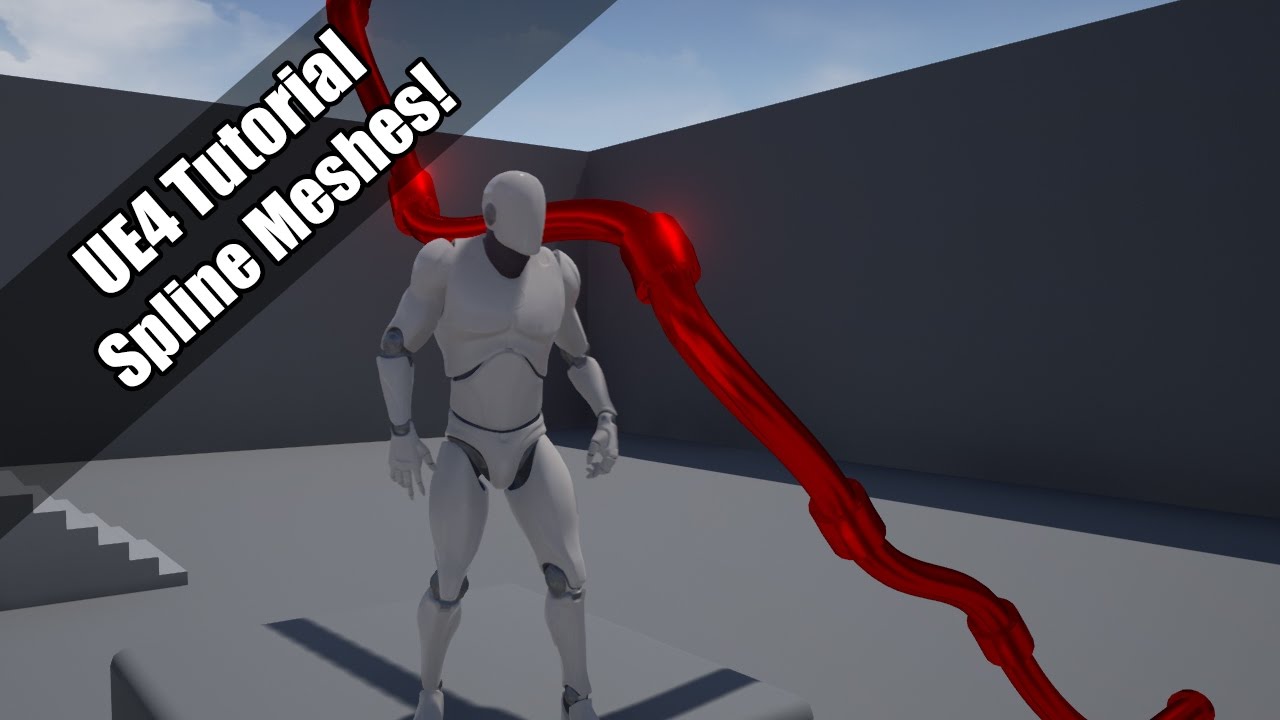
Using splines to make meshes.
Twitter: https://twitter.com/Play_Ruff
Patreon: https://www.patreon.com/deanashford
Discord: https://discord.gg/gPnr339
File: https://drive.google.com/drive/folders/0B4babORM1Vv4YUZiWFBjUVpDUzA?usp=sharing
onyx palm
@obtuse herald Hi, thank you , i did tutorial few nights ago... what i am trying to achieve is more like this tutorial but i want my solid mesh to folow the spline from top to bottom and shape itself as it followes .... https://www.youtube.com/watch?v=bWXI91FdMtk&t=51s... i want to set it so when i press play the drill follows the path
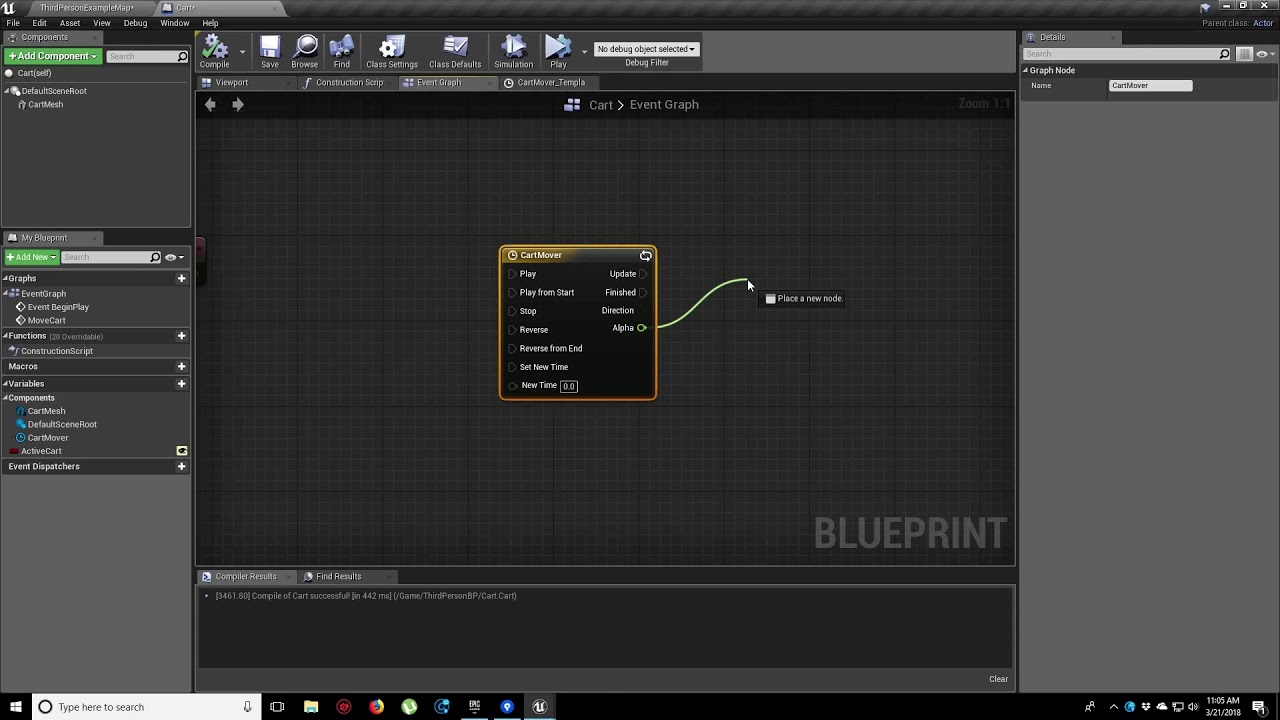
In this video, we show you how to make an object move along a set path using Splines. We also show you how to control the speed of the object, it’s starting position and looping options.
obtuse herald
onyx palm
<@!173083707962294272> Hi, thank you , i did tutorial few nights ago... what i a...
Where's the problem then?
 dusty oxide
Hi, I have a problem. During load game I would like to know when all the sublevels are loaded in the are.
We are using Level Streaming Volumes for loading sublevels.
Who should I proceed that problem?
I know there is a "Is Level Loaded" node, but I do not know what levels should I check in that case. May I check somehow what Volumes are in that area and from that get the names of the sublevels?
 frank nest
Is it possible to use Randomize the rotating movement for each static mesh?

 wild moth
Hello everyone,
About animations, should single non looping animations be a State in the animation BP's state machine? Or should they be played in some other way?
 crystal coral
Hi all. If I destroy an actor does it automatically clear and invalidate any timers running under that actor or do I need to do that before I destroy it?
 tired cypress
They do the same thing. Validated Get is the most compact, but depending on your use case, you can use either.
tired cypress
crystal coral
Hi all. If I destroy an actor does it automatically clear and invalidate any tim...
I'm pretty certain it will kill the timers.
Buuut, I'd probably test that to be sure
crystal coral
I will just clear them manually to be safe. Thanks!
 keen raven
guys, theres branches with multiple conditions? like || and &&
or i have to concatenate more than 1 branch to get the same result?
 burnt edge
hi everyone. wanted to ask if the bp int divide node forces float conversion for the input. do you have to convert to floats beforehand or does it do it automatically?
onyx palm
obtuse herald
Where's the problem then?
I want it to snake around the spline instead of just retaining its shape and going on top of the spline
split dagger
Can someone help me with this error? Accessed None trying to read property CallFunc_Array_Get_Item"
 dawn gazelle
split dagger
Can someone help me with this error? Accessed None trying to read property Call...
dawn gazelle
split dagger
Can someone help me with this error? Accessed None trying to read property Call...
You either have an array reference that is not defined, or the item from the array you are trying to get does not exist.
Most likely the latter.
split dagger
can I show u my blueprint?
dawn gazelle
You can post whatever you like here.
 dawn gazelle
It's likely that the GetArrayField isn't returning any values.
split dagger
Hmm. I wonder why.
and gives a json file
it looks like: {"data":{"base":"BTC","currency":"USD","amount":"54846.79"}}
dawn gazelle

This is from the VARest documentation. Beyond that, I'm not sure how VARest handles it.
I use VARest myself, but I just directly use the string output and feed it into a node that converts the string to a structure. I've never really had success using VARest's own nodes for navigating through the structure of JSON.
 quick lance
anyone with nav mesh and streaming level experience?
 lime quiver
Hello, I was wondering if I could get some help with rotating my object. So my goal is to get this object to spin on it's Y and Z axis without having the result you see at the end of the video. Would anyone know how to do that?
dawn gazelle
I think the problem is you're using World Rotation on the axes. Have you tried local rotation?

 keen terrace
I am trying to change my camera when a UI button is pressed. So when I click "Head" my camera shows my head and when I click "Body" it changes to a different camera. How would I go about that? I cant seem to work out how to get reference to my cameras into my Widget Blueprint or WB into LevelBlueprint
lime quiver
Yeah, I've tried doing that, It just does this.
 novel kelp
keen terrace
I am trying to change my camera when a UI button is pressed. So when I click "He...
novel kelp
keen terrace
I am trying to change my camera when a UI button is pressed. So when I click "He...
You could store a reference to the player and just get your camera and set active
obtuse herald
lime quiver
Yeah, I've tried doing that, It just does this.
Only change the rotation for 'Scene'
keen terrace
@novel kelp Thanks, when you say "store a reference" what do you mean sorry?
novel kelp
Create a variable of your character class or create an actor variable and cast it to your character class
lime quiver
obtuse herald
Only change the rotation for 'Scene'
That also gives the same results. I was trying to set it up the way I have it in Maya which is why there's 2 scene components, but it's not working the same.
novel kelp
lime quiver
That also gives the same results. I was trying to set it up the way I have it in...
What are you trying to do?
lime quiver
Trying to make my ring do this but make it in Unreal and not Maya.
dawn gazelle
This will do it:
 novel kelp
dawn gazelle
This will do it:
novel kelp
dawn gazelle
This will do it:
I was just about to say the same
The horizontal axis turn is world rotation, the vertical rotation is local rotation
 plush storm
Oh hey theo
lime quiver
Awesome! Thanks guy's, much appreciated!
novel kelp
Oh wow lol
plush storm
What other servers are you in?
novel kelp
Check mutual servers on my profile
keen terrace
@novel kelp Where have I went wrong? "Body Camera" is not compatible with "Set View Target with Blend". My Body Camera is currently a second camera on my characterBP
 novel kelp
The view target is an actor and the target is the player controller
Use self
Probably set the camera active first before it goes to that method
novel kelp
keen terrace
<@!500056451381854248> Where have I went wrong? "Body Camera" is not compatible ...
Here
keen terrace
@novel kelp Thanks for the help but my lack of knowledge is hindering me here. If I change where my cameras are, lets say they are now in the world and within LevelBlueprint, do you know the best way to access the cameras from WidgetBP?
novel kelp
keen terrace
<@!500056451381854248> Thanks for the help but my lack of knowledge is hindering...
Here's something I found
https://nerivec.github.io/old-ue4-wiki/pages/camera-switching-in-blueprints.html
 faint pasture
keen terrace
<@!500056451381854248> Thanks for the help but my lack of knowledge is hindering...
faint pasture
keen terrace
<@!500056451381854248> Thanks for the help but my lack of knowledge is hindering...
Make camera actors. On widget spawn, get all camera actors and make the widget with them. On button press, set view target
novel kelp
 faint pasture
So the widget itself looks at the world, accumulates all the camera actors, reads data off of them like their name or whatever, and saves references to them
novel kelp
In the character BP create a new variable for he camera you want to reference, in the level BP , on begin play get player pawn at index 0 , cast it to your character class and set that variable you creates to the camera reference in the blueprint and just do as it is done in the picture above but get the camera from the character pawn
keen terrace
@faint pasture @novel kelp Thanks guys, I will go and study both your helpful comments :)!
novel kelp
Welcome
 lavish mortar
Anyone got a minute to help with my current replication struggle, been stuck for most of the week? I can screen share, voice chat, whatever is required to get the job done.
novel kelp
What is the nature of the issue
faint pasture
lavish mortar
Anyone got a minute to help with my current replication struggle, been stuck for...
Just say what it is
 silent comet
Hey Guys. This one might be easy- Question: How can i change between Specific Colors ? ( Like a RAINBOW effect )This is a blink material, very simple. Thanks for any help
 lavish mortar
All using the player controller:
Execute on server: Set Replicated array variable then call Execute on Owning Client
Execute on owning client: Do X with data.
Each time I runt his loop I get the prior loops data set. The replication lags behind the execute on client.
I can pass the array as a new param but that ruins the point of a replicated variable.
I can do Rep notify but what if the variable doesn't change? and this will not be a good catch all on all functions.
I can do a delay, but that will not always account for high latency.
I tried the force netupdate function as well but I don't think that works with the player controller
faint pasture
lavish mortar
All using the player controller:
Execute on server: Set Replicated array variabl...
Why would you want to run the function if the data didn't change?
 surreal swallow
silent comet
Hey Guys. This one might be easy- Question: How can i change between Specific Co...
surreal swallow
silent comet
Hey Guys. This one might be easy- Question: How can i change between Specific Co...
You could use a gradient texture and put the sin wave into its texture coords
lavish mortar
In this case, it's loading the data for a widget to use on a character select screen. If I log in to pull it, then logout. then immediately log back in the data set would not have chaged but the event on the server that chacks and obtains the data from my database would still run.. if the part that tells the widget that it's go time rests on the repnotify it will not fire
silent comet
surreal swallow
You could use a gradient texture and put the sin wave into its texture coords
Cant this be done easyer ? So i have full controll and change the Colors when ever i wannt in real-time
Like switching between them

 loud hatch
 novel kelp
lavish mortar
In this case, it's loading the data for a widget to use on a character select sc...
novel kelp
lavish mortar
In this case, it's loading the data for a widget to use on a character select sc...
I'm not getting what the purpose of doing this
lavish mortar
novel kelp
I'm not getting what the purpose of doing this
I am trying to keep the larger scope of my implementation out of the context for simplicity, and to get a better understanding of why this doesn't work so I can solve future problems that stem from the same cause.
What can I elaborate on to clarify?
novel kelp
Did you replicate the variable itself?
 novel kelp
Ok
lavish mortar

I read that force net update usually fixes this sort of issue, but because this is in the player controller I am not sure it counts as an "actor" to be forced
faint pasture
silent comet
Like switching between them
You can do ifs
novel kelp
I see
faint pasture
Or if you want it to be continuous just plug a moving float into an HSV node
It'll cycle thru the rainbow
lavish mortar
lavish mortar
The First shot is an "execute on server" "reliable" event
novel kelp
lavish mortar
The First shot is an "execute on server" "reliable" event
I don't think I'll be a able to trouble shoot by just looking at it, try looking here to to see of you could change anything with your logic
https://docs.unrealengine.com/en-US/InteractiveExperiences/Networking/Actors/ReplicatingVariables/index.html
Guide to using Replicated and RepNotify Variables in Blueprints.
silent comet
faint pasture
Or if you want it to be continuous just plug a moving float into an HSV node
i dont understand this at all. i tryd...
lavish mortar
Thanks for trying, I have read that documentation more time then I thought I would need, Seen many others post this kind of situation usually left unanswered as well. I have a workaround but as it stands it seems replication can not be trusted and I will need to manually simulate replication using new parameters and local variables tied to functions as to try and avoid memory bloat.
novel kelp
Probably, here's another link
https://answers.unrealengine.com/questions/944936/solving-network-replication-issue.html
onyx palm
Here is a better example of what I am looking for...maybe you can point me in the direction of a tutorial i can use.... I want a spline that curves ..i will use this spline as a track....on this track i want to use a cylinder object to be attached to the center over this spline.... as the cylinder moves along this track I want it will conform to the tracks bends and curves .... basically i want the cylinder to snake along the path....
 maiden wadi
@lavish mortar In general, replication will always be slightly slower than RPCs. RPC says send this now in this instant. Replication says set this variable. Now wait til next frame and Maaaaybe it'll be evaluated based on priority and sent. If you need to so something with Data in an RPC, send it through the RPC.
lavish mortar
maiden wadi
<@!210598092301402112> In general, replication will always be slightly slower th...
That's kind of where I have settled so far ( in my screenshot the new param array was me doing this) I just can't think of many instances where you don't want to immediately do something with a replicated variable. maybe storing values like (was this chest looted?) but then I think .. what if 5 players open the chest at the same time? Seems like most of the time you want immediate updates before triggering the RPC.
 vale solstice
Could someone help me figure out how to resize a player playing in VR?
Here's an event I've made that causes the player to change size over time. It works well, but the problem is that the actor scales around the center of the playspace (VRRootReference) rather than the center of the player within that playspace (ParentRelativeAttachment), so the player slides around when they scale up or down.

I believe I can fix this by countertranslating the actor so that the player stays in the same place as they scale up and down, but I don't know how to set up the vector math for it.
 solemn agate
Hey all I feel like this is a simple problem but i cant figure out how to hide a actor locally. works on the server but not for the clients.
 faint pasture
solemn agate
Hey all I feel like this is a simple problem but i cant figure out how to hide a...
faint pasture
solemn agate
Hey all I feel like this is a simple problem but i cant figure out how to hide a...
Set the actor hidden not just the root component
vale solstice
I can conceptualize what I have to do: get the angle between the headset and the center of the playspace and find a point along that line scaled by the target scale and then lerp to that point, but I don't know which nodes to wire up exactly to get that result.
 solemn agate
@faint pasture so i tried this and it still wont work on the client side.

its very odd because i used a similar method to hide emitters and it worked for both clients and server
 proven mason
so I have a Pong paddle set up. And I'm trying to get it to move left and right but couldn't.
All I did was import my static mesh set its mobility to movable and add a local offset during the event tick event as illustrated here

the problem is now when I move my mouse up and down the paddle doesn't move left and right at all. Instead, it just stood there.
vale solstice
proven mason
so I have a Pong paddle set up. And I'm trying to get it to move left and right...
Try using Set Actor Location instead of AddLocalOffset.
solemn agate
Update - this works but its not a great solution i feel like. the actor briefly appears before disappearing.

 floral carbon
Hey i've a weird problem . i try to give the ability to open a menu when the player is in the trigger box it work when the host is alone. but if someone join the game the host have to be in the box and then the client can open the menu (the host can't) and vice versa if the client enter in the area the host can open the menu

That is my blueprint in the trigger box
dawn gazelle
solemn agate
Update - this works but its not a great solution i feel like. the actor briefly ...
Are you calling the Multi-Weapon One event from the server itself (like an event that for sure is running on server?)
proven mason
proven mason
so I have a Pong paddle set up. And I'm trying to get it to move left and right...
so can anyone help me with my issue?
solemn agate
Hey @dawn gazelle this is the whole thing here.

 haughty temple
im trying to just make a target dummy fall over, then pop back up after random time. i want it to fall slowly rather than just snap and not really sure howto make it happen ive seen others do it off event tick to interpolate something and use the delta seconds from there not sure if its the get world delta seconds causing it to snap or what but cant seem to get it to rotate over a set time, any help would be greatly appreciated and sorry its probably a noob question xD
 surreal swallow
Sure thing, lerp 0..0.5 between the first two and 0.5..1 between the second two then use an if node to select between the lerps. Flexibility here though in code means the result won’t look as nice because you have less control over the curves than picking a painted gradient.
 still sage
So pretty basic question: What is the best place to load a main menu from? I set up a new project, created and set my default gameInstance and gameMode (GI_FinalProject, GM_Menu). In my default level blueprint, I kick everything off. I have done the following in my GameInstance, GameMode, and PlayerController, without noticing any difference: I have put a function called ShowMainMenu in whichever respective class I was testing at the time, and created the MainMenuWidget, added it to viewport, and setShowMouseCursor. I then call this function from the DefaultLevelBlueprint. It works in any of the mentioned places, and I dont see any difference. I also assume I could do it all directly from my LevelBlueprint.
So it looks like I could do this from just about anywhere, but what class is meant for something like this? From what I have read, GameInstance is meant for persisting runtime variables across levels and gamemodes, the gamemodes are for "rulesets" whatever that means, and the playercontrollers are meant for "directing the will of the player", again, whatever that means. It just seems there are a lot of classes that can all do the same stuff, is there a good resource for finding when to use what class? The official docs haven't been able to clear it up for me quite yet, so wondering if someone here can EILI5 for me
haughty temple
surreal swallow
Sure thing, lerp 0..0.5 between the first two and 0.5..1 between the second two ...
im fairly new so trying to figure out what exactly you mean, gonna learn more about lerping now seems that might be what im looking for
just want to say thanks for the reply edit: got it tyvm 😄
 jovial dirge
How would I attach a component to a procedural foliage volume?
still sage
still sage
So pretty basic question: What is the best place to load a main menu from? I set...
I kept looking and found this: https://answers.unrealengine.com/questions/811378/view.html
faint pasture
haughty temple
im trying to just make a target dummy fall over, then pop back up after random t...
Use a timeline.
haughty temple
yea thats what i ended up doing timeline into a lerp, thanks :]
vale solstice
vale solstice
Could someone help me figure out how to resize a player playing in VR?
Could someone please help me with this?
haughty temple
vale solstice
Could someone please help me with this?
i personally have no idea im new to all this, but would you be able to make a root at the players feet to make it scale up from that point?
or even move the root
vale solstice
haughty temple
i personally have no idea im new to all this, but would you be able to make a ro...
I can't mess with the hierarchy at all since this is a VR game. The root of the pawn represents the playspace that the player walks around in in real life, and so the camera representing the player's headset must always stay relative to that playspace so that it matches what's going on in reality.
obtuse herald
vale solstice
I can't mess with the hierarchy at all since this is a VR game. The root of the ...
Use the 'Set World to Meters Scale' node
Set World to Meters Scale
vale solstice
The problem with scaling the player comes from the fact that the playspace is always scaled around the center, not around where the player currently is, so it pushes the player toward and away from the center of the playspace.
haughty temple
ahh i see, well hopefully that will help you or you can get some help soon wish i knew more to help
vale solstice
obtuse herald
Use the 'Set World to Meters Scale' node
That doesn't change the player's height. It just changes the distance between their eyes so they perceive things at a different scale. I feel like just changing that and somehow fudging the player's height would cause problems down the line.
Here's a mockup in Maya of what I need to have happen. I need to give the illusion of the playspace scaling around the player by translating it so that the player does not move around in worldspace.

What I've been trying is the following setup:
- Calculate the worldspace distance between the Playspace and the Player Headset by subtracting the latter from the former
- Multiply that distance vector by the desired relative scale (i.e. going from 1 to 0.5 is 0.5, 3 to 6 is a scale of 2, etc.)
- Add that vector to the Playspace's position
And 4) Strip the Z coordinate from that vector since I don't have to worry about offsetting the vertical position.
 obtuse herald
vale solstice
Here's a mockup in Maya of what I need to have happen. I need to give the illusi...
obtuse herald
vale solstice
Here's a mockup in Maya of what I need to have happen. I need to give the illusi...
Try saving the Player location to a variable, change the scale and then set the VROrigin location to the diffrence of ( NewPlayerLocation - PreviousPlayerLocation ) + the current VROrigin location
vale solstice
obtuse herald
Try saving the Player location to a variable, change the scale and then set the ...
Ooooh, I think that might be it! When I tried the above solution, the player would just jump back regardless of what I set the scale to, but I think that's because it's querying the headset's position after it has been scaled!
 desert flame
Suuuuuper quick question, whats that node again that you can attach to a branch and it changes what variable it looks at based on an int you give it??? If im thinking of it correctly
vale solstice
desert flame
Suuuuuper quick question, whats that node again that you can attach to a branch ...
Are you thinking of a Select node?
desert flame
Yeah i am! Thanks!
vale solstice
obtuse herald
Try saving the Player location to a variable, change the scale and then set the ...
That worked! Thank you so much!
obtuse herald
You're welcome 😄
desert flame
Is there a way to set booleans with some kind of select?
Like if i got a function for each clumps with every variable on a select node how do i set specific variables rather than just get?
obtuse herald
desert flame
Is there a way to set booleans with some kind of select?
Like if i got a functi...
use a 'Set By-Ref Var' node
Target is your reference
And Value is the value you want to set it to
 onyx token
is there a way to use a construction script on an UMG widget?
I got an NPC, and when the player walks by, and interacts with the NPC, i want there to be a little comment like "hello!"
- Every NPC should of course say something different - so i made a UMG widget above their heads, and i have a variable for each NPC instance - but this will always take the value from the first NPC and put it to all of them:

(same with the name of every NPC)
i could use a 3d Text to display it - but if i got more text, the polygon count is gonna be insane after a while...
and the text renderer tool is kinda crappy... can't make shadows and stuff...
obtuse herald
onyx token
is there a way to use a construction script on an UMG widget?
I got an NPC, and ...
Create a variable in your Widget of type 'NPC Actor Reference'
onyx token
you mean i should cast the variable from the widget to the NPC instead like i'm doing it right now - from NPC to widget?
obtuse herald
onyx token
you mean i should cast the variable from the widget to the NPC instead like i'm ...
No no, just create the variable in your Widget for now
onyx token
okay
obtuse herald
You're creating the widget in the NPC BP, right?
onyx token
yeah

"cube" is the NPC object placeholder
"NpcText" is the text, and "LabelWidget" is the name
obtuse herald
onyx token
is there a way to use a construction script on an UMG widget?
I got an NPC, and ...
Ok, In this function, get the newly created variable, and get 'NPCText String' from that referenc. Also remove the cast node
onyx token
wait- how would i get "NPCText String" from the NPC Blueprint without casting it to the widget tho?
like this?
 obtuse herald
onyx token
wait- how would i get "NPCText String" from the NPC Blueprint without casting it...
obtuse herald
onyx token
wait- how would i get "NPCText String" from the NPC Blueprint without casting it...
Oh, no no
First, remove the cast node
onyx token
k no more cast node
obtuse herald
And 'NPC Actor reference' should be an npc actor reference, not a string
onyx token
ooh lol
obtuse herald
onyx token
wait- how would i get "NPCText String" from the NPC Blueprint without casting it...
In your NPC BP we have a reference to the widget, and now we can set the new variable of that widget to 'Self'
onyx token
wait do we? This is how my NPC BP looks:

right now it just takes care of all the visibilities & rotations...

i thought i was gonna use the widget, to take these variables
obtuse herald
onyx token
i thought i was gonna use the widget, to take these variables
yeah, we're going to do that, but you need a refrence in your widget to your individuel npc
In the NPC BP, put this at the start of Begin Play

with your variable names etc. instead ofc
onyx token
first of all, your nodes look neat and flat
second of all - thanks for taking the time to explain that stuff to me 😄
indigo bough
Does anyone know of a plugin that can allow you to edit the Sun Directional Lights source angle from blueprints? Seems to be C++ only. Was hoping to increase my sun size towards sunrise/sunset.
obtuse herald
onyx token
first of all, your nodes look neat and flat
second of all - thanks for taking th...
Installed a theme some time ago. And no problem, that's what this channel is for
obtuse herald
indigo bough
Does anyone know of a plugin that can allow you to edit the Sun Directional Ligh...
You mean like that?
 indigo bough
Sorry, I mean this property "source angle"
 obtuse herald
Ohhh
indigo bough
controls the size of the sun disc in the sky atmosphere 🙂
But it's not accessible in blueprints, apparently 😦
onyx token
okay so what does this do?
 obtuse herald
indigo bough
But it's not accessible in blueprints, apparently 😦
obtuse herald
indigo bough
But it's not accessible in blueprints, apparently 😦
Oh, you're right
indigo bough
Seems really unusual not to expose it 😄
onyx token
ok wait, this one works without error

so i take the NPC text reference from my widget - i get the User of that widget object - i cast it to the NPC text widget - and i set it as the widget? 🤔
obtuse herald
indigo bough
Seems really unusual not to expose it 😄
You could kind of fake the effect with light shaft bloom
obtuse herald
onyx token
so i take the NPC text reference from my widget - i get the User of that widget ...
Ok, so in the Widget we've created a variable that holds a reference to an NPC
indigo bough
obtuse herald
You could kind of fake the effect with light shaft bloom
Yeah, true, just increase the size with a curve (as I was going to do with the source angle). Hmm, a task for tomorrow. Thanks 🙂
obtuse herald
obtuse herald
Ok, so in the Widget we've created a variable that holds a reference to an NPC
But when you create the Widget, the variable is empty so we need to fill it.
And that's what we are doing at BeginPlay.
obtuse herald
onyx token
like this?
We did in this function, didn't we?
onyx token
wait i thought i should delete the cast and stuff...
Now my stuff looks like this:
NPC:

Widget
 obtuse herald
oh we didn't
sorry
it should look like this

We just get the text from our NPC reference

 onyx token
what is "cool text" ? is it from the NPC, or is it from the widget?
obtuse herald
(Npc Text String instead of Cool text)
onyx token
well- i made it in both, but either way - i got nothin
 obtuse herald
onyx token
well- i made it in both, but either way - i got nothin
obtuse herald
onyx token
well- i made it in both, but either way - i got nothin
Oh, you've set the variable to an 'Actor Object Reference'
onyx token
sure
obtuse herald
it needs to be an 'NPC Object Reference'
obtuse herald
onyx token
that's like a special unreal npc thingy
Nono, it's your Class
onyx token
wut i can just do that? O_o
referencing and calling and blueprint communicating is weird...
obtuse herald
When you create a new Blueprint with the name 'MyCoolNewBlueprint' you can create a variable of type 'MyCoolNewBlueprint Object Reference'
onyx token
i come from unity... where you literally just go "lmao xd get GameObject" 😅
onyx token
ok now it looks better
 obtuse herald
onyx token
ok now it looks better
obtuse herald
onyx token
ok now it looks better
Yes
onyx token
So this takes the actor reference (the copy of my NPC) - and references whatever i put into the string there - and puts it as the string of this widget, not all widgets 🤔
right?
obtuse herald
onyx token
So this takes the actor reference (the copy of my NPC) - and references whatever...
Correct
onyx token
woops

 onyx token
sure
obtuse herald
But you need to set the value of a variable in you widget, not replace the widget object
like this
 onyx token
i only got these 3
 obtuse herald
onyx token
i only got these 3
obtuse herald
onyx token
i only got these 3
Whats the name of your widget?
 uncut lark
How would I get these to continually repeat?
 obtuse herald
onyx token
it's NpcText
obtuse herald
onyx token
it's NpcText
And you dragging the node of 'As Npc Text' from your 'cast to' node?
onyx token
well that doesn't work, but the "npc text" node would work
 dawn gazelle
uncut lark
How would I get these to continually repeat?
dawn gazelle
uncut lark
How would I get these to continually repeat?
Why would you need them to continually repeat?
uncut lark
Because I want the engine to continually check the weapon state
obtuse herald
onyx token
well that doesn't work, but the "npc text" node would work
Drag the Node, and then 'Set Npc Actor Reference'
dawn gazelle
uncut lark
Because I want the engine to continually check the weapon state
What for? You can set the state once and should be done with it. You shouldn't need to continually set a value.
onyx token
that - i don't have
 uncut lark
@dawn gazelle if I try to switch back, it wont switch back to the other weapon logic
obtuse herald
i mean that node

 dawn gazelle
uncut lark
<@!218956378654507008> if I try to switch back, it wont switch back to the other...
dawn gazelle
uncut lark
<@!218956378654507008> if I try to switch back, it wont switch back to the other...
Well that's mainly because you're using two booleans. You may want to create an enumerator and use that to register the state.
onyx token
i only got "set widget" not "set actor"
obtuse herald
onyx token
i only got "set widget" not "set actor"
'Set NPC'
 dawn gazelle
uncut lark
Figured a boolean would be enough but I suppose not
dawn gazelle
uncut lark
Figured a boolean would be enough but I suppose not
You could use a single boolean but only if you have only two weapon states. I'd imagine you may want more, hence the enumerator would be better.
obtuse herald
onyx token
In the function in your widget, is the variable we've created a local variable?
onyx token
fuck
obtuse herald
yeah we can't access a local variable ofc xd.
make it global
 obtuse herald
onyx token
obtuse herald
onyx token
You've used 'Get Npc Actor Reference', but you need to use 'Set Npc Actor Reference'
 obtuse herald
Yepp
onyx token
omg it's beautiful!
 obtuse herald
that should work now
onyx token
ok -
Thank you very much-
I'll spend the next 2 hours trying to make it work for the name too, without looking at the code you basically made for me 😄
otherwise i'll never learn ^^
obtuse herald
Yeah, do that
obtuse herald
onyx token
ok -
Thank you very much-
I'll spend the next 2 hours trying to make it work for...
And maybe you want to watch some tutorials like 'Unreal for Unity Dev's', because i can imagine the learning curve is kind of weird when you're used to unity
Knowing how to reference stuff is a key component in ue
onyx token
yeeah I thought it'd be way easier, but i gotta do more beginner tutorials
i went through the first couple of official unreal4 videos, and thought to myself "oh! most of this seems kinda familiar! let's goooo!"
and then "splat"
 sullen needle
Im confused on why my vector is not letting me get the length?
 obtuse herald
sullen needle
Im confused on why my vector is not letting me get the length?
obtuse herald
sullen needle
Im confused on why my vector is not letting me get the length?
The node you want is called 'Vector Length'
 uneven charm
Hello everyone. I need some assistance please... I am attempting to package my game with the new updated Android requirements and after packaging (is successful) I go to launch and receive the following error... Any help or guidance for how to fix this would be great. I'm in 4.26.1
 obtuse herald
uneven charm
Hello everyone. I need some assistance please... I am attempting to package my g...
obtuse herald
uneven charm
Hello everyone. I need some assistance please... I am attempting to package my g...
probably a question for #packaging
uneven charm
obtuse herald
probably a question for <#402958499660955658>
Thank you. I'll direct my question there.
 brave inlet
Each of the squares you see are individual pieces spawned using AddStaticMeshComponent, and added to an actor's scene. I am experiencing an extreme FPS drop when looking at all of them (like in the picture). Why? When I place similar cubes individually in the world directly with this pattern, there are no frame drops.

 dusky harness
Is it possible to make Weapon Sway system with your camera attached to arms?
 round basin
Hello, I have a macro that choose sprites textures, but it doesn't work as a macro: when I have the exact same script in a blueprint it works perfectly, but in a macro it doesn't... Could you help me?
macro

blueprint

error message: Blueprint Runtime Error: "Accessed None trying to read property CallFunc_AddComponent_ReturnValue". Blueprint: début_level Function: Execute Ubergraph Début Level Graph: set sprite macro Node: Set Sprite / Blueprint Runtime Error: "Accessed None". Blueprint: début_level Function: Execute Ubergraph Début Level Graph: set sprite macro Node: Set Sprite


 round basin
obtuse herald
Try adding a 'IsValid' node in between
round basin
obtuse herald
Try adding a 'IsValid' node in between
It returns as not valid


 light glen
I am trying to check if an int is null
isvalid doesn't seem to be what i am looking for
round basin
is = 0 maybe ? @light glen
obtuse herald
light glen
I am trying to check if an int is null
Int cant be 'null'
obtuse herald
round basin
but how?
When you use a function from an actor component, then you need to plug a said actor component reference into the target
obtuse herald
light glen
I am trying to check if an int is null
are you using a get from array node?
round basin
obtuse herald
When you use a function from an actor component, then you need to plug a said ac...
uhhh do you have any idea of what I need to put into the target in this case?? I don't think I understood
obtuse herald
round basin
uhhh do you have any idea of what I need to put into the target in this case?? I...
i don't really know how your blueprints are set up
round basin
Okay I have an idea I'll try it and if it still doesn't work I'll ask you again, thanks @obtuse herald
I called the actor component outside of the macro and it works

but I will need to to that before each macro and it's not what I wanted...
@obtuse herald
obtuse herald
Are you doing the macros inside the actor component?
round basin
obtuse herald
Are you doing the macros inside the actor component?
it's a blueprint macro library, the parent class is actor
 round merlin
quick way of setting up touch controls to work in unreal?
round basin
maybe this has to do with my issue?
 light glen
my web service fills the datatable, but some values are null, i was going to test for null on experience
 obtuse herald
light glen
my web service fills the datatable, but some values are null, i was going to tes...
obtuse herald
light glen
my web service fills the datatable, but some values are null, i was going to tes...
'null' in this case is then probably 0 or -1
obtuse herald
round basin
maybe this has to do with my issue?
your whole setup kinda confuses me.
Anyways what you can do is add an input for your macro and connect it with the target reference.
Then when you call the macro it should work?


 round basin
obtuse herald
you can try using functions instead of macros
round basin
obtuse herald
you can try using functions instead of macros
Thanks anyway! I don't think I can use actor component inside a function.
 trim matrix
How can I spawn my player pawn at another actor
obtuse herald
You mean spawn when starting the Level or teleport later in the Level?
trim matrix
obtuse herald
You mean spawn when starting the Level or teleport later in the Level?
When starting
I want to attach my player pawn with another actor
obtuse herald
The Player will spawn where the 'Player Start' actor is

However, you can teleport your player at the start of the game elsewhere
best place to do this would be probably in the level blueprint
trim matrix
obtuse herald
The Player will spawn where the 'Player Start' actor is
I need to attach my player pawn with another actor
Do you have any advice about that
obtuse herald
use this node
 obtuse herald
you're welcome
 wispy star
Greeting. I'm having an issue with Anim Motify. It's not reliable. Is there any way to make it trigger in any conditions? Run notify timeline on a separate thread maybe?
 tawny hedge
 trim matrix
My skeletal mesh object is not triggering Get Hit Result? Why could it be
When I click it directly captures the landscape
obtuse herald
Have you activated 'Enable Simultation generates hit events' in the skeletal mesh component?
trim matrix
Where is it?
obtuse herald
trim matrix
Where is it?
Blueprint > SkeletalMeshComponent > Details panel > Collision > Enable Simultation generates hit events
I belive you need to activate that for every physicsbody in the physics asset of that skeletal mesh aswell
trim matrix
Still not working
trim matrix
obtuse herald
I belive you need to activate that for every physicsbody in the physics asset of...
Let me try this
trim matrix
obtuse herald
I belive you need to activate that for every physicsbody in the physics asset of...
Still same
obtuse herald
trim matrix
Still same
How do you check the hit result?
trim matrix
 trim matrix
obtuse herald
How do you check the hit result?
trim matrix
obtuse herald
How do you check the hit result?
Here is my setup
@obtuse herald Invalid Simulate Options: Body (BP_Wagon_Standart_C_1.Shell Module S_StandartWagon_1) is set to simulate physics but Collision Enabled is incompatible
My error message, I just saw it
obtuse herald
trim matrix
<@!173083707962294272> Invalid Simulate Options: Body (BP_Wagon_Standart_C_1.She...
Is this your player character?
trim matrix
No,
obtuse herald
trim matrix
You're checking in the 'Visibility' channel, but skeletal meshes are ignoring that channel by default. You can change that in the collisions tab of you SK Mesh. Or you change the channel from 'Visibility' to 'Camera', because that's enabled by default.
obtuse herald
trim matrix
<@!173083707962294272> Invalid Simulate Options: Body (BP_Wagon_Standart_C_1.She...
Means that the Collision preset of that Body is Incompatible with simulate physics
obtuse herald
obtuse herald
Means that the Collision preset of that Body is Incompatible with simulate physi...
Change it to 'Physics Actor'
trim matrix
obtuse herald
Change it to 'Physics Actor'
It worked
Thank you so much
You are lifesaver dude
obtuse herald
Glad i could help
wary tinsel
Is it possible to import Location and Rotation coordinates into a sequencer from a Text file???
 left cosmos
hi does anyone know why I am getting axis locked traces from this code
this is how the traces come out (view angle was not changed)

with this code it should have the trace coming from the centre of the screen and hitting where the crosshair would be

so is this a bug with unreal, it was working fine before but I had a crash so something has broken it I guess :/
obtuse herald
remove this
 left cosmos
oops wtf
obtuse herald
you're welcome
obtuse herald
what
left cosmos
fucking unreal
wtf is broken with it
I have just forward vector from camera hooked up and it's broken still

 obtuse herald
Works for me

 marsh adder
oh yeah i just saw that pic
left cosmos
it should always work yeah
wtf
ummm
unreal is bein stupid I've tried remaking the pawn and it still is broken
so it's not a glitch that only effects one blueprint
obtuse herald
try removing the nodes and do it agai--
obtuse herald
did you change some projectsettings?
maybe resetting the project configs will help, but you'll need to redo the input mapping afterwards
left cosmos
remaiking nodes didn't wirj
work
ok I will try doing that but I have to go for my covid jab now so afk
I will try when I'm back home
 plush garden
Hello! I've been trying to make a moving enemy and have been successful using the "Move Component To" node. However, there's some obvious issues such as a the health bar of the enemies staying behind, if I only move a certain component of the enemy. I've been trying to find something like "Move Actor To" or an equivalent, but haven't really had any success. Does this exist or is it called completely differently?
obtuse herald
plush garden
Hello! I've been trying to make a moving enemy and have been successful using th...
is that what you are looking for?
 plush garden
Potentially! However, I am currently using simple cubes, would it work with that?
My AIs aren't advanced or pawns yet. In the current state, they are basically targets in a shooting gallery
obtuse herald
When you want to do some Advanced AI stuff I recommend Behaviour Trees tho
obtuse herald
plush garden
My AIs aren't advanced or pawns yet. In the current state, they are basically ta...
Yeah, it needs to be a Pawn to be able to do that
plush garden
I see
plush garden
Okay, going to look into this. So there's no simple way to make my whole cube + health bar widget move somewhere?
obtuse herald
You can use the 'Move Component To' node and select the Scene Root as component.
But don't use that if you actually want to make an AI
plush garden
Alright, thank you very much! Makes a lot of sense. For simplicity purposes I am going to use this now, when I attempt to do a real AI system later, I am making a note to look into NavMeshes
left cosmos
well whatever I do it won't work
I've made it use pawn control rotation now
buuut
it's starting the trace above the camera even though I'm using camera world location as the trace origin
so wtf
unreal is broke
I think it's nvidia branch bug
I'll switch to main 4.26
novel kelp
It's doing that after someone leaves the bounds
left cosmos
this is what I have had to do to get it working, the normal get forward vector on camera component is broken for me in 4.26 retail

somehow the location of the capsule component is the same as camera even tho the camera's world location is +30 on the z of the capsule parent
:/
novel kelp
Use camera get world location
novel kelp
It's not
left cosmos
I tried it already it locks the direction on the node
:/
is it broke for you toyb on 4.26?
novel kelp
left cosmos
this is what I have had to do to get it working, the normal get forward vector o...
Try printing the number of overlapping actors in event tick
obtuse herald
left cosmos
is it broke for you toyb on 4.26?
No, i use 4.25 tho
left cosmos
camera forward is not working
ah ok
try on 4.26 for me if you don't mind? see if it works with the same exact setup as mine
:/
novel kelp
I use that for my weapons and it works
left cosmos
just a character based class with camera and basic movement the traces are broken when using camera forward vector
fuck knows then weird shit unreal I guess
my workaround works so it's fine
🙂
obtuse herald
left cosmos
try on 4.26 for me if you don't mind? see if it works with the same exact setup ...
don't have enough space to update, but i'm sure they would've already fixed it if it's a real bug in the engine
you can try to create a new porject and test it in there
novel kelp
Don't multiply by 200
left cosmos
well it can't be a bug in my project can it, how would it change how the code works
uhhh * 200 is just extending the vector
it's not doing anything to clamp it
to the z plane only
stupid bug with something idk why it's happened but I could try a new project and migrate assets over
 meager rune
I need some help with networking. I am trying to spawn a projectile from a gun. The projectile replicates from the server to the clients, but not the other way around. ill send screenshots.
 obtuse herald
left cosmos
stupid bug with something idk why it's happened but I could try a new project an...
obtuse herald
left cosmos
stupid bug with something idk why it's happened but I could try a new project an...
yeah, probably the best to do


 dawn gazelle
"Executes on All" can only be executed on the server. You would have to create an event that your shoot action calls that "Runs on Server" which then calls the "Replicated to All" nodes.
obtuse herald
try not using a class filter
meager rune
@dawn gazelle I think I was just messing around with trying out different things to get it to work with the press and release fire events. Ill try that out and see if it works
left cosmos
anyone know the rotation math I should be doing to have an object be picked up in its same angles using attach to actor and setting rotation with tick
I tried combinerotators but no bueno
it' slike physgun from gmod type of rotation combine shit
so the angles of the model rotates with the camera rotation
:/
ugh
buggy
the var init rotation is set as actor rotation of the picked up prop
:/
I have tried about 10 times to get physgun rotation logic to work and I could never do it
it's kinda out of my realm of knowledge
meager rune
@dawn gazelle I simplified it down to this (which I found here https://answers.unrealengine.com/questions/539911/how-to-correctly-replicate-a-projectile-firing-fro.html) and still doesnt work. This time it spawns two projectiles at a time and still doesnt replicate from client to server.
 trim matrix
why my projectile hits a mesh when its not even near it? Ive checked collisions on the hitted mesh and the projectile
dawn gazelle
meager rune
If you spawn a projectile on server, and your projectile actor is set to replicate, then it will automatically spawn on all other clients. "Executing on all" also executes on the server, so you're effectively asking the server to spawn two projectiles with the code you have.
meager rune
@dawn gazelle Even if I turn off replication on the projectile the results are excactly the same (except that the projectile now never replicates because I turned it off)

does the press fire event need to be replicated?
because I call it from the player, which has a child actor that is the weapon

one thing worth noting is that the muzzle flash is replicating fine
I first spawn one on the 1st person weapon, then spawn one on the 3rd person model
then the 1st person one is hidden when it isnt the actual player and the 3rd person one is hidden when it is the actual player
does the weapon itself need to be replicated for the function to work?
because replicating the weapon screws up the 1st person models and stuff
dawn gazelle
meager rune
<@!218956378654507008> Even if I turn off replication on the projectile the resu...
Projectile replication is something that's fairly advanced as things won't line up on the firing client or the action won't be responsive on the firing client.
To get a very basic projectile system working (that will have the downside of the firing client not being very responsive)
Client presses fire button > Sends notice to server that they want to fire
Server spawns the projectile and it moves as the server sees fit.
Nothing else.
You don't want to turn off replication of your projectile as the server should be controlling said projectile.
You don't want every client (including the server) to spawn another projectile. Remove that multicast.
A more advanced (and technically, I'm not even sure how one does this) and more responsive version is:
Client presses the fire button, which locally spawns a projectile which moves slower than the actual desired speed of the projectile and sends the notice to the server that they want to fire.
The server spawns its replicated projectile that moves at the expected speed and notifies the firing client of the reference to the replicated projectile.
The client receives the notification, makes the replicated projectile hidden until it "catches up" to the locally spawned one at which point the locally spawned one is destroyed and the replicated one unhidden.
meager rune

this kinda works
the server and the client both shoot projectiles and can see eachothers
but some of the visual type stuff controlled in the weapon class for the client is gone
like theres no recoil, and the shots all fire horizontally
i will try to fix it myself
you could make another float and set it equal to the first float, then compare them every tick
ill try to show you
@swift pewter something like this could work ig

but theres probrably a better way to do it with a notify or something
i dont really know any other way to but there probrably is an easier solution
Anyone how how to replicate a camera's vertical rotation? It seems like the replicated rotation is only horizontal

well i seemed to figure it out
 eager peak
Has anyone done advanced dialogue systems before? can anyone recommend any tutorials for projects using custom first person characters / npcs instead of the default
maiden wadi
@nova vapor #graphics will have better answers to material related questions. That may even be a question for #level-design Unsure.
 nova vapor
Moved to graphics tyvm 🙂
 north kelp
Has anyone seen an issue when you try to reference a macro library macro from a function in a function library? I'm unable to save the function and receive "graph is linked to private object(s) in an external package" and it asks if I want to try and find the chain of references to that object and if I say yes it won't find anything
this is with pure blueprint coding in the macro/function libraries
dawn gazelle
Macro libraries are meant for a specific object type. Eg. You can make a macro library for the "Character" class but you can't use it in other blueprints other that those that are of class "Character" and I think its children. You're not supposed to be able to use them globally.
north kelp
ohhhh... all this time.... lol
so the macro library's parent is "Object" but I guess since the function library doesn't get assigned to a specific class that's why I can't reference it?
left cosmos
ok it turns out that the map is whast caused my traces to break, the same code works in a blank map and now I've made a new level with my meshes in and it's fixed 😄
dawn gazelle
north kelp
so the macro library's parent is "Object" but I guess since the function library...
That sounds correct. Meanwhile, if it is assigned to object, you can access the macro from other places like in characters and the like.
 vivid fog
north kelp
so the macro library's parent is "Object" but I guess since the function library...
vivid fog
north kelp
so the macro library's parent is "Object" but I guess since the function library...
If it's assigned to an object, then anything that is also an "object" should have access to it. I've done this several times.
north kelp
right, but a function library is not an "object" I'm guessing
but anything else that I create that is in the world such as an actor is an object, hence why I've never run into this before
vivid fog
Ahh, I read right over that part, sorry. Yeah, I think you've got it right.
north kelp
ok thanks guys 🙂
 hearty lintel
hey guys i have a little problem:
i record transform from my vehicle while playing, i would like then to take that recording and plug it into the sequencer so i can manipulate some keys and stuff. Does anyone know what's the workflow for such a thing? thank you in advance!
 prime snow
hearty lintel
hey guys i have a little problem:
i record transform from my vehicle while playi...
prime snow
hearty lintel
hey guys i have a little problem:
i record transform from my vehicle while playi...
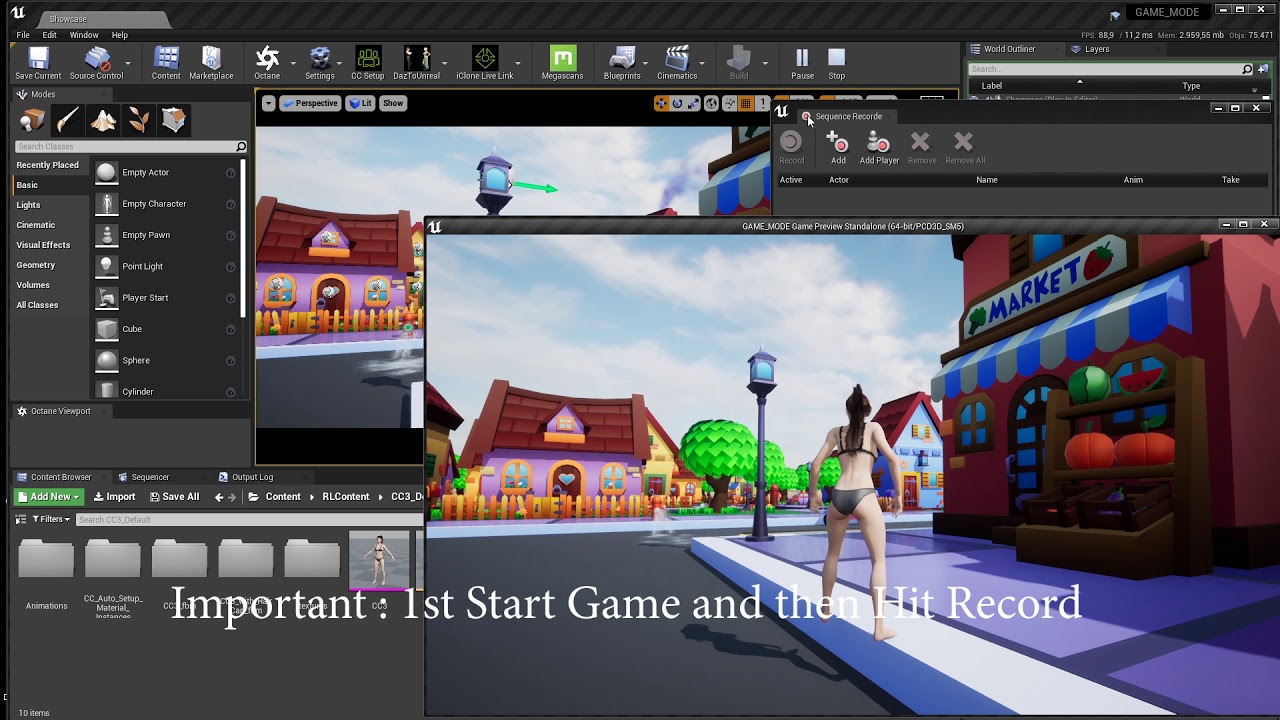
Hair Physics looks terrible , will adjust it.
 summer bolt
So im loading pak files into a preexisting game whenever I use any 3d model or material it spits out a serialztion error but anything else works, Can meshes have some sort of class I need to replicate or?
hearty lintel
prime snow
https://www.youtube.com/watch?v=A5pBO3f082I
thank you dude! that helps a lot 🙂
prime snow
hearty lintel
thank you dude! that helps a lot 🙂
There was something also in an epic talk, about new features in 4.24 or something
 runic parrot
Hi! does anyone know a workaroud for printing the full length of Float or Int64 max value into the editor?
runic parrot
it's weird, because if i change the values while in-game i can only go up to 1.073.741.824 wich is really small, but if i set it up on the editor, i can go waaaay higher than that
 spark steppe
is there some way to drag select components in blueprint viewport?
legends say that ALT + LMB in orthographic view should work, but not for me
 dire loom
Guys Sorry for bad English. I have a question. Is BluePrint enough to make great games or do I need to learn c++. Im currently learning unity and UE's graphics looking cool for me now.
 mellow folio
Blueprint is fine
Most of fortnite is built in blueprints, they just use c++ for optimized systems
spark steppe
nativized blueprint is most of the times as fast as pure c++
i have to get rid of around 1000 static mesh components from a blueprint, any ideas how to solve that?
there seems to be no way to select them with drag selection, so i would have to select each item and delete it by hand
and destroying the components in the construct script doesn't affect the blueprint, only the "instance"
 agile hinge
My camera freezes once I press play, any idea how to keep it working?

the camera actor on the bottom right to be precise
mellow folio
spark steppe
nativized blueprint is most of the times as fast as pure c++
Select the top one in the text list. Hold shift. Select the bottom one in the text list. Press delete
spark steppe
well, that way i would also select some that i want to keep
i would need a selection tool for the viewport
or is there some way to spawn blueprint meshs back as normal meshs in the level
then i could select what i want and combine it to a new BP
spark steppe
nvm, found a solution
 mortal dagger
What's the most optimal way to get references to a bunch of different arbitrary actors from within a single separate actor ("manager")? The actual logic of propagating data from the manager to the other actors I can handle fine with event dispatchers, but what I was doing previously was just running GetAllActorsOfClass and it seems kind of inefficient. Is there a better method besides that or stringing them together within the Level Blueprint, since I'll have to do it for multiple maps?
I think I saw UE4 introduced a tagging system at some point? Dunno if it might be worth looking into that for it? Otherwise I don't know of any alternatives besides straddling them all with a dedicated component or something
dawn gazelle
Have the actors themselves report into the manager.
spark steppe
that^^ and maybe store a reference to the manager in the game instance, so that the actors don't have to rely on GetAllActorsOfClass
 mild anvil
Hey smart people, anyone have an idea how I can reference this behavior tree's variable properly inside this component? It keeps giving me a "trying to access none" error but I cant see anything to set the default value to... My blueprinting knowledge is fairly limited fyi.


 worthy frost
runic parrot
worthy frost
runic parrot
Hi guys! anyone have any idea of a workaround for this?
I'm trying to make a
Structure(A) with a variable (B)
and another structure(B) with a variable (A)
i can't reference each other, only one to the other one, i guess that it's because of recursivity
 outer fossil
So I have a pawn that is a sphere that rolls around, I added a moveable camera by rotating the pawn (which is labeled 'Camera Rotation' in the image.) But when I turn my camera in another direction, the controls get inverted. So I am trying to use the axis value of the camera move X and Y and multiply it to change the input axis of the vertical and horizontal. If this makes any sense, help would be appreciated!
 faint pasture
outer fossil
So I have a pawn that is a sphere that rolls around, I added a moveable camera b...
faint pasture
outer fossil
So I have a pawn that is a sphere that rolls around, I added a moveable camera b...
There's like 12 things wrong here but to start, use force, not impulse. 2nd, you're calling that AddImpulse twice per frame so getting maybe double the movement out of it. 3rd, you need to have your forward and right directions be camera relative rather than world relative
So scale CameraRightVector by RightInputAxis, and same thing for CameraForwardVector
although that'll break down when the camera is looking straight down but it'll get you started
outer fossil
@faint pasture, I know but force doesn't work and I call the Add Impulse twice on purpose so I can use both inputs at the same time. Where can I change world relative to camera relative too?
faint pasture
Force absolutely does work. Is your ball simulating physics? turn the numbers up or check Acceleration.
outer fossil
Yes, physics is checked
faint pasture
The reason why Impulse is working and Force is not right now is because for whatever number you're scaling by, AddForce is gonna be like 60x weaker
you'll need a big number
but your current setup will behave differently at different framerates while AddForce will not
outer fossil
Okay, so what numbers do I turn up
 true valve
So I'm trying to create boat riding system. I added physics to the boat when I try to sit on it, the boat jumps or moves from its location 'cause of physics. How can I stabilize that?
faint pasture
outer fossil
Okay, so what numbers do I turn up
The force
In your instance, what you're calling "Roll Speed"
it should be around 1000-2000 if you have acceleration checked
otherwise it'll depend on ball mass
plush garden
Maybe this could help you?

It's something I've found and used myself. Though, that doesn't directly answer your question. Maybe someone else has more info 🙂
I have another question from my side: is there a type of node, which checks the value of a certain variable, and then executes something if that variable has a certain value? I feel there has to be a cleaner solution than a bunch of branches in a row, and a bunch of bool checks.
So for example: the cube can be Yellow/Blue/Red/Green, and based on which color the cube is, I would want to execute different behavior
I think Ticks should generally be avoided. However, if you want to check it only at the moment of spawning, maybe that's when you can execute it once?
I see
Going to look into what an Enum is, thank you
obtuse herald
plush garden
I have another question from my side: is there a type of node, which checks the ...
'Switch on Int' node maybe?
obtuse herald
Put this in your Actor which should check for the Overlap
 obtuse herald
It teleports the Actor away and teleports it back 1 frame later, so the player technically entered the Actor again, and thus it fires the 'BeginOverlap' Event
 latent arch
Hi guys, so im trying to do a calculation on whether an object is traveling towards the player camera within a certain angle. How can i get it so its not just based on world XYZ?

at the moment it works fine provided you are "infront" of the objects X axis
but i want to try and have it so it works from any direction
any help appreciated! 🙂
 wooden adder
He anyone here, would like to set acceleration in a gravity zone
anyone has some blueprinting knowledge join the general if you would like to help
trim matrix
Hi there! Do you have any idea on what is the best workflow if I have my rigged character and I want to add a skeletal mesh (hair) with its own physics to him? Character and Hair have different skeletons. I just want to make a character editor where you can choose between different hairstyles with different physics
trim matrix
Can I change PlayerController in runtime?
 dark crow
Why would you want to do that
obtuse herald
You can't
trim matrix
dark crow
Why would you want to do that
When the player clicks on a specific place, it switches to a completely different control scheme
trim matrix
obtuse herald
You can't
I wanted to define more than once as it would be difficult to do with single controls.
spark steppe
i would rather look into how to store/restore different keymappings
which should be possible
spark steppe
trim matrix
Hi there! Do you have any idea on what is the best workflow if I have my rigged ...
you can attach a component to a bone/socket, which then rotates with the bone, so for hair something like the head bone
trim matrix
Nice @spark steppe, so I can attach a socket to the head bone in APose and then apply the animation BP, do you know if theres any way to get the exact location of the socket? So I can attach the hair in that exactly position?
dark crow
trim matrix
When the player clicks on a specific place, it switches to a completely differen...
Then have some logic to switch control schemes on the same PC
spark steppe
you don't really need to add an extra socket, you can attach an actor directly to the head bone
GetSocketLocation iirc, which takes a bone name and gives you the world location
but i wouldn't count on that, you are better off making the hairs rig root so that its in the spot of the bone that you attach to
trim matrix
So, my best option would be matching both characters and hair's root and place the hair in that same spot
obtuse herald
trim matrix
I wanted to define more than once as it would be difficult to do with single con...
Maybe these will help you aswell
 spark steppe
no, not matching the root of both, the root of the hair should be where the headbone of the actor rig is
trim matrix
I will try to do that in max, Im really a noob with rigging and all that stuff 😅
spark steppe
well, better get used to it if you want to get into character creation 😄
trim matrix
I will investigate that then, root of the hair in the same spot of the head bone
And no need for an extra socket
trim matrix
Thanks!
 olive ingot
How do I dynamically add a UI widget to a UI widget in game?
It's essentially a UI widget that represents a list of abilities and I progressively add more abilties (ui widgets) to it.

I just needed to Add To Viewport it seems 😉
obtuse herald
olive ingot
How do I dynamically add a UI widget to a UI widget in game?
It's essentially a...
There is a WidgetComponent which does exactly that what you want to do. It's called ListView.
olive ingot
obtuse herald
There is a WidgetComponent which does exactly that what you want to do. It's cal...
Oh that's interesting. I'm gonna look that up. Thank you!
 pulsar valley
Hey guys, quick question, is there a shortcut for the 'back' and 'forward' button in the blueprint editor?

I couldn't find it, but it seems weird that it's not present...
obtuse herald
pulsar valley
Hey guys, quick question, is there a shortcut for the 'back' and 'forward' butto...
Mouse Button 4 and 5
(These 2 extra buttons on the left side of the mouse)
pulsar valley
Oh, awesome! It works 😄
Is there a way to also use a keyboard shortcut? (I would prefer it)
obtuse herald
pulsar valley
Is there a way to also use a keyboard shortcut? (I would prefer it)
I don't think so, however you can look for yourself in Editor Preferences > Keyboard Shortcuts
pulsar valley
yeah, I was looking through there but couldn't find it, that's why I was asking here 😦
thanks for the help! 🙂
obtuse herald
you're welcome
 neat prairie
simplest way to get the vector (position) halfway between 2 vectors?
just in case theres a function for it, otherwise i know how to do it manually
obtuse herald
^
earnest tangle
Does that actually work 🤔 I think I wrote some much more elaborate method of calculating it lol
I wonder if there's any website that could plot these kinds of things in a nice way...
often the mathematical plotting things don't quite produce anything useful because they don't treat vectors as positions like you often do in gamedev so the results are significantly confusing lol
 hazy mauve
Hey guys,
I was wondering if someone could point me in the right direction, i'm currently trying to fix a small BluePrint bug, while learning from a youtube tutorial.
The current situation i'm having is that the the particles are showing before the game starts, and when the game first starts, right up to the part when I use the Dash feature. I was wondering if someone could help me.
I tried a couple of things, including the particles to niagra and that didn't go well lol.
Current BP:

Before the Character even moves.
 obtuse herald
hazy mauve
Before the Character even moves.
obtuse herald
hazy mauve
Before the Character even moves.
Set the Visibility of your Particle System component to false
hazy mauve
Bless you!
Cause i'm turning it on for that brief moment in the blueprint, it was already rendering it for having that check box on? <- just want to learn from my mistake here.
obtuse herald
hazy mauve
Cause i'm turning it on for that brief moment in the blueprint, it was already r...
Yep
hazy mauve
Much appreciated.
obtuse herald
you're welcome
 wet adder
Hey guys, probably a really easy question for you guys. I'm trying to set a value in my AI class in my character BP class but idk what to put in the object node. Any ideas?
 obtuse herald
You need a reference to your AI Actor
faint pasture
wet adder
Hey guys, probably a really easy question for you guys. I'm trying to set a valu...
Do you mean AI Controller? Or an AI pawn?
obtuse herald
Also this is pretty redundant
 wet adder
whoops
wet adder
faint pasture
Do you mean AI Controller? Or an AI pawn?
its an ai controller
updated version

should i do get player character?
the thing is obvs its an ai not the player
obtuse herald
You probably have more than one AI in the level, so it depends on which AI you want to update
dawn gazelle
What you need is a reference to the AI in question's actor, from which you can get it's controller which you can then feed into the cast.
 brittle reef
Hey guys! im getting a problem that i have no idea how to fix, i have this death blueprint which makes the enemy ragdoll, launch him and after that he switches the material so he can disable some emissives and right after that the whole enemy gets a dissolve effect, it works but only when i kill a single enemy, if two or more dies at the same time only one of the enemies (i think the first) gets the dissolve effect and the other ones just dissapear instantly, do anyone have a fix for this? maybe i need to reference the enemies? im an artist who doesnt have too much experience with blueprints, just materials and vfx, thanks 🙂
 obtuse herald
brittle reef
Hey guys! im getting a problem that i have no idea how to fix, i have this death...
obtuse herald
brittle reef
Hey guys! im getting a problem that i have no idea how to fix, i have this death...
Try 'Play from Start'

Also, remove the delay nodes and connected everything after it to 'Finished' respectively
meager rune
Having a bit of trouble with networking. I have a 1st person and 3rd person guns that need to have a loadout (set of attachments) applied to them. GI is the game instance, where the loadout is stored. "Dummy Gun" is the 3rd person gun. My problem is that everything looks fine on the server (the appearance of the weapons is accurate to the selected loadouts), but on the client, all of the players' guns have the visual appearance of what that specific client selected. Ill send a screenshot of in-game.


for the sake of testing, I unhid the 1st person and 3rd person gun on all characters
as you can see, the server (right) selected the compensator muzzle attachment and the client (left) selected the muzzle brake attachment
from the client's view, however, the server appears to have a muzzle brake as well
obtuse herald
GameInstance is not replicated
You probably want to store the Loadout variable in the Character
meager rune
it should need to if I am passing the loadout from each client through the function called on the server
so store it instead of passing it?
would I want to replicate the loadout variable then?
obtuse herald
meager rune
would I want to replicate the loadout variable then?
Yes
Because on the client, all Character are currently referring to the same loadout variable in the GameInstance
 obtuse herald
yes


 obtuse herald
i don't really know much about networking to be honest, but my guess would be that it now set's the variable for all characters based on the GameInstance
meager rune
I tried this, which only sets the variable if its the player character
obtuse herald
yeah
meager rune
but it doesnt seem to apply it on the server
obtuse herald
maybe you have more luck in #multiplayer
meager rune
yea lol
wild moth
Hello everyone,
About animations, should single non looping animations (ie Punch) be a State in the animation BP's state machine? Or should they be played in some other way?
I see, I'll look into montages
I should use the state machine then for setting up the major states of the character I assume? Idle/Movement/Crouching/Holding Weapons, etc?
wild moth
hmm
 primal smelt
Ok so I am building a blueprint for a wheelchair and I am trying to add force to it based on how steep a slope is. There are quite a lot of tips out there for adjusting character movement but this does not apply here. I am using a line trace and getting the impact normal of surface (due to complex geometry, getting rotation of ground object will not suffice, must be surface) which gives me the red arrow in my picture.
What I need to do is rotate that vertex to point downhill, or to the bottom of that face, taking to account the various directions these faces could be... facing. I currently have some ramshackle thing in place that divides wheelchair forward vector by impact normal and it works well enough to give me a good feel of how the mechanic could work, but it is not consistent. I won't share that here as it is very ramshackle, very spaghetti. Anybody got any ideas?

 smoky ice
Hey guys I'm curious if anyone knows why an automated test would run twice?
I'm getting a failed test when I set my test to succeeded
You can see it runs twice in a row

This is all I'm selecting.

It seems to fail if I do anything with the world or subsystems
Or run twice I should say
faint pasture
@primal smelt are you using physics or no?
primal smelt
faint pasture
<@365397632870383646> are you using physics or no?
I am using physics, aye. Was considering asking over at #legacy-physics but thought it might be too simple
faint pasture
Why do you need to do any of this if you're using physics? How are you driving your vehicle, are you using rotating spherical colliders as wheels or are you basically doing a raycast wheel setup?
 rocky aspen
Feel like I'm missing something here, how am I supposed to use this node when it doesn't have an output?
 primal smelt
faint pasture
Why do you need to do any of this if you're using physics? How are you driving y...
primal smelt
faint pasture
Why do you need to do any of this if you're using physics? How are you driving y...
I'm applying force and torque to the body of the vehicle, there are sphere colliders used as wheels but no rotational force is applied to them
primal smelt
faint pasture
Why do you need to do any of this if you're using physics? How are you driving y...
I am using linear damping (as well as phys mats for determining friction) but if I reset that to 0 the wheelchair still isn't rolling downhill as fast as I would like
dawn gazelle
rocky aspen
Feel like I'm missing something here, how am I supposed to use this node when it...
It looks like it takes in a "By Ref" variable, meaning you're passing in a variable reference. I imagine it changes the value stored within the variable.
faint pasture
@primal smelt is being able to stop on a hill important? Like is braking performance important at all?
primal smelt
Tried also just applying a minus force to Z but this gets very unstable at higher speeds
primal smelt
faint pasture
<@365397632870383646> is being able to stop on a hill important? Like is braking...
I have an override for high speed velocity where if the player holds (or "brakes") either left or right wheel it will add rotational torque, causing it to flip
faint pasture
@primal smelt what I mean is do you need static friction? does a player need to be able to hold still on a slope without slowly sliding down?
primal smelt
I don't have a set up that is much like most car tutorial documentation out there, I am not holding to accelerate and the brakes are pretty much "on" or "off"
primal smelt
faint pasture
<@365397632870383646> what I mean is do you need static friction? does a player ...
No, if anything slowly sliding down while the brakes are held would be ideal!
faint pasture
Honestly for an Arcadia wheelchair game, I would recommend applying torque to the wheel and letting the physics engine run with it. The way you're doing it is some sort of weird hybrid where you're using physics but you're also fighting the physics engine of the same time.
proven mason
I got a question about the controller class bp
is it recommended one controller class per pawn?
faint pasture
proven mason
is it recommended one controller class per pawn?
No. Why would you need that?
proven mason
that's whats confusing me
faint pasture
Are you talking AI controller or player controller?
proven mason
player controller
primal smelt
faint pasture
Honestly for an Arcadia wheelchair game, I would recommend applying torque to th...
You and I had a discussion about this not too long ago actually, I was asking some questions about torque. I had previously tried to use a rotational force on the wheels instead but due to their being no suspension in a wheelchair getting that to behave while also maintaining stiffness wasn't working out too well
summer bolt
So im loading pak files into a preexisting game whenever I use any 3d model or material it spits out a serialztion error but anything else works, Can meshes have some sort of class I need to replicate or?
faint pasture
@primal smelt don't you still have no suspension anyway?
proven mason
it's like why do I need a bp controller class when I could set up the controllers within the blueprint actor or pawn itself?
faint pasture
@proven mason you barely even need a player controller at all for a minimal playable project. I only use mine for the start menu
faint pasture
proven mason
it's like why do I need a bp controller class when I could set up the controller...
You are being confused on what a controller does.
primal smelt
faint pasture
<@365397632870383646> don't you still have no suspension anyway?
Yeah I still have no suspension but the way I have approached it means the wheelchair glides smoothly over the ground while still feeling like a wheelchair with all the limitations that come with that
dawn gazelle
Player Controller is pretty useful for multiplayer where you have things that can be kept private to one player.
faint pasture
primal smelt
Yeah I still have no suspension but the way I have approached it means the wheel...
There's basically two things you need to decide. one, how the collision of your vehicle works. Two, how the output forces of your vehicle work.
proven mason
@dawn gazelle I plan to have two players with one of the players switchable to AI
faint pasture
@proven mason that doesn't really tell us anything. Just go without a custom player controller for now.
primal smelt
faint pasture
There's basically two things you need to decide. one, how the collision of your ...
Ok, but is there no obvious math that I'm missing that will allow me to get the information of the slope that I am after? Essentially I'm just trying to rotate the impact normal based on the downward direction of an object's face?
Perhaps I could get the uppermost and lowermost vertices and work it out that way but I am not sure how
faint pasture
@primal smelt also you can 100% do a physics only suspension. Yeah the math is easy, but the way you're going about calculating your forces doesn't make any sense if you're having to do this.
proven mason
ok I'll lay my plan more further.
faint pasture
And you also don't need a line trace, you can just get the impact normal from the wheel collider
proven mason
I plan to release my game to a mobile platform.
the game is naturally a 2-player head to head like in Pong
primal smelt
faint pasture
<@365397632870383646> also you can 100% do a physics only suspension. Yeah the m...
Oh yeah, as I mentioned last time we discussed this when I gave it a bit of suspension rotating the wheels worked pretty well. Problem is, I then had a wheelchair with suspension..... which is very no.
proven mason
the player can optionally choose single player and fight against the AI
faint pasture
In the case where it's touching more than one component at a time, average the impact normals for the frame. But I would 100% recommend just using torque on rotating colliders, you are going to run into edge case after edge case after edge case doing it this way.
@primal smelt did did you look at the project I uploaded? That thing drove great, didn't have a suspension.
proven mason
also another option is online where the player fight against another online user.
primal smelt
faint pasture
<@365397632870383646> did did you look at the project I uploaded? That thing dro...
You did show me a video which I watched, thought all the vehicles had suspension though? I'm probably forgeting
faint pasture
It's not using any Unreal engine vehicle stuff, it's just a very simple blueprint with physics
primal smelt
And yeah I probably will move over to just letting the sphere colliders do the work. Right now I am using line traces because I have a very rudimentary wheelchair frame mesh and haven't properly implemented the collision for it so right now the colliders will graze walls and act liek it is a drivable surface without my line traces.
primal smelt
faint pasture
In the case where it's touching more than one component at a time, average the i...
Sorry could you elaborate on this please? "
In the case where it's touching more than one component at a time, average the impact normals for the frame."
trim matrix
Hello, I have a question.
With a material (on the white boxes) I can change the lighting of the squares on a param "Intensity", so in BP I change it with Set Scalar Parameter etc...
The problem is that I'm going to put 50 of them all together in a BP) I would like it to light up like a caterpillar (the first one then the second one etc.) how can I proceed?
Thanks
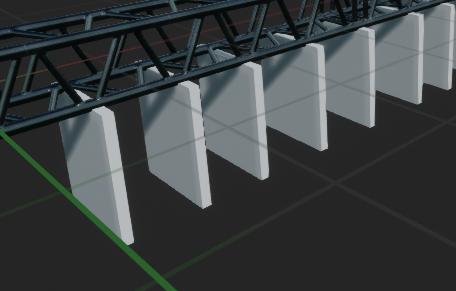 primal smelt
@faint pasture So assuming I'm still using line tracing, if line trace hits the slope depicted. What do I need to do with the impact normal (red arrow) to get it pointing in the same direction as the blue arrow?

 thick grotto
Hi guys, I'm having some problems with network sync. I used to custom events, one for the server (serversmoothrotationYaw) and one for the clients (clientssmoothRotationYaw), the server event runs on the server and it's replicated, while the clients events it's multicast and replicated. I call the server event on the event tick, but the rotation is replicated on only on the server. (the server event is connected with the clients with an execute node). The clients rotation yaw event only manage the rotation of the capsule component while aiming.
Can you help me?
I'll post some screenshot of the blueprints.


 faint pasture
primal smelt
<@!127902729677963264> So assuming I'm still using line tracing, if line trace h...
faint pasture
primal smelt
<@!127902729677963264> So assuming I'm still using line tracing, if line trace h...
I'm not sure but that's not your desired force. Your desired direction of force is impact normal times 1,1,0 and gravity will handle Z
But you should just let the physics engine handle that IMO
 twilit heath
there is not enough information there to pull the blue vector
you'd need a vector looking directly into you (from that picture) as well
faint pasture
twilit heath
you'd need a vector looking directly into you (from that picture) as well
That vector is normal cross Z
 shrewd summit
something I'm just dumb about and can't remember but how do you set your player character to an actor already in the world instead of player start, deleting player start made me just spawn wherever the camera is
faint pasture
shrewd summit
something I'm just dumb about and can't remember but how do you set your player ...
Set auto possess on the character in world
shrewd summit
thanks
twilit heath
hmm, actually
primal smelt
faint pasture
I'm not sure but that's not your desired force. Your desired direction of force...
Ok well if I just plug in the impact normal to add force it will push the wheelchair "upwards" relative to the slope, which is exactly how I expected. So I assumed rotating that axis to point in the same downward direction of the slope would achieve what I am looking for, no?
faint pasture
primal smelt
Ok well if I just plug in the impact normal to add force it will push the wheelc...
That's exactly how it works. Gravity pushes you down, whatever you're running into pushes you normal. When you add them up, if you're on a slope, the resultant Force vector is sideways
primal smelt
twilit heath
there is not enough information there to pull the blue vector
Well the blue arrow basically represents the same angle of the slope
twilit heath
the blue vector (with sign undetermined) is the trace vector projected to a plane with impact normal as normal
it doesn't work too well if you strike the surface at 90 degree angle tho
faint pasture
primal smelt
Well the blue arrow basically represents the same angle of the slope
To rotate the normal, get cross(normal, Z) and then get cross(normal, result)
 snow harness

 faint pasture
I'm sure there's a simpler way to do it in one step but that'll do it. the output of a cross product is always orthogonal to the two inputs.
twilit heath
i don't like the cross approach because it requires 2 of them
faint pasture
Well I'm sure if you were any better at vector algebra than me than you would figure out a way to do it in one. I know there is a way but I can't be assed to figure it out lol
twilit heath
TraceVector - TraceVector DOT ImpactNormal
primal smelt
twilit heath
i don't like the cross approach because it requires 2 of them
Apologies Zlo, what was your method?
twilit heath
is a vector parallel to the surface
which is also TraceVector.ProjectToPlane(ImpactNormal)
faint pasture
That is definitely internally doing a lot more than two cross products but it'll get you close. If you need just the downslope direction, project negative Z to the impact normal plane
Then normalize
primal smelt
@twilit heath @faint pasture Basically, this is what I am after
 faint pasture
Yes that is cross(normal, cross(normal, z)) among others
primal smelt
Which is why I was thinking if it is possible somehow for me to get the two "highest" vectors and the two "lowest" vectors of any given surface then I could determine the direction of force to apply to wheelchair, irrespective of how the wheelchair is rotated
*highest/lowest vertices
Ok lemme try the cross solution you mentioned one sec
faint pasture
If you end up getting a vector that points uphill, just use negative Z
primal smelt
faint pasture
If you end up getting a vector that points uphill, just use negative Z
Sorry I'm a idiot, maths isn't my strong suite and I'm struggling to work out how to set this up in bp. Any chance you could show me? Just in terms of what needs to plug into the break hit result
faint pasture
@primal smelt break hit result gives you the normal. The vector you're after is cross(normal, cross(normal, z))
Z being 0,0,1
 regal venture
hello, can i ask about UE4 nodes here ?
faint pasture
regal venture
hello, can i ask about UE4 nodes here ?
No that's in off topic
Lol
Of course
obtuse herald
Just ask
primal smelt
faint pasture
<@365397632870383646> break hit result gives you the normal. The vector you're a...
Like this?
 regal venture
what is the use of GETWORLDTRANSFROM and promote to variable
inthis

i'm new to unreal too ,, sorry if my ques is too newbie type
obtuse herald
GetWorldTransform gets the Transform (Location, Rotation and Scale) of the component in the World
When you right click the orange pin you can break it up
regal venture
okay got it
faint pasture
regal venture
what is the use of GETWORLDTRANSFROM and promote to variable
Promote the variable means you're just going to save that explosion blueprint reference to a variable so you can do things to it later. what you probably don't need to do because that blueprint effect probably just has a limited lifetime anyway
primal smelt
regal venture
inthis
I assume the return value allows you to store a reference to the spawned actor?
regal venture
faint pasture
Promote the variable means you're just going to save that explosion blueprint re...
ahh thanks got it
obtuse herald
regal venture
ahh thanks got it
You can see all Variables of the Actor on the bottom-left side
primal smelt
Thanks @faint pasture and @twilit heath it's eating time for me now but once I'm fed I will try what you have suggested!
regal venture
obtuse herald
You can see all Variables of the Actor on the bottom-left side
I just noticed them...
so what is spawn transform is doing, after taking TRANsform value of cube ?
obtuse herald
regal venture
so what is spawn transform is doing, after taking TRANsform value of cube ?
It's the initial Transfrom where the cube gets spawned
Let's say your Cube is in Location(X: 100, Y:50, Z:0), then your Actor that you spawn gets placed in that exact same position
obtuse herald
regal venture
I just noticed them...
When you click on a Variable on the left, you'll see more settings for it in the detail's Pannel on the right
obtuse herald
You're welcome
 scarlet lava
Hi! Is it possible to override a function in blueprint for an added component?

I'm trying to access the OnTalkingBegin
obtuse herald
scarlet lava
Not for an added component, but you can create your own component with 'VOIPTalker' as parent
in there you can override the function
scarlet lava
ohhh nice I will try this! Thanks @obtuse herald
trim matrix
Hello, I foreach my array objects but the problem when it comes out the array it is not in the order, as you see, any idea how I could solve this?https://imgur.com/a/wruLpJ9
 dawn gazelle
Nice effect 🙂
trim matrix
 dawn gazelle
How are you creating the array?
 dawn gazelle
Are you sure your components are in order themselves? Like, if you click on each in the list while looking at the ViewPort, as you select them do they appear in order?
trim matrix
Yes.
obtuse herald
trim matrix
Yes.
How are they named?
 obtuse herald
And how are they orderd in the components view?
trim matrix
In orders
obtuse herald
show me
 obtuse herald
try naming them a, b, c, ...
trim matrix
brruhh, so need to implement 240 fucking squares manually ? hahaha
dark crow
Do you want them to fire one after another or all together
Like you have 15 there in that BP, do you plan on repeating that BP or adding 240 meshes int that one BP in particular?
trim matrix
go dm @obtuse herald
 carmine sluice
hi there, I've made a physical UI and can't seem to "despawn" the blueprint static mesh once I pressed my keybinding. Does anyone know a way to do this?
 pine ledge
trim matrix
https://i.imgur.com/phXtHEc.mp4
pine ledge
trim matrix
https://i.imgur.com/phXtHEc.mp4
Try to use multi-linetrace from the first to last, to create array
 midnight kiln
@trim matrix You may be able to get everything in order if you make an array and set each element by the name, just start your naming at 0.

 proud mauve
I have a blinking material and i want to sync it with a sound. What's a accurate way to do that?
 rancid quartz
Hello, I have a question about moving an actor along a spline.
I've successfully got my actor to travel along a spline by executing the following script on a timer. Does anyone know what I may need to plug into New Rotation in order to have my actor rotate to match the spline as well?
Any advice would be appreciated.
Cheers.
 livid vessel
I dont know how to change the x tanget so that the rotation is like in the picture. Because there is no set rotation at spline point node
 midnight kiln
@rancid quartz try Get Rotation at Distance Along Spline
livid vessel
Ok maybe this picture ist better I want to to close this gap
 rancid quartz
midnight kiln
<@!272439609483591680> try Get Rotation at Distance Along Spline
rancid quartz
midnight kiln
<@!272439609483591680> try Get Rotation at Distance Along Spline
Thank you! I think I've got it figured out.
 ancient topaz
Hi guys, can anyone help correct the errors in the text I used to describe the game? English is not my first language.
or advise where you can find specialist translators in different languages, maybe there is some discord channel?


 chilly sun
BlueprintUE
faint pasture
rancid quartz
Hello, I have a question about moving an actor along a spline.
I've successfull...
Spline tangent is the direction the spline is going at the point. Convert that into a rotation. I think the node is called rotation from X vector or whatever
rancid quartz
Thanks, Adriel.
faint pasture
There's also some value that represents the roll or direction your right vector should be pointing, but I don't remember what it's called. Might be called roll
 icy saddle
does anyone know why when I double click on a BP function to try to open it's corresponding cpp file, I just get this log instead?
LogSelectionDetails: Warning: NavigateToFunctionSource: Unable to find symbols for 'ACharacter::LaunchCharacter' []
happens when I double click this
 primal smelt
Just a quick thanks @faint pasture and @twilit heath , your explanations for how I would go about doing my downhill velocity shenanigans helped a lot. I've implemented the code and it works a treat 👍
primal smelt
icy saddle
does anyone know why when I double click on a BP function to try to open it's co...
I haven't really taken a look at many bp nodes as of yet although I seem to recall double clicking a node before and it opened visual studio. Now I've started having the desire to check out the code, all I get is the "reading c++ symbols" pop-up and nothing else happens :S
indigo bough
Hey folks, strange question. Procedural Foliage Spawners can't randomise the mesh used for individual static mesh foliage, for example when you want to have random trees within each cluster.
However, my current tree models are all under 3k polygons. Wondering if I could get away with not using LODs, but somehow using the LOD system in HISMC and forced randomize a LOD value? Just a thought. Trying to think of any way around this issue at the stage.
icy saddle
primal smelt
I haven't really taken a look at many bp nodes as of yet although I seem to reca...
hmm I wonder if it's something that broke recently. I was reading some bug reports:
https://issues.unrealengine.com/issue/UE-87909
https://issues.unrealengine.com/issue/UE-48359
and it seems like they supposedly fixed this but maybe it broke again on a newer version?
which version are you using? I'm on 4.26.0
primal smelt
icy saddle
hmm I wonder if it's something that broke recently. I was reading some bug repor...
I'm on 4.25.4
But yeah says it has been fixed, if so it broke again pretty damn quickly!
icy saddle
primal smelt
But yeah says it has been fixed, if so it broke again pretty damn quickly!
yeah, I know it used to work for me as well some time last year when I was on some version of 4.25 (can't remember which).
Are you using a source build that you compiled or the pre-compiled version from the epic launcher?
primal smelt
Pre-compiled. I was going to try using something other than VS but if you're getting a log error then perhaps it hasn't got anything to do with VS
I've been experiencing lots of little oddities with windows updates lately so my knee jerk reaction to anything going wrong is to somehow blame microsoft :p
icy saddle
primal smelt
Pre-compiled. I was going to try using something other than VS but if you're get...
oh that's interesting, I was never able to get that feature working on the pre-compiled version. It only ever worked on my source-compiled version. Were you using the pre-compiled version when it used to work for you?
icy saddle
primal smelt
I've been experiencing lots of little oddities with windows updates lately so my...
lol I feel you, there was a Windows update that broke re-arranging windows in Visual Studio for some weird reason hahaha
However, I also tried Jetbrains Rider for Unreal (An IDE made specifically for Unreal) but it also doesn't work there
(btw, I think the version it used to work for me on was either 4.25.0 or 4.25.1)
 halcyon grove
