#blueprint
402296 messages · Page 646 of 403
 fallow fox
 nimble igloo
I need your help ...
I want the character when he jumps in the air through which a button is pressed until he jumps a second time
???


I need your help ...
I want the character when he jumps in the air through which a button is pressed until he jumps a second time
 tulip iris
Quick Question:
Why doesn't the "World" variable show up in structs?

 gentle urchin
Is there any red flags using interface to temporarily forward a tick event from another actor?
 astral estuary
If I need a map to have two gamemodes to choose from... Do I need the levels to be duplicated? Can I override the gamemode when traveling to a map?
 trim matrix
Does this create new references of each stat in StatsComponent? I'm modifying a value inside each struct through the UI but the updated values doesn't persist after every GetStats call, so I'm a bit confused as to why since I'm passing it by reference to my update functions.

 glacial eagle
Yeah, that's an array that contains copies
 vague lake
Can anyone help me i built a 2 weapon equip and swap system but i added a pistol also but character is not equipping it
I dont know why.
I can screen share if somebody can help me.
 small cloak
hello. is it possible to read material properties (like world position offset) in a blueprint?
 undone parcel
Hey, does anyone know how to make a character selection for a 2D Side Scroller?
How can I swap it when pressing on a Button? I know, I'm a Noob😅
Ok, thanks
 silent vortex
I looked at using behavior trees and ai perception to move an enemy, but I can't seem to get it to work with the nav mesh (because I think doesn't work with 2D), os is there a way to incorporate patrol movement and player sensing in 2D? perhaps without using nav meshes?
 sharp vine
Hey all
Please does anyone here have experience with AIs I’m having issues building my melee AI and j need help
Thanks in advance
astral estuary
sharp vine
Thanks
silent vortex
thank you
 long smelt
Hey there.
Will querying a curve on tick cause me any performance problems?
dang
think I can get away with it, using a lower tick interval?
 queen compass
What exactly are you planning to do?
 wary tinsel
Hey guys do someone know how to attach or snap two sockets from two different characters? Like shaking hands for example Thanksss
 faint pasture
long smelt
Hey there.
Will querying a curve on tick cause me any performance problems?
faint pasture
long smelt
Hey there.
Will querying a curve on tick cause me any performance problems?
Don't worry about it. Make the damn thing work then if you need speed, move it to c++.
What are you trying to do?
queen compass
Hey, what is the difference between the Interface Call and Message? Strange enough, the official documentation does not cover that part ->-
long smelt
faint pasture
Don't worry about it. Make the damn thing work then if you need speed, move it t...
Fair enough 😂
wary tinsel
queen compass
Hey, what is the difference between the Interface Call and Message? Strange enou...
the call it's for the same bp if I'm not wrong, 'message' will spread to other bp too 🙂
long smelt
I sometimes forget that is how you're supposed to work with UE
queen compass
wary tinsel
the call it's for the same bp if I'm not wrong, 'message' will spread to other b...
If its for the same bp, then I could just use a regular Function Call
If im not wrong
 languid lion
nimble igloo
I need your help ...
I want the character when he jumps in the air through whic...
languid lion
nimble igloo
I need your help ...
I want the character when he jumps in the air through whic...
Did you figure out a solution? Unreal's character movement has a built-in system for this
wary tinsel
queen compass
If its for the same bp, then I could just use a regular Function Call
generally you want to use interfaces to avoid cast, If It's for the same bp you can avoid, but of course it depends on the situation
languid lion
queen compass
Hey, what is the difference between the Interface Call and Message? Strange enou...
Not a 100% sure, but message does not take interface reference, call can
faint pasture
queen compass
Hey, what is the difference between the Interface Call and Message? Strange enou...
Interface calls local only. I don't know if there's any advantage to using the call versus the message.
queen compass
faint pasture
Interface calls local only. I don't know if there's any advantage to using the c...
Isnt just a function call local only, not Interface call?
This one
 queen compass
wary tinsel
Hey guys do someone know how to attach or snap two sockets from two different ch...
queen compass
wary tinsel
Hey guys do someone know how to attach or snap two sockets from two different ch...
Hey, I have never tried it myself, but wouldn't something like AttachComponentToComponent work? You can specify the socket to attach to on the parent.
 wary tinsel
It's what I'm doing but it won't snap on the right place. I tried to preview this in the skeletal mesh but it doesn't match 😦
queen compass
You tried changing the Location Rule, right?
wary tinsel
yes of course
It snaps in the wrong place, I give the other character an offset so he can snaps in the right place but have no idea
 narrow bear
@wary tinsel
 faint pasture
wary tinsel
It snaps in the wrong place, I give the other character an offset so he can sna...
faint pasture
wary tinsel
It snaps in the wrong place, I give the other character an offset so he can sna...
It all depends if you are trying to use rotation or just location. Anyway, I would either manually move the second actor to position and then attach keeping relative, or snap it to the socket and then manually move it to offset
narrow bear
Put that in a function library and call it a day 🙂
wary tinsel
cool dude thanks 😄 I wil ltry this one
narrow bear
Gave me enough grief when I had to do it, I put this together from a bunch of stuff I found online
😄
astral estuary
can I make a blueprint function with multiple returns Exec pins? (or inherit a macro from a parent blueprint?  )
)
wary tinsel
narrow bear
Gave me enough grief when I had to do it, I put this together from a bunch of st...
i hope will work the same with actors haha 🙂
narrow bear
wary tinsel
i hope will work the same with actors haha 🙂
Maybe try passing the root component
 bitter tundra
Hey folks, quick question regarding combat system components and anim montages.
I have 7 characters that I wish to be playable, they are all based on the UE4 skeleton, with that said I am a bit stuck on how to generate multiple character profiles from one component.
So my main question is, for an ability, such as “kick”, how can I set it up so that it calls the correct montage for the character chosen.
I.E. montage variations plugged in for each ability for each character and it should auto sort the montages based on the mesh used.
Any ideas? (Doing a quick multiplayer demo, and not using GAS atm, just pure Bp for demo sake)
faint pasture
bitter tundra
Hey folks, quick question regarding combat system components and anim montages.
...
Have the character blueprint define which montage to use for kicking
You basically just say hey character, do a kick. The character looks and says oh okay my kick montage is character B kick montage, coming right up.
That's just basic polymorphism. Just like how you would say hey gun, shoot a bullet. And the gun would have data about what it's bullet is.
You could make one character blueprint and have the child classes be data only classes, were you just swap out the mesh, swap out the montages, move some numbers around, etc.
 alpine terrace
Anyone can tell me how I can change the auto lock or how it is called? I want the dot on the same level as the input in order to create a straight line

This looks ugly <.<
narrow bear
alpine terrace
Anyone can tell me how I can change the auto lock or how it is called? I want th...
Select and press q
narrow bear
Also try shift +w/shift+a/shift+s/shift+d @alpine terrace
alpine terrace
Thanks!
bitter tundra
faint pasture
You could make one character blueprint and have the child classes be data only c...
Solid thought so 😁
nimble igloo
The attack does not work when the buttons are selected


I want to use the kick and button attack but it doesn't work please help 👆
alpine terrace
0,2 is quite fast what happens if you set it true the whole time?
 fossil osprey
Hey im trying to make a widget appear on a public screen in front of everyone on a tv, anybody have an idea how to do that?
 earnest tangle
@fossil osprey there's a widget component, have you tried using that?
fossil osprey
earnest tangle
<@!322144919445831701> there's a widget component, have you tried using that?
no what does that do?
earnest tangle
it draws a UMG widget in world space
fossil osprey
oh yes i just remembered but i want it to be stationary and not rotate
earnest tangle
As in always facing the player?
fossil osprey
earnest tangle
As in always facing the player?
um as in being able to look behind it but thanks for the help! i think i found what i was looking for online, thanks for mentioning widget component i totally forgot it was a thing, and it has the option to make it stationary!
earnest tangle
Yep it should do that by default iirc :)


 astral zenith
Hullo. I have a Blueprint best practices question: If we need to change the name of a dispatch event, any existing events added via the green + buttons in the details of the component/actor simply get a yellow warning label and silently fail. My most recent issue where this happened, I just used reference viewer to painstakingly update all the old events. Is there a best practice around updating dispatch names and having all the events in use automatically update to the new name?
earnest tangle
The one thing that kinda annoys me about the widget component is that it can become extremely blurry because of TAA and there just is no very good fix for it :\ (or at least I failed to find one)
But it kinda depends on exactly what you're doing with it - you might not even run into the problem in most use cases
wary tinsel
narrow bear
Maybe try passing the root component
It's like he snaps to the pivot of the character and not to the specific location of the socket, any suggestion?
narrow bear
wary tinsel
It's like he snaps to the pivot of the character and not to the specific locati...
Not sure, it works great for me. I use it like this:

Not sure if the first AttachActorToActor is necessary, I think I did without too. But I found it better with
(I should clean up those lines, brrrr)
narrow bear
narrow bear
Not sure, it works great for me. I use it like this:
"Child" here is skeletal mesh
wary tinsel
really appreciate your help dude, thanks @narrow bear
 cobalt temple
Hello, I have this actor on the ground in my level. It is built in actor running on the server, and it is set to replicate. When it takes damage, I would like it to spawn a particle effect to all multiplayer clients in the most efficient way as possible. Is it best to add a particle system component and activate/unhide it into the BP, or should I call a multicast function? I'm new and self taught, thanks in advance

 icy pilot
Yeah, dumb thinking from me caused it xD
cobalt temple
I'll have say 200 p_fire particle spawns active at any one time
Would this be better in visual effects or multiplayer channel?
silent vortex
i'm struggling here....how do I create a patrolling system for an enemy in 2d? I'm only seeing tutorials for side scroller and 3D.
 deft nimbus
Do you mean importing it as an asset? I'm just dragging the texture into the editor, that makes it usable for me
ah oh during runtime
I guess there are several ways to display an image during runtime. What exactly do you want? I'm quite new myself but I'm doing something like that, at least in terms of GUI
bitter tundra
Somehow I managed to get my AI characters to run the montages but not my actual playable character. Dying laughing over here(in reference to my previous help request).
faint pasture
bitter tundra
Somehow I managed to get my AI characters to run the montages but not my actual ...
Both ai and player driven characters should be calling the same event. What's the problem?
 solid summit
Hi, I followed a tutorial on showing a widget on screen and it worked but I get an error in the message log sometimes. Any reason why?

 faint pasture
You really ought to save that widget to a variable.
solid summit
Oh, I've never done that before.
faint pasture
And I probably wouldn't have a door reached directly into the ui, just have it call events that the player controller itself uses to show and hide the UI
Just an event enter door area and event left door area
If you're going to have more than just doors, you'll want to generalize your system a lot more but I would get this working first. A generalized system will be like show interaction prompt and hide interaction prompt
solid summit
Hmm okay thank you!
 dapper adder
Hello, i am making a gokart racing game where AI is racing against the player. Instead of a Win Widget when the Players drives through all the checkpoints and win i want it so that the collision box/finishline counts all the AI that has driven past the finish line and when the player drives through it shows the players position after the race: For example: "You finished 3rd!" there's apparently not a single youtube tutorial for it on the internet and was wondering if anyone could help me. Sorry for the weird explanation but hope you guys will understand. 🙂 Thanks for the help in advance.
faint pasture
And then a fully robust system would have the overlap area on the character, and then when something that overlaps on the interaction channel enters the area, you get all overlapping interaction actors, choose one (probably the closest) and update UI accordingly. You do the same thing when one leaves the area.
dapper adder
I have a checkpoint system so that the player has to drive throufg checkpoint 1 and 2 before checkpoint 3 at the finish line so maybe an array of some sort in that blueprint
faint pasture
dapper adder
I have a checkpoint system so that the player has to drive throufg checkpoint 1 ...
Every player should have some data representing the checkpoints they have passed through. Once all checkpoints including the finish line have been passed through, you call some event the adds them to the finished race array. Then you'll have all the finishes in order.
 shrewd summit
anybody have any idea why code won't go through a behaviour tree? The first blueprint is meant to fire off when a condition (in range) is false, and then, when (in range) is true, it's meant to do the second part (yes, i checked and "is not set" and "is set" is fine,) but even when the condition is true, it still goes into the first BP and the second one is never fired off
https://cdn.discordapp.com/attachments/494173557291483147/824719899317239828/unknown.png
https://cdn.discordapp.com/attachments/494173557291483147/824719941244158002/unknown.png


additional video to show problem
astral estuary
Can I force a blueprint function to be virtual/abstract? (ie a child blueprint MUST implement it?)
bitter tundra
faint pasture
Both ai and player driven characters should be calling the same event. What's th...
That’s what I’m wondering, my abilities fire on player character, but the animations do not. However, damage functionality works across the board.
I should mention this is all network replicated
I’m dumb.
Sorted it out
 long schooner
Hi, is there a way to spawn a blueprint actor?
earnest tangle
Spawn Actor
long schooner
can I choose a specific location or something?
earnest tangle
Yes, it takes a transform as one of its parameters
 sweet swan
I've made a function to determine the direction my character is facing and multiply the vector to determine a velocity for launching the character. The issue is the character always gets launched in the direction that it is moving rather than the direction it is looking. I would have thought the override coordinates on the launch node would have fixed this but it doesn't seem to. Anyone have any ideas how I can launch my character in the direction that he is looking even if he's moving in the opposite direction?

 faint pasture
sweet swan
I've made a function to determine the direction my character is facing and multi...
faint pasture
sweet swan
I've made a function to determine the direction my character is facing and multi...
Is your capsule orienting to the control rotation or velocity?
 faint pasture
Shouldn't that always launch it diagonally in X and y?
Although 100z isn't very much
sweet swan
faint pasture
Shouldn't that always launch it diagonally in X and y?
Thats what I would expect but it still launches him in the direction that he is moving
faint pasture
sweet swan
Thats what I would expect but it still launches him in the direction that he is ...
Are you sure you don't have some sort of very strong air control? like it's being launched but then the velocity is being completely overridden by the character movement component? What happens if you have no movement input at all when it is launched?
sweet swan
if no movement input it works as expected
moves top-right aka x = 1, y = 1
I'll look into the movement component a little more and see if I can't find something there
sweet swan
faint pasture
Are you sure you don't have some sort of very strong air control? like it's bein...
Looks like it was default air control lol
 floral condor
how would i go about writing a little function that rotates a propeller based on the velocity of the actor
faint pasture
floral condor
how would i go about writing a little function that rotates a propeller based on...
Rotation delta per frame = frametime x velocity x somefloat
 wooden adder
He I got a question, I am working on a school project but having issues when re spawning my charac
We are using lots of hazards in the map which take time to reset on death
the issue is that when respawning you still die to these resetting hazards
So i would like to disable collision on respawn for 1 sec or so
Anyone knows how to do this since i can,t figure it out?, I am in the voice but you can also dm me if you want to help 🙂
also my blueprint is massive so can,t really share it here
floral condor
can physics constraint components move? I have a lantern attached to a pawn and I want the lantern to swing around, so I put a physics constraint on the pawn, but when the pawn moves the lantern and physics constraint don't move with it
faint pasture
floral condor
can physics constraint components move? I have a lantern attached to a pawn and ...
Yeah they move, did you set the constrained components?
floral condor
faint pasture
Yeah they move, did you set the constrained components?
I got it all working now, except for whatever reason, when I hit play or simulate, the physics constraint rotates 90 degrees:
https://gyazo.com/666eec4a606e832161f25675c0683017
 floral condor
nvm i got it lol i just set it to start off at a 90 degree angle🤷
 gritty plover
Has anybody here used DoN's 3D navigation plugin before? I think I need some help.
 prisma stag
Hello, I have a made a conveyor with multiple pins that I would like to rotate when an event is called, so I set an object array variable on begin play. But in the event, I cant setrelativelocation from the object pin on the for loop?

 mental sail
I keep getting these strage variables in blueprints that return null values when clearly there are values in them by default. This has got to be an engine bug...

 surreal swallow
prisma stag
Hello, I have a made a conveyor with multiple pins that I would like to rotate w...
surreal swallow
prisma stag
Hello, I have a made a conveyor with multiple pins that I would like to rotate w...
Is it typed as an object array? It should be typed as actor or scene component or whatever your pins are
prisma stag
surreal swallow
Is it typed as an object array? It should be typed as actor or scene component o...
They are a staticmesh component.
faint pasture
prisma stag
They are a staticmesh component.
Make int CurrentIndex, every time it's called, set CurrentIndex = (CurrentIndex +1)%ArraySize
prisma stag
faint pasture
Make int CurrentIndex, every time it's called, set CurrentIndex = (CurrentIndex ...
? I'm just trying to rotate each pin so I was going to use a for each loop and the loop body be a addactorrelative rotation but I can't hook up the object reference from the for loop go the relativerotation
prisma stag
faint pasture
Ya just foreach it
Thats what I am trying to do however when I drag off the Array Element pin there is no addrelativerotation

Or would it be better to do this?

 spark steppe
prisma stag
Thats what I am trying to do however when I drag off the Array Element pin there...
spark steppe
prisma stag
Thats what I am trying to do however when I drag off the Array Element pin there...
do you want to rotate all by the same amount?
prisma stag
spark steppe
do you want to rotate all by the same amount?
Yep. I did this but I feel this will lag the game if the player adds more conveyors.
 spark steppe
with that approach you can't even add more pins, why not using the array and the foreach loop?
the addrelativerotation node might not show up because your array has the wrong data type
prisma stag
spark steppe
with that approach you can't even add more pins, why not using the array and the...
the pin amount wont change. Here is the model
 spark steppe
ah, i see
prisma stag
The arrow is the way the collision pushes the actors that land on it, I am trying to get it so that the pins rotate to look as if they are moving the objects on top.
spark steppe
you don't actually have to rotate the pins or whatever those are called
you're probably better off to fake the movement in the material shader, by shifting the UV coordinate for the texture
prisma stag
spark steppe
you're probably better off to fake the movement in the material shader, by shift...
Huh. I havent worked with UVs yet as I just wanted things to work then go back and make them look good, so would I make the material and then just have it "animate" in the materials event graph?
spark steppe
ok, that might be a bit complicated to explain then
prisma stag
spark steppe
ok, that might be a bit complicated to explain then
Yea, if you have a video link I will definitely take a look and might delve into UVs a little sooner than expected.
spark steppe
uhm, i don't have a video link but i know that you can get this for free https://www.unrealengine.com/marketplace/en-US/product/twinmotion-materials
and then in masters directory there is M_Light_Source_Master which is a material which does something similar
and in Materials/Emissive there is ML_NeonFade which makes use of that (as iirc the master material has the fading disabled, but all the logic is inside of it)
prisma stag
spark steppe
and in Materials/Emissive there is `ML_NeonFade` which makes use of that (as iir...
Cool. I will look up some videos as I assume animating materials is much less process consuming then actually "animating" the components.
spark steppe

Adding Animated UV's in Unreal Engine 4 Materials.
yea, specially if you combine all the parts to one mesh, so you get way less draw calls for the same visual effect
prisma stag
Cool, the only problem is that my game is going to be low poly, so the pins on the conveyor are somewhat like an octagon so I don't know how that will work unless I will have to make them circular.
spark steppe
and if you use dynamic material instance for the material, and add a scalar parameter for the speed to the material, you can still control the speed at which the rolls appear to move
prisma stag
spark steppe
and if you use dynamic material instance for the material, and add a scalar para...
Nice. This will be handy.
spark steppe
well, what i described works best with a cylinder mesh, on low poly it'll look weird
there's still the option to bake the animation to the mesh
prisma stag
Yea. Ill have to see what I can do with that then, unless I do just make them cylindrical.
prisma stag
spark steppe
there's still the option to bake the animation to the mesh
But wouldnt that cause the same processing problem with the adding rotation?
spark steppe
it would be considered as one mesh by unreal if you do it correct, so there would only be one object which has to be rendered, but im honestly not sure how much of performance you gain from that
prisma stag
spark steppe
it would be considered as one mesh by unreal if you do it correct, so there woul...
I see.
spark steppe
you can still keep your current approach, spawn 1000 of them, and see how well it performs
prisma stag
spark steppe
you can still keep your current approach, spawn 1000 of them, and see how well i...
Ok, will give that a try. If it comes to it, I will just have to make the pins cylindrical and do an animated material
Only added 32 and definitive performance loss.
faint pasture
prisma stag
Ok, will give that a try. If it comes to it, I will just have to make the pins ...
Yeah for conveyor belt rollers, 100% absolutely, animated material
Or ISM if you need the geometry to be spinning
 onyx token
i have a question
I'm learning unreal right now - and i got the basic 3rd person character template
(unless you guys aren't done yet)
prisma stag
faint pasture
Yeah for conveyor belt rollers, 100% absolutely, animated material
How could I do it with a non cylindrical object with an animated mat?
prisma stag
onyx token
(unless you guys aren't done yet)
No your fine.
onyx token
ok, so i got a third person character template
And i wanna use LineTraceByChannel to shoot Lines around my level that hit a target. When it hits the target, i want the name above the target to become visible
and since the camera always looks a little down, and that's annoying, i've decided i could make an empty (or cube or something) underneath the player camera, that only copies the X & Y location of the camera
This cube shoots the lines
but for some reason, this doesn't reposition the cube 😦

this is set to fire every tick
this should move the cube to the XY camera position every tick shouldn't it?
prisma stag
onyx token
this should move the cube to the XY camera position every tick shouldn't it?
I believe so. Why not just add a cube in the ThirdPerson blueprint?
onyx token
i did
it's in the blueprint, but i can't child it as anything, because then it'd just copy all of the transforms
prisma stag
onyx token
it's in the blueprint, but i can't child it as anything, because then it'd just ...
If you make it a child of the camera, you can then move it down, then it will move with your camera.
onyx token
but it would still move up and down if i move the camera up and down
i need a cube that just glides above the ground, and rotates with the cameraBoom around the Z axis
prisma stag
onyx token
i need a cube that just glides above the ground, and rotates with the cameraBoom...
Ah I see. hm.
I havent worked with that so I dont really know sorry. Hopefully someone else will be able to respond.
onyx token
still thank you 😄
trim matrix
who here can help with a blueprint problem im having
onyx token
wooo i did the thing!
 trim matrix
im trying to make a Titanfall 2 fangame. coding the sliding ability and the Titan is proving to be a big challenge
 unborn maple
we cant help you if you dont post more detail
onyx token
while he's posting it- i've positioned my cube now
but in order to shoot rays from my cube - i need the rotation

but i can't find it 😦
I found the world location, but where's the world rotation?
trim matrix
is there easy way to release all keys ?
onyx token
ok nvm
i fixed it
i didn't know i could split the Return Value into it's XYZ components lol
and just ignore the Z value
 jovial dirge
How would I check when something leaves a sphere trace?
mental sail
Is there a better / cleaner way to stop a physics simulating object (that is moving) from moving than this?
 faint pasture
@prisma stag You do it the same way you do any other animated mat, just pan your UVs
What does your material look like anyway? Can you even tell it's moving?
 narrow kelp
How would i get all actors in a radius when they dont have any collision?
onyx token
narrow kelp
How would i get all actors in a radius when they dont have any collision?
i think you can mask collisions
idk how exactly tho
narrow kelp
SphereOverlapActors just ignores my actors that with no collision 😦
I guess I have to make a place to register them or something
 outer fossil
Can anyone explain why the ball is blurry when I move it around? It is a pawn, with a spring arm and a camera within the springarm.
 mystic lantern
narrow kelp
SphereOverlapActors just ignores my actors that with no collision 😦
mystic lantern
narrow kelp
SphereOverlapActors just ignores my actors that with no collision 😦
You probably need to have some sort of collision on them, but make it so they are only overlap
narrow kelp
Yeah I think you're right. Pretty lame but what can you do
mystic lantern
if you really wanted them to have collision you could, but alternatively you could use custom collision channels for other things
 twilit heath
register is more code but better performance
narrow kelp
good point

 wind sequoia
😐
onyx token
ok i need the child of an actor. In my case the third person character, i need the camera of that.

How the fug do i get that camera into a different actor BP ?
cast doesn't work 😦
mystic lantern
you would probably need to cast it by getting the player controller, casting that to the thirdpersoncharacter, then pull that pin off to get the camera. its probably throwing an error because that self doesn't have a follow camera
onyx token
wait it's that difficult? O_o
i really gotta go down the entire tree
i thought it'd be like in unity where i just need to go "xd lmao gimme gameobject" and it does it...
mystic lantern
hang on
you need something to reference to cast. you cant cast something that you are trying to reference

that camera boom is something from my project. so you would grab your follow camera off of that third person character pin
onyx token
well i would basically have to run down the list of child objects until i arrive at what i want? O_o
 mystic lantern
no. you cant do that
onyx token
i just need the camera loc...
onyx token
so i gotta use "Get Player Character" ?
But what if it's not part of my player character next time?
mystic lantern
you just have to reference what you are trying to get a piece of. you can't get what you want a reference of without any reference of it and try to get it's component. it's like having a public variable in unity and not slotting it with anything and trying to use it in code
onyx token
oooooh ok i get it.... i think
So it's the other way round
first i gotta cast to the root object, and then choose the child
not reference the child => to the root object => to the location
but the root object => to the child => to the location
mystic lantern
yea. unreal works slightly strangely because sometimes things come as their base form. like if you are trying to get a specific actor, you have to get a reference to that actor, then cast it to the specific class to get the pieces of it. it makes sense once you do it enough, but it's a learning curve from unity
onyx token
i see...
so if i wanted to cast from let's say a cube that i got in my level
i would cast the actor - and the "object wildcard" would be the root object of that actor - and the Object Reference on the right would be the child object of the root object
oof
mystic lantern
the object wildcard gray pin would be the actor itself.
then you cast it to the correct type of actor that you had and get whatever components it has from the right pin
 hollow zephyr
If I buy an asset pack off the market place, and it says it was done entirely in blueprint, do I have access to edit the blue prints?
mystic lantern
i've never bought anything off the marketplace, but I would assume you would have access to edit it. maybe someone else who has would have more insight.
onyx token
i still don't get it
So i cast to an actor. And for instance - have an actor which is just a trigger box, a cube & a particle system.
but no matter which one of these i pick

it always looks like this
 mystic lantern
so, you need a reference object to cast to the cube fire. you could be doing a line trace, an overlap, or something. once you have a reference you cast it to cube fire. assuming the thing you cast is of type cube fire, you can access it's components from the right pin
onyx token
so how do i get that reference? via a variable?
mystic lantern
there's many ways to get a reference. its a matter of what you are doing and why you want the reference
 mystic lantern
now you are getting it
onyx token
phew... thanks so much for explaining it to me, that would've taken me forever if it wasn't for you
mystic lantern
it's a weird learning curve going from unity to unreal. however once you get the hang of the nuances you'll be on your way to creating whatever you want. glad i could help
 light garnet
Session not found in android but it's fine in editor. Version 4.26
 late shuttle
Actor with hierarchical mesh placed in level. No problems. Fine. We cool. Everything works as intended.

YET, if I try to spawn that EXACT SAME ACTOR instead of placing it in the level..... it crashes the game?????? Halp.

 obtuse herald
late shuttle
Actor with hierarchical mesh placed in level. No problems. Fine. We cool. Everyt...
obtuse herald
late shuttle
Actor with hierarchical mesh placed in level. No problems. Fine. We cool. Everyt...
Hierarchical instanced meshes are buggy in runtime, since there where originally meant to be used for foliage etc. If you don't need the benefits of Hierarchical instanced meshes use Instanced meshes instead, they are way more stable in runtime.
If you need the benefits then try to add the instances to the component after the actor got created, instead of spawning it with predefined instances.
 honest imp
Could sb help me? I'm trying to do it that whenever i press f3 it shows information the speed and stuff like that. My idea was that i create a Object in the HUD and make a script whenever the button is pressed it returns "Visible" but how do i now get "Input Action Info" into the Script in HUD? I've also tried to go into the Third person Character Controller, Cast it to the FPS HUD and set the boolean to true or false but i cant cast it because i don't know which object i need to use.
obtuse herald
honest imp
Could sb help me? I'm trying to do it that whenever i press f3 it shows informat...
How did you cast it?
honest imp
obtuse herald
How did you cast it?
Input Action f3 dragged to Cast to FPS hud and from as FPS Hud to Set INFO Visible
obtuse herald
honest imp
Input Action f3 dragged to Cast to FPS hud and from as FPS Hud to Set INFO Visib...
And what was your object in?
honest imp
Thats the Problem... I dont know what to set there
obtuse herald
honest imp
Thats the Problem... I dont know what to set there
You need to save a reference of your UMG somewhere when you create it (Alternatively you can use
'Get All Widgets Of Class' to get the reference every time). With that reference you can change the values of your UMG.
honest imp
Sorry but i dont get it xd
I was thinking its as easy as casting the Third person Character in the FPS Hud


 obtuse herald
honest imp
Sorry but i dont get it xd
obtuse herald
honest imp
Sorry but i dont get it xd
wait a min, i'll show you
honest imp
obtuse herald
You need to save a reference of your UMG somewhere when you create it (Alternati...
Thanks anyways i found a workaround... I just Created the Boolean in the Third person character BP and then casted The third person player in the Hud BP and it works
honest imp
obtuse herald
wait a min, i'll show you
But i have another question. How do i make it so i dont need to hold the button so it shows the info? I mean i want it toggle
obtuse herald
honest imp
But i have another question. How do i make it so i dont need to hold the button ...
use the FlipFlop node
honest imp
Thanks a lot
obtuse herald
 brittle spade
Are you creating your Widget inside an Object (not an Actor)?
brittle spade
yes
it's supposed to be an inventory manager which should make widgets derived from a c++ class
 devout lodge
is there any solution on fixing this stupid error?
 obtuse herald
brittle spade
yes
obtuse herald
brittle spade
yes
You can't create a widget inside an UObject (Inside BP at least), because UObjects don't have a World Context.
honest imp
How do i toggle a Camera?
brittle spade
obtuse herald
You can't create a widget inside an UObject (Inside BP at least), because UObjec...
I'm aware of that, but doesn't a player controller is enough as a world context? From what I see it's not, what else should I provide so I can init it?
honest imp
honest imp
How do i toggle a Camera?
I mean i have 2 Cameras, one for First person and the Other for Third person and it want to Disable one Camera so it uses the Camera the Player wants
devout lodge
devout lodge
is there any solution on fixing this stupid error?
here is the "SaveData" Structure which isn't being accepted
 obtuse herald
brittle spade
I'm aware of that, but doesn't a player controller is enough as a world context?...
obtuse herald
brittle spade
I'm aware of that, but doesn't a player controller is enough as a world context?...
Try to not use an Obejct for that.
You could try a Macro Library or an Actor Component instead.
obtuse herald
devout lodge
is there any solution on fixing this stupid error?
Right-click the BP asset on content browser Asset Actions -> Reload.
devout lodge
@obtuse herald
 obtuse herald
devout lodge
<@!173083707962294272>
obtuse herald
devout lodge
<@!173083707962294272>
Did you reload the BP or the struct?
devout lodge
struct
obtuse herald
reload the BP
obtuse herald
you're welcome
 olive ingot
How do I get a list of all actor components of an actor? Let's say I add a lot of random actor components and I want to print out which ones the actor has.
obtuse herald
olive ingot
How do I get a list of all actor components of an actor? Let's say I add a lot o...
'GetComponentsByClass' and select 'Actor Component' as class
trim matrix
you have to create a custom groom component cpp with getters and setters for properties, that you can change at runtime.
did you manage to add groomassets to you chars at runtime?
 fiery siren
I have this really weird bug where I have this interface function opening a gate in my Subscriber. Why does it detect an finfinite loop? The only possibility I see if the Subscriber array would be modified during that loop, but it does not. It simply opens a gate on all subscribers that has some small functions behind them. The DoOnce should make this only happen one time .... what could this be?

This is the receiving side. If i disconnect the gate, it all works fine, as soon as I connect it, it doesn't work anymore
 obtuse herald
fiery siren
obtuse herald
fiery siren
Do you call Event_Highlight somewhere?
fiery siren
yes, it's called when I click a button. in that moment the infinite loop gets detected
but I don't understand why >_<
obtuse herald
fiery siren
yes, it's called when I click a button. in that moment the infinite loop gets de...
Can you show me the entire graph of the Event_Highlight event?
fiery siren
ah, I looked at the stack and the problem is not at this function... in reality the highlight-node is flawed, because it's sets a value on the server and the server updates the value so highlight is called again when the switch rotates to the highlight position it's already in. that shouldn't happen of course
Thank you for your help, I feel so dumb now >_<
It's a little complicated, but my controller had a function to "Fake" a received message from the server and that was the bug.
Switch send: I'm in position 1
Server Fake Response was: you are in position 1
Switch rotated to position 1
Switch send: I'm in position 1
[... and so on... ] ^^
strangely the loop was detected on this delay node that opened the gate to that infinite loop for whatever reason 😄
 keen terrace
Hi all, looking for a wee bit of guidance on UI. I believe it is WidgetSwitcher I need, but the how is got me a bit confused. I think I am failing as the execution is ending before I get the chance to check which option is selected. I need a sub menu to open a show my next part of the widget/UI

to become once selected

I need to know how to update the Body Checkbox, and then activate the Body window widget
 dark crow
keen terrace
to become once selected
dark crow
keen terrace
to become once selected
WidgetSwitcher can have multiple children and the order is important
It's like an Array
First item will be Index 0
Second Index 1
So for example if you make Body Widget (not button) be the first child, then when you click Body Button you wanna get a ref of the WidgetSwitcher and SetActiveWidgetIndex to 0
keen terrace
@dark crow Thank you for the reply and advice. Im confused on the Index. Currently I have it set up as so, (not working of course) and I dont really know very much. Maybe if I understood the dos and donts of this part I'd understand what you mean a bit better

Excuse my ignorance please, I'm hopelessly new at this
dark crow
Dunno if the best way to do it like i did but it works
Lemme dig up an example
keen terrace
@dark crow appreciated!


 keen terrace
@dark crow Thank you! I will go play around with this and see if I can get any further
I will likely be back haha
obtuse herald
fiery siren
strangely the loop was detected on this delay node that opened the gate to that ...
Yeah, unreal engine often just points it's finger at random things in an infinite loop detection.
keen terrace
@dark crow Do you know how I can constantly check which button has been pressed? It seems my code is running start to finish within seconds and then ending. I can get the behaviour I want only if I had a delay. So I start the game select Body, the delay is still running and once it has ended it then displays Index 1 ( which is what I want) my problem is the delay is something I dont want and the whole code only runs once and doesnt check for any other buttons pressed
I hope that makes sense
dark crow
If you're running the Switcher on Construct it won't work
keen terrace
yep thats exaclty what im doing....what do I need to look into?
dark crow
Do it like i did, so you have a vertical box of buttons no?
And each button represents a widget when clicked
In my example i have Singleplayer Button
Its widget location in the switcher is the first one
So OnClicked Singleplayer Button -> SetActiveWidgetIndex 0
Lookie at the screens above i sent
Shortly when i click the button it tells the widget switcher to use index 0 so the Singleplayer Widget
 golden junco
Hey there,
I ran into a problem. I made a simple "random tree generator" blueprint. It works fine, the trees look nice, but each time I open the level they are generated from scratch and require the lightning to be rebuild. Is there a clever way to generate them at random, but also make them remember their parameters when I'm happy with them? I plan to use those mostly as a level design tool.
 keen terrace
Currently I have 1 widget for ALL my buttons together. And 1 widget for the Body Window that pops up. Looking at your screenshot I am confused at how it looks at run time. Are all of those buttons shown at runtime
@dark crow
dark crow
Yeas, they are
obtuse herald
golden junco
Hey there,
I ran into a problem. I made a simple "random tree generator" bluepri...
Just add a branch with a bool value, when the bool is true set it to false and then run the random tree generator
Make the bool value public and you got a refresh "button" in the editor ui
 dark crow
You can create Event Dispatchers if you want to communicate like that iirc
You can delegate execution to the Main BP like that
I will brb 10m, will show what i mean if no one else does
keen terrace
@dark crow thank you, I will still be here 🙂
golden junco
@obtuse herald No good. Now it either generates the trees as before or keeps them totally vanilla 😦
 primal rock
Hello guys, quick question:
Is there a messurable and noticeable performance decrease when promoting sth to a variable instead of using the ouput variables of a function/event etc.?
Especially when the code gets executed a lot?
obtuse herald
golden junco
<@!173083707962294272> No good. Now it either generates the trees as before or k...
Use random streams. Create a random stream variable and use a 'Random Float in Range from Stream' node.
golden junco
Will give it a go, thanks 🙂
obtuse herald
golden junco
Will give it a go, thanks 🙂
Also, take a look on '(Hierarchical) Instanced Static Mesh' components, could be pretty helpful on what you're doing.
dark crow
@keen terrace
Made an entire Exampe for you

Inside Buttons WBP you have the buttons

What you need to do in there is call On Clicked

Create Dispatchers for Each Button

Then call them corresponding

In the Main BP i have both Buttons and Switcher BP

If i Click WBP_Buttons i can call the event in the Variables

At the bottom
Click the + on both of them

Now you can use the Switcher variable and tadaa

This the Switcher btw
 keen terrace
@dark crow hero. I will study all of that and try again, thank you very much!!
dark crow
If you don't know about Event Dispatchers too much in your case the most generalized way i can put it is
I am not fit to handle this code, I'll let someone else handle it for me
In this case you're letting the Main WBP handle it all so it can communicate with the Switcher too
You notify a State Change and you can have logic somewhere else for it
So you Dispatch the Event
Event Dispatcher
 crude spruce
how do i normalise distance between 2 vectors when i just want add the multiplier, not the difference ? like, i want knockback to be the same everytime, just use the vector diff for direction.
obtuse herald
crude spruce
how do i normalise distance between 2 vectors when i just want add the multiplie...
what?
crude spruce
my knockbacks are impact point - position * force
impact point - position is different each time, i want that value to be normalized
obtuse herald
is the 'Normalize Vector' node what you are looking for?
 dark crow
Normalize
obtuse herald
crude spruce
i dont know, is it?
Yeah, probably
obtuse herald
crude spruce
normalise both before diff?
after you subtract the two vectors
normalize and then multiply by force
crude spruce
ok thanks
will try
its barely moving my character even if i put a real high value on knockpower
from 25 to 2500 had the sameish effect
but thanks! atleast i can get reliable knockbacks
gentle urchin
Is there a easier way to handle data table row names than just manually typing, or using data table row handle?
i want a fixed variant, locked to a specific datatable, which lists all options just like the dt row handler does
devout lodge
how can I fix this weird error
 obtuse herald
devout lodge
how can I fix this weird error
obtuse herald
devout lodge
how can I fix this weird error
did you change the variable type?
 winged sentinel
Hi everyone! I’m trying to make a rotational weapon sway where the arms and gun rotate instead of panning around https://youtu.be/X592aHd0M-w

Hello! This is my new weapon sway system that was made by only blueprints.
devout lodge
obtuse herald
did you change the variable type?
no
winged sentinel
That video is more of an exaggeration example of what im looking for, but even though I’m adjusting rotators and such it just looks like it’s getting left behind
devout lodge
obtuse herald
did you change the variable type?
i just reloaded the blueprints
obtuse herald
devout lodge
i just reloaded the blueprints
try reconnecting them
obtuse herald
winged sentinel
That video is more of an exaggeration example of what im looking for, but even t...
You can connect the 'Mesh2P' mesh to a spring arm.
This tutorial explains it pretty straight forward on how to set it up: https://www.youtube.com/watch?v=QykhX4gvUz8

Hello! In this tutorial I will show you a very simple and fast way to add basic weapon sway to your first person game! It only requires a spring arm component and no blueprinting whatsoever.
Hope this helps you :)
winged sentinel
obtuse herald
You can connect the 'Mesh2P' mesh to a spring arm.
This tutorial explains it pr...
Thank you, I’ll try but for some reason spring arm wasn’t giving me the rotate effect and panning instead. I was kinda looking for the weapon to go ahead instead of lagging behind
Like that
trim matrix
i wonder if anyone can tell me how to fix my character... i have imported it and assigned the skeleton to the right one.
 golden junco
@obtuse herald Worked like a charm, thanks man! I owe you a beer 🙂
devout lodge
obtuse herald
try reconnecting them
how can i do this? do i restart the level?
obtuse herald
devout lodge
how can i do this? do i restart the level?
no no.. just reconnect the refrence nodes

 obtuse herald
yes
devout lodge
didnt work
theres something really strange happening
when i enter the blueprint from the content browser everything looks perfect

but when i play the level

WHAT

WTF

WTFFFF

there is only one instance


 obtuse herald
you have some weird things going on there
devout lodge
ok nvm
i restarted the whole project without saving
it turnes out it replaced the real bps with unexisted previous versions of them
and tried to access them
which resulted in this weird activity
devout lodge
now everything is fine
oh
btw
i cant save the game instance
i mean
the position im in
not the level
it says failed to cast


 devout lodge
devout lodge
devout lodge
this message is the second print string
now it shows the 1st print string

how can i fix it?
a
the character position
and the level where its in
i think i already did it
 obtuse herald
winged sentinel
Thank you, I’ll try but for some reason spring arm wasn’t giving me the rotate e...
obtuse herald
winged sentinel
Thank you, I’ll try but for some reason spring arm wasn’t giving me the rotate e...
Ok, i've worked something out.
Create a new SceneComponent inside the FirstPersonBP (We're taking that BP as an example now) and call it ArmSway. Then Attach the 'Mesh1P' component to it.
obtuse herald
winged sentinel
Thank you, I’ll try but for some reason spring arm wasn’t giving me the rotate e...
After that, do this in the BP Graph
 winged sentinel
obtuse herald
After that, do this in the BP Graph
winged sentinel
obtuse herald
After that, do this in the BP Graph
Thank you, I’m going to try this right now
 zinc swift
Hey guys I have the following problem in my Blueprint:
I get a value (float) from another blueprint (In this example float = 10 at the output of the get-node). (see picture 1)
But this value "10" does not arrive at the "SET Duration" node. (see picture 2)
What could be the reason for this? I am still relatively "inexperienced" with blueprints.
With another Blueprint I do exactly the same:
Get speed -> float to string -> print string (works).
Why does it not "forward" the float to the Duration node?
 obtuse herald
zinc swift
Hey guys I have the following problem in my Blueprint:
I get a value (float) fr...
obtuse herald
zinc swift
Hey guys I have the following problem in my Blueprint:
I get a value (float) fr...
Do you actually call the set node?
And check if your variable is set to read-only (click on the left-handed side on the variable and then you'll see the properties at the top right)
winged sentinel
obtuse herald
After that, do this in the BP Graph
Are those multiply rotator nodes?
zinc swift
I am calling the blueprint-class on the "event graph"
 obtuse herald
winged sentinel
Are those multiply rotator nodes?
obtuse herald
winged sentinel
Are those multiply rotator nodes?
It's called 'Scale Rotator'
winged sentinel
obtuse herald
It's called 'Scale Rotator'
Ah yup thank you
trim matrix
Ehhhh can I set visibility hidden on widgets whilst also preventing them from taking up space?
obtuse herald
trim matrix
Ehhhh can I set visibility hidden on widgets whilst also preventing them from ta...
Yeah, it's called collapsed.
obtuse herald
zinc swift
I am calling the blueprint-class on the "event graph"
i meant the duration variable
trim matrix
obtuse herald
Yeah, it's called collapsed.
Ah ofc, thanks
zinc swift
there is no "read-only" option on this one

 plush garden
Hey! I am fairly new to blueprinting and have a question. I'm not only trying to learn how to script behavior, but also do it in a proper way. Up until now, I feel I made some fairly "clean" blueprints. There's probably better ways to do what I did, but I was happy with the result. However, today I feel for the first time I kind of applied a bit of a hacky solution, and wanted to write here for feedback if there would have been a better/smarter way to achieve my result.
So, I started like this:
 winged sentinel
@obtuse herald I’ve been searching for AGES for that thank you!
obtuse herald
zinc swift
there is no "read-only" option on this one
Select the variable on the left-side on your original BP
 obtuse herald
winged sentinel
<@173083707962294272> I’ve been searching for AGES for that thank you!
obtuse herald
winged sentinel
<@173083707962294272> I’ve been searching for AGES for that thank you!
Glad i could help
plush garden
It's a simple blinking ability, which has a cooldown that resets charges. I wanted to display the duration of this cooldown to the hud of the player, and now ended up with this:

Sorry, it sent my other message the moment I added the screenshot, they are unfortunately apart now. My main question is, if there would have been a simpler way to get the "value" of the delay, so I could use it elsewhere. I briefly attempted to do it with "elapsed times" but got a bit confused there.
 obtuse herald
plush garden
It's a simple blinking ability, which has a cooldown that resets charges. I want...
obtuse herald
plush garden
It's a simple blinking ability, which has a cooldown that resets charges. I want...
That's probably a good moment to give Timers a look
zinc swift
yeah tried a few other things now, still not taking the float of the "SPEED MQTT" node 😦
plush garden
I'll have a try ToyB, thank you!
zinc swift
what does "variable is not in scope" mean? My guess here lies my problem
obtuse herald
zinc swift
what does "variable is not in scope" mean? My guess here lies my problem
There is a rare bug where blueprint debugging can't access some variables (variable is not in scope, watch variable not updating). But if you print out the value of the duration variable, you'll see that it got set (at least that's my assumption).
light garnet
Anyone know how to fix failed to create session
obtuse herald
light garnet
Anyone know how to fix failed to create session
Try to add this to your DefaultEngine.ini '[OnlineSubsystem] DefaultPlatformService=Null'
 turbid shard
Hello, How can I get a blackboard key value on my current task if I have set that one into another blueprint task?
zinc swift
obtuse herald
There is a rare bug where blueprint debugging can't access some variables (varia...
I just found out that for me the "SET Duration" node always takes the DEFAULT value from my SPEED node. But why?
 light garnet
obtuse herald
Try to add this to your DefaultEngine.ini '[OnlineSubsystem] DefaultPlatformServ...
light garnet
obtuse herald
Try to add this to your DefaultEngine.ini '[OnlineSubsystem] DefaultPlatformServ...
I don't understand. Will this work in android ?
obtuse herald
light garnet
I don't understand. Will this work in android ?
Hoenstly i don't know if it'll work with andorid but i mean you can try
light garnet
Btw yesterday I created server and join
But only host go in map and other player go back in main menu. So o removed open level and used excute Console commmand
After that I am I can't join session and now I can't create session
light garnet
obtuse herald
Hoenstly i don't know if it'll work with andorid but i mean you can try
Can you explain little what I have to do
obtuse herald
light garnet
Can you explain little what I have to do
Go in your Projects Folder
Open Config/DefaultEngine.ini
light garnet
Then ?
obtuse herald
Add '[OnlineSubsystem] DefaultPlatformService=Null' at the end
save
restart project
prisma stag
faint pasture
What does your material look like anyway? Can you even tell it's moving?
The material will be some sort of stone texture but not to rough where is keeps the low poly look I want. Since the the pin on my conveyor are octagonal, it looks like I will have to make them cylindrical to the the animated uv working.
light garnet
Ok
 half sail
I've made a save system in which when player touches checkpoint it generates screenshot to use it as load preview. the problem is that in the moment of screenshot the game hardly freezes. In editor and standalone also. does anyone know how to avoid this freeze?
faint pasture
prisma stag
The material will be some sort of stone texture but not to rough where is keeps ...
The only difference between a cylinder and an octagon is the number of faces. You just lay out the UVs cylindrically and pan a texture
prisma stag
faint pasture
The only difference between a cylinder and an octagon is the number of faces. Yo...
Right. But I feel that will make it look wired since you won't actually see the edges moving. I will make the mat later and apply it to the pins, if in okay with it, ill keep it, if not, I'll make em cylindrical. Unless there is a way to make it look like it's moving?
light garnet
obtuse herald
Add '[OnlineSubsystem] DefaultPlatformService=Null' at the end
Where I have to add in default engine
faint pasture
prisma stag
Right. But I feel that will make it look wired since you won't actually see the ...
Nah in that case just use ISM and spin em.
If you need the geometry moving
obtuse herald
light garnet
Where I have to add in default engine
at the end of the file
light garnet
Ok
prisma stag
faint pasture
Nah in that case just use ISM and spin em.
I've never worked with ISMs, do you know of a tutorial by any chance?
faint pasture
Just Google it. I haven't either, but I know that's what you want to use if you're going to have more than a couple dozen of these meshes
prisma stag
faint pasture
Just Google it. I haven't either, but I know that's what you want to use if you'...
Ok thanks.
winged sentinel
@obtuse herald i turned that bp into a full movement addition with walking stuff, I actually moved the scene actor into the middle of the arms because I realized that you use that as a parent to adjust the pivot point, and it look spectacular
 fast stag
If I wanted to make quest system (I have one now) but with quests that are object type that doesn't have to be an actor placed in the world in order to attach it to an NPC, what type is that? or hows that done? I see dialogue systems where you just pick it from the folder that you make the dialogue objects in, but if I make an Actor type I have to place it in the world to add it to an NPC

right now I parent them under the NPC and get children or get attached
obtuse herald
fast stag
If I wanted to make quest system (I have one now) but with quests that are objec...
Change it to an Soft-Reference
fast stag
but wouldn't it be more logical to have it as a type that can just be assigned?
obtuse herald
Oh wait, i missunderstand your question
you're asking how to create an object, which does not need to be placed in the world, right?
fast stag
yes
so its set as an exposed varriable of its type but not placed in world
this is the "dialogue" type from the dialogue plugin
 obtuse herald
fast stag
yes
obtuse herald
fast stag
yes
You could do this in 2 different ways:
Way 1:
-Create a new struct with data templates for your quests
-Create a new DataTable based on said struct and go create some quests
Pro: Easy to manage a lot of quests
Contra: Can't really make use of macros/functions etc.
Way 2:
-Create a new UObject (Create new BP-Class -> All Classes - > Object) with data templates for your quests
-Create a new child object based of said UObject and go create some quests
Pro: You can individually add/overwrite functions etc.
Contra: Every quest needs to be constructed somewhere in runtime to function.
fast stag
hmm, yeah I considered Way 1 and I think that will probably be it.
then its all in a data table... which isn't the waaarst
might even be better.
thanks for the reply. I'll think about it some more. Its not a simple task I fear
 dawn gazelle
It looks ok, but you're not showing how you're using the Create/Save/Load nodes which is where I'd guess the issue is, as again, your code looks sensible.

Correction - I see the save above.
Shouldn't really. You're getting them, so they exist and you're getting their transforms so you should be able to recreate them no prob.
Are you creating a save game object before saving?
 astral estuary
This is why I have trust issues
 dawn gazelle
lol
obtuse herald
 astral estuary
This is why I have trust issues
astral estuary
astral estuary
This is why I have trust issues
OHHHHHHH, now it makes sense!
one is directly a controller function and the other is a gamemode function
 zinc swift
obtuse herald
i meant the duration variable
zinc swift
obtuse herald
i meant the duration variable
Is it possible that my "Duration" node is not retrieving and using the current value? It seems to me that this "Duration" node is static. So that it only takes its default value once after starting and cannot change variable. How can I change this so that it always takes the updated value?
obtuse herald
zinc swift
Is it possible that my "Duration" node is not retrieving and using the current v...
It should work, i don't know whats going wrong there, otherwise i would tell you 😅
zinc swift
maybe i need to create all this in the event graph and not in Construction Script? (as i said i am a newbie with the blueprint system)
obtuse herald
zinc swift
maybe i need to create all this in the event graph and not in Construction Scrip...
hmm, show me your construction script
zinc swift
i gonna prepare the screenshot in photoshop for you (to understand it better)
zinc swift
obtuse herald
hmm, show me your construction script

at the output it gets the changing float, but the duration node variable just doesn't use it. super strange
obtuse herald
zinc swift
The construction script only gets run when you actively change something on this actor (i.e. changing position, actively changing a variable).
It does not run on every tick
and that's probably why your value is not updating correctly
zinc swift
Aha, I already thought something like that. Since I had tried to print my speed value and it only printed after I had moved my cube
so should i move the script over to the "event graph"?
obtuse herald
If you only use it in runtime, yes
languid lion
Would anyone know what a good method would be to create events for a first person game
where the camera is made to focus on a particular object/enemy
obtuse herald
languid lion
where the camera is made to focus on a particular object/enemy
Do you mean some kind of cinematic scene?
Because i'm pretty sure it would be disorientating if you force focus the camera at the enemy in FP the whole fight
languid lion
No, it's just a cinematic segment
like when you hold a key to focus on a point of interest
give the player a prompt, zoom the camera in a bit
when they focus on it
but you're not locked out of controlling the character entirely like in a normal cutscene
obtuse herald
languid lion
when they focus on it
You can use an 'Find Look at Rotation' node and zoom the FOV a bit. Use an 'FInterp To' node to smooth the transition.
There is an actual cutscene system for.. cutscenes tho.
languid lion
Yeah, the sequencer
obtuse herald
Correct, but i don't think the sequencer will be helpful in your situation
languid lion
The find look at is what I was thinking too, seems like the most logical thing
The idea here is to set up something reusable by the level designers
obtuse herald
languid lion
The idea here is to set up something reusable by the level designers
when do you want to focus on what?
languid lion
need to make something for scripted events that can handle multiple use cases with the LD just toggling or tweaking some variables. I can give a few examples
 tired latch
Hey all, how does one ignore LineTrace-hits from Actor(Self)'s HISM-instances? I still need to catch the traces to another component in the same actor so bIgnoreSelf=False doesn't work here.
zinc swift
obtuse herald
If you only use it in runtime, yes
when i just copy paste my script over to the event graph and plug it into "event tick" or event "BeginPlay" after I press play the actor (my cube) disappears
obtuse herald
tired latch
Hey all, how does one ignore LineTrace-hits from Actor(Self)'s HISM-instances? I...
You can use 'Multi Line Trace by Whatever' instead
 oak gorge
Hello I need some help did any one know a way to make a real time capture of almost anything rendered in a 3d map, I know is maybe something with a scenecapturecomponant
 tired latch
obtuse herald
You can use 'Multi Line Trace by Whatever' instead
tired latch
obtuse herald
You can use 'Multi Line Trace by Whatever' instead
Cheers I'll check that out.
obtuse herald
zinc swift
when i just copy paste my script over to the event graph and plug it into "event...
Maybe there is something wrong with some other stuff which depends on the Duration variable?
zinc swift
even when i just put in the speed manually, it despawns on play
 agile hinge
Could someone help me with creating a child of a bp?
first, I create this from the bp I want.
but it doesn't copy the code from it
ex:


 obtuse herald
agile hinge
Could someone help me with creating a child of a bp?
first, I create this from ...
obtuse herald
agile hinge
Could someone help me with creating a child of a bp?
first, I create this from ...
that thing is basically the copy of your code

you can overwrite it
agile hinge

oh, the tutorial im using actually is telling me to just duplicate with copy paste 
not child
dawn gazelle
😫
agile hinge

shrewd summit
shrewd summit
anybody have any idea why code won't go through a behaviour tree? The first blue...
an addition to what I said yesterday, I found out my selector has a block on it, does anybody know why it could have? Observer aborts are "both" on both
 tired latch
@obtuse herald I was actually able to do the check via GetClass->EqualClass(HISM).
Didn't need to change Linetrace-method at all.
plush garden
I have a bit of a question that came to mind whilst working with blueprints now. A topic I often encounter is needing to get a reference to something. I've mostly done it by creating a variable, then setting this variable to public, then selecting/dragging an object in this public field. From here I would use a cast to.
Just now I ran into a situation where I couldn't do this, since I needed the reference to an object, from within a UI widget. So my previous method did not work. I ended up using "Get All Actors Of Class".
My question is, what are best practices when it comes to using one over the other?
obtuse herald
languid lion
need to make something for scripted events that can handle multiple use cases wi...
Found out that my explanation did not work exactly, so here is an example:


You of course need a system to select which actor to follow, and disable mouse input while in follow mode
 shrewd wigeon
Newb question but.... Why won't this work correctly even with layered bone upper body slot? It will play the anim notify, just not the montage. They all use the same skeleton. I can use the State Machine to achieve the same but I really don't want to have to for every single animated thing I make...
 obtuse herald
plush garden
I have a bit of a question that came to mind whilst working with blueprints now....
obtuse herald
plush garden
I have a bit of a question that came to mind whilst working with blueprints now....
I use a variable for specific things, like the Players widget, or a grabbed object etc.
I try to avoid 'Get All Actors Of Class' most times, except when i need to find a reference to something less specific, when merging two different kinds of systems, or when i actually need every actor of that class for something.
Also, Custom Events/Event Dispatchers are great ways to transfer refrences without needing variables
plush garden
Going to look into those!
obtuse herald
And you can actually bind values in UMG to other values in-game, which is pretty useful
plush garden
Lots of terms for me to google, hehe, but appreciate the reply a lot
trim matrix
Can anyone help me with my project please?
 livid fox
Does anyone here know how to get an asset from a file path in blueprints?
obtuse herald
livid fox
Does anyone here know how to get an asset from a file path in blueprints?
never used it, but maybe this will help you: https://isaratech.com/ue4-get-assets-by-path-in-blueprints-with-the-assetregistry/

Using the AssetRegistry, we can programmatically get references to assets at runtime, allowing us to instantiate them at runtime. This tutorial shows how it's done.
languid lion
obtuse herald
Found out that my explanation did not work exactly, so here is an example:
Thanks! I'll give it a try
obtuse herald
There is actually an 'RInterp To' node which does exactly the same as my custom function, but better. Just use 'RInterp To'.
obtuse herald
put some more work into in
 light garnet
I found that there is version bug Because of that you can't join session in android. Is it true and which version I should use ? I am using 4.26
 narrow kelp
AFAIK you gotta do it by hand by parenting and unparenting
 sturdy herald
narrow kelp
AFAIK you gotta do it by hand by parenting and unparenting
sturdy herald
narrow kelp
AFAIK you gotta do it by hand by parenting and unparenting
eeeeh, shit.
Thanks for answer.
narrow kelp
np
sturdy herald
There are 2 letters from hungarian letter (ő,ű) which cant be written by the Text Renderer, but the widget can. Is it possible to solve this problem without importing new font?
The image show how is it written by text render.
 spark steppe
is there some way to copy data from ObjectA to ObjectB if ObjectB inherits from ObjectA?
 maiden wadi
@spark steppe Copy data in what manner? Like from an Instance of ObjectA to an instance of ObjectB?
spark steppe
yea, or alternatively "upgrading" objectA from classA to classB
maiden wadi
Well, copying from one instance to another should be easy since ClassB already has ClassAs properties. Simple function in ClassA that passes in properties, or a pointer to a ClassA, that can get the properties, then overwrite them in the ClassB instance. As for converting classes, that you cannot do. You would need to spawn a new object of type ClassB, and then copy over the properties as previously mentioned.
spark steppe
thanks, i was hoping for a more general approach where i dont have to do it for each property
dawn gazelle
Maybe easiest way would be to have a structure with the necessary variables? Then you can just pass the structure from the original to the second? Trouble is then you're always working with the structure for the values.
maiden wadi
Structs would likely be the better way to handle that, yeah. But in short it's just the way that C++ handles objects. Each property needs to be copied over. And you can't morph one object into another type.
spark steppe
thanks, but it's kinda sad 😄
 elfin hazel
Where does "write string to file" create the file at?
livid fox
@obtuse herald that helped, thanks!
 dense badger
Heya all, is there a way to spin up an array of timers? IE: I want to start up multiple timers that all call the same event at different times. It seems like I need one event per timer, but I need N timers with one event.
narrow kelp
@dense badger you can reuse an event with many timers
dense badger
It says it resets the existing timer if you call it again on the node?
narrow kelp
you don't have to use the same timer handle
dawn gazelle
 narrow kelp
that event can be called by any number of timers you want to create
dense badger
What does it mean when it says "setting an existing timer will reset that timer"? I don't understand how BP differentiates those usages
 narrow kelp
I'm not sure what that tool tip is indicating, but what the function does is create a timer bound to the event
yeah
dawn gazelle
So if you overwrite the handle, then the previous timer would stop existing.
dense badger
What's the behavior if I don't store the handle?
dawn gazelle
I believe it restarts it as well.
dense badger
Ah ok that's what I was missing... kind of abstract that storing the handle is what manages the new instance but I guess that follows.
@narrow kelp It seems like in the case of needing multiple timers you MUST store it otherwise it will get reset each time you call it?
narrow kelp
no I dont think thats true
 twilit scarab
Can anyone tell how I setup a boolean array in game instance and thenactivate it when specific ai is dead? please help i have been at this for 5 hours 5 hours!!! =/
I have created a boolean array in game instance with only one index at 0. How do I call it and check it to c if the ai is dead? thx
and when ai is dead to trigger my notification system?
PLEASE help me I'm shite at this
I am trying to make a kill mission and when u kill specific ai it triggers a mission complete message on screen
What's the best way to go about this please. Please have mercy on me someone because after 5 hours of torment I think I might just quit ue4. It constantly giving me problems
dense badger
I guess I will test it, but that's what the tooltip seems to imply
Otherwise how would you manage the difference between those cases?
twilit scarab
Basically I have a kill mission setup in the level blueprint to kill a specific ai after it's spawned in. And since you can't cast to the level BP I don't know how I get the mission to update after killing said ai to display mission complete on screen via pro horror hud
dawn gazelle
Yeah it overwrites it (just tested) storing the handle is what stops it from being overwritten. I'm guessing it's to make sure that you don't have a ton of timers being created without handles to properly shut them down.
twilit scarab
What's the best way of triggering a mission complete notification after Ai is dead bearing in mind this ai has been spawned in./ THX
Can anyone help as I am at breaking point after 5 hours of nothing
twilit scarab
Please help me
I know it's a basic question but I'm stuck
How do I call a boolen array after it's been set?
silent vortex
ok I did some work on getting my enemy to move, and so far he moves! only problem is that he ignores wall collisions and he only moves in one direction.....what do I do?
this is what I got. Basically I check the direction of the arrow and move in that direction..infinitely lol
 dawn gazelle
twilit scarab
How do I call a boolen array after it's been set?
dawn gazelle
twilit scarab
How do I call a boolen array after it's been set?
?

Then you change the index number depending on which index of the array you want to access. Typically loops are used with arrays as well:
 twilit scarab
@dawn gazelle I have added the boolean array to the end od the code when the enemy ai is dead. Where abouts do I get boolean too. What BP?
dawn gazelle
Sorry I don't understand the questions "Where abouts do I get boolean too? What BP?"
twilit scarab
I don't know where or which BP i put the add array and where I use get array. I am trying to get so when a specific ai is killed the mission will update with a completion notice on screen
The enemy ai is spawned in BTW
@dawn gazelle Basically I have a kill mission setup in the level blueprint but I don't know how to finish the code to get it to complete when ai is dead
dense badger
@dawn gazelle I'm having a strange issue where my timers I keep adding never fire? Am I missing something?
 tired cypress
@dense badger Timers trigger from an Event or a Function. It's likely that your trigger isn't going off.
 astral estuary
How can I ask a vector with 3d widgets to pretty please stay in global coordinates instead of shifting arround? 
tired cypress
I would put a Print String or something right after NewShotTimer. See if that Custom Event is ever firing
dense badger
Yeah it is, that first print is firing
tired cypress
You've got a branch in there too, might be evaluating to False
dense badger
I'm never hitting the breakpoint before that branch
tired cypress
Well you have Time linked into the Timer. Remove that, put 1 second, just to test
dawn gazelle
twilit scarab
<@!218956378654507008> Basically I have a kill mission setup in the level bluepr...
I imagine you'd want to set that the AI is dead wherever you are keeping track of the mission status. You mentioned before that you created the boolean array in the game instance, so then you'd want to set the value in game instance and probably check there if the boolean is set in order to send the message that the mission is complete.
 quiet abyss
This is probably going to be a stupid question but It's not something I've had to do before. Both my vertical and horizontal input events both have to call the same specific function, but I don't want more than one instance of this function to run at the same time, is there anything I can do? The issue is the function runs AddActorWorldRotation and when both my horizontal and vertical input axises aren't equal to zero, the actor will rotate twice as fast and I don't want this
dense badger
@tired cypress Hey wow that fixed it, is it because my first value for Time = 0? It's strange that none of the non 0 values ever fire
tired cypress
It's because your Time is less than 1
So it ends up clearing the timer instead of firing it
dense badger
Yeah it's only firing once even though am calling the set timer 5 times
dawn gazelle
Yeah I'm getting the same behavior on my end right now too....
tired cypress
@quiet abyss What I do is capture both input changes and then use something like a MakeRotator so that both horizontal and vertical changes are in a single variable. Then you can pass that to your AddActorWorldRotation
@dense badger Yep exactly
dense badger
So my use case was immediately destroying the timer lol
silent vortex
ok I fixed the movement a bit, but they still goes through the walls

I'm trying to figure this out, but I'm stuck
just a random clip of the enemies waltzing into narnia...
quiet abyss
tired cypress
<@772491965416603648> What I do is capture both input changes and then use somet...
Ah! Alright, thanks
keen terrace
Is there a way to clear only certain widgets? My current issue is when I press a button on my widget it is stacking with previously pressed widgets
dense badger
@tired cypress Ok still only ever getting a single timer to fire. Confirmed that the only call I get is the last one.
tired cypress
Yeah Timers will clear each other if called again using the same trigger
If you want something to keep happening, you'll want to check the Loop box in the Timer
dense badger
Heh we are all the way back to my original question. Can I create an array of N timers without a unique custom event for each one?
That all call the same function
I assume I can't use timers in this way based on the way they are structured.
tired cypress
Yeah I'm thinking no. You would need a different event for each to prevent them from clearing each other
dense badger
It's too bad you can't spin up timers on the fly in BP like that. Will end up having to check against a shot manifest on tick. I suppose this can bubble up to C++ at some point if it's slow.
mental sail
I continue to have problems with variables not being properly updated in blueprints. smh.

Is there some "cache" or "rebuilt" button or I dunno, should I just file a bug report I guess?
mental sail
It doesn't matter, you can see the values of the variable and the XXX is missing during runtime, it shows a value with a missing key name, the variable type is [name, linear color]
I switched from using names to using [integer, linear color] , so integer for key and it's seems to work better, or at least it's not broken yet.
So I wonder if there's an issue with using name type for map indexes?
Except that now indead of having nice names, i have to access the value using integers, which is ugly, but works
For clarification

Ideally I can probably just delete the variable, and re create it using names, until miraculously it decides to remember the proper key/values because I don't think I can handle this disparity between using names on the particle property setter and using integers on my variable... I just wonder if this is just me, or if anybody else has seen similar issues, or what's happening?
So I did just that, recreated a variable using name for key and it doesn't work, it thinks it's completely devoid of values, I duplicated the integer key variable and changed the key to use name type.

The saga continues:

After deleting the values from the var and re-adding them, I found that if the editor asks for a recompile and I recompile it will remember the value added, however it does not always ask for a recompile of the blueprint after additional values are added to the variable map, and in that case it will NOT remember any newly added values. I have to figure out a way to make the blueprint "dirty" and get it to ask me to recompile for the proper var values to show up at runtime. (the most confusing part is when the editor shows that the var has values, but at runtime the blueprint state is "outdated" and does not contain the proper var values.)
twilit scarab
is it possible to reference the level blueprint? and if so, how?
twilit scarab
thx
 steady orbit
Np
twilit scarab
how do u target a child actor pawn instead of it's parent?
 unique harness
twilit scarab
how do u target a child actor pawn instead of it's parent?
unique harness
twilit scarab
how do u target a child actor pawn instead of it's parent?
can you try to explain a little more in depth what you're trying to do
outer fossil
Can anyone explain why the ball is blurry?\
 weary prism
anyone know why this is happening im running this on a dedicated server and this is what it tells me even though i have resized my inventory array to the correct index
 unique harness
I would set a breakpoint inside that function when the index is -1
weary prism
@unique harness it only gives me this error when the client and server is built
in editor it works fine
unique harness
is this code on server or client?
weary prism
it runs on both server and client
unique harness
Does a certain action reproduce it or does it seem to be random?
weary prism
when interacting with a item it will try and add to inventory and it will say that on the server @unique harness
unique harness
with all items or just certain?
weary prism
all items
im resizing my array on begin play on the component so i dont know where i went wrong
unique harness
can you show that code?

 unique harness
where do you call Set on that array?
weary prism
@unique harness i basically find a null slot and set the array element there
 weary prism
ok how can i find a empty index then?
cause thats basically what that was supposed to do
unique harness
what happens if you plug nothing into the bottom pin on the find node?
weary prism
it will basically give me the same error
unique harness
hmm ok let me think
easiest would be to keep track in a separate array
array of bools
or, you could wrap your structs in a uobject
and check for null
weary prism
ok ill try that
unique harness
or if your inventory is always "sorted" you could keep track of the next empty index with an integer
weary prism
gotcha
 last coral
Setting my default pawn class to "character"- and I can't look around, move or anything when i start the game up. what am i missing?
unique harness
player controller class in gamemode
unique harness
yes
last coral
ah
Now, what am I doing there? just taking clientside input and replicating it to the server?
I was under the assumption Character's movement and replication was already all handled
unique harness
it is
last coral
So what's necessary in that custom controller class?
unique harness
handling mouse and keyboard input to tell the character what to do
ie move forward, move right, look up, look right
last coral
ah see thats what i thought was handled by default by the character class already
 heady rain
Hello guys, i have a auto landscape material. it looks like this

i want the foliage generation to avoid sand and snow...

i tried doing some "subtraction" right before the grass node but i couldn't figure it out
i would really appreciate some help
that subtract node i have next to foliage is not doing anything i think.. although it seems to attenuate the grass amount at the snow a bit
the thing is that i'm not using layers, and whole thing is just one auto material
so i don't know how i can make grass only spawn on grass texture
since i cant "sample layer"
i have to somehow exclude high slopes, snow AND sand
so it only has grass left to spawn onto
okay i just accidentally made it work
😂

picture of happiness
twilit scarab
does anyone know what could be stoping the ai working properly after spawning in the ai. I am using third person shooter kit! /-
astral estuary
use the apostrophe key during gameplay to open the AI debugger
' that is the apostrophe, next to the enter key
@twilit scarab
 wicked magnet
I was wondering if using Blueprints, there was a way where I could create a simple blueprint that I could drop on to actors to change their behavior? Like in Unity I would create a simple script that would disable physics on any object I dropped the script on to, and I'm looking for a similarly simple way to change the behavior of an actor using a blueprint.
I know I can cast between blueprints to change each other's behavior, but I just don't know how to easily drop a script onto an actor so it automatically changes its properties depending on what the script does.
 tight schooner
@wicked magnet https://youtu.be/qr4ZjieAQKY

This intermediate level video introduces a way to break the functionality of your games up into a series of modular Blueprintable Components. With this technique, you can quickly construct in-game assets with complex behaviors right inside your game world, just by dragging and dropping!
(00:05) - Intro
(01:05) - Creating an Enemy Pawn
(04:15) - ...
 lavish mortar
Hello everyone! I have an issue with replication that I am hoping is a simple fix on some basic setting I am unaware of. All relevant logic is in my player controller.
Execute on Server Event: Pulls data and sets a replicated Array Variable then calls an Execute on owning client event.
Execute on Owning Client: Does something with Array.
The issue is that the Execute on Owning Client Begins before the Set replicated variable executes on the client.
Current Fix: After setting variable generate a new array for input on the Execute on Owning client event. While this works, it eliminates the whole point of a replicated variable. I know the variable is replicated because if i run the event again i get the expected output from the first attempt on the second.
Questions:
When does a variable update get sent to clients and how can I guarantee an event fires AFTER an update?
If a variable set to replicate can't be guaranteed to produce the same output on the client as the server doesn't that defeat the whole point?


 chrome dust
Does anybody know why I cannot find the "Enable Environmental Query system" in the editor preferences in 4.26?
 barren flower
Has anyone played with OSC? I installed the official plugin, and im not getting messages at all
 dapper kiln
I'm working on melee and combos but I don't know a good way to set my "isSwingingSword" boolean variable back to false. My problem is I can spam the button and play the animation. I tried anim Notifies but they can get interrupted and then I can't melee at all. Ideas? YouTube says use a delay but I'm using one long montage separated into sections for each combo so waiting the montage length takes forever. 😦
obtuse herald
dapper kiln
I'm working on melee and combos but I don't know a good way to set my "isSwingin...
can't you just delay for the length of the section?
otherwise you could use anim notifies and set 'isSwingingSword' to false if it gets interrupted
dapper kiln
I can't find a way to get the length of the section. 😦 I'll see if I can use the "play montage" instead of the "play anim montage" node since it does have "on interrupted" as a pin. 🙂
weary prism
Anyone know how to properly debug FPS spikes in a level
basically i look at one specific location in my map and my fps drops to like 40 or 50
id like to debug it but i dont know how
dapper kiln
It doesn't show you the shader screen? Make sure you are the "server" player or host
obtuse herald
weary prism
Anyone know how to properly debug FPS spikes in a level
First, you need to find out on what you are bottelnecking (CPU or GPU). Press Shift+L in editor viewport and that should show up:
 dapper kiln
@obtuse herald I still get locked out of being able to attack 😦 Even with notifies and the onInterrupted. If I spam the attack button It derps out eventually and doesn't set "isSwingingSword" back to false
weary prism
 dapper kiln
Use "STAT UNIT"
weary prism
ok
dapper kiln
and STAT FPS
obtuse herald
dapper kiln
Use "STAT UNIT"
activate these
 weary prism
so im getting my normal 120 FPS here


when i look here it goes down by alot
gpu goes from 8 to 24
ms
obtuse herald
weary prism
Looks like you are GPU bound (high ms for GPU and Draw).
First thing to check is your Shader complexity. (Press F5 in-game to activate the view)
weary prism
ok why is my water "bad"
 obtuse herald
dapper kiln
<@!173083707962294272> I still get locked out of being able to attack 😦 Even wi...
obtuse herald
dapper kiln
<@!173083707962294272> I still get locked out of being able to attack 😦 Even wi...
i honestly don't know that much about anim montages.
maybe the docs have something that will help you tho: https://docs.unrealengine.com/en-US/AnimatingObjects/SkeletalMeshAnimation/AnimMontage/index.html
Animation Montages are a flexible tool that enables you to combine and selectively play animations that are contained in a single asset.
weary prism
its something about the middle though since its fine everywhere else
obtuse herald
weary prism
its something about the middle though since its fine everywhere else
Yeah, some Materials in the background are pretty complex, especially for being in the background.
Maybe add some Low-LOD Materials for these. Also translucency can really slow things down.
weary prism
bruh 40 FPS cause of complex dirt cant be
dapper kiln
@obtuse herald Thanks I think It's just the way I'm using my boolean. I'll figure it out tomorrow. I'm heading to bed. Thanks for the help. I hope you figure out your problem @weary prism I've seen people have issues like that with background models and landscape materials.
weary prism
unless its the fire on the tourches
obtuse herald
weary prism
bruh 40 FPS cause of complex dirt cant be
Yeah, its definently not only because of that.
Do you use moveable lights?
Do you use LOD's?
dapper kiln
@weary prism You can always add a new level and not have it loaded in game, then you can move things to that level and test to see if it fixes it. You can narrow it down. It's easy to move things between levels, that way you wont' screw up your level or have to delete anything
weary prism
im using particles that essiently react to the beat of audio but that would not be it cause looking at them makes my FPS go up 120
unless FPS behaves the opposite
dapper kiln
Go to the levels window and click create new, then just click something suspicious in your level and right click the new level and move selected actors to level
weary prism
i have a theory of why it might be doing this
ok so now its 90 FPS so those particles did have something to do with it
obtuse herald
weary prism
i have a theory of why it might be doing this
you can use the GPU Profiler to exactly find out what takes how much time
weary prism
@obtuse herald how do you get to GPU profiler
obtuse herald
Start the game, open the console and start profiling with 'stat startfile'. You can stop profiling with 'stat stopfile'
the profiler will then record and save the stats to a .ue4stats file
the file will be saved in'Saved/Profiling/UnrealStats/'
obtuse herald
now, open the session frontend window
 weary prism
done
obtuse herald
select the profiler, click on load and select your file
 weary prism
ok
obtuse herald
huh, now you know my name btw
 obtuse herald
weary prism
da hell is CPU stall Sleep
obtuse herald
weary prism
da hell is CPU stall Sleep
meaning your cpu is waiting for you gpu
so your gpu is bottelnecking
weary prism
ok
obtuse herald
in the graph view, select a position where the ms is high
weary prism
right here it spikes

bruh

alot of it is CPU stalls im just curious where the GPU stuff is
obtuse herald
Open GPU and GPU-particles on the left side
 weary prism
yep
obtuse herald
every category will show you how much it spent in this frame
further on the right-side you have this window

find the render thread
weary prism
looks like the lights category seemed to effect it big time

lights is the yellow line
obtuse herald
weary prism
looks like the lights category seemed to effect it big time
Do you use static lightning?
weary prism
yes
nothing is dynamic
all preset
Finally Fixed the Fire Particle On the Tourches Were Using a Light
obtuse herald
weary prism
all preset
Ok, thats good
anyways, if you got any more performance problems, you can use the Profiler to track it down to every single light component/Material etc.
weary prism
ok this is very useful thank you so much @obtuse herald
obtuse herald
glad i could help
 silk igloo
can I have a little help with the "Get distance to" node
basically I want UE4 to detect 3 different distance amounts
I tried for hours but no luck
obtuse herald
silk igloo
basically I want UE4 to detect 3 different distance amounts
what do you mean by that?
silk igloo
so basically I have a contagion distance mechanic, I want the distance below 300 to do something, the distance between 300-500 to do something and then 500-1000 do something. so just in those brackets but I cant do it
I can screenshare if needed
obtuse herald
you mean that?
 silk igloo
wait lemme try that
yes that works, but im unsure how to get the audio through it, can I screen share in general to you?
obtuse herald
silk igloo
yes that works, but im unsure how to get the audio through it, can I screen shar...
sure
silk igloo
@obtuse herald Thank you very much, very wise guy with ue4
obtuse herald
Glad I could help you 😄
 bitter iron
whats the difference between opacity and opacity mask
its doing the same thing for me
obtuse herald
you mean in the material editor?
bitter iron
ye
obtuse herald
Opacity mask takes a binary value (0 or 1) for the opacity (Blend mode needs to be masked)
And opacity takes a 0-1 float value for opacity (Blend mode needs to be trancelucent)
Opacity is way more heavy in performace then opcaity mask
you can use this node for opacity mask to get a sort-of trancelucenty effect without huge performance loss

 carmine sluice
Hi there everyone! just got a quick question about cameras. I've created a sit spot for my character to sit on chairs etc, but when in first person view (I have 3rd and 1st set up) I'd like to camera to change rotation so that its facing the same way as the body does. what would be the blueprint for this? thanks!
obtuse herald
carmine sluice
Hi there everyone! just got a quick question about cameras. I've created a sit s...
Get Player controller -> Set control rotation
carmine sluice
Wow that easy! thanks so much! was bugging me for ages!
undone parcel
Hi, does anyone know how to change a characters sprite using widgets? I want to use it for a Character selection screen 🙂
 crimson saffron
How do I properly load a level?
Every tutorial uses the load level thing but textures and shaders pop up after a while
obtuse herald
crimson saffron
How do I properly load a level?
Every tutorial uses the load level thing but tex...
You can create a new Empty Level, Add a 'Name' variable in your GameInstance called 'NextMap' and create a function in your GameInstance called 'OpenCustomLevel' with 'MapName' as 'Name' Input. In that function you set 'NextMap' to 'MapName' and use a 'OpenLevel' node to open your empty level.
In the Empty Level, open the level BP. Create the begin play event and connect it to a 'Load Stram Level' node. The 'Level Name' input is your 'NextMap' variable in your game instance. Also gives your the oppertunity to add a loadingscreen widget later
 hollow meteor
Heya! I've recently made some changes to C++ enums (renamed some, removed some, added some), and ever since that my Widget BP keeps messing up. Every time I start the editor I get these messages;
Invalid pin connection from Array Element and Menu Item : Only exactly matching structures are considered compatible. (You may have changed the type after the connections were made)
I've already replaced the blocks with new ones but that doesn't seem to help.
The weird thing is - every time when I rightclick -> refresh the nodes, they are OK and the BP compiles. Then after restarting my editor, it explodes in errors again:

I feel like there's some cache somewhere, but I have no idea how to clear it :/
obtuse herald
hollow meteor
Heya! I've recently made some changes to C++ enums (renamed some, removed some, ...
Right-click the BP asset on content browser Asset Actions -> Reload.
hollow meteor
obtuse herald
Right-click the BP asset on content browser Asset Actions -> Reload.
Eyy after reloading the message is gone 🙂 lemme check on a restart
Ah, nope 😦 I restart the editor and the message's back 😦
earnest tangle
You may have to just completely redo the affected nodes
hollow meteor
Yeah I did that 🤔
I'll go 1 level deeper (redoing the variable definitions in the assets - one of them is an enum that I changed)
earnest tangle
yeah the problem could also be in the widget you're spawning since the pins connect to values in it
hollow meteor
or well, I added a new enum, then changed the BP, then removed the old enum
earnest tangle
might need to check that one too
hollow meteor
yeah indeed, thanks 🙂 gonna try
crimson saffron
obtuse herald
You can create a new Empty Level, Add a 'Name' variable in your GameInstance cal...
Its a little hard to follow on text ^^"
hollow meteor
@earnest tangle I've added a new (same enum type) variable to my structure, then removed the old one, then renamed the new one back to the old name, and some "missing pin" errors came up here and there - fixed those and it seems to work again now 😎 ty 🙂
earnest tangle
yeah it can be a bit messy when changing C++ things like that :D but good you got it working
obtuse herald
crimson saffron
Its a little hard to follow on text ^^"
i'll send some pictures, do you know what a game instance is?
crimson saffron
I don't
obtuse herald
crimson saffron
I don't
Ok, create a gameinstance with this guide while i prepare some pictures:
https://couchlearn.com/how-to-use-the-game-instance-in-unreal-engine-4/
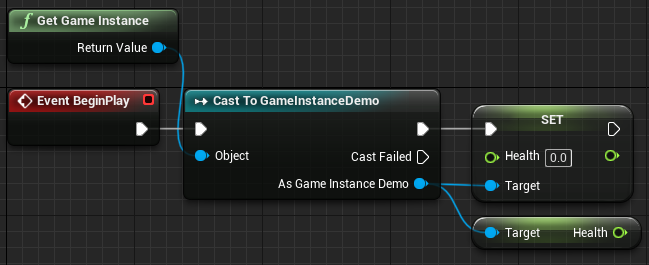
The Game Instance is one the most important blueprint classes in an Unreal Engine 4 game. In this guide we will go through what the Game Instance does and how to use the game instance in Unreal Engine 4. Contents hide 1 What is the Game Instance 2 Creating your Game Instance 2.1 Creating the...Read More
crimson saffron
Done!
obtuse herald
crimson saffron
Done!
Perfect, create a new Empty Level and name it Level_LoadingLevel
In your gameinstance, create a new variable with these propetries
 crimson saffron
while you were away, I tried using load level stream but it didnt work
obtuse herald
crimson saffron
while you were away, I tried using load level stream but it didnt work
Load level stream loads a new level inside your current level
anyways, create a new function in your gameinstance as well, set it up like this:

 obtuse herald
crimson saffron
obtuse herald
crimson saffron
You want to load a new level, without your current level right?
crimson saffron
yes
crimson saffron
how do I fix it?
obtuse herald
Open the 'Level_LoadingLevel' Level, open the Level BP (In the top Ribbon under Blueprints) and set it up like this:
 obtuse herald
crimson saffron
how do I fix it?
obtuse herald
crimson saffron
how do I fix it?
If you've add it in runtime just remove the node
crimson saffron
oh not in runtime
obtuse herald
crimson saffron
oh not in runtime
rightclick it -> remove selected
crimson saffron
ok done
obtuse herald
When you've done all that, open your level with this function now

tell me if i lost you somewhere
crimson saffron
sec
obtuse herald
(BP_MyGameInstance needs to be your created Gameinstance instead)
(You can right click on cast nodes -> 'Convert to pure cast' to remove execution pins)
crimson saffron
 obtuse herald
crimson saffron
obtuse herald
crimson saffron
No, 'open level by name' needs to open the empty level we've created earlier
obtuse herald
obtuse herald
Open the 'Level_LoadingLevel' Level, open the Level BP (In the top Ribbon under ...
^
obtuse herald
did it print the string "Loading level [...]" ?
crimson saffron
I didnt add it since its not necessary for the script to work
obtuse herald
did you open the new level in your other level with this function?

or did you just pressed play in the empty level?


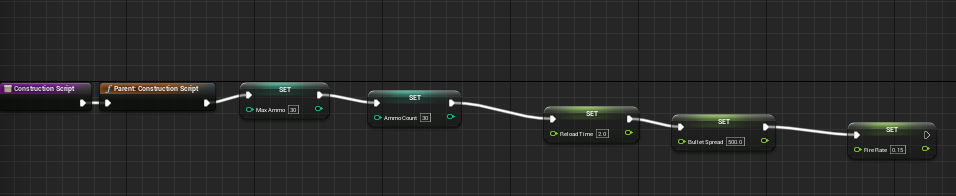
 frigid ether
Are there any known bugs right now regarding interface calls and when they are executed too quickly? I'm doing some procedural generation and need to communicate to the generated objects, but the interface often isn't getting triggered at all
obtuse herald
crimson saffron
Sorry, i used the wrong node
crimson saffron
ah no worries
obtuse herald
it needs to look like this
 crimson saffron
it loads the level but textures still pop