#blueprint
402296 messages · Page 612 of 403
 proud hull
So on tick you are changing its location or something?
You could just attach it to your character and detach it when they drop it again. Or even a physics handle.
 sonic cipher
proud hull
So on tick you are changing its location or something?
sonic cipher
proud hull
So on tick you are changing its location or something?
yep, location and rotation
proud hull
Personally, I'd add a spring arm that extends forward from the character the length you want it, then attach the cube to that spring arm when the character picks up the cube.
sonic cipher
proud hull
You could just attach it to your character and detach it when they drop it again...
if i attach it to my character, it will go trough walls and it wont get smooth like with this, i am using physics handle
proud hull
sonic cipher
if i attach it to my character, it will go trough walls and it wont get smooth l...
That is why I suggested spring arm, hehe. It will do a collision test and not go through walls.
sonic cipher
hm i will take a look thanks you 😄
forgot about spring arm ahah i was thinking that was only for cameras :p
proud hull
"probe radius" is what sets the size of the collision test. You can get "actor bounds" to set this dynamically.
sonic cipher
proud hull
"probe radius" is what sets the size of the collision test. You can get "actor b...
thanks i tell you if it worked 😄
proud hull
sonic cipher
thanks i tell you if it worked 😄
Similar to how I setup my AI group formations. It is just a bunch of spring arms, hehe. #work-in-progress message
 deft ingot
Thanks @proud hull! Got it working now.
 dawn gazelle
I think you want to avoid using tags as your ground may have ramps and such as well I'd imagine that should have your projectile bounce off of. Something like this can be done to detect a wall-like surface that has a certain amount of incline to it (the 0.7 and -0.7 checks) and will destroy the actor if it hits something it shouldn't bounce up.
sonic cipher
proud hull
Similar to how I setup my AI group formations. It is just a bunch of spring arms...
that complex to do haha, i have to disable gravity nope ?
deft ingot
Awesome, Datura! I'm gonna try that.
sonic cipher
for my cube
proud hull
I don't think gravity will affect the cube once you attach it to the spring arm. Once detached, gravity should affect it again.
sonic cipher
deft ingot
Here we go! Yah-hooo!
 stray island
I had a bad dream where i connected for loop node into me and i was stuck looping for ever
Anyway , i will be figuring out now why png from photoshop (transparent background) is messed up in unreal , artifacts / pure white becomes black .. etc
I’ve asked this in graphics but if are familiar please share any tips
deft ingot
So, that didn't do anything, Datura. I think I'm gonna have to play around with my logic "upstream" to get it to work right.
proud hull
deft ingot
Here we go! Yah-hooo!
From your division node: Divide by 90 --> Multiply by -1000 --> plug directly into Velocity Y
Then, remove that branch node and the 2nd set velocity node.
 cold raft
I just had the strangest bug that fixed itself magically overnight.
I did a simple 'take photo' widget in my game to let users take a high res screenshot. It worked but would always take 2 photos of different areas. I called it a night, and now this morning after a reboot - it works and only takes one photo.
deft ingot
@cold raft I had a similar thing last week where my "Mario" didn't want to spawn his Projectile and then when I checked it a few days later, it worked.....because....reasons?
Lol!
@proud hull Yeah, I tried that, but I have to set the velocity either + or - depending on which way he's facing. If not, it just falls like before.
proud hull
deft ingot
<@!291620720243376129> Yeah, I tried that, but I have to set the velocity either...
I'm guessing rotation is 0 when facing right? and 180 when facing left? If so, subtract 90 first, then divide:
Subtract 90 --> Divide by 90 --> Multiply by -1000 --> plug directly into Velocity Y
You should be able to skip that branch node and condense 2 set nodes to 1 using just math like this.
It doesn't change anything though, so you are all good either way.
deft ingot
-90 to Right, 90 to Left.
proud hull
Ah, then why the >1 check? I assumed something was producing numbers higher than 1 to warrant that check.
deft ingot
You said to /90 and check to see if it's >1 and use that for the condition to see which way he's facing, so then set the Velocity either -1000 for one direction or 1000 for the other.
proud hull
Right = (-90 / 90) * -1000 = 1000
Left = (90 / 90) * -1000 = -1000
deft ingot
Ohh ok. I think I see what you're saying.
proud hull
Let the math do it for you, hehe.
deft ingot
Hmmm, ok.
Got it! Not exactly sure why it works, yet it does so I is happy. 😀 <----See? Lol!
proud hull
It's all in the maths.
deft ingot
Yeah, so it's reading the Current Rotation of the Mesh, then it's doing it's Maths Magickalness and then, boom, spawns in the proper direction. Right?
proud hull
Sometimes left too.
proud hull
For your bounce problem. Have your projectile print its results out so you can figure out what to test. Print string is your best friend.
deft ingot
Yeah, I forgot about that. Was doing that for a few other problems I already solved myself.
As I said before, for some reason my Projectile just wasn't spawning, yet I was using Print Strings at every step of Execution to show that it was all firing, just refused to Spawn.
dawn gazelle
deft ingot
So, that didn't do anything, Datura. I think I'm gonna have to play around with ...
The behavior of the projectile should be like this, where it won't destroy itself if it hits a surface that is flat or ramped up to a certain angle.
proud hull
dawn gazelle
The behavior of the projectile should be like this, where it won't destroy itsel...
That was quick. 😁
deft ingot
Well I got it to bounce now......
Not exactly what I was going for buuuutttt.....it's better than nothing.
cold raft
deft ingot
Not exactly what I was going for buuuutttt.....it's better than nothing.
It's not a bug, it's a feature!
deft ingot
@cold raft 😂 Exactly!
proud hull
Once you finish that game, you will make a killing. Check out how much they retail for now:
dawn gazelle
lol
deft ingot
Lmao! Yeah, not trying to upset Nintendo and get my behind sued out of existence, just trying to make a game that works and learn along the way.
I'm doing a whole hell of a lot better now than I was even a month ago.
proud hull
Yeah, gotta slowly get your feet wet with unreal. Start a toe at a time.
Keeping the analogy going, you can easily drown by jumping into what you thought was a puddle, but turned out to be a flooded man-hole.
deft ingot
I'm using OnComponentBeingOverlap, you're showing ComponentHit, @dawn gazelle. I think that's my problem.
 worthy frost
Triple A game, in 3 months!, look at how many games of high quality there is on steam 
proud hull
I think steam now has more early access games than released games.
"I installed unreal, bought a few plugins and mashed them together..... early access!" 😁
deft ingot
@proud hull Yeah, that's about it.
 proper wyvern
hey folks.. does anyone know why my pawn stops ticking after I unpossess it?
I have a "AddInputVector" node on the Tick and after I unpossess it, it stops moving
worthy frost
well without a controller it makes sense
proud hull
proper wyvern
I have a "AddInputVector" node on the Tick and after I unpossess it, it stops mo...
Because a controller no longer possesses it
Cannot receive input
worthy frost
^
 spark robin
I find that using a defibrillator might help reviving dead blueprints from time to time
proper wyvern
But it didnt have a controller to start with... right?
worthy frost
you mean the actual tick node stops?
proud hull
Add a print string to your tick node and see if that keeps firing.
proper wyvern
Tick is still running, but AddActorRotation and AddInputVector stop working
proud hull
Tick should continue even after you unpossess
AddActorRotation should still work. AddInputVector shouldn't
Actually I take that back, it could work, but you need to put the values in not based on an axis value input event
Can you post your current setup?
proud hull
So when you unpossess, you need to make it not based on axis input.
proper wyvern
but even if I have a AddInputVector in the BP, it works fine
Then I possess it, it continues to work
Then I unpossess it, it stops
proud hull
As soon as you unpossess, that character will no longer have a controller, meaning no axis input can be applied.
You can try out having an AI Controller possess it and then use the AI Controller graph to make it move.
proper wyvern
If a Pawn is not being possessed by my character, what sort of controller is attached to it?
proud hull
AI Controller
proper wyvern
even if it's not an AI Character?
proud hull
Character gets one by default and will revert to it when unpossessed.
proper wyvern
interesting
proud hull
But it comes with no default logic in it. So your AI is just setup to do nothing by default.
proper wyvern
ahh I see it. AutoPossessAI and AIControllerClass
proud hull
Yep
proper wyvern
So I just need to change it back to that after I'm done unpossessing
proud hull
As long as you have actual logic in your AI Controller telling your pawn to continue to move, then yes.
worthy frost
@proper wyvern so the tick was working but AddInput was not working? sorry missed the convo a bit
proud hull
Yeah, input was based on controller axis events as we suspected.
proud hull
Ah
proper wyvern
it works at first, I possess it and it continues to work, I unpossess and it stops working
proud hull
Ok, so you do have it hard-coded and not based on input.
proper wyvern
I have it based on input, but hard coded to show it was also not working like that
So when I unpossess, it should continue working?
Does it fallback to the AIController automatically?
worthy frost
no
proud hull
What is the scope of the project? There may even be a better way to go about this. What exactly are you trying to accomplish?
worthy frost
you have to possess a controller if you want to continue using movement input
but the Tick node should be firing, that is not dependent on a controller, but AddInputVector does require a controller.
proud hull
Yeah, it may not be automatic. I think only on initial spawn.
worthy frost
it's not automatic, only time it will possess automatically is spawn and you have the option set. If you unpossess, then you need possess another controller again
proper wyvern
Yep, that's it. Controller IsValid when it starts, when I possess it, and becomes invalid after I unpossess it
worthy frost
nope
you need to keep track of you prev controller
and repossess it
we do it for when AI possess a Mech suit, when they are finished, we unpossess the Mech suit and re-possess the Character
proper wyvern
very helpful
would you recommend saving the initial controller on the object to be controlled?
or maybe in the GameMode?
 wise heath
what is the difference between GetActorTransform and GetTransform?
proper wyvern
GetTransform should be for other things other than actors I think
Widgets, Components
wise heath
hmm I don't quite understand :x
proper wyvern
basically for UI stuff or components of actors
proud hull
GetActorTransform and AActor::GetTransform return the same thing.
deft ingot
So GetTransform would either be in Screen Space or Relative Space based on it's relation to other Actor Components?
proud hull
One is simply a part of the Actor class and the other is in a blueprint function library.
Both of those return transforms in world space.
deft ingot
It would be Screen Space if it was UI though, right?
proud hull
Yeah, but actors aren't UI, hehe.
wise heath
proud hull
GetActorTransform and AActor::GetTransform return the same thing.
oh okay thanks
dawn gazelle
deft ingot
Just making sure I understand. I don't mean to clog up the BP chat with my noobish quesitons.
proud hull
Looks like it falls into component category.
deft ingot
Alrightey then.
Thanks Datura, for showing me something I was too lazy to look up myself. Lol!
proud hull
Saw this earlier in the general channel: https://cdn.discordapp.com/attachments/225448446956404738/801474812765667328/unknown.png

Conveniently skips widgets
deft ingot
Oh yeah! I just saw the video that came from the other day.
I don't see Widget on there though. shrugs Oh well.
proud hull
It is on the far right, just beyond the image.
deft ingot
Well, anyway, I hope you get your Controller issue figured out, @worthy frost.
worthy frost
my controller issues? 😄
proud hull
Control your issues!
worthy frost
i will i will! i did not realize i had control issues 😦
proud hull
hehe
worthy frost
goes to Doctors
deft ingot
The thing you were talking about when I hijacked the convo to ask silly questions and look like I know something. Lol!
worthy frost
it was Fil
deft ingot
Oh, sorry.
Good luck @proper wyvern!
Ok, I made some progress, thank you all. I need to do something else for a bit.
Have a good one, y'all!
stray island
How do i set the (0)
As variable
To connect single float to array based on it
Like set the 0 to an index instead
dawn gazelle
Guessing you want to use this
stray island
I tried it didnt work but i will re try
Yes it’s not functioning the same as make array input
Oh wait , its working now
@dawn gazelle thanks
 hazy sandal
Hey smart people. Does anybody know how one can bind eventdispatchers in a for loop but to different objects?? (Every Object in the loop)
Is it not possible to bin multible times to the same events? But with different objects?
The size of components attached to one BP can not be fixed. The behaviour currently is, that only the last element from the array gets bound. It will detect when the dispatcher is fire, but does not have the correct data it should have bound to.
dawn gazelle
I'm thinking it may be better to have the components themselves on begin play reference the blueprint you're showing/ and when needed cast to the appropriate BP > execute the "TaskDone" event.
hazy sandal
hey, thy for the approach, I will try it. 🙂
dawn gazelle
I'm guessing what you've shown is on your player controller?
hazy sandal
ahhm actually its the Level Task Manager. Im trying to come up with an assignment system. There are Level Tsak Components, that have a name and some other information. Those Components have Dispatchers defined. So the idea was, that I will implement logic that determines, when an task is done. When it´s completed or failed, it should notify the player about the change and he delegates those changes to draw UI.
dawn gazelle
Ah gotcha
hazy sandal
Your Idea is actually pretty dope. I just thought, the Taskmanager, that has dynamic count of those task Components, can do the binding by just collecting all components by class and voila. But It seems that it is no good idea to bind multiple objects with the same events...
 hard kettle
proud hull
Saw this earlier in the general channel: https://cdn.discordapp.com/attachments/...
hard kettle
proud hull
Saw this earlier in the general channel: https://cdn.discordapp.com/attachments/...
I believe they attach to HUD objects
 torn harness
Is it supposed that Activate/Deactivate nodes aren't working with point lights? Particles are working though
hard kettle
torn harness
Is it supposed that Activate/Deactivate nodes aren't working with point lights? ...
- What's that skin you're using for the nodes
- SetIntensity may be what you're looking for (default is 5000 for ON, 0 for OFF)
proud hull
hard kettle
I believe they attach to HUD objects
It is MeshComponents: #blueprint message
hard kettle
yeah off of uobject
proud hull
That's why I was joking that they are to the far right, off the image, hehe.
hard kettle
gotcha
torn harness
hard kettle
1. What's that skin you're using for the nodes
2. SetIntensity may be what you'r...
- UE4Minimal on github
- Yes I know, just wondering why it's not working
stray island
I want random integer between 1 and -1 to avoid 0 , or is there a better way
So i set the variable to only 1 and -1
dawn gazelle
Booleans are a true/false value only. Random Bool means it returns either true or false. The select node then chooses which of the two select values based on the random bool.
dawn gazelle
Yes
dawn gazelle
stray island
O
 mortal cradle
How can I make a timeline widget animation play even when that widget is hidden? It only plays when the widget is visible (I don't remove it, only hide) And also, is this normal that those widget animations ignore global time dilation?
dawn gazelle
mortal cradle
How can I make a timeline widget animation play even when that widget is hidden?...
I suppose you could maybe set the opacity or transparency of the widget component in question to 0 instead of hiding it?
mortal cradle
I think so, will try this out, thanks
@dawn gazelle It does work, thanks once again, is there any drawback with changing the render opacity instead of hiding/ unhiding tho?
proud hull
mortal cradle
<@!218956378654507008> It does work, thanks once again, is there any drawback wi...
It can still capture click events. Not necessarily a drawback as that could be intended in some situations.
dawn gazelle
mortal cradle
<@!218956378654507008> It does work, thanks once again, is there any drawback wi...
Well, you're consuming some processing power and probably a tiny amount of VRAM for the widget to play its animation even though you can't see it... Though I wouldn't imagine it would be a massive hit, unless it's some extremely elaborate animation using huge textures, it is there none the less.
 orchid garden
took me forever to figure out how to make this simple shader:
dawn gazelle
Whassit do?
orchid garden
swaps the texture between red and blue depending on the alpha for the lerp
dawn gazelle
Ah very cool
orchid garden
my first successful shader lol.
my texture for the eye part isn't that great but...
gah blue looks bad....
dawn gazelle
Actually if you zoom in on the red, it kinda has the same issues
But I do like the overall look you're going for.
orchid garden
yeah i is bad at texturing 😦 it shows
dawn gazelle
I wouldn't be capable to judge to be honest... My texturing abilities boils down to being able to paint overtop of existing textures in photoshop XD
orchid garden
im sure its the mask causing the issue.
this little drone didn't have a eyeball I had to add it to the model, it just had a flat surface... but looking at it now... i might do better working with a flat surface lol...
.< unreal strikes again... second time its done this to me... imported the mesh smaller then it should be....
that is one TINY drone...
it should be 2.5% larger in scale ...
proud hull
orchid garden
>.< unreal strikes again... second time its done this to me... imported the mesh...
Haha, now turn that into a niagara effect to make a swarm of them.
proper wyvern
Does anyone know why Pawns with PawnMovementComponent are "pushable"? as if they had physics
 soft orbit
Hello, hope everything is well with all.
I'm currently trying to implement a weapon cycling system. I have 3 Weapon Variables (Primary, Secondary and Support) they are not in an array or anything of the sort. I also have an E Weapon Slot Type enum which governs which slot they reside in on the player in their inventory.
How would I allow for a player to press a button and cycle through the weapons? Ive tried switching on the slot type and for primary check if valid for secondary etc. but this results in, when you only have a support weapon equipped, if the primary isnt valid, it does nothing at all, if I connect the is not valid to the secondary weapon switch, i get an infinite loop error.
 static charm
Fil, seems the way the velocity is calucauted it includes external forces, which basically enables pushing a pawn.
if you want to override that behaviour you can google search and find some solutions to investigate
 minor galleon
Quick question. How do I check if my capsule size is equal to what it was to begin with?
static charm
Null, no idea what you're asking for. You want to cycle through weapons per slot? so like cycling through the weapons for primary only, etc. Or cycling between primary, secondary, and support? I dunno i feel like theres probably 10 different cycling tutorials out there.
minor galleon
tried if world transform scale z = 1 bool
trying to make the character regrow, but only back to normal. it wont stop.
static charm
At begin play, save the capsule size to variable.
minor galleon
I saved the float
checked if world transform was equal and set can grow to false and cant grow to true
minor galleon
character root capsule
Capsulecomponent
I got world transform of the capsule to shrink the player
cant check if its 1
static charm
capsule size of the capsule is different from it's transform
i know its stupid
but
minor galleon
it shrinks everything right?
its working, even makes me smaller etc
just wont stop when back to normal
orchid garden
question... may seem silly... but what should i use when making npcs.... a pawn or a character bp?
minor galleon
character
static charm
depends, character class have more abilites
pawn is much less costly
but less abilites
minor galleon
^
static charm
i mean if you only have like 40 AI on screen, its gonna be fine for PC
as character class
orchid garden
im gonna try to make the drone into a AI
minor galleon
hit actor from line trace by channel
transform
I have a debug to shrink myself
does the same thing
but to the bp's capsule
it grows back but doesnt stop
orchid garden
the capsule seems pretty big for the drone, should i change it any?
static charm
lol
minor galleon
robably
just set the half height to 0
and shrink it a bit
actually i think 32 or somthing is the lowest right?
static charm
well with the capsule like that, it can walk and "pretend to be floating"
orchid garden
it only has a floaty animation atm
static charm
i dont understand ur capsule shrink tbh, it only branches true if the size is less than 0.05 lol
orchid garden
nah its little tail wings flap abit
static charm
well the grow/shrink check is after the first branch
meaning its too late
assuming the first branch makes you grow/shrink
minor galleon
the first branch does not
everything else is on the inputaction
the first branch ends the game
orchid garden
one more question if you two don't mind, if i do shrink the height of the capsule, and make it fly will it still be restricted by the navmesh or will it randomly run into things?
static charm
as far as i know, there is no UE4 built in nav fucntions for flying.
there is free plugin for that though
minor galleon
could set the bone low maybe?
orchid garden
so it'd be like "hey its a wall i know i can fly through it!
static charm
well you will still have collision
minor galleon
yeah
orchid garden
yeah i know but it would ignore the nav cross points for doors and windows
minor galleon
you can have it target something and lerp to a location near it?
or is it an enemy?
thought it was a companion of sorts
orchid garden
hrm... a drone is gonna be a tough AI. I was thinking maybe a companion and maybe a enemy.
minor galleon
if its a companion, then you can have it follow the player on a loop
static charm
keep the capasule height like u shown first, have the animation make it seem floaty
orchid garden
companion i can just lock it to the player when the players moving about, keep it in x range type thing. like a camera.
minor galleon
still wont navigate from far away unless you add line traces
kind of yeah
use a looped timeline?
orchid garden
thanks for answering my questions 🙂 first time setting up a little AI guy
minor galleon
and lerp the bot to a location off of the player? so it seems to glide?
@orchid garden if you need help with AI, Ryan Laley has a good series on it on youtube.
minor galleon
static charm
keep the capasule height like u shown first, have the animation make it seem flo...
or that
so yeah, I want to set capsule scale, not half height and radius
but it wont compare the values and find true
static charm
ur code still doesnt make sense though, because according to you code, the first check it's supposed to say: "can grow"= boolean false.
static charm
yes but on start, its going to initial scale
static charm
lol
minor galleon
fuck
it only works for one
eh
its ok. Ill fix it tomorrow. Im tired. thanks for the helps
 icy saddle
is there a way to run a timer event immediately after the timer is set but then on every subsequent loop wait x amount of seconds?
in my case, it will ALWAYS wait 1 second before calling the event, but I want the event to run immediately the first time.
static charm
you can use a do once before the timer that plugs into the Events code
the alternative would be more complicated
sorry i mean a sequence split to two
with a do once
at the second split
like so
also you wont actally need the do once if whatever calls the Set Timer, doesn't call it more than once
but its a nice safe guard because why not
icy saddle
static charm
you can use a do once before the timer that plugs into the Events code
hmm, would it be easier if I just manually call the event once before the timer ? Like this:
I've never used that "do once" node
static charm
actually yeah that would be great too!
icy saddle
oh cool, I'll do that then, thanks 😄
static charm
i like seeing my flow of execution with wires, even if it does become spaggettii
its kind of dumb they add initial delay for the set timer
if the timer itself is still added to the initial delay
 tardy kayak
how to a do brackets for simple math like (A + B) * C
static charm
just like that
icy saddle
static charm
its kind of dumb they add initial delay for the set timer
yeah I was thinking the same thing lol
static charm
frozenwisp, there's the math expression node you can use, othwise you just manually use a add node first and then multiply the output from it.
tardy kayak
ok thanks
static charm
tardy kayak
ok this works great thanks
 true valve
Let's say I procedurally generate flat unique lands. I have a portal on each level. Portal takes me to another level which pretty much gets created and loaded. Would the save system work in this scenario? If not, how could that be worked out?
true valve
So I'm thinking each level could get an unique id which could be used to save its data and player gets saved separately.
Since player could visit and gets loaded in diff levels.
static charm
yeah if you have data/variables that translates to procedural land
you can save it
either to disk or just temporally to the GameInstance, which is persistent between levels.
true valve
I will be saving only the things that were placed by players since the level will use seed which will create the same level.
 unborn maple
is there a good tutorial on umg creation whenever i try to add mroe then one widget it breaks completely.
static charm
find the shortest one related to the type of widget system you want.
skim it to see what's different from how you're doing it now
then check another if you don't like the tutorial
unborn maple
but when i try to do that there people in the comment saying dont do this this is bad lol
you should hide and make ur widget visible
and when i do that it break the game
static charm
then don't do it unless there's tutorial showing how to do hide/visible without crashing.
there is a UMG chat here in this server too
unborn maple
i tried askin no one would respond
 normal stream
trying to do something here:
I want to make a player ship rotate/orbit around a specific point- I have an implementation that does that, where input axis A or D drives the add-actor rotate component, targeting the BP's scene component. It works, but feels rudimentary/inelegant.
What i'd like to do is treat it more like thrust, where by tapping/holding the A/D keys, thrust is added... (would I use a custom event like 'When held, do X?')
Anyway- thrust is added, and then if you thrust in the opposite direction it decrements. A third button would just apply breaking force and set velocity to 0 (preferably with some deceleration curve/lerp to smooth it out.)
So I think i need a variable in the player BP for 'current speed' and one for 'max speed'. But the using the Input Axis event doesn't seem to be what I need.
unborn maple
i try looking at unreal channel there is mostly multiplayer related
so ill try to find a youtube channel that has a basic menu set up
 tight schooner
@normal stream I would try to separate the input/velocity/movement-update bits.
Rather than have input directly drive the pawn location update, have input alter a floating point variable that represents velocity. (I'm not sure to what extent you're trying to do Kerbal Space Program, but for simplicity's sake I'm assuming your input-to-velocity stuff is one-dimensional and can be represented with floats instead of vectors.) So, on tick, or on a looping timer event, you get the current input axis value (or some input state booleans if you're using digital input actions) and then add or subtract from the current velocity variable.
Then on tick you update the player pawn location using the current velocity value and whatever math you're using to describe the orbit. Tick events fire every frame, and framerates are variable, so when you're using tick, you need to multiply your math by the frametime (Get Delta Seconds) so that it's consistent across all framerates.
normal stream
yeah this is all flat 2d on a plane, for the record. Reading...
tight schooner
For the braking, you can try the node FInterpToConstant with a target of 0 (stopped), and it'll reduce the input value (velocity) to 0 at a constant rate.
tardy kayak
How do i convert a rendertarget to a texture2D
the only option i can find is editor only
its a little cut off but I need a function to covert a render target to a texture2D to store in a list and the only function i have found is (render target create static texture editor only)
 vital ingot
This is a super vague question, but how do you run through a blueprint of actors that you hit with a ray? I had an idea to do this. (Call Ray Hit is a custom event), and that updates my Tilled Tile BP. Then the object I have specified for TilledTile is the actor the ray hits.
I can't quite figure out how to link those two pieces together though.
hard kettle
torn harness
1. UE4Minimal on github
2. Yes I know, just wondering why it's not working
ue4minimal? I'll check it out
normal stream
tight schooner
For the braking, you can try the node FInterpToConstant with a target of 0 (stop...
I really appreciate the response, but I'm not yet understanding either... I do agree that input should alter a floating point variable representing velocity....
hard kettle
torn harness
1. UE4Minimal on github
2. Yes I know, just wondering why it's not working
I believe it's the nature of components. While disactivating it means it stops receiving inputs and stops functioning, the light doesn't turn off
tight schooner
@normal stream I was thinking about how to make the velocity go to 0 (stopped) at a constant rate, which you can't do with Lerp or division/scaling cuz it'd approach 0 in a curved rather than linear way. "FInterp To Constant" is a readymade solution for that problem.
normal stream
riight, i meant the entire thing you suggested. I am extremely new to unreal engine, so while I understand the broad concepts you're describing, I lack the operational know-how to execute. I just only replied to the shorter line because it was easier to get at in discord.
tight schooner
oh ok. Tick event fires every frame, and a looping timer event (look up "Set Timer by Event" node) will fire at a regular interval. You can use that to update your velocity value. So let's say you have an input axis... You can ignore the input axis event and use the node "Get [name of your input axis]" to get the current value of your input axis.
For button-style input input actions, I think you have to make a boolean variable, and use the Pressed/Released pins on the input action event to set that boolean.
In your velocity updater, which is running on tick or a looping timer (whichever you prefer), you use the booleans and/or axis values to determine how to affect the current velocity.
Anything beyond that I can't talk in specifics about, because it's dependent on your particular player-pawn movement
but the movement part shouldn't care about input states... it just needs the velocity
normal stream
hmm
basically I want the player ship to move in a ring around the center of the whole level. They only have 2 degrees of freedom, going clockwise or counterclockwise. So like a ship in orbit or a satellite. Player hits button, ship moves in [direction]. To achieve this, I had the player spawn point sit in the center of the map, and i put the static mesh representing the player under a scene component. I moved the mesh 'away' from center.
So on game start, BP_PlayerShip spawns on PlayerSpawn, it is '600' units away from center as far as the player is concerned. (at some point in the future I want to be able to control that distance as well with a blueprint instead of manual entry).
Camera is looking down on all of this.
There's no math involved in calcuating the orbit or anything like that.
tight schooner
yeah, that's probably the simplest way of doing that and I don't think there's anything wrong with it
normal stream
Aye, it works, but it's not precisely want I want, hence trying to improve it.
trying to make a prototype of a game and to improve my knowledge of the engine
tight schooner
I'm assuming you're rotating the pivot point (scene component) to make the ship "orbit"
normal stream
correct
tight schooner
Was there some functionality you wanted to add?
normal stream
I wanted to make it behave more like thrust/velocity- the intention is that you can increment clockwise or counterclockwise rotation rate. Right now the control is 'too tight', you can stop exactly where you want, but that isn't really suitable for the gameplay I'm targeting. Being asked to speed up or slow down relative to the 'planet' you're orbiting is gonna be important later. (The planet is rotating itself, and/or made up of it's own rotating rings/layers).
After that I wanted to make sure the 'thrust' calculation had some interpolation to make it feel nicer.
tight schooner
Yeah, having that 1-D velocity layer of abstraction will help the movement. I guess now that I know how it works, your custom velocity variable will simply drive the rotation of the pivot. Maybe it scales in some fashion based on the distance of the space ship to the pivot point.
normal stream
oh yeah, it definitely needs some kind of scalar for that
because as it gets further or closer it's gonna change... some quality I can't name but i know it's gonna come up.
tight schooner
If you want to make the thrust input even laggier, you can abstract that into yet another floating point variable and use an "FInterpTo" node on it so that it takes time to reach whatever thrust value
 trim matrix
coding multiplayer got me like
https://i.gyazo.com/2094f7b311e311133bf420e92d27eb9e.png
 tight schooner
... and then your velocity changerator reads the thrust variable rather than the input axis value
normal stream
Hmm.. yeah that sounds about right.
So Get [Axis Event MoveRight], which is set to A = -1, D = 1;
push that into.... okay so the BP needs a new variable for fVelocity. And one for 'thrust lag'. Thrust lag connects into the Finterp-to you mentioned....
https://blueprintue.com/blueprint/f77ul314/ i know I'm missing a ton of things, but it's what I got so far.
BlueprintUE
tight schooner
@normal stream It'd be something like this for how input translates into velocity. My example uses tick so "world delta seconds" has to be factored into it so that it works the same regardless of the frame rate. If you want to clamp the velocity, you can use a Clamp node after adding.
tight schooner
GL. I g2g
normal stream
thanks!
 shrewd hearth
Question.
It is said that the index of controller is always 0 in single player game but what will happen if I set it to other number?
For example, a Get Player Controller Node in Blueprint with a 5 value index?
dawn gazelle
Probably get a None reference.
static charm
the world will implode
shrewd hearth
Well ,I get it,thx
 unkempt valley
could someone tell me why this is happening and explain how to fix it please

ignore video bugging to lol
 maiden wadi
@shrewd hearth Generally speaking there's usually no reason to use any number than 0 for any reason, even in multiplayer. In networking stuff, there are better ways to handle stuff with controllers on the server and that index can't be relied upon to remain consistent. IE, if you have three players and two log out and then back in, if player 3 logs in before player 2, then their index swaps. And on clients anything but 0 will be null just like in single player, because clients don't have access to other player's controllers. All in all, that call is only really decent in single player, or for doing client specific things in multiplayer, usually for updating UI for the local player and such.
@unkempt valley If you mean the hunched over issue, that is likely more of an #animation question. If those are two different blended animations, it almost looks like one either doesn't affect enough bones in it's animation, or it isn't being blended well.
 fathom portal
Hey friends, trying to add a picture to my save system, struggling to get a picture or a texture from a camera for it.
vital ingot
I'm doing a bitmasking solution for my tiles, and it's working great when I create tiles, but removing them seems to break things. Specifically the tiles left behind. I believe that it's because my bools are staying true instead of returning false. So I took out my bools, and got the same result which seemed to have confirmed my suspicions. What could I do to fix this though?
 cyan acorn
@dawn gazelle solved, thanks for the tips
 regal meadow
Hello! I'm doing a project at school but having alot of trouble with physics and collision anyone who's good at those kind of scripts?
 tender sierra
Hi
If I wanted to use a structure to switch between different PostProc settings - what would I need to do?
a. have multiple postproc actors, and turn then on/off through the Structure
b. define the settings I want to change on the postproc through the structure (and would I need to use parameter collection as well?)
 solemn parcel
Could this kind of code cause any trouble for a projectile, if it hits an actor that cannot take damage ?
 stuck wind
Hello there ! By experience, how would you organise blueprints around a character (skills, animations, FX, others... ?) ? Anim BP, widget, functions, in the character BP, different ways, pros and cons of each ? I'm still learning UE, and I don't perceive yet all the possibilities and the problems I'm gonna have with that x) ... If you have any experience to share about it... ?
cold raft
stuck wind
Hello there ! By experience, how would you organise blueprints around a characte...
Hello! At the very least have a separate folder for each of your characters / enemies etc. As you are learning, you will no doubt be redoing and changing many things as you go, so it doesn't matter that much how you organise things now - best to get things working and learn as you go to get a feel for things. Having said that, if you want a good AAA standard, then download one of the free Paragon assets from the Marketplace and see how they setup their folders for each character [basics are to keep things separate in a structured way].
So , to summarise - at the start just keep everything in your character blueprint and over time you will be able to work out what things need to be separated
cold raft
 dull tree
what object do i need here
dull tree
what object do i need here
It depends on how you want to access the variables. Generally just a object will do, but if you use a blueprint actor you need to spawn an instance of it [this is useful to also hold functions to manage widgets like a fishing system etc]
maiden wadi
@solemn parcel Not in blueprint as far as I know. Apply damage is just an interface function, and they can usually safely be called on anything. They just won't run if the object doesn't use it.
solemn parcel
@maiden wadi Thanks 🙂
stuck wind
@cold raft Thank you very much, that's quite reassuring 😄 I've already look at some Parangon Character, and it's really clean !
I've one more specific question then, because they didn't let the FX in these : how would you add FX on a character ? Directly on the anim ? In the event graph ?
For the moment I add FX directly on the animation, but for lonely FX, GeekyGek explained to me a way to do it in the event graph. It works ! But it's less 'compact' than if it was in the anim graph. Any 'AAA standard reference' in mind for this part x) ?
cold raft
stuck wind
<@!675613310825136128> Thank you very much, that's quite reassuring 😄 I've alre...
I haven't actually done any FX on my character yet - still doing the systems around the game. What I do at the moment is spawn Emitters for effects when things happen - like when you get an achievement it calls this Event below
stuck wind
Ok, thanks 😄
 echo scaffold
Wonder if anyone can give me some general advice. I have a UI feature that's like a "Help Line" and will give the player information on what action they've just performed, if an action they tried to perform failed and why, etc
Many widget blueprints and possibly other game events need to send text to the Help Line, but I don't want to have different text scattered about different blueprints, I want to have some kinda database of all the text that could be sent to the Help Line. And so in the future it can easily be translated too
Anyone have ideas for implementation of such a feature?
As an example I have a character save system, and it sends "Character Name saved successfully", which is currently written explicitly inside a character save sub-widget
If I want to translate or edit any of the text I have to delve into loads of different locations that each write different things to this Help Line which I wanna avoid
echo scaffold
Oooooh
@twilit heath And in the DT if it's text, can all of this be translated without having to have say an "EnglishHelpDatabase" and "RussianHelpDatabase" etc?
 twilit heath
its the best approach for localization as well
echo scaffold
Yeah that's the thing I want to make sure I futureproof my project with, but I don't know anything about the technical side of localization
twilit heath
localization can even move the... variable position in different languages
like objective text "Kill {0} monsters." in a different language with different sentence structure localization can have it as "{0} <Translated>monsters kill."
only constraint is that you have to use numerals for variable text, you can't do "Kill {number} monsters."
echo scaffold
Okay so if I made a datatable and the only struct entry is a Text variable, and then I can make the row names like "CharacterSaved" and the text var "{0} saved successfully", I'm assuming this is all I need to be safe for future? Then everything that needs to write to the thing just calls on the row name
echo scaffold
twilit heath
only constraint is that you have to use numerals for variable text, you can't do...
Sorry could you elaborate on this part?
What would the limitation of that constraint be
twilit heath
you have to use {0}, {1}, {2} ... etc for variable text placeholders
you can't name them freely
echo scaffold
Oh okay, that's totally fine, so just means like you have to remember what number corresponds with what you wanna format the text with?
twilit heath
whoever is doing localization needs to be careful not to mix them up
echo scaffold
I see, well I'd assume anyone doing it would be very familiar with both languages and so would hopefully understand by the context which {} needs to go where, but anyway that's some wicked info thanks for your help friendo!
I'm not going to have huge amounts of info per line anyway, just small bits
 simple lantern
Hey all I have a super basic logic question - I have three booles, if any of them get flipped to 1 I want to print hello world (or whatever), but if all of them are 0 I want nothing to happen. What node should I be looking for that can take in X amount of boole conditions and spit out a constant 1 if any of them are 1
I'm realizing now that I could do this pretty simply with math, just flip the output so 0 is 'ON', then multiply all the booles together and if any of them are 0 then the result would be 0, then flip that for the final output
 urban haven
About those Datatables, which menu-item should I choose if I want to be able to input socketnames?
echo scaffold
just OR
You can search for boolean logic gates for diagrams like this, tbh I always get confused about which ones to use too
echo scaffold
urban haven
About those Datatables, which menu-item should I choose if I want to be able to ...
Sockets use Name, if I understand your question correctly
urban haven
I fixed it with an array, and put the names in there. That works too...
 visual vigil
Does animation notify not work when playing animation directly??
urban haven
Which is the easiest way to call a array ( of socketnames) from another object?
 crude dew
Is there a way to remove a Draw Rect which has been drawn in the Event Receive Draw Hud event?
echo scaffold
@urban haven do your two object communicate with eachother in any way already? like have variables of eachother?
urban haven
I did a cast to ( objectwithsockets)
@echo scaffold I did this: https://answers.unrealengine.com/questions/11008/view.html
 dusk flame
Hello! My blueprint "button" has binded events
But the OnReleased one doesn't fire
OnHovered and OnUnhovered work with no issues. I even just put it directly to a print, and it fails :/
echo scaffold
@urban haven what are you trying to do more generally if you don't mind the question
@dusk flame I've never used On Released or On Pressed, is there a reason you don't use On Clicked? By default a button is clicked once it's clicked and then click released
dusk flame
Well, I rubber-ducked my way to a solution
Stuck for 30 min, and solved 2 seconds after posting
 dense knot
How can increment slider value by 1 for every second in bp
dusk flame
The issue was a Visible node UNDER my "button".
I thought UMG widgets could only block each others hittest when they were layered on top.
dense knot
I am making a video player and want my slider to increment value per second
dusk flame
So not totally sure why it happened, but I set the child of my button to be everything non hit testable and it worked.
@dense knot it seems the right aproach there is to bind the value of the slider TO the length of the video
Instead of incrementing it every second
urban haven
@echo scaffold I want a few staticmesh actors to be attached to another staticmesh actor ( like ball to a x-mas tree for example)
echo scaffold
@dense knot Are you setting the slider's range to the range of the video length? This seems like the wrong way to go about this anyway, if there is a way to get playback percentage you should use that instead
echo scaffold
@urban haven How are you planning to perform the attachment? Does the static mesh actor need to be attached to a unique place on the other actor or can it be any socket, or closest socket etc?
urban haven
To an unique socket
I got a lot of sockets and staticmesh actors 🙂
Or I have to render 700 animations 😮
 long schooner
Hi, I have no idea how to make an item interact with a door or similar obj
urban haven
@long schooner You need a collisionobject
long schooner
I set up a basic inventory system, but I don't know how to set up a use item button in the ui
long schooner
urban haven
<@!210392980626866176> You need a collisionobject
I figured that one out, the issue is that I have no idea how to get the info from an array
echo scaffold
@urban haven Not sure if this helps but for eg, could you do something like this
TO find your unique socket name, and attach to it
If actor finds a socket name that matches what it's looking for, attach to it
urban haven
Thanks @echo scaffold I will try this out now 🙂
echo scaffold
There shouldn't really be any reason to store the socket names into an array afaik when you can get them like this whenever you need em. Maybe it would save on performance if you were doing this operation a lot idk
urban haven
@echo scaffold In what should I add this code? In a xmas-ball or the xmas-tree?
In a ball, I would think
echo scaffold
In the ball yeah, which should have a reference to the xmas tree actor
From that reference you can get the xmas tree mesh itself and then get all it's sockets
urban haven
So a cast to xmastree?
echo scaffold
No casting needed
IIRC you only need to cast when you want to perform an operation as the object you're casting to
But in your case the xmas tree doesn't need to do anything
Only the ball needs to do something - it needs to attach to the xmas tree
Unless actually you got some generic actors and your xmas tree is a child class of the generic actor
urban haven
it is a staticmesh actor that is made out of several static meshes, and a few got sockets
echo scaffold
You don't need to cast to it for what you want I think
Just need to reference it in any way you can and then you can get all the information you need
urban haven
This is the easiest way it think? https://docs.unrealengine.com/Images/ProgrammingAndScripting/Blueprints/BP_HowTo/ActorReference/4VariableType.webp
 echo scaffold
Is your xmas tree a specific actor?
urban haven
yes
echo scaffold
You should be able to make a specific variable for your xmas tree then
Alternatively this example should get the first found actor in the scene, which might be a quick and diry work around if say you only got one xmas tree
Finds your actor, in my example it's a camera but in yours it would be xmas tree
Finds all its static mesh components since you said it had multiple, iterates through them all and gets all their socket names
urban haven
But do I have to know the name of the socket already?
I would expect a list of socketnames? Or am I wrong to assume that?
echo scaffold
You said it was a unique socket name, I assumed you wanted to attach to something specific
Or no?
urban haven
Yes
Didn't want to go through the pain of searching which socket is attached to which object 🙂
One long list is fine 🙂
crude dew
How do you clear rect after it,s drawn please? I tried putting a boolean to redirect the flow of Draw Rect to clear the screen but the square persists ? :S
 pearl abyss
Guys can you help me please
Guys i need to make interact system
i want to put this in the first person character bp
becuase its not working in the actor bp
i want to put it in the first person bp but i want to connect it to the actor othe bps
any one can help
worthy frost
@pearl abyss i would recommend checking out some tutorials on Interaction, there are plenty on YouTube, etc
urban haven
@echo scaffold I can now pick the xmas-tree, but I dont see no sockets...
I tried both your solutions...
echo scaffold
@urban haven Have you tried printing them into a list to see if they're there?
Like print string on them and see if it finds them or not
urban haven
Oh didn't think of that
 rancid quartz
Hello. Does anyone know how one might scale a spline without effecting the local transform values? I want to use the Arc generation panel option in combination with nonuniform scaling to create perfect arcs but it's important that the final local scale value be 1, 1, 1.
 wise mantle
why does mouseover only work when the mouse is close to the middle of the object?
 thorny merlin
hey i want to write a function that accepts ANY enum as a parameter, how can i do that ? Now i can always cast the enum to int or its name to string and then have that as a parameter but thats kinda ugly
 rain peak
I've got a super weird bug in my dialogue widget that simply wasn't there before, and I don't know what caused it.
So the cpp part of the widget reads dialogue data from a datatable, creates widgets for dialogue parts and player responses. Player responses are buttons with OnClick logic written in blueprint, where a click:
- passes the chosen response index back to c++
- removes all response buttons from the parent dialogue box
- calls another pass of the driver cpp class
The thing is, if I click response 1, it stays "hovered", and gets printed again in the next pass. That's where it gets weird though, because both c++ and blueprint see it as the correct answer (GetText and the sound effect check out, i.e. are consistent with what should be there). It's just the visual that stays from the previous pass somehow. Any idea what might be the cause? Is there some sort of a visual buffer for UMG that needs to be flushed? ForceLayoutPrepass() called on pretty much everything does nothing. Also, the 4.25 backup works perfectly fine, it's the 4.26 that's got this issue and I don't think I changed any of that logic between the versions.
Screenshots:
answer 1. sticks and stays hovered for some reason
thorny merlin
guess ill just write a function like this for every data table i want to have that functionality
instead of one generic one
even though the voice in my head is screaming
ONCE AND ONLY ONCE

 tired pasture
hi guys , im new to unreal and im trying to create animation blueprint for my character however the animations aren't applied as i want , i have all animations states but it doesnt change when i change character direction
rain peak
do you have a state machine? screenshot the transitions pls
tired pasture
yes i do
sec
jumping works fine
however the walk and run doesn't
it's simple walk and run
rain peak
alright, you want the animation to go from idle to walk animation on movement, right?
ok
tired pasture
yes
rain peak
please show how you update Direction/Speed in your event graph
tired pasture
i want to do check for shift which will toggle the run animation
rain peak
tbh just key that to speed
rain peak
direction is set to 0, it doesn't change
so it wouldn't trigger any change in your blendspace
speed update seems alright
try a 2d blendspace with just the speed, it should work
if you want a blendspace with speed and direction, you'll have to figure out how to update the direction
tired pasture
the problem is
rain peak
possibly from character rotation
tired pasture
i have lot of anims
like backward anim
LR / LF / LB...etc
left right / left front / left back
rain peak
you'll need to calculate your Direction from velocity in relation to the character rotation then
i.e. get the angle between character rotation and character velocity vectors
 weary jackal
Why are you casting to player controller?
rain peak
I don't think it will trigger your specific animations
tired pasture
well it seem to be working
rain peak
just the move forward one
tired pasture
weary jackal
Why are you casting to player controller?
wym ?
tired pasture
rain peak
just the move forward one
its working smh
weary jackal
Ah nvm, you name your character as player controller
rain peak
if you do the math on calculating the direction right
i.e. if the angle between your velocity and rotation is 180 deg
the blendspace should be playing the regular backward anim
tired pasture
do you have a tut for it which you recommend ?
article or vid it doesnt matter
as long as its explained
rain peak
no idea tbh XD
tired pasture
oh , np and thanks for help anyway
 ancient heath
hey guys, sorry to barge in like this but I've been at this for ages. I'm doing a line trace against a surface and I need to get vector (normal I guess?) of the surface the trace hit
so basically the green one. For any surface I hit. Flat horizontal ground would get me (0,0,1)
rain peak
@ancient heath your trace should return a FHitResult struct
(in Blueprint too)
the struct has an FVector member named Normal
you'll have to Break Struct in bp probably
ancient heath
so I'm using this:
rain peak
doesn't work?
rain peak
bad topology maybe?
ancient heath
and I printed the normal and impact normal
rain peak
try Trace Complex too
ancient heath
it's not 0,0,1 even though it's perfectly horizontal surface
trace complex broke it completely
I didn't get any hits
ancient heath
yeah it's 3rd person template thing
rain peak
try with a regular plane
drag it over from the Place Actor tab
it should have its collision set up
try tracing along different channels too
 keen seal
Hi, can I get the white orb revolve around my character?
RotatingMovement makes him spin in place.
ancient heath
rain peak
try tracing along different channels too
I just have the two default ones
proud hull
tired pasture
oh , np and thanks for help anyway
If you still need help with this, I posted a screenshot of how you get velocity for X, Y and Z. This will allow you to animate 8-way movement with a 2D blend space. #blueprint message
keen seal
keen seal
Hi, can I get the white orb revolve around my character?
RotatingMovement makes ...
Pivot movement
proud hull
I divide them by max walk speed so I could keep the blend space normalized (only using values of -1 through 1)
You can skip the division step and setup your blend space to use values like -600 through 600, which would be default max walk speed.
proud hull
keen seal
Pivot movement
You can either move the pivot point, or you can attach that to a spring arm and rotate the spring arm instead.
ancient heath
@rain peak I figured it out. I was actually doing the trace the other way around. Messed up my start and end vectors lol
so it pretty much started inside a mesh
keen seal
proud hull
You can either move the pivot point, or you can attach that to a spring arm and ...
ffffireeee fire FIRE
Yup, pivot point works.
proud hull
I am Cornholio! I need TP for my BUNGHOLE! 😜
icy saddle
What's the practical difference between using Add Force and Launch Character nodes?
I just want to move my character forward fast for a short distance (like a dash or flash step ability).
rain peak
what's the difference between force and velocity
add launch adds a velocity, add force adds an acceleration
I don't think add force works at all for object with simulate physics disabled
so it might not work with your character at all
icy saddle
I see, so Launch Character is recommended for something like a Dash ability for my character?
rain peak
I do use it that way
tired pasture
proud hull
If you still need help with this, I posted a screenshot of how you get velocity ...
thanks , tho a 2d blendspace is just the normal blendspace ?
cause theres no 2d blendspace only 1d
proud hull
tired pasture
thanks , tho a 2d blendspace is just the normal blendspace ?
Yep, 2D is just called "Blend Space".
tired pasture
ty
icy saddle
I see, thanks, I was running into problems using "Add Force" which caused the charcter to be launched to fast if I started the ability mid-air
tired pasture
proud hull
Yep, 2D is just called "Blend Space".
well thanks for help i figure it out myself
stray island
pearl abyss
how can i make this work in actor blueprint
What do u mean
pearl abyss
i mean when i use this blueprint it dosent work in blueprints only its working in the first person character bp
@stray island
 faint pasture
pearl abyss
how can i make this work in actor blueprint
faint pasture
pearl abyss
how can i make this work in actor blueprint
That event will only fire if input is enabled on the actor and maybe some other conditions. Typically you want to handle input either in the player controller or in the possessed Pawn
pearl abyss
the problem is how can i put the input blueprint in first person character and use it in actor blueprint
@faint pasture @stray island
faint pasture
@pearl abyss you aren't making any sense. Just spell out exactly what you want to do.
crude dew
Ok guys I am stuck with this, How can you draw a Selection Box I have it working in the HUD but i cannot find how to clear the screen after the Seleciton Box has been drawn and if i try to call the function in the HUD from a Widget and then use Destroy I get Draw Functions may only be called during the handling of the DrawHUD event.
pearl abyss
do you know what i should do if my door when i press F in the the cilent 1 the door dont open in the cilent 2 @faint pasture
faint pasture
You need to do a run on server event to tell the door to change state and replicate that state
pearl abyss
Ok
tired pasture
@proud hull can you explain your BP btw ? i didnt use it however i want to know the variables you used and how you used it in your animation blend
faint pasture
You need to make sure the components are replicated and also replicate movement is on
proud hull
tired pasture
<@!291620720243376129> can you explain your BP btw ? i didnt use it however i wa...
I get the velocity for X and Y to determine how fast they are moving forward/backward and left/right. I divide this by their max speed so I can get the value from -1 to 1. My blend space min/max for both axis is set accordingly (-1 min, 1 max). For 4-way movement, you set forward at +1, backward at -1, left at -1 for other axis and right at +1 for other axis. The other 4 movements go at the 0.5 marks, (0.5, 0.5), (0.5, -0.5), (-0.5, 0.5), (-0.5, -0.5).
pearl abyss
@faint pasture
proud hull
Blend space should end up looking like you drew a diamond with the animations. Idle in the middle.
faint pasture
@pearl abyss Google it.
pearl abyss
Ok
proud hull
I can't show an example of the blend space since I don't actually use a blend space, but I recreate it within the animBP.
I do this so I can replace the animations with variables.
proud hull
Blend spaces work great, just don't allow variables in them. My case is really unique.
My animBP is meant to be used with many different skeletons, so I needed variables. Most cases, you would not need to worry about this.
In your case, I recommend the blend space, since it is clean and simple. You don't even want to see the spaghetti mess I made just to recreate a blend space, haha.
proud hull
tired pasture
should i not use blend?
So your blend space should look something like this:
I used 600 for movement speed since it is default. You can also change those to -1 through 1 if you plan to normalize the velocities like I did.
Then you do this. I named the horizontal axis "Right" and vertical axis "Forward"
tired pasture
much appreciated
proud hull
No problem. Hope it works out for you.
tired pasture
im trying
tho i have more than that
i have run left/right back/front and walk left/right back/front
this is why im confused
i dont have strafe
proud hull
You can add walk left/right between the idle and strafe examples.
Strafe would be your run left/right
proud hull
Strafe is just the term used for sideways movement which involves crossing one leg over the other.
 open crypt
There's no easy to to make this water tower fall and hit through those powerlines, realistically is there? I can simulate physics well enough on the tower and use that, but those are splines, and I'm not sure the best way to accomplish this
proud hull
open crypt
There's no easy to to make this water tower fall and hit through those powerline...
Have you looked into the "Cable Component"? Never messed with it myself, but here is the docs: https://docs.unrealengine.com/en-US/Basics/Components/Rendering/CableComponent/index.html
A breakdown of the Cable Component.
open crypt
never head of it...intersesting
@proud hull How do you set the weight of an object to be topheavy? is the mass related to the pivot point or origin?
proud hull
open crypt
<@!291620720243376129> How do you set the weight of an object to be topheavy? is...
Honestly I am no good with physics related stuff. Have yet to even attempt using the physics system. Might have better luck in #legacy-physics.
long schooner
guys, can someone help me with arrays ?
I want to get a value from an item in the blueprint of the ui
but I want it to be editable in the map, so I can make puzzles with it
 tame pecan
@long schooner Don't use widgets for gameplay, it's purpose is only cosmetic usually.
Use a bp actor and make it act like a manager
long schooner
gonna try it, thanks
It is cuz I want to the player to go to the inventory and use it from the menu
tame pecan
I don't understand
long schooner
the player have to be in a specific place and press the item in the inventory to use the obj
proud hull
So.... How do I use MaxSpeedModifier? GetModifiedMaxSpeed seems to be exposed to blueprints, but no way to set the actual max speed modifier in blueprints, eh?
I'm also in 4.22 right now, so maybe it is exposed to blueprints by now.
So awesome.... Why expose that function if it can't even be used? Default modifier is 1, so it always returns the same thing as GetMaxSpeed...
 deep warren
Hi, how can I calculate Character lateral speed?
I've tried multiplying Velocity with Right vector but it doesn't work well
maiden wadi
This is a fairly easy way.
Hmm. Maybe. That might be a little inaccurate actually.
@deep warren Try this. I think. Should work.
fathom portal
Hi friends, I'm trying to add a screenshot to my saves, but I can't for the life of me figure out how to get a screenshot from the player's camera in realtime. I see the "Take High Res Screenshot", but that only takes a "Camera Actor Object Reference", which I don't see a way to use my player's Camera Component
deep warren
Ty @maiden wadi
faint pasture
@deep warren lateral speed is Dot(Velocity, RightVector)
It'll be signed so positive is right, negative is left.
dull tree
i need "logic help"
i have player that can collect 2 types of "thing" (stone, wood).
right know i have this but this only works with rocks
how can i set name to material so i can check with player what did he collect
faint pasture
@dull tree idk what you mean by set name to material but i take it you want a Base collectable class, and then subclass it to Stone and Wood
In the BaseCollectable class you can have a Name variable
proud hull
deep warren
Hi, how can I calculate Character lateral speed?
If you need to keep track of all velocities, you can simply unrotate the GetVelocity node. See this screenshot comparing it to dot product of each vector:
faint pasture
proud hull
If you need to keep track of all velocities, you can simply unrotate the GetVelo...
I don't remember the specifics but there's a TransformDirection or InverseTransformDirection node that you can use to transform velocity to local space then just break it out.
dull tree
faint pasture
In the BaseCollectable class you can have a Name variable
that what i needed 😛
proud hull
faint pasture
I don't remember the specifics but there's a TransformDirection or InverseTransf...
Would TransformDirection be more efficient?
faint pasture
Yeah probably. Not that it matters.
proud hull
faint pasture
Yeah probably. Not that it matters.
So now there are 3 that are equivalent, lol:
faint pasture
Inverse transform and unrotate pretty much do the same thing if scale is 1
proud hull
Programming at its finest. So many ways to do the same thing, but only 1 will be most efficient. 😁
proud hull
faint pasture
Inverse transform and unrotate pretty much do the same thing if scale is 1
Ah, that makes sense. Never even thought to take scale into account.
faint pasture
Unrotate is prolly best actually
proud hull
That is what I have been using.
normal stream
Is there a way to cap a float, so that it can't go past -10 and +10 ?
oh wait, value range...
normal stream
peeerrfect, thank you!
 cobalt bluff
faint pasture
cobalt bluff
faint pasture
Float4 I think
orchid garden
motion blur?
faint pasture
Try turning down motion blur. Have you tried anything?
tired pasture
faint pasture
Try turning down motion blur. Have you tried anything?
i dont have motion blur enabled
faint pasture
Could be temporal AA as well
tired pasture
faint pasture
Could be temporal AA as well
mb it was motion blue , i did uncheck it and i seem to press twice so it was checked again
sonic cipher
https://gyazo.com/3802f27420e640f096ad2d4d029a4584 hello, how can i get the array of each object please ? it set the text on every "laserinput" even if i only add array to one https://gyazo.com/a28b66220ede9be26c3933c7b663d4d4 thanks


as you can see, both LaserInput have the same text even if i only added array to one
dawn gazelle
dull tree
How can i update widget text with structure
Do you have a structure variable already populated with the data?
If so, then you just need to get your structure, and do a break off of it to get access to its data:
dull tree
dawn gazelle
Do you have a structure variable already populated with the data?
what mean populated?
dawn gazelle
Populated = having values set in it, ie. not using the defaults from the structure.
dull tree
ok ok
sonic cipher
sonic cipher
https://gyazo.com/3802f27420e640f096ad2d4d029a4584 hello, how can i get the arra...

normal stream
i'm having some trouble with a lerp node;
https://blueprintue.com/blueprint/7heif69y/ - Basically when the player hits the S key, whatever current velocity is, should be gradually decreased to 0; am I missing a node like a timeline, or is there something else I'm not seeing right
BlueprintUE
faint pasture
normal stream
i'm having some trouble with a lerp node;
https://blueprintue.com/blueprint/7he...
Interpto needs a target
dawn gazelle
normal stream
i'm having some trouble with a lerp node;
https://blueprintue.com/blueprint/7he...
Interps require some kind of constantly firing execution path, whether that be tick, a timer or yes, a timeline.
dull tree
i have this
and this (i think i am doing it wrong)
but widget is not updating when value is changed
 winged badge
just a quick question, does "write achievement progress" overwrite the progress with the input or does it increment the progress with the input?
worthy frost
@dull tree that system is really rigid btw
if you add more elements to your Equipment, you will need to change a lot of things
adding more equipment should not require you to make additional changes
 gusty shuttle
Hey, quick one. Is there a way to find the stack of your widgets and adjust it? Not talking about Z Order, im talking about their actual bp stack when on screen
worthy frost
still not sure what you mean
dull tree
worthy frost
<@!259800346321354753> that system is really rigid btw
i am beginner so still learning
worthy frost
i understand that
dull tree
do u know why this is not updating?
worthy frost
sorry i have not done much with BP structs. did you breakpoint the set node to see if it was incrementing?
well does your printstring show it increment?
dull tree
incrementation is in player bp
worthy frost
can you show me?
worthy frost
how are you setting S Eq Ref?
cause you are only changing it on the player
you never change the copy on the UI
you should be pulling it from the player
not storing a copy in your UI
Player->Equipment
worthy frost
get rid of the property in the UI
have a reference to player instead
and it should work 🙂
sonic cipher
https://gyazo.com/04fff7ff64387c66a809d78a7e418cab how can i do that please ?
 proud hull
dull tree
but i am not storing variables on player
proud hull
dull tree
but i am not storing variables on player
Looks like you are though. In a variable called S_Equipment, the same name as your struct itself. When you make a struct, it is not globally accessible by default.
proud hull
sonic cipher
https://gyazo.com/04fff7ff64387c66a809d78a7e418cab how can i do that please ?
Cast to the actor that is holding the arrays.
Hit Actor is returned as an Actor object, which you would only be able to edit in C++, but your actual hit object is derived from this Actor class, so you can cast to it, since it is also an actor.
sonic cipher
proud hull
Hit Actor is returned as an Actor object, which you would only be able to edit i...
Thanks, i already have a cast and i can get the arrays, the problem is the last part, insert the arrays in a widget :v
proud hull
sonic cipher
Thanks, i already have a cast and i can get the arrays, the problem is the last ...
The blueprint displayed above, does it have a reference to the widget?
sonic cipher
Yes, it has the button reference (button widget that is added in the menu widget) and the menu widget reference ( the one that get the button as a child)
proud hull
So the menu widget needs to use these arrays?
You would just use that reference to call a function in the menu widget that accepts the arrays as input. Then that function can do whatever you need to.
 karmic zealot
sonic cipher
Yes, it has the button reference (button widget that is added in the menu widget...
karmic zealot
sonic cipher
Yes, it has the button reference (button widget that is added in the menu widget...
Just make an array variable (of whatever type you need) inside the widget, get the widget ref where that trace logic is and then set that array variable
If you don't know how to get the reference, you should watch this video entirely: https://www.youtube.com/watch?v=EM_HYqQdToE

Announce Post: https://forums.unrealengine.com/showthread.php?101051
This Training Stream takes a look at Blueprint Communication. We find that Unreal Developers of all levels can sometimes struggle through the concepts behind moving data between objects. So in this video we'll take a look at the different ways to make Blueprints talk to one an...
sonic cipher
proud hull
So the menu widget needs to use these arrays?
yep, the button wiget have to be the array inside an actor
proud hull
Video above is long, but well worth the watch.
sonic cipher
karmic zealot
If you don't know how to get the reference, you should watch this video entirely...
i got the reference of the widget when creating the widget
sonic cipher
karmic zealot
Just make an array variable (of whatever type you need) inside the widget, get t...
i will look into this thanks you
sonic cipher
proud hull
Video above is long, but well worth the watch.
i will watch it thanks 🙂
sonic cipher
karmic zealot
You are probably just overthinking it
as always x)
 white trellis
[structures and data tables] [basic knowledge]
I have separate structures for each weapon type with stats. (shotun, projectile, hitscan...)
I also have enum's for each weapon slot and weapon types.
I'm trying to make a structure for characters and which weapons they have, and I was wondering if it were possible to set it do the following:
If i select that weapon 1 is a shotgun, it now shows ONLY the struct for shotgun.
If i were to change weapon 1 to a projectile, you would no longer be able to edit the shotgun variables, because it chaned to the struct for projectiles?
This is my current solution (just show every option, and leave blank what I don't need. But i want it cleaner.
For ease of input, I'm looking for a solution. Am i missing something here? I know that it's not a proper use of the map container.
faint pasture
First of all, why do you have so many different types of structures? What exactly are you trying to do. if you want to represent a weapon as a struct, you should do it in a generic way where every weapon can be represented by that struct
white trellis
Each weapon type has very different variables. I had 1 struct with a complete list of every one of those variables, but it ended up being a very large list. Hence I tried splitting it up into a different struct per weapon type. Is this a bad habit?
sonic cipher
karmic zealot
Just make an array variable (of whatever type you need) inside the widget, get t...
https://gyazo.com/eb760d2c3ae651ac533740e7e882f418 so this is in my widget is that right ?
 white trellis
The main issue I am trying to work around is that the character is supposed to hold 1 or 2 weapons, with predefined stats. So The entire original struct is basically every variable, but double (primary, secondary...)
open crypt
I'm trying to turn collision on for the middle of my spline mesh - but when I do (or at least when I try) it disappears from the world
proud hull
white trellis
The main issue I am trying to work around is that the character is supposed to h...
I think you are having a hard time because you have no object references. You are literally storing everything as variables. I mean, I see enums called Yes No, which I would assume could just be a boolean, which is meant for true/false. So, instead of a struct for your shotgun, you need a new blueprint made for it. Start with a blueprint for your base weapon, store the variables that are common for all weapons there, then make a child of that blueprint, call it shotgun, then add what is specific to shotguns only in that blueprint.
open crypt
those should be the meshes in the middle, unless I'm going about this the wrong way
proud hull
white trellis
The main issue I am trying to work around is that the character is supposed to h...
Basically, you really need to utilize the parent/child hierarchy or you will be doing a lot of redundant work which usually involves copy/paste of code into multiple places, when it should only be in 1 place.
proud hull
open crypt
I'm trying to turn collision on for the middle of my spline mesh - but when I do...
Use a normal for loop instead:
open crypt
AH, that looks better - I will implement that, but I don't think it will solve this problem. ...I thought the point of splines is they stay connected
white trellis
So say there are 3 different versions of shotguns, i would make a base BP, duplicate it 2 times, make some changes, right?
Then what is the use of having a spreadsheet where i can quickly change the variables?
I don't completely understand.
I thought the use of enums was for ease of use (yes/no in stead of a bool for example).
open crypt
you see they fall, and immediately collapse before anything happens
proud hull
white trellis
So say there are 3 different versions of shotguns, i would make a base BP, dupli...
You would only need 1 shotgun blueprint, then you make 3 different instances (objects) of that class.
BaseWeapon > Shotgun
BaseWeapon > Rifle
BaseWeapon > Pistol
etc.
BaseWeapon can hold things like currentAmmo, maxAmmo, damage, etc. Since all guns need those variables.
Shotgun may have something like coneRadius, specific to shotguns only.
white trellis
Right, that makes sense. How many structs would you use then, and for which purposes in this case? Just 1 with overall stats like damage and ammo only?
proud hull
I would make a single struct, like you originally had, that included everything. Just so you can make a datatable from it so you can sort all your weapons easily.
open crypt
I'm going to do simulate physics but I'm not sure why it is falling through them using this still @proud hull
the splines fall apart the moment I do this
somehow I'm getting the first one too,
proud hull
Struct needs to include things like: blueprint class (shotgun, rifle, pistol, etc.), the mesh to use, damage, max ammo, bullet velocity (if using physical bullets), etc. I am not making a shooter game myself, so am not thinking of everything needed right now.
white trellis
proud hull
I would make a single struct, like you originally had, that included everything....
Thank you, will do that.
proud hull
Loop looks correct. I'm not sure how physics works with splines. No clue what their normal behavior would be, hehe.
open crypt
what's that website that lets you upload a blueprint so someone can navigate it?
proud hull
LOL, I just noticed this. My great naming conventions. HitTargets struct = shit targets.
open crypt
BlueprintUE
which part of the array do I need to use to avoid targeting the beginning and end - I thought it would be first and last of the array but that didn't work
proud hull
open crypt
which part of the array do I need to use to avoid targeting the beginning and en...
Possibly it is the first 2?
open crypt
hmmm
proud hull
In a spline, you usually start with 2 and then insert points in between.
I'd assume the initial 2 would take up the first 2 indices.
normal stream
hmm. Trouble with a timeline here:
I have a range of values for thrust/velocity that go -10 to +10; the timeline only has a range of 1 to 0; so when i trigger the timeline to run, it skips from any value greater than 1 and then starts playing.
Hmm.. as I type this, I think the solution is to divide the incoming thrust/velocity variable so that it fits within 1 to 0, or is there a way to make the highs and lows of a timeline fall within my -10/10 range... Like Timeline can cover 20 full decimal places, start on [fVelocity].
dawn gazelle
You can use a map range
normal stream
hmm
i will have ot investigate that, but ialso just think i solved it wiht math!
multiplying the output of the timeline achieved at least half of the behavior i wanted
haha, yep half, because if i go into the negatives, it snaps back around to positive.
proud hull
You can make your timeline go from -10 through 10....
normal stream
i'll try that, but i'm pretty sure it won't do what i want.
normal stream
take a current amount of velocity stored in a variable, and reduce it to zero with a gradual curve
but it has to be reduced from a positive or negative value, hence -10 or 10
hmm, boolean branch eh? I'll try that thanks
dawn gazelle
proud hull
dawn gazelle
Haha nice, that works. Use a timeline without using the timeline output, hehe.
If you want to use the output, you can replace with lerp node instead.
normal stream
i was trying a lerp node earlier, but it wasn't working
proud hull
Timeline increases value from 0 to 1, you input its output into the alpha of lerp.
normal stream
@dawn gazelle that solution is working wiht a small issue- i'll debug on my end, but basically i hit key, loop fires, but at the 'end' it leaves a decimal of movement still in the variable.
proud hull
normal stream
<@!218956378654507008> that solution is working wiht a small issue- i'll debug o...
Manually set to exactly 0 on finished.
normal stream
oh hmm i might've had an earlier thing in there yeah
cold raft
How can I detect a Landscapes material type - I am trying to spawn animals at random locations and dont want them spawning on water.
normal stream
okay setting to 0 on Timeline Finished works, but imma leave a note for myself about some future behavior i gotta tie off; if you hit the 'stop' command (which is what we just did) and then start accelerating again before the timeline is done, the timeline is still 'playing' and will drop back to zero on 'finish'.
dawn gazelle
put it in after the branch rather than on finished?
normal stream
will experiment
dawn gazelle
 sour urchin
can i set ZOrder for Grid Item>
sour urchin
can i set ZOrder for Grid Item>
Doesn't look like it from what I've seen. You may have better luck in #umg though.
cold raft
So according to this post - https://forums.unrealengine.com/development-discussion/content-creation/3698-different-footstep-sounds-on-different-materials to detect surface types we need to setup Physical Surfaces ourselves (meaning we need to set Wood, Grass, Dirt etc). I am not sure how this will work if trying to differentiate between painted landscapes - eg paint cobblestone or paint grass as they arent physical assets are they?
Unreal Engine Forums
Talk about Level Design, Static Meshes, Physics, and more.
 nocturne flax
Hey, does anyone know how to properly set up screen-space Widget Components so that a size/scale can be set at any point?
I've tried all I can find but everything has no effect, and I don't know whether it is caused by how the widget is structured (canvas -> horizontal box)
 unique harness
nocturne flax
Hey, does anyone know how to properly set up screen-space Widget Components so t...
unique harness
nocturne flax
Hey, does anyone know how to properly set up screen-space Widget Components so t...
IIRC you don't want a canvas for screen space widgets
nocturne flax
I have the same issue if I don't have the canvas, but in addition to that the widget is stretched vertically
unique harness
how are you attempting to size the widget?
nocturne flax
tried setting draw size in the details panel, set desired size in viewport, set render scale
that's all I found I think
unique harness
Ok I think I was remembering wrong.
I think you want the canvas slot, then make whatever the child is of that canvas fill in all directions
then add the widget to your main "hud" widget and get slot as canvas slot and set size that way
 viscid shard
UseControllerDesiredRotaton got rid of the studder and angle problem in my Thirdperson camera making it silky smooth
with 0,0,0
but it made my TopDown view snap and jump hard on movement, you can see the model bounce on changing direction at start.
i dont see a way to disable it but it said to set it to -1,-1,-1 for infinite and thats the effect it gives so not that great for my top down
if i put it to any other number than -1 then my character wont rotate at all

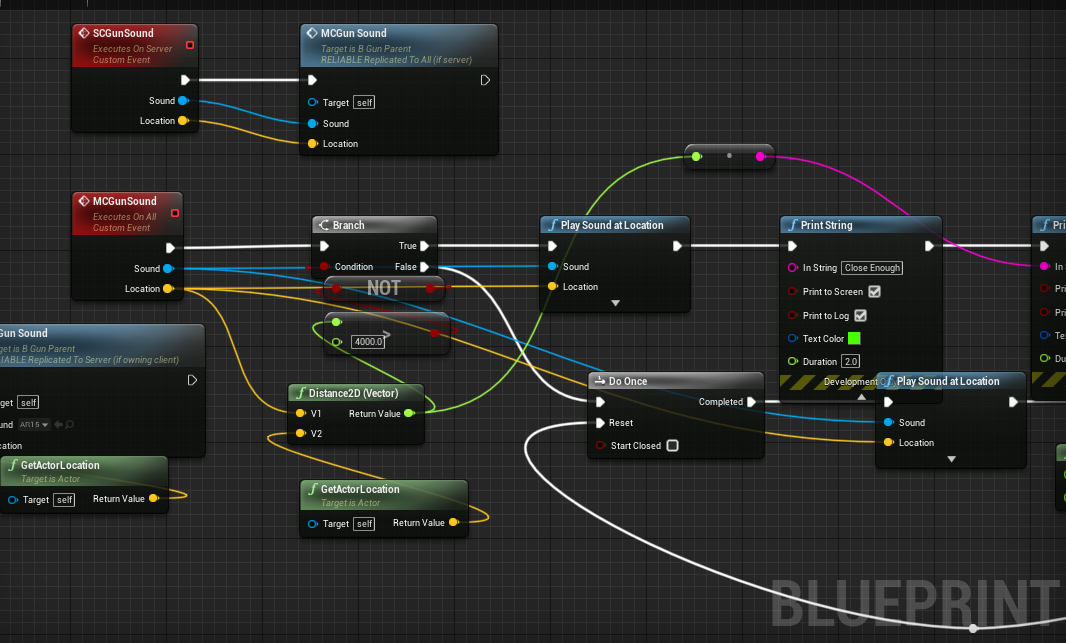

 mossy gale
Good evening to everyone, wish everyone better luck with their debugging than myself
nocturne flax
ahh, I think I know what was going on now, and it's 100% my fault
mossy gale
Running into a snag with widget scroll boxes, anything i put inside of it doesn't appear at all
Anyone know whats the deal?
Btw it doesn't appear in run time, unless i throw a wrapbox in there but then the wrapbox cancels out it being a scrollbox and instead becomes a list inside a box. <----results from testing
unique harness
mossy gale
Running into a snag with widget scroll boxes, anything i put inside of it doesn'...
have you tried looking at it in the widget reflector?
mossy gale
@unique harness no i haven't, but i do see the widget reflector
unique harness
that is your best friend for debugging widgets
mossy gale
Thanks, going to see if i can learn more about widget reflector now
orchid garden
I have two spotlights setup with the exact same settings, Spotlight 1 is setup on a Actor, Spotlight 2 is setup on a Character.
The Spotlight on the Actor only requires a Intensity of 5 for decent light when under it.
For the** same light level **on the characters spotlight it requires a intensity of 5000
Why is their such a major difference between a spotlight on a Actor and a spotlight on a character?? Being that they are both the same component, with all the same settings the Intensity shouldn't make a difference but it does.
Can someone Explain this to me??
unique harness
are the materials on the objects handling lighting differently?
orchid garden
no
unique harness
probably a question for #visual-fx or a similar channel then
 fierce birch
quick question. what would i use to get the players name when he first starts a game
is there a function in the widget bp for that?
nvm its a editable text box
mortal cradle
I added a second capsule collision component to the firstplayer bp to adjust it for crawling, because the main capsule cannot be rotated but the problem is that if I just touch any physical object with that new capsule it sends it flying doesn't matter how big the mass of that object is, I think I tick and untick all possible boxes for physics and I see no changes at all, what could be the problem?
faint pasture
Is there any way to change the lighting in a BP viewport?
mossy gale
After reading up on widget reflector then using it, i realized my subwidget is being clipped. Reading and doing more research on clipping i found this statement
result is above, can't get scroll bar to display, anyone know what i'm missing here?
 slender idol
Hey guys, I got this plane inside my player's BP. I want it to move along X and Y with the player but I want to ignore the Z and have it stay at the same Z all the time regardless if the player falls or jumps. Is there any way to achieve this?
true valve
What's the implementation of dragging something out of your inventory then be able to place it on an location, not dropping. Very similar to Astroneer or Greenhell..
 runic phoenix
My selection box only works one direction. Any ideas why?
It uses "on begin" and "on end overlap" events
@slender idol would it be easier to make the plane another actor that follows the player's XY movement?
@true valve Haven't played those games but you can spawn an actor to a location drawing from the camera to the mouse location, that would bring the object into the real world.
true valve
But you literally drag it out of your inventory and you can see the object.
 shadow saddle
what do you call this pop out window in ue4 term when u hover over the button
this thing
 unique hollow
FInterp doesn't work