#blueprint
402296 messages · Page 608 of 403
 scarlet ibex

Google Drive
^i created a trigger box for jumping and crouching(crouch doesnt work it just plays the crouch animation), but the ai jumps at an area with no trigger box and crouch at an area with no trigger box
why does it do that?
 past girder
Ok, so i made a spiderman swining system, but i want an ai/ boss that can swing around in a specific path like using a spline
any tips?
 blazing prism
@orchid garden I've ended up with this issue now so im unable to see if that tutorial did what i wanted any ideas as what could be causing this ?
blazing prism
the mesh is being compressed and im not sure why
 trim matrix
Does anyone know a way to link the Z rotation (Float) of the skylight in UE4 with a custom based material parameter that's also a float? I want to be able to rotate both skybox + skylight so that the light source matches the image. I'm working around with Blueprints with no results at all.
 faint pasture
@trim matrix which Sky blue print are you using? I think basic bp sky sphere has a directional light reference you can set it also has an update event you can call to update the sky when you're rotate the directional light
trim matrix
@faint pasture Ok, sorry I forgot to explain my setup. I work with a reversed Sphere where I use an HDRI with a Custom Material Instance, it's preety simple but it has the capacity to rotate the world position rotation with a simple constant. So I created BP with that and I want to also rotate my "inner" skylight" with the rotation control based from the custom material. That's because I use the Skylight as movable and I use an SLS specified cubemap.
Maybe my logic's wrong, that's why I'm asking. Any feedback is always welcome!
 autumn hawk
Anyone have pointers on construction script issues where for-each loops add a ghost BP at 0,0,0? EG: create a BP & add a public array (actor). Add for-each that iterates through array and draws a debug point on each actor in the array if array length > 0. Place multiple instances of BP in world - lets say 3. Add refs to actor 2&3 to actor1's public array.
When I run this, I get a debug point drawn at 0,0,0 - yet I cannot figure out why as debugging does not register that iteration of the for-each loop. Maybe I am missing something simple here? Any tips would be greatly appreciated.
 exotic cradle
So Im trying to spawn an object from the "current slot" I have selected on my hotbar. I have the item object mesh referenced when the hotbar slot is selected the issue I am having is that I cant make an actor object class reference in order to use the SpawnActor node to get it into the world. My objects have a MasterBP and when a childBP is spawned it sets all of the stats including the static mesh associated with it. How would I get the static mesh and the actor class to be referenced together in order to spawn the object in the world? To add. The "Get Class" doesnt connect in that first screenshot because the item is a static mesh not an actor. If this isnt clear or hard to understand what I am doing feel free to ask questions and Ill post more screenshots. THank you!https://gyazo.com/b170e0095de10d896f1075ef095482e6 https://gyazo.com/3d56406b757f2fd59721f9f9507a9ca0 https://gyazo.com/3ec29d21b5740f3813393c8d4f5746b3 https://gyazo.com/edb21601ddbc2b7e2754f7df3d3b49a4


 dawn gazelle
exotic cradle
So Im trying to spawn an object from the "current slot" I have selected on my ho...
dawn gazelle
exotic cradle
So Im trying to spawn an object from the "current slot" I have selected on my ho...
Can't you define the item class in your table and load that class into your hotbar?
 summer harness
Have a struct with the corresponding class inside?
or a map from button to class?
dawn gazelle
As it stands right now, I don't think your "Item Object" variable will contain anything as objects normally need to be created before being referenced, hence why you're having the problem. If you add in a Class Reference into your table for the class of the object you want to create, then you can reference that when you want to spawn it
exotic cradle
 dawn gazelle
Yep - you can define the type closer to what you want, like if you had a bunch of child objects of class "item" or whatever..
but yea, needs to be the purple one 🙂
summer harness
if you already have that in your button you can switch the item object ref to a class and use that directly, depends on where you want to define your stuff
id use Data Tables with structs if i need more complex stuff, you can spawn your buttons and actor by the same data table
exotic cradle
https://gyazo.com/f1d5f2754602b0b5d0ad6d650c59f751 SO instead of referencing the static mesh for the object. I should go through my BPs and reference the class instead?

 willow phoenix
hmm how do i send from one blueprint (that creates random integer numbers) to a UMG blueprint via blue print interface? i mean i got the integer set up on that blueprint but what is my "target"?
 dim stump
Just though about something weird. Specifically the heavenly amount of blueprint power you need to single handedly create a good game with even a substantial amount of content.
dawn gazelle
Static meshes can be referenced as objects ok, but if you only want to define them in one spot (say in your item class) rather than 2 (defining it again in the table), then yes, use the class's definition of the mesh.
summer harness
dim stump
Just though about something weird. Specifically the heavenly amount of blueprint...
But blueprints give us that power of quick iterations and prototyping ideas 😄
exotic cradle
Okay. Yeah because I have my inventory menu generate all of the icons and such in a "minecraft creative menu" kind of way and was wanting to make sure that when I drag and drop them onto my hotbar that I am able to reference them properly for placement in my game world. Thank you for the help
summer harness
Do you just want to change the mesh and spawn the same actor class or du you have different bps?
dawn gazelle
summer harness
Do you just want to change the mesh and spawn the same actor class or du you hav...
Was just about to ask something along those lines myself XD
exotic cradle
summer harness
Do you just want to change the mesh and spawn the same actor class or du you hav...
I have a masterBP and than children BPs for all of the times
dawn gazelle
If that's the case, you basically don't need a table. The BPs for the items themselves should be able to contain the data that your table would hold. Your inventory slot would only need a reference to the class of the object placed in them.
And if they're all parented to the same class, you should be able to create a list of all the items of that have that parent class.
summer harness
It seems the table servers different purpose like holding the icon for the widget etc. looks good imho
dawn gazelle
The icon can be stored in the BP as well.
summer harness
i like to seperate visuals from logic, but you're right
dawn gazelle
It really depends on what you want to do, but as for myself, I'd rather only have to update one place rather than 2. Both are valid.
summer harness
ah no, you'll have to spawn the bp to access its data though right @dawn gazelle ?
dawn gazelle
No, you can reference class defaults
summer harness
thats neat, didnt know about that
exotic cradle
Yeah I may have set this up a little funky tbh lol. Because inside the masterBP I have it get information about the object from the data table using the items name. Than inside the InventoryWidget I have it get the information for each item in the data table to create an inventory slot(https://gyazo.com/f1d5f2754602b0b5d0ad6d650c59f751).
dawn gazelle
Something like this
exotic cradle
So I could just add ObjectClass Reference to my itemdrag to this when going from inventory to hotbar? So it is transferred on the drop https://gyazo.com/c0396da24a02cabf2fc82e2ea170d62a
 dawn gazelle
Yep
exotic cradle
dawn gazelle
Yep
Yeah I just tried adding “ObjectClass” to my item drag and on compile Ue4 crashed.
dawn gazelle
oof
exotic cradle
Well. Lol
dawn gazelle
Doing a drag and drop of an ability using the abilities' class
very basic
but that class contains all the info I need.
The drop operation looks ghastly tho <_<
exotic cradle
Dang. So now it gives me the error that edtior hotbar slot class reference isnt compatible with actor object reference
exotic cradle
dawn gazelle
Doing a drag and drop of an ability using the abilities' class
Thank for you the help. It worked. Now just have to remove the object reference to the slot when the item is removed and It will be done. 😄
 gritty elm
why line trace doesn't hit landscape?
it hit to all other object, but when it's on landscape it doesn't hit to the landscape and goes through landscape
can anyone help me to fix this
 proud hull
gritty elm
why line trace doesn't hit landscape?
proud hull
gritty elm
why line trace doesn't hit landscape?
Start and end are at the same location. The sphere radius is only 20, are you certain it is even hitting the landscape? Also, you made an empty array for actors to ignore (not sure if this affects the trace), if you don't want to ignore any others besides "self" then you can just leave that input empty.
 atomic prairie
If I want each coin can be collected only once in my levels, do I have to create an customevent for each coin in my gameinstance?
faint pasture
@atomic prairie you mean like persistently? Sort of like Mario 64 and its stars?
 still sigil
That's something I kinda wanna know too, actually. For a side project I'm doing.
faint pasture
You don't need a custom event per collectible, you just need an event that can take a collectible identifier as a parameter. You also need to learn how to use save games
gritty elm
thanks, so changing end location by subtracting z from 2 solved
proud hull
gritty elm
thanks, so changing end location by subtracting z from 2 solved
Are you only using that to test for the ground below the object? If so, you can switch that to line trace instead of sphere trace. It will be a bit more efficient.
 orchid garden
blazing prism
<@!458977415176257536> I've ended up with this issue now so im unable to see if ...
orchid garden
blazing prism
<@!458977415176257536> I've ended up with this issue now so im unable to see if ...
o.o ouch, haven't had that happen, did you miss a default value? or is your spline mulitple points? that tutorial is point to point.
atomic prairie
@faint pasture I've already created the collectable, my coin total increases and saves between levels, but when I return to the level, each piece is replaced on the level
faint pasture
@atomic prairie yeah you need to use a savegame
 kind gale
Hello, is there any BP node for this ? (Use Mouse for Touch is inside the project settings)
still sigil
I think he's saying he is, but he doesn't know how to use it in this instance.
If the coin totals are saving in between levels already.
faint pasture
I mean you need to have a save game that says which coins have already been collected, not just how many
still sigil
Like with an array or something perhaps?
faint pasture
Or map.
still sigil
Map?
proud hull
Personally, I would give every coin/star/pickup an identifier. I would use an integer and give them all different numbers. Then you make a boolean array in your save game. When you collect a pickup, use its integer identifier to switch the boolean at that index.
atomic prairie
Oh i see the logic, i'm gonna try to find an exemple
proud hull
You will need to get familiar with array functions, of course. Like knowing how to test if the index exists in the array, how to insert at a specific index, etc.
Either that, or you make your boolean array larger than the number of actual pickups, so it doesn't need to dynamically grow.
dawn gazelle
And instead of manually assigning the numbers, you could also use a blutility to get all actors of class "Coin" in a level and then set each one with the index of a for each loop.
atomic prairie
It sounds so logical and easy, but I'm so lost hahaà
proud hull
dawn gazelle
And instead of manually assigning the numbers, you could also use a blutility to...
@atomic prairie @still sigil This would definitely take the tediousness out of manually adding identifiers, but I am not 100% sure if "Get All" functions always return in the same order.
blazing prism
@orchid garden I followed the video so im not sure where i messed up, like i thought i put the size in wrong but it says 82 and thats what i put so idk
still sigil
I have mine set up in a similar way from what your describing. I have it to where it saves the game immediately upon collecting the item, then when the level loads, (and by extension, when the save game loads,) the item will check to see if it has been collected already, and if it has, it triggers a "Destroy" event, so it re-removes itself from the world.
proud hull
still sigil
I have mine set up in a similar way from what your describing. I have it to wher...
Sounds about right. No need to instantly save each time though, unless you see no performance issues with it. You can update the save game and then periodically save, on a timer maybe (and at specific events, like level cleared, etc.).
still sigil
I haven't done this with coins yet, cause the method I'm using currently uses Integers, and assigning each individual coin an Integer is a bit too much of a pain. I have it set for the main collectible fine, cause I already know how many there are gonna be total in the game. But coins, you can never really tell how many there's gonna be since you just kinda scatter them everywhere.
atomic prairie
I've this for my Keys but create a custom event for each coin.. XD
still sigil
I may rework it to work off of a Boolean Array instead, so that way there's no need to assign each coin individually.
proud hull
still sigil
I haven't done this with coins yet, cause the method I'm using currently uses In...
If "Get All" functions do return the same order every time, then that would make this so easy. I think I will run a few tests to see if it does.
I have a feeling it doesn't though, or at the very least, updating a level with new pickups will throw off already saved numbers from previous updates.
 quiet token
Hello! Is there a way, without changing the generell feel and velocity of jumps, to follow the direction of a first person Characters crosshair? I want the player to be able to jump around corners in a curve.
Right now i have somethin like this, but this messes up the feel and is complicated
past girder
You know in the third person template you can fully look around the character by moving your mouse, how can I get where the character looks on the screen in blueprints?
 sweet swan
Does Add item to array actually set the variable?
past girder
No, because then I only get straight in front of me, and not where the character is looking
??
past girder
Oh, I forgot thanks
 indigo merlin
Getting a repetitive error. I know that Accessed none errors are when its trying to use something that doesn't exist, but i cant see whats wrong/non-existent here.
dawn gazelle
sweet swan
Does `Add` item to array actually set the variable?
The add node updates the array variable you're feeding into it. If you do a "set" on an array, you'd be taking the value of one array and making the set array that value.
indigo merlin
quiet token
Hello! Is there a way, without changing the generell feel and velocity of jumps,...
air control in the character movement component
set it to 1
play with it from there
indigo merlin
like a bhop?
quiet token
I've been strugglin for 2 weeks and even with the help of 2 nice people here its still not workin
bhop should get in there too, but first of all i want the player to be able to strafejump
proud hull
sweet swan
Does `Add` item to array actually set the variable?
Add node increases the size of the array by adding the item to the end. This does not update any current values in the array. To update a current value at a certain index in the array, you use "Set Array Elem" node instead. See here for all array related nodes: https://docs.unrealengine.com/en-US/ProgrammingAndScripting/Blueprints/UserGuide/Arrays/ArrayNodes/index.html
Nodes designed to aid in working with Blueprint arrays.
quiet token
right now with the setup, its workin kind of good, but he takes the velocity from the start and keeps that, i dont want to boost mid air
and i cant stop that push then
indigo merlin
quiet token
bhop should get in there too, but first of all i want the player to be able to s...
im not suuuuper familiar with CS (more of a milsim bloke) so how different is it from bhopping? any videos you can send me?
indigo merlin
all good
 gusty shuttle
Hey guys, is there a way to have the Text Render be visible through a other material, say paper 2d character?
still sigil
@quiet token Did you just call Spharax mom? 😛
 pulsar moss
Hello all, how do you unit test a level change? AFAIK functional unit tests are actors, and so if you change level the actor's just gone
exotic cradle
How would I get the target of the "OnAttach" to be the object I am wanting to attach instead of targeting self? https://gyazo.com/2ce4f83101ba6ed0b93120637e0814d1
 still sigil
https://gyazo.com/300e239c63f069dbf6032ca8b2170b37
I guess I'll repost this now, since I never really got a response on it.
So I'm having a minor issue with some knockback momentum that I'm trying to make for my enemy BP. I know exactly what the issue is, so I'm more just looking for suggestions on how to improve it. Now the knockback itself is perfectly fine, when it works. I smack em' he reacts to it with a little animation, then gets launched back a short distance.
(Side Note: Yes, I know the animations look kinda wonky here. I haven't made the animation where he transitions out of the knockback yet. :P)

https://gyazo.com/d84983c9d176c59766a23ce926bd0f0f
So the issue comes from the fact that the knockback part of the BP doesn't go into effect unless he doesn't have any Anim Montages playing beforehand, which I use for the enemy's attacks. I have some logic at the very start of the chain that tells all the Anim Montages to stop playing before doing anything else, but that doesn't really seem to go into effect fast enough for it to be useful.

https://gyazo.com/84ebc58d95ebc1afeb51d642d4cac10d
Because what winds up happening, is that since the attack animations use Rootmotion, and since Anim Montages themselves all use Rootmotion aswell, regardless of whether the animation itself uses it, what happens is that the state of the attack animations lingers a bit before he transitions to the knockback state, making it to where the Rootmotion causes the enemy to get stuck in place, and not get knocked back at all.
I've tried putting a small delay just before the knockback happens, so that the BP has enough time to fully transition out of the rootmotion stuff, however the earliest I can set it to, to have the Rootmotion not interfere with the knockback momentum is 0.3. And that is like, JUST long enough to make the knockback look weird, since there's now a small gap in between you hitting the enemy, and the enemy actually reacting to it. So again, I'm well aware of what the issue is, so this is me asking for suggestions, rather than me asking how to fix it.
 exotic cradle
I would suggest on that to not delete and repost every 30minutes. Give it time. Someone will be scrolling through and probably be able to answer.
still sigil
Actually been a little over an hour at this point, but alrighty.
exotic cradle
I mean its just a tip so the mods dont get irritated with it. I did that once and got into a little trouble. But that animation looks decent
still sigil
There was alot of conversation that went on, so I assumed it would probably get buried after awhile.
And thank you! Bit more on the simple side than I usually like to go for, but it works for what it is. 🙂
 west sky
Clues why nodes from an UE Blueprint function library can't be seen? Animation Blueprint Library.
still sigil
Is that directed at me? What do you mean?
proud hull
still sigil
There was alot of conversation that went on, so I assumed it would probably get ...
When your question gets buried, you do this:
Give it a bump with the link, hehe
 rough jay
i got box1 collision and box2 collision when i enter box 1 it moves my location to box 2 vice versa, thats an infinite loop so i added a do once and a delay and shit doesnt work?
proud hull
rough jay
i got box1 collision and box2 collision when i enter box 1 it moves my location ...
Add a boolean, "did i just teleport" that only resets on "end overlap".
exotic cradle
Was about to say
still sigil
Box 1 Begin Overlap > Set "Teleport to Box 2" to True > Teleport > Box 2 End Overlap > Set "Teleport to Box 2" to False.
Then when you overlap with the second box after teleporting, have a branch check if "Teleport to Box 2" is True, and if it is, do nothing. If not, then teleport to the other box.
And then do the same thing for the other box.
rough jay
ok so thats not the prob, for a reason when i do once it doesnt tp me to port 2 it teleports me to itself?
proud hull
rough jay
ok so thats not the prob, for a reason when i do once it doesnt tp me to port 2 ...
You can definitely do all that with 1 blueprint instead of one for each portal. I can make a quick one if you are interested.
rough jay
it works when i put a delay infront and remove the do once but then im just teleporting between them two every 3 secs, ill try it with 1 blueprint maybe that will work
still sigil
That's why I suggested the Boolean method as an alternative. It basically does the same thing, and gets rid of the infinite loop thing you're talking about.
rough jay
ohh mb i accidently used the boolean and the do once, ima try
proud hull
This is all you need inside a single blueprint. You then can set the destination reference which is another portal.
rough jay
yeah it works thats odd why the do once didnt work?
proud hull
Cast to ThirdPersonCharacter simply tests if it was the player that overlapped. Change its class to your player character class.
Forgot to check "Instance Editable" for the Destination variable.
Also forgot to test my boolean, haha
Ok, this one is tested and works perfectly:
proud hull
I try.... sometimes.
still sigil
XD
still sigil
Oh good lord. XD
proud hull
I love it when people say, "Why don't you use functions and macros?", then the person just moves the spaghetti into the function and the graph looks clean. Like sweeping dirt under the rug, haha.
still sigil
Hehe! Yeah, funny right? W-Who would do something like that?
Heh! Hehe....Heh..... 👀
Sweats Intensely
proud hull
I still have my own spaghetti to clean up at some point:
Options menu code for custom input profiles.
dawn gazelle
That's pretty spaghetti tho
dawn gazelle
Like, at least, it's somewhat easy to follow and probably find things
proud hull
The repetitiveness of some of the nodes makes me think I need to create a universal function.
They all do slightly different things though, heh.
dawn gazelle
This is from an asset pack on the marketplace. (Animation graph for a character to set some bone scales and such)
still sigil
https://gyazo.com/608629986961008c6eba351c90f01891
I was about to flex my own pause menu spaghetti, but then I come to find out it's actually not as bad as I thought it'd be. 😮

Also, that's a snazzy lookin' BP right there.
 deep mist
Wait how do you make blueprint lines not curves and have sharp angles instead like in what @dawn gazelle posted?
proud hull
Electronic Nodes plugin on marketplace.
dawn gazelle

Unreal Engine
Improve the wire style of Blueprints and materials editors.
still sigil
Ohhhhh, it's a plugin!
dawn gazelle
It's 50% off right now too.
deep mist
yo thats hype
still sigil
https://gyazo.com/c07f46c744eeb136fcefe8d61383ef9a
Here's a bit of juicy spaghetti

Yes it is literally the same code twice for both fists. 😛
 tight schooner
Macro it?
proud hull
@atomic prairie @still sigil BTW, been testing "Get All Actors of Class" and it fills the array in the order the actors were added to the level. I did not test spawning actors during runtime, but I'd assume it is similar. So if you do go this route, be aware that removing an actor and then replacing it will move it to the end of the array.
still sigil
I can probably convert one of these rows to a function, and then have the collision on each fist call it when overlapping the player. Instead of just having two separate instances of the same code. 😛
quiet token
can i somehow only mesure my characters forward speed?
right now i have get velocity > vector lenght to measure my speed
proud hull
forward vector > length
proud hull
I'm checking my project that already does this, one moment.
quiet token
kk thanks
 supple dome
velocity dot forward
proud hull
Beat my project loading, hehe
exotic cradle
I hope Im not being a vampire rn but I keep coming back to this issue after doing other things and cant get it to work how I want. I just need these objects to attach at their sockets and not at their center of mesh location.This is for my socket location in MasterBP for every mesh when it is created(https://gyazo.com/1a802595a7dcbf9276d220d0c6ef00c1). This is how I am going about attempting to attach them together(https://gyazo.com/6bac9d5e3ef821973e394574c7a6fa68 , https://gyazo.com/8e1ba89d4ac30c57a3fab4192a84fa59). This is inside my character BP for when I press the mouse button to place the object(https://gyazo.com/8e9ac1279125b7306bc6dc96eaff2c49). This is the result of all of the above(https://gyazo.com/7719ba0509bfcae9e94fec2593e43bb9). So from what I can tell also is that it wont place another objects onto the mesh in the scene until the first socket on the object is already occupied.
 quiet token
velocity dot forward doesnt excist in my ue4 i guess ^^
quiet token
ahh
proud hull
Ah, I used Velocity > UnrotateVector > Split it to expose X, Y, Z and use X for forward and Y for strafe.
quiet token
u can strafejump too?
cuz i try in this forum for 2 weeks now to get a strafejump done
but its not workin out
proud hull
I don't strafe jump, but I measure side-to-side speed for strafing characters.
still sigil
Yo, so update. I think I finally got the knockback working fine. 😄
I tweaked the delay some more, cause I remembered that you can also do it in increments. 0.255 is looking like the absolute earliest I can set it to, to have the Rootmotion not interfere with the momentum. There's still a bit of a noticable delay between when you hit him, and when he reacts to the hit, but it's not as bad as it was before.
proud hull
This is how I did it so I could get both X and Y in one go instead of dot forward and dot right.
X and Y are already the values you want.
X will represent how fast you are moving forward/backward and Y how fast right/left.
orchid garden
got a kick out of you all showing your spaghetti bp's, i don't feel so bad about my test bp's anymore lol.
proud hull
orchid garden
got a kick out of you all showing your spaghetti bp's, i don't feel so bad about...
Test BPs always look yummy.
quiet token
haha i know that video datura
orchid garden
dawn gazelle
at first i thought you were posting a fractal picture lol
quiet token
I've heard there is a homepage with that kind of blueprint art ^^ but i cannot find
dawn gazelle
 orchid garden
thats one of them, google ue4 spaghetti blueprint and click images 😉
some shaders i've gotten off of the marketplace look pretty spaghetti
rough jay
i want to wait 5 seconds before i teleport yet the delay cannot be changed ingame, what other node do i use?
orchid garden
why can't it be changed in game?
rough jay
well i made it a variable then when im inside the box collision it starts when iexit its suppose to set it back to 5 secs thats a reset but i watched the value and the shit kept running
are you able to change a delay value ingame?
orchid garden
sounds like how your processing it thats stopping you
rough jay
i put a event tick(test) to print out the variable and it was stuck on 5 secs while it was running in the bp
orchid garden
so what continues to run?
rough jay
the delay
orchid garden
delays continue till they stop, if your talking about a 'delay' node
rough jay
so they cant be changed ingame?
orchid garden
not a running delay
rough jay
oh ok then ill need to make my own timer then using integers n so
orchid garden
best method is to use a timer i'd think if you want to be able to cancel / reset.
i.e. as long as they are standing on the teleport pad it'll keep counting but if they exit, it kills the timer and resets the count, then when they get back on, it starts it back up again.
orchid garden
you could probably get away with using a timeline as well, if they exit the overlap, stop the timeline, if they enter the overlap play from start. then off the finished node do the teleport. just another way.
 stray island
So i have a for loop , with a random in range variable , and when i set the min / max ranges variables to what i like in the scene
Changing another non related variable of the actor would affect the random in range letting it choose a new random
How to stop the randomization for the result i wanted in scene
 dusty dagger
dawn gazelle
https://blueprintsfromhell.tumblr.com/
dusty dagger
dawn gazelle
https://blueprintsfromhell.tumblr.com/
Mess I made like 2 years ago
gritty elm
so this is single image, and i want to change the color of circle when hover to box, how i can achieve this
this issue is this is single image
faint pasture
@gritty elm why not make it not a single image?
proud hull
Make the image only one circle, then use the grid component to achieve the same effect.
gritty elm
i mean this is only single image, how i can change color for each different circles?
proud hull
Are they individual circles or not?
gritty elm
yes i know that, but i want to do with single image, please help
faint pasture
Most umg widgets have an on hover event, use that.
gritty elm
as i said it is single png image
proud hull
Add a bunch of invisible buttons, one over each circle, then change the button's hover style to transparent color to tint the circle.
Still don't get why you can't make it an image containing only 1 of the circles, then repeat that image in the widget.
faint pasture
@gritty elm make one material that draws one Circle, and then make a bunch of buttons that each have that material.
proud hull
I'm no artist, by any means, but even I can crop an image, hehe.
Then all of those would simply be buttons and you use the built-in styles to achieve what you want.
faint pasture
You don't even need an image, just radial gradient
Anyway, that's a graphics or umg question
stray island
To simplify my question, how to stop random in range from choosing new random after each blueprint compile or whats the better node instead of random in range
proud hull
Save the random in range to a variable.
Oh wait, you said between compiles?
random in range will still be a new random number for each play.
dawn gazelle
stray island
To simplify my question, how to stop random in range from choosing new random af...
Random In Range From Stream
dawn gazelle
So long as you use the same stream, then you'll always get the same random number out.
proud hull
dawn gazelle
So long as you use the same stream, then you'll always get the same random numbe...
Is that like random by seed? Stream = Seed?
dawn gazelle
Yeah
stray island
What would i connect stream to
proud hull
Ah nice
dawn gazelle
stray island
Oh yes this worked thanks , min and max values are stable now how ever , idk what is stream for , its just set at 0 tho
dawn gazelle
The stream is like the "seed" to feed in. Change the stream value,you'll get a different sequence of random numbers out.
stray island
But
When i change it , it does nothing
Nvm , its working thanks datura
Is stream related to the range min and max ? Or its just a random number?
dawn gazelle
You ever play minecraft before?
dawn gazelle
Diablo?
dawn gazelle
Basically... What's happening here is that when you generate random numbers normally, you're going off some arbitrary values to make them, usually something to do with the computer time and all that...
When using a stream, you are seeding the random number so that you always get the same set of random numbers out.
So long as they are executed in the same sequence.
dawn gazelle
Why I mentioned Minecraft is because it's world is based around using seeded randomness.... You may find a world and write down the seed, give it to someone else, and they'll get the same world appearance on their side.
If you have the Low Entry Extended Library (free plugin from the Marketplace) you can do something like this to use a text value to generate the seed value:
So then whenever someone inputs a specific string, they'd get the same result as anyone else that typed in that same string.
stray island
Yes i think i get it , programming wise i think there’s intelligence behind that
Anything related to performance streaming variable?
I mean does it affect performance having a stream
dawn gazelle
Can't imagine it using much of anything. It's just a numerical value stored in memory basically, and when doing a random call it uses that value.
faint pasture
It's probably just a struct with the seed and number of iterations or some other state that evolves over time
stray island
So When they programmed it , they programmed its reaction to each type of var , float int string etc
Right?
faint pasture
I probably just outputs a 0 to 1 range and uses that to select the output variable
quiet token
https://www.youtube.com/watch?v=kq97L_Va-Tc Any Idea how he made, that the characters jump is followin his mouse movement?

Prototype of bhop system with multiplayer replication Server+Cliente. ue4.24
at 30 sec almost
faint pasture
@quiet token it's not necessarily following the mouse, he's probably holding an input key
So yes the aim direction drives what world direction W corresponds to but it's no different from walking.
quiet token
i think he's clearly strafin, isnt he?
faint pasture
Or whatever, it's just air control. All you do is just modify a parameter on the character movement controller
quiet token
thats what everyone here says in the beginnin, when they understand they say "ahaaa" and its not that easy anymore. Then they stop help xD
its NOT just air control
did u ever play counterstrike?
But i'm strugglin here for 2 weeks now, even with Authaer and other into people. I might find another Forum and try there maybe. It's unrealistic postin my problem at the right moment here i guess ^^
faint pasture
It's all just in the tuning of air acceleration, momentum, and air friction. You can also not vector combine your inputs so that forward and strafe at the same time as faster than either one on its own but that's simple enough to do.
quiet token
if u just could show u the problem
u down for a quick call? I could stream it for you
no one gets what i'm talkin bout ^^
faint pasture
I'm on a phone. Just spell out what you think is going on and I'll try to figure it out. I see nothing beyond your usual momentum and air acceleration tho.
quiet token
thanks for the offer, but i wont waste another hour on tryin that. Did it the last 2 weeks over and over and no one could help ^^
i just try tomorrow in another forum or i try findin someone with some time i could maybe just talk to
 next tusk
Hi im looking for someone good with to help me create it. Something like Minecraft but i want to create a limited world like DQB2
1- BP parent that save every cube from child into database
2- BP child that spawn a grid 16x16 and up to a specific height and down too, need to use the cube class and save it
3- BP Class for each different cube i got to be use with the 2
4- BP ability to interact with it or change it ingame and add it to inventory
5- Need to be network replicate
base on that im willing to pay for it depending on estimated price
exotic cradle
You might wanna post that in #freelance-jobs since it’s not directly related to blueprint help
proud hull
That is if you are a freelancer looking for work.
next tusk
they dont let me post so
exotic cradle
next tusk
Hi im looking for someone good with to help me create it. Something like Minecra...
Also could look into voxel plugin. Mention Minecraft I figured it might be terrain related
next tusk
already look into but no network replicate
proud hull
Free version of voxel plugin should suffice too.
exotic cradle
Unless you buy the paid version it should have that
proud hull
https://www.unrealengine.com/marketplace/en-US/product/voxel-plugin-free
Scroll down and it says "Network Replicated: Yes"

Unreal Engine
State-of-the-art Voxel Plugin with powerful editor & runtime tools
next tusk
the documentation is pretty poor on it
proud hull
They have a discord server that has a very active community.
proud hull
next tusk
the documentation is pretty poor on it
Honestly not seeing a problem with the documents. They are pretty detailed and mirror the look and feel of the unreal engine docs: https://wiki.voxelplugin.com/Main_Page

How to start with Voxel Plugin
If you know how to use landscapes in unreal engine, then you can also use the voxel plugin. Uses the same tools.
next tusk
they dont said anywhere cube world
proud hull
next tusk
they dont said anywhere cube world
I guess it really doesn't tell you how to change that in docs, but it is just a simple dropdown selection.
proud hull
next tusk
they dont said anywhere cube world
You would change this to cubic like shown:
next tusk
and do you know if you can edit ingame and put cube in inventory? @proud hull
proud hull
next tusk
and do you know if you can edit ingame and put cube in inventory? <@!29162072024...
Yes, you can edit in game. The plugin does not come with inventory and harvesting system though. Others have done it using the plugin though.
 sonic cipher
how can i count how munch time the actor has been hit in a linetrace please
faint pasture
@sonic cipher not sure you can, you'd probably have to also trace the opposite direction.
stray island
Damn i forgot the difference between macros and functions , google results are too technical
dawn gazelle
Functions can be self-contained bits of code that also contain local variables, and can be called externally from the blueprint they're in. Macros are usually used for repetitive bits of code within a blueprint, and cannot be called externally from the blueprint.
... probably not the best explanation.
There are macro libraries of course that do allow you to use pre-defined macros that aren't within any specific blueprint, but they are based on a specific class of blueprint and can only be called within blueprints that inherit from that class. So if you made a macro library of PlayerController, the macros you create within it are would only appear on blueprints that are children of the PlayerController class.
stray island
Got it Great thanks , so if i only plan to work internally without external calls theres almost no diff?
dawn gazelle
Well, again, functions do provide local variables (values that are reset each execution of the function)
You can do local variables a specific way in macros too, but they're not very intuitive.
At least not to me XD
stray island
I asked a question here recently and I’m wondering if its possible in unreal
If u recall this pic
Remember the (number) var can i have one variable that has two different values or more
Like each time i create a new row of cubes i add (number 2) .. (number 3) duplicating the variable each time
And its fine but i was wondering for better work flow not to duplicate variables
sonic cipher
faint pasture
<@472099187853361185> not sure you can, you'd probably have to also trace the op...
thanks i did find a solution with tags
 rough wing
Can I get relative lcoation of a bone during an animation?
I'm getting a location but it doesnt change when animation is playing
 fossil peak
How can i set Damage based on montage without using animnotifies
 fiery vortex
Is there any way to save a variable of a previous hit actor? I have tags on my actors and I need to compare the current tag with one that was traced before it
proud hull
fiery vortex
Is there any way to save a variable of a previous hit actor? I have tags on my a...
Do exactly that. Store it in a variable, just don't overwrite it until after you do everything that uses it.
Trace > Store Current Hit Actor > Do Stuff > Save current as Previous Hit Actor
fiery vortex
I'll give it a go, thanks!
 floral condor
If the server player tries to launch the ball, he does. If its a client, the ball just drops. Any idea why that is happening?:
The launch ball in the Multicast event is the one that actually launches the ball. It's just a simple "set physics linear velocity"
 serene hemlock
Hey, I designed an item system with the goal that every item is affecting my projectile attacks procedurally (like in The binding of Isaac). For that I spawn every Item the player collects for every attack.
The system works well but the performance impact is huge when the player has a lot of items. Is it more efficient to add the items as components to the projectiles? Or is there a way to add blueprint code to my projectile ingame so I don’t have to spawn actors for every projectile and I wouldn’t have to code every item in my projectile blueprint?
faint pasture
@serene hemlock You don't want to do it like that lol
@serene hemlock You fundamentally have 2 types of modifiers, those that are just numerical changes and those that do something more substantial
As a first draft, I would have items be actors or components or just raw data on the character. When you add or remove an item, you have a function analyze all the items and come up with a final projectile template. So if you had items like double speed, triple projectiles, aoe on hit, you the system would output "ProjectileCount = 3, ProjetileSpeed = 2000, OnHitEffect = AoeExplosion"
serene hemlock
@faint pasture thanks for your answer. I left some things out. Most of my items are an one time spawn on collect to modify stats. But some items are affecting my projectiles in a way (like letting the projectile stick to the wall for a few seconds) where I need a separate item actor for the projectile, since I need a delay or timer per attack.
faint pasture
@serene hemlock You can do that with 1 actor or component on the character that handles the logic and state
although for the sticking to walls thing, you would just have a property on your projectile BP for lifetime after stopping
serene hemlock
Ok I will give it a try. Thank you
 hardy merlin
Anyone familiar with GameplayAbilitiesPlugin? I am about to start making a Condition systems (IE Pass or Fail) and am wondering if GAP already has a version that I could easily use.
dawn gazelle
hardy merlin
Anyone familiar with GameplayAbilitiesPlugin? I am about to start making a Cond...
The Gameplay Ability System uses gameplay tags to block and allow effects and abilities.
hardy merlin
It only filters by tags?
hardy merlin
Can it filter by criteria other than tags? An example being checking the target's elevation
dawn gazelle
Yeah doesn't have distancing built directly into it, you'd normally do those checks within the ability itself
but like, if you were trying to activate an ability and you had a target that was too far away, you could set it up so that the checks are within the ability itself, and if they aren't close enough, you just cancel the ability before anything is executed.
as an example using distance
😄
hardy merlin
I see. I am making a more modular system, where I can make condition logic on its own and slot them into particular abilities.
Rather than coding conditions into the ability logic.
If there's not one available in GAP I'll just do it manually.
dawn gazelle
I think if you do so, you're kind of going outside of what the gameplay ability system was designed for - client prediction. While the server should have authority for all actions, GAS allows you to activate abilities client side predictively and rollback if the server doesn't align with the client's desires. So any logic pertaining to the ability functioning or activating should be done within the ability itself. That being said, you can always create a parent ability that has any of the logic you want in it (any function checks etc.) and then make children of that parent to make your abilities with and then call whatever functions you want otherwise.
hardy merlin
I'm not using GAS currently.
Oh my bad, I'm in the blueprint channel.
Meant to ask in C++
dawn gazelle
GAP == GAS, I just call it GAS
 normal hawk
is there some way that i can reach from a behavior tree to trigger a custom event in an anim blueprint?
dawn gazelle
Make a BTTask that get's the controlled pawn's mesh and anim instance? Example:
 fair frigate
is there anyway to force structure variables to update in ue?
i'm using 4.26 and all of a sudden when i make changes to the structure variables, they arent being updated inside of the blueprints, it's really slowing down iteration time
normal hawk
@dawn gazelle mmm hmm.. and do what with it once i have that.. ?
dawn gazelle
normal hawk
<@!218956378654507008> mmm hmm.. and do what with it once i have that.. ?
Put it into your behaviour tree where you want it to execute?
normal hawk
i don't understand where we're connecting to the event in the animation blueprint
dawn gazelle
You're getting the anim instance, casting it to the specific anim bp, then the last box on the right is a custom event in my ALS_AnimBP, so it'd fire that event on that pawn's Anim BP.
proud hull
Just call your event in your animBP in place of "Play Dynamic Transition"
Obviously, cast to your character's animBP and not ALS_AnimBP, unless you happen to use that as well.
normal hawk
gah the UI in this editor is nothing short of mindboggling
ok, so, maybe this is already done and i just don't understand it. someone has left me some code in C++ that appears to do what this wants, buuut.. it's got a "FBlackboardKeySelector" that is supposed to describe what anim to play.
and the only option the editor gives me for that property is "None", so i can't figure out what i'm supposed to do with it
stray island
Is there a way to set variabes in material blueprint as random , Inside the material blueprint
 keen goblet
@fair frigate As far as I'm aware, the only way to do that is to Refresh every BP node referencing the struct. Changing structs after they're referenced in BPs unfortunately tends to produce wonky behavior 😞
floral condor
I have this on tick which is used for nothing but a placeholder crosshair right now to help aim.
The problem is this:
https://gyazo.com/cab7f08e8b53829f33a3b5d04bffa170
All player's "Crosshairs" are visible, and are pointing at your center of camera, how do I make it so you can only see your own sphere trace?
 quasi flicker
following an fps tutorial but can't get enemy to chase and attack (not using behavior tree) anyone able to help
rough jay
does he chase? but not attack
quasi flicker
using unreal engine beginers.pdf from zenva which seems to be used for 4.24 or 4.25
Im using 4.26
rough jay
does he chase doe
 slow niche
holy hell, i encountered something completely unexpected today. beware of recursion that unreal doesn't bother to tell you about...
 maiden wadi
@floral condor Is that trace on your Pawn?
floral condor
maiden wadi
<@!157791651434201088> Is that trace on your Pawn?
Yes, it's in my character BP
maiden wadi
Just put it behind a check that checks IsLocallyControlled, and only run it if true. Should stop it for all but the client's own.
Alternatively, drawing crosshairs in the HUD class is really easy for that sort of thing.
@slow niche What exactly do you mean?
slow niche
@maiden wadi some proprietary tech, but i had a noodle that made a recursion, and unreal simply stopped working. couldn't even close it. it just froze and stopped existing.
floral condor
maiden wadi
Just put it behind a check that checks IsLocallyControlled, and only run it if t...
Thank you that was perfect!
 deft ingot
Hey guys, I was wondering if I could get some help with some BP Scriping.
I'm trying to figure out how to use Forward Vector of the 3D SideScroller Character Mesh to figure out which way he's facing and use it for a bool to Set Velocity on a Projectile with Projectile Movement Component.
If he's facing Left it would be 1000 if he's facing Right it would be -1000.
That's in the Y Axis.
 edgy halo
Hey guys is there any way I can get the parent class of an actor?
maiden wadi
@edgy halo What is the use case?
 true valve
Is it possible to create animal locomotion using anim monatages?
edgy halo
maiden wadi
<@!457609940278968333> What is the use case?
Nevermind I got it
It was to check if an actor belonged to a particular class, if it does, then destroy it
I used the get class functionality for it
edgy halo
maiden wadi
<@!457609940278968333> What is the use case?
Do you know if it is possible to create the default value for an Input parameter in BPs?
For a function
Nvm found it
maiden wadi
@trim matrix Whatever is knocking your character away needs to not block the Pawn channel. That or you need a way to spawn stuff slightly more spread out.
 spark steppe
when switching levels, like Level A => Level B => Level A, it shows the last rendered frame of Level A from the first load for a few seconds, is there any way to workaround that?
 spark steppe
fix what?
 serene lily
i send video with my problem
spark steppe
yea but what is the problem there?
serene lily
when i drop item sometimes it doesn't spawn
all is working but skip spawn

Google Drive
spark steppe
ah i see
serene lily
there is my script
spark steppe
well, i would go through the code and check what is bugging out
check the line trace results, and if the object reference is always valid
 pine ledge
Can you show me the drop script, because the problem happen when you drop item but it doesn't spawn
serene lily
spark steppe
that's not readable at all
serene lily
when you
open original you can see all
spark steppe
i did that, still not readable
pine ledge
I guess it little mess around here, I know you want to check drop items not allow through the wall
spark steppe
you sure that you meant fleshlight? 😄
spark steppe
don't worry im not interested in the details
pine ledge
you should printstring the location of item when you drop it
serene lily
pine ledge
I guess it little mess around here, I know you want to check drop items not allo...
No i make this to check if player is looking on
e.g. floor and when its true put it on floor
pine ledge
the problem is this item surely spawn, but only Where
serene lily
pine ledge
you should printstring the location of item when you drop it
okay i'll check this
trim matrix
Should I ask elsewhere?
spark steppe
make one yourself?
trim matrix
Or should I make it?(asking because I am a bad 3d modeler)
pine ledge
@serene lily I noted your problem video, linetrace is 1000, your camera little downward, so the linetrace found the floor. So it could be at the floor but far away with distance 1000
 wooden flint
Hey guys I really need some help with an issue of mine, can you all check the "Unreal-Engine" server to see if any of you can figure out the issue im having? Thank you!
pine ledge
it not a bug, you just drop item right the way it match with distance 1000, and there still hit the floor
serene lily
yes but it checking if distance is < 275
and you can see on video number of actors doesnt change what means flashlight doesnt spawn
pine ledge
if not spawn, so the variable "DropActor" isn't valid to get the class
I can't find where is "DropActor" was Set
wooden flint
@pine ledge Hey, so I currently have a predicament where my level select menu is super bugged. For example if I get to level 4 I can play level for and what not but then if I load level 2 and finish it the level 4 button on my menu locks again and I have to play through level 3 to get back to level 4
Do you know of any way to help?
pine ledge
@wooden flint I still not clearly know what are your descript yet
wooden flint
@pine ledge I have been working on my first game and have been creating a level select menu for it with levels being locked until you have gotten to that level, the issue is the locks reset after if you go back to previous levels. For example if I am on level 4 I can go to level 4 and play level 4 but if I go to the level select menu and go back to level 2 then complete the level I then cannot return back to level 4 unless I beat level 3 again. I think the issue has to do with my "create save game object" but at the same time I have no idea. I followed a youtube tutorial for making these locked levels and people in the comments were having the same issue and I can't find the resolution to it anywhere. I even had to set Level unlocks in further levels because before if I hit level 4 and it unlocked level 5 I could not return to levels 1-4 I could only select level 5.
pine ledge
If you are made some level, you should create variable in "GameMode"
wooden flint
How do I do that?
pine ledge
because everytime you load level, every other blueprint will reset
just open your GameMode Blueprint, create a variable call "Current Level" (Interger)
everytime you beat the level just ++ that variable
wooden flint
Where would I put it in my string I have there?
pine ledge
then about your widget, just check this variable to unlock the button, if it >=
What string ?
wooden flint
the picture I sent
pine ledge
don't have to use save game
just use variable in GameMode
Variable in gamemode doesn't reset when open a new level, so it still work then
wooden flint
Could you send a picture as an example of what you are talking about? Because I am relatively new to this. Also if there isnt a save game wouldnt it just reset if someone closes the app?
pine ledge
Oh sh*t, you create variable bool to check each level

Just 1 variable Interger to enough for you to check
wooden flint
Yeah I was following a youtube tutorial, the only one I found for unlocking menu level buttons
pine ledge
yes for newbie I guess. But it will hard to manager all of them
just 1 variable Interger in your save game
wooden flint
Well I have everything already done, the only issue I have now is when I load previous levels and finish the level it resets my save and I can't go back to levels I've already beaten.
pine ledge
you could missing something in them
wooden flint
Like if I am on level 5 and I go to the menu and select level 2 then beat level 2 the only levels I can go to are 1-3
pine ledge
just try to made with my way, create variable interger call "Current Level"
wooden flint
Is there something I could put in the place of "create save game object" because thats overriding my current save.
and replacing it with the levels save
pine ledge
for example you're playing level 4, playing and win, load your save game, edit that interger to 4
every button will check that interger
example button 1 check that interger, is 1 <= 4
if it true unlock the button
wooden flint
and make it so every level gives +1 to it?
pine ledge
yes, could be that way too
but you need to noted bug too
like the player want to play again at lower level
so it still +1 to that interger
wooden flint
well is there a way to simply save current progress instead of creating a new save?
pine ledge
like you already beat 4 level (Next will be 5) you want to play lower level. It will cause bug +1, so the level 6 still unlock
just save overide them
with the same name
pine ledge
You just load "YourSaveGame" take that variable +1 and save it with that name again
Load Game from Slot
wooden flint
Then what do i attach the save game to slot and the two sets too?
pine ledge
You need to check that slot is valid first "Does save game exist"
just made a new save with the same name
it will auto overide them
Load Save from slot --> cast to "Your BP Save"
wooden flint
Well the overriding is the issue because if I play level 2 and beat it the new save deletes any progress I had done further
wooden flint
Like this>
pine ledge
to create a new save
wooden flint
pine ledge
yes, the return value will be object
wooden flint
okay let me see if that works when I run the game
pine ledge
it couldn't work =))
you need to learn basic save game first
you can't manager them if you don't know how it work
wooden flint
Thats true I am very very new to game design
pine ledge
Don't rush, just try to understand it first
wooden flint
OMG IT WORKED
I played to level 4 then hit main menu then beat level 2 then could still load into level 4
THANK YOU SO MUCH, I have been trying to fix this for 6 hours now. Its almost 5AM where I live.
pine ledge

wooden flint
You are an absolute life saver!
pine ledge
now my turn to question 
Does anyone know how to get all actor reference in Sequence Blueprint (I want it like "Get All Actor in sequence" or any thing like that) I want to loop and call a function in them
wooden flint
I have absolutely no idea, if I were to guess i'd say it would have to do something with the variables.
Using Actor Reference to move different Actors around in a level.
pine ledge
yes there's many way to send the reference to it, but I want a fast way like "Get All Actor in Sequence" or something like that
wooden flint
All actors of class or all actors themselves?
pine ledge
Nah can't do that, this sequence was playing in other blueprint, so it can't be an actor
wooden flint
there is a "Get All Level Actors" array that can be used but you just said you didn't want actors haha
pine ledge
Get all actor in level, but I want get all actor in this sequence
like image had 2 actor, I only want get 2 of them
btw, "Get All Level Actors" cost too much for your code
wooden flint
I don't believe there is a way aside from simply referencing all of the ones you want. But then again I am very new (been doing this for like 3 weeks) so I'm not entirely sure.
 wooden flint
Oh man, certainly have quite a bit of experience.
I am almost finished with my first game! which is super exciting!
pine ledge
I used to made a game but I abandoned it
don't have resource like model, texture,....
and very bad at drawing
wooden flint
Well there are a lot of free ones you can find online.
pine ledge
 wooden flint
This is my first game I am almost done with, it's called "paradoxiball" it's a play on words for Paradoxical which means absurd. It's a simple ball parkour game that is very difficult to beat the further you go.
maiden wadi
You'd be surprised how easy that stuff is to learn. And Blender is free.
wooden flint
My weakness is too imaginative. I am constantly thinking up new projects but I'm not good enough as a developer to achieve them, that and as a solo developer it takes a lottt of time.
This game didn't take me too long, about 3 weeks now start to finish.
pine ledge
So now I just made some tools to service something in UE
wooden flint
pine ledge
like architect, visual music ....
maiden wadi
Don't bother with imagination then. Do what every other 3dModeller does when starting out. Use reference images and more or less copy that stuff into 3d. Doesn't have to be perfect either. In fact, perfect dimensions look bad in a lot of cases.
wooden flint
I have tried Blender and I successfully made a box, that was the extent of my skill on it.
pine ledge
Yeah, recently I try to drawing on photoshop to improve it by copy others
wooden flint
Do you have a drawing pad or doing it mouse and keyboard?
pine ledge
before is mouse =)) but now is pad
maiden wadi
Haha, you have to spend more than ten minutes with it if you want to become proficient. And Blender's default scene also has a box.
pine ledge
I still don't know how tf I can drawing with mouse before
Blender is already in my computer along ago, but not once to open it =))
it just like momentary excitement when I download it
wooden flint
Blender was super over whelming for me when I opened it I was like ooo so many buttons, then I pressed everything and fucked up my layout.
maiden wadi
If you haven't used it lately, I'd try it again. And if you search for resources on it, remember to add Blender 2.8, 2.8 seemed to update and change a lot of things.
pine ledge
I was mention Blender a moment ago, maybe I could give it a try
serene lily
i very recommend use add-ons it very helpful
like bool tools, mesh tools, loop tools
node wrangler
maiden wadi
Realistically, making games and learning new development tools is just like playing games. The more time you put in and do stuff and the more curious you stay, the more you're going to learn, and the better you're going to be. This applies whether it's coding, graphics, networking, etc.
 cold raft
I started Unreal first, then realised I needed to be able to make my own assets (at some stage), so switched time learning Blender and UE4. Blender REALLY benefits from one of those Udemy courses
serene lily
Also recommend use quixel mixer
when i write something wrong sorry but im from poland and only lerning english in school
spark steppe
yea i bought sims4 recently on steam sale, and while using the build mode i thought "why am i doing this? i can actually make unreal levels which is the same workflow" 😄
 tight cobalt
Hi guys, I was wondering can someone assist me with this one.
I am trying to set up bp that detaches part of the body depending on the place where the projectile hit. I did some test runs by dropping skeletal mesh actor, or using animation sequence in the level and it worked fine. The code is in the projectile and it checks what part of the skeletal mesh it hit then it set bellow bodies to simulate physics and it sets bellow pysics blend weight.
Now the problem is, that it doesnt work with Character blueprint for some reason. I want to incorporate decapitation and add some death animations but the hits dont even happen.
I tested it with third person manequin too and it doesnt work, so i wonder what the issue might be? Is there smthing that disables physics actor or skeletal mesh hits when creating Character Bp class.. I tried many things and still no luck
The video is example, you can see in top left corner it detects collisions for animation, skeletal mesh but doesnt for Character.
any idea?
https://youtu.be/jvi02EZ05nU

 atomic salmon
@tight cobalt the capsule may be blocking the projectile before it reaches the skeletal mesh. Set the capsule to custom collision and, inside its collision properties, set it to Ignore the projectile.
tight cobalt
@atomic salmon I tried it and its the same, i wonder is the mesh the problem actually. Maybe the mesh blocks the projectile before it even hits the bone or physics capsule.
atomic salmon
@tight cobalt what are the collision presets of the skeletal mesh within your character?
atomic salmon
I have it working with CharacterMesh but it should make no difference
The problem may actually be in the Physics Asset
tight cobalt
Yea with mesh works here too.
So weird.
Did you try with third person character?
Does it work.
atomic salmon
By CharacterMesh I mean the collision profile
tight cobalt
oh
atomic salmon
Above is with the Third Person Character and it works
tight cobalt
I mean, if you drop third person character_bp to level and it works?
Or you dropped just the skeletal mesh
atomic salmon
So the problem is either in your projectile code or with the physics asset of the spider
atomic salmon
tight cobalt
Or you dropped just the skeletal mesh
It is the Third Person Character
tight cobalt
hmm...
atomic salmon
You can tell because it has a camera and a capsule
We should first take a look at your projectile code
tight cobalt
Sec
atomic salmon
@tight cobalt https://we.tl/t-LmrhPSrGNg Here is my test project

1 file sent via WeTransfer, the simplest way to send your files around the world
atomic salmon
You should cast to Character not to SkeletalMeshActor
tight cobalt
And then?
atomic salmon
Can you put a Print String on the failed branch of the cast? Probably you will see it fail
You don't even need to cast to the actor, you can simply access the SkeletalMeshComponent from the hit
atomic salmon
The cast fails but the hit is valid
Your problem is with casting to SkeletalMeshActor when in fact a Character does not derive from it, so the cast will fail
The closest ancestor they share is AActor
tight cobalt
So how do I handle target on "setallbodies simulate physics" and "set all blend weight" if i remove cast to skeletal mesh?
This one
atomic salmon
Ok this needs some explanations first
An Actor is something the lives in the level
When you directly drag a skeletal mesh to the level, the engine creates a SkeletalMeshActor for it
Actors are made of Components
The SkeletalMeshActor has just one component, the SkeletalMeshComponent with the mesh you used to create it
Now a Character is also an Actor, but it has many more components
One of them is a Skeletal Mesh representing it
So a Character has a skeletal mesh component as well inside it
Ok so far?
tight cobalt
Yep
atomic salmon
Ok now how to proceed. One way is to check whether the hit actor is a SkeletalMeshActor like you did above, and it it is, set the Physics etc. on its skeletal mesh
But if it is not a SkeletalMeshActor the cast will fail. So from the failed branch of the first cast you can try to cast to Character and if the cast is successful, access its Skeletal Mesh and do the same with the physics
In this way it will work but you will have a bit of code duplication (where you are setting the physics). To avoid that you can create a variable with a reference to a SkeletalMeshComponent and assign to it the SM component from either the SkeletalMeshActor or the Character, then do the physics on it
tight cobalt
Ok. I will read this like 20 times i need to process it, then try the suggestions.
I will get back with the results
atomic salmon
Sure, take your time.
tight cobalt
Thank you for your patience..Much appreciated
atomic salmon
Leave out the last part about the code duplication, that is really not needed to make it work. It is just for efficiency.
You are welcome
tight cobalt
@atomic salmon I managed to make it to work, but something very odd is happening, I trid to cast to my character then use the mesh component, but it didnt work, i couldnt plug the node. Now i tried again, and it didn't work. Then i tried to cast to skeletal mesh component from that, and it gave me the message " mesh is already part of skeletal mesh component, you dont need to cast it" ..So i unplugged it, and tried then plugging mesh into target, and it worked for some reason.
Before that i couldnt plug it there and I would get this message "Static mesh component object reference is not compatible with Actor Object Reference". But not miraculosly works.
This is what got it working...but this morning it didnt work. weird.
maiden wadi
@tight cobalt Out of curiosity. Are you using the default UE4 damage system, by calling ApplyDamage?
tight cobalt
No dmg at all, this was just to experiment as I get inspired by making of "Horizon Zero Down" documentary, and how they started with making mecha enemies drop and detach body parts when hit.
So i rigged the spider and created few animations jsut to try it out.
Then i found that part where it simulates the physics and detaches the skeleton partby bone name.
Atm no dmg at all.
It was just a test.
maiden wadi
I ask only because one of the easiest ways to do a limb removal system without casting is to use the damage interface, make yourself a DamageType subclass and pass the hit bone from the hit or trace through the interface. This allows you to do a few things. Most notably it's through the damage system so you can implement it into your stats systems easily. Secondly and most importantly, this method avoids ending up with casting to many different classes. Then inside of those that are taking damage, you can use the damage type to get the hit bone, and use that logic to do your limb removal in that actor itself. Then you don't have to care what you hit, or how you hit it, whether it's with projectiles or line traces, etc.
tight cobalt
@maiden wadi Oh thats nice to know, I will try it later.
I started working on first example that i found how to do it online. I assumed there are many and probably, better ways to do it, I just didnt know.
orchid garden
anyone know how i can calculate the overall size of a landscape?
 dusty ibex
Hello. Is there a way to find actor by GUID that is not iterating through all the actors?
maiden wadi
@orchid garden In what way? Just in general, or are you trying to get it from a line trace or something?
orchid garden
i know the actual scale of the map in cm, but i'm trying to figure out if there is a way i can use the internal data to calculate the actual size of the map.... the map itself is 214200 cm squareed on x/y
The only information in ue i can see to help with that is in the information tab for the landscape, which shows vert count 127, component count 289, resolution vert 2143
@maiden wadi i need the overall landscape size in cm to store for some math functions.
maiden wadi
Seems to be Resolution*Scale But I'm using a fairly default landscape, not sure if anything else effects that.
orchid garden
scaling probably does, my landscape is a imported height map.
so what i basically need... is to take the world position for the landscape and translate it into a 800x800 cm scale. idk... maybe i don't need the landscapes scale itself to do that.
maiden wadi
I dunno. Measuring mine with the Resolution(verts) number, multiplied by the landscape's scale, gets me the right number. For instance, my landscape is 201,700 cm wide. Resolution is 2017, Scale is 100.
orchid garden
mines 214200 wide and the resolution scale is 2143, scale 100
exported the landscape just to see if i was right about with xy on the map size, and imported at 214200 for xy
(z & y are inverted in my modeling app vs. unreal):
i was thinking i could take the resolution scale and multiply it by the scale, but nope. that would give me 214300
landscape is in 4.25 donno if that would make a difference.
maiden wadi
Not sure. I'm using 4.25.4 right now. Not touching 4.26 until it's been thoroughly bugfixed.
orchid garden
yeah 26 is still pretty buggy
did get a nice little free model pack for 4.26 though:https://marketplace-website-node-launcher-prod.ol.epicgames.com/ue/marketplace/en-US/product/6bb93c7515e148a1a0a0ec263db67d5b
@maiden wadi im basically making a 3d holo map who's scale is 800x800, and wanted to use markers on the map (which would also be used for objectives) to store basic building info. then translate their world positions to positions on the 3d holo map.
i.e. kinda along the same lines as how they do the map for skyrim, but displayed abit differently.
maiden wadi
I'd probably assume that it's the Resolution*Scale. You can test it really quick with the default cube. Just drop a cube into your level, set it at 0,0,0. Scale it to the same as the landscape resolution and see if the end of the cube matches the edge of the landscape.
For instance, if I do that. It lines up perfectly.
This is also assuming your landscape is centered relative to it's halfwidth. But then if that's the case, you can get the same number by getting the X on the landscape location and multiplying it by 2, and removing the negative.
orchid garden
hrm.... it seems to be ignoring part of my landscape on export....
the slightly lighter colored left and top sections aren't exported.
that accounts for the size difference between the exported land scape and whats in ue....
maiden wadi
Odd.
orchid garden
so.... i have a different problem then... wonder why its clipping that part of the landscape for export....
maiden wadi
Not a clue. Haven't worked a lot with landscape stuff. Is actually one of the reasons I want 4.26 so bad. Loving the idea of spline based land design. Can sort of do it in 4.25 with Landmass, but the water stuff really helps.
orchid garden
yeah.... i bet it does... i need to make the ocean part swimable on that (grey area)... can't really find any tutorials for doing oceans, just 'swimming pool/lakes'.
maiden wadi
If you don't have any caves that go too deep, a massive physics volume could work. Not sure how bad that is on performance, haven't tried one that large.
orchid garden
tried several 'simming pool/lake' tutorials using a massive physics volume and it causes fps loss.
maiden wadi
Huh. I wouldn't think a simple volume would cause that much of an issue.
orchid garden
caused enough of a fps loss it was noticable to me with camera lag on.
i do wanna do caves though, so that probably wouldn't be the best solution anyhow.
maiden wadi
That's odd. I get no framerate difference from having a map wide physics volume.
orchid garden
fps loss may have something to do with the water volumes post process volume and the worlds post process volume.
maiden wadi
Hmm, that's fair. Didn't use those.
orchid garden
im not really on a high end pc either 😉
i mean im still running on a gtx 1060 6gb card.
maiden wadi
I do wonder how some people do it. I honestly can't imagine there's really a better way than basically having volumes in places where you'd need to swim. I mean, I can come up with a few other ways to do it, but none of them are very robust.
Running an RTX 2060
orchid garden
yep im abit behind in the graphic revolution, but im old too so the card fits me 😉 lol
@trim matrix base it off the capsule component and not the actor, that way the center is the middle of the actor.
thats what i mean, for figuring if they are in water that they could swim in. if its off the capsule components location, that would be the center of the character rather then their feet.
i mean even with water volumes you can get a false positive that they are swimming.
my current character, about 'mid calf' seems to think they can swim with a water volume.
if you think about it, thats just a little shallower then a full modern bathtub lol... not very deep.
i tried using the "Open Ocean Project" as well, it basically works the same as ue4.26 water far as setting it up, but it feels laggy as well on my pc.
maiden wadi
To be fair. One major thing I found with almost every single graphics resource I've ever touched, is that people are really seriously pushing 2k/4k stuff.
I went through a foliage pack I have, and dropped every 8k and 4k texture down to between 2k to 512. Massive FPS improvement and virtually no visual difference on any of the meshes.
spark steppe
got to use that 16gb vram of modern gpus :>
maiden wadi
Make sure to drop your scalability settings in the editor too, helps a lot. Most players will play on medium or high settings anyhow, so that's where you want to focus your real efforts.
orchid garden
maiden wadi
I went through a foliage pack I have, and dropped every 8k and 4k texture down t...
howd you drop the resolution? export, resize, import?
yeah im set to high.
i figure if i can make a game run good on my pc, the majority of people out there will be able to play it on their pc's.
maiden wadi
LODBias setting in textures.
Take for instance this texture.
Note the resolution and look.
Nearly visually identical, and a quarter of the size. And that means faster shaders, faster initial hdd access, and smaller game size.
Learned quite a bit about compression in the last gamejam. Making that 100mb quota was rough.
orchid garden
maiden wadi
Change the LODBias down to 1 or two, should downscale the texture.
orchid garden
ahhh i get it now 🙂
maiden wadi
Does this without ruining the initial texture in your project, so you can revert the change easily, but when you package, it'll package it with the downscaled version.
orchid garden
so just go through them all and do that to the textures?
i have some follage packages that while they are nice i didn't want to use because they are all 8k textures
for cinematics thats nice but not actual game play.
 empty canyon
Hello, can i ask you guys some question
how i can create a spawn zone and blocking zone for spawning an AI. look at the video
I tried to create an actor called "Troops_placement". when i leftclick, it will check if our cursor is hitting the "troops_placement" if true it will spawn an ai
the question is, is there any way uncomplicated than what i am doing?
maiden wadi
@orchid garden Yeah. You can also try the bulk edit for that too if you have a lot of the same textures. Can make it a little quicker. I just spent a hour or so going through each texture and nudging the value up and down to lower the resolution until it blurred and then moved it back one.
gusty shuttle
Quick one, what is the best way to check to see if a specific key was pressed inside a array. I know I could do a forloop, but this is running on a tick, so I don't want to do that.
maiden wadi
Even with cinematics though, I doubt I'd touch resolutions that high. Not unless there was a flower on screen taking up a fourth of the screen with great lighting and a slow moving camera.
@gusty shuttle Can you use AnyKey, and check the pressed key from that is in the array?
Rather than tick I mean.
gusty shuttle
maiden wadi
<@!294162432115474433> Can you use AnyKey, and check the pressed key from that i...
Aye, I got that to work, but it if I go into my tutorial volume, it disables other movement when I use AnyKey inside the volume. Sall good. I will just do it for one key at a time like "press E to open doors" or "press RMB to shoot"
orchid garden
maiden wadi
Even with cinematics though, I doubt I'd touch resolutions that high. Not unless...
yeah, things like this little drop bag don't need 4k textures 😉 lol...
 weary jackal
empty canyon
how i can create a spawn zone and blocking zone for spawning an AI. look at the ...
weary jackal
empty canyon
how i can create a spawn zone and blocking zone for spawning an AI. look at the ...
Decals, or you can specify spawn area as an actor
empty canyon
Yep i did it, but is there any way simpler than what i did?
empty canyon
weary jackal
Decals, or you can specify spawn area as an actor
because i need to specify the spawn area scale to the navmesh bound scale, otherwise the ai won't move
weary jackal
The same gameplay a guy was doing around 2 months ago
faint pasture
@maiden wadi I don't even use textures at all for most objects
empty canyon
weary jackal
The same gameplay a guy was doing around 2 months ago
and the conclusion is to make a spawn area as an actor?
faint pasture
just vertex color which is used to drive up to 8 "slots" which have a color, roughness, metallic. Looks great, and we only use textures for large objects or terrain
orchid garden
@maiden wadi sorry for another question on this but... how to bulk edit textures?
tight schooner
maybe Asset Actions --> Bulk Edit via Property Matrix
 solemn parcel
Can someone explain to me why the Select And Rotate Objects is greyed out in any animation/Sequence BP ? I cannot select any bones
 paper trench
Hey. My towers dont seem to be able to sense my AI. the only one which work is Cast to ThirdPersonCharacter. Help 😦
I want the towers to sense the AI not the thirdpersoncharacter
fixed it nvm
 olive sedge
I have this setup: https://i.imgur.com/wWg8ajn.png
I would expect a delayed flip for PlayerController and a delayed flop for PlayerController1, what I'm getting instead is this:
LogBlueprintUserMessages: [bp_GameMode_C_0] Server: dbg start player bp_PlayerController
LogBlueprintUserMessages: [bp_GameMode_C_0] Server: dbg flip player bp_PlayerController
LogBlueprintUserMessages: [bp_GameMode_C_0] Server: dbg start player bp_PlayerController1
LogBlueprintUserMessages: [bp_GameMode_C_0] Server: dbg flop player bp_PlayerController1
LogBlueprintUserMessages: [bp_GameMode_C_0] Server: dbg  delayed flip player bp_PlayerController1
LogBlueprintUserMessages: [bp_GameMode_C_0] Server: dbg  delayed flop player bp_PlayerController1
Can anybody tell me what's going on here?
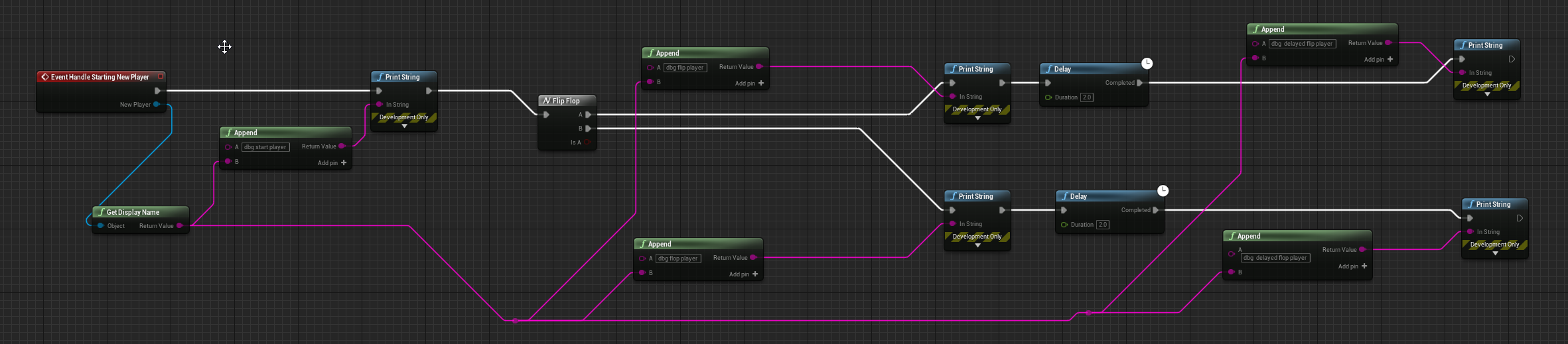

nodes
solemn parcel
Is there a way to make an AI that is directed by AI Move To to be locked into one single direction ?
dawn gazelle
olive sedge
I have this setup: https://i.imgur.com/wWg8ajn.png
I would expect a delayed fli...
It's because you're using the "new player" pin to drive the entire thing. When the second player joins, the value is set to Playercontroller1.
So when the "first player"'s execution goes through after the delay, it's seeing the second player's value in the new player pin.
olive sedge
I was thinking that might be the case but it's pretty unintuitive
anyway, thanks for clearing it up!
 marble violet
is there any built in function that give me the Max Z Axis in list of vector ?
dawn gazelle
olive sedge
anyway, thanks for clearing it up!
Easy way to fix it up is to fire new events, as then those events contain whatever you pass into them:
Output:
LogBlueprintUserMessages: [FirstPersonGameMode_C_0] Server: dbg flip player PlayerController
LogBlueprintUserMessages: [FirstPersonGameMode_C_0] Server: dbg start player PlayerController1
LogBlueprintUserMessages: [FirstPersonGameMode_C_0] Server: dbg flop player PlayerController1
LogBlueprintUserMessages: [FirstPersonGameMode_C_0] Server: dbg  delayed flip player PlayerController
LogBlueprintUserMessages: [FirstPersonGameMode_C_0] Server: dbg delayed flop player PlayerController1```👍 thanks!
 frozen needle
Is there a way to reference if an input key is pressed?
wooden flint
Hey I have a quick question for everyone, how do I disable buttons until they've been unlocked? I currently have a level save system in place but the buttons still have full visibility they just cant be pressed until they are unlocked and I want to make them look different from unlocked levels.
frozen needle
thank you
wooden flint
Can I just bind it to my save game boolean?
maiden wadi
@orchid garden How much did that texture optimizing help, by the way?
@wooden flint In short, load your save game data, and determine which levels cannot be played, and call SetIsEnabled(False) on the buttons that represent those levels.
wooden flint
I think bindin them to my saved games boolean actually did the trick now if the games are determined as not saved they are disabled and cant be clicked
maiden wadi
Wait, how did you bind them to it? You're not loading the save game data in a widget binding, are you?
wooden flint
I have no idea what that means but I will show you
I have a different boolean for each level so this is for the level 2 button
automatically disabled until the binding is positive aka I beat level 1
solemn parcel
So I'm struggling to find a way to make what I want. The AI is directed by AI Move To. Once overlap the collison of AI and player, AI makes an attack animation. I'd like that attack animation to be locked on the direction the AI is facing at the Launch of the Attack Animation. How could I do this ? Thanks !
 surreal peak
Question remains @wooden flint , if you are getting the SaveGame in that function or if you just use the boolean
Cause those Bindings tick
wooden flint
 gusty hazel
Hey guys, how do you detect collision in BP from a specific component on your mesh?
so say you have a character that has a sword and you wanna know when the sword hits something
wooden flint
@surreal peak its just the boolean itself thats binded IE button "Level 2" is binded to "Level2Unlocked?" Boolean
and the booleans only tick after they've beaten said level I.E Level 2 unlocks when I beat 1, 3 when I beat 2, so on
and I have a load save file in place for new saved data so that it doesnt override or if someone beats a level they can only go to the furthest level theyve gotten to
I even created a delete saved button to test them and re-ran the first 3 levels
got to level 4 went back to the menu and checked the visibility
maiden wadi
Just as long as you're not calling LoadGameFromSlot on tick or in a binding.
wooden flint
it seems to have worked
On no LoadGameFromSlot only appears after they've beaten a level
maiden wadi
@gusty hazel What do you mean by specific component on the mesh? As in the sword is part of the main skeletal mesh and not a separate SkeletalMeshComponent, or is it it's own skeletal mesh component?
orchid garden
maiden wadi
<@!458977415176257536> How much did that texture optimizing help, by the way?
i gained 20 fps 🙂
didn't do them all but did a nice hunk where i was noticing a little slowdown.
im sure if i do them all overall it will be alot better 🙂 but im trying to do the map thing... got it partially working but requires the map to be centered in the world.
as long as the landscape is centered, this works for item / player positioning:
not sure how i could make sure it is accurate if the map is offset... I was thinking the landscapes x/y position added / subtraced from the landscapes size... but... that wouldn't work.
maybe from the world position?
centering the landscape works though... but would fail if say i was going to have multiple landscapes that would have different maps for those landscapes:
(not a rendered image, just a texture for the map)
 stiff chasm
Does anyone know how to get two people onto Subversion source control so i can work on the same game with some one else, please ping or dm me if you do, ive been struggling for weeks
past girder
I want to use the launch node to launch my character in the direction my camera is facing, how can i do this?
orchid garden
i donno bout camera but for the player all i did was this to give them some boost and push them in the direction they were moving:
past girder
Yeah but i need to launch my character towards where my camera is facing
orchid garden
past girder
Yeah but i need to launch my character towards where my camera is facing
override the xy with the cameras xy rotation maybe?
past girder
Thanks, but i figured it out
orchid garden
what was the solution?
anyone know how i can get a reference to the landscape inside a widget blueprint?
dawn gazelle
Get Actor of class Landscape?
orchid garden
what about a specific landscape?
i.e. map has 4 landscapes and i need to get landscape 3
 strange pike
trying to change the visiblity of an actor however my bool value is returning as accessed none : https://blueprintue.com/blueprint/1a98p54z/
can someone please help me tell me what I'm doing wrong?
BlueprintUE
dawn gazelle
Or just get all actors of class, then loop through them to find the specific one by name or what have you.
dawn gazelle
strange pike
trying to change the visiblity of an actor however my bool value is returning as...
Where are you setting Fire Actor Ref?
 hollow drift
hi folks. i am trying to change a cubes material with on click. I want to do this in a multiplayer:
orchid garden
hrm no better way? those are pretty slow methods
dawn gazelle
orchid garden
hrm no better way? those are pretty slow methods
Assuming you only have a few of them, and you're only doing it sporadically, it should be ok.
strange pike
dawn gazelle
Where are you setting Fire Actor Ref?
cast to third person character- get all act of class get copy set promote varible
dawn gazelle
strange pike
cast to third person character- get all act of class get copy set promote varibl...
Ok, but are you actually doing that before the overlap event?
strange pike
event begin play
dawn gazelle
If you're getting a "None" ref on that particular node, that means your Fire Actor Ref is not defined when it's reaching that point. Can you show what your begin play looks like?
strange pike
dawn gazelle
Ok, and what about on the Third Person Character? How is the "Fire A Ref" variable set?
strange pike
dawn gazelle
and that's on begin play of the character?
strange pike
nods head
dawn gazelle
Ok, are you getting any other errors or warnings in the log before the none for the boolean?
 pine pivot
Hi guys
strange pike
dawn gazelle
Ok, are you getting any other errors or warnings in the log before the none for ...
no
pine pivot
I would like to know if someone would have a simple weapon sway mechanic blueprint or a tutorial for it
Thx
Pls ping me
strange pike
pine pivot
I would like to know if someone would have a simple weapon sway mechanic bluepri...
search on youtube. theres probably one on there
pine pivot
Found not a single one that worked 😅
Is there any simple way to make one?
Like a camera offset or sth?
dawn gazelle
strange pike
no
Try seeing if you get any displayed name out when you're setting the Fire A Ref by doing this:
strange pike
in the character BP?
dawn gazelle
Wherever this part is:
strange pike
its getting the correct name
dawn gazelle
Try doing the same thing here between the cast and the set, dragging the pin from "Fire A Ref" into the print string.
faint pasture
@pine pivot weapon sway should live on the character or weapon. Start with just running two timelines for yaw and pitch offset, probably make sure they are not the same length so the pattern doesn't repeat.
pine pivot
@faint pasture i don’t mean that weapon sway
I mean if you turn
The camera lags a bit behind
faint pasture
Oh that's easy, just continually interpolate a rotator toward a Target rotation, probably your control rotation.
strange pike
dawn gazelle
Try doing the same thing here between the cast and the set, dragging the pin fro...
!
found it
the actor begin play cast is none
dawn gazelle
So instead, maybe just use the cast on the overlap event to grab the Fire A Ref?
strange pike
ok, I'll try that
pine pivot
@faint pasture thx
 kindred laurel
I'm trying to get a mesh to rotate based on my mouse movement. Any reason why this does not work? Or anything obvious on the mesh part that might block this is some way?
The mesh is set to movable
strange pike
dawn gazelle
So instead, maybe just use the cast on the overlap event to grab the Fire A Ref?
ok. I got no errors. now i cant get my actor to change visibility
 lapis zenith
hey, i'm working on a widget right now, is there a way to have the return node on a text print two things? for example is there a way to make to print the amount of bullets a player has then after it say bullets so like 6 bullets. I can't just type 6 bullets because if a player shoots he would only have 5 bullets
strange pike
lapis zenith
hey, i'm working on a widget right now, is there a way to have the return node o...
have you heard of the append node?
lapis zenith
no
strange pike
check your messages
gusty shuttle
You guys ever run into the bug where you move your player start, save and it moves right back to where it was before?
 real garnet
I am in flying mode and made a movement like this. When I press the "Space" key, it rises on the top and when I press the "C" key it goes down. But when I take my hand off the Move keys, the rotation is ridiculous
At the top left I printed the rotation with print.
strange pike
@dawn gazelle never mind. fixed it. they now nest.... infinitely! thanks for your help
 fervent arrow
Using blueprints I am attempting to add damage to a destructible mesh created using apex via line trace(as apposed to an actual projectile) I've tried casting to Destructible component then adding damage but have had no luck. Can anyone point me in the right direction?
Disregard, looks like my issue was in replication not with damage application.
dawn gazelle
real garnet
I am in flying mode and made a movement like this. When I press the "Space" key,...
Are you trying to get the actor to move directly up and down or were you hoping to have the control rotation integrated into it somehow?
 ocean island
whenever I automate this execute
HighResShot 12288.0x6144.0 filename="C:\Users\xxxxx\Desktop\TestingGround/Image.jpg"
I get the below result, if i manually do it through the editor command I do not recieve those ripples. Any ideas?
real garnet
dawn gazelle
Are you trying to get the actor to move directly up and down or were you hoping ...
"Are you trying to get the actor to move directly up and down" yes
dawn gazelle
real garnet
"Are you trying to get the actor to move directly up and down" yes
You should be able to do something like this:
real garnet
no no
my bad english
i will create a new video.
wait a few secondes
I hold the space key to go up on top.
The rotation changes as shown in the video.
Did you understand?
dawn gazelle
Yes. If you follow this example, your character will only move up and down without rotating.
real garnet
dawn gazelle
Yes. If you follow this example, your character will only move up and down with...
rotation is broken again
 thorny merlin
is there a way to have static meshes react to umg drag&drops? unfortunately the mouseover events get disabled during drag&drop
 static charm
you could make your own drag and drop system
thorny merlin
that is something i would like to avoid but for my simple case that might be what i want, thank you
autumn hawk
anyone know how get an actor to call another actor's construction script to run?
static charm
if the game is already running, the construction is run on spawn of an actor
if the actor is already spawned, just put the code into an event or function in the regular graph of the actor
and then call it that way
@thorny merlin if you haven't tried already GetHitUnder Cursor or something, or maybe get Mouse location in world, along with some extra code to maybe make it work with drag and drop
but i dont know for certain
 soft orbit
having an issue where setting and unsetting simulate physics causes the actor to disappear
anyone have any knowledge on this?
past girder
hi, i made a function to calculate the distance from a socket and to a object, how can i check if the socket is example "50" away from the object
static charm
Null, are you using Chaos physics? might be a bug. Also are you setting physics on the entire actor or just the one component?
CCV shadow, you can use a >= node
and a Branch if you need to execute logic
past girder
Yeah i know
but
Its 2 vector 1 of them is a socket connected to the player and the other vector is where the object is, i need to check if the distance between them is lower than ...
past girder
yeah i am, but thanks
 fringe bronze
cna someone come help me in general im trying to make a level using blueprints for a class but im still confused as to what im supposed to do
static charm
exotic cradle
youtube is a good place to start out
 vital prism
Looking at a project in UE4...
There is a material instance that gets used in some situations, trying to find bit of BP that activates it
The reference viewer clearly points at the BP that activated it...
But looking at that BP, I cant find a reference to the material instance, searching for the instance name, or "material" or "instance" all get no results
Any ideas on how I can find the actual reference? Was kinda hoping the reference viewer could tell me what var/node actually references the instance, but I don't think it will
 twilit heath
odds are its default material on one of the meshes
vital prism
I've had a similar situation before - where a could not find an unused reference, which was caused by a floating reroute node. but In this situation it is actually used, so hope there is some sensible way to find it
static charm
it might be something in the blueprint, anwyays you can expand the search parameters at the top left of the search for reference, increase the slider to more numbers
you can also hit delete material instance and i believe it gives warning and then lists references lmao
vital prism
I've manually checked over all components and variables - none of them seem to have a reference to this instance.
Trying to delete the instance confirms I am looking in the right blueprint, but does not reveal what in the blueprint makes this reference
vital prism
@static charm not sure wha you mean about search paramaters in top left of search? I've check both local bp search and "search in all blueprints"
static charm
when you right click on the material instance and click Find references
and it brings up the web of references
at the left side of screen
there are some options
there's two sliders for Depth, etc
increase the numbers to max
Sorry Left side of screen
vital prism
Right, the reference view - with default settings, the only thing that references the material instance I am checking is the blueprint I'm looking at
Checking "Show management references" is the only setting that seems to make a difference - it shows a bunch of levels have a reference to this material instance... but none of them seem to, it even lists a couple of small test maps
I'll look up what management references are
thorny merlin
@static charm im not yet able to get the mouseover events to make stuff glow when im over it but like this im at least able to get the location i ended my drag on
guess i could do the same thing every frame, but for now ill just keep it at the end ^^
vital prism
@static charm Yes, there is only 1 hard reference to this MI, somewhere in the BP I am looking at
static charm
hmm
sorry i forget, what are we trying to fix lol
do you just need to clean up the project and get rid of the material instance?
vital prism
no, I want to find out the BP code path causing it to activate, and change how it works
Perhaps in this instance I could delete it, replace the reference with another MI - but really I want to understand what I'm missing
static charm
i would also check the blueprint in the level editor list
because the level blueprint will override the default settings
vital prism
Blueprint in question is the main character blueprint - it is only spawned when the level starts
static charm
then it has to be some Dynamic Material Instance node
vital prism
(so there is no instance in the level to have its setting overridden)
static charm
or some change material node
vital prism
I was hoping to find such a node, but with no results searching the blueprint for "material"... perhaps there is a node that affects materials without material in its name?
@trim matrix I'll check again
static charm
upload the blueprint here lol
vital prism
@trim matrix @static charm Awesome!
It wasn't a mesh, but it was a component in this BP with a default overridden.
Hidden a little deep in the details panel of this component, and only one prop in a large list was overridden
Massive thanks for the suggestions and help figuring this out
I'm still darn tempted to either expand UE4s reference viewer to get more granular info on what a reference is, or to dump a BP to plaintext so it can be searched more thourghly, or to expand BP search to find overrides on variables...
Any one of those things would have made finding this easy
I feel a little dumb for not finding this on the first 2 checks through components, but also feel the existing search/reference tools should have made this less of a manual PITA to find
real garnet
real garnet
i can't fix :(
vital prism
Looking over the dependancy graph code, does not look easy to get it to print out exact references... https://github.com/EpicGames/UnrealEngine/blob/2bf1a5b83a7076a0fd275887b373f8ec9e99d431/Engine/Plugins/Editor/AssetManagerEditor/Source/AssetManagerEditor/Private/ReferenceViewer/EdGraph_ReferenceViewer.cpp but still feels like it could be a viable option. Will check into dumping BP to plain text, or extending search to check overrides before digging too deep in the depgraph direction
@real garnet to help with your issue, you may be able to set the movement input to up+(fwd*0.01) to avoid rotation changing, it will move the character forwards, but only a tiny amount
true valve
Any idea why Open Level won't work in packaged project? Trying to go from main menu level to another level.
vital prism
@true valve check the level really is in the packaged project
-try disabling pak file to make sure the file really exists (by building, then looking in directory to be sure it is there)
-try using BP node to open level
-try using console in debug build to open level
true valve
@vital prism Oh thanks. It slipped my mind to include all of my levels during packaging. I think that could be it. I still have to try it.
 pine trellis
when using a Gun in VR from say a 1st person template is there other steps to make the aiming better, when I look down the scopes the bullet does not go where im looking at the cross hairs
has anyone run into aiming issues in VR with a gun
like the bullet wont go where your looking at
vital prism
@pine trellis Depends completly how you have the gun setup
If you have the bullet come straight out the barrel, and crosshair is aligned with barrel it should match
You could setup a holographic sight, iron sights on the barrel, laser pointer to show where it will go, or trace to find location in space where it bullet will go and put crosshair there
that said, not looked at first person templates usage in VR, so unsure if it does something a strange way
pine trellis
@vital prism thanks im going to try to set up a holograohic sigh
 solar sonnet
Is there any way to delete a blue print node without breaking the execution flow? I always have to reconnect the stream after deleting a node which is annoying 😐
 zealous moth
@solar sonnet hold ctrl and click on the pin and just move it out or to the next node
@solar sonnet give me a shoutout next time 😄 love your channel
solar sonnet
zealous moth
<@!363444245970812931> hold ctrl and click on the pin and just move it out or to...
Thanks!! 😅 😊 🙏 - But is there no way to just delete the node and have Unreal automatically keep the execution flow?
zealous moth
i think there was a plugin that did just that but not that i know of off the top of my head, lemme check
yeah i got it
i'll PM you
solar sonnet
oooh thanks! 😁