#blueprint
402296 messages · Page 607 of 403
 tardy kayak
 worthy frost
like i said, make an editor utility
that populates an array on the actor, when they add more, they just need to run the editor utility*
 vast lion
Why would this fail?
tardy kayak
@worthy frost ok ill look into this then thanks
worthy frost
thats datasmith
 static charm
nevermind
seems it pulls materials from the Scene
thats dumb
nevermind then lol
tardy kayak
im surprised something like this doesn't exists i cant even find a material picker out there
worthy frost
yeah not sure you can modify a class CDO in BP either lol
static charm
I dunno I've seen plugins that can load/access assets at runtime from your game package.
but like u said editor utility would be better to just set it all up
worthy frost
thing is runtime removes a lot of the editor stuff (cooked builds)
i mean all of the editor stuff 😄
tardy kayak
oh yeah i know i had fun learning to import meshes live
 sonic cipher
Hey, how Can i get a variable of a linetrace hit actor please ?
static charm
Which part do you need help with? You do the linetrace and then it gives you the Hit Actor
sorry i missed a part, it gives you the Hit data, which you can right click and split or use a Break node
sonic cipher
static charm
Which part do you need help with? You do the linetrace and then it gives you the...
So, i am making a ingame editor
For exemple, i spawn fews lasers that contain an array
And i need to add ingame, an actor in the array
That why i made a linetrace, Onhit Actor i need to get this array
static charm
Okay so your LineTrace hit the Lasers and you want the array from the lasers you hit?
sonic cipher
But everytime i do this it set the array to the last spawned actor and not the selected one
Yep
static charm
can you screenshot your blueprint code and i'll show/tell you want to fix
sonic cipher
I would need i think something to check if this is the array of the hit actor
Ill turn computer on 2 secs ^^
static charm
basically, from the Hit Actor, you Cast To Laser
then from Cast To Laser, you get your array
sonic cipher
Okay i launched ue
sht i removed the node since and forgot how i done that..
i will try like you said

so i'll try like this
omg i think it worked
sonic cipher
static charm
it's okay i've spent months fixing bugs only to find it was typo
omg thanks you man
it just work
sonic cipher
i will try tommorow (its 5 am lol) you are the best
static charm
it might only need a few changes/additions to make it work in all siuations, if it does break/have bugs
 dawn gazelle
sonic cipher
https://gyazo.com/96864903dbd3b8b908e8027e1d184a67
dawn gazelle
sonic cipher
https://gyazo.com/96864903dbd3b8b908e8027e1d184a67
Don't do references like this. You shouldn't reference variables across execution paths as you will end up with unexpected or invalid results. If you need a reference to that particular variable, you should call a get for it before plugging it into that add for the array.
sonic cipher
I plugged it just into the hitactor after that, idk why i did that lol
static charm
There's nothing wrong with plugging that reference like that, only that it will get the last/none set reference
ue4 has said the out pin of sets is the same as gets
sonic cipher
static charm
it might only need a few changes/additions to make it work in all siuations, if ...
i will check, but looks good because i can select nonarray>array (it print) but not array>nonarray (not printed) :p so i can say that i have to select the door then the laser so it work you know like i have to link them
dawn gazelle
static charm
There's nothing wrong with plugging that reference like that, only that it will ...
Except if that path was never called to begin with, in which case it would be None.
static charm
correct
sonic cipher
so now i can link the door to the laser that cool, tommorow i will add remove link button ^^
so = remove array
Good night datura & gallonmate ^^
 vital ingot
Hello! Just wondering why this doesn't work.
I'm trying to randomize between 0 & 1 for my meshes, and set whatever it puts out so that every time I place the item with my spline it'll be random.
 maiden wadi
@vital ingot One is a component, the other is a static mesh. The Component holds the static mesh. It looks like you've made an array of components instead of an array of static meshes.
vital ingot
I see. I didn't know there was a difference between static meshes & static mesh components.
Would there be a better way to approach what I'm trying to do?
maiden wadi
The component is a StaticMeshComponent, which is the actor component type that can hold a static mesh and be attached to an actor. When you drop a static mesh into level, it actually automatically creates an actor with a static mesh component that has that static mesh you dropped assigned to the component.
How come you're making an array out of those two variables? Do you need them somewhere else or do you just want to randomize this one static mesh component that's getting created in the construction script?
vital ingot
I just want to randomize between the two; I don't really need em anywhere else. I thought that was the best way to do that though.
maiden wadi
Try this. You can set the static meshes directly on the MakeArray node.
Delete the Get node you have, and drag backwards off of NewMesh from the SetStaticMesh, it'll allow you to make a new Get node. Like this with the Get(a copy)
Drag off of that node's array, and use MakeArray there.
Then you can add the pin and select your two static meshes you wanted.
vital ingot
That's so useful!! Tyvm I had no idea you could do that with Arrays.
 gritty elm
is event tick replicated?
maiden wadi
It's not an RPC, so no.
Tick runs on all instances of an actor, independently on each machine. So it will run on both client and server, but it's not replicated in any way.
 turbid shard
Hello! I am trying to link two objects with some kind of electricity. I want the player to drag and drop an imaginary wire from object 1 to object 2 to link those two objects. Probably this can be achieved with a linetrace, but can't figure how to setup to make the linetrace follow my character until this one links it to another object. Any help is aprecciated, thanks!
 cold raft
turbid shard
Hello! I am trying to link two objects with some kind of electricity. I want the...
cold raft
turbid shard
Hello! I am trying to link two objects with some kind of electricity. I want the...
Try SpawnActor Cable Actor - this makes a cable like thing, and the default is a bit strange, but it is a good starting point to google more
 covert kestrel
Can anyone help me get this working? I'm trying to get my player character to cycle respawn through an array of target points in my level.
turbid shard
@cold raft Thanks! I will look into ti
gritty elm
how to set view target with blend in client side? mean replicated
how to get controller id of client
 primal smelt
Hey, does anybody here have any experience with making vehicles? I'm attempting to build a wheelchair where torque is applied to the left and right large wheels indpendently (to simulate how you would turn using a wheelchair in real life). So far the physics are being extremely wonky, I can get the wheels to move when they are off the ground (like when the wheelchair is upside down or on it's side) but while the chair is upright the wheels will only turn if the player character is actively pushing the wheelchair. Trying to get the wheels to turn and move the wheelchair is not happening, at most I can get the wheelchair to do little bunnyhops this way. Anybody have any ideas or suggestions I should be checking out, that would be very helpful
 faint pasture
@primal smelt how are the wheels and chair connected?
primal smelt
I'm using physics constraints. Initially I was just using one per wheel (linked to 'seat' - the main body of the 'vehicle') but I saw a video tutorial that showed a way of doing suspension (only want a tiny amount of give on the z axis) which involves using two physics constraints per wheel (one to handle the wheel turning and another for suspension). Can't say I notice much of a difference but regardless the problem persists in both methods
Rotation is set up correctly to, I'm getting right vector to apply torque to make sure it rotates in the desired direction regardless of which way the actor is facing
faint pasture
You don't need 2 constraints
primal smelt
Yeah I was just testing it out but didn't see the difference, can easily remove the additional ones again but the same problem persists
faint pasture
Soft linear limit and 1 axis free is what you want
So why doesn't it coast?
Anything touching ground besides wheel?
primal smelt
Well it will coast if as the player character I stand behind the wheelchair and push it. But I can't actually get it to move by applying torque to the wheels
faint pasture
How big a torque you applying?
primal smelt
I've been attempting a range from 1,000,000 upwards, right now I've got 3 million input. Enough to make it bunnyhop and act erratically
faint pasture
Show your nodes
primal smelt
I have tried lower than 1 mil as well but I know you have to put a lot in to get results
faint pasture
Also when are you applying it?
primal smelt
Above is just enabling input, below with messing around with an axis mapping to see if holding down the input changed (it doesn't)
Ideally I don't want it to be a continuous hold thing as left mouse and right mouse will simulate the user's hands pushing along the wheels
faint pasture
That's why
You need to add torque every frame.
So either do it on an axis event or on tick
covert kestrel
why is this happening
primal smelt
Ok but when I try it as an axis mapping the same problem persists. It will continuously spin the wheel ONLY if it is not touching the ground
faint pasture
What are the masses of everything involved?
primal smelt
here is the axis mapping (this doesn't account properly for direction of actor but is enough to test if holding down works)
Ah I am not sure about what mass everything has, I let Unreal handle it by default based on size and material I think it is (which is all default)
faint pasture
Check the mass, just look in the physics settings for the component
primal smelt
Yeah the chair itself is: 100.000000
oh wait no that did not copy right at all, hold on
147.00r
large wheels are 14.62
(mass in kg)
faint pasture
Are you sure the wheels and body are not colliding?
faint pasture
Go ahead and check accel change. You'll want a lot smaller number. A couple thousand would be good.
primal smelt
I think its all good in terms of colliding with each other
I have also tried disabling collision on/off for the constraints and I see no difference
"Go ahead and check accel change" do you mean the torque power?
faint pasture
Yeah on add torque. If it's in radians I would guess that an input value of about 50 to 100 would be good
 crystal mural
Hi! Is there a better way of doing this? I just can't think of what node I should be looking for.
faint pasture
That means it'll apply enough torque to accelerate the wheel at 50 to 100 radians per second per second but of course that's not taking the mass of the whole chair into account when it has to accelerate it across the ground. also, what are the wheel and ground friction settings? Are you sure you're not just sitting and spinning
primal smelt
I just reduced it to 100 and it's hard to tell if there is any movement at all, doesn't look that way
I'll check the friction one sec
faint pasture
Do you have the acceleration Boolean checked? At 100 radians per second it should be accelerating pretty quickly
primal smelt
Sorry, where abouts would I find friction?
faint pasture
Physical material
primal smelt
Ah yes I ticked accel change and it does spin now when not touching the ground. Smaller numbers are nicer! Same issue persists when touching the ground though. Lemme check friction
When you say physical material, do you mean the material applied to the mesh or a separate section in physics constraints?
I can't see anything under physics constraints that details the material
faint pasture
Not the constraint, the component that is simulating physics
 tight schooner
@crystal mural You can use "and" & "or" nodes to consolidate booleans
"And" needs both inputs to be true to provide a "true" output, while "Or" only needs one of the inputs to be true. There are some others as well... https://forums.unrealengine.com/development-discussion/blueprint-visual-scripting/72482-how-boolean-gates-operate-for-beginners
primal smelt
faint pasture
Not the constraint, the component that is simulating physics
I'm a bit stumped to be honest. Would this be in the details panel when I have the wheel mesh selected? Struggling to see anything related to friction there
crystal mural
Thanks @tight schooner I'll have to give it a think. I basically want three outputs. If below -0.1 then A, if between -0.1 and 0.1 then B, if above 0.1 then C.
maiden wadi
If you need three different things to happen based on whether that float is within -0.1 to 0.1, or greater than or less than, then no, there's not really any better way that that. You could create a macro to clean up the graph, but the logic flow will more or less end up the same.
crystal mural
@maiden wadi OK I'm not abstracting incorrectly then.
tight schooner
yeah, booleans can't represent more than 2 states so...
crystal mural
LOL ja.
tight schooner
if you ever find yourself needing to describe many mutually-exclusive states, you should look into enumerators
JFYI
crystal mural
OK ja. I don't think it's that complicated. It's basically "moving left", "moving right", and "standing still".
tight schooner
Disappear gradually...
I suppose you have to look into dynamic material instances
have a transparent material with an opacity parameter
create a dynamic material instance, and maybe drive the opacity with a BP timeline
maiden wadi
@crystal mural You could do something like this. But like I said it's just to clean up the graph.
crystal mural
@tight schooner I was going to say the same thing. @finite wasp it'll look sort of like this.
crystal mural
maiden wadi
<@!223217036455706624> You could do something like this. But like I said it's ju...
That is much prettier.
primal smelt
Hi can somebody help please. I'm working with a blank project and I have created no materials. I've just been told to check the friction of a material of an object (wheel on a wheel chair) but I cannot see this mentioned anywhere in the details panel. I assume what I am looking for is this: https://docs.unrealengine.com/en-US/InteractiveExperiences/Physics/PhysicalMaterials/Reference/index.html
Probably a stupid question but if I have not applied a material and just using the unreal editor defaults, will this option not show for me?
Assets applied to physically simulated primitives directly or via materials used to configure and control physical properties used by the simulation.
I think it's literally a "disable collision" node
tight schooner
Put your collider component on the graph and there should be a node that's like Set Collision Enable. (I don't have UE4 open so I don't recall the exact name.)
tight schooner
@finite wasp * opens UE4 *
well, make sure you set it on all of the collide-able components in your BP
if you got more than one collider
 cyan hornet
Do you guys by any chance how to change the details panel value with variables?
tight schooner
@cyan hornet I've never done what you're doing, but my guess is... pull out the "return value" of Add Projectile Movement Component. And mayyybe you can Set Initial Speed or something.
cyan hornet
lol I just worked it out as you said it... thanks so much man
tight schooner
The "return value" output pin is the object reference to your component... You can save that to a variable for easier manipulation if you're going to do stuff to it elsewhere in the graph
gritty elm
is there any alternative to set view target with blend?
vital ingot
Is there a way to make this bool go on/off each time the script is fired? (In C# You would just do bool = !bool;)
gritty elm
you can use flip flop
 trim matrix
vital ingot
Is there a way to make this bool go on/off each time the script is fired? (In C#...
trim matrix
vital ingot
Is there a way to make this bool go on/off each time the script is fired? (In C#...
I don't think so in blueprints. Flip Flop is your best option as they said
gritty elm
or even multigate
cyan hornet
@tight schooner It doesn't seem to apply the initial force even though I can see the float value of bow strength going up and the add projectile movement component max speed is 3000...
vital ingot
Tyvm! Swapping my set out for the flip flop node worked great. Nice to know about the other methods though so ty for that too!
tight schooner
Sorry, dunno. Never worked with projectile movement components.
cyan hornet
Oh ok, thanks a lot for helping anyway though :)
Hey, I looked up some more solutions and there was literally a way I was doing it before (set local velocity) but they split the struct pin and used only x = which is exactly what I needed
primal smelt
Anybody at all know how to set friction for a material? The internet gives me this but I can't for the life of me find it anywhgere in the editor: https://docs.unrealengine.com/en-US/InteractiveExperiences/Physics/PhysicalMaterials/Reference/index.html
Assets applied to physically simulated primitives directly or via materials used to configure and control physical properties used by the simulation.
covert kestrel
I'm trying to ensure that this button is disabled when level FOLIAGE isn't streaming. But it's not working.
 solemn parcel
Can someone please explain to me why the projectile just spawn and does not move ?
 summer harness
Could be the projectile colliding with the spawning actor, just a guess
solemn parcel
@summer harness I've run quite some tests, but to give you an example, If I simply add impulse into the same end point it works properly
There is something wrong in my code I guess, but I cannot figure it out
summer harness
The actor for end location is valid?
 orchid garden
i donno if your question was answered... but couldn't you just get the screen resolution, divide both height / width by 1/2 then get the current mouse position on screen and use the two 1/2 values to determine what animation to play?
 naive heron
orchid garden
i donno if your question was answered... but couldn't you just get the screen re...
naive heron
orchid garden
i donno if your question was answered... but couldn't you just get the screen re...
I figured it out it was already telling me which section of the screen it was in I was having problems getting it to play the animation. I finally got it working by just using a switch on enum and then for each section it play a different animation. I also override the on mouse down function and use it to control when the anim plays. Now I just need to refactor and smooth out the controls.
solemn parcel
@summer harness It was simply simulating physics, reason why wasn't working. Thanks for your help 😉
summer harness
solemn parcel
<@!254307352528814080> It was simply simulating physics, reason why wasn't worki...
ah good to know
 edgy halo
Hey guys, any idea that when I spawn my character in the level, it doesn't move?
This is the movement script
The axeses are fine
Input axes*
Even when I spawn the actor in a different level, it works perfectly, but not in this level
orchid garden
check world settings for the level?
edgy halo
edgy halo
orchid garden
check world settings for the level?
What can be affecting it over there?
orchid garden
i don't have ue open, was just a suggestion
 dull gale
Hey everyone, I'm getting an "accessed none" error here, but I'm unsure why. This is the animation blueprint and I'm trying to get a reference to the "equipped weapon" int on the weapon BP.
In play mode it reads the integer changing and all the animations that depend on it work fine, but the error is still there. If this is the wrong way to get the reference, what would be a better way? Any help is appreciated!
edgy halo
orchid garden
i don't have ue open, was just a suggestion
Oh wait, I found it...The problem was because I didn't choose the default pawn
orchid garden
dull gale
Hey everyone, I'm getting an "accessed none" error here, but I'm unsure why. Thi...
my guess would be 'get actor of class' is returning none.
edgy halo
orchid garden
i don't have ue open, was just a suggestion
But another problem...in game mode I chose the new default pawn, but it seems to spawn a pawn on its own
Can I change that behaviour?
orchid garden
edgy halo
Can I change that behaviour?
if you have a pawn in the world, select it and down toward the bottom you can make it autopoesses depending on player #
edgy halo
orchid garden
if you have a pawn in the world, select it and down toward the bottom you can ma...
No i don't have a pawn, but I spawn it in the level blueprint
orchid garden
edgy halo
No i don't have a pawn, but I spawn it in the level blueprint
then you need to assign it to a player when you spawn it.
edgy halo
orchid garden
then you need to assign it to a player when you spawn it.
How would I do that😅 ?
orchid garden
edgy halo
How would I do that😅 ?
If you don't want to have a default pawn spawn in, you can set the "Default Pawn Class" to none in your GameMode and spawn a character later in the game by using "Spawn Actor from Class" and using your controller to "Possess" the new spawned character.
edgy halo
Oh right
orchid garden
Possess
edgy halo
orchid garden
If you don't want to have a default pawn spawn in, you can set the "Default Pawn...
Ok...so lets say my controller is this
Do I need to script the possess inside this?
orchid garden
you'd spawn the character, then use the above node to possess it with x character.
edgy halo
orchid garden
https://docs.unrealengine.com/en-US/BlueprintAPI/Pawn/Possess/index.html
Basically, where do I put this?
Like this?
This is a player controller
orchid garden
so for instance if you wanted player 0 to possess it you could just 'get player controller' and connect that to the controller node, and the pawn to the target node.
(if single player)
edgy halo
orchid garden
(if single player)
It's online multiplayer, not local
So this would work right?
Umm, @orchid garden im sorry to constantly ask questions, but I am unable to understand how to do this
trim matrix
Hello. Can anybody provide the vounds tutorial , something like this? https://www.youtube.com/watch?v=xnAn3VSz1xs

DoN's versatile Mesh Painting System is capable of many things; stamping a jaw-dropping number of decals without performance loss is one of them! If you enjoyed this video, check out this forum thread to learn more about the plugin and its main functionality: https://forums.unrealengine.com/showthread.php?144528-DoN-s-Mesh-Painting-With-Paint-Bl...
orchid garden
im not sure how you'd make sure you get the right controller for multiplayer (haven't done much with multiplayer)
dull gale
orchid garden
my guess would be 'get actor of class' is returning none.
But if it returns none, how is it actively reading the integer?
edgy halo
Does this go in the controller script or in the character script or what?
edgy halo
orchid garden
im not sure how you'd make sure you get the right controller for multiplayer (ha...
It's online but player controller is local right
orchid garden
well you don't want both client and server attempting to posses the same pawn.
edgy halo
Ohh
But as of now, I am aiming for single player
So how would I do this?
Still facing issue unders where the posses node goes...in the player controller or in the characters script?
Oh wait I got it, but the thing I dont get now is how do I get the character instance into the controller script?
orchid garden
edgy halo
Ohh
this might help:
https://www.youtube.com/watch?v=3lN2eZIgAQ0

UE4 / Unreal Engine 4 Multiplayer Playlist:
In this collection of videos, we will cover setting up a project for both local and networked multiplayer projects.
This Video:
In this video, we create a flexible player spawning system for local multiplayer games.
Links:
Udemy Game Prototype Course Coupon: https://www.udemy.com/unreal-engine-4-lear...
edgy halo
Alright ill check it out thanks
 severe iris
Do you guys know if it's possible to add trace and object channels to a plugin rather than a projet?
My issue is that my plugin relies on a some of those channels, and it's dependent on a properly setup boilerplate project
but outside of channels and inputs, it should function in a brand new project
(I guess my question also applies to default inputs)
 onyx bridge
anyone any good with AI?
solemn parcel
I'm having this error. Any help ?
 weary jackal
weary jackal
weary jackal
AI, Behavior tree, Black board and EQS essentials
primal smelt
I'm building a prototype for a phys operated wheelchair and I'm trying to think of ways to prevent the wheelchair pissing over when going up or down steep inclines. I'm thinking - and I forget what this is called - of a a self-righting mechanism. So if chair falls back by 90 degrees or something there'll be a sort of counterweight to pull it back forward. Anybody have any ideas on how to best implement this? I'm currently looking into physics constraints which I've been using for the wheels but having a bit of a head scratch moment
 mossy jolt
Hi, does the CopyProperties event is called during seamless travel ?
 olive sedge
my players possess a pawn that is completely freely movable. when I get too far away from the spawn point (aka too close to the edge of the map) my pawn breaks and goes none.
Is there an offset setting where pawns die?
 round basin
Not sure if it's the right place to ask but I have a pawn on a map and the default pawn is set to his blueprint, but when I start the game it creates a new one somewhere in the map Can someone help me ?
dawn gazelle
round basin
*Not sure if it's the right place to ask but* I have a pawn on a map and the ...
If you have player starts in your game, I believe the engine will use those instead of your placed character. Click on your placed character as well and look under the details for a label "Auto Possess Player" which you can set which player possesses the character.
dawn gazelle
olive sedge
my players possess a pawn that is completely freely movable. when I get too far ...
I know there's a Kill Z setting where if they go too far down the engine destroys the actor, but never heard of anything on the sides of the map. How far away are you going o_o
dawn gazelle
Check if you have a volume in your map that could be destroying the character as well?
olive sedge
I only have a nav mesh volume
@dawn gazelle X=10650.761 Y=-16408.506 Z=8808.600 is the last reading I get
round basin
dawn gazelle
If you have player starts in your game, I believe the engine will use those inst...
Thanks it works perfectly !
dawn gazelle
olive sedge
I only have a nav mesh volume
Yeah that's not bad. I'm not sure what else could be happening there ._.
olive sedge
@dawn gazelle Client 2: Destroying player pawn at: X=-4031.240 Y=-14802.479 Z=11408.600
it's really not that far out
trim matrix
how do i place objects procedural with anchor points?
 silver agate
trim matrix
how do i place objects procedural with anchor points?
silver agate
trim matrix
how do i place objects procedural with anchor points?
I'm making a small tower defense game and I have a small random generated map. What I did (although in C++) is to grab the origin from where I wanted it to be generated (so in your case your anchor), then attach the spawned actor to my origin and snap it to there and then move it relative to that location.
trim matrix
id prefer telling ue4 where the anchor points is, not working with origins
oh. thats not even procedural what you mentioned oh ok
silver agate
I may have understood your question wrong, but I thought you wanted to have a position in the world and place objects attached to that 😅
trim matrix
lol no :_: ive googled so much. i cant find anything about procedural placement and rotation and anchor points
 high ocean
@trim matrix can u pls define "anchor"?
silver agate
Was just about to ask that as well xD
high ocean
So, basically, a V3, so a "location"
trim matrix
i guess
high ocean
what are you trying to do and what is not working then? 🙂
silver agate
I also have a question of my own, could this possibly cause an infinite loop? https://gyazo.com/b70ac190fc66bb83e8c110a0cab79ca5
I have the problem that something in my BP seems to run in an infinite loop and just eats away all my memory until it crashes :/
 dawn gazelle
silver agate
I also have a question of my own, could this possibly cause an infinite loop? ht...
dawn gazelle
silver agate
I also have a question of my own, could this possibly cause an infinite loop? ht...
Would need to see what is feeding into the last index
silver agate
dawn gazelle
Would need to see what is feeding into the last index
This is the entire graph. https://gyazo.com/055118cc76fd570af5348ab3cd4a51d6

With these being the values for the map: https://gyazo.com/bc6f965f71b9f2b5a1338fdab3169270
 dawn gazelle
silver agate
This is the entire graph. https://gyazo.com/055118cc76fd570af5348ab3cd4a51d6
dawn gazelle
silver agate
This is the entire graph. https://gyazo.com/055118cc76fd570af5348ab3cd4a51d6
I see it... The -- you're doing there..
silver agate
It's supposed to start at 1. Because the map didn't like to have 0 as a value.
silver agate
Ah so it is setting it by ref.. I will try the - 1. Give me a second 🙂
Yup, that fixed it! No more eating up all my memory and crashing xD
Thanks a lot 😄
 hardy summit
Keeping on tower defense, I have a open map for tower construction and the ai spawned uses a BT to find the end location, pathing is fine. My issue is how I would go about telling the game the player cannot build on a certain square if that player is blocking the whole path to the end
I created a spline that finds the closest square from start to end and creates a path but I need to figure out how to not allow players to build if that path is broken from building a tower
silver agate
I'm not entirely sure how you're doing it, but can't you keep track of the tiles / squares that the spline has found to get to the end and then when a player tries to build on it check if it's one of those?
 hollow drift
Is there a way to make a dynamic material instance only for a Material instance?
If you create a dynamic material instacen, it only uses the material and not its assignet material instance. so i have to force it to use a another texture which is retarded...
 split barn
Is it possible to change the collision response of a linetrace hit actor?
hollow drift
you can change the collision type but you get only boolean as answer
get hit result under cursor shows you what got hit with the mousecursor for example
perhaps there is something similliar
 wild harbor
how do i get a blueprint to recenter in the Graph its way of course?
hollow drift
q or shift d
 pine trellis
if i am playing in the editor is there a way to see the nav mesh in real time?
something is blocking my AI
 rough jay
yeah press '
dawn gazelle
pine trellis
if i am playing in the editor is there a way to see the nav mesh in real time?
go into console and type show navigation
(only works on the server, so can't be set to "play as client")
rough jay
this cost no performance right because it goes in branch until bool true?
dawn gazelle
There's always cost with tick. A branch still requires calculation, albeit, minimal.
orchid garden
rough jay
this cost no performance right because it goes in branch until bool true?
yes you won't see any preformance effects with a branch till the boolean = true.
I have a debug function off my tick for testing that doesn't get fired off unless its set to true, doesn't adversely effect anything with default tick.
only thing i use ticks for myself is testing / debug.
dawn gazelle
It really depends on what is being done to create the condition. If you have a bunch of math then there can still be performance cost on the branch.... Or in a really stupid situation...
orchid garden
well yeah if you did something silly like that ....
dawn gazelle
XD
orchid garden
keep in mind you can set how fast the tick fires off via class defaults as well for each blueprint.
now if i remember right.... tick vs. timer, tick is bound to fps, where timer isn't right @dawn gazelle ?
 merry horizon
Does anyone know if I can post a job opening on here if it's related to Blueprint scripting?
dawn gazelle
Something like that
orchid garden
no idea @merry horizon , but Manny does get testy at times (the bot)
merry horizon
I see
dawn gazelle
merry horizon
Does anyone know if I can post a job opening on here if it's related to Blueprin...
#instructions -- This channel has instructions for how to post a job opening. I wouldn't recommend posting an opening in this channel.
merry horizon
oh nice! I found one for contract jobs.. any recommendation on how I can target it so that people with Blueprint experience can see it?
If you can't tell I'm so new to Discord
I'll play around with it to see if I can figure it out. Thanks everyone
 real garnet
Hello, when I take my hand off the "W" key while the Movement Mode is in "Walking" mode, the character stops. When I take my hand off the "W" key during Movement Mode "Swimming", character speed decreases very slowly. What I wanted is that when I take my hand off the "W" key, I want the character speed to drop a little faster rather than a slower character speed, but I couldn't figure out where to do this. https://youtu.be/2rvKkGkXsHQ
 orchid garden
... cvs files take so long to make ... lol... 45 down... 85 to go...
orchid garden
real garnet
Hello, when I take my hand off the "W" key while the Movement Mode is in "Walkin...
for swimming i believe that has something to do with friction
 crude dew
Hi, Is it possible to make casts to dynamic classes? Like if I store Actors of different types (BP_Soldier, BP_Grenadier) or do i need to make individual casts to each type of actor?
Sorry I wasnt really clear I meant if i stored the actors into an array first.
real garnet
orchid garden
for swimming i believe that has something to do with friction
Thanks, when I increased this, I got what I wanted.
orchid garden
real garnet
Hello, when I take my hand off the "W" key while the Movement Mode is in "Walkin...
this this might be what your looking for in the character movement component:
if you only want it to effect swimming
real garnet
orchid garden
if you only want it to effect swimming
Great Thanks you
dawn gazelle
crude dew
Hi, Is it possible to make casts to dynamic classes? Like if I store Actors of ...
You can cast to their parent class(es), if they all share the same parent class, but you lose access to the specifics within their own class - so if your BP_Soldier has a special variable or event you wouldn't be able to reference to it from the parent class. Alternatively, you could implement a blueprint interface in each of your BP_Soldier, BP_Grenadier, etc. classes if there was something you wanted to do with them or needed from them without having to cast to each class.
crude dew
So could I make a Class called BP_BaseUnit then create instances of this class Soldier, Grenadier etc... then just make a single cast to BP_BaseUnit unless I wanted something really specific from one of the children classes?
dawn gazelle
Yes
crude dew
Thanks! My current thing is super messy so I was looking at how I could tidy it up a bit! XD
dawn gazelle
Functions can also be overwritten in child classes, so they can share functions as well.
orchid garden
you'd want to make sure that the items you need access to are in the Master Class and not the Child Class, if the child class has specific vars / functions in it you need access to you'll need to cast to the Child Class.
crude dew
Not too familiar with Interfaces yet only started UE4 about 6mths ago or so.
orchid garden
i.e say your child class has a function 'littleChildDoSomething' but that function doesn't exist in the master, to be able to call it, it would need casted to the child class.
crude dew
Ahh I get that thanks!
I created a BaseUnit, Which has variable of Health (All units have health) and a Skeletal Mesh component and Collider
So a Soldier and Grenadier will have Health and Skeletal Meshe,s as they move around and a Collider for Collision purposes I htink that,s right. 😄
orchid garden
tip though, i ran across this problem, don't link a animation class to the skeletal mesh in the MASTER class, else you'll end up with animation ghosting that will cause errors to pop in your logs making you think you did something wrong even if the animation class is replaced in the child.
crude dew
Ahh thanks! I was going to assign the animation blueprint to each individual class.
The master is basically a blank template for a Unit.
orchid garden
yeah just leave it blank in the master 🙂
crude dew
Thanks for the help!
Hmm final question how do I get the hit result from a line trace on the actor?
Like i tried a Print String "Unit is a Character" as they are derive from Character Class.
This was a test to see if i could cast back to the originating "owner" of the base class.
orchid garden
crude dew
I feed the hit result into the Get Parent Actor but i think thats wrong
well the Hit Actor result
dawn gazelle
HitActor -> GetClass should work I think.
orchid garden
you want 'hit actor' to test to see if it hit a specific actor
dawn gazelle
Nvm.. You want the parent class...
orchid garden
crude dew
Ahh so GetClass will get the parent class of the owner class? So in the example of Character->BP_BaseUnit->BP_Soldier would the parent be Character?
dawn gazelle
Get Class would be the actual class of the character.
You can check if the Class is a Child of a Specific Parent Class if you want to see if it's of type "BP_BaseUnit"
orchid garden
in my examplre, bp_Soldier would be returned, in Datura's BP_BaseUnit would be returned.
crude dew
Ahh cool ty!
I,ve been pondering this a couple of days!:O Many thanks!
well been stuck.... lol
orchid garden
lol... examplre? boy i hope im not doing typos like this in my cvs files. lol....
crude dew
XD
orchid garden
er csv
crude dew
Kind of fumbling my way trying to make a small RTS style thing with like 3 units and resources etc. xD
as a learning project.
crude dew
Indeed tutorials can only get you so far.
orchid garden
that they can and can cause extreme hair pulling on their own because the maker of it left something important out.
crude dew
The more i mess about with this the more confusing it gets lmao
 rough wing
I've got a physics handle, setting the target location works but setting rotation does nothing
Anyone had this problemd?
crude dew
Dont want to bother you guys with 10000 questions xD, I,ll try to work out whats happening 😄
orchid garden
lol Drib
crude dew
Nvm im an idiot....
 minor merlin
Hello, I would like to show a mesh only on my client, and another mesh to everyone. How can I do that?
crude dew
I just realised after putting a breakpoint I had plugged the Hit Component into the GetClass and wondering why it was returning "CapsuleComponent" xD
rough wing
minor merlin
Hello, I would like to show a mesh only on my client, and another mesh to everyo...
Look for "Cosmetic only"
orchid garden
minor merlin
Hello, I would like to show a mesh only on my client, and another mesh to everyo...
another person wanted a simular thing but for sounds, I gave him this solution:
 frail marlin
I am getting a crash on run and the log is telling me its due to an ensure condition fail that basiclly there is a NaN value in a box bounds somewhere. However, this is not the case, im not sure where this number is coming from: Ensure condition failed: !Primitive->Bounds.BoxExtent.ContainsNaN() && !Primitive->Bounds.Origin.ContainsNaN()
BoxExtent X=12.450 Y=621364611626521262788989384354955264.000 Z=0.000
orchid garden
damn look at that y value... bad mesh somewhere?
minor merlin
orchid garden
another person wanted a simular thing but for sounds, I gave him this solution:
And I just have to put set hidden in game ?
dawn gazelle
That Y Value is outside the observable universe in unreal scale XD
frail marlin
So, its calling to a spline i have in a new actor i have implemented
orchid garden
minor merlin
And I just have to put set hidden in game ?
if that were on the client machine - off of true would be for the client, off of false would be for everyone else, i.e, the person i was helping only wanted bullet sounds to play depending on where they hit at the actor, but only for the client, this was the solution:
frail marlin
interesting enough when i use a blank pawn, this error does not pop up
so i need to figure out why my pawn is causing a NaN in my other actor
merry horizon
@dawn gazelle hey thank you so much for your help! I was able to post my Blueprint Scripter job on the contract-jobs job board! Thanks again.
frail marlin
I have no idea how my pawn could possibly create a NaN value in my actor but
i must have done something stupid somewhere
orchid garden
gl @merry horizon
minor merlin
orchid garden
if that were on the client machine - off of true would be for the client, off of...
Well my version of this only works for the server, I'm checking what's wrong here
 outer notch
hello everyone. I would like to ask where on the internet (forum, discord or maybe here?) i can ask a question related to ue4 blueprint, api and the varest plugin. I’m a student in game design and programming and i need some direction and help 😉
i dont have tonns of experience yet (1 year), but im doing my best to get good at it
dawn gazelle
outer notch
hello everyone. I would like to ask where on the internet (forum, discord or may...
Anything blueprint related can be asked in here, though if you're looking for help specifically with VARest plugin #plugin-dev may be better.
outer notch
awesome. thank you @dawn gazelle
 solemn aspen
 solemn aspen
Oh screenshots sorry
Ok so the bottom left square should be highlighted
it's called the proccedual mesh select
it should be the colour red which would indicate that it is working but I have been having problems recently trying to sort it out
trim matrix
Huhhh idk what that is but that is not BP code
solemn aspen
Oh again sorry, Was just showing what the exact problem was
I think It has something to do with this
location and locationtohit
probably cause they are two different variables
I'm trying to fix the issue
 honest raven
Anyone run into this before? Trying to set my object reference variable value, which is this widget, but it doesn't have any asset options.
dawn gazelle
Just use self?
honest raven
Yeah, I just need a boolean that the widget is using to trigger this door opening. The stuff from the other day. Expanding on it lol. Now I have an interactive panel I want to use to open the door when I push the button
dawn gazelle
Objects usually aren't available to set like that as they are constructed during the game, not in the editor.
dawn gazelle
There's no options in that set field as yes, there's no objects of that class that exist yet.
honest raven
Hmmmm alright. So I would have to do it from the widget blueprint then I guess
dawn gazelle
You don't have to, you just need something that gets the reference to that widget. For example, when you're creating that widget, you get a return node on it that provides you with the reference to the created widget, and that widget can be passed around, or saved somewhere.
or alternatively, if there's only one...
trim matrix
Is it possible to turn the Event BPI Interact message (Press "E" to Interact) on and off depending on condition? So the player can see the object but can't interact with it nor see the "E" message until some other condition is met.
honest raven
Does the output of the Get need to be something pointing toward PanelUI ( widget name ) again or promote to variable?
orchid garden
my interaction check the player has to be a certain distance from a interactive object, if they are, it grabs the information from that object and displays the interaction message on the hud.
and it has to be within a certain capulse trace for it to show as well, so like... its showing for the door, but the box up on the wall isn't interfering nor the lantern off to the side, both also interactive.
when they are out of range of any interactable, then the interaction widget is hidden from their hud till its needed again.
far as how it functions it all depends on how you do it, some people will do hud interactive widgets, world based interaction widgets, but technically it all works the same, checking if the variables for the player to interact with said object, and if they can, show widget, if not, leave widget hidden, when losing focus off object, hide widget.
rough jay
thats a pointy ass cheek
orchid garden
nah thats just lighting 😉 lol
honest raven
That blasted right over my cranium. I understand what you mean but yeah, not close to there yet with the knowledge
dawn gazelle
honest raven
Does the output of the Get need to be something pointing toward PanelUI ( widget...
The "Get" off of the array with a 0 set in it gives you a reference to the first object in the array. You can put it into a variable, or pull off values from it.
orchid garden
my info widget for interaction is part of my hud, its actually a widget in the widget itself:
solemn parcel
When my AI's reached their AIMoveTo destination, they stop instantly. Is there a way to fade this out ?
orchid garden
when the player is moving around, it does a line trace (find actor) to see if there is a intractive object in range:
if it finds one, it then takes and sets the information on the hud, and shows the interaction text on screen, else it makes sure the ui is hidden
rough jay
can i see it in action
 unborn maple
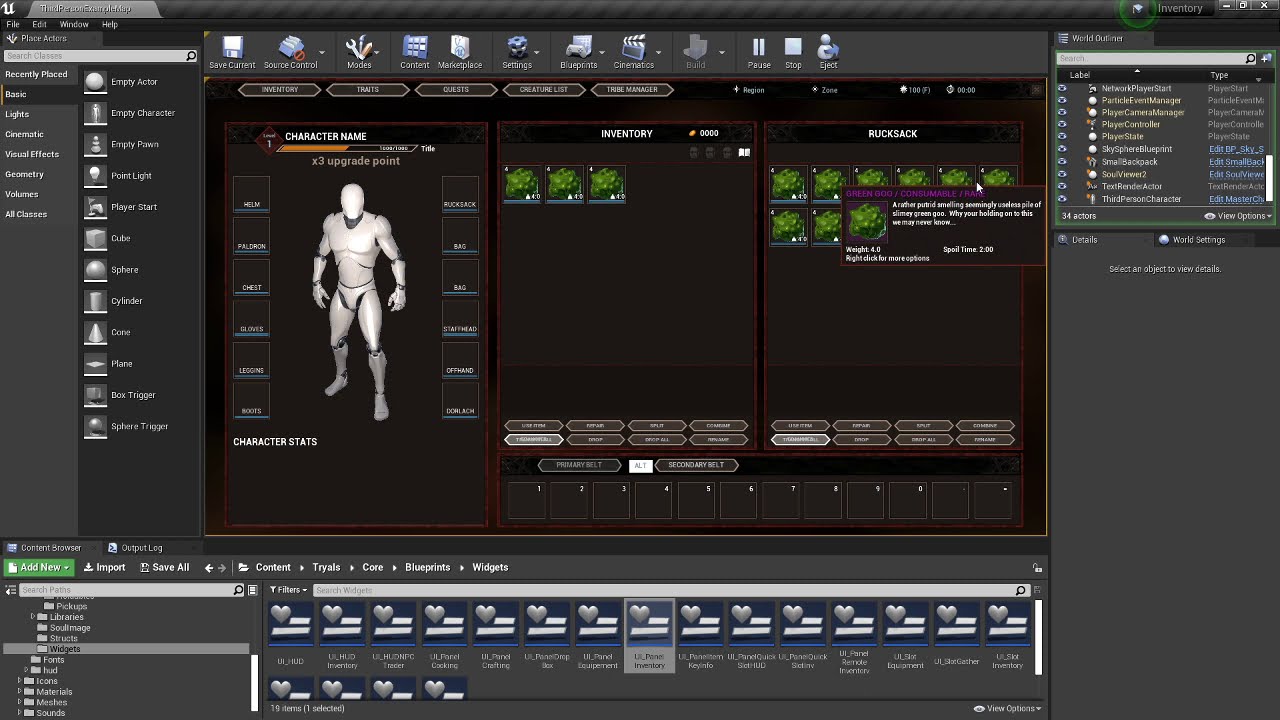
i have a major bug i can not replicate where my visibility does not set it self to visible. i try to replicate my code in a new project and the code work fine but in the original project it doesnt work. cant find the main issue for it.
orchid garden
here's a older video of the interaction popup:
https://www.youtube.com/watch?v=amYJG2nDvuo&feature=youtu.be
 unborn maple
the main issue is if i have more then 2 live the menu doesnt show but if i set my life to 1 the menu shows
primal smelt
Need to pick some brains. I'm just screwing around trying to come up with a hacky solution for some physics woes I'm having. Basically I've got a wheelchair that can go forward, backwards, left and right. As I'm trying to simulate the wheels being pushed I am using a blast of nice cool impulse from the appropriate direction at the mesh that comprises the chair. For what could be a vast number of reasons, keeping the bugger to go in a straight line is tricky so I've applied a constraint within the physics tab of the detail panel for the mesh - the XZ Constraint mode. What I've is so that when the player turns left and right the code will change from that constraint mode to another. This works just fine until I try going forward again. I've set it up so that the original constraint mode is activated when going forwards/backwards but it is not relative to the direction the mesh is currently facing. So if I go straight, turn 90 degrees left and then try to go forward again, the wheelchair will actually start bunny hopping to the side.
Anybody got any ideas for how I can swap the locked axis to be relative to the current forward vector of the actor/mesh? It does not seem to be updating and is doing it based on what the forward vector was to begin with, or so it would seem.
orchid garden
pareallel to the slope for?
honest raven
let me see if i have my mind right here. So when constructing this widget, i am getting all the widgets of a class, in this case PanelUI, and then since the index is 0 sized, only one object in there, i can set that object (PanelUI) into this variable called FoundWidgets.
and then that variable housing the data of the widget can then be used elsewhere?
orchid garden
found widgets will contain var references to all the widgets found of that type specified
honest raven
yeah and it only found the 1 available yeah?
dawn gazelle
honest raven
let me see if i have my mind right here. So when constructing this widget, i am...
If you know there's only one, you should do it like this. The "new var 3" in my example would contain the reference to the widget that was found.
orchid garden
if there is only 1 available yes, it'll return 1 in the array, and you'd want to get a ref to that one to set values for it or run functions off it like Datura's example
Get (ref) not Get (Copy)
rough jay
orchid garden
here's a older video of the interaction popup:
https://www.youtube.com/watch?v=a...
thats cool
orchid garden
rough jay
thats cool
alots changed in my project sense then
is this what your looking for?
https://docs.unrealengine.com/en-US/BlueprintAPI/Math/Geometry/GetSlopeDegreeAngles/index.html
Get Slope Degree Angles
couldn't you then use that angle to make your vector?
honest raven
Augh I feel like I have done everything needed but still not able to set the asset of the variable from within the door blueprint. No options available. So with the Get array node does the 0 in the textbox mean I am getting Index0 or that the Index is of size 0
In which case I'd need to change it to 1 since there is something in there
dawn gazelle
When dealing with Arrays, you deal with an index. The index is the position within the array. The first object in the array has an index of 0.
honest raven
Gotcha ok, so that's fine. So in the get all widgets of class area in the drop down I can choose various things one of which is PanelUI should i set that to PanelUI? Or just leaving it as Select Class should be fine
dawn gazelle
You set it to the class of widget you're looking to get.
honest raven
Ok so ill do that. Alright damnit thing work! WORK
dawn gazelle
When you change the class, you may need disconnect and reconnect the pins on the get as changing the class changes the array output.
Example: It's giving an array of Movie Pipeline Burst widgets.
Now it's giving editor utility widgets:
honest raven
Yeah it shows " Output, Panel UI Object Reference " which I then set into a variable called PanelUIRef
orchid garden
sometimes refreshing the node after changing the class will fix that
right click node -> refresh
 normal harbor
Hey, probably a really basic question but how can i set an objects rotation only for 2 axis?
i want the disk to follow the hands rotation
but not for the y
orchid garden
leave y unchanged? i.e. if say Y is originally set to 3, you'd just build a rotator for the x and z and set y to 3
honest raven
this should work yeah? still not getting any options anywhere. When it works right, where it says Default Value when i click on the PanelUIRef variable, i should be able to add something there yeah? Or would that option only come from elsewhere when i call this variable
orchid garden
normal harbor
get the hand rotation,and the objects rotation, break both rotations, make a rotation using x & z from hand, and y from object.
normal harbor
orchid garden
leave y unchanged? i.e. if say Y is originally set to 3, you'd just build a rot...
yeah i tried that but then this weird thing happens. hold on lemme send a picture of it
i was already doing that
orchid garden
what are you getting world rotation from?
orchid garden
try 'relative rotation' instead of world rotation
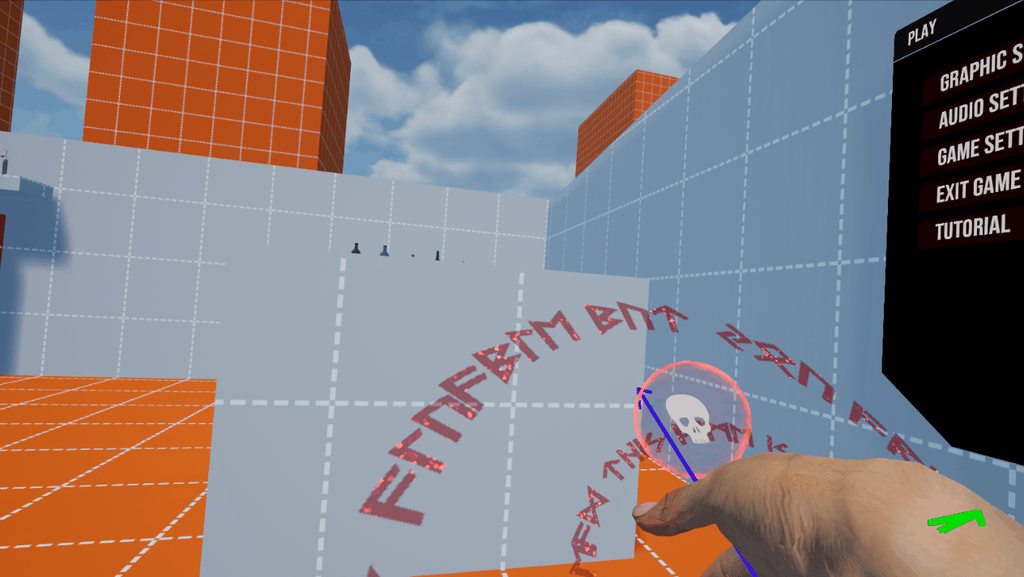 orchid garden
that a ui element attached to the hand?
normal harbor
its an actor
2 planes there
i didn't attached it because i didn't wanted it to copy the rotation too
i could be wrong with the approach tho
so i'm just copying the location
and rotation (trying to)
orchid garden
so it should stay facing forward, and not turn left with the hand when you wave it up and down?
but if you twist it it should turn?
dawn gazelle
honest raven
this should work yeah? still not getting any options anywhere. When it works r...
You don't need to set any default value in there. So long as the widget you're trying to get exists before this code is executed, then it'll get the reference to the first widget of the defined class it can find.
orchid garden
normal harbor
seems like your setting the wrong rotation to the object like it should be something other then x & Z sense its rotating up and down & left and right.
honest raven
Anytime I Play and then exit it gives me the good ol " None " error message after I exit
orchid garden
normal harbor
sure you don't want to just rotate it on the Y axis and leave x & z to their original?
normal harbor
i'm trying to do something like "choosing a spell by turning your hand"
orchid garden
try just rotating Y axis
normal harbor
kk
dawn gazelle
honest raven
Anytime I Play and then exit it gives me the good ol " None " error message afte...
Order of operations. Is the widget you're using this code in being created after the UIPanel is being created?
Oops not this one..
This is the image I meant to link:
honest raven
hmmm. Event Construct is the creation of the PanelUI widget?
dawn gazelle
In other words, you're running this code within the PanelUI widget itself?
honest raven
yeah
dawn gazelle
You don't need to within the widget. The widget can be referenced by "self"
The code above you'd use external to the widget.
After the widget is created.
orchid garden
(not self, the event constuct code)
dawn gazelle
Yes XD
honest raven
oooo .... alright. so how do i tell the door to wait for the creation of the widget and then create the reference to the widget so i can grab the boolean i need to trigger the door opening animation? cause originally it was a matter of " objects usually arent available to set like that as they are constructed during the game, not in the editor ". and so far my attempts to reference this widget inside the door blueprint have resulted in the None junk
just set a delay before doing the reference?
dawn gazelle
I'll answer that question as soon as you can understand why I wouldn't expect you to tell me how I can make my custom movement component to allow my wall running movement mode allow my player to jump.
honest raven
right i gotcha. im just trying to figure out, since this reference wont exist in the editor since the widget wont be made till the game starts, how to grab and use that reference after the game has started. am i understanding that correctly?
orchid garden
normal harbor
did that work to resolve the rotation?
orchid garden
with only y set? then somethings not getting done right for setting the planes position.
i mean if your getting the same results as X+Z being set as just Y being set. somethings not happening right.
dawn gazelle
honest raven
right i gotcha. im just trying to figure out, since this reference wont exist i...
Yes. But you have options there... You can make it so the door itself triggers the creation of said widget if it doesn't exist, or you create the widget before hand, and only when the door needs it does it try to get the reference.
normal harbor
orchid garden
i mean if your getting the same results as X+Z being set as just Y being set. s...
i'm testing this right now with different planes to see if its actually the problem.
I actually kinnda manged to pull it of
making rot from Y and then just getting x z
honest raven
ok, thanks Datura! I understand whats going on now
im guessing Create Widget is going to be my friend for this one. Thinking the simplest way at first would just to be to add a box collider to this object the widget is on, when the player enters the collider run the Create Widget that brings in the widget and all that good stuff. ill figure it out.
orchid garden
yeah you can do it that way, then save a reference to the widget, and when they exit, remove the widget using the reference.
sense mine is such a tiny footprint widget i just made it part of the hud, that way i can just hide or unhide it when needed via the hud reference.
whew 130 csv files done... now to format them for UE....
honest raven
this one is on an instrument panel near the door. it has interactive buttons on it one of which will open the door the other closes
i keep expanding upon this singular thing learning different things as i go along
orchid garden
don't forget to disable the widget buttons if your hiding / unhiding the close / open buttons.
dawn gazelle
Looks really good 😄
honest raven
Really fun though when stuff works lol
orchid garden
there is a tutorial on doing things like those thats pretty simple to follow.... it might help you abit OpticalPrime:
https://www.youtube.com/watch?v=_1zWWabWof0
What is the Widget Interaction Component in Unreal Engine 4
https://docs.unrealengine.com/en-US/Engine/UMG/HowTo/VirtualKeyboards
Source Files: https://github.com/MWadstein/UnrealEngineProjects/tree/WTF-Examples
Note: You will need to be logged into your Epic approved GitHub account to access these examples files. https://github.com/EpicGames/...
nice panel 🙂
 loud kelp
hey guys, i have a question interpolation time in blendspace in vertical and horizontal axis should be the same for the best result ?
honest raven
One thing that got me going was sizing the UI to the object itself. The screen ratio thing didn't seem to effect it so I'm sure it's likely blueprint driven to do something like get the size of the object the widget is on and feed those dimensions to it and such. I'll figure it out eventually
For now it's getting the buttons to work haha. I'll tackle that afterward
orchid garden
with interactive widgets, (on objects) its the object size for screen size.
check the little tutorial, its not really a fancy one but shows you how to set a basic button working using the widget interaction component.
honest raven
I'll take a look at it thanks for throwing it up there
orchid garden
im going to be doing something simular later on myself 🙂 first i gotta get all the basic mechanics done then off to the fancy stuffs 😄
tardy kayak
how would i go about getting the length,width and height of a actor in millimetres
dawn gazelle
tardy kayak
how would i go about getting the length,width and height of a actor in millimetr...
Something like this will work in getting the scale in UE4 units (which are in cm I think).
tardy kayak
ok thank guys
honest raven
Hey Datura you made any games yet? Or projects?
orchid garden
(im curious too heh)
dawn gazelle
I worked on a few mods for Conan Exiles about a year ago, which was my first exposure to UE4, I've been working on my own project on my own since then. I've dabbled with programming for over 20 years. No released games though <_<
 simple berry
hey i got a quick question, how can i use inverse kenimaics to make an arm dynamically follow a socket? basically i want the weapon to be controlled by the camera for consistancy, which means i need the arm to follow the gun, how would i go about doing that?
 queen lichen
@dawn gazelle hello there :), just wanted to let u know that the blue print you advice to use actually works with no issue. thank you
im alittle confuse as of why the score i made vanish right after, is it something to do with the level blue print?
this is the level blue print, but i doubt this is causing issue.
orchid garden
dawn gazelle
I worked on a few mods for Conan Exiles about a year ago, which was my first exp...
i've done a few mods myself for games 🙂 thats always fun to do, both for console and pc. Its all a hobby for me mostly. who knows though maybe i'll make something good 😄
i actually made the first ever follower for fallout 4 for the ps4, people said it couldn't be done because you couldn't do any scripting. it was fun proving them wrong heh 🙂
honest raven
Dabbled is about the right word for me with programming as well. First back in high school making a who wants to be a millionaire game using c++. Then the group project which was a Zelda clone lol. But since then my life never moved in the direction that gave me the time to do any sort of programming. Then Dreams came along and I made multiple games with a buddy of mine who is an artist both got MM picked and then I was like hmm ... Maybe I can try this Unreal thing
orchid garden
most my 'game like' programming was done in flash action scripting, making simple little side scroller games and card games... most my other programming knowledge is even more dated then that, except for backend web developement, did that up until 2 years ago.
probably forgotten more then i remember by far though lol 😉
dawn gazelle
queen lichen
im alittle confuse as of why the score i made vanish right after, is it somethin...
Nothing looks wrong in either of the blueprints you sent.
orchid garden
queen lichen
<@!218956378654507008> hello there :), just wanted to let u know that the blue p...
in the score widget, is the text field set to visible? (i mistakenly set one to hidden once.. spent hours chasing my tail)
tardy kayak
how do i get the local player controller for each player?
worthy frost
^
tardy kayak
do you mean get player index?
orchid garden
get controlling pawn ->get player controller ?
worthy frost
@trim matrix you have replicated properties, if you are not also setting them on server, then server is going to see them properties changed, and replicate its value, which are likely default.
but that is just a wild guess.
orchid garden
here's a simple tutorial that shows how to get the info for which player it is on both client and server and replicating:
https://www.youtube.com/watch?v=a8ukx6nPub0

An introduction to multiplayer replication in Unreal Engine 4. In this video, learn some basic techniques to effectively produce multiplayer mechanics involving server and client logic. Topics covered: Blueprint scripting, level blueprints, RPCs (Remote Procedure Calls).
LINKS:
Part 2 - https://youtu.be/TuyLaN3FJGo
UE4 Network Compendium - htt...
🙂 hope it helps
 pale viper
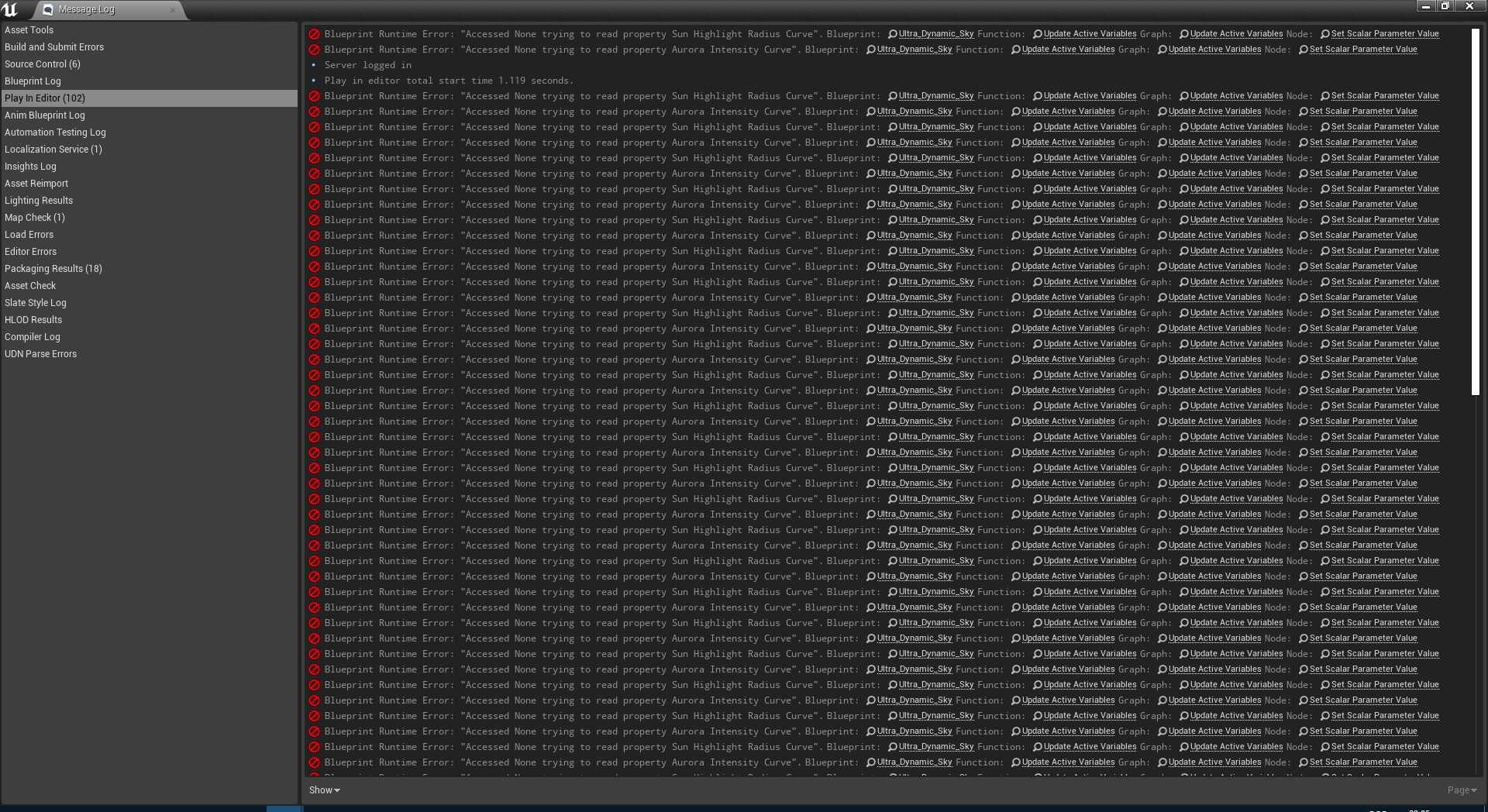
Hello, I imported "Ultra Dynamic Sky" for my project and put it in a folder for better organization. I’m getting these errors every time I quit testing in the editor:
https://imgur.com/qayErOH
https://imgur.com/MBYKayE
Does this have to do with changing the directory?
Thank you.
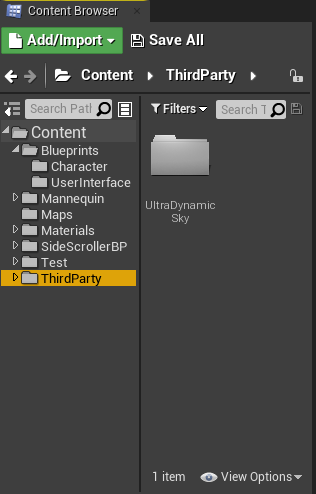 orchid garden
looks like during migration it lost the curve data specified in the blueprint, it happens sometimes, just go into the blueprint and reselect the curves for it.
(im guessing the curve data is set in class defaults to point to a external curve)
 sour urchin
where is ClientTravel function in BP?
orchid garden
I don't have ultra dynamic sky myself.
pale viper
@orchid garden Thank you
orchid garden
i donno Sebbi, i did that little tutorial and it worked for me in 4.25
 hybrid rapids
Noob blueprints question... how do I change this variable from a cinecamera actor to ANY actor with a cinecamera component? Im modifying this blueprint, and this variable is referenced many times. I dont want to break any of the existing connections. but I need to use actors that are not just cinecamera actors...
normal harbor
you can do something like this
change the reference to just Actor
and use this to get the cinecameracomponent from the actor
target should be the actor
dawn gazelle
Variables are normally private per instance, unless you're doing something that specifically makes them set on all instances (such as performing a multicast). "Get Player Controller 0" is also not good to use on pawns for control as Player Controller 0 on a server refers specifically to the first player, so if you have that in your pawn setup, you'll need to fix that.
 dark crow
For Pawn i think you can use Get Controller
You can just have Target self if it's in your Pawn
rough jay
normal harbor
is that the darkmode thing from epic 10 dollars?
orchid garden
.< 7hrs of csv editing... glad im finally done with that...
normal harbor
rough jay
is that the darkmode thing from epic 10 dollars?
Yup and its well worth it
So this goes back to my main question again but i think now i now the problem
if i ignore the Y axis
fore some reason unreal decides to multiply the rotatins with -
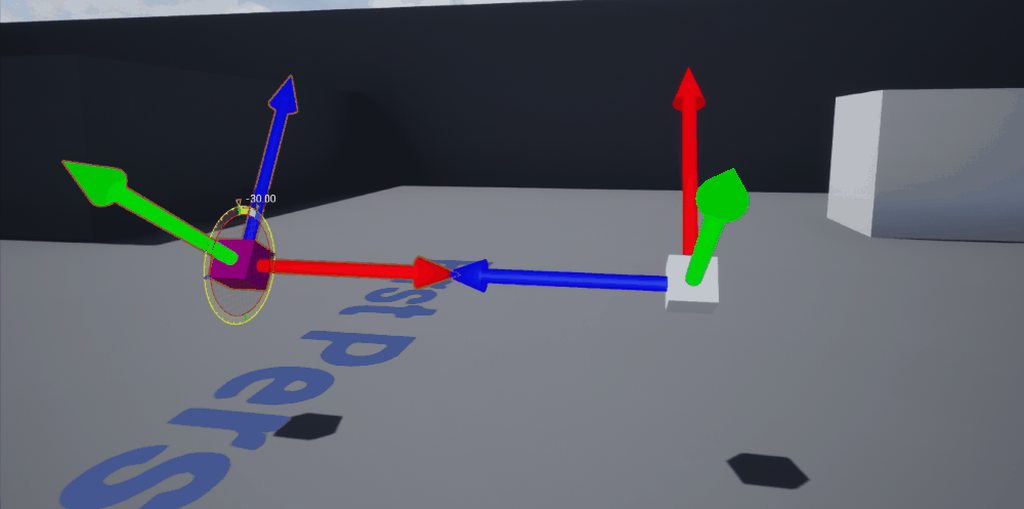
like this
i think this happens in every 90 degrees of rot
does anyone know a workaround for this
orchid garden
what do you mean about 'ignore Y axis' are you just leaving it zero? or setting it to the value of the one thats flipping rotation?
normal harbor
orchid garden
what do you mean about 'ignore Y axis' are you just leaving it zero? or setting ...
after the 90degree mark
orchid garden
normal harbor
even its juts zero
that is so wierd.... how are these two blocks setup?
 supple dome
@trim matrix use the Dynamic material one
normal harbor
orchid garden
that is so wierd.... how are these two blocks setup?
its pretty simple
orchid garden
UE works in -180 to 180 oddly, not 0-360
normal harbor
two cubes with arrow showing the directions
white one coppies the rotation of the first one and ignores Y
also something to mention
the gif is something else
orchid garden
are the cubes attached to eachother?
orchid garden
so your basically taking the rotation from one standalone cube and applying it to a second standalone cube and its flipping the values?
 neon forge
Hi everyone 🙂 I've been trying to hunt up a solution to this and can't seem to find the answer. I'll try to be as specific as possible.
Looking to start a movie, after hitting start, that will play before the player takes control of the character.
Now I'm not talking about going into project settings and adding a movie there.
It's not going to be a cinematic made with Sequencer, it's a video file.
What I've been finding is either playing a movie in the level (like a tv for example) or using the project settings for the opening credits, but that's not it either.
I'm thinking there's gotta be some blueprint stuff that needs to happen inside the Level Blueprints, rather it's tied to the Event BeingPlay node or it being a separate thing.
Sorry to text dump just trying to hit all the marks since I keep getting led to the same stuff, lol
normal harbor
@orchid garden https://www.youtube.com/watch?v=FXi_iOYYEvw&feature=youtu.be
neon forge
I have seen that documentation, and I had seen something in passing about using a widget in a UI blueprint but that did not go very far.
@normal harbor video is set to private
normal harbor
oh ell
@orchid garden https://www.youtube.com/watch?v=FXi_iOYYEvw&feature=youtu.be once again but now it should work
 neon forge
Lovely guys, I really appreciate it 🙂
 urban sphinx
Hi everyone! I recently set up a dialogue system where I now plan on having a camera switcher upon interaction.
However, by doing this I somehow need to reference the Camera component that is present in my NPC Blueprint within my Third Person Character. How can I do this? When I cast to "BP-NPC"it doesn't seem to exactly work..
trim matrix
@urban sphinx Hey man, I don't think you have to cast it, characters should have a controller
just grab reference of your NPC and plug it to the new view target
you can choose which camera you want to activate from your npc then just plug the new view target to your npc
urban sphinx
How can I reference my NPC in this scenario?
urban sphinx
Sphere Collision
static charm
the sphere collision will give you the reference
to the NPC
or anything you collide/overlap with
trim matrix
For my case since the bp nodes are placed on the NPC I just get a reference to self
and since my game is single player and only the player interact with the npc, I can use the get player controller node
it pans to the npc camera in 0.1 sec
 stuck hedge
Can you override a dispatch in blueprint on a child class, or do you need to make a new dispatch attached to the event?
orchid garden
normal harbor
<@!458977415176257536> https://www.youtube.com/watch?v=FXi_iOYYEvw&feature=youtu...
basically whats happening (made a little one to test with myself) is when your main actor is rotating past X point on one of the axis it inverts the other for the rotation.
trim matrix
@urban sphinx
urban sphinx
trim matrix
For my case since the bp nodes are placed on the NPC I just get a reference to s...
I think mine doesn't work due to it being an Interaction Interface that is currently assigned to an NPC
trim matrix
It's all about the nodes and reference
where u place it doesn't matter
so first you want to get basic interaction going
as simple as printing hello when u collide with the npc or interact with itr
orchid garden
normal harbor
<@!458977415176257536> https://www.youtube.com/watch?v=FXi_iOYYEvw&feature=youtu...
i made this test cube:
urban sphinx
trim matrix
as simple as printing hello when u collide with the npc or interact with itr
That is set up
and after the interaction, the camera work would change
trim matrix
yeah, so what are you having problem with?
urban sphinx
the camera is currently bugged due to not having the NPC Camera (Dialog Camera) being properly referenced in the New View Target within the Third Person Character Blueprint
The Camera component reference is not compatible if I try to get the Dialog Camera:
https://gyazo.com/c10242e1a483b3ef2ed75f0420fb269e

@trim matrix
 earnest hawk
Hello Peeps, relatively new to Blueprinting in UE4 and I'm trying to make something work for a project and would really appreciate some help. I need the player character to be able to play a sound attached to it based on the distance to a moving enemy actor and then adjust it based on the volume of that enemy actor. I haven't got much of a clue how to set this up so any help is appreciated 🙂 Thanks in advance , Shane
normal harbor
orchid garden
i made this test cube:
Aand what would do you think should i do. I want to take the x and z rotation from the other cube but keep the y
honest raven
Hey @orchid garden any idea why, now that I have this widget being created by an event, I am no longer able to click on my buttons? Before I could walk over and click my buttons and see the animations and such and it was fine. Now that I got the referencing working suddenly my buttons don't work lol
And that red dot is gone that used to appear when I was around the widget
So it's like the widget isn't there. Or something funky is happening during the creating of it
 native plover
Why does the arm go back during the grab process? https://i.gyazo.com/730e0799b2d096a7571563a730a9f42e.mp4

im guessing it's because the socket is using relative location and not world ?
but the node get socket location says it's using world location 🤷♂️
Anyone ?
 cobalt temple
Oh I think I fixed my bulldozer jitter
tweaking physics settings
but I noticed, before and after the fix, my firefighter character pawn can bump my 3,000 kg dozer, and make it shake around. Is there a way to prevent this easily?
 atomic prairie
Hey!! I added coins can be collected in the levels, but the coins load each time the level is reloaded, so the player can collect them indefinitely, how can I do this that each corner is harvested only once?
earnest hawk
earnest hawk
Hello Peeps, relatively new to Blueprinting in UE4 and I'm trying to make someth...
Anyone who might have an idea ? 🙂
rough jay
play a sound attached to it based on the distance to a moving enemy actor different sounds for different distances?
 soft orbit
Does anyone know of any good ways to successfully spawn weapons on the player when they load in, inside of a multiplayer environment?
My goal is to have the player load in, select their weapons from a menu and when they press OK, they spawn in with the selected weapons on their person. I’m currently doing this on begin play but it’s very buggy, spawning two weapons, can’t pick up other weapons, etc.
earnest hawk
rough jay
```play a sound attached to it based on the distance to a moving enemy actor``` ...
same sound , different volume. Basically the game mechanic is an item that makes more sound the closer the enemy gets
maiden wadi
@soft orbit Be careful with using beginplay in multiplayer. Remember that this will fire again for the same actor if another connection loses this actor's relevancy and then "respawns" it when it becomes relevant to that connection again. This is semi fine if you're doing beginplay work behind a authority or isserver check, but realistically it should just be state based with replication. Meaning that you're more likely to have better design flow if you create yourself an execution line that allows for the server to spawn the weapons and "equip" them, in much the same manner you would normally equip weapons when picking them up. IE, player selects weapons on widget, widget gets local player controller and makes RPC to server saying they're ready to spawn with selected classes of weapons. This RPCs to server. Server side of controller gets game mode and requests that the player spawn with selected items. Here you can also add checks if you want to see if those weapons are allowed, etc. And then if everything runs smooth, spawn the character. Spawn the secondary weapon and call it's equip for the player, then spawn the primary weapon and call it's equip, call possess on the pawn from the controller that requested it. Now logically speaking it'd be as if you spawned in a pawn, and just picked up a secondary and then a primary weapon. Beginplay should usually be reserved for things like UI updates, bindings, etc. Stuff that you need to happen when that actor becomes relevant.
queen lichen
@orchid garden sorry for the wait, it seems that its visable 😦 but still isnt able to show
visible
trim matrix
damn rn I'm so confused on something and it is probably really really simple to someone who is experienced with UE4, if anyone is here rn and could maybe have like 3-5 minutes to help out, could I go on a quick call and show the thing I'm confused about? ty to anyone whos willing to help I appreciate it
cold raft
maiden wadi
<@!166302762156556289> Be careful with using beginplay in multiplayer. Remember ...
Thanks for that explanation - I am not doing multiplayer, but that was really useful in terms of setting up the load process.
rough jay
earnest hawk
same sound , different volume. Basically the game mechanic is an item that makes...
i think u can spawn sound variable it and set its volume multiplyer and do some vector math
maiden wadi
I used to do a lot of stuff for multiplayer testing on beginplay. It works for testing, but for actual application, it's a bit rough. You'll end up with a lot of branching logic between IsServer, IsLocallyControlled, or what needs to run on all.
cold raft
earnest hawk
Hello Peeps, relatively new to Blueprinting in UE4 and I'm trying to make someth...
Is the sound meant to come from the enemy actor? You could have the actor play the sound from its location and play with the attenuation - it would be more realistic that way as well, and you don't have to worry about distance calculations.
 shadow saddle
anyone know the technique or rather keyword that allow you to move your character using ur mouse ? i mean like when u move ur mousse to the left the character hips also move to the left , when mouse to the right hips also to the right , basically controlling chara movement using mouse
 tiny meteor
bind character movement to mouse delta event
shadow saddle

tiny meteor
@shadow saddle
shadow saddle
tiny meteor
<@!272995232017285121>
tq so much
tiny meteor
that will only work if your pawn has a charactermovement component
 sweet swan
How do I get the "My blueprint" tab back onto the bp?
tiny meteor
XY axis will return current mouse position, the delta will return how much it has moved this frame
sweet swan
with the functions, variables, etc
tiny meteor
window->my blueprint
sweet swan
shadow saddle
tiny meteor
XY axis will return current mouse position, the delta will return how much it ha...
that pic is for entire chara not specific bone right
soft orbit
maiden wadi
<@!166302762156556289> Be careful with using beginplay in multiplayer. Remember ...
Thanks! Will try this out
edgy halo
I am storing some variables in my gamemode. How do I access it in a level blueprint?
tiny meteor
@shadow saddle yes
sweet swan
tiny meteor
got it, thanks. that was weird lol
tiny meteor
use get game mode node
make sure the variables are public
(click the eye next to the var in gamemodeBP)
edgy halo
tiny meteor
(click the eye next to the var in gamemodeBP)
I have done that
shadow saddle
ok tq
tiny meteor
is your game mode set to the default one in world/project?
you can set the maps gamemode here, or the default game mode for all maps in project settings
dull gale
what am I supposed to connect to the rotation? I've tried getting a rotator from the camera direction and one from the impact normal (using line trace)
maiden wadi
@dull gale Hard to say. Looks like the direction the decal component would face. First impression would be to invert the hit normal by multiplying it by -1, convert that to a rotator and use that.
dull gale
let me try that
maiden wadi
You may also want to add the hit normal to the hit location. Decals usually need to be spawned slightly away from what they're projected onto.
dull gale
so hit location + hit normal for location node?
maiden wadi
Possibly. I'm not sure how thin the decal components are from that node. Used to using my own actors/components for it.
dull gale
nothing seems to work, I hate vectors ahah
maiden wadi
Let me run a quick test with that and see.
dull gale
oh shit
I got it
the problem seemed to be the size, well, I tried so many things that I must have missed the right combination with the size
queen lichen
so looking more into the scoring system, i still don't see why this isn't showing 😦 . i have another blue print layout without the two blueprints circled, but it still doesn't show during gameplay. the level blueprint is already calling the widget score. does anyone have any idea what small error that could cause it not to show?
orchid garden
queen lichen
so looking more into the scoring system, i still don't see why this isn't showin...
you have a error in your bit there @queen lichen your taking your buildstring and converting it back to a int, then making that int to text, you should just be doing this instead:
solemn parcel
Where can I lenghten a projectile lifetime ?
queen lichen
orchid garden
you have a error in your bit there <@!299761587252756481> your taking your build...
i got the "to text (String)" on both, its still isn't showing 😦
orchid garden
whats calling the function and whats done with the result?
 zenith scarab
@solemn parcel depending on the way you set it up, if its set by the actor default value "life span" then there, if its inside your code depends on how its done there
queen lichen
@orchid garden this is the pawn calling the points
solemn parcel
@zenith scarab Didn't set up nothing about the lifetime, except a spawning and actor destroy in the code. I tried life span but doesn't seem to have any effect
zenith scarab
Okay then its the actor destroy
What did you do there ? Destroy actor on cillision ?
queen lichen
orchid garden
whats calling the function and whats done with the result?
this is the level blue print calling it (im sure its not causing the issue)
solemn parcel
@zenith scarab destroy actor On Hit Event
queen lichen
pawn destroying actor yes
solemn parcel
But
zenith scarab
solemn parcel
<@!166579450312392704> destroy actor On Hit Event
If you add a delay between hit and destroy it will stay longer after hit
orchid garden
your saving the score on the actor your destroying?
solemn parcel
@zenith scarab even without the Destroy Actor, the projectile still get automatically destroyed after a certain period of time (around 2.5 sec)
tiny meteor
may be a property of a projectile component
queen lichen
orchid garden
your saving the score on the actor your destroying?
the pawn should be sending the score to the point system, and destroying the score object(s)
zenith scarab
solemn parcel
<@!166579450312392704> even without the Destroy Actor, the projectile still get ...
Does it derive from a parent projectile class ? Or look in the projevtile component if there is a life span there
orchid garden
queen lichen
the pawn should be sending the score to the point system, and destroying the sco...
oh derp i read that wrong.
queen lichen
this is the score fonts, one each having there own score blueprint that still isn't showing, but when i add a function to them, they disappear
might as well show it since it might be a silly issue thats been over seen @_@
solemn parcel
Nah it is on his own BP. I've tried quite some options in the projectile component but for some reason nothing that changes this.
queen lichen
these? @solemn parcel
orchid garden
queen lichen
this is the score fonts, one each having there own score blueprint that still is...
if you just printstring the score does it show the score?
urban sphinx
Hey everyone, I am working on a camera that is currently bugged due to not having the NPC Camera (Dialog Camera) being properly referenced in the New View Target within the Third Person Character Blueprint. (I'm trying to create a Camera Swap after the player interacts with an NPC)
The Camera component reference is not compatible if I try to get the Dialog Camera, any ideas on how I could solve this?
https://gyazo.com/c10242e1a483b3ef2ed75f0420fb269e
zenith scarab
solemn parcel
Nah it is on his own BP. I've tried quite some options in the projectile compone...
Okay so its an actor not a child of another projectile BP
@urban sphinx is the camera inside the npc or the player
solemn parcel
@zenith scarab this is the setup
urban sphinx
zenith scarab
<@158703203611967488> is the camera inside the npc or the player
Within the NPC, where I need to somehow reference it in the Player Blueprint
zenith scarab
Is it the only camera in tgehere ?
queen lichen
orchid garden
if you just printstring the score does it show the score?
it doesn't even with string
zenith scarab
*there
urban sphinx
zenith scarab
Is it the only camera in tgehere ?
yes
queen lichen
maiden wadi
@urban sphinx SetViewTargetWithBlend's target requires an actor reference.
zenith scarab
Use the npc refernece not the camera refernec
orchid garden
urban sphinx
Hey everyone, I am working on a camera that is currently bugged due to not havin...
this maybe?
queen lichen
@orchid garden a closer look, sorry for the zoom out
solemn parcel
Oh wait it could be the end point of the projectile
urban sphinx
zenith scarab
Use the npc refernece not the camera refernec
Like this?
zenith scarab
Do you have a direct refernce to your npc
You said you are interacting with it somehow
zenith scarab
solemn parcel
Oh wait it could be the end point of the projectile
The what?
orchid garden
queen lichen
it doesn't even with string
so... if you take and do a printstring off the tick for puppy pawn, and just print the score var thats stored on it it shows nothing? but the pickup is being destroyed?
urban sphinx
Yes, whenever the player's Sphere Collission interact with the InteractionInterface that is assigned to the NPC
@zenith scarab
queen lichen
orchid garden
so... if you take and do a printstring off the tick for puppy pawn, and just pri...
ya it doesnt showing anything when i start the game, the pick is being destroyed.
solemn parcel
before the projectile is spawned, a line trace is used for the AI to check if it is the player colliding with trace first, if it is, then the projectile is spawned with some Add Impulse, using the same start and end points as the line trace (AI Char to Player).
but because it Adds impulse, the end point shouldn't matter
zenith scarab
That normally shouldnt matter
zenith scarab
urban sphinx
Yes, whenever the player's Sphere Collission interact with the InteractionInterf...
Okay so when then changing the camera get the interface of the npc you are interacting with, use get owner on that interface and plug that in the set view target
queen lichen
its a long shot but can this effect the resault? @orchid garden
 chilly jetty
Hi I wanna use a Nav link proxy to make a basic AI to jump
queen lichen
the score i mean
chilly jetty
how can I use it on a actor without the AI component
orchid garden
queen lichen
the score i mean
so this on puppy pawn displays nothing on the screen when the pickups are destroyed?
zenith scarab
@chilly jetty as far as i know you cant, you can make box colliders for example and zhen once the actor overlaps do the jump stuff
urban sphinx
zenith scarab
Okay so when then changing the camera get the interface of the npc you are inter...
how do I get the interface of the NPC?
https://gyazo.com/6daceacc16286f78da72a6486556eef0

 chilly jetty
@zenith scarab well okay its an AI but its not a complex AI with an AI controller
zenith scarab
Didnt you store it in an array @urban sphinx
queen lichen
orchid garden
so this on puppy pawn displays nothing on the screen when the pickups are destro...
numbers are working
chilly jetty
this is my basic Zombie chasing enemy
I need it to jump onto platforms to keep on chasing the player character
orchid garden
queen lichen
numbers are working
okay so the score is being set on puppy pawn without a problem... what calls the function to build the score text?
urban sphinx
zenith scarab
Didnt you store it in an array <@158703203611967488>
Yes
orchid garden
queen lichen
numbers are working
tip with printstring off on tick - uncheck print to log, and set delay to 0.0, you'll get a single line for the thing your printstringing 🙂
zenith scarab
Use that array, get the appropriate item drag off of the get and search for owner
queen lichen
orchid garden
tip with printstring off on tick - uncheck print to log, and set delay to 0.0, y...
good advice 😄
zenith scarab
@chilly jetty maybe ask in the ai channel since its ai related
orchid garden
queen lichen
good advice 😄
so after you add to the score and destroy the actor, what calls the function to build the score text?
maiden wadi
@urban sphinx You need to cast it back to the type you're using it as. It may be easier to keep an actor array than an interface array.
queen lichen
orchid garden
so after you add to the score and destroy the actor, what calls the function to ...
are u referring to this 😮 ?
orchid garden
yes
queen lichen
puppy_pawn
zenith scarab
@queen lichen does the cast even return true?
orchid garden
queen lichen
puppy_pawn
yeah but how? your not doing it in your begin overlap?
zenith scarab
Is the binding assigned to your text
maiden wadi
What about printing the score inside of the binding?
orchid garden
is it a binding @maiden wadi ?
maiden wadi
🤷♂️ I dunno. Looks like a widget binding.
queen lichen
do i need to add "Variables" in the functions?
orchid garden
maiden wadi
🤷♂️ I dunno. Looks like a widget binding.
thats what i was trying to find out, if it was a binding, was he calling it from another function, is it a interface etc.
maiden wadi
@queen lichen Print in the function and print the score on the success part of the cast. Does it print, and print the correct score?
zenith scarab
Okay so is your players pawn the puppy pawn ? Because the game mode you showed there says sth different @queen lichen if its not the cast wont ever return true
orchid garden
queen lichen
do i need to add "Variables" in the functions?
um... you know.... looking at your screenshot of the printstring.... is your widget even added to the screen? you showed a shot of the widget with the default text of 'score' in both text fields but... in the printstring screen there isn't any text from the widget on screen
zenith scarab
queen lichen
this is the level blue print calling it (im sure its not causing the issue)
Yes its added
But as i said, if the puppy pawn isnt the players pawn class a cast using zhe player pawn reference to the puppy pawn will return false, use get owner(of widget) instead to cast @queen lichen
solemn parcel
@zenith scarab ProjectileComponent was on Auto-Activate, once this desactivated, lifespan works
zenith scarab
Okay so the life span is somehow derived by the projectile component
Go over the variables in there
Maybe try changing the max simulations amount
solemn parcel
@zenith scarab I mean, now everything works perfeclty, I can fix an initial lifespan number 😉
zenith scarab
Aslong as the projecrile sruff works
orchid garden
queen lichen
it should be <@!166579450312392704>
luis means this one:
zenith scarab
Nope
Just get owner
Because it seems like his player pawn isnt the puppy pawn
In the widget blueprint there should be sth called owner
orchid garden
zenith scarab
Nope
get owner off a widget reference gives me nothing.
queen lichen
the new player pawn didnt work 😦
maiden wadi
@queen lichen You really just need to put a print in the function. One for cast failed, one for cast succeeded, and print failed on the failed side, and the score on the success side.
zenith scarab
Yep
maiden wadi
Do that, and tell us what it says, otherwise we're just going to be throwing random stuff at you.
zenith scarab
Thats how we find out of the cast works
But since the value setting works it must be the cast thats not working because it deosnt print anything, thats why i asked if the player pawn class is even the puppy pawn
orchid garden
@zenith scarab for getting a owner refrence from a widget, either by a widget reference, or by a self reference, this is all i get:
queen lichen
try unchecking the context senstive?
maiden wadi
@queen lichen What does it print?
orchid garden
sits back and listens to @maiden wadi
zenith scarab
An easier way to get the owner is by creating a variable of type puppy pawn set it to be expsoed on spawn and then set it when creating the widget, using that variable you have the exact owner of the widget you want your score from
queen lichen
its not showing anything on play-mode
zenith scarab
orchid garden
<@!166579450312392704> for getting a owner refrence from a widget, either by a w...
Yeah my bad
queen lichen
quick note, could this be saying something?
it says "Disableallscreenmessages" to suppress
orchid garden
no that doesn't mean anything
queen lichen
ok just want to make sure
orchid garden
you don't want to disable screen messages 😉
zenith scarab
queen lichen
its not showing anything on play-mode
Thats why i asked over and iver again if puppy pawn is your player
Because as we found out now it isnt
Thats why there is nothing returned
queen lichen
base on the puppy pawn?
zenith scarab
I asked if the player you are using is the puppy pawn, because the pawn u are using inside your game mode isnt
orchid garden
@maiden wadi nothing being printed from cast
zenith scarab
Try my approach i described above
Otherwise if your player pawn should be the puppy pawn set it inside your game mode
trim matrix
@urban sphinx It's not compatible because the new target takes on an actor
queen lichen
omg
trim matrix
@urban sphinx All you have to do is passing the actor through the interface
zenith scarab
... 😂
queen lichen
all because of game mode selection was off
zenith scarab
Yep thats what i said
maiden wadi
For the record. GetPlayerPawn/Character, is the same as getting the player controller and getting it's possessed pawn.
You should generally be aware of what your controller is possessing.
queen lichen
@orchid garden @maiden wadi @zenith scarab u guys are and gals are gods 😭 now i just gotta spawn the puppy to the game.
THANK YOU ALL SO MUCH ❤️
orchid garden
queen lichen
<@!458977415176257536> <@!143471961723371520> <@!166579450312392704> u guys are...
easiest way
over in the 'place actor' panel, search for playerstart
solemn parcel
@zenith scarab For some reason, upgrading the scale of the Sphere reduces the lifespan considerably
zenith scarab
Hmmmh, maybe it has sth to do with the velocity
Bigger sphere --> smaller velocity
--> smaller life time
 delicate scroll
(Fairly new to the Unreal) Hey, sorry to interrupt. I'm just getting an error and can't figure out a solution. I'll try not to ramble on too much with info...
So, I am creating a proximity explosive (like a thrown mine). I have 2 blueprints for this. 1: the Explosion_BP, which handles the explosion particle and the box trigger that will activate the explosion and deal damage to characters in the area. 2: the Bomb_Proxy, which is the projectile that when thrown - will deal damage to a character it hits and keep moving, then when it hits a wall it stops moving and spawns the Explosion_BP at it's location.
When I place the Explosion_BP in the level (to make sure it's working) it works. The problem comes from when I throw the projectile. The moment it hits the wall, it crashes and gives me an error, saying there is an infinite loop coming from the delay in the Explosion_BP. If I get rid of the delay, there is another infinite loop coming from another part of that BP, etc... I've been fiddling with it for some time and can't fix it. I've still got a few ideas... But no real idea as to a solution, just guess work haha.
zenith scarab
solemn parcel
<@!166579450312392704> For some reason, upgrading the scale of the Sphere reduce...
Look inside your projectile component there is sth called bounce velocity stop simulating treshold, change that number to 0
solemn parcel
@zenith scarab Seems linked to the WorldStatic Collision Responses
queen lichen
@orchid garden @maiden wadi @zenith scarab thank you for helping me 😭 ❤️ i suck at blue prints but im learning! have a good night 🙂
orchid garden
queen lichen
<@!458977415176257536> <@!143471961723371520> <@!166579450312392704> thank you f...
you too
solemn parcel
Just tried, doesn't change. But when I put the collision of the sphere, WorldStatit to ignore, it works
delicate scroll
*fairly new to the Unreal Engine lol
orchid garden
queen lichen
<@!458977415176257536> <@!143471961723371520> <@!166579450312392704> thank you f...
why the sob?
still problems?
zenith scarab
solemn parcel
Just tried, doesn't change. But when I put the collision of the sphere, WorldSta...
Whats the collision type of the sphere itself
zenith scarab
Ignore world dynamic, so each projectile wont block another
solemn parcel
You are right, did it
orchid garden
zenith scarab
Ignore world dynamic, so each projectile wont block another
won't that ignore dynamic objects (moveable) in the world as well?
solemn parcel
@orchid garden It should, but I got destroy actor on any dynamic hit
orchid garden
i.e. a static mesh set to moveable?
zenith scarab
It will ignore items with type world dynamic
solemn parcel
So the easy solution would be to Ignore World Static, but by doing this, the projectile goes through walls
orchid garden
hrm guess overlap with world dynamic would work if you wanted the projectile to be able to effect certain moveable static meshes. (sorry i may be overthinking things too i do that sometimes heh)
solemn parcel
Need to make some tries for this !
queen lichen
orchid garden
still problems?
im all good ❤️ dont worry, in future issues, i know where to go n.n
cold raft
What's the preferred way to move my character forward when both mouse buttons are pressed (like World of Warcraft)? I am currently doing the screenshot and it points the character in the right direction, but only moves a tiny bit. Should I use Event Tick or is there a better way?
maiden wadi
Things like this with input are normally best done on triggered timers, but in this case AddMovementInput is best done on tick. Realistically it might be best just to put a check on tick to see if both mouse buttons are down, if so, add the movement.
cold raft
maiden wadi
Things like this with input are normally best done on triggered timers, but in t...
Cheers for that - after being on here for a few months, I have gathered that EventTick is always to be avoided. I'll try this out.
maiden wadi
@cold raft Avoided, no. Used correctly, yes.
If you have stuff that needs to update every frame, you have stuff that needs to happen every frame. I see people avoiding tick by doing stuff like putting stuff on timers near the framerate. And it's no better, even worse really since a timer can actually fire twice in one frame and run the function twice if it's faster than the framerate. For instance, stuff like line traces to detect what the player is looking at, those can easily go on timers for like ten to fifteen times a second, they don't need to happen every frame. Where as input checks can start to feel laggy to a player if they're not checked often, that's why Axis events run at the speed of the framerate as well.
delicate scroll
Hey, sorry just looking for some insight
. I'm just getting an error and can't figure out a solution. I'll try not to ramble on too much with info...
So, I am creating a proximity explosive (like a thrown mine). I have 2 blueprints for this. 1: the Explosion_BP, which handles the explosion particle and the box trigger that will activate the explosion and deal damage to characters in the area. 2: the Bomb_Proxy, which is the projectile that when thrown - will deal damage to a character it hits and keep moving, then when it hits a wall it stops moving and spawns the Explosion_BP at it's location.
When I place the Explosion_BP in the level (to make sure it's working) it works. The problem comes from when I throw the projectile. The moment it hits the wall, it crashes and gives me an error, saying there is an infinite loop coming from the delay in the Explosion_BP. If I get rid of the delay, there is another infinite loop coming from another part of that BP, etc... I've been fiddling with it for some time and can't fix it. I've still got a few ideas... But no real idea as to a solution, just guess work haha.
maiden wadi
@delicate scroll Out of curiosity, is there a reason you need two different classes for this?
delicate scroll
@maiden wadi I couldn't figure out to use multiple collisions in a single blueprint. I mean, I could put them in, no problem. But when I did, the projectile would stop movement immediately. This is my setup for the projectile (Bomb_Proxy):
maiden wadi
Personally. I'd probably have just made a single projectile. Put a component on it that ignores pawns and blocks against anything it can stick to. Put a second component on it for overlapping the stuff it can damage while moving. On the secondary component's overlap do damage like you're doing, and on the root component's event hit you'd stop projectile movement, possibly destroy the projectile movement component, and resize the overlap component to turn it into the detector for explosion, run one check to make sure nothing is near that needs it to explode, and then you can just make it explode on the overlap.
Keeps the logic contained to one class, and you can even easily subclass it for different effects or damage types if you want.
Cleaner hierarchy in the end.
cold raft
maiden wadi
If you have stuff that needs to update every frame, you have stuff that needs to...
That works really well - thanks again (though I see now I need to remove my GetAllActors of Class from Event Tick [that was my first day learning UE4])
maiden wadi
It's okay for testing, but yeah. Usually you'd want a cleaner way to get those actors.
worthy frost
like have them actors register with a central manager class
and just loop over a small subset
maiden wadi
On a side note, I'm also working on inventory stuff, and I'm already so done.
primal smelt
I'm sure this is going to require an animation solution which is on my "research later" pile, but just in case: Does anybody know if it is possible to have - say, specifically my scenario - have a wheelchair wheel physically react to the floor WITHOUT causing any friction on the wheelchair's movement? In other words, have the wheel rotate accurately based on how it reacts to the ground but don't slow the whole wheelchair actor down?
Basically what I am trying to do is have it so the player can lock a wheel from turning so they can spin on a dime. Trying to do this purely with physics is incredibly wonky, blocking the rotation of a wheel just causes the whole thing to jump and jitter in ridiculous ways. If I could have an invisible wheel do all the physics stuff in making the wheelchair move and on top of that a visible wheel that reacts to the movement of the wheelchair along the ground but has no influence on how it moves, then I can just lock the visible wheel down and use forces to manipulate the wheelchair appropriately. Anyone got any ideas?
*whoops, I of course meant lock thge VISIBLE wheel down, at the end there
 slate apex
Anyone here know of the best way to create an 8-Directional flipnote changer? Id este meaning i want the sprite to switch flipnote toward the direction they're moving without other inputs overlapping the initial, or simply using a sensor of sort to detect which direction the player is actually moving. (I'm making a top down paper2d sprite game.)
And i'd have 8 animation outputs, excluding idle.
 pliant tendon
hello
is there a way to pass in a value through an event
i want to do something like this
but with onclicked
which is an engine event
delicate scroll
@maiden wadi So I wasn't able to figure it out, but I have to go. So I will be back at it later. Thanks for the help
cold raft
maiden wadi
On a side note, I'm also working on inventory stuff, and I'm already so done.
I started to make my own inventory system but then a pretty good one was free on the marketplace so I am currently using that. Lots to manage 😦
maiden wadi
I don't know why, but I don't care much for using programming plugins. Even graphics stuff I tend to go through and pick through it and then reoptimize their "optimized" versions, but for programming, I need to know where my logic is going and I'd rather just learn and write it myself than spend the same amount of time following someone else's code.
 dense mica
maiden wadi
I don't know why, but I don't care much for using programming plugins. Even grap...
dense mica
maiden wadi
I don't know why, but I don't care much for using programming plugins. Even grap...
"Reoptimize their 'optimized' versions"... that sounds very cool 😄
But yeah, you're %100 right, even Unreal itself is open for reoptimizing, and thats why I hate most of the marketplace assets, I usually use Code Plugins but for anything else, especially if its a blueprint asset, I dont even touch
 versed stirrup
I have two buttons for my character selection, and when one is chosen i set the variable "Current Character" to 1 and 2 depending on the character chosen, but this variable isnt changing from its default value of 0 for some reason. Any ideas?
primal smelt
versed stirrup
I have two buttons for my character selection, and when one is chosen i set the ...
I'm still very much a beginner myself but a blueprint interface should work - I find it a reliable way to pass variables between blueprints
Haven't watched this video for a while but can't go wrong with a bit o' Wadstein: https://www.youtube.com/watch?v=G_hLUkm7v44&t=273s

What is a Blueprint Interface in Unreal Engine 4 Blueprints?
Source Files: https://github.com/MWadstein/wtf-hdi-files
versed stirrup
alright will check that out, thanks
primal smelt
versed stirrup
alright will check that out, thanks
Oh one thing I just thought, is that a custom game mode or a default?
versed stirrup
im not really sure, i dont remember. Ive been following a tutorial series up until now since im trying to add a few things that werent on there. Hence why im having troubles now haha
primal smelt
versed stirrup
im not really sure, i dont remember. Ive been following a tutorial series up unt...
haha yeah similar gig with me, I'll grind out research whenever necessary or needing to learn some higher concept stuff to do what I want to do but in between I just experiment and see what works. When it all comes crumbling down in fire I jump on here to ask questions 😉
But one thing to consider - this may not be the case at all - but you may need to create your own custom game mode to be able to reference it properly. I might be wrong but worth looking into!
orchid garden
dense mica
But yeah, you're %100 right, even Unreal itself is open for reoptimizing, and th...
blueprint assets make good learning tools if your working with just blueprints, i've bought several just to pull apart and see how they did it so i could attempt to do something similar myself.
neon forge
hey gang, I'm trying to swap out the audio from the above file, but it keeps recalling the original audio source.
I feel like I've changed everything I could change.
I'm pulling it from my computer, do I need to pull it into Unreal itself?
orchid garden
far as i know that would be a yes
orchid garden
nah, big difference between knowing how something works and being dumb 😉
like i just learned if i have a cvs file formatted properly, i can just drag and drop it inot UE and it'll let me choose the database structure and import all the info into a new file without having to create a database table first and setting the structure for it.
the new database table takes the name of the csv file too so saves me some time 🙂
neon forge
nice 🙂
 meager idol
Sup, im trying to set a hand IK position. The sphere is set where i want it (Via code, dynamicaly) and i have that position in world coordinates, but when i transform it to bone space an apply the IK via fabric it's for whatever reason shifted upwards some
This is how im setting the position and transforming it to bone space
These are my fabrik settings
Considering the sphere is set correctly but not the IK i assume it's probbable some issue with the coordinate space conversion
 blazing prism
Hi i need some help with a spline, I got it to rotate slightly at each point but id also like the ability to scale as well, as im making some tentacles for a cthuhlu type scene so some size variation would help, but i cant figure out how
is anyone able to help i can provide more bps if needed
orchid garden
wouldn't the distance between spline A & spline B control the scale of the object between them?
blazing prism
im not sure im not super confident in bps
orchid garden
kinda like he's doing here is what im thinking ( at 7.20 to preview in editor):
https://youtu.be/eKIiWa19EMI?t=422

We continue to look at splines and their many uses in this episode. Spline meshes allow you to procedurally create meshes such as pipes, wires, and roads easily in engine. We look at two types here: ones with a flexible section length, and ones with fixed length sections.
Support me on my Patreon and see episodes 2 weeks early: https://www.patr...
blazing prism
like ideally id like a level of control that would allow me to ungulate it so its not all the same size