#blueprint
402296 messages · Page 599 of 403
 orchid garden
 ocean imp
Anyone able to point me in the right direction of making a multiplayer game? I need to get name inputs of players and get all players to be able to join in on a listening server.
 coarse forge
so I find myself wanted to put a box behind some buttons.. but now its like.. maybe just make the buttons a widget.. and then include that widget in another widget.. since some of the things like border only accepts one child
nm.. version 2 lol.. not needed
orchid garden
this should render without your player (owning character being the player reference):
(scene capture image is the capture camera) @wooden holly
 wooden holly
And what do I use here?
orchid garden
the actor you don't want it to render
wooden holly
and do you know where I get the character?
orchid garden
get a reference to your player character and attach it there
wooden holly
Like this?
orchid garden
yep
wooden holly
and what do I need to do next?
orchid garden
?
wooden holly
it doesn't work yet 😦
orchid garden
needs to be connected to something like your begin play
orchid garden
you don't
wooden holly
But I also need to connect it to my HUD Widget
orchid garden
just connect it up after that.
wooden holly
So I have it now like this, but it still doesn't work 😦
orchid garden
yep
wooden holly
Do you know why?
orchid garden
did you change the render mode of the camera like i showed?
wooden holly
oh no
sorry I forgot
okay looks better, but now the minimap doesn't work anymore
the arrow is just an image
orchid garden
hrm odd... i didn't have to add things to the show only on mine :/
anyone know why??
orchid garden
yeah but it seems to be hiding everything not just the player :/
 unique falcon
good evening you lovely lot, bit of a weird question time - are there any neat shorthand ways/blueprint nodes i can use to do something but only if a value has changed since last time i hit that node?
wooden holly
okay thanks @orchid garden for the help. I think I'll leave it today as it is 🙂
orchid garden
@wooden holly try this istead, seems to work the same as that should of:
don't forget to set render mode
 shy path
I’ve made a custom blueprint triggerbox, now is there any way to turn all the old triggerboxes I placed into the new bp version, so I don’t have to replace them?
Or copy the coordinates from the old to the new, I edited them with brush tool so they have custom shapes
 maiden wadi
@coarse forge I do that often with my widgets. For example, if you want a button with a simple border with the same normal button functionality.
 mental tendon
hey guys do you mind taking a look at my question ?#ue4-general message
maiden wadi
@coarse forge Then you can just reuse the button where ever with a few changes to the exposed values that you want, like different materials, or colors.
@shy path You mean in your level? Replacing them with the new one in editor?
 wooden mural
Think of Begin Play as a function. In code you can't define a function twice
shy path
@maiden wadi yes
maiden wadi
@shy path Try selecting one of the old ones, and using the Replace Selected Actors With.
shy path
That works, but changes the scale
And the thing is I spent some time making the volumes perfect with the brush tool, but I can’t move the vertices around now that it’s a triggerbox.
 robust jacinth
When I spawn a spear in my game I use GetActorRotation as an input to Make Transform, which is plugged into SpawnActor.
But now I want to rotate the spear a bit, like 30 or 40 degrees upwards, but I don't know what to plug in between GetActorRotation and MakeTransform.
Any tips on what I could use? 🙂
Not a math wiz, so I am not sure what to do...
Converting the rotation to a vector, add 0,40,0 to it, and then turning it back to a rotation?
Can't seem to find a node that would let me add 40 degrees to the rotation. :/
robust jacinth
Tried this, did not work. No rotation added.
Will try your other suggestion now.
Works like a charm, and now I learned that you can split the imputs! :)
Thanks a bunch, @sick creek !
 sick creek
np 🙂
 white lynx
How do you solve "Failed import for bool property referenced by export Function" for blueprints? I get that every time I load the engine but the property it complains on compiles fine and runs fine in game
 digital nova
hello, is there a way to get how many cells of a destructible mesh are still not destroyed ?
 solemn parcel
These two nodes count from -1 to 1 right ? Does it count 0.00 ?
 dense abyss
you know that's going to return true for every number, right?
solemn parcel
So less or equal in that example count from 1 to -infinite ?
digital nova
nope
solemn parcel
Adding a 'And' Boolean would make more sense to clamp between 1 and -1 ?
dense abyss
if you replace the OR with AND then it'd only be true for numbers -1 to 1
digital nova
yep
dense abyss
with OR all numbers return true
solemn parcel
I just realised thati'm so tired my code doesn't make sense anymore
so that is what i'm saying, a '+1' as equal or less float will take into account +1, 0, -1, all numbers in between and all number after -1 ?
dense abyss
<= 1 means 1 and everything below
solemn parcel
Thanks a lot
 drifting vortex
Is there any way to access navmesh data via blueprints? I'm poking influence maps and I think it would be best if I used the navmesh as a basis for the map itself, kinda like Killzone did
sick creek
@drifting vortex
orchid garden
solemn parcel
I just realised thati'm so tired my code doesn't make sense anymore
i think everyones been there at one point or another lol
 alpine terrace
Guys can sb. help me?
I have an attack anim montage (a long combo animation) with root motion enabled and I would like to use notifies to rotate my player between every single attack of the long combo. I would really appreciate it also it would be nice if this could be done in BP
Basically I want the player to be able to correct the direction of his or her attack in case the target is moving/running around
 trim matrix
Does anyone have any clue on why this is not working?
This is supposed to move character when joystick on VR controller is activated, but it does nothing
 dense tulip
Someone know why this node show in red ?
 dawn gazelle
The reference no longer exists. Just right-click on it and select refresh
dense tulip
Thanks
 calm cargo
dawn gazelle
The reference no longer exists. Just right-click on it and select refresh
calm cargo
dawn gazelle
The reference no longer exists. Just right-click on it and select refresh
did not know you could do that lol
 versed stirrup
Is there a way to launch all enemy AI that have a tag?
 rough jay
that target can u just put foreachloop and the blue nodes connect?
versed stirrup
rough jay
fuck, yeah
versed stirrup
is there a launch node that takes actor as input?
ive figured it out, thanks for that for each loop 😄
dense tulip
Wondering is someone could help me figure out this issue, how can i fix the bottom part
dawn gazelle
That cast node you have there requires you to attach execution paths to either end. You should probably place it before the Set Percent node.
Plus, I'm not sure if your player reference variable is going to be of the same class hierarchy as WB_HUD.
 barren frigate
how to remove an array item if it's not being hit anymore by a multitrace (multiSphereTraceByChannel)? the trace channel 'pawnV2' has the response set to 'overlap' so I can get multiple hits at once
 stiff chasm
im trying to make a pawn know if its player 2
rough jay
versed stirrup
ive figured it out, thanks for that for each loop 😄
im pretty sure thats just getting all actors with the specific class and tag so it invalidates trying to go by tagand getting the actors purely off the tag im pretty sure
stiff chasm
but i cant seem to get theplayer controller id of the player that is possesing my pawn
how do i do that
Charecter BP now pawn
best i can do is this
dawn gazelle
barren frigate
how to remove an array item if it's not being hit anymore by a multitrace (multi...
Probably want to clear your "Aim Tag Array" variable before your loop?
rough jay
barren frigate
how to remove an array item if it's not being hit anymore by a multitrace (multi...
removeitem
barren frigate
rough jay
removeitem
I know this, but I can't seem to find a way to see if the said actor is still hit by the multi trace
barren frigate
dawn gazelle
Probably want to clear your "Aim Tag Array" variable before your loop?
dude, that was on point!
thanks a lot!
dawn gazelle
stiff chasm
Charecter BP now pawn
stiff chasm
dawn gazelle
Thank you
 fleet crest
Just asking to understand it, cause it confused me in a video.
Isn't Blocking Hit the same as the Return Value from LineTraceByChannel?
fleet crest
stiff chasm
How are you lines straightn't?
fleet crest
Yeah it had a discount i believe and thought it was nice so i grabbed it xD
trim matrix
can anyone help a noob out real quick? holding shift speeds up my character but my sprint animation isn't working 😦
 velvet wigeon
imma add that to my wishlist 
 proud hull
trim matrix
can anyone help a noob out real quick? holding shift speeds up my character but ...
proud hull
trim matrix
can anyone help a noob out real quick? holding shift speeds up my character but ...
Did you update your blend space to include the sprint animation?
trim matrix
yep
proud hull
Also the min/max values in the blend space?
trim matrix
also I didn't update
proud hull
max really
proud hull
New blend space is ok too, can you show a screenshot of it?
dawn gazelle
fleet crest
Just asking to understand it, cause it confused me in a video.
Isn't Blocking Hi...
No. A return value on a trace means that it has some data for you in your Out Hit and I believe Blocking hit refers specifically to "blocked" hit results which are different from overlaps.
proud hull
trim matrix
screenshot of which part?
The whole blend space if you can. Include the details to see the values. Also a screenshot of your animation blueprint.
trim matrix
okay
 somber bear
anyone ever run into a bug where values arent being saved on a child bp?
if yes what was the work around hah
trim matrix
only the top part is the run animation
maybe thats the issue but I doubt it because I've messed around with it a bit
fleet crest
dawn gazelle
No. A return value on a trace means that it has some data for you in your Out H...
Thanks, guess will look more into it. I still don't understand the difference cause return values says it's true when it hit something but i don't know what a 'blocking' hit is rn.
dawn gazelle
dawn gazelle
No. A return value on a trace means that it has some data for you in your Out H...
Example: You could have a sniper rifle ability where you want to shoot through a wall but also leave a mark on that wall when it is hit. That would mean you should be using a blocked trace channel for the character, but has an overlap for static meshes. So then you can get 2 results from your trace, one that blocks and one that does not, the overlap hit would be the wall, the character would be the hit.
stiff chasm
dawn gazelle
Both my players have an id of 0
Can 2 Players have the same id
im confused
dawn gazelle
This an online multiplayer game you're trying to set up or local multiplayer?
stiff chasm
stiff chasm
dawn gazelle
This an online multiplayer game you're trying to set up or local multiplayer?
Both
i want it to be both
but im working on local right now
fleet crest
dawn gazelle
Example: You could have a sniper rifle ability where you want to shoot through a...
Ahh now i understood it thanks 🙂
proud hull
trim matrix
What are each of the animations there, from top to bottom? Run, walk, idle, walk backwards, but there are 5 of them I see and you have 4 animations?
trim matrix
the other four are all walk animations, the top is run
dawn gazelle
stiff chasm
Both
Player controllers do not replicate and do not know about other player controllers, so they always return 0. Your game mode is the only place that would be able to determine which particular controller ID # any specific controller is.
proud hull
trim matrix
the other four are all walk animations, the top is run
You should include all the animations in the same blend space. Also you might want to use a 1D blend space instead of 2D, unless you will be including strafing later on.
trim matrix
I'll prob include crouching and strafing later
fuck wait-
maybe I should've included the idle at the bottom
proud hull
crouching will be its own separate blend space later
proud hull
But all regular movements can be in the same one.
trim matrix
at the bottom
trim matrix
proud hull
But all regular movements can be in the same one.
oh okay
proud hull
Set speed to start at a lower number, you can even do negative numbers to include your walk backward animation.
trim matrix
currently I don't have walk backwards and everything, for the game I'm making I'm starting basic
proud hull
Okay, so go with 0 to whatever you sprint speed is.
proud hull
Then the bottom will be idle, walk set to your maximum walking animation speed, sprint set to your maximum sprint speed.
trim matrix
whoops caps
proud hull
We then have to move into your animation blueprint to check and see how speed is set there.
trim matrix
proud hull
Then the bottom will be idle, walk set to your maximum walking animation speed, ...
oh okay
yeah doesn't work : (
it's fine, thanks for the help!
proud hull
trim matrix
yeah doesn't work : (
Still need to setup the animation blueprint, haha.
trim matrix
I'll try again after I have dinner
 tardy kayak
how do I create a static mesh component at runtime with blueprints?
dawn gazelle
 lusty grotto
Hey, I'm kinda new to blueprinting and I am working on a VR shooting game. I have made the gun shoot when pressing the trigger, however it doesn't matter if the gun is in the hand or not, the gun will shoot regardless.
I made a boolean, and branch
But when I call the condition for the branch, it says this blueprint (self) is not a blueprint
Idk if this even makes sense
dawn gazelle
how about a screenshot of what you've done? I've never seen that sort of error before.
dawn gazelle
So in that first screenshot, you're trying to get a reference to a boolean in a different blueprint. You need a reference to the object that has that boolean going into that node that has the error.
dawn gazelle
The first screenshot is in your character, yes?
dawn gazelle
ok, that's fine. the component that you created - is that already added on your pawn?
lusty grotto
I created it in my Gun blueprint, where the trigger action is.
Oh I tried adding it, but thats where im getting the error.
When I create the branch, im trying to add the condition bool29, because I set it in the Motion controller Pawn
 quiet token
Hey everyone! I have a problem here and would appreciate some ideas, cuz i'm kinda noobish ^^ I'm in first person and want my ducking to go smoothly and not so abrupt. This is my solution so far, so i can use the camera lag on the spring arm, ,but i'm not so pleased with the outcome yet.
In my game you jump alot so its important that the camera flows when u jump onto somthin higher for example
not up and down all the time
but i have no clue bout interps and stuff
dawn gazelle
lusty grotto
I created it in my Gun blueprint, where the trigger action is.
Ok, so you have a component (which is where you're trying to do this test) that is attached to a Gun actor. And you want the boolean value from your pawn, yes?
lusty grotto
Yes
dawn gazelle
You could do it using this... But you need the specific class of the component. Then from there, you should be able to drag the return pin to the node with the error.
lusty grotto
This is kinda what I meant. The bool component call "bool29" is created in the gun blueprint, as you can see I set the bool value. Now Im trying to get the bool29 value in the second screenshot, however i do not know how to set up the connection between these two blueprint
That seems like it would help
I meant second screenshot^
quiet token
mh
 quick lance
I have a get game mode node behind an authority switch, and it's still giving me null. Any ideas why that might be happening?
dawn gazelle
What BP are you calling get game mode from?
quick lance
dawn gazelle
What BP are you calling get game mode from?
A custom BP actor I made that is placed in world and doesn't make the call until I walk over a collider. What is most strange is that my cast to my custom game mode doesn't fail, but the Game Mode Base function Get Num Players is returning 0.
quiet token
No ideas how i could get smooth crouch in first person?
quick lance
Okay...they're giving me null while im looking at them via breakpoints at runtime, but they're valid if i let the prints run. Welp, nevermind. guess it's an engine bug.
 junior thunder
If you have a collider, and it overlaps several other colliders on the same frame( or tick) does its "On Component begin overlap" trigger once per collider overlapped or just once period
 odd ember
should trigger per collider but knowing the collision system it's probably not going to be happy
junior thunder
so if I have an on component begin overlap function for the black circle here overlapping 3 things on the same frame(an explosion for example), it will call the black circle's "On component begin overlap" event 3 times - once per red square?
dawn gazelle
quiet token
No ideas how i could get smooth crouch in first person?
You were close with what you have.
Make sure your timeline is set to however long you want the crouch motion to be, and set the value as 0 at the start, and 1 at the end.
quiet token
ahhhh, thank u alot, i'll try it out and tell u in a min
dawn gazelle
Adjust the lerp value for how low you want to go as well.
dawn gazelle
I just did camera on mine as it was easily accessible
quiet token
kk
dawn gazelle
You may also want to do something like this on Begin Play and fix the Lerp's 0 value to it.
quiet token
thanks alot!! i try to play with the settings and tell u in a few mins if its workin ❤️
Yooooo, it works perfect. thanks alot!
Ure a legend
dawn gazelle
junior thunder
so if I have an on component begin overlap function for the black circle here ov...
Yes, 3 times, one per square.
maiden wadi
@quick lance Make sure you breakpoint past where you want to see the value. It doesn't show it if you breakpoint on the exact node that's getting it, because it'll break when that node is executed, and before it retrieves values from other functions.
 tranquil cloak
if i create a bool that is set in the same blueprint and is public as you can see
could i call the "get bool" into another blueprint and if so what would the target be
this is basically same problem
as the one above
well exact
dawn gazelle
The target has to be the object that the bool is stored on.
tranquil cloak
its on another blueprint
dawn gazelle
Then you need to get a reference to that blueprint.
tranquil cloak
ive been trying to do that, dont know exactly how
does it need to be a sub class?
dawn gazelle
No. You need to set variables to the references of the things you're trying to use. For example, you have your interface call here... That "attach to" pin is going to be a reference to something. Perhaps you could feed back a reference to "self" back to that "attach to" object.
dawn gazelle
You need to create a variable on the thing that needs to store the reference. From that "attach to" pin, you may need to cast to the object type, then do a set to the newly created variable with a reference to self.
As an example...
I've created a reference variable called "interacted" that stores an "item" object reference.
This variables was created on my object "BP_PlayerController"
On my item, I'm using an interface, similar to you. and from it, I can get a reference to my player controller and set the interacted value to self.
That means I can reference that instance of item on my "BP_PlayerController" object by using the "Interacted" variable.
 peak umbra
If anyone can help, I have a question.
I'm trying to implement level streaming for a level by level progression game. Is this a good option or is there a better one around?
So 1-1, 1-2, type of progression
junior thunder
junior thunder
so if I have an on component begin overlap function for the black circle here ov...
Upon further testing in a toy example
it does generate 3 begin overlap events
but
I added a node to stop generating overlap events to see what happens, and even if it overlaps 3 things that all overlap on the same tick
when you set it to stop generating overlap events it will prevent it from seeing other overlap events that have yet to happen on that tick
I'm checking this because I want to disable my collider after it hits something, but also hit everything it overlaps.
So my current thought is to get all relevant overlapping actors on the first overlap event, do whatever collision logic to each of them, then disable overlap events so it doesn't call it for each overlapping actor
dawn gazelle
Would a sphere trace perhaps be better to use? Then you just get all the hit results that are nearby?
 edgy halo
Hey how can I snap to the closest multiple of a number N using blueprints?
I am making a bomberman clone so I can play with my friends but I need to spawn the bomb on those specific areas
edgy halo
edgy halo
Hey how can I snap to the closest multiple of a number N using blueprints?
In my case the number is 50
I don't need help with the logic, more help with the blueprints part
junior thunder
dawn gazelle
Would a sphere trace perhaps be better to use? Then you just get all the hit re...
In some cases maybe, but the specific example I'm looking at is a fast moving linear dash punch of a character with a big fist
my current plan is to have a collider sitting on the actor disabled until the punch happens
then activate it during the punch, looking just for overlaps with a specific class(enemies)
if it overlaps something part of the logic includes disabling it again because the punch is done.
If I were to use sphere traces I'd have to do it every frame, is that more efficient than having a collider doing the checking?
dawn gazelle
edgy halo
I am making a bomberman clone so I can play with my friends but I need to spawn ...
tranquil cloak
the variable type is of the type that the blueprint_gun class is
would this be able to access the bool29 variable in the other blueprint
maiden wadi
@tranquil cloak I strongly recommend following this if you're new to how to handle references to objects. https://www.youtube.com/watch?v=EM_HYqQdToE

Announce Post: https://forums.unrealengine.com/showthread.php?101051
This Training Stream takes a look at Blueprint Communication. We find that Unreal Developers of all levels can sometimes struggle through the concepts behind moving data between objects. So in this video we'll take a look at the different ways to make Blueprints talk to one an...
tranquil cloak
i will check it out, thank you
maiden wadi
@tranquil cloak In short to try to answer your question besides a two hour long video. Your variable is empty unless you've populated it. You've told it what "Type" of object it should use, but not which one specifically that it should point to. But I still recommend the video.
 hollow dust
If you’re trying to access a different blueprint I think you have to use “Cast To (blueprint)”
But I could be wrong, I am new
 vocal urchin
Because I'm terrible at vector maths, I'm having a hard time aligning a grid of points I've created to the axis of my ship. I thought this would be easy and they'd come in aligned because I used Relative Location, but clearly not. How do I compute them to stay in line with the x axis of the ship?
maiden wadi
@hollow dust Casting does not get you a reference. Casting simply attempts to change the reference type.
 proven moss
is there anything i can use instead of event beginplay or a way to add a delay before it? i need to trigger something 2 seconds after the game starts
quiet token
@maiden wadi Hey! Maybe u have a little moment to help me out again?
dawn gazelle
proven moss
is there anything i can use instead of event beginplay or a way to add a delay b...
maiden wadi
@quiet token What are you having trouble with?
proven moss
dawn gazelle
i need the event beginplay to trigger two seconds after the game starts will it work im trying to fix a bug in the game
maiden wadi
@vocal urchin It looks like your Grid Points are already in world space. How are you getting them in the first place? It may be easier to create them in local space based on the ship and then transform them to world space.
vocal urchin
maiden wadi
<@!108801101762981888> It looks like your Grid Points are already in world space...
I'm using the "Create Grid Mesh Welded", and then pulling points from that.
Figured it would be easier. Also, how does one create coordinates in local space?
quiet token
I want my player to keep only his forward momentum when he jumps, so the player can let go of the "W" key and still flies forward. And when then player is in air and pushes "A" or "D" for Strafing left or right, the input should be as if he'd push "W" and "A" together for example. I need this to make the player strafe a curve to the left for example.
@maiden wadi ^^
proven moss
proven moss
i need the event beginplay to trigger two seconds after the game starts will it ...
i added a slow motion feature to the game but if im using the slow motion and at the same time restarting the level the global time will stay the same as the slowmotion but it will start only about two seconds after the game starts i added this to try fix it but the problem is that the global time is 1 when i start but turn to 0.2 two seconds after the level restart
quiet token
With this W and A together i mean, that in air while inputtin only left, the input should be forward + left
proven moss
proven moss
i added a slow motion feature to the game but if im using the slow motion and a...
if im doing it on event tick and adding a print string is does print but on the begin play it wont
maiden wadi
@quiet token Is this for a character class?
quiet token
mycharactercontroller(self)
so the player bp
wich i'm controllin
mom i screen it for u
u saw it yesterday
maiden wadi
The CharacterMovementComponent has some settings for better control while falling.
quiet token
yeah i tweaked that
the thing i want to archive is that the player can let go of "forward" after he jumped, still maintaining his momentum in the direction he had at the moment he jumped. When pressin "left" in air then, he would just move the player a little to the left, but it want him to make a curve, like a bow to the left
this is what i have when i'm pressin manually "forward + left" in air right now, but i want it to feel more like a strafejump in counterstrike
@maiden wadi at the right of the 2nd pic there is the jump action
edgy halo
dawn gazelle
Thank you @dawn gazelle
@dawn gazelle also im spawning a bomb with a collider...I want the collider to be off till the character moves from the position and then turn on
How can I do so?
 fossil gust
How can I set a blueprint to do substract or add based on the event that fires it?
In this case, I want lower door to substract, and raise door to add. Is there a way to do that without duplicating more boxes?
 blissful lava
fossil gust
In this case, I want lower door to substract, and raise door to add. Is there a ...
blissful lava
fossil gust
In this case, I want lower door to substract, and raise door to add. Is there a ...
Put that logic into a function; boolean for input that controls a branch that determines what the function will output
 viscid shard
I kinda figured out a working method but how can i change the 0 - 360 camera rotation to a proper set controller yaw. if i divide the mouse axis by 2.5 i get it pretty close but if you rotate the mouse around and around eventually itll be off. and this method is random so i dont like it. but im so new to UE4 and dont know how the controller works because theres rotations then YAW and axis.
 bitter lance
Is there anyone who have used functiont Editor Apply Splines ?
link: ||https://docs.unrealengine.com/en-US/BlueprintAPI/Landscape/Editor/EditorApplySpline/index.html||
 twilit heath
@vocal urchin don't know if you have a handy blueprint function for creating the grid in local space, but it shouldn't be too hard to do manually
you can also mark the Vector array in details panel as MakeEditWidget, it would create a small widget for every vector in it you can drag around, if you need to fine tune placement manually
once you have the local space array, you just call use TransformLocation node giving it a vector from the array and ship actors transform
and that will translate the coordinate from local into world space
(accounting for both rotation and scale)
viscid shard
is there no way to see the controller and its variable ? i dont understand how itsZ Axis / Yaw works because nothing adds up.
odd ember
viscid shard
is there no way to see the controller and its variable ? i dont understand how ...
yaw rotates around the Z/up axis
a good rule of thumb is pitch is a nodding movement, yaw is a shaking head movement, roll is moving the head between the shoulders
 cold sinew
Hi guys i have a static mesh i want to replace it with new static mesh according to player settings and i want to check if that mesh is changed
What best optimized method i can use ??
Like i have broken electrical cable i want to change it with new one
 odd veldt
Does the node "is loaded" not work on instanced streamed levels? It gets to early "true", also "is loading assets" has the same problem
orchid garden
cold sinew
Like i have broken electrical cable i want to change it with new one
Thought about doing something similar in mine for wires and water lines., what i was thinking was turn it into a actor, stick a static mesh component in it for the broken wire, use that as your wire, then when the player fixes the wire just swap the static mesh inside the actor to the fixed mesh. You could even put your emitters for the broken wire sparks inside the actor and disable them when the wire is repaired.
cold sinew
orchid garden
Thought about doing something similar in mine for wires and water lines., what i...
So Static Component ?...
im using a Function fires with Construction Script Spawning the Broken Cable Static Mesh and changing that using another function destroying the old cable and spawning new one
solemn parcel
So I've downloaded a new skeletal mesh character from the marketplace. I've created a BP for him. Added his Skeletal Mesh in the BP, copied a version of ThirdPersonCharacterAnimBP that I renamed, and used it as the Anim Class in the new Character BP. Yet the character isn't animated, why ?
cold sinew
but i want to be very short and useful method other than mine
orchid garden
cold sinew
So Static Component ?...
im using a Function fires with Construction Script Spaw...
you don't have to destroy the cable, just replace the mesh inside the actor
 zealous moth
@solemn parcel is the mesh retargeted to the UE4 skeleton? that's typically why it isn't animated. When you say you copied a version of the animBP, did you just copy paste it or retarget it?
orchid garden
cold sinew
Oh
like this YAO - you take the component drag a pin off, and type 'set static mesh' then for the mesh that will be replacing it you attach a reference to that mesh to new mesh.
the nice thing about doing it in a actor is you can put all the functions for handling the cable getting fixed / broken inside of it.
my player dropped items work that way too, so i have 1 master that handles all player dropped items:
 dusty ibex
Hello. Can someone point me to some save load tutorials that handle level state. For example, when I load game I want all items that I picked to not show on the level.
cold sinew
Yes also i was using the Cable Component but its hard to replicate Thats why i switched to Static Mesh Cable Then i will set Broken Cables as a quest the player will fix the cables and count this completed mission
cold sinew
orchid garden
like this YAO - you take the component drag a pin off, and type 'set static mesh...
and thanks i will check and i hope we are not working on Same Project idea 
orchid garden
haha doubtful 😉
cold sinew
❤️
solemn parcel
@zealous moth Thanks, I just copy paste before, now I retargeted and it works 😉
orchid garden
im really only working on my inventory system and player interaction system, after that I can decide what type of game I want to make heh 🙂 its a multipurpose inventory so could be used for just about anything.
cold sinew
Nice goodluck
Also another question please if you are working on Interaction system xD
Im trying to set a widget interaction with movement and draw a wire between UI and object
Like watchdogs widget
odd ember
can you post a reference screenshot
orchid garden
ah watchdogs, yeah im not doing anything like that, least not yet
(fun game though heh)
cold sinew
I dont have ss i saw it somewhere like small window popup with wire conected to the object
zealous moth
@cold sinew typically the "widget" would be attached to an actor. You can definitely do this wire system using a spline but this will take a bit of math on your part on how to calculate it and how it works
cold sinew
Calculate the Widget screen position and the actor world location and the distance between them
Right ?
zealous moth
calculate whatever you want it to do
cold sinew
Hmmm also i will try it
odd ember
you can project screen position to world and vice versa, but I can't imagine it having the effect that you're going for
but then again I can't really picture what you want currently
so hard to say
cold sinew
I will draw it wait xP
zealous moth
it's like a health bar but also it is connected to the main player character through a wire.
odd ember
I get the concept I just don't see how it relates to a screen space widget
orchid garden
like this CranzEstebogen:
https://s3.amazonaws.com/assets.primagames.com/_resized/gn/images/guides/content/1_toppage_Training.jpg_1600x800_.jpg
 zealous moth
 orchid garden
see how it has the interconnecting lines between the objects?
zealous moth
@dusty ibex check under the "basic game tutorial"
cold sinew
cold sinew
orchid garden
like this CranzEstebogen:
https://s3.amazonaws.com/assets.primagames.com/_resize...
True
zealous moth
@dusty ibex it details how to do it and includes a demo for FPS games on persistent data
ah i see, so not to the player, i thought you meant that gamplay feature where he hacks, not the tooltip ui
cold sinew
Like the object when the player reachs close it will popup
zealous moth
you would just need to add an arm element with variable length.
cold sinew
Yes
zealous moth
for the popup, add to your character either a collision box or a raytrace. Collision box is probably way better. When intercepting, make it pop up
cold sinew
I was thinking to make it 3D widget and make it as a child actor inside each object i want to interact with
Or inside the main parent
And inherit it
odd ember
orchid garden
like this CranzEstebogen:
https://s3.amazonaws.com/assets.primagames.com/_resize...
@cold sinew is that screen space or is it world space? world space that's fairly simple, screen space to world space will be a challenge
orchid garden
odd ember
<@!288693281544732674> is that screen space or is it world space? world space th...
in watchdogs its worldbased
cold sinew
Its world space i think because its spawns and resize according to player location and distance
odd ember
should be fairly simple then, place it as a component on the interaction object
draw a line to it
done
all the info is right there in the actor
if you want it to also draw a line to the player you will have that information if the player overlaps the interaction in the first place
orchid garden
its a little more complex then that in watchdogs
cold sinew
Yes i wont it that complex just between interacted object and player small window
I wont all that wires and pointers
orchid garden
some items are item to item, so that concept would work @odd ember others are specific items in range, some just singular objects to players phone, some actors in x range.
odd ember
there's a few ways you could make it work with other specific items in range
orchid garden
its pretty intresting how they did the whole cellphone hacking bit really 🙂
 ancient topaz
Hello !!! Can you help me guys? I have a camera that goes through textures, how can I get textures to block it? I set textures to block the camera, but it still goes through textures. It also goes through the Camera blocking Volume
cold sinew
big teams xD
odd ember
probably simplest would be to check overlapping actors of type when the player overlaps and use a loop to trace lines to them
it's not that hard
solemn parcel
Why while my line trace hits that wall it hits LeftArm_StaticMesh ?
odd ember
a simpler solution with more setup would be to set up an array that is editable where you can add actor entries that are then traced to when the player overlaps
cold sinew
I will try and record the result
orchid garden
ancient topaz
Hello !!! Can you help me guys? I have a camera that goes through textures, how ...
on your camera boom:
ancient topaz
yes, i do that.
cold sinew
solemn parcel
Why while my line trace hits that wall it hits LeftArm_StaticMesh ?
From where is the line trace starts ??
ancient topaz
@orchid garden
solemn parcel
@cold sinew
A custom static mesh named ShootingPoint. The thing is the line trace detects this only against that wall for some reason
cold sinew
Are you sure the name of the wall is not Left Arm staticmesh ??
If its just with that wall
sick creek
lol
solemn parcel
I feel dumb
ancient topaz
@orchid garden And texture have a camera block collision
solemn parcel
😄 but thanks
cold sinew
Lol its happens no worry
odd ember
have you tried google?
orchid garden
ancient topaz
<@!458977415176257536> And texture have a camera block collision
does the wall have collision?
cold sinew
I think he is using render target
odd ember
because this sounds like something a google search could answer
cold sinew
Is that happening with all walls or just specific one
cold sinew
ancient topaz
<@!458977415176257536>
Try to scroll down from this window and set the collision channel and type blocking the camera
ancient topaz
@cold sinew
orchid garden
ancient topaz
<@!458977415176257536>
hrm... idk wwyn, it should be blocking the camera with those settings and sense the mesh has collision...
 worn nebula
Hey guys, wondering if I just get a little prompt in the right direction. I want to make a death scene for the player if they get caught. How can I do it so the sequence will player at the exact location of the character, and then face in the direction of where the enemy was? if that makes sense. Everything I've tried it looks the rotation if I want to do it in a sequence
ancient topaz
orchid garden
hrm... idk wwyn, it should be blocking the camera with those settings and sense ...
all blocking, without camera(((
orchid garden
i litterally have the same camera settings, my mesh is set to 'blockall' for collision, static mesh in scene, and if my camera gets too close:
yours should be doing the same
 flint gyro
odd ember
because this sounds like something a google search could answer
flint gyro
odd ember
because this sounds like something a google search could answer
Searched for it but I did not find anything that resembles it
odd ember
ancient topaz
all blocking, without camera(((
does the mesh have complex collision? if not, what are the project collision settings?
orchid garden
looks like its simple collsion on the mesh CranzEstebogen from his screenshot.
odd ember
hence why I'm asking
odd ember
not if the project default has been edited for instance
and hunting down bugs you can never assert these things
hence why it's necessary to double check
 plain flare
Hey, I want to create an object in game. But if it is already exists, I dont want to create. How can I check that ?
Actually not object, it is widget blueprint
But it is not important part, I want to say "If it isn't exist, create that."
orchid garden
odd ember
not if the project default has been edited for instance
i honestly don't get where your coming from on this one cause if the project settings are set to use only complex then his character would be able to walk through the wall as well not just a camera issue.
odd ember
again not if both the project default and the specific wall has been edited
orchid garden
still don't get where your coming from.
ancient topaz
@odd ember I try to change arm and camera
odd ember
just because you don't understand it doesn't mean it's wrong @orchid garden
orchid garden
just because you say "it works that way" doesn't mean its right @odd ember
odd ember
I'm not saying "it works that way"
orchid garden
...
odd ember
I'm saying there is a case that hasn't been checked, or double checked. you're making assumptions something is working even without checking
that's a surefire way to get bugs
orchid garden
im not making a assumption.
odd ember
I'm not having this discussion
orchid garden
If the project is set to use complex collision, and the model is set to use the project default, and that model only has simple collsion, then the actor, and the camera would pass through the model. its a fact, not one being blocked and one not.
lusty grotto
Can someone help with a blueprint problem?
fleet crest
lusty grotto
Can someone help with a blueprint problem?
Just explain your problem, best would be with screenshots.
lusty grotto
Ok
odd ember
orchid garden
If the project is set to use complex collision, and the model is set to use the ...
the pawn and camera do not share collision settings. one could have one set of settings and the other, another. they could be set up in such way that one is going through while the other doesn't
this is especially true for collision, as collision is two way
orchid garden
odd ember
the pawn and camera do not share collision settings. one could have one set of s...
No they don't share collsion settings but they share the collision with the WALL. doesn't matter if one is a complex collision object or a simple collision object, if the wall is simple and the project is set to Complex as default then both will STILL pass through the wall.
lusty grotto
fleet crest
Just explain your problem, best would be with screenshots.
I have a solution to the problem, but since i'm a noob at blueprinting, I don't know how to implement it. Apparently it is quite simple, but this is how I did it. I think the problem is, they are in separate blueprints? The solution is, You need to set up a simple branch.
Set boolean to true when you pick up a gun and false when you let it drop.
Then just in your pawn add branch after the trigger and ask every time if it had been picked up before shooting.
odd ember
strictly not true as certain things can be set up to work only per collision type:
lusty grotto
Heres the screenshots
odd ember
Reference about collision complexity flags and when to use them.
lusty grotto
I have a solution to the problem, but since i'm a noob at blueprinting, I don't know how to implement it. Apparently it is quite simple, but this is how I did it. I think the problem is, they are in separate blueprints? The solution is, You need to set up a simple branch.
Set boolean to true when you pick up a gun and false when you let it drop.
Then just in your pawn add branch after the trigger and ask every time if it had been picked up before shooting.
odd ember
odd ember
strictly not true as certain things can be set up to work only per collision typ...
this is especially relevant since camera will usually query complex collision and not simple
but yes just because you don't understand it doesn't mean it's wrong
orchid garden
this feels like the other day when you kept insisting the debugger would resolve the var set issue.
odd ember
it wouldn't resolve it any more than you would use an xray machine to resolve a broken bone
it would show you what's causing it
orchid garden
actually it wouldn't of helped resolve the issue at all.
cold sinew
i will work on the Both stuff we have discussed above GL to me
orchid garden
just like i stated to you originally. but you kept insisting.
odd ember
again, you're letting your assumptions drive your logic
orchid garden
no im not.
odd ember
which is not how the world works
orchid garden
you gave bad advice.
orchid garden
@maiden wadi actually figured out what was happening and the debugger wouldn't of given any light to it. so yes, it was bad advice, do to the fact you couldn't even bother yourself to look at the screenshots showing what was going on before even saying anything.
cold sinew
@orchid garden this is the old method of Electrical Cable
orchid garden
lol yao, that looks like one of my testing bp's lol
cold sinew
its long story 😛
its checking the broken cable location and calculating the bottom and opening gate to set the height of the cable using collision sphere and preview cable when you done it will start spawning the Main Cable Mesh
sick creek
cause @maiden wadi is awesome, helps so much 🙂
orchid garden
@sick creek yes he is 🙂 great guy
 atomic prairie
hey, I change the text with a functions, but is it possible to change the font too with a function?
atomic prairie
Oh yea ofc, thanks!!!!
ancient topaz
@orchid garden @cold sinew Yes, it is glitch. I change Camera and arm, and all is worked. Thanks Guys!
 sonic cipher
https://gyazo.com/0806180f8cb3dc0446f23805c01bcfa0 Does someone know why my mouse linetrace doesnt work ? 😦 it looks good i dont understand https://gyazo.com/eb496b38d4b8aceec5cfcf9f7e847ef3


 hollow drift
how to cast to a child object of a bp? i cant use the master bp to cast to its children
odd ember
you should be able to, but either way casting is the same, through the cast node
orchid garden
hollow drift
i have random childrens
odd ember
you could use an interface
dawn gazelle
If you have too many classes to attempt to cast to, then perhaps an interface may be a better solution.
orchid garden
the getclass?
orchid garden
ah interface call
hollow drift
even if you set up everything correctly
orchid garden
4.26?
 faint pasture
hollow drift
we already tried
faint pasture
hollow drift
we already tried
It's not buggy, you're doing something wrong.
orchid garden
interface calls work in 4.25
orchid garden
im using them in 4.25
hollow drift
i tried it to do for a half day
think went throught all possible options i could find then.
can do it again, but it will result pretty shure with the same issue
orchid garden
and in your class settings you added it to the one thats recieving the call?
orchid garden
i had issues getting widgets to do interface calls but actors / pawns seem to work fine for me.
hollow drift
idk
dawn gazelle
Announce Post: https://forums.unrealengine.com/showthread.php?101051
This Training Stream takes a look at Blueprint Communication. We find that Unreal Developers of all levels can sometimes struggle through the concepts behind moving data between objects. So in this video we'll take a look at the different ways to make Blueprints talk to one an...
dawn gazelle
Just watch the bit about interfaces.
orchid garden
nah i have them in my master classes for my objects.
orchid garden
screenshot?
odd ember
... you need to override it
orchid garden
hollow drift
after adding the interface did you compile it ?
hollow drift
ofc
 eager peak
hey, im having trouble removing a single widget from my viewport. i have an invisible prompt to give the player instructions but when i leave the box it doesnt remove from parent
orchid garden
hollow drift
ofc
if you type in the name of your interface call it doesn't show anything?
odd ember
Sample of using Blueprint Interfaces to communicate with multiple Blueprints at once.
@hollow drift
untick context sensitive and see if that works
dawn gazelle
If you have a return value you cannot make it an event, only a function.
hollow drift
oh and you know whats funny is?
if i add a second fuinction
it appears
and if i rename it or delete it in my masterpawn bp it newer comes up again
rip
orchid garden
hollow drift
oh and you know whats funny is?
sense its a function you have to do it like:
where new_function_0 would be the name of your interface
dawn gazelle
hollow drift
oh and you know whats funny is?
You cannot have a return value set on your interface function if you want it to be an event. Events do not have return values. Create another interface function and do not add a return value. You can then right click on it in the blueprint that is implementing your interface and select "Implement function"
odd ember
lmao I cannot believe I missed that
hollow drift
ouu
mercii. that make sence
Mynotworkingfunction is now a workingfunction
ty a lot @dawn gazelle 🙂
ah i see its indicating by color
sonic cipher
can someone help why my linetrace does that ? thanks

i tryed to do a proper linetrace but it did the same
dawn gazelle
In that code, you're setting the hit actor's location to the location of the hit.
sonic cipher
it is supposed to do that : https://gyazo.com/faf1c202c45f7cffb0cc2065d232654f as you can see at the end the linetrace doesnt work anymore
sonic cipher
dawn gazelle
In that code, you're setting the hit actor's location to the location of the hit...
hmm i see, isnt that what i want ? x)
 inland merlin
It is what you want
you're issue is due to the fact your trace is hitting the object you're moving
sonic cipher
And i want it to touch the ground right ?
inland merlin
on mouse button down you should check what actor is under your cursor
then you store that actor in a variable and clear the variable on mouse button up
assuming you clicked on a actor you're allowed to move of course
then on tick if the variable is valid you do a trace ignoring that actor and use it to set the location
sonic cipher
inland merlin
on mouse button down you should check what actor is under your cursor
I will try thanks you 🙂 i'm not sure of what i am doing i'm stuck for hours on this now lol
inland merlin
you'll have to use a proper line trace in order to plug your variable in the array ActorsToIgnore
sonic cipher

Gyazo
sonic cipher
inland merlin
you'll have to use a proper line trace in order to plug your variable in the arr...
Like this ? It is not moving :v
 inland merlin
did you set the variable anywhere?
sonic cipher
and there is an error on the node "set actor location" because i didnt set yeah :v
i can set it next to the linetrace ?
https://gyazo.com/d32b56e029b71e0fb975c2852aeb5e25 i did it like this

and i get this when i get it back again https://gyazo.com/ab8e741f1c838417ab265a819a863eeb
orchid garden
hrm... question.... so i have maps set in my project file:
sonic cipher
inland merlin
is it working for you ?
orchid garden
is there anyway to get 'play in standalone' to load the game default map instead of the editor default?
odd ember
inland merlin
why isn't it connected to the True pin of your branch
welcome to the depths of depravity that is this channel
sonic cipher
odd ember
welcome to the depths of depravity that is this channel
Lol :v
 earnest tangle
Shouldn't using the "Enable Input" node make the actor in question receive inputs from the player with the highest priority? 🤔
Not entirely sure why but it seems to be doing absolutely nothing, the input events in the actor aren't receiving any events despite calling that...
inland merlin
slight adjustement but it works
 keen seal
orchid garden
is there anyway to get 'play in standalone' to load the game default map instead...
keen seal
orchid garden
is there anyway to get 'play in standalone' to load the game default map instead...
That one's a mystery to me.
Try setting the game default map to nothing and then select NewWorld
Some say that worked, but I just made an empty project and migrate all the files
sonic cipher
inland merlin
slight adjustement but it works
Omg, thanks you, i made it work the problem was the set of the variable, i had to do a cast inside my widget (where i spawn the wall) and then use this variable :v
earnest tangle
The problem seems to be that the actor is not even put into the input stack for some reason...
inland merlin
orchid garden
keen seal
That one's a mystery to me.
Try setting the game default map to nothing and then...
yeah its loading the editor map, i was just wondering if there was a way to make it load the game map instead for testing without switching from my work in progress map.
sonic cipher
inland merlin
You are damn fast ahah, is there a way to get inside the Widget to use his Tick ? i'm in my character and it would be better if i use the tick inside the Widget no ? ^^
So i could use the linetrace in the widget that was already made
inland merlin
i'll advise to do it in the controller
orchid garden
custom timer?
 vivid fog
Hey everyone! I was wondering if anyone had any guidance on the best way to attach an actor to another actor at a specific location (such as a bone socket in this instance).
I'm working on a horse riding system, and I can use Attach Component To Component to attach the player character's body mesh to the horse's body mesh at specific bone socket called "MountPoint", but then there's no real way to detach it afterwards
I've tried using "detach component" but that doesn't appear to do anything at all. I've even tried destroying the component I attached to, plus the actor (horse) itself, but once I use Attach Component To Component, the player is always stuck in that location afterwards
viscid shard
@odd ember i know what Yaw does but nothing i do allows my camera boom to be exactly the same angle / axis as my controller and theres no way to set controller yaw only add
odd ember
viscid shard
<@!224571781862653952> i know what Yaw does but nothing i do allows my camera b...
... add yaw input?
you'd want to do that in the controller, though. there's also set control rotation
which you can break apart and use the yaw of
quiet token
Hey Hey! Does anyone know how i POSSIBLY could make a Strafejump like in Counterstrike? I'm too noob and all information i find isnt useful to me.
orchid garden
viscid shard
<@!224571781862653952> i know what Yaw does but nothing i do allows my camera b...
cant you use?
viscid shard
no because i dont want to use the controllers yaw can never get the camera right then.
odd ember
so what do you want to use then? if it's just the camera then turn off control rotation and see if you fare better
viscid shard
so the problem i had with the thirdperson setup was that if i changed how i wanted the camera to act, whenever i changed the cameras rotation the controllers Yaw would be a crazy different direction
odd ember
the control rotation controls your camera unless you tell it not to
you don't control your camera by moving your camera
you just do the control rotation and the setup handles it for you
if you want to you can untick use controller p/y/r in the camera or boom settings and manipulate it manually that way
my take is that it won't make a difference and that there are probably other things that make it not work properly for you, e.g. camera lag of some sort
sonic cipher
can i cast on a event tick ? ^^
 zenith scarab
sonic cipher
can i cast on a event tick ? ^^
zenith scarab
sonic cipher
can i cast on a event tick ? ^^
you could yes
sonic cipher
zenith scarab
you could yes
thanks
quiet token
Hey everyone! I asked this yesterday, maybe someone could help me out here. I want my character to be able to Strafejump like in CounterStrike. As soon as the player jumps he should keep his momentum in the direction he had at the moment he jumped, and can let got of "forward" key. When he presses "left" then, for example, the movement input should move him "forward + left" insted of just "left" so he can use his mouse to make a curve while in air. In simple words, i want the player to make a curve in the direction he's pushin and lookin so he could in fact start the jump and end the jump at exactly the same position. I hope my question is not too confusing.
Somethin like this would be the outcome when i'm not totally wrong. But this is what i want, in fact the player could jump in circles
odd ember
set air control to 1 or more in the cmc and call it a day?
odd ember
then I have no idea what you want
solemn parcel
So i4ve set an AI Character to 'AI Move To' the PlayerCharacter, works properly. I shot line trace from weapon, which on hit diminish the MaxWalkSpeed of AICharacter. Thing is, once hit, the AI just stops walking, while still rotating in my direction. Any ideas ?
quiet token
https://www.youtube.com/watch?v=hMsPf8eSW3k <<<< This is what strafejumpin looks like in cs 1.6
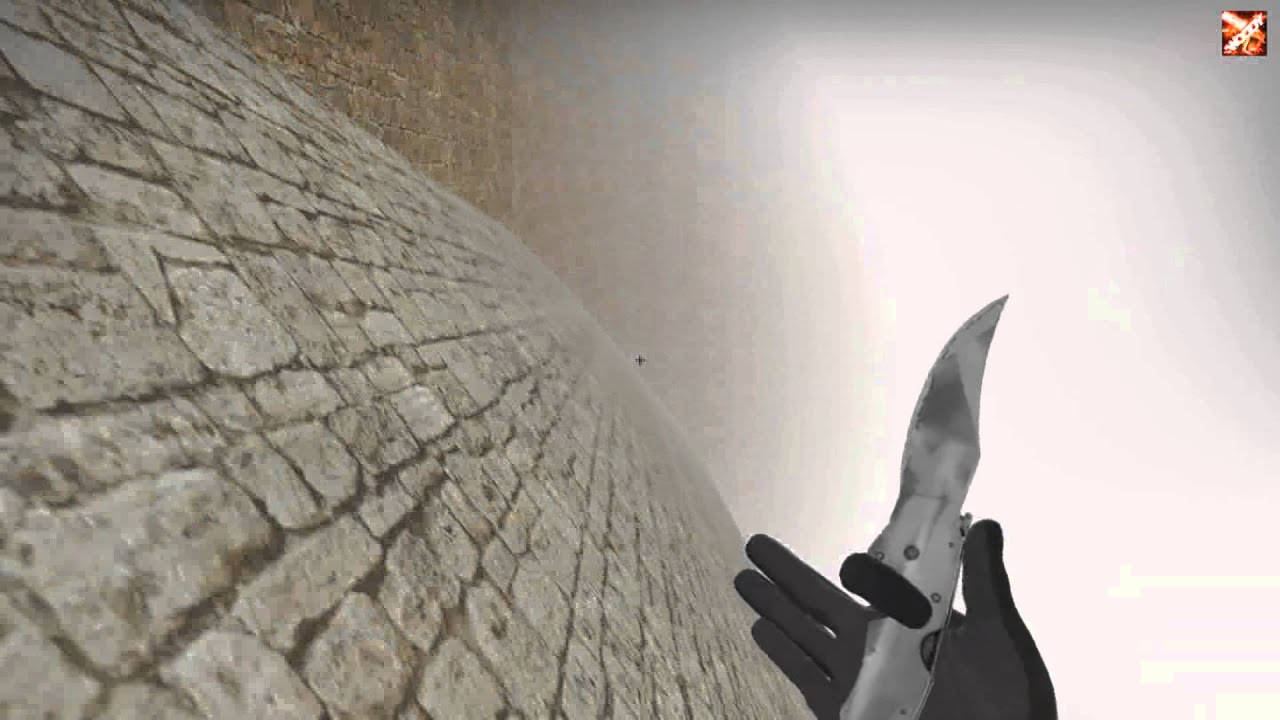
maybe this eyplaines the questions
question*
odd ember
debug with a breakpoint and see if it doesn't hit more than once @solemn parcel
quiet token
its really hard to discripe
the player is just usin "A" and "D" + his mouse to move in this curves while in air
solemn parcel
@odd ember First time i'm using the the breakpoint, what should I look out for ?
Just in case, the damage only applies once
odd ember
see what is hitting, resume game, see if it hits again
odd ember
quiet token
the player is just usin "A" and "D" + his mouse to move in this curves while in ...
so from looking at the movement you could try and allow for limited air control as a function of velocity
it's either that or some degree of air control lag
quiet token
I limited aircontrol only for y axis in air, but this is not the same
 gusty shuttle
What's that node where I can set a Int to Text and add {x} to it to make it read the way I want it to read
odd ember
quiet token
I limited aircontrol only for y axis in air, but this is not the same
you have to do it as a function of velocity
e.g. if velocity increases, air control increases, same for decrease
see which one works and play with the values
quiet token
okay that might be too hard for me, i'm doin this for one week, but thanks for the tip anyway
❤️
odd ember
I don't think it would be hard to implement, just try with aircontrol = 1/velocity or player speed,
then clamp it if necessary
quiet token
@odd ember https://adrianb.io/2015/02/14/bunnyhop.html This would be nice, but i think its a little bit more complicated
odd ember
quiet token
<@!224571781862653952> https://adrianb.io/2015/02/14/bunnyhop.html This would be...
you can find equivalent nodes for all of this in BP
quiet token
i think this with the vector would happend if i just tell the game to press "left + forward" in air when just pressin "left", but not sure, it feels kind of the same when i do it manually but this is not the feel i want for players and u dont have the same kind of controll
quiet token
Mhh okay, need to get my head into it a little more i guess, this is too much for me right now ^^
odd ember
use the breakpoint, go past the max walk speed node
and check what the value of max walk speed is
hollow dust
I'm trying to make a platform that the player can jump through when he is below it, but can stand on top of it when he is above it. think of the platforms in smash bros where u can jump straight through the ceiling and get on the higher floors. what i tried to do is every frame, check if the player's Z location is > than the floor's Z location, and if it IS, then enable collision. if the player's Z location is BELOW the floor's z location, disable collision. the issue is that once the collision is disabled, even if the player is above the floor, I cannot re-enable the collision and i fall back through the floor. can anyone help me out with this? im new and trying to learn http://puu.sh/H3LDy/af4a462fa8.png
 solemn parcel
@odd ember I realised after asking that there was no input value for the slow, meaning as you said, it was set to 0
Thanks !
 rotund basalt
@hollow dust There are much much better ways of handling that, no tick is required.
Try using collision events instead to check wether the player is below or above a platform by checking the hitnormal for instance
hollow dust
I’m sorry if I don’t understand, I’m very new lol
Do you mean put a box collision on the top of it and do OnCollisionEnter: enable the collision?
zenith scarab
hollow dust
I'm trying to make a platform that the player can jump through when he is below ...
use player pawn not player controller, because when you didnt set that to true in your custom player cotroller the player conroller won be attached o the player pawn
rotund basalt
This is for example how you could retrieve the hit normal
Probably a better way of doing it but im currently tired 😛
You can then check if the Z value is 1 or not then you know its from below or above.
odd ember
rotund basalt
This is for example how you could retrieve the hit normal
Probably a better way...
sweep result can give you the same
hollow dust
zenith scarab
use player pawn not player controller, because when you didnt set that to true i...
http://puu.sh/H3LZ5/f13489f1cb.png
still doesn't work. 😦
also, i printed the string of the player controller's Z and it seemed accurate
 zenith scarab
try the alternative wizard showed, but ake sure ur mesh even has collision
hollow dust
rotund basalt
This is for example how you could retrieve the hit normal
Probably a better way...
ill try that, not gonna lie ive never used spheretracebychannel or that sphere function. i might have to google them and read up on them so i can understand what u did in ur example haha
hollow dust
zenith scarab
try the alternative wizard showed, but ake sure ur mesh even has collision
i know it does, because i'm able to stand on top of the platform with the execution pins for disabling the collision cut off. once i disable the collision through the blueprint, i cannot re-enable it
rotund basalt
hollow dust
ill try that, not gonna lie ive never used spheretracebychannel or that sphere f...
Tracing is a fundamental thing, think of it like a laser pointer.

What is the Struct: Hit Result Node in Unreal Engine 4
Source Files: https://github.com/MWadstein/wtf-hdi-files
zenith scarab
try setting the mesh colision not the acftr collision
hollow dust
i've used linetracebychannel but spheres seem a lot more complicated
ill try that luis
 hollow cape
Never a bad time to learn something new
hollow dust
you are right 🙂
 proven river
hey so I'm trying to get this actor tag I put on a box brush, but when I try to GetActor it says there's no actor, am I doing something wrong? there's even an actor part in the properties tab
maiden wadi
@hollow dust On a side note. Wouldn't it just be easier to affect the moving pawn rather than everything around it? You'll have less headaches in the end if you simply change the collision profile of the pawn to avoid certain types of objects based on it's own velocity rather than altering dozens of other thing's profiles and making other stuff work with that.
I'm thinking typical side scroller here where you can jump up through objects and then land on them, but still get hit by projectiles. Swapping between a profile that can move through stuff and not move through it, but both profiles would still block like bullets, would simplify your design by a lot.
@proven river How are you getting the actor?
proven river
it's a collision with the floor
hollow dust
the issue was the function i was using. Set Actor Enable Collision was not the one i shouldve been using. i changed it to Set Mesh Enable Collision like luis suggested and it worked 😄
hollow dust
maiden wadi
<@!149374182726172672> On a side note. Wouldn't it just be easier to affect the ...
ahh that would make sense. im still really new. fresh out of my first tutorial, and working on my first small game haha. im still pretty clueless about things that may seem like common sense, trying to grind up some experience so i can learn things like that lol
maiden wadi
@hollow dust Which will work fine, but you'll have to do that on each and every single actor that you want to jump through. That'll be hazardous to your full design in the end. It's just the philosophy of changing potentially dozens of things vs changing one.
hollow dust
yeahh i see what you mean. originally my plan was to only have certain platforms that allow you to jump through them, which would be made into blueprints. but i see that i may have to change my way of thinking
maiden wadi
You can still do that. Things you don't want the player to jump through ever can just be block all. Things you want them to go through can have a profile that doesn't block the pawn's capsule normally. This would allow your pawn to jump through it at all times. Then you can switch your pawn's capsule between normal when moving up, and something like block all when moving down. This would make them go through these objects when their velocity Z is positive and not when their velocity Z is negative.
sonic cipher
https://gyazo.com/d9f78c1893e9c45a0d213ef51fc77424 any idea how i can stop the linetrace of the mouse ? it set the object location to the mouse but then how can i say "when i click, set the object location here and stop fallowing" thanks 🙂
 hollow drift
Hi folks. is there a mechanic where we can set up a control unit which checks in which order bp are spawned and checks if those has finished loading befor loading the next bp
rotund basalt
How not to name a node : P
dawn gazelle
lol
rotund basalt
Thats an actual node in unreal
dawn gazelle
What blueprint are you in to get that?
Guys, we've been doing it wrong this whole time....
 peak plaza
Damn, didn't work because of a race condition.
 north bay
@dawn gazelle thanks i tried it and it works!
sonic cipher
Anyone know how i can just drop the object ? i want to set his location when i click but i don't know how, it is still using the linetrace of the mouse 😦 https://gyazo.com/314b622a05862e7a145820944e90f441
north bay
Hey guys, II have this multiplayer project where each player collect individual coins, The coins are already individual collected in each Player controller (I tested it with strings and it works).
But now I'm creating a widget (see picture) and want to reference the coin amount per player so I can bind this to the text so it will update accordingly and both players can see how many coins each player has in their widget. I want to make a bind on the text to the coin amount reference from each individual player but I don't know how (The coin amount variable is in the Player controller)
dawn gazelle
You probably need to store the coin amount in the PlayerState. If this is going to be an online multiplayer game, player controllers are only available locally and on the server, not to other clients.
 sturdy verge
Hi everyone, I hope to find a answer here. In case I load a Level Instance, how do I get all Assets in the instance? (I require a specific Camera Actor included in the scene -> multiple Level Instances are loaded and to prevent race conditions I would like to get a camera reference) Thanks!
dawn gazelle
When you're increasing the score of the player, you can send an event through the player controller to have them update their widget with the new coin value.
odd ember
sturdy verge
Hi everyone, I hope to find a answer here. In case I load a Level Instance, how ...
you don't have access to that in BP
rotund basalt
Oops typo
 stable fjord

This week we'll create a sailing game prototype! Andreas Suika will demonstrate several areas of the engine to make a small sailing game. We'll use Marketplace content and create custom assets in Blender to be sent over to the engine. Instead of going deep on one topic we'll leverage tools like Niagara for wind effects, materials for sails, and ...
I am forced to ask here too
 high frost
I want to implement a pick up system for actors in such a way that a player can only pick up a character when they see (meaning with respect to camera) it and the actor is within some range like 1-2 meters. Also players must observe information about item before they interact with them, i.e. an item name should pop up above it when it is reachable
What is the best way to do it? So far I have only 2 ideas:
- In the player character add a long collision box on a springarm on eyelevel so that it moves with camera and to handle begin overlap events with interactable actors. This approach would also require me to handle blocking obstacles so that the player couldn't interact with an item throgh a wall and I'm not even sure if that is possible
- Somehow use LineTraceForObjects or a similar function to actually trace all items. But that would require me to execute trace functions in the tick event or via timer so I'm not sure if that's a good idea neither
Also I've seen implementations where interactable items just had their own collision spheres spanning pretty wide so that player could interact with them when he is within a radius of the sphere, but I don't really like this approach as it would require to make big collision spheres even for very small interactable items like coins etc
north bay
@dawn gazelle Thanks! This is super helpful, I'm still a bit confused with working with a PlayerState. How does it store exactly info for each player and how to use it in general? I'm trying to find a nice tutorial or article or any form of example but its hard to find.
Like I do understand what it does, but never seen any example and I'm a bit lost how to properly use it myself right now
dawn gazelle
Each player gets their own instance of it. You can reference a specific player state from their controller.
So when I join a game, I get my player state. When you join, you get yours.
 winged sentinel
stupid qwuestion but how is a node like this made?
dawn gazelle
That's a variable from a referenced object.
In my player state, I have a value called "DefaultAbilities". By getting reference to my player state I can then ask to get that value:
stable fjord
@dawn gazelle Did u work with Cartoon Water Shader?
dawn gazelle
Nope
stable fjord
or anyone here?
 sturdy notch
Can anyone help me? I for the life of me cannot figure out why I cannot get levels to load in unless I use the console command itself. Nothing within the BP will load my menu main level again. I can use 'open level' from the main menu to get it going, but from my pause menu it hangs and will not load the main menu back again unless I use the console command.
winged sentinel
@dawn gazelle thank you i may need to do some researtch myself that helped tho
odd ember
@sturdy notch are you trying to reload the same level you're in?
and also are you using any kind of WC
 unborn maple
so i have an issue. i am making a start button to begin a round it does the countdown, but the button is still on the screen. even after i remove from parent from the timer countdown do i have to originally set the hud widget to remove it self in the place it was made?
sturdy notch
I've setup the main menu level to open first. From there it loads a few demo levels to give people an idea of what we have done. In the pause menu there's a button for 'main menu'. The buttons to get to each level are fine, but the button to go from the pause menu BACK to the main menu hangs.
@odd ember WC?
dawn gazelle
winged sentinel
<@!218956378654507008> thank you i may need to do some researtch myself that hel...
When dealing with UE4's blueprints, you're dealing with Object Oriented programming. You need to get a reference to an object that contains the value you're looking for. So in your example, "Equipped Weapon" is a variable that is stored in whatever the "character" thing is you have referenced in the top corner of your screenshot.
odd ember
sturdy notch
I've setup the main menu level to open first. From there it loads a few demo lev...
you might have to show your logic. WC is world composition but it doesn't sound like that's something you've got going on
dawn gazelle
unborn maple
so i have an issue. i am making a start button to begin a round it does the cou...
You can set its visibility to collapsed.
unborn maple
ok.
sturdy notch
Logic aside, I find it odd that I can type into the console 'open <map name>' and it opens, but if I do the same thing (console command in BP) it does not..
 zinc spoke
Hi everyone. Is there some other possibility (not AI) to simulate input in blueprints? I need to move an unpossesed pawn. For example, i want that my pawn run forward, and if i press the button, he turns right or stop or whatever.. The movement change schoud be based on events. For now i call events by pressing the button. I tried to use a TargetPoint as a Location, but if i use the node "Move to Location/Actor" he dosent move at all. If i use Add Movement Input it also doesnt work. I dont know how to make, that my button will be percieved as pressed for some time. Can somebody help me? Or do you have any idea what i should try?
unborn maple
thank you datura that fix it
hollow drift
healp
how to do proper level loading
e.g. all bp which are neccecary for the map have successfully loaded and the title screen (done over another map) can move to the main level
sonic cipher
Anyone know how i can just drop the object please ? i want to set his location when i click but i don't know how, it is still using the linetrace of the mouse 😦 https://gyazo.com/314b622a05862e7a145820944e90f441
 odd ember
sturdy notch
Logic aside, I find it odd that I can type into the console 'open <map name>' an...
odd ember
sturdy notch
Logic aside, I find it odd that I can type into the console 'open <map name>' an...
it should
quiet token
Is there a way to accelerate my players character "forward + left" when he's just pushin "left" in air?
relative to his point of view in that moment
hollow drift
use add
sturdy notch
odd ember
it should
That's why I'm trying to simplify the logic and add 'print' nodes to see where the hangup is
odd ember
sturdy notch
That's why I'm trying to simplify the logic and add 'print' nodes to see where t...
do you have cpp access
you might have to debug this on a cpp level since it might be a hangup during loading
odd ember
sonic cipher
Anyone know how i can just drop the object please ? i want to set his location w...
you might want to spawn a copy?
and then just hide the initial mesh
sonic cipher
odd ember
you might want to spawn a copy?
The item that you can see is already spawned, i'm just dragging it with the mouse but i would like it to drop when i click, i only found "remove from parent" for the Widget (that i use to spawn the item) it does work but it's not the right thing to do
odd ember
sonic cipher
The item that you can see is already spawned, i'm just dragging it with the mous...
I'll need to see your spawn logic. in my opinion though you'll be better off spawning a copy and killing the original, essentially having the one you drag around double as cursor
sonic cipher
odd ember
I'll need to see your spawn logic. in my opinion though you'll be better off spa...
I just brb 5 mins sorry
quiet token
Mhh, i'm just not able to solve my problem. Since no one was able to help me here, is there maybe another discord like this i could try my luck at?
sonic cipher
odd ember
I'll need to see your spawn logic. in my opinion though you'll be better off spa...
Okay so there is my spawn logic
hollow dust
@quiet token Pakkpakk you mean you want your character to go left of the relative direction of where your camera is facing?
sonic cipher
https://gyazo.com/3b592372f002ce0e46163a10ac90f4da 1) I click on a button that spawn an object

https://gyazo.com/52d53fed752173d1785c479dc486d1d1 2) i update his position every tick on the mouse cursor
 odd ember
so... if you're spawn it like that
sonic cipher
And now i'm stuck : how can i stop the object to fallow my mouse when i click :v
odd ember
why aren't you just using it to spawn a new one at the position?
ah
I see
you can do that on click again
sonic cipher
Hum, i can't set up mouse click in Widget
sonic cipher
odd ember
you can do that on click again
Click on the button you mean ?
sonic cipher
I can't find left mous button in user widget hmm
odd ember
the user widget won't help you
sonic cipher
i create the widget in my characterBP, when i press E
odd ember
it's already done its job
sonic cipher
Okay ^^
sonic cipher
odd ember
cool, that's perfect
i'm lucky for once haha
sturdy notch
odd ember
you might have to debug this on a cpp level since it might be a hangup during lo...
I figured out the issue and got it sorted - when the game if Paused, it will not parse Delay nodes, as the timer is not running. I just needed to disable input and un-pause, then all was well. Thanks.
sonic cipher
odd ember
that widget will give you a reference
Yep i have that reference 🙂
odd ember
using that reference, you have access to everything inside of that widget
sonic cipher
 odd ember
including the door reference
so if it's called SpawnEditor then you can do Get SpawnEditor and then Get Door ref
or whatever you called your door
sonic cipher
so i just do onclick spawn > then i get the wall from the create widget > then spawn at traceline location ? ^^
I think i get it
 odd ember
well
almost
you're setting that widget
in the next node
so in your blueprint panel
sonic cipher
i set the wall1 too ?
odd ember
no no
sonic cipher
oof
odd ember
get the ref first
sonic cipher
i have it ^^
 odd ember
cool
so we're not done yet
if you go into the blueprint panel and click the SpawnEditor variable
sonic cipher
I will have to put conditions to check if i have a door or another object holding i think later no ? because i do not only have wall1 👀
odd ember
you will have better ways of handling that later
sonic cipher
odd ember
if you go into the blueprint panel and click the `SpawnEditor` variable
Yep
odd ember
so in your details panel
sonic cipher
odd ember
you will have better ways of handling that later
I always think too munch lol
odd ember
scroll all the way to the bottom
you should see a couple of green buttons
with plusses on them
sonic cipher
hum
trim matrix
Does any of you have any clue on why SetActorTransform does nothing for me, while if i use Add Controller Yaw Input it does work, however i don't want to use latter method as it makes character rotate smoothly which is not ideal for VR
odd ember
sonic cipher
hum
sonic cipher

oh
i have when i click on this

i clicked on the spawn editor
and it does not have green stuff
but this does ⏫
odd ember
I see. I assume the widget is where you handle the mouse movement yes?
stable fjord
without moving etc
odd ember
as in, where the tick movement happens
sonic cipher
odd ember
I see. I assume the widget is where you handle the mouse movement yes?
Yep, linetrace is in the widget
stable fjord
I have a following problem
odd ember
cool
stable fjord
it colliding itself???
sonic cipher
Exactly
odd ember
so hop into your widget again
trim matrix
trim matrix
Does any of you have any clue on why `SetActorTransform` does nothing for me, wh...
Even if i do something like this, it moves my character by a tinny bit instead of rotating
sonic cipher
odd ember
so hop into your widget again
Yep 🙂
odd ember
create a new event dispatcher
sonic cipher
Okay
 zenith ocean
hey guys! i am a bit new to programming and i try to get footstep sounds for my character. but its not working. 😦 can anyone point me into the right direction? part A (notify with every footstep) is working great. but somehow the information does not get to my main character.
odd ember
sonic cipher
Yep 🙂
acutally my bad, you can forego the characterBP stuff entirely here. if it's all taking place inside the widget we might as well finish it within the widget. you can potentially do it this way later but for now it is perhaps a tad too complex. keep the dispatcher though, we'll use it in a second
sonic cipher
odd ember
acutally my bad, you can forego the characterBP stuff entirely here. if it's all...
I didn't made an easy thing there x(
huh
odd ember
sonic cipher
I didn't made an easy thing there x(
it's fine tbh you can do it this way and it's not really an issue. but we'll need a few extra things since I thought initially you're using the player controller for your tick
but since you're not everything is inside the widget already and we don't need to take out information
odd ember
zenith ocean
hey guys! i am a bit new to programming and i try to get footstep sounds for m...
I'm not sure you can do this through BPI, you might need to bind delegates to make this work
sonic cipher
i made it work but as i said it is with the remove from parents, so it does a problem for the next stuff that why i said Remove from parents is not the best idea :v
odd ember
that's fine
sonic cipher
odd ember
but since you're not everything is inside the widget already and we don't need t...
great news lol
zenith ocean
odd ember
I'm not sure you can do this through BPI, you might need to bind delegates to ma...
ok, thx. i will look into it. i have the blueprint tutorial from "CodeLikeMe" https://youtu.be/RxPSvjg5OC8
Project Files : https://www.patreon.com/CodeLikeMe/posts?tag=source code
Support my work on Patreon : https://www.patreon.com/CodeLikeMe
in this video, I'll demonstrate how to make the character jump with animation montage. Animation montage will have 3 sections namely jump start, jump looping part and landing. also I'll explain how to play fo...
odd ember
we can handle all of that. right now you should go into your widget designer, and add a button that fills the entire screen @sonic cipher
rotund basalt
@stable fjord Those are some realistic physics tbh 😄
 sand gazelle
Hey guys, I'm new to blueprints. Can someone break this down for me?
stable fjord
yea
exactly
My ears are shaking a bit
haha
@rotund basalt any idea , how to fix it? XD
sonic cipher
odd ember
we can handle all of that. right now you should go into your widget designer, an...
You want to make a big button so when i click it does an event in widget am i right ? will the linetrace still work trough this button ?
stable fjord
this is a Flying Galleon hahaha
odd ember
sonic cipher
You want to make a big button so when i click it does an event in widget am i ri...
looking at your code, it should
we're converting your mouse location to a world location and tracing from there
not tracing directly through the screen, if you will
sonic cipher
Yeah it should work, done it
odd ember
cool
so the big button, what's important is that it's collapsed until you click the button to spawn the door
rotund basalt
@stable fjord I assume you're using 4.26's water boyancy stuff, tbh I have not worked with it yet so theres little i can do to help, maybe check if some component is colliding with the ship or so?
stable fjord
4.23.1
sonic cipher
hmm i set it to collapsed then
odd ember
sonic cipher
hmm i set it to collapsed then
you also want to ensure that it is invisible so that you cannot see even when not collapsed
sonic cipher
 sonic cipher
i set it transparent we can't see anything ;o
sonic cipher
i set size to 1920x1080 will it adapt for bigger resolutions ?
stable fjord
rotund basalt
<@!486567039834783744> I assume you're using 4.26's water boyancy stuff, tbh I h...
it is colliding as fuck
sonic cipher
of the button
odd ember
in the widget editor, while selecting the button, go down to the bottom of the details panel and you should see a bunch of green buttons again
sonic cipher
i select Onclicked i believe ?
odd ember
resolutions are a beast on their own, you'll have to handle that separately. let's get the logic working first then you can always adapt it to fit with whatever resolution
correct
sonic cipher
odd ember
resolutions are a beast on their own, you'll have to handle that separately. let...
Okay thanks you ^^
proven river
apologies if this is a dumb question, I tried googling it but I can't find anything, what does the ProjectPointToNavigation function do?
odd ember
proven river
apologies if this is a dumb question, I tried googling it but I can't find anyth...
probably takes the point to the nearest point available on the navmesh, but don't hold me to it
odd ember
clearly you've angered the navmesh gods somehow
odd ember
the return value is probably if it managed to, or not
the projected location is what you should use
proven river
I'll be honest I don't even know what a nav mesh is
odd ember
it's a simplified version of a mesh that covers all walkable space
useful for stuff like AI
proven river
ah ok, that makes sense
yeah I guess it's possible then that my nav mesh is goofed up, I'm imagining it's returning true if it could successfully project it to the navmesh
proven river
I'm just following the vr example unreal gives you, it uses that function
it seems to be working fine without it but ig I'm trying to make sure I'm not missing anything really important
sonic cipher
https://gyazo.com/c91196a7a38bb498e516f5868d57d781 okay so i did make it visible when it spawn an object, it print good, now i have to make it spawn when i click the button


 odd ember
sonic cipher
https://gyazo.com/c91196a7a38bb498e516f5868d57d781 okay so i did make it visible...
odd ember
sonic cipher
https://gyazo.com/c91196a7a38bb498e516f5868d57d781 okay so i did make it visible...
yeah exactly, create a new spawn node and get a reference to wall1
from wall1 use GetActorTransform and GetClass and plug these into the new spawn node
proven river
how can I go about seeing my nav mesh?
sonic cipher
odd ember
from `wall1` use `GetActorTransform` and `GetClass` and plug these into the new ...
Hmm seems to work !! i think i can finally go ahead again to where RemoveFromParents stuck me https://gyazo.com/3c15909c8495b0743749a08403870066
odd ember
sonic cipher
Hmm seems to work !! i think i can finally go ahead again to where RemoveFromPar...
cool
depending on where you want to go with it
you might want to remove the original mesh
the wall1 mesh
since it will still be spawned in the world even if you remove from parent
sonic cipher
Thanks you, I was trying to use the cursor to select a mesh then be able to move it, but i already done 70% of the work i think
odd ember
I mean this is the general method you'll want to use for spawning
sonic cipher
odd ember
since it will still be spawned in the world even if you remove from parent
Hmm well i like the first mesh so we know where we set the new one ^^
odd ember
the rest is architecture and figure out how to spawn different things from pressing different buttons etc.
odd ember
sonic cipher
Hmm well i like the first mesh so we know where we set the new one ^^
sure, just remember to remove it before you remove the widget from parent
and also
as a bonus
you can do a neat little trick
sonic cipher
odd ember
sure, just remember to remove it before you remove the widget from parent
yeah this is better hahah
Yep tell me 🙂
odd ember
if you create a new material and make it transparent, then add a fresnel node to the opacity and add a color node to base color in the material editor, you can apply this material to the wall1 mesh
that will make your mesh semi transparent but show the edges
so if you do that and pick a high contrast color then it'll be like a 3d "placement" cursor
sonic cipher
ow looks cool, do i have to add this node in character bp too or in the material ?
odd ember
you created the material already?
sonic cipher
i show you
okay so, i had a basic material for testing : one click the red popup and you can rotate the object, drag-click you can move the object, but actually it doesnt move https://gyazo.com/6a44d5ce26216d5b08eb183e1547dccf
odd ember
sonic cipher
okay so, i had a basic material for testing : one click the red popup and you ca...
when you spawn the wall1 mesh you can apply that material to the reference
using the set material node
later on you can consider making it a dynamic instance material but that's not necessary for this prototype
sonic cipher
Hmm actually the material is working good, i will switch to edge highlight one like what you said when i'm done with this dragging system 😛 i try to make this drag working ahah
odd ember
good luck
sonic cipher
odd ember
good luck
I will do this in the tick of my characterBP, thanks for your help it is very cool
north bay
@dawn gazelle Thanks! I made it kinda work with the player state, each player sees their own individual coin amount in the HUD now. The next thing I'm trying to figure out is how to also show the coin amount of the other player in the HUD? (So How can I get a reference from not my own player state but someone elses?)
proven river
would anyone mine helping me with my navmesh? I literally just started making one, but I'd like to know how it works
right now I have this weird gap, idk what's causing it
odd ember
proven river
would anyone mine helping me with my navmesh? I literally just started making on...
it's intentional, just showing you where it is on the ground. it's purely an editor feature