#blueprint
402296 messages · Page 593 of 403
 orchid garden
you can set all these in your class1 file so that they are defaults for class1:
 dark crow
For example let's say you use ThirdPersonCharacter as your pawn when you play, in this case you would have ThirdPersonCharacter in Default Pawn Class instead of DefaultPawn
dark crow
You're trying to access the Candy but it's pending kill aka being destroyed
Probs from another actor
orchid garden
for instance, mine uses a custom character, MasterCharacter for the player pawn, so its setup like:
dark crow
So you're trying to Destroy the Candy from your Character?
dark crow
I personally don't suggest making other BPs handle something that itself should do
Like i would not want my Candy to be destroyed by the Character
But the Candy to have its own events to destroy itself under certain conditions
Even for organization sake
 odd ember
careful or you might incur the wrath of @torn kettle
apparently he's on the prowl today
dark crow
Well, the error seems to happen in the Character, not Candy
I think you're calling DestroyActor on the Candy from the Character when it's already destroying itself
 shell rivet
there are only 2 things in character
odd ember
you're destroying your candy from your character though
shell rivet
can one of you two help me on priv with that?
odd ember
I also see an OpenLevel node in the candy, I would strongly recommend to move that to game mode
shell rivet
dark crow
Literally just delete Destroy Actor
but after several candy's touches the ground, the game crashes
odd ember
shell rivet
but after several candy's touches the ground, the game crashes
might have to do with OpenLevel being there
shell rivet
and it doesn't prints the "fail" string instead of hello
odd ember
again I would strongly encourage to move the OpenLevel node to your game mode
it's why you were crashing before
dark crow
If you want your GameMode to be the same in ALL levels
shell rivet
but when player touches 5 candy's, it still shows the game over screen
dark crow
Edit -> Project Settings -> Project -> Maps & Modes -> Default GameMode
shell rivet
dark crow
Edit -> Project Settings -> Project -> Maps & Modes -> Default GameMode
do i set it to "class1"
?
dark crow
I think he's just accessing GameMode cause he has a variable in there that keeps stored the number of Candies that touch the ground
And yeh, if you want that to be the default for all Levels
shell rivet
btw i store points in player
odd ember
including the floor
shell rivet
dark crow
That seems more like the collected candies
shell rivet
should i store them somewhere
dark crow
Than fallen candies
odd ember
you should gate off your candy collection
to only be done by your player
so before casting to gamemode
make a cast detecting which actor is overlapping
shell rivet
odd ember
so before casting to gamemode
in candy
odd ember
yes
shell rivet
to who?
odd ember
whatever your player character bluepritn is called
shell rivet
and when it didnt casts, then cast to class1?
shell rivet
no
odd ember
so why are you casting to game mode
shell rivet
changed
odd ember
consider the actions you want to have happen
if your candy overlaps anything else but your character
you want nothing to happen
so if the cast fails, you do nothing
dark crow
You could have everything handled by the Candy too
If it overlaps and the cast fails means it's not a character so add one to Floor Touches
If it overlaps and the cast succeeds means it's the character so add a point
shell rivet
should it look like this?
dark crow
You gotta be careful with the logic
odd ember
yes
orchid garden
odd ember
consider the actions you want to have happen
from my understanding if 5 hit the floor he wants the game to end
dark crow
You know how your games works
shell rivet
orchid garden
from my understanding if 5 hit the floor he wants the game to end
yes, to change the world to game over
or show the game over UI
odd ember
I see
orchid garden
game over ui would probably be a better option. you could setup retry button or quit button from that.
odd ember
I'd make a trigger box at floor level that eats coins
and increments a counter for each coin it eats
shell rivet
so...now what?
odd ember
well now test if your player collects 5 coins it wins the game
that part should be done
the fail condition you can make in any number of ways but I would not make that logic on the coin itself
or candy or whatever
shell rivet
odd ember
well now test if your player collects 5 coins it wins the game
i don't want the player can get maximally 5 points
odd ember
I dont understand what you mean by that
dark crow
Fail condition is if 5 candies hit the ground
odd ember
rihgt
dark crow
If 5 candies never hit the ground, the game will never end
odd ember
so what's the win condition
shell rivet
odd ember
so what's the win condition
there is no win condition
dark crow
You're a winner till you're a loser
shell rivet
you just need to get as high score as you can
odd ember
lol
shell rivet
dark crow
You're a winner till you're a loser
y e s
odd ember
well like I said a trigger box is probably your best bet because it gives you the most control. I'd have as little logic in the candy as possible because it's an easy way to cause your game to crash... as you've seen
but if you want, you can remove the first cast again and that should work
shell rivet
which one? the selected?
odd ember
yes
shell rivet
or, can we do this "from start" again?
 gusty cypress
sorry
 wide remnant
In my opinion he is in the right channel
 gritty elm
the sphere trace isn't hitting landscape, how to fix this
also event on landed not working
in character class
 amber marsh
What would math would I need to do to make it so I ca get a weapon to do X damage per second regardless of its delay?
So if I want 5 different guns to do 10 damage per second. But each of them can have different rates of fire
gusty cypress
I have an event on begin overlap for a static mesh, when it overlaps I print "overlap" but it prints enough times to fill the screen, I even added a do once node to the event print and still fills my screen, should this be a concern?
 tight schooner
@amber marsh 10 * duration of shot. So if it shoots once per second, it's 10 * 1. If it shoots twice, it's 10 * 0.5
@gusty cypress yeah it sounds like something is wrong
odd ember
sounds strange to say the least
gusty cypress
@tight schooner only thing I can think of is the trigger is a static mesh originally and not a trigger box maybe causing it?
odd ember
it could be if you're using complex collision
try using simplified collision shape components
gusty cypress
1 moment
@odd ember doest work unless its complex as simple, there are various triggers within my static mesh anything but complex doesnt properly work
odd ember
gusty cypress
<@!224571781862653952> doest work unless its complex as simple, there are variou...
what i mean is use a simple collision component. using complex as simple is probably why you're experiencing issues here
gusty cypress
you mean not using my static mesh and instead using a different trigger
tight schooner
The thing about "complex" collision is each triangle in the mesh becomes a thin-walled collider... there's no concept of interior/exterior IIRC
so using that for overlaps can be kind of weird
gusty cypress
could adding a do once to my event solve this?
odd ember
unlikely
gusty cypress
darn
odd ember
why are you insisting on using complex collision like this though
it's like trying to fit a square peg through a round hole
gusty cypress
I've fully modeled the map including triggers and everything is perfect, going to each trigger and painfully sizing them to be similar as exact would be near impossible
odd ember
why would they need to be painfully exact?
gusty cypress
you're right but still an alternative would be easier as theres like 34+ triggers on my map and they are 2 static meshes making it much easier to work with
tight schooner
... you have 34 triggers but in two actor instances?
gusty cypress
yea... is that insane
tight schooner
normally each trigger would be its own actor instance
gusty cypress
I mean its worked great for me so far
tight schooner
does it all trigger the same thing? I don't get how it works
odd ember
sounds completely unnecessary
gusty cypress
sure, the game is a platformer with different stages. Each stage as a floor trigger if the player falls and it calls "stageFail" which resets the player. There is also a door trigger which calls "nextStage" and spawns the player at the next stage. I think this has made it vastly easier as theres not a bunch of individual triggers but 2 "doors" and "floors" and the secret to it working is when the "door" is triggered it adds 1 to current stage, then a switch on int allows for the new spawn.
so essentially two triggers with 2 call events vs 34 triggers
odd ember
considering you could copy paste the triggers and their logic this doesn't sound ideal
tight schooner
did you do it that way because you're doing level design within some external 3D package? (Blender etc.)
I mean yeah, it's not the normal or ideal way to do triggers but I'm just asking
btw if you want to define simple colliders within your modeling software, it's possible https://docs.unrealengine.com/en-US/WorkingWithContent/Importing/FBX/StaticMeshes/index.html#collision
but otherwise doing the level design within the UE4 editor -- placing 34 triggers and whatnot -- is the normal way
odd ember
I mean I do whiteboxes via blender and import them, still using UE4's native colliders for triggers
 hearty gazelle
Is there a specific node that allows an actor to go in an arc?
Like a parabola movement
 odd ember
suggest arc velocity or some such exists
gusty cypress
tight schooner
but otherwise doing the level design within the UE4 editor -- placing 34 trigger...
Used blender, will look into change collision there
gritty elm
is there anyway to change the skeletal mesh pivot point?
or adding scene component to skeletal mesh
 static charm
ue4 has new modeling tools that let u edit pivots
but not sure its for skeletal mesh yet, might only be static mesh only
gritty elm
because when i rotate skeletal, the center point doesn't correct
static charm
but yes you can add a scene component and then move the skeletal mesh under it
static charm
okay
add a new mesh to a new scene compoennt
and then make that old mesh blank/none
(its locked because it's a character class meaning it has predfined component list)
gritty elm
@static charm can i send you video?
here is this issue that i have
when i try to change pitch or yaw value, it doesn't rotate from center point
anyone can help appreciated
static charm
yes so once u have it put under the scene component, move the mesh so that the mesh is centered on the scene component
then you have to rotate the scene component to adjust the mesh
its a hack/trick lol
 trim matrix
Please, what the node "Remove from Parent" does exactly ? I don't understand... I understand it is for removing a widget but I don't understand what widget it aims exactly...
static charm
It basically destroys/removes the widget from the screen
if you call the node inside the Widget's graph, it will remove that widget.
If you call the node in some other blueprint, you need to plug in a widget reference in order to remove that widget
gritty elm
thanks from help
 fair magnet
So... If I use 1 Actor compoments which stores lets say health and 2 identical actors and I wanna use a blueprint interface to get Health from Actor B but not from Actor A how would I achieve that ?
trim matrix
@static charm Thanks. I think it's exactly what I did but it does'nt work 🙁 I have created in my GameMode BP, on a begin play event : a "create widget" node (which call "IntroLMDB" - see below) then "add it to the viewport". In the "IntroLMDB" widget, I did this (in short : the widget plays a video and when the video is end, I close the video with the widget :
But at the end, the media is still on the viewport and stucked on its last image
orchid garden
fair magnet
So... If I use 1 Actor compoments which stores lets say health and 2 identical a...
get a reference to the actor, then get a reference to the component attached to that actor that stores the health and then get or set the health variable.
fair magnet
but how would I get a reference then... I can't just use a variable or smth like that since it would get the other actors aswell :o
trim matrix
@static charm Though, the "Remove from Parent" is in the widget BP that I want remove. So... I don't know...
static charm
Lafourmi, you can try using Destroy Component or whatever node its called
orchid garden
@fair magnet that would depend on what your doing.
fair magnet
These Actors are supposed to be characters
trim matrix
@static charm Thanks. I'm gonna try this (UE just crashed btw 😆 )
orchid garden
@fair magnet let me rephrase... for what reason are you trying to get the health value?
fair magnet
Well to deal damage heal... all that stuff :o
orchid garden
so im guessing your using a line trace or sphere collision to detect the actor your attempting to damage / heal?
fair magnet
That's the plan
and I prefer using Blueprint interfaces since casts are pretty performance heavy
static charm

What is a Blueprint Interface in Unreal Engine 4 Blueprints?
Source Files: https://github.com/MWadstein/wtf-hdi-files
this 5 minute video might answer ur questions
trim matrix
The more weird is that I did it in the Level Blueprint just before (the code I put in the GameMode ("create widget" and "add to viewport") and those I put in the widget, were all grouped in the Level Blueprint) and it worked 🤔
So it looks like Level Blueprint works better for this... But really I don't know...
orchid garden
@fair magnet if your going to use a interface to heal a actor you'll just need to pass the information for the heal / damage process via the interface then handle the healing / damage on the receiving actor.
if its a multiplayer game - you should do the heal check on the server then run a multicast to update the effected players health.
heal/damage
fair magnet
I usually use RepNotifys to do that :o But thanks anyway ^-^Appreciate it
 prime wyvern
I tried to make it sweep (slide? I think its supposed to slide if it sweeps) but I have no clue what I'd have to create in order to get it to work
Any recommendations on how to improve the BP? (Please explain in simpleton terms as I'm no too smart when it comes to BP stuff, I once thought you could have infinite Event Ticks)
It's supposed to be a slow sliding door
static charm
well i would just use a Timeline
An example use of a timeline in which we set up a classic proximity-based opening door.
you don't need the Reverse part
prime wyvern
ok
static charm
To explain a ltitle, basically Begin Play is only called/fired once.
so thats why the block just moved up all at once for you.
prime wyvern
oh
so would I have to use something like an Event Tick's Delta or something such as that to allow for slow movement?
static charm
Event Tick is called/fired every frame, so 60 times a second!
i suggest a Timeline here because it's Update output pin on the right side is basically a Ticking function and constantly updates for the length of time you select inside the timeline and then stops at your predetermined value/time.
if you use only Event Tick to move the door, then you have to fiqure out when/how to stop it, otherwise it will keep moving up.
trim matrix
static charm
Lafourmi, you can try using Destroy Component or whatever node its called
The only "destroy whatever" nodes I have are these :
🤔
( I am in a widget BP )
static charm
I guess Destory is for outside the widget only.
But yeah Remove from Parent should be working
you can try asking in the UMG chat
 ornate cairn
Hey, is there a way to make a physics object act as a non physics object to another physics object? In my project you can pick up physics objects and move them around and drop them. The problem is you can hit and move other physics objects with the item in your hand. Is there a way to make it so that if you hit another physics object, that one doesnt get affected?
static charm
well you can make them overlap and not block eachother
in the collision settings
but then those objects wont be able to interact
unless you only make it temporary while you're handling said object
like change it's collision profile or whatever while handling it
 dreamy ice
do most people not use a full player model in first person and just show arms for the client
ornate cairn
static charm
well you can make them overlap and not block eachother
the problem is if they are overlapping once you release the object it like clips out, which is kind of a problem
static charm
yeah you would change it back when releasing.
Nash, depends on the game. Some do full body and zero out the head/hide it. Some do arms only because they don't need or want feet.
 dense tulip
is it possible to reorder variables in the Variables section of a blueprint ?
odd ember
yeah you can just drag them around
dreamy ice
static charm
Nash, depends on the game. Some do full body and zero out the head/hide it. Some...
Okay thanks 🙂
@static charm To do the hands my actor would need to consist of hands and a player model correct?
static charm
not really sure what you're asking. but it might be easier to just follow along a First Person Tutorial for UE4
ornate cairn
static charm
yeah you would change it back when releasing.
i know, what i mean is that if you set collision to block while they are inside each other wierd stuff happens
static charm
then you'll either need to add a check if it's overlapping an object and offset it before turning it back on. or maybe turn off physics for all objects near the object you're holding
like an overlap sphere 3x bigger than the object you're holding, and on sphere overlap, turn off physics for objects you're not holding, then on end overlap, turn physics back on.
 snow halo
hmm, thought i was losing my mind, but not i'm just perplexed. I have a circle of instant static meshes and i'm using a look at rotation so their face faces the center:
works perfectly in blueprint viewport
in editor level viewport, wtf:
all my rotation happens in the construction script
what in da world goin on?
something must be using world space, just not sure what ...
im dumb, i fixed
static charm
the world view looks cool though
 radiant ore
I want to make this puzzle with blueprint
Can I have some advices or how to do it?
 neat frost
@radiant ore I would suggest storing piece data in some sort of structure
And having each puzzle be a structure that contains something like it’s dimensions
With triangles, it would be more complex
I hope this helps
😉
 amber sand
How can I detect when an object(using Apex Destruction) has been shattered?
 upper linden
i need to spawn my character inside a sphere collision, but it returns no overlap
on another project it does
what's missing ?
upper linden
it spawns at the start of the game
i mean it returns no result
but when my character spawns outside and i move in, there's a result
 hollow drift
define "it"
collision box?
so your pawn spawns in a collision box and you want to read from your collision box overlap result that your pawn is one of the objects inside of it?
upper linden
BP actor with sphere collision component
upper linden
hollow drift
so your pawn spawns in a collision box and you want to read from your collision ...
yes
upper linden
no
upper linden
on both ?
hollow drift
yes
hollow drift
set pawn block
upper linden
where ?
hollow drift
block generates hit result -> there where you want to generate for your collision box a "hey i collided with you" event
the checkbox
upper linden
on my character you mean ?
hollow drift
your characeter is of the object type pawn
you want all pawns to be hit with your collision box
so your collision box needs to generate a hit event when colliding with pawn
this works only when you activate it
for example:
upper linden
there is a partial response
hollow drift
good, half way done then.
hollow drift
does the collision box has the interface?
what does this function do actually? never used it
upper linden
the interface is in the character BP
hollow drift
reminds me of zof...
upper linden
zof ?
upper linden
interfaces are functions you call on another BP without casting to the said BP
hollow drift
oki
i could help you so far just because i had today the same issue but i have not touched interfaces yet
upper linden
thank you
hollow drift
no prob
upper linden
what bothers me is that it works ok if i enter sphere from outside of it
hollow drift
if you leave you need to add on end overlap
so game knows you are not inside of box anymore
upper linden
i did, it works fine
hollow drift
kk
if y ware inside
just add a delay of ,00001 or so
this does sometimes the trick
upper linden
delay on beginoverlap ?
hollow drift
delay before it spawns in for example your pawn should work too
i am not shure, but i had similliar issues before, whereby for example the game already calculates stuff despite it has not yet generated models
upper linden
it worked with delay, what the hell !!
hollow drift
this has been actually fixed and stated in a previous bugfix but well... as you can see... its not realy fixed...
orr...
something else i missed
hollow drift
i read some post about it, cant remember which one but this was already a ongoing issue
upper linden
if you need help on interfaces let me know
upper linden
add me
 white plinth
hey guys, anybody can help me for a second?
 gentle urchin
Ask your question so people can decide if they have the time and the knowledge to help you in yhe first place :p
trim matrix
Can anyone suggest an advance tutorial about cameras. I'm making a TPS game and need some complex camera systems. I want to separate the camera logic from the code base
white plinth
gentle urchin
Ask your question so people can decide if they have the time and the knowledge t...
ty for ur answer. i didn't ask cause already solved 🙂
 fading raptor
Im having trouble figuring out how to destroy an emitter, but not keep it destroyed
I want to call the destroy component function when the branch is false, but when it is true, i want the emitter to spawn
My problem is it works fine once, but if i trigger this line of code again, i get an error that basically states my emitter is destroyed and i cant spawn it
How do I basically temporarily destroy an emitter
 hybrid ether
Any idea what can cause this? 😄
gritty elm
can anyone explain how to setup xbox controllers mapping in unreal
for just moving third person character, mouse movement and jump
white plinth
gritty elm
for just moving third person character, mouse movement and jump

In this video I will show how to setup basic forward/backward and side-to-side movement from the ground up, with controller input setup too. If you have any questions or want to know how to customize your movement more, feel free to ask. And if you like the videos and want to see more, please consider supporting us on Patreon https://patreon.com...
isn't this what you looking for?
not sure jumping is included
gritty elm
thanks, for unreal what kind of joystick should i buy?
like xbox controllers, or ps4 controllers
or basic joystick
trim matrix
Anybody experienced with PlayerCameraManager?
 spiral vessel
fading raptor
Im having trouble figuring out how to destroy an emitter, but not keep it destro...
spiral vessel
fading raptor
Im having trouble figuring out how to destroy an emitter, but not keep it destro...
I believe you are looking for the activate/deactivate functions. This will turn on/off the particle emitter without destroying the component itself
white plinth
gritty elm
like xbox controllers, or ps4 controllers
enreal can set the action mapping both ps4 and xbox. so you have to buy up to platform i guess?
about this, i am not so sure but it says like that
 grizzled garden
can someone please expain to me what is this matriela i just donwloaded?, coz it is souppsed to be a particle system. but this is a static matreal that does not change or animate or anything.
grizzled garden
help?
 dawn gazelle
It's a material I believe you put into a particle system.
grizzled garden
how?
may u help me @dawn gazelle
it should be a particle system, but its not, if i create a new p system and put it in the required tab it wont show as it should be.
 maiden wadi
@grizzled garden Nothing about that material is supposed to animate. It's just a mathematical function on pixel data that makes a neat pattern. In the end, the last node under ParticleColor may as well be a black and white mask texture. This is also either a #graphics question if it's about the material, or #visual-fx if you're using Cascade, or #niagara if you're using NIagara.
grizzled garden
then what do i do now? how to make it run in particle systems?
grizzled garden
Help
 signal prism
hello, can someone please help me - im doing reload system and animations does not work
dawn gazelle
Are you sure your event is being fired?
grizzled garden
maybe the condition is messed?
odd ember
@grizzled garden read the last comment addressed to you. You are in the wrong channel
grizzled garden
what do you mean?
im in the right channel whenever i want, i just saw this guy asking for help
then i replied to him
odd ember
If you can't read i can't help you
grizzled garden
never asked for your help.
odd ember
grizzled garden
Help
This says otherwise
grizzled garden
i asked for help there when he told me to do. who are you? what do you want from me?
stop spamming the channel please.
orchid garden
@grizzled garden you might get more help in #graphics alot of people seem to ask particle questions there
white plinth
grizzled garden
i asked for help there when he told me to do. who are you? what do you want from...
I think @odd ember was wanted to say is .. ur help is supposed to handle at the other channel like #visual-fx or #niagara or #graphics not here cause this channel is only for prograaming blueprints.. just let ya know
grizzled garden
may we keep off topic outside this channel already?
grizzled garden
np 🙂
 dusk basin
ik this seems like a basic question but for whatever reason my camera rotation for lookup and turn is not working on my custom player controller i did some testing and it works on the default player controllers but not my custom one
 faint pasture
dusk basin
ik this seems like a basic question but for whatever reason my camera rotation f...
faint pasture
dusk basin
ik this seems like a basic question but for whatever reason my camera rotation f...
Is that mouse input in the controller or pawn?
dusk basin
its in the pawn @faint pasture
im trying to figure out if there is something else blocking or consuming inputs but for now i have no leads
fixed
 lean plover
I'm trying to open level in a blueprint library, so where do I get context from?
faint pasture
@dusk basin What was consuming, the new controller?
 fallow creek
Ig it is only for look around for that particular pawn 😅
I just started learning blueprint so if i say something wrong please don't mind me
dawn gazelle
lean plover
I'm trying to open level in a blueprint library, so where do I get context from?
you can just do get world context:
 lean pawn
How does one restarts a blueprint?
I need the node so the character walks into a collision box and restart a specific blueprint
 green briar
Anyone know why the particles wont spawn? The whole blueprint works, I just can't get the particle emitter to spawn the particles. I'm following this guide, too. https://www.youtube.com/watch?v=pq77asEjRaQ&list=PLL0cLF8gjBpqA8DcrhL_O9kD4jsUqhDR6&index=7
In today's video we take a look at how we can setup our player's healing ability, going over step by step how we can do all the blueprint conditioning to see if the player has enough mana then heal and spawn the particle effect if they do.
We also go over the process of stopping the character moving whilst they use their player ability.
Unreal...
dusk basin
@faint pasture i knew something was off with me putting the rotation in the character so i put it in the controller and boom
lean plover
@dawn gazelle, Really appreciate your help, but I think because I'm calling from RemoteControlPreset it doesn't get set? My call just has no effect (I get a 200 OK response, but the funciton deos nothing).
green briar
IDK why but deleting the emitter node and reusing it fixed it
lean plover
Is there any point in using UE4's WebControl over something like VaRest?
dawn gazelle
lean pawn
How does one restarts a blueprint?
I need the node so the character walks into a...
As far as I'm aware there is no "restart" for a particular blueprint. Based on that, you have a couple of options:
- Have a custom event that fires that resets all values in the blueprint back to their defaults, and have it link into where your Begin Play starts (if you want any of those events to fire)
- Destroy your existing actor/component/whatever that blueprint is and respawn it and reattach as necessary.
dawn gazelle
lean plover
Is there any point in using UE4's WebControl over something like VaRest?
I think the web control is for building a web-based interface into the engine, where using VaRest is just a means to communicate data in and out.
Not sure of the interchangeability, but I'd imagine at the very basis of them, they are just tools for getting data in and out.
The Web Control does require a server running to handle the commands, where REST can be done serverless.
orchid garden
am i going about this wrong for a widget? cast fails every time.
could of swore it was working before...
lean plover
@dawn gazelle You're right. I'd previously used a UDP listener running on UE4 alongside an external Rest provider, but I was hoping 4.26's WebControl API would be easirer. I need it in packaged runtime though, and experimental docs are frustrating.
dawn gazelle
orchid garden
am i going about this wrong for a widget? cast fails every time.
Appears to work alright on my end when using a cast to "Character". What class does your MasterCharacter inherit from?
orchid garden
character class... thinking i have a a bp hickup again, i could of swore it was working and suddenly it started failing. it seems to be working on the other widget thats in the same panel so ... yeah... probably a bp hickup, just gotta figure out what...
faint pasture
@dusk basin Remember that all those nodes do is modify the ControlRotation. What that drives is up to you. There are options to use it in the camera, spring arm, character movement controller, and many other components.
lean pawn
Good Datura, I will go with the respawn option, thx
orchid garden
um.... could someone explain this error? lol
dawn gazelle
trying to access an out of bounds index in an array.
faint pasture
@orchid garden the last index in an array of length 23 is index 22
Starts at index 0
orchid garden
doh... so basically its telling me the array is only 22 slots?
faint pasture
It's 23 slots
dawn gazelle
No, you have 23 slots, but you're trying to access index 23 which doesn't exist.
faint pasture
Starting from slot 0
You should be doing a for each loop probably, that'll automagically hit them all
orchid garden
fixed ty 🙂
sorry for the no brainer question, my brain doesn't seem to want to work today lol.
trim matrix
Hey, how would i go about getting hh:mm:ss time based of sun angle?
I made a blueprint that changes time of the day by changing sun angle overtime but im not sure how i can convert that angle to a real time value i can use for other things
dawn gazelle
Control the position of the sun by specifying the position of your Level on the globe, the date, and the time of day.
faint pasture
@trim matrix you should definitely drive it the other way. Given a time, set the sun angle
You also need lat/long/date
orchid garden
@dawn gazelle and if you don't want to use plugins?
faint pasture
If it's just for simple gameplay make an actor with a couple scene components to get the inclination right and drive it with solar time and latitude.
trim matrix
Alright, i will try that and if that doesn't help then i'll try to do what @faint pasture said, that's a smarter way of doing things
faint pasture
That's how I do it.
My outdoor lighting actor has a sky light, scene component pitched at 23.5 degrees with a directional light attached. I use site orientation to rotate the whole thing, then latitude to angle the first component, then time to angle the 2nd. Time also drives the sun and sky brightness and color.
orchid garden
couldn't you always just kinda cheat on the position using a timeline?
faint pasture
Ya that's how I drive it. But an input parameter is latitude which changes the sun yaw rotation plane. Also site orientation which yaws the whole thing to move North around.
orchid garden
this is what handles that ones yaw:
it was really just a attempt at making a day/night cycle on my part.
trim matrix
Hi I have 6 types of meshes, each a type of wasp nest. I'm designing a game where players can place these nests manually. I have a widget corresponding to each type of nests and when players click the widget, I want them to see several dozen 'ghost' locations for the corresponding mesh (or could show only those within a certain distance). When I click a different widget button I want all these old 'ghost' meshes to disappear and a new set of ghosts to appear corresponding to the new type of mesh. What would be a good way to do this that does not involve communicating to every single nest mesh in my game (may be up to 100)? Can I somehow tell the player character to only see meshes of a certain type (A, B, ... , F)?
orchid garden
if you make them separate actors couldn't you use a get all actors of type?
just a guess
ornate cairn
Is it possible to add an object that simulates physics but cant get pushed by the player or other physics items?
orchid garden
i know you can change the collision on the physics model to ignore the actor, but i don't know about other physics items.
ornate cairn
wait, so it is possible to have them collide but only affect the physics of one of them?
faint pasture
@trim matrix you got a couple things going on at once here.
@trim matrix you def. want a data table
trim matrix
I'd like to know how I can set mesh cull distance? if possible
 feral ice
faint pasture
feral ice
faint pasture
@trim matrix Why not just have an instanced static mesh component with instances at all the placement points within range.
trim matrix
sounds equally complicated
also I want to press say 'place unit A' but you can subsequently move around the level and decide a spot, but you only see possible placements that are close to you (so it's dynamic)
I guess I could just use LODs lol and have LOD1 be empty
orchid garden
can someone tell me why im getting this log error? The character doesn't even use the ThirdPersonIdle, so im at a loss...
maiden wadi
Hard to say without seeing everything. I'd go through any animation blueprints or whatever that are assigned to actors with skeletal meshes that use that skeleton. It may also be a ghost reference. I'd go through and compile and save your actors with skeletal meshes, and also do a Fix Up Redirectors on your whole content directory.
orchid garden
hrm ghost reference? been through the animation bp and nothing in there refrencing the thirdpersonidle, its just a very basic animation graph, idle/run + jump
their all pointing to the characters animations
maiden wadi
Hard to say. Are you playing any Montages, or PlayAnimation stuff from inside of any actors? The log is oddly vague. It implies that it was logged from inside of an actor class blueprint that is getting a reference to that animation somehow.
orchid garden
no montages, just that very basic animation graph
hrm... maybe something ghosting from the master blueprint to the child?
only reason i can think of, cause my master has the maniquin in it:
maiden wadi
And the child is overriding that skeleton with a different one and a different anim blueprint?
orchid garden
yep with a different skeleton, meshes, and animation
maiden wadi
Could be the reason. You could possibly test without breaking anything by just nulling out the parent's skeletal mesh. The child blueprint should still be fine. If the error goes away, that's probably where it was. Being just a warning though, It looks like something that's just auto corrected at cooking time, shouldn't pose a real issue.
At worst case, you could go to the ThirdPersonIdle asset, and check through the reference viewer to see what all it's connected to, that could connect to your assets.
orchid garden
hot diggity, yep its because the master had a anim. bp setup in it.
oddly it cleared two mesh loading warnings too.
just removing the animation bp from the master
maiden wadi
I suppose it likely checks that in the event that for some reason the child's skeleton is messed up, it might default back to the master. Which it would mess up on with the wrong AnimBP Override.
orchid garden
back to zero warnings/errors in the log 🙂 ty @maiden wadi
orchid garden
dawn gazelle
Appears to work alright on my end when using a cast to "Character". What class ...
found the cast issue, i when adding the hud at 'event possessed' it caused the cast to fail, but when adding it to the 'event beginplay' the cast works normally.
dawn gazelle
Excellent
dusk basin
anyone know a good way to speed up falling when a player is lets say skydiving i already have a function for skydiving but i want the speed up to happen only when the user has pressed W or forward looking in a down direction
orchid garden
i thought event possessed came after the character had been added to the game?
@dusk basin when W is pressed check for falling, and actor facing direction, if both true, add X forward velocity?
trim matrix
Is it a generally preferred practice to embed another blueprint in a blueprint? Another solution I can think of is to add the same functionality as a component. Does anyone have information on what should I pay attention to?
odd ember
embed how?
trim matrix
odd ember
embed how?
with child actor component
odd ember
child actor components are generally no bueno
trim matrix
odd ember
child actor components are generally no bueno
What is bueno?
odd ember
they're no good
most of the time
usually you would want to use components or blueprint communication instead
but I don't know your specific case so I can't tell
trim matrix
I'm not sure it can be a good practice, too. Probably I will use components
I will implement a rain system
odd ember
child actor components are never a good practice in general. it's symptomatic of attempting to hack around your code. you can spawn an actor instead and communicate with it like so instead
orchid garden
o.O
odd ember
orchid garden
o.O
yes?
orchid garden
"actor components are never a good practice in general."
odd ember
they aren't
trim matrix
odd ember
child actor components are never a good practice in general. it's symptomatic of...
I am not agree with you. Actor components are base of the ECS mechanism
odd ember
there is no true ECS in UE4
orchid garden
i disagree as well.
odd ember
you can disagree however much you want
maiden wadi
I think cranz meant Child Actor Components, not basic Actor Components.
orchid garden
ah
trim matrix
😄 sorry
odd ember
because we were talking about child actor components
not actor components
which are obviously the foundation of EC
trim matrix
maiden wadi
I think cranz meant Child Actor Components, not basic Actor Components.
Thanks
odd ember
(but no S)
maiden wadi
All a child actor component is, is simply an actor component that spawns an actor and keeps it attached to the actor that the component resides in. By the time you use one, you may as well just spawn an actor via another actor and attach it directly and keep a reference to it.
odd ember
plus for some reason the child actor component is a memory hog compared to just having another actor, and it has been known to cause issues
trim matrix
maiden wadi
All a child actor component is, is simply an actor component that spawns an acto...
Thats good explanation
It can be useful at some specific cases
odd ember
I wish epic would deprecate it tbh
maiden wadi
In most use cases with a Child Actor Component, you can usually do the exact same thing with a new class of Primitive Component.
You could possibly use them for stuff like turrets on a vehicle. But like I said, by the time you do that, you may as well just spawn it manually and keep it's reference pointer in the vehicle. All the component does is add an extra layer to go through by having to get the child actor component's child actor reference and then cast to it. As opposed to just keeping an already casted reference where you're using it anyway.
 pine trellis
is there anyway to move an inherited component to another part of the character? I need to move my interaction mesh to my widgetinteractionR
orchid garden
far as i know inherited components can not be reordered.
trim matrix
Is it possible to change the Game Mode in game ?
I mean, create a input for example and on this input, it changes the GameMode...
How do i fix the error: Infinite Loop detected?
dawn gazelle
trim matrix
How do i fix the error: Infinite Loop detected?
Doesn't look like it would be in this bit of code.
orchid garden
its telling you where it failed on the loop, you need to look at whats calling it, the loop is outside of that event
trim matrix
oh ok wait the problem happens when i use an event tick
orchid garden
o.O how are you using event tick? shouldn't fail on that either.
trim matrix
huhh im new to unreal engine, that should be something like a broken light that turns on and off
orchid garden
show us how you have it connected up to your event tick
trim matrix
no i am not using an event tick, that's all, i said that the problem happen even if i use an event tick, but that's all the code i have in the BP level editor
orchid garden
(im guessing the loop is inside show)
can't really tell you though.... cause i donno if 'show' is whats calling your light event, your light event itself doesn't have a loop in it.
trim matrix
ok there is something wrong with my project, it says that the error comes from a trigger box (i dont have any)
orchid garden
which means whatever is calling the "Light" event is what has the loop.
trim matrix
WTF the engine is detecting a console command as a infinite loop, the console command is R.Streaming.Poolsize 8000
guys there is a serious problem now, i deleted my whole BP and it still says that there is a loop detected (i saved them in another project)
trim matrix
How can I read data from data assets?
dawn gazelle

What is a Data Asset in Unreal Engine 4.
Followup video showing how use Blueprints Only for Data Assets using the Primary Data Asset type: https://youtu.be/hcwo5m8E_1o
Source Files: https://github.com/MWadstein/UnrealEngineProjects/tree/CPP-Examples
Note: You will need to be logged into your Epic approved GitHub account to access these exampl...
pine trellis
is there anyway I can add another chracter to the line by trace?
dawn gazelle
If you're trying to line trace from two places, you'd probably want to do a separate line trace.
dusk basin
@orchid garden i tried to do what you suggested but i dont notice a diffrence in velocity at all
would i add velocity or would i modify stuff like max walk speed or Jumpz Velocity etc
maiden wadi
@dusk basin What are you using for movement?
dusk basin
@maiden wadi character or pawn class with the movement component
my question is anyone know a good way to speed up falling when a player is lets say skydiving i already have a function for skydiving but i want the speed up to happen only when the user has pressed W or forward looking in a down direction
maiden wadi
Well, how you affect the velocity depends on the component you're using for movement. But mostly you'll probably want to turn something like ControlRotation into a facing vector and use that to add force or change movement towards that direction, also affected by gravity and current falling velocity.
orchid garden
@dusk basin sry wasn't paying attention to discord, i did it like this to launch my character forward on a doubletap:
maiden wadi
I've had a few thoughts about recreating the skydiving from Just Cause. Quite honestly, I'd probably use a projectile component on the character that I could enable and disable for flight.
orchid garden
just cause skydive... that would be pretty cool.
pine trellis
im trying to make an array and connect more then 1 button press but its not connecting does anyone know how to get it to connect???
or can I use an input action?
dawn gazelle
That node doesn't take an array of inputs.
dawn gazelle
Sure, but you can't input it into that node either.
dawn gazelle
What event is firing that leads you to that branch?
pine trellis
dusk basin
@orchid garden still dosent seem like its pushing me at all when im falling
maiden wadi
I have C++ library functions for that. Takes a FName for the input to get the action mapping, gets all of the keys that action can trigger on, and loops over them to check if they're currently pressed, and returns true for the first one positive, returns false if the loop finishes.
orchid garden
dusk basin
<@!458977415176257536> still dosent seem like its pushing me at all when im fall...
if your using the values i gave it isn't much force to be honest, you may not want it overriding either.
dusk basin
i tried with my own values and with and without override and still nothing
dawn gazelle
pine trellis
What fires the AExternalControlPanel event?
pine trellis
I think im just going to use an OR boolean
and copy and paste whats before t he branch
dawn gazelle
I just hope it's not being fired on tick.
odd ember
sad part is your thinking is correct it's just that unreal doesn't have a way to register something for an input action as opposed to an input key
I made my own functions to overcome this
maiden wadi
@pine trellis Try something like this in a library. Or even put it in your player controller class.
odd ember
yep
I run mine out of the player controller class because it's a good place to route all your inputs through
orchid garden
@dusk basin you could try something like....
that should just keep adding speed... um .... forgot flight fwd mod was so i could set the +10 value to the air control boost multiper (it would be changed by other things)
there i cleaned it up for you:
that was a working fight thing based soley off character movement, not sure how you'd handle the replication though.
dusk basin
ill worry about replication ima try this and report back thank you
 low marsh
@trim matrix Have you squared it away?
trim matrix
Yea, I restarted the engine and it’s working now... it was probably a bug
low marsh
Good to hear, good luck!
trim matrix
Thanks
dusk basin
@orchid garden its not passing through the first branch had to breakpoint
low marsh
@trim matrix I don't believe you can do it mid-game without reloading the level. I believe you can create shortcuts to your defaultgame.ini or defaultengine.ini and use openlevelname to quickly swap over, though.
I'm probably wrong with implementation, and I'm sure someone smarter than me will correct it, but I -think- you can also control shortcut swaps like this:
low marsh
ornate cairn
Is it possible to add an object that simulates physics but cant get pushed by th...
You can do that in project settings > Collision, by setting up a custom channel, and then defining behaviors on the actor in the collision tab
ornate cairn
@low marsh do i create a channel for the player or the object?
low marsh
I'd think it better practice to do it on the object, rather than player, as it gives you more freedom to utilize the channel across different types of objects
ornate cairn
but whats the specific setting so that the player doesnt affect the object
i havent been able to find it
low marsh
When you select custom, you'll get this dropdown
I believe that should be self explanatory 😛
There are some fantastic tutorials that will go much more in depth, as well, on youtube. This should get you in the right direction, though
ornate cairn
i dont think i made it clear what my inention is. Basically, i have a system where you can pick up objects and move them around and drop them. Ive made it so that the object you grab disables collision with the player until the object is dropped and not overlapping the player. I also set it so that once you drop the object its linear velocity gets reset. Right now there are two things i am trying to do right now. One is to keep collision between the objects and the player but not have them affect the object, as in when the player crashes against the object, i dont want the object to move. I dont want the player to be able to go through the object. The second thing im trying to do is the same thing as the first except with the item being held, as in i dont want the item being held to be able to push or move the other objects in the scene which arent being held.
I spent a lot of time googling and still havent found out how to do it
maiden wadi
Are your objects simulating physics or something?
low marsh
Does this need to be replicated?
ornate cairn
maiden wadi
Are your objects simulating physics or something?
yes
thats how i am currently checking whether i can pick them up
i want them to have physics, i just dont want them to be affected by the player
low marsh
Pretty sure a collision channel would do just that.
maiden wadi
Normally, it would, except that he doesn't want the player to be able to walk through them.
ornate cairn
exactly
low marsh
Block setting would stop that from happening as well, no?
maiden wadi
The issue is that players are kinematic. Which more or less means that they're a pill shaped 5000000 kajillion Kg object in terms of physics.
ornate cairn
but its already on block, so it wouldnt change anything
low marsh
I'd have it block, and tick can walk on to false, with a custom channel.
Pretty much Gandalf it
maiden wadi
That's just going to send the object flying when the player walks into it.
ornate cairn
yea
low marsh
If it's being "picked up?"
ornate cairn
were talking about the ones htat arent picked up
i feel like this should be something implemented into unreal, it seems like something that should be very simple, yet i havent been able to find how to do it
low marsh
I don't think I'm understanding your need
I'll let this alone, and hopefully someone can help ya figure it out
ornate cairn
understandable, i guess its hard to explain through text
maiden wadi
You might be able to get away with it by overriding event hit on the object and making it stop itself from moving.
maiden wadi
Possibly. You just need a way to override the Hit event for the object. I'm not sure if that'll work or not, I don't mess with Physics stuff much. It's usually pretty unreliable beyond cosmetics.
low marsh
This will open override hit
Just right click in your bp
Wherever you have your variables, etc
Will give you the it event node that you can customize
hit, not it
ornate cairn
right now there is no bp, so should i create a pickabbleObject bp?
low marsh
This should absolutely be a bp
ornate cairn
i plan to use this pickable objects for puzzles later on, but lets say there are multiple different type of objects in the puzzle, should i create different bps for each one and add this override on all of them?
low marsh
You can create a "master" bp that has the bulk of functionality, and create children of it that implement your special needs
ornate cairn
makes sense
low marsh
Right click your master, mine is called test, and select the tippity top option
ornate cairn
perfect
low marsh
Remember also that you'll be able to do things like overrides in the child, but you'll want to be careful and mindful, as, speaking from experience here.... It can get convoluted
ornate cairn
if i edit master after creating the children does it update the children?
low marsh
Yes
ornate cairn
perfect
low marsh
Your master, or parent, is the "brain," for the children.
ornate cairn
maiden wadi
You might be able to get away with it by overriding event hit on the object and ...
wym by making it stop itself from moving
odd ember
ornate cairn
if i edit master after creating the children does it update the children?
in general hierarchies and best practices exist to make it easier for you, not harder
 rough sinew
ornate cairn
if i edit master after creating the children does it update the children?
rough sinew
ornate cairn
if i edit master after creating the children does it update the children?
Yes, but... sometimes if it is already placed in the world or attached to actors it could get weird
low marsh
A very common use of parent/child is with weapons (ie: firearms) where you build the basic functionality of the weapon, like projectile launching of a round, and create dynamic values with variables, such as amount of rounds that could be fired at a time, static meshes to use as display, etc. With them all being accessible in your child, you can swap things over and create "unique" weapons, just by changing a few values
ornate cairn
i see..
ive used parent classes in python before to make different types of pieces
same thing pretty much
low marsh
While not specifically applicable to what you're asking, I think it shows a decent idea of what sort of fun stuff parent/child heirarchy is capable of
This is a fundamental root of OOP 🙂
ornate cairn
i guess the next step now is to figure out what i need to override the hit event with
thank you for the help 🙂
maiden wadi
It may work to just zero out linear and angular velocity.
low marsh
While excessively simple...
If you want to ignore player, than true is where you tell it how to behave. If it's hit by anything else, it will say "Hey I was hit by an object that wasn't player" and from there you can apply whatever other logic you want
That would go onto the false
If you're making it as a parent, to implement children, you'll want a check state like this but with a lot more brain behind it, so you'll have more freedom in the children. You can determine from the false to loop through object types (ie: puzzle pieces, manipulatables, unpleasant inlaws) and create options that respond accordingly. Etc etc etc
The smarter the parent, the smarter the children
rough sinew
The only I would add is to avoid casting if at all possible. Dependency maps size can get out of hand quickly. Generally it is better to use blueprint interfaces.
ornate cairn
thank you so much @low marsh
you just saved me
this is what i put, but it still slightly moves when i hit it, it just stops immediately.
low marsh
@ornate cairn No worries, duder. Glad we could get it resolved somehow. I was super confused to the explanation at first of what you wanted, so I figured giving you a blank template to tag logic on would be at least somewhat helpful. lol
 upbeat copper
does anyone know why my player turning speed is the same even if i change value of the turnspeed?
and also same on vertical axis.
It worked before on another project
I cannot figure out what is wrong with it.
odd ember
try increasing it to some astronomical number and see if it makes a difference
upbeat copper
It doesnt do anything.
even if i increase it to the maximum of Unreal Engine
For some reason setting default to the variable works but overriding it in instance defaults doesnt do anything
Do u know why?
odd ember
try using a different variable and see if you get the same results
odd ember
could it be you're not using the right event potentially?
upbeat copper
How it could affect variable working when i set its default and instance default not working?
I dont think so.
orchid garden
my pins are connected differently but that really shouldn't be a difference... my base lookup and turn rate are 45
upbeat copper
My code also worked before in another project. that is really weird
orchid garden
4.26?
upbeat copper
yeah
orchid garden
try it in 4.25, might be a bug
upbeat copper
I dont have 4.25 installed so i would have to install it
I think i uninstalled it when 4.26 released
orchid garden
or some other earlier version, the add controller yaw/pitch hasn't really changed for a long time.
odd ember
orchid garden
my pins are connected differently but that really shouldn't be a difference... ...
yeah mine is similar to that, the naming strikes me as off
for @upbeat copper's
maiden wadi
You might also disconnect the multiplication and input manual values of different values to see if the spinning changes speeds. If it doesn't 4.26 might have some new clamp input speeds somewhere like the controller class.
upbeat copper
I'll try that
@maiden wadi The spinning changes speed. when i type 1 its different from 1000
It has something to do with the variables
maiden wadi
Does it print the correct value from them if you print them in the axis event?
upbeat copper
No. It print the default value and i have the value set to 360 in details panel defaults.
odd ember
upbeat copper
No. It print the default value and i have the value set to 360 in details panel ...
have you ensured that your input axis isn't capped under project settings > input > axis mappings?
upbeat copper
orchid garden
looks right other then you inverted look up, but you probably wanted that.
upbeat copper
yeah
i inverted it back in the blueprint
by multiplication
Might that be an engine bug?
odd ember
not unlikely at this point
upbeat copper
But then it was working on another project on same version of ue
I can reproduce it in clean blank project
easily
can someone other try to produce the same issue? then it would be clear if it is specific to me or not
really weird. if i print the variable in tick then it produres pattern from both default and instance override default.
 rain egret
So I made a function for my procedural mesh that takes static mesh data and combines them all in one procedural mesh.
I now have a function called “make cube” that forms out of 3 premade static mesh. I am working on editable airships so I got parts like a basic cube a cube with slope etc. some of those parts overlap tho and you can see Z fighting on the normals.
What’s a good way to merge overlapping sections?
upbeat copper
like if my variable default is 40 and in instance its set to 0. then 40,0,40,0,40 you get it
It is really annoying but maybe i can work with it.
maiden wadi
Do you have two instances of it?
odd ember
upbeat copper
like if my variable default is 40 and in instance its set to 0. then 40,0,40,0,4...
try duplicating the class and see if it still happens?
last resort but maybe
 austere moon
How do i make a destructible mesh only destroyed by projectiles instead of the player running into it too
orchid garden
so... im hearing people say do interface calls instead of casts... but in order to have the event fire on the item you want it to, you still need to do a cast to tell it where to send the interface call... or ... am i missing something?
i.e. if i want item A to fire off a interface call to Item B, im going to need a reference to item B to fire the interface call off on (target on the called interface call).
i'd really like to hear you guys explain how this is better.... honestly.... i don't see how.
maiden wadi
@orchid garden Interface events can be called on any form of pointer. So if you have Actor1 that is an Apple, and Actor2 that is a handgun, You could call the interface function on a reference of Apple that is either Apple, Actor, or even Object, without having to cast it to Apple to use that function.
orchid garden
again, explain how, Apple has a call to the interface "appleisfriend", Orange has a interface event setup, but its intterface event doesn't fire because Apple is sending the interace call to itself.
dawn gazelle
My custom game mode has an interface named "on Chat Channel Updated", I can also have subclasses of my game mode that also implement this interface. But, I can pass it like this, and it'll still end up getting to whatever the valid game mode is and implementing its interface.
maiden wadi
Use the message function in blueprints.
orchid garden
example?
maiden wadi
Honestly, I'm not exactly sure with the self reference, I normally just call the function directly if it's from the same class.
orchid garden
o.O isn't that kinda redundant if its in the same class? you could just call a event?
maiden wadi
If it's in the same class, it's pointless.
dawn gazelle
orchid garden
example?
Use the (Message) one.
Interfaces are for cross-blueprint communication.
No point in using them within a blueprint.
maiden wadi
The reason that a lot of people use interfaces over casting is for two reasons. First is obvious, you need to do two different things in two different classes. Eat the apple, equip the gun, two different things with the same line trace maybe.
The other less known reason is encapsulation. You don't want your classes to chain load stuff. If your character has a weapon, that casts to a bullet, that casts to a particular boss, that casts to a specific spell, that casts to some AI, and those AI cast to other things... Well guess what all is getting loaded and used when you load a character?
orchid garden
i don't get one labled message:
dawn gazelle
Might need to unclick context sensitive
maiden wadi
Get a self reference, and drag off of that.
orchid garden
yep that showed it @dawn gazelle
dawn gazelle
Yeah dragging off stuff too seems to work for me a lot of the time XD
maiden wadi
It's because you need to cast the self reference to use the message function. It's the same as C++ and casting the pointer to the IInterfaceClass
maiden wadi
Self should be the target. It has to cast that reference.
orchid garden
doesn't fire the event with self refrence on anything but itself.
maiden wadi
What are you trying to call it on?
orchid garden
so again, i need a refrence to the object im trying to send it to...
widget to component
upper linden
which actor implents that interface ?
maiden wadi
Yeah, that's a pretty brutal one. Only way I know of is to pass a reference into the widget from the component.
orchid garden
so interface calls aren't as grand as they are made out to be then.
this was all in a attempt to avoid a cast, but nope.
 opal nimbus
Not sure if this is the right place to ask but how can I copy this floor and connect them to eachother like so? I could've sworn there used to be a hotkey like Alt before but that isn't the case
upper linden
why are you calling it from its own actor BP ? you can just use a custom event
orchid garden
Explain to me how i fire a event on a actor component from a widget then @upper linden
upper linden
did you bind the widget variable to a function ?
orchid garden
eh?
upper linden
eh !! you don't know how to bind a widget to a function ?
what's the variable you trying to update in your widget ?
orchid garden
upper linden
i'll find you a good tutorial tho

In this new series I go through a method of creating an inventory system, similar to a survival game. In this first part I introduce the system and go through the process of setting up some key assets that we will need going forward.
There are unlimited ways to create a tutorial, all based on your own tutorial design. As per usual with my tutor...
best inventory tutorial i've seen
orchid garden
all i need to do is send a command to the actor component so that the widget updates. and i was trying to avoid casting to the character to get a reference to inventory component.
upper linden
hope this will help
upper linden
by updating, what do you mean exactly ?
increase/decrease stack? change thumbnail ?
orchid garden
update the information for the item in the slot.
orchid garden
the tool tip is part of it yes....
upper linden
so you have the title on top
orchid garden
all the slots are stored in the actor component as a array, the actor component when info is sent, updates the item in the array and sends the update to the widget.
 zealous moth
@opal nimbus you are looking for "vertex snapping"; move the model and while in movement, hold the V key. The blue vertices will appear and you can snap them. Alternatively, if you need to snap a lot, look into spline meshing and more precisely HISM. Check this video: https://www.youtube.com/watch?v=ulb4escy8Yw&ab_channel=PendingKill
Source code: https://github.com/PendingKill/Tutorial_SplineMesh
TABLE OF CONTENTS
00:00 Introduction
00:52 Spline Mesh Components
05:33 HISM using Splines
07:55 ISM using Splines
09:08 Performance Profiling
10:57 Creating a Corridor in 3 Clicks
Today we're looking at how you can speed up your level design and save tons of time using spline me...
upper linden
the picture, the descriptio, weight spoil time and Right click text
looks like a struct to me
orchid garden
the information is stored in the widget component as a struct yes.
dawn gazelle
What I did for that, is create an event dispatcher in my inventory component "Inventory updated", and then have the event bound in every slot, which then looks at a reference to the inventory that was fed to it when it was created to see what the inventory has.
upper linden
you need to bind it to a function that updates the different infos
zealous moth
@orchid garden you should use master classes to store your struct info instead. Otherwise you will have to refer to it everytime and cast into it appropriately. You may refer to an older widget. This video goes over master classes and passing info: https://youtu.be/hOUdrom37-Q
orchid garden
@zealous moth the widget with the information struct is store in the actor component which is part of the master class.
zealous moth
ah it didn't sound like that based on what i read
orchid garden
@dawn gazelle that sounds like what i need.
opal nimbus
@zealous moth I mean the actual copy hotkey. Holding V just grid snaps my current actor (the floor)
zealous moth
oh you want to copy it? hold alt and then move it @opal nimbus
orchid garden
zealous moth
ah it didn't sound like that based on what i read
its the array thats stored in the actor component
zealous moth
alright, i am confused, what is the "actor component"? Your character?
orchid garden
its just that, a actor component, its added to the player character to store information, functions etc..
orchid garden
orchid garden
🙂
upper linden
opal nimbus
I JUST WANT TO COPY THE FLOOR LOL WOW
zealous moth
use spline meshing or grids
upper linden
bind button to the right @orchid garden
opal nimbus
I'm literally using the built in grid, what even
orchid garden
yeah i know how to bind parts of a widget to a function
upper linden
what's the problem then
orchid garden
but still your in the same boat, the function is in the widget.
maiden wadi
Please don't use UMG bindings. If you're going that far, just use tick.
orchid garden
gah ticks
maiden wadi
That's all bindings are. Except each one of them is individually called with extra overhead.
orchid garden
were getting off track of what i was trying to avoid though.
maiden wadi
In short, if that widget always casts to the same component, just cast to it. You're not going to save anything using an interface.
The only reason to interface that, would be to have the widget get the same style information from different classes.
upper linden
it's fine if you just show it for a few seconds
maiden wadi
I play Oxygen Not Included. You should see how complicated that game is. It's insane. Yet it runs beautifully. Right up until you open UI. Then it shits itself by half your framerate. UI optimization is serious. Bindings are the worst thing ever.
zealous moth
That may be because the size doesn't correspond to the grid
orchid garden
opal nimbus
Lmfao this is pretty trash ngl
even when in top view?
if your copying more then 1 at a time, yeah they mess up the alignment to snap all pieces individually to the grid unless they are childed to the first piece.
opal nimbus
@orchid garden Happens on the first snap, I'm trying to snap these together to start making the flooring and it started happening immediately
Idk, either I am not doing this correctly or this is not very intuitive at all
zealous moth
look at my video instead of wasting time
orchid garden
i'll line up a set in a single row, move all of the others to be a child of the first one, then selct the last to the first child, and then duplicate, and drag the first one to the next position. your grid snap can mess you up too depending on the size of the mesh pieces.
opal nimbus
Nah I hard pass on all video tuts these days, hence coming to the Discord to seek support on the issue to begin with, as it was introduced whilst following a video tut 😆
orchid garden
alot of store bought pieces don't stick to uniform scale for the parts, i've had ones 198x204, instead of 200x200 or 195 x 205
opal nimbus
If you've some kind of explanation that is more respectful of my time I'd prefer that though for sure
zealous moth
nah, feel free to engage in newbie mistakes
opal nimbus
I'm just confused considering the guy in the video tut does the snapping perfectly fine and doesn't seem to suffer from this misalignment in the way that I do, despite us using the same content
zealous moth
it's a stepping stone
opal nimbus
I mean again you can explain it to me if you are aware of a solution or you can pop off with some pompous engagement tactic like that 🤷 you look like an ass in the latter case tho I suppose that's your prerogative
 rough blade
Has anyone successfully migrated a board engineers tank track system to their project? https://forums.unrealengine.com/community/work-in-progress/54936-assets-open-source-tanks-tracks-and-n-wheeled-vehicles
Unreal Engine Forums
Building something cool? Tell us about it!
 thin cedar
So I've managed to make my game crash consistently when trying to pickup an item
but I don't know how I did that
Can anyone here tell me what I need to fix with crash reports?
odd ember
rather tell us if you have some loops somewhere or if you're doing something on tick
thin cedar
No loops but I can check my event ticks
odd ember
if you crash on game start you're likely being forced out in some infinite loop somewhere
ticks, actors calling each other or themselves recursively
odd ember
what you can actually do
is
go to your item pickup
and use a breakpoint on the event
that shouldn't crash
then follow the trail until it crashes
odd ember
neat frost
I don't think u can use breakpoints in bp
you most definitely can
Pause execution using Breakpoints to inspect graphs and the values of variables.
zealous moth
@neat frost right click node, select "add breakpoint"
dusk basin
Anyone know how I can speed up the falling speed of a character kind of like how in fortnite you fall drastically faster when holding down W looking down
I’ve tried modifying gravity scale world gravity etc and it does not feel like I’m going any faster at great heights
I’ve also tried adding input vectors on the Z scale and no effect
 desert flame
Im trying to spawn random city blocks but even though im getting the print string working, and the level name working, it doesnt actually spawn the level in the world. Any solutions?
 last stump
Not sure if this is the best place but is there a way to tell if the sub levels are all loaded with world composition?
Like i'm doing world composition right now and sometimes when i load in (from loading screen) after the loading screen it's still loading some textures, objects, etc.
This would only be for initial appearance within the world not while on-going but just when you initially enter the world i want it to take off the loading screen once it's all finished?
 hardy swallow
@last stump What you're talking about is texture pop-in, and while this really isn't a complete answer to you question, it should help with the pop in https://answers.unrealengine.com/questions/343646/texture-streaming-pool-over.html
last stump
@hardy swallow is there something about all actors / static meshes?
Like i wouldn't be so worried about textures but there are sometimes like terrain isn't all loaded, objects, etc.
I'd rather just wait until the world composition isn't trying to load what it needs to load and it look all meh when the player logs in and have them wait a few seconds for things to even look right
hardy swallow
It's only about textures, not sure about the other stuff
 neon sorrel
Does anyone know the best way I can make a door "explode". Its a static mesh and trying to figure out how I can get it to simulate physics and fly off its hinges when interacted with
Is there any easy way to enable physics at runtime on a static mesh?
fallow creek
Hello everyone I am new here just started to learn blueprint with minimumal knowledge of programming
 stray island
neon sorrel
Is there any easy way to enable physics at runtime on a static mesh?
stray island
neon sorrel
Is there any easy way to enable physics at runtime on a static mesh?
Its easy work around but also I think there’s a free destructible plugin in the market maybe u wanna look it up
neon sorrel
Sorry for not updating things, I found out a way actually
I just added a impulse to the static mesh and set simulate physics right before with a 0.2 second delay in between
Yeah thanks seanny it was just being a bit wonky at first
 round dock
is there a way to get a camera view from a scene capture component 2d?
this node here only takes an actual camera, and I can't find anything equivalent for a scene capture
or, just any way to get the view projection matrix of a scene capture
 brittle fiber
upbeat copper
brittle fiber
upbeat copper
I have same issue that i had previously. This is the setup and it prints 40 even if i change the value of speed in instance details panel.
And it also happens on new blueprints and on new projects too.
And on all variable types for some reason
grizzled garden
guys help me why the heat effect is diffrernt when i play
upbeat copper
I think it is something on my side because it worked before and other people isnt having same issue. Or if i somehow broke my unreal engine 😄
grizzled garden
@upbeat copper can u help me
upbeat copper
I can look. i am not sure if i am able to help
grizzled garden
ok
upbeat copper
Do u mean that in editor it doesnt looks like this?
upbeat copper
What those errors / and warnings are?
upbeat copper
okay.
grizzled garden
they are not related to the issue by anyhow
i still icant find what causing the heat
to be weaker
in the gameplay
upbeat copper
Are you using post process or what to create the heat?
grizzled garden
a simple matrieal
upbeat copper
I am not sure what would be causing it.
grizzled garden
me neither
upbeat copper
@weak kindle Do u mean like so it shoots projectile in the direction of the camera?
 weak kindle
w8 l will send screenshot
upbeat copper
Okay.
 topaz iron
Would like create event on projectiles overlapping/collision. Can't get it working. Any advice?
upbeat copper
@weak kindle So u mean that the projectile would follow the direction of the camera but not position?
weak kindle
yeah onnly left and right
weak kindle
yeah
upbeat copper
Have you tried to change the projectile object (blueprint?) Position to world instead of relative? If it is child of something
The little arrow left
upbeat copper
What u did?
weak kindle
get it off firstperson camera and set on blueprint setrelativerotation=0
so that will moved as capsule
upbeat copper
Okay. 🙂
weak kindle
l have a problem in animation
l dont know if someone can make a animation on unreal is that posiblle using keyframes? @upbeat copper
upbeat copper
I am not sure. I havent used unreal animation feature. I have used only blender's
 tall pine
how do i destroy a projectile properly after it has been spawned? this is my weapons and projectile BP
https://i.imgur.com/fQ1YBuD.png
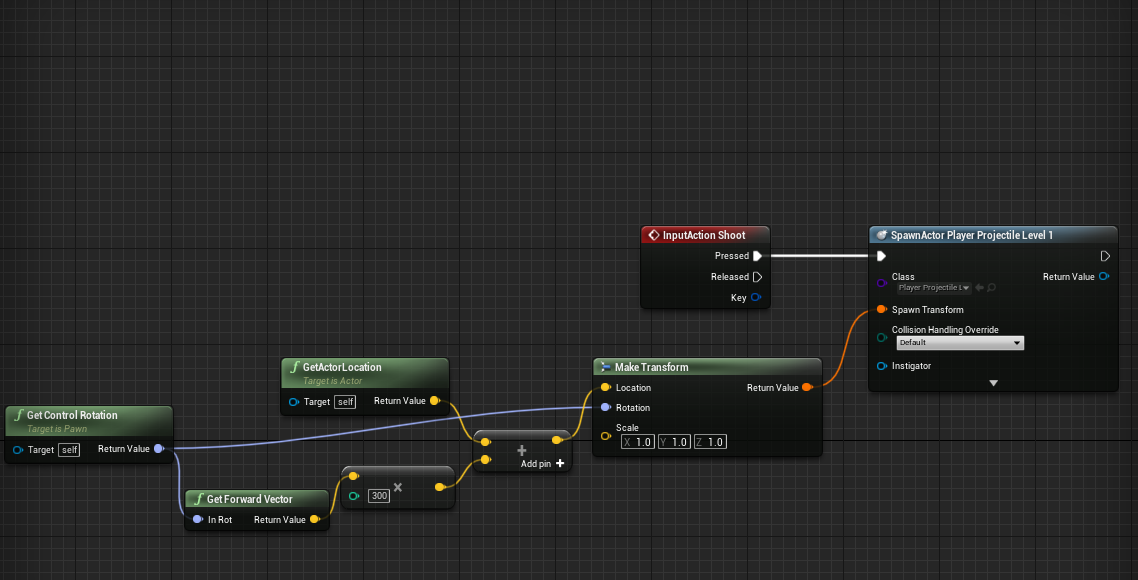
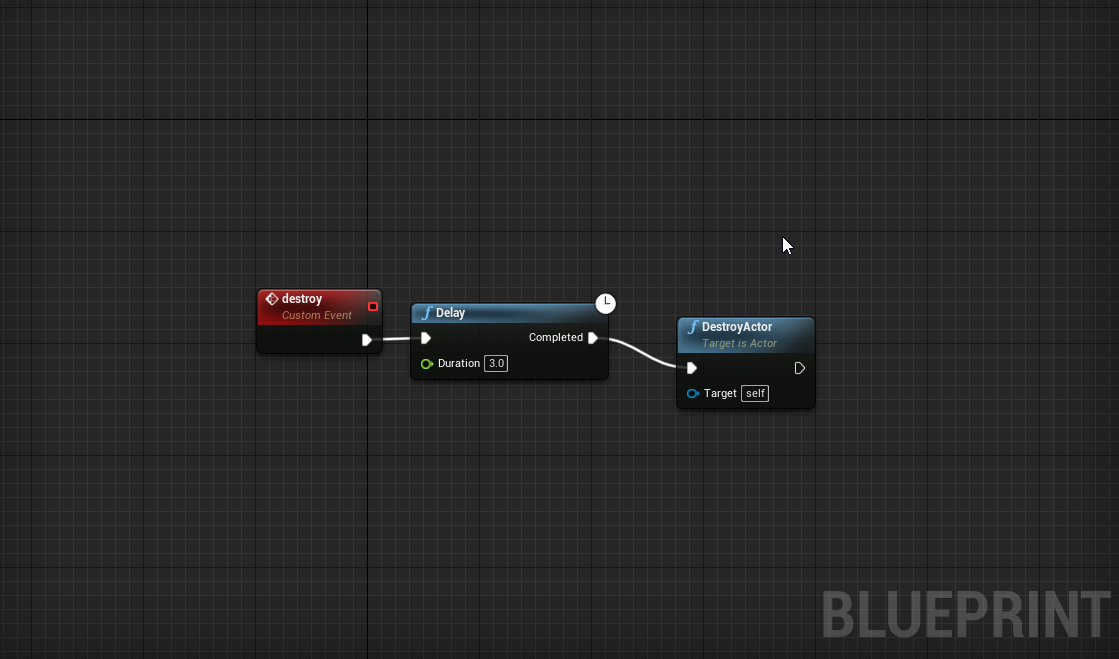

 tall pine
i need the projectile to despawn after a certain time as it's not hit based for me
weak kindle
causel can use and interfaces
then on ur input add call function
to call a custom event
and target ur projectile
 viral torrent
@tall pine just put a timer in your BeginPlay Event
if the projectile timeout call destroy
beginplay event of your projectile actor
tall pine
beginplay works
upbeat copper
I resolved my issue 😄
viral torrent
also there is a property to destroy an actor after a certain time
tall pine
what is that property called?
viral torrent
@tall pine Initial Life Span
tall pine
thats better
viral torrent
and you can put your vfx (like explosion) if needed inside EndPlay
upbeat copper
Anyone can help? Why i have two player objects when i play the game? I only have one in world outliner but as soon as i start the game then other player appears.
dawn gazelle
When the game starts your player is probably being spawned in - you shouldn't have to place one in the world.
upbeat copper
oh. Thanks 🙂
That was the issue.
that might also be the issue for that when i edited player instance variables they didnt do anything. If it spawned another player.
Thanks for the help 🙂
 formal echo
I want to replicate movement speed as a custom event on the server, but I kind of need it to have an input. Now... I heard having inputs on those kinds of things is not a wise choice, is that true?
viral torrent
you use the Character Movement Component (CMC) ?