#blueprint
402296 messages · Page 569 of 403
 earnest tangle
since it effectively generates that type of shape
y=sin(x)
that's it basically
maybe add multiplication to the result if you want the height to go higher or something
 maiden wadi
I'm just wondering what he means by grow factor. initially I assume he's wanting to move 2d or 3d points from where they are based on a multiplication curve.
@pastel rivet Just to be certain, you have the left side, you want to get the right side?
 pastel rivet
@maiden wadi
Look at the right side as index 0 and from right to left based on points, they increase in index.
Each one has its own vector placement, its the X vector that creates the bend feature.
So from right to left, i want to increase X, but from the middle index, i want to decrease it again
earnest tangle
A sine wave function would do it with the appropriate maths
y=sin(x) would produce y=0 at x=0, and y=1 at x=0.5, and then y=0 at x=1 again
or maybe not exactly like that, but something along those lines :P
it might actually be y=0 at x=0 or x=pi but in any case
pastel rivet
Using a sin, any values above 10 would just make it wavy for some reason
earnest tangle
yes you need to generate it with a smaller number and then multiply the resulting points to get a longer arc
or use something like y=sin(x/4) which reduces the wavelength
but it would be difficult to divide for the "perfect" distance, so it would be easier to generate the arc, and then multiply so you get the distance you want
(although I'm no maths pro so maybe there's some method to do it, this is just something that came to mind)
 spark steppe
can't you just use a sine node? nvm was already suggested
 tight schooner
Yeah I'd probably do the same thing. Maybe you can achieve something with a "Power" node... make a preexisting triangular wave that goes from 0-1 curvy with an exponent less than 1, or something. That's the only alternative that comes to mind short of doing something with a curve asset or a spline component.
(disclaimer: I'm also not a math whiz)
spark steppe
just scale the result up, if you power it you'll get another wave form
earnest tangle
Yeah curve asset would be easy to use for this too
you could create the exact curve you want in the range of 0-1 for X
you get your points in that range, then multiply to get it to the arc length you want
or if you know the length up front, you could make the curve asset itself of that length for even easier time
maiden wadi
My head thinks about that weird I guess. I'd just get the center point between the furthest two, and rotate a vector along the angle gotten by dividing all of the points, and then process that into a 0-1
 last walrus
can you explain me how replication works?
I have a simple BP that choose random player and then rotates it's actor to it when G key is pressed
when I press G as server - it goes to all clients
when I press G as client - it works only for current client...
(on screenshot below I pressed G as client 3 and nothing happened for others)
pastel rivet
Something like this then
 manic knot
Hey everyone! Im having trouble figuring out how to set the camera managers view target to a camera on my character as the new view target input pin is for an actor. How do devs normally do this?
maiden wadi
@last walrus Replication is simple. You set a replicated value on the server, all clients get the updated value. If that value is set to RepNotify, it also plays a function on that machine when that machine gets updated of the value.
An RPC is not replication. An RPC is what you use to have machines communicate with one another. Traditionally, most multiplayer designs are clients RPCing to server, and server setting and replicating values.
For example. If it works fine on server. What you need to do is simply make a ServerRPC, call it when you press G, and then do what you're doing on G press from the ServerRPC event.
last walrus
ok
I understand
It's too hard for me
I'll leave it for my server making dude )
pastel rivet
Almost got it, but im doing something wrong for the bending from 1 to 0 again here
Top one is from 1 to 0
So close
 tawny hedge
Hello,with Spawn Emitter at Location if the emitter is promoted to a variable and I got several Actor Blueprints based on a master one shouldn't the child BP's inherit the emitter specified in the variable? They simply don't play, but if I delete the variable and link it directly in the Spawn Emitter at Location it works fine.
tight schooner
@tawny hedge I'm not sure if I follow. If your parent class has a function/event where it spawns an emitter (and saves a ref) then any child class should also do the same — spawn its own emitter and save a ref.
tawny hedge
if I chose the emitter in On Pickup Particles variable it works only on the master actor bp. not on child ones. If I delete the variable completely and chose it from the emitter template it works
I have the same thing with a sound cue on overlap and it works regardless
 trim matrix
hey guys
tight schooner
Huh. Normally your child classes should inherit the default value of the parent class.
tawny hedge
That's what I thought as well. But for some reason I have to set that variable in every child otherwise it plays nothing
trim matrix
i followed a tutorial on how to grab and drop objects wit my mouse courser....but there is a tiny glitch/problem and i don't know how to fix it
here is video demonstrates the problem
 tight schooner
That's not how it should work so I don't know what to suggest... @tawny hedge
tawny hedge
No worries. Thanks anyways 😄 I'll figure it out
tight schooner
In the variable default field, if you happen to see a yellow bendy arrow next to the field
I think that'll reset the value back to the parent's default
(I don't have UE4 open so this is from memory)
The only other thing I can think of is you forgot to compile a BP...
trim matrix
trim matrix
i followed a tutorial on how to grab and drop objects wit my mouse courser....bu...
nobody knows how to help with this?
the physics objects act really weird
and i dont know how to fix it
maiden wadi
@tawny hedge You're certain that the children or any parents in between the master class and that child have not somehow set a new default for the emitter type?
tawny hedge
yes. Actually it works only when I use the set variable value. If I don't set anything nothing is playing on child bp's only on master. As a workaround I managed to acutally set that variable and get it's default value, It works like this but it feels wrong.
 tired fog
how would i do a wall slide where i slow down whilst pushing into a wall
and a wall jump like in mario, but in 3d
and also when i press jump quickly i jump less than holding jump down
 dusk flame
Hey guys! Got a weird situation. I have a Set w/ Notify variable, that is set up as onRep
However the Switch for Authority only ever triggers for Authority.
The Remote is never actually triggered.
So its like the server reps to itself that something changed :/
earnest tangle
I have the most bizarre bug right now...
I have a function which moves an object to the view so you can interact with a widget component on it using a widget interaction thingy
The buttons in it stop responding to clicks correctly, which is fixed by setting Input Mode Game and UI
But most bizarrely, it only works if I set input mode game and ui within the function
if I set input mode game and ui outside of the function, just after calling it in the event graph
---> no go
this makes no sense...
This does not work:
But this works:
the working bit is the final thing the function does, it does nothing after that
so both of those should be 100% identical as far as I can tell...
maiden wadi
@dusk flame As long as your property does not have strange replication settings, you should print before the switch and see if it runs. Double check that the actor that it's in is set to replicate, because in blueprint it will call the notify on the server if the value is changed on the server even if it's not replicated.
 dim robin
if someone can stop a ball from rolling forever hit me up thanks. 😫
 tawny tinsel
is there a way to check if gamepad used? i need this to change ui icons
maiden wadi
@dim robin Linear or Angular dampening.
dim robin
yes but if I raise the dampening the ball will like go slowmotion..
dusk flame
For example on BeginPlay I call SET w/ Notify under Authority, and then in the RepNotify, it only updates the server.
Just to be clear, I am switching on Server/Remote, and then doing a simple print. Authority always prints, Remote never prints.
IF I call Set w/ Notify on the Remote AND the server, then the remote and the server are both called in Rep Notify.
But like that defeats the whole purpose 😅
maiden wadi
The actor class is for sure set to replicate?
dim robin
also, If i set the linear velocity to 0 at some point I will never get it stop completely, as you can see by this screenshot
dusk flame
The actor class is for sure set to replicate?
Uh oh, I probably missed something here.
I have the variable itself in the bluepprint set to rep-notify. Do I also need to set the parent actor to replicate?
maiden wadi
Because that sounds like it's not replicating, but in blueprints the onrep will still get called if the value changes.
@dusk flame Is this in an ActorComponent or an Actor?
If a component, boththe Actor it's in and the Component need to be set to replicate, if it's just an actor, that actor needs to be set to replicate.
dusk flame
I guess I found it 😁
Man, this poor programmer is very out of his league when working in Blueprints.
Thanks so much for bumping me in the right direction.
maiden wadi
Been there myself a time or two.
dusk flame
Been on the job 7 months and still feel way too dumb ^^
maiden wadi
@earnest tangle That is pretty odd. The only difference is the SetInput moved? ShowMouseCursor is still being done inside of the function?
earnest tangle
Yep
The function call that you see in the non working example just before the set game and ui runs to the point of the set mouse cursor
 upper adder
An Interface does pretty much the same like an EventDispatcher but has a return value right?
(Ignoring that its built up differently)
maiden wadi
Interface is not an event dispatcher. Dispatchers are meant to listen for or broadcast to multiple actors that have already been cast or communicated with one another to set an event to play upon that call. An interface, is a way to tell multiple different classes with non similar parents to do something different with the same action or input.
upper adder
But in the end its pretty similar, seems to me at least..
One calls something, the others get notified..
maiden wadi
It's not, they have completely different uses. To give a better example, you would use an event dispatcher to turn on ten lights from a single light switch. Either the light or the light switch would have an event dispatcher and the other would hook into it. The light would have an event that gets called when that dispatcher happens and toggle it's light. These have to know what each other are to hook into that dispatch since it's class related, they would need to cast.
upper adder
Yes, get that
trim matrix
I'm not sure I understand. Can you explain a little more?
maiden wadi
An interface in this case, would be the player line tracing and hitting an actor and calling a simple interface event on that hit actor. So we might line trace and hit a chest to open it to see what's inside. That same exact event can be used to line trace and hit the light switch, to call the event dispatcher to toggle the lights, or line trace to tell an NPC to do something.
trim matrix
I have a collision sphere and I'd like to have the pawn spawn inside the sphere and not be able to get out. Instead, the pawn spawns outside the sphere and isn't able to get in.
upper adder
Ok thanks for the help
maiden wadi
@upper adder I suppose a simpler way to say it might be that an event dispatcher keeps something from either continually checking if something has happened, or requiring something to for loop over a bunch of references to make something happen in a lot of different instances. Where an interface will allow you to interact with multiple different classes without having to cast to them.
upper adder
but you still need a reference to the actor you want to "interface"
last walrus
why my line trace goes into ground?
(this is third person BP)
the less is vector*int value the faster it goes into ground
but IDK why
 odd ember
I mean you place the start value 100 uu above the end position
so it's going to go into the ground
last walrus
odd ember
I mean you place the start value 100 uu above the end position
oh... so I must add 100 to both values?
odd ember
I don't know what you're trying to do
but
if you want a line that's even on teh vertical axis, then yes
also I'm not sure why you're doing so much extra math from that one component when you can just use GetActorForwardVector
last walrus
odd ember
also I'm not sure why you're doing so much extra math from that one component wh...
with this it goes from character's feet
so I need to move it
last walrus
(and 90 degrees rotation because for some reason UE thinks this mesh is rotated)
last walrus
odd ember
again, you can replace your component entirely with your actor
it will be for actors where actor by itself will not rotate but mesh will
odd ember
yeah? you mean like your character mesh does?
odd ember
you can still use this instead: https://docs.unrealengine.com/en-US/BlueprintAPI/Utilities/Transformation/GetForwardVector/index.html
Get Forward Vector
in the case of turrets or turning heads or what not
last walrus
odd ember
you can still use this instead: https://docs.unrealengine.com/en-US/BlueprintAPI...
I need to rotate it by 90 degrees as I said before
on screenshot you can see how it looks without +90 degrees rotation
tight schooner
Well you can always GetRightVector
last walrus
tight schooner
Well you can always GetRightVector
what it does?
tight schooner
Gets the right side vector
Basically what you're doing by rotating the rotator by 90 deg
maiden wadi
Are you trying to make it trace in front of the mesh and not the actor?
Cause you can get the forward vector of the mesh component too.
last walrus
maiden wadi
Cause you can get the forward vector of the mesh component too.
mesh is rotated, actor not
I hope at some point I'll be smart as you to help people too )
last walrus
odd ember
and linked to the node
you linked to the forward
not the right
and then seanny said about right
maiden wadi
Still not fully sure what the trace is for.
last walrus
maiden wadi
Still not fully sure what the trace is for.
for this
#blueprint message
so the target on that picture is character at the moment
and ai is floating cube you can see here
#blueprint message
odd ember
@last walrus I linked to the forward vector of the scene component
no good deed goes unpunished 🙄
last walrus
odd ember
<@!247300200849342465> I linked to the forward vector of the *scene component*
if i link it to actor - it's not what I need
if I link it to mesh - I need to rotate it by 90 degrees so the right vector is solution
I appreciate your will to help
but its not what I need
last walrus
 late cave
Man, I like blueprints... 😋
late cave
Man, I like blueprints... 😋
also you can just make bool to int without select node
so it will return 0/1
late cave
sure, but I wanted it as readable as possible...
last walrus
sounds reasonable
but I hope people who will see this blueprint can understand you can turn value into another type )
late cave
(yes, and perhaps the code generated from it might be much worse on the select node, though... that I don't know)
I had to give up nativization due to bugs with colliders 😦
last walrus
late cave
(yes, and perhaps the code generated from it might be much worse on the select n...
select node is just if/else but more complicated
late cave
Not in love with this, though...
guess I need to check the soft reference before I attempt to load it..
 haughty crypt
Hi,
when I use "set input mode UI only" while my character is moving my character keeps moving on his own when going back to "input mode game" until I press W and release W again.
So for some reason the Input Axis value gets stuck on 1 even thought I am not pressing any key. Until I press and release the key then the Axis value becomes 0 again.
Is there a workaround for this? Can I reset an Input Axis somehow or anything like this? Thanks for helping
late cave
I think you need to examine how you are reading that input axis value and also perhaps, since you now know about the problem, just override the value when you switch modes?
 twilit heath
its because you're doing something weird in input handling
i'd venture a guess your AddMovementInput is connected to Tick here
haughty crypt
nah, it's using the MoveForward axis
which is basically tick
so when axis is 1 and ui only gets called, axis stays on 1
twilit heath
InputAxisForward -> AddMovementInput (in direction of forward vector, and connect the scale)
is how its usually done
haughty crypt
yeah essentially what I'm doing
maiden wadi
That's how he's doing it. Axis stays at where it was when you call SetInputModeUIOnly though.
Only two ways I've personally gotten around that, is to disable input on the pawn in the same call and wrap it in a function I can call easily with a boolean switch to return it to normal play. Or you can more or less wrap your movement in a boolean and use that to disable movement as well.
haughty crypt
so I tried disabling input as well
but whenever I re enable it, the axis value stays at 1
is there no way of setting an input axis value back to 0 by reference?
maiden wadi
Hmm. That does stick. Might look into that myself. I do the boolean method in CPP for my survival template game with the setter wrapped in a function from the player controller so it can be referenced easily from anywhere like UI destruction events.
haughty crypt
seems very strange to me
that input mode ui wouldn't work here
that should reset the input axis shouldn't it?
maiden wadi
Not really. Depends on how it handles setting that value in the first place. I mean if it polls something like key press down for that value, and the UI setting simply disables that polling, then the last value set would probably still be used.
Going to rabbit hole the C++ call for that and see what it's setting.
haughty crypt
thanks Authaer, I appreciate it
maiden wadi
I can't find what else uses it, but it would seem I'm probably correct in that setting at least. These two lines are from SetInputModeUIOnly. They basically tell the viewport to ignore input of any kind. And I assume that means that something else doesn't update the Axis values as if the button had been release.
GameViewportClient.SetCaptureMouseOnClick(EMouseCaptureMode::NoCapture);```So. Off to find where or how Axis values are set.
trim matrix
How to get clicked instance?
haughty crypt
clicked instance?
maiden wadi
It's hard to say with the Axis thing. Frankly I doubt you're going to affect this from blueprint. I think this might be why I ended up just using SetInputGameAndUI, and disabling movement with a boolean.
trim matrix
@haughty crypt
Hierarchical static mesh instance.
Currently after making hit results, i want to get that instance and be able to remove it.
haughty crypt
do you have a ref to that instance in the code?
trim matrix
ye
haughty crypt
@maiden wadi Ah bugger, thats no good, I'm using UI only mouse move functions that don't respond well when using input mode game with it
trim matrix
but i have currently many different types of instances and each of them needs to be able to get removed.
so i need to someway identify which instance it is and them remove, but i dont know what would be good way to achieve that.
haughty crypt
do you have a solver that spawns all the instances for you?
trim matrix
Solver?
haughty crypt
like one common blueprint that spawns all instances
trim matrix
Ye
haughty crypt
ah then can you not just add all these instances in one array?
trim matrix
like searching right instance from it after hit results?
haughty crypt
if it gets laggy, you could maybe try finding all instanced actors
oh are you trying to destroy them from a hit result?
trim matrix
ye
haughty crypt
ah then the hit result should have a value with the actor hit
trim matrix
ye it has but i have many different instances and i need to identify instance type also
haughty crypt
then you can get the actor's class
trim matrix
haughty crypt
aren't allof those core components though?
trim matrix
building system is actor itself, core is instance name and voxel11 is mesh type. I cant put it straight to set instance variable.
Find Substring
@haughty crypt have you used this?
haughty crypt
oh haha I guess you could use that
haughty crypt
no problem, sorry I couldnt do much
trim matrix
ye i guess most arent creating minecrafts in unreal engine ..
 next kite
hey guys
I've a question
when you're doing menus that quit to different screns
is the instance of play still running?
I've got my game basically quitting to the main menu when done, but the sound is still playing. Which worries me a bit, is the game basically still running underneath even if i turn the sound off?
haughty crypt
have you set game paused before calling it?
haughty crypt
I mean, that's what I do.. but i dunno haha, could be a more optimised way of doing it
next kite
makes sense. I was just worried about more instances of the game running in the BG or something
haughty crypt
@trim matrix , your forloop is only happening once since you're setting it to completed
next kite
like, a way to "Kill" that particular instance, if that makes sense
haughty crypt
no problem
 quick lance
is there a way to figure out which object triggered an event dispatch?
next kite
okay perfect
works as intended for the most part
i know what to do now
just have a "dummy" level that has nothing going on
haughty crypt
ah yeah sorry I thought you had that already @next kite
Is there a reason when I set Input Mode Game And UI Mouse Button Up doesn't get called properly in my UI?
It's maddening, everything else does except that
oh for goodness sake
I found it
I just had to set viewport mouse capture mode to no capture
next kite
Yeah I sorta do, its hte level where I have cars called in for viewing an such
its just not done yet lol
haughty crypt
subtracting the two points?
as in their location?
nah that's the magnitude
if we're talking vector direction, the subtraction would be the way to go
and also, what you're doig with the pythagoreans theorum, its a node in blueprints, it's called VectorLength
nah, that will be a vector already
a location is a vector
haha maths are convenient
 unkempt musk
Have you tried the Apply Radial Damage with Falloff node? Or Add Radial Impulse node?
haughty crypt
@unkempt musk that's probably the best way to do it
no, that component isnt an array]
yeah you're not adding the output of that to the impulse node
maiden wadi
@unique flicker Normally you just create a specialized child for the player that has a camera and then a separate child from the same class that doesn't have a camera. Typical inheritance chain.
unkempt musk
@unique flicker I use a PlayerbaseBP and an EnemyBaseBP. I find it easier than deleting and adding components
haughty crypt
no worries @trim matrix
maiden wadi
Well, deleting components is the least of the optimizations.
For having that many enemies?
A lot. None of which is really 'easy'. The easiest is probably a variable tick rate based on a few factors.
unkempt musk
@unique flicker If you want swarms of enemies, I'd make a brand new BP and go as minimalist as possible. More code is more lag once you spam the copy paste.
maiden wadi
I've managed about 1500 citizens in a city builder while staying above 60fps and them just picking random locations to run to. I had to drastically lower the actor and mesh tick rates to slow the animations.
I also advise ditching the Character class back to Pawn.
Literally pick a random spot every five seconds and run to it, that was all.
No. Pawn is the first class that can be controlled by a controller.
For an AI? Not unless you want to program your own controller.
@unique flicker Try something like this on Beginplay in a singleton class like GameMode.
See how your FPS is after setting those two settings after all of your AI are spawned.
If that helps significantly, consider a simple manager that can do that based on the player's view.
There's a reason why most serious games only have like 30 enemies at a time max. Those that have a lot more do a lot of serious computational optimization.
Actually one great example of this is X4 Foundations, if you've ever played it. Stuff near the player moves smooth. Stuff not near or in other systems are nothing more than vector points that get interped semi often.
Not really sure how to explain interpolation.
Other maps don't exist until they're loaded.
And keeping everything loaded in world composition defeats the purpose.
last walrus
How do I do vector + int? I know theres vector*int but what can I do when vector's length is 0?
Add some length to vector
Ok thanks
 winged badge
tips for preparing a blueprint-only project to upgrade between engine versions? (for me 4.21 > 4.25)
unkempt musk
I Migrate my folders between projects on different engine versions. Haven't really had a noticeable problem.
 worthy frost
@winged badge bp upgrades are ok
we went from 4.22 to 4.24 with no issues
4.21 to 4.25 in BP should be ok
might be some subtle function changes
winged badge
I do have 2 plugins (gameplayabilities and advanced sessions). I'm assuming i just have to replace their files with new ones?
worthy frost
but nothing 5mins fixing can't sort
gameplayabilities comes with the engine no?
or is this a third party one?
winged badge
edit: its classified as unsupported
bc there's official documentation about the plugin
earnest tangle
I'm noticing Get Actor Bounds seems to return the bounds relative to the actor's rotation
Is there some way to get the bounds such that it would ignore it?
unkempt musk
@trim matrix Project Settings > Editor-Appearance > then change Distance/Length to whichever units you need
Only changes it for that project
unkempt musk
It's searching each actor to see if it has the specific PrimitiveComponent attached. If it's a static mesh and not a BP it won't be attached.
Give me a moment, I'm trying to remember what i did
winged badge
yeah
its not 100% blueprint supported
you have to got in and edit some code to make it work
odd, used a blueprint project and the only thing i edited were the ini files of the project
either way its still a really robust tool for data and asset management
unkempt musk
on the ComponentByClass change it to StaticMeshComponent that counts as a primitive
set Vel Change to true
that sets it to ignore mass.
And the static mesh needs to have Simulate Physics == True in order to receive impulse
 forest sable
when i use add unique object reference to an array does it look at the copy of the object or at the class of the object
unkempt musk
copy of object. Box_01, box_02, etc.
forest sable
so i should use add unique if i don't want multiple references to the same object
unkempt musk
That's what i use at least.
forest sable
@unkempt musk thanks ❤️
unkempt musk
@trim matrix I'm not super familiar with delegates, but if the delegate is working on the SetTimerbyEvent I tried creating a custom event, and had the on click call the custom event.
tired fog
i want to get good platformer movement
3d platformer movement
where i can dash but only in the air
and only once
until i land then it resets
unkempt musk
Sounds like a Do Once node. If you get a reference to the movement component, you can see the Is Falling Boolean to reset it
tired fog
so if is falling = true, can dash = true
oh and also how would i add aniamtions for jumping and double jumping?
odd ember
branch with isFalling && DashUsed
animations you can handle the simplest the same way
by adding transition booleans for the locomotion state machine
tired fog
how would i reset the "do once"
so when i land again it refills my dashes left back to one? so i can dash if is falling
forest sable
if is falling is false then you have landed, so conect the false from a branch to the reset on do once
tired fog
ive done it
odd ember
if you forego the DoOnce you can just have a boolean for DashUsed that you can set to true when using the dash, and false on landing from a jump
tired fog
i did it
unkempt musk
I'd recommend something like this. This just handles the functions, not the animations
odd ember
don't do that
tired fog
i made it so i can only dash once, and can only dash in mid air
odd ember
there is literally an OnLanded event
tired fog
but when i land back on the ground my dash resets
odd ember
using tick for something like this is obnoxious
forest sable
yes you can use that too
unkempt musk
@odd ember Where do you find the OnLanded event?
odd ember
in your character blueprint
forest sable
i think it is called is grounded
odd ember
yeah it might not be exactly called that but there is on for basically touching the ground again
forest sable
Is moving on ground **
unkempt musk
Have to search for it, but it's there
odd ember
there it is
tired fog
how do i make things "sticky" so when i jump or dash onto them and land i don't continue sliding for like half a second, and i stay
odd ember
generally I recommend turning off tick for everything except the player controller (which uses it internally)
odd ember
tired fog
how do i make things "sticky" so when i jump or dash onto them and land i don't ...
you'll have to explain that better
tired fog
like when i dash or jump onto things i keep going for a little while
odd ember
probably some degree of inertia
forest sable
you can edit the friction parameter in the character BP
odd ember
in the character movement component you can take a look and modify settings like that
(that'll be inside the character BP)
unkempt musk
Braking Friction should help. Try adding 0s
tired fog
ok thanks, ill try that
wait i think it would need to be higher
i set it to 0 and it slide even more
because zero friction means slippy
odd ember
yeah 0 friction is continuous ice sleet
tired fog
so more friction would mean "stickier"
unkempt musk
I meant add 0s like 20 or 200
odd ember
I reckon you'll want to use physical materials for that
tired fog
how would i add jumping and double jumping animations please?
like maybe if jump is pressed and im on the ground set a bool to true
odd ember
you'll need a custom bool the same way you had one for dashing
tired fog
and if jump is pressed and i'm in the air set a differant bool to true
odd ember
yes
reset on landing
in the locomotion graph you'll want to make that happen as well for the state machine
tired fog
then once the animation is finished set a differant bool to true, that enables a falling animation
odd ember
all of that can be handled with transitions
probably better to ask in #animation though
tired fog
ok
how do i play a animation directly
like when the jump is pressed then play the animation
odd ember
@tired fog #animation
tired fog
yeah
odd ember
yeah but that's a really bad way to do it
as it breaks the animation flow from the state machine
it absolutely is
all animation should be handled through the animation state machine
superceding it sets you up for pitfalls
later on
they most definitely are
unkempt musk
@trim matrix
odd ember
if you're not wanting to have issues later on, you handle animations in one place and one place only
that goes for pretty much everything
 covert delta
To what extent are function outputs cached in blueprints? If you drag the output of a function call to two separate nodes on the same sequential execution path does it always run the function exactly once?
odd ember
I think someone did a test a while back that it gets run once per pin use
tight schooner
If it's a pure function it gets run once per each executed node it's attached to. If it's an executed function... I don't actually know. I mean it's explicitly executed so you explicitly control how many times it's executed
But idk how long the data "lasts"
(Forever?)
 supple dome
action rpg uses anim montages which are run through the animbp and obey all animbp rules like priorities and weights
supple dome
covert delta
To what extent are function outputs cached in blueprints? If you drag the output...
exec functions (with the white pin) execute once and the return is cached, pure functions get called everytime the output is used
ya its done in a blueprint, which goes really well with GAS, i dont think it always need to be on a state machine, but it does need to go through the animbp
just calling play anim is breaks it
using slots
This page describes how animation montage assets work and how they can be used.
search for slots
not doing so may break so much stuff
for example, you are attacking, and you get stunned, weights should handle it and anim notifies should be cancelled so your skill doesnt trigger
 vocal elm
Anyone use projectile movement component? Why is the projectile bouncing, even though should bounce is unticked?
supple dome
simulating physics or not?
vocal elm
Im in the sidescroller template. The sphere is simulating physics, when I untick that, the sphere from the firing point goes into the background
supple dome
@vocal elm ShouldBounce is only when not simulating physics
you can handle that in the Hit event
when simulating physics it ignore some of the projectile movement params
vocal elm
when simulate physics, and should bounce, are both unticked, the behavior is the projectile slightly goes toward the background, and only spawns while moving
supple dome
talking about action rpg? theres a while since i last seen it but if you want all animations to overwrite eachother using the same slot is fine
@vocal elm well is the initial velocity correct?
late cave
so I'm not allowed to destroy a component from a "non owning" blueprint, even though that blueprint spawned the component... but I can destroy the component from within itself?
vocal elm
supple dome
<@!702271954245124127> well is the initial velocity correct?
Do you mean initial speed, or velocity?
supple dome
@unique flicker all my stuff use the same slot, idk what u on about just play the animation then
vocal elm
supple dome
@vocal elm yeah, you need the correct inicial velocity to launch to the correct side, you should be getting your weapon socket location and mouse location for it
@trim matrix you never need to cast a child to a parent, if thats what you asking
read the manual
it explains better than i can
vocal elm
supple dome
<@!702271954245124127> yeah, you need the correct inicial velocity to launch to ...
Ahh okay, that makes sense, thank you for your help. I'm just not understanding how it works in the first person template, since the initial velocity is set to x=3000, yet it fires in any direction your facing. (this is first person template)
supple dome
well you are wrong 🤷
@vocal elm i dont remember if the X location is local or global, if its local means x is forward
and also makes it go through the animbp through slots
which uses blending, weights, state machines, and is the only way for interpolating between multiple animations called from a BP obeying transition rules and anim notifies weights
@vocal elm but still wouldnt really make sense for a sidescroller, you need to shoot in the direction of your mouse (if thats what you controlling your gun with)
hardly you will use many different slots, one usecase would be using two skills, at the same time, one with each hand, both interpolating with another running animation
late cave
Bummer... this doesn't work 😦
anyone know how to get it working?
double bummer... nobody has an answer
vocal elm
not me 🙂
I'm firing a projectile in the direction of the mouse from a weapon in a sidescroller, enums is the other guy
maiden wadi
@covert delta There are two types of blueprint nodes for functions(note not including macros in this). Callable, and Pure. Callable nodes have the white input output pins. Pure will not have those pins. Callable will get updated once every single time an execution line hits it. At that point it will pull from it's inputs, and update it's outputs. Pure on the other hand, will do this once per every single line going from it's outputs. It will pull from every pin connected to it's inputs. It's good to learn this to keep up with blueprint execution.
covert delta
thanks all. I was being overzealous and making everything without side effects as pure, but it only now just clicked that caching the output is a side effect in itself. Makes total sense
 vast lion
How do I make a volume at runtime? Can't seem to set it's size...?
odd ember
there are two types of volumes
I think brush volumes are off limit
the other type of volumes are collision volumes
you can increase the size by using something like set box extents if it's a collision box
capsule, sphere have different controls
though to be fair you might want to wrap all of this in an actor so you don't constantly have to hook up events dynamically for overlaps etc.
supple dome
@late cave bp enum or cpp?
looking at the code it requires that its a UEnum not sure how bp handles that
 cloud trellis
How can I move a project from a newer version (4.25) to a older version (4.24)
im trying to do something and 4.25 doesnt include it so i need to move the proejct
Because im setting up a multiplayer, and I need to create a new interface (in player controller) but it just wont show up. if you know how to get it to show up please let me know that
i can see functions
 rough jay
whats the node to access pitch like 0 - 360 degrees
 faint pasture
Do you know exactly what casting is?
 exotic rose
ah sorry didnt know I was supposed to send here, have been sending in general chat, I would essentially like to make a jetpack, however I cant edit the jump params (this is for a video game mod, dont ask about that part), and this isn't working for me, any suggestions that might be easier for me or reasons why this might not work?
 blazing meteor
Hey, is there a way to check if the client has disconnected during servertravel? I tried checking from the server but it doesn't work
 vague dome
Hello, i am trying to add force to an object when i hold down input keys, anyone have ideas how to set this up in the best way?
right now i just have just Input key - Add force, but it does affect it only once on each press
is there any simple way to make this a constant force as long as input is supplied?
 noble cape
hey, am I being really dumb or do all these Booleans evaluate to be true?
this is from the Advanced Locomotion System, under the Calculate quadrant node in the anim blueprint
also I meant the OR Boolean operators and not the AngleInRange
blazing meteor
If there's only 1 input, I guess. In a way
@vague dome You can add an axis and check that event if the input is not 0. If so, apply the force continuously.
@noble cape Yeah. the OR Booleans will return true all the time.
 stuck hedge
For some reason in local split screen when I disable input for 1 controller, it's disabling input for all players. This is a racing game and when a pawn crosses the finish line that pawn gets its own controller and disables input on it. I've put in a breakpoint and checked and it is only running once and it is reporting controller 0, but for some reason the input is being disabled on both Controller 0 and 1
two controllers
First controller having input disabled when they cross the finish line. But at this point the second controller no longer responds to input
okay nvm, found it on google, setting input mode to UI affects both controllers
 ember dawn
So I'm running a simple preliminary multiplayer test, just 2 players both controlled by me on a listen server (I think that's what it's called?)
Wanted to test to make sure that when Player 1 is looking at an object and has it highlighted, that Player 2 doesn't see the highlight. This works. However, Player 2 doesn't seem to be able to highlight objects at all. Anyone got a guess as to why?
It's just a basic continuous line trace that puts a post-process outline on any physics object the player character is looking at.
trim matrix
Can I run a client to server replication from a Scene Actor or no (because of security risks I read somewhere)?
Thanks in advance
Oh, and then from the server to be multicasted to all clients
 desert juniper
I'm a bit confused by this.
The 'Set owner no see' node fires, however the owner of the item always sees it anyways
is there any other way of turning off visibility for an item for owner?
trim matrix
@desert juniper
I believe most meshes have a property built in for that
Alternatively, you could make it a function, and run it on Event Begin?
 trim matrix
@rough jay
It's because you are using an Event Tick instead.
 clear temple
Nope its a feature
trim matrix
So it is constantly trying to rotate, causing a collision, because with all game engines, collisions take longer to compute than executable code.
rough jay
do i use begin play and a loop then?
trim matrix
So, youre telling it to rotate, it says okay, sure no problem, but then it checks for the collision, instead of checking for collision before it does as you ask.
desert juniper
@trim matrix The skeletal mesh does have the property, but I want to dynamically set visibility at runtime.
this is for multiplayer and I'm trying to get first person char to not see the items in its third person slot
I don't really want to make a BP for first person item, and a second BP f or third person item with those values set
trim matrix
@desert juniper You want to look at the actual mesh of the character, not the skeletal mesh, I can find a screenshot for you
@rough jay
Are you wanting the block to rotate 90, then rotate another 90, in repeat?
desert juniper
not sure I follow.
The third person mesh (which this object is already parented to by this point) is set to 'Owner no See' in the component properties
trim matrix
@rough jay
Not sure exactly, but I would suggest removing the collision for the box as I assume you are using a box collider.
Instead, replace this with a rounded cube physics component
That would work.
@desert juniper
Just taking a screenshot for you now
desert juniper
thanks!
trim matrix
This is my character component, which contains the character etc.
This is referenced for spawning.
This is the details for the selected character (Mesh).
However, it's not going to solve your issue if you want the Hidden In Game function to change dynamically in game.
For that, I can only think, you will need to make that property a function, which can be accessed during play time, within certain conditions.
desert juniper
i don't' actually need it dynamic. I just want the FP camera to not see the third person item
I think I have similar settings to the character's smesh
trim matrix
Yeah, at the top of that list, second option
desert juniper
right, but if that's selected other player's can't see my TP mesh
trim matrix
But it will also be hidden while 3rd person too.
Whichever key you use to swap camera, you should call the function from there, using a FlipFlop node, so it changes automatically when you toggle first person to 3rd
ahh, its online, ok
im sure theres another, 1 second lol
desert juniper
yeah. there's no camera from FP to TP, the game iteself is all FPS style.
trim matrix
Okay, found it, expand the rendering, it's in the advanced settings "Owner No See"
desert juniper
yeah. I have the mesh (third person mesh) set to that.
and it doesn't show. but anything that is attached as a child to the mesh still shows
trim matrix
Oh really, I assumed children would mimic parent with that setting!
trim matrix
Hmm
desert juniper
this is the current equipping logic btw if it helps
BlueprintUE
There's the function "SpawnItemInSocket"
it was just too long to take a good picture of
vague dome
ok so i have gone with a different solution instead of adding force i am using physics thrusters. Right now im struggling with getting the Thrust strenght to increase over time while holding down W
trying to use a timeline, but not sure where i should put it tbh
trim matrix
Hmm
desert juniper
and in the 'EquipAction' after that, I am trying to hide the item
trim matrix
And the referenced Skeletal Mesh, is the object you want to be hidden from owning player?
desert juniper
correct. I can rename it to make better sense
vague dome
anyone got ideas for how to incorporate the timeline here?
desert juniper
trim matrix
AFAIK, skeletal meshes, don't work with hidden from self, because they aren't rendered, instead their visual mesh is.
That might be the reason?
I would suggest getting a variable of the mesh on equip, and then referencing that too, so it can be for all items equipped
You want to use the timeline to animate or control the thrust power?
@vague dome
trim matrix
Try it just before the activate node, if that dont work, then try after it instead
I'm not completely sure, but those seem the most logical places maybe
vague dome
would i drag the "Update" node into the set thrust strenth then?
trim matrix
Not really sure, you could try it? :)
I dont use timelines often, only for basic things, not with physics, sorry!
but it would make sense to me
desert juniper
trim matrix
AFAIK, skeletal meshes, don't work with hidden from self, because they aren't re...
sorry, not quite sure what you mean here
trim matrix
I mean reference the blueprint class component of the prop which contains the skeletal mesh, instead of just the skeletal itself?
btw, do you know if you can replicate actor events (switch tells lights to power off), to the server, and then multicast that from the server.
I've set it up correctly, but I read somewhere it won't work because of some security thing....
desert juniper
ah, unfortunately
desert juniper
I aswell 😦
faint pasture
@vague dome adding force on tick and using a thruster do the same thing
desert juniper
thanks for the help however!
trim matrix
No problem, just try see if you can reference only the visual mesh and not the skeletal if possible, because without the visual mesh, the skeleton will also be hidden afaik
faint pasture
vague dome
trying to create a natural acceleration to a thruster
Constant thrust will result in constant acceleration. If you want the thrust to throttle just change the force amount over time. What is your desired result?
vague dome
ok, seems like im getting somewhere, the thrust works as intended now, but the timeline is still not working, it just cycles between 0 and some random number that is not max thrust
My intention is that the thrust builds up over X amount of seconds as long as you hold down forward movement key
faint pasture
Don't use a timeline like that, you are restarting it every single frame
vague dome
lol
desert juniper
man that's so odd. even in rep notify it still spawns
vague dome
that explains it
faint pasture
Do it like this
trim matrix
I was about to say, if it's always receiving input, its always playing from start
desert juniper
I don't really think this node does anything at all
faint pasture
Target thrust = input * maxthrust
vague dome
yea, that makes sense when you say it
desert juniper
I also don't quite see how to get the visual mesh
faint pasture
CurrentThrust = finterptoconstant(CurrentThrust, Target thrust)
vague dome
This is my very first attempt at working with this kind of BP, so bear with me 😄
faint pasture
That's it
So input sets the target, the Interp node constantly interps towards target at Interp speed
You can also just scale it all at 0-1 and multiply by maxthrust at the end. That's how I do my throttle interping
desert juniper
and to add to the mystery.. it apperently is set correctly
but the FP camera can still see the item it's not supposed to see
trim matrix
@desert juniper
Are players equipping the item in game, or do they spawn with the item within their blueprint?
vague dome
desert juniper
equipping the item in game
vague dome
no that did not work
faint pasture
@vague dome it should always be active, just scale thrust to 0
trim matrix
@desert juniper Try setting the option from within the blueprint graph on the "add static mesh component" node
trim matrix
Because when it spawns, those are the properties it will use, from the blueprint graph node. :)
vague dome
do i need to set delta time or something
desert juniper
sorry not quite sure what you mean
faint pasture
Just on tick, set
throttle = finterptoconstant (throttle, input axis, throttlespeed)
And
Thrust = throttle x maxthrust
faint pasture
vague dome
do i need to set delta time or something
Finterptoconstant needs a current value input
desert juniper
I'm assuming when I spawn the item
faint pasture
Also give it the delta time
Do it on tick, just delete the axis event. You can get the axis value
trim matrix
Oh, you're spawning the flashlight as an actor, instead of a static mesh component?
If so, I assume that the flashlight is the class you are referencing from the spawn actor node.
If so, you should be able to open the class for the flashlight, and you should have the static mesh component within the heirarchy?
desert juniper
yeah the flashlight has functions that are specific to it (such as turn on) so I want to be able to access those items in it's BP via it's interface calls
trim matrix
That should work fine still, but from that blueprint class, did you set the static mesh component as owner no see?
desert juniper
but the class it is referencing may or may not have a skeleta/static mesh. so the spawned item object doesn't actually have access to its mesh
I didn't. I can set it, but I'm assuming that once I then spawn in the item for first person I'll have the opposite problem
trim matrix
If it's set to owner no see, it should work fine, if the player becomes the owner, which it should
vague dome
what should the current value be linked to?
desert juniper
yeah now the opposite problem is true. player can't see item when attached to first person arms
trim matrix
The flashlight is to be held also?
desert juniper
btw, the server sees all correctly as it should
trim matrix
in their hands for example
desert juniper
if it picks up an item, it doesn't see the third person item
its only the clients that have the issue that they can't see
yeah flashlight is to be held in hands
trim matrix
Haha, I'm a little confused, sorry, its not your fault.
The flashlight can be mounted on the shoulder, and equipped in the hand?
If on shoulder, hide from 1st person camera.
If in hand, show to 1st person camera?
At all times, other players should see the flashlight?
If it's easier, you can screenshare for me? :)
desert juniper
Sure I can screen share 🙂 may make some more sense
vague dome
ohhhhhhh
i finally got it
ok, now i can make it go
now i need to make it steer
😄
is there a way to set a constant torque amount easily
basically i need a rudder
but it should stay in place when its not receiving input
ohh, and i need to fix throttle once its not recieving input
i think i have a solution for that
faint pasture
@vague dome what are you trying to make? What kind of vehicle
vague dome
a mix between a hovercraft and a sail ship basically
that travels on land
floats on sand
faint pasture
How does it have lateral control like a keel?
And are you trying to have wind be a thing?
vague dome
no, its powered by fans, kinda like those swamp boats
i basically want the throttle to be fixed as long as there is no input
i tried with a branch, but not quite sure if that will work
basically if not throttling: set throttle to current value
faint pasture
Nah u need it all to be continuous, no branching necessary
vague dome
any ideas?
im so junior when it comes to BPs that i dont know all the nodes i can use etc
faint pasture
@vague dome I would do it like this.
On tick, calculate all the forces acting on the craft like this.
-
Lift. Prolly 4 points and force is proportional to distance from ground. Use add force at location here.
-
Thrust. Same as before. If you want input to change throttle like how a boat or airplane does, just set throttle = throttle + inputaxis x throttlespeed x timestep.
-
Aerodynamics (rudder)
Calculate a steer alpha by lerping as before. Use a scene component as your aero component, and apply force at its location, something like
Aeroforce = projectvectorontovector(velocity, rudder.right) x SomeHugeNegativeNumber
You steer by setting the rudder scene component local rotation
You probably also want to use the steering to rotate thrust direction
vague dome
What should the timestep look like @faint pasture ?
or am i reading that too litteral
faint pasture
@vague dome delete that event and use tick.
faint pasture
Uh... Not exactly lol. You gotta think about what you're hooking up and why.
vague dome
hahaha, i felt really stupid as soon as i did that
faint pasture
Set it up so
Throttle = clamp(Throttle + ThrottleSpeed x InputAxis x DeltaSeconds)
Clamp it to 0-1
Throttlespeed should be around 1 or so
vague dome
i feel like this might make more sense, am i onto something?
faint pasture
Closer but not yet. Do you know order of operations?
You can also just get delta Seconds like the axis value. Not need for spaghetti all over.
One add node, one multiply node
Click the plus to add pins to a node to do the 3 value multiply
faint pasture
So close lol
vague dome
hahaha
vague dome
ohh
faint pasture
Multiply has speed, axis, and delta sec as inputs
faint pasture
Yup
vague dome
it works!
faint pasture
So do you understand what that's doing? Every frame, it will add the result of that multiplication to throttle
The reason why we use Delta seconds is so a higher frame rate doesn't make the throttle move faster. Delta seconds is the time since last frame so the higher your fps, the smaller that number will be. Multiplying by Delta seconds make speed be throttle per second basically
So speed is one, it takes one second to go from zero to one throttle
That's throttle, you wanna do something similar for steering but have it self center so it'll be a little different.
vague dome
No i want it to be fixed
faint pasture
Steering = finterptoconstant (steering, axis, deltasec)
You want steering to be fixed? Like if you let go of the steer you just keep turning?
vague dome
yea
faint pasture
K then do it the exact same way as the throttle.
vague dome
awsome
faint pasture
So your end result will be the throttle and steer values that you can use later on.
vague dome
if it does not feel right, ill probably add self-center later
faint pasture
Do you have the hovering implemented?
vague dome
yea
ill make a video for you once im done with steering
how do you suggest i deal with rotation part of it? i dont want to rotate the thruster since one of the things i want to be able to is to take out the rudder to disrupt steering @faint pasture
thats why i was thinking just adding torque and the amount was based on how much the rudder value was set to
faint pasture
Nah do it with forces unless you're going super arcadey
faint pasture
Rotation will fall out based on where you apply the forces
vague dome
going to the gym so ill be out for tonight, thank you so much for helping
if you have any suggestions for me please leave them here and ill read up on it when i get back
I also need to find a way to change the lift forces based on the speed of the vehicle
so it rises out of the sand based on how fast it is going
 livid storm
Ayo just asking. How far can you go with procedural generation in blueprints without plugins?
 thorn ermine
you can generate rooms, "landscapes (not using ue4 landscape)", levels, meshes etc. all using blueprint. you can also use splines with static meshes for roads, terrain, corridors etc. all in blueprint.
you can also generate your own meshes in runtime too using the procedural mesh actor, in blueprint as well
last walrus
then you need other means to trigger it ("Do N" for example after "on collision enter")
 violet leaf
how to make sure box trace is only activated once. can i use do once to do this ?
last walrus
violet leaf
how to make sure box trace is only activated once. can i use do once to do this ...
you can set some bool to true after activation
and then on activation check. if it's true - do nothing else do your thing
violet leaf
oh really i feel that is a better option
violet leaf
yeah in my situation it is better because i have a lot of variables
last walrus
in that case you can use switch/select
yes (or where it triggers I cant see)
yes sure
 wild hull
So I am trying to make a progress bar that acts as a combo(Like 2x-3x score multiplier) like every time the players bullet hits an actor its goes up in the multiplier like .2 but the problem I have run into is that I cant get the progress bar to decrease but also go up when I hit and actor. Because I want the progress bar to decrease to 0 until another actor is hit, if anyone can help that would make my night
 spring flax
how do I create a child actor component and set the variables at the same time?
instead of setting the variables afterwards
 dense mica
When I move blueprints to another project they are going broke, is there any better way to move blueprints?
 surreal peak
spring flax
how do I create a child actor component and set the variables at the same time?
surreal peak
spring flax
how do I create a child actor component and set the variables at the same time?
I assume if you click on the AddChildActorComponent node, you can select it in the info.
Doubt there is a sort of "Exposed on Spawn" logic for this to set it dynamically.
 summer harness
dense mica
When I move blueprints to another project they are going broke, is there any bet...
summer harness
dense mica
When I move blueprints to another project they are going broke, is there any bet...
Yeah, use migrate
dense mica
Where can I find that option?
upper adder
I just mad a disturbing descovery: "At this time, Level Blueprints and Blueprint Macros aren't supported by the Blueprint Nativization tool, and won't be converted into native C++ code."
But you exactly do the really complex stuff in the macros right, so shpuld i stop using them?
summer harness
dense mica
Where can I find that option?
Rightclick BP in content browser, asset actions > migrate
 vital ingot
I have a question. Is there an and statement for a keypress? I'm new to the blueprint side of unreal, and I'm trying to essentially make a branch that has 2 event requirements.
summer harness
Works with Multiselect, only caveat is migrating to Mods or Plugins can break references
spring flax
surreal peak
I assume if you click on the AddChildActorComponent node, you can select it in t...
this would be perfect, but I'm not spawning. I'm just creating a child component. Could I use a spawn just the same?
vital ingot
Ahh I think I've gotten it! I'm looking for flow control I believe. (Along with the Gate node more specifically)
trim matrix
In my experience migrate blueprint can create problem. It could lost varables link... and i have to re-create and re-link all of that.
so... i prefer migrate asset and map on a bluprint project and not migrate bluprint
blueprints* :p
summer harness
trim matrix
In my experience migrate blueprint can create problem. It could lost varables li...
thats maybe becauso of redirectors not fixed up, so before migrating a bp, rightclick folder > fix up redirectors , rightclick > resave all. Nothing should break then
Usefulthing in the content browser to show 😄
trim matrix
thx; i'll try! 🤩
maiden wadi
@upper adder Personal recommendation would be to learn how to use rudimentary C++. It's very easy to convert and optimize blueprint code calls into C++ even without any C++ experience and it'll both run faster and be a lot cleaner than Nativization.
As for the macro part. That really depends on the code being used. If you need to nativize it, I suppose that ditching macros is necessary.
 wispy pumice
So I just worked through the lesson on the learn website called "Your First Hour In Unreal" and the last thing we did was create a flickering light using this blueprint but mine isn't flickering for some reason
In the video his was flickering but mine doesn't I must have missed something somewhere but haven't figured it out. Would appreciate it if someone could maybe point out a likely cause
odd ember
@wispy pumice none of your nodes are connected
wispy pumice
Oh haha
I'm an idiot thanks @odd ember
Yeah not sure how I missed that, but I been up all night too XD
summer harness
wispy pumice
Oh haha
Little tip, dont do light flicker like that, use a lightfunction material, way cheaper
wispy pumice
Alright, I'll keep that in mind thanks @summer harness
upper adder
@maiden wadi Oh i found a solution! You can just duplicate your project and click "expand macro" on every macro and then nativize it!
Why wouldn't they to this automatically?
 urban haven
Hi all, how would you make a flatbedscanner? Is it possible to make a 1 pixel wide camera? The height could be 1000 pixels ( or more). Would love to know this 🙂
 storm vigil
Hi I am currently using a hover system. I would like to ask how would you go about using the input to incrementally increase or decrease a float when it is pressed on hold. My current situation is I have to click multiple times for the value to stack. I would want it to increase or decrease when I hold the button.
https://gyazo.com/97df47d595343bcdbb8bb9019009fc87
 maiden wadi
@storm vigil You can do one of two things. Either create an Axis input event. Or use the two events you already have to toggle a gate that EventTick is entering.
storm vigil
Ow thank you. Ill try it out. Are there differences in performance?
trim matrix
How do I make it so when I make a line trace by channel it gets rendered like a bullet line?
maiden wadi
@storm vigil Not really. Axis is basically tick with a parameter for the Axis float. With what you have there, tick will probably be easier and quicker.
@trim matrix For testing, or actual in game graphic effects?
storm vigil
I see. But I think I do not know how to use the tick. Is it similar to this?
or this
maiden wadi
Either way. But I personally prefer the Open/Close method. Better state control.
Do your up/down events work the way you want them to right now, just that you don't want to have to keep inputting them?
storm vigil
So I will place an event tick at enter then plug the inputs on the open/close? the problem is the exit can only connect to one SET hover height, unless I connect one set to the other set?
Yes my current setup is working but I have to click and click the inputs where currently is 5 for Up and 6 for down
trim matrix
@maiden wadi In game graphics
storm vigil
yes this is a pawn as far as I know. It also has features to select other pawn hover crafts with 1, 2, 3 inputs
maiden wadi
@trim matrix Delve into the wonderful world of particle emitters. In all seriousness though, there should be dozens of tutorials out there for something like "UE4 Hitscan Bullet Trail" or something.
storm vigil
sorry I do not know haha.
but this is my working setup
This one works but I have to click and click it multiple times. I want to just hold it to increase the float value and release to maintain
maiden wadi
On another note. Are the increase and decrease the same value?
storm vigil
you meant the hover increase and hover decrease get floats? yes I set them as 100 default value
trim matrix
@storm vigil You can set up a timer
maiden wadi
Be careful with timers on quickly repeating tasks. If you set them too fast, they'll actually be called multiple times per frame. They're fine when they're 0.1 seconds on up, but for something that you want to happen closer to tick value, they're not that good.
trim matrix
@storm vigil
This will increase the height every second and when releasing the input the timer stops
maiden wadi
This pretty much mimics your current setup, just with the increasing amount, scaled by delta seconds to keep it framerate independent. Melon's way also works if you want less smooth increments.
Possibly want some extra logic on the inputs to make sure one doesn't cancel the other out when it's released if you're holding both of them.
storm vigil
Hi thank you for all your inputs I will try them 🙂 I also asked the author on discord maybe he can help also.
storm vigil
maiden wadi
This pretty much mimics your current setup, just with the increasing amount, sca...
wow got it working thank you
so happy right now. At least I get also to learn how to approach this one with the help of the examples you gave. Thanks
also I just added a sequence for this input since the event tick is already tied up to other stuff like this

so the sequence 2 is the one tied to this hover height
 plain flare
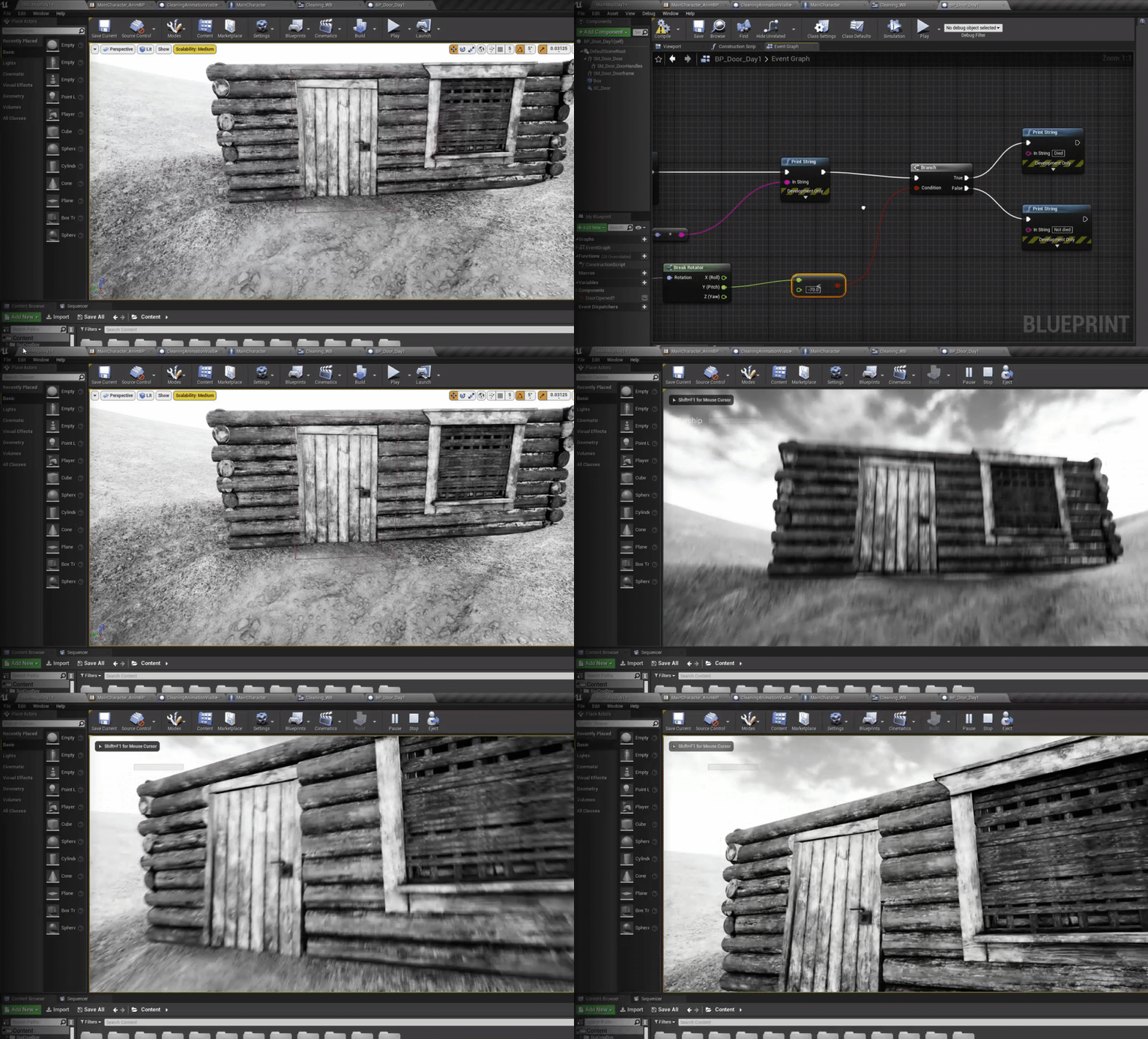
Hey please help me or i will be crazy now
Here is the code
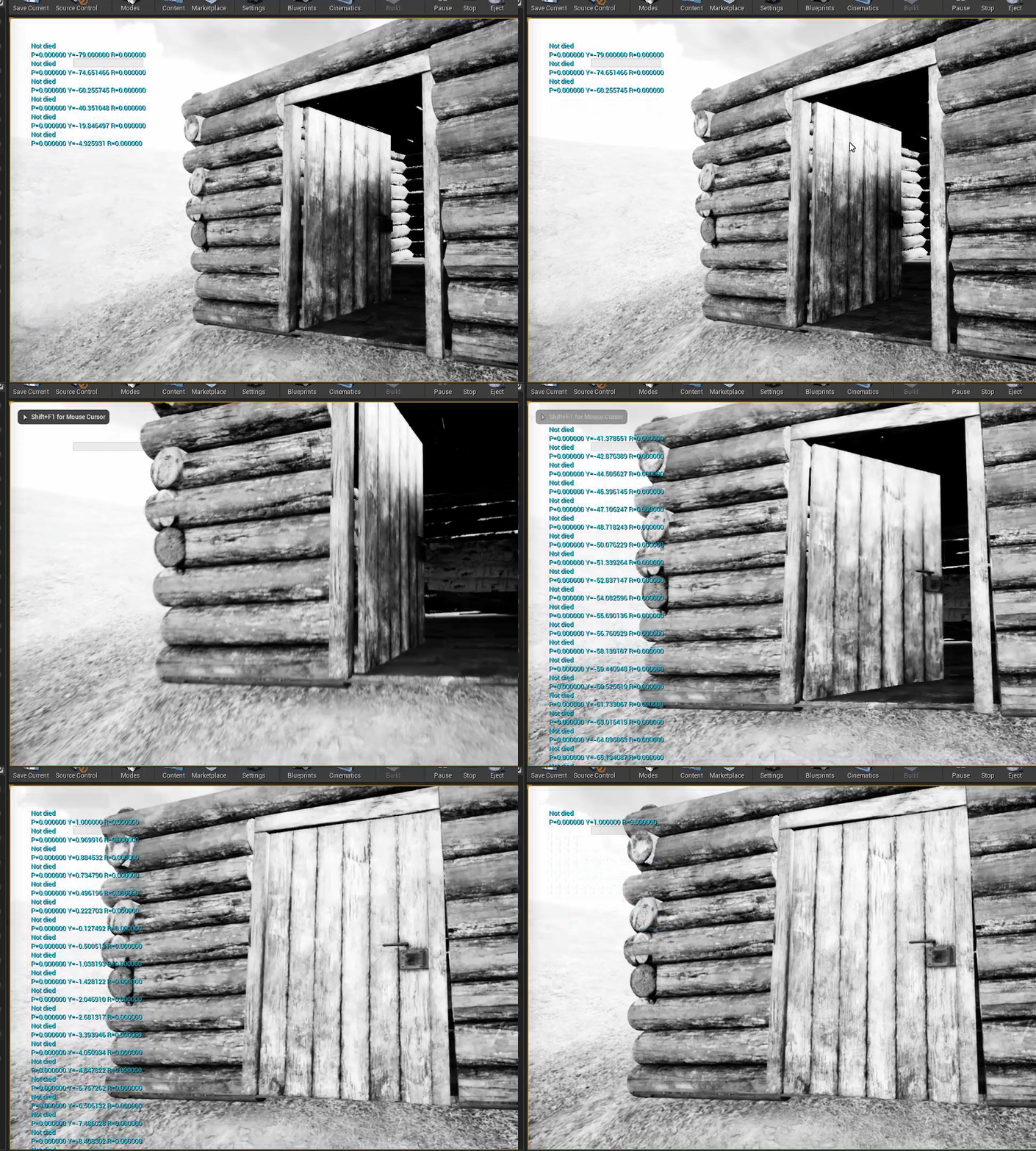
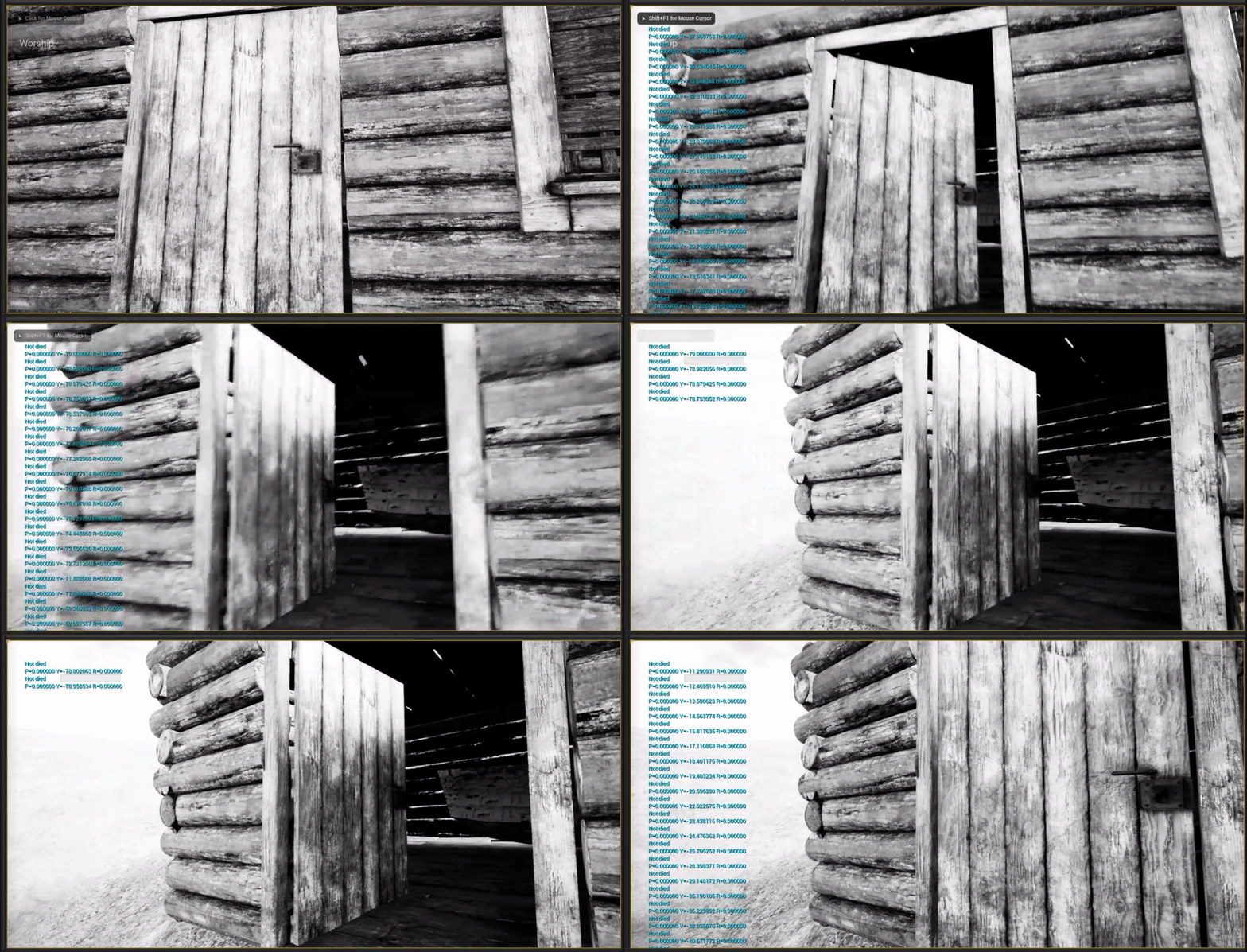
Here is the results
I want to write died when value less than 70
And looks like this code could be work
trim matrix
You put the wrong node there
trim matrix
is the blueprint same as above?
trim matrix
you can simply put a Y(pitch) <= 70
plain flare
I mean -71, -72, -73... and the last value -79
when i get this numbers , i want to write died
trim matrix
Ok right know the code above is that if Y(pitch) is greater or equals 70 it is true
Wait one minute can show you
plain flare
And yeah problem actually starting on there. There should be write died when i see -71, -72 >... but it is not writing.
it is still writing not dead
i will send you gif
trim matrix
sure
plain flare
This is gif 1, which is showing code is like yours, and im sending second
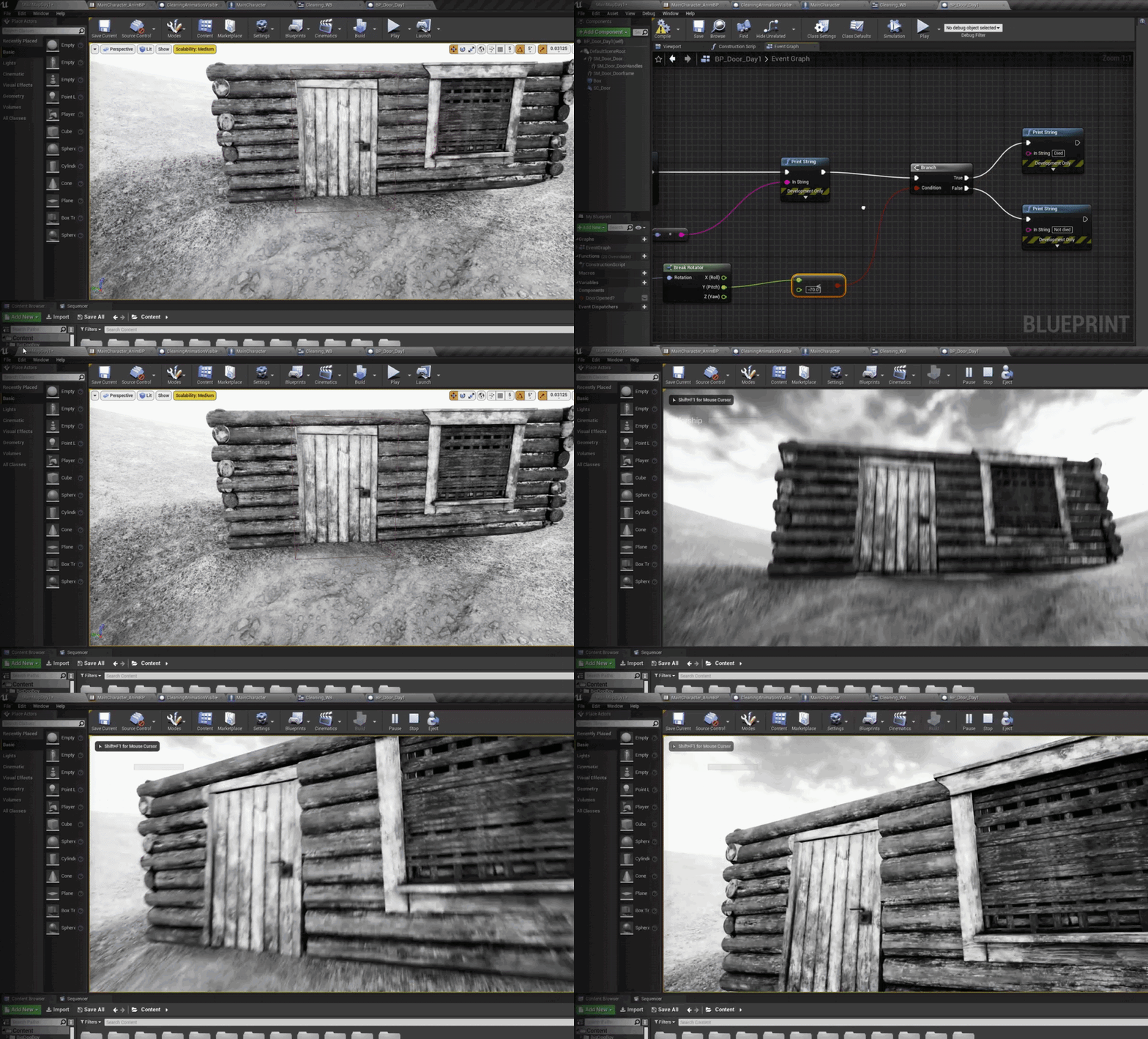
This is second, and im gonna send third for make more understoodable
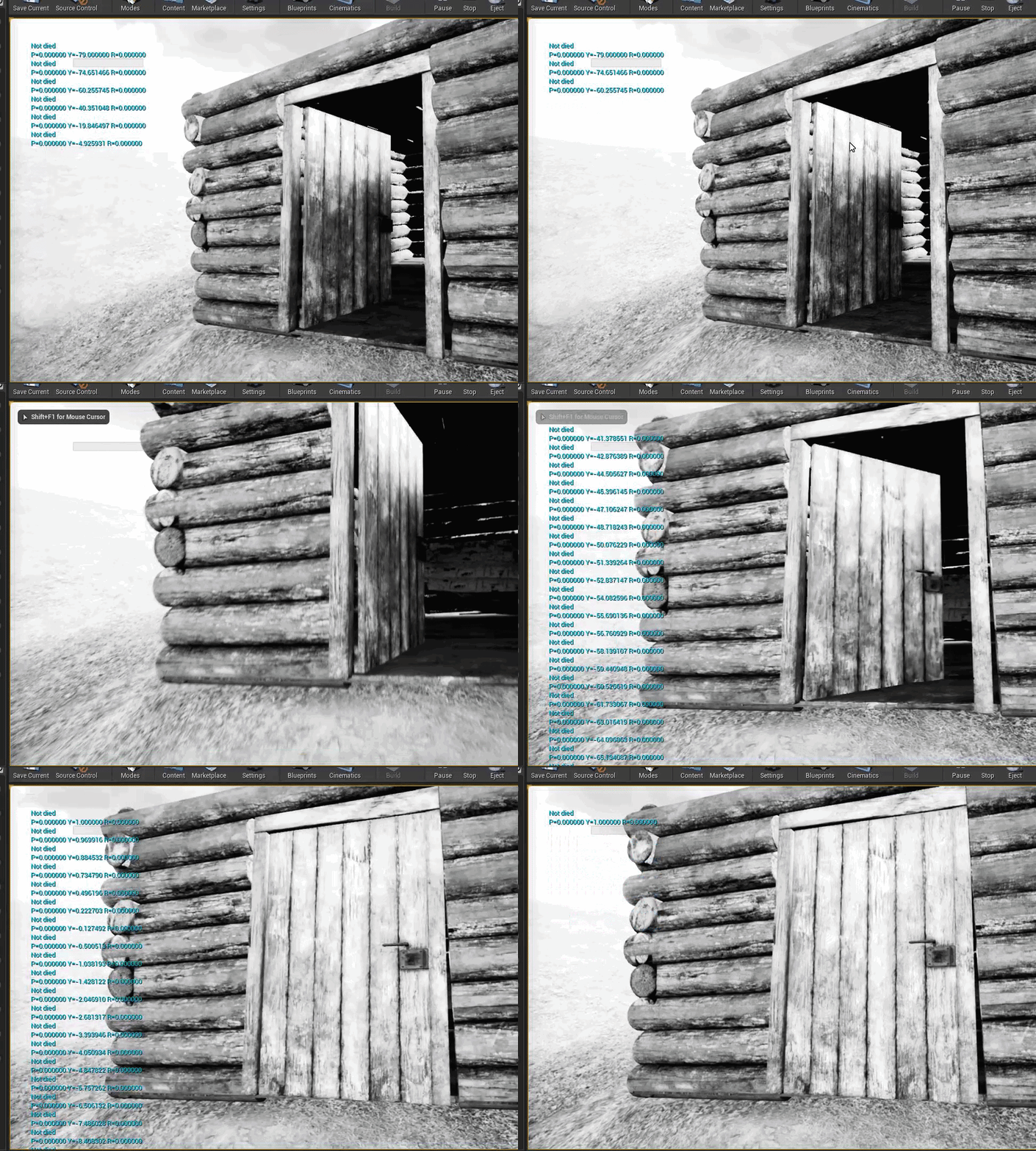
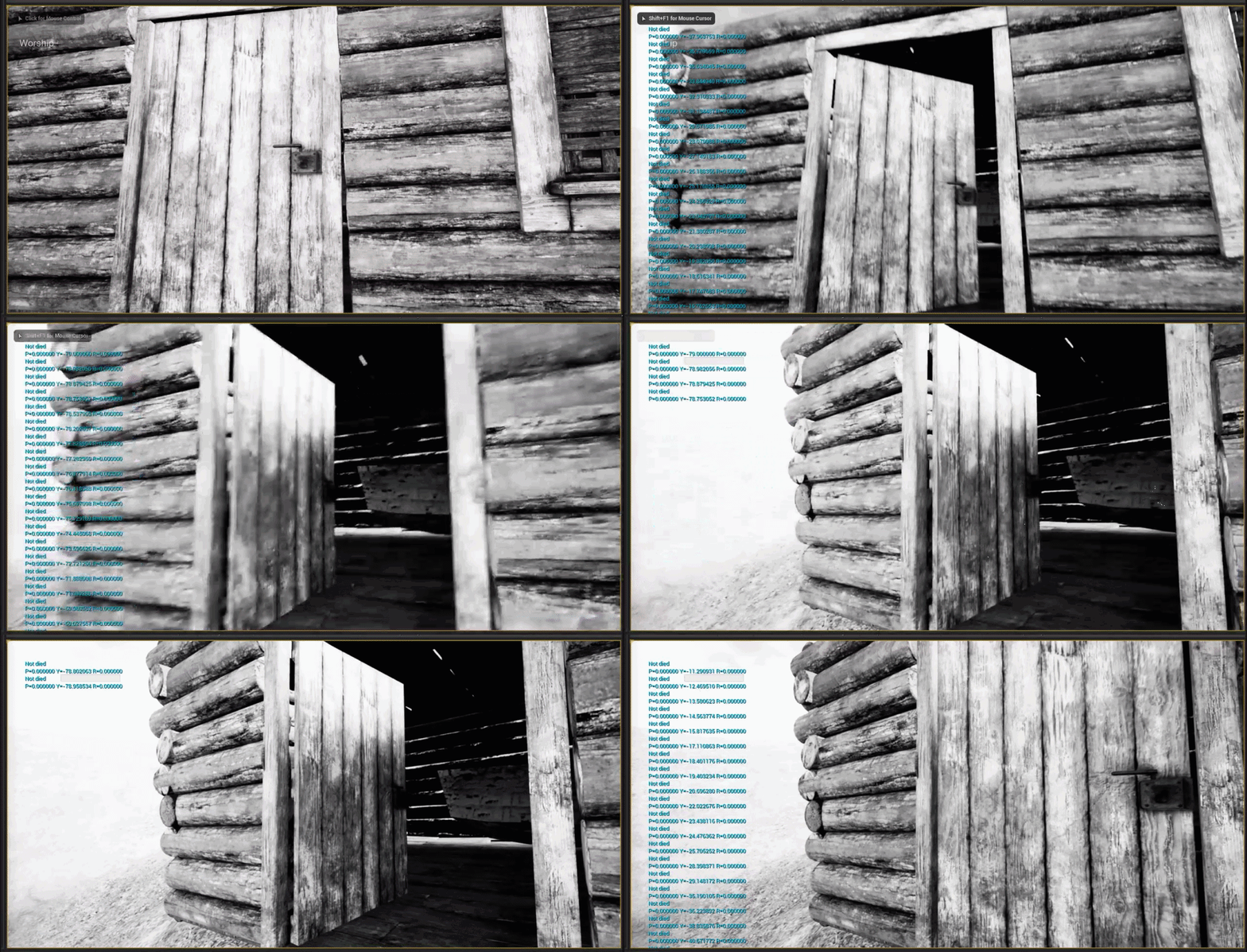
And that was the third gif
Like you can see, code is looks like true but why when count becoming < -70..., there isn't writing "Died" ?
I'm trying to solve this problem about 2 hours
i want to send full code
trim matrix
try getting the doors world rotation instead of getting it from make rotator
vast lion
odd ember
I think brush volumes are off limit
Why are brush volumes off limits for runtime?
trim matrix
@trim matrix ?
odd ember
vast lion
Why are brush volumes off limits for runtime?
because brushes can't be created without rebuilding brush order. that's not something that can happen real time
or at least not out of the box
trim matrix
@plain flare how is it now?
trim matrix
?????????????
u have it on the wrong float value
u can use the old code u had I know the problem now
odd ember
vast lion
Hmm. Ok good to know
look for the shape. "box" or "collision box"
trim matrix
@plain flare Have u turned back the code?
plain flare
old code ?
trim matrix
Yeah
plain flare
I'm turning
vast lion
odd ember
look for the shape. "box" or "collision box"
Hmm but guessing it doesn't derive from the AVolume class?
trim matrix
alright send screen shot
odd ember
vast lion
Hmm but guessing it doesn't derive from the `AVolume` class?
like I said this is your option. why would you want it to derive from that specific class?
trim matrix
@plain flare So you should check if Z is less than -70 instead of Y
trim matrix
send screen shot when changed
trim matrix
NOICE
vast lion
odd ember
like I said this is your option. why would you want it to derive from that speci...
No particular reason, other than I assumed it had built in functionality for detecting when actors enter and exit it. All I'm trying to so is set the theoretical "box bounds" of a space at runtime then spawn actors within that volume.
trim matrix
@plain flare
odd ember
vast lion
No particular reason, other than I assumed it had built in functionality for det...
collision box is what you're looking for
plain flare
yes it is saying y
vast lion
Hmm ok will look into that. Thanks @odd ember
trim matrix
Youe see these are short names for Pitch, Yaw and then Roll
trim matrix
@plain flare Well goodluck to you and your project!
plain flare
thank you so much !
trim matrix
How can I attach niagara system to actor?
When I shoot my gun while running the Niagara system spawns but is in the same location so it can go through the gun
trim matrix
Havent done particles before how do I spawn it using a event?@tawny tinsel
odd ember
good question, perhaps google could offer some answers
tawny tinsel
get an event and then spawn actor
and select the right actor
actors = blueprints
or you can spawn component wich should be attached to the whole character mesh
or spawn the actor and lock it to the character bone or smth
@odd ember then how about you go to google and find some for us
trim matrix
@tawny tinsel thx gonna mess around with it for a bit to see if I get anything
tawny tinsel
cause i believe that direct advice/ mentorship is much better than some google related answer
good luck melon
odd ember
tawny tinsel
<@!224571781862653952> then how about you go to google and find some for us
hey it's your problem, not mine
but I believe it's online in ue4 documentation
odd ember
googling the UE4 documentation doesn't show it? hardly believe that
trim matrix
@odd ember Is it like American and British version?
odd ember
google it
trim matrix
@odd ember I know I can google it but it is just funny asking u basic stuff
odd ember
easy way to get blocked too
trim matrix
@odd ember lol ok
 rain horizon
how do you disable nodes without breaking links or deleting them?
covert delta
Is there anything wrong about a design pattern like this to implement a loop on a regular interval that can be stopped and started.
summer harness
yeah, use a timer instead ^^
covert delta
What's wrong with it? Only thing I can think of is that somehow stop drinking might be called while drink is being called. So the loop is stopped, but then starts itself again. But I would also think the gamethread wouldn't allow such a thing to happen?
 normal marsh
If you call the Start Drinking event on the finished node it'd play from start again
 median bloom
hi guys, i have a return node in a BP, sometimes it returns null as the object is null and this is fine, but is there way to silence errors on this?
summer harness
as i see it you are using a timeline for the same functionality a timer provides
summer harness
median bloom
hi guys, i have a return node in a BP, sometimes it returns null as the object i...
do a is valid check on the rturned object
 gusty willow
 summer harness
Not possible like that in a function, you could check after the funtion if the returned object is valid
summer harness
covert delta
What's wrong with it? Only thing I can think of is that somehow stop drinking mi...
Timer Example
median bloom
apologies, yes i've been silly with my layout, thanks guys
covert delta
@summer harness I mean I guess I can write this like this but it feels a lot messier. There's now an extra variable for the timer handler. There's also a need for a wrapper event to reference the Drink Event, as I don't want to drag the red line all the way through my event graph. Is this really better?
summer harness
You can use timer by function name
covert delta
That appears to specify functions by a string name? Feels like calling eval in other languages. Not super thrilled by that alternative. I guess this is fine though
summer harness
covert delta
That appears to specify functions by a string name? Feels like calling `eval` in...
i suppose there is nothing wrong with your setup (timeline) though, just feels like abusing it a bit
covert delta
Yeah I got the same vibe. ok thanks. I'm going to go with the timer
maiden wadi
@covert delta Timelines are basically components that get added to your blueprint actor which tick themselves and update in your graph. The actual truth is that your graph might have a single extra variable with the SetTimer with the TimerHandle, but with a Timeline, you have a literal extra component full of variables. That's also not to mention that timelines are meant to function as temporary tick events. They're meant to be used to update something once per frame drawn to screen over a length of time. Usually for things like an elevator going up or down, or a door opening and reversing the timeline to close it. It might look better in your graph, but it's a lot messier design philosophy for just using it as a "Do after x seconds" timer.
covert delta
That makes a lot of sense thanks
late cave
so how do you set a struct inside of a struct?
unless I'm missing something, the above nodes don't actually update my original struct on the left
wait... damn... maybe it does work and I'm doing something bad somewhere else...
odd ember
you uh, don't
at least in BP it's severely buggy
my recommendation is to wrap a struct with a class instead of nest it, or move to cpp
odd ember
@tawny tinsel collision enabled
maiden wadi
@flat raft Sleep is for Goa'Ulds.
trim matrix
Should I make the linetrace when firing a weapon come from the gun or the center of the screen?
odd ember
@next kite simplest thing is you just record a video in game then make that available
next kite
How d'ya mean?
odd ember
literally what I said
trim matrix
The only problem having it from the gun is that it doesn't go into the crosshairs
 flat raft
@next kite i saw a few tuts on youtube. Search
median bloom
I'd say use the weapon barrel as the start point of the trace, however make the end point the center of the screen*your trace distance, so the weapon traces from the barrel but ends its trace the direction the player is looking
trim matrix
I am trying that but it just ends up a little to the right of the aim@median bloom
This is my current setup
*The arrow is the guns aim(Tip of the gun barrel or waht you call it)
maiden wadi
You should actually double trace that. The first trace should go from the center of the screen at the camera location. That should hit a target. The second trace should shoot from the gun's location to that first hit point. If nothing hit, use the first trace's hit. If something did hit, use the second trace's hit.
The reason being is that the gun's trace will always be off a little unless it's in the center of the screen. Think sphere. Trace from your eyes to the center of it. Then from your ear to the center of it. You'll hit two different spots on the Sphere.
trim matrix
@maiden wadi Wow ye you are right thanks
@maiden wadi
what should go into the end point of the second linetrace?