#blueprint
402296 messages · Page 568 of 403
 desert juniper
 maiden wadi
Is NewItem the flashlight?
 proud hull
@tulip iris Try this expression: 4.671123 + (1774.961 - 4.671123) / (1 + pow(x / 17.83914, 1.102239))
proud hull
100 = 234.998
1000 = 25.35
 tulip iris
I pugged it in and that's really close.
proud hull
Like I said though, it won't be perfect. Those coords don't match any perfect formula.
proud hull
The maths man, its all in my head. 😜
tulip iris
Its mathomagic!
 odd ember
some people go by mathemagicians unironically
tulip iris
@proud hull @odd ember I appreciate the input, and assistance. Definitely need a refresher in the the realm of mathematics.
"mathemagicians " 🥲
@proud hull It might not be prefect but for my situation it works exactly as intended. Thanks again.
maiden wadi
@desert juniper Something like this. If Hammer was your flashlight.
Spawns and gets set in a replicated pointer on the server.
The replicated pointer calls a notify when it's set for each machine. The machine chooses what to attach to to via whether or not it's locally controlled.
If mesh is your third person mesh, and ArmsMesh is your.. arms mesh.
desert juniper
ah interesting. alright. let me try to implement
desert juniper
@maiden wadi set up like instructed. still having the same odd problem however
also, even though I set collision to be disabled, it still doesn't seem like it is realized in the client.
 coarse marten
bit of an odd one but uh.. how do i make a trace detect a spline path?
I'm trying to make rail grinding and scratching my head a bit, i'm trying to make it so if the trace hits any part of the spline it hooks you to the nearest point of the rail
but the rail itself has nothing except for the spline itself that i can collide with
Nvm i figured it out, had to tick "Trace Complex"
 flint surge
Is there such a thing as a destructor on the blueprint side?
oh nvm, I think I found it
maiden wadi
Not really a destructor so much as an event that is called when the actor is registered for destruction.
 vivid fossil
does anyone know how to use a c++ variable in my blueprint?
 static charm
you can look up topics on UE4 Expose variable to blueprints
but if you don't have c++ experience or visual studio already working for ue4, its not gonna be any fun
 quasi frost
So this works when there is a single mob on the map, but how do I cast to the specific currently overlapping actor? I tried creating an index in the game mode ref and setting the index to the overlapping actor's index but it doesn't seem to work. Is there a better way to "cast" to the current overlapping actor?
(This is for starting a turn based combat scene when overlapping an enemy actor)
 robust cliff
Having trouble with an anim notify not triggering an event, anyone know why?
I have a boss stomp that is supposed to trigger an event in another class. I am using a BP interface that is implemented in both classes
I am using a print string which is firing but the actually event is not
it is basically spawning another actor on the notify, or at least its supposed to
i tested the event in the begin play and the spawn works
 tight schooner
@quasi frost I think the Get All Actors array doesn't guarantee an ordering, so yeah. You should break down the problem.
- How do I go about getting the actor reference of an "overlapped" mob?
- Where do I store that reference / how does my widget retrieve the reference?
I can't really answer those questions for you cuz idk anything about your game or your intentions. (For example I don't know what your mob is overlapping)
You seem to be using the game mode as a manager, so that is an approach for "blueprint communication". Instead of holding an "overlapping index" it could instead hold the actor reference to your mob.
(The output of GetAllActors is an array of actor references. So I'm saying get the one you actually want and save that to a non-array variable.)
quasi frost
@tight schooner Thank you for your indepth answer, I actually decided to do this instead, so far seems to be working. I will need to test more to make sure it works exactly like I want though.
 trim matrix
hello everyone how to make the AI stop waliking im trying to make the AI follow us it work but not realy the AI is als v4 is walking but i want he just following me no walking do you know how to make them stop walkng ?
 versed stirrup
Ive been following a tutorial on making a maze game and at this point im working on the HUD. The number of keys is supposed to increment when one is picked up but it doesn't change. The hearts are supposed to change to empty ones when 1 damage is taken but all three change to empty ones when 1 damage is taken. I rewatched the vids but I cant find out what im doing wrong. The error im getting is Blueprint Runtime Error: "Accessed None trying to read property MyPlayerRef"
 sonic pine
Hiho can a float become an array? i cant connect my function output to progressbar but a array should be work ^^
Ok the healthbar need a percentage value to show the correct Health, mana and Stamina and in my function the float health 125 Healthpoints / max health is a percentage output so why the progressbar will not take the percentage value?
 covert delta
@versed stirrup That error message means somewhere where you're asking for MyPlayerRef, you're getting nothing. So probably something in your construct isn't set correctly. Drag a pin off of the Cast Failed part in your construct event to print a message if something went wrong. Put a print at the end of the update skulls part too that prints a message saying it went right
@robust cliff show the anim notify setup. Is this in the animation? In a transition? etc?
@sonic pine idk what you're saying but if you want to update the percentage you should be calling Set Percent. This takes a float.
covert delta
looks like it's connected just fine. what's the problem
sonic pine
after my update function i have to communicate with the progessbar to fill the the updated stats
so i have to connect the Update outputs with the progressbars, i think ^^
i have casted to ParentCharacter set the character reference, split the reference and go into my Function after that the updated stats have to be displayed
covert delta
You're updating the progress in Update when you call set percent. You shouldn't need to update it again afterwards.
When you're running that node "Set" and not putting anything in the argument for health bar, you're basically telling the object to forget what Health Bar refers to. You probably don't want to call Set Health Bar at all. Assuming its a widget that's already there at the beginning you already have a reference to it.
sonic pine
ok
Get Health bar is an input where the bar is getting the update?
its a not visual conection?
covert delta
Nothing is just a visual connection. When you're calling Set Percent, and drag in Health Bar, you're saying Health Bar should call it's "Set Percent" method.
versed stirrup
I added a print string after each of the conditions and it looks like the False branch runs 3 times when the character gets hit once. Any idea why this is happening?
robust cliff
@covert delta
sonic pine
versed stirrup
I added a print string after each of the conditions and it looks like the False ...
its because of the hitbox
For example a character is hitting with a sword if you are standing near by the enemy he will get 3-5 hits sword, hand, arm in and out animation
covert delta
@versed stirrup well your code starts with a for loop that runs once for each child of the health box. The condition says the index of the for loop (0, 1, 2) less than PlayerRef.Health. It's returning False 3 times, so PlayerRef.Health is probably returning 0.
That wasn't what I told you to do though. I told you to add those to the construct part of your code, because it looks like you're not setting up the PlayerRef part correctly
 dusk talon
@proud hull hi, i just go to sleep, i tried to create new project, with simple add force in tick, result is still the same, i find out if i uncheck the replicate movement, the client will be fine, but then of course the multiplayer game won't work without replicate movement.
robust cliff
The weird thing is that if I set it to spawn in begin play it works but will not fire on the anim notify @covert delta
versed stirrup
Sorry this is the first project im working on, and following a tutorial while doing it haha so i kind of dont know what im doing
sonic pine
me too xD
robust cliff
here is something odd when i call the spawningFunction it only works once even if i put it on eventTick?????
covert delta
@robust cliff I haven't ever used montages. Can you show the bp where you're playing the montage?
sonic pine
hm now my create widget have an error xD
covert delta
whats the error
robust cliff
Ive got it working lol
sonic pine
robust cliff
@covert delta turns out i cannot destroy the actor I have to use lifespan instead
sonic pine
The problem is, i have create the main Widget because of the Hotkeys ...
proud hull
@dusk talon have you tried it like this?
https://www.reddit.com/r/unrealengine/comments/i5fnkl/how_to_fix_replicating_add_force_being_multiplied/
Where you multicast the add force, run the multicast on the server and then call the server from the client?
dusk talon
@proud hull let me watch a minute 😄
covert delta
now you have the same problem as Nchao haha. Both of you aren't setting references to your player characters before you're trying to do stuff with them
proud hull
@dusk talon Oh let me give the direct link to the answer.
sonic pine
covert delta
now you have the same problem as Nchao haha. Both of you aren't setting referenc...
Me??
proud hull
 covert delta
@sonic pine yeah. Your error says it tried to access "CharacterRef" and got "None". which means there's no value set
versed stirrup
Thing is I followed a tutorial video step by step but im getting an error and the tutorial video didnt 🤦♂️
sonic pine
covert delta
@versed stirrup ok one sec.
sonic pine
th hotkeys are working
dusk talon
@proud hull i think add force in character movement is different than addforce in primitive component
proud hull
It's just an example, you can use the character movement to test it this way too. Not sure if this solves the issue or not.
covert delta
@versed stirrup make your construct look like this:
this won't solve anything but will probably diagnose it
sonic pine
@covert delta is taht the wrong reference or conection?
covert delta
@sonic pine you're referring to character ref, but character ref doesn't have a value yet.
That's why it says tried to access CharacterRef but got None.
dusk talon
okay i will test it, wait me a moment
sonic pine
how can i fix that?
covert delta
what is the object with this event graph?
sonic pine
my parent_Character_BP
covert delta
and what is character ref supposed to represent
sonic pine
Its the first character i have created all the other character are childs from the parent
???
covert delta
Or do you mean this is the parent class, and all other characters are subclasses of this one <- this is what you're doing
sonic pine
covert delta
ok cool
versed stirrup
Is this what you wanted me to do?
dusk talon
@proud hull result still be the same XD
sonic pine
thats the parent Class and all other Character are Subclasses
covert delta
@versed stirrup yeah more or less. Which message prints
versed stirrup
it prints "worked" 3 times
covert delta
@sonic pine ok. And so if we're talking about a Gladiator Character BP, what is Character Ref supposed to be? Is it just a reference to itself?
@versed stirrup sorry I misspoke. You did not do what I wanted correctly. I'm talking about the CONSTRUCT event. Not update health.
it was in the first image you posted
sonic pine
im only working in the parent the Subclasses will gat all functions form the parent. The CharReference is in the Parent and its a reference to hisself
versed stirrup
oh my bad
covert delta
@sonic pine ok well there's no point in having a variable that is a reference to your own self. If you REALLY want to go through with this without changing it, you need to make sure you assign that reference before you try to use it. So from Event BeginPlay, make the first thing you do SET CharacterRef, and drag out the node "Get Self".
Alternatively, just delete the variable CharacterRef, and wherever you're using it now, just drag out "Get Self" Instead. this makes more sense.
versed stirrup
okay i think this is what you wanted me to do correct?
versed stirrup
it prints "failed"
covert delta
cool. ok so you're asking for the player pawn, and try to cast it to gamecharacter, and it doesn't work. and that ruins everything.
sonic pine
covert delta
<@!277965216573030410> ok well there's no point in having a variable that is a r...
ok thanks
covert delta
@versed stirrup this is probably pedantic, but let's try this now:
we're going to test if Get Player Character is returning anything at all
(could you link me your tutorial quickly?)
versed stirrup

If you want to know how to get started making video games; this series is the right one for you! Get to know Unreal Engine 4 and develop a whole game for your first project. This project is aimed for beginners; to teach you how to develop video games.
Download the assets required for the project from here: https://1drv.ms/u/s!AvfMAVHw1KCipd0S9_...
this is when i started getting issues with my code
sonic pine
I have only used the reference at this point but i have to set reference, because the get owning player will habe a target
versed stirrup
I did what you told me and it printed "We didn't get anything"
covert delta
@sonic pine hold up something doesn't make sense there. If CharacterRef is a character, it should not be able to call Get Owning Player. That is something that widgets have. Please show me the Details panel when you click on the CharacterRef variable. I don't think it is what you think it is.
@versed stirrup ok so that probably means it's looking for your player pawn, but it doesn't find anything. Is there for sure a player pawn in the game?
sonic pine
versed stirrup
i do have a default pawn, but when i click play it doesnt possess the character immediately, is that where the issue is from?
sonic pine
Ok i have promote a variable direct on the create main widget to soo what the widget will get and the created variable is an PlayerControll
covert delta
@versed stirrup hmmm maybe? Could you open up your gamecharacter blueprint and show me the top right corner of the screen. It should say Parent class : Character or something like that?
versed stirrup
yes it says parent class: Character
covert delta
(good ^) How do you know it doesn't possess the character immediately?
versed stirrup
it possessed it before as soon as i hit play, but maybe i did something to it without knowing but now i have to click possess to move around the character
covert delta
make sure the active play mode is set to selected viewport
@sonic pine I think you're getting a bit confused as to what this is all doing.
For now, on the create widget node, drag out "Get Player Controller" and just leave it at 0. That means it'll make the first player the owner of the widget. Good enough for now.
versed stirrup
i did that and it printed "We got something"
sonic pine
Ah ok
covert delta
@versed stirrup ok, so that might have been the whole problem. You were starting in Simulation mode, which meant that you didn't have a player pawn, so when your code asked for the player's pawn at the very beginning, it didn't find anything. Later, when you manually possessed the pawn and started using it, the reference was empty so it threw errors.
Try to go back to this version:
https://media.discordapp.net/attachments/221798862938046464/780278241322598400/unknown.png

let's see if it all works out now. That would be annoying. More of an editor problem than a code problem. Hopefully still vaguely useful for learning how it all works.
sonic pine
i have started with player controller but every video is showing an other way and stats are not working ^^
I get no error but the update will not be shown ^^
I try to figure out thanks for the greate help !!!
covert delta
@sonic pine i mean, do you want to finish solving this together? post your update and begin events for the widget if so. sounds like we only got half of the problems done.
versed stirrup
oh I already reverted it back to what it was originally without print strings and it works fine now without errors
covert delta
yay
versed stirrup
at least now i know to start it in the correct mode now haha
lesson learned
thanks a lot
covert delta
np
sonic pine
i have to look the correct values
covert delta
alright well I'm signing off then
versed stirrup
aight goodnight man thanks again
 rare phoenix
Hey guys does anyone know why small micro movements with the mouse would be jagged in the built version of a game but totally smooth in the editors viewport
 vestal turret
Would anyone help me with my demo mechanics I could in turn help you with some models. My cells for coding are like horse for mechanics. 1 room 1 training dummy just taking hits is fine. and 3 attacks that's all I ask. DM me and hear me out if you will. Cheers
 modern cove
I made this loop to set enemy character's commands in my RPG. Problem is, while (according to some Print Strings I put in before) the loop operates once per enemy in the group, the Choose Battle Action node only actually carries out once. As a result, only the lead enemy's attack is determined, then that attack gets placed in the command array once per enemy in the group
so the lead enemy makes 3-4 moves while the others don't make any attacks at all
Anybody know why or how I can change that?
 lime lichen
Does UE4 have something similar to global variables to allow for communication between blueprints?
modern cove
Any variable I want to transcend widgets/blueprints I place in the Game Instance
 weary jay
Why won't it move forward?
When I use printstring on MoveForward node, it says I'm always pressing W even though I'm not.
Yet it doesn't move either.
tight schooner
lime lichen
Does UE4 have something similar to global variables to allow for communication b...
no, just manager classes like GameMode and GameState and GameInstance etc.
there are GetGameWhatever nodes
sonic pine
Hiho is someone knowing something about BP and widget communication?^^
without bindings
lime lichen
Oof I wish UE4 blueprints had good standard naming conventions
 surreal peak
Well you could follow Allar's naming conventions. They are usually quite reasonable
tight schooner
@lime lichen https://github.com/Allar/ue4-style-guide

GitHub
An attempt to make Unreal Engine 4 projects more consistent - Allar/ue4-style-guide
surreal peak
Ha, a second faster! But no link :<
lime lichen
Nice thanks
 mossy robin
Ah so I have realized some of you do not know blueprint interfaces and structs
By interface I don’t mean what you are seeing when you open the editor
 gentle summit
Hello guys, are Editor Utility Widgets also made to be used when the editor is in play mode?
 torn harness
Hey, I want to align my moon with the sun position on the sky, since sun position is defined by rotation around y and z axis I use conversion from spherical to cartesian, but final result is strange, it doesn't align, what can be wrong?
that's the function that I'm using to rotate moon, elevation and azimuth are equal to directional light's y and z rotation
 hollow drift
hey folks, i think i found a bug in unreal... where to report
when i delete the find, compile, and place it again, it works again. just each time i start my project a new this same error occures again...
Any idea or suggestions how to circonwent that?
 faint pasture
The real WTF is that node order.
 clear temple
What does the error say?
faint pasture
Why are you doing a find then a get then checking if they're equal? That makes no sense. What is the output of find if the input isn't a pawn? Just cast the output to your target pirate class and be on your way.
maiden wadi
@hollow drift Not even sure how you connected that unless you made the actor one first. If you disconnect those, they won't connect if you already have the array connected. It's not a bug, it's proper use of casting.
You should check if the hit actor is even of the type by casting it, then use the casted pointer into the find node.
hollow drift
let me give it a try
its just interesting that with that i can get the actor from an array and get its index to work with it^^
doing update of ue4, just in case
maiden wadi
Apparently you can actually connect that if you just bring up a default find node and connect the actor pin and then the array, it compiles fine. O.o Kinda dumb. To be fair though, make it a habit to always drag off of the thing you're affecting to get functions for them. In this case the array would take precedence since you're calling a function on it to search it.
faint pasture
@torn harness to clarify, are you trying to rotate the moon such that the lit side faces the sun?
hollow drift
it works as long the editor is open
upon closure and reopen it complains about issue
faint pasture
@hollow drift what exactly are you trying to do, check if the hit pawn is your pirate_pawn and if so, also get it's index in the array?
maiden wadi
Probably because it tries to reconnect from the array since it's likely the first argument in the function.
hollow drift
i check which pirate pawn index is below the cursor
according to its index i do animation and other stuff to it
later in the code
faint pasture
Just cast the actor reference from the hit to pirate pawn, and if it's successful, find it in the array.
hollow drift
ugh, 8,6 gb update...
@faint pasture leme try, ty 🙂
Ill try everything
just if this is a bug, and it looks like
want to report it. its annoying if you can do it. save it then after startup it appears as an issue
@maiden wadi did y try to save and restart the project afterwards?
if this issue happens to you too, it might be worth reporting
torn harness
@faint pasture I want to rotate moon around Earth, not around its axis, at the moment I just want the moon to be at the same location as the sun on the screen
faint pasture
@torn harness is the moon a 3D mesh, and the sun just a material effect on the sky? I'm guessing you're using the default sky setup where it sets the sun location based on the directional light?
torn harness
@faint pasture moon is 3d mesh, I'm using the sky atmosphere actor, where sun position on the sky is calculated by the directional light's rotation, yes
hollow drift
adriel, does the cast can "cast" several instances of an object? eg pirate_pawn, pirate_pawn1, pirate_pawn2 ...
maiden wadi
@hollow drift Can do it without restarting. Unhook the output and compile. It'll be fine. Hook up the output and compile and it'll throw an error. But also, drag off of the array get itself and get a find node, and try connecting the hit actor to that, it won't let you connect it.
faint pasture
You can either just attach the moon to the directional light and set its local position such that it's always very far away in the direction the light is shining, or just manually set its position to be 0,0,0 + SomeBigNumber x LightForwardVector
faint pasture
@hollow drift casting is just basically asking "is this object an instance of this class? And if so, treat it as this class"
faint pasture
So you would cast to check if it is a pirate, and then you would find in the pawn array to see which pirate it is
maiden wadi
Casting is about class hierarchy. An object can be cast to itself, or any parent class it inherits from. It cannot cast to child classes or non linear parent classes.
For example. Both a Material and a Pawn are objects. Both can be cast to Object. But a Material cannot be cast to Pawn or Actor, where as a Pawn can be cast to Pawn or Actor.
hollow drift
i have the level blueprint at the highest point, from where i generate puzzleblock
there i do also a cast from puzzleblock to playercontroler
then inside of puzzleblock i generate the pawn
and thats where i try to change stuff
maiden wadi
It's not about what SPAWNS the object. It's about what class it inherits from.
hollow drift
ou
maiden wadi
For example. Go into the content browser, right click and create new actor. Drop down the All classes thing at the bottom and you'll see a tree list of all the things you can create into a blueprint. That tree list is an inheritance list.
For example, if you roll up Object, everything rolls up, because everything inherits from Object.
maiden wadi
Nah. Not dumb. Casting feels incredibly simple when you first get it, but before that it's pretty confusing unless you already understand class inheritance pretty well.
hollow drift
i had already complained about that to epic haha
no joke, i asked them to make a better cast example in their documentation. XD
hollow drift
maiden wadi
For example. Both a Material and a Pawn are objects. Both can be cast to Object....
i love that example by the way 🙂
maiden wadi
Where is their example on that by the way? Never even read it.
maiden wadi
I got lucky when I ran into casting. I already understood class inheritance incredibly well. But it's confusing when you run into it from a blueprint standpoint, because people often try using casting as a 'getter'.
hollow drift
@maiden wadi
https://docs.unrealengine.com/en-US/Gameplay/HowTo/ReferenceAssets/Blueprints/index.html
A How To Guide for referencing Actors in Blueprints.
torn harness
@faint pasture Didn't think of forward vector though it's the easiest solution, thanks
hollow drift
Examples of different Casting Nodes and usage cases.
waait
did they updated that section?
here was my complain XD
https://forums.unrealengine.com/unreal-engine/feedback-for-epic/documentation-feedback/1625105-feedback-on-the-new-docs-site/page36#post1829523
Unreal Engine Forums
The sharp-eyed among you may have noticed a few changes in the look of our UE4 documentation site (https://docs.unrealengine.com/en-us/) this week. Along with the
yes, Sexy, they defenetly updated stuff about casting a lot 🙂 Even in two different sections. Before it just mentioned realy dry what the outputs and inputs were in 1 sentence WOW
You can see that, that the casting example is sticked on as additional steps below the ongoing tutorial. Like they added the F button and so on...
 mellow folio
On my character, this AxisMap returns 0 unless LMB is down. Why?
The event is firing (character has input enabled)
Game Mode Game and UI
No events consume it
maiden wadi
Likely cause you're using InputModeUIAndGame.
mellow folio
Thanks that solved it.
I tried it with InputModeGameOnly on but it didn't work, but I had another UIANDGAME node hidden somewhere.
maiden wadi
Haha, been there a few times myself.
 upper adder
I have different weapons with different properties in my game. What would be the best and cleanest way to store the data for that? (WeaponIndex0, Name=AK47, isFullAuto = true, MagazineSize=24...)
 spark steppe
on the weapon
upper adder
You mean in a weapon actor?
Probably not..
Id like to be able to access all the values of a weapon via a weapon index, how do solve do this the best?
maiden wadi
Every weapon should be a child class of a main weapon class. Main Weapon class would have the actual variables that the weapons would inherit. You set them on the child class, cast to the main class on the instance to get them.
upper adder
So create actors for it?
maiden wadi
Either that or a datatable and a single actor class that sets itself up based on an index.
Truth be told, the datatable way is more complicated. For simplicity, you'd probably find it easier just to create classes, because then you can change firing functionality pretty easy with a few inherited events.
upper adder
But it doesn't sound so clean to me.. not sure if i get it right
maiden wadi
Okay. Consider this.
You have a character class that uses weapons.
I'm going to blueprint this quickly, it's faster than writing it out.
Okay. Take for example that you have a player character class and you equip weapons to it. You store the equipped weapon in a generalized pointer that points to a class named WeaponBase that has two events like this.
upper adder
okay
maiden wadi
This is all WeaponBase is.
A couple of callable events and some empty unset variables.
upper adder
ok thanks
What about creating a struct that has all properties of a weapon and then create different variables for the different weapons (and just use the default values)?
You could put them into an array then as the inventory
maiden wadi
This is assault rifle, it inherits from WeaponBase.
Note you can use the same events by overriding them. It also has the same variables.
upper adder
ah yes
upper adder
But those things all have to exist in the world at runtime right?
maiden wadi
Back in the character if I did this. This would print differently based on whether the equipped weapon was a Hunting or Assault Rifle.
Not all. Just the one you want to use.
For example, If I equip a weapon on beginplay.
upper adder
What about creating a struct that has all properties of a weapon and then create different variables for the different weapons (and just use the default values)? You could put them into an array then as the inventory.
maiden wadi
Ah. I see what you mean. For inventory stuff, that really depends.
How complex is the inventory?
And are we talking single or multiplayer?
upper adder
@maiden wadi Its meant for multiplayer, but in a singleplayer way xD (i will only replicate the equipped weapon, since the game doesnt need to be safe against cheating)
The inventory is just going to be an array, and the weapons only need to have like 10 variables so pretty simple i guess.
 wanton coyote
Why is it i stare at this grid and think... over think... i just want to go.... hey when you overlap this.. add speed or subtract speed to make it the same as my speed + no more then an extra 300 units. if its more then that stop adding... so i get... its compare the speed.. then take the result of the potential added speed and clamp it at the potential max desired
but i go to do the nodes and end up cooking sphegetti
sorry end overlap.. the idea is to drag something but run into the if you continue to end the overlap and speed is a factor it can go from like 0-300-600-20000 and fly away haha
hollow drift
my set amount of pawn per tile gives a value range from 1 to 3. If i have value 1, i want do use no change of coordinates. If i have value 2 i want to have XY set coordinates and so on
any suggestions how to make a "gate" so to speak?
 prime wyvern
Is there a way to connect multiple nodes to colour?
I'm kind of stumped as I need to connect two parts that are fighting each other for dominance
I'm trying to do UV Scaling
hmmm
Damn
ok then
thank you
wanton coyote
color is just 3 float numbers which max out 0-1 rgb 1,1,1 = white so think of it like math my man
when you overlay the images your just adding averaging the numbers
 pastel rivet
Possible to make an variable greyed out or public expose it once another blueprint variable is activated?
maiden wadi
@upper adder If you don't care about cheating, you can put as many values in a struct as you want and turn it into an array and just send the necessary data from the client to the server and not replicate it. Might even replicate it too if it's only going to be a dozen or so entries. It just depends on the amount of connected clients vs how much data the server has to send or receive. The smaller you can make the network traffic the better. But that kind of optimization will inevitably lead to even slight complication.
pastel rivet
Want to use the construction script to make variables not public exposed once you have activated a spesific variable thats public
 subtle pulsar
Anyone awake?
pastel rivet
Hmm, so i guess a branching system that checks if that variable is true, then this is set to false is the only way to prevent users from having multiple exposed variables enabled which doesnt go hand in hand
surreal peak
You can disable variables with EditConditions
maiden wadi
@hollow drift I'm not sure I fully understood the question, but if I did, can't you just subtract one from the integer and multiply that? IE, (1-1)x100.0 = 0, or (2-1)x100.0 = 100.0
surreal peak

ben🌱ui
How to make variables editable or not based on other variables
Not sure that's what you mean
hollow drift
i think ill use map @maiden wadi so i can say integer 1 has coordinates xy, integer 2 has other xy and so on^^
pastel rivet
Sure that works, its either that or what @trim matrix said
To bad live link component controllers exposed variables is not settable through BP, have to do c++ there anyways, so thanks @surreal peak
hollow drift
if i stack my pawns on top of each other
at the moment they are all at the middle of the tile, e.g. they stack inside each other
i did a check on amount of objects inside collision box and according to its amount i want to shift the second, third pawn i put on the tile
maiden wadi
Could always do it based on angle and a little vector math. But a simple 2d vector array would probably work too if you wanted to hardcode it.
hollow drift
would prefear that, else i have to do casting again^^
but slowly i understand it^^
i replaced the "find" thing XD
 ancient topaz
Hi, is there a command to instantly interrupt the execution of the behavior tree commands? I want to do a fatalty animation, but the enemy may have some kind of animation played at that moment or he may execute some command from the behavior tree.
maiden wadi
If you don't need the AI controller anymore, you could unpossess the AI and then destroy the controller. Play the fatality just after that.
ancient topaz
@maiden wadi thank you! But all my enemies have same controller. It is big problem?
 dim robin
@maiden wadi I don't want to bother you with stupid questions, but can you help me finding out the math operation i need to achieve my goal? as far as I understood you were saying that the math is fairly easy
maiden wadi
@ancient topaz Hard to say from personal experience. I haven't done a multiple ai with one controller setup.
@dim robin For the launch thing?
dim robin
yes, I need to automatically calculate the "power" to launch the ball from the ball itself to the target, so basically the farest the strongest
maiden wadi
What is your current launch math? What is the power effecting?
dim robin
wait a sec I'll comment the blueprint and share it here, thanks
first of all, just to let you understand better, this is the normal pawn, so controlled by human. as you can see the velocity for the "setphysicslinearvelocity" is the result of the forward vector (given by control rotation) and a float "chargepower" which is growing with a timeline on another input (right click mouse).
Now i need to do the same event, but the AI has to grow the "chargepower" not by his feelings but based on his location and the next target location.
Now I post the AI event
so this is the AI shooting event, the direction is ok, but the power (the float) is behaving quite weird, of course because I'm a nullity with math 😄
sorry it's a messed blueprint, I need to redraw it but hopefully you can read it
subtle pulsar
how did they do that, i need the input and output
subtle pulsar
not the two at the top though
odd ember
yeah
you're trying to use a specific player inside a generic anim BP
so imagine that you can put this anim BP on ANY character
it will only animate player 0
use TryGetPawn and read up on the documentation
Animation Blueprints are visual scripts that are used for the creation and control of complex animation behaviors.
 analog perch
@subtle pulsar Also, do that in the event graph and set a bool for it and use TryGetPawnOwner like CranzEstebogen said
surreal peak
UE4 doesn't allow you to use these nodes in the Transition Function
subtle pulsar
@odd ember the one i showed you is off the unreal documentatiom
surreal peak
You need to move that code into the EventGraph of the AnimBP
And then save the result in a variable
And then use the variable in the transition condition
e.g. the Speed is fine
The GetPlayer stuff is not
Also
!= TRUE
is a NOT
subtle pulsar
thats the anim graph i have and ive just brought that other stuff in it
@surreal peak
surreal peak
Yeah then start connecting stuff
analog perch
plug the movement into try get pawn owner
maiden wadi
@dim robin First major question. Is this AI always at the world 0,0,0?
dim robin
no it is not
odd ember
@subtle pulsar you need TryGetPawn not TryGetPawnOwner
pawn owner is the player controller
not the player character
maiden wadi
Ah, nevermind. I think I see what that's doing now.
analog perch
well, you can get the movement component from trygetpawnowner
subtle pulsar
@odd ember ive changed that now so where do i connect it up haha sorry im new to this
odd ember
where you have the old TryGetPawnOwner
@analog perch controllers have no movement component
subtle pulsar
but that wont connect
odd ember
@subtle pulsar where get player pawn is
dim robin
@maiden wadi actually if I put that float equal to the vector length (the distance between the ball and the target) the result is quite accurate aswell
analog perch
@odd ember that how unreal does it in the third person template
odd ember
@analog perch I've used that and I've never seen it
maiden wadi
Wait, TryGetPawnOwner doesn't return a controller?
maiden wadi
It returns the pawn that owns the skeletalmeshcomponent that the animinstance is running on.
odd ember
@subtle pulsar no
analog perch
this is the one from epic
odd ember
idk maybe they changed the name then. I'm pretty sure it used to be just TryGetPawn
odd ember
@subtle pulsar use try get pawn owner if that indeed returns a pawn
as confusing as that sounds
analog perch
you can pull off the get player pawn and do get movement component
odd ember
problem with get player pawn is that this animBP will only work for player 0 then
just saying
analog perch
but, yes i would getpawn owner
odd ember
plenty of cases where that doesn't hold up
it's bad practice
also there might be some issues with thread safety
but I haven't looked at the interior of the TryGetPawnOwner
surreal peak
I don't get why you don't tell him to connect the CharacterMovemnetComponent to the result of the cast
.>
analog perch
lol ^^^ or that
hollow drift
@maiden wadi i did it :-)
surreal peak
IsStanding is a variable you'll have to create
You can also get rid of the "NOT" and name it "IsFalling" and put the NOT into the second screenshot
Up to you
 tame pagoda
Hi.
I have a question that I have not really been able to find any good answer for.
So what I want to do is making a blueprint system for bullet impacts, mostly handling the spawning of particle emitters but maybe some other functionality related to spawning effects in the game, there will be more logic involved than just spawning an emitter such as different materials and so on. Since there will be many different actors using this, I don't want it tied to a specific blueprint class but I would rather have it as a "global" class. Coming from Unity, there I could have a constant class(or something similar, not really fresh in memory) and call function from any other classes.
So is that something that is possible in Unreal or is it considered bat practice? I figured I could put this functionality in maybe gamemode, playerstate or the playercontroller class but that doesn't seems to be the right use.
I could of course also do this as an actor component but then I would need to attach it to every actor that would like to use it.
Any help or suggestion how to handle this in a clean and efficient way?
odd ember
@tame pagoda your best bet would probably be something like a component that handles it
then you can place that component on any actor that requires it
the alternative is that you have an actor perform a similar task that you use with a SpawnActorFromClass node
you just need to spawn it when the impact happens
tame pagoda
odd ember
you just need to spawn it when the impact happens
Hmm, alright. That might be an alternative. Gonna give the component way a try
subtle pulsar
any reason why my character just automatically goes to the edge and fall off the platform
hollow drift
suaccide by code
subtle pulsar
what haha
hollow drift
sorry, it was a joke^^
subtle pulsar
sorry im new to blueprint and coding
trim matrix
oof your using 1 for the scale value all the time
hollow drift
ok, ill try to help
maiden wadi
He's not wrong though. You're constantly inputting one.
trim matrix
you neeed to plug in the axis value into scale value
if your always using the value 1
It will always move at full force
That axis value will scale from 0-1 based on how much your pressing the button.
subtle pulsar
that changed it but when i pressed something it just kept going left
hollow drift
where do you set disable movement?
trim matrix
oh your world direction does not need to be a calulated thing at all
Now I cant remeber which axis is left and which is right of the top of my head D:
But try setting the world direction for the move forwand to 1 on the X part of the vector
and 0 for the Y and Z
And then maybe try 1 Y for move right and 0 X and Z
I really cannot remember exactly what it should be though xD
but you should be able to tell by trying it out
maiden wadi
It's worth noting that you should probably get control rotation. GetX vector, turn it back into a rotator, then zero pitch and use the pitch zeroed rotation for the controls. That'll give you a simple yaw valued rotator to work with.
trim matrix
yea looks pretty normal to me
Though the issue is just with how your getting your world direction for the move inputs
I would think at least
subtle pulsar
i know this is going to probably sound daft but wheres the world direction?
trim matrix
On your add movement input node
It has a input called world direction
You said that when you press any movement buttons your charecter always just moves left right?
analog perch
@subtle pulsar you plugged forward axis into move right also, use the axis value from the move right event
trim matrix
oh oof yea that to
subtle pulsar
yeah thats what happening
trim matrix
yea so this is a third person charecter right?
subtle pulsar
aye sure is
subtle pulsar
thank you
subtle pulsar
no sorry i was replying to waht you said that it just keeps moving to the right
trim matrix
oh ok
well he was saying
and you need to fix this as well
that your axis value from the Move Forward node
is plugged into the scale value for Both add movement input nodes
which should not be that way
You should have the Move Forwand axis value plugged into the top Add movement input node
And the Move Right axic value plugged into the bottom Add movement Input node
subtle pulsar
ahh how did i not see that
subtle pulsar
thank you is there i way ii can show you a video of it
subtle pulsar
like if i share my screen or something
trim matrix
sure
 edgy arrow
Hi I'm trying to swap characters and works fine for now. but I'm not sure if it's the best way to do that. is there any better solution?
 uneven violet
Hey, is there any way to instance a blueprint like one can instance a material? Sort of default variable presets I guess - no changes in the functionality, only the starting variables
odd ember
edgy arrow
Hi I'm trying to swap characters and works fine for now. but I'm not sure if it'...
do you have a limit of characters you want to swap to, or?
@uneven violet yeah I don't know how to break it to you but uh, that's like, default behavior?
uneven violet
yeah, just realized that Im dumb when I opened the class defaults tab, my bad
edgy arrow
uneven violet
Hey, is there any way to instance a blueprint like one can instance a material? ...
yes between 3 or 4 characters in a party
uneven violet
@edgy arrow wrong person xd
odd ember
@edgy arrow okay. do you just want to go through them one by one? so tab once is character 2, tab twice is character 3 etc.?
edgy arrow
odd ember
<@!400159054170685440> okay. do you just want to go through them one by one? so ...
yes each time press tab it should switch to next index's character and loop
odd ember
okay
do you know where each character is at level start?
or where do you spawn them?
edgy arrow
odd ember
do you know where each character is at level start?
havent thought about details but I'm planning like all switchable characters would follow controlled character in line. so each character have already spawned
odd ember
edgy arrow
havent thought about details but I'm planning like all switchable characters wou...
well now is the time to think of that
 severe kettle
Hi everyone,
If I want something to trigger every X miliseconds I have to use a timer, right? I can't increase the tick rate of timelines
severe kettle
Thanks, I'll go with timers then
 indigo edge
I need some help...

My rotation from the socket is kinda wierd and it looks like my bullet is not getting right rotation from spawn of the socket
odd ember
@indigo edge you're not adding a forward vector
indigo edge
odd ember
<@!516234380252020746> you're not adding a forward vector
Where?
odd ember
you're just adding a spawn transform
you're not giving a direction to the bullet
so the bullet spawns at the location and then goes whatever way it defaults to
which might be towards (0,0,0)
 simple dragon
emm but spawn is not giving on start rotacion ? from socket if not wath is a point to pass rotacion to create instance ?
odd ember
sure okay, then the socket is facing the wrong way
perhaps instead of using the socket you can try and get the gun's transform
and just to double check, make sure that your bullet actor is actually facing correctly for its projectile movement
indigo edge
odd ember
sure okay, then the socket is facing the wrong way
I think socket is right way
odd ember
honestly I can't tell
but I gave you the two options of what it could be
if it's not the socket, then check that the projectile movement is correct and that the bullet is facing the right way
indigo edge
I think thats right too
odd ember
... is there any reason you're not using a projectile movement component?
because if you're trying to do stuff with physics that'll be why
indigo edge
That even exist...?
odd ember
would I keep mentioning it otherwise?
 visual granite
basically my animation blueprint does not call its begin play, I have not overriden it in C++ or anything
Does anyone know what might be the cause?
odd ember
@visual granite could it be something with it not starting active?
or the pawn that it is on not starting active?
visual granite
its active
nevermind
deleted the begin play node
added it again
and it works
 last walrus
are there any ways to make "Ai move to"(and other AI things) work without navigation mesh bounds value object?
or at least a way to make it chase your NPC
 agile quail
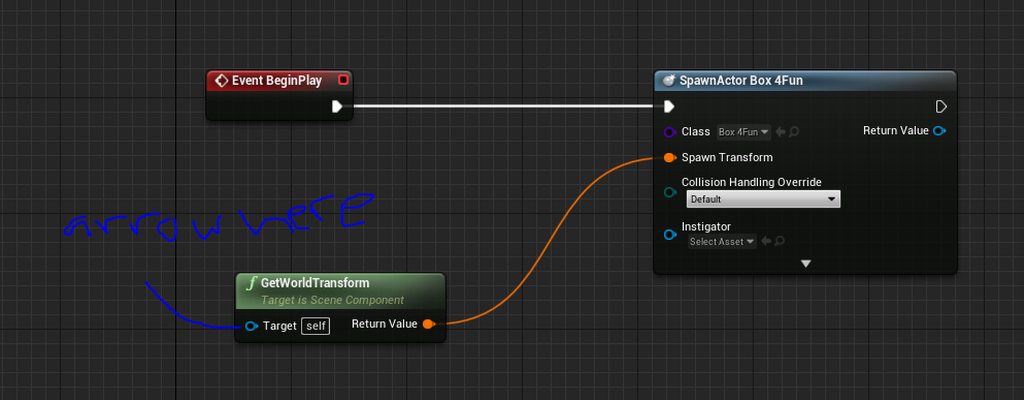
Hi, I'm trying to reference an arrow component in a separate character blueprint in my level blueprint. How can I go about creating a reference to that arrow component and using it in my level blueprint? https://imgur.com/a/Rgy32sS


 stable fjord
Hi! If I put on a toggle breakpoint, it shows that works fine, Montage Play is called but is not playing a animation at all
any ideas here?
 slate iris
Could the Stop All Montage Boolean turned on might stop it from playing?
stable fjord
unfortunately not, it is not affecting at playing animation
edgy arrow
last walrus
are there any ways to make "Ai move to"(and other AI things) work without naviga...
Try "Move to Actor" (uncheck Use Pathfinding). it works without navigation mesh.
last walrus
edgy arrow
Try "Move to Actor" (uncheck Use Pathfinding). it works without navigation mesh.
but what if I want to move not to actor? for example I have an archer AI and I want it to move at 50 meters away from it's target
edgy arrow
last walrus
but what if I want to move not to actor? for example I have an archer AI and I w...
you can use Move to Location as well. it has target Location input.
last walrus
hmmm
I'll learn more about these
thx
quasi frost
How do combine two numbers without doing addition? So for example I want to calculate my player's hp as Base health + vit. However when I calculate if I use HP + Vit it increases everytime I calculate. Is there some kind of combine operation?
maiden wadi
@quasi frost There's only two ways to 'combine' numbers. Either add them together, or add one set of numbers to the end of another set of numbers. You might want to ask a more specific question regarding logic flow if you're having trouble with the addition incrementing it every time.
 worn forum
Is it possible to have the level blueprint tick? I can't seem to get it to
maiden wadi
@worn forum Unless you've disabled it, Tick is enabled by default. The Event should work fine.
worn forum
I may have messed it up by re-parenting it to a c++ levelscriptactor
slate iris
If I want to make a choosable character with different stats like race, background and etc giving different stats, should I make the character stats already in GameInfoInstance? Or should I make a new blueprint for Player Class?
maiden wadi
@worn forum You just need to declare the tick override in your C++ class, call the Super::Tick(DeltaTime) in that C++ class.
Also delete the blueprint tick node, and recompile without hotreloading.
worn forum
Ahh the super call... how could I forget
maiden wadi
Then replace it after reopening the editor.
After any or all of that it should work.
worn forum
i'll give it a try
 twilit scarab
Hey everyone if you have a look at the video you can see my problem. I'm in a right ol' pickle with these Ui's
Here r the blueprints
Plz look above for video to my problem. It appears restarting the first levels ui on top of the menu =/
 thin ferry
Hey guys I'm looking to understand rotation,,, made a blueprint but its buggy at best... only two sounds i think 90 and 180 are working ... Is there a better way to do this? I want to place a sound at rotation every so often... to mimic turning with footsteps.
this is my blueprint for the rotation
maiden wadi
@thin ferry Rotations are initially complicated. I haven't dealt with roll much but I believe it's -180 to 180. Yaw is always -180 to 180, and Pitch is always 90 to -90.
subtle pulsar
im trying to get my character to have a weapon when game starts
this is the blueprint
worn forum
@maiden wadi It seems to work now, thank you!
thin ferry
@maiden wadi Thanks of course it won't give a sound at 270 lol
maiden wadi
@thin ferry Since you're dealing with Yaw. Basically what you're looking to do is look down the X vector of the world. Anything to the left of where you're looking is - yaw. Anything to the right is +yaw. For example, If you're looking at 0 yaw. Then both -180Yaw and 180 yaw are both the same vector which is the opposite direction of 0 Yaw.
thin ferry
@subtle pulsar did you put the socket on the skeleton?
subtle pulsar
yeah i created a new socket and then put it as the asset
well like a socket connected to the hand
maiden wadi
@worn forum Had that issue a couple times myself. Both the corrupted event node, and missing the Super call.
@subtle pulsar You didn't attach it to anything.
thin ferry
@subtle pulsar ok sometimes if not most the object you are socketing isnt on the plane you intended and have to move its xyz and "put it in the hand"
thin ferry
@maiden wadi Thanks that makes sence now.
odd ember
I guess just as an aside you can also do a dot product to accurately measure facing direction of anything
subtle pulsar
that looks okay right?
 soft orbit
hey im recieving an accessed none error when im attempting to hide the crosshair when not aiming over the shoulder. This is whats in W_PlayerHUD BP
This is my main character BP
maiden wadi
@soft orbit Where are you setting the PlayerHUD pointer?
soft orbit
You mean the variable? sorry, a bit new to this
maiden wadi
Yep. The blue PlayerHUD variable.
maiden wadi
For whatever reason it's invalid. Where is it being set? Right after the Widget's creation?
soft orbit
the first photo is all thats on the event graph within the widget W PlayerHUD, the second photo is the code controlling the aiming in the Main Char BP. I dont think ive set it anywhere was using it to get the visibility functions from the crosshair in the first photo. Did I miss a step?
maiden wadi
Does the crosshair ever show up on screen to begin with?
maiden wadi
How does it get added to the screen? It either has to be in a Widget that is created and added to screen, or the crosshair itself has to be created and added somewhere.
maiden wadi
Okay. Easy enough. Where is this particular widget being created and added to screen then?
You should have something like this, except it'll say W_PlayerHUD in place of my MainMenuUI
soft orbit
looking for it
maiden wadi
If it's there by default it's most likely it's on some class's beginplay. Likely either PlayerController, HUD, the Level blueprint, etc.
soft orbit
ok
checking
@maiden wadi its beign created in the HUD
the Parent Core HUD Component
I mean BP
maiden wadi
That's good, that makes it easy to reference.
Is it being set in a pointer after it's creation?
soft orbit
hers a better photo
i highlighted what i believe to be what you mean
oh
same thing right?
maiden wadi
Pointers are simple small memory tags. They are tiny little variables that point to locations in memory. When they're first created, they point to nothing. But you can tell them an object to point to. You do this to avoid passing around the whole object itself in code and instead just pass around the memory pointer for code to use to reference that object.
soft orbit
ah i c
maiden wadi
Okay.. So..
It looks like all of you aiming input is localized to the client with the crosshair except for that one RPC. So that makes this easy.
maiden wadi
But the normal aim isn't until the RPC is called. You don't want to reference this on the server, you just want this to happen on the owning client, so..
First delete these two.
soft orbit
the entire event?
maiden wadi
Just the two I crossed out.
soft orbit
ohh lol let me open it lol
maiden wadi
Where the other two of those are on the client's prediction side...
soft orbit
deleted
sonic pine
Hiho
maiden wadi
@soft orbit First, get these two nodes here.
Drag off of HUD, cast it to your hud class that the widget was create in. Replace the circled two nodes in green with those casts.
Something like this. One after each of the SetRelativeLocations.
maiden wadi
Drag off of the cast. Get the variable named PlayerHUDWB I think it is.
Make sure that is valid with a second IsValid after the first two casts.
Then you can use that PlayerHUDWB to call your HideCrosshair and ShowCrosshair on the respective execution lines.
Should end up looking something like this.
soft orbit
lol was just about to post a similar pic
checking functionality now
crosshair still not functioning properly
errors are gone though
maiden wadi
Put some prints in that widget after the set enum on the Show/HideCrosshair. See if they're printing at the right time.
If it prints at the right time, then you have to do something with your enums, or change what you're doing there.
soft orbit
its printing at the right time .... lol
the enums im using is the E Slate Visibility Enum,
you know what...
I dont see anywhere im actually linking this to the crosshair
the variable is of the E Slate Visibility type
maiden wadi
You can also probably call it on the widget inside of this widget. Let me find your one screenshot.
Yeah, in both of those events, Get the variable CrosshairImg. Drag off of it and I think the function is SetVisibility
 slate cipher
sonic pine
slate cipher
sonic pine
Hiho i have a little Problem with my healthbar.
I have 2 strings the first one is showing the Health of the Character (300 Health) and the second one is showing the heath in the health Upodate function (200 Health). Why my widget will not be updated by the character health?
trim matrix
I want to have a circular floor as my level but I want to put collision around it to prevent players from walking off. I tried using a collision sphere but that sphere acts as a collision for everything instead rather than outside.
Is there some kind of collision sphere where only the surface acts as the collision and not everything inside the sphere
 twilit heath
@trim matrix you should be able to make one yourself
basically start with a box shape, then cut out the cylinder from its middle
then turn that into Actor and hide it, or a collision or whatnot
sonic pine
So my problem is the function but i down know why
I have controlled the InputSignal and its the300
lol i havnt changed anythink but now it is working correct xD
ok next step
faint pasture
subtle pulsar
what would i need to change for the gun to damageplayer
Show where you do the shot and detect what the gun is damaging.
sonic pine
Is the gun damaging the Player, the Capsule of the player, a collision box?
@faint pasture do you know something about communication between Widgets?
faint pasture
@sonic pine a little but stick to one question at a time. You're doing like three things at a time here. With the gun, I'm talking about showing where you do the line Trace when you shoot.
subtle pulsar
sorry ive sorted it now thankyou
sonic pine
So the gun isnt my Project. my Problem is the progressbar will not show the current health
static charm
what delay
subtle pulsar
when i let go of right mouse button,
static charm
i don't see any delay, so im asking what delay
subtle pulsar
it has like a 2 second delay
subtle pulsar
when i let go of the aim button, it takes like 2 seconds for it to return to normal
static charm
just make the FOV curve in the timeline value
instead of time itself
that way you can easily reverse it
nevermind
you have some zoom speed too
either way Finterp isn't really made to work like how you need it.
subtle pulsar
any idea what i can replace it with
static charm
i did a smooth one awhile ago, trying to remember
oh nevermind i used 2 cameras and view blended to the aim camera
well you can put a curve in the timeline
then multiple it by the zoom speed
and clamp it before Set FOV
subtle pulsar
a curve in the timeline?
static charm
i mean it doesn't have to be a curve
but u can right click on points and set it to auto instead of linear
sonic pine
ok my Current health is correct if im reading out the Parameters with Print string but my
max Health (300) -> Print output 0,0
Max Mana (200) -> Print output 0,0
max Stamina (50) -> Print output 0,0
Current Stamina (10) -> Print output 30
Current mana and Health are correct
Somebody knows what i have missed to set or communicate?
subtle pulsar
ahh what should it be
static charm
the same length as the last point
or how fast you want it to be
otherwise it has to reverse from too far out in the timeline
subtle pulsar
do i need to place a third point for the return
subtle pulsar
ive tried playing about with that and all thats happening is its rather getting stuck in aim or just that little delay
sonic pine
someone have any idea?
static charm
sorry i thought u were the same person because ur names look the same
sonic pine
np ^^
static charm
i'm guessing either you're printing it out before it got set, or the value got reset before printing it
or like you said it's not being set at all
static charm
 fiery escarp
Hi. What did I miss?
 worthy frost
not sure if its just here, but i just saw it here
it was my last post hence the ^^ sorry
sonic pine
This is into a widget and the verables comes from the character_BP
Current Health and mana are working only the current stamina gat a wrong value and all max Verables get 0,0
static charm
then it must be an issue anywhere those Max values are Set
sonic pine
on the character side ?
sonic pine
correct
 twin chasm
worthy frost
delayed but Assassins inviting to other serevers
twin chasm
worthy frost
delayed but Assassins inviting to other serevers
got it
sonic pine
Cast character -> Char Ref
at the character side i only have created the variables
and declarated
at the widget i can see he correct values, like here
but the Print is saying 0,0
static charm
is the character already placed in the level?
sometimes the actors placed in the level don't get the new variables when editing blueprints
sonic pine
ah ok
static charm
it might not be the issue you're having
sonic pine
ok ^^
now the character is delete np ^^
ok i have found the mistake... but now its bad ^^
its running for my parent char
but the ChildChars will dont get that from the parent..
Do i have to create a Widget for each character?
 open crypt
You can make a child widget that inherits from a template
open crypt
Depends, if you have instances on the widget, you can fill them in on the actual character's BP
Have you watched the Epic livestream on blueprint communication?
sonic pine
My Parent character have create widget (mainWidget) and in the main widget are all widgets like hotkeys, Health and so on.
I thought my parent will get this to the childs, so i dont need to inherits to all chars
open crypt
I'm confused - what are the widgets being used for?
sonic pine
BP comminication its 2h right?
open crypt
yes
sonic pine
yes ihave watched it 1week ago?
open crypt
The other one I would recommend is the "make your own rpg inventory" not because you need it, but it will show you all the capabilities of the UMG system
sonic pine
someone have posted
ah ok thanks
inventory will come later after the chars are working correctly ^^
otherwise i yould have 10 errors and nothing is working
 runic terrace
I'm having some problems with the Spinboxes in my widgets.
When the widget gets removed from the viewport all the spinbox values get reset to 0 for a reason I couldn't figure out.
Textboxes and Checkboxes in the same widget doesn't have this problem and they retain their value.
Any idea why this might be happening?
open crypt
@runic terrace It might be that the value doesn't persist (not sure why) - just save it to a variable once it's committed and as long as you haven't destroyed the widget, it will persist
(I mean, it won't persist between level loads or save games unless you do handle that)
runic terrace
Ok, I will try that thanks
Tried it, saving it's value onto a variable didn't work by itself but I binded the spinbox value to that variable and now it works
Thanks for the idea
open crypt
Just remember there is more of a performance hit for using binds....it's small
but it's something to remember
runic terrace
Yeah I know they tick but I have no other choice becuase I can't really detect when the widget is visible and when it's not. It's more of a widget hierarchy thing
it updates depending on its parents
open crypt
You shouldn't have to bind it - I'd figure out why the saving of the variable didn't work by itself
runic terrace
Ive been trying to figure that out since yesterday but couldn't find anything.
The same widget also has a checkbox and a textbox and somehow their value doesn't reset while all the spinboxes set their value to their defaults
I only use that spinboxes, textboxes etc for getting a value and I don't set their value by blueprint
they reset by themselves
Maybe it's a problem with spinboxes or it might be a bug I created and can't find the source of.
 drowsy osprey
Silly question, but how do I get this node? Can’t find what it’s called
 stuck hedge
is it possible to allow the player to choose horizontal or vertical split screen for local multiplayer at runtime?
static charm
at runtime, probably not without some modifications to the engine or maybe c++
but with only blueprint you should be able to change a setting manually via editing a ini file and then restart game
stuck hedge
Yeah I was digging around and found some apparent C++ code for it, I'll have to include that.
 noble cape
hey, does anyone know what's happening here
some of my nodes get this blackish box under the node
 flat raft
How many times am I casting in the above vs the bottom?
2 for the top, and 3 for the bottom ?
or 1 each ?
tight schooner
My vague impression is it depends how many executed nodes there are. Each executed node executes all the pure functions connected to it
so I would suspect it casts once per print string
I did an experiment in the past connecting one Random Float node to several appends and into a Print node, and I got the same random number appended together, rather than several different appended random numbers. (Producing the latter required multiple Random Float nodes.)
so I think it comes down to the no. of executed nodes (prints or w/e)
 high frost
Is it possible to combine multiple actor components into my own custom components with some scripting? I would like to make a generic bounce component that would bounce my character into air once the character lands on it. I know how to do it on a single actor blueprint, but I'd like to keep the code dry and just attach my custom bounce component instead of repeating the same code for every bounceable actor. I tried to create an actor component, but I couldn't find a viewport or default components selector
prime wyvern
if I did this:
would this work to loop?
or is there a specific node required to loop it?
surreal peak
That code probably fits right into the "Things you should never do." category.
What are you trying to achieve?
You can start a Timer on BeginPlay if you need something to loop.
flat raft
@tight schooner yea, I feel that's correct.
2 above, 1 below
I did try adding a breakpoint, but it seems that the debugger ignores traceback.
surreal peak
Test it with a random int node
If it calls more than once, you'll get two different results
flat raft
sounds like a good test
surreal peak
Need to do it multiple times of course
The lower test should just sum the two values up
If you never get an odd value, then it's probably the same
Not sure how it works if you append a string
e.g. append, and connect both int lines to that.
If it prints two different numbers, then the amount of exec nodes doesn't matter
faint pasture
@high frost you could probably extend box collider or whatever to make your box collider plus bounce functionality component
faint pasture
prime wyvern
if I did this:
What exactly are you trying to do? That's all sorts of screwed up
prime wyvern
trying to loop
and slide an object at the same time
I get the part about coordinates, you're going to need to have the set permanently for it to work properly
faint pasture
Are you trying to slide an object smoothly and continuously or slide it every X seconds?
prime wyvern
trying to slide an object smoothly and give it set time spacing to then act as if it was like water. Just as a placeholder though till UE4 gets official water.
faint pasture
Like bob up and down like it was floating on water?
faint pasture
On begin play, save the objects location to a vector. That's so you know where it started at
Then on tick, set object location to the start location plus 0,0,1 x cos(game time) x maxmovementdistance
faint pasture
Yeah you're going to have to brush up on that. Anyway, in this context, location is a vector. You want to store your initial location so you know where to do all your movement relative to
Vectors are yellow in BP
hollow drift
i have a bit of a referenzing issue
the next turn pressed is empty when i run it. Puzzleblockgrid Next turn is just a variable there and the change of the variable on puzzleblockgrids next turn gets changed in two different bp
how to reference next turn properöy?
how could i cast it?
surreal peak
Casting is just checking if the type of it is what you cast to
If you have a reference variable, it's empty by default
it can hold a reference to an instance
You need to pass one in
There are lots of ways on how to get a reference to an instance of something
- Save it when creating/spawning
- Overlaps/Hits/LineTraces
- Let the Instance register to something that is easier accessible, like a Manager on the GameState
- Sometimes even GetAllActorsOfClass, but I only use that for some initial "Get me all SpawnPoints" and then saving them into something I can reuse.
This should help too: https://www.youtube.com/watch?v=EM_HYqQdToE

Announce Post: https://forums.unrealengine.com/showthread.php?101051
This Training Stream takes a look at Blueprint Communication. We find that Unreal Developers of all levels can sometimes struggle through the concepts behind moving data between objects. So in this video we'll take a look at the different ways to make Blueprints talk to one an...
@hollow drift
 primal smelt
Ok now I feel properly stupid, but it has been a while since I updated Unreal. So my simple question is... how? I could have sworn it was from the Epic launcher but I can't see it anywhere!
hollow drift
should be on the start up button. for me its resume atm
or use the dropdown
yes, give the isse a good explanation and help should arrive quite fast
primal smelt
hollow drift
Perfect, thank you
faint pasture
@drowsy thistle show how you're playing the attack anim, also show the anim bp
 tired latch
I'm trying to figure out how to change ViewModes with ExecuteConsoleCommand. Unreal docs (https://docs.unrealengine.com/en-US/Engine/UI/LevelEditor/Viewports/ViewModes/index.html) state that "viewmode lit_detaillighting" should turn on Detail Lighting viewmode but there's no such console command.
 pale blade
https://www.reddit.com/r/gamedev/comments/fevgv9/guide_to_game_performance_for_unreal_engine_4/
Based on this, for example:
There is a minimap on screen. There is a treasure chest. The chest has a collision sphere. If player enters the chest's collison sphere, minimap will blink.
So he's saying the collision handling to start blinking the minimap should be done on the treasure chest (doesn't move), rather than on the player?

reddit
61 votes and 11 comments so far on Reddit
tight schooner
@tired latch if it's been renamed you can type Help in the console to get a full list of commands. #graphics might know more about using that view mode.
@pale blade I think he's saying if a thing is moving, every frame it moves it has to do a physics check. So if you're simulating physics (ofc) or doing some SetActorTransform on tick with components that have collision enabled, then you're creating some work for the physics engine.
I remember hearing some anecdote of someone trying to optimize a scene and dude had a spinning ceiling fan or something, and because it had collisions enabled it tangibly affected performance. (This was on an Oculus Quest or some CPU-starved mobile hardware.)
last walrus
Hello again
I'm not very good with math and I want to get some help
I want to make an archer AI that will calculate target's speed, location and it's own location
Like in attached picture
(dont blame me for my art skills ;D)
but I really dont know how to do so (I think I must do location*speed and it will be the target vector for AI but... how?)
faint pasture
@last walrus Gravity involved or no?
last walrus
faint pasture
<@247300200849342465> Gravity involved or no?
Yes but I think I know how to do it with gravity (just add some look up for certain distance or so)
tight schooner
@pale blade ... So if it's just a treasure chest that isn't moving, isn't simulating physics, and all its doing is sitting there waiting for an overlap, then I don't think it adds any physics workload on its own.
faint pasture
@last walrus https://gamedev.stackexchange.com/questions/14546/how-to-calculate-the-vector-of-an-interception

Game Development Stack Exchange
Given are a twodimensional space, and 1 friendly spaceship standing still, one foe is moving NOT directly to the friendly ship with known actual position, speed and direction.
The friendly ship wa...
sonic pine
@faint pasture Hiho normaly the projectile (Arrow) is flying 2 or 3 times faster than the char can run. So you could say hit selected target every. Like if the Arrow is Flying follow Target. By the speed of the Arrow you shoudnt see the "not straight fly"
tight schooner
Idk if this is useful. I just know this node exists offhand, lol — https://youtu.be/yMdQ-W4SiAE

What are the 3 Predict Projectile Path nodes in Unreal Engine 4? Why don't we watch this video and find out how this nifty node can help you simulate things such as the arc in Angry Birds or a bullet Droop in a shooter.
Source Files: https://github.com/MWadstein/UnrealEngineProjects/tree/WTF-Examples
Note: You will need to be logged into your...
odd ember
@last walrus why aren't you just using an actor with projectile movement and normal gravity? then predict projectile arc if you want it really fancy and that's basically it
last walrus
faint pasture
<@247300200849342465> https://gamedev.stackexchange.com/questions/14546/how-to-c...
this is very good but can you please give an example with BPs?
odd ember
but you'll probably find that your archer isn't as useful when they're not shooting straight
faint pasture
last walrus
this is very good but can you please give an example with BPs?
You can easily translate the code that guy posted into bp.
last walrus
odd ember
<@!247300200849342465> why aren't you just using an actor with projectile moveme...
because I'm very ew into UE so I may dont know very gig amount of things :/
odd ember
(hence why most archers in most games shoot straight)
well I gave you the keywords
I'm sure you can be an adult and run with it from here
last walrus
faint pasture
You can easily translate the code that guy posted into bp.
ummm... how? just ctrl+c > ctrl+v in BP?
tight schooner
The dream
faint pasture
@last walrus no, read it and translated into BP. If that's too much, then you need to start with something simpler.
faint pasture
Make sure you import TopSellingGame.h
odd ember
all kidding aside
let's not forget that games take effort
and good games take even more effort
pale blade
tight schooner
Idk if this is useful. I just know this node exists offhand, lol — https://youtu...
How about if we add the collision logic to the player instead?
Inside the player: if it overlaps with treasure chest, then make minimap blink
Compared to:
Inside the treasure chest: if it overlaps with player, then make minimap blink
tight schooner
I don't have a fine sense of whether centralizing overlap events to the pawn vs having stuff react to the pawn (trigger volume type stuff) is more optimal. My assumption is it's the same because it takes two to overlap, so you may as well put the event in wherever it makes the most sense.
But you can ask #legacy-physics cuz they might have ppl that have a granular sense of performance
odd ember
it's not so much a question of physics as it is of architecture
if you want more performance then tracing is going to be cheaper than triggers
tight schooner
I once asked a similar question in #legacy-physics about whether having lots of static colliders in a level affects performance and they basically said no. Something like if you update your pawn position, it checks if there are bounding box overlaps first before doing any actual physics checks.
So it kind of comes down to how many things are moving in the level
odd ember
I mean the argument of collision somehow being cheaper than tracing is nonexistent. but whether collision triggerboxes are as expensive and prohibitive as people let on
I'd say it depends on the type of game
a good thing to keep in mind is that for collision, spheres are the cheapest you can get
then capsules, then boxes, then complex
tight schooner
Interesting
 tawny tinsel
is there a way to check if gamepad used? i need this to change ui icons
odd ember
spheres need to resolve 1 point for collision, capsules 3, boxes 6, complex n
 west jasper
Hi, After a bit of help please. I've created a scene (I have done this many times before 🙂 ) and been working on it for about 2 weeks. loaded it up this morning and all the static meshes have gone inside of the blueprint actors i've setup. The static meshes are still visible outside of the blueprints and now im stuffed. I have tried my backups but those too from past 4 days are the same.
odd ember
can you visualize the problem @west jasper ?
I can't really make out what the issue is
west jasper
@odd ember sure give me a minute have mega slow internet haha
west jasper
so thumbnail is showing correctly then when i open the blueprint its missing all static meshes
I have done it like this and never run into any issues until now
@odd ember
 shut chasm
A few months ago I moved my game from one USB drive to another, and ever since then it's had an issue where all the sound effects I created before that point won't play unless I directly reference them or reload them before playing. Does anyone know a fix to this issue? I've tried reloading them and deleting/importing them back but neither of those worked
odd ember
west jasper
I have done it like this and never run into any issues until now
the setup would appear innocuous enough. I guess either the meshes were moved or maybe it is something with component mobility, although for the latter I can't help you
faint pasture
tight schooner
I don't have a fine sense of whether centralizing overlap events to the pawn vs ...
It makes way more sense to put it in the character. The character is a lot closer to caring about the minimap than the other collider is. It'll already have a reference to the minimap to send it data
west jasper
odd ember
the setup would appear innocuous enough. I guess either the meshes were moved or...
Yeh id understand if i had made some complex blueprint setup in all meshes but just loaded it up and gone
odd ember
I'd try putting the meshes back into one blueprint, restart and see what happens
west jasper
ok will do thanks for the help 🙂
odd ember
I mean it's not going to fix anything but it may show you where the issue is
 sour vale
Anyone know how to launch my player in the direction of the camera like Mario 64?

Better reference
 maiden wadi
@sour vale Pretty much just get the camera rotation or forward vector. If it's rotation, convert it to the facing vector. Multiply that by your desired shot velocity and use that in LaunchCharacter.
pastel rivet
How would you go about making a curved float factor from 0 to 1 to 0?
beautiful illustration
sour vale
maiden wadi
<@!378179224554700801> Pretty much just get the camera rotation or forward vecto...
Thanks @maiden wadi
maiden wadi
@pastel rivet Like a sine, or? Not sure what the use case is.
pastel rivet
Use case is me placing vertexes based on a curve.
For eaxmple i want to bend 5 vertexes perfectly with a grow factor, currently im just getting linear results, and now im moving to try to get a curved shape with the vertexes
@maiden wadi
Basically illustration to the left vs right.
I want to achieve the right one with float math
This one is more correct