#blueprint
402296 messages · Page 479 of 403
 stuck hedge
 inland current
@keen atlas I us animation to make it fade
 deep elbow
@stuck hedge you can convert float to string, and trim the number from left or right to get rid of the precision numbers
it's not garbage tho, it's just how floats are displayed
inland current
stuck hedge
I've got a function that takes in a float and spits out string formatted as I want, i just had to add an extra snip because of the trailing numbers it adds.
floats should be displayed as we enter them.
this typically only happens with decimals.
deep elbow
ok
stuck hedge
if I just enter 120 or another whole number it doesn't change anything.
deep elbow
it's how epic does it, and we have to work with it, doesn't mean we have to like it
 coarse sigil
is it possible to have a boolean in a blueprint turn on to reveal more attributes? like the switch parameter in materials
 simple lantern
how much is too much when it comes to arrays? I'm using an array to store vectors and the more the better in my case, but I'm not sure what's reasonable or not. 100? 1000? 10000?
deep elbow
Anyone know if when carrying a physics object with a CarryHandle component, and then applying damage to the physics actor - why the damage would get passed along to the player?
 candid whale
not quite sure where to ask this.. my game is having an issue where I need to alt-tab twice before Windows focuses the window again. I really need this solved 😦 Does anyone know how? (More info: It's a dev build since for some weird reason one of the experimental features (the blind accessibility) of UE4 doesn't work in shipped)
 dim robin
so nobody here is developing local coop games? I don't believe this
 maiden wadi
@deep elbow Initial assumption is that it probably attaches the physics asset to the player character somehow. Let me look at the C++ and see what it does when it attaches.
maiden wadi
@chilly linden Reverse the timeline.
@stuck hedge Actually, what you're experiencing has nothing to do with Epic or the Editor. That's a basic computational problem with floats and has been since decimal points were allowed in computing. If you're curious about it, look up explanations on Floating Point Precision Error.
deep elbow
@maiden wadi it was an issue with tracing for object types and some other funky stuff, the usual user error 🙂
maiden wadi
Ah. Yeah. I wasn't seeing anything in the Physics handle about association with the actor holding it. Not that would cause apply damage on the physics actor to apply to the player character anyhow. Fun read though.
deep elbow
Yeah it was a bit of a wild shot, I figured it couldn't possibly be that but worth asking :p
 sonic basin
Hi. How can i attach one actor to another without changing child location? (After attaching child changed his location)
I can provide screenshots
 chilly linden
@maiden wadi whats the best way to make interactable objects?
maiden wadi
@sonic basin How come you want to attach if you don't want the other actor to move with the one it's being attached to?
@chilly linden Like, opening a door or a box, or press F to turn on the lights?
chilly linden
@maiden wadi yeah like my character has press E to interact and I just want to make different things do stuff when he presses E
obviously if he is in the triggerbox by it
maiden wadi
You're looking for an Interface. They're generic functions that you can call on non casted actors that'll do different things based on what actor you call it on.
chilly linden
for example, i have an elevator, and the triggerbox sets canInteract to true or false, but now I am not sure what to do
maiden wadi
Your Elevator is a separate blueprint?
chilly linden
yes
i just want to do this correctly since i will have multiple interactable objects
like I know it would be wrong to cast to the elevator and call interact within the character bp
but that was my solution
simple lantern
how much is too much when it comes to arrays? I'm using an array to store vectors and the more the better in my case, but I'm not sure what's reasonable or not. 100? 1000? 10000?
@simple lantern Bumping this
I realize it really comes down to the specific use case, but I was wondering if there was a general rule of thumb about this sort of thing
maiden wadi
@chilly linden Well, in short, to show you how it's done. You just need to create an Interface. This'll show you how to create it at least. https://docs.unrealengine.com/en-US/Engine/Blueprints/UserGuide/Types/Interface/index.html
Blueprints that declare functions to define an interface between Blueprints.
Then you need to implement the interface ONLY on the actor that has the event or function in it, so in this case your Elevator actor.
Then you message that elevator actor with an interface message and it'll play that event on that actor if it exists.
For small example.
My simple interaction interface.
This is the event from the interface being use in an actor.
Here I'm calling it from a line trace function in the character.
chilly linden
Thank you very much for your response
@maiden wadi
@maiden wadi last thing, the elevator goes down on interact, but how do I set it to go back up if he interacts again
i need to reverse the timeline but how
maiden wadi
Easiest method might be to just use a flipflop node on the timeline. First time for play second time for reverse.
chilly linden
understood, thanks again @maiden wadi
 cinder stratus
Has the return node been deprecated?
I can't seem to be able to add a return component
I need to return a reference to an array btw
 limber coyote
Could someone explain how the events work in a blueprint for references to another object.
Here I have a reference set and in the right hand inspector I am greeted with a list of events this object dishes out. Clicking on the green + it adds that event to my blueprint. However it never triggers.
If I do an event bind from the reference, it says it can't do it due to a signature error.
However I can bind a custom event and wire it up manually, this works fine - but it leaves me wondering why the editor has the functionality to be able to click the add button
 marble finch
Can i have hit detection within a widget blueprint? I'm trying to have an object inside a scrolling panel hit detect with a canvas panel and then have it display information. where 1 is the canvas panel, 2 is the object, 3 is the scroll bar, and 4 is the information display panel.
 bold garden
@simple lantern Like you said yourself.. It's quite dependent on the use-case. The technical limit is probably (didn't check) 2^32/2-1 (int32 -> 0 to max positive value = 2147483647) elements. But depending on what you actually try to do with the data it may be smarter to use other data structures like BinaryTrees or QuadTrees. If you always need all your data in the same order, filling it into an array shouldn't be a problem. If you only need to find specific Data (one at the time) then an Array makes less sense the bigger the dataset gets, as finding one specific value (if you do not know the index) is takes longer for each element in the array (O(n)). So you should easily be able to store some 100k+ Vectors in an Array without much concern (I am actually doing that quite a lot with procedural Mesh Data). You may find that if you loop through large Arrays, UE4 might trigger the automatic infinite loop protection. You can change the value in the project settings (Default is 1 million). As a general rule: Store only what's really needed in Class/BP Variables (incl. Arrays). If you need things only for a short calculation or for a specific functionality, it's quite possible that using functions and local variables is the smarter way to prevent "permanently" bloating your memory. If you need to find specific Values, take a look at Maps or if you need a way sort data based on it's 2/3-Dimensional location look into Tree Structures (not implemented by default in BP/UE4 afaik).
If you are very limited by Memory, you can roughly calculate the size of the array: 12 byte + numberOVectors * 16bytes
Array it self probably around 12 bytes.. shouldn't matter that much, FVector is 3 float numbers each 32bit/4byte + some bytes (4 assumed for the Vector Struct itself). That's only a really rough estimate though. In case you have limited memory available you might want to use the profiler to check actual memory consumption.
simple lantern
@bold garden That's really helpful, I appreciate the in-depth response. Copying that straight into my notes
Also, that's good news for me. I don't need to find any specific values, no loops, just a constantly updating vector array with every index that extends the array length past n getting deleted.
deep elbow
hey has anyone released on Steam? how did you gather min and recommended requirements
bold garden
Also, that's good news for me. I don't need to find any specific values, no loops, just a constantly updating vector array with every index that extends the array length past n getting deleted.
@simple lantern Does that happen very frequently? And also is the behavior similar to this example: I have 100 Vectors and everytime a new one gets added (at index 0) one of the older elements should be removed (index 100 or higher in this case). Just asking because there might be a more performant solution in c++ in case this happens every tick (using Stacks or queue which are not implemented in BP). To be honest though, that would only really be needed if you experience performance issues due to manipulating the array each frame which again depends on the number of elements and also how much performance the rest of the game/app requires. You'll probably be fine. Just thought I'd drop the hint in case you run into problems later 😄
 thorn moth
@deep elbow try find a bad laptops or PCs and run the game on it
deep elbow
Yeah, figured that was the case, pain in the buttocks 😛 @thorn moth
thorn moth
you can disconnect your video card and run on the motherboard card
 jaunty dome
need help with physics simulation
when a character dies, I enable simulate physics and add an impulse to spine bone
but the character goes out flying and flipping all around the map
i'm not using Mannequin skeleton maybe that's part of the problem?
thorn moth
decrease the impulse?
simple lantern
@bold garden very frequently, my array is being reordered every 100ms for nearly the entire runtime, with values being removed and added. The set up I have so far works well for the rough concept of what i'm developing, but what you're saying confirms the my suspicion that i'll probably need to rework this mechanic in c++ at some point if i'm going to aim for efficiency. Unfortunately for this guy, I have no experience with that, so I might have to seek some outside help at that point
jaunty dome
decreasing the impulse to 0.1 multiplier didn't help :/
thorn moth
if I remember well, you can give the body more weight, but is not very simple
tip: dont change the gravity to fix that
jaunty dome
actually even setting the impulse to 0
bold garden
@simple lantern I'd suggest that you just try it at some point with real data and see whether it works well enough or not.. There's something called "overoptimizing" which can be quite a time trap especially for programmers as we often know something can be done more performant.. but sometimes it's not really needed as it works fine anyways.. But in case you run into performance problems later on.. hit me up.. I might be able to point you to some sources to get it implemented.
bold garden
@jaunty dome Did you check that the physics asset of you character is set up properly.. I mean if you do not apply an impulse, does it correctly fall to the ground or does it act weird by itself (without external force)?
bold garden
@jaunty dome You can modify the physics asset of the Character to match your skeleton properly.. You can find the physics asset in the same folder where you imported your Character Mesh. Double click it and adjust the Physics Capsules. You can Simulate it in editor so you don't have to restart the game all the time. If that works, the ragdoll effect should work fine everywhere.
Editor to setup physics bodies and constraints used for physical simulation and collision for Skeletal Meshes.
simple lantern
@bold garden I really appreciate that offer, thanks. Coming from 3D illustration/animation I was already prone to over-developing my work, and now as I get further along with coding it's like my brain's constantly having a field day trying to figure out the most optimal path. It tends to drain my time
jaunty dome
@bold garden Indeed its the Physics asset that's broken, however i'm not sure how to fix it 😦
 storm dove
hi guys, i've got a simple question about structs, do i need to set it like in the image?
bold garden
@jaunty dome UE4 does actually a somewhat decent job with automatically creating it if it's a somewhat regular Rig. But sometimes it just doesn't work for certain Rigs, especially if you have quite a few smaller and bigger bones close to each other. You could start from scratch by deleting all Capsules and start creating one for the upper body, one for the head, and then for each side (if humanoid), upper arm, lower arm, hand, upper leg, lower leg, foot. Then you need to setup the constraint so that each capsule correctly sticks to the others.. You can start from the upperbody constrain the upper legs and upper arms as well as head to it.. from there just constrain the next body part to the previous (lower to upper, etc.). This can be refined once you get used to using the physics asset editor.
jaunty dome
oh wow
I was just trying to create a new physics assets
and it actually worked 😮
Thank you so much
bold garden
@storm dove In this specific case it should not be needed. The set members struct input is reference so it will modify the provided struct directly. Just make sure you check where the struct comes from (function return, variable on actor, etc.) and whether the connection is a default connection (round circle in BP.. in case of structs that means it will copy the structure) or "by reference" (which will mostly be shown as a square thingy).
 wise karma
Hey, got Controller and Mouse support for my game. I've setup the normal input/axis mapping. Any event/switch to detect which one is being used? I want to change some UI /Hide when using mouse etc, or changing key prompt to Xbox controller instead of keyboard etc.
sonic basin
hi, guys
Each player sees the location of other players in different ways. This is achieved by setting the location for each player separately. The problem arises when dealing cards: first, we attach the card to the player’s pawn and then play the animation of moving along relative coordinates. But immediately after the card is attached, it moves to another place (due to the different position of the pawns of each player)
Is there an experienced developer who could write in a private message to deal with the problem?
this is a very confusing problem for me
thorn moth
@sonic basin are you replicating everything?
sonic basin
@thorn moth yes, cards and players pawns is replicated
thorn moth
@wise karma the best way is to see what was the last button pressed and detect if its a keyboard key or a controller key
@sonic basin make all the players put the cards in position with multicast, sending the position
bold garden
Each player sees the location of other players in different ways. This is achieved by setting the location for each player separately.
@sonic basin Only took a quick look at it, but I guess that could be the cause. The Animation plays locally but because each player has been repositioned (only on their own client) it messes up the Animation.
sonic basin
@thorn moth yeah, multicasting moving animation works perfect. But, problem arise earlier. Before delivering card to player - card attached to player pawn and at that point card changes own location
@thorn moth sure i get your advise. After attaching set old location on each client localy?
thorn moth
when you spawn the cards, are you putting them in the right location?
sonic basin
yes
thorn moth
you spawn the cards in the middle, them you play a animation and them put the cards back to the middle?
sonic basin
No, animations put cards in right place, but when i attach card to individual player that card "teleports" to another location. (attaching executed before playing animation)
thorn moth
hard to know what is happening with those information, sorry
jaunty dome
@bold garden It seems i have found the issue that causes the physics go crazy
adding a socket to hold the weapon, and adding a preview mesh to it
causes the character physics simulation go nuts
is there a way to ignore sockets ?
thorn moth
remove collision from the weapon I think
sonic basin
@thorn moth You already push me to nice idea) and possibly save from suffering) tnx)
bold garden
@jaunty dome It shouldn't be about the Socket. You might want to change the Collision so that your Weapon does not collide with the Character Mesh.
bold garden
If you remove the preview mesh but keep the socket, does it work in the Physics Asset Editor (simulate)
Wait.. nvm.. Just realized the Sword isn't added as a preview mesh to the socket
bold garden
So your sword is a preview mesh but not attached to the socket but rather to a specific bone
@jaunty dome Sadly.. most of the time it's not UE4 but a User Error. But I know how you feel.. I've been there too. So a Preview Mesh DOES appear in the physics asset editor and it DOES influence the simulation with it's collider. Like @thorn moth and I wrote before. Removing or changing the collision so the Sword does not collide with the character mesh should solve your problem. The Socket itself does not have any collision and will not influence the Simulation.
You may need to close the Skeleton/Physics Asset Editor Window and reopen it after removing the Preview Mesh
bold garden
I guess that works because the sword now no longer intersects with a physics capsule of the character. Without a sword, the hand will now just drop through the floor. But should work indeed.
bold garden
Could someone explain how the events work in a blueprint for references to another object.
Here I have a reference set and in the right hand inspector I am greeted with a list of events this object dishes out. Clicking on the green + it adds that event to my blueprint. However it never triggers.
If I do an event bind from the reference, it says it can't do it due to a signature error.
However I can bind a custom event and wire it up manually, this works fine - but it leaves me wondering why the editor has the functionality to be able to click the add button
@limber coyote It is actually behaving a bit weird. It seems to work if the Reference has been set in the details panel (Actor already in the world and referenced before Begin Play) but not if you call GetActorOfClass and set the Actor Reference after/at Begin Play. Not sure that's intended behavior.
 tulip owl
not sure where to ask this but can anybody help me understand why unreal isn't receiving OSC messages? i've disabled firewalls, it's working in another program (TouchDesigner) without any issues on the same port, but for whatever reason unreal isn't receiving anything. tested the exact same set-up on someone else's computer and it's working fine
tulip owl
nvm. got it, had to manually specify IPv4
 gloomy linden
is that for voice communication or something @tulip owl ?
 hexed coral
How do you use the project input when you disable input mode to UI only?
I cant seem to be able to call the input names.
thorn moth
I disable the buttons normally
hexed coral
How do you call the project input in the UMG widget when the input is set to UI only?
 near yarrow
please for the love of god can some explain to me how to change this to opt in
do i need to swap the bottom two?
 gray fox
hey guys its probably stupid but i created a cube which has physics on it, movement works fine but i would like to change direction with camera rotation, now if i press move forward and rotate camera it still goes into that axis, not parallel to camera view
 tight schooner
@near yarrow material graph questions go in #graphics or #visual-fx ... that said just try swapping inputs. Something will work eventually.
near yarrow
sorry
bold garden
@gray fox On The Camera -> Use Control Rotation. Take A look at the First/Third Person Template. They have a pretty straight forward setup if you ignore the fancy mobile and VR input stuff
gray fox
@bold garden thanks, i hope it will work on simulated movement too
bold garden
@gray fox It works because you use the Set Control Rotation Node, might not work if you start rotating with physics. But the Cam should actually already work because of the spring Arm. Might need to adjust settings there
gray fox
chmm rotation of cam works but rotationt of object does not
and when i created same bp as in third person cam is locked to object and does not rotate at all nor the object
@bold garden thing is i can rotate camera but movement input works globaly, not localy as camera is rotated for excample i want to rotate cam 90 deg and press W to move forward
bold garden
@gray fox AddForce node takes a world direction vector.. So it will always move along the world axis. Take a Actor Forward / Actor Right Vector and multiply it with a float (AxisValue + Multiplier if needed)
gray fox
@bold garden like this? but cube wont move
bold garden
Try Get Actor Forward Vector
Should actually work with Add Movement Input and/or AddForce
gray fox
@bold garden still nothing and with force it works but it moves with mouse input, if i look right it starts rotating there
 thin rapids
like this? but cube wont move
@gray fox you dont need that multiply node in https://cdn.discordapp.com/attachments/221798862938046464/719939024688775268/unknown.png
 gray fox
@thin rapids deleted it but still cant move 😦 and i used it for force cause without it i was not able to make cube move
thin rapids
dumb question, but did you bind any keys to the MoveRight and MoveForward event
gray fox
jup, so issue is that movement works with force, but on global axis, i want it to move on local one, based on how i turn my camera
@thin rapids i posted old working bp few comments up, movement with force works but if turn my camera 90 deg, movement axis does not change and front back is for me left right
thin rapids
https://cdn.discordapp.com/attachments/221798862938046464/719939024688775268/unknown.png try switching GetControlRotation to <CameraComponent name>->GetWorldRotation
gray fox
@thin rapids still nothing, it only kinda works when i add back add force but then it moves based on my mouse
 trim matrix
hello, does anybody know how to apply a physics linear velocity to the 3d person character blueprint?
idk why but no matter how high i set the gravity value, the velocity never gets added to my mesh
maiden wadi
@trim matrix Is your capsule simulating physics?
trim matrix
ah worked thank you 🙂
uuhh
but now my character is constantly falling
and i cant control it anymore
maiden wadi
Because it's simulating physics.
trim matrix
is there a better way to solve the problem?
maiden wadi
Depends. I don't know what you're trying to do besides make something move with a physics function.
maiden wadi
Is this in a character class?
trim matrix
yes
thorn moth
Authear, its possible to get a variable inside a class without spawn the actor?
maiden wadi
If this is a character class(Assuming from the capsule), If you don't care about physics and you're just trying to make it jump, take off Physics Simulation and try the Launch Character node.
trim matrix
yea im trying to produce planetary gravitation
so i want it to be pulled toward an object
maiden wadi
@thorn moth You mean retrieving a variable from a class without spawning an instance of it?
trim matrix
works perfectly fine, besides the physics isnt compatible or w/e yea
 manic idol
Does anybody knows, is there a way to replace inherited component with a child one in blueprints?
trim matrix
ill check the launch character node
thorn moth
found out @maiden wadi get class defaults and check de pins of the variables you want, ty
maiden wadi
@trim matrix I'm not entirely sure on that one. I haven't done a lot of stuff like that. The default classes aren't really meant for it, so you might be looking at creating your own class from an Actor base with it's own custom movement component. But who knows.
@manic idol What do you mean by 'with a child one'? As in replacing one static mesh component that's inherited with another static mesh component, or?
manic idol
Yeah, kinda
Not sure I've got you totally right, but like replacing general static mesh component with a component that is child of static mesh component
If that would be any help, in cpp it can be done with ObjectInitializer.SetDefaultSubobjectClass in constructor
maiden wadi
Hmm. Not sure on that one. Only way in blueprint I could see doing that in general might be with the construction script? Create a class variable that can be changed that starts at the component's parent class, and add the component in the construction script. You could select a child class of the component there and it should work the same?
I could very well have missed something there though too.
trim matrix
well, now it says it cannot find the planet actor anymore in the function ....
its just pulling me towards the middle of the level now
so im trying to pull my player towards another actor usng the player launch node, but it wont recognize the actor i want to pull my player too
manic idol
Yeah, thought about construction script or class defaults as well, but found nothing (yet)
Unfortunatelly, I cannot create component in blueprints since I need it in cpp =(
Well, thanks anyway, will try to think about something else
trim matrix
so i have to do the whole character from scratch?
maiden wadi
Dunno. If you're just trying to make it move towards another object, you could have the other object do a sphere overlap for the character class and do some small movements. Let me try something really quick.
Are you working in zero gravity in general?
trim matrix
im trying to make planetary gravity
so i could have multiple spheres with gravity
i mean literally all i have to do is make this blueprint accept planet as an actor :/
kinda rediculous
"accessed none trying to read property planet"
bold garden
I mean.. if the player is the only thing that gets affected by gravity you could probably get away with simply enabling simulation but disabling gravity and then manually add the gravity force with a direction vector calculated using the planet center location and the player location. A quick google search brought up this (didn't test it personally.. So not sure whether it works or is actually even safe to use): http://tefeldev.com/directional-gravity/
trim matrix
no thats sounds really bad
it should be a universal system or its p pointless
seems applicable tho
to all objects
bold garden
I mean.. scripting custom greavity would mostlikely easily be doable for every object if you create a component and just add it to every BP Actor that should use it. But there's still some math required 😄
trim matrix
yea right thats true
but yea i just want it to work kinda it does irl
or well somewhat close
ok i think its bugging the hell out now
i just set it back to linear physics vector and it still says cant find the planet actor
rip me i guess
 autumn heron
Hello guys. I am using "Set capsule radius" node to move away the character when trying to overlap the wall. Do someone know why the capsule is overlaping the wall? "Update overlaps" check box is cheked.
Here is the bp:
 gritty elm
@autumn heron first of all why not just set radius direct without finterp? and second did you adjust Near Clip Plane in your project settings?
@autumn heron https://www.youtube.com/watch?v=oO79qxNnOfU

Just a quick tip for being able to adjust the distance that objects can be rendered before being clipped off the player camera. Especially useful if you are working on a first person game and need the weapon close to the camera for aiming down sights or anything similar.
also make sure your capsule collision and object collision set to block all & if you want to move away your character when hit wall (please go to bottom section of page): https://forums.unrealengine.com/development-discussion/blueprint-visual-scripting/1508236-how-to-make-a-character-bounce-off-a-wall
Unreal Engine Forums
So as simply as possible to avoid instant downvotes:
My Zero-G character STOPS suddenly when the head collider touches any wall etc. I simply want it to act as
autumn heron
i will try that thx
 languid lion
Could anyone help me with a landscape material?
Is there any way I could somehow use a scalar parameter with a landscape layer co-ord node to change tiling scale for individual texture layers in a material instance?
Compiling shaders each time takes forever
 elfin hazel
The object that did the thing
thin rapids
the object (actor, pawn, character) that triggered a certain action as Robin said
 normal plinth
How can I reference a variable that I set in cpp (on my character class) in my animation blueprint event graph?
elfin hazel
Try get owner - cast to your class - get the variable. The variable probably has to be blueprintable
thin rapids
How can I reference a variable that I set in cpp (on my character class) in my animation blueprint event graph?
@normal plinth cast to the class that owns the variable, and in that variable UPROPERTY you can set VisibleAnywhere, BlueprintReadOnly, BlueprintReadWrite or any other property that allows you to get that in bp
languid lion
Is there anyway I could somehow only effect mapping scale on this node through a scalar parameter that I can use in a material instance?
normal plinth
where do I cast to class? in my character BP event graph?
thin rapids
Is there anyway I could somehow only effect mapping scale on this node through a scalar parameter that I can use in a material instance?
@languid lion multiply it by the scalar parameter you want
where do I cast to class? in my character BP event graph?
@normal plinth yes
thin rapids
how can I connect an event from my character to its animbp event graph?
@trim matrix casting to it
to the character
but why would you want an event from your character in its animbp?
cant you just make a boolean variable to see if that stuff happens? because there are stuff you cant access in the animbp
 lusty escarp
Can anyone help me with FootIK? I have followed the Content Examples version exactly as i can, but for some reason the character does not move the feet. Any tips or something that i may have missed will be a great help
thin rapids
#animation guys
lusty escarp
Wrong chat?
lusty escarp
okay, ill move over to there 🙂
thin rapids
🙂
do blueprint nodes report errors anywhere during PIE? Like "hey dude/tte you wanted to do this thing but didn't provide an object to do it on"
@trim matrix it will give you errors after you finish playing it
in the message log
np
bold garden
@trim matrix Breakpoints work as well in pie. Might be more useful depending on the circumstances.
normal plinth
I'm still confused on how exactly to cast to the animation blueprint. I have a SwordAttack() function in cpp that gets called when I press a button using BindAction(). The function set's the variable sword_attacking = true; Now where should i call the Cast to Character in my blueprints? I'd like to refer to the variable in my animation blueprints
elfin hazel
@trim matrix no, you don't always get reports. In widgets for example you can sometimes access invalid objects without getting warnings in the message log, though it will be output in the Output log : Window - developer, Output Log.
@normal plinth I'm confused about what path you're going. Are you going character - mesh - animinstance - cast to your animbp - set value, or are you going from your animbp-Trygetowner-cast to character?
maiden wadi
I thought most people used Montages for specific animations like that?
thin rapids
I thought most people used Montages for specific animations like that?
Authaer they do
normal plinth
I'm not sure exactly the best approach. This is where I'm at right now ->
thin rapids
@normal plinth have you tried using anim montages for that?
elfin hazel
and if you're casting to the default character class, is that the class you added the variable to? Or did you make a child class.
normal plinth
@thin rapids Hmm montages might be a good idea. I'll look into that. Thanks!
thin rapids
you're welcome, also Authaer kinda said that too https://discordapp.com/channels/187217643009212416/221798862938046464/719998034993348698
normal plinth
@elfin hazel The BP Class is made from the CPP character class
elfin hazel
Then you need to cast to that class
maiden wadi
Not likely. The whole point of baking lighting and shadows is to make it faster at runtime. Runtime lighting and shadowing is just dynamic lighting.
thin rapids
i think that it could only be done with dynamic lights, but idk
tight schooner
I know of this feature. Never used it though. If that doesn't fit the bill, ask #graphics
 stable python
Hey, everyone. A simple question about the setvisibility function. What is the difference between these two scenarios of using a new visibility parameter?
 willow lichen
The first one sets the visibility tot eh boolean value, the second one to a fixed value (in that example true)
 mossy cloak
So I have two different game mode blueprints. How would you guys go about making one lead into the other? The one is the default third person mode and the second one I made is for the main menu, is that even possible to have the main menu (maybe upon a button press) lead into the third person game mode.
 sand shore
not easily without a level transition
willow lichen
@stable python
 fair magnet
hey there I have a problem:
So I wanna make my camera go up a little whenever I zoom out and go back in whenever I zoom in.
But it seems like whatever I do it just goes up all the time and never comes back down
stable python
@willow lichen thanks!
fair magnet
for the zoom I'm increasing the arm size.
for the "going up" I simply add a little value to the cameras Z
willow lichen
🙂
thorn moth
@mossy cloak only by changing level to change the game mode
are you adding local or world?
fair magnet
Relative
mossy cloak
How would I go about doing that @thorn moth
Just make a new level and somehow tie the main menu to it and then the same thing for the actual game?
thorn moth
@fair magnet do you have a SS of the BP?
yes, you can change between levels use servertravel command if you are making multiplayer game or just change level for SP
thorn moth
tip: you can use the game instance to save data to use in the other level @mossy cloak
are you changing the camera position? you only need to change the arm
fair magnet
Wheres the difference ?
thorn moth
the arm control the camera
rotate and change the arm length to control the camera position
gloomy linden
@fair magnet take a stick and put your phone on the end of the stick. Now you have an arm with a camera on it. If you change the arm length, you make the stick longer. If you change the relative location of the camera, you place your phone somewhere else on the stick
 naive narwhal
Hey, how can I spawn my character in a specified spot (Player start maybe)? It would happen after I exit a house.
This just puts my character back to the default position
 unique wyvern
how do I wait until a certain condition is true in blueprints?
I'm waiting for a certain variable to reach a specific value
and then I want to continue executing
fair magnet
@unique wyvern Branch
unique wyvern
I mean wait until a condition is true
unique wyvern
I dont want to just check if a condition is true
fair magnet
if it becomes true it switches over
fair magnet
yes they do
unique wyvern
if they wait for a condition why do they have a false output
fair magnet
for example:
as soon as I start crouchin or swimming
character isn't able to jump anymore
unique wyvern
thats because you do it on input action
there is no wait for the condition to be true
if it is true, it just ends
unique wyvern
no its a custom event that is called occasionally
fair magnet
you can also use branches for something like a death encounter...
as soon as your hp drop to 0 it becomes true
just try it out
unique wyvern
no because if the condition isnt true, itll just end as theres nothing connected to false
I want to keep waiting until the condition becomes true
fair magnet
whatabout sending a SS
 fickle nebula
unique wyvern
fickle nebula
unique wyvern
I havent implemented the code yet because I'm just planning it out first, but i know for sure just a branch wont do it
fair magnet
so it fires the event until it gets true
and if it's a costum even you can just connect the timer
no need to to a seperate one
I think
 stoic vortex
hey, is there a way to get when a timeline loops? I have a day-night system set up with rotation, colors, intensity, etc hooked up in timelines, and I'm trying to add a day counter, +1 every time the tl loops, but I can't hook it up to on finish because it's looping
tight schooner
@stoic vortex Add an "event track" to the timeline I guess
@fickle nebula maybe you're looking for something like this... a "Make PostProcessSettings"
cuz yeah breaking the struct doesn't work
this is also possible
both the "Make" and the "Set Members" nodes have a details panel where you can select the data inputs/ouputs
stoic vortex
@tight schooner excellent, thank you, got it working
 dapper kiln
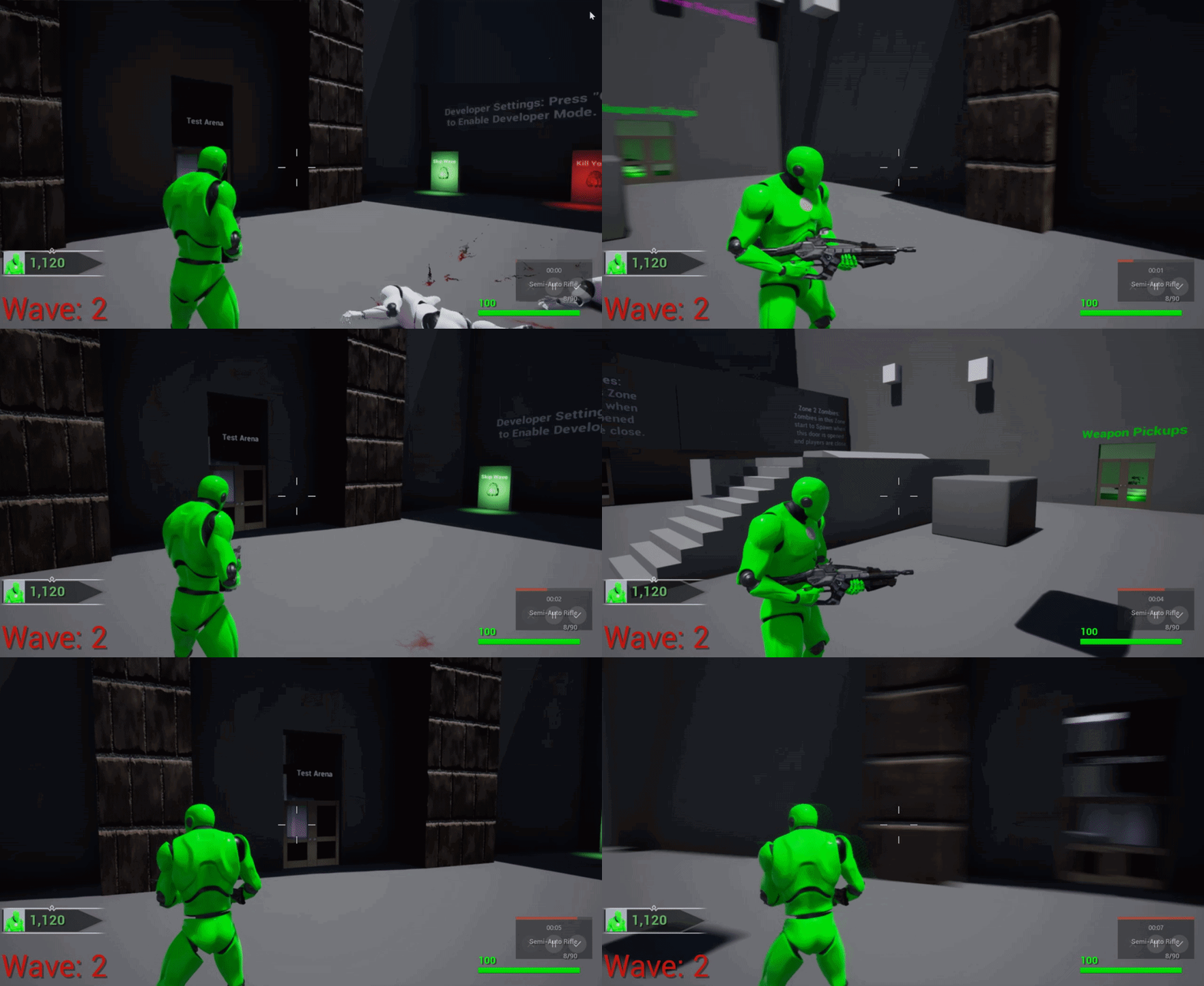
So I'm trying to figure out how I can rotate my character towards my camera a little bit slower so it looks better and not instantly popping into place. Any Ideas on how to do it? Right now I'm just enable/disabling "PawnControlRotation" and "ControllerRotationYaw" based on when I'm accelerating or not. https://i.gyazo.com/b0fd1382d7eb4c7cd35c196d88533f03.gif
 tight sleet
@dapper kiln https://www.youtube.com/watch?v=gDpTInfUeKg This should help with that.

In this short video i show how to drive the camera rotation from the head rotation of the character.
Now for my project I worked out some camera things I was attempting to make work. NOW what I want to do is make the actor I have move according to the direction the camera is pointed, instead of a fixed direction [i.e forward /back , left right just by pushing those buttons.]
Should I try to grab the camera rotation and lock the actor to it then apply impulse based on the camera vector?
 rough blade
When creating a child class... am I supposed to cast to the master? Ex- raycast to pickup fruit. Fruit-Master is parent and children are apples and so on. When casting to get required variables, do I cast to the Fruit-Master or to each individual fruit child? PS - if not, is there a way to have a cast that doesnt fail for each individual child?
thorn moth
make a fruit interface
and in the parent use this inferface to give all informations you need
@rough blade casting is not the best way to go
rough blade
Thank you!
thorn moth
@dapper kiln probably you need to make it overtime with event tick, rotating until get to position
@tight sleet are try to rotating the character base on the mouse movement?
tight sleet
@thorn moth Yeah I want to rotate the actor based on the mouse (which I kind of have down) but also want to have movement locked to the direction the camera is pointed.
Also not a traditional actor. Just a single bone skeletal mesh that is 'meant" to be entirely physics based.
dapper kiln
Is there a way to make your camera not receive radial damage? For example in a third person game if something applies radial damage with a radius of 500, and I'm outside of that radius, but turn my camera inside the radius, I still take damage, even though my character isn't inside the radius.
tight sleet
Change the collision detection for the actor your camera is coming in contact with.
dapper kiln
But It's not colliding with anything, its receiving damage from the "ApplyRadialDamage" event. That's where I'm confused, because I want my character mesh to receive the damage, but not his camera
tight sleet
So for that node in Blueprint, there is "Damage Prevention Channel" change it to camera.
dapper kiln
that's for blocking damage such as walls, etc.
tight sleet
And on the camera.
Or create an array and add the camera actor hooked up to your character to it to the "IGNORE ACTORS" array on that node...
dapper kiln
I'm not sure of an easy way to communicate that info from the player character to the explosive barrel blueprint.
It seems like everytime I go to use radial damage, I usually give up and create my own system because the default radial damage is just missing too much
 verbal narwhal
when I opening anything from yesterday it's doing like that after 70-75% loading it's became stop and stucking
 subtle blaze
is there a way to cast a child actor component object reference to an actor?
sand shore
You get the child actor from the component
 inner ginkgo
You don't cast it. There's a Get Child Actor node that you would use.
sand shore
You cast that reference, not the component itself
subtle blaze
I'm using the add child actor component node
sand shore
At runtime?
subtle blaze
yes but also during construction
sand shore
You do you, but you just as easily could spawn the actor on its own without the child actor component
only exception to that is the construction script
subtle blaze
mhm
sand shore
Anyway, if you're using a CAC, you gotta get the child actor manually.
Though it'd be super neat to wrap that functionality into a function library for later use
inner ginkgo
You just need to store the reference to the component and the method to retrieve the actor is the same. Get Child Actor.
But if you are spawning the actor to add to the component, it would probably be easier to just store references to the actor from the get go.
sand shore
which is why I would think hard about why you need to spawn it in the construction script
it'd save a lot of headaches, CAC just about works
 haughty egret
Hey I can't seem to find any information about how to handle different keyboard layouts. Is there any documentation somewhere about abstracted input layers?
inner ginkgo
I would figure that would fall under localization. I don't know if the documentation has keyboard layout stuff, but I would add that to my search terms.
subtle blaze
I'm uhh, not sure what you mean by get the child actor manually. Unless you mean spawn it, search through children for a new child and then use that.
k, got it. I'm 90% sure I searched "actor" and the damn node wasn't there.
weird though that it breaks the convention so much though
inner ginkgo
Not sure what convention you are referring to, but it is a pretty limited use component. It is normally used for design-time adding actors to other actors. During runtime, you'd normally spawn the actor and store a reference, then attach it if necessary. I can't think of a good use case to make a child actor component at runtime.
subtle blaze
Well, having code that can work runtime or on a construction is one
So for example modular buildings
(That can be recursive)
I guess that is it mainly, the ability to have recursive actor spawning
inner ginkgo
Again, you can just spawn and attach them.
subtle blaze
But not in a construction script
Which can be important as a development tool.
(Or to make sure things are ready before anything else gets access to it)
As for the convention, the general convention is that nodes give you the highest applicable base class that still has the required info. I'm not sure why that node couldn't return an actor rather than a child actor component.
inner ginkgo
You can spawn in a construction script using functions.
subtle blaze
No? I was trying the spawn actor node in a function that was run from a construction script.
inner ginkgo
Sec, I'm trying to find the tutorial. There was definitely a way to do it.
 random shale
Hey guys, Is there any way to change the game culture runtime and how?
sand shore
It "breaks convention" because CAC is such a hamstrung concept.
random shale
I have localized assets but how to tell the engine to load them
sand shore
Really, you'd want something like prefabs, but since UE4 doesn't have that the easiest answer was "well, just add some component that is cognizant of actor lifetimes and handles the lifetime of an actor by its own lifetime" and it isn't a core concept at all
But I'm not aware of any such convention where you create a component and then expect an actor reference
inner ginkgo
@subtle blaze Sorry, I can't find the tutorial that I'm thinking of. And a quick test shows that I'm incorrect about spawning through functions (It doesn't complain, but it doesn't work, either).
sand shore
@random shale https://docs.unrealengine.com/en-US/Gameplay/Localization/ManageActiveCultureRuntime/index.html
This page describes querying, applying and overriding the active culture. It also discusses the localization preview, culture remapping, and culture restrictions.
random shale
@sand shore I tried that, it's not working. I watched a stream from Epic that says if I change the culture I have to reload all assets, but how am I supposed to do that?
Furthermore, I have tried to use Restart Game node, but no luck there.
As "Restart Game" should purge and reload all assets
sand shore
yeah I'm not entirely sure...
random shale
😦
sand shore
Wait, there's a node for restarting the game?
random shale
haha yes 😄
sand shore
Interesting. It probably doesn't keep the settings
random shale
I have checked in GameInstance if all of the variables are resetting, but they are not
sand shore
Not actually sure what they mean by "reload all assets"... they probably mean that any FText has to be re-instantiated
So most likely referring to UI assets.
Have you tried tearing down and respawning the HUD?
random shale
that is the problem here, I don't have any HUD. I have dialogues that I want to switch with the localized dialogue assets.
If I change the preview language of the editor and start the game everything works fine. But I need the game to start in English and if the player wants to change the language in Runtime from Options menu.
sand shore
Oh, well, then those need to be reloaded.
You can probably do that with the asset manager
Unload Primary Asset
But that assumes you've got things set up as primary assets
random shale
hmm
that is interesting
I hope this will work, I'll give it a try
sadly it's not working 😦
 marble halo
just updated a 4.23 projec to 4.25. Since there aren't motion controller keys beyond 4.24. what's the new way to get key pressed time down? My key pressed time variables aren't getting values now because no keys to draw values from:
 bitter magnet
Hello, I'm very new to this. I want to get a variable from an actor, destroy the actor, and create a new actor with the same variable. However, It seems that the variable is being retreived in the last step, so it doesn't work because actor is destroyed
subtle blaze
Yep, create another dummy variable, either local or not that you copy the value into before you destroy the actor
bitter magnet
Thank you, however I don't know how to create a local variable. Does that mean I need to collapse my blueprint into a function? That's what I'm finding online
subtle blaze
Right click the variable, the option should be there
bitter magnet
Isn't that like an instance variable?
subtle blaze
No? I'm not sure what you mean by instance variable
bitter magnet
Yea pardon my terminology. Just started playing with this. Is it ok if i post a screenshot? I'm modifying the puzzle example project
subtle blaze
Go ahead
bitter magnet
this fails because actor is destroyed before new one spawns
So getposition fails (that's what i think happens at least)
subtle blaze
yeah, right click the yellow circle next to position and select uhh send to variable
and that should create a "set" node
put that before the destroy and then drag the vector variable from that set node into the spawn node
That do it?
bitter magnet
Yes!!! Thanks a lot
subtle blaze
sweet
bitter magnet
Took me a while to figure some stuff out, but yup, exactly as you said
I was literally blind there, couldn't see that "promote to variable"
subtle blaze
Ah, right. I almost never use that option so I couldn't remember the name
what I normally do is go to variables and add one manually
bitter magnet
Ah you mean, you'd have both the position and the actor as the input from block clicked event? or?
subtle blaze
Really the only thing that might not be a bad idea would be to set that variable as private, though for what you are doing probs overkill
No?
Just the position
Oh
I see
Yeah, probs.
Though what you have works fine
bitter magnet

So the variables on the left, they're called blueprint variables? Local variables?
subtle blaze
Just variables
bitter magnet
Alright, thanks
subtle blaze
If you were in a function you would be able to make a local variable
And it would be in almost the same spot just a bit lower
bitter magnet
Can you also get to see blueprint if it's converted to a function?
subtle blaze
Can you write that again but differently?
bitter magnet
If I were to convert this part to a function, would I also see all these nodes and stuff? Or does it become a magical "function" that i can call and not edit?
bitter magnet
Why wouldn't I convert everything to a function then?
 earnest tangle
Functions have some limitations like you can't use latent actions like delays on them
subtle blaze
Basically the rule of thumb is that if you could use a bit of code in another place, try putting it in a function
bitter magnet
Yea, it's not very clear to me how are all these things referenced between each other atm.
subtle blaze
have you done programming before?
bitter magnet
Yeah 😅
subtle blaze
then I dunno how to help you. 😛
Basically it is just a programming language that is visual instead of text based
so what you would expect in a language is in blueprints
bitter magnet
All of this is completely different. I've just started 60 minutes ago or so. Actors, blueprints, custom events - no idea what they are and how they fit with each other. Wanted to watch some tutorials but just decided to go head first and see what can be done. Happy with results so far
bitter magnet
Yeah
subtle blaze
So "actor" is the base class, blueprints is just shorthand for actor with code, and custom events are... events.
(Technically UObject is the base class but if you are using blueprint you probs won't run into it directly)
bitter magnet
Alright, thanks
 old prism
is there a way to make a progress bar stay in place and scale with the screen?
im having difficulty with keeping the bar centered as the position seems to change when I scale the viewport size
bitter magnet
I'm having issues with delay I think? It even says when it's mouseed over that "Calling again while counting down will be ignored". But i want it to respawn the each block 1 second after its clicked
There is retriggerable delay but that's also not what I want.
 blazing ridge
does someone here know what coordinate systems those nodes are in? draw debug sphere and simple move to location
because they are getting different coordinates, and i c ant find reference about it
i have a space, realtive location range between X min-50 max 50 and > min-50 and max 50
now i want to generate coordinates, randomly, and give them to my ai BP's.
but im having trouble with the transform conversion.
most optimal i would like the move to command to be in local space. but i dont know if thats possible
blazing ridge
no matter what i try or do, or how i convert those locations, the debug sphere is always somewhere completely else than the AI BP
 rigid thistle
Hey Guys. For some reason my Set Target Rotation doesn't work... What am I missing? The Set Target Location works fine, but if my Static Mesh, which is held by the Physics Handle, is spinning, it will never stop... Any Help is welcome
Oh I'm stupid. I grabbed the component at location. But I need to grab it at location WITH rotation. Who would have thought? 😄
maiden wadi
@blazing ridge You're probably generating two different places if you're using random nodes. But both of those are world space vectors.
blazing ridge
@maiden wadi oh shit that acutally may be the thing, thanks a lot, didnt think of that!
maiden wadi
Remember that anything without a white execution pin is generally ran for every wire going to it when that wire needs a value. So if you have two wires going into the same random float or random integer node, those wires aren't actually going to have the same random number.
 finite ermine
Hi there. Can you guys help me with a simple task. I need to trigger actions, like animations, turn of, on lights etc, any good tutorial or documentation for that? Thanks !
 thin heart
Hi I am a unity developer, want to learn unreal programing can u give suggestions
thin rapids
@thin heart you should take a look at this page https://docs.unrealengine.com/en-US/GettingStarted/FromUnity/index.html to get started with unreal when coming from unity
Translate your Unity knowledge into UE4 so you can get up to speed quickly.
 hot fjord
would you guys advise building a main menu inside the player controller or the game instance ?
 rare ember
What should be done in the GameState vs the GameMode?
 hazy igloo
mode are rules, and state are variables 😉
bold garden
@hot fjord
MainMenu - If it does not need to be overlayed/opened during gameplay (which is normaly the case for a main menu) just do it in an empty scene that will load at startup (faster startup time). If you are asking about the player Menu during gameplay, you would probably place it (The Code to spawn and destroy the menu) on the player controller, because the player controller represents the actual (physical) player and it would allow for easy player specific menus in splitscreen multiplayer
@rare ember
- Game State vs Game Mode is like @hazy igloo stated meant to differentiate rules and game state data. However, you'll find that this only really matters in multiplayer games because of the way those two classes are replicated (or not in the case of the GameMode). So if you are hellbent on creating a singleplayer game, it doesn't really matter that much whether you store your game state related data on the game mode or game state. If you want to work in a clean way and per engine design, you would split it accordingly though.
hot fjord
@bold garden By Empty scene, do you mean on an empty level blueprint ?
And thanks for your answer !
deep elbow
hello - possible to bind a to an event in Construction Script, and have it reference a custom event in the main event graph?
bold garden
@hot fjord A new Map.. In the project settings you can set the default startup map. Then you can have buttons to show Game Settings or start the actual game, level selection, etc. (That's my understanding of a Main Menu).
hot fjord
Oh ok, got it !
earnest tangle
Anybody got experience with the Easy Multi Save thing from the marketplace? It seems that it never actually finishes saving if the game is paused which seems like somewhat bizarre behavior, considering you would usually want to save your game in a pause menu 🤔
Nvm apparently it's just the way things are and you need to unpause during save... it's a bit iffy in a game where you might get shot during saving if it unpauses but I guess as long as it only advances a few frames it should be fine :P
thorn moth

earnest tangle
Have you considered just adding a sphere collision component as its root?
 tight cobalt
dim robin
tight cobalt
dim robin
any chance to find a tutorial to make a psychedelic / kaleidoscopic material?
something like this
thorn moth
never see
maybe search for separated material to make this one
probably starting with the mirroring
 meager finch
Anyone here that is familiar with keyboard control with UMG?
I want this simple interaction with a widget that you have:
"press e to open widget" -> "press e to close widget"
I'm trying to find answers/guides but don't find anything quite specific for this ^^'
thin rapids
you can make a flipflop with the input key E
tight schooner
@dim robin if you mean some animated effect made in the material graph, #visual-fx is the channel for that
meager finch
so InputAction even with flip flop or? @thin rapids
Just dont know what to build on, sorry
Have only done mouse control input before
thin rapids
so InputAction even with flip flop or? @thin rapids
@meager finch connect the input action to a flipflop, A can be to remove the widget and B to make it show up, or the other way around
meager finch
does it interfere with antyhing else? I have a collision box that creates another widget "press e to view"
i should use remove from parent?
thin rapids
does it interfere with antyhing else? I have a collision box that creates another widget "press e to view"
@meager finch not really, unless you make something else make that widget show up/ be removed
i should use remove from parent?
@meager finch yes
 lilac yarrow
Hi very intermediate newbie, how do I do unlit in postprocessing?
meager finch
ok thank you very much, feeling pretty stupid right now as it was really simple :p @thin rapids
sometimes I just get stuck on these small simple things...
thin rapids
ok thank you very much, feeling pretty stupid right now as it was really simple :p @thin rapids
@meager finch you're welcome and don't feel stupid, it's part of the learning process
meager finch

thin rapids
😄
 stiff hatch
I have a resource class called "wood"
And it has a bunch of children I.e oak, birch, aspin etc.
If I get the class of one of the Children and check if the class is equal to the parent would that return true?
Or would i have to cast to the parent class using the child?
maiden wadi
@stiff hatch ClassIsChildOf
stiff hatch
Ahh thank you @maiden wadi !
 round idol
Hey, can anyone please explain this to me?
thin rapids
explain what exactly?
maiden wadi
Someone has six variables and wanted to make them an array?
round idol
It's in the pic...Getting var not in scope and I can't figure out why...
The var exists in those widgets, they are added to array before the loop and then for some reason, var not in scope...
I can provide additional info if you think it might be helpful
ideas? what should i (re)check maybe?! Nothing?
Nvm, figured it out, it's a struct and they don't show contained vars's values.
 low venture
Hello, how to get the index of a collided instanced static mesh? The HitItem in the HitResult in OnComponentHit always is -1.
trim matrix
Hi. I'm learning blueprints again after taking a long break. I'm using the FPS Game project as a playground. Currently i'm trying to get communication between my Shop widget and my character working, but i'm having trouble.
Anyone have any input to how to communicate between Character and Widget?
I'm trying to make the widget execute functions in the character of the characterController that it is attached to.
thin rapids
you can cast to the character @trim matrix or do the other things that are in this page https://docs.unrealengine.com/en-US/Engine/Blueprints/UserGuide/BlueprintCommsUsage/index.html
Overview of when to use different methods of Blueprint Communications.
trim matrix
Thanks for the doc, but i believe im already doing it, yet it doesnt want to work, and hence im a noob, i dont really know why
When i create the widget, it already has the specific player, so it can already access its variables. But i can't seem to change them, only get them
maiden wadi
How are you trying to change them?
thorn moth
you need to make the player execute inside his widget
Server makes the specific player execute inside the his player controller with the widget ref
this is what I do
trim matrix
Im trying to have the widget execute functions that i have in the character. I can access them, like you see, but they dont seem to actually do anything when i run them
The "player cast" im using here is set in the player controller like so:
 late gorge
i have a bunch of child actor components that i want to detatch on death
calling this does not detach them :\
any ideas why not?
trim matrix
Feel free to PM me if you want to help with my previous issue 🙂
maiden wadi
@trim matrix I could be mistaken, but wouldn't you want to check if the player has enough money on the server?
trim matrix
Well, im not very into multiplayer so i wouldnt know what to replicate or not. I figured i'd start locally to just make sure it works between the widget and character and then make it replicate. Maybe its the wrong approach
Like it said, it seems i can access the functions but they dont do anything if i call them through the widget... If i try to call them in the character, they work, but through the widget, they go through the node but doesnt actually do anything
maiden wadi
I try to always live by one serious rule when it comes to UI and this is single or multiplayer. Make functions in the widgets that update the widget itself for display. Only ever use widgets to get information from actors to display, or to call events in actors. That way the actors do stuff themselves. This makes it even better once you start translating stuff to multiplayer because UI is always client side.
trim matrix
Everytime i call the function, it just prints "Yes i have enough money" and the amount of money i have left, but doesnt reduce the money
Ah. Ok, that makes sense
What i'm trying to do is a shop similar to counter strike, thats why im spawning an widget overlay that i can interact with... So i dont actually want the widget to display anything from the player, rather to influence the player.
lusty escarp
Hey, I have a similar problem to @trim matrix, I'm trying to create a Resource that the player 'Mines' and then add the mined resource into their inventory. The Resource has 50 Resources available(Amount) For some reason occasionally the resource will give the player move than the resource has to offer. Any tips on how I would go about making sure they can never go over the ResourceAmount?
 stable plume
Hi - why are the RGB numbers in UE4 different to photoshop and is there a formula to convert them?
earnest tangle
@lusty escarp nodes without exec pins will generally run once per each connection... so your random integer in range is most likely giving a different result for the >= comparison and the amount to remove setter
This means that the condition might be false, meaning it'll use the amount to remove value, but because the random number for that is different, it removes more than it's supposed to
Easy way to do it: Min(Random, Amount), this way it would take whichever is lower, meaning it would never take more than is already in the pile.
maiden wadi
@trim matrix I don't know if this will help you, but this is a simple way that I'm handling multiplayer ui. In this case, I set two references when I open this widget, one to a container actor and the other to the player's character. These two buttons call the same function with a different boolean for whether I want to move all items to the character or to the container. This calls an event in the client version of the character, since it's from the UI. This event does nothing more than call the RPC event to the server version of this actor, which then actually executes a function and then variables are replicated back to the client version.
lusty escarp
@earnest tangle ahh okay, that makes sense, so if I understand, it should look something like this ? ****
earnest tangle
@lusty escarp exactly :)
lusty escarp
@earnest tangle Thanks mate, appreciate it a lot🙂
bold garden
@lusty escarp You could move it into a function so you do not pollute your whole BP with variables (AmountToRemove) only needed for specific parts
lusty escarp
@bold garden Yeah, I like to spread my blueprint out in the event graph so i can visualise it better, and then move everything that needs to, into Functions once i know it works
stable plume
Hi - why are the RGB numbers in UE4 different to photoshop and is there a formula to convert them?
gritty elm
@round idol first of all make sure to select your widget in debugger and try again, second solution is to break the struct and print string instead of watch value
 obtuse current
Hey everyone, when I spawn a unit, DONT move them, and then spawn a spawn a collider over them, the collider doesn't recognize them as overlapping - however, if I move them first prior to spawning the collider over them, it does - anyone know how to fix this?
I am polling with get overlapping actors, but they're not in that list until they've moved once after spawning
@stable plume I just use the hex value, you can copy paste that from photoshop works fine
round idol
@gritty elm Thanks, yea, the widget was selected - ofc - and the struct was split. it's fine, I debugged it in another way. Thanks anyway 🙂
stable plume
@obtuse current That's what Google says also 😦 - Problem is I have 2000 rgb values that I am trying to use dynamically and they're from a graphics program so I was hoping there was a formula to convert 1 to another
obtuse current
is it just 255 to 1?
stable plume
Also interested to know why they're different
obtuse current
Unreal's is just a percentage of RGB values from 0-255, whereas photoshop and stuff is probably giving you it in 255
Do you have 0-255 values from your other graphics program?
If so just divide each R, G, and B value by 255, and try that in unreal
stable plume
Yer I tried that but get a different colour in UE
obtuse current
crazy different, or off by just a small shading diference?
stable plume
Crazy
obtuse current
works fine for me
photoshop on left, unreal on right
rgb values just divided by 255 with sRGB preview turned off
 visual fern
Hello
I had a crash and since then ( either way, it never happened before that crash )
I keep getting from time to times, this error, and there is litteraly nothing wrong with this blueprint, because, If I want to correct it, I just need to remove that Beginoverlap collision, and put it back, and rewire everything again
So basically, it still works, But I have to admit, rewire everything this node gets broken is starting to pissing me off a little bit
Anyone who got the same error, or maybe it's a bug that's only in my version ? ( 4.24 )
 white crypt
@visual fern https://prnt.sc/sxdwtm

that will work if your enemy hit is the same class
or it should atleast
obtuse current
@stable plume Your blue value is super off there? 136/255 = 0.533, not 0.0039
Looks fine when converted correctly
stable plume
@obtuse current Holy fuck up Batman - you're so right! - see this place always sorts me out - thanks m8 😄
obtuse current
Cheers
gritty elm
@lilac yarrow you need to make post process material to make it unlit: https://docs.unrealengine.com/en-US/Engine/Rendering/PostProcessEffects/PostProcessMaterials/index.html
How to author and blend custom Post Process passes with the Material Editor.
 latent arch
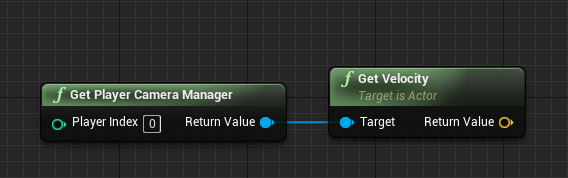
does anyone know how i can calculate the players velocity from the "PlayerCameraManager"? Ive got last know position working but for some reason the get velocity node does not work on the camera
white crypt
 latent arch
no it doesnt work
ive tried xD
it works for position but not velocity for some wierd reason!
white crypt
hmm, you could try getting speed but not sure if thats what you need
latent arch
hmm
its really odd!
im trying to get relative velocities for player by the camera and all sound emitters for a nice doppler simulation - everything but the camera velocity is so far working
white crypt
cant you use characters velocity? i think camera should be using the same since its parented to the character
latent arch
why would position work and velocity not? cause you dont have a physics component as a spectator?
ill try
when you say character do you mean pawn / controller or?
white crypt
controlled actor
earnest tangle
if you need the camera velocity you might need to get the actor which is the view target and not the camera manager
I'm not sure if the camera manager would have the velocity from the view target
 latent arch
player character sort of works but its reading the controlled pawn not the actuall camera speed
hmm
id use something else but i want the effect to work for spectators too
earnest tangle
the camera would usually be a part of the component tree of the pawn, and its position would be based on the position/velocity of the pawn, so it would usually not have its own velocity
at least in first person games the camera velocity should be the same as the pawn velocity though
latent arch
yeah but i guess the issue where its getting confused is - if i go from say first or third person to "spectate" the camera stops moving but everything else doesnt
white crypt
you could try creating a dummy spectator character with camera position in its center
latent arch
so i want it to read your eyes location velocity no anything your actually associated with
its just so wierd that it gets location fine
works perfectly
earnest tangle
you have to understand how the velocity works.. it's part of what's factored into the position by the movement code
latent arch
hmm
earnest tangle
something that's just sitting as a part of the component tree doesn't have a velocity because its movement is controlled by how the owning actor moves
and even in the actor, the velocity is used to just update the position
latent arch
hmmm so how to i get the velocity of the camera managers actor? does it even have one>
?
can i give it one?
elfin hazel
If you print the camera manager location, does it always return the same value?
earnest tangle
you have to use the velocity of the actor which is the view target
latent arch
no the location updates fine
earnest tangle
the view target is the one that actually has the current camera
latent arch
im reading it through the blueprint in simulate
right ok
do i need to get the managers viewtarget or is it a global thing?
earnest tangle
alternatively you could attempt to calculate the velocity based on the position delta I guess 🤔
I think it's usually the same but you might as well get it from the camera manager
latent arch
that was my other plan but wanted a simpler way first lol
earnest tangle
position delta might be easier if you want to get the velocity of the camera in say a 3rd person situation
since in that case the camera might be panning sideways without the actor itself even moving
latent arch
yeah
dont mind that too much
right so ive got this, but i cant input the camera manager for some reason
need a camera referencee not an object reference it says
elfin hazel
I think you want the controllers view target though?
visual fern
@visual fern https://prnt.sc/sxdwtm
@white crypt Actually it works like that too !
Thank you, even if my bug pops up, I still don't have any idea why and how it's happening, but at least my rewiring will not take more than 10 sec now !
latent arch
@elfin hazel the camera managers view target?
 dapper dagger
Has anyone had any luck in creating a custom collision Component? There's capsule, sphere and box. Anyone know how to go about creating a triangle shape collision? I'd like to avoid using a static mesh for collision.
elfin hazel
Camera modifier is an Object that can modify the camera, such as the camera shake modifier. I'm just confused as to how you're going that route to get to the view target
elfin hazel
That would probably work.
latent arch
i know its updating location nicely
so i guess this is only other option
so whats best way to do hat? i need it to update well as opposed to acuracy i suppose
but wouldnt this method be the most accurate anyway? 🤔
elfin hazel
hm so do you just need its velocity in world space, or is velocity relative to another object?
so the camera manager would be the listener, right? So it would be like in https://blueprintue.com/blueprint/dfvijiqj/ , "Get velocity of listener", except instead of "player" it's the camera manager.
BlueprintUE
latent arch
world space velocity cause relatives are calculated later i think ~:)
hmm ill try that but im not sure it will work - perhaps weve found a bug?
elfin hazel
Okay, then it should just be "get location" - "last location" = velocity, then set last location = get location.
elfin hazel
actually I'm not sure you actually need to divide by delta time, since its updated any frame anyway. A-B= velocity, dividing it by delta should just make the value even smaller. Or am I thinking about it wrong?
latent arch
ah ok
no idea at this point buddy lol ill try anything
hmm nah still not working - its gotta be something to with its not got any physics properties - but how can i give it some?
google found this, does that make any sense to you? 😮
 split badger
Hello guys, does anyone know how to pass parameters to a function using Set Timer by Function Name?
I've found out that in C++ is possible, but in Blueprints seems not? How to approach this?
sand shore
Use C++
trim matrix
Hi.
I have a character with a function that can Add and Remove money(variable).
I'm trying to have a widget with a button that executes this function in my character. I have a reference to my character from when i created the widget in the player controller, so i can access the functions, but when i run them, the variables in my characters money doesnt change.
Is there something about controller/pawn <- widget communication im missing?
Or since its multiplayer, do i have to replicate stuff? Thanks for help
split badger
Use C++
@sand shore well... I've never programmed in UE with C++, how can I write just that piece in C++ and use BP for the rest? Is that possible?
sand shore
Eh... yeah
elfin hazel
@latent arch I don't know what the problem was but since delay node is mention, it means its garbage. And the solution was to compare cached location to current location after transforms are done, which is pretty much what you just tried but on the next frame.
sand shore
You'd make a blueprint function library and you'd pass in the arguments and then set the timer. Handling the callback is going to be more complex if you don't move the function signature into C++ as well.
latent arch
hmm
sand shore
Adding a slim function library is pretty much entry UE4 C++ but I'm not going to say it'll be easy
split badger
You'd make a blueprint function library and you'd pass in the arguments and then set the timer. Handling the callback is going to be more complex if you don't move the function signature into C++ as well.
@sand shore Damn... I don't have any BP alternative?
sand shore
Pretty sure you don't. Captures of any sort have no support in BP
latent arch
how would i plumb this into the equation and try it?
split badger
Pretty sure you don't. Captures of any sort have no support in BP
@sand shore What do you mean with captures?
sand shore
its a programming term, and is what you're asking for
split badger
never heard of it ahah
cool
I wonder how does people workaround this problem in BP...
visual fern
Maybe you can pass the parameter in the function you're actually using with that set timer, and then use that function just after ?
Just a thought
Kinda never worked a lot of timers
elfin hazel
@latent arch No idea how to make a position history.
split badger
@visual fern I don't think is gonna work
sand shore
@split badger I guess you could use an array and "push/pop" the data that way. If the function is in the same object
split badger
cause it would be seen like another call to the function
sand shore
That's soooooooooooo brittle though. Timing can really throw it off
latent arch
hmm
sand shore
0/10 recommend doing it that way
split badger
That's soooooooooooo brittle though. Timing can really throw it off
@sand shore yeah, though the logic might work, is quite unstable lol
latent arch
this is sooo weirrd haha 😄 why allow you to track a cameras position but not its speed? 😄
split badger
Damn I'm surprised that a thing like firing a timed function with parameters is not possible in Blueprints...
This sucks a lot
trim matrix
How can i pass a reference to to my widget about an object that i want it to spawn? This doesnt work:
split badger
Thank you for your time anyways @sand shore 😉
I'm gonna figure out how to work around this
sand shore
nw, would rather head you off at the pass to save you some time researching
split badger
If anyone knows how to achieve passing parameters to a timed function in BP message me!
take care
trim matrix
I have a widget with a button that when clicked i want to print the value of a variable of an actor that is not in the scene. How do i reference that actor in the widget?
elfin hazel
@latent arch so just to test your setup, when you set the listener velocity, just set it to a constant say 10,0,0 value. Does your doppler work then?
latent arch
yes mate
ive had it working fine on the player pawn
but i wanted to swap it to the payer camera if i could because then it will work in EVERY situation 🙂
elfin hazel
Ah so in your screenshot you subtract last position - get actor location. Swap those around.
latent arch
ooh
sorry pal just read that
you mind showing me what that looks like?
i just tried this but no dice haha
elfin hazel
that setup is a bit oof. First, you're setting last pos to actor location. So that then becomes actor location-actor location. which is 0. You're also subtracting delta time - delta time, so you're dividing by 0.
i'll make a setup
latent arch
haha thanks buddy my head is spining at this point 😄
elfin hazel
elfin hazel
I guess the term "last position" can be confusing, it's about caching the location that the object was at, so that it can be compared to the current location.. later.
elfin hazel
yeah
And again, i'm not sure you need to divide by delta time. The important part is consistency, either do it with all the things (that needs it), or none.
elfin hazel
screenshot
elfin hazel
Listener last position value needs to be updated after the velocity, othervice you're just subtracting current location with itself.
practically, sequence 0 and 1 needs to be executed in a swapped order.
elfin hazel
Yes.
latent arch
omg its alive! 😄
dude your a wizzard thanks! 🙂
now, one last thing - how can i see that it is acting on all audio objects? and not just the closest one?
you know what
i think it is!
i just printed the end output feed to thertpc and its giving two values - one for my vehicle and another for the ai one i have for testing!!! L)
elfin hazel
So.. you're asking if this setup acts on all audio objects? This is the Doppler object, right? And - I assume - that it is responsible for tracking the listener and emitter. so its gathering that and sending the data to the audio manager. So in a way this doppler object is the audio
latent arch
well its tracking player location and sound emitters location
so i guess if theres more than one sound emitter it should work
it appears to be!
im getting two doppler shift values with different values
i belive one is my vehicles sound and the other is the AI one i have near me
would be nice to check the theyory though!
elfin hazel
I mean, if you were to add a ball object that makes a noise as it rolls, it's not going to have this effect. You would have to attach this doppler effect to it. I'm assuming.
latent arch
@elfin hazel well the idea is - that in order to make a ball play a sound is has to have an emitter attatched to it - its those that im tracking
 paper sky
i am currently making a flight game and i can move the plane horizontally and vertically
elfin hazel
@paper sky There's a Clamp vector size.
paper sky
but if i keep pushing the button to make it roll it just keeps going
@elfin hazel ive tried that but it also slowed down the acceleration for its turn
latent arch
@elfin hazel this is the emitter side - AK Component is something that wwise audio engine uses for all sound locations
trim matrix
What parameter do i need to add to the input of my function to allow me to drag my casted player character into it?
 true valve
This piece is giving me hickups. How can I optimize this:
https://gyazo.com/c25d03a4362cd2e3fb9f3c19ae72bf34

It's in AnimBP
elfin hazel
@paper sky I don't understand what problem you're having, but it seems to be your implementation rather than just having a vector clamped to a certain size.
paper sky
@elfin hazel this is the bluebrint for plane's yaw and pitch movements
at the end the pitch and yawn are managed with torque
and theres a constant force pushing the plane from behind
it works well but if i keep pressing the pitch movement it wont stop and plane will start flipping over
i want to limit the angle it can reach so the plane wont get its nose higher than a certain angle no matter how long i press the button for it
https://www.youtube.com/watch?v=pQ24NtnaLl8 for anyone whos unfamiliar with airplane controls
Simple animation explaining basic aerocraft movement.
Proste wyjaśnienie sterowania samolotem. Polskie terminy zaczerpnięte z wikipedi.
Czy tylko mnie wydają się one dziwne?
elfin hazel
hmm it seems odd to use a physics object and forces to achieve that. in order to stop the torque, you'll need angular damping.
oh flight game.. I read fighting game. I'm getting tired, sorry.
paper sky
oh flight game.. I read fighting game. I'm getting tired, sorry.
@elfin hazel np
i checked the angular damping option and haven't the slightest idea how this works
elfin hazel
I'm not too good with physics, but I think it's like friction. The more damping, the more force you need to change the accelleration. and the faster the object will come to a stop. I'm out of my depth on this.
There is a physics channel though, probably have better luck there.
 quick lark
Hi all, does anyone know why dragging BP_GoodSky into a new scene is not showing the sky? In fact, it seems the sky isn't rendering at all for anything : O
It miraculously works in another scene of mine
trim matrix
Question. Inside my function in the widget, i use the specific player of the target of my nodes, but on the outside of the function, it says the target is my widget. Will this screw things up?
maiden wadi
@trim matrix Target of a function just means that the function is being ran on that object.
quick lark
Nvm, found my issue. I was using a custom EV100 set to 12 which the sky sphere couldn't be bright enough for
trim matrix
Ok thanks
 barren rain
Anyone that's tried do a climbing BP with IK handling in it, got my climbing too work. But I can't get the hands to be place correct.
 hallow night
Do a sphere line trace using complex with a radius of 50ish from the hand location to hand location + actor forward vector*200 to get the location of where to put the hand
@barren rain https://youtu.be/C_UJF_jWZcY this is what i did for 0:33


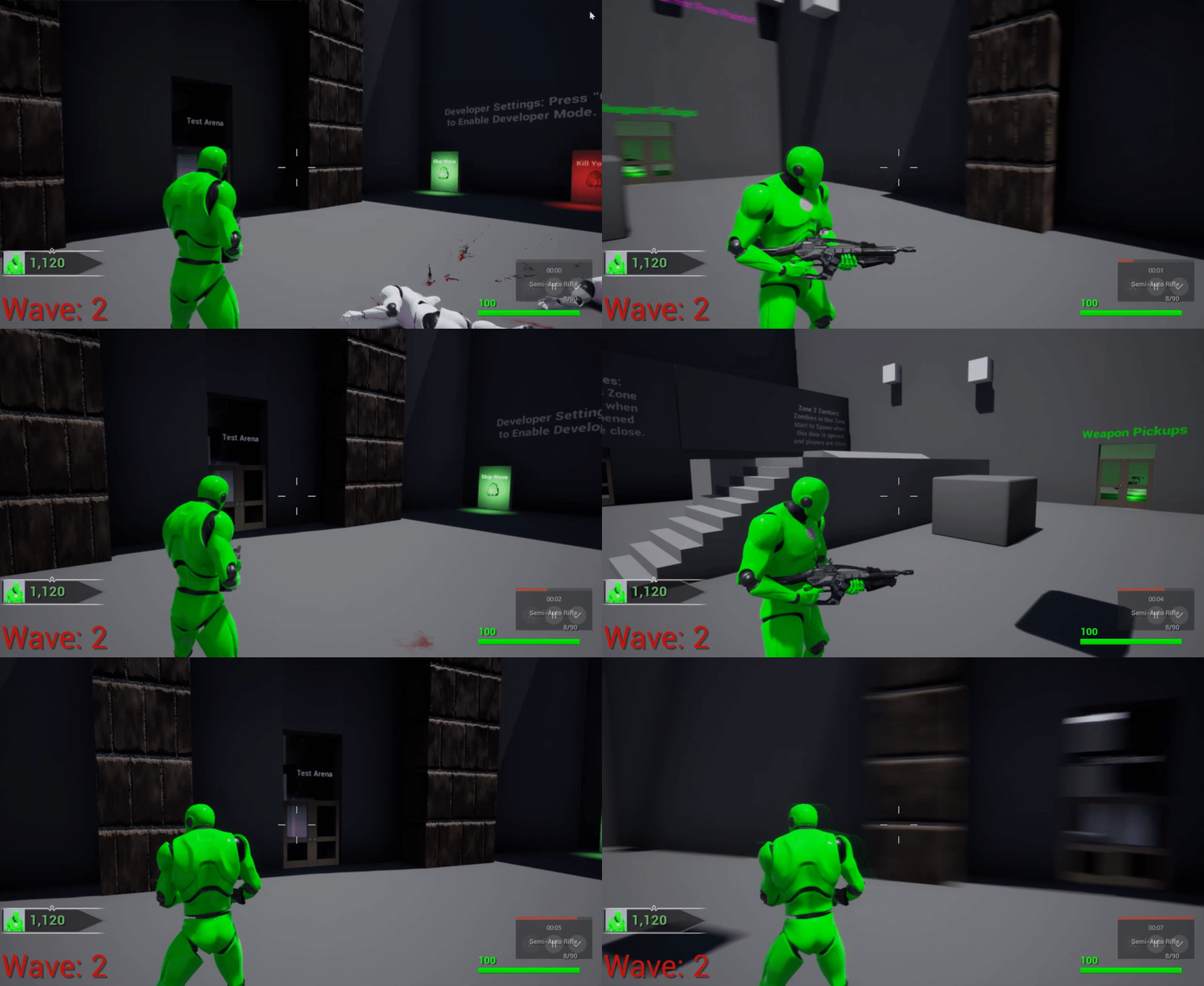 barren rain
@hallow night I allready have the linetrace and that works, but I'm just geting this
hallow night
Looks like the location is wrong
My procedure is as follows > Get location of hand and do line trace > enable ik with interpretation enabled
Looks like you're enabling the ik before getting the hand location?
I use anim notifies to enable/disable the ik for each hand/leg
And when the player leaves the 'climbing' state i reset everything
barren rain
I switch between movemenstate, I do a Multispheretrace in my character BP, And then I call a BPI with a holdshandoffset function and then i Update my hands after that.
trim matrix
Stupid question: I have a gun that fires a projectile straight. I want the projectile to move down while its going forward. What do i use? Add impulse??
 coral ember
Hi Guys - I am creating a game where I want to navigate inside a skybox by clicking on planets / actors but im having a hard time finding specific examples and tutorials. Basically I want to click and have the planet/actor come to my player character, then when i close the view go back to its original position.
Can anyone direct me to some tutes or YT vids that example this behavior? I dont want to make a c++ project. - thanks in advance
maiden wadi
@trim matrix As in being affected by gravity?
hallow night
Enable gravity @trim matrix
trim matrix
No not gravity i just want a controlled bullet drop.
maiden wadi
I'm confused.
hallow night
@coral ember When you click on an actor, save its current transform and use a timeline to lerp between its current and final transform (infront of player)
@trim matrix you can use tick to decrease the Z axis of the projectile but that's dumb in my opinion
hallow night
Get world location > break > decrease z by 1 > set world location
maiden wadi
What's the difference between gravity and controlled bullet drop?
hallow night
I don't have my pc turned on or I would've given pics
@maiden wadi nothing, I'm assuming he is trying to make it less expensive because it doesn't have physics enabled
trim matrix
Because i want different projectiles to drop with different speeds
hallow night
You can change the gravity scale and speed for each projectile
trim matrix
Yeah i guess, but for now i just to want one variable to change
 trail rampart
that is one variable...
hallow night
Yeah its the gravity scale variable to control the bullet drop
trim matrix
Well im using a finished project so i dont know how everything is connected, so i dont want to mess with stuff i dont know
trail rampart
you would mess more stuff doing it the other way
trim matrix
Well now im just adding a tick on 1 projetile
hallow night
Tick is fairly expensive u know
And if you're spawning 30 projectile per second then you might as well start inviting friends over for a barbeque
maiden wadi
Doing small stuff on tick really isn't bad. In fact most of the premade movement components run on ticks.
hallow night
Why add more ticks when its unnecessary
trim matrix
Thanks anyways, i just wanted to test a thing
hallow night

GitHub
A plugin for Unreal Engine 4 to expose simple controls for managing load screens. - ue4plugins/LoadingScreen
Did anyone try this plugin on their project before?
 native plover
hey guys I'm attempting to make a grappling hook mechanic with cable component but for some reason the cable is very jittery or vibrates when I move with it or swing with it. Disabling motion blur and setting substep all the way down helps but it's still persists and still pretty noticable. Anyone know how to stop it from being so jittery?
trim matrix
This questions might not have a simple answer, but in multiplayer, what things needs to be replicated and what should be RepNotified?
maiden wadi
RepNotify is just an easy way to run a function if a variable gets replicated. You don't necessarily need it. For example, I replicate an Array. I have a UI that relies on it, but I don't use a repnotify to update the ui if the array changes. Instead I rely on the widget's tick to tell me if a cached version is different than the one in the actor because that ui isn't always on screen and I don't care if the UI updates when it's not on screen. Something else you might not use Repnotify for are state variables. Something as simple as crouching. RPC to the server to set the state variable to crouch, let it replicate back, but let your animation blueprint detect that it's changed on it's own. Somewhere you might use it though is sprinting. Change the character's movement speed on repnotify.
 mellow folio
Anybody know how to get the camera location in editor from a BP in the world?
 spring magnet
@mellow folio should be able to do this:
mellow folio
that's what I thought.......but it isn't working. 0,0,0
thin rapids
hey guys I'm attempting to make a grappling hook mechanic with cable component but for some reason the cable is very jittery or vibrates when I move with it or swing with it. Disabling motion blur and setting substep all the way down helps but it's still persists and still pretty noticable. Anyone know how to stop it from being so jittery?
@native plover are you changing the cable component size when using the grappling hook?
thin rapids
can you show your blueprints that are related to the cable component?
thin rapids
just the ones that modify anything in the cable component?
native plover
i have no modifiers except changing visibility
thin rapids
so it looks jittery when you change the visibility?
native plover
no only when moving
thin rapids
it probably has to do with the cable component physics
native plover
ye but what do
thin rapids
you could try making the cable a sprite that extends until wherever you want
thin rapids
can you make it a video?
 devout condor
is anyone able to tell me what I'm doing wrong here?
gloomy linden
Try asking in #multiplayer
devout condor
ok, I'm just afrade that someone is gona tell me to open up visual sutdio XD
 tardy harness
Hey! I've implemented a query system into my slot inventory so I can trigger events related to having or not having certain items. I tested it with print strings and works fine, but the thing is I want to change the print strings events for the actual event, wich is a trigger-box based teleportation feature already implemented. How can I manage to trigger that teleport event on key press while staying inside the trigger box only when having a required item in my inventory? Any help would be much appreciated!
tight schooner
@slender venture you probably have something more sophisticated than random vector in mind?
I don't have UE open but is there a "Random Vector in Range" node?
You basically need to take the output of that, and add the location (vector) of your center actor, and there you go
ok, random unit vector returns a "length of 1" which means it'll output a sphere
this is kind of messy but you can try this
this should output a vector within a 10x10x10 box
(keeping in mind 1 Unreal Unit = 1 cm so it's a pretty small range)
g2g
@slender venture
tight schooner
enter different numbers into the "random float" min & max
or multiply the vector it makes
(before the vector + vector)
if you want the range to be 10 meters, then well, 100 cm goes into 1m lol
quick lark
Is it possible to make a scene capture component only render the least detailed LOD for each mesh?
 brisk dagger
Does anyone know what's wrong with this Multi Line Trace? It only prints the name of the first object it hits
And during gameplay:
Oh, nevermind, I just realised it has something to do with overlap and block with traces
 quiet sentinel
Is there a way to increase the font size of Blueprint Nodes?
subtle blaze
Uhh, anyone have a good idea for how to take screenshots ingame automatically? I have a weird use case where I need the screenshots to be at the rate of the program, not at the refresh rate of the monitor. (So for example, 400ish a second.) Also, how do you get a camera actor from a camera component?
 sonic flint
Anyone know how to change the color and properties of the "focus" overlay? https://cdn.discordapp.com/attachments/127723854171734016/720452153256443924/bandicam_2020-06-10_18-39-16-260.jpg

 haughty egret
What's the best way to get a BlueprintFunctionLibrary in a UObject?
I'd rather not just make it an actor since it doesn't have to be spawned in world
It's just annoying that the only way to have static code is tied to being an actor 🙁
sand shore
You'd need a slight amount of C++ to have an object that implements the GetWorld() function
Even if you have a context object
haughty egret
So then if I have getworld implemented how do I actually get the node in blueprint? @sand shore
sand shore
That's it. That's the trick.
@haughty egret It would then appear in the list of functions
haughty egret
I found this nugget of brilliance which explained it
https://forums.unrealengine.com/development-discussion/c-gameplay-programming/44901-uobject-vs-actor-event-graphs?p=451253#post451253
The only thing you need to make sure is that your implementation does not in some way call the original UObject::GetWorld() method, because when the original method is called, the UObject base class concludes that you haven't overriden GetWorld.

In my case, I called the original UObject::GetWorld by accident via Outer->GetWorld() where Outer did not have a custom implementation.
I was calling Outer->GetWorld() because that seemed sensible to me
sand shore
Ah, nah.
Just return nullptr
that being said.... uh
If you can't get a world context pin to appear, maybe you make a UObject* member variable that you can set from BP
It's hacky, but hey.
haughty egret
So what is the best way to actually get your world object then if you just return nullptr?
Because I was heading down the set the variable when constructing it route
@sand shore I also can't seem to call GetWorld on my actors, why would that be..? (in blueprint)
 dapper cradle
Hi,
Is there a way to get all actors and have multiple actors on that node so I can run a destroy actors and hit them all ?
 onyx prairie
so, with replication blueprint, i can essentially create a basic multiplayer server without c++ coding?
is that correct, or is there some reason why you need to use c++ functions through some editor feature to do something that you cant in blueprint?
 signal cosmos
Do you know why this is happening after migrating the data table ?
blazing ridge
hey, im fumbling around with blackboards and behaviour trees right now.
got a question tho.
i would like to generate some variants from the normal/default mvoe to task thats in unreal.
however i cant seem to find or open that one anywhere to take a look how its set up
anyone knows where to find it?
and, can i also plug in 2 conditions?
like lets say i have a selector that goes for "curvedmovement" and i want to get inside it either by the key CurvedLeft or CurvedRight to be true?
or wont that work
earnest tangle
it'll work... the move to task is a C++ thing, I recall it's AITask_MoveTo or AI_MoveTo or something along those lines
blazing ridge
so no real need/sense to look into it for now since im blueprint only atm, thanks @earnest tangle
earnest tangle
if you wanted to make your own you could also create a custom Behavior Tree Task which just does pathfinding in some other fashion
blazing ridge
do you by any chance have some reference or documentation about movement patterns and how to code them?
i dont really need pathfinding, only different patterns
i have 1 object that should move to targetLOC
in the BT i let it decide by keys which one to use.
then im making tasks for the patterns themselves. now i just dont know where to exactly start to f.e. make a curved movement path out of the linear
calculations are my end boss
earnest tangle
I think the builtins mostly just deal with direct point to point navigation
if you wanted to move in a curve you would need to find a way of generating a curve from two points, there's probably some math that can do it, ie. bezier curves
or you could probably use the curve component and place it when you want to do curved movement
blazing ridge
alright then ill start digging it =)
one more question that i asked in general before.
for mobile platforms, would it make more sense to use niagara, or stick to cascade? i dont have any experience yet on mobile with those
latent arch
anyone got a quick and dirty guide i can follow for setting a value by X each time you press a button? same for decrease? i want to go up and down with time dilation using my mouse wheel 😛
very handy for testing physics
 full crypt
is there anyway for me to hide the model of a player for only that player? so a view-model weapon can be seen, but not anything else. but other players can see him
paper sky
hello, good afternoon
I am trying to implement a free view camera system to my project can anyone help
my character is currently bound to the camera and moves at where i am looking
but when i press and hold a certain key I want the character movement to be disabled so I can move the camera alone to look around
and when i release the key it would just go back to its original form and place
onyx prairie
sounds like you need to change the playercharacter, so you'd need to change something about your character model to one without
and then have somesort of movement function made for it
so it can ascend xyz
paper sky
sounds like you need to change the playercharacter, so you'd need to change something about your character model to one without
@onyx prairie ooooh thats actually a pretty good idea to switch characters
i can probably make another pawn inside my character with a small size and disable movement for it so it can only rotate
onyx prairie
yeah thats how i was told its generally done. never tried it myself but look around in that direction for guidance.
 gusty shuttle
For VR, should I put a bone in any lever or knob I want to interact with, adjust the physics body pill thingy and interact with that OR should I take the lever, attach a box on the lever and a box on my hand so they can snap to each other and follow each other?
paper sky
thanks lexx
onyx prairie
im still learning fundamentals, so when i eyeball questions here, im just trying to think if i could do it or not. np hope i pointed you in the right direction.
chris, what kind of event would that require? somesort of custom event with the target?
gusty shuttle
@lexx I'm going to be making a flight system like No Mans Sky
So I need a throttle and a joystick to interact with
onyx prairie
okay, interesting. so you got a basic widget setup for this?
gusty shuttle
No widget needed for this I don't think. Its in VR using motion controlers
onyx prairie
ah a bit beyond me. i think you are right. there are two ways with it... you could do it with the interface hud by using a slider component. you could theoretically influence movement of your character (the vessel you are viewing out from)
or it could be with a pawn of sorts. i think the hud one may be easier to code. never tried something like this before, but...
gusty shuttle
Well I mean for the player to grab the throttle and joystick and move them around
Sall good. I just need to find out from someone who has noodled with it
onyx prairie
sounds interesting. not sure a lot of people are around right now,
gusty shuttle
Yeah the glories of asking for help on the East coast haha
onyx prairie
but when they are, try to ask the question again. my view is that the interfaces code and its connection to other blueprint event graphs may be a direction you ought to head. but this is theoretical thinking on my end,
gusty shuttle
I mean the movement of the throttle will be tied to the speed of the ship. same with the joystick. Probably either a bunch of box colllisions or based on rot of X and Y for input movement
blazing ridge
what exactly is the owning actor coming into the tasks from the blackboard/BT?
is it the pawn/character, the aicontroller, or the key i set in the BB? my casts are always failing, cause i dont know which actor is getting passed here
nvm, got it, its the AI Con
paper sky
can I possess another object in the same blueprint ?
like driver is my main character but i want the possess the "FreeCamPawn" but they are in the same blueprint
earnest tangle
That's not a pawn though
You can only have components in an actor, and you can't possess a component
maybe you should have it move the camera instead? or have a second camera and set it as the view target?
(at least it sounds like you're trying to get multiple camera angles of the same thing)