#blueprint
402296 messages · Page 463 of 403
 inner ginkgo
 simple lantern
@inner ginkgo thanks for the reply. So the plan is to have a single variable (in this case Wind Strength) get received by a number of blue prints which will be affected in their own way - I.E. a wind sound object that gets louder, a tree that sways harder, etc. I'd like Wind Strength to fluctuate and spike randomly on it's own, like every couple of minutes it will max out then go back to baseline and hang out around there for a while. Because of that random fluctuation, I figure the variable would need to be communicating it's value constantly during runtime (unless there is a way to only communicate the value sporadically when it suddenly changes, but i'm not smart enough for that atm).
sadly after pouring through videos of blueprint communication it still hasn't totally clicked for me, so i'm hoping to find someone who can weigh in
inner ginkgo
I like dispatchers, but there are downsides to them. They are not async. So if you hook up all of your trees and there are 10,000 of them in your scene, it will need to process all of those messages before it moves on. And you probably only care about updating only like 100 of them that are visible and actually swaying due to LoDs and such.
So it would make more sense to have the wind speed somewhere like the game state and then each class can ask for the current value when it's about to use it.
simple lantern
hmm the game state, that's a new one for me i'll have to look into
 trim matrix
Have 3 states crouch, walk, sprint, but also a kind of agility speed boost. I had a system in place beforehand but it wouldn't update immediately, though this is updating immediately now, but for a multiplayer game is this safe or is this code at risk and executing on the client?
I tried doing the function char speed on the server but it wouldn't work, though the enums and all vars are being set on the server, so should I even be worried? I tried to change the max walk speed on the client, but it would just reset back to current max speed that was being called from event tick?(which is from server in the end since the vars determining it are from the server)
 tight schooner
@simple lantern generally cosmetic effects, especially if they occur across dozens of actors, are better handled on the GPU using vertex shaders and global parameters (see "Material Parameter Collection"). I think UE4 has an actual wind system built in but I never looked into it.
tight schooner
For the non-material effects like sound and particle systems, Eckish's approach is fine, cuz if every actor knows about some manager BP like GameState, they can at least be selective about under what conditions and how often to update. The usage scenario for event dispatchers is when a bunch of things need to run events at the same time (where your trees probably aren't that time critical), and BP Interfaces are more for chaotic interaction, like if you had a bunch of custom wind BPs rolling around the landscape and sending messages to every actor they overlap.
anyway #visual-fx might be another place to ask for how to achieve some of this stuff within materials and particle systems
simple lantern
@tight schooner Really helpful, thanks. I've discovered the blueprint content examples which is something totally new for me to dissect now. With 5 or 6 ways to accomplish something it's hard to figure out the 'proper' way...
and yes, it's not just cosmetic things with shaders and such but other types of parameters - sound, cloth flapping strength, etc.
 old prism
I could use some help Im trying to cast from a pawn to a dialogue widget but im not sure how as I've only used casting to get the player character
 round torrent
that sentence doesn't make sense
tight schooner
@simple lantern Yeah, it's kind of like that with everything in UE4. Proper is kind of subjective and situational so once you get the gist of all the options, just pick an approach and go for it... make it work and worry about making it optimal later (or never :3 )
old prism
@round torrent my sentence?
simple lantern
@tight schooner also, a delayed update to each object (like you said, a BP that "rolls" over a landscape and everything that is effected is slightly delayed than the previous one) would be really cool. Like, you see a flag in the distance start to rustle then a second later you hear the sound of wind and the grass starts to move around you
round torrent
yep
round torrent
casting from a pawn to a dialogue widget? what does that even mean?
simple lantern
@tight schooner right on, just trying to get things prototyped for now and will figure out the optimization later
round torrent
that's the right mindset @simple lantern
old prism
a pawn is a type of actor a dialogue widget is a type of widget im trying to make subtitles
inner ginkgo
@old prism Sorry, I'm afraid you've had a misunderstanding about what casting does. To get your dialogue widget, you'll need to create one (Create Widget) or have a reference to one that was created earlier.
old prism
I made the widget but im not sure how to reference it in the pawn
round torrent
where is the widget created?
round torrent
yeah ok so it's not created in game then
inner ginkgo
You'll still need to spawn it in game. There's a CreateWidget node that you can use to do that. You can also use a Widget Component. I would look for a HUD tutorial to help here.
round torrent
I would also look for a very basic blueprint course
simple lantern
@old prism I'm going to throw my 2 cents in here and say check out the Content Examples, it has a lot of helpful examples already built out that you can reverse engineer
round torrent
aren't those more useful if you know something beforehand
simple lantern
I tend to learn best by picking something apart that's already built, so maybe it wouldn't be that helpful for everyone
old prism
yeah ive been making a list of videos to watch
tight schooner
all casting does is check the class of a certain object reference, btw
old prism
im still confused on how to make a get widget node though it isnt showing up should it be in the level blueprint or pawn does it matter?
round torrent
they aren't displayed automatically just because they're created
old prism
no I am aware
Im trying to get positioning data from the pawn
into the widget
so I can play the dialogue at the pawns location and have it show up as subtitles as well
 wet siren
you'll have to get the screen location of the pawn
get world space location and use the "project" node
old prism
hmm dont I have to cast to the pawn first to get the target then I can say GetWorldLocation
wet siren
hmm?
old prism
or can I do that without casting
wet siren
what are you casting from
old prism
from a widget to a pawn
wet siren
you can't cast from a widget to a pawn
inner ginkgo
You are not likely to need casting for this issue.
old prism
ahh ok
wet siren
a widget belongs to viewport not any actor :D
so what you can do is use the pawn to Create Widget of the W_ class you made
then store that widget reference
add the widget to viewport
and then call an updatelocation(3vec) on tick or something
how you do it specifically is up to you and if the widget needs to update its location every frame or not
tight schooner
it's gone berserk
pull the plug before it destroys the whole level
@old prism you should be able to GetPlayerPawn and plug that straight into GetWorldLocation in p.much any BP without casting I think.
round torrent
then put it only in that level
inner ginkgo
Check your game mode settings.
You are not describing the problem in a way that I understand, sorry. You have a working character on one level. What do you want to happen on the second level?
Is it an NPC then?
How are the levels loaded? Are you streaming them in or loading new levels fresh?
round torrent
the character is spawned in because your GameMode has it as its default pawn
inner ginkgo
Usually you have a game mode for each level and that tells the level which character to load. You want to make sure the levels that you don't want your character in has a different pawn set.
Do you know what character you want to play as on the other levels?
You'll still technically need a pawn and player controller, I believe. Even if they don't do much.
You can just go with the defaults for this test, though. Open your menu level. Go to the world settings. If you don't see world settings, you can select it from the Window menu.
In there, you'll find Game Mode settings. Expand the Selected GameMode. And you can individually pick the pawn and player controller you want. Just use the default ones.
Base Player Pawn and Base Player Controller, I think?
Anyways, see if that gets rid of the character that you don't want.
If it does, then you'll want to create a new Game Mode. There should be some easy tutorials on how to do that.
You need two game modes. One to use in your regular level. One to use in your menu.
I honestly don't remember if the values set from the world settings menu work change other maps or if they work in packaged games. But it would be safest to just make the two game modes that you need with the settings that you want.
Awesome, glad to hear it.
And with that, I think it's finally time for bed for me.
 lament warren
I need a blueprint coach :1
 short pawn
Is there a way to take a screen shot in a packaged game with the widget? I tried the console command bugscreenshot but that only works in editor
 green echo
Hi All
I'm having issues with constrain to plane in regards to flying and the Z axis.
I've got a root motion ladder animation that (for some reason) has a tiny bit of X/Y movement in it. I want to ensure the character only moves in the Z axis whilst using ladders so have set the plane axis to Z and enabled constrain to plane.
Unfortunately this doesn't work as expected. The X and Y both work but the Z doesn't. Anyone else had issues with this?
Yes the character is in flying movement mode before anyone asks haha 😄
Hmm never mind, doesn't behave as I expect - read the C++ comments and it's constraining to a plane rather than axis (which makes sense given the naming of it) so it would be blocking Z and only allowing movement on X/Y
For now I've set it to X (so it's just on Y/Z) but I want to block the Y as well really... Going to investigate further
 frigid anvil
@short pawn This link should be what you're looking for:
https://docs.unrealengine.com/en-US/Engine/Basics/Screenshots/index.html
Guide to taking in-game screenshots of environments and gameplay.
short pawn
@frigid anvil ive tried all of those, in the packaged game the umg widget hud does not appear
frigid anvil
Is this a feature you want ingame?
short pawn
F9 takes a shot with all the widgets but just "shot" console command, no hud
Yes I want it ingame
So I can watermark my pics
Another alternative would be if you know a way to simulate the key press of F9 since that does what I want but I also want the controller to be able to do it
frigid anvil
This plugin can do it, but it should be possible without the need of buying a plugin
https://www.unrealengine.com/marketplace/en-US/product/screenshot-custom

Take ScreenShot with widget and save to your custom path.
short pawn
Thanks @frigid anvil wish I could have figured it out but looks like a good solution
They deserve more than 8$ had me racking my brain for hours, and swearing at all the unreal documtation I kept re reading
simple lantern
here's a tricky one, I'm trying to set an object's visibility based on a timer from a 24 hour clock, which means I can't use InRange since my object will go invisible the second the clock turns over to 00:00. I was thinking maybe I should use a Flip Flop, and set it up so that when the clock hits a certain time the object becomes visible, and when it hits the second time the object goes invisible. However I don't feel like this is a good solution either, since it's functionality depends on the BP catching that single number to trigger the flip flop, which it might miss if there is some sort of hiccup or desync (unless i'm mistaken?). Does anyone have any suggestions
I could also set the flip flop to pull from an InRange and give it a couple sequential numbers to work with, but then i'm starting to think there has to be a better way than all that (edit: just discovered the Nearly Equal node, which makes this solution a bit easier)
 undone timber
hmm how exactly can i make it such thatn when i have two different widgets in the viewport, i can use the mouse iwth both freely?
i am getting an issue where only the last widget added to viewport is seeing mouse input
simple lantern
nvm i have no idea what i'm doing
short pawn
@simple lantern maybe you could make a timer and when it is at 24 hours set the time back to 0
Mess around with timers, I have absolutely no idea what I'm doing when I start but I can understand them once I mess around with them for a while
@undone timber is the z order for both widget components the same?
round torrent
@simple lantern what's tricky about this question?
you want to make a object invisible based on a timer?
that's it?
short pawn
No he wants it not to go invisible
 haughty fossil
I done goofed by reparenting a Blueprint widget to a C++ class and removing it. Now it has no parent class and won't open in the editor so I can't reparent it. Does anyone know how to fix it? :X
This is what it looks like in the .uasset file and I tried to fix it manually but it crashes the editor. I assume there's some bits of binary data that looks like garbled crap in there.
 limber shell
hey guys, can somone tell me how to create these nodes?
round torrent
right click and search for input
you didn't pick the greatest channel to ask that question in...
limber shell
he only shows me that, when i type it in,
what is the right channel? sorry for that
 burnt nest
@limber shell you are in a material. the picture before is a material function
 maiden wadi
@haughty fossil Not really sure about fixing it, but you could always go into the backup folder of your project and try to find a version that isn't messed up and copy it into the project files to revert it. Less work lost than restarting fresh.
maiden wadi
MainProjectFolderName/Saved/Backup
haughty fossil
I found it 😄
It works, lovely!
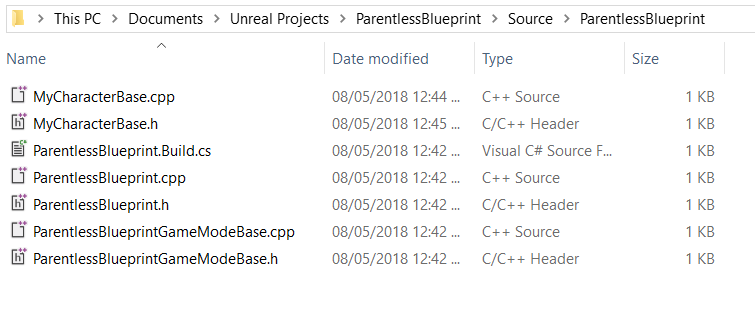
I was attempting this method to no avail: https://unrealingens.wordpress.com/2018/05/08/quick-tip-fixing-parentless-blueprints-with-coreredirects/
Unreal Engine 4’s Blueprints system allows for fast visual programming, and one exceptional feature of Blueprints is that they allow inheritance from other Blueprint or pure C++ classes! Howe…
Would have preferred if I could have got that to work so I know what to do if I don't have any backups.
But this works too, really appreciate it 🙂
maiden wadi
@simple lantern What is your clock variable? How are you storing the time? In a DateTime structure, Float, etc?
 bleak perch
im still getting this infinite loop that i was getting yesterday and idk how to fix it
 zealous moth
sounds like there is an infinite loop in there, wanna share what the game mode looks like?
zealous moth
it's your while loop; what are you trying to do?
or better yet, how are you turning it on/off?
bleak perch
idk i was follwing a course
he is trying to find a player start
then unmark it so other players can use it
@zealous moth
zealous moth
you don't need a while loop for it
bleak perch
what do i use
zealous moth
if anything, a for or for each loop would be better
because then it works for each index and once it it done it can do other stuff
a while loop loops until the condition is false
bleak perch
this??
zealous moth
not quite
bleak perch
how do i do it then
zealous moth
use the player start array
zealous moth
yeah, and you can use the items in it to do whatever you want it to do
look up "difference between for each, for and while loops"
maiden wadi
People really need to stop making random youtube videos just because they learn how to plug the colorful wires together.
 thin rapids
i agree
 pliant frigate
Question: I have a struct called Hex. Among its variables, it contains a struct array called "SubHex". I can successfully create a "data grid" of hexes, each containing its own grid of hexes within. This works up to a certain size (i.e. a 50 x 50 grid each with 17 subhexes) but after a certain grid size (say 100 x 100) it starts claiming an infinite loop error from the same exact code that works successfully with smaller grid sizes. Anyone familiar with what I am experiencing?
zealous moth
you might be looping past a certain limit; you can change the max loop threshold in the settings to a higher number
pliant frigate
Thanks. That is almost certainly what I am looking for. I'll see if i am exceeding that -- I can see how it would think I have an infinite loop if i am exceeding that. If I am exceeding a million loop iterations -- i need to rethink what I am doing. Doesn't sound like the right way to do things.
 shut chasm
I've been working on a system for making animated text by using individual widgets for each letter, but I've noticed that the animation ends prematurely if the framerate drops. I haven't seen this happen with any widgets except for the wrap box containing the letters and the letters themselves. Does anyone know how I could fix this?
maiden wadi
@fringe folio I can't be entirely certain but if I had to take a guess, your function is impure. Meaning that it's allowed to modify the state of your object. And you're trying to call that somewhere that doesn't allow the modification of state.
 fringe folio
And how do you make it pure/const?
@maiden wadi
I've tried setting the pure flag but it gives the same error
maiden wadi
Click on the function, then in the top right look for this window. I do believe that either marking it as Const or turning it into a Pure should solve that.
Ah, try Const then. May work.
fringe folio
You mean that pure toggle&
?
I did that
It gives me the same error
Here
Oh nvm
ty
I figured it
maiden wadi
@fringe folio Nah, where you marked it Pure, there's a little arrow thing just below "Call In Editor", click that to open up extra options and mark it as Const. It's a setting that promises the function won't alter state.
fringe folio
I had to expand
 ripe plume
@carmine thorn yo you have any idea as to having the jump anticipation anim play out before goin' into the air?
and i already tried adding a NOT boolean to the condition, however all that does is make the JumpStart the new "idle" animation
or at least the first frame of it
 dusk flame
I got a question: Is there a way that I can change the visibility of the component Anchor when in the editor? I want to change it so the rotation is more clear.
I am using the location of the component to snap Location/Rotation, so its useful to me that it looks very clear which direction is forward when editing the Anchor in the blueprint editor.
tight schooner
@shut chasm might have to give us more information on how you animated the letters
 shut hinge
how do you recover collision when the sword suddenly loses the socket during migration and loses its collision.
I replaced the missing socket back on the sword but its killed the collision code for the sword..
 native juniper
I'm trying to create an Editor Utility Widget that has a drop-down so the user can select only assets of a specific class. Anyone know if this is possible? EUW's don't seem to have access to the Asset Registry
shut chasm
@tight schooner I have each letter set to play the fade in animation once when they get created
shut hinge
how do I fix the sword when the collision stops working ?
Sword lost collision socket off static mesh when upgrading engine up to ver 4.22 from 4.21. Reason for upgrading to ver 4.22 was to get access to Editor Utility Editor to do the procedural system.
Replaced the socket, but now the collision detection code no longer works.
Did some print strings and its returning the variable closest enemy for collison detection as being invalid. So the enemies are not being hit.
the upgrade I think has corrupted the variable.
 mossy cloak
Would this be the correct channel to ask questions about issues with a main menu not functioning properly? Apologies if I'm detailing anything, just got here.
The issue seems to be when I launch the game the mouse still gives the player model control behind the main menu so the mouse doesn't appear on screen.
shut hinge
I suspect blueprint corruption has occured somewhere. I can swing with my sword at the nearest enemies all the animations are working but nothing happens when hitting them. no hits. nothing. and that's because the enemies value is no longer valid so its not firing off the rest of the code....
How do we fix this?
if you only want control of the mouse. and to stop the player moving around on the screen, you have to add the node Set Input Game Mode UI Only. This should allow only the mouse to move and not the player, I had to do this for my dialog system.
You also have to set the mouse cursor to true to get the mouse cursor pointer to show up on the screen.
 fallen glade
is it possible to expose timeline variable to blueprint ?
mossy cloak
And would I create that in the Menu Mode blueprint class? @stable plume
 stable plume
I've got mine in my custom player controller bp as an input action putting focus on the main menu (right click)
Then I have a button in main menu putting input back to the game
@mossy cloak
 shut magnet
hi i wanna do when i double tap the wasd key my player will double tap..im using the macro for double tap from ALS but it doesnt work on axis mapping only on input mapping
anyone know ways i can do this?
https://gyazo.com/eae4eca158fd931fa4da070fc0529baa
 inner ginkgo
Some of the Axis mappings have Input mapping equivalents. Have you tried one of those?
 tough mountain
Can I only spawn actor components from inside that actor itself or its controller?
inner ginkgo
You have to be in 'a' actor, but you can add components to other actors from there. It's a weird logic.
tough mountain
Ah so that's why i can't do it from a GameplayAbility. Is it possible to pass a actor component class and spawn this in the actor? Probably only with some C++ workaround I would guess?
inner ginkgo
No, components are obnoxious in that regard. There's no generalized spawn node where you can plug a class in. You have to know the component that you want to build ahead of time.
Something that I've done for a few cases was to put helper methods in the actor that I was to dynamically add components to. The function would be AddXComponent() and when I call it would make and attach X component and return a reference for the calling code to set attributes on.
But then you have to create one for those every component that you want to add, so I don't do it very often. I usually look for another solution.
tough mountain
Okay I'll try that, thanks
maiden wadi
@shut magnet I wrote a simple double tap macro a while ago that doesn't rely on delays. But that's besides your point. I don't think you can really do that with Axis mappings directly since they fire off once every frame. You can still use the same key that axis maps use in an input event.
 tulip iris
Every time I possess a vehicle to control it, it starts to slide around. Anyone know why this might happen? Brakes are on, handbrake is on, throttle is 0. https://www.youtube.com/watch?v=Nkn26KwU9KE&feature=youtu.be
 shut magnet
@maiden wadi thanks didnt think of that i'll try it
tough mountain
@inner ginkgo from anywhere ;) Just made the tiniest c++ function for it
 unique basin
Has anyone here ever tried implementing root-motion on non-characters?
I'd like to use RM for my current project, but I'm concerned with the massive performance drain that is the CMC, as I'll be having quite a few AI entities on screen at once
tulip iris
Answered my own question. Apparently the associated vehicle physics body needs to encapsulate the majority of the vehicle. If you don't it contributes to mass inaccurately causing strange weight offsets and thus sliding.
inner ginkgo
@tough mountain Nice 🙂
burnt nest
I would like to make a function that can automatically replace variable words based on their name. These nodes right here would for example replace "hello" with a word from the hello array, replacing it with "hi", "hey", etc.
But I can't for the life of me figure out how to make it more automatic, if it'd even be possible.
The system would be the same as the word swap used in Kenshi, if anyone is familiar with that.
tulip iris
"But I can't for the life of me figure out how to make it more automatic" What do you mean by automatic?
Just run it every time you set dialogue.
Wound that not suffice?
Want to screen share and show me?
Would that be easier?
burnt nest
The thing is that there might be tons of different dialogue. So I'd like to have a reusable function that can work out a text with any number of words to swap out. Having to manually connect them each time doesn't seem like the optimal way.
I would, but I have no idea what to show beyond this. The nodes in the picture would do what I want to do, but entirely manually.
burnt nest
Well now that sounds more useful 😄
tulip iris
Sorry long day
burnt nest
I'm not a voice user though... gives me anxiety. 👀
 glacial oar
Is there a way to change RO avoidance value in blueprints ? Or even C++
 fervent zephyr
o7 all
Can someone assist me with a replication issue. From a client I am attempting to send to the server the clients camera (this is in a possessed vehicle) look direction. I know its supposed to be roughly 45 degrees from the vehicles forward vector, but all I get is 0.
 carmine thorn
@ripe plume My best guess would be to have a root motion animation apply the jump force itself. Feel free to DM me if you want to brainstorm directly.
@trim matrix A switch door as in a door triggered by putting an object on a large button?
Have you set up logic to detect the object that is supposed to open the door?
carmine thorn
@ripe plume No worries, I was away for a bit.
carmine thorn
@trim matrix Ok I get where you are confused, it's the communication part. Well if you use a class specific object reference or an interface if you want to be able to open multiple types of doors then you just need to set up an event in the door for opening. You just need to call that event directly with your class specific object reference or send an interface message to the actor reference if you are using an interface to trigger the door
I like to use a timeline but there are a whole bunch of ways to do that.
Ok hang on, need to open up the engine
I would set it up similar to this. With the Timeline float simply going from 0 to 1 over whatever timeframe you want to use so you could dynamically set the distance anyway you want.
Timelines are great as you can make curves for smooth animation or even introduce stuttering or whatnot.
Well you had your reference to the door already right?
You can just plug that in there if it is a class specific reference. i.e. the variable type being door or whatever you called your door class
Oh
That should be the other way around for best results
You see that note?
Casting to your door class is unnecessary when you already have a class specific reference. It is already that class.
So you can just skip the cast to
Is it receiving the message? Is it being triggered?
That is over-simplified imo
Ok show me your switch code
It might be failing your cast
Or it might not be set to generate overlap events
No the physics cube cast
Not the door cast
Ok so it's neither of those
Then your event is not triggering for some reason
Did you set up print string in the door?
Can you just check if you are referencing the door at all?
In the switch?
No i mean is the door variable set on your instance
You know, the exposed variable
Yep
There it is
that's what i was thinking
No problem
@ripe plume Ready when you are
ripe plume
fric i went to dms already LOL
aight lemme just copy paste rq
rn my first thought on what you suggested was enabling the RootMotion option the jumpstart anim, but other than that im not exactly sure how to make it apply the jump force itself
basically just want the anim to play out while not having the character go into the air just yet
carmine thorn
Discord says i got 3 messages but the conversation is empty
ripe plume
cuz i yeeted 'em
ripe plume
might as well then
carmine thorn
@stable plume I am not sure without more context. Is your transform array empty?
stable plume
When I run through with a breakpoint and hover over, it shows full transforms there but when I go to use it in the function that follows, it seems to be empty and if I try to print string by for each looping I get nothing which makes me think there is nothing there to print
I'm so confused 😦
@carmine thorn
carmine thorn
So when you hover you see actual values for your transforms or that it simply contains transforms?
i.e. it isn't empty
carmine thorn
be design it will show what the variable contains
stable plume
@carmine thorn Holy Sh#t print screen works but I have 2 monitors hence the cut-off - but there are values there!
Any ideas how they are lost between this and the function?
And why are the values not printing? Have I got a bug?
carmine thorn
@stable plume Is it possible you have lost the actor reference before running the loop?
carmine thorn
Well the way a reference like that works. i.e. breaking your custom struct is that it is taken from your original reference each time the loop is run. as you have already saved the array you might try to use it's output reference instead as it is already saved
carmine thorn
carmine thorn
Maybe it's just your print string that is not working?
Try breaking the transform and printing one of it's components instead
stable plume
Roger that
carmine thorn
As far as I know it shouldn't have been an issue though but I am stumped atm
carmine thorn
Yep, that's it
stable plume
Nope no print
carmine thorn
That's odd
short pawn
@shut chasm are you getting your letters via tick or timer? Maybe try timer instead
stable plume
Well I'm half pleased to know I didn't do anything obviously wrong 🙂
 elfin hazel
You have Print To Log checked.
stable plume
me - yes
elfin hazel
ah screen was checked too. nevermind then
carmine thorn
@stable plume And you are 100% sure the code is triggering in the first place right?
stable plume
Seems to be when I step through in debug
And everything works as expected till I get to Print string
carmine thorn
Can you do me a favor and just check the length of the array when you run the code as well?
Just to make sure it is not empty for some reason
stable plume
How?
carmine thorn
Drag a wire out from your transform array and type in "Length", then print the number produced
carmine thorn
Ok so your code is not being run
carmine thorn
Best guess: you've lost the original reference which contains your struct and thus your array when you play
stable plume
What would you suggest is the best way to troubleshoot it further? What might cause it to be lost?
Re-make the struct ?
carmine thorn
I don't think there is anything wrong with the struct itself
What object contains the struct?
stable plume
The struct has 3 'slots', each for a set of transforms (8 in number) that are acquired at runtime. Each set of transforms are collected in BaseArchitraveTrannies array which is than put into the struct in another bp and then retrieved from Game Instance to re-populate BaseArchitraveTrannies array in this bp @carmine thorn
carmine thorn
@trim matrix These require you to play on a touch device with touch enabled in your controller. They can also be used with mouse input but you need to enable your mouse cursor, also in your controller.
@stable plume Right, I assumed it was something like that. Well it seems your game instance is not remembering the contents of the struct
Are you running any code in your Game Instance class?
Well then go to your controller and enable mouse cursor and it should work
stable plume
carmine thorn
@trim matrix
stable plume
There's nothing wrong with this is there?
carmine thorn
Well your struct does not seem to actually contain anything
stable plume
Do I need to add array element here - does it not add them at runtime? @carmine thorn
carmine thorn
@stable plume Not unless you run some code to add stuff no.
You can add default contents for testing though
stable plume
carmine thorn
Hmm. Could be the touch interface is not triggered with the mouse. I assumed it was
stable plume
This is where I add them^
stable plume
In the same bp before I try to get it later in the bp we have been looking at
Immediately after a transform 'set' has been established
carmine thorn
Ok but the basearchitravetrannies is the empty one from before? what does it contain?
carmine thorn
Ok so when exactly are you getting the struct from the Game instance class?
stable plume
When I change something via a menu.
Game Instance retains data across a session I thought from tuts I've watched? Not sure what your getting at?
carmine thorn
It does yes but I am only wondering if the data you are trying to access is being overridden or not
As I know the Game instance class contains an empty struct by default i would assume you might get that struct so you can use it's data and if that data is empty your array would be empty
simple lantern
Hey looking for some advice - I have a 24 hour clock that drives a day/night cycle. From this clock I want to set an object as if it were an alarm clock, so that at 1700 a light turns on and at 0800 it turns off. I can't connect it's visibility to an InRange float because as soon as the 24 clock hits 2400 it resets to 0, which instantly puts the value out of range and turns off the light (where in reality it should go up until 0800 and THEN turn off). Does anyone have any ideas?
stable plume
Progress of sorts - I just swapped out the struct for the array copy I am saving in Game Instance and got back some transforms - Hurray!
zealous moth
@simple lantern you're kidding right?
stable plume
Thanks you so much for help me troubleshoot this @carmine thorn
stable plume
Just have to work out why the struct is failing now 🙂
zealous moth
@simple lantern you can make it light up if it is >1700 OR <800
simple lantern
@zealous moth I love a good joke now and again, but unfortunately this is as serious as it gets my friend
simple lantern
Thanks for your help I'll try that
Asking for help on the internet is like a fun game where you never know if you're gonna get roasted or not. I guess you have to take the good with the bad
simple lantern

 worthy frost
Code-off in blueprint 
 tropic folio
Hello I trying to do IK Foot Placement when Leg IK but when adding it and not changing any translation in modify with add to existing enable the legs lock to what looks like tpose position when in base ue4 idle how would i fix this
 lucid granite
do I need to re-download 4.24 for chaos destruction?
I mean their demo
inner ginkgo
You need to build from source to play with chaos.
 spare pike
So, i'm trying to differentiate this ai's hearing from sight. There's sight(0) and hearing(1) in the ai perception. Why does the array index fire both 0 and 1 every time even without the ai hearing and vice versa?
zealous moth
@worthy frost I'm a plumber by trade; fixin' pipes is my specialty 😉
@spare pike man i had this issue recently, use the other AI perception event and you can break the stimulus down into its types
@spare pike
spare pike
@zealous moth Thank you, "get sense class for stimulus" was all i actually needed~
zealous moth
@spare pike how did you get the stimulus from the actor array though?
 true valve
I see hiccups in Frame running stat unit in my project. After narrow it down, it comes from Char Movement Component. I don't understand what could go wrong.
 stray mural
if I have a data asset. I can do an export and it makes a .copy readable text file, but I can't seem to be able to import what I exported. Is this possible?
 teal nexus
I am having a brain fart - let's say I need to check for a few controller buttons pressed (either of 3 buttons). How do I do that?
stray mural
you could bind an Action input and just add those 3 keys to that 1 action?
Is that enough for your use case?
Or do you need to know which of the 3?
teal nexus
nah, I don't need to know which ones, as long as one of the 3 known buttons is pressed
stray mural
id say use what i suggested and do the input mapping
teal nexus
well, let me clarify - one button returns float
it's not just pressed/released
so one button is actually an axis
the other two are actions
 hallow night
Use OR not AND if you want each one
stray mural
Ah Rashed is right, my bad. that should have been an OR in my earlier one.
hallow night
In the move forward event add a branch with axis value connect to != to 0 and connect the true branch to DO THING
stray mural
Id still probably prefer using Input bindings, and then just bind 1 button and 2 axis to the same common event/function
teal nexus
well, that's not gonna work - those are keyboard keys in the first example.. Nothing like that for VR motion controller :/
stray mural
what about my 2nd suggestion
teal nexus
lemme try
stray mural
Also if you are doing vr motion controller, I believe there are a few motion controller events as well
 static goblet
Is there a way to add a function to my unreal scene to load a 360 pano on a button click then again to go back to the 3d scene?
 frosty stump
I have a class named Weapon. I have a DataTable that uses a struct with some additional info about each weapon I want to have in my game called WeaponDataStruct. I'm trying to make a new Weapon actor to pop it into the world, but it's not quite working the way that I expect. My Weapon class was made in c++, but it is defined as Blueprintable. I'm attaching an image of the main loop in my blueprint.
 rotund ruin
is it possible to have a world widget with variable text update in the editor, NOT after playing? like update the text int he construction script
 paper flint
tight schooner
paper flint
tight schooner
@paper flint if you have a specific question about BPs then you can ask it here. If you're recruiting, try the job board @ #more-resources
For animation questions try #animation
lucid granite
that is how I am damaging characters and it works well, but...
when I kick a destructible mesh, it doesn't take damage, only if I run-into it does it take damage.
what am I missing?
lucid granite
that is what I should have been using
not only does that node apply damage but also applies physics.
physics is what drives the building to collapse, not just damage
the problem now is that I fall back on my ass when I kick the building
I think I need to head to bed, I'll get online with you tomorrow.
Also, I got new low-poly buildings that get destroyed very easily.
lucid granite
I just wanted to suggest that you not make the blue-energy/fire animation/particle effects because adding that in would take time.
Mainly because there are a lot of steps involved with it. I would need to create a socket form godzilla's mouth that would spawn a projectile that is invisible that would come it to contact with another player and do damage but not go past the particle animation effects. Considering we only have 2.5 days left. I need to focus totally on getting the buildings done now and once you finish the lizard, adding in the controls, and damage effects into C++. Targeting damage from a skeletal bone mesh is much easier atm.
 sacred plover
Hey guys, BP/Programmin noob with a question. Is what I am doing here ..a good practice? Leaving the true/false branch empty like that or should I be putting something in there?
 velvet viper

any1 know what the index bool check for the enums is called?
cant seem to find it
woops nvm
 hybrid hound
is there any other way of applying materials to certain sides of a mesh, than to go into blender for example and set different materials?
 grim bolt
i used to ue4 for a year but have 3 years experience in unity c# programming so i have a good idea what im doing ... however i detatch an object and want to reatatch it when the detatched object is close to the player, am i doing anything stupid ?
 charred berry
wondering, I created c++ project ( as I learn) to compile a plugin on store that epic has yet to, got no errors, its the EXTstandardlibrary , for extra blueprints, but how do I know it worked, not sure where to look ?...
compiled from source so its not showing up under plugins so....
all done as per directions from Author
hallow night
@grim bolt what is the sword distance variable? How do you set it? Whats wrong with this code?
grim bolt
where i compare the sword and reachpoint to make it attatch back to the component
i tell it to "=="
but i think i need to <=
hallow night
Just decrease the sword locaripn by the reachpoint and compare use "Find Length" which will give you a value. Compare that value to the minimum distance between the sword and the player for example 50 (float)
 fleet bane
hi, im still learning unreal and im looking for a node or something which divides the bools on "true" or "false" and returns all bools of the same group, thank you
 frozen jackal
"the bools"? What does that mean?
You have a collection of bools? Could you just use a loop to go through all of them?
frozen jackal
Looks like I only have the option for an array here. I'm trying to use a collection type that I can add to during runtime. Is there a better option than array?
shut chasm
@short pawn sorry for the late response, but were you talking about these options in the animations or something else?
grim bolt
how do i now get it to fire in the same way as the reach point
as in .... its only using the world x axis
 split badger
Hello guys, I'm trying to activate a particle system based on a mesh rotation, i.e. when the mesh is more than 30 degrees on the X axis I want to activate the Particle System. Here's my BP, I'm sure I'm doing something silly, but can't understand what...
The rotation check is working fine, in fact I get the logging on screen only when the X axis rotation goes beyond 30°, problem is... That particle doesnt get activated
Why is that? Do I have to do something more than just activate the component?
I thought that since EventTick fires a lot of times it was trying to activate it again and again, so I put a check on the variable particleIsActive to avoid unnecessary activations, but still not working...
fleet bane
Looks like I only have the option for an array here. I'm trying to use a collection type that I can add to during runtime. Is there a better option than array?
@frozen jackal
thanks
i get it
frozen jackal
what?
fleet bane
i mean, i did the array and it works now
split badger
Hello guys, I'm trying to activate a particle system based on a mesh rotation, i.e. when the mesh is more than 30 degrees on the X axis I want to activate the Particle System. Here's my BP, I'm sure I'm doing something silly, but can't understand what...
@split badger
Can someone take a look and shed some light pls?
shut hinge
I've run into trouble with the interfaces. Dunno how to get them to turn back to normal color
i can disconnect the interface and reconnect it back in again, but it still does not reset it back to its normal color. Uh oh....
there is nothing on google i can easily find to explain how to get out of this kind of trouble
 carmine prawn
@hybrid hound planar projection like triplanar or hexplanar. But they aren't exact, so creating different material slots is a better way.
 brave nexus
Is there any easy way to see where a variable in a widget comes from? I have a line of text with a name but I dont get where it gets the name from.
 tawny tinsel
im trying to do an infinite runner using 2d platformer templete and for some reason it spawns in the right location and everything but it doesnt appear in game at all wich is very weird pls help
maiden wadi
@brave nexus Not exactly sure what you're asking. You have a text widget that has particular text, and you want to know where it's being set, or..?
tawny tinsel
pls
brave nexus
It uses my steam name when in standalone mode and my pc name when played in the normal editor. But I changed all name variables that I could find already
maiden wadi
If the Widget doesn't have a binding function to the text, it's likely that it's being set where ever the widget was created?
shut hinge
does anything here know what the yellow color means on the interfaces, surely someone here must know this knowledge, because I can't easily find it on google.
brave nexus
@maiden wadi What do you mean? The widget is a score menu. It is created on the fly when the game is playing
maiden wadi
Well, the text can only be set two ways. Either through a binding or manually with a set text. If it's not a binding(which it really should not be for a non changing name) then it's set somewhere and usually that'd be where it's being created or where it's being added to viewport. So either after the widget object's creation, it's either got a variable being fed into it, something there is calling set text on the widget's text child component, or inside of the widget on construct, a variable is being retrieved to be set when the widget is constructed. It's possible that it could be set somewhere else than that, but very highly unlikely.
 prime merlin
Hello idk where to put this but can some1 help me im trying to make so i can switch characters with a button but i can only get 1 part to work on the new char, i have different parts of the char (head,hair,shoes and stuff like that) i want to combine it to 1 full char if that makes sense? 🙂
tawny tinsel
I HAVE A PROBLEM

In this video we take a look at how we can get the character to switch between the three lanes. We setup blueprints that will get the character blueprint to fade between the 3 potential lanes using the lerp node.
►Resources: https://virtushub.co.uk/runner-course/
►Recommende...
so i used this totirla
but my character only switches betwen left and right lane
and never is in the middle lane
only at the start
charred berry
I am trying to get extstandardlibrary compiled which worked no errors ( from marketplace,doing myself while epic gets around to it_) but on project load into 4.25, its not under edit /plugins, any ideas ?
the lib are sets of blueprints
brave nexus
@maiden wadi Thanks for the help! I found it in another widget bp and it all works now!
trim matrix
anyone got any time to help botto figure out how to get some animations working?
also... i have unchecked all filters
but i KNOW i have more animations than this
is there any reason why anims wouldn't show up here?
fallen glade
Does anyone know why you are not allowed a delay node in a macro library ?
You can in a normal macro
doesn't make any sense
💔
maiden wadi
@fallen glade What kind of macro library is it?
It seems to work with Actor types, but not Object types. Likely a tick thing I assume. So if you want to use latent nodes in your library it probably needs to at least be Actor type. Mind if I ask what kind of macro you're making that relies on a delay node though?
fallen glade
I just wanted to make a delay loop
but I found a hack here: https://www.youtube.com/watch?v=NTvxvc1zO8Q&feature=youtu.be

#ue4 #beginner #blueprint #delay #macro
Work around for getting a delay node into an Object-Based macro that can be called from any blueprint! Great way to extend the functionality of the default macro library.
I couldn't find it searching the board
if the video goes down for any reason:
step1: create delay in blueprint
collapse and redirect inputs/outputs
paste that into a macro library, now it will work on any object class
 hollow geyser
I clearly don't know how to do multi-key functions.
maiden wadi
I'd be careful with that though. You may end up with problems with it if you use it in something that actually cannot implement the Delay node.
@hollow geyser Try connecting the two TRUE sets to the branch.
fallen glade
what @maiden wadi said, just use it where you can use it
hollow geyser
@hollow geyser Try connecting the two TRUE sets to the branch.
@maiden wadi that just makes me jump when i press LM or RM
maiden wadi
Did you leave the and there?
hollow geyser
Nevermind, I took it out cause i thought you meant to connect it instead of using AND
it works now
maiden wadi
You want to run the branch on each button press, and ask that branch if LMB and RMB == true. If true jump, if false stop jump.
You may even want to run it on the false sets too, not sure.
hollow geyser
I am new to blueprints; I forgot the white arrows need to flow too haha
wait are you serious; you can't crouch jump ???
maiden wadi
Depends on how you program it.
hollow geyser
i'm gonna change the keybindings and see if my setup is just preventing it from happening
nope... 🤔 🤔 🤔
 rich carbon
I'm using a line trace from camera to a placeable wall or floor to place decoration objects in a house. Zero problems with floor, but when it comes to the wall, I can't quite decide how I'm going to calculate proper rotation of a piece to align with the wall so we don't have a torch inside of the wall or a banner halfway in the wall for example while moving it around during placement. How should I go about this auto-alignment?
maiden wadi
@rich carbon When it comes to placing stuff "on" the wall, can't you just use the hit location and it's normal? Get a rotation based off of the hit location and use the normal vector to turn that into a rotation to rotate the object towards.
rich carbon
The rotation not being the only problem, for example I seem to have a torch spawning inside of a wall
maiden wadi
If it was me, I'd make it so that the torch is offset in it's own actor. That way when you spawn the actor and rotate it on the yaw based on your hit location, it'll just work by setting the actor's location to the hit location and rotating it to face the same direction as the hit normal on the yaw rotation.
I'm only half sure what I just said makes sense.
rich carbon
I made an extra component in the torch bp which is supposed to be umm "wall glue" I guess to use as offset to attach to the wall, but I'm not entirely sure how to use it to adjust the torch's location since it can be placed on pretty much any side of any wall
rich carbon
@maiden wadi
shut hinge
the delay hack did work for my dialog system i put mine in a macro,
rich carbon
I guess first I have to move that to the base class I BPed the torch off to be accessible in controller to use since my house decor is not made of only torches xD
 bold pilot
@tawny tinsel What happens if you put print strings on out pin and cast failed pin of the Cast node?
maiden wadi
@rich carbon I would switch your mesh thought around. Make the glue the base component and the torch a secondary that is offset from the root. That way your 'glue' part always goes to where you set the actor location to. Offset the torch mesh in the X positive direction inside of the actor. That way the torch will always be on the outside of the wall when you rotate it towards the hit normal.
Cause then when you set location to the hit location, that'll 'glue' your torch where your linetrace hit was. Then you'd just need to rotate it. And the actual torch mesh would always be outside the wall that way.
rich carbon
Oh, good idea, then I don't have to go get it etc.
shut hinge
can someone tell me why I can't just replace a bad third person char mesh in my project without the project breaking.
rich carbon
@maiden wadi Thanks, I'll try that + using the normal to auto align the torch to wall. Have done this a bunch before with various other floor and ground stuff, never a vertical wall so I'll go derp around on it for a bit, can't be that different of a calculation
maiden wadi
@rich carbon It shouldn't be too different. I'm pretty sure this is what I was doing for my object rotations on walls. It should work as long as your wall collision is flat. If it's not, you may need some extra vector rotation clampy math.
tawny tinsel
@bold pilot its ok i figured it out
shut hinge
how do I get the Pie Window to stay cenetered on the screen when starting the game, its going off to one corner of the screen.
frigid anvil
Could you send a picture of how you are clearing it?
 vocal urchin
idk what gives. I have been hard stuck on this for going on a week now
I'm at the limit of my troubleshooting knowledge
I can confidently say it is impossible for anything to be added prior to this point
But length is always, always returning 1
or some other random number
below 9, which is the number of test actors I'm working with
tight schooner
Even if the next immediate node after clear is print length, or a breakpoint + mouseover the array in the graph?
shut hinge
Parent Blueprints can stop arrays in Children blueprints from updating.
shut hinge
this cause big trouble the parent child relationships especially when the bluprints get complicated. I had this trouble of variables not updating with kill enemy, I had to remove the variable from out of the parent and place it in the child to stop the parent overriding it. Otherwise it would not update.
one bad mesh caused my project to go kablooey. Just takes one bad thing for the blueprints to crumble.
vocal urchin
This is the code. I cannot make the system any simpler.
shut hinge
now how do we loop the montages in ver 4.25? I know how to do it in Ver 4.22 but not 4.25.
tight schooner
@fallen glade I'd look into Set Timer by Event (or Set Timer by Function Name) because delays and other "latent nodes" can't be used outside of event graphs. You might fool the Unreal UI but who knows what'll happen...
"Set timer by" is more versatile
shut hinge
ok how do we loop the montage in Version 4.25?. I need to do a jump Animation and I need to loop the jump and the Landing but I don't know what the right sequence is in this new montage editor.
charred berry
ok so I compiled source from marketplace author , tired of waiting for epic ( extra standard library blueprints) , compiled clean with no errors but plugin not showing up under edit > plugins, ideas ?
 untold sapphire
I have a question peeps.
My game keeps making a default character.
I already placed an instance of my character in my default scene and I'm trying to understand how to stop the game from instancing its own at launch.
 crude iron
@untold sapphire if you have a player start in the map and a default game mode set in the project settings or in the world settings then it may be spawning and possessing that instead
untold sapphire
@crude iron that's what I was thinking. But don't we NEED a player start?
crude iron
I usually use player starts, but you can instead just have a character that set to auto possess
untold sapphire
got it
crude iron
by chance did you use Unity before unreal?
untold sapphire
no
I am a AI programmer I just figured it'd be fun to learn UDK outside of work heh
untold sapphire
keep seeing it in tutorials but not shown. How do you do add the spline connector in blueprint?
crude iron
there's a spline component you could add
untold sapphire
oh wait hah so easy
double click on the spline
auto adds a new split to work from
crude iron
oh yeah to create a new point
spare pike
Anyone have an idea why the top set value as bool does not work but the bottom one does??
to be clear, the sight perception is firing successfully it's just not setting the value, but the bottom one does it without problem.
crude iron
what does the make literal name say?
carmine thorn
@spare pike I'd say you misspelled the name of the variable likely
trim matrix
Is there anything about setting how many ACTUAL steps an actor can make per turn? Not by distance, but actual actor steps?
carmine thorn
@trim matrix That's complicated as it would depend on the animation being played. BUT that said you can add AnimNotifys to the animation and count out the steps actually taken if you want to arbitrarily limit them that way
carmine thorn
As to estimating the steps before the animation would involve calculating distance over steps taken for each animation loop etc.
trim matrix
I see, thanks
carmine thorn
That process could also be automated with some testing
trim matrix
What do you mean by automated?
carmine thorn
Well if you have Notifies set for each step in the animation then you can simply just add an integer for an arbitrary unit of distance like 100 Unreal Units (i.e. 1 meter). That way you would have a character move a set distance and simply have it drop a print in the log of the result when distance is more than 100 from origin
Thus you would know the exact amount of steps taken
Actually probably best with a float as the fraction might be important as well
It might be 1.9 steps taken per 100 units distance for example
You'd get the same result by just averaging the total steps over time divided by the distance traveled
spare pike
@carmine thorn i wish it was that easy
carmine thorn
@spare pike Out of curiosity, are you 100% your loop is actually running?
trim matrix
@carmine thorn thanks never really thought about animnotify
carmine thorn
@trim matrix Np, let me know if you want help setting it up
spare pike
@carmine thorn Yes it is, that's why its very strange
carmine thorn
So the boolean just isn't getting set to true?
@trim matrix Easy fix. In the lower right of you content browser you have View options. There you can Uncheck Engine content
And C++ Classes
@spare pike Well you are aware that sight triggers both when something enters view AND most importantly when something leaves view. Could it be that it simply does not seem to be working because sight is only updated when this change happens?
spare pike
@carmine thorn No, i'm i checked the debugging multiple times, the bool never changes no matter the trigger of leaving and entering. it just doesn not budge. It is just odd that the other one works flawlessly on exactly the same code.
carmine thorn
That's fair, figured it was a longshot anyway.
The most logical answer seems to be that there is a space after the name of the variable or something. Have you tried setting up a print string to see if the Boolean actually changes?
If it does, I'd like you to simply just try changing the name of the variable and copying the name into your literal name box
spare pike
The ai debugging already prints this value, but il try with an actuall print string
carmine thorn
It's just to rule it out
If it does not actually change with a print string (in your ai controller script) then the problem is likely with the perception itself for some reason. If it does change it is likely the name of the variable.
 slow hill
Hey anybody ever use the Local Navigation Grid for grid based pathfinding?
spare pike
@carmine thorn ok so this is strange, when i fire the print string from the on perception updated it gives me both values in mixed orders or true and false, when i fire the print string from an event thick it just says canseeplayer false.
carmine thorn
@spare pike Ok I understand. Are you eliminating the chance of more than one actor in the array at the same time? (I am assuming you are) That would likely explain the discrepancy if you aren't. You could append the name of the actor seen to make sure it is the expected actor.
Is your event tick looping through the entire list of perceived actors?
Please also remember that the blackboard value will be set with whatever the state of the last item in the array was as well. So that may also affect the outcome
i.e if you have two actors in your perceived list and the first one is visible and the second is not then your logic will set the blackboard value to false every time
spare pike
@carmine thorn that might be a problem, but there are literally only 2 actors on the screen, and the only actor the ai can sense is the player actor.
carmine thorn
@spare pike Would you be open to a DM call with screen sharing se we can work out the exact nature of the problem?
spare pike
@carmine thorn surely
shut magnet
Hey guys I wanna ask have anyone here have done dynamic weather?
I wanna know how do u guys do it since rn idk how to do it yet
My only thing I can think off now is when the cloud is thick and cover the whole sky that's when it's raining .I'll calculate it based of the thickness of the cloud
How would you guys do this
🤔
carmine thorn
@shut magnet I would do it the other way around. I would have psuedorandom timed changes to weather and set several predetermined states like Sunny, Raining, overcast etc and simply update the cloud cover based on that along with triggering effects as well
shut magnet
🤔
I'm using ultra dynamic sky for my project and I think in this case maybe I can do a random calculation as u said and check when the cloud opacity get to certain level it will change the zenith color and other color to darkish and cloud colour to darkish and I can then play the Niagara effect for rain
Hmmm now the problem is how can I do the random calculation
🤔
 white crypt
you will have to track the time for this case
shut magnet
I'm planning to use timer for this and check maybe every 1 minute or something
white crypt
i've had a weather system with the dynamic sky pack. what I did was on begin play i would determine 3 variables: 1 - delay when rain will start (minutes) 2 - for how long it will rain 3 - delay for next rain and repeat that cycle
since i've had a clock in game it was easy to follow these intervals
carmine thorn
Well there are two ways you could do it. Regular intervals or random intervals. I find random intervals to give a more realistic feel but that's a personal opinion. The rest of what @white crypt is saying is spot on.
shut magnet
🤔
white crypt
yeah i had random intervals as well
shut magnet
Can u guys give me example of the random interval?
I think I have an idea to do the rest but not that
white crypt
random intervals are just integers in range
from 5 to 50. if it picks 25 then i would do something after that time
shut magnet
Hmm I think I kinda get it but can u give me a visual in blueprint code so I can get the general idea
?
white crypt
you could easily add save system as well, that it would continue after the last time you played
carmine thorn
Ok, so you would at begin play save a random float in range and then you might compare that with game time in seconds. Then each time the interval is up you would simply save a new interval and randomize the weather at that time.
white crypt
you wont get a full system in blueprints as an example 😄
shut magnet
Not like the full system
Just the random interval
I need visual to understand thisnki da thing
carmine thorn
Hang on, I can show you.
shut magnet
😅
carmine thorn
@shut magnet Something like this should do it.
carmine thorn
No problem
lucid granite
any of you know how to make the destructible components disappear after there gets to be too many?
If I could get an array of all the static components, I could handle it from there.
Any of you know how to get that?
 still trellis
not sure how to word this, but if i call a function that returns multiple values, then set each of those return values to a variable, does each of the Set nodes call the function again, or does the node/function "save" all of its returns to avoid being called a bunch of times
specifically a function that is not pure
(has an execution wire)
frosty stump
@still trellis are you saying that you're calling a Set method to set the return values to a variable on your object? Also, what do you mean you have a function that returns multiple values?
still trellis

something like this
i'm wondering how many times that interface "Handle Abnormal Incoming Buff" gets called
just once? or once at its execution, and then again with the set members node?
i found an article on pure vs impure nodes but need to reread it lol
frosty stump
If you're just setting the return to the member variables of an object, then it shouldn't be ran multiple times unless you're setting them within a for loop
still trellis
but even if it wasn't a Set Members, if I just had, say, two float variables, and I set one to the "Previous Duration" return and the other to the "New Duration" return, would the action of setting those re-call the function? in my head that makes no sense, but I know i've had issues before
okay
i think im getting confused on something i read about pure nodes
frosty stump
Unless this is recursive, you wouldn't have any problems calling a Set method that passes the return of one method to the Setting of member variables for an object.
frosty stump
@still trellis not a strange question. You're just learning. Heck I'm still learning. haha
still trellis
i had no programming experience when i started with blueprints, and recently started learning cpp, and the more i learn about it the more i question exactly how blueprints are working, sometimes getting confused on really basic stuff
frosty stump
@still trellis that's normal. I've been programming for about 7-8 years and some of the blueprint stuff is a bit confusing. For instance, I'm having trouble figuring out how to instantiate an array of a struct type without adding anything to it and then adding it to the array
I've got this and I just can't seem to make an array of my weapondatastruct with a specific Rarity that I can then loop over and select one at random
trim matrix
Having some issues atm with UE4 blueprints. Its not really letting me do exactly what I want it to do. I'm trying to make the Event BeginPlay split off to both the Lua Global Call aswell as the Lua Run File block. However when attempting to attach the string to the second block it just detaches from the first. I've tried holding control or shift but the same result happens. I've also tried copying and pasting the Event BeginPlay block however it just creates a "CustomEvent" block instead, same thing with using the duplicate option aswell. I've tried looking for a sort of "split" block but nothing really seems to look like what I need at first glance.
Also side note, is there a way to use these sort of event blocks other than the level blueprint or what ever it is? I'd like to not have to keep putting the same blueprint stuff for events into every single map file made
still trellis
I'd check out some of the Epic intro tutorials for blueprints. You can absolutely move things out of the level blueprint into other objects, and in fact most things shouldn't be in the level blueprint.
For your specific question, things happen sequentially, so if you want BeginPlay to trigger both of these things, you need them to go one after the other, so BeginPlay -> LuaGlobalCall -> LuaRunFile for example. If you're looking at multithreading, I have no idea how to do that, but 99% of things don't need to be run on separate processes, and as a result need to go in order.
You can create a Sequence node if you don't want to visually have them one after the other, then just plug one of them into 0 and the other into 1.
tl;dr you can only have one beginplay per actor
but you can always call other custom events or functions to do what you need, but again, all sequentially
trim matrix
well from what I can tell Event BeginPlay doesn't seem to exist when trying to make a new empty blueprint class. and honestly I can't really think of anything that would serve the same purpose for it. Basically for context I'm attempting to have it function like this does https://wiki.facepunch.com/gmod/GM:Initialize
So basically the very start of things. the Lua Global Call would call the function hook.Call('Initialize') but also I want it to start up an init file. but the sequential thing I guess helps with making sure the file that has hook.Call in it has been loaded fully first. But how would I make it work outside the level blueprint?
GM:Initialize()
Search Github
DescriptionCalled after the gamemode loads and starts.
"hi" will be printed to the console when the gamemode initializes.
function GM:Initialize()
print("hi" )
end
-- That way you are overridin..
 zenith scarab
You can put the nodes at begin play into a custom game mode.
This way you can have it be called every time a map starts using that game mode.
Another way is to call those at event begin play in your game instance.
The game instance keeps all data of it stored throughout the whole game, not only per map as a game mode or all other actors would
Using a game mode or the game instance allows you to access a reference you can create for that file
trim matrix
well the thing is I'm planning on gamemodes to be made in lua instead of blueprints so I'm not real sure how I'd go about doing that. I mainly just want to have like 99% of the engine made available through lua instead of the UE4 editor.
 fathom spindle
Hi everyone, I'm having some trouble understanding flow control. I want to trigger an audio event once when certain conditions are met, then stay in that event until another set of conditions are met, and at that part start a cool down process to fade it out. Would I use DoOnce or Gate? and are there any good examples of setting up a system like this. I'm imagining something like a post explosion ear-ringing effect
trim matrix
how do you make that inverse paramater node with 1-x
Besides a gamemode blueprint or a level blueprint, is there something along the lines of loaded in when the player joins a server? or loaded in while the player is still at the main menu? Cause its looking like this blueprint stuff is going to be more of a hinderance then a benefit really.
rich carbon
Having a strange issue with runtime item placement, maybe someone could point me in the right direction to fix this. The issue is that when I try to place an item that has multiple components (a mesh, particle emitter and a point light, basically a torch) what gets placed is only a point light. However, the same exact system works fine for all other items, for example a barrel, a chair etc. and I've even tried adding pointless components to it, like a barrel with a light and particle emitter will spawn. I'm stumped) Please PM for details if you think you can help! This is what it looks like. That point light is supposed to be a torch https://www.youtube.com/watch?v=N_nFqKkif3Y https://cdn.discordapp.com/attachments/711317136186015815/711326287863742504/unknown.png looks like this when placed in editor and not during runtime(picture)

 tight schooner
@still trellis your worry about a function being re-run for each pin it's connected to might occur if it were a "pure" function, but because it's an executed function (has an exec input & output pin), it's only called when it's executed, and then anything executed after can pull data from it without issue... AFAIK.
You can print stuff from a get-random-float node to see how pure functions behave
tight schooner
@rich carbon Hard to say what it is from your video. Check if the torch's components are set to visible: false or hidden-in-game: true. Check if there's anything weird in BeginPlay or the construction script. Check all the same stuff in its parent BP class if it has one other than Actor. Check inherited functions and variables. Review the script for spawning it and see if there's anything weird there.
This is assuming it isn't some graphics lod/scalability thing
@trim matrix GameInstance and GameState and some other stuff you can see over in Project Settings --> Maps & Modes
@fathom spindle Look into Set Timer by Event / Set Timer by Function Name ... if you just want to set a countdown for a delayed or recurring function/event. For example, you can make a looping (recurring) event that checks if some condition is met every X seconds, and when it is, it clears the looping timer and does some other stuff.
trim matrix
I don't quite follow, I'm meaning like like if I wanted to detect when a gamemode is loaded and then run a specific lua function when that happens
tight schooner
I suppose you could have a game mode do something on its BeginPlay event
can't help you with Lua, but if you can make BP talk to Lua then there you go
@sick sapphire have you tried #animation ?
 sick sapphire
ah ok hold on
rich carbon
@rich carbon Hard to say what it is from your video. Check if the torch's components are set to visible: false or hidden-in-game: true. Check if there's anything weird in BeginPlay or the construction script. Check all the same stuff in its parent BP class if it has one other than Actor. Check inherited functions and variables. Review the script for spawning it and see if there's anything weird there.
@tight schooner Have done all this
trim matrix
the only issue there is I'd have to use blueprints in order to actually build gamemodes and I'm trying to basically set up UE to allow for everything to be done in lua except for making maps. the only reason I'm touching blueprints atm is because there isn't any apparent way to do much otherwise. Right now I'm using LuaMachine(the free github repo)
My goal is to basically make it where just about everything in the engine is made available to lua for users to create things in lua files rather than having to use blueprints in order to make things. Basically, recreating as close to possible Garry's Mod on UE4. But that basically means needing to figure out how to do alot of the same things that garry's mod did but without having to do it on a level or gamemode blueprint since those don't seem to behave how I'd need them too for this. Basically I need to be able to have some things available to lua before a map and gamemode is even loaded. But gamemodes and maps are needed to be separated,yet some things seem to only be doable with the level blueprint which kinda throws a wrench into that. And while the same thing needed is available to a gamemode blueprint, that also defeats the point of building gamemodes in lua instead
rich carbon
@tight schooner as I said, the same exact system works for any other object, I'm about to throw 10 emitters and some point lights on a barrel and go placing it around and it will work. But this specific torch mesh will not and I don't know why.
tight schooner
IDK either. Just throwing out ideas.
rich carbon
@tight schooner I guess I will just toss that mesh for now, as much as I like it, and try a different one that actually shows up when I try to place it. Then check differences, it's likely some stupid mesh setting I'm simply overlooking
It still find it super weird though that it will work after being placed in editor but not after being placed runtime.
tight schooner
@trim matrix If you can put the desired behavior on a custom actor class BP, then you can make the game mode spawn the actor on beginplay or something. (Or just drop it into the level.)
The code doesn't have to live on one the supplied manager-ish classes; you can simply drop your own custom manager into the world
@rich carbon yeah it is weird, but there are a million ways to cause a component to "disappear" and it's really hard to say what it is without getting into the weeds
so to speak
rich carbon
@tight schooner I mean, it works in all it's other functions in the world too, for example I can drop this torch on the ground and it will produce its mesh
tight schooner
Maybe it has something to do with how it's being spawned
rich carbon
but nobody wants an unlit torch on the floor, it's meant for placing on walls (i simplified to floor here because wall comes with its own problems i've yet to math around)
trim matrix
so your saying make a custom game instance, set that as default and then have that blueprint make just about everything available to lua to use and hook any possible event without needing to bother with the level blueprint or the gamemode blueprint?
rich carbon
@tight schooner it's spawns an object of class just like any other placeable and working item. As I said before I even tried adding extra components to a stupid barrel to see it work and it does. It's just this torch lol
tight schooner
IIRC, GameInstance is a BP that has a persistent state across all level loads, so that may not be the right place to put it... But I'm just saying, if you're not satisfied with the manager-y classes that UE4 comes with, make your own BP actor class, and it can do p.much anything
Not any of the mode/instance/etc. classes, just straight up Actor
Unlimited functionality as far as BP goes
trim matrix
well the thing is I'm trying to dump blueprints from ever having to be touched by mod creators unless their building a map for the game. I just need to get get it where stuff is made available to lua to use first
tight schooner
@rich carbon Maybe one way to debug it is add some Print nodes on the torch's beginplay or tick. Have it report whether its mesh component is set to Visible, set to Hidden-in-game, has a Scale that's sensible, has a world location where you'd expect it to be, etc. etc.
and you can work backward from there. Like oh, the scale is 0. Why is that? etc.
fathom spindle
thanks @tight schooner - i've been doing that but finding that im triggering the event every x times per frame instead of just once, going into a waiting state to see if exit conditions are met and then starting my countdown from there. I think i need to learn a bit about event dispatchers as ive not got to learning about them yet
rich carbon
@tight schooner I'm going to try something else than that, specifically to do with the mesh. because here is the same exact object structure duplicated with a diff mesh and hey look, it's a torch...except it's a barrel https://www.youtube.com/watch?v=QRDiBPvOAX4
 tight schooner
weird
rich carbon
right?
tight schooner
@fathom spindle https://www.youtube.com/watch?v=qc5WpNq7RFg
well, here's a tutorial if you need it.
fathom spindle
thanks!
rich carbon
@tight schooner no idea what could cause that with a mesh? I could give up and use some other torch mesh that hopefully works, but this one just looks so nice that I want it to participate xD
tight schooner
If it's purely a mesh thing... like you're just opening up the torch BP, going to the static mesh component, and choosing a different mesh and get a different result
then all I can say is meshes can have different collision settings and LOD settings
but that doesn't explain why it would behave differently on spawn vs placed in level
so there might be some BP weirdness somewhere. Anyway I'm stumped
trim matrix
I think I'm going to probably look into reapproaching this as a C++ project from the start again and not even bother with the UE4 Editor.
 mellow forge
Hey! Quite new but have a question, hopefully simple!
I have "TargetWorldRotation" and I want my "Camera" to move to that rotation. But I need "TargetWorldRotation" to be converted into local space for the camera ie "TargetRelativeRotation"
rich carbon
@tight schooner nope, i changed the mesh with the same result. (unless on the chance that the new mesh has all the same settings as the old ones) I'm going to start from scratch and see what's missing, because I just don't see why any other object will spawn and get placed but these stupid torches wont xD
 modern ether
Hello Everyone. I need a little help. I'm trying to make a CoinDozer style personal game to learn the Engine. I'm having issues with getting the amount of coins that drops off the table onto a Coin collection mesh. I have the majority of it set up but the UI will not change that amount of Coins collected. I think it's an issue with casting. I have experience with casting to a player character but not to different Blueprints that are not Characters. I can Stream in General voice to show what I have so far if that is allowed.
 naive patrol
Guys there way to easy find info with only one struct?
it says -1 because other struct are empty so thats normal i guess?
or have any easier method for find (Except TMAP)?
 sweet onyx
how do you add rotation to a character movement component?
ok, it seems the answer is to use a rotating movement component, but now I'm not sure exactly how to control it to move in specific increments at a time
sweet onyx
I've tried both setting the rotation rate and using MoveUpdatedComponent, but neither had any effect
 stark idol
Do I correctly understand that it is not possible to serialize references to other components that are bound to a single actor blueprint?
I'll show what I want to achieve. I have these two components, all simple, both barely have anything in their header files
GameplayFSM has a pointer variable to a type of FSMState (FSMState component inherits that)
Setting it, however, is not possible from the blueprint itself.
So I need to do this instead.
Something about this feels exceptionally wrong
Is this even the right thing to do?
 jolly tundra
hello there, someone know know to make a reference like that ?
In this tutorial we are showing you how you can set up a static camera in a blank project using blueprints.
at 1 minutes 39
for me, it doesn't appear
Ok I found a solution, I had the context sensitive off ahah
 feral kiln
hey everyone, so I'm trying to make my camera movement (third person) smooth. for now when my camera hits an object in the world (like a cube static mesh with camera collision block under the collision tab) the camera snaps towards the cube and when i move camera again it will snap back to its place (what ever value is my Target Arm Length of my spring arm component). but I don't want it to snap back to its origin arm length, I want it to blend to that point so it gives me a prettier look. so is there any solution for that ? I couldn't find any answer, if you know one please let me know
zenith scarab
You can try adding a movement and rotation lag to your spring arm. So it rotates and moves a bit afterwards, makes it smoother often
white crypt
maybe your capsule is blocking? or try ticking trace complex
 wise jewel
hello everyone
i've seen there is a blueprint enumerator, i'm a bit confused by its existence. isn't that the same as a map variable?
why there is a ad hoc plueprint for that?
couldn't i create a map variable in the gameinstance for example?
sick sapphire
@white crypt tried both of those, didnt work (capsule has very small width, its not blocking anything)
sick sapphire
@white crypt if i hit the really thin collision cylinder it gives the name of collision cylinder
if i hit the skeletal mesh it gives whatever is behind that skeletal mesh
it prints the component name
white crypt
hmm, let me open up a project. will try to replicate and see whats the issue
sick sapphire
@white crypt alright thx
white crypt
@sick sapphire https://prnt.sc/sieulm

i've kept all the default colisions
and it seems to hit the mesh
sick sapphire
right im gonna go make a default character @white crypt
and test to see what happens
white crypt
you might have done something wrong when creating a new trace channel
but more or less i think it has to do with your collision settings. instead of setting block all try t set a custom collision preset, set the object type etc.. not sure if it will help but worth a try. As I said it works fine with all the default settings
sick sapphire
hmm i used a default character it still only detects the capsule
white crypt
use visibility trace channel
sick sapphire
@white crypt wait it works with the arms
this mannequin im using comes from a mocap online anim pack
does that affect things
 sick sapphire
yeah its using it
im gonna try to import a mannequin from another project and see if that works
white crypt
also try changing your trace channel back to visibility, just to see if it works with the default channel
i mean in here https://prnt.sc/sif06j
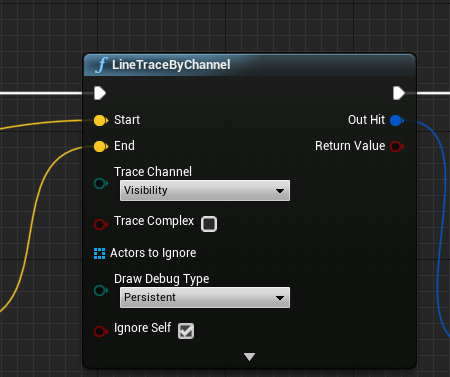 sick sapphire
no it doesnt work with visibility
even the capsule is not blocking it
white crypt
then all I can suggest is to double check the collisions, dont use block all. @sick sapphire
everything else seems fine
sick sapphire
@white crypt alright
 agile mica
I'm not sure why when I use pitch the character moves right and left when the camera looks up, I want the player to move back and forth when the camera looks up
could this be due to bone rotation?
or camera rotation??
wise jewel
what's the difference between using variable maps and bp enumerators?
white crypt
map consists of two variables and cant have a repeating index
i couldnt compare map with enum
these are two different things
its like asking whats the difference between drinking water and bleach. both are liquids
wise jewel
i dont understand why enums are a separate bp
carmine prawn
enums can be accessed from any BP very easily.
sick sapphire
@white crypt k so sth was up with the collision of the asset mannequin
the UE4 mannequin from Anim Starter Pack worked
thx
white crypt
the way you add a new boolean
you would be able to add your enum
you basically create a new variable type, to put it in simple terms
wise jewel
could you be a little more verbose? i'm not sure i understand
i can create a enum the same way i create a boolean varialbe?
white crypt
once you make a "blueprint" enumerator. yes
then you can use it in any blueprint as a variable (like boolean, float etc)
wise jewel
so an enumerator is a dictionary.. but with repeating indexes?
i'm confused i need to try it out
white crypt
i would say its similar to integer, but instead of numbers it uses words
wise jewel
but if it's mapping key-value
and i can have repeating keys. which value should return ?
white crypt
if you gonna map an enum then no, use a struct in that case
 atomic prairie
Hey, what is the node to ''display'' a StaticMesh?
I've a Static Mesh in a specific position and I want it to appear with collisions when we are in a TriggerBox, i know how to destroy an actor but the reverse 👀
white crypt
np
@atomic prairie reverse would be spawn actor from class
or you only want to hide/display without destroying?
if you want to destroy it then you will need some other actor or a system that would know where and when to spawn a new actor
atomic prairie
No destroy just spawn
white crypt
if its an actor then spawn actor from class
 vagrant kelp
Someone Ideas how to sucess this ? I know how to tile grid stuff but how to get the height ? If Noise is a Option then how i difference between the edges corners and all ?
https://i.stack.imgur.com/rzqj8.jpg
 ancient topaz
Hello everybody. I have a question. How to make the camera look where the hero is aiming if the hero is tps?
 hazy igloo
@vagrant kelp I'm interested in tile stuff. Do you have a source?
 ancient heath
what'd be the best approach when it comes to fading objects between camera and player? There's barely anything on the web. I found this: https://gregmladucky.com/articles/unreal-engine-4-lets-make-fading-scenery/ but for some reason the dynamic material instance stops working for me when I build the level and I'm stuck

Let’s Make: UE4: Fading Scenery Environment fades away if it gets in the way of the camera’s view of the player. …
oh well changing the mesh to movable solved the issue
carmine prawn


If you want to nicely fade out an object close to the camera in #UE4 just set the Material to Masked and run a Distance Blend into a DitheredTemporalAA node. It's a commonly overlooked technique that efficiently adds polish and it's only 4 nodes! #UETips https://t.co/abB2IQeE...
Retweets
173
Likes
765
 Twitter
ancient heath
Twitter
ancient heath
hm, with this method if my camera is far away from object obstructing the view, it won't help
or am I wrong?
old prism
Can anyone help me out with a bug im making a subtitle system for my game but it says my data table is invalid any help on understanding it would be appreciated
Blueprint Runtime Error: "Failed to resolve the table input. Be sure the DataTable is valid.". Blueprint: SubtitleManager Function: Execute Ubergraph Subtitle Manager Graph: EventGraph Node: Get Data Table Row
naive patrol
NoiraToday at 1:05 PM
Guys there way to easy find info with only one struct?
it says -1 because other struct are empty so thats normal i guess?
or have any easier method for find (Except TMAP)?
still didnt get answer.
 late cave
weird, why can't I find a node to set the mesh of a static mesh level actor (or if it's called level component... perhaps I'm using the wrong base node)?
 mortal wharf
So i have made a widget with a button and then i made that widget an actor and when i press it i want it to change the visibility of a pointlight i tried this but it didn't work and there is two pointlights a button for each.
maiden wadi
@late cave Unless I'm mistaken, I think you want to cast to a Static Mesh Actor. Right now you're casting to a literal static mesh object.
late cave
@maiden wadi thanks, I'll try that!
 dark drum
Blueprint Runtime Error: "Failed to resolve the table input. Be sure the DataTable is valid.". Blueprint: SubtitleManager Function: Execute Ubergraph Subtitle Manager Graph: EventGraph Node: Get Data Table Row
@old prism do you get this when you import a data table?
So i have made a widget with a button and then i made that widget an actor and when i press it i want it to change the visibility of a pointlight i tried this but it didn't work and there is two pointlights a button for each.
@mortal wharf I believe you need to enable / disable the lights to turn them on or off. Personally I would all remove the get all actors node and directly reference the 2 lights you want to turn on and off.
mortal wharf
How do i reference them there because that snip is in a widget blueprint @dark drum
 calm cedar
How i can make typebox that player can type something there?
mortal wharf
Editable Text @calm cedar
calm cedar
@mortal wharf ❤️ thanks
mortal wharf
No Problem 😀 @calm cedar
dark drum
How do i reference them there because that snip is in a widget blueprint @dark drum
@mortal wharf in your actor you place in the scene aadd a new variable type of light component (object reference) and set it as instance editable / expose on spawn. You can then specify the light via the actor properties when it's placed in your level.
mortal wharf
Which of the actors? @dark drum
Because there is one for the button, two pointlights etc...
dark drum
Because there is one for the button, two pointlights etc...
@mortal wharf the one for the button.
mortal wharf
Should i choose pointlight component or should i choose the name of my light actors? @dark drum
dark drum
Should i choose pointlight reference or should i choose the name of my light actors? @dark drum
@mortal wharf for the variable type? If your using point lights select that one.
mortal wharf
Yeah but wouldn't that reference them both? @dark drum
dark drum
Yeah but wouldn't that reference them both? @dark drum
@mortal wharf set the variable to an array then. You should be able to add both lights to it from the actors properties.
mortal wharf
Can you please explain again what i am supposed to do after i have made the var? @dark drum
So i wasn't supposed to delete the get actor of class node anyways? @dark drum
dark drum
Can you please explain again what i am supposed to do after i have made the var? @dark drum
@mortal wharf Once you made the variable, select the actor in the scene a look for it in the properties. You should then see all the spot lights you have in the level. Select the ones you want the button to control.
dark drum
Here is the var. @dark drum
@mortal wharf this for the variable. Then...
@mortal wharf Then use this after your button to toggle the light on and off when the button is pressed.
mortal wharf
Why can't i link the array element and to the target? @dark drum
dark drum
Why can't i link the array element and to the target? @dark drum
@mortal wharf Make sure your using point light and not point light component.
mortal wharf
Ok so now i have made the var and followed your event graph what now? @dark drum
dark drum
Ok so now i have made the var and followed your event graph what now? @dark drum
@mortal wharf Have you added your point lights to the array from the actor properties? (the one you get when you select it in the scene)
mortal wharf
I couldn't find any actor properties you mean the button actor right? @dark drum
dark drum
I couldn't find any actor properties you mean the button actor right? @dark drum
@mortal wharf The properties in the details panel.
dark drum
Couldn't find a properties tab. @dark drum
@mortal wharf Select your button actor that you've placed in the scene.
mortal wharf
Yeah that is the button actor. @dark drum
dark drum
Yeah that is the button actor. @dark drum
@mortal wharf Ahh i see, one minute.
mortal wharf
Yeah Of Course @dark drum
calm cedar
im trying to make a abcd choice do you any ideas? Im new into UE4
mortal wharf
What exactly do you mean? @calm cedar
calm cedar
there's 4 answers player need to pick right one
mortal wharf
Maybe do an on clicked event and then follow up with what it should do if you got the answer right if that makes sense. @calm cedar
calm cedar
hmm i'll try
mortal wharf
What exactly do you want to happen after you got the answer right? @calm cedar
calm cedar
next quest begins with new voice lane
mortal wharf
By quest do you mean another question? @calm cedar
calm cedar
no just go somewhere etc
mortal wharf
So basically if you got the answer right you just want the widget to disappear? @calm cedar
calm cedar
yes
dark drum
Yeah that is the button actor. @dark drum
@mortal wharf hopefully these two screenshots help.
mortal wharf
Just do on clicked - remove parent. @calm cedar
dark drum
Yeah Of Course @dark drum
@mortal wharf
calm cedar
@mortal wharf okey thank you very much
mortal wharf
No Problem!! @calm cedar 😀
 gray quarry
Hi! I have a quick question, can i hide the character mesh in game just for the owner using blueprints?
At runtime
mortal wharf
So instead of on clicked should i use a custom event? @dark drum
And where is the second screenshot located?
dark drum
And where is the second screenshot located?
@mortal wharf the one with blueprint written in the bottom right is your actor you place into your level ("LightBlueprint") and the one with widget is in your widget with the button. You can still use the onClicked event, in my example i used onRelease. Just make sure its an event for the button though.
Hi! I have a quick question, can i hide the character mesh in game just for the owner using blueprints?
@gray quarry Yes, for the mesh under the rendering options you just find these two options.
gray quarry
And can they be trigger by a key for example?
mortal wharf
Wait so you were supposed to put the toggle visibility in the actor blueprint? I always had it in the widget. @dark drum
dark drum
And can they be trigger by a key for example?
@gray quarry Yes, there are functions that can be called to change them at runtime.
gray quarry
Oh, thanks!
dark drum
Wait so you were supposed to put the toggle visibility in the actor blueprint? I always had it in the widget. @dark drum
@mortal wharf Yea that's right. You can do it the other way around but its a bit more fiddlely getting the light references to the widget.
mortal wharf
What variable type is the parent and how did you get the widget node? @dark drum
dark drum
What variable type is the parent and how did you get the widget node? @dark drum
@mortal wharf The variable type is that of your actor BP so "LightBlueprint" just add it in the graph editor for your widget.
dark drum
What have i done wrong here? @dark drum
@mortal wharf No it should be an interface event. right click in your contact browser and create a Blueprint interface.
What have i done wrong here? @dark drum
@mortal wharf Once done, under class settings (for both widget and BP) add the interface.
What have i done wrong here? @dark drum
@mortal wharf When you first create a BPI it will ask you to name the first function. That's what I called set BPOwner.
@mortal wharf Interfaces are used to call a function in a BP when you might not know what the class type is. This is good when you can't cast to the BP such as a widget.
mortal wharf
Where are the class settings and do i need to code anything after the function? @dark drum
dark drum
Where are the class settings and do i need to code anything after the function? @dark drum
@mortal wharf Class settings is near the top, and no you don't to do anything to the interface function.
Where are the class settings and do i need to code anything after the function? @dark drum
@mortal wharf
 spring lynx
Hi all, when I add First person BP in my level and hit Play I can see the hands with a gun and everything but the player character is just flying away and everything is shaking... don't you know?
dark drum
I don't see the interfaces tab though?
@mortal wharf It'll show in the details tab.
dark drum
Here is a snip i still can't find it. @dark drum
@mortal wharf Ahh, you need to go into your other 2 BP and go into the class settings for them, not your BPI.
spring lynx
ah, it was probably a collision issue with skysphere mesh...
mortal wharf
Mine doesn't have a blue output though. @dark drum
And just so you know i named them both Set BPOwner
lucid granite
How can I easily implement garbage collection for loose chunks from a destructible mesh?
I don't want the whole object to just sink under the ground because when a player hits it again, it just appears above the ground and snaps up.
Any ideas?
mortal wharf
In your snip you have a blue actor output and why don't i have one? @dark drum
dark drum
In your snip you have a blue actor output and why don't i have one? @dark drum
@mortal wharf plug in your parent variable.
mortal wharf
That is the parent node i just haven't named it. @dark drum
Do you mean a get node?
dark drum
That is the parent node i just haven't named it. @dark drum
@mortal wharf o yea, sorry I missed a step out. Open up the interface you made and select the setbpowner function and add an input to it that's a variable type for your main actor "light blueprint"
mortal wharf
I know i asked you before but how did you get the widget node? @dark drum
@dark drum
I tried just dragging it from the menu on the left but it didn't connect. @dark drum
The Widget node is the only node i am missing now. @dark drum
trim matrix
I made a radar but only works in my first map
it shows up in second map and stuff by the actors with the component don't show up on the radar
 lapis ermine
anyone know how they made the super stabilized camera first person camera in Mordhau? https://youtu.be/p-B4AwgArwA?t=228

Buy Mordhau Steam key from the webshop (developers get more money): https://mordhau.com/shop/
Buy Mordhau on Steam: https://store.steampowered.com/app/629760/MORDHAU/
Get Mordhau Merch: https://mordhau.com/shop
Mordhau is an upcoming medieval first-person fighting game with a...
dark drum
The Widget node is the only node i am missing now. @dark drum
@mortal wharf Sorry for the late reply, drag from the widget node to get the BPI node. That way it'll connect.
mortal wharf
I will do it tomorrow cause now I am going to sleep. @dark drum
 split crescent
Anyone have any experience with Real Time with Pause combat systems? Trying to figure out how something like that would be implemented
zealous moth
@lapis ermine yeah, camera has a boom and it enables lag
 plush ridge
This 'Owner' variable is null for one frame and I get an error because it gets set on beginplay in the animBP. How do I avoid the error? I can't do IsValid checks in the anim graph
jolly tundra
someone know how to measure a line between 2 vectors ?
lapis ermine
vector 1 - vector 2).length
 graceful vigil
getVectorLenght?
jolly tundra
ok thanks ahah 😄
graceful vigil
no worries, I'm a noob so you might want to double check if it works tho 😛