#blueprint
402296 messages · Page 462 of 403
 trim matrix
 late cave
@wet siren thanks for the tip! I shall try that
 rancid ridge
I have a lot of different actors (enemys) and they all have a variable named "name". Now I have a reference to an actor (not specific but it is an enemy) and I want to get the variable name without the need to check through all enemy classes. Is there something like a try function?
 wet siren
@rancid ridge you want to get name of an enemy? why would you need to check through all enemy?
or are you trying to get a reference to an enemy actor by variable name?
rancid ridge
Because the variable type is just an actor and not a specific actor
rancid ridge
yeah now I need to cast to an enemy class and if this cast failed I need to cast to an other enemy class until I found the right one. I think I'm missing something here
wet siren
you have multiple enemy classes
rancid ridge
yes
wet siren
do they all extend from a base enemy class?
rancid ridge
No
 maiden wadi
Without a base parent class for them, it's Interface time.
rancid ridge
They are all pawns if you mean that
I will check out interfaces, looks like what I need
maiden wadi
@rancid ridge What Lyric is trying to ask is if you created one basic enemy class, and then created children classes from that for all of your different enemy classes. Because the basic enemy class would have the Name variable in it and the children classes would inherit it and they could set it. Without that parent class to cast to, you need to create an interface with a function that returns a string or name, and manually go into each class and return that name from the function.
I'd honestly caution against the interface, and recommend reparenting your enemies to a single parent class that has that variable. But without that Interface is your only general option.
wet siren
you "could" do this as well
i would recommend this over an Interface (if you only need this operation once), but not over having a parent Enemy class
question would anyone happen to know why an ISM would not trigger an overlap?
 hallow night
A what
wet siren
instanced static mesh
i have a SM and ISM with the same collision settings but the ISM does not trigger overlaps
hallow night
Because its an instance mesh i think, You should try using get overlapping instance mesh or something like that
Could be completely wrong tho
wet siren
i don't see anything like that :( ****
and the ISM component does have collision settings
hallow night
Maybe its not set to fire overlapping events?
wet siren
looks like the overlap event supports ism as well
the SM and ISM both have the exact same mesh and collision settings. the SM does trigger and the ISM does not
hallow night
Are they the same mesh?
wet siren
yes
same everything
for context both SM and ISM are on an actor and i have a box trigger on another actor firing the event
hallow night
Oh its because the box trigger is not in the instanced mesh
Oh its because the box trigger is not in the instanced mesh
Its in the component not the instanced mesh
hallow night
You can have a lot of instance meshes (bodies) but i don't think the trigger box gets carried over to the instance meshes
Maybe try making the trigger box instance and use that overlap from it?
wet siren
the trigger box is in another actor
hallow night
Is it a child actor?
wet siren
no
hallow night
Nani
wet siren
i have two cubes, one SM and one ISM (on the same actor) that are moving toward a trigger box actor
these are all just boxes
the SM procs overlap and the ISM does not
hallow night
I haven't really tried anything remotely similar to that so I'm out of guesses 😂
 worthy pendant
Howdy gang
Currently running into a framerate issue with my current implementation of voxel terrain generation
Everything works great, just can't seem to get it to render only visible faces of instanced meshes, or even just rendering visible instanced meshes at all
Any thoughts?
worthy pendant
bump
trim matrix
any idea why my 3rd person character gun doesnt move when reloading? only in first person does his gun move with his hands
[2020.05.13-19.38.12:628][ 0]LogProperty: Error: FStructProperty::Serialize Loading: Property 'StructProperty /Game/PRContent/Blueprints/UMG/W_Auth.W_Auth_C:ExecuteUbergraph_W_Auth:K2Node_MakeStruct_RespondToAuthChallengeRequest'. Unknown structure.
I get this everytime i try to build my project. In the Blueprint it seems good, i can test it in the editor etc. but cant build it. Its a node of a Plugin which i have bought/installed
 keen pendant
Hey guys, been scratching my head trying to figure out how to spawn a decal on a physical material surface in BPs. Any thoughts?
I can get it to spawn underneath but not on the surface
trim matrix
Hello!
I'm trying to understand the more well known variables in Unreal Engine. Could someone explain to me how I would use a Byte? I understand that it's a number value between 0 and 255. Is there a really basic example someone can tell me so I can try it myself
I can't find any tutorials describing its usage in the digital world
 burnt nest
@trim matrix https://www.youtube.com/watch?v=qgG7CqrHJU8

What is a Byte in Unreal Engine 4 Blueprints?
Source Files: https://github.com/MWadstein/wtf-hdi-files
trim matrix
@burnt nest like I mentioned, I understand what a byte is, how is it used though
burnt nest
sorry, Mathew tends to include examples in his "what is" videos, this one did not 🤔
burnt nest
he has made a comment below that you'd generally use an integer, i don't think bytes are used all that frequently
trim matrix
thx
doesn't quite solve it but
I guess I don't use it
until I need to
and then when I do, maybe I'll understand it
burnt nest
i reckon that a byte is just a lot smaller. an integer is generally made up of two or more bytes, so it can be a bigger number. i guess you could use a byte if you don't need more than up to 255. probably one of those things you worry about when you really need to fine tune performance
i really shouldn't pitch in when i don't have the perfect answer, but i guess it beats getting no answer 😄
 worthy frost
maiden wadi
worthy frost
maiden wadi
@trim matrix Initial thought is that it doesn't look like it's attached to the correct socket on the third person mesh.
trim matrix
yeah idek how to get to it though.. confused
thats when i click on character then mesh(inherited) then i click on sk_mannequin...dont know if thats what you mean
maiden wadi
@trim matrix How are you telling it which socket to attach to? In multiplayer if you're using a first person mesh that's different than the third person mesh, you need to specify which mesh to attach it to based on whether the pawn is locally controlled.
trim matrix
making a Battle royal and im mimicking a course for it on UDEMY so im pretty sure it needs two..one first person and one third person. Im attaching to r_hand creating a socket previewing a gun and straightening it out... but somehow the gun in 3rd person perspective is offset and not attached to the right hand socket
 frail marlin
Is there a way to temporarily make child components not get offset from a parent moving or rotating? This seems rather limiting
maiden wadi
@trim matrix How are you telling it to attach to the third person mesh instead of the first person mesh?
 desert verge
Does anyone know how to go about sorting an array of floats by value?
maiden wadi
@desert verge Generally, I'd just copy the array in a function to a local array. Create a second local array that's empty, and continually find the lowest value in the first local array, add it to the second array and remove it from the first. Once the first array is empty, return the second array as the sorted array.
desert verge
that's a good idea, thanks I'll try it out
trim matrix
@maiden wadi this what you are asking?
maiden wadi
No, that's the montage. I was asking where you're attaching the weapon to the socket.
wet siren
@frail marlin sure, store the world transform(s) in a variable and every tick update the component world transform
trim matrix
Can I use a Integer * Integer to spawn more than one object / actor ?
wet siren
you can spawn as many objects or actors as you want
trim matrix
what I mean is
if I push a key to spawn something
and I wanted it to multiply
itself
wet siren
you can make a function in the actor like SpawnMore(integer) and then spawn that number of itself, is that what you're asking?
frail marlin
Its also seeming that for a pawn, the root needs to be a collider, otherwise nothing else will collide with the world? If my root is not a collision capsule ill go through anything
trim matrix
@wet siren yeah that's correct
wet siren
Yes, you will get the actor reference and then pass the int to the actor's function.
trim matrix
can I show you what I am doing
wet siren
@frail marlin let's take this one step at a time. you can accomplish you component freeze stuff with something like this
trim matrix
so I understand that it's spawning in one space. so it's overlapping. I don't know how to fix that where it offsets every time.
as it stands, only one object spawns into itself, no more than that
trim matrix
oh
hmm
I don't know shit about loops
where would I place that
I'm assuming there is an easy loop to repeat this at some point
instead of copying it and pasting it over and over as that would be redundant
wet siren
like this
you also don't need to set a Class variable to a literal
you could get rid of this node if you are only using this in one place
wet siren
ah ok
trim matrix
and database building
so that helps a ton
let me try and tweak it based on what you sent me
frail marlin
That capsule is not colliding with any static geometry
trim matrix
thank you
burnt nest
it should. could you show the collision settings?
wet siren
@trim matrix np. also you can do something like this to offset each spawned actor
trim matrix
@wet siren I'm totally new to all of this and It's amazing what you just sent because I can totally understand all of that but only having seen the way.
just trying to become more and more familiar with selective variables
that shows me an easy and proper use of how to use an Integer
so thank you for that
wet siren
@trim matrix no problem!
trim matrix
@wet siren I might bother you for more help if I hit a wall
wet siren
sure
trim matrix
I try and find everything on youtube and unreal tutorials
wet siren
If you are using 2 integers a lot for passing data, you can make a struct with two Integer fields
trim matrix
Do I need to do something to stop it from disappearing
wet siren
disappearing?
trim matrix
let me rephrase
does the structure need to be made inside of a BP already
as when I try and create it outside
on the level
it vanishes
wet siren
you would create it in a content folder
trim matrix
oh
wet siren
it is for the entire project
trim matrix
I'm a dope
filter :X
and using this structure, I can create basically a package of the Integer that I've been using over and over
instead of creating it from scratch
wet siren
once you make the struct you can pass the data on a single line and then use "split struct pin" to get the values
basically think of it as storing coordinates or X * Y instead of two different integers. It also shows that they are related
trim matrix
oh I see
so I would still need Integer * Integer
instead of plugging in two separate integers, I can just use that one
wet siren
yes, it's just a different way of storing it
yes exactly
you can then pass it as a single variable
whether or not you want to do this depends on the complexity of the task, but keep in mind you can add any variable type to a struct (even another struct) so they are very versatile
wet siren
yes
wet siren
you could even add a class reference to the struct
trim matrix
using that one
wet siren
yes
trim matrix
amazing
wet siren
also
you might want to start index on 1 instead of 0
depending on if your X and Y (or A and B) are 0 indexed or 1 indexed
trim matrix
could you explain why I would put it on 1
instead of 0
how would I change that? is that in the details? since you plug in the Integers to the Last Index
it overrides that function to set it
wet siren
so if i say i want 1 row and 1 col,
then right now it would give me
0 0
1 1
instead of
1
trim matrix
what does the first index do exactly
I'm not a programmer, I understand the concept of an index, in this case, I just want to be clear. I've also never used loop until you mentioned it really
wet siren
so for this node, it will send the exec signal on the first index, then it add one and run again, then keep adding one and running again until it reaches the last index, then it runs the last time and stops
trim matrix
so would my last index be my stopping point number?
wet siren
yup
trim matrix
I'm confused though because the Integer is being multiplied
so how would it know when to stop
wouldn't it just keep going
wet siren
what integer is being multiplied?
trim matrix
plugged into the last index
the two Integers for each loop
Is it because the loops created will stop since there are only two
wet siren
so imagine x is the number of rows and y is the number of columns
let's say it's 4 * 7
so the first For Loop will pass 1 for X, the second For Loop will pass 1 for Y
Then the second for loop will change to 2, (we are still in the first X loop) so we have 1,2
then 1,3
up til 1,7
then the first X loop is done
it goes to 2,1 then 2,2 then 2,3 ... and so on
this goes until the end, 4,5... 4,6... 4,7... The end!
desert verge
Hey @maiden wadi, I've almost got it worked with your suggestion, shown in the picture, the sorted numbers are on top, however for some reason if I move the away from the right end (the unsorted array starts at the door) then it just stops sorting up to that point
trim matrix
@wet siren I sent you a dm to not further clutter chat :X
What is the User Index for? I can't find any good explanation. Does that mean the save can have like multiple parts?
 mild pine
Hey guys, whats the best way to lerp one camera from one position to another?
trim matrix
@mild pine camera rail
mild pine
Hmmm; is that the best approach for a usecase where I'm using a 3rd person camera and I want to lerp the camera a bit further behind when I begin sprinting? @trim matrix
burnt nest
i would probably change the distance of the camera boom in that case
mild pine
Hmm, how? Setting the distance based on a lerp or?
That's what I've read is the best usecase, but haven't found any specific examples
burnt nest
doesn't the camera lerp automatically if you change the boom? if not, yes, changing it with a lerp should work
mild pine
Oh it probably does... I'll try it out
Hmmm... I'm sure I'm just coding it wrong: when my horse sprints I want to move the springarm a bit back, to a predefind location, and when it stops sprinting I want the springarm to move back in default position (being set on tick):

(in the pic I took the camera actor and tried that, since that setup didnt work with the springarm just to test)
https://gyazo.com/85a63268fcc1c9ea58daeb46a569d731 this is how it works at the moment (it doesn't reset after I have stopped sprinting)
(I see that Im connecting both springarm and the camera, but yeah. Still just testing out here ^^)
burnt nest
it seems i was wrong, it doesn't lerp to the new target automatically. what you're doing now though is moving the origin of the spring arm. you should just change the target arm length. but you will need to lerp it
mild pine
Ooooooh, the arm length! Okay
@burnt nest https://gyazo.com/c8f7a3657f9ba72b4011278739ef102f So setting the value doesn't seem to affect the camera at all, although the length is actually being altered when I debug it

(not lerping yet)
burnt nest
hmm
i think you were also changing the location of objects called follow camera and far camera before, is the camera being used attached to the boom?
 lean thistle
Is there a way around maps not being able to be replicated?
the client never gets the variable updated when i call the bottom event but the server does
mild pine
i think you were also changing the location of objects called follow camera and far camera before, is the camera being used attached to the boom?
@burnt nest Yeah, the camera is attached
burnt nest
what is the arm length originally? of course, it should still change either when sprinting or not sprinting, at least 🤔
burnt nest
what if you just change the default length, without the sprinting?
like in the component itself, see if it changes at all
mild pine
Hmm, gonna try that and also the Socket Offset
Hmm, no. Changing the default value doesn't change it 😮
burnt nest
that's strange. then either the boom is colliding with something, so it can't move (unlikely), or it is not being used
mild pine
yeah
Oh lol, the springarm was inside the horses' butt. Moving it one inch was enough to make it work ^^
burnt nest
that might be one of the best debug results i've heard
burnt nest
sweet!
 short scarab
Does anyone know of a tutorial of how to do a skylight recapture blue print such as this? https://www.youtube.com/watch?v=yeiRiOpHZr4 I've been learning UE during the quarantine and I havent done any blueprint stuff which is why I cant replicate something as simple as the youtube video. See 0:19 to see the blueprint in question.

This is a performance test on the function of Recapture skylight, Personally I do not recommend using this system for games, This system depends a lot on the resolution of captures in your scene and will have drastic performance changes
Personally in my project, which uses dyn...
burnt nest
why do you need to recapture the skylight?
short scarab
because i watn to render a sequence and i doesnt update on its own if the directional light is moving throughout
burnt nest
i see. well, in the video he's doing it in the level blueprint by a tick. seems straightforward enough. what do you need help with?
mild pine
Hmmm... another issue arose now that I moved the springarm out of position and it actually works as intended... now its blocked by collision, soooeh: https://gyazo.com/735ae457d444001552bc2894b6fc370e
when I rotate the camera around, the springarm collides with the player. How do I make the springarm ignore the player mesh on the horse?
Its strange because the mesh is set to not block the camera channel
short scarab
@burnt nest im very very new to blueprints(actually watching this right now: https://www.youtube.com/watch?v=_zoyaVdqHQ8&list=PL9KfHZARfY8Z7RVgTubrw5-xWOA8dvGic&index=2) I know its the simples way and I can get to the level blueprint and have access to the event tick and the skylight itself within the blueprint. I just dont know how to create the second (target - light component) and last one (recapture sky). I right click and search there but i cant seem to find them. Any guidance would be so great!
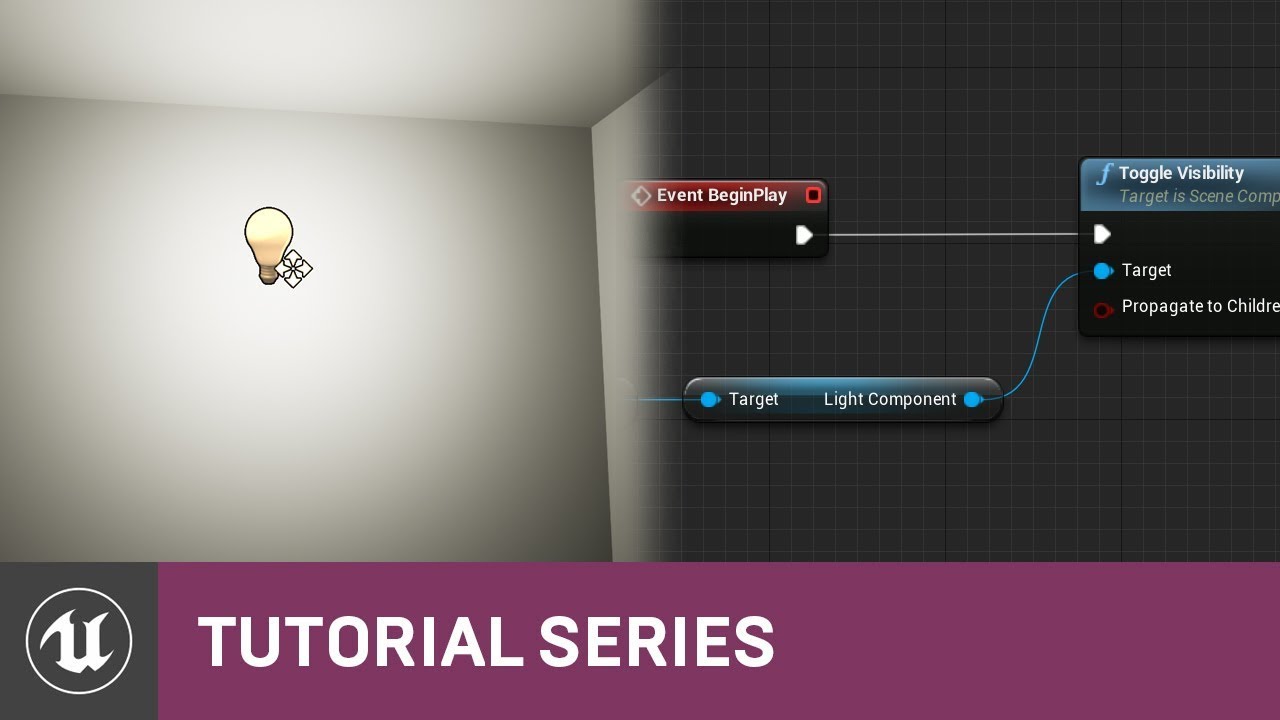
In this video we get started working with Blueprints by using the Level Blueprint to create a light that automatically turns on when we start our game. We also get an introduction to the Blueprint Editor and take quick tour of the Blueprint Editor Interface.
 zealous oasis
if you click the light in the editor and then right click in the level blueprint you can place a reference to it
burnt nest
Its strange because the mesh is set to not block the camera channel
@mild pine i feel like that should've been the solution
short scarab
@zealous oasis yes. Im that far. Its the other nodes that i dont know how to create
burnt nest
or you can open the level blueprint, make the window smaller and then drag the skylight into the window and drop it there
zealous oasis
ah sorry i misread that
short scarab
@burnt nest yes. That is where im at. Im missing the other two nodes
burnt nest
okay, i think i did too in that case 😄 well then you'd drag out from that and search for "get light component"
or just light component
zealous oasis
are you sure you are referencing the skylight and not a directional light?
short scarab
@burnt nest Yes! Thanks! That got me that target one!
Any idea about the last one? Recapture sky?
zealous oasis
burnt nest
you'd then drag out from the new node and search for recapture sky
or you can do both steps at once like that^ 🙂
short scarab
@burnt nest omg thank you!!!!
@burnt nest ive spent no joke 3-4 hours trying to find it and i knew it would be the simples thing!!
Thank you thank you!
burnt nest
you're welcome 🙂
 round torrent
anyone know how to get the editor camera in BP? i want to spawn pawn at camera location
burnt nest
if it's a single player game, you can use "get actor of class" to find the player, and grab the camera from there
burnt nest
if you can move the camera around, you're controlling something. that's what you want to get the class of
mild pine
Hmm yeah... no clue whats blocking it now, strange
round torrent
so let the game spawn a dummy pawn at camera location and get that location? yeah that couldwork
burnt nest
i think i see what you're trying to do, but the editor camera isn't really a thing. once you start PIE (play in editor) the editor camera doesn't exist. once you publish the game you won't be able to use the editor camera. so it doesn't really make sense
round torrent
well this is just for development purposes of course
burnt nest
what you can do is place the player pawn in the level. then right click it before you start play, and press snap object to view. that will move it to the camera. then you can hit play
frail marlin
So, I have a VR character and the Camera root keeps getting pushed on top of the Capsule Collision and I cannot figure out why for the life of me.
burnt nest
is the capsule using the default pawn collision preset?
frail marlin
Yes
burnt nest
then try changing it to custom and set the camera collision response to ignore
burnt nest
what are the collision settings for the camera root?
frail marlin
its a scene component it doesnt have any
seems to be happening when the capsule pops up from its half height
which is extremely annoying
worthy pendant
Does anyone here have experience with DevDad's simplex noise plugin?
burnt nest
if you are changing the capsules half height during play you will have to offset the camera accordingly or it will pop
frail marlin
yep just got it dialed in
need to get better with relatives, because now i need that parent capsule to move to the hmd if it wanders too far and adjust the offset equally
trim matrix
I was watching a tutorial and in the Animation Blueprint the person had slot manager, this isn’t here for me, is there a way to get this to appear ?
frail marlin
So here is kind of the issue im facing. @worthy pendant you posted that keep transform blueprint which i think is going to be needed for this
worthy pendant
Hm?
frail marlin
I can check for that threshold distanace and then use that to lock the HMD in place while its parent components move to close the distance?
Im trying to solve the issue of someone getting off center when they walk around guardian space in VR
worthy pendant
I think you tagged me by accident, haha
frail marlin
ah sorry! It was @wet siren
worthy pendant
Haha, you're good
 hybrid hound
im planning on having multiple gamemodes for my game but how would i go about casting to the one that the level is using
becuase it will change depending on the level
burnt nest
well, i suppose you'd cast to one, and if the cast fails, you cast to the next one. kind of depends on what you need it for i suppose
worthy pendant
bump
Does anyone here have experience with DevDad's simplex noise plugin?
 limber fjord
testing a very very basic 'network game setup' in PIE mode. Server moving from 'mainmeu' level to 'lobby' correctly changes its gamemode to the override in the level's settings.
Client however does not change its gamemode when it joins the lobby level
(currently using PIE, using the 'open 127.0.0.1' command for the client)
 plush compass
I already have a Heal function in my player but would doing negative anydamage be a cleaner way to heal without having to cast to my blueprint?
 narrow kelp
@plush compass I guess i'd make a heal function on the base character
I think you'd be less likely to develop bugs with things like damage reduction and armor and stuff
 slender fjord
hey guys,
been looking for a way to keep an actor refrance after I destroy it to remove from game so i will be able to respawn the actor again with the same info on the variables in his structure
any help beside hide him?
 tight schooner
Literally impossible AFAIK. Either hide the actor, or straight up destroy the actor but save all of its relevant variables somewhere so that it can be respawned with those variables (setting "expose on spawn" helps). Of course, it'll be a different actor with a new ID. The latter approach isn't conceptually dissimilar from a savegame system.
 vocal urchin
I am having a strange issue with removing actors from an array I'm creating earlier in blueprint. Basically, I am using For Each Loop to get an actor from a struct (see Get Owner), and then if they meet a certain condition, adding them to a local array variable (Temp Seen Threats). I'm then looking to see if it is already seen in the actual Seen Threats array, and if it is, it is not added.
My issue is that when the controlled actor looks away (this is for AI), I need to remove the seen actors from the Seen Threats array. I'm doing this by comparing the "Temp Seen Threats" to "Seen Threats", actor for actor, and if there is an actor in Seen Threats that is not in Temp Seen Threats, it is removed, and the local array is cleared. The problem is that item removal from Seen Threats isn't consistent. It's not actually removing them all...it might remove two or three, or even more, but never all of them. I can't pin this down to a specific issue. Is there anything inherently wrong with what I'm doing here?
slender fjord
@tight schooner Thanks for the answer
tight schooner
It could be that removing an element from an array "resizes" it, which shifts the indexes around. I think there's a standard macro for for-each-loop-reverse for the purposes of looping through an array and removing stuff.
slender fjord
I am looking for only saving the variables info
so saving them will do the job...
I need to check savegame systeams for that?
vocal urchin
@tight schooner not sure that would matter, since I'm doing it by item instead of index?
tight schooner
@slender fjord Savegame objects are literally for saving to disk which is probably not what you want, but you could store the data in memory within another actor, and use that data to respawn the actor.
slender fjord
"but you could store the data in memory within another actor" can you point me to specific node or fuction that can handle this ? Im not sure how to approach this
tight schooner
@vocal urchin I don't have a fine sense of how a for-each-loop works. But I would suspect that it goes through each index until it runs out of indices. Removing from an array shifts the ground beneath its feet, so to speak. So it if removes element #5, then #6 becomes #5, but the ForEach loop moves onto the new #6. So the original #6 is skipped from the loop. I suspect that that's what's happening in your script, but I can't say for sure.
A reverse loop where it starts from the end and counts backward to index zero wouldn't have this problem. It removes element #5 and then moves on to #4.
@slender fjord Sorry, I don't know of a readymade way to do it. (Maybe such a thing exists, but I'm not that knowledgeable about all the functions & features of UE4.)
vocal urchin
Ah...this is making me think. Maybe I just put the "unseen" threats into another local array and separate out the removal to the end. Where I just use another for each loop to remove them all in one go, instead of doing it on the fly.
tight schooner
AddUnique also exists if you want to simplify the top part of the script in your screenshot
vocal urchin
How would that simply it?
tight schooner
If I'm reading it right, you're doing a check for if the actor already exists in the Seen Threats array so that it doesn't add a duplicate...?
vocal urchin
exactly
tight schooner
AddUnique prevents duplicates from being added to the array
so it does that check in one node
vocal urchin
I was thinking about that one too hard
I see now.
aaaand it works. Nice
Now, to fix this removal issue 🤔
tight schooner
realizes I've been using ForEach loops myself to destroy arrays of actors in my game
g.d.i. that's why it hasn't been working half the time...
vocal urchin
?
tight schooner
I realized just now that in my current project, I've been making the same mistake
vocal urchin
Fun! Well, I'm going to try this little theory of mine and see if it works.
No. It doesn't. In fact, it actually prevents new actors from being added to the Seen Threats array.
tight schooner
well, here's the obligatory MathewW video on AddUnique https://www.youtube.com/watch?v=WiJEFQXEsc0
vocal urchin
Nah, the AddUnique works great
I thought this would fix the removal issue
I'm layers deep on this now and nothing is working lol
I feel like this is a simple problem.
So, I completely got rid of the second branch off the "completed" pin on the original for loop, simplified it to this, and the issue still remains.
Veering into that dreaded "I can't make it any simpler" territory lol
Even with clearing it, actors are still staying in that array.
tight schooner
huh. I've never experienced the Clear node to be unreliable so I wonder how large the array feeding the ForEach loop is.
vocal urchin
I think it might have to do with this plugin I'm using.
It's the only explanation I have left
tight schooner
all I can suggest is step through it with breakpoints (and/or put a bunch of Print nodes everywhere) and make sure the data going in & out is what you expect. Normal BP debugging stuff.
tight schooner
np
limber fjord
Have you ever dealt with the gamemode not being set by the override, but only for a client?
limber fjord
in short
testing a very very basic 'network game setup' in PIE mode. Server moving from 'mainmeu' level to 'lobby' correctly changes its gamemode to the override in the level's settings.
Client however does not change its gamemode when it joins the lobby level
(currently using PIE, using the 'open 127.0.0.1' command for the client)
I am creating two 'users' in PIE 'new window', one acting as host (opening the lobby map) and the other connects to it (via open 127.0.0.1)
they both end up in lobby, but only the host/server uses the lobby map's gamemode override. the other does not
there's no blueprint setting, its just the override is not working
@wet siren make sense?
As far as I know, there's no fix for this
I can't set the Game Mode in blueprints
I can't get the Game Mode for the level to load
I can't do anything to fix it
the game mode is set in World Settings, only loads for the host
 south meadow
back in the day you couldnt even change game modes runtime. I put all my gamemodes logic into one gamemode and gamestate and run the appropriate one depending on the options selected. if youre stuck and wanna move on, thats an option to go with. I've never tried changing game mode classes ever and probably never will. So I cant help you with that aspect of things.
limber fjord
:/
limber fjord
That's just... not great way to resolve it
"give up on trying to make a basic organizational function work" but I honestly don't see a solution...
 brazen rain
How do you learn Blueprints? I mean you should know what all nodes do right? I have been using it for sometime now but i cant build logics. I have been watching tutorials on youtube for a particular thing and than I put it in my game. I can mix diffrent tutorials and logics now but how can make my own?
 severe rune
@brazen rain generally you just need time. You should start with a feature you want to implement. And then start to block out the functionality through your own blueprints - say you wanted to create a item that you put into the world and when the player runs over it they pick it up and put it in their inventory. You'd start by thinking 'okay - so I'd need a new Actor blueprint' next I want it to print something out when I run over it so what do I need there "add a collision volume and add a OnBeginOverlap event". Its a misnomer that every programmer knows what everything does, I've been coding for 10 years and working in UE4 for 2 - and I still google things on a regular basis.
TLDR: Experiment, watch a tutorial and then expand on it, or make it do something slightly differnet
brazen rain
Hm. I guess i just have to let go or the fear that i might not be able to make it i will ruin it. Its good to know that these things do take time and struggling with it is not that bad i guess.
Thanks.
Do I need Coding? I mean Blueprints can do almost anything in unreal engine right? I know coding languages but using them in Engine feel like something totally different from what i have learned
severe rune
You can do alot in just blueprints 🙂 There's no immediate need to drop into c++
brazen rain
Oh ok cool. I guess i should continue the projects i left in between then because of frustration lol.
 rich falcon
Hi guys' I'm trying to do a simple attach/detach but the attached actor wont detach from parent.
anyone has an idea as to why?
lol got it!
 thorny cedar
I want to check if a person moved an object to the right and then to the left or reverse in a given time window(5s)
bevor checking if it has moved i check if both direction are allready made
how can i check if i moved my object i simply compare StartPos with the current location, but whre do i have to put to avoid overwritting?
oh it checks the current value and dont overwrites the StartPos or my boolean setter so it should work
maybe having a second timer in my timer?
 sand eagle
hello im a beginner, at first is here any channel for newbies ? i have a beginner question for a Blueprint i stuck, i have no c++ experience, im just VIsual worker coming from AE and C4D. thanks all
Its just then new Volumetric Sky Layer BP, i saw the Demo and was wondering how beatiful this can be in my own Map, so i start figuring out how it works and build it into my Level, but it dosent work. either its depp dark or its white i cant see anything. is there maybe one helping hand to introducing me for 2 min how i become this Clouds to start. thank you
im talking about the volumetric cloud from 4.25, sorry
 vivid quail
is it nice looking?
sand eagle
its a small island😀
trim matrix
how can i make a actor (in this instance a machine) that has child actors with pipes how can i make pipes update variables inside the parent machine
on evry tick dependeing on other varaibles
 undone timber
o guys, i got a good one this time i think... how can i get the default class of a child from a clas defaults?
the two i marked in red in the pic are child actors... obviously this is returning a null... as this is a class reference not an object reference.
but i need to read the class defaults of the default child actor class... (if that makes sense)
 gritty elm
is there anyway to downgrade project from 4.23 to 4.22?
or any asset migration from 4.23 to 4.22
undone timber
nvm, did it with the construction script
 autumn heath
@gritty elm no, it's not possible
 agile mica
Hey, I'm pretty new to blueprints and scripting in general, I've followed the below tutorial series and I'm struggling to figure out how to A: unequip my items when the item is selected again in the inventory or when another item is selected and B: set the inventory up to attach my items to the sockets they belong to, the tutorial only covers attacking an item to specific sockets but I need it to attach to the socket designated to that item. https://www.youtube.com/watch?v=qLhECXvDCnU&list=PLqjIOKeeD0ckbtE8mY9PEaCQrHjHzGjkb
Hi guys, today we are going to start a new series, this time, following the "Fallout 4 Theme", I am going to show you how to make a inventory like the one you see in Fallout! Thank you so much for watching!
If anyone is willing to help with this I can hop into VC and share my screen/ take screen shots and or videos of what I've got created
Or if anyone knows a similar inventory method that's more in depth/ conducive to a open world rpg like Fallout/Skyrim I don't mind restarting
 wanton furnace
Which API should I use for switching to "Text Input Window"
 static shuttle
Does anyone know why this would happen in packaged build but not in editor?
 covert tide
Hi i hope someone can help me with this problem:
Iam try to make trees harvestable and yes its working, but it gives me a huge fps drop / lag when i try to remove a Tree Foliage Instance (cutting down a tree) - this fps drop multiplies with the count of trees and foliage instances in my level :/
Does anyone know any work arround or possible fix how to do this better using the foliage tool? (its a very large map, it would be impossible to place every mesh by hand)
 charred berry
im trying to compile source for low entry BP's as epic hasn't released binary yet so,,I see no 'compile' under vs 2019, what am I missing here ?
c# file I mean sorry
LowEntryextendedstandardlibrary ,as in
frail marlin
Anyone have any viable methods for cleanly recentering a capsule collider on a character if the person walks around their guardian space?
I've tried all sorts of math for adding to the actor location and trying to at the same time resolve the hmd proportionally back to its relative XY 0
Simplest baseline ive gotten to now is a time checking every now and then if you are too far just running the reset orientation and position
bu it causes a snap especially while moving
I think this would be an issue in a lot of VR projects especially with CharacterMovement Components inherited hierarchy.
But I am new to this aspect of development and there may be a lot that I am missing.
 onyx prairie
 stoic narwhal
For some reason, taiwan language is not working in my game. I've made sure to package it as well as use the correct culture string. Any other reason why a language may not package?
 jade gull
i have an XYZ grid of static meshes that i would like to make some variable presets in (Kinda like small tutorial levels) any advice?
not sure how to go about saving and loading in editor =/
tight schooner
@frail marlin have you asked #virtual-reality ?
frail marlin
yeahh, seems to be a common problem and not really a clear solution, but for any of you math guys out there. I have conceptually what I am trying to do.
Essentially- check if HMDrelative is past a certain XY distance. If so, enter a resolve state. I need to move the actor world XY to the HMD, while simultaneously resolving the HMDs Relative XY back to 0
im not exactly sure what vector math i need to do. seems like a Vlerp for actor XY -> hmd XY
and then use that same Vlerp to 0 out the HMD relative XY
Im not sure?
 silent path
Hello everyone! I was wondering if it's possible to expose the scale parameter of the particle system in the blueprint? So like that the GPP can modify the scale of my particle like he wants. If anyone could help me it would be great 😄
 marble folio
You mean like this @silent path https://www.unrealengine.com/en-US/tech-blog/tutorial-using-particle-parameters-to-boost-visual-fidelity
similar for Niagara
 prime copper
Hey guys.
I have an object with a web browser on it. Destroy Actor will destroy the object, but it won't shut down the web browser (YouTube video still plays). Is there something I can do to really destroy it, like death ray?
It's almost like I need a destroy function that also removes it from memory.
 silk bluff
You can force a GC
GEngine->ForceGarbageCollection
 frozen jackal
Could anyone advise me on how to set a background/fill image for a widget?
I got this far, but not sure how to get a reference to the icon file
prime copper
I can not find the garbage collection function xd
Oh duh nm
this blueprint spawns a viewer with a youtube player in it and it plays a video...when the bottom part executes, the actor with the viewer in it despawns, but the youtube video continues to play 🤔
(and by that I mean, I can still hear it, it's still playing in a browser window somewhere...)
wet siren
@prime copper because the player is still playing
a media is not part of an actor but can be controlled by an actor, so go into the actor and call player stop on destroy
or maybe there is a function in that actor that closes the source and destroys itself
prime copper
Sweet, because that was the next thing I thought of, here's that BP
see, I was trying to get the onactoroverlap event from the other blueprint and get it to execute this code, but I can't figure out how to get that event into this blueprint
wet siren
you don't need to :P
Make a function that closes the player and then destroys the actor
then call it from your map bp
prime copper
ok let me orient my mind and implement that
thx
but how do I address the player tho
is the problem I can't solve
frozen jackal
Get All Widgets of Class is returning an empty array. Should I be using something different? Maybe it doesn't work because the widget is created in the parent class?
prime copper
yeah that's my biggest point of confusion in fact is that I have no idea how to get that command to the player
this is essentially what I'm stuck at, I don't know where to find the web browser target for this
maiden wadi
@frozen jackal I would recommend learning how to keep track of your Widgets based on saved references at creation rather than relying on getallwidgetsofclass.
frozen jackal
I like that idea better, I'll give that a shot. Thanks!
tight schooner
@frail marlin well if you're desperate enough to entertain off the wall ideas from someone who's never implemented such a system...
I'm guessing the VR camera moves around relative to its parent component in your player pawn BP. So step no. 1 is to determine whether the VR cam has exceeded some distance threshold from its root. You can get the relative location of the camera component, and just use the X & Y (I assume you don't care about height — Z). Use a Vector Length node — there may even be a Vector Length 2D node available — and then you can determine how far the camera is from position 0,0.
Step two is subtract it from some threshold, say 100 Unreal Units or whatever you want to be the radius. If the result is 0 or less, no action necessary. But if it's over 0, let's say 10 (110 - 100), then the player-pawn needs to move toward the camera 10 units while the camera needs to offset itself 10 units in the opposite direction.
(If I recall correctly, cameras have an "offset" parameter that we can abuse for the purposes of making it slide around relative to its parent component. I'm hoping GetRelativeLocation works the way I hope it does with a camera offset set, but if that's not the case, we might have to do the step-1 check in world space — get the world location of the parent component and subtract it from the world location of the camera to get the camera's true relative position.)
So the two pieces of information we need to know for step 3 is how far has the camera exceeded its bounds in a particular frame? We determined that it's 10 units in this example. The other piece of information is the direction. We can use the relative XY position of the camera for that. Store it as a local variable. Use a normalize node (a 2D version of that node exists IIRC) and multiply the normalized node by the amount exceeded — 10. Subtract it from the camera's offset and add it to the player-pawn's position with Add Actor Offset or something.
I'm again going to give the caveat of I never tried this myself and I don't know how it'll work out, or what'll potentially barftastic result may occur in the event of the player-pawn colliding with stuff during the move.
opens UE4
Well turns out I was wrong about the camera offset. The offset actually exists in a springarm component; I misremembered and thought it was part of the camera. You might need to create a basic scene component that sits in between the camera and the parent in the hierarchy that serves as a thing you can apply a camera offset to
frail marlin
I can get all of the information I need, I have a threshold set for distance from the VRcam's XY from its root.
tight schooner
(... and this also means you might have to do the step-1 bounds check in worldspace)
frail marlin
I then get the actor world loc and offset it the distance the cam is from its root
but i cant move the vr cam, i can only adjust its root
so i negate the vrcams offset and add it to the root offset
but its kind of a nightmare in action
tight schooner
does it produce glitchy action or something?
frail marlin
and then my Vr root is offset from the actual capsule
yeah its not elegant
There is a built in function called reset orientation and position, which i just opted for a larger threshold and then call that function
got it on a timer, because in reality the person isnt going to be that far out of it too much, given how the locomotion works in this
it has a slight snap but it happens so infrequently that for prototyping at this point its not a huge deal
really unfortunate that you cant use the charactermovement component with a bit more flexibility
because i dont want to rewrite gravity and shit on a custom pawn
I just dont want the capsule as the root
and i want collision to work even if its not
guess we cant have everything though
just seems like such an odd limit/hurdle
tight schooner
I have a vague recollection from other VR games I've played (Lone Echo?) that they had the player-pawn "catch up" to the VR camera as the player moved around their playspace and I figured you were trying to make something like that
frail marlin
Nah im going for full body ik
and i need proper world collision
need a sense of embodiment
tight schooner
That sounds like a tough one. I wonder if you could disable the camera from inheriting its location (go to the Transform section --> use the dropdown and set to "world") so that it can move independently of the character. And then script the character so that it's always moving to where the camera is on a per-tick basis. Basically have a camera-driven character instead of a character-driven camera.
Of course this may make artificial traversal more complicated (stick-driven movement, teleporting, rotation, etc.)
 sterile apex
How can i save the location of the player with using world shifting with world composition
maiden wadi
I really need to look into world composition stuff soon. But I imagine that there's a way to specify which level the player is currently in.
 patent ermine
I'm trying to get all actors in the scene with a particular tag. Each tagged actor, i'd like to switch the mesh component with a different one. But this doens't seem to work. Any ideas as to what i might be doing wrong? Thanks
maiden wadi
@patent ermine In theory, what you have there should work fine presuming two things. That your Tag is correct and returning results, and that your GetPakFileStaticMesh is also correct and returning the correct static mesh. I haven't used the second of those two so I can't offer much input there but the rest should be fine.
patent ermine
@maiden wadi A couple of things i do know that are correct, i can log the return of all tagged meshes ( there is only one in the scene ) and it logs the proper name of that mesh. #2 If i add a static mesh cube component to this blueprint, and if i change the static mesh component on the cube that is within this blueprint, it changes to the proper "GetPakFileStaticMesh"...so it appears that both the tagged mesh is correct, also loading the mesh from pak file is correct. However, the method above doesn't seem to work. Strange.
maiden wadi
Is the GetComponentByClass returning a valid component?
patent ermine
That i havent logged, let me see.
@maiden wadi This logs the following "StaticMeshComponent: REFRIGERATOR_6.StaticMeshComponent0 REFRIGERATOR_0035"
 hollow cape
Jumping in to this late, but @patent ermine, is the actor you're attempting to reference with the getallactorswithtag a simple actor? or a custom class?
I'm guessing it's a custom class, which would necessitate you casting to that class in order to change the static mesh of the static mesh component. Even if it's a simple Static Mesh Actor, you would need to cast to that, get the Static Mesh Component, and set static mesh off that
Alternatively, Blueprint Interface
patent ermine
@hollow cape Thanks for your input, not late, still not resolved :). A bit of context, the map is being loaded from a .pak file, within this map is this actor, its a simple static mesh that is imported into the map through datasmith. So i load the map from the .pak file, i try to get this actor from that map that is tagged, and change its mesh. Would it have something to do with the fact that its being loaded from a pak file? But all returns are valid, including the mesh. So you are suggesting to cast to type static mesh, and then change the mesh?
 wide nimbus
Can I set the volume of a level sequence player in blueprint?
patent ermine
@hollow cape Still doesn't change the mesh. Ive logged the output of "SetStatiMesh" and its "false".
@hollow cape But the cast didn't fail, as nothing was logged.
hollow cape
ok, for testing just remove the whole get all actors with tag which....in and of itself it's a great way to do things. Just make a static mesh actor var in your bp, expose it, and set it in the editor so you have a proper reference. See if that works
You have to figure out where the issue is
trim matrix
What is the User Index for? I can't find any good explanation. Does that mean the save can have like multiple parts?
 inner ginkgo
Just based on the tooltip, I assume that index is for consoles.
Think about consoles where the save cartridge was plugged into a player controller.
trim matrix
hmm 🤔
inner ginkgo
Even modern consoles allow multiple accounts to play in the same game. So it would probably tell the system which account to look for the saves and place new saves.
trim matrix
So if I understand that correctly multiple users can have it's own save in the same file?
trim matrix
oh
inner ginkgo
You and your brother have 2 accounts on the same console. You both load into a local multiplayer game. If you hit save, it saves to your account. If he hits save, it saves to his account.
Probably not as practical for a true save game file. But would be good for user customization settings and such.
inner ginkgo
And again, that's completely based on assumptions. If you are deving for PC, I think it is safe to ignore that pin.
 vernal kindle
Anyone off the bat know why my array would be giving me the wrong length here?
inner ginkgo
I don't see anything wrong with the code shown. How wrong are they? Are you getting 0 all the time? Off by 1? Just completely random?
vernal kindle
Always returning 0. Lengths are meant to count from 1 tho right? so this array is pretty much saying its as good as empty?
inner ginkgo
Sorry, had to step away. Yeah, I just realized those are watches and not comments. Yeah that's certainly weird.
Try printing the value out, instead of a watch. Force it to reconcile it and make sure the watch itself isn't bugged.
@trim matrix Debugging usually means the process of investigating and fixing bugs. What's the context for the question?
It is a general programming term, so could be used in that context, but not directly related.
 gray quarry
Hey! Can you help me with some info? Just the basic workflow is enough, I want to make an AoE targeting system for spells, a circle on ground indicating the damage area that moves with the mouse and the spell triggers on click, IDK if you played Smite for example. How could I build something like that?
inner ginkgo
Break that into multiple problems. 1) Getting a ground target using the mouse - You can use something like unproject and a line trace to solve that. 2) displaying where the target will hit - I don't actually do much graphics, so my first instinct would be just a simple quad mesh at the impact point. 3) Deal AOE damage at that point - There's an area damage blueprint node that would work for this if you are using the built in damage system.
Not specifically, but the description seems clear. Attaching a debugger allows you to do things like use watches and set breakpoints to get a better idea of what your code is doing.
It's kind of like when you run the project locally with unreal engine. But attaching the debugger allows you to run it on the device and get the same kind of tooling features as running it from the engine.
 old fulcrum
Hey guys, any ideas on best approach on drawing the RTS style grid(when placing objects)?
inner ginkgo
Sorry, I don't do any mobile dev. If you follow those steps for attaching the debugger, it should give you the same console feedback you get when you encounter errors on the desktop. However, that will only work if the game is actually launching. If Android is killing it before that point, you might not get anything extra from it.
maiden wadi
@old fulcrum Do you mean literally drawing the grid, or choosing where to build the object based on the grid?
old fulcrum
@maiden wadi Literally drawing, I got snapping to right place working
maiden wadi
Hard to say. Depends a lot I guess. Little less of a blueprint programming question. I experimented with something similar once using a decal that follows the mouse cursor and offsets the texture based on world position to keep the grid in place. Looked kinda nice.
old fulcrum
Aha, thanks for your input. Will definitely look into that too. For now what I saw is some people using instanced static mesh, I am new to Unreal so I am not sure how optimized that is, but doesn't sound so nice performance wise. What I was having in mind for now is generate my own mesh instead, I guess that should be better optimized
maiden wadi
ISM could work okay for that I suppose. It should be pretty cheap depending on how you create the grid with them.
 leaden oracle
how do you get variable value from server?
I'm using replication but its not working
the client widget keep using their default value
maiden wadi
@leaden oracle How are you setting the variable? A simple replicated variable that's set on the server will change that value on all of the same instance across all machines.
leaden oracle
i have the value set in the ini file
i just want it to read it off from the server
maiden wadi
Whoooa. Wait, tell me you're not trying to replicate variables inside of a UserWidget?
leaden oracle
i am
i have the value in the server ini file and i want that value to show up for every players widget
maiden wadi
Ouch. You should replicate them through an actor class, and use that actor to update the Widget. UI should never be server handled at all. It should only every display and accept input all entirely on clients. Actors communicate with their server versions.
 upbeat shore
Hey everyone, is there a correct way to check for "Actor has tag" from a Line Trace By Channel? The engine keeps throwing an error about accessing none when trying to run the line trace if I plug the bool from the actor has tag node.
leaden oracle
u can update the widget manually?
late cave
why would this work in Play In Editor, but NOT Play in Stand Alone? 😕
or is that more a #graphics question?
inner ginkgo
@upbeat shore You need to make sure the line trace returned a hit result. Without seeing your code, I'm assuming that's the issue.
upbeat shore
@inner ginkgo this is the snippet with the issue
maiden wadi
upbeat shore
if i plug in the return value from the linetrace it works, but the UI I have popping up shows up for any object I look at in game, no matter if it has the tag or not
inner ginkgo
Yeah, that's the problem. If your line trace doesn't hit something, that actor will be null and you'll get that error. Put another branch in there using the Return Value boolean on the line trace.
Well, checking for the hit is the correct first step. Fixing the tag issue is another problem.
upbeat shore
still getting the error
thing is that the tags work correctly and everything shows up and works in game but when i exit play, the errors show up
vernal kindle
@inner ginkgo trying to print the results of that array gets me;
LogScript: Warning: Script Msg: Attempted to access index 0 from array 'weightmapActorArray' of length 0 in '/Game/Landscapes/Blueprints/LM_BP_HeightStamp.LM_BP_HeightStamp_C'!
inner ginkgo
@vernal kindle That's certainly an odd issue. Looks more like a BP bug than a coding bug to me. The logic you have should work.
@upbeat shore Yeah, the editor is kind enough to not crash when it comes across errors. It just collects them up for the output. A production build of the game will crash when it hits those issues.
upbeat shore
yes true. I'll continue to play around with it and see if I can get it to work
inner ginkgo
Show me what you have with the hit check in place.
upbeat shore
okay I actually got it to work without errors. used an is valid node to check
vernal kindle
unless its my logic of adding it to the array thats being funky?
maiden wadi
What I posted up above will get rid of any errors on that line trace looking for a tag.
upbeat shore
yes thank you very much for that
south meadow
@vernal kindle whats the issue? arrays start at 0, not one. An array with a single entry will have a LENGTH of 1
inner ginkgo
I don't see any issues with the adding. @south meadow He's getting length 0 even with items added.
maiden wadi
@vernal kindle Where are you printing the length?
south meadow
are you doing something on tick or a loop that could be removing the items?
inner ginkgo
It was an earlier convo. About 4:30pm if you want to see the original images. He show's a couple watches where one watch shows the array with items and the other shows length returning 0.
4:30pm est
vernal kindle
here's a bigger picture.
inner ginkgo
If you put a break point on the branch does it change the watch results when it breaks there?
vernal kindle
this is an editor only BP i can't use break points, unless im mistaken?
inner ginkgo
I see. I actually know nothing about editor only BPs and their differences to regular BPs (other than the obvious trait).
south meadow
still hard to tell whats fully happening. perhaps the first time that runs, it IS 0.
then the rest runs and adds to it. but does that code run AGAIN to get the length after its added to?
maiden wadi
@south meadow Even in that last screenshot he posted, the length of the array is two. He has two things in the array. But the Length is still zero.
vernal kindle
yeah it should be empty the first time its ran, it's on subsequent calls that its still returning a length of 0
south meadow
right but if the variable is set already it will show two
but the length probably wont show til the code is run
inner ginkgo
@maiden wadi I think he's suggesting that the watch is updating the array status in real-time, but the length status only on execution. Which means they might not be aligned.
maiden wadi
Don't know anything about editor blueprints. Then again I don't usually use the debugging tools like breakpoints and watching variables. Too used to using prints and logs to run through the logic.
vernal kindle
I was thinking that maybe because its an editor only blueprint it's losing its references or something, but i can still call code to get information from the array and it's all there. or maybe some kind of pending deletion or something messing with the elements, but i've removed any remove actor logic.
inner ginkgo
What's the entry point logic for this code? Are you sure it is being run twice.
 true valve
How can I find what causing the lowest fps?
https://gyazo.com/8c915a54880e65c56650f7b2b167804c
 vernal kindle
@inner ginkgo Its a landscape actor blueprint, its called when ever the actor is modified as in transformed, variables set ect.
maiden wadi
@leaden oracle You won't. Widgets don't replicate. Like I said before, it's best to do this on actors. The Server version of the actor replicates it's variables to the client's version of the same actor. Then on the client side create the widgets and use the widgets to display what's on the client's actors.
leaden oracle
but there is variable replicate option
vernal kindle
leaden oracle
so i guess my only option is get the pawn and get all the widget and try to change the value
inner ginkgo
@true valve You want to profile your game. There's a bunch of built in options for this. Here is a good talk to start with: https://www.youtube.com/watch?v=hcxetY8g_fs

This session by Sr. Dev Rel Tech Artist Zak Parrish explores performance concerns for shipping games, focusing on how to track down problem areas on both the CPU and GPU. Learn how to set up a test environment and how to employ the necessary tools to identify key performance p...
maiden wadi
I don't know why they leave that in for Widgets. It both does not work and also should not be used that way. UI should never handle stuff like that. It should only ever accept input to do functions or events on actors and display information from actors.
UI is always created and ran on the local machine and should only ever rely on that machine.
true valve
@inner ginkgo I saw that. I'm using some of the commands mentioned there. But that video doesn't show you how to narrow down to the function or code that causing the issue.
inner ginkgo
Insights is a good tool for getting some specifics. Have you watched the talk on that?
@vernal kindle Does this BP have a begin play/construct? I would put some prints in the construct equivalent, put a print between the two events and the do once. Then just watch the general flow to see if it is being built and called as I expected it to be. It might be being reconstructed new more of than you think. Or might not be resetting the do once as you expect it to.
@true valve https://www.youtube.com/watch?v=TygjPe9XHTw

On this week's livestream we'll take a look at the Beta release of Unreal Insights. Designed to help users better understand what is happening inside the engine, the tool provides a glimpse of log output, as well as CPU and asset loading performance tooling. Learn more about h...
true valve
I haven't seen this one. My bottleneck is on my CPU side. Hopefully I will find some help in this video. Thanks @inner ginkgo
inner ginkgo
That's exactly what that tool is for. 🙂 Good luck.
 stiff hatch
Hi, I'm creating a mode in my game that is similar to the game mode in Unreal Tournament 2004 and UT 3 called Onslaught.
Each team has a home base and there are nodes around the map that have connections to one another (shown by the lines in the photo) that can be captured by teams.
I'm looking for a way to check if the node that the player is overlapping has a connection to the home base.
Each node has a actor reference array of all their connections.
I don't quite know how to approach this. I thought about using 'for each loops' within 'for each loops' but then that allows for only 1 or 2 connections farther than the home base.
If anyone know how to go about this or knows a better way about going at this then could I get your help?
Thanks in advance!
trim matrix
Is it possible to call a macro from another actor?
stiff hatch
@trim matrix From my knowledge no. unless you used an interface to call it then no.
lean thistle
@stiff hatch dont all nodes have a connection to the base, since the lines connect each image?
@trim matrix maybe maybe a function that calls the macro and returns the value 😁
stiff hatch
@lean thistle by a technical standpoint yes but the nodes only have references to the things they are connected to by the lines represented in the image
 bleak perch
i was setting up my spawn for my charcacter but then when i tried i got a infinite loot error what are somethings to do to fix that error\
lean thistle
Send a picture of your code if possible please @bleak perch
lean thistle
@stiff hatch so are you looking to see if a team one player is on the blue or the team 2 player is on the red ones?
I’m sorry I’m sure it would make sense to me if I was familiar with the game mode
I’m trying to understand
stiff hatch
@lean thistle Using your image as a reference.
Lets say the Team 1 is blue. and Team one tries to capture the node in the very middle.
when the players go to capture it. the node would first check to see if there is a series of nodes controlled by team 1 that go from team 1 base to the node they are trying to capture
the best way I can describe this is 'pathfinding through references'
inner ginkgo
Sounds like a graph search is what you want.
You mentioned an infinite loop earlier, so it sounds like you might have been on that route. But you forgot to include a visited list to make sure you don't hit a cycle.
stiff hatch
I have thought about that but I dont know how to go about programming that
I have this so far but If I were to use this then it would only search 2 connections out from the node
bleak perch
 simple lantern
Hey looking for some advice here, been working with modeling/rendering for over a decade, but fairly new to UE so bear with me - I'd like to control a bunch of different blueprints with a single variable contained in it's own blueprint (or possibly the level BP?), and still can't figure out the most efficient way to do that. I've looked up casting, BP interface, BP function library, event dispatch, and there hasn't been a simple answer. It would go like this - changing a single variable would simultaneously control the volume of a sound object, speed of an animation, hue of a texture, etc. I have all the receiving blueprints set up, I just can't figure out the best method for BP communication. Anyone willing to help?
inner ginkgo
Depth First Search (DFS) is as good as any for this if you want to look up algorithms for it. The basic idea is that you pick your start and then go through the first node link. And you keep traveling along the first connection nodes until you hit a dead end, then go back and try the next node in the previous hit, and so on until you either read all dead ends or reach your goal.
inner ginkgo
@stiff hatch So the connection points each have a list of connection points? And that's how you build your graph?
stiff hatch
@inner ginkgo Yes Each node has their own array of references to other nodes
inner ginkgo
Ok, give me a few. I'll gen a DFS to work from.
stiff hatch
alright
bleak perch
i was setting up my spawn for my charcacter but then when i tried i got a infinite loot error what are somethings to do to fix that error
simple lantern
Hey looking for some advice here, been working with modeling/rendering for over a decade, but fairly new to UE so bear with me - I'd like to control a bunch of different blueprints with a single variable contained in it's own blueprint (or possibly the level BP?), and still can't figure out the most efficient way to do that. I've looked up casting, BP interface, BP function library, event dispatch, and there hasn't been a simple answer. It would go like this - changing a single variable would simultaneously control the volume of a sound object, speed of an animation, hue of a texture, etc. I have all the receiving blueprints set up, I just can't figure out the best method for BP communication. Anyone willing to help?
@simple lantern
maiden wadi
@simple lantern Sounds like a good use of an EventDispatcher. Change variable, call eventdispatch. You could even simply pass the new variable value through the dispatch. All listening objects hooked into that dispatch can then run their own different code based on that value.
bleak perch
i was setting up my spawn for my charcacter but then when i tried i got a infinite loot error what are somethings to do to fix that error
simple lantern
@maiden wadi Awesome i'll look into that, thx
maiden wadi
You just need to get a reference to the blueprint that has the variable from your other blueprints, bind the dispatch to a custom event in those blueprints. Those custom events would be your hue change, sound change, etc. Then where ever you're changing the variable in the blueprint with the variable, make sure to call that dispatch.
I mean you could equally use an interface if you have a reference to all of those other actors. Just for loop through an array of the references and for each one call an interface function. Implement that function in the other classes, make them do what you want through that interface event.
inner ginkgo
@stiff hatch I think this will work. Might need a little debugging: https://blueprintue.com/blueprint/0cp9zy4b/
BlueprintUE
Variable setup
lean thistle
@bleak perch Could you instead spawn the player, and then remove that spawnpoint from your array so that it won't be accessed again?
bleak perch
@lean thistle sorry im a beginner how would i do that
lean thistle
@bleak perch No worries I'll show you. Just so I get it correct, you want to spawn at a random spawnpoint, and not let other players spawn there?
bleak perch
yes
lean thistle
Okay sure one minute
bleak perch
ok
maiden wadi
@bleak perch General note, avoid WhileLoop until you get a better idea of what you're doing. Stick with ForLoop and ForEachLoop. WhileLoop is really easy to infinite loop logically.
inner ginkgo
@stiff hatch The first check in my code needs to be >= not >. See, already found a bug. 🙂
maiden wadi
"Ohhhhh, 99 bugs in the code. Take one down, patch it around."
inner ginkgo
"Accessed None bugs in the code."
stiff hatch
ahh okay
lean thistle
@bleak perch here you go https://blueprintue.com/blueprint/c94fvy1s/
BlueprintUE
inner ginkgo
Yeah, you can use those. I just wanted to keep mine self contained to one class.
Change the team parameter to your team type. And then change the two team comparisons.
Home Gem Connection is odd, though. Each connection holds one of those?
bleak perch
ok @lean thistle
inner ginkgo
Either way, if the player has a reference to the home connection, you can add that as a parameter. And instead of my IsBase boolean, do an equality check with the base parameter and the currently visited node.
Which is a bug in mine, anyways. You can ignore how I used IsBase there.
lean thistle
@bleak perch https://blueprintue.com/blueprint/czr2yw4i/ there you go. Colors are messed up, the variable Spawnpoint is the type 'transform'
BlueprintUE
It will return the transform, which is the location, rotation, and scale, of the spawnpoint and not let anyone spawn there again until all spawnpoints have been used
inner ginkgo
@Bird Changed the var types to match yours and fixed a few bugs: https://blueprintue.com/blueprint/3zoon50d/
BlueprintUE
bleak perch
ok
inner ginkgo
Sorry @stiff hatch
bleak perch
@lean thistle i have 2 variabled which one should i use
lean thistle
well, you'll need another one too
bleak perch
which is what
lean thistle
I would delete those, copy the code i sent and paste it into your graph with Ctrl+V
then you can right click the variables that i made and click 'Create new variable' and it will do it for you
just do that on all the nodes that are greyed out
stiff hatch
@inner ginkgo Its fine. i'm just trying to figure out how to incorperate it into mine.
and for reference. the Base actor is a different actor than the nodes are.
(I really appriciate the help tho thank you!)
lean thistle
Then, all you will have to do is substitute the PlayerStarts variable that you had programmed to fill up with the spawnpoints and fill the new variable AllPlayerStarts instead
inner ginkgo
No problem. Note in the second version, I made changes to the Am I the base? section. I wasn't pulling from the current visited node previously.
bleak perch
@lean thistle what should the index be and the spawn point
btw the spawn point doesnt connect
lean thistle
Sorry, I'm here now
@bleak perch index is an integer and you don't need to set any value for it. Spawnpoint is a transform, you also don't set any value for it. Change the variable type of the output on your return node to Transform and it will then connect
lean thistle
When you click the return node, there should be an dropdown menu of variables
it doesn't let you switch the type?
lean thistle
can you send a picture of the whole screen
bleak perch
inner ginkgo
Is it an interface or override function?
inner ginkgo
You would have to change it in the parent, then.
inner ginkgo
Got to Survival Game Mode Base class and find the function there to change.
It will change every class that uses it, though. So be warned about other consequences if that's the case.
 lucid granite
I am having problems making a UObject
any reason why I am not getting the animation to play?
I can see it is executing because the line tracing for debugging is shown, but he doesn't kick (montage animation)
bleak perch
i fixed it
stiff hatch
@inner ginkgo With your setup did you intend to run that on the player's character or did you intend for it to be on the capture node?
leaden oracle
you can't get gamemode base from widget?
 frozen spear
im getting a pretty nasty crash that im having a hard time wrapping my head around....are we not able to create structures that contain blueprint class references as a variable then create another structure that contains defaults that assign the class to use with a select node to pull it out as a section of assigned blueprint classes from the master struct?
the reference to the class is then used to assign the "spawn actor of class"
not used directly
inner ginkgo
@stiff hatch I have it in the connection node, but you could honestly run it anywhere. It should be self contained.
@leaden oracle Getting game mode in a widget should work fine if you are in the graph side of things.
frozen spear
lucid granite
your blueprint looks like art
frozen spear
but simply having this variable on my BP causes the engine at some point to randomly crash...then complain about an assert something about an array accessing out of bounds
but i never iterate through this
and the defaults are all assigned something
frozen spear
completely preventing me from opening the engine until i remove the uasset data for it
leaden oracle
but it returning null
inner ginkgo
Are you on the client?
inner ginkgo
If you are doing a networked game, it won't work as the note says. Game mode is only spawned on the server.
leaden oracle
great another ded end 😦
inner ginkgo
@frozen spear Almost every time that I've run into an issue with asset causing the client to crash on opening has been a corrupted struct.
leaden oracle
replicated variables doesn't work in widget so i put it somewhere else
now i just want the widget to read the value off from that place but i need game mode
inner ginkgo
Most of the time just saving and compiling it fixes it for me. Then you need to go to each BP using it and make sure you refresh nodes and save/compile those.
frozen spear
I did make a major edit to it at one point...but nothing that should have caused me this grief
its a struct of struct containing class reference variables
inner ginkgo
Shouldn't cause any issues.
frozen spear
is there a place im supposed to be init'ing this thing or is it ok to just set defaults
inner ginkgo
Structs are value types, so they will work with defaults.
Although that select without a pin to NPC is suspect. That diamond means it's by reference. I don't know what the behavior there is.
 frozen dune
hello, I'm new to UE and I have been learning a bit about blueprints
I'm trying to make a clicked on event to trigger a simple string, but I'm not being able to make it work
frozen spear
ohhhhh i should atleast make a null one there
otherwise it can access garbage
i didnt even think of that
frozen dune
Besides setting the onClicked event, is there a possibility I'm forgetting anything else ?
frozen dune
the bp I'm trying to make is a single static mesh
that once you click on it, should trigger a print
frozen spear
@inner ginkgo alright, crossing my fingers, the crash just decides to happen randomly so i cant tell right away
but yes i had that npc node with nothing hooked up in 2 places
cause i havent coded anything for the npcs to carry yet 😛
frozen dune
not sure why, but it worked this time
inner ginkgo
@frozen spear If you package the project without actually closing it, I usually get the error messages related to what causes me to crash later on.
frozen spear
so i can quicker catch the crash if i just make a package?
inner ginkgo
It may expose problems that the editor isn't telling you, yes.
It has become part of my workflow before I commit to source control.
 short pawn
I get this error and crash in my packaged build when launching a url, anyone know how to fix this?
inner ginkgo
That class looks graphics related. Are your drivers up to date?
Oh wait. Launching a URL? You mean you are trying to open a website in your game?
 neat stream
Hello guys, quick help I just forgot how to set the size of a children to the size of it's parent.... in my case A plane mesh and a planar reflection
short pawn
@exkish yes opening a website, I've done this with other packaged projects fine in the past
@inner ginkgo
inner ginkgo
Gotcha. Sorry I've never attempted that. Hopefully someone else will be familiar with it.
stiff hatch
@inner ginkgo I implimented your system into my Capture node and Mine can be found here: https://blueprintue.com/blueprint/4rhvwy-n/
but for some reason mine says there is always a connection when I overlap a node no matter where
BlueprintUE
inner ginkgo
HomeGemConnection still strikes me as odd. Is it always set?
If it is working the way I think it is, all nodes that I control will have my team set there and all nodes that the other team controls will have their team set there. So it will always return true if I own any node nearby.
stiff hatch
Home Gem is only set when the node is connected to the home gem
and its a different actor type than the nodes themselves
inner ginkgo
If no one controls the node, will it be null?
stiff hatch
if no one controlls the node then the "owning team" is == 0
inner ginkgo
So, I'm still going to recommend that you move away from that as a concept.
Mostly because it doesn't update.
If I have 3 nodes in a row and the enemy takes the middle of those. I have a broken connection. But the nodes that I control will still have my base as their connection.
You will want to make sure that you have a way to know if a node is a base node and then run the full search everytime.
short pawn
I thin I figured out the problem @inner ginkgo i make the resolution of my game 1080p to optimize it, but when it launches the url the computer goes back to the real resolution and it crashes.
Anyone know how to fix this?
stiff hatch
This is how my level looks. the orange is team 2 and the blue is team 1. all the white nodes have no owner and can be captured by players but the node must have a connection to the base in order for it to be captured
(I know I already said that but Idk how else to describe the situation.)
would there be a better way to go at this?
inner ginkgo
If the orange team tries to take the node next to the blue base, it is telling you that the connection is valid?
inner ginkgo
Oh, I found your problem.
inner ginkgo
Home Gem -> Owning team needs to be compared to Team Looking for Connection. Not the nodes home team.
That's actually true with your other team check, too.
wanton furnace
What's the API would I use for switching to "text input mode" ?
stiff hatch
The comparison at the branch?
Because if I do that then I get an infinte loop and crahs
inner ginkgo
Both branches need to use the function parameter.
stiff hatch
So the one after the set and the one in for each loop?
inner ginkgo
Correct
I don't think you need Owning Team in that logic at all, since you are tracking ownership with the Home Gem Connection.
Incidentally, with the way you are building this, the DFS was overkill.
But still fun to make. 🙂
stiff hatch
What? Theres an better way?
Also I used the comparison and it it crashed from infinite loop
inner ginkgo
Show me that change after you get it back up.
I guess DFS is still needed. It wouldn't be needed if you were keeping straight lines like this. But If you are going to do the diamond shape you showed earlier, it will still help.
But I still think the home gem logic is going to cause problems.
stiff hatch
BlueprintUE
If really need be I can just add a bool to the nodes and call it "is home"
inner ginkgo
Based on what you described, you need to pull Currently Visiting -> Home Gem -> Owning Team for the first check.
And probably for the second one. But neither of those should have infinite looped. The loop is broken by the visited list.
How are you calling the search?
stiff hatch
inner ginkgo
The middle route looks like a bug. You are checking against team 1 twice. But nothing looks like a crash to me, yet.
stiff hatch
what I have setup there
inner ginkgo
Oh, your very first check should be >= 1
stiff hatch
ahh thank you
inner ginkgo
It's always the little things.
stiff hatch
its a check to see if both teams have the same number of people, and if so it checks to see if either has a connection
indeed
so the check for connection now looks like this
https://blueprintue.com/blueprint/ttmybuie/
BlueprintUE
inner ginkgo
I think I understand your logic there, but I was just noting that both of those middle route checks were against team 1. I would have expected a team 1 and a team 2 check.
I think that's going to work for you, then I'll describe where I think the issue is going to be if it works.
stiff hatch
so if orange tries to capture the middle or the one next to the orange gem it says it has a connection.
but it cant capture the one in front of the Blue Gem
inner ginkgo
It can capture the middle gem without getting the first one? And then once it does, it can't capture near the blue?
Or the one near the blue fails on a fresh run?
stiff hatch
orange team can capture the one by the orange gem and the middle one but not the one by blue
inner ginkgo
Ok
stiff hatch
and viceversa with blue
blue can capture the one by blue gem and the middle one but not the one by orange
also in case it helps.
the capture points by the base gems are the only ones that will have a connection to the base.
so for instance the middle one has a null Base gem reference
inner ginkgo
That would certainly cause an issue.
You don't get accessed none errors when you exit after testing?]
inner ginkgo
🙂
stiff hatch
I'm really sorry for bothering you with this
inner ginkgo
It's no biggie. I'm procrastinating right now, anyways.
stiff hatch
I'm honored to be the one to help
inner ginkgo
So, you should never be happy with errors after you exit. In the editor it just reports them, but in a packaged game, it'll crash.
stiff hatch
oh
inner ginkgo
I'd still like to go back to checking for the specific home gem.
hollow cape
Errors should be resolved, they are called errors for a reason
stiff hatch
fair point
inner ginkgo
The base gems are still connections, right? Just a different subclass?
stiff hatch
they are completely new actors and are not a child of the capture nodes
inner ginkgo
Ok.
So only the end nodes have the Home base. You are tracking captured through the owning team variable on the captured nodes?
stiff hatch
yes
inner ginkgo
Ok, I think I'm getting a good picture here. We can make this work.
stiff hatch
😄
inner ginkgo
For your last check, pull own team straight from the foreach result and not from the home gem.
Still check against the function param, though.
For the base check, I think we replace the branch.
Instead, use IsValid on the Home Gem. If it is valid, you have a base and return true from the function.
If not valid, continue on the the searching code.
stiff hatch
wait. if i just use a is valid on base gem wont it also return true for an enemy base?
inner ginkgo
Yes, but if you think the logic through, we only add nodes to visit if you already control them.
hollow cape
Feel free to absolutely ignore this, but it sounds like you are attempting to check the state of the game via tick. This could easily be done via events using BPIs/Event Dispatchers, as in make it event based vs checking on tick.
stiff hatch
ahhh
inner ginkgo
So you won't have the enemy base ever come up.
stiff hatch
ahh okay
so somthing along the lines of this?
https://blueprintue.com/blueprint/xg-en1ri/
BlueprintUE
stiff hatch
Ahhh! it works aside from the issue I brought up with is valid
orange is capible of capturing the one next to blue
and vice versa with blur
inner ginkgo
Oh, I see what you meant.
stiff hatch
so should I use the pure is valid connect it to an and and then get the team to see if it was of the same team trying to capture?
inner ginkgo
Just a branch to check the team after the isvalid should correct it.
The team check should be on the valid side.
stiff hatch
I really cant thank you enough! Thank you!
inner ginkgo
No problem. And as long as only the nodes touching the base have the home gem connection, I think my earlier concerns won't be valid.
So this should work with your more complicated arrangements.
inner ginkgo
I really don't want to work on my landscape. To everyone's benefit.
stiff hatch
Lol Epic games. this man deservers a medal or something he was working so hard to help everyone
stiff hatch
um... @inner ginkgo Idk but I think Ive encounterd another issue
inner ginkgo
Uh oh
stiff hatch
if there is more than 1 node (in the middle of gems connected to base gem) between connections it wont allow
inner ginkgo
Can you show the setup?
inner ginkgo
If Orange tries to take the left path, which node does it break at?
stiff hatch
if orange takes the left path it breaks at the far leftcorner
and if orange takes the right patch it cant capture the one before the blue base
simple lantern
I mean you could equally use an interface if you have a reference to all of those other actors. Just for loop through an array of the references and for each one call an interface function. Implement that function in the other classes, make them do what you want through that interface event.
@maiden wadi
If the variable that is being changed is constantly changing (based on some sort of noise, that will flicker without stopping throughout the entire runtime), is either the event dispatcher or BP interface going to work better than the other for that? Also getting 1D noise to work that isn't updating every single frame is a whole other issue...
inner ginkgo
I think I got it. You have a branch to check the team after the base check is valid. Take the false pin and attach that back into the search logic.
stiff hatch
I connected it and the same issue still insues
inner ginkgo
Show me the BP, please.
stiff hatch
BlueprintUE
inner ginkgo
Yeah, that should have worked. Are the lines generated by the connections? In other words, are you absolutely certain the graph is correct?
stiff hatch
Same issue
orange cant capture the bottom left or the one in front of blue.
and blue cant capture the middle or the one in front of ornag
inner ginkgo
After the last add, put a print string and print out the node names that it's adding. See how far in the graph it is getting.
stiff hatch
so it looks like one. but I'm having an issue telling because its in a timer to adding capture points to it executes once every so often. but from what I saw 1
Just checked again and its only adding 1
 golden kite
I see a node called "Merge Static Mesh Components" on documents, but not in the engine
inner ginkgo
@stiff hatch if you set it to print the actors display name, you should be able to identify which one it is adding. For orange taking the left node, it should be adding the middle one and not the one near the blue base. Verify it is going the correct direction.
@golden kite I don't think there's a node? There's the Merge Actors action, though.
stiff hatch
Its only going back to the first one
golden kite
Merge Static Mesh Components
stiff hatch
It Looks as if its going backwards only 1 actor
inner ginkgo
Ok, so it is at least going the correct direction.
stiff hatch
very true xD but only backwards one time
oh.
it might be that the for each loop is for only the node currently being captured
with no reference to the nodes tied to the next connections
inner ginkgo
@golden kite Gotcha. I don't have much to help there, but the Test in the URL is suspect.
Good catch, you are correct. Need to pull the nodes from the currently visited.
stiff hatch
only if they dont crash xD
and it works 100% (From what I can tell at least xD)
once again Thank you sooo much!
This man really deserves a Epic Games medal on the forms or something xD
inner ginkgo
Meh, I break more than I solve some days. Glad you got it working.
stiff hatch
Well regardless thank you
 swift niche
I've got a fun question. Anybody know of a blueprint that will rotate the root bone in the direction of the camera every 90 degrees?
I've got the head to look in the camera direction but I want the body to do that but every 90 degrees
inner ginkgo
You can do a dot product between the camera forward and body forward to determine when to turn and then do the turn. I believe a dot product of 0 would be 90 degrees. Then negative meaning you overshot it.
But you'd still have to figure out left vs right, which I'm drawing a blank on the math right now.
swift niche
ok, thanks
these seem to work for the head so far but when I add try to add the pelvis or root it gives me an exorcism
inner ginkgo
Ah
Everytime you move the root, you need to undo just as much with the head.
Since they are relative, turning the body will turn the head even more.
swift niche
right
 robust cliff
What is better for enemies interacting with the player interfaces or casting?
 rich lava
can anyone help, i am making a bow and arrow and this is part of the code for the shooting of the arrow but when i play and shoot the bow the arrow goes straight down instead of forward ?
inner ginkgo
@robust cliff Interfaces are nice if you can get used to using them. For a player interacting with enemies, interfaces is likely preferred. But for enemies interacting with the player, a cast is fine if that's the only thing they are supposed to interact with.
@rich lava Make sure the arrow isn't colliding with the bow on the way out.
robust cliff
@inner ginkgo thanks I just know I will have different kinds of enemies and they will all be interacting with the character at this point only, as I am creating a 3rd person platformer. I don't think I will have them interacting with other actors in the game and if so it will probably be very few. I have done the whole project thus far in C++ but I am doing the enemies in BP because almost all the learning tutorials on AI is in BP.
 alpine halo
Evening fellas!, I've made a quest system in which player has to kill enemies to complete the quest. There are three enemies of same class and when I've the quest and i kill those enemies, it works fine. But if i first kill those and then take the quest then the query can't detect. Can someone suggest me how can I spawn enemies when I accept a quest, which enemies will patrol on their patrolpath as well. Thank you
inner ginkgo
@alpine halo That's going to depend a lot on your quest and spawn setup. I like event dispatchers. So personally, I would set one of those up and have the quest fire off that it's starting. And then anything that cares (like a mob spawner) could register with the dispatcher and react to you getting the quest.
robust cliff
Yeah an event would be nice
inner ginkgo
A lot of games just have bad guys spawn a few minutes after they are killed. So that would be another route. Then your player just has to wait for respawn.
alpine halo
cant you create a boolean that triggers the spawn for each of the enemies once the character accepts the quest?
@robust cliff I'm using the same enemies which roam in an open world city. So I've to kill the particular ones to complete
@alpine halo That's going to depend a lot on your quest and spawn setup. I like event dispatchers. So personally, I would set one of those up and have the quest fire off that it's starting. And then anything that cares (like a mob spawner) could register with the dispatcher and react to you getting the quest.
@inner ginkgo I've used the evnt dispatcher and bind it with the kill function so when i kill enemy it sends message, is this a good approach?
inner ginkgo
It's an excellent approach. You just need to reverse it so that the bad guys will spawn when the quest is obtained.
alpine halo
@inner ginkgo if i spawn the enemies how will they get their patrolpath
inner ginkgo
Are they bad guys that exist because you placed them on the map in the editor?
alpine halo
Yea
inner ginkgo
Instead of killing them, you need to hide them.
And then they can just unhide and reset as a reaction.
The more complicated approach is to look into making a mob manager.
alpine halo
@inner ginkgo this seems a better solution. Thank you. I'll try this one
inner ginkgo
Good luck
rich lava
@inner ginkgo both my bow and arrow have no Collison on
and when it goes straight down it just goes through the floor
inner ginkgo
Sounds like physics might be turned on (or the velocity is sending it down). I don't think that physics plays nicely with movement components, but it's been a while since I played with them.
It's also been my experience that projectile movement in particular only works once. So if you have it set to auto-activate without any velocity, it'll just drop.
Something to try is to turn off auto-activate and then add an activate node to where you are setting the velocity.
rich lava
would u be willing to join the support channel where i can share my screen just to make it easier @inner ginkgo
inner ginkgo
Give me a min to find my mic
simple lantern
Hey ppl, for a variable that controls parameters for multiple objects and is continuously updating/changing during runtime (like wind strength, that would control trees blowing and sound effects, and would update based on noise or something) what would you suggest using, a blueprint interface or event dispatcher?