#blueprint
1 messages · Page 48 of 1
 edgy ginkgo
that is good to know for sure
 thin panther
touche :P
edgy ginkgo
thanks for all you guys' help btw I appreciate it
I've been at unreal for only around 6 months so far
so it has really helped me find my footing
 frosty heron
I don't think we helped you, I'm not sure what the bool does. But if you have specific question, maybe we can suggest ways to do it
edgy ginkgo
oh I mean I solved that issue so no worries
frosty heron
For example if you need to untick a series of bools, I would use array for that
 hazy rover
Trying to use the Epic Zen Garden projects cherry blossom trees but even in its own showcase the blossom leaves are gone. then when I create a new level and place the branch the blossom leaves appear. any Ideas what could cause something like this? really want to use these for my project
messed with mip maps, LOD's, opacity... cant figure it out and I'm a bit new


 ocean gate
I'm trying to activate an actor from a public set which is populated from within the level editor but for some reason this refuses to output anything from the for loop? The print is completely empty and the cast to broken_vent fails as well. Any ideas?


my bad I fixed it, I just didn't know what a "set" type was lol. Just use an array and it works fine
 naive stag
hi guys! is there a way to trigger a custom event or a key press on an actor when not possesing it? i have an action set up on a keypress on my character but i need to debug something on it and i have to be on the observer screen (F8) but i don't know how to trigger the action when not possessing the player
 zealous moth
use the player controller
 storm bane
hello, im trying to get point lights to blink on and off until disabled but the code only effects the last light in the array for whatever reason. at first i thought it was the timeline that was to blame so i took it out and did it manually with set intensity and delays but it still has the same problem. any ideas as to why?
 naive stag
zealous moth
use the player controller
naive stag
zealous moth
use the player controller
a bit more specific please? a very big noob on this side of the keyboard 😄
zealous moth
you can set inputs in pawns but ultimately they need a controller because the controller interprets them.
you can also skip the pawn entirely and set your inputs in your controller
zealous moth
storm bane
hello, im trying to get point lights to blink on and off until disabled but the ...
delays in loops breaks loops
instead use a timer
@lunar sleet beat you to it 😛
 lunar sleet
lol and also manual loop within a loop like wtf
storm bane
ah cmon now
lunar sleet
zealous moth
<@179343890409717771> beat you to it 😛
I was actually gonna say shit looks broken af, fix it 😄
storm bane
i had to try something
lunar sleet
storm bane
i had to try something
points for effort. now try something less hacky 😄
storm bane
man if i could hack it this shitd be workin lmao
zealous moth
noodle goes into meat ball and loops... how you gonna eat that spagetthi?
storm bane
zealous moth
instead use a timer
is there a way to get a for each loop to work with a timeline? itd be a lot more compact
 split rose
hey quick question for loading a save and changing levels do i change level first then load or the other way around
zealous moth
storm bane
is there a way to get a for each loop to work with a timeline? itd be a lot more...
???? you want blinking, no?
zealous moth
split rose
hey quick question for loading a save and changing levels do i change level firs...
what are you trying to do sequentially? because it depends
split rose
i just load a level, then i want to update the player pos
when the event is called

No description provided
zealous moth
that shoudl be fine
storm bane
zealous moth
???? you want blinking, no?
yea, i originally had it set up in a timeline that would go through the pattern i wanted and use the float output to control a single set intensity which is very simple but it only seems to want to effect the last point light in the array, which is the same problem the overly complex code i showed earlier had
zealous moth
use a timer @storm bane
split rose
zealous moth
that shoudl be fine
odd it doesnt seem to open the level then
zealous moth
split rose
odd it doesnt seem to open the level then
I usually don't open level by soft object ptr, i just open level and put my string
split rose
Ah this is why "Accessed None trying to read property K2Node_DynamicCast_AsBP_Main_Game_Instance".
storm bane
got any recommended resources for a noob to learn timers? i looked at their documentation but it brought in a bunch of other junk so something simple would be nice
zealous moth
split rose
odd it doesnt seem to open the level then
ohhhhhh wrong game instance in the settings?
split rose
probably
zealous moth
storm bane
got any recommended resources for a noob to learn timers? i looked at their docu...

What are the Set Timer by Function and Event Name Nodes in Unreal Engine 4
Source Files: https://github.com/MWadstein/wtf-hdi-files
watch tomatoes
split rose
zealous moth
ohhhhhh wrong game instance in the settings?
actually it isnt, hmm
zealous moth
what does it look like?
split rose
what part?
split rose

i believe it should work like that tho ?
https://blueprintue.com/blueprint/e8cu1cng/ this is my load function
No description provided
im so confused ngl
split rose
ohh
zealous moth
you didn't cast to the continue game
split rose
bruh yeah
zealous moth
so you refer to something empty
zealous moth
👍
 desert bronze
I have a a blueprint setting up some variable. I need to get that varaible reference in another blueprint. Am I being particularly dense that I'm not able to figure out how to get another actors variable?
zealous moth
desert bronze
I have a a blueprint setting up some variable. I need to get that varaible refer...
use master class reference gets
If you register objects (or as we call it, Master Get/Set), you can access another object without having to search for it. Typically you don't want to be using the Get All Actors with Tags as that will iterate over all the actors in the map, which can be very computationally expensive (Get All Actors with Classes is better, however). Instead, ha...
 dark drum
What are you trying to do?
 worn kestrel
Hey there, i'm trying to make it so when "On Character Begin Overlap" is played it will continue to give points every second play until "On Actor End Overlap" is played. (I have heard of "set timer by event/function name" but not sure if this is where to implement it)
Right now it only gives me 1 the first time I enter and that's not optimal for what I have in mind. As you guys probably can figure out i'm kinda new to this so any help or redirection to a thread is helpful 😅 😄 (Posted this earlier and got some help, did not fully figure it out tho)

 lofty rapids
probably set timer by event, and invalidate timer i think it's called
worn kestrel
lofty rapids
probably set timer by event, and invalidate timer i think it's called
okok, will have to google som more
dark drum
Ahh I get you. I don't think so. I've only been able to get it as a var type by promoting to variable which you won't be able to do with a BPI function.
 lilac hill
I'm failing at casting for some reason. Any ideas?
The object reference is coming from a ray trace break hit result, hit actor
 zealous moth
lilac hill
I'm failing at casting for some reason. Any ideas?
The object reference is comi...
zealous moth
lilac hill
I'm failing at casting for some reason. Any ideas?
The object reference is comi...
it means it hit something that isn't that
lilac hill
Yeah i just saw what i did wrong. I already removed the item and then did the casting. Silly
 pearl niche
How do i get the BallOne mesh from Thirdpersoncharacter to be applied to Ball1 in this actor?
Essentially I just need either the TDCharacterBP or this actor BP to communicate what mesh is being used. I can work with it going either way, but i can only cast from TPchar

 blissful grail
zealous moth
https://www.youtube.com/watch?v=hOUdrom37-Q&ab_channel=PendingKill
blissful grail
zealous moth
https://www.youtube.com/watch?v=hOUdrom37-Q&ab_channel=PendingKill
This is a convoluted way to do the same thing that GetAllActorsOfClass does
zealous moth
blissful grail
This is a convoluted way to do the same thing that GetAllActorsOfClass does
how would you do it otherwise?
blissful grail
Just use GetAllActorsOfClass
zealous moth
how would you specifically get that one actor?
blissful grail
Registering to a "master class" in this case is extra work for the sake of extra work
You can do the other stuff, sure.
It's the registering all of your actors to an array in your "master class" that is extra work for the sake of extra work
If you want a specific actor's variables, you get a reference to it. How you do it is context dependent.
pearl niche
Is there no way to pull mesh information between bps like cast -> 'get static mesh' -> Set material?
blissful grail
There are. What is your code?
You have to have a reference to a static mesh component before getting the static mesh inside of the component
Unless you have a function on said actor already that does it.
pearl niche
Essentially its just two balls that spin around the character. They trade meshes with things they touch. I have SpinningBallsBP that tells the balls to do everything so far and placed that under the character BP.
Now, I want the make it so when the player hits E the character mesh becomes a copy of one of the balls mesh'
but I cant seem to get the mesh information to go either direction. let me try to reference chain it again and show you the issue
 glass vale
I created a very simple game only with blueprints in Unreal Engine 5.2. My project doesnt use c++ at all and it uses the metahuman plugin very extensively as a foundational piece.
I have tried to package my project many times so far and I keep getting the same thing:
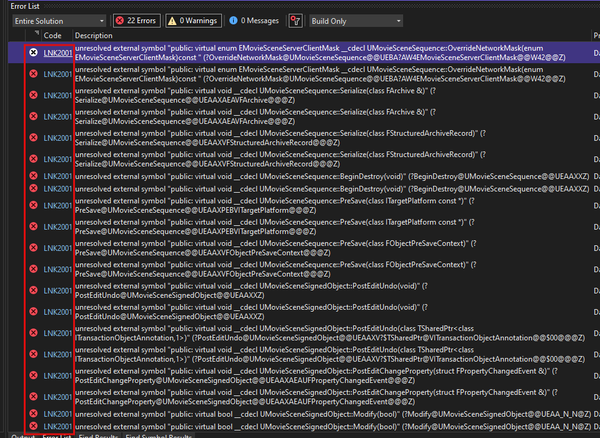
fatal error LNK1120: 3 unresolved externals.
I am writing this because the issue I am having is way above my skill level.
So thats where you brilliant minds come in. I have had no success using google, youtube, chatgpt, bard, claude to solve this rather complicated problem
Here is the problem in detail. I would greatly appreciate for any help, tips, guidance you can give me on this. You are the only resort I have left.
Upon closer investigation of the complete log that you can find here:
https://docs.google.com/document/d/1uzlvysUKktsgIxPKc0dJ_DkeEPRTKI3VUPcV6BgIxRQ/edit?fbclid=IwAR32eN1joDECjw_vYH4ny3PT5DYdDxwu8ZQWXraObaeg8gWkMVa7cpKWSPU
I discovered these lines:
FaceMeshSolve.cpp.obj : error LNK2001: unresolved external symbol __std_find_trivial_2
FaceTracking.cpp.obj : error LNK2001: unresolved external symbol __std_find_trivial_2
PCARigCreator.cpp.obj : error LNK2001: unresolved external symbol __std_find_trivial_2
ImageIO.cpp.obj : error LNK2001: unresolved external symbol __std_find_trivial_2
VertexWeights.cpp.obj : error LNK2001: unresolved external symbol __std_find_trivial_2
solver_utils.cpp.obj : error LNK2001: unresolved external symbol __std_find_trivial_2
string_functions.cpp.obj : error LNK2001: unresolved external symbol __std_find_trivial_2
fatal error LNK1120: 3 unresolved externals
After investigating all these errors further I discovered every single error has to do with the MetaHuman plugin.
followed in the comment

Google Docs
Log started at 11/27/2023 00:51:12 (2023-11-27T06:51:12Z) Adding event matcher: CompileEventMatcher Adding event matcher: LinkEventMatcher Adding event matcher: MicrosoftEventMatcher Adding event matcher: XoreaxEventMatcher No config file at C:\Users\hamid\Documents\Unreal Engine\UnrealBuildTool...
There is only one place online that someobdy had the same issue the way they resolved the problem is that they removed the metahuman plugin.
Except I can’t do that. My whole game is based on metahuman, everything. To remove metahuman for me is like trying the foundation of a house.
So I am trying to find a solution.
The best solution I found is this.
So I have to do this, as mentioned in this article:
“LNK2001 error is thrown by Visual Studio Linker after the developer has attempted to inherit from or use a class that’s not in the module dependency list. It is a C++ Linker error meaning that the linker failed to find either the .cpp or .obj needed to link. The developer has to make sure to include all the modules containing the code that is referenced by his CPP files. Follow this simple step-by-step tutorial to solve it.”
Except I can’t do this. My whole project is using blueprints. I dont know how to code in c++.
Granted I can read c++ and make sense of some logic. I am good at following step by step instructions. But I can’t find any on this particular issue. And the article I mentioned above doesn’t really address my issue given my level of knowledge, skill and understanding in c++.
So thats where you brilliant minds come in. I have had no success using google, youtube, chatgpt, bard, claude to solve this rather complicated problem, way above my skill level. I need a way to solve the following problem:
need to ensure that the linker has access to the required modules containing the referenced code used within the MetaHuman plugin's code.
I would greatly appreciate for any help, tips, guidance you can give me on this. You are the only resort I have left.
Thank you so much for your attention and help!
feel free to private message me if you so desire thanks!
Algosyntax Store
Here's how to solve unreal engine unresolved external symbol error:
 flat coral
glass vale
I created a very simple game only with blueprints in Unreal Engine 5.2. My proj...
flat coral
glass vale
I created a very simple game only with blueprints in Unreal Engine 5.2. My proj...
Or #metahumans maybe this could be an issue with that. #cpp for "why won't my CPP build" questions, they hate those but you'll get an answer
glass vale
thanks!
flat coral
I wouldn't go straight to #cpp though because it might not be a CPP build issue, it might be something more like "oh to use metahumans you also gotta turn this plugin on, or download this thing" type of answer
glass vale
not sure if you read what I wrote here:
need to ensure that the linker has access to the required modules containing the referenced code used within the MetaHuman plugin's code.
right, and these are the metahuman pieces that dont have that link:
FaceMeshSolve.cpp.obj : error LNK2001: unresolved external symbol __std_find_trivial_2
FaceTracking.cpp.obj : error LNK2001: unresolved external symbol __std_find_trivial_2
PCARigCreator.cpp.obj : error LNK2001: unresolved external symbol __std_find_trivial_2
ImageIO.cpp.obj : error LNK2001: unresolved external symbol __std_find_trivial_2
VertexWeights.cpp.obj : error LNK2001: unresolved external symbol __std_find_trivial_2
solver_utils.cpp.obj : error LNK2001: unresolved external symbol __std_find_trivial_2
string_functions.cpp.obj : error LNK2001: unresolved external symbol __std_find_trivial_2
blissful grail
flat coral
Or <#831953010900336712> maybe this could be an issue with that. <#2217994390089...
We only "hate" those questions when that is literally the only thing said and nothing else is provided.
flat coral
blissful grail
We only "hate" those questions when that is literally the only thing said and no...
Haha I don't meant to give y'all a bad rap, I've been there asking those questions myself, I'm awful at C++. I just figure, based on the languages I am good at programming in, it's just nicer to be fielding interesting questions from fellow experts, rather than the most basic possible question from someone who doens't know what the fuck anything even means
glass vale
flat coral
Haha I don't meant to give y'all a bad rap, I've been there asking those questio...
My whole project is in blueprint, i know nothing about c++ thats why i worked in blueprints. Its the metahuman that is using and not getting linked,
blissful grail
It's complaining about the std library. Which is weird to me. May just be an issue with the metahuman plugin. I've never used it personally though.
 opaque mauve
can anybody guide me on how to use enum as a movement state?
i dont really know where to begin or how to set everything up
for example, i want to disable my sprint during ADS
can anybody guide me on how to start?
ive watched a tutorial
https://www.youtube.com/watch?v=hVcLWoQIDRM&t=320s

Hey Friends! Today I'm bringing you a quick little video on Enumeration Lists, why they are really powerful, and how we can use them in our Character Blueprint to change functionality of different actions!
Thank you guys for the support! We just hit 230 SUBS on the channel and you guys are the best for making that possible!!
Our next Milestone ...
but he doesnt get into the detail much


i have everything setup, but i dont know how to start lol
any assistant would be much appreciated
im still having trouble understanding enum
most of the tutorial is mostly on items and class
not character movement
pearl niche
when i press E only my character gets the information, is there a way to make it so other actor bps react also?
 dreamy yacht
Hey 2all! . Short question - I am trying to create a weapon for my combat racing game - some sort of scrap launcher, that fires randomly 1 of 3 pre programmed bullet types
I have created the bullet type array
But I cannot link it to set static mesh, I can't set static mesh input to integer no matter how hard i try

how to solve ?
 north lynx
Ok, hear me out...
I'm working on Sanity mechanic. I want to build the opacity of the widget in time according to the Sanity level, and there's a catch...
On event tick I can do widget to check the sanity level, but I don't know how to remove the other widgets every tick so the Sanity Widget don't duplicate thousands of times

 dawn gazelle
opaque mauve
can anybody guide me on how to use enum as a movement state?
i dont really know ...
dawn gazelle
opaque mauve
can anybody guide me on how to use enum as a movement state?
i dont really know ...
You create a variable of your enumerator type and that variable now acts as your state.
When you want to change your movement state, you change what is contained in that variable.
Anything that needs to know about the movement state should read that variable.
How and where that movement state changes needs to be based on your design of how you want your character to move, and you'd check the current movement state to see if the player is allowed to preform the actions you want.
In your example of wanting to disable sprinting while in ADS, you'd likely want to have another movement mode of "ADS" and set your movement mode to that when you've successfully started ADS.
When starting to sprint you'd need to check that the movement mode is in an acceptable movement mode for sprint to start before actually starting the sprint.
 stiff tendon
dreamy yacht
how to solve ?
stiff tendon
dreamy yacht
how to solve ?
scrap the for loop. Drag a pin from your 'BulletTypeActorsArray' (which should really be named StaticMeshArray, it's confusing :pp) and search for 'Random'. Plug that random node into the SetStaticMesh's NewMesh pin and that's it, it'll randomly select one of the three static meshes
 rough wing
What does my path need to look like? This one I have does not work
 dreamy yacht
When I do pre-set of the static mesh in options it works like a charm, using projectile movement
 opaque mauve
dawn gazelle
You create a variable of your enumerator type and that variable now acts as your...
opaque mauve
dawn gazelle
You create a variable of your enumerator type and that variable now acts as your...
does this seems about right?


 dreamy yacht
But when I remove the pre-set bullet static mesh actor and leave it as random
the engine behaves like one of three bullets from array do not use the projectilemovement thingy
opaque mauve
dawn gazelle
You create a variable of your enumerator type and that variable now acts as your...
what do you think? or do you have a much more efficient way of doing it?
dreamy yacht
and just fall flat on the ground
opaque mauve
ohh and also, how do i connect the enum to animation blueprint?
dreamy yacht

 faint pasture
north lynx
Ok, hear me out...
I'm working on Sanity mechanic. I want to build the opacity o...
faint pasture
north lynx
Ok, hear me out...
I'm working on Sanity mechanic. I want to build the opacity o...
just dont add it again
tick -> set opacity
done
 cursive wigeon
Hey does anyone know how to go about making a setup like the lightsaber construction mini game in jedi fallen order or whatever game? (Several custom parts uou can choose to make a new lightsaber) Or topics I should research?
 ashen gazelle
I am following a tutorial using UE4 Engine Input but since they have been depricated, how to i add bindings with a scale now?
faint pasture
cursive wigeon
Hey does anyone know how to go about making a setup like the lightsaber constru...
I mean just try to make a lightsaber actor with swappable sub-parts
 lunar mulch
Strange question maybe, but i have a simple weapon sway code, and the sway values behaves very differently inside the Editor & Standalone-play then it does when i package the game. Inside the editor the effect is barely noticable, inside the packaged game it's very noticable.
What could cause the values to change so drastically when packaging the game? ( anything helps, just looking for directions where to look. Been at this for days.)
 silver garden
Hey, does anyone knows an article, post, etc, that goes into the FPS sameple blueprints?
As a programmer, it confuses the heck out of me how that sample, its player and gun works/are tied together.
lunar mulch
silver garden
Hey, does anyone knows an article, post, etc, that goes into the FPS sameple blu...
Theres some pretty good FPS guides on youtube that give you a good start, theres a few series like this one: https://www.youtube.com/playlist?list=PLL0cLF8gjBprQbgS7HaBIsjgXQYEeG1zX that give you a decent insight on where to start.

Havent actually followed that one, but couldnt find the one i used so it serves as an example i guess :p
 lusty hedge
how can i check to see if the users text input is == any of the enum commands

i want to make a system that checks if the users input is a certain command
and run code appropriately
 amber spindle
Maybe someone could help with player movement. For some reason my player is not losing velocity while stopped moving. He is moving on the wall and mode is set to flying. While moving on ground it's all good. Orange numbers are velocity length
silver garden
lunar mulch
Theres some pretty good FPS guides on youtube that give you a good start, theres...
Hey, thank you!
I'll check it out!
thin panther
amber spindle
Maybe someone could help with player movement. For some reason my player is not ...
You've just shown him losing it though? Because he slows to a stop?
amber spindle
ye it losing but too slow
thin panther
might wanna check your general friction/air resistance settings and see if they help
amber spindle
thin panther
might wanna check your general friction/air resistance settings and see if they ...
is there a way to create friction settings for custom mevement modes?
cause there is no option for custom of flying mode
 dawn gazelle
lusty hedge
how can i check to see if the users text input is == any of the enum commands
dawn gazelle
lusty hedge
how can i check to see if the users text input is == any of the enum commands
There's no good conversion from text to enumerator.
You can create a Map variable to map it, but you'd also probably want to convert the text to string so you can lowercase it all, while also using lowercase strings in your map.
In the end, you'd probably be better off just using string rather than an enumerator at all as you could then switch on string.
thin panther
amber spindle
cause there is no option for custom of flying mode
you'd probably just want to set it when you change moves i imagine tbh
lunar mulch
lunar mulch
Strange question maybe, but i have a simple weapon sway code, and **the sway val...
Okay, so i didn't delete my Intermediate,Saved,Build folders before i packaged.. ^^
Lesson to self
lilac hill
Getting weird results from line tracing. it's returning both true and false hits on the landscape and other objects

 lunar sleet
lilac hill
Getting weird results from line tracing. it's returning both true and false hits...
lunar sleet
lilac hill
Getting weird results from line tracing. it's returning both true and false hits...
Maybe print the actual hit actor instead so you can see what’s going on
lilac hill
It's hitting landscape when it's hitting, when it's not hitting it's just false. The hits are correct, but i don't see why it also doesn't hit
 lunar sleet
lilac hill
It's hitting landscape when it's hitting, when it's not hitting it's just false....
lunar sleet
lilac hill
It's hitting landscape when it's hitting, when it's not hitting it's just false....
Probably the angle. Try increasing the distance on your end vector
lilac hill
No difference
Could it be something about the types? I've just put every type in there

 crisp gulch
I'm trying to make the ship tilt slightly to the side when moving in that direction, but I can't seem to get the Add controller roll input node to affect anything. I tried entering a bunch of values in it and messing around with it with no results.


 unique cloud
I'm spawning and updating the Mesh of a Character BP that both use the same animBP (male or female), the animation work for male only if the mesh is pre-set to male (same for female), their counter-part won't work if the other is set, both won't work if the mesh is set to None.. What can I do to "refresh" the ABP and have it work ?
crisp gulch
Okay, this is what I was able to come up with. Ends up I had to reference the mesh. The only problem now is that the tilting isn't smooth but instantaneous.
 unique cloud
crisp gulch
Okay, this is what I was able to come up with. Ends up I had to reference the me...
unique cloud
crisp gulch
Okay, this is what I was able to come up with. Ends up I had to reference the me...
try FInterp Ease in Out node
 trim matrix
im trying to find where in BP_Box_Truck is BP_BT_RearTire referenced
Cant find it there
unique cloud
trim matrix
im trying to find where in BP_Box_Truck is BP_BT_RearTire referenced
If it's not in the parent classe juste save all and restart ue 🫠
trim matrix
unique cloud
If it's not in the parent classe juste save all and restart ue 🫠
its because this asset has one Blueprint per car type
So im trying to use only one blueprint for all cars, makes sense right?
though the asset is super good
here you can see it has one bp for each car
and instead of changing the BP im changing the skeletal mesh only
though dont know if what im doing is good
Because they have one BP for each car for a reason. im trying to understand why
unique cloud
good question, maybe ask who ever made it to havve a better idea
trim matrix
unique cloud
good question, maybe ask who ever made it to havve a better idea
its kind of weird to make one BP for each car
though cars are complicated
unique cloud
trim matrix
its kind of weird to make one BP for each car
well it makes me thing of the issue I have right now, I'm updating the mesh as their are both using the same ABP but switching it kills the animation 
trim matrix
unique cloud
well it makes me thing of the issue I have right now, I'm updating the mesh as t...
can you post stuff to see if i can help?
unique cloud
that's literaly the only thing I'm doing, they both work with the ABP but not when switching, print string confirm its the right ABP set after the switch

I though of something dumb... trying..
tried directly with set skeletal mesh asset, no success
unique cloud
trim matrix
its kind of weird to make one BP for each car
Is it really better to have only 1 bp for all? I'm thinking to switch my logic to have 1 BP per playable character at that point
 junior prairie
Is there a bug where sometimes the Play Montage node just randomly doesn't work? I have a setup that plays a melee montage chosen from an array of montages, and each one has an anim notify that sets CanMelee to true towards the end to signal when the play should be allowed to punch again. I'll throw a hundred punches and it'll work fine and then randomly one of the anim montages won't play and I'll get stuck with CanMelee set to false and not being able to melee again
trim matrix
unique cloud
Is it really better to have only 1 bp for all? I'm thinking to switch my logic t...
yeah, because its just one class, or even making inheritance
but its a quick simple game dont bother maybe
i maybe wont bother because its just a silly car game
so like if you have 6 cars, it sucks that you have to work on 6 bps, so the best is to make them a parent class and work there
inheritance is still confusing to me though
lunar sleet
trim matrix
inheritance is still confusing to me though
Which part
lunar sleet
unique cloud
Is it really better to have only 1 bp for all? I'm thinking to switch my logic t...
Whenever you can avoid duplicating code, do so. OOP allows you to make a base bp that handles shared behaviours and splitting things up from there using children bps, and you should make use of it whenever possible, not only to save yourself time but also to keep your code readable
 hazy dock
So I'm getting this error when packaging. It seems to have something to do with the World Context pin, but that's as much as I can glean and I need help knowing where to even start with it:
I did have 2 functions in blueprint libraries that had "__WorldContext" input pins, but I got rid of them and I'm still getting the error... Not sure what else to look for/how to look for it.
lunar sleet
hazy dock
So I'm getting this error when packaging. It seems to have something to do with ...
You should ask in #packaging
lunar sleet
junior prairie
Is there a bug where sometimes the Play Montage node just randomly doesn't work?...
Not afaik. Always assume it’s you and not the engine. You’ll need to debug your code to find out what exactly is happening that makes it not fire. If it’s intermittent use print strings at various points in the code until you narrow it down
junior prairie
lunar sleet
Not afaik. Always assume it’s you and not the engine. You’ll need to debug your ...
Yeah I threw a bunch of print strings around and made sure I was setting CanMelee to true in each animation's anim notify as well as at the end of the montage, then I also printed the montage name before it gets played
the result was like 95% success but occasionally it would print the montage name and then nothing else, so that leads me to think the montage was not playing hence no print from the anim notify or from the montage completing
lunar sleet
junior prairie
the result was like 95% success but occasionally it would print the montage name...
May need to ask #animation about montages not playing at random
 iron wing
can someone tell me why this won't work and how to fix it? I just keeps accessing none everytime

 hazy dock
lunar sleet
You should ask in <#402958499660955658>
hazy dock
lunar sleet
You should ask in <#402958499660955658>
I did, no one seems to answer things there
since it was blueprint related I thought someone here may have an idea
lunar sleet
hazy dock
I did, no one seems to answer things there
It’s a bit quieter so you might need to be patient for a while
lunar sleet
hazy dock
since it was blueprint related I thought someone here may have an idea
Can’t rly offer much on the bp side other than debug to find the precise thing that is not firing
And it seems maybe you’ve found that already
dawn gazelle
iron wing
can someone tell me why this won't work and how to fix it? I just keeps accessin...
Access None indicates you're attempting to use a reference variable that has no value set in it. I can only assume based on what I'm seeing that the accessed none is on the "Player Ref" variable in your Options Menu widget?
iron wing
dawn gazelle
Access None indicates you're attempting to use a reference variable that has no ...
yeah
hazy dock
lunar sleet
Can’t rly offer much on the bp side other than debug to find the precise thing t...
fair enough, thanks anyways, hopefully someone will notice me in packaging while I keep digging^^
dawn gazelle
iron wing
yeah
Ok, so that means you've probably created a variable of the type of BP_Player, but you haven't set a value into it. To do that you need the reference to the player and set it in to that variable. An example of how to do this would be on construct of your widget to "Get Owning Player Pawn" and cast that to BP_Player and then set it into "Player Ref".
iron wing
dawn gazelle
Ok, so that means you've probably created a variable of the type of BP_Player, b...
yes that work out perfectly thank you very much
👍
 wicked marten
wanna ask who can i hire to fix UI BP forme
 tawny jackal
What would be the best way to store extensive player statistics, including things I would want safe and usable for multiplayer competition?
dawn gazelle
tawny jackal
What would be the best way to store extensive player statistics, including thing...
external database and also only using dedicated servers that you are in control of (ie. not making it possible for players to send any kind of updates to those statistics)
Anything else could result in players spoofing data, not only for themselves, but for any players.
 elder lodge
wicked marten
wanna ask who can i hire to fix UI BP forme
elder lodge
wicked marten
wanna ask who can i hire to fix UI BP forme
there's a job board #hire-a-freelancer
 nimble wasp
I'm trying to set up a waypoint system. I have a series of BPs I'm using AI Move To to target. I figure I'll Get All Actors of Class to target those BPs. I'll probably do a For Each Loop and maybe once a waypoint is reached, I'll turn it off. The question is, how should I specify that first waypoint?
frosty heron
@trim matrix
 trim matrix
So I created 2 render textures attached to 2 scene captures in my player character, my character's actual camera called "masterCam" has the post process blendable of the Anaglyph Mat in the first image, but I dont see any difference when I run my game?


Technically the material AnaglyphMat is working since I added the material to an ingame plane object , so i dont know why it isnt working as the post process blendable


 short zephyr
Is it possible to build an entire game using only blueprint?
dawn gazelle
Depends on the game.
lunar sleet
trim matrix
Technically the material AnaglyphMat is working since I added the material to an...
This #blueprint message and also you’re in the wrong channel, try #materials
Also see #rules on cross-posting
 gaunt dawn
I'm looking for a tip. I'm making a rideable rail system in TPP project. I made a cart that moves on a spline using timeline going from 0 to 1 and SetWorldLocationAndRotation. But when player gets on it's jittery. Right now I think about attaching player to cart when he gets on, but maybe one of you could propose something simpler/better? Link to video (google drive, so there is streaming, no need to download): https://drive.google.com/file/d/1ragr4M6Mt7dyMDUfaJloKOY2x5KeQL8D/view?usp=sharing
Google Docs
 tame pecan
short zephyr
tame pecan
short zephyr
Nice
 magic crown
What would cause some static meshes to be not working for Only Owner See?
I have two weapons. One works perfect and is hidden from other clients and is only shown to the owner, but my second weapon is shown to everyone.
It's not being set at runtime, I've got the mesh enabled for Owner No See by default in the Static Mesh component of the character.
This happens on singleplayer as well Not a replication issue or anything.

 distant hollow
Can someone guide me how to change from one to the other?

 nova ledge
Guys can you say why my Sphere trace is not following the sockets of the sword but its like it follows the character ?

 nimble wasp
How do I access a variable stored in my level blueprint?
 mental trellis
dark drum
nimble wasp
How do I access a variable stored in my level blueprint?
mental trellis
dark drum
nimble wasp
How do I access a variable stored in my level blueprint?
I'm not aware of any way to do this. The level BP is one way as far as im aware.
nimble wasp
Should I use a game instance then? I basically need to store a variable somewhere independent.
dark drum
nimble wasp
Should I use a game instance then? I basically need to store a variable somewher...
That would depend on what your actually trying to do. Whats the var for?
nimble wasp
I've got a resource that goes up when an enemy is killed. When that resource reaches a certain number, it can be spent on an upgrade.
On the death of the enemy, I can increment it - but the thing to be upgraded isn't always around. Nor is the enemy.
dark drum
Would anyone know how I could improve this? It's find the look at yaw between it's start and end actors and clamps the yaw to the desired angle. It works but I have an issue where is the start actor is rotated at 45 degrees I get an issue where the direction vector flips between negative/positive depending on which side of the center the target is standing on (the player).
Hopefully that makes sense lol.
 dark drum
nimble wasp
I've got a resource that goes up when an enemy is killed. When that resource rea...
dark drum
nimble wasp
I've got a resource that goes up when an enemy is killed. When that resource rea...
If it's specific to the player you could store it on the player character, player controller or game state. Personally, I would make an actor component that managers the players resources that can be placed on the player character (or game state depending on the end goal). This way you can get the component from the player character or game state easily.
worn kestrel
Hey there. Im making a KOTH gamemode right now and have made some basic BP on how long a person is in a zone.
I want it to keep counting up everytime they enter. Right now it only works the first time someone enters. If they leave and come back in, the loop has stopped and they are only granted one point. How would I solve this? Thanks in advance for any help or guidence 😄
 dark drum
worn kestrel
Hey there. Im making a KOTH gamemode right now and have made some basic BP on ho...
dark drum
worn kestrel
Hey there. Im making a KOTH gamemode right now and have made some basic BP on ho...
When the player enters the trigger, check if the timer is valid, if not, start it again.
worn kestrel
appreciated the help 🙂
magic crown
magic crown
What would cause some static meshes to be not working for ``Only Owner See``?
I...
Any ideas on this one please? thanks
 narrow stratus
Our new action mapping doesn't get included in the build, it only uses the old mapping
 pastel maple
is it possible to make a sequence not work in order?
thin panther
That would kind of defeat the purpose of a sequence.
But in general, yes accidentally. If a branch has an asynchronous action it will not wait for it to complete
 fathom vigil
this is in my animation bp can someone tell me why this doesnt work. When I press shift my max walk speed gets set to 800 from 600 til I release. If I set it to 600 its always true and it works but if its not it doesnt

 thin cradle
I have a mesh component A with a specific scale and a child component B with a specific position, rotation and scale
when changing the scale on one axis on component A, the wrong axis gets scaled on component B
How would one fix this?
dark drum
thin cradle
I have a mesh component A with a specific scale and a child component B with a s...
It's scaling the mesh on the correct axis, it's just your mesh isn't orientated correctly. You would need to rotate the mesh in your modelling software so it points along the correct axis and reimport.
thin cradle
this is a default unreal cone
so if I want to reuse any mesh in multiple objects I need to make a slightly rotated copy of each of them in my DCC every time? and presumably can't dynamically move any child mesh around at runtime then?
there's gotta be a better way
like, iirc unity just properly transforms the scaling on child objects, and I saw a post saying unreal did this before 5 too
dark drum
thin cradle
this is a default unreal cone
You'll need to make your own cone then. You can export it as an FBX, import into your 3d modelling software and rotate accordingly. Alternatively, I know unreal has some experiment modelling plugin so you might be able to do it in the editor.
dark drum
thin cradle
so if I want to reuse any mesh in multiple objects I need to make a slightly rot...
If you scale the parent on the X the child also gets scaled on the X. This is irrelevant of the rotation you've applied to the child.
thin cradle
yes I understand, what I'm saying is Unity and apparently UE4 did it differently
instead of requiring peoples to open blender or whatever and make a bunch of copies of the same mesh
 lime basin
so if I want to use this actor in animation blueprint i need to make sure this thing is set correct? because by default it wasnt and i was getting null all the time when i was trying to initialize variable

im still getting used to ue5 such a noob question
thin cradle
like I can't imagine why anyone would want scale to be solved like that, and it's afaik relatively basic transform math to figure out the proper position, rotation and scale of the childs relative to the parent
I'd be baffled if there isn't some option somewhere to change this behaviour
 dusty hazel
Hi everyone, been trying to look for a solution for months to no avail...
BP works fine but I'm getting the dreaded "accessed none, getplayer controller error"

This is in the level bp
Any light shed greatly appreciated
frosty heron
Means you don't have valid controller at the time of accessing it
Also avoid lvl bp
dark drum
thin cradle
like I can't imagine why anyone would want scale to be solved like that, and it...
The way it works makes perfect sense. You scale on the X so all the other children also get scaled on the X. Making it take into account the rotation would mean it would have to scale on the Y or Z depending how it's rotated. This is less intuitive. It's only an issue because you've rotated the child mesh of which the fix is very simple, just import a new mesh that is already aligned along the axis you whish it to be so you don't need to rotate it.
thin cradle
it's how practically every other 3D software work
and the fix is not simple it's making a copy of the same mesh and reimporting it every time I wanna move a child element around
if you're one of the team members that don't know how to use external 3D software you just can't do anything
it's seemingly how UE has worked until 5 too
dark drum
thin cradle
and the fix is not simple it's making a copy of the same mesh and reimporting it...
It's re-importing when you want the mesh aligned along a different axis. Another option is to not have it as a child and use the construction script to update the scale based on what you want the original parent to be.
thin cradle
that "when" could be dozens of times a day and now I have a bunch of duplicates of the same mesh in my assets
& we've had other problems with construction scripts being pretty unreliable for actors placed in a level and not always rerunning when the original blueprint was modified
- having to setup that custom math for I guess every single actor in our game in order for it to work like one who's used other DCC, or unity, or previous version of unreal would expect
like there's gotta be some hidden option somewhere, 90% of the time for weird stuff like this there is
especially since this is the kind of change that'd break porting projects from UE4 to 5
dark drum
thin cradle
especially since this is the kind of change that'd break porting projects from U...
As far as im aware, it's been this way since UE4.
lime basin
i dont get it why is this failing i cant cast to my actor blueprint
 dark drum
lime basin
i dont get it why is this failing i cant cast to my actor blueprint
dark drum
lime basin
i dont get it why is this failing i cant cast to my actor blueprint
Does your bow skeletal mesh use the same skeleton as the player characters skeletal mesh?
lime basin
no i made a new one with code
dark drum
lime basin
no i made a new one with code
Then the bow skeletal mesh would need to have its own animBP. An animBP is only for a specific skeleton.
lime basin
this will make it more complicated to connect animations
im still learning ue5
but you just gave me a good starting point thank you men @dark drum i didnt know this! i will figure it out
lilac hill
Anyone know why Line Trace returns both true and false on hits?

 dark drum
lilac hill
Anyone know why Line Trace returns both true and false on hits?
dark drum
lilac hill
Anyone know why Line Trace returns both true and false on hits?
I'm going to assume this is on the character BP and called on tick so your most likely have another character somewhere which is giving the other result.
lilac hill
dark drum
I'm going to assume this is on the character BP and called on tick so your most ...
dang, that is actually spot on
 wicked cairn
Hello!! I asked this in #pcg-framework but I'm unsure If it were the right place to ask, so just incase;
I'm making a game where Players start at point A and find their way to point B, but would like the map to procedurally generate the path between the two points each time it's loaded!
Any idea on how I'd approach this? I'd be using sets of tiles that the map can place together. (Ex. Players spawn at point A in a Forest map and will traverse the procedurally laid out paths to find their way to point B) Any tutorial links or guidance is appreciated!!!
(please excuse the silly mouse drawn examples ;u;)

 dark drum
lilac hill
dang, that is actually spot on
dark drum
lilac hill
dang, that is actually spot on
I've done the same thing enough times I've learnt to spot it haha
lilac hill
dark drum
I'm going to assume this is on the character BP and called on tick so your most ...
So how would i solve that? I want to show and hide a HUD element based on what the character is looking at
dark drum
Check if the character is locally controlled would probably do it.
lilac hill
Allright, thank you! I'll dive into it
dark drum
wicked cairn
Hello!! I asked this in <#1089670031782191145> but I'm unsure If it were the rig...
I've not used PCG but I would have a BP that generates connected tiles with the entrances and exits and then have a PCG component for generating the tile based on the entrances and exits.
dusty hazel
frosty heron
Also avoid lvl bp
Cheers for responding!!
But can you change cameras outside of level bp?
dark drum
dusty hazel
Cheers for responding!!
But can you change cameras outside of level bp?
What are you trying to do with the cameras?
dusty hazel
dark drum
What are you trying to do with the cameras?
Switching cameras during run-time
dark drum
dusty hazel
Switching cameras during run-time
Yea you can switch cameras outside the level BP. Are you doing fixed cameras?
dusty hazel
dark drum
Yea you can switch cameras outside the level BP. Are you doing fixed cameras?
Ohh I didn't know that, thanks...
Yesss, 3 fixed cameras!
Although I'd like the flexibility to move them
dark drum
dusty hazel
Ohh I didn't know that, thanks...
Yesss, 3 fixed cameras!
Although I'd like th...
Well as luck would have it, I recently uploaded a tutorial for a fixed camera system where you can choose to have it move along a track. Check it out, you might find it useful.

Welcome to this comprehensive tutorial on building a fixed camera system in Unreal Engine!
In this step-by-step guide, you'll learn how to craft a seamless and immersive fixed camera setup for your game projects. Whether you're diving into level design or seeking to enhance the player experience, this tutorial covers it all. From setting up the...
dusty hazel
dark drum
Well as luck would have it, I recently uploaded a tutorial for a fixed camera sy...
You're a boss! Cheers
 waxen gull
how can i achive similar behaviour that i get with AI Move To, but for a pawn controlled by a player controller?

 versed sun
i believe:
 waxen gull
that kind of just teleports my player
yea
just teleports it
oh nvm
you have to enable this

on floating pawn movement component
waxen gull
versed sun
i believe:
thx
dark drum
waxen gull
that kind of just teleports my player
Adding to what Ryck0Shae said, when using the simple move to location for the player character, if you need to know when the character gets to the location, you can create a BP with a sphere collision capsule that you spawn at the desired location and have it trigger an event dispatcher when it's overlapped by it's desired target (the player character). That way when you spawn the marker, you can bind to the event dispatcher and have something happen when the player gets there.
For the one i made for this purpose, I also have it auto destroy itself when it's been reached so you don't have to worry about doing it afterwards in another BP.
waxen gull
thx
narrow stratus
narrow stratus
Our new action mapping doesn't get included in the build, it only uses the old m...
maybe some more information, the editor uses the defaultinput.ini, but it looks like the build uses input.ini, but this one doesn't get updated
magic crown
Still having troubles with this one here. Any assistance please ? 🙂 I've checked Google and no result on this one.

 steady night

hey guys im trying to spawn decals from a parcitle spawn "(shoot dude spawn blood create decals on ground)"
is it possible to do simmilar with a niagara system ?
wicked cairn
dark drum
I've not used PCG but I would have a BP that generates connected tiles with the ...
Oh I could try this i suppose! Thank you
north lynx
Is there a way to update the sound volume in time?

That the sound is playing along all the gameplay but it will be higher volume and lower volume when I change it
worn kestrel
Hey there. Im making a KOTH gamemode right now and have made some basic BP on how long a person is in a zone.
I want it to keep counting up everytime they enter. Right now it only works the first time someone enters. If they leave and come back in, the loop has stopped and they are only granted one point. How would I solve this? Thanks in advance for any help or guidence. (I wrote about this earlier and got a tip about is timer valid. Where should I implement this?)
 dark drum
north lynx
Is there a way to update the sound volume in time?
dark drum
north lynx
Is there a way to update the sound volume in time?
I believe you would need to use an audio component to have that sort of control. The play sound node is fire and forget.
dark drum
worn kestrel
Hey there. Im making a KOTH gamemode right now and have made some basic BP on ho...
As i mentioned earlier, check if the timer is valid when they enter the zone. (OnOverlap) If not, start the timer again.
lofty rapids
worn kestrel
Hey there. Im making a KOTH gamemode right now and have made some basic BP on ho...
you probably don't want to set to clear the timer, but get and clear the timer.
but also i'm not sure your event that fires every second will work correctly, it's pulling from other actor of the overlap, not sure what that data will be when no overlap and just firing like that
 zealous fog
Im making an editor Utility widget. Anyone have any idea why this will only fire off on my third mouse button ? (I got 2 buttons on the side of my mouse, and it only works with one of those?) Left/Right mouse click works fine in rest of editor
 lofty rapids
worn kestrel
Hey there. Im making a KOTH gamemode right now and have made some basic BP on ho...
lofty rapids
worn kestrel
Hey there. Im making a KOTH gamemode right now and have made some basic BP on ho...
you most likely want to set the timer on begin overlap, so it runs when you overlap, then invalidate on end overlap, not sure you want to use begin play like that
worn kestrel
lofty rapids
you most likely want to set the timer on begin overlap, so it runs when you over...
Not sure either, new to this so im just trying until it works😅
But thanks to you both! Will continue to try around with the info! 😄
lofty rapids
worn kestrel
Not sure either, new to this so im just trying until it works😅
i'm fairly new as well learned a bit, but your timer in the begin play looks incorrect.
north lynx
dark drum
I believe you would need to use an audio component to have that sort of control....
Ok, that makes sense
north lynx
dark drum
I believe you would need to use an audio component to have that sort of control....
But how to create audio component? And set it properly?
worn kestrel
lofty rapids
you most likely want to set the timer on begin overlap, so it runs when you over...
Haha, just changed it up like this and now everything I wanted works. Was just the begin play that really screwed it up.
 lofty rapids
worn kestrel
Haha, just changed it up like this and now everything I wanted works. Was just t...
lofty rapids
worn kestrel
Haha, just changed it up like this and now everything I wanted works. Was just t...
the only thing i would say is you keep casting and pulling from other actor, you can probably just check on overlap, set the timer because you already know it was the character you want, run the timer, and invalidate after. And also your using set again instead of get which might be odd.
dark drum
worn kestrel
Haha, just changed it up like this and now everything I wanted works. Was just t...
Something like this would probably be better.
 worn kestrel
Ohhh wow okay. Will try it out! Thank you both for taking your time. Super kind. ❤️
frosty heron
north lynx
Is there a way to update the sound volume in time?
You can create sound class for each group
Master -> BGM -> voice -> sfx. Etc
Then you will push push modifier to change a group volume
There is youtube tutorial for this
lofty rapids
worn kestrel
Ohhh wow okay. Will try it out! Thank you both for taking your time. Super kind....
simple version, you were close just had a few things mixed up
 worn kestrel
Big thanks to both for putting in so much time in such a simple thing!
lofty rapids
the other is probably better in ways i'm still learning, i just like like to help if i can
north lynx
frosty heron
There is youtube tutorial for this
Can you send me a link? I can't find it
frosty heron
Hey guys, in today's video, I'm going to be showing you how to change the volume of audio in your game on a slider. In this example, I will be doing the master audio, but this works with anything, for example music, SFX, dialogue, etc. I also go over that in this video.
Main Menu Tutorial: https://youtu.be/K1vVbwMJCTQ
Options Menu Tutorial: htt...
north lynx
frosty heron
<@379282454785163264> https://www.youtube.com/watch?v=VSy4ybZQK3I&t=180s&ab_chan...
Thank you 🔥🧡
distant hollow
How do I draw a line and make sure it runs straight along an axis?
 ancient folio
Hey all, is there possibility to check if actor is hitted by other actor? Let's say one actor is constantly hitting another actor, but I want if hitted actor know when it is not hitted anymore?
distant hollow
ancient folio
Hey all, is there possibility to check if actor is hitted by other actor? Let's ...
You can use a End Overlap and check the actors
If you want to filter out specific actors, you can try using Tags
 fallen glade
I'm getting horrible results when trying to offset spline meshes along a curve, convex points are fine but concaves are wrong because the points end up intersectiong each other. Does anyone know if there is an easy way to get around this?
 dark drum
fallen glade
I'm getting horrible results when trying to offset spline meshes along a curve, ...
dark drum
fallen glade
I'm getting horrible results when trying to offset spline meshes along a curve, ...
What are you trying to do?
 spare pike
I am getting really fed up with the perception system, why can't these pawns hear each others noise events? It's the very same setup as on my players character, which they can hear perfectly. They have stimulisource just like my players does, their hearing is set to all affiliations yet it refuses to fire.
dark drum
spare pike
I am getting really fed up with the perception system, why can't these pawns hea...
Are you calling the make noise node (something along those lines) when you're wanting them to make a noise to hear?
naive stag
any ideea how i can constrain 2 actors at runtime? i have a fishing rod and a fish and i want to create a physical constraint when "hooked" but it seems that the constraint i'm creating has no effect on the fish. Here is how i'm creating it and attaching to the components

 mild basin
I am trying to create a widget blueprint that plays a video, the video portion is working, but when setting the media player for the audio component the video itself stops playback altogether and no sound plays.
https://blueprintue.com/blueprint/vq_th_7b/
Best as I can tell this is how it's supposed to be done and is how it is done in many tutorials, it doesn't however seem to be working here.
TIA for any assistance.
No description provided
faint pasture
naive stag
any ideea how i can constrain 2 actors at runtime? i have a fishing rod and a fi...
Show the component hierarchy for both actors
naive stag
faint pasture
Show the component hierarchy for both actors
these are the two actors

 spare pike
dark drum
Are you calling the make noise node (something along those lines) when you're wa...
spare pike
dark drum
Are you calling the make noise node (something along those lines) when you're wa...
i'm a bit too far in to make that kind of mistake, no i AM calling a noise event
 faint pasture
naive stag
these are the two actors
faint pasture
naive stag
these are the two actors
is the fish's Capsule Component simulating physics? Why is the fish a character?
What you have right now is a constraint between 2 characters
if they are both not simulating physics then it'll do nothing
the CMC is not physcis
naive stag
the fish is not simulating physics, they are controlled by AI
if i enable physics on them they stop walking and go rolling around
so, no physics, no constraint, got it
dark drum
spare pike
i'm a bit too far in to make that kind of mistake, no i AM calling a noise event
Ok, and how do you have the hearing setup on the AI?
Edit: also you'd be surprised how a small mistake can set you back hours, especially when you're tired. 😉
spare pike
dark drum
Ok, and how do you have the hearing setup on the AI?
Edit: also you'd be surpri...
the thing is that it works for the player character perfectly, they just refuse to acknoweldge their co-workers. I understand the sentiment but i need teamwork.

 spare pike
dark drum
Ok, and how do you have the hearing setup on the AI?
Edit: also you'd be surpri...
spare pike
dark drum
Ok, and how do you have the hearing setup on the AI?
Edit: also you'd be surpri...
well i just restarted the engine(again) removed and replaced the actors with the same settings and now it just works.🫠
dark drum
spare pike
well i just restarted the engine(again) removed and replaced the actors with the...
Typical UE lol. At least it's working.
fallen glade
dark drum
What are you trying to do?
I was trying to make a cart decal, I resolved it in the end by extruding the spline by 10 units each time in a loop and removing/merging points that got too close together, bit of a hack but it works for what it is
 sturdy notch
Anyone aware of what settings might cause decals to stop spawning properly? I don't recall changing anything but now if I call multiple decals (bullet holes) from a loop, only 2 of them spawn in. I don't get this behavior in other projects or if spawning in other types of objects - just decals.
 charred berry
5.3 images of splines are Maggie no attempted fix from details panel is helping,,known issue ?
Using add spline feom ue not bep as such so wasn’t sure where to post
Not from bp
They are fixing some cracks near control points which I have but not related fail
 spark steppe
 dark drum
sturdy notch
Anyone aware of what settings might cause decals to stop spawning properly? I do...
dark drum
sturdy notch
Anyone aware of what settings might cause decals to stop spawning properly? I do...
Show how you spawn them.
sturdy notch
dark drum
Show how you spawn them.
The spawning doesn't appear to be the issue as I can spawn other objects fine. There's a bug in the spawning of multiple decals. It works fine, using the same code, in other projects and on different version of the engine. I just, for the life of me, think of what would've changed to not spawn them correctly in my project - some setting buried somewhere, perhaps.
dark drum
sturdy notch
The spawning doesn't appear to be the issue as I can spawn other objects fine. T...
Unless you show how you spawn them it's difficult to say.
flat coral
Okay I've got this function that tests several structs to see if they're valid, and updates a boolean if they are. Except, I've just proven that even if they're valid, it still isn't updating the damn structs, I test afterwards and it's still set to invalid. What the heck!

 elder lodge
flat coral
Okay I've got this function that tests several structs to see if they're valid, ...
elder lodge
flat coral
Okay I've got this function that tests several structs to see if they're valid, ...
have you stepped through it with a breakpoint?
maybe a later result overwrites the first result
dawn gazelle
flat coral
Okay I've got this function that tests several structs to see if they're valid, ...
If I remember right, the loop returns a copy of the structure data, not a reference, so I don't think you can't really use set members by ref.
flat coral
dawn gazelle
If I remember right, the loop returns a copy of the structure data, not a refere...
Shit.
elder lodge
womp womp
dawn gazelle
You can use a Get by ref from the array and use the array index from the loop
 undone thistle
Hey, I can't seem to open doors In the map I just bought

Here is the blueprint, does anyone know what I need to do?
elder lodge
undone thistle
Hey, I can't seem to open doors In the map I just bought
reach out to whoever made it
we can't diagnose the whole asset based on just the bp
flat coral
dawn gazelle
You can use a Get by ref from the array and use the array index from the loop
Minor ew. Let's see if it works.

Yep. Thanks!
elder lodge
flat coral
Minor ew. Let's see if it works.
also if you're doing a check for Validity in any of the list, would you want to use a for break loop?
sturdy notch
dark drum
Unless you show how you spawn them it's difficult to say.
The code worked as expected until it just, didn't.

It spawns only 2 - but shows all 8 line traces firing. If I change the Spawn Decal node for a Spawn Actor from Class node, all 8 actors are spawned.
flat coral
elder lodge
also if you're doing a check for Validity in any of the list, would you want to ...
Nah, because the goal is to update the status of every item in the list. One being valid is actually enough in some cases, but I leave that to other BPs interpreting this data
dawn gazelle
sturdy notch
The code worked as expected until it just, didn't.
Your issue stems from:
- Sending multiple RPCs in one frame (having the loop run on the client)
- Sending multiple multicasts in one frame (from having the loop calling the multicast multiple times)
- Sending hit results in a multicast - hit results have a lot of data in them. If you're only using the two fields from the hit result, then modify the multicast to send only those two values.
Instead....
- Send one RPC from the client to the server.
- Have the server loop and aggregate the two values you want from the hit result in an array of a custom structure that has two vectors.
- Send ONE multicast on completion of the loop with the array you've constructed.
- On the multicast event, again loop through the custom structure array and use the values as you want to spawn the decals.
sturdy notch
I'll give that a go. It's just odd that it does work in other projects, but I agree that it's probably more performant going your route.
dark drum
sturdy notch
The code worked as expected until it just, didn't.
It's most likely a case that some of your traces don't hit anything. They will most likely be at 0,0,0.
sturdy notch
Then why does it work if I spawn actors instead? All the line traces (with debugging enabled) hit as intended.
I like the elegance of the other solution, and will do that moving forward, but don't think it rectifies the issue.
 dusk atlas
Are blueprints innately less performant/any different than similarly functioning code?
Any highly competitive, fast paced multiplayer games using blueprints, for example? Is there no downside?
faint pasture
dusk atlas
Are blueprints innately less performant/any different than similarly functioning...
100-1000x slower
depending
but whether or not that matters, also depends
dawn gazelle
dusk atlas
Are blueprints innately less performant/any different than similarly functioning...
They are less performant as they run on a VM instance, so yes, anything you do in blueprint would technically run faster in C++.
That said, sometimes the performance gains are minimal, and you don't necessarily want to do everything in C++ as it's just easier to do in blueprints.
If you're going to do multiplayer, you will more than likely need to dive into some C++ in some way or another anyway.
Rule of thumb is, if you want to prototype in blueprint, nothing wrong with that. Profile your game, identify any problem code that could benefit to be running in C++, then convert those bits to C++.
faint pasture
The tighter and hotter the loop, the worse it is to run in BP.
Open door event, thats fine in BP.
Block building system like Minecraft? Probably do it in C++.
 bleak merlin
Pretty sure this is just me being dumb but quick question. I have started messing around with an isometric-esque view (can't truly do isometric in unreal due to lighting apparently). I am using the third-person template and just changed the FOV and perspective and how far away the spring arm is. I am trying to make a smooth rotate and zoom in/out but due to trigonometry and the way the camera boom works I am having trouble. I have tried messing with just the x/y positions of the camera and changing the spring arm length and the offset all that give varying degrees of success but none of them are game ready. Is there a tried and true method for zooming in with a camera that I am overlooking?
lofty rapids
setting the arm length i would guess should would
is it just to jittery ?
or it's not working at all ?
 narrow pendant
when spawning a force feedback component, am I supposed to destroy it, too? does it auto destroy itself when it finishes playing?

"this is a fire and forget effect" - means I don't have to deal with anything after spawning it I assume
bleak merlin
lofty rapids
setting the arm length i would guess should would
I will post some screenshots or see if I can make a video to show.
 plush ether
Hey everyone, I'm working on an editor tool and for that tool I will need to know the bound of the current terrain (X and Y)
What I found so far is this

But the print give me really big values
LogBlueprintUserMessages: [BP_WorldBuilder_C_2] X = 63000.0Y = 63000.0
And to validate I tested with a cube and those are my result

The cube is by far bigger than the terrain value I get
 honest wraith
I think box extent refers to from the origin, how far out from either side should it be
If you want to test it working, try getting the actor 3D scale
plush ether
honest wraith
If you want to test it working, try getting the actor 3D scale
Thanks, I try but unfortunately I get the scale X Y of the terrain which are 100 each
honest wraith
Is the bounds pretty much half what you'd expect?
plush ether
No I expected that too but its still massively larger
honest wraith
Cause I'm fairly sure if you had a 1mx1mx1m cube, it'd return 0.5 units
Could it be affected by the scale?
plush ether
But I think you got it (mostly)
I do a quick test and I give the formula
The terrain scale is 100 and the bound I have is 63 000
I have to do 63 000 / 100 * 2 and that give me exactly the right size
In that case 1260

So divided by 50 if you want to save a step
But I suspect its affected by the number of ocmponents and all
Well I tested on other terrain setting and the result still work
So its bound / 50
Thanks for the help 🙂
honest wraith
You're very welcome 🙂
bleak merlin
lofty rapids
or it's not working at all ?
initial view: image 1
zoomed out view: image 2


zoomed in view image 3


 rugged lion
does anyone know how to make a "box collision" not a part of the player. Im trying to use the box colission to deal damage to another player when it recieves damage then it also hits the player
bleak merlin
rugged lion
does anyone know how to make a "box collision" not a part of the player. Im tryi...
what do you mean by not a part of the player?
rugged lion
when the box collision recieves damage so does the player
bleak merlin
rugged lion
when the box collision recieves damage so does the player
make a actor bp that has box collision and use the collision to detect what player and then add damage to that actor/player. If you gave a scenario of what you are talking about it makes it easier to understand the end goal
rugged lion
im trying to get a "flashlight" to do damage to a "ghost" and im using the box collision as a way of detecting whether the ghost is within the flashlight, and if the player gets to close to the ghost then the player dies. So now when the flashlight shines on the ghost to deal damage, the player dies. I am also very new to UE5
bleak merlin
rugged lion
im trying to get a "flashlight" to do damage to a "ghost" and im using the box c...
why don't you use a line trace instead
rugged lion
i dont know what that is...
bleak merlin
you can change the shape of the trace
it makes a line "trace" from one point to another.
and can tell you if you hit an object or not and return data from it
rugged lion
ah ok
bleak merlin
the way a bunch of fps games determine if you hit your target when you shoot
probably eassier
rugged lion
ok give that a try, thank you very much
bleak merlin

start should be flash light and end should be calculated amount from flash light + distance to end of light effect
one way of doing it
rugged lion
Ill try implementing that thank you
 mild pine
Hey, Im setting up Chain Lightning, and Im doing a SphereOverlap into a ForEachLoop, and my particle will go from X, to Y, to Z. I would love some tips on how to get the first overlapped actor to be the position of X, the 2nd actor to be Y and third to be Z. Been struggling with this one for a bit 😅
bleak merlin
also checkout the unreal engine videos and tutorials on the epic site
rugged lion
will do thanks!
bleak merlin
mild pine
Hey, Im setting up Chain Lightning, and Im doing a SphereOverlap into a ForEachL...
are x, y , and z the actors that are overlapped?
dawn gazelle
mild pine
Hey, Im setting up Chain Lightning, and Im doing a SphereOverlap into a ForEachL...
Should be something like looping through the actor array checking which actor is closest and chain to that target, and removing the target from the array as they get hit.
mild pine
bleak merlin
are x, y , and z the actors that are overlapped?
X Y and Z are the locations Im setting the tangents of the chain lighting, i.e where each "chain" will go to, and as such I need to set the first 3 enemies within an array to these locations
bleak merlin
mild pine
X Y and Z are the locations Im setting the tangents of the chain lighting, i.e w...
so what if there is only one target or actor? Yuo still have 3 tangents?
 grave apex
Why is this happening?

when I select the character movement component on one actor, it doesnt show anything in the details
but if I select it in another actor, its details do show up!
lunar sleet
grave apex
when I select the character movement component on one actor, it doesnt show anyt...
Known bug. You’ll need to recreate your character/restore from source control
elder lodge
see if you have any bp autosaves
I was able to recover by replacing the file with the autosave renamed
lunar sleet
Yeah or source control
mild pine
bleak merlin
so what if there is only one target or actor? Yuo still have 3 tangents?
In the cast that there's just 2 targets, I'd have the chain stop on the last one, could just do a check if the array has 3 inputs I guess? 🤔
bleak merlin
mild pine
In the cast that there's just 2 targets, I'd have the chain stop on the last one...
I would use sphere trace get the overlapped actors. then get the arrange then get the closest and put into pos x, get the next close to that and put pos y, then next close so on. I would make a max jump targets and only take the x closest
then have your lighting hit each of those targets in that order
zealous moth
grave apex
Why is this happening?
corruption, as neo said, remake it
 jade skiff
I have a variable named cash. It seems to have two different values in the same blueprint and I don't understand why. Here are the details: It defaults to 25. Every three seconds, it is increased by X (x is number of owned tiles). Every tile the player clicks, cash is decremented by 5 and then the player owns a new tile (this is partially shown in image two). My issue is Cash seems as if it has two different variables. When a player clicks, the UI updates to 20, then jumps to 26 (25 + 1 owned tile), then back to 20, then up to 27, then back to 20 etc. There is a restriction the player must have more then 4 cash to click. This is enforced correctly, but once the player has clicked 5 times cash shifts between 0 and the current number it's increasing to (66, 71, 76, etc) so it looks like the 0 cash is being used and the increasing cash is not being used for anything. Anyone have any thoughts?


 neat basin
Can we add blueprint node to component owned by actors that have been placed on the level?
 tribal gazelle
I'm trying to measure the length of my landscape using 2 player starts. I done this and it prints almost 5000, is this correct to show how many metres it is apart?

So it means my landscape is 5 square kms?
dawn gazelle
Sounds right.
tribal gazelle
dawn gazelle
Sounds right.
Me?
dawn gazelle
Yep
tribal gazelle
dawn gazelle
Yep
Great because this is the map (I measured square under water) which looked that big anyways, thanks

 royal vale
Can anyone help with a question on Rep notify?
 lean compass
this is the most brain fuck bug ive encountered so far when im setting my health variable the amount of health is right but when i actually set it, it says to go fuck myself and doesnt do shit the first time i shoot? does anyone know why this is happening


 restive anvil
dark drum
Would anyone know how I could improve this? It's find the look at yaw between it...
restive anvil
dark drum
Would anyone know how I could improve this? It's find the look at yaw between it...
I actually am having the same issue you are having right there. Did you manage to figure out a workaround? I wish there was a relative -180 to 180 axis
elder lodge
lean compass
this is the most brain fuck bug ive encountered so far when im setting my health...
it's different on both ends of the Set?
lean compass
elder lodge
it's different on both ends of the Set?
yeah
 ember lichen
I have a plane and I'm trying to see how hard it hits something in order to decrease a health variable, how can I use the Event Hit in order to see how hard you're crashing?
Also if it does hit 0 health, how would I make it fall to the ground not accepting any input
lean compass
elder lodge
it's different on both ends of the Set?
fixed it by putting the health changed event in rep notify still kinda dont understand it tho
 elder lodge
lean compass
this is the most brain fuck bug ive encountered so far when im setting my health...
elder lodge
lean compass
this is the most brain fuck bug ive encountered so far when im setting my health...
print it before and after
is it the only actor with that code?
lean compass
nah theres 2 players
elder lodge
lean compass
nah theres 2 players
that's probably why
see if both players print on one interaction
iron wing
I'm having this weird issue where \a widget that has an inputAction node doesn't work when I'm in one level but works in another
 lunar sleet
iron wing
I'm having this weird issue where \a widget that has an inputAction node doesn't...
lunar sleet
iron wing
I'm having this weird issue where \a widget that has an inputAction node doesn't...
You shouldn’t have IA nodes inside widgets
iron wing
I'm in ue5
lunar sleet
And?
elder lodge
Is there a way to rearrange the root transform component ?
I control the camera direction with the mouse but want to keep the camera view locked and rotate the body until the relative camera rotation is 0 again
lunar sleet
Input logic doesn’t belong there^
elder lodge
rn I'm grabbing world rotation and unrotating the body but jw
lunar sleet
iron wing
I'm having this weird issue where \a widget that has an inputAction node doesn't...
Your input should generally be in the character or the player controller, you don’t want to put it inside a widget, because the latter is meant to be transient. If it’s not created yet, the code in it won’t run
lunar sleet
elder lodge
Is there a way to rearrange the root transform component ?
I control the camera...
Wdym by rearrange, like setting a diff component to be the root?
 vocal stratus
Anyone know if you can collapse certain parts of custom macro nodes? Would be nice to hide unused pins like other UE nodes that have Advanced options. Like below, I want to hide the N, Any, and Value pins
 vocal stratus
Anyone know if you can collapse certain parts of custom macro nodes? Would be ni...
vocal stratus
vocal stratus
Anyone know if you can collapse certain parts of custom macro nodes? Would be ni...
An example would be Break Hit Result

 elder lodge
lunar sleet
Wdym by rearrange, like setting a diff component to be the root?
elder lodge
lunar sleet
Wdym by rearrange, like setting a diff component to be the root?
Yeah I'd wanted to rearrange the hierarchy but I gave up on it, a different solution works cleanly
distant hollow
My PlayerStart is at Z pos 2000
So my PlayerController spawns there at runtime
But my PlayerCharacter spawns at Z pos 700
No matter what values I change my PlayerStart (100, 5000, 10000) it still spawns at 700
What could be causing this?
vocal stratus
ember lichen
I have a plane and I'm trying to see how hard it hits something in order to decr...
You can get the force of the impact by getting the length of the Normal Impulse pin like so
 ember lichen
vocal stratus
You can get the force of the impact by getting the length of the Normal Impulse ...
ember lichen
vocal stratus
You can get the force of the impact by getting the length of the Normal Impulse ...
Perfect, thanks!
vocal stratus
np, hope that helps!
 tough badge
What's the difference between Async Save/Load and the regular Save/Load blueprint nodes? I tried reading the documentation but I'm pretty smooth brainy and couldn't understand the difference
lunar sleet
tough badge
What's the difference between Async Save/Load and the regular Save/Load blueprin...
Async allows a process to happen in the bkg, (on a different thread iirc), so that you don’t get hitches (temporary game freezes or stutters). Generally used when you’re saving/loading a lot of stuff. There’s also async load asset for similar purposes, but in that case for loading assets
tough badge
Oh alright. The reason I asked is because I can get my game to save with the normal Save/Load node but it doesn't save when using async so I was curious
lunar sleet
tough badge
Oh alright. The reason I asked is because I can get my game to save with the nor...
Is the Success pin returning false?
tough badge
The true pin returns that it completed successfully
Just nothing happens if I load, unless I change the nodes from async to normal then it works fine
lunar sleet
Well some older posts on the forums are saying it doesn’t rly work well if anything else is writing
Idk how accurate that is but either way just use sync
tough badge
Ah man, would be hhype if it worked
lunar sleet
What you’re saving should usually only be vars and not rly heavy
tough badge
Yea I'm only testing at the moment so I've just got dummy variables I'm trying to save
I'll test it in a template level and see if the same thing happens
crisp gulch
What's a quick and easy way for me to count up this alpha value over a duration of time?
I want to slightly rotate the ship when moving from side to side and someone the other day mentioned I could use FInterp, but I can't seem to find a way to smoothly tick up the alpha value.

 lunar sleet
crisp gulch
What's a quick and easy way for me to count up this alpha value over a duration ...
lunar sleet
crisp gulch
What's a quick and easy way for me to count up this alpha value over a duration ...
Use a timeline and a normal lerp
Make a track 0 to 1 over whatever time you want. Plug the track output into the alpha
lunar sleet
crisp gulch
What's a quick and easy way for me to count up this alpha value over a duration ...
Or if you need the exponent and all FInterp will prly work too with the timeline I mentioned
ember lichen
How can I get my distance traveled on an infinite runner?
lunar sleet
Get the actor location in the beginning, store it in a vector variable. Get the actor location at the end, subtract
ember lichen
I want to add 1 to a variable each time I travel X units
lunar sleet
Then do that
ember lichen
How would I trigger it every 10 units for example without just setting 10,20,etc
lunar sleet
It will overcomplicate things I feel, but 🤷♂️
ember lichen
You think preset numbers would be better?
The problem would be trying to figure out exactly how many units converts to what time
lunar sleet
I didn’t say that
I mean there’s like 4 diff built-in functions to keep track of time
Time is not a problem
ember lichen
The issue is I need it to be distance based because you can slow down, so it would be easy to beat the system with a timer
lunar sleet
Does your character actually move from like X = 0 to X = 250 (for example)?
ember lichen
lunar sleet
Does your character actually move from like X = 0 to X = 250 (for example)?
Yes
ember lichen
Alright
lunar sleet
So for example if you want to count 1 meter for every 10 units travelled, (endX - startX) / 10
 lean folio
Is anybody else having issues with Motion Warping not importing correctly when moving from 5.2 to 5.3?
I validated that Motion Warping is enabled in plugins.
And then I have to reimport motion warping and all of these warp target blueprints.
But then when I save and close and reopen it breaks again. Why do these nodes keep breaking even after readding them again and then saving and reopening the project?
I have tried to replace the existing project and tried to create a copy as well. Both methods return the same results.
 frosty heron
By moving you mean you open the project in 5.3 ? Or copy the assets from 5.2 to 5.3?
Those red marks normally appear when you haven't compile cpp file
 remote meteor
might be due to loading phase of the plugin
double check whether if it changed in the .uplugin from 5.2 to 5.3
lean folio
frosty heron
By moving you mean you open the project in 5.3 ? Or copy the assets from 5.2 to ...
I tried both the "make a copy" and "merge with current project" options.
The thing is I remake those motion warping blueprints for that character blueprint to fix the issue and then it comes and saves successfully.
Once I save, close, then reopen the project it's broken again.
lean folio
remote meteor
double check whether if it changed in the `.uplugin` from 5.2 to 5.3
It still appears in the plugins menu for 5.3
 frosty heron
lean folio
I tried both the "make a copy" and "merge with current project" options.
The th...
frosty heron
lean folio
I tried both the "make a copy" and "merge with current project" options.
The th...
Check what lAkasa said.
Open the uplugin with text editor then change the version to 5.3
remote meteor
trying changing the LoadingPhase to PreDefault
 lean folio
I am not able to locate the uplugin folder under the project.
remote meteor
its on MotionWraping.uplugin
it will be on the engine plugin folder
\Engine\Plugins\Animation\MotionWarping\MotionWarping.uplugin
frosty heron
@remote meteor instead of writing the version manually, isn't there a macro for latest version? I prayed I don't have to change version but would be good to know
remote meteor
uplugin engine version you mean?
lean folio
remote meteor
`\Engine\Plugins\Animation\MotionWarping\MotionWarping.uplugin`
so this is under the engine folder for UE 5.3 not under my game project folder right?
remote meteor
yeh
remote meteor
lean folio
so this is under the engine folder for UE 5.3 not under my game project folder r...
im not sure if this can fix it, but we can try
since reinstalling the engine will remove this change
lean folio
Ok restarting now
 remote meteor
the cause of this is something is loading your bp earlier than the Default loading phase
since this plugin is only loaded on the Default phase, when the bp is loaded eariler, the plugin reference is not available yet
same issues with the Enhanced input node missing back in a few versions 🤷♂️
lean folio
oh wow no errors
lean folio
remote meteor
same issues with the Enhanced input node missing back in a few versions 🤷♂️
Looks like that totally fixed it thank you.
Any issues to be on the lookout for incase this fix breaks something?
frosty heron
🥳
remote meteor
lean folio
Looks like that totally fixed it thank you.
Any issues to be on the lookout for...
not exactly a good idea to always just push to load earlier. if you could, try on a fresh 5.3 project with motionwraping enabled and used, to see if you can replicate it in a new project.
if it doesn't, might be due to the IncludeOrderVersion in both of the the Target.cs of your project
DefaultBuildSettings = BuildSettingsVersion.V4;
IncludeOrderVersion = EngineIncludeOrderVersion.Unreal5_3;
While usually project upgrades is just selecting new version on the uproject. these part needs to manually updated and verified.
lean folio
remote meteor
not exactly a good idea to always just push to load earlier. if you could, try o...
Ok lemme see if I can repro in a fresh 5.3.2 project.
 glossy cloak
I have an actor component that needs to listen for it's owner's health to change. I don't want to cast because I'd like to use the component on various classes. Is there a good way to use an interface to bind to a dispatcher? Or am I barking up the wrong tree?
lean folio
remote meteor
not exactly a good idea to always just push to load earlier. if you could, try o...
Wait before I repro the issue do I need to change the file back to it's default setting?
remote meteor
lean folio
Wait before I repro the issue do I need to change the file back to it's default ...
yeah
lean folio
remote meteor
yeah
Shoot ok I'll have to test this in the AM.
remote meteor
glossy cloak
I have an actor component that needs to listen for it's owner's health to change...
if health is handled by a component, the other component can search the owner for the health component to get stuff
alternatively, you can have a shared based class that handles health
or let the component in question to handle health all together
glossy cloak
remote meteor
if health is handled by a component, the other component can search the owner fo...
All good solutions. Thanks!
When using a component to manage all health would you find the component and call functions from it directly (when dealing damage) or would you use an interface and have the interface direct the damage to the component on a base class?
I guess the first one. The second one seems like it's making the entire component pointless.
remote meteor
it does make sense to have a interface. for example, you could have multiple actors that shares the same health pool
remote meteor
glossy cloak
When using a component to manage all health would you find the component and cal...
so you query which healthcomponent you should inflict to though an interface
glossy cloak
Okay, cool.
lean folio
remote meteor
yeah
Ok I confirmed this issue happens after saving and restarting a fresh project.
Made a default third person project. Added a Motion Warping Component to the component editor followed by warping nodes in the BP.
Compiled and saved successfully and was able to play the map without any errors.
Saved and Closed.
Reloaded and then everything was broken. So this issue happens regardless of importing the blueprints.

Looks like this issue is a confirmed defect of UE 5.3.2.
QA skills disengage
 serene condor
how do I jump using the FloatingPawnMovement in a Pawn Blueprint?

 lean folio
remote meteor
not exactly a good idea to always just push to load earlier. if you could, try o...
lean folio
remote meteor
not exactly a good idea to always just push to load earlier. if you could, try o...
I sent a detailed bug report to Epic Games with full steps to reproduce and everything so that they can look into this Motion Warping issue. Hopefully this just remedied some headaches for Epic and some devs out there using this plugin.
I have a QA background so hopefully this can be helpful over there for them.
frosty heron
@fallow needle show your code
 dreamy storm
Hi all sorry to butt in, I just got some corrupt Blueprints and even 6 months old autosaves won't be accepted by the Engine as a replacement. For God's sake why?
 tall veldt
Hi! I'm trying to build a city builder.
I have a isometric grid with e.g. 64x64 tiles. I have a function that takes the current mouse position, takes a line trace a based on that Vec3 checks the grid-tile-array for the closest grid position. So it checks 4096 actors simultaneously. This works okay.
But now I want to build zoning, so I save a Grid-tile based on my mouse down, and I save a Grid-tile on mouse up. I extract the x and y positions, and through a loop for x and a loop for y I make a new array of the to-be-zoned tiles. This works okay for small amounts, but whenever I want to zone big portions, it detects an infinite loop. This is because I use the closest grid position function. So e.g. a zone of 30x30 = 900 time the 4096 actors, so 3.6 milllion (which is too much and UE calls this a infinite loop).
How to approach these 2 functions better?
dreamy storm
There is a a function to check for actors or components below your mouse, that seems like a better option?
https://docs.unrealengine.com/4.26/en-US/BlueprintAPI/Game/Player/GetHitResultUnderCursorforObject-/
Get Hit Result Under Cursor for Objects
dawn gazelle
Removing something from the array doesn't really do anything in this context.
frosty heron
Maybe what you want to do is destroy actor?
Then u want to cache it
What u have does nothing as datura says
I get what u want to do tho, in this case do this
Get all actor of class. Promote the result as variable
Then from that variable u can do reverse each loop and remove
Not sure what that person mean
You get a copy of ref anyway
tall veldt
dreamy storm
There is a a function to check for actors or components below your mouse, that s...
That kinda makes more sense yes haha. Thanks!
glossy cloak
Anyone know an easy way to keep my screen space widget components aligned to the world location of the actor they're attached to?
 dreamy storm
This makes ZERO sense to me. How Can something be SO corrupted that it doesn't accept legit old backups??? T_T
 dark drum
dreamy storm
This makes ZERO sense to me. How Can something be SO corrupted that it doesn't a...
dark drum
dreamy storm
This makes ZERO sense to me. How Can something be SO corrupted that it doesn't a...
It's probably a case you haven't found the source of the corruption. If anything references a corrupt BP, trying to open it will also cause a crash. I had a similiar issue where half of my BP's would cause a crash. I eventually found the source BP which was something used for some UI stuff. After replacing that with a backup, it fixed all the other BP's.
dreamy storm
Well after a clean close of the editor it now fucked everything I tried it saved latest, which means a blueprint a widget and a map
For the map it says "failed to load it appears to be an asset file"
which, I might add, is the worst error message to give if you want your user to understand what's going on
frosty heron
Use source control
dreamy storm
that's great advice... for the future
But I'm quite sure that wouldn't fix my issue in this case, cause like I said older versions are "also" suddenly corrupt
remote meteor
It's probably a case you haven't found the source of the corruption.
this
dreamy storm
Well I tried deleting anything dependant on it but that does not fix anything sadly
So it might be in the appdata folder or smth, but can't delete anything there cause this is a shite work computer 😠
dark drum
tall veldt
Hi! I'm trying to build a city builder.
I have a isometric grid with e.g. 64x64...
With it being a grid, I would store the tiles in a map using the key as an Int Point.
When you do your line trace, you just normalize this to the grid. (Divide by your grid size and round) You can then use this to get it from the map easily without having to loop through all the tiles.
As for the zoning, I would take the first click and normalize to the grid (as before) and on the second click do the same again. With the start and end tile locations, you can then get the zone size and use this to form a 2d loop and add it to the start location and get the tiles from the map.
Hopefully that makes sense but it should significantly reduce your loops.
lime basin
yea im too stupid for blueprints please help

 lime basin
Ok
dark drum
lime basin
yea im too stupid for blueprints please help
You can just attach the bow to the hand socket so you don't need to keep updating it's location. Generally, it's best to dothis on the item when it's picked up/equiped.
lime basin
dark drum
You can just attach the bow to the hand socket so you don't need to keep updatin...
its already attached im trying to get opposite hand to pull string socket
im doing is valid wrong i bet 🤣
 dark drum
lime basin
its already attached im trying to get opposite hand to pull string socket
dark drum
lime basin
its already attached im trying to get opposite hand to pull string socket
If your bow is a skeletal mesh, I would do it in it's animBP. Have it check to see if the character that has it equipped is aiming. If it is, update the string based on it's hand socket.
 limber parcel
lime basin
im doing is valid wrong i bet 🤣
limber parcel
lime basin
im doing is valid wrong i bet 🤣
you dont need to validate the object when ure already using a validated get...
lime basin
dark drum
If your bow is a skeletal mesh, I would do it in it's animBP. Have it check to s...
bow and player have to different skeletal meshes so that why I think now im not sure I cant do it in players animation blueprint
dark drum
lime basin
bow and player have to different skeletal meshes so that why I think now im not ...
The bow can have it's own animBP specific for its own anims. Doing it in the character means the moment you want an NPC or a different character to use a bow, you'll be repeating all your logic.
lime basin
yea it does and bow has got its own skeletal mesh
so you are saying to this in bows animBP?
dark drum
lime basin
so you are saying to this in bows animBP?
I would yea.
lime basin
I have no idea how to refrence player right hand socket in diffrent animation blueprint :/
player is pawn and bow is actor
dark drum
In the bow blueprint, you would want to have a var (most likely of type character) that stores who is currently holding the bow. This way, the bows animBP can cast to it's owner (the bow BP) and get the character that's holding it. From that you can just get the skeletal mesh and the socket from that.
lime basin
i will try that is it okay if i dm you about it later if you arent online @dark drum ?
dark drum
lime basin
i will try that is it okay if i dm you about it later if you arent online <@4300...
You can but if i'm busy I probably won't reply. You might get a fast response asking in here (maybe the animation channel depending on the issue)
 crystal flax
Hey guys i am facing a strange issue like i am firing from my gun and when i fire line trace runs and ai dies if line trace hit but the problem is ai is dieng but i am not getting any bone name becasue lien trace is not hitting the ai and ai is dieng bcz of line trace only not by projectile overlaping and you can see in the pic line trace is not hitting the ai can anybody help me i want to get the bone name for headshot

 opaque acorn
could anyone please explain me how does transforming 0 0 1 vec from viewspace to worldspace giving us the direction of camera ? ? ik its related with material but still there is more on code than a pure material thing
 dark drum
crystal flax
Hey guys i am facing a strange issue like i am firing from my gun and when i fir...
dark drum
crystal flax
Hey guys i am facing a strange issue like i am firing from my gun and when i fir...
It's most likely because the line trace is hitting the capsule component and not the skeletal mesh.
crystal flax
dark drum
It's most likely because the line trace is hitting the capsule component and not...
Okay
tall veldt
dark drum
With it being a grid, I would store the tiles in a map using the key as an Int P...
Yes! I think this is the way. I have it working now, slightly in the direction you are going with this, just need to clean it up now. Thanks !
dark drum
tall veldt
Yes! I think this is the way. I have it working now, slightly in the direction y...
No problem. 🙂
 ripe sun
This is a function. does anybody know why only arrays are locked as "pass as reference"?(This caused a bug for me, now I'm curious)
 versed sun
It causes a bug , or a warning ?
dark drum
ripe sun
This is a function. does anybody know why only arrays are locked as "pass as ref...
This allows you to edit the array inside the function. If you don't want to do this, store it in a local var inside the function and use that instead.
ripe sun
versed sun
It causes a bug , or a warning ?
I modified the array without knowing it will change the ref, and that caused a bug
ripe sun
dark drum
This allows you to edit the array inside the function. If you don't want to do t...
But I'm curious why it's locked(I know how to work around it)
dark drum
ripe sun
But I'm curious why it's locked(I know how to work around it)
Because if it wasn't pass by ref, a lot of the array modifier nodes wouldn't actually have any effect. The input value would always be the same regardless of what you do to it.
ripe sun
I know what a ref does, and where it should be used, but why is it locked?
I can't set it to false
You can see it's greyed out
dark drum
ripe sun
You can see it's greyed out
Because you can't change an input value on a function that isn't pass by ref. Having an input array that isn't pass by ref would me you would only be able to get values from it and if that's all you want to do having it pass by ref wouldn't make a difference.
ripe sun
then why aren't maps or sets locked as true?
dark drum
ripe sun
then why aren't maps or sets locked as true?
Probably an oversight. I can't see any reason why not having it as set by ref would be beneficial as either way you would need to create a local var if you want to make changes that don't affect the input.
dreamy storm
Well after 4 hours of trying to get my corrupt files uncorrupted I decided to just roll back a good 20 hours of work
 sweet silo
dreamy storm
Well after 4 hours of trying to get my corrupt files uncorrupted I decided to ju...
sweet silo
dreamy storm
Well after 4 hours of trying to get my corrupt files uncorrupted I decided to ju...
damn what corrupted fiels?
dreamy storm
dreamy storm
Well after a clean close of the editor it now fucked everything I tried it saved...
^
It corrupted pretty much all autosaves from that day so, have to roll back on older backups
amber spindle
Maybe someone could help with branch and hit actor on line trace by channel? I got blueprint BP_Floor and I need to stop further action if line trace hits that bp, but I get problems because target hit isn't bp_floor but is bp_floor2


 open crypt
I'm testing some ballistics but the output of the hit result for "Distance" is giving me numbers that don't make sense to me - I'm shooting across to what looks to be 30 meters (rough estimate) but it is returning 3.0 am I interpreting this incorrectly? -

In fact no matter where I am it is reporting around a distance of 3 even if I am hitting (and impacting) items all over the place)
versed sun
Draw Debug Sphere at your Location to see where you are hitting, you might be hitting a different collision
dark drum
amber spindle
Maybe someone could help with branch and hit actor on line trace by channel? I g...
It might be best to get the class type and check it matches what your looking for. This way your not checking for a specific object but an object of a specific type.
 sand yacht
hi, how can I change the default audio input device? Im using an audio capture but I cant specify which mic to use
 open crypt
versed sun
Draw Debug Sphere at your Location to see where you are hitting, you might be ...
open crypt
versed sun
Draw Debug Sphere at your Location to see where you are hitting, you might be ...
I thought this might be the case so I print out the name of the hit actor/component and they are items that are much further away than 3 cm
 night dust
I'm stuck creating a working delete function in an inventory system which is going to create a display of rows of entered items. So far I can't get the Interface event to fire. This is in-between two widget blueprints, one is a child of the other. I have a child widget checkbox which is inside of a vertical scroll box which is inside of the Main widget blueprint. The display of data entries is working fine. The goal is to have the row containing the checkbox be removed when checked. I have added the checkbox in the last column and included the blueprint nodes for both the Delete checkbox widget(child) graph, and the Main widget event which is intended to both remove the entry from the array and then clear and redraw the display. The Main widget spawns the scroll box with child widgets as they are created at runtime by user inputs. I've used blueprint interfaces before in the door demos so I know they can work, but so far in this project I can't seem to ever get the event to fire off. I've added the interfaces to both widgets, and only one at time while expierementing. It is currently in the Main widget with the event. While testing I know that the message node is being activated, and I can see the values changing via the game instance intermediary variables. The closest I could come was when I created a custom function and casted to it. I could only consistently cause the Editor to crash. What am I missing here? If this whole approach is wrong I'm open to ideas on how to achieve the same effect.


 open crypt
night dust
I'm stuck creating a working delete function in an inventory system which is goi...
open crypt
night dust
I'm stuck creating a working delete function in an inventory system which is goi...
If the interface isn't firing it means the whatever you are using the reference for in the interface call is coming back null, or you are not implementing the call correctly wherever it should occur
night dust
open crypt
If the interface isn't firing it means the whatever you are using the reference ...
I've been banging my head on this for a couple of days. Perhaps its something obvious I'm missing? What to check?
open crypt
The other thing to consider is why you need to use an interface when you should already have a reference to each widget and to eachother
just create events on the widgets themselves and communicate back and forth - then you can use the game instance to call those events if needed, for the time being that should work
night dust
How do I access that check box from the game instance?
open crypt
whenever you create teh widget you can add a reference to the main widget onto your game instance -
the other thing to remember is that when you "remove from parent" you are effectively deleting the widget from memory, so anything that changed in the widget while it was on screen will be lose, as well as the original reference to it you might have saved
night dust
I guess I'm lost on how to change this up? I'm not worried about losing the widget or the data, that's the goal to drop it
open crypt
so, first make the event that drops it occur on the actual widget that contains the data itself, literally the child blueprint wherever that price thing is that you are trying to remove
a test might be that on construct you make an event that adds a line, then have a 5 second delay, then run a custom event that deletes that same line, so this ON the actual child widget, the same one
test it to make sure it works
then the next step is to figure out the best way to CALL that custom event from somewhere else
interfaces should be use when the blueprint in question might differ in WHAT it does, - the classic example is you could have an interface call damage on different actors, an "ice actor" might responsd with an event that spawns ice particles, a "stone actor" might spawn stone fragements, but they both will respond to the SAME interface call, "Damage Actor"
night dust
Ok, so when I created the custom event, before I was able to crash the editor (lol) but I couldn't understand why it was crashing but I think it had something to do with the REMOVE node
open crypt
yes, blueprint structures are great but they can easily causes crashes if you don't handle them correctly
remember, the structure is just a data structure, it is NOT what you see on the widget - that is it's own widget data - you have to change BOTH
night dust
So I think thats along the lines of what I was attempting here. first removing the entry, clearing all the child widgets from the scroll box, and then repainting the whole box from the resulting data.
zealous moth
to specify: BP structs are great with default data but will be prone to corruption if you add in custom class references
night dust
But w/o that event firing nothing has happened yet
zealous moth
if you do a struct of int, string, texture, it's fine; if you make a struct of your BP_Enemy and custom classes or other structs, big problem
open crypt
zealous moth
if you do a struct of int, string, texture, it's fine; if you make a struct of y...
Yes, it's better to use a data table of all your custom stuff then load the actors from the data table, by using soft references that you resolve when you need to load the actual actors
night dust
If you search on my handle above, I recently dealth with the data structures, successfully actually.
In this case, its all user input at runtime, think of of a table order and receipt. Thats the printout essentially here
open crypt
try what i told you to test first
night dust
So the Name, item price data is all entered at runtime. I can clear everything by wiping the varaibles in mass
night dust
open crypt
try what i told you to test first
How do I go about that though? Custom event only in the child widget? That does react to the checkbox press, but I still had a the crashes when I tried to remove the entry
open crypt
oh, I see - if you are working with teh structure I've had more success, less crashed by using the "make structure node" then you have to "break" the structure first, so all the variables are seperate - you connect the ones you are NOT changing from the old one to the "make structure", then you substitute the changes - it's a bit cumbersome but that's the way I've always had to deal with changing blueprint structures during runtime
open crypt
night dust
How do I go about that though? Custom event only in the child widget? That does ...
like this

in this case, the "Hit Item" is a stand in for the part of your structure you are removing or changing
the remove should work, and i know you are using an array of your structure but it is probably due to when you are doing it
night dust
hmmm. So this would all exist in that child widget alongside the checkbox event?
I just need to get the structure refences to it...? Thinking... thanks for the looksee. this is helpful to change the approach
open crypt
YOu can keep the structure variable anywhere you find convenient - I am only recommending that, while you are learning how these different systems work, that you keep it modular - first get it working entirely on one child BP - that way you know the errors aren't because of a null reference or bad blueprint communication
tall veldt
dreamy storm
There is a a function to check for actors or components below your mouse, that s...
Hell yeah, this is great. Much better performance! Thanks
 snow eagle
Ahoi ! Can i Ask question here for problem in blueprint, i'm stuck with one problem ?
open crypt
snow eagle
Ahoi ! Can i Ask question here for problem in blueprint, i'm stuck with one prob...
you don't need to ask to ask, just share your question
snow eagle
Thanks ^^
Sry for m'y english in advance i'm not an english native speaker
I want to reproduce a pod racing like game, i wanted for the player to control a pod racer with 2 reactor separatly, the right one with right shoulder right trigger and right thumbstick button and the left one with left button too, with only one Xbox controller, i'm stuck with thé fact that my two reactor are pawns but only one receive input, i have make m'y blueprint code with each good input in his right pawn but the second pawns don't react of his input
I have two player controller and each one possess Is own pawn
open crypt
I would look for one of the multiplayer projects in unreal and look at how they handle input - check the learning tab in the Epic Launcher
snow eagle
It's for a solo game, the player control separatly the two reactor but with only one Xbox controller
Btw thx for responce me 😄
open crypt
you don't need two pawns then
trim matrix
snow eagle
It's for a solo game, the player control separatly the two reactor but with only...
There should be one player controller per player in your game. I do not understand why you have multiple.
open crypt
you can create an actor with two different "reactors" like a "left reactor" and a right reactor" they might just be static meshes or some other blueprint component
snow eagle
open crypt
you can create an actor with two different "reactors" like a "left reactor" and ...
Okay i'll try this thx
dreamy storm
tall veldt
Hell yeah, this is great. Much better performance! Thanks
No problem:)
 wild moth
Why does it seem that nested structs always break in UE5? Every time I add a member to the nested struct, the main one breaks compile
until I either change a var type, or edit something in it
always "Couldn't parse xyz"
 halcyon vapor
is there any way to convert a struct to just text, since I know it's possible to import/export data table using xml files, is there a way to get that sort of text from one struct at runtime for debugging purposes?
since I have multiple struct variable that get calculated and passed around, it'd be nice to make a function to more accurately debug rather than making a print string per struct variable of the struct

nvm, found this from json blueprint utilities plugin by epic games
 dry sleet
wild moth
Why does it seem that nested structs always break in UE5? Every time I add a mem...
dry sleet
wild moth
Why does it seem that nested structs always break in UE5? Every time I add a mem...
Blueprint structs are notoriously fragile.
C++ ones are a little better, but you can still have weird issues if you edit them a lot.
But yeah, blueprint structs are finicky.
frosty heron
wild moth
Why does it seem that nested structs always break in UE5? Every time I add a mem...
It doesn't take a nested struct to break what's fundamentally broken. Just declare your struct in cpp. Kinda mandatory
 prime stump
Hi, if i wanted to check a value against multiple different ranges, is there a better way to do it besides branches for each range?
elder lodge
prime stump
Hi, if i wanted to check a value against multiple different ranges, is there a b...
probably not; why?
You might not need multiple branches, you could chain them in an OR statement?
prime stump
elder lodge
probably not; why?
You might not need multiple branches, you could chain them in...
I need different outcomes based on the range the value falls in so i cant put them together, im just weary of putting loads of things into one single if statement is all so was just wondering if there's a better or cleaner way lol
 cobalt gulch
So I currently have it where my character can double jump, how can I make it so if the down button is pressed you fall faster. Like in Smash Bros

 elder lodge
prime stump
I need different outcomes based on the range the value falls in so i cant put th...
elder lodge
prime stump
I need different outcomes based on the range the value falls in so i cant put th...
If you need different logic based on different outcomes, not sure how else you can manage
There are switch statements; not sure if those can be reconfigured for ranges.
Probably not, I wouldn't know how to do that even in code
unless you can collapse those ranges into states
elder lodge
cobalt gulch
So I currently have it where my character can double jump, how can I make it so ...
try Gravity Scale under CMC
lunar sleet
cobalt gulch
So I currently have it where my character can double jump, how can I make it so ...
Use the #enhanced-input-system and the triggered pin when using Down or no trigger. And get sued by Disney while you’re at it 😀
cobalt gulch
lunar sleet
Use the <#1004083824344436767> and the triggered pin when using Down or no trigg...
they can't aha
elder lodge
lunar sleet
Use the <#1004083824344436767> and the triggered pin when using Down or no trigg...
it's not a lightsaber it's a photon-blade™
cobalt gulch
They cant trademark unreal light beams
prime stump
cobalt gulch
They cant trademark unreal light beams
i don't think that's how that works 😆
trim matrix
So i've tried to see why calling functions on widget is crashing editor and most likley game and below is what I'm getting. For me I would see that as well somehow the function is being run not on game thread like it says
Assertion failed: IsInGameThread() || IsInSlateThread() [File:F:/DEV/ND23-BuildPublicEditor-EpicRelease/Engine/Source/Runtime/SlateCore/Private/Widgets/SWidget.cpp] [Line: 1119] Slate can only be accessed from the GameThread or the SlateLoadingThread!
I can't access the Cpp side so can only do BP stuff
Thats from the log

seems to try setting the text but then doesn't appear to have managed to call the other function
 marble tusk
wild moth
Why does it seem that nested structs always break in UE5? Every time I add a mem...
marble tusk
wild moth
Why does it seem that nested structs always break in UE5? Every time I add a mem...
I'm curious, are you splitting struct pins at all while doing that or are you only using break struct nodes?
trim matrix
There the two functions I'm calling and yeah
 wild moth
marble tusk
I'm curious, are you splitting struct pins at all while doing that or are you on...
wild moth
marble tusk
I'm curious, are you splitting struct pins at all while doing that or are you on...
Splitting?
I break the structs and also use them as params, idk regular stuff
marble tusk
wild moth
Splitting?
Like right click -> split on the struct pin in order to access the params in it
I take that as a no
marble tusk
Okay, well that's my theory out the window. I've personally only had issues like that when splitting instead of using break nodes
Maybe splitting just makes it more likely to happen or something
frosty heron
use cpp struct 🙏
you don't even need to know cpp, make a blueprint struct. Right click and view header file
pretty much just copy paste from there
steady night

hey How would i make it trace in a random angle Down
like this

imagain the red circle being the Impact point
and the "yellow lines" are the Random angle always going downwards
is ok i solved it 😛
tough badge
If I use the save game to slot node where can I physically find the save file? Where does that node save things to
as soon as I ask a question I find it nevermind im big dumb EDIT: For me it was under UnrealProjects > (Project Name) > Saved > SavedGames
frosty heron
tough badge
If I use the save game to slot node where can I physically find the save file? W...
You can also print string get saved directory node
prime stump
Hi, i need some help.. i need to make it so when the players health is updated it checks if that health value falls between 1 of 3 ranges, if it does it calls an event to do some stuff based on the range its in but I'm not sure how best to set it up
At the moment I have this 'CheckHealthForHeartbeatSound' event that gets called any time damage is applied, but because its getting called every time damage happens the 'SetHeartbeatHealthRange' event is called multiple times because, for example, any value between 50 and 25 health is within the 'half health' range so when the players health hits 50 'SetHeartbeatHealthRange' is called, again when they hit 40 health and again at 30 health, so ideally i'd like for it to only be called once when the player's health has first entered into that range rather that every time there health meets the requirements to be in that range.. if that makes sense

I tried it with Do Once nodes but i realise that it wont work properly and it causes another issue because hitting one range should actually reset the Do Once's of all other ranges so im not really sure how to best do it, any ideas?

 edgy ingot
Simple nested if will call once
It goes to true then thats it
Reason why stuf is called multiple times is most likely because you are doing multiplayer
Btw i just read your problem again
Just set the state (enum) there then do a check
For example on low health if state is already low health do nothing
Otherwise set state to low health
prime stump
edgy ingot
Simple nested if will call once
It calls multiple times because the range itself can be hit multiple times, the first range of between min 25 and max 50, 50 health, 40 health and 30 health all make that range go true
Gonna try the enum thing now tho
edgy ingot
If u r trying to change an enum state, then simply have a check if the state is already the same will suffice
 waxen fog
Can widgets be spawned on an actor if it is not a character?
I have a widget childed to an actor but it does not appear when playing. it does apper in scene view however

it is in world space
this wont work because the actor is not a character so does not have a player controller. I assume you cant attach to a viewport without a conroller reference.

I have a local co-op game. Getting 1st player controller and using it for owner player also does not work for this
edgy ingot
You can attach widget comp to any scene comp
Dont matter wat it is, including character, pawn or an actor
 untold niche
Question: How do you make a variable instance editable, but only visible if you check a boolean true?
So like having hidden variables in the editor that you can't see unless you check that you want to use them
 edgy ingot
@untold niche probably not possible with bp. But i see gas pop more option when certain condition is met eg. Ticking a box. so im sure its a thing in cpp. But in bp ? Dunnoe
 loud tree
Anyone have a reliable method of binding spawn points together?
Ie
If player spawns at this spawn then Spawn another actor at the spawn it's linked to.
Hopefully that makes sense 😅
 dire frost
steady night
dire frost
steady night
Might wanna normilze the rotate result then multiply by the length you want
dire frost
loud tree
Anyone have a reliable method of binding spawn points together?
Ie
If player s...
Just have one spawn point reference the other?
loud tree
dire frost
Just have one spawn point reference the other?
Yeah. My player spawns are picked at random, and I need a second spawn tied specific to each spawn point.

 dire frost
loud tree
Yeah. My player spawns are picked at random, and I need a second spawn tied spec...
dire frost
loud tree
Yeah. My player spawns are picked at random, and I need a second spawn tied spec...
Still wouldn't change my proposed method. You can either have two sets of spawns, one for player the other for actor. Or just have very spawn point reference the other one randomly (or not)
dire frost
steady night
Wym?
steady night
look at the links
loud tree
dire frost
Still wouldn't change my proposed method. You can either have two sets of spawns...
I misread your original reply... lol sorry. I thought you were asking if I wanted to have one reference the other 😂
Would this be done in the level blueprint?
dire frost
Preferably not. Gamemode would be best suited for this kind of logic
dire frost
steady night
look at the links
The vid is not playing for me 😅
edgy ingot
loud tree
Yeah. My player spawns are picked at random, and I need a second spawn tied spec...
Struct or map
dire frost
steady night
ok well its only going in 1 straight direction
I mean yeah you only rotate it a certain angle
Might wanna add some random float in range to it
steady night
erhm
loud tree
edgy ingot
Struct or map
It's not a struct, and if you mean like a mapping function no to that as well.
If you're referring to the random spawning
I pull all actors of class and assign that location to a player controller on a for each loop that removes that index after.
 vivid bridge
This is in a Character blueprint. Is binding to the On Landed event limited to the ability task in the error message?
 edgy ingot
loud tree
It's not a struct, and if you mean like a mapping function no to that as well.
...
edgy ingot
loud tree
It's not a struct, and if you mean like a mapping function no to that as well.
...
Im saying you can use struct or map to pair objects.
Eg player start, spawn point
dire frost
vivid bridge
This is in a Character blueprint. Is binding to the On Landed event limited to t...
Just a question why are you binding instead of overriding the event?
loud tree
edgy ingot
Im saying you can use struct or map to pair objects.
Eg player start, spawn poi...
Didn't know you could do that. I'll have to look into it when I g3t back
dire frost
loud tree
It's not a struct, and if you mean like a mapping function no to that as well.
...
A map is a data type btw. It's like a pair of key and value where you use the key to quickly find the value
vivid bridge
dire frost
Just a question why are you binding instead of overriding the event?
I want to unbind it at a certain point. Basically when a character is in a specific state I want to play a sound effect whenever they land, but not when they aren't in that state
dire frost
I'd honestly just have a bool check
Instead of the hoola hoops to bind and unbind an event that could either lead to bugs or a painful dev experience
vivid bridge
sure that's easier for now, but this is what binding events is for, right?
for me personally having the logic for this event nearby the logic for entering the state is much cleaner and easier to understand than a bool in an event somewhere completely different
dire frost
vivid bridge
sure that's easier for now, but this is what binding events is for, right?
For this specific case (on landed event) it's more of a workaround to make virtual functions in cpp work in bp
faint pasture
waxen fog
I have a widget childed to an actor but it does not appear when playing. it does...
a widget isn't a thing that's spawned, a widget COMPONENT can be
dire frost
vivid bridge
for me personally having the logic for this event nearby the logic for entering ...
I mean you could just set the book to false where you'd unbind the event, no?
So basically same code just...easier to deal with ig
vivid bridge
yeah but there's still the asterisk of having to go find where the bool is checked and what it actually does. and it could be among a sequence of totally unrelated boolean checks if I do this multiple times
loud tree
dire frost
A map is a data type btw. It's like a pair of key and value where you use the ke...
Thank you for the Info
And thank you as well summer.
I really appreciate it as always.
dire frost
vivid bridge
yeah but there's still the asterisk of having to go find where the bool is check...
That's just something that could be avoided by engineering your code better
The name alone should be enough to tell you what the bool does
You never ask yourself "hmmm what does this 'IsLanded' mean" cause the name describes its purpose
worn kestrel
Hey there! I got some help yesterday making a system that updates the players score everytime they enter a trigger. I also followed a tutorial making a leaderboard for multiplayer. Right now my BP for point giving is not multiplayer and I tried myself but it still only shows in one game and also gives to both accounts. Is there a easy way to fix this or is it complicated haha😅 Still kinda new to this so thanks for any and all help!

 vivid bridge
dire frost
That's just something that could be avoided by engineering your code better
vivid bridge
dire frost
That's just something that could be avoided by engineering your code better
I think this is getting into more of a philosophical discussion about code structuring here but I personally don't think that throwing the bool check and logic somewhere else is necessarily better, even with a well-named bool
seems like we just have different preferences for how to organize, which is fine but ideally I'd also like to know if my way is possible/how to do it
I think I found it, had to bind to the Landed Delegate instead of the On Landed event (which I think belongs to something else besides the Character)
 dawn gazelle
worn kestrel
Hey there! I got some help yesterday making a system that updates the players sc...
dawn gazelle
worn kestrel
Hey there! I got some help yesterday making a system that updates the players sc...
RPC to a client indicates that you're trying to replicate something to the owning client. It doesn't get called if there is no client owner and you're likely getting warnings in your log about this indicating sometihng along the lines of no owning connection.
Score values are something that should likely be a replicated variable set by the server anyway. If you use an OnRep, you can then use that to drive the UI updates.
faint pasture
worn kestrel
Hey there! I got some help yesterday making a system that updates the players sc...
no RPC needed here
Just change the score serverside and use repnotify to see it change clientside
worn kestrel
Okay, got a better idea of what to do! God I love this DC😅 Thank you guys for the awesome help! ❤️
dire frost
vivid bridge
seems like we just have different preferences for how to organize, which is fine...
Glad you got your issue sorted out! My advice before came from a painful experience I had when I did what you did exactly (binding/unbinding delegates to avoid using bools) tho the reason why is different (I thought my approach was "optimised" spoiler: it wasn't lol) i still had to deal with spaghetti code where the event worked then stopped working seemingly randomly and it was so annoying that I needed to recreate my character class from scratch just to fix it up!
Obviously you didn't need to follow my advice after all I'm just some hobbyist on the internet but I hope you at least take it into consideration
vivid bridge
dire frost
Obviously you didn't need to follow my advice after all I'm just some hobbyist o...
No totally I appreciate you offering it! Always appreciate help and input, helps me work through the issue no matter what
I also don't think my way is going to be any more optimized, but just to know going forward, did you ever figure out why your issue was happening?
dire frost
Just some flawed logic in the code 😅
The ones going out from the green nodes specifically
Those can be a big performance trap
Since they're executed every time you "get" the value. Unlike the blue node
vivid bridge
dire frost
Just some flawed logic in the code 😅
haha classic. And ironically, I'm probably doing something more like the boolean approach now because I found another time I want to execute my code now and there isn't a built-in delegate for it 😅
 hexed scroll
Hey, I could use a little bit of help if anyone has an idea of what I'm doing wrong here. I'm trying to create an automatic fire setting for a weapon. I currently have it set up in a While Loop, but it seems to generate all the bullets in the magazine at once, rather than running through the full While loop and waiting for the delay to complete to generate the next bullet. Any idea why this might be happening?

 elder lodge
while loops don't work that way i believe
dire frost
vivid bridge
haha classic. And ironically, I'm probably doing something more like the boolean...
Welcome to unreal my friend :)
elder lodge
loop logic shouldn't encompass more than the tick
you think adding the delay fixes that but it doesn't, i don't think
If you want something to span ticks gotta do it differently
dire frost
hexed scroll
Hey, I could use a little bit of help if anyone has an idea of what I'm doing wr...
You don't want to use a while loop here. Loops in general will suspend execution until the loop is exited
hexed scroll
Oh, I see. So if I want to loop then I need to place it on the event tick?
dire frost
You'll want to use a timer instead
hexed scroll
Oh, ok! I'll start researching timers, then!
dire frost
hexed scroll
Oh, I see. So if I want to loop then I need to place it on the event tick?
Oh god please no lmao
 ionic palm
Do any of you know if it is possible to edit data table values for an item in blueprints?
I am trying to come up with a solution for varying resources cost and sell price per merchant child based on the proximity of the resource to the merchant. This I can edit manually based on the merchants location I don't need to do any distant casting or anything I am not a maniac haha
I have found a few potential ways to do it but all have their flaws. Most recently I found a way to check the owner of the inventory widget and if it is equal to the base merchant nothing happens and if it it isn't and is equal to merchant two I adjust the price and then this gets forwarded to the merchant inventory component and edits the buy and sell price there. This however doesn't work for individual items so I can only change the price inflation for everything in their inventory.
I was thinking a much simpler and cleaner solution, after 3-4 hours of tinkering to get the last solution to work, why don't I just trigger an event, based on a box unique to each merchant, which manually overrides the buy and sell price of individual items and then resets them back to normal when exiting the shop. I can't seem to find a node to make this happen though.
If I could edit the variables of the item directly as well i won't have to update any of the other UI code to compensate for the changes making it about 10x more simple to impliment
 faint pasture
hexed scroll
https://cdn.discordapp.com/attachments/828392589300465694/1179908598470557818/im...
faint pasture
hexed scroll
https://cdn.discordapp.com/attachments/828392589300465694/1179908598470557818/im...
You can do it quick and dirty with a delay. The delay fires its output x seconds after its input is fired
so use the delay to loop back around and check if the trigger is still held down,
Fire -> Open Gate -> Enter Gate -> Fire Gun -> Delay -> Back to Enter Gate
StopFire -> Close Gate
or you can use a bool like
Fire -> bool = true -> if bool -> fire bullet -> delay -> back to branch
StopFire -> bool = false
or the timer approach
Fire -> start timer
StopFire -> end Timer
Timer -> fire bullet
dire frost
I think timers would be an easier solution, no? 😄
faint pasture
delay is probably best for babbies first automatic weapon but yeah a timer is the play for anything real
dire frost
faint pasture
Fire -> Open Gate -> Enter Gate -> Fire Gun -> Delay -> Back to Enter Gate
StopF...
Fair but tbh this had me having a heartache and I'm not even a baby (more like an infant by still)
hexed scroll
Ok, I'll look into both and see what works best for my needs, then. I appreciate the input. I was stuck scratching my head on why that didn't work for a while
faint pasture
hexed scroll
https://cdn.discordapp.com/attachments/828392589300465694/1179908598470557818/im...
To reiterate, your while loop will loop continually in a single frame, also nothing is connected to the output of your delay so it might as well not even be there
While is not for stuff over time
It's just a 1 frame mag dump
hexed scroll
Fair enough. I'm coming from Unity and I was operating off the logic of it working like a coroutine WaitForSeconds which I'm gathering is not right
dire frost
Unreal just officially supported coroutines in 5.3 lol
Might be a while till they reach blueprints if ever
hexed scroll
Makes a lot of sense that it didn't work how I thought it did, then lmao
faint pasture
hexed scroll
Fair enough. I'm coming from Unity and I was operating off the logic of it worki...
Delay is like that
but you're not doing anything after waiting
Enter -> wait -> do the thing after waiting
You're doing
While loop -> body -> wait -> ??? -> nothing
you're hittin them with the wait for it without ever giving them the DARY
giving the computer a cliffhanger
hexed scroll
I see. My logic was While loop > body > wait > loop
faint pasture
still the while loop will zoom
it'll say wait wait wait wait wait
it has no limit on its entry
the wait has to be BEFORE going back into the loop,
which isn't really a thing, you make it yourself like my examples
 coarse grove
Its also possible to create your own macro with delay, you can create a while with delay or a for loop with delay aswell
This way

 faint pasture
yup
in BP a while and a for are both macros already so it's fairly simple to extend them to have delay
 heady burrow
Whats the proper way of capturing a mouse over on a static mesh or actor and get it's relative coordinates ?
I've found like 3 ways so far but.not sure if I'm messing up
versed sun
do you want to be alerted of mouse over , or choose when/where to check ?
heady burrow
I need to get the coordinates every time the mouse updates it's local position
So I can then move a UI tile
In a snap grid fashion
versed sun
like a widget UI ?
versed sun
ok, then you can go Player Controller > Under Cursor? forget the node name but you get it off of player controller
heady burrow
right but should I use the getHitUnderChannel one you say
heady burrow
ok, so I shouldnt use the custom events in the playercontroller
they have an array of possible mouse interactions
ideally I would like to make it so only the tile moves when the mouse is over the board, in my case
so picture like a chess board, if the mouse is not over the board nothing happens
versed sun
ok
heady burrow
when I start hovering in the area of the board the selection tile moves, but only on the tiles
(the only on the tiles shouldnt be a problem)
just need to capture the proper coordinates
versed sun
sec , loading my similar project
I did it like this , whenever my mouse moves

Made my own channel for my tiles, if it doesnt hit , then you are off board
heady burrow
ah, thats the part of the puzzle Im missing
I was messing around with the objectTypes enum
but didnt understand exactly how it worked
so you created your own trace channel?
any documentation on how to do that
or I can swing it
versed sun
yes , in project settings , you make add trace channel
heady burrow
nice
btw when you say "whenever my mouse moves"
you have the actionable node tied to a tick?
heady burrow
no idea whats that
versed sun
Enhanced Input systen
heady burrow
ah ok I will read about that, first time I hear it.
I guess I could also bind a mouse event inside the board actor
not sure if its a good practice
 verbal igloo
I literally have this bug on my project, it seems that it affects all 5.3.x versions, and the version fixed is 5.4? What should I do? 5.4 is not released yet

Should I go back to 5.2.x version?
Okay, I decided to not use overlap detection
Now I'm just detecting how far away the player is from the object
It's working perfectly, it's a good work around for it
lunar sleet
verbal igloo
I literally have this bug on my project, it seems that it affects all 5.3.x vers...
This is about #cpp
sand yacht
Hey, how can I fix this error? What should I put into the owner

im constructing an actor component
verbal igloo
lunar sleet
This is about <#221799439008923648>
not really, I'm using bp and it's about general bug, so doesn't matter, and why do you mind? if you don't have the solution just don't answer lol
 velvet sparrow
Hello! I have a problem with my grenade launcher, I have been trying to make a charge up mechanic that will change the distance the projectile is shot the longer you hold down the fire button. However, when I attempted to use the cast function to get the speed, it had multiple errors and warnings. I also couldn't figure out how to set the initial speed of the projectile using a variable. I am using Unreal version 5.2, Any help will be greatly appreciated, thank you!


 visual stump
Hello I have a pawn that has a floating pawn movement component, any ideas of how can I get it to get to the other side using an ai controller? because even though it floats it still needs a nav mesh


 kind estuary
How do i make sure a character or object is destroyed when they fall from the floor into the abysm ?
should i create box collisions around for this?
lunar sleet
verbal igloo
not really, I'm using bp and it's about general bug, so doesn't matter, and why ...
I don’t mind, just saying the screenshot you took referred to a cpp function so you might have better luck there. No idea how you’re using it in bp since that function doesn’t exist there as far as I can tell but power to you
lunar sleet
velvet sparrow
Hello! I have a problem with my grenade launcher, I have been trying to make a c...
Yeah there’s a few issues. Not sure where you got that proj movement component node in there, your bp would need to contain a PMC to use that
Also, you can’t cast a PMC to a projectile bp, a cast checks if a ref is of a certain type (class) and lets you access its insides if so
verbal igloo
lunar sleet
I don’t mind, just saying the screenshot you took referred to a cpp function so...
If you use, for example, the event end overlap on bp to know if you character stopped overlapping with an actor, if you stop overlapping while rotating, it won't detect it and the code won't run
I was trying to get a work around on this using bp
verbal igloo
verbal igloo
I literally have this bug on my project, it seems that it affects all 5.3.x vers...
It's only when rotating
lunar sleet
verbal igloo
It's only when rotating
Weird, I haven’t seen that before, though I have seen collision detection issues with sphere collisions given that you can easily go from overlapping to not overlapping given the surface type, using a box fixes that tho
Perhaps use a box collision to fatten up your actor a bit, if it doesn’t need to be super precise
verbal igloo
The error didn't exist on 5.2.x
verbal igloo
verbal igloo
I literally have this bug on my project, it seems that it affects all 5.3.x vers...
When I found this, I tested and ralised this is exactly my bug and it's only when rotating as it says lol, really strange
lunar sleet
kind estuary
should i create box collisions around for this?
Sure, you can create a trigger volume. Alternatively you could run a check on tick to check if they went past a certain Z value
verbal igloo
and they will only fix on 5.4 probably
lunar sleet
verbal igloo
When I found this, I tested and ralised this is exactly my bug and it's only whe...
I believe you, I just found it odd that they were talking about a cpp function only in that screenshot but ig it affects all overlaps
verbal igloo
Yeah, and it's sad they didn't fix that already
kind estuary
lunar sleet
Sure, you can create a trigger volume. Alternatively you could run a check on ti...
yeah was thinking about checking it on tick. But the trigger volume is better because it doesnt check like crazy for something that will happen only once
 teal yew
I need some help(UE 4.20.3) for a random integer timer that activates something
 tough badge
So I have a question about the Casting/the Cast node. If I cast something in a level to something like the Game Instance will that hurt performance? I figure since the Game Instance is always loaded anyway it shouldn't be that big of a performance hit but I'm not sure
edgy ingot
tough badge
So I have a question about the Casting/the Cast node. If I cast something in a l...
If you care about performance you wouldnt use bp to begin with.
Casting is free, its the hard ref from the cast that make the ref loaded to memory in bp.
If you make a cpp base class to it. Eg game mode. Casting to the cpp version will not force load the asset to memory
Anyway for something like game instance and character, they will always be loaded. So cast to them anyway