#animation
1 messages · Page 162 of 1
 runic bloom
Hey guys, I desperately need someone to join a call and help me figure something out. Willing to pay.
 shell imp
I don't know much about UE sorry Maybe BP_TheHoodieGuy 😛
 fringe oriole
just to be sure, pre-rendered physicss animation take up less processing power than real-time physics, right?
 ashen junco
fringe oriole
just to be sure, pre-rendered physicss animation take up less processing power t...
ashen junco
fringe oriole
just to be sure, pre-rendered physicss animation take up less processing power t...
Yes, but might not be practical outside of cutscenes.
At least both are way cheaper than per vertex cloth sim.
ashen junco
Well, in that case, you can make baked destruction in alembic data form
ashen junco
Make the destruction in your DCC software of choice, like Houdini.
 frozen stag
I have some root motion anims that work perfectly when previewing with root motion on in the preview window, but when executed in game, its like the character gives up halfway through. Anyone have any idea what might be causing this?
frozen stag
I found it, it was blend in time
fringe oriole
can someone help me please?

I imported a physical animation into unreal, but there is no actual movement
it's stuck on whatever keyframe I was selecting when I exported it
ashen junco
fringe oriole
it's stuck on whatever keyframe I was selecting when I exported it
It's your DCC software's fault, not Unreal's.
 spiral wharf
Hey guys, does anyone here have experience with the xsens to unreal pipeline? Experiencing some issues with the mesh warping inside unreal after retargeting.
 misty dagger
Aimoffset works quite nicely on the preview screen. There is a problem when connecting with animation blueprint. While looking right at the top, as you go down, the left hand starts to colliding the right hand. What could be the reason for this?
 regal orchid
misty dagger
Aimoffset works quite nicely on the preview screen. There is a problem when conn...
regal orchid
misty dagger
Aimoffset works quite nicely on the preview screen. There is a problem when conn...
Sometimes when blending aim offsets (depending on how you've done the poses) you may need IK to correct problems.
misty dagger
regal orchid
Sometimes when blending aim offsets (depending on how you've done the poses) you...
How can I use it?
regal orchid
misty dagger
How can I use it?
In the anim graph, take a look at the "two bone ik" node
 finite blade
This question has been asked several times but nobody has answered it yet "Failed to find index for a saved pose node while building ordered pose list." is a fatal error in the ALS Animation blueprint and is like trying to find a needle in a haystack. If anyone's got insight on this I'd much appreciate it.
 molten vine
Hey, not sure if anyone can help. I have having issues where my animation from my blendspace jitters when moving forward only. Every other direction works perfectly except moving forward. Both interpolation is already 0 with an average weight of 5. I do notice if I set the interpolation to 0.2 on both, I can move forward with out jitter, but backwards stop working. Any help is appreciated, thank you.
 fervent elbow
I know this isnt a unreal specific question, but Im struggling to get help online with this. Does anyone have good reference for topology lines if I want a rig that is very flexible around the hips and legs for deformations of a character that will be acrobatic?
The character might have to do splits and exaggerated poses and I need the topology to help those kind of deformations
ashen junco
fervent elbow
I know this isnt a unreal specific question, but Im struggling to get help onlin...
Not sure what you're referring to topology lines, but seems like you're looking for "preserving volume" of the limb parts.
In that case, you could trick it with additional bones around the joints.
fervent elbow
@ashen junco I should have worded that better my bad. What I meant was where to direct quad flow on the topology. I am using blender and the plan is for this model to end up in unreal, I was unaware that you could preserve volume for animations in unreal
 pastel kite
hi guys-i want to basically animate a mesh from a destroyed/rubble state into a non destroyed state (like a normal static mesh)...is there a way I can "bake" out a destructible mesh and "rewind" it to basically rebuild itself?
ashen junco
pastel kite
hi guys-i want to basically animate a mesh from a destroyed/rubble state into a ...
Yes, you can make baked destruction in Houdini or Blender, reverse it, and export it as Alembic data.
pastel kite
ashen junco
Yes, you can make baked destruction in Houdini or Blender, reverse it, and expor...
yea! so that's how we're currently doing it but we have a bunch of assets we want to apply this to and its a bit cumbersome to export out to another program, destroy it and then bring it back in
i was hoping for a simpler pipeline directly in ue4
ashen junco
pastel kite
i was hoping for a simpler pipeline directly in ue4
I don't think APEX is capable of reversing that.
 pastel kite
ashen junco
I don't think APEX is capable of reversing that.
pastel kite
ashen junco
I don't think APEX is capable of reversing that.
that's what i was afraid of-thanks for help
shell imp
Do I need to click on a sp[ecial hotkey for selecting BP_Irene ?
it doesnt make any sense...
 vast wyvern
Does anyone here have experience with the new full body IK system?
I want it so I can drag one hand and then the whole body (including the other effectors) should move with it. Currently they stay in place a lot. Is there a way I can change that?
shell imp
oh because it's linked
what I need to do is just move this character but not the camera LOL
any clue?
thanks!
oh I get it I need to move the camera inside the blueprint..
 tender flicker
hey, anyone know why you can't add sockets to virtual bones?
 hard monolith
tender flicker
hey, anyone know why you can't add sockets to virtual bones?
hard monolith
tender flicker
hey, anyone know why you can't add sockets to virtual bones?
bcz i think virtual bone itself can be use as a socket not as a socket type of it i used it when i needed a left hand ik for correct hand placement in gun
 proud ginkgo

having trouble with root motion


for some reaosn these settings get the animation moving like I animated it but its rot,trans,and scale is all weird

but then when I enable root motion he loses his root movment entirely
but his scale and everything becomes good
 hard cedar
Is there a way to take a ue4 animation that is "in place" and convert it to root motion?
 sharp karma
Guys, I've made some modifications to an animation inside unreal (legacy sequencer), but when I use that animation in blendspace it ignores the changes. If I use the animation directly in the blueprint it works.
Do I need to somehow bake the changes I've made into de animation? If so, how?
actually it also ignores the changes directly into the blueprint
shell imp
Hey somebody know how to create an animation sequence?
from a fbx (mocap) ? thanks
im confused because it create me a skeletal mesh rather than animation sequence
pff there are no ressource for that
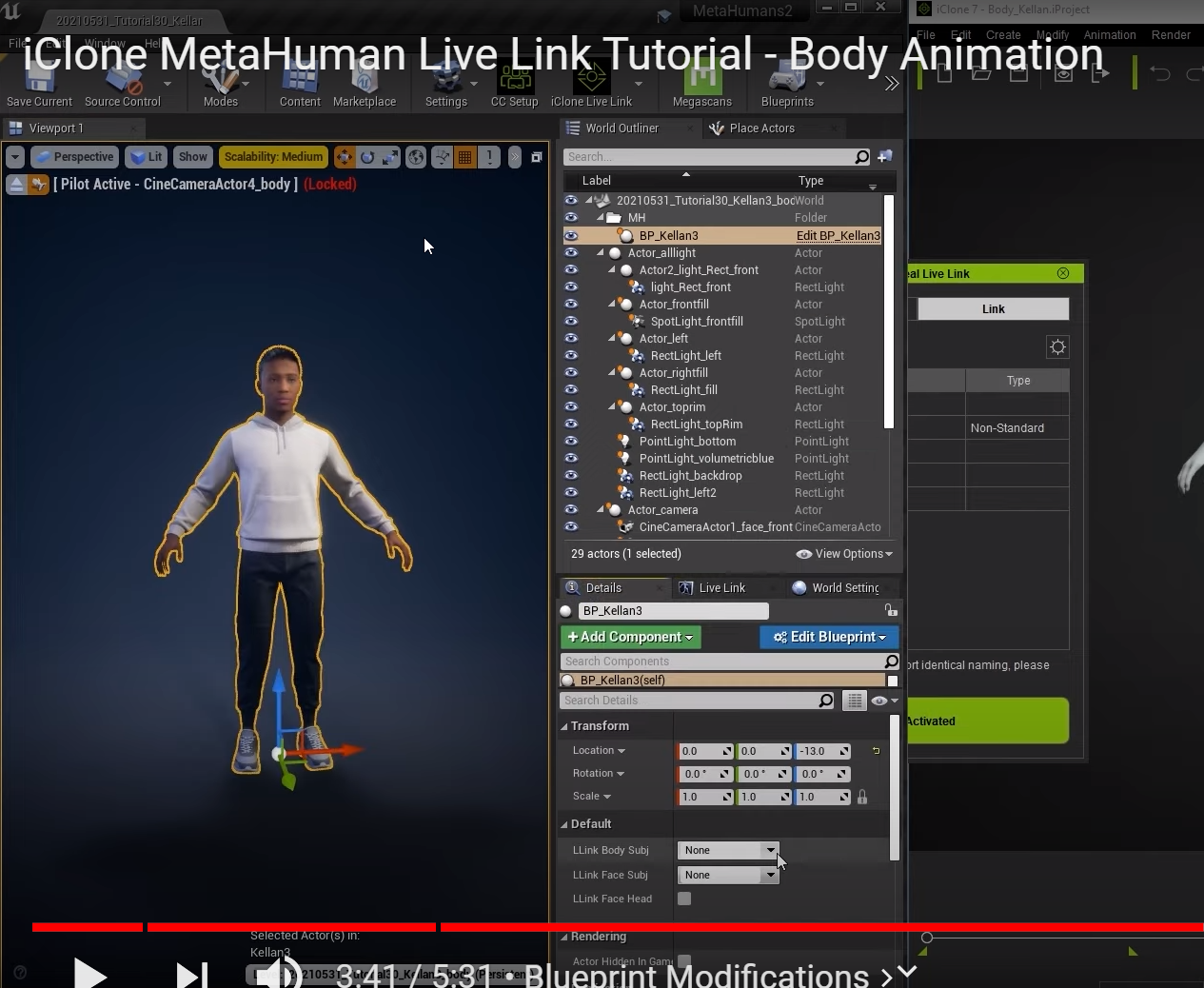
metahuman to iclone to unreal
 indigo palm
All... if you have a model, that upon shrinking it down to 50%, still don't notice any difference in size, then you just might have a model that is quite too big!
I kept thinking, why is unreal not respecting my settings? Then I put the original model in there and realized "oh crap, this thing is just way over the top"
sharp karma
Guys, these are my animations for target locked, see how both diagonals to the right look weird? How can I fix that?
All 4 movements and idle states are set in the same blendspace.
hard cedar
@sharp karma from what i can tell in the video, your forward right and you backwards right animations are swapped.
sharp karma
hard cedar
<@!466045672752283648> from what i can tell in the video, your forward right an...
Well, that's kinda the whole point. Those animations don't exist. The sum of Forward + Right and Backward + Right are done by Blendspace.
 craggy knoll
About Retargeting. The animation Data doesn't change right? From the Retargeted Animation.
Because I retargeted Animations from an Asset pack to my Character Skeleton.
After a while I added a Metahuman Character aswell and when I retarget the already retargeted animation of my Character Skeleton to my newly added Metahuman Character, does issues pass over from the retargeted Animation?
For example my Character Skeleton didn't had the exact pose as the Unreal Mannequin Skeleton and therefore fingers are a bit screwed, does this issue with the fingers pass over to the Metahuman retargeted animation?
 hasty thistle
does anyone know how to make asymmetric constraints on physics assets? for example the knee should be able to bend one way but not the other
 shell imp
Hey please I need help, I need to export the Metahuman .iAvatar from iClone to UE
But I need to choose the skeleton and there are so many:
😮
 craggy knoll
About Retargeting. The animation Data doesn't change right? From the Retargeted ...
craggy knoll
craggy knoll
About Retargeting. The animation Data doesn't change right? From the Retargeted ...
Okay it seems to actually matter. I didn't test the correctness, but the again retargeted animation on the Metahuman flips him by 90 degree.
When I retarged an animation that was made for my Character Skeleton, it is fine.
 formal minnow
i cant seem to figure out how to change bone transforms through code while having an animation blueprint
There is like zero documentation on this or its well hidden
regal orchid
hasty thistle
does anyone know how to make asymmetric constraints on physics assets? for examp...
You can rotate the constraints by clicking on them.
regal orchid
formal minnow
i cant seem to figure out how to change bone transforms through code while havin...
You can use the transform bone node.
I use that to rotate my character's spine instead of doing an aim offset for example. (The way old games often did it, but I do it since it is a first person game with a full body so it was simpler to do it like this)
formal minnow
but that is part of the poseable mesh component which does not has the option for an anim bp right
regal orchid
You mean skeletal mesh component?
All skeletal meshes can have animation blueprints to my knowledge.
I calculate the amount of pitch needed in blueprint (or code if you prefer) and feed it into that node. Dont worry about it not going into the pitch, that has to do with the joint orientations and varies for each mesh. (As far as I know at least)
 formal minnow
a skeletal mesh component does not have transform bone
that function is part of poseable mesh component
i think
and i'm talking about c++ btw
regal orchid
Never used poseable mesh components in C++ so I cant say. What is the difference exactly? They both appear to be skeletal meshes but are part of different hierarchies for some reason.
formal minnow
i think poseable mesh component is designed so you can change bone transforms
but it does not allow for an animation blueprint
so its like i either have the option to animate everything through code or nothing
regal orchid
ah, well I suppose it is more lightweight as a result. But unless you really need it I would suggest just sparing yourself the headache and use a skeletal mesh component instead, along with an animation blueprint.
formal minnow
yeah i have that but i just want to have a fire animation relative to the current position of the character (moving the arms back when firing)
and that would need a different animation for crouching, crouching while aiming etc
but only a few lines of code
regal orchid
you can just as well do that with an animation blueprint and/or control rig
but that is up to you. But I dont know anything about the poseable mesh component, but maybe someone else in here does.
formal minnow
let me look into control rig, idk what that is
regal orchid
in engine system for setting up controls to drive animation, both to animate like a DCC tool and runtime adjustments like IK.
hasty thistle
regal orchid
You can rotate the constraints by clicking on them.
Thanks but doesn't that rotate the reference frame with it?
regal orchid
hasty thistle
Thanks but doesn't that rotate the reference frame with it?
You mean the physics body itself? No, it stays put.
That way you can set up elbows and knees etc.
hasty thistle
no, what i mean is that the reference vector is still in the center for this body even though the constraint has been rotated
 hasty thistle
regal orchid
You mean the physics body itself? No, it stays put.
hasty thistle
regal orchid
You mean the physics body itself? No, it stays put.
for example here i can still rotate the knee backwards

this is what my setup looks like

 static falcon
@regal orchid how do you make your pins look like that 🙂
misty dagger
I did Layered blend by bone node to keep attacking while moving. Problem is now that when in Idle, not moving, id like to simply play attack animation alone. RIght now I attack in idle and lower body stays idle. Im thinking there should be check to see if locomotion state is idle then just play attack otherwise blend. But in AnimGraph I cant seem to be able to bring in branch node, how can i do that ?
here is how AnimGraph looks

 scarlet seal
Is it possible to adjust some animation timing with curves perhaps inside the UE4 ? or does it have to be done outside of the engine and reimported?
ashen junco
scarlet seal
Is it possible to adjust some animation timing with curves perhaps inside the UE...
Its doable, but not as practical as you might think.
regal orchid
hasty thistle
for example here i can still rotate the knee backwards
Are you rotating it with an animation or by enabling physics? Since it should prevent it from breaking the knee.
hasty thistle
physics
regal orchid
static falcon
<@!193682622432542720> how do you make your pins look like that 🙂
I use a plugin called electronic nodes.
hasty thistle
using the drag functionality in the editor
the limits work but they are symmetrical
regal orchid
hasty thistle
using the drag functionality in the editor
Well that drag functionality is a bit extreme and pulls very hard
Try just simulating the ragdoll
and have it drop down
hasty thistle
its very hard to know if its working or not
regal orchid
Simulate the ragdoll in its entirety and see what happens
 regal orchid
simulate it with no gravity, do the legs break right away? If so the constraints could be accidentally inverted
hasty thistle
the legs are able to rotate both ways
regal orchid
a "perfect" ragdoll shouldnt move at all when you simulate without gravity fyi
weird, looking at the pictures it seems correct
hasty thistle
with no gravity

can still easily be persuaded to break his legs

ill try flipping the constraints just in case
regal orchid
the legs bend both ways as if you didnt limit them?
hasty thistle
they have limits but as if the limit was centered
flipping doesn't fix it btw
there is a way to do this with the constraint components afaik but i can't figure out how to change the reference vector
regal orchid
take a look at Manny
His ragdoll has constraints and whatnot set up, maybe you are missing something? Hard to tell from here sadly.
misty dagger

Andyone knows how do i use this pose as a default pose or neutral pose in Maya?....
hasty thistle
regal orchid
take a look at Manny
looking at manny, it seems that they have somehow changed the reference point
 regal orchid
what do you mean by reference point? The location of the constraint?
hasty thistle
there is two red arrows
the reference point is where inside the constraint the arrow starts
you can see its pointing down here
whereas by default it is pointing to the center of the constraint
regal orchid
pretty sure that just depends on the joint orientation
and varies for each mesh depending on how you set it up
hasty thistle
you can see here if i rotate the joint it moves the reference point with it, effectively not changing the constraint

on that axis
scarlet seal
@ashen junco is it anim curves or something by any chance?
regal orchid
hasty thistle
you can see here if i rotate the joint it moves the reference point with it, eff...
hold ALT while rotating
I totally forgot you have to do that
regal orchid
I honestly dont remember. But I knew something was up when I saw your setup and it looked correct.
But yeah ALT and rotate to only rotate the movement ranges.
hasty thistle
yeah it works perfectly
regal orchid
Nice, mystery solved
hasty thistle
so weird but totally expected that its not mentioned anywhere in the docs...
ashen junco
scarlet seal
<@!325627930484932608> is it anim curves or something by any chance?
What? I forgot the context.
(consider using reply instead of just @ me)
regal orchid
hasty thistle
so weird but totally expected that its not mentioned anywhere in the docs...
Just make sure that the joint's forward axis (X in the case of manny) doesn't leave the red cone/area. Otherwise it will pop when you simulate.
hasty thistle
yeah
misty dagger
misty dagger
I want to separate the hands into separate mesh, but no matter what I do, I can’t get them into 0,0,0 position... on less that i use 'T0 As Ref pose”...

But the rotation will be break from the original mesh
Which leads to alot of problems
Really need some help here....

Its seems already at 0,0,0
but i do still need to set "T0 As Ref pose" to make it at 0,0,0 ....

With out "T0 As Ref Pose"....
In blender its also at zero point ....
 formal minnow
What am i doing wrong here, setting up basic ik for the hand in control rig? Its doing some weird shit. Also, should bone A be the starting bone of the arm (the shoulder) and bone b be the second bone (rightarm), or should bone B be the last bone (rightforearm) before the effector bone?

 nova mantle
my character is not rigged so well and has like "artifacts" in certain animations, i tried to change it in blender but while it works inside blender its not workin in unreal
does any 1 have any ideas?
 covert hollow
Probably a total newbie question here, but I'd love if someone could point me at what I'm doing wrong: I'm setting up an aim offset, and I've got all the animations (all additive, mesh offset, etc.), but after I drop the first sample onto the grid it won't let me drop any more (I can drop any of the anims I have as the first sample). Can one of you fine folks point me in the right direction?
Edit to add: If I try replacing my new aim anims into a copy of an existing AO, it lets me pick one of them, but when I try to change any of the other samples after that only non-additive animations show up in the list of choices. I don't see any differences in the settings on the anims themselves between the new ones and the existing ones, but maybe that helps narrow it down?
regal orchid
formal minnow
What am i doing wrong here, setting up basic ik for the hand in control rig? Its...
Check joint orientations. Your custom mesh probably has different primary and secondary joint axes compared to the default settings.
misty dagger
I have a question about mannequin skeleton rigging. Is there a guideline on what to look for when rigging a character complete from 0 in Maya to the Epic Mannequin Skeleton, to support the animations? I found the ART but it seems not supported anymore for newer versions? Is there anything new or something, couldn't find much about it?
Maya 2022
UE4.26
 near mesa
Hey y'all! So I have a custom character exported from CC3.. I was using rokoko and live link for mocap/face
But now I want to do more traditional animation with rigs so I created a control rig! Now the face has no control!
So my question is if it's possible to combine livelink face and control rig?
 brazen wharf
is there an easy way to set the character to reference pose (and back, without resetting the anim instance)?
nova mantle
my animations work fine if i open the animation asset but in game are distorted, any one seen this?
 vapid fossil
hey guys sorry if this is not in the right subform. I have a camera bone, however eachtime i attach the camera in ue4 to the bone it messes up looking up and down as the camera is attached to the arms rather than the other way round so i can uyse the bone. Attaching them the other way round doesnt place the camera where i like and doesnt seem like it lets me move the camera in the right place? hard to explain but yeah it just doesnt work hahaha. any solutions to this?
 lean stone
hey everyone, i'm trying to use a metahuman head mesh and its control rig inside a plain actor blueprint; and i'm connecting them with add mapped skeletal mesh in the construction script - however the mesh isn't animating when i'm setting new values to the rig controls
has anyone managed to do this through a blueprint, e.g. setting "CTRL_C_Jaw" with vector2d 1.0 1.0 using the face control rig of metahuman?
regal orchid
vapid fossil
hey guys sorry if this is not in the right subform. I have a camera bone, howeve...
If what you are saying is that you can't use your mouse to look around when the camera is attached to a bone. Then that is simply because the camera gets its transform from the bone it is attached to. You need to animate the bone you attached it to in order to look around then.
For example in my case depending on input I rotate the spine of my character so I can look up and down.
vapid fossil
ohhh lawd jesus that makes sense! srry for the noob question im new to bones and how htey work xD
 clever shore
is it possible to edit existing animation asset using control rig ?
I have already copied the control rig from sample project.
tender flicker
hey does anyone have any idea why using the copy bone node causes some weird issue, basically I a virtual bone that is parented to the root and after doing some spine adjustment and stuff depending on my players pitch, I copy the head to VB head bone, however when I print the transform it gives me the wrong results and the my animation looks off by a few degrees
LogBlueprintUserMessages: [BP_AnimInstance_C_0] head: P=3.546009 Y=-0.000033 R=89.999992
LogBlueprintUserMessages: [BP_AnimInstance_C_0] VB head: P=-86.453697 Y=-0.000101 R=0.000095``` bronze osprey
mayB the head socket is not at 0.00
brazen wharf
tender flicker
hey does anyone have any idea why using the copy bone node causes some weird is...
well, the head socket isn't probably attached to the root. did you copy the relative or absolute rotation?
tender flicker
@brazen wharf copied the rotation and location in component space
formal minnow
Can anyone tell of my primary and secondary axis are correct? idk what they are

or just a link to where basic ik pins are actually explained
 iron wedge
I need help blending my animation together can anyone help me please.
regal orchid
formal minnow
Can anyone tell of my primary and secondary axis are correct? idk what they are
Based off of your picture -Y appears to be your primary axis at least
formal minnow
oh yeah ty -y prim and x secondary fixed it
tender flicker
hey, has anyone implemented this with a true first person camera?

Patreon: https://www.patreon.com/SneakyKittyGaming
Discord: https://discord.gg/VUJKzE3
In this video we setup the AnimGraph to perform the needed bone alterations to move our optic to the center of the screen.
I'm trying to do it, I basically have the VB sight parented to the head bone, and I modify the characters spines/neck/head bones with the control rotation pitch to make it look up and down
however my weapon sight get's slight offset when I look up and down
i think between -40 <-> +40 pitch seems to be ok, and it looks like the weapon just can't reach the angle but I'm not sure why
the spine is getting adjusted fine
 ripe yew
If I hold a key I want to play anim montage repeatedly from start to finish. Let's say the anim is 2 sec long.
How can I do that>
tender flicker
@ripe yew https://www.youtube.com/watch?v=200-D0A3ntU&list=PLhf5YCdusazmDTAEdV5jDhKWeGE1iqF2X&index=19

(00:05) - Intro and Hugh Jackman analogy
(02:30) - Adding a Custom Event
(04:49) - Adding Anim Notify Events
(06:32) - Telling Montage to jump to Sections
(07:55) - Calling punch Custom Event and wrap up
don't know if this still the best way to do it but if you start from part 17-19 it explains a lot of it
 regal plaza
Hello, I'm currently trying to animate a simple human through Blender (2.93.1) using Rigify. I transfer the mesh and skeleton with animations through the unreal blender tools addon to the Unreal Engine (4.26.1). The creation of a metarig through Rigify and animating the bones of the metarig directly through blender seems to work correctly in the Unreal Engine. However, if I generate a Rigify rig (metarig > Generate Rig) and animate the IK bones of the metarig, Unreal Engine shows strange results or empty animations for those animations or even crashes regularly.
Is my animating workflow correct like this or does the Rigify rig has to be converted back somehow?
On importing the Rigify rig (not the metarig) the Unreal Engine warns about > Imported bone transform is different from original. Please check Output Log to see detail of error., however I applied all scales already and importing the original metarig works just fine.
I'm stuck on this issue for multiple days now and I would be really happy if anyone could give me some input on this. Thanks in advance.

 charred steeple
Hi, guys. Can i add meshes to Blender when animating, to get better picture of what im doing? Like add a sword to character, just to see how will it look with sword model. And then export it just as animation for my character?
 tribal acorn
i have a question about additive animations
 steady hatch
Would anyone be willing to help me fix this problem?
Whenever I hold shift to walk - my walk animation won't play. Instead its a run animation going at walk speed xD. Anyone know how I could fix this?


 haughty finch
Might not be the best place for this, but say I have a character with an inconsistent walk animation, such as a limp where a very short pause follows each step. How would I make it so the movement speed matches-up with these short pauses?
 marsh siren
Is there a way to do like keyframe animation? I want to make a short cinematic and want to use keyframe animation for it and if so can i do it with the Epic characters from the marketplace
 elfin bridge
Does anyone have any suggestions for getting root motion to work in the animations used in a cinematic timeline?
I want my character to move along whatever path the animation takes instead of walking in place
 full pumice
I made a small combat system but when I hit the combo multiple times it seems like there's a delay at the end and it keeps play instead of stopping?
ashen junco
marsh siren
Is there a way to do like keyframe animation? I want to make a short cinematic a...
I'm not sure what you mean by "keyframe animation". Every 3D animations going to have keyframes anyway.
ashen junco
haughty finch
Might not be the best place for this, but say I have a character with an inconsi...
Use root motion for that.
ashen junco
elfin bridge
Does anyone have any suggestions for getting root motion to work in the animatio...
Do you happen to separate the root motion out of the anim sequence?
elfin bridge
I tried to but couldn’t get it goin, and I wasn’t sure if that was the most streamlined way to do it. With the characteri had even after separating the root motion out the character didn’t move @ashen junco
nova mantle
is there a way to exclude bones from an animation?
ashen junco
nova mantle
is there a way to exclude bones from an animation?
Look for animation slots.
nova mantle
i managed to fix it with a layered blend per bone
 frozen stag
is there a tutorial somewhere online that properly explains how to setup fps animations with sockets without having to rotate and offset the sockets manually in the engine
All the tutorials I find online people are manually moving and rotating the sockets in engine which seems completely wrong.
 remote elm
@tender flicker im Sneaky Kitty, yes i have. so basically instead of setting up your virtual bones from the root you do it from your head bone instead

 bronze osprey
@scarlet seal


just expose everything as pin
and plug a timeline or some other shit in there
marsh siren
ashen junco
I'm not sure what you mean by "keyframe animation". Every 3D animations going to...
I guess i mean posing im basically trying to make a short film
ashen junco
marsh siren
I guess i mean posing im basically trying to make a short film
Oh, well, you could animate in editor using Control Rig.
marsh siren
ashen junco
Oh, well, you could animate in editor using Control Rig.
Do you know any good tutorials for that?
Sorry very new
ashen junco
marsh siren
Do you know any good tutorials for that?
I'm in the process of writing my own, but in the meantime, YouTube has a few good tuts to get you started.
marsh siren
Fair enough i will go look!
bronze osprey
@marsh siren the marketplace has an example made by epic for free
marsh siren
bronze osprey
<@!232380644829822977> the marketplace has an example made by epic for free
Let me look for it
marsh siren
bronze osprey
<@!232380644829822977> the marketplace has an example made by epic for free
Is it the control rig mannequin?
bronze osprey
i think so, if the dev is epic and its free than yes
 dawn marsh
Throughout my time in school and during the making of my bachelor, I was told by my rigging instructor, that for game projects, you should always keep a clean gameRig skeleton for your exports. This means, you may have a fully fledged IK/FK-based rig for animation, but a secondary basic constrained skeleton made from all skinned bones which should be used for baking the animation and exporting.
I assume this is for rig optimization and cleanliness - however, how much of an effect on performance do these un-skinned left/right/IK/IK-target etc etc bones have on a game rig? Is it a bit of an unnecessary hassle to go though the animation rig -> game rig process?
I have been considering using dynamic IK-solvers for my in-game rig as well, where the full animation rig can come in very handy
bronze osprey
the IK rig in ur DCC might not use the same math as the one unreal uses
I know IK constraints in blender wont export to unreal
you can still use IK in unreal using control rig or some BP nodes
or add extra bones
you can export extra bones if you like tho, bones w/o weights on em wont cost too much
hell if you plan on using some IK, in all ur rigs you could add em to ur default import skel so u dont have to change ur rig in engine everytime, downside is if you use another rigs you have to add the bone there and set that up and the same rig wont work for both skels
if you plan on using only your custom rigs/animations you can do whatever, if you use unreal/ marketplace stuff you should use unreals standards
 real orchid
Is it possible to add a virtual bone to the root bone? When I try and do this in the skeleton editor nothing happens : (
bronze osprey
i think it is, does it end up on the bottom of the bone list?
 opal jackal
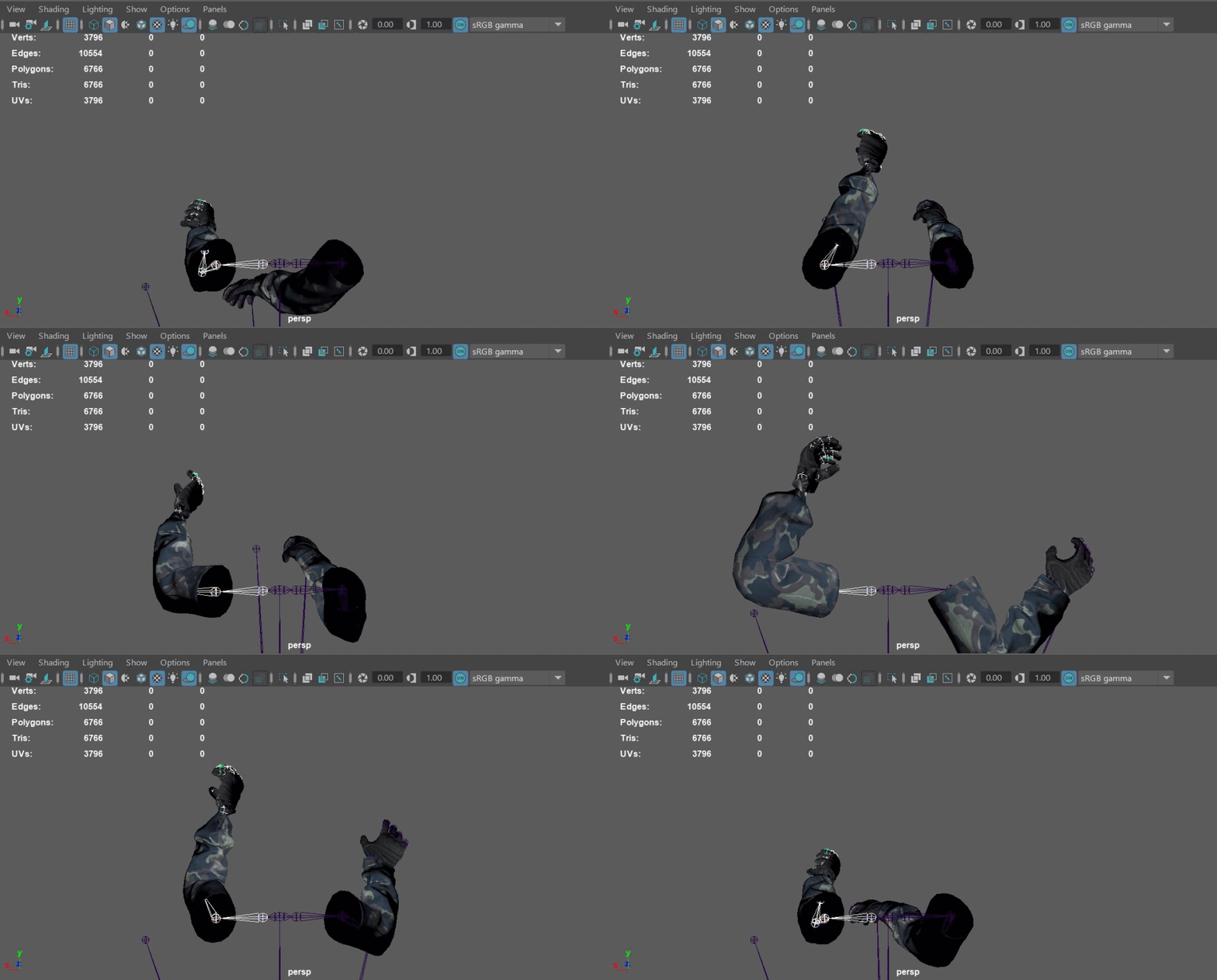
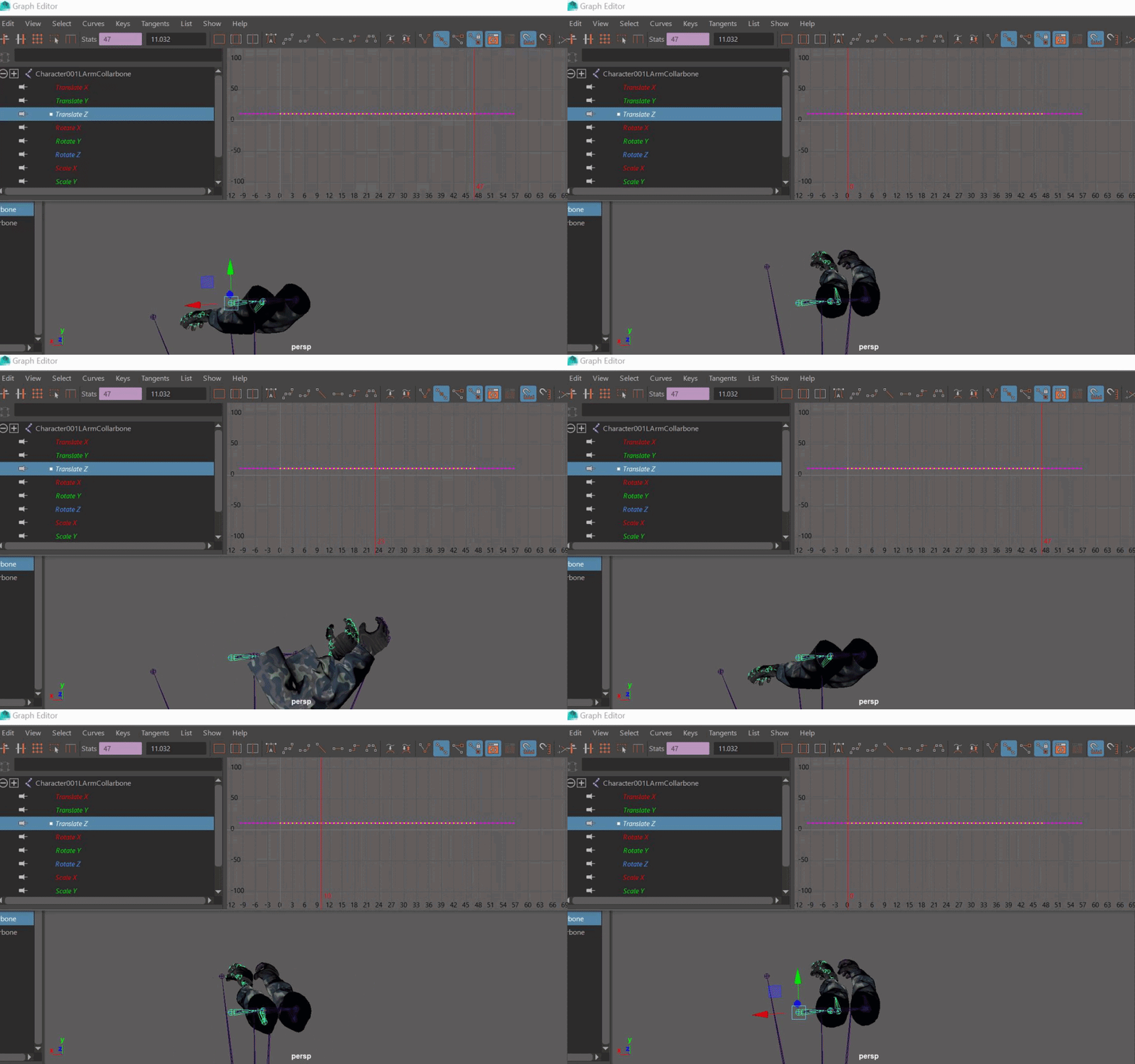
Does anyone know how to mirror an animation from my right arm to my left arm? For example on my 1st person arms, my right arm is playing a throw animation, how can I make my left hand play the same animation? I tried copying the key frames in the graph editor in maya but it just moves my left arm to the same spot as the right arm.
bronze osprey
np, it was a semi guess, i was pretty sure i added virt bones to root b4
@opal jackal local transform and multiply the x by -1?
well i never used maya, they should habve some mirror button somewhere
opal jackal
IDK I was looking but I don't think they have one. My left arm is all kinds of messed up hahaha https://i.gyazo.com/238e49a1bdebfe0df9abe6aaf903b6b4.gif
 bronze osprey
they have one must be, i made my own in unreal once so if they dont their anim stuff is complete trash 😛
opal jackal
I mean I have blender too, I just don't know how to use it all that well. I'm open for any suggestions to flip the anim. I just want my left arm playing the anim instead of the right.
bronze osprey
depending on orientations it should have the same transfoms just one axis is - or +
if the root is at 0.0.0
so if u stop at any frame and u copy all rotations to the other arms and than 1 axis, prolly X u make from positive to minus it should be a mirror pose
but.... forget all that and find the mirror button it shoulde be there
opal jackal
It says something about maya having bonus tools in order to mirror or something. That's what I see online
bronze osprey
i just dont know what to say about that
if you duplicate the whole thing and set scale x -1 it should have the same mesh doin the anim flipped
like its that simple
opal jackal
Yea I have it duplicated but I'm struggling to figure out how to set the scale to x - 1 for the entire thing
bronze osprey
look at the size of the mesh and add a - to the x scale
opal jackal
For some reason it's on the Z-axis so I doubled the value of the first bone just to see if it moved it to the correct location and it did. But IDK about the rest. It's still acting like the right arm. https://i.gyazo.com/ced1efb0cab75c45550579909cc42c8d.gif
 bronze osprey
only 1 arm got scaled
also this is not the way to fix it
more of a demo to show how a mirror works
opal jackal
So I should go find these magic Bonus tools for Maya and try using the mirror tool?
opal jackal
You said you did it in Unreal? Is it hard to do or use something special?
Oh lol
You can flip it in unreal?
bronze osprey
dunno if its in there by default, or if you want the anim baked
the performance cost is super tiny, but if many anims needs flippin it could bring spaghetty
bronze osprey
like ur gif is a perfect flip on 1 arm other than 1st arm bone x location should go -1
opal jackal
Yea the location and rotations are all still backwards, but it's playing the animation.
bronze osprey
but there should be a mirror button on default maya, like how can there not be?
opal jackal
IDK I keep finding all these mirror tools for maya made by people but they cost money. Like $30 a piece
bronze osprey
but its so simple you cant call it math and you cant call it programming
its multiply by -1
opal jackal
I know right. I'm not paying for that stuff. I'm going to figure it out. It's just a disconnect between me and Maya. I just don't know what to click to make it do what I want lol
bronze osprey
if you import the anim you might be able to set scale on the anim to -1 on x
but you sockets and items attached will also be -1
wich is fine until you have some item and do a set scale
@opal jackal come to think of it the import options screen unreal has a transform section and u can scale it -1 in there, it wil flip the anim and set that as 1.1.1 it should be perfect
opal jackal
@bronze osprey You are a genius! I love you. 🤣 This seems to work perfect. Thank you so much
bronze osprey
yea i should charge 30$ for this shit 😛
opal jackal
Lol Yea I know right! Sell it on the UE marketplace called "Mirror animations toolkit" but it's just a notepad file with those simple import instructions 🤣
bronze osprey
yea just keep it in mind ,scale by -1 can do some other fancy stuff aswell
like u can do 1 arm -1 and do double trow or to fit an item to left hand
misty dagger
If I cant use anim montages in an animBP, how do I go about adding stuff to the animation how I would do it in a montage?
like adding footsteps etc
bronze osprey
anim notify
opal jackal
Yea that's going to be the tricky part because all my items and weapons are attached at sockets but now they are going to be backwards
bronze osprey
scale em by -1 on attach
well you know how a mirror works now so it should be less of a problem
opal jackal
Yea I'll have to come up with a way to know when to do that because I'm using a mix of flipped and not flipped anims now. But yeah it'll all be good. 🙂
misty dagger
ah I see thanks
bronze osprey
np:)
well if you scaled im in the import options the should be 1.1.1 and not flipped
misty dagger
do you know by any chance why my ragdolls are all fucky?
bronze osprey
prolly ur physics asset, but i gotta log
static falcon
How would you guys recommend handling attachable skeletal meshes that need to use the same animation, like a robotic arm for example... should I use "copy pose from mesh"?
 dawn crane
I want to start making my own animations for my character and all, would there be good tutorials to start learning?
Does anyone have a good tutorial or udemy course i could learn from?
tender flicker
@remote elm it was the spine rotation that was messing up, I was using the alpha to set the rotation of the spine1,2,3,neck, head to be a multiplier of the control rotation which was messing it up
ripe yew
How can you use root motion anims and play montage to create movements?
dawn crane
ripe yew
How can you use root motion anims and play montage to create movements?
there are a lot to cover, better check tutorials on youtube. just type "Ue4 Montage animation"
 crisp needle
Anyone worked on Paragon: Countess travelmode Jump animation? I'm having problems with her TravelMode_Jump_Recovery(additive). It looks like this.
Is there a way to fix that turn in the end?
This is what I'm using in her jump recovery state

in here

 potent edge
Hello, why do I not see my character and it's animation here? I imported an fbx with skeleton and animations from blender
 potent edge
I can see the animation working perfectly in windows' 3D viewer app
I can also see the bones up in the animator, but not the mesh
here is the animation if it's easier to help with the actual file
crisp needle
Getting this weird mesh when setting up aimoffset

The poses are fine if viewed seperately but once I put them in Aimoffset, this weird mesh starts moving in circle, any fix?
I restarted and can't see the mesh at all(only in the aim offset)
 paper gazelle
Hello lads, I'm using ControlRig and I want to change the expression of my robot. What is the best course of action? I know you can make a slider with steps to change the face but I don't know how to make it nor how to set up the materials (if I need multiple materials or if I can make a map selector inside of one material).
Could you please help me?
static falcon
Is this not explained in the Youtube series?
static falcon
Didn't get an answer when I asked before. Anyone know how to constrain a physics object to a bone so that skeletal animation will move it? Trying to attach a dog leash to my dog's collar but currently when his head rotates, it won't follow
 ocean wharf
Is there a way to bind mesh to spline, and use keyframe animated spline to drive the mesh animations?
static falcon
yes
Hang on do you mean animate the spline points or animate the object along the spline?
Probably either is possible tbh
ocean wharf
I want the mesh to follow the spline, animating spline points with keyframes.
ashen junco
ocean wharf
I want the mesh to follow the spline, animating spline points with keyframes.
Not necessarily binding to spline, but a spline would be visible if you make transform keyframes to an actor.
 copper sigil
Hey folks, I have a character which has a bunch of morph targets, one of which changes the size of the head. I've also (in blender) got another morph target/shape key for the eyeballs to match this head size adjustment, however for whatever reason, when importing the whole lot into Unreal, the eye-specific morph targets are not showing up?


It's only showing the body mesh shapekeys, not the eyeball ones 😦
CC_Eyes_Head_Narrow
CC_Head_Narrow
CC_Eyes_Head_Wide
CC_Head_Wide
These are the two sets that match the scaling adjustment
But only the body ones are showing up. I've tried naming the eyes ones the same, but that doesn't work. I've tried having them separate and controlling them together, but that's no good either
ashen junco
copper sigil
Hey folks, I have a character which has a bunch of morph targets, one of which c...
Generally I'd scale the head with just scaling the head bone directly.
copper sigil
Sadly it's not really head scale, but proportional change
And now with the added head wide/narrow stuff, the eyes are left behind (same issue with mouth interior, but that's less of a concern immediately)
My thought is that because the meshes are separate in Blender (Eyes and Body) when it's imported, it's not getting the eye shapekeys/morph targets when they are combined on import
ashen junco
<@&213101288538374145>
 silver bridgeBOT
:no_entry_sign: F̷́̎O̴̺̒X̸̅̒#6834 was banned.
paper gazelle
static falcon
https://youtu.be/y2WzNvJZk0E?list=PLwNmoyWCxgGxNnIutI75kyI4mbA_Ku6xb&t=938 <@!28...
Thank you ❤️
 noble dagger
Is there a built-in way to get the time elapsed ion teh current state in an animation BP state machine? clearly there is that data somewhere, as the editor has access to it, but is it something that you can access in a tansition rule?
noble dagger
noble dagger
Is there a built-in way to get the time elapsed ion teh current state in an anim...
current state time -.-
ocean wharf
What are the preferred axis of UE4 bones? Which axis is forward, and which is up?
 tacit rivet
help guys im having problems importing the animation

nvm i got it i forgot to rename the skeleton
fringe oriole
when I import an animation from maya, it comes out Slower than the original
is there a way to fix that?
 somber tangle
Should I have a NEW skeleton for just the arms or do I want to use the same skeleton I used for the third person animations and just only use the arms?
My blender skeleton is just the arms
static falcon
If you can make it work with the same one, it's definitely nice, but you might want additional joints or functionality on the first person one
And if you swap them out, then you won't be able to have a smooth camera transition, if that matters to you

Can't get my montages to stop
fringe oriole
I have a simple animation that consists of a couple rocks moving around in a very simplistic manner, yer for some reason it keeps crashing when I try to import it
ashen junco
fringe oriole
I have a simple animation that consists of a couple rocks moving around in a ver...
What's the crash log has to say about it?
(consider posting it in #ue4-general, I'm not really educated on sight reading callstacks)
fringe oriole
let me check....
somber tangle
Obviously this is just a placeholder animation for testing purposes but I accidentally didn't change it so the animation rotated up and down with the character and I'm kinda wondering if people think this might be a good way to do first person? IE when you look up and down the blade doesnt rotate up and down with you (which is more realistic). Can't think of a game that does it this way

and idk what music I was listening to this is like 3 hours of random youtube autoplays
 deep token
How can I make my character physically drop the magazine after the reload animation played?
somber tangle
Well actually if you enable physics on a component in a blueprint it will just fall to the ground. I assume you will have it disapear after a while and not save it in memory so shouldn't be a problem just doing it that way, even if its a bit crude
deep token
but it's a part of the skeletal mesh of the gun, not a separate component
ashen junco
deep token
How can I make my character physically drop the magazine after the reload animat...
You could cheat it by replacing the mag with the physically simulated one when it seems to detach from the gun, and match the impulse from your animation.
It's like magic tricks tbh
 median isle
anyone ever had an issue with the frame scale?

Animation in blender was 60 frames long (30s tempo)
deep token
ashen junco
It's like magic tricks tbh
yeah, sounds good. but when I tried doing that, it looked a bit choppy
median isle
also the animation is working as intended but... it's weird lmao
ashen junco
deep token
yeah, sounds good. but when I tried doing that, it looked a bit choppy
You don't have to be super precise about it.
For reference, slow down a demorec of you reloading in GTA V.
deep token
ashen junco
You don't have to be super precise about it.
For reference, slow down a demorec ...
I just thought there was some more elegant way on doing it. But thanks anyways
ashen junco
median isle
Animation in blender was 60 frames long (30s tempo)
Blender is weird for animating purposes tbh
median isle
tell me about it
making the best of it atm hahahahaha
ok I reimported it and it's fixed /shrug
just ignore me
ashen junco
deep token
I just thought there was some more elegant way on doing it. But thanks anyways
In practice, players rarely going to notice.
ashen junco
median isle
tell me about it
Honestly I'm now making animations directly in Unreal Editor.
median isle
yeah I setup some export presets so I don't have to think anymore
I wanna try it on my next game
will setup control rigs
in UE5
ashen junco
Control Rig is already usable in 4.26
median isle
yeah but it's more a schedule issue, can't stop production to switch now hahahahahha
but i'm super pumped to try it
ashen junco
Just try it nonetheless. Control Rig has so many potentials (that I have yet to properly document)
median isle
I sure will, ty!
Off the top of my head I can think of IK legs and maybe an eye tracker
so movement gets adjusted on slopes, etc
and really just making animation in engine will save a lot of time
yeah wish they'd make a few more rigging videos
like
"how to setup IK chains"
squash and stretch
etc etc
hahahahahah
ashen junco
Also how to practically use it in runtime.
At the moment I'm still taking blind stabs as to how to do it properly in runtime as a modifier.
median isle
yep, agreed
ashen junco
Epic do talk about the potential use case for it in the GDC '19 talk but that's about it.
I think I still need to practice on translating Idolmaster texts before going turbo nerd translation with the talk 😅
I know both kana letters. Still lost on kanji tho
somber tangle
@median isle Prob a blender export vs unreal import problem
I recommend using NLA tracks in blender and then importing "Animation Time"
You have to make sure you dont "export all actions" in blender or youll get an extra animation and all your animation tracks need to be nla tracks so its kinda annoying but the only way ive found to cleanly import/export between blender and unreal
ashen junco
I also do sound design so I think I'm good.
Just have yet to hone real time translation as good as my English.
Alright, ありがとう for the tip.
fringe oriole
what is going on now!?

For some reason this animation is only visible from the bottom
but when I tilt the camera over it, I can only see it's shadow
somber tangle
Not following, can you provide more context?
fringe oriole
below

above

do you know whats going on?
weirder still, the top view works in the preview thing
 tacit rivet
Hey guys i have a question im attempting a third person game and im currently following the animation in the fps shooter. However my animations like walk forwards and backwards instead of in-place like virtus. So im just wonder if i have to tweak something.
https://www.youtube.com/watch?v=RPdPmys9JWY&list=PLL0cLF8gjBprG6487lxqSq-aEo6ZXLDLg&index=6 (Timestamp 11:50)

Today we take a look at how we can import a customer character and set up the animations. We go over step by step how we can begin creating the animation blueprint and animation blendspace to start bringing our character to life.
► Resources: https://www.devsquadacademy.com/resources
Unreal Engine 4 Beginner Tutorial Series:
https://www.youtub...
 brisk beacon
where did you get the animations?
if you got them from a website, there is most likley a way to make it in place. like mixamo
 onyx geyser
hey guys, I got an animation which moves the character a few steps forward and then after it's done it will relocate the character to the place it was before. how can I update character location so this doesn't happen ?
 inland ridge
what is the best way to blend 5-6 different hand poses, without having an idle one? I mean the hand might go from A to C or B to D, not A to idle to C
regal orchid
onyx geyser
hey guys, I got an animation which moves the character a few steps forward and t...
Root motion?
onyx geyser
but It's said that it shouldn't be used in a multiplayer game
also I get a strange behavior, the character kinda bends to the sides
regal orchid
I haven't used root for motion much myself but I don't recall there being some warning about using it in multiplayer.
 young urchin
Greetings!
Is anyone working with groom in UE4?
 shut kraken
inland ridge
what is the best way to blend 5-6 different hand poses, without having an idle o...
shut kraken
inland ridge
what is the best way to blend 5-6 different hand poses, without having an idle o...
State machine?
somber tangle
Anyone have any luck setting up a camera in blender to mimic a camera in UE4 so my animations look the same for first person? I converted the FOV in blender's to a focal length but there's another setting called the sensor fit size which I've tried messing with but never got something that lines up in all circumstances.
tacit rivet
Anyone know a good bow and arwow video?
 spiral tendon
Heya guys, newbie here (I'm familiar with state machines knowledge etc)
This is the base graph of the third person's default anim bp, and I'm trying to add another state machine that represents the "holding a weapon" state machine so I can switch between them. How do I exactly have an "if" statement here to switch between state machines?
 static falcon
There are lots of blend methods, but for something that just wants to be on the upper body like holding a weapon, you want to use anim slots and layered blend per bone
 spiral tendon
I see, you cache the state machine and then use it in the layered blend. Makes total sense, thank you! I'll get to work
Was missing the point of caching the animation but this simple example clears it
static falcon
Or if you do have separate runs with a weapon held, you can make another state machine like you said and use blend pose with a boolean to swap
spiral tendon
static falcon
Or if you do have separate runs with a weapon held, you can make another state m...
That's more like the setup I have. I'm adding the Starter Animations you can find on the epic store for free
static falcon
 spiral tendon
Perfect, thank you!
 dark vortex
Is there a trick to seeing what is a good walk/movement speed to match with an animation? Surely there is a value there somewhere
like a "Optimal movement speed for animation?"
 elfin mantle
dark vortex
Is there a trick to seeing what is a good walk/movement speed to match with an a...
elfin mantle
dark vortex
Is there a trick to seeing what is a good walk/movement speed to match with an a...
Usually it's best to use root motion for this. Does your animation not have any root motion?
 jovial panther
Root motion from general locomotion animations is not recommended. That would require you set "root motion from everything" which is not supported in multi-player. You will get prediction corrections and general glitchiness.
See https://docs.unrealengine.com/4.26/en-US/AnimatingObjects/SkeletalMeshAnimation/RootMotion/
A look at how root-based animation is handled within Unreal Engine 4
dark vortex
elfin mantle
Usually it's best to use root motion for this. Does your animation not have any...
I mean I have it set to "use root motion"
dark vortex
jovial panther
Root motion from general locomotion animations is not recommended. That would re...
Not using multiplayer, and all the animations are on the AI
dark vortex
elfin mantle
Usually it's best to use root motion for this. Does your animation not have any...
So, I want to make them run faster or slower, to vary it up - but sometimes it looks wonky so I'm looking for better ways to change their speed to make them look like they are in a hurry - but sometimes, for example, the jogging animation, I want them to actually move slower, like a slow jog (they are crossing a street in my example)
jovial panther
I use a plug-in called strider to do stride warping for making the animation match the movement speed. Outside of something like that you can get a little mileage out of varying the play rate a bit but that breaks down if you go too far with it
tacit rivet
hey guys how would i add a bow shooting animation to this model with a click of a button
 misty dagger
static falcon
misty dagger
static falcon
hey, do u know a tutorial for that?
regal orchid
misty dagger
hey, do u know a tutorial for that?
The official unreal documentation covers all of that quite well.
regal orchid
tacit rivet
hey guys how would i add a bow shooting animation to this model with a click of ...
Same goes for this. But you can also look up basic animation blueprint tutorials on youtube if you prefer. There are loads that show you how to trigger animations based on input.
 finite palm

How can I remove this non-animation which is not EntryAnim ?
I have one animation and it's not the one currently greyed out in the timeline, I don't know how I did this but this one is a ghost I can't delete it
static falcon
misty dagger
hey, do u know a tutorial for that?
No, but maybe I can make one
Actually, here you go: https://www.youtube.com/watch?v=vZYrc35m3uM
https://youtu.be/YVC-DL9Ibf0?t=3912 this one's probably even better
misty dagger
Perfect, thanks 🙂
 proven badger
Would anyone have a good resource, be it youtube, blog, or official docs, on the relationship between the skeleton asset and an animation? I have three copies of the same mesh, with identical skeletons and one has some animations. They all have their own skeletal assets, but the one with the animations is from a resource on the marketplace and I don't really want to use it if I can avoid it because one of my other meshes has a lot of work done for VR IK's. I've tried retargeting the animation, but the dialog for "Duplicate Anim Assets and Retarget" won't show any other meshes / skeletons to target. All the skeletons are based on the default UE4 Mannequin and have identical bone hierarchies.
To note, I'm a programmer, not a modeler or an animator, so I'm coming at this completely blank slate and may be going about it entirely wrong as well.
I've also read a fair bit of the docs on the official site, just to note.
ashen junco
proven badger
Would anyone have a good resource, be it youtube, blog, or official docs, on the...
Simply put:
Skeleton is bone hierarchy data for animation assets to animate. (though it can also contain additional float data)
As for retargeting stuff:
You have to assign the matching rig for the retargeting to work.
If you're not fancy retargetting, you could look into Control Rig for soft retargeting solution. (which I'm still banging my head on)
The problem with the old, hard retargeting is that many things had to be precise, and not to mention can cause management hell with a lot of duplicate anim sequence/BPs.
Can you download the slides for me? I don't like signing up to LinkedIn 😛
I want to download it as PPT and run the texts through DeepL, but SlideShare requires LinkedIn for download.
proven badger
@misty dagger From what I can tell UE4 seems to link most of the assets to the skeleton, if I were to have a situation where I needed the same mesh but different behaviors from the animation graphs, (First Person / VR Full Body) how would that work with a single skeletal asset? Would you generally just split it up with an if/then type sequence or something of the sort?
Oh, I think I see. I was misinterpreting the GUI I think. The linked assets are just the related assets, not what's actually being used by the skeletal mesh itself.
ashen junco
Basically bogged down to this:
Skeleton is bone hierarchy data for animation assets to animate.
You can have a skelmesh just using some of the bones or introduce new ones in a skeleton, so long as the bone hierarchy is preserved.
proven badger
Ok. I appreciate all the feedback. I'm going to try poking at things to see if I can get this working then.
 solemn kestrel
Hey all, I was wondering how i can turn off the looping behavior for an animation sequence? I can't seem to find any tick box for looping in the editor, and there are no AnimGraph Nodes. What can i do?
ashen junco
Snap, I don't have heart memory on that, might have to reopen my editor to crosscheck
proven badger
That got me to where I needed, thank you both for the information. I'd read that all several times but the editor GUI had me confused on it again. Once I started thinking of it all separately again and found a checkbox I'd missed it started behaving like I expected based on what I had read.
dawn crane
Quick question, I'm a total nub in everything and im at the point i got to make my own animations before proceeding with everything else in my project : i heard maya/3ds had big learning curves, so i was wondering, am i better to learn mixamo, or maya/3ds. since ive heard more about mixamo than maya itself
ashen junco
dawn crane
Quick question, I'm a total nub in everything and im at the point i got to make ...
Mixamo is just auto rigger tool (and not really suitable for UE4 anymore) and animation library.
dawn crane
so id be better with maya?
would you happen to have a link, i dont know the domain to go and acquire maya
ashen junco
dawn crane
would you happen to have a link, i dont know the domain to go and acquire maya
I'm a Blender (and Control Rig) user.
static falcon
I use Maya but if I was starting now I'd go Blender
inland ridge
dawn crane
oh wow.....i just checked.......expensive...
you can get the indie version at 350 E per year. but no point if you dont need it for job/work, just use blender
bronze osprey
the UI is supposed to suck to force hotkeys on people
static falcon
I'm just hopeful for its future... and want to rid myself of dependency of very pricey tools
 ebon needle
New to animation...
I have a node that takes in two Poses and blends between them. I want one of the poses to be dynamically changable at runtime, basically I just want to send it different animations to play. Is this possible?
ashen junco
Blender is capable, but holy shit does it get confusing in regards to workflow to other DCC tools.
static falcon
ebon needle
New to animation...
I have a node that takes in two Poses and blends between th...
One of the poses could be a state machine
ashen junco
TBH Maya is intimidating to me, something that I had hard time getting used to, moreso than Blender and my lousy 3D Studio Max 3ds Max muscle memory
static falcon
I guess it depends on my motivation for doing 3D... if I wanted the more lucrative job prospects I'd be going Houdini right now
ashen junco
Obliged to use Maya is like being the soup eater in that one costume man snuff video
DCC tools that I can't take are either Metasequoia or Maya.
regal orchid
I have used Maya for many years and it is by far the worst piece of software I've ever used I think. Riddled with bugs that have been reported for over a decade, along with constant lagging and random crashes. Even when I used it on a really strong workstation it behaved the same as on my mediocre laptop. One of these days I hope to move to blender but it is gonna be a while before I make the switch.
regal orchid
ebon needle
New to animation...
I have a node that takes in two Poses and blends between th...
Yeah you can. Click the animation node and you can choose "expose as pin". That way you can set a variable that contains the animation you want at that given moment.
The play animation node itself that is.
ebon needle
Excellent, thanks guys
static falcon
My Maya takes like 5 minutes to boot up now too, making those crashes sting even more
ebon needle
@regal orchid Hey, I can't see the option to expose as a pin.

Is there something I should do before this step, maybe a node that takes in an animation and spits out a pose
I see add pin - but that doesn't expose it
static falcon
sorry misunderstood
static falcon
But could you just use another blend node into Blend Pose 0
And that one has as many animations as you want
ebon needle
The thing is, I don't know which animations they are till runtime
static falcon
With a variable setting the current one
regal orchid
ebon needle
Is there something I should do before this step, maybe a node that takes in an a...
Click on the play node itself
ebon needle
(this whole thing is dynamically loaded in)
regal orchid
then you can turn it from a node that only plays that animation, to a node that plays any animation you give it
 regal orchid
In the details panel
ebon needle
You are a legend
regal orchid
ah good

 static falcon
oh man, beautiful
 placid ermine
Hi
I am having an issue due to my character morphs. In my project i use daz 3d character with morph on my locomotion system. The problem only occurs when i set a morph value on my target as it can be seen on the video below the animation falls apart but only on the hands. I already tried to change the translation retargeting option only on the hand bones but it doesnt fix the problem. i wonder if anybody from here had the same issue, or maybe got a tipp how could i fix it.. because quite frankly i am clueless...
 warm portal
Is there a way to apply transforms set on an object in sequencer as the default transforms?
Some how one of my keyframes applied as the default location of an object
misty dagger
if you use root animation, do you still use a start loop and end part of jumps?
warm portal
I ended up fixing it by re-opening my main level, i think it might have been a bug
young urchin
I'll ask again, is anyone here has experience with Groom?
regal orchid
young urchin
I'll ask again, is anyone here has experience with Groom?
I think you are better off asking in #graphics since groom doesnt have anything to do with animation.
 grim fjord
i just imported an armature animation and for some reason the characters keep disappearing at certain angles in the viewport
 weary frost
Is it possible to send an animation sequence directly to the Animation Blueprint plkease?
Like I have a Array of Animation Sequences on my Chracter and everytime he presses attack I want to send AttackSequence[0] to the Animation Blueprint to be played and then AttackSequence[1] on a 2nd press
young urchin
regal orchid
I think you are better off asking in <#221799195806400512> since groom doesnt ha...
i think you gravely mistaken, but ok
 peak lantern
weary frost
Like I have a Array of Animation Sequences on my Chracter and everytime he press...
peak lantern
weary frost
Like I have a Array of Animation Sequences on my Chracter and everytime he press...
You can expose animation assets in animbps like this:
 weary frost
where do you get the Play Animation Sequence node i cannot seem to find it ?
regal orchid
young urchin
i think you gravely mistaken, but ok
Are you not talking about https://docs.unrealengine.com/4.26/en-US/WorkingWithContent/Hair/Overview/ ?
An overview of strand-based hair import, rendering, and simulation.
peak lantern
weary frost
where do you get the Play Animation Sequence node i cannot seem to find it ?
Inside of state in state machine
weary frost
Ahh i,ll try it out thanks!
peak lantern
Sometimes my AnimBP plays animations at a wrong rate. There are play rate manipulations, but in completely unrelated states. It should be static 1.0. Is this a bug?
There are no play rate changes outside of my animbp. I can reproduce at certain moment of my game where there is so much stuff happening that there is a small hitch, however, wrong play rate is random from 2x to 4x... Any ideas, guys?
weary frost
@peak lantern Sorry I cannot seem to find the node inside a state machine ?
Anim Sequence passed from Character
 peak lantern
weary frost
<@377547021625720832> Sorry I cannot seem to find the node inside a state machin...
peak lantern
weary frost
<@377547021625720832> Sorry I cannot seem to find the node inside a state machin...
Hm.. Maybe try to place any of top 4 nodes and then change properties
weary frost
How do you access the properties of a animation sequence as it just shows a brown node with only an output and no Input nodes on it.
Brown Node
 regal orchid
Click on it and look at the properties in the details panel
guy showed up further up
peak lantern
weary frost
How do you access the properties of a animation sequence as it just shows a brow...
See my first screenshot, there is small dropdown box at right of each property
weary frost
Ok details

Here is the details of the brown node not sure how i can use that, Sorry if im being dumb here 😦
How can i dynamically change the valye of Frank_RPG _Assassing_Walk_Faster when it doesnt accept an input to feed it a value?
Here are the 2 animations in the character


 weary frost
Ahh thank you so much that Expose as Pin was the missing step.
Now i can feed the animation directly into the attacking state machine now need to try to makesure it,s working properly xD
Thanks all who helped!
young urchin
regal orchid
Are you not talking about https://docs.unrealengine.com/4.26/en-US/WorkingWithCo...
yes...groom needs to work with animation
regal orchid
young urchin
yes...groom needs to work with animation
But it has no direct link to animation? You add hair and physics to the character and it does its thing. It's an entirely separate system.
But if I am missing something then you are welcome to enlighten me, but as far as I know it has no ties to animation.
tacit rivet
after equiping a mesh, my character is now moving super fast
regal orchid
tacit rivet
after equiping a mesh, my character is now moving super fast
Is it also harder to control the character?
I mean as in, you cant really move properly and the character slides around on its own a bit
young urchin
regal orchid
But it has no direct link to animation? You add hair and physics to the characte...
the problem, it does not...out of 4 groom assets that have exact settigns one does not work with animation
regal orchid
young urchin
the problem, it does not...out of 4 groom assets that have exact settigns one do...
Well again, since groom has no direct interface with animation systems to my knowledge, I would suggest you ask in the #graphics channel. More likely to get help there. Since I assume you want hair physics to react when animations move a character.
 mellow urchin
So i have a problem.
im useing a basic anim bp and a post process anim bp.
all working fine BUT
i need a part of the base anim bp to run inside/after the post process anim bp.
so i thought i could make a animation layer and in the post process anim bp read it from the owner and have it run when i want.
but im running into crashes and problems with that.
i tried using a layer interface but it wants me to specifiy wich animbp im reading from, cans specify the owner.
so yea, thats a problem rn
static falcon
@tacit rivet that looks like a collision issue
He's probably colliding with his own sword
regal orchid
static falcon
<@!750897027264544798> that looks like a collision issue
Yeah, exactly. That is what I was getting at but he has vanished for the time being it seems. Definitely looks like a collision thing. So all he has to do is to disable collision on pick up.
regal orchid
static falcon
I'm not needed with you guys around 😦
Lol. Nah, everybody helps out. 😄
static falcon
Well you never want to be the smartest guy in the room right? (not that that was ever a problem for me)
regal orchid
static falcon
Well you never want to be the smartest guy in the room right? (not that that was...
Exactly, that is something I keep in mind too. 😛
static falcon
This might sound conceited but I was surprised at how quickly I ran out of people who were giving answers to my questions on here, or how it seemed I already knew more, even though I had just begun. I don't think that's saying I'm great, just that it's hard to find people that are really good with animation and are also offering support sometimes, but I have seen more help lately from you, @misty dagger , and @ashen junco
So.. thanks!
regal orchid
Yeah this channel is a bit less lively compared to other channels but with time people will pick things up and can help each other out more and more.
And that ☝🏿
bronze osprey
@young urchin grooms are niagara
in ur case it needs to know about the deformations, doesnt have much to do with animations
so the groom needs to be setup with the full rigged mesh
it has to do with the order they are created
its an emitter from vertex transform
well not completely but sorta, and thats prolly whats wrong in ur case
the groom needs exact vertex info as the thing its attached too
its not animation, its not graphics its niagara, but u prolly get most help in #metahumans
young urchin
bronze osprey
its not animation, its not graphics its niagara, but u prolly get most help in <...
yep, i'm aware it uses Niagara solver, i'll ask there ty
bronze osprey
@young urchin id go in metahumans
cuz they all use grooms
if you make a slight alteration to ur mehum the same problem would occur
when vertex info isnt 100% it will fully break and not take any anim info at all anymore
static falcon
Am I being an idiot? What is this collection? Can I not make it a variable?

Ctrl Rig
Is there a way to know what the var types are in Ctrl Rig? It doesn't let you drag off to create
ashen junco
static falcon
What are those nodes? 
static falcon
Just me trying to guess what to put that collection into by trying everything that sounds like it might work
The type of variable is the name of what I tried
ashen junco
Is that something new in 4.26.2? Coz I can't find it in 4.26.0
static falcon
These are control rig nodes, are you in Control Rig?
But yeah, possibly, I'm in 4.26.2
The blue ones on the right are variables
ashen junco
static falcon
The blue ones on the right are variables
How do you make vars in CR graph?
static falcon
It's in the Window > My Blueprint
They added it in UE5 to open by default, but it's weirdly hidden in 4.26
ashen junco
Well, shit, guess one way to revamp my whole setup
static falcon
But yeah you can't drag off pins to create variables like in BP... ctrl rig is very basic at the moment
So if the type is not clear it's a bit of a pain
ashen junco
static falcon
But yeah you can't drag off pins to create variables like in BP... ctrl rig is v...
It's a different BP VM entirely, so yeah
static falcon
Also can't drag variables onto pins to auto plug them in, or hold alt/ctrl
hope they add all that
Wish I could use the Ctrl Rig functions in Ue5 too but not using it yet
ashen junco
static falcon
Wish I could use the Ctrl Rig functions in Ue5 too but not using it yet
Maybe, just maybe, trying to backport the one in UE5 back to UE4
tacit rivet
regal orchid
Yeah, exactly. That is what I was getting at but he has vanished for the time be...
oh thanks guys i fell asleep
 sharp cedar
Gents curious if any animator could lend a hand. Trying to animate a chainsaw sword in blender. I tried crating a spline in ue4 and simply moving the chain along it, problem is it flips/twosts the mesh at the apex of the turns and i cant get it spaced out properly. So my next attemp was to just animate it and then bring in the animation but am having a tough time getting the animation created. Primarily a 3d artist, not animater. Is there anybody willing to lend a hand? Its just a chain going in a circle/loop. Here is what im working on https://media.discordapp.net/attachments/285639647567282179/870513673926479952/unknown.png
 misty dagger
sharp cedar
Gents curious if any animator could lend a hand. Trying to animate a chainsaw sw...
misty dagger
sharp cedar
Gents curious if any animator could lend a hand. Trying to animate a chainsaw sw...
i have
gun
pack
how to add
to
tps player
 jade terrace
hey all, I downloaded a roll animation from Mixamo, but when I play it on my character at the end of the animation his feet kind of sink into the ground when blending back to the idle/run animation, does anyone know what the problem could be?
 fading drift
heya guys is there a way to convert an animation to root animation? quite new to this
trying to use animations from ALS to root anims
 deep linden
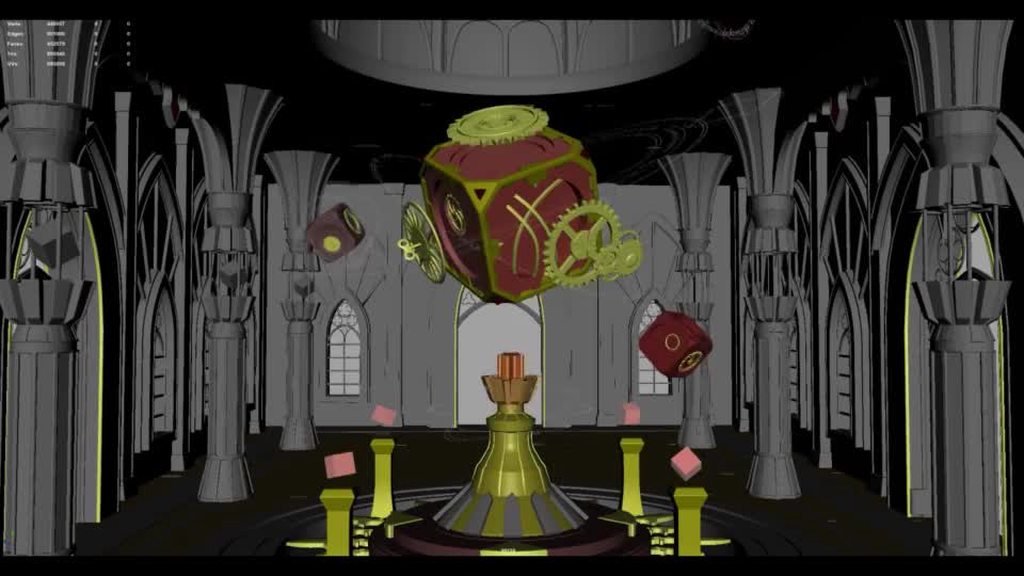
Could I get some feedback on this Low poly animation compared to its concept? Does it feel right?
 ashen junco
deep linden
Could I get some feedback on this Low poly animation compared to its concept? Do...
ashen junco
deep linden
Could I get some feedback on this Low poly animation compared to its concept? Do...
#work-in-progress
ashen junco
fading drift
heya guys is there a way to convert an animation to root animation? quite new to...
Not if the animation don't have root motions to start with, but you could edit one yourself in the anim sequence.
 winged socket
I have problem when my charater walk on stairs r it is like jitter up and down
misty dagger
I'm going to start animating for my enemy character. Should I use root motion animations for enemies or in place animations?
ashen junco
misty dagger
I'm going to start animating for my enemy character. Should I use root motion an...
Largely depends on your animations on the player character, for consistency.
misty dagger
ashen junco
Largely depends on your animations on the player character, for consistency.
My player character animations are in place
So I need to use in place for enemies too
vapid fossil
any tips on how to make a sprint loop more smooth in the anim bp?
 raven junco
Is anyone here knowledgable with Blender and Rigify? I can't for the life of me figure out how to export the deform bones with animation baked on it
tacit rivet
is it possible to equip a whole new animation bp when i like draw or sheathe my sword
tacit rivet
@regal orchid @static falcon THANK YOU GUYS SO MUCH I GOT IT
sharp karma
Hi Guys, does anyone know a way to fix the root motion problem that comes when you import an animation from mixamo? Every solution I found out there(blender mixamo plugin for example) didn't work in my case since I'm using my own custom rig and not mixamo's.
 sly cypress
Is there any other way of doing animations for 2d games in UE4 other than flip book type?
 cerulean cedar
Is there a way to set master pose component, but have it ignore translations?
tacit rivet
hey guys how can i blend 2 animations together?
 fresh shard
tacit rivet
hey guys how can i blend 2 animations together?
fresh shard
tacit rivet
hey guys how can i blend 2 animations together?
Have you read the doc about it? https://docs.unrealengine.com/4.26/en-US/AnimatingObjects/SkeletalMeshAnimation/AnimationBlending/#:~:text=Animation blending%2C as a concept%2C simply means making,how they can be applied to your characters.
Transitioning smoothly between two animations on a single Skeletal Mesh
NVM I just realize that's for blending one animation into another lol, usually you would go into your AnimBP and create a Blend by bone pose. I'll try to find the correct document for that one
tacit rivet
fresh shard
Have you read the doc about it? https://docs.unrealengine.com/4.26/en-US/Animati...
i dun mean using the blend space like turn 2 different animations into 1
like putting one animation at the start if another
so animation 1 comes then animation 2
something like that
fresh shard
So you want Animation 1 to play and then Animation 2?
tacit rivet
yes
 vagrant shard
trying to export mesh and animations from blender to ue4 but i get this error. could anyone help me out?
 fresh shard
So you could do it via Animation Montage, you would add different animations into a montage, split them up into sections and then call those sections out via blueprint. Would something like that help out?
tacit rivet
fresh shard
So you could do it via Animation Montage, you would add different animations int...
u r talking to me?
fresh shard
Yes
fresh shard
Honestly, not sure, I've been mostly using documentation lol
Closest I see if this one but I don't even know if it covers it properly https://youtu.be/NU__D2EXhkY
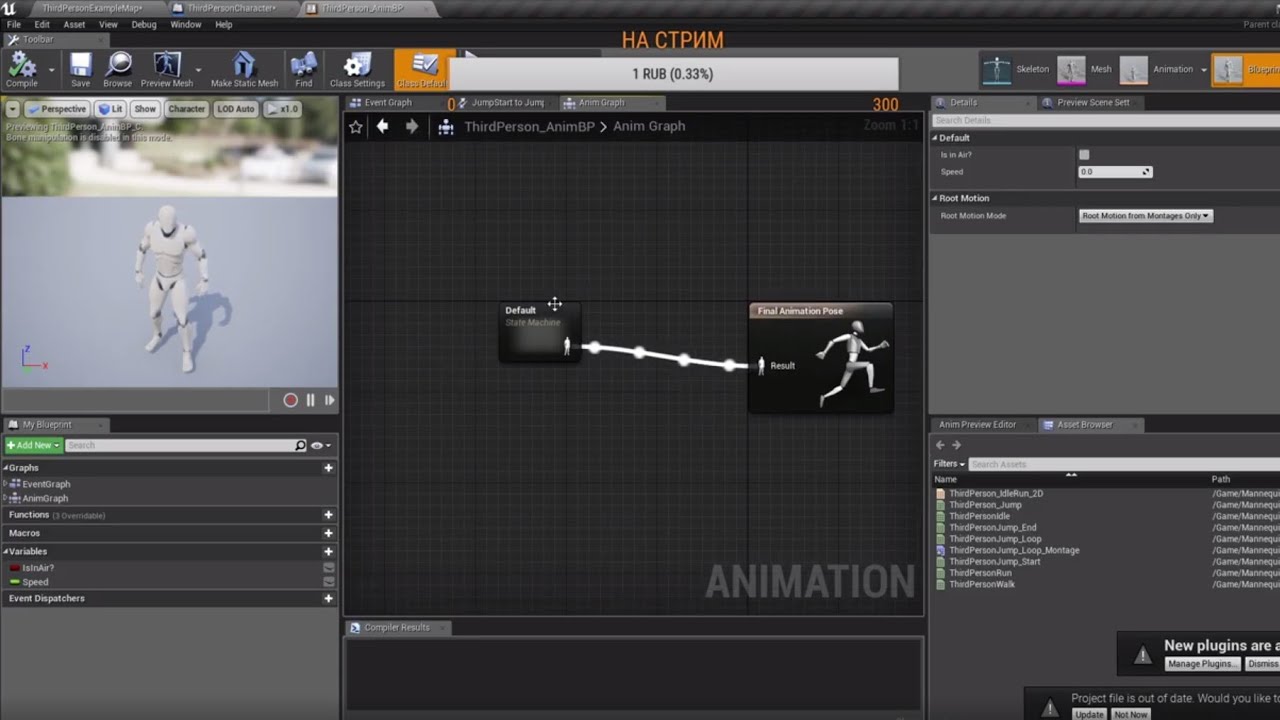
Unreal Engine 4 - https://www.youtube.com/watch?v=EdoGcX3THOI&list=PL2YL8ztYxXBJx7s1kyJCCIYSCyVd6pTWp
ПОДПИСКА https://www.youtube.com/channel/UC5QL6BvMx7zFJygxKhWYdnw
Сообщества:
Группа Facebook - https://www.facebook.com/groups/915692998870647/
Группа VK - https://vk.com/superadgamegroup
If you want the doc for it here: https://docs.unrealengine.com/4.26/en-US/AnimatingObjects/SkeletalMeshAnimation/AnimMontage/
Animation Montages are a flexible tool that enables you to combine and selectively play animations that are contained in a single asset.
sly cypress
Can someone please help me?Is there any other way of doing animations for 2d games in UE4 other than flip book type?
fresh shard
sly cypress
Can someone please help me?Is there any other way of doing animations for 2d gam...
As far as I know, outside of plugins no
Alright dumb question, would changing the frame rate of an animation from 30 to 60 FPS be beneficial if the game itself runs at a stable 60 FPS?
regal orchid
fresh shard
Alright dumb question, would changing the frame rate of an animation from 30 to ...
Yes and no. If you plan to have slow motion, then maybe. Take Killing Floor 2 for example, they animated their guns at 240 FPS (if I recall correctly), adding a lot of tiny details like the barrel of the gun wobbling while firing etc. That were normally not visible when the game ran at full speed. But when slow motion was triggered, you could see all of those details. So animating at a higher framerate makes it easier for you to add a lot of keyframes. But I don't think it is really worth it if you keep the same number of keys anyways since the engine interpolates animation frames for you anyways. Which is why you can slow down your game all you want and the animations are still smooth.
Keep in mind that I have never animated at a framerate higher than 60 myself but that is what I have gathered based on my experience of testing 30 and 60 fps.
If anyone else knows of any other pros/cons then I would like to hear them too.
fresh shard
That's what I was thinking, due to interpolate, I don't think I would really need to change the animation framerates to 60...
regal orchid
Yeah you are most likely fine. It is the same principle as with high speed cameras where you play the footage back at 30 fps. The information is there. But you don't see it until you slow down the footage.
fresh shard
Thanks! That's good to know that I don't need to redo my animations!
sly cypress
fresh shard
As far as I know, outside of plugins no
Can you please tell me what plugins are and a bit more details about the animations? I am a beginner. I didn't understand it when I searched it on the internet
fresh shard
I'll explain it but it will depend on what you want to do exactly.
When you say 2D, are you referring to sprite/pixel-based or just that the camera is positioned in a 2D way, so you would still have 3D models but in a 2D plane?
sly cypress
It's a completely 2d game with no 3d models.
fresh shard
Ok so sprites then, got it.
copper sigil
Hey folks, I have LiveLink Face set up with a custom character, I've getting some movement for the mouth and inner brows up/down, but for some reason the smiling, frown, eye movement and a few other areas aren't working. Any idea what I might be missing?
The pose asset has them set up named, etc. but no dice when actually running the iphone app:

Trying my hardest to smile/frown
Essentially copied the setup from the example project (boy demo) and renamed some of the stuff to suit the slight naming convention change in the blend shapes.
fresh shard
sly cypress
It's a completely 2d game with no 3d models.
So yeah by default Unreal Engine animate sprites by using flip book. However, people have been able to create plugins, which are extensions you can install and run, in Unreal Engine. You will mostly find these plugins in the Unreal Engine Marketplace, either for free or for a price.
However, based on what I saw they all enhance Flipbook but you would still need to animate with Flipbook for your 2D game.
sly cypress
fresh shard
So yeah by default Unreal Engine animate sprites by using flip book. However, pe...
Damn. I am devastated right now. I moved to 2d games because 3d games needed 3d modeling . Now 2d is hard as well as it's animation needs to be done frame by frame. Which would you recommend for a beginner-2d,2.5d or 3d(or any other type if there is)
regal orchid
sly cypress
Damn. I am devastated right now. I moved to 2d games because 3d games needed 3d ...
You can use 3d animation for 2d games too. You would animate a 3d character and then render out 2d sprites.
sly cypress
regal orchid
You can use 3d animation for 2d games too. You would animate a 3d character and ...
But 3d modeling is hard right?
regal orchid
sly cypress
But 3d modeling is hard right?
Like most things it depends on what you are trying to achieve.
sly cypress
regal orchid
Like most things it depends on what you are trying to achieve.
But still even the basics are hard right? I am trying to make a game. As I am a begginer I want to go for the easy one first. So which is easy?
regal orchid
sly cypress
But still even the basics are hard right? I am trying to make a game. As I am a ...
Like I said, it depends. For me 3D is easier since Im bad at drawing but that isnt the case for everyone. But being good at drawing helps in 3D as well if you end up sculpting stuff in zbrush etc. But I'm not going near organics modeling so I'm fine with Maya etc.
there is no real clear cut answer if you ask me
sly cypress
Have you made any games,if so can you name them. Also,do you use C++ or Blueprints?
regal orchid
Not any that I can share right now. And I use both.
Just focus on gameplay first before worrying about art.
That way you get the hang of the basics first
fresh shard
Usually when making a game, you start off with a prototype of it, the prototype is focused mostly on creating the core gameplay and gameplay mechanics of the game you want, you usually don't worry about art style or visuals until the "pre-alpha" state.
Heck some prototypes just has basic shapes like cubes and spheres to present a point.
copper sigil
copper sigil
Hey folks, I have LiveLink Face set up with a custom character, I've getting som...
Ended up needing to create a new remap asset 🙂
 wind lake
how do i replace a skeleton and mesh in an existing animation sequence? there is no option to modify them
ashen junco
wind lake
how do i replace a skeleton and mesh in an existing animation sequence? there is...
You have to have the skelmesh is using the same skeleton, or you have to retarget it.
wind lake
when i try to retarget it, it won't find my other skeleton/mesh in the asset search
just no options there
ashen junco
wind lake
when i try to retarget it, it won't find my other skeleton/mesh in the asset sea...
Okay, you have to set up the target skeleton to be ready for retargeting. It's well documented online.
wind lake
any link? i've managed to do this before without retargeting i just can't remember what i did
misty dagger
I get some, eh, 'different' results in unreal engine compared to blender when my animations include IK's that stretch unnaturally. Is this just normal?

Looks fine as long as I dont stretch the IK's
ashen junco
misty dagger
I get some, eh, 'different' results in unreal engine compared to blender when my...
Welcome to the ever expanding mystery of Blender bone orientation to Unreal Engine. Which one rule out which, it's not really certain.
 dim ingot
@misty dagger Probably because in blender you have "preserve volume" checked on the armature modifier and unreal does not support dual quarternians
One way to prevent loss of volume with stretch constraints is to "remove" the rubber banding effect by limiting the Minimum and Maximum volume on your stretch constraints on your rig in blender
noble dagger
anyone have any suggestions on where to find decent game-ready character models that are anime inspired, most the stuff ont he UE markeplace doesn't fit the bill
I'l really looking to find some good source material to commission
ashen junco
noble dagger
anyone have any suggestions on where to find decent game-ready character models ...
VRoid Studio is a good starting point, and it adheres to game ready standard more than MMD standard.
Though VRoid rig lacks twist bones, so won't work with backhand poses as is (e.g. holding a rifle)
I say "starting point" because used as is, VRoid Studio rig had a bunch of issues, that can only be really ironed out in DCC tools of choice.
dark vortex
any reason this wouldn't work to detect if any animation is playing on a mesh? (normally I use anim-BP but this is a special use case)

 indigo minnow
How do i clamp a "Aim" rotation in control rig?
tribal acorn
has anyone created an additive anim setup where they can use one additive for a bunch of diff purposes (like one fire animation that can be used across all guns, that have diff base hand grip poses)
fading drift
hey guys is there a way to adjust a root motion? specifically their displacement
 weak bane
How do I get my NPC character to play a 90 degree turn in place animation when it rotates 90 degrees? Can't seem to figure out how. Do I need to set this up in the blendspace or what? Ive got the idle, walk and run set up but rotating animations i haven't done yet
wind lake
is it possible to have a 3d blend space? i've noticed if i use multiple blendspaces and blend together, it softens the animation. it looks like blendspaces only take in two floats, so i can't even pack extra values into a vector and use it that way.
i'm looking to do some directional movement where i require the forward/right direction, as well as speed. is there a way to do this without doing a bunch of if statements in the blueprint?
 somber urchin
stupid question: are you able to use arrays in animation BP?
misty dagger
i am watching an old tutorial and there is that calculate direction. but i cant connect cast to player to it.
 steady hatch
Hey - quick question. My blendspace has a 1~ second delay from Walk to Run. How would I make my character automatically start running when W is pressed?
wind lake
steady hatch
Hey - quick question. My blendspace has a 1~ second delay from Walk to Run. How ...
try looking at target weight interp in the animation?
steady hatch
@wind lake Oh this option? I remember setting this randomly. I'll try that. Thanks 🙂
 regal orchid
somber urchin
stupid question: are you able to use arrays in animation BP?
regal orchid
somber urchin
stupid question: are you able to use arrays in animation BP?
Like any other blueprint? You can make variables like usual.
 sand gull
Hello, I'm trying to to animation retargeting but my limbs are all weird with vertices jumping all around. In the preview, the character is in the wrong position, I don't really know what to do... any ideas?
weary frost
Hi is it possible to have the same notify for 2 different animations ? I have copied pasted a notify which says "AnimationFinished" on 2 different animations and then in the animation event grtaph I have a IsAnimating boolean which is set to false by these notifications. it seems to work for 1 animation but not the second one for some reason any ideas pleasE?
The Attack1 triggers the IsAttacking to false but the second one doesnt seem to work :S

 prisma jolt
sorry if this is the wrong channel. Ive got a cloak for a character skin using the cloth system in ue4 (4.26.2). Ive attached it using a socket onto the character rig, but the cloak simulation isnt interacting with the collision on the main mesh. How do i fix this? Thanks
 weary frost
Oddly enough it works if i put a different named notify on the 2dn attack like Atk2Finished
and then use the same event code for the notifies like so

Seems you cannot call 1 event from 2 different notifies.
regal orchid
prisma jolt
sorry if this is the wrong channel. Ive got a cloak for a character skin using t...
You need to use tapered capsules on the ragdoll. They are a special type of physics collider that only interacts with cloth.
regal orchid
weary frost
Seems you cannot call 1 event from 2 different notifies.
You can, you just have to make sure to use the same one. I do it myself in my current project.
right click the notify track and look for existing notifies
do not make a new one
weary frost
Ahh ok thanks!
prisma jolt
regal orchid
You need to use tapered capsules on the ragdoll. They are a special type of phys...
Ty but ive added tapered capsules to the characters physics object and it still doesnt seem to be interacting?
 regal orchid
prisma jolt
Ty but ive added tapered capsules to the characters physics object and it still ...
regal orchid
prisma jolt
Ty but ive added tapered capsules to the characters physics object and it still ...
Been a while since I messed with cloth. But I am certain you need tapered capsules. Beyond that there may be additional settings that you need to configure that I don't remember. Have a look at the documentation and/or youtube tutorials.
prisma jolt
ok thank you
 dull sun
Is there a workflow that lets FBX import certain things into unreal as capsule colliders?
For example, when a set of hitboxes muse be closely hand keyed in Blender or Max or whatever.
static falcon
regal orchid
Been a while since I messed with cloth. But I am certain you need tapered capsul...
I could be wrong here but I didn't think that was true.
"Tapered capsules are only supported by clothing, not by rigid bodies."
I think that's what you're thinking of
 fresh inlet
Hey guys, I've been teaching myself unreal for the past 6 months in hopes to build my own game. It's been going great but I can't seem to get an amination workflow going. Do you know of any resources I can use or advice for getting started?
somber urchin
how can I interpolate IK position?
I'm working on a procedural walk animation for a quadruped
steady hatch
Hey I have a question about movement acceleration (I'm told is the term) I'm trying to find that in my character movement component . My goal is to make my character start running from idle without transferring into walk stance. Can anyone point me to that option I can't find?
steady hatch
Never mind . I figured it out xD
somber urchin
anyone know how can I interpolate a vector?
regal orchid
static falcon
"Tapered capsules are only supported by clothing, not by rigid bodies."
That is what I meant. You can't use them to make a ragdoll. You add them so clothing have something to collide with.
But they are all added to your physics asset.
 sullen aurora
somber urchin
anyone know how can I interpolate a vector?
sullen aurora
somber urchin
anyone know how can I interpolate a vector?
 fleet marlin
is it possible to use control rig to re-rig characters from purchased packs ?
fleet marlin
Anyone can tell me how to place characters in a scene and manually set poses?
 lofty marlin
Drag and Drop it into the scene, make sure your GameMode's Default Char is cleared and on the one in the Scene you can somewhere select the Auto Possess in its settings.
fleet marlin
can i do this with multiple character mesh ?
reason i need this is to take screenshots for doing visual novels (renpy)
bronze osprey
poses != Possess ;
bronze osprey
you can use controlrig to set a pose
fleet marlin
i wish i could, but i have not been able to make it work, it has to be converted to control rig i think
bronze osprey
you can get the sample project from marketplace, its free
fleet marlin
and i can replace the skin to be the model i pick ?
static falcon
What's the preferred way to add a pose change that replaces everything underneath in my anim bp... for example my player's eyelids stay shut...
Layered blend with that on the selected bones?
Do I need it to be a montage?
regal orchid
I use montages for one off things generally, and states for things that can last longer or need to be chained together
static falcon
Okay thanks. And I'd pair the state machine with a blend per bone if I wanted to only change a couple bones?
regal orchid
yes, you can layer multiple state machines no problem
you can even have state machines inside your state machine's states.
static falcon
Thanks!
somber urchin
sullen aurora
VInterp
https://docs.unrealengine.com/4.26/en-US/BlueprintAPI/Math/Interpolation...
tyvm!
somber urchin
somber urchin
tyvm!
@sullen aurora do you need Delta time for this to work?
sullen aurora
somber urchin
<@!733183497988079627> do you need Delta time for this to work?
Yes.
somber urchin
 somber urchin
sullen aurora
Yes.
somber urchin
sullen aurora
Yes.
any idea what would work best? XD
sullen aurora
somber urchin
any idea what would work best? XD
Animbp uses update animation event. Get it from there.
somber urchin
sullen aurora
Animbp uses update animation event. Get it from there.
how did I miss that
:/ it seems to be going ether to fast or just skipping the interpolation
I even put a ridiculously high number just to see if anything would happen (200000)
it still moves instantly
would this not work in a for loop? (its currently in a for loop)
somber urchin
this is currently what it looks like
https://blueprintue.com/blueprint/bty-jkap/

No description provided
sorry its a mess
tender flicker
Hey, does anyone have a tutorial on how to use FAnimInstanceProxy?
sullen aurora
somber urchin
this is currently what it looks like
https://blueprintue.com/blueprint/bty-jkap/
Yeah, that is incredibly complex. I would recommend simplifying, and removing (by means of refactoring logic) , avoiding any loops as much as possible, and definitely remove ( by refactoring ) using loops that invoke interpolators from tick.
 sick vortex
Oops guys, I have a character ready to be built in 3d, is anyone available? I need the model to already have bones and the rigging
ashen junco
sick vortex
Oops guys, I have a character ready to be built in 3d, is anyone available? I ne...
 serene lake
Can someone lead me in the right direction? The mocap software I use for UE4 uses a normal Blueprint to transfer the data from their software. I need to use an AnimBp so I can use the layered blend per node and attach mocap gloves from a live link source to the body BP data. How would I reference the body BP in my AnimBp ?
 versed frigate
Does anyone know why when a Montage plays all state machine stops?
I feel like this isn't normal.
ashen junco
serene lake
Can someone lead me in the right direction? The mocap software I use for UE4 use...
Not necessarily from the AnimBP, but you can pass through some variable from Object BP to animBP
Perhaps interfaces could be used in animBP, but I might be wrong.
serene lake
Hmm, thanks Ill keep looking into it
sullen aurora
versed frigate
Does anyone know why when a Montage plays all state machine stops?
I feel like t...
nope, in our case (4.26) we play montages the whole time and the state machines do not stop, they do however "pause" for the duration of the montage, as we set that to upper body blend for example, but the lower body still performs locomotion.
for full body montages yeah, they will temporarily take over the full body, but after the montage has completed, and exited the animation state resumes. on multiple titles we use this so it is probably a setup issue on your end. maybe the montage loops?
versed frigate
sullen aurora
nope, in our case (4.26) we play montages the whole time and the state machines ...
Thxs, yea I was experiencing visual bug when playing montage, and turns out something else was causing it.
fleet marlin
Is there a tutorial showing how to setup a Control Rig with a custom skin ?
by skin i mean mesh i guess
im a bit confused but i will try
does it work with charaters that are multiple mesh .. like GR Customizable Female 01 pack ?
its a system where you can change sections .. like selecting a head type or legs etc
ok thanks a lot
I have a Fey Skeleton Control Rig .. how do i use it ? My goal is to make poses from characters to take snapshots
fleet marlin
How do i swap the skin of the character ?
sullen aurora
fleet marlin
How do i swap the skin of the character ?
At runtime, or in the editor, you can simply set the skeletal mesh in your character blueprint to whichever one shares the same skeleton.
At runtime you can do this in Blueprint or c++.
fleet marlin
What i am looking for is simply getting control rigged characters so i can make static poses
sullen aurora
fleet marlin
What i am looking for is simply getting control rigged characters so i can make ...
Generally speaking you posses a character and you can swop a skeletal mesh on a character.
TO swop via possession would be tedious, as that means you would clone your character for each skeletal mesh, not required at all, just making busy work. 🙂
fleet marlin
With Control Rig (new in 4.25 i think) its possible to just create poses by manually setting the skeleton, i believe i dont need animations for that
sullen aurora
fleet marlin
With Control Rig (new in 4.25 i think) its possible to just create poses by manu...
of course, to change the skeleton you should be able to change it in the editor.
fleet marlin
what i mean is, it seems to be simple to make fixed poses with Control Rig
sullen aurora
fleet marlin
what i mean is, it seems to be simple to make fixed poses with Control Rig
and then have multiple meshes (sharing the rig) in different poses in the content browser?
oh right. yeah i dunno how to snapshot poses to the content browser, but there will be someone here who does 🙂 he he
fleet marlin
thanks for trying to help, i appreciate a lot
 lime ginkgo
is there anything that turn blender rig into control rig?
ashen junco
lime ginkgo
is there anything that turn blender rig into control rig?
No. At least not automatically.
lime ginkgo
There is one for maya it seems
ashen junco
Never used Maya seriously
lime ginkgo
So if I import something from blender, problem still need to manually remove rig
ashen junco
lime ginkgo
So if I import something from blender, problem still need to manually remove rig
As in removing the non deform bones?
lime ginkgo
yeah
ashen junco
lime ginkgo
yeah
I assume you already aware of omitting non deform bones in the FBX export.
lime ginkgo
Oh what if I use the epic's official blender tools, send to unreal pipeline
ashen junco
lime ginkgo
Oh what if I use the epic's official blender tools, send to unreal pipeline
It wasn't made with Control Rig in mind 
static falcon
Would be an interesting thing to try to create using python
 gloomy pike
hey guys 🙂
have you ever used motion warping in multiplayer? our client is jittering heavily when doing it...
 fallow yew
Sorry to ask a question right after another question but, Does anyone know how to get camera look at tracking to work on an animation that is away from origin? the animation is positioned away from origin so the camera doesnt look at it
static falcon
fallow yew
Sorry to ask a question right after another question but, Does anyone know how t...
Kind of a hack, but I'd just attach some kind of hidden component to it and use that
regal orchid
fallow yew
Sorry to ask a question right after another question but, Does anyone know how t...
Do you mean the local origin of the actor playing the animation?
You can make whatever is looking at the actor doing the animation to look at its bones instead of the location of the actor. For instance find the head bone and look at that.
 rapid thunder
anyone here knows how to make the ik controllers for the hands work in the metahuman control rig (in ue5) ? I can only use the fk controllers for the hands while all the other ik controllers are working fine
formal minnow
How do i add my control rig to my character blueprint? There is no Control Rig component and i cant assign it to my skeletal mesh as my normal character model is
ashen junco
formal minnow
How do i add my control rig to my character blueprint? There is no Control Rig c...
There's a Control Rig node for anim BPs.
formal minnow
So what i want is to pull the hand back when the player fires. To not have a separate animation for each pose, someone suggested to use a control rig. I just added a righthand control and basic ik for it, so i could just pull the hand back when i need to. Now, when i add that control rig node inside the animation blueprint, it uses this t pose and applies it. I realised that i only need to affect the control rig at the moment when i pull back the right hand . How should i do this?

 ionic canyon
Anyone have an aim offset animation?
winged socket
I have problem with animation when i want to crouch my character floating when do crouch pose
static falcon
Sounds like your animation clip might be bad
 sweet reef
hey guys i need help setting up this blendspace for going backwards also do i need to set the speed to -500 or what do i do?

this is what i have setup rn
 fair sentinel
Can somebody please tell me why I don't have a scrubber here? I have no used the animation tools in UE before but I cannot find anything about this in the documentation.

 fathom loom
Excuse me, I need help. I can't retarget an animation.
I've been through all the regular fixes.
And I got it to retarget.
But the right hand of the mannequin goes all jiggly.
And doesn't animate correctly.
 halcyon carbon
sweet reef
hey guys i need help setting up this blendspace for going backwards also do i ne...
halcyon carbon
sweet reef
hey guys i need help setting up this blendspace for going backwards also do i ne...
 viral merlin
Hi everyone, quick question for FPS animators :
What is your workflow regarding ads (aim downsight) animations ? How do you manage to center the aim along with the animation ? Thanks a lot 🙂
misty dagger
Hi! Does anybody know how to adjust hip height in advanced locomotion system? My character works fine, but looks like sitting on horse, so I need to lift a pelvis point a bit.
 wanton crow
Hello i have a problem 1.I have a blueprint animation for walking and idle and i want ot have double jump so i did the mechanic but i need to call the second(Double jump animation) animation in c++(because i am coding in c++) when i do that(iam using function called PlayAnimation) it will do it but then the blueprint animation will stop and chatacter will start moving without blueprint animation
ashen junco
viral merlin
Hi everyone, quick question for FPS animators :
What is your workflow regarding...
Maybe you found the obvious answer, but use helper grid wall to help you align the weapon.
placid ermine
Hi i got a question.. if i have a character who has 4 extra bones which hasnt been weight painted, can i move those bones in place and save it as a defult pose... than apply a skin weight profile from an other fbx? i am trying to do that so far i tried to save at the skeleton settings as a pose in the editor the bones are in the right place , but not in the scene ... is there a blueprint node where i can set the pose assets value from 0 to 1?
warm portal
Kinda like in maya where you can shut off the primary visibility of an object but still have it showing in the reflections
misty dagger
Can UE4/5 not handle cycles modifiers in blender animation graphs?
I have the attached cycles modifier on keyframes 2 and 32 (frame length is 0->29). When I do an fbx export and import it back into blender it looks fine. When I import it into UE4, I get a weird flickery motion only in the places where I have a cycles modifier. I have even tried baking the animation and exporting the bake and it still does this which is really weird.
 tacit rivet
Hey guys did yall self studied animation?
misty dagger
misty dagger
Can UE4/5 not handle cycles modifiers in blender animation graphs?
I have the...
Wait does Unreal Engine handle the final and beginning frame differently than normal frames? I resolved this issue by including frame 30 in my export which is a redundant frame to frame zero. In Unreal Engine, the animation now looks perfectly smooth. When playing animations in unreal engine does it move from frame 30 towards frame 1 instead of going from frame 30 to frame 0?
Frame 30 and frame 0 in unreal engine look identical but when I play it back at .05 speed in slow motion I dont see any freeze framing like I would expect
Seems this guy had the same experience but never got resolved. I guess its something most people just dont notice? https://forums.unrealengine.com/t/confusion-maybe-bug-with-animation-length-and-keyframes/25080

Unreal Engine Forums
In my usual workflow a looped animation has the first and last frame the same. Let’s say I have an animation in 3dsmax that runs from frame 0 to 8 (same pose in 0 and 8). After importing it into UE, the animation runs from frame 0 to 9, so at least visually (anim preview gui) it looks lake the animation plays for 9 frames, but the length in ue ...
fresh shard
misty dagger
Can UE4/5 not handle cycles modifiers in blender animation graphs?
I have the...
Usually when exporting FBX from Blender all Modifiers need to be turned off or unchecked in the export window. So technically, no Unreal Engine cannot handle Blender modifiers. But this was way back in like Blender 2.7 so I don't know if that changed or not.
misty dagger
Well as far as I've been able to see Blender will essentially bake the animation when you export. If you import the exported animation back into blender you'll see keyframes on every frame as though its been baked
If you look closely at Unreal Engine's player you'll see an animation between frame 0 and 30 but I believe frame 30 and frame 0 are actually the exact same frame which is different than Blender
It may be related to the fact that I use frame 0 as my initial point in blender whereas most people start at frame 1
I suppose it makes sense since Unreal Engine needs to interpolate between keyframes so that they can change the speed of the animation so you kind of need the last frame to go into the 'second' frame so that you can smoothly interpolate at the end of the loop
fresh shard
Oh I believe you, I'm actually doing this right now and it's been a pain in my ass trying to get rid of Frame 0 in a loop animation lol
misty dagger
Yea essentially the final frame and the first frame in unreal engine is the same frame. Which is different than your actual animation program where they're separate.
fresh shard
Yeah, for some reason final frame I can get rid of just fine if I place it just before the last frame, but Frame 0? Nope can't do anything about it, either I create a looping animation in Blender or find a way to play at Frame 1 instead.
misty dagger
I think frame 0 isn't really a frame in Unreal. Even though i use frames 0->29 instead of 1->30 like most people in Blender, when I export it actually exports to frame 1->30. Frame 0 in Unreal isn't real, its just there so it can interpolate between the final frame and the first and its identical to frame 30. Essentially the animations are analog in UE4 but digital in Blender so it needs a transitional period between the final frame and the first unlike blender does.
fresh shard
Ok so for me, the work around for now is just modify the Start Time in the animation montage to 0.03 it's definitely not a work around for everyone but eh... beats creating a separate animation in Blender
 misty dagger
Unfortunately Blender's animation system does not seem like it was really designed around gamedev so I've had to do a lot of fiddling to get it to work
My current workflow is that I have a animation file that has a linked override to the skeleton and then inside that animation file I have a scene for each animation (with its own linked override rig) so that I can actually use the NLA editor. I'm fairly happy with this method because I can do a batch export and have one file for each animation which makes reimporting in Unreal...work.
misty dagger
🙂
Blender before 2.8 was literally just unusable. Their modeling is now up to par (with 2.8+) with the premium alternative but it is still behind in terms of animation, painting, sculpting etc. The one advantage it has is that if you do become proficient at all these things in blender...it is REALLY nice to have only one other program you're using with UE4 to get your assets made. There's nothing worse than having something look a certain way in blender, another way in Zbrush, another way in substance painter, and another way in UE4 and then have to deal with export/import issues between all those programs.
Their animation system seems to be the worst offender.
ashen junco
misty dagger
Their animation system seems to be the worst offender.
They're living in echo chamber as far as animation goes.
My complaints since 2.81 hasn't been fulfilled.
 exotic plover
evening ppl 🖖 trying to work with Control Rig for the first time ... actually using a marketplace asset (a cat) ... unfortunately the very first IK I try to setup, it stretches to infinity ... now, I've read the pinned comment from @ashen junco, and the cat was for sure made in Blender (armature 😅 ) Anything I can do to salvage it, since I don't have the source?
 terse lichen
Hi All, not sure if this is the right place to ask, but i'm testing the arkit livelink functionality for ue4 at the moment, however it seems like ue4 is missing a few features (head translation, asymmetrical brow movement etc) are these known issues and is there a way to reintroduce them?
ashen junco
exotic plover
evening ppl 🖖 trying to work with Control Rig for the first time ... actually u...
In honesty, I started to question that discovery either 😓
exotic plover
ok 😬 actually, passing it thru 3DS Max (the tool I use) doesn't seem to help ... thou I haven't done anything specific to it to solvee that issuee
so ... if you get a fscked up ~~rig ~~ skeleton... you're done? 😬
ashen junco
exotic plover
so ... if you get a fscked up ~~rig ~~ skeleton... you're done? 😬
How screwed up exactly is the skelmesh?


 ashen junco
exotic plover
if I connect the exec pin, instantly stretch
ashen junco
exotic plover
if I connect the exec pin, instantly stretch
Never occurred stretching before 🤔
Can you show me the bone view and the names in the preview viewport?
exotic plover
I will ... I'm just checking something "suspicious" that I just found out (weird scale)
nope, no luck
@ashen junco

 ashen junco
exotic plover
I will ... I'm just checking something "suspicious" that I just found out (weird...
ashen junco
exotic plover
I will ... I'm just checking something "suspicious" that I just found out (weird...
Can you send me the FBX file for that cat via PM? I'll take a look at it
dark vortex
how do I shut this up? LogAnimation: Warning: Currently in Animation Blueprint mode. Please change AnimationMode to Use Animation Asset
 mint marsh
Where do I start if I want to add more animations to the ThirdPerson_AnimBP I feel like I'm not even able to google the correct terms
misty dagger
Does unreal engine NEED an armature to be named "rig" in order for it to import...?
 dawn raven
anyone know what would cause an imported mesh to not use all of its bones in a physicsasset? I have a complete skeleton but my physics asset only uses 1 or 2 bones.

 iron canyon
He do be balling doe 😮
ashen junco
 merry wyvern
new stuff for our Otaku Brawlers IP
merry wyvern
new stuff for our Otaku Brawlers IP
#work-in-progress
 dry ridge
Can someone point me in the right direction (Videos or text) of animating meshes in unreal not a character.
I need to animate a "Box" rotating, and moving around how would I do that in a sequence?
ashen junco
dry ridge
Can someone point me in the right direction (Videos or text) of animating meshes...
Just key the transforms of the static mesh in Sequencer. It's that simple.
(Though make sure to enable Quaternion interpolation)
dry ridge
damn..
Thanks mate!
 proven spire
hello! i have a static mesh model made in blender and i made an animation for it, how can i use the animation in ue4?
ashen junco
proven spire
hello! i have a static mesh model made in blender and i made an animation for it...
Not without turning it into skelmesh first.
proven spire
ashen junco
Not without turning it into skelmesh first.
is there no other simpler way? the animation is just moving the model back a few units and back to its original spot
ashen junco
proven spire
is there no other simpler way? the animation is just moving the model back a few...
Sequencer, or Timeline node
proven spire
i'm doing it in C++, so i'll have to figure it out
 cobalt tinsel
are there any resources on blender-ue workflow?
would it be possible to grab the standard mannequin from ue and animate it in blender?
 thorn oracle
I guess if you export it as obj then open in blender
noble dagger
I'm looking at maybe two ways to solve the same problem:
I have a skeletal mesh for a weapon, which has a chain dangling form it and some physical constraints set up.
However, you can have physics simulated when something it attached to something else. One way I was directed is to set up a physics constraint between the weapon mesh and the actor's hand location. I am going to try digging into this a bit, but I wonder about how to get good results esp cosidering this will include attacks, etc.
Is there a way, maybe through animation to "fake" or otherwise handle this sort of action in an attached child skeleton?
grim fjord
how to export location rotation and scale keyframes only and not with the object
finite blade
Anyone ever had their character turn into a freakshow like this when hooking up an animation blueprint? Can someone please let me know what's causing it? Been troubleshooting this for days trying to figure it out.

 mighty bear
Hi, everyone! So I'm new to the server, but I had some questions on how to implement some stuff in ue4. I have some animations I made in maya for an ability I want to add into unreal. What's the best way to go about this, or do I just need to start from scratch?
This is an example of the animation
 wise spoke
Hi guys, I have 4 Dash animations in each directions with Root Motion. How would you implement them, In 4 different montages or in a state machine?
Or maybe even differently?
finite blade
finite blade
Anyone ever had their character turn into a freakshow like this when hooking up ...
As of right now I've fixed it, and as far as I can tell it was either the physics asset or the default variables not being set correctly in the anim blueprint. It also required a restart of the engine. Sorry that I don't have a better follow up than that.
 terse lagoon
hello, i'm about to animate a piano, would you guys recommend rigging it and animating it then importing the animation or importing all the keys seperately and animate it using sequencer in the engine?
does an imported animation with rig work with nanite?
ashen junco
Nanite in its infancy doesn't support deformations at all.
terse lagoon
oh ok thanks!
 hybrid lance
anyone here have experience with the rokoko live link? running into some issues and could use some advice
 violet forge
Is it possible to add keyframes to animations that are in blend spaces? I added some movement to a dodge animation by adjusting the root bone and adding key frames, etc. This works fine in a montage but when I add it to a blend space I no longer have the movement in the animation.
noble dagger
Alright you animation gurus you:
I'm working through https://youtu.be/Oe7fYS9qxmk?t=532, specifically trying to use the rigidbody node to simulate basic physics for use in animations on a mesh attached to a character.
Where I'm really failing here is understanding how to affect the attached skeletal mesh from the parent animgraph.

This talk by Epic Games' Senior Technical Animator Jeremiah Grant covers Fortnite’s use of animation Blueprints including the use of Blueprints for gluing together character parts after retargeting, dynamic solutions for low LODs, and faking dynamics in higher LODs with procedural animation techniques.
Learn more about Unreal Engine at http://w...
 autumn bay
Hello everoyne, is it possible to attach the Mannequin control rig to my own human skeleton? the structure is very similar
 steep tapir
hey all,
can I play an animation montage on a character and animate another (foreign) actor with it? maybe with some tricks like, adding a socket to the skeleton and attaching the other actor to that socket?
craggy knoll
Is it possible to setup Translation Retargeting options for each Animation Sequence? Instead of changing it for every Animation at once?
 ashen junco
craggy knoll
Is it possible to setup Translation Retargeting options for each Animation Seque...
ashen junco
craggy knoll
Is it possible to setup Translation Retargeting options for each Animation Seque...
Right click on a bone's translation retargeting. You should have option to recursively set them.
craggy knoll
Thanks for your input, but I want to use different Translation Retargeting setups for different Animation Sequences.
Not to recursively set the Translation Retargeting option for children bones.
 thorny magnet
What other simple movements can you add?

 peak venture
can someone give me some help
how do i make an actor do a specific animation when approaching it
i use get distance to and an animation bp but it always stays in idle

 cobalt tinsel
so i want to blend upper body with lower body animation, but how can i set which animation is in which cache?

or should i use two layers?
static falcon
What are you trying to achieve
The way you have it now, it will play any montages that are set to upper body on whichever bones you specified in the layered blend @cobalt tinsel
Does anyone have any methods for handling turn in place or directional movement (tutorials appreciated)? I have seen many but often don't have the right clip to follow along.
cobalt tinsel
ive got it figured out, my issue was that i had it assigned to different skeleton 😉
how can i make a transition rule, where it would go to the next state only when current animation has finished playing?
 simple karma
anyone ever work with really large characters? I'm curious the better way to slow down everything to .4 and blend well. it seems to take slowed down animations play them mostly slow then REALLY fast zip to the next slowmo 🙂
simple karma
maybe i jsut needed to delete it and start over.. gg seems to be not so buggy now
static falcon
cobalt tinsel
how can i make a transition rule, where it would go to the next state only when ...
You can use the "time remaining ratio" node in the transition rule
cobalt tinsel
thanks @static falcon
wanton crow
How can i delete that smooth transition between animations
 fleet willow
wanton crow
How can i delete that smooth transition between animations
fleet willow
wanton crow
How can i delete that smooth transition between animations
I guess you are using the AnimBP with it's states ?
wanton crow
sorry i already found slolution
iam usind PlayAnimMontage and in AminMontage i have set blend in
 worn marlin
will using a lot of modify bone and transform bone affect performance? I currently have different setup of these nodes hooked to blend by bool with certain conditions, these are also hooked up to blendspaces. Btw, this is only a single player game. Thank you
 edgy token
Yes, it would affect performance but very minimally
mighty bear
Anyone have a good tutorial for making an ability that’s not just a fireball or a standard aoe circle/wave? That’s all I can find on youtube
mighty bear
looking for something more akin to animations you'd see in an action mmorpg
ocean wharf
What would be a good way to add wind-driven animation to spline-mesh? (Imagine rope or ribbon hanging from the tree)
Somehow marking points as anchors (so it doesn't fall down), and then plugging in the wind values?

I am reading that you aren't supposed to animate spline itself, but the mesh vertices.
ashen junco
ocean wharf
I am reading that you aren't supposed to animate spline itself, but the mesh ver...
The latter is achievable with World Position Offset in the material.
winged socket
I have problem when i attack and switch pose to crouch or crouch walk it restart the attack how can i solve it


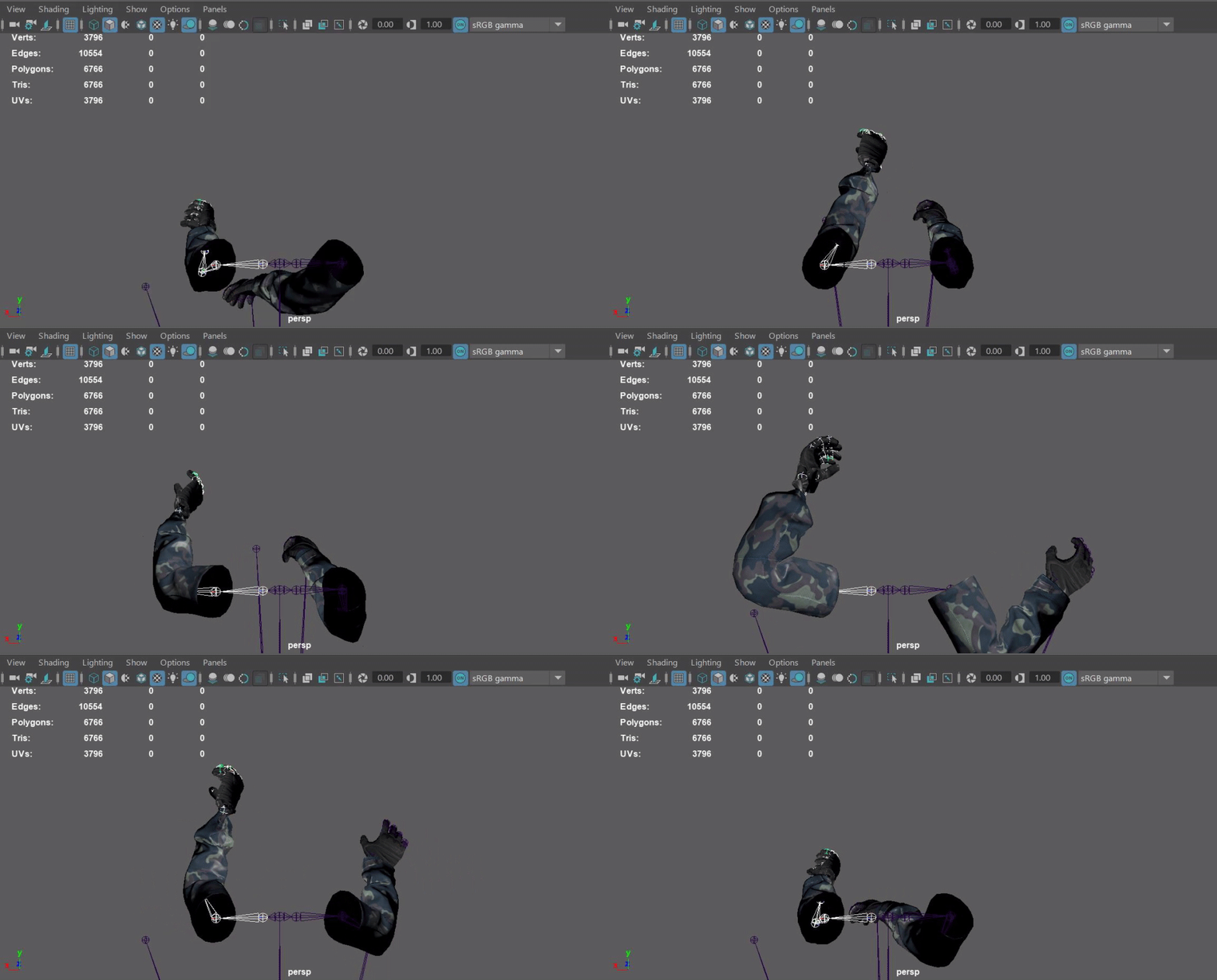
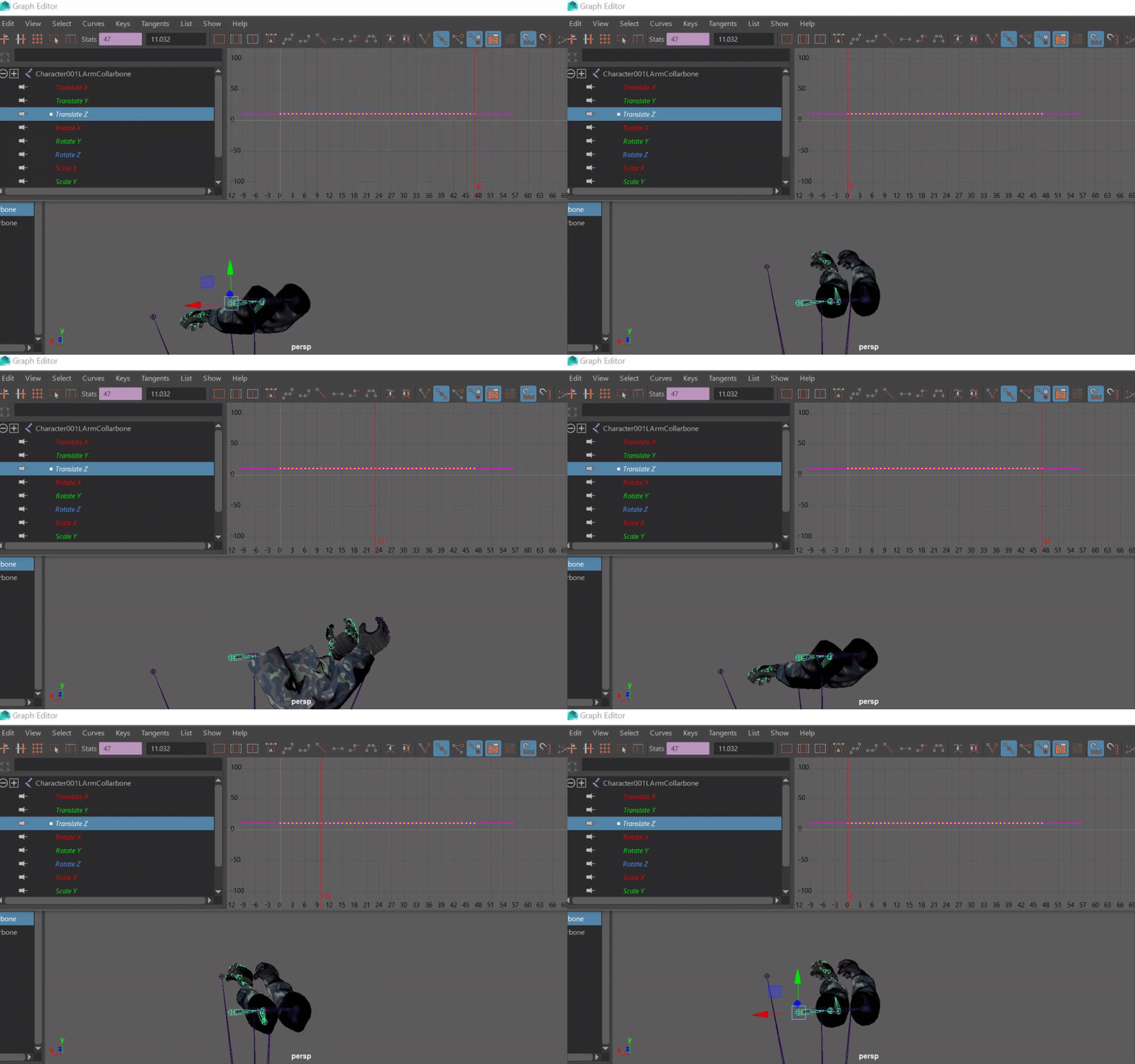

 tender isle
I have a death animation for one of the AI characters in my game. The issue is that if the character dies by a wall then the mesh will go through the wall. I'm wondering how people were able to avoid this issue? I tried using ragdoll, but that just overrides the death animation and looks awful. Does anybody have any ideas?
ashen junco
tender isle
I have a death animation for one of the AI characters in my game. The issue is t...
Physical animations. It can mix ragdoll and pose.
See Content Examples project for the example implementation - it's in the launcher's Learn tab.
 hallow elm
Hi I need help
I imported my characters which has same hierarchy of Epic skeleton from Blender, and I merged it with Mannequin Skeleton
But my character won't animate correctly....
I know it is caused by difference of rotation between Blender and UE4, but I don't know how to fix it
please help me


They both are same animation
 robust locust
anim blueprints keeps giving me false positive about nodes using blueprints to access data even if the variable is defined in C++ and just plugged straight in the anim node
robust locust
hallow elm
Hi I need help
I imported my characters which has same hierarchy of Epic skeleto...
Its likely the bones are rotated on the "Roll" axis in blender
hallow elm
robust locust
Its likely the bones are rotated on the "Roll" axis in blender
Then... what should I do to fix it?
robust locust
you can try rotating the bones on their roll axis to zero roll in blender , or change primary and secondary bones axis on import and export . You'll have to do some trial and error with those settings
static falcon
Is there a more procedural way of getting the active character's animation blueprint?