#〉bugs-reports
2 messages · Page 134 of 1
 frigid mesa
 north mesa
Are you using a custom bot? I had to invite MEE6, change prefix to / and promote...
north mesa
Are you using a custom bot? I had to invite MEE6, change prefix to / and promote...
Yes im using a custom bot. Disabling and renabling doesn't help
And I've found that my testaccount cant use slash-commands at all. Appearently admins dont have any problems and the less roles you have the less /commands you can use while !commands work fine
frigid mesa
says everyone can use the command
 tropic fractal
mee6 offline, can't access dashboard also
 hot lance
same
our custom mee6 is offline and i go to the dashboard and it's appearing like we don;t have it in the server
 tough tide
mine is offline too
 thick kraken
bug in my server where mods can’t ban people

 buoyant moon
My custom bot is also no longer working
thick kraken
thick kraken
bug in my server where mods can’t ban people
also here is the user’s roles too

 snow garnet
Is there an issue with mee6 today? It says it can no longer see my server, and the Dashboard is not fully loading.
buoyant moon
snow garnet
Is there an issue with mee6 today? It says it can no longer see my server, and t...
buoyant moon
Please go to #〉volunteer-support so i can help you
 jaunty flame
ok
 ebon vessel
My Custom MEE6 bot won't work for / commands no matter how long I give it to update or how many times I enable and re-enable it, can I get some help?
Server ID: 762867608826675230
buoyant moon
Bug Report: Custom Bot
This server seems to have a bit of a bug. The user of this server has MEE6 Lifetime and has provided the correct Token and has followed all necessary steps to setting up the custom bot. I even did / tried to do it myself and it does not want to connect and keeps turning itself off!
Server ID: 963879575882956821

 lofty heart
buoyant moon
**Bug Report: Custom Bot**
This server seems to have a bit of a bug. The user o...
lofty heart
buoyant moon
**Bug Report: Custom Bot**
This server seems to have a bit of a bug. The user o...
you need to make sure that you enable the correct intents, see this 👇 (the first link)
 dire yarrowBOT

Custom Bot — Troubleshooting
Experiencing issues setting up the Custom Bot addon?
Don't worry, here is a list of common problems and their solutions that might help you out.
• Privileged Gateway Intents must be enabled:
If you have not enabled the Privileged Intents yet, MEE6 will not accept the bot token. Please enable them and attempt again, here is an article on how to do so:
https://mee6.xyz/tutorials/how-to-enable-intents-on-your-custom-bot
• Custom Bot and Two-Factor-Authentication:
If the Premium Custom Bot isn't moderating a server properly, it may have the Highest security setting. This means that the owner of the bot will need to have 2FA (Two-Factor-Authentication) enabled for their Discord account:
https://mee6.xyz/tutorials/custom-bot-and-2-factor-authentication
• OAuth2 Code Grant should be disabled:
Some users may enable the "Requires OAuth2 Code Grant" option in Discord's Developer Portal accidentally. This is unnecessary and might cause problems inviting your bot, disable it under the "Authorization Flow" section in the "Bot" tab here:
https://discord.com/developers/applications
lofty heart
 rapid ether
wrong discord server, this server is support for the discord bot @dire yarrow
 fallen nova
Utilities > Statistics Channels > Twitter counters and Social Connections > Twitter do not update for other accounts except the owner that added the account. (All other accounts are bot masters.)
What was tried: refreshing, clearing cookies, logout, logout > clear cookies > login, incognito, server swap and nothing updated those two features.
 wicked stirrup

 limber knoll
@wicked stirrup incorrect account
Top right of your screen does not match your discord avatar
wicked stirrup
Am stupid thanks
 candid igloo
Hello !
I have an issue with customizing the Mee6 bot, when I add a bot token it doesn't have any effect except switching the toggle then switching back
limber knoll
@candid igloo did you enable your intents?
 wide heart
dire yarrow
wide heart
dire yarrow
@candid igloo
candid igloo
limber knoll
<@910843500164161536> did you enable your intents?
Are you talking about bot permisssions ?
wide heart
You made a custom bot, right?
wide heart
@candid igloo
How to enable intents on your custom bot
custom bot
-
Go to Discord's developer portal
Go to https://discord.com/developers/applications, login with your Discord account if this is not already the case -
Select your Custom Bot Application
Then click on your custom bot application. If you do not find your application there, it's probably because you are logged in to the wrong account. -
Custom Bot Settings
On the left sidebar, go to the "Bot" section. -
Enable Intents
Scroll down to the Privileged Gateway Intents section and enable the "Presence Intent" and the "Server Members Intent"
Discord Developer Portal
Integrate your service with Discord — whether it's a bot or a game or whatever your wildest imagination can come up with.
limber knoll
@candid igloo no, developer portal functions for your bot to work

Via https://discord.com/developers/applications/ select your bot then the bot tab
Discord Developer Portal
Integrate your service with Discord — whether it's a bot or a game or whatever your wildest imagination can come up with.
candid igloo
Ok that worked !! Thank you everyone for your amazing support
wide heart
No problem ❤️
 civic wedge
#〉premium-chat message ( #〉premium-chat ) dashboard bug
civic wedge
Yes?
civic wedge
This is the mee6 support 
 humble marten
Ok how mee6 support us?????????
civic wedge

humble marten
🤔
humble marten
And why slow mode is enabled once we sent message we have to wait 10 sec?????????????????????????????
And who has enabled it is it Mee6????????????
humble marten
humble marten
And why slow mode is enabled once we sent message we have to wait 10 sec????????...
🤔
humble marten
humble marten
And who has enabled it is it Mee6????????????
🤔
 signal vigil
Mee6 cannot find my Twitter account and won't let me connect.


 signal vigil
limber knoll
<@308272531570425856>incorrect
signal vigil
limber knoll
<@308272531570425856>incorrect
Thank you so much!! ❤️
limber knoll
you're welcome
 turbid ravine
Why I can't custom my bot?
I purchased the premium plan, but when I turn on Custom bot , type the BOT token, click on Upload image or type on Bot's name, it show dialog that requests me enter BOT token again, it shows many times so I can't custom my bot
dire yarrowBOT
Custom Bot — Troubleshooting
Experiencing issues setting up the Custom Bot addon?
Don't worry, here is a list of common problems and their solutions that might help you out.
• Privileged Gateway Intents must be enabled:
If you have not enabled the Privileged Intents yet, MEE6 will not accept the bot token. Please enable them and attempt again, here is an article on how to do so:
https://mee6.xyz/tutorials/how-to-enable-intents-on-your-custom-bot
• Custom Bot and Two-Factor-Authentication:
If the Premium Custom Bot isn't moderating a server properly, it may have the Highest security setting. This means that the owner of the bot will need to have 2FA (Two-Factor-Authentication) enabled for their Discord account:
https://mee6.xyz/tutorials/custom-bot-and-2-factor-authentication
• OAuth2 Code Grant should be disabled:
Some users may enable the "Requires OAuth2 Code Grant" option in Discord's Developer Portal accidentally. This is unnecessary and might cause problems inviting your bot, disable it under the "Authorization Flow" section in the "Bot" tab here:
https://discord.com/developers/applications
 tired meteor
turbid ravine
Why I can't custom my bot?
I purchased the premium plan, but when I turn on `Cu...
tired meteor
turbid ravine
Why I can't custom my bot?
I purchased the premium plan, but when I turn on `Cu...
Hi
Please follow the steps above my message and let me know if this helped or not.
Best Regards
Gafseet
Mee6 Support
 feral pumice
hi
turbid ravine
Thanks for support, it worked
 finite token
Hi um so when I was setting up welcoming users in my server and changes it says this action in invalid
 verbal lichen
ebon vessel
verbal lichen
ebon vessel
My Custom MEE6 bot won't work for / commands no matter how long I give it to update or how many times I enable and re-enable it, can I get some help?
Server ID: 762867608826675230
<@&892137524783349781>
 glad yew
Can't save economy currency icon!
lofty heart
ebon vessel
My Custom MEE6 bot won't work for / commands no matter how long I give it to upd...
helped in #〉volunteer-support
 scarlet badge
I'm noticing (sometimes) that the Bot does not give a Discord alert on Twitch go live. We paid the $100+USD for whatever access. Am I going to have to program my own bot? Because this one is very unreliable and we're starting to feel scammed because that was a lot of money
 placid bone
I am having the same problem still waiting on a response @scarlet badge
scarlet badge
@placid bone ok thanks, good to know 
 blazing adder
ebon vessel
My Custom MEE6 bot won't work for / commands no matter how long I give it to upd...
blazing adder
ebon vessel
My Custom MEE6 bot won't work for / commands no matter how long I give it to upd...
<@&892137524783349781> I am having same issue. can someone on support hop in a voice chat ? server ID 923882917661401128
lofty heart
blazing adder
<@&892137524783349781> I am having same issue. can someone on support hop in a v...
all the commands or just some?
 bleak canyon
The statistics channel for roles are really buggy. I've got two people in a specific role, but the channel says six.
 timber viper
Bug Report
Unable to use commands for music quiz and economy plugins. All other plugins working as intended. I have premium.
Plugins are enabled on dashboard, commands are set to work for all roles/channels, bot has all permissions.
I'm using the custom bot.
Server ID 106843406507966464
 hidden elm
timber viper
**Bug Report**
Unable to use commands for music quiz and economy plugins. All o...
hidden elm
timber viper
**Bug Report**
Unable to use commands for music quiz and economy plugins. All o...
I have same problem here, no premium plugins arent working anymore too, my custom commands - all gone. And i have Livetime-Premium.
 light remnant
how can i fix this :,)
 lofty heart
light remnant
how can i fix this :,)
lofty heart
light remnant
how can i fix this :,)
you need administrator permissions to access the mee6 dashboard not a random role named administrator/admin or manage server permissions, but actual discord administrator permissions (the one that says its a dangerous permission to give)
light remnant
lofty heart
you need __**administrator permissions**__ to access the mee6 dashboard not a ra...
👍 thank you
 barren zenith
I cant change the "hey user, welcome to the server" thing and i cant remove it. I cant add my welcome message on my copy clickboard
 spark dirge
Fortnite
 weary echo
im trying to add the mee bot to my server but the website kept saying im not in any servers?
 still island
You need to have the administrator permission in order to invite mee6
dire yarrowBOT
 Seng1222#0210 has been warned
Reason: Bad word usage
 desert timber
I'm trying to add a reaction role, and it disappears immediately after I click Save & Close. Why might that be happening?
 scarlet shard
desert timber
I'm trying to add a reaction role, and it disappears immediately after I click S...
scarlet shard
desert timber
I'm trying to add a reaction role, and it disappears immediately after I click S...
My reaction roles aren’t even working any more.
desert timber
wtf 😦
 burnt tapir
scarlet shard
My reaction roles aren’t even working any more.
burnt tapir
scarlet shard
My reaction roles aren’t even working any more.
Make sure the mee 6 bot is on TOP of all your roles , if this is the case than make sure you havent removed the og message or you will need to make another to make it work again x ♥ Hope this helps
burnt tapir
desert timber
I'm trying to add a reaction role, and it disappears immediately after I click S...
Try to log out of mee 6 and autohorize again this helped to me last time 🙂
burnt tapir
For the economy part when im testing out the command it appears to be stuck?
/daily, Games, .economy info, work, richest,.. they all done work the seperate gamble games work , give too, but general commands do not , PLEASE HELP


 dapper skiff
Dashboard broke
I can't log in
 idle barn
?
 buoyant moon
dapper skiff
Dashboard broke
I can't log in
buoyant moon
dapper skiff
Dashboard broke
I can't log in
Same
 pine knot
this happens every 3 days now
buoyant moon
Damn with my team we want premium life but all this bugs with this bot............
 versed arrow
bro why does mee6 bug again
we paid the premium life, because we trust ur bot
please fix that
commands not working, can't connect on dashboards etc..
 harsh scroll
ye what he said
dapper skiff
<@&892137524783349781> I think sh*t's f*cked
Dashboard and bot broke on several fronts
 worthy solar
Hey ehm i am experiencing the bug that mee6 wont let me logg in properly, i can enter my login data but not authorize anything, the authorization window closes without anything else happening after clicking on authorize
burnt tapir
buoyant moon
Damn with my team we want premium life but all this bugs with this bot.............
i have premium for at least two servers and this is really shitzles ...
versed arrow
@dire yarrow HEY U !! come on work again !!!! 
 mossy iron
some trouble on the bot guys ?
versed arrow
a lot
 orchid ginkgo
versed arrow
<@159985870458322944> HEY U !! come on work again !!!! <:Kappa:73668559318600910...
orchid ginkgo
versed arrow
<@159985870458322944> HEY U !! come on work again !!!! <:Kappa:73668559318600910...
hahahahahaah good approach
versed arrow
orchid ginkgo
hahahahahaah good approach
hahaha
orchid ginkgo
mossy iron
some trouble on the bot guys ?
yeah, it has stopped working for many of us it seems
burnt tapir
for that price of premium and this many bugs is a bother imo ..
mossy iron
orchid ginkgo
yeah, it has stopped working for many of us it seems
i see, that's why 80% of commands dont work atm
orchid ginkgo
yep
mossy iron
thanks, i'll be waiting for a fix.
orchid ginkgo
it's not showing the commands in the dashboard as well, at least for me
burnt tapir
same
 coarse cedar
dapper skiff
coarse cedar
dapper skiff
<@&892137524783349781>
burnt tapir
i guess where on our own lmao 
 fresh stirrup
<@&892137524783349781> The website isn't working, I can't log in.
burnt tapir
Peeps try refresheing
 blissful tundra
We're all having the same problem in #〉volunteer-support <@&892137524783349781> @devout monolith
blissful tundra
burnt tapir
Peeps try refresheing
doesn't work already tried it
burnt tapir
nvm i was logged in for 10 seconds
im not support but did u have that problem before too?
dapper skiff
Probably got to do with the rest of the thing breaking
burnt tapir
maybe a bug than like all of us have probz rn - otherwise always vheck if ur mee6 role is on TOP of all ur other roles
 chrome summit
it is
 maiden pawn
MEE6 is currently experiencing downtime. #〉volunteer-support. That’s what’s causing your issues.
burnt tapir
<@&892137524783349781>
dapper skiff
Bruh, why are people mentioning a channel
maiden pawn
Because, this one is for bug reports and it’s not a bug, just trying to make people aware. Happens every time there’s downtime with MEE6.
 blissful radish
Hello mee6 is down 😭
dapper skiff
"Community" support
How is the community supposed to help when the bot is down? Isn't the fact that it's down not supposed to happen? Therefore it's a bug?
I mean sure...
buoyant moon
dapper skiff
"Community" support
How is the community supposed to help when the bot is down? ...
We can escalate things to staff you know. In fact, I'm just going to check that right now.
dapper skiff
Oh, I thought community meant just any other person in the server
blissful tundra
whenis it expected to come back up?
 bold holly
thought it was just me
blissful tundra
same
 spice axle
My welcome system stopped working in MEE6 and then I kicked him out and i was planning to add him back but i can't even do that now.
Can someone pls tell me there not the only one going through this or osme
 pulsar path
I think the bot is down
blissful tundra
nah really?
buoyant moon
You aren't the only one. I've contacted a support member already about this.
blissful tundra
maiden pawn
MEE6 is currently experiencing downtime. <#176559797888352256>. That’s what’s ca...
when's it coming back up?
buoyant moon
No ETA
 faint dawn
Thankfully no embed spam
spice axle
Actually I think you need to move MEE6 on top of the roles list as when you are making roles in goes down and stops working
chrome summit
my issues have all been resolved ty again to jamie and prephynx
dapper skiff
spice axle
Actually I think you need to move MEE6 on top of the roles list as when you are ...
That would normally be the solution, but right now the bot is just down.
spice axle
It worked for me
Just kick the bot and add him back and wait for a bit then it will work after doing the roles stuff
 thin horizon
Lost all of my custom commands 🥲
 shadow condor
Hallo, kann mich nicht auf die Webseite anmelden, ist das n Bug? Geht weder bei Opera GX noch bei Opera noch bei Edge?
 spiral carbon
Bot is not working sers
 thorny tusk
Same here but it looks like the bot is down
shadow condor
und deswegen geht auch die Anmeldung auf der Seite nicht? Hm Okay danke schön ....
thin horizon
thorny tusk
Same here but it looks like the bot is down
Hopefully my commands come back when it’s fixed 💀
thorny tusk
thin horizon
Hopefully my commands come back when it’s fixed 💀
it will
thorny tusk
thin horizon
Hopefully my commands come back when it’s fixed 💀
probs a line of code or the server for the bot maybe is not working since the website is also not working
wow
blissful tundra
<@&892137524783349781> where you at?
 agile basalt

 twilit meteor
The bot is down again. Any ideas as to when it will be back online again
twilit meteor
blissful tundra
<@&892137524783349781> where you at?
They are busy trying to fix the bot.
agile basalt
I hope
shadow condor
No Translate Plugin? Oh man..
Okay.. I Cant Login on Website, is this self Problem or other?
agile basalt
universal problem
shadow condor
Okay Thanks.
agile basalt

twilit meteor
I think the bot is back online now. Just tried a command and it worked.
dire yarrowBOT
 Shxqzv#2022 has been warned
Reason: Toxic | Bypass | Enforcing non existent rules
 spice axle
Wait how do u mute people with MEE6?
lofty heart
spice axle
Wait how do u mute people with MEE6?
!unmute
spice axle
oh
chrome summit
Twitch plugin is not assigning roles.
Everything is configured correctly.
 proper pasture
The bot isn't responding to any of my commands and will not join any channel.
 quaint agate
proper pasture
The bot isn't responding to any of my commands and will not join any channel.
quaint agate
proper pasture
The bot isn't responding to any of my commands and will not join any channel.
Which commands? Custom bot or normal
proper pasture
Normal.
I have premium, but I haven't changed anything. All the settings are default, I believe. (Sorry, was in a raid when you responded.)
None of the commands at all or working. The bot won't join at all.
buoyant moon
yeah also the welcome role
chrome summit
Twitch plugin does not assign live role.
timber viper
timber viper
**Bug Report**
Unable to use commands for music quiz and economy plugins. All o...
<@&892137524783349781> If anyone has time to look into this before my 7 day refund window ends, I'd appreciate it. Kinda bummed two of the advertised features don't work.
 long dawn
timber viper
<@&892137524783349781> If anyone has time to look into this before my 7 day refu...
long dawn
timber viper
<@&892137524783349781> If anyone has time to look into this before my 7 day refu...
Hi there! Did you already submitted a ticket?
 nova trellis
Rock emote broken. !rps
buoyant moon
When i try to add the MEE6 bot in my server it keeps giving me the wrong account because i have 3 accounts
 indigo venture
You can see the button but you can’t use it
quaint agate
I just tested it, you can’t click other Pepe’s buttons 
 vapid zenith
 light ingot
quaint agate
I just tested it, you can’t click other Pepe’s buttons <:SMILESWEAT6:79382825970...
light ingot
quaint agate
I just tested it, you can’t click other Pepe’s buttons <:SMILESWEAT6:79382825970...
cant there be some sort of message saying this button isnt yours to touch ??
 robust heron
Embed bug: This content: https://gist.github.com/infininight/4e858a4c0d5650a567e58c67f4b5f727 pasted into the embed window gets parsed and highlighted wrong, the exact same content (checked with a diff) works fine if hand typed; the issue is the "Set List" line and revolves around the links, this wouldn't matter much but when posting it the message gets clipped
 desert ore
desert timber
desert ore
desert timber
<@&892137524783349781> I’m unable to create anymore reaction roles - Tried signing out and back into the dashboard, tried 3 different devices, but no change since yesterday morning. I’ve only been able to set 4 out of the 20 reaction roles I should be able to set. The reaction roles were the first reason I paid for the bot so I could really use some help getting them to work.
 little junco
<@&892137524783349781> I am unable to create embed messages. Tried to make twice the same but it is not saving and sometimes only saves random info.
 crude barn
Mee6 send Messages that a Player leaves the Server.
But the Player havent left.
robust heron
little junco
<@&892137524783349781> I am unable to create embed messages. Tried to make twice...
Are you pasting any part of the message?
little junco
robust heron
Are you pasting any part of the message?
No, I am making it from my own info.
robust heron
little junco
No, I am making it from my own info.
Ok, just checking if it was similar to my issue
little junco
robust heron
Ok, just checking if it was similar to my issue
Yeah let me send you a pic real quick
timber viper
The commands for the two plugins (music quiz/economy) don't even appear as options when typing the prefix "/" in a channel as all the other mee6 commands do.
timber viper
long dawn
Hi there! Did you already submitted a ticket?
No, but I opened one this morning. I only saw an option for billing tickets 🤷🏼♀️
"Billing-08333"
 pale snow
The  emoji doesn't display correctly, even though the bot has admin.
This is everywhere, not just in recordings.

MEE6 has admin, it should override that
That's so weird
quaint agate
pale snow
MEE6 has admin, it should override that
Sadly thats not how it works, since discord likes being weird slash commands are not actually messages from the bot, so they dont follow the bots permissions, it needs to be applied to the everyone role.
buoyant moon
stop it ;-;
 tough hollow
Idk if its fixed but when i did !levels and go on the page on pc it would kinda bug/freeze or crash i coildnt do anything. Is it fixed?
Plz dm me the answer it okay for me
 hoary cloak
It says I don't have any servers even tho i do have a few
 dire yarrowBOT

MEE6 says I have no servers, but that's not true...
Well, that can be caused by:
‣ You don't own any servers
‣ You don't have Administrator permissions or a bot master role on any server you're on
‣ You're logged on with a wrong account (the most common problem)
The third one can be fixed by following these steps:
1. Logout from Discord in your browser (not installed client or mobile app)
1.1 Open https://discord.com/channels/@me in your browser
1.2 Click on \⚙ icon (User Settings)
1.3 Scroll down, click Log Out and confirm the action
2. Logout from MEE6 website
2.1 Open https://mee6.xyz in the same browser
2.2 Click on the avatar icon in the upper right corner
2.3 Click Logout
3. Login using correct account
3.1 Open https://mee6.xyz and click Login button in the upper right corner
3.2 In the new window log in to Discord. After that, you will be redirected back to the MEE6 website
3.3 That's all! Now you're using the correct account and the MEE6 website lists servers where you can modify his settings
P.S. If you're on mobile and some elements are not visible, enable Desktop site mode or switch screen to Landscape (vertical) mode.
 final sedge
dire yarrow
final sedge
dire yarrow
@hoary cloak 
hoary cloak
I am a moderator on some servers and i have perms for inviting a bot and i am on the right account and it still doesn't work
final sedge
hoary cloak
I am a moderator on some servers and i have perms for inviting a bot and i am on...
You don't have Administrator permissions
hoary cloak
I do
final sedge
hoary cloak
I do
this one?

 nocturne silo
I found issue on Automated Actions, that don't work. Our custom bot and MEE6 have all permissions. When i try with my alt spam invite links, it will remove message but not punish for warnings.

 long dawn
nocturne silo
I found issue on Automated Actions, that don't work. Our custom bot and MEE6 hav...
long dawn
nocturne silo
I found issue on Automated Actions, that don't work. Our custom bot and MEE6 hav...
Hi there! Try switching the orders.
nocturne silo
long dawn
Hi there! Try switching the orders.
Okay, ban works, but i need first mute and after ban 😅
If i switch back, it will work correctly?
long dawn
Should be, lemme know if it doesn’t
nocturne silo
It doesnt work, so ban works but mute not
quaint agate
nocturne silo
I found issue on Automated Actions, that don't work. Our custom bot and MEE6 hav...
I’m pretty sure mute doesn’t give a message, can you check if they are getting the role or not?
long dawn
quaint agate
I’m pretty sure mute doesn’t give a message, can you check if they are getting t...
Imagine stealing my case 
nocturne silo
quaint agate
I’m pretty sure mute doesn’t give a message, can you check if they are getting t...
Ah, i see now, but when i get enough warns for second action, it wont give ban
quaint agate
nocturne silo
Ah, i see now, but when i get enough warns for second action, it wont give ban
Make sure to flip it like Vick said
nocturne silo
quaint agate
Make sure to flip it like Vick said
I flipped it. is there some thing that mute ends, after that it will give ban to user?
 delicate rover
plugins.memberships.placeholder should be a text I guess?

 brave narwhal
hello
The bot permissions seem to be bugging
Ive set perms across 20 commands, some work, some block access
same exact perms set for each test1, test2, test3 etc.
but some block access, some dont
its like its showing the permissions have been added to the command but not actually saving them
 mellow escarp
Bug Report: welcome message. I enabled it and gave proper permissions to bot but the settings keep disabling on your website
Even though I enabled the first two options in Server Management / Welcome, the bot continues to not work.
chrome summit
<@&892137524783349781> this is my 5th request for information on the twitch plugin.
The plugin does not assign live role,
Everything is configured correctly.
Mee6 assigns other roles fine.
 south nacelle
The members can't use the command in the channel that i selected
 quaint agate
south nacelle
The members can't use the command in the channel that i selected
quaint agate
south nacelle
The members can't use the command in the channel that i selected
What does it say?
south nacelle
quaint agate
What does it say?
that the user didn't have access.
it's fixed, i removed the bot and added it again
 outer hazel
what happened to mee6

 lapis raft
whenever I try to add mee6 to my server, it lets me verify, but then after that it just takes me to a website thats nothing but a grey screen. and I tried reloading and it didn't work. and mee6 doesn't even get added to my server afterwards
quaint agate
outer hazel
what happened to mee6
Try using !mute
 grand girder
Hello, I have a problem with the ranking in the "level" section. On the ranking table you can see all the users in x4.
 outer hazel
quaint agate
Try using !mute
outer hazel
quaint agate
Try using !mute
thanks!
 empty trench
i disabled certain roles in my ranking system and they are started to gain exp now
it worked fine last weeks now it kinda regrets to work properly
 steep verge
empty trench
i disabled certain roles in my ranking system and they are started to gain exp n...
steep verge
empty trench
i disabled certain roles in my ranking system and they are started to gain exp n...
Same, exp-locked roles gaining exp
 crisp field
steep verge
Same, exp-locked roles gaining exp
crisp field
steep verge
Same, exp-locked roles gaining exp
Plus 1 here!
 lilac yoke
plus 1
limber knoll
@crisp field @steep verge @empty trench @lilac yoke server ids please
steep verge
DM'd
crisp field
limber knoll
<@299495550137532416> <@327618904107253760> <@467483488082329639> <@258794252639...
Where should I send it?
limber knoll
Dms if you're not wanting it public
crisp field
I tried to send DM by it wouldn't send
empty trench
i send it to you
lilac yoke
DM-ed as well
limber knoll
Reported lol
 digital sun
i dm'd as well, same thing nonxp roles are gaining xp
 void bone
oh, my bug is already discussed... i have a no xp role and i'm gaining xp as of today i think
 ember burrow
limber knoll
<@299495550137532416> <@327618904107253760> <@467483488082329639> <@258794252639...
ember burrow
limber knoll
<@299495550137532416> <@327618904107253760> <@467483488082329639> <@258794252639...
Happening in my server aswell
 dry wagon
void bone
oh, my bug is already discussed... i have a no xp role and i'm gaining xp as of ...
dry wagon
void bone
oh, my bug is already discussed... i have a no xp role and i'm gaining xp as of ...
i have this bug too
only noticed it today
 manic nimbus
My server is also gaining XP for opt-out roles and seeing each user 4x on the leader board
 sterile tulip
manic nimbus
My server is also gaining XP for opt-out roles and seeing each user 4x on the le...
sterile tulip
manic nimbus
My server is also gaining XP for opt-out roles and seeing each user 4x on the le...
same; I just levelled up in my server and I have 2 no-xp roles
 past forge
🇵 ♿ ⏩ wont work for reaction roles
 sinful helm
manic nimbus
My server is also gaining XP for opt-out roles and seeing each user 4x on the le...
sinful helm
manic nimbus
My server is also gaining XP for opt-out roles and seeing each user 4x on the le...
same here
grand girder
manic nimbus
My server is also gaining XP for opt-out roles and seeing each user 4x on the le...
same
sinful helm
@limber knoll lmk if you need any info from me about it, it's happening for me too. Server is premium and using a custom bot - I'm a bot master but not owner.
 iron tapir
Leaderboard for Carryislive server is being bugged up or glitchy the top 100's are repeated again n again in list...


 buoyant moon
was something changed in terms of the leveling system? i setup my bot to give xp to all roles minus the staff roles i have set but it still is giving me xp
god dammit and now im leveling up here too lmfaooo #┊🆙・level-up
been getting harassed by my own bot all day
 azure quiver
<@&892137524783349781> Mee6 bot why not JOING my discord server
lofty heart
azure quiver
<@&892137524783349781> Mee6 bot why not JOING my discord server
you need administrator permissions to invite mee6 to your server not a random role named administrator/admin or manage server permissions, but actual discord administrator permissions (the one that says its a dangerous permission to give)
 opaque oar
buoyant moon
was something changed in terms of the leveling system? i setup my bot to give xp...
opaque oar
buoyant moon
was something changed in terms of the leveling system? i setup my bot to give xp...
Same issue here.
 languid totem
Same Issue with Leveling here
 last kettle
Having the same issue.
lapis raft
lofty heart
you need __**administrator permissions**__ to invite mee6 to your server not a r...
I'm having the same problem as them, except I DO have an administrator role on. I made the server, but mee6 wont join it. and I don't know why-
buoyant moon
lol looks like mee6 isnt feeling too well
lapis raft
yeah- 😦
buoyant moon
wishing the devs a great monday ❤️ hope the bug is an easy fix!
lapis raft
same <3<3
quaint agate
buoyant moon
was something changed in terms of the leveling system? i setup my bot to give xp...
Can i please get your server ID?
Can i please get your server ID?
buoyant moon
quaint agate
Can i please get your server ID?
804743275658608731
quaint agate
languid totem
Same Issue with Leveling here
Can i please get your server ID?
quaint agate
last kettle
Having the same issue.
Can i please get your server ID?
buoyant moon
love u jerry, bless ur hard work
lapis raft
jerry, do you have any idea how to fix the adding the bot to server glitch?
buoyant moon
im sure theres a few bugs floating around today, give the devs some time and im sure they can fix it
last kettle
quaint agate
Can i please get your server ID?
I’m sure you already saw it but just in case. Server ID is 249146703960080384
quaint agate
last kettle
I’m sure you already saw it but just in case. Server ID is 249146703960080384
Got it thanks, i have passed this on.
quaint agate
buoyant moon
`804743275658608731`
Thanks, added to my report
lapis raft
the fact that you guys were able to make a bot like this is amazing ngl- and I can't even figure out how to make my bot come online LOL
buoyant moon
hard enough managing a dayz and discord server lmfao i cant imagine managing a bot that manages a bunch of servers
massive respect
quaint agate
lapis raft
jerry, do you have any idea how to fix the adding the bot to server glitch?
Is this normal or custom?
lapis raft
quaint agate
Is this normal or custom?
wdym?
quaint agate
lapis raft
wdym?
You are just trying to invite MEE6 and it is not working correct?
lapis raft
quaint agate
You are just trying to invite MEE6 and it is not working correct?
yes- when I allow the bot to access my account it just sends me to a website with nothing but a grey background. and mee6 isn't added to the server when I close it out- I've tried reloading and it doesn't work-
quaint agate
lapis raft
yes- when I allow the bot to access my account it just sends me to a website wit...
What browser?
lapis raft
quaint agate
What browser?
google chrome
quaint agate
lapis raft
google chrome
PC?
lapis raft
quaint agate
PC?
sort of- a laptop-
quaint agate
lapis raft
sort of- a laptop-
Close enough can you please try in incognito mode
lapis raft
quaint agate
Close enough <:SMILESWEAT6:793828259707093026> can you please try in incognito m...
alright- I'll try that
still didn't work-
quaint agate
lapis raft
still didn't work-
Do you have a different device to try on?
lapis raft
quaint agate
Do you have a different device to try on?
nope- sorry-
buoyant moon
I keep running into this bug where anyone with these roles still gets XP. So. It's adding mixed roles and I Keep having to manually fix it. This happens on occasion and right now I'm quite over it

And then I notice they are accumulating chat xp when they have roles that are blacklisted from gaining XP
Reason for this is I have another bot offering a separate leveling system alongside mee6.
 errant rose

 royal gazelle
Think there may be a bug with the leaderboards - Our users seem to be repeated several times on there
 balmy jewel

 indigo phoenix
Hi! MEE6 For a reason when I try to make an welcome message i can’t, I put the command {user} and it doesn’t works
(if photo needed, i’m native from mexico so welcome will be in spanish).
indigo phoenix
Hi??
 stray sluice
indigo phoenix
(if photo needed, i’m native from mexico so welcome will be in spanish).
stray sluice
indigo phoenix
(if photo needed, i’m native from mexico so welcome will be in spanish).
Yes show me a photo so I can see how it doesn't work exactly
indigo phoenix
oh ok

it say user mention, not the “@“ of the user
that is supposed to be @indigo phoenix
quaint agate
buoyant moon
I keep running into this bug where anyone with these roles still gets XP. So. It...
Can i get your server ID please? there is a issue we are investigating currently.
indigo phoenix
hi
indigo phoenix
indigo phoenix
it say user mention, not the “@“ of the user
i need help with this


<@&892137524783349781>
 frigid verge
<@&892137524783349781> role permissions for custom commands randomly get deleted
quaint agate
frigid verge
<@&892137524783349781> role permissions for custom commands randomly get deleted
Someone else also reported this, what is your server ID?
frigid verge
quaint agate
Someone else also reported this, what is your server ID?
720944096532889661
buoyant moon
quaint agate
Can i get your server ID please? there is a issue we are investigating currently...
I will DM you
quaint agate
frigid verge
720944096532889661
added, thank you 
quaint agate
indigo phoenix
jerry, can you help me?
I can not sorry, i am just about to go to bed
indigo phoenix
someone can?
frigid verge
indigo phoenix
someone can?
try #〉volunteer-support so the community can try to help
stray sluice
indigo phoenix
Hey!
I am back but that is in the embed preview
And embed preview won't show it
stray sluice
Yeah but that is different 
If you want to test it, send me an invite in dms
There in the actual welcome message it will mention me like you want it to!
indigo phoenix
oh yes please! i will invite you in dm
stray sluice
indigo phoenix
oh yes please! i will invite you in dm
Ok!
indigo phoenix
is in spanish, just for you to know
stray sluice
That is ok!
last kettle
Anything yet on the XP rankings? More and more users are getting roles again and "Leveling Up"
 lament eagle
I think it's been mentioned earlier, but I think my situation is a bit different so gonna write this here:
Mee6 is giving exp to members who has "no-exp" role. I've checked and my admins have also checked and confirmed that "no-exp" role is exception to gaining exp. We have this role so members have the option to keep their current rank/color, but members have confirmed that they still gain exp. This wasn't an issue until earlier today at least.
[If anyone responds to me, please ping me or use the reply feature. Thanks!]
buoyant moon
last kettle
Anything yet on the XP rankings? More and more users are getting roles again an...
same!
it keeps happening more frequently for me
buoyant moon
lament eagle
I think it's been mentioned earlier, but I think my situation is a bit different...
ive just reported this here: #〉bugs-reports message
glad to see im not the only one. ive tried resetting the users XP and manually removing the role. but it just keeps coming back
last kettle
buoyant moon
glad to see im not the only one. ive tried resetting the users XP and manually r...
We tried that too, but hard to keep up.
buoyant moon
yeah. luckily im a small server so its not too annoying
but its messing things up more frequently
last kettle
Yea.... 18K

 fallen latch
buoyant moon
glad to see im not the only one. ive tried resetting the users XP and manually r...
fallen latch
buoyant moon
glad to see im not the only one. ive tried resetting the users XP and manually r...
Ughh same, Roles that are set to not gain XP are receiving them currently.
I keep having to remove the XP
buoyant moon
when will this be fixed
like this is getting out of hand lol. it was occasional before and now its like...Mee6 is on a hunt
fallen latch
lament eagle
I think it's been mentioned earlier, but I think my situation is a bit different...
Having this same issue.
fallen latch
buoyant moon
like this is getting out of hand lol. it was occasional before and now its like....
Ehh my whole experience with MEE6 has been mediocre at best.
buoyant moon
if it wasnt for this bot giving me a custom avatar option, i would have used something else
but mee6 has the least confusing interface i know
fallen latch
We crowd funding it on my server so I still use it, but its always messing up.
Hopefully they can fix this XP issue soon.

 wooden pine
 marsh sable
buoyant moon
I keep running into this bug where anyone with these roles still gets XP. So. It...
marsh sable
buoyant moon
I keep running into this bug where anyone with these roles still gets XP. So. It...
Same for my server as well , The blacklisted roles are gaining xp eventually on the other side we have been removing it manually, fix this bug asap

 white herald
marsh sable
Same for my server as well , The blacklisted roles are gaining xp eventually on ...
white herald
marsh sable
Same for my server as well , The blacklisted roles are gaining xp eventually on ...
+1
 mellow grail
Is this getting fixed soon?
 dire yarrowBOT
No ETA
Wanting to know the estimated time? ⏱️
Our Support Team does not provide any ETA in regards to future releases (either for fixes or updates).
Notes:
• Your patience is very appreciated
• And, keep in mind that if we have the opportunity to get it fixed quicker, we will not hesitate in doing so.
 wintry marlin
i have an issue with gaining XP for team role yet he is in no XP, anyone can help ?
wintry marlin
can i fix it temporarily for now? is there anything i can do ?
wintry marlin
limber knoll
<@937115671286919238> been an issue recently
thank you for your help, really appreciated 😀
limber knoll
Temp fix, reset users xp
As for those that need to gain it... That part is difficult
Can manually grant xp, or just disable the levels plug-in till fixed are the other suggestions
 regal seal
buoyant moon
I keep running into this bug where anyone with these roles still gets XP. So. It...
regal seal
buoyant moon
I keep running into this bug where anyone with these roles still gets XP. So. It...
I have the same problem 
limber knoll
wintry marlin
i have an issue with gaining XP for team role yet he is in no XP, anyone can hel...
@regal seal that one i responded to?
quaint agate
lament eagle
I think it's been mentioned earlier, but I think my situation is a bit different...
Can I get your server id please
quaint agate
regal seal
I have the same problem <:ungoliPout:900328206928842782>
Can I get your server id please?
quaint agate
wintry marlin
i have an issue with gaining XP for team role yet he is in no XP, anyone can hel...
Can I get your server id to add to my report please?
regal seal
quaint agate
Can I get your server id please?
How can I find the server id?
dire yarrowBOT

Getting your Server ID
Go to your server and use /dashboard then copy this link and give to staff.
Or if that didn't work: open Server Settings in your Discord Server. Select Widget and press Copy ID next to Server ID.
You can also use Developer Mode as an alternative method.
regal seal
quaint agate
Can I get your server id please?
806905979781382145
quaint agate
regal seal
806905979781382145
added, thank you.
quaint agate
regal seal
I have the same problem <:ungoliPout:900328206928842782>
Can you check again? was told it was fixed
can you check again? was told it was fixed
buoyant moon
Pls fix me
 small marten
Can anyone else confirm if there having issues with Twitch announcements this week please?
regal seal
quaint agate
Can you check again? was told it was fixed
no it didn't fix and some bot settings changed
indigo venture
regal seal
no it didn't fix and some bot settings changed
hello, in your setting, you want: only the Aşçıbaşı role can gain xp, or the other way out ?
regal seal
indigo venture
hello, in your setting, you want: only the `Aşçıbaşı` role can gain xp, or the o...
I don't want that role to gain xp
indigo venture
Ok so settings it's correct
and you don't want gain XP in this channel > mikrofonsuzum etc . ? correct ?
regal seal
yes
indigo venture
okay thanks
ok @regal seal
Could you try something first please:
Create a new role for MEE6 (with admin permission)
Sometimes the integrated role doesn't work really fine
And try again please 🙏
(try with an account without - admin permissions or - without bot master in your mee6 settings please)
dry wagon
quaint agate
can you check again? was told it was fixed
not fixed yet
quaint agate
dry wagon
not fixed yet
Did you send me your server ID yet?
If not can you send it please
dire yarrowBOT
Getting your Server ID
Go to your server and use /dashboard then copy this link and give to staff.
Or if that didn't work: open Server Settings in your Discord Server. Select Widget and press Copy ID next to Server ID.
You can also use Developer Mode as an alternative method.
 glacial sable
Hello i set some role to stop gaining xp but some how they are getting xp


 dry wagon
590285893428969523
quaint agate
glacial sable
Hello i set some role to stop gaining xp but some how they are getting xp
Can i get your server ID?
quaint agate
dry wagon
590285893428969523
@indigo venture this one is still having issues  as well
glacial sable
quaint agate
Can i get your server ID?
498395996531982337
indigo venture
glacial sable
Hello i set some role to stop gaining xp but some how they are getting xp
nooblord has admin perm ?
glacial sable
Okay
regal seal
indigo venture
ok <@164828710212599808>
Could you try something first please:
Create a new ro...
If I remove the integrated, all the settings on the server will be gone
indigo venture
regal seal
If I remove the integrated, all the settings on the server will be gone
no no don't remove the integrated
just create a new role for mee6
wintry marlin
quaint agate
Can I get your server id to add to my report please?
@quaint agate 930190307922939924 this is my server ID, thank you in advance 💪
quaint agate
enzo
indigo venture
regal seal
If I remove the integrated, all the settings on the server will be gone
But tbh i think we have an issue on this, we take a look
regal seal
indigo venture
no no don't remove the integrated
do i need to remove the other role?
indigo venture
the new role ? yes you can, we will send you a message to tell you when it will be ok!
regal seal
I will go to work shortly. I cannot help you. I hope this problem will be fixed as soon as possible. uninstalling the integrated won't be good for my server, hopefully I don't have to do that. Some settings of the bot have changed. When we type "!rank", a warning is sent and the message is deleted.
I gave it a new role but nothing changed. i need to remove integration so i delete own "mee6" role. The last problem I mentioned seems to be solved
glacial sable
My issues is solved?
quaint agate
glacial sable
My issues is solved?
They are investigating it, it will be a bit
 old ember
glacial sable
Hello i set some role to stop gaining xp but some how they are getting xp
old ember
glacial sable
Hello i set some role to stop gaining xp but some how they are getting xp
I literally came here to report the same problem, yesterday I started gaining xp, when my role (Owner) should not allow this.
BUT I WILL ALSO ADD
The leader board now repeats itself at every 100 members. What I mean is when it hits 101, it is displaying my number 1 member.
Server ID: 725321312469516290

 lament eagle
quaint agate
Can I get your server id please
lament eagle
quaint agate
Can I get your server id please
513328016588406805
glacial sable
old ember
I literally came here to report the same problem, yesterday I started gaining xp...
Mine also started yesterday
 minor tundra
Here to report the same XP issue. We have a role set for members to opt-out of gaining XP, and it's no longer working. Those that have this role set are gaining XP regardless. I've reset the roles, made a new role, and it hasn't resolved the issue.
Server ID: 800011913152167966
 weary trail
Hey everyone, little bug I've had for a few days now:
Mee6 suddenly stopped giving out the level rewards. it's got manage roles, it's above all the ranks it's supposed to give and it's counting the XP. just not giving the roles. any ideas?
fallen latch
Still having the xp given to blacklisted roles on our server @quaint agate
ID: 907021667925110874
buoyant moon
Same here. No ETA from mee6 on a fix
 sleek sentinel
I also still have the Problem with given exp to blacklisted roles 469510173954801664
last kettle
Reported the XP to Jerry last night for Server ID 249146703960080384, as of 8am this morning? Still not right.
buoyant moon
I was looking for a reason to switch leveling/XP over to a different bot anyway, looks like it's time
fallen latch
sleek sentinel
I also still have the Problem with given exp to blacklisted roles 46951017395480...
ID: 907021667925110874
 sick maple
quaint agate
Can i get your server ID?
sick maple
quaint agate
Can i get your server ID?
I have the same problem
 spring abyss
When I change the language to Arabic, there are words that have not been translated , so i hope you fix that because I don’t understand this words
 brazen fractal
my bot comes out of nowhere from my server
buoyant moon
this issue is still on-going with blacklisted roles gaining XP. when is the turnaround time for the fix?
 gleaming geyser
is everyone having the same xp problem? because i am as well; the blacklisted roles gaining xp?
gleaming geyser
damn i didn’t notice
especially since i talk often in the server i’m referring to
i’m guessing that blacklisted channels haven’t been affected by this
 lament rose
help any reason why the xp in the leaderboard is being repeated 4x times, this seemed to happed after the latest changes?
 buoyant moon
lament rose
help any reason why the xp in the leaderboard is being repeated 4x times, this s...
buoyant moon
lament rose
help any reason why the xp in the leaderboard is being repeated 4x times, this s...
I have a similar issue bro, I get the leaderboard with the first 100 positions repeated and no XP detail on desktop, plus it’s awfully styled

 wintry marlin
Is the XP issue solved or not yet ? <@&892137524783349781>
lament eagle
lament eagle
513328016588406805
I've disabled the exp feature for this server for now since I'm getting more complaints that they're leveling up than I'd like...
gleaming geyser
anyone know how much xp is given per message ?
at 1x or is it something complicated?
indigo venture
buoyant moon
I have a similar issue bro, I get the leaderboard with the first 100 positions r...
fixed
lofty heart
gleaming geyser
anyone know how much xp is given per message ?
15-25 per message
 there was a message from enzo, 1 sec available
 ivory spire
Don't know if it's mentioned or a known issue, but as of today, I've begun getting xp, even though i have ranks that make me not get XP at all?


 tight zinc
@tranquil parrot
 twin tendon
tight zinc
<@743211113960964158>
twin tendon
tight zinc
<@743211113960964158>
<@&892137271430627330>
dire yarrowBOT
 Member not found
weary trail
weary trail
Hey everyone, little bug I've had for a few days now:
Mee6 suddenly stopped giv...
any tips about this?
fallen latch
ivory spire
Don't know if it's mentioned or a known issue, but as of today, I've begun getti...
Been the talk of the town for a few days now I think.
 jagged vessel
Temp Channels are not getting deleted in the iOS version. Is this happening to anyone else?

 bronze stream
old ember
I literally came here to report the same problem, yesterday I started gaining xp...
bronze stream
old ember
I literally came here to report the same problem, yesterday I started gaining xp...
Same
 raven path
good morning
I just resumed the premium subscription.
Except that my personal bot is not working, what should I do???
limber knoll
@raven path check your intents in the discord developer portal

The other thing is to make sure premium is in that server via the dashboard > premium tab
raven path
The problem is that the premium is still not activated despite the payment made
ivory spire
fallen latch
Been the talk of the town for a few days now I think.
Do you know if they are working on it thou? 🤔 😄
 twilit mortar
<@&892137524783349781> I reported a problem about a month ago with a member’s xp being restarted unexpectedly and I was wanting an update on it to get it resolved.
twilit mortar
Alright
chrome summit
twitch plugin still not assigning roles. reported several times. ticket open.
indigo venture
jagged vessel
Temp Channels are not getting deleted in the iOS version. Is this happening to a...
But it’s deleted in your pc ? Probably discord cache
jagged vessel
indigo venture
But it’s deleted in your pc ? Probably discord cache
Yes it gets deleted everywhere else but in my iPhone
indigo venture
jagged vessel
Yes it gets deleted everywhere else but in my iPhone
Ok so I think it’s a discord cache issue
 agile rose
BUG: Timers were posting daily at 1am UK time. Now they only post after the first message of the day in that channel which is making the first poster getting their question skipped for example (In my channel where many questions are asked)
jagged vessel
indigo venture
Ok so I think it’s a discord cache issue
Do you know if there's a way to clean discord cache inside an iphone? I haven't found one. Isn't it supposed to clean itself after some time?
lofty heart
agile rose
BUG: Timers were posting daily at 1am UK time. Now they only post after the firs...
Its possible that there was no human message in between the timed messages, so the timed message that was supposed to be sent at 1am UK time sat in a queue until it detected a human message was sent. The next message will be sent at what ever interval you set.
In your case timed messages will now be sent at whatever interval you set from when the last timed message was sent, hope that makes sense?
Here is some more info on timed messages:
Timers are in utc 0:00 time
They do not post at a specific time, they post in intervals of time.
Timers will not post 2 timed messages back to back, they need human messages in between each timed message
There is no way to change this behavior.
buoyant moon
is the twitch plugin broken?
chrome summit
It's hit and miss with the notifications and it doesn't assign the live role at all for me.
buoyant moon
has any staff mentioned if the twitch plugin broken, i cant find anywhere to confirm if i need to change anything or if its something they have to fix
manic nimbus
Any update on the XP issue? I reported it this morning and no one has been in touch with me
long dawn
manic nimbus
Any update on the XP issue? I reported it this morning and no one has been in to...
Hi there! They posted in #〉status-updates :)
manic nimbus
Thanks!!
 slim solar
buoyant moon
I have a similar issue bro, I get the leaderboard with the first 100 positions r...
slim solar
buoyant moon
I have a similar issue bro, I get the leaderboard with the first 100 positions r...
Well, yesterday I found an issue, I see it's already posted in this channel. The top 1-100 repeated like four times (look at those levels and EXP). And also, I think this is a bug too, the profile picture in the ranking top is not a circle... Today the first issue seems to have disappeared, but the profile picture is still not a circle.

 dire yarrowBOT
 Iro228#2667 has been warned
Reason: Posted an invite
 thorn kernel
!rank
dire yarrowBOT
Iro228, that command is disabled in this channel.
 steel gate
Hello! My custom command is not saving changes 
 modern adder
Setting up reaction roles here. Multiple server roles for 1 reaction are not being assigned in the server but MEE6 allows me to set this up on the dashboard...so it should work, right? (It’s not)

 olive yoke
allo
lofty heart
modern adder
Setting up reaction roles here. Multiple server roles for 1 reaction are not bei...
yes you can assign multiple roles with one reaction
modern adder
lofty heart
yes you can assign multiple roles with one reaction
It doesn’t though
 grizzled girder
Music Game is not working well
lofty heart
modern adder
It doesn’t though
works fine for me, try default emojis, in the video i used: 😀
modern adder
lofty heart
works fine for me, try default emojis, in the video i used: 😀
Emoji shouldn’t matter. The repro rate isn’t 10/10… on my server anyway
lofty heart
modern adder
Emoji shouldn’t matter. The repro rate isn’t 10/10… on my server anyway
it does matter, there are plenty of emojis that do not work.
can you try 😀, just to test
modern adder
Just left my office 😦 I will try and comment back. Thanks for the help
 unkempt pasture
ivory spire
Don't know if it's mentioned or a known issue, but as of today, I've begun getti...
unkempt pasture
ivory spire
Don't know if it's mentioned or a known issue, but as of today, I've begun getti...
Can confirm. Same thing on our server.
 cosmic olive
ivory spire
Don't know if it's mentioned or a known issue, but as of today, I've begun getti...
cosmic olive
ivory spire
Don't know if it's mentioned or a known issue, but as of today, I've begun getti...
Same for me. I’m an Owner of a server, and saw two members I know have a no-xp role getting xp. 🤔 they’re aware of it apparently and it’s being investigated #〉status-updates
lament rose
cosmic olive
Same for me. I’m an Owner of a server, and saw two members I know have a no-xp r...
is this also causing the ranks to show up 4 times also?
cosmic olive
lament rose
is this also causing the ranks to show up 4 times also?
Not that I’m aware of.
 eternal surge
ivory spire
Don't know if it's mentioned or a known issue, but as of today, I've begun getti...
eternal surge
ivory spire
Don't know if it's mentioned or a known issue, but as of today, I've begun getti...
I concur this. That's the whole reason why I'm here.
dapper skiff
This has been logged at least once a day since May 3rd. What's going on?
No one's actually changing it, btw. It's not being disabled in the first place.
 quaint agate
eternal surge
I concur this. That's the whole reason why I'm here.
quaint agate
eternal surge
I concur this. That's the whole reason why I'm here.
Please check again, i was informed this was fixed
RE: @cosmic olive @unkempt pasture
buoyant moon
Is the issue resolved for the blacklisted roles getting XP?
quaint agate
buoyant moon
Is the issue resolved for the blacklisted roles getting XP?
It should have been, check again please.
buoyant moon
Ok
I reenabled the leveling system. So I'll keep u updated
Wtf?

I got ppl missing roles now. Out of no where
When I disabled the leveling system, could that have removed roles?
Oh u know what I did...
I removed reaction roles and replaced it with a button

I think by removed reaction roles, it removed any assigned roles from before
 devout stirrup
Rumors going around mee6 might be compromised - this is from RTFKT server and admin claims he’s the only one with access and is certain his account has not been compromised
 cosmic olive
quaint agate
Please check again, i was informed this was fixed
RE: <@824971538230018078> <@1...
cosmic olive
quaint agate
Please check again, i was informed this was fixed
RE: <@824971538230018078> <@1...
I’ll keep an eye on it
 candid lance
Any update on whether there is an issue please ? Is it all clear?
 delicate elbow
Found a bug in custom commands section under cooldown
its buggy in the sense that if i set it 1 hour
i can cant reduce it to lower than that, same for if i set it to 1 day i cant reduce it
check this out
 delicate elbow
devout stirrup
Rumors going around mee6 might be compromised - this is from RTFKT server and ad...
delicate elbow
devout stirrup
Rumors going around mee6 might be compromised - this is from RTFKT server and ad...
its not compromised as far as i know
they just playing with you, tell em to show their logs
buoyant moon
Twitch go live notifications still not working
wintry marlin
hello everyone, i need to ask if the XP bug is fixed or not yet ?? <@&892137524783349781>
devout stirrup
delicate elbow
they just playing with you, tell em to show their logs
Not making any accusations but word is that it’s bribery / an inside job. I’d advise checking things on your end.
I have very good sources that are almost never wrong about these things. I program Discord security solutions. Not very publicly so I won’t say any more on that.
 slate grotto
there has to be some problem on MEE6 giving the lv. roles
what is happening?


 torpid willow
❤️
 gritty sorrel
devout stirrup
Not making any accusations but word is that it’s bribery / an inside job. I’d ad...
gritty sorrel
devout stirrup
Not making any accusations but word is that it’s bribery / an inside job. I’d ad...
It was not 1 project, more than 15 at this point. We have to wait for an answer
 broken prawn
I can't find any servers
 dire yarrowBOT
MEE6 says I have no servers, but that's not true...
Well, that can be caused by:
‣ You don't own any servers
‣ You don't have Administrator permissions or a bot master role on any server you're on
‣ You're logged on with a wrong account (the most common problem)
The third one can be fixed by following these steps:
1. Logout from Discord in your browser (not installed client or mobile app)
1.1 Open https://discord.com/channels/@me in your browser
1.2 Click on \⚙ icon (User Settings)
1.3 Scroll down, click Log Out and confirm the action
2. Logout from MEE6 website
2.1 Open https://mee6.xyz in the same browser
2.2 Click on the avatar icon in the upper right corner
2.3 Click Logout
3. Login using correct account
3.1 Open https://mee6.xyz and click Login button in the upper right corner
3.2 In the new window log in to Discord. After that, you will be redirected back to the MEE6 website
3.3 That's all! Now you're using the correct account and the MEE6 website lists servers where you can modify his settings
P.S. If you're on mobile and some elements are not visible, enable Desktop site mode or switch screen to Landscape (vertical) mode.
final sedge
dire yarrow
@broken prawn check this
modern adder
lofty heart
it does matter, there are plenty of emojis that do not work.
can you try 😀, ju...
Hey, I tried with the basic smiley and it still is only assigning 1 role.
fallen latch
quaint agate
It should have been, check again please.
As of this morning my blacklisted mod still getting XP
quaint agate
fallen latch
As of this morning my blacklisted mod still getting XP
Interesting, can you screen shot your no xp role setup?
 quaint agate
fallen latch
It hasn't changed since the beginning of set-up.
quaint agate
fallen latch
It hasn't changed since the beginning of set-up.
Alright, server id please?
fallen latch
fallen latch
ID: 907021667925110874
@quaint agate
Also having an issue where edited timers revert back to their original state.
quaint agate
Thanks
fallen latch
For example I made edits to a timer the post directly after the edit reflected the edits the second post the day later reverted back to the original message of the timer
 wild roost
code: efe1526ac4a9411b8adcd923f98b65b6
/clear command not working, and reported this code
 urban crane
looks like clear isnt working
 humble zephyr
Ggg
 visual temple
wild roost
`code: efe1526ac4a9411b8adcd923f98b65b6`
/clear command not working, and reporte...
visual temple
wild roost
`code: efe1526ac4a9411b8adcd923f98b65b6`
/clear command not working, and reporte...
Looks like MEE6 doesn't have permissions to manage messages 😄
fallen latch
quaint agate
Thanks
Find anything worthwhile?
quaint agate
fallen latch
Find anything worthwhile?
I reported it to the devs, they are a bit busy on something else right now though
 soft beacon
fallen latch
It hasn't changed since the beginning of set-up.
soft beacon
fallen latch
It hasn't changed since the beginning of set-up.
I have the same issue starting on sunday night or monday morning. My settings for the no xp roles hadn't changed. I tried disabling the levels module, tried removing the no xp roles and re-adding the roles and that did not work either. Our leaders and moderators are supposed to be exempt from xp.
 chrome summit
soft beacon
I have the same issue starting on sunday night or monday morning. My settings fo...
chrome summit
soft beacon
I have the same issue starting on sunday night or monday morning. My settings fo...
 unborn ice
My bot doesn't announce when a Streamer goes live on twitch.
devout stirrup
gritty sorrel
It was not 1 project, more than 15 at this point. We have to wait for an answer
HAPE man in the house! Looks like they confirmed an employee account was breached #〉announcements message
 primal falcon
I can't use command anymore and my custom bot left
lofty heart
primal falcon
I can't use command anymore and my custom bot left
the custom bot does not leave on its own, someone or another bot has to kick it, consider checking your audit logs and inviting the bot again
 blissful vapor
No one except Admin can't use custom commands any more and i see this red roles color...

 indigo warren
blissful vapor
No one except Admin can't use custom commands any more and i see this red roles ...
indigo warren
blissful vapor
No one except Admin can't use custom commands any more and i see this red roles ...
Under the action of the command, there should be something called Permission - you want to play with that if you don't want only admins to be able to use the command.
The "red roles color" means that MEE6 isn't capable of giving the role to people because of its low position in the roles hierarchy. What you want to do, is put MEE6's role higher than the roles that he should give to people.
blissful vapor
indigo warren
Under the action of the command, there should be something called `Permission` -...
The MEE6 has a highest position + admin rights
 limber knoll
blissful vapor
No one except Admin can't use custom commands any more and i see this red roles ...
limber knoll
blissful vapor
No one except Admin can't use custom commands any more and i see this red roles ...
What's the allowed roles?
Or white listed roles
blissful vapor
All others, except @everyone
limber knoll
 blissful vapor
I removed the admin role from mee6, gave it out again and everything worked
limber knoll
Interesting
blissful vapor
Yes... Thanks for your support
limber knoll
In a way it's also funny, however mee6 should have seen the permissions from the admin role as well as it's own
blissful vapor
blissful vapor
I removed the admin role from mee6, gave it out again and everything worked
I spent 6 hrs trying to fix permissions and other stuff, but only this helped
 tall tinsel
 primal falcon
lofty heart
the custom bot does not leave on its own, someone or another bot has to kick it,...
primal falcon
lofty heart
the custom bot does not leave on its own, someone or another bot has to kick it,...
I know it's not because of that but either way my m e e 6 commands are not working without the custom bot
soft beacon
Hey there, having an issue with the mee6 bot having odd numbers around static and animated emotes from the server we are using it on, or sometimes it doesn't post the emote at all. Here's some of the tests I did in my server and how I have it setup in the mee6 dashboard. It seems to sometimes work with the embedded, but not every time. If I go back to edit it, it just posts the name of the emote.


 lofty heart
primal falcon
I know it's not because of that but either way my m e e 6 commands are not worki...
lofty heart
primal falcon
I know it's not because of that but either way my m e e 6 commands are not worki...
not sure i understand, mee6 should work without the custom bot on your server, if it doesnt, its most likely lacking permissions. Give mee6 administrator permisisons and try agian
lofty heart
soft beacon
Hey there, having an issue with the mee6 bot having odd numbers around static a...
for static emojis you need to use this format: <:NAME:ID>
for example  = 
soft beacon
lofty heart
for static emojis you need to use this format: `<:NAME:ID>`
for example `<:MEE6...
thank you, I will try this right now
 leaden torrent
Bot doesn't check permissions for users:
For example, "!skip" command set to "Deny for all roles, except admin".
Everyone can still do !skip as if nothing happened.
lofty heart
leaden torrent
Bot doesn't check permissions for users:
For example, "!skip" command set to "De...
can you screenshot the permission section of the command
leaden torrent
lofty heart
can you screenshot the permission section of the command
Of course!
 lofty heart
leaden torrent
Of course!
lofty heart
leaden torrent
Of course!
hmm, looks fine...do the users have the red role (Atrabo)?
leaden torrent
lofty heart
hmm, looks fine...do the users have the red role (Atrabo)?
No, they don't, that role is the only one above Admins
lofty heart
leaden torrent
No, they don't, that role is the only one above Admins
try disabling and re-enabling the command?
leaden torrent
lofty heart
try disabling and re-enabling the command?
Tested, no change in behavior, everyone is still able to issue the command
lofty heart
leaden torrent
Tested, no change in behavior, everyone is still able to issue the command
hmm, might be a bug i guess, try to post in #〉bugs-reports and make sure to include the screenshot and that you already tried to toggle the command.
leaden torrent
lofty heart
hmm, might be a bug i guess, try to post in <#159963812189962240> and make sure ...
So, do I just leave it here, or do I post it again?
lofty heart
leaden torrent
So, do I just leave it here, or do I post it again?
Oops lol didnt see this was bug reports. I would maybe post again with all the relevant info so devs dont have to scroll to see all the conversation
leaden torrent
lofty heart
Oops lol didnt see this was bug reports. I would maybe post again with all the ...
Alrighty, thank you 🙂
Bug Report
Setting roles for command usage doesn't work.
For example, "/skip" was set to "deny for all roles except Atrabo and Admins".
Yet, everyone is still able to use the command as if nothing changed.
Toggling the command didn't change the behavior.
Screenshot of command setup:
https://cdn.discordapp.com/attachments/159963812189962240/976573210525069342/2022-05-18_12.png
 hazy lintel
I put a message with 3 reactions to receive 3 positions, but 1 reaction has been automatically excluded from the message but remains on the panel
I deleted and added it again in the panel and after 3 days it disappeared again, I would like to know how to solve it
devout stirrup
Can we get a post mortem on the compromised account please? I think it would be beneficial for all parties to understand what may have been compromised (e.g. maybe using the elevated access they pulled messages from private channels and will dig through this to find private keys or things that people shouldn’t but probably do share in discord severs) and what you’ve done to make sure the threat has been fully contained
 analog hollow
My auto respond to welcome new people in our discord is no longer working proper.
limber knoll
devout stirrup
Can we get a post mortem on the compromised account please? I think it would be ...
Like Nvidia?
@analog hollow does it disable in the dashboard when someone joins?
limber knoll
hazy lintel
I deleted and added it again in the panel and after 3 days it disappeared again,...
Requires premium for 3+ reaction roles
 fair zenith
<@&892137271430627330> when i try to add mee6 to my friends discord server it wont work!!
long dawn
fair zenith
<@&892137271430627330> when i try to add mee6 to my friends discord server it wo...
Hi there! 1. Don’t ping the moderators roles
2. Do you have Administrator Permission enabled on your role?
fair zenith
long dawn
Hi there! 1. Don’t ping the moderators roles
2. Do you have Administrator Permis...
- ok 2.yes
long dawn
fair zenith
1. ok 2.yes
Is the profile on the top right of the dashboard the same as your Discord pfp?
fair zenith
long dawn
Is the profile on the top right of the dashboard the same as your Discord pfp?
actually yes
long dawn
Hmm may i see the screenshot?
fair zenith
 long dawn
Of the dashboard
fair zenith
long dawn
Of the dashboard
confused
long dawn
The website?
fair zenith
long dawn
The website?
 long dawn
fair zenith
🖌️
long dawn
I mean the website you add the bot to
long dawn
fair zenith
i use https://mee6.xyz/
long dawn
Yes
 long dawn
Looks like this


 bitter owl
fair zenith
BUT I DOOOO 💀
bitter owl
fair zenith
BUT I DOOOO 💀
Hey there, I just searched up on the system and we could not detect any servers you manage or own, my apologies
 long dawn
So he doesn’t have Administrator Permissions?
Thought so…
@fair zenith ask the owner to give you Administrator Permission.
fair zenith
long dawn
Thought so…
boi
long dawn
This.

 fiery spire
Guys such a question. Now there are many complaints about hacking servers through mee6. Is there any information about this?
 prime cedar
fiery spire
Guys such a question. Now there are many complaints about hacking servers throug...
prime cedar
fiery spire
Guys such a question. Now there are many complaints about hacking servers throug...
Check the #〉announcements channel.
devout stirrup
limber knoll
Like Nvidia?
?
limber knoll
Guess you missed that one
devout stirrup
I hear MEE6 NFT was hacked and admin had full admin permissions in your dashboard
limber knoll
Nft wasn't hacked
devout stirrup
The discord I mean
Anyways no I didn’t hear about that particular lapsus attack on Nvidia, but I’m asking a serious question
I’m pretty sure MEE6 makes a good amount of money. It’s time to start acting like a responsible company. You have an obligation to your customers. And it will be a good look for you to be transparent and proactive because if you don’t people will start looking elsewhere.
In an age of discord servers getting hacked left and right most people have trusted MEE6 as a default that they’re still willing to install including myself and I develop my own bots and have 15 years of experience. I could write the functionality I need myself but I have my own side hustle to run.
People are VERY sensitive to this topic especially in the crypto space where I’m confident you’re making plenty of money on subscriptions
Just my :2cents:
limber knoll
devout stirrup
Just my :2cents:
See #〉chat message in #〉chat
 keen oracle
I got Mee6 in one of my servers and for some reason when I am on my computer none of the commands show; but when I switch to my other account "knightium alt", it allows me to do commands. And when I use this account on my phone, I can do commands. I know this is a really odd issue but I am hoping somebody knows a fix.
 neat anvil
Hello, did you know why sometimes on rich embed, that display ID of the user instead of the username ? (that's not happen every time)
 quaint agate
neat anvil
Hello, did you know why sometimes on rich embed, that display ID of the user ins...
quaint agate
neat anvil
Hello, did you know why sometimes on rich embed, that display ID of the user ins...
That’s a discord issue, see pinned
 night blaze
hello, i can't seem to see my own rank in /rank on my servers, i've put visibilities on to my servers, but still says that im not ranked yet. can someone help?
quaint agate
night blaze
hello, i can't seem to see my own rank in /rank on my servers, i've put visibil...
It means you are not getting xp
night blaze
quaint agate
It means you are not getting xp
how do i get xp on?
quaint agate
You likely have a no xp role, is this your server?
night blaze
quaint agate
You likely have a no xp role, is this your server?
i think i should have the xp role, since i brought the bot to the servers
quaint agate
night blaze
i think i should have the xp role, since i brought the bot to the servers
Can you screen shot the no xp section of the levels plugin
night blaze
quaint agate
Can you screen shot the no xp section of the levels plugin
this one?
 quaint agate
night blaze
this one?
quaint agate
night blaze
this one?
You don’t have inactive role right?
night blaze
quaint agate
You don’t have inactive role right?
not at all
night blaze
quaint agate
You don’t have inactive role right?
as you can see, i didnt put myself as inactives
 quaint agate
night blaze
as you can see, i didnt put myself as inactives
quaint agate
night blaze
as you can see, i didnt put myself as inactives
Does MEE6 have permission to read messages in channels you are talking in?
night blaze
quaint agate
Does MEE6 have permission to read messages in channels you are talking in?
yes, other people are able to use /rank and shown their ranks, except me somehow
quaint agate
night blaze
yes, other people are able to use /rank and shown their ranks, except me somehow
That’s really weird, what is your server id?
night blaze
quaint agate
That’s really weird, what is your server id?
862174079552716831
quaint agate
night blaze
862174079552716831
Thanks, I’ll get staff to check this
night blaze
quaint agate
Thanks, I’ll get staff to check this
thank you!! ❤️
neat anvil
quaint agate
That’s a discord issue, see pinned
Ok thanks, it's a recent issue ? (i mean did you guess they work on it ?)
quaint agate
neat anvil
Ok thanks, it's a recent issue ? (i mean did you guess they work on it ?)
It’s been a issue with discord for a while
neat anvil
Ok thanks :c
hazy lintel
limber knoll
Requires premium for 3+ reaction roles
the bot is premium on my server 
 shrewd scaffold
Hey @whole flint please keep this channel restricted to bug reports of @dire yarrow
 ember moss
There is a glitch in our server the level iss not increasing...
lofty heart
ember moss
There is a glitch in our server the level iss not increasing...
Answer in #〉chat
 charred plinth
Trying to update a reaction role in my server but when I click save and go back to the reaction role the save didn't take
Also trying to update an embeded message update didn't get updated after making changes on the dashboard either
 fresh obsidian
 final sedge
@shrewd scaffold sorry for the ping
shrewd scaffold
done at godspeed
 little void
Hmm
dire yarrowBOT

You believe you are facing issues with XP?
If MEE6 appear to be denying your hard-earned XP, or !rank and !levels aren't working properly, then check the following:
- Make sure that the Levels Plugin is Enabled.
- Check that you do not have a banned role in the levels' configuration and that you aren't in a banned channel either.
- Make sure that I can see the channel you are talking in with "Read Messages" and send messages with "Send Messages".
MEE6 Pro Subscribers
If you are not getting the extra 50% XP and you do not fall on any of the restrictions cited above, then the server owner of the server might have turned the MEE6 Pro Restrictor.
In case it is on your own server, go to Levels Plugin and scroll down to "XP Rate" and turn off the restriction.
 proper arrow
my mute doesn't work in my serer
I don't really know, we're trying our best to figure everything out
 rancid spoke
Having an issue where my statistics channel doesn't update the number of users
When I set up the channel through dashboard, it sets the right number of users, but doesn't automatically keep it up to date
The server is IKANI.AI (874816998369005588)
 tidal surge
I'm not sure if this is considered a bug, but my bot in my server won't do anything
blissful vapor
FYI

 dry ore
他メンバーの誕生日コマンドがエラーが出てしまい、設定できません。
メールを送ってみましたが治りません・・・
自分は英語があまり上手ではないのでよくわかりません、どなたか教えて頂けるとありがたいです
 lofty heart
tidal surge
I'm not sure if this is considered a bug, but my bot in my server won't do anyth...
lofty heart
tidal surge
I'm not sure if this is considered a bug, but my bot in my server won't do anyth...
if the bot is online, its most likely not a bug but rather lack of configuration or permissions. Keep in mind that almost all commands need to be configured one by one to allow specific roles to use those commands.
tidal surge
lofty heart
if the bot is online, its most likely not a bug but rather lack of configuration...
Its not online, but I'm not sure how to get it online
lofty heart
tidal surge
Its not online, but I'm not sure how to get it online
is it the custom bot or regular mee6?
tidal surge
custom from dev portal
lofty heart
tidal surge
custom from dev portal
please follow these instructions carefully, if you follow them carefully you will successfully be able to set up the custom bot 👇
tidal surge
Okay!
dire yarrowBOT

Configuring Custom Bots
Trying to change your MEE6's name, avatar, or even status description? Let's see how:
First, make sure:
‣ You have at least a monthly premium with an additional custom bot or yearly/lifetime plans which comes with it included
‣ You can invite new bots by going to your Browser Settings and looking for "Window Popup Blocker" and disabling it
1. Visit your Discord Developer Portal
1.1 Open https://discord.com/developers/applications/ in your browser
1.2 Click on New Application (Top right)
1.3 Go to General Information and select a profile picture and edit the name for the last time if needed.
1.4 Next, click on the Bot tab on the left menu
1.5 Now, on the Authorization Flow, enable all the Privileged Gateway Intents options (3 in total)
1.6 Finally, click on regenerate and copy the token located below the username
2. Linking to MEE6
2.1 Open https://mee6.xyz/dashboard
2.2 Click on the Custom Bot tab, on the left menu
2.3 Next, simply click on MEE6 face and paste the token at the correct place
2.4 Now, a popup window should appear, where you just need to authorize the custom bot
3. I got it!!!
3.1 Now that you have got the custom bot, feel free to kick the original MEE6 from your server (you will need to add it back, in case something happens to your custom bot).
3.2 Make sure to bring the custom bot back to the top of Server Settings -> Roles so it can continue to fully operate like the original MEE6.
Check the in-detail gif below showing step-by-step
 lofty heart
<@&892137271430627330>
tidal surge
I don't know how to do it since the custume bot is a premium feature, I don't have premium
lofty heart
tidal surge
I don't know how to do it since the custume bot is a premium feature, I don't ha...
that might be the reason why your custom bot does not work, you need an active premium subscription
lofty heart
tidal surge
Is there any way I can make my bot online?
hosting it on your own, or paying someone to host it, like a hosting provider.
tidal surge
Wdym host?
lofty heart
tidal surge
Wdym host?
https://letmegooglethat.com/?q=how+to+host+your+own+discord+bot
But know that the bot will do nothing, you have to create your own code for it
 potent garden
quaint agate
It’s been a issue with discord for a while
potent garden
quaint agate
It’s been a issue with discord for a while
Hello Jerry,
I'm having an issue with the custom bot
It keeps stopping the Twitter posts suddenly and I need to deactivate it and reactivate it again
Today even the IG post wasn't posted as well
Last time it was posted with 10 minutes delay
 worn night
also have an issue with custom bot and paid lifetime :/
 frigid valve
Is anyone else having issues logging in to mee6? When it takes me to discord, I just have a blank grey screen now.
 jade island
so i changed the icon and i didn't like it but i want to change back and it doesn't work
limber knoll
hazy lintel
the bot is premium on my server <:coffee:932035408462762044>
Bot doesn't recognize you as a bot master of any premium servers currently
@jade island can you dm me your server id?, I'll see if staff can reset it for you
jade island
@limber knoll well no cause the picture is saved as a svg
and if you reset it is it going to reset everything
limber knoll
They can reset image only, without upsetting your economy
jade island
well now the image is blank
limber knoll
We used to do that for server rank cards
jade island
 limber knoll
I see, they'll fix it when they see my message, however they'll need the server id or dashboard link to do that
jade island
limber knoll
I see, they'll fix it when they see my message, however they'll need the server ...
do i send it here
limber knoll
Here or in my dms/pms
buoyant moon
 nimble rune
Please fix this. Text under emoji

 forest swift
LAZER
 prisma burrow
You can bypass anti-caps module by just mentioning the bot in your message
leaden torrent
leaden torrent
**Bug Report**
Setting roles for command usage doesn't work.
For example, "/skip...
Hi, sorry to message again.
Any update on this? It's been a couple of days without any update
 real escarp
hello, i can't see additional pages in /shop beyond page 1, hitting the right arrow does nothing
 indigo warren
real escarp
hello, i can't see additional pages in /shop beyond page 1, hitting the right ar...
indigo warren
real escarp
hello, i can't see additional pages in /shop beyond page 1, hitting the right ar...
Seems like a Discord problem to me.
 dreamy nimbus
Stat counters not updating, I have to go in and edit and hit save on each one on the dashboard. any ideas?
 river jolt
Hello
how to fix this

they are all automatically hyperlinked
I am using an embed message but then after the link all the other text becomes hyperlinked as well I tried using <> but it doesn't work
It's kinda annoying because I had to manually type them instead of copy and pasting
twin tendon
river jolt
how to fix this
river jolt
I'll try that brb
But just a suggestion the hyperlinking should end once you pressed the space
www.Likehyperlinkingthis.com andnotthis
twin tendon
Ah that probably MEE6 issue
river jolt
How to raise this?
twin tendon
They check this channel...
river jolt
It was perfectly working fine before
Okay okay, I hope they fix it to save a lot of time
twin tendon
Yes
blazing adder
Should one have to hit save about 15 different times for each individual piece of an embed custom command when paying for premium❔ https://tinyurl.com/itpfreak

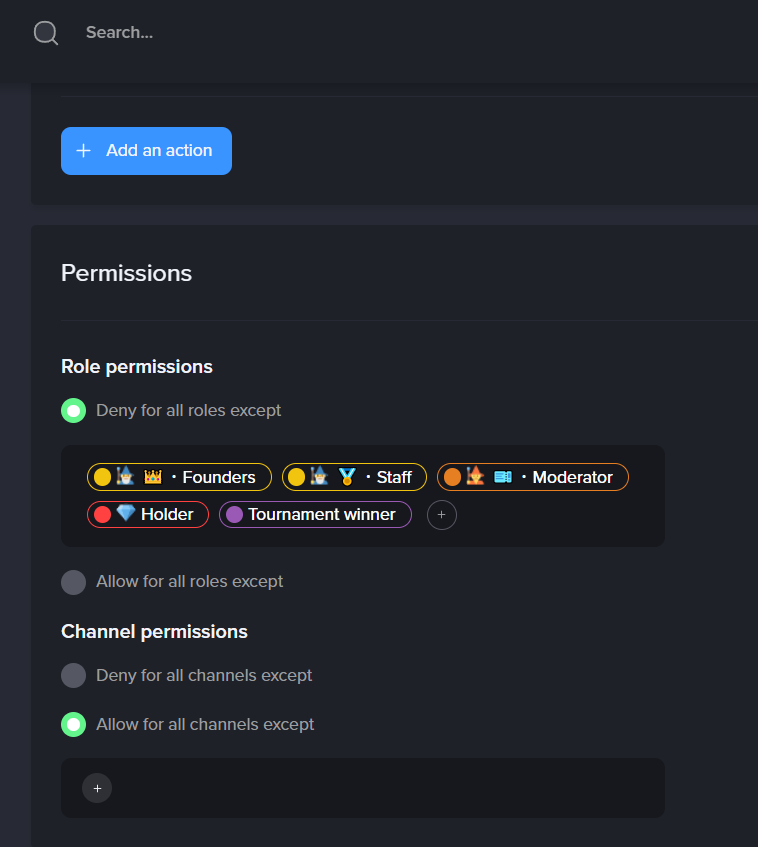
Twitter
“Hey umm...@mee6bot @MEE6NFT I think your premium bot needs a little help....I literally had to hit save 15 times to get it to save my embed custom command correctly. I finally go to bed now that chat is automated too? :) #pokerverse #nftcommunity #nft #pokerlife #poker #utility”
buoyant moon
How do u report a server
 toxic knot
buoyant moon
How do u report a server
toxic knot
buoyant moon
How do u report a server
#〉volunteer-support not bugs
dire yarrowBOT
Reporting a ToS Violation
If you were Raided, Hacked, Victim of a scam link or anything else that breaches discords ToS - (Terms of Service).
Please use the following link to contact Discord Support:
limber knoll
@buoyant moon ☝️
buoyant moon
👍🏻
limber knoll
@blazing adder not that I'm aware of
blazing adder
limber knoll
<@219317377240793089> not that I'm aware of
I fill out the whole embed form....hit save - whole command goes away
do it again... 1/2 the stuff filled out - same thing.... had to split it up into like 10 steps hitting save after each field
had same issue in other modules as well.... It wouldnt respect what roles I told it to allow or deny - kept failing to save
limber knoll
Which browser were you using?
Add for restricting the command by roles, i get the feeling that is bugged, however still waiting for staff to respond to that one
dire yarrowBOT
 阿吉林#9643 has been warned
Reason: Posted an invite
 next tapir
Mee6 says its on my server but it isnt, I cant kick it or make it join my server.
On mee6.xyz it says "Go" instead of "Setup" but it isnt on my server, I dont have anything to setup.
 sweet hedge
Hi
buoyant moon
I think that the variables of the commands do not work or it is bugged since it only appears {server.name} and other server names relates variables I try to put the {user.bot} variable and I can not even appear
 worldly jetty
One of the subscriptions in my server disappeared and when I go to re add it it says it already exists even though looking at the page shows 3 out 3 when it should be 4
 raw pivot
i dont know where talk but i guess i good canal talking , have problems with massages who joined server always saw only this: invalid-user
other players saw normal names and sometimes name (@with numbers only)
i check settings and all is ok..
final sedge
raw pivot
i dont know where talk but i guess i good canal talking , have problems with mas...
Check the pinned message
raw pivot
final sedge
Check the pinned message
in massage welcome is this: Witaj na serwerze Oddział Psychiatryczny {user}
, fajnie że wpadłeś koniecznie wejdź na #「📘」regulamin i nadaj sobie role na #「🔷」autorole
a i dzięki tobie mamy {server.member_count}
final sedge
raw pivot
@final sedge something can fixed for only talking (@names player) ?
 woeful light
Hello, my bot is buggy without login, if adm from Brazil can help me
woeful light
woeful light
Hello, my bot is buggy without login, if adm from Brazil can help me

<@&892137524783349781>
dire yarrowBOT
 Narutoooooo#5583 has been warned
Reason: Bad word usage
Narutoooooo#5583 has been warned
Reason: Bad word usage
Narutoooooo#5583 has been warned
Reason: Bad word usage
Narutoooooo#5583 has been banned
Reason: Too many infractions
 austere imp
Xd
 sacred basalt
Bye bye rule breakers
 dire yarrowBOT
 DJPRO666#1976 has been warned
Reason: Bad word usage
dire yarrowBOT
 Vyse#2801 has been warned
Reason: Bad word usage
dire yarrowBOT
Vyse#2801 has been warned
Reason: Bad word usage
Vyse#2801 has been warned
Reason: Bad word usage
Vyse#2801 has been warned
Reason: Bad word usage
dire yarrowBOT
 its_MRWALTER#3106 has been warned
Reason: Bad word usage
dire yarrowBOT
Vyse#2801 has been warned
Reason: Bad word usage
dire yarrowBOT
 tomie#4672 has been warned
Reason: Posted an invite
dire yarrowBOT
 AK#5513 has been warned
Reason: Bad word usage
 opal jasper
hi everybody, i am using mee6 to ban external link in my discord, but when i set the allowed link in mee6 it doesn't work and the allowed link is still banned in the server, does anybody know how to fix it?
<@&892137524783349781>
twin tendon
opal jasper
hi everybody, i am using mee6 to ban external link in my discord, but when i set...
Don't add the /
Example... Only add tenor.com and not tenor.com/
dire yarrowBOT
 Vyse#2801 has been warned
Reason: Bad word usage
Vyse#2801 has been warned
Reason: Bad word usage
buoyant moon
 brittle flower
Custom bot is down again
buoyant moon
Erm, I edited a Embed, saved, when I edit it again, I see the original content? But if I CTRL F5 then edit it, I see the new content.... Obviously a cache issue but...
 flint dagger
brittle flower
Custom bot is down again
flint dagger
brittle flower
Custom bot is down again
Mine is working perfectly fine did you reset your token
 grim drift
brittle flower
Custom bot is down again
grim drift
brittle flower
Custom bot is down again
Im having the same issue, its going on and off :/
 thorny nacelle
brittle flower
Custom bot is down again
thorny nacelle
brittle flower
Custom bot is down again
same
unkempt pasture
Any known issues with social connectors? Our reddit feeds stopped importing two days ago.
 exotic stone
...? i got pinged a second ago?
 nimble hawk
mine has stopped as well...i think 2 days ago as well
 lethal sedge
There are occasional mini laggs when playing music.
 valid heron
My command doesn't work and I don't know why.

The Mee6 role is above the Verified role.
dire yarrowBOT
 JOSEKAO#3756 has been warned
Reason: Bad word usage
 modest locust
Is the bot down right now?
valid heron
Yes.


 iron needle
economy commands seem to not be working rn
long dawn
Doodle check DMs
Hmmmm
DOODLE U DER!?
Hi there @valid heron! Does your custom bot role have “Manage Roles”permissions?
valid heron
The bot has the Bots role which is an administrator but I don't know. I was under the impression that the custom bot's bot role would be controlled by the bot itself and I have no control over it. Will check.
Yes, it does.

Oh, maybe it's an issue with the Discord dev app bot thing you mean?
long dawn
Hmm
stray sluice
@valid heron
It may be related to an issue going around with the custom bot
Staff are aware of it though!
dire yarrowBOT
 #〉bugs-reports is now in s l o w m o t i o n. Regular users can only post once every 1 second
(Suggestion: Type /slowmode off when you want to disable slowmode)
valid heron
At least it's a known issue. I can work with that. I do have another question regarding custom commands. Will they be getting slash support?
I think that may be the culprit with this being that I use / instead of the default !.
stray sluice
valid heron
At least it's a known issue. I can work with that. I do have another question re...
What I know so far, no. Try suggesting it in #〉suggestions
If that is even possible (To make that a feature)
valid heron
I can't imagine it not being possible tbh.
 livid venture
HELP I SENT MY TIKTOK TO THE WRONG SERVER
 grizzled panther
Hello, I am having trouble removing a footer image from an embed I've made.
Steps taken:
Logged into the website dashboard
Logged in using my account, and made sure I had manage server permissions in the server in question
Went into the embed modification area and clicked on the embed in question
Scrolled down to the footer area of the embed and clicked the little X to remove the image
Pressed the save and close button
Refreshed and tried again
Repeated the process and tried again
Ensured the bot still had the perms required to make changes in that channel
Tried replacing the image with another image, the old image stayed active and still shows up when I try to edit the embed
Anything else I can try or any help you can give would be greatly appreciated!
Note: Words/Text can be edited just fine, but the image refuses to change or be deleted.
dire yarrowBOT
 Anzor#9957 has been warned
Reason: Bad word usage
 spiral badge
Embed does not go through to server. Is there a limit on embeds?
limber knoll
Liit?
spiral badge
limber knoll
Liit?
limit?
limber knoll
Which plug-in?
spiral badge
Embed
spiral badge
Is there no longer a limit? When I try to post embeds they do not show up on the server and it does not show in my embed list on the bot either
spiral badge
trying to problem solve why my embeds are not working. I'm a novice
Non-custom bot.. standard Mee6 embed plug-in
limber knoll
Ok, and mee6 has embeded links and attach files for that channel the embed is posting to?
spiral badge
yep
limber knoll
If you create an embeded custom command does that post in that channel?
spiral badge
Don't know how to do that
limber knoll
In the custom commands plug-in
You can create an embed command
When you save it use it on the channel you're trying to get the bot to post in, of it works, means there's an issue somewhere
spiral badge
limber knoll
When you save it use it on the channel you're trying to get the bot to post in, ...
So what do you mean 'there's an issue somewhere"?
limber knoll
Where it's possible the bot no longer sees the message
spiral badge
How would I find that?
spiral badge
Thank you for your help
limber knoll
At least we know it's an issue with the embed plug-in as your command worked
limber knoll
spiral badge
Thank you for your help
Can you dm me the server id?
dire yarrowBOT
 1storm#3630 has been warned
Reason: Bad word usage
dire yarrowBOT
 MarbleManic#5563 has been warned
Reason: Bad word usage
 turbid zealot
Any I got level bug

 half dew
Embed does not go through to the server. Is there maybe a limit on embeds????
quaint agate
half dew
Embed does not go through to the server. Is there maybe a limit on embeds????
There is a limit
quaint agate
turbid zealot
Any I got level bug
This sometimes happens, try again
turbid zealot
quaint agate
This sometimes happens, try again
Ok that work ty
 rigid cliff
reaction roles aren't working. Is there issue w/ the bots?
rigid cliff
Yes it was working fine before today
manic nimbus
rigid cliff
reaction roles aren't working. Is there issue w/ the bots?
They posted about it in #〉status-updates
rigid cliff
manic nimbus
They posted about it in <#670208692729151510>
Thank you. Odd, @robust glacier said his works but the status updates was from 5/17 that it was down. I didnt notice till someone reported today.
manic nimbus
Yeah mine seemed to start working today but the status report still says no ETA. I figure they're still figuring it out, or maybe the fix isn't rolled out to all servers yet? I don't know how it works.
nimble hawk
Reddit post from mee6 seems to not be sending me updates from reddit. I removed and re added the thread on the mee6 website but still showing my last post of 5/22. Is this down at all as I am not seeing any info about it
buoyant moon
The bot warning when it lacks some time to use the custom command again, when it takes a few seconds it says that there are minutes left in the Portuguese language
buoyant moon
buoyant moon
I think that the variables of the commands do not work or it is bugged since it ...
Help me isnt work
nimble hawk
seems the reddit issue for my mee6 has been resolved..ima getting post from reddit again.....ty
 burnt pond
if he changes the amount it shows up double? is mee6 drunk? 😱
 rigid cliff
Just checked the reaction role and the notification is still down.
 dire zenith
mines not allowing me to play music
the /play command is not working
im going bed anyway but if anyone has any info on what to do let me know, ive removed the bot and re added it and same thing, thanks in advance if anyone helps
lofty heart
dire zenith
mines not allowing me to play music
is the music plugin enabled?
dire zenith
lofty heart
is the music plugin enabled?
.
lofty heart
dire zenith
should be
can you double check
lofty heart
dire zenith
do i need premium? i didnt need it before
music is now premium yes, as of December 17, 2021
dire zenith
lofty heart
music is now premium yes, as of December 17, 2021
ok no worries thanks
buoyant moon
Can we get a fix on the links in the MEE6 embeds?
if you copy links into an embed it doesn't display properly
 opaque spire
Ha
buoyant moon
When going to "settings" on the dashboard, the changes detected banner pops up, even though no changes were made.
I've tested this on 2 dashboards for different servers(1 premium, 1 non-premium), and only on this account.
dire zenith
So last night my bot wasnt letting me use the /play mode even though i could a few days ago withiut premium but even now no commands work, ive checked quite a bit but if you have any info or can help me would be awesome
Fyi i did just get a subscription but i got it refunded since i didnt need it
 karmic stream

 dire yarrowBOT
 dzDude#8348 has been warned
Reason: Bad word usage
 void frost
Hello I connected Twitter and Instagram, but I only get notification in my channel when I post on twitter, but its not working for Instagram any idea ?
dire yarrowBOT
 nutella#9999 has been warned
Reason: Bad word usage
 Mr. Rainbow#0383 has been warned
Reason: Bad word usage
 short tulip
void frost
Hello I connected Twitter and Instagram, but I only get notification in my chann...
short tulip
void frost
Hello I connected Twitter and Instagram, but I only get notification in my chann...
Same here 😦
Saw this:
#〉status-updates message
Will wait and check back later 🙏
twin tendon
dire zenith
So last night my bot wasnt letting me use the /play mode even though i could a f...
The subscription part
Is the reason why
Because music is premium now
Only way to keep it is if you had it before
Didn't turn off
Didn't buy subscription which expired/refunded in your case
 forest violet
shrewd scaffold
forest violet
shrewd scaffold
@forest violet please do not spam
 nocturne ingot
Did this ever get resolved? I'm experiencing the same issue.
dire zenith
twin tendon
The subscription part
thats so ghey, it worked all this time and when i get a sub it doesnt work lol, weird as
 frigid island
!clear is not working
twin tendon
dire zenith
thats so ghey, it worked all this time and when i get a sub it doesnt work lol, ...
you refunded right?
dire zenith
sorry yeah refunded
twin tendon
that is how premium features work
dire zenith
and it doesnt work now
nah but what i dont understand
is why did it work when i didnt have premium
i got premium and refunded the next day, music gone
but before i got premium music was working
so mustve been a bug
twin tendon
Before you had it grandfathered... meaning you had it turned on before it turned premium... so you get to keep the feature
after buying premium your granfthered status was removed and it turned premium
and since you dont have premium now the feature was removed
dire zenith
ok so no more music unless i have premium hey
twin tendon
yup
twin tendon
Im a guy.., and no problem 😄
dire zenith
ahahhaha
long dawn
twin tendon
Im a guy.., and no problem 😄
I’m a sergal
dire yarrowBOT

Clear Command Usage
- /clear [messages to remove] [@name].
- /clear x to clear the last x messages (/clear 10)
- /clear @name to clear all the messages of @name (/clear @MEE6#4876).
- /clear @name x to clear the last x messages of @name (clear 10 @MEE6#4876) or !clear x @name (if not using slash command)
Requirements
+ I need Manage Messages and View Message History permissions.
+ Moderator plugin and /clear command should to be enabled.
+ Only users with Allowed Roles can use the command, don't forget to add their roles in command's settings.
Disclaimer
- Messages older than 14 days can not be deleted by any Discord Bot, and this includes MEE6
twin tendon
@frigid island




 twin tendon
frigid island
twin tendon
frigid island
does any other command work?