#helpdesk-selive
1 messages · Page 177 of 1
 long bobcat
long bobcat
long bobcat
and from your activity feed you can reload your overlays
after reloading them we'd expect to see it working, lemme know
 split dagger
alright, I'm going to add them back on. I had removed them thinking that by waiting and popping them back on would do the trick
 full thunderBOT
The default resolution for StreamElements overlays (theme and custom) is 1920x1080. Please add them in OBS at their full resolution and use CTRL+F to fit to screen if necessary. You can then downscale your stream in OBS settings > Video if you'd like https://i.imgur.com/6bWXxjR.png
 long bobcat
and after adding it let me know what's the behavior
split dagger
Just the red outline to adjust but blank.
full thunderBOT
@split dagger Please provide your account ID found at the top of this page: https://streamelements.com/dashboard/account/channels This ID is public info and safe to share here.
long bobcat
try what I said still, after adding it:
right click on relevant browser source > properties > scroll down and refresh cache
and then from your activity feed reload your overlays @split dagger
split dagger
@long bobcat I did. same thing.
should i do what support's saying? put my channel? would you be able to see my stuff to help?
long bobcat
have you tried this already?
full thunderBOT
@split dagger OBS > Settings > Advanced > Scroll down > Enable or disable Browser Source Hardware Acceleration, depending on its current state > Restart OBS (This does not apply for OBS on Mac)
https://i.imgur.com/ggMe9ZE.png
 long bobcat
and yeah post it here. the bot says it but I'm the one triggering it :p
it posts based on staff\volunteer commands
split dagger
alright, when it says "channel" what page should i be on?
long bobcat
the go to that link - https://streamelements.com/dashboard/account/channels
make sure you're on the channel with overlay issues
split dagger
also, should it be checked or no?
long bobcat
and copy the account id
if it was checked, you should uncheck, save and restart obs
if unchecked, the opposite
long bobcat
kk let me know
split dagger
okay, was that the issue?
split dagger
it was checked
long bobcat
that's usually what solves this issue yeah, reversing that setting
split dagger
Also, I know you've helped out a lot already and it's about obs but would you happen to know anything else I could "uncheck"? Still really new to this whole thing but if you can't i understand. it's for streamelements
Well, anyways, thanks for all your help!! Really appreciate it!
long bobcat
aye no worries
it takes time, honestly. I've experienced many weird issues related to OBS and\or OBS.Live, but I can't say I found unfixable things
every setup is more or less unique, therefore it's up to the broadcaster to go and try everything they can do to make sure stream is optimized
because each setup is unique we can't really advise on "best practices"
the method is to use support when needed and accumulate knowledge
I accumulated a lot of SE related knowledge before I started working here, and I'm still learning
so yeah take your time
split dagger
Alright, thanks! you've been great! I was really freaking out there. Can't thank you enough!!!
Well have yourself a wonderful night!!
long bobcat
all good glad to have been able to help, don't hesitate to ask around anything anytime 
split dagger
cheers!
 prime maple
hi after setting audio line that i use for media and alerts im getting giant echo i was asking how to separate media request and alerts to 2 separate lines im also using voice meeter potato for audio lines
prime maple
ok solved it thank you but next time what missing for me was in sources to make control audio via OBS you helped thank you
 rugged quail
I need help
full thunderBOT
@rugged quail Welcome to the helpdesk! Please let us know how we can assist you today and a support volunteer or staff member will assist you as soon as they are available. Thank you for your patience.
long bobcat
rugged quail
thx
 cinder shard
I did the whole process as in the video, but without success, can someone help me how to solve it?
I already gave up everything and resintale but without success.
rugged quail
@long bobcat My browser don't go the image is transparent. Can you go call with me and I make a Live in discord??
rugged quail
my Activity Feed copies itself endlessly, all activities are copies of itself!
the whole thing in obslive as well as on the streamelements page itself also
 ripe laurel
I got the same problem like manson87
full thunderBOT
@ripe laurel Please provide your account ID found at the top of this page: https://streamelements.com/dashboard/account/channels This ID is public info and safe to share here.
@rugged quail Please provide your account ID found at the top of this page: https://streamelements.com/dashboard/account/channels This ID is public info and safe to share here.
rugged quail
full thunder
<@456226577798135808> Please provide your account ID found at the top of this pa...
5f7b75e8f4593c32eac6e0dc
rugged quail
full thunder
<@456226577798135808> Please provide your account ID found at the top of this pa...
my friend has the same issue, id: 5f7e1bcc953ef5fe58c9dbe3
fixed, thank you 🙂
ripe laurel
Its working well again now, Thanks a lot 😄
 tight rock
anyone can help me with settings in obs.live? because i keep having lag during stream and i tried everything?
got 18 mbps upload and have bitrate set to 2500
canvas to 1080x720
 candid spire
One question, I dont know if it has happend to anyone but when I enter OBS, the activity feed and chat panel are al in white and I cant see anything on it. Does anyone knows how to fix it?
And I can't see my browser on the screen
tight rock
go to settings and set theme to dark
candid spire
No, I mean that literally I can't see anything on it, it's not about the colour
tight rock
that probally can be when youre not logged into the twitch?
full thunderBOT
@tight rock Obs.live is a plugin for OBS Studio for the best OBS support, please join their Official Discord @ discord.gg/obsproject
candid spire
Yep, I already connected my account and its not that. I may need to reinstall it again
It literally shows this
full thunderBOT
@candid spire StreamElements menu, on top of OBS > Logout > Login
rugged quail
I have a problem, I can't put my overlays on, I watch videos but the program is obsessing that it has different things, I can't put my overlay through the browser on the scene
candid spire
Now its worse
full thunderBOT
@candid spire If you are not seeing the OBS Twitch integrations and have OBS.Live installed, please follow these steps:
- Make sure you are on the latest and greatest version of OBS.Live
- Exit OBS (make sure OBS is not running)
- Delete
%appdata%\obs-studio\plugin_config\obs-browser\obs_profile_cookies - Start OBS.Live
- Settings > Stream > Disconnect > Connect
candid spire
I literally can't login once I logout
rugged quail
Can please help me??
full thunderBOT
@rugged quail To add your overlays to OBS, add a new browser source in your scene. Paste your overlay URL in the browser source properties, set the dimensions to 1920x1080 (unless you changed them on the website) and check Shutdown source when not visible. https://youtu.be/KDvLynUqXI4
candid spire
Now I can't even conect my account again...
rugged quail
I can't, my Overlay don't go lock
full thunderBOT
@rugged quail OBS > Settings > Advanced > Scroll down > Enable or disable Browser Source Hardware Acceleration, depending on its current state > Restart OBS (This does not apply for OBS on Mac)
https://i.imgur.com/ggMe9ZE.png
full thunderBOT
@rugged quail The default resolution for StreamElements overlays (theme and custom) is 1920x1080. Please add them in OBS at their full resolution and use CTRL+F to fit to screen if necessary. You can then downscale your stream in OBS settings > Video if you'd like https://i.imgur.com/6bWXxjR.png
candid spire
It deleted everything I had..., pls tell me it's not gone, plss
candid spire
Yea I know but all the things I had disappeard
 wary dew
Did you make a backup?
candid spire
I think yes
wary dew
then download the OBS.Live plugin
then check in the StreamElements menu under the back-up section if you can restore the back-up
candid spire
Alright I'll try it
candid spire
PLSS HELP, after doing what the bot said about deleting %appdata%\obs-studio\plugin_config\obs-browser\obs_profile_cookies I can't do nothing!!!
Can I restore %appdata%\obs-studio\plugin_config\obs-browser\obs_profile_cookies???
PLSSS
wary dew
@sharp turret you messed up here ^^ 😛
candid spire
Can I do anything???
 sharp turret
wary dew
<@!334412925739728918> you messed up here ^^ 😛
sharp turret
wary dew
<@!334412925739728918> you messed up here ^^ 😛
I don't think  #helpdesk-selive message
It was same after relog
wary dew
sharp turret
I don't think <a:monka:398449312629260298> https://discord.com/channels/1412038...
you did the command to delete it 😛
I'll ask around
candid spire
If I can't repair this I'm literally gonna cry
Plsss I need you guys to help me fix this!!
 kindred fox
Did you empty the recycle bin?
candid spire
No
kindred fox
If not you should be able to put them back
Open recycle bin> right click file > restore/put back
candid spire
But I deleted %appdata%\obs-studio\plugin_config\obs-browser\obs_profile_cookies because the bot told me
Which file?
Can u tell me pls
candid spire
Yes
kindred fox
So the thing is there? Right click it and put it back
There should be an option to restore or put back
candid spire
I'll gonna try it, god pls tell me this is gonna work
kindred fox
Or copy it, go back to the folder in %appdata% and paste it back in
candid spire
Ok, I already restored it
kindred fox
Congrats. It’s back
candid spire
I'll gonna try entering OBS
One sec
Why do I have 4 different folders now in app data?
kindred fox
No idea
 humble flax
Guys I need help please. My alerts are not updating
rugged quail
Anyone know how to get my alerts to playback through my headset, they work perfect on stream but I cant hear them
candid spire
Plss some who can help me delet this white screen
rugged quail
humble flax
Jimmy can you help me? My alerts don't update
have you tried refreshing them in obs ?
humble flax
Yup
 kindred wind
i accidentally cut the chat tab in streamelements obs how to bring it back
rugged quail
humble flax
Yup
what are they doing that you need to refresh them?
kindred wind
@sharp turret where is the menu
sharp turret
kindred wind
<@!334412925739728918> where is the menu
Sec i send a screenshot
kindred wind
k
sharp turret
kindred wind
k
kindred wind
k got it thx
rugged quail
are you guys able to hear your alerts back through your headsets?
rugged quail
yea same
rugged quail
there has to be a routing thing somewhere for it
rugged quail
the search continues lol
kindred wind
lol
humble flax
Alerts are doing nothing they don't show up on stream
 steel mural
sharp turret
rugged quail
are you guys able to hear your alerts back through your headsets?
steel mural
sharp turret
rugged quail
are you guys able to hear your alerts back through your headsets?
In advanced audio properties have you set alertbox monitoring to monitor and output?
humble flax
Mine don't show
steel mural
Check the image I posted above
rugged quail
steel mural
Check the image I posted above
yea that i did
kindred wind
where is it tho
steel mural
@kindred wind What do you mean?
kindred wind
where is it in obs
rugged quail
click the setting button in your audio mixer
kindred wind
k
steel mural
kindred wind
wait there is no audio mixer here
full thunderBOT
@humble flax OBS > Settings > Advanced > Scroll down > Enable or disable Browser Source Hardware Acceleration, depending on its current state > Restart OBS (This does not apply for OBS on Mac)
https://i.imgur.com/ggMe9ZE.png
rugged quail
you may have to still add an audio source then
kindred wind
i have an input and output audio source
steel mural
Send us a screenshot of your OBS window please.
steel mural
right here
kindred wind
ok
kindred wind
what do i click on now?
steel mural
Here... Just follow the arrows
rugged quail
you may be better off youtubing alpha gaming setting up obs he has a good video on the set up
kindred wind
its giving me options for properties audio properties
filters
what to click? @steel mural
steel mural
 plain sonnet
i think the bottom half of the image is next
steel mural
It seems like you're ignoring my screenshot with the huge red arrows 😦
steel mural
It's the same, mine just has different colors because I changed it
plain sonnet
the only difference in his screenshot is the name of the source.
kindred wind
k
plain sonnet
im guessing your overlay is just called Browser
plain sonnet
so just set it to what is set in fabis screenshot
plain sonnet
what does it show in the screenshot?
steel mural
If you monitor your alerts and your monitoring them with the same device as your "Desktop Audio", they will hear it too.
plain sonnet
the audio goes through desktop audio (if you dont mute it)
 cunning ledge
when i input my camera it is a square but i cant change the shape of it. How can change the shape of it? 🙂
steel mural
Change the resolution to a 16:9 standard like 1280x720
cunning ledge
yeah but i cant find the option to do that thats kinda the problem
steel mural
Go to your webcam properties ->
And here's a list of 16:9 ratios. The green highlighted values are the most common ones. If you don't have a scene where your cam is in fullscreen, a smaller value than 1280x720 will be fine: https://pacoup.com/2011/06/12/list-of-true-169-resolutions/
rugged quail
I can't see the streamelements screen. I just installed it and when i switch to OBS Studio i can see everything but when i use Stream elements its just a black screen, What do i do to fix this? Please help
candid spire
@rugged quail Me too
rugged quail
I have used Stream elements before but it started to look like this i have reinstalled the app several times but cant get it to what it was the first time i installed how do i fix this??
 wild gate
Any give me any obvious things I've missed when trying to set up timers with the streamlab bot?
rugged quail
i cant login either into stream elements in obs studio
candid spire
rugged quail
i cant login either into stream elements in obs studio
Well, at least now I know that I'm not the only one who can't loging
Can someone help us fix this?
rugged quail
so something weird happened to my browser source it did start working yet the source seems to be zoomed in, obs is working fine but i think the widget itself is causing this
candid spire
@wary dew Can you help us fix this problem plss
 gentle sphinx
when i test alerts in stream elements thay work but when someone else subs nothing happens, how can i fix this??
sharp turret
gentle sphinx
when i test alerts in stream elements thay work but when someone else subs nothi...
Is this for youtube?
candid spire
@sharp turret Can u help me plss
gentle sphinx
sharp turret
Is this for youtube?
yes it is
sharp turret
haha, i don't know the command 😛 i search it wait..
gentle sphinx
okay no worries
sharp turret
found it
full thunderBOT
@gentle sphinx Users can choose to make the channels that they subscribe to public or private. By default, all settings are set to private.
Private: When a user's subscriptions are set to private, no other user can see what channels they subscribe to. A user's account does not show in a channel's Subscribers List, even if they are subscribed.
Public: When users subscriptions are set to public, another user can see what channels they subscribe to. User subscriptions are listed on their channel page and their account is listed in the Subscribers List for any channel they subscribe to.
If a user has it set to Private they will not show up in the activity feed. More info: https://support.google.com/youtube/answer/7280190
candid spire
How do I fix this white screen? In OBS it works but when I enter StreamElements It appears this white screen and I can't even login
gentle sphinx
full thunder
<@!330311068385673216> Users can choose to make the channels that they subscribe...
is the same when i am live streaming and someone subs and the alert dont show on stream?
rugged quail
Thanks for all Streamelements team now i can make my stream in better quality thanks
sharp turret
gentle sphinx
is the same when i am live streaming and someone subs and the alert dont show on...
They need to be public privacy settings and it will show alerts and also in activity feed.
With private not
 brittle nova
Hey guys, i need some help, i use one of your overlays as browser source on obs.live but i'm having a problem with audio for alerts, the alert audios work on stream, but me, the streamer, can't hear them, so i keep missing alerts cuz i can't be constantly looking at the activity feed, how do i fix that? How do i make so i can hear the sound too? My viewers can hear the sound alerts fine.
gentle sphinx
sharp turret
They need to be public privacy settings and it will show alerts and also in acti...
it shows up in the activity feed when im streaming.
rugged quail
I can add Streamlabs(Donate Site) in StreamElements when soemone make a donate?? The alert continue?? (I use twitch,)
full thunderBOT
@brittle nova If you are not hearing your alerts and/or Media Request, you are most likely using the Control Audio via OBS option in your browser source properties.
To make sure you hear the alerts and the stream also hears them, follow along the screenshot bellow.
https://cdn.discordapp.com/attachments/199460642975907840/685371800456134686/unknown.png
 sharp turret
gentle sphinx
it shows up in the activity feed when im streaming.
sharp turret
gentle sphinx
it shows up in the activity feed when im streaming.
Hmm, not sure then 🤔 I'm not a support heroes or staff so sorry 😄
gentle sphinx
sharp turret
Hmm, not sure then 🤔 I'm not a support heroes or staff so sorry 😄
its okay thank you for trying
sharp turret
rugged quail
I can add Streamlabs(Donate Site) in StreamElements when soemone make a donate??...
You can use streamlabs but then you will need add also alertbox from streamlabs to show up on stream 

 brittle nova
YAYY, it worked ❤️
rugged quail
Hello?
What's the thing that doesn't work on Streamlabs OBS?? I'm using my overlay in it right now?? What does not work in it according to SE?
Please @ or Reply when available with a response.
full thunderBOT
@rugged quail We're not able to troubleshoot issues with using our overlays in StreamLabs OBS (SLOBS) as we don't have the tools to support their software. We recommend using OBS Studio or OBS Studio with our plugin OBS.Live.
rugged quail
Here's the thing, It works Perfectly in SLOBS... so I'm confused on what wasn't "Supposed to work"
Am I good to go then?
full thunderBOT
@rugged quail To add your overlays to OBS, add a new browser source in your scene. Paste your overlay URL in the browser source properties, set the dimensions to 1920x1080 (unless you changed them on the website) and check Shutdown source when not visible. https://youtu.be/KDvLynUqXI4
rugged quail
Ok I'm just gonna say I'm good to go, I'm not really getting my answer..
 graceful cipher
How do I download Streamelements to desktop
 tulip hamlet
StreamElements is a cloud-based service. There's a plugin for OBS Studio, but nothing is required to be downloaded for the system to work.
full thunderBOT
@graceful cipher New to StreamElements?
Check out our YouTube channel https://www.youtube.com/c/streamelements/videos
with tutorial videos from setting up the basics, to in-depth details on how to use our product.
New to OBS? Here is a 4 step quick start guide
https://obsproject.com/wiki/OBS-Studio-Quickstart
Want to learn even more? Here is an in-depth overview
https://obsproject.com/wiki/OBS-Studio-Overview
 meager dirge
for some reason when I try and set up my Custom Bot name the only thing that shows up is Streamelements, and I only have the option to RE-LOG into the account
any ideas?
full thunderBOT
@meager dirge Please provide a proper screenshot with the issue visible. If not sure how to take a screenshot, you can check here: https://www.take-a-screenshot.org
meager dirge
tulip hamlet
So connect your custom bot account.
meager dirge
I do, and then it does nothing
full thunderBOT
@meager dirge "1) Right click on your OBS desktop shortcut and open the Properties
2) In the Target field, add the following to the very end: --remote-debugging-port=40404
3) Open OBS (or restart if it was open)
4) Open your web browser and type in: localhost:40404
5) Click on StreamElements - Activity feed
6) Navigate to the Console tab
7) Type the following into the console and hit enter: store.customBot.removeCustomBotIntegration()
8) Try setting the custom bot name
9) Remove the additional flag in step 2 from your shortcut properties."
meager dirge
do I add the debug after the " or before
tulip hamlet
After, with a space between.
meager dirge
 random vale
No matter what i do. nothing is showing on game capture. What should i do?
full thunderBOT
@random vale Obs.live is a plugin for OBS Studio for the best OBS support, please join their Official Discord @ discord.gg/obsproject
meager dirge
Where is the Console Tab on the web browswer
tulip hamlet
Press F12.
 undone elm
candid spire
How do I fix this white screen? In OBS it works but when I enter StreamElements ...
undone elm
candid spire
How do I fix this white screen? In OBS it works but when I enter StreamElements ...
I had the exact same issue. For me the firewall I use blocked obs-browser-page.exe from OBS-Studio. Please check that your anti-virus or firewall software isn't blocking it after the update. Once I unblocked it, everything started working once again as normal, overlays (after restarting OBS.Live), activity, chat and all.
 sleek iris
I guess I'll ask here? I've been using OBS studio for a stream to youtube, which has been working mostly. However it looks like Stream Elements OBS.Live has better integration with Youtube.
Is there an easy way to install OBS.Live, and import all the scenes, filters, and settings from OBS Studio?
 dawn idol
how do i put back in my stream title and game settings through obs. opened it today and its gone... trying to figure out how to get it back
 leaden pollen
I cant seem to get media request to work in the SeObs app
kindred fox
@sleek iris it should detect your existing scenes and sources
@dawn idol view > stream information
Or view > docks > stream information
Can’t remember which
sleek iris
kindred fox
<@224726385086824448> it should detect your existing scenes and sources
excellent, I'll be at that site on Wednesday. I'll install OBS.live, and see how it goes.
kindred fox
@leaden pollen make sure you have the media request widget on your overlay and it only works for twitch iirc
Np
sleek iris
the Youtube Integration is the killer feature for us.
kindred fox
Should be fine
full thunderBOT
@trim salmon Read and follow our server rules:
- We do not tolerate toxicity! Treat the community team, staff and all members with respect.
- No advertisement or channel promotion, anywhere on the server.
- No NSFW/NSFL
- No unsolicited DMs or friend requests to server members
Make sure to read the #rules in any server you join.
dawn idol
@kindred fox thank you for the assistance
kindred fox
Word
 slow zenith
anyone know how to fix this? when at night im not laggy but when its morning im so laggy pls tell me if u know how or any tips
 shy mountain
@slow zenith Can you NOT post in every channel?
Also your query does not tell us much about your issue besides something being laggy
elaborate on the issue more
 keen parcel
hello, I'm new user of Streamelemnts. I'm trying to configure subscriber notification via overlay section. Everything seemed to work fine, until I decided to delete default video that's above the sign. When I delete that, only part of the sign shows or nothing shows depending on the subscriber's nickname. I tried to change notification box' size, but it doesn't change anything. Please, help me.
full thunderBOT
@keen parcel The default resolution for StreamElements overlays (theme and custom) is 1920x1080. Please add them in OBS at their full resolution and use CTRL+F to fit to screen if necessary. You can then downscale your stream in OBS settings > Video if you'd like https://i.imgur.com/6bWXxjR.png
 radiant blade
Hi, how can i use the new Soundtrack by Twitch with StreamElements Obs?
 storm sundial
anyone can help to my alertbox? please . its
because it does not work
full thunderBOT
@radiant blade OBS.Live is a Plugin for OBS created by StreamElements. You can download OBS.Live here: https://streamelements.com/obslive
Please make sure you have the latest version of OBS installed, Current Version: 26.0.2. You can install OBS here: https://obsproject.com/
shy mountain
@storm sundial can you elaborate on your issue please?
storm sundial
wait i just get a screenshot
HERE
ITS NOT WORKING AND THE WEBSITE HOME COMES OUT
please help me
shy mountain
Remove the browser source and add it again
full thunderBOT
@storm sundial Please provide your account ID found at the top of this page: https://streamelements.com/dashboard/account/channels This ID is public info and safe to share here.
 turbid bear
On second thought, #helpdesk-twitch may be a better place for my issue.
storm sundial
shy mountain
Remove the browser source and add it again
i already did that
turbid bear
@storm sundial make sure your url is copied from the 3 dots of your theme.
 cloud edge
Hey all, im trying to get my transition from NerdorDie to go through its full cycle and its keeps cutting short. I have tried everything, lengthening the transition time shortening the transition time, nothing ive done seems to be working
storm sundial
i did it already its nothing happen
storm sundial
turbid bear
<@!692718872691736587> make sure your url is copied from the 3 dots of your them...
i did it already its nothing happen
cloud edge
@storm sundial Have you got the Alerts at the very top of your list it need to be above everything to work
storm sundial
sory?
 midnight wind
Good morning, I have a problem with the Alert Box, I have a GIF that I want to use as an alert, but somehow the GIF doesn't do what it should do after uploading, anyone can help me with an idea like me manage that it doesn't start in the middle of the gif, but at the beginning?
and sorry my english is not the best
cloud edge
@storm sundial if your alerts are not showing up make sure the browser add on in the scene is at the top like this
 lusty egret
how do i put back the Active feed and chat widget on obs i accidentally close both of them i dont know how to put them back
cloud edge
@lusty egret goto view then docks and select it from there
midnight wind
Views and then on doks
lusty egret
aight thanks guys
 unborn berry
hi everyone, i am having issues with alerts not working properly. can anyone help me at all TIA!
storm sundial
cloud edge
@unborn berry whats the issue ?
storm sundial
cloud edge
<@!692718872691736587> if your alerts are not showing up make sure the browser a...
its already there sir
unborn berry
my follower alert and share alert will not work but all of my others do
sorry just my follower alert doesnt work
cloud edge
@storm sundial set the scene to the full resolution and then just move the whole browser box to where you want the alert to show, that is how ive got mine to work
unborn berry
my alet will not work in the overlay editor either
midnight wind
@cloud edge do you have an idea to solve a problem that starts my gif at the beginning and not in the middle ?
unborn berry
@cloud edge my alert doesnt work in the overlay editor on stream elements. when i try to Emulate it, nothing happens. i have tried exporting it as many different types of file and still get nothing. i have tried GIF, MP4 and WEBM but the result is the same. the other alerts i exported all as MP4 and the Like, Page Like, and share all work just not the follow. i have tried changing the bit rate and frame rates but i get nothing. any ideas at all
shy mountain
@storm sundial Open file explorer, go to %appdata%\obs-studio\plugin_config\obs-browser and delete the Cache and obs_profile_cookies folders, then restart OBS and see if the browser source is still not loading
@midnight wind Gifs once loaded, are cached and keep on playng in the background when not visible. This prevents them from starting from the beggining
@unborn berry mp4 files are note very well supported. I would suggest to use webms for videos
unborn berry
@shy mountain Hi, thank you but i am also having the same issue with the WEBM format and only for this one alert
lusty egret
does the active feed have a viewer counter on the bottom?
shy mountain
shy mountain
because most likely OBS is running
storm sundial
ok then i turn off
midnight wind
@shy mountain can you avoid this ? because I created the Alert Self, or do I have to export it as Mp4 or something like that
shy mountain
Please don't use .mp4
storm sundial
shy mountain
I recommend .webm
storm sundial
i already delete the folders
shy mountain
unborn berry
<@!120611700993949696> Hi, thank you but i am also having the same issue with th...
which overlay?
midnight wind
@shy mountain okay thank you for the quick help hope they still have a nice day
shy mountain
storm sundial
sory that is my reply?
this reply tags you
So since you deleted both folders, start OBS
storm sundial
its still nothing happen 😦
storm sundial
i already do that
full thunderBOT
@storm sundial Please provide your account ID found at the top of this page: https://streamelements.com/dashboard/account/channels This ID is public info and safe to share here.
lusty egret
shy mountain
i dont have that pop up i have a refresh icon on thta corner
shy mountain
Then you are not on Twitch
lusty egret
shy mountain
Then you are not on Twitch
ohh it doesn't support facebook ?
shy mountain
No
lusty egret
ok
shy mountain
Facebook doesn't provide an API point for us to get the viewer count during a stream.
cloud edge
Hey all, im trying to get my transition from NerdorDie to go through its full cycle and its keeps cutting short. I have tried everything, lengthening the transition time shortening the transition time, nothing ive done seems to be working
unborn berry
@shy mountain i have taken a screen recording that i will post in a second for you. this will enable you to see my issue much clearer
@shy mountain
full thunderBOT
@cloud edge Obs.live is a plugin for OBS Studio for the best OBS support, please join their Official Discord @ discord.gg/obsproject
unborn berry
shy mountain
which overlay?
Please see my video posted above showing my issue. Thank you
shy mountain
The Like alert is a .mp4
the follower is a .webm
I'm setting the same issue where the video doesn't play, when its a .mp4
so don't use .mp4 files
but .webm files
unborn berry
@shy mountain funny as in the video provided the full animation plays for the like on the page and the stream like also. it clearly shows the follow animation doesnt happen. of course my alert isnt just a black box!?!?. the best bit is that the only one not working is the one that is a .webm file. i have tried the follow one that doesnt work as a .gif, .mp4 and a .webm. none of them work. i have drastically changed the alert as i made them myself (not purchased) and still have the same issue. i get it you/StreamElements do not like .mp4. but none of the listed formats are working THIS INCLUDES .webm
shy mountain
Ok let me record this time
Have you manually renamed the videos from from .m4a to .webm?
as in, actually renaming the files?
Oh ok i saw the issue
this .m4a is not a supported audio format by us
meaning that this bugs out the alert
and makes teh follower alert stop playing
even if its a .webm file
I would strongly recommend using .mp3 or .wav sound files
unborn berry
@shy mountain yeah..... thats an audio file. even without the audio the ALERT ANIMATION doesnt work. that audio file also works on the other alerts so..........?
unborn berry
@shy mountain something needs to be looked at at the StreamElements end. if it is not supported then it shouldn't be able to be uploaded. also the other alerts worked fine with that audio format (.m4a) all night on stream and again today. so, what you where trying to say would have made much more sense if the system isnt contradicting your point. i will be changing the audio files now anyway to a better supported file type. but i would ask that this is handed to someone at stream elements to eliminate the issue for others in the future.
shy mountain
Found somewhat a solution for this and reported it to the devs.
kindred wind
guys my chat isnt working
my live chat dosent show
and i cant type anything in there either
and my alerts and half cut not fully shown even someone follows
full thunderBOT
@kindred wind The default resolution for StreamElements overlays (theme and custom) is 1920x1080. Please add them in OBS at their full resolution and use CTRL+F to fit to screen if necessary. You can then downscale your stream in OBS settings > Video if you'd like https://i.imgur.com/6bWXxjR.png
shy mountain
No need to tag an entire group
shy mountain
If your chat is gone
then click on "Streamelements" on top and click "chat"
for the alerts try the above bot text
full thunderBOT
@kindred wind StreamElements menu, on top of OBS > Logout > Login
 eternal current
Hi. I'm trying to import my settings from Streamlabs into OBS, but every time the import fails saying try again later. Any suggestions?
 pallid parrot
@eternal current This may be because your assets contain not supported files (either not supported format like mp4, mov, m4a or above 30MB threshold).
eternal current
Ah ok, it might be the above 30mb then....thanks for replying so quick
 scenic wind
Hello guys, every 2-3 reboots of my pc, my obslive does this, i have to disconnect and reconnect my twitch account on the settings tab, can someone please help me ? 🙂
pallid parrot
This could be because sometimes you run OBS with admin privileges and regular user cannot read them. This is the only thing that comes to my mind
scenic wind
will give a try to run it pernanently as an admin thanks mate
eternal current
@pallid parrot Hey. So randomly, just checked and even though it said the import had failed, everything has come over.....very strange!
pallid parrot
So there could be something that was missing on your computer maybe too.
And so if all your assets are imported - it is good thing then 😉
eternal current
Yep. very random, just checking over the scenes now and everything seems to be there 🤷♂️
scenic wind
Well administrator rights doesn't work 😦
 supple cargo
Hello everybody, I have had StreamElements OBS.Live for a few months now but recently, I noticed my Activity Feed is not Up To Date and when a user follows me on Twitch, the alert will not show and my StreamElements Activity Feed will not show that the user has followed. I need a solution.
full thunderBOT
@supple cargo Please provide your account ID found at the top of this page: https://streamelements.com/dashboard/account/channels This ID is public info and safe to share here.
supple cargo
5ea2c518f917a3805ae39d48
pallid parrot
Thank you.
pallid parrot
Some of the follow events may be delayed or not dispatched after a huge ddos of follow bots on twitch. Did that issue happen to you today?
supple cargo
yes. it's been happening for a few days
people followed me today according to twitch but the activity feed didn't update.
pallid parrot
I will ask for something additional that may help
Are other events coming through?
supple cargo
no.
 sage robin
Hi, I'm using streamlabs obs and can't figure why my chat emotes are not working? I've put the combo setting high but definitely am doing more than that without it showing ?
supple cargo
can i have an update on a solution?
pallid parrot
OK. So from what I hear - this situation with follow bots running is still affecting Twitch and SE. It should take some time to make the situation stable (and by some time it is more like a week than a day).
pallid parrot
Yes.
supple cargo
okay thank you for helping
pallid parrot
Have a great day!
rugged quail
i have a problem with my sound and stream elements or my ps4...
for some reason if i plug in my headset on my controler the sound go away from the livestream or streamelements
wary dew
Your stream gets the audio from the HDMI cable
You need to set your PS4 to transmit all audio through that
humble flax
Hey. My my activity feed is not working in streamelements
rugged quail
wary dew
You need to set your PS4 to transmit all audio through that
i think i have all the settings how they are supposed to be from what i saw from youtube
humble flax
Can I please get some assistance. It has been 3 days since I asked about this issue.
full thunderBOT
@humble flax Please ask your question in one helpdesk channel only. A support volunteer or StreamElements staff member will assist you as soon as they are available. Asking in multiple places will only result in confusion, not faster answers. Thank you for your patience.
humble flax
Ok. But it has been 3 days. That's why I started using the other helpdesk as well
 left minnow
Not sure if this is a known issue or what but my notifications are not pulling the names through from the activity feed so all that is shown is " Just followed!" rather than "Jim just followed!" if I test the alerts online then the names come up. Any help appreciated 🙂
rugged quail
{name} infront of the just follow?
left minnow
no, just a blank space
rugged quail
put {name} before just followed
left minnow
oh sorry, yeah in the editor that is there, I thought you meant on the alert
wary dew
Sounds more like the name part is outside of the alertbox widget so it doesn't show on stream
left minnow
This is what I have in the editor
rugged quail
then i guess what rubensaurus sayed
left minnow
But this is what I have on the alert
rugged quail
check the borders
wary dew
hmm okay
rugged quail
in ur edit
left minnow
no borders and plenty of space around the widget. If i test in the editor it shows this
Even tried it using the default alert widget and I have the same issue
full thunderBOT
@left minnow Please provide your account ID found at the top of this page: https://streamelements.com/dashboard/account/channels This ID is public info and safe to share here.
candid spire
Does someone know how to fix this? When I enter OBS it's all right but when I enter StreamElement it appears this white screen and I cant even login
humble flax
Everyone get's instant help. Why do I have to wait for 3 days?
wary dew
because you are not answering questions
candid spire
Me too ):
humble flax
No one asked me anything
wary dew
and that is why you don't ask in multiple channels
left minnow
I haven't got instant help. I have had a few responses from other members of the community and one response from a "champion" to say it will be looked into, doesn't mean I'll get a resolution today!
wary dew
I replied to you, so I don't need to check anything
candid spire
But when can someone help me??
humble flax
@wary dew I am sorry if you replied. But I didn't see it to be honest.
candid spire
I did what you guys said and now my obs is worse!!!
And now no one is responding me!!
wary dew
yeah the person who said that is not actual support
I asked around for you but haven't gotten an answer yet
candid spire
wary dew
I asked around for you but haven't gotten an answer yet
Well, I guess I'll wait then...
humble flax
wary dew
I'm going to ask around for you
This one I didn't know it was for me
You didn't tag me
I thought you were helping the guy with the name in the alert box problem
What should I provide?
wary dew
go to #helpdesk-youtube and check there, I didn't respond to you in this channel
rugged quail
any ideas on my problem :D?
wary dew
You are not doing it right? 😛
I always listened to my PS4 through OBS
because all the audio goes through the HDMI to your pc
rugged quail
but there is a small delay if i put it in my laptop where i stream from
full thunderBOT
@rugged quail Obs.live is a plugin for OBS Studio for the best OBS support, please join their Official Discord @ discord.gg/obsproject
candid spire
Also it doesn't let me connect my account, it always appears this white screen
candid spire
Alright thxs, I'll be waiting for the answer
 lyric ocean
Hi im trying to stream call of duty warzone with someone on xbox but when im streaming i cant hear them? Any help?
full thunderBOT
@lyric ocean Obs.live is a plugin for OBS Studio for the best OBS support, please join their Official Discord @ discord.gg/obsproject
rugged quail
Hey @lyric ocean would you describe your setup? How do you stream from Xbox? I never had one so just curious...
wary dew
You can discuss that in #general-chat 😛
rugged quail
wary dew
You can discuss that in <#370226812669788161> 😛
No problem, will do that. By the way, will you be able to help us with an issue in #helpdesk-facebook ?
 tired saddle
With my alerts the name no longer shows up and it doesnt say it with tts
wary dew
rugged quail
No problem, will do that. By the way, will you be able to help us with an issue ...
I know nothing about facebook 😛
rugged quail
Same here @tired saddle ! Now there's 3 people having the same issue in #helpdesk-facebook .
wary dew
Then stop posting here 😛
rugged quail
wary dew
Then stop posting here 😛
I wrongly assumed they are using Facebook. My fault sorry. One guy uses twitch and this person I'm not sure. I might be the only one using Facebook
left minnow
@tired saddle sounds like the same issue I am having
left minnow
Every name for me
tired saddle
Every name
 gritty cedar
Hi Guys. Im using the Alpha Gaming Rotating Metric, For some reason, when trying to use the animation fade in and out it just changes and the animation doesnt work. Can someone help me out please. Thank you
 brisk laurel
wary dew
Is it for every name?
brisk laurel
wary dew
Is it for every name?
i use it on Twitch, but yeah for me it is every follow or sub alert it creates it doesn't show the names
 violet barn
hey im using obs live and ive connected my twitch but its still asking for a stream key ive treid changing the server aswell
 leaden sedge
hi! when i try to apply a LUT the image just go slowly into pitch black when setting the "amount" bar
any tips? i tried with native and downloaded LUT packs!
full thunderBOT
@leaden sedge Obs.live is a plugin for OBS Studio for the best OBS support, please join their Official Discord @ discord.gg/obsproject
 steady sigil
 grim heart
Having a weird issue where names aren't showing up in alerts. It doesn't show up on OBS or in the overlay in StreamElements, but when I emulate an alert, the random name it generates shows up. Tried to replay several alerts and it's not working for any.
wary dew
can you see the names in the activity feed?
grim heart
Yes I can!
wary dew
Good, one moment please
Can you post your channel name here (no links) and the name of the overlay where the alerts are on?
grim heart
My username is Sarahable. I have the alerts on their own overlay in StreamElements just called Alerts, but have it as a browser source on top of my In Game overlay which just has the follower goal
wary dew
Staff is going to take a look at it
grim heart
Thank you! Appreciate the help!
 final ibex
Good evening, someone who explains me how to set the voice that reads the donations in my language (Italian)?
rugged quail
found the solution 🙂 chat link cable
 jolly crane
so I switch from streaming YouTube to twitch but when I click start stream it just says start streaming on YouTube? Any fix?
full thunderBOT
@jolly crane StreamElements menu, on top of OBS > Logout > Login
jolly crane
sweet
 native ermine
Hi, I'm having the same issue as Sarahable (#helpdesk-selive message), however, it's only happening when "replaying" alerts using the button in the activity feed. New alerts coming in are showing correctly.
wary dew
Then it should be good
grim heart
I haven't gone live yet, but when I do next the alerts should show okay, it's just the replayed ones that aren't right?
native ermine
I followed my channel on a test account, and the real alert came through fine
wary dew
It looks that way yes, we just tried it on a few streams that were live and they all worked normal
grim heart
Okay great! Thanks for your help!
 little haven
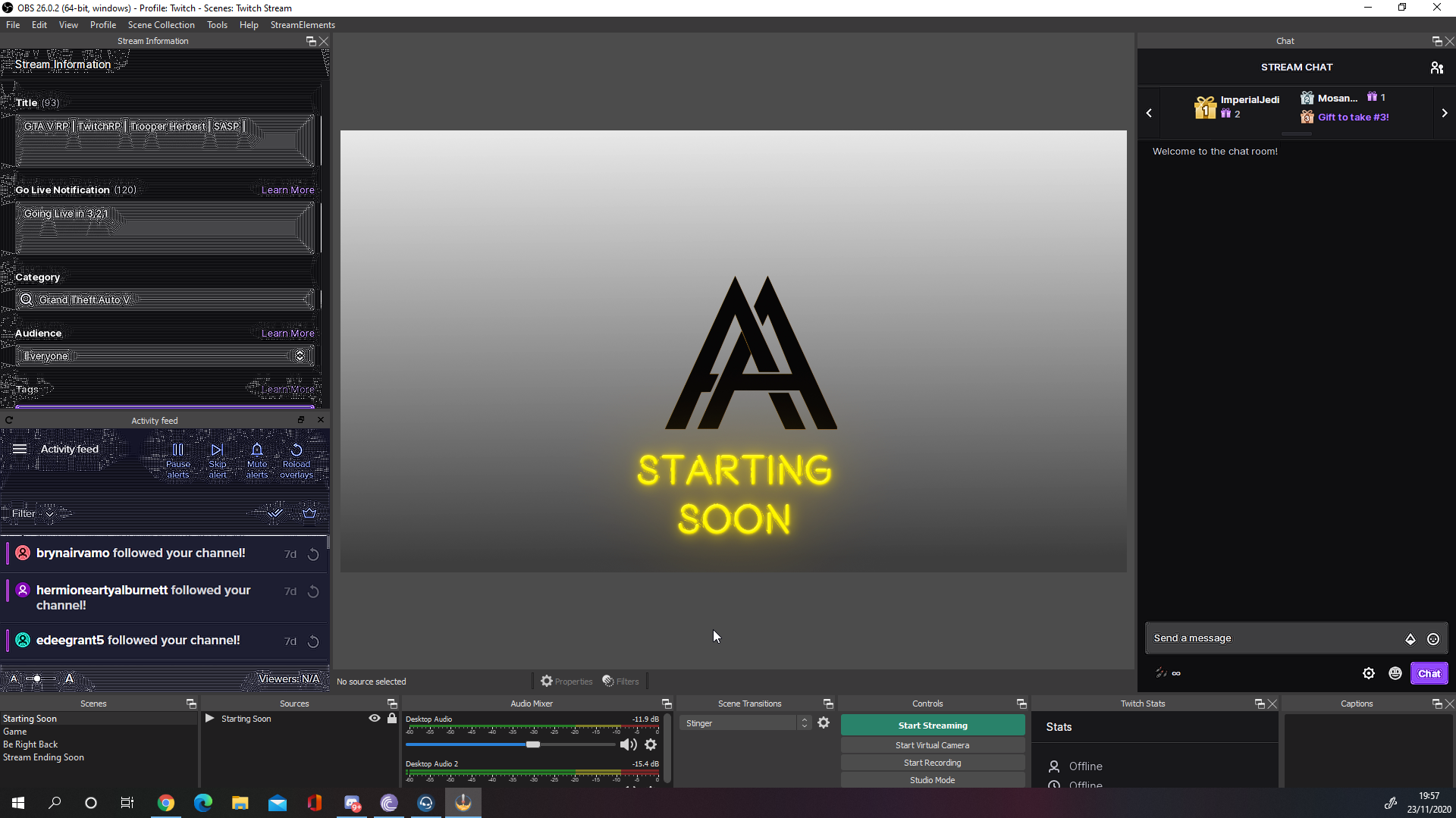
https://i.imgur.com/UanJdqe.png broken after latest update
 full thunderBOT
@little haven "Please follow these steps:
- Close OBS
- Open the NVIDIA Control Panel
- In the left menu select Manage 3D settings and then under the list of options (right panel) press Restore default settings
- Start OBS"
 runic sinew
hola
 steady vector
hey! im not sure if im the only one experiencing this but for some reason my stream from OBS wont work on the twitch mobile app for some reason. Ive changed every possible setting back and forth, even logged out and logged back in and its still not working. But my stream works if i stream straight from the playstation. Is there anything I should try?
full thunderBOT
@steady vector Obs.live is a plugin for OBS Studio for the best OBS support, please join their Official Discord @ discord.gg/obsproject
 pastel quiver
Hey guys, quick question, if streaming with max settings (ray tracing etc) does that effect how much upload speed you need with your internet to avoid any issues? or what should be bitrate be like on OBS?
 bleak fjord
Hi friendos - hoping this is just a minor glitch. Am using one of the premade overlays and it all worked fine - follower alerts came through no bother. Have logged on today and when I send through a follower alert the followers name disappears from the overlay, and also no longer shows up within the alter itself. I haven't played with the overlay in any way - anyone able to give me a clue as to what's happened?
 honest echo
@bleak fjord can you provide a short clip on this behavior?
bleak fjord
sure - one sec
OH MY DAYS - It's working again. I must sound like a lunatic. Maybe the alerts just messed up somehow and then fixed themselves? Sorry to be such a bother
rugged quail
My OBS crashed last night, and I have logged in and out several times, but can't get the docks I had before, marked in red in the image below
I don't even remember how I got them to show up in the first place, am I missing something
that's a pic from one of my clips
kindred fox
View > docks > chat/stream info/activity feed
kindred fox
Some may not show up until you’re live
rugged quail
ah ok
 turbid arch
is obs causing these weird visual glitches to see on stream cause my games are not showing them?
full thunderBOT
@turbid arch Obs.live is a plugin for OBS Studio for the best OBS support, please join their Official Discord @ discord.gg/obsproject
 uncut bolt
I have a question concerning Replay buffering in OBS. when i clip it doesnt capture my own voice recording. any fixes?
 rancid ore
I need some help with my activity feed not loading and telling me to login over and over, it had been working fine before but today I start it up and it's causing problems
 gray finch
when i launch obs activity feed dosent load properly and then changes to a white screen with the message upstream connect error or disconnect/reset before headers. reset reason: connection termination
 spark verge
Is OBS.live login for activity feed broken?
rancid ore
Seems Twitch is having issues
kindred fox
Twitch would never have issues /s
spark verge
Issues are resolved btw
rugged quail
@kindred fox my OBS still hasn't shown the other docks after 20 minutes of being live
kindred fox
rugged quail
<@!128166843360739328> my OBS still hasn't shown the other docks after 20 minute...
Are you using stream key or did you directly connect your twitch account in obs stream settings?
kindred fox
in the obs settings, it's either stream key or authenticated. use authenticated and the docks will show up
 silent horizon
also having constant issues with obs.live
activity feed, stream buffering, frames dropping
all after the last update
full thunderBOT
@silent horizon Please provide a log from your last stream. To do this, in OBS go to Help > Log Files > Upload Last Log File and paste the link to the log file here.
@rugged quail Obs.live is a plugin for OBS Studio for the best OBS support, please join their Official Discord @ discord.gg/obsproject
silent horizon
do you need the link?
it has been uploaded
its not my internet, its most definately not my computer
honest echo
@silent horizon check this link: https://obsproject.com/tools/analyzer?log_url=https://obsproject.com/logs/G4U5uaP5_-orphaR
OBS (Open Broadcaster Software) is free and open source software for video recording and live streaming. Stream to Twitch, YouTube and many other providers or record your own videos with high quality H264 / AAC encoding.
silent horizon
i had no issues running 1080p 60fps at 6000 bitrate, i had to drop my stream to 900p, 50fps and 5000 bitrate and its still having issues
 terse jetty
I am trying to obs stream elements, when i start a stream it will not show up on facebook
I enter the stream key how ever nothing is showing up in the preview
silent horizon
@honest echo and as for the activity feed?
terse jetty
I can see it, or i can see the past activity's in the feed
silent horizon
@terse jetty im not the only one having activity/chat feed issues
terse jetty
I can stream to twitch just fine
 glad slate
Hey, I’m Jaz. I’m trying to set up my Twitch alerts with the overlay tools on SE using my PC. But they don’t show up OBS can someone help me?
full thunderBOT
@glad slate To add your overlays to OBS, add a new browser source in your scene. Paste your overlay URL in the browser source properties, set the dimensions to 1920x1080 (unless you changed them on the website) and check Shutdown source when not visible. https://youtu.be/KDvLynUqXI4
glad slate
full thunder
<@!744271956534100018> To add your overlays to OBS, add a new browser source in ...

I did that
full thunderBOT
@glad slate OBS > Settings > Advanced > Scroll down > Enable or disable Browser Source Hardware Acceleration, depending on its current state > Restart OBS (This does not apply for OBS on Mac)
https://i.imgur.com/ggMe9ZE.png
glad slate
full thunder
<@!744271956534100018> OBS > **Settings** > **Advanced** > Scroll down > Enable ...

Success!
 polar phoenix
Hello i need some help but dont know where to go ive set up mu paypal and also my streamelements tipping page but still get a seller restriction error does anyone know why that is and how i can fix it
 fresh meadow
Hey! i have tried to put new overlays using the web browser, for some reason they arent showing up on my OBS. i cant seem to figure out why. i have tried the suggested tip above stating about browser source hardware. but no dice.
 severe raven
Hello, is there some kind of streamdeck app for mobile that works with streamelements obs live?
 delicate bough
full thunderBOT
delicate bough
full thunderBOT
@delicate bough Obs.live is a plugin for OBS Studio for the best OBS support, please join their Official Discord @ discord.gg/obsproject
sharp turret
severe raven
Hello, is there some kind of streamdeck app for mobile that works with streamele...
No, there is no
full thunderBOT
@fresh meadow To add your overlays to OBS, add a new browser source in your scene. Paste your overlay URL in the browser source properties, set the dimensions to 1920x1080 (unless you changed them on the website) and check Shutdown source when not visible. https://youtu.be/KDvLynUqXI4
severe raven
Oh, ok thank you
kindred fox
severe raven
Hello, is there some kind of streamdeck app for mobile that works with streamele...
Yes. Stream Deck Mobile
Unfortunately it costs per month to use. There are free obs switching apps available as well, but you’ll have to look on your phone’s App Store
terse jetty
Lets try this again, I stream using Facebook, I have tried to use stream elements, how ever when I use obs live it will not communicate with face book. I have entered the steam key and all required info. once i hit live a new window pops up for facebook live dashboard, there is no video connection though. Every thing is fine on the OBS side, I just can not go live on the Facebook side because of this. Can any one help me with this? or give me some ideas?
 bleak current
I have problems with the obs live, it does not allow you to put the tags of the game to which I am going to broadcast live and it does not allow me to stream because of that error of not being able to tag the game, please help.
kindred fox
@bleak current view > docks > stream information
rugged quail
Can someone help me out setting up my party chat on xbox to be picked up by obs
 chrome rapids
hey there! first, thank you for making a great streaming app.
But recently, after the last update, I seem to have issues to capture my screen properly.
For example, I'm having a youtube video running, and the picture is frozen, UNLESS I move the cursor over the main screen. When I move it, StreamElements plays it (relatively) smoothly. Same for regular webpages. It doesn't "update" the capture, until I move the mouse. Also in Modern Warfare in the main menue. If I use "window capture" the browser content seems to run great. Diplay /Game captures making trouble. Any suggestions?
candid spire
@wary dew Is there any respond to my question yet??
Please respond me because if not I don't know if it's done or not
 queen marten
Please, i want to show in my stream the top 10 users in my stream elements "coin" ranking (loyalty). Anyone know how i create a overlay with this data?
full thunderBOT
@queen marten Please ask your question in one helpdesk channel only. A support volunteer or StreamElements staff member will assist you as soon as they are available. Asking in multiple places will only result in confusion, not faster answers. Thank you for your patience.
 zealous cradle
so i made an alert in se on google and copied the url into obs into browser source and when i click on emulate it doesnt show up in obs only se
full thunderBOT
@zealous cradle You can test alerts via the Emulate bell on the lower left side of the Overlay Editor. Simply go to your Dashboard > My Overlays > pencil/edit button on the overlay. Make sure the Preview LIVE on stream option is on to see the alert in OBS/XSplit** https://streamable.com/vtulg9

@zealous cradle To add your overlays to OBS, add a new browser source in your scene. Paste your overlay URL in the browser source properties, set the dimensions to 1920x1080 (unless you changed them on the website) and check Shutdown source when not visible. https://youtu.be/KDvLynUqXI4
zealous cradle
oh it works now i just forgot to put the 1920 and 1080 in width and height, thanks
sharp turret
Yeah, dimensions need to be 1920x1080 🙂
zealous cradle
i put that in one time and the alert didnt show up, probs just typed a digit in wrong
but now it works
sharp turret

 frail cypress
Is there a way I could have it setup to where when I am playing rust and click g my image covers my map but as soon as I release g the image goes away
rugged quail
My cam wont connect with obs
 zenith harness
Anyone else having major framerate drops with StreamElements? I cant seem to hold a good connection in the green square. Despite internet speeds being on par.
fresh meadow
full thunder
<@!129421737027698688> To add your overlays to OBS, add a new browser source in ...
I have already done that, it won’t load properly, it’s basically giving me a blank page every time I try.
full thunderBOT
@fresh meadow OBS > Settings > Advanced > Scroll down > Enable or disable Browser Source Hardware Acceleration, depending on its current state > Restart OBS (This does not apply for OBS on Mac)
https://i.imgur.com/ggMe9ZE.png
@zenith harness Dropped Frames means that you have a bad connection between your device and the streaming platform and most likely something related to your ISP not handling the connection properly.
Speed tests usually cannot help solve this problem and its best to use this guide: https://obsproject.com/wiki/Dropped-Frames-and-General-Connection-Issues
If you stream to twitch, use the !twitchtest command and do a connection test to your regional servers.
fresh meadow
full thunder
<@!129421737027698688> OBS > **Settings** > **Advanced** > Scroll down > Enable ...
I did that too
sharp turret
Disable it and restart OBS
fresh meadow
I did
sharp turret
Still nothing?
fresh meadow
Correct
sharp turret
Have you set dimensions to 1920x1080?
fresh meadow
Yes
zenith harness
full thunder
<@!698754728628060170> Dropped Frames means that you have a bad connection betwe...
Is the twitchtest command integrated into Stream Elements? And do I have to be online to test it out?
sharp turret
Enable Browser Source Hardware Acceleration and restart OBS @fresh meadow
fresh meadow
It’s almost like it’s giving me bad URLs to plug into twitch
I did
I saw that when I first joined the server for someone else’s issue that was similar to mine and I tried it
full thunderBOT
@zenith harness Use the Twitch Bandwidth Test to find the best Twitch server to stream to. Set Duration to Medium. You can uncheck any regions you're not near.
After the test completes, click the Share Result button to upload a screenshot, which can then be copied and pasted here.
Get Twitch Test from https://r1ch.net/projects/twitchtest.
sharp turret
@fresh meadow Here https://streamelements.com/dashboard/overlays you click to 3 dots and copy URL then paste to OBS?
fresh meadow
Yes..... that’s how I know it isn’t working right.
sharp turret
 it just show black?
fresh meadow
On my stream yes, but in the properties, where I can click stream elements edit page, it shows up as a blank page, nothing is there.
sharp turret
Do you have added something in overlay editor it's overlay or widget?
disabling Browser Source Hardware Acceleration should resolve that...
fresh meadow
I don’t have anything extra added. I did do that, I restarted after I clicked it off because it prompted me, opened obs back up and nothing
wary dew
DM me a screenshot of the browser source properties which also shows the overlay URL
@fresh meadow
wary dew
Sure 🙂
zenith harness
full thunder
<@!698754728628060170> Use the Twitch Bandwidth Test to find the best Twitch ser...
These are the results of the SpeedTest. I havent changed any setting in the last couple of weeks. So I just find it odd that its not holding at least 3000kbps
sharp turret
You get a 0 quality, i would suggest to restart your modem/router and again run the test.
zenith harness
@sharp turret ive done that as well......and contacted my ISP and they say its all good on their end. This sucks :/
sharp turret
hmm, something could be between your ISP and twitch servers
What is your upload speed?
zenith harness
@sharp turret well as mentioned before they say everything is good on their end. Download speed is 725Mbps Upload is 7.85Mbps
zenith harness
@sharp turret oh ive read through this so many times. Im about done trying to figure this out.
Just sucks it puts everything on hold for streaming.
But thanks for helping.
fresh meadow
@zenith harness sometimes its the actual wiring inside the house/apartment that could be hindering services. if its outdates it would slow your internet speeds to what it can handle.
full thunderBOT
@fresh meadow 1) Restart OBS
2) Start your stream/recording for about 30 seconds. Make sure you replicate any issues as best you can, which means having any games/apps open and captured, etc.
3) Stop your stream/recording.
4) Select Help > Log Files > Upload Current Log File. Copy the URL and paste the link here.
Note: If you do not see an obsproject.com URL, you will need to update OBS Studio to version 22+.
wary dew
@fresh meadow can you look for this on your pc:
%AppData%\obs-studio\plugin_config\obs-browser\Cache
And when you found that do this:
CTRL+A => Shift+Del
 last gale
Hey guys and girls!
I'm using streamelemens's YouTube request function which was working fine up until a few days ago
anything i can do to get it back to default? delete some caches or logs?
Cheers
Germ
 autumn wharf
the bot will not respond unless I have it set to reply with the name streamelements
last time, this happened i had to re-login to OBS.Live, but I DO NOT want to have to do that every two days (last issue about 2 days ago.)
 azure nimbus
Hi Streamelements im trying to setup Streamelements obs but i cant any help would be appreciated as i wish to stream a variety of games. Thank You Stevn
zenith harness
 cinder phoenix
hey, I just have a quick question so I was wondering why my activity feed doesn't pop up under docs. Only the twitch activity feed does which isn't what I need D:
tulip hamlet
Because it appears in the StreamElements menu.
cinder phoenix
@tulip hamlet I cant believe I missed that ...... Thank you so much
 wicked seal
this is a long shot.
I have very little stutters in my stream viewers are complaining that stream looks like 40fps while my screen is perfect 60 fps CPU (i7 8700k) and GPU (Nvidia RTX 3080) are not maxing.
I have this with all games on 2 different computers... I have a game pc and a stream pc.
To explain I streamed WoW on my game pc itself tonight and sometimes it looked like it was 40fps especially when I tested COD at the end it was visible.
If I stream with Stream PC my game pc is connected to that PC with an Elgato HD60s in that pc there is I5 8th gen not sure which one. and an GTX 1060. that pc has the same problem when I stream Assassins creed or Watch dogs
it there any known issue or setting I am forgetting?
full thunderBOT
@wicked seal Obs.live is a plugin for OBS Studio for the best OBS support, please join their Official Discord @ discord.gg/obsproject
 misty rampart
Hi everyone. I have my alertbox setup with my overlay in the editor on Streamelements. I've set it up accordingly and using the emulate buttons works perfectly, I can see it in my stream preview on OBS after putting in the browser source. However, when someone actually follows me I fail to see the alert or sound come up. Any suggestions?
full thunderBOT
@misty rampart Please provide your account ID found at the top of this page: https://streamelements.com/dashboard/account/channels This ID is public info and safe to share here.
tulip hamlet
@misty rampart Your username is not your account ID. Please follow the bot instructions.
misty rampart
5e8cf235958a2cfa999263f2
tulip hamlet
@misty rampart Your webhooks have been resubscribed. You should see follower alerts (and the events in your activity feed) moving forward.
misty rampart
Okay, thank you. What was the issue causing it?
misty rampart
Alright. Thank you!
 broken swan
Hey people, I can't hear my stream elements alerts on my end, but on my stream I can and obs shows they're working. If I don't control the audio via OBS I can hear them, otherwise I can't. Any ideas? thanks
nevermind it a windows naming issue
thanks anyway
turbid arch
I always forget how to I reset to donation goal lol
full thunderBOT
@turbid arch To reset goals:
- from the Overlay Editor > Session data on top right (monitor symbol) > Goals tab > reset progress of desired goal
- from the Dashboard > Activity feed on the left > Widget data on the right > Goals tab -> reset progress of desired goal
Note: Goal widgets (progress) only counts up and doesn't go down automatically, if you lose followers/subs.
turbid arch
Ty ❤️
 magic cliff
Hey, The question that I have is is there a dock for a stream elements that allows us to edit the title and game that we are playing for our stream? I know there use to be
tulip hamlet
It's in the activity feed. In the menu in the top left.
rugged quail
Hello
For some reason my twitch chat isn't showing up while Im gaming
The browser thing isn't working
full thunderBOT
@rugged quail To add your overlays to OBS, add a new browser source in your scene. Paste your overlay URL in the browser source properties, set the dimensions to 1920x1080 (unless you changed them on the website) and check Shutdown source when not visible. https://youtu.be/KDvLynUqXI4
kindred fox
@rugged quail are you implying that you have a twitch chat widget in your overlay?
 quiet folio
can anyone help?
full thunderBOT
@quiet folio Welcome to the helpdesk! Please let us know how we can assist you today and a support volunteer or staff member will assist you as soon as they are available. Thank you for your patience.
quiet folio
why is my webcam not displaying?
full thunderBOT
@quiet folio Obs.live is a plugin for OBS Studio for the best OBS support, please join their Official Discord @ discord.gg/obsproject
 graceful stirrup
my OBS IS stuck in one of my monitors screens and will does not have the windows bar on top to exit move and or minimize.
kindred fox
@graceful stirrup push F11
or check under the menu for a "always keep on top" and uncheck it
autumn wharf
I sent SE support an email regarding obs.live 13 days ago and never got any response. Why is it so freaking hard to get customer support for this service?
 full dawn
YouTube chat in OBS.live just spams out whenever I go live and doesn't show the chat, this happening to anyone else?
YouTube chat being the chat as part of the addon on OBS.live
full thunderBOT
@full dawn Please provide a proper screenshot with the issue visible. If not sure how to take a screenshot, you can check here: https://www.take-a-screenshot.org
full dawn
Can't go live right now to see it but I will once I get on later, but if I have to put it into words, it rapidly changes from "Start streaming to activate chat" to "chat loading" (or something like that) when I go live
It looks likes its having an issue retrieving the chat or knowing I'm even live, odd
The Twitch chat addon works fine, just the YT one that doesn't
 cyan gate
is there any way to add a websource into the overlay editor of SE?
 fleet pendant
trying to game capture genshin impact but it isn't working? the only thing that seems to work is display capture how can I get game capture to work?
 cold lichen
when i try to download obs on my mac it says there is a problem
full thunderBOT
@glad slate Obs.live is a plugin for OBS Studio for the best OBS support, please join their Official Discord @ discord.gg/obsproject
@rugged quail To add your overlays to OBS, add a new browser source in your scene. Paste your overlay URL in the browser source properties, set the dimensions to 1920x1080 (unless you changed them on the website) and check Shutdown source when not visible. https://youtu.be/KDvLynUqXI4
 upper current
im trying to use the Virtual Camera and its not showing up on this website as a source
full thunderBOT
@fleet pendant Obs.live is a plugin for OBS Studio for the best OBS support, please join their Official Discord @ discord.gg/obsproject
 viral urchin
purchased notifications and the text doesnt line up with the alert box
full thunderBOT
@viral urchin Text not showing up over your alerts? Go to the Advanced Text Settings and set the top margin to 50, you can work your way to the right position from there.
viral urchin
i did that, it didnt move the text, i set to 700 to see if it moved at all, nothing.
Margin is set to 50 and text still not showing up over alert box
 halcyon ice
hello am tryinng to set my alertbox up and i cant figure out how to lessen the time the text stays active for followers and so on
trying to match my alert
kindred fox
Editor > select the alert box layer > settings > follower alert gear > change alert duration
 wraith aurora
Is there a way for me to add a semi-transparent background for the latest followers, subscribers, etc overlay?
kindred fox
Like a background image under the label? Add an image and set the transparency before adding the label
wraith aurora
No more like just a background directly under the text, that differentiates it from the background
halcyon ice
is there a way i can extend the videoaleert length with out personall edditing it
kindred fox
You’d need a separate layer under the text
@halcyon ice you can edit the alert duration in the alert settings
halcyon ice
yea but my persnal made alert dosnt change lengths its stays the same
5s long and i want to sync to my soundclip
the only thing that gets extended is the text
i tried to import my slops alertbox but it broke on SE
halcyon ice
does obslive support stinger transitions
halcyon ice
were do i find the plugin area
wary dew
Plug in area? OBS.Live is the plug in :P
You can find the transitions dock under View > Docks > transistions
full thunderBOT
@halcyon ice We're not able to troubleshoot issues with using our overlays in StreamLabs OBS (SLOBS) as we don't have the tools to support their software. We recommend using OBS Studio or OBS Studio with our plugin OBS.Live.
halcyon ice
um ok
i do have one last question
is there a way i can do black out theme on chat box in the obs
shy mountain
@halcyon ice check pinned messages for dark theme
rugged quail
why cant i show my gameplay
i streamed yesterday it worked fine but now idk why it won't show
halcyon ice
is there a wat to st up sub goals and follow goal i couldnt find anything on the net
full thunderBOT
@rugged quail Obs.live is a plugin for OBS Studio for the best OBS support, please join their Official Discord @ discord.gg/obsproject
shy mountain
@halcyon ice yes, there are default goal widgets for those
halcyon ice
were do i find it
shy mountain
Dashboard -> my overlays -> Edit -> (+) button -> goal in the search bar -> follow the highlighted
halcyon ice
this is on the site right
shy mountain
dashboard = https://streamelements.com/dashboard
halcyon ice
i found ii i feel dumb now ty
 cursive cypress
Ok so im 15 and streaming on twitch. I recently set up a donation and merch link but because im 15, i cant use paypal (at least in Australia) And i tried to use se.pay but its not in australia. I was wondering if there was a way to connect something like google pay instead of paypal
I dont know what helpdesk i should put it in sorry
rugged quail
hello?
shy mountain
@cursive cypress no
full thunderBOT
@rugged quail Please ask your question in one helpdesk channel only. A support volunteer or StreamElements staff member will assist you as soon as they are available. Asking in multiple places will only result in confusion, not faster answers. Thank you for your patience.
rugged quail
full thunder
<@456226577798135808> Please ask your question in one helpdesk channel only. A s...
bruh this is the only channel ive chatted y this bot bully me lmao XD
halcyon ice
do u guys support multistreamin to facebook twitch and youtube all at one line slobs does
wary dew
No, OBS.Live does not have support for that
halcyon ice
oh ok do u know if it will ever be added
wary dew
No idea actually, I don't think it's planned yet
halcyon ice
do u guys run obs live is part of se
 zealous comet
I have set sound commands set up in the se store. You can trigger the preview but when I am live, the sound effects don't trigger. What am I doing wrong?
full thunderBOT
@halcyon ice OBS.Live is a Plugin for OBS created by StreamElements. You can download OBS.Live here: https://streamelements.com/obslive
Please make sure you have the latest version of OBS installed, Current Version: 26.0.2. You can install OBS here: https://obsproject.com/
shy mountain
@zealous comet did you add the redemption widget to your overlay? sounds play via that widget
shy mountain
Dashboard -> my overlays -> edit -> (+) button -> redemption on the search bar -> follow the highlighted options -> save overlay ->redeem
zealous comet
All of the sounds need to be in there?
zealous comet
Okay and I link it to the store? How do I do that?
zealous comet
Okay sweet thanks
Does the widget work over all the overlays or do I need to set it up on each overlay?
shy mountain
you need to set it up on all overlays, same like the alert widget
zealous comet
Okay and setting up the alert widget is just as easy to set up right?
full thunderBOT
@zealous comet New to StreamElements?
Check out our YouTube channel https://www.youtube.com/c/streamelements/videos
with tutorial videos from setting up the basics, to in-depth details on how to use our product.
New to OBS? Here is a 4 step quick start guide
https://obsproject.com/wiki/OBS-Studio-Quickstart
Want to learn even more? Here is an in-depth overview
https://obsproject.com/wiki/OBS-Studio-Overview
 brave lichen
sup guys,i have a little problem here,when i setup SE for the first time i chosed youtube to make a couple tests,now i want to stream to twitch and it wont let me,everytime i clip stream opens the youtube dashboard
 waxen fern
hey guys
i have a problem witch transitions, i don't have a + button and i can't add custom transition how i can fix / add custom transition/
full thunderBOT
@brave lichen StreamElements menu, on top of OBS > Logout > Login
@waxen fern Obs.live is a plugin for OBS Studio for the best OBS support, please join their Official Discord @ discord.gg/obsproject
 ember swallow
Hey I have a problem with my facebook live chat. The chat is not showing on my overlays. Chat in my livestream is very important and I'm sad because of this bug/issue. Can you fix this?
 undone narwhal
Hey my TTS isn't working but only sometimes, whenever i run a simulation it works perfectly fine where as i got a dono today and the TTS announced [username] donated [x] but didnt continue to say their message
 glad bison
Good morning, I need someone to help me, I can't take it anymore. my overlay just does not appear, I have installed old versions of OBS, the updated version, Connected my twitch account in the program, i lothed the account and nothing solves
 quaint imp
i need help
alerts wont work
i use stream elements
it dosent show up
if i paste url
glad bison
I NEED HELP!!! MY OVERLAY DOES NOT APPEAR AT ALL. I HEAR THE AUDIOS OF THE ALERT BUT THE IMAGES DO NOT APPEAR
full thunderBOT
@glad bison OBS > Settings > Advanced > Scroll down > Enable or disable Browser Source Hardware Acceleration, depending on its current state > Restart OBS (This does not apply for OBS on Mac)
https://i.imgur.com/ggMe9ZE.png
glad bison
full thunder
<@!329012681648635905> OBS > **Settings** > **Advanced** > Scroll down > Enable ...
this is already enabled here for me
sharp turret
glad bison
this is already enabled here for me
Disable it and restart OBS.
glad bison
sharp turret
Disable it and restart OBS.
I'll try this one more time, thanks.
 worthy flame
hey guys. the stream information tab has gone missing and im too dumb to find it (in obs) can u help me?
sharp turret
worthy flame
hey guys. the stream information tab has gone missing and im too dumb to find it...
View->Docks->Stream Information
 timid trellis
Sort of random question, is there a way with stream store commands to make 1 command make a random gif from a list of gifs appear?
 jolly pagoda
Evening folks, I've been having a few issues with OBS... Stream info dock has disappeared and isn't listed on the view tab anymore, media request never seems to work properly, and I was repeatedly getting " failed to authenticate with Twitch" notifications but when tryna look into it, the OBSProject web page wouldn't load. So decided to disconnect/reconnect my Twitch account, and now I keep getting this response below. https://gyazo.com/243a29f528cae27dfe61e06b9e502c6e
I was able to stream depsite it saying it timed out on Monday, but now i can't reconnect my account. Pretty irritating. Also reinstalled OBS but that hasn't made any difference.
If anyone has any tips/ideas how to sort it, would be much appreciated. Chances are I'm being dumb 😂 Sorry if this the wrong place to post this issue
 fallen dawn
Hi all, sorry, new to discord. If this is wrong place to ask then tell me. I cant seem to download the OBS.live plugin for Mac, your website only has a windows download. Can somebody direct me to the correct file to install (not the .exe as Mac doesnt accept it)
plain sonnet
there is no obs.live for mac
 fast kindle
Hi, when i stream on obs.live my mic has a weird static noise while in other streaming programs i don't have this problem, is there something i can do to solve this?
fast kindle
nevermind that, i just had a problem with my mic but i fixed it
 snow sky
Am I missing something here? Using alerts I cant hear the audio unless I monitor it, and if I do monitor it repeats the audio because my headphone audio is already being captured. Is virtual routing the only way to solve this?
 austere anchor
Wow, panduh... I only started a couple weeks ago, but I figured managing audio inputs and outputs in a stream is like cable management. I started straight with a 2 PC setup. We'd have to look at the whole picture to figure it out.
But like I said, I'm a newbie.
I actually came here looking for help as well. Guys, when I test (simulate) my alerts on streamelements, they show up on OBS just fine, but during stream they never work. Ideas? All are appreciated.
 abstract snow
I'm trying to use overlays and they keep showing up zoomed in. I'm using super themes from the streamelements website. I've tried different ones, and I'm running into the same problem on all of them. I think I'm overlooking something simple.
full thunderBOT
@abstract snow The default resolution for StreamElements overlays (theme and custom) is 1920x1080. Please add them in OBS at their full resolution and use CTRL+F to fit to screen if necessary. You can then downscale your stream in OBS settings > Video if you'd like https://i.imgur.com/6bWXxjR.png
kindred fox
austere anchor
I actually came here looking for help as well. Guys, when I test (simulate) my a...
Make sure that the bot is moderator in your channel.
austere anchor
kindred fox
Make sure that the bot is moderator in your channel.
Thank you. I disabled, because I was having some issue a while back and completely forgot. Thank you so much.
snow sky
snow sky
Am I missing something here? Using alerts I cant hear the audio unless I monitor...
I'm dumb, using monitor only on the browser source works in my instance
 brazen fossil
Hey there!
My husband is a fairly large content creator and he's been having constant issues with his stream dropping frames and lagging. We thought perhaps it was his computer, so we got him a brand new top of the line setup. We thought maybe it was out internet, so we got the best service and speeds in our area. Is it possible that it's within our settings of OBSlive itself? Please help. It's heartbreaking, he's playing genshin impact which should work with ease considering it's a phone game.
Is there a rule of thumb for broadcasting settings or something? We're both feeling helpless.
full dawn
This is the glitch I was referring to yesterday when streaming to YouTube
@brazen fossil definitely check with his Bitrate and Resolution, OBS.live doesn't effect any network things when it comes to streaming, it just an addon for OBS
His bitrate might be too high
I would maybe suggest make a burner account wherever he streams and test out different bitrate and resolution settings for your setup 🙂
 static dagger
Anyone know how I can get NVENC h.265 on streamelements OBS?
 tough gust
Hey! I may not be in the right place but I am wondering if somebody can help! I have just downloaded streamelements and while the activity feed works with OBS, the chat box does not. It has been activated on my dashboard on streamelements online? Any ideas?
full thunderBOT
@tough gust StreamElements menu, on top of OBS > Logout > Login
 gilded heath
I'm trying to do a test stream but before going live it shows me a window that says "Start Streaming to Youtube" and nothing else
full thunderBOT
@gilded heath StreamElements menu, on top of OBS > Logout > Login
 violet lagoon
hi can i get help with obs live
full thunderBOT
@violet lagoon Welcome to the helpdesk! Please let us know how we can assist you today and a support volunteer or staff member will assist you as soon as they are available. Thank you for your patience.
violet lagoon
i accidentally messed up by closing the windows to my scenes and such and i can't find them to get them back
@full thunder
wary dew
View > Docks > Scenes
violet lagoon
thank you
 formal pine
All of the sudden my preview windows went black. If I go into studio mode it shows fine in the preview window but program window is black. I have rebooted and same result.
full thunderBOT
@formal pine Obs.live is a plugin for OBS Studio for the best OBS support, please join their Official Discord @ discord.gg/obsproject
 gloomy scroll
can someone help me pls, i cant see the square which shows the colours of ur FPS, how can i get it?? thanks
gloomy scroll
please can someone help me, i've had this problem for WEEKS. i cannot get my Cheers alerts or resubscribe alerts to work, all other alerts work, i get image and sound. I've uninstalled OBS and all its files multiple times and i still cant hear these alerts. I've just tried to re-do the sounds, i've tried to change the actual sound to a new one and still nothing. I can hear the sound in the streamelements online editor but not in OBS. Please, its driving me insane and i'm perhaps thinking to just switch to streamlabs and see if it maybe works. Does anyone know??? thank u, i've asked in OBS discord and no one knows
honest echo
@gloomy scroll i don't see any cheer alerts on your alertbox, but i check your subs alert and it had "enable custom css" enable and disable that and everything looks it working fine
gloomy scroll
oh im actually not using that one, im using an overlay that has the alerts in there @honest echo
honest echo
could you please provide the name of the overlay?
 steep sphinx
My alerts are coming through really slow on my obs.live any way to fix this? it has like a 4 second delay and only been happening the past week or so
rugged quail
Will obs live support ever come to linux?
 smoky briar
Alright guys and gals, I have a quick question. I'm getting the error for a invalid refresh token. I've tried logging out and back into my twitch with OBS.Live and that didn't fix it. Any ideas on what I can do about this?
gloomy scroll
can someone help me pls, i cant see the square which shows the colours of ur FPS, how can i get it?? thanks
honest echo
@gloomy scroll SE doesn't provide a FPS meter
full thunderBOT
@smoky briar StreamElements menu, on top of OBS > Logout > Login
honest echo
@rugged quail not plan atm
kindred fox
@gloomy scroll click View > Status Bar
gloomy scroll
just shows this for me when trying that :/ @kindred fox
smoky briar
@full thunder Tried that earlier and it didn't fix 😦
kindred fox
Not stats. Status bar. Which is showing at the bottom.
The colored indicator won’t show until you go live
gloomy scroll
@kindred fox i clicked the status bar, if i can go live tomorrow i will see if it pops up. Thank u very much!
kindred fox
You should be able to hit start recording and it should show up
gloomy scroll
even if i do that test stream where it dont really go live?
kindred fox
Typically it requires being live to show the colored square
I just tested
Should show up next to the FPS
gloomy scroll
omg it worked, i feel stupid af!! thank u so much for checking @kindred fox !!
kindred fox
No problem!
 worldly reef
hey everyone, im new to using streamelements and im really confused with the way the overlays work, i made a browser source and added the link but there is no overlay showing up, dk what ive done wrong
full thunderBOT
@worldly reef To add your overlays to OBS, add a new browser source in your scene. Paste your overlay URL in the browser source properties, set the dimensions to 1920x1080 (unless you changed them on the website) and check Shutdown source when not visible. https://youtu.be/KDvLynUqXI4
 eager notch
How do I crop things in the overlay editor ?
worldly reef
got it working now, thank you!!!
 twilit hemlock
Hi i have a question so i have 2 apps on my desktop right now do i need both stream elements OBS.live and OBS studio or can i just keep OBS studio?
If i have to keep both why and if I don’t what’s the difference
kindred fox
Obs.live integrates streamelements docks into obs studio. You can use either or. There is no difference except the docks that appear
twilit hemlock
Which is better
 elder sparrow
my chat isn't coming up on obs.live
it was when i first started but now it won't do anything
i even uninstalled and reinstalled
twilit hemlock
@elder sparrow did you close it out? Maybe try going into the view category at the very top and see if the chat is marked
elder sparrow
no the window is there i just won't show when people chat
i can't even chat in it
i have chat pulled up on twitch on my phone for now so i know regular chat is working its just not coming through obs.live for some reason
full thunderBOT
@elder sparrow StreamElements menu, on top of OBS > Logout > Login
cinder shard
Good night, I'm having trouble putting the custom name on the bot.
But I will put what I tried, maybe there is another method ..
I've tried following the video tip in https://discordapp.com/channels/141203863863558144/494513233416421386/561516184718278676
I've tried to uninstall everything and reinstall everything again and follow the video above.
I also tried the tip of this video, I think someone commented here too ... https://youtu.be/RLkQHlGQ9mY
Ah, I'm using OBS Live version 20.6.24.635
If anyone can give a light on how to solve.
honest echo
@cinder shard what is the exact issue? you can't find the custom bot name setting? the bot doesn't respond? you are using a "dummy" account or your own?
elder sparrow
thank you my problem solved!
cinder shard
honest echo
<@!355842873520029698> what is the exact issue? you can't find the custom bot na...
I am using my main account on OBS Live, however to use the personalized name of the bot I created a twitch account, for example following the step of the video mentioned to activate the personalized name, it asks to login and everything but the name does not appear.
And continues with Set Custom bot Name
full thunderBOT
@cinder shard "1) Right click on your OBS desktop shortcut and open the Properties
2) In the Target field, add the following to the very end: --remote-debugging-port=40404
3) Open OBS (or restart if it was open)
4) Open your web browser and type in: localhost:40404
5) Click on StreamElements - Activity feed
6) Navigate to the Console tab
7) Type the following into the console and hit enter: store.customBot.removeCustomBotIntegration()
8) Try setting the custom bot name
9) Remove the additional flag in step 2 from your shortcut properties."
 rancid siren
is there a way to be able to have activity feed pick up both twitch and facebook at the same time?
honest echo
@rancid siren unfortunately, no. SE doesn't support multistreaming
cinder shard
When I try to do the step informed localhost: 40404 this message appears on the console.
 gentle iron
can someone teach me how to put alerts on my obs live?
full thunderBOT
@gentle iron To add your overlays to OBS, add a new browser source in your scene. Paste your overlay URL in the browser source properties, set the dimensions to 1920x1080 (unless you changed them on the website) and check Shutdown source when not visible. https://youtu.be/KDvLynUqXI4
timid trellis
Sort of random question, is there a way with stream store commands to make 1 command make a random gif from a list of gifs appear?
 hazy geyser
can anyone help me , i want to put a 2 minute alert how ??
 ocean cliff
Not sure if it's an Elgato thing but sometimes if i clicked on Configure Video, i was able to adjust the audio via the Elgato program. Now, i can't do that anymore and i'm not sure why. This happens after i updated StreamElements
Nvm, PC had to be rebooted
 brisk python
Hiya, I recently updated my username (today) and reconfigured my Stream Key as well as Tokens. After doing so my commands for my bot stopped working. I can login to StreamElements.com and see my account connected but have no idea how to bring back the bot and commands. Any help would be appreciated!
full thunderBOT
@brisk python Go to the Dashboard > Right side > Part channel > Join channel(https://streamelements.com/dashboard)
 brisk python
Thank you that worked! ❤️
 gaunt aspen
Hi, for 'usergroup' what is a 'Regular'user? (Looking under spam filters)
full thunderBOT
@gaunt aspen Chat/Bot Levels
100 - Viewer
250 - Subscriber (Twitch subscribers automatically placed at this level)
300 - Regular
400 - VIP (Twitch VIP automatically placed at this level)
500 - Moderator (Twitch chat moderators automatically placed at this level)
1000 - Super Moderator__
1500 - Broadcaster
Dashboard Manager Levels
Bot Supervisor
Editor
Full Access
Owner
https://i.imgur.com/s61Liry.png



 gaunt aspen
Thanks, how does a user reach '300 - Regular' is it watch time?
long bobcat
regular is a user level
@gaunt aspen
that's for #helpdesk-twitch too I believe @gaunt aspen , for next time 
gaunt aspen
OK I think I understand, Thanks, where do I find that help page?
gaunt aspen
yeah I have that, but the help page
 late furnace
the room he mention, you can clicc it an it bring you to it
shy mountain
late furnace
an yeah i felt out of it for a sec but he got you
gaunt aspen
ah there, thanks @shy mountain
late furnace
Thanks Kei
 sturdy ingot
hey my obs says that im live on youtube but im really not help please
 gusty frost
When I switch between scenes, it takes a couple of seconds for my game to display, is there a fix for this?
 graceful solar
i have a video capture device set up in my sources and it seems to not be working despite doing so only a week ago
full thunderBOT
@graceful solar Obs.live is a plugin for OBS Studio for the best OBS support, please join their Official Discord @ discord.gg/obsproject
@gusty frost Check out this tutorial for OBS’ studio mode which allows you to preload scenes before transitioning. https://www.youtube.com/watch?v=W8iWsD2Lq3U
 pale turtle
Black screen when using display and game capture. I've tried editing the windows graphics settings, switching the processor, running in administrator, and using compatibility mode.
full thunderBOT
@pale turtle Obs.live is a plugin for OBS Studio for the best OBS support, please join their Official Discord @ discord.gg/obsproject
 sly canyon
I am trying to change my chatbot to a custom name but when I do change it to myself it will not send the test message; when I change it back it will send the message. I have updated OBS.Live and restarted both. What am I doing wrong?
long bobcat
is it setup like that @sly canyon ? https://support.streamelements.com/hc/en-us/articles/360017413239-Creating-a-Custom-Bot-name-with-OBS-Live-
 lofty atlas
Hello. Is this email about the suppliers payment portal thing legit or is it a scam before I put into info like this?
@long bobcat
long bobcat
We did send out an email from payments@streamelements.com, it's legit you can feel confident in proceeding
lofty atlas
Alrighty. ty
long bobcat
np
lofty atlas
So is the $200 sponsorship I am still waiting for gonna go through this or still to my paypal?
It has been exactly 30 days since I ended that campaign so how much longer till I get the money anyways?
sly canyon
@long bobcat I followed that video and it would not allow me to change the name to myself. I had an old bot account for I used it and it worked just not how I wanted to do it
full thunderBOT
@sly canyon "1) Right click on your OBS desktop shortcut and open the Properties
2) In the Target field, add the following to the very end: --remote-debugging-port=40404
3) Open OBS (or restart if it was open)
4) Open your web browser and type in: localhost:40404
5) Click on StreamElements - Activity feed
6) Navigate to the Console tab
7) Type the following into the console and hit enter: store.customBot.removeCustomBotIntegration()
8) Try setting the custom bot name
9) Remove the additional flag in step 2 from your shortcut properties."
 crisp heron
Recently added a theme from streamlabs but the socials don't change names
kindred fox
@crisp heron you should ask streamlabs?
rugged quail
Hi, so I've fixed up everything on obs except my mic isn't being picked. I'm streaming from xbox so my headset with mic is plugged into the controller. I can hear game audio and party chat through the stream but the stream can't hear me
 upper wasp
hi, is there a way to change the streamelements youtube bot name?
sharp turret
upper wasp
hi, is there a way to change the streamelements youtube bot name?
No, there is no only for twitch
upper wasp
one additional question: is there a easy way to switch between youtube and twitch inside obs live? i already have two profiles inside obs, but do i realy need to logout an login to streamelements, to switch between youtube an twitch?
sharp turret
upper wasp
one additional question: is there a easy way to switch between youtube and twitc...
Only way when you logout example you are logged in with youtube and want to switch to twitch then you need logout and login with twitch