#helpdesk-selive
1 messages · Page 170 of 1
 strong kraken
I don't have that option there 😕
 sharp turret
@strong kraken Go to OBS settings->stream and disconnect account and connect again and see if is there 🙂
 steel bladeBOT
@barren crypt Please provide a log from your last stream. To do this, in OBS go to Help > Log Files > Upload Last Log File and paste the link to the log file here.
strong kraken
@sharp turret It worked, thank you so much man ❤️
 barren crypt
gg
sharp turret
 pliant vessel
hey can anyone help at all the media request on obs live is not working. its not even loading 😦
sharp turret
@strong kraken You're welcome! 
steel bladeBOT
@pliant vessel StreamElements menu, on top of OBS > Logout > Login
barren crypt
So uh..? Even if i have multiple sources in the same scene it was working fine so thats not it..
steel bladeBOT
@barren crypt For the best OBS support, please join their Official Discord @ discord.gg/obsproject
barren crypt
Its a SE problem though..
sharp turret
OBS.Live is plugin to OBS studio
pliant vessel
thats amaazing its working 🙂
sharp turret
?
barren crypt
White boxes where stream info and media request is supposed to be
sharp turret

I searched and i found this:
- Uninstall OBS.Live and OBS Studio completely, but leave this UNchecked https://i.imgur.com/LBaHgM1.png
- Download and install OBS Studio from https://obsproject.com/
- If it doesn't crash, install OBS.Live too.
-
It's fixed? Nice!
-
It crashes again?
- Repeat steps 1 and 2
- Duplicate the current "Scene Collection" at the very top of OBS, call it something like "Backup" and remove all browser sources in that backup
- Install OBS.Live and see if it still crashes
- If yes, repeat steps 1 and 2, leave OBS.Live uninstalled, tell us that it didn't work and use your old default scene collection again.
You can try this 🙂
barren crypt
Ill try it! Much appreciated.
Thanks bub. Turned out libcef.dll was corrupted after looking at the logs. Uninstalling and Reinstalling fixed it! Dani is a goat lol


 true herald
Hello, I'm having an issue with OBS. Ever since an update happened some time last week, the buttons to add Scene Transitions have completely disappeared. I can no longer add my own scene transitions due to this. I have tried making new Scene Collections or even going to my old Collections but the buttons are gone. Is there a way to fix this? I have something important happening this week and I need everything working 100%.
sharp turret
Click add whatever type you want stinger etc...
true herald
No, I have that button but I used to be able to add a custom transition. Like I have an animated transition scene I would like to use but there is no button to do it anymore. There was before the update.
I don't want the premade transitions. I have my own that I was able to add before & now the button/option is gone. Just wondering how to add my own personal/custom scene transitions again.
 sullen sentinel
can anyone help my streamelements has gone from my obs with the new obs update
 wheat wyvern
Hey guys, my English is not so good but I try my best. I want to switch from stream labs obs to obs/ streamelements. My problem starts with the import of my scene collection from slobs to obs via obs.live. There is always a error message shown when I want to implement my scenes. this is the massage: Import failed. Please try again later.
I hope you guys may help me. Because to create everything new cost me so much nerves and time.😭
 hushed fern
Hey Folks, I reset my session in OBS.Live and now I can't connect my custom bot account. When I try to connect it, it takes me through the twitch authentication flow and does nothing when I complete my twitch login. Any advice?
 rancid kestrel
i need help
 full thunderBOT
Hi @rancid kestrel, Please ask your question(s) or describe the problem you're looking to solve so staff or a support volunteer can assist you as soon as they are available.
steel bladeBOT
@hushed fern 1) Right click on your OBS desktop shortcut and open the Properties
2) In the Target field, add the following to the very end: --remote-debugging-port=40404
3) Open OBS (or restart if it was open)
4) Open your web browser and type in: localhost:40404
5) Click on StreamElements - Activity feed
6) Navigate to the Console tab
7) Type the following into the console and hit enter: store.customBot.removeCustomBotIntegration()
8) Try setting the custom bot name
9) Remove the additional flag in step 2 from your shortcut properties.
hushed fern
that worked 😄
 plain mason
@wheat wyvern to import from one website to another, you will open StreamElements on Google Chrome, log into your profile, install the extension (if it wasn't installed), open a new tab, enter into your streamlabs profile, and use the StreamElements Import extension ...
wheat wyvern
@plain mason Is it not possible only with the obs live application?
plain mason
@wheat wyvern doing this procedure you will be importing the content from your profile on the streamlabs website into your profile on the StreamElements website. There will be no data transfer between SLOBS and OBS Studio or OBS.Live, which is StreamElements' Live plugin in OBS Studio.
 crisp anchor
How do I add alerts i cant find it
 lyric silo
Hi there! I have been struggling for a while, I have been setting up alerts in stream elements and all had been going well. Until I created a webm file and will only upload blank documents. I can see the file and that it works but once its loaded its just nothing for the length of the recording. I'm sure that I'm missing something, can anyone help?
 fading hound
hey in OBS how can i change stream title? i'm playing a different game and want to change the title of the stream
sharp turret
@fading hound You can change it in activity feed in OBS
 visual fox
does anyone have a solution to doubling of audio with the media request widget? i want to listen to the songs my chat suggest through it, which i figured was only possible by monitoring the media request source through OBS advanced properties. But the problem is that my viewers hear double audio from the media request/ desktop audio.
im dumb. i can just do "monitor only" and chat can listen through my desktop audio only.
plain mason
@visual fox
- Right mouse click on Media Request source and select the Properties button;
- on the Properties window, select the item Shutdown source when not visible and Control audio via OBS, close the Properties;
- Right mouse click on Audio Mixer and select the Advanced Audio Properties button;
- On the Media Request item, select the Sync Offset Monitor Only (mute output), and Close the window.
wheat wyvern
@plain mason Would you Explain me how to? or did you have a Link or a description how to?
plain mason
@wheat wyvern what did you not understand from the last message? - https://discordapp.com/channels/141203863863558144/494513233416421386/765278032301785098
wheat wyvern
@plain mason because of this
and the video didnt helped me because she's just clicking import without installing anything..
plain mason
@wheat wyvern show us the screenshot of the entire browser screen and the extension.
 tulip hamlet
@wheat wyvern One tab open and logged into SE, one tab open and logged into SL, then run it.
wheat wyvern
@tulip hamlet the Import of my Alearts and my Tips ist working with the OBS.Live but not my Scene collection. is it possible that there is a copyright or something like this is active ?
tulip hamlet
@wheat wyvern Scene import does not go straight into OBS. It adds to your account on the site.
 full rock
Hiii, I have an issue... my laptop have an AMD graphic card, but streamelements doesn't show it as an option to use as encoder. It wasn't an issue with streamlabs, and I haven't found any info about it online.
Any help?
steel bladeBOT
@full rock For the best OBS support, please join their Official Discord @ discord.gg/obsproject
wheat wyvern
But with the Import tool of OBS.Live it dosent work for me. Should it Work?
tulip hamlet
The importer can fail if your assets are too large, or if you're attempting to import Streamlabs-owned assets.
wheat wyvern
Ah. so maybe there is a Copyright on it and thats the reason why i cant copy it..
Thank you @tulip hamlet i think this is the reason. I Build my stream Aroun some free Scene Collection stuff from SL. Nowerdays I didnt use anything from then but the Scene Collection is the same.
 cyan sleet
Hi I am having trouble with setting up labels on stream elements. I set up a follower goal and everything works fine but when i try to move it to the bottom left corner of my screen it disappears. I works perfectly fine in the top half of my screen. I don't know how to fix it
steel bladeBOT
@cyan sleet The default resolution for StreamElements overlays (theme and custom) is 1920x1080. Please add them in OBS at their full resolution and use CTRL+F to fit to screen if necessary. You can then downscale your stream in OBS settings > Video if you'd like https://i.imgur.com/6bWXxjR.png
 cyan sleet
sweet thank you very much
I also have a question about the stream chat. Can you make the background transparent so you just see the chat pop up.
cyan sleet
thank you
 lament crag
Hi! I need some help@okease
steel bladeBOT
@lament crag Welcome to the helpdesk! Please let us know how we can assist you today and a support volunteer or staff member will assist you as soon as they are available. Thank you for your patience.
lament crag
As of the last two days, my stream mic audio is staticy when I stream but sound crystal clear in discord.
steel bladeBOT
@lament crag For the best OBS support, please join their Official Discord @ discord.gg/obsproject
lament crag
I can’t join their discord..
 mortal girder
now how do i put my widgets into my scenes
steel bladeBOT
@mortal girder To add your overlays to OBS, add a new browser source in your scene. Paste your overlay URL in the browser source properties, set the dimensions to 1920x1080 (unless you changed them on the website) and check Shutdown source when not visible. https://youtu.be/KDvLynUqXI4
 dusk kayak
my obs says i dont have access to dashboard, does this mean someone hacked my account?
steel bladeBOT
@dusk kayak Please logout of StreamElements at https://streamelements.com/logout and then login again to your account (Twitch/YouTube/Facebook).
 fathom nest
My custom bot name lost sync and I'm unable to select it from the drop down menu in the activity feed settings. I've checked the settings on the bot's Twitch account and it shows "StreamElements - Custom Bot" is an authorized connection. I'm a fairly tech savvy guy and I've had another extremely tech conscious friend helping me look at this. We even went as far as finding a back door entry to gain access to the activity feed settings outside of OBS Live, still no luck. I'm at a complete loss, any suggestions?
steel bladeBOT
@fathom nest 1) Right click on your OBS desktop shortcut and open the Properties
2) In the Target field, add the following to the very end: --remote-debugging-port=40404
3) Open OBS (or restart if it was open)
4) Open your web browser and type in: localhost:40404
5) Click on StreamElements - Activity feed
6) Navigate to the Console tab
7) Type the following into the console and hit enter: store.customBot.removeCustomBotIntegration()
8) Try setting the custom bot name
9) Remove the additional flag in step 2 from your shortcut properties.
fathom nest
@fathom nest 1) Right click on your OBS desktop shortcut and open the Properties
2) In the Target field, add the following to the very end:--remote-debugging-port=40404
3) Open OBS (or restart if it was open)
4) Open your web browser and type in:localhost:40404
5) Click on StreamElements - Activity feed
6) Navigate to the Console tab
7) Type the following into the console and hit enter:store.customBot.removeCustomBotIntegration()
8) Try setting the custom bot name
9) Remove the additional flag in step 2 from your shortcut properties.
@steel blade Thanks!!!
 fossil bluff
Heyy, so I got my obs crashing and they said that was because os streamelements crashing, can you help me? https://obsproject.com/logs/rSpX_G2X_xyhEKpy
fossil bluff
that is happening to me 2
sharp turret
Any error showing? @fossil bluff @pearl bramble
fossil bluff
no, i only open my obs and it crashes. I tryed to talk to obs support and they said that was because of obs live
sharp turret
- Uninstall OBS.Live and OBS Studio completely, but leave this UNchecked https://i.imgur.com/LBaHgM1.png
- Download and install OBS Studio from https://obsproject.com/
- If it doesn't crash, install OBS.Live too.
-
It's fixed? Nice!
-
It crashes again?
- Repeat steps 1 and 2
- Duplicate the current "Scene Collection" at the very top of OBS, call it something like "Backup" and remove all browser sources in that backup
- Install OBS.Live and see if it still crashes
- If yes, repeat steps 1 and 2, leave OBS.Live uninstalled, tell us that it didn't work and use your old default scene collection again.
Try this.
fossil bluff
that sound a lot to do ahaha
sharp turret
You need only first 3 and see if crash again. If yes then 4, 5, 6
fossil bluff
Ty then
sharp turret
@pearl bramble You can try also that 🙂
 sly moat
can i plz have help
steel bladeBOT
@sly moat Welcome to the helpdesk! Please let us know how we can assist you today and a support volunteer or staff member will assist you as soon as they are available. Thank you for your patience.
sly moat
hi so i need help getting the overlays from the website into OBS live
steel bladeBOT
@sly moat To add your overlays to OBS, add a new browser source in your scene. Paste your overlay URL in the browser source properties, set the dimensions to 1920x1080 (unless you changed them on the website) and check Shutdown source when not visible. https://youtu.be/KDvLynUqXI4
sly moat
thx
how do you add chat to your overlays so you can see chat on the overlay
can i please have help
@steel blade
sharp turret
https://streamelements.com/dashboard/overlays In overlay editor:

StreamElements
The Ultimate All in One Platform for Streamers
sharp turret
You are on youtube?
sly moat
im on twitch
sharp turret
Sorry i can't now, go this link https://streamelements.com/dashboard/overlays create a blank overlay and add your stream's chat as in screenshot.
StreamElements
The Ultimate All in One Platform for Streamers
steel bladeBOT
@sly moat New to StreamElements?
Check out our YouTube channel https://www.youtube.com/c/streamelements/videos
with tutorial videos from setting up the basics, to in depth details on how to use our product.
New to OBS? Here is a 4 step quickstart guide
https://obsproject.com/wiki/OBS-Studio-Quickstart
Want to learn even more? Here is an in-depth overview
https://obsproject.com/wiki/OBS-Studio-Overview
sharp turret
 worthy knoll
Hey, could i get some help please ?
steel bladeBOT
@worthy knoll If you would like help from the StreamElements support volunteers/staff please post your question in one of the helpdesk channels and someone will assist you as soon as they are available
#helpdesk-twitch | #helpdesk-youtube | #helpdesk-facebook | #helpdesk-mobile | #helpdesk-selive | #helpdesk-merch
Thank you for being patient.
worthy knoll
Stream elements chat addon not working
steel bladeBOT
@worthy knoll StreamElements menu, on top of OBS > Logout > Login
worthy knoll
thank you
sharp turret
First try uninstall obs then obs.live
 sour lark
Hey, anyone able to help? I have the same issue as the person above where it aborts the installation. Even if i uninstall obs first.
sharp turret
If you uninstall first OBS.live?
sour lark
Same issue
sharp turret
@sour lark Okay then restart your PC then try again uninstall OBS.live
 pearl bramble
and what ever happend when i install obs live back first lunch is good but when i relunch with any added sceene it crashes
sour lark
I'm gonna give up and just do a system recovery to set the PC back 7 days, that will get rid of it atleast.
sharp turret
@pearl bramble1. Uninstall OBS.Live and OBS Studio completely, but leave this UNchecked https://i.imgur.com/LBaHgM1.png
2. Download and install OBS Studio from https://obsproject.com/
3. If it doesn't crash, install OBS.Live too.
-
It's fixed? Nice!
-
It crashes again?
- Repeat steps 1 and 2
- Duplicate the current "Scene Collection" at the very top of OBS, call it something like "Backup" and remove all browser sources in that backup
- Install OBS.Live and see if it still crashes
- If yes, repeat steps 1 and 2, leave OBS.Live uninstalled, tell us that it didn't work and use your old default scene collection again.
pearl bramble
thats what i did and when ever i install obs live back it crashes
and unistall dont work
sharp turret
Did you do 4. 5. 6. steps?
pearl bramble
yes and when i started obs live with no scenes it worked but when i added new sceene with just destop capture and restarted obs it crashed again
you need logs?
?
steel bladeBOT
@pearl bramble Please provide a log from your last stream. To do this, in OBS go to Help > Log Files > Upload Last Log File and paste the link to the log file here.
 real current
Hello, I can't stream CS:Go for some reason. Whenever I start the game the stream software just doesn't catch it somehow. She screen remains black until I enable "display capture" instead of "game capture"...
steel bladeBOT
@real current Valve has implemented a trusted mode which does not allow OBS to hook CS:GO using Game Capture. Read more in their announcement post here https://blog.counter-strike.net/index.php/2020/07/30736/.
Additionally, they have no plans on allowing OBS in trusted mode.
https://support.steampowered.com/kb_article.php?ref=8835-KLXV-0292#whitelist
You will need to run the game in either windowed or borderless fullscreen and use Window Capture instead.
Alternately, you can launch the game with -allow_third_party_software.
real current
Thank you
 red patio
Hello,
I have a issue, i have 2 twitch accounts, but now i only use the second one. The problem is that i cant use the activity feed to change for example the bot name, because it opens for the other account, i tried disconnecting over and over for it to change, it doesnt 😦
pearl bramble
@steel blade
im just gona use obs studio cant be bothered with this crap for now
sharp turret
 glacial helm
hello!
I have a questions
does obs.live have a viewer count for your stream? (viewer count that shows up in obs not in your live stream)
 late furnace
@glacial helm View > Doccs > Stream Stats for hidden viewer count for your eyes only You Must Have Your Twitch Accounted Connected Via File > Settings > Stream OBS
glacial helm
Is this function only available for twitch? I mainly stream on Facebook
glacial helm
ahahahaha i'll just try to ask in #helpdesk-facebook
late furnace
Hope that helps ya 
 hazy depot
is there a way to force OBS to update fonts? It doesnt seem to recognize the Rock Salt font that is part of my overlay
actually going though half a dozen fonts OBS doesnt seem to recognise any of them?
steel bladeBOT
@hazy depot Google Fonts
More than 900 google fonts are supported at this time. You can preview them here: https://fonts.google.com/
Custom Fonts
Steps:
- Install the font on the streaming PC or choose a pre-installed windows font.
- In the overlay widget settings, select Text Settings
- Click on Enable Custom Font
- Type the name of the font as it appears in the windows font directory (This is usually
C:\Windows\Fonts)
Note: After installing fonts, the browser and OBS must be restarted for the font to appear.
steel bladeBOT
@dense spear Please ask your question in one helpdesk channel only. A support volunteer or StreamElements staff member will assist you as soon as they are available. Asking in multiple places will only result in confusion, not faster answers. Thank you for your patience.
 regal temple
hello i cant see the bot section in stream elements
 wheat atlas
Hey my media share isn't working
I can put videos in the queue but the widget just doesn't play the video
I tried making a new one and everything
 rough tapir
hi i was streaming on youtube and i want to change it back to twitch everytime i click start stream it opens up a dialog saying go live with youtube. i changed the settings in stream tab under settings and chose twitch> connected my account to twitch and even after that it still opens up a dialog box for youtube and says go live on youtube how do i change it back to twitch, the only work around i got is when i switch to obs studio from obs live
regal temple
Bot settings are not showing up in my dash board
sharp turret
@regal temple Where in dashboard?
steel bladeBOT
@rough tapir StreamElements menu, on top of OBS > Logout > Login
regal temple
i want to set up alerts and widgets
but it hink you need bot for that
i stream on facebook
sharp turret
Facebook doesn't support chatbots
sharp turret
You can setup alert or widgets here by create a blank overlay https://streamelements.com/dashboard/overlays
steel bladeBOT
@regal temple New to StreamElements?
Check out our YouTube channel https://www.youtube.com/c/streamelements/videos
with tutorial videos from setting up the basics, to in depth details on how to use our product.
New to OBS? Here is a 4 step quickstart guide
https://obsproject.com/wiki/OBS-Studio-Quickstart
Want to learn even more? Here is an in-depth overview
https://obsproject.com/wiki/OBS-Studio-Overview
sharp turret
No problem 😄
rough tapir
@steel blade thank you worked like a charm
 deep skiff
Hi there, i have problem with my app, it just doesn't capture any screen, and if i try capture windows they apear cropped. Any idea whats wrong?
steel bladeBOT
@deep skiff For the best OBS support, please join their Official Discord @ discord.gg/obsproject
rancid kestrel
It won't let me import the alerts or anything from another platform, it gives me an error, how do I solve it?
And when I stream I get a lot of lag, why does it happen?
 hushed prairie
Hi - I'm using obslive and have a custom bot name enabled and working. However I've still got a bot named streamelements in my channel which is I believe there because of the streamelements dashboard. Do I need it there for any reason or can I safely remove it?
tulip hamlet
It's supposed to be there.
hushed prairie
Thank you! I'll try to put my OCD away then 😄
 prisma ivy
Hey team, can someone point me on some instructions how to setup Stream Deck to push sounds into my OBS Studio? I'm a n00b 😦
steel bladeBOT
@prisma ivy If you are having issues with Elgato hardware or software, we recommend reaching out to their support here: https://e.lga.to/help
prisma ivy
Thanks team.. this is more of a setup rather than an issue. I was wondering if anyone has some advice to offer
steel bladeBOT
@untold quartz OBS.Live is a Plugin for OBS created by StreamElements. You can download OBS.Live here: https://streamelements.com/obslive
Please make sure you have the latest version of OBS installed, Current Version: 25.0.8. You can install OBS here: https://obsproject.com/
regal temple
i tried importing scenes from SLOBS to Stream Elements
it keeps saying "failed importing Scene Collection"
is there a solution?
tulip hamlet
The import will fail if you are attempting to import assets that are too large or Streamlabs-owned assets.
 untold quartz
I have the last version of OBS.Live but i cant change the tittle of the stream or the categorys
I havent the panel "stream information"
 smoky smelt
@untold quartz on OBS at the top go to View, then Docks, then you should see Stream Information
@untold quartz
untold quartz
For some reason, i havent that one.
tulip hamlet
You need to log in. Settings>Stream.
untold quartz
I´m already logged :/
steel bladeBOT
@untold quartz If you are not seeing the OBS Twitch integrations and have OBS.Live installed, please follow these steps:
- Make sure you are on the latest and greatest version of OBS.Live
- Exit OBS (make sure OBS is not running)
- Delete
%appdata%\obs-studio\plugin_config\obs-browser\obs_profile_cookies - Start OBS.Live
- Settings > Stream > Disconnect > Connect
untold quartz
I reloged and the pannel appear, thanks.
Sorry about my englishg
 gray gale
merch purchase aren't showing on stream?
smoky smelt
@untold quartz make sure you have both BettterTTV and FrankerFaceZ as twitch chat add-ons
 open idol
Hi, Stream elements will not tramsfer my overlays from SLOBS
tulip hamlet
The import will fail if you are attempting to import assets that are too large or Streamlabs-owned assets.
 keen fulcrum
is obs.live bot down?
tulip hamlet
Our bot is up and running as expected.
open idol
Do I have to do it manualy then?
tulip hamlet
You may need to, yes, if you can't edit your scenes beforehand.
open idol
hmmm okay. They're all ready to go and set up on Slobs so I was confused
 storm fox
I'm having an odd issue. For some reason the categories don't change properly when using streamelements. It is always "one game behind". So if I stream apex legends one day, then Squad the next, the title will change properly but it'll say I'm playing Apex; however on twitch itself it shows squad, but then after the stream is over, it changes back to Apex as the category of the VOD
I never used to have this issue just using obs normal and editing my title/cat on twitch itself
keen fulcrum
@tulip hamlet weird because it's not working for me and another streamer
storm fox
if I edit it on twitch itself still its one category behind.
gray gale
merch purchases aren't showing on my stream?
tulip hamlet
You need to be using a Merchandise Alert Box.
A regular Alert Box doesn't have merch alerts.
storm fox
any fine folks able to help me with my issue above?
gray gale
but it shows this @tulip hamlet
 shy mountain
Thats for 3rd party alerts that hook up towarsa pur API
gray gale
ok so now the alert repeats twice what they purchased
but when i do a test alert it's fine
shy mountain
Twice where?
gray gale
in obs when i replay an old alert
steel bladeBOT
@gray gale Make sure to ☑️ “Shutdown source when not visible” for all browser sources (all OBS scenes). If using studio mode, uncheck “Swap Preview/Output Scenes After Transitioning.” Also keep in mind that sound can play from any overlay loaded in the browser (editor or launched). https://i.imgur.com/6bWXxjR.png https://i.imgur.com/yY0wcFl.png
 gray gale
it only repeats the purchase not the name
it's definitely not because of the browser being open at the same time or w/e because i muted the browser
it says "[Person] just bought [Merch Item] [Merch Item]"
 tough verge
im having an issue with my media request echoing in obslive when i hit show on stream(i am not live when doing this) but it runs fine if i just play the music not on stream
gray gale
 steel bladeBOT
@tough verge Make sure to ☑️ “Shutdown source when not visible” for all browser sources (all OBS scenes). If using studio mode, uncheck “Swap Preview/Output Scenes After Transitioning.” Also keep in mind that sound can play from any overlay loaded in the browser (editor or launched). https://i.imgur.com/6bWXxjR.png https://i.imgur.com/yY0wcFl.png
 exotic citrus
How can I make this spam stop?
shy mountain
What spam?
exotic citrus
I click the X.. and 5 minutes later it pops up again
On the Activity Feed of OBS Live
shy mountain
Have you created a store?
exotic citrus
Yes
shy mountain
Can you try this:
steel bladeBOT
@exotic citrus StreamElements menu, on top of OBS > Logout > Login
shy mountain
It shouldn't I guess
exotic citrus
okay, I clicked the X so many times tonight, because it shrinks my feed
but I gave up
shy mountain
Did the logout/login not work?
exotic citrus
I don't see it anymore, but I'm guessing I'll have to wait till tomorrow night's stream to see if it fixed it
I'll let you know tomorrow night if it comes back
 fathom dome
Hey does anybody know how to bring back the streamelements activity feed dock? It disappeared a long time ago and I'm using a different one it just doesn't show donations and such
shy mountain
Streamelements on top -> activity feed
fathom dome
@shy mountain is there a way i can get it into obs.live again though?
shy mountain
OBS.Live is a plugin for OBS Studio
we just add a few docks
what I just provided as instructions
is exactly what you need to do, if you have obs.live installed
fathom dome
got it thanks!
 tawdry sundial
Hi! @shy mountain
So I created my own alerts on SE and everything is working in the editor, but on stream sometimes the alerts don’t show or multiple alerts play simultaneously. Any thoughts on how I can fix?
steel bladeBOT
@tawdry sundial Right click on the BrowserSource > Properties > Scroll down a bit > Refresh cache of current page
@tawdry sundial OBS > Settings > Advanced > Scroll down > Enable or disable Browser Source Hardware Acceleration, depending on its current state > Restart OBS (This does not apply for OBS on Mac)
https://i.imgur.com/ggMe9ZE.png
 tawdry sundial
Awesome thank you! I’ll give this a try.
one more question.
How do I go about getting my host and my raid alerts to stop showing at the same time in SE? Like is there a way I can suppress an alert if they both show up at the same time?
 placid cliff
I love you stream elements but please for the love of god, fix this top box, I close it and it re opens a few mins later...
https://thecynicalkitty.com/s/20201402699.png
 steel bladeBOT
@placid cliff Please logout of StreamElements at https://streamelements.com/logout and then login again to your account (Twitch/YouTube/Facebook).
 honest tide
Question for the Masters: My StreamElements Share Source will not update with new shares, nor will my Alert Box I set up BUT the Likes, Follows as well as Stars update just fine, any suggestions?
Sincerely,
A confused Crayf1sh
steel bladeBOT
@honest tide If you are not seeing likes/shares on your current stream or page, that might be due to how the privacy settings of the person liking/sharing your stream are set.
If they are set to private we won't be able to see the events.
Specifically for shares, if they share in private groups, we won't be able to see the event.
 foggy magnet
so im trying to stream OSU! but i cant get the game to show up on my stream
@ me when i can get a answer
 flat swift
Everytime I try to update
tawdry sundial
Quick question.
How do I go about getting my host and my raid alerts to stop showing at the same time in SE? Like is there a way I can suppress an alert if they both show up at the same time?
 unreal tangle
Hey Chat, i cant see in OBS my Alerts idk why can some one help me?
steel bladeBOT
@unreal tangle The default resolution for StreamElements overlays (theme and custom) is 1920x1080. Please add them in OBS at their full resolution and use CTRL+F to fit to screen if necessary. You can then downscale your stream in OBS settings > Video if you'd like https://i.imgur.com/6bWXxjR.png
placid cliff
Setting a custombot name doesnt want to apply for some reason...
and dont give me that log out log in auto responce, already tried it.
Sometimes it hangs on this othertimes it closes it and doesnt confirm the attachment as a bot :/
https://thecynicalkitty.com/s/20201463287.mp4
@ me if someone replies please as im current live.
and OBS disabled alerts on discord 😄
 worldly plank
Hello when I'm streaming another game I'm changing and saving the game name but it doesn't work on twitch and I guess this problem is from streamelements
Obviously I don't forgot to save everytime I change the game name
forget*
Does someone knows where does this problem from ?
honest tide
@honest tide If you are not seeing likes/shares on your current stream or page, that might be due to how the privacy settings of the person liking/sharing your stream are set.
If they are set to private we won't be able to see the events.
Specifically for shares, if they share in private groups, we won't be able to see the event.
@steel blade I've know about the privacy setting but will look into it 🙂
rancid kestrel
...
 regal warren
Hello how can i make custom surroundings of chat and face cam and such??
steel bladeBOT
@worldly plank There is a bug with setting the stream title in OBS and the dev team is investigating.
In the meantime you can set the title using the !settitle command in chat (if enabled in your bot command settings) or with the Twitch dashboard: https://dashboard.twitch.tv/stream-manager
 storm pendant
Hello, I got a problem , when i put a custom bot name as my name the bot doesn't work. Anyone has the same problem ?
 lavish ermine
oh my fault the question I had belongs here
if anyone could help that would be great
 eager pollen
@steel blade all my widgets and overlays get cut when i add then on obs.live
tawdry sundial
Quick question.
How do I go about getting my host and my raid alerts to stop showing at the same time in SE? Like is there a way I can suppress an alert if they both show up at the same time?
 chilly perch
hallo ik have a question about my streamelements
 lime berry
idk if it's been asked a lot, but is it safe to update to OBS 26? Will I lose OBS.Live from updating to OBS 26? (If an OBS.Live update already came out, I'm not able to get it)
lime berry
ok, so I can update now and everything will be fine?
chilly perch
hello in my streamelements my game capture doesnt work anymore is there any info about that?
steel bladeBOT
@chilly perch For the best OBS support, please join their Official Discord @ discord.gg/obsproject
 wooden prism
Does anyone know why my Stream Elements Store, has very low audio? I have ‘Control Audio through SLOBS’ checked but it still comes through Desktop audio and it’s very low
lavish ermine
yea @lime berry
 rugged quail
is there anyway I can upload a video larger than 30mbs to streamelements cloud overlays
Hwy
 frail pollen
Hey so im trying to use an alert from the stream elements site ive put it in as a browser source is there a way to test it so it will show up in my obs?
 low crag
what is the {} to put in stream labels to show how long a sub has subbed for? I tried {months} but that doesn't seem to work
rugged quail
@low crag {amount}?
low crag
perfect, thank you
rugged quail
np
 light moat
My layout is larger then the screen in obs live, how do I make it fit?? Streaming with a 720p webcam.. need help so I can be a better streamer
 lapis arrow
hello my overlay keeps coming up black when i add it to obs
steel bladeBOT
@lapis arrow OBS > Settings > Advanced > Scroll down > Enable or disable Browser Source Hardware Acceleration, depending on its current state > Restart OBS (This does not apply for OBS on Mac)
https://i.imgur.com/ggMe9ZE.png
@vernal brook To add your overlays to OBS, add a new browser source in your scene. Paste your overlay URL in the browser source properties, set the dimensions to 1920x1080 (unless you changed them on the website) and check Shutdown source when not visible. https://youtu.be/KDvLynUqXI4
 vague inlet
hello this is my first time here I'm trying to stream on my pc i run a test stream and everything is fine but when i actually stream i loose internet connection can someone help me out please
steel bladeBOT
Use the Twitch Bandwidth Test to find the best Twitch server to stream to. Set Duration to Medium. You can uncheck any regions you're not near.
After the test completes, click the Share Result button to upload a screenshot, which can then be copied and pasted here.
Get Twitch Test from https://r1ch.net/projects/twitchtest.
 native scarab
Hey! So, Im not entierly sure whas going on, but my stream bandwith suddenly drops to ) once I open a game, but its running oerfectly if the game isnt open. I havent had this problem before, but i started having bandwidth problems as of yesterday. Ive Tried uninstalling and reinstalling several times, and even tried not installing the latest update, but none of that worked. Any ideas?
regal temple
hello trying to make edit my overlay and changing labels, is there a way for me to just change what type of label it would be(example: a new tip label and i want to change it to Top star label) or is there no other way than to start from scratch?
any ideas would be appreciated if anyone can help me
tulip hamlet
@regal temple There's no way to change the type of widget a widget is. You need to delete it and add the proper widget.
regal temple
I have a set of overlays that im trying to use and i dont want to tinker with how it looks but i cant change the label type
tulip hamlet
Then you'll want to look into the widget's settings, write down its text settings like font, size, color, etc, then delete it, make the new widget, and set it up with those same settings.
regal temple
i see, the widget that i have has a black border in to it is there a way i can do that as well?
tulip hamlet
What do you mean by black border?
regal temple
around the text there is a border
@tulip hamlet i appologize for too many questions i just want to learn stream elements so bad
tulip hamlet
@regal temple There's no actual border. That's just the widget's bounding box for placement and positioning.
regal temple
@tulip hamlet thank you sir, i was also wondering how you get a snipp of your stream to use as a guide in stream elements, whenever i do it it doesnt match the 1080p resolution
tulip hamlet
Open a VOD, put it to full screen, take a screenshot.
regal temple
can i do it in OBS or no?
 ocean tiger
I get a crash error when i open my stream from streamelements now
gray gale
@shy mountain
https://clips.twitch.tv/FaintSpicyHedgehogKeepo
gray gale
@exotic citrus can u let me know if u fix that merch alert spam it was annoying me too
ocean tiger
I need help this all just randomly happened today
 honest echo
@pearl bramble hey if you are experiencing any crashes on obs , its most likely due to being on 26.0.0 or 26.0.1 so either downgrade to 25.0.8 or upgrade to 26.0.2.
honest echo
@pearl bramble if that doesn't work try this:
HOW TO: OBS.Live crashes at startup

1. Uninstall OBS.Live and OBS Studio completely, but leave this UNchecked https://i.imgur.com/LBaHgM1.png
2. Download and install OBS Studio from https://obsproject.com/
3. If it doesn't crash, install OBS.Live too.
- It's fixed? Nice!

- It crashes again?
4. Repeat steps 1 and 2
5. Duplicate the current "Scene Collection" at the very top of OBS, call it something like "Backup" and remove all browser sources in that backup
6. Install OBS.Live and see if it still crashes
- If yes, repeat steps 1 and 2, leave OBS.Live uninstalled, tell us that it didn't work and use your old default scene collection again.
 pearl bramble
same here
pearl bramble
@honest echo this only works on first lunch of obs live, 2nd time it crashes again
ocean tiger
it was only able to launch once but then froze then my whole pc became sluggish and i got a decent pc
honest echo
@ocean tiger "installation aborted" message could appears for 2 reason
- The installers doesn't have admin rights
- You unistall OBS Studio first, in order to unistall plugin (obs.live) you need to have obs studio installed
ocean tiger
i do have admin rights and i deleted the streamlabs first
not streamlabs streamelements
honest echo
StreamLabs have its own streaming software
StreamElements only provide a plugin (obs.live) for OBS Studio
ocean tiger
yeah i misstyped
i have obs and streamelements
i have the obs studio 26.0.2 and i cant uninstall streamelements to continue the process
honest echo
restart your PC and try again
ocean tiger
I did but i will try that again
still the same issue after restart
might just have to switch back to streamlabs
 maiden wren
good afternoon everyone! I ahve a question 🙂 (im sure im not the only one with Qs haha) anyway, I am trying to have only one source's audio come out of my computer speakers, specifically it's the store redemption widget, I dont want any other audio OTHER THAN the audio notifications i have set up for the stream store
Also side note: When i do !redeem [command] in chat the alert will not pop up or use any audio
might just have to switch back to streamlabs
@ocean tiger
tbh i left SLOBS because it uses too much power
maiden wren
SLOBS is good because its userfriendly but has too much in the interface going on
causing games to drop frames or not run at all
ocean tiger
i cant even uninstall streamelements or launch obs studio it just crashes i already sent the crash report
maiden wren
Forza Horizon 4 wont run with SLOBS, crashes no matter what
ocean tiger
restarted the pc multiple times even removed all my files
maiden wren
have you tried uninstalling from your settings?
tulip hamlet
@ocean tiger You need to uninstall OBS.Live while you have a proper installation of OBS Studio in place. What version of OBS Studio is currently installed?
maiden wren
^
tulip hamlet
Try uninstalling it and reinstalling 25.0.8.
tulip hamlet
And then try uninstalling OBS.Live after that.
maiden wren
can i ask why would you want to remove that? i use it so i wasnt sure if there was a downfall to it
ocean tiger
remove what?
maiden wren
obs.live
maiden wren
hm
ocean tiger
i like the obs live but after today idk
maiden wren
i would do what Nethyr suggested maybe the older version will allow you to uninstall it
im curious as to whats in your tower for parts
and how old is your pc?
maiden wren
sometimes things go buggy when computers shut down
ocean tiger
might just completely wipe it again
maiden wren
again???
ocean tiger
yep
maiden wren
hmmm
you shouldnt have to do that esp with a 3month old com
i havent cleaned mine out at all
if you feel comfortable enough i can discord chat you (so we dont have to fill up this chat) and maybe i can try to help you figure out your issue
but i dont wanna just hop into your dms without asking
ocean tiger
we could if you want i dont mind
placid cliff
Anyone else having a issue setting custom bot name on OBS.live
steel bladeBOT
@placid cliff If your commands recently stopped working and you're using OBS.Live and a custom bot name do the following:
- In OBS.Live, click on the hamburger menu (three stripes) at the top left of your activity feed
- Click on Stream Settings > Custom bot name
- In the Custom bot name field select Set custom bot name, not your already existing username (with capital letters). Note: If you already connected an account that way, the third entry will show as the account name (see image https://i.imgur.com/sO7fWOX.png).
- Scroll a bit down and click on the purple Connect Custom Bot Account button
- Log in as usual and Authorize the custom bot name
- Back in the Activity feed, click on the Send Test Message button and check if your custom bot name starts working again

 steel bladeBOT
@placid cliff 1) Right click on your OBS desktop shortcut and open the Properties
2) In the Target field, add the following to the very end: --remote-debugging-port=40404
3) Open OBS (or restart if it was open)
4) Open your web browser and type in: localhost:40404
5) Click on StreamElements - Activity feed
6) Navigate to the Console tab
7) Type the following into the console and hit enter: store.customBot.removeCustomBotIntegration()
8) Try setting the custom bot name
9) Remove the additional flag in step 2 from your shortcut properties.
placid cliff
Ok step 7 has lost me a smidge... where do i put that string
maiden wren
( i kinda pushed this up my b but i need to ask again) I am trying to have only one source's audio come out of my computer speakers, specifically it's the store redemption widget, I dont want any other audio OTHER THAN the audio notifications i have set up for the stream store
Also side note: When i do !redeem [command] in chat the alert will not pop up or use any audio
also how do you get obs version 24.0.3


 cursive knot
placid cliff
cursive knot
placid cliff
Eyyy i fixed it 😄 thanks who ever gave me that, would it not be better to add a "clear bot cashe" as a small button or something 😄 just a idea.
but thanks to who ever helped me with that
 shy mountain
Is the Media Request widget in obs.live not functioning any longer or is it just me?
steel bladeBOT
@shy mountain StreamElements menu, on top of OBS > Logout > Login
shy mountain
wow i should have come here earlier, been bothering me since last update, thanks bot
 dim mesa
Media Request is still not working for me...when I try to put a link it just plays me that start up video and it wont show on stream either..
maiden wren
( i kinda pushed this up my b but i need to ask again) I am trying to have only one source's audio come out of my computer speakers, specifically it's the store redemption widget, I dont want any other audio OTHER THAN the audio notifications i have set up for the stream store
Also side note: When i do !redeem [command] in chat the alert will not pop up or use any audio
i was able to get the browser source's audio into the tray below the preview, but i cant change the output setting
 arctic estuary
Hey how to solve the copy download problem from StreamLabs
tulip hamlet
You'd have to ask Streamlabs.
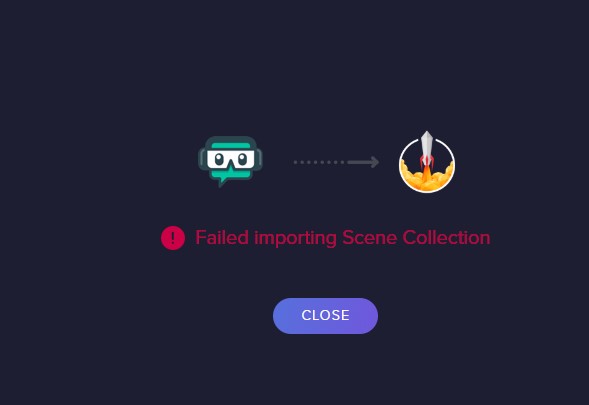 tulip hamlet
The import will fail if you are attempting to import assets that are too large or Streamlabs-owned assets.
arctic estuary
what this option is for;) hehe
 cursive jewel
Hi I am having a typing problem when I open OBS
Idk how to fix it
I uninstalled and reinstalled
Nothing is fixing the problem
I also had this on streamlabs
flat swift
Everytime I try to update
maiden wren
I am trying to have only one source's audio come out of my computer speakers, specifically it's the store redemption widget, I dont want any other audio OTHER THAN the audio notifications i have set up for the stream store
Also side note: When i do !redeem [command] in chat the alert will not pop up or use any audio
i was able to get the browser source's audio into the tray below the preview, but i cant change the output setting
i also tried a program for audio splitting but it didnt work 😦
tulip hamlet
You'll need to use an audio mixer, and we can't help with those setups. Much too complicated.
 hollow canopy
hey so im trying to stream apex to facebook using obs studio but during the live stream, the game audio is like non existent. The viewers cant hear the game.. is there a fix ?
steel bladeBOT
@hollow canopy For the best OBS support, please join their Official Discord @ discord.gg/obsproject
hollow canopy
ty
 swift maple
Hello, i was wondering if it is possible to dual stream on streamelements like you can on streamlabs? Can anyone help me out?
tulip hamlet
StreamElements does not have multistreaming support.
swift maple
thank you.
smoky smelt
When I click show on stream for Media Request I can no longer hear the audio is there a way to fix that?
tulip hamlet
You need to mess with your audio settings in OBS so you're getting the audio from the browser source.
smoky smelt
The audio will play to the stream, just I can't hear it then. Do you know what settings I should mess with?
tulip hamlet
If the stream hears it and you don't, then you need to make sure you're monitoring the audio device it's playing out of.
smoky smelt
It goes through the browser source but I cant hear through my headphones
Nevermind I looked into and figured it out thank you
 coarse stirrup
Please Help I cannot Start The Stream This Dialouge Box Pop out Blank Please Help
 tough light
Hi! Would like to ask if it's possible to share in my livestreaming a certain comment only and not all comments from my Facebook live?
steel bladeBOT
@coarse stirrup StreamElements menu, on top of OBS > Logout > Login
shy mountain
Something is blocking OBS from loading that dock
coarse stirrup
please help me out
shy mountain
How can I help you out when I don't know what you have installed.
And by "something" i am referring to antivirus, antimalware and firewall
blocking OBS
coarse stirrup
ok i look for it
update Other Docks Load but start streaming to youtube dosent load
 quiet berry
anyone know how multistream using stream elements? Will Alerts and alert list be unified, also chat?
sharp turret
StreamElements does not have multistreaming support.
 gusty burrow
My twitch chat stats keeps coming up with a 404 not found page and the user name is correct on the page. anything i can do to fix that?
steel bladeBOT
@gusty burrow If you changed your name on Twitch, please follow these steps:
- Visit https://streamelements.com/logout and then log in again by connecting with Twitch.
- On the right side of the dashboard page that opens, select Join under bot settings. If it says Part select that and then select Join to send the bot to the chat. Don't forget to mod the bot by typing
/mod streamelementsin your channel if you have not already. - Post your old and your new name here so that we can update your channel's chatstats tracking (must be done by staff).
 long bobcat
it seems ok now @gusty burrow
gusty burrow
Thankyou 😄
it seems ok now @gusty burrow
@long bobcat ive tried clicking into a couple of times but still 404. should i wait a little bit before trying to get into it?
long bobcat
I don't see 404 here https://stats.streamelements.com/c/slopontwitch
StreamElements
Description Chat Stats tracks emote usage on Twitch in real time. See which emotes are the most popular on every Twitch channel
gusty burrow
Thats my old user sorry haha. can i get that to me the smaddzz username?
long bobcat
sorry I misread, I'm used to old name being first :X apologies, done
 wet stag
I don't know how to explain but something went wrong with the i think its called preview thing where its a lot bigger then the screen
gusty burrow
sorry I misread, I'm used to old name being first :X apologies, done
@long bobcat thankyou 😄
 steel mural
@wet stag Right click the preview -> Preview Scaling -> Scale to window
steel mural
Not really. Seems like you messed with settings that you shouldn't touch. You probably clicked this, which you should not do
wet stag
i guess i did it by mistake
steel mural
It would be the best to select "Tools" at the top of OBS, then "Auto Configuration Wizard"
wet stag
@steel mural thanks for the help with that picture i found out what to do
steel mural
erm okay 👀 
wet stag
i click it again and everything fixed its self somehow
steel mural
Because you selected a source that has the right dimensions.
Normally you'd go to Settings -> Video
Select your monitors resolution for the Base (Canvas) and either your monitors resolution or something like 1280x720 for your output res.
 molten garnet
hey guys in my obs when i try stop the recording it is not stopping (is not responding to stop)after the update. what should i need to do any advice.
steel bladeBOT
@molten garnet For the best OBS support, please join their Official Discord @ discord.gg/obsproject
 graceful solar
I've just updated obs on stream elements and prior to updating it there was an integrated chat box and now it's not there and i'm not sure how to get it back
shy mountain
Streamelements on top -> chat
graceful solar
this is all i see at the top of the window
shy mountain
You don't have obs.live installed it seems
steel bladeBOT
@graceful solar If you are not seeing the OBS Twitch integrations and have OBS.Live installed, please follow these steps:
- Make sure you are on the latest and greatest version of OBS.Live
- Exit OBS (make sure OBS is not running)
- Delete
%appdata%\obs-studio\plugin_config\obs-browser\obs_profile_cookies - Start OBS.Live
- Settings > Stream > Disconnect > Connect
graceful solar
am i meant to put %appdata%\obs-studio\plugin_config\obs-browser\obs_profile_cookies into cmd?
shy mountain
graceful solar
this one?
shy mountain
yes
graceful solar
ok, now i'm just missing my activity feed
shy mountain
View -> docks
graceful solar
sweet, thank you very much, never would of figured any of this out otherwise
gray gale
merch purchase alerts repeats twice what they purchased twice but when i do a test alert it's fine
https://clips.twitch.tv/FaintSpicyHedgehogKeepo
i'm also posting this for the 3rd time haven't gotten much help :/
gray gale
what do you mean
shy mountain
Which of the 2 overlays do you use?
gray gale
the bottom
shy mountain
ooooh so the TTS is reading the items twice
gray gale
yeah
gray gale
sorry
shy mountain
I understood that the alert played twice
no worries
ok i see the issue..or rather hear the issue
gray gale
well it plays the items twice but when i do test alerts it doesn't do that?
shy mountain
let me see if i can test it on my account and report it as a bug
oh you are right
Ok, so this is a TTS bug
I will grab some screenshots and try and explain it in detail as to what is happening
gray gale
okay
shy mountain
For now I would suggest to not use TTS
gray gale
i mean i can probably put up with it for now i don't think i'm going to hear it that often anyway
shy mountain
That would be up to you, hence why suggestion 🙂
steel bladeBOT
@gray gale StreamElements menu, on top of OBS > Logout > Login
gray gale
after i click x it pops back up like 5 minutes or so later throughout the entire time i'm live and it's kinda annoying
shy mountain
Just do the logout/login
arctic estuary
https://prnt.sc/uzsw69 Hey, how can I make such a bar in streamelements.com/dashboard
 long bobcat
you need to have design elements to upload to your overlay @arctic estuary
the names are widgets but the bar and general design was pre-made by someone and uploaded
arctic estuary
@long bobcat ok thank you i thought i could do it for my project somehow
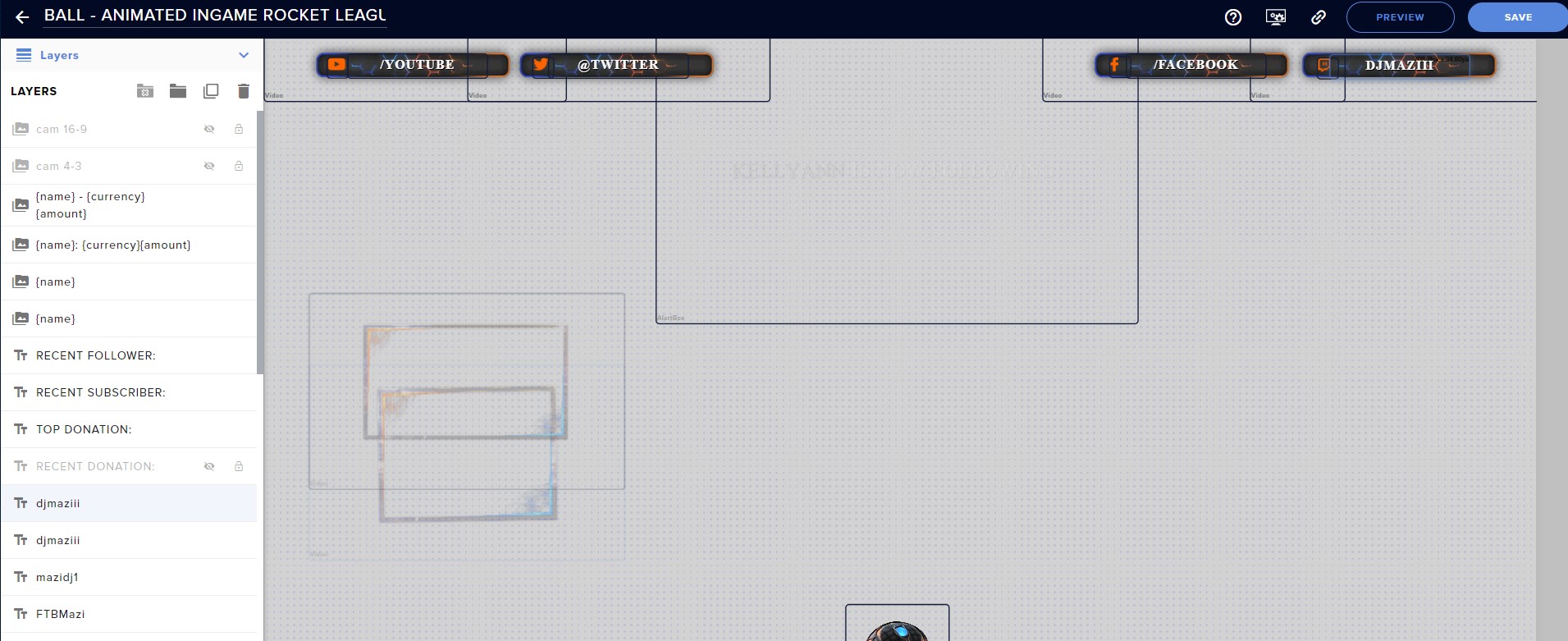
https://prnt.sc/uzt7pb On the left, I entered the names. Why is it not displayed on the project?
 shy mountain
Because thats the name of the widget in the layers tab
 final locust
Go to bottom
shy mountain
not the settings of the widget
final locust
Setting
shy mountain
click on the widget -> settings
final locust
Change name there
steel bladeBOT
@arctic estuary There are no "best settings".
Please understand that every setup will be very different.
Any guides or videos that claim otherwise are misinforming. Your best option is to start with a base and adjust as necessary.
You can run the OBS auto-configuration tool. To use the auto-config, click on the Tools menu in OBS, select Auto-Configuration Wizard and then just follow the on-screen directions.
You can use this tool to get baseline settings for your hardware and adjust as necessary from there.
Test, test, and test again. We are happy to offer suggestions for any issues you may be having afterwards, but not a list of settings.
Thank you
@arctic estuary For the best OBS support, please join their Official Discord @ discord.gg/obsproject
shy mountain
@arctic estuary read above!
 grand aspen
Hi, I'm trying to remove a bot account from OBS so that I can replace it with one of a different name, but I can't seem to find a way to do that? Currently the chat bot has my name, but I'd like to change it to a different name (I've already set up a new account with the name)
steel bladeBOT
@grand aspen If your commands recently stopped working and you're using OBS.Live and a custom bot name do the following:
- In OBS.Live, click on the hamburger menu (three stripes) at the top left of your activity feed
- Click on Stream Settings > Custom bot name
- In the Custom bot name field select Set custom bot name, not your already existing username (with capital letters). Note: If you already connected an account that way, the third entry will show as the account name (see image https://i.imgur.com/sO7fWOX.png).
- Scroll a bit down and click on the purple Connect Custom Bot Account button
- Log in as usual and Authorize the custom bot name
- Back in the Activity feed, click on the Send Test Message button and check if your custom bot name starts working again
grand aspen
I've already done that, but I connected the wrong account and can't find a way to disconnect it so that I can connect a different one
long bobcat
if you're on the 3rd option you will have a way to disconnect the account
once the 3rd option is selected the buttons to set\disconnect an account show up below
grand aspen
Oh, that was my issue 😅 sorry about that, it seems really simple now
long bobcat
it's ok it's a common mixup 
 heavy beacon
obs has face masks?
 stuck ember
Hey there!
I've been having some issues with Obs crashing a lot whilst streaming. My pc could do with upgrades but isn't awful and my settings are set appropriately, I checked the crash reports and found a crash on thread 29C0, any idea what this may be?
A quick Google search left me confused.
Thank you in advance.
 toxic cypress
Hello.
having a problem typing anything in my over lay layers. Its not showing up on the screen. I type my youtube link in but it dosen't show up on the page. What am i doing wrong.
 swift cipher
Hello everyone. I'm having an issue with OBS.Live. When i first connected it to FB, it set up my activity feed and FB chat in OBS by itself. Somehow now I lost them and don"t know how to fix it. Now all I see is my Twitch feed and chat and i"m streaming to FB. Please help
 reef mountain
How do I connect the overlay I created on to my obs.live? I have all of the information I could need but I cannot see it popping up on my overlay
steel bladeBOT
@reef mountain To add your overlays to OBS, add a new browser source in your scene. Paste your overlay URL in the browser source properties, set the dimensions to 1920x1080 (unless you changed them on the website) and check Shutdown source when not visible. https://youtu.be/KDvLynUqXI4
@swift cipher StreamElements menu, on top of OBS > Logout > Login
 ocean swan
 brave crater
cant log into obs? reasons?
swift cipher
@swift cipher StreamElements menu, on top of OBS > Logout > Login
@steel blade Thank you so much. That fixed it
 rustic wave
someone have problems with audio? it sounds like is going off on my mic, if its muted is the same echo sound
 nova barn
I am having a lot of issues with audio since the last update, can anyone possibly help me out
 urban blade
So just got a green screen for my son to use with his c922 pro I added the chroma key filter
But how do I get rid of the box around him
Is there a way to have it just him in his chair
 grizzled marten
What's up everyone. I am having a problem with my chat not showing my custom emotes when I type in the hype command. When I type in a basic emote it shows up, but my custom stream emotes for the affiliate page wont pull up the emote. For example, when I type in YouWHY (an emote everyone has) it will show up, but when I type in cereal1Monster (one of my custom emotes) it wont show up in the chat for the hype command. Has anyone else had this problem?
 wind tartan
so i got an overlay from own3d and im currently trying to figure out how to apply it properly in either the stream elements website or obs.live
 idle solstice
Hey all! Quick question, i'm streaming another game than usually, twitch considers well that i'm streaming the other game, but not streamelements
anyone encountered this or have the solution
?
toxic cypress
i can't add another webcapture dievice to a second scene. What im i doing wrong
 dense breach
is OBS live available in Mac
 shut cliff
For some reason, my game capture is not working. It will capture the full display, but does not recognize any application when I start a game
OK, so, when I open up the properties for game capture I can see the application in the window, but it does not show on my stream preview?
 winter glacier
when i open up obs it crashes and i get a popup saying "whoops, obs has crashed" i've tried uninstalling and reinstalling but didn't help. any solutions? also noticed when i tried uninstalling again it couldn't fully uninstall
plain mason
@toxic cypress copy the webcam source created and paste it on the other scene.
@dense breach no, it doesn't.
 wanton orchid
i need help stream elemnts not getting any data from twitch like donations
 static meadow
Streamelements Website doesn't load and Twitch Live Streams don't load either..
Am I doing something wrong here?
steel bladeBOT
@static meadow Our Dashboard and Overlay Editor are Chromium Optimized. We strongly recommend using Chrome. Opera GX and the new Microsoft Edge Chromium might work closest to Chrome as its also Chromium built. Firefox also works, but some things might look a bit different or not work. We do not recommend using Internet Explorer with our Dashboard as it does not support functions.
If the website doesn’t work on chrome, be sure none of your plugins are blocking our website or clear your cookies. You can try if the website works in a incognito tab.
static meadow
Thanks Support. I'll try this and get back to you.
 tough grail
Hi. I created an overlay on streamelements, it's looping correctly on elements editor, but on preview url it's totally blank. no errors, nothing.
 echo zenith
While importin from Streamlabs, I'm getting stuck at uploading media files (12 of 11) - 100%
tough grail
i gotta a blank page on the generated link, stuck since then 😅 the internet doesnt know what it is
steel bladeBOT
@tough grail Please provide your account ID found at the top of this page: https://streamelements.com/dashboard/account/channels This ID is public info and safe to share here.
tough grail
the editor is looping correctly the image. i dont know what else to do.
honest echo
@echo zenith Probably the assets are too big to be imported
steel bladeBOT
@tough grail OBS > Settings > Advanced > Scroll down > Enable or disable Browser Source Hardware Acceleration, depending on its current state > Restart OBS (This does not apply for OBS on Mac)
https://i.imgur.com/ggMe9ZE.png
tough grail
account id: 5f88ee8cc22248c9df7f0762
honest echo
@tough grail try with gif or images, i already reported video not been able to play it
tough grail
i converted to webm.
it's a video with transparent background, originally was .mov, and also has audio.
can i use any other thing than webm ?
honest echo
like i said i already report to our dev team the issue with the video files
tough grail
hmm i replaced the video with gif. still nothing shows in the browser preview
it's a 5s gif. what settings should I type in there, for delay / iteration / show images ?
i want to show this every 10 minutes
honest echo
I will DM you with some screenshoot @tough grail
tough grail
also, obs shows nothing from the preview url. nothing happens for over a minute
the gif has 5s :/
honest echo
i'm not able to DM you, but i can see the overlay working fine on my end
steel bladeBOT
@tough grail OBS > Settings > Advanced > Scroll down > Enable or disable Browser Source Hardware Acceleration, depending on its current state > Restart OBS (This does not apply for OBS on Mac)
https://i.imgur.com/ggMe9ZE.png
tough grail
oh it worked. but gif is not transparent as I expected. Do you know how premiere exports a transparent gif animation?
and the settings what are the 3 values to show the 5s gif every minute?
honest echo
not sure about the premiere thing, but for to show 1 gift every 60 secs, try this: 1, 60,5
tough grail
with 1 20 5, it's cutting the first frames
and showing the initial frames after the animation was suposed to end
honest echo
try with 7 in the last value cause iirc the widget take 1 sec after and before each image
tough grail
i set the fades to zero, should put back to 1 ?
now it's moving frames forward every loop
the initial frames are hopping forward.
0 7 7 shows the gif twice, before disapearing to white page
makes no sense. the gif has 5s. @honest echo
tough grail
Any chance I can add mp3 together with a png on the same url ? I tried adding mp3 here, but no audio plays. 😅
 kindred fox
@tough grail you should export it as webm instead of gif
WebM plug-in for Adobe Premiere Pro and Adobe Media Encoder
Best webm plug-in
Allows alpha channel for transparency
 candid pecan
can someone tell me why there is a black screen delay on switching scenes for streamelements scenes? https://gyazo.com/0d917b40b185b95deb769ca431f190cb
 steel bladeBOT
@candid pecan Check out this tutorial for OBS’ studio mode which allows you to preload scenes before transitioning. https://www.youtube.com/watch?v=W8iWsD2Lq3U
 pallid parrot
If you are using OBS.Live, there's no need to have "Shutdown source when not visible" ticked in Browser Source Settings.
candid pecan
@pallid parrot tyvm
steel bladeBOT
@silver swallow For the best OBS support, please join their Official Discord @ discord.gg/obsproject
 silver swallow
oh thanks
 blazing bane
My obs suddenly started crashing right away every time I start it. I tried uninstalling but I streamelements or obs.live gets stuck at 80% uninstall and aborts.
steel bladeBOT
@blazing bane A crash log is required to investigate the cause of your issue. Please upload the last crash log.
- In OBS, click the Help menu
- Select Crash Reports and then Upload Last Crash Report
- Copy the URL and paste it to the chat here.
Note: If you are not able to follow the above steps, open your file explorer and go here: %appdata%\obs-studio\crashes and provide the last listed file.
 red cove
Hello, is there anyway to get a chat dock for youtube into OBS.Live like Twitch?
oh, and an activity feed?
blazing bane
steel bladeBOT
@blazing bane 1) Uninstall OBS.Live and OBS Studio completely, but leave this unchecked https://i.imgur.com/LBaHgM1.png
2) Download and install OBS Studio from https://obsproject.com/
3) If it doesn't crash, install OBS.Live too.
-
It's fixed? Nice!
-
It crashes again?
- Repeat steps 1 and 2
- Duplicate the current "Scene Collection" at the very top of OBS, call it something like "Backup" and remove all browser sources in that backup
- Install OBS.Live and see if it still crashes
- If yes, repeat steps 1 and 2, leave OBS.Live uninstalled, tell us that it didn't work and use your old default scene collection again.
 shy mountain
@red cove Yes, if you login with your Youtube account, rather then your twitch.
 coarse sail
Hi guys, so yesterday i installed the streamelement obs live plug in on my streamdeck. I added the kappagen button and i tried to press it, it gave command to my live chat '!kappagen' then triggered the emotes, and i also tried the charge kappagen all both was was working fine.
Until today when i open streamdeck and press it, nothing happened. Both of it not working, i tried to uninstall the streamelements plug in from streamdeck and reinstall it and input the button back, still not working. any help?
red cove
@shy mountain Thanks, I forgot I was logged into Twitch
steel bladeBOT
@coarse sail StreamElements menu, on top of OBS > Logout > Login
coarse sail
Oh it works now! thank you very much
blazing bane
Keeps crashing, reinstalled 4 times already. Crash window itself freezes out and I can only close it in task manager.
Was working fine yesterday
steel bladeBOT
@blazing bane 1) Uninstall OBS.Live and OBS Studio completely, but leave this unchecked https://i.imgur.com/LBaHgM1.png
2) Download and install OBS Studio from https://obsproject.com/
3) If it doesn't crash, install OBS.Live too.
-
It's fixed? Nice!
-
It crashes again?
- Repeat steps 1 and 2
- Duplicate the current "Scene Collection" at the very top of OBS, call it something like "Backup" and remove all browser sources in that backup
- Install OBS.Live and see if it still crashes
- If yes, repeat steps 1 and 2, leave OBS.Live uninstalled, tell us that it didn't work and use your old default scene collection again.
shy mountain
Then follow the instructions to the fullest
 dense talon
hey, my obs wont have the audio from desktop and my mic at the same time, if i speak first i wont get desktop, if a sound on desktop runs first, i wont have my mic
ocean tiger
@blazing bane dont install the newest update for obs it just breaks the .live
shy mountain
OBS.Live is fully functioning with 26.0.2
steel bladeBOT
@dense talon If you are not hearing your alerts and/or Media Request, you are most likely using the Control Audio via OBS option in your browser source properties.
To make sure you hear the alerts and the stream also hears them, follow along the screenshot bellow.
https://cdn.discordapp.com/attachments/199460642975907840/685371800456134686/unknown.png
 ocean tiger
@shy mountain it is now?
shy mountain
its always been
ocean tiger
lol no it hasnt
shy mountain
There is nothing to update for OBS.Live in order for it to be installed and working with the newest OBS Studio version
its a plugin
not a fork like SLOBS
I've talked with the devs 3 days ago about this and they say there is nothing new for us to update.
dense talon
the bot didn't help lol
shy mountain
If OBS was crashing and you have v26.0.0 or v26.0.1
those were stability crashes from OBS
which were fixed in v26.0.2
ocean tiger
i had 26 0 2 lol
steel bladeBOT
@dense talon For the best OBS support, please join their Official Discord @ discord.gg/obsproject
shy mountain
@ocean tiger Then don't use OBS.Live. I don't know what else to tell you :/
ocean tiger
i was just explaining my past experience
its fine now
however i havent touched the update part
dont really wanna risk it ya know XD
shy mountain
Thats entirely up to you.
ocean tiger
i know just saying he might need to completely remove his folders since he cant uninstall it. itll work after taht
dense talon
can someone help me : P
steel bladeBOT
@dense talon For the best OBS support, please join their Official Discord @ discord.gg/obsproject
blazing bane
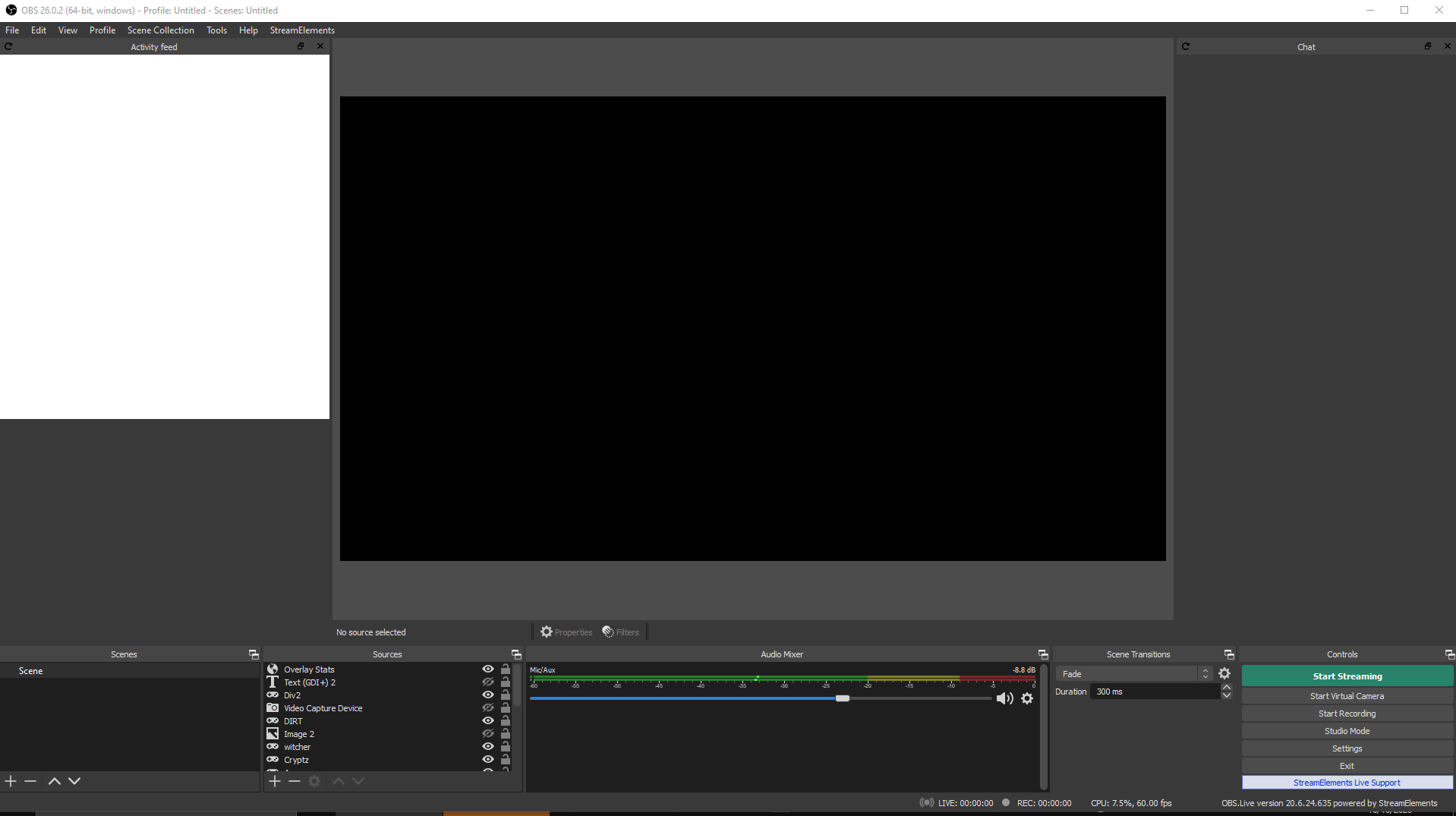
I just keeps crashing, in a sense that streamelements stuff isnt loading and the error in the background is frozen,
 shy mountain
blazing bane
shy mountain
blazing bane
I have reinstalled many times.
shy mountain
blazing bane
so my Streamelements Overlay source was bugging?
I removed that and it works.
I need to have it to get notifications on stream though.
shy mountain
If you are referring to the activity feed, you can use this: https://streamelements.com/groundcontrol or popout the activity feed from the main dsahboard
StreamElements
StreamElements is the leading platform for live streamers on Twitch and Youtube. StreamElements includes Overlay management, ChatBot, Tipping, Alerts & Loyalty
blazing bane
nah I mean the overlay, follow sounds/animations etc
steel bladeBOT
@blazing bane To add your overlays to OBS, add a new browser source in your scene. Paste your overlay URL in the browser source properties, set the dimensions to 1920x1080 (unless you changed them on the website) and check Shutdown source when not visible. https://youtu.be/KDvLynUqXI4
shy mountain
you don't need obs.live to have the overlay to work
blazing bane
I know. Just wanted to use both. And I was until today.
 tepid seal
My text in obs started to show kind of thin like pixelated, it only happens in obs, stream info window, chat window and activity feed. If I take a screenshot of it it looks fine? Any other software or browser has good text on both monitors, what could it be?
 alpine mural
I am being told and I am noticing that my voice is always lower than those in my game.... I use discord for my D&D and somehow my heroes' voice is much louder than mine... can someone else
 crude scaffold


 steel bladeBOT
@crude scaffold New to StreamElements?
Check out our YouTube channel https://www.youtube.com/c/streamelements/videos
with tutorial videos from setting up the basics, to in depth details on how to use our product.
New to OBS? Here is a 4 step quickstart guide
https://obsproject.com/wiki/OBS-Studio-Quickstart
Want to learn even more? Here is an in-depth overview
https://obsproject.com/wiki/OBS-Studio-Overview
rugged quail
Hi there, is there a way to make the goal go vertical?
rugged quail
hello there, it seems im missing my acitivities dock, the one where you can edit stream name ets in obs.live
 odd kraken
@rugged quail Only with custom code afaik.
steel bladeBOT
@rugged quail StreamElements menu, on top of OBS > Logout > Login
rugged quail
Thanks @odd kraken
 rugged kernel
Hi, I have a video that I want to play on a timer, it's basically a "subscribe now with twitch prime" animation. I'd like to play it once every 15 minutes or so. Its got a transparent background and looks great, but i can't work out how to set the video to play once every 15 minutes. Surely I don't make a 15 minute long video file and set it to loop??? that would make the file large and stupidly unnecessary.
I've tried adding it as a overlay on stream elements and then a browser sauce on OBS. Plays properly, but obviously doesn't loop.
I've also tried adding it directly to OBS but again, plays perfectly but can I can't get it on a timer, only play once / loop.
Does anyone know what I should do?
odd kraken
Use the asset rotator/slideshow in the static/custom category in the overlay editor for that.
rugged kernel
Ah ok. Thank you
 weak yacht
Hello, I’ve tried everything to get my media request to work properly but for weeks it has looked like this. Any ideas?
steel bladeBOT
@weak yacht StreamElements menu, on top of OBS > Logout > Login
weak yacht
WOW! I’m so happy! I love the Support AI. Problem solved (;
 strange fjord
I'm having trouble with sound Turning off (my headphones keep disconneting)
ArticONE steelSeries Headphones
I'm using VoiceMeter (2 PC set up)
 olive haven
How do i install virtual camera?
olive haven
???
steel bladeBOT
@olive haven For the best OBS support, please join their Official Discord @ discord.gg/obsproject
olive haven
Ok
 carmine acorn
is there a way to have the alert duration variable?
odd kraken
Use variations.
olive haven
Would someone be able to tell me here as its a pain in the OBS server
carmine acorn
@odd kraken I'm not entirely sure how to do that with what im trying to do; I basically have half a dozen little clips that I want viewers to be able to make pop up on screen as they use a command
right now I have them set up as redeemable things in the streamelements store
so its all through the "redeem" alert
odd kraken
Create a stream store item, add the store redemptions widget to yoru overlay and create a custom command if you like for the items.
carmine acorn
yea, i have it so they show up
but one clip is like 4 seconds and the next is like 10
and for the 4 second one, after the clip ends, it just sits on the last frame for 6 more seconds
until it hits the alert duration
odd kraken
Use gifs.
carmine acorn
ahh, so the gif will just loop for the shorter one?
odd kraken
Should, yes.
carmine acorn
will that work for the audio too?
odd kraken
Best to try that.
carmine acorn
k. thanks for the tips
 wise lake
My follow alert works normally with sound and image
but my donation dosent
no sound or image popping up
any solutions ?
odd kraken
Check variations and default alert.
wise lake
ok i think it should work now
there was a price of 5 dollars for a pop up even tho i had it on 1 on other settings
 honest sapphire
hi there!
I'm having an issue with the asset rotator/slideshow widget that is driving me nuts... if some could help, pleaaase! 😅😅
I have an overlay that has such kind of widget, and where I have loaded a couple of videos. Funny thing, this layer has worked normally for weeks, but... all of the sudden it stopped working, not showing any video anymore. I've tried erasing and creating again the same widget, with the same and different videos... but nothing! It's like this widget wouldn't work anymore with videos. But even funnier is that if I create another overlay with a slideshow widget with some videos, it works... but when I copy the same to other overlay I had, it's there but... again... it doesn't work at all!!!
I want to keep this same overlay, because the URL is being used among several scenes collections that I share with several streamer friends, and would like to avoid them the hassle of having to update the corresponding source in OBS
Did this happen to anyone here?
 abstract heath
Hey guys, i wanna make something but i dunno how to do it 😦 i wanna make a starting soon that interact with the chat, when the chat spam the animation start, i know my explanation sucks but you can /w me anytime to explain more ^^
thanks
 stable thunder
uh
i have a weird problem
with the newest OBS live update. whenever im not actively hovered over chat or twitch stats. the windows for them are SUPER blurry
steel bladeBOT
@stable thunder Please follow these steps:
- Close OBS
- Open the NVIDIA Control Panel
- In the left menu select Manage 3D settings and then under the list of options (right panel) press Restore default settings
- Start OBS
stable thunder
ty. i tried doing it earlier but it wasnt doing anything :p
 peak dock
okay nice wanted to use the SE Backup feature for OBS
The backup is empty
everything is gone pog
is someone here that can save my life?
would be great if i dont have to make my whole stream from scratch again
steel bladeBOT
@peak dock Please provide your account ID found at the top of this page: https://streamelements.com/dashboard/account/channels This ID is public info and safe to share here.
honest sapphire
hi there!
I'm having an issue with the asset rotator/slideshow widget that is driving me nuts... if some could help, pleaaase! 😅😅I have an overlay that has such kind of widget, and where I have loaded a couple of videos. Funny thing, this layer has worked normally for weeks, but... all of the sudden it stopped working, not showing any video anymore. I've tried erasing and creating again the same widget, with the same and different videos... but nothing! It's like this widget wouldn't work anymore with videos. But even funnier is that if I create another overlay with a slideshow widget with some videos, it works... but when I copy the same to other overlay I had, it's there but... again... it doesn't work at all!!!
I want to keep this same overlay, because the URL is being used among several scenes collections that I share with several streamer friends, and would like to avoid them the hassle of having to update the corresponding source in OBS
Did this happen to anyone here?
@honest sapphire and not sure if this is the right place to ask this... 😅😅 Let me know if so...
peak dock
5e5a5c306231412492f24504
there you go, bot.
have fun with it
okay omg im so dumb
nevermind
got everything
 daring cave
do not understand how to add overlays or alert boxs
steel bladeBOT
@daring cave To add your overlays to OBS, add a new browser source in your scene. Paste your overlay URL in the browser source properties, set the dimensions to 1920x1080 (unless you changed them on the website) and check Shutdown source when not visible. https://youtu.be/KDvLynUqXI4
honest sapphire
hi there!
I'm having an issue with the asset rotator/slideshow widget that is driving me nuts... if some could help, pleaaase! 😅😅I have an overlay that has such kind of widget, and where I have loaded a couple of videos. Funny thing, this layer has worked normally for weeks, but... all of the sudden it stopped working, not showing any video anymore. I've tried erasing and creating again the same widget, with the same and different videos... but nothing! It's like this widget wouldn't work anymore with videos. But even funnier is that if I create another overlay with a slideshow widget with some videos, it works... but when I copy the same to other overlay I had, it's there but... again... it doesn't work at all!!!
I want to keep this same overlay, because the URL is being used among several scenes collections that I share with several streamer friends, and would like to avoid them the hassle of having to update the corresponding source in OBS
Did this happen to anyone here?
@honest sapphire well... it seems I found a workaround... so... if that could be of help to anyone... simply put at the beginning of the sequence of videos to be shown on the slideshow an animated GIF. It worked for me! 😊
but, clearly, this seems like an odd bug
 ocean topaz
Hey does anyone have a fix for obs chat switching from dark theme to light theme after you close it?
Every time I close OBS chat switches back to light theme
daring cave
how do i get my microphone to be heard
steel bladeBOT
@daring cave For the best OBS support, please join their Official Discord @ discord.gg/obsproject
daring cave
how do i get my mic on the stream so it can hear
steel bladeBOT
@daring cave For the best OBS support, please join their Official Discord @ discord.gg/obsproject
 oblique dove
i am attempting to record gameplay so that i can go back and make clips. When i hit the start recording button there is no gameplay, just a black screen. How do i fix this?
steel bladeBOT
@oblique dove For the best OBS support, please join their Official Discord @ discord.gg/obsproject
odd kraken
@ocean topaz Check pinned messages in this channel please.
 wise tendon
Hi, if I pop out my activity feed and paste the URL on OBS, it doesn't shows anything and it won't let me log in via Facebook Gaming, which I am logged in on the browser. Do I have to use OBS Live?
 buoyant rain
Hey, so I made my Overlay on Streamelements and when I click on Activate Overlays in Obs.live it just brings me to my streamelements page but i cant activate anything there.. any help?
steel bladeBOT
@buoyant rain To add your overlays to OBS, add a new browser source in your scene. Paste your overlay URL in the browser source properties, set the dimensions to 1920x1080 (unless you changed them on the website) and check Shutdown source when not visible. https://youtu.be/KDvLynUqXI4
 subtle hamlet
Hi I get error when I try to update OBS.live, can't read obs-streamelements.dll
 exotic crag
Hi. My activity feed is no longer updating on the streamelements dashboard or in OBS.live. So none of my alerts are working. The Twitch activity feed is showing all my new followers.
odd kraken
On the website, log out and back in and also relog in OBS.Live with StreamElements > Log out and log back in. After that new events should show up.
exotic crag
thank you
 latent zinc
hi my activity feed is just showing the stream elements website any way to revert it back to what i was seeing before
steel bladeBOT
@latent zinc StreamElements menu, on top of OBS > Logout > Login
odd kraken
@subtle hamlet Have you started the installer as admin?
 hollow walrus
How do I add sound clips to my stream that I can control with hot keys?
odd kraken
subtle hamlet
Yes I have. Same result
And I cannot uninstall either. Some files in temp folder cannot be read
This is starting to be bothersome
@odd kraken
odd kraken
What is your OBS Studio version you have installed?
subtle hamlet
25.0.8
 reef rain
Hey. I went to work and while I was gone my wife was in my office with my 18 month old running around and apparently one of the things she didn't realize he was playing with was my keyboard, during this time he not only started a live,(most boring 3+ hours you'd ever see), but he also put my stream elements into transition view, I think. I see one scene on the left with preview above and one scene on the right that says program above and I cant figure out how to get my view back to the one I had this morning before work.
odd kraken
Afaik there is no OBS.Live for OBSv26 by now @subtle hamlet
Select Studio Mode on the left in the controls in OBS. @reef rain
reef rain
THANK YOU!
 fickle shuttle
how to i bring up the stream elements live add ons?
odd kraken
Have you installed OBS.Live? Then via SteamElements at the top.
 distant rivet
how do you switch your tipping on obs.studio from youtube to twitch
i accidently logged in to youtube and want to switch it to twitch
steel bladeBOT
@distant rivet StreamElements menu, on top of OBS > Logout > Login
 unreal swan
how to clear cache obs live? very heavy if i start streaming
subtle hamlet
@odd kraken So what does that mean? I should just wait? or is there a way for me to revert back OBS version?
odd kraken
Asking internally on your issue.
subtle hamlet
Okie. Thank youl
odd kraken
Is OBS and OBS.Live isntalled in your user context? Try to use admin rights to uninstall and try to restart your PC.
subtle hamlet
I cannot uninstall
 vestal sail
I dont know where to post this but I cant get the dashboard to load. The website just keeps redirecting me to the welcome screen.
Ive tried logging in and out, restarting my PC, clearing my browser cache. Nothings working and I was supposed to start my 1 year stream-iversary 7 minutes ago. 😢
steel bladeBOT
@vestal sail Please logout of StreamElements at https://streamelements.com/logout and then login again to your account (Twitch/YouTube/Facebook).
@vestal sail Our Dashboard and Overlay Editor are Chromium Optimized. We strongly recommend using Chrome. Opera GX and the new Microsoft Edge Chromium might work closest to Chrome as its also Chromium built. Firefox also works, but some things might look a bit different or not work. We do not recommend using Internet Explorer with our Dashboard as it does not support functions.
If the website doesn’t work on chrome, be sure none of your plugins are blocking our website or clear your cookies. You can try if the website works in a incognito tab.
vestal sail
The link worked! Thank you!
 solar egret
Hi, I have a scrolling text in my SE Overlay, but it's not showing the font or scrolling in my OBS.live. How do I fix this?
steel bladeBOT
@solar egret Right click on the BrowserSource > Properties > Scroll down a bit > Refresh cache of current page
solar egret
thank you
exotic citrus
Make this STOP please!
I can't make it go away no matter how many times I click the X
honest echo
try clicking here:
 dawn apex
Hello. I am having media that I had uploaded to my storage for overlays being deleted and I am having to rebuild!! Any reason why this happened that I am missing?
 brazen mist
media share not showing on obs
plz help
steel bladeBOT
@brazen mist StreamElements menu, on top of OBS > Logout > Login
brazen mist
did not work
steel bladeBOT
@brazen mist Please provide a proper screenshot with the issue visible. If not sure how to take a screenshot, you can check here: https://www.take-a-screenshot.org/
brazen mist
here
steel bladeBOT
@brazen mist OBS > Settings > Advanced > Scroll down > Enable or disable Browser Source Hardware Acceleration, depending on its current state > Restart OBS (This does not apply for OBS on Mac)
https://i.imgur.com/ggMe9ZE.png
honest echo
your overlay have the media request widget on it?
brazen mist
yes here i will dm u a video
steel bladeBOT
@brazen mist The default resolution for StreamElements overlays (theme and custom) is 1920x1080. Please add them in OBS at their full resolution and use CTRL+F to fit to screen if necessary. You can then downscale your stream in OBS settings > Video if you'd like https://i.imgur.com/6bWXxjR.png
honest echo
Yeah, i saw the video
 half sphinx
hey there! I was trying the new COD Cold War and I had that strange stuttering only on my stream for some reason. This stuttering was even on Warzone before 2 months when I played it for the last time. https://clips.twitch.tv/YawningAmorphousDadShadyLulu
I have tried variety of settings to fix it on OBS. But everything was the same
steel bladeBOT
@half sphinx For the best OBS support, please join their Official Discord @ discord.gg/obsproject
 sly canyon
I'm trying to get the stream information dock to show up and I am using OBS.Live but I seems to be missing a lot of the the options for some reason. Can anyone tell me why the stream information dock isn't there?
honest echo
@sly canyon Those docks don't have anything to do with obs.live
but make sure to login with you account here:
 marble parrot
Hello, I am hoping someone can help me with the AwesomeShoutOut overlay. It is not working and when I select the button to 'Open in StreamElements Overlay Editor' it says I have an invalid token.
steel bladeBOT
@marble parrot StreamElements menu, on top of OBS > Logout > Login
honest echo
this will solve the "invalid token" ⤴️
but i recommend using your browser
and for awesomeShotout you can @ ReneChiquete in #dev-chat
sly canyon
Thanks @honest echo
marble parrot
Thanks!
 random finch
Hey there, I am having some trouble removing obs live from obs studio. The uninstaller seems to be stuck and isn't completing. Does anyone know how to get it to work?
honest echo
Restart your PC, make sure that the installer is running with admin rights, and don't uninstall obs studio (well you need to unistall obs.live first then obs.studio if you like)
random finch
Where can I find the uninstaller exe?
Ah I found it
I had just restarted, and it seems to be getting stuck in the same place. It appears the plugin is gone from OBS, but obs live still shows up in my programs list
 dusky vortex
Hello,
I'm in need of some help please. So my custom emotes have just been approved by Twitch and for some reason it automatically started to spam "confetti" the emotes whenever someone follows, subs, donates, etc. I did not have this before and I have no idea how to disable it.
Please Help!
 nocturne solstice
Is there a way to specify to the importer when I'm importing an overlay setup that's on a 720p canvas and not a 1080p canvas?
I'm asking because, at present, I can't stream at 1080p, and thus had my old overlay setups set on a 720p canvas.
(yes, I understand that I'll have to redo these overlays if I ever want to start streaming at 1080p)
 zealous idol
Alguem me ajuda a configurar meu obs live?
 prime wave
My Active feed and chat will not show and cannot go live please help
honest echo
@dusky vortex spam it on chat by the bot? on screen on your overlay?
@nocturne solstice i don't think you can
steel bladeBOT
@prime wave StreamElements menu, on top of OBS > Logout > Login
dusky vortex
@honest echo
On screen, on my overlay, I fixed the setting where it no longer takes over my entire screen but is contained within a box. I just don't want any multiple emotes unless it comes from the chat.
honest echo
i think you're talking about the kappagen widget
dusky vortex
@honest echo yes I think so too
honest echo
and you can select which events you want it to trigger the widget
nocturne solstice
Thanks for the info, @honest echo - and fyi, the importer messes up when importing a 720p overlay.....badly.
honest echo
@dusky vortex
prime wave
All it is giveing me is a white screen
steel bladeBOT
@prime wave Please provide a proper screenshot with the issue visible. If not sure how to take a screenshot, you can check here: https://www.take-a-screenshot.org/
dusky vortex
@honest echo how do I get to that page, to select the settings I need?
honest echo
https://streamelements.com/dashboard/overlays > select your overlay (click edit)
nocturne solstice
btw, is there proper place to report bugs like the one I encountered? At the very least I can post a screenshot of what happens when importing a 720p overlay setup from StreamLabs. 🙂
(AND of what the overlay should look like)
dusky vortex
@honest echo ok thank you! I think I figured it out
honest echo
by default the resolution of the overlays is 1920x1080, @nocturne solstice
nocturne solstice
I noticed.
But for whatever reason, the importer doesn't scale overlay images....and doesn't properly handle fonts either.
those are the problems that really need reported.
Fixing the image is trivial - just set size to "scaled" instead of "auto".
Fixing the font will require more fiddling.
note that setting scaled instead of auto for an image may only work for a full-background image (like I use).
dusky vortex
@honest echo other question 😊
I had a lot of bots follow my account which I've deleted.
Now I'm setting up a Follower Goal to display, but Streamelements is not showing the actual # of followers I have.
Is there a way to reset this?
ocean topaz
hey i need a bit of help finding the stream information dock
either im blind or its not showing up for me because its not in the docks tab
steel bladeBOT
@dusky vortex To reset goals:
- from the Overlay Editor > Session data on top right (monitor symbol) > Goals tab > reset progress of desired goal
- from the Dashboard > Activity feed on the left > Widget data on the right > Goals tab -> reset progress of desired goal
Note: Goal widgets (progress) only counts up and doesn't go down automatically, if you lose followers/subs.
honest echo
@ocean topaz Views > Docks
ocean topaz
the thing is its not there
honest echo
Make sure to login with your twitch account (Settings > Stream)
ocean topaz
well dang i was signed out, thanks mate!
nocturne solstice
btw, while I may have to actually use 2 bots to get what I really want, I like StreamelEments for its more minimalistic approach that uses OBS Studio and a plugin instead of rolling its own full-blown fork of OBS. 🙂
nocturne solstice
grr
Now I'm running into another problem - for some reason, when using the website interface, I cannot edit the properties of any scene. I can bring up the properties window, but clicking "submit" closes the properties window without applying any changes.
apparently this only happens for imported overlays. A newly created overlay (that is, not duplicated from an existing overlay) can have its properties changed just fine.
This makes it so that imported overlays must be exactly 1080p, because you can't edit the overlay size from within the editor, only from the properties window, as far as I can tell.
shy mountain
You can edit them - click on tbe 3 dots and then properties on the sub menu
nocturne solstice
It won't save for an imported scene.
That's exactly what I was doing.
Clicking submit from that dialog closes the dialog but does not save the edit.
Luckily, my scenes are custom built...and rather simple.
So recreating them is (mostly) a non-issue.
shy mountain
!accountid
steel bladeBOT
Please provide your account ID found at the top of this page: https://streamelements.com/dashboard/account/channels This ID is public info and safe to share here.
shy mountain
I will check this in a bit
nocturne solstice
5ef0531b89117c0701ae034f
I still have the scenes that won't allow property editing. I WAS able to rename them from within the scene editor.
Like I said, re-creating them at 720p hasn't been a real issue, except for chat - it's not readily apparent how to get a translucent background without also getting translucent text (doing so requires using custom settings and manually setting the background and text colors, in that order).
It's easy enough once you realize that css rgb is rgb(r,g,b[,a]).
I would chalk this up to the scenes having elements in the full 1080p canvas area, except that I can't edit the scene names that way (from scene properties on the scene list) either.
The one labeled Switch Game Streaming - 1080p I haven't touched except to rename it from within the editor.
I might actually end up streaming with that 720p-marked overlay later, depending on whether a DWR race starts up.
shy mountain
wait so the imported overlay is SWITCH GAME STREAMING - 1080P?
nocturne solstice
That's one of them.
The other is the unmarked Retro Streaming overlay.
Neither can be edited from the properties dialog on the scene/overlay list.
nocturne solstice
ahh.
The "retro" one is currently pretty specific to Dragon Warrior...the switch one...that's generic. 🙂
anyway, thanks for the help. 🙂
brazen mist
game captrue not working
steel bladeBOT
@brazen mist For the best OBS support, please join their Official Discord @ discord.gg/obsproject
 potent shale
Is there anyway to use OBS.Live for YouTube and Twitch interchangeably without having to log in and out of the StreamElements tab every time I switch platforms?
shy mountain
We do not have a restream support, meaning that OBS.Live only accepts 1 logged in account.
potent shale
I don't mean at the same time. should have specified. I have separate scenes and profile for Twitch and YouTube but for the Activity feed and chat to swap I have to log in and out every time. I mostly use Twitch so I tried adding the YouTube Chat as a Custom browser dock which partially worked but if I add the Events list manually from my YouTube connected StreamElements Activity feed it still displays Twitch stuff for some reason. Sorry for the long winded explanation.
shy mountain
You will have to logout and login everytime - there is no easy way to switch for OBS.Live
potent shale
Alrighty. any idea why the event list would still show Twitch events despite being a direct link to the Youtube activity feeds popout?
shy mountain
It can bug out a bit sometimes or the session might just go stale
simply logging out and logging back in fixes it
odd kraken
No.
 cosmic tapir
Hello , I got an issue with Media requests in obs live, every time I refresh the widgets it's like this
steel bladeBOT
@cosmic tapir StreamElements menu, on top of OBS > Logout > Login
wise lake
for some weird reason my follow alert works but donato dosent
when im live
in streamelemts they always pop up
late furnace
checc to see if its on hold if youre using PP
shy mountain
Your link in your channel is Streamlabs
late furnace
or that
wise lake
@late furnace how do i check that
late furnace
well staff confirmed your tip link is streamlabs so that will never work with streamelements
late furnace
but if its ever PP then you have to sign in and find out thru PP acount
wise lake
how does my follow work from streamelements
late furnace
we do not tracc tips thru streamlabs thats why it wont work
we tracc thru streamelements and streamelements only
late furnace
al lthat can be created here for you https://streamelements.com/dashboard/tipping-settings
but even if you created it here with streamelements and you put that in SLOBS it still wont work