#helpdesk-selive
1 messages · Page 160 of 1
 tough birch
tough birch
tough birch
Sorry, didn't realise if that was for me. I just did it and it actually worked turning hardware off. Turned it back on and broken again. Will leave it off. Any clue why it broke?
tough birch
That shouldn't affect hardware based acceleration though?
tough birch
I tried to see if any news on twitter, but none. But thank you for the help non-the-less 🙂
 slender leaf
If not I apologize. But I’m having some trouble when it comes to streaming. My computer runs modern warfare at 144 FPS and runs great until I start streaming. As soon as I go live I start lagging in game very badly. How can I fix this?
tough birch
I best continue with my stream now. Hopefully it will be resolved soon
 tough frost
Good luck @tough birch
 fallen oxide
hi For Some reason my Overlay isn't Working it was yesterday but now it isn't any ideas why?
 merry storm
@fallen oxide had the same issue, enable or disable hardware acceleration in advanced settings fixed it for me
fallen oxide
@merry storm It worked Thank you so much 🙂
 fringe python
i didnt see it in chat, but my activity feed, chat etc. is all off on my dashboard. cant stream to FB. any ideas?
 stiff sleet
hey i got a random problem but all my browser sources randomly stopped showing?
 steel bladeBOT
@stiff sleet OBS > Settings > Advanced > Scroll down > Enable or disable Enable Browser Source Hardware Acceleration, depending on its current state. (This does not apply for OBS on Mac)
https://i.imgur.com/ggMe9ZE.png

 junior thicket
hey my browser sources are not showing so i cannot my overlys
 thorn gull
how do i add recent subs to regular obs
to put on my overlay
do i add it as a browser source
 opaque kettle
Hey so I folloowed Nutty's video to the letter. And I still dont have an option for a Bot? any assistance would be great!
 wary dew
OBS.Live or Ground Control?
opaque kettle
Neither lol
wary dew
Those are the only ways you can use it 😛
opaque kettle
no i mean its not showing on either lol
i already have my own bot
i just cant seem to find anywhere to log it in
 grand grove
hello, I just switched to using stream elements and i tried using a random theme and apply it as an overlay, however. It doesn't show up on the screen
steel bladeBOT
@grand grove OBS > Settings > Advanced > Scroll down > Enable or disable Browser Source Hardware Acceleration, depending on its current state. (This does not apply for OBS on Mac)
https://i.imgur.com/ggMe9ZE.png
grand grove
good, thanks it worked haha
 twin ledge
So my overlays were all working fine last night - but today for some reason none of them want to load up on obs. any thoughts? please feel free to @ me with your response - otherwise its unlikely i will see them soon
steel bladeBOT
@twin ledge OBS > Settings > Advanced > Scroll down > Enable or disable Browser Source Hardware Acceleration, depending on its current state. (This does not apply for OBS on Mac)
https://i.imgur.com/ggMe9ZE.png
opaque kettle
any help on the bot?
twin ledge
weird that that would make a difference even though its been working fine for months - but that fixed it
 dreamy tendon
Hey guys, my overlays suddenly stopped showing and the reload overlays button isn't responding. Any idea what to do?
 slim nexus
reposting because it was missed I have uninstalled and reinstalled several times, I have gone in to see if its a settings issue, but I am still getting a disconnect and reconnect at every 2 hour and 4 minute mark while I am streaming. This causes my stream to go down and I lose my viewers
dreamy tendon
I am actually seeing the post above, ill check that out
 gray gull
@twin ledge OBS > Settings > Advanced > Scroll down > Enable or disable Browser Source Hardware Acceleration, depending on its current state. (This does not apply for OBS on Mac)
https://i.imgur.com/ggMe9ZE.png
@steel blade
this fix just worked for me!
dreamy tendon
thank you again
steel bladeBOT
@slim nexus Please provide a log from your last stream. To do this, in OBS go to Help > Log Files > Upload Last Log File and paste the link to the log file here.
 scarlet niche
is any one else having issues.... I have OBS Studio.. and every things been working for last few months just fine.. but now all my browser overlays are just blank all of a sudden
steel bladeBOT
@scarlet niche OBS > Settings > Advanced > Scroll down > Enable or disable Browser Source Hardware Acceleration, depending on its current state. (This does not apply for OBS on Mac)
https://i.imgur.com/ggMe9ZE.png
 cold shoal
i got a question, is there a way to revert back to original obs? because I wanted to check some stuff on my original obs studio but it seems to have the streamelements addon on it as well
 odd kraken
In the StreamElements option at the top in OBS.Live should be an option to go to OBS Studio.
cold shoal
Thank you 👍
slim nexus
Log file @steel blade
odd kraken
There is no output session in this log: https://obsproject.com/tools/analyzer?log_url=https%3A%2F%2Fcdn.discordapp.com%2Fattachments%2F603593664756711424%2F746848630207545394%2F2020-08-21_15-58-40.txt
opaque kettle
quick question on the bingo module
slim nexus
here is the second log from that day, but I was definitly streaming during both of the log times
odd kraken
Do you have the module and the default command enabled?
odd kraken
Try to use !bingo twitch
odd kraken
19:29:50.175: [rtmp stream: 'adv_stream'] User stopped the stream @slim nexus
slim nexus
that second log was from after it had reset and near the end of the stream.
the proof is on my channel, every 2 hours I warn everyone viewing that it is about to cut out and reconnect.
idk why it wouldnt be in the first log
steel bladeBOT
@slim nexus For the best OBS support, please join their Official Discord @ discord.gg/obsproject
opaque kettle
Benno any ideas why i cant get the bot to work so I can rename it
steel bladeBOT
@opaque kettle If your commands recently stopped working and you're using OBS.Live and a custom bot name do the following:
- In OBS.Live, click on the hamburger menu (three stripes) at the top left of your activity feed
- Click on Stream Settings > Custom bot name
- In the Custom bot name field select Set custom bot name, not your already existing username (with capital letters). Note: If you already connected an account that way, the third entry will show as the account name (see image https://i.imgur.com/sO7fWOX.png).
- Scroll a bit down and click on the purple Connect Custom Bot Account button
- Log in as usual and Authorize the custom bot name
- Back in the Activity feed, click on the Send Test Message button and check if your custom bot name starts working again

 robust wadi
hi, having trouble with the overlays. so my resolution is 1360/768 and idk if thats import but when im previewing my stream the overlay is being cut off. what do i need to do to fix this?
steel bladeBOT
@robust wadi To add your overlays to OBS, add a new browser source in your scene. Paste your overlay URL in the browser source properties, set the dimensions to 1920x1080 (unless you changed them on the website) and check Shutdown source when not visible. https://youtu.be/KDvLynUqXI4
 stiff vault
Hi there. I'm having an issue with the overlay editor. It looks like I should be able to drag and drop to change the order of layers, but I can't.
robust wadi
Thanks! that fixed it!
odd kraken
@stiff vault What browser are you using?
stiff vault
@odd kraken Built in one for OBS.Live
odd kraken
Try it in chrome please.
stiff vault
@odd kraken Is working in chrome
steel bladeBOT
@misty beacon Please contact us via email for support with SE.Pay. You can use our contact form here: https://streamelements.com/contact Thank you.
 drifting halo
I'm having an issue when it comes to seeing my overlays. it's just a black screen
fringe python
any ideas why my stream seems to have unlinked from obs?
chat and activity feed both seem to have broke, and when i go live it isnt to my fb page
steel bladeBOT
@drifting halo OBS > Settings > Advanced > Scroll down > Enable or disable Browser Source Hardware Acceleration, depending on its current state. (This does not apply for OBS on Mac)
https://i.imgur.com/ggMe9ZE.png
@fringe python StreamElements on top of OBS > Logout > Login
drifting halo
It didn't work
fringe python
what does that even mean?
odd kraken
Relog like the bot explained.
wary dew
odd kraken
@drifting halo Have you tried to enable and disable the option?
Also do you have set the resolution of your overlay browser source to 1920x1080?
drifting halo
Yes
fringe python
i did that on the website already, it didnt make a difference on the app itself
odd kraken
Can you DM me the overlay url and a screenshot of this overlay in editor please. @drifting halo
odd kraken
@drifting halo What OBS Studio version are you on (top left)?
drifting halo
25.0.8
 heady rose
I am having a issue with my overlays
They were showing up yesterday and now they are not showing on my preview
steel bladeBOT
@heady rose OBS > Settings > Advanced > Scroll down > Enable or disable Browser Source Hardware Acceleration, depending on its current state. (This does not apply for OBS on Mac)
https://i.imgur.com/ggMe9ZE.png
steel bladeBOT
@drifting halo StreamElements on top of OBS > Logout > Login
 glacial vigil
Video capture device is not working on OBS Live with SE overview
It shows connected but not giving feedback. It’s working on stream labs OBS and OBSw/o overview
Nvm I got it
 chrome scroll
Hi Guys, I've having a lot of issues with the custom bot name. I posted this question before and followed the automated response's instructions. However when I follow them, the my custom bot name still isn't showing. This has been happening for over a month now so I really need some help with this!
steel bladeBOT
@chrome scroll 1) Right click on your OBS desktop shortcut and open the Properties
2) In the Target field, add the following to the very end: --remote-debugging-port=40404
3) Open OBS (or restart if it was open)
4) Open your web browser and type in: localhost:40404
5) Click on StreamElements - Activity feed
6) Navigate to the Console tab
7) Type the following into the console and hit enter: store.customBot.removeCustomBotIntegration()
8) Try setting the custom bot name
9) Remove the additional flag in step 2 from your shortcut properties.
 coarse crest
HI - I am very new to streaming, was hoping of going live today, but when I tried, my stream was constantly blinking black. I am using OBS Stream Elements, and have had another streamer help set me up, but I am unable to find anything online that references the issue that I am having
 teal quarry
I am having a issue with my overlays and i have the Browser Source Hardware Acceleration checkmarked, what should i do?!
 honest echo
@teal quarry try disable it
 wooden hearth
hello, none of my stream elements overlays are working. anything that i m using the URL source for is not showing in my stream. recently i exported profile and scene collections to put on my laptop and so it shows up on my laptop but now the sources work on my PC but all my scenes are there. alerts sounds go off but no visuls
teal quarry
i trired it already, to un check the marker but nothing happend :/ @honest echo
steel bladeBOT
@wooden hearth OBS > Settings > Advanced > Scroll down > Enable or disable Browser Source Hardware Acceleration, depending on its current state. (This does not apply for OBS on Mac)
https://i.imgur.com/ggMe9ZE.png
teal quarry
thx it worked now
wooden hearth
it was enabled so i am so i eselectedand rebooted it works now, THANK YOU!. should i go back into setting and re enable now?
ok re enabling it removes it again so i guess i wont do that
coarse crest
Has anyone run into issues of a constantly blinking black screen when trying to stream from StreamElements OBS Live?
steel bladeBOT
@coarse crest For the best OBS support, please join their Official Discord @ discord.gg/obsproject
 woven marsh
@wooden hearth Same issue for me mate. All my overlay have stopped working. Any fixes?
steel bladeBOT
@woven marsh OBS > Settings > Advanced > Scroll down > Enable or disable Browser Source Hardware Acceleration, depending on its current state. (This does not apply for OBS on Mac)
https://i.imgur.com/ggMe9ZE.png
 woven fjord
Has anyone seen obs.live suddenly stop loading your overlays from streamelements?
I can load the url fine in the browser
 plain mason
@woven fjord check the information above ⤴️
woven fjord
ty lol
Is this a new thing or?
lol apparently its not just me
tiptoes out now, ty
 shadow shale
Hi can anyone help me figure this out, my overlay went black, I was using the same overlay for months already and this is the first time that this happen. I already Clear Cached, did uninstall and re-intall but nothing happen.
steel bladeBOT
@shadow shale OBS > Settings > Advanced > Scroll down > Enable or disable Browser Source Hardware Acceleration, depending on its current state. (This does not apply for OBS on Mac)
https://i.imgur.com/ggMe9ZE.png
woven marsh
Does anyone know how to get BetterTTV emotes working in StreamElements chatbox in the overlays
 timid glade
I opened my obs live today and the overlays are not working they are not showing up what so ever
steel bladeBOT
@timid glade OBS > Settings > Advanced > Scroll down > Enable or disable Browser Source Hardware Acceleration, depending on its current state. (This does not apply for OBS on Mac)
https://i.imgur.com/ggMe9ZE.png
timid glade
thanks bot
 steady gate
My overlays are gone and I already have the above checked.
steady gate
Yeah that worked. Will I have to recheck the box or just leave it?
 plain sonnet
just leave it unchecked
steady gate
thank you
 stoic snow
my overlays not loading
Hi can anyone help me figure this out, my overlay went black, I was using the same overlay for months already and this is the first time that this happen. I already Clear Cached, did uninstall and re-intall but nothing happen.
also with me
 steel mural
Then please try the same thing that fixed it for them. Also, please don't use the quote feature or at least remove the @ from such old messages, because it unnecessarily pings the author of the message.
tough frost
Just wondering if anyone has found a solution to the stuttering camera bug. It was smooth yesterday and no changes were made. Any ideas would be grand
steel mural
@iron shadow Please don't cross-post your issue
 inland needle
my obs live lags when i play valorant. I have turned down all my settings on valorant. Also valorant is the only game that does this on my obs live
steel mural
Start OBS as admin (preferred) or limit your games FPS
inland needle
ive done both those things
steel bladeBOT
@inland needle Please provide a log from your last stream. To do this, in OBS go to Help > Log Files > Upload Last Log File and paste the link to the log file here.
inland needle
steel mural
Okay I need a log where you were actually streaming. Go to Help -> Log Files -> Show Log files.
Open them and search for something like "Streaming Start". When you found one, drag and drop it in here.
inland needle
im not sure if this one is it?
 valid thunder
So my elgato game capture isn't working with my streamelements obs it doesn't work it looks glitchy anyone have any fixes ideas
steel mural
There's no such thing as streamelements OBS. OBS.Live is a plugin for OBS Studio
steel bladeBOT
@valid thunder For the best OBS support, please join their Official Discord @ discord.gg/obsproject
steel mural
@inland needle Nope
 clever magnet
My streamelements overlays browser sources have all of a sudden stopped loading or showing up
All my scenes everthing
IN OBS live
steel bladeBOT
@clever magnet OBS > Settings > Advanced > Scroll down > Enable or disable Browser Source Hardware Acceleration, depending on its current state > Restart OBS (This does not apply for OBS on Mac)
https://i.imgur.com/ggMe9ZE.png
inland needle
@steel mural i dont think i have gone live since i have re-installed windows and all apps. But i had my obs live running like it would as if i were live and i was playing valorant. My obs dropped frames and froze without me even going live. Game runs fine idk
clever magnet
I already have that enabled so that doesn't help me
steel mural
"dropped frames"
You mean either "missed frames" or "lagged frames" because dropped = internet problem. Depending on what actually "dropped", it's your CPU or GPU that is overloaded.
clever magnet
coarse crest
Can someone please help me figure out why my stream is showing up as a blinking black screen?
steel mural
@clever magnet Please carefully read the message again.
 supple osprey
Once disabled it immediately started working! Just had this problem, easy fix! Hopefully works for you Rookie.
steel mural
**Enable or disable Browser Source Hardware Acceleration, depending on its current state **
Yes
clever magnet
*disable
inland needle
@steel mural idk...do you want me to just go live so you can have the logs?
 half ingot
Looks like Im not the only one that had browser source stop working
steel mural
In OBS: View -> Docks -> Stats. Should look like this @inland needle
Top one: GPU overload
Bottom one: CPU (when using the x264 encoder)
valid thunder
My game capture isn't working with my streamelements
inland needle
@steel mural ok i see it. what do you want me to do?
valid thunder
Its buggy
steel mural
Max?
@inland needle If the numbers in front of the / are going up, your system is overloaded.
valid thunder
I did join but no one has answered yet
steel mural
There's no such thing as "SE OBS", "StreamElements OBS" or "OBS StreamElements". Our product "OBS.Live" is a plugin which adds a few more features and a tighter integration in our service for the already great software "OBS Studio", made by the volunteers and developers of the OBS Project.
(OBS.Live is a plugin, not comparable to a fork like SLOBS which is its own program based on OBS Studio's code.)
valid thunder
I use streamelements
inland needle
@steel mural frames missed due to rendering lag says 87/1098784 and skipped frames due to encoding lag 0
steel mural
That's not much. Is your game running rn?
inland needle
@steel mural no sorry ill run it and let you know the stats
steel mural
aight. And please don't tag me in every message, I'll see it 
inland needle
ok
clever magnet
Thanks you! It's fixed now!
valid thunder
@steel mural what should I do to fix it
steel mural
Ask in the proper channel on the OBS Discord. You asked in the tech-talk channel. That is not support
 soft sky
yo boys does anyone know why media request keeps echoing the song in the stream when the video starts play?
im at a loss i cant find anything to help or if anyone has had this problem before
inland needle
ok im playing now and looking at stats....cpu usage 3.2 fps drops in red and frames missed do to rendering lag get up to 4853 0.4%
steel mural
Yeah so rendering lag means GPU overload. Are you sure that OBS is running as admin?
robust wadi
Hi i wanted to ask how to move a layer from the overlay, i am using one of the premade overlay but i wanted to add a backgroud to the back of the overlay. anyway to move the image to the bottle layer?
inland needle
yes it is
steel mural
You just drag and drop it in the layers tab @robust wadi
@inland needle get me your current log pls
soft sky
hello ?
can someone assist me lmao here is my problem "yo boys does anyone know why media request keeps echoing the song in the stream when the video starts play?"
inland needle
steel mural
@soft sky one at the time. Patience is key
@inland needle Are you using animated overlays?
inland needle
yes
steel mural
Hide all of them and check if it gets better. Animated overlays need a lot of power, so they should only be used on something like IRL streams or 2-PC setups.
inland needle
yea it looks like it fixed it..my frames missed due to rendering lag is still 8-10% red is that ok?
soft sky
i just didnt know if anyone saw it lmao thank you
 pine root
My alerts don't work and my streamelements feed doesn't tell me if some one follows or subscribe has been a week with out knowgin who subscribe or follow my channel
inland needle
ok just did now its at 1.0% thanks fabi your the man!
steel mural
@soft sky
Close or mute your own stream.
Close the media request dashboard in case it's open.
Make sure all of your other scenes are muted, in case you have the media request widget added in other scenes. More info about that:
steel bladeBOT
To add your overlays to OBS, add a new browser source in your scene. Paste your overlay URL in the browser source properties, set the dimensions to 1920x1080 (unless you changed them on the website) and check Shutdown source when not visible. https://youtu.be/KDvLynUqXI4
steel mural
@pine root I just asked internally
robust wadi
@steel mural i know how to add layers, i just want to rearrange the layers to make the new image the background but its not letting me move it cause theres no option to.
 drowsy kestrel
So I am about to start streaming and I check my preview and my overlays arent working? I copied and pasted the link just to make sure it wasnt wrong, but it still isnt showing up. Can anyone help?
steel bladeBOT
@drowsy kestrel OBS > Settings > Advanced > Scroll down > Enable or disable Browser Source Hardware Acceleration, depending on its current state > Restart OBS (This does not apply for OBS on Mac)
https://i.imgur.com/ggMe9ZE.png
steel mural
@robust wadi https://streamable.com/qrzam9

 silver urchin
Hey guys, my avast internet security reported that LibglesV2.dll as a virus
steel mural
@pine root Okay so we resubbed your webhooks. That should fix it. Past activities won't show, but from now on everything should work again.
silver urchin
Anything important i should be aware of? thank you.
steel mural
@silver urchin "LibglesV2.dll" is being used by Chromium, the base for the "browser sources". I can guarantee you that OBS and OBS.Live are 100% virus free.
silver urchin
So the DLL is a virus that has creped into other software's ??
steel mural
I've never said that. It is being used by OBS.Live. I also see that Avast flags it as a virus for no reason.
drowsy kestrel
It was checked but then I unchecked and checked again. Restarted but still did not work
robust wadi
@steel mural ahh, it didnt let me do that on the editor from obs, i had to go to streamelements webpage and edit it there. thanks. i tried that before but only the editor on obs. just dawned on me that the site had more control. thanks for your help.
silver urchin
Ohhh so @steel mural : I just wanted to know if this is a virus.
pine root
@pine root Okay so we resubbed your webhooks. That should fix it. Past activities won't show, but from now on everything should work again.
@steel mural thanks it was the thing of shutdow when is not using
thanks for the help
drowsy kestrel
Wait I got it to work!
soft sky
ive tried to see if i have mutiple media request active but it seems i dont. ive muted individual tracks still echoing for some reason is there something im missing
steel bladeBOT
To add your overlays to OBS, add a new browser source in your scene. Paste your overlay URL in the browser source properties, set the dimensions to 1920x1080 (unless you changed them on the website) and check Shutdown source when not visible. https://youtu.be/KDvLynUqXI4
steel mural
The bold part is important
 arctic gull
 novel cape
anyone else having issue where overlays arent showing up in obs live?
 polar trout
I';m having the same issue
 ashen meteor
Hi there, need assistance as my OBS Live doesn't looke like it did the other day, not sure how to fix it
steel mural
@ashen meteor Are your overlays not loading?
ashen meteor
The activity feed box is not displaying correctly as in I see the top where I can mute alerts or change things nor does it display the viewer count
example
steel bladeBOT
@ashen meteor StreamElements on top of OBS > Logout > Login
@novel cape OBS > Settings > Advanced > Scroll down > Enable or disable Browser Source Hardware Acceleration, depending on its current state > Restart OBS (This does not apply for OBS on Mac)
https://i.imgur.com/ggMe9ZE.png
steel mural
@polar trout ⬆️
ashen meteor
Thank you! Works now!
polar trout
Cheers, that worked
novel cape
thx @ashen meteor
 scarlet lance
hey i'm having a bit of trouble with my overlays
when i open the overlay link in my browser it works fine, but when i put it in in my obs it just doesn't show up
i didn't change anything since the last time i used it and it did work
 toxic fern
@scarlet lance follow the bot instructions above.
scarlet lance
oh that worked, thanks 🙂
 steel bladeBOT
@brazen schooner The default resolution for StreamElements overlays (theme and custom) is 1920x1080. Please add them in OBS at their full resolution and use CTRL+F to fit to screen if necessary. You can then downscale your stream in OBS settings > Video if you'd like https://i.imgur.com/6bWXxjR.png

 brazen schooner
Thank you so much it worked!
 spare dragon
Hello admin. Please help me with my problem. Im having a problem when I copy the link of my widgets to my OBS. its not visible. what should i DO
Before its visible but now its gone already 😦
steel bladeBOT
@spare dragon The default resolution for StreamElements overlays (theme and custom) is 1920x1080. Please add them in OBS at their full resolution and use CTRL+F to fit to screen if necessary. You can then downscale your stream in OBS settings > Video if you'd like https://i.imgur.com/6bWXxjR.png
 outer forum
How do I add sound to my transition?
 long bobcat
It should be included in the file used for the transition @outer forum
soft sky
so i added media request and also added stream store alerts which both seem to be giving me the same echo problem i am stumpted ive been trying to fix it all day
 lone bluff
How do I make my twitch chat overlay show the emote image instead of the emote text in obs.live ?
I've been searching google for a bit and I think I'm not wording it correctly to find what I actually mean
outer forum
@long bobcat what if the sound file is separated?
long bobcat
Then edit it and make it one file @outer forum
outer forum
@long bobcat thank you
long bobcat
no problem!
 rugged quail
Hello, admin, my problem is that I have the URL of the overlay and until yesterday it was fine, now out of nowhere it stops appearing and this problem appears.
steel bladeBOT
@rugged quail OBS > Settings > Advanced > Scroll down > Enable or disable Browser Source Hardware Acceleration, depending on its current state > Restart OBS (This does not apply for OBS on Mac)
https://i.imgur.com/ggMe9ZE.png
rugged quail
@steel blade
I was going to thank you and I see that it is a bot xd, anyway thanks sir bot I want it ❤️
long bobcat
soft sky
somehow its still broken 😦
@outer forum help me when you have time 🙂
is anyone here ?
rugged quail
@steel blade can you help me sir
 echo grove
how do i get my overlay themes from stream elements into obs
rugged quail
how do i test the alert boxes
steel bladeBOT
@echo grove To add your overlays to OBS, add a new browser source in your scene. Paste your overlay URL in the browser source properties, set the dimensions to 1920x1080 (unless you changed them on the website) and check Shutdown source when not visible. https://youtu.be/KDvLynUqXI4
@rugged quail You can test alerts via the Emulate bell on the lower left side of the Overlay Editor. Simply go to your Dashboard > My Overlays > pencil/edit button on the overlay. Make sure the Preview LIVE on stream option is on to see the alert in OBS/XSplit** https://streamable.com/vtulg9
 rugged quail
ok thank you
steel bladeBOT
@rugged quail Welcome to the helpdesk! Please let us know how we can assist you today and a support volunteer or staff member will assist you as soon as they are available. Thank you for your patience.
 magic garden
@steel blade I recently changed my twitch name now my chat commands and stream elements won’t recognize me. What do I do .?
 weary wren
Hey guys. are your overlays working via browser source?
 fossil kiln
guys how can i unlock a user in streamelements?
 carmine raven
weary wren
carmine raven
weary wren
yeah i wonder whats up @carmine raven
 fallow solstice
Hey, is anyone else having issues where the browser overlays wont seem to load. I've tried refreshing, reloading, and completely removing and re adding the a browser source and it does not appear to work. would this be SE side or OBS side?
steel bladeBOT
@fallow solstice OBS > Settings > Advanced > Scroll down > Enable or disable Browser Source Hardware Acceleration, depending on its current state > Restart OBS (This does not apply for OBS on Mac)
https://i.imgur.com/ggMe9ZE.png
 heady pebble
This fixed it for me. ^ Thank you
 strange lance
my OBS is not able to capture my Xbox Audio
steel bladeBOT
@strange lance For the best OBS support, please join their Official Discord @ discord.gg/obsproject
 storm bobcat
Few days ago i setted up a StreamElements overlay in OBS using a browser source. They worked absolutely fine but now when i start OBS, the overlay doesn't load for some reason. Anyone a solution? I almost tried everything
steel bladeBOT
@storm bobcat OBS > Settings > Advanced > Scroll down > Enable or disable Browser Source Hardware Acceleration, depending on its current state > Restart OBS (This does not apply for OBS on Mac)
https://i.imgur.com/ggMe9ZE.png
wary dew
Lx claiming all the credit again 
 marble edge
hello I could nothing that is displayed in the source browser on obslive. I uninstall reinstall it's the same problem thranks for your help
wary dew
first of all, you don't seem to have a URL inserted from us, second, the resolution of it should be 1920x1080
marble edge
yeah i know but nobody happening
steel bladeBOT
@marble edge OBS > Settings > Advanced > Scroll down > Enable or disable Browser Source Hardware Acceleration, depending on its current state > Restart OBS (This does not apply for OBS on Mac)
https://i.imgur.com/ggMe9ZE.png
marble edge
It's good !! thank you very much. I spent 10 hours without finding
 rustic torrent
Hi there got a cupple of probleems I hope you can help with.
- Game cene does not show my game window how can I fix this I have tryed to add it on new still nothing
- My media Reques have an echo and Cant get it to play on a sepeerate audio devisee then my ingame
tough frost
Hey there, so basically my GoPro hero 7 black is stuttering a lot and is very delayed. It’s been like this since yesterday and I haven’t changed anything. 2 days ago it was very smooth and all around worked perfect. Any ideas would be great
steel bladeBOT
@tough frost For the best OBS support, please join their Official Discord @ discord.gg/obsproject
@rustic torrent Make sure to ☑️ “Shutdown source when not visible” for all browser sources (all OBS scenes). If using studio mode, uncheck “Swap Preview/Output Scenes After Transitioning.” Also keep in mind that sound can play from any overlay loaded in the browser (editor or launched). https://i.imgur.com/6bWXxjR.png https://i.imgur.com/yY0wcFl.png

@rustic torrent For the best OBS support, please join their Official Discord @ discord.gg/obsproject
 agile scarab
how do i add my webcam to my stream?
 tender python
add video capture; pick webcam
 real chasm
hey guys im on streamlabs obs is there any way to merge 2 Labels together? im trying to make donos and bits a 2 in 1 lable ?
sorry stream elements
 ashen vine
when i try to record my game in game capture i get a black screen but if i do display or window capture works fine but i want to record in game capture can someone help me with my problem?
 copper sorrel
Hi, when i try to install obs live avast finds a malware and blocks everything. What can i do?
 stark turtle
I keep running into this issue whenever I update OBS live. =\
"Can't write: D:\Program Files\obs-studio\bin\64bit\BugSplat64.dll"
 dapper kayak
hi how to add theme to your stream ?
steel bladeBOT
@dapper kayak To add your overlays to OBS, add a new browser source in your scene. Paste your overlay URL in the browser source properties, set the dimensions to 1920x1080 (unless you changed them on the website) and check Shutdown source when not visible. https://youtu.be/KDvLynUqXI4
odd kraken
@copper sorrel Whitelist OBS.Live in your anti virus tool.
dapper kayak
i can use for it Steamlabsobs or not ?
steel bladeBOT
@dapper kayak We're not able to troubleshoot issues with using our overlays in StreamLabs OBS (SLOBS) as we don't have the tools to support their software. We recommend using OBS Studio or OBS Studio with our plugin OBS.Live.
@ashen vine For the best OBS support, please join their Official Discord @ discord.gg/obsproject
copper sorrel
@copper sorrel Whitelist OBS.Live in your anti virus tool.
@odd kraken its safe?
odd kraken
yes.
copper sorrel
Thank you
real chasm
hey guys im on stream elements obs is there any way to merge 2 Labels together? im trying to make donos and bits a 2 in 1 lable ?
odd kraken
 pallid parrot
Or if you want to display other labels rotating: https://streamelements.com/dashboard/overlays/share/5f3d520a2a8883627bd6724f
 abstract robin
hi im having trouble with overlays in obs live. I'm trying to use the new fall guys overlay and i copy the link and put it in obs live as a browser source and everything is black. does anyone know a fix?
steel bladeBOT
@abstract robin OBS > Settings > Advanced > Scroll down > Enable or disable Browser Source Hardware Acceleration, depending on its current state > Restart OBS (This does not apply for OBS on Mac)
https://i.imgur.com/ggMe9ZE.png
abstract robin
thank you so much it worked
 spice canopy
my lables are all rested for some reason and I can't get them back, is there anyway i can fix this?
 random hamlet
how do i add chat onto scenes?
@steel blade how do i add my twitch stream chat onto the obs.lve scene
*live
steel bladeBOT
@random hamlet Please ask your question in one helpdesk channel only. A support volunteer or StreamElements staff member will assist you as soon as they are available. Asking in multiple places will only result in confusion, not faster answers. Thank you for your patience.
stark turtle
I keep running into this issue whenever I update OBS live. =\
"Can't write: D:\Program Files\obs-studio\bin\64bit\BugSplat64.dll"
can someone help explain why it wont write this file over? is there anything I should do?
 heavy flare
anyone know why my streamelements overlays arent showing in obslive and also obs?
steel bladeBOT
@heavy flare OBS > Settings > Advanced > Scroll down > Enable or disable Browser Source Hardware Acceleration, depending on its current state > Restart OBS (This does not apply for OBS on Mac)
https://i.imgur.com/ggMe9ZE.png
 ebon steppe
Hi people... I run triple screen setup with 3x 1920x1080 monitors set to 5760x1080 Nvidia Surround.
Ive set downscale to 1920x1080 in OBS but it looks like im gaming in a Tunnel type of effect...
Should I have both canvas and downscale set to 5760x1080?
wary dew
you can upload a video file, not post a link to your channel
ebon steppe
Ooops sorry... Very much nooob with all this stream stuff
 white merlin
Hi. After the latest patch I am receiving an error message. I open the details of a browser source and click on "Open in SE Overlay Editor". The message then says "invalid authorization token". I tried fixing the problem by logging out and in with OBS. Didn't help though. Any ideas?
rugged quail
thanks you so muchhhhhhh brooo, youre my fucking hero!!!!!😊 🇪🇸
 atomic sphinx
non of my overlays or sceens are working. I restarted and updated my computer last night and when i booted up obs today they are no longer working
steel bladeBOT
@atomic sphinx OBS > Settings > Advanced > Scroll down > Enable or disable Browser Source Hardware Acceleration, depending on its current state > Restart OBS (This does not apply for OBS on Mac)
https://i.imgur.com/ggMe9ZE.png
 sharp turret
Try that.
atomic sphinx
that did it, thank you
 floral thicket
how do i import overlays from stream labs directly into obs.live?
sharp turret
StreamElements top of OBS -> Import from other services.
floral thicket
@sharp turret You the real mvp right now
sharp turret


floral thicket
thats actually not what im klooking for lol
sorry i meant the overlays directly from the streamelements page
sharp turret
You meant import overlays from streamlabs to obs.live
You mean add overlays to OBS?
 kindred lintel
My media request widget doesn't work. I have imported it into my main scene, but it just says that i have no active media widget
steel bladeBOT
@kindred lintel StreamElements on top of OBS > Logout > Login
sharp turret
Try this maybe that helps.
floral thicket
@sharp turret yea im trying to import my overlays from streamelements to obs.live not my stream labs overlays
sharp turret
Go here -> https://streamelements.com/dashboard/overlays find your overlay then click on that 3 dots and copy url then go to OBS click + in sources and then create a browser source and paste there the link. https://prnt.sc/tlxxb7 @floral thicket

StreamElements
The Ultimate All in One Platform for Streamers
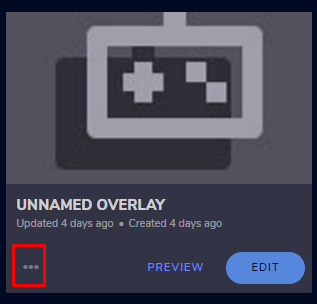
Add it as in screenshot.
@kindred lintel 
@kindred lintel Can you delete the media request widget in obs then re-add as browser source.If still same try again log out then login
 ember onyx
Hi
i have 1 question
how can i put the Fall guys Theme in my Streamlabs Obs
i cant download it
steel bladeBOT
@ember onyx To add your overlays to OBS, add a new browser source in your scene. Paste your overlay URL in the browser source properties, set the dimensions to 1920x1080 (unless you changed them on the website) and check Shutdown source when not visible. https://youtu.be/KDvLynUqXI4
 wraith lance
Hi, all of my overlays just stopped appearing.
I’m using obs live and stream elements browser source overlays
They have been this way for over a month I didn’t even change anything. But now in obs they won’t show up
steel bladeBOT
@wraith lance OBS > Settings > Advanced > Scroll down > Enable or disable Browser Source Hardware Acceleration, depending on its current state > Restart OBS (This does not apply for OBS on Mac)
https://i.imgur.com/ggMe9ZE.png
wraith lance
I already did this ^
ember onyx
How can i see the alerts of Fall guys theme ?
plain sonnet
@wraith lance overlays should be set to base canvas resolution (default is 1920x1080 (unless you changed it))
hardware accel should be unchecked
restart obs and check again
ember onyx
How can i put the Fall guys alerts ?
steel bladeBOT
@ember onyx To add your overlays to OBS, add a new browser source in your scene. Paste your overlay URL in the browser source properties, set the dimensions to 1920x1080 (unless you changed them on the website) and check Shutdown source when not visible. https://youtu.be/KDvLynUqXI4
wraith lance
@plain sonnet I checked it's all fine. Mind you, it was fine before. Just today idk what happened but NONE of them show up
I submitted a report with the issue
 stray tusk
stream elements not showing up on OBS, it was working fine the other day any ideas?
plain sonnet
try turning accel on, restart obs then turn it off again, restart obs
@stray tusk what isnt showing up?
stray tusk
overlays , i tried reloading the overlays but nothing happens but when i click on the overlay editor it pops up in browser but not in obs
steel bladeBOT
@stray tusk OBS > Settings > Advanced > Scroll down > Enable or disable Browser Source Hardware Acceleration, depending on its current state > Restart OBS (This does not apply for OBS on Mac)
https://i.imgur.com/ggMe9ZE.png
wraith lance
@stray tusk same thing is happening to me .
@plain sonnet I tried that
Still nothing
stray tusk
its enable
wraith lance
@plain sonnet So it should be disabled? You fixed it! WOO
stray tusk
ok i disable it and its on. why would that work? if it had no problem before?
wraith lance
@stray tusk I clicked disabled. Then Restarted OBS . Then it worked for me (:
 mild tinsel
why did it even break tbh?
When I started OBS I got a malware warning
I disable that setting and everything works fine
i am very confused
wraith lance
@plain sonnet thank you so much for your help ❤️
 twilit rampart
Have an issue, all of my overalys just randomly stopped working, uninstalled, reinstalled reset browser sources and nothing is working
steel bladeBOT
@twilit rampart OBS > Settings > Advanced > Scroll down > Enable or disable Browser Source Hardware Acceleration, depending on its current state > Restart OBS (This does not apply for OBS on Mac)
https://i.imgur.com/ggMe9ZE.png
plain sonnet
np 👍
 halcyon yoke
Have an issue, when i start my stream i hear my voice a couple of times in the stream
plain sonnet
constantly looping?
halcyon yoke
yea
plain sonnet
dont listen to your own stream
rugged quail
I connected my bot ( my name custom ) to streamelements I created the command !Add but it doesn't appear
steel bladeBOT
@rugged quail If your commands recently stopped working and you're using OBS.Live and a custom bot name do the following:
- In OBS.Live, click on the hamburger menu (three stripes) at the top left of your activity feed
- Click on Stream Settings > Custom bot name
- In the Custom bot name field select Set custom bot name, not your already existing username (with capital letters). Note: If you already connected an account that way, the third entry will show as the account name (see image https://i.imgur.com/sO7fWOX.png).
- Scroll a bit down and click on the purple Connect Custom Bot Account button
- Log in as usual and Authorize the custom bot name
- Back in the Activity feed, click on the Send Test Message button and check if your custom bot name starts working again
 grave ruin
I think this is the right channel? But have you guys found a solution for how annoying it is to move overlays around mid stream?
plain sonnet
what do you mean? a solution to what?
grave ruin
You know how you have to move your overlays around through the website
Mid stream it would be annoying to do so
Especially when lining up with a webcam
wary dew
I have no issues at all doing that when live
plain sonnet
no, my overlays are always set.
if i need to add something then just click save on the site.
normally i set everything up before hand
 dapper tendon
Why do my elements keep disappearing? I have an animated webcam border that is a .webm. Added as a video with loop checked. It works for a while then just randomly disappears.
steel bladeBOT
@dapper tendon OBS > Settings > Advanced > Scroll down > Enable or disable Browser Source Hardware Acceleration, depending on its current state > Restart OBS (This does not apply for OBS on Mac)
https://i.imgur.com/ggMe9ZE.png
 grand viper
My overlay stopped apparing how do I fix that
wary dew
follow the exact same thing as the message above you 🙂
grand viper
thx
 chrome geode
does anyone know why stream elements isnt importing my overlays and alerts from streamlabs obs
rugged quail
me and a friend been having the same issue with the browser links not working for overlays
chrome geode
mine just wont import
steel bladeBOT
@rugged quail OBS > Settings > Advanced > Scroll down > Enable or disable Browser Source Hardware Acceleration, depending on its current state > Restart OBS (This does not apply for OBS on Mac)
https://i.imgur.com/ggMe9ZE.png
rugged quail
same
wary dew
no, not the same 😛
@chrome geode it can be a couple of issues: files too big, streamlabs overlays with copyright stuff in it (those are the two most common issues)
chrome geode
idk about them being too big but ik it isnt the overlays are not copyrighted
 bronze maple
For some reason my custom bot name stopped working.
If I change it back to StreamElements or my own username then it works, but if I set it back to custom and link that account then it stops working again. What could be the reason?
steel bladeBOT
@bronze maple If your commands recently stopped working and you're using OBS.Live and a custom bot name do the following:
- In OBS.Live, click on the hamburger menu (three stripes) at the top left of your activity feed
- Click on Stream Settings > Custom bot name
- In the Custom bot name field select Set custom bot name, not your already existing username (with capital letters). Note: If you already connected an account that way, the third entry will show as the account name (see image https://i.imgur.com/sO7fWOX.png).
- Scroll a bit down and click on the purple Connect Custom Bot Account button
- Log in as usual and Authorize the custom bot name
- Back in the Activity feed, click on the Send Test Message button and check if your custom bot name starts working again
 crisp garden
Help! OBS recently updated and now all of my streamelement overlays are not loading!
They are working, I hear the alert but there is no visual. On the streamelements preview page it is working. I have no idea what happened.
steel bladeBOT
@crisp garden OBS > Settings > Advanced > Scroll down > Enable or disable Browser Source Hardware Acceleration, depending on its current state > Restart OBS (This does not apply for OBS on Mac)
https://i.imgur.com/ggMe9ZE.png
rugged quail
that does not work
plain sonnet
huh?
bronze maple
Any support helper here who might be able to give advice outside the standard answers?
rugged quail
there is a couple of us having the same issue regarding obs and overlays
crisp garden
turning it off seemed to help!
chrome geode
i aint having the same issue mine jut wont import
wary dew
Any support helper here who might be able to give advice outside the standard answers?
@bronze maple the problem you describe is exactly the problem what the bot response is made for
plain sonnet
and hardware accel is the most common fix, if you still have issues then please let us know
bronze maple
@bronze maple the problem you describe is exactly the problem what the bot response is made for
@wary dew Except that doesn't solve the issue.
plain sonnet
glad it worked Mai 👍
crisp garden
disable Browser Source Hardware Acceleration did work for me though but it might not work for everyone, thank you though
bronze maple
Do you have any other suggestions @wary dew ?
rugged quail
is this the right place for help for obs
bronze maple
Which browser does obs.live use for it's widgets like chat etc?
plain sonnet
im really confused
"If I change it back to StreamElements or my own username then it works"
your name is a custom name
what are you setting and what are you trying to do?
bronze maple
If I use Streamelements or my own name 'BinaryRun' then it works.
If I use a custom bot name, then it doesn't work. And I've tried with several accounts.
It worked at first, but it suddenly stopped working. @plain sonnet
steel bladeBOT
@bronze maple If your commands recently stopped working and you're using OBS.Live and a custom bot name do the following:
- In OBS.Live, click on the hamburger menu (three stripes) at the top left of your activity feed
- Click on Stream Settings > Custom bot name
- In the Custom bot name field select Set custom bot name, not your already existing username (with capital letters). Note: If you already connected an account that way, the third entry will show as the account name (see image https://i.imgur.com/sO7fWOX.png).
- Scroll a bit down and click on the purple Connect Custom Bot Account button
- Log in as usual and Authorize the custom bot name
- Back in the Activity feed, click on the Send Test Message button and check if your custom bot name starts working again
bronze maple
@plain sonnet I know. That doesn't work.
 lilac ocean
have you tried this one yet?
steel bladeBOT
- Right click on your OBS desktop shortcut and open the Properties
- In the Target field, add the following to the very end:
--remote-debugging-port=40404 - Open OBS (or restart if it was open)
- Open your web browser and type in:
localhost:40404 - Click on StreamElements - Activity feed
- Navigate to the Console tab
- Type the following into the console and hit enter:
store.customBot.removeCustomBotIntegration() - Try setting the custom bot name
- Remove the additional flag in step 2 from your shortcut properties.
bronze maple
My bad. I thought you guys did that stuff with a command. @plain sonnet
@lilac ocean I'll give it a shot.
 heady mirage
Hey, can someone help me if my overlay do not work anymore in OBS Live ?
heady mirage
At the time i use free overlays from streamelements and now i can only see it at any Browser but not in OBS
Wait i can show u what i mean ^^
steel bladeBOT
@heady mirage OBS > Settings > Advanced > Scroll down > Enable or disable Browser Source Hardware Acceleration, depending on its current state > Restart OBS (This does not apply for OBS on Mac)
https://i.imgur.com/ggMe9ZE.png
 bronze maple
@wary dew @plain sonnet Solved it.
It was an issue on twitchs end. I logged in manually and when chatting, the chat messages from the bot account didn't show up in other browsers.
After making the bot account a mod it was sorted.
rugged quail
hey so i am having a problem when i change the name of the game i am streaming on obs id doesn't change on twitch does that make sense
steel bladeBOT
@rugged quail There is a bug with setting the stream title in OBS and the dev team is investigating.
In the meantime you can set the title using the !settitle command in chat (if enabled in your bot command settings) or with the Twitch dashboard: https://dashboard.twitch.tv/stream-manager
rugged quail
thannks
thanks
wait ok im not sure if i am doing it right but i want to change the game title
 austere dew
I can't resize the window so I can't login
wary dew
wait ok im not sure if i am doing it right but i want to change the game title
@rugged quail !setgame nameofthegame
rugged quail
ok thank you
 lofty kindle
All my SE overlays are now completely black in OBS without me changing anything. Previewing them on the site works, I have tried deleting one and re-adding it, but no luck
steel bladeBOT
@lofty kindle OBS > Settings > Advanced > Scroll down > Enable or disable Browser Source Hardware Acceleration, depending on its current state > Restart OBS (This does not apply for OBS on Mac)
https://i.imgur.com/ggMe9ZE.png
sharp turret
Try that.
lofty kindle
Disabling it made them visible, thanks. Any idea why that happened? I've had it enabled for years without any issues
sharp turret
Many people have that issue so it knowed issue and i think will fixed.
lofty kindle
Sweet, thanks again and have a nice day!
sharp turret
You too!
 ebon zealot
all my browser sources stopped working.. any ideas?
steel bladeBOT
@ebon zealot OBS > Settings > Advanced > Scroll down > Enable or disable Browser Source Hardware Acceleration, depending on its current state > Restart OBS (This does not apply for OBS on Mac)
https://i.imgur.com/ggMe9ZE.png
sharp turret
Try that should work.
ebon zealot
dope! ty
 limber bloom
hello, from this morning, when i import a overlay in obs it stay dark,.... so terrible , i tryc to uninstall evrything but still have the problem
steel bladeBOT
@limber bloom OBS > Settings > Advanced > Scroll down > Enable or disable Browser Source Hardware Acceleration, depending on its current state > Restart OBS (This does not apply for OBS on Mac)
https://i.imgur.com/ggMe9ZE.png
limber bloom
still have the problem
 devout mason
i need help i was on my stream and my overlay just disappeared on all my slides
steel bladeBOT
@devout mason OBS > Settings > Advanced > Scroll down > Enable or disable Browser Source Hardware Acceleration, depending on its current state > Restart OBS (This does not apply for OBS on Mac)
https://i.imgur.com/ggMe9ZE.png
limber bloom
like this is ok to show you my bug ?
steel bladeBOT
@limber bloom Right click on the BrowserSource > Properties > Scroll down a bit > Refresh cache of current page
limber bloom
still dont work 😢 😢
wary dew
remove the browser source and add it as new again
devout mason
it was allready enabled so i turned it off than back on restarted obs but it still doesnt work
limber bloom
@wary dew i did it so much time but dont work, i also uninstall everything and try it again ,.... i d'ont understand from were is the problem
wary dew
it was allready enabled so i turned it off than back on restarted obs but it still doesnt work
@devout mason just turn it off, not back on
devout mason
@wary dew did you not read what i said i allready did that
devout mason
my bad lol thanks @wary dew
limber bloom
@wary dew i try it on "streamlabs" and it work,... what is the probleme with "OBS" ?
 analog geode
Hi, not sure if this is the right place. I can't seem to get my overlays to show up in OBS. I've pasted the link in as a browser source but it's just blank.
devout mason
@analog geode i just had the same problem
limber bloom
@analog geode look like we have the same problem :/
steel bladeBOT
@analog geode OBS > Settings > Advanced > Scroll down > Enable or disable Browser Source Hardware Acceleration, depending on its current state > Restart OBS (This does not apply for OBS on Mac)
https://i.imgur.com/ggMe9ZE.png
wary dew
you don't have the same problem, as for 99% of the user the option given by the bot works
analog geode
Ah I can see it now, thank you AI!
 stiff raft
My overlay is not showing on obs live but it is showing on streamelements preview. I have tried to refresh cache, but that did not work either. I also tried to duplicate the overlay and reinsert the new overlay, but nothing prevailed.....
steel bladeBOT
@stiff raft OBS > Settings > Advanced > Scroll down > Enable or disable Browser Source Hardware Acceleration, depending on its current state > Restart OBS (This does not apply for OBS on Mac)
https://i.imgur.com/ggMe9ZE.png
steel bladeBOT
@hollow tinsel StreamElements on top of OBS > Logout > Login
 hollow tinsel
it's still not loading any of my twitch styuff
like hitting the login button does nothing
doesn't add my other overlays, etc
plain mason
@hollow tinsel send here a screenshot of your OBS, pls.
 frail sky
Hello, I have themes and scenes that are saved but it's not showing up in streamelements preview. When I open it in StreamElements Overlay Editor it's there but not on the main screen. Anyone know whats up?
steel bladeBOT
@frail sky OBS > Settings > Advanced > Scroll down > Enable or disable Browser Source Hardware Acceleration, depending on its current state > Restart OBS (This does not apply for OBS on Mac)
https://i.imgur.com/ggMe9ZE.png
frail sky
Bot saved me.
 hardy gull
my minimize/maximize/close button bar keep going away how do i bring it back
plain mason
@hardy gull right mouse click on the OBS in your task bar and close the application, now reopen the OBS.
hardy gull
There is no way to unmaximize without closing?
plain mason
you can try the F11 (full screen) key 🙂
hardy gull
That just gets rid of the start bar too
 violet current
Hi I am having an issue where I am trying to setup alerts to come through obs.live and I setup my alerts theme. I set the height and width of the box in both obs and on streamelements to match. But anytime I try and emulate a follow or anything it shows in streamelements but never comes through on obs.live
I am not sure where to go on figuring this out
steel bladeBOT
@violet current OBS > Settings > Advanced > Scroll down > Enable or disable Browser Source Hardware Acceleration, depending on its current state > Restart OBS (This does not apply for OBS on Mac)
https://i.imgur.com/ggMe9ZE.png
hardy gull
@violet current you have to set the box demention as the canvas size not the element size, usually the canvas is 1920x1080 so that should be the demetions on obs as well
violet current
It already is checked
Yeah I have done that as well
when I add labels and things those show up
right where they should
But the alert won't show up at all
plain mason
That just gets rid of the start bar too
@hardy gull you will select the OBS and display the OBS screen, press the F11 key, then press ESC to return to the original screen size and show the other top buttons.
@violet current disable that option - Hardware acceleration, and test the content.
 lusty lark
Hello! For some reason my OBS is using 70-80% of my GPU usage, my game isnt on high setting but it can handle that with me having an RTX 2080 Super but i cant seem to find why its using soo much of the GPU. i stream at 1920 by 1080 at 30 fps but it lags not only my game but my stream too, its only been a problem for the past 2 weeks.
hardy gull
@violet current
violet current
Yes that is checked
steel bladeBOT
@violet current StreamElements on top of OBS > Logout > Login
violet current
Did that and still no alerts but ok with the labels
Ok so got it working with the help of @hardy gull . Something was glitched on streamelements website. Removed some things reloaded it and now working no idea what happened but working great now.
Thanks for the help everyone
 weary pilot
hello good day
I need some assistance
non of my overlays are not loading up and when i click to show from on obs live it says invalid Authorize token
steel bladeBOT
@weary pilot StreamElements on top of OBS > Logout > Login
weary pilot
I tried that 2 times already no luck
can i share my screen for you to see what is wrong?
Non of my browser source are working
Is there anyone available to hlep?
 hearty tangle
hi all, today i came onto my pc after a long time and notice their was an update to my OBS. but now none of my streamelement overlays are loading can anybody help
weary pilot
so it isn't me alone
@hearty tangle I have that exact prob. but i didn't notice an update
 half garden
what active my bot?
 oak jetty
Hi everyone, im unable to get my chat working in the side tab. its even missing from my live dash on FB can anyone recommend anything
weary pilot
Any tech here to help out?
hearty tangle
iv not been on stream for maybe few weeks so not sure when the update is from, but since i did the update none of my overlays will load
weary pilot
non of my browser source is loading
steel mural
For all of you:
steel bladeBOT
OBS > Settings > Advanced > Scroll down > Enable or Disable Browser Source Hardware Acceleration, depending on its current state > Restart OBS (This does not apply for OBS on Mac)
https://i.imgur.com/ggMe9ZE.png
 rose tapir
it worked!!
hearty tangle
brill it worked
 soft basalt
 lone knot
hello I have an issue where I had a donation sent threw SE.pay And dont have it set up nor do i want to I want to send the money back to the person but cant is therre anyway I can do so
anyone from se even here
weary pilot
Ok it worked for me now. had to copy back my browser links to get rid of some videos that was showing. but why do i have to disable hardware acceleration for it to come back up? also If i reapply hardware acceleration it disappears again. lol
 glad drift
#🇵🇹︱português @steel blade The Overlay isn't loading as a browser source. All browser sources are failing when refresh or restart the program
Todas as overlays (e cenas) com fonte em URL estão apresentando falhas. Elas não carregam e não atualizam nem quando solicitado.
 primal ore
Hi I need help, The overlay doesn,t appear after putting it as a browser source? what would be the next steps.
glad drift
@primal ore
OBS > Settings > Advanced > Scroll down > Enable or Disable Browser Source Hardware Acceleration, depending on its current state > Restart OBS (This does not apply for OBS on Mac)
https://i.imgur.com/ggMe9ZE.png
@steel blade
it works for me
primal ore
WOW @glad drift you are a life saver!!!! TYSVM !!
 final horizon
Any one know why I can't change the setting for my video? it keeps telling me turn off all out puts but I am not recording or streaming and i deactivated all sources. including the preview window.
@steel blade
 neat pilot
guys, my alerts/widgets have just stop to play
i heard the sounds, but nothing appears on screen
i use streamelements-obs but my widgets are from stream labs
 low jetty
None of my alerts are coming up as well. I can hear the alerts, but I am getting no notifications on the screen
neat pilot
:/
low jetty
Jessy, thank you so much
steel bladeBOT
@neat pilot We're not able to troubleshoot issues with using our overlays in StreamLabs OBS (SLOBS) as we don't have the tools to support their software. We recommend using OBS Studio or OBS Studio with our plugin OBS.Live.
 stark dune
hey! whenever i get an alert on twitch, the audio comes through to my OBS.Live and on stream, but my images and text dont. Does anyone know what caused this and how to solve it?
 fast drum
hey! whenever i get an alert on twitch, the audio comes through to my OBS.Live and on stream, but my images and text dont. Does anyone know what caused this and how to solve it?
@stark dune i have the same problem now. my alerts and event list doesnt show even my logo which was uploaded to my streamelements as an overlay.
stark dune
It happened yesterday out of nowhere. Im not sure why, my watchtime command never worked eigther
fast drum
same here. i noticed it the other day. another problem is that some of my media source is missing audio. i have to untick and tick it back again in the advanced properties to make the sound work. these all happen after the update
stark dune
I know :/
 lavish summit
My chat wont work, can anyone help? people say they send messages but they dont show up only mine do
fast drum
mine's alreadt
i did what @glad drift said and it works
@neat pilot thanks!
I know :/
@stark dune it worked
neat pilot
nice
 near hedge
so I think I have a bug with my OBS.Live, its not showing the visual side to browser sources (only the audio plays). It was working before I went on vacation and when I came back there was an update and now I cant figure out why it wont work. Is there anyone that might be able to help?
steel bladeBOT
@near hedge OBS > Settings > Advanced > Scroll down > Enable or disable Browser Source Hardware Acceleration, depending on its current state > Restart OBS (This does not apply for OBS on Mac)
https://i.imgur.com/ggMe9ZE.png
 wise silo
@lavish summit What do you mean your chat wont work? Where wont it work at?
near hedge
Yup that was the problem! @steel blade thanks for the awesome work you guys do!
steel bladeBOT
I am just a simple bot, doing what the amazing support team tells me to do! They are the real MVP's here!
 fossil timber
Hi There, My overlays from streamelements is not showing on OBS, Can you help me with this>?
lavish summit
@wise silo yeah when i run obs the chat wont show up at all when i'm live
wise silo
Is it in your OBS client, or on a overlay? @lavish summit
steel bladeBOT
@fossil timber OBS > Settings > Advanced > Scroll down > Enable or disable Browser Source Hardware Acceleration, depending on its current state > Restart OBS (This does not apply for OBS on Mac)
https://i.imgur.com/ggMe9ZE.png
fossil timber
@steel blade It is already checked
wise silo
Enable or disable Browser Source Hardware Acceleration, depending on its current state
wise silo
Please follow the step above @fossil timber
fossil timber
wise silo
Yes, im aware it works in your editor.
near hedge
my god i just scrolled up and saw how common this problem was D: next time i should read before asking 
wise silo
Please follow these steps:
steel bladeBOT
@fossil timber OBS > Settings > Advanced > Scroll down > Enable or disable Browser Source Hardware Acceleration, depending on its current state > Restart OBS (This does not apply for OBS on Mac)
https://i.imgur.com/ggMe9ZE.png
fossil timber
wise silo
*** Enable or disable Browser Source Hardware Acceleration, depending on its current state***
Please pay some extra attention to that step
fossil timber
Already Enabled
near hedge
click it again
 fossil timber
Ow, I got it, Thanks 😄
lavish summit
@wise silo the obs client
near hedge
@wise silo  sending all me love
wise silo

steel bladeBOT
@lavish summit StreamElements on top of OBS > Logout > Login
 foggy fjord
any reason why it doesn’t show carrots only the default bits?
 rough tapir
why is chatbot not working?
 narrow cloak
why my overelays is not showing i just update my obs.live
 somber rain
I'm having the same issues @narrow cloak
narrow cloak
i have to start stream 43mins someone please help
somber rain
I've been trying stuff
@narrow cloak I tagged you in Helpdesk-twitch a thing in there just helped me
narrow cloak
ok
somber rain
I just worked for me
Weird as hell though
I never toggled that option before
may have gotten triggered in an update
 feral grail
so on obs/streamelements for twitch alerts. It works in the stream elements editor but in the OBS thing after I do the browser source, it doesn't emulate the visual there when I try to test the set up for it. It was working a few days ago when I tested it, but now it's not working
rugged quail
Hello, I'm modding for a friend of mine and StreamElements bot isn't appearing on his channel. No commands work or anything but as soon as he's offline the bot works then? Is there any way to fix this? He's linked with OBS Studio
 brisk arrow
I have a noob question but only HALF of the picture of my alerts are showing up on screen. Anyone know what's up? it's like there is a square in the corner that's cutting it off in the middle
lavish summit
@steel blade yeah that didnt work
steel bladeBOT
@brisk arrow The default resolution for StreamElements overlays (theme and custom) is 1920x1080. Please add them in OBS at their full resolution and use CTRL+F to fit to screen if necessary. You can then downscale your stream in OBS settings > Video if you'd like https://i.imgur.com/6bWXxjR.png
 shy mountain
@rugged quail are they using the custom bot name?
brisk arrow
Thank you! I knew it was a simple reason i'm just a dumbie!
rugged quail
@shy mountain they are not, just standard
@shy mountain the very second they stop streaming the commands work in chat
shy mountain
!custombotfix
steel bladeBOT
If your commands recently stopped working and you're using OBS.Live and a custom bot name do the following:
- In OBS.Live, click on the hamburger menu (three stripes) at the top left of your activity feed
- Click on Stream Settings > Custom bot name
- In the Custom bot name field select Set custom bot name, not your already existing username (with capital letters). Note: If you already connected an account that way, the third entry will show as the account name (see image https://i.imgur.com/sO7fWOX.png).
- Scroll a bit down and click on the purple Connect Custom Bot Account button
- Log in as usual and Authorize the custom bot name
- Back in the Activity feed, click on the Send Test Message button and check if your custom bot name starts working again
rugged quail
@shy mountain he isn't using a custom bot name
shy mountain
Im pretty sure his touched the option
 obtuse lark
yeah my overlays for streamelemnts obs isnt working. My recent sub,followers,donos and alerts all dont work
steel bladeBOT
@obtuse lark OBS > Settings > Advanced > Scroll down > Enable or disable Browser Source Hardware Acceleration, depending on its current state > Restart OBS (This does not apply for OBS on Mac)
https://i.imgur.com/ggMe9ZE.png
 wise vortex
uhh maybe i posted in wrong place
"No Active Widgetes Were Detected For Media Request" however all the other widgets work fine, there's no issue with anything except the video showing. And it was working fine, at some point it didn't
 vast pelican
Oh, hi guys, i only have one monitor, and i'm using my phone at the moment for webcam, there's any way to see my chat and events without needing to keep alt-tabing out of the games?
steel bladeBOT
@vast pelican If you have one monitor and/or would like the chat overlay on screen, please look at the link below.
Please note this is not a plugin for OBS and not maintained by SE.
https://github.com/baffler/Transparent-Twitch-Chat-Overlay
shy mountain
@wise vortex Do you have the media request widget added to an overlay?
wise vortex
yes, of course
i've created a new overlay with only a media request widget in it, and that does the same thing. and then i edit the overlay, add an alert box, and then test the alert box, and everything works fine.
steel bladeBOT
@wise vortex StreamElements on top of OBS > Logout > Login
 paper maple
Anyone having problims with OBS killing the internet??? i'm talking totally drops my net to NOTHING..
steel bladeBOT
@paper maple Please provide a log from your last stream. To do this, in OBS go to Help > Log Files > Upload Last Log File and paste the link to the log file here.
paper maple
where do i paste it? just here in chat?
wise vortex
aha well that seems to have worked 🙂
shy mountain
@paper maple yes
paper maple
steel bladeBOT
- Restart OBS
- Start your stream/recording for about 30 seconds. Make sure you replicate any issues as best you can, which means having any games/apps open and captured, etc.
- Stop your stream/recording.
- Select Help > Log Files > Upload Current Log File. Copy the URL and paste the link here.
Note: If you do not see an obsproject.com URL, you will need to update OBS Studio to version 22+.
shy mountain
there we go
wise vortex
@paper maple if you have an slow upload on your connection link and you try to upload too much, download will fail too. likely you have put your bitrate way too high for your connection; without looking at any logs and stuff, i can attest that will "kill the internet" if you're trying to stream 5Mbps up a link that can only do 500Kbps.
paper maple
may be it.. i never changed anything from when i started using OBS a month ago.. I'm not that inclined to change anything on my own.. i'll break something.. lol
vast pelican
Where i can find the custom url for the chat that the streamelements use for the OBSLive?
shy mountain
There is nothing we can do to help low upload speed
thats an ISP issue if you are meant to have bigger upload speed
@vast pelican twitch.tv/yourusername/chat/popout i belive is the URL
 valid python
my previews just show a blank white screen, and nothing shows when I add an overlay to obslive
 rose beacon
how to change name of stream from obs that dock is missing
shy mountain
@rose beacon Streamelements on top -> activity feed -> then click on the burger menu button -> stream settings
steel bladeBOT
@valid python StreamElements on top of OBS > Logout > Login
 warped finch
Why is my ui bugged
shy mountain
restart OBS
steel bladeBOT
@coarse jolt The default resolution for StreamElements overlays (theme and custom) is 1920x1080. Please add them in OBS at their full resolution and use CTRL+F to fit to screen if necessary. You can then downscale your stream in OBS settings > Video if you'd like https://i.imgur.com/6bWXxjR.png
 tranquil olive
hi for some reason my overlays arent loading. ive got the right browser addres but nothing
steel bladeBOT
@tranquil olive OBS > Settings > Advanced > Scroll down > Enable or disable Browser Source Hardware Acceleration, depending on its current state > Restart OBS (This does not apply for OBS on Mac)
https://i.imgur.com/ggMe9ZE.png
tranquil olive
thnx it worked
 cold cove
is it possible to play a video file using a chat command?
shy mountain
Theres a widget for that in #widget-share
cold cove
Sweet thanks @shy mountain do you happen to know what it's called?
shy mountain
video on command i think it was
cold cove
awesome thanks again @shy mountain
 fallow pewter
hi guys trying to figure out how i can find out the size of a resized video capture device. so that i can modify a border to match it on the layout editor
red is what i want to get the width and height for so i can change yellow to match
pallid parrot
Unfortunately you cannot adjust those without video/image manipulation software. The best shot for me would be go the way around - upscale and crop your cam border to fit yellow aspect ratio
fallow pewter
ok thanks will try that and see how i go
wary dew
Isn't there a 4:3 cam overlay for that theme?
 peak trail
my media request just shows up empty. I didnt have this problem yet and i changed nothing but for some reason it wont appear anymore. I tried refreshing it, and opening and closing it. i couldnt find any problem with it so i dont know what to do
pallid parrot
Oh. Right. If overlay editor there may be second cam border, but set as hidden
 spiral chasm
Hey Guys im pretty desperate to get my streamelements bot working
streamelements is mod and i use obs live
but if i write commands he doesnt react
maybe someone can help me ?


 steel bladeBOT
@spiral chasm If your commands recently stopped working and you're using OBS.Live and a custom bot name do the following:
- In OBS.Live, click on the hamburger menu (three stripes) at the top left of your activity feed
- Click on Stream Settings > Custom bot name
- In the Custom bot name field select Set custom bot name, not your already existing username (with capital letters). Note: If you already connected an account that way, the third entry will show as the account name (see image https://i.imgur.com/sO7fWOX.png).
- Scroll a bit down and click on the purple Connect Custom Bot Account button
- Log in as usual and Authorize the custom bot name
- Back in the Activity feed, click on the Send Test Message button and check if your custom bot name starts working again
steel bladeBOT
@naive steeple OBS > Settings > Advanced > Scroll down > Enable or disable Browser Source Hardware Acceleration, depending on its current state > Restart OBS (This does not apply for OBS on Mac)
https://i.imgur.com/ggMe9ZE.png
@peak trail StreamElements on top of OBS > Logout > Login
 naive steeple
i already did it
wary dew
i already did it
@naive steeple what did you do exactly?
naive steeple
enable resource
 boreal geyser
Hey there. How do I find the setting or plugin where I can add an overlay that shows the current chat and also recent events?
naive steeple
browser source
wary dew
Turn it off @naive steeple
naive steeple
okk
steel bladeBOT
@boreal geyser New to StreamElements?
Check out our YouTube channel https://www.youtube.com/c/streamelements/videos
with tutorial videos from setting up the basics, to in depth details on how to use our product.
New to OBS? Here is a 4 step quickstart guide
https://obsproject.com/wiki/OBS-Studio-Quickstart
Want to learn even more? Here is an in-depth overview
https://obsproject.com/wiki/OBS-Studio-Overview
naive steeple
now ?
steel bladeBOT
@boreal geyser We've released our new Overlay Editor revamp. You can check out the changes and how to work with it here: https://youtu.be/X5VzXjqAsjk
Check out our blog post as well: https://blog.streamelements.com/streamelements-overlay-editor-just-got-even-better-c22cb5b4853e
wary dew
No problem 
naive steeple
❤️
wary dew
Hiccup in the update
boreal geyser
I'll have a look, thank you.
naive steeple
okok ty 😄
spiral chasm
ok i set up the custom bot account again and its still not working
do i have to be streaming so that it works ?
boreal geyser
Hmmm. That doesn't really help me. I need an overlay to see my current chat and also recent events while I am in game.
spiral chasm
hmm am i right here with my streamelements bot problem ?
pallid parrot
Can you elaborate please?
@boreal geyser Check our repository of free themes https://streamelements.com/dashboard/themes
boreal geyser
I am looking for something like this.
pallid parrot
Oh. Single screen. But I can recommend something different for you. If you have a single screen, it may be a good idea to use our mobile app in "Companion mode"
 short olive
Could use help, at this point im completely at a loss for words on what to do now. In my OBS i did "Browser"( Capture) Copied the URL link from stream elements "my overlays" INTO OBS.live URL, nothing but a black screen. I've updated everything from GPU,OBS,firefox,and more. Any help would be great considering i need to stream later today/night.
pallid parrot
So you will have recent activities and chat visible during stream
And you will be able to skip alerts, mute them, replay from mobile
steel bladeBOT
@short olive OBS > Settings > Advanced > Scroll down > Enable or disable Browser Source Hardware Acceleration, depending on its current state > Restart OBS (This does not apply for OBS on Mac)
https://i.imgur.com/ggMe9ZE.png
short olive
wow nvm thanks AI BOT lmao.
boreal geyser
Oh. Single screen. But I can recommend something different for you. If you have a single screen, it may be a good idea to use our mobile app in "Companion mode"
@pallid parrot Hmm, alright. I guess I'll get back to SE when a solution is available. 🙂
 foggy trout
Is there a stream elements for Mac OS?
pallid parrot
@boreal geyser There is another solution for that, this was just my recommendation.
steel bladeBOT
@boreal geyser If you have one monitor and/or would like the chat overlay on screen, please look at the link below.
Please note this is not a plugin for OBS and not maintained by SE.
https://github.com/baffler/Transparent-Twitch-Chat-Overlay
boreal geyser
Okay, I will look into it.
pallid parrot
@foggy trout There is no compiled package for MacOS for OBS.Live.
 paper bison
help
steel bladeBOT
@paper bison If you would like help from the StreamElements support volunteers/staff please post your question in one of the helpdesk channels and someone will assist you as soon as they are available
#helpdesk-twitch | #helpdesk-youtube | #helpdesk-facebook | #helpdesk-mobile | #helpdesk-selive | #helpdesk-merch
Thank you for being patient.
foggy trout
@pallid parrot TY. Is there anything coming for stream elements on mac. I use SLOBS and am not super happy with it and have been told that Elements is the way to go.
pallid parrot
You can emulate almost whole behaviour of OBS.Live in pure OBS. Just add chat and activity feeed popout URL in OBS an you should be good to go 🙂
foggy trout
Ty so much
 fresh prairie
how do i get my sr and chat back?
i cant see it
like there used to be a place where i could read the chat and see sr
fresh prairie
thankyou
 timid nacelle
Hi there! The Twitch followers overlay is displaying the incorrect amount of followers and were not sure why. Any ideas on how to get this to properly show live follower count?
 plain sapphire
When I try to do a cloud backup of my settings and content, it says my account is out of space.... So i deleted all but my most recent, and it still says the same thing. How do I fix that?
It also basically crashes OBS about half the time when I try, and I never had an issue before this latest patch.
 tight light
Since updating my OBSLive, My overlays are no longer working/showing up so I can't preview them, is there anything to fix this?
steel bladeBOT
@tight light OBS > Settings > Advanced > Scroll down > Enable or disable Browser Source Hardware Acceleration, depending on its current state > Restart OBS (This does not apply for OBS on Mac)
https://i.imgur.com/ggMe9ZE.png
sharp turret
Try that. 🙂
 desert berry
Hi, I'm using OBS (specifically through Streamelements, although I had the same issue with Stream Labs previously) and for some reason I can't get my webcam and gameplay to show at the same time. I'm using a capture card for PS4 or Switch - game dependent - and my webcam both via USB.
When I use my webcam, my game capture won't work at all - and likewise for the other way around.
I've tried messing around with it but nothing is working.
Any ideas? We're on Windows 10 and everything is fully up to date on both the PC and OBS
steel mural
My guess is that you're overloading your USB ports / USB bus. Try to plug one of the devices into another USB port
sharp turret
@timid nacelle You can set here -> https://streamelements.com/dashboard/session under goals "Follower goal progress"
StreamElements
The Ultimate All in One Platform for Streamers
desert berry
My guess is that you're overloading your USB ports / USB bus. Try to plug one of the devices into another USB port
@steel mural We tried that, nothing changed
steel mural
Then please download this https://obsproject.com/downloads/usbview.zip, start it and send me a screenshot of the full window
desert berry
Alright. Shall I DM you?
steel mural
Please keep it in here. There's no sensible info.
steel mural
My guess is that the "MACROSILICON" device is your capture card. As you can see, they're on the same hub. Try to change the ports until that isn't the case anymore.
desert berry
Thanks so so much!!!
steel mural
Did that fix it? 👀
foggy fjord
Good Morning can anyone help me as to why it doesn’t show up as the custom image?
 brave nacelle
for some reason i cant get my game capture
brave nacelle
destiny 2
sharp turret
Bungie has opted to not allow OBS to hook Destiny 2 using Game Capture. See: https://www.bungie.net/en/Help/Article/46101
You will need to run the game in either windowed fullscreen or borderless windowed and use Window Capture instead.
steel bladeBOT
@brave nacelle OBS > Settings > Advanced > Scroll down > Enable or disable Browser Source Hardware Acceleration, depending on its current state > Restart OBS (This does not apply for OBS on Mac)
https://i.imgur.com/ggMe9ZE.png
brave nacelle
it didnt work
desert berry
Did that fix it? 👀
@steel mural Yep!
plain mason
@brave nacelle do you see the overlay working on the Overlay Editor?
plain mason
@brave nacelle and, did you try to do what the bot asked you to do (enable Hardware Acceleration ... or disable it, if it is already enabled)?
brave nacelle
yes
plain mason
and you restarted the app after it was changed?
plain mason
show me (in DM) the screenshot of the Properties of your overlay, please
 halcyon kiln
Hi, I'm trying to update my obslive and I keep getting this error.
 median hemlock
@brave nacelle i ve got the same problem
plain mason
@halcyon kiln please, restart your computer and try to update again.
@median hemlock did you try this procedure? - https://discordapp.com/channels/141203863863558144/494513233416421386/747475868288548894
halcyon kiln
Ok
 oak cove
Can anyone help with an audio issue? Everything was completely fine yesterday but today my sound is incredibly low people can barely hear me on stream. I use an elgato so have the chat link connected to my headset so the stream can hear players in my party and their sound is coming through completely fine it’s just mine that isn’t being picked up properly 😭
halcyon kiln
@halcyon kiln please, restart your computer and try to update again.
@plain mason Same problem after restart
plain mason
@halcyon kiln please, download the standalone install file on https://www.obs.live/ and run that, instead of running the update while OBS is open.
halcyon kiln
Did that already as well. Same problem
plain mason
@brave nacelle just for log, your issue has been fixed choose the "scale to window" option in the "preview scaling" in OBS.
 dusty night
Hello, I'm new to obs and I've noticed that everything is pixilated, anyway I can change it im baffled ahaha
Nvm I found the problem LMAO
 waxen orchid
how can i lower my stream delay from default 7seconds?
 eternal harness
Heyo! I'm trying to give my chatbot a custom name, but I can only change it to my profile name on StreamElements. Is there a way to change it to something else?
ah. nevermind. saw the pinned message
 sonic patrol
Hi, I have a problem ... I have already activated the loyalty settings but the contests and giveaways are not working
Can someone help me?
plain mason
@sonic patrol hi, what is the problem?
And check your commands !enter and !giveaway, both are disabled on https://streamelements.com/dashboard/bot-commands/default-commands
 silent field
Hi, I'm having some issues connecting my overlays from StreamElements to OBS. This is the first time this has come up, not sure if it is common, but the overlay widgets and stuff doesn't appear on my OBS preview
steel bladeBOT
@silent field OBS > Settings > Advanced > Scroll down > Enable or disable Browser Source Hardware Acceleration, depending on its current state > Restart OBS (This does not apply for OBS on Mac)
https://i.imgur.com/ggMe9ZE.png
silent field
thanks :^D that appeared to fix it
plain mason
When I try to do a cloud backup of my settings and content, it says my account is out of space.... So i deleted all but my most recent, and it still says the same thing. How do I fix that?
@plain sapphire the Cloud Backup system allows sending backup files of up to 30mb for a total of 100mb of space per user.
 woven linden
why have my screens disapeared
they are on the scenes prt but when I click it, it aint showing up
nor are the stinger transitions working
steel bladeBOT
@woven linden OBS > Settings > Advanced > Scroll down > Enable or disable Browser Source Hardware Acceleration, depending on its current state > Restart OBS (This does not apply for OBS on Mac)
https://i.imgur.com/ggMe9ZE.png
 cobalt swan
Hi my alerts are not working
I ready refresh and everything but i can only hear them but is not showing on the browser
Help please
steel bladeBOT
@cobalt swan OBS > Settings > Advanced > Scroll down > Enable or disable Browser Source Hardware Acceleration, depending on its current state > Restart OBS (This does not apply for OBS on Mac)
https://i.imgur.com/ggMe9ZE.png
foggy fjord
sonic patrol
@plain mason now it work! thank you !!!
woven linden
why have my screens disapeared
they are on the scenes prt but when I click it, it aint showing up
nor are the stinger transitions working
steel bladeBOT
@woven linden Please provide a proper screenshot with the issue visible. If not sure how to take a screenshot, you can check here: https://www.take-a-screenshot.org/
plain sonnet
ffs
saying "screens disappeared" means absolutely nothing
which is why the bot ask you to send a screenshot and describe what the issue is and what should be there...
quote excatly
woven linden
So i havent been on OBS live in a week, i opened it up, UPDATE. I did that,bam all my scrrens and transitions have gone. they are there but arent showing. its a black screen
plain sonnet
again, "all my scrrens" doesnt mean anything...
if you dont have a screen, was it stolen?? or do you mean something else that a screenshot would help with?
steel bladeBOT
@woven linden OBS > Settings > Advanced > Scroll down > Enable or disable Browser Source Hardware Acceleration, depending on its current state > Restart OBS (This does not apply for OBS on Mac)
https://i.imgur.com/ggMe9ZE.png
woven linden
THATS ONNNNNN
plain sonnet
READ WHAT IT SAYS AND TURN IT OFF
plain sonnet
restart obs
then go to help > logfiles > upload current
paste the url here
plain mason
@woven linden right mouse click on the black area, go to Preview Scaling, and screenshot it... show us the screenshot, please.
woven linden
this has NEVER happened before
@plain sonnet https://obsproject.com/logs/SqHXPuQ7-_R1Tnow
ts doing the same to other scene collections aswell
 charred python
Hi there, I am facing an issue that just started occuring today only
I have not streamed for 2 days
However after an update today
All my overlays from browser sources from stream elements have stopped showing in OBS live
They are there, but cannot be seen
woven linden
SAME WITH meeee
steel bladeBOT
OBS > Settings > Advanced > Scroll down > Enable or disable Browser Source Hardware Acceleration, depending on its current state > Restart OBS (This does not apply for OBS on Mac)
https://i.imgur.com/ggMe9ZE.png
 fathom cobalt
@charred python @woven linden ^
charred python
done that too
I realised its also happening with another plugin I use, PRPR Live
Its the plugin to show my webcam
steel bladeBOT
@normal mica Welcome to the helpdesk! Please let us know how we can assist you today and a support volunteer or staff member will assist you as soon as they are available. Thank you for your patience.
 sharp adder
Hey guys loaded up my obs which was working on friday today and non of my overlays are loading
woven linden
same
 normal mica
Thank you for the response. I am experiencing some trouble with sourcing. On OBS I have my browser source from Stream Elements. When I get a follow live or emulate it on the overlay editor, I can hear the alert, but none of the visual aspects show. I was live last night and heard the alerts, saw them in chat, but nothing was on my screen. They were my custom alert sounds as well so I know they were being pulled from the browser source.
@sharp adder @woven linden I am also having the same issue post-OBS update.
sharp adder
OBS > Settings > Advanced > Scroll down > Enable or disable Browser Source Hardware Acceleration, depending on its current state > Restart OBS just fixed mine
woven linden
didnt for me
normal mica
I unchecked "Browser Source Hardware..." and restarted OBS. It is now working for me as well. My live alerts and labels are now being shown. @woven linden
@sharp adder Thank you.
What is your TTV? I will come check you out
charred python
It didn't work for me
steel bladeBOT
@sharp adder
Read and follow our server rules:
- We do not tolerate toxicity! Treat the community team, staff and all members with respect.
- No advertisement or channel promotion, anywhere on the server.
- No NSFW/NSFL
- No unsolicited DMs to server members
Make sure to read #welcome in any server you join.
sharp adder
sorry guys wasnt intentional
charred python
I basically copy pasted my entire OBS live folder in program files and kept it as a back up for all my settings.
After which I went to download the raw OBS. And installed it over obslive. Which I believed was the source of the problem.
Launched OBS and then set my chat and streamelements monitoring as a docking browser source
And basically I have a working obs studio with the stream elements monitoring bits
So after reinstalling OBS, I went to View > Docks > Custom browser docks
On Streamelements website I went here to get the browser link
For chat I use "https://www.twitch.tv/popout/INSERT_YOUR_USER_NAME/chat"
Thats my solution that worked for me.
 deft marten
Hello all im having an issue with my OBS non of my overlays are loading in my transitions work but thats all
steel bladeBOT
@deft marten OBS > Settings > Advanced > Scroll down > Enable or disable Browser Source Hardware Acceleration, depending on its current state > Restart OBS (This does not apply for OBS on Mac)
https://i.imgur.com/ggMe9ZE.png
deft marten
awesome ty it worked woot 👍
 warm timber
My widgets don’t show up on obs but they show up on stream elements
plain mason
@warm timber show us a screenshot pls.
steel bladeBOT
@warm timber The default resolution for StreamElements overlays (theme and custom) is 1920x1080. Please add them in OBS at their full resolution and use CTRL+F to fit to screen if necessary. You can then downscale your stream in OBS settings > Video if you'd like https://i.imgur.com/6bWXxjR.png
steel bladeBOT
@warm timber OBS > Settings > Advanced > Scroll down > Enable or disable Browser Source Hardware Acceleration, depending on its current state > Restart OBS (This does not apply for OBS on Mac)
https://i.imgur.com/ggMe9ZE.png
warm timber
It’s enabled
 tulip hamlet
 dry pollen
all my overlays stopped working for no reason ? can u helP?
steel bladeBOT
@dry pollen OBS > Settings > Advanced > Scroll down > Enable or disable Browser Source Hardware Acceleration, depending on its current state > Restart OBS (This does not apply for OBS on Mac)
https://i.imgur.com/ggMe9ZE.png
dry pollen
i went to setting and there is no advcanced option
steel bladeBOT
@dry pollen Please provide a proper screenshot with the issue visible. If not sure how to take a screenshot, you can check here: https://www.take-a-screenshot.org/
dry pollen
thank u so much , why did this happen?
i fixed it after losing my mind
thanks for ur help
why did this happen , i literally lost my cool , and was purty upset
anyways thanks for help bot !!!!
literally saved my life
 hard bone
Im trying to add a source but the "+" isn't there?
primal ore
any tips on how to make lessen fps drop? I have 100mbps of internet speed but the stream is so lag
plain mason
@hard bone show us a screenshot, pls
steel bladeBOT
@hard bone Please provide a proper screenshot with the issue visible. If not sure how to take a screenshot, you can check here: https://www.take-a-screenshot.org/
hard bone
 gilded spoke
Hi there! Just getting started with StreamElements and I cant seem to get the alertbox themes working in OBS. I am using the FallGuys animated alerts just for testing and have copied the URL into a browser source but when I emulate it nothing shows up in OBS? Appreciate any help!
plain mason
@hard bone when you emulate the alertbox on Overlay Editor, do you see the alerts on the OBS?
steel bladeBOT
@gilded spoke The default resolution for StreamElements overlays (theme and custom) is 1920x1080. Please add them in OBS at their full resolution and use CTRL+F to fit to screen if necessary. You can then downscale your stream in OBS settings > Video if you'd like https://i.imgur.com/6bWXxjR.png
gilded spoke
Thanks for the help!
Although I still cannot change the position of the alert within the 1980 x 1080 frame. It is always top right and although I can drag it as needed when I added custom intro animations like "slide up" it is not displayed in OBS even though it is displayed in the stream elements alert editor. Any way to get that information to show in OBS?
Nvm , I just needed to restart OBS. Thanks for all the help and keep up the great work!