#helpdesk-selive
1 messages · Page 148 of 1
 rugged quail
 tawdry harness
@ornate wren Streamelements on top of OBS -> Logout -> login
@steel blade This actually works if your custom bot is failing, is under the tab of obs StreamElements -> Logout and then login and will work again it worked for me
 distant breach
If you run everything in normal OBS Studio does it?
rugged quail
Let me check
distant breach
the "live" is just a plugin for OBS. for some extra SE features.
rugged quail
Do I check that by logging out of stream elements once I'm in OBS?
 steel bladeBOT
@keen viper If you changed your name on Twitch please follow these steps:
🔹 Visit https://streamelements.com/logout and then log in again with by connecting with Twitch.
🔹 On the right side of the dashboard page that opens, select "Join" under bot settings. If it says "Part" select that and then select "Join" to send the bot to the chat. Don't forget to mod the bot by typing /mod streamelements in your channel if you have not already.
🔹 Post your old and your new name here so that we can update your channel's chatstats tracking (must be done by staff).
rugged quail
@distant breach Same thing happens unfortunately: https://obsproject.com/logs/llZAtxrUsPIkSn8P
distant breach
ya. still getting 0 errors in your log @rugged quail
i think the help over at OBS will be able to help you the best
rugged quail
@distant breach This is the only game where I've experienced this problem. The rest seems to work fine
distant breach
is it CS GO by chance?
rugged quail
Hitman (2016)
distant breach
ok. (there was a CSGO thing a couple days ago that broke stuff)
jump over there and ask if anyone has any tips for Hitman 2016; and give them your log files (both are clean)
rugged quail
Mm oke I've first experienced the problem on 9th of july. also the first time i tried the game so
Oke thanks
distant breach
🤣 they might tell you it's a game issue. or the might know a hidden setting to check
 fervent ocean
Hi, i suddenly (after a PC reboot) get a TCP 4444 error message, any idea what that might be?
distant breach
but everything looks clean in your log file. you have less errors than me 🙂 (i only have 3)
 tropic nimbus
anybody knows why the hypecup is not working for youtube subs? i use obslive too
anybody that can help me ?
fervent ocean
Figured it out, i removed the "move transition" plugin, as well as the Live pluging from SE, Booted up OBS, no problem, re-installed the Live plugin, booted up again no problem.
There seems to be a issue with the "move transition" plugin.
All fixed, sorry to bother you
 restive bone
Can i change the Widget to Dark/Night mode in obslive? They are white for me and pop into my face.
Im kinda blind already 😉
 tawny iris
I have a little Question about the streamelements overlays, is this the right place?
restive bone
helpdesk with your platform would be the correct channel so for twitch #helpdesk-twitch
Here is obs.live plugin for obs. 😉
tawny iris
Yeah, i know...but here is no "#Streamelements-Overlays" so I was unsure
steel bladeBOT
@tawny iris Welcome to the helpdesk! Please let us know how we can assist you today and a support volunteer or staff member will assist you as soon as they are available. Thank you for your patience.
tawny iris
I would like to upload my alert that I created in After Effects to the Streaming Elements Cloud, the problem is that I need a transparent background and don't know how to upload it. For example, MP4 files automatically create a black background and avi files are not accepted
 steel mural
@cursive oracle Please keep your questions in one channel. Asking in multiple channels only causes confusion
 cursive oracle
My bad sorry
tawny iris
WebM create a black background to
 wary dew
it's something with the proper alpha channel, but that is totally out of my knowledge base
 glacial bear
does anyone know why obs keeps crashing for me on startup? I'm pretty sure it's because of streamelements because i reinstalled obs studio and it was working, but then i reinstalled obs.live and it started crashing again. This has been happening since about a week ago
tawny iris
I render it i MOV and "RGB + alpha Channel" (transparent background), then i convert it to webm (black background)
steel mural
Converting is the problem. You have to render it directly to WEBM. There's a plugin for Media Encoder to export it to WEBM: https://www.fnordware.com/WebM/
 sage laurel
I setup a Browser Media, but when the music is playing, I can't decrease the volume, and in the Streamelements site is muted, the the only way is from the windows sounds, but that decrease the alerts sounds (follows, subs) and I don't want that. I think I sould change something from the OBS, but I don't know what exactly. Thanks
 plain sonnet
media request is designed to be with obs.live , not slobs
do you listen to the media that is requested or is it only for viewers?
sage laurel
Yup, I listen it too, but very high (that's why I why to decrease the volume) and if I lower it from Mixer, it still sounds loud
 timber musk
anyone know how to put the pop ups and back ground stuff on to obs from streamelements?
plain sonnet
the only work around you would have would be to separate the source.
read the steps for the first option, but select "MONITOR ONLY" in the advanced audio properties.
steel bladeBOT
@sage laurel How to separate media request (MR) audio in OBS:
(Please follow one of the steps for your set up)
MUTE MR FOR YOURSELF, STREAM CAN HEAR
• Make a new overlay in the editor, ONLY add the media request widget,
• Add a new browser source in OBS, add the URL and set the dimensions correctly,
• Tick the box for "Control audio via OBS"
https://cdn.discordapp.com/attachments/712428275049431120/716618713998033047/unknown.png
• Go to Edit > Advanced Audio , set your MR overlay to "Monitor Off"
NOTE: This will play through the Desktop Audio, if you mute your desktop audio, it will mute the MR.
CONTROL AUDIO SEPARATELY FROM YOU AND STREAM
• For this you will need a VAC (use command !vac),
• Run your MR either in Chrome or in Ground Control (use command !gc),
DO NOT CLICK "SHOW ON STREAM"
• Set Chrome or GC in the VAC as an audio input and output,
• Add the audio output from VAC as an audio input in OBS,
NOTE: this will not be able to show the video in OBS
It is currently not possible to separate audio for yourself and stream if you ALSO want to show the video in OBS.
The only way to do this would be to follow the last set of instructions above and then use Window Capture on GC or Chrome.
Thank you 
sage laurel
Thanks
 clear umbra
hey i got a question so when ever i open stream elements it opends up some stuff that give 20+cpu to my pc and it makes stuff lag so i have to manuly remove it is there any fix or do i just have to contino doing that
 runic sedge
Hi I really need some assistance. So I used the WebM Plugin in Adobe media encoder to render out a stinger transition but when I switch scenes in OBS It cuts the transition short and its kind of laggy. Any suggestions?
steel bladeBOT
@runic sedge For the best OBS support, please join their Official Discord @ discord.gg/obsproject
 civic sigil
hi is there a way to have 2 soud output , one from my discord and one for the game im playing?
rugged quail
but everything looks clean in your log file. you have less errors than me 🙂 (i only have 3)
@distant breach Haha thanks for the help though! means a lot. Not getting any help yet in the OBS Community channel 😢
 sand whale
So it's safe to say after searching old posts, that the only solution to the double audio when clicking "Show on stream" for media share, is to do the shutdown source when not visible option.
However, when I switch scenes, it pauses the song to load up, and then starts playing it again. So unless I want to stay on the same scene the whole time, i'm kinda screwed
 mild bluff
I am new, trying to setup Media request. When I start it, I get an error saying "no active widgets were detected for media request" but I can't see to figure out how to activeate the wodget
And it does not show up in my available sources
 cosmic frigate
idk if this is the right place for this, but is anyone else having issues with Snip everytime they open obs?
 obtuse jolt
Hey everybody, dont know if this problem has already been mentioned or resolved yet, but i cant seem to update my stream title from the dashoboard on OBS.live. It shows the title and says i can change it but when i click on it it doesnt allow me to alter it. any suggestions would be greatly appreciated
steel bladeBOT
@obtuse jolt There is a bug with setting the stream title in OBS and the Dev team is investigating.
In the meantime you can set the title using the !settitle command in chat (if enabled in your bot command settings)
Or with the Twitch dashboard: https://dashboard.twitch.tv/stream-manager
 honest grove
I am constantly getting encoding overload on my obs.live. My bitrate is fine. It started doing this a few days ago and now it seems to be getting worse
 mellow coral
my csgo is blackscreen when i try and use game capture, ive reinstalled obs, changed my res and aspect ratio but nothing is working
plain sonnet
Valve has implemented a Trusted Mode which does not allow OBS to hook CS:GO using Game Capture. See: https://blog.counter-strike.net/index.php/2020/07/30736/
You will need to run the game in either windowed or borderless windowed and use Window Capture instead. Alternately, you can launch the game with -untrusted but this will lower your trust score with VAC and may affect the quality of your matches.
mellow coral
i already get blatant cheaters in high trust factor it doesnt matter anymore lol
 waxen cosmos
How can I disconnect my FB and Mixer accounts from SE? I don't see that as an option anywhere in my account.
 weary dragon
how do i connect my themes from the stream elements website to my streamlabs OBS?
steel bladeBOT
@weary dragon To add your overlays to OBS, add a new browser source in your scene. Paste your overlay URL in the browser source properties, set the dimensions to 1920x1080 (unless you changed them on the website), and ☑ “Shutdown source when not visible” https://youtu.be/KDvLynUqXI4
@waxen cosmos There is no easy way to unlink 2 owner type accounts from each other. The only way is to make a closure request from here: https://streamelements.com/dashboard/account/security
WARNING: In submitting a closure request you will delete both linked accounts and loose all data from both accounts. This includes overlays, custom commands, timers and past data(tips, subs, etc). You can still relogin with the deleted account, but you are essentially starting fresh.
weary dragon
Okay thanks
 random wagon
okay i think this is the place to ask. i ccant edit my title/game in the stream settings
every time I type something, it just moves to the end of the line and i cant do anything to it. I can type and edit it on the website/in chat
waxen cosmos
That link is only giving my an option to close my entire account, I just want to remove/unlink Mixer (for obvious reasons) and potentially my FB account while keeping the Twitch and YT accounts as they are.
 toxic glade
 eager gull
hi, how do i change de bot name? i don't see the option on Ground Control
steel bladeBOT
@eager gull Currently renaming the bot fully works with OBS.Live.
You can follow this video guide to set it up: https://discordapp.com/channels/141203863863558144/494513233416421386/561516184718278676
If you don't want to use OBS.Live and want to stick with Ground Control, please let us know your Twitch username.
 limber briar
I can't change my stream title, it doesn't erase. how to solve?
 limber echo
hiya! i'm having an issue with invalid tokens in my overlay when trying to import overlays i'm making in the streamlab web dashboard into my obs live. ive tried disconnecting and reconnecting my twitch account, and even if i click the "open in stream elements overlay editor" it opens in browser just fine. is there a fix to this? or a known issue?
 sick oasis
Hello, I've been having issues with stream elements live obs just shutting down/closing with no error messages. It's like I clicked the exit button to shut it down, but it happens while I'm live streaming. Seems to happen about a couple hours after going live. I've used the original obs without any problems.
 queen quest
@mild badger Streamelements on top of OBS -> Logout -> login
@steel blade Holy crap nobody understands what this message means. I've scoured the forum for all related posts and nobody acknowledges this as a fix! Can you please change the AI message to say "AT THE TOP IN YOUR MENU, SELECT THE STREAMELEMENTS option".....
 lucid gulch
Hi, when I go into the Activity Feed and Stream Settings, I can't change the Stream Title anymore
 blazing salmon
just got into stream elements i got it to make me themes from starting soon and brb but it will only show the top 1/4 of the overlay when i copy it to the OBS browser source
 tame elk
i am transitioning things from streamlabs obs to obs.live and when i try and bring the overlays over it just stops at 38% transferred and doesnt move. is there any solution for this?
 fair trellis
cant get my obs live add ons to work with obs
i have installed twice and it just displays default from obs
 shell snow
hello i need help !
shell snow
I changed my Twitch user name now i cant get my streamelements Server Chat to connect, how do i fix this ????😫
steel bladeBOT
@shell snow Streamelements on top of OBS -> Logout -> login
 shy mountain
@fair trellis when you install obs.live, check on top of the obs window for "streamelements" button next to "help"
steel bladeBOT
@rugged quail The default resolution for StreamElements overlays (theme and custom) is 1920x1080. Please add them in OBS at their full resolution and use CTRL+F to fit to screen if necessary. You can then downscale your stream in OBS settings > Video if you'd like https://i.imgur.com/6bWXxjR.png
 rugged quail
how do i add my own socials?
 tranquil olive
hoping someone can help my capture card has suddenly not picking sound up from my switch to obs. anyone able to help
steel bladeBOT
@tranquil olive For the best OBS support, please join their Official Discord @ discord.gg/obsproject
tranquil olive
yep already there never really get answers though so thought to try here
shy mountain
OBS.Live is a plugin for OBS Studio and we only add a few docks to OBS Studio
We are not able to help with a capture card issue
Either ask the support line for the capture card or in the OBS discord
If the capture card is an elgato one:
steel bladeBOT
If you are having issues with Elgato hardware or software, we recommend reaching out to their support here: https://e.lga.to/help
tranquil olive
dont have that capture card
shy mountain
Then either wait in the OBS discord if they can help or check out any support articles from the manufacturer of your capture card.
 native sentinel
I have a few questions if any admins are available
steel bladeBOT
@native sentinel If you would like help from the StreamElements support volunteers/staff please post your question in one of the helpdesk channels and someone will assist you as soon as they are available
#helpdesk-twitch | #helpdesk-youtube | #helpdesk-facebook | #helpdesk-mobile | #helpdesk-selive | #651453660810838026 | #helpdesk-merch
Thank you for being patient.
 prime flicker
I am having issues with changing stream title on obs.live. I can change the game but the stream title itself won't change nor delete.
 sharp turret
@prime flicker Hi, there is a bug with setting the stream title in OBS and the Dev team is investigating.
In the meantime you can set the title using the !settitle command in chat (if enabled in your bot command settings)
Or with the Twitch dashboard: https://dashboard.twitch.tv/stream-manager
 molten grotto
 tender python
Valve has implemented a Trusted Mode which does not allow OBS to hook CS:GO using Game Capture. See: https://blog.counter-strike.net/index.php/2020/07/30736/
You will need to run the game in either windowed or borderless windowed and use Window Capture instead. Alternately, you can launch the game with -untrusted but this will lower your trust score with VAC and may affect the quality of your matches.
@plain sonnet The worst is they also think RTSS (rivatuner) is a "bad" program.

rugged quail
hello\
my obs thinks im not logged in but i am and the only thing showing is my cam
can anyone help?
rugged quail
im logged into streamelements on obs.live with twitch but it wont show anything but my cam, it shows that streamelements sign in page as my display capture
shy mountain
Can you show me a screenshot?
steel bladeBOT
Right click on the BrowserSource > Properties > Scroll down a bit > Refresh Cache of current page
shy mountain
try this
rugged quail
what browser source?
shy mountain
rugged quail
didnt work
okay i fixed that but my stream elements overlays wont show up
it shows what i sent earlier
nvm thank you guys i know what i did wrong
im fine now
shy mountain
what was it? 
rugged quail
i had a diff url for my overlay cause i used like a diff channel on streamelements but i have a question @shy mountain
do you know to unlink channels on the streamelements page
shy mountain
!unlink
steel bladeBOT
There is no easy way to unlink 2 owner type accounts from each other. The only way is to make a closure request from here: https://streamelements.com/dashboard/account/security
WARNING: In submitting a closure request you will delete both linked accounts and loose all data from both accounts. This includes overlays, custom commands, timers and past data(tips, subs, etc). You can still relogin with the deleted account, but you are essentially starting fresh.
rugged quail
when ever i start streaming my ping in game always goes very high does that have something to do with obs or no?
shy mountain
If you don't have enough upload speed to handle both games and streaming, it might be
its a rare thing though
rugged quail
is there something i could do to fix that because before this never happend
steel bladeBOT
@rugged quail Please provide a log from your last stream. To do this, in OBS go to Help > Log Files > Upload Last Log File and paste the link to the log file here.
rugged quail
@shy mountain when i give full control to my twitch on SE page why doesn't save
it^
shy mountain
save what?
 polar brook
i cant change the title of my stream
rugged quail
when you go on settings on the SE page it gives you options to give full control or bot supervisor or editor why doesn't it save when i give my twitch acc FC
@polar brook may i see your obs
like screenshot
shy mountain
@polar brook OBS.Live currently can't change stream titles and devs are looking into it.
@rugged quail If you are logged into our dashboard with your twitch account, you don't need to use those options
those options are for editors you want to invite to your streamelements account
polar brook
idk how
rugged quail
oh okay thx
polar brook
ok so let me tell you the problem i go to change my title of my stream and it wont let get rid of the title like it wont let do backspace
shy mountain
@polar brook OBS.Live currently can't change stream titles and devs are looking into it.
polar brook
ok thanks for the help
shy mountain
Streamelements on top of OBS -> chat
shy mountain
run OBS as admin
 stray condor
Hello, I have tried to google my problem but no solution found, my stream chat always restarts,
"Welcome to the chat room!" and I miss what people write,
is there any fix to my problem?
 brave wave
I'm having a few issues first my one is game capture isn't working it doesnt show game capture HD and second when I add a new source to scene it doesnt show up under the sources but will show up on the preview screen I have to restart obs several times to get it working
Thanks in advance for any advice
 real tendon
How do I add the tab: Stream information to Obs live studio? Thanks in advance!
shy mountain
@brave wave run OBS as admin
@real tendon Settings -> stream -> connect twitch account
Afterwards -> view -> docks -> stream information
real tendon
ty!
 dire charm
hello! I have a problem down here :)) I can't do my live gaming because i have black screen on csgo .. but in another gaves game capture work
what can i do
steel bladeBOT
@dire charm Valve has implemented a Trusted Mode which does not allow OBS to hook CS:GO using Game Capture. See: https://blog.counter-strike.net/index.php/2020/07/30736/
You will need to run the game in either windowed or borderless windowed and use Window Capture instead. Alternately, you can launch the game with -untrusted but this will lower your trust score with VAC and may affect the quality of your matches.
dire charm
and all of this for what..
distant breach
 timid yoke
HI :)
I need some help please.
I am trying to set up some alerts for my stream. I am choosing the option Text over image but when I do the image appears however the text is nowhere to be found.
The other options work fine (text next to image and below image). This happens both with a custom image of mine and the pre-set image from streamelements.
Can someone help please? Thank you so much in advance!! 😄
 grizzled marsh
HI :)
I need some help please.
I am trying to set up some alerts for my stream. I am choosing the option Text over image but when I do the image appears however the text is nowhere to be found.
The other options work fine (text next to image and below image). This happens both with a custom image of mine and the pre-set image from streamelements.
Can someone help please? Thank you so much in advance!! 😄
@timid yoke
Line height and margins in the text settings and you'll find your text.
timid yoke
Thank you so much I managed to do it! 😄
dire charm
nia, you donE?
 jovial lantern
I noticed something weird on Saturday, so, i was doing my stream nice and chill when i noticed my custom bot was not showing the timers i had set (one of 30min and one of 40mins) and he wasn't showing them.
distant breach
for Twitch @jovial lantern ?
distant breach
the timers require a minimum line message; basically 5 lines in a 5 minute span be default
jovial lantern
the only thing that wasn't answering were the two timers i set
distant breach
did you have more than 5 chat lines in 5 minutes? not including you or the bot?
 spiral gull
how do I find my SE Pay link to give people to use if they whana donate?
distant breach
is it working @jovial lantern ?
jovial lantern
yes yes
 haughty haven
Good morning everyone! I have been trying to add a quote using the command (!addquote), and for some reason it does not work anymore. It worked in the past, and when I use the command (!quote) it will still show past quotes. I tried to find the quote settings on the StreamElements website to see what's going on and couldn't find it anywhere! Can someone please help me out and point me in the right direction? Thanks a lot in advance for any assistance! 🙂
distant breach
spiral gull
found it, ty
distant breach
ok good 🙂 i was going to be confused if that didn't. please don't keep those settings 🤣
try !quote add new quote @haughty haven
jovial lantern
ty for your help, im gonna set them back to normal before my chat explodes
 rotund haven
I set up the StreamElements alerts yesterday for our stream. I put the url into the Browser source in OBS but the alerts are not working. Please help.
haughty haven
@distant breach Unfortunately that didn't work either. 😦
distant breach
Which platform are you using @haughty haven ... haha sorry i though this was Twitch chat
haughty haven
@rotund haven Did you double check that the alert browser source is active and set above your game and overlay?
@distant breach No worries, and it is for Twitch, so you were correct. Lol
rotund haven
@haughty haven Yes I did and I made streamelements a mod as well but it is not showing in the twitch chat user list
haughty haven
@rotund haven Hmmm. Can you put up a screenshot of your alert settings?
rotund haven
A screenshot from the obs browser or from streamelements?
haughty haven
Both, if possible @rotund haven. It will help to identify what is going on.
rotund haven
Send them here or to a private dm
 twilit hazel
hi, i'm using obs live (for a few months) and these last few days the title is not editable and i have to manually change it on the website.
Things i've done: restarted computer, uninstalled OBSlive, and reinstalled OBSlive (with restarts in between)
steel bladeBOT
@twilit hazel There is a bug with setting the stream title in OBS and the Dev team is investigating.
In the meantime you can set the title using the !settitle command in chat (if enabled in your bot command settings)
Or with the Twitch dashboard: https://dashboard.twitch.tv/stream-manager
rotund haven
It just worked for one host but not the other hosts after it @haughty haven
here is the obs screen shot
distant breach
any raid or host that is not greater than 2 will not show (for Twitch)
 paper radish
hi, does anyone know how can i enable chat view in streamelements ?
haughty haven
@rotund haven Use the 'Emulate' button on the StreamElements site where you set up the alert to test it. As long as it show up in OBS everything is fine. The hosts/raids will only show up if there is more than 2 (although I think 2 people will trigger the alert, from my experience),
distant breach
@paper radish
haughty haven
You are faster than me @distant breach. LOL
paper radish
ye, i have only half of this things
paper radish
yes, but i dont have ''chat'' option
paper radish
distant breach
settings > stream
disconnect and reconnect
paper radish
ok, one sec
 molten plover
Hiya, is there a way to clip from obs.live?
paper radish
ok, thank you guys.
distant breach
i got a hint from a friend 🙂 glad it worked
rotund haven
Thanks @haughty haven it seems to be working fine now.
haughty haven
You're welcome! 🙂
 hardy gull
hello, is there anyway for streamelements to send out tweets?
 warm depot
So, my subcount i get from SE is not the same i get from twitch. How to fix? 
steel bladeBOT
@warm depot Due to a recent change from Twitch API, these features are affected by the change:
- Ground Control does not have Custom Bot Name
- Subscriber count will count the Channel and any other permanent sub you may have (+1 or +2 or +3 on top).
We are working on fixing both issues, but there is no ETA.
OBS.Live still has Custom Bot name working fine in it.
rugged quail
i have a problem
hardy gull
alright so i found https://streamelements.com/dashboard/social-media, but is there anyway to incorporate that into a dock so i dont have to launch the browser every time to update the tweet?

StreamElements
The Ultimate All in One Platform for Streamers
 sturdy oar
My streamelements addon to OBS does not show the chat window. Sending/receiving messages from OBS never makes it to the actual twitch chat"
- The chat window is enabled
- Alerts are appearing (so im assuming the account is connected)
any help is greatly appreciated!
 slim yoke
Hi, I've started using dynamic overlays through StreamElements and converting in to a browser source. After I have set them up they started lagging out, also I always get the warning "Encoder overloaded", that is why I have to disable the preview and minimize OBS while in game so I can have a smooth gameplay, any tips I can fix all this nad utilize Obs as it is meant to be? Specs:
i7 8700k GTX 1070 16gb ram 3200mhz, using dual monitors as well
 lilac heron
what are your output settings, video settings in obs, are you running obs as admin everytime you open the app? @slim yoke
 lusty brook
Hi. I am trying to add a YouTube URL for Media Share but nothing is happening. I am trying to use the Streambeats by Alpha Gaming
steel bladeBOT
@sturdy oar Streamelements on top of OBS -> Logout -> login
 kindred fox
@lusty brook can you elaborate a little more on what you’re doing?
lusty brook
I am trying to add a playlist of music for viewers to request via the Media Share
 unreal stratus
Hello , I have little problem with capture specific window , it doesn't catch a single window + screenshot
Idk what to do now with that
plain sonnet
you cant game capture the client window
use window capture for the client and game capture for the game
 fresh mauve
Hey guys I'm having a bit of trouble with my overlays. The entire overlay is not fitting in the preview box and i cant seem to find a place to edit it either.
This is what im seeing
plain sonnet
@unreal stratus close obs and re-open it
go into the lol lobby and click around in the menu a bit.
go back to obs and see if it is now there in the drop down
unreal stratus
ok I will try it w8
plain sonnet
@fresh mauve what is the resolution of your monitor and the resolution of your overlay?
fresh mauve
1680 by 1050
unreal stratus
hmm thinking emoji , I did it before and nothing change , but now it work, ty for help
plain sonnet
@fresh mauve make sure the resolution is the same for your overlays.
then go in to obs settings > video
make sure your base canvas matches your resolution
plain sonnet
np 👍
 coral sage
I have a tiny dumb question, how to do put an overlay over your game capture? Like I have the overlay imported as a source currently
wary dew
do not ping random staff members please
steel bladeBOT
@mossy willow We've released our new Overlay Editor revamp. You can check out the changes and how to work with it here: https://youtu.be/X5VzXjqAsjk
Check out our blog post as well: https://blog.streamelements.com/streamelements-overlay-editor-just-got-even-better-c22cb5b4853e

We are thrilled to announce the launch of the remastered StreamElements Overlay editor!
https://p.strms.net/newoverlayyt
Why StreamElements Overlays are better?
😎 Simple: Load your entier setup using only 1 link
⚡ Fast: Cloud-powered Overlays arrive in real-time, say goodb...
 mossy willow
ok
 limber vector
i need help with my elgato audio not showing up in obs when my headphones are plugged into my ps4 controller
steel bladeBOT
@limber vector If you are having issues with Elgato hardware or software, we recommend reaching out to their support here: https://e.lga.to/help
limber vector
thanks
 main venture
Hello. This is more of a OBS thing but how do I get rid of "Preview" When its up, I can't see the other screen
mossy willow
i didn't understand the video
jovial lantern
the activity feed stream configs are still buggy
 ripe prism
My obslive will only let me stream to twitch Can Some please Help me
steel bladeBOT
@ripe prism Streamelements on top of OBS -> Logout -> login
ripe prism
Thanks
limber vector
it wont let me configure the video capture device
steel bladeBOT
@limber vector For the best OBS support, please join their Official Discord @ discord.gg/obsproject
 nocturne turret
I have created a new overlay, copied the url and pasted into the browser scene. However, it will not show no matter what I do. I cant preview it anywhere, and I do not know what to do.
Please help
steel bladeBOT
@nocturne turret The default resolution for StreamElements overlays (theme and custom) is 1920x1080. Please add them in OBS at their full resolution and use CTRL+F to fit to screen if necessary. You can then downscale your stream in OBS settings > Video if you'd like https://i.imgur.com/6bWXxjR.png
steel bladeBOT
@shrewd otter - Open %appdata%\Elgato\StreamDeck\Plugins
- Delete the
com.streamelements.obslive.sdplugin folder
 shrewd otter
i mean I already deleted and reinstalled everything but I'll try. it did seem to remember my profile and add in loads of plugins again. but that's a streamdeck issue innit
 proper cargo
hey my media request is being excesively loud
but alerts and all that are normal volume
 agile sinew
Hi my stream title wont let me edit it i have tried reloading and everything like that but still i can not change the title i was wondering if i could have some help
steel bladeBOT
@agile sinew There is a bug with setting the stream title in OBS and the Dev team is investigating.
In the meantime you can set the title using the !settitle command in chat (if enabled in your bot command settings)
Or with the Twitch dashboard: https://dashboard.twitch.tv/stream-manager
agile sinew
Thank you 🙂
shrewd otter
@shrewd otter - Open
%appdata%\Elgato\StreamDeck\Plugins
- Delete the
com.streamelements.obslive.sdplugin folder
@steel blade this didn't work
i had this issue between computers too. with a totally new setup
nothing copied over
Unknown messageType 'requestDataFromPlugin' gets logged when i try and click something that doesnt work
shrewd otter
fully removed everything to do with streamdeck, it's plugins and caches
started over from scratch with it entirely
nothing
yeah that's just plain broken
 cyan bluff
what do i do if it says could not connect to streaming servers
 karmic grotto
what do i do if it says could not connect to streaming servers
@cyan bluff check if the settings are set to auto in server selection, if still persist try changing DNS, and after that a modem restart, if u have nothing yet then call ISP
 versed creek
is there a way to set up using two stream keys rather than using restream?
 tulip hamlet
StreamElements does not have multistreaming support.
versed creek
10/4 ty
versed creek
that would be great @karmic grotto
karmic grotto
https://github.com/sorayuki/obs-multi-rtmp/releases/ get the latest version and install in your OBS
please be careful where u paste the files (folders), its not in the bin folder but in the root obs installation folder ( obs-studio by default )
u can open normally obsLive after copying the files
if it doesn't popup in your workspace of obs then u need to reveal it from the docks (View on Top Menu)
when the window openened/attached the proccess is pretty straight forward~ add new target specify the needed values and there u go, don't forget u need to be streaming before runing the multistream engine as it uses the obs encoding datastream (resuming: u need to be streaming something with the normal way of obs to be able to start a 2-stream in the plugin)
versed creek
this is great info....i'm not on that level at all...i'm going to f that up lol
but that's the most help i've gotten since i been here, thanks man
karmic grotto
i need to put some clothes in the washer XD, i can hop into a call with you if u are struggling to understand it by text @versed creek ~brb
 west sinew
hey guys how do i cloud backup my staff in obs.live? I cant see anything when i click "backups settings and content" / it fixed itself somehow
 opaque lava
Im having trouble with audio looping when im using media request and select show on stream, is there an easy fix for this ?
 crude stratus
Hello guys I am desperate!!
When im streaming in twitch the picture seem to be zoomed! I@tried everything. The resolutions seems to be correct. Does anyone have an idea?
You can see what I am saying https://www.twitch.tv/videos/678711090
Please help me !
steel bladeBOT
@crude stratus Please ask your question in one helpdesk channel only. A support volunteer or StreamElements staff member will assist you as soon as they are available. Asking in multiple places will only result in confusion, not faster answers. Thank you for your patience.
kindred fox
@crude stratus it would appear that you changed the resolution of your game capture or the game capture window extends beyond the OBS canvas.
 thin belfry
How to disable this
 rotund meteor
Hey, i've just finished my 1st stream and i wanted to use media request from streamelements, it was working fine and my chat really liked it, but i wanted to know if there's any way to disable sound monitoring(so i don't hear it) or at least manage it's volume only for me. Media request was interfering with my gameplay(it was too loud on my headphones resulting in issues with hearing footsteps in game)
@thin belfry i had the same issue yesterday when setting up,this resolved it for me:
go to tools tab and run auto-configuration wizard, let it run once and you should be good to go
steel mural
@thin belfry Settings > Stream
Disable the checkbox
@rotund meteor
Depending on your audio setup, you have to mess a bit with step 6 and 8
rotund meteor
@steel mural Thank you so much ❤️ it is working properly now
thin belfry
Thank you bro ❤️ @steel mural
 boreal hearth
Hey, I'm having issues getting media request to work. Restarts, refreshing, etc have been tried.
No luck, just see this purple blank screen
steel bladeBOT
@boreal hearth Streamelements on top of OBS -> Logout -> login
 civic jetty
so i was donated money last month and i went to my paypal and its not there
i can send screen shots
idk how its not there
steel mural
1.) This isn't related to OBS.Live
2.) We can't help you with PayPal donations as we don't touch them. They just inform us that someone donated to you so we can trigger an alert. Please ask PayPal directly to help you with this issue.
steel bladeBOT
@rugged quail For the best OBS support, please join their Official Discord @ discord.gg/obsproject
steel mural
With SE.Pay you get more ways to receive donations like Paysafecard, Credit card etc.
steel bladeBOT
SE.PAY is available for streamers who are atleast 18 years old, with bank account under their name in one of the following countries and have at least 101 Follower (Twitch) / 101 Subscribers (Youtube):
Austria, Belgium, Czech Republic, Denmark, Finland, France, Germany, Ireland , Italy, Netherlands, Poland, Portugal, Slovakia, Spain, Sweden, Switzerland, United Kingdom, United States.
If you meet these criteria and don’t see SE.Pay, let us know.
For information on SE.Pay payment methods, their fees, and settlement times see https://streamelements.com/dashboard/tipping/fees.
civic jetty
well its just kinda weird cause stream labs i could link my paypal and i recently switched and i would recieve payments directly to paypal. i just never seen this process to get money. i just want it directly deposited. now its saying i have to wait 7 buisness days for it to be confirmed... yikes
steel mural
PayPal works instantly.
civic jetty
how do i set up my paypal then?
i just registered under the SE.Pay when i didnt want to
but i didnt know how to get access to this money
 silver epoch
need help adding overlays
steel bladeBOT
@silver epoch To add your overlays to OBS, add a new browser source in your scene. Paste your overlay URL in the browser source properties, set the dimensions to 1920x1080 (unless you changed them on the website), and ☑ “Shutdown source when not visible” https://youtu.be/KDvLynUqXI4
civic jetty
i did that
i already ahve that set up
but i looked in paypal and didnt get the funds
but the SE.Pay is holding my moneyh hostage
forced me to register
does SE.Pay send to my bank account or does it send it to me in mail in a card?
like idk what its fore
steel mural
SE.Pay -> Bank
PayPal -> PayPal
tulip hamlet
SE.Pay is a different system completely unrelated to using PayPal. Connecting PayPal is just adding your PayPal email where Fabi pointed out. SE.Pay is an alternate payment system powered by Adyen.
Connecting SE.Pay is not required to use PayPal.
civic jetty
so they balance i have thats pending currently for 7 buisness days will later go to my bank is what im getting from this when approved
tulip hamlet
SE.Pay withdrawals go directly to your bank account as a bank transfer.
 hushed token
I have a weird problem. I'm not sure if it counts as an OBS.Live problem or a general OBS studio problem though
I cannot change my stream title in the activity feed panel. Any key press (including backspace) just takes the cursor to the end of the text
steel bladeBOT
@hushed token There is a bug with setting the stream title in OBS and the Dev team is investigating.
In the meantime you can set the title using the !settitle command in chat (if enabled in your bot command settings)
Or with the Twitch dashboard: https://dashboard.twitch.tv/stream-manager
hushed token
Good bot. Thanks a lot!
 clever mirage
Hi! is there a setting to turn off the steam overlay and other overlays so they wont show up on my stream
 stuck comet
Hi! is there a setting to turn off the steam overlay and other overlays so they wont show up on my stream
@clever mirage It's the last option on Game Capture Source
Mine is in portuguese but it's on the same spot
stuck comet
If you're using a Window or Desktop as source that is not supported
I'm having a issue with Media Request. Audio from it is being doubled, like the my app is playing back along with OBS preview
Anyone knows how to fix this? Tried googling it but couldn't find anything
wait on a second... I noticed I have a scene that doesn't have the issue... I think the widget is doubled on overlays
clever mirage
no its my game capture
stuck comet
how can I reset all options from OBS without having to reinstall the software?
PS: I wish that my scenes remain intact
tulip hamlet
As far as I know there is no "reset to default" option.
stuck comet
because I have tried everything to fix this double audio from Media Request and nothing is working...
steel bladeBOT
@stuck comet Make sure to ☑️ “Shutdown source when not visible” for all browser sources (all OBS scenes). If using studio mode, uncheck “Swap Preview/Output scenes After Transitioning.” Also keep in mind that sound can play from any overlay loaded in the browser (editor or launched). https://i.imgur.com/6bWXxjR.png https://i.imgur.com/yY0wcFl.png
 stuck comet
already checked all overlays and there's only one widget per overlay
tulip hamlet
Double audio is always because you have it active in multiple locations.
Make sure you're using "shutdown source when not visible."
stuck comet
will try that and what bot suggested
ty
damn, it's fixed lmao
I guess I forgot to check that option on some source when I created a new scene
thanks!! 😄
quick question
what is the link for the default backup playlist on Media Request?
cyan bluff
what do i do if it says could not connect to stream server
 river fable
Can anyone help me ? my bit rate randomly tanks to under 1000 and then other times it will be at 6k no problem , i can screen share please help\
shy mountain
@stuck comet its one of the monstercat playlists on youtube
@cyan bluff settings -> stream -> remove streamkey -> add it again from twitch(or where ever you stream to)
steel bladeBOT
@river fable Please provide a log from your last stream. To do this, in OBS go to Help > Log Files > Upload Last Log File and paste the link to the log file here.
shy mountain
I still saw the link @river fable 
check the analyzer and you will see why the bitrate is fluctuating so much
 rugged lake
i`m trying to get a media request widget but i can't seem to find one anywhere
what can i do?
anyone?
rugged lake
how do i do that
shy mountain
https://streamelements.com/dashboard/overlays -> edit -> (+) on the bottom left -> media on the search bar -> add the media request -> save
rugged lake
edit what
shy mountain
the "edit" button on the overlay you want to add the media request widget
 untold dew
Will stream element work with Xbox?
steel bladeBOT
@untold dew Consoles do not have native support for overlays. You would need a capture card and a PC with OBS in order to have Overlays over your console gameplay.
We have an blog post about how to setup console streaming with our essential tools: https://blog.streamelements.com/how-to-stream-on-console-7b620b1c46c3
untold dew
Thx
crude stratus
Hello guys I am desperate!!
When im streaming in twitch the picture seem to be zoomed! I tried everything. The resolutions seems to be correct. Does anyone have an idea?
You can see what I am saying https://www.twitch.tv/videos/678711090
shy mountain
@crude stratus I replied to your last email
shy mountain
Ok it seems it will be faster via Discord
would it be OK to do a Team viewer session so that I can check your OBS?
crude stratus
Ι am at work now ...
Can we make it another time?
shy mountain
yes
crude stratus
Basically I don’t know your time zone
shy mountain
somewhere in Europe 
crude stratus
Ok dude thanks!!
I will ask you on afternoon!!
I appreciate your help!
 tawdry talon
quick question is there any way I can create a hotkey that hides the display capture but instead of toggling it is just a push to interact?
steel bladeBOT
@tawdry talon For the best OBS support, please join their Official Discord @ discord.gg/obsproject
 dusky silo
Hello folks. I cant seem to change the order of layers from the editor screen built in OBS.live.
Is this normal or is there a fix I can try
It works normally when I edit the overlay in a regular browser
 misty prism
Having an issue with the Overlays page. I made a second overlay which mimics my original (with the top bar, donation tickers etc) but removes the cam overlay in favour of a small social media image which I wish to use temporarily until I can get a new one.
The image isn't showing up on the overlay itself or the preview. I've tried enabling/disabling it. I deleted the image layer and recreated it, still not showing.
Well actually, it's in the preview but not showing on obs itself
steel bladeBOT
@misty prism The default resolution for StreamElements overlays (theme and custom) is 1920x1080. Please add them in OBS at their full resolution and use CTRL+F to fit to screen if necessary. You can then downscale your stream in OBS settings > Video if you'd like https://i.imgur.com/6bWXxjR.png
 dense hull
hey can anyone help, im using media share but the audio isnt going to my default output, nor any other output it seems. Any advice?
rugged quail
Hi,
i'm new to streaming, and i streaming at 720p but the image is not clear, have some blur. Even chenge to 1080p its the same. Any help on that?
steel bladeBOT
@rugged quail Please provide a log from your last stream. To do this, in OBS go to Help > Log Files > Upload Last Log File and paste the link to the log file here.
tender python
@dusky silo what browser are you using
I can't vouch for the OBS editor to be able to do that
rugged quail
steel bladeBOT
@rugged quail 1) Restart OBS
2) Start your stream/recording for about 30 seconds. Make sure you replicate any issues as best you can, which means having any games/apps open and captured, etc.
3) Stop your stream/recording.
4) Select Help > Log Files > Upload Current Log File. Copy the URL and paste the link here.
(Note: If you do not see an obsproject.com URL, you will need to update OBS Studio to version 22+)
tender python
@dense hull check your audio routing. are you also using the player IN obs?
My replies might be a bit late; i'm currently in the office 🙂
dense hull
@tender python yes in obs. it has worked previously and played via my default audio output (in this case a pioneer ddjsx2), but i get no sound now and idk whats wrong
tender python
Soooo, check your default audio settings @dense hull - and how silly it may sound, sometimes plugging it back in again works..
rugged quail
Hello
how do i test the follow, merch, tip etc.... Notification
directly on OBS Stream Labs
shy mountain
@rugged quail Ask in the SL discord or their support.
rugged quail
shy mountain
 honest hill
I have to be missing something but im hoping someone can help me, My alerts are currently visually not showing on stream but I am hearing the audio
steel bladeBOT
@honest hill The default resolution for StreamElements overlays (theme and custom) is 1920x1080. Please add them in OBS at their full resolution and use CTRL+F to fit to screen if necessary. You can then downscale your stream in OBS settings > Video if you'd like https://i.imgur.com/6bWXxjR.png
honest hill
have that all set correctly
steel bladeBOT
@honest hill OBS -> settings -> advanced -> scroll down -> enable/disable hardware accel. (This does not apply for OBS on Mac)
https://i.imgur.com/ggMe9ZE.png
 rugged quail
@shy mountain What screenshot you are talking about?
shy mountain
shy mountain
rugged quail
what is the best settings for Audio Buffering ?
steel bladeBOT
@rugged quail There are no "best settings".
Please understand that every setup will be very different.
Any guides or videos that claim otherwise are misinforming. Your best option is to start with a base and adjust as necessary.
You can run the OBS auto-configuration tool. To use the auto-config, click on the Tools menu in OBS, select Auto-Configuration Wizard, and then just follow the on-screen directions.
You can use this tool to get baseline settings for your hardware and adjust as necessary from there.
Test, test, and test again. We are happy to offer suggestions for any issues you may be having afterwards, but not a list of settings.
Thank you
 glad fiber
obs live stage transitions i'm having small frame losses do you think this is normal?
im using g-sync monitor. And im using dual monitor with G-sync. other one no g-sync. My cpu i9 9900K my gpu RTX 2080ti. Thank you
im using game mode on win 10
tender python
You're saying you're getting frame dips w/ your transition(s) ?
glad fiber
yes
only transition
start streamin end streamin etc..
i think its about gpu drops but why
When I change the scenes, the fps drop happens and the drop goes in
you can try it
it is always instantaneous
 royal abyss
issues with streamelements alert box either not playing alerts on screen, or no-audio alerts at times? i noticed sometimes it works then suddenly doesnt not alert anymore midstream. i click a bunch of buttons (refresh overlay, pause, skip, etc) then replay it and sometimes itll work again (alert appears on screen and/or has audio). occurs on sub/donation typically.
furthermore, 1 viewer hosts do not show up on screen or in the events/activities.
any ideas?
rugged quail
There is any place i can have proper help?
 restive berry
Anyone here available?
steel bladeBOT
@rugged quail Welcome to the helpdesk! Please let us know how we can assist you today and a support volunteer or staff member will assist you as soon as they are available. Thank you for your patience.
tender python
When I change the scenes, the fps drop happens and the drop goes in
@glad fiber This is usually the case when:
Stinger is too big (resolution)
Stinger is too big (file size)
Stinger is too complex (render complexity)
Stinger is too fast (see above, i.e 60fps)
rugged lake
how do i remove the viewer count in the activity feed?
 proper quarry
hi, whenever I transition scenes my webcam flashes before the transition
steel bladeBOT
@proper quarry For the best OBS support, please join their Official Discord @ discord.gg/obsproject
 odd kraken
@rugged lake There should be a setting in the burger menu in the activity feed, to activate/deactivate the count.
 ebon zealot
Any ideas on when changing the title problem will be fixed?
rugged lake
Oh! thank you so much!
 vapid thicket
hi all chat bot has stopped working any ideas ?
dusky silo
@dusky silo what browser are you using
@tender python All regular browsers are working fine. Im asking about the overlay editor built in the broser source properties page in OBS.Live
Original post:
Hello folks. I cant seem to change the order of layers from the editor screen built in OBS.live.
Is this normal or is there a fix I can try
It works normally when I edit the overlay in a regular browser
glad fiber
@tender python yes man i think my file size problem. My intro and end game file size 842MB 😁
 inner walrus
Yo yo! In OBS, in the activity feed typing wont work. I cant change anything in at all (stream title, game etc.). Is it a bug or do I have to reinstall?
tender python
@tender python yes man i think my file size problem. My intro and end game file size 842MB 😁
@glad fiber
Yyeeeaaaah.. compress that a bit.
 fallow slate
hi, i was wondering if you can create a separate audio channel in obs other than desktop audio for streaming, because in my stream starteing soon, i want my music to run but i dont want my viewers to hear my friends on discord.
 left quartz
I´d like to monitor my voice on my headset, but the voice I get is way to loud. So how can I lower it?
idk?
 wheat chasm
hello everyone, i have a question. i can't record my desktop audio anymore since i plugged in a controller. i tried many ways to fix it but nothing helps. does anyone have an idea how it will work again?
left quartz
do i get kicked now? @vernal flicker 
fallow slate
hi, i was wondering if you can create a separate audio channel in obs other than desktop audio for streaming, because in my stream starteing soon, i want my music to run but i dont want my viewers to hear my friends on discord.
 vernal flicker
@left quartz what? i am not an admin
left quartz
lmao
distant breach
!obs @wheat chasm
errr 🤣 i forgot the command. but have you checked the OBS Discord?
they will be way better at helping for your source issue than we can 🙂
steel bladeBOT
@wheat chasm For the best OBS support, please join their Official Discord @ discord.gg/obsproject
fallow slate
😭 no one answer my question
 static ferry
can't import my cloud backup - the restore button is not available
I can only cancel
what to do? 😦
steel bladeBOT
@fallow slate For the best OBS support, please join their Official Discord @ discord.gg/obsproject
distant breach
hi, i was wondering if you can create a separate audio channel in obs other than desktop audio for streaming, because in my stream starteing soon, i want my music to run but i dont want my viewers to hear my friends on discord.
@fallow slate
 next cobalt
Anyone have an idea why I can't reconnect my Bot account again?
steel bladeBOT
@next cobalt Please ask your question in one helpdesk channel only. A support volunteer or StreamElements staff member will assist you as soon as they are available. Asking in multiple places will only result in confusion, not faster answers. Thank you for your patience.
distant breach
grr... 🤣 .... which platform are you using @next cobalt
next cobalt
Oof, sorry. Probably could've been more thorough. I'm on OBS with OBS.live, Windows 10 OS and it's the Twitch bot that's not being connected. Basically I can click authorize and it'll successfully log me in, and then not do anything whatsoever with it
fallow slate
@distant breach yes, can you help me with that?
distant breach
let me grab a screen shot for you to try
source: wheel; props is 'audio with OBS'. gives the mixer option for 'wheel' and can mute desktop audio in that scene @fallow slate
cyan bluff
I changed my stream key but still no connection to stream server it was just working yesterday so idk why
fallow slate
@distant breach i don't understand that, im a noob at obs live. can you make a list or smth pls? thanks
distant breach
can you post a screen shot of your sources and audio mixer @fallow slate ... windows key +shift + s
distant breach
ok; so it looks like you have 4 audio sources. i cant see the last one.
but right-click on the overlay you want to add as an audio source; can check the box for 'control audio in OBS'
fallow slate
i have two, the cam one is userless...ok!
 indigo idol
my alerts are working but only a bit of them are showing and the rest is off the screen
fallow slate
@distant breach i can't right click the media request...prob being noob rn, sry.
distant breach
you have to right click on one of these @fallow slate
indigo idol
@distant breach my alerts are working but only a bit of them are showing and the rest is off the screen
steel bladeBOT
@indigo idol The default resolution for StreamElements overlays (theme and custom) is 1920x1080. Please add them in OBS at their full resolution and use CTRL+F to fit to screen if necessary. You can then downscale your stream in OBS settings > Video if you'd like https://i.imgur.com/6bWXxjR.png
distant breach
did you change the resolution on the website? it will be 1920x1080 unless you changed it
indigo idol
yes sorry ive got it now but there is 2 alerts
indigo idol
distant breach
ahh thank you for the screen shot
looks like you have the alert box on 2 different overlays
fallow slate
@distant breach when i right click, it doesnt say that, do i need to go into properties or smth?
indigo idol
ive only got 1 browser
distant breach
does it look like that on the overlay editor on the website? i see 2 webcam overlay and 'browser'
yes. @fallow slate click the properties
indigo idol
wait i dont understand
fallow slate
ok
distant breach
then
indigo idol
ah yes ive worked it out now thankyou for your help your a lifesaver @distant breach
distant breach
no problem. thanks again for the screen shot 🙂 that helped a ton! happy streaming
fallow slate
@distant breach i did it...
distant breach
so now do you have a new audio bar in the audio tab?
fallow slate
yes i do, but is it possible for game caputure since i now have separate alert sounds?
(thx btw)
distant breach
that i'm not on. i think game capture defaults to the desktop audio
 manic trout
Hello! So, 3 days ago my streamelements stop to show my CS:GO game capture and I try a lot of things to fix it and it didn't work
can someone help?
steel bladeBOT
@manic trout Valve has implemented a Trusted Mode which does not allow OBS to hook CS:GO using Game Capture. See: https://blog.counter-strike.net/index.php/2020/07/30736/
You will need to run the game in either windowed or borderless windowed and use Window Capture instead. Alternately, you can launch the game with -untrusted but this will lower your trust score with VAC and may affect the quality of your matches.
fallow slate
@distant breach so i cant separate the discord calls. etc. from my music...
distant breach
at that point. i am not sure @fallow slate. i only know how to split the source audio not that Desktop Audio part
fallow slate
damm
plain sonnet
not without additional software. obs audio is per device, not per source
fallow slate
ah
steel bladeBOT
@fallow slate How to exclude audio sources for a stream or recording: https://obsproject.com/forum/resources/8/
Voicemeeter Banana guide: https://obsproject.com/forum/resources/397/
 left ridge
Maybe someone here can help, I want to know if I can download and install only the obs.live addons and not the full obs studio. Some of my games won't show up on the newest versions of obs so I have to use an older version.
cyan bluff
I have a question I have tried resetting my stream key and checking to see if the firewall is blocking stream labs and I have researched everywhere and it just started happing we’re I can connect
fallow slate
@left ridge when you install obs.live it asks you to intall the plugin, obs studio, or both. only check the plugin.
left ridge
@fallow slate yeah that's where the problem is, it won't let me uncheck obs.live
fallow slate
also @plain sonnet i don't want to exclude music from my stream, I want to play my nc music in the stream starting soon thing. The problem is, lets say im in a discord call with my friends while my stream is goin. i dont want my audience to hear the call, just the music. its hard to do that bc the media is binded to the desktop audio, which the discord call is binded to as well.
plain sonnet
that command is worded a bit meh, but thats what it means.
you can have audio sources separated.
so if you want game audio and music to be controlled individually, thats what it will do.
if you use media request to play music, then you want need the software, as there is a small work around in obs.
however if you want something like game audio and discord audio separate then you will need to use something like voiceemeter
polar brook
its still broken the stream titles
manic trout
@manic trout Valve has implemented a Trusted Mode which does not allow OBS to hook CS:GO using Game Capture. See: https://blog.counter-strike.net/index.php/2020/07/30736/
You will need to run the game in either windowed or borderless windowed and use Window Capture instead. Alternately, you can launch the game with
-untrustedbut this will lower your trust score with VAC and may affect the quality of your matches.
@steel blade even using the "-untrusted" launch option the game still does not show on my streamelements
lusty brook
aNONE FAMILIAR WITH THE vst FILTERS that can help me?
I have no idea what I am doing but I have a USB Mic and someone said I should use these
 quiet whale
two questions:
-
My windows corrupted so I had to reinstall everything is there anyway to get all my sources & stuff back or do I have to do it manually again
-
How do I put chat in dark mode, i had it originally but I have forgotten how to do it
 toxic fern
@quiet whale #2 is in pinned messages.
Did you make a backup with obs.live by chance?
steel bladeBOT
@lusty brook For the best OBS support, please join their Official Discord @ discord.gg/obsproject
quiet whale
I dont believe I did, i know when I used streamlabs it did it automatically for me so I assumed streamelements did as well
toxic fern
Unfortunately It doesnt.
quiet whale
I was able to recover some of my old windows files including the stremelements folder so not sure if I can import from there or not
if not its no worries was just looking to make it a tad easier on myself to set it back up again
toxic fern
It would be your obs folder specifically.
quiet whale
C:\Windows.old\Program Files\obs-studio
This is the file path I have to old obs stuff, that is the right one correct?
unreal stratus
Hello , again... I have small problem with Start streaming , w8 I will post error report
quiet whale
theoretically I should just be able to copy that folder and replace my new install & it should work? fingers crossed?
unreal stratus
toxic fern
Do you have that in a roaming/appata/OBS-studio by chance?
quiet whale
let me check
unreal stratus
w8 I will check it
quiet whale
steel bladeBOT
@unreal stratus For the best OBS support, please join their Official Discord @ discord.gg/obsproject
unreal stratus
oh.. sry 😄
left ridge
Maybe someone here can help, I want to know if I can download and install only the obs.live addons and not the full obs studio. Some of my games won't show up on the newest versions of obs so I have to use an older version.
toxic fern
@left ridge Unfortunately not possible as OBS Studio is required and the latest version at that.
quiet whale
the config folder isnt there but I got to the basic folder & yes there was profiles & scenes there
toxic fern
and if you poke in there do you see the folders with the names of what you had?
left ridge
@toxic fern ok thanks
quiet whale
just untitled .json files
This is all that was in the profiles folder & same thing with the scenes
toxic fern
Is that the program files folder or the one I mentioned?
quiet whale
C:\Windows.old\Users\Demetri\AppData\Roaming\obs-studio\basic\profiles\Untitled
toxic fern
If you open that with notepad do you recognize any of it or is it empty?
quiet whale
yeah I see my hot keys & some scene names
and I believe the other one had my settings & stuff
toxic fern
Then you might be in luck then.
quiet whale
so I should just be able to replace the folder that just installed with this one and hopefully fingers crossed everything returns?
toxic fern
Yes. You'll still need to make sure everything else that was locally installed is still there.
quiet whale
everything should be, it was all on my other hard drives which where not effected
toxic fern

quiet whale
sudo you are a legend
thank you sir
that saved me so much time
now ugh how do I back up incase I dont get so lucky next time? 
toxic fern
You got OBS open by chance?
quiet whale
i do indeed
toxic fern
Profile and Scene Collections up top. Hit export in both of those and keep those files safe.
Otherwise it's just keeping your locally hosted files safe.
 lapis topaz
im new to OBS Live and StreamElements. i just finished creating my overlays on StreamElements and now im trying to figure out how to get them to show up on OBS. can somebody help?
steel bladeBOT
@lapis topaz To add your overlays to OBS, add a new browser source in your scene. Paste your overlay URL in the browser source properties, set the dimensions to 1920x1080 (unless you changed them on the website), and ☑ “Shutdown source when not visible” https://youtu.be/KDvLynUqXI4
quiet whale
backed them up on 2 different hard drives
imma just pray nothing bad happens again lol
 quiet whale

cyan bluff
i get this everytime i stream anyone know why
restive bone
Im unable to move the activity Feed Window... also cant resize it...
 rapid mountain
I have a strange one - when I go live with obs.live - it looks like it is loading the chat from the root google account not the sub account I am using for streaming. I am streaming to the correct channel but not idea why the chat is wrong
 eager flicker
hey i cant deinstall obslive. it stops at the end and it says setup was not completed successfully. what can i do, because i want to reinstall it
tulip hamlet
You need to uninstall OBS.Live before uninstalling OBS Studio.
tulip hamlet
OBS.Live is a plugin for OBS Studio. You need to have OBS Studio installed before installing or uninstalling OBS.Live.
If OBS Studio is not installed, then you will get errors.
eager flicker
@tulip hamlet where can i deinstall thed plugin
tulip hamlet
What you're attempting above, in your screenshot, is for the plugin.
Again: You will not be able to install or uninstall the plugin without an installation of OBS Studio on your computer.
eager flicker
i reinsttalled obs. so now i do the steps i did above
steel bladeBOT
@hushed gust There is a bug with setting the stream title in OBS and the Dev team is investigating.
In the meantime you can set the title using the !settitle command in chat (if enabled in your bot command settings)
Or with the Twitch dashboard: https://dashboard.twitch.tv/stream-manager
 hushed gust
sic! thanks
 weary canopy
Hey guys anyone know how to fix
So when people follow/sub/dono it doesn't refresh on my stream until I end it and then stream again?
eager flicker
my obs keeps crashing when i try to start it. things like the chat and overlays dont load
unreal stratus
Hello , I have little problem with color of my chat , I don't know how to change chat color from black in streamelements , screenshots:
 rocky lily
I am unable to adjust my Stream title using the Activity Feed. I can highlight the text but if I try to type anything in, nothing happens. Any ideas?
dusky silo
Hello again. I'll try to ask my question in another way. I think its getting lost somewhere:
I am not able to change layer order in StreamElements Overlay Editor (thats placed under an overlays properties screen)
is there a fix for this?
steel bladeBOT
@rocky lily There is a bug with setting the stream title in OBS and the Dev team is investigating.
In the meantime you can set the title using the !settitle command in chat (if enabled in your bot command settings)
Or with the Twitch dashboard: https://dashboard.twitch.tv/stream-manager
rocky lily
Oh gotcha, ty for letting me know about the !settitle
steel bladeBOT
@dusky silo Please provide a proper screenshot with the issue visible. If not sure how to take a screenshot, you can check here: https://www.take-a-screenshot.org/
dusky silo
@dusky silo Please provide a proper screenshot with the issue visible. If not sure how to take a screenshot, you can check here: https://www.take-a-screenshot.org/
@steel blade its not a screen shotable issue. I simply can't drag and drop layers order using the StreamElements Overlay Editor.
This function works normally in any browser such as chrome or brave
 frail drum
My commands aren't working. They're all active. I've part and join channel. Stream Elements is mod. I'm not sure what else to do.
steel bladeBOT
@frail drum If your commands recently stopped working and you're using OBS.Live and a custom bot name do the following:
1.) In OBS.Live, click on the hamburger menu (three stripes) at the top left of your activity feed
2.) Click on Stream Settings -> Custom bot name
3.) In the "Custom bot name" field select "Set custom bot name", not your already existing username (with capital letters)
Note: If you already connected an account that way, the third entry will show as the account name (see image https://i.imgur.com/sO7fWOX.png)
4.) Scroll a bit down and click on the purple "CONNECT CUSTOM BOT ACCOUNT" button
5.) Log in as usual and "Authorize" the custom bot name
6.) Back in the Activity feed, click on the "SEND TEST MESSAGE" button and check if your custom bot name starts working again

 fallow warren
My question is about overlays. While I am trying to add a Kappagen into one of my overlays, I cannot select which emojis I can use. When I click the Select Emotes Icon it opens up a blank popup. How do I select which emojis show up in a kappagen?
tulip hamlet
@fallow warren What browser are you using?
tulip hamlet
Type !emotes update in your chat, assuming you have that default command enabled.
fallow warren
in my chat here?
fallow warren
nothing changed
on my overlays on the website i still cant select which emokis to use
steel bladeBOT
@fallow warren Please provide your account ID found at the top of this page: https://streamelements.com/dashboard/account/channels This ID is public info and safe to share here.
 low juniper
It isnt letting me change stream title from the feed, is there a fix for this
sharp turret
@low juniper You need use !settitle command or you can set on twitch dashboard. Is a bug what the team trying fix.
low juniper
ah ok thank you
honest hill
within obs live whenever i attempt to change my title the cursor goes all the way to the ennd and i cannot type in it any experience with that?
steel bladeBOT
@honest hill There is a bug with setting the stream title in OBS and the Dev team is investigating.
In the meantime you can set the title using the !settitle command in chat (if enabled in your bot command settings)
Or with the Twitch dashboard: https://dashboard.twitch.tv/stream-manager
 restive badger
so stream title is a bug? is there a workaround for now?
honest hill
ty @steel blade
steel bladeBOT
@rugged quail Please ask your question in one helpdesk channel only. A support volunteer or StreamElements staff member will assist you as soon as they are available. Asking in multiple places will only result in confusion, not faster answers. Thank you for your patience.
fallow slate
hi, when i put in the yt playlist in my media request, it says internal server error. can someone help me?
steel bladeBOT
@fallow slate Please provide a proper screenshot with the issue visible. If not sure how to take a screenshot, you can check here: https://www.take-a-screenshot.org/
fallow slate
tulip hamlet
That field is not for a playlist.
fallow slate
o. thats a bruh moment right there
then do i insert my songs manually?
thats seems like a lot of work
tulip hamlet
Playlists are added in the settings, not in that field you screenshot.
steel mural
yes
 shell otter
Hi. I have problem with my chat there is an error andd yeah 😄 😄 https://prnt.sc/thuyis
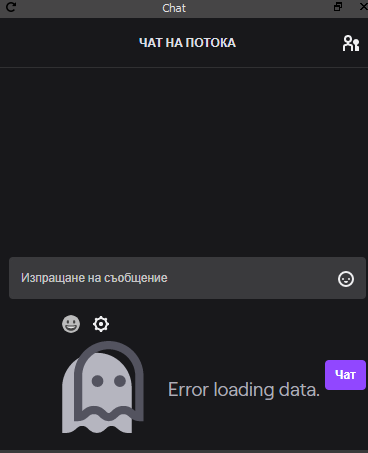
if you can help me it will be perfect
i uninstall obs and install it again and its the same
steel bladeBOT
@shell otter Streamelements on top of OBS -> Logout -> login
shell otter
Thanks ❤️
 wintry lion
hey my obs live media request doesnt show any interface and is just blank. Any idea how to fix?
fallow slate
oops sry wrong server 🙂
 rich igloo
Hi, I'm having an issue with my alerts no longer appearing in OBS. They worked fine until today, but now when someone tries to follow me or redeems something in the stream store, it appears on the SE dashboard overlay edit page, but not on OBS and therefore not on Twitch. No sound, no visual, nothing. Any help would be greatly appreciated
steel bladeBOT
@rich igloo OBS -> settings -> advanced -> scroll down -> enable/disable hardware accel. (This does not apply for OBS on Mac)
https://i.imgur.com/ggMe9ZE.png
 mossy walrus
Im having a issue where on my OBS Streamelements I can't change my stream title
steel bladeBOT
@mossy walrus There is a bug with setting the stream title in OBS and the Dev team is investigating.
In the meantime you can set the title using the !settitle command in chat (if enabled in your bot command settings)
Or with the Twitch dashboard: https://dashboard.twitch.tv/stream-manager
 acoustic yacht
hey can anyone help me i deleted my chat by mistake and also i can get my stream title to change
steel bladeBOT
@acoustic yacht There is a bug with setting the stream title in OBS and the Dev team is investigating.
In the meantime you can set the title using the !settitle command in chat (if enabled in your bot command settings)
Or with the Twitch dashboard: https://dashboard.twitch.tv/stream-manager
acoustic yacht
ok i have it enabled but my chat box is still gone
tulip hamlet
StreamElements menu at the top of OBS.
acoustic yacht
oh lol thx
 wraith lion
I seem to be having issues with my StreamElements bot, none of my commands are working in chat, any chance I could get some help on figuring out how to fix this issue?
steel bladeBOT
@wraith lion If your commands recently stopped working and you're using OBS.Live and a custom bot name do the following:
1.) In OBS.Live, click on the hamburger menu (three stripes) at the top left of your activity feed
2.) Click on Stream Settings -> Custom bot name
3.) In the "Custom bot name" field select "Set custom bot name", not your already existing username (with capital letters)
Note: If you already connected an account that way, the third entry will show as the account name (see image https://i.imgur.com/sO7fWOX.png)
4.) Scroll a bit down and click on the purple "CONNECT CUSTOM BOT ACCOUNT" button
5.) Log in as usual and "Authorize" the custom bot name
6.) Back in the Activity feed, click on the "SEND TEST MESSAGE" button and check if your custom bot name starts working again
mild bluff
Is anyone around who can assist with The Media request Widget?
I can't get the mdia request play window to show. I get an error when I start OBSlive that there are no widgets
steel bladeBOT
@mild bluff Streamelements on top of OBS -> Logout -> login
mild bluff
Done
 light cipher
Hello, I cannot seem to get my activity feed to update my stream title. It won't let me edit it at all. I can't even erase what's in the title spot
steel bladeBOT
@light cipher There is a bug with setting the stream title in OBS and the Dev team is investigating.
In the meantime you can set the title using the !settitle command in chat (if enabled in your bot command settings)
Or with the Twitch dashboard: https://dashboard.twitch.tv/stream-manager
 sly geyser
hello, i'm facing a problem in which my overlay is not reproduced in obs live at all ... can someone help me?
steel bladeBOT
@sly geyser To add your overlays to OBS, add a new browser source in your scene. Paste your overlay URL in the browser source properties, set the dimensions to 1920x1080 (unless you changed them on the website), and ☑ “Shutdown source when not visible” https://youtu.be/KDvLynUqXI4
 plain mason
@sly geyser please, ask only in one channel.
 lapis lagoon
My OBS Live glitched out and I can't get my OBS live docks back, like the media request and activity feed. Screenshot for reference included
 ebon tapir
How can I customize my bot name?
plain mason
@lapis lagoon click on < Back button, and you will see the Next buttons ...
lapis lagoon
@plain mason that worked! thank you for your help
steel bladeBOT
@ebon tapir If your commands recently stopped working and you're using OBS.Live and a custom bot name do the following:
1.) In OBS.Live, click on the hamburger menu (three stripes) at the top left of your activity feed
2.) Click on Stream Settings -> Custom bot name
3.) In the "Custom bot name" field select "Set custom bot name", not your already existing username (with capital letters)
Note: If you already connected an account that way, the third entry will show as the account name (see image https://i.imgur.com/sO7fWOX.png)
4.) Scroll a bit down and click on the purple "CONNECT CUSTOM BOT ACCOUNT" button
5.) Log in as usual and "Authorize" the custom bot name
6.) Back in the Activity feed, click on the "SEND TEST MESSAGE" button and check if your custom bot name starts working again
ebon tapir
Thanks I will try it
 near shale
So i've been having this issue where media request has an echo, how can I fix this?
rugged quail
for some reason i cant change my stream title on the activity feed
steel bladeBOT
@rugged quail There is a bug with setting the stream title in OBS and the Dev team is investigating.
In the meantime you can set the title using the !settitle command in chat (if enabled in your bot command settings)
Or with the Twitch dashboard: https://dashboard.twitch.tv/stream-manager
@near shale Make sure to ☑️ “Shutdown source when not visible” for all browser sources (all OBS scenes). If using studio mode, uncheck “Swap Preview/Output scenes After Transitioning.” Also keep in mind that sound can play from any overlay loaded in the browser (editor or launched). https://i.imgur.com/6bWXxjR.png https://i.imgur.com/yY0wcFl.png
 proud plinth
Really quick question, will there be (or is there) any linux support for OBS.live?
 honest echo
@proud plinth not atm, but you can still use obs studio without this add-on on linux
proud plinth
Yeah that's what I've done, and it worked pretty well for the one stream I did. I don't suppose you know of any alternative then for overlays and stuff if I can't use the add-on?
tulip hamlet
The plugin is not required to use the overlays.
proud plinth
Oh really? I guess I'll have to try and figure it out
steel bladeBOT
@proud plinth To add your overlays to OBS, add a new browser source in your scene. Paste your overlay URL in the browser source properties, set the dimensions to 1920x1080 (unless you changed them on the website), and ☑ “Shutdown source when not visible” https://youtu.be/KDvLynUqXI4
proud plinth
Thanks!!
 stiff kernel
Stream elements won’t load only help button on the bottom what should I do?
steel bladeBOT
@stiff kernel Our Dashboard and Overlay editor are Chromium Optimized. We strongly recommend using Chrome. Opera GX and the new Microsoft Edge Chromium might work closest to Chrome as its also Chromium built. FireFox also works, but some things might look a bit different or not work. We do not recommend using Internet Explorer with our Dashboard as it does not support functions.
If the website doesn’t work on chrome, be sure none of your plugins are blocking our website or clear your cookies. You can try if the website works in a incognito tab.
stiff kernel
Okay thank you
acoustic yacht
hey oi have no stream volume anyone available to help
 clever stag
The notification text isn't appearing over the image in my alert box when I'm using the web overlay designer, help pls
tulip hamlet
@clever stag Text settings>Advanced, play with the margins.
steel bladeBOT
@acoustic yacht For the best OBS support, please join their Official Discord @ discord.gg/obsproject
clever stag
Thank you!
 tight minnow
Hey I used stream elements for my overlay but it all wont fit in obs. how do i crop it?
sharp turret
@Mystic Nukez#6048 The default resolution for StreamElements overlays (theme and custom) is 1920x1080. Please add them in OBS at their full resolution and use CTRL+F to fit to screen if necessary. You can then downscale your stream in OBS settings > Video if you'd like https://i.imgur.com/6bWXxjR.png
rugged quail
how do i setup my overlays
steel bladeBOT
@rugged quail New to Stream Elements?
Check out our YouTube channel https://www.youtube.com/c/streamelements/videos
with tutorial videos from setting up the basics, to in depth details on how to use our product.
New to OBS? Here is a 4 step quickstart guide
https://obsproject.com/wiki/OBS-Studio-Quickstart
Want to learn even more? Here is an in-depth overview
https://obsproject.com/wiki/OBS-Studio-Overview
rugged quail
cheers
rugged quail
Hey, how can i set up giveaways with the streamelements bot?
shy mountain
@rugged quail You can start a giveaway from here: https://streamelements.com/dashboard/giveaways
StreamElements
The Ultimate All in One Platform for Streamers
rugged quail
Thank you @shy mountain I'll tke a look.
Can i customize the keyword?
 molten pier
Is there a way to custom resize the Video capture(webcam) in obs? I can crop it but I only want to bring one corner of the capture device in?
 ember carbon
can anyone help me on my streamelements obs? i accidentaly log in my twitch acc on it. so my fb live comments i cant see it. because it replace by twitch chat. and i dont know how to log out
steel bladeBOT
@ember carbon Streamelements on top of OBS -> Logout -> login
ember carbon
thankyouu ❤️
rugged quail
Is there a way to get fireworks/confetti on top of a scene - that i could press when somebody follows etc??
shy mountain
@rugged quail That seems to be a custom widget request. Unfortunately, currently we don't have such a widget.
steel bladeBOT
@polar brook New to Stream Elements?
Check out our YouTube channel https://www.youtube.com/c/streamelements/videos
with tutorial videos from setting up the basics, to in depth details on how to use our product.
New to OBS? Here is a 4 step quickstart guide
https://obsproject.com/wiki/OBS-Studio-Quickstart
Want to learn even more? Here is an in-depth overview
https://obsproject.com/wiki/OBS-Studio-Overview
 hidden palm
hey how do i change my paypal link?
shy mountain
https://streamelements.com/dashboard/tipping-settings -> tipping settings tab
shy mountain
Exactly what is described in the bubble popup 🙂
hidden palm
oh yeah i know, but by subscribe does it mean like, having a cut taken from the tips?
hidden palm
ah kk ty
 narrow ridge
I had css working on some icons yesterday.Today the icons are not displaying any css / effects. anything new that has happend?
steel bladeBOT
@narrow ridge Right click on the BrowserSource > Properties > Scroll down a bit > Refresh Cache of current page
narrow ridge
it shows for a sec, then it goes away
same goes for SE in browser
I can put it on text just fine..
red: works, green: it flickers, but no neon effect
 pallid parrot
Try to put "neon" as the last one class as lookup is from right to left and maybe font awesome overwrites text-shadow
narrow ridge
hmm, okay upgraded to pro and was changed to load svg icons not web-font
anyone who has used pro icons here?
woo
 burnt pewter
My stream stats has gone missing. I cant see viewers, followers etc + I cant find the default stream info panel. It's just gone
pallid parrot
@burnt pewter You can enable them from "StreamElements" menu on top of your OBS and reset UI here:
burnt pewter
I reset. It hasn't come back yet
It's not even in the list of things i can use now for no reason
toxic fern
@burnt pewter Disconnect and reconnect your account in stream tab.
burnt pewter
Thank you. Appreciate you a lot
I clicked 'Connect" (Recommended) and it came up. But my account was still connected. I think it dc'd me and when i reconnected it wasn't via the recommended
rugged quail
@rugged quail That seems to be a custom widget request. Unfortunately, currently we don't have such a widget.
@shy mountain ahh ok i thought it might be achievable via the chroma key effect but no worries
 iron sphinx
hey! im having some problems with the media request widget, my audio is doubled
 normal gull
good morning everyone. I have a quest about the alert box. I added a new video to my cheers and when i do test cheer event it is showing something completely different, even from the default. is there a bug or something?
steel bladeBOT
@iron sphinx Make sure to ☑️ “Shutdown source when not visible” for all browser sources (all OBS scenes). If using studio mode, uncheck “Swap Preview/Output scenes After Transitioning.” Also keep in mind that sound can play from any overlay loaded in the browser (editor or launched). https://i.imgur.com/6bWXxjR.png https://i.imgur.com/yY0wcFl.png
iron sphinx
Thanks!
 graceful wagon
good morning Im having an issue where I cannot edit the stream title from the activity feed. I tried restarting and Im running as admin.
lusty brook
Good morning. Last night I noticed that events in my Acivity Feed, like Hosts and Tips did not generate on screen alerts during my Stream (Using OBS.Live and Streamelements). The browser sources were activated and I always reload my overlays before streaming. Any ideas? I know that browser sources can be tricky on refreshing from what I have read
 fiery fjord
 worn owl
i use obs and i use stream elements for my overlays, and i wanted to add a little popup for when people follow, do i need to switch over to stream labs obs or is it something i can do with obs and stream elements?
worn owl
ok cool, thanks
sharp turret
@graceful wagon Hi, there is a bug to change te stream title you need use !settitle command or you can change the title in twitch dashboard.
graceful wagon
@sharp turret ty ❤️
rugged quail
hello
i accidentaly clicked a profile in one of my viewers during stream in the chatbox. Now I can't return the chat box on OBS
anyone can help?
lusty brook
Ive done that. Just close the chat dock and reopen it
 tall olive
Hallo maybe someone can help here
the option costum botname is only working with StreamElements and the BOT Account with my name not working
 flat anvil
Hi, how do i connect touch portal to the streamelements obs live?
steel bladeBOT
@tall olive If your commands recently stopped working and you're using OBS.Live and a custom bot name do the following:
1.) In OBS.Live, click on the hamburger menu (three stripes) at the top left of your activity feed
2.) Click on Stream Settings -> Custom bot name
3.) In the "Custom bot name" field select "Set custom bot name", not your already existing username (with capital letters)
Note: If you already connected an account that way, the third entry will show as the account name (see image https://i.imgur.com/sO7fWOX.png)
4.) Scroll a bit down and click on the purple "CONNECT CUSTOM BOT ACCOUNT" button
5.) Log in as usual and "Authorize" the custom bot name
6.) Back in the Activity feed, click on the "SEND TEST MESSAGE" button and check if your custom bot name starts working again
flat anvil
Hi, how do i connect touch portal to the streamelements obs live?
 slender torrent
Does anyone know how to get my game capture to show up in OBS? I'm trying to stream Need for Speed Heat. It shows up in the drop down menu. But when I click on it nothing comes up. I've tried opening both the game and OBS, as well as OBS StreamElements in Administrator Mode. It was working yesterday, but then it stopped working, then started working again. And now it's not working. Again. How can I get it to work consistently? Any help would be greatly appreciated. Thank you.
steel bladeBOT
@slender torrent For the best OBS support, please join their Official Discord @ discord.gg/obsproject
 trail lion
can anyone help me with an obs problem??
 tough pine
I just got some scene transitions but when upload it to OBS its choppy an audio is distorted, any help please :/
 west spire
haveing a problum with my streamlabs obs...i got a lay out from streamelements but the alert box dose not work ? it has a really nice alliance alert popup but alli can get is the zombie obs thing...
and it kinda ruins the feel of the whole set up
rugged quail
Is it possible to have the same camera but different filters on it for different scenes?
steel bladeBOT
@west spire We're not able to troubleshoot issues with using our overlays in StreamLabs OBS (SLOBS) as we don't have the tools to support their software. We recommend using OBS Studio or OBS Studio with our plugin OBS.Live.
@rugged quail For the best OBS support, please join their Official Discord @ discord.gg/obsproject
west spire
I asked in the obs they said they didnt deal with streamelemnts and i was sent bk here.
 potent sequoia
Hello I got some windows updates today and after them i can't hear my self in the app .. i can see the vol moving but can't hear it
 hybrid sky
Also !Tip or !Donate shows this any idea why its hiding the link using this link ****
steel bladeBOT
@potent sequoia For the best OBS support, please join their Official Discord @ discord.gg/obsproject
 ornate pendant
Hi! I'm having an issue with OBSlive since I am currently not able to stream on Twitch. When I press "start stream" I get connected for 5 seconds, and then the output goes to zero. I am also getting an error that OBS has "failed to load channel information for Twitch" whenever i open OBS. I have 2FA enabled, and have never had issues until now.
restive berry
Hello I'm having some problems with my alerts using obs.live, alerts are repeating every 1 hour.
hybrid sky
So no help here just past me on to another Discord channel lol
glad fiber
what does iit mean guys? It is game capture. About fps.. Do you know this? is it useful or not?
 strange oak
Can anyone help me. I deleted my alerts overlay by accident on the stream elements website and I dont know how to undo this. Is there any way to recover it?
glad fiber
you should export first :/ do not forget!
restive berry
Hello I'm having some problems with my alerts using obs.live, alerts are repeating every 1 hour.
@restive berry Can anyone help me with this one :<
wary dew
@shell obsidian do not try to tag everyone
it doesn't work in this server
there are over 100k people in here
glad fiber
@wary dew do you know this?
wary dew
no, i don't understand that language
steel bladeBOT
@glad fiber Welcome to the helpdesk! The regular helpdesk channels are in English but we do provide multi-language support in the following channels: #🇩🇪︱deutsch | #🇫🇷︱français | #🇪🇸︱español | #🇵🇹︱português | #🇳🇱︱nederlands | #🇮🇹︱italiano | #🇵🇱︱polski | #🇨🇳︱中文語言服務區-chinese | #🇯🇵︱日本語-japanese | #🇭🇺︱magyar | #🇰🇷︱한국어-korean | #🇹🇭︱ไทย-thai | #🇷🇺︱русский | #🇺🇦︱українська | #🇨🇿︱czech
steel bladeBOT
@shell obsidian Welcome to the helpdesk! Please let us know how we can assist you today and a support volunteer or staff member will assist you as soon as they are available. Thank you for your patience.
glad fiber
i ll translate for ya
wary dew
Can anyone help me. I deleted my alerts overlay by accident on the stream elements website and I dont know how to undo this. Is there any way to recover it?
@strange oak once an overlay is deleted it cannot be recovered
glad fiber
@wary dew limit capture frame rate. In game capture. Check or uncheck? Which one is useful?
strange oak
that actually sucks. Maybe that can be something implemented into stream elements in the future or a warning before the overlay is actually deleted
wary dew
@wary dew limit capture frame rate. In game capture. Check or uncheck? Which one is useful?
@glad fiber no idea what most people use to be honest. i would limit it at the fps you are using for stream
hybrid sky
Hello after changing host alerts sounds on a OBS live template it no longer works
[19:23]
Also !Tip or !Donate shows this any idea why its hiding the link using this link **
 misty vigil
Hey, does anyone know if there is a way to make a custom command on StreamElements exclusive to one user. So only one specific viewer of my choosing can activate it?
wary dew
Hey, does anyone know if there is a way to make a custom command on StreamElements exclusive to one user. So only one specific viewer of my choosing can activate it?
@misty vigil not possible, only for everyone, subs only or mods only
misty vigil
That is a shame. Is there a particular reason why?, I've seen other bots do this.
wary dew
no idea personally
misty vigil
Thanks for a quick response at least :)
 shell obsidian
can someone come to chit chat please i need help
sharp turret
You can post your issue here or in other helpdesk channel.
ornate pendant
Hi! I'm having an issue with OBSlive since I am currently not able to stream on Twitch. When I press "start stream" I get connected for 5 seconds, and then the output goes to zero. I am also getting an error that OBS has "failed to load channel information for Twitch" whenever i open OBS. I have 2FA enabled, and have never had issues until now.
@ornate pendant
Can someone help? Tried doing a bandwidth test which failed, but internet speed test is fine
shell obsidian
when i start stream the viewer POV is really laggy and im skipping/losing frames on stream
steel bladeBOT
@shell obsidian For the best OBS support, please join their Official Discord @ discord.gg/obsproject
 lethal bear
Anyone know if the title change for stream elemants has been fixed yet? I still cant change my title unless directly through twitch
sharp turret
@lethal bear There is a bug with setting the stream title in OBS and the Dev team is investigating.
In the meantime you can set the title using the !settitle command in chat (if enabled in your bot command settings)
Or with the Twitch dashboard: https://dashboard.twitch.tv/stream-manager
lethal bear
I know that but is there any updates on it is my question.
sharp turret
Still fixing or investigating.
lethal bear
Thanks. @sharp turret for the support mate.Hopefully its fixed soon\
 stuck bison
i need help activating my MIC so i can start streaming, if any1 could be so kind please 🙂
 sacred sand
Hello! On OBSLive I go to Stream Elements > Logout and log into a test account, though the tabs on the side for Chat, Stream Info, etc. still show and allow me to edit information from my main account I was previously logged into. How do I change this?
sacred sand
Update: Spoke to live support and they said it was an issue they've never heard until now,
I uninstalled and re-installed (both OBS and the Live extension), this time with no anti-virus programs enabled, though the same issue still happens. One thing I noticed though: The windows got set up upon first time startup, when I had the option to link my twitch account or use a stream key - THEN I had to log into the main page separately again.
Is it possible there's a 2nd area i'm neglecting to log out from?
tulip hamlet
@sacred sand The chat and stream information docks you're using are from OBS Studio, not from OBS.Live. You can tell by the lack of a refresh button in the top left of the dock. Those can be disabled in View>Docks. StreamElements docks come from the StreamElements menu at the top.
sacred sand
Is there any way to update them to display info from the test channel, rather than disabling them? @tulip hamlet
tulip hamlet
OBS Studio docks are tied to what you're logged in with at Settings>Stream.
StreamElements docks are tied to what you're logged in with in the StreamElements menu at the top of OBS.
They're two separate logins in the same program.
sacred sand
Thanks!
ebon zealot
For the past couple of weeks my twitch has been saying ive streamed the same game catagory over and over again even after ive changed it everytime. is there any plans on fixing the title/game title change problem?
sharp turret
@ebon zealot There is a bug with setting the stream title in OBS and the Dev team is investigating.
In the meantime you can set the title using the !settitle command in chat (if enabled in your bot command settings)
Or with the Twitch dashboard: https://dashboard.twitch.tv/stream-manager
 mortal bone
is there any reason why every source that I copy from one scene to another totally displaces it self different than on the original scene?
steel bladeBOT
@mortal bone Please provide a proper screenshot with the issue visible. If not sure how to take a screenshot, you can check here: https://www.take-a-screenshot.org/
ebon zealot
thats what ive been doing the past 13 streams but every vod says im playing a game i only played for 1 day which was the day the problem started
mortal bone
I want to copy the base UI to another scene exactly as it is on the original one without de organizing like it is now. When I do copy those sources to the stream raiders scene everything A: bounces out of place B: when I move anything on the new scene to put it in place everything displaces on the original source
this should not be the case at all
I do not get why there is not a simple function to just simple copy and paste a source and move it at will on another scene without A: renaming it and B: without affecting the original scene
steel bladeBOT
@mortal bone For the best OBS support, please join their Official Discord @ discord.gg/obsproject
 plucky oriole
when i go to add a new browser it is only giving me half the overlay. what can i do to fix this?
steel bladeBOT
@plucky oriole The default resolution for StreamElements overlays (theme and custom) is 1920x1080. Please add them in OBS at their full resolution and use CTRL+F to fit to screen if necessary. You can then downscale your stream in OBS settings > Video if you'd like https://i.imgur.com/6bWXxjR.png
plucky oriole
i fix i fix thank u
 iron mica
Everyone says check "Shutdown source when not visible" but why is this important?
wary dew
so it takes up less CPU usage when it's not in use
iron mica
So it will work either way, but use less resources if checked? 🙂
wary dew
yes
iron mica
Thx.
 shy kestrel
the keywords area does not take into account the case
if I type in a capital it does not keep it like this, instead opting to put it in lower case
I lied.
It's working
Sorry for being such an idiot. Why this community hasen't chewed me up and spat me out is beyond me 😄
tulip hamlet
Too much work for the jaw? 
shy kestrel
 river zephyr


 merry edge
Hi 😀 need some assistance when running Fortnite + OBS SE and crashes. ❤️
steel bladeBOT
@merry edge A crash log is required to investigate the cause of your issue. Please upload the last crash log.
- In OBS, click the Help menu
- Select Crash Reports, and then Upload Last Crash Report
- Copy the URL, and paste it to the chat here.
--
If you are not able to follow the above steps, open your file explorer and go here:%appdata%\obs-studio\crashesand provide the last listed file.
 viscid river
anyone else getting this?
no alerts, no chat
no feed, no overlays
refreshing them does nothing.
steel bladeBOT
@viscid river Streamelements on top of OBS -> Logout -> login
 golden depot
i would like to know why i can't change the in my activity feed.... it will let me change the catagory but not change the title... I so fed up with live i'm about to go download slobs
steel bladeBOT
@golden depot There is a bug with setting the stream title in OBS and the Dev team is investigating.
In the meantime you can set the title using the !settitle command in chat (if enabled in your bot command settings)
Or with the Twitch dashboard: https://dashboard.twitch.tv/stream-manager
 karmic grove
Hello, I'm really new to this and been trying for month to setup streaming using OBS, Twitch, stream labs obs and others. I just cant figure out the actual setup for them to work. Or even how they work. I understanding the importing of files and there types to the scenes and sources but when i look at them they go all out of proportion etc. Where can get help with this. I have tried vids etc ad some help from other streamers but i just cant get my head around it. I hope this is the right place to ask.
steel bladeBOT
@karmic grove New to Stream Elements?
Check out our YouTube channel https://www.youtube.com/c/streamelements/videos
with tutorial videos from setting up the basics, to in depth details on how to use our product.
New to OBS? Here is a 4 step quickstart guide
https://obsproject.com/wiki/OBS-Studio-Quickstart
Want to learn even more? Here is an in-depth overview
https://obsproject.com/wiki/OBS-Studio-Overview
karmic grove
Thank you, i thought i looked at these but maybe i never saw these actual suggestions. Cheers 😄
Ok, this might sound like a stupid question. I have Stream labs obs and the stream elements. I also have twitch setup and can stream no problem. But what i am failing to understand is my stream comes from my ps pro or pc. I can get the stream in obs but do i use the stream labs obs to control it or the elements or twitch. When i go offline i just get an image i chose that says off line. This might be better if someone has time to kinda give me a basic overview. for example which programme is the main control, which do i sue to edit the looks and how to i get it all married together so it works like the other streams i watch. They have for example a stream starting soon then they stream and then a closing screen that states that are no longer streaming. all a lot to take in and no matter how many times i try this i end up with loads of different programmes that i can use to stream and nothing changes. is there a streaming for dummies guide that gives eaxact step by step including overlays widgets etc. I know this is probably really easy but i cant get my head around it all.
 grim cedar
Can someone help.... I'm streaming right now but my bot wont put any of the timers I've added onto Streamelements??? I have everything on well I think I do
 still tangle
@karmic grove you have to chose 1 programm you want to use. it doesnt really matter if it is Streamlabs, Obs or something else. Chose whatever you like the most. You can import overlays from pretty much all the other ones later if you want or just use the one the programm offers.
choose*
plain mason
@grim cedar please, show us a screenshot of the timer
karmic grove
I think i will stick with stream elements. I did see a woman on a video saying to use overlay manager but i couldnt find it on the web version or the app on the pc. Has this moved within the programme or is it named something else.
and ty for your helo Zeko
help*
still tangle
If you go to Streamelements.com and login you have "Themes gallery" and "My overlays" on the left side
steel bladeBOT
@karmic grove We're not able to troubleshoot issues with using our overlays in StreamLabs OBS (SLOBS) as we don't have the tools to support their software. We recommend using OBS Studio or OBS Studio with our plugin OBS.Live.
karmic grove
I got them yes. but when i go to use them on the programme and try to add them to the main display under a new source it doesnt fit the screen, it shows the top left hand corner and then rest is hidden
steel bladeBOT
@karmic grove New to Stream Elements?
Check out our YouTube channel https://www.youtube.com/c/streamelements/videos
with tutorial videos from setting up the basics, to in depth details on how to use our product.
New to OBS? Here is a 4 step quickstart guide
https://obsproject.com/wiki/OBS-Studio-Quickstart
Want to learn even more? Here is an in-depth overview
https://obsproject.com/wiki/OBS-Studio-Overview
grim cedar
@grim cedar please, show us a screenshot of the timer
@plain mason
still tangle
@karmic grove are you adding it as a browser source? I think you need to change the resolution maybe thats what i did wrong first
steel bladeBOT
@karmic grove We've released our new Overlay Editor revamp. You can check out the changes and how to work with it here: https://youtu.be/X5VzXjqAsjk
Check out our blog post as well: https://blog.streamelements.com/streamelements-overlay-editor-just-got-even-better-c22cb5b4853e
We are thrilled to announce the launch of the remastered StreamElements Overlay editor!
https://p.strms.net/newoverlayyt
Why StreamElements Overlays are better?
😎 Simple: Load your entier setup using only 1 link
⚡ Fast: Cloud-powered Overlays arrive in real-time, say goodb...
still tangle
beacause its 800x400 or something if you dont change it
karmic grove
yes from a browser source. what is the best res for the fitment
still tangle
i would use 1920x1080
karmic grove
let me try, brb and ty
plain mason
@grim cedar if you don't have a large flow of messages in your chat, then reduce the number of lines in "Chat lines"... or put 0 (zero).
 outer forge
For some reason I'm Unable to change the stream title through the Activity Feed or Ground Control
karmic grove
ok Zeko, this is where i am at so far and when i change the screen size to 1920x1080 it goes bigger but the animated image doesn't adjust. just the border around it i think :S
steel bladeBOT
@outer forge There is a bug with setting the stream title in OBS and the Dev team is investigating.
In the meantime you can set the title using the !settitle command in chat (if enabled in your bot command settings)
Or with the Twitch dashboard: https://dashboard.twitch.tv/stream-manager
outer forge
Okay, thanks.
still tangle
@karmic grove if you go to the OBS setting and to video what resolutions do you ahve there?
grim cedar
@grim cedar if you don't have a large flow of messages in your chat, then reduce the number of lines in "Chat lines"... or put 0 (zero).
@plain mason can only change it to 5 lines and still nothing 🤦♂️🤦♂️
karmic grove
2 secs i check, brb
still tangle
looks like its 4:3
karmic grove
still tangle
hmm ok thats weird
karmic grove
I am so new to this that it doesnt make sense lol. I kind know my way around a computer but this has stumped me
 snow swallow
I'm having trouble with my obs when streamo cs go