
#helpdesk-twitch
1 messages · Page 865 of 1
 viscid pebbleBOT
 weak marten
I think so! Cheers @zenith widget. Wonder if I should increase the odds of some of them, to see if it somewhat counter it going to the standard bit alert then. As I dont wanna disappoint anyone.
 zenith widget
@stark slate fiddle with these settings
 stark slate
No its not alerts its music
zenith widget
@weak marten you can make a catch all variation that is lower 'at least' amount from everything basically
but that can also be the default/basic/main alert
 worldly escarp
stark slate
No its not alerts its music
worldly escarp
stark slate
No its not alerts its music
the audio settings is related to everything including alerts and music
 brittle wagon
hey guys, i have a very strange bug with my bot. He wrote randomly 'responce message' in the chat. I have no timer or something. Where is this come from?
zenith widget
 brittle wagon
oh that was the problem? many thanks 🙂
 lament blade
Hey guys, im the manager (or something like that idk how to say it) of @dragunovjepan, he's streaming on twitch and StreamElements dont respond on commands and dont type any timers, everything is enabled, what should i do?
 errant yoke
when will new sponsorships become available?
worldly escarp
@lament blade he's currently streaming blindfolded...
worldly escarp
errant yoke
when will new sponsorships become available?
what do you mean?
lament blade
worldly escarp
<@456226577798135808> he's currently streaming blindfolded...
yes he is blind
errant yoke
worldly escarp
what do you mean?
as in the raid sponsorships etc
lament blade
worldly escarp
<@456226577798135808> he's currently streaming blindfolded...
its some server outages or its something else?
viscid pebbleBOT
@lament blade If your commands recently stopped working and you're using OBS.Live and a custom bot name do the following:
- In OBS.Live, click on the hamburger menu (three stripes) at the top left of your activity feed
- Click on Stream Settings > Custom bot name
- In the Custom bot name field select Set custom bot name, not your already existing username (with capital letters). Note: If you already connected an account that way, the third entry will show as the account name (see image https://i.imgur.com/sO7fWOX.png).
- Scroll a bit down and click on the purple Connect Custom Bot Account button
- Log in as usual and Authorize the custom bot name
- Back in the Activity feed, click on the Send Test Message button and check if your custom bot name starts working again
 worldly escarp
errant yoke
as in the raid sponsorships etc
worldly escarp
errant yoke
as in the raid sponsorships etc
its invite only, so waiting is key.
errant yoke
worldly escarp
its invite only, so waiting is key.
ah ok no worries, what are the prerequisites though?
lament blade
viscid pebble
<@456226577798135808> If your commands recently stopped working and you're using...
He's streaming on PlayStation 5 so we using dashboard on browser
worldly escarp
errant yoke
ah ok no worries, what are the prerequisites though?
we're not able to share the prerequisites needed.
zenith widget
lament blade
He's streaming on PlayStation 5 so we using dashboard on browser
either the bot needs to be modded or remove the followers only chat
lament blade
zenith widget
either the bot needs to be modded or remove the followers only chat
but he is modded
errant yoke
worldly escarp
we're not able to share the prerequisites needed.
ah ok no worries
zenith widget
lament blade
but he is modded
just remove followers only mode please
lament blade
zenith widget
just remove followers only mode please
still without responding
zenith widget
Modded: false
lament blade
zenith widget
`Modded: false`
?? wut
zenith widget

The bot responds in a whisper when i see a specific command
its not modded, even though its listed a mod
and yes my time is 11:27 right now
lament blade
zenith widget
its not modded, even though its listed a mod
but i give him moderator
zenith widget
your blindfolded streamer needs to do /unban streamelements and then /mod streamelements
or you
errant yoke
worldly escarp
we're not able to share the prerequisites needed.
May I just ask is it available to mature streams ?
lament blade
Hi, why can't I see emojis in streamelements chat stats even if the emoji is bttv approved?
worldly escarp
lament blade
Hi, why can't I see emojis in streamelements chat stats even if the emoji is btt...
try !emotes update
 raw salmon
Hi. I got raided twice tonight but host alert got triggered instead of raid alert in my stream elements overlay. Their channels did auto host after they initiated the raid. How can I fix it?
lament blade
worldly escarp
try !emotes update
not work 😦
lament blade
worldly escarp
try !emotes update
when i write !emotes bttv bot shows me all emotes but in streamelements chat stats I can't see them
zenith widget
Should be good now. Refresh page and start spamming emotes
lament blade
zenith widget
Should be good now. Refresh page and start spamming emotes
Ty man! How you done this because my friend have the same problem.
 stone hound
Hello, I read somewhere that I can have two streamelements merged. Is that possible? Say one is using twitch and the other is using facebook
worldly escarp
yes it is possible, if you'd like to merge the accounts DM me your account id and JWT for both accounts @stone hound
 teal marsh
hello, i got bottet yesterday :/ I deleted the bot follows on Twitch already. Can i also delete them on Streamelemts ?
Hello ?
zenith widget
lament blade
Ty man! How you done this because my friend have the same problem.
username
lament blade
zenith widget
username
youngmulti
zenith widget
teal marsh
hello, i got bottet yesterday :/ I deleted the bot follows on Twitch already. Ca...

Follow bots are an issue you say? Fear no more!
I've created a tool which lets you remove accounts from your follower list:
https://t.co/oIBikrpyXr
You can filter accounts by follow age and / or account age.
Retweets
960
Likes
2967

 Twitter
·
zenith widget
lament blade
youngmulti
Twitter
·
zenith widget
lament blade
youngmulti
done
teal marsh
@zenith widget i delted the follows already on twitch...
lament blade
zenith widget
done
Ty so much 
teal marsh
i want to delete them from the aktiviti feed in streamelements
zenith widget
You can't remove them from the activity feed
 rigid field
Hi! when I change the Cheer alert settings on stremelements it doesn't save properly, i mean the things i have changen are shown in the window on the left, but when i trigger it with a simulation it shows the default things, what can I do? it only occurs in cheer setting, the others are fine
 queen turtle
yeah, that's completely fine with me
viscid pebbleBOT
@queen turtle Please provide your account ID found at the top of this page: https://streamelements.com/dashboard/account/channels This ID is public info and safe to share here.
zenith widget
@rigid field check variations
queen turtle
5f1e4e8e74f4719cda687aee
rigid field
omg hahaha thank you, I tried to change it 300 times, I also tried to create new alert box xdxd I feel so stupid rn
queen turtle
queen turtle
5f1e4e8e74f4719cda687aee
@zenith widget
rigid field
zenith widget
<@!236484962273067010> check variations
thank you again ❤️
zenith widget
queen turtle
5f1e4e8e74f4719cda687aee
I've reset the store
queen turtle
thank you! <3
 small oasis
Hello I am experiencing some issues with Leader Board, I did receive cheers and subs but the leader board still says no data. I am not sure if i have set it up correctly or it takes long to update. Any help or suggestions on how to resolve the issue ?
viscid pebbleBOT
@small oasis Please provide your account ID found at the top of this page: https://streamelements.com/dashboard/account/channels This ID is public info and safe to share here.
 queen wasp
is website/api down atm? Can't access the SE website. SE activity feed saying error 502 bad gateway, some metrics not showing on overlay
 strange hedge
Hello my donation alerts are not working on "ByNoGame" can some one help me ?
small oasis
viscid pebble
<@!271668074615144451> Please provide your account ID found at the top of this p...
6051e7a9fbb94b5ac31d5efd
zenith widget
@queen wasp all seems fine right now from my side.
What are you using? OBS.Live?
@small oasis Logout from our dsahboard and login. This will enable us to properly track that you are an affiliate. Also uninstall and install the extension as well
queen wasp
zenith widget
What are you using? OBS.Live?
yes, obs live. Website just loaded for me. But when i tried to login, getting error 02
zenith widget
Change the cheers leaderboard to all-time after you uninstall the extension
viscid pebbleBOT
@queen wasp StreamElements menu, on top of OBS > Logout > Login
strange hedge
@zenith widget Hello my donation alerts are not working on "ByNoGame" when i say the bynogame they say you need to make your obs settings but all my settings are okey
queen wasp
*502
zenith widget
@strange hedge we cannot help with bynogame much. If tips are not showing up on our side, you may need to contact bynogame to check on their side.
strange hedge
@zenith widget i will try
@zenith widget they are saying There is no action to be taken here, as I mentioned, you have to copy streamelements donate link and enter Obs.
zenith widget
I don't understand what that means
strange hedge
how can i find my donate link on streamelements
zenith widget
https://streamelements.com/dashboard/tipping-settings -> tipping settings -> tip panel setup

StreamElements
The Ultimate All in One Platform for Streamers
strange hedge
thx
queen wasp
@zenith widget apologies, it was something on my end. All good now.
small oasis
zenith widget
<@!271668074615144451> Logout from our dsahboard and login. This will enable us ...
Loged out and uninstalled the extention
 untold minnow
hiya ! im just currently trying to update the timezone command in a stream i mod for but its not letting me add the correct time, i've tried pretty much any combination of timezones including adding and subtracting hours but it doesnt change from 10am. is there a way to fix this ?
worldly escarp
@untold minnow #helpdesk-twitch message
 hexed helm
Trying to setup a giveaway on twitch. When using my testing account I write !enter or !ticket in the chat and nothing is happening?
zenith widget
is the command turned on?
hexed helm
zenith widget
is the command turned on?
Sorry, what do you mean by turned on? If I do !giveaway it list that I have a current giveaway running
 hexed helm
zenith widget
Is the command turned on?
hexed helm
zenith widget
Is the command turned on?
you are a legend @zenith widget !!!
 opaque sinew
hello, for the past 3 days everytime I try to open the dashboard I get redirected to the SE homepage. is this something SE is looking into?
viscid pebbleBOT
@opaque sinew Please logout of StreamElements at https://streamelements.com/logout and then login again to your account (Twitch/YouTube/Facebook).
zenith widget
The person you are trying to role play as, tell them to do the same thing
 fickle ravine
zenith widget
Is the command turned on?
fickle ravine
zenith widget
Is the command turned on?
It is not on 🙂
Toggle the switch and it should be
opaque sinew
zenith widget
The person you are trying to role play as, tell them to do the same thing
it worked thank you
 compact orbit
hello
errant yoke
Hey guys I’m sorry to bother everyone but i was just wondering if sponsorship's are availabe to mature audience channels or is that information not available?
zenith widget
Yes it is.
errant yoke
zenith widget
Yes it is.
Awesome thank you
 shut jackal
Hi, i'm trying to get my subscriber goal to set to 15 however it's showing 41/15. I only have 9 subscribers. How do I reset this?
I've found it! Thanks.
 fast haven
Hello, I connected my Twitch with SE and if I emulate an alert in SE it shows on my Stream but if I get a new Follower it doesn´t trigger the alert.
viscid pebbleBOT
New to StreamElements?
Check out our YouTube channel https://www.youtube.com/c/streamelements/videos
with tutorial videos from setting up the basics, to in-depth details on how to use our product.
New to OBS? Here is a 4 step quick start guide
https://obsproject.com/wiki/OBS-Studio-Quickstart
Want to learn even more? Here is an in-depth overview
https://obsproject.com/wiki/OBS-Studio-Overview
@shut jackal To reset goals:
- from the Overlay Editor > Session data on top right (monitor symbol) > Goals tab > reset progress of desired goal
- from the Dashboard > Activity feed on the left > Widget data on the right > Goals tab -> reset progress of desired goal
Note: Goal widgets (progress) only counts up and doesn't go down automatically, if you lose followers/subs.
shut jackal
I was also follow botted a few days ago giving me over 1000 followers. I deleted them via Commander Root, however, they still show up on my leaderboards. Anyway to remove them?
zenith widget
StreamElements
The Ultimate All in One Platform for Streamers
You can reset your labels
but the bots cannot be removed from the activity feed
shut jackal
so i can't remove them from my leaderboards for points?
zenith widget
for points? you will have to reset that
which will reset the entire thing for everyone unfortunately.
shut jackal
OK thank you.
If I reset it does it go back to how many followers I have l? @zenith widget
zenith widget
Reset the loyalty points leaderboard?
it will jsut reset the loyalty points leaderboard
shut jackal
Ah okay. So when someone does !points it’ll still show XX/1400?
When I only have 173 followers
shut jackal
Ah I get you. So people have to tune into my stream to show up on the leaderboards?
Cause I know you can manually give people the points
zenith widget
Yes
shut jackal
Perfect. Thank you!
 turbid vigil
 solemn idol
i'm still having issues with streamelements it still won't pick up followers at all
 ocean yarrow
Can you add webcam on streamelements?
 ebon forum
solemn idol
i'm still having issues with streamelements it still won't pick up followers at ...
ebon forum
solemn idol
i'm still having issues with streamelements it still won't pick up followers at ...
Hi. Have you provided your account ID already to one of us?
solemn idol
ebon forum
Hi. Have you provided your account ID already to one of us?
months ago yes
ebon forum
solemn idol
months ago yes
that's a long time. Can you share the account ID here again, i take a look?
solemn idol
ebon forum
that's a long time. Can you share the account ID here again, i take a look?
5ffd7aad2fc637cf8eb853d0
fast haven
solemn idol
i'm still having issues with streamelements it still won't pick up followers at ...
I have the same problem
ebon forum
solemn idol
5ffd7aad2fc637cf8eb853d0
That one needs a fix by developers, give it a few business days.
 upper garnet
HI so I was messing around with the Queue System from the Fyre API, but I am unsure on where do I generate a "Queue Token". Can I have some guidance on this? Thanks in advance !
ebon forum
fast haven
I have the same problem
Same here, please post your account ID here
fast haven
ebon forum
Same here, please post your account ID here
5ff9be0e8c12c313f60bce21
 ionic kelp
@upper garnet should be in the docs for that api.
ebon forum
fast haven
5ff9be0e8c12c313f60bce21
Fixed.
upper garnet
Yeah I already went through the docs but I'm still clueless on where to obtain a Queue Token for myself
solemn idol
ebon forum
That one needs a fix by developers, give it a few business days.
ok but any idea what happened to it?
fast haven
ebon forum
Fixed.
Thank you!
ebon forum
solemn idol
ok but any idea what happened to it?
Short - we lost connection from your account to something specific, that can be fixed by our developers, i have no access to it. Takes some time.
 coarse field
Hi, trying to upload a .ogg sound file for an alert but its not working, any ideas?
solemn idol
ebon forum
Short - we lost connection from your account to something specific, that can be ...
ok. thanks i'll wait afew days
 kindred bane
where do recordings save?
ebon forum
coarse field
Hi, trying to upload a .ogg sound file for an alert but its not working, any ide...
Might be something wrong with the file, try to convert to mp3 and upload.
coarse field
@ebon forum thanks will try that, ogg is supposed to be valid though, the default alert sounds are all ogg, it seems to upload but then when i click on the sounds tab i see a quick flash of the file then its gone
kindred bane
kindred bane
where do recordings save?
Found it
ebon forum
coarse field
<@!149255081194160129> thanks will try that, ogg is supposed to be valid though,...
.ogg is supported, but the file can be corrupt or formatted wrong etc. to make sure - test with mp3.
 echo root
Hi, on the chatbot commands, is there a way to embed my social links with just a word. So have twitter come up for example and they can click on the word twitter and its a hyperlink
ionic kelp
No.
coarse field
@ebon forum a quick conversion to mp3 fixed it, thanks
 analog burrow
any idea why my animation isn't looping smoothly
you can see it popping at the end of the animation
ebon forum
analog burrow
any idea why my animation isn't looping smoothly
Mh, strange, can you check hardware acceleration in your browser?
And test that overlay in OBS, not just in the browser
Reason: OBS has his own instance of Chromium with separate settings.
ocean yarrow
Do overlays automatically go onto stream or have you got to add them onto twitch for it to work?
ebon forum
ocean yarrow
Do overlays automatically go onto stream or have you got to add them onto twitch...
You need to add them to the streaming software of your choice of course.
analog burrow
@ebon forum where do i check hardware acceleration in the browser?
ebon forum
analog burrow
<@!149255081194160129> where do i check hardware acceleration in the browser?
depends on your browser, it is always in the settings
ocean yarrow
ebon forum
You need to add them to the streaming software of your choice of course.
How do I add them to twitch? Sorry for sounding like an idiot lol I have never done this before
viscid pebbleBOT
@ocean yarrow To add your overlays to OBS, add a new browser source in your scene. Paste your overlay URL in the browser source properties, set the dimensions to 1920x1080 (unless you changed them on the website) and check Shutdown source when not visible. https://youtu.be/KDvLynUqXI4
analog burrow
@ebon forum should i disable it?
ebon forum
analog burrow
<@!149255081194160129> should i disable it?
yes. and test it with and without hardware acceleration
and again, test in OBS and see how the overlay behaves there
since this is a separate browser essentially (built into OBS)
 severe wharf
Hello, I've only just been recently streaming in twitch and using streamelements. Would like to ask why for some reason, i never get mod chat alerts for followers in the twitch chat even tho i enabled everything in the chat alerts. i only recently got a tip which successfully reflected in the chat when it happened but somehow i never get alerts for followers. when i check the dashboard, it always says 0 followers too. Idk if it's a me problem or if there actually is a problem with my twitch/se account? i already tried clearing cache and logging in and out and i think it's still mostly the same >< my handle is "artofjikujiku". hope i can get help somehow?
PS: i think i have to mention, i dont use overlays yet and im just lookin at chat most of the time. and i only have 1 mod which is streamelements ^^;
analog burrow
@ebon forum its a webm and loops perfectly. I tried decativating and reactivating hardware acceleration and didnt fix it. I tried adding it as a media source in obs as well and still flickers
ebon forum
analog burrow
<@!149255081194160129> its a webm and loops perfectly. I tried decativating and ...
So what is the result from OBS? It should run at the set FPS in OBS.
 cunning acorn
had to change or get new twitch key after name change on twitch, should be there right but its not, i guess i am blind 🙂 anybody can help where to put it in in obs?
 analog burrow
@ebon forum still flickering
ebon forum
cunning acorn
had to change or get new twitch key after name change on twitch, should be there...
Change that from account to old style so you can enter the key. Currently this is set to log in via twitch.
ebon forum
analog burrow
<@!149255081194160129> still flickering
Do you have the original file? Maybe the export was not perfect.
analog burrow
@ebon forum I might have a fix, ill let you know
coarse field
@cunning acorn try that disconnect account button and then reconnect, linking the account is a newish feature alternative to adding streamer key
analog burrow
@ebon forum so i removed one frame from the animation and that fixed it. It was some ntsc/pal BS. Its appears that obs uses pal and not ntsc
@ebon forum while it looks good in after effects, the playback gets messed up when playing back through obs and streamelements
 covert quiver
Has anyone did the sponsorship deal with Stream Elements? I just wanted to know if the payment e-mail (where you fill in your deets about how to get paid) takes time to come..
I'm just curious and hopefully someone doesn't brush me off and tell me to contact CS, because I want an answer from a fellow peer.
 frail lagoon
i have no idea becuase i havent done the sponsorship because im not 18 yet
because**
covert quiver
frail lagoon
i have no idea becuase i havent done the sponsorship because im not 18 yet
No worries!
frail lagoon
How is it possible to get sub goals and stuff that change when you get subbed?
because i have no idea. I just started using obs streamelements
ebon forum
analog burrow
<@!149255081194160129> so i removed one frame from the animation and that fixed ...
Yeah i expected something like that. Can't check for it without the original of course 🙂
ebon forum
covert quiver
Has anyone did the sponsorship deal with Stream Elements? I just wanted to know ...
Yes, it does, 30 business days is the timeframe for the payment for campaigns.
So email can arrive few days before that
 slow salmon
Hey guys, I seperated the audio for the streamelements notifications, but now it plays both through the seperated one aswell as the desktop audio, creating this echo effect. How do I prevent it from playing through desktop audio?
 covert quiver
ebon forum
So email can arrive few days before that
covert quiver
ebon forum
So email can arrive few days before that
Thanks, that's what was unclear in the FAQ
 mossy barn
ive set up the donation through streamelements how do i get the notification to show up for when someone donates?
 lilac plume
The bot doesnt work for me when I type a command in chat he doesnt respond Ic hecked and he is not even in my stream anymore wht did I do ?
fickle ravine
slow salmon
Hey guys, I seperated the audio for the streamelements notifications, but now it...
Do you have streamelements editor open during tests?
 flat bolt
Hi, can someone please explain me the difference between "Chat emotes on - show all" and "Chat emotes - combo mode"?
(Kappagen)
fickle ravine
mossy barn
ive set up the donation through streamelements how do i get the notification to ...
You'll have to set up an alertbox in streamelements, make sure donation is checked and you can add the browser source into obs
fickle ravine
slow salmon
if I do I can hear it three times. I was aware of that.
Hmm, lemme have a think then, most obvious one would be muting the SE Overlay channel
Would only play through desktop then and should come through once
mossy barn
fickle ravine
You'll have to set up an alertbox in streamelements, make sure donation is check...
i have an overlay i have downloaded from streamelements so is it the same thing i have to do?
slow salmon
fickle ravine
Hmm, lemme have a think then, most obvious one would be muting the SE Overlay ch...
thats the thing tho, I need to control the audio of the overlay separately from desktop. If I increase desktop audio other things get too loud.
fickle ravine
mossy barn
i have an overlay i have downloaded from streamelements so is it the same thing ...
Overlay is just your cam border etc yeah? It'll be completely different, I can link you where to look in a bit if you'd like?
fickle ravine
slow salmon
thats the thing tho, I need to control the audio of the overlay separately from ...
Only way would be controlling audio through the alerts editor itself, if you've got 2 audio tracks you'll never be able to make that work
lilac plume
The bot doesnt work for me when I type a command in chat he doesnt respond Ic hecked and he is not even in my stream anymore wht did I do ?
mossy barn
fickle ravine
Overlay is just your cam border etc yeah? It'll be completely different, I can l...
ok
fickle ravine
lilac plume
The bot doesnt work for me when I type a command in chat he doesnt respond Ic he...
Easiest way is to check if the bot is modded, go to your twitch chat and type "/mod streamelements” and take away the quote marks
slow salmon
fickle ravine
Only way would be controlling audio through the alerts editor itself, if you've ...
thats unfortunate.. thx tho 🙂
flat bolt
Well, where can I get help for kappagen? I am hardly trying to find precise information about it because I want to correctly configure it, but I am having a hard time to find answers :(!
lilac plume
fickle ravine
Easiest way is to check if the bot is modded, go to your twitch chat and type "/...
He is already a mod
mossy barn
fickle ravine
Overlay is just your cam border etc yeah? It'll be completely different, I can l...
can i have a link please
fickle ravine
mossy barn
can i have a link please
StreamElements
The Ultimate All in One Platform for Streamers
fickle ravine
lilac plume
He is already a mod
Hmmm, lemme check once I'm at a pc. Phone isn't much help for me sadly
mossy barn
fickle ravine
https://streamelements.com/dashboard/overlays
what do i do from there
lilac plume
fickle ravine
Hmmm, lemme check once I'm at a pc. Phone isn't much help for me sadly
oke thx
 cyan burrow
how do u download the app
fickle ravine
mossy barn
what do i do from there
Make a new overlay, create an alert box and customise however you'd like, make sure all your alert boxes are ticked (cheer, donation etc), once you've done editing save it and copy the overlay URL into obs as a browser source
cyan burrow
or is it an app
mossy barn
fickle ravine
Make a new overlay, create an alert box and customise however you'd like, make s...
but i downloaded a theme and added it to my obs should the alert box already be there for donations
fickle ravine
mossy barn
but i downloaded a theme and added it to my obs should the alert box already be ...
I asked that before, did you download just a camera overlay and starting soon screens?
mossy barn
fickle ravine
I asked that before, did you download just a camera overlay and starting soon sc...
it was the fall guys download
fickle ravine
mossy barn
it was the fall guys download
I don't know what that is I'm afraid
mossy barn
fickle ravine
I don't know what that is I'm afraid
its a game. on streamelemts under themes gallary its a fall guys one
fickle ravine
mossy barn
its a game. on streamelemts under themes gallary its a fall guys one
Yeah I don't know if that comes packaged with alerts overlays or just visual
You'll have to check it and see what it comes with
mossy barn
fickle ravine
Yeah I don't know if that comes packaged with alerts overlays or just visual
when someone follows and subs it shows up as an alert. thank you
ocean yarrow
How do you stream your game from OBS Studios.. I’ve added my overlays and I’ve tested them and they work but I can’t stream my game because it’s on Xbox not my computer. How do I stream the game
mossy barn
ocean yarrow
How do you stream your game from OBS Studios.. I’ve added my overlays and I’ve t...
i think you need an elgato
ocean yarrow
Cheers mate 👍
mossy barn
ocean yarrow
Cheers mate 👍
its not virtual its something you have to buy from a store
viscid pebbleBOT
@ocean yarrow Consoles do not have native support for overlays. You would need a capture card, PS4 remote play or Xbox companion app and a PC with OBS in order to have overlays over your console gameplay.
We have a blog post about how to set up console streaming with our essential tools: https://blog.streamelements.com/how-to-stream-on-console-7b620b1c46c3
fickle ravine
lilac plume
He is already a mod
https://streamelements.com/dashboard/bot-modules
Have a look in that portion and see what's active/inactive, hopefully something helpful in there!
StreamElements
The Ultimate All in One Platform for Streamers
 normal heron
it was to know how I can get a partnership with streamelements
viscid pebbleBOT
@lilac plume If your commands recently stopped working and you're using OBS.Live and a custom bot name do the following:
- In OBS.Live, click on the hamburger menu (three stripes) at the top left of your activity feed
- Click on Stream Settings > Custom bot name
- In the Custom bot name field select Set custom bot name, not your already existing username (with capital letters). Note: If you already connected an account that way, the third entry will show as the account name (see image https://i.imgur.com/sO7fWOX.png).
- Scroll a bit down and click on the purple Connect Custom Bot Account button
- Log in as usual and Authorize the custom bot name
- Back in the Activity feed, click on the Send Test Message button and check if your custom bot name starts working again
mossy barn
@fickle ravine the download has a alertbox for when someone follows or subs will it be the same?
 wary halo
normal heron
it was to know how I can get a partnership with streamelements
wary halo
normal heron
it was to know how I can get a partnership with streamelements
When you are elligable you will receive an email automatically
normal heron
wary halo
When you are elligable you will receive an email automatically
OK thanks
 thin flicker
i wanted to delet stream elmants from my dads pc and it said i cant unstall and i cant fix it
fickle ravine
mossy barn
<@!188698597762531328> the download has a alertbox for when someone follows or s...
Just tried looking for what you had and couldn't find it, if you got a download link to it so I can check what's in there that'd help
 restive dove
Hello! Idk if this is the place to ask, but I'm trying to create a command to spam emotes. I'm learning I may need an emote to copy paste into the response field, but I'm not sure how to turn my emotes in the right format. Does anyone know how to do this? I've looked on YouTube and throughout the forum, with no luck. Thanks!
 foggy ocean
hello! idk what is happening but when I start streaming OBS tell me that i'm streaming but i'm not really streaming, is not the tokken
 severe token
Hello! I have a problem with Ground Control, when I put the JWT key of my main twitch account it sets another Twitch account I have (before merging Youtube and Twitch accounts). Is there any way to delete the Twitch account I don't want or something I can do about it?
lament blade
Hey, when I add new emotes to my Channel, they won't show up in my BTV emotes stats.
 full crag
 warped plinth
Hi there guys, I just got an overlay with a greenscreen in the middle of it and want to build in my chat and my gamescreen, how can I do that? I tried a lot of things but nothing worked
 tight torrent
Hi, none of my SE chat commands are working. The bot is in the channel, in the user list, but literally none are working, not even the standard ones. Could anyone please help?
viscid pebbleBOT
Go to the Dashboard > Right side > Part channel > Join channel(https://streamelements.com/dashboard)
 tight torrent
It's also already modded
 scarlet tiger
try this first
tight torrent
I've done that fifty times
scarlet tiger
are you using custom bot name?
tight torrent
I don't think so? I can't remember if I put the custom one to StreamLabs bot or to StreamElements
either way, both are modded
viscid pebbleBOT
If your commands recently stopped working and you're using OBS.Live and a custom bot name do the following:
- In OBS.Live, click on the hamburger menu (three stripes) at the top left of your activity feed
- Click on Stream Settings > Custom bot name
- In the Custom bot name field select Set custom bot name, not your already existing username (with capital letters). Note: If you already connected an account that way, the third entry will show as the account name (see image https://i.imgur.com/sO7fWOX.png).
- Scroll a bit down and click on the purple Connect Custom Bot Account button
- Log in as usual and Authorize the custom bot name
- Back in the Activity feed, click on the Send Test Message button and check if your custom bot name starts working again
scarlet tiger
try this
tight torrent
ok gonna try that brb
I think I'm blind? I don't see the hamburger menu or stream settings there, lemme screencap

oh wait I see it now
 flat sierra
I'm trying to put the chat source onto my stream, but it just doesn't show itself why is that? I've already tried the enable browser source hardware acceleration trick plz help
 viscid pebbleBOT
@flat sierra The default resolution for StreamElements overlays (theme and custom) is 1920x1080. Please add them in OBS at their full resolution and use CTRL+F to fit to screen if necessary. You can then downscale your stream in OBS settings > Video if you'd like https://i.imgur.com/6bWXxjR.png

 nimble dune
Set dimensions to 1920x1080

 cinder olive
And youre sure its on the overlay?
flat sierra
How do you mean
Let me redo it again
It finally works
I think it was the shutdown source when not visible or something
lament blade
lament blade
Hey, when I add new emotes to my Channel, they won't show up in my BTV emotes st...

 small aurora
hi support team. greatings from germany. question. which setting is it, that I'm able to hear and see the alerts for myself. At the moment just the viewer see and hear the alert. But so I have no possiblity to say thanks and so on. what did i miss`? thank you
ebon forum
small aurora
hi support team. greatings from germany. question. which setting is it, that I'm...
If you have not changed the advanced audio settings at all, you need to check that your desktop audio is set to the same output as your OBS audio settings
 muted loom
What's the command to see a full command on twitch .... to see it as it is with variables
Show?
 hot wigeon
Hi, my alerts are not working. Please could you refresh the connection to twitch?
small aurora
ebon forum
If you have not changed the advanced audio settings at all, you need to check th...
ah ok. my problem was that I ticked control audio over OBS
a general question. is there a sync between streamelements and twitch? or do I have to adjust all changes manually always (follower, subs etc) ? especially I mean the datas for the widgets
 teal wolf
Is anyone else's chat not working?
ebon forum
small aurora
a general question. is there a sync between streamelements and twitch? or do I h...
That data is synchronized, but can be a bit delayed. Goals are not synced, but everything else is
 spark wind
Hello guys, help me to fix my stats page please (404 - not found). I have renamed my twitch nickname once again and it seems like my subs count in overlay is broken too. Old name: pastor_slem, new: slem_999. I'm not sure if I was synced after getting "pastor_slem" so before this name I was "slem_plusw". Sorry for this clownfiesta but I like to do weird stuff Kappa
 pure sinew
Why when setting up the obs, all data is deleted after closing, I connected the streamelements yesterday, configured it. And when I went today streamelements does NOT work
lament blade
Hey, How Can I Change My Name On StreamElements? It Didn’t Change After I Changed My Twitch Name?
viscid pebbleBOT
Please logout of StreamElements at https://streamelements.com/logout and then login again to your account (Twitch/YouTube/Facebook).
 graceful spruce
Hello, can I update my stats when I streamed before or is that impossible ?
 long remnant
Hi there, I’m trying to get my visual alerts up on my twitch stream but not sure why it’s not working. I created the settings and I think I put it into OBS correctly but not sure. Thanks for any help.
 wheat timber
Hello, I am trying to get the custom chatbot name in ground control. What do I need to do?
lilac plume
The bot is not in my chat anymore and commands etc dont work anymore
 timid jungle
How do I make each name show up on a different row in the overlay editor? Is there a list of codes I can look at somewhere?
 viscid pebbleBOT
@lilac plume Go to the Dashboard > Right side > Part channel > Join channel(https://streamelements.com/dashboard)
@long remnant To add your overlays to OBS, add a new browser source in your scene. Paste your overlay URL in the browser source properties, set the dimensions to 1920x1080 (unless you changed them on the website) and check Shutdown source when not visible. https://youtu.be/KDvLynUqXI4
cinder olive
graceful spruce
Hello, can I update my stats when I streamed before or is that impossible ?
As in a different account? Or simply a username change?
cinder olive
timid jungle
How do I make each name show up on a different row in the overlay editor? Is th...
I <believe> that would need to be done in the custom editor (through html/js) as I am unsure of any default variables to do it as such, which would mean asking in #dev-chat channel would probably be your best bet
cinder olive
lament blade
Hey, How Can I Change My Name On StreamElements? It Didn’t Change After I Change...
If you change your username on twitch then it should auto update on SE by simply logging entirely out of SE and logging back in
lament blade
cinder olive
If you change your username on twitch then it should auto update on SE by simply...
Doesn’t Work
cinder olive
pure sinew
Why when setting up the obs, all data is deleted after closing, I connected the ...
Are you running OBS as admin & closing it properly?
cinder olive
lament blade
Doesn’t Work
Are you using google chrome? If so try in Incognito.
lament blade
cinder olive
Are you using google chrome? If so try in Incognito.
Done
cinder olive
teal wolf
Is anyone else's chat not working?
In what way not working?
lament blade
Doesn’t Work
timid jungle
@cinder olive Thanks! Appreciated.
cinder olive
lament blade
Doesn’t Work
Is Twitch the main account on your dashboard?
graceful spruce
@cinder olive I streamed already without streamelements and my question is if i can get my followers and streaming time from before, in my Streamelements dashboard
cinder olive
graceful spruce
<@!311873541542772736> I streamed already without streamelements and my questio...
Unfortunately not to my knowledge. You can import certain things like loyalty points/watch time if you can download it from another bot.
 vapid jewel
Hi! How can I unblock a person on streamelements, after he has been blocked in the renevue history of donations? https://prnt.sc/10z8nzb
 cinder olive
vapid jewel
Hi! How can I unblock a person on streamelements, after he has been blocked in t...
cinder olive
vapid jewel
Hi! How can I unblock a person on streamelements, after he has been blocked in t...
What is the usersname that was blocked, and what is yours?
vapid jewel
i'm a mod and his username is an email..
small aurora
I can't use any kind of widget, because se or / and the widgets don't know the twitch infos. for example. I received an 7 months resub today. alerts are working. but I can not show any widget to the mentioned example. It's not possible to edit all these infos manually in se. therefore the widgets can't use any data.
cinder olive
small aurora
I can't use any kind of widget, because se or / and the widgets don't know the t...
Sir this is a streamelements
vapid jewel

small aurora
cinder olive
Sir this is a streamelements
I mean se!!!
cinder olive
The widgets should be automatically picking up your information, does the sub show up in your activity feed here? https://streamelements.com/dashboard/activity
lament blade
cinder olive
Is Twitch the main account on your dashboard?
Yep
small aurora
auto from where? there is no correct sync'ed data from twitch.
cinder olive
Thats why I asked if the sub showed up in your activity feed (the link I linked)
small aurora
nope
 haughty hollow
i'm using chrome on a windows machine and streamelements website just keeps taking back to the front page
vapid jewel
i write u his email pvt? @cinder olive
cinder olive
haughty hollow
i'm using chrome on a windows machine and streamelements website just keeps taki...
Can you try it in a incognito window real quick?
cinder olive
vapid jewel
i write u his email pvt? <@!311873541542772736>
To my knowledge a mod cannot have a user unbanned from that, and requires the streamer to come here/request it
vapid jewel
 👍 @cinder olive
 sly stratus
Hi, if i change my twitch name, will that effect my viewers watchtime and points?
cinder olive
sly stratus
Hi, if i change my twitch name, will that effect my viewers watchtime and points...
Nope, but it may effect a few other things (like your chat stats and such)
viscid pebbleBOT
@sly stratus Go to the Dashboard > Right side > Part channel > Join channel(https://streamelements.com/dashboard)
cinder olive
I would start by doing ^ real quick, and telling me your old and new username 😄
cinder olive
haughty hollow
that worked
Do you have any extensions?
small aurora
cinder olive
Thats why I asked if the sub showed up in your activity feed (the link I linked)
nothing in the activity feed. how I said. no correct sync'ed data.
haughty hollow
cinder olive
Do you have any extensions?
just common ones like ad blocker and google docs
cinder olive
small aurora
nothing in the activity feed. how I said. no correct sync'ed data.
Mind sending a screenshot of your feed?
cinder olive
haughty hollow
just common ones like ad blocker and google docs
Try disabling the ad blocker on the SE website temporarily
sly stratus
cinder olive
Nope, but it may effect a few other things (like your chat stats and such)
I will need to disconnect and reconnect twitch and streamelements after the change?
haughty hollow
cinder olive
Try disabling the ad blocker on the SE website temporarily
ok, got what I needed anyways. the syntax for a custom command I use
cinder olive
sly stratus
I will need to disconnect and reconnect twitch and streamelements after the cha...
Simply by clicking the part button and have it rejoin.
small aurora
cinder olive
Mind sending a screenshot of your feed?
sure. where?
cinder olive
small aurora
sure. where?
Here or DM's
sly stratus
cinder olive
Simply by clicking the part button and have it rejoin.
And watchtime and points will not be affected? That's the only thing i care about
cinder olive
sly stratus
And watchtime and points will not be affected? That's the only thing i care abou...
Definitely shouldnt be.
sly stratus
cinder olive
Definitely shouldnt be.
Thanks 🙏
small aurora
cinder olive
Here or DM's
ok. sent to you .
 ripe cliff
Does the chat bot automatically connect to your twitch?
 empty hare
How is Subscriber data aggregated? Is there a way to separate resub data from new-sub data for goal purposes?
 dry shell
Hey everyone just wondering if theres a way to have music playing through my stream via streamelements?
 drowsy egret
dry shell
Hey everyone just wondering if theres a way to have music playing through my str...
drowsy egret
dry shell
Hey everyone just wondering if theres a way to have music playing through my str...
there's a song request feature, you can use that
 hexed delta
StreamElements Baade went all in and won 4110 $8220 PogChamp they now have $ 8220 {pointsname} FeelsGoodMan
what is wrong in the commands answers her? i cant fin out why its in dollar and pointsname is wrong
/ me message: PogChamp {user} went all in and won {bet} ${points} PogChamp they now have $ {points} {pointsname} FeelsGoodMan
 small aurora
hmmm. after an hour I have to ask one more time. Can anybody find out, why my se account isn't correctly sync'd with twitch data, please? Therefore I can't use widgets.
drowsy egret
hexed delta
/ me message: PogChamp {user} went all in and won {bet} ${points} PogChamp they ...
its ${pointsname} and {points}
lament blade
hello how to add other payment methods for donate besides paypal?
viscid pebbleBOT
SE.PAY is available for streamers who are at least 18 years old, with bank account under their name in one of the following countries and have at least 101 follower (Twitch) / 101 subscribers (YouTube):
Austria, Belgium, Czech Republic, Denmark, Finland, France, Germany, Ireland , Italy, Netherlands, Poland, Portugal, Slovakia, Spain, Sweden, Switzerland, United Kingdom, United States.
If you meet these criteria and don’t see SE.Pay, let us know.
For information on SE.Pay payment methods, their fees and settlement times see https://streamelements.com/dashboard/tipping/fees
 mortal crag
Hi there, just looking for a little assistance please. My friend tipped me using my tipping page on my live stream on Twitch, but I didnt get the notification and the money also never deposited into my pay pal account. I'm certain I have set things up correctly. I just dont want my friend to waste his money trying to donate to me,without me actually recieving the funds. Any help would be appreciated!
viscid pebbleBOT
@mortal crag If a viewer tipped through PayPal but no information appears in your StreamElements account, this generally means PayPal has held the tip for verification.
Until PayPal clears the tip and sends back a confirmation to your StreamElements account, no information will appear there and no alert will play, as that confirmation is the only way for us to be aware of a successful transaction.
There is a posibility that the tip may have been sent as an eCheque/eCheck - these tips can take from 7 up to 21+ days to show up on our side. Tippers can usually cancel these.
If you believe there may be an issue with the transaction, you'll need to contact PayPal support as StreamElements is only a passthrough service and never actually gets involved with the transaction or touches the money
mortal crag
Okay thank you for that information. Is there anything I can do myself to allow these tips/donations to come through right away? Any sort of verification or settings I can change?
wary halo
You would need to contact paypal to know what the problem is
mortal crag
Okay awesome. Thank you so much for the feedback
 winter stream
Hi i am just asking for some help as the watchtime command isn't working for me and it said everyone has spent 0secs watching. I used the command ${user} has spent ${user.time_online} watching Tomix_onthekeys and I enabled loyaty. Can anyone help with this please?
viscid pebbleBOT
@winter stream The !watchtime command is directly tied to the Loyalty system. The Loyalty system must be enabled for viewers' watchtime to count up.
To enable Loyalty, please go to the Loyalty section of your account: https://streamelements.com/dashboard/loyalty
Watchtime counts up every 10 minutes alongside Loyalty points, and only while the stream is live. Reruns will not be counted.
Please note that watchtime is not tracked by Twitch and there is no way to retroactively apply past watchtime to viewers.
StreamElements
The Ultimate All in One Platform for Streamers
 analog talon
How do I change the background image of a Div based on an inputted image? The input appears fine to be in the Widget Settings menu
document.getElementById("topBg").style.backgroundImage = {social1image};


//Fields

  "social1image": {
    "type": "image-input",
    "label": "Background Image",
    "group": "Twitter"
  },
take this to #dev-chat, all the smart people are there
 left cargo
anyone an idea why chat stats are not working? no nick change, 300+follows, loyalty fresh activate work well. https://stats.streamelements.com/c/geechiisartworks 404 - Page Not Found - ID: 605504c6d8156d9efea42fcd
StreamElements
Description Chat Stats tracks emote usage on Twitch in real time. See which emotes are the most popular on every Twitch channel
viscid pebbleBOT
@left cargo Please provide your account ID found at the top of this page: https://streamelements.com/dashboard/account/channels This ID is public info and safe to share here.
winter stream
when i do !watchtime in my chat now it just says 10minutes and is not changing?
 manic drum
Any idea why does my latest follower isn't showing any nick? ><
viscid pebbleBOT
@winter stream The !watchtime command is directly tied to the Loyalty system. The Loyalty system must be enabled for viewers' watchtime to count up.
To enable Loyalty, please go to the Loyalty section of your account: https://streamelements.com/dashboard/loyalty
Watchtime counts up every 10 minutes alongside Loyalty points, and only while the stream is live. Reruns will not be counted.
Please note that watchtime is not tracked by Twitch and there is no way to retroactively apply past watchtime to viewers.
StreamElements
The Ultimate All in One Platform for Streamers
 keen mortar
hello, I installed OBS.Live update (the OBS Studio plugin), now my overlay font family shown on the overlay web editor is different than what shows up in OBS Studio
winter stream
Soo does the watchtime command update the watchtime every 10 minutes
wary halo
correct
winter stream
Ok thank you sooo much!
wary halo
keen mortar
hello, I installed OBS.Live update (the OBS Studio plugin), now my overlay font ...
try putting the fontname in the editor between ' ' like this: 'fontname'
keen mortar
wary halo
try putting the fontname in the editor between ' ' like this: 'fontname'
the font in the overlay editor is actually correct, the font shown in the overlay on stream is incorrect
 thorn grail
I'm sure others have been asking in here but I didn't see anything pinned, so any word on why alerts aren't showing up in OBS studio?
keen mortar
wary halo
try putting the fontname in the editor between ' ' like this: 'fontname'
and I don't have any custom css/filters on the obs source
wary halo
@thorn grail let's hop in #dreamteam and see how we can fix your issue 😄
keen mortar
@wary halo hm I suspect it's an issue with my OBS for some reason though, since I also have a streamlabs.com browser source the same issue is happening there
thorn grail
Sure!
 solar oak
 lean quail
hey, i'm trying to do the custom bot name
i got the alt account set up, i did a lot of the hoop jumping for the groundcontrol program
and yet the option isn't there
i have the alt account set up, i have all the proper things linked up
wary halo
did you give your channel name for Ground Control option to be activated? (no links)
lean quail
are you asking if ground control is linked to my twitch channel? yes, it is
keen mortar
so strange, if i go to streamelements website, the same exact overlay has text displayed in my desired font Source Code Pro, if I click into browser source and press the "Open in StreamElements Overlay Editor" button an incorrect font shows.
wary halo
lean quail
are you asking if ground control is linked to my twitch channel? yes, it is
No, if you gave us your channel name so the option could be activated, as it is not on by default
lean quail
if i gave you my channel name? a little confused at the wording here
wary halo
The option for custom name in Ground Control is not enabled by default. Staff needs your channel name so they can activate it for your account.
then you will be able to use the option in Ground Control
lean quail
and how would i give the channel name?
wary halo
by typing it here?
 uneven temple
Is there a way to block refollow to not show them on screen every time?
lean quail
I wasn't understanding your wording. I sincerely apologize
wary halo
lean quail
I wasn't understanding your wording. I sincerely apologize
no problem, will ping you when it's done
manic drum
Hey, tried resetting session data, even removing latest follower and then enabling it again, it still doesn't show latest follow, any idea why?
 visual cave
how do I change my name in the StreamElements store? I changed my Twitch name but it hasn't changed in the store
 marble finch
hey i recently changed my username from Izzafn_ to shamoolii and my commands dont work
and my account id is 5eb4056131ee1b57c96f4e4d
i would really appreciate if you could fix this problem.
lament blade
obs.live is best compatibility with streamelements? I see regular obs and obs.live
 sly tulip
obs.live is made by StreamElements, so if you want a simple answer, the answer is yes.
lament blade
Thank you
wary halo
@lean quail if you restart ground control it should now be available
viscid pebbleBOT
@marble finch If you changed your name on Twitch, please follow these steps:
- Visit https://streamelements.com/logout and then log in again by connecting with Twitch.
- On the right side of the dashboard page that opens, select Join under bot settings. If it says Part select that and then select Join to send the bot to the chat. Don't forget to mod the bot by typing /mod streamelements in your channel if you have not already.
- Post your old and your new name here so that we can update your channel's chatstats tracking (must be done by staff).
sly tulip
Does anyone know how (or if I can)
prevent certain words (aka, just combinations of letters) from being in someones username and showing up on the screen like in this type of overlay?
Like if someone makes a name called fuckyou_zanekyber
I'd want to ban the word fuck from appearing on the overlay, including in peoples name

 solar birch
Hey yall, I'm working on SypherPK's overlays and whenever I save a change to an overlay, the chat box clears and refreshes on screen. Is there any way to prevent this?
lean quail
thank you!
drowsy egret
solar birch
Hey yall, I'm working on SypherPK's overlays and whenever I save a change to an ...
not sure, my suggestion would be to have the chatbox in a separate overlay
lament blade

 cosmic yacht
hey, ive started my twitch and added bots but all i need is allerts like when someone follows or subs and it pops on screen
 foggy heart
lament blade
cosmic yacht
foggy heart
lament blade
cosmic yacht
and i need to know how to look in chat expt having twitch open but then they say its echoing
deose any one know?
visual cave
How do I change my name in the store? I changed my name on Twitch, in the store is "Guilhermepadin's profile"
 wary halo
In your OBS or your Twitch dashboard? @cosmic yacht
As in, those are two places to see it
cosmic yacht
sorry i dnk

 cosmic yacht
i have 2 monitors i want one to see chat and add elerts(new follower or sub)
wary halo
OBS, on the right side
cosmic yacht
yer
wary halo
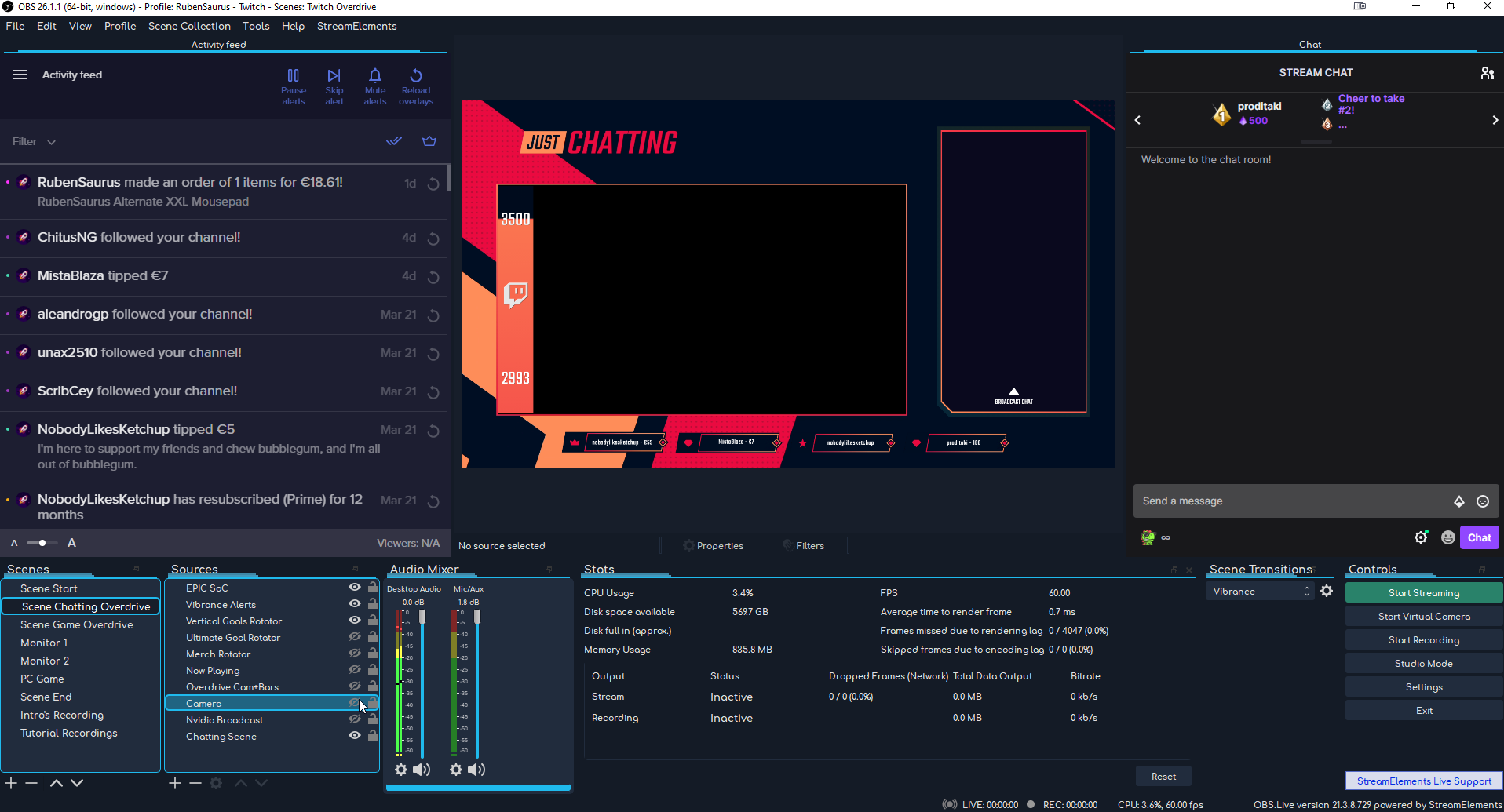
then just click View > Docks > Chat
cosmic yacht
oki thx man
lament blade
foggy heart
Try this : https://www.techpowerup.com/download/visual-c-redistributable-runtime...
That worked, thank you!
lean quail
do i need to be using the obs given on streamelements to get the custom bot to work?
as it stands i use streamlabs
wary halo
Not for Ground Control
lean quail
do i need a new oauth token for each time or will any one of them work?
i tested it and only the streamelements bot responded
marble finch
thanks for you quick respond , my old username was izzafn_ and my new one is shamoolii
and my account id is 5eb4056131ee1b57c96f4e4d
 blissful niche
I've recently used the streamelements extention. I've been trying to see if any of the chatting data comes up and it doesn't, it gives me a 404 error. I've never changed my twitch username either. What can I do to fix it? ;-;
 sudden prairie
Im having an issue with stream store redemptions via chat. I recently set up a bunch of sound effects in the stream store, and i cant seem to get them to play on stream using the !redeem command. they work when selected in the extension but not through chat.
lament blade
Now when I add a overlay url to obs.live an outline shows up, but still a black screen. is there a way to actually see what it’ll look like or do I have to be live?
viscid pebbleBOT
@blissful niche Please provide your account ID found at the top of this page: https://streamelements.com/dashboard/account/channels This ID is public info and safe to share here.
 flat sphinx
dont work on my channel 😦 id 5f9da6f2d9411c0bcc22078f
 blissful niche
viscid pebble
<@!344746245266341889> Please provide your account ID found at the top of this p...
blissful niche
viscid pebble
<@!344746245266341889> Please provide your account ID found at the top of this p...
60361d62345e319b0a715796
foggy heart
marble finch
thanks for you quick respond , my old username was izzafn_ and my new one is sha...
Your chatstats page should be up
foggy heart
blissful niche
60361d62345e319b0a715796
Your chatstats page should be up now. It's new, so you might not see data populate until the next time chat is in use
foggy heart
flat sphinx
dont work on my channel 😦 id 5f9da6f2d9411c0bcc22078f
Any twitch name changes?
flat sphinx
foggy heart
Any twitch name changes?
yes
viscid pebbleBOT
@flat sphinx If you changed your name on Twitch, please follow these steps:
- Visit https://streamelements.com/logout and then log in again by connecting with Twitch.
- On the right side of the dashboard page that opens, select Join under bot settings. If it says Part select that and then select Join to send the bot to the chat. Don't forget to mod the bot by typing /mod streamelements in your channel if you have not already.
- Post your old and your new name here so that we can update your channel's chatstats tracking (must be done by staff).
flat sphinx
done it, brutal_developer to lenivyy_suslik
lament blade
Ugh I just want a simple overlay for when I stream. Donations, subscriber goal. I’m such a noob and can’t figure anything out
foggy heart
flat sphinx
done it, brutal_developer to lenivyy_suslik
Chatstats should be up
flat sphinx
foggy heart
Chatstats should be up
ok, thx)
 snow nexus
Question about the Chat Commands for the SE Bot, what does User Cooldown/Global Cooldown mean?

 zenith oar
im new to streaming, and everytime i stream my bitrate goes up and down like crazy and then my stream looks like crap, can anyone help!!
 fallow bridge
i have a simple question about giveaways
would the giveaway keep running even when i turn off stream and pc ? i mean i wanna make a giveaway and keep it for 3 days for example
snow nexus
zenith oar
im new to streaming, and everytime i stream my bitrate goes up and down like cra...
is your internet stable? Do a test to see what the recommended bitrate is for your connection
zenith oar
my download is 500 mbps and my upload is 36 mbps! so i have decent internet
snow nexus
whats your bitrate set to?
lean quail
so i'm having an issue
when i generate an oauth token for the custom bot, am i connecting it to MY account or the bot's?
left cargo
Pls Check/fix my Chat stats too. No Name Change ID: 605504c6d8156d9efea42fcd
 gentle hedge
I changed my name on Twitch and since then my activity feed on streamelements no longer appears that follows me, is there anything I have changed?
 wheat topaz
I came here on behaf of a friend who doesn't know english.
For some reason his activity feed isn't working, at leat not the followers, we can't test subs because he is new to this so he doesn't have sub button yet. Doesn't matter how many new people follow him, they don't show up in the activity feed, therefore the alert also doesn't work. Is there a fix for this?
cinder olive
lean quail
when i generate an oauth token for the custom bot, am i connecting it to MY acco...
The to the account you create.. thats kind of the point of the custom bot name. You can either link it to the account you stream off of, or a different one.
cinder olive
left cargo
Pls Check/fix my Chat stats too. No Name Change ID: 605504c6d8156d9efea42fcd
Forwarded to staff
viscid pebbleBOT
@gentle hedge Go to the Dashboard > Right side > Part channel > Join channel(https://streamelements.com/dashboard)
lean quail
so what happened was it worked for the first couple tests, but the custom bot for whatever reason can't post
cinder olive
@gentle hedge What is your old and new username?
lean quail
now i can't even get streamelements
cinder olive
lean quail
so what happened was it worked for the first couple tests, but the custom bot fo...
Are you using the third option?
cinder olive
wheat topaz
I came here on behaf of a friend who doesn't know english.
For some reason his a...
Ask him for his account id.
 sour glen
When i go to stream through stream elements it does not show that im streaming. On obs it will say that im streaming but on twitch nothing will pop up
viscid pebbleBOT
@wheat topaz Please provide your account ID found at the top of this page: https://streamelements.com/dashboard/account/channels This ID is public info and safe to share here.
lean quail
the third option?
cinder olive
@sour glen Close your OBS entirely, run it as admin, attempt to go live. If you arnt live on twitch, follow these steps:
fuck
viscid pebbleBOT
@sour glen Please provide a log from your last stream. To do this, in OBS go to Help > Log Files > Upload Last Log File and paste the link to the log file here.
cinder olive
lean quail
the third option?
When setting a custom bot name you have three options, choose the third.
cinder olive
left cargo
Pls Check/fix my Chat stats too. No Name Change ID: 605504c6d8156d9efea42fcd
Should be fixed now.
 inner rune
somebody who kmows why my png images doesn't look transparent?):
wheat topaz
cinder olive
Ask him for his account id.
He gave me this.
Account ID: 5ff8c36cfe2bad1261773df9
lean quail
cinder olive
When setting a custom bot name you have three options, choose the third.
it just looks like a slider. left and right. i see no options other than use custom bot or don't use custom bot
cinder olive
lean quail
it just looks like a slider. left and right. i see no options other than use cus...
Please send a screnshot
cinder olive
inner rune
somebody who kmows why my png images doesn't look transparent?):
Are they actually transparent? Not all pngs are transparent.
lean quail
 viscid pebbleBOT
@zenith oar Please provide a log from your last stream. To do this, in OBS go to Help > Log Files > Upload Last Log File and paste the link to the log file here.
cinder olive
fallow bridge
i have a simple question about giveaways
would the giveaway keep running even w...
Yes
cinder olive
lean quail
Please send me your account ID
gentle hedge
cinder olive
<@!274674808376000513> What is your old and new username?
old duckfernandes new duckexza
cinder olive
@gentle hedge Log out entirely out of the SE website and log back in
inner rune
cinder olive
Are they actually transparent? Not all pngs are transparent.
good point, let me see
cinder olive
inner rune
good point, let me see
If you want you can DM them and I can tell you rather quickly if they are or arnt
 inner frigate
Hello, I have a question about SE.Pay. I have set it up for some time and I'm not sure what I was filling. But right now I can't see where I'm able to edit it. Thanks
viscid pebbleBOT
@inner frigate Please contact us via email for support with SE.Pay. You can use our contact form here: https://streamelements.com/contact Thank you.
inner rune
cinder olive
If you want you can DM them and I can tell you rather quickly if they are or arn...
I already check it and the images arent haha srry
cinder olive
sour glen
https://obsproject.com/logs/VXcQYLwkcXvgdK8g
If youre using OBS.Live entirely log out and re-log back in, if youre using OBS re-enter your stream key.
sour glen
thank you
 neat gyro
Hello,
I recently had a username change on Twitch from cakeTuonto to Tuonto.
Ever since then sub/bit/raid notifications do not show up!
However, gifted subs, and donations work.
Something I also noticed is that in the activity feed of streamelements, subs/bits/raids do not show up.
I have tried relogging into the Streamelements dashboard already.
I have already contacted support on twitter through this tweet:
https://twitter.com/StreamElementsS/status/1376392454287597569?s=20
Is there any way I can follow through with whichever developer is looking at it from the tweet?
Or should I just wait for a response, which I am also happy with doing, just curious

@Tuont0 I'm really sorry about this. I've notified the developers to take a look at this. ^KeiZar
Twitter
·
gentle hedge
cinder olive
<@!274674808376000513> Log out entirely out of the SE website and log back in
I did it and it didn't solve
drowsy egret
neat gyro
Hello,
I recently had a username change on Twitch from cakeTuonto to Tuonto.
Eve...
I'll poke the devs about this again, one of us will reply to the tweet once we have an update on this
neat gyro
I appreciate that!
gentle hedge
viscid pebble
<@!274674808376000513> Go to the Dashboard > Right side > **Part channel** > **J...
deactivated, turned off, turned on and reactivated and did not solve
drowsy egret
gentle hedge
deactivated, turned off, turned on and reactivated and did not solve
your account is already reported to the devs, we will let you know once its fixed
lean quail
i'm at wits end with this thing
cinder olive
lean quail
i'm at wits end with this thing
Have you tried using OBS.Live?
gentle hedge
drowsy egret
your account is already reported to the devs, we will let you know once its fixe...
ok, thanks
 proud mountain
i need help
 elfin axle
Hi my streamelements dashboard says I have 0 subscribers on Twitch, Twitch says otherwise. Is this an issue on my end or with SE?
proud mountain
I would like to have a command in the stream names! top10wt and then I would like the watchtime to be displayed in hours!
foggy heart
elfin axle
Hi my streamelements dashboard says I have 0 subscribers on Twitch, Twitch says ...
You may have to reset the session data to have it pick that information up, and that's on this page: https://streamelements.com/dashboard/activity
proud mountain
I would like to have a command in the stream names! top10wt and then I would like the watchtime to be displayed in hours???
some stuff here ?
foggy heart
proud mountain
some stuff here ?
There isn't a native command for that, you'd have to look at using the custom command with the variables. Although I'm not sure if a top 10 can be made from watchtime
proud mountain
@foggy heart ok but you can change that with! top at least in hours if so you can send the whole command in because there is a command! toponline and sending the command code would be nice so then you have hours if that works
elfin axle
Yeah it actually fixed itself @foggy heart
 limpid dirge
hey guys. i would really love some help. I just got my custom bot setup for stream elements, but now im wanting to modify one of my commands for stream elements to show my sub emotes. Example below:
Normal Raid Message: TombRaid TombRaid TombRaid Fire in the hole!!! The Crimsonfire Huskies have arrived!! TombRaid TombRaid TombRaid
Sub-only raid message:  Fire in the hole!! The Crimsonfire Huskies have arrived!!
 vale frost
My OBS keeps not letting me stream saying

 halcyon plinth
Hey, I’m using an Xbox elite controller with a RIG headset. My twitch followers can hear my teammates just fine but my own voice is very quiet. I’ve gone into computer settings, game settings, and Xbox controller settings and nothing has fixed it. Any suggestions?
limpid dirge
Also, I randomly get this error as well
 foggy heart
proud mountain
<@!801850149260886118> ok but you can change that with! top at least in hours if...
foggy heart
proud mountain
<@!801850149260886118> ok but you can change that with! top at least in hours if...
Not entirely sure what you're asking here
wheat timber
Hello, I am trying to set up the custom bot name through Ground Control. I have set up and modded the bot, made a tipping page and linked it in my panels, and added one of the overlays. What else do I need to do in order to get the custom bot name within ground control?
viscid pebbleBOT
@limpid dirge Obs.live is a plugin for OBS Studio for the best OBS support, please join their Official Discord @ discord.gg/obsproject
limpid dirge
limpid dirge
hey guys. i would really love some help. I just got my custom bot setup for stre...
This one isn't relating to obs tho, so I would like some help on this one
cinder olive
You edit your commands through the dashboard just like you always have @limpid dirge
limpid dirge
well i know that, but i mean how do i give streamelements a subscriber role so they can use my sub only emotes?
cinder olive
You gift it a sub.
 stoic cloud
hi
spark wind
Sup guys, can you fix my chatstats page please? twitch - slem_999. Just refresh it or something... It says "404 - Page Not Found".
 zenith cedar
Question how do I set it up where my alerts don't keep going off after someone gifts subs? Like I don't wanna my sound to restart after every gifted sub.
 mortal kite
Mods!!
wheat timber
Custom bot name works in StreamElements OBS Live, but i would prefer to control it from ground support. How can I enable this option?
foggy heart
mortal kite
My alerts are not working
What do you mean by not working?
viscid pebbleBOT
@spark wind Please provide your account ID found at the top of this page: https://streamelements.com/dashboard/account/channels This ID is public info and safe to share here.
spark wind
5b97abf32104c51f08a46966 @viscid pebble
mortal kite
foggy heart
What do you mean by not working?
The alert is not showing up in the stream like no visual or any noise alert just shows up in the chat text
foggy heart
spark wind
5b97abf32104c51f08a46966 <@!155149108183695360>
Have you changed your twitch name?
foggy heart
mortal kite
The alert is not showing up in the stream like no visual or any noise alert just...
Do you have the overlays added to obs? What happens when you emulate in the overlay editor?
mortal kite
foggy heart
Do you have the overlays added to obs? What happens when you emulate in the over...
Yes I have them added to obs They work when I emulate them too
zenith cedar
 How do I edit it so it won't replay the notification sounds after every gifted sub???
mortal kite
foggy heart
Do you have the overlays added to obs? What happens when you emulate in the over...
I did change our twitch name
spark wind
Yes, and I guess it was few times since last stats update... slem_plusw -> pastor_slem -> slem_999 @foggy heart
wheat timber
After we have the custom bot name set up in OBS Live, are we able to use the custom bot name in another streaming program?
drowsy egret
wheat timber
After we have the custom bot name set up in OBS Live, are we able to use the cus...
the custom bot name will only work while obs.live is running, you can stream with a separate program but obs.live needs to be opened in the background
mortal kite
Is there anything I can do to fix it
wheat timber
thank you sk1ll
foggy heart
mortal kite
Yes I have them added to obs They work when I emulate them too
Do you hear any sounds when it goes off, or see any graphics?
foggy heart
spark wind
Yes, and I guess it was few times since last stats update... slem_plusw -> pasto...
Did you have a chatstats page before?
mortal kite
foggy heart
Do you hear any sounds when it goes off, or see any graphics?
Nope just see it in the chat and I can hear it and see it when I emulate it
foggy heart
mortal kite
Nope just see it in the chat and I can hear it and see it when I emulate it
That's interesting. Try deleting them, then add new ones with the URLs
mortal kite
foggy heart
That's interesting. Try deleting them, then add new ones with the URLs
I refreshed the url in obs deleted and copy and pasted the new one still didn’t work
foggy heart
mortal kite
I refreshed the url in obs deleted and copy and pasted the new one still didn’t ...
Can you share what your OBS settings look like (without sharing any overlay urls)?
marble finch
thanks for you quick respond , my old username was izzafn_ and my new one is shamoolii
and my account id is 5eb4056131ee1b57c96f4e4d
foggy heart
marble finch
thanks for you quick respond , my old username was izzafn_ and my new one is sha...
I believe we got to your request earlier today, is it still not working?
spark wind
Yes, for sure @foggy heart chatstats is not a big problem but I have something wrong with my overlay. When I try to set a "subscribers goal" it says I have 485 subs but it isn't true
 cunning sun
Hi, my alerts only work for followers. This has been a problem for quite a long time now.
spark wind
so I thought this problem is connected with "synchronisation" 
foggy heart
spark wind
so I thought this problem is connected with "synchronisation" <:yogevW:465785261...
So the chatstats should be up now. For the widget, you can reset/edit that here: https://streamelements.com/dashboard/session
spark wind
Great job, thank you a lot  @foggy heart
foggy heart
cunning sun
Hi, my alerts only work for followers. This has been a problem for quite a long ...
Let me see if I can find where your issue was reported, one sec
foggy heart
I pinged the team again to see about this issue
cunning sun
Thank you
 brittle rampart
Okay so its not just me having issues with a sub goal
My counter in the editor shows one number, but, the alert overlay on stream shows something different and it's not updating properly.
 glad barn
Hello, I'm trying to get to the bot commands for someone who gave me access to but I keep getting put to the main page and when that happens I can't even get to my own dashboard, just a constant circle of getting linked to the main page
viscid pebbleBOT
@glad barn Please logout of StreamElements at https://streamelements.com/logout and then login again to your account (Twitch/YouTube/Facebook).
 foggy heart
glad barn
On my own dashboard
foggy heart
glad barn
On my own dashboard
Clear the cookies and cache of the browser, and then try again. For the other account, tell them to choose a different editor role and then back to the original one and then generate the invite link again
 runic hound
So my chat widget inconsistently works along with the SE chat box. I'll have some things come through, and other times they don't. Some times chats come through fine in the SE chat box within OBS, but won't show up on my stream's chat box. It will also constantly be staying I'm connecting to the chat throughout the stream. Don't know what is related or unrelated but it's just very strange.
Also, if I have my stream dashboard pulled up via Twitch on my phone I won't get any chats to show up.
viscid pebbleBOT
@runic hound StreamElements menu, on top of OBS > Logout > Login
 hallow shore
Hello. I would like to know if it is possible to make a response to a command in streamelements manage to activate gold command. For example, adding or removing points using a command.
 sour siren
im having issues setting up my tip/ donate button. when iclick to finish it it it says somethign is wrong please try again later. what would cause that
lament blade
I was told to contact support about SE.Pay
viscid pebbleBOT
Please contact us via email for support with SE.Pay. You can use our contact form here: https://streamelements.com/contact Thank you.
 neat depot
@sour siren Check your "Default commands" there's usually one command made already so that's why it's probably not letting you add another one
Question, could anyone tell me why the banned words filter makes double timeouts?

I checked and it pops one then the second 1 second later and it is effectively counting it as 2 on the timeouts
viscid pebbleBOT
@neat depot Go to the Dashboard > Right side > Part channel > Join channel(https://streamelements.com/dashboard)
 keen wigeon
sour siren
im having issues setting up my tip/ donate button. when iclick to finish it it i...
keen wigeon
sour siren
im having issues setting up my tip/ donate button. when iclick to finish it it i...
Does this error appear when you're setting up the panel in your Twitch channel?
lament blade
guys, how do I clear my store history?
Hello, i have some trouble with overlay and allerts. So once i paste the link in OBS the graphic doesn’t appears both in the preview and in live. Can someone help me about this? Thank you
worldly escarp
lament blade
Hello, i have some trouble with overlay and allerts. So once i paste the link in...
you get a black screen? and you've added the link as a browser?
lament blade
worldly escarp
you get a black screen? and you've added the link as a browser?
Yes exactly
worldly escarp
lament blade
Yes exactly
try opening the OBS as admin
lament blade
Done... it doesn’t work
worldly escarp
lament blade
Done... it doesn’t work
ok, whats your account id?
lament blade
lelatroubadour
worldly escarp
lament blade
lelatroubadour
ok i added the overlay and i can see it in the preview as well.. can you screenshot your scene and source please?
lament blade
 worldly escarp
I see an import error ...
lament blade
Yes please tell me what i did wrong... i’m going like a crazy
worldly escarp
lament blade
Yes please tell me what i did wrong... i’m going like a crazy
can you get me a clear shot of it?
viscid pebbleBOT
Please provide a proper screenshot with the issue visible. If not sure how to take a screenshot, you can check here: https://www.take-a-screenshot.org
lament blade
 worldly escarp
lament blade
worldly escarp
lament blade
try using this https://www.take-a-screenshot.org/ and screen shot the error as well pls.

How to take a screenshot on your smartphone, tablet, notebook or desktop computer
 forest badger
lament blade
worldly escarp
try using this https://www.take-a-screenshot.org/ and screen shot the error as ...
forest badger
lament blade
worldly escarp
try using this https://www.take-a-screenshot.org/ and screen shot the error as ...

 near glen
Hey, so I’m new to this whole overlay thing and was wondering if anyone could help?:)
 heady sapphire
hello, streamelements gives me a problem to upload audio files to the store and I don't understand how to fix it (it would seem a bug)
viscid pebbleBOT
@near glen New to StreamElements?
Check out our YouTube channel https://www.youtube.com/c/streamelements/videos
with tutorial videos from setting up the basics, to in-depth details on how to use our product.
New to OBS? Here is a 4 step quick start guide
https://obsproject.com/wiki/OBS-Studio-Quickstart
Want to learn even more? Here is an in-depth overview
https://obsproject.com/wiki/OBS-Studio-Overview
neat depot
Thanks @viscid pebble
heady sapphire
I did everything right in loading the sound and the gif, the problem is that when I click on save it gives me a non-existent sound that I have never loaded
worldly escarp
heady sapphire
I did everything right in loading the sound and the gif, the problem is that whe...
check the variations
worldly escarp
lament blade
can you try sending me the logs file?
viscid pebbleBOT
Please provide a log from your last stream. To do this, in OBS go to Help > Log Files > Upload Last Log File and paste the link to the log file here.
lament blade
How do I get chat stats to work, it just says 404 page not found
 novel monolith
Hello everyone.. I have a question: can i put alerts only for donations? i dont want alers for subs followa or anything, just for donations, it is possible? thank you 🙂
lament blade
streamelements isn't showing any alerts besides followers.
Can i have some help please?
worldly escarp
lament blade
streamelements isn't showing any alerts besides followers.
can you see them on the activity feed?
lament blade
no the only thing i see is followers
worldly escarp
novel monolith
Hello everyone.. I have a question: can i put alerts only for donations? i dont ...
it is possible you can simply remove the follower/ subs etc from the alert
lament blade
lament blade
no the only thing i see is followers
I also checked to see if i had any turned off but they are all active and turned on. When i do a test for subscriber it works, but during stream no subscriber showed up in the activity feed
novel monolith
worldly escarp
it is possible you can simply remove the follower/ subs etc from the alert
thanks a lot. let me try it. 😄
 silver pecan
Hi! My total subscribers data isn't working as expected, it says 0 but yesterday i got 2 subs. If i change my period from total to week or month then it works. What could be causing this?
My leaderboard with watch time isnt working either. Could it be because i changed my username about a month ago?
novel monolith
worldly escarp
it is possible you can simply remove the follower/ subs etc from the alert
Thank you again! I just did it.. you re the best! 💯
worldly escarp
😋
heady sapphire
worldly escarp
check the variations
thank you very much i managed to solve
neat depot
Another question, don't think there is but still better to ask, does anyone know if you can make the bot send a message when it deletes a post with the link filter?
worldly escarp
neat depot
Another question, don't think there is but still better to ask, does anyone know...
Every filter has a custom message you can use
 quaint river
I am trying to add my twitch chat pop out, figured that out but it is suuuper small when i scale it to the border i have and it makes the text to small to read HELP.
neat depot
@worldly escarp It has a "message" but to add as the timeout reason, not an actual message that gets posted in chat
worldly escarp
quaint river
I am trying to add my twitch chat pop out, figured that out but it is suuuper sm...
let me look , can u provide your account id?
 thick hill
stream elements bot just said bye bye and i cant get it to reconnect
jk its working now
idk what happened but ggs StreamElements
viscid pebbleBOT
@thick hill Go to the Dashboard > Right side > Part channel > Join channel(https://streamelements.com/dashboard)
thick hill
swear i did that
viscid pebbleBOT
Valve has implemented a trusted mode which does not allow OBS to hook CS:GO using Game Capture. Read more in their announcement post here https://blog.counter-strike.net/index.php/2020/07/30736/.
Additionally, they have no plans on allowing OBS in trusted mode.
https://support.steampowered.com/kb_article.php?ref=8835-KLXV-0292#whitelist
You will need to run the game in either windowed or borderless fullscreen and use Window Capture instead.
Alternately, you can launch the game with -allow_third_party_software.
worldly escarp
thick hill
swear i did that
can i try something on tthe chat?
small aurora
3rd trying to get an answer. Can anybody find out, why my se account isn't correctly sync'd with twitch data, please? Therefore I can't use widgets. Thank you.
worldly escarp
small aurora
3rd trying to get an answer. Can anybody find out, why my se account isn't corr...
apologies, what your account id please?
small aurora
worldly escarp
apologies, what your account id please?
can I send this direct to you? I don't wnat to post here for everyone.
 runic remnant
hmm im not sure where should this go.. but..
hey guys, is there any way to change my email in my streamelements dashboard/account?
worldly escarp
ok , but account id is already public so..
small aurora
worldly escarp
ok , but account id is already public so..
sent ot you.
 wanton arch
Hey I had a quick question so I am moving from SLOBS to stream elements and everything is set to where I want it except when I go live it goes live on my old twitch account as I must've had OBS studio years ago, so for some reason all alerts and followers are linked to the right account but the go live sends my old account live
keen wigeon
Check in OBS settings -> stream, which account it's connected to.
 azure spindle
how do I make someone a super mod in streamelements?
worldly escarp
azure spindle
how do I make someone a super mod in streamelements?
Go to the Dashboard > your profile
azure spindle
worldly escarp
Go to the Dashboard > your profile
ok thx
 worldly escarp
thats a twitch messge..
ionic kelp
With that being said you'd have to disable/modify your adblock settings.
 vast shore
worldly escarp
thats a twitch messge..
vast shore
worldly escarp
thats a twitch messge..
but how do i take it off?
ionic kelp
See my response.
 sweet notch
hello can someone please enable chatstats for channel #sndrbot ?
 raw ingot
Hi! I'm having a problem with the bot, when I enter the functions manager on twitch, the bot doesn't appear as a moderator, therefore it does not fulfill its function in the chat. I've already tried unlinking my twitch from my streamelements account, as well as tried to give it the moderator role manually, but it doesn't seem to work. I could not find any solution on the web in this regard, so I turn to you.
Basically I would like to know if it is something that I can solve with StreamElements or is it a problem of Twitch itself. Out of nowhere the bot no longer has permissions to use my stream chat, nor does it respond to any command. From StreamElements it tells me that the bot is linked to the chat, but from Twitch it does not appear with any permission like the rest of the bots. I haven't removed or changed any settings within Twitch regarding the bot, so I'm not sure if it's a bug.
Thanks a lot.
runic remnant
Hi, i am trying to update my email in my Streamelements Dashboard but i cant seem to find a way to do it. some assistance would be greatly appreciated!
marble finch
i changed my username and my set title and set game commands dont work can you help me
and my account id is 5eb4056131ee1b57c96f4e4d
viscid pebbleBOT
If you changed your name on Twitch, please follow these steps:
- Visit https://streamelements.com/logout and then log in again by connecting with Twitch.
- On the right side of the dashboard page that opens, select Join under bot settings. If it says Part select that and then select Join to send the bot to the chat. Don't forget to mod the bot by typing /mod streamelements in your channel if you have not already.
- Post your old and your new name here so that we can update your channel's chatstats tracking (must be done by staff).
 frank dove
Hey! I have a question about the Dream Team. I have applied for it a few days ago but never got an email confirming my application or anything except the website notification. Is there any way in which I can check it went through 100%? 😄
marble finch
every command works except for set title and set game my old username was izzafn_ and my new one is shamoolii
ionic kelp
@frank dove  Looking at your channels you don't meet the requirements so not sure how you could've.
 exotic socket
I get "An internal server error occurred" error while trying to delete my streamelements account
what is jwt token?
frank dove
ionic kelp
<@135446730807181312> <:Think1:767967187268796436> Looking at your channels you ...
I can apply on the page 🤷
wary halo
Everyone can apply
frank dove
I wasn't able to apply until I hit 10k followers though


 frank dove
haven't seen them advertise any youtube
anyway, thanks ^_^
you should modify the code in the website so it won't allow people to apply before 20k then
if it's so set in stone 😄
keen wigeon
exotic socket
what is jwt token?
It's a unique token generated for you when you log into your account.
Why do you want to delete your account?
ionic kelp
It actually gave me a note about not being having a high enough follower amount so not sure about what happened with you.
frank dove
I used to get that before I hit 10.000 too
 verbal pine
Does anyone know how to get a !shoemote command so only chosen emotes show up?
sour siren
keen wigeon
Does this error appear when you're setting up the panel in your Twitch channel?
That is correct
keen wigeon
sour siren
That is correct
It's something on Twitch, but from personal experience, play with the size of the image you put in there. It might be too big. Try resizing it gradually until it works.
sour siren
keen wigeon
It's something on Twitch, but from personal experience, play with the size of th...
Okay. I am using one of the stream elements images right now. Would that make a difference? Because I know the image I was having a issue with
 hallow rover
how do i seprate audio for example i want to stream apex and talk to my friend on discord but i dont want the viewers hearing about "stuff" talk
How do i do that?
 wispy jay
hallow rover
how do i seprate audio for example i want to stream apex and talk to my friend o...
wispy jay
hallow rover
how do i seprate audio for example i want to stream apex and talk to my friend o...
Its done through advanced audio properties to different tracks, usually track 1 is your default stream audio track so remove anything you dont want on stream from track one
But also more likely a question better asked in the servers for the software you use; OBS Studio, Streamlabs OBS, Xsplit or whatever you use
sweet notch
So can someone fix it please ?
sour siren
keen wigeon
It's something on Twitch, but from personal experience, play with the size of th...
i have tried doing that and it still says the same thing, i really have no idea what to do
 autumn olive
Hi, I installed streamelements quite some time after building a small following of about 325 and quite a few subs and donos... None of that info is displayed currently and I am unsure how to get it to recognize the previous subs, donos, etc. I use streamlabs OBS if that helps
 violet jay
hi
when i wanna replay alert
it doesnt work
or skip or mute
nothing works
what can i do
 crystal mortar
Hey anyone know why my SE bot don't work anymore for timers and commands ? He still ban links, but none of my commands works depsite the bot being in the channel and have mod role
 native depot
need urgent help, was supposed to start my stream an hour ago, got a new pc, everything is working, installed, linked my twitch....when I start streaming, it says its streaming, twitch says im live, but obs is not outputting anything, Its just black no sound nothing
autumn olive
@native depot Do you have a game or display capture source? What are you using to stream?
native depot
window capture, but i can select any screen, even my starting screen...its just black...its like nothing is getting through to twitch
its like the whole stream is getting lost on the way to twitch
my starting screen is just image and music
autumn olive
Are you using streamlabs, obs live, twitch studio... etc?
native depot
obs live
autumn olive
Did you try switching to game capture? I am not part of the staff of this discord server but without seeing whats happening on your screen its a bit difficult to diagnose. Try changing the capture source you are using. That way you at least know if its something with the source or not
native depot
its not a game or window capture thing.....nothing is getting through to twitch, If i want to stream just an image on obs and nothing else, its still blank
its like twitch isn't letting obs stream to it
marble finch
hello i recently changed my username from izzafn_ to shamoolii and now all my copmmands work except for set game and set title can you help me with this matter please ?
native depot
so, Every now and then twitch says im live, it says unstable though
i should have no issue, its a good internet connection
is it a bitrate issue?
autumn olive
"Make sure your twitch key is connected with obs! You can find it under dashboard, settings tab then Channel and your twitch key will appear on the middle of the side if u scroll to it!" Found this on google this might help?
People also suggested to reset it
native depot
it is, i disconnected and reconnected also, did nothing
autumn olive
try some of these https://appuals.com/fix-twitch-black-screen/ not sure if it will help or not. I've never had that issue and I use streamlabs OBS
Appuals.com
Twitch is a live video streaming platform which is owned by Amazon itself. Twitch gained popularity in the early 2012 and continues to be the top
native depot
cheers I will try them all
autumn olive
Hopefully one of those works for you man! Sorry I couldn't be of more help.
crystal mortar
Hey anyone know why my SE bot don't work anymore for timers and commands ? He still ban links, but none of my commands works depsite the bot being in the channel and have mod role. can't figure how to fix it 😦
native depot
nothing is working, twitch says unstable but did a test, internet is fine...its at twitch's end
 high crest
Hey there 🙂 im just wondering if anyone can help me.. when im streaming Apex Legends my game runs really smoothly but I get major FPS drops in streamelements and when looking at the Stats part my Average time to render Frame goes up to like 20ms.. im not sure what to do, ive tried lowering the graphics in game etc. Thank you in advance
native depot
where are the staff
 cunning oxide
Hello, can anyone help me figure out how to create a Twitch donation panel. The youtube video on this channel is kinda old and doesn't help.
 vital widget
Hello. Someone would be able to explain to me how to set a !Command to get my visitors to participate in a lottery. They write the command, enter the list and then draw the winner. Thanks.
 brave thicket
Good morning! I have some questions regarding setting up a merch store. Can someone assist me?
 neon chasm
Hi Guys, Can someone PM me please ? 😄
 native steppe
Hi there! Quick question. In my stream, no one can buy tickets for a GiveAway in the Streaem chat with the !ticket command. About the giveaway page, on the other hand, it works. Seems to be a problem with the bot just not recognizing the command, or the stream currency. However, everything is set correctly in the commands. And about 4 weeks ago it was working fine! Anyone have any ideas?
 crystal storm
how do i only allow a specific playlist be used for media request
native steppe
No Support Employees here?
vital widget
native steppe
Hi there! Quick question. In my stream, no one can buy tickets for a GiveAway in...
me too
native depot
I have tried everything and nothing has worked
 charred fjord
Hi There! I use Twitch Studio in order to stream on twitch.
I have a monitor connected to my laptop which I use to extend my display.
The laptop I have is Alienware Area 51m r2
I am trying to use the In Game overlay. It was working when I added it this morning.
However I just tried to stream with the overlay and all I get from the Browser source is a black screen.
Can I get some help please. Thank you
autumn olive
 cunning tapir
i need help
cunning tapir
i need help
I'm not part of the support staff
marble finch
hello i recently changed my username from izzafn_ to shamoolii and now all my copmmands work except for set game and set title can you help me with this matter please ?
 twin sentinel
@marble finch
If you changed your name on Twitch, please follow these steps:
- Visit https://streamelements.com/logout and then log in again by connecting with Twitch.
- On the right side of the dashboard page that opens, select Join under bot settings. If it says Part select that and then select Join to send the bot to the chat. Don't forget to mod the bot by typing /mod streamelements in your channel if you have not already.
- Post your old and your new name here so that we can update your channel's chatstats tracking (must be done by staff).
marble finch
old username was izzafn_ and new one is shamoolii
 frigid juniper
Hi guys
Deleted chat messages still appear on stream's chat. Is there a way to make them not appear there?
twin sentinel
Are they only visible for you or also for normal viewers? @frigid juniper
Who deleted the message? Was it the bot? Was it a timeout or deletion?
 glacial sandal
Greetings I have an issue that led me to a reddit which sent me to type a message here. My activity feed in Streamelements is not showing any events except for raids/hosts. The reddit thread said its a rare disconnect between my account and the streamelements database. Any suggestions help 🙂
twin sentinel
What events exactly are not showing? Follows? Or follows and subs?
viscid pebbleBOT
@glacial sandal Please provide your account ID found at the top of this page: https://streamelements.com/dashboard/account/channels This ID is public info and safe to share here.
frigid juniper
twin sentinel
Are they only visible for you or also for normal viewers? <@!304015636739391490>...
Yeah, the messages appear on overlay so all the viewers can see. They were timed out by the bot
twin sentinel
Are you using the default chats widget? or a custom one?
glacial sandal
@viscid pebble Account ID is 5ffa736b2b83e362b0630c82
viscid pebbleBOT
@crystal mortar If your commands recently stopped working and you're using OBS.Live and a custom bot name do the following:
- In OBS.Live, click on the hamburger menu (three stripes) at the top left of your activity feed
- Click on Stream Settings > Custom bot name
- In the Custom bot name field select Set custom bot name, not your already existing username (with capital letters). Note: If you already connected an account that way, the third entry will show as the account name (see image https://i.imgur.com/sO7fWOX.png).
- Scroll a bit down and click on the purple Connect Custom Bot Account button
- Log in as usual and Authorize the custom bot name
- Back in the Activity feed, click on the Send Test Message button and check if your custom bot name starts working again
@native depot Obs.live is a plugin for OBS Studio for the best OBS support, please join their Official Discord @ discord.gg/obsproject
frigid juniper
twin sentinel
Are you using the default chats widget? or a custom one?
Custom
viscid pebbleBOT
@cunning oxide Twitch's official help guide for Panels: https://help.twitch.tv/customer/portal/articles/2416760-how-to-edit-info-panels
twin sentinel
Contact the creator. I am not sure if they would need to code the delete functionality @frigid juniper
frigid juniper
Okay, tks
 red roost
idk if this is the right channel for my question but, i have a game capture that will not display minecraft. i can select minecraft as specific window and it just shows a black screen
viscid pebbleBOT
@red roost Obs.live is a plugin for OBS Studio for the best OBS support, please join their Official Discord @ discord.gg/obsproject
 floral pebble
hi guys i have a question it seems i must aprrove every tip i get is there a way to aprrove it automaticly?
twin sentinel
Disable the manual approval in the tipping settings in the modaration card. https://streamelements.com/dashboard/tipping-settings
 tidal token
Hello! I just tried to cash out my merch and I never got an email or anything so I'm not sure how to proceed
wary halo
It takes up to 7 days before you get the email
floral pebble
@twin sentinel thnk you very much it workjed
tidal token
Ill check again as its been almost a week I believe, I didn't word that first part properly lol
 frigid latch
I completed the Raid: Shadow Legends campaign about a week ago. When am I supposed to get the email for the payment portal. Is this like a certain time I have to wait or is it just random.
wary halo
frigid latch
I completed the Raid: Shadow Legends campaign about a week ago. When am I suppos...
within 30 days after the campaign
frigid latch
Thanks for telling me
charred fjord
Hi There! I use Twitch Studio in order to stream on twitch.
I have a monitor connected to my laptop which I use to extend my display.
The laptop I have is Alienware Area 51m r2
I am trying to use the In Game overlay. It was working when I added it this morning.
However I just tried to stream with the overlay and all I get from the Browser source is a black screen.
Can I get some help please. Thank you
glacial sandal
viscid pebble
<@!322506769928552461> Please provide your account ID found at the top of this p...
Account ID is 5ffa736b2b83e362b0630c82
twin sentinel
Asked internally to reset the connection @glacial sandal
@charred fjord Try to readd the overlay to twitch studio. We recommend to use OBS Studio as we cannot guarantee that our overlays are working in twitch studio.
charred fjord
I've tried re-adding but it's still blank, it's weird because it was working perfectly this morning
glacial sandal
Thank you @twin sentinel
 arctic gulch
How can i get overlay for giveaway? like this -> https://imgur.com/a/rd2uzvY
 twin sentinel
Modify the giveaway widget in the overlay editor.
arctic gulch
thank u ❤️
 cerulean grove
Hey guys. My bot isn't working in chat at all. I tried parting and joining, then mute/unmute. No commands are coming through. Any suggestions?
twin sentinel
Have you renamed lately or do you use a custom bot name via OBS.Live?
cerulean grove
Yes I have
twin sentinel
What of the two?
cerulean grove
Renamed I believe
viscid pebbleBOT
@cerulean grove If you changed your name on Twitch, please follow these steps:
- Visit https://streamelements.com/logout and then log in again by connecting with Twitch.
- On the right side of the dashboard page that opens, select Join under bot settings. If it says Part select that and then select Join to send the bot to the chat. Don't forget to mod the bot by typing /mod streamelements in your channel if you have not already.
- Post your old and your new name here so that we can update your channel's chatstats tracking (must be done by staff).
cerulean grove
I will try this thank you
 dense knoll
Hi, my StreamElements chatbot is repeating one command, I can't stop it, what can I do to solve it?
ionic kelp
Doesn't appear to be doing that 
dense knoll
My Twitch stream was down and start again
and the bot started to repeat one command
Probably it's a bug
But how can I solve it?
It doesn't respond to !bot mute
ionic kelp
Can't solve an issue if there's nothing visible wrong.
dense knoll
But is there any way to restart my chatbot?
without losing my saved commands, of course
dense knoll
ionic kelp
Can't solve an issue if there's nothing visible wrong.
I know it's not a general issue
lament blade
can i get obs on my mac
ionic kelp
The bot's in your channel and responding just fine for me https://streamelements.is-serious.business/7ZDx7c2.jpg

What do you mean Antic?
lament blade
like can i stream on twitch useing obs on my macbook
lament blade
ok thx you
ionic kelp
Well the mac button that is.
viscid pebbleBOT
Please contact us via email for support with SE.Pay. You can use our contact form here: https://streamelements.com/contact Thank you.
lament blade
hey i need help with sounds for my store items
 errant verge
none of my alirts are going off and idk how to add the alirt box
lament blade
i put a sound for one of my item but when someone buys the sounds doesnt work on my stream
viscid pebbleBOT
@errant verge New to StreamElements?
Check out our YouTube channel https://www.youtube.com/c/streamelements/videos
with tutorial videos from setting up the basics, to in-depth details on how to use our product.
New to OBS? Here is a 4 step quick start guide
https://obsproject.com/wiki/OBS-Studio-Quickstart
Want to learn even more? Here is an in-depth overview
https://obsproject.com/wiki/OBS-Studio-Overview
dense knoll
ionic kelp
The bot's in your channel and responding just fine for me https://streamelements...
Ahh, that's not my channel!
ionic kelp
-_-
dense knoll
Can I send it here? Or it's spam?
ionic kelp
Here is fine and just the name.
dense knoll
anablanchu
There are 1k people
And bot not working
I had to active emoteonly
Because bot was so busy
Do you want I remove emoteonly?
ionic kelp
Can't do anything unfortunately due to follower mode.
dense knoll
I can remove it now
ionic kelp
It's follower but yes please.
ionic kelp
It's gonna take longer with that slow mode.
ionic kelp
I assume it's that bit about low latency mode that's the issue?
dense knoll
Low latency?
 dense knoll
That's the bot
It's repeating the same command
But it doesn't respond to other one
ionic kelp
Have them try this
viscid pebbleBOT
If your commands recently stopped working and you're using OBS.Live and a custom bot name do the following:
- In OBS.Live, click on the hamburger menu (three stripes) at the top left of your activity feed
- Click on Stream Settings > Custom bot name
- In the Custom bot name field select Set custom bot name, not your already existing username (with capital letters). Note: If you already connected an account that way, the third entry will show as the account name (see image https://i.imgur.com/sO7fWOX.png).
- Scroll a bit down and click on the purple Connect Custom Bot Account button
- Log in as usual and Authorize the custom bot name
- Back in the Activity feed, click on the Send Test Message button and check if your custom bot name starts working again
ionic kelp
99% sure that's the issue.
 fast shuttle
I’m having a weird issue where I’m a Super Moderator for a channel but can’t edit the commands on StreamElements. I can only edit them via Chat. Does anyone have any ideas why that is?
dense knoll
Can I restart my settings, right? @ionic kelp
ionic kelp
Unless you're one of those ladies they have to do that.
dense knoll
Ok, thank you!!
fast shuttle
I did some more digging. Is what I’m looking for would be adding someone as a Manager instead of a Super Moderator? Or are those one in the same.
viscid pebbleBOT
"Follow these steps to grant managers/moderators access to your dashboard:
- Click on your channel name at the top of the dashboard
- Create a new invite at one of three access levels (Bot Supervisor, Editor, Full Control)
- Send this invite to a mod/manager to give them access to your dashboard. The link is one-time-use and expires after 72 hours if not accepted
Video tutorial: https://youtu.be/zl_h-ttZDF0"
ionic kelp
You want bot supervisor if you mean doing that on the website.
fast shuttle
Yeah I think that’s exactly what I’m looking for! We didn’t have any website access but could do just about everything else. Thank you so much!
lament blade
u need help with sound alert for my steamelements store
when someone reedems something the sounds doesnt work
dense knoll
ionic kelp
You want bot supervisor if you mean doing that on the website.
THANK YOU SO MUCH, LOVE YOU!!!
 modest imp
Question, for Stream elements does it only play the Alert sounds when you have the Alertbox opened on your browser through the stream elements website?
Just because when I have not had the website opened the alert would play through stream, but it would not play any sound on my end to alert me something had happened.

 frigid totem
Is it normal that streamelements deletes/timeouts/ban people twice when it detects a word in the banned words filters?
viscid pebbleBOT
@lament blade The default resolution for StreamElements overlays (theme and custom) is 1920x1080. Please add them in OBS at their full resolution and use CTRL+F to fit to screen if necessary. You can then downscale your stream in OBS settings > Video if you'd like https://i.imgur.com/6bWXxjR.png
ionic kelp
@frigid totem That's an "issue" on twitch's end. Basically things happen to fast and it basically results in that.
For lack of better words: Working as intended.
 scarlet root
Would there be any reason why some channels I moderate for's ChatStats wouldn't work? Is there a setup process for that?
autumn olive
Hi, I installed streamelements quite some time after building a small following of about 325 and quite a few subs and donos... None of that info is displayed currently and I am unsure how to get it to recognize the previous subs, donos, etc. I use streamlabs OBS if that helps
ebon forum
autumn olive
Hi, I installed streamelements quite some time after building a small following ...
Take a look at the import section here, this is how you get data from SL to our platform.
StreamElements
The Ultimate All in One Platform for Streamers
ebon forum
scarlet root
Would there be any reason why some channels I moderate for's ChatStats wouldn't ...
Chatstats sometimes need a fix. Renamed channels always need a fix. So we need the channel names to fix it.
ebon forum
autumn olive
the chrome extension
then you log into both SL and SE and start importing. do it just once or you end up with messed up data.
autumn olive
Where would I do the importing I assume there is some sort of button?
ebon forum
autumn olive
Where would I do the importing I assume there is some sort of button?
in the Chrome plugins. once you install it, it shows up on the right side after the address bar in Chrome
autumn olive
Gotcha thank you sir
Ran the import and refreshed twithc and still not up to date
The points came through not subs @ebon forum
 zinc dagger
Hello all. Is there a force formatting of Timer messages so that it doesn't all run together?
 void musk
is there a way to have sound alerts from stream store working when using a cellphone?
 alpine blade
Hey I just started streaming and I need help lol
viscid pebbleBOT
@alpine blade New to StreamElements?
Check out our YouTube channel https://www.youtube.com/c/streamelements/videos
with tutorial videos from setting up the basics, to in-depth details on how to use our product.
New to OBS? Here is a 4 step quick start guide
https://obsproject.com/wiki/OBS-Studio-Quickstart
Want to learn even more? Here is an in-depth overview
https://obsproject.com/wiki/OBS-Studio-Overview
scarlet root
ebon forum
Chatstats sometimes need a fix. Renamed channels always need a fix. So we need t...
Should I just DM you with them or is there a certain channel for that?
ebon forum
scarlet root
Should I just DM you with them or is there a certain channel for that?
post them here with a note that chatstats need a fix.
if channel was renamed, we need old+new name
if not, just username
zinc dagger
Hello all. Is there a way to force formatting of Timer chat messages so that it doesn't all run together?
scarlet root
*ChatStats Needs Fix
Old Username: VapeTyler
New Username: tylermauro
wary halo
zinc dagger
Hello all. Is there a way to force formatting of Timer chat messages so that it ...
just give them all different times?
zinc dagger
wary halo
just give them all different times?
What I mean is one of my messages is more than a couple lines. I'd like to keep the links seperate from the line text, but it all just runs together as one message.
is there a way to do line formatting?
zinc dagger
I could add it as a seperate message within the same timer, but it doesn't active both messages at the same time, it alternates them.
well that's kinda dumb
wary halo
blame twitch
ocean yarrow
I’ve plugged my elgato into my computer but my game won’t load onto OBS Studio, does anybody know why?
zinc dagger
I am blaming Twitch 🙂
viscid pebbleBOT
@ocean yarrow If you are having issues with Elgato hardware or software, we recommend reaching out to their support here: https://e.lga.to/help
sweet notch
Hi so can someone help me ?
viscid pebbleBOT
@sweet notch Welcome to the helpdesk! Please let us know how we can assist you today and a support volunteer or staff member will assist you as soon as they are available. Thank you for your patience.
@dusk crypt New to StreamElements?
Check out our YouTube channel https://www.youtube.com/c/streamelements/videos
with tutorial videos from setting up the basics, to in-depth details on how to use our product.
New to OBS? Here is a 4 step quick start guide
https://obsproject.com/wiki/OBS-Studio-Quickstart
Want to learn even more? Here is an in-depth overview
https://obsproject.com/wiki/OBS-Studio-Overview
 fierce lion
hello, how can i clear the renvue history top tippers ?
 untold shale
I am trying to create merch, but the SE Merch loading bar only loads to about 66% and then just stops.
wary halo
untold shale
oh, sorry, I'll post there
viscid pebbleBOT
If a viewer tipped through PayPal but no information appears in your StreamElements account, this generally means PayPal has held the tip for verification.
Until PayPal clears the tip and sends back a confirmation to your StreamElements account, no information will appear there and no alert will play, as that confirmation is the only way for us to be aware of a successful transaction.
There is a posibility that the tip may have been sent as an eCheque/eCheck - these tips can take from 7 up to 21+ days to show up on our side. Tippers can usually cancel these.
If you believe there may be an issue with the transaction, you'll need to contact PayPal support as StreamElements is only a passthrough service and never actually gets involved with the transaction or touches the money
scarlet root
*ChatStats needs fix
Old Username: activecollapse
New username: stopsigncam
 faint drift
Hello, how do I merge my Twitch and Youtube accounts. When I try to merge the twitch while logged into youtube it says "Channel is already claimed".
viscid pebbleBOT
@faint drift Account Merging - Please note:
- Merging accounts only allows faster ways to switch between accounts
- Merging accounts does not allow data sharing between accounts - different streaming platforms, different type of events
- Merging accounts allows duplicating/sharing overlays between the accounts
If you understand the limitations of merging and want to proceed, please find the JWT tokens (!jwt) from both accounts you want to merge and you will be directed to DM them to a staff member
 night token
Hey all, is there a way to get pronouns from the chrome twitch chat extension to show up in your chat widget?
viscid pebbleBOT
@faint drift You can find your JWT token on your account channels page (Show Secrets to reveal the token): https://streamelements.com/dashboard/account/channels
READ ME: This is a private security token. Do NOT share this token here or other public places, only with a StreamElements staff member in private.
wary halo
@faint drift if you get both tokens for the accounts you can DM them to @drowsy egret
 dusk crypt
@viscid pebble thanks for the information
 drowsy egret
void musk
the song from !sr command keep getting mutted
drowsy egret
void musk
the song from !sr command keep getting mutted
media request is opened in a different tab/window
void musk
drowsy egret
media request is opened in a different tab/window
i know it is, either way. I am the mod of this streamer is this the first time this thing is happening to her. Nothing was changed in the way we used to work with this function. is there any possible cause?
lament blade
Hey guys. I got a problem with my streaming software. Connection with the server can't be established. Waht can i do?
drowsy egret
lament blade
Hey guys. I got a problem with my streaming software. Connection with the server...
reconnect your account in obs settings > stream
 pulsar spire
uh not a 100% sure where to put this but looking for help on sponsorship payout from S.E sponsorship
viscid pebbleBOT
@pulsar spire Please contact us via email for support with your campaign or sponsorship. You can use our contact form here: https://streamelements.com/contact Thank you.
pulsar spire
awesome thank you
 wide nova
Hey there, I have a special question about the alerts. A friend of mine is streaming and he has the problem, that specific users are not able to trigger the alerts. So if I cheer bits, the alert is showing. But if another friend is cheering, nothing happens. But it shows the event in the activity feed. Does someone experienced that as well and knows a solution? Thank you very much guys
wary halo
probably has a banned word or phrase in their name then, like ass in assassin
 wide nova
Haha never thought about that 😄 Thank you very much
Is there a way to whitelist some words?
Or does he have to change his name then? 😄 Haha
drowsy egret
streamer needs to turn off the standard profanity protection from their tip moderation settings
lament blade
drowsy egret
reconnect your account in obs settings > stream
it's still does not work ... i don't know what i do wrong :/
 hard kindle
hey, im trying to show my most recent follower \ top donator \ recent subscriber
is that possible?
im using obs
viscid pebbleBOT
@hard kindle New to StreamElements?
Check out our YouTube channel https://www.youtube.com/c/streamelements/videos
with tutorial videos from setting up the basics, to in-depth details on how to use our product.
New to OBS? Here is a 4 step quick start guide
https://obsproject.com/wiki/OBS-Studio-Quickstart
Want to learn even more? Here is an in-depth overview
https://obsproject.com/wiki/OBS-Studio-Overview
lament blade
trying to setup a giveaway how do i do that?
 glass harness
hello i new to streaming and i need help with something
 strange dock
Hello. I think there may be a bug that can affect people's raids. I'll show you some examples. I can understand if the Twitch "host" and the "raid" numbers are off by a small amount. However, the differences in the two examples are significant and make me question things and make me have second thoughts about using OBS Studio in the future. As a smaller Twitch Affiliate streamer that's trying to grow, this is a major problem for me and anyone else that may suffer the same problem. I wasn't sure whether to post it here or on the #helpdesk-selive channel, but since it's Twitch, I posted it here.


 marsh bough
HI, in Widget Editors, is there a simple way to add a 'background color' to things in JS or CSS? for when you need a slightly opaque background behind white text
 slender laurel
I downloaded the Soundtrack by twitch app for music during my stream. Ive done everything I can to make it its own sound in OBS but its always playing through the desktop. Ive ticked 6 and unticked 6 in desktop etc. any other tips?
lament blade
hey can i get some help with stream elements some of my custom commands are working and some are not
 still marsh
When trying to adjust the positioning of my Follower alert in the overlay editor, the text does not move. All other alerts have applied as expected.
cinder olive
strange dock
Hello. I think there may be a bug that can affect people's raids. I'll show you ...
Theres no bug here, a raid and a host are fundamentally entirely different.
A raid will send all active viewers from the stream that is raiding to yours.
A hose will then play your stream on the raiders stream for all innactive viewers
With a ratio of 9 raiders to 85 viewers generally means that theres some third party tools at play (viewbot)
cinder olive
marsh bough
HI, in Widget Editors, is there a simple way to add a 'background color' to thin...
Best to ask this in #dev-chat
cinder olive
lament blade
hey can i get some help with stream elements some of my custom commands are work...
Which ones are working and which ones are not?
cinder olive
still marsh
When trying to adjust the positioning of my Follower alert in the overlay editor...
Are they seperate? Its possible you might ahve to move the image and the text seperately
lament blade
cinder olive
Which ones are working and which ones are not?
it will be easier for me to say the ones that are not working !discord !followage !followers !lurk and a couple others
viscid pebbleBOT
@lament blade Go to the Dashboard > Right side > Part channel > Join channel(https://streamelements.com/dashboard)
lament blade
tried that already
drowsy egret
@lament blade as said via email, our devs will look into it
lament blade
ok
 sleek bolt
Hello! This is going to sound dumb, but I made an overlay using obs live editor and when I added it to my obs , it shows up on the program but it is not showing up when i stream
vast shore
my stream is delayed is there a way to fix the delay?
floral pebble
hello i have a question my streamelements bot is not showing up in my chat even after i made custom commands and does doesnt work
 tight sorrel
Hello, I'm trying to go to bot settings but it says it isn't part of my chat, after I press the join chat button it says in my chat that it has joined and it is a mod but it still shows on my dashboard as not connected.
drowsy egret
tight sorrel
Hello, I'm trying to go to bot settings but it says it isn't part of my chat, af...
press the join button again
viscid pebbleBOT
@floral pebble Go to the Dashboard > Right side > Part channel > Join channel(https://streamelements.com/dashboard)
tight sorrel
drowsy egret
press the join button again
I have pressed it several times and refreshed the page
drowsy egret
tight sorrel
I have pressed it several times and refreshed the page
I see it joined on your dashboard
 tight sorrel
ok, how do I modify and customize it?
drowsy egret
tight sorrel
ok, how do I modify and customize it?
we have quite a few videos explaining the basics in your youtube channel https://www.youtube.com/c/streamelements/videos
tight sorrel
thank you, I guess I didn't realize part meant to deactivate the bot and that was how you go into the bot settings
 tame kayak
hello! i started streaming from obs now , and I´m using one of the defaults overlays on streamelements called surviver ingame cam , I copied the url addet it to the source and it looks awesome , my problem is that when i´m streaming the alerts doesnt work.
I don´t know if I missed something
viscid pebbleBOT
@tame kayak You can test alerts via the Emulate bell on the lower left side of the Overlay Editor. Simply go to your Dashboard > My Overlays > pencil/edit button on the overlay. Make sure the Preview LIVE on stream option is on to see the alert in OBS/XSplit** https://streamable.com/vtulg9
 runic hound
So my chat widget inconsistently works along with the SE chat box. I'll have so...
runic hound
runic hound
So my chat widget inconsistently works along with the SE chat box. I'll have so...
Still having this same issue after logging out and logging back in. It's really messing with my streams since I can't follow any chats coming in. They'll work on and off randomly.
 crimson coyote


