#helpdesk-twitch
1 messages · Page 818 of 1
 barren gust
barren gust
barren gust
Actually, I'm just now realizing TTS is working when I emulate things like Tips or wtv but not coming through on slobs
 viscid pebbleBOT
We're not able to troubleshoot issues with using our overlays in StreamLabs OBS (SLOBS) as we don't have the tools to support their software. We recommend using OBS Studio or OBS Studio with our plugin OBS.Live.
 hard onyx
Hello, how do I reset my loyalty points for my twitch? ❤️
 strong kernel
hard onyx
Hello, how do I reset my loyalty points for my twitch? ❤️
strong kernel
hard onyx
Hello, how do I reset my loyalty points for my twitch? ❤️
What do you mean by reset it?
hard onyx
Reset the amount of points that my viewers have? @strong kernel
strong kernel
hard onyx
Reset the amount of points that my viewers have? <@107215138561478656>
Leaderboard section of your dashboard.
 torpid kayak
Hello i got a weird issue, a viewer of a friend has lots of points but it wont let her redeem anything from the store
 ionic kelp
Are they sub and they sub items?
 lofty orchid
hey guys still need some help with my issue
it was mentioned earlier but streamelements seems to not recognize any of my alerts and I dont know what to do
like neither my alert box of bot is showing alerts
barren gust
So no one has anything on the TTS?
 austere drum
Can I cancel my information being sent through S.E Pay? I'm really paranoid after researching and seeing very little on Adyen payment processing.
ionic kelp
@austere drum tipping settings tab then disconnect https://streamelements.com/dashboard/tipping-settings
austere drum
Will it stop my information from being sent?
ionic kelp
Depends what you mean by that?
austere drum
It says my information is under review for 7 days 😰
viscid pebbleBOT
Please contact us via email for support with SE.Pay. You can use our contact form here: https://streamelements.com/contact Thank you.
ionic kelp
Go ahead and do that as it's probably nor something I can answer here.
 formal adder
I need help with everything on twitch DM me if you can help
 daring spire
Hi everyone. I need some assistance if possible. My stream elements alerts work in the overlay editor and work on obs when I emulate them. But, while I am live, my follower alert and my recent follower widget are not working or updating despite everything working when I emulate them. Also, my stream elements dashboard is not updating with any of that activity.
 vapid storm
is there a way to upload list of recent donators and followers cos i accidently reset session data and now it doesnt show that I have any recent donators or recent followers
 lament blade
daring spire
Hi everyone. I need some assistance if possible. My stream elements alerts work ...
lament blade
daring spire
Hi everyone. I need some assistance if possible. My stream elements alerts work ...
Please provide me with your account ID
lament blade
vapid storm
is there a way to upload list of recent donators and followers cos i accidently ...
Upload from where? We keep track of everything even if the session was reset
 wild nimbus
daring spire
Hi everyone. I need some assistance if possible. My stream elements alerts work ...
wild nimbus
daring spire
Hi everyone. I need some assistance if possible. My stream elements alerts work ...
I have the same problem tried to fix it for 2 days now.
lament blade
I'll need that ID to fix it @wild nimbus
wild nimbus
Aye will check that
lofty orchid
5ff8e0ac87f4726c63d85b60
lament blade
fixed
 proud hill
Hello. Had a question. I stream from my xbox but i wanted to add like cool graphics on my stream and add edits. I have a laptop and tried to make my stream show up on my laptop but didn't work.
ionic kelp
The only viable option would be with lightstream then.
vapid storm
lament blade
Upload from where? We keep track of everything even if the session was reset
oh well for some reason it doesnt show recent donators in my label
oh what i did was click reset labels
is there a way to reverse that
lament blade
Please give me your account ID, I'd like to have a look
 worn geyser
Hi, I stream on Twitch and use Streamelements for follower alerts, etc. But when I am livestreaming and someone follows me the alert doesn't appear on the livestream. Why is this happening?
lament blade
Do you see the followers on your streamelements activity feed?
worn geyser
No I don't
lament blade
Please give me your account ID
 paper arch
hello am new too streaming and i would like to know how to show my game play while my overlays are showing
viscid pebbleBOT
@paper arch New to StreamElements?
Check out our YouTube channel https://www.youtube.com/c/streamelements/videos
with tutorial videos from setting up the basics, to in-depth details on how to use our product.
New to OBS? Here is a 4 step quick start guide
https://obsproject.com/wiki/OBS-Studio-Quickstart
Want to learn even more? Here is an in-depth overview
https://obsproject.com/wiki/OBS-Studio-Overview
 jolly trellis
Thanks anyway ❤️
paper arch
viscid pebble
<@!705543841024966688> New to StreamElements?
Check out our YouTube channel <htt...
thank you
hard onyx
strong kernel
Leaderboard section of your dashboard.
Thank you 🙏
lofty orchid
anyone know why I can't set up my donation panel
when i submit the panel it says an errror has occured
can't figure out why
 zenith widget
I would suggest to use a different panel image that is not ours
sometimes Twitch doesn't accept it for some reason
 summer leaf
lament blade
Please give me your account ID
summer leaf
lament blade
Please give me your account ID
hi! i have the same problem, but i speak spanish, and i don't can fix
ionic kelp
@summer leaf escribe #🇪🇸︱español
 eager hazel
hello, i stream on twitch and use stream elements for my follower alerts, but no followers are shown in my activity feed and no alerts appear on stream when someone follows. Can I please have some help
lament blade
summer leaf
hi! i have the same problem, but i speak spanish, and i don't can fix
Please give me your account ID, I will fix it
summer leaf
5ff6a41377dc3c44d2c670fe
 candid yoke
Hello I stream on twitch and my followers are not showing up can I have help please
lament blade
Account ID please
lament blade
summer leaf
5ff6a41377dc3c44d2c670fe
should be fixed
summer leaf
ok! thaks
 copper birch
Is there any reason my bot doesnt respond to chat commands
candid yoke
What account Id twitch or streamelement
viscid pebbleBOT
@copper birch Go to the Dashboard > Right side > Part channel > Join channel(https://streamelements.com/dashboard)

@candid yoke Please provide your account ID found at the top of this page: https://streamelements.com/dashboard/account/channels This ID is public info and safe to share here.
copper birch
viscid pebble
<@!582427381357215747> Go to the Dashboard > Right side > **Part channel** > **J...
I’ve done that 12 times
viscid pebbleBOT
@spring tundra To add your overlays to OBS, add a new browser source in your scene. Paste your overlay URL in the browser source properties, set the dimensions to 1920x1080 (unless you changed them on the website) and check Shutdown source when not visible. https://youtu.be/KDvLynUqXI4
 spring tundra
5ff6a4197ca1577ac08fb26d
viscid pebbleBOT
@copper birch If your commands recently stopped working and you're using OBS.Live and a custom bot name do the following:
- In OBS.Live, click on the hamburger menu (three stripes) at the top left of your activity feed
- Click on Stream Settings > Custom bot name
- In the Custom bot name field select Set custom bot name, not your already existing username (with capital letters). Note: If you already connected an account that way, the third entry will show as the account name (see image https://i.imgur.com/sO7fWOX.png).
- Scroll a bit down and click on the purple Connect Custom Bot Account button
- Log in as usual and Authorize the custom bot name
- Back in the Activity feed, click on the Send Test Message button and check if your custom bot name starts working again
 spring tundra
viscid pebble
<@!290200419441836044> To add your overlays to OBS, add a new browser source in ...
spring tundra
viscid pebble
<@!290200419441836044> To add your overlays to OBS, add a new browser source in ...
I already did and nothing happens
copper birch
viscid pebble
<@!582427381357215747> If your commands recently stopped working and you're usin...
That worked thank you!
viscid pebbleBOT
@spring tundra Please provide your account ID found at the top of this page: https://streamelements.com/dashboard/account/channels This ID is public info and safe to share here.
candid yoke
Account is 5fe61a402e10b8674b2af7d8
spring tundra
viscid pebble
<@!290200419441836044> Please provide your account ID found at the top of this p...
5ff6a4197ca1577ac08fb26d
candid yoke
5fe61a402e10b8674b2af7d8 is my ID
 gentle pike
Hi All, im having massive variances in my KBPS on streamelements OBS- can anyone advise? my internet is fine (76 down 18 up)
candid yoke
Still not showing what should I do
zenith widget
nothing has been done yet on your account
candid yoke
No
viscid pebbleBOT
@gentle pike Dropped Frames means that you have a bad connection between your device and the streaming platform and most likely something related to your ISP not handling the connection properly.
Speed tests usually cannot help solve this problem and its best to use this guide: https://obsproject.com/wiki/Dropped-Frames-and-General-Connection-Issues
If you stream to twitch, use the !twitchtest command and do a connection test to your regional servers.
 limpid hornet
My custom bot name has not been working for a long time now. I've tried several steps found in here. The last time this happened removing it from the console thingy in my browser worked, but this is no longer working. And parting it and re-adding it from my dashboard doesn't work either.
zenith widget
@candid yoke from what is everything is working fine. What exactly is the issue?
viscid pebbleBOT
@limpid hornet If your commands recently stopped working and you're using OBS.Live and a custom bot name do the following:
- In OBS.Live, click on the hamburger menu (three stripes) at the top left of your activity feed
- Click on Stream Settings > Custom bot name
- In the Custom bot name field select Set custom bot name, not your already existing username (with capital letters). Note: If you already connected an account that way, the third entry will show as the account name (see image https://i.imgur.com/sO7fWOX.png).
- Scroll a bit down and click on the purple Connect Custom Bot Account button
- Log in as usual and Authorize the custom bot name
- Back in the Activity feed, click on the Send Test Message button and check if your custom bot name starts working again
candid yoke
It’s saying people are following but not showing my fillers on twitch going up still at 30
limpid hornet
yea i've tried that about 20 times, does not work.
viscid pebbleBOT
@limpid hornet "1) Right click on your OBS desktop shortcut and open the Properties
2) In the Target field, add the following to the very end: --remote-debugging-port=40404 (don't forget to add a space before the current path)
3) Open OBS (or restart if it was open)
4) Open your web browser and type in: localhost:40404
5) Click on StreamElements - Activity feed
6) Navigate to the Console tab
7) Type the following into the console and hit enter: store.customBot.removeCustomBotIntegration()
8) Try setting the custom bot name
9) Remove the additional flag in step 2 from your shortcut properties."
limpid hornet
aaand that's what i've also tried, which i tried before asking here to double check. It's not working eiter
viscid pebbleBOT
@candid yoke To add your overlays to OBS, add a new browser source in your scene. Paste your overlay URL in the browser source properties, set the dimensions to 1920x1080 (unless you changed them on the website) and check Shutdown source when not visible. https://youtu.be/KDvLynUqXI4
zenith widget
@limpid hornet so turn on OBS now
candid yoke
I’m not using obs I don’t have a pc that can hold the file or things to use it
eager hazel
lament blade
Please give me your account ID, I will fix it
5ff5d8a0ff7a699f69a844a4
candid yoke
Sorry I be so complicated 
zenith widget
@candid yoke so what exactly do you want to happen here? You want the followers to show an alert on screen?
candid yoke
No to make my followers go up their not showing on twitch that their followed but it’s says in my stream they are
candid yoke
It’s stuck at 30 followers on twitch my friend just unfollowed
zenith widget
@candid yoke I'm honestly confused as to what is the issue you are trying to report here and what exactly you want to achieve right now.
 opaque lark
thank you!! @zenith widget 
zenith widget
@limpid hornet Can you please turn on the custom bot name? Also understand that I am doing a bunch of things at the same time so I might not be able to catch the bot not responding in your chat right away.
candid yoke
My followers are stuck at 30 on twitch and I have 9 people that just followed me and not showing on my twitch channel but my chat says they followed me
limpid hornet
@zenith widget On my side it looks like it IS on. So idk what else to do =/ Also I understand, I see you're working hard ❤️
 quasi ember
my alerts are not playing on my stream. if i do a test on stream elements they work on obs but when i am streaming and something happens they dont go off
viscid pebbleBOT
@limpid hornet StreamElements menu, on top of OBS > Logout > Login
zenith widget
@quasi ember i replied to your email.
eager hazel
@zenith widget hello! is it possible that you could fix the followers not showing in dashboard issue?
and follow alerts not showing in stream
limpid hornet
@zenith widget Thank you! That worked!
 dense schooner
Having a weird problem with Followers not showing up in my Activity Feed even though I have them selected. I just moved from Streamlabs to Streamelements, the follows show up on streamlabs and not streamelements
zenith widget
eager hazel
<@!120611700993949696> hello! is it possible that you could fix the followers no...
done
zenith widget
dense schooner
Having a weird problem with Followers not showing up in my Activity Feed even th...
fixed
opaque lark
i checked out the variables and didn’t find the one i was looking for. i want a variable that will pick a random user from chat. i’ve seen it in a few streams but i didn’t find it in the list
zenith widget
${random.chatter}
opaque lark
thank you

 glacial belfry
dense schooner
Having a weird problem with Followers not showing up in my Activity Feed even th...
glacial belfry
dense schooner
Having a weird problem with Followers not showing up in my Activity Feed even th...
I have the same problem
opaque lark
oh!! i’m also on mobile if that makes a difference @zenith widget
zenith widget
yes, looking at lists from a phone isn't easy so its fully understandable you missed it
@glacial belfry fixed
gentle pike
do you think that its because my streaming PC is running on WIFI so it isnt as stable?
glacial belfry
@zenith widget Thanks
eager hazel
@zenith widget thank you very much!
 reef lake
day 2 of requesting account merge because "channel is already claimed" issue, anyone possibly available?
reef lake
oke
 prime meteor
Hello! I'm having problems with my twitch Default alerts not showing at all when people follow during live streams, but work with Stream element test in OBS. I've been searching online the last couple hours for a fix but haven't found anything that worked yet. So far I've tried deleting all browser sources and adding them back in, adjusting the size to 1920x1080.
lament blade
prime meteor
Hello! I'm having problems with my twitch Default alerts not showing at all when...
can you see the followers on your activity feed?
prime meteor
Yea
I can emulate a follower during livestream and it will work
but not when a real person follows
I'm using OBS Studio
 silk ridge
Has the issue been solved where the activity feed isnt updating for any notifications?
 steady anchor
I have a problem with my StreamElements overlay.
I have created an overlay and added a [Label>Followers>Latest>Recent Followers] label.
When I test (Emulate) new followers all works fine.
But when I start my actual stream my followers don't show up on my stream?
The rest of the overlay elements are showing correctly.
Is it possible that old followers (followers I had before I subscribed to StreamElements) are not being taken into consideration ?
Or did I do something wrong ?
zenith widget
@prime meteor fixed
viscid pebbleBOT
@silk ridge Please provide your account ID found at the top of this page: https://streamelements.com/dashboard/account/channels This ID is public info and safe to share here.
@steady anchor Please provide your account ID found at the top of this page: https://streamelements.com/dashboard/account/channels This ID is public info and safe to share here.
steady anchor
@viscid pebble My accound ID is 5ffaeafbf884c43ba5eb7c9d
 tropic echo
i have a problem whit the donation set-up. i do not have paypal and a friend does use ideal for the donation but when i go to the set up i cant see ideal and he does on his account. how can i set this up so i can get donations from ideal?
zenith widget
@steady anchor everything seems to be working correctly.
silk ridge
Thank you, sorry i stepped away to eat
viscid pebbleBOT
@tropic echo SE.PAY is available for streamers who are at least 18 years old, with bank account under their name in one of the following countries and have at least 101 follower (Twitch) / 101 subscribers (YouTube):
Austria, Belgium, Czech Republic, Denmark, Finland, France, Germany, Ireland , Italy, Netherlands, Poland, Portugal, Slovakia, Spain, Sweden, Switzerland, United Kingdom, United States.
If you meet these criteria and don’t see SE.Pay, let us know.
For information on SE.Pay payment methods, their fees and settlement times see https://streamelements.com/dashboard/tipping/fees
silk ridge
lament blade
may I please have your account ID?
My account Id is this 5eafabd674149c858e6580d6
steady anchor
@zenith widget Yes everything seems to be working when I test(Emulate) it withing StreamElements. But my last followers are NOT showing up when I start my stream. When I start my stream I get all the overlay elements in my stream except the actual 10 last followers.
lament blade
silk ridge
My account Id is this 5eafabd674149c858e6580d6
Done
silk ridge
lament blade
Done
Thank you! Do I need to reset my session now? Or will it update whenever something happens from today on?
zenith widget
@steady anchor we don't have any past followers before the 10th january saved
meaning we don't retroactively get events from twitch after you sign up with us
steady anchor
@zenith widget So my initial guess was right then "Is it possible that old followers (followers I had before I subscribed to StreamElements) are not being taken into consideration ?"
OK... I guess I will have to live with that. Unless there is a way to import my followers from before I subscribed to StreamElements?
prime meteor
Sorry, what was fixed?
zenith widget
the follower events showing up
prime meteor
Ah ok, i’ll have to check it tomorrow
 deep quiver
any news about the Activity feed problem? I still don't get any feedback for my twitch stream....
silk ridge
They're saying its a problem that needs to be manually fixed
So I would say provide your account ID and wait it out? you can find your ID here https://streamelements.com/dashboard/account/channels

StreamElements
The Ultimate All in One Platform for Streamers
ionic kelp
deep quiver
Oh, I see. And where should I put that?
zenith widget
here
deep quiver
oh, ok. Here it is 5fd468c9958a1fb57b55cfe0
zenith widget
it seems I couldn't fix your so si'm adding it to a list for the devs to take a look.
deep quiver
Thank you so much
 vivid arrow
my activity feed doesnt work, id:5ff7571a02d0653b56e1eaf1
lament blade
For everyone wants a nice overview of their stream, go to view, docks, and add the stream manager of twitch, its gonna look a little something like this
Its hounestly the best @vivid arrow
u got activity feed chat quickactions all in one
lament blade
they will, i am just a really small streamer
or does it not work in stream manager aswell?
Hello i have problem with watchtime he not working is only 0 secound or 10 minutes who can help dm please
@vivid arrow ?
lament blade
@zenith widget
have u logged in with twitch or yt?
godxen
Hello i have problem with watchtime he not working is only 0 secound or 10 minutes who can help dm please
please help pleaseeeee
 modest forum
Hi, I have a problem with the bot. It's not working at all. Tried to rejoin it but still nothing.
ionic kelp
@modest forum disable follower mode please.
viscid pebbleBOT
@lament blade 10 minutes of watch time is given to those in chat when the loyalty points are handed out (every 10 minutes). Therefore, loyalty must be enabled to watch time to work properly.
There is no direct link between watch time and all-time points.
It can’t be calculated from the number of all-time points a user has because subs may earn points at a faster rate and !bonus all command increases all-time points for users in the chat at that time.
Giving points to a single user do not affect all-time, only when giving to all in chat.
modest forum
ionic kelp
<@442247465966501898> disable follower mode please.
Why should I?
ionic kelp
So I can troubleshoot.
modest forum
Oh, okay
ionic kelp
It'll take all of 1 thing to see.
 mellow rover
Hi, I'm having an issue with my alerts and their sounds. When I emulate an alert on Streamelements site, I hear the associated sound for the alert perfectly fine. However, after I add the overlay to OBS and start streaming, there is no sound when an alert occurs. The visual of the alert pops up but no sound. Any ideas on what I'm doing wrong?
 still ether
My only problem is how to put my customs on stream champ app into my twitch stream
ionic kelp
are you using the custom bot name in Obs.live pity?
modest forum
Yes
vivid arrow
im logged in with twitch @lament blade
ionic kelp
Can't help with that Yung.
modest forum
Tried to add my name for it
viscid pebbleBOT
If your commands recently stopped working and you're using OBS.Live and a custom bot name do the following:
- In OBS.Live, click on the hamburger menu (three stripes) at the top left of your activity feed
- Click on Stream Settings > Custom bot name
- In the Custom bot name field select Set custom bot name, not your already existing username (with capital letters). Note: If you already connected an account that way, the third entry will show as the account name (see image https://i.imgur.com/sO7fWOX.png).
- Scroll a bit down and click on the purple Connect Custom Bot Account button
- Log in as usual and Authorize the custom bot name
- Back in the Activity feed, click on the Send Test Message button and check if your custom bot name starts working again
ionic kelp
Do that.
modest forum
okay
ionic kelp
@still ether As that's a 3rd party app you'd have to ask them about that.
 whole galleon
hello i have a problem with my Alerts, all of my alerts are able to change but my cheer alert is always staying the same what can i do ?
ionic kelp
Check variations.
whole galleon
thank you very much @ionic kelp
 loud sedge
hey everyone,
Since Twitch has some serious bot problems ATM, is there anything i can do do to prevent from botr account-alerst to be popping up. Like look at that unecessary shit.
On top of that : this absolute BS
loud sedge
i mean these accounts doesnt even exist on twicht
 feral dragon
hello pls my bot seems doesnt work in my chat all commands doesnt work any help pls thanks
loud sedge
how is it even possible for an non-existing account to follow and/or host 😄
ionic kelp
API abuse.
loud sedge
dammit. ok so we are helpless until further fixes
 faint rover
So i used another streamingsoftware before, since 1 yeah ive been with Streamelements and i love it, but i miss ONE thing. Or maby im bling. I cant google any clues.
Is there a way in the overlay to sho "latest donation" I have Name, and Amount. But i also want their message to be visible also. Is there ?
ionic kelp
That sounds like something for #dev-chat
Because out of box I know it's not doable I believe.
loud sedge
havent heard of sth like that either
faint rover
@ionic kelp ok thanks. just wanted to know if im blind. My google skills usually helps me but not this time. Ill try there. Thanks.
ionic kelp
I'd have been surprised if someone had done it already.
People like KISS.
(Keep It Stupid Simple)
lament blade
@viscid pebble is not working
 carmine anchor
hey i changed my name from Muginn_KK to Neo_kk and now my bot isn't working anymore ? :c
 slender pendant
hello
 past thicket
how do i make custom alerts
 sterile barn
@viscid pebble having issues with my TTS alerts not working. Text is displaying on screen and I have text to speech enabled and the minimum amounts set to 0, but it they still arent being read out. Thanks!
 jaunty stream
is there a channel or another way to make suggestions?
#helpdesk-twitch message
 rustic axle
I need help
the commands of my bot do not work, when people put them in the chat nothing comes out, I have tried to restart the bot and it remains the same. Please help.
ionic kelp
Through the ideas page that I'm certain I linked you.
@rustic axle Username? No links.
rustic axle
@ionic kelp srdaxterjk
 queen raft
Hi there, for some reason my streamelements bot is not picking up sub alerts, gifts, follow, etc since I updated my name ( it was thatgirleh & now QTiye)
viscid pebbleBOT
If you changed your name on Twitch, please follow these steps:
- Visit https://streamelements.com/logout and then log in again by connecting with Twitch.
- On the right side of the dashboard page that opens, select Join under bot settings. If it says Part select that and then select Join to send the bot to the chat. Don't forget to mod the bot by typing /mod streamelements in your channel if you have not already.
- Post your old and your new name here so that we can update your channel's chatstats tracking (must be done by staff).
ionic kelp
Ignore last one.
queen raft
viscid pebble
If you changed your name on Twitch, please follow these steps:
1) Visit <https:...
Old name: thatgirleh, New: QTiye
vivid arrow
my activity feed is not working, nothing shows up on the dashboard either, id: 5ff7571a02d0653b56e1eaf1
 chrome epoch
I have some StreamLabels and when I enable Dynamic Font Size it is cutting off half the words. Tried searching Discord for a fix.
 final hare
Same problem as @queen raft Old Name: (Itzjetttz) New Name: (JettzEz)
rustic axle
@final hare me too
Srdaxtersitoh last and srdaxterjk new
queen raft
Please update name, thank you! Old name: thatgirleh, New: QTiye
 peak shard
im trying to help a friend. his Streamelements is only tracking his subscribers on Twitch. nothing else. how can we fix this?
lament blade
is there selective recording on obs??
ionic kelp
No.
lament blade
I need help with my Scenes they are taking like almost a min to switch how can I make it switch faster?
@ionic kelp so is there no way i can record and stream at the same time?
 bleak shell
selective recording? if you know when you want to record ... press the record button just prior .... and then press record again when you want to stop ...
otherwise record the whole thing and then "trim" the video after ...
ionic kelp
Yes but not portions of it.
What you see on stream will be recorded aat the same time.
lament blade
no certain overlaysi want on stream and certain i dont want anthing on recording
ionic kelp
And that's not possible.
lament blade
yeah i just switched to obs from slobs
on slobs it is
but obs it isnt
kinda suck
ionic kelp
Because they added it themselves.
bleak shell
slobs is based on obs ....
viscid pebbleBOT
@lament blade Obs.live is a plugin for OBS Studio for the best OBS support, please join their Official Discord @ discord.gg/obsproject
 wary halo
Go ask there
lament blade
thanks
wary halo
Maybe they will make it for you
bleak shell
or it has already been created as a plugin .... there is LOTS of plugins available on the OBS website
lament blade
i know ill dive into it
ionic kelp
Its not.
ionic kelp
¯\_(ツ)_/¯
 lament blade
yeah tru thats why i switched but it stinks that i cant get selective recording on here
i dont have time to record seperate times as i stream because i dont have the time
!myte because there are people that like to use the stander stuff an they dont have to use the same programs like you so with that being said please go to the OBS Server an ask them
wary halo
Because slobs sucks all your resources and is badly optimized?
lament blade
already did ask there and we are argueing no need to try to end it since my question was already answered
bleak shell
remember this is StreamElements and not StreamLabs ... StreamLabs created SLOBS .... and as much as these guys love to provide help where possible, it's out of their control
 granite mica
Hi there! I am having the same problem. @flint saddle may help, his the creator of the widget
bleak shell
on a StreamElements server ...
lament blade
yeah okay thats true
wary halo
lament blade
its a helpdesk for twitch tho
It's a helpdesk for StreamElements tools related to Twitch ;)
lament blade
i know man ur buddy already pointed that out
@wary halo maybe you can help #helpdesk-twitch message
 harsh knot
Servus an alle kann mir wer weiter helfen bekomme immer 404 - Page Not Found
lament blade
i just came here because my previous questions have been answered on this server (not streamelements related)
bleak shell
the team here try to do their best to help where possible ... but some things are just not possible to answer
wary halo
lament blade
I need help with my Scenes they are taking like almost a min to switch how can I...
Better internet, less items on the overlays, less sources in the scene?
lament blade
wary halo
Better internet, less items on the overlays, less sources in the scene?
I'll try that... I know Im getting over 200MB per sec
@bleak shell yeah i know thats why i asked in here....
if i ask u if the moon is ever going to explode, i am allowed to ask that by the server rules, even though you do not know the answer
bleak shell
well if the moon was to explode ... we would all die .... as the moon controls the tides ... so things would go pretty crazy down here on Earth
wary halo

bleak shell
I have a question regarding StreamElements .... relating to Kappagen .... is it possible to setup different "Emotesplosions" ... and then have them triggered by a custom command ? i have tried custom emotes under Kappagen but they dont do the explosions ... it's just a single image that kinda bounces around ... i was wanting to do more than just one ... and using the existing emotes if possible...
lament blade
guess he dont want to
@wary halo Animated Scenes wouldn't cause it to do that would it?
harsh knot
hi who can help me ?? 404 - Page Not Found
bleak shell
@harsh knot you need to be more specific as to where you are having that issue
harsh knot
Chat Statistics I also don't get a follo
 vocal burrow
how to unclaim a channel on stream elements
lament blade
What dose Scene Transitions do?
wary halo
lament blade
<@!156048565058142208> Animated Scenes wouldn't cause it to do that would it?
They always take longer to load, do you use a transition between scènes?
vocal burrow
lament blade
What dose Scene Transitions do?
that's the transition between scenes
wary halo
lament blade
guess he dont want to
I can't, I'm at my real job so can't check it for him right now
lament blade
wary halo
They always take longer to load, do you use a transition between scènes?
Default it is set to Fade an Duration 300ms
 spark condor
Hey guys, my streamelements doesnt seem to be tracking my follows at all. Just switched over from streamlabs not too long ago and all tip/alert data transferred fine. I just cant see any stats on recent follows and it doesnt show up in my alert box either. Any idea what it could be?
peak shard
@viscid pebble SE is tracking everything except for followers. how can i fix this?
viscid pebbleBOT
@spark condor Please provide your account ID found at the top of this page: https://streamelements.com/dashboard/account/channels This ID is public info and safe to share here.
@peak shard Please provide your account ID found at the top of this page: https://streamelements.com/dashboard/account/channels This ID is public info and safe to share here.
vocal burrow
@viscid pebble how to unlink my channel
viscid pebbleBOT
@vocal burrow Please ask your question in one helpdesk channel only. A support volunteer or StreamElements staff member will assist you as soon as they are available. Asking in multiple places will only result in confusion, not faster answers. Thank you for your patience.
spark condor
@viscid pebble 5ff66b6c578531963da677d4
wary halo
spark condor
<@!155149108183695360> 5ff66b6c578531963da677d4
I've send it to staff 👍
spark condor
tytyty
 candid ivy
Can someone help me please? no profile ta my name and twitch my nickname! I, I want to put both with a single name! it's possible? thanks in advance S2
viscid pebbleBOT
@candid ivy If you changed your name on Twitch, please follow these steps:
- Visit https://streamelements.com/logout and then log in again by connecting with Twitch.
- On the right side of the dashboard page that opens, select Join under bot settings. If it says Part select that and then select Join to send the bot to the chat. Don't forget to mod the bot by typing /mod streamelements in your channel if you have not already.
- Post your old and your new name here so that we can update your channel's chatstats tracking (must be done by staff).
 tender steeple
I am getting low audio with song request also have no volume bar to change it for some reason, audio is also delayed by a few second wich is weird but that probably because it plays trough the source and not the actual video. any help would be awesome
final hare
@SE.Support SE isnt tracking any activity and the chat alerts are not working.
peak shard
@viscid pebble 5ffa8c9c63d9684d91f54a83
same problem here @final hare but its only follwers
 raw mirage
good morning. I have created a Streamelements overlay including alerts, which appear properly in my stream when I emulate, but the alerts are not appearing on the stream for real followers. Looking for assistance please. I also do not see them in OBS.live activity feed, or on my streamelements dashboard @viscid pebble
harsh knot
kann auch wer Deutsch ????
final hare
@viscid pebble SE isnt tracking any activity and the chat alerts are not working. Changed name from itzjetttz to jettzez. Account ID (5ff9b4c39e4c1b9cc0fd111a)
 nimble dune
harsh knot
kann auch wer Deutsch ????
nimble dune
harsh knot
kann auch wer Deutsch ????
#🇩🇪︱deutsch
vocal burrow
How can I duplicate a twitch overlay to become a youtube overlay on the same account?
harsh knot
also ich bekomme immer den cod 404 wen ich auf Chatstatistiken gehe und die follo werden nicht angezeigt 😦 +
candid ivy
viscid pebble
<@!476347657716236290> If you changed your name on Twitch, please follow these s...
I can't solve it !!! my old name is ZRYUKII ... I want to put zoin87 which is my nickname! help...
harsh knot
@viscid pebble 5ff9d427a8c546e77a83ba28
@viscid pebble Chatstats 404 - Page Not Found Activity feed no Follo help id 5ff9d427a8c546e77a83ba28
peak shard
seems like several of us with a similar issue. some things are being tracked in SE and other things arent. is this a known issue @viscid pebble ?
wary halo
peak shard
seems like several of us with a similar issue. some things are being tracked in ...
yours is fixed already 😉
It's because we moved to a better system but a small percentage has an issue with that <1%
but they all come here of course so it looks like something big
peak shard
awesome! and it was for the ID i sent you? cause My personal one was fine before. but my the channel i Mod on was having the issue. (Which is the ID i gave) @wary halo
harsh knot
How do I get that mine is made ??
wary halo
peak shard
awesome! and it was for the ID i sent you? cause My personal one was fine before...
yes it was for the ID you send
wary halo
harsh knot
How do I get that mine is made ??
i'll let you know
peak shard
Thank you so much! @wary halo you've made my and my friends day! have a great day!
wary halo
ow it's fixed
 novel sonnet
hello im beginning with streamelements and i was on streamlabs but i don't have anymore alerts and my link streamelements for my tips aren't working on twitch.
harsh knot
@wary halo ok wait, I hope it's nothing big
wary halo
your alert issue is fixed already 😉
Old/missed events will not show up, but new ones are good as normal
harsh knot
what's weird that i'm not on Chatstats come as if my acc wouldn't exist
 west atlas
como se descarga el pack de stremer
raw mirage
wary halo
Old/missed events will not show up, but new ones are good as normal
assuming that my issue is that same, once it gets fixed do I need new users to test this or should alerts trigger on re-follows if I use test accounts to try again?
west atlas
how to dowland the stremer pack
 jagged aurora
Hello, I have a problem, I linked my twitch account but my followers do not appear, even if you could help me, I would appreciate it very much.
 fluid robin
Hii
jagged aurora
vivid arrow
r3ckles old name / - godxen1 new name
fluid robin
A question because the StreamElements bot does not detect a new follower when I am live, I want him to put the thank you message in the chat but he does not do it, also the bot is already a moderator in my channel and I broadcast on PS4, SOMEONE HELP ME PLEASE !! THANKS <3
 rare shore
For the StreamElements Leaderboard Twitch Panel, why don't my top subs and gifters show up? Says no data. (and yes, i do have subscribers)
fluid robin
@jagged aurora hello, that happens to me too, help !!!
 novel grotto
I completed the latest sponsorship challenge a few weeks ago, and it says they'll sent an email with payment info, but I haven't seen it. I want to make sure I'm not missing something.
fluid robin
OK ANYONE HELP HERE?
Or yes?
A question because the StreamElements bot does not detect a new follower when I am live, I want him to put the thank you message in the chat but he does not do it, also the bot is already a moderator in my channel and I broadcast on PS4, SOMEONE HELP ME PLEASE !! THANKS <3
 agile topaz
can anyone help me with editing Commands
lament blade
How do i disable the popup blocker so i can connect my Twitter to stream elements?
fluid robin
@lament blade easy
lament blade
@fluid robin could you show me how?
lament blade
@fluid robin i keep seeing this when i try to connect it.
viscid pebbleBOT
@jagged aurora Please provide your account ID found at the top of this page: https://streamelements.com/dashboard/account/channels This ID is public info and safe to share here.
@fluid robin Please provide your account ID found at the top of this page: https://streamelements.com/dashboard/account/channels This ID is public info and safe to share here.
fluid robin
@lament blade put connect with Twitter and followed the steps
lament blade
Do you know how to disable the popup blocker?
novel grotto
Account ID 5ef94c4d2ec5fc6b542b8fee — please feel free to contact me.
lament blade
Streamelementes is not counting the followers and not showing in the alerts, this since December 30th.
 buoyant glade
having a little difficulty with getting the overlays onto obs it only shows part of the overlay any help ?
nimble dune
buoyant glade
having a little difficulty with getting the overlays onto obs it only shows part...
Set dimensions to 1920x1080
viscid pebbleBOT
@lament blade Please provide your account ID found at the top of this page: https://streamelements.com/dashboard/account/channels This ID is public info and safe to share here.
buoyant glade
thx
nimble dune
You're welcome! 😄
lament blade
viscid pebble
<@456226577798135808> Please provide your account ID found at the top of this pa...
5fcfb8c3fe541177b336f085
buoyant glade
omg thank that helped
 buoyant glade
lol
jagged aurora
viscid pebble
<@!710834705926455347> Please provide your account ID found at the top of this p...
Mi ID is: 5ffa0b760d8cfb94e879f666
 proven stirrup
Good afternoon streamelements. My name is Naim Abreu and I am having a situation with my feed that is not updating and the alerts are not appearing. Can someone help me please.
nimble dune
proven stirrup
Good afternoon streamelements. My name is Naim Abreu and I am having a situation...
Activity feed and followers not showing?
proven stirrup
Yes
viscid pebbleBOT
@proven stirrup Please provide your account ID found at the top of this page: https://streamelements.com/dashboard/account/channels This ID is public info and safe to share here.
proven stirrup
Only is showing is Host and Raids
raw mirage
good morning. I have created a Streamelements overlay including alerts, which appear properly in my stream when I emulate, but the alerts are not appearing on the stream for real followers. Looking for assistance please. I also do not see them in OBS.live activity feed, or on my streamelements dashboard
proven stirrup
ID: 5ff727550b64a83e5f35cbfc
 jovial topaz
Hello i needed some help with my payment for subs and more iam from sweden so you know and i dont know how to do
lament blade
So does anyone know how to disable the popup blocker because i am trying to connect my Twitter but it wont let me?
nimble dune
lament blade
So does anyone know how to disable the popup blocker because i am trying to conn...
That’s probably your adblocker
nimble dune
@lament blade Are you on PC?
lament blade
@nimble dune no, but is there any way i can disable it from my phone currently or do i have to be on pc?
 plain blade
How can I change my Stream Elements - Login Email?
nimble dune
lament blade
<@334412925739728918> no, but is there any way i can disable it from my phone cu...
Are you on chrome web browser?
proven stirrup
@nimble dune Can you help me?
lament blade
I can get on through chrome but i am on safari right now.
nimble dune
proven stirrup
<@!334412925739728918> Can you help me?
It should be fixed
nimble dune
lament blade
I can get on through chrome but i am on safari right now.
Oh
can you try another browser?
chrome?
viscid pebbleBOT
@lament blade Our Dashboard and Overlay Editor are Chromium Optimized. We strongly recommend using Chrome. Opera GX and the new Microsoft Edge Chromium might work closest to Chrome as its also Chromium built. Firefox also works, but some things might look a bit different or not work. We do not recommend using Internet Explorer with our Dashboard as it does not support functions.
If the website doesn’t work on chrome, be sure none of your plugins is blocking our website or clear your cookies. You can try if the website works in an incognito tab.
nimble dune
@lament blade @jagged aurora fixed, old/missed events will not show up, only new
lament blade
Yes, how will I disable the ad blocker through chrome.
wary halo
incognito mode
proven stirrup
@nimble dune Let me see
nimble dune
@proven stirrup Old/missed events will not show up, only new
proven stirrup
Ohhh Ok
@nimble dune So, I need to copy again the URL for the alerts and then it will show up?
 rough crow
hi...does any one know why my chatalerts does not work?
i enable it but it does not work
viscid pebbleBOT
@rough crow Please provide your account ID found at the top of this page: https://streamelements.com/dashboard/account/channels This ID is public info and safe to share here.
lament blade
@nimble dune @wary halo thank you so much for helping me with that.
nimble dune
proven stirrup
<@!334412925739728918> So, I need to copy again the URL for the alerts and then ...
I don't think so, but you can do it 😄 Delete the browser source then add new:
viscid pebbleBOT
@proven stirrup To add your overlays to OBS, add a new browser source in your scene. Paste your overlay URL in the browser source properties, set the dimensions to 1920x1080 (unless you changed them on the website) and check Shutdown source when not visible. https://youtu.be/KDvLynUqXI4
jagged aurora
nimble dune
<@456226577798135808> <@!710834705926455347> fixed, old/missed events will not s...
It also didn't link to my overlays, when I have a new follower the notification doesn't appear or anything.
lament blade
nimble dune
<@456226577798135808> <@!710834705926455347> fixed, old/missed events will not s...
 fleet glacier
Hi, can anyone help me? My activity feed isn't updating as my twitch activity feed
jagged aurora
nimble dune
<@456226577798135808> <@!710834705926455347> fixed, old/missed events will not s...
fleet glacier
jagged aurora
Same problem, how to solve?
 smoky pendant
Hey everyone i am looking for all the variables for custom commands for the Stream elements chat bot but when I click on the variables tab it is empty... is there somewhere to find this information?
 tough current
Hey .Need help how to make that kind of custom chat
https://media.discordapp.net/attachments/738047997908353145/797505672043692042/unknown.png?width=1006&height=567

 tropic ginkgo
hi stream element, i streamed a couple hours ago, finished a couple hour ago. However my analytics isnt showing and the activity feed didn't update itself when streaming. Also the follow alerts didn't pop up when the stream was going on. Do i have to connect my account or something? because my analytics and alerts doesn't seem to be working and i cant find a fix. THanks
vivid arrow
i have the same issue
 radiant torrent
can i not export my scenes from slobs to streamelements? or is that not possible
tough current
@radiant torrent possible.Where is a problem?
wary halo
tough current
Hey .Need help how to make that kind of custom chat
https://media.discordapp.net...
coding, or buying it from Nerd or Die
radiant torrent
it just doesnt shows the scenes/overlays im trying to use in stream elements
tough current
wary halo
coding, or buying it from Nerd or Die
maybe any videos or tutorials ?
tropic ginkgo
how long do i usually have to wait for a stream element staff to help me? thanks
hi stream element, i streamed a couple hours ago, finished a couple hour ago. However my analytics isnt showing and the activity feed didn't update itself when streaming. Also the follow alerts didn't pop up when the stream was going on. Do i have to connect my account or something? because my analytics and alerts doesn't seem to be working and i cant find a fix. THanks
raw mirage
I've been waiting 2 3/4 hours so far for any kind of help with the same issue @tropic ginkgo, but I've seen them talking to others about the same issue during that time, so hard to say what to expect
tropic ginkgo
do you think the system is down?
i had no alerts just now during my stream and my analytics arent showing
it was my first time using stream elements tbh
did it work before?
raw mirage
many people reporting the same here that I've seen while waiting
tropic ginkgo
maybe there is a problem with everyone
had you had it working before? or is it just today
raw mirage
didn't work yesterday for me either, but I am new also so I can't speak to prior to that
tropic ginkgo
thats bad news
any staff could help us here or theres an email to dm to? Thanks everyone
viscid pebbleBOT
@tropic ginkgo Please provide your account ID found at the top of this page: https://streamelements.com/dashboard/account/channels This ID is public info and safe to share here.
@raw mirage Please provide your account ID found at the top of this page: https://streamelements.com/dashboard/account/channels This ID is public info and safe to share here.
tropic ginkgo
my account is BeastFrisbee
raw mirage
viscid pebble
<@!798206175241437204> Please provide your account ID found at the top of this p...
my ID is 5ffa7290d3cf18819389d550
 slender yoke
anyone know if the Poll - Autopoll Widget allows for multiple polls at one time?
tropic ginkgo
oh here it is 5ff8194bccffc412afa3e003
tropic ginkgo
viscid pebble
<@!798206175241437204> Please provide your account ID found at the top of this p...
here 5ff8194bccffc412afa3e003 thanks for helping me and @raw mirage in solving it
need some sort of solution here thanks
raw mirage
good luck with it @tropic ginkgo
wary halo
tropic ginkgo
here 5ff8194bccffc412afa3e003 thanks for helping me and <@!798206175241437204> i...
yeah that was me, activating the bot 😛
I'll ping when fixed
tropic ginkgo
thanks @wary halo
wary halo
old events will not show, only newly generated ones from the next stream
tropic ginkgo
ye it wasn't old event, it was on going
 heady ridge
I have also had the same issue as @tropic ginkgo and @raw mirage . My account ID is 5ff66c02d6bf7a03b09d1d50
tropic ginkgo
and the analytics page should be showing by now
but its not refreshing
so something is wrong with it
raw mirage
wary halo
old events will not show, only newly generated ones from the next stream
do you know if unfollowing and refollowing would generate a new alert, or does it need to be a follow from a new account?
 white olive
everytime someone unfollows, there is a false follow alert sent to my overlay, but only the text and animation, no sound... just letting you know. also contacted twitch about this issue.
tropic ginkgo
the problem is that the test one works perfectly fine but actually people who follow during the LIVE isn't showing
wary halo
raw mirage
do you know if unfollowing and refollowing would generate a new alert, or does i...
refollow could work, not 100% sure
raw mirage
ok, thanks
tropic ginkgo
actual people who follow during live doesnt help
wary halo
we know
tropic ginkgo
doesnt show
wary halo
test alerts always work because they get send from SE, real ones get send from Twitch to SE
tropic ginkgo
@heady ridge did yours have work prior today?
wary halo
again, we switched to a better system and only <1% is having issues with the migration
tropic ginkgo
so its probably something that happened between the connectivity from twitch to SE
wary halo
exactly
tropic ginkgo
okay ill wait for a solution here
thanks @wary halo
any idea how long support usually take? thanks
wary halo
Tech support volunteer yes
heady ridge
My follow alerts have not worked since I switched to streamelements about 4 days ago.
wary halo
tropic ginkgo
@heady ridge have you seek support?
wary halo
heady ridge
My follow alerts have not worked since I switched to streamelements about 4 days...
you already posted your account ID right?
tropic ginkgo
thats disastrous to wait 4 days
 mellow chasm
So I have custom commands that I have added to stream-elements but when I got to type in one of the commands I created nothing happens in my channel. Why is this?
heady ridge
@wary halo yes I posted my account ID
wary halo
if you have an issue, come to this server, don't wait 4 days 😛
wary halo
heady ridge
<@!156048565058142208> yes I posted my account ID
then it will be fixed soon 🙂
tropic ginkgo
wary halo
then it will be fixed soon 🙂
hopefullyy
heady ridge
@tropic ginkgo only just now. I thought I was doing something wrong so I was trying to fix it myself
lament blade
I dont have to worry abt copyright music when im really small streamer right?
tropic ginkgo
heady ridge
<@!318449912188502017> only just now. I thought I was doing something wrong so I...
ahhh a relief we are all having the same problem
wary halo
oh i got the notification it's already fixed now @heady ridge @raw mirage @tropic ginkgo
wary halo
lament blade
I dont have to worry abt copyright music when im really small streamer right?
of course you have to
raw mirage
wary halo
oh i got the notification it's already fixed now <@!777045401873678366> <@!79820...
thank you, will test it out 🙂
tropic ginkgo
ill try it now
lament blade
Or does it not work like that
wary halo
no one is safe from DMCA claims, you just haven't been noticed yet
lament blade
Okay maybe ill just use haris hellers streambeats then
mellow chasm
So I have custom commands that I have added to stream-elements but when I go to type in one of the commands I created nothing happens in my channel. Why is this?
tropic ginkgo
@raw mirage did you get it working
raw mirage
tropic ginkgo
<@!798206175241437204> did you get it working
yes, just tested it
tropic ginkgo
how did u test it
raw mirage
thanks for the offer, but it's all good now
tropic ginkgo
did u make an account cuz i can't follow myself
raw mirage
had my wife unfollow then follow again
tropic ginkgo
okay lemme try
raw mirage
using her account
raw mirage
wary halo
oh i got the notification it's already fixed now <@!777045401873678366> <@!79820...
thank you for the help. I can confirm that Unfollow/Refollow did work also
buoyant glade
how come when i start streamon obs it only shows the overlay and my facecam doesnt work
 buoyant dragon
Heya
Is there a possibility I can put the chat from Obs Streamelements in dark mode?
 shut galleon
some of my widgets are not showcasing the correct data. I have one widget in particular that shows the amount of followers i have to my channel on my just chatting screen. The number that is being shown is incorrect and it will not update.
wary halo
buoyant dragon
Is there a possibility I can put the chat from Obs Streamelements in dark mode?
check the pinned messages in #helpdesk-selive
buoyant glade
@nimble dune
viscid pebbleBOT
@shut galleon To reset goals:
- from the Overlay Editor > Session data on top right (monitor symbol) > Goals tab > reset progress of desired goal
- from the Dashboard > Activity feed on the left > Widget data on the right > Goals tab -> reset progress of desired goal
Note: Goal widgets (progress) only counts up and doesn't go down automatically, if you lose followers/subs.
buoyant dragon
wary halo
check the pinned messages in <#494513233416421386>
Thank you!
buoyant glade
how come when i start streamon obs it only shows the overlay and my facecam doesnt work
shut galleon
Thank you i didnt know about that
@buoyant glade Move the webcam above the overlay in your scene
the webcam source to be precise
buoyant glade
it doesnt show the webcam tho
shut galleon
is it being used by something else? try deactivating it then reactivating it
buoyant glade
?
shut galleon
go to properties on your video capture device in your scene
click the button that says deactivate. then click it again to reactivate
buoyant glade
ok 1 sec
buoyant dragon
How do I disable the Chatbot?
buoyant glade
wat is the width for obs again ? AND WHERE DO I FIND PROPERTIES I CANT FIND IT
shut galleon
right click on what you named your webcam in your scene
buoyant glade
ok
shut galleon
to show you how i have mine set up
viscid pebbleBOT
@buoyant dragon Go to the Dashboard > Right side > Part channel > Join channel(https://streamelements.com/dashboard)
nimble dune
Just click part channel
buoyant dragon
Thank you.
white olive
Anyone noticed this one? everytime someone unfollows, there is a false follow alert sent to my overlay, but only the text and animation, no sound...
smoky pendant
Does anyone have a list of the bot variables?
 pliant lion
How does one make an announcement in chat that plays every so often?
smoky pendant
pliant lion
How does one make an announcement in chat that plays every so often?
That is under the bot section and is called Timers
pliant lion
Tks
smoky pendant
I can see the variables now. Don't know why I couldnt before ignore my question
lament blade
the bot commands don't work on my live, what can I do?
smoky pendant
lament blade
the bot commands don't work on my live, what can I do?
Do you have the bot in your channel?
lament blade
Yes
I activated the streamelements bot and the commands don't come out in the chat
nor the basic commands appear
 steel onyx
 upper flume
Hey guys,
i have the problem that the watchtime of my viewers isnt increasing at all. I swapped from Streamlabs to Streamelements and gave my viewer their watchtime by hand but now its not increasing anymore / stuck at its value.
Anyone else having this problem and maybe a solution?
Thanks in advance!
 honest anchor
there's anyway to use the top 10 loyalty points from my channel to set positions on my Discord Server? Any bot that do this or something
 spice oar
Hello, how to I check the status of a problem that was reported last week?
lament blade
is anyone else going live and their followers (with active notifications) on mobile devices not getting the notification
 willow wigeon
Heyy! So twitch recently made me restart on an entirely new account (deactivated my old one) so I can't sign into my old streamelements account anymore, I'm just wondering if I could get the alerts and stuff transfered to my new account. Kind of like how people on mixer got their stuff transfered to twitch, if that makes sense.
lament blade
My Activity feed isnt showing anything
i made an alt account to test
i follow myself, and nothing on the activity feed
i just switched to streamelements
 silk arrow
can you have your bot use different font
viscid pebbleBOT
@lament blade Please provide your account ID found at the top of this page: https://streamelements.com/dashboard/account/channels This ID is public info and safe to share here.
lament blade
5ff65fc4ab474f37a7bda2e3
 pale parrot
Hey can some one help me i cant get the Widget chatbox in streamelements get to work
 viral smelt
how do i use the overlays without a browser source or can i not do that
lament blade
Cant
lament blade
viral smelt
how do i use the overlays without a browser source or can i not do that
browser source needed
Yep
viral smelt
aww
lament blade
just use a browser source
viral smelt
the game capture doesnt show through the browser source though
lament blade
put the browser source on top of the game
in obs
But can anybody help me i gave my account ID
viscid pebbleBOT
@lament blade New to StreamElements?
Check out our YouTube channel https://www.youtube.com/c/streamelements/videos
with tutorial videos from setting up the basics, to in-depth details on how to use our product.
New to OBS? Here is a 4 step quick start guide
https://obsproject.com/wiki/OBS-Studio-Quickstart
Want to learn even more? Here is an in-depth overview
https://obsproject.com/wiki/OBS-Studio-Overview
lament blade
i already set it up
wary halo
lament blade
5ff65fc4ab474f37a7bda2e3
fixed
 lament blade
ok lol im guessing just some stuff you did in your streamelements admin console thingy
wary halo

 lament blade
how do you make it so when some one subscribes or follows it comes on the overlay
viscid pebbleBOT
@lament blade We've released our new Overlay Editor revamp. You can check out the changes and how to work with it here: https://youtu.be/X5VzXjqAsjk
Check out our blog post as well: https://blog.streamelements.com/streamelements-overlay-editor-just-got-even-better-c22cb5b4853e
pale parrot
someone know why for me the widget for the stream chat is not working
 quasi kiln
Hi, i recently helped a streamer with a !subs command, and we made it use both ${channel.subs} Variable and ${channel.subpoints} variable and they both return the same value,
which should be an error since at least one of the streamers subs is a Tier 2 which should make subpoints be 1 point higher than the current amount of subs if iam not misstaken,
since it say so in the twitch dashboard
 fervent plinth
Hello, in the themes galley there is this credit roll widget. I assume it currently shows the latest subs and follows from the session. (correct me if i'm wrong)
Is there a way to show a list of all subs (it's a short list in my case) and 10 recent followers within that widget? I seems it needs to be changed in the css editor but i have no knowledge of that.
 sharp portal
I've added a emote from FFZ but I don't know how to refresh the Kappageddon to get it to show it. Any idea? It will show next time I stream but would like to update now if possible
 molten monolith
My bot isn't thanking my new followers and im not sure what's going on?
viscid pebbleBOT
@molten monolith Please provide your account ID found at the top of this page: https://streamelements.com/dashboard/account/channels This ID is public info and safe to share here.
@atomic sierra Please provide your account ID found at the top of this page: https://streamelements.com/dashboard/account/channels This ID is public info and safe to share here.
lament blade
Hey! My acticity feed doesnt seem to be synced with my twitch, neither is my overlay for some reason
 atomic sierra
5ff9d5a77ca15782cb9fc90d
buoyant dragon
Heya, I have a question about the SE.pay
It says I have 0.69 balance, but it shows 2x 0.69 balance. Will this be added later or did I not set it up well?
wary halo
yes, that is still underway towards the account
buoyant dragon
Ah oke, tyty.
lament blade
Hey! My acticity feed doesnt seem to be synced with my twitch, neither is my overlay for some reason
 molten quail
how do i launch an overlay so my latest follower and subs will show up whenever im playing a game?
viscid pebbleBOT
@lament blade Please provide your account ID found at the top of this page: https://streamelements.com/dashboard/account/channels This ID is public info and safe to share here.
@molten quail We've released our new Overlay Editor revamp. You can check out the changes and how to work with it here: https://youtu.be/X5VzXjqAsjk
Check out our blog post as well: https://blog.streamelements.com/streamelements-overlay-editor-just-got-even-better-c22cb5b4853e
lament blade
5ffa128895beb655e125102f
 dense jolt
Hey! My acticity feed doesnt seem to be synced with my twitch, neither is my overlay for some reason
my account id is 5ff9eb1cab474f68e6cf9c62
molten monolith
I've provided my details but I need help
dense jolt
same
 opaque trench
why am i having to log into obs live with my streamelements account everttime for my bot to work
 vivid pier
My activity feed doesn't seem to be synced with my twitch and not my overlays either
id: 5ff85669a57a4d71a3de6668
 dreamy rock
hello. i recently changed my name and the bot isnt arriving into my stream, how can i fix it?
 digital quest
So my chatbot isn't working after i changed my name recently! Do you know what the issue could he
viscid pebbleBOT
@dreamy rock If you changed your name on Twitch, please follow these steps:
- Visit https://streamelements.com/logout and then log in again by connecting with Twitch.
- On the right side of the dashboard page that opens, select Join under bot settings. If it says Part select that and then select Join to send the bot to the chat. Don't forget to mod the bot by typing /mod streamelements in your channel if you have not already.
- Post your old and your new name here so that we can update your channel's chatstats tracking (must be done by staff).
dreamy rock
its fixed. thank you
 agile dove
is there an issue with twitch currently? my streamelements is showing zero total subs but the rest of the totals are correct?
viscid pebbleBOT
@agile dove Please logout of StreamElements at https://streamelements.com/logout and then login again to your account (Twitch/YouTube/Facebook).
 winter estuary
Hey, I'm using OBS and when i preview my alerts they work fine. However, when i stream the real followers alerts arent coming through.. anyone know why?#
viscid pebbleBOT
@winter estuary Please provide your account ID found at the top of this page: https://streamelements.com/dashboard/account/channels This ID is public info and safe to share here.
winter estuary
Account ID
5ff64a243d2bf16444b1cafd
strong kernel
winter estuary
Account ID
5ff64a243d2bf16444b1cafd
Thank you for the account ID. The issue regarding followers for your accounts has been reported to the devs.
winter estuary
ah okay, thanks
 warped flax
Hi there, anyone know how to set up the about me channel in twitch
warped flax
Yes those things
winter estuary
go to your twitch channel, then about scroll down, there's "edit panels"
then press the big add button, add text or image
warped flax
I do this using android tablet but don't see anything on about me
To click
I will try mac desktop
winter estuary
uhhh, yeah desktop should work
@strong kernel all good, logged out and logged back in
works fine
warped flax
Thank u
 boreal heath
HIYO! Wheres the help desk for Ground Control? lol
 formal mulch
Hi all -
Is there possibility to do a timer for a Giveaway? as Example, the Giveaway - Event should run 15 Minutes?
lament blade
Hi I'm new to stream elements and I'm so confused how to make my streams look nice and do over lays and stuff like that
On mobile btw
viscid pebbleBOT
@lament blade New to StreamElements?
Check out our YouTube channel https://www.youtube.com/c/streamelements/videos
with tutorial videos from setting up the basics, to in-depth details on how to use our product.
New to OBS? Here is a 4 step quick start guide
https://obsproject.com/wiki/OBS-Studio-Quickstart
Want to learn even more? Here is an in-depth overview
https://obsproject.com/wiki/OBS-Studio-Overview
lament blade
Ok ty
 little totem
hi i had a tip and it hasnt gone to my paypal?
viscid pebbleBOT
@little totem if a viewer tipped through PayPal but no information appears in your StreamElements account, this generally means PayPal has held the tip for verification. Until PayPal clears the tip and sends back a confirmation to your StreamElements account, no information will appear there and no alert will play, as that confirmation is the only way for us to be aware of a successful transaction. If you believe there may be an issue with the transaction, you'll need to contact PayPal support as StreamElements is only a passthrough service and never actually gets involved with the transaction or touches the money
 torpid star
viscid pebbleBOT
torpid star
viscid pebbleBOT
@torpid star New to StreamElements?
Check out our YouTube channel https://www.youtube.com/c/streamelements/videos
with tutorial videos from setting up the basics, to in-depth details on how to use our product.
New to OBS? Here is a 4 step quick start guide
https://obsproject.com/wiki/OBS-Studio-Quickstart
Want to learn even more? Here is an in-depth overview
https://obsproject.com/wiki/OBS-Studio-Overview
strong kernel
@broken portal Please do not write your link in a support question.
The !command or !cmd command is a default command and cannot be deleted.
viscid pebbleBOT
@broken portal You can add, remove and make changes to custom commands in chat with !commands/!cmds flags:
!commands add (commandname) (commandresponse) - allows you **to add **a new custom command
!commands remove (commandname) - allows you to delete a custom command
!commands edit (commandname) (commandresponse) - allows you to edit an existing custom command
!commands show (commandname) - allows you to see the raw response of a command before variables are used
!commands options (commandname) -(flag) - allows you to change settings for an existing custom command
!command alias basecommand - Shows the alias commands for !basecommand
!command alias add basecommand aliascommand1 aliascommand2 - Adds alias commands !aliascommand1 and !aliascommand2 for command !basecommand
!command alias remove basecommand aliascommand1 - Removes alias command !aliascommand1 from command !basecommand
Valid flags for !cmds options include: -enable -disable -cd (number in seconds) -usercd (number in seconds) -cost (number) -level (number) -type (say, whisper or reply) -count (number)
Syntax example: !cmds options twitter -usercd 60 -type reply -level 250
@broken portal Please provide a proper screenshot with the issue visible. If not sure how to take a screenshot, you can check here: https://www.take-a-screenshot.org
strong kernel
It's quite clear the !pb command is not going through StreamElements, as it's not StreamElements responding when you use that command versus when you use the !cmd command.
viscid pebbleBOT
@wanton bane Read and follow our server rules:
- We do not tolerate toxicity! Treat the community team, staff and all members with respect.
- No advertisement or channel promotion, anywhere on the server.
- No NSFW/NSFL
- No unsolicited DMs or friend requests to server members
Make sure to read the #welcome in any server you join.
mellow chasm
Can someone please help me
viscid pebbleBOT
@mellow chasm Welcome to the helpdesk! Please let us know how we can assist you today and a support volunteer or staff member will assist you as soon as they are available. Thank you for your patience.
mellow chasm
I need help in trying to solve the issue of why my custom commands from streamelements to show in twitch chat
viscid pebbleBOT
@mellow chasm Please provide your account ID found at the top of this page: https://streamelements.com/dashboard/account/channels This ID is public info and safe to share here.
 umbral depot
Is there a way to make the bot timers activate chat commands?
strong kernel
umbral depot
Is there a way to make the bot timers activate chat commands?
Timers and commands cannot trigger other commands.
umbral depot
damn, are there any potential work arounds?
strong kernel
umbral depot
damn, are there any potential work arounds?
Write the command text into the timer itself? But if it's a special command like an !addpoints use for instance, there's nothing you can do.
Stop spamming.
umbral depot
right, in the timer i only had "!raffle" as the text, but that doesnt work. so im assuming I can only use it as a reminder
strong kernel
Yes, you cannot use a timer to trigger a raffle.
umbral depot
okay, thank you for the help!
viscid pebbleBOT
@mellow chasm If you changed your name on Twitch, please follow these steps:
- Visit https://streamelements.com/logout and then log in again by connecting with Twitch.
- On the right side of the dashboard page that opens, select Join under bot settings. If it says Part select that and then select Join to send the bot to the chat. Don't forget to mod the bot by typing /mod streamelements in your channel if you have not already.
- Post your old and your new name here so that we can update your channel's chatstats tracking (must be done by staff).
mellow chasm
Old name is SkeleKawi86 new name NightmareSkeleKawi86
 coral remnant
uh hi, im having some issues with my widget data, specifically the follower count, i got a bunch of followers then some unfollowed and i cant change the amount of followers in the widget data to fix it. i hit save and everything but when i go look at the overlay it is still the wrong number, so i just reset it and tried to put the number back in and it still just says 0 now
 nimble cloud
is anyone good with making widgets? I want to know how to make a widget like on a certain stream
or where is the channel to post for this
@coral remnant you neeed to reset session data so it syncs back to correct number
 abstract hemlock
@nimble cloud for design you can check #art-marketplace and reachout to an artist and for code you can ask on #dev-chat 🙂
coral remnant
I did
nimble cloud
thanks @abstract hemlock
abstract hemlock
@coral remnant have you tried this: https://streamelements.com/dashboard/session > Totals > Reset session?
coral remnant
yes
mellow chasm
How do u add the streamelements bot to a twitch channel
viscid pebbleBOT
@mellow chasm Go to the Dashboard > Right side > Part channel > Join channel(https://streamelements.com/dashboard)
abstract hemlock
@coral remnant i'll check your account 1 sec
 crystal willow
i need help
viscid pebbleBOT
@crystal willow Welcome to the helpdesk! Please let us know how we can assist you today and a support volunteer or staff member will assist you as soon as they are available. Thank you for your patience.
 warm tapir
Every time I try to enter someone's streamelements store the page goes back to the beginning and also can not go on my panel, someone help me?
abstract hemlock
@coral remnant everything looks good on the widget data 62 on twitch and SE
viscid pebbleBOT
@warm tapir Please logout of StreamElements at https://streamelements.com/logout and then login again to your account (Twitch/YouTube/Facebook).
warm tapir
ok
coral remnant
when i go to preview the overlay it says 0/65 though
crystal willow
So pretty much i logged into streamelements website for the first time, but the dashboard says 0 followers. did i not set something up? also, i have my witch hooked up to streamlas, wondering if that interferes. i dont really know what stream elements is other than its good and its for streaming
nimble cloud
did you set follower goal for overlay and not total followers
 naive stirrup
Hey i was having an issue logging out and into a different account and was looking for help. When i log out and click to connect with twitch it auto logs in and doesnt bring up the window to log in with a different credentials
 brittle pewter
Hello! I'm having an issue where new follows are not showing up in the activity feed during stream. I do not have them filtered out, and a tip alert showed up correctly.
coral remnant
OH i dont know what just happened i just tried to change the widget goal progress and it actually updated this time
abstract hemlock

coral remnant
ty
 cosmic pebble
Hello i have an issue with my activity feed. it is NOT showing my most recent followers. streamlabs activity feed does show the most recent. the activity feed is just not updating
viscid pebbleBOT
@coral remnant To reset goals:
- from the Overlay Editor > Session data on top right (monitor symbol) > Goals tab > reset progress of desired goal
- from the Dashboard > Activity feed on the left > Widget data on the right > Goals tab -> reset progress of desired goal
Note: Goal widgets (progress) only counts up and doesn't go down automatically, if you lose followers/subs.
coral remnant
i dont know why it just changed i literally have done nothing that i didnt try before
crystal willow
my question wasnt answered
abstract hemlock
@naive stirrup logout from twitch first on your browserm then try again
crystal willow
sorry
cosmic pebble
My question remains unanswered
crystal willow
same
naive stirrup
@abstract hemlock wow lol Thank You! Thats a funny little nuance i would have never noticed
abstract hemlock
@cosmic pebble @crystal willow .. 1 sec i'm not a robot, i'm looking into it but if you keep keep typing it keeps scrooling up and i miss the questions 😅
little patience
crystal willow
oh ok sorr
abstract hemlock
@crystal willow the dashboard will show new events from the moment that you login with us onwards, but you can check the totals on the widget data tab : https://streamelements.com/dashboard/session > totals
viscid pebbleBOT
@cosmic pebble Please provide your account ID found at the top of this page: https://streamelements.com/dashboard/account/channels This ID is public info and safe to share here.
cosmic pebble
5ff5e49419a3ad10307d015e
crystal willow
@abstract hemlock my other question was that: does streamlabs interfere with stream elements?
im not sure
abstract hemlock
@crystal willow 2 diferent services, so it should now "interfere" but its like having 2 intenet providers on the same house..
crystal willow
@abstract hemlock is stream elements used for streaming or is it just for wdigets
 hollow coyote
Hey
crystal willow
like, cna u stream directly off stream elements
hollow coyote
Im from Ukraine
abstract hemlock
@cosmic pebble everything should be good for now on
brittle pewter
Dont want to rush anybody, just making sure my question earlier was seen. I had the same issue as meccie
abstract hemlock
crystal willow
like, cna u stream directly off stream elements
StreamElements isn't a platform to stream to .. the streaming platforms are Youtube, Twitch, Facebok...
lament blade
Hey! My acticity feed doesnt seem to be synced with my twitch, neither is my overlay for some reason
5ffa128895beb655e125102f
crystal willow
@abstract hemlock i meant like, cna u stream off of streamelements like u can stream of off streamlabs?
abstract hemlock
@lament blade everything should be good now
You're talking about the software? StreamLabs has its own version of OBS, we recommend using OBS Studio with our plugin obs.live
@crystal willow ⤴️
lament blade
@abstract hemlock Just checked, activity feed is working but the stats on overlay are like "no-data", aren't they supposed to auto update?
crystal willow
ok
abstract hemlock
@lament blade it depends on which labels, and which period are set to update
brittle pewter
@abstract hemlock I had the same issue as somebody earlier where followers arent showing up in the activity feed even though they are not filtered out.
5ff901b65013016ea3bb39e8
abstract hemlock
@lament blade when the event triggers again those labels will be automatically updated
crystal willow
do streamlabs loyalty points and streamelements loyalty points interfere?
lament blade
Ah okay, thank ya
 clever path
why am I getting this error?
abstract hemlock
@crystal willow diferent loyalty systems
@brittle pewter everything should be good for now on
brittle pewter
Saw it. Thanks so much!
viscid pebbleBOT
@clever path Obs.live is a plugin for OBS Studio for the best OBS support, please join their Official Discord @ discord.gg/obsproject
clever path
Thanks!
crystal willow
so im wondering one last thing. i am trying to switch from streamlabs to obs/streamelements, but im wondering if when i log my twitch out of streamlabs, all my streamlabs settings will stop affecting my streams and only my streamelements ones
abstract hemlock
@crystal willow what do you mean exactly by "streamlabs settings"?
like the bot?
crystal willow
my alerts and loyalty settings and bots and stuff like that
will those keep on affecting my streams?
damn thats a long message
abstract hemlock
@crystal willow like i said StreamElements and StreamLabs are 2 different services which means that each one works in its own way, i'm not sure about the specific of StreamLabs, but for StreamElements in order for the bot to reply on your chat you need to make it "join", for the alerts to display a visual assets you have to add an overlay with an alertbox on your OBS as a browser source, and for the loyalty point system you need to enable it on our site
 covert tartan
can you help me can't put the overlays
 worthy stirrup
covert tartan
can you help me can't put the overlays
worthy stirrup
covert tartan
can you help me can't put the overlays
wdym put the overlays
covert tartan
that is?
worthy stirrup
do you mean putting them into obs?
covert tartan
yrs
worthy stirrup
so click this on the overlay editor
viscid pebbleBOT
@covert tartan To add your overlays to OBS, add a new browser source in your scene. Paste your overlay URL in the browser source properties, set the dimensions to 1920x1080 (unless you changed them on the website) and check Shutdown source when not visible. https://youtu.be/KDvLynUqXI4
covert tartan
ok thanks a lot I try
worthy stirrup
the chat box text colour comes up as black on a custom. I've changed it to random colours and still shows up as black.
so how do you change the colour or cant you?
abstract hemlock
@worthy stirrup which widget are you using?
worthy stirrup
stream tools > your streams chat
abstract hemlock
@worthy stirrup try deleting the one that you have and adding a new one, it works just fine on my end
worthy stirrup
oh that fixed it, thanks
 lunar steeple
Hi folks, having some issues setting up, its stuck on 22% importing from SLOBS
strong kernel
lunar steeple
Hi folks, having some issues setting up, its stuck on 22% importing from SLOBS
The import will fail if you are importing assets that are too large or Streamlabs-owned assets.
lunar steeple
Oh crap..... thats going to be a major pain in the bum then!! Lol
Also, how do I import commands from cloudbot to streamelements?
strong kernel
There's unfortunately no option to import from their cloud bot.
lunar steeple
Okay, guess I have some work ahead of me today then
 dapper elbow
I am having trouble getting emote combos to work with the HypeCup on my overlays. I'm constantly tweaking them but the don't seem to work
viscid pebbleBOT
@dapper elbow Please provide a proper screenshot with the issue visible. If not sure how to take a screenshot, you can check here: https://www.take-a-screenshot.org
 outer crystal
My alerts arent showing up during my live stream, but work just fine when i check it and not live if that makes sense. I've tried everything to fix it that i could find.
strong kernel
outer crystal
My alerts arent showing up during my live stream, but work just fine when i chec...
All alerts or a specific type?
dapper elbow
I can't really provide a screenshot. It's more of an issue that needs to be seen live or through a video. I'm currently live but if I can resolve after, I will
 red gale
I cant figure out how to get my alerts set up for a tip on stream, I use lightstream and have stream elements set up through my paypa
strong kernel
red gale
I cant figure out how to get my alerts set up for a tip on stream, I use lightst...
Have you made an alertbox in an overlay?
red gale
yes i have. I then put the URL in to lightstream
strong kernel
Okay. So that should be it.
red gale
of course, i just want the GIF to pop up when someone donates and Brian to read it out loud
but that doesnt happen
strong kernel
Did you configure your alertbox to do so?
red gale
yes and when i hit emulate, it works out that way
i also have an overlay with rainmaker
strong kernel
Then you'll need to reach out to Lightstream for assistance.
 thin nova
hey
viscid pebbleBOT
@thin nova Welcome to the helpdesk! Please let us know how we can assist you today and a support volunteer or staff member will assist you as soon as they are available. Thank you for your patience.
thin nova
i have been streaming via streamlabs and i switched to streamelements and i was wondering if i could import my twitch stats such as followers, subs to streamelements ? so i can for example make sub goals where i dont have to start at 0 but the actual amount of subs i have instead
strong kernel
No, there is no import for that information, and Twitch does not send a history through their API. However, there are some fields you can manually fill out at https://streamelements.com/dashboard/session
 crimson sphinx
Hi Support
 gaunt flower
How do i customize the things you can spend your points on like message in sub only, highlight my message etc
 fallen crest
my computer wont open the SEMerch Beta
viscid pebbleBOT
@fallen crest Our Dashboard and Overlay Editor are Chromium Optimized. We strongly recommend using Chrome. Opera GX and the new Microsoft Edge Chromium might work closest to Chrome as its also Chromium built. Firefox also works, but some things might look a bit different or not work. We do not recommend using Internet Explorer with our Dashboard as it does not support functions.
If the website doesn’t work on chrome, be sure none of your plugins is blocking our website or clear your cookies. You can try if the website works in an incognito tab.
 forest bison
HI friends, I can't seem to get my animations working for my widgets on SE. 😦
abstract hemlock
animations? what do you mean?
forest bison
I think the panel that has things like "Fade In" or like "Bounce Out".
abstract hemlock
You don't see the effect on your browser or on OBS?
forest bison
Hmm, both! I tried it in Chrome, and then OBS and it doesn't seem to work.
strong kernel
@proven warren Never share your overlay link.
strong kernel
Just explain your issue. No link.
 proven warren
kk. I have an overlay and the latest follower text works fine, but no images (follower alerts, emotes) will render in the preview
viscid pebbleBOT
@proven warren Please provide your account ID found at the top of this page: https://streamelements.com/dashboard/account/channels This ID is public info and safe to share here.
proven warren
My account ID is 5fdf9d3732a3cf2c8b5d3aac
 hearty epoch
Hmm, it doesn't seem like my twitch followers are moving over to StreamELements. It's connected and everything but the followers I have on twitch doesn't show. I have 31 twitch followers but in streamelements, it says I have none. Anyone that knows how to help me?
viscid pebbleBOT
@hearty epoch Please logout of StreamElements at https://streamelements.com/logout and then login again to your account (Twitch/YouTube/Facebook).
viscid pebbleBOT
@proven warren OBS > Settings > Advanced > Scroll down > Enable or disable Browser Source Hardware Acceleration, depending on its current state > Restart OBS (This does not apply for OBS on Mac)
https://i.imgur.com/ggMe9ZE.png

@hearty epoch Please provide a proper screenshot with the issue visible. If not sure how to take a screenshot, you can check here: https://www.take-a-screenshot.org
hearty epoch
Yep, I logged out, still says I have 0 followers.
forest bison
@abstract hemlock any chance you have any advice? 👉🏾 👈🏾
strong kernel
hearty epoch
Yep, I logged out, still says I have 0 followers.
That is not your totals. That is your recents. Note the dropdown in the top right that says "Month." And since you connected only recently, it does not take into account any events that took place prior to connecting.
proven warren
I can try the OBS settings suggestion, but I think the problem is upstream, since I don't see anything in my web-browser preview either
hearty epoch
strong kernel
That is not your totals. That is your recents. Note the dropdown in the top righ...
I connected 3-4 days ago and it still hasn't shown up.
strong kernel
A history will not show up.
Past events will not show up.
Twitch does not send past events.
hearty epoch
Hmm, what do you think I should change in order to see it?
strong kernel
Past events will never show up.
hearty epoch
Oh
strong kernel
There's no seeing anything that took place before you connected.
 dense plover
Hello! How would I be able to rename my stream elements bot by using the Ground Control app?
viscid pebbleBOT
@dense plover Currently renaming the bot fully works with OBS.Live.
You can follow this video guide to set it up: https://discordapp.com/channels/141203863863558144/494513233416421386/561516184718278676
If you don't want to use OBS.Live and want to stick with Ground Control, please let us know your Twitch username.
hearty epoch
strong kernel
There's no seeing anything that took place before you connected.
You mean connected to Streamelements?
dense plover
I'd like to stick to using the Ground Control app, my twitch username is DontChaseMePlz
strong kernel
hearty epoch
You mean connected to Streamelements?
Yes.
strong kernel
dense plover
I'd like to stick to using the Ground Control app, my twitch username is DontCha...
Restart Ground Control.
hearty epoch
Hmm, I set up streamelements before I even started my first stream.
strong kernel
You connected 5 days ago.
dense plover
Thank you!
hearty epoch
So after a few days, it should show up?
strong kernel
No.
hearty epoch
Oh
strong kernel
Past events will never, ever, ever show up, not matter how long you wait.
hearty epoch
Ok, thank you!
strong kernel
Twitch does not send histories through their API.
Only events moving forward will appear.
hearty epoch
So I won't be able to see follower counts or anything on stream overlays correct?
strong kernel
Counts are not the same as events.
hearty epoch
Oh ok
I'm really sorry for the confusion.
1 last questions, followers from now on will come on the Streamelements page, correct? Because, you said only events moving forward will appear.
proven warren
Updating the Browser Source Hardware Acceleration setting was unsuccessful for me. My overlay is completely blank in OBS
viscid pebbleBOT
@proven warren Please provide a proper screenshot with the issue visible. If not sure how to take a screenshot, you can check here: https://www.take-a-screenshot.org
ionic kelp
@hearty epoch the minute something happens from now yes.
hearty epoch
Ok! Thanks!
proven warren
this shows what I see in the editor vs the browser preview: https://imgur.com/gallery/OUFQpFv
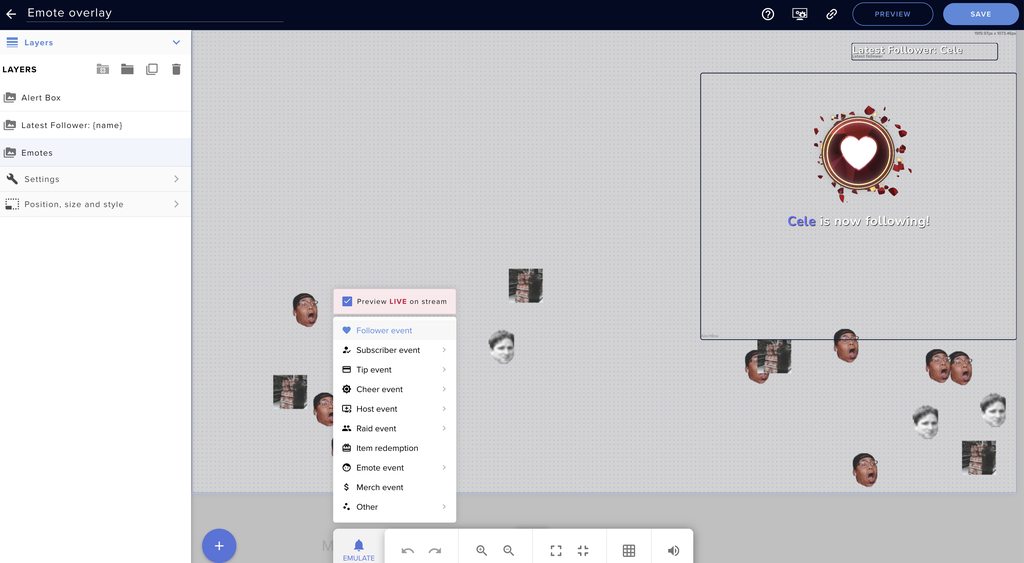 strong kernel
Appears to be working fine.
This will be a local issue. Perhaps something on your computer blocking it such as a firewall.
Make sure you're also using Chrome as your browser when using the site.
lament blade
how come when i change the color of my streamelements merch it moves around and resizes the logo?
proven warren
hmm ok let me look into it thanks
strong kernel
lament blade
how come when i change the color of my streamelements merch it moves around and ...
opaque trench
my bots commands arent workling
and i have to rel og out and log in evertuime for them to work
viscid pebbleBOT
@opaque trench Please provide your account ID found at the top of this page: https://streamelements.com/dashboard/account/channels This ID is public info and safe to share here.
opaque trench
59b5e1b5bb84ae1f64dec5d2
abstract hemlock
ok please do this
viscid pebbleBOT
@opaque trench StreamElements menu, on top of OBS > Logout > Login
opaque trench
I ve done that before
bot will work for like 5 to 10 min after logging back in and then commands wont work agaib
abstract hemlock
Then something is wrong with the custom account that you are using for the bot, remove it and add it again
viscid pebbleBOT
@opaque trench If your commands recently stopped working and you're using OBS.Live and a custom bot name do the following:
- In OBS.Live, click on the hamburger menu (three stripes) at the top left of your activity feed
- Click on Stream Settings > Custom bot name
- In the Custom bot name field select Set custom bot name, not your already existing username (with capital letters). Note: If you already connected an account that way, the third entry will show as the account name (see image https://i.imgur.com/sO7fWOX.png).
- Scroll a bit down and click on the purple Connect Custom Bot Account button
- Log in as usual and Authorize the custom bot name
- Back in the Activity feed, click on the Send Test Message button and check if your custom bot name starts working again
 fallow relic
can someone help me? im trying to set up loyalty and put in sound effects, i have them all set up but i cant redeem nor can my chatters? sounds dont play as well
strong kernel
fallow relic
can someone help me? im trying to set up loyalty and put in sound effects, i hav...
Did you add a store redemption widget to your overlay?
 proven kestrel
is there a way to add a Floor to the Hype Cup for the icons that bounce out of the cup?
and can I resize the default icons>
strong kernel
proven kestrel
is there a way to add a Floor to the Hype Cup for the icons that bounce out of t...
Not by default. You'd need to make a custom cup.
fallow relic
@strong kernel how do i do that
viscid pebbleBOT
@fallow relic We've released our new Overlay Editor revamp. You can check out the changes and how to work with it here: https://youtu.be/X5VzXjqAsjk
Check out our blog post as well: https://blog.streamelements.com/streamelements-overlay-editor-just-got-even-better-c22cb5b4853e
 flat hare
so apparently Streamlabs OBS prevents the "Check for Update" button from appearing? https://i.gyazo.com/01f66f08011aa018137e1d2b48676718.mp4
ionic kelp
Redownload from here and run. It'll update it. https://obsproject.com
OBS (Open Broadcaster Software) is free and open source software for video recording and live streaming. Stream to Twitch, YouTube and many other providers or record your own videos with high quality H264 / AAC encoding.
fallow relic
@strong kernel that video didnt show me how to set up a store redemption widget
strong kernel
fallow relic
<@!107215138561478656> that video didnt show me how to set up a store redemption...
The video shows you how to use the overlay editor and add any widget.
outer crystal
@strong kernel all of the alerts /: the raid one worked on one of two raids last night
fallow relic
@strong kernel it does not show me how to ADD a store redemption widget
it only shows how to add widgets in general
it doesnt go into depth each one
strong kernel
Why does it need to go into depth on how to add each one? They all add the same way. You open the menu, you find it, you click it.
If you can't find it, there's a search box at the top of the menu.
fallow relic
its still not allowing me to redeem sound effects
proven warren
@strong kernel I was able to get the overlay to show in OBS, thanks for your help. The latest follow and new follower alert box are now working. However, the emotes are clearly not working
strong kernel
fallow relic
its still not allowing me to redeem sound effects
Did you make the bot a moderator in your chat?
fallow relic
so that red box
does that need to be what the sound command id
is
how is it suppose to be set up
strong kernel
Yes, and the command is !redeem itemname
fallow relic
ive tried severale ways
strong kernel
This is a reference name. It does not make a command.
strong kernel
You don't type the !redeem part out.
!redeem is the default command you use to redeem the item name you put there.
Just the name.
Not the !redeem.
strong kernel
Yes.
fallow relic
still not working
strong kernel
And to actually use it, it's !redeem uwu
Not !uwu
You don't have an !uwu command.
 topaz sedge
How to add and mod stream elements to the Twitch chat? What is that command again?
abstract hemlock
@topaz sedge /mod StreamElements
queen raft
Hello there, is there a reason why I'm not getting Alerts sound? I've changed my name & let u know & enabled streamelements bot
strong kernel
queen raft
Hello there, is there a reason why I'm not getting Alerts sound? I've changed my...
Do you see the visuals?
queen raft
Yes
strong kernel
queen raft
Yes
Have you checked your VOD to see if they are audible there, and just not for you at the time?
strong kernel
Have you checked your OBS audio settings to make sure the correct device is selected?
And is "Control audio via OBS" checked in the browser source properties?
queen raft
strong kernel
And is "Control audio via OBS" checked in the browser source properties?
I didn't add an audio source under my sources
Should I? I also checked correct device, that one is also checked
strong kernel
An audio source is not needed.
Please check the browser source properties for that setting.
queen raft
strong kernel
And is "Control audio via OBS" checked in the browser source properties?
No
It's not checked
strong kernel
Try checking it. Then, in advanced audio properties, find the source listed, and in the dropdown, select "Monitor and output"
queen raft
strong kernel
Try checking it. Then, in advanced audio properties, find the source listed, and...
but now all these alerts sources are added into my audio mixer
should I just hide them?
strong kernel
"All these alert sources?" There should only be one, for the one browser source.
queen raft
strong kernel
"All these alert sources?" There should only be one, for the one browser source.
lol I have mutliple overlays for my alerts << sorry I'm fancy
lol
strong kernel
Then sure, hide them after configuring them as described.
queen raft
strong kernel
Then sure, hide them after configuring them as described.
Did
Sorry I just did
how should I test it
viscid pebbleBOT
@queen raft You can test alerts via the Emulate bell on the lower left side of the Overlay Editor. Simply go to your Dashboard > My Overlays > pencil/edit button on the overlay. Make sure the Preview LIVE on stream option is on to see the alert in OBS/XSplit** https://streamable.com/vtulg9


 dapper elbow
So I have an issue where the emote combos work for the hype cup, but only if one of a emote is posted in chat. These are my current settings