#helpdesk-twitch
1 messages · Page 811 of 1
 plain jewel
 lament blade
anyone? please?
 ionic kelp
@lament blade have an instance of when it last happened?
lament blade
@ionic kelp it always happens after every media share. when i set the volume higher it gets higher for the current video playing but if another one starts later it goes back down
 placid raptor
@plain jewel you've opened a ticket and I replied to it, and then you opened another one to which I also replied 
Please check your emails
 stable finch
so I'm new to twitch and play on Ps4
it won't let me add my card
even tho o libe in the us
US
ionic kelp
For......?
ionic kelp
You don't add a card. In the tipping settings you simply hit connect for the SE.Pay option.
 viscid pebbleBOT
Please contact us via email for support with SE.Pay. You can use our contact form here: https://streamelements.com/contact Thank you.
stable finch
thank you
plain jewel
@placid raptor oh ahah sorry, i wanted to add screenshots! i just replied back to the email thank you
placid raptor
No worries @plain jewel let's keep communication there
ofc if you have a separate issue feel free to ask
lament blade
how do you open a ticket?
placid raptor
what for @lament blade what do you need?
it's in the website basically
contact us form
lament blade
@placid raptor this
placid raptor
how are you using MR?
are you sure the overlay doesn't have volume reduced in the audio settings?
lament blade
through the website
placid raptor
and streaming software?
lament blade
on twitch, and obs says its at 100%
placid raptor
OBS Studio?
lament blade
yeah
placid raptor
Is there a reason you're not using OBS.Live?
it's not a must, we can investigate the MR thing. but I personally didn't have issues of such weird nature when using OBS.Live's MR dock
would you be able to try that?
ionic kelp
I actually just listened to the last VOD from about a week ago and I heard no audio from the 1 "song" that was requested during then.
And I mean no audio.
ionic kelp
I even skipped forward a bit and didn't hear anything if you had changed that.
lament blade
no, i just realized you can use a command to change the volume yesterday
placid raptor
I would personally recommend going the obs.live route if you're currently using studio
the difference in amount of issues i see with both setups is crazy
using the website is weird  but i never had outstanding issues with the dock. so I wholeheartedly recommend that
lament blade
i cant stream for some reason
placid raptor
@lament blade not very informative :[
lament blade
i get elements going but when i got to the web thing it says im not live
dang, alright i guess i'll try obs.live. I wish using the website didn't cause issues. thank you both for your help! you're awesome!
ops spellinh
so anyone know what to do
bc i don't think its youtube and twitch
the only thing i change was i added a chat mod custom today and then it wouldn't stream
but obs said i was but youtube and twitch said i wasnt
placid raptor
I wish that too @lament blade it's a matter of amounts of reports vs current development priorities
@lament blade what is the issue, in one clear sentence please?
Your SE profile says you're offline while you are live on Twitch?
placid raptor
The intervals of polling twitch for some of the data can take up to 15, even 30 minutes, it's not instance
one at a time man :]
YT works differently
lament blade
on yt i cant get the stream to go live it wont connect
yt says connect streaming software to go live but i already have
any idea
placid raptor
@lament blade please describe the YT issue separately in #helpdesk-youtube
sorry for the split but these channels handle specific issues
lament blade
ok but i cant stream on twitch too
placid raptor
two different platforms
lament blade
ok
placid raptor
And I think it's just an issue with understanding what should be done
lament blade
alright new less urgent question, is it possible to get like a theme or something for obs.live so it looks more like normal obs?
placid raptor
you should be able to resize all docks how you see fit
we're working on improving that but it should be fairly easy getting used to
but what is the difference you see? what did normal OBS looked for you?
maybe you used 'studio mode' or something
lament blade
like normal obs is just a dark grey but obs.live has a more purple-blue-ish look? it's not a huge issue just aesthetics but is there any way to change it?
placid raptor
you should have theme settings you can choose from
just settings > general > theme
its like the top section
lament blade
see how the obs.live docks dont follow the theme? sorry this is really dumb but it bother me
ionic kelp
That's because those use the coloring from the website and not what OBS uses.
 honest tendon
i need some help to set up tips and such
donations
im burned out from all the multitasking for twitch... insta facebook photoshop twitter + streaming... so if anyone could guide me specifically... 😦
 graceful hare
heyo! i'm new here, have a quick question about the bot that sends a message to twitch chat when I go live, how can I change the messages?
nvm found it kek
 woven sky
Hi 👋 trying to get Bot timers to post links to My socials, but its not links in twitchchat, its just plane text. Do I need to add some code for hyperlink?
 tired osprey
why is the bot not entering stream
viscid pebbleBOT
@tired osprey Go to the Dashboard > Right side > Part channel > Join channel(https://streamelements.com/dashboard)

 serene niche
How do I start my streams on StreamElements?
viscid pebbleBOT
@serene niche New to StreamElements?
Check out our YouTube channel https://www.youtube.com/c/streamelements/videos
with tutorial videos from setting up the basics, to in-depth details on how to use our product.
New to OBS? Here is a 4 step quick start guide
https://obsproject.com/wiki/OBS-Studio-Quickstart
Want to learn even more? Here is an in-depth overview
https://obsproject.com/wiki/OBS-Studio-Overview
 burnt shadow
Hi! Ive switched from YouTube to Twitch Streaming, but inside OBS Live it still shows my YouTube Activity feed and I would like to change it to Twitch...but it wont let me. How to refresh with Twitch Info?
viscid pebbleBOT
@burnt shadow StreamElements menu, on top of OBS > Logout > Login
 nimble dune
Relog
burnt shadow
I'm a simpleton. Thank you.
nimble dune
Welcome 😄
 wary coral
hey can someone help me
viscid pebbleBOT
@wary coral Welcome to the helpdesk! Please let us know how we can assist you today and a support volunteer or staff member will assist you as soon as they are available. Thank you for your patience.
woven sky
@tired osprey ${random.pick 'meassge 1' 'message2' 'message 3'}
ionic kelp
Yes though it might not always work.
tired osprey
ok
 buoyant osprey
how can i put all de images in the stream?
and what those the bot do if i put him in regulas
woven sky
Anyone know why My Bot timer Will post hyperlink as plane text?
 low harness
commands do not work on Twitch
 exotic sand
viscid pebbleBOT
exotic sand
viscid pebbleBOT
@exotic sand Welcome to the helpdesk! The regular helpdesk channels are in English but we do provide multi-language support in the following channels: #🇩🇪︱deutsch | #🇫🇷︱français | #🇪🇸︱español | #🇵🇹︱português | #🇳🇱︱nederlands | #🇮🇹︱italiano | #🇵🇱︱polski | #🇨🇳︱中文語言服務區-chinese | #🇯🇵︱日本語-japanese | #🇭🇺︱magyar | #🇰🇷︱한국어-korean | #🇹🇭︱ไทย-thai | #🇷🇺︱русский | #🇺🇦︱українська | #🇨🇿︱czech
low harness
You speak English?
buoyant osprey
he said that if any command is usful in twitch
viscid pebbleBOT
@buoyant osprey To add your overlays to OBS, add a new browser source in your scene. Paste your overlay URL in the browser source properties, set the dimensions to 1920x1080 (unless you changed them on the website) and check Shutdown source when not visible. https://youtu.be/KDvLynUqXI4
 wary halo
buoyant osprey
and what those the bot do if i put him in regulas
wary halo
buoyant osprey
and what those the bot do if i put him in regulas
regulars mean that only subs and higher can use the command
 magic badge
Hey i downloaded a overlay. But it has a very loud transition sound. is there any way to get rid of?
wary halo
we don't make transitions, and they can only be adjusted in the video file themself
so you would net to re-render the video with a lower volume
magic badge
ohh okay thanks 🙂
 foggy jackal
I cannot withdraw my money from donors through Streamelemens. Why ?
viscid pebbleBOT
@foggy jackal Please contact us via email for support with SE.Pay. You can use our contact form here: https://streamelements.com/contact Thank you.
@thorny falcon Please provide your account ID found at the top of this page: https://streamelements.com/dashboard/account/channels This ID is public info and safe to share here.
 thorny falcon
@viscid pebble 5bfc42d7947b2c5498776975
 viscid gyro
Hi, I recently changed my username on Twitch. On Streamelements, I started with Shrewdsheeple and recently changed it to Ramosaur - I was told I need to get my chatstats reset to my new username, could anybody help me take a look? thank you!
 obsidian parcel
hello, I have alerts set up on streamelements and want to add them to my streamlabs obs
i cant seem to find a way of doing this.
viscid pebbleBOT
@obsidian parcel We're not able to troubleshoot issues with using our overlays in StreamLabs OBS (SLOBS) as we don't have the tools to support their software. We recommend using OBS Studio or OBS Studio with our plugin OBS.Live.
 oblique steeple
@viscid gyro I've forwarded it to staff
 civic delta
what is the easiest way to see your chat on 1 monitor whilst palying games??
oblique steeple
@viscid gyro Oh wait. It should already work. https://stats.streamelements.com/c/Ramosaur
ionic kelp
If you're playing fullscreened you'd need something else as it won't work without capturing it.
viscid pebbleBOT
@civic delta If you have one monitor and/or would like the chat overlay on the screen, please look at the link below.
Please note this is not a plugin for OBS and not maintained by SE.
https://github.com/baffler/Transparent-Twitch-Chat-Overlay
 deep kestrel
Hello i am new to setting up commands on stream elements. I was wondering if there is a way to setup a command with randomized multiple responses?
viscid gyro
Oh awesome! Thank you @oblique steeple that's great news 🙂
oblique steeple
@deep kestrel You can use a third-party API to accomplish this see: https://thefyrewire.com/docs/api/twitch/pastebin/#return-random-line-from-paste
deep kestrel
@oblique steeple tysm
civic delta
lmao im so stupid i cant figure it out lol
oblique steeple
What game are you playing?
oblique steeple
Okay and you already downloaded and installed that program?
civic delta
i think so im new to pc i downloaded a file
oblique steeple
Did you follow the instructions on the website? Because downloading is not the same as installing. After downloading, you have to double-click the file.
civic delta
when i click open file nothing happens
i have donwn loaded it i double click the file and nothuing is hapening
deep kestrel
@oblique steeple that link confused me so much lol
oblique steeple
@deep kestrel But did you manage to set it up? 😄
deep kestrel
not at all lol
okay kind of nsfw but im trying to make a command thats !pp and giving different responses like user has smol pp or user has big pp lol
oblique steeple
@civic delta If nothing is happening, then you have some bigger problems that we can't help you with. It'd be the best to ask a friend or family member that knows a bit more about PCs
deep kestrel
i know stupid but some of my followers want different responses and idk how to do it
civic delta
okay thx
oblique steeple
@deep kestrel aight. Gimme a few
deep kestrel
ty
ionic kelp
${random.pick 'smol pp' 'big pp' 'wtf is this pp'}
oblique steeple
That's what I was looking for Cause the link I sent you is more suitable for actual sentences
deep kestrel
just copy paste into the response and change the response in between ' '??
ionic kelp
Yes
deep kestrel
tysm
i will keep this up, run a test stream, and if it works ill come back and ty again lol
could is use ${user} in front of it so it says that user has whatever the response is
 stark pine
anyone else had problems logging in to streamelements?
when i log in by clicking twitch on the mainpage, it allows me to click my dashboard and then just loads again without progressing.. :/
viscid pebbleBOT
@thorny falcon SE.PAY is available for streamers who are at least 18 years old, with bank account under their name in one of the following countries and have at least 101 follower (Twitch) / 101 subscribers (YouTube):
Austria, Belgium, Czech Republic, Denmark, Finland, France, Germany, Ireland , Italy, Netherlands, Poland, Portugal, Slovakia, Spain, Sweden, Switzerland, United Kingdom, United States.
If you meet these criteria and don’t see SE.Pay, let us know.
For information on SE.Pay payment methods, their fees and settlement times see https://streamelements.com/dashboard/tipping/fees
ionic kelp
You don't meet the requirements.
placid raptor
toxic 
ionic kelp
☢️
oblique steeple
@stark pine Are you using a Chromium based browser such as Google Chrome, the new MS Edge, Opera etc.?
If yes, clear your cache and cookies and try again. If it doesn't work, click dis 👉 https://streamelements.com/logout
placid raptor
woven sky
No one can tell me why Bot timer only shows urls as text and not as links?
ionic kelp
Because that's not possible.
Or your link does not play nice with twitch link mine happens with sometimes.
woven sky
@ionic kelp so the Bot timer can not post links 🤔 but commands is no problem?
ionic kelp
Screenshot what you're wanting to do.
deep kestrel
yooo it worked @ionic kelp ty
okay so now if i wanted to make another randomized command but with randomized numbers how would i go about that one. for example, im trying to make a command !shoot @sullen temple and have the command say @sullen temple shot @other user for (random number) with (random gun).
is there a way i can make the number 1-100 and make a list of guns to choose from?
@ionic kelp
woven sky
@ionic kelp
ionic kelp
@deep kestrel ${random.1-100} for the number and the same thing with the previous variable.
deep kestrel
so like ${random.pick ${user} has shot ${user} for ${random.1-100} damage with whatever gun?
is there a different variable for the tagged user and how would i go about randomizing the weapons?
ionic kelp
${sender} ${random.chatter} ${random.1-100} ${random.pick 'knife' 'pistol' 'machine gun'}
deep kestrel
tysm imma try it out
would ${random.chatter} randomly pick someone in stream or would it pick the person being tagged when the viewer puts !shoot user
ionic kelp
you'd use touser instead if you want the person to be chosen by the command user.
ionic kelp
first
 upbeat grotto
Hi everyone. How to I set my camera up for streamlabs if I am using an xbox. My app just wants to ise my phone camera and audio. Complete newbie at streaming but really want to stream today to test out all my overlays. Any help would be greatly appreciated. Thanks
ionic kelp
@upbeat grotto You'd have to ask them.
 coarse pike
Hello 😄 Is there any way to download sound files from the store cloud? Thanks
ionic kelp
There is not and it's against our ToS.
coarse pike
Ah okay, thank you for the answer 😄
upbeat grotto
Do you mean streamlabs as all I can see is the page that shows when you stream from your phone
oblique steeple
Yes. We are StreamElements not Labs. We can't help you with their products.
upbeat grotto
I am so confused. The guy that did the overlays for me gave me streamlabs and StreamElements discord.
oblique steeple
You mentioned yourself that you wanna use it with StreamLABS so..
upbeat grotto
Yes as thats what the guy set up but he sent me an invite for here hence the confusion
oblique steeple
There's a chance that he didn't know that Elements and Labs are different companies
upbeat grotto
He does it professionally, Thanks any way for taking the time to amswer me, I appreciate it. I will see if there are any YouTube videos that can help 🙂
ionic kelp
@main kayak Move it up the list.
wary halo
and make sure the resolution is set to 1920x1080
 main kayak
that's already the top, It occured mid stream session
wary halo
And I removed your picture because it showed your overlay URL, you do NOT want to share that with others for security reasons
main kayak
okay
other layers are stuff like discord avatars, those only appears when someone is in the voice chat
viscid pebbleBOT
@main kayak OBS > Settings > Advanced > Scroll down > Enable or disable Browser Source Hardware Acceleration, depending on its current state > Restart OBS (This does not apply for OBS on Mac)
https://i.imgur.com/ggMe9ZE.png
 wary halo
make sure that is turned off
 wind hamlet
Hi. I am newer to streaming and am attempting to stream my switch on a cheaper, simple usb to hdmi capture card. The video had been working perfectly but I cannot seem to get audio. Any suggestions?
 eager hill
How do i find my username as i am trying to delete my account and cannot find it
ionic kelp
@eager hill Top left of the dashboard.
wind hamlet
Guys I just plugged a line in to try to fix the audio issue and I can hear the game but overall I just hear this weird buzz.
any suggestions
 trim skiff
Are there still no updates on the stream elements chat alert issue?
Why does the tip message keep resetting even though it says saved, are there hidden character limits? Is there something else wrong?
 spare glade
question: when i click start streaming, obs wants to stream on youtube, but i want to stream in twitch, settings has twitch as the platform but obs still wants to go live on youtube
viscid pebbleBOT
@spare glade StreamElements menu, on top of OBS > Logout > Login
wind hamlet
Hi. I am newer to streaming and am attempting to stream my switch on a cheaper, simple usb to hdmi capture card. The video had been working perfectly but I cannot seem to get audio. Any suggestions?
viscid pebbleBOT
Obs.live is a plugin for OBS Studio for the best OBS support, please join their Official Discord @ discord.gg/obsproject
spare glade
viscid pebble
<@!216518590495588352> **StreamElements** menu, on top of OBS **> Logout > Login...
thanks, that fixed it
 quartz robin
how can i change my email? i made a gaming email and want to change it to that instead.. i changed my Twitch to my gaming email.
viscid pebbleBOT
@quartz robin Please logout of StreamElements at https://streamelements.com/logout and then login again to your account (Twitch/YouTube/Facebook).
 royal ledge
Hey guys, I need help setting up alerts when somebody follows or donates? Can i do that in streamelements?
viscid pebbleBOT
@royal ledge We've released our new Overlay Editor revamp. You can check out the changes and how to work with it here: https://youtu.be/X5VzXjqAsjk
Check out our blog post as well: https://blog.streamelements.com/streamelements-overlay-editor-just-got-even-better-c22cb5b4853e
 uncut anvil
Hi all, got a question. I cant seem to get any data on Prime subs. is that a bug or am I missing something?
viscid pebbleBOT
@uncut anvil Prime Gaming (new and resub) and paid subscriptions (resub only) must be shared in chat manually by the person subscribing in order for the subscription information to be sent to StreamElements. For Prime Gaming, the user needs to have sharing enabled on https://www.twitch.tv/settings/prime. For paid subs, if the share box doesn't show up immediately it will when they refresh the page. https://i.imgur.com/VNJN0Uv.gif https://i.imgur.com/2297EA7.png


 sleek breach
Hi, I have a question, can I set the streamelement to link to my youtube channel
wary halo
sleek breach
Hi, I have a question, can I set the streamelement to link to my youtube channel
you mean the bot saying your channel link in the chat?
sleek breach
wary halo
you mean the bot saying your channel link in the chat?
Yes
Am streaming On twitch
wind hamlet
If anyone knows anything about the audio settings and capture card. Or buzzing through an input line
sleek breach
Thx
viscid pebbleBOT
@wind hamlet Obs.live is a plugin for OBS Studio for the best OBS support, please join their Official Discord @ discord.gg/obsproject
lament blade
Hi, i have a problem.. i'm using streamlabs as donation source. but now i want to start using streamelements, my donations don't pop up.. is there a way to merge everything? like tipeestream, streamlabs and streamelements? and also the alerts don't show up... one more question, how do i add the event list from streamlabs to streamelements? because i made a custom event list on streamlabs and i want to start using streamelements.. but when i copy paste the html and css it doesnt show anything
 raven trout
hi, i have a question about the streamelements leaderboard, when will the current points add to alltime?
 gritty kindle
Hi, I have a a question on donations and subs. Does twitch automatically take taxes out or would I need to fill out a tax return?
 dry hare
I believe there’s a help article on twitch regarding that
 frank dove
Hi! I have a question about the loyalty system... is it giving points to people who gift subs and sub with tier 2 and tier 3? 
dry hare
gritty kindle
Hi, I have a a question on donations and subs. Does twitch automatically take ta...
It’s also not very helpful. Taxes need to be paid if you generate over $600 in a calendar year
dry hare
If it wasn’t complicated it wouldn’t be any fun
dry hare
frank dove
Hi! I have a question about the loyalty system... is it giving points to people ...
I don’t believe it differentiates between sub levels. It should give bonus points if they subbed. Unsure about gifted subs
frank dove
dry hare
I don’t believe it differentiates between sub levels. It should give bonus point...
It would be nice to have those options tracked too to see which people are your top supporters 😦
viscid pebbleBOT
Check out the StreamElements ideas board: https://strms.net/ideas. You'll be able to add ideas, upvote ideas you agree with and track their progress with email notifications. Adding and upvoting ideas also helps the staff know which ideas should be prioritized so please take some time to upvote.
lament blade
Merhaba Türk Varmı
viscid pebbleBOT
@lament blade Welcome to the helpdesk! The regular helpdesk channels are in English but we do provide multi-language support in the following channels: #🇩🇪︱deutsch | #🇫🇷︱français | #🇪🇸︱español | #🇵🇹︱português | #🇳🇱︱nederlands | #🇮🇹︱italiano | #🇵🇱︱polski | #🇨🇳︱中文語言服務區-chinese | #🇯🇵︱日本語-japanese | #🇭🇺︱magyar | #🇰🇷︱한국어-korean | #🇹🇭︱ไทย-thai | #🇷🇺︱русский | #🇺🇦︱українська | #🇨🇿︱czech
lament blade
The overlay I made is visible on half of my screen, I can't see the other side
viscid pebbleBOT
@lament blade The default resolution for StreamElements overlays (theme and custom) is 1920x1080. Please add them in OBS at their full resolution and use CTRL+F to fit to screen if necessary. You can then downscale your stream in OBS settings > Video if you'd like https://i.imgur.com/6bWXxjR.png
 lament blade
alert boxes were not working but they were broken
How can I get more payment options like ideal?
viscid pebbleBOT
@lament blade SE.PAY is available for streamers who are at least 18 years old, with bank account under their name in one of the following countries and have at least 101 follower (Twitch) / 101 subscribers (YouTube):
Austria, Belgium, Czech Republic, Denmark, Finland, France, Germany, Ireland , Italy, Netherlands, Poland, Portugal, Slovakia, Spain, Sweden, Switzerland, United Kingdom, United States.
If you meet these criteria and don’t see SE.Pay, let us know.
For information on SE.Pay payment methods, their fees and settlement times see https://streamelements.com/dashboard/tipping/fees
raven trout
raven trout
hi, i have a question about the streamelements leaderboard, when will the curren...
?
 maiden cargo
Can help me, store mensage dont send to live
I use overlay link but dont send
lament blade
lament blade
alert boxes were not working but they were broken
?
 celest ravine
Hey!
Just got affiliate and wanted to change the sub alert box with a custom video but if I emulate the alert it keeps showing the old default animation.
Anyone able to help?
 foggy spear
I don’t know how to use my overlays can anyone tell me how
viscid pebbleBOT
@foggy spear To add your overlays to OBS, add a new browser source in your scene. Paste your overlay URL in the browser source properties, set the dimensions to 1920x1080 (unless you changed them on the website) and check Shutdown source when not visible. https://youtu.be/KDvLynUqXI4
wary halo
celest ravine
Hey!
Just got affiliate and wanted to change the sub alert box with a custom vi...
check your alert variations
 short current
streamelements dont show me se.pay wwhat i should di
viscid pebbleBOT
@short current SE.PAY is available for streamers who are at least 18 years old, with bank account under their name in one of the following countries and have at least 101 follower (Twitch) / 101 subscribers (YouTube):
Austria, Belgium, Czech Republic, Denmark, Finland, France, Germany, Ireland , Italy, Netherlands, Poland, Portugal, Slovakia, Spain, Sweden, Switzerland, United Kingdom, United States.
If you meet these criteria and don’t see SE.Pay, let us know.
For information on SE.Pay payment methods, their fees and settlement times see https://streamelements.com/dashboard/tipping/fees
short current
ok ty
celest ravine
wary halo
check your alert variations
the alert box is still showing the default star animation instead my uploaded one
wary halo
celest ravine
the alert box is still showing the default star animation instead my uploaded on...
check ALL variations in the variations tab
lament blade
how do i copy the streamlabs css and html to streamelements.. its not working or showing up if i do copy the whole thing
maiden cargo
SOMEONE CAN HELP ME, THE RESTAURANTS IN THE STORE IS NOT WORKING
SOMEONE CAN HELP ME, THE RESTAURANTS IN THE STORE IS NOT WORKING
 narrow ibex
maiden cargo
SOMEONE CAN HELP ME, THE RESTAURANTS IN THE STORE IS NOT WORKING
narrow ibex
maiden cargo
SOMEONE CAN HELP ME, THE RESTAURANTS IN THE STORE IS NOT WORKING
Hey, with out capslock and with only one message, there is sure someone who can help you too 🙂
 devout dune
I need help with making a color scheme for my twitch transition
maiden cargo
someone can help me, streamelements dont send mensage to stream. i use overlay but dont show the mensage
 soft valley

wary halo
legit
devout dune
I need help with making a color scheme for my twitch transition i can send video file
wary halo
Might want to contact a designer for it then in #art-marketplace
As this is not at all StreamElements related
 timber gate
Can someone help me with alerts and chatbox? Pls @ if
 latent rover
I'm having two issues currently. 1: my video isn't fitting currectly. 2: I have no idea how to change the color my chat.
viscid pebbleBOT
@timber gate We've released our new Overlay Editor revamp. You can check out the changes and how to work with it here: https://youtu.be/X5VzXjqAsjk
Check out our blog post as well: https://blog.streamelements.com/streamelements-overlay-editor-just-got-even-better-c22cb5b4853e
timber gate
@wary halo i know the basics, but the thing is that idk how to not be basic
 sudden kelp
Hey there – I’m having an issue with media/song requests on a channel I mod:
- When a mod or the streamer types: “!sr YouTube link” in Twitch chat, their request is added to the media request queue in StreamElements properly.
- However, when a non-mod uses the same command in Twitch chat, instead of adding their request to the pending queue for review, StreamElements adds a NSFW request to the pending queue. The same NSFW video is added to the pending queue for any non-mod song request.
I think we’ve probably been pranked, but I’m not how it was done or how to fix it. If anyone has advice for fixing the song request command, I would really appreciate it.
 faint sleet
Hi, ¿can anyone help me? When i start streaming it´s everything okey but when i change of scene, OBS just stop streaming and say that it was a codification error
Pls someone help me, i need to stream
viscid pebbleBOT
@faint sleet Obs.live is a plugin for OBS Studio for the best OBS support, please join their Official Discord @ discord.gg/obsproject
 static schooner
I've added a streamelements overlay with various alert boxes into OBS but when alerts come up they are super choppy - I am streaming from OBS Studio on Mac
 rotund elm
Is !slots module working? No matter what I have it set as for the rigged slider, everyone loses.
viscid pebbleBOT
@rotund elm The slider increases the payout if you manage to win
- less than 100 on the slider means people will not win money over time using the slot machine. 80-100 is a good range
- less emotes = higher win chance
- it's like 5 emotes = 3%, 4 emotes = 7%, 3 = 12%
- actual formula : n / n^3
- n = number of emotes
 rancid arch
Hey guys im having an issue where the time command wont recognize AWST. can you pls tell me if this is a bug
 patent vessel
the songrequest module is jus tnot there
viscid pebbleBOT
Read and follow our server rules:
- We do not tolerate toxicity! Treat the community team, staff and all members with respect.
- No advertisement or channel promotion, anywhere on the server.
- No NSFW/NSFL
- No unsolicited DMs or friend requests to server members
Make sure to read the #welcome in any server you join.
 vast holly
I NEED HELP PUTTING MY OVERLAY IN OBS
viscid pebbleBOT
@vast holly To add your overlays to OBS, add a new browser source in your scene. Paste your overlay URL in the browser source properties, set the dimensions to 1920x1080 (unless you changed them on the website) and check Shutdown source when not visible. https://youtu.be/KDvLynUqXI4
 languid oxide
I seem to be having an issue where my alerts, chat and some of my overlays/browser sources are no longer working. Someone said to reconnect, but I'm not seeing where it is disconnected?
 soft saddle
Hello, can somebody help me with Streamelements bot ? It doesn't seem to be responding to any commands.
 undone harbor
@languid oxide My alerts and overlays aren't keeping up with my Followers, yeah, I'm having the same issue
Yesterday it still kept up with my total follower count but today, nothing seems to be working
I've tried resetting the session data and tried reconnecting Twitch as well, nothing seems to fix it. Latest follower is still empty
Streamelements Bot doesn't seem to be working for me as well @soft saddle was working for me yesterday I have no idea
soft saddle
Well, nightbot it is
viscid pebbleBOT
Go to the Dashboard > Right side > Part channel > Join channel(https://streamelements.com/dashboard)
 torn plover
does anyone know where the twitch stats went? it vanished monday for me and i can't find it now. twitch stats being showing followers subs how long i've been live and view count
torn plover
this is useing the streamelements think it's obslive
wary halo
same way, .Live is just a plugin for OBS 😉
torn plover
it's not the right stats that shows me frame rates and drop of frames
 calm gate
Hello everyone, I am looking for a way to reverse the twitch chat widget, means messages should come in from the top and then get pushed down by the next messages, is that possible?
 south coral
Hi all I’ve recently moved from streamlabs to streamelements and obs I’ve created overlays and they work in obs and I can emulate but don’t show on a stream on twitch it’s driving me mad any help greatly appreciated
viscid pebbleBOT
@south coral OBS > Settings > Advanced > Scroll down > Enable or disable Browser Source Hardware Acceleration, depending on its current state > Restart OBS (This does not apply for OBS on Mac)
https://i.imgur.com/ggMe9ZE.png
south coral
It’s on a Mac
 tidal jay
Anyone having a problem with a refresh token error? Trying to make the switch from stream labs to obs
lament blade
Any one wanna tell me how to make some one super mod  I’m dumb
viscid pebbleBOT
@lament blade Chat/Bot Levels
100 - Viewer
250 - Subscriber (Twitch subscribers automatically placed at this level)
300 - Regular
400 - VIP (Twitch VIP automatically placed at this level)
500 - Moderator (Twitch chat moderators automatically placed at this level)
1000 - Super Moderator__
1500 - Broadcaster
Dashboard Manager Levels
Bot Supervisor
Editor
Full Access
Owner
https://i.imgur.com/s61Liry.png
 nimble dune
In chat !level username 1000
lament blade
twitch bot wont show alerts when some on follows or alert
 neat sandal
My alerts arent popping up
viscid pebbleBOT
@neat sandal To add your overlays to OBS, add a new browser source in your scene. Paste your overlay URL in the browser source properties, set the dimensions to 1920x1080 (unless you changed them on the website) and check Shutdown source when not visible. https://youtu.be/KDvLynUqXI4
calm gate
Question regarding TTS in Alerts - for any reason my TTS starts after the alert duration is over - so the alert is gone and then it starts the TTS, is that normal?
 strong kernel
calm gate
Question regarding TTS in Alerts - for any reason my TTS starts after the alert ...
strong kernel
calm gate
Question regarding TTS in Alerts - for any reason my TTS starts after the alert ...
Yes, that is intended.
calm gate
strong kernel
Yes, that is intended.
isn't that weird? since the message is already gone from the screen and then it starts reading something which isnt there anymore?
strong kernel
No, as most alerts have audio through the end of them, and TTS attempting to play over it would result in making it difficult to hear.
calm gate
sure that makes kinda sense, would be nice if it would be adjustable - in my example the alert sound is like 3 seconds but the alert is on screen for 10 seconds, so there would be 7 seconds left to read it
viscid pebbleBOT
@calm gate Check out the StreamElements ideas board: https://strms.net/ideas. You'll be able to add ideas, upvote ideas you agree with and track their progress with email notifications. Adding and upvoting ideas also helps the staff know which ideas should be prioritized so please take some time to upvote.
 lone scaffold
my twitch chat wont load
strong kernel

🔎 We are investigating issues with the site not loading correctly. Thank you for your patience.
Likes
102
 Twitter
·
lone scaffold
Twitter
·
lone scaffold
okay cool im not the only one
lament blade
how to i get the text to appear inside my animated alert. Right now it appears above the gif
viscid pebbleBOT
@lament blade Text not showing up over your alerts? Go to the Advanced Text Settings and set the top margin to 50, you can work your way to the right position from there.
 radiant basin
how can i get my overlays to streamlabs?
viscid pebbleBOT
@radiant basin To add your overlays to OBS, add a new browser source in your scene. Paste your overlay URL in the browser source properties, set the dimensions to 1920x1080 (unless you changed them on the website) and check Shutdown source when not visible. https://youtu.be/KDvLynUqXI4
@radiant basin We're not able to troubleshoot issues with using our overlays in StreamLabs OBS (SLOBS) as we don't have the tools to support their software. We recommend using OBS Studio or OBS Studio with our plugin OBS.Live.
 edgy vault
Where do I have to contact?
viscid pebbleBOT
@edgy vault Please contact us via email for support with SE.Pay. You can use our contact form here: https://streamelements.com/contact Thank you.
edgy vault
Thanks
 knotty ibex
has anyone managed to import watchtime from slobs?
lament blade
how do i download my custom alerts
viscid pebbleBOT
@lament blade To add your overlays to OBS, add a new browser source in your scene. Paste your overlay URL in the browser source properties, set the dimensions to 1920x1080 (unless you changed them on the website) and check Shutdown source when not visible. https://youtu.be/KDvLynUqXI4
nimble dune
Download? You can add to OBS
lament blade
Ok thank, now my Cheer alert is not work. it is showing some default animated alert
nimble dune
knotty ibex
has anyone managed to import watchtime from slobs?
There is no way to import watchtime from streamlabs.
nimble dune
lament blade
Ok thank, now my Cheer alert is not work. it is showing some default animated al...
Maybe check variations
For cheer alert
knotty ibex
nimble dune
There is no way to import watchtime from streamlabs.
like theres no way or its a long explination
nimble dune
knotty ibex
like theres no way or its a long explination
I'm not support hero, but 100% there is no way to import, i don't see an option for that on website.
lament blade
It worked thanks!!!!!!
 shadow arch
When I attempt to add my YouTube channel while logged in via Twitch it says my channel is already claimed. I have logged in via YouTube before so I'm guessing that's the issue. Is there a way to undo my YouTube channel so i can claim it properly?
viscid pebbleBOT
@shadow arch Account Merging - Please note:
- Merging accounts only allows faster ways to switch between accounts
- Merging accounts does not allow data sharing between accounts - different streaming platforms, different type of events
- Merging accounts allows duplicating/sharing overlays between the accounts
If you understand the limitations of merging and want to proceed, please find the JWT tokens (!jwt) from both accounts you want to merge and you will be directed to DM them to a staff member
nimble dune
lament blade
It worked thanks!!!!!!
Welcome! 
shadow arch
Alright, So any staff member available for me to DM my JWT Tokens to for the merge?
strong kernel
shadow arch
Alright, So any staff member available for me to DM my JWT Tokens to for the mer...
Do you understand the limitations?
shadow arch
sure do.
strong kernel
shadow arch
sure do.
Please DM me the tokens, clearly labeling which is which.
shadow arch
Alrighty.
strong kernel
shadow arch
Alrighty.
Your channels have been merged.
shadow arch
Alright, Thanks. I appreciate it!
 modest crypt
i am having a hard time with the watch time showing as only 0 seconds for some and logging time for others?
viscid pebbleBOT
@modest crypt 10 minutes of watch time is given to those in chat when the loyalty points are handed out (every 10 minutes). Therefore, loyalty must be enabled to watch time to work properly.
There is no direct link between watch time and all-time points.
It can’t be calculated from the number of all-time points a user has because subs may earn points at a faster rate and !bonus all command increases all-time points for users in the chat at that time.
Giving points to a single user do not affect all-time, only when giving to all in chat.
modest crypt
okay but i have loyalty setting on and it still doesnt log any time for that person
 upper dawn
So, I just learned @{user.name} works like other bots touser, and ${touser} works like msg/arg... which is not the way I expect it to work considering most every other bot... so if I want a command to only mention the person who typed the command I use ${sender}?
strong kernel
upper dawn
So, I just learned @{user.name} works like other bots touser, and ${touser} work...
Correct.
upper dawn
will sender be lowercase as well?
strong kernel
Don't believe so.
viscid pebbleBOT
@lament blade Welcome to the helpdesk! Please let us know how we can assist you today and a support volunteer or staff member will assist you as soon as they are available. Thank you for your patience.
 craggy stratus
Follow Alert Issue: Can anyone tell me, why this setting doesn't show text? (using a custom webm video)
lament blade
i dont get any new follower activity on my activity feed
i have the problem only at followers
viscid pebbleBOT
@craggy stratus Text not showing up over your alerts? Go to the Advanced Text Settings and set the top margin to 50, you can work your way to the right position from there.
strong kernel
lament blade
the problem is not in my overlay
Is your name drong?
lament blade
drong?
craggy stratus
i am drong, the message about the overlay was for me and very helpful
lament blade
ahh sorry
i tought its for me my bad
sorry but i dont know how to get support from discord where can i write my problem?
am i right here?
strong kernel
lament blade
i dont get any new follower activity on my activity feed
Your webhooks have been resubscribed. You should continue to see followers moving forward.
lament blade
thank you so much for your help
 cursive storm
Hello @viscid pebble my Twitch username is pfyangs and I would like to have my bot renamed with ground control only! How would I go about this? Thank you!!
craggy stratus
My Follower counter is giving out a weirdly wrong number. Way lower than it should be
 lethal canopy
pls, am in my channel but I cant find the tip pannel to insert my link
i look at the help page. it says to check the top left coner but I can not find it there
i need help
lethal canopy
i have check this link
it says to check the top left coner of my channel but I can not find it there
i need help pls
 sacred hollow
I am trying to add a Tiltify campaing to my overlay, i have the alert set up and trying to add the donation counter but I dont know where to enter the campaign info, can u please help with this?
ionic kelp
@sacred hollow import option in top right then switch to integration tab. That'll connect it and simply choose the campaign from the dropdown for the tiltify widget settings.
sacred hollow
ionic kelp
<@519405986306457611> import option in top right then switch to integration tab....
my dropdown is blank, how do i add the information. my squad provided me with links Can you help me with this? I have a blank dropdown under campaign how do i add our campaign info to activate the counter & alerts
 strong girder
how do i deactivate my streamelements account
 runic mural
How do I get the sounds redeemed in my loyalty store to play into my audio? I asked this yesterday but I didn't appear to get a response.
Is this better asked in obslive?
 wide karma
hi everyone is the !watchtime command working for you? In my stream it always said you have watched 0 secs to every viewer who tried it
viscid pebbleBOT
@wide karma 10 minutes of watch time is given to those in chat when the loyalty points are handed out (every 10 minutes). Therefore, loyalty must be enabled to watch time to work properly.
There is no direct link between watch time and all-time points.
It can’t be calculated from the number of all-time points a user has because subs may earn points at a faster rate and !bonus all command increases all-time points for users in the chat at that time.
Giving points to a single user do not affect all-time, only when giving to all in chat.
ionic kelp
@runic mural Add redemption widget to your overlay.
viscid pebbleBOT
@strong girder There is no easy way to unlink 2 owner-type accounts from each other. The only way is to make a closure request from here: https://streamelements.com/dashboard/account/security
WARNING: In submitting a closure request, all linked channels within the account will be deleted and you will lose all associated data. This includes overlays, custom commands, timers and past data (tips, subs, etc). You can still reconnect with the deleted account, but you are essentially starting fresh.
ionic kelp
Click that link there.
wide karma
oh ok I understand now. Thx for the clarification @viscid pebble
runic mural
@ionic kelp Where do I find the widget?
sacred hollow
I am trying to add a Tiltify campaing to my overlay, i have the alert set up and trying to add the donation counter but I dont know where to enter the campaign info, can u please help with this? my dropdown is blank, how do i add the information. my squad provided me with links Can you help me with this? I have a blank dropdown under campaign how do i add our campaign info to activate the counter & alerts
ionic kelp
Click the 🔔 in the overlay editor and search redemption.
https://streamelements.com/dashboard/account/integrations @sacred hollow

StreamElements
The Ultimate All in One Platform for Streamers
viscid pebbleBOT
@dapper ice Read and follow our server rules:
- We do not tolerate toxicity! Treat the community team, staff and all members with respect.
- No advertisement or channel promotion, anywhere on the server.
- No NSFW/NSFL
- No unsolicited DMs or friend requests to server members
Make sure to read the #welcome in any server you join.
 spare stratus
anyone having trouble with using custom fonts on your alerts like I had a custom font set on mine and it worked at first but now it just shows like a generic font instead
viscid pebbleBOT
@spare stratus Google Fonts
More than 900 google fonts are supported at this time. You can preview them here: https://fonts.google.com/
Custom Fonts
Steps:
- Install the font on the streaming PC or choose a pre-installed windows font.
- In the overlay widget settings, select Text Settings
- Click on Enable Custom Font
- Type the name of the font as it appears in the windows font directory (This is usually
C:\Windows\Fonts)
Note: After installing fonts, the browser and OBS must be restarted for the font to appear.
spare stratus
that is what I did and at first it worked but then once I reloaded the site to make changes to my alerts it reverted to a generic font and every time I try to get it to use the font I was using it won't do it I type the name exactly like it is supposed to be and nothing it won't show up and I've had this font installed
it won't use any custom font I try and set it to it always just shows up as the generic font
spare stratus
here's my settings for text
this is what shows in the text folder on my PC I have spelled it exactly the same way
viscid pebbleBOT
@lament blade If you changed your name on Twitch, please follow these steps:
- Visit https://streamelements.com/logout and then log in again by connecting with Twitch.
- On the right side of the dashboard page that opens, select Join under bot settings. If it says Part select that and then select Join to send the bot to the chat. Don't forget to mod the bot by typing /mod streamelements in your channel if you have not already.
- Post your old and your new name here so that we can update your channel's chatstats tracking (must be done by staff).
viscid pebbleBOT
@loud spear Welcome to the helpdesk! Please let us know how we can assist you today and a support volunteer or staff member will assist you as soon as they are available. Thank you for your patience.
 loud spear
im trying to stream on obs but i logged in through fb gaming previously. i now want to stream on twitch but it keeps linking to fb gaming
viscid pebbleBOT
@loud spear StreamElements menu, on top of OBS > Logout > Login
loud spear
i logged out and then logged in to twitch and it hasnt worked
viscid pebbleBOT
@hoary laurel Welcome to the helpdesk! Please let us know how we can assist you today and a support volunteer or staff member will assist you as soon as they are available. Thank you for your patience.
 hoary laurel
How do I put a overlay on twitch
viscid pebbleBOT
@hoary laurel To add your overlays to OBS, add a new browser source in your scene. Paste your overlay URL in the browser source properties, set the dimensions to 1920x1080 (unless you changed them on the website) and check Shutdown source when not visible. https://youtu.be/KDvLynUqXI4
 zealous orchid
Is there a way to set up a bot option to welcome certain people in my chat I.E an auto shoutout with a member of my stream team joins the chat?
ionic kelp
@zealous orchid There is not.
zealous orchid
Dang, so will need another bot for it>
 cold sleet
posting here cause kinda related, but my alerts aren't working
 jade galleon
Anyone else having problems tonight getting into their dashboard? I'm on a Mac using Chrome, Safari, and Firefox.
I can get to it via my profile page, but then when I try to switch to another user I help manage... it throws me all the way out. I've tried logging out and back in, in all three browsers. Video:
viscid pebbleBOT
@jade galleon Please logout of StreamElements at https://streamelements.com/logout and then login again to your account (Twitch/YouTube/Facebook).
ionic kelp
Both you and them need to do that.
cold sleet
ok
 dense ridge
there something wrong with my bot on my chat, he don't speak nothing in the chat
jade galleon
@viscid pebble - I've logged out of twitch (in all three browsers) then StreamElements (all three), then quit all three browsers. Restarted Safari - logged into Twitch, then StreamElements: I get the exact same behavior as the above video.
@ionic kelp --- was the "both you and them need to do that" meant for me?
ionic kelp
Yup
jade galleon
Why would the other person have to log out for me to get to MY dashboard?
ionic kelp
You said click on their profile.
jade galleon
my dash has the same "reload" over and over problem
jade galleon
click dashboard, goes back to dashboard
ionic kelp
No.
cold sleet
oop
jade galleon
(I shall as the other fellow to log out and back in though :-))
cold sleet
well what do i do about my alert box not working lol
ionic kelp
Define not working.
cold sleet
when i get a follow, the alert box wont show anything
theres no alerts for the overlay activating
viscid pebbleBOT
You can test alerts via the Emulate bell on the lower left side of the Overlay Editor. Simply go to your Dashboard > My Overlays > pencil/edit button on the overlay. Make sure the Preview LIVE on stream option is on to see the alert in OBS/XSplit** https://streamable.com/vtulg9
 ionic kelp
If you do that does it work?
cold sleet
yea it does it thru that, but wont so it on my stream
even when i do the "test live on stream"
viscid pebbleBOT
Please provide your account ID found at the top of this page: https://streamelements.com/dashboard/account/channels This ID is public info and safe to share here.
dense ridge
anyone can help me? my bot isn't talking in the chat
ionic kelp
grab the above info please.
cold sleet
5fa88b4d68d9b9c955476c27
cold sleet
??
dense ridge
as you can see in the video
the bot
is saying nothing
and i don't know how to fix that
don't need help anymore
i've solved the problem
👋😎
cold sleet
my alert box doesn't activate, help please
ionic kelp
I've bonked someone to get their attention but no response yet unfortunately.
cold sleet
ah thanks for that, no worries
ionic kelp
@cold sleet Just our of curiosity was there stuff showing in the activity feed or was that not triggered as well?
cold sleet
activity feed showed, but the obs one, not streamelements
so no
but it showed viewers
ionic kelp
 You should hopefully get alerts now though right click the
 browser source > properties > refresh page cache to make sure as I had staff poke it.
cold sleet
thanks
lament blade
my alert box is not working
It was working without any problems 1 day ago, it broke down, how many times I turned it off but it doesn't work
cold sleet
same for me, look up at sudo's last message @lament blade
 ivory kettle
trying to setup alerts - followers for some reason even after ive deleted it all, there is a previous song attached to it playing with my new song clip. I have no idea how to fix this to play 1 song that i picked only. hallllpp!
 mint cape
i need some help my chat box is not working in my stream elements obs any help please
 warped pecan
What does this mean?
placid raptor
I don't want to come off as insulting or anything but it means exactly what it says
there's a pinned message here for timers
a guide you can check out, let me get it for you
warped pecan
A pinned message for the timer? I didn’t check lol
All good
Ok thanks, my chat isn’t very active so I thought I would ask
Any guides on the banned words system?
My bot program fails to fire and I’m not sure why
lament blade
cold sleet
same for me, look up at sudo's last message <@456226577798135808>
Is there an option to test the alert box?
viscid pebbleBOT
@lament blade You can test alerts via the Emulate bell on the lower left side of the Overlay Editor. Simply go to your Dashboard > My Overlays > pencil/edit button on the overlay. Make sure the Preview LIVE on stream option is on to see the alert in OBS/XSplit** https://streamable.com/vtulg9
 lament blade
oh thanks!
mint cape
hi a really need some help my chat box is not working on my stream element obs ? any help how to fix that.
 hearty sluice
my activity feed isn't updating
main kayak
 warped furnace
having trouble setting up soundtrack
warped furnace
having trouble setting up soundtrack
you should just state your question .... or else people won't know how to help you
warped furnace
so, I set up everything, got soundtrack on track 6 and desktop on track on, when i play soundtrack it plays on desktop like normal, but when i play any other audio it doesn't play on soundtrack
viscid pebbleBOT
Obs.live is a plugin for OBS Studio for the best OBS support, please join their Official Discord @ discord.gg/obsproject
 knotty merlin
hello?
 timid plinth
recently, my chat bot stopped working. So when i type in a command in chat, nothing happens. What could be the possible reasons for this to happen? Streamelements is still a mod on my channel.
viscid pebbleBOT
@timid plinth If you changed your name on Twitch, please follow these steps:
- Visit https://streamelements.com/logout and then log in again by connecting with Twitch.
- On the right side of the dashboard page that opens, select Join under bot settings. If it says Part select that and then select Join to send the bot to the chat. Don't forget to mod the bot by typing /mod streamelements in your channel if you have not already.
- Post your old and your new name here so that we can update your channel's chatstats tracking (must be done by staff).
 little oak
Clipped and Shipped... Will ping when fixed 🙂
timid plinth
Thanks for the quick help 🙂
little oak
@timid plinth Also while we wait for the chat stats to be fixed, also follow the instructions of the post that the support bot has displayed so everything can be in working order. Thank you!
hearty sluice
do I need streamelements or the obs.live plugin to have my activity feed as well as other functions such as moderation to be active
oblique steeple
Bot moderation works out of the box. It's a cloud bot, so no software needed. The only bot related function with OBS.Live is option to rename the bot
 golden fog
Hello I live through PS4, I don't use PC. I set up the Raffle but when viewers type the command in the chat the ticket purchase is not made.
I need help, because I already watched some videos and I still haven't found where the error is
viscid pebbleBOT
@golden fog Consoles do not have native support for overlays. You would need a capture card, PS4 remote play or Xbox companion app and a PC with OBS in order to have overlays over your console gameplay.
We have a blog post about how to set up console streaming with our essential tools: https://blog.streamelements.com/how-to-stream-on-console-7b620b1c46c3
little oak
ignore that
do you have the cmds enabled via se dashboard
is the bot in channel and modded?
Loyalty enabled?
golden fog
yes, active loyalty and bot as moderator
little oak
what error is made when they type !enter
golden fog
does not respond, the bot does not respond
is there a manual guiding how to make the configuration?
golden fog
bruxamaoficial
little oak
Thank you!
ok as im lookng at your commands i believe in your language !enter would be !entrar right?
golden fog
yes
little oak
if so then that cmd to enter the giveaway/ticcet is not enabled
unless you changed it?
golden fog
I'll check
golden fog
this is correct, at some point I changed the name of the ticket command
I'll leave it as it was before and do one more test
little oak
if you want you can leave the names as english then ad an aliases in your native language if you like 
to the cmd
@golden fog try this
viscid pebbleBOT
Please logout of StreamElements at https://streamelements.com/logout and then login again to your account (Twitch/YouTube/Facebook).
golden fog
right
I did the test and the ticket purchase is working now.
Is there a way to send a confirmation chat message to the viewer?
golden fog
ok
little oak
@timid plinth Your Chat stats are fixed
lament blade
I followed my channel with a fake account when it was not on air, I did not receive notifications to make an observation, is it normal? I did this to test
viscid pebbleBOT
@lament blade You can test alerts via the Emulate bell on the lower left side of the Overlay Editor. Simply go to your Dashboard > My Overlays > pencil/edit button on the overlay. Make sure the Preview LIVE on stream option is on to see the alert in OBS/XSplit** https://streamable.com/vtulg9
 golden fog
@little oak it worked, thank you so much for your help
lament blade
viscid pebble
<@456226577798135808> You can test alerts via the Emulate bell on the lower left...
this works, but while live, it doesn't work when real users follow
viscid pebbleBOT
OBS > Settings > Advanced > Scroll down > Enable or disable Browser Source Hardware Acceleration, depending on its current state > Restart OBS (This does not apply for OBS on Mac)
https://i.imgur.com/ggMe9ZE.png
lament blade
ok im trying
 quick arrow
Any help with my chat bot not coming up with thank you following in my chat and follows not coming up in my activty feed and my alert not showing in my stream? its only for following thats it , i have it enabled so i dont understand
lament blade
quick arrow
Any help with my chat bot not coming up with thank you following in my chat and ...
yes and me 😦
broken
quick arrow
It’s annoying because I’m meant to be doing a Subathon tonight
little oak
@quick arrow for the Thank you for the follow in chat is linked to the module here https://streamelements.com/dashboard/bot-modules make sure its enabled and if you didnty get nothing in your feed as someone follows then it sounds like you need to resub your webhooks
quick arrow
I already have that enabled
viscid pebbleBOT
@quick arrow Please provide your account ID found at the top of this page: https://streamelements.com/dashboard/account/channels This ID is public info and safe to share here.
timid plinth
little oak
<@!233232957735829504> Your Chat stats are fixed <:igaYay:789671914075324446>
Thank you very much
little oak
You're Welcome
quick arrow
Whats a webook @little oak ? can you hop in a call?
little oak
Sorry, Thy name is real
wary halo
please provide the account ID like the bot asked
quick arrow
5f4ace0c3fceaa056b5ca2f9
lament blade
help me pls
wary halo
quick arrow
5f4ace0c3fceaa056b5ca2f9
a webhook resub for your account has been requested, will ping when done
any missed events won't show up on the feed but new ones will
lament blade
Can you help me on the same issue, my electrode does not react
viscid pebbleBOT
@lament blade Please provide your account ID found at the top of this page: https://streamelements.com/dashboard/account/channels This ID is public info and safe to share here.
lament blade
5fec9ec315ffe199bf76272d
quick arrow
Like i dont know if i have accidentally turned something of or something but the bot is working fine. Its only for when someone follows and its not showing in the activity feed or on screen for alerts
wary halo
lament blade
5fec9ec315ffe199bf76272d
send in a request, will ping when done
wary halo
quick arrow
Like i dont know if i have accidentally turned something of or something but the...
no this is an API thing, nothing you can do about it
quick arrow
ah okay, thanks !
wary halo
@quick arrow @lament blade webhooks are resubbed so everything should work normally from now on 😄
lament blade
TAHANKS 😄
quick arrow
New followers are still not showing up in my activity feed ?
@wary halo ^
I just made a random account and followed my stream and it is still not working. Not popping up in my chat or anything
@little oak @wary halo
quick arrow
Sorry just I’m meant to be starting my subathon soon
lament blade
quick arrow
New followers are still not showing up in my activity feed ?
yes and me
quick arrow
It’s annoying because I have everything enabled and they’re not working. Like not even my alerts are working because the process of the follow / bits are not going through
lament blade
It works when you're doing a test, but when real followers arrive, they're not in feed or alert boxes.
placid raptor
guys
we got it
we understand
there's no need to keep ranting about it here in the public channel
quick arrow
Yeah same for me
 warm dew
My channel image isn't updating after changing it on Twitch. I have logged off and logged in. But it is still not reflecting the new image. 2 days.
quick arrow
testing works fine but not when real people follow. Like when it would come up in chat , thank you for following! then there user thats not showing and it doesnt say in the activity feed either and since they dont work the alerts dont go through so they are not showing on stream.
placid raptor
@lament blade @quick arrow if you keep repeating yourself so excessively I will simply start deleting your messages
I'm literally checking what could be the issue, it's not a 1 minute thing
please relax
viscid pebbleBOT
@warm dew Please logout of StreamElements at https://streamelements.com/logout and then login again to your account (Twitch/YouTube/Facebook).
quick arrow
did not see your message groove just delete my message, just i was meant to do a subathon for the first time tonight and i doubt ill be able to just a little annoyed. sorry!
 trim tree
Hi mates, mayb u can help me. Since 6th of december, when I stream i play some music, and on streaming works fine, the ppl ear my music, but when i want to see a vod from last stream, all music, videogame sound, disappears. Only works the mic, my voice.
I try to lf some info on twitch blog, or other info on yt, google. but nothing
 dry olive
trim tree
Hi mates, mayb u can help me. Since 6th of december, when I stream i play some m...
dry olive
trim tree
Hi mates, mayb u can help me. Since 6th of december, when I stream i play some m...
OBS had an update recently that added a feature where you can select a different audio stream to be saved to your vod, to help curb some of the DMCA issues. If I had to guess it sounds like you may have this set up incorrectly so your vod is just taking the audio stream with your microphone
placid raptor
I believe it's something you should ask Twitch @trim tree
quick arrow
@placid raptor just a little help if you need I recently used stream labs as a bot for my stream, I unmodded him but I couldn’t find a part channel button. I just unmodded and turned off all the settings for stream labs and then modded stream elements and what have you. I don’t know if that will help you resolve the issue or not
placid raptor
did you already logout with this link @quick arrow ?
viscid pebbleBOT
@quick arrow Please logout of StreamElements at https://streamelements.com/logout and then login again to your account (Twitch/YouTube/Facebook).
quick arrow
ive logged back in but when i clicked on that link i was not signed in. i had to sign in then sign out then sign in again
followers are still not shown in the activity feed though
 robust gyro
Hi, my chatbox is in Light Mode but OBS is in Dark Mode, how do I have the chat box module in Dark Mode please?
nimble dune
@robust gyro In #helpdesk-selive pinned messages
robust gyro
Thanks @nimble dune
nimble dune
Welcome 😄
golden fog
Hello, is there a setting that allows me to select the draw participant according to the time he follows me. And thus avoid that the followers who came just to participate in the draw have the same advantages
viscid pebbleBOT
@quick arrow Not all staff are able to assist with support issues. Please refrain from pinging them or sending them DMs unless asked to.
 pastel reef
Does anyone know if there’s a way in Streamelements to have a tip alert display with a required amount between 2 values. E.g £1 - £5 “display variant 1 alert” ... £6 - £10 “display variant 2 alert”. The only option I can see is if I enter 1 specific value. But if I set that to let’s say £5 and someone donates £4 then no alert plays. And if I set another one to £10 even under the “At least” condition then it plays both alerts at the same time?? Am I just doing something wrong or missing something?
quick arrow
Is there any chance I can hop into a call with one of you staff members. I was meant to stream at 2pm but it’s been severely delayed because of this alert / chat bot issue. Please and thank you
trim tree
dry olive
OBS had an update recently that added a feature where you can select a different...
Thy u very much. I Will see this new feature
 gray gust
Hello, someone know why my viewers can't choose quality on my stream even i'm affiliated ?
ionic kelp
@gray gust Because it's not guaranteed for affiliates. Only partners.
gray gust
ionic kelp
<@!300869491028525057> Because it's not guaranteed for affiliates. Only partners...
But some affiliate streamers got this on all her stream
quick arrow
Is anyone still working on my issue or not? Havent heard back in a while. thanks
 marsh bough
hi, in Text settings on a widget, what is the symbol under B (bold icon)?
it looks like a backwards P and T next to each other, with an arrow pointing right
ionic kelp
@quick arrow Okay..... I tried following with an alt and it seems there's something funky acting on that shouldn't. Staff is throwing it to the devs to see what gives. Other than tip specific alerts you can use the twitch built activity feed if you want for now.
quick arrow
@ionic kelp The alerts wont show up on my stream though and when someone follows it does not come up and my stream is all about interactivity so i would not really want to stream until its fixed but thanks. How will do you think it will take. And also of the top of your head can you think of maybe i have accidentally disbaled or enabled something? If so please lmk thanks
ionic kelp
This is nothing you did as the "indicator" points to something on the backend that the devs would poke.
ETA? Can't give one.
But as I said you can use the twitch activity which unfortunately won't include tips.
quick arrow
Thanks Sudo im just going to delay my subathon because it wouldnt be as fun without alerts but thank you huge help
lament blade
i have the same issue like @quick arrow and wrote last night about it new followers are still not showing up in my activity feed too (my acc id: 5fd23257b05d1fea5f6ed2d3)
i have no problems with subs and tips or hosts just followers
craggy stratus
Okay, i might be crazy... but...
Is there a way to have a video and make something transparent on specific spots?
I basically wanna carve out letters.
(but is there even filters? can you do it with CSS?)
ionic kelp
@lament blade Seems you might be effected by the same issue as Jamie. Can't give an ETA on a fix/solution.
@craggy stratus Best bet is to do the keying before hand.
quick arrow
Exact thing with me Hako everything’s fine just follows mate , the activity feed and chat don’t show new follows. And since it doesn’t it does not show them on stream 😭
craggy stratus
see, i can do that. i know how
but i wanna display the last sub and follower
lament blade
same bro @quick arrow its just tilting me i hope we get a solution soon.
quick arrow
Hopefully mate @lament blade
 proven shard
my obs its all a black screen i cant even show my screen
lament blade
alert boxes fixed?
proven shard
yeah my obs is a black screen if i choose windows capture or something its a black screen
viscid pebbleBOT
Obs.live is a plugin for OBS Studio for the best OBS support, please join their Official Discord @ discord.gg/obsproject
undone harbor
yeah I have the same issue as a lot of people here. followers not showing up on activity feed nor are alerts going off because it's not detected. Resetting session data didn't repopulate everything with what they were supposed to be. I guess we hope streamelements staff fixes it soon
lament blade
It has to do with Streamelements
many users are desperate
ionic kelp
It seems there's a possible issue with alerts. Staff have passed it on to the devs to look closer.
 spare widget
hello, is it possible to see the people who voted on a contest ?
 gloomy spruce
Hi any one know how to stream music as looking at streaming one song at midnight
 fading slate
Hi, is there any possibility to reset my !chatstats? 🙂
ionic kelp
@fading slate There is however there's one (that I can't remember which offhand) that won't reset.
Could you get this for me?
viscid pebbleBOT
Please provide your account ID found at the top of this page: https://streamelements.com/dashboard/account/channels This ID is public info and safe to share here.
fading slate
5eecd3a385ff36f46832e6fb
ionic kelp
@fading slate Nuked.
fading slate
thanks! ❤️
pastel reef
Does my question not make sense?
fading slate
ionic kelp
<@!236467561997402112> Nuked.
I just refreshed https://stats.streamelements.com/c/wombatmilan and everything is back? 🤔
 steel peak
Hello there!
I'm a moderator for the twitch channel GoKatGo and her giveaway ticket limit is set to max, but users can only submit 1 ticket.
Can anyone assist with this?
Much appreciated 🙏
ionic kelp
@steel peak You don't have enough points.
steel peak
I have over 5k points
ionic kelp
You're at 90 while they're at 250 each.
steel peak
Does the points only accumulate once the giveaway starts?
@ionic kelp can you also confirm where I can see my current points in the giveaway page?
ionic kelp
You don't have 5k points. You've only got 105 https://streamlabs-is-a.totallysuspicious.website/43CRZgt.jpg
 steel peak
Okay cool. And do the points only start racking up the more you watch?
Will send screenshot of my points now
ionic kelp
Once enabled and you're in chat they start adding.
steel peak
ionic kelp
Loyalty =/= channel points.
wary halo
different system
steel peak
Ahhh okay cool! @ionic kelp Thanks so much man ❤️ Have a great newyears!
fading slate
One more question, how do I reset everything from watchtime? Or are you able to reset it for me? 🙂
ionic kelp
The one man who knows how to possibly due that is gone for the week unfortunately.
fading slate
ah oke sad
ionic kelp
So atm you'd have to manually "remove" people 1 at a time.
fading slate
Oke, will take some time but sure, thanks!
ionic kelp
Click here then the trashcan at the end. https://streamelements.com/dashboard/leaderboard/watchtime
lament blade
hey can i have help
viscid pebbleBOT
@lament blade Welcome to the helpdesk! Please let us know how we can assist you today and a support volunteer or staff member will assist you as soon as they are available. Thank you for your patience.
ionic kelp
Not possible.
lament blade
what u mean
ionic kelp
We have no discord integration.
wary halo
google for MEE6
wary halo
search for the answer
lament blade
where
wary halo
This has nothing to do with StreamElements so it doesn't belong in this helpdesk
lament blade
kk
wary halo
lament blade
where
I don't know, internet?
lament blade
Hey, I'm having trouble with streamelements and was wondering if I could get some assistance.
viscid pebbleBOT
@lament blade Welcome to the helpdesk! Please let us know how we can assist you today and a support volunteer or staff member will assist you as soon as they are available. Thank you for your patience.
lament blade
I'm trying to create widgets in the overlay editor in Streamelements, although the enter and exit animations don't seem to work.
 junior patrol
How can I put chat in obs?
lament blade
It just pops in with no animation at all, and it really is a bother.
nimble dune
junior patrol
How can I put chat in obs?
handled in #🇭🇺︱magyar
 thick spear
how do I make it so streamer mode says im live on discord whenever im live it stays green but says streamer mode is on and all the settings are good?
it just never says im live on discord with the purple thingy
nimble dune
thick spear
how do I make it so streamer mode says im live on discord whenever im live it st...
Do you have enabled automatically enable and disable?
thick spear
yea
thick spear
its enabled
nimble dune
then disable the first and second setting and enable it again
thick spear
i did
thick spear
its been happening for a minute now and i feel like its discord
it happens to my friend too
its ok tho thank u
nimble dune
👍
 rose hinge
hello, is here someone that can help me?
viscid pebbleBOT
@rose hinge Welcome to the helpdesk! Please let us know how we can assist you today and a support volunteer or staff member will assist you as soon as they are available. Thank you for your patience.
rose hinge
my friend changed his name on stream but his activity feed stopped working what can we do? plus his alert for bits also stopped working
 spice pine
is there any way to have streamelements make a txt file for recent subscribers? or to get the information it uses in a txt file?
viscid pebbleBOT
@rose hinge If you changed your name on Twitch, please follow these steps:
- Visit https://streamelements.com/logout and then log in again by connecting with Twitch.
- On the right side of the dashboard page that opens, select Join under bot settings. If it says Part select that and then select Join to send the bot to the chat. Don't forget to mod the bot by typing /mod streamelements in your channel if you have not already.
- Post your old and your new name here so that we can update your channel's chatstats tracking (must be done by staff).
rose hinge
old name: mysteryworks_ and new is: mysteryworks
 dapper obsidian
i need help launching my overlays
viscid pebbleBOT
@dapper obsidian To add your overlays to OBS, add a new browser source in your scene. Paste your overlay URL in the browser source properties, set the dimensions to 1920x1080 (unless you changed them on the website) and check Shutdown source when not visible. https://youtu.be/KDvLynUqXI4
dapper obsidian
I did that. What do I do next so that when I begin my twitch stream I’ll see my new overlay
rose hinge
can you please tell me when u update his chatstats?
mint cape
i having trouble with my chat box working on my stream elements obs cant somebody help please
 sage sandal
Hello, I'm not sure if this is the place to ask this. Going forward with Twitch and the DMCA's take downs, are we going to be safe to use the free overlays and widgets you have given to us on the stream elements website, even though we don't own a license to do so? I appreciate any insight on this in advance, thank you.
 fallow crater
I have a current problem with my overlays converting to a proper aspect "Aspect Ratio" from SE site to SE OBS! It looks like its grabing the left side but not the whole screen, is this a OBS thing or SE thing?
NVM disregard this message, it was a manual fix i just figured out TY
wary halo
sage sandal
Hello, I'm not sure if this is the place to ask this. Going forward with Twitch ...
The overlays are property of StreamElements, that's why you can use them but there isn't a download button for them 😉 There is no risk at all using them for your streams
viscid pebbleBOT
@fallow crater The default resolution for StreamElements overlays (theme and custom) is 1920x1080. Please add them in OBS at their full resolution and use CTRL+F to fit to screen if necessary. You can then downscale your stream in OBS settings > Video if you'd like https://i.imgur.com/6bWXxjR.png
fallow crater
viscid pebble
<@!704537729798635570> The default resolution for StreamElements overlays (theme...
TY I just figured it out and you were right!
spice pine
How to use the recent subscriber widget from streamelements in a txt file? ?
wary halo
spice pine
How to use the recent subscriber widget from streamelements in a txt file? ?
not possible
spice pine
ok thanks
 little geode
Hello Im having an issue w the overlay creator. I am trying to create a gif redeem (via chat) and when I open the overlay creator and change the image, there is no preview on the grid, though it does pop up a blank layer. I have tested that the redeem command works in chat but nothing appears in OBS after I added the browser source. Can someone assist please
 reef zodiac
Hey, I am trying to add a custom alert into stream elements> It is a webm file type and when I change video it comes up in the little preview screen but not in the canvas screen. Is there a way to fix that?
little geode
reef zodiac
Hey, I am trying to add a custom alert into stream elements> It is a webm file t...
Sounds like the similar issue Im having
viscid pebbleBOT
@reef zodiac OBS > Settings > Advanced > Scroll down > Enable or disable Browser Source Hardware Acceleration, depending on its current state > Restart OBS (This does not apply for OBS on Mac)
https://i.imgur.com/ggMe9ZE.png
little geode
I'm on mac, and have tried in Chrome and Firefox, the preview does not display on the newly created layer
foggy spear
I can’t acces my obs I download it and it doesn’t work
 opal hedge
I play a game with a Twitch Integration that utilizes the !buy command to interact with the game in real time. There appears to be a command built into Stream Elements that I cannot disable using !buy. I do not use the loyalty points in SE on my stream, so is there a way to disable this command?
strong kernel
opal hedge
I play a game with a Twitch Integration that utilizes the !buy command to intera...
!buy is an alias for !redeem. Either disable !redeem or remove its alias.
opal hedge
strong kernel
`!buy` is an alias for `!redeem`. Either disable `!redeem` or remove its alias.
Thank you!
 pearl lance
Is there a way to change the default message the bot displays in chat when a giveaway starts?
strong kernel
pearl lance
Is there a way to change the default message the bot displays in chat when a giv...
There is not.
pearl lance
ok thank you for the fast response
 clear sapphire
Any staff able to help me out ? i have a SS i would like to send. My twitch chat on OBS stremelements keeps going fuzzy and pixelated
viscid pebbleBOT
@clear sapphire Welcome to the helpdesk! Please let us know how we can assist you today and a support volunteer or staff member will assist you as soon as they are available. Thank you for your patience.
 flint vine
How come when I click "My Dashboard" on the streamelements website, it loads and then brings me back to the main page not allowing me to see my dashboard
viscid pebbleBOT
@flint vine Please logout of StreamElements at https://streamelements.com/logout and then login again to your account (Twitch/YouTube/Facebook).
nimble dune
What browser are you using?
flint vine
chrome
nimble dune
Clear your browser's cache and cookies.
flint vine
thats fun
clear sapphire
Any staff able to help me with why my streamelemts chat in OBS goes fuzzy ? https://i.imgur.com/QAvfEkB.png
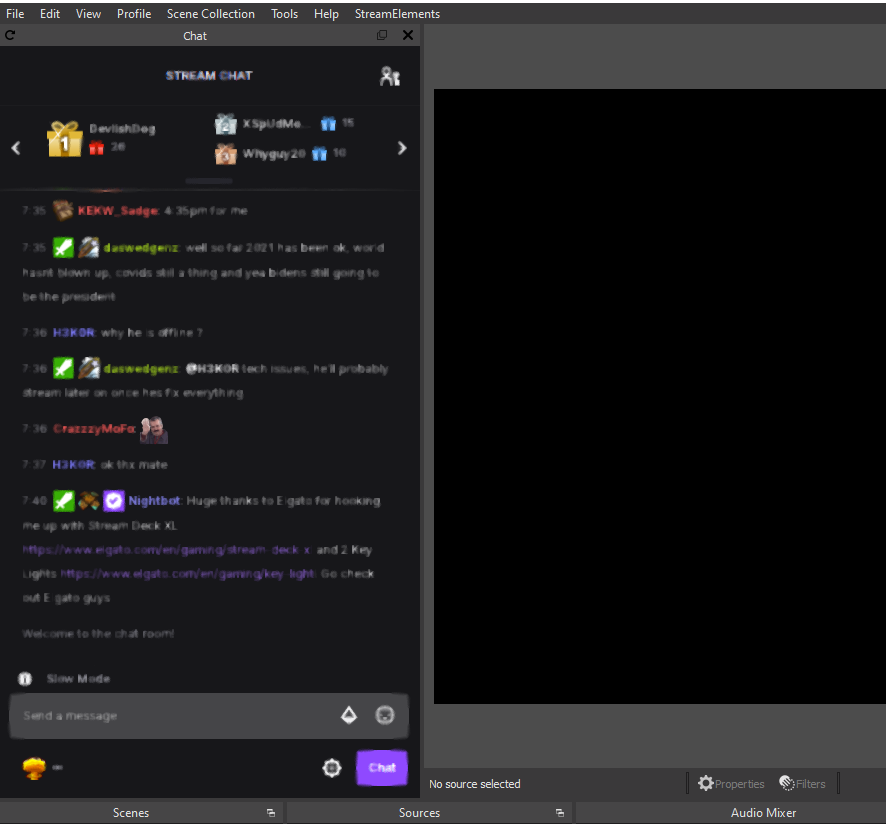
I completely reinstalled OBS streamelements and started fresh and it still does it
viscid pebbleBOT
@clear sapphire "Please follow these steps:
- Close OBS
- Open the NVIDIA Control Panel
- In the left menu select Manage 3D settings and then under the list of options (right panel) press Restore default settings
- Start OBS"
clear sapphire
Ok i also cleared cache and browser settings incase that was an issue. Cheers
Cheers for the quick response too guys happy new year ❤️
 uncut robin
Hi support. I'm looking for some help sending my overlay's from one account to another. I've been in contact with help on twitter, but all the steps I've tried have been unsuccessful.
viscid pebbleBOT
@uncut robin "Follow these steps to grant managers/moderators access to your dashboard:
- Click on your channel name at the top of the dashboard
- Create a new invite at one of three access levels (Bot Supervisor, Editor, Full Control)
- Send this invite to a mod/manager to give them access to your dashboard. The link is one-time-use and expires after 72 hours if not accepted
Video tutorial: https://youtu.be/zl_h-ttZDF0"
uncut robin
Correct, I've taken that step. I am an editor on their channel, I'm still unable to duplicate overlays to any other channel but my own.
from their channel they are also unable to "import from other channels"
wary halo
I'll ask around internally
uncut robin
@wary halo I more than appreciate your help ❤️
hearty sluice
My activity feed isn't updating, any advice?
golden fog
Hello, is there a setting that allows me to select the draw participant according to the time he follows me. And thus avoid that the followers who came just to participate in the draw have the same advantages
strong kernel
No, there is no way to limit giveaways by follow age.
 sinful flicker
my "Latest follower" label should not be blank unless i have 0 followers, correct? it should show most recent
Just wondering why its showing blank, unless I Emulate a new follower
uncut robin
@wary halo hey, thank you for looking into it. I was able to get it resolved by logging out and logging in again
 devout nest
Hi guys!
I'd like to start to stream IRL today with my phone. I paid 19 bucks to streamlabs, but that app has a lot of bugs. I downloaded your app and I need a help to setup it.
Also an audio has echo
Do you know how I can add PayPal and subscription to my channel?
I can send you money for the help.
strong kernel
sinful flicker
my "Latest follower" label should not be blank unless i have 0 followers, correc...
Twitch does not send a history through their API. If you haven't received a follower since signing up yesterday, then our system hasn't received anything regarding followers for your account.
viscid pebbleBOT
@devout nest New to StreamElements?
Check out our YouTube channel https://www.youtube.com/c/streamelements/videos
with tutorial videos from setting up the basics, to in-depth details on how to use our product.
New to OBS? Here is a 4 step quick start guide
https://obsproject.com/wiki/OBS-Studio-Quickstart
Want to learn even more? Here is an in-depth overview
https://obsproject.com/wiki/OBS-Studio-Overview
lament blade
alert box problem solved?
 neat grove
hi, when someone buys an item from my stream elements store how do i make an announcement appear on my stream live?
 compact tundra
it will not let me use my image for my merch ow do i fix that?
strong kernel
compact tundra
it will not let me use my image for my merch ow do i fix that?
Image must be png, 2000x2000px or larger, at 300dpi.
 sick belfry
Okay so i need to put in multiple different URLS for streamelements overlays, but my OBS is making each browser source the same even though they are within different scenes, how do I fix this, i.e a "starting soon" or "offline" scene
strong kernel
sick belfry
Okay so i need to put in multiple different URLS for streamelements overlays, bu...
Double check the URLs you are using. The middle changes, not the end.
sick belfry
strong kernel
Double check the URLs you are using. The middle changes, not the end.
yeah the middle of the link changes, but OBS won't make them separate, it is making it as the same capture so I can't have the browser capture in multiple scenes with different overlays
strong kernel
sick belfry
yeah the middle of the link changes, but OBS won't make them separate, it is mak...
You should be making multiple separate browser sources.
viscid pebbleBOT
@sick belfry To add your overlays to OBS, add a new browser source in your scene. Paste your overlay URL in the browser source properties, set the dimensions to 1920x1080 (unless you changed them on the website) and check Shutdown source when not visible. https://youtu.be/KDvLynUqXI4
sick belfry
I am, and they are placed in different scenes. But when i type in the URL it changes the browser source in a different scene too
strong kernel
sick belfry
I am, and they are placed in different scenes. But when i type in the URL it cha...
Then you used the "use existing" option instead of making a new browser source.
 snow gorge
Trying to set up my overlays and it's only showing the top left corner of it, what's going on here?
undone harbor
are there updates as to activity feed/follower bugs?
snow gorge
Disregard, i didn't read up in chat.
 quick turret
I switched my stream key from youtube to twitch. I push start stream and obs keeps trying to stream to youtube
lament blade
twitch alerts and streamelements bot alerts aswell are enabled but it wont work and not showing up
 tardy zealot
@quick turret i think you need change from youtube to twitch on obs app
 graceful bane
I have added a bot to my twitch channel, but after I changed my name my bot is no longer usable. What should I do? Thanks
undone harbor
@graceful bane Try logging into your twitch account with the third option
Fixed it for me
 long gyro
can someone please help me figure out as to why my activity feed isn't updating?
viscid pebbleBOT
@long gyro Welcome to the helpdesk! Please let us know how we can assist you today and a support volunteer or staff member will assist you as soon as they are available. Thank you for your patience.
quick turret
@tardy zealot, the app?
graceful bane
undone harbor
<@!574943434150772751> Try logging into your twitch account with the third optio...
oh i did it by myself, i tried mute my bot and then unmute it. btw thanks for helping me
long gyro
can someone please help me figure out as to why my activity feed isn't updating?
strong kernel
long gyro
can someone please help me figure out as to why my activity feed isn't updating?
Please be specific when describing the issue.
 uneven geyser
hello. does any one know how to resize the window for streamelements? it's stuck for me. i've already tried to delete the file in windows thats supposed to unlock it but still having the issue
viscid pebbleBOT
@uneven geyser Please provide a proper screenshot with the issue visible. If not sure how to take a screenshot, you can check here: https://www.take-a-screenshot.org
undone harbor
@long gyro It's a global issue right now with stream elements
They said they're fixing it
But no ETA
uneven geyser
the screen shot would just be my obs window...
undone harbor
I guess you're having issues with followers in particular
 bleak geode
hey, quick question. Currently streaming but bot/chat commands randomly stopped working about 10 minutes ago. Was working about 45 minutes ago though and we changed nothing. Already tried parting and joining and muting reset. Nothing
ideas?
long gyro
strong kernel
Please be specific when describing the issue.
The activity feed in stream elements nor in obs are updating
strong kernel
long gyro
The activity feed in stream elements nor in obs are updating
Be specific. What in them isn't updating?
long gyro
strong kernel
Be specific. What in them isn't updating?
Followers raid bits past notification is from 3 days
 ashen grove
Hey, my stream wont buffer at all and I'm getting no kb/s despite my internet working fine. It goes from 42- 1500 kb/s and jumps all around. No idea what to do
viscid pebbleBOT
@ashen grove Obs.live is a plugin for OBS Studio for the best OBS support, please join their Official Discord @ discord.gg/obsproject
 valid coral
Hi my friend has watchtime enabled but it says 0 seconds for everyone that does it he has the command and loyalty enabled is there any way he can fix it
viscid pebbleBOT
@valid coral 10 minutes of watch time is given to those in chat when the loyalty points are handed out (every 10 minutes). Therefore, loyalty must be enabled to watch time to work properly.
There is no direct link between watch time and all-time points.
It can’t be calculated from the number of all-time points a user has because subs may earn points at a faster rate and !bonus all command increases all-time points for users in the chat at that time.
Giving points to a single user do not affect all-time, only when giving to all in chat.
 ebon charm
I downloaded a recent update for OBS and I now have VOD audio for Soundtrack by Twitch. How do I remove this?
viscid pebbleBOT
@ebon charm Obs.live is a plugin for OBS Studio for the best OBS support, please join their Official Discord @ discord.gg/obsproject
 kindred patio
Hey can anyone help me
viscid pebbleBOT
@kindred patio Welcome to the helpdesk! Please let us know how we can assist you today and a support volunteer or staff member will assist you as soon as they are available. Thank you for your patience.
kindred patio
nvm
ebon charm
That was not helpful in the slightest. How do I remove Twitch Soundtrack from my OBS? I don't use it but I have the dll file for some reason and cannot remove it
I need help with this
Is there a way to download a previous version of SE OBS? That doesn't have this integration?
I'm supposed to be streaming right now, but I'm dealing with this. Please help!
strong kernel
ebon charm
That was not helpful in the slightest. How do I remove Twitch Soundtrack from my...
OBS.Live does not add that. That's in OBS Studio. So you should speak with them. OBS.Live is just a plugin for OBS Studio.
ebon charm
They had no help to offer. They said it's installed by Twitch Soundtrack. Which I do not have!
So it appears it's not OBS or SE.
If I have to go back to SLOBS I'm going to be really annoyed.
 wild turret
all of a sudden when I try to "Start Streaming" in obs.live, it is trying to start a youtube live stream instead of twitch
my twitch account is selected in the
Stream settings
placid raptor
What account is connected to your SE in OBS? what stream key is saved in OBS's settings > stream?
viscid pebbleBOT
StreamElements menu, on top of OBS > Logout > Login
placid raptor

wild turret
I'll give that a shot. For now, disabling the live plugin allowed it to work, so I'll finish my stream then try that suggestion
both were set to twitch
thank you guys!
 cold lance
I am a stream watcher. I saw my points in SE is gone when I changed my username in twitch. But when I search for my previous username on the leaderboard, I can still see those points connected to my previous name. How can I get those points back?
Looks like points are tied to specific username in SE
placid raptor
type in their chat !rename <oldusername>
sudden kelp
Hey there – I’m having an issue with media/song requests on a channel I mod: When a non-mod sends a song request by typing “!sr” and pasting a Youtube link in Twitch Chat, the wrong video is put into the queue in StreamElements. It’s the same video added to the queue over and over, no mater which song is requested. The command works correctly for mods and the streamer.
ionic kelp
@sudden kelp Channel name? No links.
sudden kelp
@ionic kelp Nandos4
ionic kelp
Could you have them check this?
viscid pebbleBOT
If links in chat are appearing as ***** either mod the bot or disable block hyperlinks in your twitch channel settings: https://dashboard.twitch.tv/settings/moderation
ionic kelp
That would show with my message though not sure why it didn't do it like that.
cold lance
placid raptor
type in their chat !rename <oldusername>
Just typing that command in their chat can transfer my pointss to whatever I used as my new username?
ionic kelp
Yup
sudden kelp
@ionic kelp Thank you! I will try this!
May I bug you again here if it's unsuccessful?
ionic kelp
Not me specifically but here yes.
sudden kelp
Will do - appreciate it!
sudden kelp
It worked! Thanks so much for your help! 
 visual hornet
Is there a way to disable the Stream Store's sound redemption chat notifications? I tried this and it doesn't work, and in case it can't be done, I recommend it as a feature.
viscid pebbleBOT
Check out the StreamElements ideas board: https://strms.net/ideas. You'll be able to add ideas, upvote ideas you agree with and track their progress with email notifications. Adding and upvoting ideas also helps the staff know which ideas should be prioritized so please take some time to upvote.
placid raptor
it's in the item settings @visual hornet
this was added as a setting probably after you've created your items, that's why you couldn't see it before
but you can cancel redemption notifications for each item in its setting
 slow zealot
my chat stats have reset
 prisma relic
did you change your name?
 ripe crane
My stream won't go live on twitch even tho on obs streamelements it's saying I am live. On twitch it keep like trying to load. Idk what to do now...
prisma relic
That might be a better question for the guys over in #helpdesk-selive ? All i can suggest is to log out of OBS -> log in; and double check your stream key.
ripe crane
ok ty
visual hornet
@placid raptor each one item settings?
placid raptor
yeah the setting was updated
so all your items will have it
and yeah it needs to be changed 1 by1
placid raptor
yeah I had to do it too
 calm hemlock
I have a question, when using media request on an overlay and thought streamelements when i click show on stream i get an echo?
ionic kelp
@calm hemlock How are you using that option? Website or OBS.Live?
calm hemlock
Website
ionic kelp
Are you using chrome?
calm hemlock
yeah
ionic kelp
As you'll unfortunately need to keep it open to work just right click the tab and mute site.
Do remember you'll need to undo that if you're testing in the overlay editor unless you've got OBS open.
calm hemlock
it says the vid in the tab is auto muting and i have obs open
ionic kelp
Mind screenshotting please?
ionic kelp
Not that. If you right click the tab and mute site but leave the volume for the player does it not play at all?
calm hemlock
it doesnt change as the music is not coming from the google tab
it looks like its coming from obs
i have 3 scenes that have media request and i tried muting the google tab but makes no difference
ionic kelp
Oh. You've probably got the sources not set to not show when not active.
Right click the browser source for all of them and disable that.
Well enable I mean.
calm hemlock
does that active any scene swaps
now only plays on the scene the song started on
dont worry fixed the audio but there is a small load up delay when going into the scene ?
ionic kelp
That's the unfortunate part of not having it loaded.
You'll have to have some sort of transition to hide that delay.
 ashen sparrow
chat stats down?
ionic kelp
Might be a momentary hiccup.
ashen sparrow
I would like to reset the watchtime leaderboard of my channel to have a clean new start in 2021. Could someone do that, please? 😄
ionic kelp
@ashen sparrow Unfortunately the only person with  is not here for a couple or so more days. You'd have to manually delete atm.
ashen sparrow
oh ok then. gonna take a while, I'll do it this way. 😄
 raw quiver
The alerts box doesn´t go well . in my stream no appear when there is a new follower and a new subscriber
 dark thorn
Hi, I'm looking for a widget with a subscriber objective.
Same system as merchandise goals but with subscribers.
Thanks
 strong spindle
hello I've just setup StreamElements leader board but for subs it says no data even though I have 3 subs. any help?
ionic kelp
@strong spindle Were they before or after you joined?
strong spindle
before
viscid pebbleBOT
@raw quiver Please provide your account ID found at the top of this page: https://streamelements.com/dashboard/account/channels This ID is public info and safe to share here.
placid raptor
@dark thorn is there something wrong with the default sub goal you can add?
dark thorn
That is to say? I didn't see a subscriber goal in the overlay streamelement
placid raptor
are you on twitch?
dark thorn
In merchandise goal, we don't have the possibility to put "subscribers", it's just the donations
Yea ?
placid raptor
what does that mean? 'In merchandise goal, we don't have the possibility to put "subscribers", it's just the donations'?
dark thorn
ionic kelp
That's because that's a merch goal. Not a sub goal.
dark thorn
Yes
dark thorn
dark thorn
Ohhh ok
Thank you !
Can't we change the whole text? That for example
We can just change goal title
ionic kelp
The stuff you see in the options is what you can. Otherwise you'd need a custom widget.
dark thorn
Yea
 edgy torrent
Hey i have a question if i have Manual Withdrawal My donation its normale That the Money Comes Not at the 31.12 on My Bankaccount sorry My englisch ist bad as....
viscid pebbleBOT
@edgy torrent Please contact us via email for support with SE.Pay. You can use our contact form here: https://streamelements.com/contact Thank you.
wary halo
It takes 3-5 business days
edgy torrent
@viscid pebble @wary halo thanks for the fast help
viscid pebbleBOT
@ruby terrace Go to the Dashboard > Right side > Part channel > Join channel(https://streamelements.com/dashboard)
 ruby terrace
thanks
 raven hatch
Hello and a happy new year, looking forward to add a chatbox towards streamelements. it is possible? @viscid pebble
 wispy jay
@raven hatch im not a se.support, but it's easily added in overlays, then add stream tool chatbox
hi all, i am hoping someone here may know more about css, and can help me to understand what functions/controls im needing to look up to have text track the falling object in this webm file, so that the text stays on the yellow board
lament blade
Hello, can you help me? 🙂 I change my name on twich. Follows and donates are showing in my activity feed but cheers not. Stream alerts for cheers dont working and in activity feed on stream elements i see nothing about cheers. 🙂
wispy jay
lament blade
Hello, can you help me? 🙂 I change my name on twich. Follows and donates are s...
have you tried logging in and out of both your streaming software and the website (streamlabs/streamelements) with your new username?
not the right place for selfpromo, you'll get yhourself kicked quicksmart for doing it
lament blade
wispy jay
have you tried logging in and out of both your streaming software and the websit...
yes log in log out and part channel in bot settings..:)
wispy jay
lament blade
yes log in log out and part channel in bot settings..:)
parting the bot is going to cause an issue
all you need to do is log out and back in for everything, and it should be ok, and just check your alert settings
viscid pebbleBOT
@stiff patrol Read and follow our server rules:
- We do not tolerate toxicity! Treat the community team, staff and all members with respect.
- No advertisement or channel promotion, anywhere on the server.
- No NSFW/NSFL
- No unsolicited DMs or friend requests to server members
Make sure to read the #welcome in any server you join.
 stiff patrol
the bot that addressed me to do so
lament blade
AussieGamerGuy92 ok i try thank you my friend 🙂


 wary halo
stiff patrol
the bot that addressed me to do so
wary halo
stiff patrol
the bot that addressed me to do so
not really, they told you to make an introduction in #590584291604561930 probably, not a promo
 brave rain
They get this everytime
viscid pebbleBOT
@brave rain Please logout of StreamElements at https://streamelements.com/logout and then login again to your account (Twitch/YouTube/Facebook).
wary halo
both you and the streamer do that ^^