#helpdesk-twitch
1 messages · Page 772 of 1
 strong kernel
 tepid wadi
Oh no it's not custom, just a regular chatbox.
I made the new chatbox in elements. The old one was streamlabs.
strong kernel
You need a custom one to get what you're looking for.
tepid wadi
Got it
 hollow swift
Hi, I am having an issue with OBS as it relates to VOD on twitch. When I am LIVE, everything sounds great however; the VOD does not capture anything but my mic
I think this all started when I downloaded the Soundtrack By Twitch Companion
 ionic kelp
Yeah. From what I understand that nukes your desktop audio.
 glossy sphinx
Channel I mod for has a command that shows time but it’s in military time, $(time Canada/Central) is the command they have set up, is there a way to not have it be military time? Currently shows as 20:57 instead of 8:57pm
ionic kelp
@glossy sphinx There's a 3rd party API you'd need to use. I can get you the link to the main part but it requires some  to get it how you want. Downside is it's English only.
And I can't figure out the deets as I'm hurrying to work.
glossy sphinx
That’s fine, could I have that link?
ionic kelp
glossy sphinx
Thank you
 zealous steeple
Hi, i'm making a custom command in streamlabs web, i'm trying to make a math operation to make a !subgoal command
any help is welcome c:
ionic kelp
@zealous steeple you'd have to ask them.
zealous steeple
them who?
ionic kelp
streamlabs
 plush robin
Alright so I got one last issue regarding alerts. I inserted them to OBS via Browser but OBS doesn't display the whole alert
 round brambleBOT
@plush robin The default resolution for StreamElements overlays (theme and custom) is 1920x1080. Please add them in OBS at their full resolution and use CTRL+F to fit to screen if necessary. You can then downscale your stream in OBS settings > Video if you'd like https://i.imgur.com/6bWXxjR.png

 mortal ivy
i link the wrong accaount and now cant delete it , any help?
zealous steeple
@zealous steeple you'd have to ask them.
@ionic kelp Sorry i mean StreamElements
plush robin
Okay, and is there a way to resize the alert themselves?
Also I noticed as I'm emulating the alerts the names for latest follower and sub changes, how do I revert it back?
ionic kelp
@plush robin that's entirely managed from within the editor. It's assumed you're using the alert to fit the preview and mess with your placement from the editor.
zealous steeple
Hi asking again, i'm making a custom command in streamelements web, i'm trying to make a math operation to make a !subgoal command
any help is welcome c:
ionic kelp
What kind of response are you wanting?
 umbral bone
Anyone on that can help me?
I stream from an Xbox but am wondering how I can get media request to make the music come through on twitch.. because currently its not.. you can request the song and everything.. but no music comes through twitch
 merry heron
Hey team! Having a trouble having TTS on, its working for Tips but when I turn it on for Subs and Cheers it doesnt work
round brambleBOT
Consoles do not have native support for overlays. You would need a capture card, PS4 remote play or Xbox companion app and a PC with OBS in order to have overlays over your console gameplay.
We have an blog post about how to setup console streaming with our essential tools: https://blog.streamelements.com/how-to-stream-on-console-7b620b1c46c3
zealous steeple
Hi, how it works the "eval" command?
ionic kelp
There is none.
zealous steeple
What kind of response are you wanting?
@ionic kelp a way to make a math operation like 100 - mysubs
 errant coyote
how to show chat box in the OBS studio when streaming?
round brambleBOT
@errant coyote OBS.Live is a Plugin for OBS created by StreamElements. You can download OBS.Live here: https://streamelements.com/obslive
Please make sure you have the latest version of OBS installed, Current Version: 25.0.8. You can install OBS here: https://obsproject.com/
 lament blade
I need help
 viscid pebbleBOT
Hi @lament blade, Please ask your question(s) or describe the problem you're looking to solve so staff or a support volunteer can assist you as soon as they are available.
 languid flax
Hey is there a way to make my twitch chats text's white in the widget settings on the website?
 loud egret
um i already had tips before i set up se pay but its set up now and the tips dont show
 wooden quest
ok i'm feeling really dumb right now, but my streamelements chatbot is only working when i'm offline. it must be a setting somewhere that i'm missing???
 zenith widget
@lament blade is the bot added and modded to your channel?
@languid flax yes, from the text settings there is a circle that controls the color.
wooden quest
yeah, it works perfectly when i'm offline
all my commands, timers and whatnot work when i'm offline
zenith widget
Please check again who I tagged with my question for "added and modded" 🙂
I haven't read your query, one moment
wooden quest
lol sry
zenith widget
@loud egret What tips are you referring to?
@wooden quest are you using OBS.Live and a custom bot name?
round brambleBOT
@wooden quest If your commands recently stopped working and you're using OBS.Live and a custom bot name do the following:
- In OBS.Live, click on the hamburger menu (three stripes) at the top left of your activity feed
- Click on Stream Settings > Custom bot name
- In the Custom bot name field select Set custom bot name, not your already existing username (with capital letters). Note: If you already connected an account that way, the third entry will show as the account name (see image https://i.imgur.com/sO7fWOX.png).
- Scroll a bit down and click on the purple Connect Custom Bot Account button
- Log in as usual and Authorize the custom bot name
- Back in the Activity feed, click on the Send Test Message button and check if your custom bot name starts working again
 zenith widget
languid flax
zenith widget
languid flax
yea im in that menu, i dont see where i can change the text color though
zenith widget
Check what the arrow is point it 😉
languid flax
oh damn, im sorry thanks for the help
loud egret
@zenith widget tips I received on twitch through stream elements
zenith widget
So what exactly is the issue? I'm missing context here.
 gloomy nest
how do i turn off all gabmling commands...i turnred off roulette and stuff but the gamble all command is still there
round brambleBOT
@gloomy nest Go to the Dashboard > Right side > Part channel > Join channel (https://streamelements.com/dashboard)
 zenith widget
Afterwards try the commands again
gloomy nest
How do I disable gamble commands....I do not want to stop the bot
zenith widget
I see that the default command !roulette has been disabled
But if the bot is still responding to the command
then simply follow the above steps
to refresh the bot
gloomy nest
!gamble all still works
zenith widget
Did you part and then join the bot?
gloomy nest
oh wow, thought i did,. but now it's working.....
 wind mica
Hello
I want to add goals beautifully in my live broadcast, but before the goal is calculated and what was sent when the goal starts How do I assign a goal
round brambleBOT
@wind mica To reset goals:
- from the Overlay Editor > Session data on top right (monitor symbol) > Goals tab > reset progress of desired goal
- from the Dashboard > Activity feed on the left > Widget data on the right > Goals tab -> reset progress of desired goal
Note: Goal widgets (progress) only counts up and doesn't go down automatically, if you lose followers/subs.
 jade shoal
Can I add a single widget into OBS without making an overlay?
 placid raptor
make an overlay with one widget in it. it has to be a browser source, I don't know of any other way
also this is for #helpdesk-selive
jade shoal
Apologies.
wind mica
What The Best Widget For goals
 calm geode
I need Help, i have Bugs in Streamelements Bot Modules. Since Months. Who can Help ?
I am an it specialist, so we can talk in an advance technical Language. Its not a Webfailure. i have thos problem in 4 Accounts. Its a Problem in the Text boxes in Bot Modules
zenith widget
@wind mica there are 2 widgets - the totals widget and the normal goals widgets.
The totals widgets you can add the goal after the {count} variable in the settings
or if you want something custom, check #widget-share
@calm geode Can you explains the bug please?
calm geode
@calm geode Can you explains the bug please?
@zenith widget sure, i will change the Text in my Follower, Tip oder Host Modules. you know. But it dont save the changes. I try in 3 Accounts and with 3 Browsers
i cant change. It stay in the Standard settigns
zenith widget
Change the follower text, refresh the page, then change the next thing
calm geode
i do
zenith widget
until you find what is not actually changing
do you actually refresh page after each edit?
calm geode
after refreshing its in english. On right side i see "saved" but no change
round brambleBOT
@calm geode Please provide your account ID found at the top of this page: https://streamelements.com/dashboard/account/channels This ID is public info and safe to share here.
calm geode
Change the follower text, refresh the page, then change the next thing
@zenith widget oh gosh. I have to refresh after changing every box?
zenith widget
But you do say you refresh the page after changing the text field
and its not working
so, i'm not sure what the issue is here
calm geode
yes but i change 3 boxes
zenith widget
and i want to test it out on your account
calm geode
and this not work
if i change box by box this works.
like 3 TIpping boxes, i can change one by one only okay.
i was confused becaus on right side it save the Text after going to the next boxes. But after refreshing i have change only the first box
zenith widget
I'm not able to reproduce the issue on my own account when i change multiple boxes, but I know that this is a temporary work around for your issue.
calm geode
ah okay
I thought I can adjust several boxes directly. That didn't work. if I update every box it works
Can you also help me if a user in my stream cannot use points in the shop but has points and can also use them for the mini-games?
zenith widget
tell them to login to our dashboard
calm geode
my user frau_baba has points. If you want to redeem the points for the shop, write SE - No points. Mini-games work well. If you want to use subscriber things, SE - No Subscriber. But she is a moderator and subscriber
tell them to login to our dashboard
@zenith widget okay
third and last Problem. In Overlays i cant Change my Font to your System Fonts. Every Time i get the Standard Font after Saving, is this a `known bug oder my problem local?
round brambleBOT
@calm geode Google Fonts
More than 900 google fonts are supported at this time. You can preview them here: https://fonts.google.com/
Custom Fonts
Steps:
- Install the font on the streaming PC or choose a pre-installed windows font.
- In the overlay widget settings, select Text Settings
- Click on Enable Custom Font
- Type the name of the font as it appears in the windows font directory (This is usually
C:\Windows\Fonts)
Note: After installing fonts, the browser and OBS must be restarted for the font to appear.
calm geode
so the Standard Fonts in Stream Elements are not on your server? I can see a lot of Fonts but i cant use?
zenith widget
Yes, we pull them from Google Fonts
plush robin
Where do you edit the bot command when it says "Thank you for following/subbing (user)"?
 nimble dune
Bot->Modules->Chat alerts
plush robin
 appreciate the fast responses here
nimble dune

plush robin
Can I make it so SE doesn't change my latest follower and sub names when I emulate the alert?
placid raptor
you can reload overlays after you're finished testing
if you're set to 'show preview live' in the editor it will update upon emulation
 main cedar
My chatstats says 404 page not found
round brambleBOT
@main cedar If you changed your name on Twitch, please follow these steps:
- Visit https://streamelements.com/logout and then log in again by connecting with Twitch.
- On the right side of the dashboard page that opens, select Join under bot settings. If it says Part select that and then select Join to send the bot to the chat. Don't forget to mod the bot by typing
/mod streamelementsin your channel if you have not already. - Post your old and your new name here so that we can update your channel's chatstats tracking (must be done by staff).
main cedar
TheLoganader is now Loganader
plush robin
Nice, lastly is there a way to emulate the alerts without being in the editor?
main cedar
thanks!
plush robin
@zenith widget How do I replay the events? I have the activity feed docked on OBS
zenith widget
 topaz sedge
I seem to be having trouble with alerts on stream, is there a way to just have the command exclamation point without redeem?
placid raptor
you can set the command response to be $(redeem COMMANDNAME) and then the command itself can be !COMMANDNAME @topaz sedge
topaz sedge
I am not sure on how to do that to well, I know I had this trouble a year ago too...
to be able in chat is what I don't understand to well
placid raptor
Sorry I didn't really understand what you meant there.
 untold crest
@topaz sedge You can create a custom command like !sfx with response ${redeem sfx}
topaz sedge
in chat commands?
topaz sedge
Then it goes back to what I don't understand well, is when it goes off b chat as a sound
untold crest
Wait. From what I understood you wanted to have !mySound instead of !redeem mySound, right?
topaz sedge
yeah
untold crest
So you need to create a custom command for that as described above.
topaz sedge
I did that, but doesn't play or something in chat on stream
untold crest
You need to have Stream store redemptions widget in your running overlay
topaz sedge
I did that too
topaz sedge
Not in chat it doesn't
and I do have that in my overlay in obs studio
I used that to see if it worked, then I made dude a day ago.
 rose plume
Hi, can u help me please, why my chat stats 404 not found https://stats.streamelements.com/c/tonyspacex

StreamElements
Description Chat Stats tracks emote usage on Twitch in real time. See which emotes are the most popular on every Twitch channel
round brambleBOT
@rose plume If you changed your name on Twitch, please follow these steps:
- Visit https://streamelements.com/logout and then log in again by connecting with Twitch.
- On the right side of the dashboard page that opens, select Join under bot settings. If it says Part select that and then select Join to send the bot to the chat. Don't forget to mod the bot by typing
/mod streamelementsin your channel if you have not already. - Post your old and your new name here so that we can update your channel's chatstats tracking (must be done by staff).
rose plume
done, old name tonyspacecs . new name tonyspacex
 strong hinge
So I am trying to create a social media button that can be clicked to get to our social pages. I have been using html, is this in fact possible to create a link in overlays?
untold crest
Nope. You cannot click a video and expect it to forward you somewhere
 little oak
not possible you ca only use names within overlays if you want cliccable links you can put it in the panels or create an extension for it via twitch
nvm Lx has ya
untold crest
You can do that via twitch extension or panel under stream
@little oak same answer from both of us. It must be true then 😉
little oak
indeed it is 
strong hinge
Thank you
lament blade
Hy i have a ask
I entered my bank details 2 weeks ago and it still says that you need more than 7 days to check my details?
round brambleBOT
@lament blade Please contact us via email for support with SE.Pay. You can use our contact form here: https://streamelements.com/contact Thank you.
rose plume
can you update my chat stats please ? https://stats.streamelements.com/c/tonyspacex old twitch name tonyspacecs new name tonyspacex
StreamElements
Description Chat Stats tracks emote usage on Twitch in real time. See which emotes are the most popular on every Twitch channel
 oblique steeple
@rose plume Your old name is empty. Do you can test any older ones to see if they have a stats page?
 dense cargo
Hello!
I've been thinking, is there a limit for the amount of custom commands a channel can have?
Thanks in advance!
rose plume
@oblique steeple oh sorry my first old name tonyspace69, and yes he have stats
@oblique steeple change please https://stats.streamelements.com/c/tonyspace69 to tonyspacex
StreamElements
Description Chat Stats tracks emote usage on Twitch in real time. See which emotes are the most popular on every Twitch channel
 covert trail
🍴
 azure hornet
hello, i need some help with my overlay, an asset rotator is not showing at all
azure hornet
what should i do? i need to alternate between a image and a video
little oak
[simply put at the beginning of the sequence of videos to be shown on the slideshow an animated GIF]
i believe so
 loud chasm
hi
azure hornet
thanks for the help, but now my png with my name is not showing on the asset selection screen
loud chasm
how can i put just the alert for the tips?
round brambleBOT
@loud chasm New to StreamElements?
Check out our YouTube channel https://www.youtube.com/c/streamelements/videos
with tutorial videos from setting up the basics, to in depth details on how to use our product.
New to OBS? Here is a 4 step quickstart guide
https://obsproject.com/wiki/OBS-Studio-Quickstart
Want to learn even more? Here is an in-depth overview
https://obsproject.com/wiki/OBS-Studio-Overview
rose plume
@round bramble can u change my old tonyspace69 to new tonyspacex ? please
round brambleBOT
@loud chasm To add your overlays to OBS, add a new browser source in your scene. Paste your overlay URL in the browser source properties, set the dimensions to 1920x1080 (unless you changed them on the website) and check Shutdown source when not visible. https://youtu.be/KDvLynUqXI4
zenith widget
@rose plume done
azure hornet
Still not working @little oak , tried the gif first and everything
is my webm too heavy? it's 1.15mb
little oak
its a known bug with the videos, i failed to include the bug is for all known videos
only way around it is ```ini
[simply put at the beginning of the sequence of videos to be shown on the slideshow an animated GIF]
other than that its bugged for know till further noticed and no ETA for the moment
azure hornet
and just like that, suddenly it just worked, the gif workaround is real. Thank you @little oak
azure hornet
one last question, can i put a video on my background on the overlay, or is too heavy? (30s looping bg)
little oak
depends
how it gets handled
i say try an test it and see
if only putting it in the baccground
tepid wadi
Anyone who can help on making chat counters?
I want to be able to have a counter for my viewers to add numbers to, for example, whenever I get a kill? Is this possible? I'm currently testing ${getcount <stuck>}
little oak
see pinned messgaes 🙂
 weak marten
Testing here, maybe is api. But testing here first!
Can I alter the messages from commands like !gamble etc, or do I have to setup my own commands and disable the original ones, would that work?
little oak
we have info for API in #dev-chat
but all default cmds via SE site can not be edited nor modified at the time being
weak marten
Ah, darn it. Would it be possible to create a custom command that works like a default command?
As in, replacing !gamble for example. Same function, just then I can set a new message.
little oak
well in the chat modules you can customize the response to your liking
you can make aliases within the cmds as well
but to be sure i would talk with the coders over in #dev-chat to see if what you want is possible via API/endpoints for custom cmds
weak marten
Cheers!
Forgot about the editing in Modules, gonna check around a bit there as well. 🙂
little oak
sweet 
round brambleBOT
@rotund remnant If you would like help from the StreamElements support volunteers/staff please post your question in one of the helpdesk channels and someone will assist you as soon as they are available
#helpdesk-twitch | #helpdesk-youtube | #helpdesk-facebook | #helpdesk-mobile | #helpdesk-selive | #helpdesk-merch
Thank you for being patient.
lament blade
hi guys, is there a way to integrate spotify with StreamElements e.g. creating a command displaying current song?
little oak
Spotify has asked Streamelemnts Kindly for to remove the Spotify Integrations that was with SE but they do have 3rd party but with SE there is none
you can try to use this https://spotify.aidenwallis.co.uk/
lament blade
ok, thanks
 ocean pike
Hi, I've got a couple of questions about SE.Pay: 1) When activated, is the card payment option available only for a single country residents where my bank account is located? (For example, my bank account is in US, so would the card payments be only for US viewers?) 2) Do the payment options differ, depending on the location of the bank account on file? For example, if I have the US bank account, viewers only get a credit card option and if I have a UK bank account, viewers might get a debit card and some alternate options?
Thanks.
round brambleBOT
@ocean pike Please contact us via email for support with SE.Pay. You can use our contact form here: https://streamelements.com/contact Thank you.
@ocean pike SE.PAY is available for streamers who are at least 18 years old, with bank account under their name in one of the following countries and have at least 101 follower (Twitch) / 101 subscribers (YouTube):
Austria, Belgium, Czech Republic, Denmark, Finland, France, Germany, Ireland , Italy, Netherlands, Poland, Portugal, Slovakia, Spain, Sweden, Switzerland, United Kingdom, United States.
If you meet these criteria and don’t see SE.Pay, let us know.
For information on SE.Pay payment methods, their fees and settlement times see https://streamelements.com/dashboard/tipping/fees.
ocean pike
Damn, the AI answers often are so irrelevant 
placid raptor
Well they are :X
ocean pike
I'm not asking about eligibility from streamer's side. Do I still have to use the form to find out about the viewer's side of things?
placid raptor
Reach out to us via the first link please, if you find the second reply irrelevant
ocean pike
OK. Yes, the second reply completely misses the point of my question.
placid raptor
It's general info that was provided, either way- SE.Pay stuff are handled in tickets
little oak
the reason it can not be answered here is because it involves sensitive information is to why we have SE pay reach out to support
 But ok.
little oak
But ok.
little oak
he will explain it 
placid raptor
thanks @ocean pike
if I may ask to be a bit more understanding as to the nature of providing support over discord
if you have received an irrelevant response in your opinion, it would be more productive to say 'thank you, however' rather than 'that's so irrelevant'
and more kind to the person attending to your issue
ocean pike
There was no unkindness in my response.
placid raptor
who are mostly our amazing volunteers
there is no tone in text
but the words chosen are relevant to my point
please take that into consideration
no need to further discuss it here
 molten crest
Hi everyone! It seems like I'm missing some of my followers in loyalty program's leaderboard. I've added manually points to everyone a few weeks ago and now most of those points are gone, I can't even find those people on the list.
 karmic agate
is there a way to have a SE command trigger an overlay on/off?
 vocal plaza
Is there an option to create follower goal with bar partially filled? I want to create 100 followers goal but also make it show the amount i already have
karmic agate
@vocal plaza you can change it in the settings on the current session
vocal plaza
Great, thanks!
 scarlet tiger
is there a way to have a SE command trigger an overlay on/off?
@karmic agate Can you specify it, please? 🙂
karmic agate
i want to show my goals overlay by command only, so the command would trigger the goals widget to be on screen for 20secs then go back to being hidden
vocal plaza
Why moving a widget in one scene moves it in another? Is there an option to turn it off?
karmic agate
what do you mean @vocal plaza
vocal plaza
I have 2 gaming scenes, when i move follower goal in one, it also changes position in another
I want to have them in 2 different places to not overlap the game
oblique steeple
@karmic agate That can be achieved with a third-party website / service from one of our Code Gurus called "Triggerfyre". You can check it out here: https://twitter.com/MikeyHay/status/1231367042344923136
vocal plaza
i'm using same brower source, just copied it from one scene
oblique steeple
@vocal plaza You have to create two different overlays.
karmic agate
thank you @oblique steeple
 dreamy briar
how do i change where im streaming to? some how keeps asking me to go live on facebook and i have only ever streamed to twitch! how to i get it back to streaming to twitch??
round brambleBOT
@dreamy briar StreamElements menu, on top of OBS > Logout > Login
 charred jasper
@dreamy briar are you streaming off of StreamElements?
@dreamy briar if you are you need to link your twitch account to StreamElements
 modest sapphire
hi, i cant see my chat stats on streamelements...come up page not found - 404. can this be fixed? twitch id is Synfetic
dreamy briar
@charred jasper streaming from obs
round brambleBOT
@modest sapphire Currently renaming the bot fully works with OBS.Live.
You can follow this video guide to set it up: https://discordapp.com/channels/141203863863558144/494513233416421386/561516184718278676
If you don't want to use OBS.Live and want to stick with Ground Control, please let us know your Twitch username.
oblique steeple
@dreamy briar Follow the bots instructions
@modest sapphire Do you have your old and new name for me?
It has to be fixed manually by staff
modest sapphire
@oblique steeple old name was synthetekk. new name is synfetic. Thanks
dreamy briar
@oblique steeple i have and not working
oblique steeple
@dreamy briar Are you using OBS.Live?
oblique steeple
No need to tag me. Please be patient
dreamy briar
sorry, just didnt know if i needed to or not due to amount of people
oblique steeple
All good. I asked internally about your issue because I'm not sure what's going on. Normally, logging out via the StreamElements menu and logging back in fixes it.
 delicate vine
Hello everyone, Am I here correctlly for support with OBS issues?
modest sapphire
Fabi thanks for all your help. its now working, much love
round brambleBOT
@delicate vine For the best OBS support, please join their Official Discord @ discord.gg/obsproject
delicate vine
thanx a lot
oblique steeple
Yup staff poked it 😄
strong hinge
My stream elements keeps bombing. I can get into my dash board. The data however doesnt load and if I try and edit an overlay it gets stuck on loading (left it for literally 6 hours without it loading in). The way I temporarily fixed this was clearing my cookies and cache however this obviously logs me out of everything and this fix only works for a short time, had to do this 3 times on Saturday and now again it is doing it. Im using google chrome as my browser. Does anyone know why this happens or have a better solution?
ocean pike
Is there a way to force the bot to use the custom name even when my OBS.Live is closed? Currently the moment I close it it switches back to StreamElements.
oblique steeple
@dreamy briar Do not @ random people. I forwarded it internally. Like I already said, please be patient.
ionic kelp
@ocean pike Unfortunately no.
 wild raven
hi, i had a bit donation that was 8100 bits
but on my overlay
i put to show the biggest cheerer of the month
on my twitch leaderboards its correct
but on the overlay isnt the same number
its 7500
how can i fix that?
 lofty parcel
I tried to withdraw from my SE pay today, and it says on the site that it went through, but my bank hasn't gotten it yet. It's been about 14 hours, and last time I withdrew it was almost instantaneous. Is there anyway to figure out the status on that money? Is it normal to take so long? Just worried because I don't want to inform viewers that they threw money away trying to donate to me 😂
 wary halo
usually 3-5 business days
 daring adder
So hey, the raffle, where do the points come from and how are they awarded? One of my subs says their points didn't get awarded.
lofty parcel
Thank you ☺
 ivory vapor
i have just today run into a problem where streamlabs obs wont pick up csgo just gives me a blak screen
round brambleBOT
@ivory vapor Valve has implemented a trusted mode which does not allow OBS to hook CS:GO using Game Capture. Read more in their announcement post here https://blog.counter-strike.net/index.php/2020/07/30736/.
Additionally, they have no plans on allowing OBS in trusted mode.
https://support.steampowered.com/kb_article.php?ref=8835-KLXV-0292#whitelist
You will need to run the game in either windowed or borderless fullscreen and use Window Capture instead.
Alternately, you can launch the game with -allow_third_party_software.
ivory vapor
been able to stream it via streamelments for the past week only today iv had this issue
 ashen sparrow
I would like to talk about one weird issue. There are several overlays set up in streamelements. In each of them there is an alert box. During stream alerts go through normally. After you switch to another scene, all past alerts are played one after another. It feels like they were kind of buffered ...
round brambleBOT
@ashen sparrow To add your overlays to OBS, add a new browser source in your scene. Paste your overlay URL in the browser source properties, set the dimensions to 1920x1080 (unless you changed them on the website) and check Shutdown source when not visible. https://youtu.be/KDvLynUqXI4
 hollow moat
Hey guys, I'm trying to customize cheer events in my AlertBox, and nothing happens whenever I change any of the settings. It won't accept any videos or sounds, but all of my other alerts are working
 tribal wing
SE is down? i cant access to my dashboard, it keeps loading...
scarlet tiger
@tribal wing what browser?
tribal wing
Chrome 86.0.4240.75
 ?
tribal wing
?
tribal wing
@tribal wing then try incognito mode
@scarlet tiger worked, what a strange bug(?)
hollow moat
only when I tried turning on custom css (but I turned it back off) now it just plays the default sound and video, no matter what I set as the sound or vid
scarlet tiger
@tribal wing Possible problem with extensions
hollow moat
ok I'm just dumb, there was like 5 default variations that were all turned on. I switched em off and now the test LOOKS like it's okay
oblique steeple
That's the case for all alerts that have more than one event i.e. subs (prime, different tiers, resubs), but also hosts and raids can have variations.
hollow moat
at least my basic cheer thing that I set up works now 🙂
molten crest
Hi everyone! It seems like I'm missing some of my followers in loyalty program's leaderboard. I've added manually points to everyone a few weeks ago and now most of those points are gone, I can't even find those people on the list.
Any ideas why this happened guys? Do loyalty points fade with time if not spent?
ionic kelp
Nope.
 viral rock
почему я не могу удалить эту программу
 spark wind
hello everyone! I changed my nickname on twitch (from papa_slem to slem_gj) and need my chat stats back cuz it says 404 - not found. Transfer me please 
round brambleBOT
@spark wind If you changed your name on Twitch, please follow these steps:
- Visit https://streamelements.com/logout and then log in again by connecting with Twitch.
- On the right side of the dashboard page that opens, select Join under bot settings. If it says Part select that and then select Join to send the bot to the chat. Don't forget to mod the bot by typing
/mod streamelementsin your channel if you have not already. - Post your old and your new name here so that we can update your channel's chatstats tracking (must be done by staff).
spark wind
 dapper island
Hello! I am using the !so command template but its not working. It keeps giving my channel a shoutout no matter what username I put after the command
 hoary stump
Hello , How can i make a timer
that counts time
without subscribers ?
 grand merlin
hey guys! I've got sound echo when a media request video shows on stream. If I move the overlay sound to OBS, echo disappears. But alerts' sounds also disappears. Also there is no echo, if video is disabled at media request. Any idea how to change sound settings to get rid of the echo? thanks!
 vapid stag
round brambleBOT
vapid stag
round brambleBOT
@vapid stag Please contact us via email for support with SE.Pay. You can use our contact form here: https://streamelements.com/contact Thank you.
 cloud vine
Hi, my sond from alerts dont work in OBS only in website when i test .... StreamElements with problems ?
 rocky trellis
Good afternoon! Can someone help me with 404 error from chat stats?
My nick / channel name a long time ago on twitch was crixus_cruz when I only use to view some channels
But after starting streaming and put the streamelements to work I changed to TiagoAlf
Thanks for the support 😄
charred jasper
@rocky trellis You need to get @round bramble to reset your chat and re-sign In to StreamElements because you changed your name
round brambleBOT
@rocky trellis If you changed your name on Twitch, please follow these steps:
- Visit https://streamelements.com/logout and then log in again by connecting with Twitch.
- On the right side of the dashboard page that opens, select Join under bot settings. If it says Part select that and then select Join to send the bot to the chat. Don't forget to mod the bot by typing
/mod streamelementsin your channel if you have not already. - Post your old and your new name here so that we can update your channel's chatstats tracking (must be done by staff).
nimble dune
😉
rocky trellis
ohh ok @charred jasper , can you help me with one thing? I already did the 1), but 2) I could not. I have to remove the bot from my channel?
its already there and with mod
charred jasper
@rocky trellis Try parting the bot from your channel then add the bot back to your channel
rocky trellis
Nice, thanks, I'll try here
 prime vault
Is there a way for the loyalty to include chat messages as a way to earn points? Like per 5 messages earn 1 point or something?
wary halo
no
charred jasper
@prime vault you have to be a twitch affiliate to do that
charred jasper
Ok
wary halo
And that is also measured in time, not amount of messages
rocky trellis
@round bramble
Old name: crixus_cruz
New: TiagoAlf
prime vault
Yeah, I was tryna reward more interactive viewers @wary halo but I guess that’s a no go
 dry hare
@grand merlin make sure you don’t have your overlay editor open in another window and if you’re monitoring your stream make sure to mute the tab
 umbral bane
guys, any idea? I have 2 overlays. And I would like to merge them into one so I can have all the widgets together.
How can I do that?
round brambleBOT
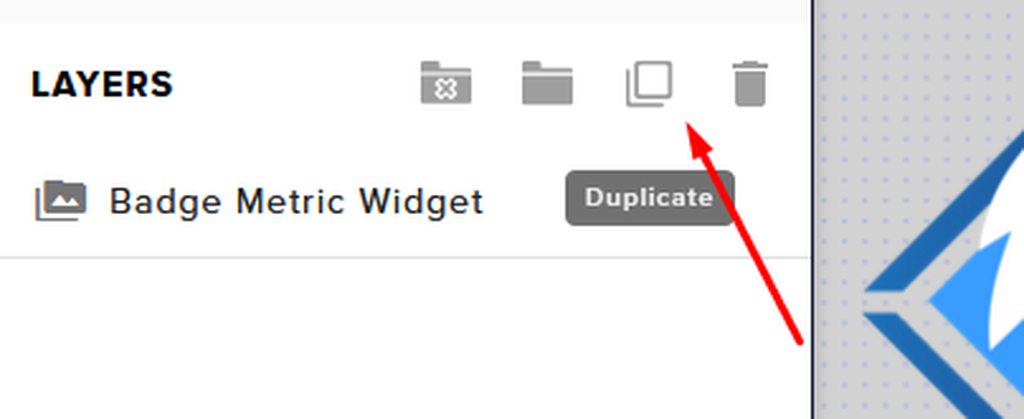
@umbral bane To duplicate or copy your widget to a new or existing overlay, select the widget and use the Duplicate button. https://imgur.com/a/Ng4uhRU
 umbral bane
That's great, thank you
 hybrid python
Hello I am new to streamelements and I am trying to set up an overlay. I have watched some videos that try to instruct how to use the Overlay Manager. But from my screen, I don't see the Overlay Manager. So... i'm kinda lost
grand merlin
@dry hare I usually do not use browsers during the broadcast, so it is not the case. maybe something else?
dry hare
Are you monitoring the audio of your overlay inside obs?
round brambleBOT
@hybrid python New to StreamElements?
Check out our YouTube channel https://www.youtube.com/c/streamelements/videos
with tutorial videos from setting up the basics, to in depth details on how to use our product.
New to OBS? Here is a 4 step quickstart guide
https://obsproject.com/wiki/OBS-Studio-Quickstart
Want to learn even more? Here is an in-depth overview
https://obsproject.com/wiki/OBS-Studio-Overview
grand merlin
@dry hare I use default settings for overlays. nothing special
 real tapir
We are working customizing the Sub Gift Train widget and wanted some help animating it from going from right to left to left to right
 sudden temple
Hello -- trying to enable stream store redemptions. All works well when testing, but when live redemptions don't work. The redemptions are sound effects. Not sure where I'm messed up.
The status of redemptions says Approved
 earnest python
on the actual desktop app for OBS.live When I enable browser source it only shows about a quarter of the actual overlay How do I fix this?
 rigid shoal
Hello, one of my regular viewers cannot redeem loyalty points through the stream store. They recently changed their Twitch username. I transferred the points from their old name to the new one in the loyalty leaderboard, so they have more than enough points, but every time they attempt to redeem anything the bot replies that they have insufficient points. Other viewers have no problems redeeming points. Am I doing something wrong?
 regal sapphire
I changed my name on Twitch and now chat stats gives an error. Any ideas?
dry hare
@grand merlin make sure you checked the box to "Shutdown source when inactive" on all your browser sources
round brambleBOT
@earnest python To add your overlays to OBS, add a new browser source in your scene. Paste your overlay URL in the browser source properties, set the dimensions to 1920x1080 (unless you changed them on the website) and check Shutdown source when not visible. https://youtu.be/KDvLynUqXI4
grand merlin
@dry hare yep, it is it. thanks a lot for the support!
 jaunty bridge
Hey guys: i have one patricular problem with the Donation Goal Settings in StreamElements. When no Donation has been made it shows the whole amount of Donation ive recieved so far over the time. I really dont want to show that. So here is my qustion, does some1 know how i can get rid of this ?
As u can see, i want to hide the 1.520,12 , any ideas ?
 flat coyote
Can we add this directly to twitch and not run off of obs?
wary halo
no
 solemn steppe
Hey, my bot timer message keep all going off at the same time instead of one every so many minutes, anyone know how to fix it?
 wise dagger
I have Gifs in my store, When I add new ones, each new one, is triggering the old one? Example, !bruva Triggers the bruva gif. I add a new gif called !hoff2 , I trigger !hoff2, and it triggers !bruv??? I have 25 gifs, do this all the time. Yet this problem has never happened before, any thoughts?
strong hinge
My overlays wont load I know clearing my cache fixes it, however this is now the 5th time in 3 days. Does anyone know why this could be happening or another way besides clearing cache to fix it. Its becoming quiet tiresome to have to resync and log back into everything each time
 queen basin
Hey I am getting an echo whenever I show the music video on stream from the media request. Is there any reason why?
round brambleBOT
@kind dagger Not all staff are able to assist with support issues. Please refrain from pinging them or sending them DMs unless asked to.
wary halo
why not actually post the question????
 kind dagger
sure ig
whats the difference between Individual command cooldown and Global command cooldown
 pseudo meteor
i got a question how do you import a overlay scene from stream elements to stream labs so ic an use it to stream
round brambleBOT
@pseudo meteor To add your overlays to OBS, add a new browser source in your scene. Paste your overlay URL in the browser source properties, set the dimensions to 1920x1080 (unless you changed them on the website) and check Shutdown source when not visible. https://youtu.be/KDvLynUqXI4
pseudo meteor
thanks for the help!
 sleek shard
Hello i missing a function in obs live, there i can not find this opiton https://rolandus.zendesk.com/hc/article_attachments/360042969932/mceclip25.png in obs live???

there is nothing
rtmp pro settings 4 restream.io rtmp
are missing
i need connect account 4 restream rtmp docks this is not in obs live why?
rtmp has a better quali 4 streaming
 velvet spoke
 round brambleBOT
@sleek shard For the best OBS support, please join their Official Discord @ discord.gg/obsproject
sleek shard
this function is in obs studio but not in your obs, see the screenshot
why
?
@♣bot
strong kernel
There is no "our obs." OBS.Live is a plugin for OBS Studio, not its own software.
Please ask in their Discord.
sleek shard
and why is this function in standart obs studio but not in obs live?
 nimble ingot
Hello! I was wondering how can I make the scene 'Game capture' Actually capture Genshin and not my entire screen? Or do I also go to that discord for this??
strong kernel
@sleek shard OBS.Live does not change or affect anything within the Stream settings of OBS Studio. You will need to ask in OBS Project's Discord. That being said, StreamElements does not have multistreaming support.
 celest oasis
@nimble ingot Genshin has had issues with game capture you have to set it in full screen than change it after its captured.... best bet would be to google Genshin game capture the work around will be found there 😄 or you can join the obs discord and ask there specifically
 fallow reef
Hello all! Is there any way to clear a hashtag from my chatstats manually? Someone used a joke hashtag and it's very not cool.
strong kernel
@fallow reef Chatstats can only be purged completely and reset. Individual edits are not possible.
fallow reef
Gotcha, how do we go about doing that? Can I do that or do you have to?
strong kernel
Please DM me your JWT token to confirm ownership of the account.
round brambleBOT
@fallow reef You can find your JWT token on your account channels page (Show Secrets to reveal the token): https://streamelements.com/dashboard/account/channels
READ ME: This is a private security token. Do NOT share this token here or other public places, only with a StreamElements staff member in private.
strong kernel
@fallow reef Your chatstats page has been completely reset.
fallow reef
Thank you very much! You guys have an amazing service, I've migrated most all of my stuff over, so I appreciate it!
kind dagger
can i please get some help with using commands for my twitch
strong kernel
@kind dagger Individual, as the name suggests, is for an individual viewer. Global, as the name also suggests, is a global cooldown applied to all viewers.
kind dagger
no like another question
so like i want to greet new viewers when they say hi, hello, sup, wasup
how do i do that without using !hi or how do i setup a custom command?
strong kernel
There is no automatic greeting function in the StreamElements bot, as we have determined them to be counterproductive and more likely to drive people off. The minimum required action for a response is a follow.
kind dagger
ohhhh okay thank you!
 odd gazelle
Hey so im trying to get my overlay from stream elements to my obs. i did edit and then copy the link and then did add the Browser source. i did copy and paste it. but it did not pop it up it just keeps popping up a black screen.
 main fossil
Hi, I recently updated my name and when I tried to stream the chat dock won't connect to the chat. There is a ghost that says error loading data.
odd gazelle
Can anyone help? like why isnt it loading in to obs?
round brambleBOT
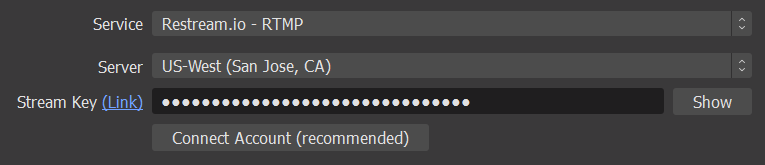
@odd gazelle OBS > Settings > Advanced > Scroll down > Enable or disable Browser Source Hardware Acceleration, depending on its current state > Restart OBS (This does not apply for OBS on Mac)
https://i.imgur.com/ggMe9ZE.png



 dry hare
@main fossil what was your old name and what is your new name?
main fossil
plumsweetsims is the old one, new one is plumsweettv
odd gazelle
okay i did that and it still not working
 keen dome
Hi there! I have a problem with Kappagen appearing even though I did not put it into my overlay... Every time I emulate something, emotes explode all over the screen, but Kappagen is not in my layers at all... I'd like to turn it off, but I can't as it's not actually there.
strong kernel
@odd gazelle Did you only go in and say "yeah it's on," or did you actually disable it if it was?
odd gazelle
no sir. i thought he meant something else it is working now. but i do have another question. every time i open obs it pop up another tab saying woops obs has crashed how do i fix that
 hasty kernel
I'm trying to get on my account to edit my overlays and SE website won't load
 hasty quiver
what does status_error. invalid refresh token (HTTP 400) mean it also said that it cant connect with twitch
round brambleBOT
@odd gazelle A crash log is required to investigate the cause of your issue. Please upload the last crash log.
- In OBS, click the Help menu
- Select Crash Reports and then Upload Last Crash Report
- Copy the URL and paste it to the chat here.
Note: If you are not able to follow the above steps, open your file explorer and go here: %appdata%\obs-studio\crashes and provide the last listed file.
strong kernel
@hasty kernel The website is up and running as expected. You will need to check local causes of the issue such as browser extensions, firewall, etc.
round brambleBOT
@hasty quiver Please provide a proper screenshot with the issue visible. If not sure how to take a screenshot, you can check here: https://www.take-a-screenshot.org/
hasty quiver
strong kernel
Go to Settings>Stream, check the settings, and then redo them anyway.
main fossil
@dry hare Sorry, I didn't know if I was supposed to tag you. plumsweetsims is the old one, new one is plumsweettv
hasty quiver
its fixed thanks
 sly crow
i dont see a way on streamdeck, how can i easily turn a timer off with a command?
strong kernel
Not possible. Timers are only managed via the dashboard.
keen dome
Hi there! Like I said up above, I have a problem with Kappagen appearing even though I did not put it into my overlay... Every time I emulate something, emotes explode all over the screen, but Kappagen is not in my layers at all... I'd like to turn it off, but I can't as it's not actually there.
strong kernel
@keen dome This layer in Just Chatting is Kappagen.
keen dome
@strong kernel Perfect! Thank you! ❤️
Thought it was a chat thing as it was on my chat...
main fossil
Hi, I recently updated my name and when I tried to stream the chat dock won't connect to the chat. There is a ghost that says error loading data. Plumsweetsims is the old one, new one is plumsweettv. Also, when I go live the game title or settings does not update. Thank you for your help.
round brambleBOT
@main fossil StreamElements menu, on top of OBS > Logout > Login
main fossil
I'm still getting the same error
round brambleBOT
@main fossil If you changed your name on Twitch, please follow these steps:
- Visit https://streamelements.com/logout and then log in again by connecting with Twitch.
- On the right side of the dashboard page that opens, select Join under bot settings. If it says Part select that and then select Join to send the bot to the chat. Don't forget to mod the bot by typing
/mod streamelementsin your channel if you have not already. - Post your old and your new name here so that we can update your channel's chatstats tracking (must be done by staff).
 glacial whale
hi! i'm currently having some trouble with media request. the first problem is that the video does not auto play, even though the auto play setting is enabled. so i have to open browser and press play everytime a song ends. second, i cant hear the songs on obs even though i added the media share widget. i also would like to know if i have to let the browser open if i want to hear the music/make media request work properly
 digital jungle
Hi, I am having some issues with getting the audio on alerts to actually work on stream. The alerts themselves work but no audio is played on stream. If anyone could that would be awesome!
strong kernel
@glacial whale Auto play means it will continue playing through the queue after you've pressed play once. It will not just suddenly start playing on its own if a request comes in.
main fossil
Still have the same issue
strong kernel
@digital jungle You'll need to check your OBS audio settings to make sure it's playing through the desired device.
 rain agate
For unknown reason, I am not able to stream to twitch. OBS keeps wanting to stream to YT
round brambleBOT
@rain agate StreamElements menu, on top of OBS > Logout > Login
rain agate
i am using straight obs, can't use SLOBS. i have to pay to stream through that
round brambleBOT
@rain agate OBS.Live is a Plugin for OBS created by StreamElements. You can download OBS.Live here: https://streamelements.com/obslive
Please make sure you have the latest version of OBS installed, Current Version: 25.0.8. You can install OBS here: https://obsproject.com/
rain agate
got v26.0.2
strong kernel
That's fine, the bot command needs to be updated.
digital jungle
What do the audio settings need to be at? because the browser source that I have added has no audio mixer to it at all so I can't tell if it's even playing any sounds and I have all of the other sound settings working fine
spark wind
guys I renamed my twitch name from papa_slem to slem_gj transfer my chatstats please 
main fossil
@spark wind Did you have to do anything to get your chat to work?
 normal nexus
is there a way to change the spam filter on the TTS???
 amber finch
Been getting this from media requests. have tried restarting, updating, rebooting, resetting widget and obs
any ideas?
round brambleBOT
@amber finch StreamElements menu, on top of OBS > Logout > Login
 dark pulsar
Hey guys so Im new to streaming and have been using OBS unfortunately my streams have been pretty laggy with frame drops and the quality is pretty bad even for 720 fps. Is their set recommendations for streams running from a single computer. The reccomeded settings are 1080 p 60 fps
Extra Info : AMD rx 590 graphics card, Ryzan 5 2600 X and 92Mbps upload
amber finch
you overworking your CPU?
dark pulsar
my cpu always states that its hardly using any power. normaly below 30%
amber finch
so it's not like stuttering, it's actually dropped frames?
dark pulsar
yup. and there was also like a 3 minute delay at one point.
amber finch
if you are finding that you are actually counting dropped frames. look up your bandwidth and adjust bitrate
should help
dark pulsar
any reccomendations from my setup what bitrate I should be using the auto scan puts it right up to 6000 bits but even at 3500 it still runs pretty bad
amber finch
I personally stream my 720p 40fps stream at 2500
which hardly drops frames
but I have pretty shitty internet
dark pulsar
thanks Ill try that. Like I said My internet is pretty decent but stil outputting what looks to be 340p quailty
glacial whale
ok, so i tried some things and i think media request is working. i just need to know if i have to let the browser open on the media request page. if i close it, media request stops playing the next songs
amber finch
that shouldn't be the case. Media request should be a dockable widget that can play a queue based on what is requested into it
shouldn't need an extra tab open for it
Unless you mean the browser itself being the widget
 sand mantle
Hi, I'm trying to go live on twitch but it's not working. I've linked my account and clicked start streaming but I'm not going live.
amber finch
surely there is more information than that @sand mantle
What does it say when you hit start stream
sand mantle
starting stream and then stop streaming
There is a Live clock at the bottom of OBS but my twitch isn't going online
I can't tell if there's a problem or if I'm dumb lol
amber finch
Honestly if it says you are live on OBS you should assume you are live, but maybe you signed in using two accounts or something.
Seems odd that it would establish a connection, show you a green light and then not show up on the site
strong kernel
@glacial whale Either control it in the browser or in OBS.Live, but the controls must be open somewhere while you use it.
@sand mantle You didn't check this box, did you?
glacial whale
@amber finch sadly, if i close my browser, when the current song stop playing, even if theres otehr songs in queue, the songs stop playing
amber finch
@strong kernel that'd do it for sure
glacial whale
@strong kernel so, i added the media request widget but its blank. is there i way i can control media request on obs?
round brambleBOT
@glacial whale StreamElements menu, on top of OBS > Logout > Login
amber finch
^
sand mantle
I did not @strong kernel
OBS didn't ask for my stream key though, I just had to log in...
Do I need to enter that somewhere?
amber finch
you can just sign in and have it work too
stream keys are if you want to use twitch without the login
sand mantle
I can see my activity feed and everything on OBS so I know I'm on the right account
glacial whale
@round bramble cant find this 😦 is it on obs or streamelements site?
amber finch
@glacial whale you need the OBS live version of OBS
which is integrated with streamelements
glacial whale
got it, will try it now. thanks!
amber finch
👍
sand mantle
Should I try just using my stream key instead of logging in? I'm not sure where to enter it
amber finch
It shouldn't matter, and honestly using your twitch login is safer
should you delete obs by accident your scenes are saved in the cloud.
plush robin
So I use a video file for one of my alerts and whenever it triggers it has a glitch sound before it plays, any way to address it? it's a low quality vid too
amber finch
the best way is probably to clean up the video using an editor.
 cedar hill
So I am helping a friend set up his elgato and overlays on obs but when he hits start streaming on twitch it shows up as a blank black screen any tips? Cause mine is working fine
plush robin
As in edit out the glitch sound? because it doesn't make that sound outside of the alert
amber finch
^ ah, that changes things
Then add yourself a noise gate or noise supression on the media being called and try that
glacial whale
so i installed obs.live and now i can control media request through obs, thats what i wanted 😄 thanks a lot for the help! just one last thing. i dont want the video playing, but when i press 'video off' it still plays. is it bugged?
 uncut harness
I need help setting up payment. it is literally not letting me upload my photo id. it's stuck here and i dont want to lose my tips
is there someone i can email?
i also uploaded my bank statements. hopefully those got through
round brambleBOT
@uncut harness Please contact us via email for support with SE.Pay. You can use our contact form here: https://streamelements.com/contact Thank you.
amber finch
@glacial whale so if you hit the Play button on the media request widget you'll get your pc to pull up that song on youtube and play the video in the background. the only time the video should be visible on screen is when you toggle it on, and have the media request overlay in the given scene.
main fossil
Has anyone had this program just stopping working correctly? Should I just uninstall it? Chat dock is missing now.
main fossil
It's totally missing from there @amber finch
amber finch
IF thats the case I would recommend saving your scenes somewhere and reinstalling
main fossil
Thank you
glacial whale
@amber finch so, heres the widget with both 'video on' and 'vide off' toggled. on both the video still plays, i want to know if theres a way i can disable the video and just hear the audio, so it uses less of my cpu. thats just a small detail tho
amber finch
that is strange....
well the only fix I can give you. is not a very good one
Just shrink the size of the media request window
and it will also make it look like this
glacial whale
thats definitely better. gonna try this, thanks!
cedar hill
So can anyone help?
glacial whale
oh, but if you toggle video off, you dont see the video? so maybe its bugged here
amber finch
not enough information Crimson.
cedar hill
So I am helping a friend set up his elgato and overlays on obs but when he hits start streaming on twitch it shows up as a blank black screen any tips? Cause mine is working fine
amber finch
@glacial whale Yea unfortunately I think it will always play the video
considering it's a youtube video
could be a bug
cedar hill
Ok so I have completly waked him through how to set everything up the preview is fine everything is wokring on his end with the stream elelemts but as soon as he hits start streaming there is no overlay no game play it is all black
glacial whale
@amber finch got it. hope it gets fixed someday. thanks again for all the help 😄
amber finch
🤞
cedar hill
No no sound at all
 tender cave
Who would I talk to about issues with potential sponserships, through Streamelements?
cedar hill
Just a black screen
amber finch
Well. given that he's "going live" enough to have a black screen you can tell it's some sort of source/scene problem
 alpine condor
can anyone help me get my alerts from streamelements to OBS?
amber finch
perhaps his game sources are out of oreder.
@alpine condor head on over to streamelements website, go to the widget section look for an alert box widget and add it to your collection
Then you will make a new browser input type in obs,
then put in the link to said widget
the link will be given at streamelements widget customization menus
cedar hill
But thats where I am confused though because if the sources are messed up why would they be showing up in the preview
@amber finch you mind if I add you to our discord call?
amber finch
sure why not.
 vernal cosmos
Hello everyone I just have a question about my bitrate/upload speed
round brambleBOT
@vernal cosmos Welcome to the helpdesk! Please let us know how we can assist you today and a support volunteer or staff member will assist you as soon as they are available. Thank you for your patience.
vernal cosmos
ok thank you
amber finch
what is your question
 balmy falcon
Why is my bot dissconnectd from twitch (obs live stream elements)
 sudden sinew
How do I get the song request audio to work?
balmy falcon
it doesn;t have my custom bot name anmore
vernal cosmos
I'm just having trouble with my bitrate, it
it's been super inconstant
i've been messing with all the settings and checking the upload speed as well.
balmy falcon
Its not u, Twitch has been very wonky across the board, KBS going down to 0 and spiking
 quartz osprey
??
main fossil
@amber finch I uninstalled and reinstalled OBS, still no chat dock.
balmy falcon
whats the easiest way to do that? do u have a link?
vernal cosmos
yeah one min its doing fine 6000k for like 20 mins then just goes up and down betweeen 1-5k
amber finch
@main fossil Did you log out of the obs twitch link?
You do need a connected account to obs to have chat be there
balmy falcon
chat dock seems to be dissconnected from OBS on purpose with the new update
quartz osprey
im not sure how to work stream elements. One thing i am sure i want is when people type in the chat the screen will show the emojis flying around the stream
main fossil
The streamelements section? Yes
balmy falcon
yea u have to go to View-Docks- then chose on the options at the bottom
sudden sinew
Does anyone know how to get the Song Request audio to work?
quartz osprey
i need help setting that up if possible
balmy falcon
Dont worry @lament blade im just trying to remanme the "Streamelements" bot back to my "Spydabot" for some reason, over night, it disconnected it, and i have not clue how to rename it back
definately not Discord
amber finch
@sudden sinew Head on over to the website for OBS live, and download the streamelements version of OBS, then head on over to your streamelements website, look up the browser source link for media requests through the various tabs. then, sign into OBS live as your linked twitch account and finally add the browser source to your scenes.
That should do it
balmy falcon
do u wanna voice chat real quick? its probly an easy explination, im just not xplaing it well
 prime sun
Can you self promote here on twitch or no
balmy falcon
i wouldnt..
prime sun
K
topaz sedge
Ok, got one of my sounds to work but the other doesn't.
amber finch
@quartz osprey for you a similar process, streamelements website, overlays and widget section. look for an overlay that produces animations of your liking, then add it as a browser source inside of OBS
prime sun
Ok
balmy falcon
yea, im usually the guy who helps everyone set up their stream, now idk half this sh!t cuz of all the updates
ur good dude
thank u
main fossil
Sorry, does this mean I can't use streamelements OBS.live?
quartz osprey
can anybody help me ?
balmy falcon
why not?
a HUGE thing that might help everyone, becasue of the update, when u run StreamElements live
right click it from ur desktop, and run it as administrator
amber finch
@quartz osprey I answered you above
round brambleBOT
@balmy falcon If your commands recently stopped working and you're using OBS.Live and a custom bot name do the following:
- In OBS.Live, click on the hamburger menu (three stripes) at the top left of your activity feed
- Click on Stream Settings > Custom bot name
- In the Custom bot name field select Set custom bot name, not your already existing username (with capital letters). Note: If you already connected an account that way, the third entry will show as the account name (see image https://i.imgur.com/sO7fWOX.png).
- Scroll a bit down and click on the purple Connect Custom Bot Account button
- Log in as usual and Authorize the custom bot name
- Back in the Activity feed, click on the Send Test Message button and check if your custom bot name starts working again
amber finch
You should be having your parents help you with this if you are 13, honestly.
Streaming requires parental approval at that age.
amber finch
Then you have plenty of time @quartz osprey no need to run into this without researching about obs on youtube and stuff.
It would be wise to expand your knowledge and learn the internet before you do anything with your face or streaming
For your own safety.
 chrome folio
@amber finch use the #general-chat please.
quartz osprey
i try to do as much research as possible, i am just trying to get this done, can you help me or no.
amber finch
It was a technical question until he mentioned his age. 😂
sudden sinew
Thank you
amber finch
^ 👍
quartz osprey
wym
age is just a number
ya know?
y does it matter if im 17 and need help and if im 13 and need help?
topaz sedge
A lot of things can happen if that is leaked out... Twitch would take that serious
quartz osprey
i know
but im talking helping with eletronics, you shouldnt change the way you are helping someone if they are 13 or 20
topaz sedge
I'd wait til you are of age, to proceed further.
amber finch
I'm just gonna say that I spelt out how to go the alerts very clearly.
streamelements website, overlays and widget section. look for an overlay that produces animations of your liking, then add it as a browser source inside of OBS
If you can't do that it's an age barrier.
quartz osprey
bruh
chrome folio
Please keep the conversation here related to the helpdesk. Other content, use the #general-chat channel.
quartz osprey
yea
what phph said
but anyways, @amber finch i already have an overlay from streamlabs so why do i need a new one from the streamelements website?
main fossil
Ok, so I decided to go back to streamLabs and now I can't even get OBS.Live uninstalled.
amber finch
this is the stream elements discord @quartz osprey
strong kernel
@main fossil OBS.Live is highly dependent on an installation of OBS Studio being present. If you uninstalled OBS Studio first, you will need to reinstall it before uninstalling OBS.Live.
main fossil
Nah, OBS is installed and it still will not finish the uninstall
chrome folio
@main fossil open the OBS Studio and show us the screenshot, please.
main fossil
Do you mean this?
amber finch
Alright just to double check. settings menu at the bottom right, then on the "stream tab"
did you also log in there? @main fossil
Looks like you logged into streamelements correctly. considering the media request system and not the OBS live sign in page
but can't tell if you signed into OBS itself.
chrome folio
@main fossil i will call you in DM.
main fossil
@amber finch That fixed it, I knew it had to be something simple I was missing. TYVM
amber finch
your welcome
 dreamy dew
xan some help me please
round brambleBOT
@dreamy dew Welcome to the helpdesk! Please let us know how we can assist you today and a support volunteer or staff member will assist you as soon as they are available. Thank you for your patience.
 gleaming fog
help me pls
 sudden compass
is it possible to have two different camera sources? i used to have two but now i can never switch between two scenes that have different cameras ifthat makes sense
gleaming fog
i can't get the discord command to post the link. it just posts ***
strong kernel
@gleaming fog Make the bot a moderator, plus you probably want to disable link filtering in your Twitch dashboard anyway.
gleaming fog
@strong kernel both are done. still won't work
strong kernel
If the second one was done, links would not appear as ***.
Only Twitch does that.
Not us.
And you haven't made the bot a moderator, either.
 dawn rose
I use use my pc to stream games off my ps4. When I use stream elements it glitches sometimes but when I use stream elements only for my pc and not my ps4 I have no issues. Anyone know what this could be?
 buoyant plaza
hiii i need some help
round brambleBOT
@buoyant plaza Welcome to the helpdesk! Please let us know how we can assist you today and a support volunteer or staff member will assist you as soon as they are available. Thank you for your patience.
buoyant plaza
how do i get to where people can do text to speech
strong kernel
TTS settings for alerts are located within the alertbox settings in the overlay editor.
buoyant plaza
where is the overlay editor
round brambleBOT
@buoyant plaza We've released our new Overlay Editor revamp. You can check out the changes and how to work with it here: https://youtu.be/X5VzXjqAsjk
Check out our blog post as well: https://blog.streamelements.com/streamelements-overlay-editor-just-got-even-better-c22cb5b4853e
tepid wadi
Hello, I've setup the counter command and it's working, it's adding up everytime you use the command. However, how can I add a certain number before people use it?
or substract just in case I want to put it back to 0?
strong kernel
The !editcounter command can set any counter you want to any value.
strong kernel
What did you enter as the response for the !stuck command?
tepid wadi
 wraith finch
Hey I am trying to use the media song request but it wont autoplay songs that are requested anyone know what could be happenig?
strong kernel
You wrote <stuck> as the counter name, not stuck.
buoyant plaza
now the website just isnt working
lament blade
On my stream I have a song queued, but it hasnt played
And its been a good few minutes since requesting
 hollow hull
Is there a way to add a command to the chat so that viewers can view their total tickets purchased through a giveaway? Similarly to how !points can pull the points a viewer currently has? I’m a mod in someone’s stream, and I know viewers can go to the public giveaway page, but I’d prefer it to show in chat
lament blade
ionic kelp
@lament blade you have to contact streamlabs about that.
lament blade
oh?
ionic kelp
@hollow hull to my understanding no.
plush robin
Does it take a strong connection to have videos as a alert?
ionic kelp
@lament blade that's not ours.
lament blade
Oh am I being small brained right now...
hollow hull
Is there someone I could contact about that @ionic kelp
round brambleBOT
Check out the StreamElements ideas board: https://strms.net/ideas. You'll be able to add ideas, upvote ideas you agree with and track their progress with email notifications. Adding and upvoting ideas also helps the staff know which ideas should be prioritized so please take some time to upvote.
lament blade
Now I requested a song
and its still not playing
dang im having an issue with it
ionic kelp
You have the media share widget added along with the player in OBS.Live, ground control, or the website open?
lament blade
I have the website open
with my dashboard open
Is there a specific part on the site that I need open?
ionic kelp
Scroll towards bottom for the media share tab.
lament blade
Where do i look for the media share tab
Im not entirely sure I have it completly set up
can you send me a link or screenshot of what im supposed to be looking for
oblique steeple
 royal wolf
how do I start the watch time?
ionic kelp
@royal wolf enable loyalty.
oblique steeple
Do you have any script blockers or other extensions installed on your browser? Seems like something is blocking the youtube player
oblique steeple
Try turning them off and reload the site
oblique steeple
Alright that. That's were you manage your song requests. But to have them playing in OBS, you need the Media Request widget in your overlay. Do you have that already?
 plucky heron
How do I find blocked messages by the bot
ionic kelp
@plucky heron what do you mean?
 wet pier
Is there willing to look over my logs for this past stream? My display capture freezes at certain times, but webcam/facecam continues just fine. Everything has been working great until I started recording my streams. Anyone know what is going on? Added, it freezes for about a min or until i open inventory again, then it unfreezes
wind mica
i nees help plez
need
Has anyone here received donations via PayPal? I want to ask about something
Because I received a donation and the account was credited, and I do not know what to do
plucky heron
@ionic kelp my bot will block messages
So I'm trying to see what messages were blocked
 atomic pelican
Hi guys! Can u help me? I changed my twitch username and my bot (streamelements) stopped to send messages when I use !command (example)... (Im brazilian)
How can I fix it?
dry hare
@atomic pelican log out of website and back in, then in obs.live click streamelements > log out > log in
placid raptor
@wet pier are you streaming and recording at the same time?
sheesh 😅 I'd take it up with OBS, but generally unless you have an insane amount of space and a beast of a PC, I wouldn't do that
dry hare
@wind mica PayPal happens within PayPal. SE alerts don’t trigger until it clears PayPal
 pine hamlet
Is there any way to remove emotes from the Stream Chat overlay?
atomic pelican
@atomic pelican log out of website and back in, then in obs.live click streamelements > log out > log in
@dry hare can u print this screen?
pine hamlet
I would like chat to pop up on screen but don't want the emotes, as I use the emote wall, but it sounds like I'll have to remove the chat overlay!
dry hare
Do wut?
You can disable the emote wall in chatbot settings in your dashboard
@atomic pelican there is a #🇵🇹︱português if that’s easier
pine hamlet
No - I want the emote wall, I would like to have the text only shown in the chat, then emotes on the emote wall.
pine hamlet
Yeah - weird use case
If someone drops a bunch of emotes I don't want it shown in chat, essentially.
in chat on screen***
atomic pelican
in my "obs live" page doesn't have the option "log in" "log out"
dry hare
On the website or the streaming app?
atomic pelican
@atomic pelican what do you mean print screen?
@dry hare something like a picture of the page
dry hare
Are you just using regular obs?
atomic pelican
On the website or the streaming app?
@dry hare website...I use streamlabs obs
round brambleBOT
@atomic pelican Go to the Dashboard > Right side > Part channel > Join channel (https://streamelements.com/dashboard)
dry hare
That’s the website part
 zealous bridge
How do i make my streams less laggy
dry hare
@zealous bridge fix your bitrate and resolution
zealous bridge
how do i make a bot start doing the things in the chat
@zealous bridge fix your bitrate and resolution
@dry hare how do i do that
in obs
round brambleBOT
@zealous bridge For the best OBS support, please join their Official Discord @ discord.gg/obsproject
dry hare
@atomic pelican lemme know if that helps
zealous bridge
thnx
atomic pelican
@atomic pelican Go to the Dashboard > Right side > Part channel > Join channel (https://streamelements.com/dashboard)
https://i.imgur.com/uYVb8OK.png
@round bramble thank u so much
 mighty musk
i cant seem to access my dashboard from the streamelements website, it keeps redirecting me back to the main page
dry hare
Have you tried a different browser?
wind mica
Anyone who understands PayPal can call me private. I need help, please
dry hare
@wind mica you’ll need to talk to PayPal
Can’t be more clear than that. Nothing that happens on PayPal is handled by streamelements. We only receive the notification when someone tips you
And the payment clears.
wind mica
i just need to understand this request
dry hare
Contact PayPal support
mighty musk
Have you tried a different browser?
@dry hare yes I just tried it on another browser, same issue
dry hare
We don’t know anything about how PayPal works here.
wind mica
Contact PayPal support
@dry hare okay i am sorry
dry hare
We just get the notifications when someone tips. If someone tipped and it’s in your PayPal account it’s a PayPal issue
@mighty musk check ad blockers
And anti-virus
viscid pebbleBOT
Hi @zealous bridge, Please ask your question(s) or describe the problem you're looking to solve so staff or a support volunteer can assist you as soon as they are available.
dry hare
You have an issue with your obs settings. The best place for help is the obs discord
I can’t be more helpful than that
 crimson bough
Dear Admins, sorry, i switch my design and stats are disappeared. (ID 5f6ba12e7316346b8dd629d1)
dry hare
@crimson bough you changed twitch name?
mighty musk
@mighty musk check ad blockers
@dry hare clearing out browser history ended up fixing it, thanks for the help and fast responses though!
crimson bough
no just panel images
zealous bridge
@dry hare How do i make my twitch streams less laggy
round brambleBOT
@zealous bridge For the best OBS support, please join their Official Discord @ discord.gg/obsproject
dry hare
I can help with streamelements, but the issue you’re talking about is an OBS problem
dry hare
Join the discord, ask in the appropriate support channel
@crimson bough can you try deleting the extension and re-adding it?
I’m not entirely sure what the fix is for that one
strong hinge
My overlays wont load I know clearing my cache fixes it, however this is now the 6th time in 4 days. Does anyone know why this could be happening or another way besides clearing cache to fix it. Its becoming quiet tiresome to have to resync and log back into everything each time
round brambleBOT
@strong hinge OBS > Settings > Advanced > Scroll down > Enable or disable Browser Source Hardware Acceleration, depending on its current state > Restart OBS (This does not apply for OBS on Mac)
https://i.imgur.com/ggMe9ZE.png
dry hare
^ try that
strong hinge
Thank you
dry hare
Also make sure you select “shutdown when source inactive” and “refresh cache on load” in the browser source properties
That helps as well
crimson bough
Yes, I try to do that, but nothing @dry hare
dry hare
@crimson bough the only thing I can think of would be to go to streamelements website, log in, log out, log back in. Then go to twitch and log out/back in
 ivory gulch
Any news when the asset rotator/slideshow widget starts working again?
ivory gulch
I don't think it is custom?
dry hare
Is it in the overlay editor on a new overlay?
Or can you add it directly in a new overlay
crimson bough
@dry hare done, nothing
dry hare
@crimson bough well poop. I’ll ping someone and ask. Idk what will happen after that
crimson bough
thank you @dry hare
dry hare
That’s what I just found out @ivory gulch
I asked internally @crimson bough
Someone with more brains than me will know something
ivory gulch
Ok, beem few days now.. Lets hope it works soon then. cheers
oblique steeple
@crimson bough Your channel doesn't have the SE widget as a panel. Who's channel is that? (Name only, no link please)
crimson bough
watchfulTV
crimson bough
I have
oblique steeple
Now it's there  Seems like Twitch had a stroke
dry hare
When doesn’t it?
oblique steeple
@crimson bough It looks like there's an error on our side but I can't tell for sure. You'll get pinged when we know more 
crimson bough
@oblique steeplethanks 👍
dry hare
Thanks @oblique steeple you da best
lament blade
HELP!!! I changed my name and my panel is not working. Ive changed is before and know this happens and needs to be updated so my old username was poggyou and my new one is poqgy. thanks
Hey there! I'm currently in the editor trying to edit an overlay I pulled from the themes tab. I'm trying to change the layer to the name/twitter/steam account by editing the corresponding layer but the change is not reflected on the overlay.
royal wolf
Heyy do you guys know how to add commands ?
I need help adding a command to say something when someone follows
dry hare
It says something by default
plush robin
Do ya gotta have a strong connection to run alerts that uses a video file?
lament blade
when i press start streaming and see that if mu stream is live
it isn
t
what to do i did twice yet it doesnt show i am live i have connected my acc perfectly
?
 olive coral
one alert for someones donation isnt going off i go and emulate it the exact same amount on streamelements site and it goes off but their donation doesnt
idk whats going on
 potent ibex
Hello how do I go about getting the nuke and filesay commands disabled in my channel?
Also is there any chance of it being moved to a module? I know a few others that would like to be able to disable it
 dusty pagoda
Heyyy
 flint gorge
Hello. Since using StreamElements my stream is super laggy. Our internet connection has been a bit dodgey but its sorted now. I streamed a megadrive game and had huge lag. I have looked through the FAQ. It's not an OBS issue, as when I stream using normal OBS it was fine. Any suggestions? (Other than not using SE)
round brambleBOT
@flint gorge Please provide a log from your last stream. To do this, in OBS go to Help > Log Files > Upload Last Log File and paste the link to the log file here.
ocean pike
Hi! What would be the best way to resize an item in the Layout Editor? Just changing the pixels in "Position, size and style" changes the potential area the object can take, however the object still remains the original size in that area. When editing in OBS previously, I could just drag to stretch/resize objects, SE layout editor seems to always just keep the original size of the object unless I redesign it completely...
Edit: Seems like some objects are "locked", for example, a follow animation.
Edit2: It seems to be the case only with custom CSS items - I'm guessing if there is a custom code involved, the simple "drag-to-resize" function stops working and the size changes can only be done in the code?
spark wind
missing my chatstats page because of rename from papa_slem to slem_gj can some1 help me? 
 naive dirge
Is there a way to have the custom bot name work without needing to use OBS.live?
round brambleBOT
@naive dirge Currently renaming the bot fully works with OBS.Live.
You can follow this video guide to set it up: https://discordapp.com/channels/141203863863558144/494513233416421386/561516184718278676
If you don't want to use OBS.Live and want to stick with Ground Control, please let us know your Twitch username.
oblique steeple
@crimson bough Did you change your name recently? If so, what was your old name?
naive dirge
Twitch Username is DADDY_LAW_69 & the Account i created for the Custom name is Holden_Cross_
oblique steeple
on it
naive dirge
Wait dose Ground Control still have the Custom bot name or is it only OBS live now
oblique steeple
Ground Control still has it but it has to be manually enabled, that's why we needed your name. Please restart Ground Control, you should see the option now
naive dirge
Oh dam thank you
shit that was hella quick

I just need a new OAuth Token i take it? the test bot is not showing in chat
oblique steeple
@crimson bough Okay never mind, no old name needed. Your chat stats got a small smack. The extension should work again 😄
@naive dirge I can't tell for sure cause I never really used GC or the rename function, but you can definitely give it a try
@spark wind Aaaand your stats are working again 
 dawn scroll
Ooh if it's that easy to do custom names I'd also like that if possible
naive dirge
And that did the Job  Cheers for the help @oblique steeple
oblique steeple
If you're using OBS.Live, you can do that already. @dawn scroll
dawn scroll
I'm using slobs
round brambleBOT
We're not able to troubleshoot issues with using our overlays in StreamLabs OBS (SLOBS) as we don't have the tools to support their software. We recommend using OBS Studio or OBS Studio with our plugin OBS.Live.
dawn scroll
just looking for the custom bot name in GC
oblique steeple
Then please provide your Twitch name
dawn scroll
knoxy_in_oz
 full kernel
is there a way to see how many people are watching on obs? or do i have to use google
oblique steeple
@dawn scroll Done. For the future, please ask in here or via ticket. Doing both at the same time can cause some confusion
@full kernel Are you using OBS.Live?
dawn scroll
no worries thank you for the quick response. I logged the ticket then got told I should have just come here
Much apologies
oblique steeple
All good
dawn scroll
Hmmm did I do something wrong? The bot is responding 4 times to all commands. This was the "test bot" function in GC
same thing happens when calling manual commands
oblique steeple
That usually happens when more than one GC or OBS.Live instances are open at the same time
dawn scroll
ok let me double triple check that
oblique steeple
Kill Ground Control in task manager and kill all bot.exe. Then start GroundControl again.
dawn scroll
❤️ seems like just exiting and opening again fixed it. Couldn't find any processes running after exiting. Thank you again
full kernel
@oblique steeple not sure i think so
oblique steeple
Is your "start streaming" button green?
full kernel
yea
but i cant change the title and stuff before it sstarts
i have to go through google
and twitch
nimble dune
You can change title and category in OBS and in activity feed settings before you go live.
And if that doesn't work then you have to go to twitch dashboard or change it from command ⬇️
!streamtitle
round brambleBOT
There is a bug with setting the stream title in OBS and the dev team is investigating.
In the meantime you can set the title using the !settitle command in chat (if enabled in your bot command settings) or with the Twitch dashboard: https://dashboard.twitch.tv/stream-manager
full kernel
ok thanks
nimble dune
As i see you asked viewers count that you can enable it in OBS and activity feed settings. @full kernel
strong hinge
So this now is happening more and more often when I raid it doesnt actually show the notification that Ive raided to the streamer. These are streamers that one day it will show the raid the next day it wont
 zinc adder
is it just me or is stream elements down because i cant accesses my dashboard
round brambleBOT
@zinc adder Please logout of StreamElements at https://streamelements.com/logout and then login again to your account (Twitch/YouTube/Facebook).
zinc adder
really that simple
nimble dune
worked?
zinc adder
idk haven't tried yet brb
nimble dune
👌
zinc adder
yes it did
nimble dune
 sudden mantle
hello all, so I've been going back and forth all over the interwebs to try and get this sorted but I cant do it by myself I'm sorry. Ive created my alert box on streamelements.com and paste it in as a browser source in OBS, when I emulate the alert on the streamelements website it doesnt show in OBS, its just a black screen, am I doing something wrong? Is the emulate button only for the alertbox editor?
round brambleBOT
@sudden mantle OBS > Settings > Advanced > Scroll down > Enable or disable Browser Source Hardware Acceleration, depending on its current state > Restart OBS (This does not apply for OBS on Mac)
https://i.imgur.com/ggMe9ZE.png
sudden mantle
Thanks @round bramble I had stumbled across that solution and it still doesnt help 😦
omg i got it.... the tick box "Preview LIVE on stream" wasnt ticked in the streamelements.com alertbox creator
sigh
nimble dune
That would be the problem 😄
sudden mantle
Something that simple!! lol i just figured when im not LIVE so why would I need to tick that.... converted over from SLOBS so everything is a little more "manual" than I am used to, but still loving it
nimble dune
 grave plank
is there something up with the server right now? everytime I try and upload a webm for alerts it doesnt load the alert, I try to refresh the page and it goes into infinite loading mode :S
 hearty pond
I am confused right now can I ask a question in this channel?
placid raptor
preferably twitch related questions @hearty pond 
there's some work being done in the backend, yes @grave plank
 deft loom
I moved from Streamlabs obs to streamelements
and my alert box isnt working
I imported everything
hearty pond
yeah okay so I streamed some minutes ago, and someone gave idk may like 11 Euro to me, but i don`t have given my paypall or something. so how could he give me the money? And if where is it I am so confused
round brambleBOT
@deft loom New to StreamElements?
Check out our YouTube channel https://www.youtube.com/c/streamelements/videos
with tutorial videos from setting up the basics, to in depth details on how to use our product.
New to OBS? Here is a 4 step quickstart guide
https://obsproject.com/wiki/OBS-Studio-Quickstart
Want to learn even more? Here is an in-depth overview
https://obsproject.com/wiki/OBS-Studio-Overview
placid raptor
well, find a way to explain what's wrong and we'll be glad to assist
placid raptor
@hearty pond if you've made a tipping link available to them then they will be able to donate
up to you to understand what is set up honestly
@deft loom you just moved to SE?
do yourself a favor, watch the videos
SL is nothing like us
and you need to do some adjusting
hearty pond
but i don´t gave a link I made nothing to donate me money thats why I don´t know how he could
placid raptor
what was the indication for the donation @hearty pond ?
grave plank
@placid raptor perfect thanks! Was wondering why its struggling right now 😅 thanks for the heads up!
hearty pond
the reason?
placid raptor
indication, like how did you see the person donated?
alert? activity feed?
hearty pond
it was in the chat It said like: "Name" doneted 1 Euro
round brambleBOT
@hearty pond Please provide your account ID found at the top of this page: https://streamelements.com/dashboard/account/channels This ID is public info and safe to share here.
crimson bough
@oblique steeple oldname - watch_FUL
oblique steeple
I pinged you a second time. It should already work again
crimson bough
Bro, you are working 24/7)?
placid raptor
there are no tips @hearty pond
did you take a screenshot of the chat when you saw the tip message?
maybe someone just typed "/me tipped ....."? because you have nothing set up for tipping indeed
oblique steeple
Maybe I'm a robot 
 thick hemlock
Hey, I just switched to SL, the thing is the website doesn't load sometimes, I also remember before I wanted to dono for someone and it still was loading long time
nimble dune
@thick hemlock What browser you using?
thick hemlock
chrome
nimble dune
Try incognito mode
hearty pond
i took screenshot
nimble dune
Probably some extension causing issues @thick hemlock
thick hemlock
I guess ad block might be the one
nimble dune
Try clear your cookies and cache.
thick hemlock
will do cheers! 
nimble dune
 hoary plume
hey i was wondering when does applicant replies for the dreamteam come back? or do you not get a response if declined. i applied a few weeks back thankyou
ionic kelp
@hoary plume 1 sec while I ask someone.
hoary plume
thankyou very much
crimson bough
@oblique steeple still nothing 😩