#helpdesk-twitch
1 messages · Page 771 of 1
 zenith widget
 little oak
@haughty lance a work around has been found but its a known bug atm if you want the work around
 haughty lance
would love to hear about that workaround 😅
little oak
the work around for the asset is simply put at the beginning of the sequence of videos to be shown on the slideshow an animated GIF
haughty lance
the fact is (maybe its a known bug) the thing i were placing was a gif image but it breaks while the animation on streamelements, so i've made that gif a webm so it cannot "break". I could make a transparent gif maybe
 mortal karma
Hi quick question as a twitch affiliate when u reach 100 usd u get a payout but if I reach 80 usd do I still get 80 Usd
haughty lance
thank you @little oak ❤️
haughty lance
the link dosnt work xD
 ionic kelp
You derped the link 
zenith widget
little oak
Thank you 
https://discordapp.com/channels/141203863863558144/199460642975907840/766728259559489548
@zenith widget for y ou @haughty lance
haughty lance
❤️
little oak
sorry about that Marc 
 little oak

 warm plaza
hey, anyone who knows how to fix the infinite loading for the media/song requests (its in the streamelements.com dashboard mediarequest general)
 round brambleBOT
@warm plaza StreamElements menu, on top of OBS > Logout > Login
 vagrant widget
Hello, any tips to reduce cpu high consume? looks like SE browser source cause very high cpu usage, even a very small labels for twitch followers and subscriber only already took 10% of my CPU usage i7-7700k.
i've tried on-off browser hw acceleration, tick-untick the shutdown source when not visible, still nothing changes. cpu usage is always 70-80% for OBS only.
zenith widget
@vagrant widget how are you sure the browser source took 10%?
vagrant widget
because i open task manager and monitoring it, i tried to delete it, it reduce 9-11% of cpu usage, then i put the browser source back, it consume 9-11% back..
this is weird, very small labels only but took 10% of my cpu usage 
zenith widget
well 10% cpu usage is in a way OK
above 50% is more concerning to be honest
but this is the reason we suggest to condense all assets/labels into 1 overlay
vagrant widget
it is very small labels but took 10% is ok? problem is i have many browser source from SE and it takes 80% of cpu, im not even gaming / streaming yet tho
usually i stream valorant and fps is around 110-140.. bcs of this high cpu usage, my fps in valorant is now 60-80 only
round brambleBOT
@vagrant widget Right click on the BrowserSource > Properties > Scroll down a bit > Refresh cache of current page
zenith widget
try this
vagrant widget
i did it , many times, the only temporary solution is removing those browser sources for now to reduce cpu usage.. so sad.. i just hired someone to create new overlays, and the webm file is only 1Mb, it also takes 15% cpu
 broken smelt
i use ps4 to stream and recently downloaded streamelements .the app is really good and many options to customize. so thodayi stremed to see my overlay but it wasnt there
do i need to do something to activate it
if yes pls tell me how
 vague root
Hello I need help with se. Pay
 fast granite
Any ideas why on the 2hr20 mark my stream dc's before restarting
has done it 5 days in a row now
round brambleBOT
@vague root Please contact us via email for support with SE.Pay. You can use our contact form here: https://streamelements.com/contact Thank you.
Consoles do not have native support for overlays. You would need a capture card, PS4 remote play or Xbox companion app and a PC with OBS in order to have overlays over your console gameplay.
We have an blog post about how to setup console streaming with our essential tools: https://blog.streamelements.com/how-to-stream-on-console-7b620b1c46c3
little oak
@broken smelt
 nocturne lotus
Hey guys. New to streaming. Im wondering how to make it so. The people viewing my stream can also hear the in game chat? I have a separate microphone. Which is the input for the stream. My microphone for gaming is my headset. How do I make it so the viewers can hear the people I'm gaming with. Sorry in advance. Long msg
round brambleBOT
@nocturne lotus For the best OBS support, please join their Official Discord @ discord.gg/obsproject
round brambleBOT
@little oak Consoles do not have native support for overlays. You would need a capture card, PS4 remote play or Xbox companion app and a PC with OBS in order to have overlays over your console gameplay.
We have an blog post about how to setup console streaming with our essential tools: https://blog.streamelements.com/how-to-stream-on-console-7b620b1c46c3
broken smelt
ohok thank u so much i will see it
little oak
dang it i did my own name
little oak
yes and also since you got a ps4 you can do remote play as well
but awe in all you will need a PC/Laptop
broken smelt
yeah gotcha thanks again m8
little oak
Welcome 
 shadow trout
Hi, idk if this is the right place but didnt find a channel for overlay help (and google offered no help either) - so; in the overlay editor i added a "Asset Rotator/Slideshow"-widget, and it shows the images/videos i add in the editor, but when i add it to OBS or preview, nothing appears. anyone got any idea on how to fix?
little oak
ther eis a known bug for the asset rotator
we have a work around for the moment
if you like to have that?
shadow trout
if it makes it work sure 😄
shadow trout
then yes please 😄
shadow trout
what am i looking for? it just scrolls the cannel up a tiny bit
little oak
im sorry
when you go to this post look at the very last part
ill grab it for you well... it seems I found a workaround... so... if that could be of help to anyone... simply put at the beginning of the sequence of videos to be shown on the slideshow an animated GIF. It worked for me! ...although if anyone else knows of a better method (or if this is effectively a known bug/issue) I'd greatly appreciate @shadow trout
 rigid viper
Hi, I have a small question:
Can you set the category to "none" with ${setgame}?
little oak
the varaible pulls the game data that youre currently playing
shadow trout
ill grab it for you
well... it seems I found a workaround... so... if that could be of help to anyone... simply put at the beginning of the sequence of videos to be shown on the slideshow an animated GIF. It worked for me! ...although if anyone else knows of a better method (or if this is effectively a known bug/issue) I'd greatly appreciate@shadow trout
@little oak ok it shows on obs now atleast. so i had to add a new widget to make it update, seems since i ahd video on the first slot it didnt update fo rme
so ill just add a transparent png as first asset xD
little oak
if that dfidnt work for you then have to wait for the update on the known bug
i was 🙏 it worked for ya
shadow trout
no it worked, but i had to remove the widget and add it again for it too work with a png as first asset 🙂 so thank you for the help 😄
little oak
ah sweet i was  for a sec there lol
 vital summit
Do you guys no how to get a chat box on twitch xbox
rigid viper
@little oak
I've been using it like this:
"${sender} set the game to ${setgame "Among Us"}
which is called by the short command !au
I don't see how pulling my current game relates to the other category I want to set it to, sorry. 
little oak
ah crap lol
rigid viper

little oak
ignore that lol
rigid viper

round brambleBOT
@vital summit Consoles do not have native support for overlays. You would need a capture card, PS4 remote play or Xbox companion app and a PC with OBS in order to have overlays over your console gameplay.
We have an blog post about how to setup console streaming with our essential tools: https://blog.streamelements.com/how-to-stream-on-console-7b620b1c46c3
 lament blade
m struggling to find how to set the donation goal starting amount?
Like I have the goal set but I want to set it to where we got up to from last time
rigid viper
@lament blade In your Dashboard > Activity feed there is a button called "widget data".
little oak
^
little oak
may have to ask a coder on that in #dev-chat Virmolian
if twitch has that category yu can set it
but a coder will know more about it
rigid viper
Yeah, I think that Twitch itself doesn't have a name for "none". Maybe that's why it doesn't work. 
little oak
cause they do have none section but no name for it
rigid viper

little oak
yeah just a lil  here haha
even tho they should have a name but thats twitch for ya
you probably need a custom API for it
rigid viper
Another small but kind of specific question:
I have been trying to play around with !ban and !unban as well as !timeout commands without having moderator permission in chat.
I found out that I, in fact, can do all these things, except for the unban.
Someone with a mod-badge and level 500 can use the command, but I as super mod in the user management can't.
Is this also just another Twitch thing?
little oak
twitch thing
rigid viper
It appears to me that the command back-traces and checks the users chat permission against their SE permission. And apparently Twitch > SE. 
little oak
it can do all but that one thing lol
rigid viper
I can even untimeout myself. But not the unban. I guess it's better that way. I see it as abuseable in certain cases.
little oak
yeah can be abused lol
rigid viper
Anyway, thanks for your time! This was mostly me playing around with the bot and not actual problems. 
little oak
you can prolly achieve it via custom API but not quite sure tho
Youre welcome
the more you play the more you know
rigid viper
Yeah, API's are a bit over my head except for copy-pasting them.
That's why I play around with it. Not gonna learn otherwise. 
Have a nice morning/ midday/ evening/ [insert your timezone], @little oak. 
 rigid viper
CEST 
 weak marten
Is there a similar widget as the simpleHUB one, but where you can have a transparent background?
ionic kelp
@stuck acorn ^^^^^^^^^^
weak marten
Didn't wanna tag them, in case it was seen as rude here 🙂 cheers!
ionic kelp
It's only staff that it's frowned upon. This particular instance is even more appropriate as it entails a custom widget.
weak marten
Ah! Excellent, will try to remember that. Cheers!
 woeful slate
Sorry if this is the wrong chat but curious if there's any way to export a list of the events for the stream. IE: Followers /subs / tips / etc into a text file or csv for a google sheet?
 autumn crypt
With the Stream Elements overlay it wont let me change the name of youtube ect any fix for this?
 twin sentinel
Edit the text widget and not the layer in the settings.
@woeful slate Not to my knowledge directly. Only via the API.
woeful slate
Ah ok I'll see what I can find on the api thanks
 stuck acorn
@weak marten You can change the background to transparent by typing transparent or rgba(0,0,0,0) inside the proper field. The only thing limiting you at the moment is that the alert background has to be solid, as the alert "covers" the back element with recent event.
weak marten
Cheers, gonna test that 🙂
I didn't find anything about it, but is it possible to make the width of it smaller? It seems to be set to have to be a certain length?
stuck acorn
You should be able to resize it within the editor just by drag'n'drop
weak marten
Actually ignore that
stuck acorn
:)
weak marten
Yeah, I was messing about with some other element without thinking haha
 rose kindle
hey is anyone else having issues making a custom overlay? it wont let m upload pictures. it wont let me preview it. and other stuff
stuck acorn
what extension has your image? .png, .jpg, .gif?
rose kindle
i have two png file pictures and two jpg pictures id like to use
stuck acorn
Can you explain how you are uploading them?
rose kindle
i drg them to the box and click upload?
stuck acorn
is there any message after upload? Any notification in bottom-right corner?
rose kindle
no
stuck acorn
did you try to save the overlay and reload the editor?
rose kindle
no
stuck acorn
then try that ;)
rose kindle
ok thank you
 night lichen
my chat stats not working.
my old twitch nickname : dbaris
my new twitch nickname : dbarisayan
 proven oar
hey I need a bit of help
round brambleBOT
@proven oar If you would like help from the StreamElements support volunteers/staff please post your question in one of the helpdesk channels and someone will assist you as soon as they are available
#helpdesk-twitch | #helpdesk-youtube | #helpdesk-facebook | #helpdesk-mobile | #helpdesk-selive | #helpdesk-merch
Thank you for being patient.
proven oar
okay
round brambleBOT
@lament blade Please logout of StreamElements at https://streamelements.com/logout and then login again to your account (Twitch/YouTube/Facebook).
twin sentinel
After the relog new events shold show up.
lament blade
oh ok, why does this happen?
is it common?
just feel bad for that follower that didnt get a pop up
twin sentinel
Most likely the connection has to be renewed.
twin sentinel
New events should show up. If we missed an event, we cannot show it.
lament blade
oh right, okay thanks
 maiden mountain
Hello, my chat stats worked fine as always and now it just says error for days now. I haven't changed username in months. Anyone know why?
https://stats.streamelements.com/c/makkusu my chatstats link is this

StreamElements
Description Chat Stats tracks emote usage on Twitch in real time. See which emotes are the most popular on every Twitch channel
 tranquil orbit
does anyone know how to change a moderator to a supermod? Im trying to make it so my moderators can change the title and category of my stream
twin sentinel
Change the users level in the user management: https://streamelements.com/dashboard/bot-commands/user-management
tranquil orbit
Thats where I tried it before but it wont let me click or do anything but delete the user
twin sentinel
You should be able to delete the user with the bin at the end of the line. And add them via the ADD NEW BOT USER button.
 foggy sigil
Good webcams for live-streaming that are compatible with MacBook pro and does OSX matter when it comes to compatibility?
 ancient gyro
Doing a charity stream in a few hours and finalizing + going over stuff and uh...its listing my tracker in $ when the currency of the charity is set to pounds.
Any way to fix that? Could be confusing for people.
(Namely I just want to fix the tracker so it lists in GBP not USD)
lament blade
For the overlay there is a grey screen with an outline of a person that looks like there should be a facecam there. Will the face cam automatically be there or will I have to do something to put it there
 visual shell
I need some help. I'm trying lightstream, but I'm having a hard time with overlays
 gray cliff
I had someone donate, but the "GET PAID" button is greyed out? What do I do?
mortal karma
hi quick question do you get paid for prime subs
 carmine gull
24/5000
how to add commands
 magic ermine
Yo! Any word on when the video slideshows will be fixed? They are still not playing on my stream and it has been a while already
 drifting agate
I just learned how to add items to the store, but I accidentally set my first one up twice. How can I remove it or change it?
 normal igloo
@mortal karma yes you do twitch will pay you for bits subs / prime subs as long as you meet the $100 threshold 
@drifting agate you mean the stream store? if so they should be a garbage can on the item you wish to remove click on that
 quasi glen
I love stream elements
lament blade
hi the stream elements website is not working for me/wont load
mortal karma
@mortal karma yes you do twitch will pay you for bits subs / prime subs as long as you meet the $100 threshold
@normal igloo cheers
normal igloo
@lament blade for what browser?
quasi glen
How do I get twitch prime subs to work
lament blade
@normal igloo microsoft edge
 dry storm
My live store can redeem but there is no sound
quasi glen
Cuz I can't get twitch prime subs to work
normal igloo
@lament blade Try on chrome since SE Is optimised for chrome
round brambleBOT
@quasi glen Prime Gaming (new and resub) and paid subscriptions (resub only) must be shared in chat manually by the person subscribing in order for the subscription information to be sent to StreamElements. For Prime Gaming, the user needs to have sharing enabled on https://www.twitch.tv/settings/prime. For paid subs, if the share box doesn't show up immediately it will when they refresh the page. https://i.imgur.com/VNJN0Uv.gif https://i.imgur.com/2297EA7.png

 lament blade
@normal igloo okie thanks :))
maiden mountain
does anyone know why the chat leaderboards gives error? 
magic ermine
I'll try ask again - Anyone know why asset / image / video slideshows are still not working?
normal igloo
@dry storm so you have the widget added to one of your overlays?
what exactly is the issue you are facing @maiden mountain ?
maiden mountain
so when I or anyone else goes to my chat leaderboards for stats, emotes, msg etc. only a "error" page comes up
but i havent changed my username in months so idk why its like that now
normal igloo
@magic ermine they should be working I just checked for myself 🤔
magic ermine
I saw someone asking earlier today and it was said that it is a 'known issue'
normal igloo
@maiden mountain If you referring to the chat stats then I don't know what to say that's not worked for me for a while also 
maiden mountain
yeah chat stats my bad, it just worked fine like a week ago or something
but now all of a sudden its just "error"
little oak
known bug here is a work around for the asset rotator ```ini
[simply put at the beginning of the sequence of videos to be shown on the slideshow an animated GIF]
,how do I get twitch prime subs to work for my channel so people can twitch prime sub to me
normal igloo
thx 2Deaf2Hear 
little oak
Welcome
quasi glen
how do I get twitch prime subs to work for my channel so people can twitch prime sub to me
magic ermine
Oh, is the asset rotator thing going to be fixed at some point though?
Also, why specifically an animated gif, that is very weird. Does a regular image not work?
little oak
yes, benno will look into it but no ETA for the moment
magic ermine
Alright
quasi glen
,how do I get twitch prime subs to work for my channel so people can twitch prime sub to me
normal igloo
please do not ask the same question multiple times @quasi glen and your users need to have their prime linked to there twitch account to be able to use it on your channel 
magic ermine
@quasi glen You also need to be a Partner or Affiliate
normal igloo
and that ^^
little oak
thast out of your hands its up to the viewer if they wanna use their prime on you or not
quasi glen
@magic ermine how do I do that
 wind fiber
Hello, could I put my channel here I just started
round brambleBOT
@wind fiber Read and follow our server rules:
- We do not tolerate toxicity! Treat the community team, staff and all members with respect.
- No advertisement or channel promotion, anywhere on the server.
- No NSFW/NSFL
- No unsolicited DMs or friend requests to server members
Make sure to read the #welcome in any server you join.
wind fiber
ok
quasi glen
I know how to do it I just have to get more views and stream on a regular basis and have a minimum of 3 viewers per stream cheers for u help its helping me my streams and giving me more energy to stream so thx
normal igloo
visual shell
Hey peeps, I'm just now using lightsream with the new xbox twitch app integration and I could really use help with overlays and alerts
round brambleBOT
@visual shell Consoles do not have native support for overlays. You would need a capture card, PS4 remote play or Xbox companion app and a PC with OBS in order to have overlays over your console gameplay.
We have an blog post about how to setup console streaming with our essential tools: https://blog.streamelements.com/how-to-stream-on-console-7b620b1c46c3
 gritty hazel
How do you test alerts?
round brambleBOT
@gritty hazel You can test alerts via the Emulate bell on the lower left side of the Overlay Editor. Simply go to your Dashboard > My Overlays > pencil/edit button on the overlay. Make sure the Preview LIVE on stream option is on to see the alert in OBS/XSplit** https://streamable.com/vtulg9

 brazen swift
Hello hi, i'm trying to set up some alerts and want the text to be on top of the picture but it's not working. The other 2 options are working just fine but there's no text with on the ''Text over image'' option
round brambleBOT
@brazen swift Text not showing up over your alerts? Go to the Advanced Text Settings and set the top margin to 50, you can work your way to the right position from there.
brazen swift
That bot is nuts, jfc
round brambleBOT
@brazen swift I am just a simple bot, doing what the amazing support team tells me to do! They are the real MVP's here!
 worn lava
just wondering if there is any future development for chatbot names? purely as i've spent over an hour trying to find a username that i can use that i'd be happy with.
drifting agate
@normal igloo Yes, that's exactly it, thank you so much!
 glacial ember
can anyone help me with streaming on twitch? It only allows for me to go to facebook live
round brambleBOT
@glacial ember StreamElements menu, on top of OBS > Logout > Login
glacial ember
I got it thank you!
 hot timber
on obs its not letting my chat load, but everything else does, does anyone know what to do?
lament blade
I am from Brazil Do you have any Brazilian agent available?
 earnest fable
So can someone help me with overlay help 🙂
 royal cedar
Hi, still not seeing my revenue from a hoodie someone purchased
I checked revenue history on dashboard and innmerch store
In merch
 chrome folio
@lament blade > #🇵🇹︱português
 sacred sierra
hey pals! i'm working on a brand new set of alerts and i'm trying to make one sub alert that fires always no matter the type and then another with variations. the problem i'm running into is the consistent alert doesn't fire on community gifts but works on all other sub types even with all variations disabled. has anyone run into this before?
 charred mural
hello my bot thinks my channel name is "***" whats happening? "StreamElements: @Theo_Tzu, You can find a list of all Commands here ***"
"You can find a list of all Commands here https://StreamElements.com/${channel.alias}/commands"
StreamElements
The Ultimate All in One Platform for Streamers
it just populates to "* * *"
cant seem to find anything on the internet about this
 abstract hemlock
@charred mural make sure that the bot is mod in your channel
/mod StreamElements
little oak
@charred mural also please do not post one question in multiple channels. Thank you!
charred mural
resolved thanks
@little oak understood. first time here and no one was responding for a few moments
 scenic edge
I am having an issue with Logitech Capture being recognized by streamelements. This window is what I have been struggling with. I have restarted streamelements as well as logitech capture. I've changed the usb port that the c922 is inserted into. Neither option has worked for me
charred mural
should i mod stream elements but also make it editor?
round brambleBOT
@dusky cradle Read and follow our server rules:
- We do not tolerate toxicity! Treat the community team, staff and all members with respect.
- No advertisement or channel promotion, anywhere on the server.
- No NSFW/NSFL
- No unsolicited DMs or friend requests to server members
Make sure to read the #welcome in any server you join.
@scenic edge For the best OBS support, please join their Official Discord @ discord.gg/obsproject
 buoyant thistle
Im trying to use the EmoteSplosion on Twitch, but when i copy/paste it to an overlay, it doesnt show the whole window regardless of my "fitting to screen", "Stretch to screen" etc... help?
Oh and im using OBS. ^
round brambleBOT
@buoyant thistle The default resolution for StreamElements overlays (theme and custom) is 1920x1080. Please add them in OBS at their full resolution and use CTRL+F to fit to screen if necessary. You can then downscale your stream in OBS settings > Video if you'd like https://i.imgur.com/6bWXxjR.png
 fast granite
I've asked in every help channel but nothing, anyone here able to possibly explain why when streaming for just over 2hrs my stream disconnects and reconnects
abstract hemlock
@fast granite most likely your internet connection is unstable
round brambleBOT
@fast granite For the best OBS support, please join their Official Discord @ discord.gg/obsproject
 marble flare
Help
 maiden heron
Hello! Would anyone know a way to export SE channel points? I clicked on "Refund Giveaway" more than once bc I didn't think it worked. Now everyone has WAY too many points and need to edit the list and re-import, since I'm in the middle of a group of giveaways that run the entire month. Thanks!
round brambleBOT
@marble flare Welcome to the helpdesk! Please let us know how we can assist you today and a support volunteer or staff member will assist you as soon as they are available. Thank you for your patience.
marble flare
can someone help me activate the twitch betting system using streamelements?
maiden heron
Additional question... is there a way to "undo" the refunding that happened, since it seems only viewers who entered were duplicated?
Any help would be greatly appreciated so I don't have to copypasta from 106 pages
abstract hemlock
@maiden heron that's can't be undone, you can "reset" the points for everyone here: https://streamelements.com/dashboard/leaderboard/current
StreamElements
The Ultimate All in One Platform for Streamers
maiden heron
sorry, reset is not an option. I'm in the middle of a month long event with multiple giveaways and points are refunded and carry over each week
 jovial pulsar
Having trouble with an alert. Sub ones are working but the variations don't appear to be. I can preview successfully but when I try to replay a live one (or when it happened live) it doesn't do anything. Any recommendations?
round brambleBOT
@jovial pulsar Please provide your account ID found at the top of this page: https://streamelements.com/dashboard/account/channels This ID is public info and safe to share here.
abstract hemlock
and name of the overlay so i can give it a look
jovial pulsar
I'm remoting in for someone else, assuming you want theirs - not mine?
abstract hemlock
exactly i need the streamer's information
maiden heron
@abstract hemlock what other options are available?
abstract hemlock
Edit each one (on the same page) @maiden heron
jovial pulsar
5edef6131714371f2fe8ff7f and Alerts v2
maiden heron
@abstract hemlock Edit 2600+ by hand?
@abstract hemlock how about this question... is there a way to view loyalty points so that I can see more than 25 viewers a page?
abstract hemlock
@jovial pulsar every sub variation have the same image, sure that is the one with the issue?
abstract hemlock
@maiden heron unfortunately no
@jovial pulsar i'm replay the alerts from the activity feed
abstract hemlock

maiden heron
@abstract hemlock just curious if SE was aware that if you hit the refund giveaway button more than once, it starts to multiply
abstract hemlock
I'll test it later today and if i can replicate the issue i'll report it to our dev team 🙂
maiden heron
thanks, because that put quite a kink in the month, since I now have to sit down for hours to fix the problem before I go live tonight
@abstract hemlock is there somewhere that has the breakdown of the CSV import structure for loyalty points? I'd like to make sure I"m putting the correct data in the correct column
NM, it's on the import popup window right before importing CSV
 crimson vector
Guys after I changed my twitch password, my subcount is not showing my current subs. It just shows 0
I have also tried to add a new command with the subpoints but it won’t show my subpoints either
Streamelements is still mod at my Chanel and nothing really changed
round brambleBOT
@crimson vector Please logout of StreamElements at https://streamelements.com/logout and then login again to your account (Twitch/YouTube/Facebook).
crimson vector
I have tried to log out and back in as well in.
I have tried it again, now all commands don’t work
round brambleBOT
@crimson vector Go to the Dashboard > Right side > Part channel > Join channel (https://streamelements.com/dashboard)
 lament blade
boa noite
aqui não aparece pra eu configurar a pontuação extra de quando uma pessoa vira sub
round brambleBOT
@lament blade Please ask your question in one helpdesk channel only. A support volunteer or StreamElements staff member will assist you as soon as they are available. Asking in multiple places will only result in confusion, not faster answers. Thank you for your patience.
crimson vector
That helped thanks ❤️❤️❤️❤️
 wispy steppe
heya - is there a way to have a specific alert for people who sub with prime gaming? 🙂
 tawny dove
Hey guys!
Switched my SLOBS to regular OBS and noticed that my alerts work fine on my IRL scene, but do not work on my gaming scene. Since the placements are different, I made them as new, seperate layers in a new group and I can hear the sound but they don't show up. Anyone have an idea of why this isn't showing up? In SLOBS I had no issues so not sure what I'm doing wrong.
Thanks for reading 🙂
 ashen burrow
Are there any humans available that might be able to help me troubleshoot a problem with StreamElements alerts?
Issue: Audio from Alerts isn't playing on stream consistently. Sometimes, the alert will pass through the audio on the first alert but not the subsequent ones, other times - no audio goes through to stream at all. I always hear the alerts on my side when I test, but on stream there is no playback.
@tawny dove Are we asking about the same thing? No sound from alerts? 🤔
tawny dove
Nope. I have sound on some alerts but no visuals. And some don't have either. Not the same problem.
ashen burrow
Ah ok.
 leaden juniper
Hey guys, I have a question. The watchtime command only works every 10 minutes?
 clear cargo
Hey All! I have been attempting to create a donation panel on my channel page, However im unable to find the Image file needed to create the panel, and I am unable to go back into the setup page streamelements provides in order to re-copy said image file. Any idea on how to find said file or receive a new one?
tawny dove
On my IRL scene everything works. On my game scene some work (audio only though) and some nothing at all.
round brambleBOT
@tawny dove OBS > Settings > Advanced > Scroll down > Enable or disable Browser Source Hardware Acceleration, depending on its current state > Restart OBS (This does not apply for OBS on Mac)
https://i.imgur.com/ggMe9ZE.png

@leaden juniper 10 minutes of watchtime are given to those in chat when the loyalty points are handed out (every 10 minutes). Therefore, loyalty must be enabled for watchtime to work properly.
There is no direct link between watchtime and all-time points.
It can’t be calculated from the amount of all-time points a user has because subs may earn points at a faster rate and !bonus all command increases all-time points for users in chat at that time.
Giving points to a single user does not affect all-time, only when giving to all in chat.
leaden juniper
Thanks! 🙂
abstract hemlock
@clear cargo https://panels-images.twitch.tv/panel-173653284-image-55ba60a7-d3f2-48bc-bc56-dad6345057c8
 tawny dove
That did not work.
abstract hemlock
@tawny dove so you disable the Hardware acceleration, correct?
You see everything correct on the web editor?
 viral mason
hello trying to figure out why all of a sudden my overlays are black on obs, they were working fine yesterday.. anyway to maybe get it reset, as I did try to put the browser source in again
tawny dove
Yes and it works perfectly fine in streamlabs obs. In regular obs it does only work right on 1 scene.
round brambleBOT
@viral mason Please provide a proper screenshot with the issue visible. If not sure how to take a screenshot, you can check here: https://www.take-a-screenshot.org/
abstract hemlock
@tawny dove sure that the resolution is the correct one on the browser sources?
tawny dove
Yes
clear cargo
@abstract hemlock omg thank you so much
abstract hemlock
@tawny dove name of the overlay please
viral mason
screenshot here https://i.imgur.com/cqI5uTa.png
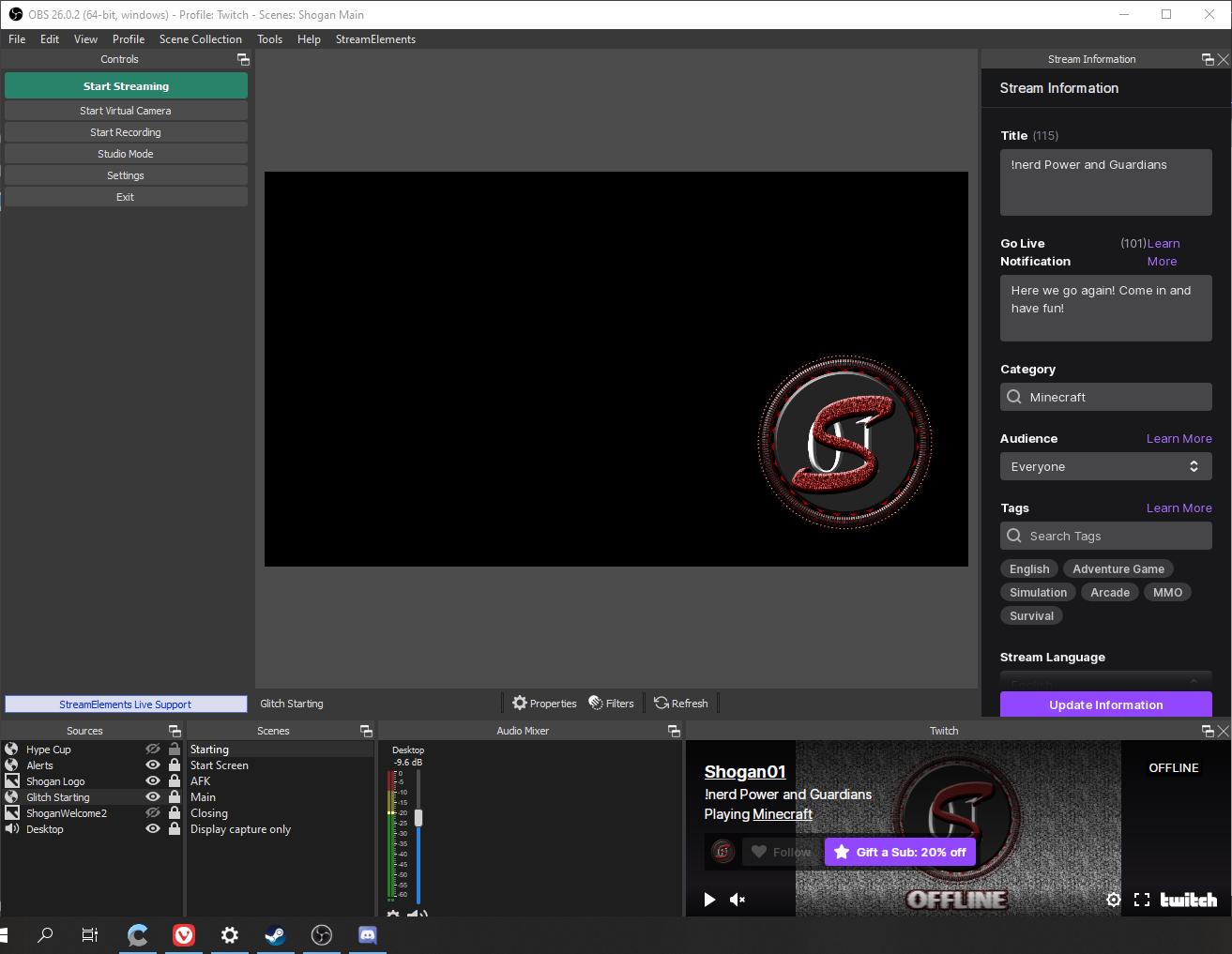 abstract hemlock
name of the overlay? @viral mason
viral mason
i can see it in the overlay editor on the site... its from Nerd or Die - Glitch 2, it was fine yesterday
abstract hemlock
try to disable the hardware acceleration
round brambleBOT
@viral mason OBS > Settings > Advanced > Scroll down > Enable or disable Browser Source Hardware Acceleration, depending on its current state > Restart OBS (This does not apply for OBS on Mac)
https://i.imgur.com/ggMe9ZE.png
viral mason
would me reinstalling flash have anything to do with it too?
oh disabling the hardware acceleration worked
abstract hemlock
viral mason
ty for quick response too that was annoying me lol
tawny dove
@abstract hemlock I figured it out. Weirdly enough the group was like twice as big and so the alerts were all moved to weird proportions. No clue how that even happened but that's fixed now.
abstract hemlock
round brambleBOT
@lament blade Welcome to the helpdesk! Please let us know how we can assist you today and a support volunteer or staff member will assist you as soon as they are available. Thank you for your patience.
lament blade
Hi
In the points section, I would like to be able to add my own image of the coin
._.
 dawn maple
hi i did the settings which commands i want to have and i added streamelements as mod in my stream but the commands dont work ..
abstract hemlock
@lament blade If you are talking about the lotalty point system , we don't the feature of upload (or show) an image of it
@dawn maple what is your twitch username?
 sly crow
Hey guys, Im doin a VR DJ set on Halloween and the program has twitch integration which changes the DJ backdrop(useful as im busy spinning and streaming off twitch to a camera server), but i want to set up a command such as this "!start TribeXRGifs">>Every 3 mins "!gif <from a pool of links i have>" repeat until i !stop Tribe(other varibes tribegif/tribebg"
is this possible with the bot and can someone help me build it?
it would greatly help alot of VR DJs! 🙂
 keen geyser
 gilded tide
Hi
 lone cedar
hey guys
my giveaway page is running giveaways with negative time count
it starts the count on -2min
and goes on from there to 0 and starts rising
is there any ways to change?
 still ice
How come my streamelements leaderboard extension isn't showing points?
 rancid jolt
When someone subscribes to my Twitch channel, they are not triggering the alert, everything was right beforehand, the link is set up correctly, but I don't receive any subscription or in the OBS.LIVE feed. Very strange, I have experience with the OBS configuration but I have no idea why it is giving you this problem now. I appreciate any help. Thank you.
round brambleBOT
@rancid jolt Please provide your account ID found at the top of this page: https://streamelements.com/dashboard/account/channels This ID is public info and safe to share here.
abstract hemlock
@dawn maple yes, check here: https://discordapp.com/channels/141203863863558144/494513233416421386/561516184718278676
@lone cedar this happens everytime? have you tried deleting the giveaway and create a new one?
@still ice wdym? could you please provide a screenshot?
lone cedar
@abstract hemlock i tried, it's everytime
first i thought it was a timer to the real start, but all the videos on the internet starts as soon as you click the button to open the giveaway
abstract hemlock
can you create a new one so i can check it?
 dawn maple
@dawn maple yes, check here: https://discordapp.com/channels/141203863863558144/494513233416421386/561516184718278676
@abstract hemlock it could be that im dumb , but i dont see a button at the website on activity feed
abstract hemlock
dawn maple
i dont use obs live
lone cedar
https://gyazo.com/f087279252fd1fd6db696cfa7134556a
that is what should be happening
but it's not
it's like some preparation time before the giveaway starts is running
dawn maple
guys i did the watchtime command but it says 0 sec for everyone
round brambleBOT
@dawn maple 10 minutes of watchtime are given to those in chat when the loyalty points are handed out (every 10 minutes). Therefore, loyalty must be enabled for watchtime to work properly.
There is no direct link between watchtime and all-time points.
It can’t be calculated from the amount of all-time points a user has because subs may earn points at a faster rate and !bonus all command increases all-time points for users in chat at that time.
Giving points to a single user does not affect all-time, only when giving to all in chat.
rancid jolt
5b4d3fec5134ae267bf7950f
abstract hemlock
give me a minute ill check
round brambleBOT
@rancid jolt Please logout of StreamElements at https://streamelements.com/logout and then login again to your account (Twitch/YouTube/Facebook).
abstract hemlock
after that everything should be fine ⤴️
 verbal eagle
I am using a custom alert for my merch, however, since setting up my merch store it has stopped working. Anyone available to help with this issue?
abstract hemlock
 amber turret
Hi guys! I’m having trouble on my chat it keeps popping up 2 times when i type a command can someone help me w this
verbal eagle
I would prefer to use the custom alert included with my strream package, if possible
amber turret
yes
verbal eagle
@abstract hemlock Crusader overlay package from Nerd or Die
abstract hemlock
i don't see the merch widget on that overlay
 worthy wind
Does anyone know how I can hear alerts? I stream on a different PC than I play and I mute my stream PC so Im trying to find a way to hear the alerts on my gaming PC
verbal eagle
@abstract hemlock there is a merch alert included here. in the widget editor it appears in the settings list under 'Purchase alert'
rancid jolt
is it possible to backup my account data? I had a subscriber today and it still shows zero on my dashboard.
round brambleBOT
@worthy wind For the best OBS support, please join their Official Discord @ discord.gg/obsproject
worthy wind
Is there an alert box I can have up on my gaming PC to hear the alerts? I dont have my headset setup to my stream pc
or just anyway I can hear alerts
verbal eagle
@abstract hemlock so, using the regular alert box and editing the settings is not an option? FYI, this is the interface I was referring to in my previous post:
abstract hemlock
@verbal eagle the "regular" alertbox doesn't have the merch option on it
 narrow birch
is there yet a way to add control to the timers outside of intervals? I want two messages to be posting out every 60 seconds, but I don't want both of them to be posted at the same time
so the first message should happen at XX:00 and the second one at XX:30
abstract hemlock
a workaround would beset both timers to 60 min then disable both, then at XX:00 enable the first and XX:30 enable the other one
narrow birch
would you have to do that every stream?
 daring adder
So hey, the raffle, where do the points come from and how are they awarded? One of my subs says their points didn't get awarded.
 brisk goblet
I need help getting me some mods for my twitch stream how do I go about that?
narrow birch
I think getting your friends would be the simplest way to start
 sick creek
Hi, I have made a custom command but everytime i call it it doesnt show up. All the permissions is set to is everyone. But doesnt show.
ionic kelp
@sick creek what's the command response you have for it?
sick creek
!lurk
ionic kelp
I mean the response you gave it.
sick creek
Oh sorry
Check out ${1}, There maybe lurking, but give them a follow at https://twitch.tv/${channel ${1}}

Did u want in css
ionic kelp
You need a name following the command.
sick creek
Name?
ionic kelp
!lurk usernamehere
 chrome cradle
Hello i have a question with editing the overlays on the streamelements website, it wont let me edit the socials bar at the top of my overlay
chrome cradle
thank you
round brambleBOT
@torn holly New to StreamElements?
Check out our YouTube channel https://www.youtube.com/c/streamelements/videos
with tutorial videos from setting up the basics, to in depth details on how to use our product.
New to OBS? Here is a 4 step quickstart guide
https://obsproject.com/wiki/OBS-Studio-Quickstart
Want to learn even more? Here is an in-depth overview
https://obsproject.com/wiki/OBS-Studio-Overview
 torn holly
?
 dry hare
If you are new to streaming on twitch, I would suggest clicking the above links and learning more about how to use the tools at your disposal. There are a lot of in-depth guides including one by Harris Heller here: https://www.youtube.com/watch?v=2OOZlhOZAnI
Get 50% off NORDPASS (ad, duh) ►► https://nordpass.com/alphagaming
I get asked this a lot, especially streamers looking to switch from StreamLabs to StreamElements. Here you go.
TWITCH ►► ...
 prisma plaza
Hi, followers, tips etc aren't showing. I've checked that I'm using the correct twitch account. Any help would be appreciated 🙂
 patent zealot
I am trying to setup my stream elements alerts. I have a webm file that I have uploaded and selected but for some reason, all that shows up is the dancing shark. Even if I try and go back to an image the dancing shark is there. It seems to have reset all changes I made as soon as I selected my WEBM file even though they still show in the side bar.
round brambleBOT
@prisma plaza StreamElements menu, on top of OBS > Logout > Login
prisma plaza
Signing out and in didn't work
patent zealot
I will try that, I was testing on follower and was a brand new alert box with no variations. (first time starting it) I ended up deleting the overlay and starting fresh, so far seems to be working
round brambleBOT
@prisma plaza Go to the Dashboard > Right side > Part channel > Join channel (https://streamelements.com/dashboard)
 kind epoch
Is there an activity bar for youtube in S.E. Obs . Live?
round brambleBOT
@kind epoch StreamElements menu, on top of OBS > Logout > Login
dry hare
@prisma plaza lemme ask
kind epoch
Thanks , how do i get alerts imported for youtube or will existing layouts still work?
 somber storm
hi there, I recently started twitch and I've installed the streamelements on twitch but the music request won't work 😦
round brambleBOT
@somber storm StreamElements menu, on top of OBS > Logout > Login
@prisma plaza Please provide your account ID found at the top of this page: https://streamelements.com/dashboard/account/channels This ID is public info and safe to share here.
prisma plaza
5f8bc6492fa2ac9eea39ade8
dry hare
@kind epoch I believe you can copy widgets to overlays but I’m not entirely sure
kind epoch
No link back to the Twitch account on the youtube account i'm afraid
But the existing urls still work in obs
 placid raptor
you can import from your YT
just instead of duplicating, make sure you're in your YT account, and you'll have 'import' option top right
@prisma plaza there's literally no activity in your channel
What would you expect to see there?
somber storm
I’ve tried but it shows this 😦
 jade remnant
placid raptor
jade remnant
placid raptor
@prisma plaza your existing stats won't be pulled when you create a new account. follower number is accurate and you can expect to see data populated normally from now on, as the account was created today
prisma plaza
Ohh ok thanks for clarifying
placid raptor
np
 faint island
in obs live i accidently clicked something to make my chat box like a webbrowser
placid raptor
just close the dock and re-open it via view > docks
vagrant widget
hello guys, i dont lock my layer, why i can not move my labels?
i was able to move it yesterday tho
kind epoch
Hello , i still am not able to find a way to import twitch overlays into youtube
And i missed an activity alert
On A new youtube account
:S
round brambleBOT
@kind epoch Please provide your account ID found at the top of this page: https://streamelements.com/dashboard/account/channels This ID is public info and safe to share here.
vagrant widget
@kind epoch After you log in to streamelement website using your youtube account you should see it on the top button
placid raptor
- @kind epoch
kind epoch
5f8bd904a7764763097688e2
placid raptor
can u read up plz?
kind epoch
placid raptor
you have no linked channels 
kind epoch
yah
kind epoch
how do i do that?
placid raptor
if you have a twitch account you sign into SE with that
and from within there you can add more channels in https://streamelements.com/dashboard/account/channels
StreamElements
The Ultimate All in One Platform for Streamers
you can also do that on your YT account, adding twitch
vagrant widget
mate, do you know why i can not resize the size of widget social media by spectra? #widget-share
everytime i try to resize it, it cropped the graphic instead of resize it to smaller
vagrant widget
he is not in this server tho, i cant DM him
ionic kelp
@dry hare @vagrant widget I share a mutual. Can have them rejoin 
vagrant widget
why did he left, haha. can you ask him about my problem? just in case he doesnt want to join here anymore
ionic kelp
no idea. DMing them atm. ¯\_(ツ)_/¯
vagrant widget
thanks mate, you are the best
 queen belfry
Ight so ive made the switch to stream elements and got all of my new notifications made in an overlay. I then copied the url into a new source via browser. I can get my follower audio and video on the obs, but every other notification i only get audio. Pls help lol
The only thing i have found with googling is to go to my settings and go to the advanced tab and scroll down to sources and uncheck enable browser source hardware acceleration, and apparently that fixes it. But not for me :/
round brambleBOT
@queen belfry The default resolution for StreamElements overlays (theme and custom) is 1920x1080. Please add them in OBS at their full resolution and use CTRL+F to fit to screen if necessary. You can then downscale your stream in OBS settings > Video if you'd like https://i.imgur.com/6bWXxjR.png
queen belfry
Really appreciate it
placid raptor
gladly 
round brambleBOT
@nimble torrent Please contact us via email for support with SE.Pay. You can use our contact form here: https://streamelements.com/contact Thank you.
lament blade
"The total number of followers towards your goal since last reset"
hey, just wondering what exactly is meant by 'last reset'?
seems to be when i started using streamelements
but i want it to have my total followers
should i just manually change it? and will it keep adding automatically after that
 wicked dagger
Can I create a subscriber counter for the last 30 days? Subscriber counter for the month every first day resets the counter.
 digital widget
i am having problems with OBS cannot. Quick Settings - Stream title Enables you to change the Stream title on your Twitch stream Twitch stream
can't get this in OBS anymore
twin sentinel
Select the hamburger menu in the activity feed in OBS > StreamSettings
 tacit tundra
I have receives a couple of donations on my last stream yesterday but they don't seem to appear in the StreamElements history. Does it take a while to show up or have I done something wrong?
twin sentinel
Are these PayPal doations?
tacit tundra
Not really sure.. I only showed up on the chat.. that someone has donated a certain amount
little oak
was it that?
 untold falcon
Where do i go live on the stream elements obs
tacit tundra
yes
little oak
they trolled you
tacit tundra
Oh damn hahah
untold falcon
Where does one like me go live on the stream elements obs?
tacit tundra
Well, im new on the platform as you can see hahah.. but thanks for telling me. I`ll stay alert from now on. Thank you
little oak
thats why they got ya, they love doing ti to new streamers lol you aint the first and will not be the last
@untold falcon you go live with obs, OBS.Live is a plugin
digital widget
I understand that is not a road
untold falcon
Ah thank you
round brambleBOT
@digital widget If you are not seeing the OBS Twitch integrations and have OBS.Live installed, please follow these steps:
- Make sure you are on the latest and greatest version of OBS.Live
- Exit OBS (make sure OBS is not running)
- Delete
%appdata%\obs-studio\plugin_config\obs-browser\obs_profile_cookies - Start OBS.Live
- Settings > Stream > Disconnect > Connect
untold falcon
So whenever i open up obs, it just opens up obs.live and doesnt work
little oak
did you install obs.llive?
untold falcon
yes
little oak
at the top you should see streamelements
untold falcon
yep
little oak
then you are good to go just clicc on it and play with the settings
untold falcon
cant find any setting that says go live
 wary halo
it says"Start Streaming''
untold falcon
I cant find it
wary halo
in the settings dock
 random field
it keeps coming up as double when it removes one msg i dunno why
twin sentinel
That is intended behaviour.
random field
oh ok
 hidden girder
If someone is around, I'm using Restream.io to stream to YT, Twitch, Facebook.
Is there a way to setup alerts across the platforms?
random field
it never used to show up 2 times
ionic kelp
@hidden girder you'd need multiple browser sources.
hidden girder
I see. I'm just trying to figure out how to trigger a YouTube subscribe VS a Twitch one... I know they're different obviously
ionic kelp
You have to be logged in separate browsers/windows as they do not combine together.
 silk haven
good morning, someone could help me with a question of BOT TIMERS?
 tawny oasis
silk haven
tawny oasis
silk haven
my problem is that idk how to set correctly a command to set adds in the stream, i wanna put it every 30 minutes but idk how
little oak
@silk haven every thing you need here for tymers https://discordapp.com/channels/141203863863558144/199460642975907840/508911738528333849 🙂
round brambleBOT
@tawny oasis To add your overlays to OBS, add a new browser source in your scene. Paste your overlay URL in the browser source properties, set the dimensions to 1920x1080 (unless you changed them on the website) and check Shutdown source when not visible. https://youtu.be/KDvLynUqXI4
@tawny oasis The default resolution for StreamElements overlays (theme and custom) is 1920x1080. Please add them in OBS at their full resolution and use CTRL+F to fit to screen if necessary. You can then downscale your stream in OBS settings > Video if you'd like https://i.imgur.com/6bWXxjR.png
wary halo
and don't try to tag 150k people next time
little oak
^
 serene lark
Oi
little oak

 leaden slate
Hey, does anyone know how to unlink a channel from StreamElements?
round brambleBOT
@leaden slate Go to the Dashboard > Right side > Part channel > Join channel (https://streamelements.com/dashboard)
little oak
@untold falcon
Step 2 - Move Cursor Down To "Show Settings Folder" & Click It
Step 3 - Close Out Of OBS Once The Folder Is Open
Step 4 - Drag Over Everything In The "OBS-Studio" Folder
Step 5 - Hit "Delete" On Your Keyboard``` Yt link if needed <https://www.youtube.com/watch?v=CAjRwWw2HPU>thgis is the steps to reset obs settings
 pulsar heron
@placid raptor so when i test it it cuts off the alert, an i cant seem to reposition it at all
round brambleBOT
@pulsar heron The default resolution for StreamElements overlays (theme and custom) is 1920x1080. Please add them in OBS at their full resolution and use CTRL+F to fit to screen if necessary. You can then downscale your stream in OBS settings > Video if you'd like https://i.imgur.com/6bWXxjR.png
placid raptor
try 
silk haven
someone could help me with a problem with bot timers?
my problem is that idk how to set correctly a command to set adds in the stream, i wanna put it every 30 minutes but idk how
little oak
tymers are not created via cmd you have to add/delete/edit them via site https://streamelements.com/dashboard/bot-timers
i also gave you a guide to help you https://discordapp.com/channels/141203863863558144/199460642975907840/508911738528333849
 rocky hollow
Hiya! I'm having an issue with alerts showing up. The TTS and audio works fine but the text and GIF isn't showing up... Any advice?
round brambleBOT
@rocky hollow The default resolution for StreamElements overlays (theme and custom) is 1920x1080. Please add them in OBS at their full resolution and use CTRL+F to fit to screen if necessary. You can then downscale your stream in OBS settings > Video if you'd like https://i.imgur.com/6bWXxjR.png
silk haven
then i cant set an ad in timers? i dont really understood
little oak
yes you can do ads
round brambleBOT
@silk haven To have StreamElements run ads for you, do the following:
- The bot StreamElements is added as an Editor to your Twitch channel here: https://dashboard.twitch.tv/community/roles
2.a) To create a Timer, go here: https://streamelements.com/dashboard/bot-timers - add a timer with a response /commercial <30|60|90|120|150|180> to indicate the ad duration and also select the time interval that the response will be sent while you are online. Example: /commercial 30 and timer every 10 minutes (online interval).
2.b) To create a Custom command, go here: https://streamelements.com/dashboard/bot-commands/custom-commands and add a command with the response /commercial <30|60|90|120|150|180> to indicate the ad duration. Example: !ads command with response /commercial 30
rocky hollow
Good bot! Thanks for the help
silk haven
ohhh now i understand HAHAHA i failed putting ! in timer when it must be /
ty, now i understand !!
little oak
all good, we are here to help ya
 candid geode
Hi my dudes. Is it possible to play a video on chat command?
little oak
yes sir lemme grab the link
we have a place where you can set sfx/perks/codes for stream via cmd here https://streamelements.com/dashboard/store/items
you will want stream perks
make sure you add the redeem widget via overlays
candid geode
thanks, I will check it out
little oak
Welcome
 crimson bough
Hello dear Admins. Info has disappear. (ID: 5f6ba12e7316346b8dd629d1)
round brambleBOT
@crimson bough Please logout of StreamElements at https://streamelements.com/logout and then login again to your account (Twitch/YouTube/Facebook).
crimson bough
Done. But still no result
little oak
part the bot and have it rejoin
round brambleBOT
Go to the Dashboard > Right side > Part channel > Join channel (https://streamelements.com/dashboard)
Read and follow our server rules:
- We do not tolerate toxicity! Treat the community team, staff and all members with respect.
- No advertisement or channel promotion, anywhere on the server.
- No NSFW/NSFL
- No unsolicited DMs or friend requests to server members
Make sure to read the #welcome in any server you join.
weak marten
Is there any good pulse monitors for OBS/streamelements?
little oak
 lofty moth
Is there a guide how to setup so viewers can donate sound bites to be played on stream?
crimson bough
@little oak Done. But still no result or i must to wait?
little oak
i'd say give it time. It should work itself out
crimson bough
Oh. okay. Sorry 🙂 Thanks!
little oak
No worry And you're welcome
chrome folio
@crimson bough did you change your profile name recently?
narrow birch
my offline chat timers don't seem to be working
the bot is not muted on my channel, since it responds to commands
but I've now waited an hour for an automated message with no avail
round brambleBOT
@empty saddle Read and follow our server rules:
- We do not tolerate toxicity! Treat the community team, staff and all members with respect.
- No advertisement or channel promotion, anywhere on the server.
- No NSFW/NSFL
- No unsolicited DMs or friend requests to server members
Make sure to read the #welcome in any server you join.
crimson bough
@chrome folio 2 month before. Recently no. But stats was worked yesterday
chrome folio
@crimson bough say your old profile name and current one, please.
crimson bough
watch_FUL - old
watchfulTV - current
 crisp knot
Hello. Is it possible to save custom overlays as public, meaning that anyone can edit them? Cheers.
chrome folio
@crimson bough stats page updated.
crimson bough
@chrome folio Thank you
narrow birch
so my short-interval timer seems to work, but my long-interval timer doesn't
despite the setting going all the way up to 120, is there maybe a shorter maximum time for offline intervals?
round brambleBOT
@lament blade Welcome to the helpdesk! Please let us know how we can assist you today and a support volunteer or staff member will assist you as soon as they are available. Thank you for your patience.
 worn schooner
have a question: is it possible to make an alert box that accepts events from FB/Twitch/YouTube in one box? I know you can do that on streamlabs but I can't seem to figure out how to do that here. any thoughts?
 storm pecan
can i merge my new twitch account to my old streamelkements acount as im starting again and currently have 2 streamelements accounts but want only 1 ?
wary halo
have a question: is it possible to make an alert box that accepts events from FB/Twitch/YouTube in one box? I know you can do that on streamlabs but I can't seem to figure out how to do that here. any thoughts?
@worn schooner not possible
round brambleBOT
@storm pecan Account Merging - Please note:
- Merging accounts only allows faster ways to switch between accounts
- Merging accounts does not allow data sharing between accounts - different streaming platforms, different type of events
- Merging accounts allows duplicating/sharing overlays between the accounts
If you understand the limitations of merging and want to proceed, please find the JWT tokens (!jwt) from both accounts you want to merge and you will be directed to DM them to a staff member.
worn schooner
😦 ok. thanks
lament blade
my question is how to put a counter
for example that the bot says
this channel carries a total of 200 F
Or this word has been said 200 times on this channel
storm pecan
what staff memeber wants to take my jwl tokens ?
lament blade
Come out in the chat
wary halo
what staff memeber wants to take my jwl tokens ?
@storm pecan one moment, i'll check who is available
 foggy wind
Question so if you stream on a console and use your phone for streamelaments how does it really work
I am new to it
wary halo
what staff memeber wants to take my jwl tokens ?
@storm pecan DM both tokens to @lament blade
lament blade
Does anyone help me?
wary halo
Does anyone help me?
@lament blade if you are a little patient, maybe yes
round brambleBOT
@foggy wind Consoles do not have native support for overlays. You would need a capture card, PS4 remote play or Xbox companion app and a PC with OBS in order to have overlays over your console gameplay.
We have an blog post about how to setup console streaming with our essential tools: https://blog.streamelements.com/how-to-stream-on-console-7b620b1c46c3
wary halo
Does anyone help me?
@lament blade https://discordapp.com/channels/141203863863558144/199460642975907840/572671650655502346
 neat totem
Hi guy, I recive a error when add need response in timers
 proven plover
Why does watchtime show me 0 seconds?
 untold crest
Watchtime requires loyalty to be enabled in order to work.
 wide bay
hey i have a problem that is prob easy fix i just only have one guess as to the solution but i dont want to do it if i dont have to
wary halo
Why does it require loyalty?
@proven plover because there is no other way of tracking how long someone is watching
wide bay
I accidently joined seperatly under my channels
round brambleBOT
@wide bay Account Merging - Please note:
- Merging accounts only allows faster ways to switch between accounts
- Merging accounts does not allow data sharing between accounts - different streaming platforms, different type of events
- Merging accounts allows duplicating/sharing overlays between the accounts
If you understand the limitations of merging and want to proceed, please find the JWT tokens (!jwt) from both accounts you want to merge and you will be directed to DM them to a staff member.
proven plover
I don't have to give points though correct
round brambleBOT
You can find your JWT token on your account channels page (Show Secrets to reveal the token): https://streamelements.com/dashboard/account/channels
READ ME: This is a private security token. Do NOT share this token here or other public places, only with a StreamElements staff member in private.
wary halo
I don't have to give points though correct
@proven plover yes you do
otherwise there is still no way of tracking afaik
round brambleBOT
@proven plover If you changed your name on Twitch, please follow these steps:
- Visit https://streamelements.com/logout and then log in again by connecting with Twitch.
- On the right side of the dashboard page that opens, select Join under bot settings. If it says Part select that and then select Join to send the bot to the chat. Don't forget to mod the bot by typing
/mod streamelementsin your channel if you have not already. - Post your old and your new name here so that we can update your channel's chatstats tracking (must be done by staff).
proven plover
no the name of the streamelements bot
wary halo
@wide bay you can DM both of those tokens to @lament blade for the merge
round brambleBOT
@proven plover Currently renaming the bot fully works with OBS.Live.
You can follow this video guide to set it up: https://discordapp.com/channels/141203863863558144/494513233416421386/561516184718278676
If you don't want to use OBS.Live and want to stick with Ground Control, please let us know your Twitch username.
proven plover
Is there no way to do it through plain obs?
ionic kelp
Nope.
vagrant widget
no idea. DMing them atm. ¯\_(ツ)_/¯
@ionic kelp any update mate?
ionic kelp
I asked him to join but they had gone offline. Unfortunately no response since then.
vagrant widget
i mean dont force him to join here tho, just ask him about the resizing issue, i tried to drag the box from corner, it cropped the graphic instead of resize. this never happened to my other graphics (image, video), but yeah, thanks for the kindness for helping me to DM him
lament blade
How do i add multiple paying methods
little oak
@vagrant widget how small are you wanting it because if its too small it just wont look right?
 spiral jetty
Hi. I'm having issues with the bot timer. I am wondering why it doesn't push out in the order I have given but rather all at once in the times I've set it? I was hoping this wouldn't happen because another bot that I use doesn't do this. It is frustrating towards myself and my viewers.
vagrant widget
@little oak not too small but just want it a bit small from the original size.. if i create the socmed rotator on new overlay and put it as new browser source on OBS, of course i can make it smaller in side obs just by dragging the box. Problem is i want to put the socmed rotator into my other overlays for efficiency. I want to put all assets (graphics video, labels and socmed rotator on one overlay) so on OBS i dont need to have many browser source.
little oak
how about this size?
lament blade
Does anyone know how to import my overlay theme into OBS?
round brambleBOT
To add your overlays to OBS, add a new browser source in your scene. Paste your overlay URL in the browser source properties, set the dimensions to 1920x1080 (unless you changed them on the website) and check Shutdown source when not visible. https://youtu.be/KDvLynUqXI4
vagrant widget
how about this size?
@little oak that is stretched , i want to keep the original ratio but smaller size, if you take a look on my overlays called "cam + game" , i want the socmed rotator just a bit bigger comparing to the label size
little oak
thats just how the outer lines are
 sand stump
anyone know how to move these into streamlabs obs
little oak
thats adjustable i just put it there to record it
cause i notice when you posted it, it was huge
so i adjusted and made it smaller
vagrant widget
ionic kelp
@sand stump You add them as a browser source. However.....
round brambleBOT
We're not able to troubleshoot issues with using our overlays in StreamLabs OBS (SLOBS) as we don't have the tools to support their software. We recommend using OBS Studio or OBS Studio with our plugin OBS.Live.
vagrant widget
this is what i mean i cant resize it, you notice i can resize other graphic such as labels, smaller but it wont work on the socmed rotator
little oak
its custom as to why it can only be wider to if you have a real long name
you have to edit the CSS within
vagrant widget
so it can only be wider but cant be smaller?
 hybrid topaz
Where can I see the list of quotes for a streamer?
little oak
its only auto if you have a real long name like some who do
vagrant widget
im blind about CSS 
vagrant widget
i see, so the answer is there is no way to make it smaller inside SE website unless i make it as stand alone overlays then resize the it inside obs software?
little oak
if it has to be that way til the creater contacts you
vagrant widget
so sad.. okay then.. cant even DM him bcs dont share mutual. But yeah, looks like i have to use the 'image slide show' source in OBS instead.
little oak
casue if you know a lil CSS you can manipulated it
ell i hope you can get a hold of him 🙏
sand stump
how do i move my overlays to obs studio
round brambleBOT
@sand stump To add your overlays to OBS, add a new browser source in your scene. Paste your overlay URL in the browser source properties, set the dimensions to 1920x1080 (unless you changed them on the website) and check Shutdown source when not visible. https://youtu.be/KDvLynUqXI4
vagrant widget
im blind as bird box about css  so yeah.
anyway thank you for taking time to check that out mate
@little oak
sand stump
Thanks
little oak
You're Welcome @vagrant widget
sand stump
how do i make it so the overlays cover game capture
hot timber
my chat on obs live is not working, is there anything i can do?
 outer hare
Hi how do I donate on twitch
I need to be a affiliate but I did all the steps I never got a email
wispy steppe
Hi there - can anybody help me figure out how to set up alerts for Prime Gaming subs?
the regular sub alert doesn't seem to do the job
 kindred bronze
hi, can anyone pls help me with my chat stats. For some reason it just stopped working and i didnt even change my name. Thank you.
Twitch: Duhnni
 wintry bridge
does anyone know why my stream just dissapears after 2 hoursr or start hanging around
 scarlet tiger
@kindred bronze should be fixed by staff now 🙂
 modest sapphire
hi, is there anyway to have different overlay profiles in the my overlay section? im experimenting with 2 overlays at the moment, if you add one from the theme gallery it does this automatically. can you do this if you are manually building you own overlays? thanks
 near aurora
Hello, my chat stats has stopped working after a Twitch name Change, my old user was gabriel_damasco and now is damasco7
 wintry ice
hi, how do i report serverside security issues in stream elements chat bot? do you have a pgp key?
 stable magnet
Hi guys I had 2 different subs in my latest stream but i only got the notification of 1 of them. Both subbed with prime and the one that got shown was the guy who subbed for 1st time with prime, but the 2nd person who subbed twice in a row with prime didn't get the notification on stream. Any ideas why? Is it a bug or is it intended?
round brambleBOT
@stable magnet Prime Gaming (new and resub) and paid subscriptions (resub only) must be shared in chat manually by the person subscribing in order for the subscription information to be sent to StreamElements. For Prime Gaming, the user needs to have sharing enabled on https://www.twitch.tv/settings/prime. For paid subs, if the share box doesn't show up immediately it will when they refresh the page. https://i.imgur.com/VNJN0Uv.gif https://i.imgur.com/2297EA7.png
stable magnet
@round bramble got it thanks
 gaunt knoll
How do I set up virtual cam?
round brambleBOT
@gaunt knoll For the best OBS support, please join their Official Discord @ discord.gg/obsproject
 sterile kayak
Is there any way possible to alter or update a giveaway title after it's been started and people have already entered?
 little vault
hi all, is there some way to configure !tts command on streamelements ??
round brambleBOT
@lament blade Read and follow our server rules:
- We do not tolerate toxicity! Treat the community team, staff and all members with respect.
- No advertisement or channel promotion, anywhere on the server.
- No NSFW/NSFL
- No unsolicited DMs or friend requests to server members
Make sure to read the #welcome in any server you join.
 storm delta
Hey , what's the image size used for twitch shop ?
kindred bronze
@scarlet tiger not sure if u meant its already fixed but i just checked its not yet. ty.
gaunt knoll
My overlays aren’t working, they keep zooming in when it’s set to fit the screen
 austere remnant
Is there any way to get chatstats to work on my stream again? It just says “ 404 error “ or something along those lines 🙂 I did a little research and saw it could have been due to a name but I’m not too sure what the reason for it is.
round brambleBOT
@gaunt knoll To add your overlays to OBS, add a new browser source in your scene. Paste your overlay URL in the browser source properties, set the dimensions to 1920x1080 (unless you changed them on the website) and check Shutdown source when not visible. https://youtu.be/KDvLynUqXI4
@austere remnant If you changed your name on Twitch, please follow these steps:
- Visit https://streamelements.com/logout and then log in again by connecting with Twitch.
- On the right side of the dashboard page that opens, select Join under bot settings. If it says Part select that and then select Join to send the bot to the chat. Don't forget to mod the bot by typing
/mod streamelementsin your channel if you have not already. - Post your old and your new name here so that we can update your channel's chatstats tracking (must be done by staff).
storm delta
Can anyone tell me image size for stream store ?
storm delta
And btw why when I do !store , the bot write that there is no items ?
235x186px
@scarlet tiger thx
scarlet tiger
there are items redeemable via chat only
 nimble dune
@austere remnant Step 3)
storm delta
umm... help 😄 ?
scarlet tiger
Can you please DM me image you try to upload?
storm delta
Sure
austere remnant
Just trying to sort the other two, Do I just add any name I’ve changed it to? The one I have now is my original name then I changed it and went back to the original
storm delta
It worked TYSM 
scarlet tiger
great 🙂
 full tangle
is anyone familiar with IRL streaming?
scarlet tiger
depends on what you need
full tangle
lol - wish I knew
I need to live stream a soccer game and add scores throughout the game
wintry ice
anyone know where i report server side security vulns in the chat bot? plz
 strong kernel
@wintry ice Please toss us an email to support@streamelements.com with the details and anything relevant (screenshots, etc.)
wintry ice
do you have a pgp key i can encrypt it with?
ill send the email and see if they give me one. thanks for the help 🙂
austere remnant
Okay I logged out and back in went to dashboard but on the right hand side under bot settings it says “ Part channel “ or “ Mute “ there’s no Join
strong kernel
Please reread step two in the bot's message.
austere remnant
“ Streamelements is already a moderator of this channel “ 😒 Am I just stupid? Lol I apologize
strong kernel
austere remnant
Okay I’ve done that, My old name was “ tigolbittiezyo “ as far as I know
strong kernel
Do you have an even older name?
strong kernel
Nothing else needs to be done. 🙂
austere remnant
You’re awesome, Thank you very much 😊
 plush robin
By any chance does SE have a widget for an emote wall?
strong kernel
Do you mean our Kappagen widget?

The KappaGen widget animates emotes on screen to increase hype in your chat. It also triggers Emotesplosions - an event triggered explosion of emotes!
KappaGen in StreamElements Academy: https://support.streamelements.com/hc/en-us/articles/115000370872-KappaGen
Got any que...
plush robin
Yes this is what I wanted!
strong kernel
The video shows the old overlay editor but the process and settings are the same, just located a bit differently.
 ionic vapor
Hey guys, this might sound super simple but I'm wondering how you do line breaks in my chat bot responses? Is there a page with all the different variables I would need to know. Still very new to Twitch and discord but would appreciate any help, thank you!
 dawn anchor
hey guys I have a questionnn
when it comes to setting up alerts, I went and got a nice one from Own3d, bringing it onto stream elements was easy, but when it comes to the text, i selected the text to be in the middle of the animation (not below or to the side) yet it doest show the text!
any clue as to making the text show? 🙂
round brambleBOT
@dawn anchor Text not showing up over your alerts? Go to the Advanced Text Settings and set the top margin to 50, you can work your way to the right position from there.
dawn anchor
Thank you!
 neon saffron
I'm a bit confused about the chatbot. On my last stream, one of my viewers sent a message in chat that was too long. The bot deleted the message and timeouted the viewer. So far, so good. But the bot did not only delete the long message, but EVERY single message that viewer had sent. that was about 30 messages, over the course of about one hour, so I see absolutely no reason, why the bot would do that.
little vault
is posible to create a !tts command to read chat message just using streamelements ??
strong kernel
@neon saffron A timeout doesn't purge a single message, it purges all messages. It's how Twitch works.
@little vault Yes, you'll need to do it in conjunction with a Stream store item.
neon saffron
@neon saffron A timeout doesn't purge a single message, it purges all messages. It's how Twitch works.
@strong kernel oh, so it wasn't even really the bot who deleted the messages, rather twitch as a consequence of the bot giving a timeout?
strong kernel
Yes.
neon saffron
seems like a pretty extreme default to me then, but good to know, thanks!
strong kernel
Well, timeout existed before Twitch added the option to delete single messages. They never really combined the two actions.
So there's a way to delete a single message, but if you want to time out the user, it's gonna purge all of them.
neon saffron
I'll check the bot settings and try to make sure it doesn't give any more timeouts for now then 🙂
what I'm used from the streams I'm watching is: user posts long message, bot deletes that message and posts a message like "@username please don't post long messages", without timeout. is that possible?
 midnight plaza
I just reset my pc and all of my scenes are gone. Are they not stored on the cloud with obs.live?
little vault
@strong kernel thanks, but it can be a dynamic message from the chat ??
strong kernel
@little vault What do you mean?
 violet tiger
what is this? how do i make it detect? NO ACTIVE WIDGETS WERE DETECTED FOR MEDIA REQUEST
strong kernel
Do you have an overlay with a Media request widget added as a browser source to your currently active scene?
little vault
@strong kernel i mean, a command like "!tts Some text to read" which reads the text with voice. I know alerts have tts feature which reads the alert with the text on it. But i can't find a way to use this feature with custom commands.
strong kernel
Yes. Again:
Make a Stream store item that accepts a custom message
Make it read it as TTS
Create a custom command for the redemption of that item

The StreamElements Stream store lets your viewers redeem Loyalty points (collected by watching your stream) to get special perks, fun sounds, and even game keys and discount codes!
The StreamElements Stream store is part of the Loyalty system, helping you to engage with your ...
 silk kindle
why does the community gift alert trigger my resubb alert?
 tardy drum
My confusion rn is so high.
little vault
ok , thanks a lot 🤩 🥳
strong kernel
@tardy drum !donate is an alias. !tip is the trigger.
tardy drum
what about commands? @strong kernel
tardy drum
!commands
strong kernel
From what I understand as well, !cmd is only used for custom commands, not for default commands.
strong kernel
You still need to disable default commands from the dashboard.
tardy drum
I cannot see donate there
strong kernel
Again: It's !tip. !donate is an alias.
tardy drum
Yeah I sent that right when you sent yours
I'm actually just going to switch to nightbot. Sorry for bothering
I'm back 😂
@strong kernel Okay so last thing, is there a way to change command prefix
tardy drum
Like change the ! to a ?
tardy drum
Rather annoying. Thank you
strong kernel
But you can make keywords that can trigger in the middle of a message and without !
strong kernel
Okay, so on the website, in the Default commands section, locate those commands and toggle them so the toggle is gray, not blue.
tardy drum
I use stream elements for the !watchtime and for the in chat alerts
Default commands section. Where is that? Am I blind
strong kernel
Chat commands>Default commands
tardy drum
I feel blind, I'm sorry.
strong kernel
Don't crop your screenshot please.
tardy drum
 stone iris
Question. The streamelements website keeps taking me back to the main page when I attempt to view my dashboard, profile, settings, etc.
round brambleBOT
@tardy drum Please logout of StreamElements at https://streamelements.com/logout and then login again to your account (Twitch/YouTube/Facebook).
@stone iris Please logout of StreamElements at https://streamelements.com/logout and then login again to your account (Twitch/YouTube/Facebook).
tardy drum
ah
stone iris
So simple... ty.
tardy drum
So was it a cookies thing? I got it now. I was stressing out that i couldn't find it
That's all now, thank you
Very much
 thick palm
hiii bot is not working few hours now, i even didnt receive donate :(
strong kernel
@thick palm Don't forget you have the #dreamteam channel for support.
 acoustic thunder
hi Streamelements isnt working in my stream but is working in others
midnight plaza
I just reset my pc and all of my scenes are gone. Are they not stored on the cloud with obs.live?
strong kernel
Scene and source setup needs to be backed up using the Cloud backup option in the StreamElements menu at the top of OBS.Live. Otherwise, you will need to recreate your browser sources using your overlays in your dashboard.
It is not an automatic backup.
midnight plaza
Thank you
 knotty latch
I use streamlabs for all my setup but streamelements has a point system that I use but can not get alert to get up on my stream why does it not work?
Plus I receive all payments from people via streamlabs so they get us what I have put in points here https://gyazo.com/2aa1a0a3aac3d07e614760313ed000a1
 strong kernel
@knotty latch Streamlabs and StreamElements are competitors. Nothing that happens in any of their systems is communicated to ours, and vice versa.
knotty latch
So how can I get the alert up or a message somewhere?
I can see another streamer has streamlabs for dono but he uses the points system you have so that people can get things that you have now thrown in
strong kernel
Streamlabs systems make Streamlabs alerts. StreamElements systems make StreamElements alerts. Something happening in StreamElements will NEVER trigger an alert through Streamlabs, and vice versa. If you want an alert regarding a StreamElements activity, you need a StreamElements alertbox.
knotty latch
So if people subscribe to my twitch they will then receive points that I have thrown into it and the same with bits and follow and why does my alert not come up or something in my chat which writes that they have redeemed it so I can check it
strong kernel
If you want an alert through StreamElements, then make a StreamElements alertbox in an overlay, and add that overlay to your OBS.
If you want something in chat in response to the use of Loyalty points, then you need to use the StreamElements chat bot.
Nothing in Streamlabs will ever react to anything done with StreamElements systems.
lament blade
Every time I hit 'start streaming' it says 'stream to youtube!' and I don't want to stream to youtube. How can I get this functionality to stop?
Thanks in advance
round brambleBOT
@lament blade StreamElements menu, on top of OBS > Logout > Login
lament blade
Thank you!
 pseudo hazel
Its not letting me stream on twitch
 candid glade
Do I have to be subbed to my own twitch channel to use my own emotes?
 gloomy jewel
Hi Friends! I'm having an issue with getting the !emotes command to work
 ornate sorrel
Hi. Streamelements bot isn't working for some reason. Removed and added and its still not even showing up in chat
 stray bramble
Hi, I am trying to add the basic follower goal, follower alert, and sub alert widgets to my OBS overlay, but when I include the streamelements link in a new Browser source in OBS, it doesn't appear. The widget gets created and I can move it around in the OBS overlay, but it doesn't actually show anything. It's just a black box. Thanks!
scarlet tiger
!emotes update command in your chat @gloomy jewel
gloomy jewel
@scarlet tiger is there any way to make it show the bttv emotes?
Nevermind
Figured it out
scarlet tiger
!emotes bttv doesn't work ?
gloomy jewel
@scarlet tiger Thank you!
scarlet tiger

round brambleBOT
@stray bramble To add your overlays to OBS, add a new browser source in your scene. Paste your overlay URL in the browser source properties, set the dimensions to 1920x1080 (unless you changed them on the website) and check Shutdown source when not visible. https://youtu.be/KDvLynUqXI4
@stray bramble The default resolution for StreamElements overlays (theme and custom) is 1920x1080. Please add them in OBS at their full resolution and use CTRL+F to fit to screen if necessary. You can then downscale your stream in OBS settings > Video if you'd like https://i.imgur.com/6bWXxjR.png
gloomy jewel
One other question. The stream elements bot's responses aren't showing in my chat capture. Am I missing a setting?
strong kernel
@ornate sorrel Looks fine.
candid glade
@scarlet tiger twitch emotes
scarlet tiger
Do you mean sub emotes for StreamElements bot?
candid glade
@scarlet tiger no if you were to make your own
acoustic thunder
@scarlet tiger the channel @ornate sorrel was talking about is mine and its Anfffy on twitch
candid glade
Have it approved
Would you have to subscribe to your own channel to use it in general
?
round brambleBOT
@acoustic thunder If your commands recently stopped working and you're using OBS.Live and a custom bot name do the following:
- In OBS.Live, click on the hamburger menu (three stripes) at the top left of your activity feed
- Click on Stream Settings > Custom bot name
- In the Custom bot name field select Set custom bot name, not your already existing username (with capital letters). Note: If you already connected an account that way, the third entry will show as the account name (see image https://i.imgur.com/sO7fWOX.png).
- Scroll a bit down and click on the purple Connect Custom Bot Account button
- Log in as usual and Authorize the custom bot name
- Back in the Activity feed, click on the Send Test Message button and check if your custom bot name starts working again



 ornate sorrel
Thank you!
candid glade
@scarlet tiger you don't get me?
scarlet tiger
Is this StreamElements problem?
 fresh mauve
i have just a black screen on my stream how do i add my game to it
round brambleBOT
@fresh mauve New to StreamElements?
Check out our YouTube channel https://www.youtube.com/c/streamelements/videos
with tutorial videos from setting up the basics, to in depth details on how to use our product.
New to OBS? Here is a 4 step quickstart guide
https://obsproject.com/wiki/OBS-Studio-Quickstart
Want to learn even more? Here is an in-depth overview
https://obsproject.com/wiki/OBS-Studio-Overview
gloomy jewel
I apologize if I missed a response. The stream elements bot's responses aren't showing in my chat capture. Am I missing a setting?
silk kindle
is it not possible to make a custom community gift alert that's not a variation?
strong kernel
What do you mean by "not a variation?" Everything except a first time sub is a variation.
silk kindle
well example
i have different donation alerts depending on how much is donated, but in a instance where someone donates a big amount i have a totally seperate alert(not a variation) that caters tot hat specific amount
due to sizing of the alert and what not
strong kernel
It still effectively works like a variation because of the minimum you set. There's no difference between that and a variation with a minimum.
Just that you used a separate alertbox widget for a different size and position.
silk kindle
im sorry can you clarify
strong kernel
There is zero functional difference between a "main" tip alert with a minimum amount set and a variation with a minimum amount set.
silk kindle
maybe i can u show you what I mean? can i share my screen with u?
 late vine
hey guys! I have a custom code for a kind of "sub train" that displays an image that I upload. I wanted to know if there is a code for uploading multiple images for this same sub train, and everytime it triggers a different image appears
strong kernel
@silk kindle We do not provide 1 on 1 voice/video support. You can take a screenshot if you want.
silk kindle
ooof
idk how a screenshot is going to clear the confusion
i dont know how to explain it any better
strong kernel
@late vine You will need to contact the creator of the custom code for assistance with adjusting it.
plush robin
Is there a way to increase the size of the canvas when making a new overlay on SE?
strong kernel
After creating an overlay but before opening the editor, click the menu and open the properties.
plush robin

silk kindle
@strong kernel
you see how i have different alerts
for the cheers and donations when they go to a certain amount
and not being avariation
i do that, because the the 100 plus donation alert will mess up the sizing of my variations of the other donation alerts
now, it doesn't let me do that with community gift alerts for some reason and when i try to do it like I did the donation alerts, it triggers my resub alerts as well
How can I have a custom alert for a community gift that’s not a variation of my other alerts...because I want to make bigger than the other sub alerts
plush robin
How do I make the text appear at the center on the image instead of on top?
round brambleBOT
@plush robin Text not showing up over your alerts? Go to the Advanced Text Settings and set the top margin to 50, you can work your way to the right position from there.
plush robin
Nice! Lastly for now, how do I make it so the text stays within the image in the alert and not go outside of it?
strong kernel
Same way.
silk kindle
how do you activate the stream elements bot?
round brambleBOT
@silk kindle Go to the Dashboard > Right side > Part channel > Join channel (https://streamelements.com/dashboard)
silk kindle
did my message get deleted?
 kindred trellis
if i do the donating link where does the money go to? do i need tp setup a a pay pal acount so that way it trasfers to it?
 mossy bramble
Hey guys , im having an issue when i upload a sound to Streamelements to be used in an overlay i dont get any sounds at all on my side, but my viewers hear it. kinda a interesting predicament. lol i would love to be able to hear my own custom alerts.
Ok i narrowed it down to maybe a channel issue with the overlay? when i switch to a seperate channel it works but refuses to come through my default sound card.
narrow birch
what's the appropriate channel for bug reports?
 exotic plank
I just added an overlay that I bought and wanted to tweak on Streamelements. Why can't I see anything when I preview or even edit?
plush robin
Apologies for asking another question, but I can't figure out how to keep the text within the image
strong kernel
@plush robin Margins.
mossy bramble
So it seems i get alert sounds out of all my outputs. but i dont get sound out of my default just my damn monitor.... and my headphones as soon as i set my speakers to the main sourse nothing at all , levels move but nothing is heard on my end, but viewers can hear.
strong kernel
@mossy bramble It's up to you to adjust your audio settings in OBS and Windows to make sure everything is playing out of the device you need it to. Aside from pointing out the advanced audio options that let you monitor sources, it's up to you to set it up as every audio setup is different.
mossy bramble
everything is up though thats the weird part
i have no idea whats making that happen the default sound worked fine, as soon as i made a custom alert sound nothing.
strong kernel
Editing an alert has no bearing on the browser source behavior in OBS.
mossy bramble
but just from that one input all other inputs seem 100% fine,
yeah i know thats why im very confused. if i remove the alert i get the original sound and it works fine on that input.
but as soon as i put a custom alert sound to it nothing
 fallen storm
how do i bring back the sorces thing
mossy bramble
@strong kernel yeah ok i got it, it was the fact that the format wasnt and needed to be 48000khz @ 16 bit apparently custom alert sounds require that, and the default uses whatever. But yeah it was a windows setting.
 placid bronze
Should I get StreamElements and StreamLabs or just one?
 pallid epoch
Streamelements
 tepid wadi
I wanted to ask, I just added a chatbox into OBS, is there anyway of changing the animation of the messages going through, like streamelements since I wanted the font changed?
 keen patrol
hi is tere sombady from streamlabs ho can help my whit somting ?
tepid wadi
It pops up very abruptly instead of smoothly.
ionic kelp
@tepid wadi You'd need a custom widget for that.
tepid wadi
How can I add one?