#helpdesk-twitch
1 messages · Page 735 of 1
 dense verge
dense verge
dense verge
Hmmm now I just feel stupid but ok thank you lol @abstract hemlock
I havent been live in a week or so that may have something to do with it.
 flat wyvern
Can anyone tell me why my chat isn't posting to my overlay?
Like, do I need another extension or something?
dense verge
Did you add your chat to a scene as a web browser? @flat wyvern
dense verge
Nvm then, anytime I have added my chat to a scene I had to add a browser source of the chat.
I use obs though
flat wyvern
I use OBS as well. And the Pinelyn overlay
But I can just add it to the scene and put it where the box is on the overlay. Where do I get my chat URL?
 abstract hemlock
flat wyvern
abstract hemlock
flat wyvern
Oh. I fixed it?! I have no idea how
Will it only show chats entered during that scene?
 lament blade
Hello!
flat wyvern
So, yeah, it only show chats submitted during that scene, not retroactively....
 willow kite
Am i able to use streamlabs overlays and import them to stream elements so i can use their overlays or is that not possible
 idle notch
hello, i am having problems getting the command "!permit" to work. i currently have "Block Hyperlinks" enabled, but in chat when i use "!Permit XXXXX" (x = twitchname), they still can't post a link in chat. it just shows *** in chat. Any idea why ?
 round brambleBOT
@idle notch If links in chat are appearing as ***** either mod the bot or disable block hyperlinks in your twitch channel settings https://dashboard.twitch.tv/settings/moderation
idle notch
can a real person help me ?
 trim sonnet
Hey I need some help with game capture
My game capture for osu and valorant seem to be working perfectly fine
but my game capture for league of legends wont work at all, whether im in windowed/fullscreen/borderless
it just wont detect, idk
willow kite
When will you guys be adding more super themes to the overlay section
 jade isle
Hi all, I'm having an issue with the chat bot randomly saying "Response Message" in chat.
flat wyvern
Can anyone tell me where to find my chat url? Is it just my twitch URL?
If I use that, it shows the whole offline channel versus just the chatbox.
@dense verge is there any way you could walk me through doing it as a Browser item in my scene
 rapid nest
i am trying too access the website and everytime i click on my dashboard, it won't load
 ionic kelp
@rapid nest If you try in incognito?
rapid nest
ill try
 tacit badger
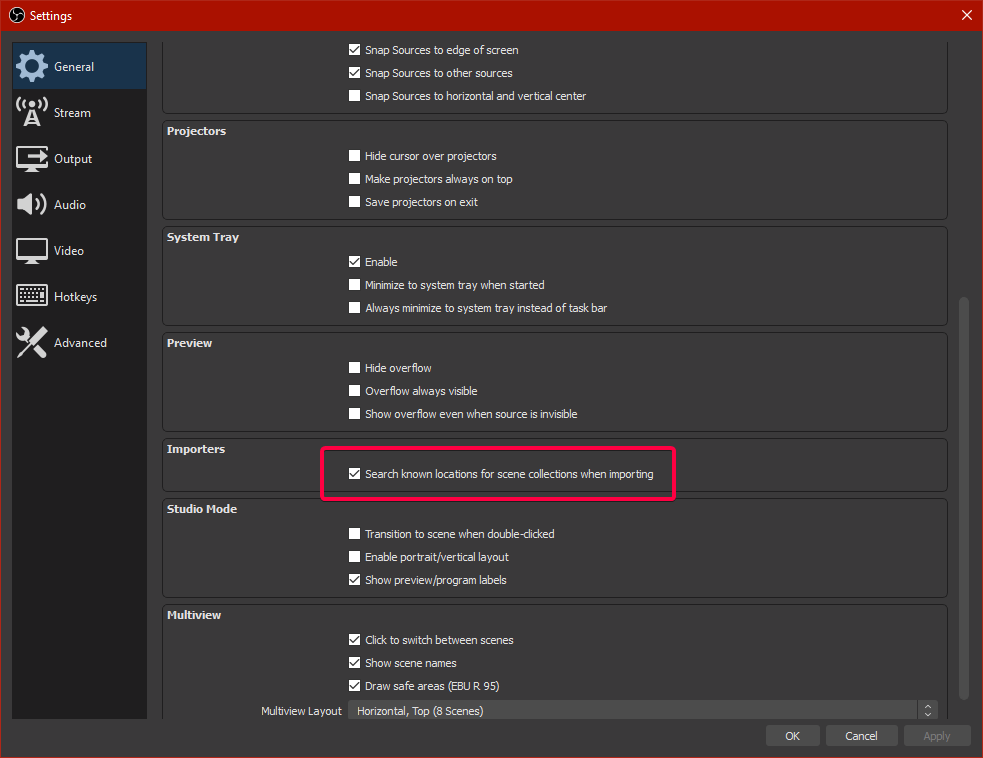
Anyway to scale multiple elements in an overlay? I've imported my overlay from slobs and several scenes have imported at about 1/4 the size.
ionic kelp
You use the OBS.Live import?
tacit badger
yeah
ionic kelp
1 sec.
tacit badger
i just dont want to have to manually rescale everything one by one haha
ionic kelp
Create a new scene collection and try with this https://twitter.com/tehbasshunter/status/1247188444310274048


 tacit badger
alright il give it a go
round brambleBOT
@shy remnant Read and follow our server rules:
- We do not tolerate Toxicity! Treat the community team, staff, and all members with respect.
- No advertisement or stream promotion, in any channel.
- No NSFW/NSFL
- No unsolicited DMs to server members
Make sure to read #welcome in any server you join.
 green halo
i need hlep to stream hyperscape its showing as a black screen
round brambleBOT
@green halo For the best OBS support, please join their Official Discord @ discord.gg/obsproject
 rose rune
i need help with loyalty settings
round brambleBOT
@rose rune If you would like help from the StreamElements support volunteers/staff please post your question in one of the helpdesk channels and someone will assist you as soon as they are available
#helpdesk-twitch | #helpdesk-youtube | #helpdesk-facebook | #helpdesk-mobile | #helpdesk-selive | #helpdesk-merch
Thank you for being patient.
 flat jasper
i need help SE.Payt says my bank details are invalid and i need to contact support
round brambleBOT
@flat jasper Please contact us via email for support with SE.Pay. You can use our contact form here: https://streamelements.com/contact Thank you
 grim zodiac
Need some help here
round brambleBOT
@grim zodiac Please ask your question in one helpdesk channel only. A support volunteer or StreamElements staff member will assist you as soon as they are available. Asking in multiple places will only result in confusion, not faster answers. Thank you for your patience.
 minor oak
what happens when the command aren't working?
 zenith widget
They just don't work...im not i understand your question here
ionic kelp
I got it.
minor oak
is it happening to veeryone else?
 twilit arch
how do people get tickets in a giveaway
 scenic pollen
does streamelements use less cpu than slobs?
 untold crest
@twilit arch There are two commands: !enter or !ticket (alias of enter).
!enter command has to be enabled
minor oak
anybody know why commands stopped working during stream?
untold crest
@scenic pollen According to several tests, this is true.
 random yacht
The bot is not working on my stream. He is not in the chat.Some1 help!
round brambleBOT
@minor oak If your commands recently stopped working and you're using OBS.Live and a custom bot name do the following:
1.) In OBS.Live, click on the hamburger menu (three stripes) at the top left of your activity feed
2.) Click on Stream Settings -> Custom bot name
3.) In the "Custom bot name" field select "Set custom bot name", not your already existing username (with capital letters)
Note: If you already connected an account that way, the third entry will show as the account name (see image https://i.imgur.com/sO7fWOX.png)
4.) Scroll a bit down and click on the purple "CONNECT CUSTOM BOT ACCOUNT" button
5.) Log in as usual and "Authorize" the custom bot name
6.) Back in the Activity feed, click on the "SEND TEST MESSAGE" button and check if your custom bot name starts working again
 untold crest
@random yacht https://streamelements.com/dashboard - click "Join channel" in right panel

StreamElements
The Ultimate All in One Platform for Streamers
Then /mod StreamElements as you have followers-only mode enabled


 narrow tangle
Hello! Something has happened with streamelements bot in twitch chat - no messages and no commands work
random yacht
That means streamelements's bot is not working bcz no one can work with the bot
round brambleBOT
@narrow tangle Please provide your account ID found at the top of this page: https://streamelements.com/dashboard/account/channels This ID is public info and safe to share here.
narrow tangle
Project_Parad0x
zenith widget
@random yacht You don't even have the bot joined
random yacht
I have it
zenith widget
narrow tangle
it is
zenith widget
@narrow tangle Its working now
random yacht
maybe was a bug and every1 was part channel
narrow tangle
@zenith widget Million thanks!)
zenith widget
@random yacht remove followers only mode please
untold crest
Bot is modded there and it works
random yacht
ready now is working
zenith widget
ok then
lament blade
hey guys , need a little help from one of the legends here if possible
untold crest
Please state your question, so it will be easier for us to give you answer 😉
But in case you don't - The answer is 42
lament blade
lol of course ill state my question my friend lol i had to delete my drdisrespect alerts or risk ban , so i bought a new new alert i can use , i managed to get it in for my subscriber alert but after hours of messing about i cant set it as my cheer , tip , raid , host alert etc , everytime i try it puts that plus a default alert it , and its driving me mad lol , even with instruction it would be frustrating
untold crest
Check if you have a variations for those alerts
lament blade
i tried all that its driving me mad
untold crest
As this could be the most likely reason
lament blade
everytime i do that its reseting etc this is why i need help or a legend to take a min and slot em in for me like an ultimate champion like keizar
he put my doc alerts in for me back in the day
im always scared to mess with obs u see
untold crest
If you can dm me invitation link to your account for Editor access I will be able to take a look there and populate those alerts
untold crest
lament blade
thanks man !
i gotta send u friend request first due to privacy settings it appears]
untold crest
Yup. You have your dms closed
lament blade
thank you very much for your help there man ! you really are a legend and champion ! @untold crest

 cedar nexus
Hi, is there a way to be able to a link to my overlay in streamelements?
I want to add this: https://pixel.chat/ZUa3-9lmHDeIsU4/3OQdzhALJcmAnAS
But i want it in my overlay and not on OBS.live
ionic kelp
@cedar nexus No. You'd have to add it as a standalone source in OBS.
cedar nexus
Right okay thank you!
 candid wasp
hello, i'm looking for a stream stinger to match the "orange flare" theme. or something close enough
 warm musk
Hi. How do I add a custom variation for an alertbox for eg. 200 followers, 300 followers etc. I don't want it to be going of for every new follower
 wary halo
There is nothing for that, followers are stand alone alerts, not grouped like gifted subs
warm musk
So I can only create one for gifted subs?
wary halo
yes, follows always come in one by one
they aren't a group thing
if they are, it's usually a follow bot 😛
 mild halo
how do i add a streamlabel with obs live
 rustic spear
hello! Is there a way to edit a default's command response? Or I need to make a custom one?
 gaunt spade
Is it possible for Sound Extensions to be included into the bits people have spent displayed on your overlay?
zenith widget
sound extensions?
gaunt spade
Sound alerts sorry
zenith widget
Short answer - no
long answer - we don't have an integration with that extension
as its not ours
gaunt spade
Ok mate thank you
rose rune
i need help with loyalty settings, my viewers cant see the coin's button
rose rune
yaa
wary halo
that is only available for Affiliates and Partners
rose rune
ohhh
 stiff rock
Hey anyone who can help me with a rotating overlay text fx Latest sub, latest follower, ive tried to create it on Stream elements but it aint working for me :/
 quartz arch
Trying to get my Kappagen & my mediashare to work, but it's not responding to anything 😦
zenith widget
@stiff rock I dont understand your query
zenith widget
@quartz arch how are you trying to trigger both of them?
quartz arch
not at the same time, no!
oh wait i misread that lol
I'm trying to trigger them by either:
putting emotes into my chat, via stream dashboard
or queuing up videos in elements request page
ionic kelp
Do you have the MS widget added to your overlay or the said page opened?
quartz arch
I do!
stiff rock
im sorry, im terrible at this stuff lol, im trying to get a rotating text that displays the latest follower, sub, all that. so i can use it on my overlay design
quartz arch
MS is in the overlay & the overlay is in OBS as a browser source
zenith widget
@stiff rock check #widget-share for a widget like that
stiff rock
okay i will have a look thx
quartz arch
@zenith widget @ionic kelp And I know the MS widget is there bc it's not saying "MS widget can't be found"
weird!!!!
how am i supposed to edit it if I can't see it haha
zenith widget
its not saying the widget can't be found
because i've loaded the overlay
wdym edit if you cant' see it?
ionic kelp
And that's the current song playing according to your MR page.
zenith widget
quartz arch
Like, I was hoping I'd be able to see the video playing live in OBS
same with the kappagen
ionic kelp
Does it work if you trying viewing the overlay in browser?
quartz arch
wait wtf I did absolutely nothing & now stuff is showing up, but......out of the resizing box thing?
let me try moving some stuff around
ionic kelp
You probably have it set the wrong size.
round brambleBOT
The default resolution for StreamElements overlays (theme and custom) is 1920x1080. Please add them in OBS at their full resolution and use CTRL+F to fit to screen if necessary. You can then downscale your stream in OBS settings > Video if you'd like https://i.imgur.com/6bWXxjR.png

 magic jungle
How do I use streamelements song requests feature in SLOBS
ionic kelp
@magic jungle If you mean our widget there's no guarantee it will work with SLOBS as we have issues with them blocking our overlays..
warm musk
in my elements with the overlay, im busy with the subs but i see i can add and {amount} to it. will thjis be my subs amount?
 nocturne vine
Curious why non of my chat commands are working ?
 mighty patio
Got a new setup, and my obs does not record my ingame sound, I tried everything that worked on the old one
 steel talon
streamelemnts dosnt save the chat alerts, it says its saved but it always reverts back to the old text. (google chrome)
round brambleBOT
@nocturne vine If your commands recently stopped working and you're using OBS.Live and a custom bot name do the following:
1.) In OBS.Live, click on the hamburger menu (three stripes) at the top left of your activity feed
2.) Click on Stream Settings -> Custom bot name
3.) In the "Custom bot name" field select "Set custom bot name", not your already existing username (with capital letters)
Note: If you already connected an account that way, the third entry will show as the account name (see image https://i.imgur.com/sO7fWOX.png)
4.) Scroll a bit down and click on the purple "CONNECT CUSTOM BOT ACCOUNT" button
5.) Log in as usual and "Authorize" the custom bot name
6.) Back in the Activity feed, click on the "SEND TEST MESSAGE" button and check if your custom bot name starts working again
steel talon
Bot Modules (Chat Alerts)
round brambleBOT
@mighty patio For the best OBS support, please join their Official Discord @ discord.gg/obsproject
steel talon
Found a work around nvm...
nocturne vine
Hello ! Thank you so much for the fast response, problem fixed disconnected and reconnected bot. It wasn't disconnected so not sure what happened but all is well again thank you x
 round gulch
hello! for the alerts and stuff, do I still need Streamlabels?
or are there alerts integrated into OBS.Live
(trying to migrate from SLOBS)
wary halo
We have our own alert system yes
You can set it up on the websites in the overlay editor and add them to OBS as a browser source
round gulch
it would go the same for the recent follower/donator etc etc, right?
round brambleBOT
@round gulch We've released our new Overlay Editor revamp. You can check out the changes and how to work with it here: https://youtu.be/X5VzXjqAsjk
Check out our blog post as well: https://blog.streamelements.com/streamelements-overlay-editor-just-got-even-better-c22cb5b4853e

We are thrilled to announce the launch of the remastered StreamElements Overlay editor!
https://p.strms.net/newoverlayyt
Why StreamElements Overlays are better?
😎 Simple: Load your entier setup using only 1 link
⚡ Fast: Cloud-powered Overlays arrive in real-time, say goodb...
 jade valley
So I am a "manager" of a few channels on streamelements. I don't know why I can't manage these channels anymore. When I'm trying to switch from my dashboard to channel that I manage I get redirected to main StreamElements page (streamelements.com). When I click "My Dashboard" button I get redirected to the main page as well. To get to my own dashboard I have to go to channel's page (I mean streamelements.com/my channel's name) and then click on the SE logo in the top left corner. But I still can't access other dashboards. I tried relogging but it didn't help. Does someone know how to fix this problem? Edit: please excuse my English skills 😆
 fading turret
I will forward it to staffs ;)
Hi @scarlet tiger , so did you get any answers there? 🙂
 rigid viper
@jade valley I had that before. To fix it the person that granted you permissions needs to log out and back into their dashboard, after that it should work again.
I myself ran into a small problem just now.
The media request is looping on the last video instead of just stopping. Does anyone know what setting causes that?
jade valley
@rigid viper It worked. Thank you for the help. Unfortunately I don't know how to fix the media request problem. MR should go to the backup playlist after playing the queue. Idk why but If you don't set the backup playlist URL, MR behaves weirdly.
rigid viper
No worries! @jade valley
I removed the backup playlist. It is a subathon and the streamer wants media request to play whenever a mr dono comes in.
I will try setting the backup playlist again.
 dawn ibex
I am trying to adjust the alert box size in my overlays but when I do it makes it to where some of the alert is cut off but not actually making the alert smaller. I’ve tried everything and it won’t scale down.
 quiet totem
can someone help me with an overlay issue?
 fading slate
Is there a way to view a watchtime leaderboard?
 clever whale
After gifting SE bot a sub, what is the command to have it respond to a prompt with a specific emote? Any help is welcome.
 violet willow
hallo, ich habe das problem, dass streamelements seit gestern nicht mehr als bot in meinem stream funktioniert, obwohl ich nichts geändert habe. streame mit obs live. wenn ich nur im twitch dashbord bin funktioniert jedoch alles
willow kite
My Night bot keeps saying this in my chat but i deleted the command (The alias you set this command to be of, !donate, does not exist.) How do i fix this
I think i fixed it we are good
 prisma relic
go to https://streamelements.com/dashboard/leaderboard/current @fading slate there is a tab for watchtime
you'll want to make a custom command @clever whale
willow kite
When will you guys be adding more widgets and overlays ? to the website
prisma relic
is that #🇩🇪︱deutsch ? @violet willow ?
most widgets are added first into #widget-share ; then i think some get moved to the website.
 golden orbit
Hello, i'm trying to help a friend with streaming. im trying to sort his overlay out but im having difficulty as hes on console
prisma relic
the https://streamelements.com/dashboard/themes has the most official items and widgets. sometimes the new widgets here get added into the widget tab on the website
StreamElements
The Ultimate All in One Platform for Streamers
fading slate
Thanks! Is the watchtime leaderboard also shared on the public leaderboard and/or is there any way to create like an top 10 watchtime command?
willow kite
Yeah i looked there but it dont have a follower goal
prisma relic
I'm not sure about consoles @golden orbit. are they stream capturing to a PC using OBS?
violet willow
hi, since yesterday my bot isnt working in my obs live, but when i am in my twitch dashbord he is working, whats the problem, sry about my bad english scills
prisma relic
I don't believe that is a public leaderboard option @fading slate.
Are you trying to set the stream title @violet willow or the bot name is not working?
There should be a goal widget like that in the widgets @willow kite ... not sure what it is called tho
willow kite
I could not find it
clever whale
you'll want to make a custom command @clever whale
@prisma relic I had assumed so, any template you can help me with?
 deft night
i set up my alert box and animation sounds ect... but when i do a preview i can hear the sound twice (website and obs) but the animation only works for the follower (theanimation is a colour box that moves about and swipes from top to bottom reveiling text i described that poorly) the others show just a box of colour or part of the animation, please help
golden orbit
no theyve got no capture card
violet willow
the thing is i didnt changed anything the bot is a mod, he isn´t muted,... but since yesterday he isnt working in obs live. the days before everything was perfekt
prisma relic
how do you mean @clever whale ... do you want the bot to use the emote in a command... or respond when the emote is used?
clever whale
@prisma relic Preferably respond to a command with an emote.
violet willow
sry i mean the bot is not muted
prisma relic
they'd need a capture card i believe for console to have overlays @golden orbit
round brambleBOT
@violet willow If your commands recently stopped working and you're using OBS.Live and a custom bot name do the following:
1.) In OBS.Live, click on the hamburger menu (three stripes) at the top left of your activity feed
2.) Click on Stream Settings -> Custom bot name
3.) In the "Custom bot name" field select "Set custom bot name", not your already existing username (with capital letters)
Note: If you already connected an account that way, the third entry will show as the account name (see image https://i.imgur.com/sO7fWOX.png)
4.) Scroll a bit down and click on the purple "CONNECT CUSTOM BOT ACCOUNT" button
5.) Log in as usual and "Authorize" the custom bot name
6.) Back in the Activity feed, click on the "SEND TEST MESSAGE" button and check if your custom bot name starts working again
prisma relic
if you add the emote text to a custom command it should convert to the emote when used (as long as the bot is subbed) @clever whale
clever whale
@prisma relic So just a response like: ${xbillisolo.emote} ?
clever whale
OH i see what you're saying.
prisma relic
what ever you type in chat
violet willow
thank you very much @round bramble and @prisma relic
clever whale
Follow-up question. If I create a custom bot to replace the SE bot, do I need to set up all of the commands for this new bot or will it essentially just change the name of the SE bot?
TYSM @prisma relic
prisma relic
take a look at this one @willow kite https://discordapp.com/channels/141203863863558144/457957557470887947/736485832629944360
It just changes the name of the bot when you log in using OBS
once you start OBS the bot name will change
clever whale
I do use SLOBS as my streaming platform, does that matter?
prisma relic
ya. SLOBS is streamlabs OBS.live is StreamElements
clever whale
I do still use the SE bot though. I imagine there is a similar process.
willow kite
How come the Instagram logo in on the right but i have the setting to be at the beggining
prisma relic
you can use the SE bot with SLOBS, but you can't have a custom bot name with it. To have a custom bot you need OBS.Live
You have Icon first set on "Social #4" and your insta information is social #3
prisma relic
no problem.
willow kite
Logo goes away
prisma relic
In your screenshot; it has "Social #3" as insta; but "Social #4" is set to 'Icon First'
willow kite
Got it thanks
 magic nova
hi can anyone tell me why i get blackscreens in some games by streamelements game capture i allready updatet the programm and delet and reinstallet it.
prisma relic
Which game?
magic nova
cs go
round brambleBOT
Valve has implemented a Trusted mode which does not allow OBS to hook CS:GO using Game Capture. Read more in their announcement post here https://blog.counter-strike.net/index.php/2020/07/30736/
Additionally, they have no plans on allowing OBS in Trusted mode
https://support.steampowered.com/kb_article.php?ref=8835-KLXV-0292#whitelist
You will need to run the game in either windowed or borderless fullscreen and use Window Capture instead.
Alternately, you can launch the game with -allow_third_party_software
magic nova
k thx
 errant flicker
Could anyone help me setup my stream Elements? I am very confused, I am switching from Stream labs to stream elements and I dont know what to do
round brambleBOT
@errant flicker New to Stream Elements?
Check out our YouTube channel https://www.youtube.com/c/streamelements/videos
with tutorial videos from setting up the basics, to in depth details on how to use our product.
New to OBS? Here is a 4 step quickstart guide
https://obsproject.com/wiki/OBS-Studio-Quickstart
Want to learn even more? Here is an in-depth overview
https://obsproject.com/wiki/OBS-Studio-Overview
errant flicker
Thanks!
lament blade
I'm a bit confused with Media Share. I was previously using Streamlabs Chatbot for playing songs from YT, and with that it had it's own player so to speak. Where about's is the player on SE please?
prisma relic
there are a couple videos on this @lament blade ; but this is the one i used https://www.youtube.com/watch?v=17eUkoZ6eIs

StreamElements Media request enables playing songs and videos in your stream. It's an upgrade of StreamElements Song request and Media share features.
Join our discord for live support: discord.gg/SE
Ground Control: https://strms.net/groundcontrolyt
Channel Management ...
lament blade
Okay thanks, I'll check it out 
 deft shard
hello i think i linked to the wrong paypal account and I cant figure out how to switch
fading slate
Why is my tip page: https://streamelements.com/wombatmilan-9021/tip
and not just /wombatmilan ? Can I change this?
 undone bone

 jagged fox
Is anyone else having event TTS issues? Mine will work for a tip but won't work for a cheer?
fading slate
also my commands page is wombatmilan-9021 in stead of wombatmilan
 zinc merlin
Does anyone also have the issue not receiving the alerts in OBS?
I can hear the sound without issues.
round brambleBOT
@opal marsh New to Stream Elements?
Check out our YouTube channel https://www.youtube.com/c/streamelements/videos
with tutorial videos from setting up the basics, to in depth details on how to use our product.
New to OBS? Here is a 4 step quickstart guide
https://obsproject.com/wiki/OBS-Studio-Quickstart
Want to learn even more? Here is an in-depth overview
https://obsproject.com/wiki/OBS-Studio-Overview
@zinc merlin OBS -> Settings -> Advanced -> Scroll down -> enable or disable Hardware Acceleration, depending on its current state. (This does not apply for OBS on Mac)
https://i.imgur.com/ggMe9ZE.png

 twin sentinel
@jagged fox Check the cheer variations.
 opal marsh
also
jagged fox
@twin sentinel You diamond ❤️
 blazing bane
Hello! When i import my overlays etc from streamlabs, then it sits stuck on 100% and fails
zinc merlin
@twin sentinel @round bramble fixed the issue with the alerts not showing up for me but do you know by any chance what could cause the alert to lag "mid-animation"?
This is most likely not a serverside issue, right?
quiet totem
@hollow charm i need some help with my overlay can you assist?
round brambleBOT
@quiet totem Welcome to the helpdesk! Please let us know how we can assist you today and a support volunteer or staff member will assist you as soon as they are available. Thank you for your patience.
quiet totem
@round bramble i need help with my stream overlay
twin sentinel
Can you elaborate on this please.
quiet totem
@twin sentinel my subcount on my overlay doesnt update automatically
twin sentinel
@zinc merlin Yes, this seems to be a client side issue to me. Try to clear the browser source cache.
@quiet totem What widget are you using? A goal widget, or the sub count widget?
quiet totem
@twin sentinel how do i check that?
twin sentinel
What widget did you add? Is it a goal one, or just the sub count?
quiet totem
@twin sentinel sub count
twin sentinel
Try to reset your session in the activity feed and it should recalculate the next time you start a stream.
twin sentinel
Is the sub listed in the activity feed?
quiet totem
@twin sentinel yes it shows in the feed and the name of the person that subed also updates automatically on the overlay but not the actual sub count
twin sentinel
Then I am sorry, as I have never heard of such an issue. Maybe another support has any ideas on this.
quiet totem
@twin sentinel actually i think i fixed so nvm lol thank you for your help
 glad thistle
Can anyone help me stream elements SEpay will not let me withdrawal my donation money
round brambleBOT
@glad thistle Please contact us via email for support with SE.Pay. You can use our contact form here: https://streamelements.com/contact Thank you
scenic pollen
sup boys just joined the streamelements gang. no more cpu eating from slobs. now my stream quality looks better and doesn’t make my game lag
dawn ibex
Anyone know how to resize the alert box in overlays without cutting off the alert?
twin sentinel
The width defines how big the alert is.
round brambleBOT
@strange swift Read and follow our server rules:
- We do not tolerate Toxicity! Treat the community team, staff, and all members with respect.
- No advertisement or stream promotion, in any channel.
- No NSFW/NSFL
- No unsolicited DMs to server members
Make sure to read #welcome in any server you join.
 final glacier
can someone help, my alert box doesnt work.. last week it was working with no issues and for some reason it doesnt work anymore. does anyone know a solution on how to fix it?
twin sentinel
Are the events in your activity feed? Do you get an alert in your OBS when you test the alertbox?
final glacier
the events are in my activity feed but i do not get an alert pop up
twin sentinel
Do you get an alert in OBS when you replay them in the activity feed?
final glacier
i do not
twin sentinel
Do you hear the sound of the alert in your OBS?
final glacier
no..
 cunning kayak
hello, Im wanting to stream total war troy on twitch and when i try and update my game title in streamelements total war troy doesnt pop up how do i fix this so im put into the right category? Thanks in advance.
 lyric canyon
@abstract hemlock , damn!!
So it's not possible to "ignore" and don't trigger the redeem message? :/
Can someone help me, please?
twin sentinel
correct. @lyric canyon
round brambleBOT
@cunning kayak There is a bug with setting the stream title in OBS and the Dev team is investigating.
In the meantime you can set the title using the !settitle command in chat (if enabled in your bot command settings)
Or with the Twitch dashboard: https://dashboard.twitch.tv/stream-manager
lyric canyon
Thanks @twin sentinel! This is bad... :/
 magic holly
I am new to streaming and wanted to use streamelements ob's but the web page won't open on my laptop ?
twin sentinel
What page, what are you seeing exactly?
magic holly
White with help on it
twin sentinel
Something locally is blocking the connection.
magic holly
Do you know how I can fix that
twin sentinel
Find and disable what is blocking the connection, like firewall and so on.
magic holly
Ok no idea how to do that sorry I am kinda slow with laptops
 jagged grove
Hello, i am looking to see if anyone can help out with a modification to the Last Events Rotator by co6studio ( https://strms.net/last_events_rotator-by-co6studio ). I am looking for a way to keep the alert on screen for longer, like adding a pause once the alert is fully displayed. I looked all around the CSS and JS and cant find any value that will add a pause to this animation. Any help/recommendations would be greatly appreciated! @buoyant hull
StreamElements
The Ultimate All in One Platform for Streamers
 golden cargo
can someone help me setup streamelements in my youtube
twin sentinel
 lavish furnace
is there any way to remove myself and my bots from the leaderboard for chatters?
twin sentinel
Not to my knowledge.
lavish furnace
ah well. thanks for the response!
 prisma trench
wie füge ich mein overlay ein
twin sentinel
#🇩🇪︱deutsch
 proud rock
How does one copy and paste an alert box into other scences
 unreal ridge
i need a lot of help
abstract hemlock
@proud rock you can duplicate the alertbox and it will prompt a message to select the overlay
round brambleBOT
@unreal ridge Welcome to the helpdesk! Please let us know how we can assist you today and a support volunteer or staff member will assist you as soon as they are available. Thank you for your patience.
unreal ridge
Overlays
round brambleBOT
@unreal ridge We've released our new Overlay Editor revamp. You can check out the changes and how to work with it here: https://youtu.be/X5VzXjqAsjk
Check out our blog post as well: https://blog.streamelements.com/streamelements-overlay-editor-just-got-even-better-c22cb5b4853e
We are thrilled to announce the launch of the remastered StreamElements Overlay editor!
https://p.strms.net/newoverlayyt
Why StreamElements Overlays are better?
😎 Simple: Load your entier setup using only 1 link
⚡ Fast: Cloud-powered Overlays arrive in real-time, say goodb...
unreal ridge
Doesn't help
wary halo
How about giving us a little bit more information on what exactly is your issue
proud rock
@abstract hemlock tysm ❤
unreal ridge
How about giving us a little bit more information on what exactly is your issue
@wary halo sorry
 keen bough
how to tell if my bot timers actually work? it's dead silent
 alpine basalt
is there a way to have a tier one sub alert and not have that tier one alert show up when it is gifted (i have a gift sub alert as well). I thought this would be the case but tier 1 alert shows up regardless if it's gifted or not
abstract hemlock
@alpine basalt you have 2 alertbox?
alpine basalt
no
I have both variation alerts setup
one for a tier 1, and one for a gifted sub
but if the gifted sub happens to be tier 1 it replaces that
I want the reverse to happen
abstract hemlock
what is the name of your overlay?
alpine basalt
well for instance you can look at the 21:9 video alerts overlay
I had to turn the tier 1 variation off
abstract hemlock
itchy & scratchy is a community gift variation not a gift variation
alpine basalt
what's the dif?
it pops up when anyone in my stream gifts a sub
but if I have the tier 1 alert enabled, the gift alert is overtaken unless it's not a tier 1
abstract hemlock
Gift is to someone and community gift is well.. to a random viewers will receieve the gifted sub
alpine basalt
ah ok thanks for that clarity. so if I set it up as a gift it shouldn't behave that way
i'll give that a shot
 shadow tinsel
Hi someone is triggering VIP only commands through the website. Is there a way to see who's doing that?
 silver maple
I basically have Japanese banned in a stream I mod in, but it's a problem when someone wants to @ another person that has a Japanese username with the English name in parenthesis.
Of course a person types the English version of it, but twitch displays it as Japanese, and the person who did the @ gets timed out for 1 second. Is there a way I can get around this?
keen bough
how to tell if my bot timers actually work? it's dead silent
@keen bough anyone? ❤️
 lusty star
yo, when someone donates to me, they can see my email, is there any way to change this, or can I change the email they see? Or does it have to do with the PayPal? @here
 jade remnant
thank god that ping doesnt work
 velvet zodiac
^
lusty star
mb
keen bough
been starting at the chat and nothing happens. how does this offline function work? I just realized I was set on "Online" on twitch, maybe that's why nothing happens, and nobody is writing in the chat?
 dry hare
Bot timers require chat to be active in addition to the timer
keen bough
but what about the offline thing?
dry hare
Also, all of your timers are going to spam at the same time except the one that’s going to spam every 5 minutes
Even if you’re offline there has to be chat
keen bough
@dry hare so I have to set on to 5, the next one to... 10 and third 15?
for example
keeping track of that with even more timers will be ... a huge mess?
just looking around on youtube and I see one guy with the same timers as I've tried to set up, so not sure if that's correct, @dry hare ?
dry hare
You’ll end up with bot spam more than actual chat. Spacing your timers out is recommended.
jade remnant
also your patreon link wont work
lament blade
I also found out that by having your timers grouped could also help reduce the spamming
velvet zodiac
Hey SE friends, I'm trying to get creative with timeout commands, and I've created a chain of a few responses that ultimately times a user out. I'm pretty much finished, but I've run into one problem, where I've had to place the ${touser} variable in a response redundantly. Is there an argument that effectively hides a variable in a command without printing it in the response?
 tidal tree
Hey StreamElements Team. We recently noticed that our Chatstats went missing (404 Page not found). I read online that this can happen when you change your username, which is something we didnt do. Our username is: TnHMrFlame
If someone could help me fix this problem, our viewers and us would be very thankful. Thanks in advance 🙂
abstract hemlock
@tidal tree please post here your old username
tidal tree
@abstract hemlock As i said we didnt change our username
abstract hemlock
i miss read it, i'll check on it
tidal tree
@abstract hemlock no problem, thank you for the fast response
abstract hemlock
done 🙂
tidal tree
@abstract hemlock Oh wow that was impressive, thank you very much XD
 keen meteor
I need help I changed my twitch name and streamelements is no longer in my chat how do I fix this HELP
round brambleBOT
@lament blade Read and follow our server rules:
- We do not tolerate Toxicity! Treat the community team, staff, and all members with respect.
- No advertisement or stream promotion, in any channel.
- No NSFW/NSFL
- No unsolicited DMs to server members
Make sure to read #welcome in any server you join.
keen meteor
Please HELP Stream elements team:
I need help I changed my twitch name and streamelements is no longer in my chat how do I fix this HELP!!!
round brambleBOT
@keen meteor Please logout of StreamElements at https://streamelements.com/logout and then login again to your account (Twitch/Youtube/Facebook)
keen meteor
I tried that numerous times and it doesnt fix it
round brambleBOT
@keen meteor Go to the dashboard -> right side -> part channel -> join channel (https://streamelements.com/dashboard)

 lethal crypt
the chat commands are not working for my giveaways, I can use the link, but wondering if there is a way to get chat commands working again? any ideas?
chat commands work for everything else just not the giveaway bot.
abstract hemlock
@lethal crypt check here: https://streamelements.com/dashboard/bot-commands/default-commands are the command enabled?
StreamElements
The Ultimate All in One Platform for Streamers
lethal crypt
which one needs to be active
keen meteor
I still can not get streamelements to work in my chat stream since name change, logging out doesn't woek please help
lethal crypt
!enter?
keen meteor
my old twitch username was hrtbr8ker89; my NEW name is Hrtbreaker89
abstract hemlock
@keen meteor i did that and now the bot works ...
keen meteor
thank you very much!!!!!
 whole parcel
how do i figure out my username to disconnect streamelements from my twitch account
jade remnant
you sign in with your twitch account
 pliant maple
Hey , can someone help me with Streamelements Overlay Editor i need a little help with the alert , i use the Text Animation "Bounce In Up" but it goes way over the top and is not visible anymore. i only want it to bounce in a small place.
okay nvm i actually fixed it , but my Alert doesnt use the "Bounce Out Down" Text Animation , it just stays there until it fades away
 glass quiver
Hi
lament blade
Hey, ive been an MTGA Partner as well as a SE / MTGA partner when that launcehd. REcently i dont see any challenges or anything on my account. Can anyone help me ?
im triyng to set up song requests im currently watching this video https://www.youtube.com/watch?v=17eUkoZ6eIs&feature=youtu.be but it seems to me that i either have a different program or its outdate
YouTube
i need add a widget but i cant find where to add it to my overlay
 manic plank
Quick Question, if have an audio source, like a capture card, set to mointor only (mute output), will viewers be able to hear it through my desktop audio or through the audio source?
abstract hemlock
@lament blade
lament blade
i have mine monitor off and it still goes thru for me
i added it but its still saying i dont have a widget active
hello, what donation methods exist in streamelements? (paypal..?)
ionic kelp
@lament blade PayPal and our "CreditCard" method.
round brambleBOT
SE.PAY is available for streamers who are atleast 18 years old, with bank account under their name in one of the following countries and have at least 101 Follower (Twitch) / 101 Subscribers (Youtube):
Austria, Belgium, Czech Republic, Denmark, Finland, France, Germany, Ireland , Italy, Netherlands, Poland, Portugal, Slovakia, Spain, Sweden, Switzerland, United Kingdom, United States.
If you meet these criteria and don’t see SE.Pay, let us know.
For information on SE.Pay payment methods, their fees, and settlement times see https://streamelements.com/dashboard/tipping/fees.
 lime laurel
So, every time I make a donation goal, it includes ancient donations that don't count and there's no way to reset the goal to 0 that I can find, is there a quick fix for it?
round brambleBOT
@lime laurel To reset goals:
- from the overlay editor -> session data on top right (monitor symbol) -> goals tab -> reset progress of desired goal
- from the dashboard -> activity feed on the left -> widget data on the right -> goals tab -> reset progress of desired goal
Note: Goal widgets(progress) only counts up and doesn't go down automatically, if you loose followers/subs
lime laurel
Thank you
 charred tundra
im having problems with consitency with the Media request, i have the widgets added in my overlay but its saying " No active widgets werer detected for media.."
round brambleBOT
@charred tundra Right click on the BrowserSource > Properties > Scroll down a bit > Refresh Cache of current page
 cerulean jasper
I cant find the place to change commands
chat commands
can someone please help me
abstract hemlock
@cerulean jasper default commands: https://streamelements.com/dashboard/bot-commands/default-commands
 proper spindle
In a stream I mod the streamelements bot has just stopped working randomly, no commands are issuing a response and the timers that are set are also not working. I have tried to part and rejoin the channel but it hasn’t worked 😦 thank you in advance!
round brambleBOT
@proper spindle If your commands recently stopped working and you're using OBS.Live and a custom bot name do the following:
1.) In OBS.Live, click on the hamburger menu (three stripes) at the top left of your activity feed
2.) Click on Stream Settings -> Custom bot name
3.) In the "Custom bot name" field select "Set custom bot name", not your already existing username (with capital letters)
Note: If you already connected an account that way, the third entry will show as the account name (see image https://i.imgur.com/sO7fWOX.png)
4.) Scroll a bit down and click on the purple "CONNECT CUSTOM BOT ACCOUNT" button
5.) Log in as usual and "Authorize" the custom bot name
6.) Back in the Activity feed, click on the "SEND TEST MESSAGE" button and check if your custom bot name starts working again
proper spindle
Thank you so much!
 tranquil quail
hey so i got tip and stream elements browser isnt logging it and i didnt get the overlay notif
abstract hemlock
@tranquil quail Do you see the tip no your activity feed?

 lapis belfry
I'm trying to edit a stream elements overlay (Trigons) but when I try to put in my twitch name where it says to, it doesn't change on the overlay
ionic kelp
@lapis belfry you're editing the layer name. Not the info itself.
Click settings once you choose the layer.
lapis belfry
Thanks
lapis belfry
Ok and this isn't really a problem with streamlabs but when I try to add the donations panel on my twitch stream it says "something went wrong please try again"
 pulsar tangle
Why the chat say error is it down ?
The stream chat says error loading data and my chat isn’t displaying at all
 cinder olive
Ok and this isn't really a problem with streamlabs but when I try to add the donations panel on my twitch stream it says "something went wrong please try again"
@lapis belfry Streamlabs?
The stream chat says error loading data and my chat isn’t displaying at all
@pulsar tangle in your brower or in obs?
lapis belfry
@cinder olive I meant stream elements lol
cinder olive
What browser are you using?
pulsar tangle
In my obs streamelements version
i keep refreshing ti but ti says error loading data so idk whats going on this teh first time it did thos
round brambleBOT
@pulsar tangle Streamelements on top of OBS -> Logout -> login
pulsar tangle
yea they both installed but i need both to use one?
ok i will try that
Ok that worked thanks for the help
 little tendon
Hi, i have this dose not change when i got new follow
 placid raptor
hey @little tendon mind sharing a larger screenshot? 😅
I guess the point is that the widget is not updated, but I don't really see the widget.
You can also go into the Editor and click on that widget to screenshot its settings
Also, you're streaming on Twitch, yes?
 unreal tiger
Is there a link to show me how to get the tips pulled from streamelements to streamlabs, I can't seem to get them imported unless I manually add them
ionic kelp
@unreal tiger import button in top right of dashboard and then streamlabs. You need both dashboards open to do so.
Do note it'll also grab your alertbox as well.
unreal tiger
Ok, I can get it to display when someone does tip, but it doesn't overwrite top donation. I'll try the import button. Thanks
unreal tiger
Ahh ok lol
 quaint nexus
question......can i still continue hit twitch affiliate even i did not hit 30 days requirment?
 split siren
the stats will just base on the past 30 days, it doesn't reset
ionic kelp
@quaint nexus 2 things:
Wrong channel. #general-chat is the place.
It's a rolling 30 days.
quaint nexus
thanks beefling....i understand now////
split siren
I'm trying to set up a command to welcome people back when someone says wb or welcome back, it works when you say wb <name> but if the username isn't the second word in the comment it doesn't work, as shown in the screenshot. this is what i have in the response "/me welcome back to the Soy stream $(touser) PrideUwu" and the triggers are !wb, <wb> and <welcome back> in the command keyword triggers. Does anyone know how i can make it recognise the word that comes after wb/welcome back instead of just the second word in the comment?
another example
 ripe vale
do i have to leave the stream overlay page open for it to work? i can't get it to appear on my stream either way. i set it up and put it on my scene as a browser source
round brambleBOT
@ripe vale To add your overlays to OBS, add a new browser source in your scene. Paste your overlay URL in the browser source properties, set the dimensions to 1920x1080 (unless you changed them on the website), and ☑ “Shutdown source when not visible” https://youtu.be/KDvLynUqXI4
ripe vale
so far i've done everything the AI said
round brambleBOT
@ripe vale OBS -> Settings -> Advanced -> Scroll down -> enable or disable Hardware Acceleration, depending on its current state. (This does not apply for OBS on Mac)
https://i.imgur.com/ggMe9ZE.png
placid raptor
@split siren isn't your overall intention that the bot will tag the person coming back to stream?
split siren
just to say the word after wb or welcome back, whether that's a tag or the word chair, does that make sense?
placid raptor
@ripe vale  real people initiate the commands that the bot sends
@split siren based on the first screenshot, 'welcome' is used as the keyword
you go 'welcome back @'
and the bot goes 'welcome back.... back'
split siren
but then you would have to say welcomeback for it to work hmm
i'll just get rid of that one
but even so it still grabs the second word in the comment not the word after the trigger
placid raptor
maybe confining it with "" but that's not tested or expected to work, I'm just guessing. I can try setting it up, but I want to first understand the need
I mean why
why not 'welcome back ${user}'?
as the response ofc
split siren
cause it kept spitting out ${user} 
split siren
see how it just grabs the second word
oh if you ${user} it gives the name of the person saying the message not the target
and then touser does the first thing
ionic kelp
Try ${2:}
 ionic kelp
Might need to do 2 different command keywords.
split siren
what do you mean?
placid raptor
Yeah he's right
You use variables for the different outputs
with different length of a sentence, you'll get different results with variables
so for 'wb whatever' you'll need a command, and for something like 'this is a wb test' a different command
split siren
oh i see
so there's no way for it to just pick up whatever word is said after the trigger, no matter where the trigger is in the message?
placid raptor
that is the way exactly, the variable is ${1} where the 1 is the word relative to the trigger
so you can set like 3 commands with certain variables that will output exactly what you want
but it's very sentence length oriented, so I guess it can pick up on stuff even when not expected
placid raptor
use the variables in the custom commands, and change the 1 to 2 3 4 based on the sentence you're testing
several of those tests will kinda clear out for you how you achieve what you want and in how many commands
by 'use' I'm actually saying go over them and test some of them
split siren
yeah i think i'm figuring that out now, really appreciate your help here z3!
placid raptor
np bro, thanks basshunter as well 
split siren
yes thanks to them too!
round brambleBOT
@lament blade Read and follow our server rules:
- We do not tolerate Toxicity! Treat the community team, staff, and all members with respect.
- No advertisement or stream promotion, in any channel.
- No NSFW/NSFL
- No unsolicited DMs to server members
Make sure to read #welcome in any server you join.
 frail relic
Hello, I have 2 weird issues. First i saw my sub counter on my overlay is 0 while it should say 111. When I go to the streamelements website and press the orange go to dashboard button I keep getting bounced back to that opening screen with the dashboard button. So I can't get back in my dashboard.
Can anyone help me with this? Thank you!
round brambleBOT
@frail relic Please logout of StreamElements at https://streamelements.com/logout and then login again to your account (Twitch/Youtube/Facebook)
StreamElements
The Ultimate All in One Platform for Streamers
frail relic
thanks that worked 😄 still have 0 subs according to streamelements???
twin sentinel
Part the bot, log out of the dashboard again, log back in and make the bot join your channel again. This should refresh the widget data.
frail relic
will try that thanks
fading slate
Why is my account called wombatmilan-9021 and not just wombatmilan? Can I change the URLs?
twin sentinel
Cause another account with the same name already existed.
The urls can be switched, if you own both accounts. You can use our contact form here: https://streamelements.com/contact, to request that change. Thank you
 harsh nebula
hello, im trying to change the font of text on the alert box but it wont seem to change. its the font that says {name} is following!
fading slate
"wombatmilan" has not setup tipping and leaderboards, profile pic etc. I think I might have made another account accidently. Is there a way to find out if it is mine? Cuz I think i'm the only one named wombatmilan streaming
round brambleBOT
@harsh nebula Google Fonts
More than 900 google fonts are supported at this time. You can preview them here: https://fonts.google.com/
Custom Fonts
Steps:
- Install the font on the streaming PC or choose a pre-installed windows font.
- In the overlay widget settings, select Text Settings
- Enable Custom Font
- Type the name of the font as it appears in the windows font directory (This is usually
C:\Windows\Fonts)
Note: After installing fonts, the browser and OBS must be restarted for the font to appear.
 orchid estuary
I'm having issues with a cheer alert.
The alert is using custom CSS/JS.
The same alert css/js works fine for any other category (subs, follows, etc) with simple field changes. However for Cheer, it will not "work" Nothing shows what typed out...
Again, all my fields are identical, as are the HTML/CSS/JS. Just different category.
twin sentinel
Have you checked the variations?
orchid estuary
No variations. Minimum is set to 0.
twin sentinel
Have you bought that alert?
@fading slate Contact us via email and we'll try to sort that out.
round brambleBOT
@glacial heart Please provide your account ID found at the top of this page: https://streamelements.com/dashboard/account/channels This ID is public info and safe to share here.
fading slate
oke thanks
orchid estuary
It was originally from VBI. @twin sentinel
twin sentinel
Then best to contact them @orchid estuary
@glacial heart This is a YT account?
Keep the questions in the right channels please.
 inland knoll
Hi everyone - I'm not keen on having the number of viewers which come into my channel on a raid or host - I have removed them from the alert itself but have the Bot Modules - chat alerts on which appears to keep adding it - This is what I have at the moment - can I remove the actual numbers of viewers being added?
 stuck wyvern
stream elements bot isn't working atm on stream, by that i mean that the commands aren't being registered by the bot
it hasn't been working since the password was changed
 runic kiln
Is there a way I can get automatically give all my active chatters streamelement points?
 shell flower
I try to activate the streamelements chatbot but it's not working for instance when I try a real donation with a second account
wary halo
stream elements bot isn't working atm on stream, by that i mean that the commands aren't being registered by the bot
@stuck wyvern seems to be working fine
I try to activate the streamelements chatbot but it's not working for instance when I try a real donation with a second account
@shell flower the bot is not in your channel
stuck wyvern
@stuck wyvern seems to be working fine
@wary halo what? its on stream GodlikeGoose
wary halo
would be nice to mention that in the first place and link the right one in your profile 😛
round brambleBOT
@stuck wyvern If your commands recently stopped working and you're using OBS.Live and a custom bot name do the following:
1.) In OBS.Live, click on the hamburger menu (three stripes) at the top left of your activity feed
2.) Click on Stream Settings -> Custom bot name
3.) In the "Custom bot name" field select "Set custom bot name", not your already existing username (with capital letters)
Note: If you already connected an account that way, the third entry will show as the account name (see image https://i.imgur.com/sO7fWOX.png)
4.) Scroll a bit down and click on the purple "CONNECT CUSTOM BOT ACCOUNT" button
5.) Log in as usual and "Authorize" the custom bot name
6.) Back in the Activity feed, click on the "SEND TEST MESSAGE" button and check if your custom bot name starts working again
shell flower
how do I get the chatbot in my channel I already activated the bot settings with join channel under dashboard bot settings
round brambleBOT
@shell flower Go to the dashboard -> right side -> part channel -> join channel (https://streamelements.com/dashboard)
stuck wyvern
thank you ruben
inland knoll
Hi everyone - I'm not keen on having the number of viewers which come into my channel on a raid or host - I have removed them from the alert itself but have the Bot Modules - chat alerts on which appears to keep adding it - This is what I have at the moment - can I remove the actual numbers of viewers being added?
shell flower
@wary halo are you there?
shell flower
yes!
wary halo
and this is for your gforcenl1 channel right?
shell flower
absolutely
wary halo
have you banned the bot by accident maybe?
because it's still not showing or giving me a response
/unban streamelements
try that in your chat
twin sentinel
@inland knoll In the message there is no variable for the viewers amount, so there will be no amount posted in chat, if you saved these settings.
runic kiln
Anyone know how to give stream elements points to only active chatters?
inland knoll
@twin sentinel it still appears in my activity feed with the numbers - trying to capture a bit of my chat to see if it adds any
twin sentinel
The activity feed will show the numbers, regardless what the chat anouncement messages are set to.
runic kiln
Or anyone able to send me to a resource?
inland knoll
@twin sentinel thank you - I'll keep on eye on it - I've filtered it out of the activity feed - thank you for your support 🙂
twin sentinel
@runic kiln !addpoints all <amount>
runic kiln
Yeah but I want to do that command for only active chatters
 restive burrow
How do I get my streamelements to say thank you to every new folllower
runic kiln
@twin sentinel Can I add to active chatters only somehow?

 ripe kestrel
Hi guys I'm just curious with OBS is it possible to show my chat on screen but not have it visible live on stream?
 patent sable
Hey, is there a way to give loyality points to followers only?
twin sentinel
no
ripe kestrel
You mean the chat dock @ripe kestrel ?
@placid raptor hmm i'm not sure what a chat dock is
will that be visible to my viewers?
placid raptor
It will not, it's a panel in OBS.Live that is actually the twitch chat. just as a panel in OBS
placid raptor
No problem. Not sure if this is relevant but still, can't hurt:
round brambleBOT
@ripe kestrel New to Stream Elements?
Check out our YouTube channel https://www.youtube.com/c/streamelements/videos
with tutorial videos from setting up the basics, to in depth details on how to use our product.
New to OBS? Here is a 4 step quickstart guide
https://obsproject.com/wiki/OBS-Studio-Quickstart
Want to learn even more? Here is an in-depth overview
https://obsproject.com/wiki/OBS-Studio-Overview
stiff rock
anyone that can make / knows a event rotator like this ? just the text
placid raptor
check out #widget-share and CTRL+F for 'rotator' 
stiff rock
thx u man i will take a look
placid raptor
with pleasure
 inner hare
hi! so recently i’ve haven’t been receiving any emails from streamelements showing my stats like it used to everytime i stop streaming.
ionic kelp
Helping Fran in DM.
shell flower
Hello how do I get an ranking overview of spend bits and donations and sub gifts in my info panel of Twitch?
wary halo
You can use the StreamElements extension for subs and cheers
there is nothing for donations so you would have to make a manual list
(feel free to look at my page for reference)
shell flower
ok
stiff rock
hey guys i have checked the Widget-share section but havent been able to find a rotator that fits for my overlay, all im looking for is the rotating event text with the (name) of the latest follower fx, if anyone is able to make it that would be sick since im terrible at stuff like this, ive tried for hours now on streamelements myself to create it but i cant get the timing of the rotator to fit with my overlay. any help is appreciated
 thin shoal
I have changed the names of my Twitch Channel, how do I reflect this in my StreamElements account?
round brambleBOT
@thin shoal Please logout of StreamElements at https://streamelements.com/logout and then login again to your account (Twitch/Youtube/Facebook)
StreamElements
The Ultimate All in One Platform for Streamers
thin shoal
Cool, thanks
round brambleBOT
If you changed your name on Twitch please follow these steps:
🔹 Visit https://streamelements.com/logout and then log in again with by connecting with Twitch.
🔹 On the right side of the dashboard page that opens, select "Join" under bot settings. If it says "Part" select that and then select "Join" to send the bot to the chat. Don't forget to mod the bot by typing /mod streamelements in your channel if you have not already.
🔹 Post your old and your new name here so that we can update your channel's chatstats tracking (must be done by staff).
magic jungle
How do I get the chat bot to say something specific only when a twitch prime or turbo user is chatting in my stream
wary halo
not possible
magic jungle
@wary halo hmm okay
how can I send the devs this idea
I dont have access to #💭︱feedback-and-ideas
round brambleBOT
@magic jungle Check out the StreamElements ideas board: https://strms.net/ideas. You'll be able to add ideas, upvote ideas you agree with, and track their progress with email notifications. Adding and upvoting ideas also helps the staff know which ideas should be prioritized so please take some time to upvote.
round brambleBOT
@magic jungle I am just a simple bot, doing what the amazing support team tells me to do! They are the real MVP's here!
wary halo
You think that bot works out of itself? 😛
magic jungle
lol I was kidding
 ripe kestrel
Hi guys does OBS live have an overlay where i can see my chat while in a fullscreen game?
round brambleBOT
@ripe kestrel If you have 1 monitor and/or would like the chat overlay on screen, please look at the link below.
Please note this is not a plugin for OBS and not maintained by SE.
https://github.com/baffler/Transparent-Twitch-Chat-Overlay
ionic kelp
That's the closest. You'd need to use windowed mode unfortunately.
ionic kelp
Not unless you choose display capture.
ripe kestrel
awesome thanks a lot (:
lament blade
i have a problem with mediashare, when someone request something it starts playing it but it sounds double
nocturne vine
Hello again 😦 So last night i had the same problem where non of my commands are working anymore and disconnecting and re connecting my bot(custom named) worked . but today its happened again and its still not working :O( help plz ?
 marble root
Is there a special setting that I am missing? My !commands are not working when the StreamElements chat bot issues them. (For example... if i type !raffle.. it works. If the bot types !raffle.. nothing.)
 narrow ibex
@nocturne vine Using OBS Live?
nocturne vine
yes
marble root
yes
round brambleBOT
If your commands recently stopped working and you're using OBS.Live and a custom bot name do the following:
1.) In OBS.Live, click on the hamburger menu (three stripes) at the top left of your activity feed
2.) Click on Stream Settings -> Custom bot name
3.) In the "Custom bot name" field select "Set custom bot name", not your already existing username (with capital letters)
Note: If you already connected an account that way, the third entry will show as the account name (see image https://i.imgur.com/sO7fWOX.png)
4.) Scroll a bit down and click on the purple "CONNECT CUSTOM BOT ACCOUNT" button
5.) Log in as usual and "Authorize" the custom bot name
6.) Back in the Activity feed, click on the "SEND TEST MESSAGE" button and check if your custom bot name starts working again
narrow ibex
Did you try this @nocturne vine
marble root
yeah jus ttried this.. will try again.
nocturne vine
I fixed my issue thank you x ust had to switch between Se bot name and Custom bot name a couple times and it reset and now works
marble root
I've reset a few times.. doesnt work.
it types the command in chat. but the command doesnt trigger.
narrow ibex
@marble root The bot cannot activate himself
marble root
the bot is saying !raffle. ..... but no raffle starts.
?
the bot is activated.. the test works fine... says "reporting for duty! Custom bot name enabled."
i'm assuming the bot doesnt have permissions?
narrow ibex
@marble root Bot messages cannot trigger bot activity
round brambleBOT
@fathom cosmos Please ask your question in one helpdesk channel only. A support volunteer or StreamElements staff member will assist you as soon as they are available. Asking in multiple places will only result in confusion, not faster answers. Thank you for your patience.
marble root
[Question] When I type in the chatbox in OBS.Live it's posted from the broadcasting account. Can this chatbox be from the bot account?
marble root
...ok so new info... I logged onto a spare twitch accnt.... it's set as a moderator and still cannot fire the !raffle command.
placid raptor
@marble root what are you trying to do? OBS.Live chat will always be the broadcaster's account...
Or should, since you want to broadcast from OBS with your account (the broadcaster)
marble root
Long story short = I wanted to make a macro to fire off the !raffle command... and I've fallen down this (5) hour rabbit hole trying to make that happen. I've lunged back and forth between OBS, OBSlive, SLOBS... etc... plugins, scripts, etc.... I just want to stream and have control over the spare twitch (bot account) that I made.
I have finally installed python and a script.. and can now do this... but the (spare twitch accnt) doesnt seem to have permissions.
It's just a regular twitch account set to moderator .. and then commands still wont trigger.
So apparently none of my mods can activate any commands.
 gritty stratus
Hello when i use Streamelemnts obs and playing there is input lag is there any idea how to fix it
placid raptor
@marble root I'm sorry dude I'm sincerely not following. What do you mean?
Why would you need Python to allow a mod to run !raffle? what macro are you referring to?
marble root
ok i will simplify. I have a friend who is a mod.. he types !raffle. Doesnt work.
steel talon
My Alerts stopped to play sound... something happend? Im on stream not sure if i can fix that.
placid raptor
I'm sorry
This is not simplifying. Now I know you use all this stuff, you gotta be clear as to what are you actually doing?
Cuz !raffle is a default command - if you just enabled it - mods should be able to run it.
placid raptor
;D
marble root
It's enabled .. I can make the command trigger if I type it.. If the mod types it.. it doesn't trigger the raffle
placid raptor
You made sure the user level is Moderator and not higher?
marble root
They are set to Mod in Twitch... Set to Full control on StreamEle Channel Manager.. and Superuser in the Chat commands New user section.
 upbeat sun
Is there an intentional difference between OWNER and FULL CONTROL in the media request page? I cannot make the media request running on a streamer's account which I have full control to because it does not show the "show on stream" button. Is that the problem why it won't show in the overlay?
Full control view:
Owner view:
upbeat sun
LUL
placid raptor
@marble root if the command's user level is Super Moderator, a Moderator won't be able to run it.
Change the command's user level to Moderator
upbeat sun
So to make the media request work, the channel owner needs to do what? @ionic kelp ?
marble root
Yes the command user level is set to minimun = Moderator
ionic kelp
They'd have to do show on stream themselves. Otherwise you can manage the queue.
upbeat sun
@ionic kelp Ok, thanks. This is only for the video or for "sound" too?
charred tundra
Hi im having problems with consistency with the media request tool its constantly showing me "NO ACTIVE WIDGETS WERE DETECTED FOR MEDIA REQUEST " i have refreshed cashe on obs and also the media request widget is on the page as well
im having on constatly remove and readd the widget
ionic kelp
@upbeat sun unless they have the option enabled they'd need to have one of the playable methods "open".
The website, obs.live, or Ground control.
upbeat sun
@ionic kelp streaming on mobile with SE Live. Problem?
keen bough
hm... I've got people in my chat room, chatting and stuff, but the bot doesn't use the timers I've set up at all
marble root
bot commands are dead apparently.
my timers dont fire... my mods cant even get chat commands to trigger
placid raptor
@marble root I'm sorry bro but it's in your settings. There's no issue right now with the bot.
 golden snow
Hello. I’m looking for help with a particular type of overlay is this the chat for that?
upbeat sun
I can raffle without a problem
marble root
i can raffle fine....... my mod cannot.
upbeat sun
I am a mod not channel owner and it works for me
marble root
Friend is set to Mod in Twitch... Set to Full control on StreamEle Channel Manager.. and Superuser in the Chat commands New user section. Command is set to 'moderator' level. Anything else?
Does he have to be logged into stream elements or just twitch ?
placid raptor
Do you want him having full control or do you want him to be able to run raffle? Create a new user? He has his twitch user. @marble root
golden snow
I’m looking to add a customizable leaderboard to my overlays. I want to be able to enter the names of participants and the points they gain from a game I’m running and it auto sorts to highest point total and I’d like to add it to my stream
placid raptor
No steps need to be taken other than making the dude a mod for you, and enabling the command for mods. That's it, no need for ANY SE interaction for him @marble root
marble root
he just needs to be able to trigger simple commands (raffle being an example)
placid raptor
So only mod on twitch, that's it
marble root
idk then.. not working
wary halo
Are you 100% sure that the raffle module is activated and the loyalty system too?
marble root
All green.
placid raptor
@marble root remove the user you created for the guy in StreamElements as a first step
placid raptor
Did you create more than one user for him?...
marble root
I made him a Stream Elements manager.. i add him to everything to get this to work. Unnecessary?
placid raptor
Yes it's unnecessary. If the module is activated, if the command is enabled with a moderator user level, and if the user is a twitch mod for you - nothing else is required for it to work @marble root
marble root
strange... idk... broken.
placid raptor
Nope, it's not 
Any user I'll mod in my channel right now will be able to run !raffle
keen bough
hm.. another thing. how can i implement links into timers? just write the whole link or use some style?
placid raptor
you can add the link as part of the response, for aesthetics you can use link shorteners
keen bough
also a bit confusing with "Response message" Response? to what? what if I have to messages.. or three? will they be written after one another?
response is just a fancy word for message, is it?
placid raptor
Response is the bot response?
keen bough
so I can't use !click here(www.link.com) or something?
bot response to what?
I just want the bot to say something xx minutes
 maiden remnant
i keep hearing my songrequests twice
also the !sr command does not work in chat even though i have that enabled
marble root
my mod tried every command available to the mods... none work at all.
i even have a command that EVERYONE can use.. doesnt work.. except for me.
not even the !commands command works. lol
placid raptor
@keen bough the response message is for the timers. You can put in links, but AFAIK you can't make a clickable 'here' directing to it
@maiden remnant this usually happens when we have the MR widget in more than one scene. make sure you 'shutdown source when not visible' for all overlays containing the MR widget
regarding the command, did you enable both the command and the viewer requests? @maiden remnant please check that in the MR panel in OBS
It sounds weird man @marble root
Did you try to part and rejoin the bot?
Are you using a custom name for it?
marble root
I was using a custom name. I have reset it to StreamElements for now. I have 'parted & joined' about 20 times.
wary halo
custom name, would be nice to know from the start
marble root
lol a random viewer just typed !commands = worked. My mod can't get ANYTHING to trigger.
round brambleBOT
@marble root If your commands recently stopped working and you're using OBS.Live and a custom bot name do the following:
1.) In OBS.Live, click on the hamburger menu (three stripes) at the top left of your activity feed
2.) Click on Stream Settings -> Custom bot name
3.) In the "Custom bot name" field select "Set custom bot name", not your already existing username (with capital letters)
Note: If you already connected an account that way, the third entry will show as the account name (see image https://i.imgur.com/sO7fWOX.png)
4.) Scroll a bit down and click on the purple "CONNECT CUSTOM BOT ACCOUNT" button
5.) Log in as usual and "Authorize" the custom bot name
6.) Back in the Activity feed, click on the "SEND TEST MESSAGE" button and check if your custom bot name starts working again
wary halo
lol a random viewer just typed !commands = worked. My mod can't get ANYTHING to trigger.
@marble root that was not a random viewer 😛
marble root
^ that was the first thing i tried (about 4 times) before I started chatting.
oh hi .. it was you.. thanks for looking for me
wary halo
that was about 10-15 minutes ago 😛
marble root
yeah i have lots going on
charred tundra
Can anyone help i cant get the media request to work 😦 already added the scene but it keep saying no active widget were detected 😦 i also refreshed the cache
marble root
okay.. so i may have discovered the issue.
My friend's spare account to assist me mod ...... he named strajikbot. Which is the same name i gave the streamelements bot. = conflict. ?
placid raptor
@charred tundra you need to add the widget to the overlay
It cannot be @marble root as both custom bot account and your friends account are on twitch. They can't have the same name
marble root
the account name is strajikbot... which is the account i used to add the SE bot.
placid raptor
So he's using the same account the custom bot is configured as?
marble root
yes
placid raptor
Yeah don't do that
placid raptor
Where do you think you're going? Go fix it and tell us it works @marble root 
wary halo

placid raptor
After this entire conversation I'm too curious @marble root
wary halo
 charred tundra
@placid raptor i did
placid raptor
@charred tundra Did you "Save"?
marble root
Ok it works.


 Magic
marble root
Magic
marble root
As does my magic python script ... which is all i wanted i in the first place... to press this button and make a raffle start.
placid raptor
Nice  !
!
maiden remnant
@placid raptor thanks for the help on the double audio. the commands still arent working though
placid raptor
@charred tundra Streaming on Twitch using OBS.Live?
Overlay is set as active (currently viewed) browser source in OBS?
You can emulate events successully?
That overlay had MR widget and it and saved after added?
Make sure it's not open on the website.
The setup and error are pretty straight forward with MR.
@maiden remnant glad audio issue was resolved. Remind me command issues? 😅
maiden remnant
the song request commands :)
every time i refresh the bot commands page the songrequest commands become unchecked
charred tundra
yeah @placid raptor everything above is check i can emulate follow alerts a stuff but my only issiue is that i cant find consistency with the mr widget
like it works now but i shutdown obs live
placid raptor
oh no @maiden remnant ignore
charred tundra
and reopen is stops working
and i have to re add the streamelements overlay source
round brambleBOT
@maiden remnant Please logout of StreamElements at https://streamelements.com/logout and then login again to your account (Twitch/Youtube/Facebook)
StreamElements
The Ultimate All in One Platform for Streamers
placid raptor
what streamlabs overlay source  @charred tundra
charred tundra
sry typo 
placid raptor
I assume you're going to use MR from OBS.Live?
 placid raptor
What steps did you take to activate it? Was that today or like a long time ago?
maiden remnant
can someone please help me with this?
placid raptor
Did you log out @maiden remnant ?
maiden remnant
how do i invite the streamelements bot into my chat?
placid raptor
@maiden remnant bro you're trying to setup MR and you don't have the bot in your chat?
maiden remnant
yeah i just started using streamelements today let me be
just asking questions here
placid raptor
Ok ok sorry @maiden remnant I'm kidding! But if I'd known that it would have been easier to guide you through
charred tundra
ok so i added the widget on my overlay, saved , exit the streamelements on the browser and opened obs live to test ( is tested the follower alerts and they are working prior to closing the browser) i went into obs.live when into my overlay hit " refresh cache of current page" and tried to play a song
these are my settings on obs
 coral rock
Hello, i am having problems with the media request, when i want to show it on my stream it sound double. am i doing something wrong?
lament blade
Hi guys. Can I apply a voice meeter cable to media request at all?
marble root
[Quick Question] How can I change/unlink the custom bot account from chatbot? I'm going to use a different one.
ionic kelp
@marble root choose disconnect account in the options and then login with new one.
 plucky solar
Hi, I need help. My new follows are not showing. Not in recent activites, ground controll app, and even alerts dont show up. Idk what do to anymore please help.
marble root
@ionic kelp that changes the broadcasting account. How do I unlink the bot account it asked for (for the custom name bot)
round brambleBOT
If your commands recently stopped working and you're using OBS.Live and a custom bot name do the following:
1.) In OBS.Live, click on the hamburger menu (three stripes) at the top left of your activity feed
2.) Click on Stream Settings -> Custom bot name
3.) In the "Custom bot name" field select "Set custom bot name", not your already existing username (with capital letters)
Note: If you already connected an account that way, the third entry will show as the account name (see image https://i.imgur.com/sO7fWOX.png)
4.) Scroll a bit down and click on the purple "CONNECT CUSTOM BOT ACCOUNT" button
5.) Log in as usual and "Authorize" the custom bot name
6.) Back in the Activity feed, click on the "SEND TEST MESSAGE" button and check if your custom bot name starts working again
ionic kelp
There.
 mild island
hey anyone knows where i can find the stock file for the animation for the alert eg bits donation etc
coral rock
thanks for the no help, i fixed myself like always
wary halo
check the pinned messages @mild island
coral rock
if someone has the same issue as me, tell me i can help you
charred tundra
i still cant get MR to work , i have it added on my overlay. saved, and added on my source of obs live
here are my setting if someone can help 😦
its also added here
mild island
thanks @wary halo
plucky solar
Hey guys, I need help. My new follows are not showing. Not in recent activites, ground control app, and even alerts dont show up. Idk what do to anymore. I have them enabled in filter its just not working.
round brambleBOT
@plucky solar Please provide your account ID found at the top of this page: https://streamelements.com/dashboard/account/channels This ID is public info and safe to share here.
plucky solar
my account id is 5f393e73efd325a0835cab31
i tried to create new account, still not showing
 robust mirage
Hello, is there a way for subscribers to post links in a chat without having the links removed by SE Bot?
twin sentinel
Set the link protection exempted level to subscriber.
robust mirage
Thank you 🙂
 hollow moon
Hey, I could do with a hand. I've tried for a couple of days to set up an alert box now. Can do it fine with everything apart from the cheer alerts. I've been uploading videos for all of them but the cheer one uploads and shows it there in the side bar but when I emulate a cheer event, it always does the default, no matter what video I upload
I'm assuming this is just a bug?
charred tundra
ive been stuck trying to fix mr for over an hour if anyone know how to help would be apreciated 🙂
ionic kelp
@hollow moon Check variations.
hollow moon
@ionic kelp ah thanks, you actual legend! Sorted!!
 wanton aspen
Hello, everyone!
Is it possible that a viewer get perma muted from a channel by streamelements timeouts?
My friend received 2 timeouts and now he can't speak in my channel anymore.
Checked twitch banlist / "e-mail must be verified", etc. But everything looks normal.
Also, why they got timed out if the filter is turned off ?
 boreal kraken
Hey Guys can somebody tell me or help me how I can add one of those countdowns to the stream until someone new subscribes? Don't know how it is called exactly 😅 thanks in advance
 wicked trench
 gleaming osprey
Hey there, can someone tell me if I wanted to save my Streamelements Profil, i would have to do a Backup? Or is it enough to export my profil into a folder and then import it later?
ionic kelp
@plucky solar You should be good going on from here.
gleaming osprey
Because I only exported it and I can not import it for a reason
ionic kelp
@gleaming osprey Another option is to export from profiles and scene collection part of the menu. Just make sure you have any local files backed up as well.
 lofty trench
How i Can make more tip methods?
ionic kelp
@lofty trench Unfortunately you're just slightly short of meeting requirements for our other method.
round brambleBOT
SE.PAY is available for streamers who are atleast 18 years old, with bank account under their name in one of the following countries and have at least 101 Follower (Twitch) / 101 Subscribers (Youtube):
Austria, Belgium, Czech Republic, Denmark, Finland, France, Germany, Ireland , Italy, Netherlands, Poland, Portugal, Slovakia, Spain, Sweden, Switzerland, United Kingdom, United States.
If you meet these criteria and don’t see SE.Pay, let us know.
For information on SE.Pay payment methods, their fees, and settlement times see https://streamelements.com/dashboard/tipping/fees.
 warped badger
Got a question, what does single source really mean, if i add multiple video cam feeds, sound sources, are these not extra sources? So it means that the camvas and any dynamic pop upds are single source?
Also if im using streamelements do i need the streamlabs Sound Alerts or does streamelements do that for me?
Totally confused about sound alerts the config says the browser source is offline??
ionic kelp
@warped badger You'd have to speak to the dev of that extension.
warped badger
Rather not use that extension, if streamelements has an equivalent
wary halo
that will only show online when OBS is open
warped badger
thanks ruben @wary halo
 steep quiver
/do Процесс...
 chrome matrix
so...I just got a sub today but streamelements says there is no data (this is on the leaderboards for twitch) it also says no data for everything else except the countdown
I need help.
round brambleBOT
@chrome matrix Twitch prime (new and resub) and paid subscriptions (resub only) must be shared in chat manually by the person subscribing in order for the subscription information to be sent to StreamElements. For twitch prime, the user needs to have sharing enabled on https://www.twitch.tv/settings/prime. For paid subs, if the share box doesn't show up immediately it will when they refresh the page. https://i.imgur.com/VNJN0Uv.gif https://i.imgur.com/2297EA7.png




 chrome matrix
oh I see
wanton aspen
Everything is turned OFF, but streamlements bot still giving timeout to viewers. How to solve this bug?
ionic kelp
@wanton aspen Behaves fine for me https://streamlabs-is-a.totallysuspicious.website/7UUVU8o.jpg

 fading slate
When I import my currency.csv from the streamlabs bot, the amount of hours get converted into minutes. So 586 hours becomes 9 hours 46 minutes. Any way to fix this? I also cannot reset the watchtime page in streamelements?
ionic kelp
@fading slate How many users you importing?
 chrome cypress
Posted this in the other thing but maybe someone here can help. My Obs live twitch stat tracker with my twitch stream time viewers followers etc is not updating with the stream any suggestions for a fix?
 sly drum
Hello ! So there is a coin feature in streamelements if i right , and I'm currently using it. My problem is that i want to get rid of AFK coin farmers , so I give coins to my viewers after I fnisihed with a match in game , and I want to get help ! So whenever I want to give coins to my viewers I want them to type in !collect to collect the coins I want to give them , so the AFK coin farmers wont get those coins . Is this possible ? If yes Please DM me or just help me here . Much thanks , csaba ! @here
lament blade
Hey everyone. Does a widget exist that shows the song that is currently playing on MR at all please?
 naive meadow
how to i can take the subscribe money ?
 remote wing
Is it possible to add a keyword to a command from twitch chat? (so that the ! in front of the command is not required)?
 oblique steeple
@remote wing
@naive meadow Here's some info about it: https://help.twitch.tv/s/article/affiliate-payout-faq?language=en_US
@lament blade There's a widget
remote wing
Tnx Fabi, but is there also an option for doing it in chat rather than from there?
oblique steeple
The initial setup has do be done in your dashboard.
 bold crane
I need help
 viscid pebbleBOT
Hi @bold crane, Please ask your question(s) or describe the problem you're looking to solve so staff or a support volunteer can assist you as soon as they are available.
remote wing
ok thanks
bold crane
How do I set up the thing where when you follow somone and it shows it same thing with host
round brambleBOT
@bold crane New to Stream Elements?
Check out our YouTube channel https://www.youtube.com/c/streamelements/videos
with tutorial videos from setting up the basics, to in depth details on how to use our product.
New to OBS? Here is a 4 step quickstart guide
https://obsproject.com/wiki/OBS-Studio-Quickstart
Want to learn even more? Here is an in-depth overview
https://obsproject.com/wiki/OBS-Studio-Overview
fading slate
@fading slate How many users you importing?
@ionic kelp 1404
 amber obsidian
So as of a few days ago a bunch of my custom commands just stopped working did you guys change something????? These commands worked for months!!
I had custom SE commands triggering commands from Stream Avatars example: !bossfight SE Response:${random.pick '!sabossfight easy' '!sabossfight normal' '!sabossfight hard'} -- ${user} redeemed 250 !Pixels to activate this Boss Fight! Good Luck! - 10 Minute Cooldown
sly drum
Hello so I have a problem.
I use streamelements and I can't deal with AFK coin farmer people.
There is a setting called loyalty system which gives everyone coins who has the stream open.
Thats not the only "big" problem.
There is a command called !addpoints <amount> , and it gives coins to the active viewers, whether they afk or not .
I want a script / command that prevents that.
So after I type !addpoints <amount> , i want a !collect command that collects the coins I want to give them , so it can prevent AFK farming.
Is it possible ? If yes, I would like to get your help I you have enough free-time for it 🙂
Much thanks,
Csaba!
amber obsidian
Really upset I can't get this working again
 oblique sun
Where can i get some help with the bot?:
lament blade
Hiya can someone help me with chat stats  ?
?
my previous name may have been tomthestrangeweeb
but I am unsure if I ever had chat stats
any help will be pogchamp 
round brambleBOT
@amber obsidian If your commands recently stopped working and you're using OBS.Live and a custom bot name do the following:
1.) In OBS.Live, click on the hamburger menu (three stripes) at the top left of your activity feed
2.) Click on Stream Settings -> Custom bot name
3.) In the "Custom bot name" field select "Set custom bot name", not your already existing username (with capital letters)
Note: If you already connected an account that way, the third entry will show as the account name (see image https://i.imgur.com/sO7fWOX.png)
4.) Scroll a bit down and click on the purple "CONNECT CUSTOM BOT ACCOUNT" button
5.) Log in as usual and "Authorize" the custom bot name
6.) Back in the Activity feed, click on the "SEND TEST MESSAGE" button and check if your custom bot name starts working again
@oblique sun Welcome to the helpdesk! Please let us know how we can assist you today and a support volunteer or staff member will assist you as soon as they are available. Thank you for your patience.
 cunning wedge
Is ground control discontinued?
I have tried to download ground control multiple times but I keep getting a 404 error on the download page
wary halo
no, should work fine
cunning wedge
This is what I get after clicking download every time
I have tried different browsers too
fading slate
I there a way to display watchtime in hours instead of days, using ${user.time_online} or something?
amber obsidian
FOLLOW UP: fixed my custom commands by deleteing them and recreating the commands. Nothing else would work but apparently making them again exactly the same fixed the issue o.0.
 urban shard
My follower goal label displays my follower goal as my current follower count which is wrong and my goal only displays 100 and it wont change
round brambleBOT
@urban shard To reset goals:
- from the overlay editor -> session data on top right (monitor symbol) -> goals tab -> reset progress of desired goal
- from the dashboard -> activity feed on the left -> widget data on the right -> goals tab -> reset progress of desired goal
Note: Goal widgets(progress) only counts up and doesn't go down automatically, if you loose followers/subs
 late hollow
Hi, can anyone help me with streamelements on twitch ?? It doesn't work for me, I can't add it as a mod
wary halo
/mod streamelements
in your chat
i cant get the streamelements bot to work in chat
@static harness channel name? (no links)
urban shard
I'm trying to change the 100 follower goal to 50 and the 50 to my actual follower goal but it doesn't want to work
wary halo
did you read what the bot said about resetting goals?
you can set the number too in that same menu
for the actual goal number you need to set that in the settings in the left bar
late hollow
@wary halo "streamelements is banned from this channel. You must remove the veto from this user before granting them moderator status." it tells me this, but I have never banned it, and I saw it in my banned list and it is not found
urban shard
yes and it disent wirk
wary halo
@wary halo "streamelements is banned from this channel. You must remove the veto from this user before granting them moderator status." it tells me this, but I have never banned it, and I saw it in my banned list and it is not found
@late hollow /unban streamelements
 sly nacelle
Hi, I closed the media request window in the streamelemets OBS and I cant find where to open it up again. Any help?
wary halo
StreamElements menu in the top bar > Media Request
sly nacelle
tyty
late hollow
I'm a fool, excuse me for the inconvenience
 pearl flint
!commands
urban shard
the 100 wont change to 50 iv reset the tab and still no chang the 50 needs to be 48 and still wont change
 long frost
Can you embed a YouTube video in a Custom Widget in the Overlays?
lament blade
elo my friend keeps getting the "response message" in his chat anyone knows how tof ix it?
 nimble dune
The response message is for the timers.
lament blade
ow ok thx
 winter idol
How do I set up chatbot for my stream? Do I have to pay? Does it have to be on desktop? Any help thankyou
nimble dune
You don't need pay it is free, you can setup in website https://streamelements.com/dashboard first you need add as moderator type in your chat /mod streamelements then click join channel as in screenshot and you can go bot section and setup what you need timers,commands etc...
 dense rapids
Hello everyone, I'm working on an alert and I have a question about running scripts when using custom css option
lament blade
Is there a problem with the !watchtime command at the moment please?
 mellow brook
hello i need help with my overlay
round brambleBOT
@lament blade 10 minutes of watchtime are given to those in chat when the loyalty points are handed out (every 10 minutes). Therefore, loyalty must be enabled for watchtime to work properly.
There is no direct link between watchtime and all-time points.
It can’t be calculated from the amount of all-time points a user has because subs may earn points at a faster rate and !bonus all command increases all-time points for users in chat at that time.
Giving points to a single user does NOT affect all-time, only when giving to all in chat.
@mellow brook Welcome to the helpdesk! Please let us know how we can assist you today and a support volunteer or staff member will assist you as soon as they are available. Thank you for your patience.
 late maple
if i edit a widget on SE website, whenever i hit preview, my browser just shows a blank page. if i import the widget to streamlabs, there's nothing there. anyone know what i might be doing wrong?
round brambleBOT
@late maple We're not able to troubleshoot issues with using our overlays in StreamLabs OBS (SLOBS) as we don't have the tools to support their software. We recommend using OBS Studio or OBS Studio with our plugin OBS.Live.
late maple
ok but im talking about streamelements website
round brambleBOT
@late maple Our Dashboard and Overlay editor are Chromium Optimized. We strongly recommend using Chrome. Opera GX and the new Microsoft Edge Chromium might work closest to Chrome as its also Chromium built. FireFox also works, but some things might look a bit different or not work. We do not recommend using Internet Explorer with our Dashboard as it does not support functions.
If the website doesn’t work on chrome, be sure none of your plugins are blocking our website or clear your cookies. You can try if the website works in a incognito tab.
late maple
🤦
 strong kernel
You facepalm but your overlay is working fine.
strong kernel
What widget?
late maple
idk how you were able to check my dashboard but there's a widget on there
 wanton arrow
Anyone know how to set up a que system using streamelements?
 unkempt basin
Hello, I am having a slight issue. I imported my alertbox from SLOBS, but the text is not aligning on the alert properly. I have it set to be over the image, but it's coming above it instead.
round brambleBOT
@unkempt basin Text not showing up over your alerts? Go to the Advanced Text Settings and set the top margin to 50, you can work your way to the right position from there.
wary halo
adjust the margins ^^
unkempt basin
ty!!
strong kernel
@wanton arrow A community created "user queue" system can be found at https://github.com/StreamElements/widgets but it's up to you to install it and get it running.

GitHub
Contribute to StreamElements/widgets development by creating an account on GitHub.
unkempt basin
That did the trick! @wary halo thanks!
restive burrow
where can I download StreamElements at?
 stark sinew
Hallo. Had been doing some research and decided to switch over to streamelements today. But I'm really having some difficulties setting everything up. I've set up the follower, tip, etc. but when i emulate an event, in the streamelements browser the event is perfect, but when I active the "preview live on stream" and then look at the OBS tap, it only shows like 1/3 of the event. Just like in the attached photo. Anyone got a fix?
round brambleBOT
@stark sinew The default resolution for StreamElements overlays (theme and custom) is 1920x1080. Please add them in OBS at their full resolution and use CTRL+F to fit to screen if necessary. You can then downscale your stream in OBS settings > Video if you'd like https://i.imgur.com/6bWXxjR.png
late maple
so i'm trying to edit a widget, just for fun to see what is possible, but when i hit preview, i get a blank screen
strong kernel
What widget?
lament blade
i have problem i add texts for automic timers and the bot does not run it on chat
btw i add it longtime but dont work
strong kernel
@lament blade Do you have a chat active enough to average a message a minute?
If not, lower the chat lines setting.
late maple
@strong kernel its mr boost goal widget, just editing it
strong kernel
@late maple You have completely white text, and when previewed, it's in front of the browser's white background. Of course it doesn't seem visible.
round brambleBOT
@late maple We're not able to troubleshoot issues with using our overlays in StreamLabs OBS (SLOBS) as we don't have the tools to support their software. We recommend using OBS Studio or OBS Studio with our plugin OBS.Live.
late maple
I KNOW
lament blade
@strong kernel what u mean lower the chat do u mean time ? cus they all 5 min
lament blade
oh that why dont work then i need to chagne 5 commands time then
 white flint
Hi everyone, hope you are all well!
I have just copied an overlay from stream elements and put it into my xsplit broadcast. It looks great, everything seems to fit perfectly but under the sections: recent follower, sub etc it is giving me a "no data" message
how am I to relay the information from my twitch account for recent followers, subs etc into the overlay?
lament blade
@strong kernel like this ?
strong kernel
@lament blade You did the opposite. I said lower chat lines, not raise them.
No.
Read the text under the Chat lines setting to understand what it is.
lament blade
okay ty
strong kernel
When did you enable it?
 shrewd helm
It was set up at least a couple months ago but was never used
strong kernel
"Set up" is not the same as enabled. When was loyalty enabled? Today?
shrewd helm
It was enabled when it was all set up
It was set up all by another streamer, it's set up same as his and his works
strong kernel
No. Do not ping. It's not necessary.
Neither are the screenshots. Do you understand how the "Chat lines" setting works?
lament blade
not really
strong kernel
Did you read the text under the setting?
white flint
should I copy and paste my question or just be patient on a reply
strong kernel
Be patient.
round brambleBOT
@white flint Please provide your account ID found at the top of this page: https://streamelements.com/dashboard/account/channels This ID is public info and safe to share here.
 jolly trench
remove if it doesnt fit in this channel but idk which one this would fit best under. the streamelements tipping page shows my first twitch username and not my current and i want to change this because the first username i had includes my deadname which im extremely uncomfortable with. is there a way to change that?
strong kernel
@jolly trench Tipping settings.
white flint
@white flint Please provide your account ID found at the top of this page: https://streamelements.com/dashboard/account/channels This ID is public info and safe to share here.
@round bramble 5f3959530a757d6328bab652
strong kernel
@white flint You signed up today. Twitch doesn't give a history of events to us. Once new events come in, those fields will populate. Until then, you can manually put in some things at https://streamelements.com/dashboard/session
StreamElements
The Ultimate All in One Platform for Streamers
white flint
Be patient.
@strong kernel I apologize, I've never used discord as a means for support so I didn't know if you'd scroll up to see other messages. Thanks guys, I appreciate you all!
jolly trench
@strong kernel thank you!!!
shrewd helm
....